09Jelly wobble
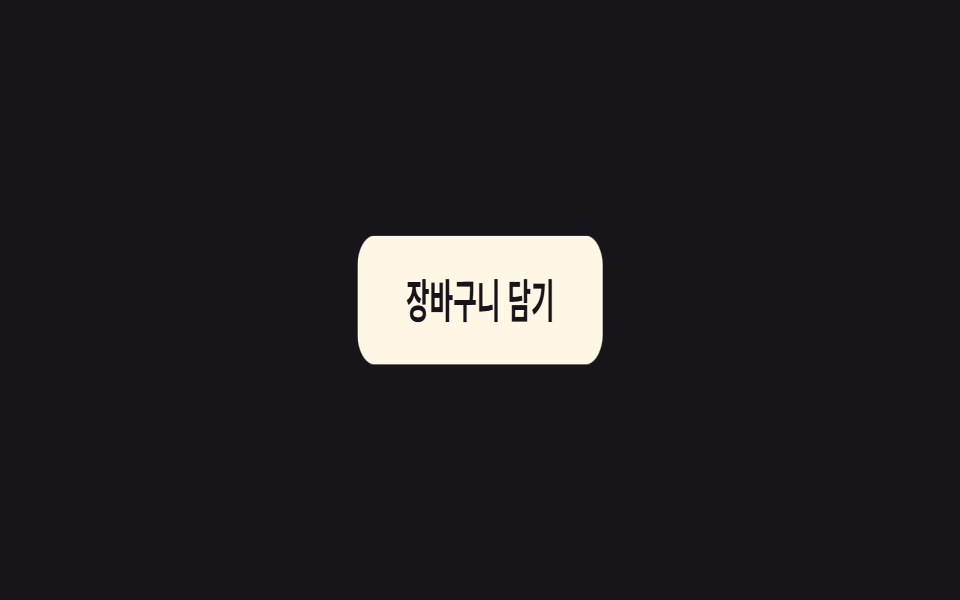
`.a-jelly` moves scaleX and scaleY out of phase with each other, so the element squishes like jelly the instant it's pressed and jiggles back into shape.
Best forAn 'added to cart' confirmation icon, bouncy feedback on a button after a click
scale(1.25, .75) 어긋남젤리 이징0.6초
<main class="stage">
  <button class="btn a-jelly is-demo" type="button">Add to cart</button>
</main>
@use "../../../../site/static/demo-tokens" as *;
// ── 변수 3개 ──────────────────────────────────────────
$duration: 600ms;
$easing: cubic-bezier(.68, -0.55, .27, 1.55); // 과도하게 넘겼다 돌아오는 탄성
$color: $subject-cream;
// ── 데모 무대 ───────────────────────────────
@include stage($stage-ink);
.btn {
border: 0;
border-radius: $r-control;
padding: 16px 34px;
background: $color;
color: $stage-ink;
font-weight: 700; font-size: clamp(15px, 4vw, 18px); line-height: 1; font-family: inherit;
cursor: pointer;
-webkit-tap-highlight-color: transparent;
}
// ── 실제 쓰임: is-jellying 을 켜면 한 번 출렁이고 멈춘다 ─────
.a-jelly.is-jellying { animation: jelly $duration $easing 1; }
// ── 데모: 클릭 전까지 2초마다 스스로 다시 출렁인다 ─────────
.a-jelly.is-demo { animation: jelly-loop $dur-loop $easing infinite; }
// scaleX 와 scaleY 를 서로 반대로 어긋나게 — 커지면서 좁아지고, 좁아지면서 커진다
@keyframes jelly {
0% { transform: scale(1, 1); }
20% { transform: scale(1.25, .75); }
40% { transform: scale(.75, 1.25); }
60% { transform: scale(1.15, .85); }
80% { transform: scale(.95, 1.05); }
100% { transform: scale(1, 1); }
}
// 같은 모양을 2초 루프의 60~100% 구간에 압축해 넣고 나머지는 쉰다
@keyframes jelly-loop {
0%, 60% { transform: scale(1, 1); }
68% { transform: scale(1.25, .75); }
76% { transform: scale(.75, 1.25); }
84% { transform: scale(1.15, .85); }
92% { transform: scale(.95, 1.05); }
100% { transform: scale(1, 1); }
}
@media (prefers-reduced-motion: reduce) {
.a-jelly.is-jellying, .a-jelly.is-demo { animation: none; }
}html, body {
margin: 0;
overflow: hidden;
}
.stage {
box-sizing: border-box;
min-height: 100vh;
display: grid;
place-items: center;
margin: 0;
background: #17141a;
font-family: -apple-system, "Segoe UI", "Noto Sans KR", sans-serif;
padding: clamp(8px, 4vw, 24px);
}
.btn {
border: 0;
border-radius: 12px;
padding: 16px 34px;
background: #fff7e6;
color: #17141a;
font-weight: 700;
font-size: clamp(15px, 4vw, 18px);
line-height: 1;
font-family: inherit;
cursor: pointer;
-webkit-tap-highlight-color: transparent;
}
.a-jelly.is-jellying {
animation: jelly 600ms cubic-bezier(0.68, -0.55, 0.27, 1.55) 1;
}
.a-jelly.is-demo {
animation: jelly-loop 2s cubic-bezier(0.68, -0.55, 0.27, 1.55) infinite;
}
@keyframes jelly {
0% {
transform: scale(1, 1);
}
20% {
transform: scale(1.25, 0.75);
}
40% {
transform: scale(0.75, 1.25);
}
60% {
transform: scale(1.15, 0.85);
}
80% {
transform: scale(0.95, 1.05);
}
100% {
transform: scale(1, 1);
}
}
@keyframes jelly-loop {
0%, 60% {
transform: scale(1, 1);
}
68% {
transform: scale(1.25, 0.75);
}
76% {
transform: scale(0.75, 1.25);
}
84% {
transform: scale(1.15, 0.85);
}
92% {
transform: scale(0.95, 1.05);
}
100% {
transform: scale(1, 1);
}
}
@media (prefers-reduced-motion: reduce) {
.a-jelly.is-jellying, .a-jelly.is-demo {
animation: none;
}
}// 누르면 젤리처럼 출렁이고 멈춘다. 실제로는 담기 요청이 성공했을 때 is-jellying 을 켠다.
var b = document.querySelector('.a-jelly');
b.addEventListener('click', function () {
b.classList.remove('is-demo'); b.classList.remove('is-jellying');
void b.offsetWidth;
b.classList.add('is-jellying');
});
b.addEventListener('animationend', function () { b.classList.remove('is-jellying'); });import { useCallback, useState } from "react";
import type { CSSProperties, MouseEvent, ReactNode } from "react";
import styles from "./JellyButton.module.scss";
export type JellyButtonProps = {
children: ReactNode;
/** 한 번 출렁이는 데 걸리는 시간 (기본 600ms) */
duration?: number;
/** CSS easing (기본 과도하게 넘겼다 돌아오는 커스텀 베지어) */
easing?: string;
/** 버튼 색 */
color?: string;
onClick?: (e: MouseEvent<HTMLButtonElement>) => void;
};
type Vars = CSSProperties & {
"--duration"?: string;
"--easing"?: string;
"--color"?: string;
};
// 실제 쓰임: 담기 요청이 성공했을 때 onClick 안에서 API 를 부르고, 결과와 무관하게 한 번 출렁인다.
export default function JellyButton({
children,
duration = 600,
easing = "cubic-bezier(.68,-0.55,.27,1.55)",
color = "#fff7e6",
onClick,
}: JellyButtonProps) {
const [jellying, setJellying] = useState(false);
const handle = useCallback(
(e: MouseEvent<HTMLButtonElement>) => {
setJellying(false);
requestAnimationFrame(() => setJellying(true));
onClick?.(e);
},
[onClick]
);
const vars: Vars = {
"--duration": `${duration}ms`,
"--easing": easing,
"--color": color,
};
return (
<button
type="button"
className={`${styles.btn} ${jellying ? styles.jellying : ""}`}
style={vars}
onClick={handle}
onAnimationEnd={() => setJellying(false)}
>
{children}
</button>
);
}09 Jelly wobble — Measured area 7.007% · moving frames 10/23Original by GODRICH · SCSS and React ship in the zip · 9 CSS Keyframe Animations, One Line, Copy-Paste
The post this demo lives in
 9 CSS Keyframe Animations, One Line, Copy-PasteThese nine CSS keyframe animation classes each wrap one keyframes block in a single class name, so adding that one class See all demos in this post