06Stat count tile
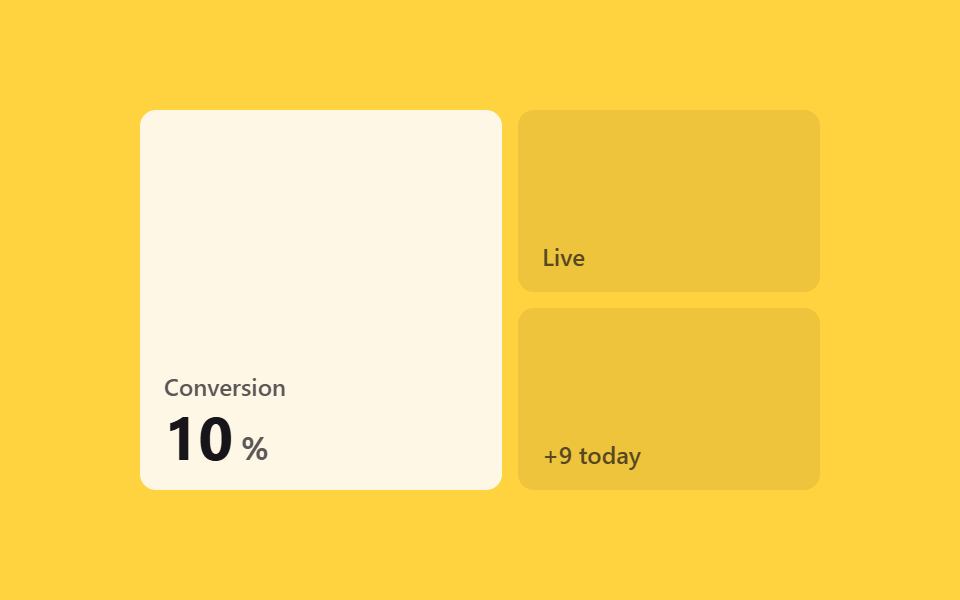
Hovering a stat tile animates an @property-registered custom property from 0 to its target value via keyframes, counting up the number with no JavaScript.
Best forDashboard summary tiles, landing-page metric cards
@propertycounter()1.2s
<main class="stage">
  <div class="sc-grid is-demo">
    <div class="sc-tile sc-tile--a sc-focal">
      <span class="sc-tile__tag">Conversion</span>
      <span class="sc-stat"><span class="sc-stat__value"></span><span class="sc-stat__unit">%</span></span>
    </div>
    <div class="sc-tile sc-tile--b">
      <span class="sc-tile__tag">Live</span>
    </div>
    <div class="sc-tile sc-tile--c">
      <span class="sc-tile__tag">+9 today</span>
    </div>
  </div>
</main>
@use "../../../../site/static/demo-tokens" as *;
// ── 변수 3개 ──────────────────────────────────────────
$duration: 1.2s;
$easing: $ease-out;
$target: 87;
@include stage($stage-yellow);
// 카운트업에 쓰는 커스텀 속성 — 정수 타입으로 등록해야 키프레임이 숫자를 보간한다
// 지원: Chromium·Safari 16.4+·Firefox 128+ (그 밖은 카운트업 없이 목표값이 바로 보인다)
@property --num {
syntax: '<integer>';
inherits: true;
initial-value: 0;
}
.sc-grid {
width: min(340px, 90vw);
aspect-ratio: 340 / 190;
display: grid;
grid-template-columns: 1.2fr 1fr;
grid-template-rows: 1fr 1fr;
gap: $sp-2;
}
.sc-tile {
border-radius: $r-sm;
display: flex;
flex-direction: column;
justify-content: flex-end;
padding: $sp-3;
box-sizing: border-box;
color: $subject-ink;
font: 600 12px/1 -apple-system, "Segoe UI", sans-serif;
background: $subject-cream;
}
.sc-tile--a { grid-row: 1 / 3; }
.sc-tile--b, .sc-tile--c { background: rgba(23, 20, 26, .08); }
.sc-tile__tag { opacity: .7; }
.sc-stat { margin-top: $sp-1; font-size: 30px; font-weight: 700; }
// 실제로 보이는 숫자는 ::after 의 counter() 다 — value 자신의 텍스트는 비워둔다
.sc-stat__value {
--num: 0;
}
.sc-stat__value::after {
counter-reset: num var(--num);
content: counter(num);
}
.sc-stat__unit { margin-left: $sp-1; font-size: 16px; opacity: .7; }
@keyframes sc-countup {
to { --num: #{$target}; }
}
// 실사용: 진짜 마우스 호버 — JS 없이 CSS 만으로 카운트업
.sc-focal:hover .sc-stat__value { animation: sc-countup $duration $easing forwards; }
// 데모 루프: is-demo 는 같은 카운트업을 forwards 로 (헤드리스 캡처는 currentTime 을 직접 놓아 0→목표를 그대로 읽는다)
.sc-grid.is-demo .sc-focal .sc-stat__value { animation: sc-countup $duration $easing forwards; }
@media (prefers-reduced-motion: reduce) {
.sc-focal:hover .sc-stat__value,
.sc-grid.is-demo .sc-focal .sc-stat__value { animation: none !important; --num: #{$target}; }
}html, body {
margin: 0;
overflow: hidden;
}
.stage {
box-sizing: border-box;
min-height: 100vh;
display: grid;
place-items: center;
margin: 0;
background: #ffd23f;
font-family: -apple-system, "Segoe UI", "Noto Sans KR", sans-serif;
padding: clamp(8px, 4vw, 24px);
}
@property --num {
syntax: "<integer>";
inherits: true;
initial-value: 0;
}
.sc-grid {
width: min(340px, 90vw);
aspect-ratio: 340/190;
display: grid;
grid-template-columns: 1.2fr 1fr;
grid-template-rows: 1fr 1fr;
gap: 8px;
}
.sc-tile {
border-radius: 8px;
display: flex;
flex-direction: column;
justify-content: flex-end;
padding: 12px;
box-sizing: border-box;
color: #17141a;
font: 600 12px/1 -apple-system, "Segoe UI", sans-serif;
background: #fff7e6;
}
.sc-tile--a {
grid-row: 1/3;
}
.sc-tile--b, .sc-tile--c {
background: rgba(23, 20, 26, 0.08);
}
.sc-tile__tag {
opacity: 0.7;
}
.sc-stat {
margin-top: 4px;
font-size: 30px;
font-weight: 700;
}
.sc-stat__value {
--num: 0;
}
.sc-stat__value::after {
counter-reset: num var(--num);
content: counter(num);
}
.sc-stat__unit {
margin-left: 4px;
font-size: 16px;
opacity: 0.7;
}
@keyframes sc-countup {
to {
--num: 87;
}
}
.sc-focal:hover .sc-stat__value {
animation: sc-countup 1.2s ease-out forwards;
}
.sc-grid.is-demo .sc-focal .sc-stat__value {
animation: sc-countup 1.2s ease-out forwards;
}
@media (prefers-reduced-motion: reduce) {
.sc-focal:hover .sc-stat__value,
.sc-grid.is-demo .sc-focal .sc-stat__value {
animation: none !important;
--num: 87;
}
}import { CSSProperties } from "react";
import styles from "./StatCountTile.module.scss";
type Vars = CSSProperties & {
"--duration"?: string;
"--easing"?: string;
"--target"?: number;
};
export interface StatCountTileProps {
duration?: string;
easing?: string;
target?: number;
}
// 지원: Chromium·Safari 16.4+·Firefox 128+. 미지원 브라우저는 카운트업 없이 목표값이 바로 보인다
export default function StatCountTile({
duration = "1.2s",
easing = "ease-out",
target = 87,
}: StatCountTileProps) {
const style: Vars = {
"--duration": duration,
"--easing": easing,
"--target": target,
};
return (
<div className={styles.grid} style={style}>
<div className={`${styles.tile} ${styles.tileA} ${styles.focal}`}>
<span className={styles.tag}>Conversion</span>
<span className={styles.stat}>
<span className={styles.value} />
<span className={styles.unit}>%</span>
</span>
</div>
<div className={`${styles.tile} ${styles.tileB}`}>
<span className={styles.tag}>Live</span>
</div>
<div className={`${styles.tile} ${styles.tileC}`}>
<span className={styles.tag}>+9 today</span>
</div>
</div>
);
}06 Stat count tile — Measured area 0.54% · moving frames 14/23Original by GODRICH · SCSS and React ship in the zip · 9 CSS Bento Grid Hover Animations to Copy-Paste
The post this demo lives in
 9 CSS Bento Grid Hover Animations to Copy-PasteA bento grid is a layout built from big and small boxes fitted together like a photo collage, the shape you see on portf See all demos in this post