09Pill loader button
On press the label fades out, the pill-shaped button deepens its color as if locked, and a short bar slides back and forth inside it to show the wait is happening.
Best forLogin and sign-up submit buttons, a file-upload confirm
라벨 opacity 스왑translateX 로더 막대$dur-loop 주기
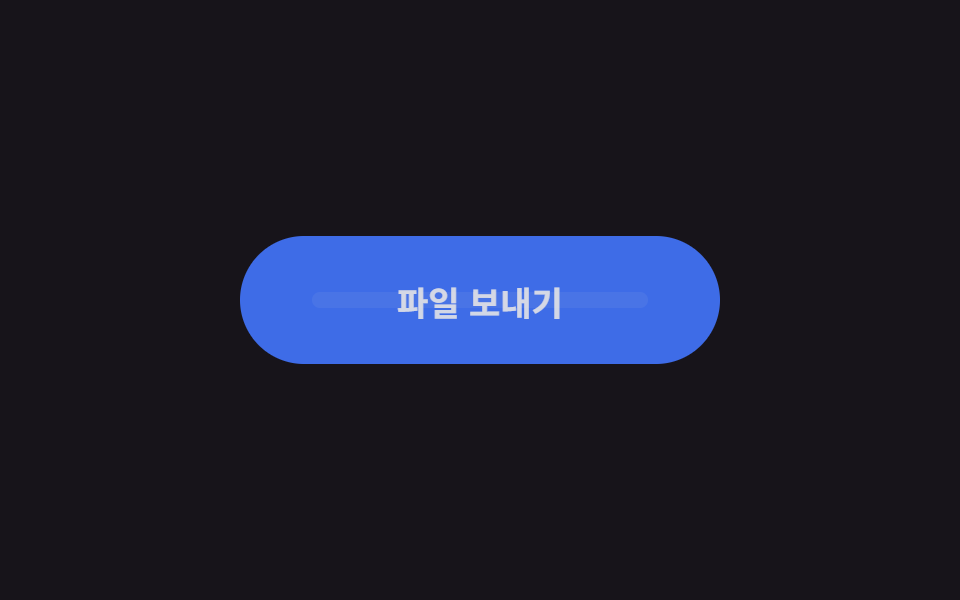
<main class="stage is-demo">
  <button class="btn" type="button">
    <span class="btn__label">Send file</span>
    <span class="btn__loader" aria-hidden="true">
      <span class="btn__track"><span class="btn__bar"></span></span>
    </span>
  </button>
</main>
@use "../../../../site/static/demo-tokens" as *;
// ── 변수 3개 ──────────────────────────────────────────
$duration: $dur-loop; // 2s — 기다림 한 주기
$easing: ease-in-out;
$color: $subject-blue; // 버튼 색
$busy: #6f67b4; // 기다리는 동안 잠기는 진한 색
@include stage($stage-ink);
.btn {
box-sizing: border-box;
position: relative;
width: 240px;
height: 64px;
border: none;
border-radius: $r-pill;
background: $color;
color: $subject-cream;
font-family: -apple-system, "Segoe UI", "Noto Sans KR", sans-serif;
font-weight: 700;
font-size: 17px;
cursor: pointer;
transition: background-color $dur-quick $easing;
}
.btn__label {
position: absolute;
inset: 0;
display: grid;
place-items: center;
}
// 로더 — 라벨이 사라진 자리에 나타난다
.btn__loader {
position: absolute;
inset: 0;
display: grid;
place-items: center;
opacity: 0;
}
.btn__track {
position: relative;
width: 168px; // 버튼의 70%
height: 8px;
border-radius: $r-pill;
background: rgba($subject-cream, .25);
overflow: hidden;
}
.btn__bar {
position: absolute;
top: 0; bottom: 0;
width: 60px;
border-radius: $r-pill;
background: $subject-cream;
transform: translateX(-60px);
}
// 실사용: 보내는 동안 is-busy 클래스를 붙인다
.btn.is-busy { background: $busy; }
.btn.is-busy .btn__label { opacity: 0; }
.btn.is-busy .btn__loader { opacity: 1; }
.btn__label, .btn__loader { transition: opacity $dur-quick $easing; }
.btn.is-busy .btn__bar { animation: bar-run 1s $easing infinite; }
.btn:focus-visible { outline: 3px solid $stage-yellow; outline-offset: 4px; }
// 격자 미리보기: 라벨 사라짐 → 잠김 → 막대 두 번 왕복 → 복귀
.stage.is-demo .btn { animation: busy-bg $duration $easing infinite; }
.stage.is-demo .btn__label { animation: label-out $duration $easing infinite; }
.stage.is-demo .btn__loader { animation: loader-in $duration $easing infinite; }
.stage.is-demo .btn__bar { animation: bar-run 1s $easing infinite; }
@keyframes busy-bg {
0%, 15% { background: $color; }
25%, 85% { background: $busy; }
95%,100% { background: $color; }
}
@keyframes label-out {
0%, 15% { opacity: 1; }
25%, 85% { opacity: 0; }
95%,100% { opacity: 1; }
}
@keyframes loader-in {
0%, 15% { opacity: 0; }
25%, 85% { opacity: 1; }
95%,100% { opacity: 0; }
}
@keyframes bar-run {
0% { transform: translateX(-60px); }
100% { transform: translateX(168px); }
}
@media (prefers-reduced-motion: reduce) {
.stage.is-demo .btn, .stage.is-demo .btn__label,
.stage.is-demo .btn__loader, .stage.is-demo .btn__bar { animation: none; }
.stage.is-demo .btn__bar { transform: translateX(54px); } // 가운데 정지
}html, body {
margin: 0;
overflow: hidden;
}
.stage {
box-sizing: border-box;
min-height: 100vh;
display: grid;
place-items: center;
margin: 0;
background: #17141a;
font-family: -apple-system, "Segoe UI", "Noto Sans KR", sans-serif;
padding: clamp(8px, 4vw, 24px);
}
.btn {
box-sizing: border-box;
position: relative;
width: 240px;
height: 64px;
border: none;
border-radius: 999px;
background: #2f6df6;
color: #fff7e6;
font-family: -apple-system, "Segoe UI", "Noto Sans KR", sans-serif;
font-weight: 700;
font-size: 17px;
cursor: pointer;
transition: background-color 220ms ease-in-out;
}
.btn__label {
position: absolute;
inset: 0;
display: grid;
place-items: center;
}
.btn__loader {
position: absolute;
inset: 0;
display: grid;
place-items: center;
opacity: 0;
}
.btn__track {
position: relative;
width: 168px;
height: 8px;
border-radius: 999px;
background: rgba(255, 247, 230, 0.25);
overflow: hidden;
}
.btn__bar {
position: absolute;
top: 0;
bottom: 0;
width: 60px;
border-radius: 999px;
background: #fff7e6;
transform: translateX(-60px);
}
.btn.is-busy {
background: #6f67b4;
}
.btn.is-busy .btn__label {
opacity: 0;
}
.btn.is-busy .btn__loader {
opacity: 1;
}
.btn__label, .btn__loader {
transition: opacity 220ms ease-in-out;
}
.btn.is-busy .btn__bar {
animation: bar-run 1s ease-in-out infinite;
}
.btn:focus-visible {
outline: 3px solid #ffd23f;
outline-offset: 4px;
}
.stage.is-demo .btn {
animation: busy-bg 2s ease-in-out infinite;
}
.stage.is-demo .btn__label {
animation: label-out 2s ease-in-out infinite;
}
.stage.is-demo .btn__loader {
animation: loader-in 2s ease-in-out infinite;
}
.stage.is-demo .btn__bar {
animation: bar-run 1s ease-in-out infinite;
}
@keyframes busy-bg {
0%, 15% {
background: #2f6df6;
}
25%, 85% {
background: #6f67b4;
}
95%, 100% {
background: #2f6df6;
}
}
@keyframes label-out {
0%, 15% {
opacity: 1;
}
25%, 85% {
opacity: 0;
}
95%, 100% {
opacity: 1;
}
}
@keyframes loader-in {
0%, 15% {
opacity: 0;
}
25%, 85% {
opacity: 1;
}
95%, 100% {
opacity: 0;
}
}
@keyframes bar-run {
0% {
transform: translateX(-60px);
}
100% {
transform: translateX(168px);
}
}
@media (prefers-reduced-motion: reduce) {
.stage.is-demo .btn, .stage.is-demo .btn__label,
.stage.is-demo .btn__loader, .stage.is-demo .btn__bar {
animation: none;
}
.stage.is-demo .btn__bar {
transform: translateX(54px);
}
}import type { CSSProperties } from "react";
import styles from "./PillLoaderButton.module.scss";
export type PillLoaderButtonProps = {
duration?: number;
easing?: string;
color?: string;
busyColor?: string;
busy?: boolean;
label?: string;
};
export default function PillLoaderButton({
duration = 1000,
easing = "ease-in-out",
color = "#2f6df6",
busyColor = "#3a2bb8",
busy = false,
label = "파일 보내기",
}: PillLoaderButtonProps) {
const vars: CSSProperties = {
"--duration": `${duration}ms`,
"--easing": easing,
"--color": color,
"--busy": busyColor,
} as CSSProperties;
return (
<button className={styles.btn} style={vars} data-busy={busy || undefined} type="button">
<span className={styles.label}>{label}</span>
<span className={styles.loader} aria-hidden="true">
<span className={styles.track}><span className={styles.bar} /></span>
</span>
</button>
);
}09 Pill loader button — Measured area 10.092% · moving frames 15/23Original by GODRICH · SCSS and React ship in the zip · 9 css button design ideas — candy, push, loading
The post this demo lives in
 9 css button design ideas — candy, push, loadingcss button design means deciding a button's colors, shape, and mouse reaction in a few lines of code. Want that candy-gr See all demos in this post
If you like this effect - similar demos
 Buttons09 Loading morph: button to spinner to check9 button hover effects css that award sites reuse
 Buttons02 Button that unlocks when the form is valid9 button state css patterns, loading to done
 Buttons05 Theme button where the sun and moon trade places9 Icon Button CSS Patterns — Press, Drag, Expand