04Bounce via linear()
Sampling Penner's easeOutBounce formula into 25 stops for linear() produces a real bouncing curve — one that rises and falls repeatedly — which cubic-bezier alone cannot express.
Best forAn icon flying into a cart, a notification badge appearing for the first time
linear()표본점 25개transform
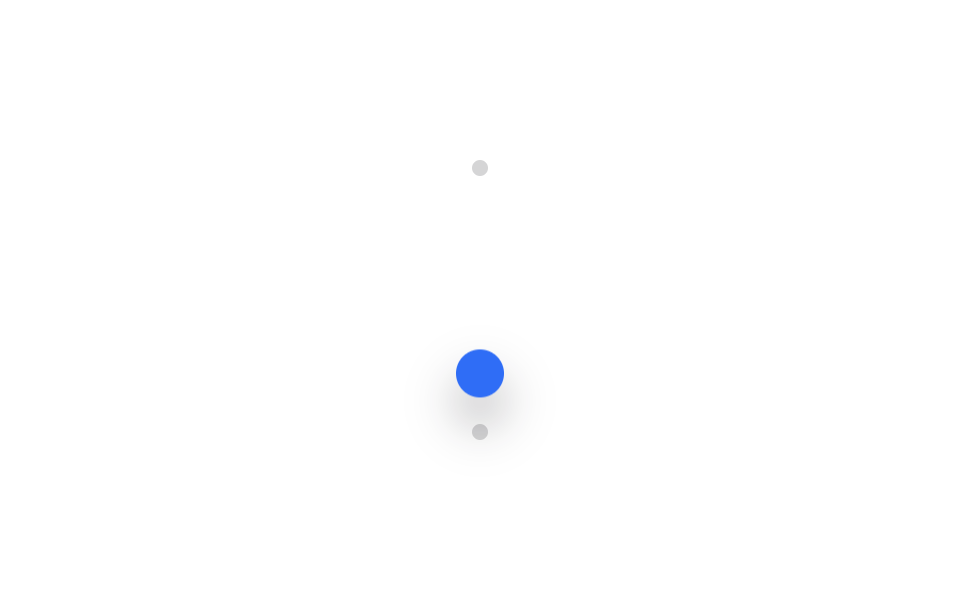
<main class="stage is-demo">
  <div class="track track--v">
    <span class="dot dot--start"></span>
    <span class="dot dot--end"></span>
    <div class="puck"></div>
  </div>
</main>
@use "../../../../site/static/demo-tokens" as *;
// ── 변수 3개 ──────────────────────────────────────────
$duration: $dur-loop; // 2s
// linear() — Penner easeOutBounce 공식을 25개 점으로 표본화한 값. cubic-bezier 로는 못 만드는,
// 방향이 꺾이는(제자리로 되튀는) 곡선이라 CSS Easing Functions Level 2 의 linear() 가 필요하다
$easing: linear(0, .013, .053, .118, .21, .328, .473, .643, .84, .97, .875, .807, .766, .75, .761, .798, .861, .951, .973, .943, .939, .962, .995, .984, 1);
$color: $subject-blue;
@include stage($stage-paper);
$track-h: 132px; // 320×200 모바일 체크에서 세로 여백을 남겨야 한다 (BD9 실측: 180px 는 넘쳤다)
$puck-w: $sp-6;
$drop: $track-h - $puck-w;
.track--v {
position: relative;
width: $sp-2;
height: $track-h;
}
.dot {
position: absolute;
left: 50%;
width: $sp-2;
height: $sp-2;
border-radius: $r-pill;
background: rgba(23, 20, 26, .18);
transform: translate(-50%, -50%);
}
.dot--start { top: 0; }
.dot--end { top: $track-h; }
.puck {
position: absolute;
top: 0;
left: 50%;
width: $puck-w;
height: $puck-w;
border-radius: $r-pill;
background: $color;
box-shadow: $shadow-raised;
transform: translate(-50%, 0);
}
// 공이 떨어져 튀어오르는 방향이라 alternate 를 안 쓴다 — 한 번 떨어지고 나면 다음 루프에서 제자리로 순간 복귀한다
.stage.is-demo .puck {
animation: drop $duration $easing infinite;
}
@keyframes drop {
from { transform: translate(-50%, 0); }
to { transform: translate(-50%, $drop); }
}
@media (prefers-reduced-motion: reduce) {
.stage.is-demo .puck { animation: none; transform: translate(-50%, $drop); }
}html, body {
margin: 0;
overflow: hidden;
}
.stage {
box-sizing: border-box;
min-height: 100vh;
display: grid;
place-items: center;
margin: 0;
background: #ffffff;
font-family: -apple-system, "Segoe UI", "Noto Sans KR", sans-serif;
padding: clamp(8px, 4vw, 24px);
}
.track--v {
position: relative;
width: 8px;
height: 132px;
}
.dot {
position: absolute;
left: 50%;
width: 8px;
height: 8px;
border-radius: 999px;
background: rgba(23, 20, 26, 0.18);
transform: translate(-50%, -50%);
}
.dot--start {
top: 0;
}
.dot--end {
top: 132px;
}
.puck {
position: absolute;
top: 0;
left: 50%;
width: 24px;
height: 24px;
border-radius: 999px;
background: #2f6df6;
box-shadow: 0 14px 24px rgba(23, 20, 26, 0.32);
transform: translate(-50%, 0);
}
.stage.is-demo .puck {
animation: drop 2s linear(0, 0.013, 0.053, 0.118, 0.21, 0.328, 0.473, 0.643, 0.84, 0.97, 0.875, 0.807, 0.766, 0.75, 0.761, 0.798, 0.861, 0.951, 0.973, 0.943, 0.939, 0.962, 0.995, 0.984, 1) infinite;
}
@keyframes drop {
from {
transform: translate(-50%, 0);
}
to {
transform: translate(-50%, 108px);
}
}
@media (prefers-reduced-motion: reduce) {
.stage.is-demo .puck {
animation: none;
transform: translate(-50%, 108px);
}
}import type { CSSProperties } from "react";
import styles from "./BounceLinear.module.scss";
export type BounceLinearProps = {
duration?: number;
color?: string;
};
export default function BounceLinear({ duration = 2000, color = "#2f6df6" }: BounceLinearProps) {
const vars: CSSProperties = { "--duration": `${duration}ms`, "--color": color } as CSSProperties;
return (
<div className={styles.stage} style={vars}>
<div className={styles.track}>
<span className={`${styles.dot} ${styles.dotStart}`} />
<span className={`${styles.dot} ${styles.dotEnd}`} />
<div className={styles.puck} />
</div>
</div>
);
}04 Bounce via linear() — Measured area 3.203% · moving frames 23/23Original by GODRICH · SCSS and React ship in the zip · 9 CSS Easing Curves You Can Copy-Paste
The post this demo lives in
 9 CSS Easing Curves You Can Copy-PasteA CSS animation moving at one constant speed looks robotic; ease it down at the end, or spring past the target and settl See all demos in this post