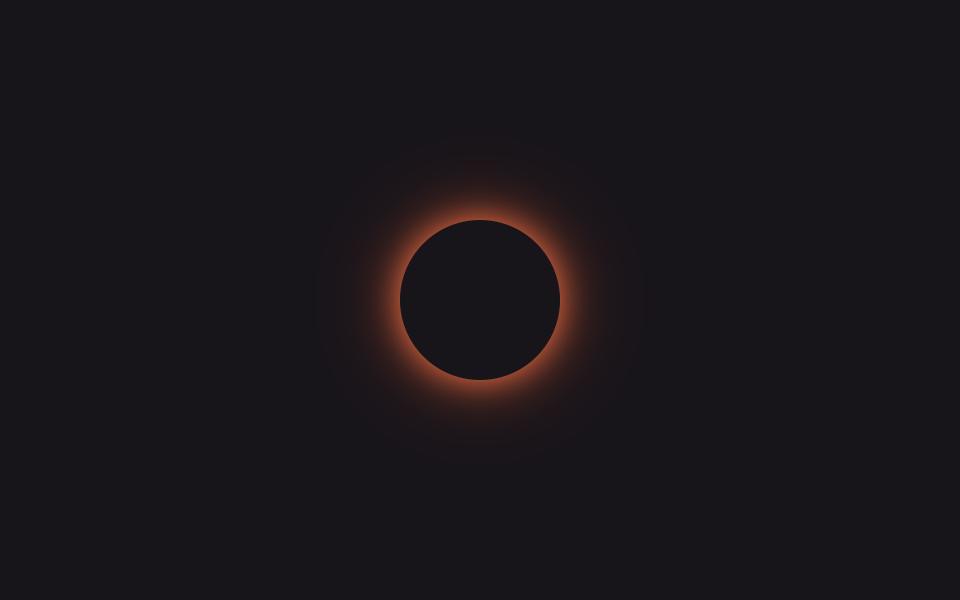
07@property glow color cycle
Registering --hue as an angle via @property and animating it from 0 to 360 with keyframes lets hsl(var(--hue) …) interpolate smoothly — a rainbow glow a plain, unregistered custom property can't produce.
Best forLimited-time sale badges, new-feature labels that need to stand out
@propertyhsl(var(--hue))무한 색상 순환
<main class="stage is-demo">
  <span class="badge" aria-hidden="true"></span>
</main>
@use "../../../../site/static/demo-tokens" as *;
// ── 변수 3개 ──────────────────────────────────────────
$duration: $dur-loop; // 2s — 색상 한 바퀴
$easing: linear;
$color: #8b5cf6; // @property 미지원 브라우저용 대체 색(첫 색조와 맞춤)
@include stage($stage-ink);
// 등록 없는 커스텀 프로퍼티는 숫자로 안 보이기 때문에 hsl() 이 튄다 — @property 로 <number> 를 선언해야 보간된다
@property --hue { syntax: '<number>'; inherits: false; initial-value: 262; }
.badge {
display: block;
width: 80px; height: 80px;
border-radius: 50%;
background: $stage-ink;
// @supports 로 감싸지 않아도 @property 를 모르는 엔진은 --hue 를 그냥 무시하고 이 고정값을 쓴다
box-shadow: 0 0 $sp-4 $color, 0 0 $sp-10 rgba($color, .5);
}
@supports (background: hsl(var(--hue) 100% 50%)) {
.badge {
box-shadow: 0 0 $sp-4 hsl(var(--hue) 90% 62%), 0 0 $sp-10 hsl(var(--hue) 90% 55% / .55);
}
}
// --hue 하나만 0→360 으로 돈다 — box-shadow 색이 같이 보간된다
.stage.is-demo .badge {
animation: cycle $duration $easing infinite;
}
@keyframes cycle {
from { --hue: 0; }
to { --hue: 360; }
}
@media (prefers-reduced-motion: reduce) {
.stage.is-demo .badge { animation: none; --hue: 262; }
}html, body {
margin: 0;
overflow: hidden;
}
.stage {
box-sizing: border-box;
min-height: 100vh;
display: grid;
place-items: center;
margin: 0;
background: #17141a;
font-family: -apple-system, "Segoe UI", "Noto Sans KR", sans-serif;
padding: clamp(8px, 4vw, 24px);
}
@property --hue {
syntax: "<number>";
inherits: false;
initial-value: 262;
}
.badge {
display: block;
width: 80px;
height: 80px;
border-radius: 50%;
background: #17141a;
box-shadow: 0 0 16px #8b5cf6, 0 0 40px rgba(139, 92, 246, 0.5);
}
@supports (background: hsl(var(--hue), 100%, 50%)) {
.badge {
box-shadow: 0 0 16px hsl(var(--hue), 90%, 62%), 0 0 40px hsl(var(--hue), 90%, 55%, 0.55);
}
}
.stage.is-demo .badge {
animation: cycle 2s linear infinite;
}
@keyframes cycle {
from {
--hue: 0;
}
to {
--hue: 360;
}
}
@media (prefers-reduced-motion: reduce) {
.stage.is-demo .badge {
animation: none;
--hue: 262;
}
}import type { CSSProperties } from "react";
import styles from "./PropertyGlowCycle.module.scss";
export type PropertyGlowCycleProps = {
/** 색상 한 바퀴 도는 시간 (기본 2000ms) */
duration?: number;
/** @property 미지원 브라우저용 대체 색 */
color?: string;
};
export default function PropertyGlowCycle({ duration = 2000, color = "#8b5cf6" }: PropertyGlowCycleProps) {
const vars: CSSProperties = { "--duration": `${duration}ms`, "--color": color } as CSSProperties;
return <span className={styles.badge} style={vars} aria-hidden="true" />;
}07 @property glow color cycle — Measured area 4.603% · moving frames 23/23Original by GODRICH · SCSS and React ship in the zip · 9 CSS Glow Effect Animations — Neon, Copy-Paste
The post this demo lives in
 9 CSS Glow Effect Animations — Neon, Copy-PasteA glowing button or headline looks lit from the inside like a neon sign, the trick gaming sites, streamers, and portfoli See all demos in this post