03Icon morph
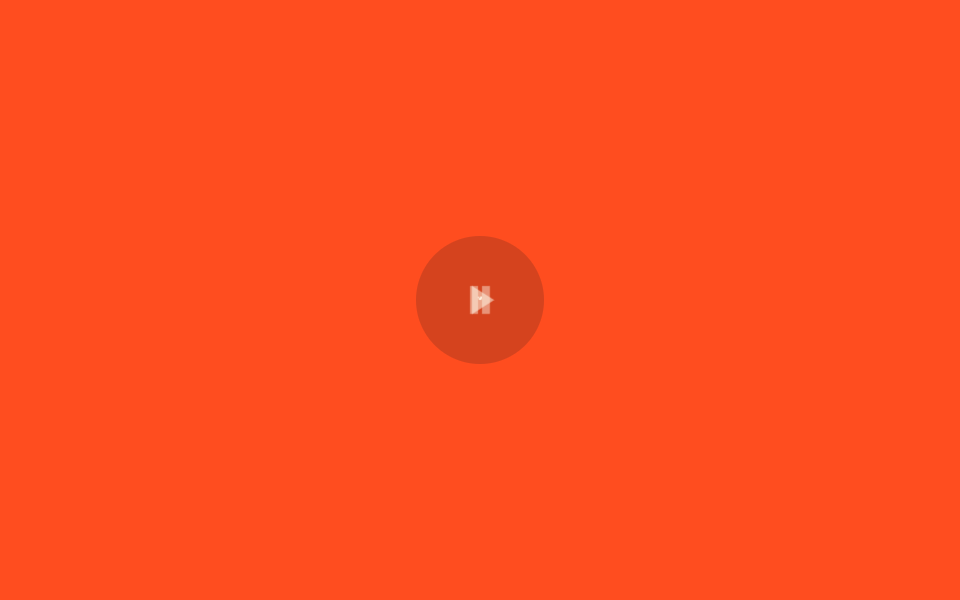
A play triangle and a pause-bars path sit stacked and swap places via opacity and scale.
Best forPlay/pause buttons in audio or video players
opacity 크로스페이드220msscale .85→1
<main class="stage">
  <button class="iconbtn is-demo" type="button" aria-pressed="false" aria-labelledby="t3">
    <span class="iconbtn__stack">
      <svg class="ic ic--play" viewBox="0 0 24 24" width="26" height="26">
        <title id="t3">Play</title>
        <path d="M8 5l11 7-11 7z"/>
      </svg>
      <svg class="ic ic--pause" viewBox="0 0 24 24" width="26" height="26" aria-hidden="true">
        <path d="M7 5h4v14H7zM13 5h4v14h-4z"/>
      </svg>
      <svg class="morph" viewBox="0 0 24 24" width="26" height="26" aria-hidden="true">
        <circle class="morph__halo" cx="12" cy="12" r="7"/>
        <path class="morph__ghost" d="M8 5l11 7-11 7z"/>
        <circle class="morph__spark" r=".9" cx="12" cy="12"/>
        <circle class="morph__bit" r=".5" cx="12" cy="11" style="--dx:0px;--dy:-3.2px"/>
        <circle class="morph__bit" r=".45" cx="12" cy="11" style="--dx:2.8px;--dy:1.6px"/>
        <circle class="morph__bit" r=".45" cx="12" cy="11" style="--dx:-2.8px;--dy:1.6px"/>
        <circle class="morph__bit" r=".45" cx="12" cy="11" style="--dx:-2.2px;--dy:-1.8px"/>
        <circle class="morph__bit" r=".45" cx="12" cy="11" style="--dx:2.2px;--dy:1.8px"/>
        <circle class="morph__bit" r=".45" cx="12" cy="11" style="--dx:2px;--dy:-2.2px"/>
      </svg>
    </span>
  </button>
</main>
@use "../../../../site/static/demo-tokens" as *;
// ── 변수 3개 ──────────────────────────────
$duration: $dur-quick; // 220ms — 실제 클릭 전환 시간
$easing: $ease-pop;
$color: $subject-cream;
// ── 데모 무대 ───────────────────────────────
@include stage($stage-orange);
.iconbtn {
border: 0; border-radius: 50%; cursor: pointer;
width: clamp(52px, 14vw, 64px); height: clamp(52px, 14vw, 64px);
display: grid; place-items: center;
background: rgba(23, 20, 26, .18); color: $color;
-webkit-tap-highlight-color: transparent;
}
.iconbtn:focus-visible { outline: 2px solid $color; outline-offset: 3px; }
.iconbtn__stack { display: grid; place-items: center; width: 100%; height: 100%; }
// 두 아이콘을 같은 칸(grid-area)에 겹쳐 놓고 opacity·scale로 서로 바꾼다
.ic {
grid-area: 1 / 1; fill: currentColor;
transition: opacity $duration $easing, transform $duration $easing;
transform-box: fill-box; transform-origin: 50% 50%;
}
.ic--play { opacity: 1; }
.ic--pause { opacity: 0; transform: scale(.85); }
.iconbtn[aria-pressed="true"] .ic--play { opacity: 0; transform: scale(.85); }
.iconbtn[aria-pressed="true"] .ic--pause { opacity: 1; transform: scale(1); }
// ── 데모 루프: 클릭 전까지 재생↔일시정지를 스스로 오간다 ──────
.iconbtn.is-demo .ic--play { animation: play-loop $dur-loop $easing infinite; }
.iconbtn.is-demo .ic--pause { animation: pause-loop $dur-loop $easing infinite; }
@keyframes play-loop { 0%, 15% { opacity: 1; transform: scale(1); } 40%, 60% { opacity: 0; transform: scale(.85); } 85%, 100% { opacity: 1; transform: scale(1); } }
@keyframes pause-loop { 0%, 15% { opacity: 0; transform: scale(.85); } 40%, 60% { opacity: 1; transform: scale(1); } 85%, 100% { opacity: 0; transform: scale(.85); } }
// ── 한 겹: 모프 순간 고스트 링 + 입자 방출 ──────────────────────
// 아이콘이 서로 바뀌는 순간 잠깐 나타났다 지워지는 고스트 실루엣 — 잔상
.morph {
grid-area: 1 / 1; pointer-events: none; // 아이콘 격자와 같은 칸, 클릭 방해 안 함
fill: $color;
}
// 링 파동 — 모프 순간 중앙에서 퍼지며 옅어지는 미광
.morph__halo {
fill: none;
stroke: $color;
stroke-width: .8;
opacity: 0;
transform-box: fill-box;
transform-origin: 50% 50%;
}
@keyframes halo-ring {
0% { opacity: .55; transform: scale(.4); }
100% { opacity: 0; transform: scale(1.7); }
}
// 중앙 스파크 — 모프가 터지는 순간 밝게 점멸
.morph__spark {
opacity: 0;
transform-box: fill-box;
transform-origin: 50% 50%;
filter: drop-shadow(0 0 1px $color);
}
@keyframes spark-pop {
0% { opacity: .95; transform: scale(1.8); }
60% { opacity: .4; transform: scale(.8); }
100% { opacity: 0; transform: scale(.3); }
}
.morph__ghost {
fill: none; stroke: $color; stroke-width: 1.4;
transform-box: fill-box; transform-origin: 50% 50%;
opacity: 0; // JS 가 모프 순간에만 켠다
}
@keyframes ghost-ring {
0% { opacity: .5; stroke-width: 1.4; transform: scale(.7); }
100% { opacity: 0; stroke-width: .2; transform: scale(1.5); }
}
// 모프 순간 사방으로 흩어지는 입자
.morph__bit {
fill: $color;
opacity: 0;
transform-box: fill-box; transform-origin: 50% 50%;
animation: bit-fly 460ms $ease-out forwards;
}
@keyframes bit-fly {
0% { opacity: .9; transform: translate(0, 0) scale(1); }
100% { opacity: 0; transform: translate(var(--dx), var(--dy)) scale(.25); }
}
@media (prefers-reduced-motion: reduce) {
.iconbtn.is-demo .ic--play, .iconbtn.is-demo .ic--pause { animation: none; }
.ic { transition: none; }
.morph { display: none; }
}html, body {
margin: 0;
overflow: hidden;
}
.stage {
box-sizing: border-box;
min-height: 100vh;
display: grid;
place-items: center;
margin: 0;
background: #ff4d1f;
font-family: -apple-system, "Segoe UI", "Noto Sans KR", sans-serif;
padding: clamp(8px, 4vw, 24px);
}
.iconbtn {
border: 0;
border-radius: 50%;
cursor: pointer;
width: clamp(52px, 14vw, 64px);
height: clamp(52px, 14vw, 64px);
display: grid;
place-items: center;
background: rgba(23, 20, 26, 0.18);
color: #fff7e6;
-webkit-tap-highlight-color: transparent;
}
.iconbtn:focus-visible {
outline: 2px solid #fff7e6;
outline-offset: 3px;
}
.iconbtn__stack {
display: grid;
place-items: center;
width: 100%;
height: 100%;
}
.ic {
grid-area: 1/1;
fill: currentColor;
transition: opacity 220ms cubic-bezier(0.2, 1.4, 0.4, 1), transform 220ms cubic-bezier(0.2, 1.4, 0.4, 1);
transform-box: fill-box;
transform-origin: 50% 50%;
}
.ic--play {
opacity: 1;
}
.ic--pause {
opacity: 0;
transform: scale(0.85);
}
.iconbtn[aria-pressed=true] .ic--play {
opacity: 0;
transform: scale(0.85);
}
.iconbtn[aria-pressed=true] .ic--pause {
opacity: 1;
transform: scale(1);
}
.iconbtn.is-demo .ic--play {
animation: play-loop 2s cubic-bezier(0.2, 1.4, 0.4, 1) infinite;
}
.iconbtn.is-demo .ic--pause {
animation: pause-loop 2s cubic-bezier(0.2, 1.4, 0.4, 1) infinite;
}
@keyframes play-loop {
0%, 15% {
opacity: 1;
transform: scale(1);
}
40%, 60% {
opacity: 0;
transform: scale(0.85);
}
85%, 100% {
opacity: 1;
transform: scale(1);
}
}
@keyframes pause-loop {
0%, 15% {
opacity: 0;
transform: scale(0.85);
}
40%, 60% {
opacity: 1;
transform: scale(1);
}
85%, 100% {
opacity: 0;
transform: scale(0.85);
}
}
.morph {
grid-area: 1/1;
pointer-events: none;
fill: #fff7e6;
}
.morph__halo {
fill: none;
stroke: #fff7e6;
stroke-width: 0.8;
opacity: 0;
transform-box: fill-box;
transform-origin: 50% 50%;
}
@keyframes halo-ring {
0% {
opacity: 0.55;
transform: scale(0.4);
}
100% {
opacity: 0;
transform: scale(1.7);
}
}
.morph__spark {
opacity: 0;
transform-box: fill-box;
transform-origin: 50% 50%;
filter: drop-shadow(0 0 1px #fff7e6);
}
@keyframes spark-pop {
0% {
opacity: 0.95;
transform: scale(1.8);
}
60% {
opacity: 0.4;
transform: scale(0.8);
}
100% {
opacity: 0;
transform: scale(0.3);
}
}
.morph__ghost {
fill: none;
stroke: #fff7e6;
stroke-width: 1.4;
transform-box: fill-box;
transform-origin: 50% 50%;
opacity: 0;
}
@keyframes ghost-ring {
0% {
opacity: 0.5;
stroke-width: 1.4;
transform: scale(0.7);
}
100% {
opacity: 0;
stroke-width: 0.2;
transform: scale(1.5);
}
}
.morph__bit {
fill: #fff7e6;
opacity: 0;
transform-box: fill-box;
transform-origin: 50% 50%;
animation: bit-fly 460ms ease-out forwards;
}
@keyframes bit-fly {
0% {
opacity: 0.9;
transform: translate(0, 0) scale(1);
}
100% {
opacity: 0;
transform: translate(var(--dx), var(--dy)) scale(0.25);
}
}
@media (prefers-reduced-motion: reduce) {
.iconbtn.is-demo .ic--play, .iconbtn.is-demo .ic--pause {
animation: none;
}
.ic {
transition: none;
}
.morph {
display: none;
}
}// 의미 있는 아이콘 버튼: <title>이 접근 가능한 이름이고, 클릭마다 상태에 맞게 바꾼다
document.querySelectorAll(".iconbtn").forEach(function (b) {
var t = b.querySelector("title");
b.addEventListener("click", function () {
b.classList.remove("is-demo");
var on = b.getAttribute("aria-pressed") === "true";
b.setAttribute("aria-pressed", String(!on));
t.textContent = on ? "Play" : "Pause";
});
});
// 모프 한 겹 — 전환 순간(Play→Pause, Pause→Play)에 링 궤적 + 입자 방출.
// 애니메이션 타이밍을 하드코딩하지 않고 getComputedStyle() 로 아이콘 opacity 실측값을
// 읽어 "페이드가 진행 중"인 순간을 감지해 그 순간만 발화한다 (01 스파크와 같은 원리).
(function () {
var btn = document.querySelector('.iconbtn');
if (!btn) return;
var ghost = btn.querySelector('.morph__ghost');
var halo = btn.querySelector('.morph__halo');
var spark = btn.querySelector('.morph__spark');
var bits = [].slice.call(btn.querySelectorAll('.morph__bit'));
var reduce = window.matchMedia('(prefers-reduced-motion: reduce)').matches;
if (reduce || !ghost || !bits.length) return;
var prevOp = null, armed = true;
var dPlay = btn.querySelector('.ic--play path');
var dPause = btn.querySelector('.ic--pause path');
// 모프 순간 고스트 — '나타나는' 아이콘의 실루엣이 링처럼 번지며 지워진다 (잔상)
function burst(d) {
ghost.setAttribute('d', d);
ghost.style.animation = 'none';
void ghost.getBoundingClientRect();
ghost.style.animation = '';
ghost.style.animationName = 'ghost-ring';
// 링 파동 — 중앙에서 퍼지며 옅어지는 미광 (06 halo 와 같은 원리)
if (halo) {
halo.style.animation = 'none';
void halo.getBoundingClientRect();
halo.style.animation = '';
halo.style.animationName = 'halo-ring';
}
// 중앙 스파크 점멸
if (spark) {
spark.style.animation = 'none';
void spark.getBoundingClientRect();
spark.style.animation = '';
spark.style.animationName = 'spark-pop';
}
bits.forEach(function (b) {
var ang = Math.random() * Math.PI * 2;
var sp = 2.4 + Math.random() * 1.4;
b.style.setProperty('--dx', (Math.cos(ang) * sp).toFixed(2) + 'px');
b.style.setProperty('--dy', (Math.sin(ang) * sp).toFixed(2) + 'px');
b.style.animation = 'none';
void b.getBoundingClientRect();
b.style.animation = '';
b.style.animationName = 'bit-fly';
});
}
function watch() {
// is-demo 루프 중엔 play 루프의 opacity 로 전환 순간을 잡는다
var target = btn.classList.contains('is-demo')
? btn.querySelector('.ic--play')
: (btn.getAttribute('aria-pressed') === 'true' ? btn.querySelector('.ic--pause') : btn.querySelector('.ic--play'));
if (target) {
var op = parseFloat(getComputedStyle(target).opacity);
var moving = op > 0.02 && op < 0.98;
// 전환당 한 번만: 페이드 시작 순간에 발화하고(opacity 가 완전히 멈출 때까지 재장전 안 함)
if (moving && armed) {
// 나타나는 아이콘: 루프 중엔 opacity 상승=play 복귀·하강=pause 진입,
// 클릭 후엔 target 자체가 나타나는 아이콘이다
var rising = prevOp === null || op > prevOp;
var incoming = btn.classList.contains('is-demo') ? (rising ? dPlay : dPause)
: (target.classList.contains('ic--play') ? dPlay : dPause);
burst(incoming.getAttribute('d'));
armed = false;
}
if (!moving && prevOp !== null && Math.abs(op - prevOp) < 0.002) armed = true;
prevOp = op;
}
requestAnimationFrame(watch);
}
requestAnimationFrame(watch);
})();import { useEffect, useRef, useState } from "react";
import type { CSSProperties } from "react";
import styles from "./PlayPauseIcon.module.scss";
export type PlayPauseIconProps = {
/** 재생↔일시정지 전환 시간, ms */
duration?: number;
easing?: string;
color?: string;
defaultPlaying?: boolean;
onChange?: (playing: boolean) => void;
};
type Vars = CSSProperties & { "--duration"?: string; "--easing"?: string; "--color"?: string };
const D_PLAY = "M8 5l11 7-11 7z";
const D_PAUSE = "M7 5h4v14H7zM13 5h4v14h-4z";
export default function PlayPauseIcon({
duration = 220,
easing = "cubic-bezier(.2,1.4,.4,1)",
color = "#fff7e6",
defaultPlaying = false,
onChange,
}: PlayPauseIconProps) {
const [playing, setPlaying] = useState(defaultPlaying);
// 모프 순간마다 n +1 → 링·입자 재시작. dirs 는 방출마다 다시 뽑는다 (vanilla 와 동일)
const [burst, setBurst] = useState<{ n: number; dirs: Array<[number, number]>; d: string }>({ n: 0, dirs: [], d: D_PLAY });
const vars: Vars = { "--duration": `${duration}ms`, "--easing": easing, "--color": color };
const reduceRef = useRef(false);
// 모프 한 겹: prefers-reduced-motion 이면 발화하지 않는다 (CSS 층에서 display:none 처리)
useEffect(() => {
reduceRef.current = window.matchMedia("(prefers-reduced-motion: reduce)").matches;
}, []);
return (
<button
type="button"
className={styles.iconbtn}
style={vars}
aria-pressed={playing}
aria-label={playing ? "일시정지" : "재생"}
onClick={() => {
const next = !playing;
setPlaying(next);
if (!reduceRef.current) {
setBurst((b) => ({
n: b.n + 1,
d: next ? D_PAUSE : D_PLAY, // 나타나는 아이콘의 실루엣이 번진다
dirs: [0, 1, 2, 3, 4, 5].map(() => {
const ang = Math.random() * Math.PI * 2;
const sp = 2.4 + Math.random() * 1.4;
return [Math.cos(ang) * sp, Math.sin(ang) * sp] as [number, number];
}),
}));
}
onChange?.(next);
}}
>
<span className={styles.iconbtn__stack}>
<svg className={`${styles.ic} ${playing ? styles["ic--hidden"] : ""}`} viewBox="0 0 24 24" width="26" height="26" aria-hidden="true">
<path d={D_PLAY} />
</svg>
<svg className={`${styles.ic} ${playing ? "" : styles["ic--hidden"]}`} viewBox="0 0 24 24" width="26" height="26" aria-hidden="true">
<path d={D_PAUSE} />
</svg>
{/* 한 겹: 모프 순간 고스트 링 + 입자 — key 바뀌면 애니메이션이 재시작된다.
고스트는 '나타나는' 아이콘의 실루엣이 링처럼 번지며 지워진다 (잔상) */}
{burst.n > 0 && (
<svg key={burst.n} className={styles.morph} viewBox="0 0 24 24" width="26" height="26" aria-hidden="true">
<circle className={styles["morph__halo"]} cx={12} cy={12} r={7} />
<path className={styles["morph__ghost"]} d={burst.d} />
<circle className={styles["morph__spark"]} r={0.9} cx={12} cy={12} />
{burst.dirs.map(([dx, dy], i) => (
<circle
key={i}
className={styles["morph__bit"]}
r={i === 0 ? 0.5 : 0.45}
cx={12}
cy={11}
style={{ "--dx": `${dx}px`, "--dy": `${dy}px` } as CSSProperties}
/>
))}
</svg>
)}
</span>
</button>
);
}03 Icon morph — Measured area 0.135% · moving frames 9/23Original by GODRICH · SCSS and React ship in the zip · 9 SVG Icon Animation CSS — One Line, Copy-Paste
The post this demo lives in
 9 SVG Icon Animation CSS — One Line, Copy-PasteThese nine svg icon animation css patterns swap a static interface icon for a live one, redrawing a bell, a refresh arro See all demos in this post