06Square grid lock (1:1)
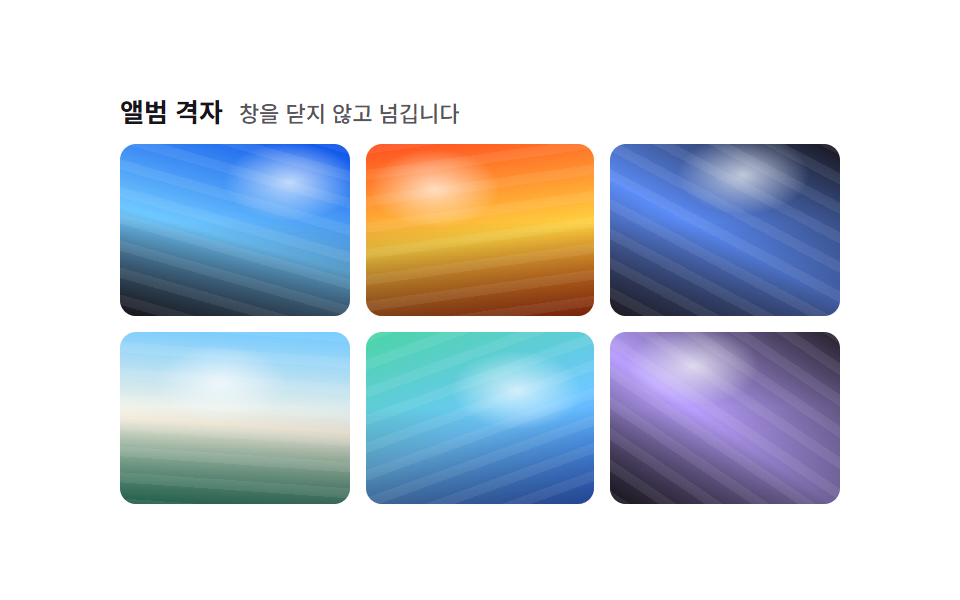
Setting aspect-ratio: 1 / 1 and object-fit: cover on every tile lines up perfect squares like an Instagram feed regardless of the source photo's ratio, and hovering zooms only the photo inside while the square frame stays fixed.
Best forAn Instagram-style feed preview, a profile-photo grid
aspect-ratio:1/1object-fit:coverscale hover

<main class="stage">
  <ul class="gallery is-demo" aria-label="Photo gallery">
    <li class="cell" tabindex="0"><img class="photo" alt="" src="data:image/svg+xml,%3Csvg xmlns='http://www.w3.org/2000/svg' width='420' height='300'%3E%3Crect width='420' height='300' fill='%2317141a'/%3E%3C/svg%3E"></li>
    <li class="cell" tabindex="0"><img class="photo" alt="" src="data:image/svg+xml,%3Csvg xmlns='http://www.w3.org/2000/svg' width='300' height='420'%3E%3Crect width='300' height='420' fill='%232f6df6'/%3E%3C/svg%3E"></li>
    <li class="cell" tabindex="0"><img class="photo" alt="" src="data:image/svg+xml,%3Csvg xmlns='http://www.w3.org/2000/svg' width='360' height='360'%3E%3Crect width='360' height='360' fill='%2317141a'/%3E%3C/svg%3E"></li>
    <li class="cell" tabindex="0"><img class="photo" alt="" src="data:image/svg+xml,%3Csvg xmlns='http://www.w3.org/2000/svg' width='260' height='420'%3E%3Crect width='260' height='420' fill='%232f6df6'/%3E%3C/svg%3E"></li>
    <li class="cell" tabindex="0"><img class="photo" alt="" src="data:image/svg+xml,%3Csvg xmlns='http://www.w3.org/2000/svg' width='440' height='280'%3E%3Crect width='440' height='280' fill='%2317141a'/%3E%3C/svg%3E"></li>
    <li class="cell" tabindex="0"><img class="photo" alt="" src="data:image/svg+xml,%3Csvg xmlns='http://www.w3.org/2000/svg' width='340' height='340'%3E%3Crect width='340' height='340' fill='%232f6df6'/%3E%3C/svg%3E"></li>
  </ul>
</main>
@use "../../../../site/static/demo-tokens" as *;
$duration: $dur-base; // 프레임 안에서 확대되는 시간
$easing: $ease-out;
$color: $stage-ink; // 프레임 배경(로딩 중 틈)
@include stage($stage-yellow);
.stage { padding: clamp(8px, 2.4vw, 16px); }
.gallery {
display: grid;
grid-template-columns: repeat(3, 1fr);
gap: $sp-2;
list-style: none;
margin: 0;
padding: 0;
width: 184px;
max-width: 100%;
}
.cell {
aspect-ratio: 1 / 1;
border-radius: $r-sm;
overflow: hidden;
outline: none;
cursor: pointer;
background: $color;
box-shadow: $shadow-press;
transform: translateY(0);
transition: transform $duration $easing, box-shadow $duration $easing;
}
.photo {
display: block;
width: 100%;
height: 100%;
object-fit: cover;
transform: scale(1);
transition: transform $duration $easing;
}
// 프레임(.cell) 자체도 살짝 떠올라야 움직임이 보인다 — 단색 사진만 확대하면 크롭된 색이 그대로라 픽셀 차이가 0 이다 (132 실측)
.cell:hover, .cell:focus-visible, .cell:active { transform: translateY(-3px); box-shadow: $shadow-raised; }
.cell:hover .photo, .cell:focus-visible .photo, .cell:active .photo { transform: scale(1.1); }
.gallery.is-demo .cell { animation: lift-loop $dur-loop $easing infinite; }
.gallery.is-demo .photo { animation: crop-zoom $dur-loop $easing infinite; }
.gallery.is-demo .cell:nth-child(2) { animation-delay: -0.33s; }
.gallery.is-demo .cell:nth-child(3) { animation-delay: -0.66s; }
.gallery.is-demo .cell:nth-child(4) { animation-delay: -1.0s; }
.gallery.is-demo .cell:nth-child(5) { animation-delay: -1.33s; }
.gallery.is-demo .cell:nth-child(6) { animation-delay: -1.66s; }
.gallery.is-demo .cell:nth-child(2) .photo { animation-delay: -0.33s; }
.gallery.is-demo .cell:nth-child(3) .photo { animation-delay: -0.66s; }
.gallery.is-demo .cell:nth-child(4) .photo { animation-delay: -1.0s; }
.gallery.is-demo .cell:nth-child(5) .photo { animation-delay: -1.33s; }
.gallery.is-demo .cell:nth-child(6) .photo { animation-delay: -1.66s; }
@keyframes lift-loop {
0%, 8% { transform: translateY(0); box-shadow: $shadow-press; }
25%, 40% { transform: translateY(-3px); box-shadow: $shadow-raised; }
58%, 100% { transform: translateY(0); box-shadow: $shadow-press; }
}
@keyframes crop-zoom {
0%, 8% { transform: scale(1); }
25%, 40% { transform: scale(1.1); }
58%, 100% { transform: scale(1); }
}
@media (hover: none) {
.cell:active .photo { transform: scale(1.1); }
}
@media (prefers-reduced-motion: reduce) {
.photo { transition: none; }
.gallery.is-demo .photo { animation: none; }
}html, body {
margin: 0;
overflow: hidden;
}
.stage {
box-sizing: border-box;
min-height: 100vh;
display: grid;
place-items: center;
margin: 0;
background: #ffd23f;
font-family: -apple-system, "Segoe UI", "Noto Sans KR", sans-serif;
padding: clamp(8px, 4vw, 24px);
}
.stage {
padding: clamp(8px, 2.4vw, 16px);
}
.gallery {
display: grid;
grid-template-columns: repeat(3, 1fr);
gap: 8px;
list-style: none;
margin: 0;
padding: 0;
width: 184px;
max-width: 100%;
}
.cell {
aspect-ratio: 1/1;
border-radius: 8px;
overflow: hidden;
outline: none;
cursor: pointer;
background: #17141a;
box-shadow: 0 6px 12px rgba(23, 20, 26, 0.32);
transform: translateY(0);
transition: transform 300ms ease-out, box-shadow 300ms ease-out;
}
.photo {
display: block;
width: 100%;
height: 100%;
object-fit: cover;
transform: scale(1);
transition: transform 300ms ease-out;
}
.cell:hover, .cell:focus-visible, .cell:active {
transform: translateY(-3px);
box-shadow: 0 14px 24px rgba(23, 20, 26, 0.32);
}
.cell:hover .photo, .cell:focus-visible .photo, .cell:active .photo {
transform: scale(1.1);
}
.gallery.is-demo .cell {
animation: lift-loop 2s ease-out infinite;
}
.gallery.is-demo .photo {
animation: crop-zoom 2s ease-out infinite;
}
.gallery.is-demo .cell:nth-child(2) {
animation-delay: -0.33s;
}
.gallery.is-demo .cell:nth-child(3) {
animation-delay: -0.66s;
}
.gallery.is-demo .cell:nth-child(4) {
animation-delay: -1s;
}
.gallery.is-demo .cell:nth-child(5) {
animation-delay: -1.33s;
}
.gallery.is-demo .cell:nth-child(6) {
animation-delay: -1.66s;
}
.gallery.is-demo .cell:nth-child(2) .photo {
animation-delay: -0.33s;
}
.gallery.is-demo .cell:nth-child(3) .photo {
animation-delay: -0.66s;
}
.gallery.is-demo .cell:nth-child(4) .photo {
animation-delay: -1s;
}
.gallery.is-demo .cell:nth-child(5) .photo {
animation-delay: -1.33s;
}
.gallery.is-demo .cell:nth-child(6) .photo {
animation-delay: -1.66s;
}
@keyframes lift-loop {
0%, 8% {
transform: translateY(0);
box-shadow: 0 6px 12px rgba(23, 20, 26, 0.32);
}
25%, 40% {
transform: translateY(-3px);
box-shadow: 0 14px 24px rgba(23, 20, 26, 0.32);
}
58%, 100% {
transform: translateY(0);
box-shadow: 0 6px 12px rgba(23, 20, 26, 0.32);
}
}
@keyframes crop-zoom {
0%, 8% {
transform: scale(1);
}
25%, 40% {
transform: scale(1.1);
}
58%, 100% {
transform: scale(1);
}
}
@media (hover: none) {
.cell:active .photo {
transform: scale(1.1);
}
}
@media (prefers-reduced-motion: reduce) {
.photo {
transition: none;
}
.gallery.is-demo .photo {
animation: none;
}
}import type { CSSProperties } from "react";
import styles from "./SquareGridGallery.module.scss";
export type Photo = { src: string; alt?: string };
export type SquareGridGalleryProps = {
photos?: Photo[];
duration?: number;
easing?: string;
color?: string;
};
const swatch = (hex: string) =>
`data:image/svg+xml,%3Csvg xmlns='http://www.w3.org/2000/svg' width='400' height='400'%3E%3Crect width='400' height='400' fill='%23${hex}'/%3E%3C/svg%3E`;
const DEFAULT_PHOTOS: Photo[] = ["17141a", "2f6df6", "17141a", "2f6df6", "17141a", "2f6df6"].map((h) => ({ src: swatch(h) }));
type Vars = CSSProperties & { "--duration"?: string; "--easing"?: string; "--color"?: string };
/** aspect-ratio: 1/1 + object-fit: cover 로 원본 비율과 상관없이 정사각형만 나열한다 (인스타그램 피드형) */
export default function SquareGridGallery({
photos = DEFAULT_PHOTOS,
duration = 300,
easing = "ease-out",
color = "#17141a",
}: SquareGridGalleryProps) {
const vars: Vars = { "--duration": `${duration}ms`, "--easing": easing, "--color": color };
return (
<ul className={styles.gallery} style={vars} aria-label="Photo gallery">
{photos.map((p, i) => (
<li key={i} className={styles.cell} tabIndex={0}>
<img className={styles.photo} src={p.src} alt={p.alt ?? ""} />
</li>
))}
</ul>
);
}06 Square grid lock (1:1) — Measured area 3.329% · moving frames 23/23Original by GODRICH · SCSS and React ship in the zip · 9 CSS Image Gallery Grid Effects
The post this demo lives in
 9 CSS Image Gallery Grid EffectsCSS image gallery grid effects arrange photos into a grid or waterfall that reacts to hover and click, as pretty as the See all demos in this post