07@property percent ring
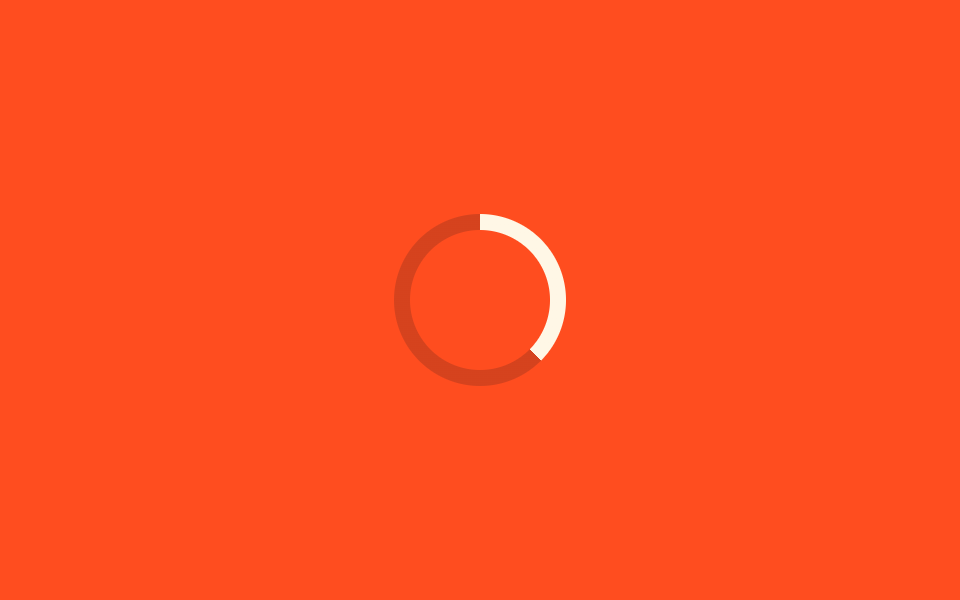
A number custom property registered with @property animates from 0 to 100 to fill the ring.
Best forUpload progress with a real percentage, onboarding completion meters
@property0~100%conic-gradient
<main class="stage">
  <div class="ring" role="progressbar" aria-valuemin="0" aria-valuemax="100" aria-label="Progress"></div>
</main>
@use "../../../../site/static/demo-tokens" as *;
$duration: 1.8s; // 0 → 100 → 0 한 사이클
$easing: ease-in-out;
$color: $subject-cream; // 채워지는 색
@include stage($stage-orange);
@property --percent {
syntax: "<number>";
inherits: false;
initial-value: 0;
}
.ring {
--percent: 0;
position: relative;
width: clamp(64px, 18vw, 96px);
height: clamp(64px, 18vw, 96px);
border-radius: 50%;
background: conic-gradient($color calc(var(--percent) * 1%), rgba($subject-ink, .18) 0);
animation: fill $duration $easing infinite;
}
.ring::before {
content: "";
position: absolute;
inset: 8px;
border-radius: 50%;
background: $stage-orange; // 안쪽을 뚫어 링으로 보이게
}
@keyframes fill {
0% { --percent: 0; }
50% { --percent: 100; }
100% { --percent: 0; }
}
@media (prefers-reduced-motion: reduce) {
.ring { animation: none; --percent: 62; }
}html, body {
margin: 0;
overflow: hidden;
}
.stage {
box-sizing: border-box;
min-height: 100vh;
display: grid;
place-items: center;
margin: 0;
background: #ff4d1f;
font-family: -apple-system, "Segoe UI", "Noto Sans KR", sans-serif;
padding: clamp(8px, 4vw, 24px);
}
@property --percent {
syntax: "<number>";
inherits: false;
initial-value: 0;
}
.ring {
--percent: 0;
position: relative;
width: clamp(64px, 18vw, 96px);
height: clamp(64px, 18vw, 96px);
border-radius: 50%;
background: conic-gradient(#fff7e6 calc(var(--percent) * 1%), rgba(23, 20, 26, 0.18) 0);
animation: fill 1.8s ease-in-out infinite;
}
.ring::before {
content: "";
position: absolute;
inset: 8px;
border-radius: 50%;
background: #ff4d1f;
}
@keyframes fill {
0% {
--percent: 0;
}
50% {
--percent: 100;
}
100% {
--percent: 0;
}
}
@media (prefers-reduced-motion: reduce) {
.ring {
animation: none;
--percent: 62;
}
}import type { CSSProperties } from "react";
import styles from "./PropertyProgressRing.module.scss";
export type PropertyProgressRingProps = {
/** 스피너 지름 (기본 80px) */
size?: number;
/** 0 → 100 → 0 한 사이클 시간 (기본 1800ms) */
duration?: number;
/** 채워지는 색 */
color?: string;
label?: string;
};
type Vars = CSSProperties & { "--size"?: string; "--duration"?: string; "--color"?: string };
export default function PropertyProgressRing({
size = 80,
duration = 1800,
color = "#fff7e6",
label = "Progress",
}: PropertyProgressRingProps) {
const vars: Vars = {
"--size": `${size}px`,
"--duration": `${duration}ms`,
"--color": color,
};
return (
<div
className={styles.ring}
style={vars}
role="progressbar"
aria-valuemin={0}
aria-valuemax={100}
aria-label={label}
/>
);
}07 @property percent ring — Measured area 1.508% · moving frames 23/23Original by GODRICH · SCSS and React ship in the zip · 9 CSS Loading Spinners: Copy-Paste, Single Element
The post this demo lives in
 9 CSS Loading Spinners: Copy-Paste, Single ElementA css loading spinner is a small shape — a ring, three dots, a bar — that loops in place to tell someone a page or actio See all demos in this post