9 CSS Number Counter Animations — Copy-Paste Ready
A css number counter animation counts digits from zero to a target value with a single CSS property, no JavaScript needed for the count itself — nine below,
 01 number-counter-count-up-property
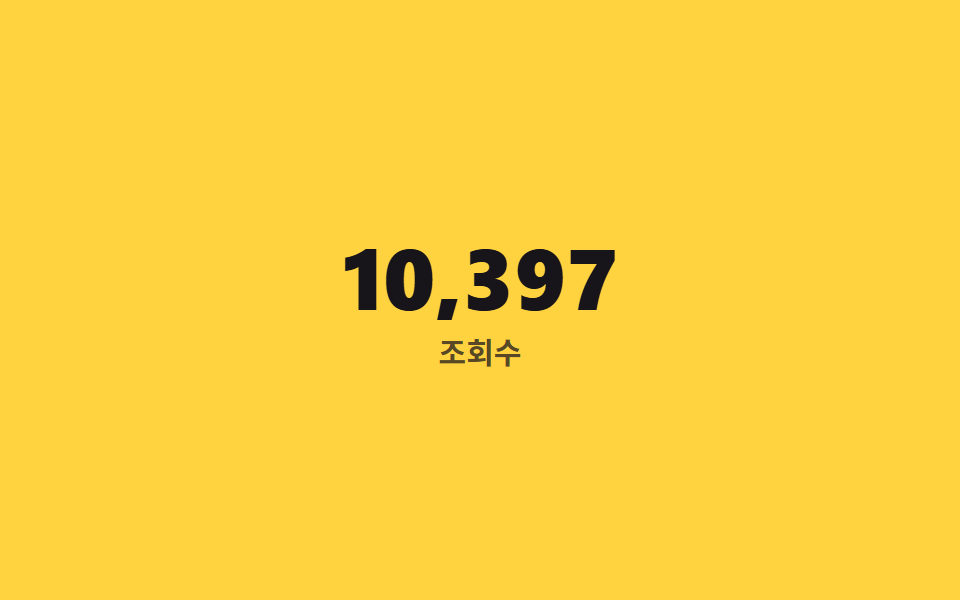 02 number-counter-thousands-separator
 03 number-counter-decimal-format
 04 number-counter-currency-format
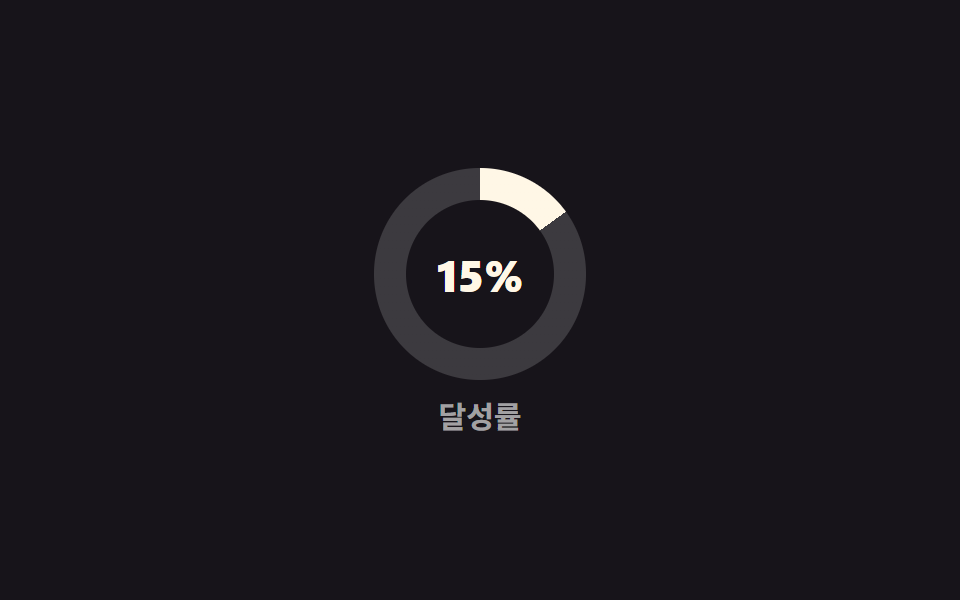 05 number-counter-percent-ring
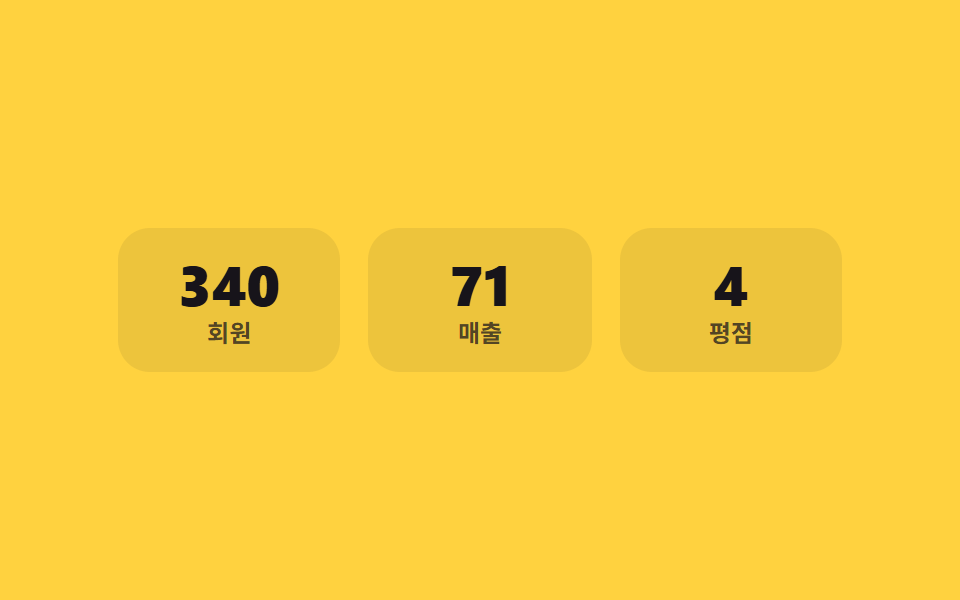 06 number-counter-stat-cards-stagger
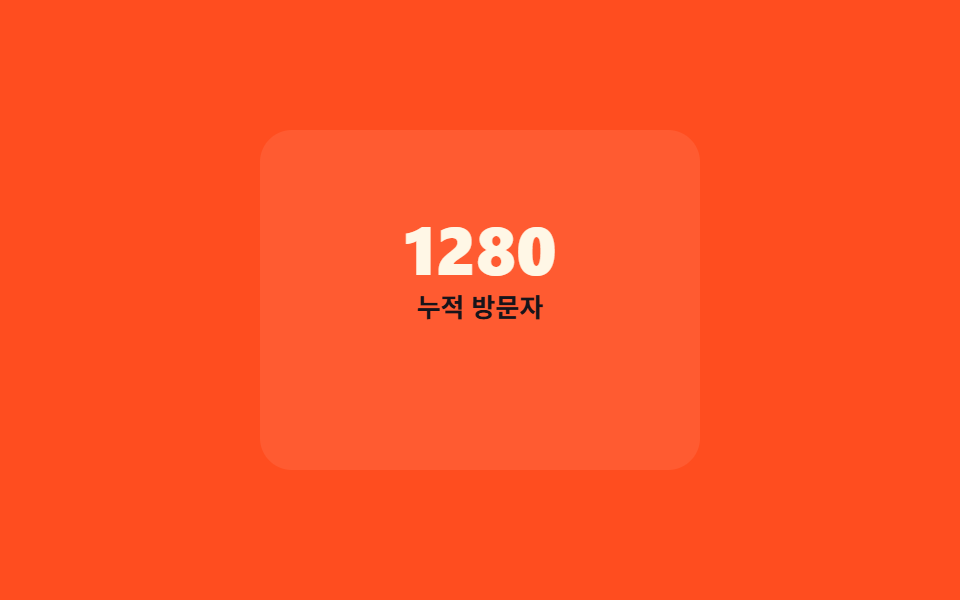 07 number-counter-on-view-start
 08 number-counter-odometer-roll
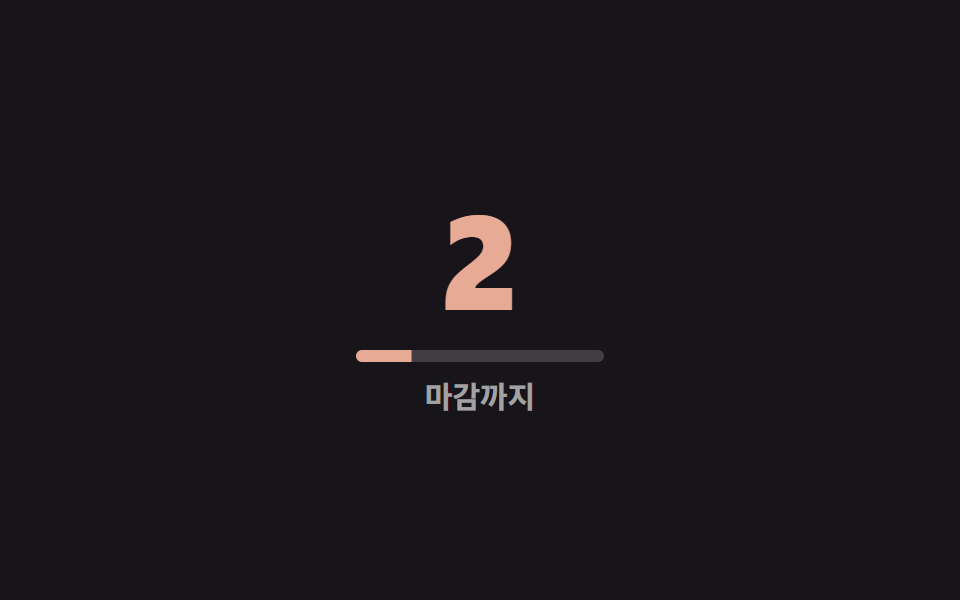 09 number-counter-countdown-timer
Auto-plays · click a tile to jump to its section · all nine in one zip
- 01 @property integer count-up
- 02 Auto thousands separator
- 03 Decimal-point count-up
- 04 Currency-prefixed amount count-up
- 05 Percent ring synced with the number
- 06 Three staggered stat cards
- 07 Starts only when scrolled into view
- 08 Odometer-style rolling digits
- 09 Countdown timer
The order below follows what happens to a single number as its job gets harder, not how popular each pattern is. 01 just counts. 02 solves the problem that shows up once the number gets big enough to need a comma. 03 adds precision instead of scale. 04 pins a unit symbol beside a number that keeps changing width. 05 splits one value across two visual channels at once. 06 lines several counters up next to each other. 07 decides for itself when to start. 08 counts a completely different way. 09 runs the whole thing in reverse, counting backward toward zero instead of up. Every code block below keeps only the lines that actually toggle; the full, uncut files are in the zip. When the photo beside the figure has to answer the pointer, the CSS image hover effects take that slot, and when what arrives one at a time is words rather than digits, that's the CSS chat bubble animations.
01@property integer count-up
How a css number count up animation runs
What actually animates between 0 and the target isn't the digit text itself — it's an integer custom property registered with @property, and counter() renders whatever that property currently holds as real digit glyphs.
Where it fits
That distinction is what keeps the animation smooth instead of jumping straight to the final number, and it's the base every other counter on this page builds from.
<main class="stage">
  <div class="counter is-demo">
    <span class="counter__num" aria-hidden="true"></span>
    <span class="counter__sr">12,480</span>
    <span class="counter__label">Signups</span>
  </div>
</main>
@use "../../../../site/static/demo-tokens" as *;
// ── 변수 3개. 변형은 이것만 바꾼다 ──────────────────────────
$duration: $dur-loop; // 0에서 목표까지 세는 시간
$easing: $ease-out;
$color: $subject-cream; // 숫자 색
@include stage($stage-ink);
// ── @property: 정수 커스텀 속성이라야 애니메이션 중간값도 정수로 보간된다 ──
@property --num {
syntax: '<integer>';
initial-value: 0;
inherits: false;
}
.counter {
text-align: center;
&__num {
--num: 0;
counter-reset: num var(--num);
display: block;
font-weight: 800; font-size: clamp(36px, 11vw, 60px); line-height: 1; font-family: inherit;
font-variant-numeric: tabular-nums; // 자릿수가 늘어도 숫자 폭이 흔들리지 않는다
color: $color;
&::before { content: counter(num); }
}
// counter() 생성 콘텐츠는 스크린 리더가 못 읽는다 — 실제 최종값을 시각적으로만 숨겨 따로 둔다
&__sr {
position: absolute;
width: 1px; height: 1px;
overflow: hidden;
clip-path: inset(50%);
white-space: nowrap;
}
&__label {
display: block;
margin-top: clamp(6px, 2vw, 10px);
font-weight: 600; font-size: clamp(12px, 3.4vw, 15px); line-height: 1; font-family: inherit;
color: rgba(255, 255, 255, .6);
}
}
.counter.is-demo .counter__num {
animation: count-up $duration $easing infinite;
}
@keyframes count-up {
0% { --num: 0; }
65% { --num: 12480; }
100% { --num: 12480; }
}
// ── 접근성: 움직임 줄이기 설정이면 최종값에 즉시 멈춘다 ──────────
@media (prefers-reduced-motion: reduce) {
.counter.is-demo .counter__num { animation: none; --num: 12480; }
}html, body {
margin: 0;
overflow: hidden;
}
.stage {
box-sizing: border-box;
min-height: 100vh;
display: grid;
place-items: center;
margin: 0;
background: #17141a;
font-family: -apple-system, "Segoe UI", "Noto Sans KR", sans-serif;
padding: clamp(8px, 4vw, 24px);
}
@property --num {
syntax: "<integer>";
initial-value: 0;
inherits: false;
}
.counter {
text-align: center;
}
.counter__num {
--num: 0;
counter-reset: num var(--num);
display: block;
font-weight: 800;
font-size: clamp(36px, 11vw, 60px);
line-height: 1;
font-family: inherit;
font-variant-numeric: tabular-nums;
color: #fff7e6;
}
.counter__num::before {
content: counter(num);
}
.counter__sr {
position: absolute;
width: 1px;
height: 1px;
overflow: hidden;
clip-path: inset(50%);
white-space: nowrap;
}
.counter__label {
display: block;
margin-top: clamp(6px, 2vw, 10px);
font-weight: 600;
font-size: clamp(12px, 3.4vw, 15px);
line-height: 1;
font-family: inherit;
color: rgba(255, 255, 255, 0.6);
}
.counter.is-demo .counter__num {
animation: count-up 2s ease-out infinite;
}
@keyframes count-up {
0% {
--num: 0;
}
65% {
--num: 12480;
}
100% {
--num: 12480;
}
}
@media (prefers-reduced-motion: reduce) {
.counter.is-demo .counter__num {
animation: none;
--num: 12480;
}
}import type { CSSProperties } from "react";
import styles from "./CountUpProperty.module.scss";
export type CountUpPropertyProps = {
value: number;
label: string;
/** 0에서 목표값까지 세는 시간 (기본 2000ms) */
duration?: number;
easing?: string;
color?: string;
};
type Vars = CSSProperties & { "--duration"?: string; "--easing"?: string; "--color"?: string; "--num-target"?: number };
export default function CountUpProperty({ value, label, duration = 2000, easing = "ease-out", color = "#fff7e6" }: CountUpPropertyProps) {
const vars: Vars = {
"--duration": `${duration}ms`,
"--easing": easing,
"--color": color,
"--num-target": value,
};
return (
<div className={styles.counter} style={vars}>
<span className={styles.num} aria-hidden="true" />
<span className={styles.sr}>{value.toLocaleString()}</span>
<span className={styles.label}>{label}</span>
</div>
);
}01 · @property integer count-up — Measured area 3.905% · moving frames 16/23Original by GODRICH · SCSS and React ship in the zip · See the password
@property --num {
  syntax: '<integer>';
  initial-value: 0;
  inherits: false;
}
.num {
  --num: 0;
  counter-reset: num var(--num);
  animation: count-up 2s ease-out infinite;
  &::before { content: counter(num); }
}
@keyframes count-up {
  0%   { --num: 0; }
  65%  { --num: 12480; }
  100% { --num: 12480; }
}
02Auto thousands separator
How it works
A comma at 12,483 doesn't fall out of counter() on its own — the thousands digit and the remaining three digits have to count as two separate @property integers, and the remainder needs a custom @counter-style with pad so it never drops a leading zero and reads as 12,3 by mistake.
<main class="stage">
  <div class="counter is-demo">
    <span class="counter__num" aria-hidden="true"></span>
    <span class="counter__sr">12,483</span>
    <span class="counter__label">Views</span>
  </div>
</main>
@use "../../../../site/static/demo-tokens" as *;
// ── 변수 3개 ──────────────────────────────────────────
$duration: $dur-loop;
$easing: $ease-out;
$color: $subject-ink; // 숫자 색 (노란 무대 위 대비)
@include stage($stage-yellow);
// 천 단위(k)와 나머지(n)를 각각 다른 정수 커스텀 속성으로 나눠 센다
@property --k {
syntax: '<integer>';
initial-value: 0;
inherits: false;
}
@property --n {
syntax: '<integer>';
initial-value: 0;
inherits: false;
}
// 나머지(n)는 항상 세 자리로 채워야 "12,003" 이 "12,3" 이 되지 않는다
@counter-style padded-3 {
system: numeric;
symbols: '0' '1' '2' '3' '4' '5' '6' '7' '8' '9';
suffix: '';
pad: 3 '0';
}
.counter {
text-align: center;
&__num {
--k: 0;
--n: 0;
counter-reset: k var(--k) n var(--n);
display: block;
font-weight: 800; font-size: clamp(30px, 9vw, 52px); line-height: 1; font-family: inherit;
font-variant-numeric: tabular-nums;
color: $color;
&::before { content: counter(k) "," counter(n, padded-3); }
}
&__sr {
position: absolute;
width: 1px; height: 1px;
overflow: hidden;
clip-path: inset(50%);
white-space: nowrap;
}
&__label {
display: block;
margin-top: clamp(6px, 2vw, 10px);
font-weight: 600; font-size: clamp(12px, 3.4vw, 15px); line-height: 1; font-family: inherit;
color: rgba($subject-ink, .72); // 흐린 글자는 알파 .72 하한 — 옐로 면 위 6.06:1
}
}
.counter.is-demo .counter__num {
animation: thousands-up $duration $easing infinite;
}
@keyframes thousands-up {
0% { --k: 0; --n: 0; }
65% { --k: 12; --n: 483; }
100% { --k: 12; --n: 483; }
}
@media (prefers-reduced-motion: reduce) {
.counter.is-demo .counter__num { animation: none; --k: 12; --n: 483; }
}html, body {
margin: 0;
overflow: hidden;
}
.stage {
box-sizing: border-box;
min-height: 100vh;
display: grid;
place-items: center;
margin: 0;
background: #ffd23f;
font-family: -apple-system, "Segoe UI", "Noto Sans KR", sans-serif;
padding: clamp(8px, 4vw, 24px);
}
@property --k {
syntax: "<integer>";
initial-value: 0;
inherits: false;
}
@property --n {
syntax: "<integer>";
initial-value: 0;
inherits: false;
}
@counter-style padded-3 {
system: numeric;
symbols: "0" "1" "2" "3" "4" "5" "6" "7" "8" "9";
suffix: "";
pad: 3 "0";
}
.counter {
text-align: center;
}
.counter__num {
--k: 0;
--n: 0;
counter-reset: k var(--k) n var(--n);
display: block;
font-weight: 800;
font-size: clamp(30px, 9vw, 52px);
line-height: 1;
font-family: inherit;
font-variant-numeric: tabular-nums;
color: #17141a;
}
.counter__num::before {
content: counter(k) "," counter(n, padded-3);
}
.counter__sr {
position: absolute;
width: 1px;
height: 1px;
overflow: hidden;
clip-path: inset(50%);
white-space: nowrap;
}
.counter__label {
display: block;
margin-top: clamp(6px, 2vw, 10px);
font-weight: 600;
font-size: clamp(12px, 3.4vw, 15px);
line-height: 1;
font-family: inherit;
color: rgba(23, 20, 26, 0.72);
}
.counter.is-demo .counter__num {
animation: thousands-up 2s ease-out infinite;
}
@keyframes thousands-up {
0% {
--k: 0;
--n: 0;
}
65% {
--k: 12;
--n: 483;
}
100% {
--k: 12;
--n: 483;
}
}
@media (prefers-reduced-motion: reduce) {
.counter.is-demo .counter__num {
animation: none;
--k: 12;
--n: 483;
}
}import type { CSSProperties } from "react";
import styles from "./ThousandsSeparatorCounter.module.scss";
export type ThousandsSeparatorCounterProps = {
/** 12483 처럼 콤마 없는 정수 */
value: number;
label: string;
duration?: number;
easing?: string;
color?: string;
};
type Vars = CSSProperties & {
"--duration"?: string; "--easing"?: string; "--color"?: string;
"--k-target"?: number; "--n-target"?: number;
};
export default function ThousandsSeparatorCounter({
value, label, duration = 2000, easing = "ease-out", color = "#17141a",
}: ThousandsSeparatorCounterProps) {
const k = Math.floor(value / 1000);
const n = value % 1000;
const vars: Vars = {
"--duration": `${duration}ms`,
"--easing": easing,
"--color": color,
"--k-target": k,
"--n-target": n,
};
return (
<div className={styles.counter} style={vars}>
<span className={styles.num} aria-hidden="true" />
<span className={styles.sr}>{value.toLocaleString()}</span>
<span className={styles.label}>{label}</span>
</div>
);
}02 · Auto thousands separator — Measured area 2.662% · moving frames 16/23Original by GODRICH · SCSS and React ship in the zip · See the password
@counter-style padded-3 {
  system: numeric;
  symbols: '0' '1' '2' '3' '4' '5' '6' '7' '8' '9';
  pad: 3 '0';
}
.num {
  counter-reset: k var(--k) n var(--n);
  &::before { content: counter(k) "," counter(n, padded-3); }
}
03Decimal-point count-up
How it works
A rating like 4.98 counts its whole and fractional parts as two @property integers running side by side, padding only the fraction to two digits with a counter style before joining it after a literal decimal point.
Where it fits
It's built for the values where the digits after the point carry the meaning — a star rating, a temperature, an average.
<main class="stage">
  <div class="counter is-demo">
    <span class="counter__num" aria-hidden="true"></span>
    <span class="counter__sr">4.98</span>
    <span class="counter__label">Avg. rating</span>
  </div>
</main>
@use "../../../../site/static/demo-tokens" as *;
// ── 변수 3개 ──────────────────────────────────────────
$duration: $dur-loop;
$easing: $ease-out;
$color: $subject-cream;
@include stage($stage-orange);
// 정수부(whole)와 소수부(frac)를 각각 다른 정수 커스텀 속성으로 함께 센다
@property --whole {
syntax: '<integer>';
initial-value: 0;
inherits: false;
}
@property --frac {
syntax: '<integer>';
initial-value: 0;
inherits: false;
}
// 소수부는 항상 두 자리 — 8이 ".8" 이 아니라 ".08" 로 보이게
@counter-style padded-2 {
system: numeric;
symbols: '0' '1' '2' '3' '4' '5' '6' '7' '8' '9';
suffix: '';
pad: 2 '0';
}
.counter {
text-align: center;
&__num {
--whole: 0;
--frac: 0;
counter-reset: whole var(--whole) frac var(--frac);
display: block;
font-weight: 800; font-size: clamp(36px, 11vw, 60px); line-height: 1; font-family: inherit;
font-variant-numeric: tabular-nums;
color: $color;
&::before { content: counter(whole) "." counter(frac, padded-2); }
}
&__sr {
position: absolute;
width: 1px; height: 1px;
overflow: hidden;
clip-path: inset(50%);
white-space: nowrap;
}
&__label {
display: block;
margin-top: clamp(6px, 2vw, 10px);
font-weight: 600; font-size: clamp(12px, 3.4vw, 15px); line-height: 1; font-family: inherit;
color: $subject-ink; // 주황 면 위 크림 글자는 3.11:1 — 잉크로 5.50:1
}
}
.counter.is-demo .counter__num {
animation: decimal-up $duration $easing infinite;
}
@keyframes decimal-up {
0% { --whole: 0; --frac: 0; }
65% { --whole: 4; --frac: 98; }
100% { --whole: 4; --frac: 98; }
}
@media (prefers-reduced-motion: reduce) {
.counter.is-demo .counter__num { animation: none; --whole: 4; --frac: 98; }
}html, body {
margin: 0;
overflow: hidden;
}
.stage {
box-sizing: border-box;
min-height: 100vh;
display: grid;
place-items: center;
margin: 0;
background: #ff4d1f;
font-family: -apple-system, "Segoe UI", "Noto Sans KR", sans-serif;
padding: clamp(8px, 4vw, 24px);
}
@property --whole {
syntax: "<integer>";
initial-value: 0;
inherits: false;
}
@property --frac {
syntax: "<integer>";
initial-value: 0;
inherits: false;
}
@counter-style padded-2 {
system: numeric;
symbols: "0" "1" "2" "3" "4" "5" "6" "7" "8" "9";
suffix: "";
pad: 2 "0";
}
.counter {
text-align: center;
}
.counter__num {
--whole: 0;
--frac: 0;
counter-reset: whole var(--whole) frac var(--frac);
display: block;
font-weight: 800;
font-size: clamp(36px, 11vw, 60px);
line-height: 1;
font-family: inherit;
font-variant-numeric: tabular-nums;
color: #fff7e6;
}
.counter__num::before {
content: counter(whole) "." counter(frac, padded-2);
}
.counter__sr {
position: absolute;
width: 1px;
height: 1px;
overflow: hidden;
clip-path: inset(50%);
white-space: nowrap;
}
.counter__label {
display: block;
margin-top: clamp(6px, 2vw, 10px);
font-weight: 600;
font-size: clamp(12px, 3.4vw, 15px);
line-height: 1;
font-family: inherit;
color: #17141a;
}
.counter.is-demo .counter__num {
animation: decimal-up 2s ease-out infinite;
}
@keyframes decimal-up {
0% {
--whole: 0;
--frac: 0;
}
65% {
--whole: 4;
--frac: 98;
}
100% {
--whole: 4;
--frac: 98;
}
}
@media (prefers-reduced-motion: reduce) {
.counter.is-demo .counter__num {
animation: none;
--whole: 4;
--frac: 98;
}
}import type { CSSProperties } from "react";
import styles from "./DecimalFormatCounter.module.scss";
export type DecimalFormatCounterProps = {
/** 4.98 처럼 소수 둘째 자리까지 */
value: number;
label: string;
duration?: number;
easing?: string;
color?: string;
};
type Vars = CSSProperties & {
"--duration"?: string; "--easing"?: string; "--color"?: string;
"--whole-target"?: number; "--frac-target"?: number;
};
export default function DecimalFormatCounter({
value, label, duration = 2000, easing = "ease-out", color = "#fff7e6",
}: DecimalFormatCounterProps) {
const whole = Math.floor(value);
const frac = Math.round((value - whole) * 100);
const vars: Vars = {
"--duration": `${duration}ms`,
"--easing": easing,
"--color": color,
"--whole-target": whole,
"--frac-target": frac,
};
return (
<div className={styles.counter} style={vars}>
<span className={styles.num} aria-hidden="true" />
<span className={styles.sr}>{value.toFixed(2)}</span>
<span className={styles.label}>{label}</span>
</div>
);
}03 · Decimal-point count-up — Measured area 2.37% · moving frames 15/23Original by GODRICH · SCSS and React ship in the zip · See the password
@counter-style padded-2 {
  system: numeric;
  symbols: '0' '1' '2' '3' '4' '5' '6' '7' '8' '9';
  pad: 2 '0';
}
.num {
  counter-reset: whole var(--whole) frac var(--frac);
  &::before { content: counter(whole) "." counter(frac, padded-2); }
}
04Currency-prefixed amount count-up
How it works
The dollar sign lives in ::before, fixed and unmoving, while the digits animate separately through ::after's counter() — so the symbol never drifts sideways as the number climbs from one digit to three.
Where it fits
A price tag or a checkout total needs that symbol to hold its ground while everything to its right keeps changing.
<main class="stage">
  <div class="counter is-demo">
    <span class="counter__num" aria-hidden="true"></span>
    <span class="counter__sr">$248</span>
    <span class="counter__label">Amount paid</span>
  </div>
</main>
@use "../../../../site/static/demo-tokens" as *;
// ── 변수 3개 ──────────────────────────────────────────
$duration: $dur-enter;
$easing: $ease-out;
$color: $subject-blue;
@include stage($stage-paper);
@property --num {
syntax: '<integer>';
initial-value: 0;
inherits: false;
}
.counter {
text-align: left; // 자릿수가 늘어도 통화 기호가 같은 자리를 지킨다
&__num {
--num: 0;
counter-reset: num var(--num);
display: inline-flex;
align-items: baseline;
font-weight: 800; font-size: clamp(34px, 10vw, 56px); line-height: 1; font-family: inherit;
font-variant-numeric: tabular-nums;
color: $color;
// 통화 기호는 고정 텍스트 — 숫자만 애니메이션한다
&::before { content: "$"; margin-right: 2px; }
&::after { content: counter(num); }
}
&__sr {
position: absolute;
width: 1px; height: 1px;
overflow: hidden;
clip-path: inset(50%);
white-space: nowrap;
}
&__label {
display: block;
margin-top: clamp(6px, 2vw, 10px);
font-weight: 600; font-size: clamp(12px, 3.4vw, 15px); line-height: 1; font-family: inherit;
color: rgba(23, 20, 26, .6);
}
}
.counter.is-demo .counter__num {
animation: currency-up $duration $easing infinite;
}
@keyframes currency-up {
0% { --num: 0; }
55% { --num: 248; }
100% { --num: 248; }
}
@media (prefers-reduced-motion: reduce) {
.counter.is-demo .counter__num { animation: none; --num: 248; }
}html, body {
margin: 0;
overflow: hidden;
}
.stage {
box-sizing: border-box;
min-height: 100vh;
display: grid;
place-items: center;
margin: 0;
background: #ffffff;
font-family: -apple-system, "Segoe UI", "Noto Sans KR", sans-serif;
padding: clamp(8px, 4vw, 24px);
}
@property --num {
syntax: "<integer>";
initial-value: 0;
inherits: false;
}
.counter {
text-align: left;
}
.counter__num {
--num: 0;
counter-reset: num var(--num);
display: inline-flex;
align-items: baseline;
font-weight: 800;
font-size: clamp(34px, 10vw, 56px);
line-height: 1;
font-family: inherit;
font-variant-numeric: tabular-nums;
color: #2f6df6;
}
.counter__num::before {
content: "$";
margin-right: 2px;
}
.counter__num::after {
content: counter(num);
}
.counter__sr {
position: absolute;
width: 1px;
height: 1px;
overflow: hidden;
clip-path: inset(50%);
white-space: nowrap;
}
.counter__label {
display: block;
margin-top: clamp(6px, 2vw, 10px);
font-weight: 600;
font-size: clamp(12px, 3.4vw, 15px);
line-height: 1;
font-family: inherit;
color: rgba(23, 20, 26, 0.6);
}
.counter.is-demo .counter__num {
animation: currency-up 600ms ease-out infinite;
}
@keyframes currency-up {
0% {
--num: 0;
}
55% {
--num: 248;
}
100% {
--num: 248;
}
}
@media (prefers-reduced-motion: reduce) {
.counter.is-demo .counter__num {
animation: none;
--num: 248;
}
}import type { CSSProperties } from "react";
import styles from "./CurrencyFormatCounter.module.scss";
export type CurrencyFormatCounterProps = {
value: number;
label: string;
symbol?: string;
duration?: number;
easing?: string;
color?: string;
};
type Vars = CSSProperties & { "--duration"?: string; "--easing"?: string; "--color"?: string; "--num-target"?: number };
export default function CurrencyFormatCounter({
value, label, symbol = "$", duration = 600, easing = "ease-out", color = "#2f6df6",
}: CurrencyFormatCounterProps) {
const vars: Vars = {
"--duration": `${duration}ms`,
"--easing": easing,
"--color": color,
"--num-target": value,
};
return (
<div className={styles.counter} style={vars}>
<span className={styles.num} aria-hidden="true">
<span className={styles.symbol}>{symbol}</span>
</span>
<span className={styles.sr}>{symbol}{value.toLocaleString()}</span>
<span className={styles.label}>{label}</span>
</div>
);
}04 · Currency-prefixed amount count-up — Measured area 3.635% · moving frames 16/23Original by GODRICH · SCSS and React ship in the zip · See the password
.num {
  counter-reset: num var(--num);
  animation: count-up .6s ease-out infinite;
  &::before { content: "$"; margin-right: 2px; }
  &::after  { content: counter(num); }
}
05Percent ring synced with the number
How it works
One integer @property drives two things at once: counter() renders it as the digit text, and the same value feeds a conic-gradient's fill angle through calc(var(--p) * 1%).
Where it fits
Because both read from the identical custom property, the ring and the number can never fall out of sync with each other.
<main class="stage">
  <div class="stat">
    <div class="ring is-demo">
      <span class="ring__num" aria-hidden="true"></span>
      <span class="ring__sr">76%</span>
    </div>
    <span class="stat__label">Completion</span>
  </div>
</main>
@use "../../../../site/static/demo-tokens" as *;
// ── 변수 3개 ──────────────────────────────────────────
$duration: $dur-loop;
$easing: $ease-out;
$color: $subject-cream;
@include stage($stage-ink);
.stat {
display: flex;
flex-direction: column;
align-items: center;
gap: clamp(8px, 2.4vw, 12px);
}
// 정수 하나(--p)가 링의 채움 각도와 숫자 텍스트를 동시에 구동한다
@property --p {
syntax: '<integer>';
initial-value: 0;
inherits: true; // 자식 .ring__num 이 같은 값을 counter-reset 으로 읽는다
}
.ring {
--p: 0;
position: relative;
width: clamp(84px, 22vw, 108px);
aspect-ratio: 1;
border-radius: 50%;
display: grid;
place-items: center;
background: conic-gradient($color calc(var(--p) * 1%), rgba(255, 255, 255, .16) 0);
&::before { // 도넛 구멍 — 무대 색과 같아 링처럼 보인다
content: "";
position: absolute;
inset: 15%;
border-radius: 50%;
background: $stage-ink;
}
&__num {
position: relative;
counter-reset: p var(--p);
font-weight: 800; font-size: clamp(16px, 5vw, 22px); line-height: 1; font-family: inherit;
font-variant-numeric: tabular-nums;
color: $color;
&::before { content: counter(p) "%"; }
}
&__sr {
position: absolute;
width: 1px; height: 1px;
overflow: hidden;
clip-path: inset(50%);
white-space: nowrap;
}
}
.stat__label {
font-weight: 600; font-size: clamp(12px, 3.4vw, 15px); line-height: 1; font-family: inherit;
color: rgba(255, 255, 255, .6);
}
.ring.is-demo {
animation: percent-up $duration $easing infinite;
}
@keyframes percent-up {
0% { --p: 0; }
65% { --p: 76; }
100% { --p: 76; }
}
@media (prefers-reduced-motion: reduce) {
.ring.is-demo { animation: none; --p: 76; }
}html, body {
margin: 0;
overflow: hidden;
}
.stage {
box-sizing: border-box;
min-height: 100vh;
display: grid;
place-items: center;
margin: 0;
background: #17141a;
font-family: -apple-system, "Segoe UI", "Noto Sans KR", sans-serif;
padding: clamp(8px, 4vw, 24px);
}
.stat {
display: flex;
flex-direction: column;
align-items: center;
gap: clamp(8px, 2.4vw, 12px);
}
@property --p {
syntax: "<integer>";
initial-value: 0;
inherits: true;
}
.ring {
--p: 0;
position: relative;
width: clamp(84px, 22vw, 108px);
aspect-ratio: 1;
border-radius: 50%;
display: grid;
place-items: center;
background: conic-gradient(#fff7e6 calc(var(--p) * 1%), rgba(255, 255, 255, 0.16) 0);
}
.ring::before {
content: "";
position: absolute;
inset: 15%;
border-radius: 50%;
background: #17141a;
}
.ring__num {
position: relative;
counter-reset: p var(--p);
font-weight: 800;
font-size: clamp(16px, 5vw, 22px);
line-height: 1;
font-family: inherit;
font-variant-numeric: tabular-nums;
color: #fff7e6;
}
.ring__num::before {
content: counter(p) "%";
}
.ring__sr {
position: absolute;
width: 1px;
height: 1px;
overflow: hidden;
clip-path: inset(50%);
white-space: nowrap;
}
.stat__label {
font-weight: 600;
font-size: clamp(12px, 3.4vw, 15px);
line-height: 1;
font-family: inherit;
color: rgba(255, 255, 255, 0.6);
}
.ring.is-demo {
animation: percent-up 2s ease-out infinite;
}
@keyframes percent-up {
0% {
--p: 0;
}
65% {
--p: 76;
}
100% {
--p: 76;
}
}
@media (prefers-reduced-motion: reduce) {
.ring.is-demo {
animation: none;
--p: 76;
}
}import type { CSSProperties } from "react";
import styles from "./PercentRingCounter.module.scss";
export type PercentRingCounterProps = {
/** 0~100 */
percent: number;
label: string;
duration?: number;
easing?: string;
color?: string;
};
type Vars = CSSProperties & { "--duration"?: string; "--easing"?: string; "--color"?: string; "--p-target"?: number };
export default function PercentRingCounter({
percent, label, duration = 2000, easing = "ease-out", color = "#fff7e6",
}: PercentRingCounterProps) {
const vars: Vars = {
"--duration": `${duration}ms`,
"--easing": easing,
"--color": color,
"--p-target": percent,
};
return (
<div className={styles.stat}>
<div className={styles.ring} style={vars}>
<span className={styles.num} aria-hidden="true" />
<span className={styles.sr}>{percent}%</span>
</div>
<span className={styles.label}>{label}</span>
</div>
);
}05 · Percent ring synced with the number — Measured area 2.993% · moving frames 15/23Original by GODRICH · SCSS and React ship in the zip · See the password
.ring {
  --p: 0;
  background: conic-gradient($color calc(var(--p) * 1%), transparent 0);
  animation: fill-up 2s ease-out infinite;
}
.ring__num {
  counter-reset: p var(--p);
  &::before { content: counter(p) "%"; }
}
06Three staggered stat cards
How it works
Three cards that fill in at once are three numbers with nowhere for the eye to land first. animation-delay pushes each card's count-up 0.15 seconds behind the one before it, so the same three numbers read as a sequence instead of a single flash.
Where it fits
That's the kind of thing a dashboard summary row or a landing page's three headline stats needs.
<main class="stage">
  <div class="cards is-demo">
    <div class="card">
      <span class="card__num" aria-hidden="true"></span>
      <span class="card__sr">356</span>
      <span class="card__label">Members</span>
    </div>
    <div class="card">
      <span class="card__num" aria-hidden="true"></span>
      <span class="card__sr">82</span>
      <span class="card__label">Revenue</span>
    </div>
    <div class="card">
      <span class="card__num" aria-hidden="true"></span>
      <span class="card__sr">5</span>
      <span class="card__label">Rating</span>
    </div>
  </div>
</main>
@use "../../../../site/static/demo-tokens" as *;
// ── 변수 3개 ──────────────────────────────────────────
$duration: $dur-loop;
$easing: $ease-out;
$color: $subject-ink;
@include stage($stage-yellow);
@property --num {
syntax: '<integer>';
initial-value: 0;
inherits: false;
}
.cards {
display: flex;
gap: clamp(10px, 3vw, 18px);
}
.card {
min-width: clamp(64px, 20vw, 88px);
padding: clamp(10px, 3vw, 16px) clamp(8px, 2.4vw, 12px);
border-radius: $r-card;
background: rgba(23, 20, 26, .08);
text-align: center;
&__num {
--num: 0;
counter-reset: num var(--num);
display: block;
font-weight: 800; font-size: clamp(20px, 6vw, 28px); line-height: 1; font-family: inherit;
font-variant-numeric: tabular-nums;
color: $color;
&::before { content: counter(num); }
}
&__sr {
position: absolute;
width: 1px; height: 1px;
overflow: hidden;
clip-path: inset(50%);
white-space: nowrap;
}
&__label {
display: block;
margin-top: 4px;
font-weight: 600; font-size: clamp(10px, 3vw, 12px); line-height: 1; font-family: inherit;
color: rgba($subject-ink, .72); // 흐린 글자는 알파 .72 하한 — 카드 옐로 면 위 5.58:1
}
}
// 카드 세 장이 동시에 시작하지 않는다 — 순서대로 0.15초씩 늦게
.cards.is-demo .card:nth-child(1) .card__num { animation: count-a $duration $easing infinite; }
.cards.is-demo .card:nth-child(2) .card__num { animation: count-b $duration $easing infinite; animation-delay: .15s; }
.cards.is-demo .card:nth-child(3) .card__num { animation: count-c $duration $easing infinite; animation-delay: .3s; }
@keyframes count-a { 0% { --num: 0; } 55% { --num: 356; } 100% { --num: 356; } }
@keyframes count-b { 0% { --num: 0; } 55% { --num: 82; } 100% { --num: 82; } }
@keyframes count-c { 0% { --num: 0; } 55% { --num: 5; } 100% { --num: 5; } }
@media (prefers-reduced-motion: reduce) {
.cards.is-demo .card:nth-child(1) .card__num { animation: none; --num: 356; }
.cards.is-demo .card:nth-child(2) .card__num { animation: none; --num: 82; }
.cards.is-demo .card:nth-child(3) .card__num { animation: none; --num: 5; }
}html, body {
margin: 0;
overflow: hidden;
}
.stage {
box-sizing: border-box;
min-height: 100vh;
display: grid;
place-items: center;
margin: 0;
background: #ffd23f;
font-family: -apple-system, "Segoe UI", "Noto Sans KR", sans-serif;
padding: clamp(8px, 4vw, 24px);
}
@property --num {
syntax: "<integer>";
initial-value: 0;
inherits: false;
}
.cards {
display: flex;
gap: clamp(10px, 3vw, 18px);
}
.card {
min-width: clamp(64px, 20vw, 88px);
padding: clamp(10px, 3vw, 16px) clamp(8px, 2.4vw, 12px);
border-radius: 16px;
background: rgba(23, 20, 26, 0.08);
text-align: center;
}
.card__num {
--num: 0;
counter-reset: num var(--num);
display: block;
font-weight: 800;
font-size: clamp(20px, 6vw, 28px);
line-height: 1;
font-family: inherit;
font-variant-numeric: tabular-nums;
color: #17141a;
}
.card__num::before {
content: counter(num);
}
.card__sr {
position: absolute;
width: 1px;
height: 1px;
overflow: hidden;
clip-path: inset(50%);
white-space: nowrap;
}
.card__label {
display: block;
margin-top: 4px;
font-weight: 600;
font-size: clamp(10px, 3vw, 12px);
line-height: 1;
font-family: inherit;
color: rgba(23, 20, 26, 0.72);
}
.cards.is-demo .card:nth-child(1) .card__num {
animation: count-a 2s ease-out infinite;
}
.cards.is-demo .card:nth-child(2) .card__num {
animation: count-b 2s ease-out infinite;
animation-delay: 0.15s;
}
.cards.is-demo .card:nth-child(3) .card__num {
animation: count-c 2s ease-out infinite;
animation-delay: 0.3s;
}
@keyframes count-a {
0% {
--num: 0;
}
55% {
--num: 356;
}
100% {
--num: 356;
}
}
@keyframes count-b {
0% {
--num: 0;
}
55% {
--num: 82;
}
100% {
--num: 82;
}
}
@keyframes count-c {
0% {
--num: 0;
}
55% {
--num: 5;
}
100% {
--num: 5;
}
}
@media (prefers-reduced-motion: reduce) {
.cards.is-demo .card:nth-child(1) .card__num {
animation: none;
--num: 356;
}
.cards.is-demo .card:nth-child(2) .card__num {
animation: none;
--num: 82;
}
.cards.is-demo .card:nth-child(3) .card__num {
animation: none;
--num: 5;
}
}import type { CSSProperties } from "react";
import styles from "./StatCardsStagger.module.scss";
export type Stat = { value: number; label: string };
export type StatCardsStaggerProps = {
stats: [Stat, Stat, Stat];
duration?: number;
easing?: string;
color?: string;
};
type Vars = CSSProperties & {
"--duration"?: string; "--easing"?: string; "--color"?: string;
"--num-target"?: number; "--delay"?: string;
};
export default function StatCardsStagger({
stats, duration = 2000, easing = "ease-out", color = "#17141a",
}: StatCardsStaggerProps) {
return (
<div className={styles.cards}>
{stats.map((s, i) => {
const vars: Vars = {
"--duration": `${duration}ms`,
"--easing": easing,
"--color": color,
"--num-target": s.value,
"--delay": `${i * 150}ms`, // 카드마다 0.15초씩 늦게 시작
};
return (
<div className={styles.card} key={s.label} style={vars}>
<span className={styles.num} aria-hidden="true" />
<span className={styles.sr}>{s.value.toLocaleString()}</span>
<span className={styles.label}>{s.label}</span>
</div>
);
})}
</div>
);
}06 · Three staggered stat cards — Measured area 1.303% · moving frames 15/23Original by GODRICH · SCSS and React ship in the zip · See the password
.card:nth-child(1) .num {
  animation: count-a 2s ease-out infinite;
}
.card:nth-child(2) .num {
  animation: count-b 2s ease-out infinite;
  animation-delay: .15s;
}
.card:nth-child(3) .num {
  animation: count-c 2s ease-out infinite;
  animation-delay: .3s;
}
07Starts only when scrolled into view
How it works
A number that's already counted up by the time the page finishes loading wastes the whole effect on anyone who scrolls down to find it.
Where it fits
An IntersectionObserver watches for the card to cross a 60% visibility threshold and only then toggles a class that starts the count — until that happens, the number just sits at 0.
<main class="stage">
  <div class="viewport is-demo">
    <div class="track">
      <div class="card">
        <span class="card__num" aria-hidden="true"></span>
        <span class="card__sr">1,280</span>
        <span class="card__label">Total visitors</span>
      </div>
    </div>
  </div>
</main>
@use "../../../../site/static/demo-tokens" as *;
// ── 변수 3개 ──────────────────────────────────────────
$duration: $dur-loop;
$easing: $ease-out;
$color: $subject-cream;
@include stage($stage-orange);
@property --num {
syntax: '<integer>';
initial-value: 0;
inherits: false;
}
.viewport {
position: relative;
width: min(100%, 220px);
height: clamp(140px, 38vw, 170px);
overflow: hidden; // 뷰포트 밖 카드는 안 보인다 — 실제 화면 가장자리 역할
border-radius: $r-card;
background: rgba(255, 255, 255, .08);
}
.track {
height: 100%;
display: flex;
align-items: center;
justify-content: center;
}
.card {
text-align: center;
&__num {
--num: 0;
counter-reset: num var(--num);
display: block;
font-weight: 800; font-size: clamp(24px, 7vw, 34px); line-height: 1; font-family: inherit;
font-variant-numeric: tabular-nums;
color: $color;
&::before { content: counter(num); }
}
&__sr {
position: absolute;
width: 1px; height: 1px;
overflow: hidden;
clip-path: inset(50%);
white-space: nowrap;
}
&__label {
display: block;
margin-top: 6px;
font-weight: 600; font-size: clamp(11px, 3.2vw, 13px); line-height: 1; font-family: inherit;
color: $subject-ink; // 주황 면 위 크림 글자는 2.28:1 — 잉크로 5.90:1
}
// 실제 페이지: JS 가 붙인 .is-counting 이 있어야 카운트가 돈다 (뷰포트 밖이면 0에 멈춰 있다)
&__num { animation-play-state: paused; }
&.is-counting &__num { animation-play-state: running; }
}
// ── 데모(.is-demo): 카드가 스크롤하듯 아래→가운데→위로 지나가고, 가운데 있는 동안만 카운트가 돈다 ──
.viewport.is-demo .track {
animation: scroll-pass $duration $easing infinite;
}
.viewport.is-demo .card__num {
animation: count-when-visible $duration $easing infinite;
}
@keyframes scroll-pass {
0% { transform: translateY(64px); }
20%, 75% { transform: translateY(0); }
100% { transform: translateY(-64px); }
}
@keyframes count-when-visible {
0%, 20% { --num: 0; }
60% { --num: 1280; }
100% { --num: 1280; }
}
@media (prefers-reduced-motion: reduce) {
.viewport.is-demo .track { animation: none; transform: translateY(0); }
.viewport.is-demo .card__num { animation: none; --num: 1280; }
}html, body {
margin: 0;
overflow: hidden;
}
.stage {
box-sizing: border-box;
min-height: 100vh;
display: grid;
place-items: center;
margin: 0;
background: #ff4d1f;
font-family: -apple-system, "Segoe UI", "Noto Sans KR", sans-serif;
padding: clamp(8px, 4vw, 24px);
}
@property --num {
syntax: "<integer>";
initial-value: 0;
inherits: false;
}
.viewport {
position: relative;
width: min(100%, 220px);
height: clamp(140px, 38vw, 170px);
overflow: hidden;
border-radius: 16px;
background: rgba(255, 255, 255, 0.08);
}
.track {
height: 100%;
display: flex;
align-items: center;
justify-content: center;
}
.card {
text-align: center;
}
.card__num {
--num: 0;
counter-reset: num var(--num);
display: block;
font-weight: 800;
font-size: clamp(24px, 7vw, 34px);
line-height: 1;
font-family: inherit;
font-variant-numeric: tabular-nums;
color: #fff7e6;
}
.card__num::before {
content: counter(num);
}
.card__sr {
position: absolute;
width: 1px;
height: 1px;
overflow: hidden;
clip-path: inset(50%);
white-space: nowrap;
}
.card__label {
display: block;
margin-top: 6px;
font-weight: 600;
font-size: clamp(11px, 3.2vw, 13px);
line-height: 1;
font-family: inherit;
color: #17141a;
}
.card__num {
animation-play-state: paused;
}
.card.is-counting .card__num {
animation-play-state: running;
}
.viewport.is-demo .track {
animation: scroll-pass 2s ease-out infinite;
}
.viewport.is-demo .card__num {
animation: count-when-visible 2s ease-out infinite;
}
@keyframes scroll-pass {
0% {
transform: translateY(64px);
}
20%, 75% {
transform: translateY(0);
}
100% {
transform: translateY(-64px);
}
}
@keyframes count-when-visible {
0%, 20% {
--num: 0;
}
60% {
--num: 1280;
}
100% {
--num: 1280;
}
}
@media (prefers-reduced-motion: reduce) {
.viewport.is-demo .track {
animation: none;
transform: translateY(0);
}
.viewport.is-demo .card__num {
animation: none;
--num: 1280;
}
}// 실제 페이지: 카드가 뷰포트에 60% 이상 들어와야 카운트를 시작한다 (스크롤해서 보이기 전엔 0)
var card = document.querySelector('.card');
new IntersectionObserver(function (es) {
card.classList.toggle('is-counting', es[0].isIntersecting);
}, { threshold: .6 }).observe(card);import { useEffect, useRef, useState } from "react";
import type { CSSProperties } from "react";
import styles from "./CounterOnViewStart.module.scss";
export type CounterOnViewStartProps = {
value: number;
label: string;
duration?: number;
easing?: string;
color?: string;
};
type Vars = CSSProperties & { "--duration"?: string; "--easing"?: string; "--color"?: string; "--num-target"?: number };
export default function CounterOnViewStart({
value, label, duration = 1200, easing = "ease-out", color = "#fff7e6",
}: CounterOnViewStartProps) {
const ref = useRef<HTMLDivElement>(null);
const [counting, setCounting] = useState(false);
useEffect(() => {
const el = ref.current;
if (!el) return;
const io = new IntersectionObserver(
(entries) => setCounting(entries[0].isIntersecting),
{ threshold: .6 },
);
io.observe(el);
return () => io.disconnect();
}, []);
const vars: Vars = {
"--duration": `${duration}ms`,
"--easing": easing,
"--color": color,
"--num-target": value,
};
return (
<div ref={ref} className={`${styles.card} ${counting ? styles.isCounting : ""}`} style={vars}>
<span className={styles.num} aria-hidden="true" />
<span className={styles.sr}>{value.toLocaleString()}</span>
<span className={styles.label}>{label}</span>
</div>
);
}07 · Starts only when scrolled into view — Measured area 6.182% · moving frames 20/23Original by GODRICH · SCSS and React ship in the zip · See the password
var card = document.querySelector('.card');
new IntersectionObserver(function (es) {
  card.classList.toggle('is-counting', es[0].isIntersecting);
}, { threshold: .6 }).observe(card);

// .num defaults to animation-play-state: paused
// only .is-counting .num switches it to running
08Odometer-style rolling digits
How it works
Each digit slot gets its own vertical strip of 0 through 9, and rolling it to the target digit with transform: translateY() makes that one column spin on its own. That's the same way a mechanical odometer's wheels each turn independently rather than the whole display flashing to a new value at once.
Where it fits
Three strips lined up read as one number, but every digit gets there its own way.
<main class="stage">
  <div class="stat">
    <div class="odometer is-demo" aria-hidden="true">
      <div class="digit">
        <div class="digit__strip"><span>0</span><span>1</span><span>2</span><span>3</span><span>4</span><span>5</span><span>6</span><span>7</span><span>8</span><span>9</span></div>
      </div>
      <div class="digit">
        <div class="digit__strip"><span>0</span><span>1</span><span>2</span><span>3</span><span>4</span><span>5</span><span>6</span><span>7</span><span>8</span><span>9</span></div>
      </div>
      <div class="digit">
        <div class="digit__strip"><span>0</span><span>1</span><span>2</span><span>3</span><span>4</span><span>5</span><span>6</span><span>7</span><span>8</span><span>9</span></div>
      </div>
    </div>
    <span class="odometer__sr">128</span>
    <span class="stat__label">Points earned</span>
  </div>
</main>
@use "../../../../site/static/demo-tokens" as *;
// ── 변수 3개 ──────────────────────────────────────────
$duration: $dur-loop;
$easing: $ease-pop;
$color: $subject-blue;
@include stage($stage-paper);
.stat {
display: flex;
flex-direction: column;
align-items: center;
gap: clamp(6px, 2vw, 10px);
}
.odometer {
display: flex;
gap: 3px;
}
$cell: clamp(30px, 9vw, 44px);
.digit {
width: clamp(20px, 6vw, 28px);
height: $cell;
overflow: hidden; // 스트립에서 지금 칸 하나만 보인다
border-radius: 4px;
background: rgba(23, 20, 26, .06);
&__strip {
transform: translateY(0); // 10칸 스트립이라 한 칸 = 10%. 값은 keyframes 가 직접 준다
span {
height: $cell;
display: flex;
align-items: center;
justify-content: center;
font-weight: 800; font-size: clamp(16px, 5vw, 22px); line-height: 1; font-family: inherit;
font-variant-numeric: tabular-nums;
color: $color;
}
}
}
.odometer__sr {
position: absolute;
width: 1px; height: 1px;
overflow: hidden;
clip-path: inset(50%);
white-space: nowrap;
}
.stat__label {
font-weight: 600; font-size: clamp(11px, 3.2vw, 13px); line-height: 1; font-family: inherit;
color: rgba(23, 20, 26, .6);
}
// 세 자리가 "1" "2" "8" 로 각각 다르게 굴러 "128" 이 된다
.odometer.is-demo .digit:nth-child(1) .digit__strip { animation: roll-1 $duration $easing infinite; }
.odometer.is-demo .digit:nth-child(2) .digit__strip { animation: roll-2 $duration $easing infinite; }
.odometer.is-demo .digit:nth-child(3) .digit__strip { animation: roll-8 $duration $easing infinite; }
// translateY 는 실수로 보간되는 표준 속성이라 스트립이 매 프레임 부드럽게 굴러간다
// (정수 커스텀 속성으로 자리를 옮기면 값이 0→1 처럼 한 계단만 있어 눈에 보이는 중간 프레임이 거의 없다)
@keyframes roll-1 { 0% { transform: translateY(0); } 60% { transform: translateY(-10%); } 100% { transform: translateY(-10%); } }
@keyframes roll-2 { 0% { transform: translateY(0); } 60% { transform: translateY(-20%); } 100% { transform: translateY(-20%); } }
@keyframes roll-8 { 0% { transform: translateY(0); } 60% { transform: translateY(-80%); } 100% { transform: translateY(-80%); } }
@media (prefers-reduced-motion: reduce) {
.odometer.is-demo .digit:nth-child(1) .digit__strip { animation: none; transform: translateY(-10%); }
.odometer.is-demo .digit:nth-child(2) .digit__strip { animation: none; transform: translateY(-20%); }
.odometer.is-demo .digit:nth-child(3) .digit__strip { animation: none; transform: translateY(-80%); }
}html, body {
margin: 0;
overflow: hidden;
}
.stage {
box-sizing: border-box;
min-height: 100vh;
display: grid;
place-items: center;
margin: 0;
background: #ffffff;
font-family: -apple-system, "Segoe UI", "Noto Sans KR", sans-serif;
padding: clamp(8px, 4vw, 24px);
}
.stat {
display: flex;
flex-direction: column;
align-items: center;
gap: clamp(6px, 2vw, 10px);
}
.odometer {
display: flex;
gap: 3px;
}
.digit {
width: clamp(20px, 6vw, 28px);
height: clamp(30px, 9vw, 44px);
overflow: hidden;
border-radius: 4px;
background: rgba(23, 20, 26, 0.06);
}
.digit__strip {
transform: translateY(0);
}
.digit__strip span {
height: clamp(30px, 9vw, 44px);
display: flex;
align-items: center;
justify-content: center;
font-weight: 800;
font-size: clamp(16px, 5vw, 22px);
line-height: 1;
font-family: inherit;
font-variant-numeric: tabular-nums;
color: #2f6df6;
}
.odometer__sr {
position: absolute;
width: 1px;
height: 1px;
overflow: hidden;
clip-path: inset(50%);
white-space: nowrap;
}
.stat__label {
font-weight: 600;
font-size: clamp(11px, 3.2vw, 13px);
line-height: 1;
font-family: inherit;
color: rgba(23, 20, 26, 0.6);
}
.odometer.is-demo .digit:nth-child(1) .digit__strip {
animation: roll-1 2s cubic-bezier(0.2, 1.4, 0.4, 1) infinite;
}
.odometer.is-demo .digit:nth-child(2) .digit__strip {
animation: roll-2 2s cubic-bezier(0.2, 1.4, 0.4, 1) infinite;
}
.odometer.is-demo .digit:nth-child(3) .digit__strip {
animation: roll-8 2s cubic-bezier(0.2, 1.4, 0.4, 1) infinite;
}
@keyframes roll-1 {
0% {
transform: translateY(0);
}
60% {
transform: translateY(-10%);
}
100% {
transform: translateY(-10%);
}
}
@keyframes roll-2 {
0% {
transform: translateY(0);
}
60% {
transform: translateY(-20%);
}
100% {
transform: translateY(-20%);
}
}
@keyframes roll-8 {
0% {
transform: translateY(0);
}
60% {
transform: translateY(-80%);
}
100% {
transform: translateY(-80%);
}
}
@media (prefers-reduced-motion: reduce) {
.odometer.is-demo .digit:nth-child(1) .digit__strip {
animation: none;
transform: translateY(-10%);
}
.odometer.is-demo .digit:nth-child(2) .digit__strip {
animation: none;
transform: translateY(-20%);
}
.odometer.is-demo .digit:nth-child(3) .digit__strip {
animation: none;
transform: translateY(-80%);
}
}import type { CSSProperties } from "react";
import styles from "./OdometerRoll.module.scss";
export type OdometerRollProps = {
/** 3자리 정수 (0~999) */
value: number;
label: string;
duration?: number;
easing?: string;
color?: string;
};
type Vars = CSSProperties & { "--duration"?: string; "--easing"?: string; "--color"?: string; "--d-target"?: number };
const DIGITS = [0, 1, 2, 3, 4, 5, 6, 7, 8, 9];
export default function OdometerRoll({
value, label, duration = 2000, easing = "cubic-bezier(.2,1.4,.4,1)", color = "#2f6df6",
}: OdometerRollProps) {
const digits = String(value).padStart(3, "0").split("").map(Number);
return (
<div className={styles.stat}>
<div className={styles.odometer} aria-hidden="true">
{digits.map((d, i) => {
const vars: Vars = {
"--duration": `${duration}ms`,
"--easing": easing,
"--color": color,
"--d-target": d,
};
return (
<div className={styles.digit} key={i}>
<div className={styles.strip} style={vars}>
{DIGITS.map((n) => <span key={n}>{n}</span>)}
</div>
</div>
);
})}
</div>
<span className={styles.sr}>{value}</span>
<span className={styles.label}>{label}</span>
</div>
);
}08 · Odometer-style rolling digits — Measured area 0.96% · moving frames 15/23Original by GODRICH · SCSS and React ship in the zip · See the password
.digit {
  height: 44px;
  overflow: hidden;                                   // only one row of the strip shows at a time
}
.strip {
  transform: translateY(0);                           // the keyframes below drive the value directly
  animation: roll-to-8 2s cubic-bezier(.2, 1.4, .4, 1) infinite;

  span { height: 44px; }
}
@keyframes roll-to-8 {
  0%        { transform: translateY(0); }
  60%, 100% { transform: translateY(-80%); }          // stops on the eighth row (-80%)
}
09Countdown timer
How it works
Flip the same @property integer to count down toward 0 instead of up toward a target, and the identical mechanism that powers every counter above becomes a deadline instead of a tally. A thin bar underneath scales down in lockstep, reading currentColor from the same parent through transform: scaleX(calc(var(--t) / 9)).
Where it fits
The color shifts to a warning tone in the animation's back half, so the number and the bar carry that urgency together instead of the digits doing all the work alone.
<main class="stage">
  <div class="counter is-demo">
    <span class="counter__num" aria-hidden="true"></span>
    <span class="counter__sr">0</span>
    <span class="counter__bar" aria-hidden="true"></span>
    <span class="counter__label">Ends in</span>
  </div>
</main>
@use "../../../../site/static/demo-tokens" as *;
// ── 변수 3개 ──────────────────────────────────────────
$duration: $dur-loop;
$easing: $ease-out;
$color: $subject-cream;
@include stage($stage-ink);
@property --t {
syntax: '<integer>';
initial-value: 9;
inherits: true; // 숫자와 아래 바 둘 다 같은 값을 읽는다
}
.counter {
--t: 9;
text-align: center;
color: $color; // 남은 수가 줄어들수록 이 색이 경고색으로 바뀐다
&__num {
counter-reset: t var(--t);
display: block;
font-weight: 800; font-size: clamp(44px, 14vw, 72px); line-height: 1; font-family: inherit;
font-variant-numeric: tabular-nums;
color: inherit;
&::before { content: counter(t); }
}
&__sr {
position: absolute;
width: 1px; height: 1px;
overflow: hidden;
clip-path: inset(50%);
white-space: nowrap;
}
// 남은 수만큼 채워진 바 — 숫자가 줄어드는 만큼 짧아져 변한 픽셀 면적을 키운다
&__bar {
display: block;
width: clamp(90px, 26vw, 130px);
height: 6px;
margin: clamp(10px, 3vw, 14px) auto 0;
border-radius: $r-pill;
background: rgba(255, 255, 255, .18);
overflow: hidden;
&::after {
content: "";
display: block;
height: 100%;
background: currentColor; // 부모(.counter)의 color 를 그대로 따라간다
transform-origin: left; // 규칙8: 남은 시간 왼쪽 기준 바
transform: scaleX(calc(var(--t) / 9));
}
}
&__label {
display: block;
margin-top: clamp(6px, 2vw, 10px);
font-weight: 600; font-size: clamp(12px, 3.4vw, 15px); line-height: 1; font-family: inherit;
color: rgba(255, 255, 255, .6);
}
}
// 목표값이 아니라 0을 향해 거꾸로 센다. 색은 부모에서 함께 애니메이션해 숫자·바가 같이 바뀐다
.counter.is-demo {
animation: count-down $duration $easing infinite;
}
@keyframes count-down {
0% { --t: 9; color: $color; }
60% { --t: 3; color: $color; }
85% { --t: 0; color: $error; }
100% { --t: 0; color: $error; }
}
@media (prefers-reduced-motion: reduce) {
.counter.is-demo { animation: none; --t: 0; color: $error; }
}html, body {
margin: 0;
overflow: hidden;
}
.stage {
box-sizing: border-box;
min-height: 100vh;
display: grid;
place-items: center;
margin: 0;
background: #17141a;
font-family: -apple-system, "Segoe UI", "Noto Sans KR", sans-serif;
padding: clamp(8px, 4vw, 24px);
}
@property --t {
syntax: "<integer>";
initial-value: 9;
inherits: true;
}
.counter {
--t: 9;
text-align: center;
color: #fff7e6;
}
.counter__num {
counter-reset: t var(--t);
display: block;
font-weight: 800;
font-size: clamp(44px, 14vw, 72px);
line-height: 1;
font-family: inherit;
font-variant-numeric: tabular-nums;
color: inherit;
}
.counter__num::before {
content: counter(t);
}
.counter__sr {
position: absolute;
width: 1px;
height: 1px;
overflow: hidden;
clip-path: inset(50%);
white-space: nowrap;
}
.counter__bar {
display: block;
width: clamp(90px, 26vw, 130px);
height: 6px;
margin: clamp(10px, 3vw, 14px) auto 0;
border-radius: 999px;
background: rgba(255, 255, 255, 0.18);
overflow: hidden;
}
.counter__bar::after {
content: "";
display: block;
height: 100%;
background: currentColor;
transform-origin: left;
transform: scaleX(calc(var(--t) / 9));
}
.counter__label {
display: block;
margin-top: clamp(6px, 2vw, 10px);
font-weight: 600;
font-size: clamp(12px, 3.4vw, 15px);
line-height: 1;
font-family: inherit;
color: rgba(255, 255, 255, 0.6);
}
.counter.is-demo {
animation: count-down 2s ease-out infinite;
}
@keyframes count-down {
0% {
--t: 9;
color: #fff7e6;
}
60% {
--t: 3;
color: #fff7e6;
}
85% {
--t: 0;
color: #c2361a;
}
100% {
--t: 0;
color: #c2361a;
}
}
@media (prefers-reduced-motion: reduce) {
.counter.is-demo {
animation: none;
--t: 0;
color: #c2361a;
}
}import type { CSSProperties } from "react";
import styles from "./CountdownTimer.module.scss";
export type CountdownTimerProps = {
/** 몇에서 시작해 0으로 향할지 */
from: number;
label: string;
duration?: number;
easing?: string;
color?: string;
};
type Vars = CSSProperties & { "--duration"?: string; "--easing"?: string; "--color"?: string; "--t-start"?: number };
export default function CountdownTimer({
from, label, duration = 2000, easing = "ease-out", color = "#fff7e6",
}: CountdownTimerProps) {
const vars: Vars = {
"--duration": `${duration}ms`,
"--easing": easing,
"--color": color,
"--t-start": from,
};
return (
<div className={styles.counter} style={vars}>
<span className={styles.num} aria-hidden="true" />
<span className={styles.sr}>0</span>
<span className={styles.bar} aria-hidden="true" />
<span className={styles.label}>{label}</span>
</div>
);
}09 · Countdown timer — Measured area 1.755% · moving frames 12/23Original by GODRICH · SCSS and React ship in the zip · See the password
@keyframes count-down {
  0%   { --t: 9; color: $color; }
  60%  { --t: 3; color: $color; }
  85%  { --t: 0; color: $error; }
  100% { --t: 0; color: $error; }
}
.counter__bar::after {
  transform: scaleX(calc(var(--t) / 9));
  background: currentColor;
}
Where it breaks — the traps
The @property floor
Every one of these nine counters rests on the same assumption: that @property itself is available. It's supported in Chrome and Edge from version 85, Safari from 16.4, and Firefox from 128, per caniuse's @property support table. Below those versions, none of the digits animate at all — no error, no broken layout, just the final number sitting there from the first paint, with the counting motion simply gone.
Generated digits aren't text
The second trap is what counter() actually is. The digits it renders are generated content, not real text — they can't be selected by dragging a mouse across them, and a screen reader skips them entirely, exactly as MDN's generated content documentation describes. Every one of the nine demos here answers that by planting a second, visually hidden span next to the counter that holds the real final number as plain text a screen reader can actually announce. Open the archive that already has that fallback wired into every file with j9xejany, typed exactly as it appears on this line, no spaces added anywhere.
Restarting on re-entry
The third trap only shows up on a counter like 07, which restarts when it re-enters the viewport. An animation that finished under animation-fill-mode: forwards doesn't play again just because a class gets removed and re-added — the browser sees no change worth acting on. Making a card count every time it scrolls back into view means forcing a reflow between removing and re-adding that class, not just toggling it. Scaled up until the figures themselves fill the screen, the same timing questions turn into typography — the kinetic typography teardown works through what breaks at that size.
Accessibility
Reduced motion
All nine settle instantly on the finished number once prefers-reduced-motion: reduce is set — the count itself never disappears, only the climbing motion does. Because counter()-generated digits are invisible to a screen reader, every demo here keeps a visually hidden span holding the real number as text, and that span stays regardless of the motion setting.
Color alone isn't the signal
Item 09's color shift toward a warning tone deserves a second look on its own. Check that the number itself, not just its color, is carrying the urgency, since color alone is never a safe way to signal "running out." MDN's prefers-reduced-motion page shows where that media query actually gets wired into a stylesheet.
Motion that fires on scroll position rather than on load gets its own set in 9 CSS scroll animations. Everything else this site covers lives under the CSS category hub, and what this site does and doesn't sell is on the about page.
FAQ
Does a pure css number counter animation need JavaScript?
No — for eight of the nine, the counting itself runs entirely on @property and a CSS @keyframes rule, with no script touching the number at any point. Item 07 is the one exception, and even there JavaScript only decides when to flip a class; a handful of lines calling IntersectionObserver handle that decision, not the counting itself. It's worth checking caniuse's @property support table first, since the whole approach depends on that one feature existing. The mark that sits beside a rising count and reports the press itself is the CSS heart and star rating animations.
Can I copy the digits counter() renders, since they're not real text?
For a number that's purely decorative, that's fine as-is. But if visitors need to actually select or copy the figure — a price on a checkout screen, say — swap in the visually hidden text span already sitting next to every counter in the zip and make that the visible element instead of the generated one.
Can the odometer style handle more than three digits?
Yes — item 08's approach scales to as many digit columns as the number needs; a five-figure count just means five strips instead of three, each rolling to its own target row with the same translateY math. The React version in the zip derives its digit columns straight from the value's own string length, so a bigger number renders more columns automatically, with no code change needed.
You might also like
 Feedback9 CSS Chat Bubble Animations, One Line, Copy-Paste
 Feedback9 CSS Bento Grid Hover Animations to Copy-Paste
 Feedback9 CSS Animations in React Without Framer Motion
 Feedback9 CSS Dark Mode Toggle Animations, One Line Each
 Feedback9 Micro Interactions CSS — One Line, Copy-Paste
 Feedback9 CSS Tooltip Bubbles — one line, copy-paste
 Feedback9 Custom Cursor CSS Effects — One Line, Copy-Paste
 Feedback9 CSS Typing Animation, One Line, Copy-Paste
 Feedback9 CSS Text Animation Effects, One Line, Copy-Paste
 Feedback9 CSS Image Hover Effects — One Line, Copy-Paste