02Dual-thumb price range slider
Drag either handle — or use arrow keys — and the min/max labels update live while only the span between them fills with color.
Best forPrice-range filters on a shop page, size-range filters for listings
pointer 드래그role=slider방향키 ±1
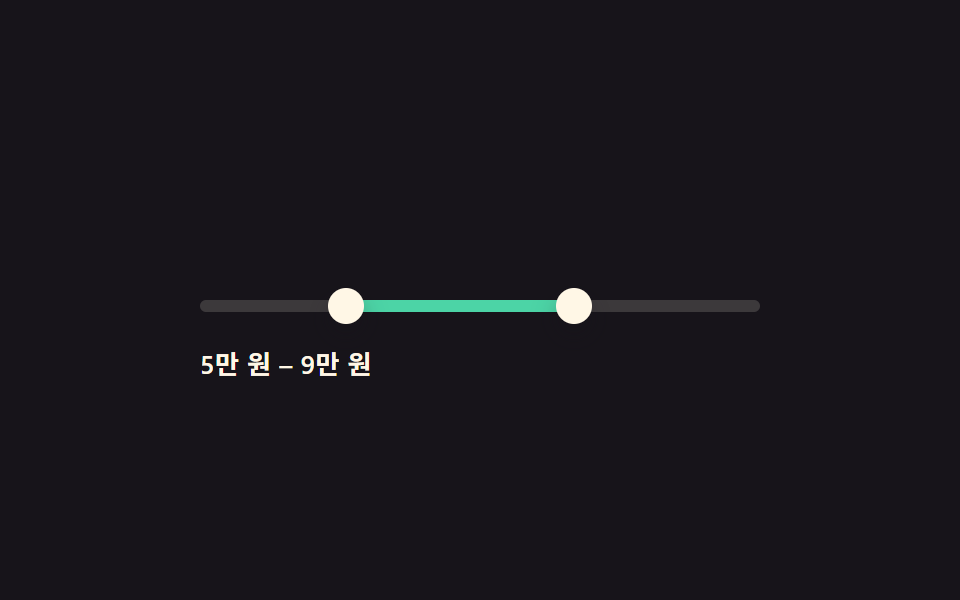
<main class="stage">
  <div class="rng is-demo">
    <div class="rng__track" id="track">
      <div class="rng__fill" id="fill"></div>
      <button type="button" class="rng__thumb" id="thumbLo" role="slider"
        aria-label="Minimum price" aria-valuemin="0" aria-valuemax="100" aria-valuenow="20" tabindex="0"></button>
      <button type="button" class="rng__thumb" id="thumbHi" role="slider"
        aria-label="Maximum price" aria-valuemin="0" aria-valuemax="100" aria-valuenow="70" tabindex="0"></button>
    </div>
    <div class="rng__labels"><span id="loLabel">2</span>0K KRW –  <span id="hiLabel">7</span>0K KRW</div>
  </div>
</main>
@use "../../../../site/static/demo-tokens" as *;
// ── 변수 3개 ──────────────────────────────
$duration: $dur-quick;
$easing: $ease-pop;
$color: $subject-mint;
@include stage($stage-ink);
.rng { width: min(280px, 84vw); color: $subject-cream; }
.rng__track {
position: relative; height: 6px; border-radius: $r-pill;
background: rgba($subject-cream, .16); margin: $sp-10 0 $sp-4;
}
.rng__fill {
position: absolute; top: 0; bottom: 0; left: 20%; width: 50%;
background: $color; border-radius: $r-pill;
}
.rng__thumb {
position: absolute; top: 50%; left: 20%; width: 18px; height: 18px;
appearance: none; border: 0; border-radius: 50%; background: $subject-cream;
box-shadow: $shadow-press; cursor: grab; touch-action: none;
transform: translate(-50%, -50%);
}
.rng__thumb:focus-visible { outline: 2px solid $color; outline-offset: 2px; }
.rng__thumb:active { cursor: grabbing; }
.rng__labels { font-size: 13px; font-weight: 600; letter-spacing: .02em; }
.rng.is-demo .rng__thumb,
.rng.is-demo .rng__fill {
transition: left $dur-loop $easing, width $dur-loop $easing;
}
@media (prefers-reduced-motion: reduce) {
.rng.is-demo .rng__thumb, .rng.is-demo .rng__fill { transition: none; }
}html, body {
margin: 0;
overflow: hidden;
}
.stage {
box-sizing: border-box;
min-height: 100vh;
display: grid;
place-items: center;
margin: 0;
background: #17141a;
font-family: -apple-system, "Segoe UI", "Noto Sans KR", sans-serif;
padding: clamp(8px, 4vw, 24px);
}
.rng {
width: min(280px, 84vw);
color: #fff7e6;
}
.rng__track {
position: relative;
height: 6px;
border-radius: 999px;
background: rgba(255, 247, 230, 0.16);
margin: 40px 0 16px;
}
.rng__fill {
position: absolute;
top: 0;
bottom: 0;
left: 20%;
width: 50%;
background: #4cd4a6;
border-radius: 999px;
}
.rng__thumb {
position: absolute;
top: 50%;
left: 20%;
width: 18px;
height: 18px;
appearance: none;
border: 0;
border-radius: 50%;
background: #fff7e6;
box-shadow: 0 6px 12px rgba(23, 20, 26, 0.32);
cursor: grab;
touch-action: none;
transform: translate(-50%, -50%);
}
.rng__thumb:focus-visible {
outline: 2px solid #4cd4a6;
outline-offset: 2px;
}
.rng__thumb:active {
cursor: grabbing;
}
.rng__labels {
font-size: 13px;
font-weight: 600;
letter-spacing: 0.02em;
}
.rng.is-demo .rng__thumb,
.rng.is-demo .rng__fill {
transition: left 2s cubic-bezier(0.2, 1.4, 0.4, 1), width 2s cubic-bezier(0.2, 1.4, 0.4, 1);
}
@media (prefers-reduced-motion: reduce) {
.rng.is-demo .rng__thumb, .rng.is-demo .rng__fill {
transition: none;
}
}(function () {
var rng = document.querySelector('.rng'), track = document.getElementById('track'),
fill = document.getElementById('fill'), lo = document.getElementById('thumbLo'),
hi = document.getElementById('thumbHi'), loLabel = document.getElementById('loLabel'),
hiLabel = document.getElementById('hiLabel');
var v = { lo: 20, hi: 70 };
function paint() {
lo.style.left = v.lo + '%'; hi.style.left = v.hi + '%';
fill.style.left = v.lo + '%'; fill.style.width = (v.hi - v.lo) + '%';
lo.setAttribute('aria-valuenow', v.lo); hi.setAttribute('aria-valuenow', v.hi);
loLabel.textContent = Math.round(v.lo / 10); hiLabel.textContent = Math.round(v.hi / 10);
}
function setLo(n) { v.lo = Math.max(0, Math.min(n, v.hi - 5)); paint(); }
function setHi(n) { v.hi = Math.min(100, Math.max(n, v.lo + 5)); paint(); }
function pctFromX(x) {
var r = track.getBoundingClientRect();
return Math.round(Math.max(0, Math.min(100, ((x - r.left) / r.width) * 100)));
}
function drag(thumb, setter) {
thumb.addEventListener('pointerdown', function (e) {
stop(); thumb.setPointerCapture(e.pointerId);
function move(ev) { setter(pctFromX(ev.clientX)); }
function up() { thumb.removeEventListener('pointermove', move); thumb.removeEventListener('pointerup', up); }
thumb.addEventListener('pointermove', move); thumb.addEventListener('pointerup', up);
});
thumb.addEventListener('keydown', function (e) {
var step = { ArrowRight: 1, ArrowLeft: -1, ArrowUp: 1, ArrowDown: -1 }[e.key];
if (step !== undefined) { e.preventDefault(); stop(); setter((thumb === lo ? v.lo : v.hi) + step); }
else if (e.key === 'Home') { e.preventDefault(); stop(); setter(thumb === lo ? 0 : v.lo + 5); }
else if (e.key === 'End') { e.preventDefault(); stop(); setter(thumb === lo ? v.hi - 5 : 100); }
});
}
drag(lo, setLo); drag(hi, setHi);
var presets = [[20, 70], [5, 40], [45, 90], [10, 55]], pi = 0;
var t = setInterval(function () {
var p = presets[pi % presets.length]; v.lo = p[0]; v.hi = p[1]; paint(); pi++;
}, 480);
function stop() { rng.classList.remove('is-demo'); clearInterval(t); }
paint();
}());import { useState, useRef, useCallback } from "react";
import type { CSSProperties, PointerEvent } from "react";
import styles from "./RangeSliderDualThumbFill.module.scss";
export type RangeSliderDualThumbFillProps = {
min?: number;
max?: number;
gap?: number;
duration?: number;
easing?: string;
color?: string;
};
type Vars = CSSProperties & { "--duration"?: string; "--easing"?: string; "--c"?: string };
export default function RangeSliderDualThumbFill({
min = 20, max = 70, gap = 5,
duration = 220, easing = "cubic-bezier(.2,1.4,.4,1)", color = "#4cd4a6",
}: RangeSliderDualThumbFillProps) {
const [lo, setLo] = useState(min);
const [hi, setHi] = useState(max);
const trackRef = useRef<HTMLDivElement>(null);
const vars: Vars = { "--duration": `${duration}ms`, "--easing": easing, "--c": color };
const pctFromX = useCallback((x: number) => {
const el = trackRef.current;
if (!el) return 0;
const r = el.getBoundingClientRect();
return Math.round(Math.max(0, Math.min(100, ((x - r.left) / r.width) * 100)));
}, []);
function drag(which: "lo" | "hi") {
return (e: PointerEvent<HTMLButtonElement>) => {
(e.currentTarget as any).setPointerCapture?.(e.pointerId);
function move(ev: any) {
const p = pctFromX(ev.clientX);
if (which === "lo") setLo((prev) => Math.min(p, hi - gap));
else setHi((prev) => Math.max(p, lo + gap));
}
function up() {
window.removeEventListener("pointermove", move);
window.removeEventListener("pointerup", up);
}
window.addEventListener("pointermove", move);
window.addEventListener("pointerup", up);
};
}
function key(which: "lo" | "hi") {
return (e: any) => {
const step = { ArrowRight: 1, ArrowUp: 1, ArrowLeft: -1, ArrowDown: -1 }[e.key as string];
if (step === undefined) return;
e.preventDefault();
if (which === "lo") setLo(Math.max(0, Math.min(lo + step, hi - gap)));
else setHi(Math.min(100, Math.max(hi + step, lo + gap)));
};
}
return (
<div className={styles.rng} style={vars}>
<div className={styles.track} ref={trackRef}>
<div className={styles.fill} style={{ left: `${lo}%`, width: `${hi - lo}%` }} />
<button type="button" className={styles.thumb} style={{ left: `${lo}%` }} role="slider"
aria-label="Minimum price" aria-valuemin={0} aria-valuemax={100} aria-valuenow={lo}
onPointerDown={drag("lo")} onKeyDown={key("lo")} />
<button type="button" className={styles.thumb} style={{ left: `${hi}%` }} role="slider"
aria-label="Maximum price" aria-valuemin={0} aria-valuemax={100} aria-valuenow={hi}
onPointerDown={drag("hi")} onKeyDown={key("hi")} />
</div>
<div className={styles.labels}>{Math.round(lo / 10)}0K KRW – {Math.round(hi / 10)}0K KRW</div>
</div>
);
}02 Dual-thumb price range slider — Measured area 3.265% · moving frames 16/23Original by GODRICH · SCSS and React ship in the zip · 9 Date Range Picker UI Patterns — Copy-Paste
The post this demo lives in
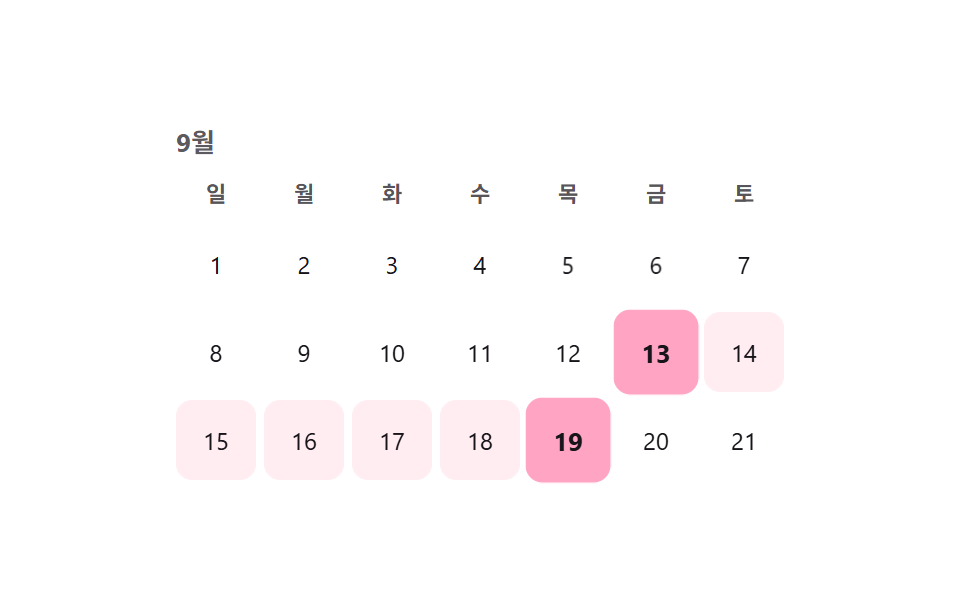 9 Date Range Picker UI Patterns — Copy-PasteA date range picker UI is a control that lets someone choose a span, not just one value. This post collects 9 fresh sele See all demos in this post
If you like this effect - similar demos
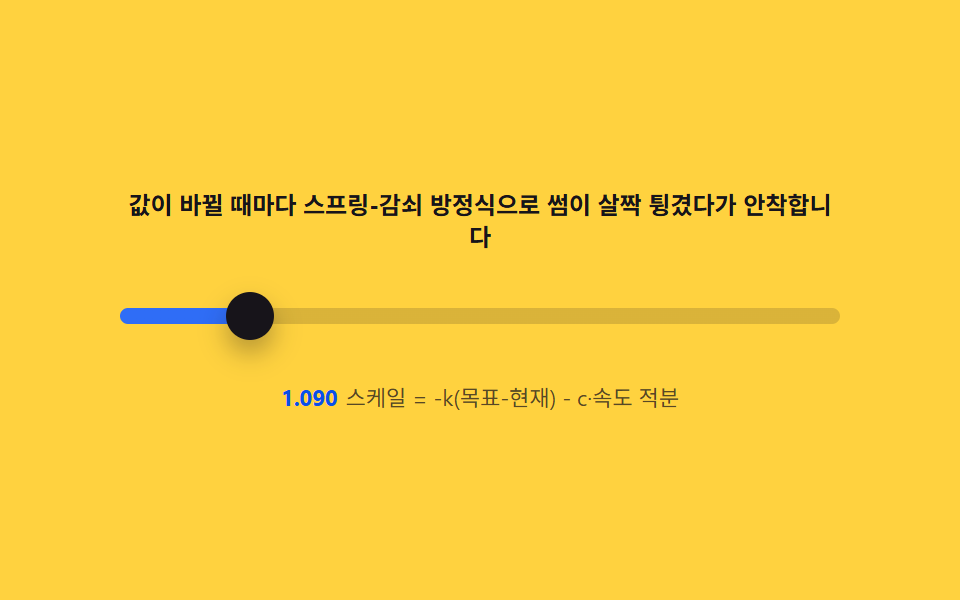 Pickers02 Spring overshoot — a damped oscillation that pops the thumb in on changeCSS Range Slider: 9 Physics-Grade Custom Sliders
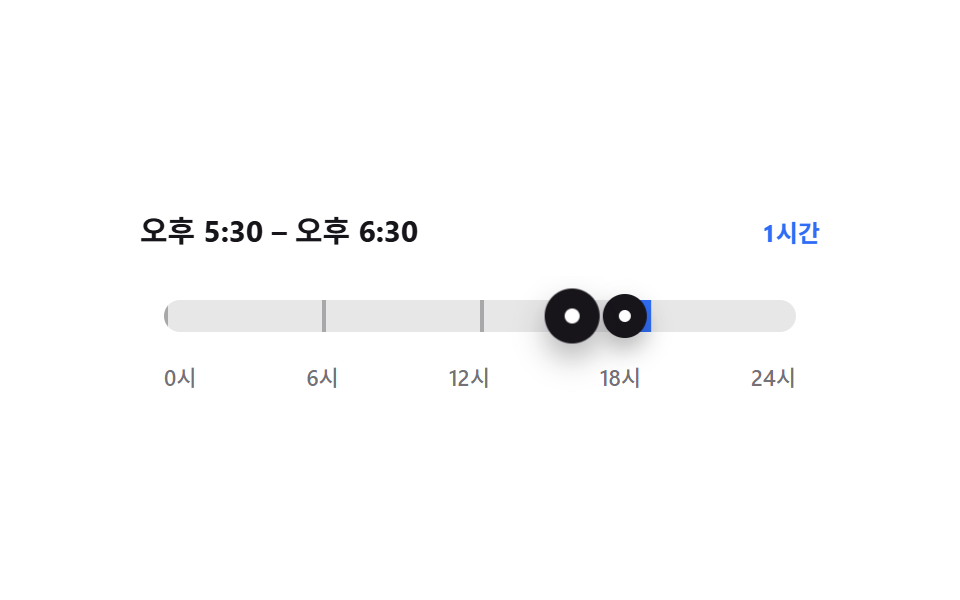 Pickers04 Span bar whose two handles push each other9 time picker ui patterns, from a point to a span
 Pickers04 Drag-painted date range9 css calendar design patterns that really move