09Diagonal scene swap
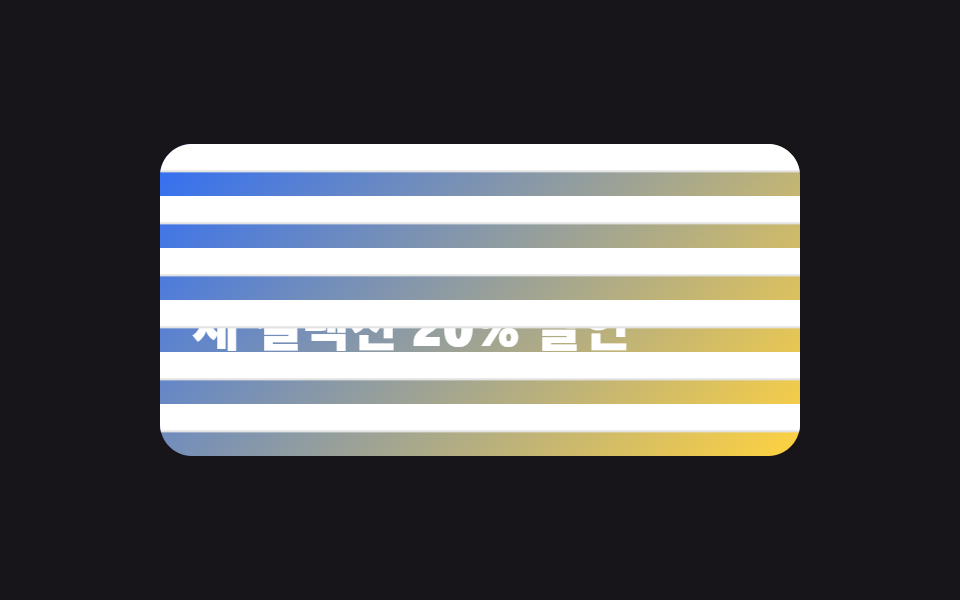
Two panels crossing the frame diagonally slide past the same direction, one lagging slightly behind, sweeping away to uncover the next scene hidden behind them in one motion.
Best forLanding section swaps, storytelling page transitions
skewX translateX장면 이중 겹침transition-delay: 100ms

<main class="stage">
  <section class="scene is-demo" aria-label="Two diagonal panels sweep past and swap the scene">
    <input class="scene__check" type="checkbox" id="scene-swap">
    <div class="scene__frame">
      <div class="scene__inner scene__inner--a"><p class="scene__name">Spring collection</p></div>
      <div class="scene__inner scene__inner--b"><p class="scene__name">Summer collection</p></div>
      <div class="scene__wipes" aria-hidden="true">
        <span class="scene__wipe scene__wipe--1"></span>
        <span class="scene__wipe scene__wipe--2"></span>
      </div>
    </div>
    <label class="scene__btn" for="scene-swap">Swap scene</label>
  </section>
</main>
@use "../../../../site/static/demo-tokens" as *;
$duration: 1s; // 판이 프레임을 통과하는 시간
$easing: $ease-spring;
$color: $subject-blue; // A 장면 색
@include stage($stage-ink);
.scene {
display: grid;
justify-items: center;
gap: $sp-3;
}
.scene__check { position: absolute; opacity: 0; pointer-events: none; }
.scene__frame {
position: relative;
width: min(320px, 90vw);
height: clamp(96px, 50vh, 172px);
border-radius: $r-card;
overflow: hidden;
}
.scene__inner {
position: absolute; inset: 0;
display: grid;
place-items: center;
transition: opacity $dur-quick linear calc(#{$duration} / 2); // 판이 덮는 중간에 교체
}
.scene__inner--a { background: linear-gradient(140deg, $color 0%, $subject-cream 100%); opacity: 1; }
.scene__inner--b { background: linear-gradient(140deg, $stage-orange 0%, $stage-yellow 100%); opacity: 0; }
.scene__name {
margin: 0;
font-weight: 800;
font-size: clamp(18px, 5.2vw, 24px);
font-family: inherit;
color: $stage-ink;
}
// ── 대각선 판 2개: skew 로 비스듬히 눕히고 좌우로 통과시킨다 (clip-path 아님)
.scene__wipes { position: absolute; inset: 0; }
.scene__wipe {
position: absolute;
top: -20%; bottom: -20%; left: -45%;
width: 190%;
background: $stage-paper;
transform: skewX(-14deg) translateX(-115%);
}
.scene__wipe--2 { background: rgba(255, 210, 63, .92); }
// 버튼: 판이 프레임을 쓸고 지나가며 장면이 바뀐다
.scene__btn {
padding: $sp-2 $sp-5;
border-radius: $r-control;
border: 2px solid rgba(255, 255, 255, .4);
font-weight: 700;
font-size: 13px;
font-family: inherit;
color: $stage-paper;
cursor: pointer;
transition: transform $dur-quick $easing, border-color $dur-quick $easing;
}
.scene__btn:active { transform: scale(.94); }
// 체크: 판이 왼→오른쪽으로 통과 (transition 이라 해제하면 역방향 통과가 된다)
.scene__wipe { transition: transform $duration $easing; }
.scene__wipe--2 { transition-delay: 100ms; }
#scene-swap:checked ~ .scene__frame .scene__wipe { transform: skewX(-14deg) translateX(115%); }
#scene-swap:checked ~ .scene__frame .scene__inner--a { opacity: 0; }
#scene-swap:checked ~ .scene__frame .scene__inner--b { opacity: 1; }
// 렌더·갤러리용 자동 루프: A → 판 통과 → B → 판 역통과 → A
.scene.is-demo .scene__wipe--1 { animation: wipe-loop-1 $dur-loop $easing infinite; }
.scene.is-demo .scene__wipe--2 { animation: wipe-loop-2 $dur-loop $easing infinite; }
.scene.is-demo .scene__inner--a { animation: inner-a $dur-loop $easing infinite; }
.scene.is-demo .scene__inner--b { animation: inner-b $dur-loop $easing infinite; }
@keyframes wipe-loop-1 {
0%, 8% { transform: skewX(-14deg) translateX(-115%); } // 순방향 통과
34% { transform: skewX(-14deg) translateX(115%); }
52%, 58% { transform: skewX(-14deg) translateX(115%); } // 역방향 통과
84%, 100% { transform: skewX(-14deg) translateX(-115%); }
}
@keyframes wipe-loop-2 {
0%, 14% { transform: skewX(-14deg) translateX(-115%); }
40%, 60% { transform: skewX(-14deg) translateX(115%); }
86%, 100% { transform: skewX(-14deg) translateX(-115%); }
}
@keyframes inner-a {
0%, 20% { opacity: 1; }
26%, 70% { opacity: 0; }
76%, 100% { opacity: 1; }
}
@keyframes inner-b {
0%, 20% { opacity: 0; }
26%, 70% { opacity: 1; }
76%, 100% { opacity: 0; }
}
@media (max-width: 360px) { // 320×200 아이프레임 대응
.scene__frame { height: 96px; }
.scene__name { font-size: 15px; }
.scene__btn { padding: 4px 16px; font-size: 11px; }
}
@media (prefers-reduced-motion: reduce) {
.scene__inner, .scene__btn { transition: none; }
.scene.is-demo .scene__wipe,
.scene.is-demo .scene__inner { animation: none; } // 판 없이 장면만 즉시 바뀐다
.scene.is-demo .scene__wipe { transform: skewX(-14deg) translateX(-115%); }
}html, body {
margin: 0;
overflow: hidden;
}
.stage {
box-sizing: border-box;
min-height: 100vh;
display: grid;
place-items: center;
margin: 0;
background: #17141a;
font-family: -apple-system, "Segoe UI", "Noto Sans KR", sans-serif;
padding: clamp(8px, 4vw, 24px);
}
.scene {
display: grid;
justify-items: center;
gap: 12px;
}
.scene__check {
position: absolute;
opacity: 0;
pointer-events: none;
}
.scene__frame {
position: relative;
width: min(320px, 90vw);
height: clamp(96px, 50vh, 172px);
border-radius: 16px;
overflow: hidden;
}
.scene__inner {
position: absolute;
inset: 0;
display: grid;
place-items: center;
transition: opacity 220ms linear calc(1s / 2);
}
.scene__inner--a {
background: linear-gradient(140deg, #2f6df6 0%, #fff7e6 100%);
opacity: 1;
}
.scene__inner--b {
background: linear-gradient(140deg, #ff4d1f 0%, #ffd23f 100%);
opacity: 0;
}
.scene__name {
margin: 0;
font-weight: 800;
font-size: clamp(18px, 5.2vw, 24px);
font-family: inherit;
color: #17141a;
}
.scene__wipes {
position: absolute;
inset: 0;
}
.scene__wipe {
position: absolute;
top: -20%;
bottom: -20%;
left: -45%;
width: 190%;
background: #ffffff;
transform: skewX(-14deg) translateX(-115%);
}
.scene__wipe--2 {
background: rgba(255, 210, 63, 0.92);
}
.scene__btn {
padding: 8px 20px;
border-radius: 12px;
border: 2px solid rgba(255, 255, 255, 0.4);
font-weight: 700;
font-size: 13px;
font-family: inherit;
color: #ffffff;
cursor: pointer;
transition: transform 220ms cubic-bezier(0.2, 0.8, 0.2, 1), border-color 220ms cubic-bezier(0.2, 0.8, 0.2, 1);
}
.scene__btn:active {
transform: scale(0.94);
}
.scene__wipe {
transition: transform 1s cubic-bezier(0.2, 0.8, 0.2, 1);
}
.scene__wipe--2 {
transition-delay: 100ms;
}
#scene-swap:checked ~ .scene__frame .scene__wipe {
transform: skewX(-14deg) translateX(115%);
}
#scene-swap:checked ~ .scene__frame .scene__inner--a {
opacity: 0;
}
#scene-swap:checked ~ .scene__frame .scene__inner--b {
opacity: 1;
}
.scene.is-demo .scene__wipe--1 {
animation: wipe-loop-1 2s cubic-bezier(0.2, 0.8, 0.2, 1) infinite;
}
.scene.is-demo .scene__wipe--2 {
animation: wipe-loop-2 2s cubic-bezier(0.2, 0.8, 0.2, 1) infinite;
}
.scene.is-demo .scene__inner--a {
animation: inner-a 2s cubic-bezier(0.2, 0.8, 0.2, 1) infinite;
}
.scene.is-demo .scene__inner--b {
animation: inner-b 2s cubic-bezier(0.2, 0.8, 0.2, 1) infinite;
}
@keyframes wipe-loop-1 {
0%, 8% {
transform: skewX(-14deg) translateX(-115%);
}
34% {
transform: skewX(-14deg) translateX(115%);
}
52%, 58% {
transform: skewX(-14deg) translateX(115%);
}
84%, 100% {
transform: skewX(-14deg) translateX(-115%);
}
}
@keyframes wipe-loop-2 {
0%, 14% {
transform: skewX(-14deg) translateX(-115%);
}
40%, 60% {
transform: skewX(-14deg) translateX(115%);
}
86%, 100% {
transform: skewX(-14deg) translateX(-115%);
}
}
@keyframes inner-a {
0%, 20% {
opacity: 1;
}
26%, 70% {
opacity: 0;
}
76%, 100% {
opacity: 1;
}
}
@keyframes inner-b {
0%, 20% {
opacity: 0;
}
26%, 70% {
opacity: 1;
}
76%, 100% {
opacity: 0;
}
}
@media (max-width: 360px) {
.scene__frame {
height: 96px;
}
.scene__name {
font-size: 15px;
}
.scene__btn {
padding: 4px 16px;
font-size: 11px;
}
}
@media (prefers-reduced-motion: reduce) {
.scene__inner, .scene__btn {
transition: none;
}
.scene.is-demo .scene__wipe,
.scene.is-demo .scene__inner {
animation: none;
}
.scene.is-demo .scene__wipe {
transform: skewX(-14deg) translateX(-115%);
}
}import type { CSSProperties } from "react";
import { useState } from "react";
import styles from "./SplitDiagonalSwap.module.scss";
export type SplitDiagonalSwapProps = {
sceneA: string;
sceneB: string;
swapLabel: string;
/** 판이 프레임을 통과하는 시간 (기본 1000ms) */
duration?: number;
easing?: string;
color?: string;
};
type Vars = CSSProperties & { "--duration"?: string; "--easing"?: string; "--color"?: string };
export default function SplitDiagonalSwap({
sceneA,
sceneB,
swapLabel,
duration = 1000,
easing = "cubic-bezier(.2,.8,.2,1)",
color = "#2f6df6",
}: SplitDiagonalSwapProps) {
const [atB, setAtB] = useState(false);
const vars: Vars = { "--duration": `${duration}ms`, "--easing": easing, "--color": color };
return (
<section className={styles.scene} style={vars} aria-label={`${sceneA} / ${sceneB}`}>
<div className={styles.frame}>
<div className={`${styles.inner} ${styles.innerA} ${atB ? styles.innerHide : ""}`}>
<p className={styles.name}>{sceneA}</p>
</div>
<div className={`${styles.inner} ${styles.innerB} ${atB ? styles.innerShow : ""}`}>
<p className={styles.name}>{sceneB}</p>
</div>
<div className={styles.wipes} aria-hidden="true">
<span className={`${styles.wipe} ${styles.wipe1} ${atB ? styles.wipeGo : ""}`} />
<span className={`${styles.wipe} ${styles.wipe2} ${atB ? styles.wipeGo : ""}`} />
</div>
</div>
<button type="button" className={styles.btn} onClick={() => setAtB((v) => !v)}>{swapLabel}</button>
</section>
);
}09 Diagonal scene swap — Measured area 33.21% · moving frames 8/23Original by GODRICH · SCSS and React ship in the zip · 9 CSS Screen Transition Animation Effects
The post this demo lives in
 9 CSS Screen Transition Animation EffectsA CSS screen transition animation smooths every moment the screen changes — an image swap, a confirmed order, a form ste See all demos in this post
If you like this effect - similar demos
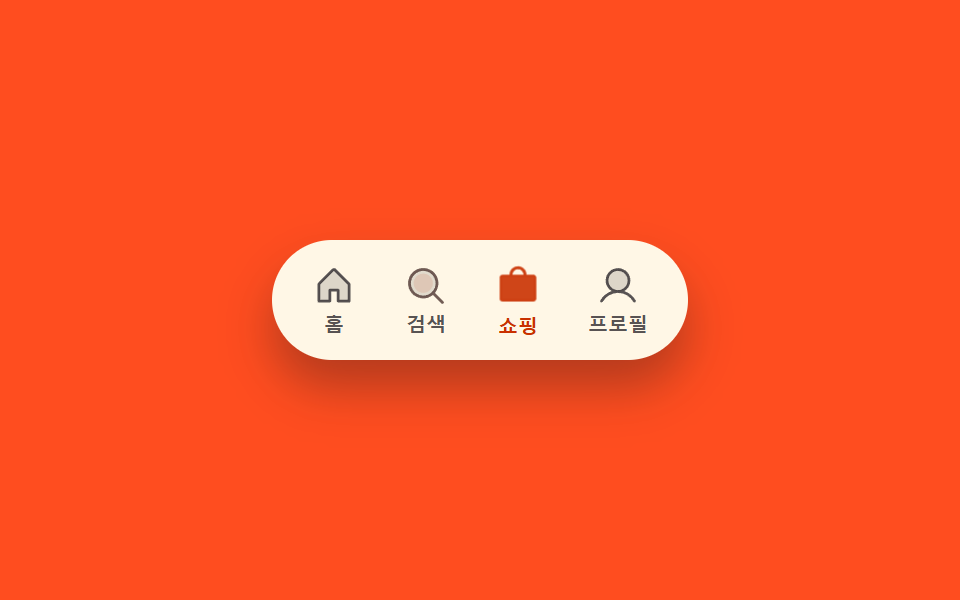 Transitions02 Icon fill-swap toggle — when the selected tab changes, that spot's fill-amount value switches from low to fullCSS Bottom Navigation Bar: 9 Transition Patterns
 Transitions01 Screen Wipe Transition Computed by Diagonal CoordinateImage Reveal Effect CSS — 9 Canvas-computed Wipes
 Transitions01 Image Transition Where a Channel-offset Value Splits Then Rejoins9 CSS Glitch Effect Transitions (No Codepen)