08Count up
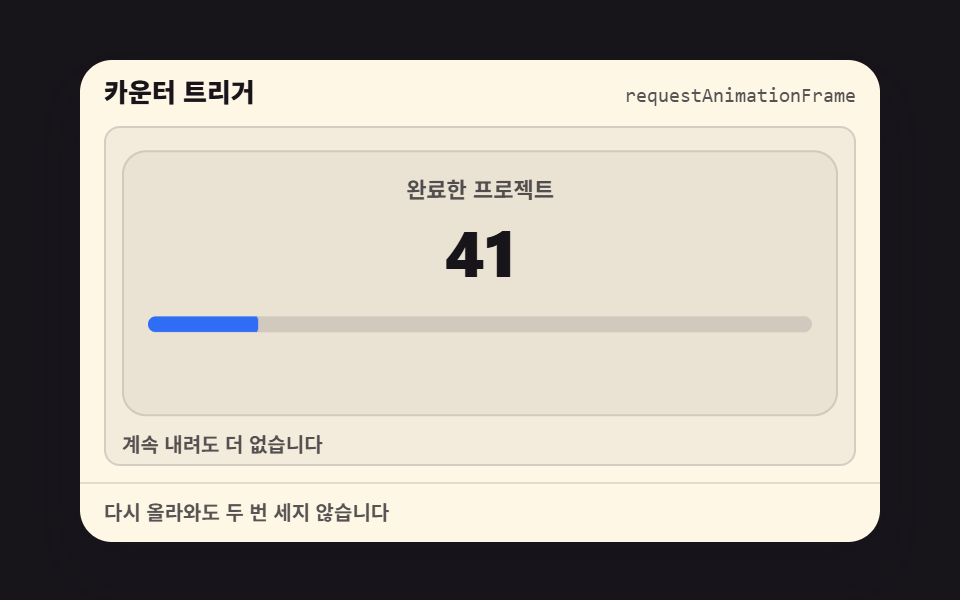
Counts from 0 to the target the moment it is visible, with @property and no JS.
Best forStats sections
1.2s천 단위 콤마% 붙이기

<main class="stage">
  <div class="stat is-demo">
    <p class="stat__num"></p>
    <p class="stat__label">Total downloads</p>
  </div>
</main>
@use "../../../../site/static/demo-tokens" as *;
// ── 변수 3개. 변형은 이것만 바꾼다 (값은 토큰에서 받는다) ──────
$target: 1280; // 목표 숫자. % 단위면 100
$duration: 1.2s; // 올라가는 시간
$color: $subject-blue; // 숫자 색 (paper 무대라 blue)
// ── 데모 무대 (zip 에서 지워도 된다) ──────────────────────────
@include stage($stage-paper);
// ── 숫자가 담긴 CSS 카운터. @property 로 정수로 등록해야
// 애니메이션 중간값이 정수로 보간된다(소수점 없이 뚝뚝 올라간다) ──
@property --num {
syntax: "<integer>";
inherits: false;
initial-value: 0;
}
.stat {
text-align: center;
&__num {
margin: 0;
--num: 0;
counter-reset: num var(--num);
font-weight: 800;
font-size: clamp(36px, 12vw, 56px);
line-height: 1;
font-family: inherit;
color: $color;
&::after { content: counter(num); }
}
&__label { margin: 6px 0 0; font-weight: 500; font-size: 14px; line-height: 1; font-family: inherit; color: $stage-ink; }
}
// ── 실제 사용 코드: 뷰포트에 들어오는 동안 0에서 목표까지 오른다 ──
@supports (animation-timeline: view()) {
.stat__num {
animation: count-up $duration linear both;
animation-timeline: view();
animation-range: entry 0% cover 40%;
}
}
@supports not (animation-timeline: view()) {
.stat__num { --num: #{$target}; }
}
@keyframes count-up {
from { --num: 0; }
to { --num: #{$target}; }
}
// ── 데모(.is-demo): 스크롤 대신 2초 루프로 흉내 ────────────
.stat.is-demo .stat__num {
animation: count-up-loop $dur-loop linear infinite;
}
@keyframes count-up-loop {
0% { --num: 0; }
55% { --num: #{$target}; }
100% { --num: #{$target}; }
}
// ── 접근성: 움직임 줄이기 설정이면 목표 숫자를 바로 보여준다 ────
@media (prefers-reduced-motion: reduce) {
.stat__num, .stat.is-demo .stat__num { animation: none !important; --num: #{$target}; }
}html, body {
margin: 0;
overflow: hidden;
}
.stage {
box-sizing: border-box;
min-height: 100vh;
display: grid;
place-items: center;
margin: 0;
background: #ffffff;
font-family: -apple-system, "Segoe UI", "Noto Sans KR", sans-serif;
padding: clamp(8px, 4vw, 24px);
}
@property --num {
syntax: "<integer>";
inherits: false;
initial-value: 0;
}
.stat {
text-align: center;
}
.stat__num {
margin: 0;
--num: 0;
counter-reset: num var(--num);
font-weight: 800;
font-size: clamp(36px, 12vw, 56px);
line-height: 1;
font-family: inherit;
color: #2f6df6;
}
.stat__num::after {
content: counter(num);
}
.stat__label {
margin: 6px 0 0;
font-weight: 500;
font-size: 14px;
line-height: 1;
font-family: inherit;
color: #17141a;
}
@supports (animation-timeline: view()) {
.stat__num {
animation: count-up 1.2s linear both;
animation-timeline: view();
animation-range: entry 0% cover 40%;
}
}
@supports not (animation-timeline: view()) {
.stat__num {
--num: 1280;
}
}
@keyframes count-up {
from {
--num: 0;
}
to {
--num: 1280;
}
}
.stat.is-demo .stat__num {
animation: count-up-loop 2s linear infinite;
}
@keyframes count-up-loop {
0% {
--num: 0;
}
55% {
--num: 1280;
}
100% {
--num: 1280;
}
}
@media (prefers-reduced-motion: reduce) {
.stat__num, .stat.is-demo .stat__num {
animation: none !important;
--num: 1280;
}
}import type { CSSProperties } from "react";
import styles from "./CountUp.module.scss";
export type CountUpProps = {
label: string;
/** 목표 숫자 (기본 1280) */
target?: number;
/** 올라가는 시간 (기본 1.2s) */
duration?: string;
/** 숫자 색 (기본 파랑) */
color?: string;
className?: string;
};
type Vars = CSSProperties & { "--target"?: number; "--duration"?: string; "--color"?: string };
export default function CountUp({
label,
target = 1280,
duration = "1.2s",
color = "#2f6df6",
className = "",
}: CountUpProps) {
const vars: Vars = { "--target": target, "--duration": duration, "--color": color };
return (
<div className={`${styles.stat} ${className}`} style={vars}>
<p className={styles.num} />
<p className={styles.label}>{label}</p>
</div>
);
}08 Count up — Measured area 3.302% · moving frames 14/23Original by GODRICH · SCSS and React ship in the zip · 9 CSS Animation on Scroll Effects, No JavaScript
The post this demo lives in
 9 CSS Animation on Scroll Effects, No JavaScriptA css animation on scroll ties motion to how far the page has scrolled, using CSS's own animation-timeline instead of a See all demos in this post