03Jello wobble
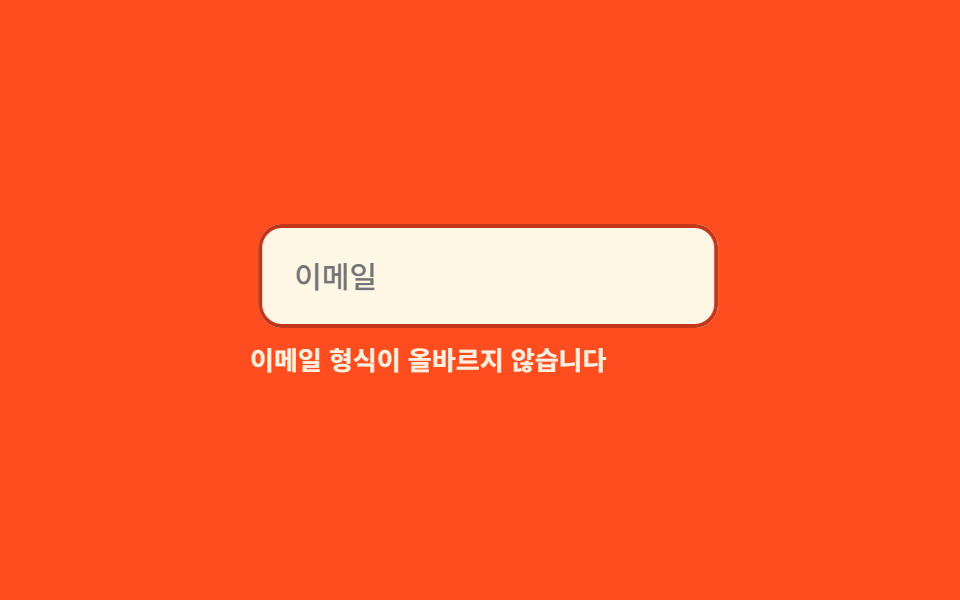
A save button that fails wobbles like jello, alternating skewX and skewY in a keyframe that settles down by the end.
Best forFailed-save buttons, payment-failure badges
skewXskewY800ms

<main class="stage">
  <div class="je is-demo">
    <button class="je__btn" type="button">Save</button>
    <p class="je__msg">Couldn't save. Try again.</p>
  </div>
</main>
@use "../../../../site/static/demo-tokens" as *;
$duration: 800ms; // 출렁임이 잦아드는 데 걸리는 시간
$easing: $ease-out;
$color: $error;
@include stage($stage-orange);
.je { width: min(240px, 86vw); display: flex; flex-direction: column; align-items: center; gap: $sp-3; }
.je__btn {
box-sizing: border-box;
padding: $sp-2 $sp-6;
border: 0;
border-radius: $r-control;
background: $subject-ink;
color: $subject-cream;
font-weight: 600;
font-size: 14px;
line-height: 1;
font-family: inherit;
transform-origin: center;
}
.je__msg { margin: 0; color: $subject-ink; font-weight: 500; font-size: 11px; line-height: 1.3; font-family: inherit; text-align: center; }
@keyframes je-jello {
0%, 100% { transform: none; }
15% { transform: skewX(-9deg) skewY(-9deg); }
30% { transform: skewX(7deg) skewY(7deg); }
45% { transform: skewX(-5deg) skewY(-5deg); }
60% { transform: skewX(3deg) skewY(3deg); }
75% { transform: skewX(-2deg) skewY(-2deg); }
90% { transform: skewX(1deg) skewY(1deg); }
}
// 실제 동작: 저장 실패 응답을 받으면 .je--jello 가 한 번 붙는다
.je__btn.je--jello { animation: je-jello $duration $easing; }
// 데모 루프
.je.is-demo .je__btn { animation: je-jello $duration $easing infinite; }
@media (prefers-reduced-motion: reduce) {
.je__btn.je--jello,
.je.is-demo .je__btn { animation: none !important; }
}html, body {
margin: 0;
overflow: hidden;
}
.stage {
box-sizing: border-box;
min-height: 100vh;
display: grid;
place-items: center;
margin: 0;
background: #ff4d1f;
font-family: -apple-system, "Segoe UI", "Noto Sans KR", sans-serif;
padding: clamp(8px, 4vw, 24px);
}
.je {
width: min(240px, 86vw);
display: flex;
flex-direction: column;
align-items: center;
gap: 12px;
}
.je__btn {
box-sizing: border-box;
padding: 8px 24px;
border: 0;
border-radius: 12px;
background: #17141a;
color: #fff7e6;
font-weight: 600;
font-size: 14px;
line-height: 1;
font-family: inherit;
transform-origin: center;
}
.je__msg {
margin: 0;
color: #17141a;
font-weight: 500;
font-size: 11px;
line-height: 1.3;
font-family: inherit;
text-align: center;
}
@keyframes je-jello {
0%, 100% {
transform: none;
}
15% {
transform: skewX(-9deg) skewY(-9deg);
}
30% {
transform: skewX(7deg) skewY(7deg);
}
45% {
transform: skewX(-5deg) skewY(-5deg);
}
60% {
transform: skewX(3deg) skewY(3deg);
}
75% {
transform: skewX(-2deg) skewY(-2deg);
}
90% {
transform: skewX(1deg) skewY(1deg);
}
}
.je__btn.je--jello {
animation: je-jello 800ms ease-out;
}
.je.is-demo .je__btn {
animation: je-jello 800ms ease-out infinite;
}
@media (prefers-reduced-motion: reduce) {
.je__btn.je--jello,
.je.is-demo .je__btn {
animation: none !important;
}
}import { useState } from "react";
import type { CSSProperties } from "react";
import styles from "./JelloWobble.module.scss";
export type JelloWobbleProps = {
duration?: number;
easing?: string;
color?: string;
};
type Vars = CSSProperties & { "--duration"?: string; "--easing"?: string; "--color"?: string };
export default function JelloWobble({ duration = 800, easing = "ease-out", color = "#c2361a" }: JelloWobbleProps) {
const [run, setRun] = useState(0);
const vars: Vars = { "--duration": `${duration}ms`, "--easing": easing, "--color": color };
return (
<div className={styles.je} style={vars}>
<button key={run} type="button" className={`${styles.btn} ${styles.jello}`} onClick={() => setRun((n) => n + 1)}>
저장
</button>
<p className={styles.msg}>저장하지 못했습니다. 다시 시도하세요</p>
</div>
);
}03 Jello wobble — Measured area 1.069% · moving frames 23/23Original by GODRICH · SCSS and React ship in the zip · 9 CSS Shake Animation Examples for Form Errors
The post this demo lives in
 9 CSS Shake Animation Examples for Form ErrorsType a wrong password and the box shakes before you read why — that's a css shake animation, code that makes a form say See all demos in this post