08Autoplay hero with Ken Burns zoom
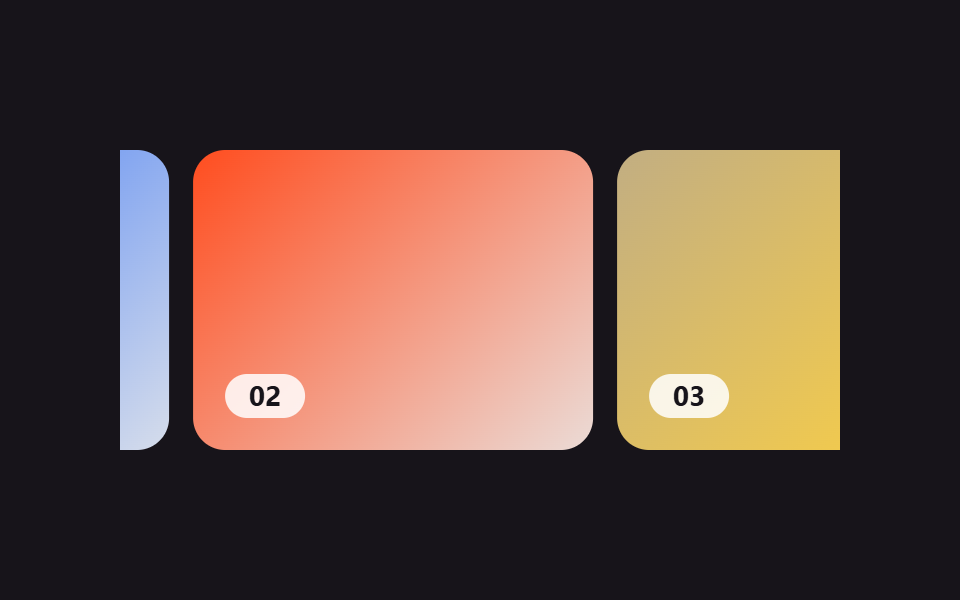
While photos cycle on their own, the one on screen keeps slowly zooming in, so even a still photo feels like it's alive.
Best forMain hero banners, full-screen brand-intro slides
transform: scale@keyframesopacity

<main class="stage">
  <div class="kb">
    <div class="kb__stage">
      <div class="kb__card kb__card--1"><div class="kb__img kb__img--1"></div></div>
      <div class="kb__card kb__card--2"><div class="kb__img kb__img--2"></div></div>
      <div class="kb__card kb__card--3"><div class="kb__img kb__img--3"></div></div>
    </div>
  </div>
</main>
@use "../../../../site/static/demo-tokens" as *;
// ── 변수 3개 ──────────────────────────────────────────
$duration: $dur-base;
$easing: $ease-out;
$color: $stage-orange;
@include stage($stage-paper);
.kb { width: min(360px, 80vw); }
// ── 실제 동작: 카드가 같은 자리에서 오파시티로 교차되고, 보이는 카드의 배경만 계속 확대된다 (0줄 JS) ──
.kb__stage {
display: grid;
aspect-ratio: 16 / 10;
border-radius: $r-card;
overflow: hidden;
}
.kb__card { grid-area: 1 / 1; overflow: hidden; }
.kb__img { width: 100%; height: 100%; }
.kb__img--1 { background: radial-gradient(120% 120% at 30% 20%, $subject-blue, #14264d); }
.kb__img--2 { background: radial-gradient(120% 120% at 70% 30%, $color, #4a1c0d); }
.kb__img--3 { background: radial-gradient(120% 120% at 50% 70%, #c2ae82, #3a2a05); }
.kb__card--1 { animation: kb-fade-1 $dur-loop linear infinite; }
.kb__card--2 { animation: kb-fade-2 $dur-loop linear infinite; }
.kb__card--3 { animation: kb-fade-3 $dur-loop linear infinite; }
.kb__img--1 { animation: kb-zoom-1 $dur-loop $easing infinite; }
.kb__img--2 { animation: kb-zoom-2 $dur-loop $easing infinite; }
.kb__img--3 { animation: kb-zoom-3 $dur-loop $easing infinite; }
// 교차 페이드 창을 12% 로 넓게 — 마지막→처음 순간의 팝 없이 3번 페이드아웃(88→100%)과
// 1번 페이드인(0→12%)이 릴레이로 이어진다 (끝→처음 텔레포트 금지)
@keyframes kb-fade-1 { 0% { opacity: 0; } 12%, 25% { opacity: 1; } 37%, 100% { opacity: 0; } }
@keyframes kb-fade-2 { 0%, 25% { opacity: 0; } 37%, 58% { opacity: 1; } 70%, 100% { opacity: 0; } }
@keyframes kb-fade-3 { 0%, 58% { opacity: 0; } 70%, 88% { opacity: 1; } 100% { opacity: 0; } }
// 보이는 동안에만 천천히 확대되고, 다음 차례가 오면 다시 배율 1로 되돌아가 있다 (켄번즈 줌)
@keyframes kb-zoom-1 { 0% { transform: scale(1); } 29% { transform: scale(1.16); } 29.1%, 100% { transform: scale(1); } }
@keyframes kb-zoom-2 { 0%, 33% { transform: scale(1); } 62% { transform: scale(1.16); } 62.1%, 100% { transform: scale(1); } }
@keyframes kb-zoom-3 { 0%, 66% { transform: scale(1); } 96% { transform: scale(1.16); } }
// ── 접근성 ──────────────────────────────────────────
@media (prefers-reduced-motion: reduce) {
.kb__card, .kb__img { animation: none !important; }
.kb__card--1 { opacity: 1; }
.kb__card--2, .kb__card--3 { opacity: 0; }
}html, body {
margin: 0;
overflow: hidden;
}
.stage {
box-sizing: border-box;
min-height: 100vh;
display: grid;
place-items: center;
margin: 0;
background: #ffffff;
font-family: -apple-system, "Segoe UI", "Noto Sans KR", sans-serif;
padding: clamp(8px, 4vw, 24px);
}
.kb {
width: min(360px, 80vw);
}
.kb__stage {
display: grid;
aspect-ratio: 16/10;
border-radius: 16px;
overflow: hidden;
}
.kb__card {
grid-area: 1/1;
overflow: hidden;
}
.kb__img {
width: 100%;
height: 100%;
}
.kb__img--1 {
background: radial-gradient(120% 120% at 30% 20%, #2f6df6, #14264d);
}
.kb__img--2 {
background: radial-gradient(120% 120% at 70% 30%, #ff4d1f, #4a1c0d);
}
.kb__img--3 {
background: radial-gradient(120% 120% at 50% 70%, #c2ae82, #3a2a05);
}
.kb__card--1 {
animation: kb-fade-1 2s linear infinite;
}
.kb__card--2 {
animation: kb-fade-2 2s linear infinite;
}
.kb__card--3 {
animation: kb-fade-3 2s linear infinite;
}
.kb__img--1 {
animation: kb-zoom-1 2s ease-out infinite;
}
.kb__img--2 {
animation: kb-zoom-2 2s ease-out infinite;
}
.kb__img--3 {
animation: kb-zoom-3 2s ease-out infinite;
}
@keyframes kb-fade-1 {
0% {
opacity: 0;
}
12%, 25% {
opacity: 1;
}
37%, 100% {
opacity: 0;
}
}
@keyframes kb-fade-2 {
0%, 25% {
opacity: 0;
}
37%, 58% {
opacity: 1;
}
70%, 100% {
opacity: 0;
}
}
@keyframes kb-fade-3 {
0%, 58% {
opacity: 0;
}
70%, 88% {
opacity: 1;
}
100% {
opacity: 0;
}
}
@keyframes kb-zoom-1 {
0% {
transform: scale(1);
}
29% {
transform: scale(1.16);
}
29.1%, 100% {
transform: scale(1);
}
}
@keyframes kb-zoom-2 {
0%, 33% {
transform: scale(1);
}
62% {
transform: scale(1.16);
}
62.1%, 100% {
transform: scale(1);
}
}
@keyframes kb-zoom-3 {
0%, 66% {
transform: scale(1);
}
96% {
transform: scale(1.16);
}
}
@media (prefers-reduced-motion: reduce) {
.kb__card, .kb__img {
animation: none !important;
}
.kb__card--1 {
opacity: 1;
}
.kb__card--2, .kb__card--3 {
opacity: 0;
}
}import type { CSSProperties } from "react";
import styles from "./AutoplayKenburns.module.scss";
export type AutoplayKenburnsProps = {
duration?: number;
easing?: string;
color?: string;
};
type Vars = CSSProperties & { "--duration"?: string; "--easing"?: string; "--color"?: string };
export default function AutoplayKenburns({ duration = 6000, easing = "ease-out", color = "#ff4d1f" }: AutoplayKenburnsProps) {
const vars: Vars = { "--duration": `${duration}ms`, "--easing": easing, "--color": color };
return (
<div className={styles.kb} style={vars}>
{/* 카드가 같은 자리에서 오파시티로 교차되고, 보이는 카드의 배경만 계속 확대된다 — 0줄 JS */}
<div className={styles.stageBox}>
{[1, 2, 3].map((n) => (
<div key={n} className={`${styles.card} ${styles["card" + n]}`}>
<div className={`${styles.img} ${styles["img" + n]}`} />
</div>
))}
</div>
</div>
);
}08 Autoplay hero with Ken Burns zoom — Measured area 56.128% · moving frames 11/23Original by GODRICH · SCSS and React ship in the zip · 9 CSS Only Carousel Slider Recipes to Copy-Paste
The post this demo lives in
 9 CSS Only Carousel Slider Recipes to Copy-PasteA CSS only carousel slider is a row of photos or cards that steps through one at a time in the same frame, built nine wa See all demos in this post