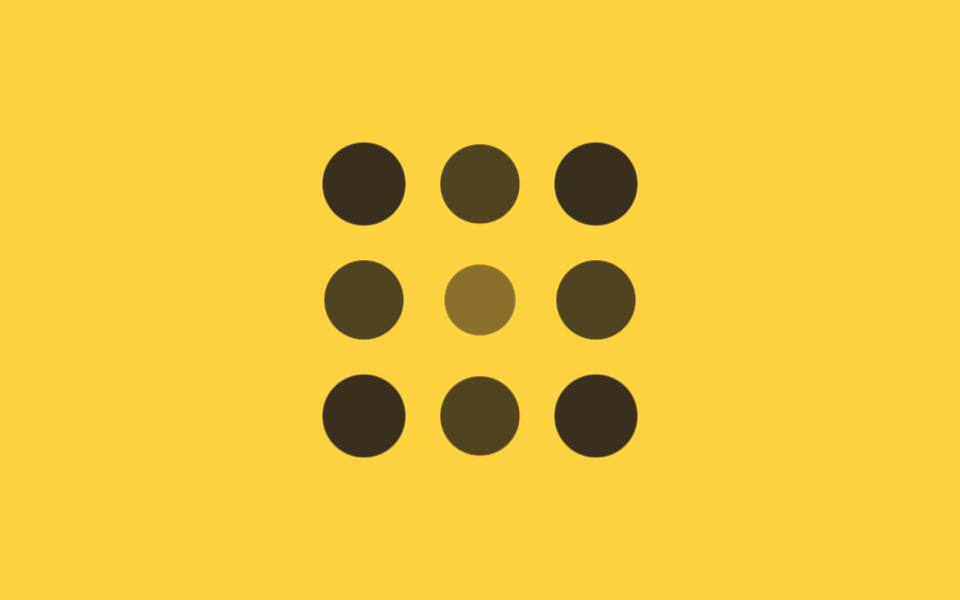
06Circular ripple stagger
In a 3x3 grid, each cell's delay is based on its distance from the center cell, so the animation ripples outward like a wave.
Best forLike-button click effects, notification icon grids
중심 거리 delay동심원 확산scale+opacity
<main class="stage">
  <div class="ripple is-demo">
    <span></span><span></span><span></span>
    <span></span><span></span><span></span>
    <span></span><span></span><span></span>
  </div>
</main>
@use "../../../../site/static/demo-tokens" as *;
$duration: $dur-base; // 점 하나가 커지는 시간
$easing: $ease-out; // 시작 빠르고 끝은 부드럽게
$step: 90ms; // 중심 거리 1당 시차 계수
@include stage($stage-yellow);
.ripple {
display: grid;
grid-template-columns: repeat(3, 1fr);
gap: clamp(10px, 3vw, 16px);
width: min(160px, 55vw);
aspect-ratio: 1;
span {
border-radius: 50%;
background: $stage-ink;
animation: ripple-loop $dur-loop $easing infinite;
}
// 3×3, 중심(칸 5)까지의 거리 × $step — 코너는 √2, 변은 1, 중심은 0
span:nth-child(1) { animation-delay: $step * 1.41; }
span:nth-child(2) { animation-delay: $step * 1; }
span:nth-child(3) { animation-delay: $step * 1.41; }
span:nth-child(4) { animation-delay: $step * 1; }
span:nth-child(5) { animation-delay: 0ms; }
span:nth-child(6) { animation-delay: $step * 1; }
span:nth-child(7) { animation-delay: $step * 1.41; }
span:nth-child(8) { animation-delay: $step * 1; }
span:nth-child(9) { animation-delay: $step * 1.41; }
}
@keyframes ripple-loop {
0%, 4% { opacity: 0; transform: scale(.3); }
24%, 58% { opacity: 1; transform: scale(1); }
84%, 100% { opacity: 0; transform: scale(.6); }
}
@media (prefers-reduced-motion: reduce) {
.ripple span { animation: none; opacity: 1; transform: none; }
}html, body {
margin: 0;
overflow: hidden;
}
.stage {
box-sizing: border-box;
min-height: 100vh;
display: grid;
place-items: center;
margin: 0;
background: #ffd23f;
font-family: -apple-system, "Segoe UI", "Noto Sans KR", sans-serif;
padding: clamp(8px, 4vw, 24px);
}
.ripple {
display: grid;
grid-template-columns: repeat(3, 1fr);
gap: clamp(10px, 3vw, 16px);
width: min(160px, 55vw);
aspect-ratio: 1;
}
.ripple span {
border-radius: 50%;
background: #17141a;
animation: ripple-loop 2s ease-out infinite;
}
.ripple span:nth-child(1) {
animation-delay: 126.9ms;
}
.ripple span:nth-child(2) {
animation-delay: 90ms;
}
.ripple span:nth-child(3) {
animation-delay: 126.9ms;
}
.ripple span:nth-child(4) {
animation-delay: 90ms;
}
.ripple span:nth-child(5) {
animation-delay: 0ms;
}
.ripple span:nth-child(6) {
animation-delay: 90ms;
}
.ripple span:nth-child(7) {
animation-delay: 126.9ms;
}
.ripple span:nth-child(8) {
animation-delay: 90ms;
}
.ripple span:nth-child(9) {
animation-delay: 126.9ms;
}
@keyframes ripple-loop {
0%, 4% {
opacity: 0;
transform: scale(0.3);
}
24%, 58% {
opacity: 1;
transform: scale(1);
}
84%, 100% {
opacity: 0;
transform: scale(0.6);
}
}
@media (prefers-reduced-motion: reduce) {
.ripple span {
animation: none;
opacity: 1;
transform: none;
}
}import styles from "./CircularRipple.module.scss";
// 3×3, 중심(인덱스 4)까지의 거리 — 코너는 √2, 변은 1, 중심은 0
const DIST = [Math.SQRT2, 1, Math.SQRT2, 1, 0, 1, Math.SQRT2, 1, Math.SQRT2];
export type CircularRippleProps = {
/** 중심 거리 1당 시차 ms (기본 90ms) */
step?: number;
};
export default function CircularRipple({ step = 90 }: CircularRippleProps) {
return (
<div className={styles.ripple}>
{DIST.map((d, i) => (
<span key={i} style={{ animationDelay: `${d * step}ms` }} />
))}
</div>
);
}06 Circular ripple stagger — Measured area 9.975% · moving frames 15/23Original by GODRICH · SCSS and React ship in the zip · 9 CSS Stagger Animation Demos You Can Copy-Paste
The post this demo lives in
 9 CSS Stagger Animation Demos You Can Copy-PasteA css stagger animation gives each item in a list or grid its own delay, so a group that starts together finishes appear See all demos in this post