06Breadcrumb reveal on scroll
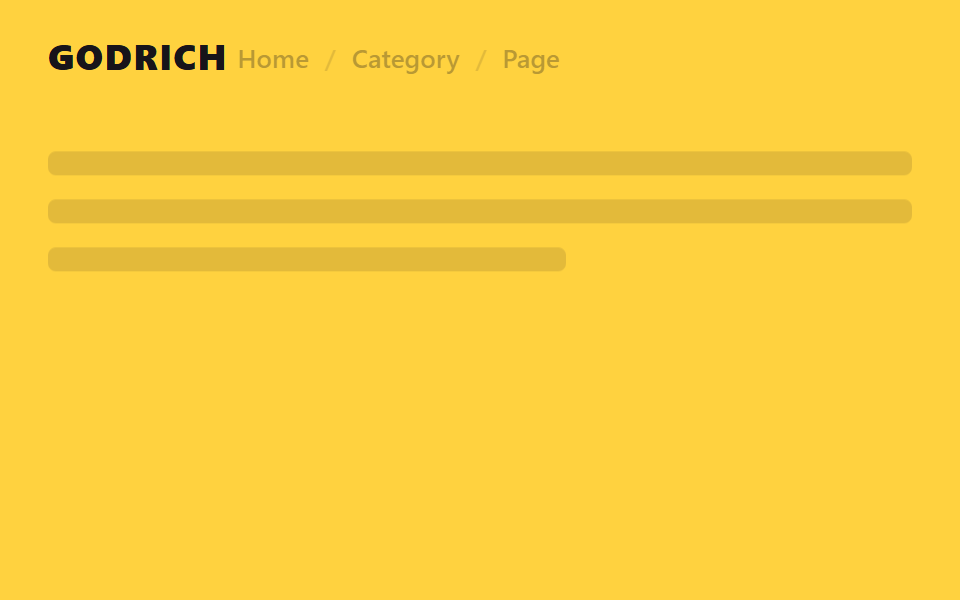
The empty space beside the logo fades and slides in a breadcrumb trail the moment you scroll.
Best forDocs and wiki-style sites, e-commerce category depth display
opacity+translateX페이지 위치 표시순수 CSS
<main class="stage">
  <header class="head is-demo">
    <span class="head__logo">GODRICH</span>
    <nav class="head__crumb" aria-hidden="true">
      <span>Home</span><span class="head__sep">/</span><span>Category</span><span class="head__sep">/</span><span>Page</span>
    </nav>
  </header>
  <div class="page">
    <p class="page__line"></p>
    <p class="page__line"></p>
    <p class="page__line short"></p>
  </div>
</main>
@use "../../../../site/static/demo-tokens" as *;
// ── 변수 3개. 변형은 이것만 바꾼다 ──────────────────────────
$duration: $dur-enter; // 브레드크럼이 나타나는 시간
// 관성 lerp — p += (목표-p) * .32 를 20스텝 반복한 계산 결과를 커브로 굽는다 (형태 2차, 사용자 2026-09-14)
$easing: linear(0, .32, .538, .686, .786, .855, .901, .933, .954, .969, .979, .986, .99, .993, .995, .997, .998, .999, .999, .999, 1);
$easing-content: linear(0, .18, .328, .449, .548, .629, .696, .751, .796, .832, .863, .887, .908, .924, .938, .949, .958, .966, .972, .977, 1); // 알파 .18 — 헤더보다 느리게 따라잡아 시차가 생긴다
$dur-content: $dur-enter * 1.3;
$color: $stage-ink; // 헤더 글자·브레드크럼 색
// ── 데모 무대 ──────────────────────────────────────────
html, body { margin: 0; overflow: hidden; }
.stage {
min-height: 100vh;
margin: 0;
background: $stage-yellow;
font-family: -apple-system, "Segoe UI", "Noto Sans KR", sans-serif;
}
.head {
position: sticky;
top: 0;
height: 56px;
display: flex;
align-items: center;
gap: $sp-4;
padding: 0 clamp(16px, 5vw, 24px);
background: $stage-yellow;
&__logo { color: $color; font-weight: 800; font-size: 18px; line-height: 1; font-family: inherit; letter-spacing: .04em; flex: 0 0 auto; }
&__crumb {
display: flex;
align-items: center;
gap: $sp-2;
font-weight: 600;
font-size: 13px;
line-height: 1;
font-family: inherit;
color: $color;
opacity: 0;
transform: translateX(-16px);
transition: opacity $duration $easing, transform $duration $easing;
}
&__sep { opacity: .4; }
// 실제 사용: 스크롤하면 JS 가 붙인 클래스가 브레드크럼을 페이드+슬라이드로 보여준다
&.is-scrolled &__crumb { opacity: 1; transform: translateX(0); }
}
// ── 데모(.is-demo): 브레드크럼이 사라졌다 나타났다 2초 루프 ──────
.head.is-demo .head__crumb {
animation: crumb-reveal $dur-loop $easing infinite;
}
@keyframes crumb-reveal {
0%, 8% { opacity: 0; transform: translateX(-16px); }
38%, 62% { opacity: 1; transform: translateX(0); }
92%, 100% { opacity: 0; transform: translateX(-16px); }
}
// 콘텐츠는 브레드크럼 등장보다 늦게 따라온다 — 시차 스크롤
.head.is-scrolled ~ .page { transform: translateY(-8px); }
.head.is-demo ~ .page { animation: page-parallax $dur-loop $easing-content infinite; }
@keyframes page-parallax {
0%, 8% { transform: translateY(0); }
38%, 62% { transform: translateY(-8px); }
92%, 100% { transform: translateY(0); }
}
// ── 배경: 문서처럼 보이는 자리 ─────────────────────────
.page {
padding: $sp-6 $sp-6 0;
transform: translateY(0);
transition: transform $dur-content $easing-content;
}
.page__line {
height: 12px;
margin: 0 0 $sp-3;
border-radius: $r-xs;
background: rgba($stage-ink, .12);
&.short { width: 60%; }
}
// ── 접근성: 움직임 줄이기 설정이면 즉시 상태만 바뀐다 ────────
@media (prefers-reduced-motion: reduce) {
.head__crumb { transition: none; }
.head.is-demo .head__crumb { animation: none !important; opacity: 1; transform: translateX(0); }
.page { transition: none; }
.head.is-demo ~ .page { animation: none !important; transform: translateY(0); }
}html, body {
margin: 0;
overflow: hidden;
}
.stage {
min-height: 100vh;
margin: 0;
background: #ffd23f;
font-family: -apple-system, "Segoe UI", "Noto Sans KR", sans-serif;
}
.head {
position: sticky;
top: 0;
height: 56px;
display: flex;
align-items: center;
gap: 16px;
padding: 0 clamp(16px, 5vw, 24px);
background: #ffd23f;
}
.head__logo {
color: #17141a;
font-weight: 800;
font-size: 18px;
line-height: 1;
font-family: inherit;
letter-spacing: 0.04em;
flex: 0 0 auto;
}
.head__crumb {
display: flex;
align-items: center;
gap: 8px;
font-weight: 600;
font-size: 13px;
line-height: 1;
font-family: inherit;
color: #17141a;
opacity: 0;
transform: translateX(-16px);
transition: opacity 600ms linear(0, 0.32, 0.538, 0.686, 0.786, 0.855, 0.901, 0.933, 0.954, 0.969, 0.979, 0.986, 0.99, 0.993, 0.995, 0.997, 0.998, 0.999, 0.999, 0.999, 1), transform 600ms linear(0, 0.32, 0.538, 0.686, 0.786, 0.855, 0.901, 0.933, 0.954, 0.969, 0.979, 0.986, 0.99, 0.993, 0.995, 0.997, 0.998, 0.999, 0.999, 0.999, 1);
}
.head__sep {
opacity: 0.4;
}
.head.is-scrolled .head__crumb {
opacity: 1;
transform: translateX(0);
}
.head.is-demo .head__crumb {
animation: crumb-reveal 2s linear(0, 0.32, 0.538, 0.686, 0.786, 0.855, 0.901, 0.933, 0.954, 0.969, 0.979, 0.986, 0.99, 0.993, 0.995, 0.997, 0.998, 0.999, 0.999, 0.999, 1) infinite;
}
@keyframes crumb-reveal {
0%, 8% {
opacity: 0;
transform: translateX(-16px);
}
38%, 62% {
opacity: 1;
transform: translateX(0);
}
92%, 100% {
opacity: 0;
transform: translateX(-16px);
}
}
.head.is-scrolled ~ .page {
transform: translateY(-8px);
}
.head.is-demo ~ .page {
animation: page-parallax 2s linear(0, 0.18, 0.328, 0.449, 0.548, 0.629, 0.696, 0.751, 0.796, 0.832, 0.863, 0.887, 0.908, 0.924, 0.938, 0.949, 0.958, 0.966, 0.972, 0.977, 1) infinite;
}
@keyframes page-parallax {
0%, 8% {
transform: translateY(0);
}
38%, 62% {
transform: translateY(-8px);
}
92%, 100% {
transform: translateY(0);
}
}
.page {
padding: 24px 24px 0;
transform: translateY(0);
transition: transform 780ms linear(0, 0.18, 0.328, 0.449, 0.548, 0.629, 0.696, 0.751, 0.796, 0.832, 0.863, 0.887, 0.908, 0.924, 0.938, 0.949, 0.958, 0.966, 0.972, 0.977, 1);
}
.page__line {
height: 12px;
margin: 0 0 12px;
border-radius: 4px;
background: rgba(23, 20, 26, 0.12);
}
.page__line.short {
width: 60%;
}
@media (prefers-reduced-motion: reduce) {
.head__crumb {
transition: none;
}
.head.is-demo .head__crumb {
animation: none !important;
opacity: 1;
transform: translateX(0);
}
.page {
transition: none;
}
.head.is-demo ~ .page {
animation: none !important;
transform: translateY(0);
}
}// 실제 페이지: 스크롤을 40px 넘게 내리면 로고 옆 빈자리에 브레드크럼이 나타난다 (7줄)
var head = document.querySelector('.head');
window.addEventListener('scroll', function () {
head.classList.toggle('is-scrolled', window.scrollY > 40);
}, { passive: true });import { useEffect, useState } from "react";
import type { CSSProperties } from "react";
import styles from "./BreadcrumbHeader.module.scss";
export type BreadcrumbHeaderProps = {
logo: string;
crumbs: string[];
/** 브레드크럼이 나타나는 시간 (기본 600ms) */
duration?: number;
/** 관성 lerp 커브(p += (목표-p)*.32 를 20스텝 반복해 구운 linear()) — 기본값이 vanilla 와 같다 */
easing?: string;
color?: string;
};
// vanilla 128 과 같은 관성 lerp 커브 — p += (목표-p)*.32 를 20스텝 반복해 구운 linear()
const LERP_EASING = "linear(0, .32, .538, .686, .786, .855, .901, .933, .954, .969, .979, .986, .99, .993, .995, .997, .998, .999, .999, .999, 1)";
type Vars = CSSProperties & { "--duration"?: string; "--easing"?: string; "--color"?: string };
export default function BreadcrumbHeader({
logo,
crumbs,
duration = 600,
easing = LERP_EASING,
color = "#17141a",
}: BreadcrumbHeaderProps) {
const [scrolled, setScrolled] = useState(false);
const vars: Vars = { "--duration": `${duration}ms`, "--easing": easing, "--color": color };
useEffect(() => {
function onScroll() {
setScrolled(window.scrollY > 40);
}
window.addEventListener("scroll", onScroll, { passive: true });
return () => window.removeEventListener("scroll", onScroll);
}, []);
return (
<header className={styles.head} style={vars}>
<span className={styles.logo}>{logo}</span>
<nav
className={scrolled ? `${styles.crumb} ${styles.visible}` : styles.crumb}
aria-hidden={!scrolled}
>
{crumbs.map((c, i) => (
<span key={c}>
{i > 0 && <span className={styles.sep}>/</span>}
{c}
</span>
))}
</nav>
</header>
);
}06 Breadcrumb reveal on scroll — Measured area 13.451% · moving frames 11/23Original by GODRICH · SCSS and React ship in the zip · 9 CSS Sticky Header Extras — Search, CTA, Badge
The post this demo lives in
 9 CSS Sticky Header Extras — Search, CTA, BadgeA CSS sticky header keeps a page's menu bar pinned to the top while everything below scrolls past. These nine make piece See all demos in this post