07Sticky current section title
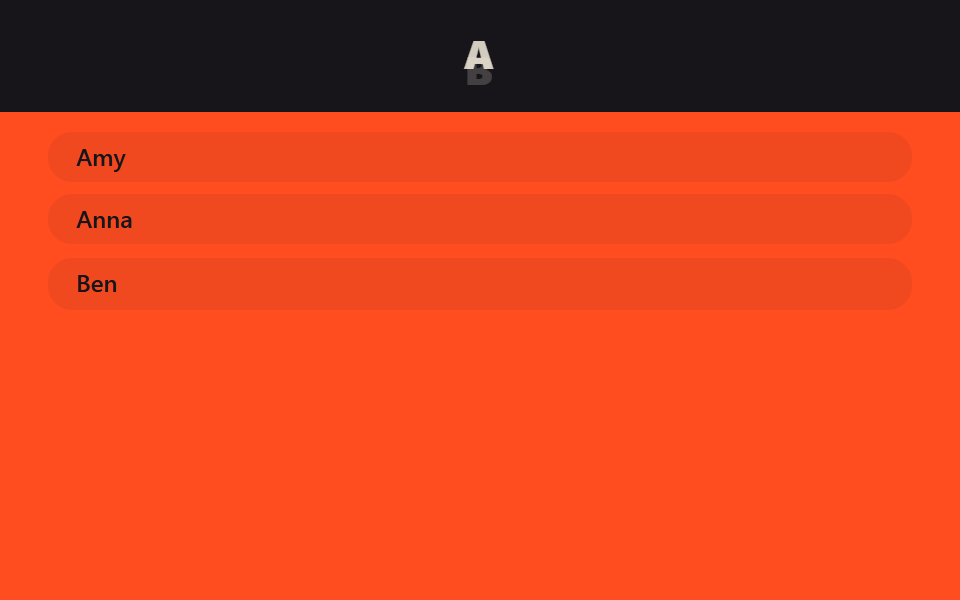
While scrolling a long list, the header slot shows only the title of the section currently passing, swapping the instant the next one starts.
Best forAlphabetized lists like contacts or glossaries, long FAQ pages
IntersectionObserver센티넬 요소제목 교체
<main class="stage">
  <header class="head is-demo">
    <span class="head__label head__label--a">A</span>
    <span class="head__label head__label--b">B</span>
  </header>
  <div class="list">
    <p class="list__sentinel" data-label="A"></p>
    <p class="list__row">Amy</p>
    <p class="list__row">Anna</p>
    <p class="list__sentinel" data-label="B"></p>
    <p class="list__row">Ben</p>
  </div>
</main>
@use "../../../../site/static/demo-tokens" as *;
// ── 변수 3개 ──────────────────────────────────────────
$duration: $dur-quick; // 제목이 교체되는 시간
$easing: $ease-out;
$color: $stage-orange; // 헤더 배경
// ── 데모 무대 ──────────────────────────────────────────
html, body { margin: 0; overflow: hidden; }
.stage {
min-height: 100vh;
margin: 0;
background: $stage-orange;
font-family: -apple-system, "Segoe UI", "Noto Sans KR", sans-serif;
}
.head {
position: sticky;
top: 0;
height: 56px;
display: grid;
place-items: center;
background: $subject-ink;
overflow: hidden;
// 두 라벨을 겹쳐 두고 opacity + translateY 로 교체한다
&__label {
grid-area: 1 / 1;
color: $subject-cream;
font-weight: 800;
font-size: 20px;
line-height: 1;
font-family: inherit;
letter-spacing: .06em;
opacity: 0;
transform: translateY(8px);
transition: opacity $duration $easing, transform $duration $easing;
}
&__label.is-current { opacity: 1; transform: translateY(0); }
&__label--a.is-current ~ &__label--b { opacity: 0; }
}
// 기본 상태: A 가 보인다
.head__label--a { opacity: 1; transform: translateY(0); }
// ── 데모(.is-demo): A ↔ B 2초 루프로 교체 ─────────────────
.head.is-demo .head__label--a { animation: label-a-loop $dur-loop $easing infinite; }
.head.is-demo .head__label--b { animation: label-b-loop $dur-loop $easing infinite; }
@keyframes label-a-loop {
0%, 20% { opacity: 1; transform: translateY(0); }
45%, 75% { opacity: 0; transform: translateY(-8px); }
95%, 100% { opacity: 1; transform: translateY(0); }
}
@keyframes label-b-loop {
0%, 20% { opacity: 0; transform: translateY(8px); }
45%, 75% { opacity: 1; transform: translateY(0); }
95%, 100% { opacity: 0; transform: translateY(8px); }
}
// ── 목록: 알파벳 구간이 있는 연락처 흉내 (칸이 좁으면 줄인다) ───
.list { padding: clamp(4px, 3vh, 16px) 24px 0; }
.list__sentinel { height: 1px; margin: 0; }
.list__row {
margin: 0 0 clamp(3px, 2vh, 12px);
padding: clamp(3px, 2vh, 10px) 14px;
border-radius: $r-control;
background: rgba($subject-ink, .06);
color: $subject-ink;
font-weight: 600;
font-size: 12px;
line-height: 1.1;
font-family: inherit;
}
@media (prefers-reduced-motion: reduce) {
.head__label { transition: none; }
.head.is-demo .head__label--a, .head.is-demo .head__label--b { animation: none !important; }
}html, body {
margin: 0;
overflow: hidden;
}
.stage {
min-height: 100vh;
margin: 0;
background: #ff4d1f;
font-family: -apple-system, "Segoe UI", "Noto Sans KR", sans-serif;
}
.head {
position: sticky;
top: 0;
height: 56px;
display: grid;
place-items: center;
background: #17141a;
overflow: hidden;
}
.head__label {
grid-area: 1/1;
color: #fff7e6;
font-weight: 800;
font-size: 20px;
line-height: 1;
font-family: inherit;
letter-spacing: 0.06em;
opacity: 0;
transform: translateY(8px);
transition: opacity 220ms ease-out, transform 220ms ease-out;
}
.head__label.is-current {
opacity: 1;
transform: translateY(0);
}
.head__label--a.is-current ~ .head__label--b {
opacity: 0;
}
.head__label--a {
opacity: 1;
transform: translateY(0);
}
.head.is-demo .head__label--a {
animation: label-a-loop 2s ease-out infinite;
}
.head.is-demo .head__label--b {
animation: label-b-loop 2s ease-out infinite;
}
@keyframes label-a-loop {
0%, 20% {
opacity: 1;
transform: translateY(0);
}
45%, 75% {
opacity: 0;
transform: translateY(-8px);
}
95%, 100% {
opacity: 1;
transform: translateY(0);
}
}
@keyframes label-b-loop {
0%, 20% {
opacity: 0;
transform: translateY(8px);
}
45%, 75% {
opacity: 1;
transform: translateY(0);
}
95%, 100% {
opacity: 0;
transform: translateY(8px);
}
}
.list {
padding: clamp(4px, 3vh, 16px) 24px 0;
}
.list__sentinel {
height: 1px;
margin: 0;
}
.list__row {
margin: 0 0 clamp(3px, 2vh, 12px);
padding: clamp(3px, 2vh, 10px) 14px;
border-radius: 12px;
background: rgba(23, 20, 26, 0.06);
color: #17141a;
font-weight: 600;
font-size: 12px;
line-height: 1.1;
font-family: inherit;
}
@media (prefers-reduced-motion: reduce) {
.head__label {
transition: none;
}
.head.is-demo .head__label--a, .head.is-demo .head__label--b {
animation: none !important;
}
}// 실제 페이지: 지금 통과 중인 구간 센티넬의 글자를 헤더 라벨에 올린다 (IntersectionObserver, 7줄)
var labels = document.querySelectorAll('.head__label');
document.querySelectorAll('.list__sentinel').forEach(function (s) {
new IntersectionObserver(function (es) {
if (es[0].isIntersecting) labels.forEach(function (l) { l.classList.toggle('is-current', l.textContent === s.dataset.label); });
}, { rootMargin: '-56px 0px -80% 0px' }).observe(s);
});import { useEffect, useRef, useState } from "react";
import type { CSSProperties } from "react";
import styles from "./SectionTitleHeader.module.scss";
export type SectionTitleHeaderProps = {
/** 구간 이름과, 그 구간이 시작하는 지점의 센티넬 ref */
sections: { label: string; sentinelRef: { current: HTMLElement | null } }[];
duration?: number;
easing?: string;
};
type Vars = CSSProperties & { "--duration"?: string; "--easing"?: string };
export default function SectionTitleHeader({ sections, duration = 220, easing = "ease-out" }: SectionTitleHeaderProps) {
const [current, setCurrent] = useState(sections[0]?.label ?? "");
const vars: Vars = { "--duration": `${duration}ms`, "--easing": easing };
const observers = useRef<IntersectionObserver[]>([]);
useEffect(() => {
observers.current = sections.map(({ label, sentinelRef }) => {
const io = new IntersectionObserver(
([e]) => { if (e.isIntersecting) setCurrent(label); },
{ rootMargin: "-56px 0px -80% 0px" }
);
if (sentinelRef.current) io.observe(sentinelRef.current);
return io;
});
return () => observers.current?.forEach((io) => io.disconnect());
}, [sections]);
return (
<header className={styles.head} style={vars}>
<span key={current} className={styles.label}>{current}</span>
</header>
);
}07 Sticky current section title — Measured area 0.241% · moving frames 12/23Original by GODRICH · SCSS and React ship in the zip · 9 CSS Sticky Header Effects — No JS, Scroll-Driven
The post this demo lives in
 9 CSS Sticky Header Effects — No JS, Scroll-DrivenA css sticky header is a header pinned with position: sticky so it locks to the top of the viewport once the page scroll See all demos in this post