07Countdown checksum
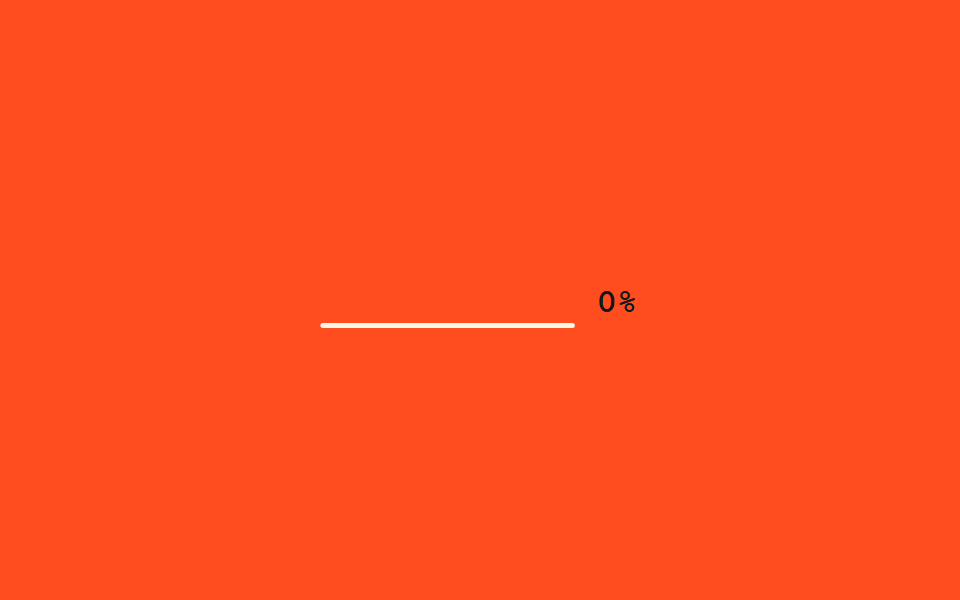
The heading starts as a row of underscores; as a percentage counter next to it climbs, letters fill in one by one from the left, each popping slightly into place.
Best forFile-verification or checksum screens, onboarding progress-step titles
JS 10줄content 채우기scale pop
<main class="stage">
  <p class="cc-row">
    <span class="cc-text" aria-live="polite">
      <span class="cc-c">V</span><span class="cc-c">E</span><span class="cc-c">R</span><span class="cc-c">I</span><span class="cc-c">F</span><span class="cc-c">I</span><span class="cc-c">E</span><span class="cc-c">D</span>
    </span>
    <span class="cc-pct">0%</span>
  </p>
</main>
@use "../../../../site/static/demo-tokens" as *;
// ── 변수 3개 ──────────────────────────────────────────
$duration: $dur-loop;
$easing: $ease-pop;
$color: $subject-cream;
@include stage($stage-orange);
.cc-row {
margin: 0;
display: flex;
flex-wrap: wrap;
justify-content: center;
align-items: baseline;
gap: $sp-3;
}
.cc-text {
display: inline-flex;
gap: 0;
font: 800 clamp(18px, 6vw, 26px)/1.2 "Space Mono", "Courier New", monospace;
color: $color;
}
.cc-c { display: inline-block; min-width: 1ch; }
.cc-c.cc-pop { animation: cc-pop $easing 220ms; }
.cc-pct {
font: 700 clamp(13px, 4vw, 17px)/1 "Space Mono", "Courier New", monospace;
color: $subject-ink; // 주황 무대 위 % 글자 — AA 4.5 (크림+opacity .8 은 2.45:1 이었다)
}
@keyframes cc-pop {
0% { transform: scale(1.6); }
100% { transform: scale(1); }
}
// 이 데모는 CSS keyframes 가 아니라 짧은 JS 로 밑줄을 글자로 채운다 —
// reduced-motion 은 스크립트 안의 matchMedia 체크로 처리한다 (index.html 참고)
@media (prefers-reduced-motion: reduce) {
.cc-c, .cc-pct { color: $color; }
}html, body {
margin: 0;
overflow: hidden;
}
.stage {
box-sizing: border-box;
min-height: 100vh;
display: grid;
place-items: center;
margin: 0;
background: #ff4d1f;
font-family: -apple-system, "Segoe UI", "Noto Sans KR", sans-serif;
padding: clamp(8px, 4vw, 24px);
}
.cc-row {
margin: 0;
display: flex;
flex-wrap: wrap;
justify-content: center;
align-items: baseline;
gap: 12px;
}
.cc-text {
display: inline-flex;
gap: 0;
font: 800 clamp(18px, 6vw, 26px)/1.2 "Space Mono", "Courier New", monospace;
color: #fff7e6;
}
.cc-c {
display: inline-block;
min-width: 1ch;
}
.cc-c.cc-pop {
animation: cc-pop cubic-bezier(0.2, 1.4, 0.4, 1) 220ms;
}
.cc-pct {
font: 700 clamp(13px, 4vw, 17px)/1 "Space Mono", "Courier New", monospace;
color: #17141a;
}
@keyframes cc-pop {
0% {
transform: scale(1.6);
}
100% {
transform: scale(1);
}
}
@media (prefers-reduced-motion: reduce) {
.cc-c, .cc-pct {
color: #fff7e6;
}
}var target = "VERIFIED";
var spans = document.querySelectorAll(".cc-c");
var pct = document.querySelector(".cc-pct");
var reduced = window.matchMedia("(prefers-reduced-motion: reduce)").matches;
var n = 0;
setInterval(function () {
n++;
var filled = reduced ? target.length : Math.min(target.length, Math.floor((n % 50) / 5));
spans.forEach(function (s, i) {
s.textContent = i < filled ? target[i] : "_";
s.classList.toggle("cc-pop", i === filled - 1);
});
pct.textContent = Math.round(filled / target.length * 100) + "%";
}, 90);import { useEffect, useRef, useState } from "react";
import styles from "./CountdownChecksum.module.scss";
export interface CountdownChecksumProps {
text?: string;
interval?: number;
}
// 실사용: 뷰포트에 들어오면 밑줄이 진행률에 맞춰 왼쪽부터 글자로 채워진다. 다 채우면 멈춘다.
export default function CountdownChecksum({ text = "VERIFIED", interval = 90 }: CountdownChecksumProps) {
const ref = useRef<HTMLParagraphElement>(null);
const [filled, setFilled] = useState(0);
useEffect(() => {
const el = ref.current;
if (!el) return;
let timer: ReturnType<typeof setInterval> | null = null;
const io = new IntersectionObserver((entries) => {
entries.forEach((entry) => {
if (!entry.isIntersecting || timer) return;
io.unobserve(entry.target);
const reduced = window.matchMedia("(prefers-reduced-motion: reduce)").matches;
if (reduced) { setFilled(text.length); return; }
timer = setInterval(() => {
setFilled((f) => {
const next = f + 1;
if (next >= text.length && timer) { clearInterval(timer); timer = null; }
return Math.min(text.length, next);
});
}, interval);
});
}, { threshold: 0.3 });
io.observe(el);
return () => { io.disconnect(); if (timer) clearInterval(timer); };
}, [text, interval]);
return (
<p ref={ref} className={styles.row} aria-live="polite">
<span className={styles.text}>
{text.split("").map((ch, i) => (
<span key={i} className={i === filled - 1 ? styles.pop : undefined}>{i < filled ? ch : "_"}</span>
))}
</span>
<span className={styles.pct}>{Math.round((filled / text.length) * 100)}%</span>
</p>
);
}07 Countdown checksum — Measured area 1.409% · moving frames 16/23Original by GODRICH · SCSS and React ship in the zip · 9 CSS Text Reveal Effects — Hex, Cipher, Radar
The post this demo lives in
 9 CSS Text Reveal Effects — Hex, Cipher, RadarA css text reveal effect is a short animation for text appearing on screen, ready to paste in with no coding needed. All See all demos in this post