04Icon magnify wave
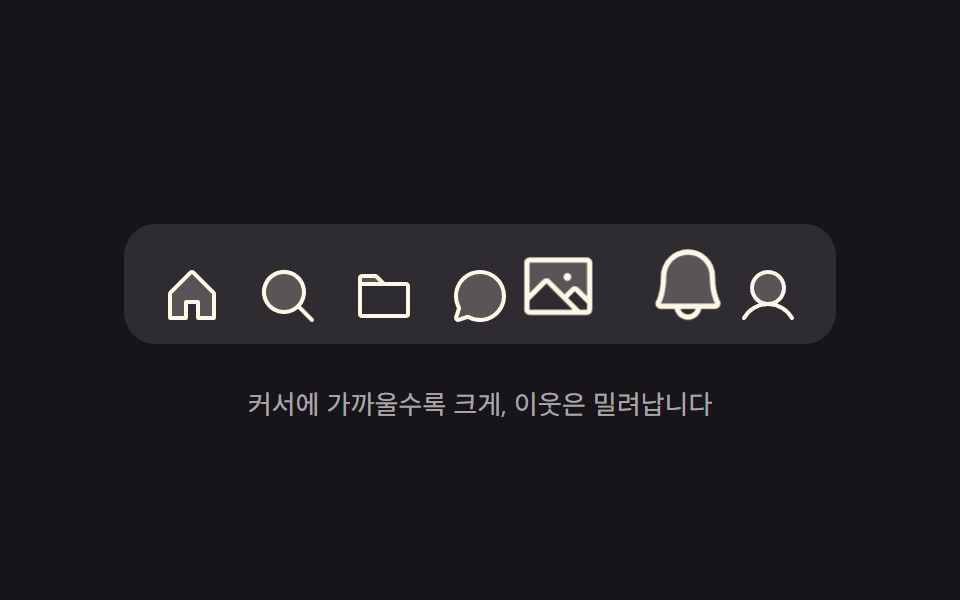
The icon closest to the pointer swells the most, neighbors step down in size with distance, and the swollen icons push the row aside to make room.
Best forToolbars and bookmark trays packed with icons, where an imprecise pointer must still land easily
@propertyscalepointermove
<main class="stage">
  <div class="mg is-demo" id="mg">
    <nav class="mg__dock" id="mg-dock" aria-label="Main menu">
      <button class="mg__btn" type="button" aria-label="Home">
        <svg xmlns="http://www.w3.org/2000/svg" viewBox="0 0 256 256" aria-hidden="true"><g fill="currentColor"><path d="M216 120v96h-64v-64h-48v64H40v-96a8 8 0 0 1 2.34-5.66l80-80a8 8 0 0 1 11.32 0l80 80A8 8 0 0 1 216 120" opacity=".2"/><path d="m219.31 108.68l-80-80a16 16 0 0 0-22.62 0l-80 80A15.87 15.87 0 0 0 32 120v96a8 8 0 0 0 8 8h64a8 8 0 0 0 8-8v-56h32v56a8 8 0 0 0 8 8h64a8 8 0 0 0 8-8v-96a15.87 15.87 0 0 0-4.69-11.32M208 208h-48v-56a8 8 0 0 0-8-8h-48a8 8 0 0 0-8 8v56H48v-88l80-80l80 80Z"/></g></svg>
      </button>
      <button class="mg__btn" type="button" aria-label="Search">
        <svg xmlns="http://www.w3.org/2000/svg" viewBox="0 0 256 256" aria-hidden="true"><g fill="currentColor"><path d="M192 112a80 80 0 1 1-80-80a80 80 0 0 1 80 80" opacity=".2"/><path d="m229.66 218.34l-50.06-50.06a88.21 88.21 0 1 0-11.32 11.31l50.06 50.07a8 8 0 0 0 11.32-11.32M40 112a72 72 0 1 1 72 72a72.08 72.08 0 0 1-72-72"/></g></svg>
      </button>
      <button class="mg__btn" type="button" aria-label="Files">
        <svg xmlns="http://www.w3.org/2000/svg" viewBox="0 0 256 256" aria-hidden="true"><g fill="currentColor"><path d="M128 80H32V56a8 8 0 0 1 8-8h52.69a8 8 0 0 1 5.65 2.34Z" opacity=".2"/><path d="M216 72h-84.69L104 44.69A15.86 15.86 0 0 0 92.69 40H40a16 16 0 0 0-16 16v144.62A15.4 15.4 0 0 0 39.38 216h177.51A15.13 15.13 0 0 0 232 200.89V88a16 16 0 0 0-16-16M92.69 56l16 16H40V56ZM216 200H40V88h176Z"/></g></svg>
      </button>
      <button class="mg__btn" type="button" aria-label="Chat">
        <svg xmlns="http://www.w3.org/2000/svg" viewBox="0 0 256 256" aria-hidden="true"><g fill="currentColor"><path d="M224 128a96 96 0 0 1-144.07 83.11l-37.39 12.47a8 8 0 0 1-10.12-10.12l12.47-37.39A96 96 0 1 1 224 128" opacity=".2"/><path d="M128 24a104 104 0 0 0-91.82 152.88l-11.35 34.05a16 16 0 0 0 20.24 20.24l34.05-11.35A104 104 0 1 0 128 24m0 192a87.87 87.87 0 0 1-44.06-11.81a8 8 0 0 0-6.54-.67L40 216l12.47-37.4a8 8 0 0 0-.66-6.54A88 88 0 1 1 128 216"/></g></svg>
      </button>
      <button class="mg__btn" type="button" aria-label="Photos">
        <svg xmlns="http://www.w3.org/2000/svg" viewBox="0 0 256 256" aria-hidden="true"><g fill="currentColor"><path d="M224 56v122.06l-39.72-39.72a8 8 0 0 0-11.31 0L147.31 164l-49.65-49.66a8 8 0 0 0-11.32 0L32 168.69V56a8 8 0 0 1 8-8h176a8 8 0 0 1 8 8" opacity=".2"/><path d="M216 40H40a16 16 0 0 0-16 16v144a16 16 0 0 0 16 16h176a16 16 0 0 0 16-16V56a16 16 0 0 0-16-16m0 16v102.75l-26.07-26.06a16 16 0 0 0-22.63 0l-20 20l-44-44a16 16 0 0 0-22.62 0L40 149.37V56ZM40 172l52-52l80 80H40Zm176 28h-21.37l-36-36l20-20L216 181.38zm-72-100a12 12 0 1 1 12 12a12 12 0 0 1-12-12"/></g></svg>
      </button>
      <button class="mg__btn" type="button" aria-label="Alerts">
        <svg xmlns="http://www.w3.org/2000/svg" viewBox="0 0 256 256" aria-hidden="true"><g fill="currentColor"><path d="M208 192H48a8 8 0 0 1-6.88-12C47.71 168.6 56 139.81 56 104a72 72 0 0 1 144 0c0 35.82 8.3 64.6 14.9 76a8 8 0 0 1-6.9 12" opacity=".2"/><path d="M221.8 175.94c-5.55-9.56-13.8-36.61-13.8-71.94a80 80 0 1 0-160 0c0 35.34-8.26 62.38-13.81 71.94A16 16 0 0 0 48 200h40.81a40 40 0 0 0 78.38 0H208a16 16 0 0 0 13.8-24.06M128 216a24 24 0 0 1-22.62-16h45.24A24 24 0 0 1 128 216m-80-32c7.7-13.24 16-43.92 16-80a64 64 0 1 1 128 0c0 36.05 8.28 66.73 16 80Z"/></g></svg>
      </button>
      <button class="mg__btn" type="button" aria-label="Profile">
        <svg xmlns="http://www.w3.org/2000/svg" viewBox="0 0 256 256" aria-hidden="true"><g fill="currentColor"><path d="M192 96a64 64 0 1 1-64-64a64 64 0 0 1 64 64" opacity=".2"/><path d="M230.92 212c-15.23-26.33-38.7-45.21-66.09-54.16a72 72 0 1 0-73.66 0c-27.39 8.94-50.86 27.82-66.09 54.16a8 8 0 1 0 13.85 8c18.84-32.56 52.14-52 89.07-52s70.23 19.44 89.07 52a8 8 0 1 0 13.85-8M72 96a56 56 0 1 1 56 56a56.06 56.06 0 0 1-56-56"/></g></svg>
      </button>
    </nav>
    <p class="mg__cap">Closer to the pointer means bigger; neighbors get pushed aside</p>
  </div>
</main>@use "../../../../site/static/demo-tokens" as *;
$duration: $dur-instant;
$easing: $ease-spring;
$color: $subject-cream;
@include stage($stage-ink);
// 등록해야 배율·밀림이 수로 보간된다 — 등록 안 하면 문자열이라 중간값이 없다
@property --s {
syntax: "<number>";
inherits: false;
initial-value: 1;
}
@property --x {
syntax: "<length>";
inherits: false;
initial-value: 0px;
}
.mg {
display: flex;
flex-direction: column;
align-items: center;
gap: $sp-5;
// 아이콘이 위로 부풀어 오르는 만큼 위쪽 자리를 비워 둔다
padding-top: $sp-6;
}
.mg__dock {
display: flex;
align-items: flex-end;
gap: $sp-1;
padding: $sp-2 $sp-3;
border-radius: $r-card;
background: rgba(255, 255, 255, .1);
}
.mg__btn {
--s: 1;
--x: 0px;
flex: 0 0 auto;
width: 44px;
height: 44px;
display: grid;
place-items: end center;
padding: 0;
border: 0;
background: none;
color: $color;
cursor: pointer;
transform: translateX(var(--x));
transition: transform $duration linear;
}
.mg__btn:focus-visible { outline: 2px solid $subject-sky; outline-offset: 2px; border-radius: $r-xs; }
.mg__btn svg {
width: 32px;
height: 32px;
display: block;
transform-origin: bottom center; // 규칙8: 독 바닥서 위로 커짐
scale: var(--s);
transition: scale $duration linear;
}
.mg__cap {
margin: 0;
font-size: 13px;
line-height: 1.5;
color: rgba(255, 255, 255, .62);
}
/* 자동 재생 — 물결이 왼쪽에서 오른쪽으로 지나간다. 지연은 개별 속성으로 */
.is-demo .mg__btn {
animation-name: mg-push;
animation-duration: 2s;
animation-timing-function: $ease-spring;
animation-iteration-count: infinite;
}
.is-demo .mg__btn svg {
animation-name: mg-swell;
animation-duration: 2s;
animation-timing-function: $ease-spring;
animation-iteration-count: infinite;
}
.is-demo .mg__btn:nth-child(2),
.is-demo .mg__btn:nth-child(2) svg { animation-delay: .2s; }
.is-demo .mg__btn:nth-child(3),
.is-demo .mg__btn:nth-child(3) svg { animation-delay: .4s; }
.is-demo .mg__btn:nth-child(4),
.is-demo .mg__btn:nth-child(4) svg { animation-delay: .6s; }
.is-demo .mg__btn:nth-child(5),
.is-demo .mg__btn:nth-child(5) svg { animation-delay: .8s; }
.is-demo .mg__btn:nth-child(6),
.is-demo .mg__btn:nth-child(6) svg { animation-delay: 1s; }
.is-demo .mg__btn:nth-child(7),
.is-demo .mg__btn:nth-child(7) svg { animation-delay: 1.2s; }
@keyframes mg-push {
0% { transform: translateX(0); }
4% { transform: translateX(9px); }
10% { transform: translateX(0); }
16% { transform: translateX(-9px); }
24% { transform: translateX(0); }
100% { transform: translateX(0); }
}
@keyframes mg-swell {
0% { scale: 1; }
4% { scale: 1.3; }
10% { scale: 1.8; }
16% { scale: 1.3; }
24% { scale: 1; }
100% { scale: 1; }
}
@media (max-width: 340px) {
.mg__btn { width: 36px; height: 36px; }
.mg__btn svg { width: 26px; height: 26px; }
.mg__dock { padding: $sp-2; }
}
@media (prefers-reduced-motion: reduce) {
.is-demo .mg__btn,
.is-demo .mg__btn svg { animation-name: none; }
.mg__btn,
.mg__btn svg { transition: none; }
}@charset "UTF-8";
html, body {
margin: 0;
overflow: hidden;
}
.stage {
box-sizing: border-box;
min-height: 100vh;
display: grid;
place-items: center;
margin: 0;
background: #17141a;
font-family: -apple-system, "Segoe UI", "Noto Sans KR", sans-serif;
padding: clamp(8px, 4vw, 24px);
}
@property --s {
syntax: "<number>";
inherits: false;
initial-value: 1;
}
@property --x {
syntax: "<length>";
inherits: false;
initial-value: 0px;
}
.mg {
display: flex;
flex-direction: column;
align-items: center;
gap: 20px;
padding-top: 24px;
}
.mg__dock {
display: flex;
align-items: flex-end;
gap: 4px;
padding: 8px 12px;
border-radius: 16px;
background: rgba(255, 255, 255, 0.1);
}
.mg__btn {
--s: 1;
--x: 0px;
flex: 0 0 auto;
width: 44px;
height: 44px;
display: grid;
place-items: end center;
padding: 0;
border: 0;
background: none;
color: #fff7e6;
cursor: pointer;
transform: translateX(var(--x));
transition: transform 140ms linear;
}
.mg__btn:focus-visible {
outline: 2px solid #6ec8ff;
outline-offset: 2px;
border-radius: 4px;
}
.mg__btn svg {
width: 32px;
height: 32px;
display: block;
transform-origin: bottom center;
scale: var(--s);
transition: scale 140ms linear;
}
.mg__cap {
margin: 0;
font-size: 13px;
line-height: 1.5;
color: rgba(255, 255, 255, 0.62);
}
/* 자동 재생 — 물결이 왼쪽에서 오른쪽으로 지나간다. 지연은 개별 속성으로 */
.is-demo .mg__btn {
animation-name: mg-push;
animation-duration: 2s;
animation-timing-function: cubic-bezier(0.2, 0.8, 0.2, 1);
animation-iteration-count: infinite;
}
.is-demo .mg__btn svg {
animation-name: mg-swell;
animation-duration: 2s;
animation-timing-function: cubic-bezier(0.2, 0.8, 0.2, 1);
animation-iteration-count: infinite;
}
.is-demo .mg__btn:nth-child(2),
.is-demo .mg__btn:nth-child(2) svg {
animation-delay: 0.2s;
}
.is-demo .mg__btn:nth-child(3),
.is-demo .mg__btn:nth-child(3) svg {
animation-delay: 0.4s;
}
.is-demo .mg__btn:nth-child(4),
.is-demo .mg__btn:nth-child(4) svg {
animation-delay: 0.6s;
}
.is-demo .mg__btn:nth-child(5),
.is-demo .mg__btn:nth-child(5) svg {
animation-delay: 0.8s;
}
.is-demo .mg__btn:nth-child(6),
.is-demo .mg__btn:nth-child(6) svg {
animation-delay: 1s;
}
.is-demo .mg__btn:nth-child(7),
.is-demo .mg__btn:nth-child(7) svg {
animation-delay: 1.2s;
}
@keyframes mg-push {
0% {
transform: translateX(0);
}
4% {
transform: translateX(9px);
}
10% {
transform: translateX(0);
}
16% {
transform: translateX(-9px);
}
24% {
transform: translateX(0);
}
100% {
transform: translateX(0);
}
}
@keyframes mg-swell {
0% {
scale: 1;
}
4% {
scale: 1.3;
}
10% {
scale: 1.8;
}
16% {
scale: 1.3;
}
24% {
scale: 1;
}
100% {
scale: 1;
}
}
@media (max-width: 340px) {
.mg__btn {
width: 36px;
height: 36px;
}
.mg__btn svg {
width: 26px;
height: 26px;
}
.mg__dock {
padding: 8px;
}
}
@media (prefers-reduced-motion: reduce) {
.is-demo .mg__btn,
.is-demo .mg__btn svg {
animation-name: none;
}
.mg__btn,
.mg__btn svg {
transition: none;
}
}// 실제 동작: 포인터 x → 아이콘마다 중심 거리 d 를 재고, 거리에 따라 배율을 준다.
// 이웃 밀림은 배율이 만든 폭 증가분의 절반씩을 누적해 좌우로 나눠 주는 계산.
var root = document.getElementById('mg');
var dock = document.getElementById('mg-dock');
var btns = Array.prototype.slice.call(dock.querySelectorAll('.mg__btn'));
var W = 44, RANGE = 90, MAX = 0.8;
function wave(x) {
var s = btns.map(function (b) {
var c = b.offsetLeft + W / 2;
var t = Math.max(0, 1 - Math.abs(x - c) / RANGE);
return 1 + MAX * t * t;
});
var grown = s.map(function (v) { return (v - 1) * W; });
var total = grown.reduce(function (a, b) { return a + b; }, 0);
var before = 0;
btns.forEach(function (b, i) {
// 내 앞 아이콘들이 불어난 폭 + 내가 불어난 폭의 절반 − 전체의 절반(줄 중심 유지)
b.style.setProperty('--s', s[i].toFixed(3));
b.style.setProperty('--x', (before + grown[i] / 2 - total / 2).toFixed(1) + 'px');
before += grown[i];
});
}
function rest() { btns.forEach(function (b) { b.style.setProperty('--s', 1); b.style.setProperty('--x', '0px'); }); }
dock.addEventListener('pointermove', function (e) {
root.classList.remove('is-demo');
wave(e.clientX - dock.getBoundingClientRect().left);
});
dock.addEventListener('pointerleave', rest);import { useRef, useState } from "react";
import type { CSSProperties } from "react";
import styles from "./MagnifyWaveDock.module.scss";
export type MagnifyWaveDockProps = {
duration?: number;
easing?: string;
color?: string;
};
type PEvt = { clientX: number };
type Vars = CSSProperties & { "--duration"?: string; "--easing"?: string; "--color"?: string };
type BtnVars = CSSProperties & { "--s"?: string; "--x"?: string };
/** 아이콘 하나의 배율(s)과 좌우 밀림(x, px) */
type Wave = { s: number; x: number };
/** 아이콘 폭 · 물결이 닿는 거리 · 최대 추가 배율 — vanilla 와 같은 값 */
const W = 44;
const RANGE = 90;
const MAX = 0.8;
const ITEMS = [
{
label: "Home",
icon: (
<svg xmlns="http://www.w3.org/2000/svg" viewBox="0 0 256 256" aria-hidden="true"><g fill="currentColor"><path d="M216 120v96h-64v-64h-48v64H40v-96a8 8 0 0 1 2.34-5.66l80-80a8 8 0 0 1 11.32 0l80 80A8 8 0 0 1 216 120" opacity=".2" /><path d="m219.31 108.68l-80-80a16 16 0 0 0-22.62 0l-80 80A15.87 15.87 0 0 0 32 120v96a8 8 0 0 0 8 8h64a8 8 0 0 0 8-8v-56h32v56a8 8 0 0 0 8 8h64a8 8 0 0 0 8-8v-96a15.87 15.87 0 0 0-4.69-11.32M208 208h-48v-56a8 8 0 0 0-8-8h-48a8 8 0 0 0-8 8v56H48v-88l80-80l80 80Z" /></g></svg>
),
},
{
label: "Search",
icon: (
<svg xmlns="http://www.w3.org/2000/svg" viewBox="0 0 256 256" aria-hidden="true"><g fill="currentColor"><path d="M192 112a80 80 0 1 1-80-80a80 80 0 0 1 80 80" opacity=".2" /><path d="m229.66 218.34l-50.06-50.06a88.21 88.21 0 1 0-11.32 11.31l50.06 50.07a8 8 0 0 0 11.32-11.32M40 112a72 72 0 1 1 72 72a72.08 72.08 0 0 1-72-72" /></g></svg>
),
},
{
label: "Files",
icon: (
<svg xmlns="http://www.w3.org/2000/svg" viewBox="0 0 256 256" aria-hidden="true"><g fill="currentColor"><path d="M128 80H32V56a8 8 0 0 1 8-8h52.69a8 8 0 0 1 5.65 2.34Z" opacity=".2" /><path d="M216 72h-84.69L104 44.69A15.86 15.86 0 0 0 92.69 40H40a16 16 0 0 0-16 16v144.62A15.4 15.4 0 0 0 39.38 216h177.51A15.13 15.13 0 0 0 232 200.89V88a16 16 0 0 0-16-16M92.69 56l16 16H40V56ZM216 200H40V88h176Z" /></g></svg>
),
},
{
label: "Chat",
icon: (
<svg xmlns="http://www.w3.org/2000/svg" viewBox="0 0 256 256" aria-hidden="true"><g fill="currentColor"><path d="M224 128a96 96 0 0 1-144.07 83.11l-37.39 12.47a8 8 0 0 1-10.12-10.12l12.47-37.39A96 96 0 1 1 224 128" opacity=".2" /><path d="M128 24a104 104 0 0 0-91.82 152.88l-11.35 34.05a16 16 0 0 0 20.24 20.24l34.05-11.35A104 104 0 1 0 128 24m0 192a87.87 87.87 0 0 1-44.06-11.81a8 8 0 0 0-6.54-.67L40 216l12.47-37.4a8 8 0 0 0-.66-6.54A88 88 0 1 1 128 216" /></g></svg>
),
},
{
label: "Photos",
icon: (
<svg xmlns="http://www.w3.org/2000/svg" viewBox="0 0 256 256" aria-hidden="true"><g fill="currentColor"><path d="M224 56v122.06l-39.72-39.72a8 8 0 0 0-11.31 0L147.31 164l-49.65-49.66a8 8 0 0 0-11.32 0L32 168.69V56a8 8 0 0 1 8-8h176a8 8 0 0 1 8 8" opacity=".2" /><path d="M216 40H40a16 16 0 0 0-16 16v144a16 16 0 0 0 16 16h176a16 16 0 0 0 16-16V56a16 16 0 0 0-16-16m0 16v102.75l-26.07-26.06a16 16 0 0 0-22.63 0l-20 20l-44-44a16 16 0 0 0-22.62 0L40 149.37V56ZM40 172l52-52l80 80H40Zm176 28h-21.37l-36-36l20-20L216 181.38zm-72-100a12 12 0 1 1 12 12a12 12 0 0 1-12-12" /></g></svg>
),
},
{
label: "Alerts",
icon: (
<svg xmlns="http://www.w3.org/2000/svg" viewBox="0 0 256 256" aria-hidden="true"><g fill="currentColor"><path d="M208 192H48a8 8 0 0 1-6.88-12C47.71 168.6 56 139.81 56 104a72 72 0 0 1 144 0c0 35.82 8.3 64.6 14.9 76a8 8 0 0 1-6.9 12" opacity=".2" /><path d="M221.8 175.94c-5.55-9.56-13.8-36.61-13.8-71.94a80 80 0 1 0-160 0c0 35.34-8.26 62.38-13.81 71.94A16 16 0 0 0 48 200h40.81a40 40 0 0 0 78.38 0H208a16 16 0 0 0 13.8-24.06M128 216a24 24 0 0 1-22.62-16h45.24A24 24 0 0 1 128 216m-80-32c7.7-13.24 16-43.92 16-80a64 64 0 1 1 128 0c0 36.05 8.28 66.73 16 80Z" /></g></svg>
),
},
{
label: "Profile",
icon: (
<svg xmlns="http://www.w3.org/2000/svg" viewBox="0 0 256 256" aria-hidden="true"><g fill="currentColor"><path d="M192 96a64 64 0 1 1-64-64a64 64 0 0 1 64 64" opacity=".2" /><path d="M230.92 212c-15.23-26.33-38.7-45.21-66.09-54.16a72 72 0 1 0-73.66 0c-27.39 8.94-50.86 27.82-66.09 54.16a8 8 0 1 0 13.85 8c18.84-32.56 52.14-52 89.07-52s70.23 19.44 89.07 52a8 8 0 1 0 13.85-8M72 96a56 56 0 1 1 56 56a56.06 56.06 0 0 1-56-56" /></g></svg>
),
},
];
const REST: Wave[] = ITEMS.map(function (): Wave { return { s: 1, x: 0 }; });
export default function MagnifyWaveDock({
duration = 140,
easing = "cubic-bezier(.2,.8,.2,1)",
color = "#fff7e6",
}: MagnifyWaveDockProps) {
const dockRef = useRef<HTMLElement>(null);
const [wv, setWv] = useState<Wave[]>(REST);
// 포인터 x → 아이콘마다 중심 거리 d 를 재고, 거리에 따라 배율을 준다.
// 이웃 밀림은 배율이 만든 폭 증가분의 절반씩을 누적해 좌우로 나눠 주는 계산.
function wave(x: number): void {
const dock = dockRef.current;
if (!dock) return;
const btns = Array.from(dock.querySelectorAll("button"));
const s = btns.map(function (b) {
const c = b.offsetLeft + W / 2;
const t = Math.max(0, 1 - Math.abs(x - c) / RANGE);
return 1 + MAX * t * t;
});
const grown = s.map(function (v) { return (v - 1) * W; });
const total = grown.reduce(function (a, b) { return a + b; }, 0);
let before = 0;
const next = s.map(function (v, i): Wave {
// 내 앞 아이콘들이 불어난 폭 + 내가 불어난 폭의 절반 − 전체의 절반(줄 중심 유지)
const w = { s: v, x: before + grown[i] / 2 - total / 2 };
before += grown[i];
return w;
});
setWv(next);
}
function onMove(e: PEvt): void {
const dock = dockRef.current;
if (!dock) return;
wave(e.clientX - dock.getBoundingClientRect().left);
}
function onLeave(): void { setWv(REST); }
const vars: Vars = {
"--duration": `${duration}ms`,
"--easing": easing,
"--color": color,
};
return (
<div className={styles.mg} style={vars}>
<nav
className={styles.dock}
ref={dockRef}
aria-label="Main menu"
onPointerMove={onMove}
onPointerLeave={onLeave}
>
{ITEMS.map(function (it, i) {
const bv: BtnVars = {
"--s": (wv[i] ? wv[i].s : 1).toFixed(3),
"--x": `${(wv[i] ? wv[i].x : 0).toFixed(1)}px`,
};
return (
<button className={styles.btn} type="button" key={it.label} aria-label={it.label} style={bv}>
{it.icon}
</button>
);
})}
</nav>
<p className={styles.cap}>Closer to the pointer means bigger; neighbors get pushed aside</p>
</div>
);
}04 Icon magnify wave — Measured area 9.015% · moving frames 20/23Original by GODRICH · SCSS and React ship in the zip · Mac Dock CSS — 9 Floating Dock Styles, No Library
The post this demo lives in
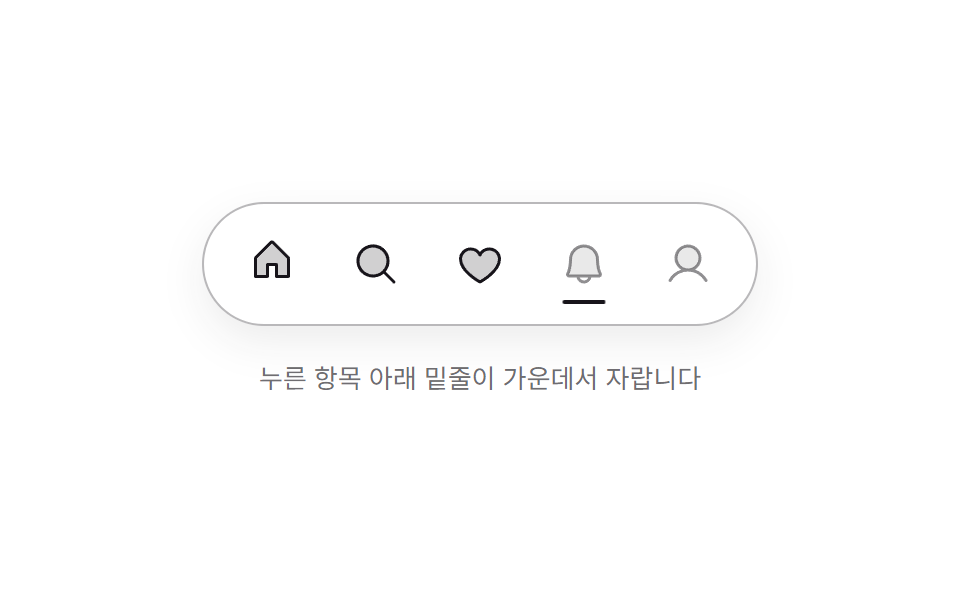 Mac Dock CSS — 9 Floating Dock Styles, No LibraryMac dock CSS is the plain-CSS way to rebuild that floating strip of icons at a screen edge: a short bar, a few icon butt See all demos in this post
If you like this effect - similar demos
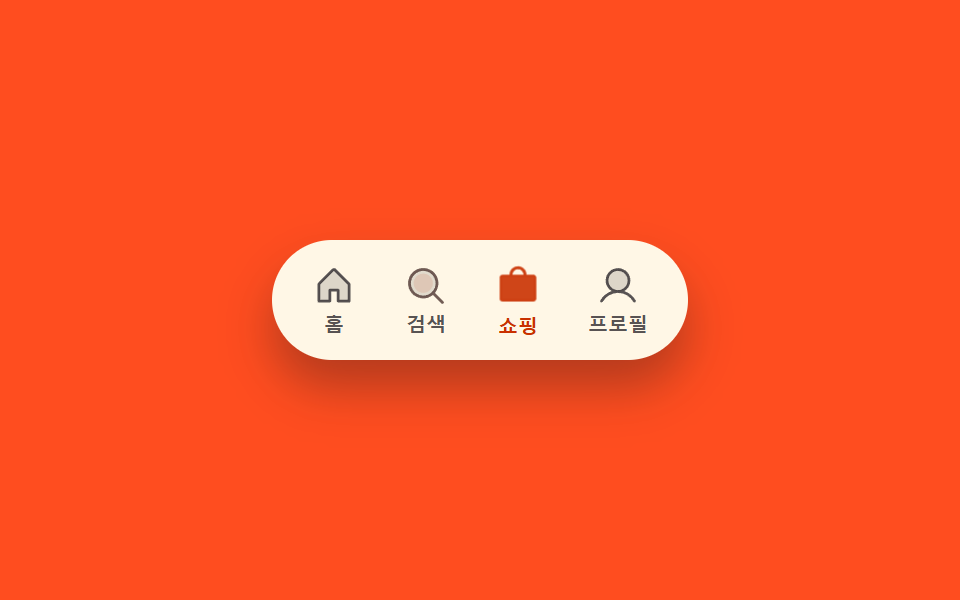 Transitions02 Icon fill-swap toggle — when the selected tab changes, that spot's fill-amount value switches from low to fullCSS Bottom Navigation Bar: 9 Transition Patterns
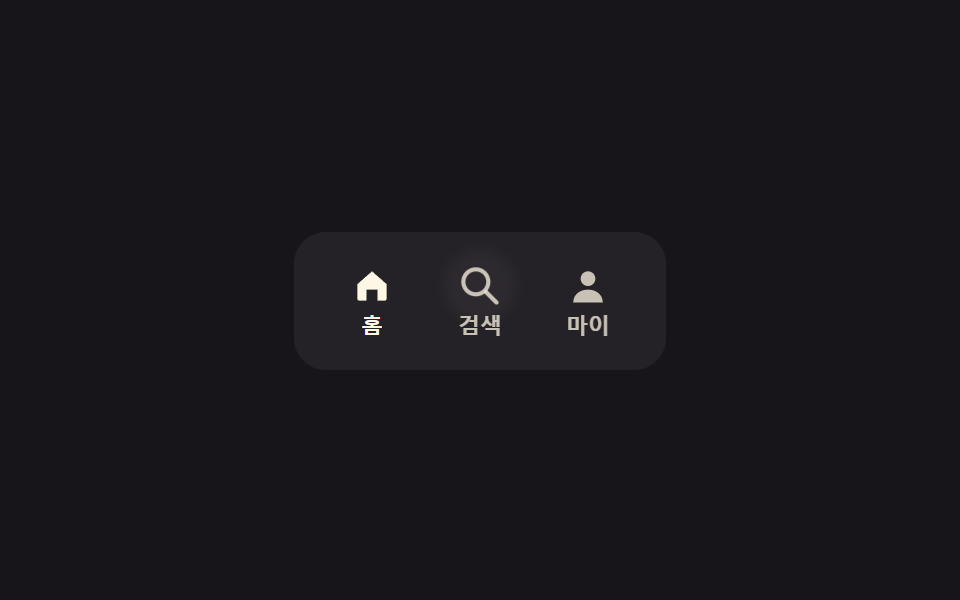 Transitions05 Icon tabs9 CSS Tab Switch Animations — No Library, Pure CSS
 Transitions06 Swipe to dismiss9 CSS Toast Notifications — No Library, Pure CSS