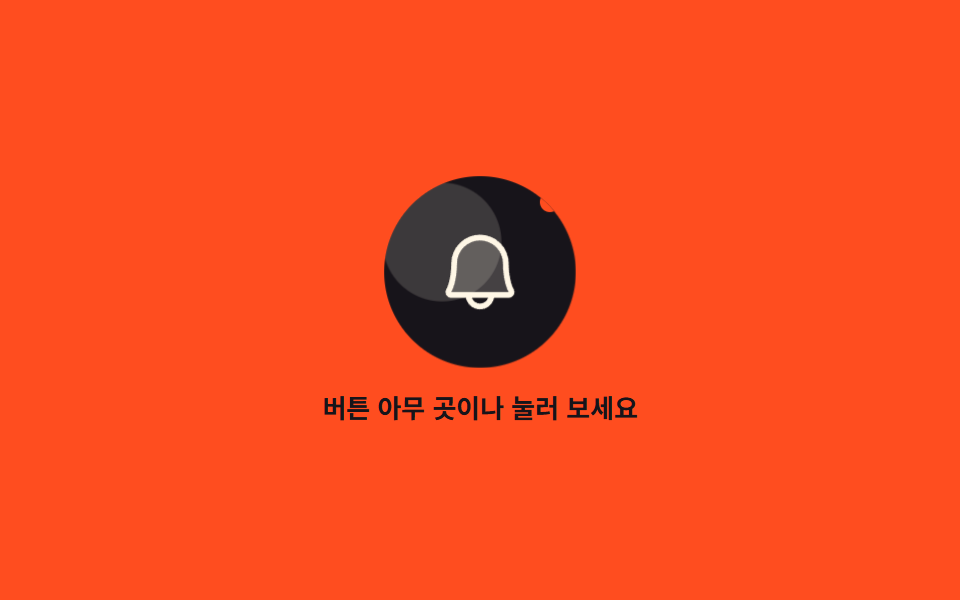
03Icon ripple spreading from the exact press point
Wherever you press, pointerdown reads the point into --x and --y, and a circle grows from that exact spot through scale and fades away.
Best forToolbars crowded with small round buttons for alerts and likes
pointerdown--xscale
<main class="stage">
  <section class="rp is-demo" id="rp" aria-label="An icon button rippling from the press point">
    <button class="rp__btn" type="button" id="rp-btn" aria-label="Open alerts">
      <span class="rp__seed" aria-hidden="true"></span>
      <span class="rp__seed rp__seed--b" aria-hidden="true"></span>
      <span class="rp__ic" aria-hidden="true"><svg viewBox="0 0 256 256" width="1em" height="1em" fill="currentColor"><path d="M208,192H48a8,8,0,0,1-6.88-12C47.71,168.6,56,139.81,56,104a72,72,0,0,1,144,0c0,35.82,8.3,64.6,14.9,76A8,8,0,0,1,208,192Z" opacity=".2"/><path d="M221.8,175.94C216.25,166.38,208,139.33,208,104a80,80,0,1,0-160,0c0,35.34-8.26,62.38-13.81,71.94A16,16,0,0,0,48,200H88.81a40,40,0,0,0,78.38,0H208a16,16,0,0,0,13.8-24.06ZM128,216a24,24,0,0,1-22.62-16h45.24A24,24,0,0,1,128,216ZM48,184c7.7-13.24,16-43.92,16-80a64,64,0,1,1,128,0c0,36.05,8.28,66.73,16,80Z"/></svg></span>
      <span class="rp__dot" aria-hidden="true"></span>
    </button>
    <p class="rp__hint" id="rp-hint">Press anywhere on the button</p>
  </section>
</main>
@use "../../../../site/static/demo-tokens" as *;
// 눌린 자리에서 번지는 아이콘 리플 — 원은 transform · opacity 로만 움직인다
$duration: $dur-base;
$easing: $ease-out;
$color: $subject-cream;
@include stage($stage-orange);
.rp {
display: grid;
justify-items: center;
gap: $sp-3;
font-family: -apple-system, "Segoe UI", "Noto Sans KR", sans-serif;
}
.rp__btn {
position: relative;
display: inline-grid;
place-items: center;
width: 96px;
height: 96px;
margin: 0;
padding: 0;
border: 0;
border-radius: 50%;
background: $subject-ink;
color: $color;
font-size: 46px;
line-height: 1;
cursor: pointer;
overflow: hidden;
transition: transform $dur-instant $ease-pop;
}
.rp__btn:focus-visible { outline: 3px solid $color; outline-offset: 3px; }
.rp__btn:active { transform: scale(.93); }
.rp__ic { display: inline-flex; }
.rp__dot {
position: absolute;
top: $sp-2;
right: $sp-2;
width: 10px;
height: 10px;
border-radius: 50%;
background: $stage-orange;
}
// 눌린 지점에서 퍼지는 원 — 좌표는 --x · --y 로 받고 크기는 scale
.rp__wave,
.rp__seed {
position: absolute;
left: var(--x);
top: var(--y);
width: 16px;
height: 16px;
border-radius: 50%;
background: rgba(255, 247, 230, .5);
transform: translate(-50%, -50%) scale(0);
pointer-events: none;
}
@keyframes rp-grow {
0% { transform: translate(-50%, -50%) scale(0); opacity: .55; }
70% { opacity: .2; }
100% { transform: translate(-50%, -50%) scale(9); opacity: 0; }
}
.rp__wave { animation-name: rp-grow; animation-duration: 600ms; animation-timing-function: $ease-out; animation-iteration-count: 1; }
.rp__hint {
margin: 0;
color: $subject-ink;
font-size: 13px;
font-weight: 700;
line-height: 1.3;
text-align: center;
}
// ── 격자 미리보기 전용 2초 루프: 서로 다른 지점 두 곳에서 번진다 ──
.rp__seed {
--x: 30%;
--y: 34%;
}
.rp__seed.rp__seed--b { --x: 62%; --y: 66%; }
@keyframes rp-seed-a {
0%, 16% { transform: translate(-50%, -50%) scale(0); opacity: 0; }
17% { opacity: .55; }
17.01% { transform: translate(-50%, -50%) scale(0); }
46%, 100% { transform: translate(-50%, -50%) scale(9); opacity: 0; }
}
@keyframes rp-seed-b {
0%, 56% { transform: translate(-50%, -50%) scale(0); opacity: 0; }
57% { opacity: .55; }
57.01% { transform: translate(-50%, -50%) scale(0); }
86%, 100% { transform: translate(-50%, -50%) scale(9); opacity: 0; }
}
@keyframes rp-press {
0%, 15% { transform: scale(1); }
18% { transform: scale(.93); }
26%, 55% { transform: scale(1); }
58% { transform: scale(.93); }
66%, 100% { transform: scale(1); }
}
.rp.is-demo .rp__seed:not(.rp__seed--b) {
animation-name: rp-seed-a;
animation-duration: $dur-loop;
animation-timing-function: $ease-out;
animation-iteration-count: infinite;
}
.rp.is-demo .rp__seed--b {
animation-name: rp-seed-b;
animation-duration: $dur-loop;
animation-timing-function: $ease-out;
animation-iteration-count: infinite;
}
.rp.is-demo .rp__btn {
animation-name: rp-press;
animation-duration: $dur-loop;
animation-timing-function: $easing;
animation-iteration-count: infinite;
}
@media (max-width: 340px) {
.rp__btn { width: 76px; height: 76px; font-size: 36px; }
.rp__hint { font-size: 11px; }
}
@media (prefers-reduced-motion: reduce) {
.rp.is-demo .rp__seed,
.rp.is-demo .rp__btn { animation: none !important; transform: none !important; }
.rp__wave { animation: none !important; opacity: 0 !important; }
.rp__seed { opacity: 0 !important; }
}html, body {
margin: 0;
overflow: hidden;
}
.stage {
box-sizing: border-box;
min-height: 100vh;
display: grid;
place-items: center;
margin: 0;
background: #ff4d1f;
font-family: -apple-system, "Segoe UI", "Noto Sans KR", sans-serif;
padding: clamp(8px, 4vw, 24px);
}
.rp {
display: grid;
justify-items: center;
gap: 12px;
font-family: -apple-system, "Segoe UI", "Noto Sans KR", sans-serif;
}
.rp__btn {
position: relative;
display: inline-grid;
place-items: center;
width: 96px;
height: 96px;
margin: 0;
padding: 0;
border: 0;
border-radius: 50%;
background: #17141a;
color: #fff7e6;
font-size: 46px;
line-height: 1;
cursor: pointer;
overflow: hidden;
transition: transform 140ms cubic-bezier(0.2, 1.4, 0.4, 1);
}
.rp__btn:focus-visible {
outline: 3px solid #fff7e6;
outline-offset: 3px;
}
.rp__btn:active {
transform: scale(0.93);
}
.rp__ic {
display: inline-flex;
}
.rp__dot {
position: absolute;
top: 8px;
right: 8px;
width: 10px;
height: 10px;
border-radius: 50%;
background: #ff4d1f;
}
.rp__wave,
.rp__seed {
position: absolute;
left: var(--x);
top: var(--y);
width: 16px;
height: 16px;
border-radius: 50%;
background: rgba(255, 247, 230, 0.5);
transform: translate(-50%, -50%) scale(0);
pointer-events: none;
}
@keyframes rp-grow {
0% {
transform: translate(-50%, -50%) scale(0);
opacity: 0.55;
}
70% {
opacity: 0.2;
}
100% {
transform: translate(-50%, -50%) scale(9);
opacity: 0;
}
}
.rp__wave {
animation-name: rp-grow;
animation-duration: 600ms;
animation-timing-function: ease-out;
animation-iteration-count: 1;
}
.rp__hint {
margin: 0;
color: #17141a;
font-size: 13px;
font-weight: 700;
line-height: 1.3;
text-align: center;
}
.rp__seed {
--x: 30%;
--y: 34%;
}
.rp__seed.rp__seed--b {
--x: 62%;
--y: 66%;
}
@keyframes rp-seed-a {
0%, 16% {
transform: translate(-50%, -50%) scale(0);
opacity: 0;
}
17% {
opacity: 0.55;
}
17.01% {
transform: translate(-50%, -50%) scale(0);
}
46%, 100% {
transform: translate(-50%, -50%) scale(9);
opacity: 0;
}
}
@keyframes rp-seed-b {
0%, 56% {
transform: translate(-50%, -50%) scale(0);
opacity: 0;
}
57% {
opacity: 0.55;
}
57.01% {
transform: translate(-50%, -50%) scale(0);
}
86%, 100% {
transform: translate(-50%, -50%) scale(9);
opacity: 0;
}
}
@keyframes rp-press {
0%, 15% {
transform: scale(1);
}
18% {
transform: scale(0.93);
}
26%, 55% {
transform: scale(1);
}
58% {
transform: scale(0.93);
}
66%, 100% {
transform: scale(1);
}
}
.rp.is-demo .rp__seed:not(.rp__seed--b) {
animation-name: rp-seed-a;
animation-duration: 2s;
animation-timing-function: ease-out;
animation-iteration-count: infinite;
}
.rp.is-demo .rp__seed--b {
animation-name: rp-seed-b;
animation-duration: 2s;
animation-timing-function: ease-out;
animation-iteration-count: infinite;
}
.rp.is-demo .rp__btn {
animation-name: rp-press;
animation-duration: 2s;
animation-timing-function: ease-out;
animation-iteration-count: infinite;
}
@media (max-width: 340px) {
.rp__btn {
width: 76px;
height: 76px;
font-size: 36px;
}
.rp__hint {
font-size: 11px;
}
}
@media (prefers-reduced-motion: reduce) {
.rp.is-demo .rp__seed,
.rp.is-demo .rp__btn {
animation: none !important;
transform: none !important;
}
.rp__wave {
animation: none !important;
opacity: 0 !important;
}
.rp__seed {
opacity: 0 !important;
}
}// 눌린 지점 리플: pointerdown 이 좌표를 잡아 --x · --y 로 옮겨 적는다 (10줄 안팎)
var rp = document.getElementById('rp');
var rpBtn = document.getElementById('rp-btn');
var rpHint = document.getElementById('rp-hint');
rpBtn.addEventListener('pointerdown', function (e) {
rp.classList.remove('is-demo');
var box = rpBtn.getBoundingClientRect();
var dot = document.createElement('span');
dot.className = 'rp__wave';
dot.style.setProperty('--x', (e.clientX - box.left) + 'px');
dot.style.setProperty('--y', (e.clientY - box.top) + 'px');
rpBtn.appendChild(dot);
window.setTimeout(function () { dot.remove(); }, 620);
rpHint.textContent = 'Alerts checked';
});
rpBtn.addEventListener('keydown', function (e) {
if (e.key !== 'Enter' && e.key !== ' ') return;
rpHint.textContent = 'Alerts checked';
});import { useEffect, useRef, useState } from "react";
import type { CSSProperties, PointerEvent } from "react";
import styles from "./PointRippleButton.module.scss";
export type PointRippleButtonProps = {
buttonLabel?: string;
hintIdle?: string;
hintDone?: string;
groupLabel?: string;
/** 오른쪽 위 안 읽은 표시 */
unread?: boolean;
/** 격자 미리보기용 2초 자동 루프. 사람이 손대면 꺼진다 */
demo?: boolean;
duration?: number;
easing?: string;
color?: string;
};
type Vars = CSSProperties & { "--duration"?: string; "--easing"?: string; "--color"?: string };
type WaveVars = CSSProperties & { "--x": string; "--y": string };
// ambient 가 얇아 KeyboardEvent 를 못 쓴다 — 필요한 꼴만 로컬 타입으로 선언
type KeyEvt = { key: string };
type Wave = { id: number; x: number; y: number };
export default function PointRippleButton({
buttonLabel = "Open notifications",
hintIdle = "Press anywhere on the button",
hintDone = "Notifications opened",
groupLabel = "Icon button that ripples from the pressed point",
unread = true,
demo = true,
duration = 300,
easing = "ease-out",
color = "#fff7e6",
}: PointRippleButtonProps) {
const [waves, setWaves] = useState<Wave[]>([]);
const [live, setLive] = useState(demo);
const [hint, setHint] = useState(hintIdle);
const seq = useRef<number>(0);
const timers = useRef<number[]>([]);
const vars: Vars = { "--duration": `${duration}ms`, "--easing": easing, "--color": color };
const life = duration * 2; // 리플 한 번의 수명 — scss 의 calc(var(--duration) * 2) 와 같다
useEffect(() => () => {
const list = timers.current;
if (!list) return;
for (const t of list) window.clearTimeout(t);
}, []);
// 눌린 지점을 --x · --y 로 옮겨 적는다. 원은 transform · opacity 로만 커진다
function onPointerDown(e: PointerEvent<HTMLButtonElement>) {
setLive(false);
const box = e.currentTarget.getBoundingClientRect();
const id = (seq.current === null ? 0 : seq.current) + 1; // useRef 는 T|null 이라 null 가드
seq.current = id;
setWaves((prev) => prev.concat([{ id, x: e.clientX - box.left, y: e.clientY - box.top }]));
setHint(hintDone);
const t = window.setTimeout(() => {
setWaves((prev) => prev.filter((w) => w.id !== id));
}, life + 20);
const list = timers.current;
if (list) list.push(t);
}
function onKeyDown(e: KeyEvt) {
if (e.key !== "Enter" && e.key !== " ") return;
setLive(false);
setHint(hintDone);
}
const cls = [styles.rp, live ? styles.isDemo : ""].filter(Boolean).join(" ");
return (
<section className={cls} style={vars} aria-label={groupLabel}>
<button
className={styles.btn}
type="button"
aria-label={buttonLabel}
onPointerDown={onPointerDown}
onKeyDown={onKeyDown}
>
<span className={styles.seed} aria-hidden="true" />
<span className={[styles.seed, styles.seedB].join(" ")} aria-hidden="true" />
<span className={styles.ic} aria-hidden="true">
<svg viewBox="0 0 256 256" width="1em" height="1em" fill="currentColor"><path d="M208,192H48a8,8,0,0,1-6.88-12C47.71,168.6,56,139.81,56,104a72,72,0,0,1,144,0c0,35.82,8.3,64.6,14.9,76A8,8,0,0,1,208,192Z" opacity=".2"/><path d="M221.8,175.94C216.25,166.38,208,139.33,208,104a80,80,0,1,0-160,0c0,35.34-8.26,62.38-13.81,71.94A16,16,0,0,0,48,200H88.81a40,40,0,0,0,78.38,0H208a16,16,0,0,0,13.8-24.06ZM128,216a24,24,0,0,1-22.62-16h45.24A24,24,0,0,1,128,216ZM48,184c7.7-13.24,16-43.92,16-80a64,64,0,1,1,128,0c0,36.05,8.28,66.73,16,80Z"/></svg>
</span>
{unread && <span className={styles.dot} aria-hidden="true" />}
{waves.map((w) => {
const wv: WaveVars = { "--x": `${w.x}px`, "--y": `${w.y}px` };
return <span className={styles.wave} style={wv} key={w.id} aria-hidden="true" />;
})}
</button>
<p className={styles.hint}>{hint}</p>
</section>
);
}03 Icon ripple spreading from the exact press point — Measured area 5.137% · moving frames 10/23Original by GODRICH · SCSS and React ship in the zip · 9 Icon Button CSS Patterns — Press, Drag, Expand
The post this demo lives in
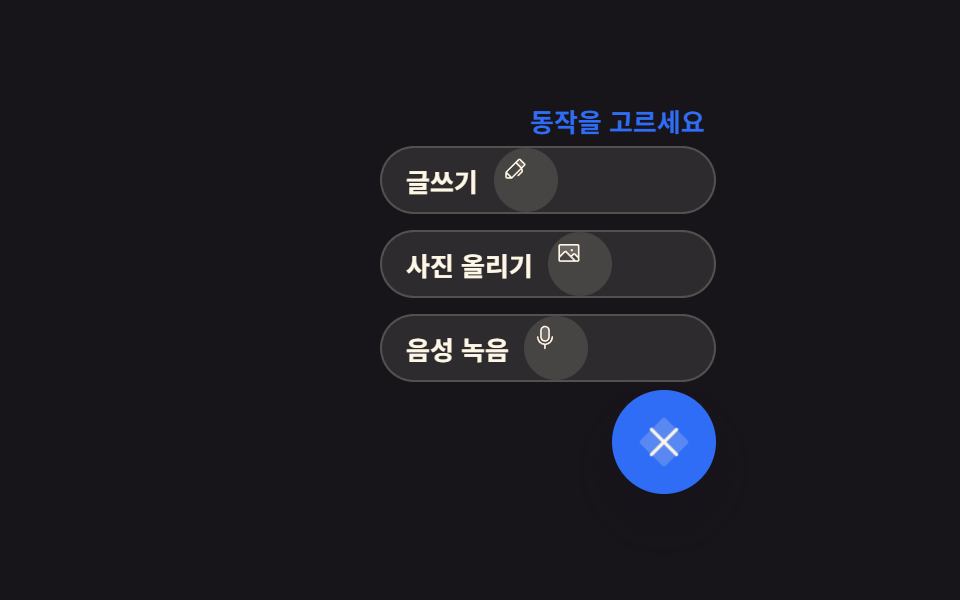 9 Icon Button CSS Patterns — Press, Drag, ExpandAn icon button css pattern trades the label for a picture, so the meaning has to survive for anyone who never sees it. A See all demos in this post
If you like this effect - similar demos
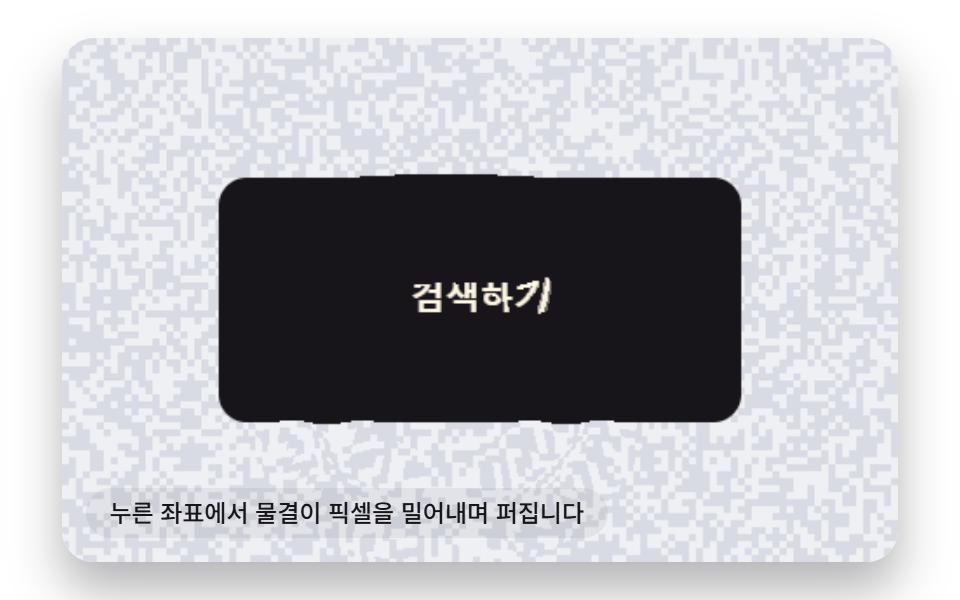 Buttons08 Refraction-ripple Button That Displaces Pixels From the Press PointButton Click Effect CSS: 9 Canvas Pixel Patterns
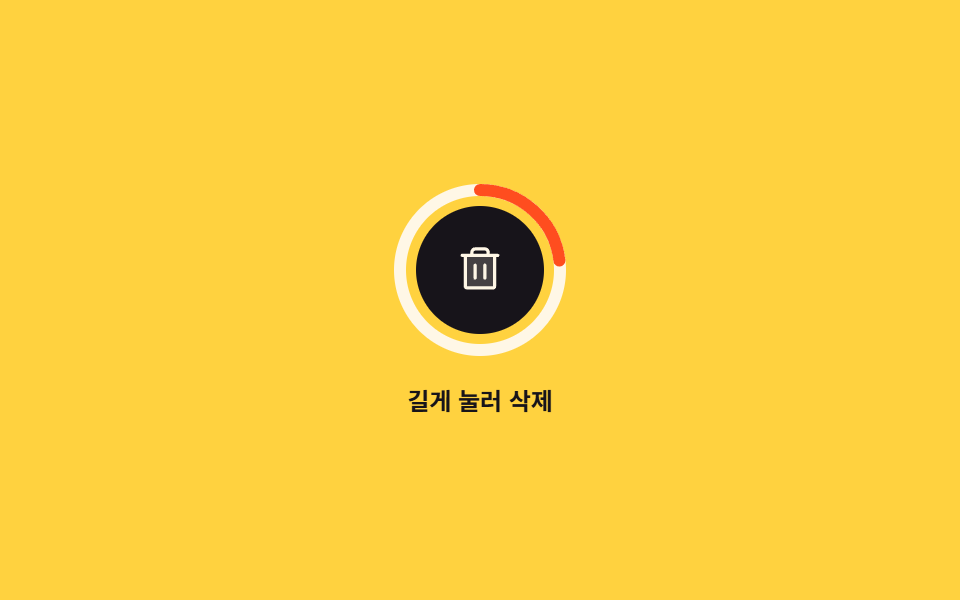 Buttons06 Delete that only fires on a long press9 button state css patterns, loading to done
 Buttons03 Burst scatter — pieces scatter from the click point at differing angle values before fadingCTA Button Design: 9 Interaction Patterns