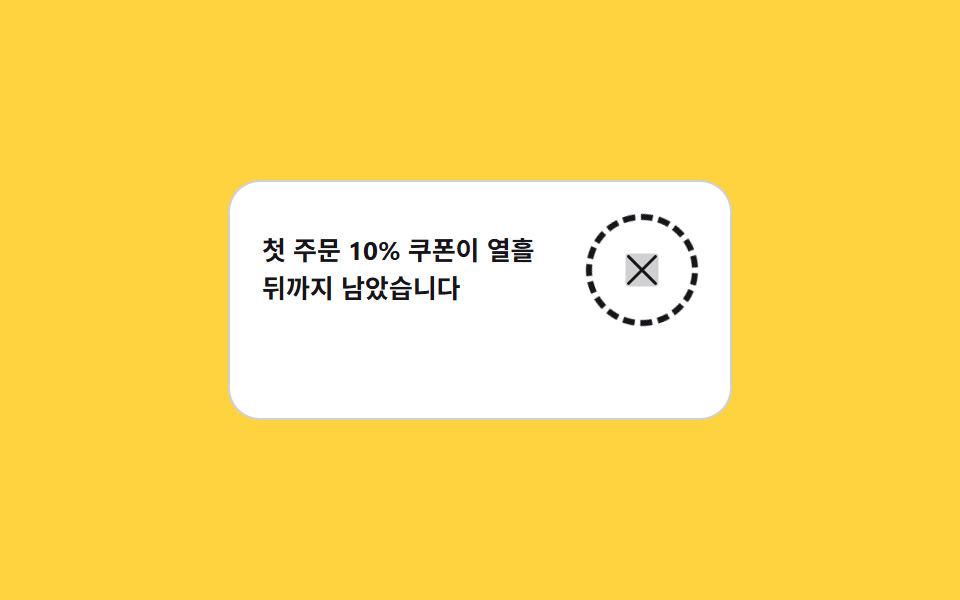
06Close button with a ring that keeps circling
The dashed ring around the close X starts turning with rotate on hover or a :focus-visible focus, and stops in place the moment the pointer leaves.
Best forClose controls on banners, chips, and mini players where space is tight
:focus-visiblerotatearia-label
<main class="stage">
  <section class="cl is-demo" id="cl" aria-label="A notice card with a ring-spinning close button">
    <article class="cl__card">
      <p class="cl__msg">Your 10% first-order coupon lasts ten more days</p>
      <button class="cl__btn" type="button" id="cl-btn" aria-label="Close the notice">
        <span class="cl__ring" aria-hidden="true"></span>
        <span class="cl__x" aria-hidden="true"><svg viewBox="0 0 256 256" width="1em" height="1em" fill="currentColor"><path d="M216,56V200a16,16,0,0,1-16,16H56a16,16,0,0,1-16-16V56A16,16,0,0,1,56,40H200A16,16,0,0,1,216,56Z" opacity=".2"/><path d="M205.66,194.34a8,8,0,0,1-11.32,11.32L128,139.31,61.66,205.66a8,8,0,0,1-11.32-11.32L116.69,128,50.34,61.66A8,8,0,0,1,61.66,50.34L128,116.69l66.34-66.35a8,8,0,0,1,11.32,11.32L139.31,128Z"/></svg></span>
      </button>
      <p class="cl__undo" id="cl-undo" aria-live="polite">Notice closed <button class="cl__back" type="button" id="cl-back">Undo</button></p>
    </article>
  </section>
</main>
@use "../../../../site/static/demo-tokens" as *;
// 링이 빙글 도는 닫기 버튼 — 점선 링은 호버와 :focus-visible 에서만 돌고 카드가 진해진다
$duration: $dur-quick;
$easing: $ease-spring;
$color: $subject-ink;
@include stage($stage-yellow);
.cl { display: grid; font-family: -apple-system, "Segoe UI", "Noto Sans KR", sans-serif; }
.cl__card {
position: relative;
display: grid;
grid-template-columns: 1fr auto;
align-items: center;
gap: $sp-3;
box-sizing: border-box;
width: min(252px, 92vw);
min-height: 96px;
padding: $sp-4 $sp-4 $sp-4 $sp-4;
border: 1px solid rgba(23, 20, 26, .2);
border-radius: $r-card;
background: $stage-paper;
color: $subject-ink;
}
.cl__msg {
margin: 0;
font-size: 13px;
font-weight: 700;
line-height: 1.45;
}
.cl__undo {
grid-column: 1 / -1;
margin: 0;
font-size: 11px;
line-height: 1.6;
color: rgba(23, 20, 26, .6);
opacity: 0;
}
.cl__back {
margin: 0;
padding: 0;
border: 0;
background: none;
color: $subject-blue;
font-family: inherit;
font-size: 11px;
font-weight: 700;
line-height: 1.6;
text-decoration: underline;
cursor: pointer;
}
.cl__back:focus-visible { outline: 2px solid $subject-blue; outline-offset: 1px; }
// ── 닫기 버튼과 점선 링 ──
.cl__btn {
position: relative;
display: inline-grid;
place-items: center;
width: 56px;
height: 56px;
margin: 0;
padding: 0;
border: 0;
border-radius: 50%;
background: transparent;
color: $subject-ink;
font-size: 24px;
line-height: 1;
cursor: pointer;
}
.cl__btn:focus-visible { outline: 2px solid $subject-ink; outline-offset: 3px; }
.cl__ring {
position: absolute;
inset: 0;
border: 3px dashed currentColor;
border-radius: 50%;
opacity: .35;
transform: rotate(0deg);
}
.cl__x {
display: inline-flex;
transition: transform $dur-base $easing;
}
.cl__btn:hover .cl__ring,
.cl__btn:focus-visible .cl__ring {
opacity: 1;
animation-name: cl-spin;
animation-duration: 900ms;
animation-timing-function: linear;
animation-iteration-count: infinite;
}
.cl__btn:hover .cl__x,
.cl__btn:focus-visible .cl__x { transform: rotate(90deg); }
.cl__btn:active .cl__x { transform: rotate(90deg) scale(.86); }
@keyframes cl-spin {
from { transform: rotate(0deg); }
to { transform: rotate(360deg); }
}
// 정적 경로 — 누르면 카드가 접히고 되돌리기가 남는다 (퇴장이 아니라 접힘)
.cl.is-gone .cl__card {
display: grid;
grid-template-rows: 0fr 1fr;
align-content: start;
padding: 0 $sp-5 0 $sp-4;
min-height: 0;
border-style: dashed;
overflow: hidden;
}
.cl.is-gone .cl__msg {
grid-row: 1;
min-height: 0;
overflow: hidden;
font-size: 0;
line-height: 0;
}
.cl.is-gone .cl__btn { display: none; }
.cl.is-gone .cl__undo { opacity: 1; padding: $sp-2 0; }
// ── 격자 미리보기 전용 2초 루프: 링 회전 + 카드 물들임 컷 ──
@keyframes cl-loop-spin {
from { transform: rotate(0deg); }
to { transform: rotate(360deg); }
}
@keyframes cl-loop-x {
0%, 10% { transform: rotate(0deg); }
30%, 100% { transform: rotate(90deg); }
}
// 호버가 붙은 순간만 버튼 자리가 먹색으로 컷 전환된다 (카드 본문은 건드리지 않는다)
@keyframes cl-loop-seat {
0%, 9% { background: transparent; color: $subject-ink; }
10%, 86% { background: $subject-ink; color: $stage-yellow; }
87%, 100% { background: transparent; color: $subject-ink; }
}
.cl.is-demo {
.cl__ring {
opacity: 1;
animation-name: cl-loop-spin;
animation-duration: 900ms;
animation-timing-function: linear;
animation-iteration-count: infinite;
}
.cl__x {
animation-name: cl-loop-x;
animation-duration: $dur-loop;
animation-timing-function: $easing;
animation-iteration-count: infinite;
}
.cl__btn {
animation-name: cl-loop-seat;
animation-duration: $dur-loop;
animation-timing-function: steps(1, end);
animation-iteration-count: infinite;
}
}
@media (max-width: 340px) {
.cl__card { padding: $sp-3 $sp-4 $sp-3 $sp-3; min-height: 84px; }
.cl__msg { font-size: 12px; }
.cl__btn { width: 40px; height: 40px; font-size: 18px; }
}
@media (prefers-reduced-motion: reduce) {
.cl.is-demo .cl__ring,
.cl.is-demo .cl__x,
.cl.is-demo .cl__btn { animation: none !important; transform: none !important; }
// 진해진 상태(호버 결과)만 남기고 돌기는 끈다
.cl.is-demo .cl__ring { opacity: 1 !important; }
.cl.is-demo .cl__x { transform: rotate(90deg) !important; }
.cl.is-demo .cl__btn { background: $subject-ink !important; color: $stage-yellow !important; }
.cl__btn:hover .cl__ring,
.cl__btn:focus-visible .cl__ring { animation: none !important; }
}html, body {
margin: 0;
overflow: hidden;
}
.stage {
box-sizing: border-box;
min-height: 100vh;
display: grid;
place-items: center;
margin: 0;
background: #ffd23f;
font-family: -apple-system, "Segoe UI", "Noto Sans KR", sans-serif;
padding: clamp(8px, 4vw, 24px);
}
.cl {
display: grid;
font-family: -apple-system, "Segoe UI", "Noto Sans KR", sans-serif;
}
.cl__card {
position: relative;
display: grid;
grid-template-columns: 1fr auto;
align-items: center;
gap: 12px;
box-sizing: border-box;
width: min(252px, 92vw);
min-height: 96px;
padding: 16px 16px 16px 16px;
border: 1px solid rgba(23, 20, 26, 0.2);
border-radius: 16px;
background: #ffffff;
color: #17141a;
}
.cl__msg {
margin: 0;
font-size: 13px;
font-weight: 700;
line-height: 1.45;
}
.cl__undo {
grid-column: 1/-1;
margin: 0;
font-size: 11px;
line-height: 1.6;
color: rgba(23, 20, 26, 0.6);
opacity: 0;
}
.cl__back {
margin: 0;
padding: 0;
border: 0;
background: none;
color: #2f6df6;
font-family: inherit;
font-size: 11px;
font-weight: 700;
line-height: 1.6;
text-decoration: underline;
cursor: pointer;
}
.cl__back:focus-visible {
outline: 2px solid #2f6df6;
outline-offset: 1px;
}
.cl__btn {
position: relative;
display: inline-grid;
place-items: center;
width: 56px;
height: 56px;
margin: 0;
padding: 0;
border: 0;
border-radius: 50%;
background: transparent;
color: #17141a;
font-size: 24px;
line-height: 1;
cursor: pointer;
}
.cl__btn:focus-visible {
outline: 2px solid #17141a;
outline-offset: 3px;
}
.cl__ring {
position: absolute;
inset: 0;
border: 3px dashed currentColor;
border-radius: 50%;
opacity: 0.35;
transform: rotate(0deg);
}
.cl__x {
display: inline-flex;
transition: transform 300ms cubic-bezier(0.2, 0.8, 0.2, 1);
}
.cl__btn:hover .cl__ring,
.cl__btn:focus-visible .cl__ring {
opacity: 1;
animation-name: cl-spin;
animation-duration: 900ms;
animation-timing-function: linear;
animation-iteration-count: infinite;
}
.cl__btn:hover .cl__x,
.cl__btn:focus-visible .cl__x {
transform: rotate(90deg);
}
.cl__btn:active .cl__x {
transform: rotate(90deg) scale(0.86);
}
@keyframes cl-spin {
from {
transform: rotate(0deg);
}
to {
transform: rotate(360deg);
}
}
.cl.is-gone .cl__card {
display: grid;
grid-template-rows: 0fr 1fr;
align-content: start;
padding: 0 20px 0 16px;
min-height: 0;
border-style: dashed;
overflow: hidden;
}
.cl.is-gone .cl__msg {
grid-row: 1;
min-height: 0;
overflow: hidden;
font-size: 0;
line-height: 0;
}
.cl.is-gone .cl__btn {
display: none;
}
.cl.is-gone .cl__undo {
opacity: 1;
padding: 8px 0;
}
@keyframes cl-loop-spin {
from {
transform: rotate(0deg);
}
to {
transform: rotate(360deg);
}
}
@keyframes cl-loop-x {
0%, 10% {
transform: rotate(0deg);
}
30%, 100% {
transform: rotate(90deg);
}
}
@keyframes cl-loop-seat {
0%, 9% {
background: transparent;
color: #17141a;
}
10%, 86% {
background: #17141a;
color: #ffd23f;
}
87%, 100% {
background: transparent;
color: #17141a;
}
}
.cl.is-demo .cl__ring {
opacity: 1;
animation-name: cl-loop-spin;
animation-duration: 900ms;
animation-timing-function: linear;
animation-iteration-count: infinite;
}
.cl.is-demo .cl__x {
animation-name: cl-loop-x;
animation-duration: 2s;
animation-timing-function: cubic-bezier(0.2, 0.8, 0.2, 1);
animation-iteration-count: infinite;
}
.cl.is-demo .cl__btn {
animation-name: cl-loop-seat;
animation-duration: 2s;
animation-timing-function: steps(1, end);
animation-iteration-count: infinite;
}
@media (max-width: 340px) {
.cl__card {
padding: 12px 16px 12px 12px;
min-height: 84px;
}
.cl__msg {
font-size: 12px;
}
.cl__btn {
width: 40px;
height: 40px;
font-size: 18px;
}
}
@media (prefers-reduced-motion: reduce) {
.cl.is-demo .cl__ring,
.cl.is-demo .cl__x,
.cl.is-demo .cl__btn {
animation: none !important;
transform: none !important;
}
.cl.is-demo .cl__ring {
opacity: 1 !important;
}
.cl.is-demo .cl__x {
transform: rotate(90deg) !important;
}
.cl.is-demo .cl__btn {
background: #17141a !important;
color: #ffd23f !important;
}
.cl__btn:hover .cl__ring,
.cl__btn:focus-visible .cl__ring {
animation: none !important;
}
}// 닫기 버튼: 호버·초점엔 링이 돌고, 누르면 카드가 접히며 되돌리기가 남는다
var cl = document.getElementById('cl');
var clBtn = document.getElementById('cl-btn');
var clBack = document.getElementById('cl-back');
clBtn.addEventListener('click', function () {
cl.classList.remove('is-demo');
cl.classList.add('is-gone');
});
clBack.addEventListener('click', function () {
cl.classList.remove('is-gone');
clBtn.focus({ preventScroll: true });
});
cl.addEventListener('keydown', function (e) {
if (e.key === 'Escape') cl.classList.remove('is-gone');
});import { useEffect, useRef, useState } from "react";
import type { CSSProperties } from "react";
import styles from "./CloseRingButton.module.scss";
export type CloseRingButtonProps = {
msg?: string;
/** 닫은 뒤 남는 줄 */
goneText?: string;
undoLabel?: string;
closeLabel?: string;
groupLabel?: string;
/** 격자 미리보기용 2초 자동 루프. 사람이 손대면 꺼진다 */
demo?: boolean;
/** 점선 링이 한 바퀴 도는 시간(ms) */
duration?: number;
easing?: string;
/** 아이콘과 초점 테두리의 색 */
color?: string;
};
type Vars = CSSProperties & { "--duration"?: string; "--easing"?: string; "--color"?: string };
// react ambient 에 KeyboardEvent 가 없어 쓰는 자리에 맞춰 직접 좁게 선언한다
type KeyEvt = { key: string };
function X() {
return (
<svg viewBox="0 0 256 256" width="1em" height="1em" fill="currentColor">
<path d="M216,56V200a16,16,0,0,1-16,16H56a16,16,0,0,1-16-16V56A16,16,0,0,1,56,40H200A16,16,0,0,1,216,56Z" opacity=".2" />
<path d="M205.66,194.34a8,8,0,0,1-11.32,11.32L128,139.31,61.66,205.66a8,8,0,0,1-11.32-11.32L116.69,128,50.34,61.66A8,8,0,0,1,61.66,50.34L128,116.69l66.34-66.35a8,8,0,0,1,11.32,11.32L139.31,128Z" />
</svg>
);
}
export default function CloseRingButton({
msg = "Your 10% first-order coupon is good for ten more days",
goneText = "Notice closed",
undoLabel = "Undo",
closeLabel = "Close notice",
groupLabel = "Notice card with a close button that keeps circling",
demo = true,
duration = 900,
easing = "cubic-bezier(.2,.8,.2,1)",
color = "#17141a",
}: CloseRingButtonProps) {
const [gone, setGone] = useState(false);
const [live, setLive] = useState(demo);
const [refocus, setRefocus] = useState(false);
const btnRef = useRef<HTMLButtonElement>(null);
const vars: Vars = { "--duration": `${duration}ms`, "--easing": easing, "--color": color };
// 닫기 버튼은 접힌 뒤 display:none 이라, 되돌린 다음 프레임에서 초점을 준다
useEffect(() => {
if (!refocus) return;
setRefocus(false);
if (btnRef.current) btnRef.current.focus({ preventScroll: true });
}, [refocus]);
function close() {
setLive(false);
setGone(true);
}
function undo() {
setGone(false);
setRefocus(true);
}
function onKey(e: KeyEvt) {
if (e.key === "Escape") undo();
}
const cls = [styles.cl, live ? styles.isDemo : "", gone ? styles.isGone : ""].filter(Boolean).join(" ");
return (
<section className={cls} style={vars} aria-label={groupLabel} onKeyDown={onKey}>
<article className={styles.card}>
<p className={styles.msg}>{msg}</p>
<p className={styles.undo} aria-live="polite">
{gone ? goneText : ""}{" "}
<button className={styles.back} type="button" onClick={undo}>
{undoLabel}
</button>
</p>
<button className={styles.btn} type="button" aria-label={closeLabel} onClick={close} ref={btnRef}>
{/* 호버·:focus-visible 에서만 도는 점선 링 */}
<span className={styles.ring} aria-hidden="true" />
<span className={styles.x} aria-hidden="true">
<X />
</span>
</button>
</article>
</section>
);
}06 Close button with a ring that keeps circling — Measured area 1.828% · moving frames 23/23Original by GODRICH · SCSS and React ship in the zip · 9 Icon Button CSS Patterns — Press, Drag, Expand
The post this demo lives in
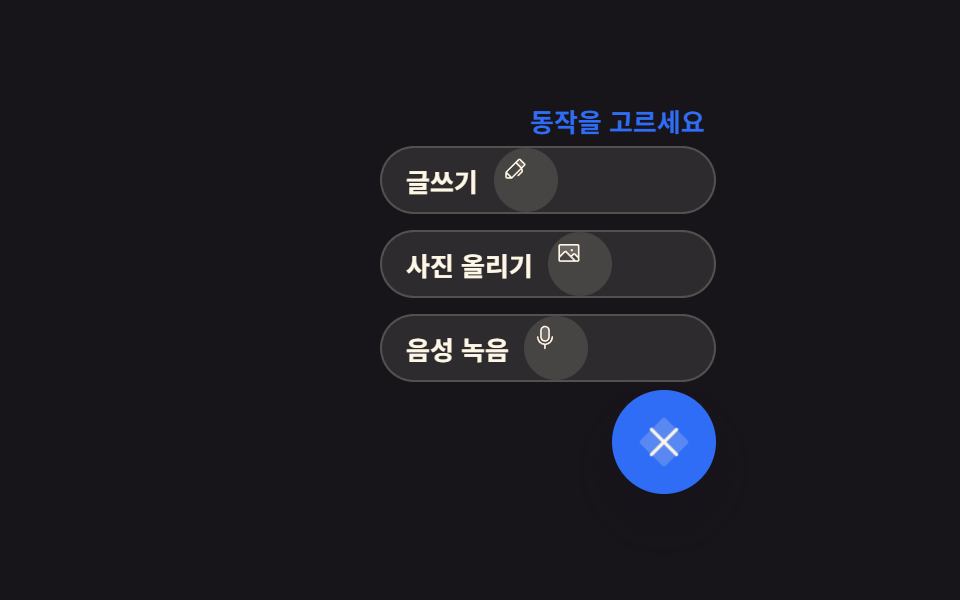 9 Icon Button CSS Patterns — Press, Drag, ExpandAn icon button css pattern trades the label for a picture, so the meaning has to survive for anyone who never sees it. A See all demos in this post
If you like this effect - similar demos
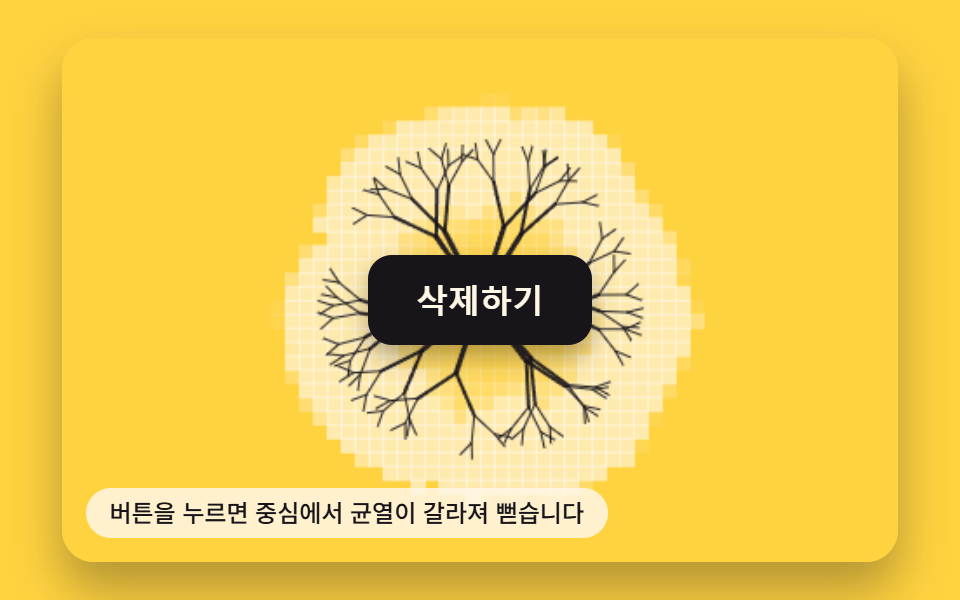 Buttons02 Crack-line Button That Splits With a Press-state ValueButton Click Effect CSS: 9 Canvas Pixel Patterns
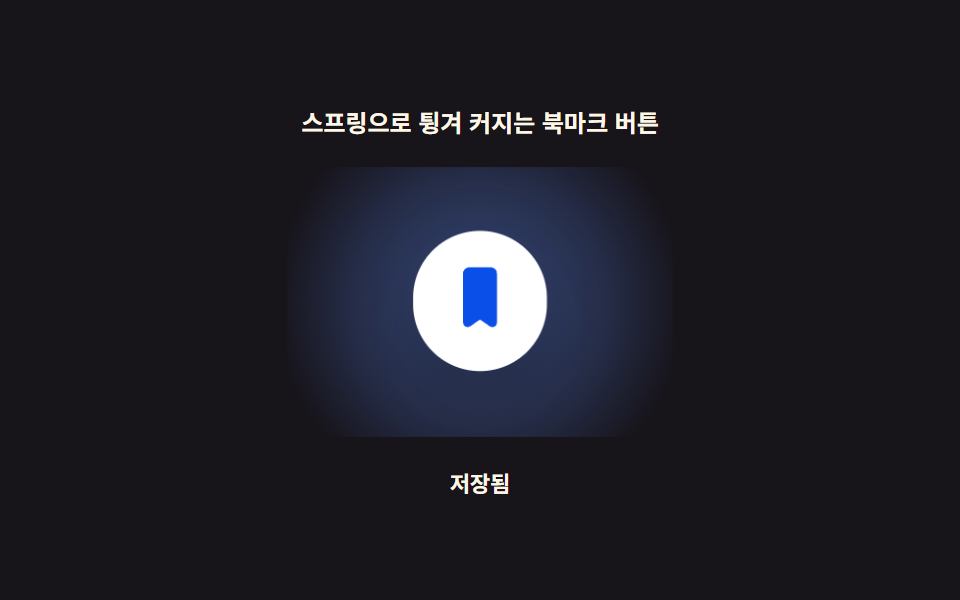 Buttons03 Bookmark Button That Pops With a Spring OvershootBookmark Icon Animation: 9 Patterns, One Icon
 Buttons03 A Button That Shrinks to a Circle, Runs a Progress Ring and Ends in a CheckSend Button Animation CSS: 9 Fold-and-Fly Buttons