05Recovery method picker
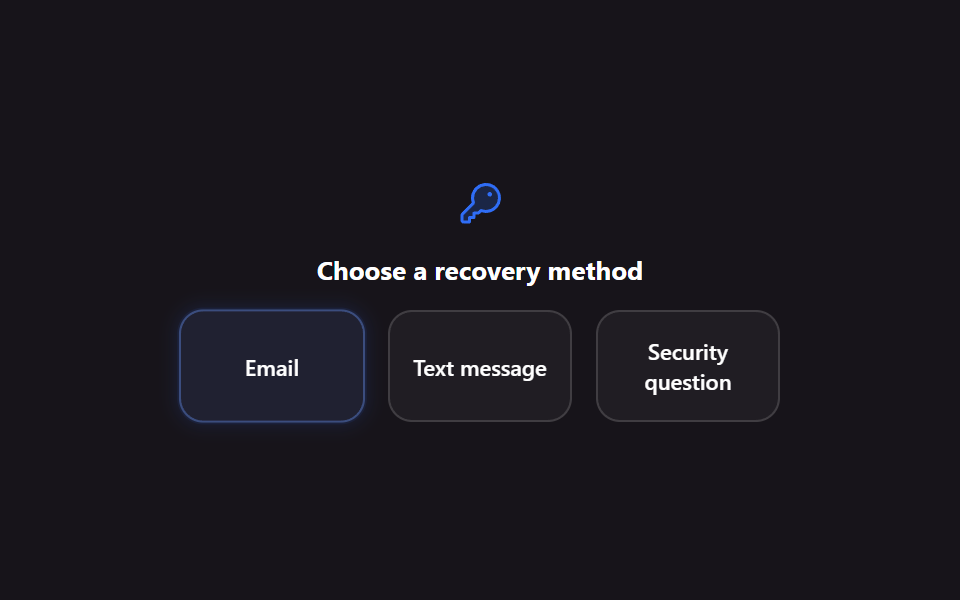
Email, text, and security-question options sit as radio cards, and picking one lifts just that card into a bright highlight on the dark backdrop.
Best forThe first screen for choosing a recovery channel after forgetting a password, a check before unlocking a locked account
role=radiogroup:has(:checked)@keyframes picker-cycle
<main class="stage">
  <div class="recovery-scene">
    <span class="recovery-scene__icon" aria-hidden="true">
      <svg viewBox="0 0 256 256"><g fill="currentColor"><path d="M232 98.36c-1.27 38.56-33.33 69.64-71.91 69.64a71.7 71.7 0 0 1-26.92-5.17L120 176H96v24H72v24H40a8 8 0 0 1-8-8v-28.69a8 8 0 0 1 2.34-5.65l58.83-58.83A71.7 71.7 0 0 1 88 95.91c0-38.58 31.08-70.64 69.64-71.87A72 72 0 0 1 232 98.36" opacity=".2"/><path d="M216.57 39.43a80 80 0 0 0-132.66 81.35L28.69 176A15.86 15.86 0 0 0 24 187.31V216a16 16 0 0 0 16 16h32a8 8 0 0 0 8-8v-16h16a8 8 0 0 0 8-8v-16h16a8 8 0 0 0 5.66-2.34l9.56-9.57A79.7 79.7 0 0 0 160 176h.1a80 80 0 0 0 56.47-136.57M224 98.1c-1.09 34.09-29.75 61.86-63.89 61.9H160a63.7 63.7 0 0 1-23.65-4.51a8 8 0 0 0-8.84 1.68L116.69 168H96a8 8 0 0 0-8 8v16H72a8 8 0 0 0-8 8v16H40v-28.69l58.83-58.82a8 8 0 0 0 1.68-8.84A63.7 63.7 0 0 1 96 95.92c0-34.14 27.81-62.8 61.9-63.89A64 64 0 0 1 224 98.1M192 76a12 12 0 1 1-12-12a12 12 0 0 1 12 12"/></g></svg>
    </span>
    <p class="recovery-scene__title">Choose a recovery method</p>
    <div class="recovery is-demo" role="radiogroup" aria-label="Choose recovery method">
      <label class="recovery__card">
        <input class="recovery__input" type="radio" name="recovery" value="email" checked>
        <span class="recovery__label">Email</span>
      </label>
      <label class="recovery__card">
        <input class="recovery__input" type="radio" name="recovery" value="text">
        <span class="recovery__label">Text message</span>
      </label>
      <label class="recovery__card">
        <input class="recovery__input" type="radio" name="recovery" value="question">
        <span class="recovery__label">Security question</span>
      </label>
    </div>
  </div>
</main>
@use "../../../../site/static/demo-tokens" as *;
$duration: $dur-loop; // 세 카드를 순서대로 들어올리는 한 바퀴
$easing: $ease-out;
$color: $subject-blue; // 신뢰감 있는 밝은 축
@include stage($stage-ink);
.recovery-scene { display: flex; flex-direction: column; align-items: center; gap: $sp-3; }
.recovery-scene__icon { width: 24px; height: 24px; color: $color; }
.recovery-scene__title { margin: 0; font-size: 13px; font-weight: 700; color: $stage-paper; font-family: inherit; }
.recovery {
display: flex;
gap: $sp-3;
width: min(300px, 90vw);
}
.recovery__card {
flex: 1 1 0;
min-width: 0;
display: flex;
flex-direction: column;
align-items: center;
justify-content: center;
gap: $sp-1;
padding: $sp-3 $sp-2;
border-radius: $r-control;
border: 1.5px solid rgba(255, 255, 255, .14);
background: rgba(255, 255, 255, .04);
cursor: pointer;
transform: scale(1);
}
.recovery__input { position: absolute; width: 1px; height: 1px; opacity: 0; }
.recovery__label { font-size: 11px; font-weight: 600; color: $stage-paper; text-align: center; font-family: inherit; }
// 실제 사용 — 클릭·키보드로 고르면 그 카드만 즉시 밝아진다 (is-demo 없이 열었을 때)
.recovery__card:has(.recovery__input:checked) {
background: mix($color, $stage-ink, 26%);
border-color: $color;
box-shadow: 0 0 0 3px rgba($color, .3), 0 0 24px 12px rgba($color, .28);
transform: scale(1.04);
}
.recovery__card:has(.recovery__input:focus-visible) { outline: 2px solid $color; outline-offset: 2px; }
// 자동 재생 루프 — 카드 1·2·3 순서로 강조가 옮겨간다 (OTP 웨이브와 같은 기법, 카드마다 지연만 다르다)
.recovery.is-demo .recovery__card { animation: picker-cycle $duration $easing infinite; }
.recovery.is-demo .recovery__card:nth-child(1) { animation-delay: 0ms; }
.recovery.is-demo .recovery__card:nth-child(2) { animation-delay: 660ms; }
.recovery.is-demo .recovery__card:nth-child(3) { animation-delay: 1320ms; }
@keyframes picker-cycle {
0%, 6% { background: rgba(255, 255, 255, .04); border-color: rgba(255, 255, 255, .14); box-shadow: none; transform: scale(1); }
12%, 26% { background: mix($color, $stage-ink, 26%); border-color: $color; box-shadow: 0 0 0 3px rgba($color, .3), 0 0 24px 12px rgba($color, .28); transform: scale(1.04); }
32%, 100% { background: rgba(255, 255, 255, .04); border-color: rgba(255, 255, 255, .14); box-shadow: none; transform: scale(1); }
}
@media (prefers-reduced-motion: reduce) {
.recovery.is-demo .recovery__card { animation: none; }
}html, body {
margin: 0;
overflow: hidden;
}
.stage {
box-sizing: border-box;
min-height: 100vh;
display: grid;
place-items: center;
margin: 0;
background: #17141a;
font-family: -apple-system, "Segoe UI", "Noto Sans KR", sans-serif;
padding: clamp(8px, 4vw, 24px);
}
.recovery-scene {
display: flex;
flex-direction: column;
align-items: center;
gap: 12px;
}
.recovery-scene__icon {
width: 24px;
height: 24px;
color: #2f6df6;
}
.recovery-scene__title {
margin: 0;
font-size: 13px;
font-weight: 700;
color: #ffffff;
font-family: inherit;
}
.recovery {
display: flex;
gap: 12px;
width: min(300px, 90vw);
}
.recovery__card {
flex: 1 1 0;
min-width: 0;
display: flex;
flex-direction: column;
align-items: center;
justify-content: center;
gap: 4px;
padding: 12px 8px;
border-radius: 12px;
border: 1.5px solid rgba(255, 255, 255, 0.14);
background: rgba(255, 255, 255, 0.04);
cursor: pointer;
transform: scale(1);
}
.recovery__input {
position: absolute;
width: 1px;
height: 1px;
opacity: 0;
}
.recovery__label {
font-size: 11px;
font-weight: 600;
color: #ffffff;
text-align: center;
font-family: inherit;
}
.recovery__card:has(.recovery__input:checked) {
background: rgb(11.4666666667%, 16.9176470588%, 32.6274509804%);
border-color: #2f6df6;
box-shadow: 0 0 0 3px rgba(47, 109, 246, 0.3), 0 0 24px 12px rgba(47, 109, 246, 0.28);
transform: scale(1.04);
}
.recovery__card:has(.recovery__input:focus-visible) {
outline: 2px solid #2f6df6;
outline-offset: 2px;
}
.recovery.is-demo .recovery__card {
animation: picker-cycle 2s ease-out infinite;
}
.recovery.is-demo .recovery__card:nth-child(1) {
animation-delay: 0ms;
}
.recovery.is-demo .recovery__card:nth-child(2) {
animation-delay: 660ms;
}
.recovery.is-demo .recovery__card:nth-child(3) {
animation-delay: 1320ms;
}
@keyframes picker-cycle {
0%, 6% {
background: rgba(255, 255, 255, 0.04);
border-color: rgba(255, 255, 255, 0.14);
box-shadow: none;
transform: scale(1);
}
12%, 26% {
background: rgb(11.4666666667%, 16.9176470588%, 32.6274509804%);
border-color: #2f6df6;
box-shadow: 0 0 0 3px rgba(47, 109, 246, 0.3), 0 0 24px 12px rgba(47, 109, 246, 0.28);
transform: scale(1.04);
}
32%, 100% {
background: rgba(255, 255, 255, 0.04);
border-color: rgba(255, 255, 255, 0.14);
box-shadow: none;
transform: scale(1);
}
}
@media (prefers-reduced-motion: reduce) {
.recovery.is-demo .recovery__card {
animation: none;
}
}import styles from "./RecoveryMethodPicker.module.scss";
export type RecoveryMethod = "email" | "text" | "question";
export type RecoveryMethodPickerProps = {
selected: RecoveryMethod;
onSelect: (method: RecoveryMethod) => void;
};
const OPTIONS: { value: RecoveryMethod; label: string }[] = [
{ value: "email", label: "Email" },
{ value: "text", label: "Text message" },
{ value: "question", label: "Security question" },
];
/** 이메일·문자·보안 질문 중 하나를 고르면 그 카드만 밝게 들린다 */
export default function RecoveryMethodPicker({ selected, onSelect }: RecoveryMethodPickerProps) {
return (
<div className={styles.scene}>
<span className={styles.icon} aria-hidden="true">
<svg viewBox="0 0 256 256">
<g fill="currentColor"><path d="M232 98.36c-1.27 38.56-33.33 69.64-71.91 69.64a71.7 71.7 0 0 1-26.92-5.17L120 176H96v24H72v24H40a8 8 0 0 1-8-8v-28.69a8 8 0 0 1 2.34-5.65l58.83-58.83A71.7 71.7 0 0 1 88 95.91c0-38.58 31.08-70.64 69.64-71.87A72 72 0 0 1 232 98.36" opacity=".2" /><path d="M216.57 39.43a80 80 0 0 0-132.66 81.35L28.69 176A15.86 15.86 0 0 0 24 187.31V216a16 16 0 0 0 16 16h32a8 8 0 0 0 8-8v-16h16a8 8 0 0 0 8-8v-16h16a8 8 0 0 0 5.66-2.34l9.56-9.57A79.7 79.7 0 0 0 160 176h.1a80 80 0 0 0 56.47-136.57M224 98.1c-1.09 34.09-29.75 61.86-63.89 61.9H160a63.7 63.7 0 0 1-23.65-4.51a8 8 0 0 0-8.84 1.68L116.69 168H96a8 8 0 0 0-8 8v16H72a8 8 0 0 0-8 8v16H40v-28.69l58.83-58.82a8 8 0 0 0 1.68-8.84A63.7 63.7 0 0 1 96 95.92c0-34.14 27.81-62.8 61.9-63.89A64 64 0 0 1 224 98.1M192 76a12 12 0 1 1-12-12a12 12 0 0 1 12 12" /></g>
</svg>
</span>
<p className={styles.title}>Choose a recovery method</p>
<div className={styles.group} role="radiogroup" aria-label="Choose recovery method">
{OPTIONS.map((opt) => (
<label key={opt.value} className={`${styles.card} ${selected === opt.value ? styles.isSelected : ""}`}>
<input
className={styles.input}
type="radio"
name="recovery"
value={opt.value}
checked={selected === opt.value}
onChange={() => onSelect(opt.value)}
/>
<span className={styles.label}>{opt.label}</span>
</label>
))}
</div>
</div>
);
}05 Recovery method picker — Measured area 23.378% · moving frames 11/23Original by GODRICH · SCSS and React ship in the zip · 9 ID Verification Screen UI Patterns, Paste-Ready
The post this demo lives in
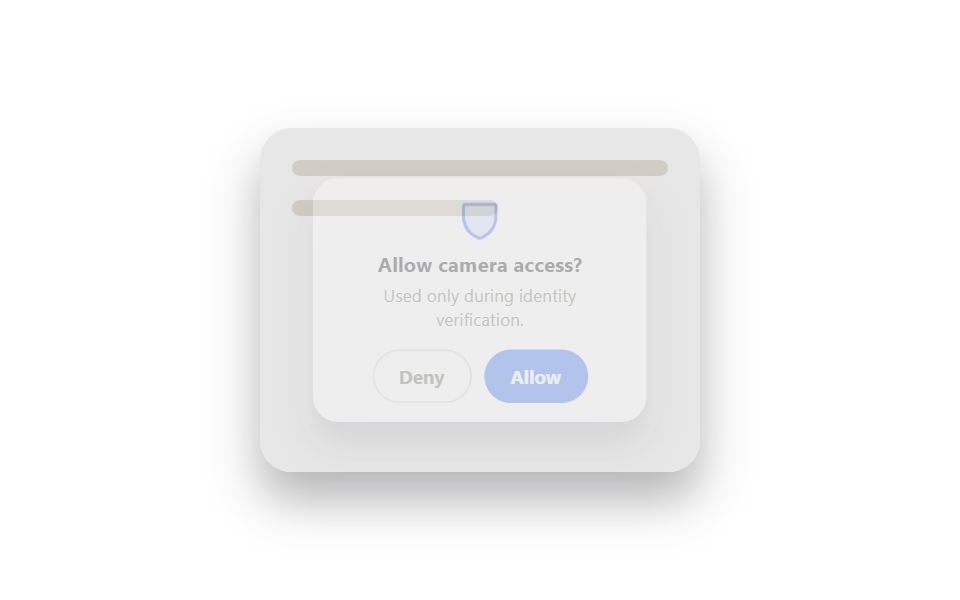 9 ID Verification Screen UI Patterns, Paste-ReadyAn id verification screen ui is a screen — a permission prompt, an OTP grid, a security question card — that proves a pe See all demos in this post
If you like this effect - similar demos
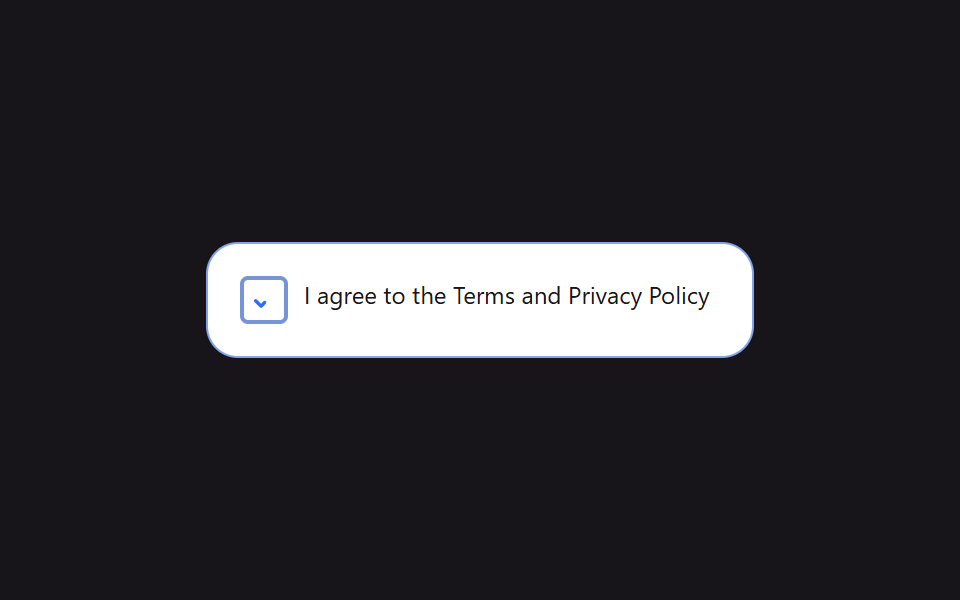 Auth UI09 Terms consent checkbox9 Login Form Design Patterns You Can Copy-Paste
 Auth UI01 Remaining-tries shake — the remaining-tries value drops and the number shakes briefly each time login failsToo Many Failed Login Attempts: 9 Patterns
 Auth UI01 Devices signed in right now9 account security settings UI patterns