01Viewport-filling headline
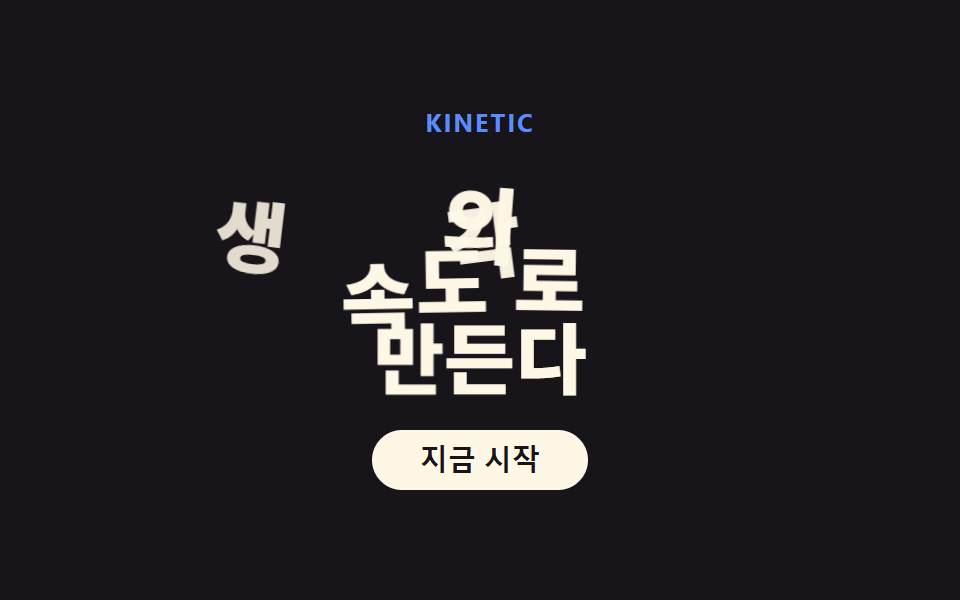
The headline scales with clamp() to fill the viewport, and each word rises into place with its own delay.
Best forLanding first screen, portfolio intros
clamp() 가변폭단어 단위 staggeroverflow: hidden 마스크
<main class="stage">
  <div class="hero is-demo">
    <p class="hero__eyebrow">KINETIC</p>
    <h1 class="hero__headline">
      <span class="word"><span class="word__inner">Thought's</span></span>
      <span class="word"><span class="word__inner">speed —</span></span>
      <span class="word"><span class="word__inner">we build.</span></span>
    </h1>
    <button class="hero__cta" type="button">Get started</button>
  </div>
</main>
@use "../../../../site/static/demo-tokens" as *;
$duration: $dur-loop; // 세 단어가 차례로 올라오는 한 주기
$easing: $ease-spring; // 처음 빠르고 끝은 부드럽게
$color: $subject-blue; // 눈썹 강조 색
@include stage($stage-ink);
.hero {
display: flex;
flex-direction: column;
align-items: center;
text-align: center;
}
.hero__eyebrow {
margin: 0 0 $sp-2;
color: $subject-blue-light; // 먹 무대 위 파란 글자 — AA 4.5 (blog-design 글자 대비)
font-weight: 700;
font-size: clamp(11px, 2.6vw, 13px);
line-height: 1;
letter-spacing: .08em;
text-transform: uppercase;
}
.hero__headline {
margin: 0 0 $sp-4;
display: flex;
flex-direction: column;
align-items: center;
}
// 단어마다 상자 — 마스크 대신 벡터필드 진입으로 바뀌어 overflow 는 visible
// (형태2차 한 겹, 2026-09-14: 글자별 노이즈 오프셋 + 진입 시 회전 힘장을 따라 자리 잡기 — 077 품질기준선)
.word {
overflow: visible;
position: relative;
}
.word__inner {
display: flex;
flex-wrap: nowrap;
}
// 글자 낱개 — index.html 말미 스크립트가 텍스트를 이 span 으로 쪼개고
// 결정론 해시로 --nx0·--ny0·--nr0(출발점) · --wx·--wy·--wr(힘장 경유점) 을 심는다. 프레임은 여기 CSS 가 다 만든다.
.char {
display: inline-block;
font-weight: 800;
font-size: clamp(28px, 8vw, 56px);
line-height: 1.08;
color: $subject-cream;
animation: char-flow $duration $easing infinite;
}
.char--space { width: .28em; }
@keyframes char-flow {
0%, 4% { transform: translate(var(--nx0, 0), var(--ny0, 40px)) rotate(var(--nr0, 0deg)) scale(.55); opacity: 0; }
16% { transform: translate(var(--wx, 0), var(--wy, 14px)) rotate(var(--wr, 0deg)) scale(1.08); opacity: 1; }
30%, 78% { transform: translate(0, 0) rotate(0deg) scale(1); opacity: 1; }
96%, 100% { transform: translate(var(--nx0, 0), var(--ny0, 40px)) rotate(var(--nr0, 0deg)) scale(.55); opacity: 0; }
}
.hero__cta {
border: 0;
border-radius: $r-pill;
background: $subject-cream;
color: $subject-ink;
padding: $sp-2 $sp-6;
font-weight: 700;
font-size: clamp(12px, 3vw, 14px);
line-height: 1;
}
@media (prefers-reduced-motion: reduce) {
.char { animation: none; transform: none; opacity: 1; }
}html, body {
margin: 0;
overflow: hidden;
}
.stage {
box-sizing: border-box;
min-height: 100vh;
display: grid;
place-items: center;
margin: 0;
background: #17141a;
font-family: -apple-system, "Segoe UI", "Noto Sans KR", sans-serif;
padding: clamp(8px, 4vw, 24px);
}
.hero {
display: flex;
flex-direction: column;
align-items: center;
text-align: center;
}
.hero__eyebrow {
margin: 0 0 8px;
color: #5b8cf8;
font-weight: 700;
font-size: clamp(11px, 2.6vw, 13px);
line-height: 1;
letter-spacing: 0.08em;
text-transform: uppercase;
}
.hero__headline {
margin: 0 0 16px;
display: flex;
flex-direction: column;
align-items: center;
}
.word {
overflow: visible;
position: relative;
}
.word__inner {
display: flex;
flex-wrap: nowrap;
}
.char {
display: inline-block;
font-weight: 800;
font-size: clamp(28px, 8vw, 56px);
line-height: 1.08;
color: #fff7e6;
animation: char-flow 2s cubic-bezier(0.2, 0.8, 0.2, 1) infinite;
}
.char--space {
width: 0.28em;
}
@keyframes char-flow {
0%, 4% {
transform: translate(var(--nx0, 0), var(--ny0, 40px)) rotate(var(--nr0, 0deg)) scale(0.55);
opacity: 0;
}
16% {
transform: translate(var(--wx, 0), var(--wy, 14px)) rotate(var(--wr, 0deg)) scale(1.08);
opacity: 1;
}
30%, 78% {
transform: translate(0, 0) rotate(0deg) scale(1);
opacity: 1;
}
96%, 100% {
transform: translate(var(--nx0, 0), var(--ny0, 40px)) rotate(var(--nr0, 0deg)) scale(0.55);
opacity: 0;
}
}
.hero__cta {
border: 0;
border-radius: 999px;
background: #fff7e6;
color: #17141a;
padding: 8px 24px;
font-weight: 700;
font-size: clamp(12px, 3vw, 14px);
line-height: 1;
}
@media (prefers-reduced-motion: reduce) {
.char {
animation: none;
transform: none;
opacity: 1;
}
}// 글자별 노이즈 오프셋 + 벡터필드 진입 (형태2차) — 글자를 span 으로 쪼개고
// 결정론 해시로 출발점/경유점 변수만 심는다. 애니메이션 자체는 style.scss 의 keyframes 가 we build..
// 원리: 각 글자의 (글자index, 단어index) 로부터 0..1 해시를 3개 뽑아
// 출발점 --nx0/--ny0/--nr0 : 화면 밖 아래쪽, 글자마다 제각각인 흩뿌림
// 경유점 --wx/--wy/--wr : 회전 힘장 v(x,y) = ω×(x,y) 를 출발점에서 dt 만큼 적분한 한 점 —
// 직선이 아니라 힘장을 따라 휘어져 들어온다
(function () {
function hash(n) { // 정수 → 0..1 결정론 난수 (sin 해시 — 077 캔버스 축과 같은 계열)
var s = Math.sin(n * 127.1 + 311.7) * 43758.5453;
return s - Math.floor(s);
}
document.querySelectorAll('.hero .word__inner').forEach(function (word, w) {
var text = word.textContent;
word.textContent = '';
for (var c = 0; c < text.length; c++) {
var ch = document.createElement('span');
if (text[c] === ' ') { ch.className = 'char char--space'; }
else {
ch.className = 'char';
ch.textContent = text[c];
var s = w * 97 + c * 13 + 5;
var h1 = hash(s), h2 = hash(s + 1), h3 = hash(s + 2), h4 = hash(s + 3);
var ang = h1 * Math.PI * 2; // 흩뿌리는 방향
var rad = 26 + h2 * 46; // 흩뿌리는 반경(px)
var x0 = Math.cos(ang) * rad, y0 = 40 + h3 * 34; // 출발 오프셋
var rot0 = (h4 - .5) * 44; // 출발 기울기(deg)
// 회전 힘장 v(p) = ω × p 를 출발점에서 dt 적분 — v = ω*(-y, x), dt=0.55, ω=0.9
var wx = x0 - 0.9 * y0 * 0.55, wy = y0 + 0.9 * x0 * 0.55;
var wr = rot0 * 0.4; // 경유점에서 절반쯤 펴져 있다
ch.style.setProperty('--nx0', x0.toFixed(1) + 'px');
ch.style.setProperty('--ny0', y0.toFixed(1) + 'px');
ch.style.setProperty('--nr0', rot0.toFixed(1) + 'deg');
ch.style.setProperty('--wx', (wx * .8).toFixed(1) + 'px');
ch.style.setProperty('--wy', (wy * .18 + 8).toFixed(1) + 'px');
ch.style.setProperty('--wr', wr.toFixed(1) + 'deg');
ch.style.animationDelay = (-w * 0.18 - c * 0.045).toFixed(3) + 's';
}
word.appendChild(ch);
}
});
})();import type { CSSProperties } from "react";
import styles from "./KineticHero.module.scss";
export type KineticHeroProps = {
eyebrow?: string;
word1?: string;
word2?: string;
word3?: string;
cta?: string;
/** 한 주기(기본 2000ms) */
duration?: number;
easing?: string;
color?: string;
};
type Vars = CSSProperties & { "--duration"?: string; "--easing"?: string; "--color"?: string };
type CharVars = CSSProperties & {
"--nx0"?: string; "--ny0"?: string; "--nr0"?: string;
"--wx"?: string; "--wy"?: string; "--wr"?: string;
};
/** 정수 → 0..1 결정론 난수 (sin 해시 — vanilla 01 과 동일 계열) */
function hash(n: number): number {
const s = Math.sin(n * 127.1 + 311.7) * 43758.5453;
return s - Math.floor(s);
}
/** 한 글자 = 출발점(노이즈) + 힘장 경유점 변수 묶음. vanilla index.html 스크립트와 같은 식. */
function charVars(w: number, c: number): CharVars {
const s = w * 97 + c * 13 + 5;
const h1 = hash(s), h2 = hash(s + 1), h3 = hash(s + 2), h4 = hash(s + 3);
const ang = h1 * Math.PI * 2; // 흩뿌리는 방향
const rad = 26 + h2 * 46; // 흩뿌리는 반경(px)
const x0 = Math.cos(ang) * rad, y0 = 40 + h3 * 34; // 출발 오프셋
const rot0 = (h4 - .5) * 44; // 출발 기울기(deg)
// 회전 힘장 v(p) = ω × p 를 출발점에서 dt 적분 — v = ω*(-y, x), dt=0.55, ω=0.9
const wx = x0 - 0.9 * y0 * 0.55, wy = y0 + 0.9 * x0 * 0.55;
const wr = rot0 * 0.4;
return {
"--nx0": `${x0.toFixed(1)}px`,
"--ny0": `${y0.toFixed(1)}px`,
"--nr0": `${rot0.toFixed(1)}deg`,
"--wx": `${(wx * .8).toFixed(1)}px`,
"--wy": `${(wy * .18 + 8).toFixed(1)}px`,
"--wr": `${wr.toFixed(1)}deg`,
animationDelay: `${(-w * 0.18 - c * 0.045).toFixed(3)}s`,
};
}
export default function KineticHero({
eyebrow = "KINETIC",
word1 = "Build",
word2 = "at the",
word3 = "speed of thought",
cta = "Get started",
duration = 2000,
easing = "cubic-bezier(.2,.8,.2,1)",
color = "#2f6df6",
}: KineticHeroProps) {
const vars: Vars = { "--duration": `${duration}ms`, "--easing": easing, "--color": color };
const words = [word1, word2, word3];
return (
<div className={styles.stage} style={vars}>
<p className={styles.eyebrow}>{eyebrow}</p>
<h1 className={styles.headline}>
{words.map((w, i) => (
<span key={i} className={styles.word}>
<span className={styles.wordInner}>
{w.split("").map((ch, c) =>
ch === " " ? (
<span key={c} className={styles.charSpace} />
) : (
<span key={c} className={styles.char} style={charVars(i, c)}>{ch}</span>
)
)}
</span>
</span>
))}
</h1>
<button type="button" className={styles.cta}>{cta}</button>
</div>
);
}01 Viewport-filling headline — Measured area 12.381% · moving frames 17/23Original by GODRICH · SCSS and React ship in the zip · I Took Kinetic Typography Apart in CSS
The post this demo lives in
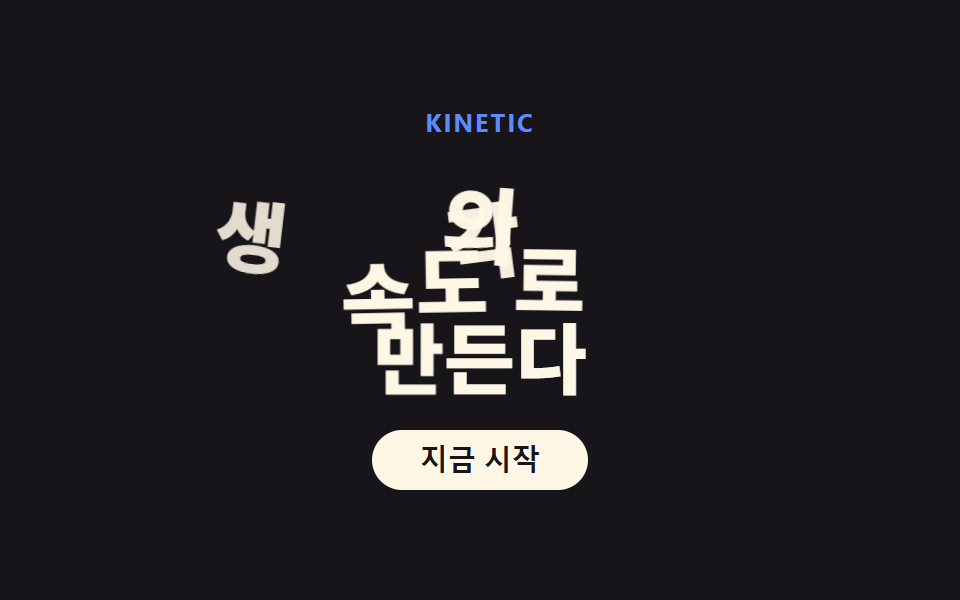 I Took Kinetic Typography Apart in CSSKinetic typography is a design style where the headline scales with the viewport and words rise into place one after ano See all demos in this post