05Dots flowing along the wire
Three dots travel the curve from the upstream node to the downstream one while a run is live, showing which branch is working right now.
Best forLive run indicators, data pipeline monitors
offset-pathoffset-distanceanimation-fill-mode: backwards
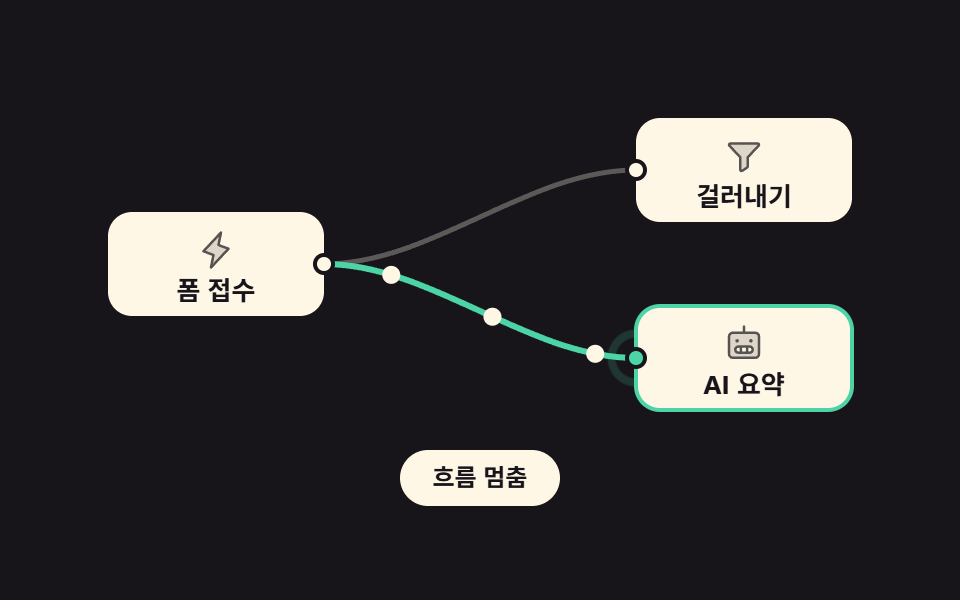
<main class="stage">
<div class="ng is-demo" id="ng">
<svg class="ng__canvas" viewBox="0 0 400 170" role="group" aria-label="A graph showing which branch is live">

  <!-- 선 두 개. 아래 갈래만 실행 중이라 색이 다르다 -->
  <path class="ng__wire" d="M122,85 C176,85 224,38 278,38"/>
  <path class="ng__wire ng__wire--run" d="M122,85 C176,85 224,132 278,132"/>

  <!-- 도착 표시: 점이 닿는 0.667s 주기에 맞춰 퍼진다 -->
  <circle class="ng__ring" cx="278" cy="132" r="6"/>

  <!-- 흐르는 점 셋. offset-path 의 좌표는 위 선의 d 와 **글자 그대로 같은 문자열**이라 좌표계가 어긋날 수 없다 -->
  <circle class="ng__dot ng__dot--1" cx="0" cy="0" r="4.5"/>
  <circle class="ng__dot ng__dot--2" cx="0" cy="0" r="4.5"/>
  <circle class="ng__dot ng__dot--3" cx="0" cy="0" r="4.5"/>

  <g class="ng__node">
    <rect class="ng__box" x="14" y="59" width="108" height="52" rx="12"/>
    <svg class="ng__ico" x="58" y="68" width="20" height="20" viewBox="0 0 256 256" fill="currentColor" aria-hidden="true"><path d="M96,240l16-80L48,136,160,16,144,96l64,24Z" opacity="0.2"/><path d="M215.79,118.17a8,8,0,0,0-5-5.66L153.18,90.9l14.66-73.33a8,8,0,0,0-13.69-7l-112,120a8,8,0,0,0,3,13l57.63,21.61L88.16,238.43a8,8,0,0,0,13.69,7l112-120A8,8,0,0,0,215.79,118.17ZM109.37,214l10.47-52.38a8,8,0,0,0-5-9.06L62,132.71l84.62-90.66L136.16,94.43a8,8,0,0,0,5,9.06l52.8,19.8Z"/></svg>
    <text class="ng__label" x="68" y="103" text-anchor="middle">Form intake</text>
    <circle class="ng__port" cx="122" cy="85" r="4.5"/>
  </g>

  <g class="ng__node">
    <rect class="ng__box" x="278" y="12" width="108" height="52" rx="12"/>
    <svg class="ng__ico" x="322" y="21" width="20" height="20" viewBox="0 0 256 256" fill="currentColor" aria-hidden="true"><path d="M221.9,61.38,152,136v58.65a8,8,0,0,1-3.56,6.66l-32,21.33A8,8,0,0,1,104,216V136L34.1,61.38A8,8,0,0,1,40,48H216A8,8,0,0,1,221.9,61.38Z" opacity="0.2"/><path d="M230.6,49.53A15.81,15.81,0,0,0,216,40H40A16,16,0,0,0,28.19,66.76l.08.09L96,139.17V216a16,16,0,0,0,24.87,13.32l32-21.34A16,16,0,0,0,160,194.66V139.17l67.74-72.32.08-.09A15.8,15.8,0,0,0,230.6,49.53ZM40,56h0Zm106.18,74.58A8,8,0,0,0,144,136v58.66L112,216V136a8,8,0,0,0-2.16-5.47L40,56H216Z"/></svg>
    <text class="ng__label" x="332" y="56" text-anchor="middle">Filter</text>
    <circle class="ng__port" cx="278" cy="38" r="4.5"/>
  </g>

  <g class="ng__node">
    <rect class="ng__box ng__box--run" x="278" y="106" width="108" height="52" rx="12"/>
    <svg class="ng__ico" x="322" y="115" width="20" height="20" viewBox="0 0 256 256" fill="currentColor" aria-hidden="true"><path d="M200,56H56A24,24,0,0,0,32,80V192a24,24,0,0,0,24,24H200a24,24,0,0,0,24-24V80A24,24,0,0,0,200,56ZM164,184H92a20,20,0,0,1,0-40h72a20,20,0,0,1,0,40Z" opacity="0.2"/><path d="M200,48H136V16a8,8,0,0,0-16,0V48H56A32,32,0,0,0,24,80V192a32,32,0,0,0,32,32H200a32,32,0,0,0,32-32V80A32,32,0,0,0,200,48Zm16,144a16,16,0,0,1-16,16H56a16,16,0,0,1-16-16V80A16,16,0,0,1,56,64H200a16,16,0,0,1,16,16ZM72,108a12,12,0,1,1,12,12A12,12,0,0,1,72,108Zm88,0a12,12,0,1,1,12,12A12,12,0,0,1,160,108Zm4,28H92a28,28,0,0,0,0,56h72a28,28,0,0,0,0-56Zm-24,16v24H116V152ZM80,164a12,12,0,0,1,12-12h8v24H92A12,12,0,0,1,80,164Zm84,12h-8V152h8a12,12,0,0,1,0,24Z"/></svg>
    <text class="ng__label" x="332" y="150" text-anchor="middle">AI recap</text>
    <circle class="ng__port ng__port--run" cx="278" cy="132" r="4.5"/>
  </g>
</svg>

<div class="ng__bar">
  <button type="button" class="ng__toggle" id="ngToggle" aria-pressed="false">Pause flow</button>
</div>
</div>
</main>@use "../../../../site/static/demo-tokens" as *;
// 변형 3개는 이 셋만 바꾼다
$duration: $dur-loop;
$easing: linear;
$color: $subject-mint;
// 점 세 개가 2s 를 셋으로 나눠 도착한다 → 도착 표시의 주기이자 지연 (2s 의 약수)
$arrive: 0.6667s;
@include stage($stage-ink);
.ng { width: min(100%, 400px); display: grid; gap: $sp-2; justify-items: center; }
.ng__canvas { display: block; width: 100%; height: auto; }
// ── 노드
.ng__box { fill: $subject-cream; }
.ng__box--run { stroke: $color; stroke-width: 2; }
.ng__ico { color: $subject-ink; opacity: .72; }
.ng__label { font-weight: 700; font-size: 13px; fill: $subject-ink; }
.ng__port { fill: $subject-cream; stroke: $stage-ink; stroke-width: 2; }
.ng__port--run { fill: $color; }
// ── 선: 실행 중인 갈래만 색이 다르다
.ng__wire { fill: none; stroke: rgba(255, 247, 230, .3); stroke-width: 2.5; stroke-linecap: round; }
.ng__wire--run { stroke: $color; stroke-width: 3; }
// ── 흐르는 점: 길은 CSS 가 아니라 위 선의 d 를 그대로 복사한 것이다.
// SVG 요소에 건 offset-path 는 viewBox 사용자 좌표계에서 풀리므로 선과 점이 어긋나지 않는다 (285 Playwright 실측 오차 0.01px)
.ng__dot {
offset-path: path("M122,85 C176,85 224,132 278,132");
offset-distance: 0%;
offset-rotate: 0deg;
fill: $subject-cream;
animation-name: ngFlow; animation-duration: $duration; animation-timing-function: $easing;
animation-iteration-count: infinite; animation-fill-mode: backwards;
}
// 지연은 **음수** 다. 양수 지연(0.4s·0.8s)을 주면 2초 캡처 창의 마지막 장에서 점이 길 중간에 서 있다가
// 다음 바퀴 0프레임에 0% 로 순간이동한다 — 양수 지연은 주기의 배수일 때만 루프가 닫힌다 (285 실측)
.ng__dot--2 { animation-delay: -0.6667s; }
.ng__dot--3 { animation-delay: -1.3333s; }
// ── 도착 표시: 점이 닿는 주기(2s / 3)에 맞춰 퍼진다.
// 지연이 걸려 있으므로 backwards 가 없으면 0~0.667s 구간에 작성 상태(그냥 놓인 원)가 그대로 찍힌다
.ng__ring {
fill: none; stroke: $color; stroke-width: 2;
transform-box: fill-box; transform-origin: 50% 50%;
animation-name: ngArrive; animation-duration: $arrive; animation-timing-function: $ease-out;
animation-iteration-count: infinite; animation-delay: $arrive; animation-fill-mode: backwards;
}
@keyframes ngFlow {
from { offset-distance: 0%; }
to { offset-distance: 100%; }
}
@keyframes ngArrive {
0% { transform: scale(.5); opacity: .9; }
100% { transform: scale(2.4); opacity: 0; }
}
// ── 멈춤: 선과 노드는 그대로 두고 흐름만 끈다
.ng.is-paused .ng__dot,
.ng.is-paused .ng__ring { animation-name: none; opacity: 0; }
.ng.is-paused .ng__wire--run { stroke: rgba(255, 247, 230, .3); stroke-width: 2.5; }
.ng.is-paused .ng__box--run { stroke: none; }
.ng.is-paused .ng__port--run { fill: $subject-cream; }
// ── 단추
.ng__bar { display: flex; justify-content: center; }
.ng__toggle {
font-family: inherit; font-weight: 700; font-size: clamp(11px, 3vw, 12px); line-height: 1.6;
color: $subject-ink; background: $subject-cream; border: none; border-radius: $r-pill;
padding: $sp-1 $sp-4; cursor: pointer;
}
.ng__toggle:focus-visible { outline: 2px solid $color; outline-offset: 2px; }
// ── 320×200 폰 (BD9): 글자만 줄인다. 여기서 간격을 올리면 세로가 넘친다
@media (max-width: 340px), (max-height: 220px) {
.ng__label { font-size: 14px; }
.ng__toggle { padding: 0 $sp-3; }
}
@media (prefers-reduced-motion: reduce) {
.ng__dot,
.ng__ring { animation: none !important; }
.ng__dot--2 { offset-distance: 40% !important; }
.ng__dot--3 { offset-distance: 75% !important; }
}html, body {
margin: 0;
overflow: hidden;
}
.stage {
box-sizing: border-box;
min-height: 100vh;
display: grid;
place-items: center;
margin: 0;
background: #17141a;
font-family: -apple-system, "Segoe UI", "Noto Sans KR", sans-serif;
padding: clamp(8px, 4vw, 24px);
}
.ng {
width: min(100%, 400px);
display: grid;
gap: 8px;
justify-items: center;
}
.ng__canvas {
display: block;
width: 100%;
height: auto;
}
.ng__box {
fill: #fff7e6;
}
.ng__box--run {
stroke: #4cd4a6;
stroke-width: 2;
}
.ng__ico {
color: #17141a;
opacity: 0.72;
}
.ng__label {
font-weight: 700;
font-size: 13px;
fill: #17141a;
}
.ng__port {
fill: #fff7e6;
stroke: #17141a;
stroke-width: 2;
}
.ng__port--run {
fill: #4cd4a6;
}
.ng__wire {
fill: none;
stroke: rgba(255, 247, 230, 0.3);
stroke-width: 2.5;
stroke-linecap: round;
}
.ng__wire--run {
stroke: #4cd4a6;
stroke-width: 3;
}
.ng__dot {
offset-path: path("M122,85 C176,85 224,132 278,132");
offset-distance: 0%;
offset-rotate: 0deg;
fill: #fff7e6;
animation-name: ngFlow;
animation-duration: 2s;
animation-timing-function: linear;
animation-iteration-count: infinite;
animation-fill-mode: backwards;
}
.ng__dot--2 {
animation-delay: -0.6667s;
}
.ng__dot--3 {
animation-delay: -1.3333s;
}
.ng__ring {
fill: none;
stroke: #4cd4a6;
stroke-width: 2;
transform-box: fill-box;
transform-origin: 50% 50%;
animation-name: ngArrive;
animation-duration: 0.6667s;
animation-timing-function: ease-out;
animation-iteration-count: infinite;
animation-delay: 0.6667s;
animation-fill-mode: backwards;
}
@keyframes ngFlow {
from {
offset-distance: 0%;
}
to {
offset-distance: 100%;
}
}
@keyframes ngArrive {
0% {
transform: scale(0.5);
opacity: 0.9;
}
100% {
transform: scale(2.4);
opacity: 0;
}
}
.ng.is-paused .ng__dot,
.ng.is-paused .ng__ring {
animation-name: none;
opacity: 0;
}
.ng.is-paused .ng__wire--run {
stroke: rgba(255, 247, 230, 0.3);
stroke-width: 2.5;
}
.ng.is-paused .ng__box--run {
stroke: none;
}
.ng.is-paused .ng__port--run {
fill: #fff7e6;
}
.ng__bar {
display: flex;
justify-content: center;
}
.ng__toggle {
font-family: inherit;
font-weight: 700;
font-size: clamp(11px, 3vw, 12px);
line-height: 1.6;
color: #17141a;
background: #fff7e6;
border: none;
border-radius: 999px;
padding: 4px 16px;
cursor: pointer;
}
.ng__toggle:focus-visible {
outline: 2px solid #4cd4a6;
outline-offset: 2px;
}
@media (max-width: 340px), (max-height: 220px) {
.ng__label {
font-size: 14px;
}
.ng__toggle {
padding: 0 12px;
}
}
@media (prefers-reduced-motion: reduce) {
.ng__dot,
.ng__ring {
animation: none !important;
}
.ng__dot--2 {
offset-distance: 40% !important;
}
.ng__dot--3 {
offset-distance: 75% !important;
}
}var root = document.getElementById('ng');
var toggle = document.getElementById('ngToggle');
toggle.addEventListener('click', function () {
root.classList.remove('is-demo');
var paused = root.classList.toggle('is-paused');
toggle.setAttribute('aria-pressed', String(paused));
toggle.textContent = paused ? 'Play flow' : 'Pause flow';
});import { useState } from "react";
import styles from "./FlowDots.module.scss";
export type FlowDotsProps = { duration?: number; easing?: string; color?: string };
/** 실행 중인 갈래. offset-path 의 path() 와 **글자 그대로 같은 문자열**이라 좌표계가 어긋날 수 없다 */
const RUN_WIRE = "M122,85 C176,85 224,132 278,132";
const IDLE_WIRE = "M122,85 C176,85 224,38 278,38";
export default function FlowDots({ duration = 2000, easing = "linear", color = "#4cd4a6" }: FlowDotsProps) {
const [paused, setPaused] = useState(false);
return (
<main className={styles.stage}>
<div
className={`${styles.ng} ${paused ? styles.isPaused : ""}`}
style={{ "--ng-duration": `${duration}ms`, "--ng-easing": easing, "--ng-color": color }}
>
<svg className={styles.canvas} viewBox="0 0 400 170" role="group" aria-label="실행 중인 갈래를 점으로 보여 주는 연결도">
<path className={styles.wire} d={IDLE_WIRE} />
<path className={`${styles.wire} ${styles.wireRun}`} d={RUN_WIRE} />
<circle className={styles.ring} cx="278" cy="132" r="6" />
<circle className={styles.dot} cx="0" cy="0" r="4.5" />
<circle className={`${styles.dot} ${styles.dot2}`} cx="0" cy="0" r="4.5" />
<circle className={`${styles.dot} ${styles.dot3}`} cx="0" cy="0" r="4.5" />
<g className={styles.node}>
<rect className={styles.box} x="14" y="59" width="108" height="52" rx="12" />
<svg className={styles.ico} x="58" y="68" width="20" height="20" viewBox="0 0 256 256" fill="currentColor" aria-hidden="true"><path d="M96,240l16-80L48,136,160,16,144,96l64,24Z" opacity="0.2" /><path d="M215.79,118.17a8,8,0,0,0-5-5.66L153.18,90.9l14.66-73.33a8,8,0,0,0-13.69-7l-112,120a8,8,0,0,0,3,13l57.63,21.61L88.16,238.43a8,8,0,0,0,13.69,7l112-120A8,8,0,0,0,215.79,118.17ZM109.37,214l10.47-52.38a8,8,0,0,0-5-9.06L62,132.71l84.62-90.66L136.16,94.43a8,8,0,0,0,5,9.06l52.8,19.8Z" /></svg>
<text className={styles.label} x="68" y="103" textAnchor="middle">폼 접수</text>
<circle className={styles.port} cx="122" cy="85" r="4.5" />
</g>
<g className={styles.node}>
<rect className={styles.box} x="278" y="12" width="108" height="52" rx="12" />
<svg className={styles.ico} x="322" y="21" width="20" height="20" viewBox="0 0 256 256" fill="currentColor" aria-hidden="true"><path d="M221.9,61.38,152,136v58.65a8,8,0,0,1-3.56,6.66l-32,21.33A8,8,0,0,1,104,216V136L34.1,61.38A8,8,0,0,1,40,48H216A8,8,0,0,1,221.9,61.38Z" opacity="0.2" /><path d="M230.6,49.53A15.81,15.81,0,0,0,216,40H40A16,16,0,0,0,28.19,66.76l.08.09L96,139.17V216a16,16,0,0,0,24.87,13.32l32-21.34A16,16,0,0,0,160,194.66V139.17l67.74-72.32.08-.09A15.8,15.8,0,0,0,230.6,49.53ZM40,56h0Zm106.18,74.58A8,8,0,0,0,144,136v58.66L112,216V136a8,8,0,0,0-2.16-5.47L40,56H216Z" /></svg>
<text className={styles.label} x="332" y="56" textAnchor="middle">걸러내기</text>
<circle className={styles.port} cx="278" cy="38" r="4.5" />
</g>
<g className={styles.node}>
<rect className={`${styles.box} ${styles.boxRun}`} x="278" y="106" width="108" height="52" rx="12" />
<svg className={styles.ico} x="322" y="115" width="20" height="20" viewBox="0 0 256 256" fill="currentColor" aria-hidden="true"><path d="M200,56H56A24,24,0,0,0,32,80V192a24,24,0,0,0,24,24H200a24,24,0,0,0,24-24V80A24,24,0,0,0,200,56ZM164,184H92a20,20,0,0,1,0-40h72a20,20,0,0,1,0,40Z" opacity="0.2" /><path d="M200,48H136V16a8,8,0,0,0-16,0V48H56A32,32,0,0,0,24,80V192a32,32,0,0,0,32,32H200a32,32,0,0,0,32-32V80A32,32,0,0,0,200,48Zm16,144a16,16,0,0,1-16,16H56a16,16,0,0,1-16-16V80A16,16,0,0,1,56,64H200a16,16,0,0,1,16,16ZM72,108a12,12,0,1,1,12,12A12,12,0,0,1,72,108Zm88,0a12,12,0,1,1,12,12A12,12,0,0,1,160,108Zm4,28H92a28,28,0,0,0,0,56h72a28,28,0,0,0,0-56Zm-24,16v24H116V152ZM80,164a12,12,0,0,1,12-12h8v24H92A12,12,0,0,1,80,164Zm84,12h-8V152h8a12,12,0,0,1,0,24Z" /></svg>
<text className={styles.label} x="332" y="150" textAnchor="middle">AI 요약</text>
<circle className={`${styles.port} ${styles.portRun}`} cx="278" cy="132" r="4.5" />
</g>
</svg>
<div className={styles.bar}>
<button type="button" className={styles.toggle} aria-pressed={paused} onClick={() => setPaused((v) => !v)}>
{paused ? "흐름 재생" : "흐름 멈춤"}
</button>
</div>
</div>
</main>
);
}05 Dots flowing along the wire — Measured area 1.118% · moving frames 23/23Original by GODRICH · SCSS and React ship in the zip · Node Based UI Design: 9 Patterns, No Library
The post this demo lives in
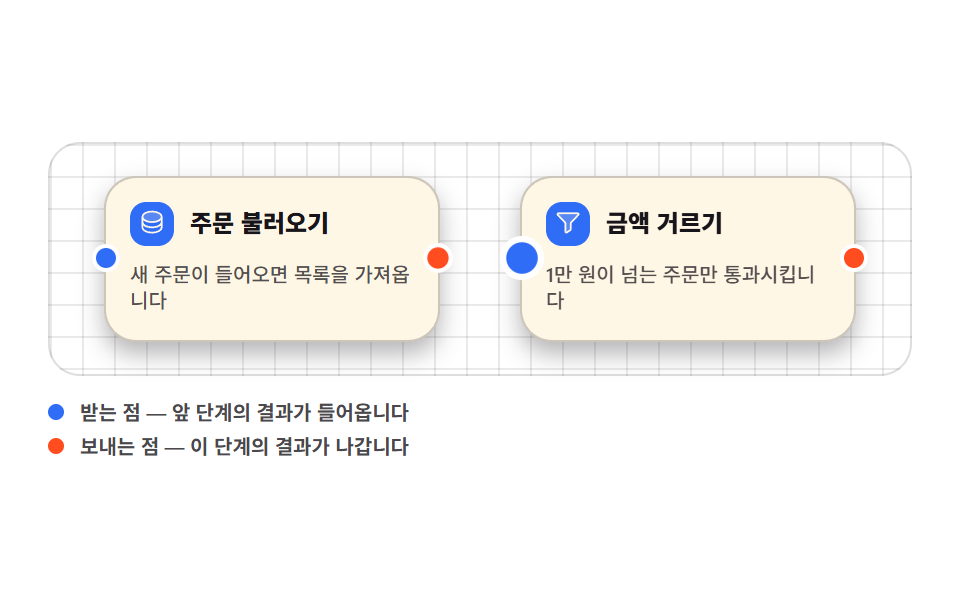 Node Based UI Design: 9 Patterns, No LibraryNode based ui design is the wiring screen — boxes dropped on a canvas and joined with lines, the way n8n, Figma, and Ble See all demos in this post
If you like this effect - similar demos
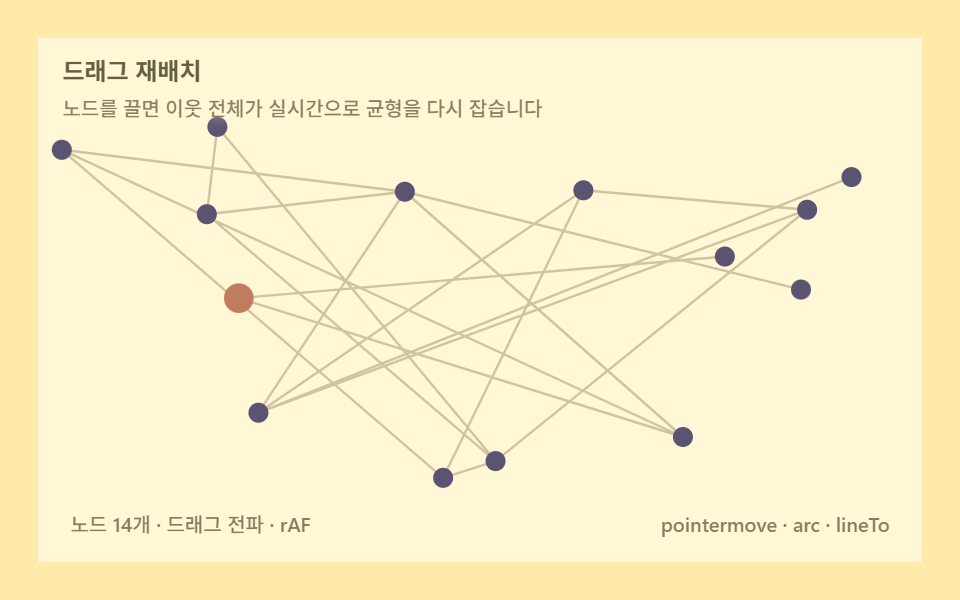 Creative UI02 Drag to reflow — pull one node and the whole graph rebalancesForce Directed Graph: 9 Network Layout Demos
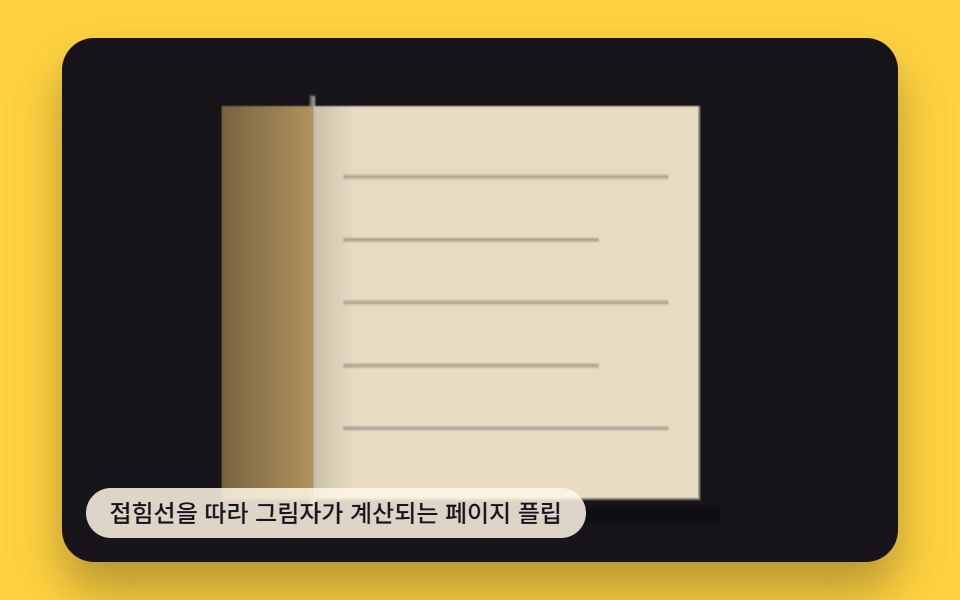 Creative UI02 Page Flip Whose Shadow Is Computed Along the Fold LinePage Turn Animation CSS — 9 Paper Curl Patterns
 Creative UI04 Mesh Flowing Through Noise-Warped CoordinatesMesh Gradient Background: 9 Canvas Animations