08Panning and zooming the grid canvas
Dragging the floor slides the grid pattern exactly as far as the nodes, and the zoom button scales up from the middle of the viewport.
Best forSurveying a wide diagram, whiteboard screens
background-positiontransform: scaletransform-origin
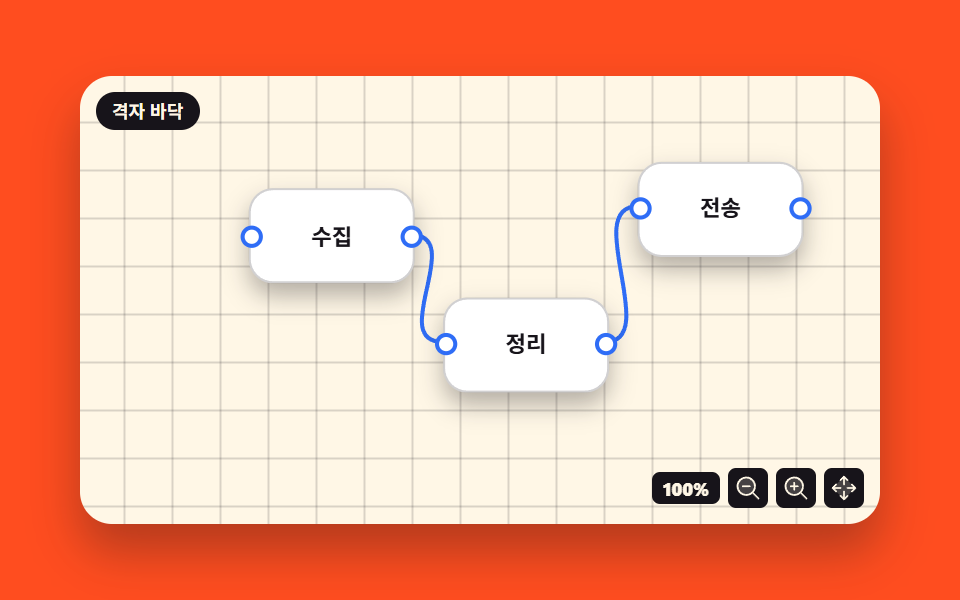
<main class="stage">
<div class="ng is-demo" id="ng">
  <div class="ng__canvas" id="ngCanvas">
    <div class="ng__world" id="ngWorld">
      <svg class="ng__wires" viewBox="0 0 400 224" preserveAspectRatio="none" aria-hidden="true">
        <path class="ng__wire" d="M168,81 C196,81 156,134 184,134"/>
        <path class="ng__wire" d="M264,134 C292,134 252,67 280,67"/>
      </svg>
      <div class="ng__node ng__node--a">
        <span class="ng__port ng__port--in" aria-hidden="true"></span>
        <span class="ng__name">Collect</span>
        <span class="ng__port ng__port--out" aria-hidden="true"></span>
      </div>
      <div class="ng__node ng__node--b">
        <span class="ng__port ng__port--in" aria-hidden="true"></span>
        <span class="ng__name">Tidy</span>
        <span class="ng__port ng__port--out" aria-hidden="true"></span>
      </div>
      <div class="ng__node ng__node--c">
        <span class="ng__port ng__port--in" aria-hidden="true"></span>
        <span class="ng__name">Dispatch</span>
        <span class="ng__port ng__port--out" aria-hidden="true"></span>
      </div>
    </div>
    <span class="ng__chip">Grid floor</span>
    <div class="ng__tools">
      <span class="ng__zoom" title="Zoom level">
        <b class="ng__zoomNow" id="ngZoom">100%</b>
        <b class="ng__zoomAlt" aria-hidden="true">120%</b>
      </span>
      <button type="button" class="ng__btn" id="ngOut" aria-label="Zoom out"><svg xmlns="http://www.w3.org/2000/svg" viewBox="0 0 256 256" fill="currentColor" class="ng__ico" aria-hidden="true"><path d="M192,112a80,80,0,1,1-80-80A80,80,0,0,1,192,112Z" opacity="0.2"/><path d="M229.66,218.34,179.6,168.28a88.21,88.21,0,1,0-11.32,11.31l50.06,50.07a8,8,0,0,0,11.32-11.32ZM40,112a72,72,0,1,1,72,72A72.08,72.08,0,0,1,40,112Zm112,0a8,8,0,0,1-8,8H80a8,8,0,0,1,0-16h64A8,8,0,0,1,152,112Z"/></svg></button>
      <button type="button" class="ng__btn" id="ngIn" aria-label="Zoom in"><svg xmlns="http://www.w3.org/2000/svg" viewBox="0 0 256 256" fill="currentColor" class="ng__ico" aria-hidden="true"><path d="M192,112a80,80,0,1,1-80-80A80,80,0,0,1,192,112Z" opacity="0.2"/><path d="M229.66,218.34,179.6,168.28a88.21,88.21,0,1,0-11.32,11.31l50.06,50.07a8,8,0,0,0,11.32-11.32ZM40,112a72,72,0,1,1,72,72A72.08,72.08,0,0,1,40,112Zm112,0a8,8,0,0,1-8,8H120v24a8,8,0,0,1-16,0V120H80a8,8,0,0,1,0-16h24V80a8,8,0,0,1,16,0v24h24A8,8,0,0,1,152,112Z"/></svg></button>
      <button type="button" class="ng__btn" id="ngHome" aria-label="Recenter"><svg xmlns="http://www.w3.org/2000/svg" viewBox="0 0 256 256" fill="currentColor" class="ng__ico" aria-hidden="true"><path d="M232,128,128,232,24,128,128,24Z" opacity="0.2"/><path d="M90.34,61.66a8,8,0,0,1,0-11.32l32-32a8,8,0,0,1,11.32,0l32,32a8,8,0,0,1-11.32,11.32L136,43.31V96a8,8,0,0,1-16,0V43.31L101.66,61.66A8,8,0,0,1,90.34,61.66Zm64,132.68L136,212.69V160a8,8,0,0,0-16,0v52.69l-18.34-18.35a8,8,0,0,0-11.32,11.32l32,32a8,8,0,0,0,11.32,0l32-32a8,8,0,0,0-11.32-11.32Zm83.32-72-32-32a8,8,0,0,0-11.32,11.32L212.69,120H160a8,8,0,0,0,0,16h52.69l-18.35,18.34a8,8,0,0,0,11.32,11.32l32-32A8,8,0,0,0,237.66,122.34ZM43.31,136H96a8,8,0,0,0,0-16H43.31l18.35-18.34A8,8,0,0,0,50.34,90.34l-32,32a8,8,0,0,0,0,11.32l32,32a8,8,0,0,0,11.32-11.32Z"/></svg></button>
    </div>
  </div>
</div>
</main>@use "../../../../site/static/demo-tokens" as *;
$duration: $dur-loop; // 미리보기 루프 주기 — 설정 `초`(2s) 고정
$easing: $ease-out; // 단추 눌림 피드백 (팬은 아래 주석대로 일부러 linear)
$color: $subject-blue; // 연결선·포트 색
@include stage($stage-orange);
.ng { width: min(100%, 400px); }
.ng__canvas {
position: relative; width: 100%; height: clamp(140px, 48vw, 224px); overflow: hidden;
border-radius: $r-card; box-shadow: $shadow-raised;
background-color: $subject-cream;
// 격자 무늬 = 세로줄 한 겹 + 가로줄 한 겹. 타일 크기는 background-size 가 정한다
background-image: linear-gradient(to right, rgba($subject-ink, .16) 1px, transparent 1px),
linear-gradient(to bottom, rgba($subject-ink, .16) 1px, transparent 1px);
background-size: 24px 24px;
background-position: 0 0;
touch-action: none; cursor: grab;
}
.ng__world {
position: absolute; inset: 0;
// 확대는 무대 한가운데를 축으로 — 모서리에 두면 커지는 게 아니라 옆으로 밀리며 늘어나 보인다
transform-origin: 50% 50%;
transform: translate(0, 0) scale(1);
}
.ng__wires { position: absolute; inset: 0; display: block; width: 100%; height: 100%; }
.ng__wire { fill: none; stroke: $color; stroke-width: 2; stroke-linecap: round; vector-effect: non-scaling-stroke; }
.ng__node {
position: absolute; width: 20%; height: 20%;
display: flex; align-items: center; justify-content: center;
background: $stage-paper; border: 1px solid rgba($subject-ink, .20);
border-radius: $r-control; box-shadow: $shadow-press;
}
.ng__node--a { left: 22%; top: 26%; }
.ng__node--b { left: 46%; top: 50%; }
.ng__node--c { left: 70%; top: 20%; }
.ng__name { font-weight: 700; font-size: clamp(8px, 2.4vw, 11px); line-height: 1.1; color: $subject-ink; }
.ng__port {
position: absolute; top: 50%; width: 7px; height: 7px; border-radius: 50%;
background: $stage-paper; border: 2px solid $color; transform: translateY(-50%);
}
.ng__port--in { left: -5px; }
.ng__port--out { right: -5px; }
.ng__chip {
position: absolute; left: 8px; top: 8px;
background: $subject-ink; color: $subject-cream; border-radius: $r-pill;
padding: $sp-1 $sp-2; font-weight: 700; font-size: 9px; line-height: 1.2;
}
.ng__tools { position: absolute; right: 8px; bottom: 8px; display: flex; align-items: center; gap: $sp-1; }
.ng__zoom {
position: relative; display: inline-block; width: 34px; height: 16px;
background: $subject-ink; border-radius: $r-xs;
}
.ng__zoomNow, .ng__zoomAlt {
position: absolute; inset: 0; display: flex; align-items: center; justify-content: center;
font-weight: 800; font-size: 9px; line-height: 1; color: $subject-cream;
}
.ng__zoomAlt { opacity: 0; }
.ng__btn {
display: inline-flex; align-items: center; justify-content: center;
width: 20px; height: 20px; padding: 0; border: none; border-radius: $r-xs;
background: $subject-ink; color: $subject-cream; cursor: pointer;
transition: transform $dur-instant $easing;
}
.ng__btn:active { transform: scale(.92); } // 자기 중심에서 눌린다
.ng__ico { width: 14px; height: 14px; }
// ── 미리보기 루프 (2s) : 천천히 팬 → 한 번 확대 → 88% 에 복귀
// ⚠ 격자(background-position)와 노드 레이어(translate)는 **같은 키프레임 시각·같은 이징**이어야 한다.
// 한쪽만 ease 를 쓰면 중간 프레임에서 거리가 어긋나 바닥이 미끄러져 보인다 — 그래서 둘 다 linear
.ng.is-demo .ng__canvas {
animation-name: ngGridPan; animation-duration: $duration; animation-timing-function: linear;
animation-iteration-count: infinite; animation-fill-mode: backwards;
}
.ng.is-demo .ng__world {
animation-name: ngWorldPan; animation-duration: $duration; animation-timing-function: linear;
animation-iteration-count: infinite; animation-fill-mode: backwards;
}
@keyframes ngGridPan {
0% { background-position: 0 0; }
40%, 80% { background-position: -36px -20px; }
88%, 100% { background-position: 0 0; }
}
@keyframes ngWorldPan {
0% { transform: translate(0, 0) scale(1); }
40% { transform: translate(-36px, -20px) scale(1); }
50%, 80% { transform: translate(-36px, -20px) scale(1.2); }
88%, 100% { transform: translate(0, 0) scale(1); }
}
// 배율 글자는 컷으로 갈아끼운다 — 두 겹을 페이드로 섞으면 반투명 유령 프레임이 생긴다
.ng.is-demo .ng__zoomNow, .ng.is-demo .ng__zoomAlt {
animation-duration: $duration; animation-timing-function: steps(1, end);
animation-iteration-count: infinite; animation-fill-mode: backwards;
}
.ng.is-demo .ng__zoomNow { animation-name: ngLabelBase; }
.ng.is-demo .ng__zoomAlt { animation-name: ngLabelZoom; }
@keyframes ngLabelBase { 0% { opacity: 1; } 45.5% { opacity: 0; } 83.5% { opacity: 1; } 100% { opacity: 1; } }
@keyframes ngLabelZoom { 0% { opacity: 0; } 45.5% { opacity: 1; } 83.5% { opacity: 0; } 100% { opacity: 0; } }
// ── 320×200 폰 (BD9). 좁은 쪽에서는 값을 올리지 않는다
@media (max-width: 340px), (max-height: 220px) {
.ng__chip { font-size: 8px; padding: 0 $sp-1; }
.ng__btn { width: 18px; height: 18px; }
.ng__ico { width: 12px; height: 12px; }
.ng__zoom { width: 30px; height: 14px; }
.ng__zoomNow, .ng__zoomAlt { font-size: 8px; }
}
@media (prefers-reduced-motion: reduce) {
.ng.is-demo .ng__canvas,
.ng.is-demo .ng__world,
.ng.is-demo .ng__zoomNow,
.ng.is-demo .ng__zoomAlt { animation: none !important; }
.ng.is-demo .ng__world { transform: translate(0, 0) scale(1) !important; }
.ng.is-demo .ng__canvas { background-position: 0 0 !important; }
.ng.is-demo .ng__zoomNow { opacity: 1 !important; }
.ng.is-demo .ng__zoomAlt { opacity: 0 !important; }
.ng__btn { transition: none !important; }
}html, body {
margin: 0;
overflow: hidden;
}
.stage {
box-sizing: border-box;
min-height: 100vh;
display: grid;
place-items: center;
margin: 0;
background: #ff4d1f;
font-family: -apple-system, "Segoe UI", "Noto Sans KR", sans-serif;
padding: clamp(8px, 4vw, 24px);
}
.ng {
width: min(100%, 400px);
}
.ng__canvas {
position: relative;
width: 100%;
height: clamp(140px, 48vw, 224px);
overflow: hidden;
border-radius: 16px;
box-shadow: 0 14px 24px rgba(23, 20, 26, 0.32);
background-color: #fff7e6;
background-image: linear-gradient(to right, rgba(23, 20, 26, 0.16) 1px, transparent 1px), linear-gradient(to bottom, rgba(23, 20, 26, 0.16) 1px, transparent 1px);
background-size: 24px 24px;
background-position: 0 0;
touch-action: none;
cursor: grab;
}
.ng__world {
position: absolute;
inset: 0;
transform-origin: 50% 50%;
transform: translate(0, 0) scale(1);
}
.ng__wires {
position: absolute;
inset: 0;
display: block;
width: 100%;
height: 100%;
}
.ng__wire {
fill: none;
stroke: #2f6df6;
stroke-width: 2;
stroke-linecap: round;
vector-effect: non-scaling-stroke;
}
.ng__node {
position: absolute;
width: 20%;
height: 20%;
display: flex;
align-items: center;
justify-content: center;
background: #ffffff;
border: 1px solid rgba(23, 20, 26, 0.2);
border-radius: 12px;
box-shadow: 0 6px 12px rgba(23, 20, 26, 0.32);
}
.ng__node--a {
left: 22%;
top: 26%;
}
.ng__node--b {
left: 46%;
top: 50%;
}
.ng__node--c {
left: 70%;
top: 20%;
}
.ng__name {
font-weight: 700;
font-size: clamp(8px, 2.4vw, 11px);
line-height: 1.1;
color: #17141a;
}
.ng__port {
position: absolute;
top: 50%;
width: 7px;
height: 7px;
border-radius: 50%;
background: #ffffff;
border: 2px solid #2f6df6;
transform: translateY(-50%);
}
.ng__port--in {
left: -5px;
}
.ng__port--out {
right: -5px;
}
.ng__chip {
position: absolute;
left: 8px;
top: 8px;
background: #17141a;
color: #fff7e6;
border-radius: 999px;
padding: 4px 8px;
font-weight: 700;
font-size: 9px;
line-height: 1.2;
}
.ng__tools {
position: absolute;
right: 8px;
bottom: 8px;
display: flex;
align-items: center;
gap: 4px;
}
.ng__zoom {
position: relative;
display: inline-block;
width: 34px;
height: 16px;
background: #17141a;
border-radius: 4px;
}
.ng__zoomNow, .ng__zoomAlt {
position: absolute;
inset: 0;
display: flex;
align-items: center;
justify-content: center;
font-weight: 800;
font-size: 9px;
line-height: 1;
color: #fff7e6;
}
.ng__zoomAlt {
opacity: 0;
}
.ng__btn {
display: inline-flex;
align-items: center;
justify-content: center;
width: 20px;
height: 20px;
padding: 0;
border: none;
border-radius: 4px;
background: #17141a;
color: #fff7e6;
cursor: pointer;
transition: transform 140ms ease-out;
}
.ng__btn:active {
transform: scale(0.92);
}
.ng__ico {
width: 14px;
height: 14px;
}
.ng.is-demo .ng__canvas {
animation-name: ngGridPan;
animation-duration: 2s;
animation-timing-function: linear;
animation-iteration-count: infinite;
animation-fill-mode: backwards;
}
.ng.is-demo .ng__world {
animation-name: ngWorldPan;
animation-duration: 2s;
animation-timing-function: linear;
animation-iteration-count: infinite;
animation-fill-mode: backwards;
}
@keyframes ngGridPan {
0% {
background-position: 0 0;
}
40%, 80% {
background-position: -36px -20px;
}
88%, 100% {
background-position: 0 0;
}
}
@keyframes ngWorldPan {
0% {
transform: translate(0, 0) scale(1);
}
40% {
transform: translate(-36px, -20px) scale(1);
}
50%, 80% {
transform: translate(-36px, -20px) scale(1.2);
}
88%, 100% {
transform: translate(0, 0) scale(1);
}
}
.ng.is-demo .ng__zoomNow, .ng.is-demo .ng__zoomAlt {
animation-duration: 2s;
animation-timing-function: steps(1, end);
animation-iteration-count: infinite;
animation-fill-mode: backwards;
}
.ng.is-demo .ng__zoomNow {
animation-name: ngLabelBase;
}
.ng.is-demo .ng__zoomAlt {
animation-name: ngLabelZoom;
}
@keyframes ngLabelBase {
0% {
opacity: 1;
}
45.5% {
opacity: 0;
}
83.5% {
opacity: 1;
}
100% {
opacity: 1;
}
}
@keyframes ngLabelZoom {
0% {
opacity: 0;
}
45.5% {
opacity: 1;
}
83.5% {
opacity: 0;
}
100% {
opacity: 0;
}
}
@media (max-width: 340px), (max-height: 220px) {
.ng__chip {
font-size: 8px;
padding: 0 4px;
}
.ng__btn {
width: 18px;
height: 18px;
}
.ng__ico {
width: 12px;
height: 12px;
}
.ng__zoom {
width: 30px;
height: 14px;
}
.ng__zoomNow, .ng__zoomAlt {
font-size: 8px;
}
}
@media (prefers-reduced-motion: reduce) {
.ng.is-demo .ng__canvas,
.ng.is-demo .ng__world,
.ng.is-demo .ng__zoomNow,
.ng.is-demo .ng__zoomAlt {
animation: none !important;
}
.ng.is-demo .ng__world {
transform: translate(0, 0) scale(1) !important;
}
.ng.is-demo .ng__canvas {
background-position: 0 0 !important;
}
.ng.is-demo .ng__zoomNow {
opacity: 1 !important;
}
.ng.is-demo .ng__zoomAlt {
opacity: 0 !important;
}
.ng__btn {
transition: none !important;
}
}(function () {
var ng = document.getElementById('ng');
var canvas = document.getElementById('ngCanvas');
var world = document.getElementById('ngWorld');
var zoomText = document.getElementById('ngZoom');
var panX = 0, panY = 0, zoom = 1, from = null;
function apply() {
// 격자와 노드 레이어에 같은 거리를 준다. 한쪽만 움직이면 바닥이 노드 밑에서 미끄러져 보인다
canvas.style.backgroundPosition = panX + 'px ' + panY + 'px';
world.style.transform = 'translate(' + panX + 'px, ' + panY + 'px) scale(' + zoom + ')';
zoomText.textContent = Math.round(zoom * 100) + '%';
}
function stopDemo() { ng.classList.remove('is-demo'); }
function setZoom(next) {
stopDemo();
zoom = Math.min(2, Math.max(0.6, Math.round(next * 10) / 10));
apply();
}
canvas.addEventListener('pointerdown', function (e) {
if (e.target.closest('.ng__btn')) return;
stopDemo();
from = { x: e.clientX - panX, y: e.clientY - panY };
canvas.setPointerCapture(e.pointerId);
e.preventDefault();
});
canvas.addEventListener('pointermove', function (e) {
if (!from) return;
panX = e.clientX - from.x;
panY = e.clientY - from.y;
apply();
});
function stop() { from = null; }
canvas.addEventListener('pointerup', stop);
canvas.addEventListener('pointercancel', stop);
document.getElementById('ngIn').addEventListener('click', function () { setZoom(zoom + 0.2); });
document.getElementById('ngOut').addEventListener('click', function () { setZoom(zoom - 0.2); });
document.getElementById('ngHome').addEventListener('click', function () {
stopDemo(); panX = 0; panY = 0; zoom = 1; apply();
});
})();import { useRef, useState } from "react";
import styles from "./PanZoomCanvas.module.scss";
export type PanZoomCanvasProps = { duration?: number; easing?: string; color?: string };
// ambient 에 React 이벤트 제네릭이 없다 — 필요한 것만 로컬 타입으로 선언한다
type PointerEvt = { clientX: number; clientY: number; pointerId: number; target: any; preventDefault(): void };
type Box<T> = { current: T };
const NODES = [
{ key: "a", name: "수집", left: "22%", top: "26%", inPort: false, outPort: true },
{ key: "b", name: "정리", left: "46%", top: "50%", inPort: true, outPort: true },
{ key: "c", name: "전송", left: "70%", top: "20%", inPort: true, outPort: false },
];
const WIRES = ["M168,81 C196,81 156,134 184,134", "M264,134 C292,134 252,67 280,67"];
export default function PanZoomCanvas({ duration = 2000, easing = "ease-out", color = "#2f6df6" }: PanZoomCanvasProps) {
const [demo, setDemo] = useState(true);
const [pan, setPan] = useState<{ x: number; y: number }>({ x: 0, y: 0 });
const [zoom, setZoom] = useState(1);
const canvasRef = useRef<any>(null) as Box<any>;
const fromRef = useRef<{ x: number; y: number } | null>(null) as Box<{ x: number; y: number } | null>;
const rootStyle = { "--ngDur": duration + "ms", "--ngEase": easing, "--ngColor": color } as { [k: string]: string };
// 격자와 노드 레이어에 **같은 거리**를 준다. 한쪽만 움직이면 바닥이 노드 밑에서 미끄러져 보인다
const gridStyle = demo ? undefined : { backgroundPosition: pan.x + "px " + pan.y + "px" };
const worldStyle = demo ? undefined : { transform: "translate(" + pan.x + "px, " + pan.y + "px) scale(" + zoom + ")" };
function step(next: number) {
setDemo(false);
setZoom(Math.min(2, Math.max(0.6, Math.round(next * 10) / 10)));
}
function onDown(e: PointerEvt) {
if (e.target && e.target.closest && e.target.closest("button")) return;
setDemo(false);
fromRef.current = { x: e.clientX - pan.x, y: e.clientY - pan.y };
canvasRef.current.setPointerCapture(e.pointerId);
e.preventDefault();
}
function onMove(e: PointerEvt) {
const f = fromRef.current;
if (!f) return;
setPan({ x: e.clientX - f.x, y: e.clientY - f.y });
}
function onUp() {
fromRef.current = null;
}
return (
<main className={styles.stage}>
<div className={demo ? styles.ng + " " + styles.isDemo : styles.ng} style={rootStyle}>
<div
className={styles.canvas}
ref={(el: any) => { canvasRef.current = el; }}
style={gridStyle}
onPointerDown={onDown}
onPointerMove={onMove}
onPointerUp={onUp}
onPointerCancel={onUp}
>
<div className={styles.world} style={worldStyle}>
<svg className={styles.wires} viewBox="0 0 400 224" preserveAspectRatio="none" aria-hidden="true">
{WIRES.map((d) => (
<path key={d} className={styles.wire} d={d} />
))}
</svg>
{NODES.map((n) => (
<div key={n.key} className={styles.node} style={{ left: n.left, top: n.top }}>
{n.inPort ? <span className={styles.port + " " + styles.portIn} aria-hidden="true" /> : null}
<span className={styles.name}>{n.name}</span>
{n.outPort ? <span className={styles.port + " " + styles.portOut} aria-hidden="true" /> : null}
</div>
))}
</div>
<span className={styles.chip}>격자 바닥</span>
<div className={styles.tools}>
<span className={styles.zoom} title="배율">
<b className={styles.zoomNow}>{Math.round(zoom * 100) + "%"}</b>
<b className={styles.zoomAlt} aria-hidden="true">120%</b>
</span>
<button type="button" className={styles.btn} aria-label="축소" onClick={() => step(zoom - 0.2)}>
<svg xmlns="http://www.w3.org/2000/svg" viewBox="0 0 256 256" fill="currentColor" className={styles.ico} aria-hidden="true"><path d="M192,112a80,80,0,1,1-80-80A80,80,0,0,1,192,112Z" opacity="0.2"/><path d="M229.66,218.34,179.6,168.28a88.21,88.21,0,1,0-11.32,11.31l50.06,50.07a8,8,0,0,0,11.32-11.32ZM40,112a72,72,0,1,1,72,72A72.08,72.08,0,0,1,40,112Zm112,0a8,8,0,0,1-8,8H80a8,8,0,0,1,0-16h64A8,8,0,0,1,152,112Z"/></svg>
</button>
<button type="button" className={styles.btn} aria-label="확대" onClick={() => step(zoom + 0.2)}>
<svg xmlns="http://www.w3.org/2000/svg" viewBox="0 0 256 256" fill="currentColor" className={styles.ico} aria-hidden="true"><path d="M192,112a80,80,0,1,1-80-80A80,80,0,0,1,192,112Z" opacity="0.2"/><path d="M229.66,218.34,179.6,168.28a88.21,88.21,0,1,0-11.32,11.31l50.06,50.07a8,8,0,0,0,11.32-11.32ZM40,112a72,72,0,1,1,72,72A72.08,72.08,0,0,1,40,112Zm112,0a8,8,0,0,1-8,8H120v24a8,8,0,0,1-16,0V120H80a8,8,0,0,1,0-16h24V80a8,8,0,0,1,16,0v24h24A8,8,0,0,1,152,112Z"/></svg>
</button>
<button
type="button"
className={styles.btn}
aria-label="가운데로"
onClick={() => { setDemo(false); setPan({ x: 0, y: 0 }); setZoom(1); }}
>
<svg xmlns="http://www.w3.org/2000/svg" viewBox="0 0 256 256" fill="currentColor" className={styles.ico} aria-hidden="true"><path d="M232,128,128,232,24,128,128,24Z" opacity="0.2"/><path d="M90.34,61.66a8,8,0,0,1,0-11.32l32-32a8,8,0,0,1,11.32,0l32,32a8,8,0,0,1-11.32,11.32L136,43.31V96a8,8,0,0,1-16,0V43.31L101.66,61.66A8,8,0,0,1,90.34,61.66Zm64,132.68L136,212.69V160a8,8,0,0,0-16,0v52.69l-18.34-18.35a8,8,0,0,0-11.32,11.32l32,32a8,8,0,0,0,11.32,0l32-32a8,8,0,0,0-11.32-11.32Zm83.32-72-32-32a8,8,0,0,0-11.32,11.32L212.69,120H160a8,8,0,0,0,0,16h52.69l-18.35,18.34a8,8,0,0,0,11.32,11.32l32-32A8,8,0,0,0,237.66,122.34ZM43.31,136H96a8,8,0,0,0,0-16H43.31l18.35-18.34A8,8,0,0,0,50.34,90.34l-32,32a8,8,0,0,0,0,11.32l32,32a8,8,0,0,0,11.32-11.32Z"/></svg>
</button>
</div>
</div>
</div>
</main>
);
}08 Panning and zooming the grid canvas — Measured area 54.162% · moving frames 15/23Original by GODRICH · SCSS and React ship in the zip · Node Based UI Design: 9 Patterns, No Library
The post this demo lives in
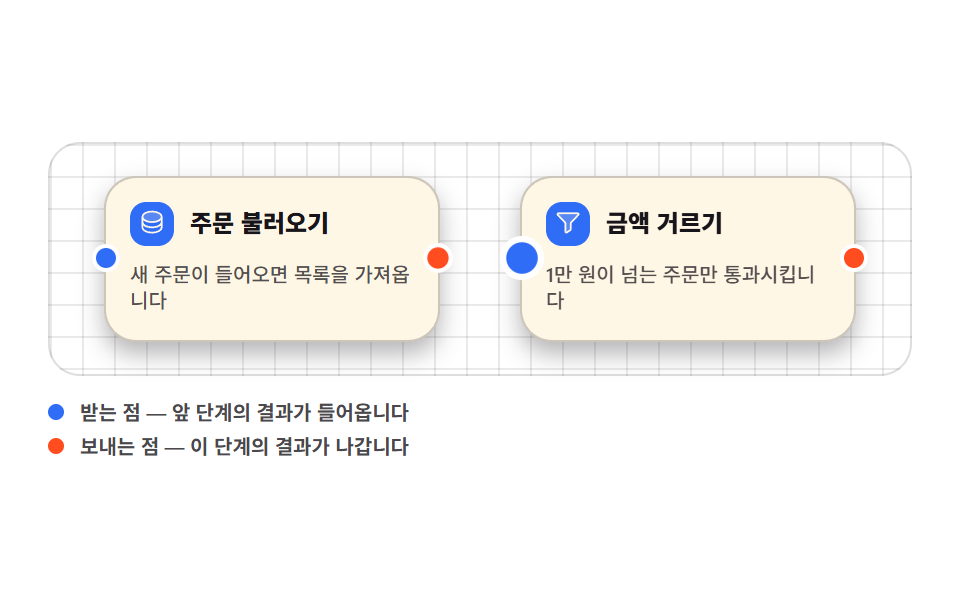 Node Based UI Design: 9 Patterns, No LibraryNode based ui design is the wiring screen — boxes dropped on a canvas and joined with lines, the way n8n, Figma, and Ble See all demos in this post
If you like this effect - similar demos
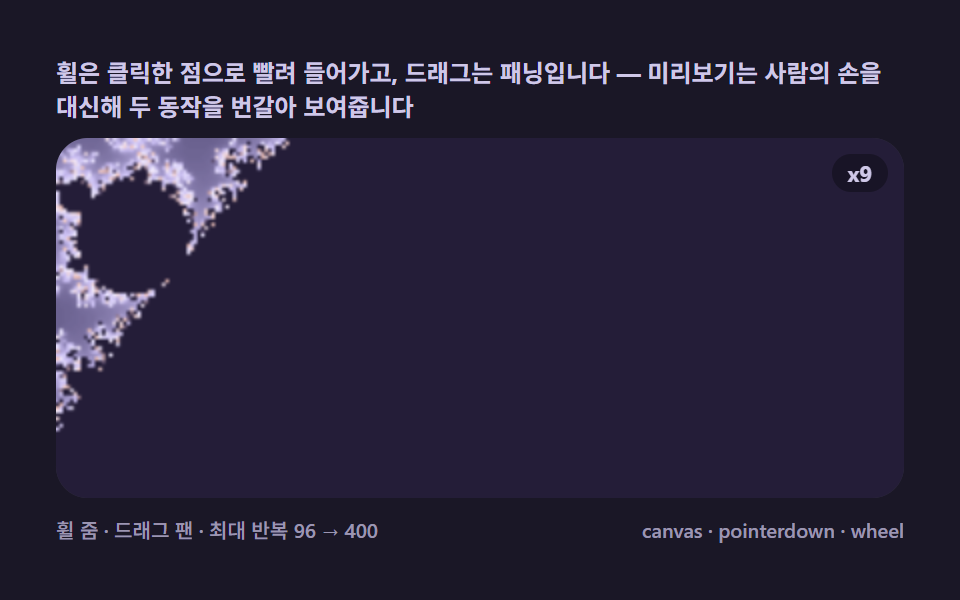 Creative UI07 Pointer zoom and pan — an explorer sucked into the point you clickMandelbrot Zoom, 9 Ways (Escape-Time, No Library)
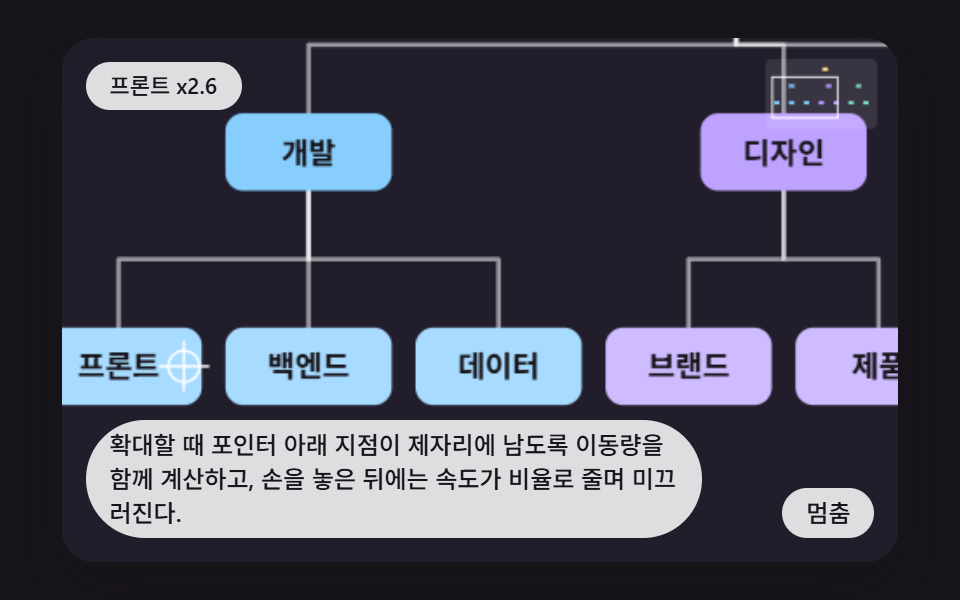 Creative UI05 Pan and Zoom That Keep the Point Under the Pointer FixedCSS Org Chart: 9 Tidy Tree Layout Demos
 Creative UI08 Handwriting fitted to the inputSignature Pad JavaScript: 9 Canvas Drawing UIs