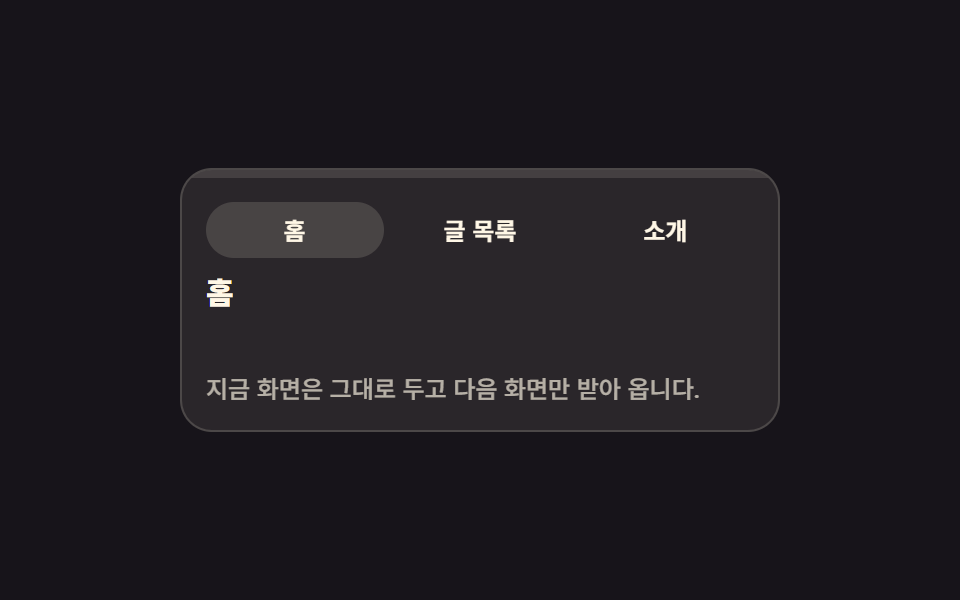
01Route progress bar that crosses the top of the screen
Click a link and a thin bar at the top of the screen grows with scaleX, making the wait for the next screen visible, while the value itself is written into role="progressbar" and aria-valuenow.
Best forBlogs and magazines where readers jump from a list to a detail page all day
role="progressbar"aria-valuenowscaleX

<main class="stage">
  <section class="rp is-demo" id="rp" aria-label="Route progress bar preview">
    <div class="rp__bar">
      <span class="rp__fill" id="rp-fill" role="progressbar" aria-valuenow="0" aria-valuemin="0" aria-valuemax="100" aria-label="Loading progress for the next screen"></span>
    </div>
    <nav class="rp__tabs" aria-label="Screen navigation">
      <button class="rp__tab is-current" type="button" aria-current="page">
        <span class="rp__pill" aria-hidden="true"></span><span class="rp__label">Home</span>
      </button>
      <button class="rp__tab" type="button">
        <span class="rp__pill" aria-hidden="true"></span><span class="rp__label">Posts</span>
      </button>
      <button class="rp__tab" type="button">
        <span class="rp__pill" aria-hidden="true"></span><span class="rp__label">About</span>
      </button>
    </nav>
    <div class="rp__view" id="rp-view" aria-busy="false">
      <p class="rp__head" id="rp-head">Home</p>
      <p class="rp__wait">Preparing the next screen</p>
      <p class="rp__text">The screen you are on stays put; only the next one is fetched.</p>
    </div>
  </section>
</main>
@use "sass:color";
@use "../../../../site/static/demo-tokens" as *;
// 상단 라우트 진행 바 — 링크를 누르면 화면 맨 위 띠가 가짜 fetch 진행만큼 scaleX 로 자란다
$duration: $dur-quick;
$easing: $ease-spring;
$color: $subject-blue;
@include stage($stage-ink);
$panel: color.mix($subject-cream, $stage-ink, 8%);
$line: rgba(255, 247, 230, .16);
.rp {
box-sizing: border-box;
display: grid;
width: min(300px, 88vw);
overflow: hidden;
border: 1px solid $line;
border-radius: $r-card;
background: $panel;
color: $subject-cream;
}
.rp * { box-sizing: border-box; }
// ── 화면 맨 위 진행 띠 ──
// 트랙은 늘 자리에 있고 채움만 scaleX 로 자란다. 폭(width)이 아니라 transform 이라 레이아웃을 다시 계산하지 않는다
.rp__bar { height: 4px; background: rgba(255, 247, 230, .12); }
.rp__fill {
display: block;
height: 100%;
background: $color;
transform: scaleX(0);
transform-origin: left center; // 규칙8: 루트 진행띠 좌측 채움
transition: transform $duration $easing;
}
// 100% 뒤 페이드는 실제 클릭 경로(.is-done)에서만. 격자 루프는 사라지는 장면을 재현하지 않는다
.rp.is-done .rp__fill { opacity: 0; transition: opacity $dur-base linear 180ms; }
// ── 링크 세 개 ──
// 균등 칸은 grid 로 짠다 (flex 1 1 0 + scaleX 조합은 인디케이터 오탐을 부른다)
.rp__tabs {
display: grid;
grid-template-columns: repeat(3, 1fr);
gap: $sp-1;
padding: $sp-3 $sp-3 $sp-2;
}
.rp__tab {
position: relative;
margin: 0;
padding: $sp-2 $sp-1;
border: 0;
border-radius: $r-pill;
background: none;
color: $subject-cream;
font-family: inherit;
font-size: 12px;
font-weight: 700;
line-height: 1;
cursor: pointer;
}
.rp__tab:focus-visible { outline: 2px solid $color; outline-offset: 2px; }
.rp__pill {
position: absolute;
inset: 0;
border-radius: $r-pill;
background: rgba(255, 247, 230, .14);
opacity: 0;
}
.rp__tab.is-current .rp__pill { opacity: 1; }
.rp__label { position: relative; }
// ── 본문: 기다리는 동안에도 자리와 글자가 그대로 남는다 ──
.rp__view {
display: grid;
gap: $sp-2;
padding: 0 $sp-3 $sp-3;
}
.rp__head {
margin: 0;
font-size: 15px;
font-weight: 800;
line-height: 1.2;
}
// 안내 줄은 자리를 늘 차지하고 보임만 변한다 — 켜질 때 아래 글이 밀리지 않는다
.rp__wait {
margin: 0;
color: $color;
font-size: 11px;
font-weight: 700;
line-height: 1.2;
opacity: 0;
}
.rp__text {
margin: 0;
color: rgba(255, 247, 230, .66);
font-size: 12px;
font-weight: 500;
line-height: 1.5;
}
// 정적(손으로 조작) 경로 — aria-busy 가 켜지면 안내가 뜨고 본문이 옅어진다
.rp__view[aria-busy="true"] .rp__wait { opacity: 1; }
.rp__view[aria-busy="true"] .rp__text { opacity: .45; }
// ── 격자 미리보기 전용 2초 루프 ──
// 0 → 88% 까지만 채우고 그대로 둔다. 완료·퇴장은 재현하지 않는다(대표 이미지가 빈 띠가 된다)
// 처음 상태로는 88% 지점에서 한 프레임에 컷으로 돌아온다(24프레임의 마지막 샘플은 95.8%)
@keyframes rp-trickle {
0% { transform: scaleX(0); animation-timing-function: steps(1, end); }
8% { transform: scaleX(.12); }
26% { transform: scaleX(.38); }
48% { transform: scaleX(.66); }
70% { transform: scaleX(.88); }
80% { transform: scaleX(.88); animation-timing-function: steps(1, end); }
88%, 100% { transform: scaleX(0); }
}
@keyframes rp-pill-home {
0%, 7% { opacity: 1; }
8%, 87% { opacity: 0; }
88%, 100% { opacity: 1; }
}
@keyframes rp-pill-list {
0%, 7% { opacity: 0; }
8%, 87% { opacity: 1; }
88%, 100% { opacity: 0; }
}
// 복귀는 셋으로 나눠 흘린다 — 누르는 순간(8%)이 가장 크게 변한 장면으로 남아야 대표 이미지가 산다
@keyframes rp-wait {
0%, 7% { opacity: 0; }
8%, 77% { opacity: 1; }
78%, 100% { opacity: 0; }
}
@keyframes rp-text {
0%, 7% { opacity: 1; }
8%, 83% { opacity: .45; }
84%, 100% { opacity: 1; }
}
.rp.is-demo {
.rp__fill {
animation-name: rp-trickle;
animation-duration: $dur-loop;
animation-timing-function: $easing;
animation-iteration-count: infinite;
}
.rp__tab:nth-child(1) .rp__pill { animation-name: rp-pill-home; }
.rp__tab:nth-child(2) .rp__pill { animation-name: rp-pill-list; }
.rp__wait { animation-name: rp-wait; }
.rp__text { animation-name: rp-text; }
.rp__pill,
.rp__wait,
.rp__text {
animation-duration: $dur-loop;
animation-timing-function: steps(1, end);
animation-iteration-count: infinite;
}
}
@media (max-width: 340px) {
.rp__tabs { padding: $sp-2; }
.rp__tab { padding: $sp-1; font-size: 11px; }
.rp__view { gap: $sp-1; padding: 0 $sp-2 $sp-2; }
.rp__head { font-size: 13px; }
.rp__wait { font-size: 10px; }
.rp__text { font-size: 11px; }
}
@media (prefers-reduced-motion: reduce) {
.rp.is-demo .rp__fill,
.rp.is-demo .rp__pill,
.rp.is-demo .rp__wait,
.rp.is-demo .rp__text { animation: none !important; transition: none !important; }
// 움직임만 끄고 "기다리는 중" 이라는 결과 상태는 남긴다
.rp.is-demo .rp__fill { transform: scaleX(.88) !important; }
.rp.is-demo .rp__tab:nth-child(1) .rp__pill { opacity: 0 !important; }
.rp.is-demo .rp__tab:nth-child(2) .rp__pill { opacity: 1 !important; }
.rp.is-demo .rp__wait { opacity: 1 !important; }
.rp.is-demo .rp__text { opacity: .45 !important; }
}html, body {
margin: 0;
overflow: hidden;
}
.stage {
box-sizing: border-box;
min-height: 100vh;
display: grid;
place-items: center;
margin: 0;
background: #17141a;
font-family: -apple-system, "Segoe UI", "Noto Sans KR", sans-serif;
padding: clamp(8px, 4vw, 24px);
}
.rp {
box-sizing: border-box;
display: grid;
width: min(300px, 88vw);
overflow: hidden;
border: 1px solid rgba(255, 247, 230, 0.16);
border-radius: 16px;
background: rgb(16.2980392157%, 14.9647058824%, 16.5960784314%);
color: #fff7e6;
}
.rp * {
box-sizing: border-box;
}
.rp__bar {
height: 4px;
background: rgba(255, 247, 230, 0.12);
}
.rp__fill {
display: block;
height: 100%;
background: #2f6df6;
transform: scaleX(0);
transform-origin: left center;
transition: transform 220ms cubic-bezier(0.2, 0.8, 0.2, 1);
}
.rp.is-done .rp__fill {
opacity: 0;
transition: opacity 300ms linear 180ms;
}
.rp__tabs {
display: grid;
grid-template-columns: repeat(3, 1fr);
gap: 4px;
padding: 12px 12px 8px;
}
.rp__tab {
position: relative;
margin: 0;
padding: 8px 4px;
border: 0;
border-radius: 999px;
background: none;
color: #fff7e6;
font-family: inherit;
font-size: 12px;
font-weight: 700;
line-height: 1;
cursor: pointer;
}
.rp__tab:focus-visible {
outline: 2px solid #2f6df6;
outline-offset: 2px;
}
.rp__pill {
position: absolute;
inset: 0;
border-radius: 999px;
background: rgba(255, 247, 230, 0.14);
opacity: 0;
}
.rp__tab.is-current .rp__pill {
opacity: 1;
}
.rp__label {
position: relative;
}
.rp__view {
display: grid;
gap: 8px;
padding: 0 12px 12px;
}
.rp__head {
margin: 0;
font-size: 15px;
font-weight: 800;
line-height: 1.2;
}
.rp__wait {
margin: 0;
color: #2f6df6;
font-size: 11px;
font-weight: 700;
line-height: 1.2;
opacity: 0;
}
.rp__text {
margin: 0;
color: rgba(255, 247, 230, 0.66);
font-size: 12px;
font-weight: 500;
line-height: 1.5;
}
.rp__view[aria-busy=true] .rp__wait {
opacity: 1;
}
.rp__view[aria-busy=true] .rp__text {
opacity: 0.45;
}
@keyframes rp-trickle {
0% {
transform: scaleX(0);
animation-timing-function: steps(1, end);
}
8% {
transform: scaleX(0.12);
}
26% {
transform: scaleX(0.38);
}
48% {
transform: scaleX(0.66);
}
70% {
transform: scaleX(0.88);
}
80% {
transform: scaleX(0.88);
animation-timing-function: steps(1, end);
}
88%, 100% {
transform: scaleX(0);
}
}
@keyframes rp-pill-home {
0%, 7% {
opacity: 1;
}
8%, 87% {
opacity: 0;
}
88%, 100% {
opacity: 1;
}
}
@keyframes rp-pill-list {
0%, 7% {
opacity: 0;
}
8%, 87% {
opacity: 1;
}
88%, 100% {
opacity: 0;
}
}
@keyframes rp-wait {
0%, 7% {
opacity: 0;
}
8%, 77% {
opacity: 1;
}
78%, 100% {
opacity: 0;
}
}
@keyframes rp-text {
0%, 7% {
opacity: 1;
}
8%, 83% {
opacity: 0.45;
}
84%, 100% {
opacity: 1;
}
}
.rp.is-demo .rp__fill {
animation-name: rp-trickle;
animation-duration: 2s;
animation-timing-function: cubic-bezier(0.2, 0.8, 0.2, 1);
animation-iteration-count: infinite;
}
.rp.is-demo .rp__tab:nth-child(1) .rp__pill {
animation-name: rp-pill-home;
}
.rp.is-demo .rp__tab:nth-child(2) .rp__pill {
animation-name: rp-pill-list;
}
.rp.is-demo .rp__wait {
animation-name: rp-wait;
}
.rp.is-demo .rp__text {
animation-name: rp-text;
}
.rp.is-demo .rp__pill,
.rp.is-demo .rp__wait,
.rp.is-demo .rp__text {
animation-duration: 2s;
animation-timing-function: steps(1, end);
animation-iteration-count: infinite;
}
@media (max-width: 340px) {
.rp__tabs {
padding: 8px;
}
.rp__tab {
padding: 4px;
font-size: 11px;
}
.rp__view {
gap: 4px;
padding: 0 8px 8px;
}
.rp__head {
font-size: 13px;
}
.rp__wait {
font-size: 10px;
}
.rp__text {
font-size: 11px;
}
}
@media (prefers-reduced-motion: reduce) {
.rp.is-demo .rp__fill,
.rp.is-demo .rp__pill,
.rp.is-demo .rp__wait,
.rp.is-demo .rp__text {
animation: none !important;
transition: none !important;
}
.rp.is-demo .rp__fill {
transform: scaleX(0.88) !important;
}
.rp.is-demo .rp__tab:nth-child(1) .rp__pill {
opacity: 0 !important;
}
.rp.is-demo .rp__tab:nth-child(2) .rp__pill {
opacity: 1 !important;
}
.rp.is-demo .rp__wait {
opacity: 1 !important;
}
.rp.is-demo .rp__text {
opacity: 0.45 !important;
}
}// 가짜 fetch 진행: 12 → 38 → 66 → 88 → 100. 그때마다 aria-valuenow 를 실제로 갱신한다.
var rp = document.getElementById('rp');
var rpFill = document.getElementById('rp-fill');
var rpView = document.getElementById('rp-view');
var rpHead = document.getElementById('rp-head');
var rpTabs = rp.querySelectorAll('.rp__tab');
var rpSteps = [12, 38, 66, 88, 100];
var rpTimer = 0;
function rpSet(v) {
rpFill.style.transform = 'scaleX(' + v / 100 + ')';
rpFill.setAttribute('aria-valuenow', String(v));
}
function rpGo(btn) {
rp.classList.remove('is-demo');
rp.classList.remove('is-done');
clearInterval(rpTimer);
for (var i = 0; i < rpTabs.length; i++) {
var on = rpTabs[i] === btn;
rpTabs[i].classList.toggle('is-current', on);
if (on) rpTabs[i].setAttribute('aria-current', 'page');
else rpTabs[i].removeAttribute('aria-current');
}
rpView.setAttribute('aria-busy', 'true');
rpSet(0);
var k = 0;
rpTimer = setInterval(function () {
rpSet(rpSteps[k]);
k += 1;
if (k < rpSteps.length) return;
clearInterval(rpTimer);
rpHead.textContent = btn.querySelector('.rp__label').textContent;
rpView.setAttribute('aria-busy', 'false');
// 완료 뒤 페이드는 실제 클릭 경로에서만 — 격자 루프는 재현하지 않는다
rp.classList.add('is-done');
}, 240);
}
for (var t = 0; t < rpTabs.length; t++) {
rpTabs[t].addEventListener('click', function (e) { rpGo(e.currentTarget); });
}import { useEffect, useRef, useState } from "react";
import type { CSSProperties } from "react";
import styles from "./RouteProgressBar.module.scss";
export type RouteProgressBarProps = {
/** 링크(탭) 라벨 — 누르면 가짜 fetch 진행이 시작된다 */
links?: string[];
bodyText?: string;
waitLabel?: string;
progressLabel?: string;
navLabel?: string;
groupLabel?: string;
/** 격자 미리보기용 2초 자동 루프. 사람이 손대면 꺼진다 */
demo?: boolean;
duration?: number;
easing?: string;
color?: string;
};
type Vars = CSSProperties & { "--duration"?: string; "--easing"?: string; "--color"?: string };
// ambient 가 얇아 useRef 가 T | null 을 돌려준다 — 필요한 꼴만 로컬 타입으로 단언
type Box<T> = { current: T };
const DEFAULT_LINKS = ["Home", "Posts", "About"];
// 가짜 fetch 진행 — 마지막 100 뒤에만 띠가 사라진다
const STEPS = [12, 38, 66, 88, 100];
export default function RouteProgressBar({
links = DEFAULT_LINKS,
bodyText = "The screen you are on stays put; only the next one is fetched.",
waitLabel = "Preparing the next screen",
progressLabel = "Loading progress for the next screen",
navLabel = "Screen navigation",
groupLabel = "Route progress bar preview",
demo = true,
duration = 220,
easing = "cubic-bezier(.2,.8,.2,1)",
color = "#2f6df6",
}: RouteProgressBarProps) {
const [live, setLive] = useState(demo);
const [current, setCurrent] = useState(0);
const [head, setHead] = useState(links[0]);
const [value, setValue] = useState(0);
const [busy, setBusy] = useState(false);
const [done, setDone] = useState(false);
const timer = useRef<number>(0) as Box<number>;
useEffect(() => () => clearInterval(timer.current), []);
function go(i: number) {
setLive(false);
setDone(false);
setBusy(true);
setCurrent(i);
setValue(0);
clearInterval(timer.current);
let k = 0;
timer.current = window.setInterval(() => {
setValue(STEPS[k]);
k += 1;
if (k < STEPS.length) return;
clearInterval(timer.current);
setHead(links[i]);
setBusy(false);
// 100% 뒤 페이드는 실제 클릭 경로에서만 — 미리보기 루프는 재현하지 않는다
setDone(true);
}, 240);
}
const vars: Vars = { "--duration": `${duration}ms`, "--easing": easing, "--color": color };
const cls = [styles.rp, live ? styles.isDemo : "", done ? styles.isDone : ""].filter(Boolean).join(" ");
return (
<section className={cls} style={vars} aria-label={groupLabel}>
<div className={styles.bar}>
<span
className={styles.fill}
role="progressbar"
aria-valuenow={value}
aria-valuemin={0}
aria-valuemax={100}
aria-label={progressLabel}
style={{ transform: `scaleX(${value / 100})` }}
/>
</div>
<nav className={styles.tabs} aria-label={navLabel}>
{links.map((l, i) => (
<button
className={[styles.tab, i === current ? styles.isCurrent : ""].filter(Boolean).join(" ")}
type="button"
key={l}
aria-current={i === current ? "page" : undefined}
onClick={() => go(i)}
>
<span className={styles.pill} aria-hidden="true" />
<span className={styles.label}>{l}</span>
</button>
))}
</nav>
<div className={styles.view} aria-busy={busy}>
<p className={styles.head}>{head}</p>
<p className={styles.wait}>{waitLabel}</p>
<p className={styles.text}>{bodyText}</p>
</div>
</section>
);
}01 Route progress bar that crosses the top of the screen — Measured area 5.168% · moving frames 19/23Original by GODRICH · SCSS and React ship in the zip · Page Loading Animation CSS: 9 Route-Change Demos
The post this demo lives in
 Page Loading Animation CSS: 9 Route-Change DemosPage loading animation css is the feedback layer covering the moment one screen gives way to the next. The nine here are See all demos in this post
If you like this effect - similar demos
 Loaders02 Button Background That Fills Like a Mini Progress BarLoading Button UI — 9 States, Spinner to Success
 Loaders01 Linear fill9 CSS Progress Bar Circle Gauges, Copy-Paste Ready
 Loaders08 A Loader That Stacks Layers Behind the Logo to Grow Its Depth With ProgressLogo Loading Animation: 9 Progress-Driven Marks