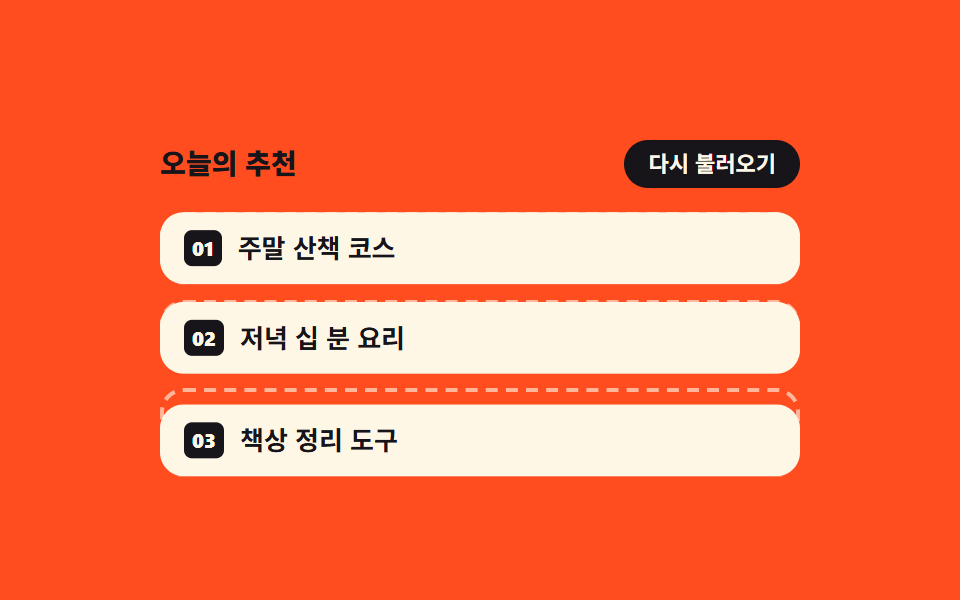
03List where empty outlined slots fill in one card at a time
Instead of gray shimmering skeletons, dashed outline slots hold the space first, then real cards drop in one at a time with animation-delay while aria-busy falls to false.
Best forProduct and search result screens that refetch the whole list on every filter change
aria-busyanimation-delayanimation-fill-mode: backwards
<main class="stage">
  <section class="of is-demo" id="of" aria-label="List fill-in preview">
    <header class="of__bar">
      <p class="of__title">Today's picks</p>
      <button class="of__again" type="button" id="of-again">Reload</button>
    </header>
    <ul class="of__list" id="of-list" aria-busy="false">
      <li class="of__slot">
        <span class="of__ghost" aria-hidden="true"></span>
        <article class="of__card"><span class="of__no">01</span><span class="of__name">A weekend walking route</span></article>
      </li>
      <li class="of__slot">
        <span class="of__ghost" aria-hidden="true"></span>
        <article class="of__card"><span class="of__no">02</span><span class="of__name">Ten minute dinners</span></article>
      </li>
      <li class="of__slot">
        <span class="of__ghost" aria-hidden="true"></span>
        <article class="of__card"><span class="of__no">03</span><span class="of__name">Desk tidying tools</span></article>
      </li>
    </ul>
  </section>
</main>
@use "../../../../site/static/demo-tokens" as *;
// 점선 테두리 빈 칸이 먼저 자리를 잡고, 그 자리에 카드가 한 칸씩 늦게 들어찬다
$duration: $dur-base;
$easing: $ease-spring;
$color: $subject-cream;
@include stage($stage-orange);
.of {
box-sizing: border-box;
display: grid;
gap: $sp-3;
width: min(320px, 88vw);
}
.of * { box-sizing: border-box; }
.of__bar {
display: flex;
align-items: center;
justify-content: space-between;
gap: $sp-2;
}
.of__title {
margin: 0;
color: $subject-ink; // 오렌지 무대 위 크림 글자는 3.1:1 로 모자라 먹색으로 쓴다 (5.5:1)
font-size: 14px;
font-weight: 800;
line-height: 1.2;
}
.of__again {
margin: 0;
padding: $sp-1 $sp-3;
border: 0;
border-radius: $r-pill;
background: $subject-ink;
color: $color;
font-family: inherit;
font-size: 11px;
font-weight: 700;
line-height: 1.4;
cursor: pointer;
}
.of__again:focus-visible { outline: 2px solid $color; outline-offset: 2px; }
.of__list {
display: grid;
gap: $sp-2;
margin: 0;
padding: 0;
list-style: none;
}
// 빈 칸과 카드를 같은 칸에 겹쳐 둔다 — 칸 높이가 먼저 정해지므로 카드가 들어와도 아래가 밀리지 않는다
.of__slot {
display: grid;
min-height: 36px;
}
// 반짝이는 회색 막대(스켈레톤)가 아니라 점선 테두리만. 그라디언트를 쓰지 않는다
.of__ghost {
grid-area: 1 / 1;
border: 2px dashed rgba(255, 247, 230, .62);
border-radius: $r-control;
}
.of__card {
grid-area: 1 / 1;
display: flex;
align-items: center;
gap: $sp-2;
padding: 0 $sp-3;
border-radius: $r-control;
background: $color;
color: $subject-ink;
transform: translateY(0);
transition: transform $duration $easing;
}
.of__no {
padding: $sp-1;
border-radius: $r-xs;
background: $subject-ink;
color: $color;
font-size: 10px;
font-weight: 800;
line-height: 1;
}
.of__name {
font-size: 13px;
font-weight: 700;
line-height: 1.2;
}
// 정적(손으로 조작) 경로 — 기본은 다 채워진 상태. 다시 불러오면 빈 칸으로 돌아갔다 한 칸씩 들어찬다
.of__list.is-loading .of__card {
transform: translateY(10px);
opacity: 0;
}
.of__list.is-loading .of__slot.is-in .of__card {
transform: translateY(0);
opacity: 1;
}
// ── 격자 미리보기 전용 2초 루프 ──
// 보임은 steps(1, end) 컷(반투명 유령 금지), 자리 잡기는 translateY 가 프레임을 채운다.
// 두 애니메이션을 쉼표로 나눠 걸어야 한 요소에서 컷과 이징을 같이 쓸 수 있다
@keyframes of-show {
0% { opacity: 0; }
8% { opacity: 1; }
68% { opacity: 0; }
100% { opacity: 0; }
}
@keyframes of-rise {
0%, 8% { transform: translateY(10px); }
30%, 68% { transform: translateY(0); }
69%, 100% { transform: translateY(10px); }
}
// animation 단축은 delay 를 0s 로 리셋하므로 낱개 속성으로 쓴다.
// backwards 가 없으면 지연 구간에 작성 상태(다 채워진 모습)가 0프레임에 번쩍인다
.of.is-demo {
.of__card {
animation-name: of-show, of-rise;
animation-duration: $dur-loop, $dur-loop;
animation-timing-function: steps(1, end), $easing;
animation-iteration-count: infinite, infinite;
animation-fill-mode: backwards, backwards;
animation-delay: 0ms, 0ms;
}
.of__slot:nth-child(2) .of__card { animation-delay: 160ms, 160ms; }
.of__slot:nth-child(3) .of__card { animation-delay: 320ms, 320ms; }
}
@media (max-width: 340px) {
.of { gap: $sp-2; }
.of__title { font-size: 12px; }
.of__again { font-size: 10px; }
.of__list { gap: $sp-1; }
.of__slot { min-height: 32px; }
.of__card { padding: 0 $sp-2; }
.of__name { font-size: 12px; }
}
@media (prefers-reduced-motion: reduce) {
// 움직임만 끄고 "다 채워진" 결과 상태는 남긴다
.of.is-demo .of__card {
animation: none !important;
transition: none !important;
transform: none !important;
opacity: 1 !important;
}
}html, body {
margin: 0;
overflow: hidden;
}
.stage {
box-sizing: border-box;
min-height: 100vh;
display: grid;
place-items: center;
margin: 0;
background: #ff4d1f;
font-family: -apple-system, "Segoe UI", "Noto Sans KR", sans-serif;
padding: clamp(8px, 4vw, 24px);
}
.of {
box-sizing: border-box;
display: grid;
gap: 12px;
width: min(320px, 88vw);
}
.of * {
box-sizing: border-box;
}
.of__bar {
display: flex;
align-items: center;
justify-content: space-between;
gap: 8px;
}
.of__title {
margin: 0;
color: #17141a;
font-size: 14px;
font-weight: 800;
line-height: 1.2;
}
.of__again {
margin: 0;
padding: 4px 12px;
border: 0;
border-radius: 999px;
background: #17141a;
color: #fff7e6;
font-family: inherit;
font-size: 11px;
font-weight: 700;
line-height: 1.4;
cursor: pointer;
}
.of__again:focus-visible {
outline: 2px solid #fff7e6;
outline-offset: 2px;
}
.of__list {
display: grid;
gap: 8px;
margin: 0;
padding: 0;
list-style: none;
}
.of__slot {
display: grid;
min-height: 36px;
}
.of__ghost {
grid-area: 1/1;
border: 2px dashed rgba(255, 247, 230, 0.62);
border-radius: 12px;
}
.of__card {
grid-area: 1/1;
display: flex;
align-items: center;
gap: 8px;
padding: 0 12px;
border-radius: 12px;
background: #fff7e6;
color: #17141a;
transform: translateY(0);
transition: transform 300ms cubic-bezier(0.2, 0.8, 0.2, 1);
}
.of__no {
padding: 4px;
border-radius: 4px;
background: #17141a;
color: #fff7e6;
font-size: 10px;
font-weight: 800;
line-height: 1;
}
.of__name {
font-size: 13px;
font-weight: 700;
line-height: 1.2;
}
.of__list.is-loading .of__card {
transform: translateY(10px);
opacity: 0;
}
.of__list.is-loading .of__slot.is-in .of__card {
transform: translateY(0);
opacity: 1;
}
@keyframes of-show {
0% {
opacity: 0;
}
8% {
opacity: 1;
}
68% {
opacity: 0;
}
100% {
opacity: 0;
}
}
@keyframes of-rise {
0%, 8% {
transform: translateY(10px);
}
30%, 68% {
transform: translateY(0);
}
69%, 100% {
transform: translateY(10px);
}
}
.of.is-demo .of__card {
animation-name: of-show, of-rise;
animation-duration: 2s, 2s;
animation-timing-function: steps(1, end), cubic-bezier(0.2, 0.8, 0.2, 1);
animation-iteration-count: infinite, infinite;
animation-fill-mode: backwards, backwards;
animation-delay: 0ms, 0ms;
}
.of.is-demo .of__slot:nth-child(2) .of__card {
animation-delay: 160ms, 160ms;
}
.of.is-demo .of__slot:nth-child(3) .of__card {
animation-delay: 320ms, 320ms;
}
@media (max-width: 340px) {
.of {
gap: 8px;
}
.of__title {
font-size: 12px;
}
.of__again {
font-size: 10px;
}
.of__list {
gap: 4px;
}
.of__slot {
min-height: 32px;
}
.of__card {
padding: 0 8px;
}
.of__name {
font-size: 12px;
}
}
@media (prefers-reduced-motion: reduce) {
.of.is-demo .of__card {
animation: none !important;
transition: none !important;
transform: none !important;
opacity: 1 !important;
}
}// 빈 칸은 늘 자리에 있고, 카드만 한 칸씩 늦게 들어찬다. 다 차면 aria-busy 를 false 로 내린다.
var of = document.getElementById('of');
var ofList = document.getElementById('of-list');
var ofAgain = document.getElementById('of-again');
var ofSlots = ofList.querySelectorAll('.of__slot');
var ofTimers = [];
function ofReload() {
of.classList.remove('is-demo');
for (var i = 0; i < ofTimers.length; i++) clearTimeout(ofTimers[i]);
ofTimers = [];
ofList.classList.add('is-loading');
ofList.setAttribute('aria-busy', 'true');
for (var s = 0; s < ofSlots.length; s++) ofSlots[s].classList.remove('is-in');
ofSlots.forEach(function (slot, k) {
ofTimers.push(setTimeout(function () {
slot.classList.add('is-in');
if (k !== ofSlots.length - 1) return;
ofList.setAttribute('aria-busy', 'false');
ofList.classList.remove('is-loading');
}, 240 * (k + 1)));
});
}
ofAgain.addEventListener('click', ofReload);import { useEffect, useRef, useState } from "react";
import type { CSSProperties } from "react";
import styles from "./OutlineFillCards.module.scss";
export type OutlineFillCardsProps = {
/** 목록 항목 — 점선 빈 칸이 먼저 자리를 잡고 한 칸씩 늦게 채워진다 */
items?: string[];
title?: string;
reloadLabel?: string;
groupLabel?: string;
/** 격자 미리보기용 2초 자동 루프. 사람이 손대면 꺼진다 */
demo?: boolean;
duration?: number;
easing?: string;
color?: string;
};
type Vars = CSSProperties & { "--duration"?: string; "--easing"?: string; "--color"?: string };
// ambient 가 얇아 useRef 가 T | null 을 돌려준다 — 필요한 꼴만 로컬 타입으로 단언
type Box<T> = { current: T };
const DEFAULT_ITEMS = ["A weekend walking route", "Ten minute dinners", "Desk tidying tools"];
const GAP = 240;
export default function OutlineFillCards({
items = DEFAULT_ITEMS,
title = "Today's picks",
reloadLabel = "Reload",
groupLabel = "List fill-in preview",
demo = true,
duration = 300,
easing = "cubic-bezier(.2,.8,.2,1)",
color = "#fff7e6",
}: OutlineFillCardsProps) {
const [live, setLive] = useState(demo);
const [loading, setLoading] = useState(false);
const [filled, setFilled] = useState(items.length);
const timers = useRef<number[]>([]) as Box<number[]>;
useEffect(() => () => {
for (const t of timers.current) clearTimeout(t);
}, []);
function reload() {
setLive(false);
for (const t of timers.current) clearTimeout(t);
setLoading(true);
setFilled(0);
const next: number[] = [];
items.forEach((_, k) => {
next.push(window.setTimeout(() => {
setFilled(k + 1);
if (k !== items.length - 1) return;
// 다 차면 기다림이 끝난다
setLoading(false);
}, GAP * (k + 1)));
});
timers.current = next;
}
const vars: Vars = { "--duration": `${duration}ms`, "--easing": easing, "--color": color };
const cls = [styles.of, live ? styles.isDemo : ""].filter(Boolean).join(" ");
return (
<section className={cls} style={vars} aria-label={groupLabel}>
<header className={styles.bar}>
<p className={styles.title}>{title}</p>
<button className={styles.again} type="button" onClick={reload}>{reloadLabel}</button>
</header>
<ul className={styles.list} aria-busy={loading}>
{items.map((name, i) => (
<li className={styles.slot} key={name}>
<span className={styles.ghost} aria-hidden="true" />
<article className={[styles.card, loading && i >= filled ? styles.isOut : ""].filter(Boolean).join(" ")}>
<span className={styles.no}>{String(i + 1).padStart(2, "0")}</span>
<span className={styles.name}>{name}</span>
</article>
</li>
))}
</ul>
</section>
);
}03 List where empty outlined slots fill in one card at a time — Measured area 29.383% · moving frames 12/23Original by GODRICH · SCSS and React ship in the zip · Page Loading Animation CSS: 9 Route-Change Demos
The post this demo lives in
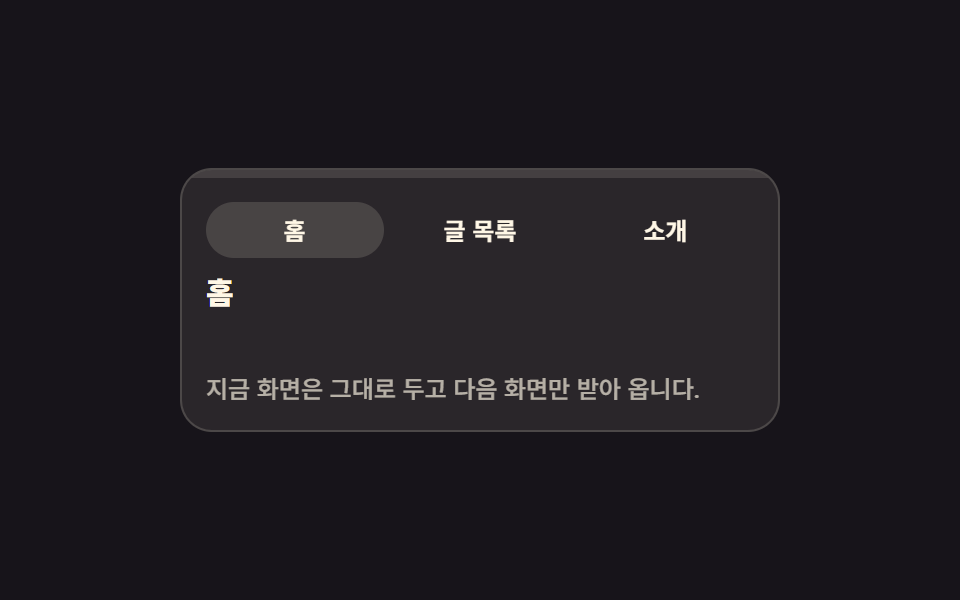 Page Loading Animation CSS: 9 Route-Change DemosPage loading animation css is the feedback layer covering the moment one screen gives way to the next. The nine here are See all demos in this post
If you like this effect - similar demos
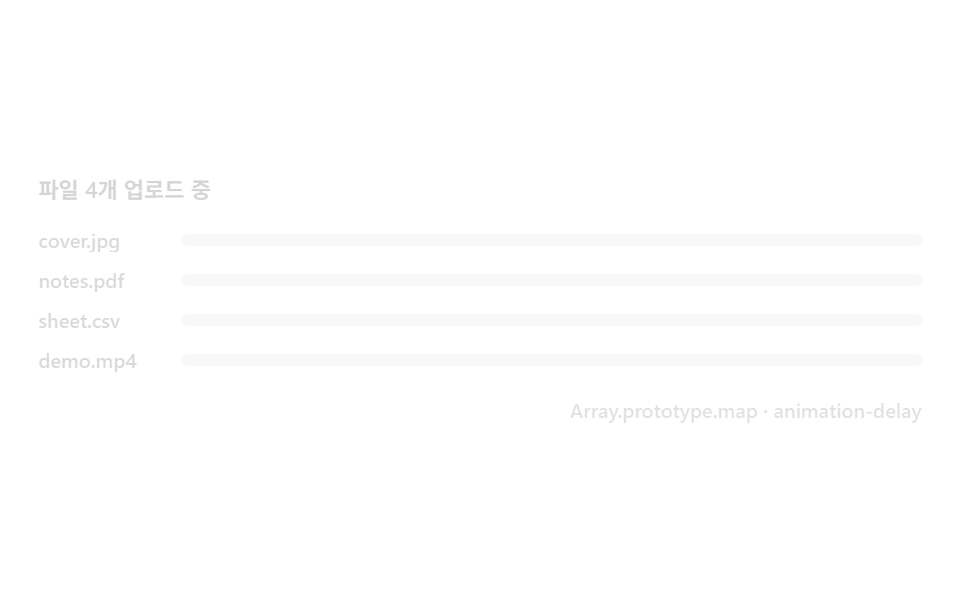 Loaders04 Multi-file stagger — progress rows that queue in one by oneFile Upload Progress Bar Loader: 9 UI Demos
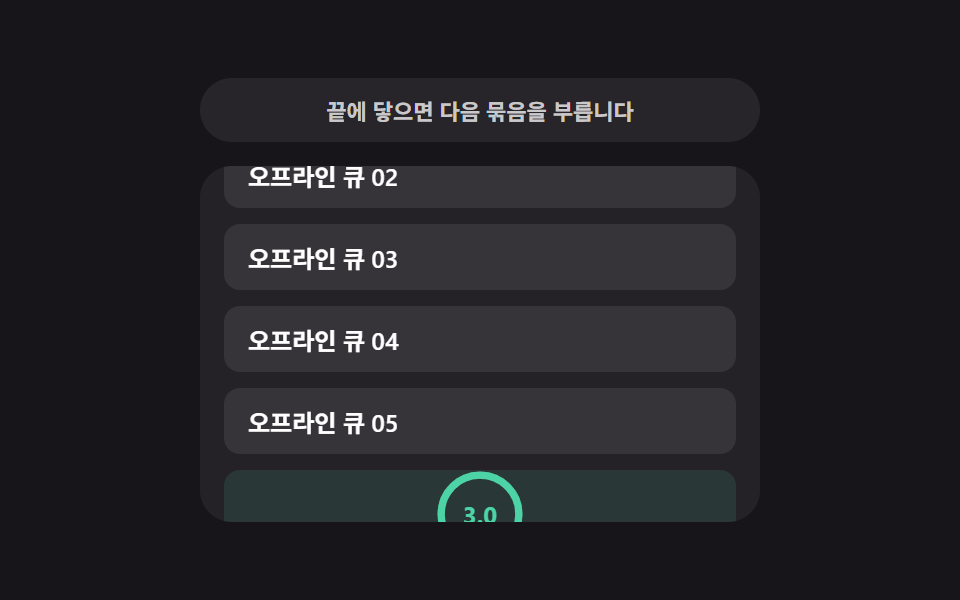 Loaders09 Retry countdown — a list re-attempting once its wait-time value counts downInfinite Scroll Loading: 9 Essential UI Patterns
 Loaders09 Widget Where an Idle-time Value Computes a Delay via Lazy LoadingLazy Loading Images: 9 CSS Placeholder Patterns