06Emoji burst count badge
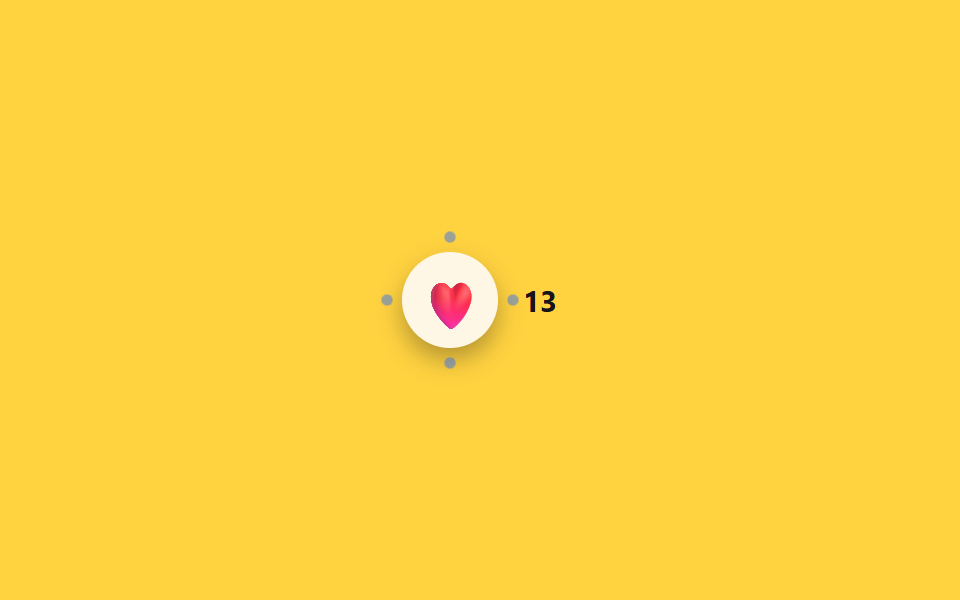
Picking an emoji bounces it up in scale while four dots burst outward and fade around it, and the count badge beside it ticks up by one.
Best forHeart reactions on short-form video, showing reaction counts on community posts
scale 바운스burst dot ×4aria-live
<main class="stage">
  <div class="bc is-demo">
    <button type="button" class="bc__btn" aria-label="Leave a heart reaction">
      <span class="bc__emoji" aria-hidden="true">❤️</span>
      <span class="bc__burst" aria-hidden="true"></span>
    </button>
    <span class="bc__count" aria-live="polite"><span class="sr-only">Reaction count</span> 12</span>
  </div>
</main>
@use "../../../../site/static/demo-tokens" as *;
// ── 변수 3개 ──────────────────────────────
$duration: $dur-enter;
$easing: $ease-pop;
$color: $subject-blue;
@include stage($stage-yellow);
.sr-only {
position: absolute; width: 1px; height: 1px; padding: 0; margin: -1px;
overflow: hidden; clip: rect(0, 0, 0, 0); white-space: nowrap; border: 0;
}
.bc { display: flex; align-items: center; gap: $sp-3; }
.bc__btn {
position: relative;
display: grid; place-items: center;
width: $sp-12; height: $sp-12;
border: 0; border-radius: 50%;
background: $subject-cream;
box-shadow: $shadow-press;
cursor: pointer;
-webkit-tap-highlight-color: transparent;
}
.bc__emoji { display: inline-block; font-size: 24px; transform: scale(1); }
.bc__burst {
position: absolute; inset: 0; border-radius: 50%;
background:
radial-gradient($color 40%, transparent 41%) 50% 4% / 6px 6px no-repeat,
radial-gradient($color 40%, transparent 41%) 96% 50% / 6px 6px no-repeat,
radial-gradient($color 40%, transparent 41%) 50% 96% / 6px 6px no-repeat,
radial-gradient($color 40%, transparent 41%) 4% 50% / 6px 6px no-repeat;
opacity: 0;
transform: scale(.4);
}
.bc__count {
font-weight: 700; font-size: 15px; font-family: inherit; color: $subject-ink;
}
.bc.is-play .bc__emoji { animation: bc-emoji-jelly $duration $easing; }
.bc.is-play .bc__burst { animation: bc-burst $duration $easing; }
@keyframes bc-emoji {
0% { transform: scale(1); }
35% { transform: scale(1.5); }
60% { transform: scale(.9); }
100% { transform: scale(1); }
}
// 젤리 스트레치: 피크에서 x/y 눌림-늘림을 교차시켜 바운스에 물성을 얹는다
@keyframes bc-emoji-jelly {
0% { transform: scale(1); }
35% { transform: scaleX(1.35) scaleY(.8); }
60% { transform: scaleX(.85) scaleY(1.15); }
100% { transform: scale(1); }
}
@keyframes bc-burst {
0% { opacity: 1; transform: scale(.4); }
70% { opacity: .5; }
100% { opacity: 0; transform: scale(1.6); }
}
@media (prefers-reduced-motion: reduce) {
.bc.is-play .bc__emoji, .bc.is-play .bc__burst { animation: none !important; }
}html, body {
margin: 0;
overflow: hidden;
}
.stage {
box-sizing: border-box;
min-height: 100vh;
display: grid;
place-items: center;
margin: 0;
background: #ffd23f;
font-family: -apple-system, "Segoe UI", "Noto Sans KR", sans-serif;
padding: clamp(8px, 4vw, 24px);
}
.sr-only {
position: absolute;
width: 1px;
height: 1px;
padding: 0;
margin: -1px;
overflow: hidden;
clip: rect(0, 0, 0, 0);
white-space: nowrap;
border: 0;
}
.bc {
display: flex;
align-items: center;
gap: 12px;
}
.bc__btn {
position: relative;
display: grid;
place-items: center;
width: 48px;
height: 48px;
border: 0;
border-radius: 50%;
background: #fff7e6;
box-shadow: 0 6px 12px rgba(23, 20, 26, 0.32);
cursor: pointer;
-webkit-tap-highlight-color: transparent;
}
.bc__emoji {
display: inline-block;
font-size: 24px;
transform: scale(1);
}
.bc__burst {
position: absolute;
inset: 0;
border-radius: 50%;
background: radial-gradient(#2f6df6 40%, transparent 41%) 50% 4%/6px 6px no-repeat, radial-gradient(#2f6df6 40%, transparent 41%) 96% 50%/6px 6px no-repeat, radial-gradient(#2f6df6 40%, transparent 41%) 50% 96%/6px 6px no-repeat, radial-gradient(#2f6df6 40%, transparent 41%) 4% 50%/6px 6px no-repeat;
opacity: 0;
transform: scale(0.4);
}
.bc__count {
font-weight: 700;
font-size: 15px;
font-family: inherit;
color: #17141a;
}
.bc.is-play .bc__emoji {
animation: bc-emoji-jelly 600ms cubic-bezier(0.2, 1.4, 0.4, 1);
}
.bc.is-play .bc__burst {
animation: bc-burst 600ms cubic-bezier(0.2, 1.4, 0.4, 1);
}
@keyframes bc-emoji {
0% {
transform: scale(1);
}
35% {
transform: scale(1.5);
}
60% {
transform: scale(0.9);
}
100% {
transform: scale(1);
}
}
@keyframes bc-emoji-jelly {
0% {
transform: scale(1);
}
35% {
transform: scaleX(1.35) scaleY(0.8);
}
60% {
transform: scaleX(0.85) scaleY(1.15);
}
100% {
transform: scale(1);
}
}
@keyframes bc-burst {
0% {
opacity: 1;
transform: scale(0.4);
}
70% {
opacity: 0.5;
}
100% {
opacity: 0;
transform: scale(1.6);
}
}
@media (prefers-reduced-motion: reduce) {
.bc.is-play .bc__emoji, .bc.is-play .bc__burst {
animation: none !important;
}
}// 실제 동작: 누를 때마다 이모지가 튀고 점이 흩어지며 카운트가 1 올라간다 (12줄)
var bc = document.querySelector('.bc'), btn = bc.querySelector('.bc__btn'), countEl = bc.querySelector('.bc__count');
var n = 12;
function burst() {
bc.classList.remove('is-play'); void bc.offsetWidth; bc.classList.add('is-play');
n++; countEl.lastChild.textContent = ' ' + n;
}
btn.addEventListener('click', function () { bc.classList.remove('is-demo'); clearInterval(loop); burst(); });
// .is-demo 자동 순환 — 일정 간격으로 스스로 누른다 (실제 클릭이 오면 멈춘다)
burst();
var loop = setInterval(burst, 1100);import { useState } from "react";
import type { CSSProperties } from "react";
import styles from "./EmojiReactionBurstCountBadge.module.scss";
export type EmojiReactionBurstCountBadgeProps = {
ariaLabel?: string;
emoji?: string;
initialCount?: number;
duration?: number;
easing?: string;
burstColor?: string;
};
type Vars = CSSProperties & { "--duration"?: string; "--easing"?: string; "--burst"?: string };
export default function EmojiReactionBurstCountBadge({
ariaLabel = "Leave a heart reaction",
emoji = "❤️",
initialCount = 12,
duration = 600,
easing = "cubic-bezier(.2,1.4,.4,1)",
burstColor = "#2f6df6",
}: EmojiReactionBurstCountBadgeProps) {
const [count, setCount] = useState(initialCount);
const [playKey, setPlayKey] = useState(0);
const vars: Vars = { "--duration": `${duration}ms`, "--easing": easing, "--burst": burstColor };
function react() {
setCount((c) => c + 1);
setPlayKey((k) => k + 1);
}
return (
<div className={styles.bc} style={vars}>
<button type="button" className={styles.btn} aria-label={ariaLabel} onClick={react}>
<span className={styles.emoji} key={`e${playKey}`} data-play={playKey > 0}>{emoji}</span>
<span className={styles.burst} key={`b${playKey}`} data-play={playKey > 0} aria-hidden="true" />
</button>
<span className={styles.count} aria-live="polite">
<span className={styles.srOnly}>Reaction count</span> {count}
</span>
</div>
);
}06 Emoji burst count badge — Measured area 0.487% · moving frames 9/23Original by GODRICH · SCSS and React ship in the zip · 9 Segmented Control UI Patterns — Copy-Paste
The post this demo lives in
 9 Segmented Control UI Patterns — Copy-PasteA segmented control is that pill-shaped tab switch on iOS settings screens, where picking one of a few options slides a See all demos in this post