09ローディングモーフ(ボタン→スピナー→チェック)
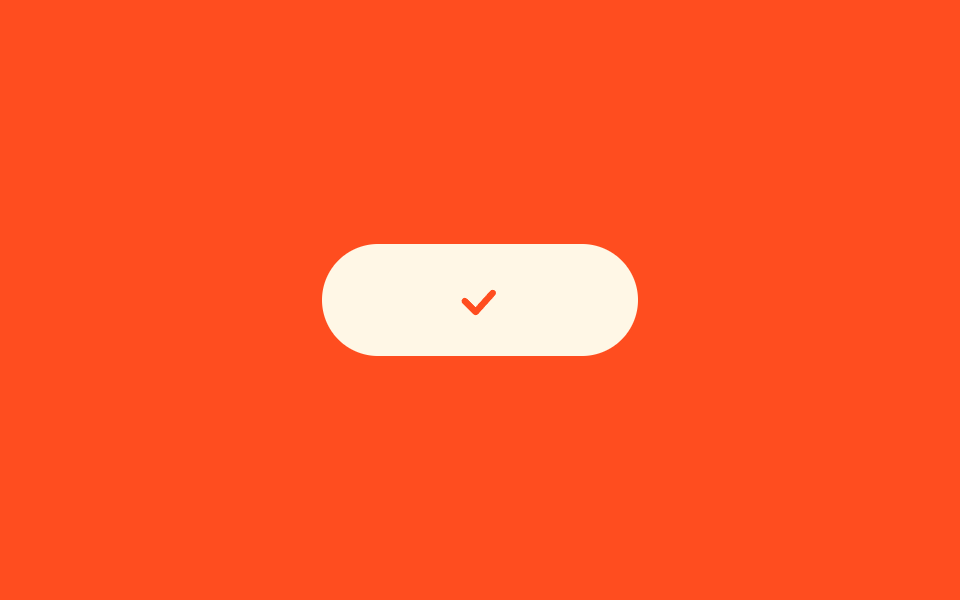
押すと文字が消えてボタンが円に縮みスピナーが回り、終わるとチェックが描かれてから元の幅に戻ります。三つの状態が一つの要素の中でつながります。
使いどころ決済・予約のようにサーバー応答を待つ間、ボタンの二度押しを防ぐ必要がある送信ボタン
widthstroke-dashoffsetaria-busy
<main class="stage">
  <button class="morph is-demo" type="button">
    <span class="morph__label">支払う</span>
    <span class="morph__spin" aria-hidden="true"></span>
    <svg class="morph__check" viewBox="0 0 24 24" aria-hidden="true"><polyline points="5 12.5 10 17.5 19 7.5"/></svg>
  </button>
</main>
@use "../../../../site/static/demo-tokens" as *;
// 변형은 이 세 줄만 바꾼다
$duration: $dur-loop;
$easing: $ease-spring;
$color: $subject-cream;
@include stage($stage-orange);
.morph {
position: relative;
display: grid;
place-items: center;
width: 200px;
height: 56px;
border: 0;
cursor: pointer;
padding: 0;
border-radius: $r-pill;
background: $color;
color: $stage-orange;
font-family: inherit;
font-size: 18px;
font-weight: 800;
overflow: hidden;
}
.morph__label,
.morph__spin,
.morph__check { grid-area: 1 / 1; }
.morph__spin {
width: 24px;
height: 24px;
border: 3px solid rgba($stage-orange, .25);
border-top-color: $stage-orange;
border-radius: 50%;
opacity: 0;
}
.morph__check {
width: 26px;
height: 26px;
fill: none;
stroke: $stage-orange;
stroke-width: 3;
stroke-linecap: round;
stroke-linejoin: round;
stroke-dasharray: 26;
stroke-dashoffset: 26;
opacity: 0;
}
.morph.is-demo { animation: morph-box $duration $easing infinite; }
.morph.is-demo .morph__label { animation: morph-label $duration $easing infinite; }
.morph.is-demo .morph__spin { animation: morph-spin-in $duration $easing infinite, morph-turn 800ms linear infinite; }
.morph.is-demo .morph__check { animation: morph-draw $duration $easing infinite; }
// 200 → 56 → 200. 마지막이 처음과 같은 폭이라 한 바퀴가 이어진다
@keyframes morph-box {
0%, 10% { width: 200px; }
28%, 62% { width: 56px; }
84%, 100% { width: 200px; }
}
@keyframes morph-label {
0%, 8% { opacity: 1; }
20%, 80% { opacity: 0; }
92%, 100% { opacity: 1; }
}
@keyframes morph-spin-in {
0%, 22% { opacity: 0; }
30%, 56% { opacity: 1; }
62%, 100% { opacity: 0; }
}
// 360deg 로 끝나 다음 바퀴와 맞물린다
@keyframes morph-turn {
to { rotate: 360deg; }
}
@keyframes morph-draw {
0%, 60% { stroke-dashoffset: 26; opacity: 0; }
64% { stroke-dashoffset: 26; opacity: 1; }
76%, 86% { stroke-dashoffset: 0; opacity: 1; }
94%, 100% { stroke-dashoffset: 26; opacity: 0; }
}
// 실제 클릭 상태 — 데모 루프가 아니라 사람이 눌렀을 때
.morph.is-busy { width: 56px; }
.morph.is-busy .morph__label { opacity: 0; }
.morph.is-busy .morph__spin { opacity: 1; animation: morph-turn 800ms linear infinite; }
.morph.is-done .morph__check { opacity: 1; stroke-dashoffset: 0; transition: stroke-dashoffset $dur-enter $easing; }
.morph.is-done .morph__label { opacity: 0; }
@media (prefers-reduced-motion: reduce) {
.morph.is-demo,
.morph.is-demo .morph__label,
.morph.is-demo .morph__spin,
.morph.is-demo .morph__check { animation: none; }
.morph.is-busy .morph__spin { animation: none; }
}html, body {
margin: 0;
overflow: hidden;
}
.stage {
box-sizing: border-box;
min-height: 100vh;
display: grid;
place-items: center;
margin: 0;
background: #ff4d1f;
font-family: -apple-system, "Segoe UI", "Noto Sans KR", sans-serif;
padding: clamp(8px, 4vw, 24px);
}
.morph {
position: relative;
display: grid;
place-items: center;
width: 200px;
height: 56px;
border: 0;
cursor: pointer;
padding: 0;
border-radius: 999px;
background: #fff7e6;
color: #ff4d1f;
font-family: inherit;
font-size: 18px;
font-weight: 800;
overflow: hidden;
}
.morph__label,
.morph__spin,
.morph__check {
grid-area: 1/1;
}
.morph__spin {
width: 24px;
height: 24px;
border: 3px solid rgba(255, 77, 31, 0.25);
border-top-color: #ff4d1f;
border-radius: 50%;
opacity: 0;
}
.morph__check {
width: 26px;
height: 26px;
fill: none;
stroke: #ff4d1f;
stroke-width: 3;
stroke-linecap: round;
stroke-linejoin: round;
stroke-dasharray: 26;
stroke-dashoffset: 26;
opacity: 0;
}
.morph.is-demo {
animation: morph-box 2s cubic-bezier(0.2, 0.8, 0.2, 1) infinite;
}
.morph.is-demo .morph__label {
animation: morph-label 2s cubic-bezier(0.2, 0.8, 0.2, 1) infinite;
}
.morph.is-demo .morph__spin {
animation: morph-spin-in 2s cubic-bezier(0.2, 0.8, 0.2, 1) infinite, morph-turn 800ms linear infinite;
}
.morph.is-demo .morph__check {
animation: morph-draw 2s cubic-bezier(0.2, 0.8, 0.2, 1) infinite;
}
@keyframes morph-box {
0%, 10% {
width: 200px;
}
28%, 62% {
width: 56px;
}
84%, 100% {
width: 200px;
}
}
@keyframes morph-label {
0%, 8% {
opacity: 1;
}
20%, 80% {
opacity: 0;
}
92%, 100% {
opacity: 1;
}
}
@keyframes morph-spin-in {
0%, 22% {
opacity: 0;
}
30%, 56% {
opacity: 1;
}
62%, 100% {
opacity: 0;
}
}
@keyframes morph-turn {
to {
rotate: 360deg;
}
}
@keyframes morph-draw {
0%, 60% {
stroke-dashoffset: 26;
opacity: 0;
}
64% {
stroke-dashoffset: 26;
opacity: 1;
}
76%, 86% {
stroke-dashoffset: 0;
opacity: 1;
}
94%, 100% {
stroke-dashoffset: 26;
opacity: 0;
}
}
.morph.is-busy {
width: 56px;
}
.morph.is-busy .morph__label {
opacity: 0;
}
.morph.is-busy .morph__spin {
opacity: 1;
animation: morph-turn 800ms linear infinite;
}
.morph.is-done .morph__check {
opacity: 1;
stroke-dashoffset: 0;
transition: stroke-dashoffset 600ms cubic-bezier(0.2, 0.8, 0.2, 1);
}
.morph.is-done .morph__label {
opacity: 0;
}
@media (prefers-reduced-motion: reduce) {
.morph.is-demo,
.morph.is-demo .morph__label,
.morph.is-demo .morph__spin,
.morph.is-demo .morph__check {
animation: none;
}
.morph.is-busy .morph__spin {
animation: none;
}
}// 실제 동작: 누르면 aria-busy 로 상태를 알리고 1.2초 뒤 체크로 끝난다. 그동안 두 번 눌리지 않는다.
var morph = document.querySelector('.morph');
morph.addEventListener('click', function () {
if (morph.classList.contains('is-busy')) { return; }
morph.classList.remove('is-demo');
morph.classList.add('is-busy');
morph.setAttribute('aria-busy', 'true');
setTimeout(function () {
morph.classList.remove('is-busy');
morph.classList.add('is-done');
morph.removeAttribute('aria-busy');
}, 1200);
});import { useState } from "react";
import type { CSSProperties } from "react";
import styles from "./StateMorphButton.module.scss";
export type StateMorphButtonProps = {
label?: string;
duration?: number;
easing?: string;
color?: string;
onSubmit?: () => Promise<void>;
};
type Vars = CSSProperties & { "--duration"?: string; "--easing"?: string; "--color"?: string };
export default function StateMorphButton({
label = "Pay now",
duration = 2000,
easing = "cubic-bezier(.2,.8,.2,1)",
color = "#fff7e6",
onSubmit,
}: StateMorphButtonProps) {
const [state, setState] = useState<"idle" | "busy" | "done">("idle");
const vars: Vars = { "--duration": `${duration}ms`, "--easing": easing, "--color": color };
function run() {
if (state === "busy") { return; }
setState("busy");
const job = onSubmit ? onSubmit() : new Promise<void>((r) => setTimeout(r, 1200));
job.then(() => setState("done"));
}
const cls = state === "busy" ? styles.busy : state === "done" ? styles.done : styles.loop;
return (
<button
type="button"
className={`${styles.morph} ${cls}`}
style={vars}
aria-busy={state === "busy"}
onClick={run}
>
<span className={styles.label}>{label}</span>
<span className={styles.spin} aria-hidden="true" />
<svg className={styles.check} viewBox="0 0 24 24" aria-hidden="true">
<polyline points="5 12.5 10 17.5 19 7.5" />
</svg>
</button>
);
}09 ローディングモーフ(ボタン→スピナー→チェック) — 計測 累積面積 6.331% · 動いたフレーム 21/23GODRICH オリジナル · SCSS と React は zip に同梱 · css ボタン ホバー アニメーション 9選 — 受賞級の定番テク
このデモが属する記事
 css ボタン ホバー アニメーション 9選 — 受賞級の定番テクcss ボタン ホバー アニメーションとは、ポインターが近づいたときにボタンが返す反応を、合図の種類ごとに整理したものです。9 つのうち 1 つは、押すとボタンが円になるまで縮んでスピナーが回り、チェックを描いてから元の幅へ戻ります。 この記事のデモをすべて見る