01読み込みから完了まで一巡
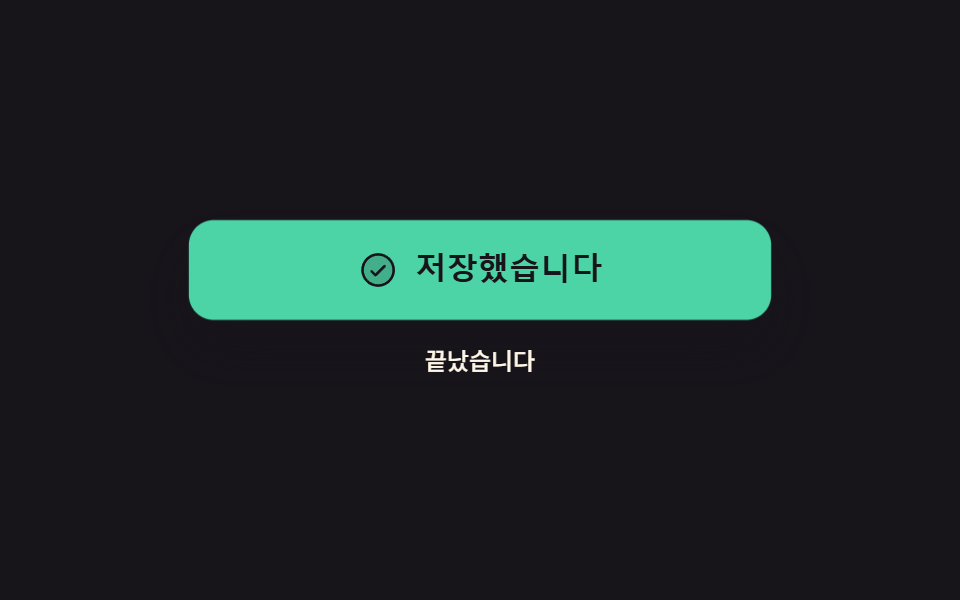
押すと文字がスピナーに変わり、処理が終わるとチェックへ切り替わって2秒後に元のラベルへ戻ります。その間ボタンは押せなくなり、支援技術にも処理中だと伝わります。
使いどころ保存・送信のように結果が1〜2秒後に返るフォームの送信ボタン
aria-busysteps(1, end)setTimeout

<main class="stage">
  <div class="ac is-demo">
    <button class="ac__btn" id="ac-btn" type="button" data-state="idle" aria-busy="false">
      <span class="ac__face" data-face="idle">
        <span class="ac__t">保存</span>
      </span>
      <span class="ac__face" data-face="busy">
        <span class="ac__ic ac__ic--spin" aria-hidden="true"><svg viewBox="0 0 256 256" width="20" height="20"><g fill="currentColor"><path d="M224 128a96 96 0 1 1-96-96a96 96 0 0 1 96 96" opacity=".2"/><path d="M136 32v32a8 8 0 0 1-16 0V32a8 8 0 0 1 16 0m88 88h-32a8 8 0 0 0 0 16h32a8 8 0 0 0 0-16m-45.09 47.6a8 8 0 0 0-11.31 11.31l22.62 22.63a8 8 0 0 0 11.32-11.32ZM128 184a8 8 0 0 0-8 8v32a8 8 0 0 0 16 0v-32a8 8 0 0 0-8-8m-50.91-16.4l-22.63 22.62a8 8 0 0 0 11.32 11.32l22.62-22.63a8 8 0 0 0-11.31-11.31M72 128a8 8 0 0 0-8-8H32a8 8 0 0 0 0 16h32a8 8 0 0 0 8-8m-6.22-73.54a8 8 0 0 0-11.32 11.32L77.09 88.4A8 8 0 0 0 88.4 77.09Z"/></g></svg></span>
        <span class="ac__t">保存中</span>
      </span>
      <span class="ac__face" data-face="done">
        <span class="ac__ic" aria-hidden="true"><svg viewBox="0 0 256 256" width="20" height="20"><g fill="currentColor"><path d="M224 128a96 96 0 1 1-96-96a96 96 0 0 1 96 96" opacity=".2"/><path d="M173.66 98.34a8 8 0 0 1 0 11.32l-56 56a8 8 0 0 1-11.32 0l-24-24a8 8 0 0 1 11.32-11.32L112 148.69l50.34-50.35a8 8 0 0 1 11.32 0M232 128A104 104 0 1 1 128 24a104.11 104.11 0 0 1 104 104m-16 0a88 88 0 1 0-88 88a88.1 88.1 0 0 0 88-88"/></g></svg></span>
        <span class="ac__t">保存しました</span>
      </span>
    </button>
    <p class="ac__log" role="status" aria-live="polite">
      <span class="ac__word" data-word="idle">押せます</span>
      <span class="ac__word" data-word="busy">送信中です</span>
      <span class="ac__word" data-word="done">終わりました</span>
    </p>
  </div>
</main>
@use "../../../../site/static/demo-tokens" as *;
$duration: $dur-quick;
$easing: $ease-spring;
$color: $subject-mint;
@include stage($stage-ink);
.ac {
box-sizing: border-box;
display: flex;
flex-direction: column;
align-items: center;
gap: $sp-3;
width: min(280px, 84vw);
font-family: -apple-system, "Segoe UI", "Noto Sans KR", sans-serif;
}
.ac__btn {
position: relative;
box-sizing: border-box;
margin: 0;
padding: 0;
width: 100%;
height: 48px;
overflow: hidden;
border: 0;
border-radius: $r-control;
background-color: $subject-cream;
color: $subject-ink;
cursor: pointer;
box-shadow: $shadow-raised;
}
.ac__btn:focus-visible { outline: 3px solid $color; outline-offset: 3px; }
.ac__face {
position: absolute;
left: 0;
right: 0;
top: 0;
bottom: 0;
display: flex;
align-items: center;
justify-content: center;
gap: $sp-2;
opacity: 0;
}
.ac__ic { display: inline-flex; flex: 0 0 auto; }
.ac__ic svg { display: block; }
.ac__t {
font-size: 15px;
line-height: 20px;
font-weight: 700;
white-space: nowrap;
}
// 사람이 실제로 누른 경로 — 루프를 껐을 때도 화면이 비지 않게 정적 규칙을 먼저 둔다
.ac:not(.is-demo) .ac__btn[data-state="idle"] .ac__face[data-face="idle"],
.ac:not(.is-demo) .ac__btn[data-state="busy"] .ac__face[data-face="busy"],
.ac:not(.is-demo) .ac__btn[data-state="done"] .ac__face[data-face="done"] { opacity: 1; }
.ac:not(.is-demo) .ac__btn[data-state="busy"] { background-color: $subject-blue; color: $subject-cream; }
.ac:not(.is-demo) .ac__btn[data-state="done"] { background-color: $color; color: $subject-ink; }
.ac__log {
position: relative;
margin: 0;
width: 100%;
height: 18px;
}
.ac__word {
position: absolute;
left: 0;
right: 0;
top: 0;
text-align: center;
font-size: 12px;
line-height: 18px;
font-weight: 500;
color: $subject-cream;
opacity: 0;
}
.ac:not(.is-demo) .ac__btn[data-state="idle"] ~ .ac__log .ac__word[data-word="idle"],
.ac:not(.is-demo) .ac__btn[data-state="busy"] ~ .ac__log .ac__word[data-word="busy"],
.ac:not(.is-demo) .ac__btn[data-state="done"] ~ .ac__log .ac__word[data-word="done"] { opacity: 1; }
// 스피너는 도는 동안 매 프레임 달라진다 — 컷 두 번만으로는 움직인 프레임이 안 찬다
.ac__ic--spin svg {
animation-name: ac-spin;
animation-duration: 800ms;
animation-timing-function: linear;
animation-iteration-count: infinite;
}
@keyframes ac-spin {
from { transform: rotate(0deg); }
to { transform: rotate(360deg); }
}
// ── 자동 루프: idle → busy(20%) → done(60%) → idle(88%). 상태 교체는 한 프레임에 끊는다 ──
.ac.is-demo .ac__face,
.ac.is-demo .ac__word {
animation-duration: $dur-loop;
animation-timing-function: steps(1, end);
animation-iteration-count: infinite;
}
.ac.is-demo .ac__face[data-face="idle"],
.ac.is-demo .ac__word[data-word="idle"] { animation-name: ac-idle; }
.ac.is-demo .ac__face[data-face="busy"],
.ac.is-demo .ac__word[data-word="busy"] { animation-name: ac-busy; }
.ac.is-demo .ac__face[data-face="done"],
.ac.is-demo .ac__word[data-word="done"] { animation-name: ac-done; }
@keyframes ac-idle {
0% { opacity: 1; }
20% { opacity: 0; }
88% { opacity: 1; }
100% { opacity: 1; }
}
@keyframes ac-busy {
0% { opacity: 0; }
20% { opacity: 1; }
60% { opacity: 0; }
100% { opacity: 0; }
}
@keyframes ac-done {
0% { opacity: 0; }
60% { opacity: 1; }
88% { opacity: 0; }
100% { opacity: 0; }
}
// 껍질 색은 컷으로, 눌림 반동은 부드럽게 — 두 애니메이션을 한 요소에 겹쳐 건다
.ac.is-demo .ac__btn {
animation-name: ac-skin, ac-pop;
animation-duration: $dur-loop, $dur-loop;
animation-timing-function: steps(1, end), $easing;
animation-iteration-count: infinite, infinite;
}
@keyframes ac-skin {
0% { background-color: $subject-cream; color: $subject-ink; }
20% { background-color: $subject-blue; color: $subject-cream; }
60% { background-color: $color; color: $subject-ink; }
88% { background-color: $subject-cream; color: $subject-ink; }
100% { background-color: $subject-cream; color: $subject-ink; }
}
// 완료로 갈리는 순간 버튼이 한 번 눌렸다 펴진다 — 컷만으로는 대표 장면이 밋밋하다
@keyframes ac-pop {
0% { transform: scale(1); }
18% { transform: scale(1); }
22% { transform: scale(.96); }
30% { transform: scale(1); }
58% { transform: scale(1); }
63% { transform: scale(1.04); }
72% { transform: scale(1); }
100% { transform: scale(1); }
}
@media (max-width: 340px) {
.ac { gap: $sp-2; }
.ac__btn { height: 44px; }
.ac__t { font-size: 13px; line-height: 18px; }
}
@media (prefers-reduced-motion: reduce) {
.ac.is-demo .ac__face,
.ac.is-demo .ac__word,
.ac.is-demo .ac__btn,
.ac__ic--spin svg { animation: none !important; }
.ac.is-demo .ac__face[data-face="idle"],
.ac.is-demo .ac__word[data-word="idle"] { opacity: 1; }
}html, body {
margin: 0;
overflow: hidden;
}
.stage {
box-sizing: border-box;
min-height: 100vh;
display: grid;
place-items: center;
margin: 0;
background: #17141a;
font-family: -apple-system, "Segoe UI", "Noto Sans KR", sans-serif;
padding: clamp(8px, 4vw, 24px);
}
.ac {
box-sizing: border-box;
display: flex;
flex-direction: column;
align-items: center;
gap: 12px;
width: min(280px, 84vw);
font-family: -apple-system, "Segoe UI", "Noto Sans KR", sans-serif;
}
.ac__btn {
position: relative;
box-sizing: border-box;
margin: 0;
padding: 0;
width: 100%;
height: 48px;
overflow: hidden;
border: 0;
border-radius: 12px;
background-color: #fff7e6;
color: #17141a;
cursor: pointer;
box-shadow: 0 14px 24px rgba(23, 20, 26, 0.32);
}
.ac__btn:focus-visible {
outline: 3px solid #4cd4a6;
outline-offset: 3px;
}
.ac__face {
position: absolute;
left: 0;
right: 0;
top: 0;
bottom: 0;
display: flex;
align-items: center;
justify-content: center;
gap: 8px;
opacity: 0;
}
.ac__ic {
display: inline-flex;
flex: 0 0 auto;
}
.ac__ic svg {
display: block;
}
.ac__t {
font-size: 15px;
line-height: 20px;
font-weight: 700;
white-space: nowrap;
}
.ac:not(.is-demo) .ac__btn[data-state=idle] .ac__face[data-face=idle],
.ac:not(.is-demo) .ac__btn[data-state=busy] .ac__face[data-face=busy],
.ac:not(.is-demo) .ac__btn[data-state=done] .ac__face[data-face=done] {
opacity: 1;
}
.ac:not(.is-demo) .ac__btn[data-state=busy] {
background-color: #2f6df6;
color: #fff7e6;
}
.ac:not(.is-demo) .ac__btn[data-state=done] {
background-color: #4cd4a6;
color: #17141a;
}
.ac__log {
position: relative;
margin: 0;
width: 100%;
height: 18px;
}
.ac__word {
position: absolute;
left: 0;
right: 0;
top: 0;
text-align: center;
font-size: 12px;
line-height: 18px;
font-weight: 500;
color: #fff7e6;
opacity: 0;
}
.ac:not(.is-demo) .ac__btn[data-state=idle] ~ .ac__log .ac__word[data-word=idle],
.ac:not(.is-demo) .ac__btn[data-state=busy] ~ .ac__log .ac__word[data-word=busy],
.ac:not(.is-demo) .ac__btn[data-state=done] ~ .ac__log .ac__word[data-word=done] {
opacity: 1;
}
.ac__ic--spin svg {
animation-name: ac-spin;
animation-duration: 800ms;
animation-timing-function: linear;
animation-iteration-count: infinite;
}
@keyframes ac-spin {
from {
transform: rotate(0deg);
}
to {
transform: rotate(360deg);
}
}
.ac.is-demo .ac__face,
.ac.is-demo .ac__word {
animation-duration: 2s;
animation-timing-function: steps(1, end);
animation-iteration-count: infinite;
}
.ac.is-demo .ac__face[data-face=idle],
.ac.is-demo .ac__word[data-word=idle] {
animation-name: ac-idle;
}
.ac.is-demo .ac__face[data-face=busy],
.ac.is-demo .ac__word[data-word=busy] {
animation-name: ac-busy;
}
.ac.is-demo .ac__face[data-face=done],
.ac.is-demo .ac__word[data-word=done] {
animation-name: ac-done;
}
@keyframes ac-idle {
0% {
opacity: 1;
}
20% {
opacity: 0;
}
88% {
opacity: 1;
}
100% {
opacity: 1;
}
}
@keyframes ac-busy {
0% {
opacity: 0;
}
20% {
opacity: 1;
}
60% {
opacity: 0;
}
100% {
opacity: 0;
}
}
@keyframes ac-done {
0% {
opacity: 0;
}
60% {
opacity: 1;
}
88% {
opacity: 0;
}
100% {
opacity: 0;
}
}
.ac.is-demo .ac__btn {
animation-name: ac-skin, ac-pop;
animation-duration: 2s, 2s;
animation-timing-function: steps(1, end), cubic-bezier(0.2, 0.8, 0.2, 1);
animation-iteration-count: infinite, infinite;
}
@keyframes ac-skin {
0% {
background-color: #fff7e6;
color: #17141a;
}
20% {
background-color: #2f6df6;
color: #fff7e6;
}
60% {
background-color: #4cd4a6;
color: #17141a;
}
88% {
background-color: #fff7e6;
color: #17141a;
}
100% {
background-color: #fff7e6;
color: #17141a;
}
}
@keyframes ac-pop {
0% {
transform: scale(1);
}
18% {
transform: scale(1);
}
22% {
transform: scale(0.96);
}
30% {
transform: scale(1);
}
58% {
transform: scale(1);
}
63% {
transform: scale(1.04);
}
72% {
transform: scale(1);
}
100% {
transform: scale(1);
}
}
@media (max-width: 340px) {
.ac {
gap: 8px;
}
.ac__btn {
height: 44px;
}
.ac__t {
font-size: 13px;
line-height: 18px;
}
}
@media (prefers-reduced-motion: reduce) {
.ac.is-demo .ac__face,
.ac.is-demo .ac__word,
.ac.is-demo .ac__btn,
.ac__ic--spin svg {
animation: none !important;
}
.ac.is-demo .ac__face[data-face=idle],
.ac.is-demo .ac__word[data-word=idle] {
opacity: 1;
}
}// 실제 동작: 한 번 누르면 busy → done → idle 로 스스로 돌아온다. 도는 동안 버튼은 잠긴다
var root = document.querySelector('.ac');
var btn = document.getElementById('ac-btn');
var t1 = 0, t2 = 0;
function setState(s) {
btn.setAttribute('data-state', s);
btn.setAttribute('aria-busy', String(s === 'busy'));
btn.disabled = s !== 'idle';
}
btn.addEventListener('click', function () {
root.classList.remove('is-demo');
clearTimeout(t1);
clearTimeout(t2);
setState('busy');
t1 = setTimeout(function () { setState('done'); }, 1200); // 서버가 답한 시점
t2 = setTimeout(function () { setState('idle'); }, 3200); // 완료 표시를 2초 보여 주고 원복
});import { useState, useRef, useEffect } from "react";
import type { CSSProperties } from "react";
import styles from "./AsyncCycleButton.module.scss";
export type AsyncState = "idle" | "busy" | "done";
export type AsyncCycleButtonProps = {
labels?: Record<AsyncState, string>;
logs?: Record<AsyncState, string>;
duration?: number;
easing?: string;
color?: string;
};
type Vars = CSSProperties & { "--duration"?: string; "--easing"?: string; "--color"?: string };
type Timer = ReturnType<typeof setTimeout>;
const BUSY_MS = 1200; // 서버가 답한 시점
const DONE_MS = 2000; // 완료 표시를 2초 보여 주고 원복
const SPINNER = (
<g fill="currentColor">
<path d="M224 128a96 96 0 1 1-96-96a96 96 0 0 1 96 96" opacity=".2" />
<path d="M136 32v32a8 8 0 0 1-16 0V32a8 8 0 0 1 16 0m88 88h-32a8 8 0 0 0 0 16h32a8 8 0 0 0 0-16m-45.09 47.6a8 8 0 0 0-11.31 11.31l22.62 22.63a8 8 0 0 0 11.32-11.32ZM128 184a8 8 0 0 0-8 8v32a8 8 0 0 0 16 0v-32a8 8 0 0 0-8-8m-50.91-16.4l-22.63 22.62a8 8 0 0 0 11.32 11.32l22.62-22.63a8 8 0 0 0-11.31-11.31M72 128a8 8 0 0 0-8-8H32a8 8 0 0 0 0 16h32a8 8 0 0 0 8-8m-6.22-73.54a8 8 0 0 0-11.32 11.32L77.09 88.4A8 8 0 0 0 88.4 77.09Z" />
</g>
);
const CHECK = (
<g fill="currentColor">
<path d="M224 128a96 96 0 1 1-96-96a96 96 0 0 1 96 96" opacity=".2" />
<path d="M173.66 98.34a8 8 0 0 1 0 11.32l-56 56a8 8 0 0 1-11.32 0l-24-24a8 8 0 0 1 11.32-11.32L112 148.69l50.34-50.35a8 8 0 0 1 11.32 0M232 128A104 104 0 1 1 128 24a104.11 104.11 0 0 1 104 104m-16 0a88 88 0 1 0-88 88a88.1 88.1 0 0 0 88-88" />
</g>
);
export default function AsyncCycleButton({
labels = { idle: "Save", busy: "Saving", done: "Saved" },
logs = { idle: "Ready to press", busy: "Sending now", done: "All done" },
duration = 220,
easing = "cubic-bezier(.2,.8,.2,1)",
color = "#4cd4a6",
}: AsyncCycleButtonProps) {
const [demo, setDemo] = useState(true);
const [state, setState] = useState<AsyncState>("idle");
const t1 = useRef<Timer>(null);
const t2 = useRef<Timer>(null);
const vars: Vars = { "--duration": `${duration}ms`, "--easing": easing, "--color": color };
function clear() {
if (t1.current !== null) clearTimeout(t1.current);
if (t2.current !== null) clearTimeout(t2.current);
}
useEffect(() => clear, []); // 떠날 때 예약된 타이머를 버린다
// 한 번 누르면 busy → done → idle 로 스스로 돌아온다. 도는 동안 버튼은 잠긴다
function run() {
setDemo(false); // 사람이 눌렀으니 자동 루프를 끈다
clear();
setState("busy");
t1.current = setTimeout(() => setState("done"), BUSY_MS);
t2.current = setTimeout(() => setState("idle"), BUSY_MS + DONE_MS);
}
return (
<div className={`${styles.ac} ${demo ? styles.isDemo : ""}`} style={vars}>
<button
className={styles.btn}
type="button"
data-state={state}
aria-busy={state === "busy"}
disabled={state !== "idle"}
onClick={run}
>
<span className={styles.face} data-face="idle">
<span className={styles.txt}>{labels.idle}</span>
</span>
<span className={styles.face} data-face="busy">
<span className={`${styles.ic} ${styles.icSpin}`} aria-hidden="true">
<svg viewBox="0 0 256 256" width="20" height="20">{SPINNER}</svg>
</span>
<span className={styles.txt}>{labels.busy}</span>
</span>
<span className={styles.face} data-face="done">
<span className={styles.ic} aria-hidden="true">
<svg viewBox="0 0 256 256" width="20" height="20">{CHECK}</svg>
</span>
<span className={styles.txt}>{labels.done}</span>
</span>
</button>
<p className={styles.log} role="status" aria-live="polite">
<span className={styles.word} data-word="idle">{logs.idle}</span>
<span className={styles.word} data-word="busy">{logs.busy}</span>
<span className={styles.word} data-word="done">{logs.done}</span>
</p>
</div>
);
}01 読み込みから完了まで一巡 — 計測 累積面積 10.988% · 動いたフレーム 15/23GODRICH オリジナル · SCSS と React は zip に同梱 · css ボタン 押したら変わる 9選 — 状態遷移の実装
このデモが属する記事
 css ボタン 押したら変わる 9選 — 状態遷移の実装css ボタン 押したら変わる、つまり押した瞬間から結果が出るまでボタン自身が姿を変えて伝える作りを9つ集めました。押したあとが本番です。色だけ変える見せかけではなく、実際に固まり、回り、戻ります。 この記事のデモをすべて見る