04排他的押下状態 — 一つのボタンの押下値がオンになると、他の全てのボタンの押下値が同時にオフになる方式
一つのボタンの押下値がオンになった瞬間、他の全ての値がオフになり、常に一つの値だけがオンのままです。
使いどころ表示方式選択ボタン、単一選択のフィルターボタン
STIFF 320 / DAMP 14translateY depthspring overshoot

<main class="stage">
<div class="rep is-demo" id="rep" role="radiogroup" aria-label="表示方式">
  <button class="rep__btn" role="radio" aria-checked="true" tabindex="0" data-i="0">リスト型</button>
  <button class="rep__btn" role="radio" aria-checked="false" tabindex="-1" data-i="1">グリッド型</button>
  <button class="rep__btn" role="radio" aria-checked="false" tabindex="-1" data-i="2">ボード型</button>
</div>
</main>
@use "../../../../site/static/demo-tokens" as *;
// 계산 겹: index.html 이 버튼마다 눌림 깊이(depth)를 감쇠 스프링으로 적분한다. 한 버튼이 켜지는
// 순간 나머지가 동시에 0으로 되돌아가고, 켜지는 버튼은 depth 1을 살짝 넘겼다가 정착한다(오버슛).
// translateY·box-shadow 는 그 깊이값의 함수다 — 레이아웃에 영향 없는 transform·paint 만 바뀐다.
@include stage($stage-orange);
.rep {
display: flex;
gap: $sp-3;
}
.rep__btn {
appearance: none;
border: none;
border-radius: $r-control;
background: $subject-cream;
color: $subject-ink;
font-size: 13px;
font-weight: 700;
padding: $sp-3 $sp-5;
cursor: pointer;
box-shadow: 0 8px 14px rgba(23, 20, 26, .34);
will-change: transform, box-shadow;
&:focus-visible { outline: 2px solid $subject-blue-deep; outline-offset: 2px; }
}
.rep__btn--on {
background: $subject-blue-deep;
color: $subject-cream;
}
@media (max-width: 340px) {
.rep { gap: $sp-2; }
.rep__btn { font-size: 12px; padding: $sp-2 $sp-4; }
}
@media (prefers-reduced-motion: reduce) {
.rep__btn { transition: none; }
}html, body {
margin: 0;
overflow: hidden;
}
.stage {
box-sizing: border-box;
min-height: 100vh;
display: grid;
place-items: center;
margin: 0;
background: #ff4d1f;
font-family: -apple-system, "Segoe UI", "Noto Sans KR", sans-serif;
padding: clamp(8px, 4vw, 24px);
}
.rep {
display: flex;
gap: 12px;
}
.rep__btn {
appearance: none;
border: none;
border-radius: 12px;
background: #fff7e6;
color: #17141a;
font-size: 13px;
font-weight: 700;
padding: 12px 20px;
cursor: pointer;
box-shadow: 0 8px 14px rgba(23, 20, 26, 0.34);
will-change: transform, box-shadow;
}
.rep__btn:focus-visible {
outline: 2px solid #0a4fe8;
outline-offset: 2px;
}
.rep__btn--on {
background: #0a4fe8;
color: #fff7e6;
}
@media (max-width: 340px) {
.rep {
gap: 8px;
}
.rep__btn {
font-size: 12px;
padding: 8px 16px;
}
}
@media (prefers-reduced-motion: reduce) {
.rep__btn {
transition: none;
}
}(function () {
var CYCLE_MS = 950; // 자동 루프가 다음 버튼을 누르는 간격
var STIFF = 320; // 계산 겹 상수: 눌림 깊이 스프링 강성
var DAMP = 14; // 계산 겹 상수: 감쇠 — 작을수록 눌린 뒤 살짝 되튀는 오버슛이 남는다
var reduce = window.matchMedia('(prefers-reduced-motion: reduce)').matches;
var root = document.getElementById('rep');
var btns = Array.prototype.slice.call(root.querySelectorAll('.rep__btn'));
var isDemo = true;
var checkedIdx = 0;
// 계산 겹: 버튼마다 눌림 깊이(depth 0~1)를 감쇠 스프링으로 적분한다 — 켜지는 버튼은
// depth 1을 살짝 넘겼다가(오버슛) 정착하고, 나머지는 동시에 0으로 되돌아간다.
var depth = btns.map(function () { return 0; });
var vel = btns.map(function () { return 0; });
var target = btns.map(function (b, i) { return i === 0 ? 1 : 0; });
function setChecked(idx) {
checkedIdx = idx;
btns.forEach(function (b, i) {
var on = i === idx;
b.setAttribute('aria-checked', String(on));
b.setAttribute('tabindex', on ? '0' : '-1');
target[i] = on ? 1 : 0;
if (reduce) { depth[i] = target[i]; vel[i] = 0; }
});
}
function human() {
if (isDemo) { root.classList.remove('is-demo'); isDemo = false; }
}
btns.forEach(function (b, i) {
b.addEventListener('click', function () { human(); setChecked(i); b.focus({ preventScroll: true }); });
});
root.addEventListener('keydown', function (e) {
if (e.key !== 'ArrowRight' && e.key !== 'ArrowLeft') return;
human();
var dir = e.key === 'ArrowRight' ? 1 : -1;
var next = (checkedIdx + dir + btns.length) % btns.length;
setChecked(next);
btns[next].focus({ preventScroll: true });
e.preventDefault();
});
function render(i) {
var d = depth[i];
var overshootLift = Math.max(0, -(d - 1)) * -2; // 오버슛 구간(d>1)에서 살짝 더 눌리는 표현
var y = d * 3 + (d > 1 ? (d - 1) * 4 : 0);
var blur = 14 - d * 8;
var offY = 8 - d * 6;
btns[i].style.transform = 'translateY(' + y.toFixed(2) + 'px)';
btns[i].style.boxShadow = '0 ' + Math.max(1, offY).toFixed(1) + 'px ' + Math.max(4, blur).toFixed(1) + 'px rgba(23,20,26,.34)';
btns[i].classList.toggle('rep__btn--on', d > 0.5);
}
var cycleStart = 0, lastIdx = -1;
function loop(ts) {
if (!cycleStart) cycleStart = ts;
if (isDemo && !reduce) {
var idx = Math.floor((ts - cycleStart) / CYCLE_MS) % btns.length;
if (idx !== lastIdx) { lastIdx = idx; setChecked(idx); }
}
for (var i = 0; i < btns.length; i++) {
var acc = STIFF * (target[i] - depth[i]) - DAMP * vel[i];
vel[i] += acc * (1 / 60);
depth[i] += vel[i] * (1 / 60);
render(i);
}
requestAnimationFrame(loop);
}
requestAnimationFrame(loop);
})();// RadioExclusivePress — vanilla 판(run/369/demo/04-btn-group-radio-exclusive-press/index.html) 의 React 포트.
// 버튼마다 눌림 깊이(depth)를 감쇠 스프링으로 적분한다. 한 버튼이 켜지는 순간 나머지가 동시에
// 0으로 되돌아가고, 켜지는 버튼은 depth 1을 살짝 넘겼다가 정착한다(오버슛).
import { useEffect, useRef } from "react";
import styles from "./RadioExclusivePress.module.scss";
type Box<T> = { current: T };
const LABELS = ["목록형", "격자형", "보드형"];
export default function RadioExclusivePress() {
const rootRef = useRef(null) as unknown as Box<HTMLDivElement>;
const btnRefs = useRef([]) as unknown as Box<HTMLButtonElement[]>;
const rafRef = useRef(0) as unknown as Box<number>;
useEffect(() => {
const CYCLE_MS = 950;
const STIFF = 320; // 계산 겹 상수: 눌림 깊이 스프링 강성
const DAMP = 14; // 계산 겹 상수: 감쇠
const reduce = window.matchMedia("(prefers-reduced-motion: reduce)").matches;
const root = rootRef.current;
const btns = btnRefs.current;
if (!root || btns.length === 0) return;
let isDemo = true;
let checkedIdx = 0;
const depth = btns.map(() => 0);
const vel = btns.map(() => 0);
const target = btns.map((_, i) => (i === 0 ? 1 : 0));
function setChecked(idx: number) {
checkedIdx = idx;
btns.forEach((b, i) => {
const on = i === idx;
b.setAttribute("aria-checked", String(on));
b.setAttribute("tabindex", on ? "0" : "-1");
target[i] = on ? 1 : 0;
if (reduce) { depth[i] = target[i]; vel[i] = 0; }
});
}
function human() { if (isDemo) { root!.classList.remove(styles.isDemo); isDemo = false; } }
const clicks: (() => void)[] = [];
btns.forEach((b, i) => {
const fn = () => { human(); setChecked(i); b.focus({ preventScroll: true }); };
b.addEventListener("click", fn);
clicks.push(fn);
});
function onKeydown(e: KeyboardEvent) {
if (e.key !== "ArrowRight" && e.key !== "ArrowLeft") return;
human();
const dir = e.key === "ArrowRight" ? 1 : -1;
const next = (checkedIdx + dir + btns.length) % btns.length;
setChecked(next);
btns[next].focus({ preventScroll: true });
e.preventDefault();
}
root.addEventListener("keydown", onKeydown);
function render(i: number) {
const d = depth[i];
const y = d * 3 + (d > 1 ? (d - 1) * 4 : 0);
const blur = 14 - d * 8;
const offY = 8 - d * 6;
btns[i].style.transform = "translateY(" + y.toFixed(2) + "px)";
btns[i].style.boxShadow = "0 " + Math.max(1, offY).toFixed(1) + "px " + Math.max(4, blur).toFixed(1) + "px rgba(23,20,26,.34)";
btns[i].classList.toggle(styles.btnOn, d > 0.5);
}
let cycleStart = 0, lastIdx = -1;
function loop(ts: number) {
if (!cycleStart) cycleStart = ts;
if (isDemo && !reduce) {
const idx = Math.floor((ts - cycleStart) / CYCLE_MS) % btns.length;
if (idx !== lastIdx) { lastIdx = idx; setChecked(idx); }
}
for (let i = 0; i < btns.length; i++) {
const acc = STIFF * (target[i] - depth[i]) - DAMP * vel[i];
vel[i] += acc * (1 / 60);
depth[i] += vel[i] * (1 / 60);
render(i);
}
rafRef.current = requestAnimationFrame(loop);
}
rafRef.current = requestAnimationFrame(loop);
return () => {
btns.forEach((b, i) => b.removeEventListener("click", clicks[i]));
root.removeEventListener("keydown", onKeydown);
cancelAnimationFrame(rafRef.current);
};
}, []);
return (
<main className={styles.stage}>
<div className={styles.rep + " " + styles.isDemo} ref={rootRef} role="radiogroup" aria-label="보기 방식">
{LABELS.map((label, i) => (
<button
key={label}
className={styles.btn}
role="radio"
aria-checked={i === 0}
tabIndex={i === 0 ? 0 : -1}
ref={(el: HTMLButtonElement | null) => { if (el) btnRefs.current[i] = el; }}
>
{label}
</button>
))}
</div>
</main>
);
}04 排他的押下状態 — 一つのボタンの押下値がオンになると、他の全てのボタンの押下値が同時にオフになる方式 — 計測 累積面積 9.53% · 動いたフレーム 15/23GODRICH オリジナル · SCSS と React は zip に同梱 · ボタン グループ ui 9選 — 隣り合うボタンが一つに動く仕組み
このデモが属する記事
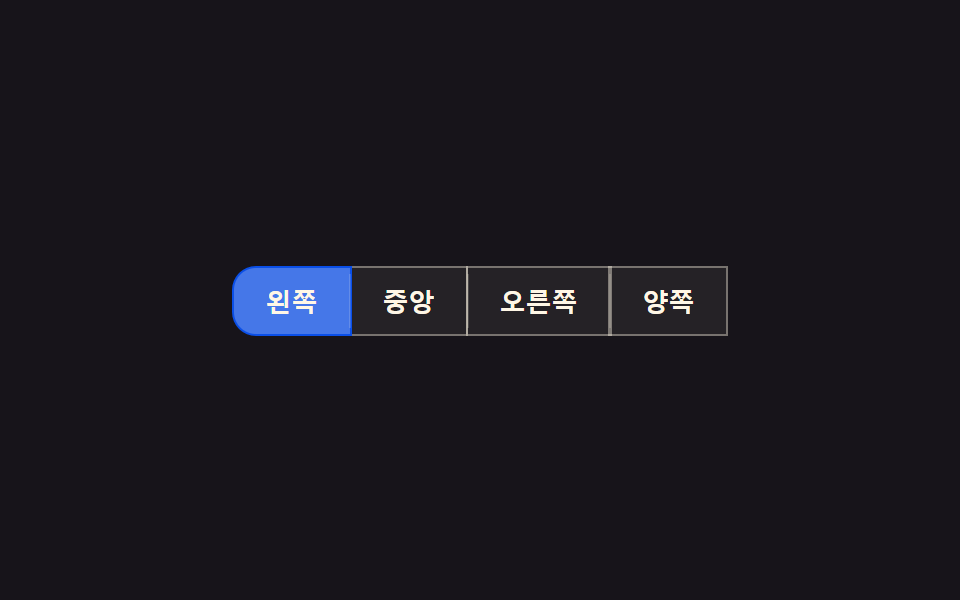 ボタン グループ ui 9選 — 隣り合うボタンが一つに動く仕組みボタン グループ ui: 9つのうち1つはアクティブボタンの値が変わるとスライド表示子の位置の値が実測座標に沿って移動し、1つはグループの幅の値が縮むと溢れたボタンがもっと見る値の中に折り畳まれ、もう1つは方向キーでフォーカスの値が移る際に この記事のデモをすべて見る