05二つ割れ切替 — 確定値がオンになるとボタンが二つの破片に割れ、それぞれ別の値を現す方式
確定値がオンになるとボタンが二つに割れ、それぞれの破片が反対方向に開いて中の値を現します。
使いどころ削除確認ボタン、二択の確認
PART_PXmeasuretoggle

<main class="stage">
<div class="sd is-demo" id="sd">
  <div class="sd__shell" id="sdShell">
    <div class="sd__half sd__half--l" aria-hidden="true"></div>
    <div class="sd__half sd__half--r" aria-hidden="true"></div>
    <div class="sd__face sd__face--rest" id="sdRest">
      <span class="sd__label">項目値を削除</span>
    </div>
    <div class="sd__face sd__face--split" id="sdSplit">
      <button type="button" class="sd__choice" id="sdNo">やめる</button>
      <button type="button" class="sd__choice sd__choice--danger" id="sdYes">消す</button>
    </div>
  </div>
</div>
</main>
@use "../../../../site/static/demo-tokens" as *;
// 계산 겹: 두 절반이 PART_PX(26px) 만큼 각자 바깥으로 벌어지고(translateX ±), 그 사이로
// 안의 선택 값 두 개가 크로스페이드로 뒤바뀐다(index.html). 절반 폭은 셸 폭 50% 실측.
@include stage($stage-ink);
.sd {
display: grid;
justify-items: center;
}
.sd__shell {
position: relative;
width: 240px;
height: 56px;
cursor: pointer;
}
.sd__half {
position: absolute;
top: 0;
width: calc(var(--shell-w, 240px) / 2);
height: 100%;
border-radius: $r-pill;
background: $error-soft;
transition: transform $dur-enter $ease-elastic, background-color $dur-quick $ease-out;
&--l { left: 0; border-top-right-radius: 0; border-bottom-right-radius: 0; }
&--r { right: 0; border-top-left-radius: 0; border-bottom-left-radius: 0; }
}
.sd__face {
position: absolute;
inset: 0;
display: flex;
align-items: center;
justify-content: center;
gap: $sp-3;
}
.sd__face--rest {
transition: opacity $dur-quick $ease-out;
}
.sd__label {
color: $error;
font-weight: 700;
font-size: 16px;
}
.sd__face--split {
opacity: 0;
transition: opacity $dur-quick $ease-out;
}
.sd__choice {
border: 0;
border-radius: $r-pill;
background: $stage-paper;
color: $subject-ink;
font-weight: 600;
font-size: 13px;
padding: $sp-2 $sp-4;
cursor: pointer;
&--danger { background: $error; color: $subject-cream; }
}
.sd--split {
.sd__half--l { transform: translateX(-26px); background: $error-soft; }
.sd__half--r { transform: translateX(26px); }
.sd__face--rest { opacity: 0; }
.sd__face--split { opacity: 1; }
}
@media (max-width: 340px) {
.sd__shell { width: 210px; height: 52px; }
}
@media (prefers-reduced-motion: reduce) {
.sd__half, .sd__face--rest, .sd__face--split { transition: none; }
}html, body {
margin: 0;
overflow: hidden;
}
.stage {
box-sizing: border-box;
min-height: 100vh;
display: grid;
place-items: center;
margin: 0;
background: #17141a;
font-family: -apple-system, "Segoe UI", "Noto Sans KR", sans-serif;
padding: clamp(8px, 4vw, 24px);
}
.sd {
display: grid;
justify-items: center;
}
.sd__shell {
position: relative;
width: 240px;
height: 56px;
cursor: pointer;
}
.sd__half {
position: absolute;
top: 0;
width: calc(var(--shell-w, 240px) / 2);
height: 100%;
border-radius: 999px;
background: #ffe0d8;
transition: transform 600ms cubic-bezier(0.34, 1.56, 0.64, 1), background-color 220ms ease-out;
}
.sd__half--l {
left: 0;
border-top-right-radius: 0;
border-bottom-right-radius: 0;
}
.sd__half--r {
right: 0;
border-top-left-radius: 0;
border-bottom-left-radius: 0;
}
.sd__face {
position: absolute;
inset: 0;
display: flex;
align-items: center;
justify-content: center;
gap: 12px;
}
.sd__face--rest {
transition: opacity 220ms ease-out;
}
.sd__label {
color: #c2361a;
font-weight: 700;
font-size: 16px;
}
.sd__face--split {
opacity: 0;
transition: opacity 220ms ease-out;
}
.sd__choice {
border: 0;
border-radius: 999px;
background: #ffffff;
color: #17141a;
font-weight: 600;
font-size: 13px;
padding: 8px 16px;
cursor: pointer;
}
.sd__choice--danger {
background: #c2361a;
color: #fff7e6;
}
.sd--split .sd__half--l {
transform: translateX(-26px);
background: #ffe0d8;
}
.sd--split .sd__half--r {
transform: translateX(26px);
}
.sd--split .sd__face--rest {
opacity: 0;
}
.sd--split .sd__face--split {
opacity: 1;
}
@media (max-width: 340px) {
.sd__shell {
width: 210px;
height: 52px;
}
}
@media (prefers-reduced-motion: reduce) {
.sd__half, .sd__face--rest, .sd__face--split {
transition: none;
}
}(function () {
var root = document.getElementById('sd');
var shell = document.getElementById('sdShell');
var PART_PX = 26; // 계산 겹: 두 절반이 벌어지는 거리(px) — 셸 폭 절반 기준 산술
// 계산 겹: 셸 폭을 getBoundingClientRect 로 실측해 --shell-w 로 넘긴다.
// 절반은 각자 셸 폭의 50% 로 그려지므로 벌어짐 거리도 이 값에 맞춘다.
function measure() {
shell.style.setProperty('--shell-w', shell.getBoundingClientRect().width + 'px');
}
var split = false;
function paint() {
root.classList.toggle('sd--split', split);
shell.setAttribute('aria-expanded', String(split));
}
function toggle() {
split = !split;
paint();
}
shell.addEventListener('click', function (e) {
if (e.target.closest('.sd__choice')) return;
root.classList.remove('is-demo');
stopAutoplay();
if (!split) toggle();
});
document.getElementById('sdNo').addEventListener('click', function () {
root.classList.remove('is-demo');
stopAutoplay();
if (split) toggle();
});
document.getElementById('sdYes').addEventListener('click', function () {
root.classList.remove('is-demo');
stopAutoplay();
if (split) toggle();
});
var autoTimer = null;
function stopAutoplay() { if (autoTimer) { clearInterval(autoTimer); autoTimer = null; } }
var reduce = window.matchMedia('(prefers-reduced-motion: reduce)').matches;
measure();
if (!reduce) { autoTimer = setInterval(toggle, 1400); }
else { split = true; paint(); }
})();import { useEffect, useRef } from "react";
import styles from "./SplitDualReveal.module.scss";
type Box<T> = { current: T };
const PART_PX = 26; // 계산 겹: 두 절반이 벌어지는 거리(px) — 셸 폭 절반 기준 산술
export default function SplitDualReveal() {
const rootRef = useRef(null) as unknown as Box<HTMLDivElement | null>;
useEffect(() => {
const root = rootRef.current;
if (!root) return;
const shell = root.querySelector(`.${styles.shell}`) as HTMLElement | null;
if (!shell) return;
function measure() {
shell!.style.setProperty("--shell-w", shell!.getBoundingClientRect().width + "px");
}
let split = false;
function paint() {
root!.classList.toggle(styles["root--split"], split);
shell!.setAttribute("aria-expanded", String(split));
}
function toggle() {
split = !split;
paint();
}
function onShellClick(e: Event) {
const t = e.target as HTMLElement;
if (t.closest("." + styles.choice)) return;
root!.classList.remove(styles["is-demo"]);
stopAutoplay();
if (!split) toggle();
}
function onChoice() {
root!.classList.remove(styles["is-demo"]);
stopAutoplay();
if (split) toggle();
}
shell.addEventListener("click", onShellClick);
root.querySelectorAll("." + styles.choice).forEach((b) => {
b.addEventListener("click", onChoice);
});
let autoTimer: number | null = null;
function stopAutoplay() { if (autoTimer !== null) { window.clearInterval(autoTimer); autoTimer = null; } }
const reduce = window.matchMedia("(prefers-reduced-motion: reduce)").matches;
measure();
if (!reduce) { autoTimer = window.setInterval(toggle, 1400); }
else { split = true; paint(); }
return () => {
stopAutoplay();
shell.removeEventListener("click", onShellClick);
root.querySelectorAll("." + styles.choice).forEach((b) => {
b.removeEventListener("click", onChoice);
});
};
}, []);
return (
<div ref={rootRef} className={`${styles.stage} ${styles.sd} ${styles["is-demo"]}`}>
<div className={styles.shell} aria-expanded="false">
<div className={`${styles.half} ${styles["half--l"]}`} aria-hidden="true" />
<div className={`${styles.half} ${styles["half--r"]}`} aria-hidden="true" />
<div className={`${styles.face} ${styles["face--rest"]}`}>
<span className={styles.label}>항목 값 삭제</span>
</div>
<div className={`${styles.face} ${styles["face--split"]}`}>
<button type="button" className={styles.choice}>그만두기</button>
<button type="button" className={`${styles.choice} ${styles["choice--danger"]}`}>지우기</button>
</div>
</div>
</div>
);
}05 二つ割れ切替 — 確定値がオンになるとボタンが二つの破片に割れ、それぞれ別の値を現す方式 — 計測 累積面積 6.995% · 動いたフレーム 7/23GODRICH オリジナル · SCSS と React は zip に同梱 · css 開閉 ボタン 9選 — ボタンの形が変わる9つの方式
このデモが属する記事
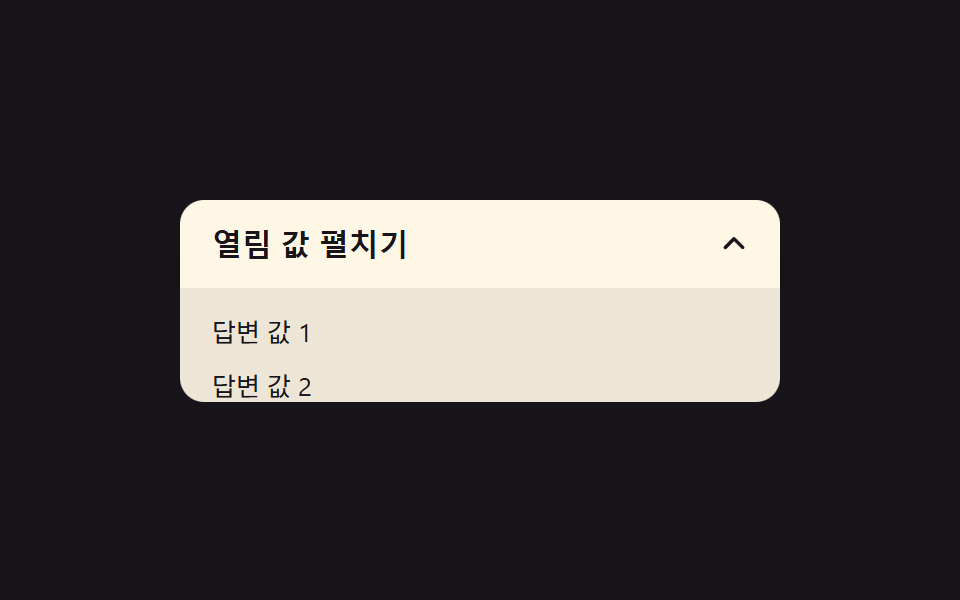 css 開閉 ボタン 9選 — ボタンの形が変わる9つの方式css 開閉 ボタン:9つのうち1つは開く値が変わるとボタンの角の丸み値が一緒に大きくなり、1つは閉じる値がオンになるとプラス記号が回転して閉じる記号に変わり、もう1つは展開値が伸びる間、幅の値が目標を少し越えてから戻ります。 この記事のデモをすべて見る