05立体反転 — クリックすると回転の値が180度まで回り反対の面が現れるボタン
クリックが起きると回転の値が180度になるまで回って反対の面が現れ、回転の値が目標を少し超えてから元の位置に戻る状態を経ます。
使いどころ選択CTA、比較CTA
OVERSHOOT_DEG=18flipease
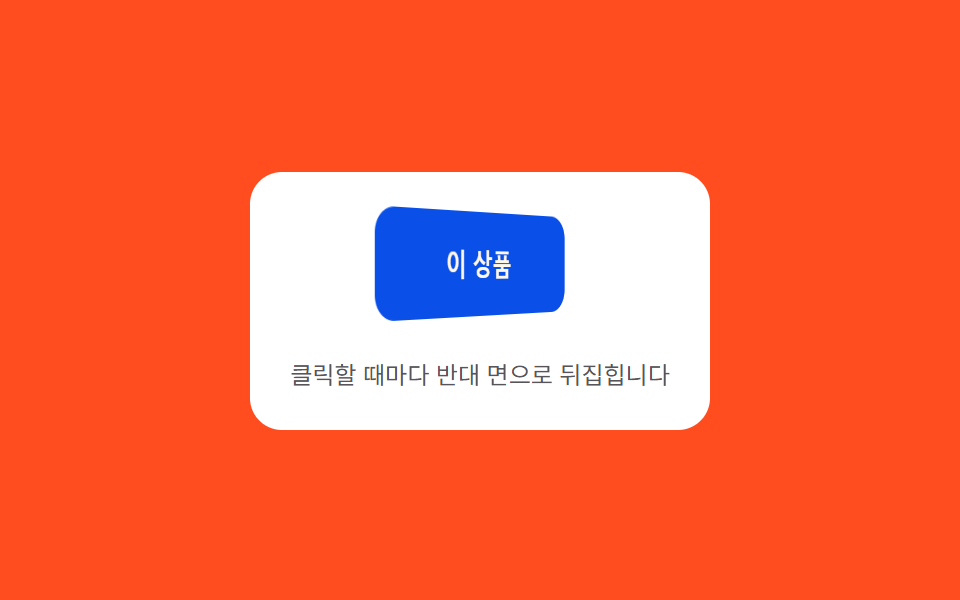
<main class="stage">
<div class="ctaflp is-demo" id="ctaflp">
  <div class="ctaflp__panel">
    <div class="ctaflp__scene">
      <button class="ctaflp__btn" id="ctaflpBtn" type="button">
        <span class="ctaflp__face ctaflp__face--front">この商品</span>
        <span class="ctaflp__face ctaflp__face--back">あの商品</span>
      </button>
    </div>
    <span class="ctaflp__hint">クリックするたびに反対の面に反転します</span>
  </div>
</div>
</main>
@use "../../../../site/static/demo-tokens" as *;
// 계산 겹(오버슈트 감쇠 진동)은 JS 에 있다 — 여기는 정적 배치·원근만.
@include stage($stage-orange);
.stage { position: relative; }
.ctaflp__panel {
display: flex;
flex-direction: column;
align-items: center;
gap: $sp-4;
padding: $sp-5;
border-radius: $r-card;
background: $stage-paper;
}
.ctaflp__scene {
perspective: 480px;
}
.ctaflp__btn {
position: relative;
width: 140px;
height: 52px;
border: 0;
border-radius: $r-control;
background: none;
padding: 0;
cursor: pointer;
transform-style: preserve-3d;
}
.ctaflp__face {
position: absolute;
inset: 0;
display: grid;
place-items: center;
border-radius: $r-control;
font-family: inherit;
font-weight: 700;
font-size: 15px;
backface-visibility: hidden;
}
.ctaflp__face--front {
background: $subject-blue-deep;
color: $subject-cream;
}
.ctaflp__face--back {
background: $subject-lilac;
color: $subject-ink;
transform: rotateY(180deg);
}
.ctaflp__hint {
color: rgba($subject-ink, .72);
font-size: 12px;
text-align: center;
}
@media (max-width: 340px) {
.ctaflp__panel { padding: $sp-4; gap: $sp-3; }
.ctaflp__btn { width: 120px; height: 46px; }
.ctaflp__face { font-size: 14px; }
}
@media (prefers-reduced-motion: reduce) {
.ctaflp__btn { transition: none !important; }
}html, body {
margin: 0;
overflow: hidden;
}
.stage {
box-sizing: border-box;
min-height: 100vh;
display: grid;
place-items: center;
margin: 0;
background: #ff4d1f;
font-family: -apple-system, "Segoe UI", "Noto Sans KR", sans-serif;
padding: clamp(8px, 4vw, 24px);
}
.stage {
position: relative;
}
.ctaflp__panel {
display: flex;
flex-direction: column;
align-items: center;
gap: 16px;
padding: 20px;
border-radius: 16px;
background: #ffffff;
}
.ctaflp__scene {
perspective: 480px;
}
.ctaflp__btn {
position: relative;
width: 140px;
height: 52px;
border: 0;
border-radius: 12px;
background: none;
padding: 0;
cursor: pointer;
transform-style: preserve-3d;
}
.ctaflp__face {
position: absolute;
inset: 0;
display: grid;
place-items: center;
border-radius: 12px;
font-family: inherit;
font-weight: 700;
font-size: 15px;
backface-visibility: hidden;
}
.ctaflp__face--front {
background: #0a4fe8;
color: #fff7e6;
}
.ctaflp__face--back {
background: #b9a0ff;
color: #17141a;
transform: rotateY(180deg);
}
.ctaflp__hint {
color: rgba(23, 20, 26, 0.72);
font-size: 12px;
text-align: center;
}
@media (max-width: 340px) {
.ctaflp__panel {
padding: 16px;
gap: 12px;
}
.ctaflp__btn {
width: 120px;
height: 46px;
}
.ctaflp__face {
font-size: 14px;
}
}
@media (prefers-reduced-motion: reduce) {
.ctaflp__btn {
transition: none !important;
}
}(function () {
var root = document.getElementById('ctaflp');
var btn = document.getElementById('ctaflpBtn');
// 계산 겹: 회전 값이 목표(180도 배수)를 향해 감쇠 진동식으로 접근한다 —
// 매 프레임 목표를 살짝 넘었다가(오버슈트) 스프링 곡선으로 제자리에 앉는다.
var current = 0, base = 0, raf = null, startT = 0;
var OVERSHOOT_DEG = 18, FREQ = 14, DECAY = 9, DUR = 500;
function ease(tSec) {
if (tSec <= 0) { return 0; }
var settle = 1 - Math.exp(-DECAY * tSec);
var wobble = Math.sin(tSec * FREQ) * Math.exp(-DECAY * tSec) * (OVERSHOOT_DEG / 180);
return settle + wobble;
}
function frame(now) {
var t = (now - startT) / 1000;
var p = Math.min(1, ease(t));
current = base + p * 180;
btn.style.transform = 'rotateY(' + current.toFixed(2) + 'deg)';
if (t < DUR / 1000) {
raf = requestAnimationFrame(frame);
} else {
base = base + 180;
current = base;
btn.style.transform = 'rotateY(' + current.toFixed(2) + 'deg)';
raf = null;
}
}
function flip() {
if (raf) { return; }
startT = performance.now();
raf = requestAnimationFrame(frame);
}
function wireReal() {
btn.addEventListener('click', function () { root.classList.remove('is-demo'); stopAutoplay(); flip(); });
btn.addEventListener('keydown', function (e) {
if (e.key === 'Enter' || e.key === ' ') { root.classList.remove('is-demo'); stopAutoplay(); flip(); }
});
}
wireReal();
var autoplayTimer = null;
function stopAutoplay() { if (autoplayTimer) { clearInterval(autoplayTimer); autoplayTimer = null; } }
var reduce = window.matchMedia('(prefers-reduced-motion: reduce)').matches;
if (!reduce) { autoplayTimer = setInterval(flip, 700); }
})();import { useEffect, useRef } from "react";
import styles from "./CtaBtnFlip3dFace.module.scss";
export type CtaBtnFlip3dFaceProps = {
color?: string;
};
export default function CtaBtnFlip3dFace({
color = "#0a4fe8",
}: CtaBtnFlip3dFaceProps) {
const rootRef = useRef<HTMLDivElement | null>(null);
useEffect(() => {
const root = rootRef.current;
if (!root) return;
const btn = root.querySelector<HTMLButtonElement>(`.${styles.btn}`);
if (!btn) return;
// 계산 겹: 회전 값이 목표(180도 배수)를 향해 감쇠 진동식으로 접근한다 —
// 매 프레임 목표를 살짝 넘었다가(오버슈트) 스프링 곡선으로 제자리에 앉는다.
let base = 0;
let raf: number | null = null;
let startT = 0;
const OVERSHOOT_DEG = 18, FREQ = 14, DECAY = 9, DUR = 500;
function ease(tSec: number) {
if (tSec <= 0) return 0;
const settle = 1 - Math.exp(-DECAY * tSec);
const wobble = Math.sin(tSec * FREQ) * Math.exp(-DECAY * tSec) * (OVERSHOOT_DEG / 180);
return settle + wobble;
}
function frame(now: number) {
const t = (now - startT) / 1000;
const p = Math.min(1, ease(t));
const current = base + p * 180;
btn!.style.transform = "rotateY(" + current.toFixed(2) + "deg)";
if (t < DUR / 1000) {
raf = requestAnimationFrame(frame);
} else {
base = base + 180;
btn!.style.transform = "rotateY(" + base.toFixed(2) + "deg)";
raf = null;
}
}
function flip() {
if (raf !== null) return;
startT = performance.now();
raf = requestAnimationFrame(frame);
}
function onClick() { stopAutoplay(); flip(); }
function onKeydown(e: KeyboardEvent) { if (e.key === "Enter" || e.key === " ") { stopAutoplay(); flip(); } }
btn.addEventListener("click", onClick);
btn.addEventListener("keydown", onKeydown);
let autoplayTimer: number | null = null;
function stopAutoplay() { if (autoplayTimer !== null) { window.clearInterval(autoplayTimer); autoplayTimer = null; } }
const reduce = window.matchMedia("(prefers-reduced-motion: reduce)").matches;
if (!reduce) { autoplayTimer = window.setInterval(flip, 700); }
return () => {
stopAutoplay();
if (raf !== null) { cancelAnimationFrame(raf); }
btn.removeEventListener("click", onClick);
btn.removeEventListener("keydown", onKeydown);
};
}, []);
return (
<div ref={rootRef} className={styles.stage}>
<div className={styles.panel}>
<div className={styles.scene}>
<button className={styles.btn} type="button">
<span className={styles.faceFront} style={{ background: color }}>이 상품</span>
<span className={styles.faceBack}>저 상품</span>
</button>
</div>
<span className={styles.hint}>클릭할 때마다 반대 면으로 뒤집힙니다</span>
</div>
</div>
);
}05 立体反転 — クリックすると回転の値が180度まで回り反対の面が現れるボタン — 計測 累積面積 5.267% · 動いたフレーム 16/23GODRICH オリジナル · SCSS と React は zip に同梱 · CTA ボタン デザイン 9選 — 伸びる影から跳ねるバーまで
このデモが属する記事
 CTA ボタン デザイン 9選 — 伸びる影から跳ねるバーまで9つのうち1つは伸びる影の長さの値がホバー状態に応じて伸び縮みし、1つは周囲の進行の値が決まった時間の間に0まで減り、もう1つは引いた位置の値が基準を超えると確定した状態に変わります。cta ボタン デザインの9つの動きを見ていきます。 この記事のデモをすべて見る