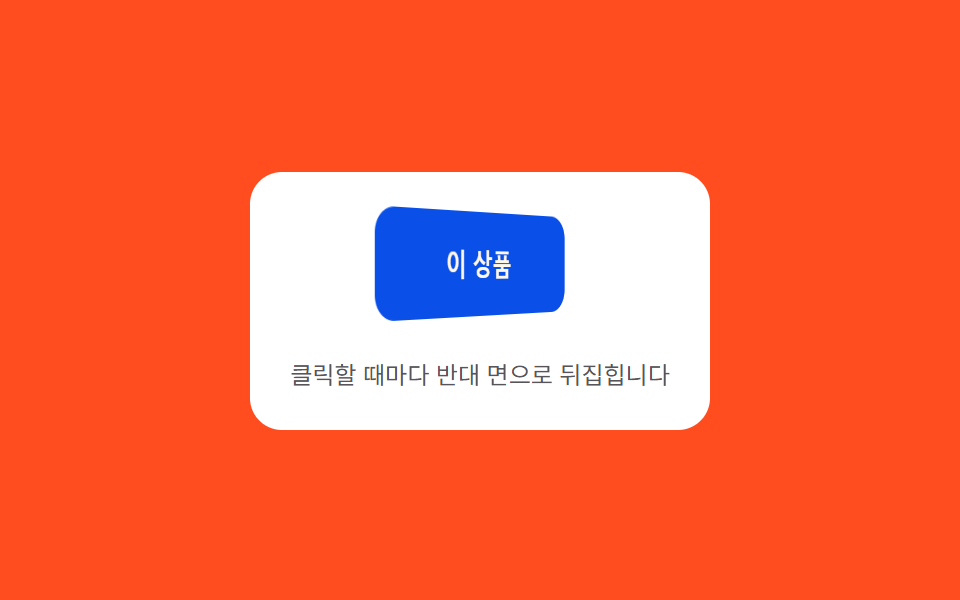
09ポインターがない時に値が自ら揺れるボタン
ポインターがボタン上にない間は時間値をサイン関数に入れて角度をごくわずかに揺らし、ポインターが入るとその値をすぐカーソル座標の計算に引き継ぐ。
使いどころランディングヒーローCTA・アイドル状態の強調ボタン
MAX_DEGLERPidleDrift

<main class="stage">
<div class="id is-demo" id="idw">
  <p class="id__hint"><span>周波数の異なる2つの正弦波を足し合わせ、手を離してもボタンがゆっくり自ら漂います</span></p>
  <div class="id__scene" id="scene">
    <span class="id__floor" id="floor" aria-hidden="true"></span>
    <button class="id__btn" id="btn" type="button" aria-label="無料で始める — 放っておいても漂うボタン">
      <span class="id__glow" id="glow" aria-hidden="true"></span>
      <span class="id__label">無料で始める</span>
    </button>
  </div>
</div>
</main>
@use "../../../../site/static/demo-tokens" as *;
@include stage($stage-ink);
.id {
display: grid;
gap: $sp-4;
justify-items: center;
}
.id__hint {
margin: 0;
font-size: 13px;
line-height: 1.5;
text-align: center;
max-width: 260px;
color: rgba($subject-cream, .78);
}
.id__scene {
position: relative;
perspective: 640px;
padding: $sp-6;
}
// 바닥 그림자 — 기운 반대쪽으로 옮겨가며 면적을 만든다
.id__floor {
position: absolute;
left: 50%;
bottom: 2px;
width: clamp(130px, 46vw, 220px);
height: clamp(38px, 13.4vw, 64px);
margin-left: clamp(-110px, -23vw, -65px);
border-radius: 50%;
background: radial-gradient(closest-side, rgba($stage-ink, .72), rgba($stage-ink, 0) 72%);
filter: blur(10px);
pointer-events: none;
}
.id__btn {
position: relative;
border: 0;
cursor: pointer;
padding: $sp-5 $sp-12;
border-radius: $r-pill;
background: $subject-blue-deep;
color: $subject-cream;
font-size: 16px;
font-weight: 700;
transform-style: preserve-3d;
overflow: hidden;
will-change: transform, box-shadow;
}
.id__btn:focus-visible {
outline: 2px solid $subject-cream;
outline-offset: 3px;
}
// 하이라이트 — 그림자와 짝으로 기운 반대쪽에서 밝아진다
.id__glow {
position: absolute;
inset: 0;
border-radius: inherit;
pointer-events: none;
}
.id__label {
position: relative;
z-index: 1;
}
@media (prefers-reduced-motion: reduce) {
.id__btn { transition: none; }
}html, body {
margin: 0;
overflow: hidden;
}
.stage {
box-sizing: border-box;
min-height: 100vh;
display: grid;
place-items: center;
margin: 0;
background: #17141a;
font-family: -apple-system, "Segoe UI", "Noto Sans KR", sans-serif;
padding: clamp(8px, 4vw, 24px);
}
.id {
display: grid;
gap: 16px;
justify-items: center;
}
.id__hint {
margin: 0;
font-size: 13px;
line-height: 1.5;
text-align: center;
max-width: 260px;
color: rgba(255, 247, 230, 0.78);
}
.id__scene {
position: relative;
perspective: 640px;
padding: 24px;
}
.id__floor {
position: absolute;
left: 50%;
bottom: 2px;
width: clamp(130px, 46vw, 220px);
height: clamp(38px, 13.4vw, 64px);
margin-left: clamp(-110px, -23vw, -65px);
border-radius: 50%;
background: radial-gradient(closest-side, rgba(23, 20, 26, 0.72), rgba(23, 20, 26, 0) 72%);
filter: blur(10px);
pointer-events: none;
}
.id__btn {
position: relative;
border: 0;
cursor: pointer;
padding: 20px 48px;
border-radius: 999px;
background: #0a4fe8;
color: #fff7e6;
font-size: 16px;
font-weight: 700;
transform-style: preserve-3d;
overflow: hidden;
will-change: transform, box-shadow;
}
.id__btn:focus-visible {
outline: 2px solid #fff7e6;
outline-offset: 3px;
}
.id__glow {
position: absolute;
inset: 0;
border-radius: inherit;
pointer-events: none;
}
.id__label {
position: relative;
z-index: 1;
}
@media (prefers-reduced-motion: reduce) {
.id__btn {
transition: none;
}
}(function () {
var root = document.getElementById('idw');
var scene = document.getElementById('scene');
var btn = document.getElementById('btn');
var floor = document.getElementById('floor');
var glow = document.getElementById('glow');
var reduce = window.matchMedia('(prefers-reduced-motion: reduce)').matches;
var MAX_DEG = 8; // 불변
var LERP = 0.12;
var targetNX = 0, targetNY = 0, curNX = 0, curNY = 0;
var hasPointer = false;
function clamp(v, lo, hi) { return Math.max(lo, Math.min(hi, v)); }
// 유휴 드리프트 — 주파수·위상이 다른 사인파 둘을 더한 합성 곡선(고정 시드). 포인터가 있으면 좌표로 덮인다
// 진폭 상수를 키워 자동 시연에서도 가장자리(±1, MAX_DEG 전체)까지 실제로 닿게 한다
function idleDrift(t) {
var x = 0.85 * Math.sin(t * 0.55) + 0.55 * Math.sin(t * 1.31 + 0.8);
var y = 0.76 * Math.sin(t * 0.41 + 1.3) + 0.48 * Math.sin(t * 0.97 + 2.4);
return [clamp(x, -1, 1), clamp(y, -1, 1)];
}
function render(nx, ny) {
var rotY = nx * MAX_DEG;
var rotX = -ny * MAX_DEG;
var mag = Math.min(1, Math.sqrt(nx * nx + ny * ny));
var lift = 1 - mag * 0.4;
btn.style.transform = 'translateY(' + ((1 - lift) * -6).toFixed(2) + 'px) rotateX(' + rotX.toFixed(2) + 'deg) rotateY(' + rotY.toFixed(2) + 'deg)';
var blur = 16 + Math.abs(nx) * 10 + Math.abs(ny) * 10;
btn.style.boxShadow = '0 ' + (10 * lift).toFixed(1) + 'px ' + blur.toFixed(1) + 'px rgba(8,6,12,.34)';
// 바닥 그림자 — 기운 반대쪽으로 떨어져 나가며 면적을 만든다
floor.style.transform = 'translate(' + (nx * 38).toFixed(1) + 'px, ' + (ny * 16).toFixed(1) + 'px) scale(' + (1 + mag * 0.32).toFixed(2) + ')';
floor.style.opacity = (0.16 + mag * 0.55).toFixed(2);
// 하이라이트 — 기운 반대쪽(들린 쪽)에서 밝아져 그림자와 짝으로 움직인다
var gx = (50 - nx * 32).toFixed(0);
var gy = (50 - ny * 32).toFixed(0);
glow.style.background = 'radial-gradient(circle at ' + gx + '% ' + gy + '%, rgba(255,255,255,' + (0.16 + mag * 0.42).toFixed(2) + '), rgba(255,255,255,0) 62%)';
}
var t0 = null;
function loop(now) {
if (t0 === null) t0 = now;
var t = (now - t0) / 1000;
if (!hasPointer && !reduce) {
var d = idleDrift(t);
targetNX = d[0]; targetNY = d[1];
}
curNX += (targetNX - curNX) * LERP;
curNY += (targetNY - curNY) * LERP;
render(curNX, curNY);
requestAnimationFrame(loop);
}
function pointFromEvent(e) {
var r = scene.getBoundingClientRect();
var nx = ((e.clientX - r.left) / r.width) * 2 - 1;
var ny = ((e.clientY - r.top) / r.height) * 2 - 1;
return [clamp(nx, -1, 1), clamp(ny, -1, 1)];
}
scene.addEventListener('pointermove', function (e) {
hasPointer = true;
root.classList.remove('is-demo');
var p = pointFromEvent(e);
targetNX = p[0]; targetNY = p[1];
});
scene.addEventListener('pointerleave', function () {
hasPointer = false;
});
btn.addEventListener('click', function () {
root.classList.remove('is-demo');
hasPointer = true;
targetNX = 0; targetNY = -0.9;
if (reduce) { render(targetNX, targetNY); }
setTimeout(function () { hasPointer = false; }, 260);
});
btn.addEventListener('keydown', function (e) {
var step = 0.22;
var moves = { ArrowLeft: [-step, 0], ArrowRight: [step, 0], ArrowUp: [0, -step], ArrowDown: [0, step] };
var m = moves[e.key];
if (!m) return;
e.preventDefault();
root.classList.remove('is-demo');
hasPointer = true;
targetNX = clamp(targetNX + m[0], -1, 1);
targetNY = clamp(targetNY + m[1], -1, 1);
if (reduce) { render(targetNX, targetNY); }
});
if (reduce) {
render(0.2, -0.2);
} else {
requestAnimationFrame(loop);
}
})();// IdleDriftButton — vanilla 판(run/393/demo/09-pointer-tilt-3d-idle-drift/index.html) 의 React 포트.
// 주파수·위상이 다른 사인파 둘을 더한 합성 곡선(고정 시드)이 유휴 드리프트를 만들고,
// 포인터가 있으면 그 좌표가 목표값을 덮어쓴다. 값·수치는 vanilla 와 같다.
import { useEffect, useRef, useState } from "react";
import type { PointerEvent as ReactPointerEvent } from "react";
import styles from "./IdleDriftButton.module.scss";
type Box<T> = { current: T };
type KeyEvt = { key: string; preventDefault(): void };
const MAX_DEG = 8; // 불변
const LERP = 0.12;
const LABEL = "무료로 시작하기 — 가만히 둬도 떠도는 버튼";
function clamp(v: number, lo: number, hi: number): number {
return Math.max(lo, Math.min(hi, v));
}
// 진폭 상수를 키워 자동 시연에서도 가장자리(±1, MAX_DEG 전체)까지 실제로 닿게 한다
function idleDrift(t: number): [number, number] {
const x = 0.85 * Math.sin(t * 0.55) + 0.55 * Math.sin(t * 1.31 + 0.8);
const y = 0.76 * Math.sin(t * 0.41 + 1.3) + 0.48 * Math.sin(t * 0.97 + 2.4);
return [clamp(x, -1, 1), clamp(y, -1, 1)];
}
export default function IdleDriftButton() {
const sceneRef = useRef<HTMLDivElement | null>(null);
const btnRef = useRef<HTMLButtonElement | null>(null);
const floorRef = useRef<HTMLSpanElement | null>(null);
const glowRef = useRef<HTMLSpanElement | null>(null);
const targetXRef = useRef<number>(0) as Box<number>;
const targetYRef = useRef<number>(0) as Box<number>;
const curXRef = useRef<number>(0) as Box<number>;
const curYRef = useRef<number>(0) as Box<number>;
const hasPointerRef = useRef<boolean>(false) as Box<boolean>;
const frameRef = useRef<number>(0) as Box<number>;
const t0Ref = useRef<number>(0) as Box<number>;
const [demo, setDemo] = useState(true);
const [reduce, setReduce] = useState(false);
function render(nx: number, ny: number): void {
const btn = btnRef.current;
const floor = floorRef.current;
const glow = glowRef.current;
if (!btn || !floor || !glow) return;
const rotY = nx * MAX_DEG;
const rotX = -ny * MAX_DEG;
const mag = Math.min(1, Math.sqrt(nx * nx + ny * ny));
const lift = 1 - mag * 0.4;
btn.style.transform = "translateY(" + ((1 - lift) * -6).toFixed(2) + "px) rotateX(" + rotX.toFixed(2) + "deg) rotateY(" + rotY.toFixed(2) + "deg)";
const blur = 16 + Math.abs(nx) * 10 + Math.abs(ny) * 10;
btn.style.boxShadow = "0 " + (10 * lift).toFixed(1) + "px " + blur.toFixed(1) + "px rgba(8,6,12,.34)";
floor.style.transform = "translate(" + (nx * 38).toFixed(1) + "px, " + (ny * 16).toFixed(1) + "px) scale(" + (1 + mag * 0.32).toFixed(2) + ")";
floor.style.opacity = (0.16 + mag * 0.55).toFixed(2);
const gx = (50 - nx * 32).toFixed(0);
const gy = (50 - ny * 32).toFixed(0);
glow.style.background = "radial-gradient(circle at " + gx + "% " + gy + "%, rgba(255,255,255," + (0.16 + mag * 0.42).toFixed(2) + "), rgba(255,255,255,0) 62%)";
}
useEffect(() => {
setReduce(window.matchMedia("(prefers-reduced-motion: reduce)").matches);
}, []);
useEffect(() => {
if (reduce) {
render(0.2, -0.2);
return;
}
function loop(now: number): void {
if (t0Ref.current === 0) t0Ref.current = now;
const t = (now - t0Ref.current) / 1000;
if (!hasPointerRef.current) {
const d = idleDrift(t);
targetXRef.current = d[0];
targetYRef.current = d[1];
}
curXRef.current += (targetXRef.current - curXRef.current) * LERP;
curYRef.current += (targetYRef.current - curYRef.current) * LERP;
render(curXRef.current, curYRef.current);
frameRef.current = requestAnimationFrame(loop);
}
frameRef.current = requestAnimationFrame(loop);
return () => cancelAnimationFrame(frameRef.current);
}, [reduce]);
function pointFromEvent(event: ReactPointerEvent<HTMLDivElement>): [number, number] {
const scene = sceneRef.current;
if (!scene) return [0, 0];
const r = scene.getBoundingClientRect();
const nx = ((event.clientX - r.left) / r.width) * 2 - 1;
const ny = ((event.clientY - r.top) / r.height) * 2 - 1;
return [clamp(nx, -1, 1), clamp(ny, -1, 1)];
}
function onPointerMove(event: ReactPointerEvent<HTMLDivElement>): void {
hasPointerRef.current = true;
setDemo(false);
const p = pointFromEvent(event);
targetXRef.current = p[0];
targetYRef.current = p[1];
}
function onPointerLeave(): void {
hasPointerRef.current = false;
}
function onClick(): void {
setDemo(false);
hasPointerRef.current = true;
targetXRef.current = 0;
targetYRef.current = -0.9;
if (reduce) render(targetXRef.current, targetYRef.current);
window.setTimeout(() => {
hasPointerRef.current = false;
}, 260);
}
function onKeyDown(event: KeyEvt): void {
const step = 0.22;
const moves: { [key: string]: [number, number] } = {
ArrowLeft: [-step, 0],
ArrowRight: [step, 0],
ArrowUp: [0, -step],
ArrowDown: [0, step],
};
const m = moves[event.key];
if (!m) return;
event.preventDefault();
setDemo(false);
hasPointerRef.current = true;
targetXRef.current = clamp(targetXRef.current + m[0], -1, 1);
targetYRef.current = clamp(targetYRef.current + m[1], -1, 1);
if (reduce) render(targetXRef.current, targetYRef.current);
}
const cls = [styles.id, demo ? styles.isDemo : ""].filter(Boolean).join(" ");
return (
<main className={styles.stage}>
<div className={cls}>
<p className={styles.hint}>
<span>주파수가 다른 사인파 둘을 더해 손을 떼도 버튼이 스스로 천천히 떠돕니다</span>
</p>
<div className={styles.scene} ref={sceneRef} onPointerMove={onPointerMove} onPointerLeave={onPointerLeave}>
<span className={styles.floor} ref={floorRef} aria-hidden="true" />
<button className={styles.btn} ref={btnRef} type="button" aria-label={LABEL} onClick={onClick} onKeyDown={onKeyDown}>
<span className={styles.glow} ref={glowRef} aria-hidden="true" />
<span className={styles.label}>무료로 시작하기</span>
</button>
</div>
</div>
</main>
);
}09 ポインターがない時に値が自ら揺れるボタン — 計測 累積面積 6.923% · 動いたフレーム 23/23GODRICH オリジナル · SCSS と React は zip に同梱 · css ボタン 立体感 9種 — クリックまで再現
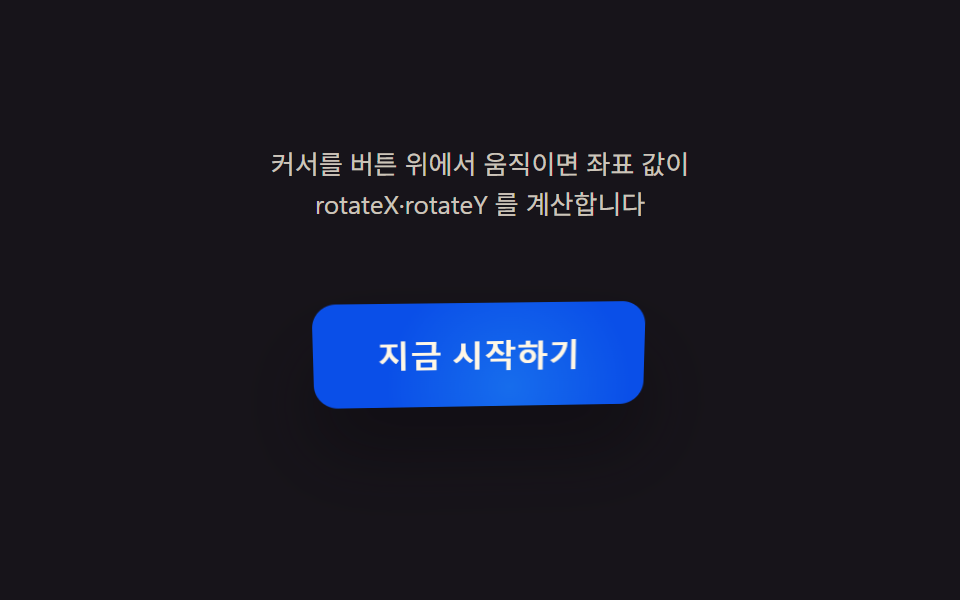
このデモが属する記事
 css ボタン 立体感 9種 — クリックまで再現9種のcss ボタン 立体感デモをここに並べた。 カーソルがボタン上のどこにあるかを角度値ひとつに変えると、平らな面はどう立体に見えるのか? 座標値がrotateX・rotateYを決めるボタン、傾きの大きさ値が縁の光の強さを決めるボタン、 この記事のデモをすべて見る