css ボタン 立体感 9種 — クリックまで再現
9種のcss ボタン 立体感デモをここに並べた。 カーソルがボタン上のどこにあるかを角度値ひとつに変えると、平らな面はどう立体に見えるのか? 座標値がrotateX・rotateYを決めるボタン、傾きの大きさ値が縁の光の強さを決めるボタン、押し込み深さ値がバネ減衰で戻るボタンのように、同じ計算ひとつがボタンごとに異なる
 01 pointer-tilt-3d-cursor-rotate
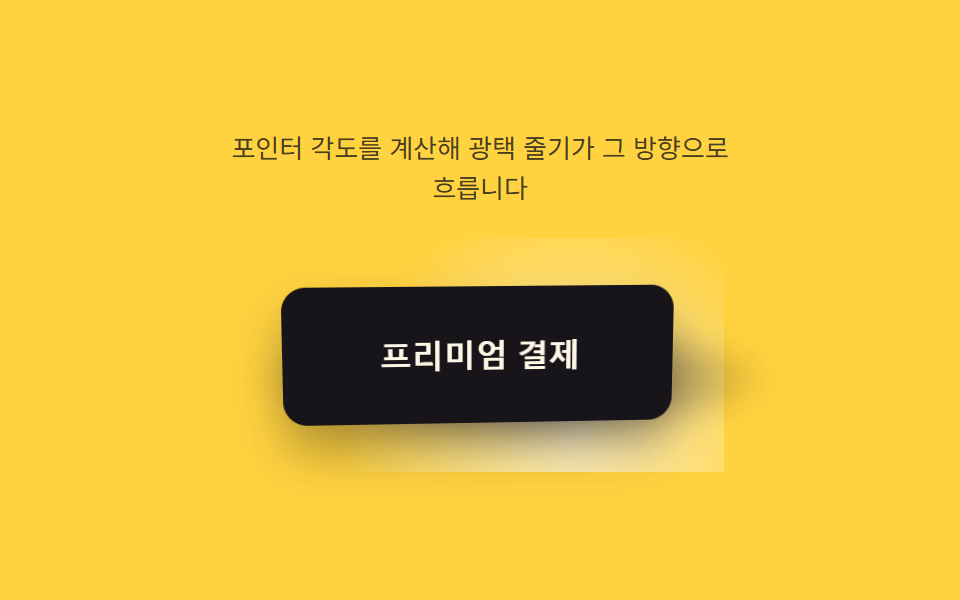 02 pointer-tilt-3d-specular-sweep
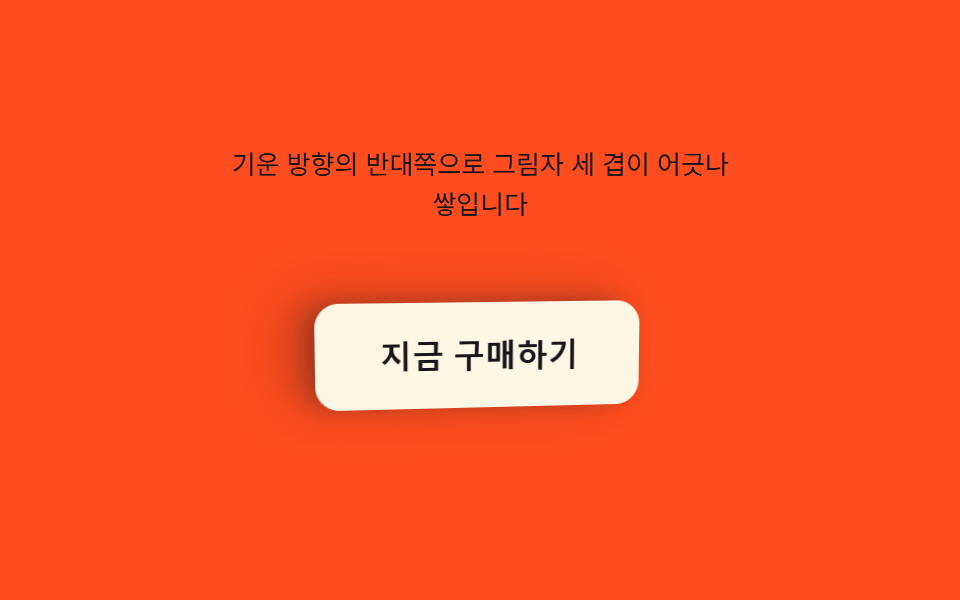 03 pointer-tilt-3d-shadow-stack
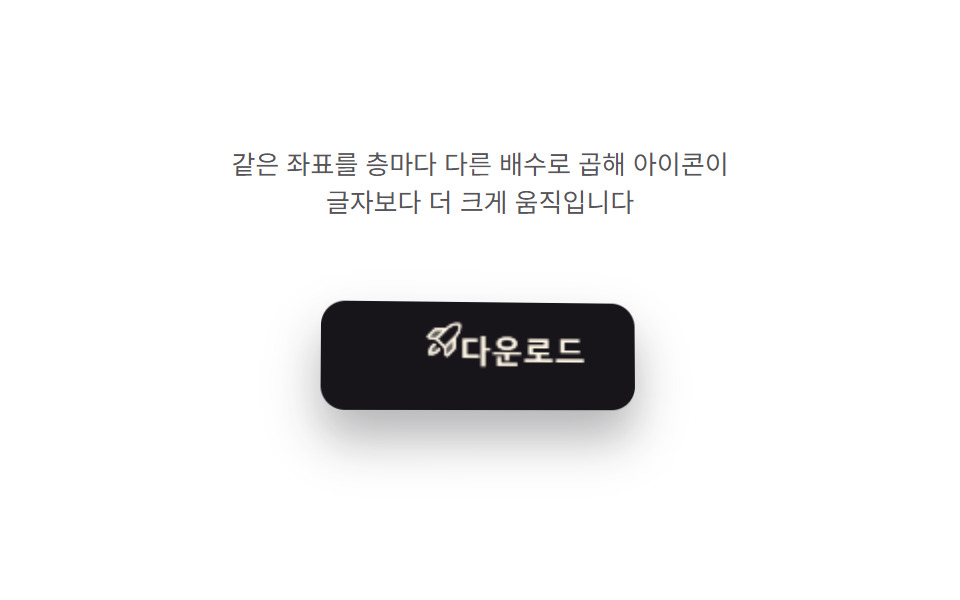 04 pointer-tilt-3d-icon-parallax
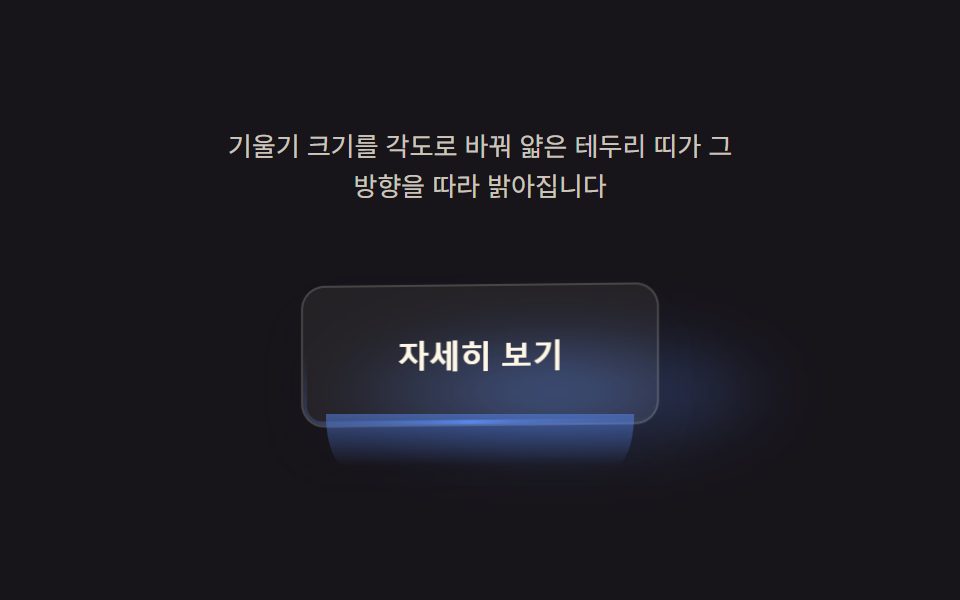 05 pointer-tilt-3d-edge-bevel
 06 pointer-tilt-3d-press-release-spring
 07 pointer-tilt-3d-grid-parallax
 08 pointer-tilt-3d-rim-glow
 09 pointer-tilt-3d-idle-drift
自動再生 · タイルを押すとその項目へ · すべて1つのzip
- 01 カーソル座標値が回転させるボタン
- 02 光源角度値が通り過ぎるボタンのハイライト
- 03 傾き値が積み重ねる影レイヤーのボタン
- 04 深さ値がアイコンだけを押し出すボタン
- 05 角度値が縁を光らせるボタン
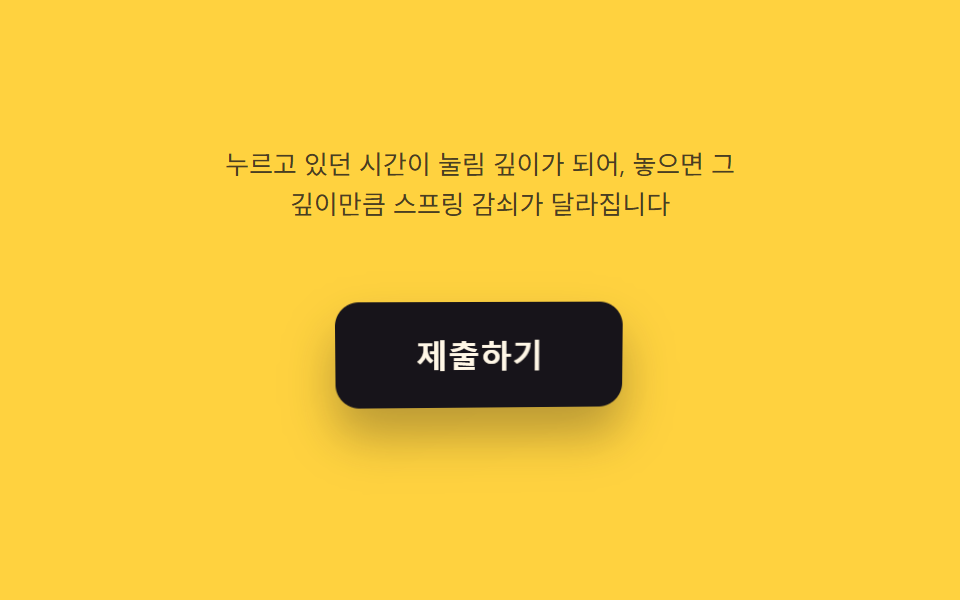
- 06 押し込み深さ値がバネで戻るボタン
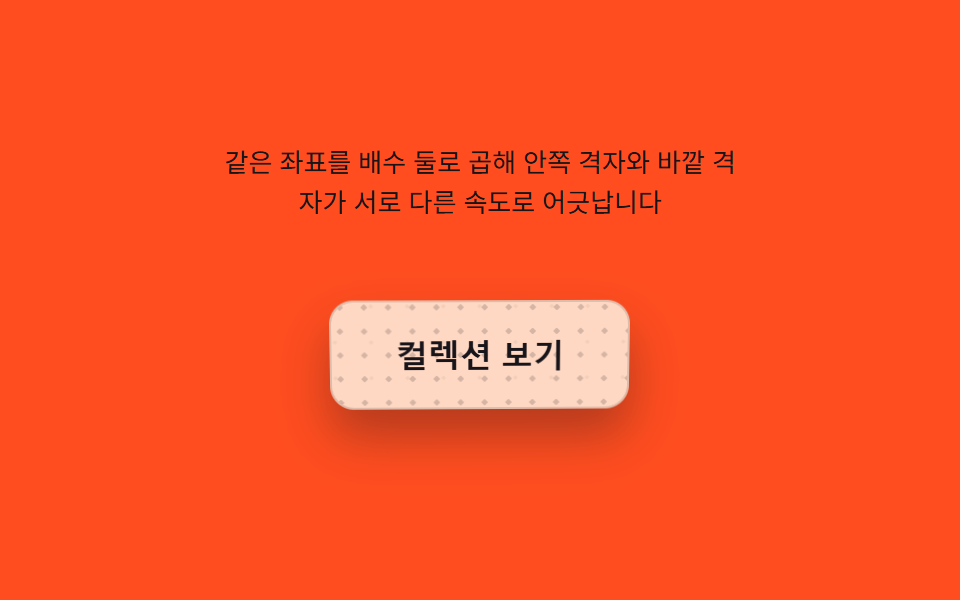
- 07 傾き値ごとにずれる格子模様のボタン
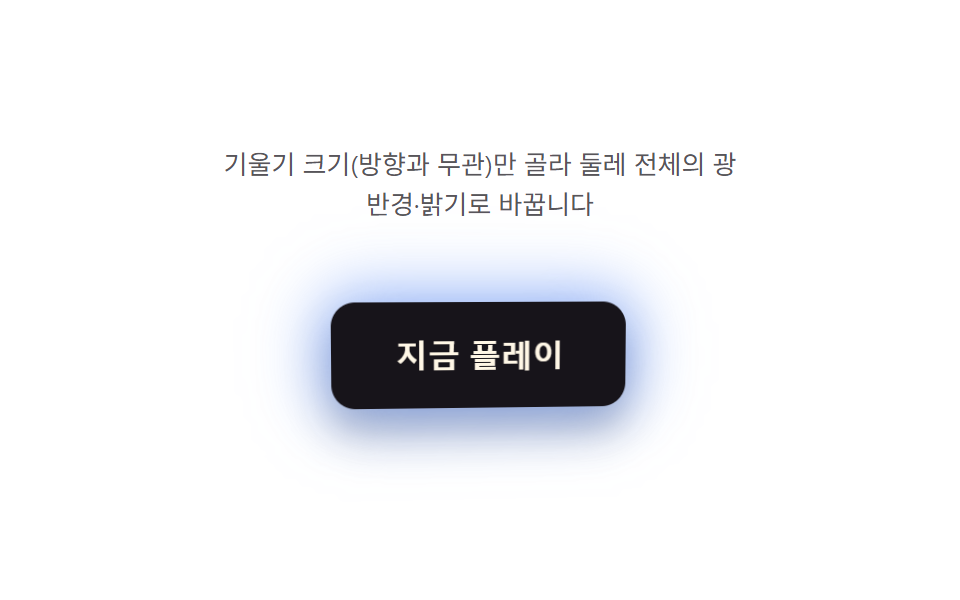
- 08 傾きの大きさ値が強さを決める縁の光
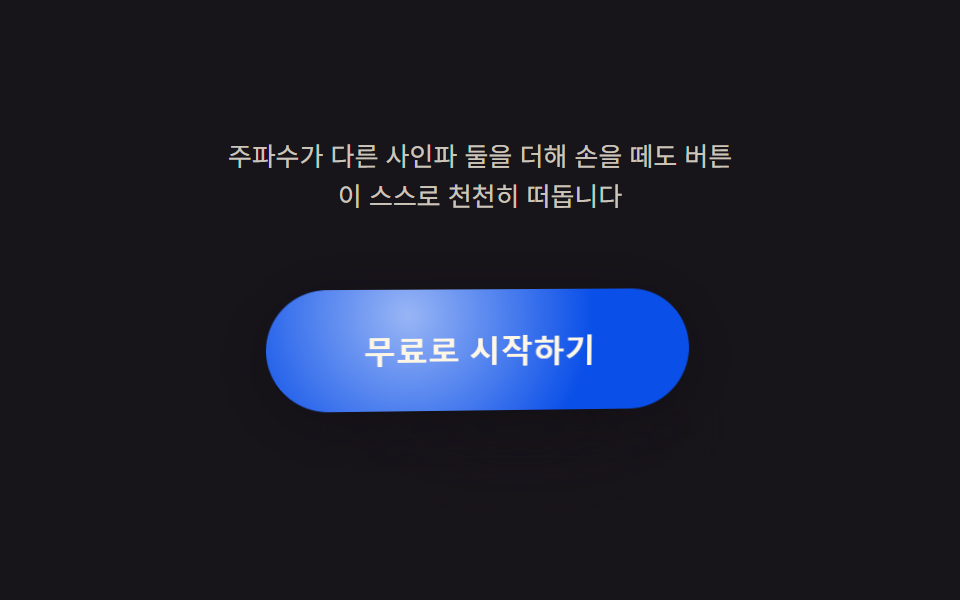
- 09 ポインターがない時に値が自ら揺れるボタン
同じ座標のペアが、ボタンごとに別の仕事をする
この9つのボタンはすべて、ポインターの位置を中心からの比率として読み取るところから始まります。ポインターが動くたびに1回だけ値を読み、requestAnimationFrameのループの中でその値を目標値へイージングさせます。項目ごとに変わるのは、そのイージング済みの値の上でrender()がどんな計算を1つ重ねるかだけで、座標はボタンを回転させ、大きさは光の届く範囲を決め、押していた時間はバネで戻る動きを決めます。どれもcss ボタン ホバー エフェクトとしてよくある一方向のフェードではなく、9つとも同じ座標のペアをそれぞれ違う仕事に使っているだけです。
01カーソル座標値が回転させるボタン
カーソル座標のペアがrotateX・rotateYを直接動かし、LERP = 0.16でイージングをかけるため、傾きはポインターに一瞬遅れてついてきます。同じ座標は面を横切るハイライトの位置と、ドロップシャドウのぼかし・オフセットの深さにも使われるため、光る角と影が伸びる角は常に一致します。ポインターがない間は2軸の位相をずらしたリサージュ曲線が同じrender()を駆動するので、自動デモとヘッドレス計測は同じ計算を再現します。
<main class="stage">
<div class="cr is-demo" id="cr">
  <p class="cr__hint"><span>ボタン上でカーソルを動かすと座標値がrotateX・rotateYを計算します</span></p>
  <div class="cr__scene" id="scene">
    <button class="cr__btn" id="btn" type="button" aria-label="今すぐ始める — カーソルに沿って傾くボタン">
      <span class="cr__sheen" id="sheen" aria-hidden="true"></span>
      <span class="cr__label">今すぐ始める</span>
    </button>
  </div>
</div>
</main>
@use "../../../../site/static/demo-tokens" as *;
@include stage($stage-ink);
.cr {
display: grid;
gap: $sp-4;
justify-items: center;
}
.cr__hint {
margin: 0;
font-size: 13px;
line-height: 1.5;
text-align: center;
max-width: 260px;
color: rgba($subject-cream, .78);
}
.cr__scene {
perspective: 640px;
padding: $sp-6;
}
.cr__btn {
position: relative;
border: 0;
cursor: pointer;
padding: $sp-4 $sp-8;
border-radius: $r-control;
background: $subject-blue-deep;
color: $subject-cream;
font-size: 16px;
font-weight: 700;
letter-spacing: .01em;
transform-style: preserve-3d;
box-shadow: $shadow-raised;
overflow: hidden;
will-change: transform;
}
.cr__btn:focus-visible {
outline: 2px solid $subject-cream;
outline-offset: 3px;
}
.cr__sheen {
position: absolute;
inset: 0;
pointer-events: none;
mix-blend-mode: soft-light;
}
.cr__label {
position: relative;
z-index: 1;
}
@media (prefers-reduced-motion: reduce) {
.cr__btn { transition: none; }
}html, body {
margin: 0;
overflow: hidden;
}
.stage {
box-sizing: border-box;
min-height: 100vh;
display: grid;
place-items: center;
margin: 0;
background: #17141a;
font-family: -apple-system, "Segoe UI", "Noto Sans KR", sans-serif;
padding: clamp(8px, 4vw, 24px);
}
.cr {
display: grid;
gap: 16px;
justify-items: center;
}
.cr__hint {
margin: 0;
font-size: 13px;
line-height: 1.5;
text-align: center;
max-width: 260px;
color: rgba(255, 247, 230, 0.78);
}
.cr__scene {
perspective: 640px;
padding: 24px;
}
.cr__btn {
position: relative;
border: 0;
cursor: pointer;
padding: 16px 32px;
border-radius: 12px;
background: #0a4fe8;
color: #fff7e6;
font-size: 16px;
font-weight: 700;
letter-spacing: 0.01em;
transform-style: preserve-3d;
box-shadow: 0 14px 24px rgba(23, 20, 26, 0.32);
overflow: hidden;
will-change: transform;
}
.cr__btn:focus-visible {
outline: 2px solid #fff7e6;
outline-offset: 3px;
}
.cr__sheen {
position: absolute;
inset: 0;
pointer-events: none;
mix-blend-mode: soft-light;
}
.cr__label {
position: relative;
z-index: 1;
}
@media (prefers-reduced-motion: reduce) {
.cr__btn {
transition: none;
}
}(function () {
var root = document.getElementById('cr');
var scene = document.getElementById('scene');
var btn = document.getElementById('btn');
var sheen = document.getElementById('sheen');
var reduce = window.matchMedia('(prefers-reduced-motion: reduce)').matches;
var MAX_DEG = 14; // 커서가 버튼 가장자리에 닿았을 때의 최대 회전각
var LERP = 0.16; // 관성 lerp 계수 — 값이 목표를 따라잡는 속도
var targetNX = 0, targetNY = 0;
var curNX = 0, curNY = 0;
var hasPointer = false;
var clickTimer = null;
function clamp(v, lo, hi) { return Math.max(lo, Math.min(hi, v)); }
// 포인터가 없을 때(자동 시연·헤드리스 측정) 같은 계산을 돌리기 위한 합성 좌표 — 두 축의 위상을 어긋낸 리사주 궤적
function syntheticTarget(t) {
return [Math.sin(t * 1.15), Math.sin(t * 0.82 + 1.05)];
}
function render(nx, ny) {
var rotY = nx * MAX_DEG;
var rotX = -ny * MAX_DEG;
btn.style.transform = 'rotateX(' + rotX.toFixed(2) + 'deg) rotateY(' + rotY.toFixed(2) + 'deg)';
var sx = 50 + nx * 34, sy = 50 + ny * 34;
sheen.style.background = 'radial-gradient(circle at ' + sx.toFixed(1) + '% ' + sy.toFixed(1) + '%, rgba(255,247,230,.5), rgba(255,247,230,0) 58%)';
var depth = Math.min(1, Math.sqrt(nx * nx + ny * ny));
btn.style.boxShadow = '0 ' + (10 + depth * 16).toFixed(1) + 'px ' + (18 + depth * 22).toFixed(1) + 'px rgba(8,6,12,' + (0.30 + depth * 0.16).toFixed(2) + ')';
}
var t0 = null;
function loop(now) {
if (t0 === null) { t0 = now; }
var t = (now - t0) / 1000;
if (!hasPointer && !reduce) {
var s = syntheticTarget(t);
targetNX = s[0]; targetNY = s[1];
}
curNX += (targetNX - curNX) * LERP;
curNY += (targetNY - curNY) * LERP;
render(curNX, curNY);
requestAnimationFrame(loop);
}
function pointFromEvent(e) {
var r = scene.getBoundingClientRect();
var nx = ((e.clientX - r.left) / r.width) * 2 - 1;
var ny = ((e.clientY - r.top) / r.height) * 2 - 1;
return [clamp(nx, -1, 1), clamp(ny, -1, 1)];
}
scene.addEventListener('pointermove', function (e) {
hasPointer = true;
root.classList.remove('is-demo');
var p = pointFromEvent(e);
targetNX = p[0]; targetNY = p[1];
});
scene.addEventListener('pointerleave', function () {
hasPointer = false;
targetNX = 0; targetNY = 0;
});
btn.addEventListener('click', function () {
root.classList.remove('is-demo');
hasPointer = true;
targetNX = 0.92; targetNY = -0.62;
if (reduce) { render(targetNX, targetNY); }
clearTimeout(clickTimer);
clickTimer = setTimeout(function () { hasPointer = false; targetNX = 0; targetNY = 0; if (reduce) { render(targetNX, targetNY); } }, 260);
});
btn.addEventListener('keydown', function (e) {
var step = 0.24;
var moves = { ArrowLeft: [-step, 0], ArrowRight: [step, 0], ArrowUp: [0, -step], ArrowDown: [0, step] };
var m = moves[e.key];
if (!m) { return; }
e.preventDefault();
root.classList.remove('is-demo');
hasPointer = true;
targetNX = clamp(targetNX + m[0], -1, 1);
targetNY = clamp(targetNY + m[1], -1, 1);
if (reduce) { render(targetNX, targetNY); }
});
if (reduce) {
render(0.5, -0.34);
} else {
requestAnimationFrame(loop);
}
})();// CursorRotateButton — vanilla 판(run/393/demo/01-pointer-tilt-3d-cursor-rotate/index.html) 의 React 포트.
// 버튼 안 커서 좌표를 -1~1 로 정규화해 목표값(target)을 만들고, 관성 lerp 로 현재값(cur)이 따라간다.
// 포인터가 없을 때(자동 시연)는 위상이 어긋난 두 사인파(리사주 궤적)를 목표값으로 써 같은 계산을 돌린다.
// 값·수치는 vanilla 와 같다.
import { useEffect, useRef, useState } from "react";
import type { PointerEvent as ReactPointerEvent } from "react";
import styles from "./CursorRotateButton.module.scss";
type Box<T> = { current: T };
type KeyEvt = { key: string; preventDefault(): void };
const MAX_DEG = 14;
const LERP = 0.16;
const LABEL = "지금 시작하기 — 커서를 따라 기울어지는 버튼";
function clamp(v: number, lo: number, hi: number): number {
return Math.max(lo, Math.min(hi, v));
}
function syntheticTarget(t: number): [number, number] {
return [Math.sin(t * 1.15), Math.sin(t * 0.82 + 1.05)];
}
export default function CursorRotateButton() {
const sceneRef = useRef<HTMLDivElement | null>(null);
const btnRef = useRef<HTMLButtonElement | null>(null);
const sheenRef = useRef<HTMLSpanElement | null>(null);
const targetXRef = useRef<number>(0) as Box<number>;
const targetYRef = useRef<number>(0) as Box<number>;
const curXRef = useRef<number>(0) as Box<number>;
const curYRef = useRef<number>(0) as Box<number>;
const hasPointerRef = useRef<boolean>(false) as Box<boolean>;
const frameRef = useRef<number>(0) as Box<number>;
const t0Ref = useRef<number>(0) as Box<number>;
const clickTimerRef = useRef<number>(0) as Box<number>;
const [demo, setDemo] = useState(true);
const [reduce, setReduce] = useState(false);
function render(nx: number, ny: number): void {
const btn = btnRef.current;
const sheen = sheenRef.current;
if (!btn || !sheen) return;
const rotY = nx * MAX_DEG;
const rotX = -ny * MAX_DEG;
btn.style.transform = "rotateX(" + rotX.toFixed(2) + "deg) rotateY(" + rotY.toFixed(2) + "deg)";
const sx = 50 + nx * 34;
const sy = 50 + ny * 34;
sheen.style.background =
"radial-gradient(circle at " + sx.toFixed(1) + "% " + sy.toFixed(1) + "%, rgba(255,247,230,.5), rgba(255,247,230,0) 58%)";
const depth = Math.min(1, Math.sqrt(nx * nx + ny * ny));
btn.style.boxShadow =
"0 " + (10 + depth * 16).toFixed(1) + "px " + (18 + depth * 22).toFixed(1) + "px rgba(8,6,12," + (0.3 + depth * 0.16).toFixed(2) + ")";
}
useEffect(() => {
setReduce(window.matchMedia("(prefers-reduced-motion: reduce)").matches);
}, []);
useEffect(() => {
if (reduce) {
render(0.5, -0.34);
return;
}
function loop(now: number): void {
if (t0Ref.current === 0) t0Ref.current = now;
const t = (now - t0Ref.current) / 1000;
if (!hasPointerRef.current) {
const s = syntheticTarget(t);
targetXRef.current = s[0];
targetYRef.current = s[1];
}
curXRef.current += (targetXRef.current - curXRef.current) * LERP;
curYRef.current += (targetYRef.current - curYRef.current) * LERP;
render(curXRef.current, curYRef.current);
frameRef.current = requestAnimationFrame(loop);
}
frameRef.current = requestAnimationFrame(loop);
return () => cancelAnimationFrame(frameRef.current);
}, [reduce]);
function pointFromEvent(event: ReactPointerEvent<HTMLDivElement>): [number, number] {
const scene = sceneRef.current;
if (!scene) return [0, 0];
const r = scene.getBoundingClientRect();
const nx = ((event.clientX - r.left) / r.width) * 2 - 1;
const ny = ((event.clientY - r.top) / r.height) * 2 - 1;
return [clamp(nx, -1, 1), clamp(ny, -1, 1)];
}
function onPointerMove(event: ReactPointerEvent<HTMLDivElement>): void {
hasPointerRef.current = true;
setDemo(false);
const p = pointFromEvent(event);
targetXRef.current = p[0];
targetYRef.current = p[1];
}
function onPointerLeave(): void {
hasPointerRef.current = false;
targetXRef.current = 0;
targetYRef.current = 0;
}
function onClick(): void {
setDemo(false);
hasPointerRef.current = true;
targetXRef.current = 0.92;
targetYRef.current = -0.62;
if (reduce) render(targetXRef.current, targetYRef.current);
window.clearTimeout(clickTimerRef.current);
clickTimerRef.current = window.setTimeout(() => {
hasPointerRef.current = false;
targetXRef.current = 0;
targetYRef.current = 0;
if (reduce) render(targetXRef.current, targetYRef.current);
}, 260);
}
function onKeyDown(event: KeyEvt): void {
const step = 0.24;
const moves: { [key: string]: [number, number] } = {
ArrowLeft: [-step, 0],
ArrowRight: [step, 0],
ArrowUp: [0, -step],
ArrowDown: [0, step],
};
const m = moves[event.key];
if (!m) return;
event.preventDefault();
setDemo(false);
hasPointerRef.current = true;
targetXRef.current = clamp(targetXRef.current + m[0], -1, 1);
targetYRef.current = clamp(targetYRef.current + m[1], -1, 1);
if (reduce) render(targetXRef.current, targetYRef.current);
}
const cls = [styles.cr, demo ? styles.isDemo : ""].filter(Boolean).join(" ");
return (
<main className={styles.stage}>
<div className={cls}>
<p className={styles.hint}>
<span>커서를 버튼 위에서 움직이면 좌표 값이 rotateX·rotateY 를 계산합니다</span>
</p>
<div className={styles.scene} ref={sceneRef} onPointerMove={onPointerMove} onPointerLeave={onPointerLeave}>
<button className={styles.btn} ref={btnRef} type="button" aria-label={LABEL} onClick={onClick} onKeyDown={onKeyDown}>
<span className={styles.sheen} ref={sheenRef} aria-hidden="true" />
<span className={styles.label}>지금 시작하기</span>
</button>
</div>
</div>
</main>
);
}01 · カーソル座標値が回転させるボタン — 計測 累積面積 3.144% · 動いたフレーム 23/23GODRICH オリジナル · SCSS と React は zip に同梱 · パスワードを見る
  var MAX_DEG = 14;          // カーソルがボタンの端に達したときの最大回転角
  var LERP = 0.16;           // 慣性lerp係数 — 値が目標に追いつく速さ
  var targetNX = 0, targetNY = 0;
  var curNX = 0, curNY = 0;
  var hasPointer = false;
  var clickTimer = null;

  function clamp(v, lo, hi) { return Math.max(lo, Math.min(hi, v)); }

  // ポインターがない時(自動デモ・ヘッドレス計測)に同じ計算を回すための合成座標 — 2軸の位相をずらしたリサージュ軌跡
  function syntheticTarget(t) {
    return [Math.sin(t * 1.15), Math.sin(t * 0.82 + 1.05)];
  }

  function render(nx, ny) {
    var rotY = nx * MAX_DEG;
    var rotX = -ny * MAX_DEG;
    btn.style.transform = 'rotateX(' + rotX.toFixed(2) + 'deg) rotateY(' + rotY.toFixed(2) + 'deg)';
    var sx = 50 + nx * 34, sy = 50 + ny * 34;
    sheen.style.background = 'radial-gradient(circle at ' + sx.toFixed(1) + '% ' + sy.toFixed(1) + '%, rgba(255,247,230,.5), rgba(255,247,230,0) 58%)';
    var depth = Math.min(1, Math.sqrt(nx * nx + ny * ny));
    btn.style.boxShadow = '0 ' + (10 + depth * 16).toFixed(1) + 'px ' + (18 + depth * 22).toFixed(1) + 'px rgba(8,6,12,' + (0.30 + depth * 0.16).toFixed(2) + ')';
  }
02光源角度値が通り過ぎるボタンのハイライト
この項目だけは座標ペアではなく角度値を読み、render(angle, mag)がその角度をSWEEP_WIDTH度幅のconic-gradientスイープに変換し、面のわずかな回転も加えます。shortestDelta()が円周の短い側でイージングするため、スイープが0度と360度の境目を長く回り込むことはありません。大きさ(mag)だけが床の影のずれ幅と背景の光の明るさを決め、方向と強さを別々の値として扱います。
<main class="stage">
<div class="ss is-demo" id="ss">
  <p class="ss__hint"><span>ポインターの角度を計算し、光沢の筋がその方向へ流れます</span></p>
  <div class="ss__scene" id="scene">
    <span class="ss__glow" id="glow" aria-hidden="true"></span>
    <span class="ss__floor" id="floor" aria-hidden="true"></span>
    <button class="ss__btn" id="btn" type="button" aria-label="今すぐアップグレード — ポインター角度で光沢が流れるボタン">
      <span class="ss__sweep" id="sweep" aria-hidden="true"></span>
      <span class="ss__label">今すぐアップグレード</span>
    </button>
  </div>
</div>
</main>
@use "../../../../site/static/demo-tokens" as *;
@include stage($stage-yellow);
.ss {
display: grid;
gap: $sp-4;
justify-items: center;
}
.ss__hint {
margin: 0;
font-size: 13px;
line-height: 1.5;
text-align: center;
max-width: 260px;
color: rgba($subject-ink, .78);
}
.ss__scene {
position: relative;
perspective: 640px;
padding: $sp-6;
}
.ss__btn {
position: relative;
border: 0;
cursor: pointer;
padding: $sp-6 $sp-12;
border-radius: $r-control;
background: $subject-ink;
color: $subject-cream;
font-size: 16px;
font-weight: 700;
transform-style: preserve-3d;
box-shadow: $shadow-raised;
overflow: hidden;
will-change: transform;
}
.ss__btn:focus-visible {
outline: 2px solid $subject-ink;
outline-offset: 3px;
}
.ss__sweep {
position: absolute;
inset: -58%;
pointer-events: none;
}
// 배경 반사광 — 각도·세기에 따라 위치만 이동(% 좌표, transform 없음 → 폭 넘침 없음)
.ss__glow {
position: absolute;
inset: 0;
border-radius: inherit;
pointer-events: none;
z-index: 0;
}
// 기울기에 연동된 바닥 그림자 — 버튼 면적만으로는 안 보이던 움직임을 면으로 키운다
.ss__floor {
position: absolute;
left: 50%;
bottom: 2px;
width: clamp(150px, 58vw, 280px);
height: clamp(48px, 18.6vw, 90px);
margin-left: clamp(-140px, -29vw, -75px);
border-radius: 50%;
background: radial-gradient(closest-side, rgba($subject-ink, .92), rgba($subject-ink, 0) 72%);
filter: blur(6px);
pointer-events: none;
}
.ss__label {
position: relative;
z-index: 1;
}
@media (prefers-reduced-motion: reduce) {
.ss__btn { transition: none; }
}html, body {
margin: 0;
overflow: hidden;
}
.stage {
box-sizing: border-box;
min-height: 100vh;
display: grid;
place-items: center;
margin: 0;
background: #ffd23f;
font-family: -apple-system, "Segoe UI", "Noto Sans KR", sans-serif;
padding: clamp(8px, 4vw, 24px);
}
.ss {
display: grid;
gap: 16px;
justify-items: center;
}
.ss__hint {
margin: 0;
font-size: 13px;
line-height: 1.5;
text-align: center;
max-width: 260px;
color: rgba(23, 20, 26, 0.78);
}
.ss__scene {
position: relative;
perspective: 640px;
padding: 24px;
}
.ss__btn {
position: relative;
border: 0;
cursor: pointer;
padding: 24px 48px;
border-radius: 12px;
background: #17141a;
color: #fff7e6;
font-size: 16px;
font-weight: 700;
transform-style: preserve-3d;
box-shadow: 0 14px 24px rgba(23, 20, 26, 0.32);
overflow: hidden;
will-change: transform;
}
.ss__btn:focus-visible {
outline: 2px solid #17141a;
outline-offset: 3px;
}
.ss__sweep {
position: absolute;
inset: -58%;
pointer-events: none;
}
.ss__glow {
position: absolute;
inset: 0;
border-radius: inherit;
pointer-events: none;
z-index: 0;
}
.ss__floor {
position: absolute;
left: 50%;
bottom: 2px;
width: clamp(150px, 58vw, 280px);
height: clamp(48px, 18.6vw, 90px);
margin-left: clamp(-140px, -29vw, -75px);
border-radius: 50%;
background: radial-gradient(closest-side, rgba(23, 20, 26, 0.92), rgba(23, 20, 26, 0) 72%);
filter: blur(6px);
pointer-events: none;
}
.ss__label {
position: relative;
z-index: 1;
}
@media (prefers-reduced-motion: reduce) {
.ss__btn {
transition: none;
}
}(function () {
var root = document.getElementById('ss');
var scene = document.getElementById('scene');
var btn = document.getElementById('btn');
var sweep = document.getElementById('sweep');
var floor = document.getElementById('floor');
var glow = document.getElementById('glow');
var reduce = window.matchMedia('(prefers-reduced-motion: reduce)').matches;
var SWEEP_WIDTH = 46; // 광택 줄기의 각도 폭(deg) — 불변
var LERP = 0.2;
var targetAngle = 0, curAngle = 0;
var targetMag = 0, curMag = 0;
var hasPointer = false;
function clamp(v, lo, hi) { return Math.max(lo, Math.min(hi, v)); }
// 합성 포인터 각도 — 원을 그리며 도는 위상(자동 시연 · 헤드리스 측정)
// 진폭을 넓혀 자동 시연에서도 기울기가 가장자리(최대 각)까지 실제로 닿게 한다(경로 상수만 조정)
function syntheticAngle(t) { return t * 74; }
function syntheticMag(t) { return Math.min(1, 0.6 + 0.55 * Math.sin(t * 1.3)); }
function shortestDelta(from, to) {
var d = (to - from) % 360;
if (d > 180) d -= 360;
if (d < -180) d += 360;
return d;
}
function render(angle, mag) {
var rotY = Math.cos(angle * Math.PI / 180) * mag * 10;
var rotX = Math.sin(angle * Math.PI / 180) * mag * -10;
btn.style.transform = 'rotateX(' + rotX.toFixed(2) + 'deg) rotateY(' + rotY.toFixed(2) + 'deg)';
var a0 = (angle - SWEEP_WIDTH / 2).toFixed(1);
var a1 = angle.toFixed(1);
var a2 = (angle + SWEEP_WIDTH / 2).toFixed(1);
// 대비·폭(요소 크기)을 키워 광택 줄기가 버튼 면 전체를 가로지르게 — SWEEP_WIDTH(각도 폭) 값 자체는 그대로
var alpha = (0.46 + mag * 0.54).toFixed(2);
sweep.style.background = 'conic-gradient(from ' + a0 + 'deg at 50% 50%, rgba(23,20,26,0), rgba(23,20,26,' + alpha + ') ' + (SWEEP_WIDTH / 2).toFixed(1) + 'deg, rgba(23,20,26,0) ' + SWEEP_WIDTH.toFixed(1) + 'deg)';
sweep.style.opacity = String(0.8 + mag * 0.4);
// 기울기에 연동된 바닥 그림자 — 버튼이 기운 방향으로 그림자가 옮겨가며 면적을 만든다
var floorShift = Math.cos(angle * Math.PI / 180) * mag * 34;
var floorScale = 1 + mag * 0.28;
floor.style.transform = 'translateX(' + floorShift.toFixed(1) + 'px) scaleX(' + floorScale.toFixed(2) + ')';
floor.style.opacity = (0.08 + mag * 0.88).toFixed(2);
// 배경에 반사광 레이어 — % 좌표만 써서 이동시키므로 폭 넘침 위험이 없다(transform 미사용)
var gx = (50 + Math.cos(angle * Math.PI / 180) * mag * 38).toFixed(0);
var gy = (50 + Math.sin(angle * Math.PI / 180) * mag * 38).toFixed(0);
glow.style.background = 'radial-gradient(circle at ' + gx + '% ' + gy + '%, rgba(255,255,255,' + (0.18 + mag * 0.5).toFixed(2) + '), rgba(255,255,255,0) 60%)';
}
var t0 = null;
function loop(now) {
if (t0 === null) t0 = now;
var t = (now - t0) / 1000;
if (!hasPointer && !reduce) {
targetAngle = syntheticAngle(t) % 360;
targetMag = syntheticMag(t);
}
curAngle += shortestDelta(curAngle, targetAngle) * LERP;
curMag += (targetMag - curMag) * LERP;
render(curAngle, curMag);
requestAnimationFrame(loop);
}
function angleFromEvent(e) {
var r = scene.getBoundingClientRect();
var cx = r.left + r.width / 2, cy = r.top + r.height / 2;
var dx = e.clientX - cx, dy = e.clientY - cy;
var ang = Math.atan2(dy, dx) * 180 / Math.PI;
var mag = clamp(Math.sqrt(dx * dx + dy * dy) / (r.width / 2), 0, 1);
return [ang, mag];
}
scene.addEventListener('pointermove', function (e) {
hasPointer = true;
root.classList.remove('is-demo');
var a = angleFromEvent(e);
targetAngle = a[0]; targetMag = a[1];
});
scene.addEventListener('pointerleave', function () {
hasPointer = false;
targetMag = 0.15;
});
btn.addEventListener('click', function () {
root.classList.remove('is-demo');
hasPointer = true;
targetMag = 1;
if (reduce) { render(targetAngle, targetMag); }
setTimeout(function () { targetMag = hasPointer ? 0.5 : 0.15; if (reduce) { render(targetAngle, targetMag); } }, 220);
});
btn.addEventListener('keydown', function (e) {
var step = 18;
if (e.key === 'ArrowLeft') { e.preventDefault(); root.classList.remove('is-demo'); hasPointer = true; targetAngle -= step; }
else if (e.key === 'ArrowRight') { e.preventDefault(); root.classList.remove('is-demo'); hasPointer = true; targetAngle += step; }
else { return; }
if (reduce) { render(targetAngle, targetMag); }
});
if (reduce) {
render(45, 0.4);
} else {
requestAnimationFrame(loop);
}
})();// SpecularSweepButton — vanilla 판(run/393/demo/02-pointer-tilt-3d-specular-sweep/index.html) 의 React 포트.
// 포인터와 중심의 각도(atan2)·거리 비율을 계산해 conic-gradient 광택 줄기의 각도·세기로 바꾼다.
// 각도는 최단 경로(shortest delta)로 lerp 해 360→0 경계에서 튀지 않는다. 값·수치는 vanilla 와 같다.
import { useEffect, useRef, useState } from "react";
import type { PointerEvent as ReactPointerEvent } from "react";
import styles from "./SpecularSweepButton.module.scss";
type Box<T> = { current: T };
type KeyEvt = { key: string; preventDefault(): void };
const SWEEP_WIDTH = 46; // 불변
const LERP = 0.2;
const LABEL = "프리미엄 결제 — 포인터 각도로 광택이 흐르는 버튼";
function clamp(v: number, lo: number, hi: number): number {
return Math.max(lo, Math.min(hi, v));
}
function syntheticAngle(t: number): number {
return t * 74;
}
// 진폭을 넓혀 자동 시연에서도 기울기가 가장자리(최대 각)까지 실제로 닿게 한다(경로 상수만 조정)
function syntheticMag(t: number): number {
return Math.min(1, 0.6 + 0.55 * Math.sin(t * 1.3));
}
function shortestDelta(from: number, to: number): number {
let d = (to - from) % 360;
if (d > 180) d -= 360;
if (d < -180) d += 360;
return d;
}
export default function SpecularSweepButton() {
const sceneRef = useRef<HTMLDivElement | null>(null);
const btnRef = useRef<HTMLButtonElement | null>(null);
const sweepRef = useRef<HTMLSpanElement | null>(null);
const floorRef = useRef<HTMLSpanElement | null>(null);
const glowRef = useRef<HTMLSpanElement | null>(null);
const targetAngleRef = useRef<number>(0) as Box<number>;
const curAngleRef = useRef<number>(0) as Box<number>;
const targetMagRef = useRef<number>(0) as Box<number>;
const curMagRef = useRef<number>(0) as Box<number>;
const hasPointerRef = useRef<boolean>(false) as Box<boolean>;
const frameRef = useRef<number>(0) as Box<number>;
const t0Ref = useRef<number>(0) as Box<number>;
const clickTimerRef = useRef<number>(0) as Box<number>;
const [demo, setDemo] = useState(true);
const [reduce, setReduce] = useState(false);
function render(angle: number, mag: number): void {
const btn = btnRef.current;
const sweep = sweepRef.current;
const floor = floorRef.current;
const glow = glowRef.current;
if (!btn || !sweep || !floor || !glow) return;
const rotY = Math.cos((angle * Math.PI) / 180) * mag * 10;
const rotX = Math.sin((angle * Math.PI) / 180) * mag * -10;
btn.style.transform = "rotateX(" + rotX.toFixed(2) + "deg) rotateY(" + rotY.toFixed(2) + "deg)";
const a0 = (angle - SWEEP_WIDTH / 2).toFixed(1);
const alpha = (0.46 + mag * 0.54).toFixed(2);
sweep.style.background =
"conic-gradient(from " + a0 + "deg at 50% 50%, rgba(23,20,26,0), rgba(23,20,26," + alpha + ") " + (SWEEP_WIDTH / 2).toFixed(1) + "deg, rgba(23,20,26,0) " + SWEEP_WIDTH.toFixed(1) + "deg)";
sweep.style.opacity = String(0.8 + mag * 0.4);
const floorShift = Math.cos((angle * Math.PI) / 180) * mag * 34;
const floorScale = 1 + mag * 0.28;
floor.style.transform = "translateX(" + floorShift.toFixed(1) + "px) scaleX(" + floorScale.toFixed(2) + ")";
floor.style.opacity = (0.08 + mag * 0.88).toFixed(2);
const gx = (50 + Math.cos((angle * Math.PI) / 180) * mag * 38).toFixed(0);
const gy = (50 + Math.sin((angle * Math.PI) / 180) * mag * 38).toFixed(0);
glow.style.background = "radial-gradient(circle at " + gx + "% " + gy + "%, rgba(255,255,255," + (0.18 + mag * 0.5).toFixed(2) + "), rgba(255,255,255,0) 60%)";
}
useEffect(() => {
setReduce(window.matchMedia("(prefers-reduced-motion: reduce)").matches);
}, []);
useEffect(() => {
if (reduce) {
render(45, 0.4);
return;
}
function loop(now: number): void {
if (t0Ref.current === 0) t0Ref.current = now;
const t = (now - t0Ref.current) / 1000;
if (!hasPointerRef.current) {
targetAngleRef.current = syntheticAngle(t) % 360;
targetMagRef.current = syntheticMag(t);
}
curAngleRef.current += shortestDelta(curAngleRef.current, targetAngleRef.current) * LERP;
curMagRef.current += (targetMagRef.current - curMagRef.current) * LERP;
render(curAngleRef.current, curMagRef.current);
frameRef.current = requestAnimationFrame(loop);
}
frameRef.current = requestAnimationFrame(loop);
return () => cancelAnimationFrame(frameRef.current);
}, [reduce]);
function angleFromEvent(event: ReactPointerEvent<HTMLDivElement>): [number, number] {
const scene = sceneRef.current;
if (!scene) return [0, 0];
const r = scene.getBoundingClientRect();
const cx = r.left + r.width / 2;
const cy = r.top + r.height / 2;
const dx = event.clientX - cx;
const dy = event.clientY - cy;
const ang = (Math.atan2(dy, dx) * 180) / Math.PI;
const mag = clamp(Math.sqrt(dx * dx + dy * dy) / (r.width / 2), 0, 1);
return [ang, mag];
}
function onPointerMove(event: ReactPointerEvent<HTMLDivElement>): void {
hasPointerRef.current = true;
setDemo(false);
const a = angleFromEvent(event);
targetAngleRef.current = a[0];
targetMagRef.current = a[1];
}
function onPointerLeave(): void {
hasPointerRef.current = false;
targetMagRef.current = 0.15;
}
function onClick(): void {
setDemo(false);
hasPointerRef.current = true;
targetMagRef.current = 1;
if (reduce) render(targetAngleRef.current, targetMagRef.current);
window.clearTimeout(clickTimerRef.current);
clickTimerRef.current = window.setTimeout(() => {
targetMagRef.current = hasPointerRef.current ? 0.5 : 0.15;
if (reduce) render(targetAngleRef.current, targetMagRef.current);
}, 220);
}
function onKeyDown(event: KeyEvt): void {
const step = 18;
if (event.key === "ArrowLeft") {
event.preventDefault();
setDemo(false);
hasPointerRef.current = true;
targetAngleRef.current -= step;
} else if (event.key === "ArrowRight") {
event.preventDefault();
setDemo(false);
hasPointerRef.current = true;
targetAngleRef.current += step;
} else {
return;
}
if (reduce) render(targetAngleRef.current, targetMagRef.current);
}
const cls = [styles.ss, demo ? styles.isDemo : ""].filter(Boolean).join(" ");
return (
<main className={styles.stage}>
<div className={cls}>
<p className={styles.hint}>
<span>포인터 각도를 계산해 광택 줄기가 그 방향으로 흐릅니다</span>
</p>
<div className={styles.scene} ref={sceneRef} onPointerMove={onPointerMove} onPointerLeave={onPointerLeave}>
<span className={styles.glow} ref={glowRef} aria-hidden="true" />
<span className={styles.floor} ref={floorRef} aria-hidden="true" />
<button className={styles.btn} ref={btnRef} type="button" aria-label={LABEL} onClick={onClick} onKeyDown={onKeyDown}>
<span className={styles.sweep} ref={sweepRef} aria-hidden="true" />
<span className={styles.label}>프리미엄 결제</span>
</button>
</div>
</div>
</main>
);
}02 · 光源角度値が通り過ぎるボタンのハイライト — 計測 累積面積 12.364% · 動いたフレーム 23/23GODRICH オリジナル · SCSS と React は zip に同梱 · パスワードを見る
  function render(angle, mag) {
    var rotY = Math.cos(angle * Math.PI / 180) * mag * 10;
    var rotX = Math.sin(angle * Math.PI / 180) * mag * -10;
    btn.style.transform = 'rotateX(' + rotX.toFixed(2) + 'deg) rotateY(' + rotY.toFixed(2) + 'deg)';
    var a0 = (angle - SWEEP_WIDTH / 2).toFixed(1);
    var a1 = angle.toFixed(1);
    var a2 = (angle + SWEEP_WIDTH / 2).toFixed(1);
    // コントラスト・幅を広げ、光沢の筋がボタン全面を横切るようにした — SWEEP_WIDTH(角度幅)の値自体は変えていない
    var alpha = (0.46 + mag * 0.54).toFixed(2);
    sweep.style.background = 'conic-gradient(from ' + a0 + 'deg at 50% 50%, rgba(23,20,26,0), rgba(23,20,26,' + alpha + ') ' + (SWEEP_WIDTH / 2).toFixed(1) + 'deg, rgba(23,20,26,0) ' + SWEEP_WIDTH.toFixed(1) + 'deg)';
    sweep.style.opacity = String(0.8 + mag * 0.4);
    // 傾きに連動した床の影 — 傾いた方向へ影がずれて面積を作る
    var floorShift = Math.cos(angle * Math.PI / 180) * mag * 34;
    var floorScale = 1 + mag * 0.28;
    floor.style.transform = 'translateX(' + floorShift.toFixed(1) + 'px) scaleX(' + floorScale.toFixed(2) + ')';
    floor.style.opacity = (0.08 + mag * 0.88).toFixed(2);
    // 背景の反射光レイヤー — %座標だけで動かすため、はみ出す心配がない(transform不使用)
    var gx = (50 + Math.cos(angle * Math.PI / 180) * mag * 38).toFixed(0);
    var gy = (50 + Math.sin(angle * Math.PI / 180) * mag * 38).toFixed(0);
    glow.style.background = 'radial-gradient(circle at ' + gx + '% ' + gy + '%, rgba(255,255,255,' + (0.18 + mag * 0.5).toFixed(2) + '), rgba(255,255,255,0) 60%)';
  }
03傾き値が積み重ねる影レイヤーのボタン
ボタンを回転させるのと同じnx・ny値が、ループでbox-shadowを3層作り、傾きと反対方向へ層ごとにオフセットを広げ、ぼかしと不透明度も層ごとに変えています。1つのループ変数からオフセット・ぼかし・不透明度をまとめて計算するため、3層は無関係な影ではなく1つの奥行きとして読めます。追加の要素は不要で、1フレームにつき1回、文字列を組み立ててboxShadowに設定するだけです。
<main class="stage">
<div class="sk is-demo" id="sk">
  <p class="sk__hint"><span>傾いた方向と逆側に、影が3層ずれて重なります</span></p>
  <div class="sk__scene" id="scene">
    <button class="sk__btn" id="btn" type="button" aria-label="今すぐ購入 — 傾きに応じて影が重なるボタン">
      <span class="sk__label">今すぐ購入</span>
    </button>
  </div>
</div>
</main>
@use "../../../../site/static/demo-tokens" as *;
@include stage($stage-orange);
.sk {
display: grid;
gap: $sp-4;
justify-items: center;
}
.sk__hint {
margin: 0;
font-size: 13px;
line-height: 1.5;
text-align: center;
max-width: 260px;
color: $subject-ink;
}
.sk__scene {
perspective: 640px;
padding: $sp-6;
}
.sk__btn {
position: relative;
border: 0;
cursor: pointer;
padding: $sp-4 $sp-8;
border-radius: $r-control;
background: $subject-cream;
color: $subject-ink;
font-size: 16px;
font-weight: 700;
transform-style: preserve-3d;
will-change: transform;
}
.sk__btn:focus-visible {
outline: 2px solid $subject-ink;
outline-offset: 3px;
}
.sk__label {
position: relative;
z-index: 1;
}
@media (prefers-reduced-motion: reduce) {
.sk__btn { transition: none; }
}html, body {
margin: 0;
overflow: hidden;
}
.stage {
box-sizing: border-box;
min-height: 100vh;
display: grid;
place-items: center;
margin: 0;
background: #ff4d1f;
font-family: -apple-system, "Segoe UI", "Noto Sans KR", sans-serif;
padding: clamp(8px, 4vw, 24px);
}
.sk {
display: grid;
gap: 16px;
justify-items: center;
}
.sk__hint {
margin: 0;
font-size: 13px;
line-height: 1.5;
text-align: center;
max-width: 260px;
color: #17141a;
}
.sk__scene {
perspective: 640px;
padding: 24px;
}
.sk__btn {
position: relative;
border: 0;
cursor: pointer;
padding: 16px 32px;
border-radius: 12px;
background: #fff7e6;
color: #17141a;
font-size: 16px;
font-weight: 700;
transform-style: preserve-3d;
will-change: transform;
}
.sk__btn:focus-visible {
outline: 2px solid #17141a;
outline-offset: 3px;
}
.sk__label {
position: relative;
z-index: 1;
}
@media (prefers-reduced-motion: reduce) {
.sk__btn {
transition: none;
}
}(function () {
var root = document.getElementById('sk');
var scene = document.getElementById('scene');
var btn = document.getElementById('btn');
var reduce = window.matchMedia('(prefers-reduced-motion: reduce)').matches;
var MAX_DEG = 12;
var LERP = 0.15;
var targetNX = 0, targetNY = 0;
var curNX = 0, curNY = 0;
var hasPointer = false;
function clamp(v, lo, hi) { return Math.max(lo, Math.min(hi, v)); }
function syntheticTarget(t) { return [Math.sin(t * 0.95 + 0.4), Math.sin(t * 1.35)]; }
// 그림자 3겹 — 기운 반대 방향으로 오프셋이 커지고, 층마다 흐림·투명도가 달라 깊이가 읽힌다
function render(nx, ny) {
var rotY = nx * MAX_DEG;
var rotX = -ny * MAX_DEG;
btn.style.transform = 'rotateX(' + rotX.toFixed(2) + 'deg) rotateY(' + rotY.toFixed(2) + 'deg)';
var ox = -nx, oy = -ny;
var layers = [];
for (var i = 1; i <= 3; i++) {
var d = i * 7;
var blur = i * 9;
var alpha = (0.22 - i * 0.03).toFixed(2);
layers.push((ox * d).toFixed(1) + 'px ' + (oy * d + i * 3).toFixed(1) + 'px ' + blur + 'px rgba(23,20,26,' + alpha + ')');
}
btn.style.boxShadow = layers.join(', ');
}
var t0 = null;
function loop(now) {
if (t0 === null) t0 = now;
var t = (now - t0) / 1000;
if (!hasPointer && !reduce) {
var s = syntheticTarget(t);
targetNX = s[0]; targetNY = s[1];
}
curNX += (targetNX - curNX) * LERP;
curNY += (targetNY - curNY) * LERP;
render(curNX, curNY);
requestAnimationFrame(loop);
}
function pointFromEvent(e) {
var r = scene.getBoundingClientRect();
var nx = ((e.clientX - r.left) / r.width) * 2 - 1;
var ny = ((e.clientY - r.top) / r.height) * 2 - 1;
return [clamp(nx, -1, 1), clamp(ny, -1, 1)];
}
scene.addEventListener('pointermove', function (e) {
hasPointer = true;
root.classList.remove('is-demo');
var p = pointFromEvent(e);
targetNX = p[0]; targetNY = p[1];
});
scene.addEventListener('pointerleave', function () {
hasPointer = false;
targetNX = 0; targetNY = 0;
});
btn.addEventListener('click', function () {
root.classList.remove('is-demo');
hasPointer = true;
targetNX = -0.8; targetNY = 0.5;
if (reduce) { render(targetNX, targetNY); }
setTimeout(function () { if (!hasPointer) { targetNX = 0; targetNY = 0; if (reduce) { render(targetNX, targetNY); } } }, 240);
});
btn.addEventListener('keydown', function (e) {
var step = 0.22;
var moves = { ArrowLeft: [-step, 0], ArrowRight: [step, 0], ArrowUp: [0, -step], ArrowDown: [0, step] };
var m = moves[e.key];
if (!m) return;
e.preventDefault();
root.classList.remove('is-demo');
hasPointer = true;
targetNX = clamp(targetNX + m[0], -1, 1);
targetNY = clamp(targetNY + m[1], -1, 1);
if (reduce) { render(targetNX, targetNY); }
});
if (reduce) {
render(-0.4, 0.3);
} else {
requestAnimationFrame(loop);
}
})();// ShadowStackButton — vanilla 판(run/393/demo/03-pointer-tilt-3d-shadow-stack/index.html) 의 React 포트.
// 정규화된 포인터 좌표의 반대 방향으로 그림자 3겹을 서로 다른 거리·흐림·투명도로 쌓아 깊이를 만든다.
// 값·수치는 vanilla 와 같다.
import { useEffect, useRef, useState } from "react";
import type { PointerEvent as ReactPointerEvent } from "react";
import styles from "./ShadowStackButton.module.scss";
type Box<T> = { current: T };
type KeyEvt = { key: string; preventDefault(): void };
const MAX_DEG = 12;
const LERP = 0.15;
const LABEL = "지금 구매하기 — 기울기에 따라 그림자가 쌓이는 버튼";
function clamp(v: number, lo: number, hi: number): number {
return Math.max(lo, Math.min(hi, v));
}
function syntheticTarget(t: number): [number, number] {
return [Math.sin(t * 0.95 + 0.4), Math.sin(t * 1.35)];
}
export default function ShadowStackButton() {
const sceneRef = useRef<HTMLDivElement | null>(null);
const btnRef = useRef<HTMLButtonElement | null>(null);
const targetXRef = useRef<number>(0) as Box<number>;
const targetYRef = useRef<number>(0) as Box<number>;
const curXRef = useRef<number>(0) as Box<number>;
const curYRef = useRef<number>(0) as Box<number>;
const hasPointerRef = useRef<boolean>(false) as Box<boolean>;
const frameRef = useRef<number>(0) as Box<number>;
const t0Ref = useRef<number>(0) as Box<number>;
const [demo, setDemo] = useState(true);
const [reduce, setReduce] = useState(false);
function render(nx: number, ny: number): void {
const btn = btnRef.current;
if (!btn) return;
const rotY = nx * MAX_DEG;
const rotX = -ny * MAX_DEG;
btn.style.transform = "rotateX(" + rotX.toFixed(2) + "deg) rotateY(" + rotY.toFixed(2) + "deg)";
const ox = -nx;
const oy = -ny;
const layers: string[] = [];
for (let i = 1; i <= 3; i++) {
const d = i * 7;
const blur = i * 9;
const alpha = (0.22 - i * 0.03).toFixed(2);
layers.push((ox * d).toFixed(1) + "px " + (oy * d + i * 3).toFixed(1) + "px " + blur + "px rgba(23,20,26," + alpha + ")");
}
btn.style.boxShadow = layers.join(", ");
}
useEffect(() => {
setReduce(window.matchMedia("(prefers-reduced-motion: reduce)").matches);
}, []);
useEffect(() => {
if (reduce) {
render(-0.4, 0.3);
return;
}
function loop(now: number): void {
if (t0Ref.current === 0) t0Ref.current = now;
const t = (now - t0Ref.current) / 1000;
if (!hasPointerRef.current) {
const s = syntheticTarget(t);
targetXRef.current = s[0];
targetYRef.current = s[1];
}
curXRef.current += (targetXRef.current - curXRef.current) * LERP;
curYRef.current += (targetYRef.current - curYRef.current) * LERP;
render(curXRef.current, curYRef.current);
frameRef.current = requestAnimationFrame(loop);
}
frameRef.current = requestAnimationFrame(loop);
return () => cancelAnimationFrame(frameRef.current);
}, [reduce]);
function pointFromEvent(event: ReactPointerEvent<HTMLDivElement>): [number, number] {
const scene = sceneRef.current;
if (!scene) return [0, 0];
const r = scene.getBoundingClientRect();
const nx = ((event.clientX - r.left) / r.width) * 2 - 1;
const ny = ((event.clientY - r.top) / r.height) * 2 - 1;
return [clamp(nx, -1, 1), clamp(ny, -1, 1)];
}
function onPointerMove(event: ReactPointerEvent<HTMLDivElement>): void {
hasPointerRef.current = true;
setDemo(false);
const p = pointFromEvent(event);
targetXRef.current = p[0];
targetYRef.current = p[1];
}
function onPointerLeave(): void {
hasPointerRef.current = false;
targetXRef.current = 0;
targetYRef.current = 0;
}
function onClick(): void {
setDemo(false);
hasPointerRef.current = true;
targetXRef.current = -0.8;
targetYRef.current = 0.5;
if (reduce) render(targetXRef.current, targetYRef.current);
window.setTimeout(() => {
if (!hasPointerRef.current) {
targetXRef.current = 0;
targetYRef.current = 0;
if (reduce) render(targetXRef.current, targetYRef.current);
}
}, 240);
}
function onKeyDown(event: KeyEvt): void {
const step = 0.22;
const moves: { [key: string]: [number, number] } = {
ArrowLeft: [-step, 0],
ArrowRight: [step, 0],
ArrowUp: [0, -step],
ArrowDown: [0, step],
};
const m = moves[event.key];
if (!m) return;
event.preventDefault();
setDemo(false);
hasPointerRef.current = true;
targetXRef.current = clamp(targetXRef.current + m[0], -1, 1);
targetYRef.current = clamp(targetYRef.current + m[1], -1, 1);
if (reduce) render(targetXRef.current, targetYRef.current);
}
const cls = [styles.sk, demo ? styles.isDemo : ""].filter(Boolean).join(" ");
return (
<main className={styles.stage}>
<div className={cls}>
<p className={styles.hint}>
<span>기운 방향의 반대쪽으로 그림자 세 겹이 어긋나 쌓입니다</span>
</p>
<div className={styles.scene} ref={sceneRef} onPointerMove={onPointerMove} onPointerLeave={onPointerLeave}>
<button className={styles.btn} ref={btnRef} type="button" aria-label={LABEL} onClick={onClick} onKeyDown={onKeyDown}>
<span className={styles.label}>지금 구매하기</span>
</button>
</div>
</div>
</main>
);
}03 · 傾き値が積み重ねる影レイヤーのボタン — 計測 累積面積 6.126% · 動いたフレーム 22/23GODRICH オリジナル · SCSS と React は zip に同梱 · パスワードを見る
  // 影を3層 — 傾いた反対方向へオフセットが大きくなり、層ごとにぼかし・不透明度が変わって奥行きが読める
  function render(nx, ny) {
    var rotY = nx * MAX_DEG;
    var rotX = -ny * MAX_DEG;
    btn.style.transform = 'rotateX(' + rotX.toFixed(2) + 'deg) rotateY(' + rotY.toFixed(2) + 'deg)';
    var ox = -nx, oy = -ny;
    var layers = [];
    for (var i = 1; i <= 3; i++) {
      var d = i * 7;
      var blur = i * 9;
      var alpha = (0.22 - i * 0.03).toFixed(2);
      layers.push((ox * d).toFixed(1) + 'px ' + (oy * d + i * 3).toFixed(1) + 'px ' + blur + 'px rgba(23,20,26,' + alpha + ')');
    }
    btn.style.boxShadow = layers.join(', ');
  }
04深さ値がアイコンだけを押し出すボタン
アイコンとラベルは同じ座標を受け取りながら、ICON_DEPTH = 22とLABEL_DEPTH = 8という異なる倍率で読むため、両方が毎フレーム同じnx・nyを受け取っていても、アイコンだけが文字から離れて見えます。動くのはtranslate3dだけで、ボタン自体はそれよりずっと小さい別の回転を受け取るため、視差はカードが回転しているのではなく層の奥行きとして読めます。ICON_DEPTHをLABEL_DEPTHと同じ値まで下げると、2つの層は再び1枚の平面に溶け合います。
<main class="stage">
<div class="ip is-demo" id="ip">
  <p class="ip__hint"><span>同じ座標をレイヤーごとに異なる倍率で掛け、アイコンが文字より大きく動きます</span></p>
  <div class="ip__scene" id="scene">
    <button class="ip__btn" id="btn" type="button" aria-label="ダウンロード — アイコンが前面レイヤーで視差移動するボタン">
      <span class="ip__icon" id="icon" aria-hidden="true">
        <svg xmlns="http://www.w3.org/2000/svg" viewBox="0 0 256 256" width="22" height="22"><g fill="currentColor"><path d="M184 120v61.65a8 8 0 0 1-2.34 5.65l-34.35 34.35a8 8 0 0 1-13.57-4.53L128 176Zm-48-48H74.35a8 8 0 0 0-5.65 2.34l-34.35 34.35a8 8 0 0 0 4.53 13.57L80 128ZM40 216c37.65 0 50.69-19.69 54.56-28.18l-26.38-26.38C59.69 165.31 40 178.35 40 216" opacity=".35"/><path d="M223.85 47.12a16 16 0 0 0-15-15c-12.58-.75-44.73.4-71.41 27.07L132.69 64H74.36A15.9 15.9 0 0 0 63 68.68L28.7 103a16 16 0 0 0 9.07 27.16l38.47 5.37l44.21 44.21l5.37 38.49a15.94 15.94 0 0 0 10.78 12.92a16.1 16.1 0 0 0 5.1.83a15.9 15.9 0 0 0 11.3-4.68l34.32-34.3a15.9 15.9 0 0 0 4.68-11.36v-58.33l4.77-4.77c26.68-26.68 27.83-58.83 27.08-71.42M74.36 80h42.33l-39.53 39.52L40 114.34Zm74.41-9.45a76.65 76.65 0 0 1 59.11-22.47a76.46 76.46 0 0 1-22.42 59.16L128 164.68L91.32 128ZM176 181.64L141.67 216l-5.19-37.17L176 139.31Zm-74.16 9.5C97.34 201 82.29 224 40 224a8 8 0 0 1-8-8c0-42.29 23-57.34 32.86-61.85a8 8 0 0 1 6.64 14.56c-6.43 2.93-20.62 12.36-23.12 38.91c26.55-2.5 36-16.69 38.91-23.12a8 8 0 1 1 14.56 6.64Z"/></g></svg>
      </span>
      <span class="ip__label" id="label">ダウンロード</span>
    </button>
  </div>
</div>
</main>
@use "../../../../site/static/demo-tokens" as *;
@include stage($stage-paper);
.ip {
display: grid;
gap: $sp-4;
justify-items: center;
}
.ip__hint {
margin: 0;
font-size: 13px;
line-height: 1.5;
text-align: center;
max-width: 260px;
color: rgba($subject-ink, .72);
}
.ip__scene {
perspective: 640px;
padding: $sp-6;
}
.ip__btn {
position: relative;
display: inline-flex;
align-items: center;
gap: $sp-2;
border: 0;
cursor: pointer;
padding: $sp-4 $sp-8;
border-radius: $r-control;
background: $subject-ink;
color: $subject-cream;
font-size: 16px;
font-weight: 700;
transform-style: preserve-3d;
box-shadow: $shadow-raised;
overflow: hidden;
will-change: transform;
}
.ip__btn:focus-visible {
outline: 2px solid $subject-ink;
outline-offset: 3px;
}
.ip__icon,
.ip__label {
display: inline-flex;
align-items: center;
will-change: transform;
}
@media (prefers-reduced-motion: reduce) {
.ip__btn { transition: none; }
}html, body {
margin: 0;
overflow: hidden;
}
.stage {
box-sizing: border-box;
min-height: 100vh;
display: grid;
place-items: center;
margin: 0;
background: #ffffff;
font-family: -apple-system, "Segoe UI", "Noto Sans KR", sans-serif;
padding: clamp(8px, 4vw, 24px);
}
.ip {
display: grid;
gap: 16px;
justify-items: center;
}
.ip__hint {
margin: 0;
font-size: 13px;
line-height: 1.5;
text-align: center;
max-width: 260px;
color: rgba(23, 20, 26, 0.72);
}
.ip__scene {
perspective: 640px;
padding: 24px;
}
.ip__btn {
position: relative;
display: inline-flex;
align-items: center;
gap: 8px;
border: 0;
cursor: pointer;
padding: 16px 32px;
border-radius: 12px;
background: #17141a;
color: #fff7e6;
font-size: 16px;
font-weight: 700;
transform-style: preserve-3d;
box-shadow: 0 14px 24px rgba(23, 20, 26, 0.32);
overflow: hidden;
will-change: transform;
}
.ip__btn:focus-visible {
outline: 2px solid #17141a;
outline-offset: 3px;
}
.ip__icon,
.ip__label {
display: inline-flex;
align-items: center;
will-change: transform;
}
@media (prefers-reduced-motion: reduce) {
.ip__btn {
transition: none;
}
}(function () {
var root = document.getElementById('ip');
var scene = document.getElementById('scene');
var btn = document.getElementById('btn');
var icon = document.getElementById('icon');
var label = document.getElementById('label');
var reduce = window.matchMedia('(prefers-reduced-motion: reduce)').matches;
var LERP = 0.17;
var ICON_DEPTH = 22; // 아이콘 층 배수 — 앞에 떠 있어 더 크게 움직인다
var LABEL_DEPTH = 8; // 글자 층 배수 — 뒤에 있어 적게 움직인다
var targetNX = 0, targetNY = 0;
var curNX = 0, curNY = 0;
var hasPointer = false;
function clamp(v, lo, hi) { return Math.max(lo, Math.min(hi, v)); }
function syntheticTarget(t) { return [Math.sin(t * 1.05), Math.sin(t * 0.7 + 2.1)]; }
function render(nx, ny) {
btn.style.transform = 'rotateX(' + (-ny * 8).toFixed(2) + 'deg) rotateY(' + (nx * 8).toFixed(2) + 'deg)';
icon.style.transform = 'translate3d(' + (nx * ICON_DEPTH).toFixed(1) + 'px, ' + (ny * ICON_DEPTH).toFixed(1) + 'px, 0)';
label.style.transform = 'translate3d(' + (nx * LABEL_DEPTH).toFixed(1) + 'px, ' + (ny * LABEL_DEPTH).toFixed(1) + 'px, 0)';
}
var t0 = null;
function loop(now) {
if (t0 === null) t0 = now;
var t = (now - t0) / 1000;
if (!hasPointer && !reduce) {
var s = syntheticTarget(t);
targetNX = s[0]; targetNY = s[1];
}
curNX += (targetNX - curNX) * LERP;
curNY += (targetNY - curNY) * LERP;
render(curNX, curNY);
requestAnimationFrame(loop);
}
function pointFromEvent(e) {
var r = scene.getBoundingClientRect();
var nx = ((e.clientX - r.left) / r.width) * 2 - 1;
var ny = ((e.clientY - r.top) / r.height) * 2 - 1;
return [clamp(nx, -1, 1), clamp(ny, -1, 1)];
}
scene.addEventListener('pointermove', function (e) {
hasPointer = true;
root.classList.remove('is-demo');
var p = pointFromEvent(e);
targetNX = p[0]; targetNY = p[1];
});
scene.addEventListener('pointerleave', function () {
hasPointer = false;
targetNX = 0; targetNY = 0;
});
btn.addEventListener('click', function () {
root.classList.remove('is-demo');
hasPointer = true;
targetNY = -1;
if (reduce) { render(targetNX, targetNY); }
setTimeout(function () { if (!hasPointer) { targetNX = 0; targetNY = 0; if (reduce) { render(targetNX, targetNY); } } }, 260);
});
btn.addEventListener('keydown', function (e) {
var step = 0.24;
var moves = { ArrowLeft: [-step, 0], ArrowRight: [step, 0], ArrowUp: [0, -step], ArrowDown: [0, step] };
var m = moves[e.key];
if (!m) return;
e.preventDefault();
root.classList.remove('is-demo');
hasPointer = true;
targetNX = clamp(targetNX + m[0], -1, 1);
targetNY = clamp(targetNY + m[1], -1, 1);
if (reduce) { render(targetNX, targetNY); }
});
if (reduce) {
render(0.3, -0.5);
} else {
requestAnimationFrame(loop);
}
})();// IconParallaxButton — vanilla 판(run/393/demo/04-pointer-tilt-3d-icon-parallax/index.html) 의 React 포트.
// 같은 정규화 좌표를 아이콘 층과 글자 층에 서로 다른 배수로 곱해 두 층이 다른 속도로 움직이는
// 시차(parallax) 를 만든다. 값·수치는 vanilla 와 같다.
import { useEffect, useRef, useState } from "react";
import type { PointerEvent as ReactPointerEvent } from "react";
import styles from "./IconParallaxButton.module.scss";
type Box<T> = { current: T };
type KeyEvt = { key: string; preventDefault(): void };
const ICON_DEPTH = 22;
const LABEL_DEPTH = 8;
const LERP = 0.17;
const LABEL = "다운로드 — 아이콘이 앞층에서 시차로 움직이는 버튼";
function clamp(v: number, lo: number, hi: number): number {
return Math.max(lo, Math.min(hi, v));
}
function syntheticTarget(t: number): [number, number] {
return [Math.sin(t * 1.05), Math.sin(t * 0.7 + 2.1)];
}
export default function IconParallaxButton() {
const sceneRef = useRef<HTMLDivElement | null>(null);
const btnRef = useRef<HTMLButtonElement | null>(null);
const iconRef = useRef<HTMLSpanElement | null>(null);
const labelRef = useRef<HTMLSpanElement | null>(null);
const targetXRef = useRef<number>(0) as Box<number>;
const targetYRef = useRef<number>(0) as Box<number>;
const curXRef = useRef<number>(0) as Box<number>;
const curYRef = useRef<number>(0) as Box<number>;
const hasPointerRef = useRef<boolean>(false) as Box<boolean>;
const frameRef = useRef<number>(0) as Box<number>;
const t0Ref = useRef<number>(0) as Box<number>;
const [demo, setDemo] = useState(true);
const [reduce, setReduce] = useState(false);
function render(nx: number, ny: number): void {
const btn = btnRef.current;
const icon = iconRef.current;
const label = labelRef.current;
if (!btn || !icon || !label) return;
btn.style.transform = "rotateX(" + (-ny * 8).toFixed(2) + "deg) rotateY(" + (nx * 8).toFixed(2) + "deg)";
icon.style.transform = "translate3d(" + (nx * ICON_DEPTH).toFixed(1) + "px, " + (ny * ICON_DEPTH).toFixed(1) + "px, 0)";
label.style.transform = "translate3d(" + (nx * LABEL_DEPTH).toFixed(1) + "px, " + (ny * LABEL_DEPTH).toFixed(1) + "px, 0)";
}
useEffect(() => {
setReduce(window.matchMedia("(prefers-reduced-motion: reduce)").matches);
}, []);
useEffect(() => {
if (reduce) {
render(0.3, -0.5);
return;
}
function loop(now: number): void {
if (t0Ref.current === 0) t0Ref.current = now;
const t = (now - t0Ref.current) / 1000;
if (!hasPointerRef.current) {
const s = syntheticTarget(t);
targetXRef.current = s[0];
targetYRef.current = s[1];
}
curXRef.current += (targetXRef.current - curXRef.current) * LERP;
curYRef.current += (targetYRef.current - curYRef.current) * LERP;
render(curXRef.current, curYRef.current);
frameRef.current = requestAnimationFrame(loop);
}
frameRef.current = requestAnimationFrame(loop);
return () => cancelAnimationFrame(frameRef.current);
}, [reduce]);
function pointFromEvent(event: ReactPointerEvent<HTMLDivElement>): [number, number] {
const scene = sceneRef.current;
if (!scene) return [0, 0];
const r = scene.getBoundingClientRect();
const nx = ((event.clientX - r.left) / r.width) * 2 - 1;
const ny = ((event.clientY - r.top) / r.height) * 2 - 1;
return [clamp(nx, -1, 1), clamp(ny, -1, 1)];
}
function onPointerMove(event: ReactPointerEvent<HTMLDivElement>): void {
hasPointerRef.current = true;
setDemo(false);
const p = pointFromEvent(event);
targetXRef.current = p[0];
targetYRef.current = p[1];
}
function onPointerLeave(): void {
hasPointerRef.current = false;
targetXRef.current = 0;
targetYRef.current = 0;
}
function onClick(): void {
setDemo(false);
hasPointerRef.current = true;
targetYRef.current = -1;
if (reduce) render(targetXRef.current, targetYRef.current);
window.setTimeout(() => {
if (!hasPointerRef.current) {
targetXRef.current = 0;
targetYRef.current = 0;
if (reduce) render(targetXRef.current, targetYRef.current);
}
}, 260);
}
function onKeyDown(event: KeyEvt): void {
const step = 0.24;
const moves: { [key: string]: [number, number] } = {
ArrowLeft: [-step, 0],
ArrowRight: [step, 0],
ArrowUp: [0, -step],
ArrowDown: [0, step],
};
const m = moves[event.key];
if (!m) return;
event.preventDefault();
setDemo(false);
hasPointerRef.current = true;
targetXRef.current = clamp(targetXRef.current + m[0], -1, 1);
targetYRef.current = clamp(targetYRef.current + m[1], -1, 1);
if (reduce) render(targetXRef.current, targetYRef.current);
}
const cls = [styles.ip, demo ? styles.isDemo : ""].filter(Boolean).join(" ");
return (
<main className={styles.stage}>
<div className={cls}>
<p className={styles.hint}>
<span>같은 좌표를 층마다 다른 배수로 곱해 아이콘이 글자보다 더 크게 움직입니다</span>
</p>
<div className={styles.scene} ref={sceneRef} onPointerMove={onPointerMove} onPointerLeave={onPointerLeave}>
<button className={styles.btn} ref={btnRef} type="button" aria-label={LABEL} onClick={onClick} onKeyDown={onKeyDown}>
<span className={styles.icon} ref={iconRef} aria-hidden="true">
<svg xmlns="http://www.w3.org/2000/svg" viewBox="0 0 256 256" width="22" height="22">
<g fill="currentColor">
<path
d="M184 120v61.65a8 8 0 0 1-2.34 5.65l-34.35 34.35a8 8 0 0 1-13.57-4.53L128 176Zm-48-48H74.35a8 8 0 0 0-5.65 2.34l-34.35 34.35a8 8 0 0 0 4.53 13.57L80 128ZM40 216c37.65 0 50.69-19.69 54.56-28.18l-26.38-26.38C59.69 165.31 40 178.35 40 216"
opacity=".35"
/>
<path d="M223.85 47.12a16 16 0 0 0-15-15c-12.58-.75-44.73.4-71.41 27.07L132.69 64H74.36A15.9 15.9 0 0 0 63 68.68L28.7 103a16 16 0 0 0 9.07 27.16l38.47 5.37l44.21 44.21l5.37 38.49a15.94 15.94 0 0 0 10.78 12.92a16.1 16.1 0 0 0 5.1.83a15.9 15.9 0 0 0 11.3-4.68l34.32-34.3a15.9 15.9 0 0 0 4.68-11.36v-58.33l4.77-4.77c26.68-26.68 27.83-58.83 27.08-71.42M74.36 80h42.33l-39.53 39.52L40 114.34Zm74.41-9.45a76.65 76.65 0 0 1 59.11-22.47a76.46 76.46 0 0 1-22.42 59.16L128 164.68L91.32 128ZM176 181.64L141.67 216l-5.19-37.17L176 139.31Zm-74.16 9.5C97.34 201 82.29 224 40 224a8 8 0 0 1-8-8c0-42.29 23-57.34 32.86-61.85a8 8 0 0 1 6.64 14.56c-6.43 2.93-20.62 12.36-23.12 38.91c26.55-2.5 36-16.69 38.91-23.12a8 8 0 1 1 14.56 6.64Z" />
</g>
</svg>
</span>
<span className={styles.label} ref={labelRef}>
다운로드
</span>
</button>
</div>
</div>
</main>
);
}04 · 深さ値がアイコンだけを押し出すボタン — 計測 累積面積 2.401% · 動いたフレーム 23/23GODRICH オリジナル · SCSS と React は zip に同梱 · パスワードを見る
  var LERP = 0.17;
  var ICON_DEPTH = 22;   // アイコン層の倍率 — 手前に浮いているためより大きく動く
  var LABEL_DEPTH = 8;   // 文字層の倍率 — 奥にあるため動きが小さい
  var targetNX = 0, targetNY = 0;
  var curNX = 0, curNY = 0;
  var hasPointer = false;

  function clamp(v, lo, hi) { return Math.max(lo, Math.min(hi, v)); }
  function syntheticTarget(t) { return [Math.sin(t * 1.05), Math.sin(t * 0.7 + 2.1)]; }

  function render(nx, ny) {
    btn.style.transform = 'rotateX(' + (-ny * 8).toFixed(2) + 'deg) rotateY(' + (nx * 8).toFixed(2) + 'deg)';
    icon.style.transform = 'translate3d(' + (nx * ICON_DEPTH).toFixed(1) + 'px, ' + (ny * ICON_DEPTH).toFixed(1) + 'px, 0)';
    label.style.transform = 'translate3d(' + (nx * LABEL_DEPTH).toFixed(1) + 'px, ' + (ny * LABEL_DEPTH).toFixed(1) + 'px, 0)';
  }
05角度値が縁を光らせるボタン
傾きベクトルの大きさではなく角度が、縁を回るconic-gradientのベベルを狙うため、明るい帯は常にボタンが傾いた側に出ます。別の側面要素が傾きの大きさに合わせて高さ方向にスケールし、実際には存在しない2枚目の3D面の代わりに、新しく見えるようになった縁の厚みを表現します。床の影はx成分だけを読むため、四方に広がるのではなく横にずれていきます。
<main class="stage">
<div class="eb is-demo" id="eb">
  <p class="eb__hint"><span>傾きの大きさを角度に変え、細い縁の帯がその方向に沿って明るくなります</span></p>
  <div class="eb__scene" id="scene">
    <span class="eb__floor" id="floor" aria-hidden="true"></span>
    <div class="eb__wrap" id="wrap">
      <button class="eb__btn" id="btn" type="button" aria-label="詳しく見る — 傾きの大きさで縁が明るくなるボタン">
        <span class="eb__bevel" id="bevel" aria-hidden="true"></span>
        <span class="eb__label">詳しく見る</span>
      </button>
      <span class="eb__side" id="side" aria-hidden="true"></span>
    </div>
  </div>
</div>
</main>
@use "../../../../site/static/demo-tokens" as *;
@include stage($stage-ink);
.eb {
display: grid;
gap: $sp-4;
justify-items: center;
}
.eb__hint {
margin: 0;
font-size: 13px;
line-height: 1.5;
text-align: center;
max-width: 260px;
color: rgba($subject-cream, .78);
}
.eb__scene {
position: relative;
perspective: 640px;
padding: $sp-6;
}
// 바닥 그림자 — 기울기 방향으로 옮겨가며 면적을 만든다
.eb__floor {
position: absolute;
left: 50%;
bottom: 4px;
width: clamp(140px, 52vw, 250px);
height: clamp(42px, 15.4vw, 74px);
margin-left: clamp(-125px, -26vw, -70px);
border-radius: 50%;
background: radial-gradient(closest-side, rgba($subject-blue-light, .7), rgba($subject-blue-light, 0) 72%);
filter: blur(10px);
pointer-events: none;
}
.eb__wrap {
position: relative;
display: inline-block;
}
.eb__btn {
position: relative;
border: 1px solid rgba($subject-cream, .16);
cursor: pointer;
padding: $sp-6 $sp-12;
border-radius: $r-control;
background: rgba(255, 247, 230, .06);
color: $subject-cream;
font-size: 16px;
font-weight: 700;
transform-style: preserve-3d;
box-shadow: $shadow-raised;
overflow: hidden;
will-change: transform;
}
.eb__btn:focus-visible {
outline: 2px solid $subject-cream;
outline-offset: 3px;
}
.eb__bevel {
position: absolute;
inset: -2px;
border-radius: inherit;
padding: 4px;
pointer-events: none;
mask: linear-gradient(#000 0 0) content-box, linear-gradient(#000 0 0);
mask-composite: exclude;
-webkit-mask-composite: xor;
}
// 측면 두께 — 버튼 아래 얇은 띠가 기운 크기만큼 길어져 옆면(두께)처럼 읽힌다
.eb__side {
position: absolute;
left: 8%;
right: 8%;
bottom: -4px;
height: 10px;
border-radius: 0 0 $r-control $r-control;
background: linear-gradient(180deg, rgba($subject-blue-light, .6), rgba($subject-blue-deep, 0));
transform-origin: top center;
pointer-events: none;
}
.eb__label {
position: relative;
z-index: 1;
}
@media (prefers-reduced-motion: reduce) {
.eb__btn { transition: none; }
}html, body {
margin: 0;
overflow: hidden;
}
.stage {
box-sizing: border-box;
min-height: 100vh;
display: grid;
place-items: center;
margin: 0;
background: #17141a;
font-family: -apple-system, "Segoe UI", "Noto Sans KR", sans-serif;
padding: clamp(8px, 4vw, 24px);
}
.eb {
display: grid;
gap: 16px;
justify-items: center;
}
.eb__hint {
margin: 0;
font-size: 13px;
line-height: 1.5;
text-align: center;
max-width: 260px;
color: rgba(255, 247, 230, 0.78);
}
.eb__scene {
position: relative;
perspective: 640px;
padding: 24px;
}
.eb__floor {
position: absolute;
left: 50%;
bottom: 4px;
width: clamp(140px, 52vw, 250px);
height: clamp(42px, 15.4vw, 74px);
margin-left: clamp(-125px, -26vw, -70px);
border-radius: 50%;
background: radial-gradient(closest-side, rgba(91, 140, 248, 0.7), rgba(91, 140, 248, 0) 72%);
filter: blur(10px);
pointer-events: none;
}
.eb__wrap {
position: relative;
display: inline-block;
}
.eb__btn {
position: relative;
border: 1px solid rgba(255, 247, 230, 0.16);
cursor: pointer;
padding: 24px 48px;
border-radius: 12px;
background: rgba(255, 247, 230, 0.06);
color: #fff7e6;
font-size: 16px;
font-weight: 700;
transform-style: preserve-3d;
box-shadow: 0 14px 24px rgba(23, 20, 26, 0.32);
overflow: hidden;
will-change: transform;
}
.eb__btn:focus-visible {
outline: 2px solid #fff7e6;
outline-offset: 3px;
}
.eb__bevel {
position: absolute;
inset: -2px;
border-radius: inherit;
padding: 4px;
pointer-events: none;
mask: linear-gradient(#000 0 0) content-box, linear-gradient(#000 0 0);
mask-composite: exclude;
-webkit-mask-composite: xor;
}
.eb__side {
position: absolute;
left: 8%;
right: 8%;
bottom: -4px;
height: 10px;
border-radius: 0 0 12px 12px;
background: linear-gradient(180deg, rgba(91, 140, 248, 0.6), rgba(10, 79, 232, 0));
transform-origin: top center;
pointer-events: none;
}
.eb__label {
position: relative;
z-index: 1;
}
@media (prefers-reduced-motion: reduce) {
.eb__btn {
transition: none;
}
}(function () {
var root = document.getElementById('eb');
var scene = document.getElementById('scene');
var btn = document.getElementById('btn');
var bevel = document.getElementById('bevel');
var floor = document.getElementById('floor');
var side = document.getElementById('side');
var reduce = window.matchMedia('(prefers-reduced-motion: reduce)').matches;
var MAX_DEG = 13; // 불변
var LERP = 0.16;
var targetNX = 0, targetNY = 0;
var curNX = 0, curNY = 0;
var hasPointer = false;
function clamp(v, lo, hi) { return Math.max(lo, Math.min(hi, v)); }
function syntheticTarget(t) { return [Math.sin(t * 1.2 + 0.6), Math.sin(t * 0.88)]; }
// 기울기 벡터의 각도·크기 → conic-gradient 회전각·광 폭. 테두리 광의 위치는 기운 방향과 같다
// 폭·대비를 키워 테두리 띠가 버튼 변 전체를 가로지르게 한다 — MAX_DEG(기울기 각) 값은 그대로
function render(nx, ny) {
var rotY = nx * MAX_DEG;
var rotX = -ny * MAX_DEG;
btn.style.transform = 'rotateX(' + rotX.toFixed(2) + 'deg) rotateY(' + rotY.toFixed(2) + 'deg)';
var mag = clamp(Math.sqrt(nx * nx + ny * ny), 0, 1);
var ang = Math.atan2(ny, nx) * 180 / Math.PI + 90;
var width = 70 + mag * 110;
var alpha = (0.38 + mag * 0.6).toFixed(2);
bevel.style.background = 'conic-gradient(from ' + ang.toFixed(1) + 'deg, rgba(91,140,248,0), rgba(91,140,248,' + alpha + ') ' + (width / 2).toFixed(1) + 'deg, rgba(91,140,248,0) ' + width.toFixed(1) + 'deg)';
// 바닥 그림자 — 기운 방향으로 옮겨간다
var floorShift = nx * 46;
floor.style.transform = 'translateX(' + floorShift.toFixed(1) + 'px) scale(' + (1 + mag * 0.4).toFixed(2) + ')';
floor.style.opacity = (0.14 + mag * 0.7).toFixed(2);
// 측면 두께 — 기운 크기만큼 버튼 아래 「옆면」이 길어져 3D 두께로 읽힌다(MAX_DEG 불변, 순수 표현 한 겹)
side.style.transform = 'scaleY(' + (0.4 + mag * 2.6).toFixed(2) + ')';
side.style.opacity = (0.25 + mag * 0.7).toFixed(2);
}
var t0 = null;
function loop(now) {
if (t0 === null) t0 = now;
var t = (now - t0) / 1000;
if (!hasPointer && !reduce) {
var s = syntheticTarget(t);
targetNX = s[0]; targetNY = s[1];
}
curNX += (targetNX - curNX) * LERP;
curNY += (targetNY - curNY) * LERP;
render(curNX, curNY);
requestAnimationFrame(loop);
}
function pointFromEvent(e) {
var r = scene.getBoundingClientRect();
var nx = ((e.clientX - r.left) / r.width) * 2 - 1;
var ny = ((e.clientY - r.top) / r.height) * 2 - 1;
return [clamp(nx, -1, 1), clamp(ny, -1, 1)];
}
scene.addEventListener('pointermove', function (e) {
hasPointer = true;
root.classList.remove('is-demo');
var p = pointFromEvent(e);
targetNX = p[0]; targetNY = p[1];
});
scene.addEventListener('pointerleave', function () {
hasPointer = false;
targetNX = 0; targetNY = 0;
});
btn.addEventListener('click', function () {
root.classList.remove('is-demo');
hasPointer = true;
targetNX = 0.9; targetNY = 0.9;
if (reduce) { render(targetNX, targetNY); }
setTimeout(function () { if (!hasPointer) { targetNX = 0; targetNY = 0; if (reduce) { render(targetNX, targetNY); } } }, 240);
});
btn.addEventListener('keydown', function (e) {
var step = 0.24;
var moves = { ArrowLeft: [-step, 0], ArrowRight: [step, 0], ArrowUp: [0, -step], ArrowDown: [0, step] };
var m = moves[e.key];
if (!m) return;
e.preventDefault();
root.classList.remove('is-demo');
hasPointer = true;
targetNX = clamp(targetNX + m[0], -1, 1);
targetNY = clamp(targetNY + m[1], -1, 1);
if (reduce) { render(targetNX, targetNY); }
});
if (reduce) {
render(0.5, 0.5);
} else {
requestAnimationFrame(loop);
}
})();// EdgeBevelButton — vanilla 판(run/393/demo/05-pointer-tilt-3d-edge-bevel/index.html) 의 React 포트.
// 기울기 벡터의 각도(atan2)·크기를 conic-gradient 의 회전각·광 폭·투명도로 바꿔 테두리 띠가
// 기운 방향을 따라 밝아지게 한다. 값·수치는 vanilla 와 같다.
import { useEffect, useRef, useState } from "react";
import type { PointerEvent as ReactPointerEvent } from "react";
import styles from "./EdgeBevelButton.module.scss";
type Box<T> = { current: T };
type KeyEvt = { key: string; preventDefault(): void };
const MAX_DEG = 13; // 불변
const LERP = 0.16;
const LABEL = "자세히 보기 — 기울기 크기로 테두리가 밝아지는 버튼";
function clamp(v: number, lo: number, hi: number): number {
return Math.max(lo, Math.min(hi, v));
}
function syntheticTarget(t: number): [number, number] {
return [Math.sin(t * 1.2 + 0.6), Math.sin(t * 0.88)];
}
export default function EdgeBevelButton() {
const sceneRef = useRef<HTMLDivElement | null>(null);
const btnRef = useRef<HTMLButtonElement | null>(null);
const bevelRef = useRef<HTMLSpanElement | null>(null);
const floorRef = useRef<HTMLSpanElement | null>(null);
const sideRef = useRef<HTMLSpanElement | null>(null);
const targetXRef = useRef<number>(0) as Box<number>;
const targetYRef = useRef<number>(0) as Box<number>;
const curXRef = useRef<number>(0) as Box<number>;
const curYRef = useRef<number>(0) as Box<number>;
const hasPointerRef = useRef<boolean>(false) as Box<boolean>;
const frameRef = useRef<number>(0) as Box<number>;
const t0Ref = useRef<number>(0) as Box<number>;
const [demo, setDemo] = useState(true);
const [reduce, setReduce] = useState(false);
function render(nx: number, ny: number): void {
const btn = btnRef.current;
const bevel = bevelRef.current;
const floor = floorRef.current;
const side = sideRef.current;
if (!btn || !bevel || !floor || !side) return;
const rotY = nx * MAX_DEG;
const rotX = -ny * MAX_DEG;
btn.style.transform = "rotateX(" + rotX.toFixed(2) + "deg) rotateY(" + rotY.toFixed(2) + "deg)";
const mag = clamp(Math.sqrt(nx * nx + ny * ny), 0, 1);
const ang = (Math.atan2(ny, nx) * 180) / Math.PI + 90;
const width = 70 + mag * 110;
const alpha = (0.38 + mag * 0.6).toFixed(2);
bevel.style.background =
"conic-gradient(from " + ang.toFixed(1) + "deg, rgba(91,140,248,0), rgba(91,140,248," + alpha + ") " + (width / 2).toFixed(1) + "deg, rgba(91,140,248,0) " + width.toFixed(1) + "deg)";
const floorShift = nx * 46;
floor.style.transform = "translateX(" + floorShift.toFixed(1) + "px) scale(" + (1 + mag * 0.4).toFixed(2) + ")";
floor.style.opacity = (0.14 + mag * 0.7).toFixed(2);
side.style.transform = "scaleY(" + (0.4 + mag * 2.6).toFixed(2) + ")";
side.style.opacity = (0.25 + mag * 0.7).toFixed(2);
}
useEffect(() => {
setReduce(window.matchMedia("(prefers-reduced-motion: reduce)").matches);
}, []);
useEffect(() => {
if (reduce) {
render(0.5, 0.5);
return;
}
function loop(now: number): void {
if (t0Ref.current === 0) t0Ref.current = now;
const t = (now - t0Ref.current) / 1000;
if (!hasPointerRef.current) {
const s = syntheticTarget(t);
targetXRef.current = s[0];
targetYRef.current = s[1];
}
curXRef.current += (targetXRef.current - curXRef.current) * LERP;
curYRef.current += (targetYRef.current - curYRef.current) * LERP;
render(curXRef.current, curYRef.current);
frameRef.current = requestAnimationFrame(loop);
}
frameRef.current = requestAnimationFrame(loop);
return () => cancelAnimationFrame(frameRef.current);
}, [reduce]);
function pointFromEvent(event: ReactPointerEvent<HTMLDivElement>): [number, number] {
const scene = sceneRef.current;
if (!scene) return [0, 0];
const r = scene.getBoundingClientRect();
const nx = ((event.clientX - r.left) / r.width) * 2 - 1;
const ny = ((event.clientY - r.top) / r.height) * 2 - 1;
return [clamp(nx, -1, 1), clamp(ny, -1, 1)];
}
function onPointerMove(event: ReactPointerEvent<HTMLDivElement>): void {
hasPointerRef.current = true;
setDemo(false);
const p = pointFromEvent(event);
targetXRef.current = p[0];
targetYRef.current = p[1];
}
function onPointerLeave(): void {
hasPointerRef.current = false;
targetXRef.current = 0;
targetYRef.current = 0;
}
function onClick(): void {
setDemo(false);
hasPointerRef.current = true;
targetXRef.current = 0.9;
targetYRef.current = 0.9;
if (reduce) render(targetXRef.current, targetYRef.current);
window.setTimeout(() => {
if (!hasPointerRef.current) {
targetXRef.current = 0;
targetYRef.current = 0;
if (reduce) render(targetXRef.current, targetYRef.current);
}
}, 240);
}
function onKeyDown(event: KeyEvt): void {
const step = 0.24;
const moves: { [key: string]: [number, number] } = {
ArrowLeft: [-step, 0],
ArrowRight: [step, 0],
ArrowUp: [0, -step],
ArrowDown: [0, step],
};
const m = moves[event.key];
if (!m) return;
event.preventDefault();
setDemo(false);
hasPointerRef.current = true;
targetXRef.current = clamp(targetXRef.current + m[0], -1, 1);
targetYRef.current = clamp(targetYRef.current + m[1], -1, 1);
if (reduce) render(targetXRef.current, targetYRef.current);
}
const cls = [styles.eb, demo ? styles.isDemo : ""].filter(Boolean).join(" ");
return (
<main className={styles.stage}>
<div className={cls}>
<p className={styles.hint}>
<span>기울기 크기를 각도로 바꿔 얇은 테두리 띠가 그 방향을 따라 밝아집니다</span>
</p>
<div className={styles.scene} ref={sceneRef} onPointerMove={onPointerMove} onPointerLeave={onPointerLeave}>
<span className={styles.floor} ref={floorRef} aria-hidden="true" />
<div className={styles.wrap}>
<button className={styles.btn} ref={btnRef} type="button" aria-label={LABEL} onClick={onClick} onKeyDown={onKeyDown}>
<span className={styles.bevel} ref={bevelRef} aria-hidden="true" />
<span className={styles.label}>자세히 보기</span>
</button>
<span className={styles.side} ref={sideRef} aria-hidden="true" />
</div>
</div>
</div>
</main>
);
}05 · 角度値が縁を光らせるボタン — 計測 累積面積 13.927% · 動いたフレーム 23/23GODRICH オリジナル · SCSS と React は zip に同梱 · パスワードを見る
  // 傾きベクトルの角度・大きさ → conic-gradientの回転角・光の幅。縁の光は傾いた側に出る
  // 幅・コントラストを広げ、縁の帯がボタンの辺全体を横切るようにした — MAX_DEG(傾き角)の値自体は変えていない
  function render(nx, ny) {
    var rotY = nx * MAX_DEG;
    var rotX = -ny * MAX_DEG;
    btn.style.transform = 'rotateX(' + rotX.toFixed(2) + 'deg) rotateY(' + rotY.toFixed(2) + 'deg)';
    var mag = clamp(Math.sqrt(nx * nx + ny * ny), 0, 1);
    var ang = Math.atan2(ny, nx) * 180 / Math.PI + 90;
    var width = 70 + mag * 110;
    var alpha = (0.38 + mag * 0.6).toFixed(2);
    bevel.style.background = 'conic-gradient(from ' + ang.toFixed(1) + 'deg, rgba(91,140,248,0), rgba(91,140,248,' + alpha + ') ' + (width / 2).toFixed(1) + 'deg, rgba(91,140,248,0) ' + width.toFixed(1) + 'deg)';
    // 床の影 — 傾いた方向へ移動する
    var floorShift = nx * 46;
    floor.style.transform = 'translateX(' + floorShift.toFixed(1) + 'px) scale(' + (1 + mag * 0.4).toFixed(2) + ')';
    floor.style.opacity = (0.14 + mag * 0.7).toFixed(2);
    // 側面の厚み — 傾きの大きさぶんだけボタン下の「側面」が伸び、3Dの厚みとして読める(MAX_DEG不変、純粋な表現の一層)
    side.style.transform = 'scaleY(' + (0.4 + mag * 2.6).toFixed(2) + ')';
    side.style.opacity = (0.25 + mag * 0.7).toFixed(2);
  }
06押し込み深さ値がバネで戻るボタン
ポインターを押していた時間がそのまま押し込み深さになり、PRESS_DEPTH_CAP = 480ミリ秒を超えると深さは頭打ちになります。離すとその深さがSTIFFNESSとDAMP_BASEの組み合わせでバネとして戻り、DAMP_DEPTH_RANGEの分だけ押し込みが深いほど減衰が広がるため、短いタップは早く収まり、長押しはより大きくオーバーシュートしてから落ち着きます。この項目だけMAX_DEG = 6と傾きをわざと小さく抑え、z方向のバネの動きを主役にしています。
<main class="stage">
<div class="pj is-demo" id="pj">
  <p class="pj__hint"><span>押していた時間が押し込み深さになり、離すとその深さ分だけバネの減衰が変わります</span></p>
  <div class="pj__scene" id="scene">
    <button class="pj__btn" id="btn" type="button" aria-label="送信する — 押した深さ分だけバネで戻るボタン">
      <span class="pj__label">送信する</span>
    </button>
  </div>
</div>
</main>
@use "../../../../site/static/demo-tokens" as *;
@include stage($stage-yellow);
.pj {
display: grid;
gap: $sp-4;
justify-items: center;
}
.pj__hint {
margin: 0;
font-size: 13px;
line-height: 1.5;
text-align: center;
max-width: 260px;
color: rgba($subject-ink, .78);
}
.pj__scene {
perspective: 640px;
padding: $sp-6;
}
.pj__btn {
position: relative;
border: 0;
cursor: pointer;
padding: $sp-4 $sp-10;
border-radius: $r-control;
background: $subject-ink;
color: $subject-cream;
font-size: 16px;
font-weight: 700;
transform-style: preserve-3d;
will-change: transform;
}
.pj__btn:focus-visible {
outline: 2px solid $subject-ink;
outline-offset: 3px;
}
.pj__label {
position: relative;
z-index: 1;
}
@media (prefers-reduced-motion: reduce) {
.pj__btn { transition: none; }
}html, body {
margin: 0;
overflow: hidden;
}
.stage {
box-sizing: border-box;
min-height: 100vh;
display: grid;
place-items: center;
margin: 0;
background: #ffd23f;
font-family: -apple-system, "Segoe UI", "Noto Sans KR", sans-serif;
padding: clamp(8px, 4vw, 24px);
}
.pj {
display: grid;
gap: 16px;
justify-items: center;
}
.pj__hint {
margin: 0;
font-size: 13px;
line-height: 1.5;
text-align: center;
max-width: 260px;
color: rgba(23, 20, 26, 0.78);
}
.pj__scene {
perspective: 640px;
padding: 24px;
}
.pj__btn {
position: relative;
border: 0;
cursor: pointer;
padding: 16px 40px;
border-radius: 12px;
background: #17141a;
color: #fff7e6;
font-size: 16px;
font-weight: 700;
transform-style: preserve-3d;
will-change: transform;
}
.pj__btn:focus-visible {
outline: 2px solid #17141a;
outline-offset: 3px;
}
.pj__label {
position: relative;
z-index: 1;
}
@media (prefers-reduced-motion: reduce) {
.pj__btn {
transition: none;
}
}(function () {
var root = document.getElementById('pj');
var scene = document.getElementById('scene');
var btn = document.getElementById('btn');
var reduce = window.matchMedia('(prefers-reduced-motion: reduce)').matches;
var PERIOD = 2.4; // 합성 시연 한 주기(초)
var STIFFNESS = 0.28;
var DAMP_BASE = 0.60; // 감쇠 하한 — 얕게 누르면 빨리 정착
var DAMP_DEPTH_RANGE = 0.32; // 눌림 깊이가 더할수록 감쇠가 늘어 더 크게 튄다
var PRESS_DEPTH_CAP = 480; // 이 시간(ms) 이상 누르면 깊이 1
var MAX_DEG = 6;
var LERP = 0.16;
var targetNX = 0, targetNY = 0, curNX = 0, curNY = 0;
var hasPointer = false;
var pressedReal = false;
var wasHeld = false;
var pressStartNow = 0;
var damping = DAMP_BASE;
var aimZ = 0, curZ = 0, velZ = 0;
function clamp(v, lo, hi) { return Math.max(lo, Math.min(hi, v)); }
function syntheticTarget(t) { return [Math.sin(t * 0.7 + 1.1), Math.sin(t * 0.5)]; }
// 눌리는 지속시간이 다른 합성 사이클을 반복해 눌림 깊이 차이를 보여준다(고정 시드)
function syntheticHold(t) {
var cycle = Math.floor(t / PERIOD);
var phase = t - cycle * PERIOD;
var holdFrac = 0.14 + 0.18 * (0.5 + 0.5 * Math.sin(cycle * 1.7));
return phase < PERIOD * holdFrac;
}
function render(nx, ny, z) {
var rotY = nx * MAX_DEG;
var rotX = -ny * MAX_DEG;
btn.style.transform = 'rotateX(' + rotX.toFixed(2) + 'deg) rotateY(' + rotY.toFixed(2) + 'deg) translateZ(' + z.toFixed(2) + 'px)';
var shadowScale = clamp(1 + z / 60, 0.35, 1.25);
btn.style.boxShadow = '0 ' + (14 * shadowScale).toFixed(1) + 'px ' + (24 * shadowScale).toFixed(1) + 'px rgba(23,20,26,.30)';
}
var t0 = null;
function loop(now) {
if (t0 === null) t0 = now;
var t = (now - t0) / 1000;
var heldSynthetic = false;
if (!hasPointer && !reduce) {
var s = syntheticTarget(t);
targetNX = s[0]; targetNY = s[1];
heldSynthetic = syntheticHold(t);
}
var held = pressedReal || heldSynthetic;
if (held && !wasHeld) { pressStartNow = now; }
if (!held && wasHeld) {
var heldMs = now - pressStartNow;
var depth = clamp(heldMs / PRESS_DEPTH_CAP, 0, 1);
damping = DAMP_BASE + depth * DAMP_DEPTH_RANGE;
}
wasHeld = held;
aimZ = held ? -14 : 0;
curNX += (targetNX - curNX) * LERP;
curNY += (targetNY - curNY) * LERP;
velZ = (velZ + (aimZ - curZ) * STIFFNESS) * damping;
curZ += velZ;
render(curNX, curNY, curZ);
requestAnimationFrame(loop);
}
function pointFromEvent(e) {
var r = scene.getBoundingClientRect();
var nx = ((e.clientX - r.left) / r.width) * 2 - 1;
var ny = ((e.clientY - r.top) / r.height) * 2 - 1;
return [clamp(nx, -1, 1), clamp(ny, -1, 1)];
}
scene.addEventListener('pointermove', function (e) {
hasPointer = true;
root.classList.remove('is-demo');
var p = pointFromEvent(e);
targetNX = p[0]; targetNY = p[1];
});
scene.addEventListener('pointerleave', function () {
hasPointer = false;
targetNX = 0; targetNY = 0;
pressedReal = false;
});
btn.addEventListener('pointerdown', function () {
root.classList.remove('is-demo');
hasPointer = true;
pressedReal = true;
if (reduce) { render(targetNX, targetNY, -14); }
});
btn.addEventListener('pointerup', function () {
pressedReal = false;
if (reduce) { render(targetNX, targetNY, 0); }
});
btn.addEventListener('click', function () {
root.classList.remove('is-demo');
});
btn.addEventListener('keydown', function (e) {
if (e.key === ' ' || e.key === 'Enter') {
root.classList.remove('is-demo');
hasPointer = true;
pressedReal = true;
if (reduce) { render(targetNX, targetNY, -14); }
}
});
btn.addEventListener('keyup', function (e) {
if (e.key === ' ' || e.key === 'Enter') {
pressedReal = false;
if (reduce) { render(targetNX, targetNY, 0); }
}
});
if (reduce) {
render(0.3, 0.2, -14);
} else {
requestAnimationFrame(loop);
}
})();// PressSpringButton — vanilla 판(run/393/demo/06-pointer-tilt-3d-press-release-spring/index.html) 의 React 포트.
// 누르고 있던 시간을 눌림 깊이(0~1)로 바꾸고, 놓는 순간 그 깊이로 스프링 감쇠(damping)를 정해
// velocity·damping 한 식으로 관성과 오버슛을 만든다. 값·수치는 vanilla 와 같다.
import { useEffect, useRef, useState } from "react";
import type { PointerEvent as ReactPointerEvent } from "react";
import styles from "./PressSpringButton.module.scss";
type Box<T> = { current: T };
type KeyEvt = { key: string; preventDefault(): void };
const PERIOD = 2.4;
const STIFFNESS = 0.28;
const DAMP_BASE = 0.6;
const DAMP_DEPTH_RANGE = 0.32;
const PRESS_DEPTH_CAP = 480;
const MAX_DEG = 6;
const LERP = 0.16;
const LABEL = "제출하기 — 누른 깊이만큼 스프링으로 튕겨 돌아오는 버튼";
function clamp(v: number, lo: number, hi: number): number {
return Math.max(lo, Math.min(hi, v));
}
function syntheticTarget(t: number): [number, number] {
return [Math.sin(t * 0.7 + 1.1), Math.sin(t * 0.5)];
}
function syntheticHold(t: number): boolean {
const cycle = Math.floor(t / PERIOD);
const phase = t - cycle * PERIOD;
const holdFrac = 0.14 + 0.18 * (0.5 + 0.5 * Math.sin(cycle * 1.7));
return phase < PERIOD * holdFrac;
}
export default function PressSpringButton() {
const sceneRef = useRef<HTMLDivElement | null>(null);
const btnRef = useRef<HTMLButtonElement | null>(null);
const targetXRef = useRef<number>(0) as Box<number>;
const targetYRef = useRef<number>(0) as Box<number>;
const curXRef = useRef<number>(0) as Box<number>;
const curYRef = useRef<number>(0) as Box<number>;
const hasPointerRef = useRef<boolean>(false) as Box<boolean>;
const pressedRealRef = useRef<boolean>(false) as Box<boolean>;
const wasHeldRef = useRef<boolean>(false) as Box<boolean>;
const pressStartRef = useRef<number>(0) as Box<number>;
const dampingRef = useRef<number>(DAMP_BASE) as Box<number>;
const aimZRef = useRef<number>(0) as Box<number>;
const curZRef = useRef<number>(0) as Box<number>;
const velZRef = useRef<number>(0) as Box<number>;
const frameRef = useRef<number>(0) as Box<number>;
const t0Ref = useRef<number>(0) as Box<number>;
const [demo, setDemo] = useState(true);
const [reduce, setReduce] = useState(false);
function render(nx: number, ny: number, z: number): void {
const btn = btnRef.current;
if (!btn) return;
const rotY = nx * MAX_DEG;
const rotX = -ny * MAX_DEG;
btn.style.transform = "rotateX(" + rotX.toFixed(2) + "deg) rotateY(" + rotY.toFixed(2) + "deg) translateZ(" + z.toFixed(2) + "px)";
const shadowScale = clamp(1 + z / 60, 0.35, 1.25);
btn.style.boxShadow = "0 " + (14 * shadowScale).toFixed(1) + "px " + (24 * shadowScale).toFixed(1) + "px rgba(23,20,26,.30)";
}
useEffect(() => {
setReduce(window.matchMedia("(prefers-reduced-motion: reduce)").matches);
}, []);
useEffect(() => {
if (reduce) {
render(0.3, 0.2, -14);
return;
}
function loop(now: number): void {
if (t0Ref.current === 0) t0Ref.current = now;
const t = (now - t0Ref.current) / 1000;
let heldSynthetic = false;
if (!hasPointerRef.current) {
const s = syntheticTarget(t);
targetXRef.current = s[0];
targetYRef.current = s[1];
heldSynthetic = syntheticHold(t);
}
const held = pressedRealRef.current || heldSynthetic;
if (held && !wasHeldRef.current) {
pressStartRef.current = now;
}
if (!held && wasHeldRef.current) {
const heldMs = now - pressStartRef.current;
const depth = clamp(heldMs / PRESS_DEPTH_CAP, 0, 1);
dampingRef.current = DAMP_BASE + depth * DAMP_DEPTH_RANGE;
}
wasHeldRef.current = held;
aimZRef.current = held ? -14 : 0;
curXRef.current += (targetXRef.current - curXRef.current) * LERP;
curYRef.current += (targetYRef.current - curYRef.current) * LERP;
velZRef.current = (velZRef.current + (aimZRef.current - curZRef.current) * STIFFNESS) * dampingRef.current;
curZRef.current += velZRef.current;
render(curXRef.current, curYRef.current, curZRef.current);
frameRef.current = requestAnimationFrame(loop);
}
frameRef.current = requestAnimationFrame(loop);
return () => cancelAnimationFrame(frameRef.current);
}, [reduce]);
function pointFromEvent(event: ReactPointerEvent<HTMLDivElement>): [number, number] {
const scene = sceneRef.current;
if (!scene) return [0, 0];
const r = scene.getBoundingClientRect();
const nx = ((event.clientX - r.left) / r.width) * 2 - 1;
const ny = ((event.clientY - r.top) / r.height) * 2 - 1;
return [clamp(nx, -1, 1), clamp(ny, -1, 1)];
}
function onPointerMove(event: ReactPointerEvent<HTMLDivElement>): void {
hasPointerRef.current = true;
setDemo(false);
const p = pointFromEvent(event);
targetXRef.current = p[0];
targetYRef.current = p[1];
}
function onPointerLeave(): void {
hasPointerRef.current = false;
targetXRef.current = 0;
targetYRef.current = 0;
pressedRealRef.current = false;
}
function onPointerDown(): void {
setDemo(false);
hasPointerRef.current = true;
pressedRealRef.current = true;
if (reduce) render(targetXRef.current, targetYRef.current, -14);
}
function onPointerUp(): void {
pressedRealRef.current = false;
if (reduce) render(targetXRef.current, targetYRef.current, 0);
}
function onKeyDown(event: KeyEvt): void {
if (event.key === " " || event.key === "Enter") {
setDemo(false);
hasPointerRef.current = true;
pressedRealRef.current = true;
if (reduce) render(targetXRef.current, targetYRef.current, -14);
}
}
function onKeyUp(event: KeyEvt): void {
if (event.key === " " || event.key === "Enter") {
pressedRealRef.current = false;
if (reduce) render(targetXRef.current, targetYRef.current, 0);
}
}
const cls = [styles.pj, demo ? styles.isDemo : ""].filter(Boolean).join(" ");
return (
<main className={styles.stage}>
<div className={cls}>
<p className={styles.hint}>
<span>누르고 있던 시간이 눌림 깊이가 되어, 놓으면 그 깊이만큼 스프링 감쇠가 달라집니다</span>
</p>
<div className={styles.scene} ref={sceneRef} onPointerMove={onPointerMove} onPointerLeave={onPointerLeave}>
<button
className={styles.btn}
ref={btnRef}
type="button"
aria-label={LABEL}
onPointerDown={onPointerDown}
onPointerUp={onPointerUp}
onKeyDown={onKeyDown}
onKeyUp={onKeyUp}
>
<span className={styles.label}>제출하기</span>
</button>
</div>
</div>
</main>
);
}06 · 押し込み深さ値がバネで戻るボタン — 計測 累積面積 3.7% · 動いたフレーム 23/23GODRICH オリジナル · SCSS と React は zip に同梱 · パスワードを見る
  var PERIOD = 2.4;              // 合成デモ1周期分(秒)
  var STIFFNESS = 0.28;
  var DAMP_BASE = 0.60;          // 減衰の下限 — 浅く押すと早く収まる
  var DAMP_DEPTH_RANGE = 0.32;   // 押し込み深さが増すほど減衰が広がり、より大きく跳ねる
  var PRESS_DEPTH_CAP = 480;     // この時間(ms)以上押し続けると深さが1になる
  var MAX_DEG = 6;
  var LERP = 0.16;

  var targetNX = 0, targetNY = 0, curNX = 0, curNY = 0;
  var hasPointer = false;
  var pressedReal = false;
  var wasHeld = false;
  var pressStartNow = 0;
  var damping = DAMP_BASE;
  var aimZ = 0, curZ = 0, velZ = 0;

  function clamp(v, lo, hi) { return Math.max(lo, Math.min(hi, v)); }
  function syntheticTarget(t) { return [Math.sin(t * 0.7 + 1.1), Math.sin(t * 0.5)]; }
07傾き値ごとにずれる格子模様のボタン
同じ座標ペアにFAR_DEPTH = 10とNEAR_DEPTH = 26という異なる倍率をかけ、手前側の符号を反転させることで、背景の格子模様が反対方向へ引き裂かれるように動きます。backgroundPositionの2つの値がどちらも同じrender()から計算されるため、手前と奥の格子、そしてボタン自身の回転がずれて食い違うことはありません。2つの深さを同じ値にすると視差は消え、1枚の平らな格子だけが残ります。
<main class="stage">
<div class="gp is-demo" id="gp">
  <p class="gp__hint"><span>同じ座標を2つの倍率で掛け、内側と外側の格子が異なる速度でずれます</span></p>
  <div class="gp__scene" id="scene">
    <button class="gp__btn" id="btn" type="button" aria-label="コレクションを見る — 二重の格子が視差でずれるボタン">
      <span class="gp__grid gp__grid--far" id="gridFar" aria-hidden="true"></span>
      <span class="gp__grid gp__grid--near" id="gridNear" aria-hidden="true"></span>
      <span class="gp__label">コレクションを見る</span>
    </button>
  </div>
</div>
</main>
@use "../../../../site/static/demo-tokens" as *;
@include stage($stage-orange);
.gp {
display: grid;
gap: $sp-4;
justify-items: center;
}
.gp__hint {
margin: 0;
font-size: 13px;
line-height: 1.5;
text-align: center;
max-width: 260px;
color: $subject-ink;
}
.gp__scene {
perspective: 640px;
padding: $sp-6;
}
.gp__btn {
position: relative;
border: 1px solid rgba($subject-ink, .14);
cursor: pointer;
padding: $sp-4 $sp-8;
border-radius: $r-control;
background: rgba(255, 247, 230, .82);
color: $subject-ink;
font-size: 16px;
font-weight: 700;
transform-style: preserve-3d;
box-shadow: $shadow-raised;
overflow: hidden;
will-change: transform;
}
.gp__btn:focus-visible {
outline: 2px solid $subject-ink;
outline-offset: 3px;
}
.gp__grid {
position: absolute;
inset: -30%;
pointer-events: none;
background-repeat: repeat;
background-size: 18px 18px;
}
.gp__grid--far {
background-image: radial-gradient(rgba(23, 20, 26, .1) 1px, transparent 1px);
opacity: .5;
}
.gp__grid--near {
background-image: radial-gradient(rgba(23, 20, 26, .18) 1.4px, transparent 1.4px);
background-size: 12px 12px;
}
.gp__label {
position: relative;
z-index: 1;
}
@media (prefers-reduced-motion: reduce) {
.gp__btn { transition: none; }
}html, body {
margin: 0;
overflow: hidden;
}
.stage {
box-sizing: border-box;
min-height: 100vh;
display: grid;
place-items: center;
margin: 0;
background: #ff4d1f;
font-family: -apple-system, "Segoe UI", "Noto Sans KR", sans-serif;
padding: clamp(8px, 4vw, 24px);
}
.gp {
display: grid;
gap: 16px;
justify-items: center;
}
.gp__hint {
margin: 0;
font-size: 13px;
line-height: 1.5;
text-align: center;
max-width: 260px;
color: #17141a;
}
.gp__scene {
perspective: 640px;
padding: 24px;
}
.gp__btn {
position: relative;
border: 1px solid rgba(23, 20, 26, 0.14);
cursor: pointer;
padding: 16px 32px;
border-radius: 12px;
background: rgba(255, 247, 230, 0.82);
color: #17141a;
font-size: 16px;
font-weight: 700;
transform-style: preserve-3d;
box-shadow: 0 14px 24px rgba(23, 20, 26, 0.32);
overflow: hidden;
will-change: transform;
}
.gp__btn:focus-visible {
outline: 2px solid #17141a;
outline-offset: 3px;
}
.gp__grid {
position: absolute;
inset: -30%;
pointer-events: none;
background-repeat: repeat;
background-size: 18px 18px;
}
.gp__grid--far {
background-image: radial-gradient(rgba(23, 20, 26, 0.1) 1px, transparent 1px);
opacity: 0.5;
}
.gp__grid--near {
background-image: radial-gradient(rgba(23, 20, 26, 0.18) 1.4px, transparent 1.4px);
background-size: 12px 12px;
}
.gp__label {
position: relative;
z-index: 1;
}
@media (prefers-reduced-motion: reduce) {
.gp__btn {
transition: none;
}
}(function () {
var root = document.getElementById('gp');
var scene = document.getElementById('scene');
var btn = document.getElementById('btn');
var gridFar = document.getElementById('gridFar');
var gridNear = document.getElementById('gridNear');
var reduce = window.matchMedia('(prefers-reduced-motion: reduce)').matches;
  var MAX_DEG = 9;
  var LERP = 0.16;
  var FAR_DEPTH = 10;
  var NEAR_DEPTH = 26;
  var targetNX = 0, targetNY = 0, curNX = 0, curNY = 0;
  var hasPointer = false;

  function clamp(v, lo, hi) { return Math.max(lo, Math.min(hi, v)); }
  function syntheticTarget(t) { return [Math.sin(t * 0.9), Math.sin(t * 1.4 + 1.6)]; }

  function render(nx, ny) {
    btn.style.transform = 'rotateX(' + (-ny * MAX_DEG).toFixed(2) + 'deg) rotateY(' + (nx * MAX_DEG).toFixed(2) + 'deg)';
    gridFar.style.backgroundPosition = (nx * FAR_DEPTH).toFixed(1) + 'px ' + (ny * FAR_DEPTH).toFixed(1) + 'px';
    gridNear.style.backgroundPosition = (-nx * NEAR_DEPTH).toFixed(1) + 'px ' + (-ny * NEAR_DEPTH).toFixed(1) + 'px';
  }
var t0 = null;
function loop(now) {
if (t0 === null) t0 = now;
var t = (now - t0) / 1000;
if (!hasPointer && !reduce) {
var s = syntheticTarget(t);
targetNX = s[0]; targetNY = s[1];
}
curNX += (targetNX - curNX) * LERP;
curNY += (targetNY - curNY) * LERP;
render(curNX, curNY);
requestAnimationFrame(loop);
}
function pointFromEvent(e) {
var r = scene.getBoundingClientRect();
var nx = ((e.clientX - r.left) / r.width) * 2 - 1;
var ny = ((e.clientY - r.top) / r.height) * 2 - 1;
return [clamp(nx, -1, 1), clamp(ny, -1, 1)];
}
scene.addEventListener('pointermove', function (e) {
hasPointer = true;
root.classList.remove('is-demo');
var p = pointFromEvent(e);
targetNX = p[0]; targetNY = p[1];
});
scene.addEventListener('pointerleave', function () {
hasPointer = false;
targetNX = 0; targetNY = 0;
});
btn.addEventListener('click', function () {
root.classList.remove('is-demo');
hasPointer = true;
targetNX = -0.85; targetNY = -0.4;
if (reduce) { render(targetNX, targetNY); }
setTimeout(function () { if (!hasPointer) { targetNX = 0; targetNY = 0; if (reduce) { render(targetNX, targetNY); } } }, 240);
});
btn.addEventListener('keydown', function (e) {
var step = 0.24;
var moves = { ArrowLeft: [-step, 0], ArrowRight: [step, 0], ArrowUp: [0, -step], ArrowDown: [0, step] };
var m = moves[e.key];
if (!m) return;
e.preventDefault();
root.classList.remove('is-demo');
hasPointer = true;
targetNX = clamp(targetNX + m[0], -1, 1);
targetNY = clamp(targetNY + m[1], -1, 1);
if (reduce) { render(targetNX, targetNY); }
});
if (reduce) {
render(0.4, -0.3);
} else {
requestAnimationFrame(loop);
}
})();// GridParallaxButton — vanilla 판(run/393/demo/07-pointer-tilt-3d-grid-parallax/index.html) 의 React 포트.
// 같은 정규화 좌표를 두 격자 층에 서로 다른 배수·부호로 곱해 배경 위치를 옮긴다 — 두 층이
// 다른 속도로 어긋나며 시차(parallax) 깊이를 만든다. 값·수치는 vanilla 와 같다.
import { useEffect, useRef, useState } from "react";
import type { PointerEvent as ReactPointerEvent } from "react";
import styles from "./GridParallaxButton.module.scss";
type Box<T> = { current: T };
type KeyEvt = { key: string; preventDefault(): void };
const MAX_DEG = 9;
const LERP = 0.16;
const FAR_DEPTH = 10;
const NEAR_DEPTH = 26;
const LABEL = "컬렉션 보기 — 격자 두 겹이 시차로 어긋나는 버튼";
function clamp(v: number, lo: number, hi: number): number {
return Math.max(lo, Math.min(hi, v));
}
function syntheticTarget(t: number): [number, number] {
return [Math.sin(t * 0.9), Math.sin(t * 1.4 + 1.6)];
}
export default function GridParallaxButton() {
const sceneRef = useRef<HTMLDivElement | null>(null);
const btnRef = useRef<HTMLButtonElement | null>(null);
const gridFarRef = useRef<HTMLSpanElement | null>(null);
const gridNearRef = useRef<HTMLSpanElement | null>(null);
const targetXRef = useRef<number>(0) as Box<number>;
const targetYRef = useRef<number>(0) as Box<number>;
const curXRef = useRef<number>(0) as Box<number>;
const curYRef = useRef<number>(0) as Box<number>;
const hasPointerRef = useRef<boolean>(false) as Box<boolean>;
const frameRef = useRef<number>(0) as Box<number>;
const t0Ref = useRef<number>(0) as Box<number>;
const [demo, setDemo] = useState(true);
const [reduce, setReduce] = useState(false);
function render(nx: number, ny: number): void {
const btn = btnRef.current;
const gridFar = gridFarRef.current;
const gridNear = gridNearRef.current;
if (!btn || !gridFar || !gridNear) return;
btn.style.transform = "rotateX(" + (-ny * MAX_DEG).toFixed(2) + "deg) rotateY(" + (nx * MAX_DEG).toFixed(2) + "deg)";
gridFar.style.backgroundPosition = (nx * FAR_DEPTH).toFixed(1) + "px " + (ny * FAR_DEPTH).toFixed(1) + "px";
gridNear.style.backgroundPosition = (-nx * NEAR_DEPTH).toFixed(1) + "px " + (-ny * NEAR_DEPTH).toFixed(1) + "px";
}
useEffect(() => {
setReduce(window.matchMedia("(prefers-reduced-motion: reduce)").matches);
}, []);
useEffect(() => {
if (reduce) {
render(0.4, -0.3);
return;
}
function loop(now: number): void {
if (t0Ref.current === 0) t0Ref.current = now;
const t = (now - t0Ref.current) / 1000;
if (!hasPointerRef.current) {
const s = syntheticTarget(t);
targetXRef.current = s[0];
targetYRef.current = s[1];
}
curXRef.current += (targetXRef.current - curXRef.current) * LERP;
curYRef.current += (targetYRef.current - curYRef.current) * LERP;
render(curXRef.current, curYRef.current);
frameRef.current = requestAnimationFrame(loop);
}
frameRef.current = requestAnimationFrame(loop);
return () => cancelAnimationFrame(frameRef.current);
}, [reduce]);
function pointFromEvent(event: ReactPointerEvent<HTMLDivElement>): [number, number] {
const scene = sceneRef.current;
if (!scene) return [0, 0];
const r = scene.getBoundingClientRect();
const nx = ((event.clientX - r.left) / r.width) * 2 - 1;
const ny = ((event.clientY - r.top) / r.height) * 2 - 1;
return [clamp(nx, -1, 1), clamp(ny, -1, 1)];
}
function onPointerMove(event: ReactPointerEvent<HTMLDivElement>): void {
hasPointerRef.current = true;
setDemo(false);
const p = pointFromEvent(event);
targetXRef.current = p[0];
targetYRef.current = p[1];
}
function onPointerLeave(): void {
hasPointerRef.current = false;
targetXRef.current = 0;
targetYRef.current = 0;
}
function onClick(): void {
setDemo(false);
hasPointerRef.current = true;
targetXRef.current = -0.85;
targetYRef.current = -0.4;
if (reduce) render(targetXRef.current, targetYRef.current);
window.setTimeout(() => {
if (!hasPointerRef.current) {
targetXRef.current = 0;
targetYRef.current = 0;
if (reduce) render(targetXRef.current, targetYRef.current);
}
}, 240);
}
function onKeyDown(event: KeyEvt): void {
const step = 0.24;
const moves: { [key: string]: [number, number] } = {
ArrowLeft: [-step, 0],
ArrowRight: [step, 0],
ArrowUp: [0, -step],
ArrowDown: [0, step],
};
const m = moves[event.key];
if (!m) return;
event.preventDefault();
setDemo(false);
hasPointerRef.current = true;
targetXRef.current = clamp(targetXRef.current + m[0], -1, 1);
targetYRef.current = clamp(targetYRef.current + m[1], -1, 1);
if (reduce) render(targetXRef.current, targetYRef.current);
}
const cls = [styles.gp, demo ? styles.isDemo : ""].filter(Boolean).join(" ");
return (
<main className={styles.stage}>
<div className={cls}>
<p className={styles.hint}>
<span>같은 좌표를 배수 둘로 곱해 안쪽 격자와 바깥 격자가 서로 다른 속도로 어긋납니다</span>
</p>
<div className={styles.scene} ref={sceneRef} onPointerMove={onPointerMove} onPointerLeave={onPointerLeave}>
<button className={styles.btn} ref={btnRef} type="button" aria-label={LABEL} onClick={onClick} onKeyDown={onKeyDown}>
<span className={`${styles.grid} ${styles.gridFar}`} ref={gridFarRef} aria-hidden="true" />
<span className={`${styles.grid} ${styles.gridNear}`} ref={gridNearRef} aria-hidden="true" />
<span className={styles.label}>컬렉션 보기</span>
</button>
</div>
</div>
</main>
);
}07 · 傾き値ごとにずれる格子模様のボタン — 計測 累積面積 4.097% · 動いたフレーム 23/23GODRICH オリジナル · SCSS と React は zip に同梱 · パスワードを見る
var MAX_DEG = 9;
var LERP = 0.16;
var FAR_DEPTH = 10;
var NEAR_DEPTH = 26;
var targetNX = 0, targetNY = 0, curNX = 0, curNY = 0;
var hasPointer = false;
function clamp(v, lo, hi) { return Math.max(lo, Math.min(hi, v)); }
function syntheticTarget(t) { return [Math.sin(t * 0.9), Math.sin(t * 1.4 + 1.6)]; }
function render(nx, ny) {
btn.style.transform = 'rotateX(' + (-ny * MAX_DEG).toFixed(2) + 'deg) rotateY(' + (nx * MAX_DEG).toFixed(2) + 'deg)';
gridFar.style.backgroundPosition = (nx * FAR_DEPTH).toFixed(1) + 'px ' + (ny * FAR_DEPTH).toFixed(1) + 'px';
gridNear.style.backgroundPosition = (-nx * NEAR_DEPTH).toFixed(1) + 'px ' + (-ny * NEAR_DEPTH).toFixed(1) + 'px';
}
08傾きの大きさ値が強さを決める縁の光
この項目は方向をあえて捨て、傾きの大きさだけをBLUR_BASE = 6からBLUR_BASE + BLUR_RANGEまでのbox-shadowのぼかし幅に変換し、広がりと不透明度も合わせて動かします。方向が光に届かないため、同じ大きさなら左に傾けても右に傾けても縁の光は同じになり、変わるのはポインターが中心からどれだけ離れているかだけです。方向を読む05の縁の光に対し、こちらはわざと大きさだけを読みます。
<main class="stage">
<div class="rg is-demo" id="rg">
  <p class="rg__hint"><span>傾きの大きさ(方向は無関係)だけを取り出し、縁全体の光の半径と明るさに変えます</span></p>
  <div class="rg__scene" id="scene">
    <button class="rg__btn" id="btn" type="button" aria-label="今すぐプレイ — 傾きの大きさで縁全体が明るくなるボタン">
      <span class="rg__label">今すぐプレイ</span>
    </button>
  </div>
</div>
</main>
@use "../../../../site/static/demo-tokens" as *;
@include stage($stage-paper);
.rg {
display: grid;
gap: $sp-4;
justify-items: center;
}
.rg__hint {
margin: 0;
font-size: 13px;
line-height: 1.5;
text-align: center;
max-width: 260px;
color: rgba($subject-ink, .72);
}
.rg__scene {
perspective: 640px;
padding: $sp-6;
}
.rg__btn {
position: relative;
border: 0;
cursor: pointer;
padding: $sp-4 $sp-8;
border-radius: $r-control;
background: $subject-ink;
color: $subject-cream;
font-size: 16px;
font-weight: 700;
transform-style: preserve-3d;
will-change: transform, box-shadow;
}
.rg__btn:focus-visible {
outline: 2px solid $subject-blue-light;
outline-offset: 3px;
}
.rg__label {
position: relative;
z-index: 1;
}
@media (prefers-reduced-motion: reduce) {
.rg__btn { transition: none; }
}html, body {
margin: 0;
overflow: hidden;
}
.stage {
box-sizing: border-box;
min-height: 100vh;
display: grid;
place-items: center;
margin: 0;
background: #ffffff;
font-family: -apple-system, "Segoe UI", "Noto Sans KR", sans-serif;
padding: clamp(8px, 4vw, 24px);
}
.rg {
display: grid;
gap: 16px;
justify-items: center;
}
.rg__hint {
margin: 0;
font-size: 13px;
line-height: 1.5;
text-align: center;
max-width: 260px;
color: rgba(23, 20, 26, 0.72);
}
.rg__scene {
perspective: 640px;
padding: 24px;
}
.rg__btn {
position: relative;
border: 0;
cursor: pointer;
padding: 16px 32px;
border-radius: 12px;
background: #17141a;
color: #fff7e6;
font-size: 16px;
font-weight: 700;
transform-style: preserve-3d;
will-change: transform, box-shadow;
}
.rg__btn:focus-visible {
outline: 2px solid #5b8cf8;
outline-offset: 3px;
}
.rg__label {
position: relative;
z-index: 1;
}
@media (prefers-reduced-motion: reduce) {
.rg__btn {
transition: none;
}
}(function () {
var root = document.getElementById('rg');
var scene = document.getElementById('scene');
var btn = document.getElementById('btn');
var reduce = window.matchMedia('(prefers-reduced-motion: reduce)').matches;
var MAX_DEG = 10;
var LERP = 0.16;
var BLUR_BASE = 6;
var BLUR_RANGE = 34;
var targetNX = 0, targetNY = 0, curNX = 0, curNY = 0;
var hasPointer = false;
function clamp(v, lo, hi) { return Math.max(lo, Math.min(hi, v)); }
function syntheticTarget(t) { return [Math.sin(t * 1.1 + 0.3), Math.sin(t * 1.6)]; }
// 방향은 회전에만 쓰고, 둘레 광은 크기(magnitude)만 읽는다 — 05 의 방향성 광과 다른 값이다
function render(nx, ny) {
btn.style.transform = 'rotateX(' + (-ny * MAX_DEG).toFixed(2) + 'deg) rotateY(' + (nx * MAX_DEG).toFixed(2) + 'deg)';
var mag = clamp(Math.sqrt(nx * nx + ny * ny), 0, 1);
var blur = BLUR_BASE + mag * BLUR_RANGE;
var spread = 1 + mag * 5;
var alpha = (0.28 + mag * 0.5).toFixed(2);
btn.style.boxShadow = '0 0 ' + blur.toFixed(1) + 'px ' + spread.toFixed(1) + 'px rgba(91,140,248,' + alpha + '), 0 12px 20px rgba(23,20,26,.28)';
}
var t0 = null;
function loop(now) {
if (t0 === null) t0 = now;
var t = (now - t0) / 1000;
if (!hasPointer && !reduce) {
var s = syntheticTarget(t);
targetNX = s[0]; targetNY = s[1];
}
curNX += (targetNX - curNX) * LERP;
curNY += (targetNY - curNY) * LERP;
render(curNX, curNY);
requestAnimationFrame(loop);
}
function pointFromEvent(e) {
var r = scene.getBoundingClientRect();
var nx = ((e.clientX - r.left) / r.width) * 2 - 1;
var ny = ((e.clientY - r.top) / r.height) * 2 - 1;
return [clamp(nx, -1, 1), clamp(ny, -1, 1)];
}
scene.addEventListener('pointermove', function (e) {
hasPointer = true;
root.classList.remove('is-demo');
var p = pointFromEvent(e);
targetNX = p[0]; targetNY = p[1];
});
scene.addEventListener('pointerleave', function () {
hasPointer = false;
targetNX = 0; targetNY = 0;
});
btn.addEventListener('click', function () {
root.classList.remove('is-demo');
hasPointer = true;
targetNX = 0.95; targetNY = 0.3;
if (reduce) { render(targetNX, targetNY); }
setTimeout(function () { if (!hasPointer) { targetNX = 0; targetNY = 0; if (reduce) { render(targetNX, targetNY); } } }, 240);
});
btn.addEventListener('keydown', function (e) {
var step = 0.24;
var moves = { ArrowLeft: [-step, 0], ArrowRight: [step, 0], ArrowUp: [0, -step], ArrowDown: [0, step] };
var m = moves[e.key];
if (!m) return;
e.preventDefault();
root.classList.remove('is-demo');
hasPointer = true;
targetNX = clamp(targetNX + m[0], -1, 1);
targetNY = clamp(targetNY + m[1], -1, 1);
if (reduce) { render(targetNX, targetNY); }
});
if (reduce) {
render(0.5, 0.4);
} else {
requestAnimationFrame(loop);
}
})();// RimGlowButton — vanilla 판(run/393/demo/08-pointer-tilt-3d-rim-glow/index.html) 의 React 포트.
// 기울기 벡터에서 방향은 회전에만 쓰고, 크기(magnitude)만 따로 읽어 둘레 광의 반경·번짐·밝기로
// 바꾼다(05 의 방향성 테두리 광과는 다른 값). 값·수치는 vanilla 와 같다.
import { useEffect, useRef, useState } from "react";
import type { PointerEvent as ReactPointerEvent } from "react";
import styles from "./RimGlowButton.module.scss";
type Box<T> = { current: T };
type KeyEvt = { key: string; preventDefault(): void };
const MAX_DEG = 10;
const LERP = 0.16;
const BLUR_BASE = 6;
const BLUR_RANGE = 34;
const LABEL = "지금 플레이 — 기울기 크기로 둘레가 밝아지는 버튼";
function clamp(v: number, lo: number, hi: number): number {
return Math.max(lo, Math.min(hi, v));
}
function syntheticTarget(t: number): [number, number] {
return [Math.sin(t * 1.1 + 0.3), Math.sin(t * 1.6)];
}
export default function RimGlowButton() {
const sceneRef = useRef<HTMLDivElement | null>(null);
const btnRef = useRef<HTMLButtonElement | null>(null);
const targetXRef = useRef<number>(0) as Box<number>;
const targetYRef = useRef<number>(0) as Box<number>;
const curXRef = useRef<number>(0) as Box<number>;
const curYRef = useRef<number>(0) as Box<number>;
const hasPointerRef = useRef<boolean>(false) as Box<boolean>;
const frameRef = useRef<number>(0) as Box<number>;
const t0Ref = useRef<number>(0) as Box<number>;
const [demo, setDemo] = useState(true);
const [reduce, setReduce] = useState(false);
function render(nx: number, ny: number): void {
const btn = btnRef.current;
if (!btn) return;
btn.style.transform = "rotateX(" + (-ny * MAX_DEG).toFixed(2) + "deg) rotateY(" + (nx * MAX_DEG).toFixed(2) + "deg)";
const mag = clamp(Math.sqrt(nx * nx + ny * ny), 0, 1);
const blur = BLUR_BASE + mag * BLUR_RANGE;
const spread = 1 + mag * 5;
const alpha = (0.28 + mag * 0.5).toFixed(2);
btn.style.boxShadow = "0 0 " + blur.toFixed(1) + "px " + spread.toFixed(1) + "px rgba(91,140,248," + alpha + "), 0 12px 20px rgba(23,20,26,.28)";
}
useEffect(() => {
setReduce(window.matchMedia("(prefers-reduced-motion: reduce)").matches);
}, []);
useEffect(() => {
if (reduce) {
render(0.5, 0.4);
return;
}
function loop(now: number): void {
if (t0Ref.current === 0) t0Ref.current = now;
const t = (now - t0Ref.current) / 1000;
if (!hasPointerRef.current) {
const s = syntheticTarget(t);
targetXRef.current = s[0];
targetYRef.current = s[1];
}
curXRef.current += (targetXRef.current - curXRef.current) * LERP;
curYRef.current += (targetYRef.current - curYRef.current) * LERP;
render(curXRef.current, curYRef.current);
frameRef.current = requestAnimationFrame(loop);
}
frameRef.current = requestAnimationFrame(loop);
return () => cancelAnimationFrame(frameRef.current);
}, [reduce]);
function pointFromEvent(event: ReactPointerEvent<HTMLDivElement>): [number, number] {
const scene = sceneRef.current;
if (!scene) return [0, 0];
const r = scene.getBoundingClientRect();
const nx = ((event.clientX - r.left) / r.width) * 2 - 1;
const ny = ((event.clientY - r.top) / r.height) * 2 - 1;
return [clamp(nx, -1, 1), clamp(ny, -1, 1)];
}
function onPointerMove(event: ReactPointerEvent<HTMLDivElement>): void {
hasPointerRef.current = true;
setDemo(false);
const p = pointFromEvent(event);
targetXRef.current = p[0];
targetYRef.current = p[1];
}
function onPointerLeave(): void {
hasPointerRef.current = false;
targetXRef.current = 0;
targetYRef.current = 0;
}
function onClick(): void {
setDemo(false);
hasPointerRef.current = true;
targetXRef.current = 0.95;
targetYRef.current = 0.3;
if (reduce) render(targetXRef.current, targetYRef.current);
window.setTimeout(() => {
if (!hasPointerRef.current) {
targetXRef.current = 0;
targetYRef.current = 0;
if (reduce) render(targetXRef.current, targetYRef.current);
}
}, 240);
}
function onKeyDown(event: KeyEvt): void {
const step = 0.24;
const moves: { [key: string]: [number, number] } = {
ArrowLeft: [-step, 0],
ArrowRight: [step, 0],
ArrowUp: [0, -step],
ArrowDown: [0, step],
};
const m = moves[event.key];
if (!m) return;
event.preventDefault();
setDemo(false);
hasPointerRef.current = true;
targetXRef.current = clamp(targetXRef.current + m[0], -1, 1);
targetYRef.current = clamp(targetYRef.current + m[1], -1, 1);
if (reduce) render(targetXRef.current, targetYRef.current);
}
const cls = [styles.rg, demo ? styles.isDemo : ""].filter(Boolean).join(" ");
return (
<main className={styles.stage}>
<div className={cls}>
<p className={styles.hint}>
<span>기울기 크기(방향과 무관)만 골라 둘레 전체의 광 반경·밝기로 바꿉니다</span>
</p>
<div className={styles.scene} ref={sceneRef} onPointerMove={onPointerMove} onPointerLeave={onPointerLeave}>
<button className={styles.btn} ref={btnRef} type="button" aria-label={LABEL} onClick={onClick} onKeyDown={onKeyDown}>
<span className={styles.label}>지금 플레이</span>
</button>
</div>
</div>
</main>
);
}08 · 傾きの大きさ値が強さを決める縁の光 — 計測 累積面積 10.337% · 動いたフレーム 23/23GODRICH オリジナル · SCSS と React は zip に同梱 · パスワードを見る
  var MAX_DEG = 10;
  var LERP = 0.16;
  var BLUR_BASE = 6;
  var BLUR_RANGE = 34;
  var targetNX = 0, targetNY = 0, curNX = 0, curNY = 0;
  var hasPointer = false;

  function clamp(v, lo, hi) { return Math.max(lo, Math.min(hi, v)); }
  function syntheticTarget(t) { return [Math.sin(t * 1.1 + 0.3), Math.sin(t * 1.6)]; }

  // 方向は回転にだけ使い、縁の光は大きさ(magnitude)だけを読む — 05の方向性のある光とは違う値
  function render(nx, ny) {
    btn.style.transform = 'rotateX(' + (-ny * MAX_DEG).toFixed(2) + 'deg) rotateY(' + (nx * MAX_DEG).toFixed(2) + 'deg)';
    var mag = clamp(Math.sqrt(nx * nx + ny * ny), 0, 1);
    var blur = BLUR_BASE + mag * BLUR_RANGE;
    var spread = 1 + mag * 5;
    var alpha = (0.28 + mag * 0.5).toFixed(2);
    btn.style.boxShadow = '0 0 ' + blur.toFixed(1) + 'px ' + spread.toFixed(1) + 'px rgba(91,140,248,' + alpha + '), 0 12px 20px rgba(23,20,26,.28)';
  }
09ポインターがない時に値が自ら揺れるボタン
ポインターが近くにない間はidleDrift()が軸ごとに周波数と位相の異なる2つの正弦波を足し合わせた、固定シードの経路を作り出し、Math.randomを一切使わずにボタンをゆっくり漂わせ続けます。同じrender()が漂いにも使われるため、translateYで持ち上げ、ぼかしを広げ、傾いた反対側へ背景の光をずらす処理は、待機時もポインター操作時も1つの連続した動きとして読めます。ポインターが入ると、idleDrift()の寄与は即座に止まり、イベントの座標が同じ2つの変数を引き継ぎます。
<main class="stage">
<div class="id is-demo" id="idw">
  <p class="id__hint"><span>周波数の異なる2つの正弦波を足し合わせ、手を離してもボタンがゆっくり自ら漂います</span></p>
  <div class="id__scene" id="scene">
    <span class="id__floor" id="floor" aria-hidden="true"></span>
    <button class="id__btn" id="btn" type="button" aria-label="無料で始める — 放っておいても漂うボタン">
      <span class="id__glow" id="glow" aria-hidden="true"></span>
      <span class="id__label">無料で始める</span>
    </button>
  </div>
</div>
</main>
@use "../../../../site/static/demo-tokens" as *;
@include stage($stage-ink);
.id {
display: grid;
gap: $sp-4;
justify-items: center;
}
.id__hint {
margin: 0;
font-size: 13px;
line-height: 1.5;
text-align: center;
max-width: 260px;
color: rgba($subject-cream, .78);
}
.id__scene {
position: relative;
perspective: 640px;
padding: $sp-6;
}
// 바닥 그림자 — 기운 반대쪽으로 옮겨가며 면적을 만든다
.id__floor {
position: absolute;
left: 50%;
bottom: 2px;
width: clamp(130px, 46vw, 220px);
height: clamp(38px, 13.4vw, 64px);
margin-left: clamp(-110px, -23vw, -65px);
border-radius: 50%;
background: radial-gradient(closest-side, rgba($stage-ink, .72), rgba($stage-ink, 0) 72%);
filter: blur(10px);
pointer-events: none;
}
.id__btn {
position: relative;
border: 0;
cursor: pointer;
padding: $sp-5 $sp-12;
border-radius: $r-pill;
background: $subject-blue-deep;
color: $subject-cream;
font-size: 16px;
font-weight: 700;
transform-style: preserve-3d;
overflow: hidden;
will-change: transform, box-shadow;
}
.id__btn:focus-visible {
outline: 2px solid $subject-cream;
outline-offset: 3px;
}
// 하이라이트 — 그림자와 짝으로 기운 반대쪽에서 밝아진다
.id__glow {
position: absolute;
inset: 0;
border-radius: inherit;
pointer-events: none;
}
.id__label {
position: relative;
z-index: 1;
}
@media (prefers-reduced-motion: reduce) {
.id__btn { transition: none; }
}html, body {
margin: 0;
overflow: hidden;
}
.stage {
box-sizing: border-box;
min-height: 100vh;
display: grid;
place-items: center;
margin: 0;
background: #17141a;
font-family: -apple-system, "Segoe UI", "Noto Sans KR", sans-serif;
padding: clamp(8px, 4vw, 24px);
}
.id {
display: grid;
gap: 16px;
justify-items: center;
}
.id__hint {
margin: 0;
font-size: 13px;
line-height: 1.5;
text-align: center;
max-width: 260px;
color: rgba(255, 247, 230, 0.78);
}
.id__scene {
position: relative;
perspective: 640px;
padding: 24px;
}
.id__floor {
position: absolute;
left: 50%;
bottom: 2px;
width: clamp(130px, 46vw, 220px);
height: clamp(38px, 13.4vw, 64px);
margin-left: clamp(-110px, -23vw, -65px);
border-radius: 50%;
background: radial-gradient(closest-side, rgba(23, 20, 26, 0.72), rgba(23, 20, 26, 0) 72%);
filter: blur(10px);
pointer-events: none;
}
.id__btn {
position: relative;
border: 0;
cursor: pointer;
padding: 20px 48px;
border-radius: 999px;
background: #0a4fe8;
color: #fff7e6;
font-size: 16px;
font-weight: 700;
transform-style: preserve-3d;
overflow: hidden;
will-change: transform, box-shadow;
}
.id__btn:focus-visible {
outline: 2px solid #fff7e6;
outline-offset: 3px;
}
.id__glow {
position: absolute;
inset: 0;
border-radius: inherit;
pointer-events: none;
}
.id__label {
position: relative;
z-index: 1;
}
@media (prefers-reduced-motion: reduce) {
.id__btn {
transition: none;
}
}(function () {
var root = document.getElementById('idw');
var scene = document.getElementById('scene');
var btn = document.getElementById('btn');
var floor = document.getElementById('floor');
var glow = document.getElementById('glow');
var reduce = window.matchMedia('(prefers-reduced-motion: reduce)').matches;
var MAX_DEG = 8; // 불변
var LERP = 0.12;
var targetNX = 0, targetNY = 0, curNX = 0, curNY = 0;
var hasPointer = false;
function clamp(v, lo, hi) { return Math.max(lo, Math.min(hi, v)); }
// 유휴 드리프트 — 주파수·위상이 다른 사인파 둘을 더한 합성 곡선(고정 시드). 포인터가 있으면 좌표로 덮인다
// 진폭 상수를 키워 자동 시연에서도 가장자리(±1, MAX_DEG 전체)까지 실제로 닿게 한다
function idleDrift(t) {
var x = 0.85 * Math.sin(t * 0.55) + 0.55 * Math.sin(t * 1.31 + 0.8);
var y = 0.76 * Math.sin(t * 0.41 + 1.3) + 0.48 * Math.sin(t * 0.97 + 2.4);
return [clamp(x, -1, 1), clamp(y, -1, 1)];
}
function render(nx, ny) {
var rotY = nx * MAX_DEG;
var rotX = -ny * MAX_DEG;
var mag = Math.min(1, Math.sqrt(nx * nx + ny * ny));
var lift = 1 - mag * 0.4;
btn.style.transform = 'translateY(' + ((1 - lift) * -6).toFixed(2) + 'px) rotateX(' + rotX.toFixed(2) + 'deg) rotateY(' + rotY.toFixed(2) + 'deg)';
var blur = 16 + Math.abs(nx) * 10 + Math.abs(ny) * 10;
btn.style.boxShadow = '0 ' + (10 * lift).toFixed(1) + 'px ' + blur.toFixed(1) + 'px rgba(8,6,12,.34)';
// 바닥 그림자 — 기운 반대쪽으로 떨어져 나가며 면적을 만든다
floor.style.transform = 'translate(' + (nx * 38).toFixed(1) + 'px, ' + (ny * 16).toFixed(1) + 'px) scale(' + (1 + mag * 0.32).toFixed(2) + ')';
floor.style.opacity = (0.16 + mag * 0.55).toFixed(2);
// 하이라이트 — 기운 반대쪽(들린 쪽)에서 밝아져 그림자와 짝으로 움직인다
var gx = (50 - nx * 32).toFixed(0);
var gy = (50 - ny * 32).toFixed(0);
glow.style.background = 'radial-gradient(circle at ' + gx + '% ' + gy + '%, rgba(255,255,255,' + (0.16 + mag * 0.42).toFixed(2) + '), rgba(255,255,255,0) 62%)';
}
var t0 = null;
function loop(now) {
if (t0 === null) t0 = now;
var t = (now - t0) / 1000;
if (!hasPointer && !reduce) {
var d = idleDrift(t);
targetNX = d[0]; targetNY = d[1];
}
curNX += (targetNX - curNX) * LERP;
curNY += (targetNY - curNY) * LERP;
render(curNX, curNY);
requestAnimationFrame(loop);
}
function pointFromEvent(e) {
var r = scene.getBoundingClientRect();
var nx = ((e.clientX - r.left) / r.width) * 2 - 1;
var ny = ((e.clientY - r.top) / r.height) * 2 - 1;
return [clamp(nx, -1, 1), clamp(ny, -1, 1)];
}
scene.addEventListener('pointermove', function (e) {
hasPointer = true;
root.classList.remove('is-demo');
var p = pointFromEvent(e);
targetNX = p[0]; targetNY = p[1];
});
scene.addEventListener('pointerleave', function () {
hasPointer = false;
});
btn.addEventListener('click', function () {
root.classList.remove('is-demo');
hasPointer = true;
targetNX = 0; targetNY = -0.9;
if (reduce) { render(targetNX, targetNY); }
setTimeout(function () { hasPointer = false; }, 260);
});
btn.addEventListener('keydown', function (e) {
var step = 0.22;
var moves = { ArrowLeft: [-step, 0], ArrowRight: [step, 0], ArrowUp: [0, -step], ArrowDown: [0, step] };
var m = moves[e.key];
if (!m) return;
e.preventDefault();
root.classList.remove('is-demo');
hasPointer = true;
targetNX = clamp(targetNX + m[0], -1, 1);
targetNY = clamp(targetNY + m[1], -1, 1);
if (reduce) { render(targetNX, targetNY); }
});
if (reduce) {
render(0.2, -0.2);
} else {
requestAnimationFrame(loop);
}
})();// IdleDriftButton — vanilla 판(run/393/demo/09-pointer-tilt-3d-idle-drift/index.html) 의 React 포트.
// 주파수·위상이 다른 사인파 둘을 더한 합성 곡선(고정 시드)이 유휴 드리프트를 만들고,
// 포인터가 있으면 그 좌표가 목표값을 덮어쓴다. 값·수치는 vanilla 와 같다.
import { useEffect, useRef, useState } from "react";
import type { PointerEvent as ReactPointerEvent } from "react";
import styles from "./IdleDriftButton.module.scss";
type Box<T> = { current: T };
type KeyEvt = { key: string; preventDefault(): void };
const MAX_DEG = 8; // 불변
const LERP = 0.12;
const LABEL = "무료로 시작하기 — 가만히 둬도 떠도는 버튼";
function clamp(v: number, lo: number, hi: number): number {
return Math.max(lo, Math.min(hi, v));
}
// 진폭 상수를 키워 자동 시연에서도 가장자리(±1, MAX_DEG 전체)까지 실제로 닿게 한다
function idleDrift(t: number): [number, number] {
const x = 0.85 * Math.sin(t * 0.55) + 0.55 * Math.sin(t * 1.31 + 0.8);
const y = 0.76 * Math.sin(t * 0.41 + 1.3) + 0.48 * Math.sin(t * 0.97 + 2.4);
return [clamp(x, -1, 1), clamp(y, -1, 1)];
}
export default function IdleDriftButton() {
const sceneRef = useRef<HTMLDivElement | null>(null);
const btnRef = useRef<HTMLButtonElement | null>(null);
const floorRef = useRef<HTMLSpanElement | null>(null);
const glowRef = useRef<HTMLSpanElement | null>(null);
const targetXRef = useRef<number>(0) as Box<number>;
const targetYRef = useRef<number>(0) as Box<number>;
const curXRef = useRef<number>(0) as Box<number>;
const curYRef = useRef<number>(0) as Box<number>;
const hasPointerRef = useRef<boolean>(false) as Box<boolean>;
const frameRef = useRef<number>(0) as Box<number>;
const t0Ref = useRef<number>(0) as Box<number>;
const [demo, setDemo] = useState(true);
const [reduce, setReduce] = useState(false);
function render(nx: number, ny: number): void {
const btn = btnRef.current;
const floor = floorRef.current;
const glow = glowRef.current;
if (!btn || !floor || !glow) return;
const rotY = nx * MAX_DEG;
const rotX = -ny * MAX_DEG;
const mag = Math.min(1, Math.sqrt(nx * nx + ny * ny));
const lift = 1 - mag * 0.4;
btn.style.transform = "translateY(" + ((1 - lift) * -6).toFixed(2) + "px) rotateX(" + rotX.toFixed(2) + "deg) rotateY(" + rotY.toFixed(2) + "deg)";
const blur = 16 + Math.abs(nx) * 10 + Math.abs(ny) * 10;
btn.style.boxShadow = "0 " + (10 * lift).toFixed(1) + "px " + blur.toFixed(1) + "px rgba(8,6,12,.34)";
floor.style.transform = "translate(" + (nx * 38).toFixed(1) + "px, " + (ny * 16).toFixed(1) + "px) scale(" + (1 + mag * 0.32).toFixed(2) + ")";
floor.style.opacity = (0.16 + mag * 0.55).toFixed(2);
const gx = (50 - nx * 32).toFixed(0);
const gy = (50 - ny * 32).toFixed(0);
glow.style.background = "radial-gradient(circle at " + gx + "% " + gy + "%, rgba(255,255,255," + (0.16 + mag * 0.42).toFixed(2) + "), rgba(255,255,255,0) 62%)";
}
useEffect(() => {
setReduce(window.matchMedia("(prefers-reduced-motion: reduce)").matches);
}, []);
useEffect(() => {
if (reduce) {
render(0.2, -0.2);
return;
}
function loop(now: number): void {
if (t0Ref.current === 0) t0Ref.current = now;
const t = (now - t0Ref.current) / 1000;
if (!hasPointerRef.current) {
const d = idleDrift(t);
targetXRef.current = d[0];
targetYRef.current = d[1];
}
curXRef.current += (targetXRef.current - curXRef.current) * LERP;
curYRef.current += (targetYRef.current - curYRef.current) * LERP;
render(curXRef.current, curYRef.current);
frameRef.current = requestAnimationFrame(loop);
}
frameRef.current = requestAnimationFrame(loop);
return () => cancelAnimationFrame(frameRef.current);
}, [reduce]);
function pointFromEvent(event: ReactPointerEvent<HTMLDivElement>): [number, number] {
const scene = sceneRef.current;
if (!scene) return [0, 0];
const r = scene.getBoundingClientRect();
const nx = ((event.clientX - r.left) / r.width) * 2 - 1;
const ny = ((event.clientY - r.top) / r.height) * 2 - 1;
return [clamp(nx, -1, 1), clamp(ny, -1, 1)];
}
function onPointerMove(event: ReactPointerEvent<HTMLDivElement>): void {
hasPointerRef.current = true;
setDemo(false);
const p = pointFromEvent(event);
targetXRef.current = p[0];
targetYRef.current = p[1];
}
function onPointerLeave(): void {
hasPointerRef.current = false;
}
function onClick(): void {
setDemo(false);
hasPointerRef.current = true;
targetXRef.current = 0;
targetYRef.current = -0.9;
if (reduce) render(targetXRef.current, targetYRef.current);
window.setTimeout(() => {
hasPointerRef.current = false;
}, 260);
}
function onKeyDown(event: KeyEvt): void {
const step = 0.22;
const moves: { [key: string]: [number, number] } = {
ArrowLeft: [-step, 0],
ArrowRight: [step, 0],
ArrowUp: [0, -step],
ArrowDown: [0, step],
};
const m = moves[event.key];
if (!m) return;
event.preventDefault();
setDemo(false);
hasPointerRef.current = true;
targetXRef.current = clamp(targetXRef.current + m[0], -1, 1);
targetYRef.current = clamp(targetYRef.current + m[1], -1, 1);
if (reduce) render(targetXRef.current, targetYRef.current);
}
const cls = [styles.id, demo ? styles.isDemo : ""].filter(Boolean).join(" ");
return (
<main className={styles.stage}>
<div className={cls}>
<p className={styles.hint}>
<span>주파수가 다른 사인파 둘을 더해 손을 떼도 버튼이 스스로 천천히 떠돕니다</span>
</p>
<div className={styles.scene} ref={sceneRef} onPointerMove={onPointerMove} onPointerLeave={onPointerLeave}>
<span className={styles.floor} ref={floorRef} aria-hidden="true" />
<button className={styles.btn} ref={btnRef} type="button" aria-label={LABEL} onClick={onClick} onKeyDown={onKeyDown}>
<span className={styles.glow} ref={glowRef} aria-hidden="true" />
<span className={styles.label}>무료로 시작하기</span>
</button>
</div>
</div>
</main>
);
}09 · ポインターがない時に値が自ら揺れるボタン — 計測 累積面積 6.923% · 動いたフレーム 23/23GODRICH オリジナル · SCSS と React は zip に同梱 · パスワードを見る
  function render(nx, ny) {
    var rotY = nx * MAX_DEG;
    var rotX = -ny * MAX_DEG;
    var mag = Math.min(1, Math.sqrt(nx * nx + ny * ny));
    var lift = 1 - mag * 0.4;
    btn.style.transform = 'translateY(' + ((1 - lift) * -6).toFixed(2) + 'px) rotateX(' + rotX.toFixed(2) + 'deg) rotateY(' + rotY.toFixed(2) + 'deg)';
    var blur = 16 + Math.abs(nx) * 10 + Math.abs(ny) * 10;
    btn.style.boxShadow = '0 ' + (10 * lift).toFixed(1) + 'px ' + blur.toFixed(1) + 'px rgba(8,6,12,.34)';
    // 床の影 — 傾いた反対側へ離れていき、面積を作る
    floor.style.transform = 'translate(' + (nx * 38).toFixed(1) + 'px, ' + (ny * 16).toFixed(1) + 'px) scale(' + (1 + mag * 0.32).toFixed(2) + ')';
    floor.style.opacity = (0.16 + mag * 0.55).toFixed(2);
    // ハイライト — 反対側(持ち上がった側)で明るくなり、影と対になって動く
    var gx = (50 - nx * 32).toFixed(0);
    var gy = (50 - ny * 32).toFixed(0);
    glow.style.background = 'radial-gradient(circle at ' + gx + '% ' + gy + '%, rgba(255,255,255,' + (0.16 + mag * 0.42).toFixed(2) + '), rgba(255,255,255,0) 62%)';
  }
実際にどこへ付けるか — デモで終わらせない
02のハイライトが通り過ぎるパターンは、プレミアム決済ボタンやプロモバナーのボタンでこそ価値が出ます。ページ全体を作り直さずに「特別感」を伝えられ、ポインターがすでにボタンの上にある以上、追加のコストはほぼかかりません。
05の縁の光はダークモードのUIに向いています。暗い背景ではソフトなドロップシャドウはほとんど見えなくなりますが、縁だけが光る表現ははっきり読めるため、塗りではなく輪郭で「浮いている」ことを伝えるガラスUIのボタンにも同じ理由で合います。
06の押し込み深さのバネは、画面に1つだけある「実際に確定する」ボタン向けです。フォーム送信ボタンや確認ボタンに使えば、長押し後に跳ねて戻る動きが、クリックされたことだけでなく、どれくらい押していたかにアプリが気づいていることまで伝えられます。
ここで判断を下しているのは3種類の値
9つをrender()が実際に読む値の種類でまとめると、パターンの裏にあるパターンが見えてきます。
座標ペアが方向を決める — 01・03・04・05・07・09
9つのうち6つはnxとnyを別々に読むため、どの角が持ち上がるかはポインターがどれだけ離れているかだけでなく、どの方向にあるかにも左右されます。
大きさ一つが強さを決める — 02・08
9つのうち2つは視覚効果に届く前にペアを1つの数値へ畳み込むため、そこから先は方向そのものが意味を持たなくなります。
押していた時間が跳ね返り方を決める — 06
9つのうち1つだけは、看板となる効果のために座標をまったく読みません。読んでいるのはポインターがどれだけ長く押されていたかです。
css ボタン デザイン コピペ で探しているものはここにあるか?
結論から言うと、この記事自体がその答えを兼ねています。9つのパターンはすべてコピー&ペーストでそのまま使え、下のzipには表の3つの調整版も加えて入っているため、別のツールを入れたりアカウントを作ったりする手間はありません。
css ボタン デザイン おしゃれ という方向で探しているなら、05と08の2つが並べて見る価値があります。片方は角度だけで縁を光らせ、もう片方は大きさだけで縁を光らせるため、同じ「縁の光」でも読んでいる値がまったく違うことが一目でわかります。
3つの数値を動かすと感触がどう変わるか
| 項目 | 値 | 動かすと何が起きるか |
|---|---|---|
| 01 カーソル回転 | MAX_DEG 14 → 20 |
カーソルが少し動くだけでも回転が大きく振れ、角の持ち上がりが強く見える |
| 06 押し込みバネ | DAMP_BASE 0.60 → 0.40 |
減衰が弱まり、指を離した後のオーバーシュートがより長く残る |
| 08 縁の光 | BLUR_RANGE 34 → 50 |
傾きが最大のときの光がより広く柔らかく広がる |
9つ全体の測定値
9つをまとめて測っても、累積面積は2〜14%台にとどまります。ボタンという性質上、実際に画面で動くのはボタン本体と影・ハイライトだけで、背景全体が変わる場面型デモより面積が小さく出るのは自然です — コンポーネント編で問われるのは面積ではなく、値ひとつがどれだけの仕事を兼ねているかです。
| 項目 | 累積面積 | 強度平均 | 動いたフレーム |
|---|---|---|---|
| 01 カーソル回転 | 3.1% | 34.0 | 23/23 |
| 02 ハイライトスイープ | 12.4% | 22.3 | 23/23 |
| 03 影レイヤー | 6.1% | 30.2 | 22/23 |
| 04 アイコン視差 | 2.4% | 63.2 | 23/23 |
| 05 縁のベベル | 13.9% | 20.7 | 23/23 |
| 06 押し込みバネ | 3.7% | 39.1 | 23/23 |
| 07 格子視差 | 4.1% | 22.4 | 23/23 |
| 08 縁の光 | 10.3% | 25.8 | 23/23 |
| 09 アイドルドリフト | 6.9% | 21.7 | 23/23 |
この9つが壊れる場面
同じボタンに2つのパターンを重ねると、それぞれのrender()がbtn.style.transformの文字列をまるごと上書きするため、どちらか一方の変形が消えてしまいます。ホバーのないタッチ端末ではタッチが触れる前にpointermoveが発火しないため、傾きはclickとkeydownの分岐でしか更新されず、これらのデモが前提とする連続した追従はそもそも起きません。離れた直後にポインターが戻ってくると、非常に遅いフレームではイージングの途中で捕まり、なめらかな軌跡の代わりに一度だけ目に見える段差が出ることもあります。
ここまでの9つのindex.htmlと、表にある3つの調整版の値は、すべて下の1つのzipにまとめてあります。qvyanve8で開く一手間を挟むのは、うっかりダウンロードするのではなく、意図して開く行為にしておくためです。
reduced-motion がここで何を止めるか
9つとも、ループが始まる前に一度だけprefers-reduced-motionを確認します。設定が有効なときはボタンを固定の傾きで1回だけ描画します — 完全に平らな0ではなく、そうすると設定ではなく不具合に見えてしまうためです — そして、待機時の合成経路と実際のポインター追従の両方を駆動するrequestAnimationFrameのループ自体が始まりません。ただしクリックと矢印キーは、目標値を更新した直後にrender()をもう一度呼び出すため、補間なしでその場で一度だけ描画されます。
よくある質問 — 開く前に
css ボタン デザイン コピペ をそのまま使えるボタンは、9つのうちどれか?
9つとも本文中のコードだけで動くよう作ってあるため、どれもそのままコピペで使えます。ただ最初に読むなら01と06がおすすめです。片方は座標が回転になる基本の計算、もう片方はそれをバネで戻す計算を示しているため、残り7つの理解が早くなります。
マウスがないと、これらは動かないか?
いいえ。hasPointerがfalseの間はどのパターンも固定シードの合成ポインター経路にフォールバックするため、誰も画面に触れていなくても傾きは決まった軌跡で動き続けます。デモの並びとヘッドレス計測のスクリーンショットも、この合成経路を見て判定しています。
なぜ一部の項目だけ、動いたフレーム数が23ではなく22になっているか?
この計測は24枚のキャプチャからできる23個の差分のうち、見た目のピクセルが実際に判定できる量だけ変化したフレームを数えています。イージングが最後の1〜2フレームで目標値にほぼ収まってしまう項目は、動いたと判定されるフレームが23分の22になることがあり、それ自体は不具合ではありません。9つのうち1つ(影レイヤーを積む03、3層が同じ目標値へ一緒にイージングする項目)が、まさにこの理由で他より少し早く落ち着きます。
関連記事: 傾きではなく別の形の動きを探しているなら、一行でコピペOK ― CSS カード ホバー アニメーション9選はポインター追従ではなく平面的なホバー表現をまとめており、【一行でコピペOK】CSS 3D アニメーション9選は同じ奥行きの計算をボタンではなく回転するキューブに使っていて、マウス カーソル エフェクト 9選 — コピペOKはポインター追従の対象をボタンからカーソルそのものへ移しています。
こんな記事もどうぞ
 ボタン【コピペOK】CSS ボタン アニメーション 9選(SCSS + React)
 ボタンcss ボタン ホバー アニメーション 9選 — 受賞級の定番テク
 ボタンCTA ボタン デザイン 9選 — 伸びる影から跳ねるバーまで
 ボタンボタン 押し込み UI 9選 — 押し込みの値が戻る計算の9通り
 ボタンcss ボタン デザイン 9選 — キャンディグラデ・押し込み・ローディング
 ボタンcss ボタン 押したら変わる 9選 — 状態遷移の実装
 ボタンボタン グループ ui 9選 — 隣り合うボタンが一つに動く仕組み
 ボタンcss ボタン クリック アニメーション 9選 — キャンバス計算
 ボタンcss ボタン ホバー エフェクト 9選 — 距離の値で変わる
 ボタンcss ボタン 色 変更 9パターン — ホバー途中の色が濁らないよう計算した場面