ボタン 押し込み UI 9選 — 押し込みの値が戻る計算の9通り
9つのうち1つは押し込みの値が目標値を超えてから戻ることを繰り返して落ち着き、1つは落下した位置の値が床の値ではね返ることを繰り返して止まり、もう1つは離した位置の値が最も近い固定地点の値に引き寄せられて弾むように収まります。ボタン 押し込みのUIパターンを9通り、実測した数値とあわせて並べていきます。
 01 button-physics-spring-overshoot
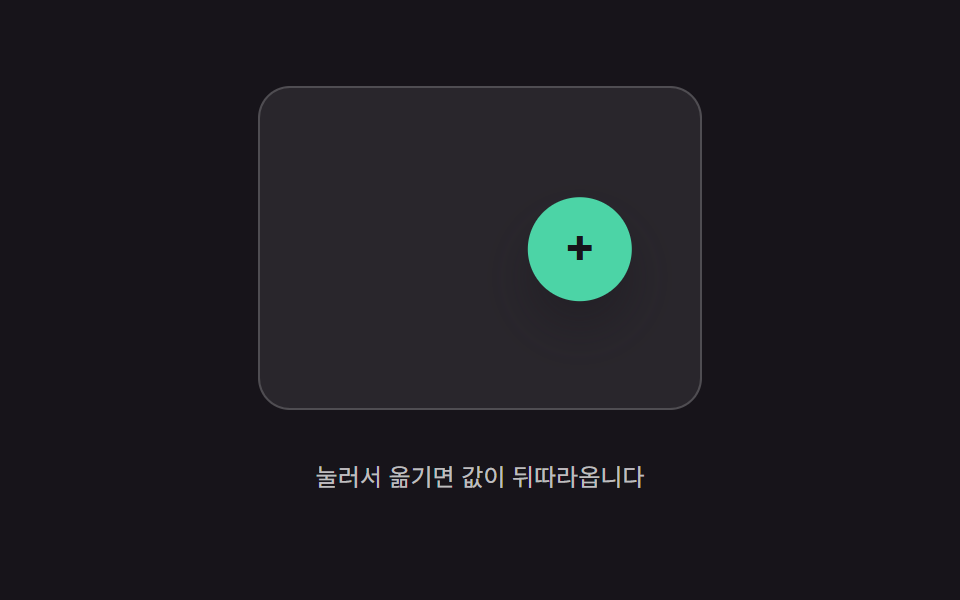 02 button-physics-inertia-lerp-drag
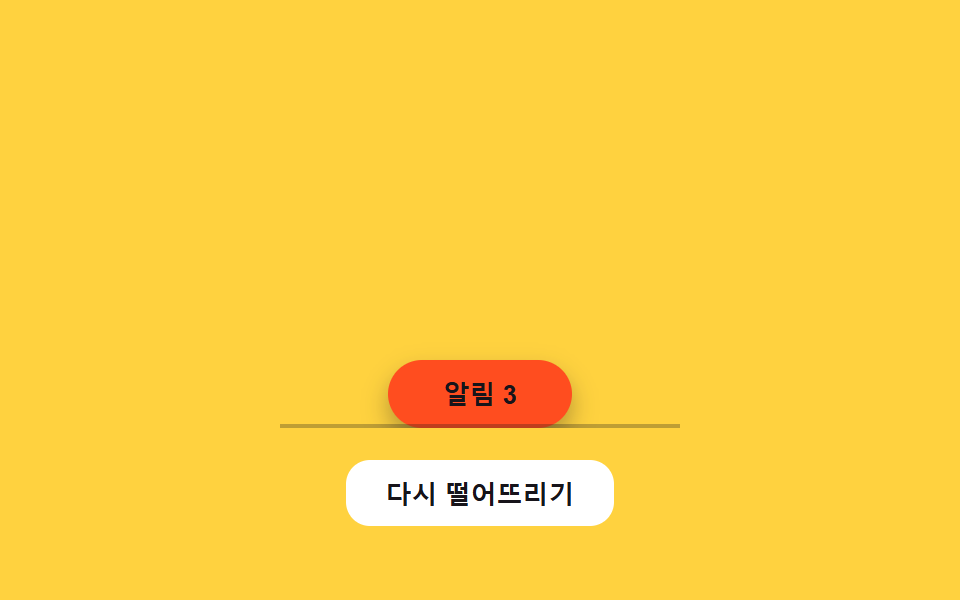 03 button-physics-gravity-drop-settle
 04 button-physics-rubber-stretch-pull
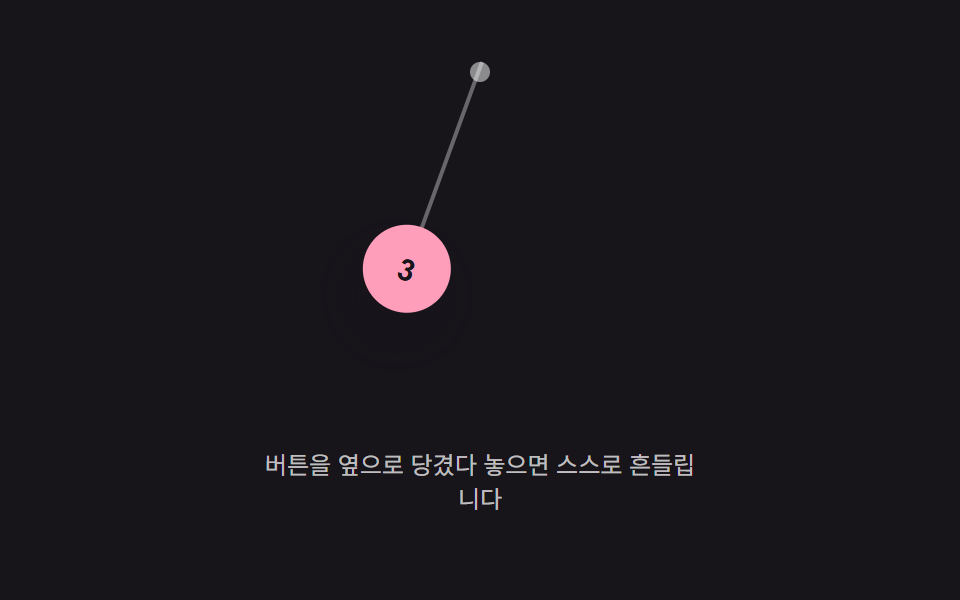 05 button-physics-pendulum-hang-swing
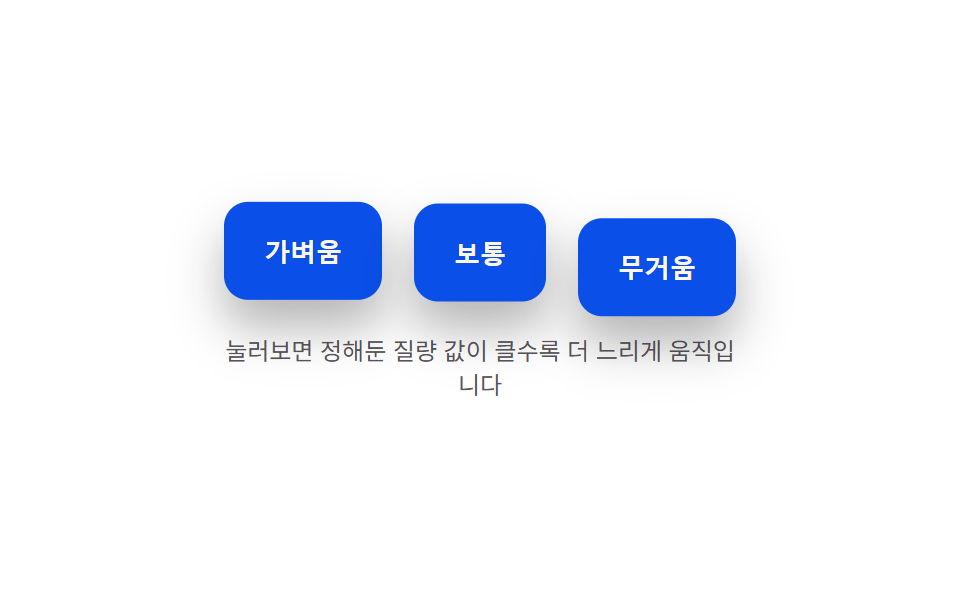 06 button-physics-weight-mass-press-depth
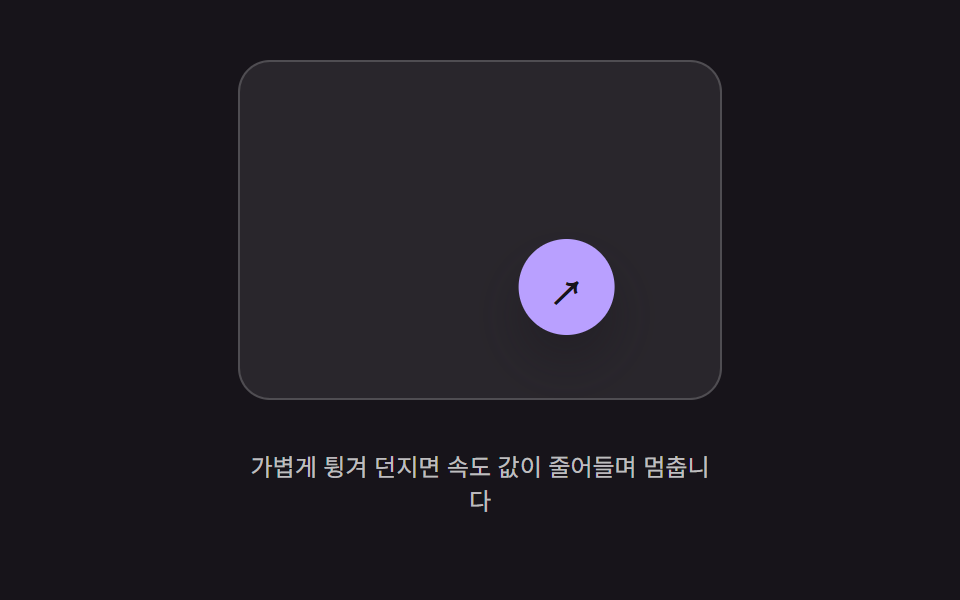 07 button-physics-flick-throw-decay
 08 button-physics-wobble-release-settle
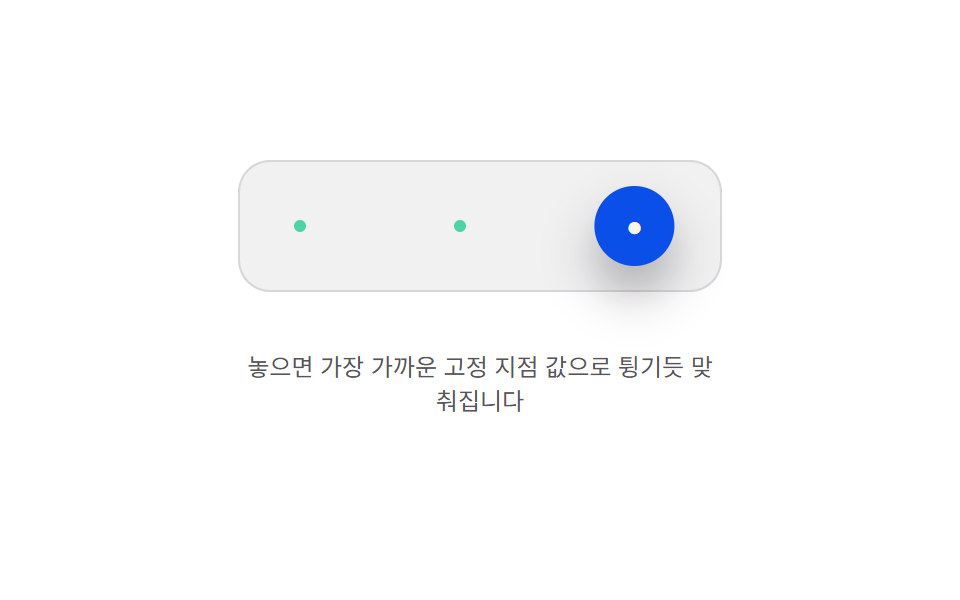 09 button-physics-magnet-anchor-snap
自動再生 · タイルを押すとその項目へ · すべて1つのzip
- 01 押し込み値オーバーシュート — 押し込みの値が目標値を超えて戻ることを繰り返し、幅が小さくなっていく方式
- 02 追従値の遅延補間 — ポインター位置の値をボタン位置の値が一定の比率ずつ追いかけて縮める方式
- 03 落下値反発定着 — 位置の値が下に落ちて床の値ではね返ることを繰り返し止まる方式
- 04 引っ張り距離値伸び — ポインターが離れた距離の値の分だけボタンの形の値が伸び、離すと元に戻る方式
- 05 吊り下げ角度値振動 — 上の一点に吊るされた値が左右に角度の値を行き来しながら小さくなっていく方式
- 06 質量値による押し込み速度差 — 決めた質量の値が大きいほど押し込みと復帰の速度の値が遅くなる方式
- 07 投げ速度値減衰移動 — 離した瞬間の速度の値のまま動き続け、その値が徐々に小さくなって止まる方式
- 08 解放後の揺れ値減衰 — 指を離した時点の形の値が左右に揺れ、その揺れ幅の値が小さくなって止まる方式
- 09 固定地点値へのスナップ — 離した位置の値が最も近い固定地点の値に引き寄せられ、弾むように合わさる方式
9つとも本物のポインタ入力にだけ反応し、それ以外では動きません。5つ(02・04・05・07・09)はドラッグを追いかけ、2つ(01・06)は押し続ける操作を追いかけ、1つ(03)はクリックに反応し、1つ(08)は指を離した瞬間だけに反応します — 自動再生だけのデモはゼロです。9つのどれもMath.randomで動きを決めておらず、すべて固定の定数を読む決定的なrequestAnimationFrameループから数値を計算しているので、同じ入力を繰り返せば毎回まったく同じ数値になります。ここまで揺るがないボタン クリック アニメーションの土台があるからこそ、下の数値がそのまま再現できます。
9つのパターンの解剖 — どの値がいつ変わるか
9個のボタンが、同じ問いに9通りの答えを出しています。値が動き始めたあと、いつ・どうやって止まるかを何が決めているのか、という問いです。
5つのパターンが毎フレーム「加速度→速度→位置」を積み上げる理由
01・03・05・06・09は、tick()の中で同じ2行の型を回しています — 速度値に加速度値を積み上げ、その速度値を位置値に積み上げる、という型です。変わるのは加速度の求め方だけで、01・06・09はばね・減衰の式で目標値へ引き戻す加速度を計算し、05は振り子の復元トルクから計算し、03はその引き戻しの代わりに一定の下向き加速度を使い、位置値が床の値を超えるたびに跳ね返りを加えます。
2つのパターンが復元力を計算せず、毎フレーム一定の割合だけ値を動かす理由
02と07は加速度値にまったく触れません。02は目標位置の値と自分の位置値との差を、毎フレーム一定の割合だけ縮めます。07はそれとは逆に、離した瞬間の速度値を毎フレーム一定の割合だけ縮め、その縮んでいく速度が位置を運びます。どちらも質量値から力を計算する場面は一度もありません。
2つのパターンが積分せず、閉じた式から直接値を読む理由
04の引っぱり中と08の揺れは、フレームをまたいで何かを積み上げることが一切ありません。04はポインタの距離値を固定の指数曲線に通して伸び値を出し、08は経過時間をそのまま減衰する正弦波の式に代入して角度値を出します。どちらも毎フレーム値をゼロから計算し直しています(04は指を離した瞬間だけ、01たちと同じばねの型に切り替わり、伸び値を1へ戻します)。
パターン別コード
01押し込み値のオーバーシュート — 押した値が目標値を通り過ぎては戻ることを繰り返す
ボタンを押すと、押し込みの深さ値が目標の深さ値を何度か通り過ぎては戻り、その揺れ幅は回を追うごとに小さくなって最後は平らに収まります。フォームの送信ボタンや確認ダイアログの主要アクションにこの動きを使うと、小さな跳ね返りが「押した」ことを知らせつつ、反応の速さは損なわれません。
<main class="stage">
<div class="bso is-demo" id="bso">
  <button class="bso__btn" id="bsoBtn" type="button">送信する</button>
  <p class="bso__val"><span>深さの値</span><b id="bsoVal">0.0px</b></p>
</div>
</main>
@use "../../../../site/static/demo-tokens" as *;
// 계산 겹(스프링-감쇠 적분)은 JS 에 있다 — 여기는 정적 배치만.
@include stage($stage-paper);
.stage { position: relative; }
.bso {
display: flex;
flex-direction: column;
align-items: center;
gap: $sp-4;
}
.bso__btn {
border: 0;
border-radius: $r-control;
padding: $sp-4 $sp-8;
background: $subject-blue-deep;
color: $subject-cream;
font-size: 16px;
font-weight: 700;
line-height: 1.2;
cursor: pointer;
transform-origin: 50% 0;
box-shadow: $shadow-raised;
}
.bso__val {
display: flex;
align-items: center;
gap: $sp-2;
color: $subject-ink;
font-size: 13px;
span { opacity: .64; }
b { font-weight: 700; min-width: 52px; }
}
@media (max-width: 340px) {
.bso__btn { padding: $sp-3 $sp-6; font-size: 15px; }
}
@media (prefers-reduced-motion: reduce) {
.bso__btn { transition: none !important; }
}html, body {
margin: 0;
overflow: hidden;
}
.stage {
box-sizing: border-box;
min-height: 100vh;
display: grid;
place-items: center;
margin: 0;
background: #ffffff;
font-family: -apple-system, "Segoe UI", "Noto Sans KR", sans-serif;
padding: clamp(8px, 4vw, 24px);
}
.stage {
position: relative;
}
.bso {
display: flex;
flex-direction: column;
align-items: center;
gap: 16px;
}
.bso__btn {
border: 0;
border-radius: 12px;
padding: 16px 32px;
background: #0a4fe8;
color: #fff7e6;
font-size: 16px;
font-weight: 700;
line-height: 1.2;
cursor: pointer;
transform-origin: 50% 0;
box-shadow: 0 14px 24px rgba(23, 20, 26, 0.32);
}
.bso__val {
display: flex;
align-items: center;
gap: 8px;
color: #17141a;
font-size: 13px;
}
.bso__val span {
opacity: 0.64;
}
.bso__val b {
font-weight: 700;
min-width: 52px;
}
@media (max-width: 340px) {
.bso__btn {
padding: 12px 24px;
font-size: 15px;
}
}
@media (prefers-reduced-motion: reduce) {
.bso__btn {
transition: none !important;
}
}(function () {
var root = document.getElementById('bso');
var btn = document.getElementById('bsoBtn');
var val = document.getElementById('bsoVal');
var reduce = window.matchMedia('(prefers-reduced-motion: reduce)').matches;
// 계산 겹: 스프링-감쇠 방정식 accel = -(K/MASS)*(depth-target) - (C/MASS)*vel.
// 목표 값을 지나쳤다가 되돌아오는 오버슈트는 감쇠비(zeta = C/(2*sqrt(K*MASS)))가
// 1보다 작은 저감쇠(underdamped) 상태라 생긴다 — zeta 를 낮출수록 반동 폭이 커진다.
var K = 300, C = 7, MASS = 1, PRESS_DEPTH = 14;
var depth = 0, vel = 0, target = 0, last = 0, raf = null;
function paint() {
var scale = 1 - depth / 340;
btn.style.transform = 'translateY(' + depth.toFixed(2) + 'px) scale(' + scale.toFixed(4) + ')';
val.textContent = depth.toFixed(1) + 'px';
}
function tick(now) {
var dt = Math.min((now - last) / 1000, 0.032);
last = now;
var accel = (-K * (depth - target) - C * vel) / MASS;
vel += accel * dt;
depth += vel * dt;
paint();
raf = requestAnimationFrame(tick);
}
function start() {
if (raf === null) { last = performance.now(); raf = requestAnimationFrame(tick); }
}
function press(p) {
if (reduce) { depth = p; vel = 0; target = p; paint(); return; }
target = p;
start();
}
function wireReal() {
btn.addEventListener('pointerdown', function () { root.classList.remove('is-demo'); stopAutoplay(); press(PRESS_DEPTH); });
window.addEventListener('pointerup', function () { press(0); });
btn.addEventListener('pointercancel', function () { press(0); });
}
wireReal();
paint();
// 자동 루프: 누름 350ms 뒤 뗌으로 같은 press() 스프링 경로를 반복 재현한다.
var autoTimer = null, autoDown = null;
function autoTick() { press(PRESS_DEPTH); autoDown = setTimeout(function () { press(0); }, 350); }
function stopAutoplay() {
if (autoTimer) { clearInterval(autoTimer); autoTimer = null; }
if (autoDown) { clearTimeout(autoDown); autoDown = null; }
}
if (!reduce) { autoTick(); autoTimer = setInterval(autoTick, 1500); }
})();import { useEffect, useRef } from "react";
import styles from "./ButtonPhysicsSpringOvershoot.module.scss";
export type ButtonPhysicsSpringOvershootProps = {
color?: string;
};
export default function ButtonPhysicsSpringOvershoot({
color = "#0a4fe8",
}: ButtonPhysicsSpringOvershootProps) {
const rootRef = useRef<HTMLDivElement | null>(null);
useEffect(() => {
const root = rootRef.current;
if (!root) return;
const btn = root.querySelector<HTMLButtonElement>(`.${styles.btn}`);
const val = root.querySelector<HTMLElement>(`.${styles.valNum}`);
if (!btn || !val) return;
const reduce = window.matchMedia("(prefers-reduced-motion: reduce)").matches;
// 계산 겹: 스프링-감쇠 방정식 accel = -(K/MASS)*(depth-target) - (C/MASS)*vel.
// 목표 값을 지나쳤다가 되돌아오는 오버슈트는 감쇠비(zeta = C/(2*sqrt(K*MASS)))가
// 1보다 작은 저감쇠(underdamped) 상태라 생긴다 — zeta 를 낮출수록 반동 폭이 커진다.
const K = 300, C = 7, MASS = 1, PRESS_DEPTH = 14;
let depth = 0, vel = 0, target = 0, last = 0, raf: number | null = null;
function paint() {
const scale = 1 - depth / 340;
btn!.style.transform = "translateY(" + depth.toFixed(2) + "px) scale(" + scale.toFixed(4) + ")";
val!.textContent = depth.toFixed(1) + "px";
}
function tick(now: number) {
const dt = Math.min((now - last) / 1000, 0.032);
last = now;
const accel = (-K * (depth - target) - C * vel) / MASS;
vel += accel * dt;
depth += vel * dt;
paint();
raf = requestAnimationFrame(tick);
}
function start() { if (raf === null) { last = performance.now(); raf = requestAnimationFrame(tick); } }
function press(p: number) {
if (reduce) { depth = p; vel = 0; target = p; paint(); return; }
target = p;
start();
}
function onPointerDown() { stopAutoplay(); press(PRESS_DEPTH); }
function onPointerUp() { press(0); }
btn.addEventListener("pointerdown", onPointerDown);
window.addEventListener("pointerup", onPointerUp);
btn.addEventListener("pointercancel", onPointerUp);
paint();
let autoTimer: number | null = null, autoDown: number | null = null;
function autoTick() { press(PRESS_DEPTH); autoDown = window.setTimeout(() => { press(0); }, 350); }
function stopAutoplay() {
if (autoTimer !== null) { window.clearInterval(autoTimer); autoTimer = null; }
if (autoDown !== null) { window.clearTimeout(autoDown); autoDown = null; }
}
if (!reduce) { autoTick(); autoTimer = window.setInterval(autoTick, 1500); }
return () => {
stopAutoplay();
if (raf !== null) cancelAnimationFrame(raf);
btn.removeEventListener("pointerdown", onPointerDown);
window.removeEventListener("pointerup", onPointerUp);
btn.removeEventListener("pointercancel", onPointerUp);
};
}, []);
return (
<div ref={rootRef} className={styles.stage}>
<div className={styles.bso}>
<button className={styles.btn} type="button" style={{ background: color }}>제출하기</button>
<p className={styles.val}><span className={styles.valLabel}>깊이 값</span><b className={styles.valNum}>0.0px</b></p>
</div>
</div>
);
}01 · 押し込み値オーバーシュート — 押し込みの値が目標値を超えて戻ることを繰り返し、幅が小さくなっていく方式 — 計測 累積面積 7.131% · 動いたフレーム 23/23GODRICH オリジナル · SCSS と React は zip に同梱 · パスワードを見る
実測値が語ること
測定した23フレームのうち01は23フレームすべてで値が動き、累積面積は7.13%、平均強度は136.0でした。アンダーダンプなばねが絶えず往復を続けるため、ほぼ全フレームで動きが途切れません。
  // 計算レイヤー: ばね・減衰の式 accel = -(K/MASS)*(depth-target) - (C/MASS)*vel。
  // 目標値を通り過ぎて戻る動きは、減衰比(zeta = C/(2*sqrt(K*MASS)))が1未満(アンダーダンプ)の
  // ときに起こります — zetaが小さいほど揺れ幅は大きくなります。
  var K = 300, C = 7, MASS = 1, PRESS_DEPTH = 14;
  var depth = 0, vel = 0, target = 0, last = 0, raf = null;

  function paint() {
    var scale = 1 - depth / 340;
    btn.style.transform = 'translateY(' + depth.toFixed(2) + 'px) scale(' + scale.toFixed(4) + ')';
    val.textContent = depth.toFixed(1) + 'px';
  }
  function tick(now) {
    var dt = Math.min((now - last) / 1000, 0.032);
    last = now;
    var accel = (-K * (depth - target) - C * vel) / MASS;
    vel += accel * dt;
    depth += vel * dt;
    paint();
    raf = requestAnimationFrame(tick);
  }
02追従する位置値の補間 — ボタンの位置値がポインタの位置値との差を一定の割合で縮めながら追いかける
浮動ボタンをドラッグすると目標の位置値は即座に動きますが、ボタン自身の位置値はその差を毎フレーム一定の割合でしか縮めないので、目に見えて後を追う形になります。ドラッグできるフローティングアクションボタンや自由に動かせるツールバーボタンでは、この遅れが「重さ」を感じさせ、ポインタに貼りついた印象を避けられます。
<main class="stage">
<div class="bil is-demo" id="bil">
  <div class="bil__field" id="bilField" role="application" aria-label="フローティングボタンのドラッグ実験場">
    <button class="bil__fab" id="bilFab" type="button" aria-label="フローティングアクションボタン">+</button>
  </div>
  <p class="bil__hint">押して動かすと値が後を追いかけます</p>
</div>
</main>
@use "../../../../site/static/demo-tokens" as *;
// 계산 겹(지연 보간 적분)은 JS 에 있다 — 여기는 정적 배치만.
@include stage($stage-ink);
.stage { position: relative; }
.bil {
display: flex;
flex-direction: column;
align-items: center;
gap: $sp-3;
}
.bil__field {
position: relative;
width: 220px;
height: 160px;
border-radius: $r-card;
background: rgba($stage-paper, .08);
border: 1px solid rgba($stage-paper, .18);
}
.bil__fab {
position: absolute;
left: 0;
top: 0;
width: 52px;
height: 52px;
border: 0;
border-radius: $r-pill;
background: $subject-mint;
color: $subject-ink;
font-size: 24px;
font-weight: 700;
line-height: 1;
cursor: grab;
touch-action: none;
box-shadow: $shadow-raised;
}
.bil__hint {
color: rgba($stage-paper, .72);
font-size: 12px;
text-align: center;
}
@media (max-width: 340px) {
.bil__field { width: 160px; height: 96px; }
.bil__fab { width: 40px; height: 40px; font-size: 18px; }
}
@media (prefers-reduced-motion: reduce) {
.bil__fab { transition: none !important; }
}html, body {
margin: 0;
overflow: hidden;
}
.stage {
box-sizing: border-box;
min-height: 100vh;
display: grid;
place-items: center;
margin: 0;
background: #17141a;
font-family: -apple-system, "Segoe UI", "Noto Sans KR", sans-serif;
padding: clamp(8px, 4vw, 24px);
}
.stage {
position: relative;
}
.bil {
display: flex;
flex-direction: column;
align-items: center;
gap: 12px;
}
.bil__field {
position: relative;
width: 220px;
height: 160px;
border-radius: 16px;
background: rgba(255, 255, 255, 0.08);
border: 1px solid rgba(255, 255, 255, 0.18);
}
.bil__fab {
position: absolute;
left: 0;
top: 0;
width: 52px;
height: 52px;
border: 0;
border-radius: 999px;
background: #4cd4a6;
color: #17141a;
font-size: 24px;
font-weight: 700;
line-height: 1;
cursor: grab;
touch-action: none;
box-shadow: 0 14px 24px rgba(23, 20, 26, 0.32);
}
.bil__hint {
color: rgba(255, 255, 255, 0.72);
font-size: 12px;
text-align: center;
}
@media (max-width: 340px) {
.bil__field {
width: 160px;
height: 96px;
}
.bil__fab {
width: 40px;
height: 40px;
font-size: 18px;
}
}
@media (prefers-reduced-motion: reduce) {
.bil__fab {
transition: none !important;
}
}(function () {
var root = document.getElementById('bil');
var field = document.getElementById('bilField');
var fab = document.getElementById('bilFab');
var reduce = window.matchMedia('(prefers-reduced-motion: reduce)').matches;
// 계산 겹: 포인터 위치 값(targetX/Y)과 버튼 위치 값(x/y)의 차이를 매 프레임 LERP_RATIO
// 만큼만 좁힌다 — x += (targetX-x)*LERP_RATIO. 비율이 1에 가까울수록 즉시 따라붙고,
// 낮을수록 지연(트레일)이 길어진다.
var LERP_RATIO = 0.14;
var FAB_R = 26;
var x = 0, y = 0, targetX = 0, targetY = 0, raf = null;
function bounds() { return { w: field.clientWidth, h: field.clientHeight }; }
function clampPos(px, py) {
var b = bounds();
return [Math.max(FAB_R, Math.min(b.w - FAB_R, px)), Math.max(FAB_R, Math.min(b.h - FAB_R, py))];
}
function paint() { fab.style.transform = 'translate(' + (x - FAB_R).toFixed(1) + 'px,' + (y - FAB_R).toFixed(1) + 'px)'; }
function tick() {
x += (targetX - x) * LERP_RATIO;
y += (targetY - y) * LERP_RATIO;
paint();
raf = requestAnimationFrame(tick);
}
function start() { if (raf === null) { raf = requestAnimationFrame(tick); } }
function setTarget(px, py) {
var c = clampPos(px, py);
targetX = c[0]; targetY = c[1];
if (reduce) { x = targetX; y = targetY; paint(); return; }
start();
}
function wireReal() {
var dragging = false;
fab.addEventListener('pointerdown', function (e) {
root.classList.remove('is-demo'); stopAutoplay(); dragging = true;
fab.setPointerCapture(e.pointerId);
});
fab.addEventListener('pointermove', function (e) {
if (!dragging) { return; }
var r = field.getBoundingClientRect();
setTarget(e.clientX - r.left, e.clientY - r.top);
});
fab.addEventListener('pointerup', function () { dragging = false; });
}
wireReal();
var b0 = bounds();
x = targetX = b0.w / 2; y = targetY = b0.h / 2;
paint();
// 자동 루프: 목표 값을 좌우로 오가게 옮겨 같은 lerp 경로를 반복 재현한다.
var autoTimer = null, phase = 0;
function autoTick() {
var b = bounds();
phase += 1;
var px = b.w / 2 + Math.sin(phase * 0.9) * (b.w / 2 - FAB_R - 6);
var py = b.h / 2 + Math.cos(phase * 0.6) * (b.h / 2 - FAB_R - 6) * 0.5;
setTarget(px, py);
}
function stopAutoplay() { if (autoTimer) { clearInterval(autoTimer); autoTimer = null; } }
if (!reduce) { autoTimer = setInterval(autoTick, 260); autoTick(); }
})();import { useEffect, useRef } from "react";
import styles from "./ButtonPhysicsInertiaLerpDrag.module.scss";
export type ButtonPhysicsInertiaLerpDragProps = {
color?: string;
};
export default function ButtonPhysicsInertiaLerpDrag({
color = "#4cd4a6",
}: ButtonPhysicsInertiaLerpDragProps) {
const rootRef = useRef<HTMLDivElement | null>(null);
useEffect(() => {
const root = rootRef.current;
if (!root) return;
const field = root.querySelector<HTMLDivElement>(`.${styles.field}`);
const fab = root.querySelector<HTMLButtonElement>(`.${styles.fab}`);
if (!field || !fab) return;
const reduce = window.matchMedia("(prefers-reduced-motion: reduce)").matches;
// 계산 겹: 포인터 위치 값(targetX/Y)과 버튼 위치 값(x/y)의 차이를 매 프레임 LERP_RATIO
// 만큼만 좁힌다 — x += (targetX-x)*LERP_RATIO. 비율이 1에 가까울수록 즉시 따라붙고,
// 낮을수록 지연(트레일)이 길어진다.
const LERP_RATIO = 0.14;
const FAB_R = 26;
let x = 0, y = 0, targetX = 0, targetY = 0, raf: number | null = null;
function bounds() { return { w: field!.clientWidth, h: field!.clientHeight }; }
function clampPos(px: number, py: number): [number, number] {
const b = bounds();
return [Math.max(FAB_R, Math.min(b.w - FAB_R, px)), Math.max(FAB_R, Math.min(b.h - FAB_R, py))];
}
function paint() { fab!.style.transform = "translate(" + (x - FAB_R).toFixed(1) + "px," + (y - FAB_R).toFixed(1) + "px)"; }
function tick() {
x += (targetX - x) * LERP_RATIO;
y += (targetY - y) * LERP_RATIO;
paint();
raf = requestAnimationFrame(tick);
}
function start() { if (raf === null) { raf = requestAnimationFrame(tick); } }
function setTarget(px: number, py: number) {
const c = clampPos(px, py);
targetX = c[0]; targetY = c[1];
if (reduce) { x = targetX; y = targetY; paint(); return; }
start();
}
let dragging = false;
function onPointerDown(e: PointerEvent) {
stopAutoplay(); dragging = true;
fab!.setPointerCapture(e.pointerId);
}
function onPointerMove(e: PointerEvent) {
if (!dragging) return;
const r = field!.getBoundingClientRect();
setTarget(e.clientX - r.left, e.clientY - r.top);
}
function onPointerUp() { dragging = false; }
fab.addEventListener("pointerdown", onPointerDown);
fab.addEventListener("pointermove", onPointerMove);
fab.addEventListener("pointerup", onPointerUp);
const b0 = bounds();
x = targetX = b0.w / 2; y = targetY = b0.h / 2;
paint();
let autoTimer: number | null = null, phase = 0;
function autoTick() {
const b = bounds();
phase += 1;
const px = b.w / 2 + Math.sin(phase * 0.9) * (b.w / 2 - FAB_R - 6);
const py = b.h / 2 + Math.cos(phase * 0.6) * (b.h / 2 - FAB_R - 6) * 0.5;
setTarget(px, py);
}
function stopAutoplay() { if (autoTimer !== null) { window.clearInterval(autoTimer); autoTimer = null; } }
if (!reduce) { autoTimer = window.setInterval(autoTick, 260); autoTick(); }
return () => {
stopAutoplay();
if (raf !== null) cancelAnimationFrame(raf);
fab.removeEventListener("pointerdown", onPointerDown);
fab.removeEventListener("pointermove", onPointerMove);
fab.removeEventListener("pointerup", onPointerUp);
};
}, []);
return (
<div ref={rootRef} className={styles.stage}>
<div className={styles.bil}>
<div className={styles.field} role="application" aria-label="플로팅 버튼 드래그 실험판">
<button className={styles.fab} type="button" aria-label="플로팅 액션 버튼" style={{ background: color }}>+</button>
</div>
<p className={styles.hint}>눌러서 옮기면 값이 뒤따라옵니다</p>
</div>
</div>
);
}02 · 追従値の遅延補間 — ポインター位置の値をボタン位置の値が一定の比率ずつ追いかけて縮める方式 — 計測 累積面積 10.234% · 動いたフレーム 23/23GODRICH オリジナル · SCSS と React は zip に同梱 · パスワードを見る
実測値が語ること
同じ23フレームの測定で02は23フレームすべてで動き、累積面積10.23%・平均強度156.8でした。ポインタが止まっている瞬間にも追いかけが続くため、動きが絶えません。
  // 計算レイヤー: 毎フレーム、ポインタの位置値(targetX/Y)とボタンの位置値(x/y)の差を
  // LERP_RATIOの割合だけ縮めます — x += (targetX-x)*LERP_RATIO。
  // 1に近いほどすぐ追いつき、小さいほど尾を引くように遅れます。
  var LERP_RATIO = 0.14;
  var FAB_R = 26;
  var x = 0, y = 0, targetX = 0, targetY = 0, raf = null;

  function bounds() { return { w: field.clientWidth, h: field.clientHeight }; }
  function clampPos(px, py) {
    var b = bounds();
    return [Math.max(FAB_R, Math.min(b.w - FAB_R, px)), Math.max(FAB_R, Math.min(b.h - FAB_R, py))];
  }
  function paint() { fab.style.transform = 'translate(' + (x - FAB_R).toFixed(1) + 'px,' + (y - FAB_R).toFixed(1) + 'px)'; }
  function tick() {
    x += (targetX - x) * LERP_RATIO;
    y += (targetY - y) * LERP_RATIO;
    paint();
    raf = requestAnimationFrame(tick);
  }
03落下と着地の跳ね返り — 位置値が落下し、床の値で何度も跳ね返ってから静止する
落下を起こすと、位置値は一定の加速度のもとで床の値に届くまで落ち続け、跳ね返ってはまた落ち、跳ねる高さを毎回縮めながら最後は静止します。画面に現れるバッジや目を引くボタンにこの落下・着地の動きを使うと、無限に繰り返すことなく最初の一瞥を引きつけられます。
<main class="stage">
<div class="bgd is-demo" id="bgd">
  <div class="bgd__field" id="bgdField">
    <button class="bgd__chip" id="bgdChip" type="button">通知 3</button>
    <span class="bgd__floor" aria-hidden="true"></span>
  </div>
  <button class="bgd__drop" id="bgdDrop" type="button">もう一度落とす</button>
</div>
</main>
@use "../../../../site/static/demo-tokens" as *;
// 계산 겹(중력 낙하·반동 적분)은 JS 에 있다 — 여기는 정적 배치만.
@include stage($stage-yellow);
.stage { position: relative; }
.bgd {
display: flex;
flex-direction: column;
align-items: center;
gap: $sp-4;
}
.bgd__field {
position: relative;
width: 200px;
height: 176px;
overflow: hidden;
}
.bgd__chip {
position: absolute;
left: 50%;
top: 0;
margin-left: -46px;
width: 92px;
height: 34px;
border: 0;
border-radius: $r-pill;
background: $stage-orange;
color: $subject-ink;
font-size: 13px;
font-weight: 700;
cursor: pointer;
box-shadow: $shadow-press;
}
.bgd__floor {
position: absolute;
left: 0;
right: 0;
bottom: 0;
height: 2px;
background: rgba($subject-ink, .28);
}
.bgd__drop {
border: 0;
border-radius: $r-control;
padding: $sp-2 $sp-5;
background: $stage-paper;
color: $subject-ink;
font-size: 13px;
font-weight: 600;
cursor: pointer;
}
@media (max-width: 340px) {
.bgd__field { width: 150px; height: 108px; }
}
@media (prefers-reduced-motion: reduce) {
.bgd__chip { transition: none !important; }
}html, body {
margin: 0;
overflow: hidden;
}
.stage {
box-sizing: border-box;
min-height: 100vh;
display: grid;
place-items: center;
margin: 0;
background: #ffd23f;
font-family: -apple-system, "Segoe UI", "Noto Sans KR", sans-serif;
padding: clamp(8px, 4vw, 24px);
}
.stage {
position: relative;
}
.bgd {
display: flex;
flex-direction: column;
align-items: center;
gap: 16px;
}
.bgd__field {
position: relative;
width: 200px;
height: 176px;
overflow: hidden;
}
.bgd__chip {
position: absolute;
left: 50%;
top: 0;
margin-left: -46px;
width: 92px;
height: 34px;
border: 0;
border-radius: 999px;
background: #ff4d1f;
color: #17141a;
font-size: 13px;
font-weight: 700;
cursor: pointer;
box-shadow: 0 6px 12px rgba(23, 20, 26, 0.32);
}
.bgd__floor {
position: absolute;
left: 0;
right: 0;
bottom: 0;
height: 2px;
background: rgba(23, 20, 26, 0.28);
}
.bgd__drop {
border: 0;
border-radius: 12px;
padding: 8px 20px;
background: #ffffff;
color: #17141a;
font-size: 13px;
font-weight: 600;
cursor: pointer;
}
@media (max-width: 340px) {
.bgd__field {
width: 150px;
height: 108px;
}
}
@media (prefers-reduced-motion: reduce) {
.bgd__chip {
transition: none !important;
}
}(function () {
var root = document.getElementById('bgd');
var field = document.getElementById('bgdField');
var chip = document.getElementById('bgdChip');
var dropBtn = document.getElementById('bgdDrop');
var reduce = window.matchMedia('(prefers-reduced-motion: reduce)').matches;
// 계산 겹: vel += GRAVITY*dt, y += vel*dt 로 낙하시키다 바닥 값(FLOOR)에 닿으면
// vel 을 -RESTITUTION 배로 뒤집어 반동시킨다. |반동 속도| 가 STOP_VEL 아래로 줄면 정착.
var GRAVITY = 2200, RESTITUTION = 0.52, STOP_VEL = 40, CHIP_H = 34;
var y = 0, vel = 0, last = 0, raf = null, running = false;
function floorY() { return field.clientHeight - CHIP_H; }
function paint() { chip.style.transform = 'translateY(' + y.toFixed(1) + 'px)'; }
function tick(now) {
var dt = Math.min((now - last) / 1000, 0.032);
last = now;
vel += GRAVITY * dt;
y += vel * dt;
var floor = floorY();
if (y >= floor) {
y = floor;
vel = -vel * RESTITUTION;
if (Math.abs(vel) < STOP_VEL) { vel = 0; paint(); running = false; return; }
}
paint();
raf = requestAnimationFrame(tick);
}
function drop() {
if (reduce) { y = floorY(); vel = 0; paint(); return; }
y = 0; vel = 0; last = performance.now();
if (!running) { running = true; raf = requestAnimationFrame(tick); }
}
function wireReal() {
dropBtn.addEventListener('click', function () { root.classList.remove('is-demo'); stopAutoplay(); drop(); });
chip.addEventListener('click', function () { root.classList.remove('is-demo'); stopAutoplay(); drop(); });
}
wireReal();
y = floorY(); paint();
// 자동 루프: 같은 drop() 을 주기적으로 다시 불러 낙하-반동 경로를 반복 재현한다.
var autoTimer = null;
function stopAutoplay() { if (autoTimer) { clearInterval(autoTimer); autoTimer = null; } }
if (!reduce) { drop(); autoTimer = setInterval(drop, 1600); }
})();import { useEffect, useRef } from "react";
import styles from "./ButtonPhysicsGravityDropSettle.module.scss";
export type ButtonPhysicsGravityDropSettleProps = {
color?: string;
};
export default function ButtonPhysicsGravityDropSettle({
color = "#ff4d1f",
}: ButtonPhysicsGravityDropSettleProps) {
const rootRef = useRef<HTMLDivElement | null>(null);
useEffect(() => {
const root = rootRef.current;
if (!root) return;
const field = root.querySelector<HTMLDivElement>(`.${styles.field}`);
const chip = root.querySelector<HTMLButtonElement>(`.${styles.chip}`);
const dropBtn = root.querySelector<HTMLButtonElement>(`.${styles.drop}`);
if (!field || !chip || !dropBtn) return;
const reduce = window.matchMedia("(prefers-reduced-motion: reduce)").matches;
// 계산 겹: vel += GRAVITY*dt, y += vel*dt 로 낙하시키다 바닥 값(FLOOR)에 닿으면
// vel 을 -RESTITUTION 배로 뒤집어 반동시킨다. |반동 속도| 가 STOP_VEL 아래로 줄면 정착.
const GRAVITY = 2200, RESTITUTION = 0.52, STOP_VEL = 40, CHIP_H = 34;
let y = 0, vel = 0, last = 0, raf: number | null = null, running = false;
function floorY() { return field!.clientHeight - CHIP_H; }
function paint() { chip!.style.transform = "translateY(" + y.toFixed(1) + "px)"; }
function tick(now: number) {
const dt = Math.min((now - last) / 1000, 0.032);
last = now;
vel += GRAVITY * dt;
y += vel * dt;
const floor = floorY();
if (y >= floor) {
y = floor;
vel = -vel * RESTITUTION;
if (Math.abs(vel) < STOP_VEL) { vel = 0; paint(); running = false; return; }
}
paint();
raf = requestAnimationFrame(tick);
}
function drop() {
if (reduce) { y = floorY(); vel = 0; paint(); return; }
y = 0; vel = 0; last = performance.now();
if (!running) { running = true; raf = requestAnimationFrame(tick); }
}
function onDropClick() { stopAutoplay(); drop(); }
function onChipClick() { stopAutoplay(); drop(); }
dropBtn.addEventListener("click", onDropClick);
chip.addEventListener("click", onChipClick);
y = floorY(); paint();
let autoTimer: number | null = null;
function stopAutoplay() { if (autoTimer !== null) { window.clearInterval(autoTimer); autoTimer = null; } }
if (!reduce) { drop(); autoTimer = window.setInterval(drop, 1600); }
return () => {
stopAutoplay();
if (raf !== null) cancelAnimationFrame(raf);
dropBtn.removeEventListener("click", onDropClick);
chip.removeEventListener("click", onChipClick);
};
}, []);
return (
<div ref={rootRef} className={styles.stage}>
<div className={styles.bgd}>
<div className={styles.field}>
<button className={styles.chip} type="button" style={{ background: color }}>알림 3</button>
<span className={styles.floor} aria-hidden="true" />
</div>
<button className={styles.drop} type="button">다시 떨어뜨리기</button>
</div>
</div>
);
}03 · 落下値反発定着 — 位置の値が下に落ちて床の値ではね返ることを繰り返し止まる方式 — 計測 累積面積 11.576% · 動いたフレーム 17/23GODRICH オリジナル · SCSS と React は zip に同梱 · パスワードを見る
実測値が語ること
03は測定した23フレームのうち17フレームで動き、累積面積11.58%・平均強度102.3でした。フレーム数が少ないのは、跳ねと跳ねの間、チップが弧の頂点で止まっている瞬間があるためです。
  // 計算レイヤー: vel += GRAVITY*dt、y += vel*dt で位置値を床の値まで落とし、
  // 床に着いたらvelを-RESTITUTION倍にして跳ね返らせます。
  // |vel|がSTOP_VEL未満になったら静止します。
  var GRAVITY = 2200, RESTITUTION = 0.52, STOP_VEL = 40, CHIP_H = 34;
  var y = 0, vel = 0, last = 0, raf = null, running = false;

  function floorY() { return field.clientHeight - CHIP_H; }
  function paint() { chip.style.transform = 'translateY(' + y.toFixed(1) + 'px)'; }
  function tick(now) {
    var dt = Math.min((now - last) / 1000, 0.032);
    last = now;
    vel += GRAVITY * dt;
    y += vel * dt;
    var floor = floorY();
    if (y >= floor) {
      y = floor;
      vel = -vel * RESTITUTION;
      if (Math.abs(vel) < STOP_VEL) { vel = 0; paint(); running = false; return; }
    }
    paint();
    raf = requestAnimationFrame(tick);
  }
04引っぱり距離による伸び — ポインタの距離値が伸びるほどボタンの形の値が伸び、離すと戻る
ボタンから離れるようにドラッグすると、ポインタの距離値が曲線に通されてボタンの形の値をどんどん伸ばしますが、その伸び方は際限なく増えるのではなく徐々に鈍くなります。離すとばねが形の値を元の値まで引き戻します。リストの一番上にあるプルリフレッシュや、決済のスライド確認ボタンは、この抵抗感を使って「どこまで引けば十分か」を伝えます。
<main class="stage">
<div class="brs is-demo" id="brs">
  <div class="brs__field" id="brsField">
    <span class="brs__anchor" aria-hidden="true"></span>
    <button class="brs__btn" id="brsBtn" type="button">引っ張ってみる</button>
  </div>
  <p class="brs__hint">離れた距離の値の分だけ伸び、離すと元に戻ります</p>
</div>
</main>
@use "../../../../site/static/demo-tokens" as *;
// 계산 겹(저항 곡선·복귀 스프링 적분)은 JS 에 있다 — 여기는 정적 배치만.
@include stage($stage-paper);
.stage { position: relative; }
.brs {
display: flex;
flex-direction: column;
align-items: center;
gap: $sp-4;
}
.brs__field {
position: relative;
width: 220px;
height: 60px;
display: flex;
align-items: center;
}
.brs__anchor {
position: absolute;
left: 0;
top: 50%;
width: 10px;
height: 10px;
margin-top: -5px;
border-radius: $r-pill;
background: $subject-ink;
}
.brs__btn {
position: relative;
margin-left: $sp-5;
border: 0;
border-radius: $r-control;
padding: $sp-3 $sp-6;
background: $subject-blue-deep;
color: $subject-cream;
font-size: 14px;
font-weight: 700;
cursor: grab;
touch-action: none;
// 왼쪽 고정점(anchor)에 매인 요소라 중심이 아니라 왼쪽 변에서 늘어난다 (규칙 8 예외 — 채움 막대와 같은 계열)
transform-origin: 0% 50%;
}
.brs__hint {
color: rgba($subject-ink, .72);
font-size: 12px;
text-align: center;
max-width: 220px;
}
@media (max-width: 340px) {
.brs__field { width: 180px; }
.brs__btn { padding: $sp-2 $sp-5; font-size: 13px; }
}
@media (prefers-reduced-motion: reduce) {
.brs__btn { transition: none !important; }
}html, body {
margin: 0;
overflow: hidden;
}
.stage {
box-sizing: border-box;
min-height: 100vh;
display: grid;
place-items: center;
margin: 0;
background: #ffffff;
font-family: -apple-system, "Segoe UI", "Noto Sans KR", sans-serif;
padding: clamp(8px, 4vw, 24px);
}
.stage {
position: relative;
}
.brs {
display: flex;
flex-direction: column;
align-items: center;
gap: 16px;
}
.brs__field {
position: relative;
width: 220px;
height: 60px;
display: flex;
align-items: center;
}
.brs__anchor {
position: absolute;
left: 0;
top: 50%;
width: 10px;
height: 10px;
margin-top: -5px;
border-radius: 999px;
background: #17141a;
}
.brs__btn {
position: relative;
margin-left: 20px;
border: 0;
border-radius: 12px;
padding: 12px 24px;
background: #0a4fe8;
color: #fff7e6;
font-size: 14px;
font-weight: 700;
cursor: grab;
touch-action: none;
transform-origin: 0% 50%;
}
.brs__hint {
color: rgba(23, 20, 26, 0.72);
font-size: 12px;
text-align: center;
max-width: 220px;
}
@media (max-width: 340px) {
.brs__field {
width: 180px;
}
.brs__btn {
padding: 8px 20px;
font-size: 13px;
}
}
@media (prefers-reduced-motion: reduce) {
.brs__btn {
transition: none !important;
}
}(function () {
var root = document.getElementById('brs');
var field = document.getElementById('brsField');
var btn = document.getElementById('brsBtn');
var reduce = window.matchMedia('(prefers-reduced-motion: reduce)').matches;
// 계산 겹: 당긴 거리 값(dist)이 커질수록 늘어난 배율(stretch)도 커지되, 저항 상수
// PULL_RESISTANCE 로 나눈 뒤 1-exp(-x) 를 씌워 거리가 커질수록 증가폭이 줄어드는
// (당길수록 뻑뻑해지는) 고무줄 저항 곡선을 만든다. 놓으면 스프링(K·C)이 1로 되돌린다.
var PULL_RESISTANCE = 130, MAX_STRETCH = 0.9, K = 260, C = 8;
var dist = 0, stretch = 1, vel = 0, target = 1, dragging = false, startX = 0, raf = null, last = 0;
function stretchFromDist(d) {
var n = Math.max(0, d) / PULL_RESISTANCE;
return 1 + MAX_STRETCH * (1 - Math.exp(-n));
}
function paint() { btn.style.transform = 'scaleX(' + stretch.toFixed(3) + ')'; }
function springTick(now) {
var dt = Math.min((now - last) / 1000, 0.032);
last = now;
var accel = -K * (stretch - target) - C * vel;
vel += accel * dt;
stretch += vel * dt;
paint();
if (Math.abs(stretch - target) < 0.002 && Math.abs(vel) < 0.01) { stretch = target; vel = 0; paint(); raf = null; return; }
raf = requestAnimationFrame(springTick);
}
function startSpring() { if (raf === null) { last = performance.now(); raf = requestAnimationFrame(springTick); } }
function onDown(clientX) {
dragging = true; startX = clientX;
if (raf !== null) { cancelAnimationFrame(raf); raf = null; }
}
function onMove(clientX) {
if (!dragging) { return; }
dist = clientX - startX;
stretch = stretchFromDist(dist);
vel = 0;
paint();
}
function onUp() {
if (!dragging) { return; }
dragging = false;
target = 1;
if (reduce) { stretch = 1; paint(); return; }
startSpring();
}
function wireReal() {
btn.addEventListener('pointerdown', function (e) { root.classList.remove('is-demo'); stopAutoplay(); onDown(e.clientX); });
window.addEventListener('pointermove', function (e) { onMove(e.clientX); });
window.addEventListener('pointerup', onUp);
}
wireReal();
paint();
// 자동 루프: 실제 드래그 대신 dist 값을 단계적으로 키웠다 놓아 같은 저항·스프링 경로를 탄다.
var autoTimer = null, autoDist = 0, growing = true;
function autoTick() {
if (growing) {
autoDist += 26;
stretch = stretchFromDist(autoDist);
paint();
if (autoDist >= 170) { growing = false; target = 1; startSpring(); }
} else {
growing = true; autoDist = 0;
}
}
function stopAutoplay() { if (autoTimer) { clearInterval(autoTimer); autoTimer = null; } }
if (!reduce) { autoTimer = setInterval(autoTick, 200); }
})();import { useEffect, useRef } from "react";
import styles from "./ButtonPhysicsRubberStretchPull.module.scss";
export type ButtonPhysicsRubberStretchPullProps = {
color?: string;
};
export default function ButtonPhysicsRubberStretchPull({
color = "#0a4fe8",
}: ButtonPhysicsRubberStretchPullProps) {
const rootRef = useRef<HTMLDivElement | null>(null);
useEffect(() => {
const root = rootRef.current;
if (!root) return;
const btn = root.querySelector<HTMLButtonElement>(`.${styles.btn}`);
if (!btn) return;
const reduce = window.matchMedia("(prefers-reduced-motion: reduce)").matches;
// 계산 겹: 당긴 거리 값(dist)이 커질수록 늘어난 배율(stretch)도 커지되, 저항 상수
// PULL_RESISTANCE 로 나눈 뒤 1-exp(-x) 를 씌워 거리가 커질수록 증가폭이 줄어드는
// (당길수록 뻑뻑해지는) 고무줄 저항 곡선을 만든다. 놓으면 스프링(K·C)이 1로 되돌린다.
const PULL_RESISTANCE = 130, MAX_STRETCH = 0.9, K = 260, C = 8;
let dist = 0, stretch = 1, vel = 0, target = 1, dragging = false, startX = 0, raf: number | null = null, last = 0;
function stretchFromDist(d: number) {
const n = Math.max(0, d) / PULL_RESISTANCE;
return 1 + MAX_STRETCH * (1 - Math.exp(-n));
}
function paint() { btn!.style.transform = "scaleX(" + stretch.toFixed(3) + ")"; }
function springTick(now: number) {
const dt = Math.min((now - last) / 1000, 0.032);
last = now;
const accel = -K * (stretch - target) - C * vel;
vel += accel * dt;
stretch += vel * dt;
paint();
if (Math.abs(stretch - target) < 0.002 && Math.abs(vel) < 0.01) { stretch = target; vel = 0; paint(); raf = null; return; }
raf = requestAnimationFrame(springTick);
}
function startSpring() { if (raf === null) { last = performance.now(); raf = requestAnimationFrame(springTick); } }
function onPointerDown(e: PointerEvent) {
stopAutoplay();
dragging = true; startX = e.clientX;
if (raf !== null) { cancelAnimationFrame(raf); raf = null; }
}
function onPointerMove(e: PointerEvent) {
if (!dragging) return;
dist = e.clientX - startX;
stretch = stretchFromDist(dist);
vel = 0;
paint();
}
function onPointerUp() {
if (!dragging) return;
dragging = false;
target = 1;
if (reduce) { stretch = 1; paint(); return; }
startSpring();
}
btn.addEventListener("pointerdown", onPointerDown);
window.addEventListener("pointermove", onPointerMove);
window.addEventListener("pointerup", onPointerUp);
paint();
let autoTimer: number | null = null, autoDist = 0, growing = true;
function autoTick() {
if (growing) {
autoDist += 26;
stretch = stretchFromDist(autoDist);
paint();
if (autoDist >= 170) { growing = false; target = 1; startSpring(); }
} else {
growing = true; autoDist = 0;
}
}
function stopAutoplay() { if (autoTimer !== null) { window.clearInterval(autoTimer); autoTimer = null; } }
if (!reduce) { autoTimer = window.setInterval(autoTick, 200); }
return () => {
stopAutoplay();
if (raf !== null) cancelAnimationFrame(raf);
btn.removeEventListener("pointerdown", onPointerDown);
window.removeEventListener("pointermove", onPointerMove);
window.removeEventListener("pointerup", onPointerUp);
};
}, []);
return (
<div ref={rootRef} className={styles.stage}>
<div className={styles.brs}>
<div className={styles.field}>
<span className={styles.anchor} aria-hidden="true" />
<button className={styles.btn} type="button" style={{ background: color }}>당겨보기</button>
</div>
<p className={styles.hint}>멀어진 거리 값만큼 늘어났다가 놓으면 되돌아갑니다</p>
</div>
</div>
);
}04 · 引っ張り距離値伸び — ポインターが離れた距離の値の分だけボタンの形の値が伸び、離すと元に戻る方式 — 計測 累積面積 3.297% · 動いたフレーム 19/23GODRICH オリジナル · SCSS と React は zip に同梱 · パスワードを見る
実測値が語ること
04は23フレームのうち19フレームで動き、累積面積は9つの中で最小の3.30%、平均強度は最大の208.5でした。ボタン自身の輪郭だけが形を変え、他は静止したままなので面積は小さいのですが、その一点の変化が鋭い境界のため強度は高くなります。
  // PULL_RESISTANCEで割って1-exp(-x)を適用すると、距離が伸びるほど増加が鈍る
  // (引くほど硬くなる)ゴムのような抵抗曲線になります。
  // 離すとばね(K, C)が1まで引き戻します。
  var PULL_RESISTANCE = 130, MAX_STRETCH = 0.9, K = 260, C = 8;
  var dist = 0, stretch = 1, vel = 0, target = 1, dragging = false, startX = 0, raf = null, last = 0;

  function stretchFromDist(d) {
    var n = Math.max(0, d) / PULL_RESISTANCE;
    return 1 + MAX_STRETCH * (1 - Math.exp(-n));
  }
  function paint() { btn.style.transform = 'scaleX(' + stretch.toFixed(3) + ')'; }
  function springTick(now) {
    var dt = Math.min((now - last) / 1000, 0.032);
    last = now;
    var accel = -K * (stretch - target) - C * vel;
    vel += accel * dt;
    stretch += vel * dt;
    paint();
    if (Math.abs(stretch - target) < 0.002 && Math.abs(vel) < 0.01) { stretch = target; vel = 0; paint(); raf = null; return; }
    raf = requestAnimationFrame(springTick);
  }
05吊り下げた角度の揺れ — 上の一点から吊られた値が左右に揺れ、揺れ幅が徐々に縮む
ボタンを横に引いて離すと、固定した支点を中心に角度値が前後に揺れ、揺れの幅が時間とともに縮んでやがて静止します。メニューの上から吊られているように見える通知ボタンや、装飾的なヘッダーのアクションボタンは、この揺れによって画面に固定されているのではなく物理的に吊るされている印象を与えます。
<main class="stage">
<div class="bph is-demo" id="bph">
  <div class="bph__field" id="bphField" role="application" aria-label="吊り下げボタンの揺れ実験場" tabindex="0">
    <span class="bph__pivot" aria-hidden="true"></span>
    <div class="bph__arm" id="bphArm">
      <span class="bph__rod" aria-hidden="true"></span>
      <button class="bph__btn" id="bphBtn" type="button" aria-label="通知ボタン">3</button>
    </div>
  </div>
  <p class="bph__hint">ボタンを横に引いて離すと自然に揺れます</p>
</div>
</main>
@use "../../../../site/static/demo-tokens" as *;
// 계산 겹(진자 각가속도 적분)은 JS 에 있다 — 여기는 정적 배치만.
@include stage($stage-ink);
.stage { position: relative; }
.bph {
display: flex;
flex-direction: column;
align-items: center;
gap: $sp-3;
}
.bph__field {
position: relative;
width: 220px;
height: 168px;
}
.bph__pivot {
position: absolute;
left: 50%;
top: 0;
width: 10px;
height: 10px;
margin-left: -5px;
border-radius: $r-pill;
background: rgba($stage-paper, .5);
}
.bph__arm {
position: absolute;
left: 50%;
top: 0;
width: 2px;
height: 110px;
transform-origin: 50% 0%;
// 위쪽 한 점(pivot)에 매달려 회전하는 팔이라 원점이 위 끝에 있다 (규칙 8 예외)
}
.bph__rod {
position: absolute;
left: 0;
top: 0;
width: 2px;
height: 100%;
background: rgba($stage-paper, .35);
}
.bph__btn {
position: absolute;
left: 50%;
bottom: -22px;
margin-left: -22px;
width: 44px;
height: 44px;
border: 0;
border-radius: $r-pill;
background: $subject-pink;
color: $subject-ink;
font-size: 15px;
font-weight: 700;
cursor: grab;
touch-action: none;
box-shadow: $shadow-raised;
}
.bph__hint {
color: rgba($stage-paper, .72);
font-size: 12px;
text-align: center;
max-width: 220px;
}
@media (max-width: 340px) {
.bph__field { width: 160px; height: 96px; }
.bph__arm { height: 56px; }
.bph__btn { width: 32px; height: 32px; bottom: -16px; margin-left: -16px; font-size: 12px; }
}
@media (prefers-reduced-motion: reduce) {
.bph__arm { transition: none !important; }
}html, body {
margin: 0;
overflow: hidden;
}
.stage {
box-sizing: border-box;
min-height: 100vh;
display: grid;
place-items: center;
margin: 0;
background: #17141a;
font-family: -apple-system, "Segoe UI", "Noto Sans KR", sans-serif;
padding: clamp(8px, 4vw, 24px);
}
.stage {
position: relative;
}
.bph {
display: flex;
flex-direction: column;
align-items: center;
gap: 12px;
}
.bph__field {
position: relative;
width: 220px;
height: 168px;
}
.bph__pivot {
position: absolute;
left: 50%;
top: 0;
width: 10px;
height: 10px;
margin-left: -5px;
border-radius: 999px;
background: rgba(255, 255, 255, 0.5);
}
.bph__arm {
position: absolute;
left: 50%;
top: 0;
width: 2px;
height: 110px;
transform-origin: 50% 0%;
}
.bph__rod {
position: absolute;
left: 0;
top: 0;
width: 2px;
height: 100%;
background: rgba(255, 255, 255, 0.35);
}
.bph__btn {
position: absolute;
left: 50%;
bottom: -22px;
margin-left: -22px;
width: 44px;
height: 44px;
border: 0;
border-radius: 999px;
background: #ff9ebb;
color: #17141a;
font-size: 15px;
font-weight: 700;
cursor: grab;
touch-action: none;
box-shadow: 0 14px 24px rgba(23, 20, 26, 0.32);
}
.bph__hint {
color: rgba(255, 255, 255, 0.72);
font-size: 12px;
text-align: center;
max-width: 220px;
}
@media (max-width: 340px) {
.bph__field {
width: 160px;
height: 96px;
}
.bph__arm {
height: 56px;
}
.bph__btn {
width: 32px;
height: 32px;
bottom: -16px;
margin-left: -16px;
font-size: 12px;
}
}
@media (prefers-reduced-motion: reduce) {
.bph__arm {
transition: none !important;
}
}(function () {
var root = document.getElementById('bph');
var field = document.getElementById('bphField');
var arm = document.getElementById('bphArm');
var btn = document.getElementById('bphBtn');
var reduce = window.matchMedia('(prefers-reduced-motion: reduce)').matches;
// 계산 겹: 각가속도 = -(GRAVITY/ARM_LEN)*sin(angle) - DAMPING*avel. 각도(angle)는 도(degree) 단위라
// sin() 에 넣기 전 라디안으로 바꾸고 결과를 다시 도로 되돌린다(RAD 변환 상수) — 단위를 안 맞추면
// 복원력이 57배 작아져 흔들림이 멈춘 것처럼 보인다.
var GRAVITY = 2000, ARM_LEN = 110, DAMPING = 0.42, RAD = 180 / Math.PI;
var angle = 0, avel = 0, dragging = false, last = 0, running = false;
function paint() { arm.style.transform = 'rotate(' + angle.toFixed(2) + 'deg)'; }
function tick(now) {
var dt = Math.min((now - last) / 1000, 0.032);
last = now;
avel += (-(GRAVITY / ARM_LEN) * Math.sin(angle / RAD) * RAD - DAMPING * avel) * dt;
angle += avel * dt;
paint();
if (Math.abs(angle) < 0.2 && Math.abs(avel) < 0.6) { angle = 0; avel = 0; paint(); running = false; return; }
raf = requestAnimationFrame(tick);
}
var raf = null;
function start() { if (!running) { running = true; last = performance.now(); raf = requestAnimationFrame(tick); } }
function angleFromClientX(clientX) {
var r = field.getBoundingClientRect();
var px = clientX - (r.left + r.width / 2);
var deg = Math.atan2(px, ARM_LEN) * RAD;
return Math.max(-70, Math.min(70, deg));
}
function onDown(clientX) {
dragging = true;
if (raf !== null) { cancelAnimationFrame(raf); raf = null; }
running = false;
angle = angleFromClientX(clientX);
avel = 0;
paint();
}
function onMove(clientX) {
if (!dragging) { return; }
angle = angleFromClientX(clientX);
avel = 0;
paint();
}
function onUp() {
if (!dragging) { return; }
dragging = false;
if (reduce) { angle = 0; avel = 0; paint(); return; }
start();
}
function wireReal() {
btn.addEventListener('pointerdown', function (e) { root.classList.remove('is-demo'); stopAutoplay(); onDown(e.clientX); });
window.addEventListener('pointermove', function (e) { onMove(e.clientX); });
window.addEventListener('pointerup', onUp);
}
wireReal();
paint();
// 자동 루프: 실제 드래그 대신 각도를 한 번 밀어 두고 같은 감쇠 진동 경로를 반복 재현한다.
var autoTimer = null;
function autoTick() { angle = 30; avel = 0; running = false; start(); }
function stopAutoplay() { if (autoTimer) { clearInterval(autoTimer); autoTimer = null; } }
if (!reduce) { autoTick(); autoTimer = setInterval(autoTick, 1700); }
})();import { useEffect, useRef } from "react";
import styles from "./ButtonPhysicsPendulumHangSwing.module.scss";
export type ButtonPhysicsPendulumHangSwingProps = {
color?: string;
};
export default function ButtonPhysicsPendulumHangSwing({
color = "#ff9ebb",
}: ButtonPhysicsPendulumHangSwingProps) {
const rootRef = useRef<HTMLDivElement | null>(null);
useEffect(() => {
const root = rootRef.current;
if (!root) return;
const field = root.querySelector<HTMLDivElement>(`.${styles.field}`);
const arm = root.querySelector<HTMLDivElement>(`.${styles.arm}`);
const btn = root.querySelector<HTMLButtonElement>(`.${styles.btn}`);
if (!field || !arm || !btn) return;
const reduce = window.matchMedia("(prefers-reduced-motion: reduce)").matches;
// 계산 겹: 각가속도 = -(GRAVITY/ARM_LEN)*sin(angle) - DAMPING*avel. 각도(angle)는 도(degree) 단위라
// sin() 에 넣기 전 라디안으로 바꾸고 결과를 다시 도로 되돌린다(RAD 변환 상수) — 단위를 안 맞추면
// 복원력이 57배 작아져 흔들림이 멈춘 것처럼 보인다.
const GRAVITY = 2000, ARM_LEN = 110, DAMPING = 0.42, RAD = 180 / Math.PI;
let angle = 0, avel = 0, dragging = false, last = 0, running = false, raf: number | null = null;
function paint() { arm!.style.transform = "rotate(" + angle.toFixed(2) + "deg)"; }
function tick(now: number) {
const dt = Math.min((now - last) / 1000, 0.032);
last = now;
avel += (-(GRAVITY / ARM_LEN) * Math.sin(angle / RAD) * RAD - DAMPING * avel) * dt;
angle += avel * dt;
paint();
if (Math.abs(angle) < 0.2 && Math.abs(avel) < 0.6) { angle = 0; avel = 0; paint(); running = false; return; }
raf = requestAnimationFrame(tick);
}
function start() { if (!running) { running = true; last = performance.now(); raf = requestAnimationFrame(tick); } }
function angleFromClientX(clientX: number) {
const r = field!.getBoundingClientRect();
const px = clientX - (r.left + r.width / 2);
const deg = Math.atan2(px, ARM_LEN) * RAD;
return Math.max(-70, Math.min(70, deg));
}
function onPointerDown(e: PointerEvent) {
stopAutoplay();
dragging = true;
if (raf !== null) { cancelAnimationFrame(raf); raf = null; }
running = false;
angle = angleFromClientX(e.clientX);
avel = 0;
paint();
}
function onPointerMove(e: PointerEvent) {
if (!dragging) return;
angle = angleFromClientX(e.clientX);
avel = 0;
paint();
}
function onPointerUp() {
if (!dragging) return;
dragging = false;
if (reduce) { angle = 0; avel = 0; paint(); return; }
start();
}
btn.addEventListener("pointerdown", onPointerDown);
window.addEventListener("pointermove", onPointerMove);
window.addEventListener("pointerup", onPointerUp);
paint();
let autoTimer: number | null = null;
function autoTick() { angle = 30; avel = 0; running = false; start(); }
function stopAutoplay() { if (autoTimer !== null) { window.clearInterval(autoTimer); autoTimer = null; } }
if (!reduce) { autoTick(); autoTimer = window.setInterval(autoTick, 1700); }
return () => {
stopAutoplay();
if (raf !== null) cancelAnimationFrame(raf);
btn.removeEventListener("pointerdown", onPointerDown);
window.removeEventListener("pointermove", onPointerMove);
window.removeEventListener("pointerup", onPointerUp);
};
}, []);
return (
<div ref={rootRef} className={styles.stage}>
<div className={styles.bph}>
<div className={styles.field} role="application" aria-label="매달린 버튼 흔들기 실험판" tabIndex={0}>
<span className={styles.pivot} aria-hidden="true" />
<div className={styles.arm}>
<span className={styles.rod} aria-hidden="true" />
<button className={styles.btn} type="button" aria-label="알림 버튼" style={{ background: color }}>3</button>
</div>
</div>
<p className={styles.hint}>버튼을 옆으로 당겼다 놓으면 스스로 흔들립니다</p>
</div>
</div>
);
}05 · 吊り下げ角度値振動 — 上の一点に吊るされた値が左右に角度の値を行き来しながら小さくなっていく方式 — 計測 累積面積 6.13% · 動いたフレーム 23/23GODRICH オリジナル · SCSS と React は zip に同梱 · パスワードを見る
実測値が語ること
05は01・02と並んで23フレーム中23フレームすべてで動き、累積面積6.13%・平均強度168.3でした。振り子自身が静止角度を何度も通り過ぎる周期運動のため、測定区間のほぼ全体で揺れが続きます。
  // 計算レイヤー: 角加速度 = -(GRAVITY/ARM_LEN)*sin(angle) - DAMPING*avel。
  // angleは度数なので、sin()の前にラジアンへ変換し、後で度数に戻します(RAD定数)
  // — この変換を省くと復元力が57分の1になり、揺れがすでに止まったように見えてしまいます。
  var GRAVITY = 2000, ARM_LEN = 110, DAMPING = 0.42, RAD = 180 / Math.PI;
  var angle = 0, avel = 0, dragging = false, last = 0, running = false;

  function paint() { arm.style.transform = 'rotate(' + angle.toFixed(2) + 'deg)'; }
  function tick(now) {
    var dt = Math.min((now - last) / 1000, 0.032);
    last = now;
    avel += (-(GRAVITY / ARM_LEN) * Math.sin(angle / RAD) * RAD - DAMPING * avel) * dt;
    angle += avel * dt;
    paint();
    if (Math.abs(angle) < 0.2 && Math.abs(avel) < 0.6) { angle = 0; avel = 0; paint(); running = false; return; }
    raf = requestAnimationFrame(tick);
  }
06質量値の違いによる押し込み速度の差 — 質量値が大きいほど押し込み・復帰の速度値が遅くなる
3つのボタンはまったく同じばね・減衰の式と定数を使いますが、それぞれ異なる質量値をあらかじめ持っていて、同じ力でも重いボタンほど目に見えて遅く押し込まれ、遅く戻ります。重さを感じさせたい削除ボタンや、慎重な操作を促したい決済ボタンは、この遅い反応であえて「一呼吸」を求めます。
<main class="stage">
<div class="bwm is-demo" id="bwm">
  <div class="bwm__row">
    <button class="bwm__btn" id="bwmLight" data-mass="light" type="button">軽い</button>
    <button class="bwm__btn" id="bwmMedium" data-mass="medium" type="button">普通</button>
    <button class="bwm__btn" id="bwmHeavy" data-mass="heavy" type="button">重い</button>
  </div>
  <p class="bwm__hint">押してみると、決めた質量の値が大きいほどゆっくり動きます</p>
</div>
</main>
@use "../../../../site/static/demo-tokens" as *;
// 계산 겹(질량별 스프링 적분)은 JS 에 있다 — 여기는 정적 배치만.
@include stage($stage-paper);
.stage { position: relative; }
.bwm {
display: flex;
flex-direction: column;
align-items: center;
gap: $sp-4;
}
.bwm__row {
display: flex;
gap: $sp-4;
}
.bwm__btn {
border: 0;
border-radius: $r-control;
padding: $sp-4 $sp-5;
background: $subject-blue-deep;
color: $subject-cream;
font-size: 13px;
font-weight: 700;
cursor: pointer;
box-shadow: $shadow-raised;
}
.bwm__hint {
color: rgba($subject-ink, .72);
font-size: 12px;
text-align: center;
max-width: 260px;
}
@media (max-width: 340px) {
.bwm__row { gap: $sp-2; }
.bwm__btn { padding: $sp-3 $sp-3; font-size: 12px; }
}
@media (prefers-reduced-motion: reduce) {
.bwm__btn { transition: none !important; }
}html, body {
margin: 0;
overflow: hidden;
}
.stage {
box-sizing: border-box;
min-height: 100vh;
display: grid;
place-items: center;
margin: 0;
background: #ffffff;
font-family: -apple-system, "Segoe UI", "Noto Sans KR", sans-serif;
padding: clamp(8px, 4vw, 24px);
}
.stage {
position: relative;
}
.bwm {
display: flex;
flex-direction: column;
align-items: center;
gap: 16px;
}
.bwm__row {
display: flex;
gap: 16px;
}
.bwm__btn {
border: 0;
border-radius: 12px;
padding: 16px 20px;
background: #0a4fe8;
color: #fff7e6;
font-size: 13px;
font-weight: 700;
cursor: pointer;
box-shadow: 0 14px 24px rgba(23, 20, 26, 0.32);
}
.bwm__hint {
color: rgba(23, 20, 26, 0.72);
font-size: 12px;
text-align: center;
max-width: 260px;
}
@media (max-width: 340px) {
.bwm__row {
gap: 8px;
}
.bwm__btn {
padding: 12px 12px;
font-size: 12px;
}
}
@media (prefers-reduced-motion: reduce) {
.bwm__btn {
transition: none !important;
}
}(function () {
var root = document.getElementById('bwm');
var reduce = window.matchMedia('(prefers-reduced-motion: reduce)').matches;
// 계산 겹: 세 버튼은 같은 스프링 상수 K·감쇠 C 를 쓰지만 질량 값(MASS)이 다르다.
// accel = -(K/MASS)*(depth-target) - (C/MASS)*vel — MASS 가 클수록 같은 힘에서 가속도가
// 작아져(뉴턴 F=ma) 눌리고 돌아오는 속도가 함께 느려진다.
  var K = 320, C = 8, PRESS_DEPTH = 12;
  var MASS = { light: 0.5, medium: 1.4, heavy: 3.6 };
  function makeBtn(el, key) {
    return { el: el, mass: MASS[key], depth: 0, vel: 0, target: 0 };
  }
  var items = [
    makeBtn(document.getElementById('bwmLight'), 'light'),
    makeBtn(document.getElementById('bwmMedium'), 'medium'),
    makeBtn(document.getElementById('bwmHeavy'), 'heavy')
  ];
  var last = 0, raf = null;

  function paint(it) { it.el.style.transform = 'translateY(' + it.depth.toFixed(2) + 'px)'; }
  function tick(now) {
    var dt = Math.min((now - last) / 1000, 0.032);
    last = now;
    for (var i = 0; i < items.length; i++) {
      var it = items[i];
      var accel = (-K * (it.depth - it.target) - C * it.vel) / it.mass;
      it.vel += accel * dt;
      it.depth += it.vel * dt;
      paint(it);
    }
    raf = requestAnimationFrame(tick);
  }
function start() { if (raf === null) { last = performance.now(); raf = requestAnimationFrame(tick); } }
function press(it, p) {
if (reduce) { it.depth = p; it.vel = 0; it.target = p; paint(it); return; }
it.target = p;
start();
}
function wireReal() {
items.forEach(function (it) {
it.el.addEventListener('pointerdown', function () { root.classList.remove('is-demo'); stopAutoplay(); press(it, PRESS_DEPTH); });
it.el.addEventListener('pointerup', function () { press(it, 0); });
it.el.addEventListener('pointercancel', function () { press(it, 0); });
});
}
wireReal();
items.forEach(paint);
// 자동 루프: 세 버튼을 동시에 눌렀다 동시에 떼어, 같은 힘에서 질량별 속도 차이를 나란히 보여준다.
var autoTimer = null, autoDown = null;
function autoTick() {
items.forEach(function (it) { press(it, PRESS_DEPTH); });
autoDown = setTimeout(function () { items.forEach(function (it) { press(it, 0); }); }, 300);
}
function stopAutoplay() {
if (autoTimer) { clearInterval(autoTimer); autoTimer = null; }
if (autoDown) { clearTimeout(autoDown); autoDown = null; }
}
if (!reduce) { autoTick(); autoTimer = setInterval(autoTick, 1700); }
})();import { useEffect, useRef } from "react";
import styles from "./ButtonPhysicsWeightMassPressDepth.module.scss";
export type ButtonPhysicsWeightMassPressDepthProps = {
color?: string;
};
type MassKey = "light" | "medium" | "heavy";
type MassItem = { el: HTMLButtonElement; mass: number; depth: number; vel: number; target: number };
export default function ButtonPhysicsWeightMassPressDepth({
color = "#0a4fe8",
}: ButtonPhysicsWeightMassPressDepthProps) {
const rootRef = useRef<HTMLDivElement | null>(null);
useEffect(() => {
const root = rootRef.current;
if (!root) return;
const lightEl = root.querySelector<HTMLButtonElement>(`.${styles.light}`);
const mediumEl = root.querySelector<HTMLButtonElement>(`.${styles.medium}`);
const heavyEl = root.querySelector<HTMLButtonElement>(`.${styles.heavy}`);
if (!lightEl || !mediumEl || !heavyEl) return;
const reduce = window.matchMedia("(prefers-reduced-motion: reduce)").matches;
// 계산 겹: 세 버튼은 같은 스프링 상수 K·감쇠 C 를 쓰지만 질량 값(MASS)이 다르다.
// accel = -(K/MASS)*(depth-target) - (C/MASS)*vel — MASS 가 클수록 같은 힘에서 가속도가
// 작아져(뉴턴 F=ma) 눌리고 돌아오는 속도가 함께 느려진다.
const K = 320, C = 8, PRESS_DEPTH = 12;
const MASS: Record<MassKey, number> = { light: 0.5, medium: 1.4, heavy: 3.6 };
function makeBtn(el: HTMLButtonElement, key: MassKey): MassItem {
return { el, mass: MASS[key], depth: 0, vel: 0, target: 0 };
}
const items: MassItem[] = [
makeBtn(lightEl, "light"),
makeBtn(mediumEl, "medium"),
makeBtn(heavyEl, "heavy"),
];
let last = 0, raf: number | null = null;
function paint(it: MassItem) { it.el.style.transform = "translateY(" + it.depth.toFixed(2) + "px)"; }
function tick(now: number) {
const dt = Math.min((now - last) / 1000, 0.032);
last = now;
for (let i = 0; i < items.length; i++) {
const it = items[i];
const accel = (-K * (it.depth - it.target) - C * it.vel) / it.mass;
it.vel += accel * dt;
it.depth += it.vel * dt;
paint(it);
}
raf = requestAnimationFrame(tick);
}
function start() { if (raf === null) { last = performance.now(); raf = requestAnimationFrame(tick); } }
function press(it: MassItem, p: number) {
if (reduce) { it.depth = p; it.vel = 0; it.target = p; paint(it); return; }
it.target = p;
start();
}
const cleanups: Array<() => void> = [];
items.forEach((it) => {
const onDown = () => { stopAutoplay(); press(it, PRESS_DEPTH); };
const onUp = () => { press(it, 0); };
it.el.addEventListener("pointerdown", onDown);
it.el.addEventListener("pointerup", onUp);
it.el.addEventListener("pointercancel", onUp);
cleanups.push(() => {
it.el.removeEventListener("pointerdown", onDown);
it.el.removeEventListener("pointerup", onUp);
it.el.removeEventListener("pointercancel", onUp);
});
});
items.forEach(paint);
let autoTimer: number | null = null, autoDown: number | null = null;
function autoTick() {
items.forEach((it) => { press(it, PRESS_DEPTH); });
autoDown = window.setTimeout(() => { items.forEach((it) => { press(it, 0); }); }, 300);
}
function stopAutoplay() {
if (autoTimer !== null) { window.clearInterval(autoTimer); autoTimer = null; }
if (autoDown !== null) { window.clearTimeout(autoDown); autoDown = null; }
}
if (!reduce) { autoTick(); autoTimer = window.setInterval(autoTick, 1700); }
return () => {
stopAutoplay();
if (raf !== null) cancelAnimationFrame(raf);
cleanups.forEach((fn) => fn());
};
}, []);
return (
<div ref={rootRef} className={styles.stage}>
<div className={styles.bwm}>
<div className={styles.row}>
<button className={`${styles.btn} ${styles.light}`} type="button" style={{ background: color }}>가벼움</button>
<button className={`${styles.btn} ${styles.medium}`} type="button" style={{ background: color }}>보통</button>
<button className={`${styles.btn} ${styles.heavy}`} type="button" style={{ background: color }}>무거움</button>
</div>
<p className={styles.hint}>눌러보면 정해둔 질량 값이 클수록 더 느리게 움직입니다</p>
</div>
</div>
);
}06 · 質量値による押し込み速度差 — 決めた質量の値が大きいほど押し込みと復帰の速度の値が遅くなる方式 — 計測 累積面積 14.093% · 動いたフレーム 23/23GODRICH オリジナル · SCSS と React は zip に同梱 · パスワードを見る
実測値が語ること
06は9つの中で最大の累積面積14.09%を記録し、23フレームすべてで動き、平均強度は136.1でした。同じフレームの中で3つの独立したばねが同時にアニメーションするため、動いた面積が積み重なります。
var K = 320, C = 8, PRESS_DEPTH = 12;
var MASS = { light: 0.5, medium: 1.4, heavy: 3.6 };
function makeBtn(el, key) {
return { el: el, mass: MASS[key], depth: 0, vel: 0, target: 0 };
}
var items = [
makeBtn(document.getElementById('bwmLight'), 'light'),
makeBtn(document.getElementById('bwmMedium'), 'medium'),
makeBtn(document.getElementById('bwmHeavy'), 'heavy')
];
var last = 0, raf = null;
function paint(it) { it.el.style.transform = 'translateY(' + it.depth.toFixed(2) + 'px)'; }
function tick(now) {
var dt = Math.min((now - last) / 1000, 0.032);
last = now;
for (var i = 0; i < items.length; i++) {
var it = items[i];
var accel = (-K * (it.depth - it.target) - C * it.vel) / it.mass;
it.vel += accel * dt;
it.depth += it.vel * dt;
paint(it);
}
raf = requestAnimationFrame(tick);
}
07投げた速度値の減衰 — 離した瞬間の速度値のまま動き続け、その値が時間とともに縮んで止まる
ボタンをフリックすると、離した瞬間の速度値がそのまま動きに渡され、その速度値は毎フレーム指数関数的に縮んでいき、やがてボタインは滑るように止まります。軽く投げて離したフローティングボタンや、スワイプの後に滑っていくアクションボタンは、この減衰によって台本通りのスライドではなく本物の勢いのように見えます。
<main class="stage">
<div class="bft is-demo" id="bft">
  <div class="bft__field" id="bftField">
    <button class="bft__chip" id="bftChip" type="button" aria-label="フローティングボタン">↗</button>
  </div>
  <p class="bft__hint">軽く弾いて投げると速度の値が減って止まります</p>
</div>
</main>
@use "../../../../site/static/demo-tokens" as *;
// 계산 겹(속도 감쇠 적분)은 JS 에 있다 — 여기는 정적 배치만.
@include stage($stage-ink);
.stage { position: relative; }
.bft {
display: flex;
flex-direction: column;
align-items: center;
gap: $sp-3;
}
.bft__field {
position: relative;
width: 240px;
height: 168px;
border-radius: $r-card;
background: rgba($stage-paper, .08);
border: 1px solid rgba($stage-paper, .18);
overflow: hidden;
}
.bft__chip {
position: absolute;
left: 0;
top: 0;
width: 48px;
height: 48px;
border: 0;
border-radius: $r-pill;
background: $subject-lilac;
color: $subject-ink;
font-size: 20px;
font-weight: 700;
cursor: grab;
touch-action: none;
box-shadow: $shadow-raised;
}
.bft__hint {
color: rgba($stage-paper, .72);
font-size: 12px;
text-align: center;
max-width: 240px;
}
@media (max-width: 340px) {
.bft__field { width: 170px; height: 100px; }
.bft__chip { width: 36px; height: 36px; font-size: 15px; }
}
@media (prefers-reduced-motion: reduce) {
.bft__chip { transition: none !important; }
}html, body {
margin: 0;
overflow: hidden;
}
.stage {
box-sizing: border-box;
min-height: 100vh;
display: grid;
place-items: center;
margin: 0;
background: #17141a;
font-family: -apple-system, "Segoe UI", "Noto Sans KR", sans-serif;
padding: clamp(8px, 4vw, 24px);
}
.stage {
position: relative;
}
.bft {
display: flex;
flex-direction: column;
align-items: center;
gap: 12px;
}
.bft__field {
position: relative;
width: 240px;
height: 168px;
border-radius: 16px;
background: rgba(255, 255, 255, 0.08);
border: 1px solid rgba(255, 255, 255, 0.18);
overflow: hidden;
}
.bft__chip {
position: absolute;
left: 0;
top: 0;
width: 48px;
height: 48px;
border: 0;
border-radius: 999px;
background: #b9a0ff;
color: #17141a;
font-size: 20px;
font-weight: 700;
cursor: grab;
touch-action: none;
box-shadow: 0 14px 24px rgba(23, 20, 26, 0.32);
}
.bft__hint {
color: rgba(255, 255, 255, 0.72);
font-size: 12px;
text-align: center;
max-width: 240px;
}
@media (max-width: 340px) {
.bft__field {
width: 170px;
height: 100px;
}
.bft__chip {
width: 36px;
height: 36px;
font-size: 15px;
}
}
@media (prefers-reduced-motion: reduce) {
.bft__chip {
transition: none !important;
}
}(function () {
var root = document.getElementById('bft');
var field = document.getElementById('bftField');
var chip = document.getElementById('bftChip');
var reduce = window.matchMedia('(prefers-reduced-motion: reduce)').matches;
// 계산 겹: 놓는 순간의 속도 값(vx, vy, px/s)을 물려받아 매 프레임 위치에 더하고,
// 그 속도 값 자체를 FRICTION 비율만큼 지수적으로 줄인다 — vel *= FRICTION**dt.
// 벽(WALL)에 닿으면 그 축의 속도만 0으로 죽여 멈춘 자리에서 정지한다.
var FRICTION = 0.05, STOP_VEL = 6, CHIP_R = 24;
var x = 100, y = 60, vx = 0, vy = 0, last = 0, raf = null;
var dragging = false, samples = [];
function bounds() { return { w: field.clientWidth, h: field.clientHeight }; }
function paint() { chip.style.transform = 'translate(' + (x - CHIP_R).toFixed(1) + 'px,' + (y - CHIP_R).toFixed(1) + 'px)'; }
function tick(now) {
var dt = Math.min((now - last) / 1000, 0.032);
last = now;
var decay = Math.pow(FRICTION, dt);
vx *= decay; vy *= decay;
x += vx * dt; y += vy * dt;
var b = bounds();
if (x < CHIP_R) { x = CHIP_R; vx = 0; }
if (x > b.w - CHIP_R) { x = b.w - CHIP_R; vx = 0; }
if (y < CHIP_R) { y = CHIP_R; vy = 0; }
if (y > b.h - CHIP_R) { y = b.h - CHIP_R; vy = 0; }
paint();
if (Math.abs(vx) < STOP_VEL && Math.abs(vy) < STOP_VEL) { vx = 0; vy = 0; raf = null; return; }
raf = requestAnimationFrame(tick);
}
function start() { if (raf === null) { last = performance.now(); raf = requestAnimationFrame(tick); } }
function throwWith(nvx, nvy) {
vx = nvx; vy = nvy;
if (reduce) { vx = 0; vy = 0; return; }
start();
}
function onDown(clientX, clientY) {
dragging = true; samples = [{ t: performance.now(), x: clientX, y: clientY }];
if (raf !== null) { cancelAnimationFrame(raf); raf = null; }
}
function onMove(clientX, clientY) {
if (!dragging) { return; }
var r = field.getBoundingClientRect();
var b = bounds();
x = Math.max(CHIP_R, Math.min(b.w - CHIP_R, clientX - r.left));
y = Math.max(CHIP_R, Math.min(b.h - CHIP_R, clientY - r.top));
paint();
samples.push({ t: performance.now(), x: clientX, y: clientY });
if (samples.length > 6) { samples.shift(); }
}
function onUp() {
if (!dragging) { return; }
dragging = false;
if (samples.length >= 2) {
var a = samples[0], b2 = samples[samples.length - 1];
var dt = Math.max(1, b2.t - a.t) / 1000;
throwWith((b2.x - a.x) / dt, (b2.y - a.y) / dt);
}
}
function wireReal() {
chip.addEventListener('pointerdown', function (e) { root.classList.remove('is-demo'); stopAutoplay(); onDown(e.clientX, e.clientY); });
window.addEventListener('pointermove', function (e) { onMove(e.clientX, e.clientY); });
window.addEventListener('pointerup', onUp);
}
wireReal();
paint();
// 자동 루프: 실제 드래그 대신 정해둔 속도 값으로 곧장 던져 같은 감쇠 경로를 반복 재현한다.
var autoTimer = null;
function autoTick() {
x = 30; y = 30;
throwWith(420, 260);
}
function stopAutoplay() { if (autoTimer) { clearInterval(autoTimer); autoTimer = null; } }
if (!reduce) { autoTick(); autoTimer = setInterval(autoTick, 1700); }
})();import { useEffect, useRef } from "react";
import styles from "./ButtonPhysicsFlickThrowDecay.module.scss";
export type ButtonPhysicsFlickThrowDecayProps = {
color?: string;
};
type Sample = { t: number; x: number; y: number };
export default function ButtonPhysicsFlickThrowDecay({
color = "#b9a0ff",
}: ButtonPhysicsFlickThrowDecayProps) {
const rootRef = useRef<HTMLDivElement | null>(null);
useEffect(() => {
const root = rootRef.current;
if (!root) return;
const field = root.querySelector<HTMLDivElement>(`.${styles.field}`);
const chip = root.querySelector<HTMLButtonElement>(`.${styles.chip}`);
if (!field || !chip) return;
const reduce = window.matchMedia("(prefers-reduced-motion: reduce)").matches;
// 계산 겹: 놓는 순간의 속도 값(vx, vy, px/s)을 물려받아 매 프레임 위치에 더하고,
// 그 속도 값 자체를 FRICTION 비율만큼 지수적으로 줄인다 — vel *= FRICTION**dt.
// 벽(WALL)에 닿으면 그 축의 속도만 0으로 죽여 멈춘 자리에서 정지한다.
const FRICTION = 0.05, STOP_VEL = 6, CHIP_R = 24;
let x = 100, y = 60, vx = 0, vy = 0, last = 0, raf: number | null = null;
let dragging = false, samples: Sample[] = [];
function bounds() { return { w: field!.clientWidth, h: field!.clientHeight }; }
function paint() { chip!.style.transform = "translate(" + (x - CHIP_R).toFixed(1) + "px," + (y - CHIP_R).toFixed(1) + "px)"; }
function tick(now: number) {
const dt = Math.min((now - last) / 1000, 0.032);
last = now;
const decay = Math.pow(FRICTION, dt);
vx *= decay; vy *= decay;
x += vx * dt; y += vy * dt;
const b = bounds();
if (x < CHIP_R) { x = CHIP_R; vx = 0; }
if (x > b.w - CHIP_R) { x = b.w - CHIP_R; vx = 0; }
if (y < CHIP_R) { y = CHIP_R; vy = 0; }
if (y > b.h - CHIP_R) { y = b.h - CHIP_R; vy = 0; }
paint();
if (Math.abs(vx) < STOP_VEL && Math.abs(vy) < STOP_VEL) { vx = 0; vy = 0; raf = null; return; }
raf = requestAnimationFrame(tick);
}
function start() { if (raf === null) { last = performance.now(); raf = requestAnimationFrame(tick); } }
function throwWith(nvx: number, nvy: number) {
vx = nvx; vy = nvy;
if (reduce) { vx = 0; vy = 0; return; }
start();
}
function onPointerDown(e: PointerEvent) {
stopAutoplay();
dragging = true; samples = [{ t: performance.now(), x: e.clientX, y: e.clientY }];
if (raf !== null) { cancelAnimationFrame(raf); raf = null; }
}
function onPointerMove(e: PointerEvent) {
if (!dragging) return;
const r = field!.getBoundingClientRect();
const b = bounds();
x = Math.max(CHIP_R, Math.min(b.w - CHIP_R, e.clientX - r.left));
y = Math.max(CHIP_R, Math.min(b.h - CHIP_R, e.clientY - r.top));
paint();
samples.push({ t: performance.now(), x: e.clientX, y: e.clientY });
if (samples.length > 6) { samples.shift(); }
}
function onPointerUp() {
if (!dragging) return;
dragging = false;
if (samples.length >= 2) {
const a = samples[0], b2 = samples[samples.length - 1];
const dt = Math.max(1, b2.t - a.t) / 1000;
throwWith((b2.x - a.x) / dt, (b2.y - a.y) / dt);
}
}
chip.addEventListener("pointerdown", onPointerDown);
window.addEventListener("pointermove", onPointerMove);
window.addEventListener("pointerup", onPointerUp);
paint();
let autoTimer: number | null = null;
function autoTick() {
x = 30; y = 30;
throwWith(420, 260);
}
function stopAutoplay() { if (autoTimer !== null) { window.clearInterval(autoTimer); autoTimer = null; } }
if (!reduce) { autoTick(); autoTimer = window.setInterval(autoTick, 1700); }
return () => {
stopAutoplay();
if (raf !== null) cancelAnimationFrame(raf);
chip.removeEventListener("pointerdown", onPointerDown);
window.removeEventListener("pointermove", onPointerMove);
window.removeEventListener("pointerup", onPointerUp);
};
}, []);
return (
<div ref={rootRef} className={styles.stage}>
<div className={styles.bft}>
<div className={styles.field}>
<button className={styles.chip} type="button" aria-label="플로팅 버튼" style={{ background: color }}>↗</button>
</div>
<p className={styles.hint}>가볍게 튕겨 던지면 속도 값이 줄어들며 멈춥니다</p>
</div>
</div>
);
}07 · 投げ速度値減衰移動 — 離した瞬間の速度の値のまま動き続け、その値が徐々に小さくなって止まる方式 — 計測 累積面積 5.038% · 動いたフレーム 21/23GODRICH オリジナル · SCSS と React は zip に同梱 · パスワードを見る
実測値が語ること
07は23フレームのうち21フレームで動き、累積面積5.04%・平均強度161.8でした。測定区間が終わる少し手前で滑りが止まるため、最後の数フレームは静止しています。
  // その速度値自体もFRICTIONの比率で指数的に縮みます — vel *= FRICTION**dt。
  // 壁に当たるとその軸の速度だけ0になるので、着地した位置でそのまま止まります。
  var FRICTION = 0.05, STOP_VEL = 6, CHIP_R = 24;
  var x = 100, y = 60, vx = 0, vy = 0, last = 0, raf = null;
  var dragging = false, samples = [];

  function bounds() { return { w: field.clientWidth, h: field.clientHeight }; }
  function paint() { chip.style.transform = 'translate(' + (x - CHIP_R).toFixed(1) + 'px,' + (y - CHIP_R).toFixed(1) + 'px)'; }
  function tick(now) {
    var dt = Math.min((now - last) / 1000, 0.032);
    last = now;
    var decay = Math.pow(FRICTION, dt);
    vx *= decay; vy *= decay;
    x += vx * dt; y += vy * dt;
    var b = bounds();
    if (x < CHIP_R) { x = CHIP_R; vx = 0; }
    if (x > b.w - CHIP_R) { x = b.w - CHIP_R; vx = 0; }
    if (y < CHIP_R) { y = CHIP_R; vy = 0; }
    if (y > b.h - CHIP_R) { y = b.h - CHIP_R; vy = 0; }
    paint();
    if (Math.abs(vx) < STOP_VEL && Math.abs(vy) < STOP_VEL) { vx = 0; vy = 0; raf = null; return; }
    raf = requestAnimationFrame(tick);
  }
08離した後の揺れの減衰 — 離した瞬間から形の値が左右に揺れ、揺れ幅が縮んで止まる
ボタンを離すと、経過時間がそのまま減衰する正弦波の式に代入され、離した直後から形の値が左右に揺れ、その揺れは速度値をまったく積み上げることなく自分で縮んでいきます。長押しで確定するボタンやエラー状態を知らせるリトライボタンは、この即座の揺れによって「離した瞬間」をはっきり示せます。
<main class="stage">
<div class="bwr is-demo" id="bwr">
  <button class="bwr__btn" id="bwrBtn" type="button">再試行</button>
  <p class="bwr__hint">指を離すと揺れの値が減って止まります</p>
</div>
</main>
@use "../../../../site/static/demo-tokens" as *;
// 계산 겹(지수 감쇠 사인파 적분)은 JS 에 있다 — 여기는 정적 배치만.
@include stage($stage-paper);
.stage { position: relative; }
.bwr {
display: flex;
flex-direction: column;
align-items: center;
gap: $sp-4;
}
.bwr__btn {
border: 0;
border-radius: $r-control;
padding: $sp-4 $sp-8;
background: $error;
color: $stage-paper;
font-size: 16px;
font-weight: 700;
cursor: pointer;
box-shadow: $shadow-raised;
}
.bwr__hint {
color: rgba($subject-ink, .72);
font-size: 12px;
text-align: center;
}
@media (max-width: 340px) {
.bwr__btn { padding: $sp-3 $sp-6; font-size: 15px; }
}
@media (prefers-reduced-motion: reduce) {
.bwr__btn { transition: none !important; }
}html, body {
margin: 0;
overflow: hidden;
}
.stage {
box-sizing: border-box;
min-height: 100vh;
display: grid;
place-items: center;
margin: 0;
background: #ffffff;
font-family: -apple-system, "Segoe UI", "Noto Sans KR", sans-serif;
padding: clamp(8px, 4vw, 24px);
}
.stage {
position: relative;
}
.bwr {
display: flex;
flex-direction: column;
align-items: center;
gap: 16px;
}
.bwr__btn {
border: 0;
border-radius: 12px;
padding: 16px 32px;
background: #c2361a;
color: #ffffff;
font-size: 16px;
font-weight: 700;
cursor: pointer;
box-shadow: 0 14px 24px rgba(23, 20, 26, 0.32);
}
.bwr__hint {
color: rgba(23, 20, 26, 0.72);
font-size: 12px;
text-align: center;
}
@media (max-width: 340px) {
.bwr__btn {
padding: 12px 24px;
font-size: 15px;
}
}
@media (prefers-reduced-motion: reduce) {
.bwr__btn {
transition: none !important;
}
}(function () {
var root = document.getElementById('bwr');
var btn = document.getElementById('bwrBtn');
var reduce = window.matchMedia('(prefers-reduced-motion: reduce)').matches;
// 계산 겹: angle(t) = AMPLITUDE0 * e^(-DECAY*t) * sin(FREQ*t) — 지수 감쇠 사인파로
// 좌우 회전 각도를 직접 계산한다(키프레임이 아니라 매 프레임 값 대입). DECAY 가 클수록
// 빨리 잦아들고, FREQ 가 클수록 더 촘촘하게 떤다.
var AMPLITUDE0 = 9, DECAY = 5.2, FREQ = 26;
var t0 = 0, raf = null, running = false;
function paint(angle) { btn.style.transform = 'rotate(' + angle.toFixed(2) + 'deg)'; }
function tick(now) {
var t = (now - t0) / 1000;
var angle = AMPLITUDE0 * Math.exp(-DECAY * t) * Math.sin(FREQ * t);
paint(angle);
if (Math.abs(angle) < 0.15 && t > 0.15) { paint(0); running = false; raf = null; return; }
raf = requestAnimationFrame(tick);
}
function release() {
if (reduce) { paint(0); return; }
if (raf !== null) { cancelAnimationFrame(raf); }
t0 = performance.now();
running = true;
raf = requestAnimationFrame(tick);
}
function wireReal() {
btn.addEventListener('pointerup', function () { root.classList.remove('is-demo'); stopAutoplay(); release(); });
}
wireReal();
paint(0);
// 자동 루프: 실제 손을 떼는 이벤트 대신 같은 release() 를 주기적으로 다시 불러 감쇠 경로를 반복한다.
var autoTimer = null;
function stopAutoplay() { if (autoTimer) { clearInterval(autoTimer); autoTimer = null; } }
if (!reduce) { release(); autoTimer = setInterval(release, 1400); }
})();import { useEffect, useRef } from "react";
import styles from "./ButtonPhysicsWobbleReleaseSettle.module.scss";
export type ButtonPhysicsWobbleReleaseSettleProps = {
color?: string;
};
export default function ButtonPhysicsWobbleReleaseSettle({
color = "#c2361a",
}: ButtonPhysicsWobbleReleaseSettleProps) {
const rootRef = useRef<HTMLDivElement | null>(null);
useEffect(() => {
const root = rootRef.current;
if (!root) return;
const btn = root.querySelector<HTMLButtonElement>(`.${styles.btn}`);
if (!btn) return;
const reduce = window.matchMedia("(prefers-reduced-motion: reduce)").matches;
// 계산 겹: angle(t) = AMPLITUDE0 * e^(-DECAY*t) * sin(FREQ*t) — 지수 감쇠 사인파로
// 좌우 회전 각도를 직접 계산한다(키프레임이 아니라 매 프레임 값 대입). DECAY 가 클수록
// 빨리 잦아들고, FREQ 가 클수록 더 촘촘하게 떤다.
const AMPLITUDE0 = 9, DECAY = 5.2, FREQ = 26;
let t0 = 0, raf: number | null = null;
function paint(angle: number) { btn!.style.transform = "rotate(" + angle.toFixed(2) + "deg)"; }
function tick(now: number) {
const t = (now - t0) / 1000;
const angle = AMPLITUDE0 * Math.exp(-DECAY * t) * Math.sin(FREQ * t);
paint(angle);
if (Math.abs(angle) < 0.15 && t > 0.15) { paint(0); raf = null; return; }
raf = requestAnimationFrame(tick);
}
function release() {
if (reduce) { paint(0); return; }
if (raf !== null) { cancelAnimationFrame(raf); }
t0 = performance.now();
raf = requestAnimationFrame(tick);
}
function onPointerUp() { stopAutoplay(); release(); }
btn.addEventListener("pointerup", onPointerUp);
paint(0);
let autoTimer: number | null = null;
function stopAutoplay() { if (autoTimer !== null) { window.clearInterval(autoTimer); autoTimer = null; } }
if (!reduce) { release(); autoTimer = window.setInterval(release, 1400); }
return () => {
stopAutoplay();
if (raf !== null) cancelAnimationFrame(raf);
btn.removeEventListener("pointerup", onPointerUp);
};
}, []);
return (
<div ref={rootRef} className={styles.stage}>
<div className={styles.bwr}>
<button className={styles.btn} type="button" style={{ background: color }}>다시 시도</button>
<p className={styles.hint}>손을 떼면 흔들림 값이 줄어들며 멈춥니다</p>
</div>
</div>
);
}08 · 解放後の揺れ値減衰 — 指を離した時点の形の値が左右に揺れ、その揺れ幅の値が小さくなって止まる方式 — 計測 累積面積 1.779% · 動いたフレーム 9/23GODRICH オリジナル · SCSS と React は zip に同梱 · パスワードを見る
実測値が語ること
08は23フレーム中9フレームでしか動かず、9つの中で最少で、累積面積1.78%・平均強度115.0でした。式に含まれる指数減衰のため、測定区間が終わるずっと前に揺れが見える閾値を下回ります。
  var reduce = window.matchMedia('(prefers-reduced-motion: reduce)').matches;

  // 計算レイヤー: angle(t) = AMPLITUDE0 * e^(-DECAY*t) * sin(FREQ*t) — 減衰する正弦波が
  // 左右の回転角度を直接計算します(毎フレーム代入される値で、キーフレームではありません)。
  // DECAYが大きいほど早く収まり、FREQが大きいほど揺れが細かくなります。
  var AMPLITUDE0 = 9, DECAY = 5.2, FREQ = 26;
  var t0 = 0, raf = null, running = false;

  function paint(angle) { btn.style.transform = 'rotate(' + angle.toFixed(2) + 'deg)'; }
  function tick(now) {
    var t = (now - t0) / 1000;
    var angle = AMPLITUDE0 * Math.exp(-DECAY * t) * Math.sin(FREQ * t);
    paint(angle);
    if (Math.abs(angle) < 0.15 && t > 0.15) { paint(0); running = false; raf = null; return; }
    raf = requestAnimationFrame(tick);
  }
09固定地点への吸着 — 離した位置値が複数の固定値のうち最も近いものへ引き寄せられ、弾むように収まる
ボタンをドラッグして離すと、3つの固定値のうち離した位置に最も近いものが新しい目標として選ばれ、01・06と同じばねの式がそこへ小さな行き過ぎと戻りを伴って引き寄せます。複数の位置のどれかに収まるトグルボタンや、グリッドに揃うウィジェットボタンは、この吸着によって静止位置が偶然ではなく必然のように感じられます。
<main class="stage">
<div class="bma is-demo" id="bma">
  <div class="bma__field" id="bmaField">
    <span class="bma__anchor" style="left:30px"></span>
    <span class="bma__anchor" style="left:110px"></span>
    <span class="bma__anchor" style="left:190px"></span>
    <button class="bma__btn" id="bmaBtn" type="button" aria-label="位置に収まるトグルボタン">●</button>
  </div>
  <p class="bma__hint">離すと最も近い固定地点の値へ弾むように収まります</p>
</div>
</main>
@use "../../../../site/static/demo-tokens" as *;
// 계산 겹(가까운 고정 지점 값 탐색 + 스프링 튕김)은 JS 에 있다 — 여기는 정적 배치만.
@include stage($stage-paper);
.stage { position: relative; }
.bma {
display: flex;
flex-direction: column;
align-items: center;
gap: $sp-4;
}
.bma__field {
position: relative;
width: 240px;
height: 64px;
border-radius: $r-card;
background: rgba($subject-ink, .06);
border: 1px solid rgba($subject-ink, .12);
}
.bma__anchor {
position: absolute;
top: 50%;
width: 6px;
height: 6px;
margin-left: -3px;
margin-top: -3px;
border-radius: $r-pill;
background: $subject-mint;
}
.bma__btn {
position: absolute;
top: 50%;
left: 0;
width: 40px;
height: 40px;
margin-top: -20px;
margin-left: -20px;
border: 0;
border-radius: $r-pill;
background: $subject-blue-deep;
color: $subject-cream;
font-size: 14px;
cursor: grab;
touch-action: none;
box-shadow: $shadow-raised;
}
.bma__hint {
color: rgba($subject-ink, .72);
font-size: 12px;
text-align: center;
max-width: 240px;
}
@media (max-width: 340px) {
.bma__field { width: 190px; }
.bma__btn { width: 34px; height: 34px; margin-top: -17px; margin-left: -17px; font-size: 12px; }
}
@media (prefers-reduced-motion: reduce) {
.bma__btn { transition: none !important; }
}html, body {
margin: 0;
overflow: hidden;
}
.stage {
box-sizing: border-box;
min-height: 100vh;
display: grid;
place-items: center;
margin: 0;
background: #ffffff;
font-family: -apple-system, "Segoe UI", "Noto Sans KR", sans-serif;
padding: clamp(8px, 4vw, 24px);
}
.stage {
position: relative;
}
.bma {
display: flex;
flex-direction: column;
align-items: center;
gap: 16px;
}
.bma__field {
position: relative;
width: 240px;
height: 64px;
border-radius: 16px;
background: rgba(23, 20, 26, 0.06);
border: 1px solid rgba(23, 20, 26, 0.12);
}
.bma__anchor {
position: absolute;
top: 50%;
width: 6px;
height: 6px;
margin-left: -3px;
margin-top: -3px;
border-radius: 999px;
background: #4cd4a6;
}
.bma__btn {
position: absolute;
top: 50%;
left: 0;
width: 40px;
height: 40px;
margin-top: -20px;
margin-left: -20px;
border: 0;
border-radius: 999px;
background: #0a4fe8;
color: #fff7e6;
font-size: 14px;
cursor: grab;
touch-action: none;
box-shadow: 0 14px 24px rgba(23, 20, 26, 0.32);
}
.bma__hint {
color: rgba(23, 20, 26, 0.72);
font-size: 12px;
text-align: center;
max-width: 240px;
}
@media (max-width: 340px) {
.bma__field {
width: 190px;
}
.bma__btn {
width: 34px;
height: 34px;
margin-top: -17px;
margin-left: -17px;
font-size: 12px;
}
}
@media (prefers-reduced-motion: reduce) {
.bma__btn {
transition: none !important;
}
}(function () {
var root = document.getElementById('bma');
var field = document.getElementById('bmaField');
var btn = document.getElementById('bmaBtn');
var reduce = window.matchMedia('(prefers-reduced-motion: reduce)').matches;
// 계산 겹: 놓인 위치 값(x)에서 가장 가까운 고정 지점 값(ANCHORS 중 하나)을 골라 target 으로
// 삼고, 스프링(K·C)이 목표를 살짝 넘겼다가 되돌아오는 튕김으로 그 지점에 맞춘다.
var ANCHORS = [30, 110, 190], K = 340, C = 10, BTN_R = 20;
var x = ANCHORS[0], vel = 0, target = ANCHORS[0], dragging = false, startX = 0, startBtnX = 0, raf = null, last = 0;
function nearestAnchor(px) {
var best = ANCHORS[0], bestD = Infinity;
for (var i = 0; i < ANCHORS.length; i++) {
var d = Math.abs(ANCHORS[i] - px);
if (d < bestD) { bestD = d; best = ANCHORS[i]; }
}
return best;
}
function paint() { btn.style.transform = 'translateX(' + x.toFixed(1) + 'px)'; }
function tick(now) {
var dt = Math.min((now - last) / 1000, 0.032);
last = now;
var accel = -K * (x - target) - C * vel;
vel += accel * dt;
x += vel * dt;
paint();
if (Math.abs(x - target) < 0.05 && Math.abs(vel) < 0.4) { x = target; vel = 0; paint(); raf = null; return; }
raf = requestAnimationFrame(tick);
}
function startSpring() { if (raf === null) { last = performance.now(); raf = requestAnimationFrame(tick); } }
function onDown(clientX) {
dragging = true; startX = clientX; startBtnX = x;
if (raf !== null) { cancelAnimationFrame(raf); raf = null; }
}
function onMove(clientX) {
if (!dragging) { return; }
var dx = clientX - startX;
x = Math.max(BTN_R, Math.min(field.clientWidth - BTN_R, startBtnX + dx));
paint();
}
function onUp() {
if (!dragging) { return; }
dragging = false;
target = nearestAnchor(x);
if (reduce) { x = target; vel = 0; paint(); return; }
startSpring();
}
function wireReal() {
btn.addEventListener('pointerdown', function (e) { root.classList.remove('is-demo'); stopAutoplay(); onDown(e.clientX); });
window.addEventListener('pointermove', function (e) { onMove(e.clientX); });
window.addEventListener('pointerup', onUp);
}
wireReal();
paint();
// 자동 루프: 실제 드래그 대신 놓인 위치 값을 다음 고정 지점으로 옮겨 같은 스냅 경로를 반복한다.
var autoTimer = null, idx = 0;
function autoTick() {
idx = (idx + 1) % ANCHORS.length;
x = ANCHORS[idx] + (idx % 2 === 0 ? -18 : 18);
vel = 0;
target = nearestAnchor(x);
startSpring();
}
function stopAutoplay() { if (autoTimer) { clearInterval(autoTimer); autoTimer = null; } }
if (!reduce) { autoTimer = setInterval(autoTick, 900); }
})();import { useEffect, useRef } from "react";
import styles from "./ButtonPhysicsMagnetAnchorSnap.module.scss";
export type ButtonPhysicsMagnetAnchorSnapProps = {
color?: string;
};
export default function ButtonPhysicsMagnetAnchorSnap({
color = "#0a4fe8",
}: ButtonPhysicsMagnetAnchorSnapProps) {
const rootRef = useRef<HTMLDivElement | null>(null);
useEffect(() => {
const root = rootRef.current;
if (!root) return;
const field = root.querySelector<HTMLDivElement>(`.${styles.field}`);
const btn = root.querySelector<HTMLButtonElement>(`.${styles.btn}`);
if (!field || !btn) return;
const reduce = window.matchMedia("(prefers-reduced-motion: reduce)").matches;
// 계산 겹: 놓인 위치 값(x)에서 가장 가까운 고정 지점 값(ANCHORS 중 하나)을 골라 target 으로
// 삼고, 스프링(K·C)이 목표를 살짝 넘겼다가 되돌아오는 튕김으로 그 지점에 맞춘다.
const ANCHORS = [30, 110, 190], K = 340, C = 10, BTN_R = 20;
let x = ANCHORS[0], vel = 0, target = ANCHORS[0], dragging = false, startX = 0, startBtnX = 0, raf: number | null = null, last = 0;
function nearestAnchor(px: number) {
let best = ANCHORS[0], bestD = Infinity;
for (let i = 0; i < ANCHORS.length; i++) {
const d = Math.abs(ANCHORS[i] - px);
if (d < bestD) { bestD = d; best = ANCHORS[i]; }
}
return best;
}
function paint() { btn!.style.transform = "translateX(" + x.toFixed(1) + "px)"; }
function tick(now: number) {
const dt = Math.min((now - last) / 1000, 0.032);
last = now;
const accel = -K * (x - target) - C * vel;
vel += accel * dt;
x += vel * dt;
paint();
if (Math.abs(x - target) < 0.05 && Math.abs(vel) < 0.4) { x = target; vel = 0; paint(); raf = null; return; }
raf = requestAnimationFrame(tick);
}
function startSpring() { if (raf === null) { last = performance.now(); raf = requestAnimationFrame(tick); } }
function onPointerDown(e: PointerEvent) {
stopAutoplay();
dragging = true; startX = e.clientX; startBtnX = x;
if (raf !== null) { cancelAnimationFrame(raf); raf = null; }
}
function onPointerMove(e: PointerEvent) {
if (!dragging) return;
const dx = e.clientX - startX;
x = Math.max(BTN_R, Math.min(field!.clientWidth - BTN_R, startBtnX + dx));
paint();
}
function onPointerUp() {
if (!dragging) return;
dragging = false;
target = nearestAnchor(x);
if (reduce) { x = target; vel = 0; paint(); return; }
startSpring();
}
btn.addEventListener("pointerdown", onPointerDown);
window.addEventListener("pointermove", onPointerMove);
window.addEventListener("pointerup", onPointerUp);
paint();
let autoTimer: number | null = null, idx = 0;
function autoTick() {
idx = (idx + 1) % ANCHORS.length;
x = ANCHORS[idx] + (idx % 2 === 0 ? -18 : 18);
vel = 0;
target = nearestAnchor(x);
startSpring();
}
function stopAutoplay() { if (autoTimer !== null) { window.clearInterval(autoTimer); autoTimer = null; } }
if (!reduce) { autoTimer = window.setInterval(autoTick, 900); }
return () => {
stopAutoplay();
if (raf !== null) cancelAnimationFrame(raf);
btn.removeEventListener("pointerdown", onPointerDown);
window.removeEventListener("pointermove", onPointerMove);
window.removeEventListener("pointerup", onPointerUp);
};
}, []);
return (
<div ref={rootRef} className={styles.stage}>
<div className={styles.bma}>
<div className={styles.field}>
<span className={styles.anchor} style={{ left: "30px" }} />
<span className={styles.anchor} style={{ left: "110px" }} />
<span className={styles.anchor} style={{ left: "190px" }} />
<button className={styles.btn} type="button" aria-label="자리 잡는 토글 버튼" style={{ background: color }}>●</button>
</div>
<p className={styles.hint}>놓으면 가장 가까운 고정 지점 값으로 튕기듯 맞춰집니다</p>
</div>
</div>
);
}09 · 固定地点値へのスナップ — 離した位置の値が最も近い固定地点の値に引き寄せられ、弾むように合わさる方式 — 計測 累積面積 6.549% · 動いたフレーム 18/23GODRICH オリジナル · SCSS と React は zip に同梱 · パスワードを見る
実測値が語ること
09は23フレームのうち18フレームで動き、累積面積6.55%・平均強度111.8でした。動きが止まるのは離した直後の一瞬だけで、最も近い固定値の計算がまだ目標を選び終えていない間だけです。
  // 計算レイヤー: 離した位置の値(x)から、ANCHORS配列のうち最も近い固定値を
  // 目標として選び、ばね(K, C)がわずかな行き過ぎと戻りで所定の位置へスナップさせます。
  var ANCHORS = [30, 110, 190], K = 340, C = 10, BTN_R = 20;
  var x = ANCHORS[0], vel = 0, target = ANCHORS[0], dragging = false, startX = 0, startBtnX = 0, raf = null, last = 0;

  function nearestAnchor(px) {
    var best = ANCHORS[0], bestD = Infinity;
    for (var i = 0; i < ANCHORS.length; i++) {
      var d = Math.abs(ANCHORS[i] - px);
      if (d < bestD) { bestD = d; best = ANCHORS[i]; }
    }
    return best;
  }
  function paint() { btn.style.transform = 'translateX(' + x.toFixed(1) + 'px)'; }
  function tick(now) {
    var dt = Math.min((now - last) / 1000, 0.032);
    last = now;
    var accel = -K * (x - target) - C * vel;
    vel += accel * dt;
    x += vel * dt;
    paint();
    if (Math.abs(x - target) < 0.05 && Math.abs(vel) < 0.4) { x = target; vel = 0; paint(); raf = null; return; }
    raf = requestAnimationFrame(tick);
  }
値がパターンを変える基準 — 減衰・質量・境界の基準
01の減衰定数が決めるのは「通り過ぎるか平らに収まるか」であって押し込む深さではない理由
01の減衰定数Cを7から臨界減衰に近い値へ上げても、PRESS_DEPTHもボタンが動く距離も変わりません。変わるのは、深さ値が目標を通り過ぎて戻るか(アンダーダンプ)、それとも通り過ぎずにそのまま収まるか(オーバーダンプまたは臨界減衰)だけです。
05の減衰定数が決めるのは「揺れがどれだけ続くか」であって最初の揺れ幅ではない理由
05のDAMPING定数は毎フレーム角速度に掛けられるだけなので、一度引いたときの最初の角度の大きさには一切触れません。決めるのは、avelが十分小さくなって止まるまでに振り子が0を何回横切るかで、値を下げると2〜3回の揺れが10回を超える揺れへと引き伸ばされます。
09のばね定数が決めるのは「どれだけ速く吸着するか」であってどの固定値が選ばれるかではない理由
09のK定数は、nearestAnchor()がANCHORS配列からすでに目標を選び終えたあとにだけ働きます。Kを上げ下げすると、その選ばれた固定値までの差をどれだけ速く詰めるかが変わるだけで、3つのうちどれが選ばれるかには一切関わりません。
この3つの定数は、この記事の9パターンが他のすでに扱った記事とつながる場所でもあります。受賞級ボタンインタラクション(236)は、押し込み・引き寄せの各項目をCSSカスタムプロパティとトランジションの時間設定(@property・translate)から動かしていて、これら9つのような毎フレームの「加速度→速度→位置」ループは使っていません。CTAボタンのマイクロインタラクションUIパターン(352)は、紙吹雪が飛び散る項目の落下を、ボタン自身にではなく散らばった粒子に一定の重力値をかけて計算していて、そのグリッチ分割の項目だけが両記事を通じてただ一つ、シード付き擬似乱数で動く項目です — こちらの9つが完全に決定的な積分器であるのとは対照的です。Verletソフトボディ物理(306)は9つの場面すべてをVerlet積分で計算していて、これら9つがvelという速度値を明示的に持つのとは違い、現在位置と一つ前の位置だけから次の位置を求めます — どちらも本物の毎フレーム物理ループですが、加速度を動きに変える手段が異なります。ボタン 押し込み css の挙動を手元でも試したい場合は、この9項目を1つのzipにまとめてあります — パスワードxuen7cg2で開けば、上で読んだのと同じ定数がそのままindex.htmlに入っています。
どこで壊れるか — 連打・長いドラッグ・低スペック端末
ばねが収まる前にもう一度押すとどうなるか
01と06のpointerdownハンドラは、targetをPRESS_DEPTHへ戻すだけで、depthやvelを先にリセットしません。そのため、最初の揺れ戻しが終わる前に二度目の押し込みが入ると、すでに動いている速度に新しい引っぱりが上乗せされ、素早い連打は単発の押し込みよりも明らかに大きなオーバーシュートを生みます。
曲線が想定していない距離までドラッグするとどうなるか
04のstretchFromDist()はポインタの距離を1-exp(-n)という、距離が伸びるほど急に鈍る曲線に通しているので、PULL_RESISTANCEの3倍引いても少し超えた程度とほぼ同じ見た目になります — 抵抗自体は上がり続けますが、伸び値ではもう区別がつきません。逆に02のclampPos()は、ポインタ自体がどれだけ枠の外へ出ても、浮動ボタンの位置値を枠の内側に留め続けます。
低スペックやバックグラウンドの端末ではどうなるか
01・03・04・05・06・07・09の7つは、毎フレームのdtを0.032秒で上限を切っています。そのため、バックグラウンドのタブが復帰したときや低スペック端末でフレームが飛んだときのような長い間隔があっても、大きすぎるdtが積分器の位置値を本来より遠くまで飛ばすことはありません。02にはその上限がなく、レンダリングされたフレームごとに一定の割合で補間するだけなので、フレームレートが低いと実時間ではポインタに追いつくまで目に見えて長くかかります。08はこの問題自体を避けていて、毎フレームのdtを積み上げるのではなくperformance.now()から経過時間を直接読むので、フレームレートに関係なく揺れは同じ実時間で進みます。
3つのバリエーションとアクセシビリティ
| 項目 | 定数 | 値 | 何が変わるか |
|---|---|---|---|
| 01 押し込みのオーバーシュート | C |
7 → 40 |
同じ押し込みで同じ深さまで届くのは変わりませんが、減衰比が1に近づくため通り過ぎが完全になくなり、跳ね返るような戻りが一回でしっかり止まる動きに変わります |
| 05 振り子の揺れ | DAMPING |
0.42 → 0.08 |
同じ引き方で最初の揺れ幅は変わりませんが、振り子が静止するまでに0を横切る回数が2〜3回から10回を超える回数へ増え、目に見えて長く吊られたまま揺れ続けます |
| 09 固定地点への吸着 | K |
340 → 120 |
同じ離し方で同じ最も近い固定値が選ばれるのは変わりませんが、位置値がそこへ向かう動きがほぼ即座のスナップから、はっきり長く柔らかい移動へ変わります |
9つのどれもaria-live領域を持っていません — ここでのリアルタイムなフィードバックは常に視覚的で、読み上げられることはありません。01・06・08はARIA属性を一切持たず、普通の<button type="button">とその表示内容だけに頼っています。02のドラッグ領域と05の揺れ領域はそれぞれrole="application"とaria-labelを持ち(05にはキーボードフォーカス用のtabindex="0"も付いています)、03の床の目印・04の固定値の目印・05の支点と腕はすべて装飾用としてaria-hidden="true"です。02・05・07・09の操作要素にはそれぞれ動作を説明するaria-labelがあります。9つともprefers-reduced-motion: reduceを確認していて、一致した場合は自動再生のプレビューループを止め、操作された値をそのまま静止状態へ切り替えます — 07は速度の両成分をゼロにするのでフリックしても一切動かず、08は角度をちょうどゼロで描くので離しても揺れは起きず、残りの7つは押し込み・落下・伸び・揺れ・吸着後の静止値へアニメーションを介さず直接切り替わります。
FAQ
ボタン クリック アニメーションのようなこの動きに物理エンジンやライブラリは必要ですか?
必要ありません。9つとも普通のrequestAnimationFrameループの中で、位置値や速度値、いくつかの定数といったただの数値を計算しているだけです。物理エンジンをインポートしている項目はなく、9つのファイルはどれもブラウザ自身のAPI以外を読み込んでいません。
01のオーバーシュートのパターンと09の吸着のパターンは同じ計算を共有していますか?
すでに共有しています。09は01(と06)とまったく同じばね・減衰の式を再利用していて、違うのは最初の一手だけです — nearestAnchor()がばねの引き寄せ先となる固定値を先に選び、そのあとは同じaccel・vel・位置の計算に引き継がれます。
この9つのどれかは加速度センサーのような実際のデバイスセンサーを読んで押し込みの感触を出していますか?
いいえ。上で挙げたすべての値は、ポインタの座標(clientX・clientY)と各ファイル冒頭で宣言された固定の定数だけから計算されています。9つのどれも、デバイスのモーションセンサーやゲームパッド、外部のデータには一切触れていません。
出典: MDN — transition · MDN — easing-function · MDN — requestAnimationFrame · MDN — Pointer events · MDN — prefers-reduced-motion · MDN — pointerdown event
こんな記事もどうぞ
 ボタン【コピペOK】CSS ボタン アニメーション 9選(SCSS + React)
 ボタンcss ボタン ホバー アニメーション 9選 — 受賞級の定番テク
 ボタンCTA ボタン デザイン 9選 — 伸びる影から跳ねるバーまで
 ボタンcss ボタン 立体感 9種 — クリックまで再現
 ボタンcss ボタン デザイン 9選 — キャンディグラデ・押し込み・ローディング
 ボタンcss ボタン 押したら変わる 9選 — 状態遷移の実装
 ボタンボタン グループ ui 9選 — 隣り合うボタンが一つに動く仕組み
 ボタンcss ボタン クリック アニメーション 9選 — キャンバス計算
 ボタンcss ボタン ホバー エフェクト 9選 — 距離の値で変わる
 ボタンcss ボタン 色 変更 9パターン — ホバー途中の色が濁らないよう計算した場面