パスワード強度チェック UI 9選 — 強度の値が計算される仕組み
9つのうち1つは文字種の値がいくつ混ざっているかで強度の値が決まり、1つはよくある値のリストと同じ状態になると強度の値が減り、もう1つは確認入力の値と元の値が食い違い始める位置の値をリアルタイムで見つけます。パスワード強度チェック、9つの作り方です。
 01 password-strength-length-threshold-bar
 02 password-strength-charclass-count-fill
 03 password-strength-entropy-bits-gauge
 04 password-strength-common-list-penalty
 05 password-strength-repeat-sequence-penalty
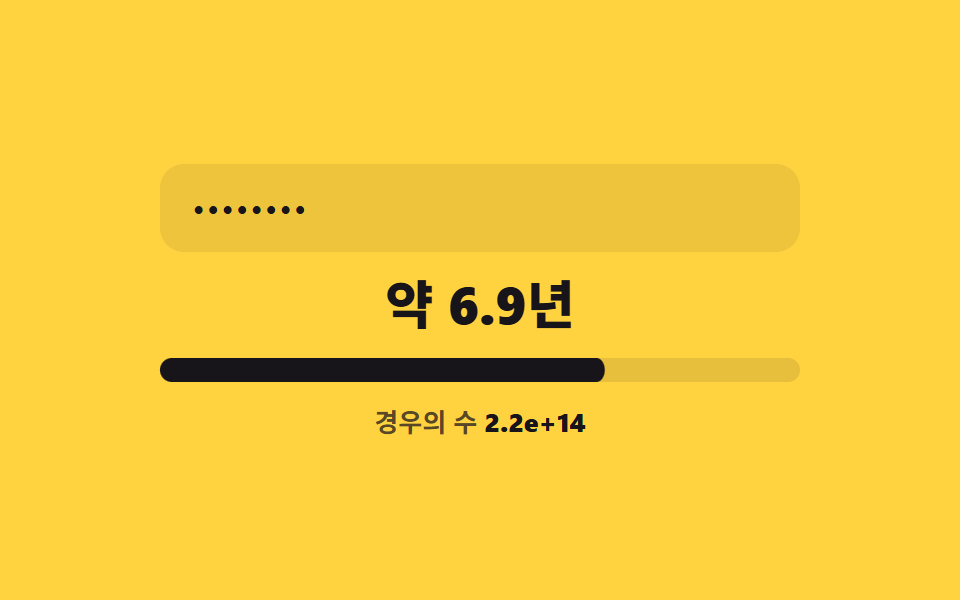 06 password-strength-crack-time-estimate
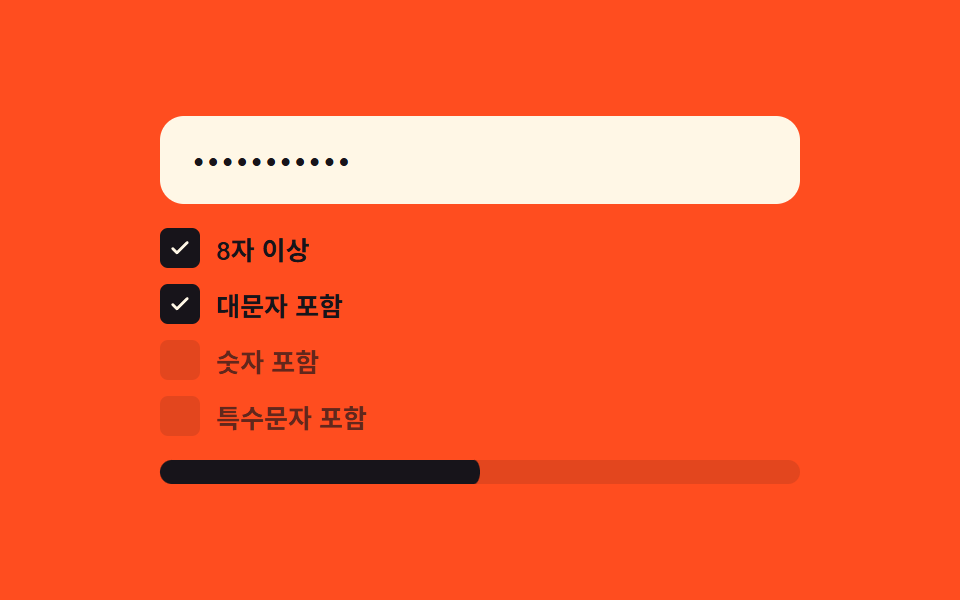 07 password-strength-criteria-checklist-live
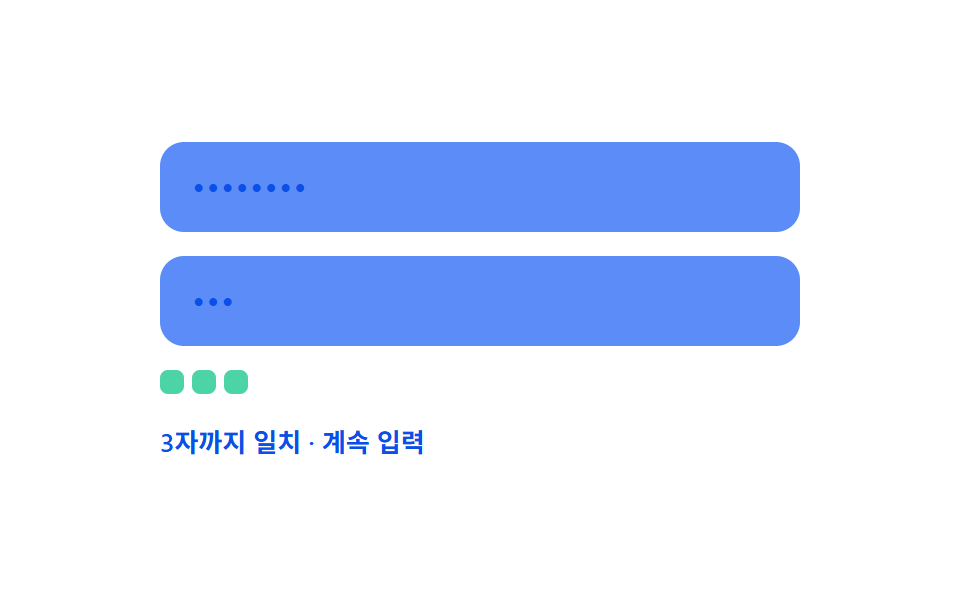 08 password-strength-confirm-match-live-diff
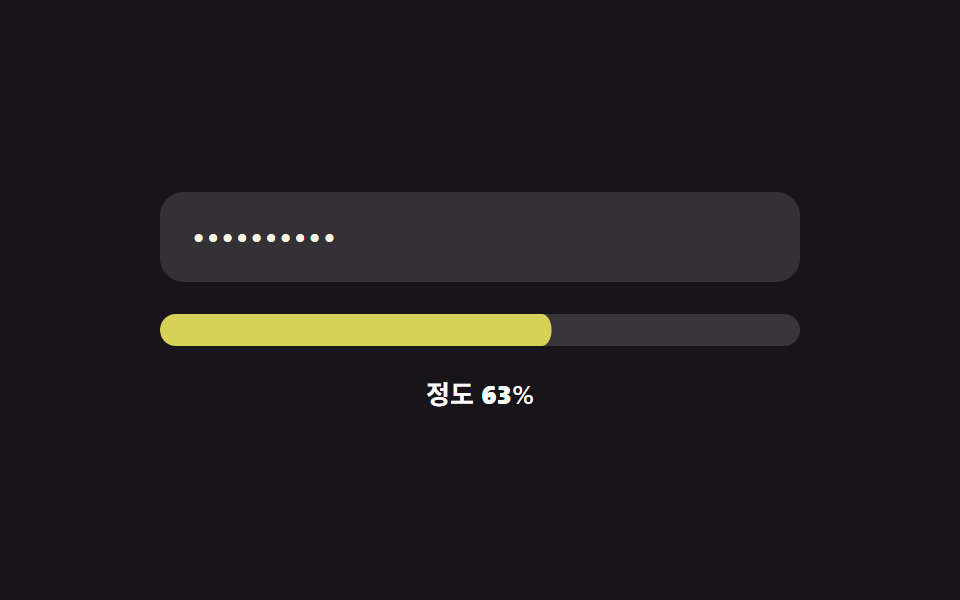 09 password-strength-color-gradient-morph
自動再生 · タイルを押すとその項目へ · すべて1つのzip
- 01 文字数境界塗り — 入力値の文字数がいくつかの境界値を超えるたびに強度の値が次の段階に上がる方式
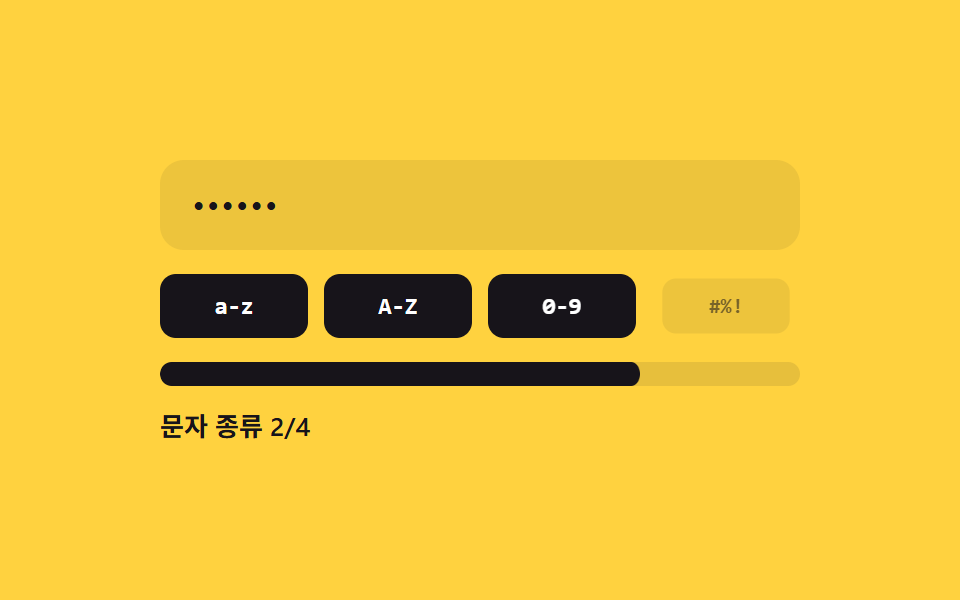
- 02 文字種数塗り — 入力値に混ざった異なる文字種の値の数によって強度の値が決まる方式
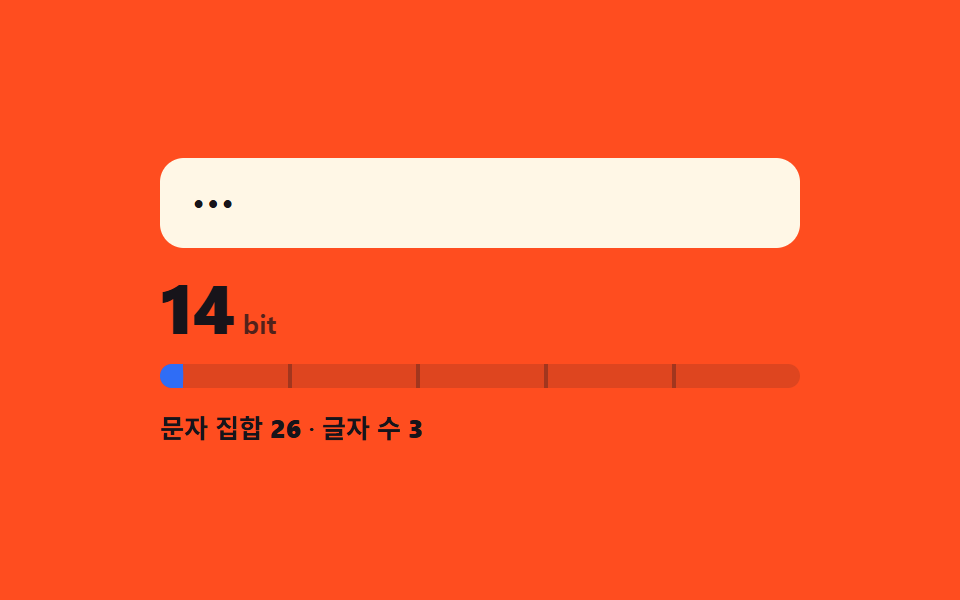
- 03 エントロピービット値表示 — 文字集合の大きさの値と文字数の値をかけた計算から強度の値が出る方式
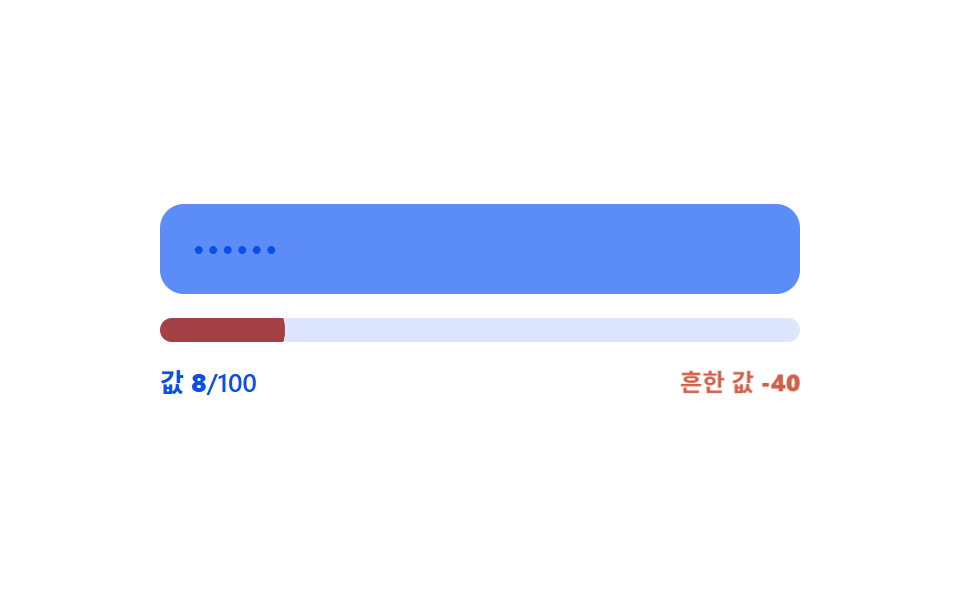
- 04 よくある値減点 — 入力値があらかじめ決めたよくある値のリストと同じ状態になると強度の値が減る方式
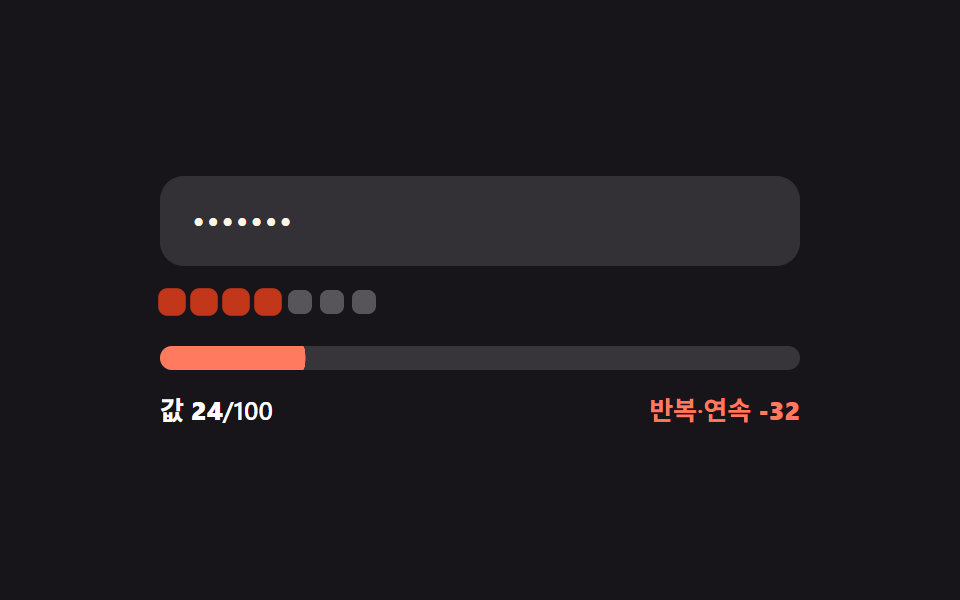
- 05 反復・順次値減点 — 同じ文字が連続したり数字の値が順番に続く区間の分だけ強度の値が減る方式
- 06 推定時間値単位切替 — 計算されたビットの値が境界値を過ぎるたびにかかる時間を表す値の単位が変わる方式
- 07 条件充足比率リアルタイム反映 — 複数の条件の値が真になる数の値の比率が強度の値に変わる方式
- 08 確認値リアルタイム照合 — 確認入力の値と元の値が食い違い始める位置の値をリアルタイムで見つける方式
- 09 連続色値変化 — 強度の値が段階で切り替わらず連続した値として変わり、色の値もなめらかにつながる方式
以下の9項目はどれもサーバーと通信せず、それぞれの強度・ビット・差分の値は今入力欄に入っている値だけからブラウザの中で計算されます。9つの項目には合計10個の実際のinputリスナーが配線されており、8項目はそれぞれ1個ずつ、確認欄を扱う08だけは2つのフィールドに1個ずつで、貼り付け・削除・1文字の入力のどれが起きても同じ値が再計算されます。どの入力欄もtype="text"のまま保たれ、点で隠す処理はネイティブのパスワード欄やJavaScriptによるマスキングではなく、CSSのプロパティ-webkit-text-security: discによるものです。読み込み時に流れるプレビューは固定された文字列の配列を順番になぞるだけで、これら9つのファイルのどこにもMath.randomは使われておらず、prefers-reduced-motion: reduceの判定はこの自動再生ループだけを止め、実際のキー入力の挙動には触れません。
9つの方式の構造 — どの値がいつ変わるか
決まった境界値で段が切り替わる2方式
01の4つの文字数境界と06の6つの時間単位境界は同じ仕組みで動きます — 内部では連続した数値がキー入力のたびに変わり続けているのに、表示される段や単位はその数値が短いリストの中の1点を越えた瞬間にしか更新されません。境界と境界の間でどれだけ文字を打っても、下の値自体は動いていてもラベルは動かないままです。
複数の下位値から強度の値を組み立てる4方式
02・03・07・09はどれも1つの測定値だけを読むのではなく、複数の小さな値から出力値を組み立てます — 一致した文字種パターンの数、文字数と文字集合の大きさをかけた計算、4条件の真偽の比率、あるいは長さの比率と文字種の比率を半分ずつ混ぜた値です。この4つのどれも入力の生の文字数だけを見ているわけではありません。
値を減らしたり別の値と照らし合わせたりする3方式
04と05はどちらも文字数を基にした同じ基礎点から出発し、そこから値を引きます — 04はよくある値のリストと一致した場合に一定の値を、05は同じ文字の連続や順序だった数字の区間の長さに応じた値を引きます。08は採点そのものをせず、代わりに2つの入力値を先頭から1文字ずつ比べ、どこで一致しなくなるかを探します。
方式ごとのコード
見出しの上にあるデモは、その下のコードフェンスと同じファイルから来ています — 合わせて読めば、計算の仕組みをライブラリの裏に隠さない、なかなか揃ったパスワード強度チェッカーの実例集になります。フェンスはその項目自身のindex.htmlから5〜25行の連続した区間を切り出したもので、識別子や波かっこは書かれたまま変えていません。
01文字数境界塗り — 入力値の文字数がいくつかの境界値を超えるたびに強度の値が次の段階に上がる方式
入力された値の文字数がいくつかの決められた境界値を超えるたびに強度の値が次の段階に上がります。会員登録フォームの基本パスワード入力や、最小文字数の基準を案内するアカウント設定はこの境界越えだけを見ていて、途中の細かい文字数は問いません。
<main class="stage">
<div class="pw is-demo" id="pw">
  <label class="pw__field">
    <input class="pw__input" id="pwInput" type="text" autocomplete="off" spellcheck="false" value="">
  </label>
  <div class="pw__track" id="pwTrack">
    <span class="pw__tick" style="--tick-at:25%"></span>
    <span class="pw__tick" style="--tick-at:50%"></span>
    <span class="pw__tick" style="--tick-at:75%"></span>
    <div class="pw__fill" id="pwFill"></div>
  </div>
  <div class="pw__readout">
    <span class="pw__label" id="pwLabel">境界 0/4</span>
    <span class="pw__len">文字数 <b id="pwLen">0</b></span>
  </div>
</div>
</main>
@use "../../../../site/static/demo-tokens" as *;
// 계산 겹: 글자 수 값이 4개 경계(4·8·12·16)를 넘을 때마다 강도 단계(0~4)가 오르고,
// 그 단계에 맞는 토큰 색으로 막대와 글자색이 함께 바뀐다 — 트윈은 채움 비율(scaleX)뿐이다.
@include stage($stage-ink);
.pw {
width: 100%;
max-width: 320px;
display: grid;
gap: $sp-4;
}
.pw__field { display: block; }
.pw__input {
width: 100%;
box-sizing: border-box;
padding: $sp-3 $sp-4;
border-radius: $r-control;
border: 0;
background: rgba($stage-paper, .12);
color: $subject-cream;
font: 500 16px/1.3 -apple-system, "Segoe UI", "Noto Sans KR", sans-serif;
letter-spacing: .04em;
-webkit-text-security: disc; // 마스킹: type=text 유지 + 브라우저 저장 프롬프트 회피
&:focus { outline: 2px solid $subject-blue-light; outline-offset: 2px; }
}
.pw__track {
position: relative;
height: $sp-3;
border-radius: $r-sm;
background: rgba($stage-paper, .14);
overflow: hidden;
}
.pw__fill {
position: absolute;
inset: 0;
border-radius: $r-sm;
background: $error;
transform: scaleX(0);
transform-origin: left center; // 채움 막대 — 시작 변에서 자란다
transition: transform $dur-base $ease-out, background-color $dur-base $ease-out;
}
.pw--s1 .pw__fill { background: $error; }
.pw--s2 .pw__fill { background: $subject-orange-deep; }
.pw--s3 .pw__fill { background: $subject-blue; }
.pw--s4 .pw__fill { background: $subject-mint; }
.pw__tick {
position: absolute;
top: 0;
left: var(--tick-at);
width: 2px;
height: 100%;
background: rgba($stage-ink, .35);
z-index: 1;
}
.pw__readout {
display: flex;
justify-content: space-between;
align-items: center;
font: 600 13px/1.2 -apple-system, "Segoe UI", "Noto Sans KR", sans-serif;
color: $stage-paper;
}
.pw__len { color: rgba($stage-paper, .72); font-weight: 500; }
.pw__len b { font-variant-numeric: tabular-nums; }
@media (max-width: 340px) {
.pw { max-width: 260px; }
.pw__input { padding: $sp-2 $sp-3; font-size: 14px; }
.pw__readout { font-size: 12px; }
}
@media (prefers-reduced-motion: reduce) {
.pw__fill { transition: none; }
}html, body {
margin: 0;
overflow: hidden;
}
.stage {
box-sizing: border-box;
min-height: 100vh;
display: grid;
place-items: center;
margin: 0;
background: #17141a;
font-family: -apple-system, "Segoe UI", "Noto Sans KR", sans-serif;
padding: clamp(8px, 4vw, 24px);
}
.pw {
width: 100%;
max-width: 320px;
display: grid;
gap: 16px;
}
.pw__field {
display: block;
}
.pw__input {
width: 100%;
box-sizing: border-box;
padding: 12px 16px;
border-radius: 12px;
border: 0;
background: rgba(255, 255, 255, 0.12);
color: #fff7e6;
font: 500 16px/1.3 -apple-system, "Segoe UI", "Noto Sans KR", sans-serif;
letter-spacing: 0.04em;
-webkit-text-security: disc;
}
.pw__input:focus {
outline: 2px solid #5b8cf8;
outline-offset: 2px;
}
.pw__track {
position: relative;
height: 12px;
border-radius: 8px;
background: rgba(255, 255, 255, 0.14);
overflow: hidden;
}
.pw__fill {
position: absolute;
inset: 0;
border-radius: 8px;
background: #c2361a;
transform: scaleX(0);
transform-origin: left center;
transition: transform 300ms ease-out, background-color 300ms ease-out;
}
.pw--s1 .pw__fill {
background: #c2361a;
}
.pw--s2 .pw__fill {
background: #c93000;
}
.pw--s3 .pw__fill {
background: #2f6df6;
}
.pw--s4 .pw__fill {
background: #4cd4a6;
}
.pw__tick {
position: absolute;
top: 0;
left: var(--tick-at);
width: 2px;
height: 100%;
background: rgba(23, 20, 26, 0.35);
z-index: 1;
}
.pw__readout {
display: flex;
justify-content: space-between;
align-items: center;
font: 600 13px/1.2 -apple-system, "Segoe UI", "Noto Sans KR", sans-serif;
color: #ffffff;
}
.pw__len {
color: rgba(255, 255, 255, 0.72);
font-weight: 500;
}
.pw__len b {
font-variant-numeric: tabular-nums;
}
@media (max-width: 340px) {
.pw {
max-width: 260px;
}
.pw__input {
padding: 8px 12px;
font-size: 14px;
}
.pw__readout {
font-size: 12px;
}
}
@media (prefers-reduced-motion: reduce) {
.pw__fill {
transition: none;
}
}(function () {
var root = document.getElementById('pw');
var input = document.getElementById('pwInput');
var fill = document.getElementById('pwFill');
var label = document.getElementById('pwLabel');
var lenEl = document.getElementById('pwLen');
// 계산 겹: 文字数 값이 이 境界 값들을 넘을 때마다 강도 値(0~4)이 한 단계씩 오른다.
var THRESHOLDS = [4, 8, 12, 16];
var STAGE_CLASS = ['pw--s0', 'pw--s1', 'pw--s2', 'pw--s3', 'pw--s4'];
function stageOf(len) {
var s = 0;
for (var i = 0; i < THRESHOLDS.length; i++) { if (len >= THRESHOLDS[i]) s = i + 1; }
return s;
}
function paint(value) {
var len = value.length;
var stage = stageOf(len);
var ratio = stage / THRESHOLDS.length;
fill.style.transform = 'scaleX(' + ratio + ')';
STAGE_CLASS.forEach(function (c) { root.classList.remove(c); });
root.classList.add(STAGE_CLASS[stage]);
label.textContent = '境界 ' + stage + '/4';
lenEl.textContent = String(len);
}
input.addEventListener('input', function () {
root.classList.remove('is-demo');
stopAutoplay();
paint(input.value);
});
paint(input.value);
// 자동 루프: 시드 고정 문자열 배열로 글자 수를 늘렸다 줄이며 네 경계를 오간다.
var SEQ = ['', 'ab', 'abcd', 'abcdef', 'abcdefgh', 'abcdefghij', 'abcdefghijkl',
'abcdefghijklmn', 'abcdefghijklmnop', 'abcdefghijklmn', 'abcdefghij',
'abcdefgh', 'abcd', ''];
var si = 0;
var autoTimer = null;
function autoTick() { input.value = SEQ[si]; paint(SEQ[si]); si = (si + 1) % SEQ.length; }
function stopAutoplay() { if (autoTimer) { clearInterval(autoTimer); autoTimer = null; } }
var reduce = window.matchMedia('(prefers-reduced-motion: reduce)').matches;
if (!reduce) { autoTimer = setInterval(autoTick, 320); autoTick(); }
})();import { useEffect, useRef } from "react";
import styles from "./ThresholdBar.module.scss";
type Box<T> = { current: T };
const THRESHOLDS = [4, 8, 12, 16];
const STAGE_CLASS = ["pw--s0", "pw--s1", "pw--s2", "pw--s3", "pw--s4"];
export default function ThresholdBar() {
const rootRef = useRef(null) as unknown as Box<HTMLDivElement | null>;
const inputRef = useRef(null) as unknown as Box<HTMLInputElement | null>;
const fillRef = useRef(null) as unknown as Box<HTMLDivElement | null>;
const labelRef = useRef(null) as unknown as Box<HTMLSpanElement | null>;
const lenRef = useRef(null) as unknown as Box<HTMLElement | null>;
useEffect(() => {
const root = rootRef.current;
const input = inputRef.current;
const fill = fillRef.current;
const label = labelRef.current;
const lenEl = lenRef.current;
if (!root || !input || !fill || !label || !lenEl) return;
// 계산 겹: 글자 수 값이 4개 경계(4·8·12·16)를 넘을 때마다 강도 단계(0~4)가 오른다.
function stageOf(len: number) {
let s = 0;
for (let i = 0; i < THRESHOLDS.length; i++) { if (len >= THRESHOLDS[i]) s = i + 1; }
return s;
}
function paint(value: string) {
const len = value.length;
const stage = stageOf(len);
const ratio = stage / THRESHOLDS.length;
fill!.style.transform = "scaleX(" + ratio + ")";
STAGE_CLASS.forEach((c) => root!.classList.remove(styles[c]));
root!.classList.add(styles[STAGE_CLASS[stage]]);
label!.textContent = "경계 " + stage + "/4";
lenEl!.textContent = String(len);
}
function onInput() {
root!.classList.remove(styles["is-demo"]);
stopAutoplay();
paint(input!.value);
}
input.addEventListener("input", onInput);
paint(input.value);
// 자동 루프: 시드 고정 문자열 배열로 글자 수를 늘렸다 줄이며 네 경계를 오간다.
const SEQ = ["", "ab", "abcd", "abcdef", "abcdefgh", "abcdefghij", "abcdefghijkl",
"abcdefghijklmn", "abcdefghijklmnop", "abcdefghijklmn", "abcdefghij",
"abcdefgh", "abcd", ""];
let si = 0;
let autoTimer: number | null = null;
function autoTick() { input!.value = SEQ[si]; paint(SEQ[si]); si = (si + 1) % SEQ.length; }
function stopAutoplay() { if (autoTimer !== null) { window.clearInterval(autoTimer); autoTimer = null; } }
const reduce = window.matchMedia("(prefers-reduced-motion: reduce)").matches;
if (!reduce) { autoTimer = window.setInterval(autoTick, 320); autoTick(); }
return () => {
stopAutoplay();
input.removeEventListener("input", onInput);
};
}, []);
return (
<div ref={rootRef} className={`${styles.stage} ${styles.pw} ${styles["is-demo"]} ${styles["pw--s0"]}`}>
<label className={styles.field}>
<input ref={inputRef} className={styles.input} type="text" autoComplete="off" spellCheck={false} defaultValue="" />
</label>
<div className={styles.track}>
<span className={styles.tick} style={{ left: "25%" }} />
<span className={styles.tick} style={{ left: "50%" }} />
<span className={styles.tick} style={{ left: "75%" }} />
<div ref={fillRef} className={styles.fill} />
</div>
<div className={styles.readout}>
<span ref={labelRef} className={styles.label}>경계 0/4</span>
<span className={styles.len}>글자 수 <b ref={lenRef}>0</b></span>
</div>
</div>
);
}01 · 文字数境界塗り — 入力値の文字数がいくつかの境界値を超えるたびに強度の値が次の段階に上がる方式 — 計測 累積面積 3.317% · 動いたフレーム 15/23GODRICH オリジナル · SCSS と React は zip に同梱 · パスワードを見る
数値が語ること
計測した24フレームのうち23コマの遷移で01が動くのは15回で、累積面積は3.317%、平均強度は103.7ですが、塗りが4つの境界を越えた瞬間にしか動かないため動きは少なめです。
  // 計算レイヤー: 入力値の文字数がこれらの境界値を超えるたびに、強度の値(0-4)が1段階ずつ上がります。
  var THRESHOLDS = [4, 8, 12, 16];
  var STAGE_CLASS = ['pw--s0', 'pw--s1', 'pw--s2', 'pw--s3', 'pw--s4'];

  function stageOf(len) {
    var s = 0;
    for (var i = 0; i < THRESHOLDS.length; i++) { if (len >= THRESHOLDS[i]) s = i + 1; }
    return s;
  }

  function paint(value) {
    var len = value.length;
    var stage = stageOf(len);
    var ratio = stage / THRESHOLDS.length;
    fill.style.transform = 'scaleX(' + ratio + ')';
    STAGE_CLASS.forEach(function (c) { root.classList.remove(c); });
    root.classList.add(STAGE_CLASS[stage]);
    label.textContent = '境界 ' + stage + '/4';
    lenEl.textContent = String(len);
  }
02文字種数塗り — 入力値に混ざった異なる文字種の値の数によって強度の値が決まる方式
入力値の中に異なる文字種の値がいくつ混ざっているかによって強度の値が決まります。大文字小文字・数字・記号の組み合わせを求めるアカウントセキュリティ設定や、社内システムのパスワード変更フォームは、この数をそのまま4つのバッジの点灯数として使います。
<main class="stage">
<div class="cc is-demo" id="cc">
  <label class="cc__field">
    <input class="cc__input" id="ccInput" type="text" autocomplete="off" spellcheck="false" value="">
  </label>
  <div class="cc__badges">
    <div class="cc__badge" id="ccB0"><span>a-z</span></div>
    <div class="cc__badge" id="ccB1"><span>A-Z</span></div>
    <div class="cc__badge" id="ccB2"><span>0-9</span></div>
    <div class="cc__badge" id="ccB3"><span>#%!</span></div>
  </div>
  <div class="cc__track"><div class="cc__fill" id="ccFill"></div></div>
  <div class="cc__label" id="ccLabel">文字種 0/4</div>
</div>
</main>
@use "../../../../site/static/demo-tokens" as *;
// 계산 겹: 4개 문자 종류 정규식을 입력 값에 검사해 참인 개수를 세고, 그 개수만큼
// 배지가 중심에서 커지며(scale) 켜지고 막대 채움 비율도 같은 개수/4 로 맞춘다.
@include stage($stage-yellow);
.cc {
width: 100%;
max-width: 320px;
display: grid;
gap: $sp-3;
}
.cc__field { display: block; }
.cc__input {
width: 100%;
box-sizing: border-box;
padding: $sp-3 $sp-4;
border-radius: $r-control;
border: 0;
background: rgba($stage-ink, .08);
color: $stage-ink;
font: 500 16px/1.3 -apple-system, "Segoe UI", "Noto Sans KR", sans-serif;
letter-spacing: .04em;
-webkit-text-security: disc;
&:focus { outline: 2px solid $stage-ink; outline-offset: 2px; }
}
.cc__badges {
display: grid;
grid-template-columns: repeat(4, 1fr);
gap: $sp-2;
}
.cc__badge {
height: 32px;
border-radius: $r-sm;
background: rgba($stage-ink, .08);
display: grid;
place-items: center;
transform: scale(.86);
transform-origin: center; // 스스로 완결한 배지가 중심에서 커진다
transition: transform $dur-quick $ease-spring, background-color $dur-quick $ease-out;
span {
font: 700 12px/1 "Space Mono", monospace;
color: rgba($stage-ink, .55);
transition: color $dur-quick $ease-out;
}
&--on {
background: $stage-ink;
transform: scale(1);
span { color: $stage-paper; }
}
}
.cc__track {
position: relative;
height: $sp-3;
border-radius: $r-sm;
background: rgba($stage-ink, .1);
overflow: hidden;
}
.cc__fill {
position: absolute;
inset: 0;
border-radius: $r-sm;
background: $stage-ink;
transform: scaleX(0);
transform-origin: left center;
transition: transform $dur-base $ease-out;
}
.cc__label {
font: 600 13px/1.2 -apple-system, "Segoe UI", "Noto Sans KR", sans-serif;
color: $stage-ink;
}
@media (max-width: 340px) {
.cc { max-width: 260px; }
.cc__input { padding: $sp-2 $sp-3; font-size: 14px; }
.cc__badge { height: 28px; }
.cc__badge span { font-size: 10px; }
}
@media (prefers-reduced-motion: reduce) {
.cc__badge, .cc__fill { transition: none; }
}html, body {
margin: 0;
overflow: hidden;
}
.stage {
box-sizing: border-box;
min-height: 100vh;
display: grid;
place-items: center;
margin: 0;
background: #ffd23f;
font-family: -apple-system, "Segoe UI", "Noto Sans KR", sans-serif;
padding: clamp(8px, 4vw, 24px);
}
.cc {
width: 100%;
max-width: 320px;
display: grid;
gap: 12px;
}
.cc__field {
display: block;
}
.cc__input {
width: 100%;
box-sizing: border-box;
padding: 12px 16px;
border-radius: 12px;
border: 0;
background: rgba(23, 20, 26, 0.08);
color: #17141a;
font: 500 16px/1.3 -apple-system, "Segoe UI", "Noto Sans KR", sans-serif;
letter-spacing: 0.04em;
-webkit-text-security: disc;
}
.cc__input:focus {
outline: 2px solid #17141a;
outline-offset: 2px;
}
.cc__badges {
display: grid;
grid-template-columns: repeat(4, 1fr);
gap: 8px;
}
.cc__badge {
height: 32px;
border-radius: 8px;
background: rgba(23, 20, 26, 0.08);
display: grid;
place-items: center;
transform: scale(0.86);
transform-origin: center;
transition: transform 220ms cubic-bezier(0.2, 0.8, 0.2, 1), background-color 220ms ease-out;
}
.cc__badge span {
font: 700 12px/1 "Space Mono", monospace;
color: rgba(23, 20, 26, 0.55);
transition: color 220ms ease-out;
}
.cc__badge--on {
background: #17141a;
transform: scale(1);
}
.cc__badge--on span {
color: #ffffff;
}
.cc__track {
position: relative;
height: 12px;
border-radius: 8px;
background: rgba(23, 20, 26, 0.1);
overflow: hidden;
}
.cc__fill {
position: absolute;
inset: 0;
border-radius: 8px;
background: #17141a;
transform: scaleX(0);
transform-origin: left center;
transition: transform 300ms ease-out;
}
.cc__label {
font: 600 13px/1.2 -apple-system, "Segoe UI", "Noto Sans KR", sans-serif;
color: #17141a;
}
@media (max-width: 340px) {
.cc {
max-width: 260px;
}
.cc__input {
padding: 8px 12px;
font-size: 14px;
}
.cc__badge {
height: 28px;
}
.cc__badge span {
font-size: 10px;
}
}
@media (prefers-reduced-motion: reduce) {
.cc__badge, .cc__fill {
transition: none;
}
}(function () {
var root = document.getElementById('cc');
var input = document.getElementById('ccInput');
var fill = document.getElementById('ccFill');
var label = document.getElementById('ccLabel');
var badges = [document.getElementById('ccB0'), document.getElementById('ccB1'), document.getElementById('ccB2'), document.getElementById('ccB3')];
// 계산 겹: 입력 값을 4개 文字種 정규식으로 각각 검사해 참인 개수를 센다.
var CLASSES = [/[a-z]/, /[A-Z]/, /[0-9]/, /[^A-Za-z0-9]/];
function countClasses(value) {
var n = 0;
for (var i = 0; i < CLASSES.length; i++) {
var hit = CLASSES[i].test(value);
badges[i].classList.toggle('cc__badge--on', hit);
if (hit) n++;
}
return n;
}
function paint(value) {
var n = countClasses(value);
fill.style.transform = 'scaleX(' + (n / CLASSES.length) + ')';
label.textContent = '文字種 ' + n + '/4';
}
input.addEventListener('input', function () {
root.classList.remove('is-demo');
stopAutoplay();
paint(input.value);
});
paint(input.value);
// 자동 루프: 시드 고정 문자열 배열로 문자 종류를 하나씩 늘렸다 줄인다.
var SEQ = ['', 'abc', 'abcABC', 'abcABC123', 'abcABC123!@#', 'abcABC123', 'abcABC', 'abc', ''];
var si = 0;
var autoTimer = null;
function autoTick() { input.value = SEQ[si]; paint(SEQ[si]); si = (si + 1) % SEQ.length; }
function stopAutoplay() { if (autoTimer) { clearInterval(autoTimer); autoTimer = null; } }
var reduce = window.matchMedia('(prefers-reduced-motion: reduce)').matches;
if (!reduce) { autoTimer = setInterval(autoTick, 340); autoTick(); }
})();import { useEffect, useRef } from "react";
import styles from "./CharclassFill.module.scss";
type Box<T> = { current: T };
const CLASSES = [/[a-z]/, /[A-Z]/, /[0-9]/, /[^A-Za-z0-9]/];
const LABELS = ["a-z", "A-Z", "0-9", "#%!"];
export default function CharclassFill() {
const rootRef = useRef(null) as unknown as Box<HTMLDivElement | null>;
useEffect(() => {
const root = rootRef.current;
if (!root) return;
const input = root.querySelector(`.${styles.input}`) as HTMLInputElement | null;
const fill = root.querySelector(`.${styles.fill}`) as HTMLElement | null;
const label = root.querySelector(`.${styles.label}`) as HTMLElement | null;
const badges = Array.prototype.slice.call(
root.querySelectorAll(`.${styles["cc__badge"]}`)
) as HTMLElement[];
if (!input || !fill || !label) return;
// 계산 겹: 입력 값을 4개 문자 종류 정규식으로 각각 검사해 참인 개수를 센다.
function countClasses(value: string) {
let n = 0;
for (let i = 0; i < CLASSES.length; i++) {
const hit = CLASSES[i].test(value);
badges[i].classList.toggle(styles["cc__badge--on"], hit);
if (hit) n++;
}
return n;
}
function paint(value: string) {
const n = countClasses(value);
fill!.style.transform = "scaleX(" + (n / CLASSES.length) + ")";
label!.textContent = "문자 종류 " + n + "/4";
}
function onInput() {
root!.classList.remove(styles["is-demo"]);
stopAutoplay();
paint(input!.value);
}
input.addEventListener("input", onInput);
paint(input.value);
// 자동 루프: 시드 고정 문자열 배열로 문자 종류를 하나씩 늘렸다 줄인다.
const SEQ = ["", "abc", "abcABC", "abcABC123", "abcABC123!@#", "abcABC123", "abcABC", "abc", ""];
let si = 0;
let autoTimer: number | null = null;
function autoTick() { input!.value = SEQ[si]; paint(SEQ[si]); si = (si + 1) % SEQ.length; }
function stopAutoplay() { if (autoTimer !== null) { window.clearInterval(autoTimer); autoTimer = null; } }
const reduce = window.matchMedia("(prefers-reduced-motion: reduce)").matches;
if (!reduce) { autoTimer = window.setInterval(autoTick, 340); autoTick(); }
return () => {
stopAutoplay();
input.removeEventListener("input", onInput);
};
}, []);
return (
<div ref={rootRef} className={`${styles.stage} ${styles.cc} ${styles["is-demo"]}`}>
<label className={styles.field}>
<input className={styles.input} type="text" autoComplete="off" spellCheck={false} defaultValue="" />
</label>
<div className={styles.badges}>
{LABELS.map((l) => (
<div key={l} className={styles["cc__badge"]}>
<span>{l}</span>
</div>
))}
</div>
<div className={styles.track}><div className={styles.fill} /></div>
<div className={styles.label}>문자 종류 0/4</div>
</div>
);
}02 · 文字種数塗り — 入力値に混ざった異なる文字種の値の数によって強度の値が決まる方式 — 計測 累積面積 9.395% · 動いたフレーム 22/23GODRICH オリジナル · SCSS と React は zip に同梱 · パスワードを見る
数値が語ること
計測した24フレームのうち23コマの遷移で02が動くのは22回で、累積面積は9.395%、平均強度は119.4と9項目中最大になりますが、これはシーケンスのほぼ毎ステップで4つのバッジと塗りバーが同時に塗り直されるためです。
  // 計算レイヤー: 入力値が4つの文字種パターンに対して検査され、真になった数が集計されます。
  var CLASSES = [/[a-z]/, /[A-Z]/, /[0-9]/, /[^A-Za-z0-9]/];

  function countClasses(value) {
    var n = 0;
    for (var i = 0; i < CLASSES.length; i++) {
      var hit = CLASSES[i].test(value);
      badges[i].classList.toggle('cc__badge--on', hit);
      if (hit) n++;
    }
    return n;
  }

  function paint(value) {
    var n = countClasses(value);
    fill.style.transform = 'scaleX(' + (n / CLASSES.length) + ')';
    label.textContent = '文字種 ' + n + '/4';
  }
03エントロピービット値表示 — 文字集合の大きさの値と文字数の値をかけた計算から強度の値が出る方式
文字集合の大きさの値と文字数の値をかけた計算から出るビット値が大きいほど強度の値が高く付けられます。セキュリティ水準を数値で確かめさせる開発者向けアカウント設定や、APIキー発行画面のシークレット値の強度表示は、あいまいなラベルの代わりにこのビット値をそのまま出します。
<main class="stage">
<div class="eb is-demo" id="eb">
  <label class="eb__field">
    <input class="eb__input" id="ebInput" type="text" autocomplete="off" spellcheck="false" value="">
  </label>
  <div class="eb__bits"><b id="ebBits">0</b><span>bit</span></div>
  <div class="eb__track" id="ebTrack">
    <span class="eb__tick" style="--tick-at:20%"></span>
    <span class="eb__tick" style="--tick-at:40%"></span>
    <span class="eb__tick" style="--tick-at:60%"></span>
    <span class="eb__tick" style="--tick-at:80%"></span>
    <div class="eb__fill" id="ebFill"></div>
  </div>
  <div class="eb__meta">文字集合 <b id="ebSet">0</b> ・文字数 <b id="ebLen">0</b></div>
</div>
</main>
@use "../../../../site/static/demo-tokens" as *;
// 계산 겹: 문자 집합 크기 값 × 글자 수 값에 log2 를 취해 비트 값을 만든다 —
// 채움 막대(scaleX)는 그 비트 값을 상한(100비트) 대비 비율로 보여줄 뿐이다.
@include stage($stage-orange);
.eb {
width: 100%;
max-width: 320px;
display: grid;
gap: $sp-3;
}
.eb__field { display: block; }
.eb__input {
width: 100%;
box-sizing: border-box;
padding: $sp-3 $sp-4;
border-radius: $r-control;
border: 0;
background: $subject-cream;
color: $subject-ink;
font: 500 16px/1.3 -apple-system, "Segoe UI", "Noto Sans KR", sans-serif;
letter-spacing: .04em;
-webkit-text-security: disc;
&:focus { outline: 2px solid $subject-ink; outline-offset: 2px; }
}
.eb__bits {
display: flex;
align-items: baseline;
gap: $sp-1;
color: $subject-ink;
b { font: 800 34px/1 -apple-system, "Segoe UI", "Noto Sans KR", sans-serif; font-variant-numeric: tabular-nums; }
span { font: 600 13px/1 -apple-system, sans-serif; opacity: .75; }
}
.eb__track {
position: relative;
height: $sp-3;
border-radius: $r-sm;
background: rgba($subject-ink, .14);
overflow: hidden;
}
.eb__fill {
position: absolute;
inset: 0;
border-radius: $r-sm;
background: $subject-blue;
transform: scaleX(0);
transform-origin: left center;
transition: transform $dur-base $ease-out;
}
.eb__tick {
position: absolute;
top: 0;
left: var(--tick-at);
width: 2px;
height: 100%;
background: rgba($subject-ink, .3);
z-index: 1;
}
.eb__meta {
font: 600 13px/1.2 -apple-system, "Segoe UI", "Noto Sans KR", sans-serif;
color: $subject-ink;
b { font-variant-numeric: tabular-nums; }
}
@media (max-width: 340px) {
.eb { max-width: 260px; }
.eb__input { padding: $sp-2 $sp-3; font-size: 14px; }
.eb__bits b { font-size: 26px; }
.eb__meta { font-size: 11px; }
}
@media (prefers-reduced-motion: reduce) {
.eb__fill { transition: none; }
}html, body {
margin: 0;
overflow: hidden;
}
.stage {
box-sizing: border-box;
min-height: 100vh;
display: grid;
place-items: center;
margin: 0;
background: #ff4d1f;
font-family: -apple-system, "Segoe UI", "Noto Sans KR", sans-serif;
padding: clamp(8px, 4vw, 24px);
}
.eb {
width: 100%;
max-width: 320px;
display: grid;
gap: 12px;
}
.eb__field {
display: block;
}
.eb__input {
width: 100%;
box-sizing: border-box;
padding: 12px 16px;
border-radius: 12px;
border: 0;
background: #fff7e6;
color: #17141a;
font: 500 16px/1.3 -apple-system, "Segoe UI", "Noto Sans KR", sans-serif;
letter-spacing: 0.04em;
-webkit-text-security: disc;
}
.eb__input:focus {
outline: 2px solid #17141a;
outline-offset: 2px;
}
.eb__bits {
display: flex;
align-items: baseline;
gap: 4px;
color: #17141a;
}
.eb__bits b {
font: 800 34px/1 -apple-system, "Segoe UI", "Noto Sans KR", sans-serif;
font-variant-numeric: tabular-nums;
}
.eb__bits span {
font: 600 13px/1 -apple-system, sans-serif;
opacity: 0.75;
}
.eb__track {
position: relative;
height: 12px;
border-radius: 8px;
background: rgba(23, 20, 26, 0.14);
overflow: hidden;
}
.eb__fill {
position: absolute;
inset: 0;
border-radius: 8px;
background: #2f6df6;
transform: scaleX(0);
transform-origin: left center;
transition: transform 300ms ease-out;
}
.eb__tick {
position: absolute;
top: 0;
left: var(--tick-at);
width: 2px;
height: 100%;
background: rgba(23, 20, 26, 0.3);
z-index: 1;
}
.eb__meta {
font: 600 13px/1.2 -apple-system, "Segoe UI", "Noto Sans KR", sans-serif;
color: #17141a;
}
.eb__meta b {
font-variant-numeric: tabular-nums;
}
@media (max-width: 340px) {
.eb {
max-width: 260px;
}
.eb__input {
padding: 8px 12px;
font-size: 14px;
}
.eb__bits b {
font-size: 26px;
}
.eb__meta {
font-size: 11px;
}
}
@media (prefers-reduced-motion: reduce) {
.eb__fill {
transition: none;
}
}(function () {
var root = document.getElementById('eb');
var input = document.getElementById('ebInput');
var bitsEl = document.getElementById('ebBits');
var fill = document.getElementById('ebFill');
var setEl = document.getElementById('ebSet');
var lenEl = document.getElementById('ebLen');
var MAX_BITS = 100; // 막대 눈금의 오른쪽 끝 — 이 値 이상은 꽉 찬 막대로 표시
// 계산 겹: 섞인 문자 종류로 文字集合 크기 값을 구하고, 文字数 값을 곱한 뒤
// 밑이 2인 로그를 취해 비트 값을 만든다 (엔트로피 = 文字数 × log2(文字集合 크기)).
function charsetSize(value) {
var size = 0;
if (/[a-z]/.test(value)) size += 26;
if (/[A-Z]/.test(value)) size += 26;
if (/[0-9]/.test(value)) size += 10;
if (/[^A-Za-z0-9]/.test(value)) size += 32;
return size;
}
function bitsOf(value) {
var size = charsetSize(value);
if (!value.length || size === 0) return { bits: 0, size: size };
return { bits: value.length * (Math.log(size) / Math.log(2)), size: size };
}
function paint(value) {
var r = bitsOf(value);
var bits = Math.round(r.bits);
bitsEl.textContent = String(bits);
fill.style.transform = 'scaleX(' + Math.min(1, r.bits / MAX_BITS) + ')';
setEl.textContent = String(r.size);
lenEl.textContent = String(value.length);
}
input.addEventListener('input', function () {
root.classList.remove('is-demo');
stopAutoplay();
paint(input.value);
});
paint(input.value);
// 자동 루프: 시드 고정 문자열 배열로 길이·문자 집합을 함께 늘렸다 줄인다.
var SEQ = ['', 'abc', 'abcdef', 'abcdefgh12', 'abcdefgh12AB', 'abcdefgh12AB!@',
'abcdefgh12AB!@#$%^', 'abcdefgh12AB!@', 'abcdefgh12AB', 'abcdefgh12', 'abcdef', 'abc', ''];
var si = 0;
var autoTimer = null;
function autoTick() { input.value = SEQ[si]; paint(SEQ[si]); si = (si + 1) % SEQ.length; }
function stopAutoplay() { if (autoTimer) { clearInterval(autoTimer); autoTimer = null; } }
var reduce = window.matchMedia('(prefers-reduced-motion: reduce)').matches;
if (!reduce) { autoTimer = setInterval(autoTick, 320); autoTick(); }
})();import { useEffect, useRef } from "react";
import styles from "./EntropyGauge.module.scss";
type Box<T> = { current: T };
const MAX_BITS = 100;
export default function EntropyGauge() {
const rootRef = useRef(null) as unknown as Box<HTMLDivElement | null>;
useEffect(() => {
const root = rootRef.current;
if (!root) return;
const input = root.querySelector(`.${styles.input}`) as HTMLInputElement | null;
const bitsEl = root.querySelector(`.${styles.bitsNum}`) as HTMLElement | null;
const fill = root.querySelector(`.${styles.fill}`) as HTMLElement | null;
const setEl = root.querySelector(`.${styles.setSize}`) as HTMLElement | null;
const lenEl = root.querySelector(`.${styles.len}`) as HTMLElement | null;
if (!input || !bitsEl || !fill || !setEl || !lenEl) return;
// 계산 겹: 섞인 문자 종류로 문자 집합 크기 값을 구하고, 글자 수 값을 곱한 뒤
// 밑이 2인 로그를 취해 비트 값을 만든다.
function charsetSize(value: string) {
let size = 0;
if (/[a-z]/.test(value)) size += 26;
if (/[A-Z]/.test(value)) size += 26;
if (/[0-9]/.test(value)) size += 10;
if (/[^A-Za-z0-9]/.test(value)) size += 32;
return size;
}
function bitsOf(value: string) {
const size = charsetSize(value);
if (!value.length || size === 0) return { bits: 0, size };
return { bits: value.length * (Math.log(size) / Math.log(2)), size };
}
function paint(value: string) {
const r = bitsOf(value);
bitsEl!.textContent = String(Math.round(r.bits));
fill!.style.transform = "scaleX(" + Math.min(1, r.bits / MAX_BITS) + ")";
setEl!.textContent = String(r.size);
lenEl!.textContent = String(value.length);
}
function onInput() {
root!.classList.remove(styles["is-demo"]);
stopAutoplay();
paint(input!.value);
}
input.addEventListener("input", onInput);
paint(input.value);
// 자동 루프: 시드 고정 문자열 배열로 길이·문자 집합을 함께 늘렸다 줄인다.
const SEQ = ["", "abc", "abcdef", "abcdefgh12", "abcdefgh12AB", "abcdefgh12AB!@",
"abcdefgh12AB!@#$%^", "abcdefgh12AB!@", "abcdefgh12AB", "abcdefgh12", "abcdef", "abc", ""];
let si = 0;
let autoTimer: number | null = null;
function autoTick() { input!.value = SEQ[si]; paint(SEQ[si]); si = (si + 1) % SEQ.length; }
function stopAutoplay() { if (autoTimer !== null) { window.clearInterval(autoTimer); autoTimer = null; } }
const reduce = window.matchMedia("(prefers-reduced-motion: reduce)").matches;
if (!reduce) { autoTimer = window.setInterval(autoTick, 320); autoTick(); }
return () => {
stopAutoplay();
input.removeEventListener("input", onInput);
};
}, []);
return (
<div ref={rootRef} className={`${styles.stage} ${styles.eb} ${styles["is-demo"]}`}>
<label className={styles.field}>
<input className={styles.input} type="text" autoComplete="off" spellCheck={false} defaultValue="" />
</label>
<div className={styles.bits}><b className={styles.bitsNum}>0</b><span>bit</span></div>
<div className={styles.track}>
<span className={styles.tick} style={{ left: "20%" }} />
<span className={styles.tick} style={{ left: "40%" }} />
<span className={styles.tick} style={{ left: "60%" }} />
<span className={styles.tick} style={{ left: "80%" }} />
<div className={styles.fill} />
</div>
<div className={styles.meta}>문자 집합 <b className={styles.setSize}>0</b> · 글자 수 <b className={styles.len}>0</b></div>
</div>
);
}03 · エントロピービット値表示 — 文字集合の大きさの値と文字数の値をかけた計算から強度の値が出る方式 — 計測 累積面積 4.297% · 動いたフレーム 22/23GODRICH オリジナル · SCSS と React は zip に同梱 · パスワードを見る
数値が語ること
計測した24フレームのうち23コマの遷移で03が動くのは22回で、累積面積は4.297%、平均強度は183.8ですが、ビットの値が文字数と文字集合の大きさの両方で連続的に増えるため、数段階の跳躍ではなくほぼ毎フレームで塗りが伸び続けます。
  // 計算レイヤー: 混ざった文字種から文字集合の大きさの値が決まり、それを文字数の値でかけたあと、
  // 底が2の対数を取ることでビット値に変換します(エントロピー = 文字数 × log2(文字集合の大きさ))。
  function charsetSize(value) {
    var size = 0;
    if (/[a-z]/.test(value)) size += 26;
    if (/[A-Z]/.test(value)) size += 26;
    if (/[0-9]/.test(value)) size += 10;
    if (/[^A-Za-z0-9]/.test(value)) size += 32;
    return size;
  }

  function bitsOf(value) {
    var size = charsetSize(value);
    if (!value.length || size === 0) return { bits: 0, size: size };
    return { bits: value.length * (Math.log(size) / Math.log(2)), size: size };
  }

  function paint(value) {
    var r = bitsOf(value);
    var bits = Math.round(r.bits);
    bitsEl.textContent = String(bits);
    fill.style.transform = 'scaleX(' + Math.min(1, r.bits / MAX_BITS) + ')';
    setEl.textContent = String(r.size);
    lenEl.textContent = String(value.length);
  }
04よくある値減点 — 入力値があらかじめ決めたよくある値のリストと同じ状態になると強度の値が減る方式
入力値があらかじめ決めておいたよくある値のリストと同じ状態になると強度の値から一定の値だけ引かれます。使い回しの簡単なパスワードを防ぐ登録フォームや、よく漏えいする値をはじくアカウント設定は、この完全一致による減点だけを仕組みにしています。
<main class="stage">
<div class="cl is-demo" id="cl">
  <label class="cl__field">
    <input class="cl__input" id="clInput" type="text" autocomplete="off" spellcheck="false" value="">
  </label>
  <div class="cl__track"><div class="cl__fill" id="clFill"></div></div>
  <div class="cl__row">
    <span class="cl__score">値 <b id="clScore">0</b>/100</span>
    <span class="cl__warn" id="clWarn">よくある値 <b id="clPenalty">-40</b></span>
  </div>
</div>
</main>
@use "../../../../site/static/demo-tokens" as *;
// 계산 겹: 길이 기반 기본 점수에서, 값이 가상 흔한 값 목록과 완전히 일치하면
// 고정 감점(-40)을 적용한다 — 목록 포함 여부가 곧 감점 여부를 가르는 분기다.
@include stage($stage-paper);
.cl {
width: 100%;
max-width: 320px;
display: grid;
gap: $sp-3;
}
.cl__field { display: block; }
.cl__input {
width: 100%;
box-sizing: border-box;
padding: $sp-3 $sp-4;
border-radius: $r-control;
border: 0;
background: $subject-blue-light;
color: $subject-blue-deep;
font: 500 16px/1.3 -apple-system, "Segoe UI", "Noto Sans KR", sans-serif;
letter-spacing: .04em;
-webkit-text-security: disc;
&:focus { outline: 2px solid $subject-blue-deep; outline-offset: 2px; }
}
.cl__track {
position: relative;
height: $sp-3;
border-radius: $r-sm;
background: rgba($subject-blue-deep, .14);
overflow: hidden;
}
.cl__fill {
position: absolute;
inset: 0;
border-radius: $r-sm;
background: $subject-blue;
transform: scaleX(0);
transform-origin: left center;
transition: transform $dur-base $ease-out, background-color $dur-base $ease-out;
}
.cl--hit .cl__fill { background: $error; }
.cl__row {
display: flex;
align-items: center;
justify-content: space-between;
gap: $sp-2;
font: 600 13px/1.2 -apple-system, "Segoe UI", "Noto Sans KR", sans-serif;
color: $subject-blue-deep;
}
.cl__score b { font-variant-numeric: tabular-nums; }
.cl__warn {
color: $error;
opacity: 0;
transform: scale(.7);
transform-origin: right center;
transition: opacity $dur-base $ease-out, transform $dur-base $ease-out;
}
@media (max-width: 340px) {
.cl { max-width: 260px; }
.cl__input { padding: $sp-2 $sp-3; font-size: 14px; }
.cl__row { font-size: 11px; }
}
@media (prefers-reduced-motion: reduce) {
.cl__fill, .cl__warn { transition: none; }
}html, body {
margin: 0;
overflow: hidden;
}
.stage {
box-sizing: border-box;
min-height: 100vh;
display: grid;
place-items: center;
margin: 0;
background: #ffffff;
font-family: -apple-system, "Segoe UI", "Noto Sans KR", sans-serif;
padding: clamp(8px, 4vw, 24px);
}
.cl {
width: 100%;
max-width: 320px;
display: grid;
gap: 12px;
}
.cl__field {
display: block;
}
.cl__input {
width: 100%;
box-sizing: border-box;
padding: 12px 16px;
border-radius: 12px;
border: 0;
background: #5b8cf8;
color: #0a4fe8;
font: 500 16px/1.3 -apple-system, "Segoe UI", "Noto Sans KR", sans-serif;
letter-spacing: 0.04em;
-webkit-text-security: disc;
}
.cl__input:focus {
outline: 2px solid #0a4fe8;
outline-offset: 2px;
}
.cl__track {
position: relative;
height: 12px;
border-radius: 8px;
background: rgba(10, 79, 232, 0.14);
overflow: hidden;
}
.cl__fill {
position: absolute;
inset: 0;
border-radius: 8px;
background: #2f6df6;
transform: scaleX(0);
transform-origin: left center;
transition: transform 300ms ease-out, background-color 300ms ease-out;
}
.cl--hit .cl__fill {
background: #c2361a;
}
.cl__row {
display: flex;
align-items: center;
justify-content: space-between;
gap: 8px;
font: 600 13px/1.2 -apple-system, "Segoe UI", "Noto Sans KR", sans-serif;
color: #0a4fe8;
}
.cl__score b {
font-variant-numeric: tabular-nums;
}
.cl__warn {
color: #c2361a;
opacity: 0;
transform: scale(0.7);
transform-origin: right center;
transition: opacity 300ms ease-out, transform 300ms ease-out;
}
@media (max-width: 340px) {
.cl {
max-width: 260px;
}
.cl__input {
padding: 8px 12px;
font-size: 14px;
}
.cl__row {
font-size: 11px;
}
}
@media (prefers-reduced-motion: reduce) {
.cl__fill, .cl__warn {
transition: none;
}
}(function () {
var root = document.getElementById('cl');
var input = document.getElementById('clInput');
var fill = document.getElementById('clFill');
var scoreEl = document.getElementById('clScore');
var warn = document.getElementById('clWarn');
// 계산 겹: 가상 よくある値 소형 목록(일반 패턴형 10개, 외부 유출 목록 아님) — 실제 서비스명 0.
var COMMON = ['password', '123456', 'qwerty', '111111', 'abc123',
'letmein', 'iloveyou', 'admin', 'welcome', 'monkey'];
var PENALTY = 40;
function scoreOf(value) {
var base = Math.min(100, value.length * 8);
var hit = value.length > 0 && COMMON.indexOf(value.toLowerCase()) !== -1;
var score = hit ? Math.max(0, base - PENALTY) : base;
return { score: score, hit: hit };
}
function paint(value) {
var r = scoreOf(value);
fill.style.transform = 'scaleX(' + (r.score / 100) + ')';
root.classList.toggle('cl--hit', r.hit);
scoreEl.textContent = String(r.score);
warn.style.opacity = r.hit ? '1' : '0';
warn.style.transform = r.hit ? 'scale(1)' : 'scale(.7)';
}
input.addEventListener('input', function () {
root.classList.remove('is-demo');
stopAutoplay();
paint(input.value);
});
paint(input.value);
// 자동 루프: 시드 고정 문자열 배열 — 흔한 값과 일반 값을 번갈아 입력한다.
var SEQ = ['', 'x7Ba9K2', 'password', 'x7Ba9K2Q', '123456', 'GreenTiger42', 'qwerty', ''];
var si = 0;
var autoTimer = null;
function autoTick() { input.value = SEQ[si]; paint(SEQ[si]); si = (si + 1) % SEQ.length; }
function stopAutoplay() { if (autoTimer) { clearInterval(autoTimer); autoTimer = null; } }
var reduce = window.matchMedia('(prefers-reduced-motion: reduce)').matches;
if (!reduce) { autoTimer = setInterval(autoTick, 360); autoTick(); }
})();import { useEffect, useRef } from "react";
import styles from "./CommonListPenalty.module.scss";
type Box<T> = { current: T };
const PENALTY = 40;
export default function CommonListPenalty() {
const rootRef = useRef(null) as unknown as Box<HTMLDivElement | null>;
useEffect(() => {
const root = rootRef.current;
if (!root) return;
const input = root.querySelector(`.${styles.input}`) as HTMLInputElement | null;
const fill = root.querySelector(`.${styles.fill}`) as HTMLElement | null;
const scoreEl = root.querySelector(`.${styles.scoreNum}`) as HTMLElement | null;
const warn = root.querySelector(`.${styles.warn}`) as HTMLElement | null;
if (!input || !fill || !scoreEl || !warn) return;
// 계산 겹: 가상 흔한 값 소형 목록(일반 패턴형 10개, 외부 유출 목록 아님) — 실제 서비스명 0.
const COMMON = ["password", "123456", "qwerty", "111111", "abc123",
"letmein", "iloveyou", "admin", "welcome", "monkey"];
function scoreOf(value: string) {
const base = Math.min(100, value.length * 8);
const hit = value.length > 0 && COMMON.indexOf(value.toLowerCase()) !== -1;
const score = hit ? Math.max(0, base - PENALTY) : base;
return { score, hit };
}
function paint(value: string) {
const r = scoreOf(value);
fill!.style.transform = "scaleX(" + r.score / 100 + ")";
root!.classList.toggle(styles["cl--hit"], r.hit);
scoreEl!.textContent = String(r.score);
warn!.style.opacity = r.hit ? "1" : "0";
warn!.style.transform = r.hit ? "scale(1)" : "scale(.7)";
}
function onInput() {
root!.classList.remove(styles["is-demo"]);
stopAutoplay();
paint(input!.value);
}
input.addEventListener("input", onInput);
paint(input.value);
// 자동 루프: 시드 고정 문자열 배열 — 흔한 값과 일반 값을 번갈아 입력한다.
const SEQ = ["", "x7Ba9K2", "password", "x7Ba9K2Q", "123456", "GreenTiger42", "qwerty", ""];
let si = 0;
let autoTimer: number | null = null;
function autoTick() { input!.value = SEQ[si]; paint(SEQ[si]); si = (si + 1) % SEQ.length; }
function stopAutoplay() { if (autoTimer !== null) { window.clearInterval(autoTimer); autoTimer = null; } }
const reduce = window.matchMedia("(prefers-reduced-motion: reduce)").matches;
if (!reduce) { autoTimer = window.setInterval(autoTick, 360); autoTick(); }
return () => {
stopAutoplay();
input.removeEventListener("input", onInput);
};
}, []);
return (
<div ref={rootRef} className={`${styles.stage} ${styles.cl} ${styles["is-demo"]}`}>
<label className={styles.field}>
<input className={styles.input} type="text" autoComplete="off" spellCheck={false} defaultValue="" />
</label>
<div className={styles.track}><div className={styles.fill} /></div>
<div className={styles.row}>
<span className={styles.score}>값 <b className={styles.scoreNum}>0</b>/100</span>
<span className={styles.warn}>흔한 값 <b>-{PENALTY}</b></span>
</div>
</div>
);
}04 · よくある値減点 — 入力値があらかじめ決めたよくある値のリストと同じ状態になると強度の値が減る方式 — 計測 累積面積 3.392% · 動いたフレーム 21/23GODRICH オリジナル · SCSS と React は zip に同梱 · パスワードを見る
数値が語ること
計測した24フレームのうち23コマの遷移で04が動くのは21回で、累積面積は3.392%、平均強度は105.5ですが、シーケンスの値がよくある値リストと完全に一致する2コマだけ塗りが大きく下がります。
  // 計算レイヤー: 架空のよくある値リスト(10個の一般的なパターンで、実際の漏えい値リストではありません) — 実在するサービス名は0件です。
  var COMMON = ['password', '123456', 'qwerty', '111111', 'abc123',
                'letmein', 'iloveyou', 'admin', 'welcome', 'monkey'];
  var PENALTY = 40;

  function scoreOf(value) {
    var base = Math.min(100, value.length * 8);
    var hit = value.length > 0 && COMMON.indexOf(value.toLowerCase()) !== -1;
    var score = hit ? Math.max(0, base - PENALTY) : base;
    return { score: score, hit: hit };
  }

  function paint(value) {
    var r = scoreOf(value);
    fill.style.transform = 'scaleX(' + (r.score / 100) + ')';
    root.classList.toggle('cl--hit', r.hit);
    scoreEl.textContent = String(r.score);
    warn.style.opacity = r.hit ? '1' : '0';
    warn.style.transform = r.hit ? 'scale(1)' : 'scale(.7)';
  }
05反復・順次値減点 — 同じ文字が連続したり数字の値が順番に続く区間の分だけ強度の値が減る方式
同じ文字が連続したり数字の値が順番に続く区間が見つかると、その長さの値の分だけ強度の値が減ります。1234・aaaaのような値をはじくアカウントセキュリティ設定や、パターン化した値を検知する登録フォームは、この区間の長さに応じた減点に頼っています。
<main class="stage">
<div class="rs is-demo" id="rs">
  <label class="rs__field">
    <input class="rs__input" id="rsInput" type="text" autocomplete="off" spellcheck="false" value="">
  </label>
  <div class="rs__chips" id="rsChips"></div>
  <div class="rs__track"><div class="rs__fill" id="rsFill"></div></div>
  <div class="rs__row">
    <span class="rs__score">値 <b id="rsScore">0</b>/100</span>
    <span class="rs__warn" id="rsWarn">反復・連続 <b id="rsPenalty">-0</b></span>
  </div>
</div>
</main>
@use "../../../../site/static/demo-tokens" as *;
// 계산 겹: 같은 글자 3연속(반복) 또는 문자코드 증감 1씩 3연속(연속)을 찾아
// 그 글자 수만큼 고정 감점을 기본 점수(길이×8)에서 뺀다.
@include stage($stage-ink);
.rs {
width: 100%;
max-width: 320px;
display: grid;
gap: $sp-3;
}
.rs__field { display: block; }
.rs__input {
width: 100%;
box-sizing: border-box;
padding: $sp-3 $sp-4;
border-radius: $r-control;
border: 0;
background: rgba($stage-paper, .12);
color: $subject-cream;
font: 500 16px/1.3 -apple-system, "Segoe UI", "Noto Sans KR", sans-serif;
letter-spacing: .04em;
-webkit-text-security: disc;
&:focus { outline: 2px solid $subject-blue-light; outline-offset: 2px; }
}
.rs__chips {
display: flex;
flex-wrap: wrap;
gap: $sp-1;
min-height: $sp-4;
}
.rs__chip {
width: $sp-3;
height: $sp-3;
border-radius: $r-xs;
background: rgba($stage-paper, .28);
transform: scale(1);
transition: background-color $dur-base $ease-out, transform $dur-base $ease-out;
}
.rs__chip--on {
background: $error;
transform: scale(1.15);
}
.rs__track {
position: relative;
height: $sp-3;
border-radius: $r-sm;
background: rgba($stage-paper, .14);
overflow: hidden;
}
.rs__fill {
position: absolute;
inset: 0;
border-radius: $r-sm;
background: $subject-blue-light;
transform: scaleX(0);
transform-origin: left center;
transition: transform $dur-base $ease-out;
}
.rs--hit .rs__fill { background: $tick-down; }
.rs__row {
display: flex;
align-items: center;
justify-content: space-between;
gap: $sp-2;
font: 600 13px/1.2 -apple-system, "Segoe UI", "Noto Sans KR", sans-serif;
color: $stage-paper;
}
.rs__score b { font-variant-numeric: tabular-nums; }
.rs__warn {
color: $tick-down;
opacity: 0;
transform: scale(.7);
transform-origin: right center;
transition: opacity $dur-base $ease-out, transform $dur-base $ease-out;
}
@media (max-width: 340px) {
.rs { max-width: 260px; }
.rs__input { padding: $sp-2 $sp-3; font-size: 14px; }
.rs__row { font-size: 11px; }
}
@media (prefers-reduced-motion: reduce) {
.rs__fill, .rs__warn, .rs__chip { transition: none; }
}html, body {
margin: 0;
overflow: hidden;
}
.stage {
box-sizing: border-box;
min-height: 100vh;
display: grid;
place-items: center;
margin: 0;
background: #17141a;
font-family: -apple-system, "Segoe UI", "Noto Sans KR", sans-serif;
padding: clamp(8px, 4vw, 24px);
}
.rs {
width: 100%;
max-width: 320px;
display: grid;
gap: 12px;
}
.rs__field {
display: block;
}
.rs__input {
width: 100%;
box-sizing: border-box;
padding: 12px 16px;
border-radius: 12px;
border: 0;
background: rgba(255, 255, 255, 0.12);
color: #fff7e6;
font: 500 16px/1.3 -apple-system, "Segoe UI", "Noto Sans KR", sans-serif;
letter-spacing: 0.04em;
-webkit-text-security: disc;
}
.rs__input:focus {
outline: 2px solid #5b8cf8;
outline-offset: 2px;
}
.rs__chips {
display: flex;
flex-wrap: wrap;
gap: 4px;
min-height: 16px;
}
.rs__chip {
width: 12px;
height: 12px;
border-radius: 4px;
background: rgba(255, 255, 255, 0.28);
transform: scale(1);
transition: background-color 300ms ease-out, transform 300ms ease-out;
}
.rs__chip--on {
background: #c2361a;
transform: scale(1.15);
}
.rs__track {
position: relative;
height: 12px;
border-radius: 8px;
background: rgba(255, 255, 255, 0.14);
overflow: hidden;
}
.rs__fill {
position: absolute;
inset: 0;
border-radius: 8px;
background: #5b8cf8;
transform: scaleX(0);
transform-origin: left center;
transition: transform 300ms ease-out;
}
.rs--hit .rs__fill {
background: #ff7a5e;
}
.rs__row {
display: flex;
align-items: center;
justify-content: space-between;
gap: 8px;
font: 600 13px/1.2 -apple-system, "Segoe UI", "Noto Sans KR", sans-serif;
color: #ffffff;
}
.rs__score b {
font-variant-numeric: tabular-nums;
}
.rs__warn {
color: #ff7a5e;
opacity: 0;
transform: scale(0.7);
transform-origin: right center;
transition: opacity 300ms ease-out, transform 300ms ease-out;
}
@media (max-width: 340px) {
.rs {
max-width: 260px;
}
.rs__input {
padding: 8px 12px;
font-size: 14px;
}
.rs__row {
font-size: 11px;
}
}
@media (prefers-reduced-motion: reduce) {
.rs__fill, .rs__warn, .rs__chip {
transition: none;
}
}(function () {
var root = document.getElementById('rs');
var input = document.getElementById('rsInput');
var chipsBox = document.getElementById('rsChips');
var fill = document.getElementById('rsFill');
var scoreEl = document.getElementById('rsScore');
var warn = document.getElementById('rsWarn');
var penaltyEl = document.getElementById('rsPenalty');
var PER_CHAR_PENALTY = 8;
// 계산 겹: 같은 글자 3연속(반복) 또는 문자코드가 1씩 오르내리는 3연속(연속)을
// 찾아 그 위치들을 표시하고, 표시된 文字数 × 감점값을 기본 점수에서 뺀다.
  function flagPositions(value) {
    var n = value.length;
    var flag = new Array(n).fill(false);
    var i = 0;
    while (i < n) {
      var j = i;
      while (j + 1 < n && value.charCodeAt(j + 1) === value.charCodeAt(j)) j++;
      if (j - i + 1 >= 3) for (var k = i; k <= j; k++) flag[k] = true;
      i = j + 1;
    }
    i = 0;
    while (i < n - 1) {
      var dir = value.charCodeAt(i + 1) - value.charCodeAt(i);
      if (dir === 1 || dir === -1) {
        var j2 = i + 1;
        while (j2 + 1 < n && value.charCodeAt(j2 + 1) - value.charCodeAt(j2) === dir) j2++;
        if (j2 - i + 1 >= 3) for (var k2 = i; k2 <= j2; k2++) flag[k2] = true;
        i = j2;
      } else {
        i++;
      }
    }
    return flag;
  }
function scoreOf(value) {
var base = Math.min(100, value.length * 8);
var flag = flagPositions(value);
var hitCount = flag.filter(Boolean).length;
var penalty = hitCount * PER_CHAR_PENALTY;
var score = Math.max(0, base - penalty);
return { score: score, flag: flag, penalty: penalty };
}
function paint(value) {
var r = scoreOf(value);
fill.style.transform = 'scaleX(' + (r.score / 100) + ')';
root.classList.toggle('rs--hit', r.penalty > 0);
scoreEl.textContent = String(r.score);
penaltyEl.textContent = '-' + r.penalty;
warn.style.opacity = r.penalty > 0 ? '1' : '0';
warn.style.transform = r.penalty > 0 ? 'scale(1)' : 'scale(.7)';
chipsBox.innerHTML = '';
for (var i = 0; i < value.length; i++) {
var chip = document.createElement('span');
chip.className = 'rs__chip' + (r.flag[i] ? ' rs__chip--on' : '');
chipsBox.appendChild(chip);
}
}
input.addEventListener('input', function () {
root.classList.remove('is-demo');
stopAutoplay();
paint(input.value);
});
paint(input.value);
// 자동 루프: 시드 고정 문자열 배열 — 反復・連続 구간이 있는 값과 없는 값을 번갈아 입력한다.
var SEQ = ['', 'q7Kd', 'aaaKd9', '12345Kd', 'abcdKf3', 'q7mR2z', 'aaa123', ''];
var si = 0;
var autoTimer = null;
function autoTick() { input.value = SEQ[si]; paint(SEQ[si]); si = (si + 1) % SEQ.length; }
function stopAutoplay() { if (autoTimer) { clearInterval(autoTimer); autoTimer = null; } }
var reduce = window.matchMedia('(prefers-reduced-motion: reduce)').matches;
if (!reduce) { autoTimer = setInterval(autoTick, 380); autoTick(); }
})();import { useEffect, useRef } from "react";
import styles from "./RepeatSequencePenalty.module.scss";
type Box<T> = { current: T };
const PER_CHAR_PENALTY = 8;
export default function RepeatSequencePenalty() {
const rootRef = useRef(null) as unknown as Box<HTMLDivElement | null>;
useEffect(() => {
const root = rootRef.current;
if (!root) return;
const input = root.querySelector(`.${styles.input}`) as HTMLInputElement | null;
const chipsBox = root.querySelector(`.${styles.chips}`) as HTMLElement | null;
const fill = root.querySelector(`.${styles.fill}`) as HTMLElement | null;
const scoreEl = root.querySelector(`.${styles.scoreNum}`) as HTMLElement | null;
const warn = root.querySelector(`.${styles.warn}`) as HTMLElement | null;
const penaltyEl = root.querySelector(`.${styles.penaltyNum}`) as HTMLElement | null;
if (!input || !chipsBox || !fill || !scoreEl || !warn || !penaltyEl) return;
// 계산 겹: 같은 글자 3연속(반복) 또는 문자코드 증감 1씩 3연속(연속)을 찾아
// 그 위치들을 표시하고, 표시된 글자 수 × 감점값을 기본 점수에서 뺀다.
function flagPositions(value: string) {
const n = value.length;
const flag = new Array(n).fill(false);
let i = 0;
while (i < n) {
let j = i;
while (j + 1 < n && value.charCodeAt(j + 1) === value.charCodeAt(j)) j++;
if (j - i + 1 >= 3) for (let k = i; k <= j; k++) flag[k] = true;
i = j + 1;
}
i = 0;
while (i < n - 1) {
const dir = value.charCodeAt(i + 1) - value.charCodeAt(i);
if (dir === 1 || dir === -1) {
let j2 = i + 1;
while (j2 + 1 < n && value.charCodeAt(j2 + 1) - value.charCodeAt(j2) === dir) j2++;
if (j2 - i + 1 >= 3) for (let k2 = i; k2 <= j2; k2++) flag[k2] = true;
i = j2;
} else {
i++;
}
}
return flag as boolean[];
}
function scoreOf(value: string) {
const base = Math.min(100, value.length * 8);
const flag = flagPositions(value);
const hitCount = flag.filter(Boolean).length;
const penalty = hitCount * PER_CHAR_PENALTY;
const score = Math.max(0, base - penalty);
return { score, flag, penalty };
}
function paint(value: string) {
const r = scoreOf(value);
fill!.style.transform = "scaleX(" + r.score / 100 + ")";
root!.classList.toggle(styles["rs--hit"], r.penalty > 0);
scoreEl!.textContent = String(r.score);
penaltyEl!.textContent = "-" + r.penalty;
warn!.style.opacity = r.penalty > 0 ? "1" : "0";
warn!.style.transform = r.penalty > 0 ? "scale(1)" : "scale(.7)";
chipsBox!.innerHTML = "";
for (let i = 0; i < value.length; i++) {
const chip = document.createElement("span");
chip.className = styles.chip + (r.flag[i] ? " " + styles["chip--on"] : "");
chipsBox!.appendChild(chip);
}
}
function onInput() {
root!.classList.remove(styles["is-demo"]);
stopAutoplay();
paint(input!.value);
}
input.addEventListener("input", onInput);
paint(input.value);
// 자동 루프: 시드 고정 문자열 배열 — 반복·연속 구간이 있는 값과 없는 값을 번갈아 입력한다.
const SEQ = ["", "q7Kd", "aaaKd9", "12345Kd", "abcdKf3", "q7mR2z", "aaa123", ""];
let si = 0;
let autoTimer: number | null = null;
function autoTick() { input!.value = SEQ[si]; paint(SEQ[si]); si = (si + 1) % SEQ.length; }
function stopAutoplay() { if (autoTimer !== null) { window.clearInterval(autoTimer); autoTimer = null; } }
const reduce = window.matchMedia("(prefers-reduced-motion: reduce)").matches;
if (!reduce) { autoTimer = window.setInterval(autoTick, 380); autoTick(); }
return () => {
stopAutoplay();
input.removeEventListener("input", onInput);
};
}, []);
return (
<div ref={rootRef} className={`${styles.stage} ${styles.rs} ${styles["is-demo"]}`}>
<label className={styles.field}>
<input className={styles.input} type="text" autoComplete="off" spellCheck={false} defaultValue="" />
</label>
<div className={styles.chips} />
<div className={styles.track}><div className={styles.fill} /></div>
<div className={styles.row}>
<span className={styles.score}>값 <b className={styles.scoreNum}>0</b>/100</span>
<span className={styles.warn}>반복·연속 <b className={styles.penaltyNum}>-0</b></span>
</div>
</div>
);
}05 · 反復・順次値減点 — 同じ文字が連続したり数字の値が順番に続く区間の分だけ強度の値が減る方式 — 計測 累積面積 3.086% · 動いたフレーム 22/23GODRICH オリジナル · SCSS と React は zip に同梱 · パスワードを見る
数値が語ること
計測した24フレームのうち23コマの遷移で05が動くのは22回で、累積面積は3.086%、平均強度は135.5ですが、シーケンスがパターン化した値と混在した値を交互に繰り返すため、チップの点灯と消灯がほとんどのフレームで切り替わります。
function flagPositions(value) {
var n = value.length;
var flag = new Array(n).fill(false);
var i = 0;
while (i < n) {
var j = i;
while (j + 1 < n && value.charCodeAt(j + 1) === value.charCodeAt(j)) j++;
if (j - i + 1 >= 3) for (var k = i; k <= j; k++) flag[k] = true;
i = j + 1;
}
i = 0;
while (i < n - 1) {
var dir = value.charCodeAt(i + 1) - value.charCodeAt(i);
if (dir === 1 || dir === -1) {
var j2 = i + 1;
while (j2 + 1 < n && value.charCodeAt(j2 + 1) - value.charCodeAt(j2) === dir) j2++;
if (j2 - i + 1 >= 3) for (var k2 = i; k2 <= j2; k2++) flag[k2] = true;
i = j2;
} else {
i++;
}
}
return flag;
}
06推定時間値単位切替 — 計算されたビットの値が境界値を過ぎるたびにかかる時間を表す値の単位が変わる方式
計算されたビットの値がいくつかの決められた境界値を過ぎるたびに、かかる時間を表す値の単位が変わって現れます。セキュリティ意識を助けるアカウント設定画面や、開発者向けのシークレット値発行ツールは、この単位が変わった推定値を見出しの値として使います。
<main class="stage">
<div class="ct is-demo" id="ct">
  <label class="ct__field">
    <input class="ct__input" id="ctInput" type="text" autocomplete="off" spellcheck="false" value="">
  </label>
  <div class="ct__readout">
    <span class="ct__time" id="ctTime">即時</span>
  </div>
  <div class="ct__track"><div class="ct__fill" id="ctFill"></div></div>
  <div class="ct__meta">組み合わせ数 <b id="ctGuesses">0</b></div>
</div>
</main>
@use "../../../../site/static/demo-tokens" as *;
// 계산 겹: 경우의 수(문자 집합 크기^글자 수) ÷ 가정 초당 시도 수(GUESSES_PER_SEC,
// 데모 안 임의 상수)로 초 값을 만들고, log10 스케일로 막대를 채운다.
@include stage($stage-yellow);
.ct {
width: 100%;
max-width: 320px;
display: grid;
gap: $sp-3;
}
.ct__field { display: block; }
.ct__input {
width: 100%;
box-sizing: border-box;
padding: $sp-3 $sp-4;
border-radius: $r-control;
border: 0;
background: rgba($stage-ink, .08);
color: $stage-ink;
font: 500 16px/1.3 -apple-system, "Segoe UI", "Noto Sans KR", sans-serif;
letter-spacing: .04em;
-webkit-text-security: disc;
&:focus { outline: 2px solid $stage-ink; outline-offset: 2px; }
}
.ct__readout {
display: flex;
justify-content: center;
}
.ct__time {
font: 800 26px/1.1 -apple-system, "Segoe UI", "Noto Sans KR", sans-serif;
color: $stage-ink;
font-variant-numeric: tabular-nums;
}
.ct__track {
position: relative;
height: $sp-3;
border-radius: $r-sm;
background: rgba($stage-ink, .1);
overflow: hidden;
}
.ct__fill {
position: absolute;
inset: 0;
border-radius: $r-sm;
background: $stage-ink;
transform: scaleX(0);
transform-origin: left center;
transition: transform $dur-base $ease-out;
}
.ct__meta {
font: 600 13px/1.2 -apple-system, "Segoe UI", "Noto Sans KR", sans-serif;
color: rgba($stage-ink, .72);
text-align: center;
b { color: $stage-ink; font-variant-numeric: tabular-nums; }
}
@media (max-width: 340px) {
.ct { max-width: 260px; }
.ct__input { padding: $sp-2 $sp-3; font-size: 14px; }
.ct__time { font-size: 21px; }
.ct__meta { font-size: 11px; }
}
@media (prefers-reduced-motion: reduce) {
.ct__fill { transition: none; }
}html, body {
margin: 0;
overflow: hidden;
}
.stage {
box-sizing: border-box;
min-height: 100vh;
display: grid;
place-items: center;
margin: 0;
background: #ffd23f;
font-family: -apple-system, "Segoe UI", "Noto Sans KR", sans-serif;
padding: clamp(8px, 4vw, 24px);
}
.ct {
width: 100%;
max-width: 320px;
display: grid;
gap: 12px;
}
.ct__field {
display: block;
}
.ct__input {
width: 100%;
box-sizing: border-box;
padding: 12px 16px;
border-radius: 12px;
border: 0;
background: rgba(23, 20, 26, 0.08);
color: #17141a;
font: 500 16px/1.3 -apple-system, "Segoe UI", "Noto Sans KR", sans-serif;
letter-spacing: 0.04em;
-webkit-text-security: disc;
}
.ct__input:focus {
outline: 2px solid #17141a;
outline-offset: 2px;
}
.ct__readout {
display: flex;
justify-content: center;
}
.ct__time {
font: 800 26px/1.1 -apple-system, "Segoe UI", "Noto Sans KR", sans-serif;
color: #17141a;
font-variant-numeric: tabular-nums;
}
.ct__track {
position: relative;
height: 12px;
border-radius: 8px;
background: rgba(23, 20, 26, 0.1);
overflow: hidden;
}
.ct__fill {
position: absolute;
inset: 0;
border-radius: 8px;
background: #17141a;
transform: scaleX(0);
transform-origin: left center;
transition: transform 300ms ease-out;
}
.ct__meta {
font: 600 13px/1.2 -apple-system, "Segoe UI", "Noto Sans KR", sans-serif;
color: rgba(23, 20, 26, 0.72);
text-align: center;
}
.ct__meta b {
color: #17141a;
font-variant-numeric: tabular-nums;
}
@media (max-width: 340px) {
.ct {
max-width: 260px;
}
.ct__input {
padding: 8px 12px;
font-size: 14px;
}
.ct__time {
font-size: 21px;
}
.ct__meta {
font-size: 11px;
}
}
@media (prefers-reduced-motion: reduce) {
.ct__fill {
transition: none;
}
}(function () {
var root = document.getElementById('ct');
var input = document.getElementById('ctInput');
var timeEl = document.getElementById('ctTime');
var fill = document.getElementById('ctFill');
var guessesEl = document.getElementById('ctGuesses');
// 가정값: 데모 안 임의 상수 — 실제 하드웨어·연도·연구 인용이 아니다.
var GUESSES_PER_SEC = 1e6;
var LOG_MAX = 12; // 막대 눈금 상한(秒 단위 log10) — 이 値 이상은 꽉 찬 막대
function charsetSize(value) {
var size = 0;
if (/[a-z]/.test(value)) size += 26;
if (/[A-Z]/.test(value)) size += 26;
if (/[0-9]/.test(value)) size += 10;
if (/[^A-Za-z0-9]/.test(value)) size += 32;
return size;
}
// 계산 겹: 文字集合 크기의 文字数 제곱으로 경우의 수를 구하고, 가정 초당
// 시도 수로 나눠 秒 값을 만든 뒤, 자리 단위(秒→分→時間→日→年→世紀)로 변환한다.
function guessesOf(value) {
var size = charsetSize(value);
if (!value.length || size === 0) return 0;
return Math.pow(size, value.length);
}
var UNITS = [
{ at: 1, name: '秒' },
{ at: 60, name: '分', div: 60 },
{ at: 3600, name: '時間', div: 3600 },
{ at: 86400, name: '日', div: 86400 },
{ at: 31536000, name: '年', div: 31536000 },
{ at: 31536000 * 100, name: '世紀', div: 31536000 * 100 }
];
function formatTime(seconds) {
if (seconds < 1) return '即時';
var pick = UNITS[0];
for (var i = 0; i < UNITS.length; i++) if (seconds >= UNITS[i].at) pick = UNITS[i];
var div = pick.div || 1;
var n = seconds / div;
var text = n >= 100 ? Math.round(n).toLocaleString() : (Math.round(n * 10) / 10).toString();
return '約 ' + text + pick.name;
}
function paint(value) {
var guesses = guessesOf(value);
var seconds = guesses / GUESSES_PER_SEC;
timeEl.textContent = formatTime(seconds);
var mag = seconds < 1 ? 0 : Math.log(seconds + 1) / Math.LN10;
fill.style.transform = 'scaleX(' + Math.max(0, Math.min(1, mag / LOG_MAX)) + ')';
guessesEl.textContent = guesses >= 1e6 ? guesses.toExponential(1) : Math.round(guesses).toLocaleString();
}
input.addEventListener('input', function () {
root.classList.remove('is-demo');
stopAutoplay();
paint(input.value);
});
paint(input.value);
// 자동 루프: 시드 고정 문자열 배열로 길이·문자 종류를 함께 늘렸다 줄인다.
var SEQ = ['', 'ab', 'abcd12', 'abcd12EF', 'abcd12EF!@', 'abcd12EF!@#$xy',
'abcd12EF!@', 'abcd12EF', 'abcd12', 'ab', ''];
var si = 0;
var autoTimer = null;
function autoTick() { input.value = SEQ[si]; paint(SEQ[si]); si = (si + 1) % SEQ.length; }
function stopAutoplay() { if (autoTimer) { clearInterval(autoTimer); autoTimer = null; } }
var reduce = window.matchMedia('(prefers-reduced-motion: reduce)').matches;
if (!reduce) { autoTimer = setInterval(autoTick, 380); autoTick(); }
})();import { useEffect, useRef } from "react";
import styles from "./CrackTimeEstimate.module.scss";
type Box<T> = { current: T };
// 가정값: 데모 안 임의 상수 — 실제 하드웨어·연도·연구 인용이 아니다.
const GUESSES_PER_SEC = 1e6;
const LOG_MAX = 12;
type Unit = { at: number; name: string; div?: number };
const UNITS: Unit[] = [
{ at: 1, name: "초" },
{ at: 60, name: "분", div: 60 },
{ at: 3600, name: "시간", div: 3600 },
{ at: 86400, name: "일", div: 86400 },
{ at: 31536000, name: "년", div: 31536000 },
{ at: 31536000 * 100, name: "세기", div: 31536000 * 100 },
];
export default function CrackTimeEstimate() {
const rootRef = useRef(null) as unknown as Box<HTMLDivElement | null>;
useEffect(() => {
const root = rootRef.current;
if (!root) return;
const input = root.querySelector(`.${styles.input}`) as HTMLInputElement | null;
const timeEl = root.querySelector(`.${styles.time}`) as HTMLElement | null;
const fill = root.querySelector(`.${styles.fill}`) as HTMLElement | null;
const guessesEl = root.querySelector(`.${styles.guesses}`) as HTMLElement | null;
if (!input || !timeEl || !fill || !guessesEl) return;
function charsetSize(value: string) {
let size = 0;
if (/[a-z]/.test(value)) size += 26;
if (/[A-Z]/.test(value)) size += 26;
if (/[0-9]/.test(value)) size += 10;
if (/[^A-Za-z0-9]/.test(value)) size += 32;
return size;
}
// 계산 겹: 문자 집합 크기의 글자 수 제곱으로 경우의 수를 구하고, 가정 초당
// 시도 수로 나눠 초 값을 만든 뒤, 자리 단위(초→분→시간→일→년→세기)로 변환한다.
function guessesOf(value: string) {
const size = charsetSize(value);
if (!value.length || size === 0) return 0;
return Math.pow(size, value.length);
}
function formatTime(seconds: number) {
if (seconds < 1) return "즉시";
let pick = UNITS[0];
for (let i = 0; i < UNITS.length; i++) if (seconds >= UNITS[i].at) pick = UNITS[i];
const div = pick.div || 1;
const n = seconds / div;
const text = n >= 100 ? Math.round(n).toLocaleString() : (Math.round(n * 10) / 10).toString();
return "약 " + text + pick.name;
}
function paint(value: string) {
const guesses = guessesOf(value);
const seconds = guesses / GUESSES_PER_SEC;
timeEl!.textContent = formatTime(seconds);
const mag = seconds < 1 ? 0 : Math.log(seconds + 1) / Math.LN10;
fill!.style.transform = "scaleX(" + Math.max(0, Math.min(1, mag / LOG_MAX)) + ")";
guessesEl!.textContent = guesses >= 1e6 ? guesses.toExponential(1) : Math.round(guesses).toLocaleString();
}
function onInput() {
root!.classList.remove(styles["is-demo"]);
stopAutoplay();
paint(input!.value);
}
input.addEventListener("input", onInput);
paint(input.value);
// 자동 루프: 시드 고정 문자열 배열로 길이·문자 종류를 함께 늘렸다 줄인다.
const SEQ = ["", "ab", "abcd12", "abcd12EF", "abcd12EF!@", "abcd12EF!@#$xy",
"abcd12EF!@", "abcd12EF", "abcd12", "ab", ""];
let si = 0;
let autoTimer: number | null = null;
function autoTick() { input!.value = SEQ[si]; paint(SEQ[si]); si = (si + 1) % SEQ.length; }
function stopAutoplay() { if (autoTimer !== null) { window.clearInterval(autoTimer); autoTimer = null; } }
const reduce = window.matchMedia("(prefers-reduced-motion: reduce)").matches;
if (!reduce) { autoTimer = window.setInterval(autoTick, 380); autoTick(); }
return () => {
stopAutoplay();
input.removeEventListener("input", onInput);
};
}, []);
return (
<div ref={rootRef} className={`${styles.stage} ${styles.ct} ${styles["is-demo"]}`}>
<label className={styles.field}>
<input className={styles.input} type="text" autoComplete="off" spellCheck={false} defaultValue="" />
</label>
<div className={styles.readout}>
<span className={styles.time}>즉시</span>
</div>
<div className={styles.track}><div className={styles.fill} /></div>
<div className={styles.meta}>경우의 수 <b className={styles.guesses}>0</b></div>
</div>
);
}06 · 推定時間値単位切替 — 計算されたビットの値が境界値を過ぎるたびにかかる時間を表す値の単位が変わる方式 — 計測 累積面積 7.119% · 動いたフレーム 14/23GODRICH オリジナル · SCSS と React は zip に同梱 · パスワードを見る
数値が語ること
計測した24フレームのうち23コマの遷移で06が動くのは14回で、累積面積は7.119%、平均強度は179.7ですが、単位のラベルは計算されたビットの値が6つの境界のどれかを越えたときにしか変わらないため、変化するフレームは一部にとどまります。
  // 計算レイヤー: 文字集合の大きさの値を文字数の値でべき乗すると組み合わせ数が求まり、それを仮定した1秒あたりの
  // 推測回数で割って秒数の値を出し、それを単位の段階に変換します(秒→分→時間→日→年→世紀)。
  function guessesOf(value) {
    var size = charsetSize(value);
    if (!value.length || size === 0) return 0;
    return Math.pow(size, value.length);
  }

  var UNITS = [
    { at: 1, name: '秒' },
    { at: 60, name: '分', div: 60 },
    { at: 3600, name: '時間', div: 3600 },
    { at: 86400, name: '日', div: 86400 },
    { at: 31536000, name: '年', div: 31536000 },
    { at: 31536000 * 100, name: '世紀', div: 31536000 * 100 }
  ];
07条件充足比率リアルタイム反映 — 複数の条件の値が真になる数の値の比率が強度の値に変わる方式
複数の条件の値がそれぞれ真になるかリアルタイムで検査され、真になった条件の値の数が全体の条件数の値に対する比率として強度の値に反映されます。要求条件を項目ごとに案内する登録フォームや、社内ポリシーの条件を並べるアカウント設定は、この比率を4つのチェックマークと一緒に見せます。
<main class="stage">
<div class="cx is-demo" id="cx">
  <label class="cx__field">
    <input class="cx__input" id="cxInput" type="text" autocomplete="off" spellcheck="false" value="">
  </label>
  <ul class="cx__list" id="cxList">
    <li class="cx__item" data-key="len">
      <span class="cx__badge"><svg viewBox="0 0 20 20" width="12" height="12" aria-hidden="true"><path d="M4 10.5l3.5 3.5L16 5.5" fill="none" stroke="currentColor" stroke-width="2.4" stroke-linecap="round" stroke-linejoin="round"/></svg></span>
      <span class="cx__label">8文字以上</span>
    </li>
    <li class="cx__item" data-key="upper">
      <span class="cx__badge"><svg viewBox="0 0 20 20" width="12" height="12" aria-hidden="true"><path d="M4 10.5l3.5 3.5L16 5.5" fill="none" stroke="currentColor" stroke-width="2.4" stroke-linecap="round" stroke-linejoin="round"/></svg></span>
      <span class="cx__label">大文字を含む</span>
    </li>
    <li class="cx__item" data-key="digit">
      <span class="cx__badge"><svg viewBox="0 0 20 20" width="12" height="12" aria-hidden="true"><path d="M4 10.5l3.5 3.5L16 5.5" fill="none" stroke="currentColor" stroke-width="2.4" stroke-linecap="round" stroke-linejoin="round"/></svg></span>
      <span class="cx__label">数字を含む</span>
    </li>
    <li class="cx__item" data-key="special">
      <span class="cx__badge"><svg viewBox="0 0 20 20" width="12" height="12" aria-hidden="true"><path d="M4 10.5l3.5 3.5L16 5.5" fill="none" stroke="currentColor" stroke-width="2.4" stroke-linecap="round" stroke-linejoin="round"/></svg></span>
      <span class="cx__label">記号を含む</span>
    </li>
  </ul>
  <div class="cx__track"><div class="cx__fill" id="cxFill"></div></div>
</div>
</main>@use "../../../../site/static/demo-tokens" as *;
// 계산 겹: 4개 기준(길이·대문자·숫자·특수문자)을 각각 판정해 참인 개수를 세고,
// 그 비율(개수/4)로 막대를 채운다 — 배지는 SVG 체크(글리프 아님)로 표시한다.
@include stage($stage-orange);
.cx {
width: 100%;
max-width: 320px;
display: grid;
gap: $sp-3;
}
.cx__field { display: block; }
.cx__input {
width: 100%;
box-sizing: border-box;
padding: $sp-3 $sp-4;
border-radius: $r-control;
border: 0;
background: $subject-cream;
color: $subject-ink;
font: 500 16px/1.3 -apple-system, "Segoe UI", "Noto Sans KR", sans-serif;
letter-spacing: .04em;
-webkit-text-security: disc;
&:focus { outline: 2px solid $subject-ink; outline-offset: 2px; }
}
.cx__list {
list-style: none;
margin: 0;
padding: 0;
display: grid;
gap: $sp-2;
}
.cx__item {
display: flex;
align-items: center;
gap: $sp-2;
font: 600 13px/1.2 -apple-system, "Segoe UI", "Noto Sans KR", sans-serif;
color: rgba($subject-ink, .68);
}
.cx__badge {
width: 20px;
height: 20px;
border-radius: $r-xs;
display: grid;
place-items: center;
background: rgba($subject-ink, .12);
color: transparent;
transition: background-color $dur-quick $ease-out, color $dur-quick $ease-out;
svg {
transform: scale(.5);
opacity: 0;
transition: transform $dur-quick $ease-spring, opacity $dur-quick $ease-out;
}
}
.cx__item--on {
color: $subject-ink;
.cx__badge {
background: $subject-ink;
color: $subject-cream;
svg { transform: scale(1); opacity: 1; }
}
}
.cx__track {
position: relative;
height: $sp-3;
border-radius: $r-sm;
background: rgba($subject-ink, .12);
overflow: hidden;
}
.cx__fill {
position: absolute;
inset: 0;
border-radius: $r-sm;
background: $subject-ink;
transform: scaleX(0);
transform-origin: left center;
transition: transform $dur-base $ease-out;
}
@media (max-width: 340px) {
.cx { max-width: 260px; }
.cx__input { padding: $sp-2 $sp-3; font-size: 14px; }
.cx__item { font-size: 12px; }
}
@media (prefers-reduced-motion: reduce) {
.cx__badge, .cx__fill { transition: none; }
}html, body {
margin: 0;
overflow: hidden;
}
.stage {
box-sizing: border-box;
min-height: 100vh;
display: grid;
place-items: center;
margin: 0;
background: #ff4d1f;
font-family: -apple-system, "Segoe UI", "Noto Sans KR", sans-serif;
padding: clamp(8px, 4vw, 24px);
}
.cx {
width: 100%;
max-width: 320px;
display: grid;
gap: 12px;
}
.cx__field {
display: block;
}
.cx__input {
width: 100%;
box-sizing: border-box;
padding: 12px 16px;
border-radius: 12px;
border: 0;
background: #fff7e6;
color: #17141a;
font: 500 16px/1.3 -apple-system, "Segoe UI", "Noto Sans KR", sans-serif;
letter-spacing: 0.04em;
-webkit-text-security: disc;
}
.cx__input:focus {
outline: 2px solid #17141a;
outline-offset: 2px;
}
.cx__list {
list-style: none;
margin: 0;
padding: 0;
display: grid;
gap: 8px;
}
.cx__item {
display: flex;
align-items: center;
gap: 8px;
font: 600 13px/1.2 -apple-system, "Segoe UI", "Noto Sans KR", sans-serif;
color: rgba(23, 20, 26, 0.68);
}
.cx__badge {
width: 20px;
height: 20px;
border-radius: 4px;
display: grid;
place-items: center;
background: rgba(23, 20, 26, 0.12);
color: transparent;
transition: background-color 220ms ease-out, color 220ms ease-out;
}
.cx__badge svg {
transform: scale(0.5);
opacity: 0;
transition: transform 220ms cubic-bezier(0.2, 0.8, 0.2, 1), opacity 220ms ease-out;
}
.cx__item--on {
color: #17141a;
}
.cx__item--on .cx__badge {
background: #17141a;
color: #fff7e6;
}
.cx__item--on .cx__badge svg {
transform: scale(1);
opacity: 1;
}
.cx__track {
position: relative;
height: 12px;
border-radius: 8px;
background: rgba(23, 20, 26, 0.12);
overflow: hidden;
}
.cx__fill {
position: absolute;
inset: 0;
border-radius: 8px;
background: #17141a;
transform: scaleX(0);
transform-origin: left center;
transition: transform 300ms ease-out;
}
@media (max-width: 340px) {
.cx {
max-width: 260px;
}
.cx__input {
padding: 8px 12px;
font-size: 14px;
}
.cx__item {
font-size: 12px;
}
}
@media (prefers-reduced-motion: reduce) {
.cx__badge, .cx__fill {
transition: none;
}
}(function () {
var root = document.getElementById('cx');
var input = document.getElementById('cxInput');
var items = root.querySelectorAll('.cx__item');
var fill = document.getElementById('cxFill');
// 계산 겹: 4개 기준을 각각 판정해 참인 개수를 세고, 그 비율(개수/4)로
// 막대 채움을 맞춘다 — 배지는 개수가 아니라 각 기준의 참/거짓으로 켜진다.
var CHECKS = {
len: function (v) { return v.length >= 8; },
upper: function (v) { return /[A-Z]/.test(v); },
digit: function (v) { return /[0-9]/.test(v); },
special: function (v) { return /[^A-Za-z0-9]/.test(v); }
};
function paint(value) {
var met = 0;
items.forEach(function (li) {
var key = li.getAttribute('data-key');
var ok = CHECKS[key](value);
li.classList.toggle('cx__item--on', ok);
if (ok) met++;
});
fill.style.transform = 'scaleX(' + (met / items.length) + ')';
}
input.addEventListener('input', function () {
root.classList.remove('is-demo');
stopAutoplay();
paint(input.value);
});
paint(input.value);
// 자동 루프: 시드 고정 문자열 배열로 기준을 하나씩 채웠다 되돌린다.
var SEQ = ['', 'short', 'longenough', 'longenoughA', 'longenoughA1', 'longenoughA1!',
'longenoughA1', 'longenoughA', 'longenough', 'short', ''];
var si = 0;
var autoTimer = null;
function autoTick() { input.value = SEQ[si]; paint(SEQ[si]); si = (si + 1) % SEQ.length; }
function stopAutoplay() { if (autoTimer) { clearInterval(autoTimer); autoTimer = null; } }
var reduce = window.matchMedia('(prefers-reduced-motion: reduce)').matches;
if (!reduce) { autoTimer = setInterval(autoTick, 380); autoTick(); }
})();import { useEffect, useRef } from "react";
import styles from "./CriteriaChecklistLive.module.scss";
type Box<T> = { current: T };
const CHECKS: Record<string, (v: string) => boolean> = {
len: (v) => v.length >= 8,
upper: (v) => /[A-Z]/.test(v),
digit: (v) => /[0-9]/.test(v),
special: (v) => /[^A-Za-z0-9]/.test(v),
};
const CHECK_ICON = "M4 10.5l3.5 3.5L16 5.5";
export default function CriteriaChecklistLive() {
const rootRef = useRef(null) as unknown as Box<HTMLDivElement | null>;
useEffect(() => {
const root = rootRef.current;
if (!root) return;
const input = root.querySelector(`.${styles.input}`) as HTMLInputElement | null;
const items = root.querySelectorAll(`.${styles.item}`);
const fill = root.querySelector(`.${styles.fill}`) as HTMLElement | null;
if (!input || !fill || items.length === 0) return;
// 계산 겹: 4개 기준을 각각 판정해 참인 개수를 세고, 그 비율(개수/4)로
// 막대 채움을 맞춘다 — 배지는 개수가 아니라 각 기준의 참/거짓으로 켜진다.
function paint(value: string) {
let met = 0;
items.forEach((li) => {
const key = (li as HTMLElement).getAttribute("data-key") || "";
const ok = CHECKS[key] ? CHECKS[key](value) : false;
li.classList.toggle(styles["item--on"], ok);
if (ok) met++;
});
fill!.style.transform = "scaleX(" + met / items.length + ")";
}
function onInput() {
root!.classList.remove(styles["is-demo"]);
stopAutoplay();
paint(input!.value);
}
input.addEventListener("input", onInput);
paint(input.value);
// 자동 루프: 시드 고정 문자열 배열로 기준을 하나씩 채웠다 되돌린다.
const SEQ = ["", "short", "longenough", "longenoughA", "longenoughA1", "longenoughA1!",
"longenoughA1", "longenoughA", "longenough", "short", ""];
let si = 0;
let autoTimer: number | null = null;
function autoTick() { input!.value = SEQ[si]; paint(SEQ[si]); si = (si + 1) % SEQ.length; }
function stopAutoplay() { if (autoTimer !== null) { window.clearInterval(autoTimer); autoTimer = null; } }
const reduce = window.matchMedia("(prefers-reduced-motion: reduce)").matches;
if (!reduce) { autoTimer = window.setInterval(autoTick, 380); autoTick(); }
return () => {
stopAutoplay();
input.removeEventListener("input", onInput);
};
}, []);
const rows: Array<[string, string]> = [
["len", "8자 이상"],
["upper", "대문자 포함"],
["digit", "숫자 포함"],
["special", "특수문자 포함"],
];
return (
<div ref={rootRef} className={`${styles.stage} ${styles.cx} ${styles["is-demo"]}`}>
<label className={styles.field}>
<input className={styles.input} type="text" autoComplete="off" spellCheck={false} defaultValue="" />
</label>
<ul className={styles.list}>
{rows.map(([key, label]) => (
<li key={key} className={styles.item} data-key={key}>
<span className={styles.badge}>
<svg viewBox="0 0 20 20" width="12" height="12" aria-hidden="true">
<path d={CHECK_ICON} fill="none" stroke="currentColor" strokeWidth="2.4" strokeLinecap="round" strokeLinejoin="round" />
</svg>
</span>
<span>{label}</span>
</li>
))}
</ul>
<div className={styles.track}><div className={styles.fill} /></div>
</div>
);
}07 · 条件充足比率リアルタイム反映 — 複数の条件の値が真になる数の値の比率が強度の値に変わる方式 — 計測 累積面積 4.904% · 動いたフレーム 20/23GODRICH オリジナル · SCSS と React は zip に同梱 · パスワードを見る
数値が語ること
計測した24フレームのうち23コマの遷移で07が動くのは20回で、累積面積は4.904%、平均強度は136.7ですが、シーケンスが条件を満たす文字を1つ足したり引いたりするたびにバーと4つのチェックマークが同時に塗り直されます。
  // 計算レイヤー: 4つの条件がそれぞれ評価され、真になった数が集計されたあと、その比率(数/4)がバーの塗りに
  // 反映されます — 各バッジは個別の条件の真偽によって点灯し、数によってではありません。
  var CHECKS = {
    len: function (v) { return v.length >= 8; },
    upper: function (v) { return /[A-Z]/.test(v); },
    digit: function (v) { return /[0-9]/.test(v); },
    special: function (v) { return /[^A-Za-z0-9]/.test(v); }
  };

  function paint(value) {
    var met = 0;
    items.forEach(function (li) {
      var key = li.getAttribute('data-key');
      var ok = CHECKS[key](value);
      li.classList.toggle('cx__item--on', ok);
      if (ok) met++;
    });
    fill.style.transform = 'scaleX(' + (met / items.length) + ')';
  }
08確認値リアルタイム照合 — 確認入力の値と元の値が食い違い始める位置の値をリアルタイムで見つける方式
確認入力の値と元の値を先頭から1文字ずつ比べ、値が食い違い始める位置の値をリアルタイムで見つけます。パスワード確認欄がある登録フォームや、再設定画面の値の一致確認は、一致か不一致かの単純な判定ではなく、この食い違う位置の値に頼っています。
<main class="stage">
<div class="md is-demo" id="md">
  <label class="md__field">
    <input class="md__input" id="mdPw" type="text" autocomplete="off" spellcheck="false" value="">
  </label>
  <label class="md__field">
    <input class="md__input" id="mdConfirm" type="text" autocomplete="off" spellcheck="false" value="">
  </label>
  <div class="md__chips" id="mdChips"></div>
  <div class="md__row">
    <span class="md__status" id="mdStatus">入力待ち</span>
    <span class="md__ok" id="mdOk">
      <svg viewBox="0 0 20 20" width="12" height="12" aria-hidden="true"><path d="M4 10.5l3.5 3.5L16 5.5" fill="none" stroke="currentColor" stroke-width="2.4" stroke-linecap="round" stroke-linejoin="round"/></svg>
      一致
    </span>
  </div>
</div>
</main>
@use "../../../../site/static/demo-tokens" as *;
// 계산 겹: 두 입력값의 앞에서부터 일치하는 글자 수(일치 길이)를 구해, 확인 입력이
// 그 길이를 넘는 순간의 위치를 "처음 어긋난 자리"로 계산해 칩으로 나열한다.
@include stage($stage-paper);
.md {
width: 100%;
max-width: 320px;
display: grid;
gap: $sp-3;
}
.md__field { display: block; }
.md__input {
width: 100%;
box-sizing: border-box;
padding: $sp-3 $sp-4;
border-radius: $r-control;
border: 0;
background: $subject-blue-light;
color: $subject-blue-deep;
font: 500 16px/1.3 -apple-system, "Segoe UI", "Noto Sans KR", sans-serif;
letter-spacing: .04em;
-webkit-text-security: disc;
&:focus { outline: 2px solid $subject-blue-deep; outline-offset: 2px; }
}
.md__chips {
display: flex;
flex-wrap: wrap;
gap: $sp-1;
min-height: $sp-4;
}
.md__chip {
width: $sp-3;
height: $sp-3;
border-radius: $r-xs;
transform: scale(1);
transition: background-color $dur-quick $ease-out, transform $dur-quick $ease-spring;
}
.md__chip--ok { background: $subject-mint; }
.md__chip--bad { background: $error; transform: scale(1.15); }
.md__row {
display: flex;
align-items: center;
justify-content: space-between;
gap: $sp-2;
font: 600 13px/1.2 -apple-system, "Segoe UI", "Noto Sans KR", sans-serif;
color: $subject-blue-deep;
}
.md__ok {
display: flex;
align-items: center;
gap: 4px;
color: $subject-blue-deep;
opacity: 0;
transform: scale(.7);
transition: opacity $dur-base $ease-out, transform $dur-base $ease-spring;
}
.md--full .md__ok { opacity: 1; transform: scale(1); }
@media (max-width: 340px) {
.md { max-width: 260px; }
.md__input { padding: $sp-2 $sp-3; font-size: 14px; }
.md__row { font-size: 11px; }
}
@media (prefers-reduced-motion: reduce) {
.md__chip, .md__ok { transition: none; }
}html, body {
margin: 0;
overflow: hidden;
}
.stage {
box-sizing: border-box;
min-height: 100vh;
display: grid;
place-items: center;
margin: 0;
background: #ffffff;
font-family: -apple-system, "Segoe UI", "Noto Sans KR", sans-serif;
padding: clamp(8px, 4vw, 24px);
}
.md {
width: 100%;
max-width: 320px;
display: grid;
gap: 12px;
}
.md__field {
display: block;
}
.md__input {
width: 100%;
box-sizing: border-box;
padding: 12px 16px;
border-radius: 12px;
border: 0;
background: #5b8cf8;
color: #0a4fe8;
font: 500 16px/1.3 -apple-system, "Segoe UI", "Noto Sans KR", sans-serif;
letter-spacing: 0.04em;
-webkit-text-security: disc;
}
.md__input:focus {
outline: 2px solid #0a4fe8;
outline-offset: 2px;
}
.md__chips {
display: flex;
flex-wrap: wrap;
gap: 4px;
min-height: 16px;
}
.md__chip {
width: 12px;
height: 12px;
border-radius: 4px;
transform: scale(1);
transition: background-color 220ms ease-out, transform 220ms cubic-bezier(0.2, 0.8, 0.2, 1);
}
.md__chip--ok {
background: #4cd4a6;
}
.md__chip--bad {
background: #c2361a;
transform: scale(1.15);
}
.md__row {
display: flex;
align-items: center;
justify-content: space-between;
gap: 8px;
font: 600 13px/1.2 -apple-system, "Segoe UI", "Noto Sans KR", sans-serif;
color: #0a4fe8;
}
.md__ok {
display: flex;
align-items: center;
gap: 4px;
color: #0a4fe8;
opacity: 0;
transform: scale(0.7);
transition: opacity 300ms ease-out, transform 300ms cubic-bezier(0.2, 0.8, 0.2, 1);
}
.md--full .md__ok {
opacity: 1;
transform: scale(1);
}
@media (max-width: 340px) {
.md {
max-width: 260px;
}
.md__input {
padding: 8px 12px;
font-size: 14px;
}
.md__row {
font-size: 11px;
}
}
@media (prefers-reduced-motion: reduce) {
.md__chip, .md__ok {
transition: none;
}
}(function () {
var root = document.getElementById('md');
var pw = document.getElementById('mdPw');
var confirm = document.getElementById('mdConfirm');
var chipsBox = document.getElementById('mdChips');
var statusEl = document.getElementById('mdStatus');
var okEl = document.getElementById('mdOk');
// 계산 겹: 두 값의 앞에서부터 같은 글자가 이어지는 개수(一致 길이)를 구하고,
// 확인 입력이 그 길이를 넘어서면 그 지점이 곧 처음 어긋난 위치다.
function matchLenOf(a, b) {
var n = Math.min(a.length, b.length);
var i = 0;
while (i < n && a[i] === b[i]) i++;
return i;
}
function paint() {
var a = pw.value, b = confirm.value;
var matchLen = matchLenOf(a, b);
var full = b.length > 0 && a.length === b.length && matchLen === a.length;
chipsBox.innerHTML = '';
for (var i = 0; i < b.length; i++) {
var chip = document.createElement('span');
chip.className = 'md__chip ' + (i < matchLen ? 'md__chip--ok' : 'md__chip--bad');
chipsBox.appendChild(chip);
}
if (b.length === 0) statusEl.textContent = '入力待ち';
else if (full) statusEl.textContent = b.length + '文字完全一致';
else if (matchLen === b.length) statusEl.textContent = matchLen + '文字まで一致・入力継続';
else statusEl.textContent = matchLen + '文字まで一致・ ' + (matchLen + 1) + '番目で不一致';
root.classList.toggle('md--full', full);
}
pw.addEventListener('input', function () { root.classList.remove('is-demo'); stopAutoplay(); paint(); });
confirm.addEventListener('input', function () { root.classList.remove('is-demo'); stopAutoplay(); paint(); });
paint();
// 자동 루프: 비밀번호는 고정, 확인 입력만 시드 고정 배열로 오타→정정 과정을 보여준다.
var FIXED_PW = 'abcd1234';
var SEQ = ['', 'a', 'ab', 'abc', 'abcx', 'abcd', 'abcd1', 'abcd12', 'abcd123', 'abcd1234', ''];
var si = 0;
var autoTimer = null;
function autoTick() {
pw.value = FIXED_PW;
confirm.value = SEQ[si];
paint();
si = (si + 1) % SEQ.length;
}
function stopAutoplay() { if (autoTimer) { clearInterval(autoTimer); autoTimer = null; } }
var reduce = window.matchMedia('(prefers-reduced-motion: reduce)').matches;
if (!reduce) { autoTimer = setInterval(autoTick, 380); autoTick(); }
})();import { useEffect, useRef } from "react";
import styles from "./ConfirmMatchLiveDiff.module.scss";
type Box<T> = { current: T };
export default function ConfirmMatchLiveDiff() {
const rootRef = useRef(null) as unknown as Box<HTMLDivElement | null>;
useEffect(() => {
const root = rootRef.current;
if (!root) return;
const pw = root.querySelector(`.${styles.pwInput}`) as HTMLInputElement | null;
const confirm = root.querySelector(`.${styles.confirmInput}`) as HTMLInputElement | null;
const chipsBox = root.querySelector(`.${styles.chips}`) as HTMLElement | null;
const statusEl = root.querySelector(`.${styles.status}`) as HTMLElement | null;
if (!pw || !confirm || !chipsBox || !statusEl) return;
// 계산 겹: 두 값의 앞에서부터 같은 글자가 이어지는 개수(일치 길이)를 구하고,
// 확인 입력이 그 길이를 넘어서면 그 지점이 곧 처음 어긋난 위치다.
function matchLenOf(a: string, b: string) {
const n = Math.min(a.length, b.length);
let i = 0;
while (i < n && a[i] === b[i]) i++;
return i;
}
function paint() {
const a = pw!.value, b = confirm!.value;
const matchLen = matchLenOf(a, b);
const full = b.length > 0 && a.length === b.length && matchLen === a.length;
chipsBox!.innerHTML = "";
for (let i = 0; i < b.length; i++) {
const chip = document.createElement("span");
chip.className = styles.chip + " " + (i < matchLen ? styles["chip--ok"] : styles["chip--bad"]);
chipsBox!.appendChild(chip);
}
if (b.length === 0) statusEl!.textContent = "입력 대기";
else if (full) statusEl!.textContent = b.length + "자 전체 일치";
else if (matchLen === b.length) statusEl!.textContent = matchLen + "자까지 일치 · 계속 입력";
else statusEl!.textContent = matchLen + "자까지 일치 · " + (matchLen + 1) + "번째에서 어긋남";
root!.classList.toggle(styles["md--full"], full);
}
function onInput() { root!.classList.remove(styles["is-demo"]); stopAutoplay(); paint(); }
pw.addEventListener("input", onInput);
confirm.addEventListener("input", onInput);
paint();
// 자동 루프: 비밀번호는 고정, 확인 입력만 시드 고정 배열로 오타→정정 과정을 보여준다.
const FIXED_PW = "abcd1234";
const SEQ = ["", "a", "ab", "abc", "abcx", "abcd", "abcd1", "abcd12", "abcd123", "abcd1234", ""];
let si = 0;
let autoTimer: number | null = null;
function autoTick() {
pw!.value = FIXED_PW;
confirm!.value = SEQ[si];
paint();
si = (si + 1) % SEQ.length;
}
function stopAutoplay() { if (autoTimer !== null) { window.clearInterval(autoTimer); autoTimer = null; } }
const reduce = window.matchMedia("(prefers-reduced-motion: reduce)").matches;
if (!reduce) { autoTimer = window.setInterval(autoTick, 380); autoTick(); }
return () => {
stopAutoplay();
pw.removeEventListener("input", onInput);
confirm.removeEventListener("input", onInput);
};
}, []);
return (
<div ref={rootRef} className={`${styles.stage} ${styles.md} ${styles["is-demo"]}`}>
<label className={styles.field}>
<input className={`${styles.input} ${styles.pwInput}`} type="text" autoComplete="off" spellCheck={false} defaultValue="" />
</label>
<label className={styles.field}>
<input className={`${styles.input} ${styles.confirmInput}`} type="text" autoComplete="off" spellCheck={false} defaultValue="" />
</label>
<div className={styles.chips} />
<div className={styles.row}>
<span className={styles.status}>입력 대기</span>
<span className={styles.ok}>
<svg viewBox="0 0 20 20" width="12" height="12" aria-hidden="true">
<path d="M4 10.5l3.5 3.5L16 5.5" fill="none" stroke="currentColor" strokeWidth="2.4" strokeLinecap="round" strokeLinejoin="round" />
</svg>
일치
</span>
</div>
</div>
);
}08 · 確認値リアルタイム照合 — 確認入力の値と元の値が食い違い始める位置の値をリアルタイムで見つける方式 — 計測 累積面積 1.86% · 動いたフレーム 7/23GODRICH オリジナル · SCSS と React は zip に同梱 · パスワードを見る
数値が語ること
計測した24フレームのうち23コマの遷移で08が動くのは7回と9項目中最少で、累積面積は1.86%、平均強度は125.0ですが、これは固定されたパスワードの値が変わらないまま確認欄の値だけがシーケンスに沿って1文字ずつ進むためです。
  function paint() {
    var a = pw.value, b = confirm.value;
    var matchLen = matchLenOf(a, b);
    var full = b.length > 0 && a.length === b.length && matchLen === a.length;

    chipsBox.innerHTML = '';
    for (var i = 0; i < b.length; i++) {
      var chip = document.createElement('span');
      chip.className = 'md__chip ' + (i < matchLen ? 'md__chip--ok' : 'md__chip--bad');
      chipsBox.appendChild(chip);
    }

    if (b.length === 0) statusEl.textContent = '入力待ち';
    else if (full) statusEl.textContent = b.length + '文字完全一致';
    else if (matchLen === b.length) statusEl.textContent = matchLen + '文字まで一致・入力継続';
    else statusEl.textContent = matchLen + '文字まで一致・' + (matchLen + 1) + '番目で不一致';

    root.classList.toggle('md--full', full);
  }
09連続色値変化 — 強度の値が段階で切り替わらず連続した値として変わり、色の値もなめらかにつながる方式
強度の値がいくつかの決まった段階でぱっと切り替わらず連続した値として変わり、それに対応する色の値も一緒になめらかに変わります。きめ細かい視覚フィードバックを与えるアカウント設定画面や、デザイン性を打ち出した登録フォームは、段の代わりにこの連続した値を使います。
<main class="stage">
<div class="cm is-demo" id="cm">
  <label class="cm__field">
    <input class="cm__input" id="cmInput" type="text" autocomplete="off" spellcheck="false" value="">
  </label>
  <div class="cm__track"><div class="cm__fill" id="cmFill"></div></div>
  <div class="cm__readout">度合い <b id="cmPct">0</b>%</div>
</div>
</main>
@use "../../../../site/static/demo-tokens" as *;
// 계산 겹: 길이 비중·문자 종류 비중을 반씩 섞은 연속값(0~1)을 3개 색 정지점 사이에서
// RGB 선형보간해 매 입력마다 새 색을 계산한다 — 정해진 색 중 고르는 게 아니라 만든다.
@include stage($stage-ink);
.cm {
width: 100%;
max-width: 320px;
display: grid;
gap: $sp-4;
}
.cm__field { display: block; }
.cm__input {
width: 100%;
box-sizing: border-box;
padding: $sp-3 $sp-4;
border-radius: $r-control;
border: 0;
background: rgba($stage-paper, .12);
color: $subject-cream;
font: 500 16px/1.3 -apple-system, "Segoe UI", "Noto Sans KR", sans-serif;
letter-spacing: .04em;
-webkit-text-security: disc;
&:focus { outline: 2px solid $subject-blue-light; outline-offset: 2px; }
}
.cm__track {
position: relative;
height: $sp-4;
border-radius: $r-sm;
background: rgba($stage-paper, .14);
overflow: hidden;
}
.cm__fill {
position: absolute;
inset: 0;
border-radius: $r-sm;
background: $error;
transform: scaleX(0);
transform-origin: left center;
transition: transform $dur-base $ease-out, background-color $dur-base $ease-out;
}
.cm__readout {
font: 600 13px/1.2 -apple-system, "Segoe UI", "Noto Sans KR", sans-serif;
color: $stage-paper;
text-align: center;
b { font-variant-numeric: tabular-nums; }
}
@media (max-width: 340px) {
.cm { max-width: 260px; }
.cm__input { padding: $sp-2 $sp-3; font-size: 14px; }
.cm__readout { font-size: 11px; }
}
@media (prefers-reduced-motion: reduce) {
.cm__fill { transition: none; }
}html, body {
margin: 0;
overflow: hidden;
}
.stage {
box-sizing: border-box;
min-height: 100vh;
display: grid;
place-items: center;
margin: 0;
background: #17141a;
font-family: -apple-system, "Segoe UI", "Noto Sans KR", sans-serif;
padding: clamp(8px, 4vw, 24px);
}
.cm {
width: 100%;
max-width: 320px;
display: grid;
gap: 16px;
}
.cm__field {
display: block;
}
.cm__input {
width: 100%;
box-sizing: border-box;
padding: 12px 16px;
border-radius: 12px;
border: 0;
background: rgba(255, 255, 255, 0.12);
color: #fff7e6;
font: 500 16px/1.3 -apple-system, "Segoe UI", "Noto Sans KR", sans-serif;
letter-spacing: 0.04em;
-webkit-text-security: disc;
}
.cm__input:focus {
outline: 2px solid #5b8cf8;
outline-offset: 2px;
}
.cm__track {
position: relative;
height: 16px;
border-radius: 8px;
background: rgba(255, 255, 255, 0.14);
overflow: hidden;
}
.cm__fill {
position: absolute;
inset: 0;
border-radius: 8px;
background: #c2361a;
transform: scaleX(0);
transform-origin: left center;
transition: transform 300ms ease-out, background-color 300ms ease-out;
}
.cm__readout {
font: 600 13px/1.2 -apple-system, "Segoe UI", "Noto Sans KR", sans-serif;
color: #ffffff;
text-align: center;
}
.cm__readout b {
font-variant-numeric: tabular-nums;
}
@media (max-width: 340px) {
.cm {
max-width: 260px;
}
.cm__input {
padding: 8px 12px;
font-size: 14px;
}
.cm__readout {
font-size: 11px;
}
}
@media (prefers-reduced-motion: reduce) {
.cm__fill {
transition: none;
}
}(function () {
var root = document.getElementById('cm');
var input = document.getElementById('cmInput');
var fill = document.getElementById('cmFill');
var pctEl = document.getElementById('cmPct');
// 계산 겹: 길이 비중·文字種 비중을 반씩 섞어 연속값(0~1)을 만들고, 그 값을
// 3개 색 정지점(red→yellow→mint) 사이에서 RGB 선형보간해 매 입력마다 새로 계산한다.
var STOPS = [
{ t: 0, rgb: [194, 54, 26] },
{ t: 0.5, rgb: [255, 210, 63] },
{ t: 1, rgb: [76, 212, 166] }
];
function lerp(a, b, f) { return a + (b - a) * f; }
function colorAt(t) {
t = Math.max(0, Math.min(1, t));
var lo = STOPS[0], hi = STOPS[STOPS.length - 1];
for (var i = 0; i < STOPS.length - 1; i++) {
if (t >= STOPS[i].t && t <= STOPS[i + 1].t) { lo = STOPS[i]; hi = STOPS[i + 1]; break; }
}
var span = hi.t - lo.t || 1;
var f = (t - lo.t) / span;
var r = Math.round(lerp(lo.rgb[0], hi.rgb[0], f));
var g = Math.round(lerp(lo.rgb[1], hi.rgb[1], f));
var b = Math.round(lerp(lo.rgb[2], hi.rgb[2], f));
return 'rgb(' + r + ',' + g + ',' + b + ')';
}
function classCount(value) {
var n = 0;
if (/[a-z]/.test(value)) n++;
if (/[A-Z]/.test(value)) n++;
if (/[0-9]/.test(value)) n++;
if (/[^A-Za-z0-9]/.test(value)) n++;
return n;
}
function scoreT(value) {
var lengthPart = Math.min(1, value.length / 20);
var classPart = classCount(value) / 4;
return 0.5 * lengthPart + 0.5 * classPart;
}
function paint(value) {
var t = scoreT(value);
fill.style.transform = 'scaleX(' + t + ')';
fill.style.backgroundColor = colorAt(t);
pctEl.textContent = String(Math.round(t * 100));
}
input.addEventListener('input', function () {
root.classList.remove('is-demo');
stopAutoplay();
paint(input.value);
});
paint(input.value);
// 자동 루프: 시드 고정 문자열 배열로 길이·문자 종류를 함께 늘렸다 줄인다.
var SEQ = ['', 'ab', 'abcdef', 'abcdefGH', 'abcdefGH12', 'abcdefGH12!@',
'abcdefGH12', 'abcdefGH', 'abcdef', 'ab', ''];
var si = 0;
var autoTimer = null;
function autoTick() { input.value = SEQ[si]; paint(SEQ[si]); si = (si + 1) % SEQ.length; }
function stopAutoplay() { if (autoTimer) { clearInterval(autoTimer); autoTimer = null; } }
var reduce = window.matchMedia('(prefers-reduced-motion: reduce)').matches;
if (!reduce) { autoTimer = setInterval(autoTick, 380); autoTick(); }
})();import { useEffect, useRef } from "react";
import styles from "./ColorGradientMorph.module.scss";
type Box<T> = { current: T };
type Stop = { t: number; rgb: [number, number, number] };
const STOPS: Stop[] = [
{ t: 0, rgb: [194, 54, 26] },
{ t: 0.5, rgb: [255, 210, 63] },
{ t: 1, rgb: [76, 212, 166] },
];
function lerp(a: number, b: number, f: number) { return a + (b - a) * f; }
function colorAt(t: number) {
t = Math.max(0, Math.min(1, t));
let lo = STOPS[0], hi = STOPS[STOPS.length - 1];
for (let i = 0; i < STOPS.length - 1; i++) {
if (t >= STOPS[i].t && t <= STOPS[i + 1].t) { lo = STOPS[i]; hi = STOPS[i + 1]; break; }
}
const span = hi.t - lo.t || 1;
const f = (t - lo.t) / span;
const r = Math.round(lerp(lo.rgb[0], hi.rgb[0], f));
const g = Math.round(lerp(lo.rgb[1], hi.rgb[1], f));
const b = Math.round(lerp(lo.rgb[2], hi.rgb[2], f));
return "rgb(" + r + "," + g + "," + b + ")";
}
export default function ColorGradientMorph() {
const rootRef = useRef(null) as unknown as Box<HTMLDivElement | null>;
useEffect(() => {
const root = rootRef.current;
if (!root) return;
const input = root.querySelector(`.${styles.input}`) as HTMLInputElement | null;
const fill = root.querySelector(`.${styles.fill}`) as HTMLElement | null;
const pctEl = root.querySelector(`.${styles.pct}`) as HTMLElement | null;
if (!input || !fill || !pctEl) return;
function classCount(value: string) {
let n = 0;
if (/[a-z]/.test(value)) n++;
if (/[A-Z]/.test(value)) n++;
if (/[0-9]/.test(value)) n++;
if (/[^A-Za-z0-9]/.test(value)) n++;
return n;
}
// 계산 겹: 길이 비중·문자 종류 비중을 반씩 섞어 연속값(0~1)을 만들고, 그 값을
// 3개 색 정지점(red→yellow→mint) 사이에서 RGB 선형보간해 매 입력마다 새로 계산한다.
function scoreT(value: string) {
const lengthPart = Math.min(1, value.length / 20);
const classPart = classCount(value) / 4;
return 0.5 * lengthPart + 0.5 * classPart;
}
function paint(value: string) {
const t = scoreT(value);
fill!.style.transform = "scaleX(" + t + ")";
fill!.style.backgroundColor = colorAt(t);
pctEl!.textContent = String(Math.round(t * 100));
}
function onInput() {
root!.classList.remove(styles["is-demo"]);
stopAutoplay();
paint(input!.value);
}
input.addEventListener("input", onInput);
paint(input.value);
// 자동 루프: 시드 고정 문자열 배열로 길이·문자 종류를 함께 늘렸다 줄인다.
const SEQ = ["", "ab", "abcdef", "abcdefGH", "abcdefGH12", "abcdefGH12!@",
"abcdefGH12", "abcdefGH", "abcdef", "ab", ""];
let si = 0;
let autoTimer: number | null = null;
function autoTick() { input!.value = SEQ[si]; paint(SEQ[si]); si = (si + 1) % SEQ.length; }
function stopAutoplay() { if (autoTimer !== null) { window.clearInterval(autoTimer); autoTimer = null; } }
const reduce = window.matchMedia("(prefers-reduced-motion: reduce)").matches;
if (!reduce) { autoTimer = window.setInterval(autoTick, 380); autoTick(); }
return () => {
stopAutoplay();
input.removeEventListener("input", onInput);
};
}, []);
return (
<div ref={rootRef} className={`${styles.stage} ${styles.cm} ${styles["is-demo"]}`}>
<label className={styles.field}>
<input className={styles.input} type="text" autoComplete="off" spellCheck={false} defaultValue="" />
</label>
<div className={styles.track}><div className={styles.fill} /></div>
<div className={styles.readout}>정도 <b className={styles.pct}>0</b>%</div>
</div>
);
}09 · 連続色値変化 — 強度の値が段階で切り替わらず連続した値として変わり、色の値もなめらかにつながる方式 — 計測 累積面積 3.354% · 動いたフレーム 22/23GODRICH オリジナル · SCSS と React は zip に同梱 · パスワードを見る
数値が語ること
計測した24フレームのうち23コマの遷移で09が動くのは22回で、累積面積は3.354%、平均強度は90.9と9項目中最小ですが、塗りの幅と補間された色の値がほぼ毎フレームで変わる一方、バー自体は段の上で細く低コントラストな形のままです。
  // 計算レイヤー: 文字数の比率と文字種の比率を半分ずつ混ぜた連続値(0-1)を作り、その値を3つの色のポイント
  // (赤→黄→ミント)の間でRGB線形補間します — 入力のたびに再計算されます。
  var STOPS = [
    { t: 0,    rgb: [194, 54, 26] },
    { t: 0.5,  rgb: [255, 210, 63] },
    { t: 1,    rgb: [76, 212, 166] }
  ];

  function lerp(a, b, f) { return a + (b - a) * f; }

  function colorAt(t) {
    t = Math.max(0, Math.min(1, t));
    var lo = STOPS[0], hi = STOPS[STOPS.length - 1];
    for (var i = 0; i < STOPS.length - 1; i++) {
      if (t >= STOPS[i].t && t <= STOPS[i + 1].t) { lo = STOPS[i]; hi = STOPS[i + 1]; break; }
    }
    var span = hi.t - lo.t || 1;
    var f = (t - lo.t) / span;
    var r = Math.round(lerp(lo.rgb[0], hi.rgb[0], f));
    var g = Math.round(lerp(lo.rgb[1], hi.rgb[1], f));
    var b = Math.round(lerp(lo.rgb[2], hi.rgb[2], f));
    return 'rgb(' + r + ',' + g + ',' + b + ')';
  }
値を動かすと方式がどう変わるか — 境界・減点・単位の定数
01の境界位置はどの文字数がどの段に届くかを決め、段の数自体は決めない
4つの境界値を4/8/12/16から6/10/14/18に動かしても段の数は変わらず、5段のままです。変わるのは各段に届くために必要な文字数で、以前は2段目だった8文字の値が今は1段目にしか届かなくなります。
04の減点幅は落ちる深さを決め、引っかかるかどうかは決めない
04の減点の値を40から70に上げても、よくある値リストとの完全一致という判定条件自体は変わりません。変わるのは一致したときにどれだけ点が落ちるかで、以前は多少の点が残った値も、今はほぼ0まで落ちるようになります。
06の1秒あたり推測回数は表示される単位を決め、組み合わせ数そのものは決めない
06の仮定する推測回数の値を1e6から1e9に上げても、同じ入力から出る組み合わせ数自体は変わりません。変わるのはその組み合わせ数をより大きな値で割った結果で、表示される推定時間の単位が年ではなく秒や日といった小さな単位で読めるようになります。
この3つの定数は、この記事の9方式が既存の他の記事とつながる位置でもあります。ログイン・会員登録カードUIパターン(206)は、送信ボタンが押せる状態の値をすべての欄が単に埋まっているかどうかから計算していて、ここの9つのような段階付きの強度の値からは計算していません。フォームバリデーションのフィードバック(225)は、1つの欄のメッセージ表示の値をその欄1つだけの合否判定から計算していて、02・03・07・09のように複数の下位値を混ぜ合わせることはしません。フォームバリデーションUI(254)は、ページ全体のまとめ値をすべての欄の状態を一度に集計して計算していて、08が追いかけるような1キー入力ごとのライブな位置の値とは別物です。この記事の裏にあるzipには9つすべてのindex.htmlとstyle.scssが一緒に入っていて、上で読んだのと同じ値のまま84k56vcxというパスワードで開けます。
こんな時に壊れる — 惜しいコピペ・非常に長い値・非ラテン文字
よくある値を1文字だけ変えて貼り付けた場合
04の減点はよくある値リストとの完全一致(大文字小文字は区別しない)にしか反応しないため、passwordの代わりにPassword1を貼り付けると判定は完全にすり抜け、実際には1文字の置き換えと1桁の追加しか違わないのに、よくある値がまったく関わっていないかのようなスコアになります。
非常に長い値を入力した場合
03のビット値と06の組み合わせ数はどちらも文字数が増えるほど際限なく大きくなりますが、バーの塗りにはそれぞれ上限があります — 03はMAX_BITSという100ビットの天井で、06は底が10の対数でLOG_MAXという12の天井で塗りを止めるため、同じ文字集合の60文字の値と30文字の値でも、下の数値はまったく釣り合っていないのに見た目は同じ満タンのバーになります。これはパスワード強度 判定の仕組みを設計するときに見落としやすい落とし穴です。
非ラテン文字が含まれる値の場合
02・03・06・07・09はどれも同じ/[^A-Za-z0-9]/という正規表現で文字を分類するため、日本語・韓国語やアクセント付きの文字は!や#と同じ1つの記号バケツにまとめられます。03の文字集合の大きさの計算はそのバケツ全体に対して一律32を足すだけなので、実際にどれだけ多様な記号や文字種が含まれていても、非ラテン文字を含む値の本当の文字集合の大きさを過小に見積もります。
3つの変形とアクセシビリティ
| 項目 | 定数 | 値 | 何が変わるか |
|---|---|---|---|
| 01 文字数境界塗り | THRESHOLDS |
[4,8,12,16] → [6,10,14,18] |
段の数は同じ5段のまま、各段に届くのに必要な文字数だけが延びる |
| 04 よくある値減点 | PENALTY |
40 → 70 |
一致の判定条件は同じまま、一致した値のスコアがより深く落ちる |
| 06 推定時間値単位切替 | GUESSES_PER_SEC |
1e6 → 1e9 |
組み合わせ数は同じまま、表示される時間の単位がより小さく読める |
9つの項目のどこにもaria-live領域やrole属性は追加されておらず、唯一のARIAは07の4つと08の1つの装飾的なチェックマークアイコンに付いたaria-hidden="true"で、これらをスクリーンリーダーの読み上げから完全に外しています。各項目のprefers-reduced-motion: reduceブロックは、そのパスワード強度メーターの塗り・チップ・バッジ自身が持つCSSのtransitionだけを止めるもので、実際のキー入力が起きた瞬間に何が起きるかには触れません — paint()はそのまま動き続け、inputのたびに値を即座に更新します。
FAQ
パスワード強度チェッカーはサーバーが必要ですか?
必要ありません — 上で見た文字数境界からビット値まで、すべての計算は入力欄に今入っている値だけを使ってブラウザの中だけで行われ、どこにも送信されません。
エントロピービット値の方式と推定時間値の方式は同じ計算を共有していますか?
すでに共有しています — 06の組み合わせ数は、03がビット値に変換しているのと同じ「文字集合の大きさを文字数でべき乗した値」で、それを仮定した推測回数で割って時間の単位に変換しているだけです。
この9つはパスワード強度テストの過程で入力した値をどこかに保存したり送信したりしますか?
しません — どの入力欄もタブが開いている間だけメモリ上にとどまり、ストレージへの書き込みもネットワークへの送信も一切なく、各文字を隠すCSSのマスキングも実際に保持されている値自体には触れません。
出典: MDN — input event · MDN — RegExp · MDN — transition · MDN — prefers-reduced-motion · MDN — aria-live · MDN — color-mix
こんな記事もどうぞ
 入力UIフォーム バリデーション UI 9選 — 打ち込んだ瞬間に判定するエラー表示
 入力UIチェックボックス ui 9選 — チェック値で変わる9つの方式
 入力UI認証コード 入力画面が直面する9つの状況 バリデーションまで対応
 入力UI会員登録 フォーム デザイン 入力欄9選 — キーボード操作対応
 入力UIフォーム ステップ ui 9選 — 分岐と再開まで
 入力UI決済画面 デザイン 9選 — カートから支払いまでコピペOK
 入力UIオートコンプリート 実装 — ハイライト・デバウンス・編集距離を重ねた9種
 入力UI数値ステッパー UI 9選 — 長押しから目盛りスナップまで
 入力UIカード番号 入力 UI 9選 — 桁ごとに反応が変わる9つの方式
 入力UIレンジスライダー ui 9種 — ハンドルが交差しない計算まで