オートコンプリート 実装 — ハイライト・デバウンス・編集距離を重ねた9種
検索窓のオートコンプリート 実装は文字を打つたびに再計算が走る一枚の層です。入力した文字が候補のどこにあるかを見つけてその部分だけ太字にし、300msのデバウンスでリクエストをまとめ、キーボードでもリストを巡れます。最近の検索・誤字候補・人気順位バーまで — オートコンプリート9種、コードはパスワードzipで。
 01 search-autocomplete-highlight-match
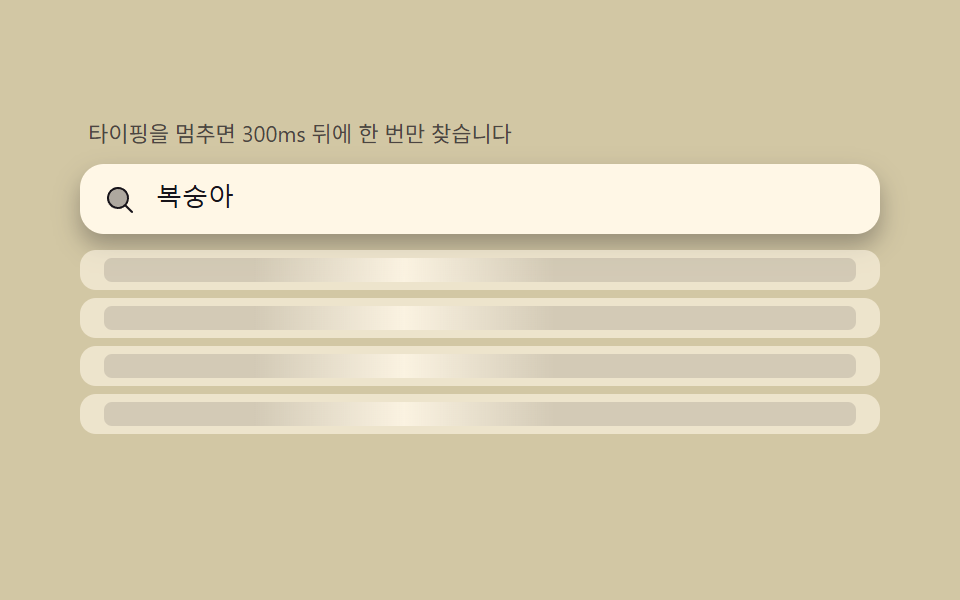 02 search-autocomplete-debounce-shimmer
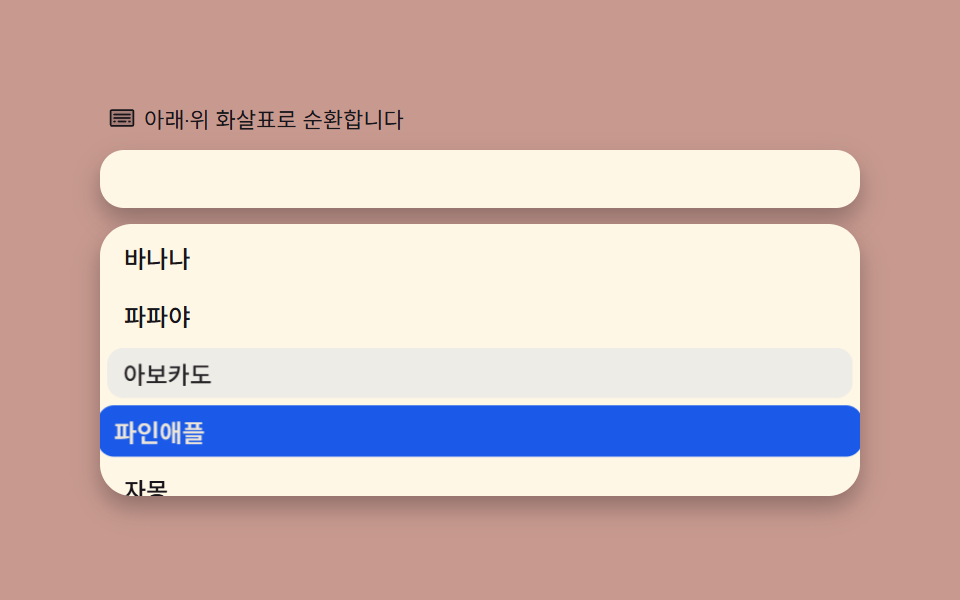 03 search-autocomplete-keyboard-nav-wrap
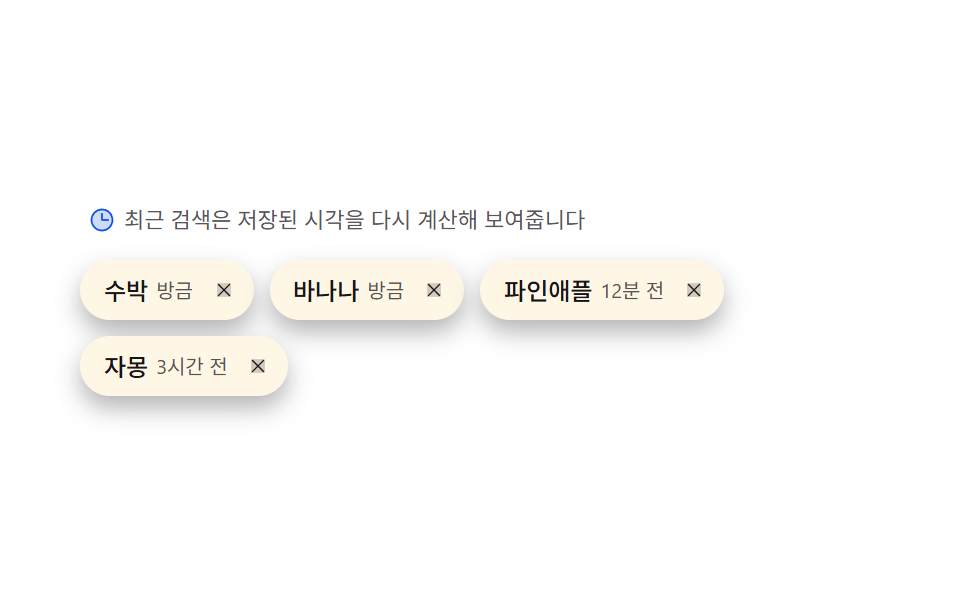 04 search-autocomplete-recent-chip-recency
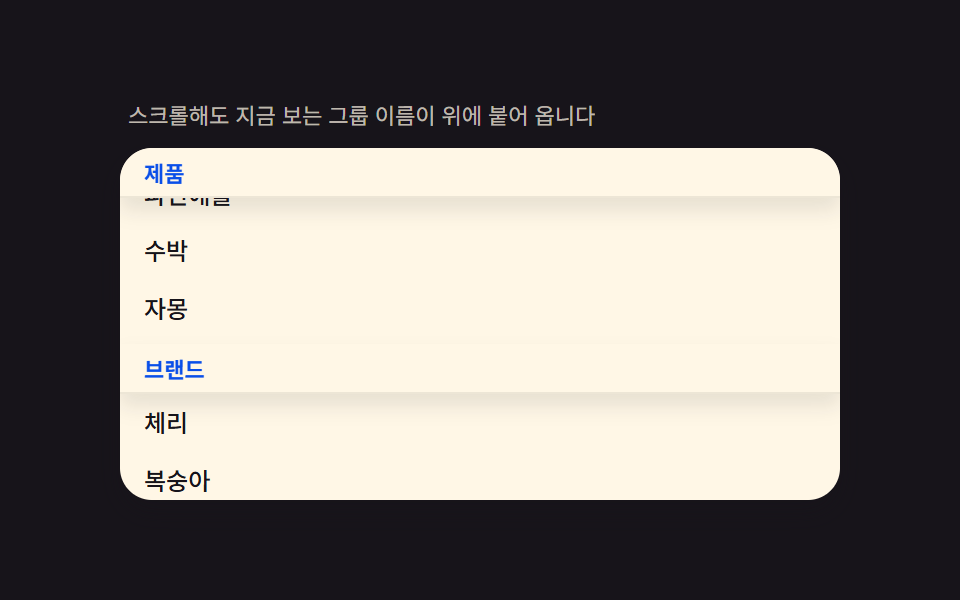 05 search-autocomplete-grouped-sticky-header
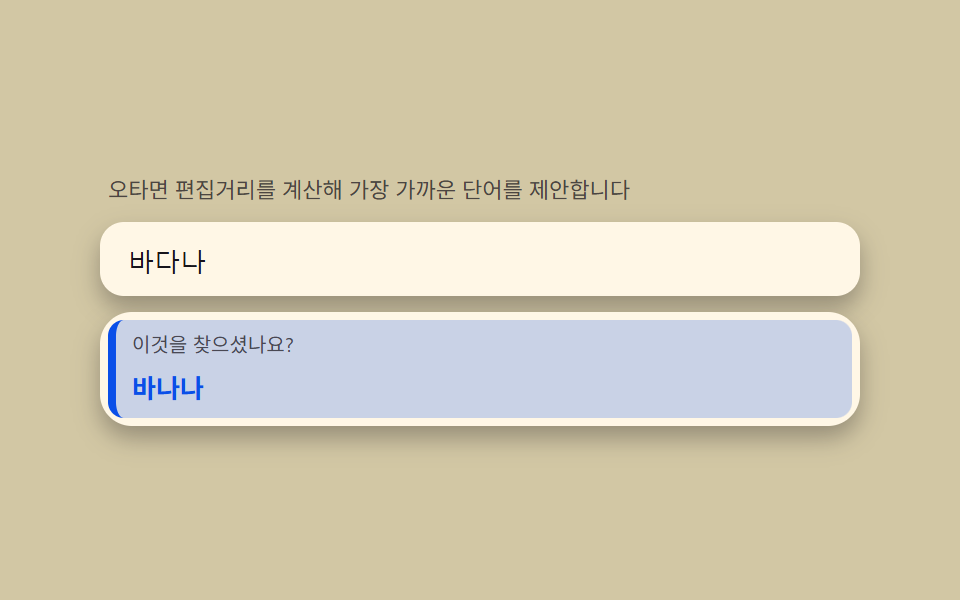 06 search-autocomplete-typo-suggest-distance
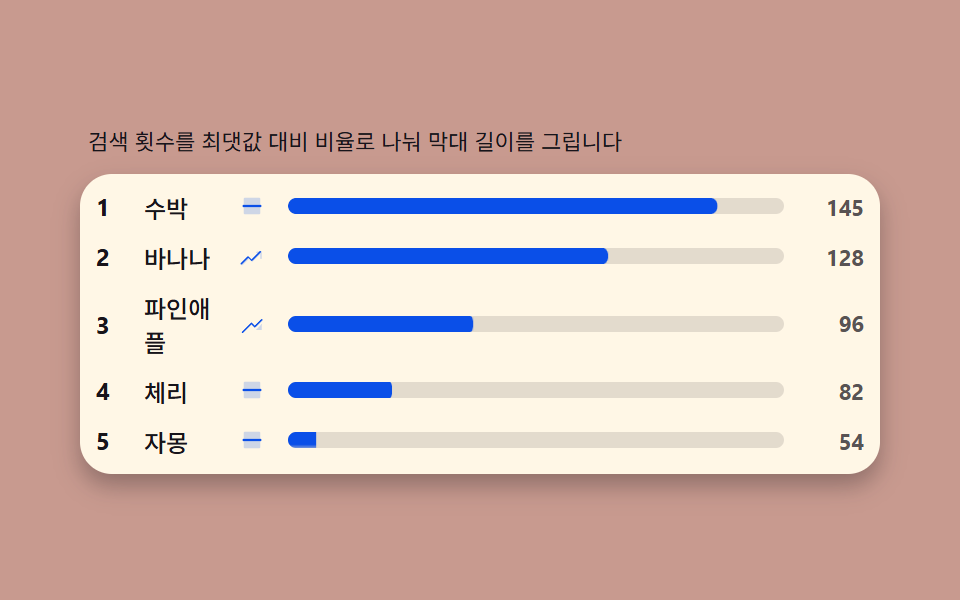 07 search-autocomplete-trending-count-bar
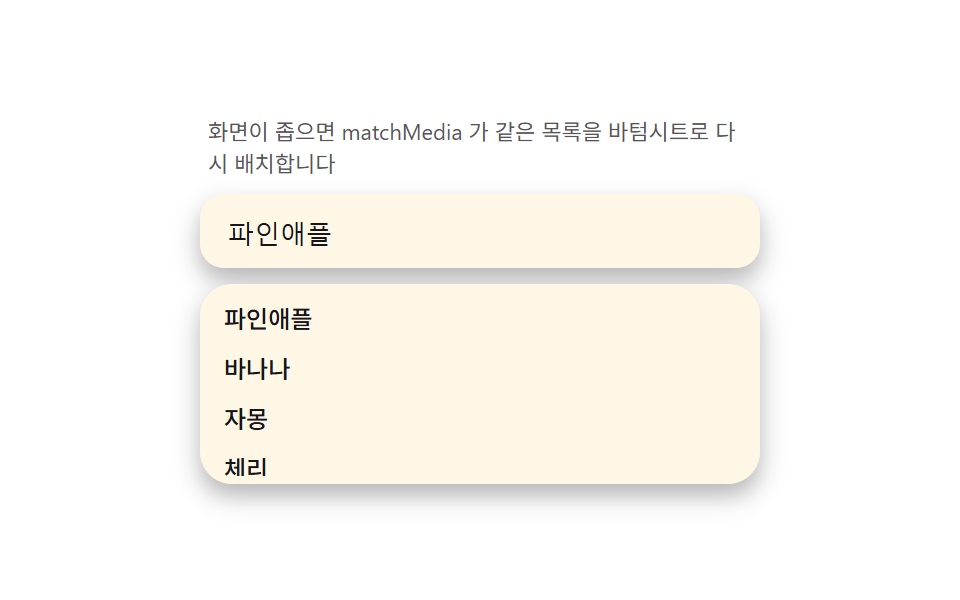 08 search-autocomplete-mobile-sheet-morph
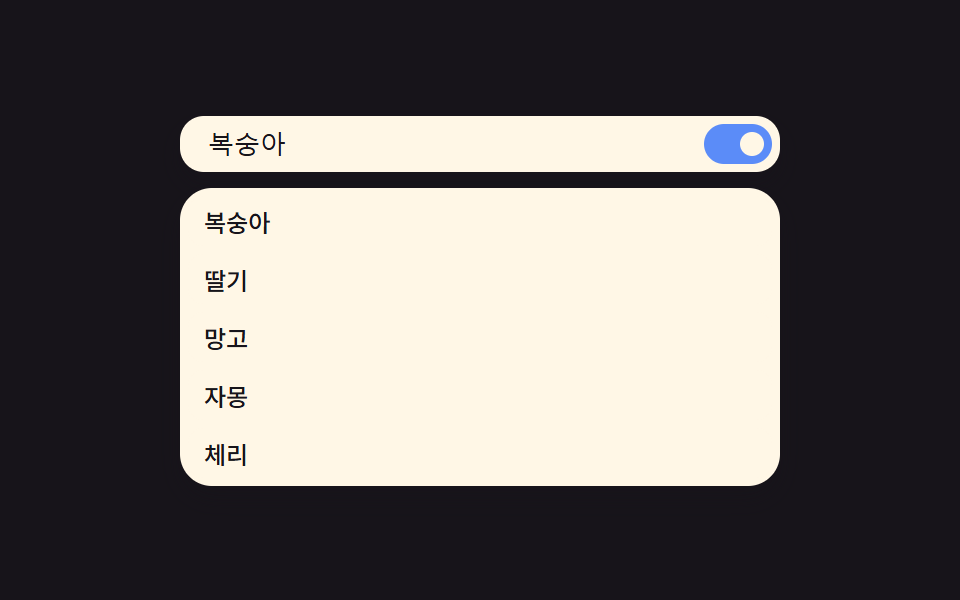 09 search-autocomplete-reduced-motion-static
自動再生 · タイルを押すとその項目へ · すべて1つのzip
- 01 一致ハイライト — 入力文字が候補のどこにあるか探し太字にする計算
- 02 デバウンスシマー — 300msで入力をまとめ、待ち時間にリストが煌めく状態
- 03 キーボード循環 — ↑↓で項目を選び、端から反対側へ戻るmod計算
- 04 最近の検索チップ — 保存時刻を再計算し「3分前・2日前」ラベルを書き直すチップ
- 05 グループ固定ヘッダー — リストをグループに分け、スクロールでヘッダーが張り付く構造
- 06 誤字候補 — 編集距離を計算し「もしかして」行を出す計算
- 07 急上昇バー — 検索回数を最大値比でスケールして描く順位バー
- 08 モバイルシート変身 — 画面が狭いとドロップダウンがボトムシートへ変わるメディアクエリ切替
- 09 リデュースモーション — シマー・ステガーを切り、リストが即座に出る静的代替
デモ
9項目とも入力欄・候補リスト・選択状態という3層構造を共有していますが、その上に乗る計算(部分一致ハイライト・デバウンスチケット・レーベンシュタイン編集距離・mod循環・比率スケール)は項目ごとに違います。実測値は次の表のとおりです。
| 番号 | 項目 | 累積面積 | 強度平均 | 動いたフレーム |
|---|---|---|---|---|
| 01 | 一致ハイライト | 15.731% | 177.2 | 6/23 |
| 02 | デバウンスシマー | 22.247% | 33.3 | 22/23 |
| 03 | キーボード循環 | 35.733% | 94.6 | 23/23 |
| 04 | 最近の検索チップ | 7.149% | 59.8 | 7/23 |
| 05 | グループ固定ヘッダー | 34.696% | 59.6 | 23/23 |
| 06 | 誤字候補 | 45.977% | 89.8 | 7/23 |
| 07 | 急上昇バー | 4.804% | 184.9 | 12/23 |
| 08 | モバイルシート変身 | 29.61% | 66.5 | 13/23 |
| 09 | リデュースモーション | 30.961% | 47.1 | 20/23 |
06の誤字候補が累積面積45.977%で最も広く、07の急上昇バーが4.804%で最も狭いのは、07がバー1本ずつの狭い領域だけを塗り替えるのに対し06はリストの行そのものが入れ替わるからです。01・04・06が24フレームのうち6〜7フレームしか動かないのは欠陥ではなく、自動演示のタイピング順序に入力を止めて次の文字を待つ静止区間が実際に入っているためで、03・05・09のようにスクロールや常時アニメーションを持つ項目は23フレームまで動きます。強度平均は02のデバウンスシマーが33.3で最も落ち着き、07が184.9で最も明るく、9項目とも下限(累積面積0.08%以上・強度15以上・動いたフレーム6以上)に十分な余裕をもって収まります。
オートコンプリートの解剖 — 入力・リスト・選択の3層とaria-combobox構造
html オートコンプリート 実装を検索して来た人が最初に確認すべきは、見た目より先に構造です。入力欄・候補リスト・選択状態という3つの役割を、外側のroot要素にrole="combobox"・aria-expanded・aria-haspopup="listbox"・aria-ownsを置き、内側のinputにrole="searchbox"・aria-autocomplete="list"・aria-controlsを載せる形に固定します。
role="combobox"を外側の要素に置く理由
外側のdivにrole="combobox"を持たせるのは、開閉状態(aria-expanded)と所有するリストのid(aria-owns)を一箇所にまとめて、スクリーンリーダーが「これは今何を指しているか」を迷わず読めるようにするためです。
inputはrole="searchbox"のまま残す
ネイティブのinputをカスタム要素に置き換えると、矢印キー・Tabフォーカス・IME変換のすべてを自分で再実装する必要が生まれます。role="searchbox"・aria-autocomplete="list"・aria-controlsだけを載せ、input自体は消しません。
ul[role="listbox"] > li[role="option"]のリスト
候補リストはul[role="listbox"]の中にli[role="option"]を並べる形に固定し、divの入れ子やbuttonへの置き換えはしません。この形でなければ、スクリーンリーダーが候補の総数と現在位置を読み上げられません。
aria-activedescendantで選択位置を伝える
矢印キーで移動したアクティブな項目のidをinputのaria-activedescendantに毎回書き込むと、フォーカス自体はinputに残したまま、スクリーンリーダーだけに「今どの行を指しているか」を伝えられます。この3層構造は独自の思いつきではなく、ARIAオーサリングプラクティスのCombobox パターン — W3Cが定める役割分担そのものです。
9つの検索窓の段階別コード
オートコンプリート 実装方法は9項目とも3層構造の骨格を共有しますが、その上に乗る計算(部分一致ハイライト・デバウンスチケット・レーベンシュタイン編集距離・mod循環・比率スケール)は項目ごとに違います。自動演示はperformance.now()の時計かindex * STEP_MSのずらし遅延で決まった順序だけを再生するため、キャプチャごとに同じ場面になります。
01一致ハイライト — 入力文字が候補のどこにあるか探し太字にする計算
候補文字列でindexOf(query, i)を繰り返し呼んで見つかった位置ごとにで囲むと、同じ単語の中に同じ文字が2回現れても両方とも強調されます。比較は両方toLowerCaseで統一するため大文字小文字は無視され、累積面積15.731%・面積最大15.635%・強度平均177.2・動いたフレーム6/23です。
<main class="stage">
<div class="hl" id="hl">
  <p class="hl__hint">入力した文字が候補のどこにあるかを探して太字で示します</p>
  <div class="hl__field" role="combobox" aria-expanded="false" aria-owns="hlList" aria-haspopup="listbox" id="hlField">
    <svg class="hl__ic" viewBox="0 0 256 256" aria-hidden="true"><g fill="currentColor"><path d="M192 112a80 80 0 1 1-80-80a80 80 0 0 1 80 80" opacity=".35"/><path d="m229.66 218.34l-50.06-50.06a88.21 88.21 0 1 0-11.32 11.31l50.06 50.07a8 8 0 0 0 11.32-11.32M40 112a72 72 0 1 1 72 72a72.08 72.08 0 0 1-72-72"/></g></svg>
    <input class="hl__input" id="hlInput" type="text" role="searchbox" aria-autocomplete="list" aria-controls="hlList" aria-label="フルーツ検索" autocomplete="off">
  </div>
  <ul class="hl__list" id="hlList" role="listbox" aria-label="候補リスト"></ul>
  <p class="hl__meta"><b class="hl__tag" id="hlCount">8</b><span class="hl__unit" id="hlUnitText">件</span></p>
</div>
</main>
@use "../../../../site/static/demo-tokens" as *;
$duration: $dur-quick;
$easing: $ease-out;
$color: $subject-blue-deep;
// 파스텔 강조(도구/파스텔.py to_pastel 결과: 채도 .34 · 명도 +.11, $subject-blue 기준)
$p-blue: #93a4ca;
@include stage($stage-ink);
.hl {
width: 100%;
max-width: 400px;
display: flex;
flex-direction: column;
gap: $sp-2;
}
.hl__hint {
margin: 0;
padding: 0 $sp-1;
font-weight: 400;
font-size: 11px;
line-height: 1.4;
color: rgba($subject-cream, .72);
}
.hl__field {
display: flex;
align-items: center;
gap: $sp-2;
background: $subject-cream;
border-radius: $r-control;
padding: $sp-2 $sp-3;
box-shadow: $shadow-press;
}
.hl__ic {
width: 16px;
height: 16px;
flex: 0 0 auto;
color: $subject-ink;
}
.hl__input {
flex: 1 1 auto;
min-width: 0;
border: 0;
outline: 0;
background: transparent;
font-weight: 500;
font-size: 13px;
line-height: 1.3;
color: $subject-ink;
caret-color: $color;
}
.hl__list {
margin: 0;
padding: $sp-1;
list-style: none;
display: flex;
flex-direction: column;
gap: $sp-1;
max-height: 132px;
overflow-y: auto;
background: $subject-cream;
border-radius: $r-card;
box-shadow: $shadow-press;
}
.hl__item {
padding: $sp-1 $sp-2;
border-radius: $r-sm;
background: transparent;
color: rgba($subject-ink, .72);
font-weight: 500;
font-size: 12px;
line-height: 1.5;
transform: scale(1);
transform-origin: center;
transition: transform $duration $easing, background-color $duration $easing, color $duration $easing;
}
.hl__item.is-hit {
background: $color;
color: $subject-cream;
transform: scale(1.02);
}
.hl__mark {
background: $p-blue;
color: $subject-ink;
border-radius: $r-xs;
padding: 0 $sp-1;
}
.hl__meta {
margin: 0;
padding: 0 $sp-1;
display: flex;
align-items: baseline;
gap: $sp-1;
}
.hl__tag {
font-weight: 700;
font-size: 14px;
color: $subject-cream;
}
.hl__unit {
font-weight: 400;
font-size: 11px;
color: rgba($subject-cream, .72);
}
@media (max-width: 340px) {
.hl { max-width: 280px; }
.hl__item { font-size: 11px; }
.hl__list { max-height: 70px; }
}
@media (prefers-reduced-motion: reduce) {
.hl__item {
transition: none;
}
}html, body {
margin: 0;
overflow: hidden;
}
.stage {
box-sizing: border-box;
min-height: 100vh;
display: grid;
place-items: center;
margin: 0;
background: #17141a;
font-family: -apple-system, "Segoe UI", "Noto Sans KR", sans-serif;
padding: clamp(8px, 4vw, 24px);
}
.hl {
width: 100%;
max-width: 400px;
display: flex;
flex-direction: column;
gap: 8px;
}
.hl__hint {
margin: 0;
padding: 0 4px;
font-weight: 400;
font-size: 11px;
line-height: 1.4;
color: rgba(255, 247, 230, 0.72);
}
.hl__field {
display: flex;
align-items: center;
gap: 8px;
background: #fff7e6;
border-radius: 12px;
padding: 8px 12px;
box-shadow: 0 6px 12px rgba(23, 20, 26, 0.32);
}
.hl__ic {
width: 16px;
height: 16px;
flex: 0 0 auto;
color: #17141a;
}
.hl__input {
flex: 1 1 auto;
min-width: 0;
border: 0;
outline: 0;
background: transparent;
font-weight: 500;
font-size: 13px;
line-height: 1.3;
color: #17141a;
caret-color: #0a4fe8;
}
.hl__list {
margin: 0;
padding: 4px;
list-style: none;
display: flex;
flex-direction: column;
gap: 4px;
max-height: 132px;
overflow-y: auto;
background: #fff7e6;
border-radius: 16px;
box-shadow: 0 6px 12px rgba(23, 20, 26, 0.32);
}
.hl__item {
padding: 4px 8px;
border-radius: 8px;
background: transparent;
color: rgba(23, 20, 26, 0.72);
font-weight: 500;
font-size: 12px;
line-height: 1.5;
transform: scale(1);
transform-origin: center;
transition: transform 220ms ease-out, background-color 220ms ease-out, color 220ms ease-out;
}
.hl__item.is-hit {
background: #0a4fe8;
color: #fff7e6;
transform: scale(1.02);
}
.hl__mark {
background: #93a4ca;
color: #17141a;
border-radius: 4px;
padding: 0 4px;
}
.hl__meta {
margin: 0;
padding: 0 4px;
display: flex;
align-items: baseline;
gap: 4px;
}
.hl__tag {
font-weight: 700;
font-size: 14px;
color: #fff7e6;
}
.hl__unit {
font-weight: 400;
font-size: 11px;
color: rgba(255, 247, 230, 0.72);
}
@media (max-width: 340px) {
.hl {
max-width: 280px;
}
.hl__item {
font-size: 11px;
}
.hl__list {
max-height: 70px;
}
}
@media (prefers-reduced-motion: reduce) {
.hl__item {
transition: none;
}
}// 일치 하이라이트(01) — 제안 문자열에서 입력어의 첫 일치 위치를 indexOf 로 찾아
// <mark> 로 감싸고, 그 뒤부터 다시 찾아 모든 일치를 강조한다(다중 일치). 비교는
// toLowerCase 로 통일해 대소문자를 무시한다. 자동 시연은 performance.now() 시계로
// 타이핑 시퀀스를 재생한다(CSS @keyframes 없음).
(function () {
var field = document.getElementById('hlField');
var input = document.getElementById('hlInput');
var list = document.getElementById('hlList');
var countEl = document.getElementById('hlCount');
var unitEl = document.getElementById('hlUnitText');
if (!field || !input || !list || !countEl) return;
var WORDS = ['バナナ', 'パパイヤ', 'アボカド', 'パイナップル', 'グレープフルーツ', 'チェリー', '桃', 'スイカ'];
function escapeHtml(s) {
return s.replace(/[&<>]/g, function (c) { return c === '&' ? '&' : c === '<' ? '<' : '>'; });
}
  function highlightAll(text, query) {
    if (!query) return escapeHtml(text);
    var lowerText = text.toLowerCase();
    var lowerQuery = query.toLowerCase();
    var out = '', i = 0;
    while (i < text.length) {
      var idx = lowerText.indexOf(lowerQuery, i);
      if (idx === -1) { out += escapeHtml(text.slice(i)); break; }
      out += escapeHtml(text.slice(i, idx));
      out += '<mark class="hl__mark">' + escapeHtml(text.slice(idx, idx + query.length)) + '</mark>';
      i = idx + query.length;
    }
    return out;
  }
function render(query) {
var matched = 0;
var rows = WORDS.map(function (w) {
var hit = query && w.toLowerCase().indexOf(query.toLowerCase()) !== -1;
if (hit) matched++;
return '<li class="hl__item' + (hit ? ' is-hit' : ' is-dim') + '" role="option">' + highlightAll(w, query) + '</li>';
});
list.innerHTML = rows.join('');
countEl.textContent = String(query ? matched : WORDS.length);
unitEl.textContent = query ? '件一致' : '件の候補';
field.setAttribute('aria-expanded', query ? 'true' : 'false');
}
render('');
var reduce = window.matchMedia('(prefers-reduced-motion: reduce)').matches;
var playing = true;
function stop() { playing = false; }
function onUserInput() { stop(); render(input.value); }
input.addEventListener('input', onUserInput);
input.addEventListener('keydown', stop);
input.addEventListener('pointerdown', stop);
var STEPS = [
{ q: '', ms: 220 },
{ q: 'パ', ms: 360 },
{ q: 'パイ', ms: 520 },
{ q: 'パイ', ms: 260 },
{ q: '', ms: 220 },
{ q: 'ス', ms: 360 },
{ q: 'スイカ', ms: 520 }
];
if (reduce) {
input.value = STEPS[2].q;
render(STEPS[2].q);
} else {
var seg = 0, segStart = performance.now();
(function step(now) {
if (playing) {
var elapsed = now - segStart;
if (elapsed >= STEPS[seg].ms) {
seg = (seg + 1) % STEPS.length;
segStart = now;
}
var q = STEPS[seg].q;
if (input.value !== q) { input.value = q; render(q); }
}
requestAnimationFrame(step);
})(segStart);
}
})();// SearchAutocompleteHighlightMatch — vanilla 판(run/335/demo/01-search-autocomplete-highlight-match/index.html)
// 의 React 포트. indexOf 로 입력어의 첫 일치 위치를 찾아 <mark> 로 감싸고, 그 뒤부터 다시
// 찾아 모든 일치를 강조한다(다중 일치). 비교는 toLowerCase 로 통일해 대소문자를 무시한다.
// CSS @keyframes 는 없다 — 자동 시연은 performance.now() 시계로 타이핑 시퀀스를 재생한다.
import { useEffect, useRef } from "react";
import styles from "./SearchAutocompleteHighlightMatch.module.scss";
export type SearchAutocompleteHighlightMatchProps = {
duration?: string;
easing?: string;
color?: string;
};
type Box<T> = { current: T };
const HINT = "입력한 글자가 후보 어디에 있는지 찾아 굵게 칠합니다";
const ARIA_LABEL = "과일 검색";
const ARIA_LIST_LABEL = "후보 목록";
const WORDS = ["바나나", "파파야", "아보카도", "파인애플", "자몽", "체리", "복숭아", "수박"];
type Step = { q: string; ms: number };
const STEPS: Step[] = [
{ q: "", ms: 220 },
{ q: "파", ms: 360 },
{ q: "파야", ms: 520 },
{ q: "파야", ms: 260 },
{ q: "", ms: 220 },
{ q: "수", ms: 360 },
{ q: "수박", ms: 520 }
];
function escapeHtml(s: string): string {
return s.replace(/[&<>]/g, (c) => (c === "&" ? "&" : c === "<" ? "<" : ">"));
}
function highlightAll(text: string, query: string): string {
if (!query) return escapeHtml(text);
const lowerText = text.toLowerCase();
const lowerQuery = query.toLowerCase();
let out = "";
let i = 0;
while (i < text.length) {
const idx = lowerText.indexOf(lowerQuery, i);
if (idx === -1) {
out += escapeHtml(text.slice(i));
break;
}
out += escapeHtml(text.slice(i, idx));
out += '<mark class="' + styles.mark + '">' + escapeHtml(text.slice(idx, idx + query.length)) + "</mark>";
i = idx + query.length;
}
return out;
}
export default function SearchAutocompleteHighlightMatch({
duration = "220ms",
easing = "ease-out",
color = "#0a4fe8"
}: SearchAutocompleteHighlightMatchProps) {
const fieldRef = useRef<HTMLDivElement | null>(null);
const inputRef = useRef<HTMLInputElement | null>(null);
const listRef = useRef<HTMLUListElement | null>(null);
const rafRef = useRef(0) as Box<number>;
useEffect(() => {
const field = fieldRef.current;
const input = inputRef.current;
const list = listRef.current;
if (!field || !input || !list) return;
function render(query: string): void {
const rows = WORDS.map((w) => {
const hit = query !== "" && w.toLowerCase().indexOf(query.toLowerCase()) !== -1;
return '<li class="' + styles.item + (hit ? " " + styles.isHit : "") + '" role="option">' + highlightAll(w, query) + "</li>";
});
list!.innerHTML = rows.join("");
field!.setAttribute("aria-expanded", query ? "true" : "false");
}
render("");
const reduce = window.matchMedia("(prefers-reduced-motion: reduce)").matches;
let playing = true;
function stop(): void {
playing = false;
}
function onUserInput(): void {
stop();
render(input!.value);
}
input.addEventListener("input", onUserInput);
input.addEventListener("keydown", stop);
input.addEventListener("pointerdown", stop);
if (reduce) {
input.value = STEPS[2].q;
render(STEPS[2].q);
} else {
let seg = 0;
let segStart = performance.now();
const step = (now: number): void => {
if (playing) {
const elapsed = now - segStart;
if (elapsed >= STEPS[seg].ms) {
seg = (seg + 1) % STEPS.length;
segStart = now;
}
const q = STEPS[seg].q;
if (input!.value !== q) {
input!.value = q;
render(q);
}
}
rafRef.current = requestAnimationFrame(step);
};
rafRef.current = requestAnimationFrame(step);
}
return () => {
cancelAnimationFrame(rafRef.current);
input.removeEventListener("input", onUserInput);
input.removeEventListener("keydown", stop);
input.removeEventListener("pointerdown", stop);
};
// eslint-disable-next-line react-hooks/exhaustive-deps
}, []);
return (
<main className={styles.stage}>
<div className={styles.hl}>
<p className={styles.hint}>{HINT}</p>
<div
className={styles.field}
ref={fieldRef}
role="combobox"
aria-expanded="false"
aria-owns="hlListReact"
aria-haspopup="listbox"
>
<svg className={styles.ic} viewBox="0 0 256 256" aria-hidden="true">
<g fill="currentColor">
<path d="M192 112a80 80 0 1 1-80-80a80 80 0 0 1 80 80" opacity=".2" />
<path d="m229.66 218.34l-50.06-50.06a88.21 88.21 0 1 0-11.32 11.31l50.06 50.07a8 8 0 0 0 11.32-11.32M40 112a72 72 0 1 1 72 72a72.08 72.08 0 0 1-72-72" />
</g>
</svg>
<input
className={styles.input}
ref={inputRef}
type="text"
role="searchbox"
aria-autocomplete="list"
aria-controls="hlListReact"
aria-label={ARIA_LABEL}
autoComplete="off"
style={{ caretColor: color, transitionDuration: duration, transitionTimingFunction: easing }}
/>
</div>
<ul className={styles.list} id="hlListReact" ref={listRef} role="listbox" aria-label={ARIA_LIST_LABEL} />
</div>
</main>
);
}01 · 一致ハイライト — 入力文字が候補のどこにあるか探し太字にする計算 — 計測 累積面積 15.731% · 動いたフレーム 6/23GODRICH オリジナル · SCSS と React は zip に同梱 · パスワードを見る
indexOfを繰り返してすべての一致を集めるループ
自動演示は{q, ms}の順序をperformance.now()で再生し、空文字に戻る区間だけ画面が静止します(6/23はこの静止による自然な値です)。
function highlightAll(text, query) {
if (!query) return escapeHtml(text);
var lowerText = text.toLowerCase();
var lowerQuery = query.toLowerCase();
var out = '', i = 0;
while (i < text.length) {
var idx = lowerText.indexOf(lowerQuery, i);
if (idx === -1) { out += escapeHtml(text.slice(i)); break; }
out += escapeHtml(text.slice(i, idx));
out += '<mark class="hl__mark">' + escapeHtml(text.slice(idx, idx + query.length)) + '</mark>';
i = idx + query.length;
}
return out;
}
02デバウンスシマー — 300msで入力をまとめ、待ち時間にリストが煌めく状態
毎入力でタイマーをリセットするデバウンス(DEBOUNCE_MS)に加え、発火ごとに増えるpendingIdチケットを刻んで応答が届いた時に最新かどうかを比較します。待機中は左右に流れるシマー行を見せ、累積面積22.247%・面積最大22.22%・強度平均33.3・動いたフレーム22/23です。
<main class="stage">
<div class="db" id="db">
  <p class="db__hint">入力が止まって300ms後に一度だけ検索します</p>
  <div class="db__field" role="combobox" aria-expanded="false" aria-owns="dbList" aria-haspopup="listbox" id="dbField">
    <svg class="db__ic" viewBox="0 0 256 256" aria-hidden="true"><g fill="currentColor"><path d="M192 112a80 80 0 1 1-80-80a80 80 0 0 1 80 80" opacity=".35"/><path d="m229.66 218.34l-50.06-50.06a88.21 88.21 0 1 0-11.32 11.31l50.06 50.07a8 8 0 0 0 11.32-11.32M40 112a72 72 0 1 1 72 72a72.08 72.08 0 0 1-72-72"/></g></svg>
    <input class="db__input" id="dbInput" type="text" role="searchbox" aria-autocomplete="list" aria-controls="dbList" aria-label="フルーツ検索" autocomplete="off">
  </div>
  <ul class="db__list" id="dbList" role="listbox" aria-label="候補リスト"></ul>
</div>
</main>
@use "../../../../site/static/demo-tokens" as *;
$duration: $dur-base;
$easing: $ease-out;
$color: $subject-ink;
// 파스텔 무대(도구/파스텔.py to_pastel 결과: 채도 .34 · 명도 +.11, $stage-yellow 기준)
$p-yellow: #d2c7a4;
@include stage($p-yellow);
.db {
width: 100%;
max-width: 400px;
display: flex;
flex-direction: column;
gap: $sp-2;
}
.db__hint {
margin: 0;
padding: 0 $sp-1;
font-weight: 400;
font-size: 11px;
line-height: 1.4;
color: rgba($subject-ink, .72);
}
.db__field {
display: flex;
align-items: center;
gap: $sp-2;
background: $subject-cream;
border-radius: $r-control;
padding: $sp-2 $sp-3;
box-shadow: $shadow-press;
}
.db__ic {
width: 16px;
height: 16px;
flex: 0 0 auto;
color: $subject-ink;
}
.db__input {
flex: 1 1 auto;
min-width: 0;
border: 0;
outline: 0;
background: transparent;
font-weight: 500;
font-size: 13px;
line-height: 1.3;
color: $subject-ink;
caret-color: $color;
}
.db__list {
margin: 0;
padding: 0;
list-style: none;
display: flex;
flex-direction: column;
gap: $sp-1;
min-height: 116px;
}
.db__item {
padding: $sp-1 $sp-3;
border-radius: $r-sm;
background: $subject-cream;
font-weight: 500;
font-size: 12px;
line-height: 1.6;
color: $subject-ink;
}
.db__item--empty {
color: rgba($subject-ink, .72);
font-weight: 400;
}
.db__item--skel {
background: rgba($subject-cream, .6);
overflow: hidden;
position: relative;
}
.db__bar {
display: block;
height: 12px;
border-radius: $r-xs;
background: rgba($subject-ink, .12);
overflow: hidden;
position: relative;
}
.db__sweep {
position: absolute;
top: 0;
left: 0;
width: 40%;
height: 100%;
background: linear-gradient(90deg, rgba($subject-cream, 0), rgba($subject-cream, .9), rgba($subject-cream, 0));
transform: translateX(-120%);
will-change: transform;
}
@media (max-width: 340px) {
.db { max-width: 280px; }
.db__item { font-size: 11px; }
.db__list { min-height: 80px; }
}
@media (prefers-reduced-motion: reduce) {
.db__sweep {
display: none;
}
.db__bar {
background: rgba($subject-ink, .2);
}
}html, body {
margin: 0;
overflow: hidden;
}
.stage {
box-sizing: border-box;
min-height: 100vh;
display: grid;
place-items: center;
margin: 0;
background: #d2c7a4;
font-family: -apple-system, "Segoe UI", "Noto Sans KR", sans-serif;
padding: clamp(8px, 4vw, 24px);
}
.db {
width: 100%;
max-width: 400px;
display: flex;
flex-direction: column;
gap: 8px;
}
.db__hint {
margin: 0;
padding: 0 4px;
font-weight: 400;
font-size: 11px;
line-height: 1.4;
color: rgba(23, 20, 26, 0.72);
}
.db__field {
display: flex;
align-items: center;
gap: 8px;
background: #fff7e6;
border-radius: 12px;
padding: 8px 12px;
box-shadow: 0 6px 12px rgba(23, 20, 26, 0.32);
}
.db__ic {
width: 16px;
height: 16px;
flex: 0 0 auto;
color: #17141a;
}
.db__input {
flex: 1 1 auto;
min-width: 0;
border: 0;
outline: 0;
background: transparent;
font-weight: 500;
font-size: 13px;
line-height: 1.3;
color: #17141a;
caret-color: #17141a;
}
.db__list {
margin: 0;
padding: 0;
list-style: none;
display: flex;
flex-direction: column;
gap: 4px;
min-height: 116px;
}
.db__item {
padding: 4px 12px;
border-radius: 8px;
background: #fff7e6;
font-weight: 500;
font-size: 12px;
line-height: 1.6;
color: #17141a;
}
.db__item--empty {
color: rgba(23, 20, 26, 0.72);
font-weight: 400;
}
.db__item--skel {
background: rgba(255, 247, 230, 0.6);
overflow: hidden;
position: relative;
}
.db__bar {
display: block;
height: 12px;
border-radius: 4px;
background: rgba(23, 20, 26, 0.12);
overflow: hidden;
position: relative;
}
.db__sweep {
position: absolute;
top: 0;
left: 0;
width: 40%;
height: 100%;
background: linear-gradient(90deg, rgba(255, 247, 230, 0), rgba(255, 247, 230, 0.9), rgba(255, 247, 230, 0));
transform: translateX(-120%);
will-change: transform;
}
@media (max-width: 340px) {
.db {
max-width: 280px;
}
.db__item {
font-size: 11px;
}
.db__list {
min-height: 80px;
}
}
@media (prefers-reduced-motion: reduce) {
.db__sweep {
display: none;
}
.db__bar {
background: rgba(23, 20, 26, 0.2);
}
}// 디바운스 스켈레톤(02) — 키 입력마다 타이머를 지운 뒤 새로 건다(디바운스). 대기 중엔
// 스켈레톤 행을 보이고, 타이머가 실제로 만료된 뒤에만 가짜 지연(FAKE_LATENCY_MS) 후 결과를
// 반영한다. 요청마다 번호를 매겨(pendingId) 응답이 도착했을 때 그 번호가 최신이 아니면
// 버린다(진행 중 요청 폐기 패턴) — 사용자가 다시 타이핑해 새 요청을 보냈는데 이전 응답이
// 늦게 와도 화면을 덮어쓰지 않는다.
(function () {
var field = document.getElementById('dbField');
var input = document.getElementById('dbInput');
var list = document.getElementById('dbList');
if (!field || !input || !list) return;
var WORDS = ['バナナ', 'パパイヤ', 'アボカド', 'パイナップル', 'グレープフルーツ', 'チェリー', '桃', 'スイカ'];
var DEBOUNCE_MS = 300;
var FAKE_LATENCY_MS = 220;
var SKELETON_ROWS = 4;
var reduce = window.matchMedia('(prefers-reduced-motion: reduce)').matches;
var pendingId = 0;
var debounceTimer = null;
var state = 'idle';
var results = [];
function renderSkeleton() {
var rows = [];
for (var i = 0; i < SKELETON_ROWS; i++) {
rows.push('<li class="db__item db__item--skel" aria-hidden="true"><span class="db__bar"><span class="db__sweep"></span></span></li>');
}
list.innerHTML = rows.join('');
field.setAttribute('aria-expanded', 'true');
}
function renderResults(query) {
if (!results.length) {
list.innerHTML = '<li class="db__item db__item--empty">一致するフルーツがありません</li>';
field.setAttribute('aria-expanded', 'true');
return;
}
list.innerHTML = results.map(function (w) {
return '<li class="db__item" role="option">' + w + '</li>';
}).join('');
field.setAttribute('aria-expanded', 'true');
}
function renderIdle() {
list.innerHTML = '';
field.setAttribute('aria-expanded', 'false');
}
  function onChange(value) {
    clearTimeout(debounceTimer);
    pendingId++;
    var myId = pendingId;
    if (!value) {
      state = 'idle';
      renderIdle();
      return;
    }
    state = 'loading';
    renderSkeleton();
    debounceTimer = setTimeout(function () {
      setTimeout(function () {
        if (myId !== pendingId) return;
        var q = value.toLowerCase();
        results = WORDS.filter(function (w) { return w.toLowerCase().indexOf(q) !== -1; });
        state = 'done';
        renderResults(value);
      }, FAKE_LATENCY_MS);
    }, DEBOUNCE_MS);
  }
renderIdle();
var playing = true;
function stop() { playing = false; }
input.addEventListener('input', function () { stop(); onChange(input.value); });
input.addEventListener('keydown', stop);
input.addEventListener('pointerdown', stop);
var KEY_INTERVAL_MS = 120;
var READ_HOLD_MS = 500;
var CLEAR_MS = 150;
var WORD_SEQUENCE = ['桃', 'グレープフルーツ'];
function typeWord(word, cb) {
var i = 0;
(function nextChar() {
if (!playing) return;
i++;
input.value = word.slice(0, i);
onChange(input.value);
if (i < word.length) setTimeout(nextChar, KEY_INTERVAL_MS);
else setTimeout(cb, READ_HOLD_MS);
})();
}
function clearInput(cb) {
if (!playing) return;
input.value = '';
onChange('');
setTimeout(cb, CLEAR_MS);
}
function loopPlay(qi) {
if (!playing) return;
var word = WORD_SEQUENCE[qi % WORD_SEQUENCE.length];
typeWord(word, function () { clearInput(function () { loopPlay(qi + 1); }); });
}
if (reduce) {
input.value = WORD_SEQUENCE[0];
onChange(WORD_SEQUENCE[0]);
} else {
loopPlay(0);
(function sweep() {
var bars = list.querySelectorAll('.db__sweep');
var t = (performance.now() % 900) / 900;
var x = -120 + t * 240;
for (var i = 0; i < bars.length; i++) bars[i].style.transform = 'translateX(' + x + '%)';
requestAnimationFrame(sweep);
})();
}
})();// SearchAutocompleteDebounceShimmer — vanilla 판(run/335/demo/02-search-autocomplete-debounce-shimmer/index.html)
// 의 React 포트. 키 입력마다 타이머를 지운 뒤 새로 건다(디바운스). 대기 중엔 스켈레톤 행을
// 보이고, 타이머가 실제로 만료된 뒤에만 가짜 지연(FAKE_LATENCY_MS) 후 결과를 반영한다.
// 요청마다 번호를 매겨(pendingId) 응답이 도착했을 때 그 번호가 최신이 아니면 버린다.
import { useEffect, useRef } from "react";
import styles from "./SearchAutocompleteDebounceShimmer.module.scss";
export type SearchAutocompleteDebounceShimmerProps = {
duration?: string;
easing?: string;
color?: string;
};
type Box<T> = { current: T };
const HINT = "타이핑을 멈추면 300ms 뒤에 한 번만 찾습니다";
const ARIA_LABEL = "과일 검색";
const ARIA_LIST_LABEL = "후보 목록";
const EMPTY_TEXT = "일치하는 과일이 없습니다";
const WORDS = ["바나나", "파파야", "아보카도", "파인애플", "자몽", "체리", "복숭아", "수박"];
const DEBOUNCE_MS = 300;
const FAKE_LATENCY_MS = 220;
const SKELETON_ROWS = 4;
const KEY_INTERVAL_MS = 120;
const READ_HOLD_MS = 500;
const CLEAR_MS = 150;
const WORD_SEQUENCE = ["복숭아", "자몽"];
export default function SearchAutocompleteDebounceShimmer({
duration = "300ms",
easing = "ease-out",
color = "#17141a"
}: SearchAutocompleteDebounceShimmerProps) {
const fieldRef = useRef<HTMLDivElement | null>(null);
const inputRef = useRef<HTMLInputElement | null>(null);
const listRef = useRef<HTMLUListElement | null>(null);
const rafRef = useRef(0) as Box<number>;
useEffect(() => {
const field = fieldRef.current;
const input = inputRef.current;
const list = listRef.current;
if (!field || !input || !list) return;
let pendingId = 0;
let debounceTimer: ReturnType<typeof setTimeout> | null = null;
let results: string[] = [];
function renderSkeleton(): void {
const rows: string[] = [];
for (let i = 0; i < SKELETON_ROWS; i++) {
rows.push(
'<li class="' + styles.item + " " + styles.itemSkel + '" aria-hidden="true"><span class="' + styles.bar + '"><span class="' + styles.sweep + '"></span></span></li>'
);
}
list!.innerHTML = rows.join("");
field!.setAttribute("aria-expanded", "true");
}
function renderResults(): void {
if (!results.length) {
list!.innerHTML = '<li class="' + styles.item + " " + styles.itemEmpty + '">' + EMPTY_TEXT + "</li>";
field!.setAttribute("aria-expanded", "true");
return;
}
list!.innerHTML = results.map((w) => '<li class="' + styles.item + '" role="option">' + w + "</li>").join("");
field!.setAttribute("aria-expanded", "true");
}
function renderIdle(): void {
list!.innerHTML = "";
field!.setAttribute("aria-expanded", "false");
}
function onChange(value: string): void {
if (debounceTimer) clearTimeout(debounceTimer);
pendingId++;
const myId = pendingId;
if (!value) {
renderIdle();
return;
}
renderSkeleton();
debounceTimer = setTimeout(() => {
setTimeout(() => {
if (myId !== pendingId) return;
const q = value.toLowerCase();
results = WORDS.filter((w) => w.toLowerCase().indexOf(q) !== -1);
renderResults();
}, FAKE_LATENCY_MS);
}, DEBOUNCE_MS);
}
renderIdle();
let playing = true;
function stop(): void {
playing = false;
}
function onUserInput(): void {
stop();
onChange(input!.value);
}
input.addEventListener("input", onUserInput);
input.addEventListener("keydown", stop);
input.addEventListener("pointerdown", stop);
function typeWord(word: string, cb: () => void): void {
let i = 0;
const nextChar = (): void => {
if (!playing) return;
i++;
input!.value = word.slice(0, i);
onChange(input!.value);
if (i < word.length) setTimeout(nextChar, KEY_INTERVAL_MS);
else setTimeout(cb, READ_HOLD_MS);
};
nextChar();
}
function clearInput(cb: () => void): void {
if (!playing) return;
input!.value = "";
onChange("");
setTimeout(cb, CLEAR_MS);
}
function loopPlay(qi: number): void {
if (!playing) return;
const word = WORD_SEQUENCE[qi % WORD_SEQUENCE.length];
typeWord(word, () => {
clearInput(() => loopPlay(qi + 1));
});
}
const reduce = window.matchMedia("(prefers-reduced-motion: reduce)").matches;
if (reduce) {
input.value = WORD_SEQUENCE[0];
onChange(WORD_SEQUENCE[0]);
} else {
loopPlay(0);
const sweep = (): void => {
const bars = list!.querySelectorAll<HTMLElement>("." + styles.sweep);
const t = (performance.now() % 900) / 900;
const x = -120 + t * 240;
bars.forEach((b) => {
b.style.transform = "translateX(" + x + "%)";
});
rafRef.current = requestAnimationFrame(sweep);
};
rafRef.current = requestAnimationFrame(sweep);
}
return () => {
cancelAnimationFrame(rafRef.current);
if (debounceTimer) clearTimeout(debounceTimer);
input.removeEventListener("input", onUserInput);
input.removeEventListener("keydown", stop);
input.removeEventListener("pointerdown", stop);
};
// eslint-disable-next-line react-hooks/exhaustive-deps
}, []);
return (
<main className={styles.stage}>
<div className={styles.db}>
<p className={styles.hint}>{HINT}</p>
<div
className={styles.field}
ref={fieldRef}
role="combobox"
aria-expanded="false"
aria-owns="dbListReact"
aria-haspopup="listbox"
>
<svg className={styles.ic} viewBox="0 0 256 256" aria-hidden="true">
<g fill="currentColor">
<path d="M192 112a80 80 0 1 1-80-80a80 80 0 0 1 80 80" opacity=".2" />
<path d="m229.66 218.34l-50.06-50.06a88.21 88.21 0 1 0-11.32 11.31l50.06 50.07a8 8 0 0 0 11.32-11.32M40 112a72 72 0 1 1 72 72a72.08 72.08 0 0 1-72-72" />
</g>
</svg>
<input
className={styles.input}
ref={inputRef}
type="text"
role="searchbox"
aria-autocomplete="list"
aria-controls="dbListReact"
aria-label={ARIA_LABEL}
autoComplete="off"
style={{ caretColor: color, transitionDuration: duration, transitionTimingFunction: easing }}
/>
</div>
<ul className={styles.list} id="dbListReact" ref={listRef} role="listbox" aria-label={ARIA_LIST_LABEL} />
</div>
</main>
);
}02 · デバウンスシマー — 300msで入力をまとめ、待ち時間にリストが煌めく状態 — 計測 累積面積 22.247% · 動いたフレーム 22/23GODRICH オリジナル · SCSS と React は zip に同梱 · パスワードを見る
pendingIdを比較して古い応答を捨てるsetTimeoutの入れ子
デバウンスタイマーが切れても即確定させず、架空の通信待ち(FAKE_LATENCY_MS)をもう一段挟んでからmyIdとpendingIdを比較するので、遅れて届いた古い応答は画面に触れずに捨てられます。
function onChange(value) {
clearTimeout(debounceTimer);
pendingId++;
var myId = pendingId;
if (!value) {
state = 'idle';
renderIdle();
return;
}
state = 'loading';
renderSkeleton();
debounceTimer = setTimeout(function () {
setTimeout(function () {
if (myId !== pendingId) return;
var q = value.toLowerCase();
results = WORDS.filter(function (w) { return w.toLowerCase().indexOf(q) !== -1; });
state = 'done';
renderResults(value);
}, FAKE_LATENCY_MS);
}, DEBOUNCE_MS);
}
03キーボード循環 — ↑↓で項目を選び、端から反対側へ戻るmod計算
activeIndex = (activeIndex + delta + WORDS.length) % WORDS.lengthで循環させ、最後の項目で↓を押すと最初の項目へ戻ります。同じフレームでaria-activedescendantを更新しscrollIntoView({block:'nearest'})を呼び、累積面積35.733%・面積最大15.111%・強度平均94.6・動いたフレーム23/23です。
<main class="stage">
<div class="kb" id="kb">
  <p class="kb__hint">
    <svg class="kb__ic" viewBox="0 0 256 256" aria-hidden="true"><g fill="currentColor"><path d="M232 64v128a8 8 0 0 1-8 8H32a8 8 0 0 1-8-8V64a8 8 0 0 1 8-8h192a8 8 0 0 1 8 8" opacity=".2"/><path d="M224 48H32a16 16 0 0 0-16 16v128a16 16 0 0 0 16 16h192a16 16 0 0 0 16-16V64a16 16 0 0 0-16-16m0 144H32V64h192zm-16-64a8 8 0 0 1-8 8H56a8 8 0 0 1 0-16h144a8 8 0 0 1 8 8m0-32a8 8 0 0 1-8 8H56a8 8 0 0 1 0-16h144a8 8 0 0 1 8 8M72 160a8 8 0 0 1-8 8h-8a8 8 0 0 1 0-16h8a8 8 0 0 1 8 8m96 0a8 8 0 0 1-8 8H96a8 8 0 0 1 0-16h64a8 8 0 0 1 8 8m40 0a8 8 0 0 1-8 8h-8a8 8 0 0 1 0-16h8a8 8 0 0 1 8 8"/></g></svg>
    上下の矢印キーで循環移動します
  </p>
  <div class="kb__field" role="combobox" aria-expanded="true" aria-owns="kbList" aria-haspopup="listbox" id="kbField">
    <input class="kb__input" id="kbInput" type="text" role="searchbox" aria-autocomplete="list" aria-controls="kbList" aria-label="フルーツリストの操作" aria-activedescendant="kb-opt-0" autocomplete="off" readonly>
  </div>
  <ul class="kb__list" id="kbList" role="listbox" aria-label="フルーツリスト"></ul>
</div>
</main>
@use "../../../../site/static/demo-tokens" as *;
$duration: $dur-quick;
$easing: $ease-spring;
$color: $subject-blue-deep;
// 파스텔 무대(도구/파스텔.py to_pastel 결과: 채도 .34 · 명도 +.11, $stage-orange 기준)
$p-orange: #c89a8f;
@include stage($p-orange);
.kb {
width: 100%;
max-width: 380px;
display: flex;
flex-direction: column;
gap: $sp-2;
}
.kb__hint {
margin: 0;
padding: 0 $sp-1;
display: flex;
align-items: center;
gap: $sp-1;
font-weight: 400;
font-size: 11px;
line-height: 1.4;
color: $subject-ink;
}
.kb__ic {
width: 14px;
height: 14px;
flex: 0 0 auto;
}
.kb__field {
background: $subject-cream;
border-radius: $r-control;
padding: $sp-1 $sp-3;
box-shadow: $shadow-press;
}
.kb__input {
width: 100%;
border: 0;
outline: 0;
background: transparent;
font-weight: 500;
font-size: 12px;
color: $subject-ink;
caret-color: $color;
}
.kb__list {
margin: 0;
padding: $sp-1;
list-style: none;
display: flex;
flex-direction: column;
gap: $sp-1;
height: 128px;
overflow-y: auto;
background: $subject-cream;
border-radius: $r-card;
box-shadow: $shadow-press;
}
.kb__item {
padding: $sp-1 $sp-2;
border-radius: $r-sm;
font-weight: 500;
font-size: 12px;
color: $subject-ink;
background: transparent;
transform: scale(1);
transform-origin: center;
transition: transform $duration $easing, background-color $duration $easing, color $duration $easing;
}
.kb__item.is-active {
background: $color;
color: $subject-cream;
transform: scale(1.03);
}
@media (max-width: 340px) {
.kb { max-width: 260px; }
.kb__list { height: 96px; }
}
@media (prefers-reduced-motion: reduce) {
.kb__item {
transition: none;
}
}html, body {
margin: 0;
overflow: hidden;
}
.stage {
box-sizing: border-box;
min-height: 100vh;
display: grid;
place-items: center;
margin: 0;
background: #c89a8f;
font-family: -apple-system, "Segoe UI", "Noto Sans KR", sans-serif;
padding: clamp(8px, 4vw, 24px);
}
.kb {
width: 100%;
max-width: 380px;
display: flex;
flex-direction: column;
gap: 8px;
}
.kb__hint {
margin: 0;
padding: 0 4px;
display: flex;
align-items: center;
gap: 4px;
font-weight: 400;
font-size: 11px;
line-height: 1.4;
color: #17141a;
}
.kb__ic {
width: 14px;
height: 14px;
flex: 0 0 auto;
}
.kb__field {
background: #fff7e6;
border-radius: 12px;
padding: 4px 12px;
box-shadow: 0 6px 12px rgba(23, 20, 26, 0.32);
}
.kb__input {
width: 100%;
border: 0;
outline: 0;
background: transparent;
font-weight: 500;
font-size: 12px;
color: #17141a;
caret-color: #0a4fe8;
}
.kb__list {
margin: 0;
padding: 4px;
list-style: none;
display: flex;
flex-direction: column;
gap: 4px;
height: 128px;
overflow-y: auto;
background: #fff7e6;
border-radius: 16px;
box-shadow: 0 6px 12px rgba(23, 20, 26, 0.32);
}
.kb__item {
padding: 4px 8px;
border-radius: 8px;
font-weight: 500;
font-size: 12px;
color: #17141a;
background: transparent;
transform: scale(1);
transform-origin: center;
transition: transform 220ms cubic-bezier(0.2, 0.8, 0.2, 1), background-color 220ms cubic-bezier(0.2, 0.8, 0.2, 1), color 220ms cubic-bezier(0.2, 0.8, 0.2, 1);
}
.kb__item.is-active {
background: #0a4fe8;
color: #fff7e6;
transform: scale(1.03);
}
@media (max-width: 340px) {
.kb {
max-width: 260px;
}
.kb__list {
height: 96px;
}
}
@media (prefers-reduced-motion: reduce) {
.kb__item {
transition: none;
}
}// 키보드 순환 탐색(03) — 활성 인덱스는 항상 (i + delta + 길이) % 길이 로 계산해
// 배열 양 끝에서 반대쪽으로 순환한다(음수 나머지를 피하려 길이를 한 번 더 더한다).
// aria-activedescendant 로 지금 활성 항목을 스크린리더에 알리고, scrollIntoView 의
// block:'nearest' 로 필요한 최소 거리만 스크롤한다(항상 맨 위로 당기지 않는다).
(function () {
var field = document.getElementById('kbField');
var input = document.getElementById('kbInput');
var list = document.getElementById('kbList');
if (!field || !input || !list) return;
var WORDS = ['バナナ', 'パパイヤ', 'アボカド', 'パイナップル', 'グレープフルーツ', 'チェリー', '桃', 'スイカ', 'いちご', 'マンゴー'];
var activeIndex = 0;
list.innerHTML = WORDS.map(function (w, i) {
return '<li class="kb__item" role="option" id="kb-opt-' + i + '">' + w + '</li>';
}).join('');
var items = list.querySelectorAll('.kb__item');
  function updateActive() {
    for (var i = 0; i < items.length; i++) items[i].classList.remove('is-active');
    var el = items[activeIndex];
    if (!el) return;
    el.classList.add('is-active');
    input.setAttribute('aria-activedescendant', el.id);
    el.scrollIntoView({ block: 'nearest' });
  }

  function moveActive(delta) {
    activeIndex = (activeIndex + delta + WORDS.length) % WORDS.length;
    updateActive();
  }
updateActive();
var playing = true;
function stop() { playing = false; }
function onKeydown(e) {
stop();
if (e.key === 'ArrowDown') { e.preventDefault(); moveActive(1); }
else if (e.key === 'ArrowUp') { e.preventDefault(); moveActive(-1); }
}
input.addEventListener('keydown', onKeydown);
input.addEventListener('pointerdown', stop);
var reduce = window.matchMedia('(prefers-reduced-motion: reduce)').matches;
var STEP_MS = reduce ? 0 : 230;
if (STEP_MS > 0) {
var last = performance.now();
(function tick(now) {
if (playing) {
if (now - last >= STEP_MS) {
moveActive(1);
last = now;
}
}
requestAnimationFrame(tick);
})(last);
}
})();// SearchAutocompleteKeyboardNavWrap — vanilla 판(run/335/demo/03-search-autocomplete-keyboard-nav-wrap/index.html)
// 의 React 포트. 활성 인덱스는 항상 (i + delta + 길이) % 길이 로 계산해 배열 양 끝에서
// 반대쪽으로 순환한다. aria-activedescendant 로 활성 항목을 알리고 scrollIntoView 의
// block:'nearest' 로 필요한 최소 거리만 스크롤한다.
import { useEffect, useRef } from "react";
import styles from "./SearchAutocompleteKeyboardNavWrap.module.scss";
export type SearchAutocompleteKeyboardNavWrapProps = {
duration?: string;
easing?: string;
color?: string;
};
type Box<T> = { current: T };
const HINT = "아래 · 위 화살표로 순환합니다";
const ARIA_LABEL = "과일 목록 탐색";
const ARIA_LIST_LABEL = "과일 목록";
const WORDS = ["바나나", "파파야", "아보카도", "파인애플", "자몽", "체리", "복숭아", "수박", "딸기", "망고"];
const STEP_MS = 230;
export default function SearchAutocompleteKeyboardNavWrap({
duration = "220ms",
easing = "cubic-bezier(.2,.8,.2,1)",
color = "#0a4fe8"
}: SearchAutocompleteKeyboardNavWrapProps) {
const inputRef = useRef<HTMLInputElement | null>(null);
const listRef = useRef<HTMLUListElement | null>(null);
const rafRef = useRef(0) as Box<number>;
useEffect(() => {
const input = inputRef.current;
const list = listRef.current;
if (!input || !list) return;
list.innerHTML = WORDS.map((w, i) => '<li class="' + styles.item + '" role="option" id="kb-opt-react-' + i + '">' + w + "</li>").join("");
const items = list.querySelectorAll<HTMLElement>("." + styles.item);
let activeIndex = 0;
function updateActive(): void {
items.forEach((el) => el.classList.remove(styles.isActive));
const el = items[activeIndex];
if (!el) return;
el.classList.add(styles.isActive);
input!.setAttribute("aria-activedescendant", el.id);
el.scrollIntoView({ block: "nearest" });
}
function moveActive(delta: number): void {
activeIndex = (activeIndex + delta + WORDS.length) % WORDS.length;
updateActive();
}
updateActive();
let playing = true;
function stop(): void {
playing = false;
}
function onKeydown(e: KeyboardEvent): void {
stop();
if (e.key === "ArrowDown") {
e.preventDefault();
moveActive(1);
} else if (e.key === "ArrowUp") {
e.preventDefault();
moveActive(-1);
}
}
input.addEventListener("keydown", onKeydown);
input.addEventListener("pointerdown", stop);
const reduce = window.matchMedia("(prefers-reduced-motion: reduce)").matches;
if (!reduce) {
let last = performance.now();
const tick = (now: number): void => {
if (playing) {
if (now - last >= STEP_MS) {
moveActive(1);
last = now;
}
}
rafRef.current = requestAnimationFrame(tick);
};
rafRef.current = requestAnimationFrame(tick);
}
return () => {
cancelAnimationFrame(rafRef.current);
input.removeEventListener("keydown", onKeydown);
input.removeEventListener("pointerdown", stop);
};
// eslint-disable-next-line react-hooks/exhaustive-deps
}, []);
return (
<main className={styles.stage}>
<div className={styles.kb}>
<p className={styles.hint}>
<svg className={styles.ic} viewBox="0 0 256 256" aria-hidden="true">
<g fill="currentColor">
<path d="M232 64v128a8 8 0 0 1-8 8H32a8 8 0 0 1-8-8V64a8 8 0 0 1 8-8h192a8 8 0 0 1 8 8" opacity=".2" />
<path d="M224 48H32a16 16 0 0 0-16 16v128a16 16 0 0 0 16 16h192a16 16 0 0 0 16-16V64a16 16 0 0 0-16-16m0 144H32V64h192zm-16-64a8 8 0 0 1-8 8H56a8 8 0 0 1 0-16h144a8 8 0 0 1 8 8m0-32a8 8 0 0 1-8 8H56a8 8 0 0 1 0-16h144a8 8 0 0 1 8 8M72 160a8 8 0 0 1-8 8h-8a8 8 0 0 1 0-16h8a8 8 0 0 1 8 8m96 0a8 8 0 0 1-8 8H96a8 8 0 0 1 0-16h64a8 8 0 0 1 8 8m40 0a8 8 0 0 1-8 8h-8a8 8 0 0 1 0-16h8a8 8 0 0 1 8 8" />
</g>
</svg>
{HINT}
</p>
<div className={styles.field}>
<input
className={styles.input}
ref={inputRef}
type="text"
role="searchbox"
aria-autocomplete="list"
aria-controls="kbListReact"
aria-label={ARIA_LABEL}
aria-activedescendant="kb-opt-react-0"
autoComplete="off"
readOnly
style={{ caretColor: color, transitionDuration: duration, transitionTimingFunction: easing }}
/>
</div>
<ul className={styles.list} id="kbListReact" ref={listRef} role="listbox" aria-label={ARIA_LIST_LABEL} />
</div>
</main>
);
}03 · キーボード循環 — ↑↓で項目を選び、端から反対側へ戻るmod計算 — 計測 累積面積 35.733% · 動いたフレーム 23/23GODRICH オリジナル · SCSS と React は zip に同梱 · パスワードを見る
aria-activedescendantの更新とscrollIntoViewを1つの関数にまとめる
自動演示はSTEP_MSごとに1つ進むtickをrequestAnimationFrameの中で回し、keydown・pointerdownが来た瞬間にstop()で自動演示を止めます。
function updateActive() {
for (var i = 0; i < items.length; i++) items[i].classList.remove('is-active');
var el = items[activeIndex];
if (!el) return;
el.classList.add('is-active');
input.setAttribute('aria-activedescendant', el.id);
el.scrollIntoView({ block: 'nearest' });
}
function moveActive(delta) {
activeIndex = (activeIndex + delta + WORDS.length) % WORDS.length;
updateActive();
}
04最近の検索チップ — 保存時刻を再計算し「3分前・2日前」ラベルを書き直すチップ
検索語とタイムスタンプをlocalStorageに積み、開くたびにnow - tsをMIN・HOUR・DAYの定数で割って「たった今・n分前・n時間前・n日前」ラベルを作り直します。累積面積7.149%・面積最大5.846%・強度平均59.8・動いたフレーム7/23です。
<main class="stage">
<div class="rc" id="rc">
  <p class="rc__hint">
    <svg class="rc__ic" viewBox="0 0 256 256" aria-hidden="true"><g fill="currentColor"><path d="M224 128a96 96 0 1 1-96-96a96 96 0 0 1 96 96" opacity=".2"/><path d="M128 24a104 104 0 1 0 104 104A104.11 104.11 0 0 0 128 24m0 192a88 88 0 1 1 88-88a88.1 88.1 0 0 1-88 88m64-88a8 8 0 0 1-8 8h-56a8 8 0 0 1-8-8V72a8 8 0 0 1 16 0v48h48a8 8 0 0 1 8 8"/></g></svg>
    最近の検索は保存した時刻を毎回再計算して表示します
  </p>
  <ul class="rc__list" id="rcList" aria-label="最近の検索"></ul>
</div>
</main>
@use "../../../../site/static/demo-tokens" as *;
$duration: $dur-enter;
$easing: $ease-out;
$color: $subject-blue-deep;
@include stage($stage-paper);
.rc {
width: 100%;
max-width: 400px;
display: flex;
flex-direction: column;
gap: $sp-3;
}
.rc__hint {
margin: 0;
padding: 0 $sp-1;
display: flex;
align-items: center;
gap: $sp-1;
font-weight: 400;
font-size: 11px;
line-height: 1.4;
color: rgba($subject-ink, .72);
}
.rc__ic {
width: 14px;
height: 14px;
flex: 0 0 auto;
color: $color;
}
.rc__list {
margin: 0;
padding: 0;
list-style: none;
display: flex;
flex-wrap: wrap;
gap: $sp-2;
}
.rc__chip {
--chip-i: 0;
display: flex;
align-items: center;
gap: $sp-1;
padding: $sp-1 $sp-1 $sp-1 $sp-3;
border-radius: $r-pill;
background: $subject-cream;
box-shadow: $shadow-press;
transition: transform $duration $easing, opacity $duration $easing, background-color $duration $easing;
}
.rc__chip--flash {
background: $color;
.rc__q,
.rc__time {
color: $subject-cream;
}
}
.rc__q {
font-weight: 500;
font-size: 12px;
color: $subject-ink;
}
.rc__time {
font-weight: 400;
font-size: 10px;
color: rgba($subject-ink, .72);
}
.rc__del {
display: inline-flex;
align-items: center;
justify-content: center;
width: 22px;
height: 22px;
border: 0;
border-radius: 50%;
background: transparent;
color: $subject-ink;
cursor: pointer;
transition: background-color $duration $easing;
}
.rc__del:hover,
.rc__del:focus-visible {
background: rgba($subject-ink, .12);
}
.rc__delic {
width: 12px;
height: 12px;
}
@media (max-width: 340px) {
.rc { max-width: 260px; }
.rc__q { font-size: 11px; }
}
@media (prefers-reduced-motion: reduce) {
.rc__chip {
transition: none;
}
}html, body {
margin: 0;
overflow: hidden;
}
.stage {
box-sizing: border-box;
min-height: 100vh;
display: grid;
place-items: center;
margin: 0;
background: #ffffff;
font-family: -apple-system, "Segoe UI", "Noto Sans KR", sans-serif;
padding: clamp(8px, 4vw, 24px);
}
.rc {
width: 100%;
max-width: 400px;
display: flex;
flex-direction: column;
gap: 12px;
}
.rc__hint {
margin: 0;
padding: 0 4px;
display: flex;
align-items: center;
gap: 4px;
font-weight: 400;
font-size: 11px;
line-height: 1.4;
color: rgba(23, 20, 26, 0.72);
}
.rc__ic {
width: 14px;
height: 14px;
flex: 0 0 auto;
color: #0a4fe8;
}
.rc__list {
margin: 0;
padding: 0;
list-style: none;
display: flex;
flex-wrap: wrap;
gap: 8px;
}
.rc__chip {
--chip-i: 0;
display: flex;
align-items: center;
gap: 4px;
padding: 4px 4px 4px 12px;
border-radius: 999px;
background: #fff7e6;
box-shadow: 0 6px 12px rgba(23, 20, 26, 0.32);
transition: transform 600ms ease-out, opacity 600ms ease-out, background-color 600ms ease-out;
}
.rc__chip--flash {
background: #0a4fe8;
}
.rc__chip--flash .rc__q,
.rc__chip--flash .rc__time {
color: #fff7e6;
}
.rc__q {
font-weight: 500;
font-size: 12px;
color: #17141a;
}
.rc__time {
font-weight: 400;
font-size: 10px;
color: rgba(23, 20, 26, 0.72);
}
.rc__del {
display: inline-flex;
align-items: center;
justify-content: center;
width: 22px;
height: 22px;
border: 0;
border-radius: 50%;
background: transparent;
color: #17141a;
cursor: pointer;
transition: background-color 600ms ease-out;
}
.rc__del:hover,
.rc__del:focus-visible {
background: rgba(23, 20, 26, 0.12);
}
.rc__delic {
width: 12px;
height: 12px;
}
@media (max-width: 340px) {
.rc {
max-width: 260px;
}
.rc__q {
font-size: 11px;
}
}
@media (prefers-reduced-motion: reduce) {
.rc__chip {
transition: none;
}
}// 最近の検索 칩(04) — 검색어마다 {q, ts} 를 저장해 두고, 열 때마다 now-ts 를 분·시간·일
// 버킷으로 다시 계산해 상대 시각 라벨을 만든다. 중복 검색어는 ts 만 now 로 갱신해 맨
// 앞으로 옮기고(FLIP), 칩을 지우면 남은 칩들이 옛 위치→새 위치 델타만큼 스케일·이동
// 트윈으로 좁혀진다(getBoundingClientRect 두 번 재서 델타 계산).
(function () {
var list = document.getElementById('rcList');
if (!list) return;
var MIN = 60000, HOUR = 3600000, DAY = 86400000;
var STORE_KEY = 'rc-recent-demo';
var now = Date.now();
var seed = [
{ q: 'バナナ', ts: now - 45 * 1000 },
{ q: 'スイカ', ts: now - 40 * MIN },
{ q: 'パイナップル', ts: now - 12 * MIN },
{ q: 'グレープフルーツ', ts: now - 3 * HOUR },
{ q: 'チェリー', ts: now - 2 * DAY }
];
function loadItems() {
try {
var raw = window.localStorage.getItem(STORE_KEY);
if (!raw) return seed.slice();
var parsed = JSON.parse(raw);
if (Array.isArray(parsed) && parsed.length) return parsed;
} catch (e) { /* 저장소 접근 불가 시 시드로 대체 */ }
return seed.slice();
}
function saveItems() {
try { window.localStorage.setItem(STORE_KEY, JSON.stringify(items)); } catch (e) { /* 무시 */ }
}
var items = loadItems();
  function label(delta) {
    if (delta < MIN) return 'たった今';
    if (delta < HOUR) return Math.floor(delta / MIN) + '分前';
    if (delta < DAY) return Math.floor(delta / HOUR) + '時間前';
    return Math.floor(delta / DAY) + '日前';
  }
function render() {
var nowTick = Date.now();
var rows = items.map(function (it, i) {
return '<li class="rc__chip" data-i="' + i + '"><span class="rc__q">' + it.q +
'</span><span class="rc__time">' + label(nowTick - it.ts) + '</span>' +
'<button class="rc__del" type="button" data-i="' + i + '" aria-label="削除">' +
'<svg class="rc__delic" viewBox="0 0 256 256" aria-hidden="true"><g fill="currentColor"><path d="M216 56v144a16 16 0 0 1-16 16H56a16 16 0 0 1-16-16V56a16 16 0 0 1 16-16h144a16 16 0 0 1 16 16" opacity=".2"/><path d="M205.66 194.34a8 8 0 0 1-11.32 11.32L128 139.31l-66.34 66.35a8 8 0 0 1-11.32-11.32L116.69 128L50.34 61.66a8 8 0 0 1 11.32-11.32L128 116.69l66.34-66.35a8 8 0 0 1 11.32 11.32L139.31 128Z"/></g></svg>' +
'</button></li>';
});
list.innerHTML = rows.join('');
}
render();
function measure() {
var m = {};
var chips = list.querySelectorAll('.rc__chip');
chips.forEach(function (el) { m[el.getAttribute('data-i')] = el.getBoundingClientRect(); });
return m;
}
function flip(before) {
var chips = list.querySelectorAll('.rc__chip');
chips.forEach(function (el) {
var i = el.getAttribute('data-i');
var b = before[i];
if (!b) { el.style.transform = 'scale(.6)'; el.style.opacity = '0'; }
else {
var a = el.getBoundingClientRect();
var dx = b.left - a.left, dy = b.top - a.top;
if (dx || dy) {
el.style.transition = 'none';
el.style.transform = 'translate(' + dx + 'px,' + dy + 'px)';
el.getBoundingClientRect();
}
}
requestAnimationFrame(function () {
el.style.transition = '';
el.style.transform = '';
el.style.opacity = '';
});
});
}
function bump(q) {
var before = measure();
var idx = items.findIndex(function (it) { return it.q === q; });
if (idx === -1) return;
items[idx].ts = Date.now();
var moved = items.splice(idx, 1)[0];
items.unshift(moved);
saveItems();
render();
flip(before);
var frontEl = list.querySelector('.rc__chip[data-i="0"]');
if (frontEl) {
frontEl.classList.add('rc__chip--flash');
setTimeout(function () { frontEl.classList.remove('rc__chip--flash'); }, 480);
}
}
function removeAt(q) {
var before = measure();
items = items.filter(function (it) { return it.q !== q; });
saveItems();
render();
flip(before);
}
var playing = true;
function stop() { playing = false; }
list.addEventListener('click', function (e) {
var btn = e.target.closest ? e.target.closest('.rc__del') : null;
if (!btn) return;
stop();
var i = Number(btn.getAttribute('data-i'));
var it = items[i];
if (it) removeAt(it.q);
});
list.addEventListener('pointerdown', function (e) {
if (!e.target.closest || !e.target.closest('.rc__del')) stop();
});
var reduce = window.matchMedia('(prefers-reduced-motion: reduce)').matches;
if (!reduce && playing) {
var STEPS = [
{ at: 300, fn: function () { bump('スイカ'); } },
{ at: 1000, fn: function () { removeAt('チェリー'); } }
];
STEPS.forEach(function (s) {
setTimeout(function () { if (playing) s.fn(); }, s.at);
});
setTimeout(function () {
if (!playing) return;
items = [
{ q: 'バナナ', ts: Date.now() - 45 * 1000 },
{ q: 'スイカ', ts: Date.now() - 40 * MIN },
{ q: 'パイナップル', ts: Date.now() - 12 * MIN },
{ q: 'グレープフルーツ', ts: Date.now() - 3 * HOUR },
{ q: 'チェリー', ts: Date.now() - 2 * DAY }
];
saveItems();
render();
}, 1750);
}
})();// SearchAutocompleteRecentChipRecency — vanilla 판(run/335/demo/04-search-autocomplete-recent-chip-recency/index.html)
// 의 React 포트. {q, ts} 를 저장해 두고 열 때마다 now-ts 를 분·시간·일 버킷으로 다시
// 계산해 상대 시각 라벨을 만든다. 중복 검색어는 ts 만 now 로 갱신해 맨 앞으로 옮기고
// (FLIP), 칩을 지우면 남은 칩들이 옛 위치→새 위치 델타만큼 트윈으로 좁혀진다.
import { useEffect, useRef } from "react";
import styles from "./SearchAutocompleteRecentChipRecency.module.scss";
export type SearchAutocompleteRecentChipRecencyProps = {
duration?: string;
easing?: string;
color?: string;
};
type Item = { q: string; ts: number };
const HINT = "최근 검색은 저장된 시각을 다시 계산해 보여줍니다";
const ARIA_LABEL = "최근 검색";
const DELETE_LABEL = "삭제";
const STORE_KEY = "rc-recent-demo-react";
const MIN = 60000;
const HOUR = 3600000;
const DAY = 86400000;
const ICON_CLOCK =
'<svg viewBox="0 0 256 256" aria-hidden="true"><g fill="currentColor"><path d="M224 128a96 96 0 1 1-96-96a96 96 0 0 1 96 96" opacity=".2"/><path d="M128 24a104 104 0 1 0 104 104A104.11 104.11 0 0 0 128 24m0 192a88 88 0 1 1 88-88a88.1 88.1 0 0 1-88 88m64-88a8 8 0 0 1-8 8h-56a8 8 0 0 1-8-8V72a8 8 0 0 1 16 0v48h48a8 8 0 0 1 8 8"/></g></svg>';
const ICON_X =
'<svg viewBox="0 0 256 256" aria-hidden="true"><g fill="currentColor"><path d="M216 56v144a16 16 0 0 1-16 16H56a16 16 0 0 1-16-16V56a16 16 0 0 1 16-16h144a16 16 0 0 1 16 16" opacity=".2"/><path d="M205.66 194.34a8 8 0 0 1-11.32 11.32L128 139.31l-66.34 66.35a8 8 0 0 1-11.32-11.32L116.69 128L50.34 61.66a8 8 0 0 1 11.32-11.32L128 116.69l66.34-66.35a8 8 0 0 1 11.32 11.32L139.31 128Z"/></g></svg>';
function label(delta: number): string {
if (delta < MIN) return "방금";
if (delta < HOUR) return Math.floor(delta / MIN) + "분 전";
if (delta < DAY) return Math.floor(delta / HOUR) + "시간 전";
return Math.floor(delta / DAY) + "일 전";
}
function seedItems(): Item[] {
const now = Date.now();
return [
{ q: "바나나", ts: now - 45 * 1000 },
{ q: "수박", ts: now - 40 * MIN },
{ q: "파인애플", ts: now - 12 * MIN },
{ q: "자몽", ts: now - 3 * HOUR },
{ q: "체리", ts: now - 2 * DAY }
];
}
function loadItems(): Item[] {
try {
const raw = window.localStorage.getItem(STORE_KEY);
if (!raw) return seedItems();
const parsed = JSON.parse(raw) as Item[];
if (Array.isArray(parsed) && parsed.length) return parsed;
} catch (e) {
/* 저장소 접근 불가 시 시드로 대체 */
}
return seedItems();
}
export default function SearchAutocompleteRecentChipRecency({
duration = "600ms",
easing = "ease-out",
color = "#0a4fe8"
}: SearchAutocompleteRecentChipRecencyProps) {
const listRef = useRef<HTMLUListElement | null>(null);
useEffect(() => {
const list = listRef.current;
if (!list) return;
let items = loadItems();
function saveItems(): void {
try {
window.localStorage.setItem(STORE_KEY, JSON.stringify(items));
} catch (e) {
/* 무시 */
}
}
function render(): void {
const nowTick = Date.now();
list!.innerHTML = items
.map(
(it, i) =>
'<li class="' + styles.chip + '" data-i="' + i + '"><span class="' + styles.q + '">' + it.q +
'</span><span class="' + styles.time + '">' + label(nowTick - it.ts) + '</span>' +
'<button class="' + styles.del + '" type="button" data-i="' + i + '" aria-label="' + DELETE_LABEL + '">' +
'<span class="' + styles.delic + '">' + ICON_X + "</span></button></li>"
)
.join("");
}
render();
function measure(): Record<string, DOMRect> {
const m: Record<string, DOMRect> = {};
list!.querySelectorAll<HTMLElement>("." + styles.chip).forEach((el) => {
const i = el.getAttribute("data-i");
if (i) m[i] = el.getBoundingClientRect();
});
return m;
}
function flip(before: Record<string, DOMRect>): void {
const chips = list!.querySelectorAll<HTMLElement>("." + styles.chip);
chips.forEach((el) => {
const i = el.getAttribute("data-i") || "";
const b = before[i];
if (!b) {
el.style.transform = "scale(.6)";
el.style.opacity = "0";
} else {
const a = el.getBoundingClientRect();
const dx = b.left - a.left;
const dy = b.top - a.top;
if (dx || dy) {
el.style.transition = "none";
el.style.transform = "translate(" + dx + "px," + dy + "px)";
el.getBoundingClientRect();
}
}
requestAnimationFrame(() => {
el.style.transition = "";
el.style.transform = "";
el.style.opacity = "";
});
});
}
function bump(q: string): void {
const before = measure();
const idx = items.findIndex((it) => it.q === q);
if (idx === -1) return;
items[idx].ts = Date.now();
const moved = items.splice(idx, 1)[0];
items.unshift(moved);
saveItems();
render();
flip(before);
const frontEl = list!.querySelector<HTMLElement>('.' + styles.chip + '[data-i="0"]');
if (frontEl) {
frontEl.classList.add(styles.chipFlash);
setTimeout(() => frontEl.classList.remove(styles.chipFlash), 480);
}
}
function removeAt(q: string): void {
const before = measure();
items = items.filter((it) => it.q !== q);
saveItems();
render();
flip(before);
}
let playing = true;
function stop(): void {
playing = false;
}
function onClick(e: MouseEvent): void {
const target = e.target as HTMLElement;
const btn = target.closest ? (target.closest("." + styles.del) as HTMLElement | null) : null;
if (!btn) return;
stop();
const i = Number(btn.getAttribute("data-i"));
const it = items[i];
if (it) removeAt(it.q);
}
function onPointerDown(e: PointerEvent): void {
const target = e.target as HTMLElement;
if (!target.closest || !target.closest("." + styles.del)) stop();
}
list.addEventListener("click", onClick);
list.addEventListener("pointerdown", onPointerDown);
const reduce = window.matchMedia("(prefers-reduced-motion: reduce)").matches;
const timers: number[] = [];
if (!reduce) {
timers.push(window.setTimeout(() => { if (playing) bump("수박"); }, 300));
timers.push(window.setTimeout(() => { if (playing) removeAt("체리"); }, 1000));
timers.push(
window.setTimeout(() => {
if (!playing) return;
items = seedItems();
saveItems();
render();
}, 1750)
);
}
return () => {
timers.forEach((t) => window.clearTimeout(t));
list.removeEventListener("click", onClick);
list.removeEventListener("pointerdown", onPointerDown);
};
// eslint-disable-next-line react-hooks/exhaustive-deps
}, []);
return (
<main className={styles.stage}>
<div className={styles.rc}>
<p className={styles.hint}>
<span className={styles.ic} dangerouslySetInnerHTML={{ __html: ICON_CLOCK }} />
{HINT}
</p>
<ul
className={styles.list}
ref={listRef}
aria-label={ARIA_LABEL}
style={{ transitionDuration: duration, transitionTimingFunction: easing, caretColor: color }}
/>
</div>
</main>
);
}04 · 最近の検索チップ — 保存時刻を再計算し「3分前・2日前」ラベルを書き直すチップ — 計測 累積面積 7.149% · 動いたフレーム 7/23GODRICH オリジナル · SCSS と React は zip に同梱 · パスワードを見る
現在時刻との差を毎回計算し直すlabel関数
現在時刻とtsの差を毎回計算し直すので、同じチップでもページを開くたびに「n分前」の値が今の時刻に合わせて変わります(7/23はタイマー切り替えの合間の静止による自然な値です)。
function label(delta) {
if (delta < MIN) return 'たった今';
if (delta < HOUR) return Math.floor(delta / MIN) + '分前';
if (delta < DAY) return Math.floor(delta / HOUR) + '時間前';
return Math.floor(delta / DAY) + '日前';
}
05グループ固定ヘッダー — リストをグループに分け、スクロールでヘッダーが張り付く構造
次のヘッダーが現在のヘッダーを押し出す直前の区間をgetBoundingClientRectで毎フレーム測ってoverlapRatio(0〜1)を求め、その値をbox-shadowの不透明度に変換します。累積面積34.696%・面積最大10.126%・強度平均59.6・動いたフレーム23/23です。
<main class="stage">
<div class="gh" id="gh">
  <p class="gh__hint">スクロールしても今見ているグループ名が上部に固定されます</p>
  <div class="gh__list" id="ghList" role="listbox" aria-label="グループリスト" tabindex="0">
    <div class="gh__group" role="group" aria-label="製品">
      <div class="gh__head" id="ghHead0">製品</div>
      <ul class="gh__rows">
        <li class="gh__item" role="option">バナナ</li>
        <li class="gh__item" role="option">パイナップル</li>
        <li class="gh__item" role="option">スイカ</li>
        <li class="gh__item" role="option">グレープフルーツ</li>
      </ul>
    </div>
    <div class="gh__group" role="group" aria-label="ブランド">
      <div class="gh__head" id="ghHead1">ブランド</div>
      <ul class="gh__rows">
        <li class="gh__item" role="option">チェリー</li>
        <li class="gh__item" role="option">桃</li>
        <li class="gh__item" role="option">いちご</li>
      </ul>
    </div>
    <div class="gh__group" role="group" aria-label="カテゴリー">
      <div class="gh__head" id="ghHead2">カテゴリー</div>
      <ul class="gh__rows">
        <li class="gh__item" role="option">アボカド</li>
        <li class="gh__item" role="option">マンゴー</li>
        <li class="gh__item" role="option">パパイヤ</li>
      </ul>
    </div>
  </div>
</div>
</main>@use "../../../../site/static/demo-tokens" as *;
$duration: $dur-base;
$easing: $ease-out;
$color: $subject-blue-deep;
@include stage($stage-ink);
.gh {
width: 100%;
max-width: 360px;
display: flex;
flex-direction: column;
gap: $sp-2;
}
.gh__hint {
margin: 0;
padding: 0 $sp-1;
font-weight: 400;
font-size: 11px;
line-height: 1.4;
color: rgba($subject-cream, .72);
}
.gh__list {
height: 176px;
overflow-y: auto;
background: $subject-cream;
border-radius: $r-card;
box-shadow: $shadow-press;
position: relative;
}
.gh__group {
&:first-child .gh__head {
border-top-left-radius: $r-card;
border-top-right-radius: $r-card;
}
}
.gh__head {
position: sticky;
top: 0;
z-index: 1;
padding: $sp-1 $sp-3;
background: $subject-cream;
border-bottom: 1px solid rgba($subject-ink, .08);
font-weight: 600;
font-size: 11px;
color: $color;
transition: box-shadow $duration $easing, border-color $duration $easing;
}
.gh__rows {
margin: 0;
padding: 0 $sp-1 $sp-1;
list-style: none;
}
.gh__item {
padding: $sp-1 $sp-2;
border-radius: $r-sm;
font-weight: 500;
font-size: 12px;
line-height: 1.7;
color: $subject-ink;
}
@media (max-width: 340px) {
.gh { max-width: 240px; }
.gh__list { height: 124px; }
}
@media (prefers-reduced-motion: reduce) {
.gh__head {
transition: none;
}
}html, body {
margin: 0;
overflow: hidden;
}
.stage {
box-sizing: border-box;
min-height: 100vh;
display: grid;
place-items: center;
margin: 0;
background: #17141a;
font-family: -apple-system, "Segoe UI", "Noto Sans KR", sans-serif;
padding: clamp(8px, 4vw, 24px);
}
.gh {
width: 100%;
max-width: 360px;
display: flex;
flex-direction: column;
gap: 8px;
}
.gh__hint {
margin: 0;
padding: 0 4px;
font-weight: 400;
font-size: 11px;
line-height: 1.4;
color: rgba(255, 247, 230, 0.72);
}
.gh__list {
height: 176px;
overflow-y: auto;
background: #fff7e6;
border-radius: 16px;
box-shadow: 0 6px 12px rgba(23, 20, 26, 0.32);
position: relative;
}
.gh__group:first-child .gh__head {
border-top-left-radius: 16px;
border-top-right-radius: 16px;
}
.gh__head {
position: sticky;
top: 0;
z-index: 1;
padding: 4px 12px;
background: #fff7e6;
border-bottom: 1px solid rgba(23, 20, 26, 0.08);
font-weight: 600;
font-size: 11px;
color: #0a4fe8;
transition: box-shadow 300ms ease-out, border-color 300ms ease-out;
}
.gh__rows {
margin: 0;
padding: 0 4px 4px;
list-style: none;
}
.gh__item {
padding: 4px 8px;
border-radius: 8px;
font-weight: 500;
font-size: 12px;
line-height: 1.7;
color: #17141a;
}
@media (max-width: 340px) {
.gh {
max-width: 240px;
}
.gh__list {
height: 124px;
}
}
@media (prefers-reduced-motion: reduce) {
.gh__head {
transition: none;
}
}// 그룹 고정 헤더(05) — 각 그룹 헤더는 CSS position: sticky 로 스크롤 컨테이너 상단에
// 붙는다. 계산 층은 그 위에 얹는다: 다음 헤더가 현재 헤더를 밀어내기 직전 구간을
// getBoundingClientRect 로 매 프레임 재서 overlapRatio(0~1) 를 구하고, 그 값을 그림자
// 진하기(box-shadow alpha)로 환산해 "곧 교체된다"를 시각적으로 앞당겨 보여준다.
(function () {
var list = document.getElementById('ghList');
if (!list) return;
var heads = Array.prototype.slice.call(list.querySelectorAll('.gh__head'));
  function applyShadow(i, ratio) {
    var head = heads[i];
    if (!head) return;
    var alpha = 0.10 + 0.28 * ratio;
    head.style.boxShadow = '0 6px 10px rgba(23,20,26,' + alpha.toFixed(3) + ')';
    head.style.borderBottomColor = 'rgba(23,20,26,' + (0.08 + 0.4 * ratio).toFixed(3) + ')';
  }

  function measureStuck() {
    var listTop = list.getBoundingClientRect().top;
    for (var i = 0; i < heads.length; i++) {
      var next = heads[i + 1];
      if (!next) { applyShadow(i, 0); continue; }
      var headH = heads[i].offsetHeight;
      var nextTop = next.getBoundingClientRect().top - listTop;
      var ratio = 1 - Math.min(1, Math.max(0, (nextTop - headH) / headH));
      ratio = Math.min(1, Math.max(0, ratio));
      applyShadow(i, ratio);
    }
  }
measureStuck();
var playing = true;
function stop() { playing = false; }
list.addEventListener('wheel', stop, { passive: true });
list.addEventListener('pointerdown', stop);
list.addEventListener('scroll', measureStuck, { passive: true });
var reduce = window.matchMedia('(prefers-reduced-motion: reduce)').matches;
if (!reduce) {
var period = 2000;
var start = performance.now();
(function tick(now) {
if (playing) {
var t = (now - start) % period;
var half = period / 2;
var p = t < half ? (t / half) : ((period - t) / half);
var max = list.scrollHeight - list.clientHeight;
list.scrollTop = p * max;
measureStuck();
}
requestAnimationFrame(tick);
})(start);
}
})();// SearchAutocompleteGroupedStickyHeader — vanilla 판(run/335/demo/05-search-autocomplete-grouped-sticky-header/index.html)
// 의 React 포트. 각 그룹 헤더는 CSS position: sticky 로 붙는다. 계산 층은 다음 헤더가
// 현재 헤더를 밀어내기 직전 구간을 getBoundingClientRect 로 매 프레임 재서
// overlapRatio(0~1) 를 구하고, 그 값을 그림자 진하기로 환산해 시각적으로 앞당겨 보여준다.
import { useEffect, useRef } from "react";
import styles from "./SearchAutocompleteGroupedStickyHeader.module.scss";
export type SearchAutocompleteGroupedStickyHeaderProps = {
duration?: string;
easing?: string;
color?: string;
};
const HINT = "스크롤해도 지금 보는 그룹 이름이 위에 붙어 옵니다";
const LIST_LABEL = "그룹 목록";
const GROUPS: { label: string; items: string[] }[] = [
{ label: "제품", items: ["바나나", "파인애플", "수박", "자몽"] },
{ label: "브랜드", items: ["체리", "복숭아", "딸기"] },
{ label: "카테고리", items: ["아보카도", "망고", "파파야"] }
];
export default function SearchAutocompleteGroupedStickyHeader({
duration = "300ms",
easing = "ease-out",
color = "#0a4fe8"
}: SearchAutocompleteGroupedStickyHeaderProps) {
const listRef = useRef<HTMLDivElement | null>(null);
useEffect(() => {
const list = listRef.current;
if (!list) return;
const heads = Array.prototype.slice.call(list.querySelectorAll<HTMLElement>("." + styles.head)) as HTMLElement[];
function applyShadow(i: number, ratio: number): void {
const head = heads[i];
if (!head) return;
const alpha = 0.1 + 0.28 * ratio;
head.style.boxShadow = "0 6px 10px rgba(23,20,26," + alpha.toFixed(3) + ")";
head.style.borderBottomColor = "rgba(23,20,26," + (0.08 + 0.4 * ratio).toFixed(3) + ")";
}
function measureStuck(): void {
const listTop = list!.getBoundingClientRect().top;
for (let i = 0; i < heads.length; i++) {
const next = heads[i + 1];
if (!next) {
applyShadow(i, 0);
continue;
}
const headH = heads[i].offsetHeight;
const nextTop = next.getBoundingClientRect().top - listTop;
let ratio = 1 - Math.min(1, Math.max(0, (nextTop - headH) / headH));
ratio = Math.min(1, Math.max(0, ratio));
applyShadow(i, ratio);
}
}
measureStuck();
let playing = true;
function stop(): void {
playing = false;
}
list.addEventListener("wheel", stop, { passive: true });
list.addEventListener("pointerdown", stop);
list.addEventListener("scroll", measureStuck, { passive: true });
const reduce = window.matchMedia("(prefers-reduced-motion: reduce)").matches;
let raf = 0;
if (!reduce) {
const period = 2000;
const start = performance.now();
const tick = (now: number): void => {
if (playing) {
const t = (now - start) % period;
const half = period / 2;
const p = t < half ? t / half : (period - t) / half;
const max = list!.scrollHeight - list!.clientHeight;
list!.scrollTop = p * max;
measureStuck();
}
raf = requestAnimationFrame(tick);
};
raf = requestAnimationFrame(tick);
}
return () => {
cancelAnimationFrame(raf);
list.removeEventListener("wheel", stop);
list.removeEventListener("pointerdown", stop);
list.removeEventListener("scroll", measureStuck);
};
// eslint-disable-next-line react-hooks/exhaustive-deps
}, []);
return (
<main className={styles.stage}>
<div className={styles.gh}>
<p className={styles.hint}>{HINT}</p>
<div
className={styles.list}
ref={listRef}
role="listbox"
aria-label={LIST_LABEL}
tabIndex={0}
style={{ transitionDuration: duration, transitionTimingFunction: easing, caretColor: color }}
>
{GROUPS.map((g, gi) => (
<div className={styles.group} role="group" aria-label={g.label} key={g.label}>
<div className={styles.head} id={"gh-head-react-" + gi}>
{g.label}
</div>
<ul className={styles.rows}>
{g.items.map((it) => (
<li className={styles.item} role="option" key={it}>
{it}
</li>
))}
</ul>
</div>
))}
</div>
</div>
</main>
);
}05 · グループ固定ヘッダー — リストをグループに分け、スクロールでヘッダーが張り付く構造 — 計測 累積面積 34.696% · 動いたフレーム 23/23GODRICH オリジナル · SCSS と React は zip に同梱 · パスワードを見る
overlapRatioをbox-shadowの不透明度に変換するapplyShadow
スクロール位置そのものではなく次ヘッダーの相対位置(nextTop)を毎フレーム測るので、リサイズやフォントサイズの変化にも同じ式がそのまま追随します。
function applyShadow(i, ratio) {
var head = heads[i];
if (!head) return;
var alpha = 0.10 + 0.28 * ratio;
head.style.boxShadow = '0 6px 10px rgba(23,20,26,' + alpha.toFixed(3) + ')';
head.style.borderBottomColor = 'rgba(23,20,26,' + (0.08 + 0.4 * ratio).toFixed(3) + ')';
}
function measureStuck() {
var listTop = list.getBoundingClientRect().top;
for (var i = 0; i < heads.length; i++) {
var next = heads[i + 1];
if (!next) { applyShadow(i, 0); continue; }
var headH = heads[i].offsetHeight;
var nextTop = next.getBoundingClientRect().top - listTop;
var ratio = 1 - Math.min(1, Math.max(0, (nextTop - headH) / headH));
ratio = Math.min(1, Math.max(0, ratio));
applyShadow(i, ratio);
}
}
06誤字候補 — 編集距離を計算し「もしかして」行を出す計算
入力語と候補の両方をtoLowerCase().trim()で正規化した後、2次元dp表でレーベンシュタイン編集距離を求め、距離が1からTHRESHOLD(2)までなら「もしかして」行を出します。累積面積45.977%・面積最大42.202%・強度平均89.8・動いたフレーム7/23です。
<main class="stage">
<div class="ty" id="ty">
  <p class="ty__hint">誤字の場合は編集距離を計算し、最も近い単語を提案します</p>
  <div class="ty__field" role="combobox" aria-expanded="false" aria-owns="tyList" aria-haspopup="listbox" id="tyField">
    <input class="ty__input" id="tyInput" type="text" role="searchbox" aria-autocomplete="list" aria-controls="tyList" aria-label="フルーツ検索" autocomplete="off" readonly>
  </div>
  <ul class="ty__list" id="tyList" role="listbox" aria-label="候補リスト"></ul>
</div>
</main>
@use "../../../../site/static/demo-tokens" as *;
$duration: $dur-quick;
$easing: $ease-out;
$color: $subject-blue-deep;
// 파스텔 무대(도구/파스텔.py to_pastel 결과: 채도 .34 · 명도 +.11, $stage-yellow 기준)
$p-yellow: #d2c7a4;
@include stage($p-yellow);
.ty {
width: 100%;
max-width: 380px;
display: flex;
flex-direction: column;
gap: $sp-2;
}
.ty__hint {
margin: 0;
padding: 0 $sp-1;
font-weight: 400;
font-size: 11px;
line-height: 1.4;
color: rgba($subject-ink, .72);
}
.ty__field {
background: $subject-cream;
border-radius: $r-control;
padding: $sp-2 $sp-3;
box-shadow: $shadow-press;
}
.ty__input {
width: 100%;
border: 0;
outline: 0;
background: transparent;
font-weight: 500;
font-size: 13px;
color: $subject-ink;
caret-color: $color;
}
.ty__list {
margin: 0;
padding: $sp-1;
list-style: none;
display: flex;
flex-direction: column;
gap: $sp-1;
max-height: 132px;
overflow-y: auto;
background: $subject-cream;
border-radius: $r-card;
box-shadow: $shadow-press;
}
.ty__item {
padding: $sp-1 $sp-2;
border-radius: $r-sm;
font-weight: 500;
font-size: 12px;
line-height: 1.6;
color: $subject-ink;
}
.ty__item.is-exact {
background: $color;
color: $subject-cream;
}
.ty__item--empty {
color: rgba($subject-ink, .72);
font-weight: 400;
}
.ty__item--typo {
--emph: 1;
display: flex;
flex-direction: column;
gap: $sp-1;
border-left: calc(2px + 2px * var(--emph)) solid $color;
padding-left: $sp-2;
border-radius: $r-sm;
transition: background-color $duration $easing, border-left-width $duration $easing;
}
.ty__typoLabel {
font-weight: 400;
font-size: 10px;
color: rgba($subject-ink, .72);
}
.ty__typoWord {
font-weight: 700;
font-size: 13px;
color: $color;
}
@media (max-width: 340px) {
.ty { max-width: 260px; }
.ty__list { max-height: 100px; }
}
@media (prefers-reduced-motion: reduce) {
.ty__item--typo {
transition: none;
}
}html, body {
margin: 0;
overflow: hidden;
}
.stage {
box-sizing: border-box;
min-height: 100vh;
display: grid;
place-items: center;
margin: 0;
background: #d2c7a4;
font-family: -apple-system, "Segoe UI", "Noto Sans KR", sans-serif;
padding: clamp(8px, 4vw, 24px);
}
.ty {
width: 100%;
max-width: 380px;
display: flex;
flex-direction: column;
gap: 8px;
}
.ty__hint {
margin: 0;
padding: 0 4px;
font-weight: 400;
font-size: 11px;
line-height: 1.4;
color: rgba(23, 20, 26, 0.72);
}
.ty__field {
background: #fff7e6;
border-radius: 12px;
padding: 8px 12px;
box-shadow: 0 6px 12px rgba(23, 20, 26, 0.32);
}
.ty__input {
width: 100%;
border: 0;
outline: 0;
background: transparent;
font-weight: 500;
font-size: 13px;
color: #17141a;
caret-color: #0a4fe8;
}
.ty__list {
margin: 0;
padding: 4px;
list-style: none;
display: flex;
flex-direction: column;
gap: 4px;
max-height: 132px;
overflow-y: auto;
background: #fff7e6;
border-radius: 16px;
box-shadow: 0 6px 12px rgba(23, 20, 26, 0.32);
}
.ty__item {
padding: 4px 8px;
border-radius: 8px;
font-weight: 500;
font-size: 12px;
line-height: 1.6;
color: #17141a;
}
.ty__item.is-exact {
background: #0a4fe8;
color: #fff7e6;
}
.ty__item--empty {
color: rgba(23, 20, 26, 0.72);
font-weight: 400;
}
.ty__item--typo {
--emph: 1;
display: flex;
flex-direction: column;
gap: 4px;
border-left: calc(2px + 2px * var(--emph)) solid #0a4fe8;
padding-left: 8px;
border-radius: 8px;
transition: background-color 220ms ease-out, border-left-width 220ms ease-out;
}
.ty__typoLabel {
font-weight: 400;
font-size: 10px;
color: rgba(23, 20, 26, 0.72);
}
.ty__typoWord {
font-weight: 700;
font-size: 13px;
color: #0a4fe8;
}
@media (max-width: 340px) {
.ty {
max-width: 260px;
}
.ty__list {
max-height: 100px;
}
}
@media (prefers-reduced-motion: reduce) {
.ty__item--typo {
transition: none;
}
}// 오타 제안(06) — 입력어와 후보 각각 사이의 레벤슈타인 편집거리를 2차원 DP 표로 계산해
// 최소 거리 후보를 찾는다. 거리 0 이면 정확히 일치, 1~THRESHOLD 이면 "もしかして探しているのはこちら?"
// 줄에 원래 단어를 제안, 그보다 크면 무시한다. 비교 전 toLowerCase + trim 으로
// 대소문자·공백을 정규화한 뒤 다시 거리를 잰다.
(function () {
var field = document.getElementById('tyField');
var input = document.getElementById('tyInput');
var list = document.getElementById('tyList');
if (!field || !input || !list) return;
var WORDS = ['バナナ', 'パパイヤ', 'アボカド', 'パイナップル', 'グレープフルーツ', 'チェリー', '桃', 'スイカ', 'いちご', 'マンゴー'];
  var THRESHOLD = 2;

  function normalize(s) {
    return s.toLowerCase().trim();
  }

  function editDistance(a, b) {
    var m = a.length, n = b.length;
    var dp = [];
    for (var i = 0; i <= m; i++) { dp.push([i]); }
    for (var j = 0; j <= n; j++) { dp[0][j] = j; }
    for (i = 1; i <= m; i++) {
      for (j = 1; j <= n; j++) {
        if (a[i - 1] === b[j - 1]) dp[i][j] = dp[i - 1][j - 1];
        else {
          dp[i][j] = 1 + Math.min(dp[i - 1][j], dp[i][j - 1], dp[i - 1][j - 1]);
        }
      }
    }
    return dp[m][n];
  }
function nearest(query) {
var q = normalize(query);
var best = null, bestDist = Infinity;
WORDS.forEach(function (w) {
var d = editDistance(q, normalize(w));
if (d < bestDist) { bestDist = d; best = w; }
});
return { word: best, dist: bestDist };
}
function render(query) {
if (!query) {
list.innerHTML = WORDS.map(function (w) {
return '<li class="ty__item" role="option">' + w + '</li>';
}).join('');
field.setAttribute('aria-expanded', 'false');
return;
}
var q = normalize(query);
var exact = WORDS.filter(function (w) { return normalize(w).indexOf(q) !== -1; });
var rows = '';
if (exact.length) {
rows = exact.map(function (w) {
return '<li class="ty__item is-exact" role="option">' + w + '</li>';
}).join('');
} else {
var n = nearest(query);
if (n.dist >= 1 && n.dist <= THRESHOLD) {
var emph = (THRESHOLD - n.dist + 1) / THRESHOLD;
var alpha = (0.08 + 0.14 * emph).toFixed(3);
rows = '<li class="ty__item ty__item--typo" role="option" aria-live="polite" style="--emph:' + emph.toFixed(2) + ';background:rgba(10,79,232,' + alpha + ')">' +
'<span class="ty__typoLabel">もしかして探しているのはこちら?</span>' +
'<span class="ty__typoWord">' + n.word + '</span></li>';
} else {
rows = '<li class="ty__item ty__item--empty">一致するフルーツがありません</li>';
}
}
list.innerHTML = rows;
field.setAttribute('aria-expanded', 'true');
}
render('');
var reduce = window.matchMedia('(prefers-reduced-motion: reduce)').matches;
var playing = true;
function stop() { playing = false; }
input.addEventListener('beforeinput', stop);
input.addEventListener('input', function () { render(input.value); });
input.addEventListener('pointerdown', stop);
var STEPS = [
{ q: '', ms: 260 },
{ q: 'バナナ', ms: 420 },
{ q: 'バダナ', ms: 560 },
{ q: '', ms: 220 },
{ q: 'スイカ', ms: 420 },
{ q: 'スエカ', ms: 560 }
];
if (reduce) {
input.value = STEPS[2].q;
render(STEPS[2].q);
} else {
var seg = 0, segStart = performance.now();
(function step(now) {
if (playing) {
var elapsed = now - segStart;
if (elapsed >= STEPS[seg].ms) {
seg = (seg + 1) % STEPS.length;
segStart = now;
}
var q = STEPS[seg].q;
if (input.value !== q) { input.value = q; render(q); }
}
requestAnimationFrame(step);
})(segStart);
}
})();// SearchAutocompleteTypoSuggestDistance — vanilla 판(run/335/demo/06-search-autocomplete-typo-suggest-distance/index.html)
// 의 React 포트. 입력어와 후보 사이의 레벤슈타인 편집거리를 2차원 DP 표로 계산해
// 최소 거리 후보를 찾는다. 거리 0 이면 정확히 일치, 1~THRESHOLD 이면 "이것을
// 찾으셨나요?" 줄에 원래 단어를 제안한다.
import { useEffect, useRef } from "react";
import styles from "./SearchAutocompleteTypoSuggestDistance.module.scss";
export type SearchAutocompleteTypoSuggestDistanceProps = {
duration?: string;
easing?: string;
color?: string;
};
const HINT = "오타면 편집거리를 계산해 가장 가까운 단어를 제안합니다";
const ARIA_LABEL = "과일 검색";
const LIST_LABEL = "후보 목록";
const DID_YOU_MEAN = "이것을 찾으셨나요?";
const NO_MATCH = "일치하는 과일이 없습니다";
const WORDS = ["바나나", "파파야", "아보카도", "파인애플", "자몽", "체리", "복숭아", "수박", "딸기", "망고"];
const THRESHOLD = 2;
function normalize(s: string): string {
return s.toLowerCase().trim();
}
function editDistance(a: string, b: string): number {
const m = a.length;
const n = b.length;
const dp: number[][] = [];
for (let i = 0; i <= m; i++) {
dp.push([i]);
}
for (let j = 0; j <= n; j++) {
dp[0][j] = j;
}
for (let i = 1; i <= m; i++) {
for (let j = 1; j <= n; j++) {
if (a[i - 1] === b[j - 1]) dp[i][j] = dp[i - 1][j - 1];
else dp[i][j] = 1 + Math.min(dp[i - 1][j], dp[i][j - 1], dp[i - 1][j - 1]);
}
}
return dp[m][n];
}
function nearest(query: string): { word: string; dist: number } {
const q = normalize(query);
let best = "";
let bestDist = Infinity;
WORDS.forEach((w) => {
const d = editDistance(q, normalize(w));
if (d < bestDist) {
bestDist = d;
best = w;
}
});
return { word: best, dist: bestDist };
}
const STEPS: { q: string; ms: number }[] = [
{ q: "", ms: 260 },
{ q: "바나나", ms: 420 },
{ q: "바다나", ms: 560 },
{ q: "", ms: 220 },
{ q: "수박", ms: 420 },
{ q: "슈박", ms: 560 }
];
export default function SearchAutocompleteTypoSuggestDistance({
duration = "220ms",
easing = "ease-out",
color = "#0a4fe8"
}: SearchAutocompleteTypoSuggestDistanceProps) {
const fieldRef = useRef<HTMLDivElement | null>(null);
const inputRef = useRef<HTMLInputElement | null>(null);
const listRef = useRef<HTMLUListElement | null>(null);
useEffect(() => {
const field = fieldRef.current;
const input = inputRef.current;
const list = listRef.current;
if (!field || !input || !list) return;
function render(query: string): void {
if (!query) {
list!.innerHTML = WORDS.map((w) => '<li class="' + styles.item + '" role="option">' + w + "</li>").join("");
field!.setAttribute("aria-expanded", "false");
return;
}
const q = normalize(query);
const exact = WORDS.filter((w) => normalize(w).indexOf(q) !== -1);
let rows = "";
if (exact.length) {
rows = exact.map((w) => '<li class="' + styles.item + " " + styles.isExact + '" role="option">' + w + "</li>").join("");
} else {
const n = nearest(query);
if (n.dist >= 1 && n.dist <= THRESHOLD) {
const emph = (THRESHOLD - n.dist + 1) / THRESHOLD;
const alpha = (0.08 + 0.14 * emph).toFixed(3);
rows =
'<li class="' + styles.item + " " + styles.itemTypo + '" role="option" aria-live="polite" style="--emph:' +
emph.toFixed(2) + ";background:rgba(10,79,232," + alpha + ')">' +
'<span class="' + styles.typoLabel + '">' + DID_YOU_MEAN + "</span>" +
'<span class="' + styles.typoWord + '">' + n.word + "</span></li>";
} else {
rows = '<li class="' + styles.item + " " + styles.itemEmpty + '">' + NO_MATCH + "</li>";
}
}
list!.innerHTML = rows;
field!.setAttribute("aria-expanded", "true");
}
render("");
const reduce = window.matchMedia("(prefers-reduced-motion: reduce)").matches;
let playing = true;
function stop(): void {
playing = false;
}
function onInput(): void {
render(input!.value);
}
input.addEventListener("beforeinput", stop);
input.addEventListener("input", onInput);
input.addEventListener("pointerdown", stop);
let raf = 0;
if (reduce) {
input.value = STEPS[2].q;
render(STEPS[2].q);
} else {
let seg = 0;
let segStart = performance.now();
const step = (now: number): void => {
if (playing) {
const elapsed = now - segStart;
if (elapsed >= STEPS[seg].ms) {
seg = (seg + 1) % STEPS.length;
segStart = now;
}
const q = STEPS[seg].q;
if (input!.value !== q) {
input!.value = q;
render(q);
}
}
raf = requestAnimationFrame(step);
};
raf = requestAnimationFrame(step);
}
return () => {
cancelAnimationFrame(raf);
input.removeEventListener("beforeinput", stop);
input.removeEventListener("input", onInput);
input.removeEventListener("pointerdown", stop);
};
// eslint-disable-next-line react-hooks/exhaustive-deps
}, []);
return (
<main className={styles.stage}>
<div className={styles.ty}>
<p className={styles.hint}>{HINT}</p>
<div className={styles.field} ref={fieldRef} role="combobox" aria-expanded="false" aria-owns="tyListReact" aria-haspopup="listbox">
<input
className={styles.input}
ref={inputRef}
type="text"
role="searchbox"
aria-autocomplete="list"
aria-controls="tyListReact"
aria-label={ARIA_LABEL}
autoComplete="off"
readOnly
style={{ caretColor: color, transitionDuration: duration, transitionTimingFunction: easing }}
/>
</div>
<ul className={styles.list} id="tyListReact" ref={listRef} role="listbox" aria-label={LIST_LABEL} />
</div>
</main>
);
}06 · 誤字候補 — 編集距離を計算し「もしかして」行を出す計算 — 計測 累積面積 45.977% · 動いたフレーム 7/23GODRICH オリジナル · SCSS と React は zip に同梱 · パスワードを見る
dp[i][j]の三方向最小値で編集距離を積み上げるループ
正規化(toLowerCase + trim)は距離を計算する直前に一度だけ通すので、大文字小文字や前後の空白の違いだけで距離が広がることはありません(7/23は候補が確定するまでの静止による自然な値です)。
var THRESHOLD = 2;
function normalize(s) {
return s.toLowerCase().trim();
}
function editDistance(a, b) {
var m = a.length, n = b.length;
var dp = [];
for (var i = 0; i <= m; i++) { dp.push([i]); }
for (var j = 0; j <= n; j++) { dp[0][j] = j; }
for (i = 1; i <= m; i++) {
for (j = 1; j <= n; j++) {
if (a[i - 1] === b[j - 1]) dp[i][j] = dp[i - 1][j - 1];
else {
dp[i][j] = 1 + Math.min(dp[i - 1][j], dp[i][j - 1], dp[i - 1][j - 1]);
}
}
}
return dp[m][n];
}
07急上昇バー — 検索回数を最大値比でスケールして描く順位バー
各検索語のcountをリスト内最大値で割ってratioを求め、CSSカスタムプロパティ--ratioに格納してtransform: scaleX(var(--ratio))でバーの幅を描きます。累積面積4.804%・面積最大0.774%・強度平均184.9・動いたフレーム12/23です。
<main class="stage">
<div class="tr" id="tr">
  <p class="tr__hint">検索回数を最大値との比率で割ってバーの長さを描きます</p>
  <ul class="tr__list" id="trList" role="listbox" aria-label="人気検索語"></ul>
</div>
</main>
@use "../../../../site/static/demo-tokens" as *;
$duration: $dur-enter;
$easing: $ease-out;
$color: $subject-blue-deep;
// 파스텔 무대(도구/파스텔.py to_pastel 결과: 채도 .34 · 명도 +.11, $stage-orange 기준)
$p-orange: #c89a8f;
@include stage($p-orange);
.tr {
width: 100%;
max-width: 400px;
display: flex;
flex-direction: column;
gap: $sp-2;
}
.tr__hint {
margin: 0;
padding: 0 $sp-1;
font-weight: 400;
font-size: 11px;
line-height: 1.4;
color: $subject-ink;
}
.tr__list {
margin: 0;
padding: $sp-2;
list-style: none;
display: flex;
flex-direction: column;
gap: $sp-2;
background: $subject-cream;
border-radius: $r-card;
box-shadow: $shadow-press;
}
.tr__row {
display: grid;
grid-template-columns: 16px 40px 16px 1fr 32px;
align-items: center;
gap: $sp-2;
}
.tr__rank {
font-weight: 700;
font-size: 12px;
color: $subject-ink;
}
.tr__q {
font-weight: 500;
font-size: 12px;
color: $subject-ink;
}
.tr__delta {
display: inline-flex;
}
.tr__delta_ic {
width: 12px;
height: 12px;
color: $color;
}
.tr__track {
position: relative;
height: 8px;
border-radius: $r-xs;
background: rgba($subject-ink, .12);
overflow: hidden;
}
.tr__bar {
position: absolute;
inset: 0;
border-radius: $r-xs;
background: $color;
// 채움 막대는 시작 변(왼쪽)에서 자라야 하므로 origin 을 중심이 아니라 좌변에 둔다
transform-origin: left center;
transform: scaleX(0);
transition-property: transform;
transition-duration: $duration;
transition-timing-function: $easing;
transition-delay: calc(var(--i) * 90ms);
}
.is-demo .tr__bar {
transform: scaleX(var(--ratio));
}
.tr__count {
text-align: right;
font-weight: 700;
font-size: 11px;
color: rgba($subject-ink, .72);
}
@media (max-width: 340px) {
.tr { max-width: 260px; }
.tr__row { grid-template-columns: 14px 34px 14px 1fr 28px; }
.tr__list { max-height: 108px; overflow-y: auto; }
}
@media (prefers-reduced-motion: reduce) {
.tr__bar {
transition: none;
transform: scaleX(var(--ratio));
}
}html, body {
margin: 0;
overflow: hidden;
}
.stage {
box-sizing: border-box;
min-height: 100vh;
display: grid;
place-items: center;
margin: 0;
background: #c89a8f;
font-family: -apple-system, "Segoe UI", "Noto Sans KR", sans-serif;
padding: clamp(8px, 4vw, 24px);
}
.tr {
width: 100%;
max-width: 400px;
display: flex;
flex-direction: column;
gap: 8px;
}
.tr__hint {
margin: 0;
padding: 0 4px;
font-weight: 400;
font-size: 11px;
line-height: 1.4;
color: #17141a;
}
.tr__list {
margin: 0;
padding: 8px;
list-style: none;
display: flex;
flex-direction: column;
gap: 8px;
background: #fff7e6;
border-radius: 16px;
box-shadow: 0 6px 12px rgba(23, 20, 26, 0.32);
}
.tr__row {
display: grid;
grid-template-columns: 16px 40px 16px 1fr 32px;
align-items: center;
gap: 8px;
}
.tr__rank {
font-weight: 700;
font-size: 12px;
color: #17141a;
}
.tr__q {
font-weight: 500;
font-size: 12px;
color: #17141a;
}
.tr__delta {
display: inline-flex;
}
.tr__delta_ic {
width: 12px;
height: 12px;
color: #0a4fe8;
}
.tr__track {
position: relative;
height: 8px;
border-radius: 4px;
background: rgba(23, 20, 26, 0.12);
overflow: hidden;
}
.tr__bar {
position: absolute;
inset: 0;
border-radius: 4px;
background: #0a4fe8;
transform-origin: left center;
transform: scaleX(0);
transition-property: transform;
transition-duration: 600ms;
transition-timing-function: ease-out;
transition-delay: calc(var(--i) * 90ms);
}
.is-demo .tr__bar {
transform: scaleX(var(--ratio));
}
.tr__count {
text-align: right;
font-weight: 700;
font-size: 11px;
color: rgba(23, 20, 26, 0.72);
}
@media (max-width: 340px) {
.tr {
max-width: 260px;
}
.tr__row {
grid-template-columns: 14px 34px 14px 1fr 28px;
}
.tr__list {
max-height: 108px;
overflow-y: auto;
}
}
@media (prefers-reduced-motion: reduce) {
.tr__bar {
transition: none;
transform: scaleX(var(--ratio));
}
}// 인기 급상승 막대(07) — 각 검색어의 count 를 목록 안 최댓값으로 나눠 0~1 비율을
// 만들고, 그 값을 transform: scaleX(ratio) 로 막대 길이에 그대로 맵핑한다(계산 층).
// 순위 변동은 이전 순위-현재 순위의 부호로 오름/내림/변동없음 화살표를 고른다.
// 등장 시 순서대로 차오르는 스태거는 animation-delay 를 index 마다 다르게 준다.
(function () {
var list = document.getElementById('trList');
if (!list) return;
var DATA = [
{ q: 'スイカ', count: 145, prevRank: 1 },
{ q: 'バナナ', count: 128, prevRank: 3 },
{ q: 'パイナップル', count: 96, prevRank: 2 },
{ q: 'チェリー', count: 82, prevRank: 4 },
{ q: 'グレープフルーツ', count: 54, prevRank: 5 }
];
var max = DATA.reduce(function (m, d) { return Math.max(m, d.count); }, 0);
var ranked = DATA.slice().sort(function (a, b) { return b.count - a.count; });
var ICON_UP = '<svg class="tr__delta_ic" viewBox="0 0 256 256" aria-hidden="true"><g fill="currentColor"><path d="M232 88v64a8 8 0 0 1-16 0v-44.7l-79.4 79.4a8 8 0 0 1-11.3 0L96 157.3l-68.7 68.7a8 8 0 0 1-11.3-11.3l74-74a8 8 0 0 1 11.3 0L131 170.3l73.7-73.7H180a8 8 0 0 1 0-16h44a8 8 0 0 1 8 7.4Z" opacity=".2"/><path d="m226.83 82.83l-96 96a8 8 0 0 1-11.32 0L88 147.31l-68.83 68.84a8 8 0 0 1-11.32-11.32l72-72a8 8 0 0 1 11.32 0L122 164.69l89.66-89.69a8 8 0 0 1 11.31 0a8 8 0 0 1 0 11.31Z"/></g></svg>';
var ICON_DOWN = '<svg class="tr__delta_ic" viewBox="0 0 256 256" aria-hidden="true"><g fill="currentColor"><path d="M232 128v64h-64Z" opacity=".2"/><path d="M235.06 120.61a8 8 0 0 1-1.19 9.19l-96 96a8 8 0 0 1-11.32 0L88 187.31l-68.83 68.84a8 8 0 0 1-11.32-11.32l72-72a8 8 0 0 1 11.32 0L133 214.69l89.66-89.69a8 8 0 0 1 12.4-4.39ZM128 32a8 8 0 0 0-8 8v128a8 8 0 0 0 16 0V40a8 8 0 0 0-8-8" opacity="0"/><path d="m235.66 90.34l-72 72a8 8 0 0 1-11.32 0L122 132.69l-89.66 89.65a8 8 0 0 1-11.32-11.32l96-96a8 8 0 0 1 11.32 0L158 145.31l68.34-68.35a8 8 0 0 1 11.32 11.38Z"/></g></svg>';
var ICON_FLAT = '<svg class="tr__delta_ic" viewBox="0 0 256 256" aria-hidden="true"><g fill="currentColor"><path d="M216 56v144a16 16 0 0 1-16 16H56a16 16 0 0 1-16-16V56a16 16 0 0 1 16-16h144a16 16 0 0 1 16 16" opacity=".2"/><path d="M228 128a12 12 0 0 1-12 12H40a12 12 0 0 1 0-24h176a12 12 0 0 1 12 12"/></g></svg>';
function deltaIcon(prevRank, currRank) {
if (prevRank > currRank) return ICON_UP;
if (prevRank < currRank) return ICON_DOWN;
return ICON_FLAT;
}
  function render() {
    var rows = ranked.map(function (d, i) {
      var currRank = i + 1;
      var ratio = d.count / max;
      return '<li class="tr__row" role="option" style="--i:' + i + '">' +
        '<span class="tr__rank">' + currRank + '</span>' +
        '<span class="tr__q">' + d.q + '</span>' +
        '<span class="tr__delta">' + deltaIcon(d.prevRank, currRank) + '</span>' +
        '<span class="tr__track"><span class="tr__bar" style="--ratio:' + ratio.toFixed(3) + '"></span></span>' +
        '<span class="tr__count">' + d.count + '</span>' +
        '</li>';
    });
    list.innerHTML = rows.join('');
  }
  render();
var playing = true;
function stop() {
playing = false;
list.classList.remove('is-demo');
}
list.addEventListener('pointerdown', stop);
var reduce = window.matchMedia('(prefers-reduced-motion: reduce)').matches;
if (!reduce) {
var period = 2000;
function loopOn() {
if (!playing) return;
list.classList.remove('is-demo');
requestAnimationFrame(function () {
requestAnimationFrame(function () {
if (playing) list.classList.add('is-demo');
});
});
}
loopOn();
setInterval(loopOn, period);
} else {
list.classList.add('is-demo');
}
})();// SearchAutocompleteTrendingCountBar — vanilla 판(run/335/demo/07-search-autocomplete-trending-count-bar/index.html)
// 의 React 포트. count 를 목록 안 최댓값으로 나눈 ratio 를 transform: scaleX(ratio) 로
// 막대 길이에 맵핑한다. 순위 변동은 prevRank-currRank 부호로 오름/내림/변동없음
// 화살표를 고른다. 스태거는 transition-delay 를 index 마다 다르게 주고, .is-demo 를
// 매 루프 뗐다 다시 붙여 트랜지션을 재발동한다.
import { useEffect, useRef } from "react";
import styles from "./SearchAutocompleteTrendingCountBar.module.scss";
export type SearchAutocompleteTrendingCountBarProps = {
duration?: string;
easing?: string;
color?: string;
};
const HINT = "검색 횟수를 최댓값 대비 비율로 나눠 막대 길이를 그립니다";
const LIST_LABEL = "인기 검색어";
type Row = { q: string; count: number; prevRank: number };
const DATA: Row[] = [
{ q: "수박", count: 145, prevRank: 1 },
{ q: "바나나", count: 128, prevRank: 3 },
{ q: "파인애플", count: 96, prevRank: 2 },
{ q: "체리", count: 82, prevRank: 4 },
{ q: "자몽", count: 54, prevRank: 5 }
];
const ICON_UP =
'<svg class="' + "trDeltaIc" + '" viewBox="0 0 256 256" aria-hidden="true"><g fill="currentColor"><path d="M232 88v64a8 8 0 0 1-16 0v-44.7l-79.4 79.4a8 8 0 0 1-11.3 0L96 157.3l-68.7 68.7a8 8 0 0 1-11.3-11.3l74-74a8 8 0 0 1 11.3 0L131 170.3l73.7-73.7H180a8 8 0 0 1 0-16h44a8 8 0 0 1 8 7.4Z" opacity=".2"/><path d="m226.83 82.83l-96 96a8 8 0 0 1-11.32 0L88 147.31l-68.83 68.84a8 8 0 0 1-11.32-11.32l72-72a8 8 0 0 1 11.32 0L122 164.69l89.66-89.69a8 8 0 0 1 11.31 0a8 8 0 0 1 0 11.31Z"/></g></svg>';
const ICON_DOWN =
'<svg class="' + "trDeltaIc" + '" viewBox="0 0 256 256" aria-hidden="true"><g fill="currentColor"><path d="M232 128v64h-64Z" opacity=".2"/><path d="M235.06 120.61a8 8 0 0 1-1.19 9.19l-96 96a8 8 0 0 1-11.32 0L88 187.31l-68.83 68.84a8 8 0 0 1-11.32-11.32l72-72a8 8 0 0 1 11.32 0L133 214.69l89.66-89.69a8 8 0 0 1 12.4-4.39ZM128 32a8 8 0 0 0-8 8v128a8 8 0 0 0 16 0V40a8 8 0 0 0-8-8" opacity="0"/><path d="m235.66 90.34l-72 72a8 8 0 0 1-11.32 0L122 132.69l-89.66 89.65a8 8 0 0 1-11.32-11.32l96-96a8 8 0 0 1 11.32 0L158 145.31l68.34-68.35a8 8 0 0 1 11.32 11.38Z"/></g></svg>';
const ICON_FLAT =
'<svg class="' + "trDeltaIc" + '" viewBox="0 0 256 256" aria-hidden="true"><g fill="currentColor"><path d="M216 56v144a16 16 0 0 1-16 16H56a16 16 0 0 1-16-16V56a16 16 0 0 1 16-16h144a16 16 0 0 1 16 16" opacity=".2"/><path d="M228 128a12 12 0 0 1-12 12H40a12 12 0 0 1 0-24h176a12 12 0 0 1 12 12"/></g></svg>';
function deltaIcon(prevRank: number, currRank: number): string {
if (prevRank > currRank) return ICON_UP;
if (prevRank < currRank) return ICON_DOWN;
return ICON_FLAT;
}
const max = DATA.reduce((m, d) => Math.max(m, d.count), 0);
const ranked = DATA.slice().sort((a, b) => b.count - a.count);
export default function SearchAutocompleteTrendingCountBar({
duration = "600ms",
easing = "ease-out",
color = "#0a4fe8"
}: SearchAutocompleteTrendingCountBarProps) {
const listRef = useRef<HTMLUListElement | null>(null);
useEffect(() => {
const list = listRef.current;
if (!list) return;
function render(): void {
const rows = ranked.map((d, i) => {
const currRank = i + 1;
const ratio = d.count / max;
return (
'<li class="' + styles.row + '" role="option" style="--i:' + i + '">' +
'<span class="' + styles.rank + '">' + currRank + "</span>" +
'<span class="' + styles.q + '">' + d.q + "</span>" +
'<span class="' + styles.delta + '">' + deltaIcon(d.prevRank, currRank).replace('class="trDeltaIc"', 'class="' + styles.deltaIc + '"') + "</span>" +
'<span class="' + styles.track + '"><span class="' + styles.bar + '" style="--ratio:' + ratio.toFixed(3) + '"></span></span>' +
'<span class="' + styles.count + '">' + d.count + "</span></li>"
);
});
list!.innerHTML = rows.join("");
}
render();
let playing = true;
function stop(): void {
playing = false;
list!.classList.remove(styles.isDemo);
}
list.addEventListener("pointerdown", stop);
const reduce = window.matchMedia("(prefers-reduced-motion: reduce)").matches;
let interval = 0;
let raf1 = 0;
let raf2 = 0;
if (!reduce) {
const period = 2000;
const loopOn = (): void => {
if (!playing) return;
list!.classList.remove(styles.isDemo);
raf1 = requestAnimationFrame(() => {
raf2 = requestAnimationFrame(() => {
if (playing) list!.classList.add(styles.isDemo);
});
});
};
loopOn();
interval = window.setInterval(loopOn, period);
} else {
list.classList.add(styles.isDemo);
}
return () => {
window.clearInterval(interval);
cancelAnimationFrame(raf1);
cancelAnimationFrame(raf2);
list.removeEventListener("pointerdown", stop);
};
// eslint-disable-next-line react-hooks/exhaustive-deps
}, []);
return (
<main className={styles.stage}>
<div className={styles.tr}>
<p className={styles.hint}>{HINT}</p>
<ul
className={styles.list}
ref={listRef}
role="listbox"
aria-label={LIST_LABEL}
style={{ transitionDuration: duration, transitionTimingFunction: easing, caretColor: color }}
/>
</div>
</main>
);
}07 · 急上昇バー — 検索回数を最大値比でスケールして描く順位バー — 計測 累積面積 4.804% · 動いたフレーム 12/23GODRICH オリジナル · SCSS と React は zip に同梱 · パスワードを見る
ratioを--ratioに渡すだけでデータ変化に追随するrender
ratio.toFixed(3)を--ratioに渡すだけで、データが変わっても同じscaleX(var(--ratio))の式が再び正しい幅を描きます。
function render() {
var rows = ranked.map(function (d, i) {
var currRank = i + 1;
var ratio = d.count / max;
return '<li class="tr__row" role="option" style="--i:' + i + '">' +
'<span class="tr__rank">' + currRank + '</span>' +
'<span class="tr__q">' + d.q + '</span>' +
'<span class="tr__delta">' + deltaIcon(d.prevRank, currRank) + '</span>' +
'<span class="tr__track"><span class="tr__bar" style="--ratio:' + ratio.toFixed(3) + '"></span></span>' +
'<span class="tr__count">' + d.count + '</span>' +
'</li>';
});
list.innerHTML = rows.join('');
}
render();
08モバイルシート変身 — 画面が狭いとドロップダウンがボトムシートへ変わるメディアクエリ切替
matchMedia('(max-width: 340px)')で狭い画面を検知して同じリストDOMにis-sheetクラスを切り替え、visualViewportで実測した高さの差を目標値としてlerpで追いかけます。累積面積29.61%・面積最大16.469%・強度平均66.5・動いたフレーム13/23です。
<main class="stage">
<div class="ms" id="ms">
  <p class="ms__hint">画面が狭いとmatchMediaが同じリストをボトムシートに再配置します</p>
  <div class="ms__field">
    <input class="ms__input" type="text" value="パイナップル" readonly aria-label="フルーツ検索">
  </div>
  <div class="ms__sheet" id="msSheet">
    <span class="ms__handle" aria-hidden="true"></span>
    <ul class="ms__list" id="msList" role="listbox" aria-label="サジェスト一覧"></ul>
  </div>
</div>
</main>
@use "../../../../site/static/demo-tokens" as *;
$duration: $dur-base;
$easing: $ease-out;
$color: $subject-blue-deep;
@include stage($stage-paper);
.ms {
width: 100%;
max-width: 280px;
margin: 0 auto;
display: flex;
flex-direction: column;
gap: $sp-2;
}
.ms__hint {
margin: 0;
padding: 0 $sp-1;
font-weight: 400;
font-size: 11px;
line-height: 1.4;
color: rgba($subject-ink, .72);
}
.ms__field {
background: $subject-cream;
border-radius: $r-control;
padding: $sp-2 $sp-3;
box-shadow: $shadow-press;
}
.ms__input {
width: 100%;
border: 0;
outline: 0;
background: transparent;
font-weight: 500;
font-size: 13px;
color: $subject-ink;
}
.ms__sheet {
background: $subject-cream;
border-radius: $r-card;
box-shadow: $shadow-press;
padding: $sp-1;
}
.ms__handle {
display: none;
width: 32px;
height: 4px;
margin: 0 auto $sp-1;
border-radius: $r-xs;
background: rgba($subject-ink, .24);
}
.ms__list {
margin: 0;
padding: 0;
list-style: none;
overflow-y: hidden;
max-height: calc(28px + 64px * var(--kb, 0));
}
.ms__item {
padding: $sp-1 $sp-2;
border-radius: $r-sm;
font-weight: 500;
font-size: 12px;
color: $subject-ink;
}
.is-sheet .ms {
position: relative;
height: 130px;
}
.is-sheet .ms__hint {
display: none;
}
.is-sheet .ms__sheet {
position: absolute;
left: 0;
right: 0;
bottom: 0;
border-bottom-left-radius: 0;
border-bottom-right-radius: 0;
box-shadow: $shadow-raised;
}
.is-sheet .ms__handle {
display: block;
}
@media (max-width: 340px) {
.ms { max-width: 220px; }
.ms__input { font-size: 12px; }
}
@media (prefers-reduced-motion: reduce) {
.ms__list {
transition: none;
}
}html, body {
margin: 0;
overflow: hidden;
}
.stage {
box-sizing: border-box;
min-height: 100vh;
display: grid;
place-items: center;
margin: 0;
background: #ffffff;
font-family: -apple-system, "Segoe UI", "Noto Sans KR", sans-serif;
padding: clamp(8px, 4vw, 24px);
}
.ms {
width: 100%;
max-width: 280px;
margin: 0 auto;
display: flex;
flex-direction: column;
gap: 8px;
}
.ms__hint {
margin: 0;
padding: 0 4px;
font-weight: 400;
font-size: 11px;
line-height: 1.4;
color: rgba(23, 20, 26, 0.72);
}
.ms__field {
background: #fff7e6;
border-radius: 12px;
padding: 8px 12px;
box-shadow: 0 6px 12px rgba(23, 20, 26, 0.32);
}
.ms__input {
width: 100%;
border: 0;
outline: 0;
background: transparent;
font-weight: 500;
font-size: 13px;
color: #17141a;
}
.ms__sheet {
background: #fff7e6;
border-radius: 16px;
box-shadow: 0 6px 12px rgba(23, 20, 26, 0.32);
padding: 4px;
}
.ms__handle {
display: none;
width: 32px;
height: 4px;
margin: 0 auto 4px;
border-radius: 4px;
background: rgba(23, 20, 26, 0.24);
}
.ms__list {
margin: 0;
padding: 0;
list-style: none;
overflow-y: hidden;
max-height: calc(28px + 64px * var(--kb, 0));
}
.ms__item {
padding: 4px 8px;
border-radius: 8px;
font-weight: 500;
font-size: 12px;
color: #17141a;
}
.is-sheet .ms {
position: relative;
height: 130px;
}
.is-sheet .ms__hint {
display: none;
}
.is-sheet .ms__sheet {
position: absolute;
left: 0;
right: 0;
bottom: 0;
border-bottom-left-radius: 0;
border-bottom-right-radius: 0;
box-shadow: 0 14px 24px rgba(23, 20, 26, 0.32);
}
.is-sheet .ms__handle {
display: block;
}
@media (max-width: 340px) {
.ms {
max-width: 220px;
}
.ms__input {
font-size: 12px;
}
}
@media (prefers-reduced-motion: reduce) {
.ms__list {
transition: none;
}
}// 모바일 시트 변신(08) — matchMedia(340px) 로 좁은 화면을 감지해 같은 목록 DOM 을
// 인라인 드롭다운/바텀시트로 재배치한다(root 클래스 토글, 진짜 API). 가상 키보드는
// 정적 캡처에서 실제로 열리지 않으니, window.visualViewport 로 실측한 높이(있으면
// innerHeight 와의 차)를 기본값으로 삼고 그 위에 스크립트로 만든 0→1 목표값을
// lerp(관성 보간)로 뒤쫓게 해 "키보드가 밀어 올리는" 느낌을 재현한다 — 목록의
// max-height 를 --kb 변수로 calc() 에 물린다.
(function () {
var root = document.getElementById('ms');
var sheet = document.getElementById('msSheet');
var list = document.getElementById('msList');
if (!root || !sheet || !list) return;
var WORDS = ['パイナップル', 'バナナ', 'グレープフルーツ', 'チェリー', 'スイカ', 'マンゴー'];
list.innerHTML = WORDS.map(function (w) {
return '<li class="ms__item" role="option">' + w + '</li>';
}).join('');
var mq = window.matchMedia('(max-width: 340px)');
function applyLayout(m) { root.classList.toggle('is-sheet', m.matches); }
applyLayout(mq);
if (mq.addEventListener) mq.addEventListener('change', applyLayout);
else if (mq.addListener) mq.addListener(applyLayout);
var vv = window.visualViewport;
function realKbPx() {
if (!vv) return 0;
return Math.max(0, window.innerHeight - vv.height);
}
// 정적 캡처에서는 realKbPx() 가 대부분 0 이라 화면에 보이는 열림·닫힘은
// 아래 목표값 lerp 가 만든다 — 실제 기기에서는 이 값이 목표값을 대신한다.
var current = 0, target = 0;
var lastFlip = 0;
  function tick(now) {
    if (now - lastFlip > 900) {
      target = target === 0 ? 1 : 0;
      lastFlip = now;
    }
    current += (target - current) * 0.12;
    sheet.style.setProperty('--kb', current.toFixed(4));
    if (playing) requestAnimationFrame(tick);
  }
var playing = true;
function stop() {
playing = false;
sheet.style.setProperty('--kb', '0');
}
root.addEventListener('pointerdown', stop);
var reduce = window.matchMedia('(prefers-reduced-motion: reduce)').matches;
if (reduce) {
sheet.style.setProperty('--kb', String(realKbPx() > 0 ? 1 : 0.4));
} else {
requestAnimationFrame(function (t) { lastFlip = t; tick(t); });
}
})();// SearchAutocompleteMobileSheetMorph — vanilla 판(run/335/demo/08-search-autocomplete-mobile-sheet-morph/index.html)
// 의 React 포트. matchMedia(340px) 로 좁은 화면을 감지해 같은 목록 DOM 을 인라인
// 드롭다운/바텀시트로 재배치한다(root 클래스 토글, 진짜 API). visualViewport 로
// 실측한 키보드 높이를 기본값으로 삼고, 그 위에 스크립트가 만든 0→1 목표값을
// lerp(관성 보간)로 뒤쫓게 해 "키보드가 밀어 올리는" 느낌을 재현한다 — 목록의
// max-height 를 --kb 변수로 calc() 에 물린다.
import { useEffect, useRef } from "react";
import styles from "./SearchAutocompleteMobileSheetMorph.module.scss";
export type SearchAutocompleteMobileSheetMorphProps = {
duration?: string;
easing?: string;
color?: string;
};
const HINT = "화면이 좁으면 matchMedia 가 같은 목록을 바텀시트로 다시 배치합니다";
const ARIA_LABEL = "과일 검색";
const LIST_LABEL = "제안 목록";
const WORDS = ["파인애플", "바나나", "자몽", "체리", "수박", "망고"];
export default function SearchAutocompleteMobileSheetMorph({
duration = "300ms",
easing = "ease-out",
color = "#0a4fe8"
}: SearchAutocompleteMobileSheetMorphProps) {
const rootRef = useRef<HTMLDivElement | null>(null);
const sheetRef = useRef<HTMLDivElement | null>(null);
const listRef = useRef<HTMLUListElement | null>(null);
useEffect(() => {
const root = rootRef.current;
const sheet = sheetRef.current;
const list = listRef.current;
if (!root || !sheet || !list) return;
list.innerHTML = WORDS.map((w) => '<li class="' + styles.item + '" role="option">' + w + "</li>").join("");
const mq = window.matchMedia("(max-width: 340px)");
function applyLayout(m: MediaQueryList | MediaQueryListEvent): void {
root!.classList.toggle(styles.isSheet, m.matches);
}
applyLayout(mq);
const mqAny = mq as MediaQueryList & { addListener?: (cb: (m: MediaQueryListEvent) => void) => void; removeListener?: (cb: (m: MediaQueryListEvent) => void) => void };
if (mq.addEventListener) mq.addEventListener("change", applyLayout);
else if (mqAny.addListener) mqAny.addListener(applyLayout);
const vv = window.visualViewport;
function realKbPx(): number {
if (!vv) return 0;
return Math.max(0, window.innerHeight - vv.height);
}
// 정적 캡처에서는 realKbPx() 가 대부분 0 이라 화면에 보이는 열림·닫힘은
// 아래 목표값 lerp 가 만든다 — 실제 기기에서는 이 값이 목표값을 대신한다.
let current = 0;
let target = 0;
let lastFlip = 0;
let playing = true;
let raf = 0;
function tick(now: number): void {
if (now - lastFlip > 900) {
target = target === 0 ? 1 : 0;
lastFlip = now;
}
current += (target - current) * 0.12;
sheet!.style.setProperty("--kb", current.toFixed(4));
if (playing) raf = requestAnimationFrame(tick);
}
function stop(): void {
playing = false;
sheet!.style.setProperty("--kb", "0");
}
root.addEventListener("pointerdown", stop);
const reduce = window.matchMedia("(prefers-reduced-motion: reduce)").matches;
if (reduce) {
sheet.style.setProperty("--kb", String(realKbPx() > 0 ? 1 : 0.4));
} else {
raf = requestAnimationFrame((t) => {
lastFlip = t;
tick(t);
});
}
return () => {
playing = false;
cancelAnimationFrame(raf);
root.removeEventListener("pointerdown", stop);
if (mq.removeEventListener) mq.removeEventListener("change", applyLayout);
else if (mqAny.removeListener) mqAny.removeListener(applyLayout);
};
// eslint-disable-next-line react-hooks/exhaustive-deps
}, []);
return (
<main className={styles.stage}>
<div className={styles.ms} ref={rootRef}>
<p className={styles.hint}>{HINT}</p>
<div className={styles.field}>
<input
className={styles.input}
type="text"
defaultValue="파인애플"
readOnly
aria-label={ARIA_LABEL}
style={{ caretColor: color, transitionDuration: duration, transitionTimingFunction: easing }}
/>
</div>
<div className={styles.sheet} ref={sheetRef}>
<span className={styles.handle} aria-hidden="true" />
<ul className={styles.list} ref={listRef} role="listbox" aria-label={LIST_LABEL} />
</div>
</div>
</main>
);
}08 · モバイルシート変身 — 画面が狭いとドロップダウンがボトムシートへ変わるメディアクエリ切替 — 計測 累積面積 29.61% · 動いたフレーム 13/23GODRICH オリジナル · SCSS と React は zip に同梱 · パスワードを見る
current += (target - current) * 0.12の一次lerpでキーボードを追いかける
一次lerpが目標値へ指数的に近づくので、キーボードの開閉が瞬間的な段差ではなく滑らかな遷移に見えます。
function tick(now) {
if (now - lastFlip > 900) {
target = target === 0 ? 1 : 0;
lastFlip = now;
}
current += (target - current) * 0.12;
sheet.style.setProperty('--kb', current.toFixed(4));
if (playing) requestAnimationFrame(tick);
}
09リデュースモーション — シマー・ステガーを切り、リストが即座に出る静的代替
各項目の登場遅延をindex * STEP_MSで計算し、matchMediaのprefers-reduced-motionか画面内スイッチがオンならSTEP_MSを0にしてリスト全体を一度に出します。累積面積30.961%・面積最大27.442%・強度平均47.1・動いたフレーム20/23です。
<main class="stage">
<div class="rm" id="rm">
  <div class="rm__row">
    <input class="rm__input" type="text" value="桃" readonly aria-label="フルーツ検索" aria-expanded="false" id="rmInput" role="combobox" aria-owns="rmList" aria-haspopup="listbox">
    <button class="rm__switch" type="button" role="switch" aria-checked="false" id="rmSwitch" aria-label="モーションを減らす">
      <span class="rm__knob"></span>
    </button>
  </div>
  <ul class="rm__list" id="rmList" role="listbox" aria-label="サジェスト一覧"></ul>
</div>
</main>
@use "../../../../site/static/demo-tokens" as *;
$duration: $dur-base;
$easing: $ease-out;
$color: $subject-blue-light;
@include stage($stage-ink);
.rm {
width: 100%;
max-width: 300px;
display: flex;
flex-direction: column;
gap: $sp-2;
}
.rm__row {
display: flex;
align-items: center;
gap: $sp-2;
background: $subject-cream;
border-radius: $r-control;
padding: $sp-1 $sp-1 $sp-1 $sp-3;
box-shadow: $shadow-press;
}
.rm__input {
flex: 1 1 auto;
min-width: 0;
border: 0;
outline: 0;
background: transparent;
font-weight: 500;
font-size: 13px;
color: $subject-ink;
}
.rm__switch {
flex: 0 0 auto;
width: 34px;
height: 20px;
border: 0;
border-radius: $r-pill;
background: rgba($subject-ink, .24);
padding: $sp-1;
cursor: pointer;
transition: background-color $duration $easing;
}
.rm__knob {
display: block;
width: 12px;
height: 12px;
border-radius: 50%;
background: $subject-cream;
transform: translateX(0);
transition: transform $duration $easing;
}
.is-reduced .rm__switch {
background: $color;
}
.is-reduced .rm__knob {
transform: translateX(14px);
}
.rm__list {
margin: 0;
padding: $sp-1;
list-style: none;
display: flex;
flex-direction: column;
gap: $sp-1;
background: $subject-cream;
border-radius: $r-card;
box-shadow: $shadow-press;
min-height: 40px;
}
.rm__item {
padding: $sp-1 $sp-2;
border-radius: $r-sm;
font-weight: 500;
font-size: 12px;
color: $subject-ink;
background: $color;
opacity: 0;
transform: translateY(16px);
transition-property: opacity, transform, background-color;
transition-duration: $duration;
transition-timing-function: $easing;
transition-delay: var(--delay, 0ms);
}
.is-open .rm__item {
opacity: 1;
transform: translateY(0);
background: $subject-cream;
}
.is-reduced .rm__item {
transition-duration: $dur-instant;
}
@media (max-width: 340px) {
.rm { max-width: 240px; }
.rm__input { font-size: 12px; }
.rm__list { max-height: 116px; overflow-y: auto; }
}
@media (prefers-reduced-motion: reduce) {
.rm__item {
transition: none !important;
}
}html, body {
margin: 0;
overflow: hidden;
}
.stage {
box-sizing: border-box;
min-height: 100vh;
display: grid;
place-items: center;
margin: 0;
background: #17141a;
font-family: -apple-system, "Segoe UI", "Noto Sans KR", sans-serif;
padding: clamp(8px, 4vw, 24px);
}
.rm {
width: 100%;
max-width: 300px;
display: flex;
flex-direction: column;
gap: 8px;
}
.rm__row {
display: flex;
align-items: center;
gap: 8px;
background: #fff7e6;
border-radius: 12px;
padding: 4px 4px 4px 12px;
box-shadow: 0 6px 12px rgba(23, 20, 26, 0.32);
}
.rm__input {
flex: 1 1 auto;
min-width: 0;
border: 0;
outline: 0;
background: transparent;
font-weight: 500;
font-size: 13px;
color: #17141a;
}
.rm__switch {
flex: 0 0 auto;
width: 34px;
height: 20px;
border: 0;
border-radius: 999px;
background: rgba(23, 20, 26, 0.24);
padding: 4px;
cursor: pointer;
transition: background-color 300ms ease-out;
}
.rm__knob {
display: block;
width: 12px;
height: 12px;
border-radius: 50%;
background: #fff7e6;
transform: translateX(0);
transition: transform 300ms ease-out;
}
.is-reduced .rm__switch {
background: #5b8cf8;
}
.is-reduced .rm__knob {
transform: translateX(14px);
}
.rm__list {
margin: 0;
padding: 4px;
list-style: none;
display: flex;
flex-direction: column;
gap: 4px;
background: #fff7e6;
border-radius: 16px;
box-shadow: 0 6px 12px rgba(23, 20, 26, 0.32);
min-height: 40px;
}
.rm__item {
padding: 4px 8px;
border-radius: 8px;
font-weight: 500;
font-size: 12px;
color: #17141a;
background: #5b8cf8;
opacity: 0;
transform: translateY(16px);
transition-property: opacity, transform, background-color;
transition-duration: 300ms;
transition-timing-function: ease-out;
transition-delay: var(--delay, 0ms);
}
.is-open .rm__item {
opacity: 1;
transform: translateY(0);
background: #fff7e6;
}
.is-reduced .rm__item {
transition-duration: 140ms;
}
@media (max-width: 340px) {
.rm {
max-width: 240px;
}
.rm__input {
font-size: 12px;
}
.rm__list {
max-height: 116px;
overflow-y: auto;
}
}
@media (prefers-reduced-motion: reduce) {
.rm__item {
transition: none !important;
}
}// 리듀스 모션(09) — 항목마다 등장 지연을 index * step 으로 계산해 순서대로 뜨는
// 스태거를 만들고, prefers-reduced-motion(matchMedia 실제 감지) 이거나 스위치가
// 켜지면 step 을 0 으로 눌러 같은 목록이 지연 없이 한 번에 뜬다 — 기능은 그대로,
// 모션만 사라진다. 디바운스 대기 시간(요청 절약) 은 모션과 무관하므로 건드리지 않는다.
(function () {
var root = document.getElementById('rm');
var input = document.getElementById('rmInput');
var list = document.getElementById('rmList');
var switchBtn = document.getElementById('rmSwitch');
if (!root || !input || !list || !switchBtn) return;
var WORDS = ['桃', 'いちご', 'マンゴー', 'グレープフルーツ', 'チェリー'];
var STEP_MS = 50;
var systemReduced = window.matchMedia('(prefers-reduced-motion: reduce)').matches;
var reduced = systemReduced;
function setSwitch(on) {
reduced = on;
switchBtn.setAttribute('aria-checked', on ? 'true' : 'false');
root.classList.toggle('is-reduced', on);
}
setSwitch(reduced);
function close() {
input.setAttribute('aria-expanded', 'false');
list.innerHTML = '';
}
  function open() {
    var step = reduced ? 0 : STEP_MS;
    list.innerHTML = WORDS.map(function (w, i) {
      return '<li class="rm__item" role="option" style="--delay:' + (i * step) + 'ms">' + w + '</li>';
    }).join('');
    input.setAttribute('aria-expanded', 'true');
    requestAnimationFrame(function () {
      requestAnimationFrame(function () {
        list.classList.add('is-open');
      });
    });
  }
function reopen() {
list.classList.remove('is-open');
close();
requestAnimationFrame(function () { open(); });
}
open();
list.classList.add('is-open');
var playing = true;
function stop() { playing = false; }
switchBtn.addEventListener('click', function () {
stop();
setSwitch(!reduced);
reopen();
});
root.addEventListener('pointerdown', function (e) {
if (e.target !== switchBtn && !switchBtn.contains(e.target)) stop();
});
if (!systemReduced && playing) {
setInterval(function () {
if (!playing) return;
setSwitch(!reduced);
reopen();
}, 500);
}
})();// SearchAutocompleteReducedMotionStatic — vanilla 판(run/335/demo/09-search-autocomplete-reduced-motion-static/index.html)
// 의 React 포트. 항목마다 등장 지연을 index * step 으로 계산해 순서대로 뜨는 스태거를
// 만들고, prefers-reduced-motion(matchMedia 실제 감지) 이거나 스위치가 켜지면 step 을
// 0 으로 눌러 같은 목록이 지연 없이 한 번에 뜬다 — 기능은 그대로, 모션만 사라진다.
import { useEffect, useRef } from "react";
import styles from "./SearchAutocompleteReducedMotionStatic.module.scss";
export type SearchAutocompleteReducedMotionStaticProps = {
duration?: string;
easing?: string;
color?: string;
};
const ARIA_LABEL = "과일 검색";
const SWITCH_LABEL = "모션 줄이기";
const LIST_LABEL = "제안 목록";
const WORDS = ["복숭아", "딸기", "망고", "자몽", "체리"];
const STEP_MS = 50;
export default function SearchAutocompleteReducedMotionStatic({
duration = "300ms",
easing = "ease-out",
color = "#5b8cf8"
}: SearchAutocompleteReducedMotionStaticProps) {
const rootRef = useRef<HTMLDivElement | null>(null);
const inputRef = useRef<HTMLInputElement | null>(null);
const listRef = useRef<HTMLUListElement | null>(null);
const switchRef = useRef<HTMLButtonElement | null>(null);
useEffect(() => {
const root = rootRef.current;
const input = inputRef.current;
const list = listRef.current;
const switchBtn = switchRef.current;
if (!root || !input || !list || !switchBtn) return;
const systemReduced = window.matchMedia("(prefers-reduced-motion: reduce)").matches;
let reduced = systemReduced;
function setSwitch(on: boolean): void {
reduced = on;
switchBtn!.setAttribute("aria-checked", on ? "true" : "false");
root!.classList.toggle(styles.isReduced, on);
}
setSwitch(reduced);
function close(): void {
input!.setAttribute("aria-expanded", "false");
list!.innerHTML = "";
}
function open(): void {
const step = reduced ? 0 : STEP_MS;
list!.innerHTML = WORDS.map(
(w, i) => '<li class="' + styles.item + '" role="option" style="--delay:' + i * step + 'ms">' + w + "</li>"
).join("");
input!.setAttribute("aria-expanded", "true");
requestAnimationFrame(() => {
requestAnimationFrame(() => {
list!.classList.add(styles.isOpen);
});
});
}
function reopen(): void {
list!.classList.remove(styles.isOpen);
close();
requestAnimationFrame(() => {
open();
});
}
open();
list.classList.add(styles.isOpen);
let playing = true;
function stop(): void {
playing = false;
}
function onSwitchClick(): void {
stop();
setSwitch(!reduced);
reopen();
}
function onPointerDown(e: PointerEvent): void {
const target = e.target as Node;
if (target !== switchBtn && !switchBtn!.contains(target)) stop();
}
switchBtn.addEventListener("click", onSwitchClick);
root.addEventListener("pointerdown", onPointerDown);
let interval = 0;
if (!systemReduced) {
interval = window.setInterval(() => {
if (!playing) return;
setSwitch(!reduced);
reopen();
}, 500);
}
return () => {
playing = false;
window.clearInterval(interval);
switchBtn.removeEventListener("click", onSwitchClick);
root.removeEventListener("pointerdown", onPointerDown);
};
// eslint-disable-next-line react-hooks/exhaustive-deps
}, []);
return (
<main className={styles.stage}>
<div className={styles.rm} ref={rootRef}>
<div className={styles.row}>
<input
className={styles.input}
ref={inputRef}
type="text"
defaultValue="복숭아"
readOnly
aria-label={ARIA_LABEL}
aria-expanded="false"
role="combobox"
aria-owns="rm09ListReact"
aria-haspopup="listbox"
style={{ caretColor: color, transitionDuration: duration, transitionTimingFunction: easing }}
/>
<button className={styles.switch} ref={switchRef} type="button" role="switch" aria-checked="false" aria-label={SWITCH_LABEL}>
<span className={styles.knob} />
</button>
</div>
<ul className={styles.list} id="rm09ListReact" ref={listRef} role="listbox" aria-label={LIST_LABEL} />
</div>
</main>
);
}09 · リデュースモーション — シマー・ステガーを切り、リストが即座に出る静的代替 — 計測 累積面積 30.961% · 動いたフレーム 20/23GODRICH オリジナル · SCSS と React は zip に同梱 · パスワードを見る
STEP_MSを0に落とすだけでリストの式自体は変えない
STEP_MSをそのまま0に落とすだけで、リストを作る式自体は変えずに登場が同時に揃います。デバウンス待ち時間そのものは動きと無関係なので、この0化の対象にはしません。zip内のvanillaフォルダをそのまま開けば、8gshpuefを解凍キーにして09の完成コードも確認できます。
function open() {
var step = reduced ? 0 : STEP_MS;
list.innerHTML = WORDS.map(function (w, i) {
return '<li class="rm__item" role="option" style="--delay:' + (i * step) + 'ms">' + w + '</li>';
}).join('');
input.setAttribute('aria-expanded', 'true');
requestAnimationFrame(function () {
requestAnimationFrame(function () {
list.classList.add('is-open');
});
});
}
リストは計算だ — 部分一致検索・編集距離・順位スコアの式
部分一致ハイライトの式 — indexOfの繰り返しと大小無視の統一
指定した位置iから改めてindexOfを呼ぶことで、1つの単語の中に同じ文字列が複数回現れる場合でもすべての一致区間を見つけられます。比較前にtoLowerCaseで統一するので、大文字小文字の違いは一致に影響しません。
デバウンスチケットの式 — pendingIdと比較して古い応答を捨てる
タイマーが切れて応答が届いた時点のmyIdと、その時点の最新pendingIdを比較し、一致しなければ画面を更新せずに捨てます。これにより、遅れて届いた古い応答が新しい入力の結果を上書きすることがありません。
レーベンシュタイン編集距離のDP — dp[i][j]の三方向最小値
dp[i][j] = 1 + Math.min(dp[i-1][j], dp[i][j-1], dp[i-1][j-1])という式が削除・挿入・置換のうち最も少ない手数を選び続け、最終的にdp[m][n]が入力語と候補の編集距離になります。
比率スケールとmod循環 — ratioと(i + delta + length) % length
順位バーはratio = count / maxを求めて--ratioに格納するだけで、データが変わっても同じscaleX(var(--ratio))の式が再び正しい幅を描きます。キーボード循環は(activeIndex + delta + length) % lengthで、Math.minやMath.maxで端を止める実装とは違い最後から最初へ自然に戻ります。
どこで壊れるか — モバイルキーボード・IME・スクロールの落とし穴
モバイルキーボードが目測を狂わせる
実機の仮想キーボードはvisualViewportのheightを変えるだけで、window.innerHeightそのものは変わりません。テキストボックス オートコンプリート 実装でこの差を見落とすと、キーボードが開いた後もリストの高さがpxで固定されたままキーボードの下に隠れます。
IME変換中に検索を走らせない
日本語入力のIME変換中はinputイベントが変換途中の文字列で何度も発火するため、確定前の未確定文字列のままデバウンスタイマーを刻んでしまうと、無意味な候補が一瞬表示されて消えます。compositionstart・compositionendで変換中かどうかを見て、確定後だけ検索を走らせる必要があります。
スクロールコンテナと固定ヘッダーの重なり
position: stickyのヘッダーはスクロールコンテナ自身がoverflow: autoを持っていないと張り付かず、親要素のどこかにoverflow: hiddenが挟まっているだけで機能全体が静かに壊れます。この3つの落とし穴を避けたコードは9項目の各セクションにすでに含まれています。
この9種、実際どこに置くものか
サイト上部の統合検索窓、通販サイトの商品検索、ヘルプセンターの文書検索 — この3つがオートコンプリートを最もよく求める場所です。01の一致ハイライトは商品名のように入力文字がどこに当たったかすぐ見せたい検索に合い、04の最近の検索チップは同じ語を何度も探すヘルプセンター検索に合います。
人気語が絶えず入れ替わる検索窓では、07の急上昇バーが今集まっている語を順位で見せます。3つの画面に共通するのは、1文字打つたびにリストを再計算しなければならない点で、デバウンスと順位計算を1つにまとめたこの構造がそのまま当てはまります。
シマーの時間と循環速度を落とすとアクセシビリティも整理される
デバウンス待ち時間 300ms→500ms
300msは速い入力にすぐ反応しますが、500msに伸ばすとリクエストが半分以下に減り、入力が落ち着いた後だけリストが変わる落ち着いた感触になります。
誤字判定の距離 ≤2→≤1
距離2までを許すと「aple」に「apple」と「maple」の両方が候補として付きますが、1に狭めると最も確実な訂正だけが残り、提案が慎重になります。
リスト最大表示数 8個→12個
8個は一目で全部見えますが、12個にするとスクロールが生まれ、05のグループ固定ヘッダーと07の急上昇バーの計算が本格的に活きてきます。
prefers-reduced-motionでも機能は止めない
matchMedia('(prefers-reduced-motion: reduce)')が真であればシマー・ステガー・遷移アニメーションだけを止め、デバウンス待ち時間・mod循環・編集距離計算のような機能自体はそのまま動かし続けます。
検索窓によくある質問3つ
オートコンプリート 実装方法でrole="combobox"は必須ですか
はい。role="combobox"・role="searchbox"・role="listbox"の3層構造を1つのdivにまとめたり、ネイティブのinputを消してカスタム要素に置き換えると、矢印キー操作とスクリーンリーダーの読み上げが最初から失われます。
検索窓 サジェストのハイライトは最初の一致だけで十分ですか
不十分です。indexOf(query, i)を1回だけ呼んで止めると、同じ単語に同じ文字が2回現れる場合に片方しか強調されません。見つかった位置から先を再検索し続けてすべての一致を集める必要があります。
zip内のコードはこの記事の9項目とそのまま同じですか
はい。zipのvanillaフォルダのindex.htmlをそのまま開けば同じ計算層のまま動き、DEBOUNCE_MS・THRESHOLD・STEP_MSの定数だけを書き換えれば自分のデザインに調整できます。
もっと読む
こんな記事もどうぞ
 入力UIカード番号 入力 UI 9選 — 桁ごとに反応が変わる9つの方式
 入力UIcss 電卓 デザイン9種 — 入力フォーム デザインが値を描く
 入力UIフォーム バリデーション UI 9選 — 打ち込んだ瞬間に判定するエラー表示
 入力UIフォーム ステップ ui 9選 — 分岐と再開まで
 入力UI決済画面 デザイン 9選 — カートから支払いまでコピペOK
 入力UI数値ステッパー UI 9選 — 長押しから目盛りスナップまで
 入力UIパスワード強度チェック UI 9選 — 強度の値が計算される仕組み
 入力UIチェックボックス ui 9選 — チェック値で変わる9つの方式
 入力UIレンジスライダー ui 9種 — ハンドルが交差しない計算まで
 入力UIタグ 入力 ui 9パターン