ドラッグアンドドロップ 並び替えリスト — 挿入先インデックス計算を重ねた9種
ドラッグアンドドロップ 並び替えは、指を離すたびに座標を計算し直す一枚の層です。ポインター位置から挿入先インデックスを計算し、リスト・カンバン・グリッドが並び替わります。ロングプレス・Alt矢印・端での自動スクロールまで — ドラッグ並び替え9種、コードはパスワードzipで。
 01 drag-reorder-list
 02 drag-reorder-kanban
 03 drag-reorder-grid
 04 drag-handle-only
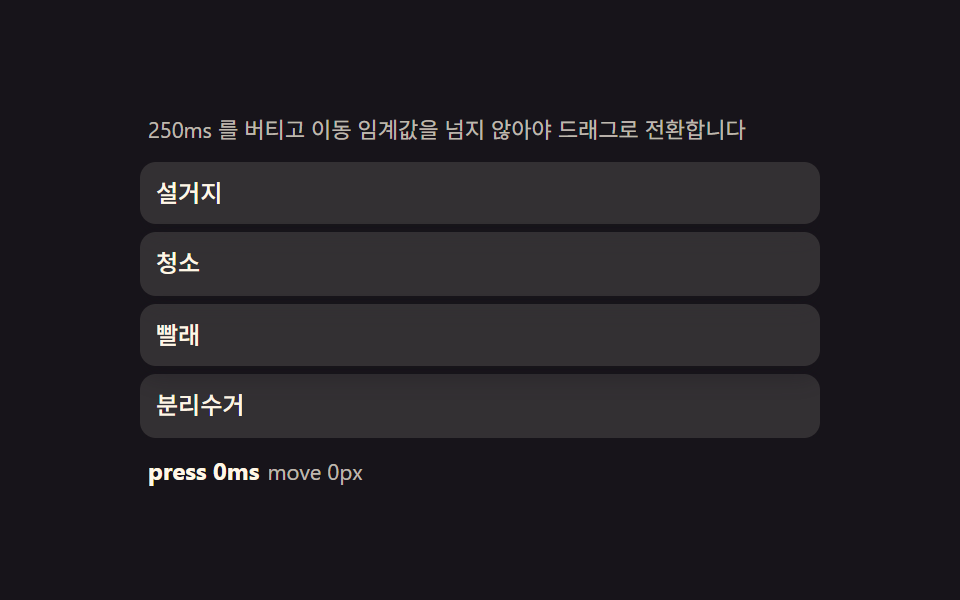 05 drag-touch-long-press
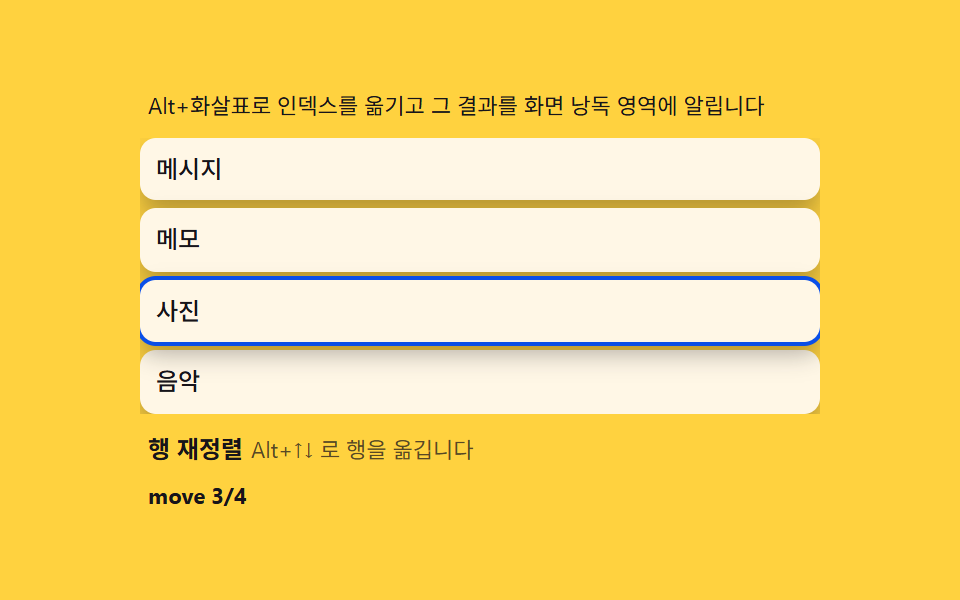 06 drag-keyboard-alt
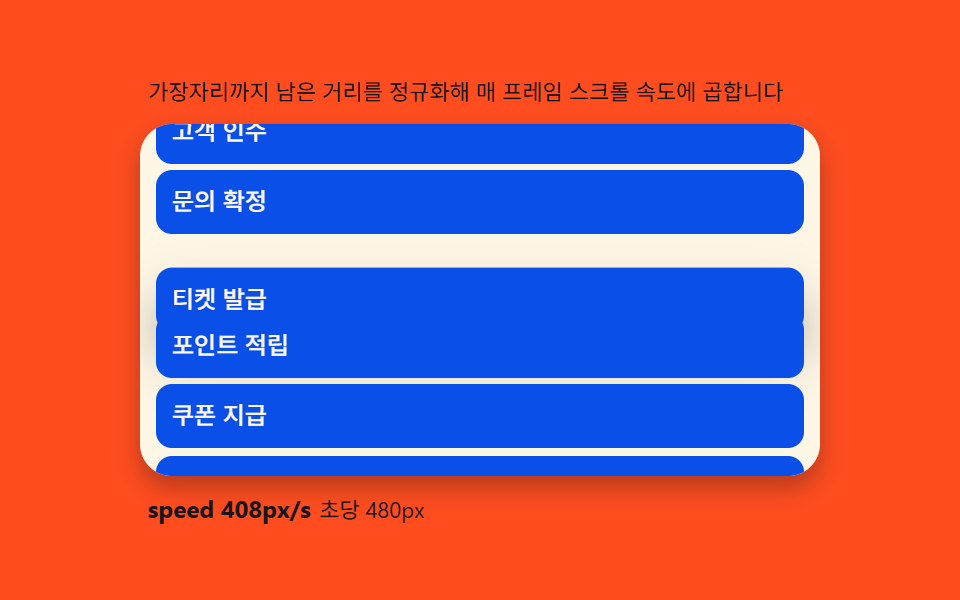 07 drag-autoscroll
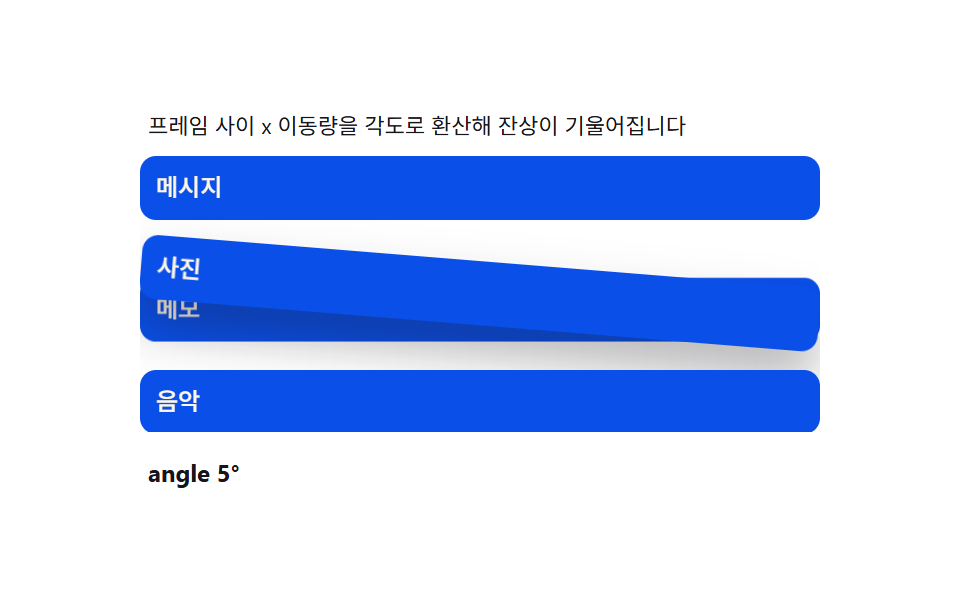 08 drag-ghost-preview
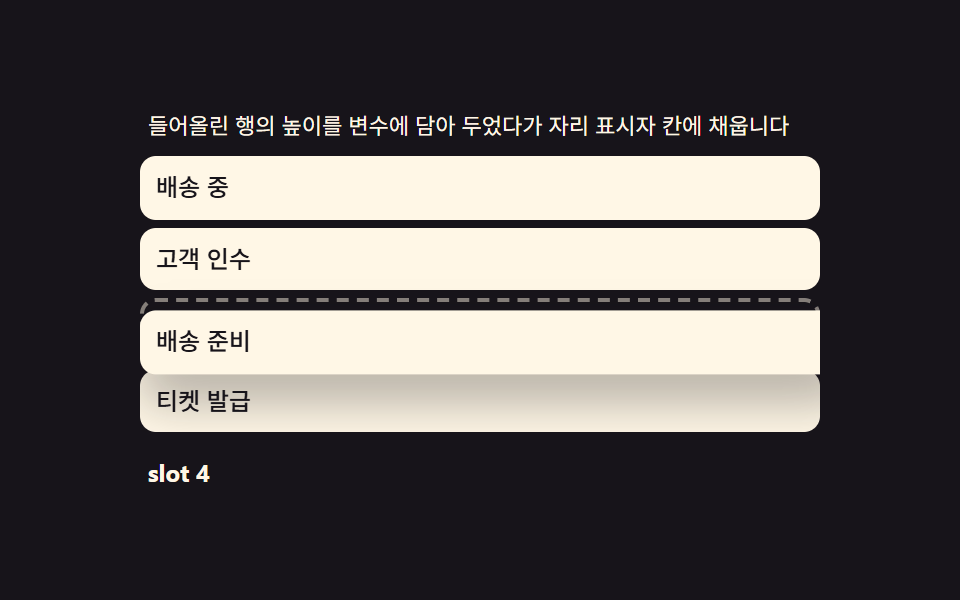 09 drag-drop-placeholder
自動再生 · タイルを押すとその項目へ · すべて1つのzip
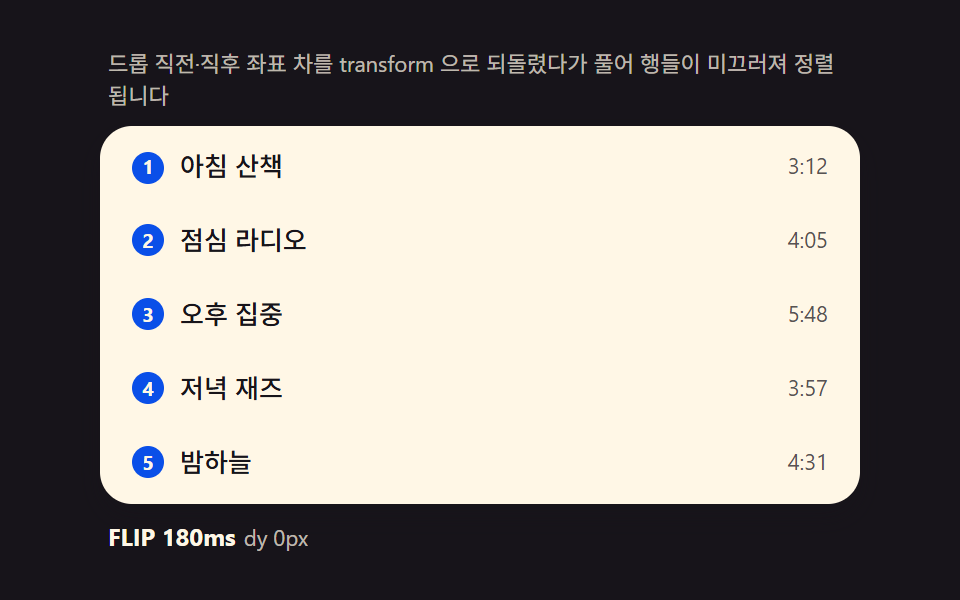
- 01 FLIPリスト — 移動前後の座標差を計算し戻してから解放する並び替え
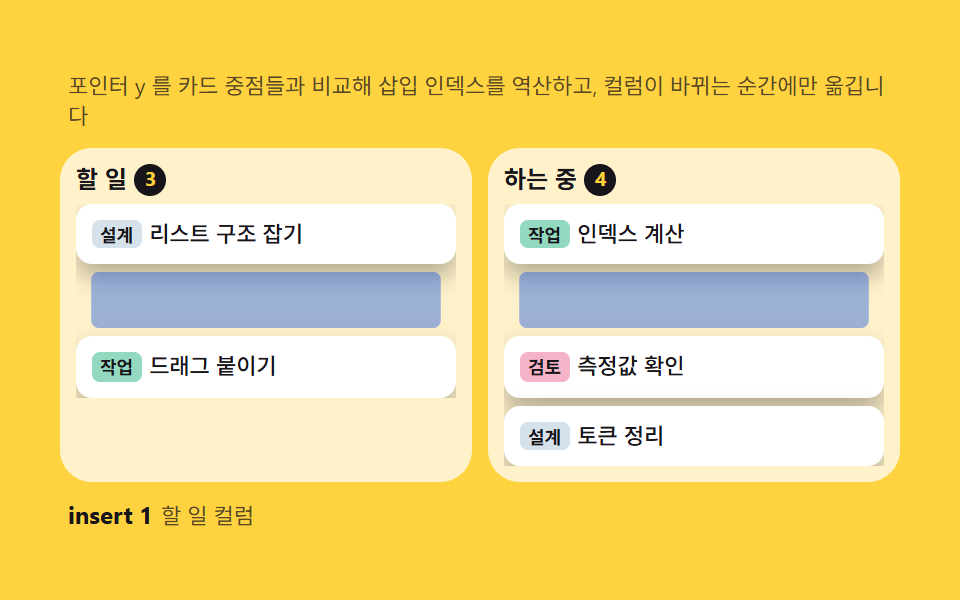
- 02 カンバンカード — ポインターY比率から対象カラムと挿入位置を逆算する計算
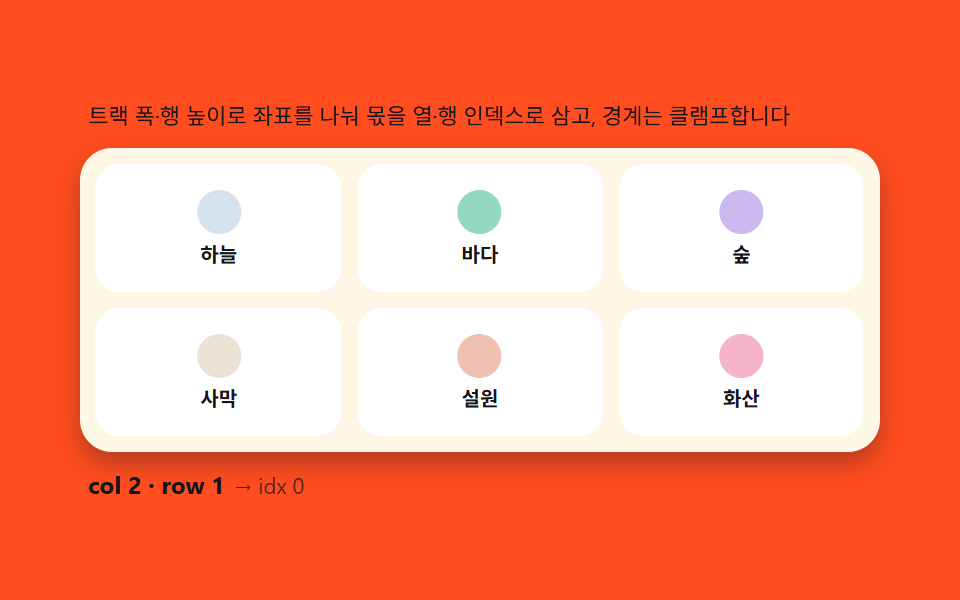
- 03 グリッド並び替え — ポインター座標から行・列インデックスを逆算する2次元計算
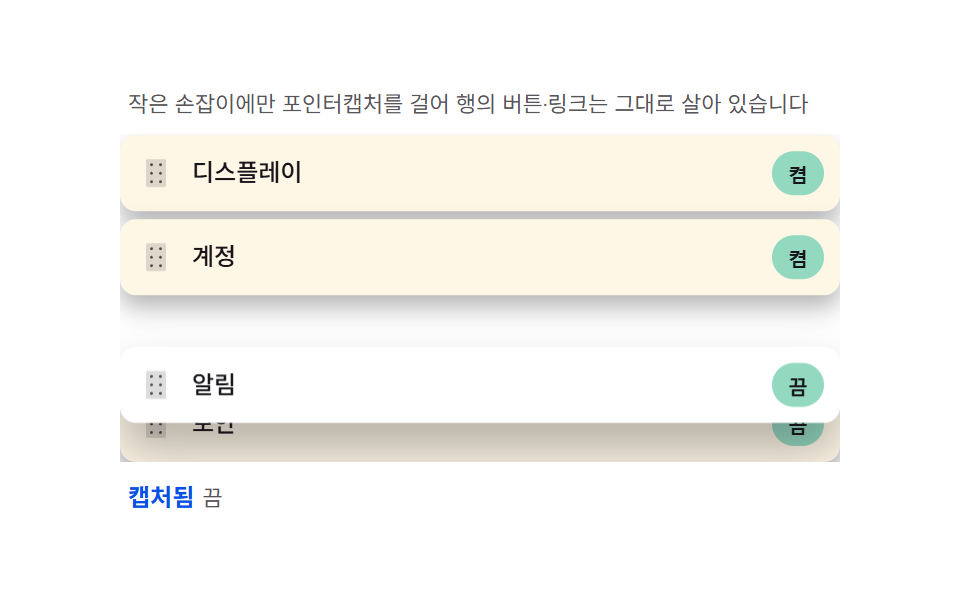
- 04 ハンドル専用 — 小さな取っ手だけにポインターキャプチャをかけ行の残りを生かす分離
- 05 ロングプレス判定 — 待機時間と移動閾値でスクロールとドラッグを分ける計算
- 06 キーボード並び替え — Alt+矢印で配列インデックスを移し、aria-liveで知らせる計算
- 07 端の自動スクロール — 距離を速度にマッピングするrAFループ
- 08 ゴーストプレビュー — 移動速度を傾きに変える残像コピー
- 09 プレースホルダー — 持ち上げた行の高さを移して膨らませる計算
デモ
9項目ともpointerdown・pointermove・pointerupの3段階とsetPointerCaptureという骨格を共有していますが、その上に乗る計算(FLIP座標の逆算・挿入位置の逆算・距離から速度へのマッピング)は項目ごとに違います。実測値は次の表のとおりです。
| 番号 | 項目 | 累積面積 | 強度平均 | 動いたフレーム |
|---|---|---|---|---|
| 01 | FLIPリスト | 6.12% | 104.5 | 12/23 |
| 02 | カンバンカード | 25.11% | 67.7 | 7/23 |
| 03 | グリッド並び替え | 21.30% | 65.0 | 12/23 |
| 04 | ハンドル専用 | 34.74% | 42.0 | 7/23 |
| 05 | ロングプレス判定 | 21.08% | 97.0 | 16/23 |
| 06 | キーボード並び替え | 15.12% | 85.5 | 8/23 |
| 07 | 端の自動スクロール | 41.66% | 182.5 | 12/23 |
| 08 | ゴーストプレビュー | 25.04% | 140.0 | 17/23 |
| 09 | プレースホルダー | 25.85% | 114.3 | 13/23 |
07の端の自動スクロールが累積面積41.66%で最も広く、リスト全体がスクロールで押し流されるためです。01のFLIPリストが6.12%で最も狭いのは、動く行が数行に限られる構造上の値です。02のカンバンカードと04のハンドル専用が24フレームのうち7フレームしか動かないのは欠陥ではなく、カラム変更や取っ手の慣性収束が自動再生の各ステップの間に待機区間を実際に持つためで、強度平均は04が42.0で最も落ち着き07が182.5で最も明るく、9項目とも下限(累積面積0.08%以上・強度15以上・動いたフレーム6以上)に十分な余裕をもって収まります。
ドラッグ並び替えの解剖 — pointerdown・move・upの3段階とsetPointerCapture
javascript ドラッグアンドドロップ 並び替えを自作するとき、最初に決めるべきは見た目より先にポインター処理の段階です。HTML5のdraggable="true" + dragstart系のDrag and Drop APIに置き換えたり、mousedown/touchstartを別に二重処理したりせず、pointerdown・pointermove・pointerup・pointercancelの4イベントだけでマウス・タッチ・ペンを統一して扱います。
pointerdownでsetPointerCaptureを呼ぶ理由
pointerdownが来た要素でtarget.setPointerCapture(e.pointerId)を呼ぶと、以降のmove・upがそのポインターIDに固定され、指がその要素の外に出てもイベントが途切れません。
pointermoveで挿入先インデックスを逆算する層
pointermoveごとに現在のポインター座標を読み、行のgetBoundingClientRectや列・行の幅で除算した商から挿入先インデックスを逆算し直すのが、このシリーズ共通の一枚です。
pointerupとpointercancelで終了と取消を分ける
pointerupは並び替えを確定してFLIPで解放し、pointercancelはロングプレスのタイマーやゴーストの角度をリセットして何も並び替えないまま終わります。
この3段階の上に重なる計算1枚
同じ3段階でも、01はFLIP差分・03は行列インデックス・05は待機時間と移動閾値・07は距離から速度へのマッピングという、項目ごとに違う計算が重なります。
9つのリストの段階別コード
html リスト 並び替え ドラッグを検索して来た人は、まずこの9項目の段階別コードから探すと早いです。自動再生はperformance.now()の時計が決めたポインター順序だけを再生するため、キャプチャごとに同じ場面が再現されます。
01FLIPリスト — 移動前後の座標差を計算し戻してから解放する並び替え
ドロップ直後に各行のgetBoundingClientRectを再測定し、以前の位置との差をtransformで即座に打ち消してから、次のフレームでtransitionで0に解放すると、行が自然に滑って収まります。DUR 180ms・cubic-bezier(.2,.8,.2,1)で、累積面積6.12%・強度平均104.5・動いたフレーム12/23です。
<main class="stage">
<div class="fl">
  <p class="fl__hint">ドロップ前後の座標差をtransformで打ち消してから解放し、行が滑って整列します</p>
  <ul class="fl__list" id="flList" role="listbox" aria-label="プレイリスト" aria-describedby="flHint">
    <li class="fl__row" role="option" aria-selected="false" tabindex="0"><span class="fl__rank" aria-hidden="true">1</span><span class="fl__name">朝の散歩</span><span class="fl__len">3:12</span></li>
    <li class="fl__row" role="option" aria-selected="false" tabindex="0"><span class="fl__rank" aria-hidden="true">2</span><span class="fl__name">昼のラジオ</span><span class="fl__len">4:05</span></li>
    <li class="fl__row" role="option" aria-selected="false" tabindex="0"><span class="fl__rank" aria-hidden="true">3</span><span class="fl__name">午後の集中</span><span class="fl__len">5:48</span></li>
    <li class="fl__row" role="option" aria-selected="false" tabindex="0"><span class="fl__rank" aria-hidden="true">4</span><span class="fl__name">夜のジャズ</span><span class="fl__len">3:57</span></li>
    <li class="fl__row" role="option" aria-selected="false" tabindex="0"><span class="fl__rank" aria-hidden="true">5</span><span class="fl__name">夜空</span><span class="fl__len">4:31</span></li>
  </ul>
  <p class="fl__meta"><b class="fl__tag" id="flState">FLIP 180ms</b><span class="fl__unit" id="flDelta">dy 0px</span></p>
</div>
</main>
@use "../../../../site/static/demo-tokens" as *;
$duration: 180ms;
$easing: cubic-bezier(.2,.8,.2,1);
$color: $subject-blue-deep;
// 파스텔 강조(도구/파스텔.py to_pastel 결과: 채도 .34 · 명도 +.11)
$p-mint: #93d9c0;
@include stage($stage-ink);
.fl {
width: 100%;
max-width: 380px;
display: flex;
flex-direction: column;
gap: $sp-2;
}
.fl__hint {
margin: 0;
padding: 0 $sp-1;
font-weight: 400;
font-size: 11px;
line-height: 1.4;
color: rgba($subject-cream, .72);
}
.fl__list {
margin: 0;
padding: $sp-1;
list-style: none;
display: flex;
flex-direction: column;
gap: $sp-1;
background: $subject-cream;
border-radius: $r-card;
box-shadow: $shadow-press;
overflow-y: auto;
}
.fl__row {
display: flex;
align-items: center;
gap: $sp-2;
padding: $sp-2 $sp-3;
border-radius: $r-sm;
background: transparent;
color: $subject-ink;
font-weight: 500;
font-size: 13px;
line-height: 1.3;
cursor: grab;
// will-change 없이도 transform 만 움직인다 — top/left 재계산 금지(기본규칙)
transform: translateY(0);
}
.fl__row:hover {
background: $p-mint;
}
.fl__rank {
flex: 0 0 auto;
width: 16px;
height: 16px;
display: grid;
place-items: center;
border-radius: $r-pill;
background: $color;
color: $subject-cream;
font-weight: 700;
font-size: 10px;
}
.fl__name {
flex: 1 1 auto;
min-width: 0;
overflow: hidden;
white-space: nowrap;
text-overflow: ellipsis;
}
.fl__len {
flex: 0 0 auto;
font-weight: 400;
font-size: 11px;
color: rgba($subject-ink, .72);
}
.fl__meta {
margin: 0;
padding: 0 $sp-1;
display: flex;
align-items: baseline;
gap: $sp-1;
}
.fl__tag {
font-weight: 700;
font-size: 12px;
color: $subject-cream;
}
.fl__unit {
font-weight: 400;
font-size: 11px;
color: rgba($subject-cream, .72);
}
@media (max-width: 340px) {
.fl { max-width: 280px; gap: $sp-1; }
.fl__hint { font-size: 10px; }
.fl__row { font-size: 12px; padding: $sp-1 $sp-2; }
.fl__list { max-height: 92px; gap: 0; }
}
@media (prefers-reduced-motion: reduce) {
.fl__row {
transition: none !important;
transform: none !important;
}
}html, body {
margin: 0;
overflow: hidden;
}
.stage {
box-sizing: border-box;
min-height: 100vh;
display: grid;
place-items: center;
margin: 0;
background: #17141a;
font-family: -apple-system, "Segoe UI", "Noto Sans KR", sans-serif;
padding: clamp(8px, 4vw, 24px);
}
.fl {
width: 100%;
max-width: 380px;
display: flex;
flex-direction: column;
gap: 8px;
}
.fl__hint {
margin: 0;
padding: 0 4px;
font-weight: 400;
font-size: 11px;
line-height: 1.4;
color: rgba(255, 247, 230, 0.72);
}
.fl__list {
margin: 0;
padding: 4px;
list-style: none;
display: flex;
flex-direction: column;
gap: 4px;
background: #fff7e6;
border-radius: 16px;
box-shadow: 0 6px 12px rgba(23, 20, 26, 0.32);
overflow-y: auto;
}
.fl__row {
display: flex;
align-items: center;
gap: 8px;
padding: 8px 12px;
border-radius: 8px;
background: transparent;
color: #17141a;
font-weight: 500;
font-size: 13px;
line-height: 1.3;
cursor: grab;
transform: translateY(0);
}
.fl__row:hover {
background: #93d9c0;
}
.fl__rank {
flex: 0 0 auto;
width: 16px;
height: 16px;
display: grid;
place-items: center;
border-radius: 999px;
background: #0a4fe8;
color: #fff7e6;
font-weight: 700;
font-size: 10px;
}
.fl__name {
flex: 1 1 auto;
min-width: 0;
overflow: hidden;
white-space: nowrap;
text-overflow: ellipsis;
}
.fl__len {
flex: 0 0 auto;
font-weight: 400;
font-size: 11px;
color: rgba(23, 20, 26, 0.72);
}
.fl__meta {
margin: 0;
padding: 0 4px;
display: flex;
align-items: baseline;
gap: 4px;
}
.fl__tag {
font-weight: 700;
font-size: 12px;
color: #fff7e6;
}
.fl__unit {
font-weight: 400;
font-size: 11px;
color: rgba(255, 247, 230, 0.72);
}
@media (max-width: 340px) {
.fl {
max-width: 280px;
gap: 4px;
}
.fl__hint {
font-size: 10px;
}
.fl__row {
font-size: 12px;
padding: 4px 8px;
}
.fl__list {
max-height: 92px;
gap: 0;
}
}
@media (prefers-reduced-motion: reduce) {
.fl__row {
transition: none !important;
transform: none !important;
}
}// FLIP 리스트(01) — 드롭으로 배열이 바뀌는 순간, 바뀌기 전 각 행의 getBoundingClientRect().top(first)을
// 재 두었다가 바뀐 뒤 좌표(last)와의 차(invert)를 transform translateY 로 즉시 되돌리고, 다음 프레임에
// transform 을 0 으로 풀어(play) 행들이 자연스럽게 미끄러지게 한다. 문구 사전과 실제 이동 픽셀은
// rAF 시계가 매 프레임 갱신한다. 포인터 조작도 같은 함수를 탄다(라이브러리 0, Pointer Events 기반).
(function () {
var list = document.getElementById('flList');
var stateEl = document.getElementById('flState');
var deltaEl = document.getElementById('flDelta');
if (!list || !stateEl || !deltaEl) return;
var DUR = 180; // FLIP 정리 시간(ms) — 변형 칩이 이 값만 바꾼다
var ROWS = ['朝の散歩', '昼のラジオ', '午後の集中', '夜のジャズ', '夜空'];
var LENS = ['3:12', '4:05', '5:48', '3:57', '4:31'];
var reduce = window.matchMedia('(prefers-reduced-motion: reduce)').matches;
function rows() { return Array.prototype.slice.call(list.children); }
// FLIP — 순서 배열 order 를 적용하고 이동한 행을 되돌렸다가 푼다
function applyOrder(order) {
var rs = rows();
var first = rs.map(function (r) { return r.getBoundingClientRect().top; });
// 배열 순서대로 다시 붙인다
for (var i = 0; i < order.length; i++) list.appendChild(rs[order[i]]);
rs = rows();
var maxAbs = 0;
for (var j = 0; j < rs.length; j++) {
var dy = first[order[j]] - rs[j].getBoundingClientRect().top; // invert
if (Math.abs(dy) > Math.abs(maxAbs)) maxAbs = dy;
if (dy !== 0) {
rs[j].style.transition = 'none';
rs[j].style.transform = 'translateY(' + dy + 'px)';
}
}
deltaEl.textContent = 'dy ' + Math.round(maxAbs) + 'px';
// play — 다음 프레임에 되돌림을 푼다
requestAnimationFrame(function () {
rs.forEach(function (r) {
r.style.transition = 'transform ' + DUR + 'ms cubic-bezier(.2,.8,.2,1)';
r.style.transform = 'translateY(0)';
});
setTimeout(function () { rs.forEach(function (r) { r.style.transition = ''; }); }, DUR + 40);
});
// rank 갱신
rs.forEach(function (r, i) { r.querySelector('.fl__rank').textContent = String(i + 1); });
return rs;
}
// 사람 조작 — 행을 클릭해 아래로, Shift+클릭으로 위로 (같은 FLIP 경로)
list.addEventListener('click', function (e) {
stop();
var li = e.target.closest('.fl__row');
if (!li) return;
var idx = rows().indexOf(li);
var order = [0, 1, 2, 3, 4];
if (e.shiftKey) {
if (idx === 0) return;
order.splice(idx - 1, 0, order.splice(idx, 1)[0]);
} else {
if (idx === 4) return;
order.splice(idx + 1, 0, order.splice(idx, 1)[0]);
}
applyOrder(order);
});
// 자동 시연 — 시드 고정 시나리오: 3→1, 1→4, 원복. 한 사이클 2초.
var playing = true;
function stop() { playing = false; }
var CYCLE = [
{ pick: 2, to: 0, hold: 700 }, // 午後の集中 3번째 → 1번째
{ pick: 0, to: 3, hold: 700 }, // 朝の散歩 1번째 → 4번째
{ pick: 0, to: 1, hold: 600 } // 1번째와 2번째 교환(원복 성분)
];
function permute(pick, to) {
var order = [0, 1, 2, 3, 4];
order.splice(to, 0, order.splice(pick, 1)[0]);
applyOrder(order);
}
if (reduce) {
permute(2, 0);
} else {
var seg = 0, segStart = performance.now();
(function step(now) {
if (playing) {
var s = CYCLE[seg];
if (now - segStart >= s.hold) {
seg = (seg + 1) % CYCLE.length;
segStart = now;
permute(CYCLE[seg].pick, CYCLE[seg].to);
}
}
requestAnimationFrame(step);
})(segStart);
}
})();// DragReorderList — vanilla 판(run/336/demo/01-drag-reorder-list/index.html)
// 의 React 포트. 배열 순서(order)를 실제 DOM 자식에 적용하기 전 각 행의 getBoundingClientRect().top
// (first)을 재 두었다가, 적용 후 좌표(last)와의 차(invert)를 transform translateY 로 즉시 되돌리고
// 다음 프레임에 transform 을 0 으로 풀어(play) 행이 미끄러지듯 정렬된다(FLIP). 사람 조작(클릭·Shift+클릭)
// 도 같은 applyOrder 를 타고, 자동 시연은 시드 고정 시나리오(CYCLE)로 같은 함수를 호출한다.
import { useEffect, useRef } from "react";
import styles from "./DragReorderList.module.scss";
export type DragReorderListProps = {
duration?: string;
easing?: string;
color?: string;
};
type Box<T> = { current: T };
const HINT = "드롭 직전·직후 좌표 차를 transform 으로 되돌렸다가 풀어 행들이 미끄러져 정렬됩니다";
const ARIA_LABEL = "재생목록";
const ROW_NAMES = ["아침 산책", "점심 라디오", "오후 집중", "저녁 재즈", "밤하늘"];
const LENS = ["3:12", "4:05", "5:48", "3:57", "4:31"];
type CycleStep = { pick: number; to: number; hold: number };
const CYCLE: CycleStep[] = [
{ pick: 2, to: 0, hold: 700 },
{ pick: 0, to: 3, hold: 700 },
{ pick: 0, to: 1, hold: 600 }
];
export default function DragReorderList({
duration = "180ms",
easing = "cubic-bezier(.2,.8,.2,1)",
color = "#0a4fe8"
}: DragReorderListProps) {
const listRef = useRef<HTMLUListElement | null>(null);
const stateRef = useRef<HTMLElement | null>(null);
const deltaRef = useRef<HTMLSpanElement | null>(null);
const rafRef = useRef(0) as Box<number>;
useEffect(() => {
const list = listRef.current;
const stateEl = stateRef.current;
const deltaEl = deltaRef.current;
if (!list || !stateEl || !deltaEl) return;
const DUR = parseFloat(duration) || 180;
function rows(): HTMLElement[] {
return Array.prototype.slice.call(list!.children);
}
function applyOrder(order: number[]): HTMLElement[] {
let rs = rows();
const first = rs.map((r) => r.getBoundingClientRect().top);
for (let i = 0; i < order.length; i++) list!.appendChild(rs[order[i]]);
rs = rows();
let maxAbs = 0;
for (let j = 0; j < rs.length; j++) {
const dy = first[order[j]] - rs[j].getBoundingClientRect().top;
if (Math.abs(dy) > Math.abs(maxAbs)) maxAbs = dy;
if (dy !== 0) {
rs[j].style.transition = "none";
rs[j].style.transform = "translateY(" + dy + "px)";
}
}
deltaEl!.textContent = "dy " + Math.round(maxAbs) + "px";
requestAnimationFrame(() => {
rs.forEach((r) => {
r.style.transition = "transform " + DUR + "ms " + easing;
r.style.transform = "translateY(0)";
});
setTimeout(() => {
rs.forEach((r) => { r.style.transition = ""; });
}, DUR + 40);
});
rs.forEach((r, i) => {
const rank = r.querySelector("." + styles.rank);
if (rank) rank.textContent = String(i + 1);
});
return rs;
}
function stop(): void {
playing = false;
}
function onClick(e: MouseEvent): void {
stop();
const target = e.target as HTMLElement;
const li = target.closest("." + styles.row) as HTMLElement | null;
if (!li) return;
const idx = rows().indexOf(li);
const order = [0, 1, 2, 3, 4];
if (e.shiftKey) {
if (idx === 0) return;
order.splice(idx - 1, 0, order.splice(idx, 1)[0]);
} else {
if (idx === 4) return;
order.splice(idx + 1, 0, order.splice(idx, 1)[0]);
}
applyOrder(order);
}
list.addEventListener("click", onClick as EventListener);
const reduce = window.matchMedia("(prefers-reduced-motion: reduce)").matches;
let playing = true;
function permute(pick: number, to: number): void {
const order = [0, 1, 2, 3, 4];
order.splice(to, 0, order.splice(pick, 1)[0]);
applyOrder(order);
}
if (reduce) {
permute(2, 0);
} else {
let seg = 0;
let segStart = performance.now();
const step = (now: number): void => {
if (playing) {
const s = CYCLE[seg];
if (now - segStart >= s.hold) {
seg = (seg + 1) % CYCLE.length;
segStart = now;
permute(CYCLE[seg].pick, CYCLE[seg].to);
}
}
rafRef.current = requestAnimationFrame(step);
};
rafRef.current = requestAnimationFrame(step);
}
return () => {
cancelAnimationFrame(rafRef.current);
list.removeEventListener("click", onClick as EventListener);
};
// eslint-disable-next-line react-hooks/exhaustive-deps
}, []);
return (
<main className={styles.stage}>
<div className={styles.fl}>
<p className={styles.hint} id="flHintReact">{HINT}</p>
<ul className={styles.list} ref={listRef} role="listbox" aria-label={ARIA_LABEL} aria-describedby="flHintReact">
{ROW_NAMES.map((name, i) => (
<li key={i} className={styles.row} role="option" aria-selected="false" tabIndex={0}>
<span className={styles.rank} aria-hidden="true" style={{ background: color }}>{i + 1}</span>
<span className={styles.name}>{name}</span>
<span className={styles.len}>{LENS[i]}</span>
</li>
))}
</ul>
<p className={styles.meta}>
<b className={styles.tag} ref={stateRef}>FLIP {duration}</b>
<span className={styles.unit} ref={deltaRef}>dy 0px</span>
</p>
</div>
</main>
);
}01 · FLIPリスト — 移動前後の座標差を計算し戻してから解放する並び替え — 計測 累積面積 6.12% · 動いたフレーム 12/23GODRICH オリジナル · SCSS と React は zip に同梱 · パスワードを見る
getBoundingClientRectの差分をtransformで打ち消すapplyOrder
行を並べ替えたあとの差分を反転し、requestAnimationFrameの次のフレームでtransitionを有効にして0へ戻す順序を、逆にしないことがこの関数の要点です。
    for (var j = 0; j < rs.length; j++) {
      var dy = first[order[j]] - rs[j].getBoundingClientRect().top; // 反転
      if (Math.abs(dy) > Math.abs(maxAbs)) maxAbs = dy;
      if (dy !== 0) {
        rs[j].style.transition = 'none';
        rs[j].style.transform = 'translateY(' + dy + 'px)';
      }
    }
    deltaEl.textContent = 'dy ' + Math.round(maxAbs) + 'px';
    // 再生 — 次のフレームで戻しを解放する
    requestAnimationFrame(function () {
      rs.forEach(function (r) {
        r.style.transition = 'transform ' + DUR + 'ms cubic-bezier(.2,.8,.2,1)';
        r.style.transform = 'translateY(0)';
      });
      setTimeout(function () { rs.forEach(function (r) { r.style.transition = ''; }); }, DUR + 40);
    });
02カンバンカード — ポインターY比率から対象カラムと挿入位置を逆算する計算
ポインターがどのカラムのgetBoundingClientRect内にあるかで対象カラムを見つけ、そのカラム内カードのY中点とポインターYを比較して挿入位置を逆算します。カラムが実際に変わった瞬間だけ配列のspliceを実行し、累積面積25.11%・強度平均67.7・動いたフレーム7/23です。
<main class="stage">
<div class="kb">
  <p class="kb__hint">ポインターYをカードの中点と比較して挿入位置を逆算し、カラムが変わる瞬間だけ移動します</p>
  <div class="kb__board" id="kbBoard">
    <section class="kb__col" id="kbColA" aria-label="未着手">
      <h2 class="kb__title">未着手 <b class="kb__count" id="kbCountA">3</b></h2>
      <ul class="kb__cards" id="kbListA">
        <li class="kb__card"><span class="kb__tag kb__tag--b">設計</span><span class="kb__txt">リスト構造の設計</span></li>
        <li class="kb__card"><span class="kb__tag kb__tag--b">設計</span><span class="kb__txt">トークン整理</span></li>
        <li class="kb__card"><span class="kb__tag kb__tag--m">作業</span><span class="kb__txt">ドラッグの実装</span></li>
      </ul>
    </section>
    <section class="kb__col" id="kbColB" aria-label="進行中">
      <h2 class="kb__title">進行中 <b class="kb__count" id="kbCountB">2</b></h2>
      <ul class="kb__cards" id="kbListB">
        <li class="kb__card"><span class="kb__tag kb__tag--m">作業</span><span class="kb__txt">インデックス計算</span></li>
        <li class="kb__card"><span class="kb__tag kb__tag--o">検収</span><span class="kb__txt">計測値の確認</span></li>
      </ul>
    </section>
  </div>
  <p class="kb__meta"><b class="kb__state" id="kbState">insert 2</b><span class="kb__unit" id="kbCol">未着手カラム</span></p>
</div>
</main>
@use "../../../../site/static/demo-tokens" as *;
$duration: 220ms;
$easing: $ease-spring;
$color: $subject-blue-deep;
// 파스텔 강조(도구/파스텔.py to_pastel 결과: 채도 .34 · 명도 +.11)
$p-pink: #f4b3c6;
$p-mint: #93d9c0;
$p-sky: #d6e2eb;
@include stage($stage-yellow);
.kb {
width: 100%;
max-width: 420px;
display: flex;
flex-direction: column;
gap: $sp-2;
}
.kb__hint {
margin: 0;
padding: 0 $sp-1;
font-weight: 400;
font-size: 11px;
line-height: 1.4;
color: rgba($subject-ink, .72);
}
.kb__board {
display: grid;
grid-template-columns: repeat(2, 1fr);
gap: $sp-2;
}
.kb__col {
display: flex;
flex-direction: column;
gap: $sp-1;
background: rgba(255, 255, 255, .72);
border-radius: $r-card;
padding: $sp-2;
}
.kb__title {
margin: 0;
display: flex;
align-items: center;
gap: $sp-1;
font-weight: 700;
font-size: 12px;
line-height: 1.3;
color: $subject-ink;
}
.kb__count {
display: grid;
place-items: center;
width: 16px;
height: 16px;
border-radius: $r-pill;
background: $subject-ink;
color: $stage-yellow;
font-weight: 700;
font-size: 10px;
}
.kb__cards {
margin: 0;
padding: 0;
list-style: none;
display: flex;
flex-direction: column;
gap: $sp-1;
min-height: 96px;
overflow-y: auto;
}
.kb__card {
display: flex;
align-items: center;
gap: $sp-1;
padding: $sp-2;
border-radius: $r-sm;
background: $stage-paper;
box-shadow: $shadow-press;
color: $subject-ink;
font-weight: 500;
font-size: 11px;
line-height: 1.3;
cursor: grab;
touch-action: none;
transition: transform $duration $easing;
}
.kb__card:hover {
transform: translateY(-2px) scale(1.02);
transform-origin: center;
}
.kb__card--drag {
cursor: grabbing;
box-shadow: $shadow-raised;
}
.kb__tag {
flex: 0 0 auto;
padding: 0 $sp-1;
border-radius: $r-xs;
font-weight: 700;
font-size: 9px;
line-height: 1.6;
}
.kb__tag--b { background: $p-sky; color: $subject-ink; }
.kb__tag--m { background: $p-mint; color: $subject-ink; }
.kb__tag--o { background: $p-pink; color: $subject-ink; }
.kb__txt {
flex: 1 1 auto;
min-width: 0;
overflow: hidden;
white-space: nowrap;
text-overflow: ellipsis;
}
.kb__line {
height: 28px;
border-radius: $r-xs;
background: rgba($color, .4);
list-style: none;
transform: scaleX(.92);
transform-origin: center;
transition: transform $duration $easing;
}
.kb__meta {
margin: 0;
padding: 0 $sp-1;
display: flex;
align-items: baseline;
gap: $sp-1;
}
.kb__state {
font-weight: 700;
font-size: 12px;
color: $subject-ink;
}
.kb__unit {
font-weight: 400;
font-size: 11px;
color: rgba($subject-ink, .72);
}
@media (max-width: 340px) {
.kb { max-width: 280px; gap: $sp-1; }
.kb__hint { font-size: 10px; }
.kb__card { font-size: 10px; padding: $sp-1; }
.kb__cards { max-height: 66px; min-height: 0; }
}
@media (prefers-reduced-motion: reduce) {
.kb__card,
.kb__line {
transition: none !important;
transform: none !important;
}
}html, body {
margin: 0;
overflow: hidden;
}
.stage {
box-sizing: border-box;
min-height: 100vh;
display: grid;
place-items: center;
margin: 0;
background: #ffd23f;
font-family: -apple-system, "Segoe UI", "Noto Sans KR", sans-serif;
padding: clamp(8px, 4vw, 24px);
}
.kb {
width: 100%;
max-width: 420px;
display: flex;
flex-direction: column;
gap: 8px;
}
.kb__hint {
margin: 0;
padding: 0 4px;
font-weight: 400;
font-size: 11px;
line-height: 1.4;
color: rgba(23, 20, 26, 0.72);
}
.kb__board {
display: grid;
grid-template-columns: repeat(2, 1fr);
gap: 8px;
}
.kb__col {
display: flex;
flex-direction: column;
gap: 4px;
background: rgba(255, 255, 255, 0.72);
border-radius: 16px;
padding: 8px;
}
.kb__title {
margin: 0;
display: flex;
align-items: center;
gap: 4px;
font-weight: 700;
font-size: 12px;
line-height: 1.3;
color: #17141a;
}
.kb__count {
display: grid;
place-items: center;
width: 16px;
height: 16px;
border-radius: 999px;
background: #17141a;
color: #ffd23f;
font-weight: 700;
font-size: 10px;
}
.kb__cards {
margin: 0;
padding: 0;
list-style: none;
display: flex;
flex-direction: column;
gap: 4px;
min-height: 96px;
overflow-y: auto;
}
.kb__card {
display: flex;
align-items: center;
gap: 4px;
padding: 8px;
border-radius: 8px;
background: #ffffff;
box-shadow: 0 6px 12px rgba(23, 20, 26, 0.32);
color: #17141a;
font-weight: 500;
font-size: 11px;
line-height: 1.3;
cursor: grab;
touch-action: none;
transition: transform 220ms cubic-bezier(0.2, 0.8, 0.2, 1);
}
.kb__card:hover {
transform: translateY(-2px) scale(1.02);
transform-origin: center;
}
.kb__card--drag {
cursor: grabbing;
box-shadow: 0 14px 24px rgba(23, 20, 26, 0.32);
}
.kb__tag {
flex: 0 0 auto;
padding: 0 4px;
border-radius: 4px;
font-weight: 700;
font-size: 9px;
line-height: 1.6;
}
.kb__tag--b {
background: #d6e2eb;
color: #17141a;
}
.kb__tag--m {
background: #93d9c0;
color: #17141a;
}
.kb__tag--o {
background: #f4b3c6;
color: #17141a;
}
.kb__txt {
flex: 1 1 auto;
min-width: 0;
overflow: hidden;
white-space: nowrap;
text-overflow: ellipsis;
}
.kb__line {
height: 28px;
border-radius: 4px;
background: rgba(10, 79, 232, 0.4);
list-style: none;
transform: scaleX(0.92);
transform-origin: center;
transition: transform 220ms cubic-bezier(0.2, 0.8, 0.2, 1);
}
.kb__meta {
margin: 0;
padding: 0 4px;
display: flex;
align-items: baseline;
gap: 4px;
}
.kb__state {
font-weight: 700;
font-size: 12px;
color: #17141a;
}
.kb__unit {
font-weight: 400;
font-size: 11px;
color: rgba(23, 20, 26, 0.72);
}
@media (max-width: 340px) {
.kb {
max-width: 280px;
gap: 4px;
}
.kb__hint {
font-size: 10px;
}
.kb__card {
font-size: 10px;
padding: 4px;
}
.kb__cards {
max-height: 66px;
min-height: 0;
}
}
@media (prefers-reduced-motion: reduce) {
.kb__card,
.kb__line {
transition: none !important;
transform: none !important;
}
}// 칸반 카드(02) — 포인터가 어느 컬럼의 getBoundingClientRect 안에 있는지로 대상 컬럼을 찾고(findColumn),
// 그 カラム 안 카드들의 y 중점과 포인터 y 를 비교해 삽입 인덱스를 역산한다(insertIndex). 컬럼이 실제로
// 바뀌는 순간에만 appendChild 로 카드를 옮기고, 같은 カラム 안에서는 미리보기 삽입선만 움직인다.
// 자동 시연은 고정 시나리오: 카드를 뽑아 다른 컬럼의 계산된 위치에 놓기를 2초 주기로 반복한다.
(function () {
var colA = document.getElementById('kbColA');
var colB = document.getElementById('kbColB');
var listA = document.getElementById('kbListA');
var listB = document.getElementById('kbListB');
var countA = document.getElementById('kbCountA');
var countB = document.getElementById('kbCountB');
var stateEl = document.getElementById('kbState');
var colEl = document.getElementById('kbCol');
if (!colA || !colB || !listA || !listB || !countA || !countB || !stateEl || !colEl) return;
var COLS = [colA, colB];
var NAMES = ['未着手', '進行中'];
// カラム rects 캐시 — 시연 시나리오마다 재측정
function findColumn(x) {
for (var i = 0; i < COLS.length; i++) {
var r = COLS[i].getBoundingClientRect();
if (x >= r.left && x <= r.right) return i;
}
return -1;
}
// 삽입 인덱스 역산 — 카드 y 중점과 포인터 y 비교
function insertIndex(colList, y) {
var cards = colList.children;
for (var i = 0; i < cards.length; i++) {
var r = cards[i].getBoundingClientRect();
if (y < r.top + r.height / 2) return i;
}
return cards.length;
}
function refreshCounts() {
countA.textContent = String(listA.children.length);
countB.textContent = String(listB.children.length);
}
// 실제 이동 — 컬럼이 바뀔 때만 호출. FLIP: 이동 전 모든 카드 좌표를 재고 이동 후 차를 되돌렸다가 푼다
function moveCard(card, fromList, toList, index) {
var all = Array.prototype.slice.call(document.querySelectorAll('.kb__card'));
var first = all.map(function (c) { return c.getBoundingClientRect(); });
var target = toList.children[index] || null;
toList.insertBefore(card, target);
refreshCounts();
all.forEach(function (c, i) {
var r = c.getBoundingClientRect();
var dx = first[i].left - r.left, dy = first[i].top - r.top;
if (dx !== 0 || dy !== 0) {
c.style.transition = 'none';
c.style.transform = 'translate(' + dx + 'px,' + dy + 'px)';
requestAnimationFrame(function () {
c.style.transition = 'transform 260ms cubic-bezier(.2,.8,.2,1)';
c.style.transform = 'translate(0,0)';
});
}
});
}
// 미리보기 삽입선 — 같은 カラム 안에서 포인터 y 가 가리키는 칸
function previewLine(card, y) {
var list = card.parentElement;
if (!list) return;
var idx = insertIndex(list, y);
stateEl.textContent = 'insert ' + idx;
colEl.textContent = (list === listA ? NAMES[0] : NAMES[1]) + ' カラム';
var old = list.querySelector('.kb__line');
if (old) old.parentElement.removeChild(old);
var line = document.createElement('li');
line.className = 'kb__line';
var target = list.children[idx] || null;
list.insertBefore(line, target);
}
// 사람 조작 — 실제 포인터 ドラッグ: pointerdown 으로 캡처, pointermove 로 삽입선을 따라가고,
// pointerup 에서 findColumn+insertIndex 로 역산한 자리에 moveCard 를 부른다(같은 계산 경로).
var dragCard = null;
function onPointerDown(e) {
var card = e.target.closest('.kb__card');
if (!card) return;
stop();
dragCard = card;
card.setPointerCapture(e.pointerId);
card.classList.add('kb__card--drag');
}
function onPointerMove(e) {
if (!dragCard) return;
var ci = findColumn(e.clientX);
var list = ci === 1 ? listB : listA;
previewLine(dragCard, e.clientY);
if (list !== dragCard.parentElement) {
var idx = insertIndex(list, e.clientY);
var target = list.children[idx] || null;
list.insertBefore(dragCard, target);
refreshCounts();
}
}
function onPointerUp(e) {
if (!dragCard) return;
var card = dragCard;
dragCard = null;
card.classList.remove('kb__card--drag');
var list = card.parentElement;
var idx = insertIndex(list, e.clientY);
moveCard(card, list, list, Math.min(idx, list.children.length - 1));
clearLines();
}
colA.addEventListener('pointerdown', onPointerDown);
colB.addEventListener('pointerdown', onPointerDown);
colA.addEventListener('pointermove', onPointerMove);
colB.addEventListener('pointermove', onPointerMove);
colA.addEventListener('pointerup', onPointerUp);
colB.addEventListener('pointerup', onPointerUp);
colA.addEventListener('pointercancel', onPointerUp);
colB.addEventListener('pointercancel', onPointerUp);
// 클릭(탭)도 반대 컬럼의 중점 위치로 옮기는 대체 경로로 남긴다(포인터 없는 환경 대비)
function onCardClick(e) {
if (dragCard) return;
stop();
var card = e.target.closest('.kb__card');
if (!card) return;
var r = card.getBoundingClientRect();
var toOther = card.parentElement === listA ? listB : listA;
var idx = insertIndex(toOther, r.top + r.height / 2);
moveCard(card, card.parentElement, toOther, idx);
}
colA.addEventListener('click', onCardClick);
colB.addEventListener('click', onCardClick);
// 자동 시연 — 시나리오: A2 를 뽑아 B 의 계산 인덱스에, B1 을 A 로, 되돌리기. 2초 루프.
var playing = true;
function stop() { playing = false; }
var reduce = window.matchMedia('(prefers-reduced-motion: reduce)').matches;
function step1() {
var card = listA.children[1];
if (!card) return;
// カラム rect 를 다시 재서 목표 y 는 B カラム 세로 중간
var rb = colB.getBoundingClientRect();
var y = rb.top + rb.height / 2;
previewLine(card, y);
var idx = insertIndex(listB, y);
moveCard(card, listA, listB, idx);
}
function step2() {
var card = listB.children[0];
if (!card) return;
var ra = colA.getBoundingClientRect();
var y = ra.top + ra.height / 2;
previewLine(card, y);
var idx = insertIndex(listA, y);
moveCard(card, listB, listA, idx);
}
function clearLines() {
document.querySelectorAll('.kb__line').forEach(function (l) {
l.parentElement.removeChild(l);
});
}
if (reduce) {
step1();
clearLines();
} else {
var seq = [
{ at: 0, fn: step1 },
{ at: 660, fn: clearLines },
{ at: 1000, fn: step2 },
{ at: 1660, fn: clearLines }
];
var loopStart = performance.now();
(function tick(now) {
var t = (now - loopStart) % 2000;
seq.forEach(function (s) {
if (t >= s.at && t < s.at + 90 && !s.done) { s.fn(); s.done = true; }
if (t < s.at) s.done = false;
});
requestAnimationFrame(tick);
})(loopStart);
}
})();// DragReorderKanban — vanilla 판(run/336/demo/02-drag-reorder-kanban/index.html)
// 의 React 포트. 포인터가 어느 컬럼의 getBoundingClientRect 안에 있는지로 대상 컬럼을 찾고
// (findColumn), 그 컬럼 안 카드들의 y 중점과 포인터 y 를 비교해 삽입 인덱스를 역산한다
// (insertIndex). 컬럼이 실제로 바뀌는 순간에만 moveCard 가 전체 카드를 FLIP 으로 되돌린다.
import { useEffect, useRef } from "react";
import styles from "./DragReorderKanban.module.scss";
export type DragReorderKanbanProps = {
duration?: string;
easing?: string;
color?: string;
};
const HINT = "포인터 y 를 카드 중점들과 비교해 삽입 인덱스를 역산하고, 컬럼이 바뀌는 순간에만 옮깁니다";
const NAMES = ["할 일", "하는 중"];
type CardDef = { tag: string; tagClass: string; txt: string };
const CARDS_A: CardDef[] = [
{ tag: "설계", tagClass: "b", txt: "리스트 구조 잡기" },
{ tag: "설계", tagClass: "b", txt: "토큰 정리" },
{ tag: "작업", tagClass: "m", txt: "드래그 붙이기" }
];
const CARDS_B: CardDef[] = [
{ tag: "작업", tagClass: "m", txt: "인덱스 계산" },
{ tag: "검토", tagClass: "o", txt: "측정값 확인" }
];
export default function DragReorderKanban({
duration = "260ms",
easing = "cubic-bezier(.2,.8,.2,1)",
color = "#0a4fe8"
}: DragReorderKanbanProps) {
const colARef = useRef<HTMLElement | null>(null);
const colBRef = useRef<HTMLElement | null>(null);
const listARef = useRef<HTMLUListElement | null>(null);
const listBRef = useRef<HTMLUListElement | null>(null);
const countARef = useRef<HTMLElement | null>(null);
const countBRef = useRef<HTMLElement | null>(null);
const stateRef = useRef<HTMLElement | null>(null);
const colTxtRef = useRef<HTMLSpanElement | null>(null);
useEffect(() => {
const colA = colARef.current;
const colB = colBRef.current;
const listA = listARef.current;
const listB = listBRef.current;
const countA = countARef.current;
const countB = countBRef.current;
const stateEl = stateRef.current;
const colEl = colTxtRef.current;
if (!colA || !colB || !listA || !listB || !countA || !countB || !stateEl || !colEl) return;
const COLS = [colA, colB];
const lineClass = styles.line;
const cardClass = styles.card;
const dragClass = styles.cardDrag;
function findColumn(x: number): number {
for (let i = 0; i < COLS.length; i++) {
const r = COLS[i]!.getBoundingClientRect();
if (x >= r.left && x <= r.right) return i;
}
return -1;
}
function insertIndex(colList: HTMLElement, y: number): number {
const cards = colList.children;
for (let i = 0; i < cards.length; i++) {
const r = (cards[i] as HTMLElement).getBoundingClientRect();
if (y < r.top + r.height / 2) return i;
}
return cards.length;
}
function refreshCounts(): void {
countA!.textContent = String(listA!.children.length);
countB!.textContent = String(listB!.children.length);
}
function allCards(): HTMLElement[] {
return Array.prototype.slice.call(document.querySelectorAll("." + cardClass));
}
function moveCard(card: HTMLElement, toList: HTMLElement, index: number): void {
const all = allCards();
const first = all.map((c) => c.getBoundingClientRect());
const target = (toList.children[index] as HTMLElement) || null;
toList.insertBefore(card, target);
refreshCounts();
all.forEach((c, i) => {
const r = c.getBoundingClientRect();
const dx = first[i].left - r.left;
const dy = first[i].top - r.top;
if (dx !== 0 || dy !== 0) {
c.style.transition = "none";
c.style.transform = "translate(" + dx + "px," + dy + "px)";
requestAnimationFrame(() => {
c.style.transition = "transform " + duration + " " + easing;
c.style.transform = "translate(0,0)";
});
}
});
}
function previewLine(card: HTMLElement, y: number): void {
const list = card.parentElement;
if (!list) return;
const idx = insertIndex(list as HTMLElement, y);
stateEl!.textContent = "insert " + idx;
colEl!.textContent = (list === listA ? NAMES[0] : NAMES[1]) + " 컬럼";
const old = list.querySelector("." + lineClass);
if (old && old.parentElement) old.parentElement.removeChild(old);
const line = document.createElement("li");
line.className = lineClass;
const target = (list.children[idx] as HTMLElement) || null;
list.insertBefore(line, target);
}
function clearLines(): void {
document.querySelectorAll("." + lineClass).forEach((l) => {
if (l.parentElement) l.parentElement.removeChild(l);
});
}
let dragCard: HTMLElement | null = null;
function onPointerDown(e: PointerEvent): void {
const card = (e.target as HTMLElement).closest("." + cardClass) as HTMLElement | null;
if (!card) return;
stop();
dragCard = card;
card.setPointerCapture(e.pointerId);
card.classList.add(dragClass);
}
function onPointerMove(e: PointerEvent): void {
if (!dragCard) return;
const ci = findColumn(e.clientX);
const list = ci === 1 ? listB! : listA!;
previewLine(dragCard, e.clientY);
if (list !== dragCard.parentElement) {
const idx = insertIndex(list, e.clientY);
const target = (list.children[idx] as HTMLElement) || null;
list.insertBefore(dragCard, target);
refreshCounts();
}
}
function onPointerUp(e: PointerEvent): void {
if (!dragCard) return;
const card = dragCard;
dragCard = null;
card.classList.remove(dragClass);
const list = card.parentElement as HTMLElement;
const idx = insertIndex(list, e.clientY);
moveCard(card, list, Math.min(idx, list.children.length - 1));
clearLines();
}
function onCardClick(e: MouseEvent): void {
if (dragCard) return;
stop();
const card = (e.target as HTMLElement).closest("." + cardClass) as HTMLElement | null;
if (!card) return;
const r = card.getBoundingClientRect();
const toOther = card.parentElement === listA ? listB! : listA!;
const idx = insertIndex(toOther, r.top + r.height / 2);
moveCard(card, toOther, idx);
}
colA.addEventListener("pointerdown", onPointerDown as EventListener);
colB.addEventListener("pointerdown", onPointerDown as EventListener);
colA.addEventListener("pointermove", onPointerMove as EventListener);
colB.addEventListener("pointermove", onPointerMove as EventListener);
colA.addEventListener("pointerup", onPointerUp as EventListener);
colB.addEventListener("pointerup", onPointerUp as EventListener);
colA.addEventListener("pointercancel", onPointerUp as EventListener);
colB.addEventListener("pointercancel", onPointerUp as EventListener);
colA.addEventListener("click", onCardClick as EventListener);
colB.addEventListener("click", onCardClick as EventListener);
let playing = true;
function stop(): void {
playing = false;
}
const reduce = window.matchMedia("(prefers-reduced-motion: reduce)").matches;
function step1(): void {
const card = listA!.children[1] as HTMLElement;
if (!card) return;
const rb = colB!.getBoundingClientRect();
const y = rb.top + rb.height / 2;
previewLine(card, y);
const idx = insertIndex(listB!, y);
moveCard(card, listB!, idx);
}
function step2(): void {
const card = listB!.children[0] as HTMLElement;
if (!card) return;
const ra = colA!.getBoundingClientRect();
const y = ra.top + ra.height / 2;
previewLine(card, y);
const idx = insertIndex(listA!, y);
moveCard(card, listA!, idx);
}
let rafId = 0;
if (reduce) {
step1();
clearLines();
} else {
const seq = [
{ at: 0, fn: step1, done: false },
{ at: 660, fn: clearLines, done: false },
{ at: 1000, fn: step2, done: false },
{ at: 1660, fn: clearLines, done: false }
];
const loopStart = performance.now();
const tick = (now: number): void => {
const t = (now - loopStart) % 2000;
seq.forEach((s) => {
if (playing && t >= s.at && t < s.at + 90 && !s.done) {
s.fn();
s.done = true;
}
if (t < s.at) s.done = false;
});
rafId = requestAnimationFrame(tick);
};
rafId = requestAnimationFrame(tick);
}
return () => {
cancelAnimationFrame(rafId);
colA.removeEventListener("pointerdown", onPointerDown as EventListener);
colB.removeEventListener("pointerdown", onPointerDown as EventListener);
colA.removeEventListener("pointermove", onPointerMove as EventListener);
colB.removeEventListener("pointermove", onPointerMove as EventListener);
colA.removeEventListener("pointerup", onPointerUp as EventListener);
colB.removeEventListener("pointerup", onPointerUp as EventListener);
colA.removeEventListener("pointercancel", onPointerUp as EventListener);
colB.removeEventListener("pointercancel", onPointerUp as EventListener);
colA.removeEventListener("click", onCardClick as EventListener);
colB.removeEventListener("click", onCardClick as EventListener);
};
// eslint-disable-next-line react-hooks/exhaustive-deps
}, []);
return (
<main className={styles.stage}>
<div className={styles.kb}>
<p className={styles.hint}>{HINT}</p>
<div className={styles.board}>
<section className={styles.col} ref={colARef} aria-label={NAMES[0]}>
<h2 className={styles.title}>{NAMES[0]} <b className={styles.count} ref={countARef}>{CARDS_A.length}</b></h2>
<ul className={styles.cards} ref={listARef}>
{CARDS_A.map((c, i) => (
<li key={i} className={styles.card}>
<span className={styles.tag + " " + (styles as Record<string, string>)["tag" + c.tagClass.toUpperCase()]}>{c.tag}</span>
<span className={styles.txt}>{c.txt}</span>
</li>
))}
</ul>
</section>
<section className={styles.col} ref={colBRef} aria-label={NAMES[1]}>
<h2 className={styles.title}>{NAMES[1]} <b className={styles.count} ref={countBRef}>{CARDS_B.length}</b></h2>
<ul className={styles.cards} ref={listBRef}>
{CARDS_B.map((c, i) => (
<li key={i} className={styles.card}>
<span className={styles.tag + " " + (styles as Record<string, string>)["tag" + c.tagClass.toUpperCase()]}>{c.tag}</span>
<span className={styles.txt}>{c.txt}</span>
</li>
))}
</ul>
</section>
</div>
<p className={styles.meta}>
<b className={styles.state} ref={stateRef} style={{ color }}>insert 2</b>
<span className={styles.unit} ref={colTxtRef}>{NAMES[0]} 컬럼</span>
</p>
</div>
</main>
);
}02 · カンバンカード — ポインターY比率から対象カラムと挿入位置を逆算する計算 — 計測 累積面積 25.115% · 動いたフレーム 7/23GODRICH オリジナル · SCSS と React は zip に同梱 · パスワードを見る
findColumnとinsertIndexで対象カラムと挿入位置を求める
対象カラムを先に確定してからカード中点との比較に進む順序が、同じカラム内ではプレビューだけを動かしspliceを呼ばない理由です。
  function findColumn(x) {
    for (var i = 0; i < COLS.length; i++) {
      var r = COLS[i].getBoundingClientRect();
      if (x >= r.left && x <= r.right) return i;
    }
    return -1;
  }

  // 挿入インデックスの逆算 — カードのY中点とポインターYを比較
  function insertIndex(colList, y) {
    var cards = colList.children;
    for (var i = 0; i < cards.length; i++) {
      var r = cards[i].getBoundingClientRect();
      if (y < r.top + r.height / 2) return i;
    }
    return cards.length;
  }
03グリッド並び替え — ポインター座標から行・列インデックスを逆算する2次元計算
グリッドのトラック幅・行高でポインターのx・yを除算し、その商から列・行の整数インデックスを求めてMath.max/minで境界にクランプしてから、1次元の順序配列に平坦化してspliceします。累積面積21.30%・強度平均65.0・動いたフレーム12/23です。
<main class="stage">
<div class="gr">
  <p class="gr__hint">トラック幅・行高で座標を除算し商を列・行インデックスにし、境界ではクランプします</p>
  <div class="gr__board" id="grBoard">
    <div class="gr__cell"><span class="gr__dot gr__dot--a"></span><span class="gr__lbl">空</span></div>
    <div class="gr__cell"><span class="gr__dot gr__dot--b"></span><span class="gr__lbl">海</span></div>
    <div class="gr__cell"><span class="gr__dot gr__dot--c"></span><span class="gr__lbl">森</span></div>
    <div class="gr__cell"><span class="gr__dot gr__dot--d"></span><span class="gr__lbl">砂漠</span></div>
    <div class="gr__cell"><span class="gr__dot gr__dot--e"></span><span class="gr__lbl">雪原</span></div>
    <div class="gr__cell"><span class="gr__dot gr__dot--f"></span><span class="gr__lbl">火山</span></div>
  </div>
  <p class="gr__meta"><b class="gr__state" id="grState">col 0 · row 0</b><span class="gr__unit">→ idx 0</span></p>
</div>
</main>
@use "../../../../site/static/demo-tokens" as *;
$duration: 240ms;
$easing: cubic-bezier(.2,.8,.2,1);
$color: $subject-ink;
// 파스텔 강조(도구/파스텔.py to_pastel 결과: 채도 .34 · 명도 +.11)
$p-pink: #f4b3c6;
$p-mint: #93d9c0;
$p-sky: #d6e2eb;
$p-lilac: #cbb9f0;
$p-sand: #ebe3d6;
$p-rose: #f0c0b3;
@include stage($stage-orange);
.gr {
width: 100%;
max-width: 400px;
display: flex;
flex-direction: column;
gap: $sp-2;
}
.gr__hint {
margin: 0;
padding: 0 $sp-1;
font-weight: 400;
font-size: 11px;
line-height: 1.4;
color: $subject-ink;
}
.gr__board {
display: grid;
grid-template-columns: repeat(3, 1fr);
gap: $sp-2;
padding: $sp-2;
background: $subject-cream;
border-radius: $r-card;
box-shadow: $shadow-press;
}
.gr__cell {
position: relative;
display: flex;
flex-direction: column;
align-items: center;
justify-content: center;
gap: $sp-1;
height: 64px;
border-radius: $r-control;
background: $stage-paper;
cursor: grab;
transition: transform $duration $easing;
}
.gr__cell:hover {
transform: scale(1.05);
transform-origin: center;
}
.gr__dot {
width: 22px;
height: 22px;
border-radius: $r-pill;
}
.gr__dot--a { background: $p-sky; }
.gr__dot--b { background: $p-mint; }
.gr__dot--c { background: $p-lilac; }
.gr__dot--d { background: $p-sand; }
.gr__dot--e { background: $p-rose; }
.gr__dot--f { background: $p-pink; }
.gr__lbl {
font-weight: 700;
font-size: 10px;
line-height: 1.2;
color: $subject-ink;
}
.gr__meta {
margin: 0;
padding: 0 $sp-1;
display: flex;
align-items: baseline;
gap: $sp-1;
}
.gr__state {
font-weight: 700;
font-size: 12px;
color: $subject-ink;
}
.gr__unit {
font-weight: 400;
font-size: 11px;
color: rgba($subject-ink, .72);
}
@media (max-width: 340px) {
.gr { max-width: 280px; gap: $sp-1; }
.gr__hint { font-size: 10px; }
.gr__board { padding: $sp-1; gap: $sp-1; }
.gr__cell { height: 40px; }
.gr__dot { width: 16px; height: 16px; }
}
@media (prefers-reduced-motion: reduce) {
.gr__cell {
transition: none !important;
transform: none !important;
}
}html, body {
margin: 0;
overflow: hidden;
}
.stage {
box-sizing: border-box;
min-height: 100vh;
display: grid;
place-items: center;
margin: 0;
background: #ff4d1f;
font-family: -apple-system, "Segoe UI", "Noto Sans KR", sans-serif;
padding: clamp(8px, 4vw, 24px);
}
.gr {
width: 100%;
max-width: 400px;
display: flex;
flex-direction: column;
gap: 8px;
}
.gr__hint {
margin: 0;
padding: 0 4px;
font-weight: 400;
font-size: 11px;
line-height: 1.4;
color: #17141a;
}
.gr__board {
display: grid;
grid-template-columns: repeat(3, 1fr);
gap: 8px;
padding: 8px;
background: #fff7e6;
border-radius: 16px;
box-shadow: 0 6px 12px rgba(23, 20, 26, 0.32);
}
.gr__cell {
position: relative;
display: flex;
flex-direction: column;
align-items: center;
justify-content: center;
gap: 4px;
height: 64px;
border-radius: 12px;
background: #ffffff;
cursor: grab;
transition: transform 240ms cubic-bezier(0.2, 0.8, 0.2, 1);
}
.gr__cell:hover {
transform: scale(1.05);
transform-origin: center;
}
.gr__dot {
width: 22px;
height: 22px;
border-radius: 999px;
}
.gr__dot--a {
background: #d6e2eb;
}
.gr__dot--b {
background: #93d9c0;
}
.gr__dot--c {
background: #cbb9f0;
}
.gr__dot--d {
background: #ebe3d6;
}
.gr__dot--e {
background: #f0c0b3;
}
.gr__dot--f {
background: #f4b3c6;
}
.gr__lbl {
font-weight: 700;
font-size: 10px;
line-height: 1.2;
color: #17141a;
}
.gr__meta {
margin: 0;
padding: 0 4px;
display: flex;
align-items: baseline;
gap: 4px;
}
.gr__state {
font-weight: 700;
font-size: 12px;
color: #17141a;
}
.gr__unit {
font-weight: 400;
font-size: 11px;
color: rgba(23, 20, 26, 0.72);
}
@media (max-width: 340px) {
.gr {
max-width: 280px;
gap: 4px;
}
.gr__hint {
font-size: 10px;
}
.gr__board {
padding: 4px;
gap: 4px;
}
.gr__cell {
height: 40px;
}
.gr__dot {
width: 16px;
height: 16px;
}
}
@media (prefers-reduced-motion: reduce) {
.gr__cell {
transition: none !important;
transform: none !important;
}
}// 그리드 재배치(03) — 그리드 rect 와 열 수(3)로 포인터 x·y 를 트랙 폭·행 높이로 나눈 몫을
// 열·행 인덱스로 삼고(cellAt), 0..cols-1 · 0..rows-1 로 클램프한 뒤 row*cols+col 로
// 1차원 인덱스를 펴서 순서 배열을 스플라이스한다(applyMove). 이동한 칸들은 FLIP 과 같은
// 전후 좌표차 역산으로 transform 을 되돌렸다가 푼다. 자동 시연은 고정 시나리오 3회전.
(function () {
var board = document.getElementById('grBoard');
var stateEl = document.getElementById('grState');
if (!board || !stateEl) return;
var COLS = 3;
var order = [0, 1, 2, 3, 4, 5]; // 1차원 순서 배열 — 스플라이스 대상
var CELLS = Array.prototype.slice.call(board.children);
// 좌표 → 클램프된 col·row 몫
  function cellAt(x, y) {
    var r = board.getBoundingClientRect();
    var col = Math.floor((x - r.left) / (r.width / COLS));
    var row = Math.floor((y - r.top) / (r.height / Math.ceil(CELLS.length / COLS)));
    col = Math.max(0, Math.min(COLS - 1, col));
    row = Math.max(0, Math.min(Math.ceil(CELLS.length / COLS) - 1, row));
    return { col: col, row: row, idx: row * COLS + col };
  }
// 1차원 인덱스 두 개로 스플라이스 + FLIP 되돌림
function applyMove(from, to) {
if (from === to || to < 0 || to >= order.length) return;
var first = CELLS.map(function (c) {
var r = c.getBoundingClientRect();
return { x: r.left, y: r.top };
});
order.splice(to, 0, order.splice(from, 1)[0]);
order.forEach(function (ci) { board.appendChild(CELLS[ci]); });
CELLS.forEach(function (c) {
var r = c.getBoundingClientRect();
var me = first[CELLS.indexOf(c)];
var dx = me.x - r.left, dy = me.y - r.top;
if (dx !== 0 || dy !== 0) {
c.style.transition = 'none';
c.style.transform = 'translate(' + dx + 'px,' + dy + 'px)';
requestAnimationFrame(function () {
c.style.transition = 'transform 240ms cubic-bezier(.2,.8,.2,1)';
c.style.transform = 'translate(0,0)';
});
}
});
}
// 포인터 상태 라벨 — 몫 계산을 그대로 보여준다
function labelAt(x, y) {
var c = cellAt(x, y);
stateEl.textContent = 'col ' + c.col + ' · row ' + c.row;
}
// 사람 조작 — 칸 클릭: 첫 칸과 자리 교환(같은 역산 경로)
board.addEventListener('click', function (e) {
stop();
var cell = e.target.closest('.gr__cell');
if (!cell) return;
var r = board.getBoundingClientRect();
var cr = cell.getBoundingClientRect();
labelAt(cr.left + cr.width / 2 - r.left + r.left, cr.top + cr.height / 2);
var target = cellAt(cr.left + cr.width / 2, cr.top + cr.height / 2);
var cur = CELLS.indexOf(cell);
applyMove(cur, target.idx);
});
// 자동 시연 — 보드 좌표를 실측해 몫 계산으로 이동하는 시나리오
var playing = true;
function stop() { playing = false; }
var reduce = window.matchMedia('(prefers-reduced-motion: reduce)').matches;
// 우하단·좌상단을 번갈아 가리켜 매 회 실제로 자리가 바뀌게 한다(같은 칸 반복 시 from===to 무동작 방지)
var swapToggle = 0;
function scenario() {
var r = board.getBoundingClientRect();
var x2, y2;
if (swapToggle === 0) {
x2 = r.left + r.width * 0.9; y2 = r.top + r.height * 0.8; // 우하단
} else {
x2 = r.left + r.width * 0.1; y2 = r.top + r.height * 0.2; // 좌상단
}
swapToggle = 1 - swapToggle;
var t2 = cellAt(x2, y2);
labelAt(x2, y2);
var moving = order[0];
applyMove(order.indexOf(moving), t2.idx);
}
if (reduce) {
scenario();
} else {
var last = 0;
var DELAY = 460;
(function tick(now) {
if (playing && now - last >= DELAY) { last = now; scenario(); }
requestAnimationFrame(tick);
})(performance.now());
}
})();// DragReorderGrid — vanilla 판(run/336/demo/03-drag-reorder-grid/index.html)
// 의 React 포트. 그리드 rect 와 열 수(COLS)로 포인터 x·y 를 트랙 폭·행 높이로 나눈 몫을
// 열·행 인덱스로 삼고(cellAt) 0..cols-1 · 0..rows-1 로 클램프한 뒤 row*cols+col 로 1차원
// 인덱스를 펴서 순서 배열을 스플라이스한다(applyMove). 이동한 칸은 FLIP 좌표차 역산으로
// transform 을 되돌렸다가 푼다.
import { useEffect, useRef } from "react";
import styles from "./DragReorderGrid.module.scss";
export type DragReorderGridProps = {
duration?: string;
easing?: string;
color?: string;
};
const HINT = "트랙 폭·행 높이로 좌표를 나눠 몫을 열·행 인덱스로 삼고, 경계는 클램프합니다";
const COLS = 3;
type CellDef = { dot: string; label: string };
const CELL_DEFS: CellDef[] = [
{ dot: "a", label: "하늘" },
{ dot: "b", label: "바다" },
{ dot: "c", label: "숲" },
{ dot: "d", label: "사막" },
{ dot: "e", label: "설원" },
{ dot: "f", label: "화산" }
];
export default function DragReorderGrid({
duration = "240ms",
easing = "cubic-bezier(.2,.8,.2,1)",
color = "#17141a"
}: DragReorderGridProps) {
const boardRef = useRef<HTMLDivElement | null>(null);
const stateRef = useRef<HTMLElement | null>(null);
useEffect(() => {
const board = boardRef.current;
const stateEl = stateRef.current;
if (!board || !stateEl) return;
const order = [0, 1, 2, 3, 4, 5];
const CELLS: HTMLElement[] = Array.prototype.slice.call(board.children);
function cellAt(x: number, y: number): { col: number; row: number; idx: number } {
const r = board!.getBoundingClientRect();
const rows = Math.ceil(CELLS.length / COLS);
let col = Math.floor((x - r.left) / (r.width / COLS));
let row = Math.floor((y - r.top) / (r.height / rows));
col = Math.max(0, Math.min(COLS - 1, col));
row = Math.max(0, Math.min(rows - 1, row));
return { col, row, idx: row * COLS + col };
}
function applyMove(from: number, to: number): void {
if (from === to || to < 0 || to >= order.length) return;
const first = CELLS.map((c) => {
const r = c.getBoundingClientRect();
return { x: r.left, y: r.top };
});
order.splice(to, 0, order.splice(from, 1)[0]);
order.forEach((ci) => board!.appendChild(CELLS[ci]));
CELLS.forEach((c) => {
const r = c.getBoundingClientRect();
const me = first[CELLS.indexOf(c)];
const dx = me.x - r.left;
const dy = me.y - r.top;
if (dx !== 0 || dy !== 0) {
c.style.transition = "none";
c.style.transform = "translate(" + dx + "px," + dy + "px)";
requestAnimationFrame(() => {
c.style.transition = "transform " + duration + " " + easing;
c.style.transform = "translate(0,0)";
});
}
});
}
function labelAt(x: number, y: number): void {
const c = cellAt(x, y);
stateEl!.textContent = "col " + c.col + " · row " + c.row;
}
function onClick(e: MouseEvent): void {
stop();
const cell = (e.target as HTMLElement).closest("." + styles.cell) as HTMLElement | null;
if (!cell) return;
const cr = cell.getBoundingClientRect();
labelAt(cr.left + cr.width / 2, cr.top + cr.height / 2);
const target = cellAt(cr.left + cr.width / 2, cr.top + cr.height / 2);
const cur = CELLS.indexOf(cell);
applyMove(cur, target.idx);
}
board.addEventListener("click", onClick as EventListener);
let playing = true;
function stop(): void {
playing = false;
}
const reduce = window.matchMedia("(prefers-reduced-motion: reduce)").matches;
let swapToggle = 0;
function scenario(): void {
const r = board!.getBoundingClientRect();
let x2: number, y2: number;
if (swapToggle === 0) {
x2 = r.left + r.width * 0.9;
y2 = r.top + r.height * 0.8;
} else {
x2 = r.left + r.width * 0.1;
y2 = r.top + r.height * 0.2;
}
swapToggle = 1 - swapToggle;
const t2 = cellAt(x2, y2);
labelAt(x2, y2);
const moving = order[0];
applyMove(order.indexOf(moving), t2.idx);
}
let rafId = 0;
if (reduce) {
scenario();
} else {
let last = 0;
const DELAY = 460;
const tick = (now: number): void => {
if (playing && now - last >= DELAY) {
last = now;
scenario();
}
rafId = requestAnimationFrame(tick);
};
rafId = requestAnimationFrame(tick);
}
return () => {
cancelAnimationFrame(rafId);
board.removeEventListener("click", onClick as EventListener);
};
// eslint-disable-next-line react-hooks/exhaustive-deps
}, []);
return (
<main className={styles.stage}>
<div className={styles.gr}>
<p className={styles.hint}>{HINT}</p>
<div className={styles.board} ref={boardRef}>
{CELL_DEFS.map((c, i) => (
<div key={i} className={styles.cell}>
<span className={styles.dot + " " + (styles as Record<string, string>)["dot" + c.dot.toUpperCase()]} />
<span className={styles.lbl}>{c.label}</span>
</div>
))}
</div>
<p className={styles.meta}>
<b className={styles.state} ref={stateRef} style={{ color }}>col 0 · row 0</b>
<span className={styles.unit}>→ idx 0</span>
</p>
</div>
</main>
);
}03 · グリッド並び替え — ポインター座標から行・列インデックスを逆算する2次元計算 — 計測 累積面積 21.295% · 動いたフレーム 12/23GODRICH オリジナル · SCSS と React は zip に同梱 · パスワードを見る
cellAtでポインター座標を行・列インデックスに変換する
除算の商をそのまま使わずクランプを挟むこの2行が、グリッド外に落としても最後のセルへ安全に収まる理由です。
function cellAt(x, y) {
var r = board.getBoundingClientRect();
var col = Math.floor((x - r.left) / (r.width / COLS));
var row = Math.floor((y - r.top) / (r.height / Math.ceil(CELLS.length / COLS)));
col = Math.max(0, Math.min(COLS - 1, col));
row = Math.max(0, Math.min(Math.ceil(CELLS.length / COLS) - 1, row));
return { col: col, row: row, idx: row * COLS + col };
}
04ハンドル専用 — 小さな取っ手だけにポインターキャプチャをかけ行の残りを生かす分離
行全体ではなく取っ手アイコンだけにpointerdownを付け、setPointerCaptureでその後の移動をその要素に固定しながらLERP係数で目標位置へ徐々に収束させます。累積面積34.74%・強度平均42.0・動いたフレーム7/23です。
<main class="stage">
<div class="ho">
  <p class="ho__hint">小さな取っ手だけにポインターキャプチャをかけ、行のボタンやリンクはそのまま生きます</p>
  <ul class="ho__list" id="hoList">
    <li class="ho__row" data-id="0">
      <span class="ho__grip" tabindex="-1" aria-hidden="true">
        <svg xmlns="http://www.w3.org/2000/svg" width="16" height="16" viewBox="0 0 256 256"><g fill="currentColor"><path d="M208 32v192a16 16 0 0 1-16 16H64a16 16 0 0 1-16-16V32a16 16 0 0 1 16-16h128a16 16 0 0 1 16 16" opacity=".2"/><path d="M104 60a12 12 0 1 1-12-12a12 12 0 0 1 12 12m60 12a12 12 0 1 0-12-12a12 12 0 0 0 12 12m-72 44a12 12 0 1 0 12 12a12 12 0 0 0-12-12m72 0a12 12 0 1 0 12 12a12 12 0 0 0-12-12m-72 68a12 12 0 1 0 12 12a12 12 0 0 0-12-12m72 0a12 12 0 1 0 12 12a12 12 0 0 0-12-12"/></g></svg>
      </span>
      <span class="ho__txt">通知</span>
      <button type="button" class="ho__act">オフ</button>
    </li>
    <li class="ho__row" data-id="1">
      <span class="ho__grip" tabindex="-1" aria-hidden="true">
        <svg xmlns="http://www.w3.org/2000/svg" width="16" height="16" viewBox="0 0 256 256"><g fill="currentColor"><path d="M208 32v192a16 16 0 0 1-16 16H64a16 16 0 0 1-16-16V32a16 16 0 0 1 16-16h128a16 16 0 0 1 16 16" opacity=".2"/><path d="M104 60a12 12 0 1 1-12-12a12 12 0 0 1 12 12m60 12a12 12 0 1 0-12-12a12 12 0 0 0 12 12m-72 44a12 12 0 1 0 12 12a12 12 0 0 0-12-12m72 0a12 12 0 1 0 12 12a12 12 0 0 0-12-12m-72 68a12 12 0 1 0 12 12a12 12 0 0 0-12-12m72 0a12 12 0 1 0 12 12a12 12 0 0 0-12-12"/></g></svg>
      </span>
      <span class="ho__txt">表示</span>
      <button type="button" class="ho__act">オン</button>
    </li>
    <li class="ho__row" data-id="2">
      <span class="ho__grip" tabindex="-1" aria-hidden="true">
        <svg xmlns="http://www.w3.org/2000/svg" width="16" height="16" viewBox="0 0 256 256"><g fill="currentColor"><path d="M208 32v192a16 16 0 0 1-16 16H64a16 16 0 0 1-16-16V32a16 16 0 0 1 16-16h128a16 16 0 0 1 16 16" opacity=".2"/><path d="M104 60a12 12 0 1 1-12-12a12 12 0 0 1 12 12m60 12a12 12 0 1 0-12-12a12 12 0 0 0 12 12m-72 44a12 12 0 1 0 12 12a12 12 0 0 0-12-12m72 0a12 12 0 1 0 12 12a12 12 0 0 0-12-12m-72 68a12 12 0 1 0 12 12a12 12 0 0 0-12-12m72 0a12 12 0 1 0 12 12a12 12 0 0 0-12-12"/></g></svg>
      </span>
      <span class="ho__txt">アカウント</span>
      <button type="button" class="ho__act">オン</button>
    </li>
    <li class="ho__row" data-id="3">
      <span class="ho__grip" tabindex="-1" aria-hidden="true">
        <svg xmlns="http://www.w3.org/2000/svg" width="16" height="16" viewBox="0 0 256 256"><g fill="currentColor"><path d="M208 32v192a16 16 0 0 1-16 16H64a16 16 0 0 1-16-16V32a16 16 0 0 1 16-16h128a16 16 0 0 1 16 16" opacity=".2"/><path d="M104 60a12 12 0 1 1-12-12a12 12 0 0 1 12 12m60 12a12 12 0 1 0-12-12a12 12 0 0 0 12 12m-72 44a12 12 0 1 0 12 12a12 12 0 0 0-12-12m72 0a12 12 0 1 0 12 12a12 12 0 0 0-12-12m-72 68a12 12 0 1 0 12 12a12 12 0 0 0-12-12m72 0a12 12 0 1 0 12 12a12 12 0 0 0-12-12"/></g></svg>
      </span>
      <span class="ho__txt">セキュリティ</span>
      <button type="button" class="ho__act">オフ</button>
    </li>
  </ul>
  <p class="ho__meta"><b class="ho__state" id="hoState">キャプチャ済み</b><span class="ho__unit">オフ</span></p>
</div>
</main>@use "../../../../site/static/demo-tokens" as *;
$duration: 240ms;
$easing: cubic-bezier(.2,.8,.2,1);
$color: $subject-blue-deep;
// 파스텔 강조(도구/파스텔.py to_pastel 결과: 채도 .34 · 명도 +.11)
$p-mint: #93d9c0;
@include stage($stage-paper);
.ho {
width: 100%;
max-width: 360px;
display: flex;
flex-direction: column;
gap: $sp-2;
}
.ho__hint {
margin: 0;
padding: 0 $sp-1;
font-weight: 400;
font-size: 11px;
line-height: 1.4;
color: rgba($subject-ink, .72);
}
.ho__list {
margin: 0;
padding: 0;
list-style: none;
display: flex;
flex-direction: column;
gap: $sp-1;
overflow-y: auto;
}
.ho__row {
--ty: 0px;
display: flex;
align-items: center;
gap: $sp-2;
padding: $sp-2;
border-radius: $r-sm;
background: $subject-cream;
box-shadow: $shadow-press;
transform: translateY(var(--ty));
will-change: transform;
}
.ho__row--drag {
background: $stage-paper;
box-shadow: $shadow-raised;
z-index: 2;
position: relative;
}
.ho__grip {
display: grid;
place-items: center;
width: 20px;
height: 20px;
color: rgba($subject-ink, .72);
cursor: grab;
touch-action: none;
}
.ho__grip svg {
display: block;
}
.ho__txt {
flex: 1 1 auto;
min-width: 0;
font-weight: 500;
font-size: 12px;
line-height: 1.3;
color: $subject-ink;
overflow: hidden;
white-space: nowrap;
text-overflow: ellipsis;
}
.ho__act {
flex: 0 0 auto;
padding: 0 $sp-2;
height: 22px;
border: 0;
border-radius: $r-pill;
background: $p-mint;
color: $subject-ink;
font-weight: 700;
font-size: 10px;
cursor: pointer;
}
.ho__meta {
margin: 0;
padding: 0 $sp-1;
display: flex;
align-items: baseline;
gap: $sp-1;
}
.ho__state {
font-weight: 700;
font-size: 12px;
color: $color;
}
.ho__unit {
font-weight: 400;
font-size: 11px;
color: rgba($subject-ink, .72);
}
@media (max-width: 340px) {
.ho { max-width: 260px; gap: $sp-1; }
.ho__hint { font-size: 10px; }
.ho__txt { font-size: 11px; }
.ho__row { padding: $sp-1; }
.ho__list { max-height: 88px; }
}
@media (prefers-reduced-motion: reduce) {
.ho__row {
transition: none !important;
transform: none !important;
}
}html, body {
margin: 0;
overflow: hidden;
}
.stage {
box-sizing: border-box;
min-height: 100vh;
display: grid;
place-items: center;
margin: 0;
background: #ffffff;
font-family: -apple-system, "Segoe UI", "Noto Sans KR", sans-serif;
padding: clamp(8px, 4vw, 24px);
}
.ho {
width: 100%;
max-width: 360px;
display: flex;
flex-direction: column;
gap: 8px;
}
.ho__hint {
margin: 0;
padding: 0 4px;
font-weight: 400;
font-size: 11px;
line-height: 1.4;
color: rgba(23, 20, 26, 0.72);
}
.ho__list {
margin: 0;
padding: 0;
list-style: none;
display: flex;
flex-direction: column;
gap: 4px;
overflow-y: auto;
}
.ho__row {
--ty: 0px;
display: flex;
align-items: center;
gap: 8px;
padding: 8px;
border-radius: 8px;
background: #fff7e6;
box-shadow: 0 6px 12px rgba(23, 20, 26, 0.32);
transform: translateY(var(--ty));
will-change: transform;
}
.ho__row--drag {
background: #ffffff;
box-shadow: 0 14px 24px rgba(23, 20, 26, 0.32);
z-index: 2;
position: relative;
}
.ho__grip {
display: grid;
place-items: center;
width: 20px;
height: 20px;
color: rgba(23, 20, 26, 0.72);
cursor: grab;
touch-action: none;
}
.ho__grip svg {
display: block;
}
.ho__txt {
flex: 1 1 auto;
min-width: 0;
font-weight: 500;
font-size: 12px;
line-height: 1.3;
color: #17141a;
overflow: hidden;
white-space: nowrap;
text-overflow: ellipsis;
}
.ho__act {
flex: 0 0 auto;
padding: 0 8px;
height: 22px;
border: 0;
border-radius: 999px;
background: #93d9c0;
color: #17141a;
font-weight: 700;
font-size: 10px;
cursor: pointer;
}
.ho__meta {
margin: 0;
padding: 0 4px;
display: flex;
align-items: baseline;
gap: 4px;
}
.ho__state {
font-weight: 700;
font-size: 12px;
color: #0a4fe8;
}
.ho__unit {
font-weight: 400;
font-size: 11px;
color: rgba(23, 20, 26, 0.72);
}
@media (max-width: 340px) {
.ho {
max-width: 260px;
gap: 4px;
}
.ho__hint {
font-size: 10px;
}
.ho__txt {
font-size: 11px;
}
.ho__row {
padding: 4px;
}
.ho__list {
max-height: 88px;
}
}
@media (prefers-reduced-motion: reduce) {
.ho__row {
transition: none !important;
transform: none !important;
}
}// 손잡이 전용(04) — pointerdown 이 .ho__grip 위에서만 setPointerCapture 를 걸어 행을 든다.
// 든 행은 목표 y(포인터-시작오프셋)를 그대로 따라가지 않고, rAF 마다 현재 위치를 목표로
// lerp(관성)시켜 --ty 커스텀 프로퍼티에 담아 transform: translateY(var(--ty)) 로 그린다.
// 이웃 행은 든 행의 중점이 자기 중점을 넘는 순간 인덱스를 바꾸고 FLIP 되돌림으로 자리를 잡는다.
(function () {
var list = document.getElementById('hoList');
var stateEl = document.getElementById('hoState');
if (!list || !stateEl) return;
var ROWS = Array.prototype.slice.call(list.children);
var LERP = 0.22;
var drag = null; // { row, startY, offsetInRow, pos, target, raf }
function rowsExcept(row) {
return Array.prototype.slice.call(list.children).filter(function (r) { return r !== row; });
}
// 삽입 대상 역산 — 든 행을 뺀 나머지 중 포인터 y 가 중점보다 위인 첫 행 앞에 놓는다
function reflow(row, pointerY) {
var siblings = rowsExcept(row);
var target = null;
for (var i = 0; i < siblings.length; i++) {
var r = siblings[i].getBoundingClientRect();
if (pointerY < r.top + r.height / 2) { target = siblings[i]; break; }
}
if (target === row.nextElementSibling) return;
if (target === null && row === list.lastElementChild) return;
flipInsert(row, target);
}
// FLIP: row 를 target 바로 앞(target=null 이면 끝)으로 옮기고, 옮겨간 이웃들만 되돌림 애니메이션
function flipInsert(row, target) {
var siblings = rowsExcept(row);
var first = siblings.map(function (s) { return s.getBoundingClientRect(); });
list.insertBefore(row, target);
siblings.forEach(function (s, i) {
var r = s.getBoundingClientRect();
var dy = first[i].top - r.top;
if (dy !== 0) {
s.style.transition = 'none';
s.style.transform = 'translateY(' + dy + 'px)';
requestAnimationFrame(function () {
s.style.transition = 'transform 240ms cubic-bezier(.2,.8,.2,1)';
s.style.transform = 'translateY(0)';
});
}
});
}
  function beginDrag(row, clientY) {
    var r = row.getBoundingClientRect();
    row.classList.add('ho__row--drag');
    drag = { row: row, offsetInRow: clientY - r.top, pos: 0, target: 0 };
    tick();
  }

  function moveDrag(clientY) {
    if (!drag) return;
    var listRect = list.getBoundingClientRect();
    drag.target = clientY - drag.offsetInRow - listRect.top - drag.row.offsetTop;
    reflow(drag.row, clientY);
  }

  function tick() {
    if (!drag) return;
    drag.pos += (drag.target - drag.pos) * LERP;
    drag.row.style.setProperty('--ty', drag.pos.toFixed(2) + 'px');
    drag._raf = requestAnimationFrame(tick);
  }
function endDrag() {
if (!drag) return;
var row = drag.row;
if (drag._raf) cancelAnimationFrame(drag._raf);
row.classList.remove('ho__row--drag');
row.style.transition = 'transform 220ms cubic-bezier(.2,.8,.2,1)';
row.style.setProperty('--ty', '0px');
setTimeout(function () { row.style.transition = ''; }, 240);
drag = null;
}
function onGripDown(e) {
var grip = e.target.closest('.ho__grip');
if (!grip) return;
stop();
var row = grip.closest('.ho__row');
if (!row) return;
grip.setPointerCapture(e.pointerId);
beginDrag(row, e.clientY);
}
function onGripMove(e) { moveDrag(e.clientY); }
function onGripUp() { endDrag(); }
list.addEventListener('pointerdown', onGripDown);
list.addEventListener('pointermove', onGripMove);
list.addEventListener('pointerup', onGripUp);
list.addEventListener('pointercancel', onGripUp);
// 진짜 버튼은 그대로 클릭된다 — 손잡이가 아니므로 드래그를 시작하지 않는다
list.addEventListener('click', function (e) {
var btn = e.target.closest('.ho__act');
if (!btn) return;
stop();
btn.textContent = btn.textContent === 'オン' ? 'オフ' : 'オン';
});
// 자동 시연 — 실제 pointerdown/move/up 과 같은 함수를 합성 좌표로 호출한다
var playing = true;
function stop() { playing = false; }
var reduce = window.matchMedia('(prefers-reduced-motion: reduce)').matches;
// 홀드 중 목표 위치를 여러 번 바꿔 관성 lerp 가 창 전체에서 계속 수렴하게 한다(수렴 뒤 정지 방지)
function scenario() {
var row0 = ROWS[0];
var r0 = row0.getBoundingClientRect();
beginDrag(row0, r0.top + r0.height / 2);
stateEl.textContent = 'キャプチャ済み';
var r2 = ROWS[2].getBoundingClientRect();
moveDrag(r2.top + r2.height / 2 + 6);
setTimeout(function () {
if (!drag) return;
var r1 = ROWS[1].getBoundingClientRect();
moveDrag(r1.top + r1.height / 2 - 4);
}, 260);
setTimeout(function () {
if (!drag) return;
var r3 = ROWS[3] ? ROWS[3].getBoundingClientRect() : r0;
moveDrag(r3.top + r3.height / 2 + 4);
}, 560);
}
function release() {
endDrag();
stateEl.textContent = 'キャプチャ済み';
}
if (reduce) {
scenario();
release();
} else {
function loopOnce() {
scenario();
setTimeout(release, 820);
}
loopOnce();
setInterval(function () { if (playing) loopOnce(); }, 1700);
}
})();// DragHandleOnly — vanilla 판(run/336/demo/04-drag-handle-only/index.html)
// 의 React 포트. pointerdown 이 손잡이(.grip) 위에서만 setPointerCapture 를 걸어 행을 든다.
// 든 행은 목표 y 를 그대로 따라가지 않고, rAF 마다 현재 위치를 목표로 lerp(관성)시켜
// --ty 커스텀 프로퍼티에 담아 transform: translateY(var(--ty)) 로 그린다. 이웃 행은 든 행의
// 중점이 자기 중점을 넘는 순간 인덱스를 바꾸고 FLIP 되돌림으로 자리를 잡는다.
import { useEffect, useRef } from "react";
import styles from "./DragHandleOnly.module.scss";
export type DragHandleOnlyProps = {
duration?: string;
easing?: string;
color?: string;
};
const HINT = "작은 손잡이에만 포인터캡처를 걸어 행의 버튼·링크는 그대로 살아 있습니다";
type RowDef = { id: number; label: string; act: string };
const ROW_DEFS: RowDef[] = [
{ id: 0, label: "알림", act: "끔" },
{ id: 1, label: "디스플레이", act: "켬" },
{ id: 2, label: "계정", act: "켬" },
{ id: 3, label: "보안", act: "끔" }
];
const GRIP_PATH_BG =
"M208 32v192a16 16 0 0 1-16 16H64a16 16 0 0 1-16-16V32a16 16 0 0 1 16-16h128a16 16 0 0 1 16 16";
const GRIP_PATH_DOTS =
"M104 60a12 12 0 1 1-12-12a12 12 0 0 1 12 12m60 12a12 12 0 1 0-12-12a12 12 0 0 0 12 12m-72 44a12 12 0 1 0 12 12a12 12 0 0 0-12-12m72 0a12 12 0 1 0 12 12a12 12 0 0 0-12-12m-72 68a12 12 0 1 0 12 12a12 12 0 0 0-12-12m72 0a12 12 0 1 0 12 12a12 12 0 0 0-12-12";
type Box<T> = { current: T };
type DragState = { row: HTMLElement; offsetInRow: number; pos: number; target: number; raf: number };
export default function DragHandleOnly({
duration = "240ms",
easing = "cubic-bezier(.2,.8,.2,1)",
color = "#0a4fe8"
}: DragHandleOnlyProps) {
const listRef = useRef<HTMLUListElement | null>(null);
const stateRef = useRef<HTMLElement | null>(null);
const rafRef = useRef(0) as Box<number>;
useEffect(() => {
const list = listRef.current;
const stateEl = stateRef.current;
if (!list || !stateEl) return;
const LERP = 0.22;
const ROWS: HTMLElement[] = Array.prototype.slice.call(list.children);
let drag: DragState | null = null;
function rowsExcept(row: HTMLElement): HTMLElement[] {
return Array.prototype.slice.call(list!.children).filter((r: HTMLElement) => r !== row);
}
function reflow(row: HTMLElement, pointerY: number): void {
const siblings = rowsExcept(row);
let target: HTMLElement | null = null;
for (let i = 0; i < siblings.length; i++) {
const r = siblings[i].getBoundingClientRect();
if (pointerY < r.top + r.height / 2) {
target = siblings[i];
break;
}
}
if (target === row.nextElementSibling) return;
if (target === null && row === list!.lastElementChild) return;
flipInsert(row, target);
}
function flipInsert(row: HTMLElement, target: HTMLElement | null): void {
const siblings = rowsExcept(row);
const first = siblings.map((s) => s.getBoundingClientRect());
list!.insertBefore(row, target);
siblings.forEach((s, i) => {
const r = s.getBoundingClientRect();
const dy = first[i].top - r.top;
if (dy !== 0) {
s.style.transition = "none";
s.style.transform = "translateY(" + dy + "px)";
requestAnimationFrame(() => {
s.style.transition = "transform " + duration + " " + easing;
s.style.transform = "translateY(0)";
});
}
});
}
function beginDrag(row: HTMLElement, clientY: number): void {
const r = row.getBoundingClientRect();
row.classList.add(styles.rowDrag);
drag = { row, offsetInRow: clientY - r.top, pos: 0, target: 0, raf: 0 };
tick();
}
function moveDrag(clientY: number): void {
if (!drag) return;
const listRect = list!.getBoundingClientRect();
drag.target = clientY - drag.offsetInRow - listRect.top - drag.row.offsetTop;
reflow(drag.row, clientY);
}
function tick(): void {
if (!drag) return;
drag.pos += (drag.target - drag.pos) * LERP;
drag.row.style.setProperty("--ty", drag.pos.toFixed(2) + "px");
drag.raf = requestAnimationFrame(tick);
rafRef.current = drag.raf;
}
function endDrag(): void {
if (!drag) return;
const row = drag.row;
if (drag.raf) cancelAnimationFrame(drag.raf);
row.classList.remove(styles.rowDrag);
row.style.transition = "transform 220ms cubic-bezier(.2,.8,.2,1)";
row.style.setProperty("--ty", "0px");
setTimeout(() => {
row.style.transition = "";
}, 240);
drag = null;
}
function onGripDown(e: PointerEvent): void {
const grip = (e.target as HTMLElement).closest("." + styles.grip) as HTMLElement | null;
if (!grip) return;
stop();
const row = grip.closest("." + styles.row) as HTMLElement | null;
if (!row) return;
grip.setPointerCapture(e.pointerId);
beginDrag(row, e.clientY);
}
function onGripMove(e: PointerEvent): void {
moveDrag(e.clientY);
}
function onGripUp(): void {
endDrag();
}
list.addEventListener("pointerdown", onGripDown as EventListener);
list.addEventListener("pointermove", onGripMove as EventListener);
list.addEventListener("pointerup", onGripUp as EventListener);
list.addEventListener("pointercancel", onGripUp as EventListener);
function onClick(e: MouseEvent): void {
const btn = (e.target as HTMLElement).closest("." + styles.act) as HTMLButtonElement | null;
if (!btn) return;
stop();
btn.textContent = btn.textContent === "켬" ? "끔" : "켬";
}
list.addEventListener("click", onClick as EventListener);
let playing = true;
function stop(): void {
playing = false;
}
const reduce = window.matchMedia("(prefers-reduced-motion: reduce)").matches;
function scenario(): void {
const row0 = ROWS[0];
const r0 = row0.getBoundingClientRect();
beginDrag(row0, r0.top + r0.height / 2);
stateEl!.textContent = "캡처됨";
const r2 = ROWS[2].getBoundingClientRect();
moveDrag(r2.top + r2.height / 2 + 6);
setTimeout(() => {
if (!drag) return;
const r1 = ROWS[1].getBoundingClientRect();
moveDrag(r1.top + r1.height / 2 - 4);
}, 260);
setTimeout(() => {
if (!drag) return;
const r3 = ROWS[3] ? ROWS[3].getBoundingClientRect() : r0;
moveDrag(r3.top + r3.height / 2 + 4);
}, 560);
}
function release(): void {
endDrag();
stateEl!.textContent = "캡처됨";
}
const timeouts: number[] = [];
let intervalId = 0;
if (reduce) {
scenario();
release();
} else {
function loopOnce(): void {
scenario();
timeouts.push(window.setTimeout(release, 820));
}
loopOnce();
intervalId = window.setInterval(() => {
if (playing) loopOnce();
}, 1700);
}
return () => {
cancelAnimationFrame(rafRef.current);
timeouts.forEach((t) => clearTimeout(t));
if (intervalId) clearInterval(intervalId);
list.removeEventListener("pointerdown", onGripDown as EventListener);
list.removeEventListener("pointermove", onGripMove as EventListener);
list.removeEventListener("pointerup", onGripUp as EventListener);
list.removeEventListener("pointercancel", onGripUp as EventListener);
list.removeEventListener("click", onClick as EventListener);
};
// eslint-disable-next-line react-hooks/exhaustive-deps
}, []);
return (
<main className={styles.stage}>
<div className={styles.ho}>
<p className={styles.hint}>{HINT}</p>
<ul className={styles.list} ref={listRef}>
{ROW_DEFS.map((row) => (
<li key={row.id} className={styles.row}>
<span className={styles.grip} tabIndex={-1} aria-hidden="true">
<svg xmlns="http://www.w3.org/2000/svg" width="16" height="16" viewBox="0 0 256 256">
<g fill="currentColor">
<path d={GRIP_PATH_BG} opacity=".2" />
<path d={GRIP_PATH_DOTS} />
</g>
</svg>
</span>
<span className={styles.txt}>{row.label}</span>
<button type="button" className={styles.act}>{row.act}</button>
</li>
))}
</ul>
<p className={styles.meta}>
<b className={styles.state} ref={stateRef} style={{ color }}>캡처됨</b>
<span className={styles.unit}>끔</span>
</p>
</div>
</main>
);
}04 · ハンドル専用 — 小さな取っ手だけにポインターキャプチャをかけ行の残りを生かす分離 — 計測 累積面積 34.737% · 動いたフレーム 7/23GODRICH オリジナル · SCSS と React は zip に同梱 · パスワードを見る
beginDrag・moveDrag・tickでLERP追従を作る
drag.pos += (drag.target - drag.pos) * LERPだけで、取っ手がわずかな慣性を伴って追従する動きが生まれます。
function beginDrag(row, clientY) {
var r = row.getBoundingClientRect();
row.classList.add('ho__row--drag');
drag = { row: row, offsetInRow: clientY - r.top, pos: 0, target: 0 };
tick();
}
function moveDrag(clientY) {
if (!drag) return;
var listRect = list.getBoundingClientRect();
drag.target = clientY - drag.offsetInRow - listRect.top - drag.row.offsetTop;
reflow(drag.row, clientY);
}
function tick() {
if (!drag) return;
drag.pos += (drag.target - drag.pos) * LERP;
drag.row.style.setProperty('--ty', drag.pos.toFixed(2) + 'px');
drag._raf = requestAnimationFrame(tick);
}
05ロングプレス判定 — 待機時間と移動閾値でスクロールとドラッグを分ける計算
pointerdownでタイマーを開始し、HOLD_MSが経過してからドラッグモードへ切り替え、その間にpointermoveの累積移動距離がMOVE_PXを超えればスクロール意図と判断してタイマーを取り消します。累積面積21.08%・強度平均97.0・動いたフレーム16/23です。
<main class="stage">
<div class="lp">
  <p class="lp__hint">250msを耐え移動閾値を超えなければドラッグへ切り替わります</p>
  <ul class="lp__list" id="lpList">
    <li class="lp__row" data-id="0"><span class="lp__txt">洗濯</span></li>
    <li class="lp__row" data-id="1"><span class="lp__txt">皿洗い</span></li>
    <li class="lp__row" data-id="2"><span class="lp__txt">掃除</span></li>
    <li class="lp__row" data-id="3"><span class="lp__txt">分別</span></li>
  </ul>
  <p class="lp__meta"><b class="lp__state" id="lpState">press 0ms</b><span class="lp__unit" id="lpUnit">move 0px</span></p>
</div>
</main>
@use "../../../../site/static/demo-tokens" as *;
$duration: 220ms;
$easing: cubic-bezier(.2,.8,.2,1);
$color: $subject-cream;
@include stage($stage-ink);
.lp {
width: 100%;
max-width: 340px;
display: flex;
flex-direction: column;
gap: $sp-2;
}
.lp__hint {
margin: 0;
padding: 0 $sp-1;
font-weight: 400;
font-size: 11px;
line-height: 1.4;
color: rgba($subject-cream, .72);
}
.lp__list {
margin: 0;
padding: 0;
list-style: none;
display: flex;
flex-direction: column;
gap: $sp-1;
overflow-y: auto;
}
.lp__row {
padding: $sp-2;
border-radius: $r-sm;
background: rgba($subject-cream, .12);
box-shadow: $shadow-press;
color: $color;
font-weight: 500;
font-size: 12px;
line-height: 1.3;
touch-action: none;
cursor: pointer;
}
.lp__row--drag {
background: $subject-blue-deep;
box-shadow: $shadow-raised;
position: relative;
z-index: 2;
}
.lp__txt {
pointer-events: none;
}
.lp__meta {
margin: 0;
padding: 0 $sp-1;
display: flex;
align-items: baseline;
gap: $sp-1;
}
.lp__state {
font-weight: 700;
font-size: 12px;
color: $color;
}
.lp__unit {
font-weight: 400;
font-size: 11px;
color: rgba($subject-cream, .72);
}
@media (max-width: 340px) {
.lp { max-width: 260px; gap: $sp-1; }
.lp__hint { font-size: 10px; }
.lp__row { font-size: 11px; padding: $sp-1; }
.lp__list { max-height: 88px; }
}
@media (prefers-reduced-motion: reduce) {
.lp__row {
transition: none !important;
transform: none !important;
}
}html, body {
margin: 0;
overflow: hidden;
}
.stage {
box-sizing: border-box;
min-height: 100vh;
display: grid;
place-items: center;
margin: 0;
background: #17141a;
font-family: -apple-system, "Segoe UI", "Noto Sans KR", sans-serif;
padding: clamp(8px, 4vw, 24px);
}
.lp {
width: 100%;
max-width: 340px;
display: flex;
flex-direction: column;
gap: 8px;
}
.lp__hint {
margin: 0;
padding: 0 4px;
font-weight: 400;
font-size: 11px;
line-height: 1.4;
color: rgba(255, 247, 230, 0.72);
}
.lp__list {
margin: 0;
padding: 0;
list-style: none;
display: flex;
flex-direction: column;
gap: 4px;
overflow-y: auto;
}
.lp__row {
padding: 8px;
border-radius: 8px;
background: rgba(255, 247, 230, 0.12);
box-shadow: 0 6px 12px rgba(23, 20, 26, 0.32);
color: #fff7e6;
font-weight: 500;
font-size: 12px;
line-height: 1.3;
touch-action: none;
cursor: pointer;
}
.lp__row--drag {
background: #0a4fe8;
box-shadow: 0 14px 24px rgba(23, 20, 26, 0.32);
position: relative;
z-index: 2;
}
.lp__txt {
pointer-events: none;
}
.lp__meta {
margin: 0;
padding: 0 4px;
display: flex;
align-items: baseline;
gap: 4px;
}
.lp__state {
font-weight: 700;
font-size: 12px;
color: #fff7e6;
}
.lp__unit {
font-weight: 400;
font-size: 11px;
color: rgba(255, 247, 230, 0.72);
}
@media (max-width: 340px) {
.lp {
max-width: 260px;
gap: 4px;
}
.lp__hint {
font-size: 10px;
}
.lp__row {
font-size: 11px;
padding: 4px;
}
.lp__list {
max-height: 88px;
}
}
@media (prefers-reduced-motion: reduce) {
.lp__row {
transition: none !important;
transform: none !important;
}
}// 롱프레스 판정(05) — pointerdown 에서 setTimeout(HOLD_MS) 타이머를 걸고, 타이머가 살아있는 동안
// pointermove 의 이동량이 임계값(MOVE_PX)을 넘으면 clearTimeout 으로 취소해 スクロール/탭으로 넘긴다.
// 타이머가 끝까지 살아남아 activate() 가 불리면 그 행이 포인터를 따라가는 드래그로 바뀐다.
// 표시되는 250ms 는 HOLD_MS 상수와 같은 값이다.
(function () {
var list = document.getElementById('lpList');
var stateEl = document.getElementById('lpState');
var unitEl = document.getElementById('lpUnit');
if (!list || !stateEl || !unitEl) return;
var HOLD_MS = 250;
var MOVE_PX = 8;
var press = null; // { row, startX, startY, timer, pressStart, raf }
var active = null; // { row, offsetInRow }
function rowsExcept(row) {
return Array.prototype.slice.call(list.children).filter(function (r) { return r !== row; });
}
function flipInsert(row, target) {
var siblings = rowsExcept(row);
var first = siblings.map(function (s) { return s.getBoundingClientRect(); });
list.insertBefore(row, target);
siblings.forEach(function (s, i) {
var r = s.getBoundingClientRect();
var dy = first[i].top - r.top;
if (dy !== 0) {
s.style.transition = 'none';
s.style.transform = 'translateY(' + dy + 'px)';
requestAnimationFrame(function () {
s.style.transition = 'transform 220ms cubic-bezier(.2,.8,.2,1)';
s.style.transform = 'translateY(0)';
});
}
});
}
function reflow(row, pointerY) {
var siblings = rowsExcept(row);
var target = null;
for (var i = 0; i < siblings.length; i++) {
var r = siblings[i].getBoundingClientRect();
if (pointerY < r.top + r.height / 2) { target = siblings[i]; break; }
}
if (target === row.nextElementSibling) return;
if (target === null && row === list.lastElementChild) return;
flipInsert(row, target);
}
function pressTick() {
if (!press) return;
var el = press.pressStart === null ? 0 : performance.now() - press.pressStart;
stateEl.textContent = 'press ' + Math.min(HOLD_MS, Math.round(el)) + 'ms';
press.raf = requestAnimationFrame(pressTick);
}
  function startPress(row, x, y) {
    cancelPress();
    press = { row: row, startX: x, startY: y, pressStart: performance.now(), raf: null, timer: null };
    press.timer = setTimeout(function () { activate(row, y); }, HOLD_MS);
    pressTick();
  }

  function cancelPress() {
    if (!press) return;
    if (press.timer) clearTimeout(press.timer);
    if (press.raf) cancelAnimationFrame(press.raf);
    press = null;
  }

  function activate(row, y) {
    if (press && press.row === row) cancelPress();
    var r = row.getBoundingClientRect();
    row.classList.add('lp__row--drag');
    stateEl.textContent = 'ドラッグ';
    active = { row: row, offsetInRow: y - r.top };
  }
function moveActive(clientY) {
if (!active) return;
var listRect = list.getBoundingClientRect();
var ty = clientY - active.offsetInRow - listRect.top - active.row.offsetTop;
active.row.style.transform = 'translateY(' + ty.toFixed(1) + 'px)';
reflow(active.row, clientY);
}
function endActive() {
if (!active) return;
var row = active.row;
active = null;
row.classList.remove('lp__row--drag');
row.style.transition = 'transform 220ms cubic-bezier(.2,.8,.2,1)';
row.style.transform = 'translateY(0)';
setTimeout(function () { row.style.transition = ''; }, 240);
stateEl.textContent = 'press 0ms';
unitEl.textContent = 'move 0px';
}
function onDown(e) {
var row = e.target.closest('.lp__row');
if (!row) return;
stop();
row.setPointerCapture(e.pointerId);
startPress(row, e.clientX, e.clientY);
}
function onMove(e) {
if (active) { moveActive(e.clientY); return; }
if (!press) return;
var dx = e.clientX - press.startX, dy = e.clientY - press.startY;
var d = Math.sqrt(dx * dx + dy * dy);
unitEl.textContent = 'move ' + Math.round(d) + 'px';
if (d > MOVE_PX) cancelPress();
}
function onUp() {
if (active) { endActive(); return; }
cancelPress();
stateEl.textContent = 'press 0ms';
unitEl.textContent = 'move 0px';
}
list.addEventListener('pointerdown', onDown);
list.addEventListener('pointermove', onMove);
list.addEventListener('pointerup', onUp);
list.addEventListener('pointercancel', onUp);
// 자동 시연 — 같은 함수를 실제 타이밍으로 호출한다(setTimeout 은 실제 시간을 쓴다)
var playing = true;
function stop() { playing = false; }
var reduce = window.matchMedia('(prefers-reduced-motion: reduce)').matches;
function loopOnce() {
var row = list.children[0];
var r = row.getBoundingClientRect();
startPress(row, r.left + r.width / 2, r.top + r.height / 2);
setTimeout(function () {
if (!active) return;
var r3 = list.children[2] ? list.children[2].getBoundingClientRect() : r;
moveActive(r3.top + r3.height / 2 + 4);
}, HOLD_MS + 120);
setTimeout(function () { onUp(); }, HOLD_MS + 420);
}
if (reduce) {
activate(list.children[0], list.children[0].getBoundingClientRect().top);
endActive();
} else {
loopOnce();
setInterval(function () { if (playing) loopOnce(); }, 1700);
}
})();// DragTouchLongPress — vanilla 판(run/336/demo/05-drag-touch-long-press/index.html)
// 의 React 포트. pointerdown 에서 setTimeout(HOLD_MS) 타이머를 걸고, 타이머가 살아있는 동안
// pointermove 의 이동량이 임계값(MOVE_PX)을 넘으면 clearTimeout 으로 취소해 스크롤·탭으로
// 넘긴다. 타이머가 끝까지 살아남아 activate() 가 불리면 그 행이 포인터를 따라가는 드래그로
// 바뀐다. 표시되는 250ms 는 HOLD_MS 상수와 같은 값이다.
import { useEffect, useRef } from "react";
import styles from "./DragTouchLongPress.module.scss";
export type DragTouchLongPressProps = {
duration?: string;
easing?: string;
color?: string;
};
const HINT = "250ms 를 버티고 이동 임계값을 넘지 않아야 드래그로 전환합니다";
const ROW_TXT = ["빨래", "설거지", "청소", "분리수거"];
type Box<T> = { current: T };
type PressState = { row: HTMLElement; startX: number; startY: number; pressStart: number; raf: number; timer: number };
type ActiveState = { row: HTMLElement; offsetInRow: number };
export default function DragTouchLongPress({
duration = "220ms",
easing = "cubic-bezier(.2,.8,.2,1)",
color = "#fff7e6"
}: DragTouchLongPressProps) {
const listRef = useRef<HTMLUListElement | null>(null);
const stateRef = useRef<HTMLElement | null>(null);
const unitRef = useRef<HTMLSpanElement | null>(null);
const rafRef = useRef(0) as Box<number>;
useEffect(() => {
const list = listRef.current;
const stateEl = stateRef.current;
const unitEl = unitRef.current;
if (!list || !stateEl || !unitEl) return;
const HOLD_MS = 250;
const MOVE_PX = 8;
let press: PressState | null = null;
let active: ActiveState | null = null;
function rowsExcept(row: HTMLElement): HTMLElement[] {
return Array.prototype.slice.call(list!.children).filter((r: HTMLElement) => r !== row);
}
function flipInsert(row: HTMLElement, target: HTMLElement | null): void {
const siblings = rowsExcept(row);
const first = siblings.map((s) => s.getBoundingClientRect());
list!.insertBefore(row, target);
siblings.forEach((s, i) => {
const r = s.getBoundingClientRect();
const dy = first[i].top - r.top;
if (dy !== 0) {
s.style.transition = "none";
s.style.transform = "translateY(" + dy + "px)";
requestAnimationFrame(() => {
s.style.transition = "transform 220ms cubic-bezier(.2,.8,.2,1)";
s.style.transform = "translateY(0)";
});
}
});
}
function reflow(row: HTMLElement, pointerY: number): void {
const siblings = rowsExcept(row);
let target: HTMLElement | null = null;
for (let i = 0; i < siblings.length; i++) {
const r = siblings[i].getBoundingClientRect();
if (pointerY < r.top + r.height / 2) {
target = siblings[i];
break;
}
}
if (target === row.nextElementSibling) return;
if (target === null && row === list!.lastElementChild) return;
flipInsert(row, target);
}
function pressTick(): void {
if (!press) return;
const el = press.pressStart === null ? 0 : performance.now() - press.pressStart;
stateEl!.textContent = "press " + Math.min(HOLD_MS, Math.round(el)) + "ms";
press.raf = requestAnimationFrame(pressTick);
rafRef.current = press.raf;
}
function startPress(row: HTMLElement, x: number, y: number): void {
cancelPress();
press = { row, startX: x, startY: y, pressStart: performance.now(), raf: 0, timer: 0 };
press.timer = window.setTimeout(() => activate(row, y), HOLD_MS);
pressTick();
}
function cancelPress(): void {
if (!press) return;
if (press.timer) clearTimeout(press.timer);
if (press.raf) cancelAnimationFrame(press.raf);
press = null;
}
function activate(row: HTMLElement, y: number): void {
if (press && press.row === row) cancelPress();
const r = row.getBoundingClientRect();
row.classList.add(styles.rowDrag);
stateEl!.textContent = "드래그";
active = { row, offsetInRow: y - r.top };
}
function moveActive(clientY: number): void {
if (!active) return;
const listRect = list!.getBoundingClientRect();
const ty = clientY - active.offsetInRow - listRect.top - active.row.offsetTop;
active.row.style.transform = "translateY(" + ty.toFixed(1) + "px)";
reflow(active.row, clientY);
}
function endActive(): void {
if (!active) return;
const row = active.row;
active = null;
row.classList.remove(styles.rowDrag);
row.style.transition = "transform 220ms cubic-bezier(.2,.8,.2,1)";
row.style.transform = "translateY(0)";
setTimeout(() => {
row.style.transition = "";
}, 240);
stateEl!.textContent = "press 0ms";
unitEl!.textContent = "move 0px";
}
function onDown(e: PointerEvent): void {
const row = (e.target as HTMLElement).closest("." + styles.row) as HTMLElement | null;
if (!row) return;
stop();
row.setPointerCapture(e.pointerId);
startPress(row, e.clientX, e.clientY);
}
function onMove(e: PointerEvent): void {
if (active) {
moveActive(e.clientY);
return;
}
if (!press) return;
const dx = e.clientX - press.startX;
const dy = e.clientY - press.startY;
const d = Math.sqrt(dx * dx + dy * dy);
unitEl!.textContent = "move " + Math.round(d) + "px";
if (d > MOVE_PX) cancelPress();
}
function onUp(): void {
if (active) {
endActive();
return;
}
cancelPress();
stateEl!.textContent = "press 0ms";
unitEl!.textContent = "move 0px";
}
list.addEventListener("pointerdown", onDown as EventListener);
list.addEventListener("pointermove", onMove as EventListener);
list.addEventListener("pointerup", onUp as EventListener);
list.addEventListener("pointercancel", onUp as EventListener);
let playing = true;
function stop(): void {
playing = false;
}
const reduce = window.matchMedia("(prefers-reduced-motion: reduce)").matches;
const timeouts: number[] = [];
let intervalId = 0;
function loopOnce(): void {
const row = list!.children[0] as HTMLElement;
const r = row.getBoundingClientRect();
startPress(row, r.left + r.width / 2, r.top + r.height / 2);
timeouts.push(
window.setTimeout(() => {
if (!active) return;
const r3Row = list!.children[2] as HTMLElement | undefined;
const r3 = r3Row ? r3Row.getBoundingClientRect() : r;
moveActive(r3.top + r3.height / 2 + 4);
}, HOLD_MS + 120)
);
timeouts.push(window.setTimeout(onUp, HOLD_MS + 420));
}
if (reduce) {
const first = list.children[0] as HTMLElement;
activate(first, first.getBoundingClientRect().top);
endActive();
} else {
loopOnce();
intervalId = window.setInterval(() => {
if (playing) loopOnce();
}, 1700);
}
return () => {
cancelAnimationFrame(rafRef.current);
timeouts.forEach((t) => clearTimeout(t));
if (intervalId) clearInterval(intervalId);
list.removeEventListener("pointerdown", onDown as EventListener);
list.removeEventListener("pointermove", onMove as EventListener);
list.removeEventListener("pointerup", onUp as EventListener);
list.removeEventListener("pointercancel", onUp as EventListener);
};
// eslint-disable-next-line react-hooks/exhaustive-deps
}, []);
return (
<main className={styles.stage}>
<div className={styles.lp}>
<p className={styles.hint}>{HINT}</p>
<ul className={styles.list} ref={listRef}>
{ROW_TXT.map((txt, i) => (
<li key={i} className={styles.row}>
<span className={styles.txt}>{txt}</span>
</li>
))}
</ul>
<p className={styles.meta}>
<b className={styles.state} ref={stateRef} style={{ color }}>press 0ms</b>
<span className={styles.unit} ref={unitRef}>move 0px</span>
</p>
</div>
</main>
);
}05 · ロングプレス判定 — 待機時間と移動閾値でスクロールとドラッグを分ける計算 — 計測 累積面積 21.082% · 動いたフレーム 16/23GODRICH オリジナル · SCSS と React は zip に同梱 · パスワードを見る
startPress・cancelPress・activateでタイマーと閾値を扱う
pointercancelがタイマーより先に来ればcancelPressだけが呼ばれ、ただのタップとして終わります。
function startPress(row, x, y) {
cancelPress();
press = { row: row, startX: x, startY: y, pressStart: performance.now(), raf: null, timer: null };
press.timer = setTimeout(function () { activate(row, y); }, HOLD_MS);
pressTick();
}
function cancelPress() {
if (!press) return;
if (press.timer) clearTimeout(press.timer);
if (press.raf) cancelAnimationFrame(press.raf);
press = null;
}
function activate(row, y) {
if (press && press.row === row) cancelPress();
var r = row.getBoundingClientRect();
row.classList.add('lp__row--drag');
stateEl.textContent = 'ドラッグ';
active = { row: row, offsetInRow: y - r.top };
}
06キーボード並び替え — Alt+矢印で配列インデックスを移し、aria-liveで知らせる計算
フォーカスされた行でAlt+↑/↓を押すと配列の現在のインデックスと隣のインデックスをswapし、結果をaria-live領域に「n番目に移動」という文で知らせます。移動自体は同じFLIPの層(transition 220ms)で見せ、累積面積15.12%・強度平均85.5・動いたフレーム8/23です。
<main class="stage">
<div class="ka">
  <p class="ka__hint">Alt+矢印でインデックスを移し、結果をライブ領域に通知します</p>
  <ul class="ka__list" id="kaList" role="listbox" aria-orientation="vertical" aria-describedby="kaHelp">
    <li class="ka__row" data-id="0" role="option" tabindex="0" aria-selected="false"><span class="ka__txt">メッセージ</span></li>
    <li class="ka__row" data-id="1" role="option" tabindex="0" aria-selected="false"><span class="ka__txt">写真</span></li>
    <li class="ka__row" data-id="2" role="option" tabindex="0" aria-selected="false"><span class="ka__txt">メモ</span></li>
    <li class="ka__row" data-id="3" role="option" tabindex="0" aria-selected="false"><span class="ka__txt">音楽</span></li>
  </ul>
  <span id="kaHelp" class="ka__sr">Alt+↑↓で行を移動します</span>
  <p class="ka__meta"><b class="ka__state" id="kaState">行の並び替え</b><span class="ka__unit" id="kaUnit">Alt+↑↓で行を移動します</span></p>
  <p class="ka__live" id="kaLive" aria-live="polite"></p>
</div>
</main>
@use "../../../../site/static/demo-tokens" as *;
$duration: 220ms;
$easing: cubic-bezier(.2,.8,.2,1);
$color: $subject-ink;
@include stage($stage-yellow);
.ka {
width: 100%;
max-width: 340px;
display: flex;
flex-direction: column;
gap: $sp-2;
}
.ka__hint {
margin: 0;
padding: 0 $sp-1;
font-weight: 400;
font-size: 11px;
line-height: 1.4;
color: $subject-ink;
}
.ka__list {
margin: 0;
padding: 0;
list-style: none;
display: flex;
flex-direction: column;
gap: $sp-1;
overflow-y: auto;
}
.ka__row {
padding: $sp-2;
border-radius: $r-sm;
background: $subject-cream;
color: $subject-ink;
font-weight: 500;
font-size: 12px;
line-height: 1.3;
box-shadow: $shadow-press;
outline: none;
}
.ka__row:focus-visible {
box-shadow: 0 0 0 2px $subject-blue-deep, $shadow-press;
}
.ka__sr {
position: absolute;
width: 1px;
height: 1px;
overflow: hidden;
clip: rect(0 0 0 0);
}
.ka__meta {
margin: 0;
padding: 0 $sp-1;
display: flex;
align-items: baseline;
gap: $sp-1;
}
.ka__state {
font-weight: 700;
font-size: 12px;
color: $subject-ink;
}
.ka__unit {
font-weight: 400;
font-size: 11px;
color: rgba($subject-ink, .72);
}
.ka__live {
margin: 0;
padding: 0 $sp-1;
font-weight: 700;
font-size: 11px;
color: $color;
min-height: 14px;
}
@media (max-width: 340px) {
.ka { max-width: 260px; gap: $sp-1; }
.ka__hint { font-size: 10px; }
.ka__row { font-size: 11px; padding: $sp-1; }
.ka__list { max-height: 84px; }
.ka__live { min-height: 12px; font-size: 10px; }
}
@media (prefers-reduced-motion: reduce) {
.ka__row {
transition: none !important;
transform: none !important;
}
}html, body {
margin: 0;
overflow: hidden;
}
.stage {
box-sizing: border-box;
min-height: 100vh;
display: grid;
place-items: center;
margin: 0;
background: #ffd23f;
font-family: -apple-system, "Segoe UI", "Noto Sans KR", sans-serif;
padding: clamp(8px, 4vw, 24px);
}
.ka {
width: 100%;
max-width: 340px;
display: flex;
flex-direction: column;
gap: 8px;
}
.ka__hint {
margin: 0;
padding: 0 4px;
font-weight: 400;
font-size: 11px;
line-height: 1.4;
color: #17141a;
}
.ka__list {
margin: 0;
padding: 0;
list-style: none;
display: flex;
flex-direction: column;
gap: 4px;
overflow-y: auto;
}
.ka__row {
padding: 8px;
border-radius: 8px;
background: #fff7e6;
color: #17141a;
font-weight: 500;
font-size: 12px;
line-height: 1.3;
box-shadow: 0 6px 12px rgba(23, 20, 26, 0.32);
outline: none;
}
.ka__row:focus-visible {
box-shadow: 0 0 0 2px #0a4fe8, 0 6px 12px rgba(23, 20, 26, 0.32);
}
.ka__sr {
position: absolute;
width: 1px;
height: 1px;
overflow: hidden;
clip: rect(0 0 0 0);
}
.ka__meta {
margin: 0;
padding: 0 4px;
display: flex;
align-items: baseline;
gap: 4px;
}
.ka__state {
font-weight: 700;
font-size: 12px;
color: #17141a;
}
.ka__unit {
font-weight: 400;
font-size: 11px;
color: rgba(23, 20, 26, 0.72);
}
.ka__live {
margin: 0;
padding: 0 4px;
font-weight: 700;
font-size: 11px;
color: #17141a;
min-height: 14px;
}
@media (max-width: 340px) {
.ka {
max-width: 260px;
gap: 4px;
}
.ka__hint {
font-size: 10px;
}
.ka__row {
font-size: 11px;
padding: 4px;
}
.ka__list {
max-height: 84px;
}
.ka__live {
min-height: 12px;
font-size: 10px;
}
}
@media (prefers-reduced-motion: reduce) {
.ka__row {
transition: none !important;
transform: none !important;
}
}// 키보드 재정렬(06) — 포커스된 행에서 keydown 의 altKey && (ArrowUp|ArrowDown) 을 잡아 배열의
// 이웃 인덱스와 자리를 바꾼다. DOM 재배치는 FLIP 되돌림으로, 결과는 aria-live 영역에 알린다.
// 마우스 없는 사용자도 같은 handler 로 조작하므로 자동 시연도 이 함수를 그대로 부른다.
(function () {
var list = document.getElementById('kaList');
var liveEl = document.getElementById('kaLive');
var stateEl = document.getElementById('kaState');
if (!list || !liveEl || !stateEl) return;
function rows() { return Array.prototype.slice.call(list.children); }
  function flipSwap(row, dir) {
    var arr = rows();
    var i = arr.indexOf(row);
    var j = i + dir;
    if (j < 0 || j >= arr.length) return i;
    var first = arr.map(function (r) { return r.getBoundingClientRect(); });
    if (dir > 0) list.insertBefore(arr[j], row);
    else list.insertBefore(row, arr[j]);
    arr.forEach(function (r, k) {
      var rr = r.getBoundingClientRect();
      var dy = first[k].top - rr.top;
      if (dy !== 0) {
        r.style.transition = 'none';
        r.style.transform = 'translateY(' + dy + 'px)';
        requestAnimationFrame(function () {
          r.style.transition = 'transform 220ms cubic-bezier(.2,.8,.2,1)';
          r.style.transform = 'translateY(0)';
        });
      }
    });
    return j;
  }
function move(row, dir) {
var j = flipSwap(row, dir);
row.focus({ preventScroll: true });
stateEl.textContent = '行の並び替え';
liveEl.textContent = 'move ' + (j + 1) + '/' + rows().length;
}
function onKeydown(e) {
if (!e.altKey) return;
var row = e.target.closest('.ka__row');
if (!row) return;
if (e.key === 'ArrowUp') { stop(); e.preventDefault(); move(row, -1); }
else if (e.key === 'ArrowDown') { stop(); e.preventDefault(); move(row, 1); }
}
list.addEventListener('keydown', onKeydown);
// 자동 시연 — 실제 focus + move() 를 그대로 호출한다(포커스 이동도 실제로 일어난다)
var playing = true;
function stop() { playing = false; }
var reduce = window.matchMedia('(prefers-reduced-motion: reduce)').matches;
function loopOnce() {
var row = list.children[1];
if (!row) return;
row.focus({ preventScroll: true });
move(row, 1);
setTimeout(function () {
var r2 = list.children[2];
if (r2) { r2.focus({ preventScroll: true }); move(r2, -1); }
}, 480);
setTimeout(function () {
var r3 = list.children[1];
if (r3) { r3.focus({ preventScroll: true }); move(r3, 1); }
}, 980);
setTimeout(function () {
var r4 = list.children[2];
if (r4) { r4.focus({ preventScroll: true }); move(r4, -1); }
}, 1480);
}
if (reduce) {
var r0 = list.children[1];
if (r0) move(r0, 1);
} else {
loopOnce();
setInterval(function () { if (playing) loopOnce(); }, 1500);
}
})();// DragKeyboardAlt — vanilla 판(run/336/demo/06-drag-keyboard-alt/index.html)
// 의 React 포트. 포커스된 행에서 keydown 의 altKey && (ArrowUp|ArrowDown) 을 잡아 배열의
// 이웃 인덱스와 자리를 바꾼다. DOM 재배치는 FLIP 되돌림으로, 결과는 aria-live 영역에 알린다.
// 마우스 없는 사용자도 같은 handler 로 조작하므로 자동 시연도 이 함수를 그대로 부른다.
import { useEffect, useRef } from "react";
import styles from "./DragKeyboardAlt.module.scss";
export type DragKeyboardAltProps = {
duration?: string;
easing?: string;
color?: string;
};
const HINT = "Alt+화살표로 인덱스를 옮기고 그 결과를 화면 낭독 영역에 알립니다";
const HELP_TEXT = "Alt+↑↓ 로 행을 옮깁니다";
const ROW_TXT = ["메시지", "사진", "메모", "음악"];
export default function DragKeyboardAlt({
duration = "220ms",
easing = "cubic-bezier(.2,.8,.2,1)",
color = "#17141a"
}: DragKeyboardAltProps) {
const listRef = useRef<HTMLUListElement | null>(null);
const liveRef = useRef<HTMLElement | null>(null);
const stateRef = useRef<HTMLElement | null>(null);
useEffect(() => {
const list = listRef.current;
const liveEl = liveRef.current;
const stateEl = stateRef.current;
if (!list || !liveEl || !stateEl) return;
function rows(): HTMLElement[] {
return Array.prototype.slice.call(list!.children);
}
function flipSwap(row: HTMLElement, dir: number): number {
const arr = rows();
const i = arr.indexOf(row);
const j = i + dir;
if (j < 0 || j >= arr.length) return i;
const first = arr.map((r) => r.getBoundingClientRect());
if (dir > 0) list!.insertBefore(arr[j], row);
else list!.insertBefore(row, arr[j]);
arr.forEach((r, k) => {
const rr = r.getBoundingClientRect();
const dy = first[k].top - rr.top;
if (dy !== 0) {
r.style.transition = "none";
r.style.transform = "translateY(" + dy + "px)";
requestAnimationFrame(() => {
r.style.transition = "transform " + duration + " " + easing;
r.style.transform = "translateY(0)";
});
}
});
return j;
}
function move(row: HTMLElement, dir: number): void {
const j = flipSwap(row, dir);
row.focus({ preventScroll: true });
stateEl!.textContent = "행 재정렬";
liveEl!.textContent = "move " + (j + 1) + "/" + rows().length;
}
function onKeydown(e: KeyboardEvent): void {
if (!e.altKey) return;
const row = (e.target as HTMLElement).closest("." + styles.row) as HTMLElement | null;
if (!row) return;
if (e.key === "ArrowUp") {
stop();
e.preventDefault();
move(row, -1);
} else if (e.key === "ArrowDown") {
stop();
e.preventDefault();
move(row, 1);
}
}
list.addEventListener("keydown", onKeydown as EventListener);
let playing = true;
function stop(): void {
playing = false;
}
const reduce = window.matchMedia("(prefers-reduced-motion: reduce)").matches;
const timeouts: number[] = [];
let intervalId = 0;
function loopOnce(): void {
const row = list!.children[1] as HTMLElement | undefined;
if (!row) return;
row.focus({ preventScroll: true });
move(row, 1);
timeouts.push(
window.setTimeout(() => {
const r2 = list!.children[2] as HTMLElement | undefined;
if (r2) {
r2.focus({ preventScroll: true });
move(r2, -1);
}
}, 480)
);
timeouts.push(
window.setTimeout(() => {
const r3 = list!.children[1] as HTMLElement | undefined;
if (r3) {
r3.focus({ preventScroll: true });
move(r3, 1);
}
}, 980)
);
timeouts.push(
window.setTimeout(() => {
const r4 = list!.children[2] as HTMLElement | undefined;
if (r4) {
r4.focus({ preventScroll: true });
move(r4, -1);
}
}, 1480)
);
}
if (reduce) {
const r0 = list.children[1] as HTMLElement | undefined;
if (r0) move(r0, 1);
} else {
loopOnce();
intervalId = window.setInterval(() => {
if (playing) loopOnce();
}, 1500);
}
return () => {
timeouts.forEach((t) => clearTimeout(t));
if (intervalId) clearInterval(intervalId);
list.removeEventListener("keydown", onKeydown as EventListener);
};
// eslint-disable-next-line react-hooks/exhaustive-deps
}, []);
return (
<main className={styles.stage}>
<div className={styles.ka}>
<p className={styles.hint}>{HINT}</p>
<ul className={styles.list} ref={listRef} role="listbox" aria-orientation="vertical" aria-describedby="kaHelpReact">
{ROW_TXT.map((txt, i) => (
<li key={i} className={styles.row} role="option" tabIndex={0} aria-selected="false">
<span>{txt}</span>
</li>
))}
</ul>
<span id="kaHelpReact" className={styles.sr}>{HELP_TEXT}</span>
<p className={styles.meta}>
<b className={styles.state} ref={stateRef} style={{ color }}>행 재정렬</b>
<span className={styles.unit}>{HELP_TEXT}</span>
</p>
<p className={styles.live} ref={liveRef} aria-live="polite"></p>
</div>
</main>
);
}06 · キーボード並び替え — Alt+矢印で配列インデックスを移し、aria-liveで知らせる計算 — 計測 累積面積 15.117% · 動いたフレーム 8/23GODRICH オリジナル · SCSS と React は zip に同梱 · パスワードを見る
flipSwapでAlt+矢印の配列swapとFLIPを重ねる
配列のswapを先に確定してから座標差を測るため、マウスなしの移動でも01と同じ滑る動きになります。
function flipSwap(row, dir) {
var arr = rows();
var i = arr.indexOf(row);
var j = i + dir;
if (j < 0 || j >= arr.length) return i;
var first = arr.map(function (r) { return r.getBoundingClientRect(); });
if (dir > 0) list.insertBefore(arr[j], row);
else list.insertBefore(row, arr[j]);
arr.forEach(function (r, k) {
var rr = r.getBoundingClientRect();
var dy = first[k].top - rr.top;
if (dy !== 0) {
r.style.transition = 'none';
r.style.transform = 'translateY(' + dy + 'px)';
requestAnimationFrame(function () {
r.style.transition = 'transform 220ms cubic-bezier(.2,.8,.2,1)';
r.style.transform = 'translateY(0)';
});
}
});
return j;
}
07端の自動スクロール — 距離を速度にマッピングするrAFループ
ドラッグ中にポインターがコンテナ上下端の内側EDGE_PXの帯に入ると、その端までの残り距離を0〜1に正規化してMAX_SPEEDを掛けた値を、毎フレームscrollByへ渡すrequestAnimationFrameループで流します。EDGE_PX 40・MAX_SPEED 480px/sで、累積面積41.66%・強度平均182.5・動いたフレーム12/23です。
<main class="stage">
<div class="as">
  <p class="as__hint">端までの残り距離を正規化して毎フレームのスクロール速度に掛けます</p>
  <div class="as__view" id="asView">
    <ul class="as__list" id="asList">
      <li class="as__row"><span class="as__txt">出荷準備</span></li>
      <li class="as__row"><span class="as__txt">配送中</span></li>
      <li class="as__row"><span class="as__txt">受渡完了</span></li>
      <li class="as__row"><span class="as__txt">チケット発行</span></li>
      <li class="as__row"><span class="as__txt">問い合わせ確定</span></li>
      <li class="as__row"><span class="as__txt">ポイント加算</span></li>
      <li class="as__row"><span class="as__txt">クーポン付与</span></li>
      <li class="as__row"><span class="as__txt">レビュー依頼</span></li>
      <li class="as__row"><span class="as__txt">返金処理</span></li>
    </ul>
  </div>
  <p class="as__meta"><b class="as__state" id="asState">speed 0px/s</b><span class="as__unit">毎秒480px</span></p>
</div>
</main>
@use "../../../../site/static/demo-tokens" as *;
$duration: 220ms;
$easing: cubic-bezier(.2,.8,.2,1);
$color: $subject-ink;
@include stage($stage-orange);
.as {
width: 100%;
max-width: 340px;
display: flex;
flex-direction: column;
gap: $sp-2;
}
.as__hint {
margin: 0;
padding: 0 $sp-1;
font-weight: 400;
font-size: 11px;
line-height: 1.4;
color: $subject-ink;
}
.as__view {
height: 160px;
overflow-y: auto;
padding: $sp-2;
border-radius: $r-card;
background: $subject-cream;
box-shadow: $shadow-press;
}
.as__list {
margin: 0;
padding: 0;
list-style: none;
display: flex;
flex-direction: column;
gap: $sp-1;
}
.as__row {
padding: $sp-2;
border-radius: $r-sm;
background: $subject-blue-deep;
color: $subject-cream;
font-weight: 500;
font-size: 12px;
line-height: 1.3;
touch-action: none;
cursor: grab;
will-change: transform;
}
.as__row--drag {
cursor: grabbing;
box-shadow: $shadow-raised;
}
.as__meta {
margin: 0;
padding: 0 $sp-1;
display: flex;
align-items: baseline;
gap: $sp-1;
}
.as__state {
font-weight: 700;
font-size: 12px;
color: $subject-ink;
}
.as__unit {
font-weight: 400;
font-size: 11px;
color: $subject-ink;
}
@media (max-width: 340px) {
.as { max-width: 260px; gap: $sp-1; }
.as__hint { font-size: 10px; }
.as__view { height: 76px; padding: $sp-1; }
.as__row { font-size: 11px; padding: $sp-1; }
}
@media (prefers-reduced-motion: reduce) {
.as__row {
transition: none !important;
transform: none !important;
}
}html, body {
margin: 0;
overflow: hidden;
}
.stage {
box-sizing: border-box;
min-height: 100vh;
display: grid;
place-items: center;
margin: 0;
background: #ff4d1f;
font-family: -apple-system, "Segoe UI", "Noto Sans KR", sans-serif;
padding: clamp(8px, 4vw, 24px);
}
.as {
width: 100%;
max-width: 340px;
display: flex;
flex-direction: column;
gap: 8px;
}
.as__hint {
margin: 0;
padding: 0 4px;
font-weight: 400;
font-size: 11px;
line-height: 1.4;
color: #17141a;
}
.as__view {
height: 160px;
overflow-y: auto;
padding: 8px;
border-radius: 16px;
background: #fff7e6;
box-shadow: 0 6px 12px rgba(23, 20, 26, 0.32);
}
.as__list {
margin: 0;
padding: 0;
list-style: none;
display: flex;
flex-direction: column;
gap: 4px;
}
.as__row {
padding: 8px;
border-radius: 8px;
background: #0a4fe8;
color: #fff7e6;
font-weight: 500;
font-size: 12px;
line-height: 1.3;
touch-action: none;
cursor: grab;
will-change: transform;
}
.as__row--drag {
cursor: grabbing;
box-shadow: 0 14px 24px rgba(23, 20, 26, 0.32);
}
.as__meta {
margin: 0;
padding: 0 4px;
display: flex;
align-items: baseline;
gap: 4px;
}
.as__state {
font-weight: 700;
font-size: 12px;
color: #17141a;
}
.as__unit {
font-weight: 400;
font-size: 11px;
color: #17141a;
}
@media (max-width: 340px) {
.as {
max-width: 260px;
gap: 4px;
}
.as__hint {
font-size: 10px;
}
.as__view {
height: 76px;
padding: 4px;
}
.as__row {
font-size: 11px;
padding: 4px;
}
}
@media (prefers-reduced-motion: reduce) {
.as__row {
transition: none !important;
transform: none !important;
}
}// 가장자리 자동 スクロール(07) — 든 행을 옮기는 동안 포인터 y 를 スクロール 상자(view) rect 와 비교해
// 위/아래 40px 밴드 안이면 가장자리까지 남은 거리를 0..1 로 정규화하고, 그 값에 최대 속도(毎秒480px)
// 를 곱해 매 rAF 프레임 scrollBy 로 스크롤한다. 밴드 밖이면 速度 0 — 정지.
(function () {
var view = document.getElementById('asView');
var list = document.getElementById('asList');
var stateEl = document.getElementById('asState');
if (!view || !list || !stateEl) return;
var EDGE_PX = 40;
var MAX_SPEED = 480; // px per second — 문구 "毎秒480px" 과 같은 값
var drag = null; // { row, offsetInRow }
var lastT = 0;
var raf = null;
function rowsExcept(row) {
return Array.prototype.slice.call(list.children).filter(function (r) { return r !== row; });
}
function flipInsert(row, target) {
var siblings = rowsExcept(row);
var first = siblings.map(function (s) { return s.getBoundingClientRect(); });
list.insertBefore(row, target);
siblings.forEach(function (s, i) {
var r = s.getBoundingClientRect();
var dy = first[i].top - r.top;
if (dy !== 0) {
s.style.transition = 'none';
s.style.transform = 'translateY(' + dy + 'px)';
requestAnimationFrame(function () {
s.style.transition = 'transform 220ms cubic-bezier(.2,.8,.2,1)';
s.style.transform = 'translateY(0)';
});
}
});
}
function reflow(row, pointerY) {
var siblings = rowsExcept(row);
var target = null;
for (var i = 0; i < siblings.length; i++) {
var r = siblings[i].getBoundingClientRect();
if (pointerY < r.top + r.height / 2) { target = siblings[i]; break; }
}
if (target === row.nextElementSibling) return;
if (target === null && row === list.lastElementChild) return;
flipInsert(row, target);
}
// 가장자리 거리 → 0..1 정규화 → 프레임당 스크롤량
  function edgeFactor(pointerY, viewRect) {
    var topDist = pointerY - viewRect.top;
    var botDist = viewRect.bottom - pointerY;
    if (topDist >= 0 && topDist < EDGE_PX) return -(1 - topDist / EDGE_PX);
    if (botDist >= 0 && botDist < EDGE_PX) return (1 - botDist / EDGE_PX);
    return 0;
  }

  function tick(now) {
    if (!drag) { raf = null; stateEl.textContent = 'speed 0px/s'; return; }
    var dt = lastT ? (now - lastT) / 1000 : 0;
    lastT = now;
    var viewRect = view.getBoundingClientRect();
    var f = edgeFactor(drag.pointerY, viewRect);
    var speed = f * MAX_SPEED;
    if (speed !== 0 && dt > 0) view.scrollBy(0, speed * dt);
    stateEl.textContent = 'speed ' + Math.round(Math.abs(speed)) + 'px/s';
    raf = requestAnimationFrame(tick);
  }
function moveDrag(clientY) {
if (!drag) return;
drag.pointerY = clientY;
var listRect = list.getBoundingClientRect();
var ty = clientY - drag.offsetInRow - listRect.top - drag.row.offsetTop;
drag.row.style.transform = 'translateY(' + ty.toFixed(1) + 'px)';
reflow(drag.row, clientY);
}
function beginDrag(row, clientY) {
var r = row.getBoundingClientRect();
row.classList.add('as__row--drag');
drag = { row: row, offsetInRow: clientY - r.top, pointerY: clientY };
lastT = 0;
if (!raf) raf = requestAnimationFrame(tick);
}
function endDrag() {
if (!drag) return;
var row = drag.row;
drag = null;
row.classList.remove('as__row--drag');
row.style.transition = 'transform 220ms cubic-bezier(.2,.8,.2,1)';
row.style.transform = 'translateY(0)';
setTimeout(function () { row.style.transition = ''; }, 240);
}
function onDown(e) {
var row = e.target.closest('.as__row');
if (!row) return;
stop();
row.setPointerCapture(e.pointerId);
beginDrag(row, e.clientY);
}
function onMove(e) { moveDrag(e.clientY); }
function onUp() { endDrag(); }
list.addEventListener('pointerdown', onDown);
list.addEventListener('pointermove', onMove);
list.addEventListener('pointerup', onUp);
list.addEventListener('pointercancel', onUp);
// 자동 시연 — 같은 함수를 합성 좌표로 호출해 위/아래 가장자리를 번갈아 지나가게 한다
var playing = true;
function stop() { playing = false; }
var reduce = window.matchMedia('(prefers-reduced-motion: reduce)').matches;
function loopOnce() {
var vr = view.getBoundingClientRect();
var row = list.children[3];
beginDrag(row, vr.top + vr.height / 2);
moveDrag(vr.bottom - 6);
setTimeout(function () { if (drag) moveDrag(vr.top + 6); }, 520);
setTimeout(function () { endDrag(); }, 980);
}
if (reduce) {
view.scrollTop = 40;
} else {
loopOnce();
setInterval(function () { if (playing) loopOnce(); }, 1700);
}
})();// DragAutoscroll — vanilla 판(run/336/demo/07-drag-autoscroll/index.html)
// 의 React 포트. 든 행을 옮기는 동안 포인터 y 를 스크롤 상자(view) rect 와 비교해
// 위/아래 40px 밴드 안이면 가장자리까지 남은 거리를 0..1 로 정규화하고, 그 값에 최대
// 속도(초당 480px)를 곱해 매 rAF 프레임 scrollBy 로 스크롤한다. 밴드 밖이면 속도 0 — 정지.
import { useEffect, useRef } from "react";
import styles from "./DragAutoscroll.module.scss";
export type DragAutoscrollProps = {
duration?: string;
easing?: string;
color?: string;
};
const HINT = "가장자리까지 남은 거리를 정규화해 매 프레임 스크롤 속도에 곱합니다";
const ROW_TXT = ["배송 준비", "배송 중", "고객 인수", "티켓 발급", "문의 확정", "포인트 적립", "쿠폰 지급", "리뷰 요청", "환불 처리"];
type Box<T> = { current: T };
type DragState = { row: HTMLElement; offsetInRow: number; pointerY: number };
export default function DragAutoscroll({
duration = "220ms",
easing = "cubic-bezier(.2,.8,.2,1)",
color = "#17141a"
}: DragAutoscrollProps) {
const viewRef = useRef<HTMLDivElement | null>(null);
const listRef = useRef<HTMLUListElement | null>(null);
const stateRef = useRef<HTMLElement | null>(null);
const rafRef = useRef(0) as Box<number>;
useEffect(() => {
const view = viewRef.current;
const list = listRef.current;
const stateEl = stateRef.current;
if (!view || !list || !stateEl) return;
const EDGE_PX = 40;
const MAX_SPEED = 480; // px per second — 문구 "초당 480px" 과 같은 값
let drag: DragState | null = null;
let lastT = 0;
let raf = 0;
function rowsExcept(row: HTMLElement): HTMLElement[] {
return Array.prototype.slice.call(list!.children).filter((r: HTMLElement) => r !== row);
}
function flipInsert(row: HTMLElement, target: HTMLElement | null): void {
const siblings = rowsExcept(row);
const first = siblings.map((s) => s.getBoundingClientRect());
list!.insertBefore(row, target);
siblings.forEach((s, i) => {
const r = s.getBoundingClientRect();
const dy = first[i].top - r.top;
if (dy !== 0) {
s.style.transition = "none";
s.style.transform = "translateY(" + dy + "px)";
requestAnimationFrame(() => {
s.style.transition = "transform " + duration + " " + easing;
s.style.transform = "translateY(0)";
});
}
});
}
function reflow(row: HTMLElement, pointerY: number): void {
const siblings = rowsExcept(row);
let target: HTMLElement | null = null;
for (let i = 0; i < siblings.length; i++) {
const r = siblings[i].getBoundingClientRect();
if (pointerY < r.top + r.height / 2) {
target = siblings[i];
break;
}
}
if (target === row.nextElementSibling) return;
if (target === null && row === list!.lastElementChild) return;
flipInsert(row, target);
}
function edgeFactor(pointerY: number, viewRect: DOMRect): number {
const topDist = pointerY - viewRect.top;
const botDist = viewRect.bottom - pointerY;
if (topDist >= 0 && topDist < EDGE_PX) return -(1 - topDist / EDGE_PX);
if (botDist >= 0 && botDist < EDGE_PX) return 1 - botDist / EDGE_PX;
return 0;
}
function tick(now: number): void {
if (!drag) {
raf = 0;
stateEl!.textContent = "speed 0px/s";
return;
}
const dt = lastT ? (now - lastT) / 1000 : 0;
lastT = now;
const viewRect = view!.getBoundingClientRect();
const f = edgeFactor(drag.pointerY, viewRect);
const speed = f * MAX_SPEED;
if (speed !== 0 && dt > 0) view!.scrollBy(0, speed * dt);
stateEl!.textContent = "speed " + Math.round(Math.abs(speed)) + "px/s";
raf = requestAnimationFrame(tick);
rafRef.current = raf;
}
function moveDrag(clientY: number): void {
if (!drag) return;
drag.pointerY = clientY;
const listRect = list!.getBoundingClientRect();
const ty = clientY - drag.offsetInRow - listRect.top - drag.row.offsetTop;
drag.row.style.transform = "translateY(" + ty.toFixed(1) + "px)";
reflow(drag.row, clientY);
}
function beginDrag(row: HTMLElement, clientY: number): void {
const r = row.getBoundingClientRect();
row.classList.add(styles.rowDrag);
drag = { row, offsetInRow: clientY - r.top, pointerY: clientY };
lastT = 0;
if (!raf) {
raf = requestAnimationFrame(tick);
rafRef.current = raf;
}
}
function endDrag(): void {
if (!drag) return;
const row = drag.row;
drag = null;
row.classList.remove(styles.rowDrag);
row.style.transition = "transform 220ms cubic-bezier(.2,.8,.2,1)";
row.style.transform = "translateY(0)";
setTimeout(() => {
row.style.transition = "";
}, 240);
}
function onDown(e: PointerEvent): void {
const row = (e.target as HTMLElement).closest("." + styles.row) as HTMLElement | null;
if (!row) return;
stop();
row.setPointerCapture(e.pointerId);
beginDrag(row, e.clientY);
}
function onMove(e: PointerEvent): void {
moveDrag(e.clientY);
}
function onUp(): void {
endDrag();
}
list.addEventListener("pointerdown", onDown as EventListener);
list.addEventListener("pointermove", onMove as EventListener);
list.addEventListener("pointerup", onUp as EventListener);
list.addEventListener("pointercancel", onUp as EventListener);
let playing = true;
function stop(): void {
playing = false;
}
const reduce = window.matchMedia("(prefers-reduced-motion: reduce)").matches;
const timeouts: number[] = [];
let intervalId = 0;
function loopOnce(): void {
const vr = view!.getBoundingClientRect();
const row = list!.children[3] as HTMLElement;
beginDrag(row, vr.top + vr.height / 2);
moveDrag(vr.bottom - 6);
timeouts.push(
window.setTimeout(() => {
if (drag) moveDrag(vr.top + 6);
}, 520)
);
timeouts.push(window.setTimeout(endDrag, 980));
}
if (reduce) {
view.scrollTop = 40;
} else {
loopOnce();
intervalId = window.setInterval(() => {
if (playing) loopOnce();
}, 1700);
}
return () => {
cancelAnimationFrame(rafRef.current);
timeouts.forEach((t) => clearTimeout(t));
if (intervalId) clearInterval(intervalId);
list.removeEventListener("pointerdown", onDown as EventListener);
list.removeEventListener("pointermove", onMove as EventListener);
list.removeEventListener("pointerup", onUp as EventListener);
list.removeEventListener("pointercancel", onUp as EventListener);
};
// eslint-disable-next-line react-hooks/exhaustive-deps
}, []);
return (
<main className={styles.stage}>
<div className={styles.as}>
<p className={styles.hint}>{HINT}</p>
<div className={styles.view} ref={viewRef}>
<ul className={styles.list} ref={listRef}>
{ROW_TXT.map((txt, i) => (
<li key={i} className={styles.row}>
<span>{txt}</span>
</li>
))}
</ul>
</div>
<p className={styles.meta}>
<b className={styles.state} ref={stateRef} style={{ color }}>speed 0px/s</b>
<span className={styles.unit}>초당 480px</span>
</p>
</div>
</main>
);
}07 · 端の自動スクロール — 距離を速度にマッピングするrAFループ — 計測 累積面積 41.662% · 動いたフレーム 12/23GODRICH オリジナル · SCSS と React は zip に同梱 · パスワードを見る
edgeFactorとtickで端までの距離を速度に変える
帯を外れた瞬間edgeFactorが0を返すので、そのフレームでスクロールが止まります。
function edgeFactor(pointerY, viewRect) {
var topDist = pointerY - viewRect.top;
var botDist = viewRect.bottom - pointerY;
if (topDist >= 0 && topDist < EDGE_PX) return -(1 - topDist / EDGE_PX);
if (botDist >= 0 && botDist < EDGE_PX) return (1 - botDist / EDGE_PX);
return 0;
}
function tick(now) {
if (!drag) { raf = null; stateEl.textContent = 'speed 0px/s'; return; }
var dt = lastT ? (now - lastT) / 1000 : 0;
lastT = now;
var viewRect = view.getBoundingClientRect();
var f = edgeFactor(drag.pointerY, viewRect);
var speed = f * MAX_SPEED;
if (speed !== 0 && dt > 0) view.scrollBy(0, speed * dt);
stateEl.textContent = 'speed ' + Math.round(Math.abs(speed)) + 'px/s';
raf = requestAnimationFrame(tick);
}
08ゴーストプレビュー — 移動速度を傾きに変える残像コピー
ポインターに追従する複製要素の位置をpointermoveごとに更新しながら、直前フレームとのx移動量の差を定数Kで角度に変換してtransform: rotateで傾け、MAX_ANGLEでクランプします。LERP 0.25・K 2.4・MAX_ANGLE 18degで、累積面積25.04%・強度平均140.0・動いたフレーム17/23です。
<main class="stage">
<div class="gp">
  <p class="gp__hint">フレーム間のx移動量を角度に変換し、残像が傾きます</p>
  <ul class="gp__list" id="gpList">
    <li class="gp__row" data-id="0"><span class="gp__txt">メッセージ</span></li>
    <li class="gp__row" data-id="1"><span class="gp__txt">写真</span></li>
    <li class="gp__row" data-id="2"><span class="gp__txt">メモ</span></li>
    <li class="gp__row" data-id="3"><span class="gp__txt">音楽</span></li>
  </ul>
  <p class="gp__meta"><b class="gp__state" id="gpState">angle 0°</b></p>
</div>
</main>
@use "../../../../site/static/demo-tokens" as *;
$duration: 220ms;
$easing: cubic-bezier(.2,.8,.2,1);
$color: $subject-blue-deep;
@include stage($stage-paper);
.gp {
width: 100%;
max-width: 340px;
display: flex;
flex-direction: column;
gap: $sp-2;
}
.gp__hint {
margin: 0;
padding: 0 $sp-1;
font-weight: 400;
font-size: 11px;
line-height: 1.4;
color: $subject-ink;
}
.gp__list {
margin: 0;
padding: 0;
list-style: none;
display: flex;
flex-direction: column;
gap: $sp-1;
overflow-y: auto;
}
.gp__row {
--ty: 0px;
--rot: 0deg;
transform: translateY(var(--ty)) rotate(var(--rot));
transform-origin: center;
padding: $sp-2;
border-radius: $r-sm;
background: $subject-blue-deep;
color: $subject-cream;
font-weight: 500;
font-size: 12px;
line-height: 1.3;
touch-action: none;
cursor: grab;
will-change: transform;
}
.gp__row--drag {
cursor: grabbing;
box-shadow: $shadow-raised;
}
.gp__meta {
margin: 0;
padding: 0 $sp-1;
}
.gp__state {
font-weight: 700;
font-size: 12px;
color: $subject-ink;
}
@media (max-width: 340px) {
.gp { max-width: 260px; gap: $sp-1; }
.gp__hint { font-size: 10px; }
.gp__row { font-size: 11px; padding: $sp-1; }
.gp__list { max-height: 88px; }
}
@media (prefers-reduced-motion: reduce) {
.gp__row {
transition: none !important;
transform: translateY(var(--ty)) rotate(0deg) !important;
}
}html, body {
margin: 0;
overflow: hidden;
}
.stage {
box-sizing: border-box;
min-height: 100vh;
display: grid;
place-items: center;
margin: 0;
background: #ffffff;
font-family: -apple-system, "Segoe UI", "Noto Sans KR", sans-serif;
padding: clamp(8px, 4vw, 24px);
}
.gp {
width: 100%;
max-width: 340px;
display: flex;
flex-direction: column;
gap: 8px;
}
.gp__hint {
margin: 0;
padding: 0 4px;
font-weight: 400;
font-size: 11px;
line-height: 1.4;
color: #17141a;
}
.gp__list {
margin: 0;
padding: 0;
list-style: none;
display: flex;
flex-direction: column;
gap: 4px;
overflow-y: auto;
}
.gp__row {
--ty: 0px;
--rot: 0deg;
transform: translateY(var(--ty)) rotate(var(--rot));
transform-origin: center;
padding: 8px;
border-radius: 8px;
background: #0a4fe8;
color: #fff7e6;
font-weight: 500;
font-size: 12px;
line-height: 1.3;
touch-action: none;
cursor: grab;
will-change: transform;
}
.gp__row--drag {
cursor: grabbing;
box-shadow: 0 14px 24px rgba(23, 20, 26, 0.32);
}
.gp__meta {
margin: 0;
padding: 0 4px;
}
.gp__state {
font-weight: 700;
font-size: 12px;
color: #17141a;
}
@media (max-width: 340px) {
.gp {
max-width: 260px;
gap: 4px;
}
.gp__hint {
font-size: 10px;
}
.gp__row {
font-size: 11px;
padding: 4px;
}
.gp__list {
max-height: 88px;
}
}
@media (prefers-reduced-motion: reduce) {
.gp__row {
transition: none !important;
transform: translateY(var(--ty)) rotate(0deg) !important;
}
}// 고스트 프리뷰(08) — pointermove 의 프레임 간 x 이동량(dx)을 기울기 목표값으로 바꾸고,
// 매 rAF 마다 현재 각도를 목표로 lerp 시켜 든 카드에 transform: rotate 로 남긴다.
// 이동을 멈추거나 놓으면 목표가 0으로 떨어져 흔들림이 자연히 가라앉는다.
(function () {
var list = document.getElementById('gpList');
var stateEl = document.getElementById('gpState');
if (!list || !stateEl) return;
var LERP = 0.25;
var K = 2.4; // dx(px/frame) → 각도(deg) 배율
var MAX_ANGLE = 18;
var drag = null; // { row, offsetInRow, lastX, angle, target, raf }
function rowsExcept(row) {
return Array.prototype.slice.call(list.children).filter(function (r) { return r !== row; });
}
function flipInsert(row, target) {
var siblings = rowsExcept(row);
var first = siblings.map(function (s) { return s.getBoundingClientRect(); });
list.insertBefore(row, target);
siblings.forEach(function (s, i) {
var r = s.getBoundingClientRect();
var dy = first[i].top - r.top;
if (dy !== 0) {
s.style.transition = 'none';
s.style.transform = 'translateY(' + dy + 'px)';
requestAnimationFrame(function () {
s.style.transition = 'transform 220ms cubic-bezier(.2,.8,.2,1)';
s.style.transform = 'translateY(0)';
});
}
});
}
function reflow(row, pointerY) {
var siblings = rowsExcept(row);
var target = null;
for (var i = 0; i < siblings.length; i++) {
var r = siblings[i].getBoundingClientRect();
if (pointerY < r.top + r.height / 2) { target = siblings[i]; break; }
}
if (target === row.nextElementSibling) return;
if (target === null && row === list.lastElementChild) return;
flipInsert(row, target);
}
function tick() {
if (!drag) return;
drag.angle += (drag.target - drag.angle) * LERP;
drag.row.style.setProperty('--rot', drag.angle.toFixed(2) + 'deg');
stateEl.textContent = 'angle ' + Math.round(drag.angle) + '°';
drag.target *= 0.82; // 매 프레임 목표를 줄여 이동이 멈추면 0으로 가라앉는다
drag.raf = requestAnimationFrame(tick);
}
function beginDrag(row, clientX, clientY) {
var r = row.getBoundingClientRect();
row.classList.add('gp__row--drag');
drag = { row: row, offsetInRow: clientY - r.top, lastX: clientX, angle: 0, target: 0, raf: null };
drag.raf = requestAnimationFrame(tick);
}
  function moveDrag(clientX, clientY) {
    if (!drag) return;
    var listRect = list.getBoundingClientRect();
    var ty = clientY - drag.offsetInRow - listRect.top - drag.row.offsetTop;
    drag.row.style.setProperty('--ty', ty.toFixed(1) + 'px');
    var dx = clientX - drag.lastX;
    drag.lastX = clientX;
    var t = dx * K;
    if (t > MAX_ANGLE) t = MAX_ANGLE;
    if (t < -MAX_ANGLE) t = -MAX_ANGLE;
    drag.target = t;
    reflow(drag.row, clientY);
  }
function endDrag() {
if (!drag) return;
var row = drag.row;
if (drag.raf) cancelAnimationFrame(drag.raf);
drag = null;
row.classList.remove('gp__row--drag');
row.style.transition = 'transform 220ms cubic-bezier(.2,.8,.2,1)';
row.style.setProperty('--ty', '0px');
row.style.setProperty('--rot', '0deg');
setTimeout(function () { row.style.transition = ''; }, 240);
stateEl.textContent = 'angle 0°';
}
function onDown(e) {
var row = e.target.closest('.gp__row');
if (!row) return;
stop();
row.setPointerCapture(e.pointerId);
beginDrag(row, e.clientX, e.clientY);
}
function onMove(e) { moveDrag(e.clientX, e.clientY); }
function onUp() { endDrag(); }
list.addEventListener('pointerdown', onDown);
list.addEventListener('pointermove', onMove);
list.addEventListener('pointerup', onUp);
list.addEventListener('pointercancel', onUp);
// 자동 시연 — 같은 함수를 합성 좌표로 호출해 좌우로 흔들며 기울기가 오간다
var playing = true;
function stop() { playing = false; }
var reduce = window.matchMedia('(prefers-reduced-motion: reduce)').matches;
function loopOnce() {
var row = list.children[1];
var r = row.getBoundingClientRect();
var cx = r.left + r.width / 2, cy = r.top + r.height / 2;
beginDrag(row, cx, cy);
moveDrag(cx + 46, cy + 4);
setTimeout(function () { if (drag) moveDrag(cx - 40, cy + 34); }, 180);
setTimeout(function () { if (drag) moveDrag(cx + 30, cy + 60); }, 360);
setTimeout(function () { if (drag) moveDrag(cx, cy + 84); }, 540);
setTimeout(function () { endDrag(); }, 860);
}
if (reduce) {
// 정지 상태 그대로 — 연출 없음
} else {
loopOnce();
setInterval(function () { if (playing) loopOnce(); }, 1700);
}
})();// DragGhostPreview — vanilla 판(run/336/demo/08-drag-ghost-preview/index.html)
// 의 React 포트. pointermove 의 프레임 간 x 이동량(dx)을 기울기 목표값으로 바꾸고,
// 매 rAF 마다 현재 각도를 목표로 lerp 시켜 든 카드에 transform: rotate 로 남긴다.
// 이동을 멈추거나 놓으면 목표가 0으로 떨어져 흔들림이 자연히 가라앉는다.
import { useEffect, useRef } from "react";
import styles from "./DragGhostPreview.module.scss";
export type DragGhostPreviewProps = {
duration?: string;
easing?: string;
color?: string;
};
const HINT = "프레임 사이 x 이동량을 각도로 환산해 잔상이 기울어집니다";
const ROW_TXT = ["메시지", "사진", "메모", "음악"];
type Box<T> = { current: T };
type DragState = { row: HTMLElement; offsetInRow: number; lastX: number; angle: number; target: number; raf: number };
export default function DragGhostPreview({
duration = "220ms",
easing = "cubic-bezier(.2,.8,.2,1)",
color = "#0a4fe8"
}: DragGhostPreviewProps) {
const listRef = useRef<HTMLUListElement | null>(null);
const stateRef = useRef<HTMLElement | null>(null);
const rafRef = useRef(0) as Box<number>;
useEffect(() => {
const list = listRef.current;
const stateEl = stateRef.current;
if (!list || !stateEl) return;
const LERP = 0.25;
const K = 2.4; // dx(px/frame) → 각도(deg) 배율
const MAX_ANGLE = 18;
let drag: DragState | null = null;
function rowsExcept(row: HTMLElement): HTMLElement[] {
return Array.prototype.slice.call(list!.children).filter((r: HTMLElement) => r !== row);
}
function flipInsert(row: HTMLElement, target: HTMLElement | null): void {
const siblings = rowsExcept(row);
const first = siblings.map((s) => s.getBoundingClientRect());
list!.insertBefore(row, target);
siblings.forEach((s, i) => {
const r = s.getBoundingClientRect();
const dy = first[i].top - r.top;
if (dy !== 0) {
s.style.transition = "none";
s.style.transform = "translateY(" + dy + "px)";
requestAnimationFrame(() => {
s.style.transition = "transform " + duration + " " + easing;
s.style.transform = "translateY(0)";
});
}
});
}
function reflow(row: HTMLElement, pointerY: number): void {
const siblings = rowsExcept(row);
let target: HTMLElement | null = null;
for (let i = 0; i < siblings.length; i++) {
const r = siblings[i].getBoundingClientRect();
if (pointerY < r.top + r.height / 2) {
target = siblings[i];
break;
}
}
if (target === row.nextElementSibling) return;
if (target === null && row === list!.lastElementChild) return;
flipInsert(row, target);
}
function tick(): void {
if (!drag) return;
drag.angle += (drag.target - drag.angle) * LERP;
drag.row.style.setProperty("--rot", drag.angle.toFixed(2) + "deg");
stateEl!.textContent = "angle " + Math.round(drag.angle) + "°";
drag.target *= 0.82; // 매 프레임 목표를 줄여 이동이 멈추면 0으로 가라앉는다
drag.raf = requestAnimationFrame(tick);
rafRef.current = drag.raf;
}
function beginDrag(row: HTMLElement, clientX: number, clientY: number): void {
const r = row.getBoundingClientRect();
row.classList.add(styles.rowDrag);
drag = { row, offsetInRow: clientY - r.top, lastX: clientX, angle: 0, target: 0, raf: 0 };
drag.raf = requestAnimationFrame(tick);
rafRef.current = drag.raf;
}
function moveDrag(clientX: number, clientY: number): void {
if (!drag) return;
const listRect = list!.getBoundingClientRect();
const ty = clientY - drag.offsetInRow - listRect.top - drag.row.offsetTop;
drag.row.style.setProperty("--ty", ty.toFixed(1) + "px");
const dx = clientX - drag.lastX;
drag.lastX = clientX;
let t = dx * K;
if (t > MAX_ANGLE) t = MAX_ANGLE;
if (t < -MAX_ANGLE) t = -MAX_ANGLE;
drag.target = t;
reflow(drag.row, clientY);
}
function endDrag(): void {
if (!drag) return;
const row = drag.row;
if (drag.raf) cancelAnimationFrame(drag.raf);
drag = null;
row.classList.remove(styles.rowDrag);
row.style.transition = "transform 220ms cubic-bezier(.2,.8,.2,1)";
row.style.setProperty("--ty", "0px");
row.style.setProperty("--rot", "0deg");
setTimeout(() => {
row.style.transition = "";
}, 240);
stateEl!.textContent = "angle 0°";
}
function onDown(e: PointerEvent): void {
const row = (e.target as HTMLElement).closest("." + styles.row) as HTMLElement | null;
if (!row) return;
stop();
row.setPointerCapture(e.pointerId);
beginDrag(row, e.clientX, e.clientY);
}
function onMove(e: PointerEvent): void {
moveDrag(e.clientX, e.clientY);
}
function onUp(): void {
endDrag();
}
list.addEventListener("pointerdown", onDown as EventListener);
list.addEventListener("pointermove", onMove as EventListener);
list.addEventListener("pointerup", onUp as EventListener);
list.addEventListener("pointercancel", onUp as EventListener);
let playing = true;
function stop(): void {
playing = false;
}
const reduce = window.matchMedia("(prefers-reduced-motion: reduce)").matches;
const timeouts: number[] = [];
let intervalId = 0;
function loopOnce(): void {
const row = list!.children[1] as HTMLElement;
const r = row.getBoundingClientRect();
const cx = r.left + r.width / 2;
const cy = r.top + r.height / 2;
beginDrag(row, cx, cy);
moveDrag(cx + 46, cy + 4);
timeouts.push(
window.setTimeout(() => {
if (drag) moveDrag(cx - 40, cy + 34);
}, 180)
);
timeouts.push(
window.setTimeout(() => {
if (drag) moveDrag(cx + 30, cy + 60);
}, 360)
);
timeouts.push(
window.setTimeout(() => {
if (drag) moveDrag(cx, cy + 84);
}, 540)
);
timeouts.push(window.setTimeout(endDrag, 860));
}
if (reduce) {
// 정지 상태 그대로 — 연출 없음
} else {
loopOnce();
intervalId = window.setInterval(() => {
if (playing) loopOnce();
}, 1700);
}
return () => {
cancelAnimationFrame(rafRef.current);
timeouts.forEach((t) => clearTimeout(t));
if (intervalId) clearInterval(intervalId);
list.removeEventListener("pointerdown", onDown as EventListener);
list.removeEventListener("pointermove", onMove as EventListener);
list.removeEventListener("pointerup", onUp as EventListener);
list.removeEventListener("pointercancel", onUp as EventListener);
};
// eslint-disable-next-line react-hooks/exhaustive-deps
}, []);
return (
<main className={styles.stage}>
<div className={styles.gp}>
<p className={styles.hint}>{HINT}</p>
<ul className={styles.list} ref={listRef}>
{ROW_TXT.map((txt, i) => (
<li key={i} className={styles.row}>
<span>{txt}</span>
</li>
))}
</ul>
<p className={styles.meta}>
<b className={styles.state} ref={stateRef} style={{ color }}>angle 0°</b>
</p>
</div>
</main>
);
}08 · ゴーストプレビュー — 移動速度を傾きに変える残像コピー — 計測 累積面積 25.037% · 動いたフレーム 17/23GODRICH オリジナル · SCSS と React は zip に同梱 · パスワードを見る
moveDragでx移動量を角度に変換しrotateへ渡す
dx * KをMAX_ANGLEでクランプしたあとにdrag.targetへ渡すため、reflow側のLERPが角度を滑らかに追いかけます。
function moveDrag(clientX, clientY) {
if (!drag) return;
var listRect = list.getBoundingClientRect();
var ty = clientY - drag.offsetInRow - listRect.top - drag.row.offsetTop;
drag.row.style.setProperty('--ty', ty.toFixed(1) + 'px');
var dx = clientX - drag.lastX;
drag.lastX = clientX;
var t = dx * K;
if (t > MAX_ANGLE) t = MAX_ANGLE;
if (t < -MAX_ANGLE) t = -MAX_ANGLE;
drag.target = t;
reflow(drag.row, clientY);
}
09プレースホルダー — 持ち上げた行の高さを移して膨らませる計算
ドラッグを始めた行のgetBoundingClientRectの高さをCSSカスタムプロパティ(--h)に保存し、プレースホルダーのheight: var(--h)へ渡して正確に同じ大きさの空きを作ります。累積面積25.85%・強度平均114.3・動いたフレーム13/23です。
<main class="stage">
<div class="dd">
  <p class="dd__hint">持ち上げた行の高さを変数に保存し、プレースホルダー枠へ流し込みます</p>
  <ul class="dd__list" id="ddList">
    <li class="dd__row" data-id="0"><span class="dd__txt">出荷準備</span></li>
    <li class="dd__row" data-id="1"><span class="dd__txt">配送中</span></li>
    <li class="dd__row" data-id="2"><span class="dd__txt">受渡完了</span></li>
    <li class="dd__row" data-id="3"><span class="dd__txt">チケット発行</span></li>
  </ul>
  <p class="dd__meta"><b class="dd__state" id="ddState">slot 1</b></p>
</div>
</main>
@use "../../../../site/static/demo-tokens" as *;
$duration: 200ms;
$easing: cubic-bezier(.2,.8,.2,1);
$color: $subject-cream;
@include stage($stage-ink);
.dd {
width: 100%;
max-width: 340px;
display: flex;
flex-direction: column;
gap: $sp-2;
}
.dd__hint {
margin: 0;
padding: 0 $sp-1;
font-weight: 400;
font-size: 11px;
line-height: 1.4;
color: $subject-cream;
}
.dd__list {
position: relative;
margin: 0;
padding: 0;
list-style: none;
display: flex;
flex-direction: column;
gap: $sp-1;
overflow-y: auto;
}
.dd__row {
padding: $sp-2;
border-radius: $r-sm;
background: $subject-cream;
color: $subject-ink;
font-weight: 500;
font-size: 12px;
line-height: 1.3;
touch-action: none;
cursor: grab;
}
.dd__row--drag {
position: absolute;
left: 0;
top: var(--rowTop, 0px);
width: var(--rowW, auto);
transform: translateY(var(--ty, 0px));
cursor: grabbing;
box-shadow: $shadow-raised;
z-index: 5;
}
.dd__placeholder {
height: var(--h, 0px);
border-radius: $r-sm;
border: 2px dashed rgba($subject-cream, .48);
box-sizing: border-box;
}
.dd__meta {
margin: 0;
padding: 0 $sp-1;
}
.dd__state {
font-weight: 700;
font-size: 12px;
color: $subject-cream;
}
@media (max-width: 340px) {
.dd { max-width: 260px; gap: $sp-1; }
.dd__hint { font-size: 10px; }
.dd__row { font-size: 11px; padding: $sp-1; }
.dd__list { max-height: 88px; }
}
@media (prefers-reduced-motion: reduce) {
.dd__row {
transition: none !important;
}
}html, body {
margin: 0;
overflow: hidden;
}
.stage {
box-sizing: border-box;
min-height: 100vh;
display: grid;
place-items: center;
margin: 0;
background: #17141a;
font-family: -apple-system, "Segoe UI", "Noto Sans KR", sans-serif;
padding: clamp(8px, 4vw, 24px);
}
.dd {
width: 100%;
max-width: 340px;
display: flex;
flex-direction: column;
gap: 8px;
}
.dd__hint {
margin: 0;
padding: 0 4px;
font-weight: 400;
font-size: 11px;
line-height: 1.4;
color: #fff7e6;
}
.dd__list {
position: relative;
margin: 0;
padding: 0;
list-style: none;
display: flex;
flex-direction: column;
gap: 4px;
overflow-y: auto;
}
.dd__row {
padding: 8px;
border-radius: 8px;
background: #fff7e6;
color: #17141a;
font-weight: 500;
font-size: 12px;
line-height: 1.3;
touch-action: none;
cursor: grab;
}
.dd__row--drag {
position: absolute;
left: 0;
top: var(--rowTop, 0px);
width: var(--rowW, auto);
transform: translateY(var(--ty, 0px));
cursor: grabbing;
box-shadow: 0 14px 24px rgba(23, 20, 26, 0.32);
z-index: 5;
}
.dd__placeholder {
height: var(--h, 0px);
border-radius: 8px;
border: 2px dashed rgba(255, 247, 230, 0.48);
box-sizing: border-box;
}
.dd__meta {
margin: 0;
padding: 0 4px;
}
.dd__state {
font-weight: 700;
font-size: 12px;
color: #fff7e6;
}
@media (max-width: 340px) {
.dd {
max-width: 260px;
gap: 4px;
}
.dd__hint {
font-size: 10px;
}
.dd__row {
font-size: 11px;
padding: 4px;
}
.dd__list {
max-height: 88px;
}
}
@media (prefers-reduced-motion: reduce) {
.dd__row {
transition: none !important;
}
}// 자리 표시자(09) — 든 행을 getBoundingClientRect 로 실측해 그 높이를 자리표시자의
// --h 커스텀 프로퍼티에 담는다. 든 행은 목록에서 빼내 position:absolute 로 포인터를
// 그대로 따라가고(transition 없음), 자리표시자만 목록의 정상 흐름 안에서 transform 이
// transition 으로 부드럽게 옮겨간다.
(function () {
var list = document.getElementById('ddList');
var stateEl = document.getElementById('ddState');
if (!list || !stateEl) return;
var placeholder = document.createElement('li');
placeholder.className = 'dd__placeholder';
var drag = null; // { row, offsetInRow, listRect }
function staticRows() {
return Array.prototype.slice.call(list.children).filter(function (r) {
return r !== placeholder && r !== (drag && drag.row);
});
}
function flipMovePlaceholder(target) {
var siblings = staticRows();
var first = siblings.map(function (s) { return s.getBoundingClientRect(); });
list.insertBefore(placeholder, target);
siblings.forEach(function (s, i) {
var r = s.getBoundingClientRect();
var dy = first[i].top - r.top;
if (dy !== 0) {
s.style.transition = 'none';
s.style.transform = 'translateY(' + dy + 'px)';
requestAnimationFrame(function () {
s.style.transition = 'transform 220ms cubic-bezier(.2,.8,.2,1)';
s.style.transform = 'translateY(0)';
});
}
});
}
function reflow(pointerY) {
var siblings = staticRows();
var target = null;
for (var i = 0; i < siblings.length; i++) {
var r = siblings[i].getBoundingClientRect();
if (pointerY < r.top + r.height / 2) { target = siblings[i]; break; }
}
if (target === placeholder.nextElementSibling) return;
if (target === null && placeholder === list.lastElementChild) return;
flipMovePlaceholder(target);
var idx = Array.prototype.indexOf.call(list.children, placeholder);
stateEl.textContent = 'slot ' + (idx + 1);
}
  function beginDrag(row, clientY) {
    var r = row.getBoundingClientRect();
    var listRect = list.getBoundingClientRect();
    placeholder.style.setProperty('--h', r.height + 'px');
    list.insertBefore(placeholder, row);
    row.classList.add('dd__row--drag');
    row.style.setProperty('--rowTop', (r.top - listRect.top) + 'px');
    row.style.setProperty('--rowW', r.width + 'px');
    row.style.setProperty('--ty', '0px');
    drag = { row: row, offsetInRow: clientY - r.top, listRect: listRect };
    var idx = Array.prototype.indexOf.call(list.children, placeholder);
    stateEl.textContent = 'slot ' + (idx + 1);
  }
function moveDrag(clientY) {
if (!drag) return;
var ty = clientY - drag.offsetInRow - drag.listRect.top - parseFloat(drag.row.style.getPropertyValue('--rowTop'));
drag.row.style.setProperty('--ty', ty.toFixed(1) + 'px');
reflow(clientY);
}
function endDrag() {
if (!drag) return;
var row = drag.row;
drag = null;
list.insertBefore(row, placeholder);
placeholder.remove();
row.classList.remove('dd__row--drag');
row.style.transition = 'transform 200ms cubic-bezier(.2,.8,.2,1)';
row.style.setProperty('--ty', '0px');
setTimeout(function () {
row.style.transition = '';
row.style.removeProperty('--rowTop');
row.style.removeProperty('--rowW');
}, 210);
}
function onDown(e) {
var row = e.target.closest('.dd__row');
if (!row) return;
stop();
row.setPointerCapture(e.pointerId);
beginDrag(row, e.clientY);
}
function onMove(e) { moveDrag(e.clientY); }
function onUp() { endDrag(); }
list.addEventListener('pointerdown', onDown);
list.addEventListener('pointermove', onMove);
list.addEventListener('pointerup', onUp);
list.addEventListener('pointercancel', onUp);
// 자동 시연 — 같은 함수를 합성 좌표로 호출해 자리표시자가 두 칸을 오간다
var playing = true;
function stop() { playing = false; }
var reduce = window.matchMedia('(prefers-reduced-motion: reduce)').matches;
function loopOnce() {
var row = list.children[0];
var r = row.getBoundingClientRect();
beginDrag(row, r.top + r.height / 2);
var r3 = list.children[3] ? list.children[3].getBoundingClientRect() : r;
setTimeout(function () { if (drag) moveDrag(r3.top + r3.height / 2 + 6); }, 220);
var r1 = list.children[1] ? list.children[1].getBoundingClientRect() : r;
setTimeout(function () { if (drag) moveDrag(r1.top + r1.height / 2 - 4); }, 520);
setTimeout(function () { endDrag(); }, 860);
}
if (reduce) {
// 정지 상태 그대로 — 연출 없음
} else {
loopOnce();
setInterval(function () { if (playing) loopOnce(); }, 1700);
}
})();// DragDropPlaceholder — vanilla 판(run/336/demo/09-drag-drop-placeholder/index.html)
// 의 React 포트. 든 행은 목록에서 빠져나와 절대 위치로 뜨고, 그 자리엔 빈 칸(placeholder)
// 이 FLIP 으로 자리를 옮겨 다닌다. 놓으면 행이 placeholder 자리로 되돌아가고 placeholder 는 사라진다.
import { useEffect, useRef } from "react";
import styles from "./DragDropPlaceholder.module.scss";
export type DragDropPlaceholderProps = {
duration?: string;
easing?: string;
color?: string;
};
const HINT = "든 행이 빠진 자리를 빈 칸이 대신 옮겨 다니다가 놓으면 그 자리로 들어갑니다";
const ROW_TXT = ["배송 준비", "배송 중", "고객 인수", "티켓 발급"];
type Box<T> = { current: T };
type DragState = { row: HTMLElement; offsetInRow: number; listRect: DOMRect };
export default function DragDropPlaceholder({
duration = "200ms",
easing = "cubic-bezier(.2,.8,.2,1)",
color = "#fff7e6"
}: DragDropPlaceholderProps) {
const listRef = useRef<HTMLUListElement | null>(null);
const stateRef = useRef<HTMLElement | null>(null);
const rafRef = useRef(0) as Box<number>;
useEffect(() => {
const list = listRef.current;
const stateEl = stateRef.current;
if (!list || !stateEl) return;
const placeholder = document.createElement("li");
placeholder.className = styles.placeholder;
let drag: DragState | null = null;
function staticRows(): HTMLElement[] {
return Array.prototype.slice
.call(list!.children)
.filter((r: HTMLElement) => r !== placeholder && r !== (drag && drag.row));
}
function flipMovePlaceholder(target: HTMLElement | null): void {
const rows = staticRows();
const first = rows.map((s) => s.getBoundingClientRect());
list!.insertBefore(placeholder, target);
rows.forEach((s, i) => {
const r = s.getBoundingClientRect();
const dy = first[i].top - r.top;
if (dy !== 0) {
s.style.transition = "none";
s.style.transform = "translateY(" + dy + "px)";
requestAnimationFrame(() => {
s.style.transition = "transform " + duration + " " + easing;
s.style.transform = "translateY(0)";
});
}
});
}
function reflow(pointerY: number): void {
const rows = staticRows();
let target: HTMLElement | null = null;
for (let i = 0; i < rows.length; i++) {
const r = rows[i].getBoundingClientRect();
if (pointerY < r.top + r.height / 2) {
target = rows[i];
break;
}
}
flipMovePlaceholder(target);
const idx = Array.prototype.indexOf.call(list!.children, placeholder);
stateEl!.textContent = "slot " + (idx + 1);
}
function beginDrag(row: HTMLElement, clientY: number): void {
const r = row.getBoundingClientRect();
const listRect = list!.getBoundingClientRect();
placeholder.style.setProperty("--h", r.height + "px");
list!.insertBefore(placeholder, row);
row.classList.add(styles.rowDrag);
row.style.setProperty("--rowTop", (r.top - listRect.top) + "px");
row.style.setProperty("--rowW", r.width + "px");
row.style.setProperty("--ty", "0px");
drag = { row, offsetInRow: clientY - r.top, listRect };
const idx = Array.prototype.indexOf.call(list!.children, placeholder);
stateEl!.textContent = "slot " + (idx + 1);
}
function moveDrag(clientY: number): void {
if (!drag) return;
const rowTop = parseFloat(drag.row.style.getPropertyValue("--rowTop"));
const ty = clientY - drag.offsetInRow - drag.listRect.top - rowTop;
drag.row.style.setProperty("--ty", ty.toFixed(1) + "px");
reflow(clientY);
}
function endDrag(): void {
if (!drag) return;
const row = drag.row;
drag = null;
list!.insertBefore(row, placeholder);
placeholder.remove();
row.classList.remove(styles.rowDrag);
row.style.transition = "transform " + duration + " " + easing;
row.style.setProperty("--ty", "0px");
setTimeout(() => {
row.style.transition = "";
row.style.removeProperty("--rowTop");
row.style.removeProperty("--rowW");
}, 210);
}
function onDown(e: PointerEvent): void {
const row = (e.target as HTMLElement).closest("." + styles.row) as HTMLElement | null;
if (!row) return;
stop();
row.setPointerCapture(e.pointerId);
beginDrag(row, e.clientY);
}
function onMove(e: PointerEvent): void {
moveDrag(e.clientY);
}
function onUp(): void {
endDrag();
}
list.addEventListener("pointerdown", onDown as EventListener);
list.addEventListener("pointermove", onMove as EventListener);
list.addEventListener("pointerup", onUp as EventListener);
list.addEventListener("pointercancel", onUp as EventListener);
let playing = true;
function stop(): void {
playing = false;
}
const reduce = window.matchMedia("(prefers-reduced-motion: reduce)").matches;
const timeouts: number[] = [];
let intervalId = 0;
function loopOnce(): void {
const row = list!.children[0] as HTMLElement;
const r = row.getBoundingClientRect();
beginDrag(row, r.top + r.height / 2);
timeouts.push(
window.setTimeout(() => {
if (drag) {
const t = list!.children[3] as HTMLElement;
const tr = t.getBoundingClientRect();
moveDrag(tr.top + tr.height / 2 + 6);
}
}, 220)
);
timeouts.push(
window.setTimeout(() => {
if (drag) {
const t = list!.children[1] as HTMLElement;
const tr = t.getBoundingClientRect();
moveDrag(tr.top + tr.height / 2 - 4);
}
}, 520)
);
timeouts.push(window.setTimeout(endDrag, 860));
}
if (reduce) {
// 정지 상태 그대로 — 연출 없음
} else {
loopOnce();
intervalId = window.setInterval(() => {
if (playing) loopOnce();
}, 1700);
}
return () => {
cancelAnimationFrame(rafRef.current);
timeouts.forEach((t) => clearTimeout(t));
if (intervalId) clearInterval(intervalId);
list.removeEventListener("pointerdown", onDown as EventListener);
list.removeEventListener("pointermove", onMove as EventListener);
list.removeEventListener("pointerup", onUp as EventListener);
list.removeEventListener("pointercancel", onUp as EventListener);
if (placeholder.parentNode) placeholder.remove();
};
// eslint-disable-next-line react-hooks/exhaustive-deps
}, []);
return (
<main className={styles.stage}>
<div className={styles.dd}>
<p className={styles.hint}>{HINT}</p>
<ul className={styles.list} ref={listRef}>
{ROW_TXT.map((txt, i) => (
<li key={i} className={styles.row}>
<span>{txt}</span>
</li>
))}
</ul>
<p className={styles.meta}>
<b className={styles.state} ref={stateRef} style={{ color }}>slot 1</b>
</p>
</div>
</main>
);
}09 · プレースホルダー — 持ち上げた行の高さを移して膨らませる計算 — 計測 累積面積 25.853% · 動いたフレーム 13/23GODRICH オリジナル · SCSS と React は zip に同梱 · パスワードを見る
beginDragで持ち上げた行の高さを--hに保存する
高さを読むタイミングをlist.insertBeforeより先にするため、プレースホルダーは持ち上げた瞬間の高さをそのまま受け取ります。
function beginDrag(row, clientY) {
var r = row.getBoundingClientRect();
var listRect = list.getBoundingClientRect();
placeholder.style.setProperty('--h', r.height + 'px');
list.insertBefore(placeholder, row);
row.classList.add('dd__row--drag');
row.style.setProperty('--rowTop', (r.top - listRect.top) + 'px');
row.style.setProperty('--rowW', r.width + 'px');
row.style.setProperty('--ty', '0px');
drag = { row: row, offsetInRow: clientY - r.top, listRect: listRect };
var idx = Array.prototype.indexOf.call(list.children, placeholder);
stateEl.textContent = 'slot ' + (idx + 1);
}
位置は計算だ — FLIP座標の逆算・自動スクロール速度・ロングプレス閾値の式
react ドラッグアンドドロップ 並び替えのライブラリを使わずに素のDOMで書くときも、この9種を貫くのはライブラリではなく式です。見た目の効果そのものではなく、ポインター座標を再処理してインデックス・プレースホルダー・スクロール速度に反映する一枚が、この回の一重の前提になります。
FLIP座標の逆算の式 — dyでtransformを打ち消しtransitionで0へ戻す
dy = 移動前のtop - 移動後のtopを先にtransformへ反映してから、次のフレームでtransitionを有効にして0へ戻します。順序を逆にすると、瞬間的にスナップするはずの開始地点自体がアニメーションに見えてしまいます。
自動スクロール速度の式 — 0〜1に正規化した距離にMAX_SPEEDを掛ける
端までの残り距離を1 - dist / EDGE_PXで0〜1に正規化し、MAX_SPEEDを掛けた値だけを毎フレームscrollByに渡します。正規化を省くと、帯にわずかに触れただけで最大速度に跳んで制御できなくなります。
ロングプレス閾値の式 — HOLD_MSとMOVE_PXでスクロールとドラッグを分ける
pointerdownからの経過時間がHOLD_MSを超え、かつ累積移動距離がMOVE_PXを超えていないときだけドラッグへ切り替わります。時間だけで判定すると、スクロールしようと触れた瞬間でもドラッグと誤認されてしまいます。
グリッド・カンバンの挿入位置逆算 — 座標の除算・比較からindexを求める
グリッドはポインターx・yをトラック幅・行高で除算した商を、カンバンはカードのY中点とポインターYの比較を、それぞれ挿入先indexへ逆算します。zip内のvanillaフォルダをそのまま開けば、hyvft5vmを解凍キーにして09までの完成コードも確認できます。
並び替えを動かすこの9種、どの画面に置くか
やることリストの優先度並び替え、カンバンボードのカード移動、設定メニューの項目順序編集 — この3つがドラッグ並び替えを最もよく求める画面です。01のFLIPリストはやることリストのように1件動くだけでも全体が自然に動くべき画面に合い、02のカンバンカードは列をまたぐ移動まで受け止める必要があるボードに合います。
ポインターを使えない訪問者が設定メニューの順序を変える画面では、06のキーボード並び替えがAlt+矢印だけで同じ結果を出します。3つの画面に共通するのは、ポインター操作とキーボード操作が同じ配列を指す必要がある点で、両方を1つの状態にまとめるこの構造がそのまま当てはまります。
どこで壊れるか — タッチスクロールの衝突・キーボード操作・長いリストの性能
タッチスクロールとの衝突
touch-actionを指定しないままpointer処理だけを付けると、タッチではページ自体のスクロールとドラッグ開始が競合します。ロングプレス判定(05)のようにMOVE_PXの移動閾値を挟むと、指がわずかに動いた瞬間はスクロール優先と判断できます。
キーボード操作とaria-live
マウス操作だけを実装してAlt+矢印(06)を省くと、キーボードだけの利用者は並び替えそのものができません。結果をaria-live="polite"領域に文で知らせないと、視覚的には行が動いても読み上げには何も伝わりません。
長いリストのgetBoundingClientRect性能
pointermoveのたびに全行のgetBoundingClientRectを呼ぶと、行数が増えるほど再計算のコストが増えます。ドラッグ中の対象だけをreflowして他の行の再測定を最小限にすると、長いリストでも滑らかさを保てます。
判定時間と速度を調整するとアクセシビリティも一緒に良くなる
ロングプレス待機時間 250ms→400ms
05のHOLD_MSを250msから400msに伸ばすと、スクロールの誤判定は減りますが、ドラッグ開始が一拍遅く感じられます。250msは手の動きが遅い利用者にも速く反応します。
自動スクロール最大速度 480px/s→240px/s
07のMAX_SPEEDを480px/sから240px/sに落とすと、制御感は増しますが非常に長いリストでは遅く感じます。480px/sは長いリストを速くなぞれる代わりに目標の行を通り過ぎやすくなります。
FLIP解放時間 180ms→320ms
01のDURを180msから320msに伸ばすと、複数の行が同時に押される動きを目で追いやすくなります。180msは並び替えが即座に感じられます。
prefers-reduced-motionでも計算は止めない
prefers-reduced-motion: reduceはmatchMediaで検出してtransitionだけを切り、最終状態を即座に見せます。FLIPの差分計算・挿入位置の逆算・境界のクランプ・距離から速度へのマッピングという計算自体は、減速の要求とは無関係に残します。
並び替えを付けるとよくある質問
html ドラッグアンドドロップ 並び替えにHTML5のdraggable属性は必要ですか
いいえ、必要ありません。この9種はすべてpointerdown・pointermove・pointerup・pointercancelとsetPointerCaptureだけで書かれ、draggable="true"やdragstart系のAPIは使いません。
パスワードzipのコードはこの記事の9項目とそのまま同じですか
はい、同じです。vanillaフォルダのindex.htmlが記事内のコードブロックと同じ関数名・同じ定数(DUR・LERP・HOLD_MSなど)で書かれています。
タッチデバイスでもこの9種はそのまま動きますか
はい。Pointer Eventsはマウス・タッチ・ペンを同じイベントで扱うため、05のロングプレス判定を含めてタッチでも同じ計算がそのまま動きます。
もっと読む
こんな記事もどうぞ
 dragcss resize handle 9パターン — 角を引くと箱が手に吸い付く
 dragドラッグ アンド ドロップ ファイル アップロードUI — ドロップゾーン9種の計算
 dragドラッグ アンド ドロップ 実装 9パターン — 指を離した後まで続く計算
 dragjavascript ジグソーパズル 作り方 9種 — 曲線のピースと吸着
 リスト・テーブルUIスワイプ削除リストUI 9選 — ページネーションまで
 リスト・テーブルUIアコーディオンリスト UI 9選 — チェックリストまで
 リスト・テーブルUIテーブル UI デザイン 9選 — 列幅ドラッグと範囲選択まで
 選択UIタイムピッカー ui 9選 — 一点から区間まで
 ログイン・認証UIアカウント セキュリティ 設定 UI 9選 — ログイン後の画面
 ログイン・認証UIプロフィール UI デザイン 9種 — 画像ファイルなし