プロフィール UI デザイン 9種 — 画像ファイルなし
プロフィール UI デザインとは、利用者を写真一枚の枠で示す小さな部品の置き方のことです。ここに並べた九つは、名前だけから色と模様を決める円、写真が届かないときの代替の順序、重なり、状態ドット、メンションチップまで、画像ファイルなしで HTML と CSS、数行の JavaScript だけで組んであります。
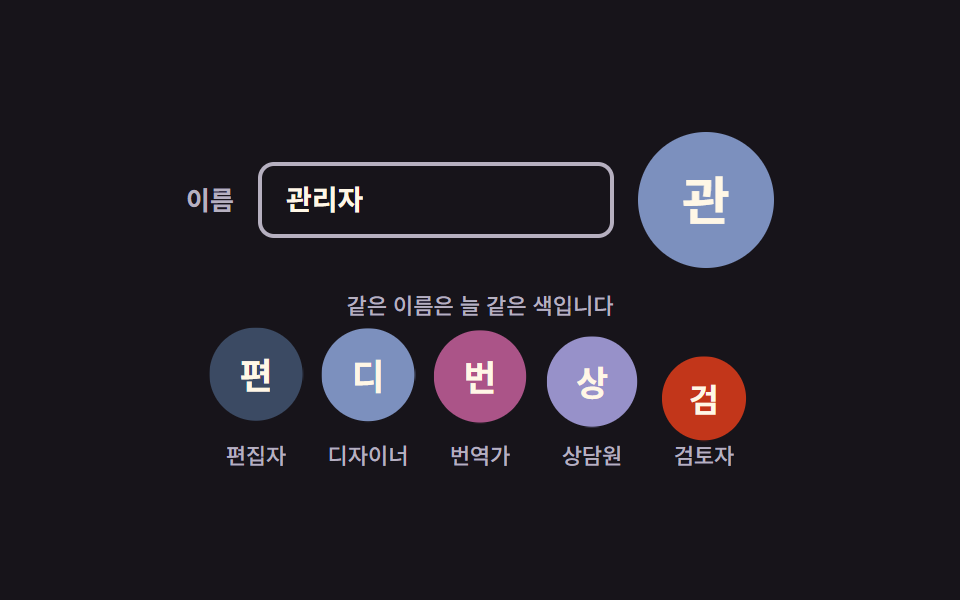 01 avatar-initial-auto-color
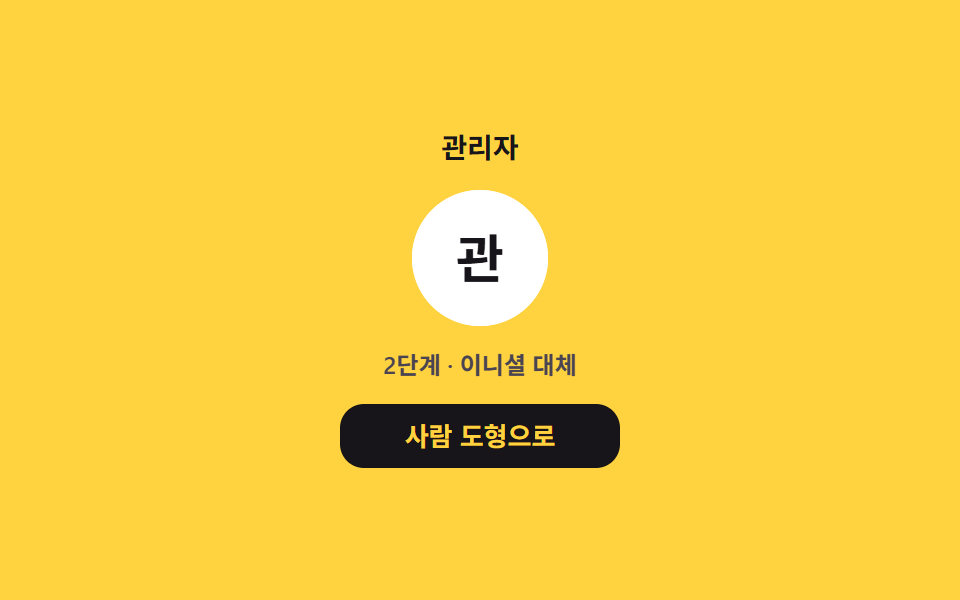 02 avatar-fallback-chain
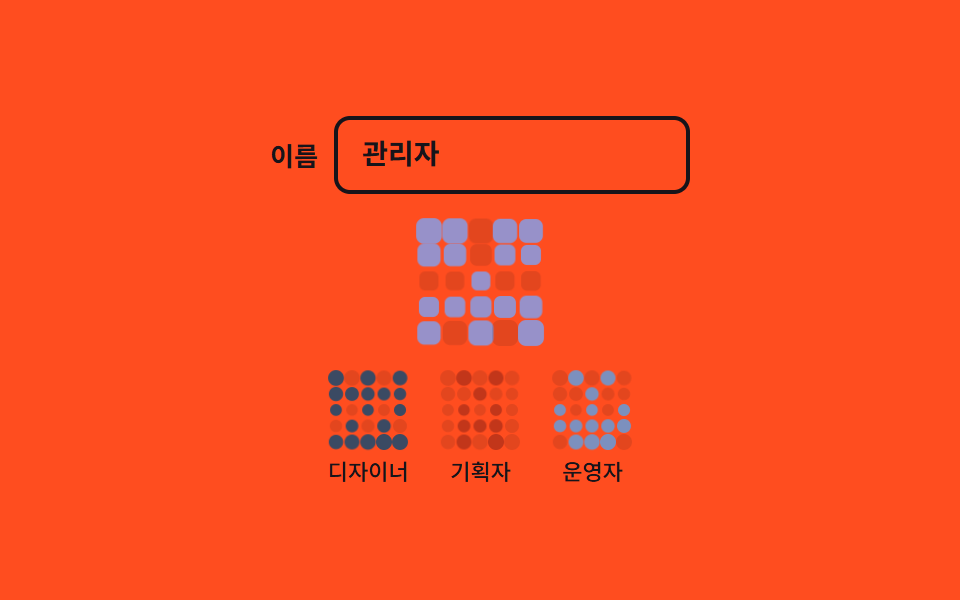 03 avatar-identicon-pattern
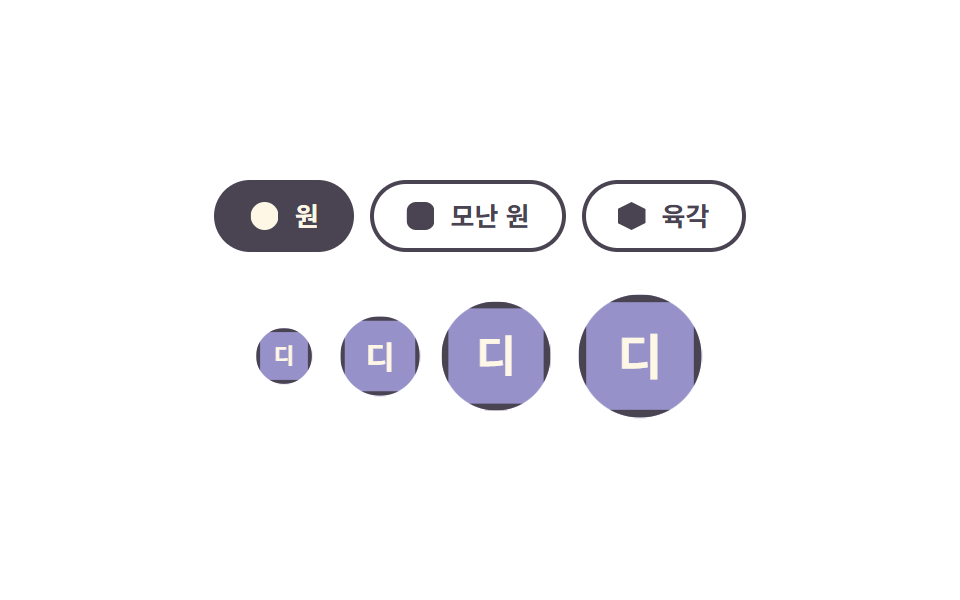 04 avatar-shape-size-set
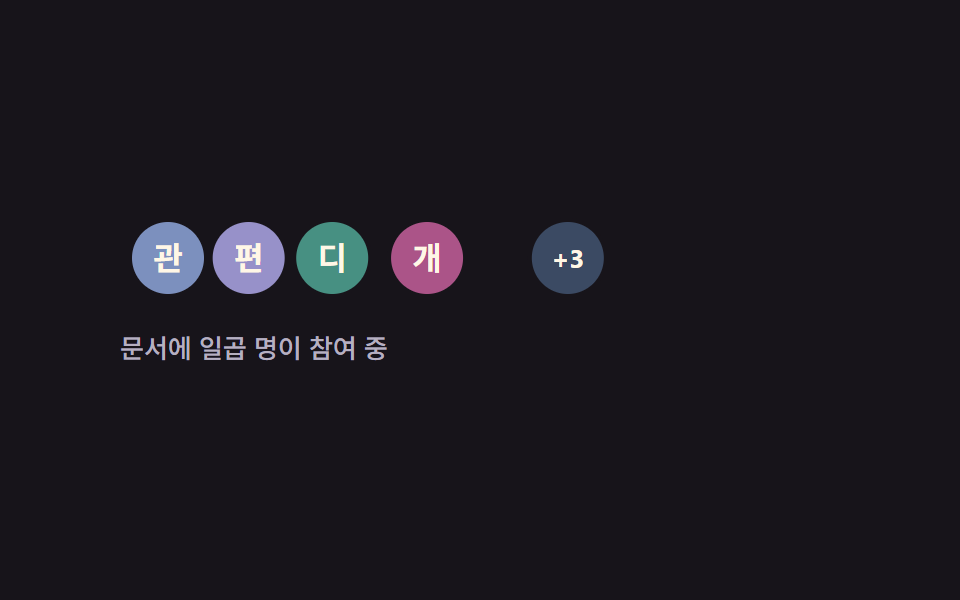 05 avatar-stack-overflow
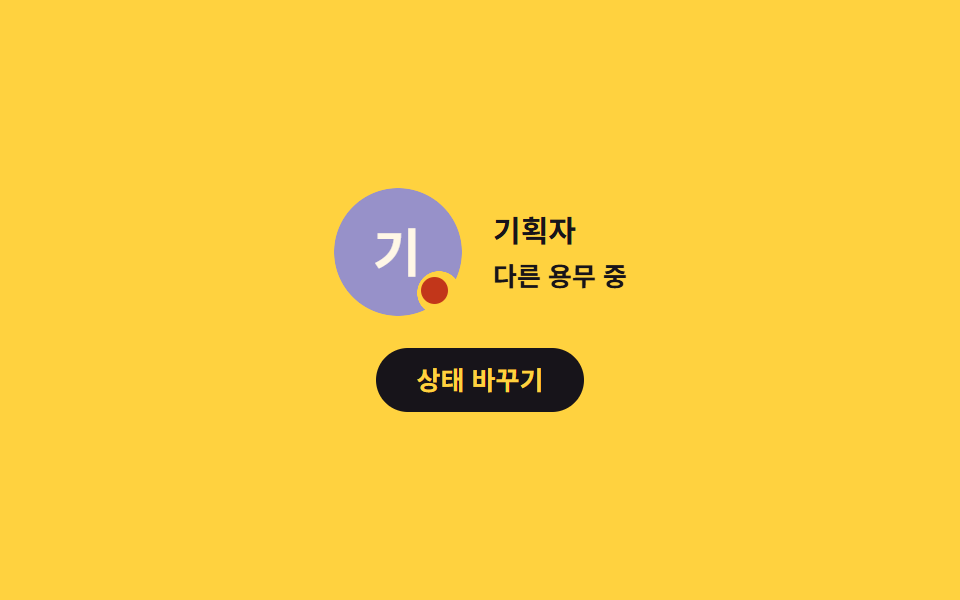 06 avatar-presence-dot
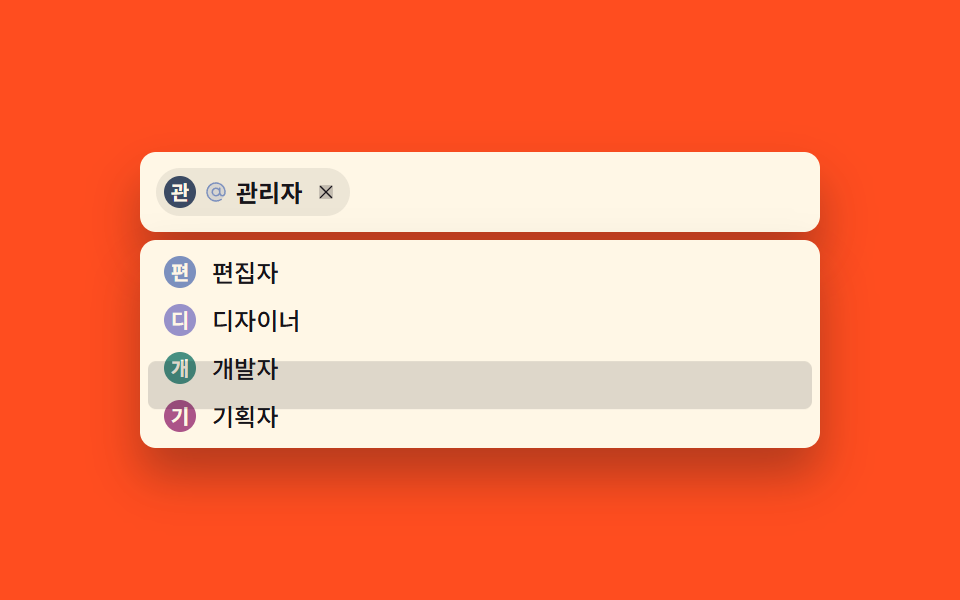 07 avatar-mention-chip
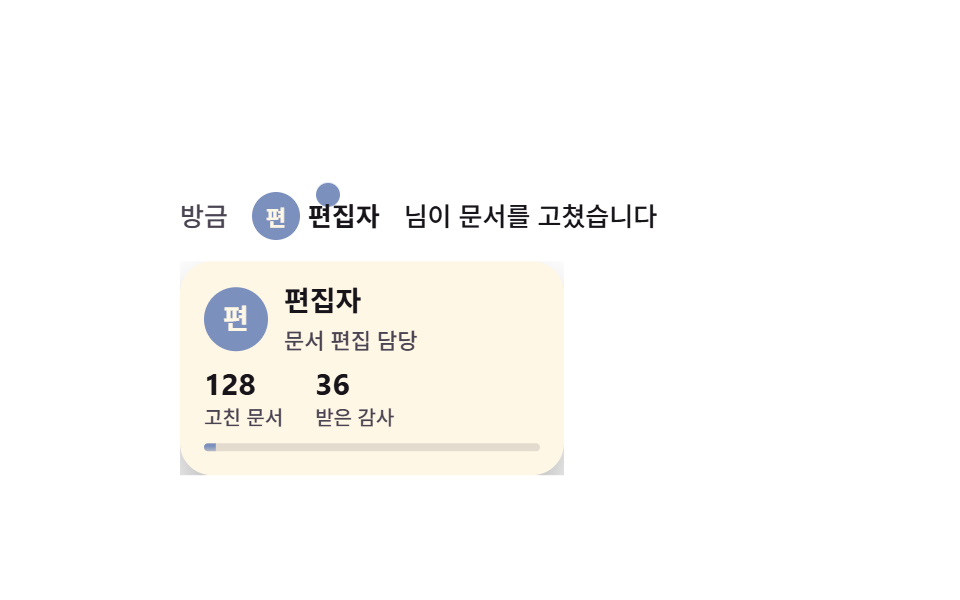 08 avatar-hover-user-card
 09 avatar-crop-upload
自動再生 · タイルを押すとその項目へ · すべて1つのzip
- 01 イニシャル自動配色アバター
- 02 3段フォールバック・アバター
- 03 名前パターン・アバター
- 04 形とサイズのセット
- 05 重なりアバターと +N
- 06 オンライン状態ドット
- 07 メンションチップ入力
- 08 ホバーのユーザーカード
- 09 写真の位置合わせ
九つの並び順は難易度や アバター デザイン ツール の流行ではなく、画面に現れる順番です。最初の三つはアバターが内側から満ちる場面で、名前から色を受け取る円(01)、写真が最後まで届かないときの3段の代替(02)、イニシャルが重なるときの模様(03)が並びます。次の三つはアバターがデザインシステムとチームの中に置かれる形で、形とサイズのセット(04)、参加者を畳んで見せる重なり(05)、オンライン状態のドット(06)が続きます。最後の三つは入力と確認に入ってくる場面で、メンションチップ(07)、ホバーのユーザーカード(08)、写真の位置合わせ(09)が収まります。九つともインク #17141a ・クリーム #fff7e6 と六つのトーン(青・バイオレット・ティール・プラム・レンガ・スレート)を分け合っているので、二つ三つを一枚の画面に混ぜても色は喧嘩しません。プロフィールカード全体の見かけはプロフィールカード デザイン 9種に、ログイン画面周りの部品はログイン・サインアップ カード UI 9種に、アカウントの安全の画面はアカウント保護設定 UI 9種にまとめてあります。アバターがそもそも置かれない場所、空っぽの画面を描く軸はエンプティステート カードが別に担っています。
01イニシャル自動配色アバター
アバター ui で何が見えるか
名前の文字を数値に畳んで六色から一つを選ぶ円です。畳み方は純粋関数のハッシュなので同じ名前は画面を描き直すたびに必ず同じ色を受け取り、入力欄に打ち込むと円と文字がその場で入れ替わります。
<main class="stage">
  <section class="ai is-demo" aria-label="イニシャル自動配色アバター">
    <div class="ai__field">
      <label class="ai__label" for="ai-name">名前</label>
      <input class="ai__input" id="ai-name" type="text" value="管理者" autocomplete="off" spellcheck="false" placeholder="名前を入力">
      <!-- 이니셜 글자와 data-tone 은 JS 가 입력값에서 계산해 넣는다(하드코딩 금지 — 언어팩이 바뀌면 따라간다) -->
      <span class="ai__avatar" data-tone="0" aria-hidden="true"></span>
    </div>

    <p class="ai__hint">同じ名前は必ず同じ色になります</p>

    <ul class="ai__row">
      <li class="ai__item"><span class="ai__dot" data-tone="5" aria-hidden="true"></span><span class="ai__name">編集者</span></li>
      <li class="ai__item"><span class="ai__dot" data-tone="0" aria-hidden="true"></span><span class="ai__name">デザイナー</span></li>
      <li class="ai__item"><span class="ai__dot" data-tone="3" aria-hidden="true"></span><span class="ai__name">翻訳者</span></li>
      <li class="ai__item"><span class="ai__dot" data-tone="1" aria-hidden="true"></span><span class="ai__name">相談員</span></li>
      <li class="ai__item"><span class="ai__dot" data-tone="4" aria-hidden="true"></span><span class="ai__name">レビュアー</span></li>
    </ul>
  </section>
</main>
@use "../../../../site/static/demo-tokens" as *;
// 279 아바타 팔레트 — 이니셜 글자는 언제나 $subject-cream. 괄호는 크림 글자 기준 실측 대비비
$av-blue: #7c90be; // 5.29:1
$av-violet: #9791c9; // 5.76:1
$av-teal: #479082; // 5.79:1
$av-plum: #ab5488; // 6.52:1
$av-brick: $error; // 오류 토큰 — 5.13:1. 리터럴 금지 (BD10)
$av-slate: #3b4a63; // 8.40:1
$av-mist: #b6b0c0; // 잉크 무대 보조 글자 8.65:1
$av-deep: #4a4452; // 옐로 무대 보조 글자 6.49:1 · 페이퍼 무대 9.38:1
// ── 변수 3개 ──────────────────────────────────────────
$duration: $dur-loop; // 아래 줄 아바타가 한 번 솟았다 앉는 주기
$easing: $ease-spring;
$color: $av-mist; // 라벨·안내 줄 색
@include stage($stage-ink);
.ai {
display: grid;
justify-items: center;
gap: $sp-3;
width: min(400px, 92vw);
}
.ai__field {
display: flex;
align-items: center;
gap: $sp-3;
}
.ai__label {
color: $color;
font-weight: 600;
font-size: 13px;
line-height: 1.2;
}
.ai__input {
width: 150px;
padding: $sp-2 $sp-3;
border: 2px solid $color;
border-radius: $r-sm;
background: transparent;
color: $subject-cream;
font-family: inherit;
font-weight: 600;
font-size: 14px;
line-height: 1.3;
}
.ai__input:focus-visible { outline: 2px solid $subject-cream; outline-offset: 2px; }
// 큰 아바타 — 색은 data-tone 번호가 고르고 scss 가 칠한다(JS 는 hex 를 모른다)
.ai__avatar {
display: grid;
place-items: center;
width: 68px;
height: 68px;
border-radius: 50%;
background: $av-slate;
color: $subject-cream; // 팔레트 여섯 색 위 크림 글자는 전부 4.5:1 이상 실측
font-weight: 700;
font-size: 26px;
line-height: 1;
}
.ai__avatar[data-tone="0"] { background: $av-blue; }
.ai__avatar[data-tone="1"] { background: $av-violet; }
.ai__avatar[data-tone="2"] { background: $av-teal; }
.ai__avatar[data-tone="3"] { background: $av-plum; }
.ai__avatar[data-tone="4"] { background: $av-brick; }
.ai__avatar[data-tone="5"] { background: $av-slate; }
.ai__hint {
margin: 0;
color: $color;
font-weight: 500;
font-size: 11px;
line-height: 1.3;
}
.ai__row {
display: flex;
gap: $sp-3;
margin: 0;
padding: 0;
list-style: none;
}
.ai__item { display: grid; justify-items: center; gap: $sp-1; }
.ai__dot {
display: grid;
place-items: center;
width: 44px;
height: 44px;
border-radius: 50%;
background: $av-slate;
color: $subject-cream;
font-weight: 700;
font-size: 17px;
line-height: 1;
}
.ai__dot[data-tone="0"] { background: $av-blue; }
.ai__dot[data-tone="1"] { background: $av-violet; }
.ai__dot[data-tone="2"] { background: $av-teal; }
.ai__dot[data-tone="3"] { background: $av-plum; }
.ai__dot[data-tone="4"] { background: $av-brick; }
.ai__dot[data-tone="5"] { background: $av-slate; }
.ai__name {
color: $color;
font-weight: 500;
font-size: 11px;
line-height: 1.2;
}
// ── 격자 미리보기 루프 ────────────────────────────────
// 아래 줄 아바타 다섯 개가 translateY + scale 로 차례로 솟았다 앉는다.
// animation 단축은 delay 를 0 으로 리셋하므로 낱개 속성으로만 쓴다
.ai.is-demo .ai__dot {
animation-name: aiRise;
animation-duration: $duration;
animation-timing-function: $easing;
animation-iteration-count: infinite;
animation-fill-mode: backwards; // 지연 구간에도 0% 자세(앉은 상태)가 찍힌다
}
.ai.is-demo .ai__item:nth-child(2) .ai__dot { animation-delay: 140ms; }
.ai.is-demo .ai__item:nth-child(3) .ai__dot { animation-delay: 280ms; }
.ai.is-demo .ai__item:nth-child(4) .ai__dot { animation-delay: 420ms; }
.ai.is-demo .ai__item:nth-child(5) .ai__dot { animation-delay: 560ms; }
// 한 바퀴를 78% 안에 끝낸 뒤 제자리에 머문다 — 마지막 장은 95.8% 지점이라 그 뒤는 안 찍힌다
@keyframes aiRise {
0% { transform: translateY(6px) scale(.94); }
36% { transform: translateY(-8px) scale(1.06); }
78% { transform: translateY(0) scale(1); }
100% { transform: translateY(0) scale(1); }
}
// 미리보기 루프 동안에는 자동완성 흔적 글자가 겹쳐 보이지 않게 한다
.ai.is-demo .ai__input::placeholder { color: transparent; }
// 좁은 화면 — 표시와 여백만 줄인다. 값을 올리지 않는다.
@media (max-width: 340px), (max-height: 220px) {
.ai { gap: $sp-2; }
.ai__field { gap: $sp-2; }
.ai__input { width: 120px; font-size: 13px; }
.ai__avatar { width: 56px; height: 56px; font-size: 22px; }
.ai__dot { width: 36px; height: 36px; font-size: 14px; }
.ai__row { gap: $sp-2; }
.ai__hint { font-size: 10px; }
.ai__name { font-size: 10px; }
}
@media (prefers-reduced-motion: reduce) {
// .ai.is-demo .ai__dot (0,3,0) 를 이기려면 !important 가 필요하다.
// 움직임만 끄고 아바타·글자는 그대로 남긴다
.ai__dot { animation: none !important; }
}html, body {
margin: 0;
overflow: hidden;
}
.stage {
box-sizing: border-box;
min-height: 100vh;
display: grid;
place-items: center;
margin: 0;
background: #17141a;
font-family: -apple-system, "Segoe UI", "Noto Sans KR", sans-serif;
padding: clamp(8px, 4vw, 24px);
}
.ai {
display: grid;
justify-items: center;
gap: 12px;
width: min(400px, 92vw);
}
.ai__field {
display: flex;
align-items: center;
gap: 12px;
}
.ai__label {
color: #b6b0c0;
font-weight: 600;
font-size: 13px;
line-height: 1.2;
}
.ai__input {
width: 150px;
padding: 8px 12px;
border: 2px solid #b6b0c0;
border-radius: 8px;
background: transparent;
color: #fff7e6;
font-family: inherit;
font-weight: 600;
font-size: 14px;
line-height: 1.3;
}
.ai__input:focus-visible {
outline: 2px solid #fff7e6;
outline-offset: 2px;
}
.ai__avatar {
display: grid;
place-items: center;
width: 68px;
height: 68px;
border-radius: 50%;
background: #3b4a63;
color: #fff7e6;
font-weight: 700;
font-size: 26px;
line-height: 1;
}
.ai__avatar[data-tone="0"] {
background: #7c90be;
}
.ai__avatar[data-tone="1"] {
background: #9791c9;
}
.ai__avatar[data-tone="2"] {
background: #479082;
}
.ai__avatar[data-tone="3"] {
background: #ab5488;
}
.ai__avatar[data-tone="4"] {
background: #c2361a;
}
.ai__avatar[data-tone="5"] {
background: #3b4a63;
}
.ai__hint {
margin: 0;
color: #b6b0c0;
font-weight: 500;
font-size: 11px;
line-height: 1.3;
}
.ai__row {
display: flex;
gap: 12px;
margin: 0;
padding: 0;
list-style: none;
}
.ai__item {
display: grid;
justify-items: center;
gap: 4px;
}
.ai__dot {
display: grid;
place-items: center;
width: 44px;
height: 44px;
border-radius: 50%;
background: #3b4a63;
color: #fff7e6;
font-weight: 700;
font-size: 17px;
line-height: 1;
}
.ai__dot[data-tone="0"] {
background: #7c90be;
}
.ai__dot[data-tone="1"] {
background: #9791c9;
}
.ai__dot[data-tone="2"] {
background: #479082;
}
.ai__dot[data-tone="3"] {
background: #ab5488;
}
.ai__dot[data-tone="4"] {
background: #c2361a;
}
.ai__dot[data-tone="5"] {
background: #3b4a63;
}
.ai__name {
color: #b6b0c0;
font-weight: 500;
font-size: 11px;
line-height: 1.2;
}
.ai.is-demo .ai__dot {
animation-name: aiRise;
animation-duration: 2s;
animation-timing-function: cubic-bezier(0.2, 0.8, 0.2, 1);
animation-iteration-count: infinite;
animation-fill-mode: backwards;
}
.ai.is-demo .ai__item:nth-child(2) .ai__dot {
animation-delay: 140ms;
}
.ai.is-demo .ai__item:nth-child(3) .ai__dot {
animation-delay: 280ms;
}
.ai.is-demo .ai__item:nth-child(4) .ai__dot {
animation-delay: 420ms;
}
.ai.is-demo .ai__item:nth-child(5) .ai__dot {
animation-delay: 560ms;
}
@keyframes aiRise {
0% {
transform: translateY(6px) scale(0.94);
}
36% {
transform: translateY(-8px) scale(1.06);
}
78% {
transform: translateY(0) scale(1);
}
100% {
transform: translateY(0) scale(1);
}
}
.ai.is-demo .ai__input::placeholder {
color: transparent;
}
@media (max-width: 340px), (max-height: 220px) {
.ai {
gap: 8px;
}
.ai__field {
gap: 8px;
}
.ai__input {
width: 120px;
font-size: 13px;
}
.ai__avatar {
width: 56px;
height: 56px;
font-size: 22px;
}
.ai__dot {
width: 36px;
height: 36px;
font-size: 14px;
}
.ai__row {
gap: 8px;
}
.ai__hint {
font-size: 10px;
}
.ai__name {
font-size: 10px;
}
}
@media (prefers-reduced-motion: reduce) {
.ai__dot {
animation: none !important;
}
}(function () {
var root = document.querySelector('.ai');
var input = root.querySelector('.ai__input');
var avatar = root.querySelector('.ai__avatar');
// 이름을 숫자로 접어 0~5 — 순수 함수라 같은 이름은 늘 같은 색을 고른다
function hashName(text) {
var h = 0;
for (var i = 0; i < text.length; i++) h = (h * 31 + text.charCodeAt(i)) >>> 0;
return h % 6;
}
// 한국어면 첫 글자 1자, 라틴이면 앞 두 단어의 머리글자
function initialsOf(text) {
var trimmed = text.trim();
if (!trimmed) return '';
if (/[가-힣]/.test(trimmed[0])) return trimmed[0];
var words = trimmed.split(/\s+/).filter(function (w) { return /[A-Za-z]/.test(w[0] || ''); });
return words.slice(0, 2).map(function (w) { return w[0].toUpperCase(); }).join('');
}
// JS 는 색을 모른다 — data-tone 번호만 바꾸고 scss 가 여섯 색을 칠한다
function applyName() {
avatar.dataset.tone = String(hashName(input.value));
avatar.textContent = initialsOf(input.value);
}
// 아래 줄 다섯 개도 名前 표시에서 이니셜과 색을 계산해 넣는다
var items = root.querySelectorAll('.ai__item');
Array.prototype.forEach.call(items, function (item) {
var name = item.querySelector('.ai__name').textContent;
var dot = item.querySelector('.ai__dot');
dot.dataset.tone = String(hashName(name));
dot.textContent = initialsOf(name);
});
input.addEventListener('input', applyName);
applyName();
// 사람이 손을 대면 미리보기 루프를 뗀다
function stopLoop() { root.classList.remove('is-demo'); }
root.addEventListener('pointerdown', stopLoop);
root.addEventListener('focusin', stopLoop);
})();import { useState } from "react";
import type { CSSProperties, ReactNode } from "react";
import styles from "./AvatarInitialAutoColor.module.scss";
export type AvatarInitialAutoColorProps = {
label?: string;
nameLabel?: string;
placeholder?: string;
hint?: string;
name?: string;
rowNames?: string[];
/** 아래 줄 아바타가 한 번 솟았다 앉는 주기(ms) */
duration?: number;
easing?: string;
/** 라벨·안내 줄 색 */
color?: string;
};
type Vars = CSSProperties & { "--duration"?: string; "--easing"?: string; "--color"?: string };
// ambient 타입에 React 이벤트 제네릭이 없어 로컬 타입을 쓴다
type InputEvt = { target: { value: string } };
// 이름을 숫자로 접어 0~5 — 순수 함수라 같은 이름은 늘 같은 색을 고른다
function hashName(text: string): number {
let h = 0;
for (let i = 0; i < text.length; i++) h = (h * 31 + text.charCodeAt(i)) >>> 0;
return h % 6;
}
// 한국어면 첫 글자 1자, 라틴이면 앞 두 단어의 머리글자
function initialsOf(text: string): string {
const trimmed = text.trim();
if (!trimmed) return "";
if (/[가-힣]/.test(trimmed[0])) return trimmed[0];
const words = trimmed.split(/\s+/).filter((w) => /[A-Za-z]/.test(w[0] || ""));
return words.slice(0, 2).map((w) => w[0].toUpperCase()).join("");
}
export default function AvatarInitialAutoColor({
label = "이니셜 자동 색 아바타",
nameLabel = "이름",
placeholder = "이름을 입력하세요",
hint = "같은 이름은 늘 같은 색입니다",
name = "관리자",
rowNames = ["편집자", "디자이너", "번역가", "상담원", "검토자"],
duration = 2000,
easing = "cubic-bezier(.2, .8, .2, 1)",
color = "#b6b0c0",
}: AvatarInitialAutoColorProps): ReactNode {
const [value, setValue] = useState<string>(name);
const [loop, setLoop] = useState<boolean>(true);
const vars: Vars = { "--duration": `${duration}ms`, "--easing": easing, "--color": color };
return (
<section
className={loop ? `${styles.ai} ${styles.isDemo}` : styles.ai}
style={vars}
aria-label={label}
onPointerDown={() => setLoop(false)}
onFocus={() => setLoop(false)}
>
<div className={styles.field}>
<label className={styles.label} htmlFor="ai-name">{nameLabel}</label>
<input
className={styles.input}
id="ai-name"
type="text"
value={value}
autoComplete="off"
spellCheck={false}
placeholder={placeholder}
onChange={(e: InputEvt) => setValue(e.target.value)}
/>
{/* 이니셜 글자와 data-tone 은 이름에서 계산해 넣는다 — JS 는 색을 모른다 */}
<span className={styles.avatar} data-tone={String(hashName(value))} aria-hidden="true">
{initialsOf(value)}
</span>
</div>
<p className={styles.hint}>{hint}</p>
<ul className={styles.row}>
{rowNames.map((rowName) => (
<li key={rowName} className={styles.item}>
<span className={styles.dot} data-tone={String(hashName(rowName))} aria-hidden="true">
{initialsOf(rowName)}
</span>
<span className={styles.name}>{rowName}</span>
</li>
))}
</ul>
</section>
);
}01 · イニシャル自動配色アバター — 計測 累積面積 6.244% · 動いたフレーム 23/23GODRICH オリジナル · SCSS と React は zip に同梱 · パスワードを見る
コードのどこを見るか
写真を設定しない利用者の多い一覧やコメントに使います。
// 名前を数値に畳んで 0〜5 — 純粋関数なので同じ名前は必ず同じ色を選ぶ
function hashName(text) {
  var h = 0;
  for (var i = 0; i < text.length; i++) h = (h * 31 + text.charCodeAt(i)) >>> 0;
  return h % 6;
}

// ハングルなら最初の一文字、ラテン文字なら先頭二語の頭文字
function initialsOf(text) {
  var trimmed = text.trim();
  if (!trimmed) return '';
  if (/[가-힣]/.test(trimmed[0])) return trimmed[0];
  var words = trimmed.split(/\s+/).filter(function (w) { return /[A-Za-z]/.test(w[0] || ''); });
  return words.slice(0, 2).map(function (w) { return w[0].toUpperCase(); }).join('');
}

// JS は色を知らない — data-tone の番号だけ変え、scss が六色を塗る
function applyName() {
  avatar.dataset.tone = String(hashName(input.value));
  avatar.textContent = initialsOf(input.value);
}
.ai__avatar[data-tone="0"] { background: $av-blue; }
.ai__avatar[data-tone="1"] { background: $av-violet; }
.ai__avatar[data-tone="2"] { background: $av-teal; }
.ai__avatar[data-tone="3"] { background: $av-plum; }
.ai__avatar[data-tone="4"] { background: $av-brick; }
.ai__avatar[data-tone="5"] { background: $av-slate; }
023段フォールバック・アバター
画面で起きること
写真を待つ枠、写真が結局届かないときのイニシャル、名前すらないときの人型と、三段階が一コマで切り替わります。
<main class="stage">
  <section class="fb is-demo" aria-label="3段フォールバック・アバター" data-step="photo">
    <p class="fb__name">管理者</p>

    <!-- 세 겹이 한 자리에 겹쳐 앉는다: 사진 자리(로딩 시머) · 이니셜 · 사람 도형.
         data-step 이 어느 겹을 보일지 정한다 -->
    <span class="fb__slot">
      <span class="fb__shine" aria-hidden="true"></span>
      <img class="fb__photo" src="member-photo.jpg" alt="">
      <span class="fb__initial" aria-hidden="true"></span>
      <span class="fb__mark" aria-hidden="true">
        <svg viewBox="0 0 256 256" width="34" height="34" aria-hidden="true" focusable="false" fill="currentColor"><path d="M192,96a64,64,0,1,1-64-64A64,64,0,0,1,192,96Z" opacity="0.2"/><path d="M230.92,212c-15.23-26.33-38.7-45.21-66.09-54.16a72,72,0,1,0-73.66,0C63.78,166.78,40.31,185.66,25.08,212a8,8,0,1,0,13.85,8c18.84-32.56,52.14-52,89.07-52s70.23,19.44,89.07,52a8,8,0,1,0,13.85-8ZM72,96a56,56,0,1,1,56,56A56.06,56.06,0,0,1,72,96Z"/></svg>
      </span>
    </span>

    <p class="fb__step">
      <span class="fb__stepTxt fb__stepTxt--photo">1段階・写真を待機中</span>
      <span class="fb__stepTxt fb__stepTxt--initials">2段階・イニシャル代替</span>
      <span class="fb__stepTxt fb__stepTxt--mark">3段階・人型代替</span>
    </p>

    <button class="fb__btn" type="button">
      <span class="fb__btnTxt fb__btnTxt--mark">人型へ切り替え</span>
      <span class="fb__btnTxt fb__btnTxt--initials">イニシャルへ戻す</span>
    </button>
  </section>
</main>@use "../../../../site/static/demo-tokens" as *;
// 279 아바타 팔레트 — 이니셜 글자는 언제나 $subject-cream. 괄호는 크림 글자 기준 실측 대비비
$av-blue: #7c90be; // 5.29:1
$av-violet: #9791c9; // 5.76:1
$av-teal: #479082; // 5.79:1
$av-plum: #ab5488; // 6.52:1
$av-brick: $error; // 오류 토큰 — 5.13:1. 리터럴 금지 (BD10)
$av-slate: #3b4a63; // 8.40:1
$av-mist: #b6b0c0; // 잉크 무대 보조 글자 8.65:1
$av-deep: #4a4452; // 옐로 무대 보조 글자 6.49:1 · 페이퍼 무대 9.38:1
// ── 변수 3개 ──────────────────────────────────────────
$duration: $dur-loop; // 세 단계 컷이 도는 한 바퀴
$easing: $ease-out; // 시머 막대가 지나가는 결
$color: $stage-ink; // 옐로 무대 글자 12.63:1 — 크림은 1.35:1 로 금지
@include stage($stage-yellow);
.fb {
display: grid;
justify-items: center;
gap: $sp-3;
width: min(320px, 92vw);
}
.fb__name {
margin: 0;
color: $color;
font-weight: 700;
font-size: 14px;
line-height: 1.2;
}
// 세 겹이 겹쳐 앉는 자리 — 사진(안 오면 시머) · 이니셜 · 사람 도형
.fb__slot {
position: relative;
display: grid;
place-items: center;
width: 68px;
height: 68px;
border-radius: 50%;
background: $stage-paper;
overflow: hidden;
}
.fb__photo {
position: absolute;
inset: 0;
width: 100%;
height: 100%;
object-fit: cover; // 칩 — 어떤 비율의 사진이 와도 원을 꽉 채운다
opacity: 0;
}
// 로딩 시머 막대 — 대기 단계에서 계속 지나가며 움직임 프레임을 채운다
.fb__shine {
position: absolute;
top: 0;
bottom: 0;
left: 0;
width: 34px;
background: rgba(23, 20, 26, .12);
animation-name: fbShine;
animation-duration: 1s;
animation-timing-function: $easing;
animation-iteration-count: infinite;
}
.fb__initial {
position: absolute;
inset: 0;
display: grid;
place-items: center;
background: $stage-paper;
color: $color; // 옐로 무대 글자는 잉크로
font-weight: 700;
font-size: 26px;
line-height: 1;
opacity: 0;
}
.fb__mark {
position: absolute;
inset: 0;
display: grid;
place-items: center;
background: $stage-paper;
color: $color;
opacity: 0;
}
.fb__mark svg { width: 34px; height: 34px; }
// 정적 표시 — data-step 이 보일 겹 하나만 켠다 (.is-demo 를 뗀 화면이 비면 안 된다)
.fb[data-step="photo"] .fb__photo { opacity: 1; }
.fb[data-step="initials"] .fb__initial { opacity: 1; }
.fb[data-step="mark"] .fb__mark { opacity: 1; }
// 단계 한 줄 — 세 문장이 한 칸에 겹쳐 있고 컷 타이밍에 맞춰 바뀐다
.fb__step {
display: grid;
justify-items: center;
margin: 0;
}
.fb__stepTxt {
grid-area: 1 / 1;
color: $av-deep; // 옐로 무대 보조 글자 6.49:1
font-weight: 600;
font-size: 12px;
line-height: 1.3;
opacity: 0;
}
.fb[data-step="photo"] .fb__stepTxt--photo,
.fb[data-step="initials"] .fb__stepTxt--initials,
.fb[data-step="mark"] .fb__stepTxt--mark { opacity: 1; }
.fb__btn {
display: grid;
margin: 0;
padding: $sp-2 $sp-5;
border: 0;
border-radius: $r-control;
background: $color;
color: $stage-yellow;
font-family: inherit;
font-weight: 700;
font-size: 13px;
line-height: 1.2;
cursor: pointer;
}
.fb__btn:focus-visible { outline: 2px solid $color; outline-offset: 3px; }
.fb__btnTxt { grid-area: 1 / 1; visibility: hidden; }
.fb[data-step="initials"] .fb__btnTxt--mark,
.fb[data-step="mark"] .fb__btnTxt--initials { visibility: visible; }
// ── 격자 미리보기 루프 ────────────────────────────────
// 세 단계를 steps(1, end) 로 한 프레임에 컷한다 — 절반 투명 상태가 겹치지 않는다.
// 0% 대기 / 34% 이니셜 / 67% 사람 도형, 88% 안에 대기로 복귀.
// 컷만 있으면 움직임 프레임이 모자라니 대기 단계의 시머 막대가 계속 지나가 프레임을 채운다
.fb.is-demo .fb__photo,
.fb.is-demo .fb__stepTxt--photo {
animation-name: fbCutPhoto;
animation-duration: $duration;
animation-timing-function: steps(1, end);
animation-iteration-count: infinite;
}
.fb.is-demo .fb__initial,
.fb.is-demo .fb__stepTxt--initials {
animation-name: fbCutInitial;
animation-duration: $duration;
animation-timing-function: steps(1, end);
animation-iteration-count: infinite;
}
.fb.is-demo .fb__mark,
.fb.is-demo .fb__stepTxt--mark {
animation-name: fbCutMark;
animation-duration: $duration;
animation-timing-function: steps(1, end);
animation-iteration-count: infinite;
}
@keyframes fbCutPhoto {
0% { opacity: 1; }
34% { opacity: 0; }
88% { opacity: 1; }
100% { opacity: 1; }
}
@keyframes fbCutInitial {
0% { opacity: 0; }
34% { opacity: 1; }
67% { opacity: 0; }
100% { opacity: 0; }
}
@keyframes fbCutMark {
0% { opacity: 0; }
67% { opacity: 1; }
88% { opacity: 0; }
100% { opacity: 0; }
}
@keyframes fbShine {
0% { transform: translateX(-40px); }
100% { transform: translateX(80px); }
}
// 좁은 화면 — 표시와 여백만 줄인다. 값을 올리지 않는다.
@media (max-width: 340px), (max-height: 220px) {
.fb { gap: $sp-2; }
.fb__slot { width: 56px; height: 56px; }
.fb__initial { font-size: 22px; }
.fb__mark svg { width: 28px; height: 28px; }
.fb__name { font-size: 12px; }
.fb__stepTxt { font-size: 11px; }
.fb__btn { padding: $sp-2 $sp-4; font-size: 12px; }
}
@media (prefers-reduced-motion: reduce) {
// .fb.is-demo … (0,3,0) 를 이기려면 !important 가 필요하다.
// 컷과 시머만 끄고, 정적 규칙(data-step) 이 보일 겹을 이어받는다
.fb__photo, .fb__initial, .fb__mark, .fb__stepTxt, .fb__shine { animation: none !important; }
}html, body {
margin: 0;
overflow: hidden;
}
.stage {
box-sizing: border-box;
min-height: 100vh;
display: grid;
place-items: center;
margin: 0;
background: #ffd23f;
font-family: -apple-system, "Segoe UI", "Noto Sans KR", sans-serif;
padding: clamp(8px, 4vw, 24px);
}
.fb {
display: grid;
justify-items: center;
gap: 12px;
width: min(320px, 92vw);
}
.fb__name {
margin: 0;
color: #17141a;
font-weight: 700;
font-size: 14px;
line-height: 1.2;
}
.fb__slot {
position: relative;
display: grid;
place-items: center;
width: 68px;
height: 68px;
border-radius: 50%;
background: #ffffff;
overflow: hidden;
}
.fb__photo {
position: absolute;
inset: 0;
width: 100%;
height: 100%;
object-fit: cover;
opacity: 0;
}
.fb__shine {
position: absolute;
top: 0;
bottom: 0;
left: 0;
width: 34px;
background: rgba(23, 20, 26, 0.12);
animation-name: fbShine;
animation-duration: 1s;
animation-timing-function: ease-out;
animation-iteration-count: infinite;
}
.fb__initial {
position: absolute;
inset: 0;
display: grid;
place-items: center;
background: #ffffff;
color: #17141a;
font-weight: 700;
font-size: 26px;
line-height: 1;
opacity: 0;
}
.fb__mark {
position: absolute;
inset: 0;
display: grid;
place-items: center;
background: #ffffff;
color: #17141a;
opacity: 0;
}
.fb__mark svg {
width: 34px;
height: 34px;
}
.fb[data-step=photo] .fb__photo {
opacity: 1;
}
.fb[data-step=initials] .fb__initial {
opacity: 1;
}
.fb[data-step=mark] .fb__mark {
opacity: 1;
}
.fb__step {
display: grid;
justify-items: center;
margin: 0;
}
.fb__stepTxt {
grid-area: 1/1;
color: #4a4452;
font-weight: 600;
font-size: 12px;
line-height: 1.3;
opacity: 0;
}
.fb[data-step=photo] .fb__stepTxt--photo,
.fb[data-step=initials] .fb__stepTxt--initials,
.fb[data-step=mark] .fb__stepTxt--mark {
opacity: 1;
}
.fb__btn {
display: grid;
margin: 0;
padding: 8px 20px;
border: 0;
border-radius: 12px;
background: #17141a;
color: #ffd23f;
font-family: inherit;
font-weight: 700;
font-size: 13px;
line-height: 1.2;
cursor: pointer;
}
.fb__btn:focus-visible {
outline: 2px solid #17141a;
outline-offset: 3px;
}
.fb__btnTxt {
grid-area: 1/1;
visibility: hidden;
}
.fb[data-step=initials] .fb__btnTxt--mark,
.fb[data-step=mark] .fb__btnTxt--initials {
visibility: visible;
}
.fb.is-demo .fb__photo,
.fb.is-demo .fb__stepTxt--photo {
animation-name: fbCutPhoto;
animation-duration: 2s;
animation-timing-function: steps(1, end);
animation-iteration-count: infinite;
}
.fb.is-demo .fb__initial,
.fb.is-demo .fb__stepTxt--initials {
animation-name: fbCutInitial;
animation-duration: 2s;
animation-timing-function: steps(1, end);
animation-iteration-count: infinite;
}
.fb.is-demo .fb__mark,
.fb.is-demo .fb__stepTxt--mark {
animation-name: fbCutMark;
animation-duration: 2s;
animation-timing-function: steps(1, end);
animation-iteration-count: infinite;
}
@keyframes fbCutPhoto {
0% {
opacity: 1;
}
34% {
opacity: 0;
}
88% {
opacity: 1;
}
100% {
opacity: 1;
}
}
@keyframes fbCutInitial {
0% {
opacity: 0;
}
34% {
opacity: 1;
}
67% {
opacity: 0;
}
100% {
opacity: 0;
}
}
@keyframes fbCutMark {
0% {
opacity: 0;
}
67% {
opacity: 1;
}
88% {
opacity: 0;
}
100% {
opacity: 0;
}
}
@keyframes fbShine {
0% {
transform: translateX(-40px);
}
100% {
transform: translateX(80px);
}
}
@media (max-width: 340px), (max-height: 220px) {
.fb {
gap: 8px;
}
.fb__slot {
width: 56px;
height: 56px;
}
.fb__initial {
font-size: 22px;
}
.fb__mark svg {
width: 28px;
height: 28px;
}
.fb__name {
font-size: 12px;
}
.fb__stepTxt {
font-size: 11px;
}
.fb__btn {
padding: 8px 16px;
font-size: 12px;
}
}
@media (prefers-reduced-motion: reduce) {
.fb__photo, .fb__initial, .fb__mark, .fb__stepTxt, .fb__shine {
animation: none !important;
}
}(function () {
var root = document.querySelector('.fb');
var img = root.querySelector('.fb__photo');
var btn = root.querySelector('.fb__btn');
var nameEl = root.querySelector('.fb__name');
var initialEl = root.querySelector('.fb__initial');
// 이니셜은 名前 표시에서 계산한다(한국어 첫 글자 1자 · 라틴 앞 두 단어 머리글자)
function initialsOf(text) {
var trimmed = text.trim();
if (!trimmed) return '';
if (/[가-힣]/.test(trimmed[0])) return trimmed[0];
var words = trimmed.split(/\s+/).filter(function (w) { return /[A-Za-z]/.test(w[0] || ''); });
return words.slice(0, 2).map(function (w) { return w[0].toUpperCase(); }).join('');
}
initialEl.textContent = initialsOf(nameEl.textContent);
// 사진 파일은 일부러 없다(404) — error 이벤트에서 스스로 이니셜 단계로 내려간다
img.addEventListener('error', function () {
if (root.dataset.step === 'photo') root.dataset.step = 'initials';
});
if (img.complete && img.naturalWidth === 0 && root.dataset.step === 'photo') {
root.dataset.step = 'initials';
}
// 버튼 하나가 이니셜과 사람 도형을 오간다 (키보드 Enter·Space 로도 눌린다)
btn.addEventListener('click', function () {
root.dataset.step = (root.dataset.step === 'mark') ? 'initials' : 'mark';
});
// 사람이 손을 대면 미리보기 루프를 뗀다
function stopLoop() { root.classList.remove('is-demo'); }
root.addEventListener('pointerdown', stopLoop);
root.addEventListener('focusin', stopLoop);
})();import { useState } from "react";
import type { CSSProperties, ReactNode } from "react";
import styles from "./AvatarFallbackChain.module.scss";
export type AvatarFallbackChainProps = {
label?: string;
name?: string;
stepPhoto?: string;
stepInitials?: string;
stepMark?: string;
btnToMark?: string;
btnToInitials?: string;
/** 세 단계 컷이 도는 한 바퀴(ms) */
duration?: number;
easing?: string;
/** 옐로 무대 글자색 */
color?: string;
};
type Vars = CSSProperties & { "--duration"?: string; "--easing"?: string; "--color"?: string };
// 이니셜은 이름에서 계산한다(한국어 첫 글자 1자 · 라틴 앞 두 단어 머리글자)
function initialsOf(text: string): string {
const trimmed = text.trim();
if (!trimmed) return "";
if (/[가-힣]/.test(trimmed[0])) return trimmed[0];
const words = trimmed.split(/\s+/).filter((w) => /[A-Za-z]/.test(w[0] || ""));
return words.slice(0, 2).map((w) => w[0].toUpperCase()).join("");
}
export default function AvatarFallbackChain({
label = "3단 대체 아바타",
name = "관리자",
stepPhoto = "1단계 · 사진 기다리는 중",
stepInitials = "2단계 · 이니셜 대체",
stepMark = "3단계 · 사람 도형 대체",
btnToMark = "사람 도형으로",
btnToInitials = "이니셜로 되돌리기",
duration = 2000,
easing = "ease-out",
color = "#17141a",
}: AvatarFallbackChainProps): ReactNode {
const [step, setStep] = useState<"photo" | "initials" | "mark">("photo");
const [loop, setLoop] = useState<boolean>(true);
const vars: Vars = { "--duration": `${duration}ms`, "--easing": easing, "--color": color };
return (
<section
className={loop ? `${styles.fb} ${styles.isDemo}` : styles.fb}
style={vars}
aria-label={label}
data-step={step}
onPointerDown={() => setLoop(false)}
onFocus={() => setLoop(false)}
>
<p className={styles.name}>{name}</p>
{/* 세 겹이 한 자리에 겹쳐 앉는다: 사진 자리(로딩 시머) · 이니셜 · 사람 도형.
data-step 이 어느 겹을 보일지 정한다 */}
<span className={styles.slot}>
<span className={styles.shine} aria-hidden="true" />
{/* 사진 파일은 일부러 없다(404) — error 에서 스스로 이니셜 단계로 내려간다 */}
<img
className={styles.photo}
src="member-photo.jpg"
alt=""
onError={() => setStep((s) => (s === "photo" ? "initials" : s))}
/>
<span className={styles.initial} aria-hidden="true">{initialsOf(name)}</span>
<span className={styles.mark} aria-hidden="true">
<svg viewBox="0 0 256 256" width="34" height="34" aria-hidden="true" focusable="false" fill="currentColor"><path d="M192,96a64,64,0,1,1-64-64A64,64,0,0,1,192,96Z" opacity="0.2" /><path d="M230.92,212c-15.23-26.33-38.7-45.21-66.09-54.16a72,72,0,1,0-73.66,0C63.78,166.78,40.31,185.66,25.08,212a8,8,0,1,0,13.85,8c18.84-32.56,52.14-52,89.07-52s70.23,19.44,89.07,52a8,8,0,1,0,13.85-8ZM72,96a56,56,0,1,1,56,56A56.06,56.06,0,0,1,72,96Z" /></svg>
</span>
</span>
<p className={styles.step}>
<span className={`${styles.stepTxt} ${styles.stepTxtPhoto}`}>{stepPhoto}</span>
<span className={`${styles.stepTxt} ${styles.stepTxtInitials}`}>{stepInitials}</span>
<span className={`${styles.stepTxt} ${styles.stepTxtMark}`}>{stepMark}</span>
</p>
{/* 버튼 하나가 이니셜과 사람 도형을 오간다 (키보드 Enter·Space 로도 눌린다) */}
<button
className={styles.btn}
type="button"
onClick={() => setStep((s) => (s === "mark" ? "initials" : "mark"))}
>
<span className={`${styles.btnTxt} ${styles.btnTxtMark}`}>{btnToMark}</span>
<span className={`${styles.btnTxt} ${styles.btnTxtInitials}`}>{btnToInitials}</span>
</button>
</section>
);
}02 · 3段フォールバック・アバター — 計測 累積面積 3.383% · 動いたフレーム 11/23GODRICH オリジナル · SCSS と React は zip に同梱 · パスワードを見る
コードの読み方
外部から受け取った写真の URL がよく壊れる画面に使います。
// 写真はわざと存在しないファイルを指す — error イベントが代替の段を押し上げる
photo.addEventListener('error', function () {
  root.dataset.step = 'initials';
});

// ボタン一つでイニシャルと人型を行き来する(名前を消す・戻す)
btn.addEventListener('click', function () {
  root.dataset.step = root.dataset.step === 'initials' ? 'mark' : 'initials';
});
// 三段を steps(1, end) で一コマに切る — 半透明の状態が重ならない。
// 0% 待機 / 34% イニシャル / 67% 人型、88% の中に待機へ戻る。
// カットだけでは動くコマが足りないので、待ち段階のシマー棒が通り続けてコマを満たす
.fb.is-demo .fb__photo,
.fb.is-demo .fb__stepTxt--photo {
  animation-name: fbCutPhoto;
  animation-duration: $duration;
  animation-timing-function: steps(1, end);
  animation-iteration-count: infinite;
}

@keyframes fbCutPhoto {
  0%      { opacity: 1; }
  34%     { opacity: 0; }
  88%     { opacity: 1; }
  100%    { opacity: 1; }
}
03名前パターン・アバター
どんな動きか
同じ名前から必ず同じ 5×5 の模様が出るアイデンティコンです。
<main class="stage">
  <section class="id is-demo" aria-label="名前パターン・アバター">
    <div class="id__field">
      <label class="id__label" for="id-name">名前</label>
      <input class="id__input" id="id-name" type="text" value="管理者" autocomplete="off" spellcheck="false" placeholder="名前を入力">
    </div>

    <!-- 25칸은 JS 가 만든다: 해시 비트를 15칸(열 0·1·2)에 배분하고 열 0↔4 · 1↔3 을 거울처럼 맞춘다 -->
    <div class="id__grid" data-tone="1" aria-hidden="true"></div>

    <ul class="id__list">
      <li class="id__item"><div class="id__mini" data-tone="5" aria-hidden="true"></div><span class="id__name">デザイナー</span></li>
      <li class="id__item"><div class="id__mini" data-tone="4" aria-hidden="true"></div><span class="id__name">プランナー</span></li>
      <li class="id__item"><div class="id__mini" data-tone="0" aria-hidden="true"></div><span class="id__name">運営者</span></li>
    </ul>
  </section>
</main>
@use "../../../../site/static/demo-tokens" as *;
// 279 아바타 팔레트 — 이니셜 글자는 언제나 $subject-cream. 괄호는 크림 글자 기준 실측 대비비
$av-blue: #7c90be; // 5.29:1
$av-violet: #9791c9; // 5.76:1
$av-teal: #479082; // 5.79:1
$av-plum: #ab5488; // 6.52:1
$av-brick: $error; // 오류 토큰 — 5.13:1. 리터럴 금지 (BD10)
$av-slate: #3b4a63; // 8.40:1
$av-mist: #b6b0c0; // 잉크 무대 보조 글자 8.65:1
$av-deep: #4a4452; // 옐로 무대 보조 글자 6.49:1 · 페이퍼 무대 9.38:1
// ── 변수 3개 ──────────────────────────────────────────
$duration: 1s; // 칸 숨쉬기 한 바퀴 (2s 의 약수)
$easing: $ease-out;
$color: $stage-ink; // 오렌지 무대 글자 5.50:1 — 크림은 3.11:1 로 금지
@include stage($stage-orange);
.id {
display: grid;
justify-items: center;
gap: $sp-3;
width: min(360px, 92vw);
}
.id__field {
display: flex;
align-items: center;
gap: $sp-2;
}
.id__label {
color: $color;
font-weight: 600;
font-size: 13px;
line-height: 1.2;
}
.id__input {
width: 150px;
padding: $sp-2 $sp-3;
border: 2px solid $color;
border-radius: $r-sm;
background: transparent;
color: $color;
font-family: inherit;
font-weight: 600;
font-size: 14px;
line-height: 1.3;
}
.id__input:focus-visible { outline: 2px solid $color; outline-offset: 2px; }
// 큰 무늬 — 5×5. 칸 폭이 정확히 균등해진다
.id__grid {
display: grid;
grid-template-columns: repeat(5, 1fr); // 칩
width: 64px;
height: 64px;
}
// 칸은 켜진 것만 색이 들어간다. 꺼진 칸은 무대 위 희미한 격자로 자리만 지킨다
.id__cell {
transform-origin: center; // 칩 — 제자리에서 숨쉰다
border-radius: $r-xs;
background: rgba(23, 20, 26, .12);
}
.id__grid[data-tone="0"] .id__cell.is-on,
.id__mini[data-tone="0"] .id__cell.is-on { background: $av-blue; }
.id__grid[data-tone="1"] .id__cell.is-on,
.id__mini[data-tone="1"] .id__cell.is-on { background: $av-violet; }
.id__grid[data-tone="2"] .id__cell.is-on,
.id__mini[data-tone="2"] .id__cell.is-on { background: $av-teal; }
.id__grid[data-tone="3"] .id__cell.is-on,
.id__mini[data-tone="3"] .id__cell.is-on { background: $av-plum; }
.id__grid[data-tone="4"] .id__cell.is-on,
.id__mini[data-tone="4"] .id__cell.is-on { background: $av-brick; }
.id__grid[data-tone="5"] .id__cell.is-on,
.id__mini[data-tone="5"] .id__cell.is-on { background: $av-slate; }
.id__list {
display: flex;
gap: $sp-4;
margin: 0;
padding: 0;
list-style: none;
}
.id__item { display: grid; justify-items: center; gap: $sp-1; }
.id__mini {
display: grid;
grid-template-columns: repeat(5, 1fr);
width: 40px;
height: 40px;
}
.id__name {
color: $color;
font-weight: 500;
font-size: 11px;
line-height: 1.2;
}
// ── 격자 미리보기 루프 ────────────────────────────────
// 칸마다 시차를 두고 조용히 숨쉰다. 켜진 칸은 사라지지 않는다 — opacity 로 끄지 않는다(유령 프레임 금지).
// animation 단축은 delay 를 0 으로 리셋하므로 낱개 속성으로만 쓴다
.id.is-demo .id__cell {
animation-name: idBreathe;
animation-duration: $duration;
animation-timing-function: $easing;
animation-iteration-count: infinite;
animation-delay: calc(var(--i) * 40ms);
animation-fill-mode: backwards; // 지연 구간에도 0% 자세(scale .72)가 찍힌다
}
@keyframes idBreathe {
0% { transform: scale(.72); }
50% { transform: scale(1); }
100% { transform: scale(.72); }
}
// 미리보기 루프 동안에는 자동완성 흔적 글자가 겹쳐 보이지 않게 한다
.id.is-demo .id__input::placeholder { color: transparent; }
// 좁은 화면 — 표시와 여백만 줄인다. 값을 올리지 않는다.
@media (max-width: 340px), (max-height: 220px) {
.id { gap: $sp-2; }
.id__input { width: 120px; font-size: 13px; }
.id__grid { width: 56px; height: 56px; }
.id__mini { width: 32px; height: 32px; }
.id__list { gap: $sp-3; }
.id__name { font-size: 10px; }
}
@media (prefers-reduced-motion: reduce) {
// .id.is-demo .id__cell (0,3,0) 를 이기려면 !important 가 필요하다.
// 움직임만 끄고 무늬는 그대로 남긴다
.id__cell { animation: none !important; }
}html, body {
margin: 0;
overflow: hidden;
}
.stage {
box-sizing: border-box;
min-height: 100vh;
display: grid;
place-items: center;
margin: 0;
background: #ff4d1f;
font-family: -apple-system, "Segoe UI", "Noto Sans KR", sans-serif;
padding: clamp(8px, 4vw, 24px);
}
.id {
display: grid;
justify-items: center;
gap: 12px;
width: min(360px, 92vw);
}
.id__field {
display: flex;
align-items: center;
gap: 8px;
}
.id__label {
color: #17141a;
font-weight: 600;
font-size: 13px;
line-height: 1.2;
}
.id__input {
width: 150px;
padding: 8px 12px;
border: 2px solid #17141a;
border-radius: 8px;
background: transparent;
color: #17141a;
font-family: inherit;
font-weight: 600;
font-size: 14px;
line-height: 1.3;
}
.id__input:focus-visible {
outline: 2px solid #17141a;
outline-offset: 2px;
}
.id__grid {
display: grid;
grid-template-columns: repeat(5, 1fr);
width: 64px;
height: 64px;
}
.id__cell {
transform-origin: center;
border-radius: 4px;
background: rgba(23, 20, 26, 0.12);
}
.id__grid[data-tone="0"] .id__cell.is-on,
.id__mini[data-tone="0"] .id__cell.is-on {
background: #7c90be;
}
.id__grid[data-tone="1"] .id__cell.is-on,
.id__mini[data-tone="1"] .id__cell.is-on {
background: #9791c9;
}
.id__grid[data-tone="2"] .id__cell.is-on,
.id__mini[data-tone="2"] .id__cell.is-on {
background: #479082;
}
.id__grid[data-tone="3"] .id__cell.is-on,
.id__mini[data-tone="3"] .id__cell.is-on {
background: #ab5488;
}
.id__grid[data-tone="4"] .id__cell.is-on,
.id__mini[data-tone="4"] .id__cell.is-on {
background: #c2361a;
}
.id__grid[data-tone="5"] .id__cell.is-on,
.id__mini[data-tone="5"] .id__cell.is-on {
background: #3b4a63;
}
.id__list {
display: flex;
gap: 16px;
margin: 0;
padding: 0;
list-style: none;
}
.id__item {
display: grid;
justify-items: center;
gap: 4px;
}
.id__mini {
display: grid;
grid-template-columns: repeat(5, 1fr);
width: 40px;
height: 40px;
}
.id__name {
color: #17141a;
font-weight: 500;
font-size: 11px;
line-height: 1.2;
}
.id.is-demo .id__cell {
animation-name: idBreathe;
animation-duration: 1s;
animation-timing-function: ease-out;
animation-iteration-count: infinite;
animation-delay: calc(var(--i) * 40ms);
animation-fill-mode: backwards;
}
@keyframes idBreathe {
0% {
transform: scale(0.72);
}
50% {
transform: scale(1);
}
100% {
transform: scale(0.72);
}
}
.id.is-demo .id__input::placeholder {
color: transparent;
}
@media (max-width: 340px), (max-height: 220px) {
.id {
gap: 8px;
}
.id__input {
width: 120px;
font-size: 13px;
}
.id__grid {
width: 56px;
height: 56px;
}
.id__mini {
width: 32px;
height: 32px;
}
.id__list {
gap: 12px;
}
.id__name {
font-size: 10px;
}
}
@media (prefers-reduced-motion: reduce) {
.id__cell {
animation: none !important;
}
}(function () {
var root = document.querySelector('.id');
var input = root.querySelector('.id__input');
var grid = root.querySelector('.id__grid');
// FNV-1a 32비트 — 같은 이름은 늘 같은 정수를 돌려준다
function hash32(text) {
var h = 2166136261;
for (var i = 0; i < text.length; i++) {
h = (h ^ text.charCodeAt(i)) >>> 0;
h = Math.imul(h, 16777619) >>> 0;
}
return h >>> 0;
}
// 비트 15개를 열 0·1·2 에 놓고 열 0↔4 · 1↔3 을 거울처럼 맞춰 25칸을 채운다
function cellsOf(text) {
var h = hash32(text);
var cells = [];
for (var row = 0; row < 5; row++) {
var left = [(h >>> (row * 3)) & 1, (h >>> (row * 3 + 1)) & 1, (h >>> (row * 3 + 2)) & 1];
cells.push(left[0], left[1], left[2], left[1], left[0]);
}
return cells;
}
function buildCells(el) {
for (var i = 0; i < 25; i++) {
var cell = document.createElement('span');
cell.className = 'id__cell';
el.appendChild(cell);
}
}
// 켜진 칸만 클래스가 붙고, 색도 해시로 고른 data-tone 번호가 정한다(scss 가 칠한다)
function render(el, name) {
var cells = cellsOf(name);
el.dataset.tone = String(hash32(name) % 6);
var kids = el.children;
for (var i = 0; i < 25; i++) {
kids[i].classList.toggle('is-on', cells[i] === 1);
kids[i].style.setProperty('--i', String(i));
}
}
buildCells(grid);
render(grid, input.value);
// 작은 무늬 셋 — 名前 표시에서 각각 계산한다
var items = root.querySelectorAll('.id__item');
Array.prototype.forEach.call(items, function (item) {
var mini = item.querySelector('.id__mini');
buildCells(mini);
render(mini, item.querySelector('.id__name').textContent);
});
// 입력이 바뀌면 그 자리에서 다시 그린다
input.addEventListener('input', function () { render(grid, input.value); });
// 사람이 손을 대면 미리보기 루프를 뗀다
function stopLoop() { root.classList.remove('is-demo'); }
root.addEventListener('pointerdown', stopLoop);
root.addEventListener('focusin', stopLoop);
})();import { useState } from "react";
import type { CSSProperties, ReactNode } from "react";
import styles from "./AvatarIdenticonPattern.module.scss";
export type AvatarIdenticonPatternProps = {
label?: string;
nameLabel?: string;
placeholder?: string;
name?: string;
smallNames?: string[];
/** 칸 숨쉬기 한 바퀴(ms) — 2초의 약수 */
duration?: number;
easing?: string;
/** 오렌지 무대 글자색 */
color?: string;
};
type Vars = CSSProperties & { "--duration"?: string; "--easing"?: string; "--color"?: string };
type CellVars = CSSProperties & { "--i"?: string };
// ambient 타입에 React 이벤트 제네릭이 없어 로컬 타입을 쓴다
type InputEvt = { target: { value: string } };
// FNV-1a 32비트 — 같은 이름은 늘 같은 정수를 돌려준다
function hash32(text: string): number {
let h = 2166136261;
for (let i = 0; i < text.length; i++) {
h = (h ^ text.charCodeAt(i)) >>> 0;
h = Math.imul(h, 16777619) >>> 0;
}
return h >>> 0;
}
// 비트 15개를 열 0·1·2 에 놓고 열 0↔4 · 1↔3 을 거울처럼 맞춰 25칸을 채운다
function cellsOf(text: string): number[] {
const h = hash32(text);
const cells: number[] = [];
for (let row = 0; row < 5; row++) {
const left = [(h >>> (row * 3)) & 1, (h >>> (row * 3 + 1)) & 1, (h >>> (row * 3 + 2)) & 1];
cells.push(left[0], left[1], left[2], left[1], left[0]);
}
return cells;
}
function IdenticonGrid({ className, name }: { className: string; name: string }): ReactNode {
// 켜진 칸만 색이 들어간다 — 색도 해시로 고른 data-tone 번호가 정한다(scss 가 칠한다)
return (
<div className={className} data-tone={String(hash32(name) % 6)} aria-hidden="true">
{cellsOf(name).map((on, i) => (
<span
key={i}
className={on ? `${styles.cell} ${styles.cellOn}` : styles.cell}
style={{ "--i": String(i) } as CellVars}
/>
))}
</div>
);
}
export default function AvatarIdenticonPattern({
label = "이름 무늬 아바타",
nameLabel = "이름",
placeholder = "이름을 입력하세요",
name = "관리자",
smallNames = ["디자이너", "기획자", "운영자"],
duration = 1000,
easing = "ease-out",
color = "#17141a",
}: AvatarIdenticonPatternProps): ReactNode {
const [value, setValue] = useState<string>(name);
const [loop, setLoop] = useState<boolean>(true);
const vars: Vars = { "--duration": `${duration}ms`, "--easing": easing, "--color": color };
return (
<section
className={loop ? `${styles.id} ${styles.isDemo}` : styles.id}
style={vars}
aria-label={label}
onPointerDown={() => setLoop(false)}
onFocus={() => setLoop(false)}
>
<div className={styles.field}>
<label className={styles.label} htmlFor="id-name">{nameLabel}</label>
<input
className={styles.input}
id="id-name"
type="text"
value={value}
autoComplete="off"
spellCheck={false}
placeholder={placeholder}
onChange={(e: InputEvt) => setValue(e.target.value)}
/>
</div>
{/* 입력이 바뀌면 그 자리에서 다시 그린다 */}
<IdenticonGrid className={styles.grid} name={value} />
<ul className={styles.list}>
{smallNames.map((smallName) => (
<li key={smallName} className={styles.item}>
<IdenticonGrid className={styles.mini} name={smallName} />
<span className={styles.smallName}>{smallName}</span>
</li>
))}
</ul>
</section>
);
}03 · 名前パターン・アバター — 計測 累積面積 3.54% · 動いたフレーム 23/23GODRICH オリジナル · SCSS と React は zip に同梱 · パスワードを見る
どこを変えるか
ハッシュのビットを左三列に配り、右へ鏡写しにして左右対称にするので、イニシャルが重なって見分けられないチームやリポジトリの一覧で人を分けます。
// FNV-1a 32ビット — 同じ名前は必ず同じ整数を返す
function hash32(text) {
  var h = 2166136261;
  for (var i = 0; i < text.length; i++) {
    h = (h ^ text.charCodeAt(i)) >>> 0;
    h = Math.imul(h, 16777619) >>> 0;
  }
  return h >>> 0;
}

// ビット 15 個を列 0・1・2 に置き、列 0↔4・1↔3 を鏡写しにして 25 マスを埋める
function cellsOf(text) {
  var h = hash32(text);
  var cells = [];
  for (var row = 0; row < 5; row++) {
    var left = [(h >>> (row * 3)) & 1, (h >>> (row * 3 + 1)) & 1, (h >>> (row * 3 + 2)) & 1];
    cells.push(left[0], left[1], left[2], left[1], left[0]);
  }
  return cells;
}
.id__grid {
  display: grid;
  grid-template-columns: repeat(5, 1fr);
}

// マスごとに時差の呼吸 — 点いたマスが消えないよう opacity では消さない
.id.is-demo .id__cell {
  animation-name: idBreathe;
  animation-duration: $duration;      // 1s — 2s の約数
  animation-delay: calc(var(--i) * 40ms);
  animation-iteration-count: infinite;
  animation-fill-mode: backwards;
}
04形とサイズのセット
何が見えるか
同じアバター一つが円・角丸円・六角を行き来し、四つのサイズ(28・36・48・64px)が一列に並びます。
<main class="stage">
  <section class="as is-demo" data-shape="circle" aria-label="アバターの形とサイズ">
    <div class="as__shapes" role="group" aria-label="形を選ぶ">
      <button class="as__shape-btn" type="button" data-shape-btn="circle" aria-pressed="true">
        <span class="as__swatch as__swatch--circle" aria-hidden="true"></span>円
      </button>
      <button class="as__shape-btn" type="button" data-shape-btn="squircle" aria-pressed="false">
        <span class="as__swatch as__swatch--squircle" aria-hidden="true"></span>角丸円
      </button>
      <button class="as__shape-btn" type="button" data-shape-btn="hex" aria-pressed="false">
        <span class="as__swatch as__swatch--hex" aria-hidden="true"></span>六角
      </button>
    </div>

    <div class="as__row">
      <span class="as__slot" style="--size: 28px; --pop-delay: 0ms"><span class="as__av" data-name="デザイナー" aria-hidden="true"></span></span>
      <span class="as__slot" style="--size: 36px; --pop-delay: 120ms"><span class="as__av" data-name="デザイナー" aria-hidden="true"></span></span>
      <span class="as__slot" style="--size: 48px; --pop-delay: 240ms"><span class="as__av" data-name="デザイナー" aria-hidden="true"></span></span>
      <span class="as__slot" style="--size: 64px; --pop-delay: 360ms"><span class="as__av" data-name="デザイナー" aria-hidden="true"></span></span>
    </div>
  </section>
</main>
@use "../../../../site/static/demo-tokens" as *;
// 279 아바타 팔레트 — 이니셜 글자는 언제나 $subject-cream. 괄호 안은 크림 글자 기준 실측 대비비
$av-blue: #7c90be; // 5.29:1
$av-violet: #9791c9; // 5.76:1
$av-teal: #479082; // 5.79:1
$av-plum: #ab5488; // 6.52:1
$av-brick: $error; // 오류 토큰 — 5.13:1. 리터럴 금지 (BD10)
$av-slate: #3b4a63; // 8.40:1
$av-mist: #b6b0c0; // 잉크 무대 보조 글자 8.65:1
$av-deep: #4a4452; // 옐로 무대 보조 글자 6.49:1 · 페이퍼 무대 9.38:1
// ── 변수 3개 ──────────────────────────────────────────
$duration: $dur-loop; // 모양 컷·팝 한 바퀴
$easing: $ease-pop; // 팝이 탄성처럼 튀어오른다
$color: $av-violet; // 아바타 면 색
@include stage($stage-paper);
.as {
display: grid;
justify-items: center;
gap: $sp-5;
width: min(360px, 90vw);
}
// 모양 고르는 칩들
.as__shapes { display: flex; gap: $sp-2; }
.as__shape-btn {
display: inline-flex;
align-items: center;
gap: $sp-2;
margin: 0;
padding: $sp-2 $sp-4;
border: 2px solid $av-deep;
border-radius: $r-pill;
background: transparent;
color: $av-deep;
font-family: inherit;
font-weight: 600;
font-size: 13px;
line-height: 1.2;
cursor: pointer;
transition: background-color $dur-quick $ease-spring, color $dur-quick $ease-spring;
}
.as__shape-btn:hover { background: rgba(74, 68, 82, .08); }
.as__shape-btn:focus-visible { outline: 2px solid $color; outline-offset: 3px; }
.as__shape-btn[aria-pressed="true"] {
background: $av-deep;
color: $subject-cream;
}
// 칩 안 작은 모양 견본 — 실제 아바타와 같은 clip-path 값으로 미리 보여 준다
.as__swatch {
width: 14px;
height: 14px;
background: currentColor;
}
.as__swatch--circle { clip-path: circle(50%); }
.as__swatch--squircle { clip-path: inset(0 round 34%); }
.as__swatch--hex { clip-path: polygon(50% 0, 100% 25%, 100% 75%, 50% 100%, 0 75%, 0 25%); }
// 네 크기 아바타 — --size 하나로 글자 크기·테두리 두께가 비율로 따라간다
.as__row {
display: flex;
align-items: center;
gap: $sp-4;
}
.as__slot { display: block; width: var(--size); }
.as__av {
box-sizing: border-box;
display: grid;
place-items: center;
width: var(--size);
aspect-ratio: 1;
background: $color;
color: $subject-cream;
font-weight: 700;
font-size: calc(var(--size) * .4);
line-height: 1;
border: calc(var(--size) / 14) solid $av-deep;
}
// 정적 모양 — 루프가 없어도 data-shape 대로 그대로 보인다 (.is-demo 를 뗀 화면이 비면 안 된다)
.as[data-shape="circle"] .as__av { clip-path: circle(50%); }
.as[data-shape="squircle"] .as__av { clip-path: inset(0 round 34%); }
.as[data-shape="hex"] .as__av { clip-path: polygon(50% 0, 100% 25%, 100% 75%, 50% 100%, 0 75%, 0 25%); }
// ── 격자 미리보기 루프 ────────────────────────────────
// 아바타는 scale 로 시차 팝(투명도 아님 — 팝은 크기로만 보여 준다).
// 모양은 한 바퀴를 세 구간으로 나눠 컷 전환하는데, 세 clip-path 값이 서로 다른 함수
// (circle / inset / polygon)라 보간되지 않으니 steps(1, end) 로 한 프레임에 점프시키는 것이 맞다.
// animation 단축은 delay 를 0 으로 리셋하므로 낱개 속성으로만 쓴다
.as.is-demo .as__slot {
animation-name: asPop;
animation-duration: $duration;
animation-timing-function: $easing;
animation-iteration-count: infinite;
animation-delay: var(--pop-delay, 0ms);
animation-fill-mode: backwards;
}
.as.is-demo .as__av {
animation-name: asShape;
animation-duration: $duration;
animation-timing-function: steps(1, end);
animation-iteration-count: infinite;
}
@keyframes asPop {
0% { scale: .4; }
16% { scale: 1.1; }
28% { scale: 1; }
100% { scale: 1; }
}
// 컷 타이밍: 0% 원 → 34% 모난 원 → 67% 육각 → 88% 원 복귀 (루프 복귀는 90% 안에)
@keyframes asShape {
0% { clip-path: circle(50%); }
34% { clip-path: inset(0 round 34%); }
67% { clip-path: polygon(50% 0, 100% 25%, 100% 75%, 50% 100%, 0 75%, 0 25%); }
88%, 100% { clip-path: circle(50%); }
}
// 좁은 화면 — 여백·글자만 줄인다. 값을 올리지 않는다
@media (max-width: 340px), (max-height: 220px) {
.as { gap: $sp-3; }
.as__row { gap: $sp-2; }
.as__shape-btn { padding: $sp-1 $sp-3; font-size: 12px; }
.as__swatch { width: 12px; height: 12px; }
}
@media (prefers-reduced-motion: reduce) {
// .as.is-demo .as__slot (0,3,0) 를 이기려면 !important. 움직임만 끄고 모양·글자는 남긴다
.as__slot { animation: none !important; }
.as__av { animation: none !important; }
.as__shape-btn { transition: none !important; }
}html, body {
margin: 0;
overflow: hidden;
}
.stage {
box-sizing: border-box;
min-height: 100vh;
display: grid;
place-items: center;
margin: 0;
background: #ffffff;
font-family: -apple-system, "Segoe UI", "Noto Sans KR", sans-serif;
padding: clamp(8px, 4vw, 24px);
}
.as {
display: grid;
justify-items: center;
gap: 20px;
width: min(360px, 90vw);
}
.as__shapes {
display: flex;
gap: 8px;
}
.as__shape-btn {
display: inline-flex;
align-items: center;
gap: 8px;
margin: 0;
padding: 8px 16px;
border: 2px solid #4a4452;
border-radius: 999px;
background: transparent;
color: #4a4452;
font-family: inherit;
font-weight: 600;
font-size: 13px;
line-height: 1.2;
cursor: pointer;
transition: background-color 220ms cubic-bezier(0.2, 0.8, 0.2, 1), color 220ms cubic-bezier(0.2, 0.8, 0.2, 1);
}
.as__shape-btn:hover {
background: rgba(74, 68, 82, 0.08);
}
.as__shape-btn:focus-visible {
outline: 2px solid #9791c9;
outline-offset: 3px;
}
.as__shape-btn[aria-pressed=true] {
background: #4a4452;
color: #fff7e6;
}
.as__swatch {
width: 14px;
height: 14px;
background: currentColor;
}
.as__swatch--circle {
clip-path: circle(50%);
}
.as__swatch--squircle {
clip-path: inset(0 round 34%);
}
.as__swatch--hex {
clip-path: polygon(50% 0, 100% 25%, 100% 75%, 50% 100%, 0 75%, 0 25%);
}
.as__row {
display: flex;
align-items: center;
gap: 16px;
}
.as__slot {
display: block;
width: var(--size);
}
.as__av {
box-sizing: border-box;
display: grid;
place-items: center;
width: var(--size);
aspect-ratio: 1;
background: #9791c9;
color: #fff7e6;
font-weight: 700;
font-size: calc(var(--size) * 0.4);
line-height: 1;
border: calc(var(--size) / 14) solid #4a4452;
}
.as[data-shape=circle] .as__av {
clip-path: circle(50%);
}
.as[data-shape=squircle] .as__av {
clip-path: inset(0 round 34%);
}
.as[data-shape=hex] .as__av {
clip-path: polygon(50% 0, 100% 25%, 100% 75%, 50% 100%, 0 75%, 0 25%);
}
.as.is-demo .as__slot {
animation-name: asPop;
animation-duration: 2s;
animation-timing-function: cubic-bezier(0.2, 1.4, 0.4, 1);
animation-iteration-count: infinite;
animation-delay: var(--pop-delay, 0ms);
animation-fill-mode: backwards;
}
.as.is-demo .as__av {
animation-name: asShape;
animation-duration: 2s;
animation-timing-function: steps(1, end);
animation-iteration-count: infinite;
}
@keyframes asPop {
0% {
scale: 0.4;
}
16% {
scale: 1.1;
}
28% {
scale: 1;
}
100% {
scale: 1;
}
}
@keyframes asShape {
0% {
clip-path: circle(50%);
}
34% {
clip-path: inset(0 round 34%);
}
67% {
clip-path: polygon(50% 0, 100% 25%, 100% 75%, 50% 100%, 0 75%, 0 25%);
}
88%, 100% {
clip-path: circle(50%);
}
}
@media (max-width: 340px), (max-height: 220px) {
.as {
gap: 12px;
}
.as__row {
gap: 8px;
}
.as__shape-btn {
padding: 4px 12px;
font-size: 12px;
}
.as__swatch {
width: 12px;
height: 12px;
}
}
@media (prefers-reduced-motion: reduce) {
.as__slot {
animation: none !important;
}
.as__av {
animation: none !important;
}
.as__shape-btn {
transition: none !important;
}
}(function () {
var root = document.querySelector('.as');
// 이니셜은 표시 문자열에서 계산한다 — 하드코딩하지 않아야 en/ja 언어팩에서도 따라간다
function initialOf(name) {
var words = (name || '').trim().split(/\s+/);
if (/[A-Za-z]/.test(words[0].charAt(0))) {
return words.slice(0, 2).map(function (w) { return w.charAt(0).toUpperCase(); }).join('');
}
return words[0].charAt(0);
}
Array.prototype.forEach.call(root.querySelectorAll('.as__av'), function (av) {
av.textContent = initialOf(av.getAttribute('data-name'));
});
// 모양 버튼 — 뿌리의 data-shape 를 갈아 네 아바타가 전부 그 모양이 된다
var btns = root.querySelectorAll('[data-shape-btn]');
Array.prototype.forEach.call(btns, function (btn) {
btn.addEventListener('click', function () {
root.setAttribute('data-shape', btn.getAttribute('data-shape-btn'));
Array.prototype.forEach.call(btns, function (b) {
b.setAttribute('aria-pressed', b === btn ? 'true' : 'false');
});
});
});
// 사람이 손을 대면 미리보기 루프를 뗀다
function stopLoop() { root.classList.remove('is-demo'); }
root.addEventListener('pointerdown', stopLoop);
root.addEventListener('focusin', stopLoop);
})();import { useState } from "react";
import type { CSSProperties, ReactNode } from "react";
import styles from "./AvatarShapeSizeSet.module.scss";
export type AvatarShapeSizeSetProps = {
label?: string;
pickerLabel?: string;
name?: string;
shapeLabels?: { circle: string; squircle: string; hex: string };
sizes?: number[];
/** 모양 컷·팝 한 바퀴(ms) */
duration?: number;
easing?: string;
/** 아바타 면 색 */
color?: string;
};
type Vars = CSSProperties & {
"--size"?: string;
"--pop-delay"?: string;
"--duration"?: string;
"--easing"?: string;
"--color"?: string;
};
// 이니셜은 표시 문자열에서 계산한다 — 하드코딩하지 않아야 언어팩이 바뀌어도 따라간다
function initialOf(name: string): string {
const words = name.trim().split(/\s+/);
if (/[A-Za-z]/.test(words[0].charAt(0))) {
return words.slice(0, 2).map((w) => w.charAt(0).toUpperCase()).join("");
}
return words[0].charAt(0);
}
function swatchClass(key: string): string {
if (key === "squircle") return styles.swatchSquircle;
if (key === "hex") return styles.swatchHex;
return styles.swatchCircle;
}
export default function AvatarShapeSizeSet({
label = "아바타 모양과 크기",
pickerLabel = "모양 고르기",
name = "디자이너",
shapeLabels = { circle: "원", squircle: "모난 원", hex: "육각" },
sizes = [28, 36, 48, 64],
duration = 2000,
easing = "cubic-bezier(.2, 1.4, .4, 1)",
color = "#5b4bd6",
}: AvatarShapeSizeSetProps): ReactNode {
const [loop, setLoop] = useState<boolean>(true);
const [shape, setShape] = useState<string>("circle");
const initial = initialOf(name);
const vars: Vars = { "--duration": `${duration}ms`, "--easing": easing, "--color": color };
const shapes = [
{ key: "circle", text: shapeLabels.circle },
{ key: "squircle", text: shapeLabels.squircle },
{ key: "hex", text: shapeLabels.hex },
];
return (
<section
className={loop ? `${styles.as} ${styles.isDemo}` : styles.as}
data-shape={shape}
style={vars}
aria-label={label}
onPointerDown={() => setLoop(false)}
onFocus={() => setLoop(false)}
>
<div className={styles.shapes} role="group" aria-label={pickerLabel}>
{shapes.map((s) => (
<button
key={s.key}
className={styles.shapeBtn}
type="button"
aria-pressed={shape === s.key ? "true" : "false"}
onClick={() => setShape(s.key)}
>
<span className={`${styles.swatch} ${swatchClass(s.key)}`} aria-hidden="true" />
{s.text}
</button>
))}
</div>
<div className={styles.row}>
{sizes.map((size, i) => (
<span
key={size}
className={styles.slot}
style={{ "--size": `${size}px`, "--pop-delay": `${i * 120}ms` } as Vars}
>
<span className={styles.av} aria-hidden="true">{initial}</span>
</span>
))}
</div>
</section>
);
}04 · 形とサイズのセット — 計測 累積面積 6.111% · 動いたフレーム 14/23GODRICH オリジナル · SCSS と React は zip に同梱 · パスワードを見る
コードのどこを見るか
文字の大きさと縁の太さは --size 一つから比率で追従するので、複数の画面で同じアバターを使い回すデザインシステムに向きます。
// 形はすべて clip-path で — 異なる関数同士は補間できないので、替えは steps のカットで跳ぶ
.as[data-shape="circle"]   .as__av { clip-path: circle(50%); }
.as[data-shape="squircle"] .as__av { clip-path: inset(0 round 34%); }
.as[data-shape="hex"]      .as__av { clip-path: polygon(50% 0, 100% 25%, 100% 75%, 50% 100%, 0 75%, 0 25%); }
.as__av { aspect-ratio: 1; }

// --size 一つで文字の大きさ・縁の太さが比率で追う(px の直書きはしない)
.as__av {
  width: var(--size);
  font-size: calc(var(--size) * .4);
  border: calc(var(--size) / 14) solid $av-deep;
}
05重なりアバターと +N
画面で起きること
四人だけが重なって見え、残りは +N の一つの枠に畳まれます。ポインターが乗るかフォーカスが当たると重なりがほどけて一人ずつ横に開き、+N を押すと畳んだ人数が一覧に開きます。
<main class="stage">
  <section class="st is-demo" aria-label="文書の参加者">
    <div class="st__stack">
      <button class="st__av st__av--1" type="button" style="--i: 0" data-name="管理者" aria-label="管理者"></button>
      <button class="st__av st__av--2" type="button" style="--i: 1" data-name="編集者" aria-label="編集者"></button>
      <button class="st__av st__av--3" type="button" style="--i: 2" data-name="デザイナー" aria-label="デザイナー"></button>
      <button class="st__av st__av--4" type="button" style="--i: 3" data-name="開発者" aria-label="開発者"></button>
      <button class="st__more" type="button" style="--i: 4" aria-expanded="false" aria-label="残りの参加者を開く">+3</button>
    </div>

    <p class="st__line">この文書には7人が参加中</p>

    <ul class="st__folded">
      <li class="st__row" hidden><span class="st__mini st__mini--5" data-name="レビュアー" aria-hidden="true"></span>レビュアー</li>
      <li class="st__row" hidden><span class="st__mini st__mini--6" data-name="翻訳者" aria-hidden="true"></span>翻訳者</li>
      <li class="st__row" hidden><span class="st__mini st__mini--7" data-name="運営者" aria-hidden="true"></span>運営者</li>
    </ul>
  </section>
</main>
@use "../../../../site/static/demo-tokens" as *;
// 279 아바타 팔레트 — 이니셜 글자는 언제나 $subject-cream. 괄호 안은 크림 글자 기준 실측 대비비
$av-blue: #7c90be; // 5.29:1
$av-violet: #9791c9; // 5.76:1
$av-teal: #479082; // 5.79:1
$av-plum: #ab5488; // 6.52:1
$av-brick: $error; // 오류 토큰 — 5.13:1. 리터럴 금지 (BD10)
$av-slate: #3b4a63; // 8.40:1
$av-mist: #b6b0c0; // 잉크 무대 보조 글자 8.65:1
$av-deep: #4a4452; // 옐로 무대 보조 글자 6.49:1 · 페이퍼 무대 9.38:1
// ── 변수 3개 ──────────────────────────────────────────
$duration: $dur-loop; // 벌어졌다 모이는 한 바퀴
$easing: $ease-spring;
$color: $av-slate; // +N 칸 면 색
@include stage($stage-ink);
.st {
display: grid;
justify-items: start;
gap: $sp-3;
width: min(360px, 90vw);
}
.st__stack {
display: flex;
align-items: center;
padding: $sp-1;
}
// 겹침 — 뒤에 오는 요소마다 음수 margin-left (4px 격자 배수)
.st__stack > * + * { margin-left: -#{$sp-3}; }
.st__av {
position: relative;
z-index: calc(4 - var(--i)); // 왼쪽이 위에 오도록 내림차순
display: grid;
place-items: center;
width: 40px;
aspect-ratio: 1;
margin: 0;
padding: 0;
border: 2px solid $stage-ink; // 겹친 사람 사이 윤곽
border-radius: 50%;
color: $subject-cream;
font-family: inherit;
font-weight: 700;
font-size: 16px;
line-height: 1;
cursor: pointer;
transition: transform $dur-base $ease-spring;
}
.st__av:focus-visible { outline: 2px solid $stage-yellow; outline-offset: 2px; }
// 사람마다 다른 면 색 — 같은 편의 팔레트를 쓴다
.st__av--1 { background: $av-blue; }
.st__av--2 { background: $av-violet; }
.st__av--3 { background: $av-teal; }
.st__av--4 { background: $av-plum; }
// +N 칸 — 접힌 인원 수만 보이는 자리
.st__more {
position: relative;
z-index: 0;
display: grid;
place-items: center;
width: 40px;
aspect-ratio: 1;
margin: 0;
padding: 0;
border: 2px solid $stage-ink;
border-radius: 50%;
background: $color;
color: $subject-cream;
font-family: inherit;
font-weight: 700;
font-size: 13px;
line-height: 1;
cursor: pointer;
transition: transform $dur-base $ease-spring;
}
.st__more:focus-visible { outline: 2px solid $stage-yellow; outline-offset: 2px; }
// 펼침 — 겹친 만큼(사람 하나당 $sp-3)을 translateX 로 오른쪽으로 되돌린다
.st.is-open .st__av,
.st.is-open .st__more { transform: translateX(calc(var(--i) * #{$sp-3})); }
.st__line {
margin: 0;
color: $av-mist; // 잉크 무대 보조 글자 8.65:1
font-weight: 500;
font-size: 13px;
line-height: 1.4;
}
// 접힌 인원 목록 — 실제 DOM 에 있다가 hidden 으로 여닫는다
.st__folded {
display: grid;
gap: $sp-2;
margin: 0;
padding: 0;
list-style: none;
}
.st__row {
display: flex;
align-items: center;
gap: $sp-2;
color: $subject-cream; // 17.11:1
font-weight: 600;
font-size: 13px;
line-height: 1.2;
}
// UA 의 [hidden] 규칙이 display:flex 에 지지 않게 직접 눌러 둔다
.st__row[hidden] { display: none; }
.st__mini {
display: grid;
place-items: center;
width: 20px;
aspect-ratio: 1;
border-radius: 50%;
color: $subject-cream;
font-weight: 700;
font-size: 9px;
line-height: 1;
}
.st__mini--5 { background: $av-brick; }
.st__mini--6 { background: $av-slate; }
.st__mini--7 { background: $av-blue; }
// ── 격자 미리보기 루프 ────────────────────────────────
// 닫힘(0%) → 펼침(40%) → 펼침 유지(78%) → 닫힘(90%) — 텔레포트 없이 이징으로 왕복한다.
// 사람마다 animation-delay 로 시차를 두어 한 사람씩 벌어진다.
// animation 단축은 delay 를 0 으로 리셋하므로 낱개 속성으로만 쓴다
.st.is-demo .st__av,
.st.is-demo .st__more {
animation-name: stSpread;
animation-duration: $duration;
animation-timing-function: $easing;
animation-iteration-count: infinite;
animation-delay: calc(var(--i) * 45ms);
animation-fill-mode: backwards;
}
@keyframes stSpread {
0% { transform: translateX(0); }
40% { transform: translateX(calc(var(--i) * #{$sp-3})); }
78% { transform: translateX(calc(var(--i) * #{$sp-3})); }
90% { transform: translateX(0); }
100% { transform: translateX(0); }
}
// 좁은 화면 — 글자만 줄인다. 값을 올리지 않는다
@media (max-width: 340px), (max-height: 220px) {
.st { gap: $sp-2; }
.st__line { font-size: 12px; }
.st__row { font-size: 12px; }
}
@media (prefers-reduced-motion: reduce) {
// .st.is-demo .st__av (0,3,0) 를 이기려면 !important. 움직임만 끄고 스택·목록은 남긴다
.st__av, .st__more { animation: none !important; transition: none !important; }
}html, body {
margin: 0;
overflow: hidden;
}
.stage {
box-sizing: border-box;
min-height: 100vh;
display: grid;
place-items: center;
margin: 0;
background: #17141a;
font-family: -apple-system, "Segoe UI", "Noto Sans KR", sans-serif;
padding: clamp(8px, 4vw, 24px);
}
.st {
display: grid;
justify-items: start;
gap: 12px;
width: min(360px, 90vw);
}
.st__stack {
display: flex;
align-items: center;
padding: 4px;
}
.st__stack > * + * {
margin-left: -12px;
}
.st__av {
position: relative;
z-index: calc(4 - var(--i));
display: grid;
place-items: center;
width: 40px;
aspect-ratio: 1;
margin: 0;
padding: 0;
border: 2px solid #17141a;
border-radius: 50%;
color: #fff7e6;
font-family: inherit;
font-weight: 700;
font-size: 16px;
line-height: 1;
cursor: pointer;
transition: transform 300ms cubic-bezier(0.2, 0.8, 0.2, 1);
}
.st__av:focus-visible {
outline: 2px solid #ffd23f;
outline-offset: 2px;
}
.st__av--1 {
background: #7c90be;
}
.st__av--2 {
background: #9791c9;
}
.st__av--3 {
background: #479082;
}
.st__av--4 {
background: #ab5488;
}
.st__more {
position: relative;
z-index: 0;
display: grid;
place-items: center;
width: 40px;
aspect-ratio: 1;
margin: 0;
padding: 0;
border: 2px solid #17141a;
border-radius: 50%;
background: #3b4a63;
color: #fff7e6;
font-family: inherit;
font-weight: 700;
font-size: 13px;
line-height: 1;
cursor: pointer;
transition: transform 300ms cubic-bezier(0.2, 0.8, 0.2, 1);
}
.st__more:focus-visible {
outline: 2px solid #ffd23f;
outline-offset: 2px;
}
.st.is-open .st__av,
.st.is-open .st__more {
transform: translateX(calc(var(--i) * 12px));
}
.st__line {
margin: 0;
color: #b6b0c0;
font-weight: 500;
font-size: 13px;
line-height: 1.4;
}
.st__folded {
display: grid;
gap: 8px;
margin: 0;
padding: 0;
list-style: none;
}
.st__row {
display: flex;
align-items: center;
gap: 8px;
color: #fff7e6;
font-weight: 600;
font-size: 13px;
line-height: 1.2;
}
.st__row[hidden] {
display: none;
}
.st__mini {
display: grid;
place-items: center;
width: 20px;
aspect-ratio: 1;
border-radius: 50%;
color: #fff7e6;
font-weight: 700;
font-size: 9px;
line-height: 1;
}
.st__mini--5 {
background: #c2361a;
}
.st__mini--6 {
background: #3b4a63;
}
.st__mini--7 {
background: #7c90be;
}
.st.is-demo .st__av,
.st.is-demo .st__more {
animation-name: stSpread;
animation-duration: 2s;
animation-timing-function: cubic-bezier(0.2, 0.8, 0.2, 1);
animation-iteration-count: infinite;
animation-delay: calc(var(--i) * 45ms);
animation-fill-mode: backwards;
}
@keyframes stSpread {
0% {
transform: translateX(0);
}
40% {
transform: translateX(calc(var(--i) * 12px));
}
78% {
transform: translateX(calc(var(--i) * 12px));
}
90% {
transform: translateX(0);
}
100% {
transform: translateX(0);
}
}
@media (max-width: 340px), (max-height: 220px) {
.st {
gap: 8px;
}
.st__line {
font-size: 12px;
}
.st__row {
font-size: 12px;
}
}
@media (prefers-reduced-motion: reduce) {
.st__av, .st__more {
animation: none !important;
transition: none !important;
}
}(function () {
var root = document.querySelector('.st');
var stack = root.querySelector('.st__stack');
var more = root.querySelector('.st__more');
var rows = root.querySelectorAll('.st__row');
// 이니셜은 표시 문자열에서 계산한다 — 하드코딩하지 않아야 en/ja 언어팩에서도 따라간다
function initialOf(name) {
var words = (name || '').trim().split(/\s+/);
if (/[A-Za-z]/.test(words[0].charAt(0))) {
return words.slice(0, 2).map(function (w) { return w.charAt(0).toUpperCase(); }).join('');
}
return words[0].charAt(0);
}
Array.prototype.forEach.call(root.querySelectorAll('[data-name]'), function (el) {
el.textContent = initialOf(el.getAttribute('data-name'));
});
function stopLoop() { root.classList.remove('is-demo'); }
// 손이나 초점이 스택에 들어오면 뿌리에 is-open — 겹침이 translateX 로 풀린다
// (pointerenter 도 루프를 뗀다 — 이 데모의 본 상호작용이 호버라서 애니메이션이 덮으면 죽는다)
function openStack() { stopLoop(); root.classList.add('is-open'); }
function closeStack() { root.classList.remove('is-open'); }
stack.addEventListener('pointerenter', openStack);
stack.addEventListener('pointerleave', closeStack);
stack.addEventListener('focusin', openStack);
stack.addEventListener('focusout', closeStack);
root.addEventListener('pointerdown', stopLoop);
// +N 버튼 — 접힌 인원을 아래 목록으로 펼친다 (실제 DOM 요소를 hidden 으로 여닫는다)
var expanded = false;
more.addEventListener('click', function () {
expanded = !expanded;
more.setAttribute('aria-expanded', expanded ? 'true' : 'false');
Array.prototype.forEach.call(rows, function (row) { row.hidden = !expanded; });
});
})();import { useState } from "react";
import type { CSSProperties, ReactNode } from "react";
import styles from "./AvatarStackOverflow.module.scss";
export type AvatarStackOverflowProps = {
label?: string;
/** 앞 네 명은 스택에, 나머지는 +N 뒤에 접힌다 */
people?: string[];
line?: string;
moreLabel?: string;
/** 벌어졌다 모이는 한 바퀴(ms) */
duration?: number;
easing?: string;
/** +N 칸 면 색 */
color?: string;
};
type Vars = CSSProperties & {
"--i"?: string;
"--duration"?: string;
"--easing"?: string;
"--color"?: string;
};
// 이니셜은 표시 문자열에서 계산한다 — 하드코딩하지 않아야 언어팩이 바뀌어도 따라간다
function initialOf(name: string): string {
const words = name.trim().split(/\s+/);
if (/[A-Za-z]/.test(words[0].charAt(0))) {
return words.slice(0, 2).map((w) => w.charAt(0).toUpperCase()).join("");
}
return words[0].charAt(0);
}
function faceClass(i: number): string {
const map = [styles.face1, styles.face2, styles.face3, styles.face4, styles.face5, styles.face6, styles.face1];
return map[i % map.length] ?? styles.face1;
}
export default function AvatarStackOverflow({
label = "문서 참여자",
people = ["관리자", "편집자", "디자이너", "개발자", "검토자", "번역가", "운영자"],
line = "문서에 일곱 명이 참여 중",
moreLabel = "접힌 참여자 펼치기",
duration = 2000,
easing = "cubic-bezier(.2, .8, .2, 1)",
color = "#3b4a63",
}: AvatarStackOverflowProps): ReactNode {
const [loop, setLoop] = useState<boolean>(true);
const [open, setOpen] = useState<boolean>(false);
const [expanded, setExpanded] = useState<boolean>(false);
const vars: Vars = { "--duration": `${duration}ms`, "--easing": easing, "--color": color };
const visible = people.slice(0, 4);
const folded = people.slice(4);
return (
<section
className={loop ? `${styles.st} ${styles.isDemo}` : open ? `${styles.st} ${styles.isOpen}` : styles.st}
style={vars}
aria-label={label}
onPointerDown={() => setLoop(false)}
>
<div
className={styles.stack}
onPointerEnter={() => { setLoop(false); setOpen(true); }}
onPointerLeave={() => setOpen(false)}
onFocus={() => { setLoop(false); setOpen(true); }}
onBlur={() => setOpen(false)}
>
{visible.map((name, i) => (
<button
key={name}
className={`${styles.av} ${faceClass(i)}`}
type="button"
style={{ "--i": `${i}` } as Vars}
aria-label={name}
>
{initialOf(name)}
</button>
))}
<button
className={styles.more}
type="button"
style={{ "--i": `${visible.length}` } as Vars}
aria-expanded={expanded ? "true" : "false"}
aria-label={moreLabel}
onClick={() => setExpanded(!expanded)}
>
+{folded.length}
</button>
</div>
<p className={styles.line}>{line}</p>
{/* 접힌 인원 — 실제 DOM 요소를 hidden 으로 여닫는다 */}
<ul className={styles.folded}>
{folded.map((name, i) => (
<li key={name} className={styles.row} hidden={!expanded}>
<span className={`${styles.mini} ${faceClass(visible.length + i)}`} aria-hidden="true">
{initialOf(name)}
</span>
{name}
</li>
))}
</ul>
</section>
);
}05 · 重なりアバターと +N — 計測 累積面積 4.666% · 動いたフレーム 15/23GODRICH オリジナル · SCSS と React は zip に同梱 · パスワードを見る
コードの読み方
文書やタスクの参加者を一行で見せる場所に使います。
// 重なりは負の margin — 間隔には 4px 格子のトークンだけ使う
.st__stack > * + * { margin-left: -#{$sp-3}; }

// 開きは重なったぶんだけ戻す translateX — 瞬間移動なしで往復する
@keyframes stSpread {
  0%   { transform: translateX(0); }
  40%  { transform: translateX(calc(var(--i) * #{$sp-3})); }
  78%  { transform: translateX(calc(var(--i) * #{$sp-3})); }
  90%  { transform: translateX(0); }
  100% { transform: translateX(0); }
}

// 畳んだ人数の一覧 — display:flex が UA の hidden に勝つので一行重ねる
.st__row[hidden] { display: none; }
06オンライン状態ドット
どんな動きか
アバターの面をマスクで丸くくり抜き、その穴にドットを座らせます。ドットは顔も縁も覆わず抜いた場所に正確に収まり、状態が変わるたびに隣の文字と読み上げる名前が一緒に替わります。
<main class="stage">
  <section class="pd is-demo" data-state="online" aria-label="オンライン状態の表示">
    <div class="pd__body">
      <div class="pd__wrap" role="img" aria-label="プランナー、オンライン">
        <span class="pd__av" data-name="プランナー"></span>
        <span class="pd__dot" aria-hidden="true"></span>
      </div>
      <div class="pd__meta">
        <p class="pd__name">プランナー</p>
        <p class="pd__state">
          <span data-key="online">オンライン</span>
          <span data-key="away">離席中</span>
          <span data-key="busy">取り込み中</span>
        </p>
      </div>
    </div>

    <button class="pd__btn" type="button">状態を変える</button>
  </section>
</main>
@use "../../../../site/static/demo-tokens" as *;
// 279 아바타 팔레트 — 이니셜 글자는 언제나 $subject-cream. 괄호 안은 크림 글자 기준 실측 대비비
$av-blue: #7c90be; // 5.29:1
$av-violet: #9791c9; // 5.76:1
$av-teal: #479082; // 5.79:1
$av-plum: #ab5488; // 6.52:1
$av-brick: $error; // 오류 토큰 — 5.13:1. 리터럴 금지 (BD10)
$av-slate: #3b4a63; // 8.40:1
$av-mist: #b6b0c0; // 잉크 무대 보조 글자 8.65:1
$av-deep: #4a4452; // 옐로 무대 보조 글자 6.49:1 · 페이퍼 무대 9.38:1
// ── 변수 3개 ──────────────────────────────────────────
$duration: $dur-loop; // 세 상태를 한 바퀴에 도는 시간
$easing: $ease-spring;
$color: $av-violet; // 아바타 면 색
@include stage($stage-yellow);
.pd {
display: grid;
justify-items: center;
gap: $sp-4;
width: min(320px, 90vw);
}
.pd__body {
display: flex;
align-items: center;
gap: $sp-4;
}
.pd__wrap {
position: relative;
display: block;
width: 64px;
height: 64px;
}
.pd__av {
display: grid;
place-items: center;
width: 64px;
aspect-ratio: 1;
border-radius: 50%;
background: $color;
color: $subject-cream;
font-weight: 700;
font-size: 26px;
line-height: 1;
// 이 데모의 주제 — 아바타 면에 마스크로 구멍을 파고 점을 그 구멍에 앉힌다.
// 점이 얼굴이나 가장자리를 덮지 않고, 뚫린 자리에 정확히 들어간다
-webkit-mask-image: radial-gradient(circle 11px at 82% 82%, transparent 98%, #000 100%);
mask-image: radial-gradient(circle 11px at 82% 82%, transparent 98%, #000 100%);
}
// 상태 점 — 마스크 구멍(82% 82%, 지름 약 21px) 안에 앉는 10px 원
.pd__dot {
position: absolute;
left: 82%;
top: 82%;
width: 10px;
height: 10px;
border-radius: 50%;
background: $av-teal;
transform: translate(-50%, -50%);
}
.pd__meta { display: grid; gap: $sp-1; }
.pd__name {
margin: 0;
color: $stage-ink; // 옐로 무대 12.63:1 (크림 1.35:1 금지)
font-weight: 700;
font-size: 15px;
line-height: 1.3;
}
// 상태 글자 — 정적 규칙: 현재 상태 한 줄만 보인다
.pd__state {
margin: 0;
color: $stage-ink;
font-weight: 600;
font-size: 13px;
line-height: 1.3;
}
.pd__state span { display: none; }
.pd[data-state="online"] .pd__state span[data-key="online"],
.pd[data-state="away"] .pd__state span[data-key="away"],
.pd[data-state="busy"] .pd__state span[data-key="busy"] { display: inline; }
// 상태별 점 색 — 접속(민트) · 자리 비움(짙은 회자주) · 다른 용무(벽돌)
.pd[data-state="online"] .pd__dot { background: $av-teal; }
.pd[data-state="away"] .pd__dot { background: $av-deep; }
.pd[data-state="busy"] .pd__dot { background: $error; }
.pd__btn {
margin: 0;
padding: $sp-2 $sp-5;
border: 0;
border-radius: $r-pill;
background: $stage-ink;
color: $stage-yellow; // 12.63:1
font-family: inherit;
font-weight: 700;
font-size: 13px;
line-height: 1.2;
cursor: pointer;
transition: transform $dur-quick $ease-spring;
}
.pd__btn:hover { transform: translateY(-2px); }
.pd__btn:focus-visible { outline: 2px solid $stage-ink; outline-offset: 3px; }
// ── 격자 미리보기 루프 ────────────────────────────────
// 세 상태를 steps(1, end) 로 0% / 34% / 67% 에 컷 전환하고 88% 에 처음으로 복귀한다.
// 상태 교체를 페이드로 하면 poster 에 반투명 유령이 겹치므로 무조건 컷.
// 컷만으로는 움직인프레임이 모자라니 점은 scale 로 조용히 뛴다(1000ms — 2s 의 약수)
.pd.is-demo .pd__dot {
animation-name: pdDotCut, pdDotBeat;
animation-duration: $duration, 1000ms;
animation-timing-function: steps(1, end), $easing;
animation-iteration-count: infinite, infinite;
}
// 세 상태 글자를 같은 칸에 겹쳐 두고 컷 타이밍에 갈아 끼운다 — 두 글자가 겹쳐 보이지 않게
.pd.is-demo .pd__state { display: grid; }
.pd.is-demo .pd__state span {
display: inline;
grid-area: 1 / 1;
opacity: 0;
animation-duration: $duration;
animation-timing-function: steps(1, end);
animation-iteration-count: infinite;
}
.pd.is-demo .pd__state span[data-key="online"] { animation-name: pdTxtOnline; }
.pd.is-demo .pd__state span[data-key="away"] { animation-name: pdTxtAway; }
.pd.is-demo .pd__state span[data-key="busy"] { animation-name: pdTxtBusy; }
@keyframes pdDotCut {
0% { background-color: $av-teal; }
34% { background-color: $av-deep; }
67% { background-color: $error; }
88%, 100% { background-color: $av-teal; }
}
@keyframes pdDotBeat {
0% { scale: 1; }
50% { scale: 1.35; }
100% { scale: 1; }
}
@keyframes pdTxtOnline {
0% { opacity: 1; }
34% { opacity: 0; }
88% { opacity: 1; }
100% { opacity: 1; }
}
@keyframes pdTxtAway {
0% { opacity: 0; }
34% { opacity: 1; }
67% { opacity: 0; }
100% { opacity: 0; }
}
@keyframes pdTxtBusy {
0% { opacity: 0; }
67% { opacity: 1; }
88% { opacity: 0; }
100% { opacity: 0; }
}
// 좁은 화면 — 글자만 줄인다. 값을 올리지 않는다
@media (max-width: 340px), (max-height: 220px) {
.pd { gap: $sp-3; }
.pd__body { gap: $sp-3; }
.pd__name { font-size: 14px; }
.pd__state { font-size: 12px; }
.pd__btn { padding: $sp-1 $sp-4; font-size: 12px; }
}
@media (prefers-reduced-motion: reduce) {
// .pd.is-demo .pd__dot (0,3,0) 를 이기려면 !important.
// 움직임만 끄고, 상태 글자는 .is-demo 겹침 배치를 풀어 현재 상태 한 줄만 남긴다
.pd__dot { animation: none !important; }
.pd__state { display: block !important; }
.pd__state span { display: none !important; opacity: 1 !important; animation: none !important; }
.pd[data-state="online"] .pd__state span[data-key="online"],
.pd[data-state="away"] .pd__state span[data-key="away"],
.pd[data-state="busy"] .pd__state span[data-key="busy"] { display: inline !important; }
.pd__btn { transition: none !important; }
}html, body {
margin: 0;
overflow: hidden;
}
.stage {
box-sizing: border-box;
min-height: 100vh;
display: grid;
place-items: center;
margin: 0;
background: #ffd23f;
font-family: -apple-system, "Segoe UI", "Noto Sans KR", sans-serif;
padding: clamp(8px, 4vw, 24px);
}
.pd {
display: grid;
justify-items: center;
gap: 16px;
width: min(320px, 90vw);
}
.pd__body {
display: flex;
align-items: center;
gap: 16px;
}
.pd__wrap {
position: relative;
display: block;
width: 64px;
height: 64px;
}
.pd__av {
display: grid;
place-items: center;
width: 64px;
aspect-ratio: 1;
border-radius: 50%;
background: #9791c9;
color: #fff7e6;
font-weight: 700;
font-size: 26px;
line-height: 1;
-webkit-mask-image: radial-gradient(circle 11px at 82% 82%, transparent 98%, #000 100%);
mask-image: radial-gradient(circle 11px at 82% 82%, transparent 98%, #000 100%);
}
.pd__dot {
position: absolute;
left: 82%;
top: 82%;
width: 10px;
height: 10px;
border-radius: 50%;
background: #479082;
transform: translate(-50%, -50%);
}
.pd__meta {
display: grid;
gap: 4px;
}
.pd__name {
margin: 0;
color: #17141a;
font-weight: 700;
font-size: 15px;
line-height: 1.3;
}
.pd__state {
margin: 0;
color: #17141a;
font-weight: 600;
font-size: 13px;
line-height: 1.3;
}
.pd__state span {
display: none;
}
.pd[data-state=online] .pd__state span[data-key=online],
.pd[data-state=away] .pd__state span[data-key=away],
.pd[data-state=busy] .pd__state span[data-key=busy] {
display: inline;
}
.pd[data-state=online] .pd__dot {
background: #479082;
}
.pd[data-state=away] .pd__dot {
background: #4a4452;
}
.pd[data-state=busy] .pd__dot {
background: #c2361a;
}
.pd__btn {
margin: 0;
padding: 8px 20px;
border: 0;
border-radius: 999px;
background: #17141a;
color: #ffd23f;
font-family: inherit;
font-weight: 700;
font-size: 13px;
line-height: 1.2;
cursor: pointer;
transition: transform 220ms cubic-bezier(0.2, 0.8, 0.2, 1);
}
.pd__btn:hover {
transform: translateY(-2px);
}
.pd__btn:focus-visible {
outline: 2px solid #17141a;
outline-offset: 3px;
}
.pd.is-demo .pd__dot {
animation-name: pdDotCut, pdDotBeat;
animation-duration: 2s, 1000ms;
animation-timing-function: steps(1, end), cubic-bezier(0.2, 0.8, 0.2, 1);
animation-iteration-count: infinite, infinite;
}
.pd.is-demo .pd__state {
display: grid;
}
.pd.is-demo .pd__state span {
display: inline;
grid-area: 1/1;
opacity: 0;
animation-duration: 2s;
animation-timing-function: steps(1, end);
animation-iteration-count: infinite;
}
.pd.is-demo .pd__state span[data-key=online] {
animation-name: pdTxtOnline;
}
.pd.is-demo .pd__state span[data-key=away] {
animation-name: pdTxtAway;
}
.pd.is-demo .pd__state span[data-key=busy] {
animation-name: pdTxtBusy;
}
@keyframes pdDotCut {
0% {
background-color: #479082;
}
34% {
background-color: #4a4452;
}
67% {
background-color: #c2361a;
}
88%, 100% {
background-color: #479082;
}
}
@keyframes pdDotBeat {
0% {
scale: 1;
}
50% {
scale: 1.35;
}
100% {
scale: 1;
}
}
@keyframes pdTxtOnline {
0% {
opacity: 1;
}
34% {
opacity: 0;
}
88% {
opacity: 1;
}
100% {
opacity: 1;
}
}
@keyframes pdTxtAway {
0% {
opacity: 0;
}
34% {
opacity: 1;
}
67% {
opacity: 0;
}
100% {
opacity: 0;
}
}
@keyframes pdTxtBusy {
0% {
opacity: 0;
}
67% {
opacity: 1;
}
88% {
opacity: 0;
}
100% {
opacity: 0;
}
}
@media (max-width: 340px), (max-height: 220px) {
.pd {
gap: 12px;
}
.pd__body {
gap: 12px;
}
.pd__name {
font-size: 14px;
}
.pd__state {
font-size: 12px;
}
.pd__btn {
padding: 4px 16px;
font-size: 12px;
}
}
@media (prefers-reduced-motion: reduce) {
.pd__dot {
animation: none !important;
}
.pd__state {
display: block !important;
}
.pd__state span {
display: none !important;
opacity: 1 !important;
animation: none !important;
}
.pd[data-state=online] .pd__state span[data-key=online],
.pd[data-state=away] .pd__state span[data-key=away],
.pd[data-state=busy] .pd__state span[data-key=busy] {
display: inline !important;
}
.pd__btn {
transition: none !important;
}
}(function () {
var root = document.querySelector('.pd');
var wrap = root.querySelector('.pd__wrap');
var av = root.querySelector('.pd__av');
var btn = root.querySelector('.pd__btn');
var order = ['online', 'away', 'busy'];
// 이니셜은 표시 문자열에서 계산한다 — 하드코딩하지 않아야 en/ja 언어팩에서도 따라간다
function initialOf(name) {
var words = (name || '').trim().split(/\s+/);
if (/[A-Za-z]/.test(words[0].charAt(0))) {
return words.slice(0, 2).map(function (w) { return w.charAt(0).toUpperCase(); }).join('');
}
return words[0].charAt(0);
}
av.textContent = initialOf(av.getAttribute('data-name'));
// 상태 글자는 코드에 박지 않고 HTML 안 요소에서 읽는다
var nameEl = root.querySelector('.pd__name');
function currentLabel() {
var el = root.querySelector('.pd__state span[data-key="' + root.getAttribute('data-state') + '"]');
return el ? el.textContent : '';
}
// aria-label 은 조사 앞뒤 공백이 생기지 않게 처음부터 완성된 문장으로 만든다
function applyLabel() {
wrap.setAttribute('aria-label', nameEl.textContent + ', ' + currentLabel());
}
applyLabel();
// online → away → busy → online
btn.addEventListener('click', function () {
var next = order[(order.indexOf(root.getAttribute('data-state')) + 1) % order.length];
root.setAttribute('data-state', next);
applyLabel();
});
// 사람이 손을 대면 미리보기 루프를 뗀다
function stopLoop() { root.classList.remove('is-demo'); }
root.addEventListener('pointerdown', stopLoop);
root.addEventListener('focusin', stopLoop);
})();import { useState } from "react";
import type { CSSProperties, ReactNode } from "react";
import styles from "./AvatarPresenceDot.module.scss";
export type AvatarPresenceDotProps = {
sectionLabel?: string;
name?: string;
stateTexts?: { online: string; away: string; busy: string };
buttonLabel?: string;
/** 세 상태를 한 바퀴에 도는 시간(ms) */
duration?: number;
easing?: string;
/** 아바타 면 색 */
color?: string;
};
type Vars = CSSProperties & {
"--duration"?: string;
"--easing"?: string;
"--color"?: string;
};
// 이니셜은 표시 문자열에서 계산한다 — 하드코딩하지 않아야 언어팩이 바뀌어도 따라간다
function initialOf(name: string): string {
const words = name.trim().split(/\s+/);
if (/[A-Za-z]/.test(words[0].charAt(0))) {
return words.slice(0, 2).map((w) => w.charAt(0).toUpperCase()).join("");
}
return words[0].charAt(0);
}
const ORDER = ["online", "away", "busy"] as const;
export default function AvatarPresenceDot({
sectionLabel = "접속 상태 표시",
name = "기획자",
stateTexts = { online: "접속 중", away: "자리 비움", busy: "다른 용무 중" },
buttonLabel = "상태 바꾸기",
duration = 2000,
easing = "cubic-bezier(.2, .8, .2, 1)",
color = "#5b4bd6",
}: AvatarPresenceDotProps): ReactNode {
const [loop, setLoop] = useState<boolean>(true);
const [idx, setIdx] = useState<number>(0);
const vars: Vars = { "--duration": `${duration}ms`, "--easing": easing, "--color": color };
const state = ORDER[idx];
// aria-label 은 조사 앞뒤 공백이 생기지 않게 처음부터 완성된 문장으로 만든다
const wrapLabel = `${name}, ${stateTexts[state]}`;
return (
<section
className={loop ? `${styles.pd} ${styles.isDemo}` : styles.pd}
data-state={state}
style={vars}
aria-label={sectionLabel}
onPointerDown={() => setLoop(false)}
onFocus={() => setLoop(false)}
>
<div className={styles.body}>
<div className={styles.wrap} role="img" aria-label={wrapLabel}>
{/* 마스크가 아바타 면에 구멍을 파고, 점이 그 구멍에 앉는다 */}
<span className={styles.av}>{initialOf(name)}</span>
<span className={styles.dot} aria-hidden="true" />
</div>
<div className={styles.meta}>
<p className={styles.name}>{name}</p>
<p className={styles.state}>
<span data-key="online">{stateTexts.online}</span>
<span data-key="away">{stateTexts.away}</span>
<span data-key="busy">{stateTexts.busy}</span>
</p>
</div>
</div>
<button
className={styles.btn}
type="button"
onClick={() => setIdx((i) => (i + 1) % ORDER.length)}
>
{buttonLabel}
</button>
</section>
);
}06 · オンライン状態ドット — 計測 累積面積 0.557% · 動いたフレーム 17/23GODRICH オリジナル · SCSS と React は zip に同梱 · パスワードを見る
どこを変えるか
今誰が接続しているかを見せるチームの画面に使います。
// このデモの主題 — アバターの面にマスクで穴を開け、ドットをその穴に座らせる。
// ドットは顔も縁も覆わず、抜いた場所に正確に収まる
.pd__av {
  -webkit-mask-image: radial-gradient(circle 11px at 82% 82%, transparent 98%, #000 100%);
  mask-image: radial-gradient(circle 11px at 82% 82%, transparent 98%, #000 100%);
}

// 状態ドット — マスクの穴(82% 82%、直径およそ 21px)に収まる 10px の円
.pd__dot {
  position: absolute;
  left: 82%;
  top: 82%;
  width: 10px;
  height: 10px;
  border-radius: 50%;
  background: $av-teal;
  transform: translate(-50%, -50%);
}
// 状態の文字はコードに埋め込まず、HTML の中の要素から読む
function currentLabel() {
  var el = root.querySelector('.pd__state span[data-key="' + root.getAttribute('data-state') + '"]');
  return el ? el.textContent : '';
}

// aria-label は文の前後に隙間が開かないよう、最初から完成した文で作る
function applyLabel() {
  wrap.setAttribute('aria-label', nameEl.textContent + ', ' + currentLabel());
}
07メンションチップ入力
何が見えるか
アットマークを打つとアバター付きの一覧が開き、上下のキーでたどって選んだ人が入力欄の前にチップとして入ります。チップは削除ボタンで外れ、Escape で一覧が閉じます。
<main class="stage">
  <section class="mc is-demo" aria-label="メンション入力のデモ">
    <div class="mc__row">
      <!-- 이미 들어가 있는 칩 한 개. 새 칩은 사람이 실제로 골랐을 때만 이 자리에 끼워진다 -->
      <span class="mc__chip">
        <span class="mc__av mc__av--slate" aria-hidden="true"></span>
        <svg class="mc__at" viewBox="0 0 256 256" width="12" height="12" aria-hidden="true" focusable="false" fill="currentColor"><path d="M224,128a96,96,0,1,1-96-96A96,96,0,0,1,224,128Z" opacity="0.2"/><path d="M128,24a104,104,0,0,0,0,208c21.51,0,44.1-6.48,60.43-17.33a8,8,0,0,0-8.86-13.33C166,210.38,146.21,216,128,216a88,88,0,1,1,88-88c0,26.45-10.88,32-20,32s-20-5.55-20-32V88a8,8,0,0,0-16,0v4.26a48,48,0,1,0,5.93,65.1c6,12,16.35,18.64,30.07,18.64,22.54,0,36-17.94,36-48A104.11,104.11,0,0,0,128,24Zm0,136a32,32,0,1,1,32-32A32,32,0,0,1,128,160Z"/></svg>
        <span class="mc__name">管理者</span>
        <button class="mc__x" type="button" aria-label="メンションを削除">
          <svg viewBox="0 0 256 256" width="10" height="10" aria-hidden="true" focusable="false" fill="currentColor"><path d="M216,56V200a16,16,0,0,1-16,16H56a16,16,0,0,1-16-16V56A16,16,0,0,1,56,40H200A16,16,0,0,1,216,56Z" opacity="0.2"/><path d="M205.66,194.34a8,8,0,0,1-11.32,11.32L128,139.31,61.66,205.66a8,8,0,0,1-11.32-11.32L116.69,128,50.34,61.66A8,8,0,0,1,61.66,50.34L128,116.69l66.34-66.35a8,8,0,0,1,11.32,11.32L139.31,128Z"/></svg>
        </button>
      </span>
      <input class="mc__input" type="text" role="combobox" aria-expanded="true"
             aria-controls="mc-list" aria-autocomplete="list" aria-activedescendant="mc-opt-0"
             placeholder="コメントを入力" autocomplete="off">

      <!-- 절대배치 목록 — 줄(position:relative) 바로 아래에 열리고,
           뿌리의 padding-bottom 이 열린 높이만큼 자리를 잡는다(top:100% 를 뿌리에 걸면
           예약한 자리 '아래'로 내려가 320px 넘침이 생긴다 — 279 실측) -->
      <ul class="mc__list" id="mc-list" role="listbox" aria-label="メンション先">
        <li class="mc__opt" id="mc-opt-0" role="option" aria-selected="true">
          <span class="mc__av mc__av--blue" aria-hidden="true"></span><span class="mc__name">編集者</span>
        </li>
        <li class="mc__opt" id="mc-opt-1" role="option" aria-selected="false">
          <span class="mc__av mc__av--violet" aria-hidden="true"></span><span class="mc__name">デザイナー</span>
        </li>
        <li class="mc__opt" id="mc-opt-2" role="option" aria-selected="false">
          <span class="mc__av mc__av--teal" aria-hidden="true"></span><span class="mc__name">開発者</span>
        </li>
        <li class="mc__opt" id="mc-opt-3" role="option" aria-selected="false">
          <span class="mc__av mc__av--plum" aria-hidden="true"></span><span class="mc__name">プランナー</span>
        </li>
        <li class="mc__bar" aria-hidden="true"></li>
      </ul>
    </div>

    <template id="mc-tpl">
      <span class="mc__chip">
        <span class="mc__av" aria-hidden="true"></span>
        <svg class="mc__at" viewBox="0 0 256 256" width="12" height="12" aria-hidden="true" focusable="false" fill="currentColor"><path d="M224,128a96,96,0,1,1-96-96A96,96,0,0,1,224,128Z" opacity="0.2"/><path d="M128,24a104,104,0,0,0,0,208c21.51,0,44.1-6.48,60.43-17.33a8,8,0,0,0-8.86-13.33C166,210.38,146.21,216,128,216a88,88,0,1,1,88-88c0,26.45-10.88,32-20,32s-20-5.55-20-32V88a8,8,0,0,0-16,0v4.26a48,48,0,1,0,5.93,65.1c6,12,16.35,18.64,30.07,18.64,22.54,0,36-17.94,36-48A104.11,104.11,0,0,0,128,24Zm0,136a32,32,0,1,1,32-32A32,32,0,0,1,128,160Z"/></svg>
        <span class="mc__name"></span>
        <button class="mc__x" type="button" aria-label="メンションを削除">
          <svg viewBox="0 0 256 256" width="10" height="10" aria-hidden="true" focusable="false" fill="currentColor"><path d="M216,56V200a16,16,0,0,1-16,16H56a16,16,0,0,1-16-16V56A16,16,0,0,1,56,40H200A16,16,0,0,1,216,56Z" opacity="0.2"/><path d="M205.66,194.34a8,8,0,0,1-11.32,11.32L128,139.31,61.66,205.66a8,8,0,0,1-11.32-11.32L116.69,128,50.34,61.66A8,8,0,0,1,61.66,50.34L128,116.69l66.34-66.35a8,8,0,0,1,11.32,11.32L139.31,128Z"/></svg>
        </button>
      </span>
    </template>
  </section>
</main>@use "../../../../site/static/demo-tokens" as *;
// 279 아바타 팔레트 — 이니셜 글자는 언제나 $subject-cream. 괄호는 크림 글자 기준 실측 대비비
$av-blue: #7c90be; // 5.29:1
$av-violet: #9791c9; // 5.76:1
$av-teal: #479082; // 5.79:1
$av-plum: #ab5488; // 6.52:1
$av-slate: #3b4a63; // 8.40:1
// ── 변수 3개 ──────────────────────────────────────────
$duration: $dur-loop; // 짚는 막대가 네 줄을 훑고 돌아오는 한 바퀴
$easing: $ease-out; // 줄 사이를 부드럽게 지난다
$color: $av-blue; // @ 표시·입력 초점 테두리
@include stage($stage-orange);
.mc {
position: relative;
box-sizing: border-box;
width: min(340px, 100%);
// 절대배치 목록은 부모 높이 계산에서 빠진다 — 열린 높이만큼 뿌리에 자리를 미리 잡는다(237 실측)
padding-bottom: calc(#{$sp-6} * 4 + #{$sp-1} * 3);
}
.mc__row {
position: relative;
box-sizing: border-box;
display: flex;
flex-wrap: wrap;
align-items: center;
gap: $sp-2;
min-height: $sp-10;
padding: $sp-2;
border-radius: $r-sm;
background: $subject-cream; // 오렌지 무대 위 밝은 면 — 글자는 잉크
box-shadow: $shadow-raised;
}
.mc__chip {
display: inline-flex;
align-items: center;
gap: $sp-1;
height: $sp-6;
padding: 0 $sp-1;
border-radius: $r-pill;
background: rgba($stage-ink, .08);
color: $stage-ink;
font-weight: 600;
font-size: 12px;
line-height: 1;
}
.mc__at { flex: none; color: $color; }
.mc__x {
display: grid;
place-items: center;
flex: none;
width: $sp-4;
height: $sp-4;
margin: 0;
padding: 0;
border: 0;
border-radius: $r-xs;
background: transparent;
color: $stage-ink;
cursor: pointer;
}
.mc__x:focus-visible { outline: 2px solid $color; outline-offset: 1px; }
.mc__av {
display: grid;
place-items: center;
flex: none;
width: $sp-4;
height: $sp-4;
border-radius: 50%;
background: $av-slate;
color: $subject-cream;
font-weight: 700;
font-size: 10px;
line-height: 1;
}
.mc__av--blue { background: $av-blue; }
.mc__av--violet { background: $av-violet; }
.mc__av--teal { background: $av-teal; }
.mc__av--plum { background: $av-plum; }
.mc__input {
flex: 1 1 auto;
min-width: 0;
border: 0;
background: transparent;
color: $stage-ink;
font-family: inherit;
font-weight: 500;
font-size: 13px;
line-height: 1.2;
}
.mc__input:focus-visible { outline: 2px solid $color; outline-offset: 2px; }
// 루프 촬영 중에는 안내 문구가 겹쳐 보이지 않게 한다
.mc.is-demo .mc__input::placeholder { color: transparent; }
.mc__list {
position: absolute;
top: calc(100% + #{$sp-1});
left: 0;
right: 0;
margin: 0;
padding: $sp-1;
list-style: none;
border-radius: $r-sm;
background: $subject-cream;
box-shadow: $shadow-raised;
}
.mc__opt {
position: relative;
display: flex;
align-items: center;
gap: $sp-2;
height: $sp-6;
padding: 0 $sp-2;
border-radius: $r-xs;
color: $stage-ink;
font-weight: 500;
font-size: 12px;
line-height: 1;
cursor: pointer;
}
.mc__opt[hidden] { display: none; }
// 실제 조작에서의 짚은 줄 표시 — 루프에서는 .mc__bar 가 이 역할을 대신한다
.mc:not(.is-demo) .mc__opt[aria-selected="true"] { background: rgba($stage-ink, .1); }
// ── 격자 미리보기 루프 ────────────────────────────────
// 목록은 루프 내내 열려 있고, 짚는 막대가 네 줄을 연속 transform 으로 훑고 돌아온다.
// 칩이 생겼다 사라지는 연출은 넣지 않는다 — 퇴장 프레임이 poster 로 뽑히기 때문이다.
// 칩 삽입은 사람이 실제로 조작할 때만 일어난다.
.mc__bar {
position: absolute;
left: $sp-1;
right: $sp-1;
top: $sp-1;
height: $sp-6;
border-radius: $r-xs;
background: rgba($stage-ink, .14);
pointer-events: none;
}
.mc:not(.is-demo) .mc__bar { visibility: hidden; }
.mc.is-demo .mc__bar {
animation-name: mcBar;
animation-duration: $duration;
animation-timing-function: $easing;
animation-iteration-count: infinite;
}
// 한 바퀴를 86% 안에 끝낸다 — 24프레임의 마지막 장이 95.8% 지점이라 그 뒤는 찍히지 않는다
@keyframes mcBar {
0% { transform: translateY(0); }
36% { transform: translateY(72px); }
54% { transform: translateY(72px); }
86%, 100% { transform: translateY(0); }
}
// 좁은 화면 — 줄 높이(막대 이동거리 72px 와 묶여 있다)는 그대로 두고 여백만 줄인다
@media (max-width: 340px), (max-height: 220px) {
.mc { width: 100%; }
.mc__row { min-height: $sp-8; }
.mc__chip { height: $sp-5; }
.mc__input { font-size: 12px; }
}
@media (prefers-reduced-motion: reduce) {
// .mc.is-demo .mc__bar (0,3,0) 를 이기려면 !important. 막대는 첫 줄에 멈춰 보인다
.mc__bar { animation: none !important; }
}html, body {
margin: 0;
overflow: hidden;
}
.stage {
box-sizing: border-box;
min-height: 100vh;
display: grid;
place-items: center;
margin: 0;
background: #ff4d1f;
font-family: -apple-system, "Segoe UI", "Noto Sans KR", sans-serif;
padding: clamp(8px, 4vw, 24px);
}
.mc {
position: relative;
box-sizing: border-box;
width: min(340px, 100%);
padding-bottom: calc(24px * 4 + 4px * 3);
}
.mc__row {
position: relative;
box-sizing: border-box;
display: flex;
flex-wrap: wrap;
align-items: center;
gap: 8px;
min-height: 40px;
padding: 8px;
border-radius: 8px;
background: #fff7e6;
box-shadow: 0 14px 24px rgba(23, 20, 26, 0.32);
}
.mc__chip {
display: inline-flex;
align-items: center;
gap: 4px;
height: 24px;
padding: 0 4px;
border-radius: 999px;
background: rgba(23, 20, 26, 0.08);
color: #17141a;
font-weight: 600;
font-size: 12px;
line-height: 1;
}
.mc__at {
flex: none;
color: #7c90be;
}
.mc__x {
display: grid;
place-items: center;
flex: none;
width: 16px;
height: 16px;
margin: 0;
padding: 0;
border: 0;
border-radius: 4px;
background: transparent;
color: #17141a;
cursor: pointer;
}
.mc__x:focus-visible {
outline: 2px solid #7c90be;
outline-offset: 1px;
}
.mc__av {
display: grid;
place-items: center;
flex: none;
width: 16px;
height: 16px;
border-radius: 50%;
background: #3b4a63;
color: #fff7e6;
font-weight: 700;
font-size: 10px;
line-height: 1;
}
.mc__av--blue {
background: #7c90be;
}
.mc__av--violet {
background: #9791c9;
}
.mc__av--teal {
background: #479082;
}
.mc__av--plum {
background: #ab5488;
}
.mc__input {
flex: 1 1 auto;
min-width: 0;
border: 0;
background: transparent;
color: #17141a;
font-family: inherit;
font-weight: 500;
font-size: 13px;
line-height: 1.2;
}
.mc__input:focus-visible {
outline: 2px solid #7c90be;
outline-offset: 2px;
}
.mc.is-demo .mc__input::placeholder {
color: transparent;
}
.mc__list {
position: absolute;
top: calc(100% + 4px);
left: 0;
right: 0;
margin: 0;
padding: 4px;
list-style: none;
border-radius: 8px;
background: #fff7e6;
box-shadow: 0 14px 24px rgba(23, 20, 26, 0.32);
}
.mc__opt {
position: relative;
display: flex;
align-items: center;
gap: 8px;
height: 24px;
padding: 0 8px;
border-radius: 4px;
color: #17141a;
font-weight: 500;
font-size: 12px;
line-height: 1;
cursor: pointer;
}
.mc__opt[hidden] {
display: none;
}
.mc:not(.is-demo) .mc__opt[aria-selected=true] {
background: rgba(23, 20, 26, 0.1);
}
.mc__bar {
position: absolute;
left: 4px;
right: 4px;
top: 4px;
height: 24px;
border-radius: 4px;
background: rgba(23, 20, 26, 0.14);
pointer-events: none;
}
.mc:not(.is-demo) .mc__bar {
visibility: hidden;
}
.mc.is-demo .mc__bar {
animation-name: mcBar;
animation-duration: 2s;
animation-timing-function: ease-out;
animation-iteration-count: infinite;
}
@keyframes mcBar {
0% {
transform: translateY(0);
}
36% {
transform: translateY(72px);
}
54% {
transform: translateY(72px);
}
86%, 100% {
transform: translateY(0);
}
}
@media (max-width: 340px), (max-height: 220px) {
.mc {
width: 100%;
}
.mc__row {
min-height: 32px;
}
.mc__chip {
height: 20px;
}
.mc__input {
font-size: 12px;
}
}
@media (prefers-reduced-motion: reduce) {
.mc__bar {
animation: none !important;
}
}(function () {
var root = document.querySelector('.mc');
var input = root.querySelector('.mc__input');
var list = root.querySelector('.mc__list');
var opts = [].slice.call(list.querySelectorAll('.mc__opt'));
var tpl = document.getElementById('mc-tpl');
var active = 0;
// 이니셜은 표시 문자열에서 계산한다(하드코딩 금지) — 언어팩이 바뀌면 이니셜도 따라간다
function initialOf(name) {
var p = name.trim().split(/\s+/);
return /[A-Za-z]/.test(p[0]) ? p.slice(0, 2).map(function (w) { return w.charAt(0).toUpperCase(); }).join('') : p[0].charAt(0);
}
[].forEach.call(root.querySelectorAll('.mc__chip, .mc__opt'), function (el) {
el.querySelector('.mc__av').textContent = initialOf(el.querySelector('.mc__name').textContent);
});
function visible() { return opts.filter(function (o) { return !o.hidden; }); }
function open() { list.hidden = false; input.setAttribute('aria-expanded', 'true'); }
function close() { list.hidden = true; input.setAttribute('aria-expanded', 'false'); input.removeAttribute('aria-activedescendant'); }
function setActive(i) {
var v = visible();
if (!v.length) return;
active = (i + v.length) % v.length;
v.forEach(function (o, k) { o.setAttribute('aria-selected', k === active ? 'true' : 'false'); });
input.setAttribute('aria-activedescendant', v[active].id);
}
// @ 를 치면 목록이 열리고, 이어 치는 글자로 이름을 걸러낸다
input.addEventListener('input', function () {
var at = input.value.lastIndexOf('@');
if (at < 0) { close(); return; }
open();
var q = input.value.slice(at + 1);
opts.forEach(function (o) { o.hidden = !o.querySelector('.mc__name').textContent.includes(q); });
setActive(0);
});
input.addEventListener('keydown', function (e) {
if (list.hidden) return;
if (e.key === 'ArrowDown') { setActive(active + 1); e.preventDefault(); }
else if (e.key === 'ArrowUp') { setActive(active - 1); e.preventDefault(); }
else if (e.key === 'Enter') { pick(visible()[active]); e.preventDefault(); }
else if (e.key === 'Escape') { close(); }
});
// 고른 사람을 칩으로 입력칸 앞에 넣고 @질의를 지운다
function pick(opt) {
if (!opt) return;
var chip = tpl.content.firstElementChild.cloneNode(true);
chip.querySelector('.mc__av').className = opt.querySelector('.mc__av').className;
chip.querySelector('.mc__av').textContent = opt.querySelector('.mc__av').textContent;
chip.querySelector('.mc__name').textContent = opt.querySelector('.mc__name').textContent;
root.querySelector('.mc__row').insertBefore(chip, input);
input.value = '';
close();
}
list.addEventListener('click', function (e) { var li = e.target.closest('.mc__opt'); if (li) pick(li); });
root.addEventListener('click', function (e) { var btn = e.target.closest('.mc__x'); if (btn) btn.closest('.mc__chip').remove(); });
// 사람이 손을 대면 미리보기 루프를 뗀다
function stopLoop() { root.classList.remove('is-demo'); }
root.addEventListener('pointerdown', stopLoop);
root.addEventListener('focusin', stopLoop);
})();import { useState } from "react";
import type { CSSProperties, ReactNode } from "react";
import styles from "./AvatarMentionChip.module.scss";
export type AvatarMentionChipProps = {
label?: string;
/** 목록에 올 사람(직무 명사) */
people?: string[];
/** 처음부터 들어가 있는 칩 */
initialChips?: string[];
placeholder?: string;
listLabel?: string;
removeLabel?: string;
/** 짚는 막대가 네 줄을 훑고 돌아오는 한 바퀴(ms) */
duration?: number;
easing?: string;
/** @ 표시·입력 초점 테두리 색 */
color?: string;
};
type Vars = CSSProperties & { "--duration"?: string; "--easing"?: string; "--color"?: string };
type InputEvt = { target: { value: string } };
type KeyEvt = { key: string; preventDefault(): void };
// 이니셜은 표시 문자열에서 계산한다(하드코딩 금지) — 언어팩이 바뀌면 이니셜도 따라간다
function initialOf(name: string): string {
const p = name.trim().split(/\s+/);
return /[A-Za-z]/.test(p[0]) ? p.slice(0, 2).map((w) => w.charAt(0).toUpperCase()).join("") : p[0].charAt(0);
}
const AtIcon = (): ReactNode => (
<svg viewBox="0 0 256 256" width="12" height="12" aria-hidden="true" focusable="false" fill="currentColor" className={styles.at}>
<path d="M224,128a96,96,0,1,1-96-96A96,96,0,0,1,224,128Z" opacity="0.2" />
<path d="M128,24a104,104,0,0,0,0,208c21.51,0,44.1-6.48,60.43-17.33a8,8,0,0,0-8.86-13.33C166,210.38,146.21,216,128,216a88,88,0,1,1,88-88c0,26.45-10.88,32-20,32s-20-5.55-20-32V88a8,8,0,0,0-16,0v4.26a48,48,0,1,0,5.93,65.1c6,12,16.35,18.64,30.07,18.64,22.54,0,36-17.94,36-48A104.11,104.11,0,0,0,128,24Zm0,136a32,32,0,1,1,32-32A32,32,0,0,1,128,160Z" />
</svg>
);
const XIcon = (): ReactNode => (
<svg viewBox="0 0 256 256" width="10" height="10" aria-hidden="true" focusable="false" fill="currentColor">
<path d="M216,56V200a16,16,0,0,1-16,16H56a16,16,0,0,1-16-16V56A16,16,0,0,1,56,40H200A16,16,0,0,1,216,56Z" opacity="0.2" />
<path d="M205.66,194.34a8,8,0,0,1-11.32,11.32L128,139.31,61.66,205.66a8,8,0,0,1-11.32-11.32L116.69,128,50.34,61.66A8,8,0,0,1,61.66,50.34L128,116.69l66.34-66.35a8,8,0,0,1,11.32,11.32L139.31,128Z" />
</svg>
);
export default function AvatarMentionChip({
label = "멘션 입력 시범",
people = ["편집자", "디자이너", "개발자", "기획자"],
initialChips = ["관리자"],
placeholder = "댓글을 입력하세요",
listLabel = "멘션할 사람",
removeLabel = "멘션 지우기",
duration = 2000,
easing = "ease-out",
color = "#2a5fd8",
}: AvatarMentionChipProps): ReactNode {
const [loop, setLoop] = useState<boolean>(true);
const [value, setValue] = useState<string>("");
const [open, setOpen] = useState<boolean>(true);
const [active, setActive] = useState<number>(0);
const [chips, setChips] = useState<string[]>(initialChips);
// @ 를 치면 목록이 열리고, 이어 치는 글자로 이름을 걸러낸다
const at = value.lastIndexOf("@");
const visible = at < 0 ? [] : people.filter((n) => n.includes(value.slice(at + 1)));
const activeName = visible.length ? visible[Math.min(active, visible.length - 1)] : "";
const toneClasses: Record<string, string> = {
blue: styles.avBlue,
violet: styles.avViolet,
teal: styles.avTeal,
plum: styles.avPlum,
slate: styles.avSlate,
};
// 아바타 배경은 목록 순서로 붙고, 목록 밖 사람은 슬레이트
function toneOf(name: string): string {
const i = people.indexOf(name);
return i < 0 ? "slate" : ["blue", "violet", "teal", "plum", "slate"][i % 5];
}
function move(d: number) {
if (!visible.length) return;
setActive((a) => (a + d + visible.length) % visible.length);
}
// 고른 사람을 칩으로 입력칸 앞에 넣고 @질의를 지운다
function pick(name: string) {
setChips((c) => c.concat(name));
setValue("");
setOpen(false);
}
function onChange(e: InputEvt) {
setValue(e.target.value);
if (e.target.value.lastIndexOf("@") < 0) { setOpen(false); return; }
setOpen(true);
setActive(0);
}
function onKeyDown(e: KeyEvt) {
if (!open) return;
if (e.key === "ArrowDown") { e.preventDefault(); move(1); }
else if (e.key === "ArrowUp") { e.preventDefault(); move(-1); }
else if (e.key === "Enter") { e.preventDefault(); if (activeName) pick(activeName); }
else if (e.key === "Escape") { setOpen(false); }
}
const vars: Vars = { "--duration": `${duration}ms`, "--easing": easing, "--color": color };
return (
<section
className={loop ? `${styles.mc} ${styles.isDemo}` : styles.mc}
style={vars}
aria-label={label}
onPointerDown={() => setLoop(false)}
onFocus={() => setLoop(false)}
>
<div className={styles.row}>
{chips.map((name) => (
<span className={styles.chip} key={name}>
<span className={`${styles.av} ${toneClasses[toneOf(name)]}`} aria-hidden="true">{initialOf(name)}</span>
<AtIcon />
<span className={styles.name}>{name}</span>
<button
className={styles.x}
type="button"
aria-label={removeLabel}
onClick={() => setChips((c) => c.filter((n) => n !== name))}
>
<XIcon />
</button>
</span>
))}
<input
className={styles.input}
type="text"
role="combobox"
aria-expanded={open ? "true" : "false"}
aria-controls="mc-list"
aria-autocomplete="list"
aria-activedescendant={activeName ? `mc-opt-${people.indexOf(activeName)}` : undefined}
placeholder={placeholder}
autoComplete="off"
value={value}
onChange={onChange}
onKeyDown={onKeyDown}
/>
{/* 절대배치 목록 — 줄(position:relative) 바로 아래에 열리고 뿌리의 padding-bottom 이 자리를 잡는다 */}
<ul className={styles.list} id="mc-list" role="listbox" aria-label={listLabel} hidden={!open}>
{visible.map((name) => (
<li
key={name}
id={`mc-opt-${people.indexOf(name)}`}
role="option"
aria-selected={name === activeName ? "true" : "false"}
className={styles.opt}
onClick={() => pick(name)}
>
<span className={`${styles.av} ${toneClasses[toneOf(name)]}`} aria-hidden="true">{initialOf(name)}</span>
<span className={styles.name}>{name}</span>
</li>
))}
{/* 짚는 막대 — 격자 미리보기 루프에서만 움직인다 */}
<li className={styles.bar} aria-hidden="true" />
</ul>
</div>
</section>
);
}07 · メンションチップ入力 — 計測 累積面積 21.972% · 動いたフレーム 18/23GODRICH オリジナル · SCSS と React は zip に同梱 · パスワードを見る
コードのどこを見るか
コメントやタスクで人を呼んで指名する入力に使います。
<input class="mc__input" type="text" role="combobox" aria-expanded="true"
       aria-controls="mc-list" aria-autocomplete="list" aria-activedescendant="mc-opt-0"
       placeholder="コメントを入力" autocomplete="off">
<ul class="mc__list" id="mc-list" role="listbox" aria-label="メンション先">
  <li class="mc__opt" id="mc-opt-0" role="option" aria-selected="true">
    <span class="mc__av mc__av--blue" aria-hidden="true"></span><span class="mc__name">編集者</span>
  </li>
</ul>
// たどっている行を aria-activedescendant が読み上げる
function setActive(i) {
  var v = visible();
  if (!v.length) return;
  active = (i + v.length) % v.length;
  v.forEach(function (o, k) { o.setAttribute('aria-selected', k === active ? 'true' : 'false'); });
  input.setAttribute('aria-activedescendant', v[active].id);
}
08ホバーのユーザーカード
画面で起きること
アバターにポインターが留まってから小さなカードが上がり、離れても少し待ってから閉じます。
<main class="stage">
  <section class="uc is-demo" aria-label="ユーザーカードのデモ">
    <!-- 가짜 포인터 — 미리보기 루프에서만 보인다 -->
    <span class="uc__pointer" aria-hidden="true"></span>

    <p class="uc__line">
      <span class="uc__ago">たった今</span>
      <button class="uc__trigger" type="button" aria-describedby="uc-card">
        <span class="uc__av" aria-hidden="true"></span>
        <span class="uc__name">編集者</span>
      </button>
      <span class="uc__rest">が書類を修正しました</span>
    </p>

    <!-- 절대배치 카드 — 뿌리의 padding-bottom 이 열린 높이만큼 자리를 잡는다 -->
    <div class="uc__card" id="uc-card" role="tooltip">
      <div class="uc__head">
        <span class="uc__bigav" aria-hidden="true"></span>
        <p class="uc__who">
          <span class="uc__cardName">編集者</span>
          <span class="uc__job">文書編集担当</span>
        </p>
      </div>
      <div class="uc__stats">
        <p class="uc__stat"><span class="uc__val">128</span><span class="uc__lab">編集した文書</span></p>
        <p class="uc__stat"><span class="uc__val">36</span><span class="uc__lab">受けた感謝</span></p>
      </div>
      <span class="uc__fill" aria-hidden="true"><span class="uc__fillIn"></span></span>
    </div>
  </section>
</main>@use "../../../../site/static/demo-tokens" as *;
// 279 아바타 팔레트(쓰는 색만) — 이니셜 글자는 언제나 $subject-cream
$av-blue: #7c90be; // 5.29:1 (크림 글자 기준)
$av-deep: #4a4452; // 페이퍼 무대 보조 글자 9.38:1
// ── 변수 3개 ──────────────────────────────────────────
$duration: $dur-loop; // 포인터가 다가가 카드가 열리고 닫히는 한 바퀴
$easing: $ease-out; // 포인터 이동·카드 자리 잡기
$color: $av-blue; // 아바타·초점 테두리·채우는 막대·포인터
@include stage($stage-paper);
.uc {
position: relative;
box-sizing: border-box;
width: min(300px, 100%);
// 포인터가 다가오는 공간 + 절대배치 카드의 열린 높이(237 실측 — 세로 예약 없으면 BD9 가 터진다)
padding-top: $sp-6;
padding-bottom: calc(#{$sp-12} * 2 + #{$sp-3});
}
.uc__line {
position: relative;
display: flex;
align-items: center;
margin: 0;
color: $stage-ink;
font-weight: 500;
font-size: 13px;
line-height: 1.2;
}
.uc__ago { flex: none; margin-right: $sp-1; color: $av-deep; }
.uc__rest { margin-left: $sp-1; }
.uc__trigger {
display: inline-flex;
align-items: center;
flex: none;
gap: $sp-1;
margin: 0;
padding: $sp-1 $sp-2;
border: 0;
border-radius: $r-pill;
background: transparent;
color: $stage-ink;
font-family: inherit;
font-weight: 700;
font-size: 13px;
line-height: 1.2;
cursor: pointer;
}
.uc__trigger:hover { background: rgba($stage-ink, .06); }
.uc__trigger:focus-visible { outline: 2px solid $color; outline-offset: 2px; }
.uc__av, .uc__bigav {
display: grid;
place-items: center;
flex: none;
border-radius: 50%;
background: $av-blue;
color: $subject-cream;
font-weight: 700;
line-height: 1;
}
.uc__av { width: $sp-6; height: $sp-6; font-size: 11px; }
.uc__bigav { width: $sp-8; height: $sp-8; font-size: 14px; }
// ── 사용자 카드(정적 상태 — 루프가 없어도 열려 있는 모습이 그대로 보인다) ──
.uc__card {
position: absolute;
top: calc(#{$sp-6} + #{$sp-8} + #{$sp-1}); // 포인터 공간 24 + 줄 높이 32 + 간격 4
left: 0;
box-sizing: border-box;
display: grid;
gap: $sp-2;
width: calc(#{$sp-12} * 4);
padding: $sp-3;
border-radius: $r-card;
background: $subject-cream;
box-shadow: $shadow-raised;
}
.uc__card[hidden] { display: none; }
.uc__head { display: flex; align-items: center; gap: $sp-2; }
.uc__who { display: grid; gap: $sp-1; margin: 0; }
.uc__cardName { color: $stage-ink; font-weight: 700; font-size: 14px; line-height: 1.2; }
.uc__job { color: $av-deep; font-weight: 500; font-size: 11px; line-height: 1.2; }
.uc__stats { display: flex; gap: $sp-4; }
.uc__stat { display: grid; gap: $sp-1; margin: 0; }
.uc__val { color: $stage-ink; font-weight: 700; font-size: 15px; line-height: 1; }
.uc__lab { color: $av-deep; font-weight: 500; font-size: 10px; line-height: 1; }
.uc__fill {
display: block;
height: $sp-1;
border-radius: $r-pill;
background: rgba($stage-ink, .12);
overflow: hidden;
}
.uc__fillIn {
display: block;
height: 100%;
border-radius: inherit;
background: $color;
transform: scaleX(0);
transform-origin: left center; // 규칙8: 통계 막대 왼쪽 채움
}
// 가짜 포인터 — 실제 조용한 화면에서는 감춘다
.uc__pointer {
position: absolute;
top: 0;
left: $sp-1;
width: $sp-3;
height: $sp-3;
border-radius: 50%;
background: $color;
box-shadow: 0 0 0 $sp-1 $stage-paper;
pointer-events: none;
}
.uc:not(.is-demo) .uc__pointer { visibility: hidden; }
// ── 격자 미리보기 루프 ────────────────────────────────
// 포인터가 트리거로 미끄러지고(0~26%), 도착 순간 카드가 steps(1,end) 컷으로 한 프레임에 나타난다.
// 컷 직후 translateY 6px→0 팝이 프레임을 채우고 28~84% 는 막대가 scaleX 로 차오른다.
// 닫힘(84~92%)은 clip-path 위프로 여러 프레임에 면적을 나눠 줄인다 — 열림 컷이 언제나 최대 변화가
// 되어 poster 가 '카드가 떠 있는 장면'이 된다(266 실측 계열). 복귀는 92% 안에 끝난다.
// 실제 사용자에게는 카드가 타이머(300ms 지연·200ms 유예)로 열리고 닫힌다 — 루프는 그 요약이다.
.uc.is-demo .uc__card {
animation-name: ucCard, ucWipe;
animation-duration: $duration, $duration;
animation-timing-function: $easing, ease-in;
animation-iteration-count: infinite, infinite;
}
.uc.is-demo .uc__fillIn {
animation-name: ucFill;
animation-duration: $duration;
animation-timing-function: $easing;
animation-iteration-count: infinite;
}
.uc.is-demo .uc__pointer {
animation-name: ucPointer;
animation-duration: $duration;
animation-timing-function: $easing;
animation-iteration-count: infinite;
}
@keyframes ucCard {
0% { opacity: 0; transform: translateY(6px); animation-timing-function: steps(1, end); }
26% { opacity: 1; transform: translateY(6px); animation-timing-function: $easing; }
34%, 100% { opacity: 1; transform: translateY(0); }
}
@keyframes ucWipe {
0%, 84% { clip-path: inset(0 0 0 0); animation-timing-function: ease-in; }
92%, 100% { clip-path: inset(0 0 100% 0); }
}
@keyframes ucFill {
0%, 28% { transform: scaleX(0); }
84%, 100% { transform: scaleX(1); }
}
@keyframes ucPointer {
0% { translate: 0 0; }
26% { translate: 64px 22px; }
40% { translate: 64px 26px; }
54% { translate: 64px 22px; }
84% { translate: 64px 22px; }
92%, 100% { translate: 0 0; }
}
// 좁은 화면 — 포인터 공간만 줄인다. 카드·줄 크기는 그대로(포인터 키프레임 px 와 묶여 있다)
@media (max-width: 340px), (max-height: 220px) {
.uc { padding-top: $sp-4; }
.uc__line { font-size: 12px; }
.uc__trigger { font-size: 12px; }
}
@media (prefers-reduced-motion: reduce) {
// .uc.is-demo .uc__card (0,3,0) 를 이기려면 !important. 카드는 열린 채 멈춰 보인다
.uc__card { animation: none !important; }
.uc__fillIn { animation: none !important; transform: scaleX(1) !important; }
.uc__pointer { animation: none !important; }
}html, body {
margin: 0;
overflow: hidden;
}
.stage {
box-sizing: border-box;
min-height: 100vh;
display: grid;
place-items: center;
margin: 0;
background: #ffffff;
font-family: -apple-system, "Segoe UI", "Noto Sans KR", sans-serif;
padding: clamp(8px, 4vw, 24px);
}
.uc {
position: relative;
box-sizing: border-box;
width: min(300px, 100%);
padding-top: 24px;
padding-bottom: calc(48px * 2 + 12px);
}
.uc__line {
position: relative;
display: flex;
align-items: center;
margin: 0;
color: #17141a;
font-weight: 500;
font-size: 13px;
line-height: 1.2;
}
.uc__ago {
flex: none;
margin-right: 4px;
color: #4a4452;
}
.uc__rest {
margin-left: 4px;
}
.uc__trigger {
display: inline-flex;
align-items: center;
flex: none;
gap: 4px;
margin: 0;
padding: 4px 8px;
border: 0;
border-radius: 999px;
background: transparent;
color: #17141a;
font-family: inherit;
font-weight: 700;
font-size: 13px;
line-height: 1.2;
cursor: pointer;
}
.uc__trigger:hover {
background: rgba(23, 20, 26, 0.06);
}
.uc__trigger:focus-visible {
outline: 2px solid #7c90be;
outline-offset: 2px;
}
.uc__av, .uc__bigav {
display: grid;
place-items: center;
flex: none;
border-radius: 50%;
background: #7c90be;
color: #fff7e6;
font-weight: 700;
line-height: 1;
}
.uc__av {
width: 24px;
height: 24px;
font-size: 11px;
}
.uc__bigav {
width: 32px;
height: 32px;
font-size: 14px;
}
.uc__card {
position: absolute;
top: calc(24px + 32px + 4px);
left: 0;
box-sizing: border-box;
display: grid;
gap: 8px;
width: calc(48px * 4);
padding: 12px;
border-radius: 16px;
background: #fff7e6;
box-shadow: 0 14px 24px rgba(23, 20, 26, 0.32);
}
.uc__card[hidden] {
display: none;
}
.uc__head {
display: flex;
align-items: center;
gap: 8px;
}
.uc__who {
display: grid;
gap: 4px;
margin: 0;
}
.uc__cardName {
color: #17141a;
font-weight: 700;
font-size: 14px;
line-height: 1.2;
}
.uc__job {
color: #4a4452;
font-weight: 500;
font-size: 11px;
line-height: 1.2;
}
.uc__stats {
display: flex;
gap: 16px;
}
.uc__stat {
display: grid;
gap: 4px;
margin: 0;
}
.uc__val {
color: #17141a;
font-weight: 700;
font-size: 15px;
line-height: 1;
}
.uc__lab {
color: #4a4452;
font-weight: 500;
font-size: 10px;
line-height: 1;
}
.uc__fill {
display: block;
height: 4px;
border-radius: 999px;
background: rgba(23, 20, 26, 0.12);
overflow: hidden;
}
.uc__fillIn {
display: block;
height: 100%;
border-radius: inherit;
background: #7c90be;
transform: scaleX(0);
transform-origin: left center;
}
.uc__pointer {
position: absolute;
top: 0;
left: 4px;
width: 12px;
height: 12px;
border-radius: 50%;
background: #7c90be;
box-shadow: 0 0 0 4px #ffffff;
pointer-events: none;
}
.uc:not(.is-demo) .uc__pointer {
visibility: hidden;
}
.uc.is-demo .uc__card {
animation-name: ucCard, ucWipe;
animation-duration: 2s, 2s;
animation-timing-function: ease-out, ease-in;
animation-iteration-count: infinite, infinite;
}
.uc.is-demo .uc__fillIn {
animation-name: ucFill;
animation-duration: 2s;
animation-timing-function: ease-out;
animation-iteration-count: infinite;
}
.uc.is-demo .uc__pointer {
animation-name: ucPointer;
animation-duration: 2s;
animation-timing-function: ease-out;
animation-iteration-count: infinite;
}
@keyframes ucCard {
0% {
opacity: 0;
transform: translateY(6px);
animation-timing-function: steps(1, end);
}
26% {
opacity: 1;
transform: translateY(6px);
animation-timing-function: ease-out;
}
34%, 100% {
opacity: 1;
transform: translateY(0);
}
}
@keyframes ucWipe {
0%, 84% {
clip-path: inset(0 0 0 0);
animation-timing-function: ease-in;
}
92%, 100% {
clip-path: inset(0 0 100% 0);
}
}
@keyframes ucFill {
0%, 28% {
transform: scaleX(0);
}
84%, 100% {
transform: scaleX(1);
}
}
@keyframes ucPointer {
0% {
translate: 0 0;
}
26% {
translate: 64px 22px;
}
40% {
translate: 64px 26px;
}
54% {
translate: 64px 22px;
}
84% {
translate: 64px 22px;
}
92%, 100% {
translate: 0 0;
}
}
@media (max-width: 340px), (max-height: 220px) {
.uc {
padding-top: 16px;
}
.uc__line {
font-size: 12px;
}
.uc__trigger {
font-size: 12px;
}
}
@media (prefers-reduced-motion: reduce) {
.uc__card {
animation: none !important;
}
.uc__fillIn {
animation: none !important;
transform: scaleX(1) !important;
}
.uc__pointer {
animation: none !important;
}
}(function () {
var root = document.querySelector('.uc');
var trigger = root.querySelector('.uc__trigger');
var card = root.querySelector('.uc__card');
var openT = 0, closeT = 0;
// 호버 — 300ms 지연 뒤 열리고, 벗어나면 200ms 유예 뒤 닫힌다.
// 유예 동안 카드 위로 옮겨 가면 닫히지 않는다(카드에도 같은 핸들러)
trigger.addEventListener('pointerenter', function () {
clearTimeout(openT); clearTimeout(closeT);
openT = setTimeout(function () { card.hidden = false; }, 300);
});
function scheduleClose() {
clearTimeout(openT); clearTimeout(closeT);
closeT = setTimeout(function () { card.hidden = true; }, 200);
}
trigger.addEventListener('pointerleave', scheduleClose);
card.addEventListener('pointerenter', function () { clearTimeout(closeT); });
card.addEventListener('pointerleave', scheduleClose);
// 초점 — 지연 없이 열리고, blur·Escape 으로 닫힌다
trigger.addEventListener('focus', function () { clearTimeout(closeT); card.hidden = false; });
trigger.addEventListener('blur', function () { card.hidden = true; });
trigger.addEventListener('keydown', function (e) { if (e.key === 'Escape') card.hidden = true; });
// 이니셜은 표시 문자열에서 계산한다(하드코딩 금지) — 언어팩이 바뀌면 이니셜도 따라간다
function initialOf(name) {
var p = name.trim().split(/\s+/);
return /[A-Za-z]/.test(p[0]) ? p.slice(0, 2).map(function (w) { return w.charAt(0).toUpperCase(); }).join('') : p[0].charAt(0);
}
var name = root.querySelector('.uc__name').textContent;
trigger.querySelector('.uc__av').textContent = initialOf(name);
root.querySelector('.uc__bigav').textContent = initialOf(root.querySelector('.uc__cardName').textContent);
// 사람이 손을 대면 미리보기 루프를 뗀다
function stopLoop() { root.classList.remove('is-demo'); }
root.addEventListener('pointerdown', stopLoop);
root.addEventListener('focusin', stopLoop);
})();import { useEffect, useRef, useState } from "react";
import type { CSSProperties, ReactNode } from "react";
import styles from "./AvatarHoverUserCard.module.scss";
export type AvatarHoverUserCardProps = {
label?: string;
name?: string;
ago?: string;
rest?: string;
job?: string;
statALabel?: string;
statAValue?: string;
statBLabel?: string;
statBValue?: string;
/** 포인터가 다가가 카드가 열리고 닫히는 한 바퀴(ms) */
duration?: number;
easing?: string;
/** 아바타·초점 테두리·채우는 막대·포인터 색 */
color?: string;
};
type Vars = CSSProperties & { "--duration"?: string; "--easing"?: string; "--color"?: string };
type Box<T> = { current: T };
type KeyEvt = { key: string };
// 이니셜은 표시 문자열에서 계산한다(하드코딩 금지) — 언어팩이 바뀌면 이니셜도 따라간다
function initialOf(name: string): string {
const p = name.trim().split(/\s+/);
return /[A-Za-z]/.test(p[0]) ? p.slice(0, 2).map((w) => w.charAt(0).toUpperCase()).join("") : p[0].charAt(0);
}
export default function AvatarHoverUserCard({
label = "사용자 카드 안내",
name = "편집자",
ago = "방금",
rest = "님이 문서를 고쳤습니다",
job = "문서 편집 담당",
statALabel = "고친 문서",
statAValue = "128",
statBLabel = "받은 감사",
statBValue = "36",
duration = 2000,
easing = "ease-out",
color = "#2a5fd8",
}: AvatarHoverUserCardProps): ReactNode {
const [loop, setLoop] = useState<boolean>(true);
const [open, setOpen] = useState<boolean>(true);
const openT = useRef(0) as Box<number>;
const closeT = useRef(0) as Box<number>;
useEffect(() => () => { window.clearTimeout(openT.current); window.clearTimeout(closeT.current); }, []);
// 호버 — 300ms 지연 뒤 열리고, 벗어나면 200ms 유예 뒤 닫힌다.
// 유예 동안 카드 위로 옮겨 가면 닫히지 않는다(카드에도 같은 핸들러)
function enter() {
window.clearTimeout(openT.current);
window.clearTimeout(closeT.current);
openT.current = window.setTimeout(() => setOpen(true), 300);
}
function leave() {
window.clearTimeout(openT.current);
window.clearTimeout(closeT.current);
closeT.current = window.setTimeout(() => setOpen(false), 200);
}
const vars: Vars = { "--duration": `${duration}ms`, "--easing": easing, "--color": color };
return (
<section
className={loop ? `${styles.uc} ${styles.isDemo}` : styles.uc}
style={vars}
aria-label={label}
onPointerDown={() => setLoop(false)}
onFocus={() => setLoop(false)}
>
{/* 가짜 포인터 — 미리보기 루프에서만 보인다 */}
<span className={styles.pointer} aria-hidden="true" />
<p className={styles.line}>
<span className={styles.ago}>{ago}</span>
<button
className={styles.trigger}
type="button"
aria-describedby="uc-card"
onPointerEnter={enter}
onPointerLeave={leave}
/* 초점 — 지연 없이 열리고, blur·Escape 으로 닫힌다 */
onFocus={() => { window.clearTimeout(closeT.current); setOpen(true); }}
onBlur={() => setOpen(false)}
onKeyDown={(e: KeyEvt) => { if (e.key === "Escape") setOpen(false); }}
>
<span className={styles.av} aria-hidden="true">{initialOf(name)}</span>
<span className={styles.name}>{name}</span>
</button>
<span className={styles.rest}>{rest}</span>
</p>
<div
className={styles.card}
id="uc-card"
role="tooltip"
hidden={!open}
onPointerEnter={() => window.clearTimeout(closeT.current)}
onPointerLeave={leave}
>
<div className={styles.head}>
<span className={styles.bigav} aria-hidden="true">{initialOf(name)}</span>
<p className={styles.who}>
<span className={styles.cardName}>{name}</span>
<span className={styles.job}>{job}</span>
</p>
</div>
<div className={styles.stats}>
<p className={styles.stat}><span className={styles.val}>{statAValue}</span><span className={styles.lab}>{statALabel}</span></p>
<p className={styles.stat}><span className={styles.val}>{statBValue}</span><span className={styles.lab}>{statBLabel}</span></p>
</div>
<span className={styles.fill} aria-hidden="true"><span className={styles.fillIn} /></span>
</div>
</section>
);
}08 · ホバーのユーザーカード — 計測 累積面積 15.22% · 動いたフレーム 23/23GODRICH オリジナル · SCSS と React は zip に同梱 · パスワードを見る
コードの読み方
閉じるまでの猶予があるので、カードへマウスを移す間もカードは消えず、名前だけが出る場所で誰かを確かめられます。
// 開くのは 300ms の遅延 — かすめて通り過ぎるだけではカードが揺れない。
// 閉じるのは 200ms の猶予 — 引き金からカードへマウスが渡る間、カードは生きている
trigger.addEventListener('pointerenter', function () {
  clearTimeout(openT); clearTimeout(closeT);
  openT = setTimeout(function () { card.hidden = false; }, 300);
});
function scheduleClose() {
  clearTimeout(openT); clearTimeout(closeT);
  closeT = setTimeout(function () { card.hidden = true; }, 200);
}
trigger.addEventListener('pointerleave', scheduleClose);
card.addEventListener('pointerenter', function () { clearTimeout(closeT); });
card.addEventListener('pointerleave', scheduleClose);
// カードの出現はカット + 短いポップ — 半透明の幽霊フレームができない
@keyframes ucCard {
  0%        { opacity: 0; transform: translateY(6px); animation-timing-function: steps(1, end); }
  26%       { opacity: 1; transform: translateY(6px); animation-timing-function: $easing; }
  34%, 100% { opacity: 1; transform: translateY(0); }
}

// 閉じは 84〜92% のワイプ — 面積を複数のコマに分けて渡す
@keyframes ucWipe {
  0%, 84%   { clip-path: inset(0 0 0 0); animation-timing-function: ease-in; }
  92%, 100% { clip-path: inset(0 0 100% 0); }
}
09写真の位置合わせ
どんな動きか
丸い窓の下の絵をドラッグして位置を動かし、スライダーで倍率を上げる画面です。倍率を下げても窓の外に余白が出ないように、動ける範囲が先に狭まります。
<main class="stage">
  <section class="cu is-demo" aria-label="プロフィール写真の位置調整">
    <!-- 테두리와 창은 제자리 — 움직이는 것은 그 안의 사진뿐이다. 사진 파일은 쓰지 않는다(그라디언트 한 겹) -->
    <div class="cu__frame">
      <div class="cu__window" tabindex="0" aria-label="写真をドラッグして位置を合わせる窓">
        <div class="cu__photo" aria-hidden="true"></div>
      </div>
    </div>

    <div class="cu__controls">
      <svg class="cu__cam" viewBox="0 0 256 256" width="20" height="20" aria-hidden="true" focusable="false" fill="currentColor"><path d="M208,64H176L160,40H96L80,64H48A16,16,0,0,0,32,80V192a16,16,0,0,0,16,16H208a16,16,0,0,0,16-16V80A16,16,0,0,0,208,64ZM128,168a36,36,0,1,1,36-36A36,36,0,0,1,128,168Z" opacity="0.2"/><path d="M208,56H180.28L166.65,35.56A8,8,0,0,0,160,32H96a8,8,0,0,0-6.65,3.56L75.71,56H48A24,24,0,0,0,24,80V192a24,24,0,0,0,24,24H208a24,24,0,0,0,24-24V80A24,24,0,0,0,208,56Zm8,136a8,8,0,0,1-8,8H48a8,8,0,0,1-8-8V80a8,8,0,0,1,8-8H80a8,8,0,0,0,6.66-3.56L100.28,48h55.43l13.63,20.44A8,8,0,0,0,176,72h32a8,8,0,0,1,8,8ZM128,88a44,44,0,1,0,44,44A44.05,44.05,0,0,0,128,88Zm0,72a28,28,0,1,1,28-28A28,28,0,0,1,128,160Z"/></svg>
      <input class="cu__zoom" type="range" min="1" max="2" step="0.01" value="1" aria-label="拡大率">
      <span class="cu__preview" aria-hidden="true"><span class="cu__mini"></span></span>
    </div>
  </section>
</main>
@use "../../../../site/static/demo-tokens" as *;
// 279 아바타 팔레트(쓰는 색만) — 사진 파일은 금지, 가짜 사진은 CSS 그라디언트 한 격으로 그린다
$av-violet: #9791c9; // 5.76:1 (크림 글자 기준)
$av-plum: #ab5488; // 6.52:1
// ── 변수 3개 ──────────────────────────────────────────
$duration: $dur-loop; // 사진이 이동·확대했다 되돌아오는 한 바퀴
$easing: $ease-out; // 느려지며 자리를 바꾼다
$color: $subject-lilac; // 카메라 아이콘·초점 테두리·슬라이더
@include stage($stage-ink);
.cu {
box-sizing: border-box;
display: grid;
justify-items: center;
gap: $sp-3;
width: min(208px, 100%);
}
.cu__frame {
position: relative;
width: 112px;
height: 112px;
border: 2px solid rgba($subject-cream, .4);
border-radius: 50%;
}
// 초점 표시는 클립되지 않는 테두리에 건다 — clip-path 는 outline 까지 잘라낸다
.cu__frame:focus-within { border-color: $color; box-shadow: 0 0 0 2px $color; }
.cu__window {
position: absolute;
inset: 0;
clip-path: circle(50%);
touch-action: none;
cursor: grab;
}
.cu__window:active { cursor: grabbing; }
// 사진 바탕은 창의 1.5배(inset -25%) — maxOffset = (1.5w × z − w) / 2 계산의 기준.
// JS 가 뿌리의 --x · --y · --z 를 바꾸면 사진과 미리보기가 함께 따라간다.
// 그라디언만으로는 이웃 화소끼리 차가 작아 10px 움직여도 강도가 문턱(15)을 못 넘는다(실측 13.8) —
// 밝은 얼굴 반점·어두운 어깨 반점 두 개를 겹쳐 가짜 사진의 경계를 뚜렷하게 만든다
%cu-photo-bg {
background:
radial-gradient(circle at 32% 26%, $subject-cream 0 17%, rgba($subject-cream, 0) 38%),
radial-gradient(circle at 72% 76%, $stage-ink 0 15%, rgba($stage-ink, 0) 36%),
linear-gradient(160deg, $subject-sky 0%, $subject-lilac 34%, $av-violet 62%, $av-plum 100%);
}
.cu__photo {
position: absolute;
inset: -25%;
@extend %cu-photo-bg;
transform: translate(var(--x, 0px), var(--y, 0px)) scale(var(--z, 1));
will-change: transform;
}
.cu__controls {
display: flex;
align-items: center;
gap: $sp-3;
}
.cu__cam { flex: none; color: $color; }
.cu__zoom {
width: 104px;
margin: 0;
accent-color: $color;
}
.cu__preview {
position: relative;
flex: none;
display: block;
width: $sp-10;
height: $sp-10;
overflow: hidden;
border: 2px solid rgba($subject-cream, .4);
border-radius: 50%;
}
// 결과 미리보기 — 같은 사진 바탕을 4분의 1 이동으로 미러한다
.cu__mini {
position: absolute;
inset: -25%;
@extend %cu-photo-bg;
transform: translate(calc(var(--x, 0px) * .25), calc(var(--y, 0px) * .25)) scale(var(--z, 1));
}
// ── 격자 미리보기 루프 ────────────────────────────────
// 사진이 천천히 이동·확대했다 되돌아온다(연속 transform, 텔레포트 없음). 창과 테두리는 제자리.
// 이동량은 언제나 maxOffset 안쪽 — 배율이 어떻더라도 창 가장자리에 빈 여백이 안 생긴다.
// 한 바퀴를 88% 안에 끝낸다 — 24프레임의 마지막 장이 95.8% 지점이라 그 뒤는 찍히지 않는다.
.cu.is-demo .cu__photo {
animation-name: cuPhoto;
animation-duration: $duration;
animation-timing-function: $easing;
animation-iteration-count: infinite;
}
@keyframes cuPhoto {
0% { transform: translate(0, 0) scale(1); }
30% { transform: translate(-16px, 10px) scale(1.25); }
55% { transform: translate(14px, -12px) scale(1.6); }
78% { transform: translate(0, 6px) scale(1.9); }
88%, 100% { transform: translate(0, 0) scale(1); }
}
// 좁은 화면 — 창·미리보기만 줄인다. 이동·배율 범위는 JS 가 창 크기에서 다시 계산한다
@media (max-width: 340px), (max-height: 220px) {
.cu { gap: $sp-2; }
.cu__frame { width: 96px; height: 96px; }
.cu__zoom { width: 84px; }
.cu__preview { width: $sp-8; height: $sp-8; }
}
@media (prefers-reduced-motion: reduce) {
// .cu.is-demo .cu__photo (0,3,0) 를 이기려면 !important. 사진은 가운데에 멈춰 보인다
.cu__photo { animation: none !important; }
}html, body {
margin: 0;
overflow: hidden;
}
.stage {
box-sizing: border-box;
min-height: 100vh;
display: grid;
place-items: center;
margin: 0;
background: #17141a;
font-family: -apple-system, "Segoe UI", "Noto Sans KR", sans-serif;
padding: clamp(8px, 4vw, 24px);
}
.cu {
box-sizing: border-box;
display: grid;
justify-items: center;
gap: 12px;
width: min(208px, 100%);
}
.cu__frame {
position: relative;
width: 112px;
height: 112px;
border: 2px solid rgba(255, 247, 230, 0.4);
border-radius: 50%;
}
.cu__frame:focus-within {
border-color: #b9a0ff;
box-shadow: 0 0 0 2px #b9a0ff;
}
.cu__window {
position: absolute;
inset: 0;
clip-path: circle(50%);
touch-action: none;
cursor: grab;
}
.cu__window:active {
cursor: grabbing;
}
.cu__mini, .cu__photo {
background: radial-gradient(circle at 32% 26%, #fff7e6 0 17%, rgba(255, 247, 230, 0) 38%), radial-gradient(circle at 72% 76%, #17141a 0 15%, rgba(23, 20, 26, 0) 36%), linear-gradient(160deg, #6ec8ff 0%, #b9a0ff 34%, #9791c9 62%, #ab5488 100%);
}
.cu__photo {
position: absolute;
inset: -25%;
transform: translate(var(--x, 0px), var(--y, 0px)) scale(var(--z, 1));
will-change: transform;
}
.cu__controls {
display: flex;
align-items: center;
gap: 12px;
}
.cu__cam {
flex: none;
color: #b9a0ff;
}
.cu__zoom {
width: 104px;
margin: 0;
accent-color: #b9a0ff;
}
.cu__preview {
position: relative;
flex: none;
display: block;
width: 40px;
height: 40px;
overflow: hidden;
border: 2px solid rgba(255, 247, 230, 0.4);
border-radius: 50%;
}
.cu__mini {
position: absolute;
inset: -25%;
transform: translate(calc(var(--x, 0px) * 0.25), calc(var(--y, 0px) * 0.25)) scale(var(--z, 1));
}
.cu.is-demo .cu__photo {
animation-name: cuPhoto;
animation-duration: 2s;
animation-timing-function: ease-out;
animation-iteration-count: infinite;
}
@keyframes cuPhoto {
0% {
transform: translate(0, 0) scale(1);
}
30% {
transform: translate(-16px, 10px) scale(1.25);
}
55% {
transform: translate(14px, -12px) scale(1.6);
}
78% {
transform: translate(0, 6px) scale(1.9);
}
88%, 100% {
transform: translate(0, 0) scale(1);
}
}
@media (max-width: 340px), (max-height: 220px) {
.cu {
gap: 8px;
}
.cu__frame {
width: 96px;
height: 96px;
}
.cu__zoom {
width: 84px;
}
.cu__preview {
width: 32px;
height: 32px;
}
}
@media (prefers-reduced-motion: reduce) {
.cu__photo {
animation: none !important;
}
}(function () {
var root = document.querySelector('.cu');
var win = root.querySelector('.cu__window');
var zoom = root.querySelector('.cu__zoom');
var x = 0, y = 0, z = 1;
// 핵심 — 허용 이동 범위는 maxOffset = (사진크기 × 배율 − 창크기) / 2.
// 배율을 줄이면 범위가 먼저 좁아지므로 창 가장자리에 빈 여백이 절대 생기지 않는다.
// 사진 바탕은 창의 1.5배(inset -25%).
function clamp(v, zz) {
var w = win.offsetWidth; // 창 크기(렌더 변환과 무관)
var m = Math.max(0, (w * 1.5 * zz - w) / 2);
return Math.max(-m, Math.min(m, v));
}
function apply() {
root.style.setProperty('--x', x + 'px');
root.style.setProperty('--y', y + 'px');
root.style.setProperty('--z', '' + z);
}
// 끌기 — setPointerCapture 로 창 밖으로 나가도 놓치지 않는다
var drag = null;
win.addEventListener('pointerdown', function (e) {
drag = { id: e.pointerId, px: e.clientX, py: e.clientY };
win.setPointerCapture(e.pointerId);
});
win.addEventListener('pointermove', function (e) {
if (!drag || e.pointerId !== drag.id) return;
x = clamp(x + e.clientX - drag.px, z);
y = clamp(y + e.clientY - drag.py, z);
drag.px = e.clientX; drag.py = e.clientY;
apply();
});
win.addEventListener('pointerup', function (e) { if (drag && e.pointerId === drag.id) drag = null; });
win.addEventListener('pointercancel', function () { drag = null; });
// 배율이 바뀌면 현재 x·y 를 새 범위로 다시 물린다(clamp)
zoom.addEventListener('input', function () {
z = parseFloat(zoom.value);
x = clamp(x, z);
y = clamp(y, z);
apply();
});
// 키보드 — 화살표 키로 4px 씩 움직인다
win.addEventListener('keydown', function (e) {
var step = { ArrowLeft: [-4, 0], ArrowRight: [4, 0], ArrowUp: [0, -4], ArrowDown: [0, 4] }[e.key];
if (!step) return;
e.preventDefault();
x = clamp(x + step[0], z);
y = clamp(y + step[1], z);
apply();
});
// 사람이 손을 대면 미리보기 루프를 뗀다
function stopLoop() { root.classList.remove('is-demo'); }
root.addEventListener('pointerdown', stopLoop);
root.addEventListener('focusin', stopLoop);
})();import { useRef, useState } from "react";
import type { CSSProperties, ReactNode } from "react";
import styles from "./AvatarCropUpload.module.scss";
export type AvatarCropUploadProps = {
label?: string;
windowLabel?: string;
zoomLabel?: string;
/** 사진이 이동·확대했다 되돌아오는 한 바퀴(ms) */
duration?: number;
easing?: string;
/** 카메라 아이콘·초점 테두리·슬라이더 색 */
color?: string;
};
type Vars = CSSProperties & {
"--duration"?: string;
"--easing"?: string;
"--color"?: string;
"--x"?: string;
"--y"?: string;
"--z"?: string;
};
type Box<T> = { current: T };
type PointerEvt = { clientX: number; clientY: number; pointerId: number; currentTarget: { setPointerCapture(id: number): void } };
type KeyEvt = { key: string; preventDefault(): void };
type RangeEvt = { target: { value: string } };
const ARROWS: Record<string, [number, number]> = {
ArrowLeft: [-4, 0],
ArrowRight: [4, 0],
ArrowUp: [0, -4],
ArrowDown: [0, 4],
};
const CameraIcon = (): ReactNode => (
<svg viewBox="0 0 256 256" width="20" height="20" aria-hidden="true" focusable="false" fill="currentColor" className={styles.cam}>
<path d="M208,64H176L160,40H96L80,64H48A16,16,0,0,0,32,80V192a16,16,0,0,0,16,16H208a16,16,0,0,0,16-16V80A16,16,0,0,0,208,64ZM128,168a36,36,0,1,1,36-36A36,36,0,0,1,128,168Z" opacity="0.2" />
<path d="M208,56H180.28L166.65,35.56A8,8,0,0,0,160,32H96a8,8,0,0,0-6.65,3.56L75.71,56H48A24,24,0,0,0,24,80V192a24,24,0,0,0,24,24H208a24,24,0,0,0,24-24V80A24,24,0,0,0,208,56Zm8,136a8,8,0,0,1-8,8H48a8,8,0,0,1-8-8V80a8,8,0,0,1,8-8H80a8,8,0,0,0,6.66-3.56L100.28,48h55.43l13.63,20.44A8,8,0,0,0,176,72h32a8,8,0,0,1,8,8ZM128,88a44,44,0,1,0,44,44A44.05,44.05,0,0,0,128,88Zm0,72a28,28,0,1,1,28-28A28,28,0,0,1,128,160Z" />
</svg>
);
export default function AvatarCropUpload({
label = "프로필 사진 위치 잡기",
windowLabel = "사진을 끌어 위치를 맞추는 창",
zoomLabel = "확대 배율",
duration = 2000,
easing = "ease-out",
color = "#b9a0ff",
}: AvatarCropUploadProps): ReactNode {
const [loop, setLoop] = useState<boolean>(true);
const [x, setX] = useState<number>(0);
const [y, setY] = useState<number>(0);
const [z, setZ] = useState<number>(1);
const win = useRef<HTMLDivElement | null>(null) as Box<HTMLDivElement | null>;
const drag = useRef<{ id: number; px: number; py: number } | null>(null) as Box<{ id: number; px: number; py: number } | null>;
// 핵심 — 허용 이동 범위는 maxOffset = (사진크기 × 배율 − 창크기) / 2.
// 배율을 줄이면 범위가 먼저 좁아지므로 창 가장자리에 빈 여백이 절대 생기지 않는다.
// 사진 바탕은 창의 1.5배(inset -25%).
function clamp(v: number, zz: number): number {
const el = win.current;
if (!el) return v;
const w = el.offsetWidth; // 창 크기(렌더 변환과 무관)
const m = Math.max(0, (w * 1.5 * zz - w) / 2);
return Math.max(-m, Math.min(m, v));
}
// 끌기 — setPointerCapture 로 창 밖으로 나가도 놓치지 않는다
function onDown(e: PointerEvt) {
drag.current = { id: e.pointerId, px: e.clientX, py: e.clientY };
e.currentTarget.setPointerCapture(e.pointerId);
}
function onMove(e: PointerEvt) {
const d = drag.current;
if (!d || e.pointerId !== d.id) return;
setX((prev) => clamp(prev + e.clientX - d.px, z));
setY((prev) => clamp(prev + e.clientY - d.py, z));
drag.current = { id: d.id, px: e.clientX, py: e.clientY };
}
function onUp(e: PointerEvt) {
if (drag.current && e.pointerId === drag.current.id) drag.current = null;
}
// 배율이 바뀌면 현재 x·y 를 새 범위로 다시 물린다(clamp)
function onZoom(e: RangeEvt) {
const nz = parseFloat(e.target.value);
setZ(nz);
setX((prev) => clamp(prev, nz));
setY((prev) => clamp(prev, nz));
}
// 키보드 — 화살표 키로 4px 씩 움직인다
function onKey(e: KeyEvt) {
const step = ARROWS[e.key];
if (!step) return;
e.preventDefault();
setX((prev) => clamp(prev + step[0], z));
setY((prev) => clamp(prev + step[1], z));
}
const vars: Vars = {
"--duration": `${duration}ms`,
"--easing": easing,
"--color": color,
"--x": `${x}px`,
"--y": `${y}px`,
"--z": `${z}`,
};
return (
<section
className={loop ? `${styles.cu} ${styles.isDemo}` : styles.cu}
style={vars}
aria-label={label}
onPointerDown={() => setLoop(false)}
onFocus={() => setLoop(false)}
>
{/* 테두리와 창은 제자리 — 움직이는 것은 그 안의 사진뿐이다. 사진 파일은 쓰지 않는다 */}
<div className={styles.frame}>
<div
className={styles.window}
tabIndex={0}
aria-label={windowLabel}
onPointerDown={onDown}
onPointerMove={onMove}
onPointerUp={onUp}
onPointerCancel={() => { drag.current = null; }}
onKeyDown={onKey}
>
<div className={styles.photo} aria-hidden="true" />
</div>
</div>
<div className={styles.controls}>
<CameraIcon />
<input
className={styles.zoom}
type="range"
min="1"
max="2"
step="0.01"
defaultValue="1"
aria-label={zoomLabel}
onChange={onZoom}
/>
{/* 결과 미리보기 — 같은 그라디언트를 4분의 1 이동으로 미러한다 */}
<span className={styles.preview} aria-hidden="true"><span className={styles.mini} /></span>
</div>
</section>
);
}09 · 写真の位置合わせ — 計測 累積面積 6.282% · 動いたフレーム 13/23GODRICH オリジナル · SCSS と React は zip に同梱 · パスワードを見る
どこを変えるか
プロフィール写真を上げた直後の切り抜きに使います。
// 肝 — 動ける範囲は maxOffset = (写真の大きさ × 倍率 − 窓の大きさ) / 2。
// 倍率を下げると範囲が先に狭まるので、窓の縁に空きは絶対にできない。
// 写真の下地は窓の 1.5 倍(inset -25%)
function clamp(v, zz) {
  var w = win.offsetWidth;                       // 窓の大きさ(描画変換とは無関係)
  var m = Math.max(0, (w * 1.5 * zz - w) / 2);
  return Math.max(-m, Math.min(m, v));
}
function apply() {
  root.style.setProperty('--x', x + 'px');
  root.style.setProperty('--y', y + 'px');
  root.style.setProperty('--z', '' + z);
}
// 変換はこの一か所に集める — ドラッグ・倍率・見本が同じ変数を分け合う
.cu__photo {
  position: absolute;
  inset: -25%;
  transform: translate(var(--x, 0px), var(--y, 0px)) scale(var(--z, 1));
  will-change: transform;
}
.cu__window { clip-path: circle(50%); }
どこで壊れるか — 落とし穴
最初に壊れたのは 07 のメンション一覧の溢れでした。絶対配置のリストに top: 100% を掛けたところ、その 100% が高さを予約してあったルート全体の寸法を指してしまい、一覧が予約済みの領域の下へ落ちて、画面 300px に対して内容 332px になりました。絶対配置の高さは親の計算から外されるので、格子に隙間が空いて初めて分かる壊れ方です。基準を行(position: relative の付いた入力の行)へ移し、ルートの padding-bottom を開いた高さぶんをそのまま残すと、一覧は予約の内側に収まって溢れが消えました。
二つ目は 09 の偽の写真でした。グラデーション一枚で描いた写真を 10px ほど動かしても、動きの測定では強度が 13.8 しか出ず、しきい値の 15 を超えませんでした。柔らかなグラデーションは隣り合う画素の差が小さく、目には動いて見えても画素の差としてはほぼ残らないためです。明るい顔の斑と暗い肩の斑を重ねて写真の境界をはっきりさせると、強度は 16.0 まで上がりました。同じ理由で、背景をグラデーションで埋めたデモの文字の対比は、周囲の色を一通り計算してから決める必要があります。計算を先にしないと、暗い色の上の濃い字が静かに消えます。
三つ目はマスクの接頭辞です。06 が使う mask-image は 2026-09-12 の caniuse 実測で全世界の 92.86% が完全対応、4.17% が部分対応で、接頭辞なしの標準属性は Chrome 120・Safari 15.4・Firefox 53 からです。古いバージョンが残っている間は -webkit-mask-image を隣に並べて書く方が安全なので、二行を並べてあります。
最後は状態の入れ替えです。02 と 06 は最初、ゆっくり移し替える形で組んだところ、二つの状態が半透明で重なるフレームが現れたので steps(1, end) のカットに改めました。カットだけでは動いたコマが足りないため、待ち段階のシマー棒とドットの脈動を添えてコマ数を確保しています。
測定値はこの四つの場所をそのまま映しています。07 は一覧全体が動くので累積変化面積 21.97% と九つの中で最も広く、08 はカードが現れる瞬間の明るさの差が大きく強度 78.8 で最も強く、09 は斑を入れても 16.0 と九つで最も低く、この部品がグラデーションの上でどれほど静かかを示します。逆に 06 は点一つの脈動なので累積面積は 0.56% に過ぎませんが、動いたコマは 17 枚を数えて、小さな部品を止まった絵にしないのは面積ではなくコマの数だということを確かめました。03 の呼吸は 25 のマスがそれぞれ時差を受けて、登録されたアニメーションだけで 100 個、24 コマのうち 23 コマに動きが残ります。01 も同じ 23 枚を満たして時差の基準になり、02 と 04 はカットにシマーとポップを添えてそれぞれ 11 枚、14 枚を確保しました。内側の動きにも同じ設計が通っています。07 の選ぶ棒は 0・36・54・86% の四点で 72px を往復し一覧は最後まで開いたまま、08 の埋める棒は 28〜84% で scaleX が伸びて閉じのワイプが 84〜92% に面積を分け、02 のシマー棒は 1s で通り抜けて 2s の周期の約数として段の切替と噛み合っています。05 は一人につき 45ms の時差で開くので、開ききった姿が代表コマに選ばれます。04 の形の替え目は 0・34・67・88% の四点に置かれ、循環の戻りは 90% の中に収まります。人ではなく値が並ぶ場所は、テーブル UIが列幅のドラッグとセルのコピーまでを受け持ちます。この四か所を直した完成版の九つは zip にまとめてあり、解凍のパスワードは dchsanq2 です。
アクセシビリティ
対比は勘ではなく、WCAG 2.1 の相対輝度の式で一組ずつ計算し、通った組み合わせだけ載せました。イニシャルの文字は六つのトーンの上でいつも同じクリーム一色です。
| 文字色 | 背景 | 実測コントラスト | 判定 |
|---|---|---|---|
| クリーム #fff7e6 | 青 #2a5fd8 | 5.29:1 | 合格 |
| クリーム #fff7e6 | バイオレット #5b4bd6 | 5.76:1 | 合格 |
| クリーム #fff7e6 | ティール #0d6e5c | 5.79:1 | 合格 |
| クリーム #fff7e6 | プラム #a1266f | 6.52:1 | 合格 |
| クリーム #fff7e6 | レンガ #c2361a | 5.13:1 | 合格 |
| クリーム #fff7e6 | スレート #3b4a63 | 8.40:1 | 合格 |
| クリーム #fff7e6 | インク #17141a | 17.11:1 | 合格 |
| インク #17141a | イエロー #ffd23f | 12.63:1 | 合格 |
| インク #17141a | オレンジ #ff4d1f | 5.50:1 | 合格 |
| インク #17141a | ホワイト #ffffff | 18.24:1 | 合格 |
| クリーム #fff7e6 | オレンジ #ff4d1f | 3.11:1 | 不合格 — 使わない |
| クリーム #fff7e6 | イエロー #ffd23f | 1.35:1 | 不合格 — 使わない |
動きを減らしてほしいという設定(prefers-reduced-motion: reduce)では、九つとも消えるのはアニメーションだけで、名前・状態・値は画面にそのまま残ります。01 は六つのアバターが全部上がった姿で立ち、02 はイニシャルの段階で止まり、03 は模様が全部引かれた状態で呼吸だけが止まります。04 は最後に選んだ形のまま四つのサイズが並び、05 は重なったまま静止し、06 は状態の色と文字が生きています。07 は一覧が開いたまま選ぶ棒が最初の行で止まり、08 はカードが開いたまま活動の棒が満ちて止まり、09 は写真が中央に止まって窓が空きません。
構造の面で整えたことは次のとおりです。イニシャルに実名ではなく役職名(管理者・編集者・デザイナー)だけを使い、イニシャルの文字は画面の文字列から JavaScript が計算するので、言語が変われば付いていきます。01・03・09 には名前を打つ入力と引きずる入力があり、05 のアバターはすべてボタンなので Tab で一人ずつ選べ、06 は状態ごとに aria-label を「名前、状態」の完成した文へ入れ替えます。07 は role="combobox" ・ aria-expanded ・ aria-activedescendant でたどっている行を読み上げ、08 は aria-describedby でカードを引き金に結んだ上で、遅延と猶予はポインター操作にだけ残しました。マスクの接頭辞と継ぎ目の根拠はMDN の mask-image の文書とpointerenter の文書に、対比の基準はW3C の最低輝度対比の解説に従いました。利用者表示の題材をさらに見るにはダッシュボード部品のカテゴリーへ、このサイトがデモをどう描き、どう測っているかは紹介に書いてあります。
FAQ
アバター デザイン のサイズは何pxに決めるのがよいですか?
決まった一つの値より、先にセットを決める方がよいです。04 のように 28・36・48・64px の四段を用意し、文字の大きさと縁の太さを calc(var(--size) * .4) の形で一つの変数に束ねると、どのサイズを選んでも比率が保たれます。画面が狭くなるときはサイズを縮めるより、下の行を隠す方が対比を守ります。09のように位置を手で整える作業を墨の筆跡まで進めると、サインとキャンバス描画がその軸を引き継ぎます。
写真をまだ上げていない利用者はどう表示すればよいですか?
名前があれば 01 の自動配色イニシャルが既定値です。写真の URL を受け取る画面なら、02 のように待機のシマー、イニシャル、人型の三段を先に決めて img の error イベントに次の段を付けると、壊れた URL が空の丸として残りません。
状態のドットはアバターにそのまま重ねてよいですか?
そのまま重ねると顔を隠すか、縁の外へ押し出されます。06 のようにアバターの面にマスクで穴を開けてドットをその中に座らせると、ドットは常に定位置にあり、状態が変わるとき隣の文字と aria-label まで一緒に替わるので、色だけで情報が完結しません。
こんな記事もどうぞ
 ログイン・認証UIアカウント セキュリティ 設定 UI 9選 — ログイン後の画面
 ログイン・認証UIログイン画面 デザイン 9選 — コピペで使えるカードUI
 ログイン・認証UI本人確認 画面UI 9選 — そのまま使える認証カード
 ログイン・認証UIログイン 失敗 ロック 9選 — 値が計算で絞られていく9つの方式
 ログイン・認証UIcss captcha 9パターン — 歪んだ文字・回転合わせ・ノイズの中の文字で人を確かめる場面
 インタラクションショートカットキー 表示 UI 9選 — キーキャップからヘルプシートまで
 ログイン・認証UI指紋認証 アニメーション 9選 — スキャン進捗値で変わる生体認証ボタン
 ログイン・認証UIパスワード 目のアイコン 9パターン — 文字とドットの入れ替え計算
 リスト・テーブルUIスワイプ削除リストUI 9選 — ページネーションまで
 ギャラリーポートフォリオ ギャラリー UI 9選 — ドラッグからモーフ切替まで