決済画面 デザイン 9選 — カートから支払いまでコピペOK
決済画面 デザインとは、買い物かごに入れた人を「これが欲しい」から支払いボタンの手前まで案内する一連の画面のことです。数量を変えると合計が追いかける行、クーポンで割り込む割引行、選んだ支払い方法の下に開く詳細枠。九つともHTML・SCSS・数行のJavaScriptだけで組んであり、貼ったその場で動きます。
 01 cart-qty-subtotal-sync
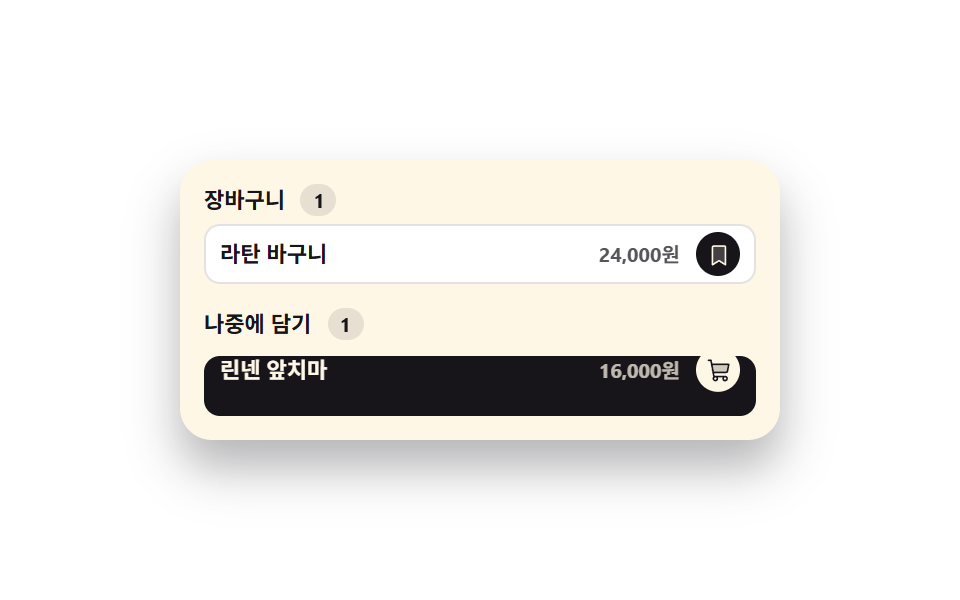 02 cart-move-to-saved
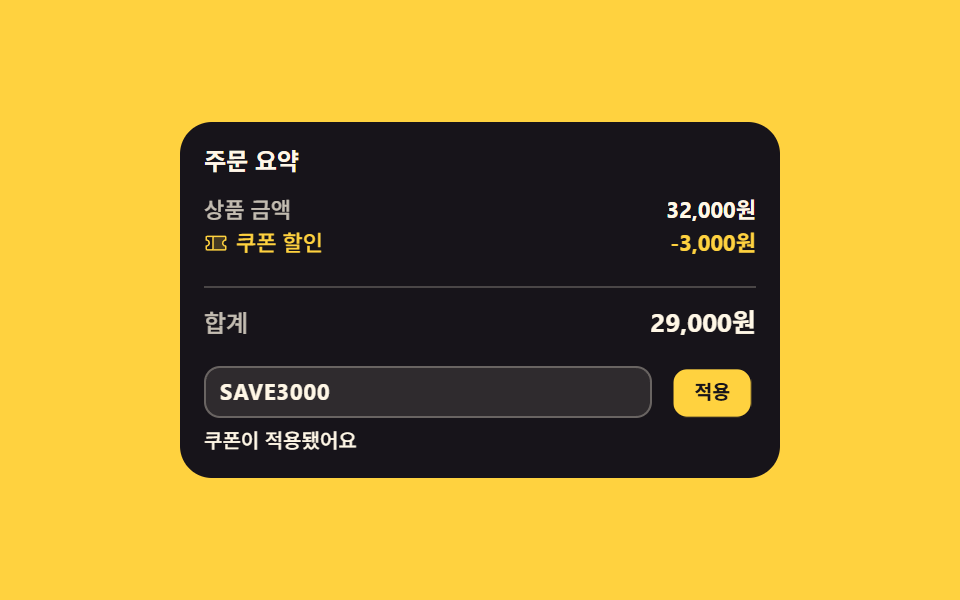 03 cart-coupon-discount-line
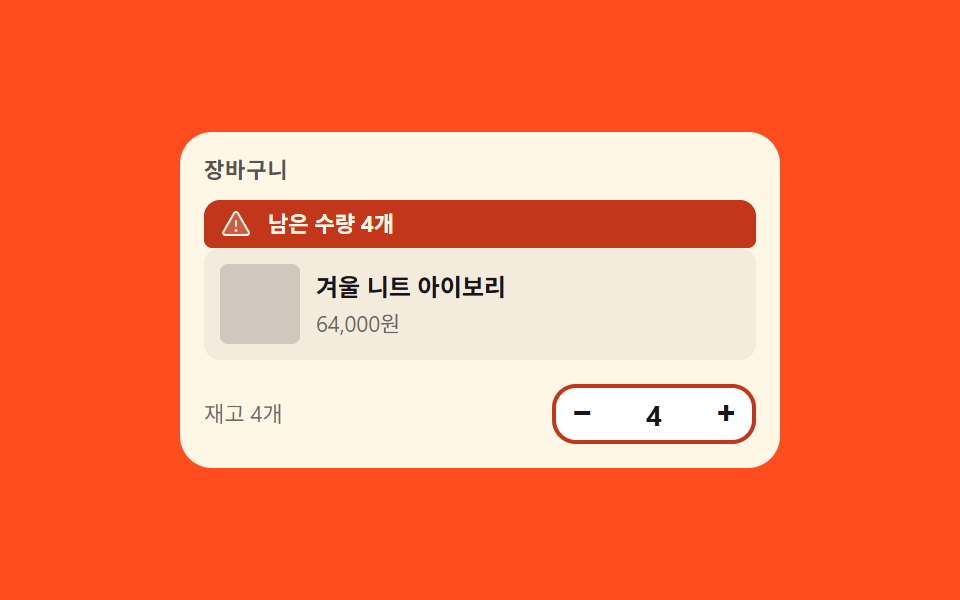 04 cart-stock-limit-clamp
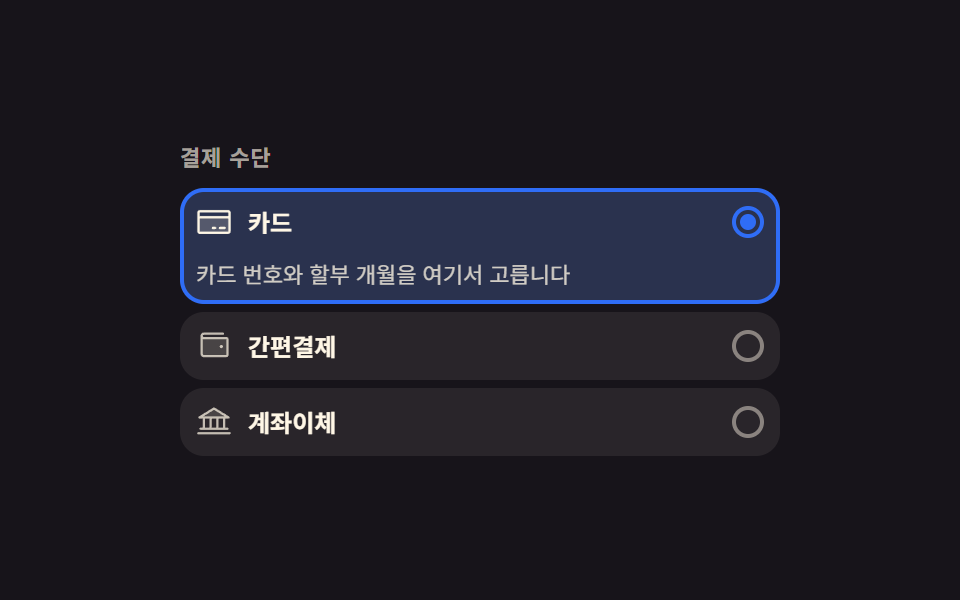 05 pay-method-card-expand
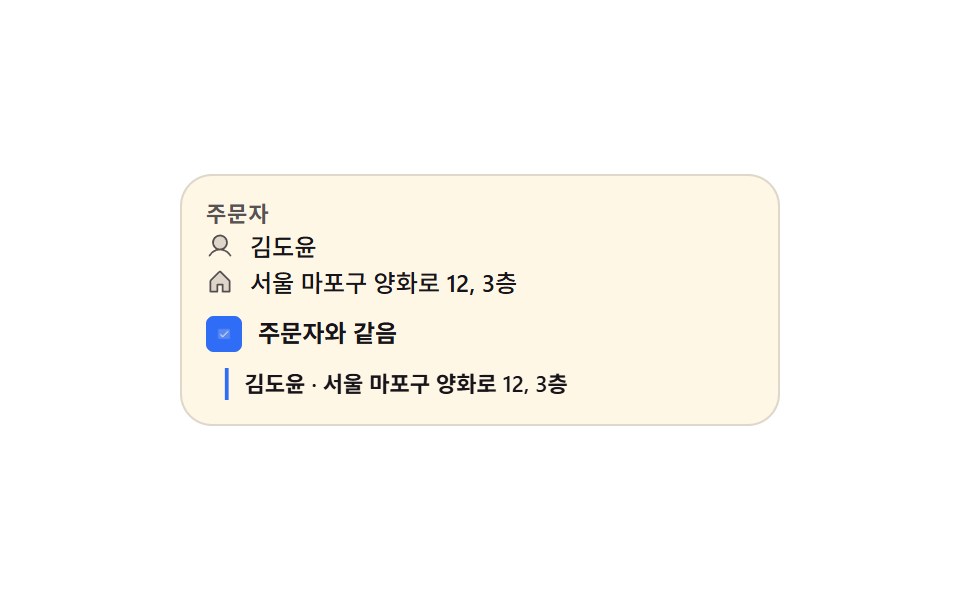 06 ship-same-address-collapse
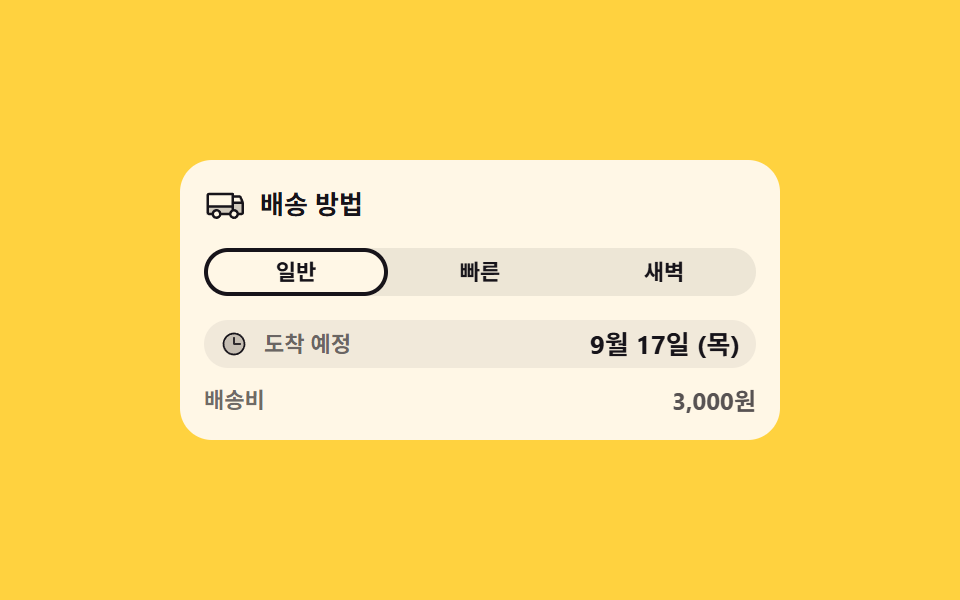 07 ship-speed-eta-swap
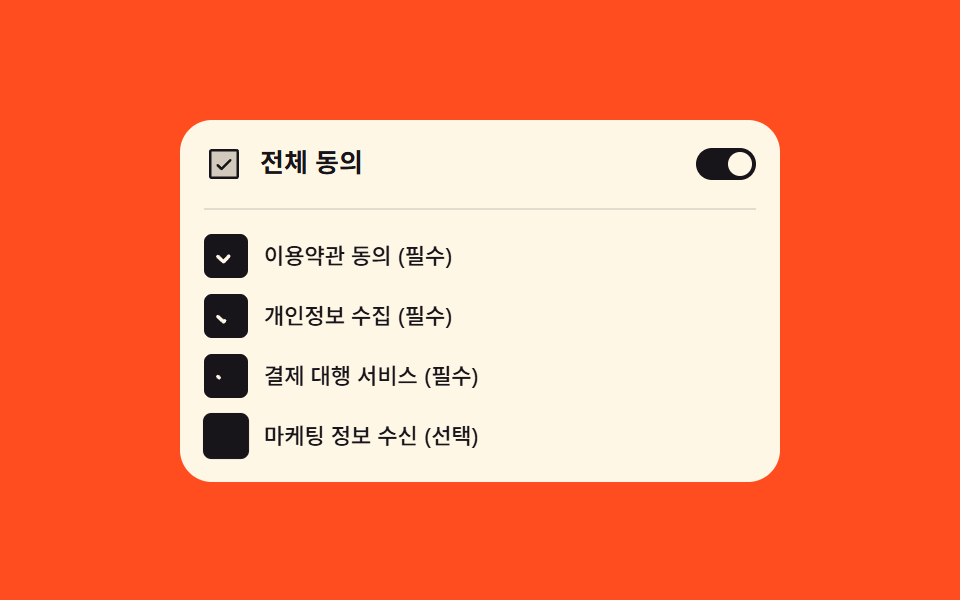 08 terms-agree-all-cascade
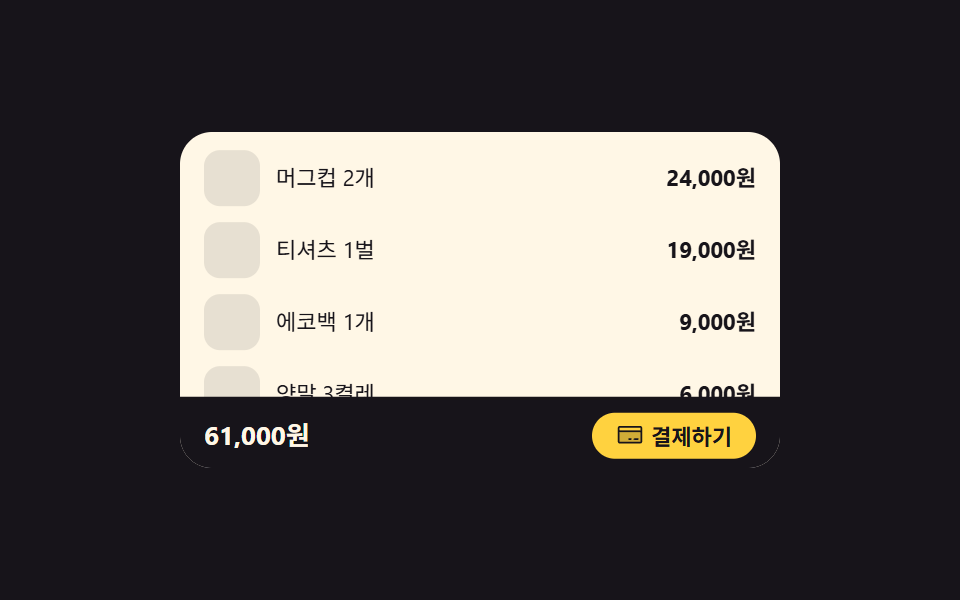 09 checkout-sticky-total-bar
自動再生 · タイルを押すとその項目へ · すべて1つのzip
- 01 数量を変えると小計と合計が一緒に染まる行
- 02 あとで買うへ滑り降りる明細行
- 03 内訳の間に割り込む割引行
- 04 在庫を超えると弾き返される数量
- 05 選んだ支払い方法だけが下に開くカード
- 06 注文者と同じで畳まれて埋まる配送先
- 07 配送方法を変えると日付が滑って変わる到着チップ
- 08 すべて同意が下を順に点ける規約のまとまり
- 09 内訳が見えると下がって収まる下部の決済バー
並び順は難易度や css 入力フォーム デザイン の流行ではなく、注文が完成するまでの道順です。かごの中で数量と小計が一緒に染まる行(01)から始まり、「あとで買う」へ行が滑り降り(02)、クーポンが内訳に割り込み(03)、在庫上限が数量を弾き戻し(04)、支払い方法のカードが開き(05)、配送先が畳まれ(06)、到着日が入れ替わり(07)、同意項目が順に点り(08)、最後に下部の決済バーが内訳に席を譲って退きます(09)。九つとも同じ色・間隔・イージング値を分け合っているので、いくつかを一枚の決済画面に混ぜてもトーンは崩れません。注文書自体が段階に分かれる形なら分岐と再開のあるフォームが道を扱い、地図で住所を選ぶ段は地図の位置選択が担います。
01数量を変えると小計と合計が一緒に染まる行
ショッピングカート デザイン で何が見えるか
数量の値を変えると、その行の小計と下の合計が同じ瞬間に計算し直され、変わった数字のセル二つだけがbackground-colorで染まってtransitionで冷めていきます。数字はfont-variant-numeric: tabular-numsで桁が増えても枠が揺れないように置き、描画機が測った累積変化面積は2.699%でした。
<main class="stage">
  <section class="qs is-demo" id="qs" aria-label="カートの数量と合計">
    <header class="qs__head">
      <p class="qs__title">カート</p>
      <p class="qs__hint">数量を押してみて</p>
    </header>
    <ul class="qs__list">
      <li class="qs__row" data-qty="2">
        <span class="qs__info">
          <span class="qs__name">ベーシックTシャツ</span>
          <span class="qs__unit">12,000ウォン</span>
        </span>
        <span class="qs__step">
          <button class="qs__b qs__b--down" type="button" data-step="-1" aria-label="ベーシックTシャツの数量を減らす"><svg viewBox="0 0 256 256" width="12" height="12" fill="currentColor" aria-hidden="true"><path d="M216,56V200a16,16,0,0,1-16,16H56a16,16,0,0,1-16-16V56A16,16,0,0,1,56,40H200A16,16,0,0,1,216,56Z" opacity="0.2"/><path d="M224,128a8,8,0,0,1-8,8H40a8,8,0,0,1,0-16H216A8,8,0,0,1,224,128Z"/></svg></button>
          <output class="qs__q qs__swap"><span class="qs__v">2</span><span class="qs__alt" aria-hidden="true">3</span></output>
          <button class="qs__b qs__b--up" type="button" data-step="1" aria-label="ベーシックTシャツの数量を増やす"><svg viewBox="0 0 256 256" width="12" height="12" fill="currentColor" aria-hidden="true"><path d="M216,56V200a16,16,0,0,1-16,16H56a16,16,0,0,1-16-16V56A16,16,0,0,1,56,40H200A16,16,0,0,1,216,56Z" opacity="0.2"/><path d="M224,128a8,8,0,0,1-8,8H136v80a8,8,0,0,1-16,0V136H40a8,8,0,0,1,0-16h80V40a8,8,0,0,1,16,0v80h80A8,8,0,0,1,224,128Z"/></svg></button>
        </span>
        <span class="qs__sum qs__swap"><span class="qs__v qs__money">24,000ウォン</span><span class="qs__alt" aria-hidden="true">36,000ウォン</span></span>
      </li>
      <li class="qs__row" data-qty="1">
        <span class="qs__info">
          <span class="qs__name">無地の靴下</span>
          <span class="qs__unit">4,000ウォン</span>
        </span>
        <span class="qs__step">
          <button class="qs__b qs__b--down" type="button" data-step="-1" aria-label="無地の靴下の数量を減らす"><svg viewBox="0 0 256 256" width="12" height="12" fill="currentColor" aria-hidden="true"><path d="M216,56V200a16,16,0,0,1-16,16H56a16,16,0,0,1-16-16V56A16,16,0,0,1,56,40H200A16,16,0,0,1,216,56Z" opacity="0.2"/><path d="M224,128a8,8,0,0,1-8,8H40a8,8,0,0,1,0-16H216A8,8,0,0,1,224,128Z"/></svg></button>
          <output class="qs__q"><span class="qs__v">1</span></output>
          <button class="qs__b qs__b--up" type="button" data-step="1" aria-label="無地の靴下の数量を増やす"><svg viewBox="0 0 256 256" width="12" height="12" fill="currentColor" aria-hidden="true"><path d="M216,56V200a16,16,0,0,1-16,16H56a16,16,0,0,1-16-16V56A16,16,0,0,1,56,40H200A16,16,0,0,1,216,56Z" opacity="0.2"/><path d="M224,128a8,8,0,0,1-8,8H136v80a8,8,0,0,1-16,0V136H40a8,8,0,0,1,0-16h80V40a8,8,0,0,1,16,0v80h80A8,8,0,0,1,224,128Z"/></svg></button>
        </span>
        <span class="qs__sum"><span class="qs__v qs__money">4,000ウォン</span></span>
      </li>
    </ul>
    <p class="qs__total">
      <span class="qs__tlabel">合計</span>
      <output class="qs__sum qs__sum--grand qs__swap" id="qs-grand"><span class="qs__v" id="qs-grandv">28,000ウォン</span><span class="qs__alt" aria-hidden="true">40,000ウォン</span></output>
    </p>
  </section>
</main>@use "../../../../site/static/demo-tokens" as *;
// 수량을 바꾸면 그 줄 소계와 아래 합계가 같은 순간에 다시 계산되고,
// 바뀐 숫자 칸 두 곳만 background-color 가 켜졌다 transition 으로 식는다.
// 숫자는 font-variant-numeric: tabular-nums 라 자릿수가 늘어도 칸이 흔들리지 않는다.
$duration: $dur-loop;
$easing: $ease-spring;
$color: $stage-yellow;
@include stage($stage-ink);
.qs {
box-sizing: border-box;
width: min(300px, 92vw);
padding: $sp-3;
border-radius: $r-card;
background: $subject-cream;
color: $subject-ink;
font-family: -apple-system, "Segoe UI", "Noto Sans KR", sans-serif;
}
.qs * { box-sizing: border-box; }
.qs__head {
display: flex;
align-items: baseline;
justify-content: space-between;
gap: $sp-2;
}
.qs__title {
margin: 0;
font-size: 13px;
font-weight: 700;
line-height: 1.3;
}
.qs__hint {
margin: 0;
font-size: 10px;
font-weight: 500;
line-height: 1.3;
color: rgba($subject-ink, .72);
}
.qs__list {
display: grid;
gap: $sp-2;
margin: $sp-2 0 0;
padding: 0;
list-style: none;
}
.qs__row {
display: grid;
grid-template-columns: 1fr auto auto;
align-items: center;
gap: $sp-2;
}
.qs__info {
display: grid;
min-width: 0;
}
.qs__name {
font-size: 11px;
font-weight: 700;
line-height: 1.35;
white-space: nowrap;
overflow: hidden;
text-overflow: ellipsis;
}
.qs__unit {
font-size: 10px;
font-weight: 500;
line-height: 1.35;
color: rgba($subject-ink, .72);
font-variant-numeric: tabular-nums;
}
.qs__step {
display: inline-flex;
align-items: center;
gap: $sp-1;
padding: $sp-1;
border-radius: $r-pill;
background: rgba(23, 20, 26, .07);
}
.qs__b {
display: inline-grid;
place-items: center;
width: 20px;
height: 20px;
padding: 0;
margin: 0;
border: 0;
border-radius: 50%;
background: $subject-cream;
color: $subject-ink;
cursor: pointer;
&:focus-visible { outline: 2px solid $subject-blue; outline-offset: 2px; }
}
// 숫자 칸 — 자릿수가 바뀌어도 폭이 흔들리지 않게 tabular-nums + min-width
.qs__q {
position: relative;
min-width: 18px;
text-align: center;
font-size: 12px;
font-weight: 700;
line-height: 1.4;
font-variant-numeric: tabular-nums;
}
.qs__sum {
position: relative;
justify-self: end;
min-width: 58px;
padding: $sp-1;
border-radius: $r-xs;
text-align: right;
font-size: 11px;
font-weight: 700;
line-height: 1.4;
font-variant-numeric: tabular-nums;
// 실제 클릭 경로: 배경을 한 번 켜고(transition: none) 클래스를 떼면 이 transition 이 식힌다
background-color: rgba($stage-yellow, 0);
transition: background-color $dur-enter $ease-out;
&.is-hot {
background-color: rgba($stage-yellow, .62);
transition: none;
}
}
// 미리보기 루프에서만 쓰는 두 번째 숫자 — 정적 경로에서는 자리를 차지하지 않고 보이지도 않는다
.qs__alt {
position: absolute;
inset: 0;
display: grid;
place-items: center;
opacity: 0;
}
.qs__sum .qs__alt {
place-items: center end;
padding: $sp-1;
}
.qs__total {
display: flex;
align-items: center;
justify-content: space-between;
gap: $sp-2;
margin: $sp-2 0 0;
padding: $sp-2 0 0;
border-top: 1px solid rgba(23, 20, 26, .14);
}
.qs__tlabel {
font-size: 11px;
font-weight: 700;
line-height: 1.4;
}
.qs__sum--grand {
min-width: 68px;
font-size: 13px;
}
// ── 격자 미리보기 루프 (2초) ──
// 숫자 교체는 steps(1, end) 컷이다 — 크로스페이드로 겹치면 대표 이미지에 두 숫자가 반투명하게 겹친다.
// 컷만으로는 움직인 프레임이 모자라니 칸이 살짝 솟았다 내려오는 translateY 를 곁들인다.
@keyframes qs-a {
0%, 24% { opacity: 1; }
25%, 62% { opacity: 0; }
63%, 100% { opacity: 1; }
}
@keyframes qs-b {
0%, 24% { opacity: 0; }
25%, 62% { opacity: 1; }
63%, 100% { opacity: 0; }
}
@keyframes qs-tint {
0%, 24% { background-color: rgba($stage-yellow, 0); }
25% { background-color: rgba($stage-yellow, .62); }
54% { background-color: rgba($stage-yellow, 0); }
62% { background-color: rgba($stage-yellow, 0); }
63% { background-color: rgba($stage-yellow, .62); }
88%, 100% { background-color: rgba($stage-yellow, 0); }
}
@keyframes qs-pop {
0%, 24% { transform: translateY(0); }
25% { transform: translateY(-4px); }
40% { transform: translateY(0); }
62% { transform: translateY(0); }
63% { transform: translateY(-4px); }
78%, 100% { transform: translateY(0); }
}
@keyframes qs-press-up {
0%, 21% { transform: scale(1); }
25% { transform: scale(.78); }
37%, 100% { transform: scale(1); }
}
@keyframes qs-press-down {
0%, 59% { transform: scale(1); }
63% { transform: scale(.78); }
75%, 100% { transform: scale(1); }
}
.qs.is-demo {
.qs__swap .qs__v { animation-name: qs-a; }
.qs__swap .qs__alt { animation-name: qs-b; }
.qs__swap .qs__v,
.qs__swap .qs__alt {
animation-duration: $duration;
animation-timing-function: steps(1, end);
animation-iteration-count: infinite;
animation-fill-mode: backwards;
}
.qs__sum.qs__swap {
animation-name: qs-tint, qs-pop;
animation-duration: $duration, $duration;
animation-timing-function: $ease-out, $easing;
animation-iteration-count: infinite, infinite;
animation-fill-mode: backwards, backwards;
}
.qs__row:first-child .qs__b--up { animation-name: qs-press-up; }
.qs__row:first-child .qs__b--down { animation-name: qs-press-down; }
.qs__row:first-child .qs__b {
animation-duration: $duration;
animation-timing-function: $easing;
animation-iteration-count: infinite;
animation-fill-mode: backwards;
}
}
@media (max-width: 340px) {
.qs { padding: $sp-2; }
.qs__sum { min-width: 52px; }
.qs__sum--grand { min-width: 60px; }
.qs__b { width: 18px; height: 18px; }
}
@media (prefers-reduced-motion: reduce) {
.qs.is-demo .qs__v,
.qs.is-demo .qs__b,
.qs.is-demo .qs__sum {
animation: none !important;
transform: none !important;
}
.qs.is-demo .qs__v { opacity: 1 !important; }
// 정지 상태에서도 값은 보인다 — 겹쳐 둔 두 번째 숫자만 계속 감춘다
.qs.is-demo .qs__alt { animation: none !important; opacity: 0 !important; }
.qs.is-demo .qs__sum { background-color: rgba($stage-yellow, 0) !important; }
.qs__sum { transition: none !important; }
}html, body {
margin: 0;
overflow: hidden;
}
.stage {
box-sizing: border-box;
min-height: 100vh;
display: grid;
place-items: center;
margin: 0;
background: #17141a;
font-family: -apple-system, "Segoe UI", "Noto Sans KR", sans-serif;
padding: clamp(8px, 4vw, 24px);
}
.qs {
box-sizing: border-box;
width: min(300px, 92vw);
padding: 12px;
border-radius: 16px;
background: #fff7e6;
color: #17141a;
font-family: -apple-system, "Segoe UI", "Noto Sans KR", sans-serif;
}
.qs * {
box-sizing: border-box;
}
.qs__head {
display: flex;
align-items: baseline;
justify-content: space-between;
gap: 8px;
}
.qs__title {
margin: 0;
font-size: 13px;
font-weight: 700;
line-height: 1.3;
}
.qs__hint {
margin: 0;
font-size: 10px;
font-weight: 500;
line-height: 1.3;
color: rgba(23, 20, 26, 0.72);
}
.qs__list {
display: grid;
gap: 8px;
margin: 8px 0 0;
padding: 0;
list-style: none;
}
.qs__row {
display: grid;
grid-template-columns: 1fr auto auto;
align-items: center;
gap: 8px;
}
.qs__info {
display: grid;
min-width: 0;
}
.qs__name {
font-size: 11px;
font-weight: 700;
line-height: 1.35;
white-space: nowrap;
overflow: hidden;
text-overflow: ellipsis;
}
.qs__unit {
font-size: 10px;
font-weight: 500;
line-height: 1.35;
color: rgba(23, 20, 26, 0.72);
font-variant-numeric: tabular-nums;
}
.qs__step {
display: inline-flex;
align-items: center;
gap: 4px;
padding: 4px;
border-radius: 999px;
background: rgba(23, 20, 26, 0.07);
}
.qs__b {
display: inline-grid;
place-items: center;
width: 20px;
height: 20px;
padding: 0;
margin: 0;
border: 0;
border-radius: 50%;
background: #fff7e6;
color: #17141a;
cursor: pointer;
}
.qs__b:focus-visible {
outline: 2px solid #2f6df6;
outline-offset: 2px;
}
.qs__q {
position: relative;
min-width: 18px;
text-align: center;
font-size: 12px;
font-weight: 700;
line-height: 1.4;
font-variant-numeric: tabular-nums;
}
.qs__sum {
position: relative;
justify-self: end;
min-width: 58px;
padding: 4px;
border-radius: 4px;
text-align: right;
font-size: 11px;
font-weight: 700;
line-height: 1.4;
font-variant-numeric: tabular-nums;
background-color: rgba(255, 210, 63, 0);
transition: background-color 600ms ease-out;
}
.qs__sum.is-hot {
background-color: rgba(255, 210, 63, 0.62);
transition: none;
}
.qs__alt {
position: absolute;
inset: 0;
display: grid;
place-items: center;
opacity: 0;
}
.qs__sum .qs__alt {
place-items: center end;
padding: 4px;
}
.qs__total {
display: flex;
align-items: center;
justify-content: space-between;
gap: 8px;
margin: 8px 0 0;
padding: 8px 0 0;
border-top: 1px solid rgba(23, 20, 26, 0.14);
}
.qs__tlabel {
font-size: 11px;
font-weight: 700;
line-height: 1.4;
}
.qs__sum--grand {
min-width: 68px;
font-size: 13px;
}
@keyframes qs-a {
0%, 24% {
opacity: 1;
}
25%, 62% {
opacity: 0;
}
63%, 100% {
opacity: 1;
}
}
@keyframes qs-b {
0%, 24% {
opacity: 0;
}
25%, 62% {
opacity: 1;
}
63%, 100% {
opacity: 0;
}
}
@keyframes qs-tint {
0%, 24% {
background-color: rgba(255, 210, 63, 0);
}
25% {
background-color: rgba(255, 210, 63, 0.62);
}
54% {
background-color: rgba(255, 210, 63, 0);
}
62% {
background-color: rgba(255, 210, 63, 0);
}
63% {
background-color: rgba(255, 210, 63, 0.62);
}
88%, 100% {
background-color: rgba(255, 210, 63, 0);
}
}
@keyframes qs-pop {
0%, 24% {
transform: translateY(0);
}
25% {
transform: translateY(-4px);
}
40% {
transform: translateY(0);
}
62% {
transform: translateY(0);
}
63% {
transform: translateY(-4px);
}
78%, 100% {
transform: translateY(0);
}
}
@keyframes qs-press-up {
0%, 21% {
transform: scale(1);
}
25% {
transform: scale(0.78);
}
37%, 100% {
transform: scale(1);
}
}
@keyframes qs-press-down {
0%, 59% {
transform: scale(1);
}
63% {
transform: scale(0.78);
}
75%, 100% {
transform: scale(1);
}
}
.qs.is-demo .qs__swap .qs__v {
animation-name: qs-a;
}
.qs.is-demo .qs__swap .qs__alt {
animation-name: qs-b;
}
.qs.is-demo .qs__swap .qs__v,
.qs.is-demo .qs__swap .qs__alt {
animation-duration: 2s;
animation-timing-function: steps(1, end);
animation-iteration-count: infinite;
animation-fill-mode: backwards;
}
.qs.is-demo .qs__sum.qs__swap {
animation-name: qs-tint, qs-pop;
animation-duration: 2s, 2s;
animation-timing-function: ease-out, cubic-bezier(0.2, 0.8, 0.2, 1);
animation-iteration-count: infinite, infinite;
animation-fill-mode: backwards, backwards;
}
.qs.is-demo .qs__row:first-child .qs__b--up {
animation-name: qs-press-up;
}
.qs.is-demo .qs__row:first-child .qs__b--down {
animation-name: qs-press-down;
}
.qs.is-demo .qs__row:first-child .qs__b {
animation-duration: 2s;
animation-timing-function: cubic-bezier(0.2, 0.8, 0.2, 1);
animation-iteration-count: infinite;
animation-fill-mode: backwards;
}
@media (max-width: 340px) {
.qs {
padding: 8px;
}
.qs__sum {
min-width: 52px;
}
.qs__sum--grand {
min-width: 60px;
}
.qs__b {
width: 18px;
height: 18px;
}
}
@media (prefers-reduced-motion: reduce) {
.qs.is-demo .qs__v,
.qs.is-demo .qs__b,
.qs.is-demo .qs__sum {
animation: none !important;
transform: none !important;
}
.qs.is-demo .qs__v {
opacity: 1 !important;
}
.qs.is-demo .qs__alt {
animation: none !important;
opacity: 0 !important;
}
.qs.is-demo .qs__sum {
background-color: rgba(255, 210, 63, 0) !important;
}
.qs__sum {
transition: none !important;
}
}// 수량을 바꾸면 그 줄 소계와 아래 합계를 같은 순간에 다시 계산한다.
// 금액 서식은 화면에 이미 있는 단가 글자에서 뽑는다 — 언어팩이 바꿔 둔 통화 표기를 그대로 따라간다
var qsRoot = document.getElementById('qs');
var qsRows = qsRoot.querySelectorAll('.qs__row');
var qsGrand = document.getElementById('qs-grand');
var qsGrandValue = document.getElementById('qs-grandv');
function qsComma(n) { return String(n).replace(/\B(?=(\d{3})+$)/g, ','); }
function qsUnitText(row) { return row.querySelector('.qs__unit').textContent.trim(); }
function qsAmount(text) { return Number(text.replace(/[^\d]/g, '')); }
function qsMoney(row, n) { return qsUnitText(row).replace(/[\d,]+/, qsComma(n)); }
function qsPaint(row) {
var qty = Number(row.getAttribute('data-qty'));
row.querySelector('.qs__q .qs__v').textContent = String(qty);
row.querySelector('.qs__money').textContent = qsMoney(row, qty * qsAmount(qsUnitText(row)));
}
function qsTotal() {
var sum = 0;
for (var i = 0; i < qsRows.length; i++) {
sum += Number(qsRows[i].getAttribute('data-qty')) * qsAmount(qsUnitText(qsRows[i]));
}
qsGrandValue.textContent = qsMoney(qsRows[0], sum);
}
// 물들었다 식는다 — 배경만 한 번 켜고 transition 이 되돌린다
function qsTint(cell) {
cell.classList.add('is-hot');
setTimeout(function () { cell.classList.remove('is-hot'); }, 80);
}
function qsBump(row, step) {
qsRoot.classList.remove('is-demo');
var qty = Math.min(9, Math.max(1, Number(row.getAttribute('data-qty')) + step));
row.setAttribute('data-qty', String(qty));
qsPaint(row);
qsTotal();
qsTint(row.querySelector('.qs__sum'));
qsTint(qsGrand);
}
qsRoot.addEventListener('click', function (e) {
var btn = e.target.closest('.qs__b');
if (btn) { qsBump(btn.closest('.qs__row'), Number(btn.getAttribute('data-step'))); }
});import { useState } from "react";
import type { CSSProperties } from "react";
import styles from "./CartQtySubtotalSync.module.scss";
export type CartQtyLine = {
id: string;
name: string;
/** 단가 글자 그대로 — 금액 서식(통화 기호·자릿점)을 여기서 뽑아 쓴다 */
unit: string;
qty: number;
downLabel: string;
upLabel: string;
};
export type CartQtySubtotalSyncProps = {
title?: string;
hint?: string;
totalLabel?: string;
groupLabel?: string;
lines?: CartQtyLine[];
/** 격자 미리보기용 2초 자동 루프. 사람이 손대면 꺼진다 */
demo?: boolean;
duration?: number;
easing?: string;
color?: string;
};
type Vars = CSSProperties & { "--duration"?: string; "--easing"?: string; "--color"?: string };
const DEFAULT_LINES: CartQtyLine[] = [
{ id: "tee", name: "기본 티셔츠", unit: "12,000원", qty: 2, downLabel: "기본 티셔츠 수량 줄이기", upLabel: "기본 티셔츠 수량 늘리기" },
{ id: "socks", name: "무지 양말", unit: "4,000원", qty: 1, downLabel: "무지 양말 수량 줄이기", upLabel: "무지 양말 수량 늘리기" },
];
function comma(n: number): string {
return String(n).replace(/\B(?=(\d{3})+$)/g, ",");
}
function amount(text: string): number {
return Number(text.replace(/[^\d]/g, ""));
}
// 금액 서식은 단가 글자를 그대로 본떠 만든다 — 언어팩이 바꿔 둔 통화 표기를 따라간다
function money(unit: string, n: number): string {
return unit.replace(/[\d,]+/, comma(n));
}
function MinusIcon() {
return (
<svg viewBox="0 0 256 256" width="12" height="12" fill="currentColor" aria-hidden="true"><path d="M216,56V200a16,16,0,0,1-16,16H56a16,16,0,0,1-16-16V56A16,16,0,0,1,56,40H200A16,16,0,0,1,216,56Z" opacity="0.2"/><path d="M224,128a8,8,0,0,1-8,8H40a8,8,0,0,1,0-16H216A8,8,0,0,1,224,128Z"/></svg>
);
}
function PlusIcon() {
return (
<svg viewBox="0 0 256 256" width="12" height="12" fill="currentColor" aria-hidden="true"><path d="M216,56V200a16,16,0,0,1-16,16H56a16,16,0,0,1-16-16V56A16,16,0,0,1,56,40H200A16,16,0,0,1,216,56Z" opacity="0.2"/><path d="M224,128a8,8,0,0,1-8,8H136v80a8,8,0,0,1-16,0V136H40a8,8,0,0,1,0-16h80V40a8,8,0,0,1,16,0v80h80A8,8,0,0,1,224,128Z"/></svg>
);
}
export default function CartQtySubtotalSync({
title = "장바구니",
hint = "수량을 눌러 보세요",
totalLabel = "합계",
groupLabel = "장바구니 수량과 합계",
lines = DEFAULT_LINES,
demo = true,
duration = 2000,
easing = "cubic-bezier(.2,.8,.2,1)",
color = "#ffd23f",
}: CartQtySubtotalSyncProps) {
const [qty, setQty] = useState<number[]>(lines.map((l) => l.qty));
const [hot, setHot] = useState<string[]>([]);
const [live, setLive] = useState(demo);
const vars: Vars = { "--duration": `${duration}ms`, "--easing": easing, "--color": color };
const grand = lines.reduce((sum, l, i) => sum + qty[i] * amount(l.unit), 0);
// 미리보기 루프가 컷으로 갈아 끼우는 두 번째 값 — 첫 줄 수량이 하나 늘었을 때의 숫자
const altQty = lines[0].qty + 1;
const altGrand = lines.reduce((sum, l, i) => sum + (i === 0 ? altQty : l.qty) * amount(l.unit), 0);
// 수량·소계·합계를 같은 순간에 다시 계산하고, 바뀐 숫자 칸 두 곳만 배경을 한 번 켠다
function bump(index: number, step: number) {
setLive(false);
setQty((prev: number[]) => prev.map((q, k) => (k === index ? Math.min(9, Math.max(1, q + step)) : q)));
setHot([lines[index].id, "grand"]);
setTimeout(() => setHot([]), 80);
}
const cls = [styles.qs, live ? styles.isDemo : ""].filter(Boolean).join(" ");
const grandCls = [styles.sum, styles.grand, styles.swap, hot.indexOf("grand") >= 0 ? styles.isHot : ""].filter(Boolean).join(" ");
return (
<section className={cls} style={vars} aria-label={groupLabel}>
<header className={styles.head}>
<p className={styles.title}>{title}</p>
<p className={styles.hint}>{hint}</p>
</header>
<ul className={styles.list}>
{lines.map((line, i) => {
const swap = i === 0;
const sumCls = [styles.sum, swap ? styles.swap : "", hot.indexOf(line.id) >= 0 ? styles.isHot : ""].filter(Boolean).join(" ");
return (
<li className={styles.row} key={line.id}>
<span className={styles.info}>
<span className={styles.name}>{line.name}</span>
<span className={styles.unit}>{line.unit}</span>
</span>
<span className={styles.step}>
<button className={`${styles.btn} ${styles.btnDown}`} type="button" onClick={() => bump(i, -1)} aria-label={line.downLabel}><MinusIcon /></button>
<output className={`${styles.qty} ${swap ? styles.swap : ""}`}>
<span className={styles.value}>{qty[i]}</span>
{swap && live ? <span className={styles.alt} aria-hidden="true">{altQty}</span> : null}
</output>
<button className={`${styles.btn} ${styles.btnUp}`} type="button" onClick={() => bump(i, 1)} aria-label={line.upLabel}><PlusIcon /></button>
</span>
<span className={sumCls}>
<span className={styles.value}>{money(line.unit, qty[i] * amount(line.unit))}</span>
{swap && live ? <span className={styles.alt} aria-hidden="true">{money(line.unit, altQty * amount(line.unit))}</span> : null}
</span>
</li>
);
})}
</ul>
<p className={styles.total}>
<span className={styles.tlabel}>{totalLabel}</span>
<output className={grandCls}>
<span className={styles.value}>{money(lines[0].unit, grand)}</span>
{live ? <span className={styles.alt} aria-hidden="true">{money(lines[0].unit, altGrand)}</span> : null}
</output>
</p>
</section>
);
}01 · 数量を変えると小計と合計が一緒に染まる行 — 計測 累積面積 2.699% · 動いたフレーム 11/23GODRICH オリジナル · SCSS と React は zip に同梱 · パスワードを見る
コードのどこを見るか
ショッピングカートの明細行や、予約人数を変える画面に使います。
// 数字のセル — tabular-nums + min-width で桁が増えても幅が揺れない
.qs__sum {
  min-width: 58px;
  padding: $sp-1;
  border-radius: $r-xs;
  text-align: right;
  font-variant-numeric: tabular-nums;
  // 実クリックの経路 — 一度塗って(transition: none)、クラスを外すとこのtransitionが冷ます
  background-color: rgba($stage-yellow, 0);
  transition: background-color $dur-enter $ease-out;
  &.is-hot {
    background-color: rgba($stage-yellow, .62);
    transition: none;
  }
}
02あとで買うへ滑り降りる明細行
画面で起きること
「あとで買う」を押すとその行が高さを失って畳まれ、下の保管グループに同じ商品が上から降りてきて、二つの件数が一緒に変わります。行ひとつがgrid-template-rows: 1fr → 0frへ畳まるのと同時に、相手の行が0fr → 1frへ開くのでカード全体の高さは動かず、描画機は累積面積11.938%・強度104.9を記録しました。
<main class="stage">
  <section class="mv is-demo" id="mv" aria-label="カートとあとで買う">
    <div class="mv__group">
      <p class="mv__head">
        <span class="mv__label">カート</span>
        <output class="mv__n mv__swap"><span class="mv__v">2</span><span class="mv__alt" aria-hidden="true">1</span></output>
      </p>
      <ul class="mv__list" id="mv-cart">
        <li class="mv__row" data-pair="p1">
          <div class="mv__box"><div class="mv__in">
            <span class="mv__name">ラタンのかご</span>
            <span class="mv__price">24,000ウォン</span>
            <button class="mv__b" type="button" aria-label="ラタンのかごをあとで買うへ移す"><svg viewBox="0 0 256 256" width="13" height="13" fill="currentColor" aria-hidden="true"><path d="M192,48V224l-64-40L64,224V48a8,8,0,0,1,8-8H184A8,8,0,0,1,192,48Z" opacity="0.2"/><path d="M184,32H72A16,16,0,0,0,56,48V224a8,8,0,0,0,12.24,6.78L128,193.43l59.77,37.35A8,8,0,0,0,200,224V48A16,16,0,0,0,184,32Zm0,177.57-51.77-32.35a8,8,0,0,0-8.48,0L72,209.57V48H184Z"/></svg></button>
          </div></div>
        </li>
        <li class="mv__row" data-pair="p2">
          <div class="mv__box"><div class="mv__in">
            <span class="mv__name">リネンのエプロン</span>
            <span class="mv__price">16,000ウォン</span>
            <button class="mv__b" type="button" aria-label="リネンのエプロンをあとで買うへ移す"><svg viewBox="0 0 256 256" width="13" height="13" fill="currentColor" aria-hidden="true"><path d="M192,48V224l-64-40L64,224V48a8,8,0,0,1,8-8H184A8,8,0,0,1,192,48Z" opacity="0.2"/><path d="M184,32H72A16,16,0,0,0,56,48V224a8,8,0,0,0,12.24,6.78L128,193.43l59.77,37.35A8,8,0,0,0,200,224V48A16,16,0,0,0,184,32Zm0,177.57-51.77-32.35a8,8,0,0,0-8.48,0L72,209.57V48H184Z"/></svg></button>
          </div></div>
        </li>
      </ul>
    </div>
    <div class="mv__group">
      <p class="mv__head">
        <span class="mv__label">あとで買う</span>
        <output class="mv__n mv__swap"><span class="mv__v">0</span><span class="mv__alt" aria-hidden="true">1</span></output>
      </p>
      <ul class="mv__list" id="mv-saved">
        <li class="mv__row mv__row--saved is-out" data-pair="p1">
          <div class="mv__box"><div class="mv__in">
            <span class="mv__name">ラタンのかご</span>
            <span class="mv__price">24,000ウォン</span>
            <button class="mv__b mv__b--back" type="button" aria-label="ラタンのかごをカートに戻す"><svg viewBox="0 0 256 256" width="13" height="13" fill="currentColor" aria-hidden="true"><path d="M224,64l-12.16,66.86A16,16,0,0,1,196.1,144H70.55L56,64Z" opacity="0.2"/><path d="M230.14,58.87A8,8,0,0,0,224,56H62.68L56.6,22.57A8,8,0,0,0,48.73,16H24a8,8,0,0,0,0,16h18L67.56,172.29a24,24,0,0,0,5.33,11.27,28,28,0,1,0,44.4,8.44h45.42A27.75,27.75,0,0,0,160,204a28,28,0,1,0,28-28H91.17a8,8,0,0,1-7.87-6.57L80.13,152h116a24,24,0,0,0,23.61-19.71l12.16-66.86A8,8,0,0,0,230.14,58.87ZM104,204a12,12,0,1,1-12-12A12,12,0,0,1,104,204Zm96,0a12,12,0,1,1-12-12A12,12,0,0,1,200,204Zm4-74.57A8,8,0,0,1,196.1,136H77.22L65.59,72H214.41Z"/></svg></button>
          </div></div>
        </li>
        <li class="mv__row mv__row--saved is-out" data-pair="p2">
          <div class="mv__box"><div class="mv__in">
            <span class="mv__name">リネンのエプロン</span>
            <span class="mv__price">16,000ウォン</span>
            <button class="mv__b mv__b--back" type="button" aria-label="リネンのエプロンをカートに戻す"><svg viewBox="0 0 256 256" width="13" height="13" fill="currentColor" aria-hidden="true"><path d="M224,64l-12.16,66.86A16,16,0,0,1,196.1,144H70.55L56,64Z" opacity="0.2"/><path d="M230.14,58.87A8,8,0,0,0,224,56H62.68L56.6,22.57A8,8,0,0,0,48.73,16H24a8,8,0,0,0,0,16h18L67.56,172.29a24,24,0,0,0,5.33,11.27,28,28,0,1,0,44.4,8.44h45.42A27.75,27.75,0,0,0,160,204a28,28,0,1,0,28-28H91.17a8,8,0,0,1-7.87-6.57L80.13,152h116a24,24,0,0,0,23.61-19.71l12.16-66.86A8,8,0,0,0,230.14,58.87ZM104,204a12,12,0,1,1-12-12A12,12,0,0,1,104,204Zm96,0a12,12,0,1,1-12-12A12,12,0,0,1,200,204Zm4-74.57A8,8,0,0,1,196.1,136H77.22L65.59,72H214.41Z"/></svg></button>
          </div></div>
        </li>
      </ul>
    </div>
  </section>
</main>@use "../../../../site/static/demo-tokens" as *;
// 나중에 담기를 누르면 그 줄이 grid-template-rows: 1fr → 0fr 로 접히고,
// 보관 묶음의 같은 상품 줄이 그만큼 열리며 안쪽 내용이 translateY 로 위에서 내려앉는다.
// 접히는 높이와 열리는 높이가 같아서 카드 전체 높이는 움직이지 않는다.
$duration: $dur-loop;
$easing: $ease-spring;
$color: $subject-ink;
@include stage($stage-paper);
.mv {
box-sizing: border-box;
width: min(300px, 92vw);
padding: $sp-3;
border-radius: $r-card;
background: $subject-cream;
box-shadow: $shadow-raised;
color: $subject-ink;
font-family: -apple-system, "Segoe UI", "Noto Sans KR", sans-serif;
}
.mv * { box-sizing: border-box; }
.mv__group + .mv__group { margin-top: $sp-2; }
.mv__head {
display: flex;
align-items: center;
gap: $sp-2;
margin: 0 0 $sp-1;
}
.mv__label {
font-size: 11px;
font-weight: 700;
line-height: 1.3;
}
.mv__n {
position: relative;
min-width: 18px;
padding: 0 $sp-1;
border-radius: $r-pill;
background: rgba(23, 20, 26, .1);
text-align: center;
font-size: 10px;
font-weight: 700;
line-height: 1.6;
font-variant-numeric: tabular-nums;
}
// 미리보기 루프에서만 쓰는 두 번째 숫자 — 자리를 차지하지 않고 정적 경로에서는 보이지 않는다
.mv__alt {
position: absolute;
inset: 0;
display: grid;
place-items: center;
opacity: 0;
}
.mv__list {
display: grid;
gap: $sp-1;
margin: 0;
padding: 0;
list-style: none;
}
// 줄 하나 = 높이를 주고받는 칸. 실제 클릭 경로는 transition 으로 부드럽게 접힌다
.mv__row {
display: grid;
grid-template-rows: 1fr;
transition: grid-template-rows $dur-base $easing;
}
.mv__row.is-out { grid-template-rows: 0fr; }
// 접히는 칸에는 패딩을 두지 않는다 — 0fr 이 되어도 세로 패딩은 그대로 남는다.
// 안쪽을 감싸는 이 칸이 높이 0 이 되면서 패딩을 가진 진짜 줄을 잘라 낸다
.mv__box {
min-height: 0;
overflow: hidden;
border-radius: $r-sm;
background: $stage-paper;
box-shadow: inset 0 0 0 1px rgba(23, 20, 26, .12);
}
.mv__in {
display: grid;
grid-template-columns: 1fr auto auto;
align-items: center;
gap: $sp-2;
padding: $sp-1 $sp-2;
}
.mv__row--saved .mv__box {
background: $subject-ink;
box-shadow: none;
}
.mv__row--saved .mv__in { color: $subject-cream; }
.mv__name {
min-width: 0;
font-size: 11px;
font-weight: 700;
line-height: 1.4;
white-space: nowrap;
overflow: hidden;
text-overflow: ellipsis;
}
.mv__price {
font-size: 10px;
font-weight: 700;
line-height: 1.4;
font-variant-numeric: tabular-nums;
opacity: .72;
}
.mv__b {
display: inline-grid;
place-items: center;
width: 22px;
height: 22px;
padding: 0;
margin: 0;
border: 0;
border-radius: 50%;
background: $subject-ink;
color: $subject-cream;
cursor: pointer;
&:focus-visible { outline: 2px solid $subject-blue; outline-offset: 2px; }
}
.mv__b--back {
background: $subject-cream;
color: $subject-ink;
}
// ── 격자 미리보기 루프 (2초) ──
// 여닫기를 한 프레임에 컷으로 끝낸다 — 대표 이미지가 「반쯤 접힌 줄」 이 되지 않게.
// 돌아오는 쪽만 70~86% 에 천천히 풀어 퇴장 프레임이 등장 프레임을 이기지 못하게 한다.
@keyframes mv-leave {
0% { grid-template-rows: 1fr; animation-timing-function: steps(1, end); }
24% { grid-template-rows: 1fr; animation-timing-function: steps(1, end); }
25% { grid-template-rows: 0fr; animation-timing-function: steps(1, end); }
70% { grid-template-rows: 0fr; animation-timing-function: $ease-out; }
86% { grid-template-rows: 1fr; }
100% { grid-template-rows: 1fr; }
}
@keyframes mv-arrive {
0% { grid-template-rows: 0fr; animation-timing-function: steps(1, end); }
24% { grid-template-rows: 0fr; animation-timing-function: steps(1, end); }
25% { grid-template-rows: 1fr; animation-timing-function: steps(1, end); }
70% { grid-template-rows: 1fr; animation-timing-function: $ease-out; }
86% { grid-template-rows: 0fr; }
100% { grid-template-rows: 0fr; }
}
// 열린 칸 안쪽이 위에서 내려앉는다 — 투명도가 아니라 transform 이라 중간 프레임에 유령이 없다.
// 칸이 열리는 컷과 같은 순간에 글자가 이미 칸 안에 들어와 있어야 대표 이미지가 빈 띠가 되지 않는다
@keyframes mv-drop {
0%, 24% { transform: translateY(-10px); }
45%, 100% { transform: translateY(0); }
}
@keyframes mv-press {
0%, 21% { transform: scale(1); }
25% { transform: scale(.78); }
37%, 100% { transform: scale(1); }
}
@keyframes mv-a {
0%, 24% { opacity: 1; }
25%, 85% { opacity: 0; }
86%, 100% { opacity: 1; }
}
@keyframes mv-b {
0%, 24% { opacity: 0; }
25%, 85% { opacity: 1; }
86%, 100% { opacity: 0; }
}
.mv.is-demo {
#mv-cart .mv__row:nth-child(2) { animation-name: mv-leave; }
#mv-saved .mv__row:nth-child(2) { animation-name: mv-arrive; }
#mv-cart .mv__row:nth-child(2),
#mv-saved .mv__row:nth-child(2) {
animation-duration: $duration;
animation-iteration-count: infinite;
animation-fill-mode: backwards;
}
#mv-saved .mv__row:nth-child(2) .mv__in {
animation-name: mv-drop;
animation-duration: $duration;
animation-timing-function: $easing;
animation-iteration-count: infinite;
animation-fill-mode: backwards;
}
#mv-cart .mv__row:nth-child(2) .mv__b {
animation-name: mv-press;
animation-duration: $duration;
animation-timing-function: $easing;
animation-iteration-count: infinite;
animation-fill-mode: backwards;
}
.mv__swap .mv__v { animation-name: mv-a; }
.mv__swap .mv__alt { animation-name: mv-b; }
.mv__swap .mv__v,
.mv__swap .mv__alt {
animation-duration: $duration;
animation-timing-function: steps(1, end);
animation-iteration-count: infinite;
animation-fill-mode: backwards;
}
}
@media (max-width: 340px) {
.mv { padding: $sp-2; }
.mv__in { padding: $sp-1; }
.mv__b { width: 20px; height: 20px; }
}
@media (prefers-reduced-motion: reduce) {
.mv.is-demo .mv__row,
.mv.is-demo .mv__in,
.mv.is-demo .mv__b,
.mv.is-demo .mv__v {
animation: none !important;
transform: none !important;
}
.mv.is-demo .mv__v { opacity: 1 !important; }
// 정지 상태에서도 두 목록이 무엇인지는 보인다 — 겹쳐 둔 두 번째 숫자만 계속 감춘다
.mv.is-demo .mv__alt { animation: none !important; opacity: 0 !important; }
.mv__row { transition: none !important; }
}html, body {
margin: 0;
overflow: hidden;
}
.stage {
box-sizing: border-box;
min-height: 100vh;
display: grid;
place-items: center;
margin: 0;
background: #ffffff;
font-family: -apple-system, "Segoe UI", "Noto Sans KR", sans-serif;
padding: clamp(8px, 4vw, 24px);
}
.mv {
box-sizing: border-box;
width: min(300px, 92vw);
padding: 12px;
border-radius: 16px;
background: #fff7e6;
box-shadow: 0 14px 24px rgba(23, 20, 26, 0.32);
color: #17141a;
font-family: -apple-system, "Segoe UI", "Noto Sans KR", sans-serif;
}
.mv * {
box-sizing: border-box;
}
.mv__group + .mv__group {
margin-top: 8px;
}
.mv__head {
display: flex;
align-items: center;
gap: 8px;
margin: 0 0 4px;
}
.mv__label {
font-size: 11px;
font-weight: 700;
line-height: 1.3;
}
.mv__n {
position: relative;
min-width: 18px;
padding: 0 4px;
border-radius: 999px;
background: rgba(23, 20, 26, 0.1);
text-align: center;
font-size: 10px;
font-weight: 700;
line-height: 1.6;
font-variant-numeric: tabular-nums;
}
.mv__alt {
position: absolute;
inset: 0;
display: grid;
place-items: center;
opacity: 0;
}
.mv__list {
display: grid;
gap: 4px;
margin: 0;
padding: 0;
list-style: none;
}
.mv__row {
display: grid;
grid-template-rows: 1fr;
transition: grid-template-rows 300ms cubic-bezier(0.2, 0.8, 0.2, 1);
}
.mv__row.is-out {
grid-template-rows: 0fr;
}
.mv__box {
min-height: 0;
overflow: hidden;
border-radius: 8px;
background: #ffffff;
box-shadow: inset 0 0 0 1px rgba(23, 20, 26, 0.12);
}
.mv__in {
display: grid;
grid-template-columns: 1fr auto auto;
align-items: center;
gap: 8px;
padding: 4px 8px;
}
.mv__row--saved .mv__box {
background: #17141a;
box-shadow: none;
}
.mv__row--saved .mv__in {
color: #fff7e6;
}
.mv__name {
min-width: 0;
font-size: 11px;
font-weight: 700;
line-height: 1.4;
white-space: nowrap;
overflow: hidden;
text-overflow: ellipsis;
}
.mv__price {
font-size: 10px;
font-weight: 700;
line-height: 1.4;
font-variant-numeric: tabular-nums;
opacity: 0.72;
}
.mv__b {
display: inline-grid;
place-items: center;
width: 22px;
height: 22px;
padding: 0;
margin: 0;
border: 0;
border-radius: 50%;
background: #17141a;
color: #fff7e6;
cursor: pointer;
}
.mv__b:focus-visible {
outline: 2px solid #2f6df6;
outline-offset: 2px;
}
.mv__b--back {
background: #fff7e6;
color: #17141a;
}
@keyframes mv-leave {
0% {
grid-template-rows: 1fr;
animation-timing-function: steps(1, end);
}
24% {
grid-template-rows: 1fr;
animation-timing-function: steps(1, end);
}
25% {
grid-template-rows: 0fr;
animation-timing-function: steps(1, end);
}
70% {
grid-template-rows: 0fr;
animation-timing-function: ease-out;
}
86% {
grid-template-rows: 1fr;
}
100% {
grid-template-rows: 1fr;
}
}
@keyframes mv-arrive {
0% {
grid-template-rows: 0fr;
animation-timing-function: steps(1, end);
}
24% {
grid-template-rows: 0fr;
animation-timing-function: steps(1, end);
}
25% {
grid-template-rows: 1fr;
animation-timing-function: steps(1, end);
}
70% {
grid-template-rows: 1fr;
animation-timing-function: ease-out;
}
86% {
grid-template-rows: 0fr;
}
100% {
grid-template-rows: 0fr;
}
}
@keyframes mv-drop {
0%, 24% {
transform: translateY(-10px);
}
45%, 100% {
transform: translateY(0);
}
}
@keyframes mv-press {
0%, 21% {
transform: scale(1);
}
25% {
transform: scale(0.78);
}
37%, 100% {
transform: scale(1);
}
}
@keyframes mv-a {
0%, 24% {
opacity: 1;
}
25%, 85% {
opacity: 0;
}
86%, 100% {
opacity: 1;
}
}
@keyframes mv-b {
0%, 24% {
opacity: 0;
}
25%, 85% {
opacity: 1;
}
86%, 100% {
opacity: 0;
}
}
.mv.is-demo #mv-cart .mv__row:nth-child(2) {
animation-name: mv-leave;
}
.mv.is-demo #mv-saved .mv__row:nth-child(2) {
animation-name: mv-arrive;
}
.mv.is-demo #mv-cart .mv__row:nth-child(2),
.mv.is-demo #mv-saved .mv__row:nth-child(2) {
animation-duration: 2s;
animation-iteration-count: infinite;
animation-fill-mode: backwards;
}
.mv.is-demo #mv-saved .mv__row:nth-child(2) .mv__in {
animation-name: mv-drop;
animation-duration: 2s;
animation-timing-function: cubic-bezier(0.2, 0.8, 0.2, 1);
animation-iteration-count: infinite;
animation-fill-mode: backwards;
}
.mv.is-demo #mv-cart .mv__row:nth-child(2) .mv__b {
animation-name: mv-press;
animation-duration: 2s;
animation-timing-function: cubic-bezier(0.2, 0.8, 0.2, 1);
animation-iteration-count: infinite;
animation-fill-mode: backwards;
}
.mv.is-demo .mv__swap .mv__v {
animation-name: mv-a;
}
.mv.is-demo .mv__swap .mv__alt {
animation-name: mv-b;
}
.mv.is-demo .mv__swap .mv__v,
.mv.is-demo .mv__swap .mv__alt {
animation-duration: 2s;
animation-timing-function: steps(1, end);
animation-iteration-count: infinite;
animation-fill-mode: backwards;
}
@media (max-width: 340px) {
.mv {
padding: 8px;
}
.mv__in {
padding: 4px;
}
.mv__b {
width: 20px;
height: 20px;
}
}
@media (prefers-reduced-motion: reduce) {
.mv.is-demo .mv__row,
.mv.is-demo .mv__in,
.mv.is-demo .mv__b,
.mv.is-demo .mv__v {
animation: none !important;
transform: none !important;
}
.mv.is-demo .mv__v {
opacity: 1 !important;
}
.mv.is-demo .mv__alt {
animation: none !important;
opacity: 0 !important;
}
.mv__row {
transition: none !important;
}
}// 같은 상품의 줄을 두 목록에 미리 한 벌씩 두고 is-out 으로 높이(1fr↔0fr)만 주고받는다.
// 옮기는 쪽이 접히는 만큼 받는 쪽이 열리므로 カード 전체 높이는 그대로다
var mv = document.getElementById('mv');
var mvCart = document.getElementById('mv-cart');
var mvSaved = document.getElementById('mv-saved');
function mvTwin(list, pair) { return list.querySelector('[data-pair="' + pair + '"]'); }
function mvCount() {
var lists = [mvCart, mvSaved];
for (var i = 0; i < lists.length; i++) {
var open = lists[i].querySelectorAll('.mv__row:not(.is-out)').length;
lists[i].parentNode.querySelector('.mv__n .mv__v').textContent = String(open);
}
}
function mvMove(row, to) {
mv.classList.remove('is-demo');
row.classList.add('is-out');
mvTwin(to, row.getAttribute('data-pair')).classList.remove('is-out');
mvCount();
}
mv.addEventListener('click', function (e) {
var btn = e.target.closest('.mv__b');
if (!btn) { return; }
var row = btn.closest('.mv__row');
mvMove(row, mvCart.contains(row) ? mvSaved : mvCart);
});import { useState } from "react";
import type { CSSProperties } from "react";
import styles from "./CartMoveToSaved.module.scss";
export type CartSavedItem = {
id: string;
name: string;
price: string;
moveLabel: string;
backLabel: string;
};
export type CartMoveToSavedProps = {
cartLabel?: string;
savedLabel?: string;
groupLabel?: string;
items?: CartSavedItem[];
/** 격자 미리보기용 2초 자동 루프. 사람이 손대면 꺼진다 */
demo?: boolean;
duration?: number;
easing?: string;
color?: string;
};
type Vars = CSSProperties & { "--duration"?: string; "--easing"?: string; "--color"?: string };
const DEFAULT_ITEMS: CartSavedItem[] = [
{ id: "p1", name: "라탄 바구니", price: "24,000원", moveLabel: "라탄 바구니를 나중에 담기로 옮기기", backLabel: "라탄 바구니를 장바구니로 되돌리기" },
{ id: "p2", name: "린넨 앞치마", price: "16,000원", moveLabel: "린넨 앞치마를 나중에 담기로 옮기기", backLabel: "린넨 앞치마를 장바구니로 되돌리기" },
];
function BookmarkIcon() {
return (
<svg viewBox="0 0 256 256" width="13" height="13" fill="currentColor" aria-hidden="true"><path d="M192,48V224l-64-40L64,224V48a8,8,0,0,1,8-8H184A8,8,0,0,1,192,48Z" opacity="0.2"/><path d="M184,32H72A16,16,0,0,0,56,48V224a8,8,0,0,0,12.24,6.78L128,193.43l59.77,37.35A8,8,0,0,0,200,224V48A16,16,0,0,0,184,32Zm0,177.57-51.77-32.35a8,8,0,0,0-8.48,0L72,209.57V48H184Z"/></svg>
);
}
function CartIcon() {
return (
<svg viewBox="0 0 256 256" width="13" height="13" fill="currentColor" aria-hidden="true"><path d="M224,64l-12.16,66.86A16,16,0,0,1,196.1,144H70.55L56,64Z" opacity="0.2"/><path d="M230.14,58.87A8,8,0,0,0,224,56H62.68L56.6,22.57A8,8,0,0,0,48.73,16H24a8,8,0,0,0,0,16h18L67.56,172.29a24,24,0,0,0,5.33,11.27,28,28,0,1,0,44.4,8.44h45.42A27.75,27.75,0,0,0,160,204a28,28,0,1,0,28-28H91.17a8,8,0,0,1-7.87-6.57L80.13,152h116a24,24,0,0,0,23.61-19.71l12.16-66.86A8,8,0,0,0,230.14,58.87ZM104,204a12,12,0,1,1-12-12A12,12,0,0,1,104,204Zm96,0a12,12,0,1,1-12-12A12,12,0,0,1,200,204Zm4-74.57A8,8,0,0,1,196.1,136H77.22L65.59,72H214.41Z"/></svg>
);
}
export default function CartMoveToSaved({
cartLabel = "장바구니",
savedLabel = "나중에 담기",
groupLabel = "장바구니와 나중에 담기",
items = DEFAULT_ITEMS,
demo = true,
duration = 2000,
easing = "cubic-bezier(.2,.8,.2,1)",
color = "#17141a",
}: CartMoveToSavedProps) {
const [savedIds, setSavedIds] = useState<string[]>([]);
const [live, setLive] = useState(demo);
const vars: Vars = { "--duration": `${duration}ms`, "--easing": easing, "--color": color };
// 같은 상품 줄을 두 목록에 한 벌씩 두고 높이(1fr↔0fr)만 주고받는다 — 카드 전체 높이는 그대로다
function move(id: string, toSaved: boolean) {
setLive(false);
setSavedIds((prev: string[]) => (toSaved ? prev.concat([id]) : prev.filter((x) => x !== id)));
}
const cartCount = items.length - savedIds.length;
const savedCount = savedIds.length;
// 미리보기 루프가 컷으로 갈아 끼우는 두 번째 숫자 — 둘째 줄이 옮겨 갔을 때의 개수
const altCart = items.length - 1;
const altSaved = 1;
function count(now: number, alt: number) {
return (
<output className={`${styles.n} ${styles.swap}`}>
<span className={styles.value}>{now}</span>
{live ? <span className={styles.alt} aria-hidden="true">{alt}</span> : null}
</output>
);
}
function row(item: CartSavedItem, saved: boolean) {
const out = saved ? savedIds.indexOf(item.id) < 0 : savedIds.indexOf(item.id) >= 0;
const cls = [styles.row, saved ? styles.rowSaved : "", out ? styles.isOut : ""].filter(Boolean).join(" ");
return (
<li className={cls} key={item.id}>
<div className={styles.box}>
<div className={styles.in}>
<span className={styles.name}>{item.name}</span>
<span className={styles.price}>{item.price}</span>
<button
className={`${styles.btn} ${saved ? styles.btnBack : ""}`}
type="button"
onClick={() => move(item.id, !saved)}
aria-label={saved ? item.backLabel : item.moveLabel}
>
{saved ? <CartIcon /> : <BookmarkIcon />}
</button>
</div>
</div>
</li>
);
}
const cls = [styles.mv, live ? styles.isDemo : ""].filter(Boolean).join(" ");
return (
<section className={cls} style={vars} aria-label={groupLabel}>
<div className={styles.group}>
<p className={styles.head}>
<span className={styles.label}>{cartLabel}</span>
{count(cartCount, altCart)}
</p>
<ul className={`${styles.list} ${styles.listCart}`}>{items.map((it) => row(it, false))}</ul>
</div>
<div className={styles.group}>
<p className={styles.head}>
<span className={styles.label}>{savedLabel}</span>
{count(savedCount, altSaved)}
</p>
<ul className={`${styles.list} ${styles.listSaved}`}>{items.map((it) => row(it, true))}</ul>
</div>
</section>
);
}02 · あとで買うへ滑り降りる明細行 — 計測 累積面積 11.938% · 動いたフレーム 11/23GODRICH オリジナル · SCSS と React は zip に同梱 · パスワードを見る
コードの読み方
「あとで買う」リストや、ほしい物リストへの移動に使います。
// 行ひとつ = 高さをやり取りする枠。実クリックの経路はtransitionで滑らかに畳む
.mv__row {
  display: grid;
  grid-template-rows: 1fr;
  transition: grid-template-rows $dur-base $easing;
}
.mv__row.is-out { grid-template-rows: 0fr; }
// 畳まる枠にパディングを置かない — 0fr になっても縦パディングは残る。
// 内側を包むこの枠が高さ0になって、パディングを持つ本体の行を切り取る
.mv__box {
  min-height: 0;
  overflow: hidden;
}
03内訳の間に割り込む割引行
どんな動きか
クーポンコードを入れて適用すると、商品金額と合計の間に割引行が高さ0から開いて割り込み、下の行がその分だけ押し下がります。結果の一文はaria-live領域が読み上げ、合計の数字も同じ計算で入れ替わり、描画機は累積面積15.799%・強度110.8を記録しました。
<main class="stage">
  <section class="cp is-demo" id="cp" aria-label="クーポンコードと注文の内訳">
    <p class="cp__title">注文の内訳</p>
    <div class="cp__sum">
      <p class="cp__line">
        <span class="cp__k">商品金額</span>
        <span class="cp__v" id="cp-items">32,000ウォン</span>
      </p>
      <div class="cp__disc">
        <div class="cp__box">
          <p class="cp__line cp__line--disc">
            <span class="cp__k"><svg viewBox="0 0 256 256" width="12" height="12" fill="currentColor" aria-hidden="true"><path d="M200,128a32,32,0,0,0,32,32v32a8,8,0,0,1-8,8H96V56H224a8,8,0,0,1,8,8V96A32,32,0,0,0,200,128Z" opacity="0.2"/><path d="M232,104a8,8,0,0,0,8-8V64a16,16,0,0,0-16-16H32A16,16,0,0,0,16,64V96a8,8,0,0,0,8,8,24,24,0,0,1,0,48,8,8,0,0,0-8,8v32a16,16,0,0,0,16,16H224a16,16,0,0,0,16-16V160a8,8,0,0,0-8-8,24,24,0,0,1,0-48ZM32,167.2a40,40,0,0,0,0-78.4V64H88V192H32Zm192,0V192H104V64H224V88.8a40,40,0,0,0,0,78.4Z"/></svg>クーポン割引</span>
            <span class="cp__v cp__v--off" id="cp-off">-3,000ウォン</span>
          </p>
        </div>
      </div>
      <p class="cp__line cp__line--total">
        <span class="cp__k">合計</span>
        <span class="cp__v cp__v--total cp__swap"><span class="cp__t" id="cp-totalv">32,000ウォン</span><span class="cp__alt" aria-hidden="true">29,000ウォン</span></span>
      </p>
    </div>
    <form class="cp__form" id="cp-form">
      <span class="cp__field">
        <input class="cp__code" id="cp-code" type="text" placeholder="クーポンコード" aria-label="クーポンコード" autocomplete="off">
        <span class="cp__ghost" aria-hidden="true">SAVE3000</span>
      </span>
      <button class="cp__go" type="submit">適用</button>
    </form>
    <p class="cp__msg" aria-live="polite"><span class="cp__msg-t" id="cp-msg"></span><span class="cp__msg-d" aria-hidden="true">クーポンを適用しました</span></p>
  </section>
</main>@use "../../../../site/static/demo-tokens" as *;
// 쿠폰을 적용하면 상품 금액과 합계 사이의 칸이 grid-template-rows: 0fr → 1fr 로 펴지며
// 할인 줄이 끼어들고 아래 줄이 밀려 내려간다. 결과 문구는 aria-live 영역으로 읽힌다.
$duration: $dur-loop;
$easing: $ease-spring;
$color: $stage-yellow;
@include stage($stage-yellow);
.cp {
box-sizing: border-box;
width: min(300px, 92vw);
padding: $sp-3;
border-radius: $r-card;
background: $subject-ink;
color: $subject-cream;
font-family: -apple-system, "Segoe UI", "Noto Sans KR", sans-serif;
}
.cp * { box-sizing: border-box; }
.cp__title {
margin: 0 0 $sp-1;
font-size: 12px;
font-weight: 700;
line-height: 1.3;
}
.cp__sum { display: grid; }
.cp__line {
display: flex;
align-items: center;
justify-content: space-between;
gap: $sp-2;
margin: 0;
padding: $sp-1 0;
font-size: 11px;
line-height: 1.4;
}
.cp__k {
display: inline-flex;
align-items: center;
gap: $sp-1;
font-weight: 500;
opacity: .74;
}
.cp__v {
font-weight: 700;
font-variant-numeric: tabular-nums;
}
.cp__v--off { color: $color; }
.cp__line--disc .cp__k {
color: $color;
opacity: 1;
}
.cp__line--total {
margin-top: $sp-1;
padding-top: $sp-2;
border-top: 1px solid rgba($subject-cream, .22);
font-size: 12px;
}
.cp__v--total {
position: relative;
font-size: 13px;
}
// 미리보기 루프에서만 쓰는 두 번째 숫자 — 자리를 차지하지 않고 정적 경로에서는 보이지 않는다
.cp__alt {
position: absolute;
inset: 0;
display: grid;
place-items: center end;
opacity: 0;
}
// 끼어드는 할인 줄. 실제 클릭 경로는 transition 으로 부드럽게 펴진다
.cp__disc {
  display: grid;
  grid-template-rows: 0fr;
  transition: grid-template-rows $dur-base $easing;
}
.cp.is-on .cp__disc { grid-template-rows: 1fr; }
// 접히는 칸에는 패딩을 두지 않는다 — 0fr 이 되어도 세로 패딩은 그대로 남는다
.cp__box {
min-height: 0;
overflow: hidden;
}
.cp__form {
display: grid;
grid-template-columns: 1fr auto;
gap: $sp-2;
margin-top: $sp-2;
}
.cp__field {
position: relative;
display: grid;
}
.cp__code {
width: 100%;
padding: $sp-1 $sp-2;
border: 1px solid rgba($subject-cream, .28);
border-radius: $r-sm;
background: rgba($subject-cream, .1);
color: $subject-cream;
font-family: inherit;
font-size: 11px;
font-weight: 700;
line-height: 1.5;
letter-spacing: .04em;
&::placeholder {
color: rgba($subject-cream, .5);
font-weight: 500;
letter-spacing: 0;
}
&:focus-visible { outline: 2px solid $color; outline-offset: 1px; }
}
// 미리보기에서만 입력칸 위에 얹는 코드 글자 — 정적 경로에서는 색만 지워 자리를 남긴다
.cp__ghost {
position: absolute;
inset: 0;
display: grid;
align-items: center;
padding-left: $sp-2;
color: transparent;
font-size: 11px;
font-weight: 700;
line-height: 1.5;
letter-spacing: .04em;
pointer-events: none;
}
.cp__go {
padding: $sp-1 $sp-3;
border: 0;
border-radius: $r-sm;
background: $color;
color: $subject-ink;
font-family: inherit;
font-size: 11px;
font-weight: 700;
line-height: 1.5;
cursor: pointer;
&:focus-visible { outline: 2px solid $subject-cream; outline-offset: 2px; }
}
.cp__msg {
position: relative;
min-height: 14px;
margin: $sp-1 0 0;
font-size: 10px;
font-weight: 500;
line-height: 1.4;
}
.cp__msg-t {
opacity: 0;
transition: opacity $dur-quick $ease-out;
}
.cp.is-said .cp__msg-t { opacity: 1; }
.cp__msg-d {
position: absolute;
inset: 0;
opacity: 0;
}
// ── 격자 미리보기 루프 (2초) ──
// 여는 순간을 한 프레임에 컷으로 끝낸다 — 대표 이미지가 「반쯤 펴진 줄」 이 되지 않게.
// 닫는 쪽만 70~86% 에 천천히 풀어 퇴장 프레임이 등장 프레임을 이기지 못하게 한다
@keyframes cp-open {
0% { grid-template-rows: 0fr; animation-timing-function: steps(1, end); }
24% { grid-template-rows: 0fr; animation-timing-function: steps(1, end); }
25% { grid-template-rows: 1fr; animation-timing-function: steps(1, end); }
70% { grid-template-rows: 1fr; animation-timing-function: $ease-out; }
86% { grid-template-rows: 0fr; }
100% { grid-template-rows: 0fr; }
}
// 끼어든 줄이 제자리에 내려앉는다 — transform 이라 중간 프레임에 유령이 없다
@keyframes cp-settle {
0%, 24% { transform: translateY(-8px); }
45%, 100% { transform: translateY(0); }
}
@keyframes cp-ghost {
0%, 11% { opacity: 0; }
12%, 85% { opacity: 1; }
86%, 100% { opacity: 0; }
}
@keyframes cp-press {
0%, 20% { transform: scale(1); }
25% { transform: scale(.88); }
37%, 100% { transform: scale(1); }
}
@keyframes cp-a {
0%, 24% { opacity: 1; }
25%, 85% { opacity: 0; }
86%, 100% { opacity: 1; }
}
@keyframes cp-b {
0%, 24% { opacity: 0; }
25%, 85% { opacity: 1; }
86%, 100% { opacity: 0; }
}
.cp.is-demo {
.cp__code::placeholder { color: transparent; }
.cp__ghost {
color: $subject-cream;
animation-name: cp-ghost;
animation-duration: $duration;
animation-timing-function: steps(1, end);
animation-iteration-count: infinite;
animation-fill-mode: backwards;
}
.cp__disc {
animation-name: cp-open;
animation-duration: $duration;
animation-iteration-count: infinite;
animation-fill-mode: backwards;
}
.cp__line--disc {
animation-name: cp-settle;
animation-duration: $duration;
animation-timing-function: $easing;
animation-iteration-count: infinite;
animation-fill-mode: backwards;
}
.cp__go {
animation-name: cp-press;
animation-duration: $duration;
animation-timing-function: $easing;
animation-iteration-count: infinite;
animation-fill-mode: backwards;
}
.cp__swap .cp__t { animation-name: cp-a; }
.cp__swap .cp__alt,
.cp__msg-d { animation-name: cp-b; }
.cp__swap .cp__t,
.cp__swap .cp__alt,
.cp__msg-d {
animation-duration: $duration;
animation-timing-function: steps(1, end);
animation-iteration-count: infinite;
animation-fill-mode: backwards;
}
}
@media (max-width: 340px) {
.cp { padding: $sp-2; }
.cp__line { padding: 0; }
.cp__line--total { padding-top: $sp-1; }
.cp__form { gap: $sp-1; }
.cp__go { padding: $sp-1 $sp-2; }
}
@media (prefers-reduced-motion: reduce) {
.cp.is-demo .cp__disc,
.cp.is-demo .cp__line--disc,
.cp.is-demo .cp__go,
.cp.is-demo .cp__t {
animation: none !important;
transform: none !important;
}
.cp.is-demo .cp__t { opacity: 1 !important; }
// 정지 상태에서도 요약이 무엇인지는 보인다 — 겹쳐 둔 두 번째 값과 안내만 계속 감춘다
.cp.is-demo .cp__alt,
.cp.is-demo .cp__msg-d { animation: none !important; opacity: 0 !important; }
// 움직임을 뺀 자리는 「쿠폰을 넣기 전」 한 장면으로 고정한다 — 할인 줄은 닫힌 채,
// 코드 글자도 감추고 placeholder 를 되살려 요약과 합계가 서로 어긋나지 않게
.cp.is-demo .cp__ghost { animation: none !important; opacity: 0 !important; }
.cp.is-demo .cp__code::placeholder { color: rgba($subject-cream, .5) !important; }
.cp__disc { transition: none !important; }
.cp__msg-t { transition: none !important; }
}html, body {
margin: 0;
overflow: hidden;
}
.stage {
box-sizing: border-box;
min-height: 100vh;
display: grid;
place-items: center;
margin: 0;
background: #ffd23f;
font-family: -apple-system, "Segoe UI", "Noto Sans KR", sans-serif;
padding: clamp(8px, 4vw, 24px);
}
.cp {
box-sizing: border-box;
width: min(300px, 92vw);
padding: 12px;
border-radius: 16px;
background: #17141a;
color: #fff7e6;
font-family: -apple-system, "Segoe UI", "Noto Sans KR", sans-serif;
}
.cp * {
box-sizing: border-box;
}
.cp__title {
margin: 0 0 4px;
font-size: 12px;
font-weight: 700;
line-height: 1.3;
}
.cp__sum {
display: grid;
}
.cp__line {
display: flex;
align-items: center;
justify-content: space-between;
gap: 8px;
margin: 0;
padding: 4px 0;
font-size: 11px;
line-height: 1.4;
}
.cp__k {
display: inline-flex;
align-items: center;
gap: 4px;
font-weight: 500;
opacity: 0.74;
}
.cp__v {
font-weight: 700;
font-variant-numeric: tabular-nums;
}
.cp__v--off {
color: #ffd23f;
}
.cp__line--disc .cp__k {
color: #ffd23f;
opacity: 1;
}
.cp__line--total {
margin-top: 4px;
padding-top: 8px;
border-top: 1px solid rgba(255, 247, 230, 0.22);
font-size: 12px;
}
.cp__v--total {
position: relative;
font-size: 13px;
}
.cp__alt {
position: absolute;
inset: 0;
display: grid;
place-items: center end;
opacity: 0;
}
.cp__disc {
display: grid;
grid-template-rows: 0fr;
transition: grid-template-rows 300ms cubic-bezier(0.2, 0.8, 0.2, 1);
}
.cp.is-on .cp__disc {
grid-template-rows: 1fr;
}
.cp__box {
min-height: 0;
overflow: hidden;
}
.cp__form {
display: grid;
grid-template-columns: 1fr auto;
gap: 8px;
margin-top: 8px;
}
.cp__field {
position: relative;
display: grid;
}
.cp__code {
width: 100%;
padding: 4px 8px;
border: 1px solid rgba(255, 247, 230, 0.28);
border-radius: 8px;
background: rgba(255, 247, 230, 0.1);
color: #fff7e6;
font-family: inherit;
font-size: 11px;
font-weight: 700;
line-height: 1.5;
letter-spacing: 0.04em;
}
.cp__code::placeholder {
color: rgba(255, 247, 230, 0.5);
font-weight: 500;
letter-spacing: 0;
}
.cp__code:focus-visible {
outline: 2px solid #ffd23f;
outline-offset: 1px;
}
.cp__ghost {
position: absolute;
inset: 0;
display: grid;
align-items: center;
padding-left: 8px;
color: transparent;
font-size: 11px;
font-weight: 700;
line-height: 1.5;
letter-spacing: 0.04em;
pointer-events: none;
}
.cp__go {
padding: 4px 12px;
border: 0;
border-radius: 8px;
background: #ffd23f;
color: #17141a;
font-family: inherit;
font-size: 11px;
font-weight: 700;
line-height: 1.5;
cursor: pointer;
}
.cp__go:focus-visible {
outline: 2px solid #fff7e6;
outline-offset: 2px;
}
.cp__msg {
position: relative;
min-height: 14px;
margin: 4px 0 0;
font-size: 10px;
font-weight: 500;
line-height: 1.4;
}
.cp__msg-t {
opacity: 0;
transition: opacity 220ms ease-out;
}
.cp.is-said .cp__msg-t {
opacity: 1;
}
.cp__msg-d {
position: absolute;
inset: 0;
opacity: 0;
}
@keyframes cp-open {
0% {
grid-template-rows: 0fr;
animation-timing-function: steps(1, end);
}
24% {
grid-template-rows: 0fr;
animation-timing-function: steps(1, end);
}
25% {
grid-template-rows: 1fr;
animation-timing-function: steps(1, end);
}
70% {
grid-template-rows: 1fr;
animation-timing-function: ease-out;
}
86% {
grid-template-rows: 0fr;
}
100% {
grid-template-rows: 0fr;
}
}
@keyframes cp-settle {
0%, 24% {
transform: translateY(-8px);
}
45%, 100% {
transform: translateY(0);
}
}
@keyframes cp-ghost {
0%, 11% {
opacity: 0;
}
12%, 85% {
opacity: 1;
}
86%, 100% {
opacity: 0;
}
}
@keyframes cp-press {
0%, 20% {
transform: scale(1);
}
25% {
transform: scale(0.88);
}
37%, 100% {
transform: scale(1);
}
}
@keyframes cp-a {
0%, 24% {
opacity: 1;
}
25%, 85% {
opacity: 0;
}
86%, 100% {
opacity: 1;
}
}
@keyframes cp-b {
0%, 24% {
opacity: 0;
}
25%, 85% {
opacity: 1;
}
86%, 100% {
opacity: 0;
}
}
.cp.is-demo .cp__code::placeholder {
color: transparent;
}
.cp.is-demo .cp__ghost {
color: #fff7e6;
animation-name: cp-ghost;
animation-duration: 2s;
animation-timing-function: steps(1, end);
animation-iteration-count: infinite;
animation-fill-mode: backwards;
}
.cp.is-demo .cp__disc {
animation-name: cp-open;
animation-duration: 2s;
animation-iteration-count: infinite;
animation-fill-mode: backwards;
}
.cp.is-demo .cp__line--disc {
animation-name: cp-settle;
animation-duration: 2s;
animation-timing-function: cubic-bezier(0.2, 0.8, 0.2, 1);
animation-iteration-count: infinite;
animation-fill-mode: backwards;
}
.cp.is-demo .cp__go {
animation-name: cp-press;
animation-duration: 2s;
animation-timing-function: cubic-bezier(0.2, 0.8, 0.2, 1);
animation-iteration-count: infinite;
animation-fill-mode: backwards;
}
.cp.is-demo .cp__swap .cp__t {
animation-name: cp-a;
}
.cp.is-demo .cp__swap .cp__alt,
.cp.is-demo .cp__msg-d {
animation-name: cp-b;
}
.cp.is-demo .cp__swap .cp__t,
.cp.is-demo .cp__swap .cp__alt,
.cp.is-demo .cp__msg-d {
animation-duration: 2s;
animation-timing-function: steps(1, end);
animation-iteration-count: infinite;
animation-fill-mode: backwards;
}
@media (max-width: 340px) {
.cp {
padding: 8px;
}
.cp__line {
padding: 0;
}
.cp__line--total {
padding-top: 4px;
}
.cp__form {
gap: 4px;
}
.cp__go {
padding: 4px 8px;
}
}
@media (prefers-reduced-motion: reduce) {
.cp.is-demo .cp__disc,
.cp.is-demo .cp__line--disc,
.cp.is-demo .cp__go,
.cp.is-demo .cp__t {
animation: none !important;
transform: none !important;
}
.cp.is-demo .cp__t {
opacity: 1 !important;
}
.cp.is-demo .cp__alt,
.cp.is-demo .cp__msg-d {
animation: none !important;
opacity: 0 !important;
}
.cp.is-demo .cp__ghost {
animation: none !important;
opacity: 0 !important;
}
.cp.is-demo .cp__code::placeholder {
color: rgba(255, 247, 230, 0.5) !important;
}
.cp__disc {
transition: none !important;
}
.cp__msg-t {
transition: none !important;
}
}// 적용을 누르면 상품 금액과 合計 사이의 칸이 0fr 에서 1fr 로 펴지며 할인 줄이 끼어들고,
// 合計 숫자가 다시 계산된다. 금액 서식은 화면의 商品金額 글자에서 뽑아 언어팩을 따라간다
var cp = document.getElementById('cp');
var cpForm = document.getElementById('cp-form');
var cpCode = document.getElementById('cp-code');
var cpMsg = document.getElementById('cp-msg');
var cpItems = document.getElementById('cp-items');
var cpOff = document.getElementById('cp-off');
var cpTotalValue = document.getElementById('cp-totalv');
var cpValidCode = 'SAVE3000';
var cpOkText = 'クーポンを適用しました';
var cpEmptyText = 'クーポンコードを入力してください';
var cpWrongText = 'そのコードはありません';
function cpComma(n) { return String(n).replace(/\B(?=(\d{3})+$)/g, ','); }
function cpAmount(text) { return Number(text.replace(/[^\d]/g, '')); }
function cpMoney(n) { return cpItems.textContent.replace(/[\d,]+/, cpComma(n)); }
function cpApply() {
cp.classList.remove('is-demo');
var code = cpCode.value.trim().toUpperCase();
var on = code === cpValidCode;
cp.classList.toggle('is-on', on);
cpTotalValue.textContent = cpMoney(cpAmount(cpItems.textContent) - (on ? cpAmount(cpOff.textContent) : 0));
cpMsg.textContent = on ? cpOkText : (code ? cpWrongText : cpEmptyText);
cp.classList.add('is-said');
}
cpForm.addEventListener('submit', function (e) { e.preventDefault(); cpApply(); });import { useState } from "react";
import type { CSSProperties } from "react";
import styles from "./CartCouponDiscountLine.module.scss";
export type CartCouponDiscountLineProps = {
title?: string;
itemsLabel?: string;
/** 상품 금액 글자 그대로 — 금액 서식(통화 기호·자릿점)을 여기서 뽑아 쓴다 */
itemsValue?: string;
discountLabel?: string;
discountValue?: string;
totalLabel?: string;
codeLabel?: string;
applyLabel?: string;
groupLabel?: string;
validCode?: string;
okText?: string;
emptyText?: string;
wrongText?: string;
/** 격자 미리보기용 2초 자동 루프. 사람이 손대면 꺼진다 */
demo?: boolean;
duration?: number;
easing?: string;
color?: string;
};
type Vars = CSSProperties & { "--duration"?: string; "--easing"?: string; "--color"?: string };
// ambient 가 얇아 입력 이벤트 제네릭을 못 쓴다 — 필요한 꼴만 로컬 타입으로 선언
type ChangeEvt = { target: { value: string } };
type SubmitEvt = { preventDefault: () => void };
function comma(n: number): string {
return String(n).replace(/\B(?=(\d{3})+$)/g, ",");
}
function amount(text: string): number {
return Number(text.replace(/[^\d]/g, ""));
}
// 금액 서식은 상품 금액 글자를 그대로 본떠 만든다 — 언어팩이 바꿔 둔 통화 표기를 따라간다
function money(source: string, n: number): string {
return source.replace(/[\d,]+/, comma(n));
}
function TicketIcon() {
return (
<svg viewBox="0 0 256 256" width="12" height="12" fill="currentColor" aria-hidden="true"><path d="M200,128a32,32,0,0,0,32,32v32a8,8,0,0,1-8,8H96V56H224a8,8,0,0,1,8,8V96A32,32,0,0,0,200,128Z" opacity="0.2"/><path d="M232,104a8,8,0,0,0,8-8V64a16,16,0,0,0-16-16H32A16,16,0,0,0,16,64V96a8,8,0,0,0,8,8,24,24,0,0,1,0,48,8,8,0,0,0-8,8v32a16,16,0,0,0,16,16H224a16,16,0,0,0,16-16V160a8,8,0,0,0-8-8,24,24,0,0,1,0-48ZM32,167.2a40,40,0,0,0,0-78.4V64H88V192H32Zm192,0V192H104V64H224V88.8a40,40,0,0,0,0,78.4Z"/></svg>
);
}
export default function CartCouponDiscountLine({
title = "주문 요약",
itemsLabel = "상품 금액",
itemsValue = "32,000원",
discountLabel = "쿠폰 할인",
discountValue = "-3,000원",
totalLabel = "합계",
codeLabel = "쿠폰 코드",
applyLabel = "적용",
groupLabel = "쿠폰 코드와 주문 요약",
validCode = "SAVE3000",
okText = "쿠폰이 적용됐어요",
emptyText = "쿠폰 코드를 입력해 주세요",
wrongText = "없는 코드예요",
demo = true,
duration = 2000,
easing = "cubic-bezier(.2,.8,.2,1)",
color = "#ffd23f",
}: CartCouponDiscountLineProps) {
const [code, setCode] = useState("");
const [on, setOn] = useState(false);
const [message, setMessage] = useState("");
const [live, setLive] = useState(demo);
const vars: Vars = { "--duration": `${duration}ms`, "--easing": easing, "--color": color };
const items = amount(itemsValue);
const off = amount(discountValue);
const total = money(itemsValue, on ? items - off : items);
// 미리보기 루프가 컷으로 갈아 끼우는 두 번째 값 — 할인이 붙었을 때의 합계
const altTotal = money(itemsValue, items - off);
// 적용을 누르면 할인 줄이 0fr 에서 1fr 로 펴지고 합계가 같은 순간에 다시 계산된다
function apply(e: SubmitEvt) {
e.preventDefault();
setLive(false);
const typed = code.trim().toUpperCase();
const hit = typed === validCode;
setOn(hit);
setMessage(hit ? okText : typed ? wrongText : emptyText);
}
const cls = [styles.cp, live ? styles.isDemo : "", on ? styles.isOn : "", message ? styles.isSaid : ""].filter(Boolean).join(" ");
return (
<section className={cls} style={vars} aria-label={groupLabel}>
<p className={styles.title}>{title}</p>
<div className={styles.sum}>
<p className={styles.line}>
<span className={styles.k}>{itemsLabel}</span>
<span className={styles.v}>{itemsValue}</span>
</p>
<div className={styles.disc}>
<div className={styles.box}>
<p className={`${styles.line} ${styles.lineDisc}`}>
<span className={styles.k}><TicketIcon />{discountLabel}</span>
<span className={`${styles.v} ${styles.vOff}`}>{discountValue}</span>
</p>
</div>
</div>
<p className={`${styles.line} ${styles.lineTotal}`}>
<span className={styles.k}>{totalLabel}</span>
<span className={`${styles.v} ${styles.vTotal} ${styles.swap}`}>
<span className={styles.t}>{total}</span>
{live ? <span className={styles.alt} aria-hidden="true">{altTotal}</span> : null}
</span>
</p>
</div>
<form className={styles.form} onSubmit={apply}>
<span className={styles.field}>
<input
className={styles.code}
type="text"
value={code}
onChange={(e: ChangeEvt) => setCode(e.target.value)}
placeholder={codeLabel}
aria-label={codeLabel}
autoComplete="off"
/>
{live ? <span className={styles.ghost} aria-hidden="true">{validCode}</span> : null}
</span>
<button className={styles.go} type="submit">{applyLabel}</button>
</form>
<p className={styles.msg} aria-live="polite">
<span className={styles.msgText}>{message}</span>
{live ? <span className={styles.msgDemo} aria-hidden="true">{okText}</span> : null}
</p>
</section>
);
}03 · 内訳の間に割り込む割引行 — 計測 累積面積 15.799% · 動いたフレーム 13/23GODRICH オリジナル · SCSS と React は zip に同梱 · パスワードを見る
どこを変えるか
クーポン・プロモコード入力欄のある決済の内訳に使います。
.cp__disc {
display: grid;
grid-template-rows: 0fr;
transition: grid-template-rows $dur-base $easing;
}
.cp.is-on .cp__disc { grid-template-rows: 1fr; }
function cpApply() {
  cp.classList.remove('is-demo');
  var code = cpCode.value.trim().toUpperCase();
  var on = code === cpValidCode;
  cp.classList.toggle('is-on', on);
  cpTotalValue.textContent = cpMoney(cpAmount(cpItems.textContent) - (on ? cpAmount(cpOff.textContent) : 0));
  cpMsg.textContent = on ? cpOkText : (code ? cpWrongText : cpEmptyText);
}
04在庫を超えると弾き返される数量
何が見えるか
残り在庫より大きい数を入れると、数字が上限へ一度弾き返され、行の上に警告の帯が降りて残りの個数を伝えます。跳ね返りはcubic-bezierの行き過ぎるイージングによるtranslateYで、帯はrole="alert"なので画面を見られない人にも同じ内容が届き、帯が降りて立つ24pxの場所を行の上に確保してあるので商品名は隠れません。
<main class="stage">
  <section class="cs is-demo" id="cs" aria-label="在庫上限つきの数量入力">
    <p class="cs__kicker">カート</p>
    <div class="cs__band">
      <!-- 경고 띠: 줄 위로 내려와 남은 개수를 말한다. role="alert" 라서 읽어주는 기계도 바로 말한다 -->
      <p class="cs__strip" id="csStrip" role="alert">
        <svg viewBox="0 0 256 256" fill="currentColor" aria-hidden="true"><path d="M215.46,216H40.54C27.92,216,20,202.79,26.13,192.09L113.59,40.22c6.3-11,22.52-11,28.82,0l87.46,151.87C236,202.79,228.08,216,215.46,216Z" opacity="0.2"/><path d="M236.8,188.09,149.35,36.22h0a24.76,24.76,0,0,0-42.7,0L19.2,188.09a23.51,23.51,0,0,0,0,23.72A24.35,24.35,0,0,0,40.55,224h174.9a24.35,24.35,0,0,0,21.33-12.19A23.51,23.51,0,0,0,236.8,188.09ZM222.93,203.8a8.5,8.5,0,0,1-7.48,4.2H40.55a8.5,8.5,0,0,1-7.48-4.2,7.59,7.59,0,0,1,0-7.72L120.52,44.21a8.75,8.75,0,0,1,15,0l87.45,151.87A7.59,7.59,0,0,1,222.93,203.8ZM120,144V104a8,8,0,0,1,16,0v40a8,8,0,0,1-16,0Zm20,36a12,12,0,1,1-12-12A12,12,0,0,1,140,180Z"/></svg>
        <span>残り4個です</span>
      </p>
      <div class="cs__row">
        <span class="cs__thumb" aria-hidden="true"></span>
        <span class="cs__info">
          <b class="cs__name">冬ニット アイボリー</b>
          <span class="cs__price">64,000ウォン</span>
        </span>
      </div>
    </div>
    <div class="cs__qty">
      <span class="cs__left">在庫4個</span>
      <span class="cs__step">
        <button class="cs__btn" type="button" id="csMinus" aria-label="数量を減らす">−</button>
        <span class="cs__num" id="csNum">
          <input class="cs__input" id="csInput" type="number" inputmode="numeric" value="4" min="1" max="4" aria-label="数量">
          <!-- 미리보기 전용: 재고를 넘겨 넣은 값. 손으로 쓰는 정적 상태에서는 투명하게 비켜 있고 자리만 지킨다 -->
          <b class="cs__over" id="csOver" aria-hidden="true">6</b>
        </span>
        <button class="cs__btn" type="button" id="csPlus" aria-label="数量を増やす">+</button>
      </span>
    </div>
  </section>
</main>@use "../../../../site/static/demo-tokens" as *;
// 재고 한도에 걸린 수량 — 남은 재고보다 큰 수는 최대치로 한 번 되튕기고, 줄 위로 경고 띠가 내려온다.
// $easing 은 오버슛이 있는 이징($ease-pop) — 되튕김이 제자리를 한 번 지나쳤다 돌아온다
$duration: $dur-loop;
$easing: $ease-pop;
$color: $error;
@include stage($stage-orange);
.cs {
box-sizing: border-box;
width: min(300px, 92vw);
padding: $sp-3;
border-radius: $r-card;
background: $subject-cream;
color: $subject-ink;
font-family: -apple-system, "Segoe UI", "Noto Sans KR", sans-serif;
}
.cs * { box-sizing: border-box; }
.cs__kicker {
margin: 0 0 $sp-2;
font-size: 11px;
font-weight: 700;
line-height: 1.3;
letter-spacing: .04em;
color: rgba($subject-ink, .72);
}
// 띠가 물러난 자리를 잘라 두는 상자 — 띠는 이 상자 위쪽 밖에 숨어 있다.
// 위쪽 24px 은 띠가 내려와 설 자리다. 상품 줄을 덮어 버리면 무엇을 담았는지가 대표 이미지에서 사라진다
.cs__band {
position: relative;
overflow: hidden;
padding-top: $sp-6;
border-radius: $r-sm;
}
.cs__row {
display: flex;
align-items: center;
gap: $sp-2;
padding: $sp-2;
border-radius: $r-sm;
background: rgba($subject-ink, .05);
}
.cs__thumb {
flex: 0 0 auto;
width: 40px;
height: 40px;
border-radius: $r-xs;
background: rgba($subject-ink, .16);
}
.cs__info {
display: grid;
gap: $sp-1;
min-width: 0;
}
.cs__name {
font-size: 12px;
font-weight: 700;
line-height: 1.2;
white-space: nowrap;
overflow: hidden;
text-overflow: ellipsis;
}
.cs__price {
font-size: 11px;
line-height: 1.2;
color: rgba($subject-ink, .62);
}
.cs__strip {
position: absolute;
left: 0;
right: 0;
top: 0;
display: flex;
align-items: center;
gap: $sp-2;
height: 24px;
margin: 0;
padding: 0 $sp-2;
border-radius: $r-xs;
background: $color;
color: $subject-cream;
font-size: 11px;
font-weight: 700;
line-height: 1.3;
// 정적(실제 사용) 경로 — JS 가 .is-over 를 켜면 내려오고, 잠시 뒤 스스로 올라간다
transform: translateY(-110%);
transition: transform $dur-quick $easing;
}
.cs.is-over .cs__strip { transform: translateY(0); }
.cs__strip svg { flex: 0 0 auto; width: 16px; height: 16px; }
.cs__qty {
display: flex;
align-items: center;
justify-content: space-between;
gap: $sp-2;
margin-top: $sp-3;
}
.cs__left {
font-size: 11px;
line-height: 1.3;
color: rgba($subject-ink, .62);
}
.cs__step {
position: relative;
display: flex;
align-items: center;
border: 1px solid rgba($subject-ink, .2);
border-radius: $r-control;
background: $stage-paper;
}
// 한도 초과 테두리 — 모양은 그대로 두고 opacity 만 켠다 (레이아웃을 다시 계산하지 않는다)
.cs__step::after {
content: "";
position: absolute;
inset: -1px;
border: 2px solid $color;
border-radius: $r-control;
opacity: 0;
pointer-events: none;
transition: opacity $dur-instant linear;
}
.cs.is-over .cs__step::after { opacity: 1; }
.cs__btn {
width: 28px;
height: 28px;
padding: 0;
border: 0;
border-radius: $r-control;
background: transparent;
color: $subject-ink;
font-size: 16px;
font-weight: 700;
line-height: 1;
cursor: pointer;
}
.cs__btn:focus-visible { outline: 2px solid $subject-blue; outline-offset: 2px; }
.cs__num {
position: relative;
display: grid;
place-items: center;
width: 44px;
height: 28px;
}
.cs__input {
width: 100%;
height: 100%;
padding: 0;
border: 0;
background: transparent;
color: $subject-ink;
font-family: inherit;
font-size: 14px;
font-weight: 700;
line-height: 1;
text-align: center;
appearance: textfield;
}
.cs__input::-webkit-outer-spin-button,
.cs__input::-webkit-inner-spin-button { appearance: none; margin: 0; }
.cs__input:focus-visible { outline: 2px solid $subject-blue; outline-offset: 2px; }
// 미리보기에서만 쓰는 「넣어 본 값」 — 입력칸을 덮어 가린다. 정적 경로에서는 투명해 자리만 지킨다
.cs__over {
position: absolute;
inset: 0;
display: grid;
place-items: center;
background: $stage-paper;
color: $color;
font-size: 14px;
font-weight: 700;
line-height: 1;
opacity: 0;
pointer-events: none;
}
// ── 격자 미리보기 루프 ──────────────────────────────────────
// 띠는 한 프레임에 내려오고(그 장이 최대 변화 = 대표 이미지), 물러남은 네 프레임에 걸쳐 천천히 —
// 그래야 퇴장 장면이 등장 장면을 이기지 않는다. 복귀는 89% 에 끝난다
@keyframes cs-strip {
0%, 20% { transform: translateY(-110%); }
25%, 71% { transform: translateY(0); }
89%, 100% { transform: translateY(-110%); }
}
// 넣어 본 6 → 최대치 4 는 한 프레임 컷. 크로스페이드를 쓰면 두 숫자가 반투명하게 겹친다
@keyframes cs-over {
0%, 20% { opacity: 1; }
25%, 100% { opacity: 0; }
}
// 되튕김 — 최대치로 돌아오며 제자리를 한 번 지나친다 (오버슛 이징)
@keyframes cs-bounce {
0%, 25% { transform: translateY(0) scale(1); }
29% { transform: translateY(-10px) scale(1.16); }
40%, 100% { transform: translateY(0) scale(1); }
}
@keyframes cs-warn {
0%, 20% { opacity: 0; }
25%, 71% { opacity: 1; }
89%, 100% { opacity: 0; }
}
.cs.is-demo {
.cs__strip {
animation-name: cs-strip;
animation-duration: $duration;
animation-timing-function: $ease-out;
animation-iteration-count: infinite;
animation-fill-mode: backwards;
}
.cs__over {
animation-name: cs-over;
animation-duration: $duration;
animation-timing-function: steps(1, end);
animation-iteration-count: infinite;
animation-fill-mode: backwards;
}
.cs__num {
animation-name: cs-bounce;
animation-duration: $duration;
animation-timing-function: $easing;
animation-iteration-count: infinite;
animation-fill-mode: backwards;
}
.cs__step::after {
animation-name: cs-warn;
animation-duration: $duration;
animation-timing-function: steps(1, end);
animation-iteration-count: infinite;
animation-fill-mode: backwards;
}
}
@media (max-width: 340px) {
.cs { padding: $sp-2; }
.cs__kicker { font-size: 10px; }
.cs__thumb { width: 32px; height: 32px; }
.cs__name { font-size: 11px; }
.cs__price { font-size: 10px; }
.cs__band { padding-top: $sp-5; }
.cs__strip { height: 20px; font-size: 10px; }
.cs__strip svg { width: 14px; height: 14px; }
.cs__qty { margin-top: $sp-2; }
}
@media (prefers-reduced-motion: reduce) {
// 움직임만 뺀다 — 한도에 걸린 결과(띠·붉은 테두리·최대치 숫자)는 그대로 보인다
.cs.is-demo .cs__strip { animation: none !important; transform: translateY(0) !important; }
.cs.is-demo .cs__over { animation: none !important; opacity: 0 !important; }
.cs.is-demo .cs__num { animation: none !important; transform: none !important; }
.cs.is-demo .cs__step::after { animation: none !important; opacity: 1 !important; }
.cs__strip { transition: none !important; }
.cs__step::after { transition: none !important; }
}html, body {
margin: 0;
overflow: hidden;
}
.stage {
box-sizing: border-box;
min-height: 100vh;
display: grid;
place-items: center;
margin: 0;
background: #ff4d1f;
font-family: -apple-system, "Segoe UI", "Noto Sans KR", sans-serif;
padding: clamp(8px, 4vw, 24px);
}
.cs {
box-sizing: border-box;
width: min(300px, 92vw);
padding: 12px;
border-radius: 16px;
background: #fff7e6;
color: #17141a;
font-family: -apple-system, "Segoe UI", "Noto Sans KR", sans-serif;
}
.cs * {
box-sizing: border-box;
}
.cs__kicker {
margin: 0 0 8px;
font-size: 11px;
font-weight: 700;
line-height: 1.3;
letter-spacing: 0.04em;
color: rgba(23, 20, 26, 0.72);
}
.cs__band {
position: relative;
overflow: hidden;
padding-top: 24px;
border-radius: 8px;
}
.cs__row {
display: flex;
align-items: center;
gap: 8px;
padding: 8px;
border-radius: 8px;
background: rgba(23, 20, 26, 0.05);
}
.cs__thumb {
flex: 0 0 auto;
width: 40px;
height: 40px;
border-radius: 4px;
background: rgba(23, 20, 26, 0.16);
}
.cs__info {
display: grid;
gap: 4px;
min-width: 0;
}
.cs__name {
font-size: 12px;
font-weight: 700;
line-height: 1.2;
white-space: nowrap;
overflow: hidden;
text-overflow: ellipsis;
}
.cs__price {
font-size: 11px;
line-height: 1.2;
color: rgba(23, 20, 26, 0.62);
}
.cs__strip {
position: absolute;
left: 0;
right: 0;
top: 0;
display: flex;
align-items: center;
gap: 8px;
height: 24px;
margin: 0;
padding: 0 8px;
border-radius: 4px;
background: #c2361a;
color: #fff7e6;
font-size: 11px;
font-weight: 700;
line-height: 1.3;
transform: translateY(-110%);
transition: transform 220ms cubic-bezier(0.2, 1.4, 0.4, 1);
}
.cs.is-over .cs__strip {
transform: translateY(0);
}
.cs__strip svg {
flex: 0 0 auto;
width: 16px;
height: 16px;
}
.cs__qty {
display: flex;
align-items: center;
justify-content: space-between;
gap: 8px;
margin-top: 12px;
}
.cs__left {
font-size: 11px;
line-height: 1.3;
color: rgba(23, 20, 26, 0.62);
}
.cs__step {
position: relative;
display: flex;
align-items: center;
border: 1px solid rgba(23, 20, 26, 0.2);
border-radius: 12px;
background: #ffffff;
}
.cs__step::after {
content: "";
position: absolute;
inset: -1px;
border: 2px solid #c2361a;
border-radius: 12px;
opacity: 0;
pointer-events: none;
transition: opacity 140ms linear;
}
.cs.is-over .cs__step::after {
opacity: 1;
}
.cs__btn {
width: 28px;
height: 28px;
padding: 0;
border: 0;
border-radius: 12px;
background: transparent;
color: #17141a;
font-size: 16px;
font-weight: 700;
line-height: 1;
cursor: pointer;
}
.cs__btn:focus-visible {
outline: 2px solid #2f6df6;
outline-offset: 2px;
}
.cs__num {
position: relative;
display: grid;
place-items: center;
width: 44px;
height: 28px;
}
.cs__input {
width: 100%;
height: 100%;
padding: 0;
border: 0;
background: transparent;
color: #17141a;
font-family: inherit;
font-size: 14px;
font-weight: 700;
line-height: 1;
text-align: center;
appearance: textfield;
}
.cs__input::-webkit-outer-spin-button,
.cs__input::-webkit-inner-spin-button {
appearance: none;
margin: 0;
}
.cs__input:focus-visible {
outline: 2px solid #2f6df6;
outline-offset: 2px;
}
.cs__over {
position: absolute;
inset: 0;
display: grid;
place-items: center;
background: #ffffff;
color: #c2361a;
font-size: 14px;
font-weight: 700;
line-height: 1;
opacity: 0;
pointer-events: none;
}
@keyframes cs-strip {
0%, 20% {
transform: translateY(-110%);
}
25%, 71% {
transform: translateY(0);
}
89%, 100% {
transform: translateY(-110%);
}
}
@keyframes cs-over {
0%, 20% {
opacity: 1;
}
25%, 100% {
opacity: 0;
}
}
@keyframes cs-bounce {
0%, 25% {
transform: translateY(0) scale(1);
}
29% {
transform: translateY(-10px) scale(1.16);
}
40%, 100% {
transform: translateY(0) scale(1);
}
}
@keyframes cs-warn {
0%, 20% {
opacity: 0;
}
25%, 71% {
opacity: 1;
}
89%, 100% {
opacity: 0;
}
}
.cs.is-demo .cs__strip {
animation-name: cs-strip;
animation-duration: 2s;
animation-timing-function: ease-out;
animation-iteration-count: infinite;
animation-fill-mode: backwards;
}
.cs.is-demo .cs__over {
animation-name: cs-over;
animation-duration: 2s;
animation-timing-function: steps(1, end);
animation-iteration-count: infinite;
animation-fill-mode: backwards;
}
.cs.is-demo .cs__num {
animation-name: cs-bounce;
animation-duration: 2s;
animation-timing-function: cubic-bezier(0.2, 1.4, 0.4, 1);
animation-iteration-count: infinite;
animation-fill-mode: backwards;
}
.cs.is-demo .cs__step::after {
animation-name: cs-warn;
animation-duration: 2s;
animation-timing-function: steps(1, end);
animation-iteration-count: infinite;
animation-fill-mode: backwards;
}
@media (max-width: 340px) {
.cs {
padding: 8px;
}
.cs__kicker {
font-size: 10px;
}
.cs__thumb {
width: 32px;
height: 32px;
}
.cs__name {
font-size: 11px;
}
.cs__price {
font-size: 10px;
}
.cs__band {
padding-top: 20px;
}
.cs__strip {
height: 20px;
font-size: 10px;
}
.cs__strip svg {
width: 14px;
height: 14px;
}
.cs__qty {
margin-top: 8px;
}
}
@media (prefers-reduced-motion: reduce) {
.cs.is-demo .cs__strip {
animation: none !important;
transform: translateY(0) !important;
}
.cs.is-demo .cs__over {
animation: none !important;
opacity: 0 !important;
}
.cs.is-demo .cs__num {
animation: none !important;
transform: none !important;
}
.cs.is-demo .cs__step::after {
animation: none !important;
opacity: 1 !important;
}
.cs__strip {
transition: none !important;
}
.cs__step::after {
transition: none !important;
}
}// 재고 한도 数量 — 재고보다 큰 수는 최대치로 되돌리고 경고 띠를 잠시 내린다
var cs = document.getElementById('cs');
var input = document.getElementById('csInput');
var stock = 4;
var backTimer = 0;
function clampQty(wanted) {
cs.classList.remove('is-demo'); // 사람이 손대면 미리보기 루프는 끝난다
var over = wanted > stock;
input.value = String(Math.max(1, Math.min(stock, wanted)));
cs.classList.toggle('is-over', over);
if (over) {
clearTimeout(backTimer);
backTimer = setTimeout(function () { cs.classList.remove('is-over'); }, 1600);
}
}
document.getElementById('csPlus').addEventListener('click', function () {
clampQty(Number(input.value) + 1);
});
document.getElementById('csMinus').addEventListener('click', function () {
clampQty(Number(input.value) - 1);
});
input.addEventListener('input', function () {
if (input.value === '') { return; } // 지우는 중에는 되튕기지 않는다
clampQty(Number(input.value));
});import { useRef, useState } from "react";
import type { CSSProperties } from "react";
import styles from "./CartStockLimitClamp.module.scss";
export type CartStockLimitClampProps = {
kicker?: string;
productName?: string;
price?: string;
stockLeft?: string;
warning?: string;
qtyLabel?: string;
minusLabel?: string;
plusLabel?: string;
groupLabel?: string;
/** 남은 재고 — 이 수를 넘는 입력은 최대치로 되튕긴다 */
stock?: number;
/** 격자 미리보기용 2초 자동 루프. 사람이 손대면 꺼진다 */
demo?: boolean;
duration?: number;
easing?: string;
color?: string;
};
type Vars = CSSProperties & { "--duration"?: string; "--easing"?: string; "--color"?: string };
// ambient 가 얇아 DOM 요소·이벤트 타입을 못 쓴다 — 필요한 꼴만 로컬 타입으로 선언
type InputChange = { target: { value: string } };
type TimerBox = { current: number | null };
function WarningIcon() {
return (
<svg viewBox="0 0 256 256" fill="currentColor" aria-hidden="true"><path d="M215.46,216H40.54C27.92,216,20,202.79,26.13,192.09L113.59,40.22c6.3-11,22.52-11,28.82,0l87.46,151.87C236,202.79,228.08,216,215.46,216Z" opacity="0.2"/><path d="M236.8,188.09,149.35,36.22h0a24.76,24.76,0,0,0-42.7,0L19.2,188.09a23.51,23.51,0,0,0,0,23.72A24.35,24.35,0,0,0,40.55,224h174.9a24.35,24.35,0,0,0,21.33-12.19A23.51,23.51,0,0,0,236.8,188.09ZM222.93,203.8a8.5,8.5,0,0,1-7.48,4.2H40.55a8.5,8.5,0,0,1-7.48-4.2,7.59,7.59,0,0,1,0-7.72L120.52,44.21a8.75,8.75,0,0,1,15,0l87.45,151.87A7.59,7.59,0,0,1,222.93,203.8ZM120,144V104a8,8,0,0,1,16,0v40a8,8,0,0,1-16,0Zm20,36a12,12,0,1,1-12-12A12,12,0,0,1,140,180Z"/></svg>
);
}
export default function CartStockLimitClamp({
kicker = "장바구니",
productName = "겨울 니트 아이보리",
price = "64,000원",
stockLeft = "재고 4개",
warning = "남은 수량 4개",
qtyLabel = "수량",
minusLabel = "수량 줄이기",
plusLabel = "수량 늘리기",
groupLabel = "재고 한도 수량 입력",
stock = 4,
demo = true,
duration = 2000,
easing = "cubic-bezier(.2,1.4,.4,1)",
color = "#c2361a",
}: CartStockLimitClampProps) {
const [qty, setQty] = useState(stock);
const [over, setOver] = useState(false);
const [live, setLive] = useState(demo);
const timer: TimerBox = useRef<number>(0);
const vars: Vars = { "--duration": `${duration}ms`, "--easing": easing, "--color": color };
// 재고보다 큰 수는 최대치로 되돌리고 경고 띠를 잠시 내린다
function clampQty(wanted: number) {
setLive(false);
const tooMany = wanted > stock;
setQty(Math.max(1, Math.min(stock, wanted)));
setOver(tooMany);
if (timer.current) clearTimeout(timer.current);
if (tooMany) timer.current = setTimeout(() => setOver(false), 1600);
}
function onType(e: InputChange) {
if (e.target.value === "") return; // 지우는 중에는 되튕기지 않는다
clampQty(Number(e.target.value));
}
const cls = [styles.cs, live ? styles.isDemo : "", over ? styles.isOver : ""].filter(Boolean).join(" ");
return (
<section className={cls} style={vars} aria-label={groupLabel}>
<p className={styles.kicker}>{kicker}</p>
<div className={styles.band}>
{/* 경고 띠: 줄 위로 내려와 남은 개수를 말한다 */}
<p className={styles.strip} role="alert">
<WarningIcon />
<span>{warning}</span>
</p>
<div className={styles.row}>
<span className={styles.thumb} aria-hidden="true"></span>
<span className={styles.info}>
<b className={styles.name}>{productName}</b>
<span className={styles.price}>{price}</span>
</span>
</div>
</div>
<div className={styles.qty}>
<span className={styles.left}>{stockLeft}</span>
<span className={styles.step}>
<button className={styles.btn} type="button" onClick={() => clampQty(qty - 1)} aria-label={minusLabel}>−</button>
<span className={styles.num}>
<input
className={styles.input}
type="number"
inputMode="numeric"
value={qty}
min={1}
max={stock}
onChange={onType}
aria-label={qtyLabel}
/>
{/* 미리보기 전용: 재고를 넘겨 넣은 값. 손으로 쓰는 정적 상태에서는 투명하게 비켜 있고 자리만 지킨다 */}
<b className={styles.over} aria-hidden="true">{stock + 2}</b>
</span>
<button className={styles.btn} type="button" onClick={() => clampQty(qty + 1)} aria-label={plusLabel}>+</button>
</span>
</div>
</section>
);
}04 · 在庫を超えると弾き返される数量 — 計測 累積面積 5.05% · 動いたフレーム 11/23GODRICH オリジナル · SCSS と React は zip に同梱 · パスワードを見る
コードのどこを見るか
描画機が累積面積5.05%・強度123.9を記録したこの部品は、在庫限定の商品や一人あたりの購入数に上限のある特価に向きます。
// 跳ね返り — 上限へ戻るとき、自分の位置を一度通り過ぎる(行き過ぎイージング)
@keyframes cs-bounce {
  0%, 25% { transform: translateY(0) scale(1); }
  29% { transform: translateY(-10px) scale(1.16); }
  40%, 100% { transform: translateY(0) scale(1); }
}
05選んだ支払い方法だけが下に開くカード
画面で起きること
支払い方法のカード三枚のうち一つを選ぶと、そのカードの詳細欄だけが高さ0から開き、先に開いていた欄は同じ時間で閉じます。開け閉めの力はラジオボタンの:checkedが持ち、キーボードの矢印で移動してもaria-expandedの値がリアルタイムで追いかけ、詳細欄は文書の流れの中でgrid-template-rowsにより開くので、絶対配置のリストのように狭い画面からはみ出しません。描画機は23コマ中8コマに動きがあり、累積面積17.7%でした。
<main class="stage">
  <form class="pm is-demo" id="pm">
    <fieldset class="pm__set">
      <legend class="pm__legend">支払い方法</legend>

      <div class="pm__item">
        <label class="pm__row" aria-expanded="true">
          <input class="pm__radio" type="radio" name="payMethod" value="card" checked>
          <span class="pm__ic" aria-hidden="true"><svg viewBox="0 0 256 256" fill="currentColor"><path d="M232,96v96a8,8,0,0,1-8,8H32a8,8,0,0,1-8-8V96Z" opacity="0.2"/><path d="M224,48H32A16,16,0,0,0,16,64V192a16,16,0,0,0,16,16H224a16,16,0,0,0,16-16V64A16,16,0,0,0,224,48Zm0,16V88H32V64Zm0,128H32V104H224v88Zm-16-24a8,8,0,0,1-8,8H168a8,8,0,0,1,0-16h32A8,8,0,0,1,208,168Zm-64,0a8,8,0,0,1-8,8H120a8,8,0,0,1,0-16h16A8,8,0,0,1,144,168Z"/></svg></span>
          <span class="pm__name">カード</span>
          <span class="pm__dot" aria-hidden="true"></span>
        </label>
        <div class="pm__fold">
          <p class="pm__detail"><span class="pm__dtext">カード番号と分割回数をここで選びます</span></p>
        </div>
      </div>

      <div class="pm__item">
        <label class="pm__row" aria-expanded="false">
          <input class="pm__radio" type="radio" name="payMethod" value="wallet">
          <span class="pm__ic" aria-hidden="true"><svg viewBox="0 0 256 256" fill="currentColor"><path d="M224,80V192a8,8,0,0,1-8,8H56a16,16,0,0,1-16-16V56A16,16,0,0,0,56,72H216A8,8,0,0,1,224,80Z" opacity="0.2"/><path d="M216,64H56a8,8,0,0,1,0-16H192a8,8,0,0,0,0-16H56A24,24,0,0,0,32,56V184a24,24,0,0,0,24,24H216a16,16,0,0,0,16-16V80A16,16,0,0,0,216,64Zm0,128H56a8,8,0,0,1-8-8V78.63A23.84,23.84,0,0,0,56,80H216Zm-48-60a12,12,0,1,1,12,12A12,12,0,0,1,168,132Z"/></svg></span>
          <span class="pm__name">簡単決済</span>
          <span class="pm__dot" aria-hidden="true"></span>
        </label>
        <div class="pm__fold">
          <p class="pm__detail"><span class="pm__dtext">アプリで指紋認証すれば完了です</span></p>
        </div>
      </div>

      <div class="pm__item">
        <label class="pm__row" aria-expanded="false">
          <input class="pm__radio" type="radio" name="payMethod" value="bank">
          <span class="pm__ic" aria-hidden="true"><svg viewBox="0 0 256 256" fill="currentColor"><path d="M232,96H24L128,32Z" opacity="0.2"/><path d="M24,104H48v64H32a8,8,0,0,0,0,16H224a8,8,0,0,0,0-16H208V104h24a8,8,0,0,0,4.19-14.81l-104-64a8,8,0,0,0-8.38,0l-104,64A8,8,0,0,0,24,104Zm40,0H96v64H64Zm80,0v64H112V104Zm48,64H160V104h32ZM128,41.39,203.74,88H52.26ZM248,208a8,8,0,0,1-8,8H16a8,8,0,0,1,0-16H240A8,8,0,0,1,248,208Z"/></svg></span>
          <span class="pm__name">口座振込</span>
          <span class="pm__dot" aria-hidden="true"></span>
        </label>
        <div class="pm__fold">
          <p class="pm__detail"><span class="pm__dtext">振込先の口座を次の画面に表示します</span></p>
        </div>
      </div>

    </fieldset>
  </form>
</main>@use "../../../../site/static/demo-tokens" as *;
// 고른 결제 수단만 아래로 펼쳐지는 카드 — 상세 칸은 grid-template-rows 0fr→1fr 로 문서 흐름 안에서 편다.
// 절대배치 패널로 띄우면 320px 에서 실제 높이가 화면을 넘긴다(BD9)
$duration: $dur-base;
$easing: $ease-spring;
$color: $subject-blue;
@include stage($stage-ink);
.pm {
box-sizing: border-box;
width: min(300px, 92vw);
color: $subject-cream;
font-family: -apple-system, "Segoe UI", "Noto Sans KR", sans-serif;
}
.pm * { box-sizing: border-box; }
.pm__set {
display: grid;
gap: $sp-1;
margin: 0;
padding: 0;
border: 0;
}
.pm__legend {
padding: 0;
margin-bottom: $sp-2;
font-size: 11px;
font-weight: 700;
line-height: 1.3;
letter-spacing: .04em;
color: rgba($subject-cream, .62);
}
.pm__item {
position: relative;
border-radius: $r-control;
background: rgba($subject-cream, .08);
}
// 고른 표시 — 테두리·바탕을 따로 그린 겹으로 두고 opacity 만 켠다.
// 그래야 미리보기 루프에서 컷으로 갈아 끼워도 두 카드가 반투명하게 겹치지 않는다
.pm__item::before {
content: "";
position: absolute;
inset: 0;
border: 2px solid $color;
border-radius: $r-control;
background: rgba($subject-blue, .18);
opacity: 0;
pointer-events: none;
transition: opacity $dur-quick linear;
}
.pm__item:has(.pm__radio:checked)::before { opacity: 1; }
.pm__row {
position: relative;
z-index: 1;
display: flex;
align-items: center;
gap: $sp-2;
padding: $sp-2;
cursor: pointer;
}
.pm__radio {
position: absolute;
width: 1px;
height: 1px;
margin: 0;
opacity: 0;
pointer-events: none;
}
.pm__ic {
flex: 0 0 auto;
display: inline-grid;
place-items: center;
width: 18px;
height: 18px;
color: rgba($subject-cream, .72);
}
.pm__ic svg { width: 18px; height: 18px; }
.pm__item:has(.pm__radio:checked) .pm__ic { color: $subject-cream; }
.pm__name {
flex: 1 1 auto;
font-size: 12px;
font-weight: 700;
line-height: 1.2;
}
.pm__dot {
position: relative;
flex: 0 0 auto;
width: 16px;
height: 16px;
border: 2px solid rgba($subject-cream, .45);
border-radius: 50%;
}
.pm__dot::after {
content: "";
position: absolute;
inset: 2px;
border-radius: 50%;
background: $color;
opacity: 0;
transform: scale(.4);
transition: opacity $dur-instant linear, transform $dur-quick $easing;
}
.pm__item:has(.pm__radio:checked) .pm__dot { border-color: $color; }
.pm__item:has(.pm__radio:checked) .pm__dot::after { opacity: 1; transform: scale(1); }
// 키보드로 옮겨 다닐 때도 어느 카드에 서 있는지 보인다
.pm__item:has(.pm__radio:focus-visible) { outline: 2px solid $subject-cream; outline-offset: 2px; }
// 상세 칸 — 닫힘 0fr, 열림 1fr. 높이를 px 로 짐작하지 않으니 글자가 길어져도 맞는다
.pm__fold {
position: relative;
z-index: 1;
display: grid;
grid-template-rows: 0fr;
transition: grid-template-rows $duration $easing;
}
.pm__item:has(.pm__radio:checked) .pm__fold { grid-template-rows: 1fr; }
.pm__detail {
min-height: 0;
margin: 0;
overflow: hidden;
}
.pm__dtext {
display: block;
padding: 0 $sp-2 $sp-2;
font-size: 11px;
line-height: 1.4;
color: rgba($subject-cream, .78);
}
// ── 격자 미리보기 루프: 1번 열림 → 2번 열림 → 1번 복귀. 상태 교체는 컷, 곁들이는 움직임은 transform ──
@keyframes pm-fold-1 {
0%, 42% { grid-template-rows: 1fr; }
46%, 84% { grid-template-rows: 0fr; }
88%, 100% { grid-template-rows: 1fr; }
}
@keyframes pm-fold-2 {
0%, 42% { grid-template-rows: 0fr; }
46%, 84% { grid-template-rows: 1fr; }
88%, 100% { grid-template-rows: 0fr; }
}
@keyframes pm-on-1 {
0%, 42% { opacity: 1; }
46%, 84% { opacity: 0; }
88%, 100% { opacity: 1; }
}
@keyframes pm-on-2 {
0%, 42% { opacity: 0; }
46%, 84% { opacity: 1; }
88%, 100% { opacity: 0; }
}
@keyframes pm-dot-1 {
0%, 42% { opacity: 1; transform: scale(1); }
46%, 84% { opacity: 0; transform: scale(.4); }
88%, 100% { opacity: 1; transform: scale(1); }
}
@keyframes pm-dot-2 {
0%, 42% { opacity: 0; transform: scale(.4); }
46%, 84% { opacity: 1; transform: scale(1); }
88%, 100% { opacity: 0; transform: scale(.4); }
}
// 컷만으로는 움직인 프레임이 두어 장뿐이라 측정이 안 찬다 — 펼쳐진 글이 한 번 올라서며 프레임을 채운다.
// 투명도가 아니라 transform 이라 중간 프레임이 유령이 되지 않는다
@keyframes pm-rise-1 {
0%, 87% { transform: translateY(0); }
88% { transform: translateY(10px); }
100% { transform: translateY(0); }
}
@keyframes pm-rise-2 {
0%, 45% { transform: translateY(0); }
46% { transform: translateY(10px); }
62%, 100% { transform: translateY(0); }
}
@keyframes pm-pop-1 {
0%, 87% { transform: scale(1); }
88% { transform: scale(1.35); }
100% { transform: scale(1); }
}
@keyframes pm-pop-2 {
0%, 45% { transform: scale(1); }
46% { transform: scale(1.35); }
62%, 100% { transform: scale(1); }
}
.pm.is-demo {
.pm__fold,
.pm__item::before,
.pm__dot::after {
animation-duration: $dur-loop;
animation-timing-function: steps(1, end);
animation-iteration-count: infinite;
animation-fill-mode: backwards;
}
.pm__dtext,
.pm__ic {
animation-duration: $dur-loop;
animation-timing-function: $easing;
animation-iteration-count: infinite;
animation-fill-mode: backwards;
}
.pm__item:nth-child(2) {
.pm__fold { animation-name: pm-fold-1; }
&::before { animation-name: pm-on-1; }
.pm__dot::after { animation-name: pm-dot-1; }
.pm__dtext { animation-name: pm-rise-1; }
.pm__ic { animation-name: pm-pop-1; }
}
.pm__item:nth-child(3) {
.pm__fold { animation-name: pm-fold-2; }
&::before { animation-name: pm-on-2; }
.pm__dot::after { animation-name: pm-dot-2; }
.pm__dtext { animation-name: pm-rise-2; }
.pm__ic { animation-name: pm-pop-2; }
}
}
@media (max-width: 340px) {
.pm__legend { margin-bottom: $sp-1; font-size: 10px; }
.pm__row { padding: $sp-1 $sp-2; }
.pm__name { font-size: 11px; }
.pm__dtext { padding: 0 $sp-2 $sp-1; font-size: 10px; }
}
@media (prefers-reduced-motion: reduce) {
// 정지 상태에서도 「1번이 골라져 펼쳐져 있다」 는 것은 보인다 — 움직임만 뺀다
.pm.is-demo .pm__fold,
.pm.is-demo .pm__item::before,
.pm.is-demo .pm__dot::after,
.pm.is-demo .pm__dtext,
.pm.is-demo .pm__ic { animation: none !important; }
.pm.is-demo .pm__dtext,
.pm.is-demo .pm__ic { transform: none !important; }
.pm__fold { transition: none !important; }
.pm__item::before { transition: none !important; }
.pm__dot::after { transition: none !important; }
}html, body {
margin: 0;
overflow: hidden;
}
.stage {
box-sizing: border-box;
min-height: 100vh;
display: grid;
place-items: center;
margin: 0;
background: #17141a;
font-family: -apple-system, "Segoe UI", "Noto Sans KR", sans-serif;
padding: clamp(8px, 4vw, 24px);
}
.pm {
box-sizing: border-box;
width: min(300px, 92vw);
color: #fff7e6;
font-family: -apple-system, "Segoe UI", "Noto Sans KR", sans-serif;
}
.pm * {
box-sizing: border-box;
}
.pm__set {
display: grid;
gap: 4px;
margin: 0;
padding: 0;
border: 0;
}
.pm__legend {
padding: 0;
margin-bottom: 8px;
font-size: 11px;
font-weight: 700;
line-height: 1.3;
letter-spacing: 0.04em;
color: rgba(255, 247, 230, 0.62);
}
.pm__item {
position: relative;
border-radius: 12px;
background: rgba(255, 247, 230, 0.08);
}
.pm__item::before {
content: "";
position: absolute;
inset: 0;
border: 2px solid #2f6df6;
border-radius: 12px;
background: rgba(47, 109, 246, 0.18);
opacity: 0;
pointer-events: none;
transition: opacity 220ms linear;
}
.pm__item:has(.pm__radio:checked)::before {
opacity: 1;
}
.pm__row {
position: relative;
z-index: 1;
display: flex;
align-items: center;
gap: 8px;
padding: 8px;
cursor: pointer;
}
.pm__radio {
position: absolute;
width: 1px;
height: 1px;
margin: 0;
opacity: 0;
pointer-events: none;
}
.pm__ic {
flex: 0 0 auto;
display: inline-grid;
place-items: center;
width: 18px;
height: 18px;
color: rgba(255, 247, 230, 0.72);
}
.pm__ic svg {
width: 18px;
height: 18px;
}
.pm__item:has(.pm__radio:checked) .pm__ic {
color: #fff7e6;
}
.pm__name {
flex: 1 1 auto;
font-size: 12px;
font-weight: 700;
line-height: 1.2;
}
.pm__dot {
position: relative;
flex: 0 0 auto;
width: 16px;
height: 16px;
border: 2px solid rgba(255, 247, 230, 0.45);
border-radius: 50%;
}
.pm__dot::after {
content: "";
position: absolute;
inset: 2px;
border-radius: 50%;
background: #2f6df6;
opacity: 0;
transform: scale(0.4);
transition: opacity 140ms linear, transform 220ms cubic-bezier(0.2, 0.8, 0.2, 1);
}
.pm__item:has(.pm__radio:checked) .pm__dot {
border-color: #2f6df6;
}
.pm__item:has(.pm__radio:checked) .pm__dot::after {
opacity: 1;
transform: scale(1);
}
.pm__item:has(.pm__radio:focus-visible) {
outline: 2px solid #fff7e6;
outline-offset: 2px;
}
.pm__fold {
position: relative;
z-index: 1;
display: grid;
grid-template-rows: 0fr;
transition: grid-template-rows 300ms cubic-bezier(0.2, 0.8, 0.2, 1);
}
.pm__item:has(.pm__radio:checked) .pm__fold {
grid-template-rows: 1fr;
}
.pm__detail {
min-height: 0;
margin: 0;
overflow: hidden;
}
.pm__dtext {
display: block;
padding: 0 8px 8px;
font-size: 11px;
line-height: 1.4;
color: rgba(255, 247, 230, 0.78);
}
@keyframes pm-fold-1 {
0%, 42% {
grid-template-rows: 1fr;
}
46%, 84% {
grid-template-rows: 0fr;
}
88%, 100% {
grid-template-rows: 1fr;
}
}
@keyframes pm-fold-2 {
0%, 42% {
grid-template-rows: 0fr;
}
46%, 84% {
grid-template-rows: 1fr;
}
88%, 100% {
grid-template-rows: 0fr;
}
}
@keyframes pm-on-1 {
0%, 42% {
opacity: 1;
}
46%, 84% {
opacity: 0;
}
88%, 100% {
opacity: 1;
}
}
@keyframes pm-on-2 {
0%, 42% {
opacity: 0;
}
46%, 84% {
opacity: 1;
}
88%, 100% {
opacity: 0;
}
}
@keyframes pm-dot-1 {
0%, 42% {
opacity: 1;
transform: scale(1);
}
46%, 84% {
opacity: 0;
transform: scale(0.4);
}
88%, 100% {
opacity: 1;
transform: scale(1);
}
}
@keyframes pm-dot-2 {
0%, 42% {
opacity: 0;
transform: scale(0.4);
}
46%, 84% {
opacity: 1;
transform: scale(1);
}
88%, 100% {
opacity: 0;
transform: scale(0.4);
}
}
@keyframes pm-rise-1 {
0%, 87% {
transform: translateY(0);
}
88% {
transform: translateY(10px);
}
100% {
transform: translateY(0);
}
}
@keyframes pm-rise-2 {
0%, 45% {
transform: translateY(0);
}
46% {
transform: translateY(10px);
}
62%, 100% {
transform: translateY(0);
}
}
@keyframes pm-pop-1 {
0%, 87% {
transform: scale(1);
}
88% {
transform: scale(1.35);
}
100% {
transform: scale(1);
}
}
@keyframes pm-pop-2 {
0%, 45% {
transform: scale(1);
}
46% {
transform: scale(1.35);
}
62%, 100% {
transform: scale(1);
}
}
.pm.is-demo .pm__fold,
.pm.is-demo .pm__item::before,
.pm.is-demo .pm__dot::after {
animation-duration: 2s;
animation-timing-function: steps(1, end);
animation-iteration-count: infinite;
animation-fill-mode: backwards;
}
.pm.is-demo .pm__dtext,
.pm.is-demo .pm__ic {
animation-duration: 2s;
animation-timing-function: cubic-bezier(0.2, 0.8, 0.2, 1);
animation-iteration-count: infinite;
animation-fill-mode: backwards;
}
.pm.is-demo .pm__item:nth-child(2) .pm__fold {
animation-name: pm-fold-1;
}
.pm.is-demo .pm__item:nth-child(2)::before {
animation-name: pm-on-1;
}
.pm.is-demo .pm__item:nth-child(2) .pm__dot::after {
animation-name: pm-dot-1;
}
.pm.is-demo .pm__item:nth-child(2) .pm__dtext {
animation-name: pm-rise-1;
}
.pm.is-demo .pm__item:nth-child(2) .pm__ic {
animation-name: pm-pop-1;
}
.pm.is-demo .pm__item:nth-child(3) .pm__fold {
animation-name: pm-fold-2;
}
.pm.is-demo .pm__item:nth-child(3)::before {
animation-name: pm-on-2;
}
.pm.is-demo .pm__item:nth-child(3) .pm__dot::after {
animation-name: pm-dot-2;
}
.pm.is-demo .pm__item:nth-child(3) .pm__dtext {
animation-name: pm-rise-2;
}
.pm.is-demo .pm__item:nth-child(3) .pm__ic {
animation-name: pm-pop-2;
}
@media (max-width: 340px) {
.pm__legend {
margin-bottom: 4px;
font-size: 10px;
}
.pm__row {
padding: 4px 8px;
}
.pm__name {
font-size: 11px;
}
.pm__dtext {
padding: 0 8px 4px;
font-size: 10px;
}
}
@media (prefers-reduced-motion: reduce) {
.pm.is-demo .pm__fold,
.pm.is-demo .pm__item::before,
.pm.is-demo .pm__dot::after,
.pm.is-demo .pm__dtext,
.pm.is-demo .pm__ic {
animation: none !important;
}
.pm.is-demo .pm__dtext,
.pm.is-demo .pm__ic {
transform: none !important;
}
.pm__fold {
transition: none !important;
}
.pm__item::before {
transition: none !important;
}
.pm__dot::after {
transition: none !important;
}
}// 고른 수단의 상세 칸만 편다 — 여닫는 힘은 :checked 가 내고, JS 는 aria-expanded 만 맞춘다
var pm = document.getElementById('pm');
var rows = pm.querySelectorAll('.pm__row');
function syncExpanded() {
for (var i = 0; i < rows.length; i++) {
var picked = rows[i].querySelector('.pm__radio').checked;
rows[i].setAttribute('aria-expanded', picked ? 'true' : 'false');
}
}
// 라디오는 키보드 화살표로도 옮겨 다닌다 — change 하나면 마우스·키보드가 같이 걸린다
pm.addEventListener('change', function () {
pm.classList.remove('is-demo');
syncExpanded();
});
syncExpanded();import { useState } from "react";
import type { CSSProperties, ReactNode } from "react";
import styles from "./PayMethodCardExpand.module.scss";
export type PayMethodCardExpandProps = {
legend?: string;
cardName?: string;
cardDetail?: string;
walletName?: string;
walletDetail?: string;
bankName?: string;
bankDetail?: string;
/** 격자 미리보기용 2초 자동 루프. 사람이 손대면 꺼진다 */
demo?: boolean;
duration?: number;
easing?: string;
color?: string;
};
type Vars = CSSProperties & { "--duration"?: string; "--easing"?: string; "--color"?: string };
// ambient 가 얇아 이벤트 타입을 못 쓴다 — 필요한 꼴만 로컬 타입으로 선언
type Method = { value: string; name: string; detail: string; icon: ReactNode };
function CardIcon() {
return (
<svg viewBox="0 0 256 256" fill="currentColor"><path d="M232,96v96a8,8,0,0,1-8,8H32a8,8,0,0,1-8-8V96Z" opacity="0.2"/><path d="M224,48H32A16,16,0,0,0,16,64V192a16,16,0,0,0,16,16H224a16,16,0,0,0,16-16V64A16,16,0,0,0,224,48Zm0,16V88H32V64Zm0,128H32V104H224v88Zm-16-24a8,8,0,0,1-8,8H168a8,8,0,0,1,0-16h32A8,8,0,0,1,208,168Zm-64,0a8,8,0,0,1-8,8H120a8,8,0,0,1,0-16h16A8,8,0,0,1,144,168Z"/></svg>
);
}
function WalletIcon() {
return (
<svg viewBox="0 0 256 256" fill="currentColor"><path d="M224,80V192a8,8,0,0,1-8,8H56a16,16,0,0,1-16-16V56A16,16,0,0,0,56,72H216A8,8,0,0,1,224,80Z" opacity="0.2"/><path d="M216,64H56a8,8,0,0,1,0-16H192a8,8,0,0,0,0-16H56A24,24,0,0,0,32,56V184a24,24,0,0,0,24,24H216a16,16,0,0,0,16-16V80A16,16,0,0,0,216,64Zm0,128H56a8,8,0,0,1-8-8V78.63A23.84,23.84,0,0,0,56,80H216Zm-48-60a12,12,0,1,1,12,12A12,12,0,0,1,168,132Z"/></svg>
);
}
function BankIcon() {
return (
<svg viewBox="0 0 256 256" fill="currentColor"><path d="M232,96H24L128,32Z" opacity="0.2"/><path d="M24,104H48v64H32a8,8,0,0,0,0,16H224a8,8,0,0,0,0-16H208V104h24a8,8,0,0,0,4.19-14.81l-104-64a8,8,0,0,0-8.38,0l-104,64A8,8,0,0,0,24,104Zm40,0H96v64H64Zm80,0v64H112V104Zm48,64H160V104h32ZM128,41.39,203.74,88H52.26ZM248,208a8,8,0,0,1-8,8H16a8,8,0,0,1,0-16H240A8,8,0,0,1,248,208Z"/></svg>
);
}
export default function PayMethodCardExpand({
legend = "결제 수단",
cardName = "카드",
cardDetail = "카드 번호와 할부 개월을 여기서 고릅니다",
walletName = "간편결제",
walletDetail = "앱에서 지문으로 확인하면 끝납니다",
bankName = "계좌이체",
bankDetail = "입금하실 계좌를 다음 화면에 띄웁니다",
demo = true,
duration = 300,
easing = "cubic-bezier(.2,.8,.2,1)",
color = "#2f6df6",
}: PayMethodCardExpandProps) {
const [picked, setPicked] = useState("card");
const [live, setLive] = useState(demo);
const vars: Vars = { "--duration": `${duration}ms`, "--easing": easing, "--color": color };
const methods: Method[] = [
{ value: "card", name: cardName, detail: cardDetail, icon: <CardIcon /> },
{ value: "wallet", name: walletName, detail: walletDetail, icon: <WalletIcon /> },
{ value: "bank", name: bankName, detail: bankDetail, icon: <BankIcon /> },
];
// 라디오는 키보드 화살표로도 옮겨 다닌다 — onChange 하나면 마우스·키보드가 같이 걸린다
function pick(value: string) {
setLive(false);
setPicked(value);
}
const loopClass = [styles.loopA, styles.loopB, ""];
return (
<form className={[styles.pm, live ? styles.isDemo : ""].filter(Boolean).join(" ")} style={vars}>
<fieldset className={styles.set}>
<legend className={styles.legend}>{legend}</legend>
{methods.map((m, i) => (
<div key={m.value} className={[styles.item, loopClass[i]].filter(Boolean).join(" ")}>
<label className={styles.row} aria-expanded={picked === m.value}>
<input
className={styles.radio}
type="radio"
name="payMethod"
value={m.value}
checked={picked === m.value}
onChange={() => pick(m.value)}
/>
<span className={styles.ic} aria-hidden="true">{m.icon}</span>
<span className={styles.name}>{m.name}</span>
<span className={styles.dot} aria-hidden="true"></span>
</label>
{/* 상세 칸 — 닫힘 0fr, 열림 1fr. 높이를 px 로 짐작하지 않으니 글자가 길어져도 맞는다 */}
<div className={styles.fold}>
<p className={styles.detail}><span className={styles.dtext}>{m.detail}</span></p>
</div>
</div>
))}
</fieldset>
</form>
);
}05 · 選んだ支払い方法だけが下に開くカード — 計測 累積面積 17.7% · 動いたフレーム 8/23GODRICH オリジナル · SCSS と React は zip に同梱 · パスワードを見る
コードの読み方
カード・簡単決済・口座振込を選ぶ決済画面に使います。
// 詳細欄 — 閉じ0fr、開き1fr。pxで見積もらないので文字が長くなっても合う
.pm__fold {
  display: grid;
  grid-template-rows: 0fr;
  transition: grid-template-rows $duration $easing;
}
.pm__item:has(.pm__radio:checked) .pm__fold { grid-template-rows: 1fr; }
.pm__detail {
  min-height: 0;
  overflow: hidden;
}
06注文者と同じで畳まれて埋まる配送先
どんな動きか
「注文者と同じ」を入れると配送先の入力欄がまとめて畳まれ、一行の要約になって、その行に注文者の氏名と住所がすでに入っています。値の複写はJavaScriptが行い、畳まれた欄はaria-hidden="true"とinertでフォーカスの順番から外れるのでTabキーが空欄をさまよいません。描画機は累積面積22.416%・強度55.7を記録しました。
<main class="stage">
  <section class="sa is-demo" id="sa" aria-label="配送先の入力">
    <div class="sa__who" data-tel="010-2345-6789">
      <p class="sa__kicker">注文者</p>
      <p class="sa__line">
        <span class="sa__ic" aria-hidden="true"><svg viewBox="0 0 256 256" fill="currentColor"><path d="M192,96a64,64,0,1,1-64-64A64,64,0,0,1,192,96Z" opacity="0.2"/><path d="M230.92,212c-15.23-26.33-38.7-45.21-66.09-54.16a72,72,0,1,0-73.66,0C63.78,166.78,40.31,185.66,25.08,212a8,8,0,1,0,13.85,8c18.84-32.56,52.14-52,89.07-52s70.23,19.44,89.07,52a8,8,0,1,0,13.85-8ZM72,96a56,56,0,1,1,56,56A56.06,56.06,0,0,1,72,96Z"/></svg></span>
        <b class="sa__v" id="saWhoName">キム・ドユン</b>
      </p>
      <p class="sa__line">
        <span class="sa__ic" aria-hidden="true"><svg viewBox="0 0 256 256" fill="currentColor"><path d="M216,120v96H152V152H104v64H40V120a8,8,0,0,1,2.34-5.66l80-80a8,8,0,0,1,11.32,0l80,80A8,8,0,0,1,216,120Z" opacity="0.2"/><path d="M219.31,108.68l-80-80a16,16,0,0,0-22.62,0l-80,80A15.87,15.87,0,0,0,32,120v96a8,8,0,0,0,8,8h64a8,8,0,0,0,8-8V160h32v56a8,8,0,0,0,8,8h64a8,8,0,0,0,8-8V120A15.87,15.87,0,0,0,219.31,108.68ZM208,208H160V152a8,8,0,0,0-8-8H104a8,8,0,0,0-8,8v56H48V120l80-80,80,80Z"/></svg></span>
        <span class="sa__v" id="saWhoAddr">ソウル麻浦区楊花路12, 3階</span>
      </p>
    </div>

    <label class="sa__same">
      <input class="sa__box" type="checkbox" id="saSame" checked>
      <span class="sa__tick" aria-hidden="true"><svg viewBox="0 0 256 256" fill="currentColor"><path d="M232,56V200a16,16,0,0,1-16,16H40a16,16,0,0,1-16-16V56A16,16,0,0,1,40,40H216A16,16,0,0,1,232,56Z" opacity="0.2"/><path d="M205.66,85.66l-96,96a8,8,0,0,1-11.32,0l-40-40a8,8,0,0,1,11.32-11.32L104,164.69l90.34-90.35a8,8,0,0,1,11.32,11.32Z"/></svg></span>
      <span class="sa__label">注文者と同じ</span>
    </label>

    <!-- 접혔을 때 남는 요약 한 줄 — 값은 JS 가 注文者 칸에서 그대로 옮겨 적는다 -->
    <div class="sa__sumfold">
      <p class="sa__sum"><b class="sa__sumtext" id="saSum">キム・ドユン · ソウル麻浦区楊花路12, 3階</b></p>
    </div>

    <div class="sa__fold" id="saFold" aria-hidden="true" inert>
      <div class="sa__inner">
        <p class="sa__field">
          <label class="sa__fk" for="saName">お届け先</label>
          <input class="sa__fv" id="saName" type="text" value="キム・ドユン">
        </p>
        <p class="sa__field">
          <label class="sa__fk" for="saAddr">住所</label>
          <input class="sa__fv" id="saAddr" type="text" value="ソウル麻浦区楊花路12, 3階">
        </p>
        <p class="sa__field">
          <label class="sa__fk" for="saTel">電話番号</label>
          <input class="sa__fv" id="saTel" type="tel" value="010-2345-6789">
        </p>
      </div>
    </div>
  </section>
</main>@use "../../../../site/static/demo-tokens" as *;
// 주문자와 같음을 켜면 배송지 칸 묶음이 grid-template-rows 로 접히고 요약 한 줄만 남는다.
// 접히는 칸에는 세로 패딩을 두지 않는다 — 0fr 에서도 패딩은 남아 칸이 완전히 닫히지 않는다
$duration: $dur-base;
$easing: $ease-spring;
$color: $subject-blue;
@include stage($stage-paper);
.sa {
box-sizing: border-box;
width: min(300px, 92vw);
padding: $sp-3;
border: 1px solid rgba($subject-ink, .14);
border-radius: $r-card;
background: $subject-cream;
color: $subject-ink;
font-family: -apple-system, "Segoe UI", "Noto Sans KR", sans-serif;
}
.sa * { box-sizing: border-box; }
.sa__who { margin-bottom: $sp-2; }
.sa__kicker {
margin: 0;
font-size: 11px;
font-weight: 700;
line-height: 1.3;
letter-spacing: .04em;
color: rgba($subject-ink, .72);
}
.sa__line {
display: flex;
align-items: center;
gap: $sp-2;
margin: 0;
min-width: 0;
}
.sa__ic {
flex: 0 0 auto;
display: inline-grid;
place-items: center;
width: 14px;
height: 14px;
color: rgba($subject-ink, .72);
}
.sa__ic svg { width: 14px; height: 14px; }
.sa__v {
font-size: 12px;
font-weight: 500;
line-height: 1.5;
white-space: nowrap;
overflow: hidden;
text-overflow: ellipsis;
}
// ── 「주문자와 같음」 체크 ──
.sa__same {
display: flex;
align-items: center;
gap: $sp-2;
margin-bottom: $sp-2;
cursor: pointer;
}
.sa__box {
position: absolute;
width: 1px;
height: 1px;
margin: 0;
opacity: 0;
pointer-events: none;
}
.sa__tick {
position: relative;
flex: 0 0 auto;
display: inline-grid;
place-items: center;
width: 18px;
height: 18px;
border: 2px solid rgba($subject-ink, .3);
border-radius: $r-xs;
color: $subject-cream;
}
// 켜진 바탕은 따로 그린 겹 — opacity 만 켜므로 미리보기 루프에서 컷으로 갈아 끼워도 색이 섞이지 않는다
.sa__tick::before {
content: "";
position: absolute;
inset: -2px;
border: 2px solid $color;
border-radius: $r-xs;
background: $color;
opacity: 0;
transition: opacity $dur-instant linear;
}
.sa__tick svg {
position: relative;
width: 12px;
height: 12px;
opacity: 0;
transform: scale(.4);
transition: opacity $dur-instant linear, transform $dur-quick $easing;
}
.sa:has(.sa__box:checked) .sa__tick::before { opacity: 1; }
.sa:has(.sa__box:checked) .sa__tick svg { opacity: 1; transform: scale(1); }
.sa:has(.sa__box:focus-visible) .sa__tick { outline: 2px solid $color; outline-offset: 2px; }
.sa__label {
font-size: 12px;
font-weight: 700;
line-height: 1.3;
}
// ── 접혔을 때 남는 요약 한 줄 ──
.sa__sumfold {
display: grid;
grid-template-rows: 0fr;
transition: grid-template-rows $duration $easing;
}
.sa:has(.sa__box:checked) .sa__sumfold { grid-template-rows: 1fr; }
.sa__sum {
min-height: 0;
margin: 0;
overflow: hidden;
}
.sa__sumtext {
display: block;
border-left: 2px solid $color;
padding-left: $sp-2;
font-size: 11px;
font-weight: 600;
line-height: 1.5;
white-space: nowrap;
overflow: hidden;
text-overflow: ellipsis;
}
// ── 배송지 입력 칸 묶음 ──
.sa__fold {
display: grid;
grid-template-rows: 1fr;
transition: grid-template-rows $duration $easing;
}
.sa:has(.sa__box:checked) .sa__fold { grid-template-rows: 0fr; }
.sa__inner {
display: grid;
gap: $sp-1;
min-height: 0;
overflow: hidden;
}
.sa__field {
display: flex;
align-items: center;
gap: $sp-2;
margin: 0;
}
.sa__fk {
flex: 0 0 auto;
width: 48px;
font-size: 10px;
font-weight: 700;
line-height: 1.4;
color: rgba($subject-ink, .72);
}
.sa__fv {
flex: 1 1 auto;
min-width: 0;
height: 20px;
padding: 0 $sp-2;
border: 1px solid rgba($subject-ink, .2);
border-radius: $r-xs;
background: $stage-paper;
color: $subject-ink;
font-family: inherit;
font-size: 10px;
font-weight: 500;
line-height: 1.4;
}
.sa__fv:focus-visible { outline: 2px solid $color; outline-offset: 1px; }
// ── 격자 미리보기 루프: 접힘 → 펼침 → 접힘. 칸 높이는 컷, 곁들이는 움직임은 transform ──
@keyframes sa-fields {
0%, 40% { grid-template-rows: 0fr; }
44%, 80% { grid-template-rows: 1fr; }
84%, 100% { grid-template-rows: 0fr; }
}
@keyframes sa-sumrow {
0%, 40% { grid-template-rows: 1fr; }
44%, 80% { grid-template-rows: 0fr; }
84%, 100% { grid-template-rows: 1fr; }
}
@keyframes sa-tickbg {
0%, 40% { opacity: 1; }
44%, 80% { opacity: 0; }
84%, 100% { opacity: 1; }
}
@keyframes sa-tickfade {
0%, 40% { opacity: 1; }
44%, 80% { opacity: 0; }
84%, 100% { opacity: 1; }
}
// 컷만으로는 움직인 프레임이 두어 장뿐이라 측정이 안 찬다 — 체크·칸·요약이 저마다 한 번 올라서며 채운다
@keyframes sa-tickpop {
0%, 43% { transform: scale(1); }
44%, 84% { transform: scale(.3); }
96%, 100% { transform: scale(1); }
}
@keyframes sa-rise {
0%, 43% { transform: translateY(0); }
44% { transform: translateY(16px); }
76%, 100% { transform: translateY(0); }
}
// 요약 줄만 옆에서 들어온다 — 세로로 올리면 제 칸(overflow: hidden)에 반쯤 잘린 장이 대표 이미지로 뽑힌다
@keyframes sa-sumrise {
0%, 83% { transform: translateX(0); }
84% { transform: translateX(14px); }
100% { transform: translateX(0); }
}
.sa.is-demo {
.sa__fold,
.sa__sumfold,
.sa__tick::before {
animation-duration: $dur-loop;
animation-timing-function: steps(1, end);
animation-iteration-count: infinite;
animation-fill-mode: backwards;
}
.sa__fold { animation-name: sa-fields; }
.sa__sumfold { animation-name: sa-sumrow; }
.sa__tick::before { animation-name: sa-tickbg; }
// 체크 표시는 켜짐/꺼짐만 컷하고 크기는 부드럽게 — 투명도가 섞이지 않으니 유령 프레임이 안 생긴다
.sa__tick svg {
animation-name: sa-tickfade, sa-tickpop;
animation-duration: $dur-loop, $dur-loop;
animation-timing-function: steps(1, end), $ease-out;
animation-iteration-count: infinite, infinite;
animation-fill-mode: backwards, backwards;
}
.sa__field,
.sa__sumtext {
animation-duration: $dur-loop;
animation-timing-function: $ease-out;
animation-iteration-count: infinite;
animation-fill-mode: backwards;
}
.sa__field { animation-name: sa-rise; }
.sa__field:nth-child(2) { animation-delay: 60ms; }
.sa__field:nth-child(3) { animation-delay: 120ms; }
.sa__sumtext { animation-name: sa-sumrise; }
}
@media (max-width: 340px) {
.sa { padding: $sp-2; }
.sa__kicker { font-size: 10px; }
.sa__v { font-size: 11px; }
.sa__label { font-size: 11px; }
.sa__sumtext { font-size: 10px; }
.sa__fv { height: 18px; }
.sa__fk { width: 44px; }
}
@media (prefers-reduced-motion: reduce) {
// 정지 상태에서도 「켜져 있고 접혀 있다」 는 결과는 보인다 — 움직임만 뺀다
.sa.is-demo .sa__fold,
.sa.is-demo .sa__sumfold,
.sa.is-demo .sa__tick::before,
.sa.is-demo .sa__tick svg,
.sa.is-demo .sa__field,
.sa.is-demo .sa__sumtext { animation: none !important; }
.sa.is-demo .sa__field,
.sa.is-demo .sa__sumtext { transform: none !important; }
.sa.is-demo .sa__tick svg { transform: scale(1) !important; opacity: 1 !important; }
.sa__fold { transition: none !important; }
.sa__sumfold { transition: none !important; }
.sa__tick::before { transition: none !important; }
.sa__tick svg { transition: none !important; }
}html, body {
margin: 0;
overflow: hidden;
}
.stage {
box-sizing: border-box;
min-height: 100vh;
display: grid;
place-items: center;
margin: 0;
background: #ffffff;
font-family: -apple-system, "Segoe UI", "Noto Sans KR", sans-serif;
padding: clamp(8px, 4vw, 24px);
}
.sa {
box-sizing: border-box;
width: min(300px, 92vw);
padding: 12px;
border: 1px solid rgba(23, 20, 26, 0.14);
border-radius: 16px;
background: #fff7e6;
color: #17141a;
font-family: -apple-system, "Segoe UI", "Noto Sans KR", sans-serif;
}
.sa * {
box-sizing: border-box;
}
.sa__who {
margin-bottom: 8px;
}
.sa__kicker {
margin: 0;
font-size: 11px;
font-weight: 700;
line-height: 1.3;
letter-spacing: 0.04em;
color: rgba(23, 20, 26, 0.72);
}
.sa__line {
display: flex;
align-items: center;
gap: 8px;
margin: 0;
min-width: 0;
}
.sa__ic {
flex: 0 0 auto;
display: inline-grid;
place-items: center;
width: 14px;
height: 14px;
color: rgba(23, 20, 26, 0.72);
}
.sa__ic svg {
width: 14px;
height: 14px;
}
.sa__v {
font-size: 12px;
font-weight: 500;
line-height: 1.5;
white-space: nowrap;
overflow: hidden;
text-overflow: ellipsis;
}
.sa__same {
display: flex;
align-items: center;
gap: 8px;
margin-bottom: 8px;
cursor: pointer;
}
.sa__box {
position: absolute;
width: 1px;
height: 1px;
margin: 0;
opacity: 0;
pointer-events: none;
}
.sa__tick {
position: relative;
flex: 0 0 auto;
display: inline-grid;
place-items: center;
width: 18px;
height: 18px;
border: 2px solid rgba(23, 20, 26, 0.3);
border-radius: 4px;
color: #fff7e6;
}
.sa__tick::before {
content: "";
position: absolute;
inset: -2px;
border: 2px solid #2f6df6;
border-radius: 4px;
background: #2f6df6;
opacity: 0;
transition: opacity 140ms linear;
}
.sa__tick svg {
position: relative;
width: 12px;
height: 12px;
opacity: 0;
transform: scale(0.4);
transition: opacity 140ms linear, transform 220ms cubic-bezier(0.2, 0.8, 0.2, 1);
}
.sa:has(.sa__box:checked) .sa__tick::before {
opacity: 1;
}
.sa:has(.sa__box:checked) .sa__tick svg {
opacity: 1;
transform: scale(1);
}
.sa:has(.sa__box:focus-visible) .sa__tick {
outline: 2px solid #2f6df6;
outline-offset: 2px;
}
.sa__label {
font-size: 12px;
font-weight: 700;
line-height: 1.3;
}
.sa__sumfold {
display: grid;
grid-template-rows: 0fr;
transition: grid-template-rows 300ms cubic-bezier(0.2, 0.8, 0.2, 1);
}
.sa:has(.sa__box:checked) .sa__sumfold {
grid-template-rows: 1fr;
}
.sa__sum {
min-height: 0;
margin: 0;
overflow: hidden;
}
.sa__sumtext {
display: block;
border-left: 2px solid #2f6df6;
padding-left: 8px;
font-size: 11px;
font-weight: 600;
line-height: 1.5;
white-space: nowrap;
overflow: hidden;
text-overflow: ellipsis;
}
.sa__fold {
display: grid;
grid-template-rows: 1fr;
transition: grid-template-rows 300ms cubic-bezier(0.2, 0.8, 0.2, 1);
}
.sa:has(.sa__box:checked) .sa__fold {
grid-template-rows: 0fr;
}
.sa__inner {
display: grid;
gap: 4px;
min-height: 0;
overflow: hidden;
}
.sa__field {
display: flex;
align-items: center;
gap: 8px;
margin: 0;
}
.sa__fk {
flex: 0 0 auto;
width: 48px;
font-size: 10px;
font-weight: 700;
line-height: 1.4;
color: rgba(23, 20, 26, 0.72);
}
.sa__fv {
flex: 1 1 auto;
min-width: 0;
height: 20px;
padding: 0 8px;
border: 1px solid rgba(23, 20, 26, 0.2);
border-radius: 4px;
background: #ffffff;
color: #17141a;
font-family: inherit;
font-size: 10px;
font-weight: 500;
line-height: 1.4;
}
.sa__fv:focus-visible {
outline: 2px solid #2f6df6;
outline-offset: 1px;
}
@keyframes sa-fields {
0%, 40% {
grid-template-rows: 0fr;
}
44%, 80% {
grid-template-rows: 1fr;
}
84%, 100% {
grid-template-rows: 0fr;
}
}
@keyframes sa-sumrow {
0%, 40% {
grid-template-rows: 1fr;
}
44%, 80% {
grid-template-rows: 0fr;
}
84%, 100% {
grid-template-rows: 1fr;
}
}
@keyframes sa-tickbg {
0%, 40% {
opacity: 1;
}
44%, 80% {
opacity: 0;
}
84%, 100% {
opacity: 1;
}
}
@keyframes sa-tickfade {
0%, 40% {
opacity: 1;
}
44%, 80% {
opacity: 0;
}
84%, 100% {
opacity: 1;
}
}
@keyframes sa-tickpop {
0%, 43% {
transform: scale(1);
}
44%, 84% {
transform: scale(0.3);
}
96%, 100% {
transform: scale(1);
}
}
@keyframes sa-rise {
0%, 43% {
transform: translateY(0);
}
44% {
transform: translateY(16px);
}
76%, 100% {
transform: translateY(0);
}
}
@keyframes sa-sumrise {
0%, 83% {
transform: translateX(0);
}
84% {
transform: translateX(14px);
}
100% {
transform: translateX(0);
}
}
.sa.is-demo .sa__fold,
.sa.is-demo .sa__sumfold,
.sa.is-demo .sa__tick::before {
animation-duration: 2s;
animation-timing-function: steps(1, end);
animation-iteration-count: infinite;
animation-fill-mode: backwards;
}
.sa.is-demo .sa__fold {
animation-name: sa-fields;
}
.sa.is-demo .sa__sumfold {
animation-name: sa-sumrow;
}
.sa.is-demo .sa__tick::before {
animation-name: sa-tickbg;
}
.sa.is-demo .sa__tick svg {
animation-name: sa-tickfade, sa-tickpop;
animation-duration: 2s, 2s;
animation-timing-function: steps(1, end), ease-out;
animation-iteration-count: infinite, infinite;
animation-fill-mode: backwards, backwards;
}
.sa.is-demo .sa__field,
.sa.is-demo .sa__sumtext {
animation-duration: 2s;
animation-timing-function: ease-out;
animation-iteration-count: infinite;
animation-fill-mode: backwards;
}
.sa.is-demo .sa__field {
animation-name: sa-rise;
}
.sa.is-demo .sa__field:nth-child(2) {
animation-delay: 60ms;
}
.sa.is-demo .sa__field:nth-child(3) {
animation-delay: 120ms;
}
.sa.is-demo .sa__sumtext {
animation-name: sa-sumrise;
}
@media (max-width: 340px) {
.sa {
padding: 8px;
}
.sa__kicker {
font-size: 10px;
}
.sa__v {
font-size: 11px;
}
.sa__label {
font-size: 11px;
}
.sa__sumtext {
font-size: 10px;
}
.sa__fv {
height: 18px;
}
.sa__fk {
width: 44px;
}
}
@media (prefers-reduced-motion: reduce) {
.sa.is-demo .sa__fold,
.sa.is-demo .sa__sumfold,
.sa.is-demo .sa__tick::before,
.sa.is-demo .sa__tick svg,
.sa.is-demo .sa__field,
.sa.is-demo .sa__sumtext {
animation: none !important;
}
.sa.is-demo .sa__field,
.sa.is-demo .sa__sumtext {
transform: none !important;
}
.sa.is-demo .sa__tick svg {
transform: scale(1) !important;
opacity: 1 !important;
}
.sa__fold {
transition: none !important;
}
.sa__sumfold {
transition: none !important;
}
.sa__tick::before {
transition: none !important;
}
.sa__tick svg {
transition: none !important;
}
}// 注文者と同じ — 배송지 칸 묶음을 접고, 접힌 칸은 초점에서 뺀다(inert). 값 복사도 여기서
var sa = document.getElementById('sa');
var same = document.getElementById('saSame');
var fold = document.getElementById('saFold');
var who = sa.querySelector('.sa__who');
var whoName = document.getElementById('saWhoName');
var whoAddr = document.getElementById('saWhoAddr');
var sum = document.getElementById('saSum');
function syncShipping() {
sa.classList.remove('is-demo'); // 사람이 손대면 미리보기 루프는 끝난다
var folded = same.checked;
fold.setAttribute('aria-hidden', folded ? 'true' : 'false');
fold.toggleAttribute('inert', folded); // 접힌 칸은 탭으로도 안 들어간다
if (folded) {
document.getElementById('saName').value = whoName.textContent.trim();
document.getElementById('saAddr').value = whoAddr.textContent.trim();
document.getElementById('saTel').value = who.getAttribute('data-tel');
sum.textContent = whoName.textContent.trim() + ' · ' + whoAddr.textContent.trim();
}
}
same.addEventListener('change', syncShipping);import { useState } from "react";
import type { CSSProperties } from "react";
import styles from "./ShipSameAddressCollapse.module.scss";
export type ShipSameAddressCollapseProps = {
kicker?: string;
ordererName?: string;
ordererAddress?: string;
ordererTel?: string;
sameLabel?: string;
nameLabel?: string;
addressLabel?: string;
telLabel?: string;
groupLabel?: string;
/** 격자 미리보기용 2초 자동 루프. 사람이 손대면 꺼진다 */
demo?: boolean;
duration?: number;
easing?: string;
color?: string;
};
type Vars = CSSProperties & { "--duration"?: string; "--easing"?: string; "--color"?: string };
// ambient 가 얇아 이벤트 타입을 못 쓴다 — 필요한 꼴만 로컬 타입으로 선언
type CheckChange = { target: { checked: boolean } };
type FieldChange = { target: { value: string } };
function UserIcon() {
return (
<svg viewBox="0 0 256 256" fill="currentColor"><path d="M192,96a64,64,0,1,1-64-64A64,64,0,0,1,192,96Z" opacity="0.2"/><path d="M230.92,212c-15.23-26.33-38.7-45.21-66.09-54.16a72,72,0,1,0-73.66,0C63.78,166.78,40.31,185.66,25.08,212a8,8,0,1,0,13.85,8c18.84-32.56,52.14-52,89.07-52s70.23,19.44,89.07,52a8,8,0,1,0,13.85-8ZM72,96a56,56,0,1,1,56,56A56.06,56.06,0,0,1,72,96Z"/></svg>
);
}
function HouseIcon() {
return (
<svg viewBox="0 0 256 256" fill="currentColor"><path d="M216,120v96H152V152H104v64H40V120a8,8,0,0,1,2.34-5.66l80-80a8,8,0,0,1,11.32,0l80,80A8,8,0,0,1,216,120Z" opacity="0.2"/><path d="M219.31,108.68l-80-80a16,16,0,0,0-22.62,0l-80,80A15.87,15.87,0,0,0,32,120v96a8,8,0,0,0,8,8h64a8,8,0,0,0,8-8V160h32v56a8,8,0,0,0,8,8h64a8,8,0,0,0,8-8V120A15.87,15.87,0,0,0,219.31,108.68ZM208,208H160V152a8,8,0,0,0-8-8H104a8,8,0,0,0-8,8v56H48V120l80-80,80,80Z"/></svg>
);
}
function CheckIcon() {
return (
<svg viewBox="0 0 256 256" fill="currentColor"><path d="M232,56V200a16,16,0,0,1-16,16H40a16,16,0,0,1-16-16V56A16,16,0,0,1,40,40H216A16,16,0,0,1,232,56Z" opacity="0.2"/><path d="M205.66,85.66l-96,96a8,8,0,0,1-11.32,0l-40-40a8,8,0,0,1,11.32-11.32L104,164.69l90.34-90.35a8,8,0,0,1,11.32,11.32Z"/></svg>
);
}
export default function ShipSameAddressCollapse({
kicker = "주문자",
ordererName = "김도윤",
ordererAddress = "서울 마포구 양화로 12, 3층",
ordererTel = "010-2345-6789",
sameLabel = "주문자와 같음",
nameLabel = "받는 분",
addressLabel = "주소",
telLabel = "연락처",
groupLabel = "배송지 입력",
demo = true,
duration = 300,
easing = "cubic-bezier(.2,.8,.2,1)",
color = "#2f6df6",
}: ShipSameAddressCollapseProps) {
const [same, setSame] = useState(true);
const [live, setLive] = useState(demo);
const [shipName, setShipName] = useState(ordererName);
const [shipAddress, setShipAddress] = useState(ordererAddress);
const [shipTel, setShipTel] = useState(ordererTel);
const vars: Vars = { "--duration": `${duration}ms`, "--easing": easing, "--color": color };
// 주문자와 같음 — 값 복사는 여기서, 접힌 칸은 aria-hidden + inert 로 초점에서 뺀다
function onSame(e: CheckChange) {
const folded = e.target.checked;
setLive(false);
setSame(folded);
if (folded) {
setShipName(ordererName);
setShipAddress(ordererAddress);
setShipTel(ordererTel);
}
}
const cls = [styles.sa, live ? styles.isDemo : "", same ? styles.isSame : ""].filter(Boolean).join(" ");
const summary = `${ordererName} · ${ordererAddress}`;
return (
<section className={cls} style={vars} aria-label={groupLabel}>
<div className={styles.who}>
<p className={styles.kicker}>{kicker}</p>
<p className={styles.line}>
<span className={styles.ic} aria-hidden="true"><UserIcon /></span>
<b className={styles.v}>{ordererName}</b>
</p>
<p className={styles.line}>
<span className={styles.ic} aria-hidden="true"><HouseIcon /></span>
<span className={styles.v}>{ordererAddress}</span>
</p>
</div>
<label className={styles.same}>
<input className={styles.box} type="checkbox" checked={same} onChange={onSame} />
<span className={styles.tick} aria-hidden="true"><CheckIcon /></span>
<span className={styles.label}>{sameLabel}</span>
</label>
{/* 접혔을 때 남는 요약 한 줄 — 주문자 이름·주소가 이미 들어와 있다 */}
<div className={styles.sumfold}>
<p className={styles.sum}><b className={styles.sumtext}>{summary}</b></p>
</div>
<div className={styles.fold} aria-hidden={same} inert={same ? "" : undefined}>
<div className={styles.inner}>
<p className={styles.field}>
<span className={styles.fk}>{nameLabel}</span>
<input
className={styles.fv}
type="text"
value={shipName}
aria-label={nameLabel}
onChange={(e: FieldChange) => setShipName(e.target.value)}
/>
</p>
<p className={styles.field}>
<span className={styles.fk}>{addressLabel}</span>
<input
className={styles.fv}
type="text"
value={shipAddress}
aria-label={addressLabel}
onChange={(e: FieldChange) => setShipAddress(e.target.value)}
/>
</p>
<p className={styles.field}>
<span className={styles.fk}>{telLabel}</span>
<input
className={styles.fv}
type="tel"
value={shipTel}
aria-label={telLabel}
onChange={(e: FieldChange) => setShipTel(e.target.value)}
/>
</p>
</div>
</div>
</section>
);
}06 · 注文者と同じで畳まれて埋まる配送先 — 計測 累積面積 22.444% · 動いたフレーム 13/23GODRICH オリジナル · SCSS と React は zip に同梱 · パスワードを見る
どこを変えるか
注文者と配送先を別に受け取る注文フォームや、請求先住所の入力に使います。
function syncShipping() {
  sa.classList.remove('is-demo');                 // 人が触るとプレビューのループは終わる
  var folded = same.checked;
  fold.setAttribute('aria-hidden', folded ? 'true' : 'false');
  fold.toggleAttribute('inert', folded);          // 畳まれた欄にはTabでも入らない
  if (folded) {
    document.getElementById('saName').value = whoName.textContent.trim();
    document.getElementById('saAddr').value = whoAddr.textContent.trim();
    sum.textContent = whoName.textContent.trim() + ' · ' + whoAddr.textContent.trim();
  }
}
07配送方法を変えると日付が滑って変わる到着チップ
何が見えるか
通常・お急ぎ・早朝のどれかを選ぶと、到着予定チップの中の日付が上へ押し出され、新しい日付が下から上がって収まります。チップはoverflow: hiddenの窓の中をtranslateYで押すオドメーターなので、二つの日付が重なって読める中間コマはなく、変わった結果はaria-liveの枠が一文で読み上げます。送料も選んだ方法に合わせて変わります。描画機は23コマ中12コマに動きがあり、累積面積は9.291%でした。
<main class="stage">
  <section class="sp is-demo" id="sp" aria-label="配送方法を選ぶ">
    <header class="sp__head">
      <span class="sp__ic" aria-hidden="true"><svg viewBox="0 0 256 256" fill="currentColor"><path d="M248,120v64a8,8,0,0,1-8,8H216a24,24,0,0,0-48,0H104a24,24,0,0,0-48,0H32a8,8,0,0,1-8-8V144H184V120Z" opacity="0.2"/><path d="M255.42,117l-14-35A15.93,15.93,0,0,0,226.58,72H192V64a8,8,0,0,0-8-8H32A16,16,0,0,0,16,72V184a16,16,0,0,0,16,16H49a32,32,0,0,0,62,0h50a32,32,0,0,0,62,0h17a16,16,0,0,0,16-16V120A7.94,7.94,0,0,0,255.42,117ZM192,88h34.58l9.6,24H192ZM32,72H176v64H32ZM80,208a16,16,0,1,1,16-16A16,16,0,0,1,80,208Zm81-24H111a32,32,0,0,0-62,0H32V152H176v12.31A32.11,32.11,0,0,0,161,184Zm31,24a16,16,0,1,1,16-16A16,16,0,0,1,192,208Zm48-24H223a32.06,32.06,0,0,0-31-24V128h48Z"/></svg></span>
      <h2 class="sp__title">配送方法</h2>
    </header>

    <div class="sp__opts">
      <span class="sp__thumb" id="sp-thumb" aria-hidden="true"></span>
      <label class="sp__opt"><input class="sp__radio" type="radio" name="speed" value="0" checked><span class="sp__pill">通常</span></label>
      <label class="sp__opt"><input class="sp__radio" type="radio" name="speed" value="1"><span class="sp__pill">お急ぎ</span></label>
      <label class="sp__opt"><input class="sp__radio" type="radio" name="speed" value="2"><span class="sp__pill">早朝</span></label>
    </div>

    <p class="sp__line sp__eta">
      <span class="sp__ic sp__ic--sm" aria-hidden="true"><svg viewBox="0 0 256 256" fill="currentColor"><path d="M224,128a96,96,0,1,1-96-96A96,96,0,0,1,224,128Z" opacity="0.2"/><path d="M128,24A104,104,0,1,0,232,128,104.11,104.11,0,0,0,128,24Zm0,192a88,88,0,1,1,88-88A88.1,88.1,0,0,1,128,216Zm64-88a8,8,0,0,1-8,8H128a8,8,0,0,1-8-8V72a8,8,0,0,1,16,0v48h48A8,8,0,0,1,192,128Z"/></svg></span>
      <span class="sp__label">到着予定</span>
      <span class="sp__win" aria-hidden="true"><span class="sp__roll">
        <span class="sp__cell">9月17日 (木)</span>
        <span class="sp__cell">9月14日 (月)</span>
        <span class="sp__cell">9月13日 (日)</span>
      </span></span>
    </p>

    <p class="sp__line sp__line--fee">
      <span class="sp__label">送料</span>
      <span class="sp__win sp__win--fee" aria-hidden="true"><span class="sp__roll">
        <span class="sp__cell sp__cell--fee">3,000ウォン</span>
        <span class="sp__cell sp__cell--fee">5,000ウォン</span>
        <span class="sp__cell sp__cell--fee">7,000ウォン</span>
      </span></span>
    </p>

    <p class="sp__live" id="sp-live" aria-live="polite"></p>
  </section>
</main>@use "../../../../site/static/demo-tokens" as *;
// 배송 방법을 고르면 도착 예정 날짜가 오도미터처럼 한 칸 밀려 바뀐다.
// 창(overflow: hidden)은 한 줄 높이만 열어 두고, 그 안의 줄판을 translateY 로 올린다.
$duration: $dur-loop;
$easing: $ease-spring;
$color: $subject-ink;
@include stage($stage-yellow);
.sp {
position: relative;
box-sizing: border-box;
width: min(300px, 92vw);
padding: $sp-3;
border-radius: $r-card;
background: $subject-cream;
color: $color;
font-family: -apple-system, "Segoe UI", "Noto Sans KR", sans-serif;
}
.sp * { box-sizing: border-box; }
.sp__head {
display: flex;
align-items: center;
gap: $sp-2;
margin: 0 0 $sp-3;
}
.sp__ic {
display: inline-grid;
place-items: center;
width: 20px;
height: 20px;
color: $color;
}
.sp__ic--sm { width: 14px; height: 14px; }
.sp__ic svg { width: 100%; height: 100%; }
.sp__title {
margin: 0;
font-size: 13px;
font-weight: 700;
line-height: 1.3;
}
// ── 배송 방법 세 칸: 균등 3열 격자 위를 같은 폭의 알약이 옮겨 다닌다 ──
// 칸 폭을 격자가 정하므로 알약은 translateX(100%) 한 번이 정확히 한 칸이다 (짐작한 px 이 아니다)
.sp__opts {
position: relative;
display: grid;
grid-template-columns: repeat(3, 1fr);
padding: 0;
border-radius: $r-pill;
background: rgba(23, 20, 26, .08);
}
.sp__thumb {
position: absolute;
top: 0;
left: 0;
width: calc(100% / 3);
height: 100%;
border: 2px solid $color;
border-radius: $r-pill;
background: $subject-cream;
transform: translateX(calc(var(--i, 0) * 100%));
transition: transform $dur-base $easing;
}
.sp__opt {
position: relative;
z-index: 1;
display: block;
cursor: pointer;
}
.sp__radio {
position: absolute;
width: 1px;
height: 1px;
margin: 0;
opacity: 0;
}
.sp__pill {
display: block;
padding: $sp-1 0;
border-radius: $r-pill;
text-align: center;
font-size: 11px;
font-weight: 700;
line-height: 1.4;
}
.sp__radio:focus-visible ~ .sp__pill {
outline: 2px solid $color;
outline-offset: 2px;
}
// ── 도착 예정 · 배송비 줄 ──
.sp__line {
display: flex;
align-items: center;
gap: $sp-2;
margin: $sp-3 0 0;
}
// 도착 예정 줄은 칩이다 — 빠른 배송일수록 바탕이 진해져, 날짜가 자리를 잡은 순간이
// 한 프레임 안에서 가장 크게 달라진다(= 대표 이미지가 밀리는 중간이 아니라 멎은 장면이 된다)
.sp__eta {
padding: $sp-1 $sp-2;
border-radius: $r-control;
background-color: rgba(23, 20, 26, .06);
transition: background-color $dur-quick steps(1, end);
}
.sp:has(.sp__opt:nth-child(3) .sp__radio:checked) .sp__eta { background-color: rgba(47, 109, 246, .14); }
.sp:has(.sp__opt:nth-child(4) .sp__radio:checked) .sp__eta { background-color: rgba(47, 109, 246, .24); }
.sp__line--fee { margin-top: $sp-2; }
.sp__label {
font-size: 11px;
font-weight: 700;
line-height: 1.4;
color: rgba(23, 20, 26, .62);
}
// 창은 한 줄만 보여 준다 — 줄판이 위로 밀려 나가고 다음 줄이 아래에서 올라온다
.sp__win {
margin-left: auto;
height: 16px;
overflow: hidden;
}
.sp__roll {
display: block;
transform: translateY(calc(var(--i, 0) * -33.3333%));
transition: transform $dur-base $easing;
}
.sp__cell {
display: block;
height: 16px;
font-size: 13px;
font-weight: 700;
line-height: 16px;
text-align: right;
white-space: nowrap;
}
.sp__cell--fee {
font-size: 12px;
color: rgba(23, 20, 26, .72);
}
// 화면에는 안 보이되 자리는 지운다 — 바뀐 결과를 읽어 주는 칸
.sp__live {
position: absolute;
width: 1px;
height: 1px;
margin: 0;
padding: 0;
overflow: hidden;
clip-path: inset(50%);
white-space: nowrap;
}
// ── 격자 미리보기 루프: 2초 안에 일반 → 빠른 → 새벽 → 일반 ──
// 되돌아오는 구간은 88% 에 끝난다 (24프레임의 마지막 장이 95.8% 라 그 뒤는 안 찍힌다)
@keyframes spRoll {
0%, 20% { transform: translateY(0); }
32%, 48% { transform: translateY(-33.3333%); }
60%, 76% { transform: translateY(-66.6666%); }
88%, 100% { transform: translateY(0); }
}
@keyframes spThumb {
0%, 20% { transform: translateX(0); }
32%, 48% { transform: translateX(100%); }
60%, 76% { transform: translateX(200%); }
88%, 100% { transform: translateX(0); }
}
// 칩 바탕은 날짜가 멎는 32% · 60% · 88% 에 정확히 한 프레임으로 갈린다 (steps 라 중간색이 없다)
@keyframes spTint {
0%, 20% { background-color: rgba(23, 20, 26, .06); }
32%, 48% { background-color: rgba(47, 109, 246, .14); }
60%, 76% { background-color: rgba(47, 109, 246, .24); }
88%, 100% { background-color: rgba(23, 20, 26, .06); }
}
.sp.is-demo {
.sp__eta {
animation-name: spTint;
animation-duration: $duration;
animation-timing-function: steps(1, end);
animation-iteration-count: infinite;
}
.sp__roll {
animation-name: spRoll;
animation-duration: $duration;
animation-timing-function: $easing;
animation-iteration-count: infinite;
}
.sp__thumb {
animation-name: spThumb;
animation-duration: $duration;
animation-timing-function: $easing;
animation-iteration-count: infinite;
}
}
@media (max-width: 340px) {
.sp { padding: $sp-2; }
.sp__head { margin-bottom: $sp-2; }
.sp__line { margin-top: $sp-2; }
.sp__title { font-size: 12px; }
.sp__cell { font-size: 12px; }
}
@media (prefers-reduced-motion: reduce) {
.sp__roll,
.sp__thumb,
.sp__eta { transition: none !important; }
.sp.is-demo .sp__roll,
.sp.is-demo .sp__thumb,
.sp.is-demo .sp__eta { animation: none !important; }
}html, body {
margin: 0;
overflow: hidden;
}
.stage {
box-sizing: border-box;
min-height: 100vh;
display: grid;
place-items: center;
margin: 0;
background: #ffd23f;
font-family: -apple-system, "Segoe UI", "Noto Sans KR", sans-serif;
padding: clamp(8px, 4vw, 24px);
}
.sp {
position: relative;
box-sizing: border-box;
width: min(300px, 92vw);
padding: 12px;
border-radius: 16px;
background: #fff7e6;
color: #17141a;
font-family: -apple-system, "Segoe UI", "Noto Sans KR", sans-serif;
}
.sp * {
box-sizing: border-box;
}
.sp__head {
display: flex;
align-items: center;
gap: 8px;
margin: 0 0 12px;
}
.sp__ic {
display: inline-grid;
place-items: center;
width: 20px;
height: 20px;
color: #17141a;
}
.sp__ic--sm {
width: 14px;
height: 14px;
}
.sp__ic svg {
width: 100%;
height: 100%;
}
.sp__title {
margin: 0;
font-size: 13px;
font-weight: 700;
line-height: 1.3;
}
.sp__opts {
position: relative;
display: grid;
grid-template-columns: repeat(3, 1fr);
padding: 0;
border-radius: 999px;
background: rgba(23, 20, 26, 0.08);
}
.sp__thumb {
position: absolute;
top: 0;
left: 0;
width: 33.3333333333%;
height: 100%;
border: 2px solid #17141a;
border-radius: 999px;
background: #fff7e6;
transform: translateX(calc(var(--i, 0) * 100%));
transition: transform 300ms cubic-bezier(0.2, 0.8, 0.2, 1);
}
.sp__opt {
position: relative;
z-index: 1;
display: block;
cursor: pointer;
}
.sp__radio {
position: absolute;
width: 1px;
height: 1px;
margin: 0;
opacity: 0;
}
.sp__pill {
display: block;
padding: 4px 0;
border-radius: 999px;
text-align: center;
font-size: 11px;
font-weight: 700;
line-height: 1.4;
}
.sp__radio:focus-visible ~ .sp__pill {
outline: 2px solid #17141a;
outline-offset: 2px;
}
.sp__line {
display: flex;
align-items: center;
gap: 8px;
margin: 12px 0 0;
}
.sp__eta {
padding: 4px 8px;
border-radius: 12px;
background-color: rgba(23, 20, 26, 0.06);
transition: background-color 220ms steps(1, end);
}
.sp:has(.sp__opt:nth-child(3) .sp__radio:checked) .sp__eta {
background-color: rgba(47, 109, 246, 0.14);
}
.sp:has(.sp__opt:nth-child(4) .sp__radio:checked) .sp__eta {
background-color: rgba(47, 109, 246, 0.24);
}
.sp__line--fee {
margin-top: 8px;
}
.sp__label {
font-size: 11px;
font-weight: 700;
line-height: 1.4;
color: rgba(23, 20, 26, 0.62);
}
.sp__win {
margin-left: auto;
height: 16px;
overflow: hidden;
}
.sp__roll {
display: block;
transform: translateY(calc(var(--i, 0) * -33.3333%));
transition: transform 300ms cubic-bezier(0.2, 0.8, 0.2, 1);
}
.sp__cell {
display: block;
height: 16px;
font-size: 13px;
font-weight: 700;
line-height: 16px;
text-align: right;
white-space: nowrap;
}
.sp__cell--fee {
font-size: 12px;
color: rgba(23, 20, 26, 0.72);
}
.sp__live {
position: absolute;
width: 1px;
height: 1px;
margin: 0;
padding: 0;
overflow: hidden;
clip-path: inset(50%);
white-space: nowrap;
}
@keyframes spRoll {
0%, 20% {
transform: translateY(0);
}
32%, 48% {
transform: translateY(-33.3333%);
}
60%, 76% {
transform: translateY(-66.6666%);
}
88%, 100% {
transform: translateY(0);
}
}
@keyframes spThumb {
0%, 20% {
transform: translateX(0);
}
32%, 48% {
transform: translateX(100%);
}
60%, 76% {
transform: translateX(200%);
}
88%, 100% {
transform: translateX(0);
}
}
@keyframes spTint {
0%, 20% {
background-color: rgba(23, 20, 26, 0.06);
}
32%, 48% {
background-color: rgba(47, 109, 246, 0.14);
}
60%, 76% {
background-color: rgba(47, 109, 246, 0.24);
}
88%, 100% {
background-color: rgba(23, 20, 26, 0.06);
}
}
.sp.is-demo .sp__eta {
animation-name: spTint;
animation-duration: 2s;
animation-timing-function: steps(1, end);
animation-iteration-count: infinite;
}
.sp.is-demo .sp__roll {
animation-name: spRoll;
animation-duration: 2s;
animation-timing-function: cubic-bezier(0.2, 0.8, 0.2, 1);
animation-iteration-count: infinite;
}
.sp.is-demo .sp__thumb {
animation-name: spThumb;
animation-duration: 2s;
animation-timing-function: cubic-bezier(0.2, 0.8, 0.2, 1);
animation-iteration-count: infinite;
}
@media (max-width: 340px) {
.sp {
padding: 8px;
}
.sp__head {
margin-bottom: 8px;
}
.sp__line {
margin-top: 8px;
}
.sp__title {
font-size: 12px;
}
.sp__cell {
font-size: 12px;
}
}
@media (prefers-reduced-motion: reduce) {
.sp__roll,
.sp__thumb,
.sp__eta {
transition: none !important;
}
.sp.is-demo .sp__roll,
.sp.is-demo .sp__thumb,
.sp.is-demo .sp__eta {
animation: none !important;
}
}// 배송 방법을 고르면 --i 하나가 바뀌고, 도착 칩과 送料 칸이 같은 값으로 밀려 올라간다.
// 칸 안의 글자는 aria-hidden 이라 읽히지 않는다 — 바뀐 결과는 aria-live 칸이 한 문장으로 읽어 준다.
var sp = document.getElementById('sp');
var live = document.getElementById('sp-live');
var summary = [
'9月17日 (木) 到着 · 送料 3,000ウォン',
'9月14日 (月) 到着 · 送料 5,000ウォン',
'9月13日 (日) 到着 · 送料 7,000ウォン'
];
function pick(index) {
sp.classList.remove('is-demo');
sp.style.setProperty('--i', index);
live.textContent = summary[index];
}
var radios = sp.querySelectorAll('.sp__radio');
for (var n = 0; n < radios.length; n++) {
radios[n].addEventListener('change', function (event) {
pick(Number(event.target.value));
});
}import { useState } from "react";
import type { CSSProperties } from "react";
import styles from "./ShipSpeedEtaSwap.module.scss";
export type ShipSpeedEtaSwapProps = {
title?: string;
/** 배송 방법 이름 — 도착 예정일·배송비와 같은 순서 */
speeds?: string[];
dates?: string[];
fees?: string[];
/** 고른 결과를 한 문장으로 읽어 주는 문구 (aria-live) */
summaries?: string[];
etaLabel?: string;
feeLabel?: string;
groupLabel?: string;
/** 격자 미리보기용 2초 자동 루프. 사람이 손대면 꺼진다 */
demo?: boolean;
duration?: number;
easing?: string;
color?: string;
};
type Vars = CSSProperties & {
"--duration"?: string;
"--easing"?: string;
"--color"?: string;
"--i"?: number;
};
// ambient 가 얇아 DOM 이벤트 타입을 못 쓴다 — 필요한 꼴만 로컬 타입으로 선언
type ChangeEvt = { target: { value: string } };
function TruckIcon() {
return (
<svg viewBox="0 0 256 256" width="1em" height="1em" fill="currentColor" aria-hidden="true"><path d="M248,120v64a8,8,0,0,1-8,8H216a24,24,0,0,0-48,0H104a24,24,0,0,0-48,0H32a8,8,0,0,1-8-8V144H184V120Z" opacity="0.2"/><path d="M255.42,117l-14-35A15.93,15.93,0,0,0,226.58,72H192V64a8,8,0,0,0-8-8H32A16,16,0,0,0,16,72V184a16,16,0,0,0,16,16H49a32,32,0,0,0,62,0h50a32,32,0,0,0,62,0h17a16,16,0,0,0,16-16V120A7.94,7.94,0,0,0,255.42,117ZM192,88h34.58l9.6,24H192ZM32,72H176v64H32ZM80,208a16,16,0,1,1,16-16A16,16,0,0,1,80,208Zm81-24H111a32,32,0,0,0-62,0H32V152H176v12.31A32.11,32.11,0,0,0,161,184Zm31,24a16,16,0,1,1,16-16A16,16,0,0,1,192,208Zm48-24H223a32.06,32.06,0,0,0-31-24V128h48Z"/></svg>
);
}
function ClockIcon() {
return (
<svg viewBox="0 0 256 256" width="1em" height="1em" fill="currentColor" aria-hidden="true"><path d="M224,128a96,96,0,1,1-96-96A96,96,0,0,1,224,128Z" opacity="0.2"/><path d="M128,24A104,104,0,1,0,232,128,104.11,104.11,0,0,0,128,24Zm0,192a88,88,0,1,1,88-88A88.1,88.1,0,0,1,128,216Zm64-88a8,8,0,0,1-8,8H128a8,8,0,0,1-8-8V72a8,8,0,0,1,16,0v48h48A8,8,0,0,1,192,128Z"/></svg>
);
}
export default function ShipSpeedEtaSwap({
title = "배송 방법",
speeds = ["일반", "빠른", "새벽"],
dates = ["9월 17일 (목)", "9월 14일 (월)", "9월 13일 (일)"],
fees = ["3,000원", "5,000원", "7,000원"],
summaries = [
"9월 17일 (목) 도착 · 배송비 3,000원",
"9월 14일 (월) 도착 · 배송비 5,000원",
"9월 13일 (일) 도착 · 배송비 7,000원",
],
etaLabel = "도착 예정",
feeLabel = "배송비",
groupLabel = "배송 방법 고르기",
demo = true,
duration = 2000,
easing = "cubic-bezier(.2,.8,.2,1)",
color = "#17141a",
}: ShipSpeedEtaSwapProps) {
const [index, setIndex] = useState(0);
const [live, setLive] = useState(demo);
const vars: Vars = { "--duration": `${duration}ms`, "--easing": easing, "--color": color, "--i": index };
const cls = [styles.sp, live ? styles.isDemo : ""].filter(Boolean).join(" ");
// 빠를수록 도착 칩 바탕이 진해진다 — 날짜가 자리를 잡은 순간이 한눈에 보이게
const tint = index === 1 ? styles.tint1 : index === 2 ? styles.tint2 : "";
function pick(event: ChangeEvt) {
setLive(false);
setIndex(Number(event.target.value));
}
return (
<section className={cls} style={vars} aria-label={groupLabel}>
<header className={styles.head}>
<span className={styles.ic} aria-hidden="true"><TruckIcon /></span>
<h2 className={styles.title}>{title}</h2>
</header>
<div className={styles.opts}>
<span className={styles.thumb} aria-hidden="true" />
{speeds.map((name, n) => (
<label className={styles.opt} key={name}>
<input
className={styles.radio}
type="radio"
name="speed"
value={String(n)}
checked={index === n}
onChange={pick}
/>
<span className={styles.pill}>{name}</span>
</label>
))}
</div>
<p className={`${styles.line} ${styles.eta} ${tint}`}>
<span className={`${styles.ic} ${styles.icSm}`} aria-hidden="true"><ClockIcon /></span>
<span className={styles.label}>{etaLabel}</span>
<span className={styles.win} aria-hidden="true">
<span className={styles.roll}>
{dates.map((date) => <span className={styles.cell} key={date}>{date}</span>)}
</span>
</span>
</p>
<p className={`${styles.line} ${styles.lineFee}`}>
<span className={styles.label}>{feeLabel}</span>
<span className={styles.win} aria-hidden="true">
<span className={styles.roll}>
{fees.map((fee) => <span className={`${styles.cell} ${styles.cellFee}`} key={fee}>{fee}</span>)}
</span>
</span>
</p>
<p className={styles.srOnly} aria-live="polite">{live ? "" : summaries[index]}</p>
</section>
);
}07 · 配送方法を変えると日付が滑って変わる到着チップ — 計測 累積面積 9.291% · 動いたフレーム 12/23GODRICH オリジナル · SCSS と React は zip に同梱 · パスワードを見る
コードのどこを見るか
配送方法ごとの到着予定日の案内や、受け取り時間の選択に使います。
// 窓は一行だけ見せる — 旧の行は上へ押し出され、次の行が下から上がる
.sp__win {
  height: 16px;
  overflow: hidden;
}
.sp__roll {
  display: block;
  transform: translateY(calc(var(--i, 0) * -33.3333%));
  transition: transform $dur-base $easing;
}
08すべて同意が下を順に点ける規約のまとまり
画面で起きること
「すべて同意」を入れると、下の四項目のチェックが順に描かれ、そのうち一つを外すと「すべて同意」だけが静かに外れます。チェックはSVGのpolylineをstroke-dashoffset: 1 → 0で描き、順番のずらしはtransition-delay: calc(var(--i) * 60ms)の一行で与え、「いくつか点いている」という途中の状態はチェックボックスのindeterminateがそのまま持ちます。描画機は累積面積1.8%・強度122.3・23コマ中19コマに動きを記録しました。
<main class="stage">
  <section class="ta is-demo" id="ta" aria-label="規約同意のまとまり">
    <div class="ta__all">
      <span class="ta__ic" aria-hidden="true"><svg viewBox="0 0 256 256" fill="currentColor"><path d="M216,48V208a8,8,0,0,1-8,8H48a8,8,0,0,1-8-8V48a8,8,0,0,1,8-8H208A8,8,0,0,1,216,48Z" opacity="0.2"/><path d="M173.66,98.34a8,8,0,0,1,0,11.32l-56,56a8,8,0,0,1-11.32,0l-24-24a8,8,0,0,1,11.32-11.32L112,148.69l50.34-50.35A8,8,0,0,1,173.66,98.34ZM224,48V208a16,16,0,0,1-16,16H48a16,16,0,0,1-16-16V48A16,16,0,0,1,48,32H208A16,16,0,0,1,224,48ZM208,208V48H48V208H208Z"/></svg></span>
      <label class="ta__allText" for="ta-all">すべて同意</label>
      <input class="ta__switch" type="checkbox" id="ta-all">
    </div>

    <ul class="ta__list">
      <li class="ta__row">
        <input class="ta__box" type="checkbox" id="ta-1">
        <label class="ta__mark" for="ta-1" aria-hidden="true"><svg viewBox="0 0 24 24" aria-hidden="true"><polyline class="ta__tick" points="5 12.5 10 17 19 7" pathLength="1" fill="none" stroke="currentColor" stroke-width="3" stroke-linecap="round" stroke-linejoin="round"/></svg></label>
        <label class="ta__text" for="ta-1">利用規約への同意 (必須)</label>
      </li>
      <li class="ta__row">
        <input class="ta__box" type="checkbox" id="ta-2">
        <label class="ta__mark" for="ta-2" aria-hidden="true"><svg viewBox="0 0 24 24" aria-hidden="true"><polyline class="ta__tick" points="5 12.5 10 17 19 7" pathLength="1" fill="none" stroke="currentColor" stroke-width="3" stroke-linecap="round" stroke-linejoin="round"/></svg></label>
        <label class="ta__text" for="ta-2">個人情報の収集 (必須)</label>
      </li>
      <li class="ta__row">
        <input class="ta__box" type="checkbox" id="ta-3">
        <label class="ta__mark" for="ta-3" aria-hidden="true"><svg viewBox="0 0 24 24" aria-hidden="true"><polyline class="ta__tick" points="5 12.5 10 17 19 7" pathLength="1" fill="none" stroke="currentColor" stroke-width="3" stroke-linecap="round" stroke-linejoin="round"/></svg></label>
        <label class="ta__text" for="ta-3">決済代行サービス (必須)</label>
      </li>
      <li class="ta__row">
        <input class="ta__box" type="checkbox" id="ta-4">
        <label class="ta__mark" for="ta-4" aria-hidden="true"><svg viewBox="0 0 24 24" aria-hidden="true"><polyline class="ta__tick" points="5 12.5 10 17 19 7" pathLength="1" fill="none" stroke="currentColor" stroke-width="3" stroke-linecap="round" stroke-linejoin="round"/></svg></label>
        <label class="ta__text" for="ta-4">マーケティング情報の受信 (任意)</label>
      </li>
    </ul>
  </section>
</main>@use "../../../../site/static/demo-tokens" as *;
// 전체 동의를 켜면 아래 네 칸의 체크 표시가 stroke-dashoffset 으로 차례차례 그려진다.
// 시차는 animation-delay 가 주고, 지연 구간을 채우는 건 animation-fill-mode: backwards 다
// — 없으면 첫 프레임에 네 개가 다 그려진 채로 한 번 번쩍인다.
$duration: $dur-loop;
$easing: $ease-out;
$color: $subject-ink;
@include stage($stage-orange);
.ta {
box-sizing: border-box;
width: min(300px, 92vw);
padding: $sp-3;
border-radius: $r-card;
background: $subject-cream;
color: $color;
font-family: -apple-system, "Segoe UI", "Noto Sans KR", sans-serif;
}
.ta * { box-sizing: border-box; }
// ── 전체 동의 줄 ──
.ta__all {
display: flex;
align-items: center;
gap: $sp-2;
padding: 0 0 $sp-3;
border-bottom: 1px solid rgba(23, 20, 26, .12);
}
.ta__ic {
display: inline-grid;
place-items: center;
width: 20px;
height: 20px;
color: $color;
}
.ta__ic svg { width: 100%; height: 100%; }
.ta__allText {
margin-right: auto;
font-size: 13px;
font-weight: 700;
line-height: 1.3;
cursor: pointer;
}
.ta__switch {
position: relative;
flex: 0 0 auto;
width: 30px;
height: 16px;
margin: 0;
padding: 0;
border: 0;
border-radius: $r-pill;
background-color: rgba(23, 20, 26, .2);
appearance: none;
-webkit-appearance: none;
cursor: pointer;
transition: background-color $dur-quick $easing;
&::after {
content: "";
position: absolute;
top: 2px;
left: 2px;
width: 12px;
height: 12px;
border-radius: 50%;
background: $subject-cream;
transition: transform $dur-quick $ease-spring;
}
&:checked { background-color: $color; }
&:checked::after { transform: translateX(14px); }
// 일부만 켜진 상태 — 전체 동의는 풀렸지만 아래는 남아 있다
&:indeterminate { background-color: rgba(23, 20, 26, .45); }
&:focus-visible { outline: 2px solid $color; outline-offset: 2px; }
}
// ── 약관 네 줄 ──
.ta__list {
display: grid;
gap: $sp-2;
margin: $sp-3 0 0;
padding: 0;
list-style: none;
}
.ta__row {
position: relative;
display: flex;
align-items: center;
gap: $sp-2;
}
.ta__row:nth-child(1) { --i: 0; }
.ta__row:nth-child(2) { --i: 1; }
.ta__row:nth-child(3) { --i: 2; }
.ta__row:nth-child(4) { --i: 3; }
.ta__box {
position: absolute;
width: 1px;
height: 1px;
margin: 0;
opacity: 0;
}
.ta__mark {
position: relative;
flex: 0 0 auto;
display: inline-grid;
place-items: center;
width: 22px;
height: 22px;
border: 2px solid rgba(23, 20, 26, .26);
border-radius: $r-xs;
color: $subject-cream;
cursor: pointer;
// 칸이 차는 것은 scale — 켤 때는 한 프레임에 차고, 끌 때는 천천히 줄어든다.
// 투명도가 아니라 크기라서 중간 프레임에 반투명 유령이 안 생긴다
&::before {
content: "";
position: absolute;
inset: -2px;
border-radius: inherit;
background-color: $color;
transform: scale(0);
transition: transform $dur-quick $easing;
transition-delay: calc(var(--i, 0) * 60ms);
}
}
.ta__mark svg {
position: relative;
z-index: 1;
width: 14px;
height: 14px;
}
// 체크는 폴리라인 한 줄이다 — 길이를 1 로 정규화해 두면 dashoffset 1 → 0 이 곧 「왼쪽부터 그린다」
.ta__tick {
stroke-dasharray: 1;
stroke-dashoffset: 1;
transition: stroke-dashoffset $dur-base $easing;
transition-delay: calc(var(--i, 0) * 60ms);
}
.ta__box:checked ~ .ta__mark::before { transform: scale(1); }
.ta__box:checked ~ .ta__mark .ta__tick { stroke-dashoffset: 0; }
.ta__box:focus-visible ~ .ta__mark {
outline: 2px solid $color;
outline-offset: 2px;
}
.ta__text {
font-size: 11px;
font-weight: 500;
line-height: 1.4;
cursor: pointer;
}
// ── 격자 미리보기 루프 ──
// 켜짐(6% 부터 60ms 씩)은 한 프레임에 톡, 꺼짐(46~80%)은 여덟 프레임에 걸쳐 천천히.
// 그래야 한 프레임에 가장 크게 달라지는 장면이 「차례로 켜지는 중」 이지 「꺼지는 중」 이 아니다.
// 구간마다 다른 이징이 필요하므로 타이밍 함수를 키프레임 안에 적는다
@keyframes taFill {
0% { transform: scale(0); animation-timing-function: steps(1, end); }
6% { transform: scale(0); animation-timing-function: $ease-pop; }
10% { transform: scale(1); animation-timing-function: steps(1, end); }
46% { transform: scale(1); animation-timing-function: linear; }
80%, 100% { transform: scale(0); }
}
@keyframes taDraw {
0%, 10% { stroke-dashoffset: 1; }
24%, 46% { stroke-dashoffset: 0; }
66%, 100% { stroke-dashoffset: 1; }
}
@keyframes taSwitchOn {
0% { background-color: rgba(23, 20, 26, .2); }
2%, 70% { background-color: $color; }
84%, 100% { background-color: rgba(23, 20, 26, .2); }
}
@keyframes taThumb {
0%, 2% { transform: translateX(0); }
10%, 70% { transform: translateX(14px); }
80%, 100% { transform: translateX(0); }
}
.ta.is-demo {
.ta__switch {
animation-name: taSwitchOn;
animation-duration: $duration;
animation-timing-function: steps(1, end);
animation-iteration-count: infinite;
}
.ta__switch::after {
animation-name: taThumb;
animation-duration: $duration;
animation-timing-function: $ease-spring;
animation-iteration-count: infinite;
}
.ta__mark::before {
animation-name: taFill;
animation-duration: $duration;
animation-timing-function: $easing;
animation-iteration-count: infinite;
animation-fill-mode: backwards;
animation-delay: calc(var(--i, 0) * 60ms);
}
.ta__tick {
animation-name: taDraw;
animation-duration: $duration;
animation-timing-function: $easing;
animation-iteration-count: infinite;
animation-fill-mode: backwards;
animation-delay: calc(var(--i, 0) * 60ms);
}
}
@media (max-width: 340px) {
.ta { padding: $sp-2; }
.ta__all { padding-bottom: $sp-2; }
.ta__list { gap: $sp-1; margin-top: $sp-2; }
.ta__allText { font-size: 12px; }
}
@media (prefers-reduced-motion: reduce) {
.ta__switch,
.ta__switch::after,
.ta__tick,
.ta__mark::before { transition: none !important; }
.ta.is-demo .ta__switch,
.ta.is-demo .ta__switch::after,
.ta.is-demo .ta__mark::before,
.ta.is-demo .ta__tick { animation: none !important; }
}html, body {
margin: 0;
overflow: hidden;
}
.stage {
box-sizing: border-box;
min-height: 100vh;
display: grid;
place-items: center;
margin: 0;
background: #ff4d1f;
font-family: -apple-system, "Segoe UI", "Noto Sans KR", sans-serif;
padding: clamp(8px, 4vw, 24px);
}
.ta {
box-sizing: border-box;
width: min(300px, 92vw);
padding: 12px;
border-radius: 16px;
background: #fff7e6;
color: #17141a;
font-family: -apple-system, "Segoe UI", "Noto Sans KR", sans-serif;
}
.ta * {
box-sizing: border-box;
}
.ta__all {
display: flex;
align-items: center;
gap: 8px;
padding: 0 0 12px;
border-bottom: 1px solid rgba(23, 20, 26, 0.12);
}
.ta__ic {
display: inline-grid;
place-items: center;
width: 20px;
height: 20px;
color: #17141a;
}
.ta__ic svg {
width: 100%;
height: 100%;
}
.ta__allText {
margin-right: auto;
font-size: 13px;
font-weight: 700;
line-height: 1.3;
cursor: pointer;
}
.ta__switch {
position: relative;
flex: 0 0 auto;
width: 30px;
height: 16px;
margin: 0;
padding: 0;
border: 0;
border-radius: 999px;
background-color: rgba(23, 20, 26, 0.2);
appearance: none;
-webkit-appearance: none;
cursor: pointer;
transition: background-color 220ms ease-out;
}
.ta__switch::after {
content: "";
position: absolute;
top: 2px;
left: 2px;
width: 12px;
height: 12px;
border-radius: 50%;
background: #fff7e6;
transition: transform 220ms cubic-bezier(0.2, 0.8, 0.2, 1);
}
.ta__switch:checked {
background-color: #17141a;
}
.ta__switch:checked::after {
transform: translateX(14px);
}
.ta__switch:indeterminate {
background-color: rgba(23, 20, 26, 0.45);
}
.ta__switch:focus-visible {
outline: 2px solid #17141a;
outline-offset: 2px;
}
.ta__list {
display: grid;
gap: 8px;
margin: 12px 0 0;
padding: 0;
list-style: none;
}
.ta__row {
position: relative;
display: flex;
align-items: center;
gap: 8px;
}
.ta__row:nth-child(1) {
--i: 0;
}
.ta__row:nth-child(2) {
--i: 1;
}
.ta__row:nth-child(3) {
--i: 2;
}
.ta__row:nth-child(4) {
--i: 3;
}
.ta__box {
position: absolute;
width: 1px;
height: 1px;
margin: 0;
opacity: 0;
}
.ta__mark {
position: relative;
flex: 0 0 auto;
display: inline-grid;
place-items: center;
width: 22px;
height: 22px;
border: 2px solid rgba(23, 20, 26, 0.26);
border-radius: 4px;
color: #fff7e6;
cursor: pointer;
}
.ta__mark::before {
content: "";
position: absolute;
inset: -2px;
border-radius: inherit;
background-color: #17141a;
transform: scale(0);
transition: transform 220ms ease-out;
transition-delay: calc(var(--i, 0) * 60ms);
}
.ta__mark svg {
position: relative;
z-index: 1;
width: 14px;
height: 14px;
}
.ta__tick {
stroke-dasharray: 1;
stroke-dashoffset: 1;
transition: stroke-dashoffset 300ms ease-out;
transition-delay: calc(var(--i, 0) * 60ms);
}
.ta__box:checked ~ .ta__mark::before {
transform: scale(1);
}
.ta__box:checked ~ .ta__mark .ta__tick {
stroke-dashoffset: 0;
}
.ta__box:focus-visible ~ .ta__mark {
outline: 2px solid #17141a;
outline-offset: 2px;
}
.ta__text {
font-size: 11px;
font-weight: 500;
line-height: 1.4;
cursor: pointer;
}
@keyframes taFill {
0% {
transform: scale(0);
animation-timing-function: steps(1, end);
}
6% {
transform: scale(0);
animation-timing-function: cubic-bezier(0.2, 1.4, 0.4, 1);
}
10% {
transform: scale(1);
animation-timing-function: steps(1, end);
}
46% {
transform: scale(1);
animation-timing-function: linear;
}
80%, 100% {
transform: scale(0);
}
}
@keyframes taDraw {
0%, 10% {
stroke-dashoffset: 1;
}
24%, 46% {
stroke-dashoffset: 0;
}
66%, 100% {
stroke-dashoffset: 1;
}
}
@keyframes taSwitchOn {
0% {
background-color: rgba(23, 20, 26, 0.2);
}
2%, 70% {
background-color: #17141a;
}
84%, 100% {
background-color: rgba(23, 20, 26, 0.2);
}
}
@keyframes taThumb {
0%, 2% {
transform: translateX(0);
}
10%, 70% {
transform: translateX(14px);
}
80%, 100% {
transform: translateX(0);
}
}
.ta.is-demo .ta__switch {
animation-name: taSwitchOn;
animation-duration: 2s;
animation-timing-function: steps(1, end);
animation-iteration-count: infinite;
}
.ta.is-demo .ta__switch::after {
animation-name: taThumb;
animation-duration: 2s;
animation-timing-function: cubic-bezier(0.2, 0.8, 0.2, 1);
animation-iteration-count: infinite;
}
.ta.is-demo .ta__mark::before {
animation-name: taFill;
animation-duration: 2s;
animation-timing-function: ease-out;
animation-iteration-count: infinite;
animation-fill-mode: backwards;
animation-delay: calc(var(--i, 0) * 60ms);
}
.ta.is-demo .ta__tick {
animation-name: taDraw;
animation-duration: 2s;
animation-timing-function: ease-out;
animation-iteration-count: infinite;
animation-fill-mode: backwards;
animation-delay: calc(var(--i, 0) * 60ms);
}
@media (max-width: 340px) {
.ta {
padding: 8px;
}
.ta__all {
padding-bottom: 8px;
}
.ta__list {
gap: 4px;
margin-top: 8px;
}
.ta__allText {
font-size: 12px;
}
}
@media (prefers-reduced-motion: reduce) {
.ta__switch,
.ta__switch::after,
.ta__tick,
.ta__mark::before {
transition: none !important;
}
.ta.is-demo .ta__switch,
.ta.is-demo .ta__switch::after,
.ta.is-demo .ta__mark::before,
.ta.is-demo .ta__tick {
animation: none !important;
}
}// 전체 동의는 아래 네 칸을 한꺼번에 켜고, 한 칸만 꺼지면 자기만 조용히 풀린다.
// 「몇 개는 켜져 있다」 는 상태는 indeterminate 가 그대로 갖고 있다 — 별도 클래스가 필요 없다.
var ta = document.getElementById('ta');
var master = document.getElementById('ta-all');
var boxes = ta.querySelectorAll('.ta__box');
function sync() {
var on = 0;
for (var i = 0; i < boxes.length; i++) { if (boxes[i].checked) { on++; } }
master.checked = on === boxes.length;
master.indeterminate = on > 0 && on < boxes.length;
}
master.addEventListener('change', function () {
ta.classList.remove('is-demo');
for (var i = 0; i < boxes.length; i++) { boxes[i].checked = master.checked; }
master.indeterminate = false;
});
for (var n = 0; n < boxes.length; n++) {
boxes[n].addEventListener('change', function () {
ta.classList.remove('is-demo');
sync();
});
}import { useEffect, useRef, useState } from "react";
import type { CSSProperties } from "react";
import styles from "./TermsAgreeAllCascade.module.scss";
export type TermsAgreeAllCascadeProps = {
allLabel?: string;
items?: string[];
groupLabel?: string;
/** 격자 미리보기용 2초 자동 루프. 사람이 손대면 꺼진다 */
demo?: boolean;
duration?: number;
easing?: string;
color?: string;
};
type Vars = CSSProperties & { "--duration"?: string; "--easing"?: string; "--color"?: string };
type RowVars = CSSProperties & { "--i"?: number };
// ambient 가 얇아 DOM 요소 타입을 못 쓴다 — 필요한 꼴만 로컬 타입으로 선언
type Toggle = { indeterminate: boolean };
function CheckSquareIcon() {
return (
<svg viewBox="0 0 256 256" width="1em" height="1em" fill="currentColor" aria-hidden="true"><path d="M216,48V208a8,8,0,0,1-8,8H48a8,8,0,0,1-8-8V48a8,8,0,0,1,8-8H208A8,8,0,0,1,216,48Z" opacity="0.2"/><path d="M173.66,98.34a8,8,0,0,1,0,11.32l-56,56a8,8,0,0,1-11.32,0l-24-24a8,8,0,0,1,11.32-11.32L112,148.69l50.34-50.35A8,8,0,0,1,173.66,98.34ZM224,48V208a16,16,0,0,1-16,16H48a16,16,0,0,1-16-16V48A16,16,0,0,1,48,32H208A16,16,0,0,1,224,48ZM208,208V48H48V208H208Z"/></svg>
);
}
export default function TermsAgreeAllCascade({
allLabel = "전체 동의",
items = [
"이용약관 동의 (필수)",
"개인정보 수집 (필수)",
"결제 대행 서비스 (필수)",
"마케팅 정보 수신 (선택)",
],
groupLabel = "약관 동의 묶음",
demo = true,
duration = 2000,
easing = "ease-out",
color = "#17141a",
}: TermsAgreeAllCascadeProps) {
const [checked, setChecked] = useState<boolean[]>(items.map(() => false));
const [live, setLive] = useState(demo);
const masterRef = useRef<Toggle>(null);
const on = checked.filter(Boolean).length;
const all = on === items.length && on > 0;
// 「몇 개는 켜져 있다」 는 상태는 속성으로만 있다 — 렌더 뒤에 직접 놓는다
useEffect(() => {
const el = masterRef.current;
if (!el) return;
el.indeterminate = on > 0 && on < items.length;
}, [on, items.length]);
function toggleAll(next: boolean) {
setLive(false);
setChecked(items.map(() => next));
}
function toggleOne(index: number, next: boolean) {
setLive(false);
setChecked((prev) => prev.map((was, n) => (n === index ? next : was)));
}
const vars: Vars = { "--duration": `${duration}ms`, "--easing": easing, "--color": color };
const cls = [styles.ta, live ? styles.isDemo : ""].filter(Boolean).join(" ");
return (
<section className={cls} style={vars} aria-label={groupLabel}>
<div className={styles.all}>
<span className={styles.ic} aria-hidden="true"><CheckSquareIcon /></span>
<label className={styles.allText} htmlFor="ta-all">{allLabel}</label>
<input
className={styles.switch}
type="checkbox"
id="ta-all"
ref={masterRef}
checked={all}
onChange={(event: { target: { checked: boolean } }) => toggleAll(event.target.checked)}
/>
</div>
<ul className={styles.list}>
{items.map((text, n) => {
const rowVars: RowVars = { "--i": n };
const id = `ta-${n + 1}`;
return (
<li className={styles.row} style={rowVars} key={text}>
<input
className={styles.box}
type="checkbox"
id={id}
checked={checked[n]}
onChange={(event: { target: { checked: boolean } }) => toggleOne(n, event.target.checked)}
/>
<label className={styles.mark} htmlFor={id} aria-hidden="true">
<svg viewBox="0 0 24 24" aria-hidden="true">
<polyline
className={styles.tick}
points="5 12.5 10 17 19 7"
pathLength="1"
fill="none"
stroke="currentColor"
strokeWidth="3"
strokeLinecap="round"
strokeLinejoin="round"
/>
</svg>
</label>
<label className={styles.text} htmlFor={id}>{text}</label>
</li>
);
})}
</ul>
</section>
);
}08 · すべて同意が下を順に点ける規約のまとまり — 計測 累積面積 1.8% · 動いたフレーム 19/23GODRICH オリジナル · SCSS と React は zip に同梱 · パスワードを見る
コードの読み方
決済前の規約同意のまとまりや、会員登録の必須・任意同意に使います。
<label class="ta__mark" for="ta-1" aria-hidden="true">
  <svg viewBox="0 0 24 24" aria-hidden="true">
    <polyline class="ta__tick" points="5 12.5 10 17 19 7" pathLength="1"
      fill="none" stroke="currentColor" stroke-width="3"
      stroke-linecap="round" stroke-linejoin="round"/>
  </svg>
</label>
.ta__tick {
  stroke-dashoffset: 1;
  transition: stroke-dashoffset $dur-base $easing;
  transition-delay: calc(var(--i, 0) * 60ms);
}
.ta__box:checked ~ .ta__mark .ta__tick { stroke-dashoffset: 0; }
09内訳が見えると下がって収まる下部の決済バー
どんな動きか
画面の下に貼り付いていた合計・決済バーは、注文内訳が視界に入った瞬間に下へ降り、内訳が外れると元の位置へ戻ります。見えているかどうかはスクロール座標の計算ではなくIntersectionObserverが判定し、バーはスクロール枠の外にposition: absoluteで重ねてあるので、スクロール位置0の最初の場面でも立っています。内訳カードがバーの降りた席を埋めるので、空いた画面が代表画像に出ることはありません。描画機は累積面積25.205%・強度85.2・23コマ中16コマに動きを記録しました。
<main class="stage">
  <section class="co is-demo" id="co" aria-label="注文書と下部の決済バー">
    <div class="co__view" id="co-view" tabindex="0" role="region" aria-label="注文書">
      <div class="co__pad">
        <p class="co__title">注文書</p>

        <div class="co__item">
          <span class="co__thumb" aria-hidden="true"></span>
          <span class="co__name">マグカップ 2個</span>
          <span class="co__price">24,000ウォン</span>
        </div>
        <div class="co__item">
          <span class="co__thumb" aria-hidden="true"></span>
          <span class="co__name">Tシャツ 1枚</span>
          <span class="co__price">19,000ウォン</span>
        </div>
        <div class="co__item">
          <span class="co__thumb" aria-hidden="true"></span>
          <span class="co__name">エコバッグ 1個</span>
          <span class="co__price">9,000ウォン</span>
        </div>
        <div class="co__item">
          <span class="co__thumb" aria-hidden="true"></span>
          <span class="co__name">靴下 3足</span>
          <span class="co__price">6,000ウォン</span>
        </div>

        <div class="co__sum" id="co-sum">
          <p class="co__sumHead">
            <span class="co__ic" aria-hidden="true"><svg viewBox="0 0 256 256" fill="currentColor"><path d="M224,56V208l-32-16-32,16-32-16L96,208,64,192,32,208V56a8,8,0,0,1,8-8H216A8,8,0,0,1,224,56Z" opacity="0.2"/><path d="M72,104a8,8,0,0,1,8-8h96a8,8,0,0,1,0,16H80A8,8,0,0,1,72,104Zm8,40h96a8,8,0,0,0,0-16H80a8,8,0,0,0,0,16ZM232,56V208a8,8,0,0,1-11.58,7.15L192,200.94l-28.42,14.21a8,8,0,0,1-7.16,0L128,200.94,99.58,215.15a8,8,0,0,1-7.16,0L64,200.94,35.58,215.15A8,8,0,0,1,24,208V56A16,16,0,0,1,40,40H216A16,16,0,0,1,232,56Zm-16,0H40V195.06l20.42-10.22a8,8,0,0,1,7.16,0L96,199.06l28.42-14.22a8,8,0,0,1,7.16,0L160,199.06l28.42-14.22a8,8,0,0,1,7.16,0L216,195.06Z"/></svg></span>
            注文の内訳
          </p>
          <p class="co__row"><span>商品金額</span><span>58,000ウォン</span></p>
          <p class="co__row"><span>送料</span><span>3,000ウォン</span></p>
          <p class="co__row co__row--total"><span>お支払い合計</span><span>61,000ウォン</span></p>
        </div>
      </div>
    </div>

    <div class="co__bar" id="co-bar">
      <span class="co__barTotal">61,000ウォン</span>
      <button class="co__pay" type="button">
        <span class="co__ic" aria-hidden="true"><svg viewBox="0 0 256 256" fill="currentColor"><path d="M232,96v96a8,8,0,0,1-8,8H32a8,8,0,0,1-8-8V96Z" opacity="0.2"/><path d="M224,48H32A16,16,0,0,0,16,64V192a16,16,0,0,0,16,16H224a16,16,0,0,0,16-16V64A16,16,0,0,0,224,48Zm0,16V88H32V64Zm0,128H32V104H224v88Zm-16-24a8,8,0,0,1-8,8H168a8,8,0,0,1,0-16h32A8,8,0,0,1,208,168Zm-64,0a8,8,0,0,1-8,8H120a8,8,0,0,1,0-16h16A8,8,0,0,1,144,168Z"/></svg></span>
        支払う
      </button>
    </div>
  </section>
</main>@use "../../../../site/static/demo-tokens" as *;
// 주문 요약이 시야에 들어오면 하단 결제 바가 translateY 로 내려가 자리를 비운다.
// 바는 스크롤 상자 밖에 position: absolute 로 겹쳐 둔다 — 스크롤이 0 인 첫 장면에서도
// 제자리에 서 있어야 하고, 상자 안에 넣으면 내용과 함께 흘러가 버린다.
$duration: $dur-loop;
$easing: $ease-spring;
$color: $subject-blue;
@include stage($stage-ink);
.co {
position: relative;
box-sizing: border-box;
width: min(300px, 92vw);
border-radius: $r-card;
background: $subject-cream;
color: $subject-ink;
font-family: -apple-system, "Segoe UI", "Noto Sans KR", sans-serif;
overflow: hidden;
}
.co * { box-sizing: border-box; }
.co__view {
height: 168px;
overflow-y: auto;
scrollbar-width: none;
&::-webkit-scrollbar { display: none; }
&:focus-visible { outline: 2px solid $color; outline-offset: -4px; }
}
.co__pad {
display: grid;
gap: $sp-2;
// 아래 여백은 얇게 — 끝까지 내려가면 바는 이미 물러나 있으므로, 바 높이만큼 비워 두면
// 마지막 장면이 요약 카드 아래의 빈 크림색 띠가 된다
padding: $sp-3 $sp-3 $sp-4;
}
.co__title {
margin: 0;
font-size: 13px;
font-weight: 700;
line-height: 1.3;
}
.co__item {
display: flex;
align-items: center;
gap: $sp-2;
}
.co__thumb {
flex: 0 0 auto;
width: 28px;
height: 28px;
border-radius: $r-sm;
background: rgba(23, 20, 26, .1);
}
.co__name {
flex: 1 1 auto;
font-size: 11px;
line-height: 1.4;
}
.co__price {
font-size: 11px;
font-weight: 700;
line-height: 1.4;
}
// 요약 카드 — 바가 내려간 자리를 이 카드가 채운다 (빈 장면이 대표 이미지로 나가지 않게)
.co__sum {
padding: $sp-3;
border-radius: $r-control;
background: rgba(47, 109, 246, .12);
}
.co__sumHead {
display: flex;
align-items: center;
gap: $sp-1;
margin: 0 0 $sp-2;
font-size: 11px;
font-weight: 700;
line-height: 1.3;
color: $subject-blue-deep; // 파란 tint 카드 위 파란 글자 — 진한 파랑이라야 AA
}
.co__ic {
display: inline-grid;
place-items: center;
width: 14px;
height: 14px;
}
.co__ic svg { width: 100%; height: 100%; }
.co__row {
display: flex;
justify-content: space-between;
gap: $sp-2;
margin: 0;
font-size: 11px;
line-height: 1.6;
}
.co__row--total {
margin-top: $sp-1;
padding-top: $sp-1;
border-top: 1px solid rgba(23, 20, 26, .16);
font-size: 12px;
font-weight: 700;
}
// ── 하단 결제 바 ──
.co__bar {
position: absolute;
left: 0;
right: 0;
bottom: 0;
display: flex;
align-items: center;
gap: $sp-2;
padding: $sp-2 $sp-3;
background: $subject-ink;
color: $subject-cream;
transform: translateY(0);
transition: transform $dur-base $easing;
}
.co.is-down .co__bar { transform: translateY(110%); }
.co__barTotal {
font-size: 13px;
font-weight: 700;
line-height: 1.4;
}
.co__pay {
display: inline-flex;
align-items: center;
gap: $sp-1;
margin-left: auto;
padding: $sp-1 $sp-3;
border: 0;
border-radius: $r-pill;
background: $stage-yellow;
color: $subject-ink;
font-family: inherit;
font-size: 11px;
font-weight: 700;
line-height: 1.4;
cursor: pointer;
&:focus-visible { outline: 2px solid $subject-cream; outline-offset: 2px; }
}
// ── 격자 미리보기 루프 ──
// 주문서가 실제로 스크롤될 때 보이는 것과 같은 순서: 내용이 올라가 요약이 드러나면 바가 내려간다.
// 내용이 멈춘 뒤에 바를 움직여, 가장 크게 변하는 프레임(= 대표 이미지)이 늘 「바가 서 있는 주문서」 가 되게 한다
@keyframes coScroll {
0%, 12% { transform: translateY(0); }
40%, 70% { transform: translateY(-120px); }
90%, 100% { transform: translateY(0); }
}
@keyframes coBar {
0%, 44% { transform: translateY(0); }
56%, 68% { transform: translateY(110%); }
84%, 100% { transform: translateY(0); }
}
.co.is-demo {
.co__pad {
animation-name: coScroll;
animation-duration: $duration;
animation-timing-function: $easing;
animation-iteration-count: infinite;
}
.co__bar {
animation-name: coBar;
animation-duration: $duration;
animation-timing-function: $easing;
animation-iteration-count: infinite;
}
}
@media (max-width: 340px) {
.co__view { height: 140px; }
.co__pad { padding: $sp-2 $sp-2 $sp-3; }
.co__title { font-size: 12px; }
.co__thumb { width: 24px; height: 24px; }
.co__sum { padding: $sp-2; }
}
@media (prefers-reduced-motion: reduce) {
.co__bar { transition: none !important; }
.co.is-demo .co__pad,
.co.is-demo .co__bar { animation: none !important; transform: none !important; }
}html, body {
margin: 0;
overflow: hidden;
}
.stage {
box-sizing: border-box;
min-height: 100vh;
display: grid;
place-items: center;
margin: 0;
background: #17141a;
font-family: -apple-system, "Segoe UI", "Noto Sans KR", sans-serif;
padding: clamp(8px, 4vw, 24px);
}
.co {
position: relative;
box-sizing: border-box;
width: min(300px, 92vw);
border-radius: 16px;
background: #fff7e6;
color: #17141a;
font-family: -apple-system, "Segoe UI", "Noto Sans KR", sans-serif;
overflow: hidden;
}
.co * {
box-sizing: border-box;
}
.co__view {
height: 168px;
overflow-y: auto;
scrollbar-width: none;
}
.co__view::-webkit-scrollbar {
display: none;
}
.co__view:focus-visible {
outline: 2px solid #2f6df6;
outline-offset: -4px;
}
.co__pad {
display: grid;
gap: 8px;
padding: 12px 12px 16px;
}
.co__title {
margin: 0;
font-size: 13px;
font-weight: 700;
line-height: 1.3;
}
.co__item {
display: flex;
align-items: center;
gap: 8px;
}
.co__thumb {
flex: 0 0 auto;
width: 28px;
height: 28px;
border-radius: 8px;
background: rgba(23, 20, 26, 0.1);
}
.co__name {
flex: 1 1 auto;
font-size: 11px;
line-height: 1.4;
}
.co__price {
font-size: 11px;
font-weight: 700;
line-height: 1.4;
}
.co__sum {
padding: 12px;
border-radius: 12px;
background: rgba(47, 109, 246, 0.12);
}
.co__sumHead {
display: flex;
align-items: center;
gap: 4px;
margin: 0 0 8px;
font-size: 11px;
font-weight: 700;
line-height: 1.3;
color: #0a4fe8;
}
.co__ic {
display: inline-grid;
place-items: center;
width: 14px;
height: 14px;
}
.co__ic svg {
width: 100%;
height: 100%;
}
.co__row {
display: flex;
justify-content: space-between;
gap: 8px;
margin: 0;
font-size: 11px;
line-height: 1.6;
}
.co__row--total {
margin-top: 4px;
padding-top: 4px;
border-top: 1px solid rgba(23, 20, 26, 0.16);
font-size: 12px;
font-weight: 700;
}
.co__bar {
position: absolute;
left: 0;
right: 0;
bottom: 0;
display: flex;
align-items: center;
gap: 8px;
padding: 8px 12px;
background: #17141a;
color: #fff7e6;
transform: translateY(0);
transition: transform 300ms cubic-bezier(0.2, 0.8, 0.2, 1);
}
.co.is-down .co__bar {
transform: translateY(110%);
}
.co__barTotal {
font-size: 13px;
font-weight: 700;
line-height: 1.4;
}
.co__pay {
display: inline-flex;
align-items: center;
gap: 4px;
margin-left: auto;
padding: 4px 12px;
border: 0;
border-radius: 999px;
background: #ffd23f;
color: #17141a;
font-family: inherit;
font-size: 11px;
font-weight: 700;
line-height: 1.4;
cursor: pointer;
}
.co__pay:focus-visible {
outline: 2px solid #fff7e6;
outline-offset: 2px;
}
@keyframes coScroll {
0%, 12% {
transform: translateY(0);
}
40%, 70% {
transform: translateY(-120px);
}
90%, 100% {
transform: translateY(0);
}
}
@keyframes coBar {
0%, 44% {
transform: translateY(0);
}
56%, 68% {
transform: translateY(110%);
}
84%, 100% {
transform: translateY(0);
}
}
.co.is-demo .co__pad {
animation-name: coScroll;
animation-duration: 2s;
animation-timing-function: cubic-bezier(0.2, 0.8, 0.2, 1);
animation-iteration-count: infinite;
}
.co.is-demo .co__bar {
animation-name: coBar;
animation-duration: 2s;
animation-timing-function: cubic-bezier(0.2, 0.8, 0.2, 1);
animation-iteration-count: infinite;
}
@media (max-width: 340px) {
.co__view {
height: 140px;
}
.co__pad {
padding: 8px 8px 12px;
}
.co__title {
font-size: 12px;
}
.co__thumb {
width: 24px;
height: 24px;
}
.co__sum {
padding: 8px;
}
}
@media (prefers-reduced-motion: reduce) {
.co__bar {
transition: none !important;
}
.co.is-demo .co__pad,
.co.is-demo .co__bar {
animation: none !important;
transform: none !important;
}
}// 주문 요약이 시야에 들어오면 하단 결제 바가 내려가 자리를 비운다.
// 「보이는가」 는 스크롤 좌표 계산이 아니라 IntersectionObserver 가 판정한다 — root 는 注文書 스크롤 상자.
var co = document.getElementById('co');
var view = document.getElementById('co-view');
var summary = document.getElementById('co-sum');
// 관찰자는 붙자마자 한 번 알려 주므로, 미리보기 루프는 사람이 실제로 스크롤할 때만 끈다
view.addEventListener('scroll', function () {
co.classList.remove('is-demo');
}, { passive: true });
if (window.IntersectionObserver) {
  var watcher = new IntersectionObserver(function (entries) {
    for (var i = 0; i < entries.length; i++) {
      co.classList.toggle('is-down', entries[i].isIntersecting);
    }
  }, { root: view, threshold: 0.45 });
  watcher.observe(summary);
}import { useEffect, useRef, useState } from "react";
import type { CSSProperties } from "react";
import styles from "./CheckoutStickyTotalBar.module.scss";
export type CheckoutLine = { name: string; price: string };
export type CheckoutStickyTotalBarProps = {
title?: string;
lines?: CheckoutLine[];
summaryLabel?: string;
itemsLabel?: string;
itemsTotal?: string;
shippingLabel?: string;
shippingFee?: string;
totalLabel?: string;
total?: string;
payLabel?: string;
groupLabel?: string;
bodyLabel?: string;
/** 격자 미리보기용 2초 자동 루프. 사람이 스크롤하면 꺼진다 */
demo?: boolean;
duration?: number;
easing?: string;
color?: string;
};
type Vars = CSSProperties & { "--duration"?: string; "--easing"?: string; "--color"?: string };
// ambient 가 얇아 DOM 요소 타입을 못 쓴다 — 관찰자에 넘길 만큼만 로컬 타입으로 선언
type Box = { scrollTop: number };
function ReceiptIcon() {
return (
<svg viewBox="0 0 256 256" width="1em" height="1em" fill="currentColor" aria-hidden="true"><path d="M224,56V208l-32-16-32,16-32-16L96,208,64,192,32,208V56a8,8,0,0,1,8-8H216A8,8,0,0,1,224,56Z" opacity="0.2"/><path d="M72,104a8,8,0,0,1,8-8h96a8,8,0,0,1,0,16H80A8,8,0,0,1,72,104Zm8,40h96a8,8,0,0,0,0-16H80a8,8,0,0,0,0,16ZM232,56V208a8,8,0,0,1-11.58,7.15L192,200.94l-28.42,14.21a8,8,0,0,1-7.16,0L128,200.94,99.58,215.15a8,8,0,0,1-7.16,0L64,200.94,35.58,215.15A8,8,0,0,1,24,208V56A16,16,0,0,1,40,40H216A16,16,0,0,1,232,56Zm-16,0H40V195.06l20.42-10.22a8,8,0,0,1,7.16,0L96,199.06l28.42-14.22a8,8,0,0,1,7.16,0L160,199.06l28.42-14.22a8,8,0,0,1,7.16,0L216,195.06Z"/></svg>
);
}
function CreditCardIcon() {
return (
<svg viewBox="0 0 256 256" width="1em" height="1em" fill="currentColor" aria-hidden="true"><path d="M232,96v96a8,8,0,0,1-8,8H32a8,8,0,0,1-8-8V96Z" opacity="0.2"/><path d="M224,48H32A16,16,0,0,0,16,64V192a16,16,0,0,0,16,16H224a16,16,0,0,0,16-16V64A16,16,0,0,0,224,48Zm0,16V88H32V64Zm0,128H32V104H224v88Zm-16-24a8,8,0,0,1-8,8H168a8,8,0,0,1,0-16h32A8,8,0,0,1,208,168Zm-64,0a8,8,0,0,1-8,8H120a8,8,0,0,1,0-16h16A8,8,0,0,1,144,168Z"/></svg>
);
}
export default function CheckoutStickyTotalBar({
title = "주문서",
lines = [
{ name: "머그컵 2개", price: "24,000원" },
{ name: "티셔츠 1벌", price: "19,000원" },
{ name: "에코백 1개", price: "9,000원" },
{ name: "양말 3켤레", price: "6,000원" },
],
summaryLabel = "주문 요약",
itemsLabel = "상품 금액",
itemsTotal = "58,000원",
shippingLabel = "배송비",
shippingFee = "3,000원",
totalLabel = "총 결제 금액",
total = "61,000원",
payLabel = "결제하기",
groupLabel = "주문서와 하단 결제 바",
bodyLabel = "주문서",
demo = true,
duration = 2000,
easing = "cubic-bezier(.2,.8,.2,1)",
color = "#2f6df6",
}: CheckoutStickyTotalBarProps) {
const [down, setDown] = useState(false);
const [live, setLive] = useState(demo);
const viewRef = useRef<HTMLDivElement>(null);
const summaryRef = useRef<HTMLDivElement>(null);
// 「보이는가」 는 스크롤 좌표 계산이 아니라 관찰자가 판정한다 — root 는 주문서 스크롤 상자
useEffect(() => {
const view = viewRef.current;
const summary = summaryRef.current;
if (!view || !summary) return;
const watcher = new IntersectionObserver(
(entries) => {
for (const entry of entries) setDown(entry.isIntersecting);
},
{ root: view, threshold: 0.45 },
);
watcher.observe(summary);
return () => watcher.disconnect();
}, []);
// 관찰자는 붙자마자 한 번 알려 주므로, 미리보기 루프는 사람이 실제로 스크롤할 때만 끈다
function onScroll() {
const view: Box | null = viewRef.current;
if (!view) return;
setLive(false);
}
const vars: Vars = { "--duration": `${duration}ms`, "--easing": easing, "--color": color };
const cls = [styles.co, live ? styles.isDemo : "", down ? styles.isDown : ""].filter(Boolean).join(" ");
return (
<section className={cls} style={vars} aria-label={groupLabel}>
<div className={styles.view} ref={viewRef} onScroll={onScroll} tabIndex={0} role="region" aria-label={bodyLabel}>
<div className={styles.pad}>
<p className={styles.title}>{title}</p>
{lines.map((line) => (
<div className={styles.item} key={line.name}>
<span className={styles.thumb} aria-hidden="true" />
<span className={styles.name}>{line.name}</span>
<span className={styles.price}>{line.price}</span>
</div>
))}
<div className={styles.sum} ref={summaryRef}>
<p className={styles.sumHead}>
<span className={styles.ic} aria-hidden="true"><ReceiptIcon /></span>
{summaryLabel}
</p>
<p className={styles.row}><span>{itemsLabel}</span><span>{itemsTotal}</span></p>
<p className={styles.row}><span>{shippingLabel}</span><span>{shippingFee}</span></p>
<p className={`${styles.row} ${styles.rowTotal}`}><span>{totalLabel}</span><span>{total}</span></p>
</div>
</div>
</div>
<div className={styles.bar}>
<span className={styles.barTotal}>{total}</span>
<button className={styles.pay} type="button">
<span className={styles.ic} aria-hidden="true"><CreditCardIcon /></span>
{payLabel}
</button>
</div>
</section>
);
}09 · 内訳が見えると下がって収まる下部の決済バー — 計測 累積面積 25.205% · 動いたフレーム 16/23GODRICH オリジナル · SCSS と React は zip に同梱 · パスワードを見る
どこを変えるか
モバイル決済画面の固定ボタンや、長い注文フォームの合計バーに使います。
if (window.IntersectionObserver) {
var watcher = new IntersectionObserver(function (entries) {
for (var i = 0; i < entries.length; i++) {
co.classList.toggle('is-down', entries[i].isIntersecting);
}
}, { root: view, threshold: 0.45 });
watcher.observe(summary);
}
どこで壊れるか — 落とし穴
最初に引っかかったのは0frそのものでした。02・03・05・06の四項目がgrid-template-rows: 0fr ↔ 1frで枠を畳む方式を使うのですが、最初は畳む枠そのものに縦パディングを与えていたため、枠が完全に閉じず8pxの薄い帯が残りました。0frはその枠の内容の高さを0にするだけで、パディングはそのまま残すからです。直し方は構造を二つに分けることです。外側の枠はgrid-template-rowsとmin-height: 0だけを持ち、パディングは内側の行に置きます。外側が高さ0になるとパディングを持つ本体の行を切り取るので、枠は音もなく完全に閉じます。
二番目は、代表画像が消えていく側を見せる問題でした。ポスターは前のコマと最も大きく変わった場面を選ぶのですが、退場は登場より変化量が大きいことが多く、04の警告帯が引っ込む場面が勝ち続けました。引っ込みを四コマに分けてゆっくりにし、降りてくる瞬間を一コマのカットに置くことで、帯が立っている場面が再び勝つようになり、ループの復帰は2秒の89%以内に収めました。02と03も同じ理由で戻りを70〜86%にゆっくり広げ、09は内訳カードがバーの降りた席を埋める設計に変えました。そのままでは「バーの消えた空き画面」が代表画像に出ます。
三番目は、重ねた数字が半透明の幽霊になることでした。01はプレビューのループで数量2→3を見せるため二つの数字を同じ枠に重ねて置いたのですが、最初はopacityでクロスフェードさせ、二つの数字が重なって読めるコマがそのままポスターになりました。数字と文字の入れ替えはすべてsteps(1, end)のカットで切り替え、カットだけでは動いたコマ数が足りず測定が満たないため、枠が少し持ち上がって戻るtranslateYを添えました。05も切り替えをカットにして、開いた文章が一度上がることでコマを埋めています。
四番目は、プレビューのループを外して初めて現れました。03のプレビューでは入力欄の上にコードの文字SAVE3000を重ねるのですが、これをdisplay: noneで隠すと、静的な経路で入力欄の形が揺れます。color: transparentで色だけ消して場所を残し、04の「入れてみた値」も同じ方法です。06は別の種類の事故を先に避けました。要約の行を縦に上げるとoverflow: hiddenの枠に半分切り取られた場面がポスターに選ばれるので、横から入るようにしたのです。
最後は舞台の色ではなく舞台の外でした。04の警告帯は絶対配置で商品の行の上に降りてくるのですが、最初は行を覆ってしまい、代表画像から商品名が消えました。上側24pxを帯の立つ場所として確保し、背景を行に移して直しました。09のバーもposition: absoluteでスクロール枠に重なります。スクロール位置0でも立っていなければならないのでstickyは使えません。プレビューのスクロール0の状態ではstickyは一切効かず、24コマのどこにも現れないからです。到着日を本人に選ばせるなら、実際に月が動くカレンダーを隣に置く段になります。九つのソースはここに書いた値のままzipに入っていて、開くパスワードはbe3rd37nです。
アクセシビリティ
動きを減らしてほしいという設定(prefers-reduced-motion: reduce)で九つが何を消し何を残すかは、項目ごとに違います。共通の原則は一つです。自動で回る動きは止めて、買い物客が操作した結果(数字・状態・文章)は残します。01は数字の入れ替えと染まりを止めて今の値を見せ、02は畳みを止めて二つのリストの件数を見せ、03は割引行が開いた状態で止め、04は跳ね返りを止めて帯・赤い枠・上限の数字を残し、05は一枚のカードが選ばれて開いた状態を見せ、06は畳まれた配送先と要約の一行を見せ、07は回転を止めて今の到着日を見せ、08は描画を止めて四項目が点いた状態を見せ、09はバーが降りた状態で止めます。このreduceブロックの宣言にはすべて!importantが付いています。プレビューのループ側の規則がクラスを重ねた形なので、詳細度で勝ってしまうからです。基準はMDNのprefers-reduced-motionの説明に倣い、09が使うIntersectionObserverは、MDNのIntersection Observer API文書にまとめられています。
画面を見られない人に結果を伝える仕組みも項目ごとに違います。
| 項目 | 実際に付いているもの | 何を伝えるか |
|---|---|---|
| 01 数量の同期 | 数量ボタンのaria-label |
どの商品の数量を増やすか・減らすか |
| 02 あとで買う | 移動ボタンのaria-label |
どの商品をどのリストへ移すか |
| 03 クーポン割引行 | aria-live="polite" |
適用されたか・存在しないコードか |
| 04 在庫上限 | role="alert" |
残り数量と戻された上限値 |
| 05 支払い方法 | aria-expanded・ラジオグループ |
どの方法が開いているか |
| 06 注文者と同じ | aria-hidden・inert |
畳まれた欄がフォーカス順から外れること |
| 07 到着チップ | aria-live="polite" |
新しい到着日と送料 |
| 08 規約のまとまり | indeterminate |
いくつ点いているか |
| 09 決済バー | role="region"・スクロール枠のtabindex |
注文フォーム領域と下部バーの存在 |
フォーム本体がまだならフォームバリデーションUI 9選が入力側の隣人で、複数ステップの注文フォームは多段階フォームウィザード 9選にまとまっています。入力部品のまとめは入力欄デザイン 9選にあり、表形式の注文一覧はデータテーブル操作 9選が隣人です。このサイトがデモをどう描画し測ってから本文を書くかは、紹介ページに書いてあります。
FAQ
カート ui で行を消さずに畳む理由は何ですか?
行をDOMからすぐ消すと、下の内容が一度に跳ね上がって、何が消えたかを見失います。grid-template-rows: 0frで畳むと行の場所が滑らかに縮むので目はその動きを追い、同じ商品が相手のリストに現れるので「移った」という事実そのものが動きで説明されます。内訳の横に置ける小さな情報ウィジェットとしては、天気 ウィジェットのような1枠の部品がこの寸法に合います。
クーポンの適用ボタンを押しても割引行が出ないのはなぜですか?
割引行が入る枠はgrid-template-rows: 0frから始まりますが、内側の要素にmin-height: 0がないと枠は内容の高さまで開いたままになります。05で示した.pm__detailのように、畳まる枠の内側には常にmin-height: 0とoverflow: hiddenを一緒に置くと0frと1frの間を行き来します。
決済画面に九つ全部を置くべきですか?
いいえ、九つは材料です。最少構成は01(数量と合計)・08(同意)・09(決定バー)の三つで、クーポンを取るなら03、配送先が注文者と別なら06を加えます。一枚に九つ全部を載せると絵が込み入るので、決済の流れの一歩ごとに一つか二つに分けて貼ることを勧めます。
こんな記事もどうぞ
 入力UIレンジスライダー ui 9種 — ハンドルが交差しない計算まで
 入力UI入力欄 デザイン 9選 — コピペで動くフォーム部品
 入力UIフォーム ステップ ui 9選 — 分岐と再開まで
 入力UI数値ステッパー UI 9選 — 長押しから目盛りスナップまで
 入力UIカード番号 入力 UI 9選 — 桁ごとに反応が変わる9つの方式
 入力UIチェックボックス ui 9選 — チェック値で変わる9つの方式
 入力UIフォーム バリデーション UI 9選 — 打ち込んだ瞬間に判定するエラー表示
 入力UIオートコンプリート 実装 — ハイライト・デバウンス・編集距離を重ねた9種
 入力UIパスワード強度チェック UI 9選 — 強度の値が計算される仕組み
 入力UIcss 電卓 デザイン9種 — 入力フォーム デザインが値を描く