【コピペOK】CSS ボタン アニメーション 9選(SCSS + React)
CSS ボタン アニメーションは、ボタンが操作に「反応した」ことを伝える小さな動きです。ホバー、押下、待機、失敗、確定。この記事ではこうした状況を9つ選び、それぞれ transform と opacity だけで実装しました。
 01 ripple
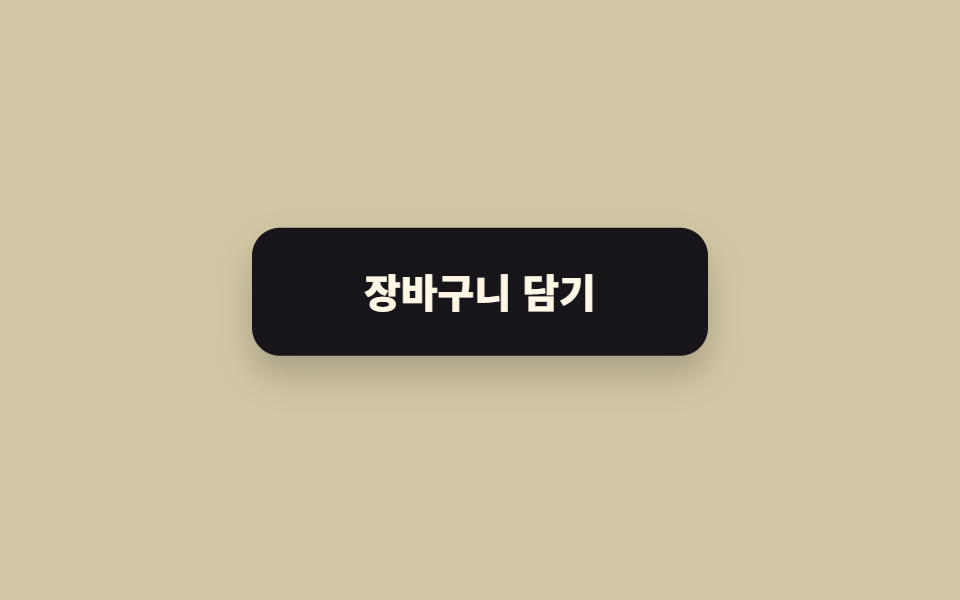 02 hover-lift
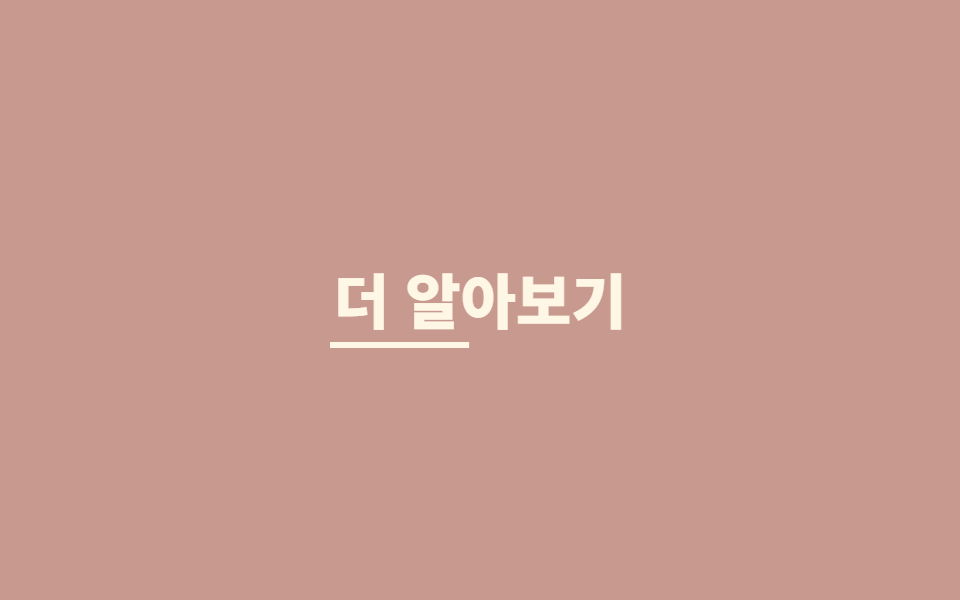 03 hover-underline
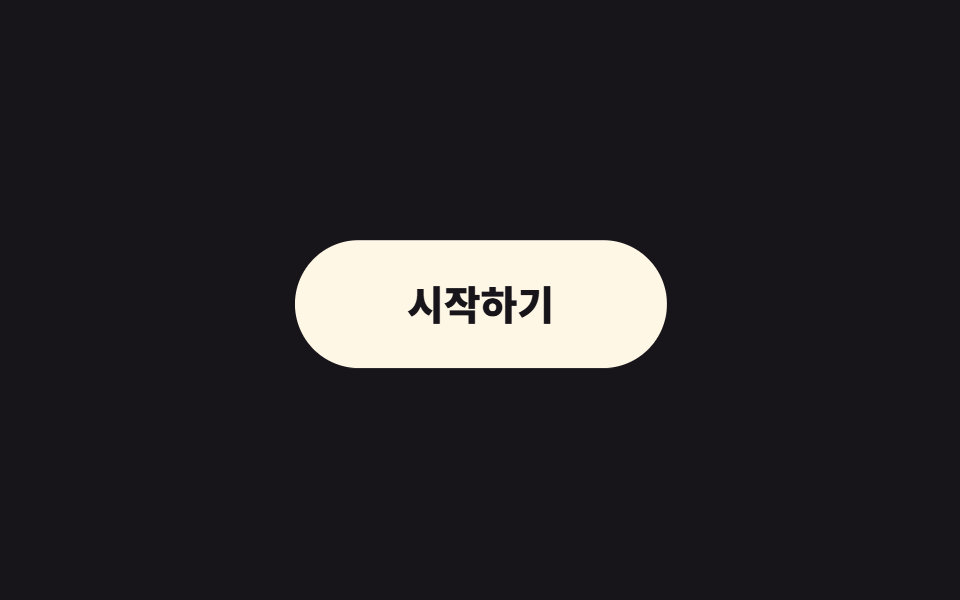 04 magnetic
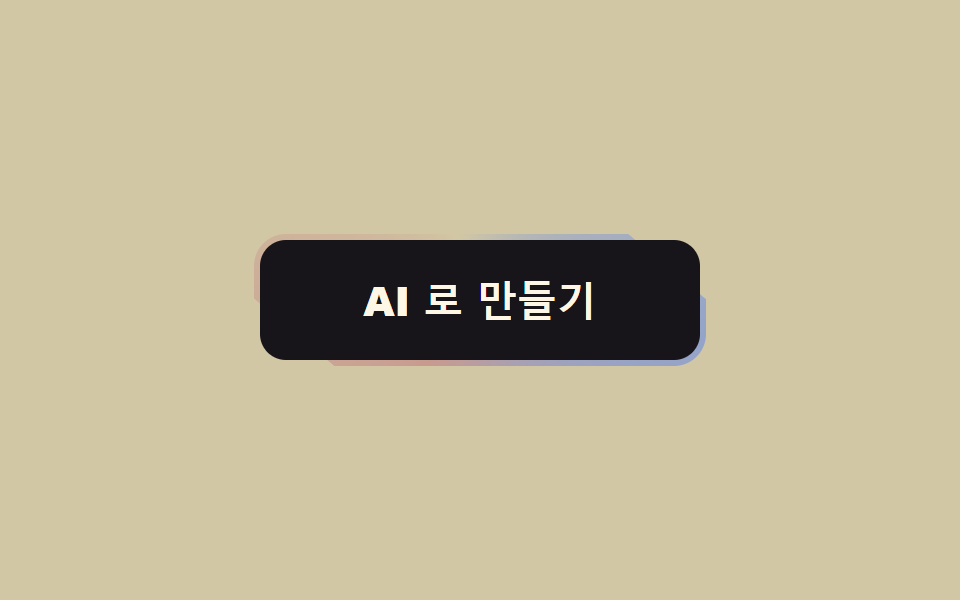 05 gradient-border
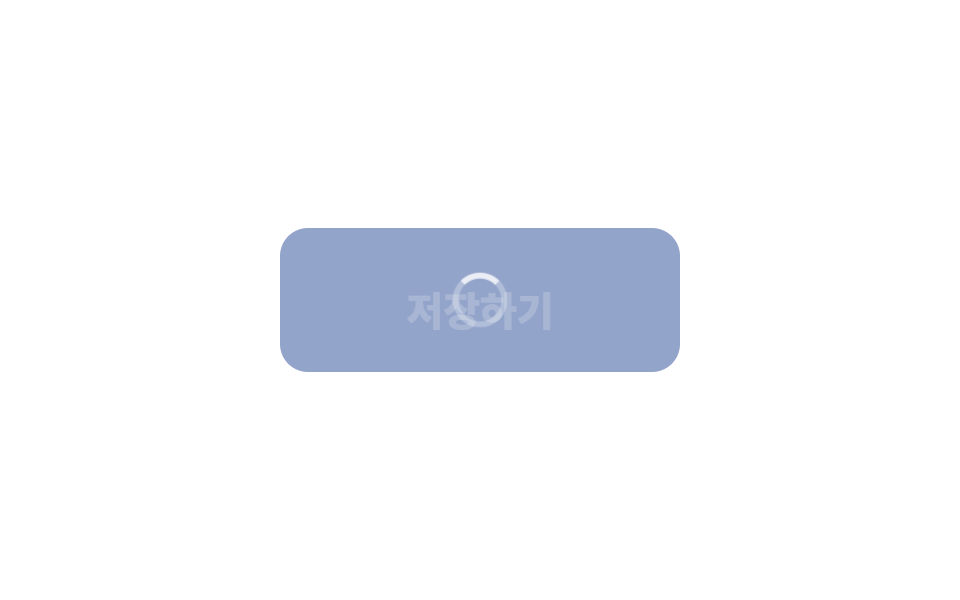 06 loading-state
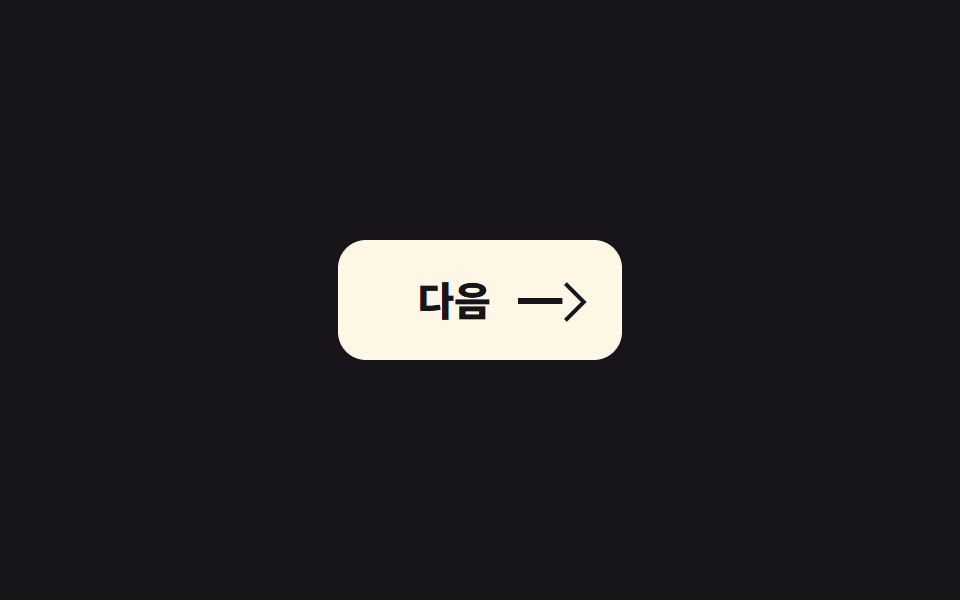 07 icon-morph
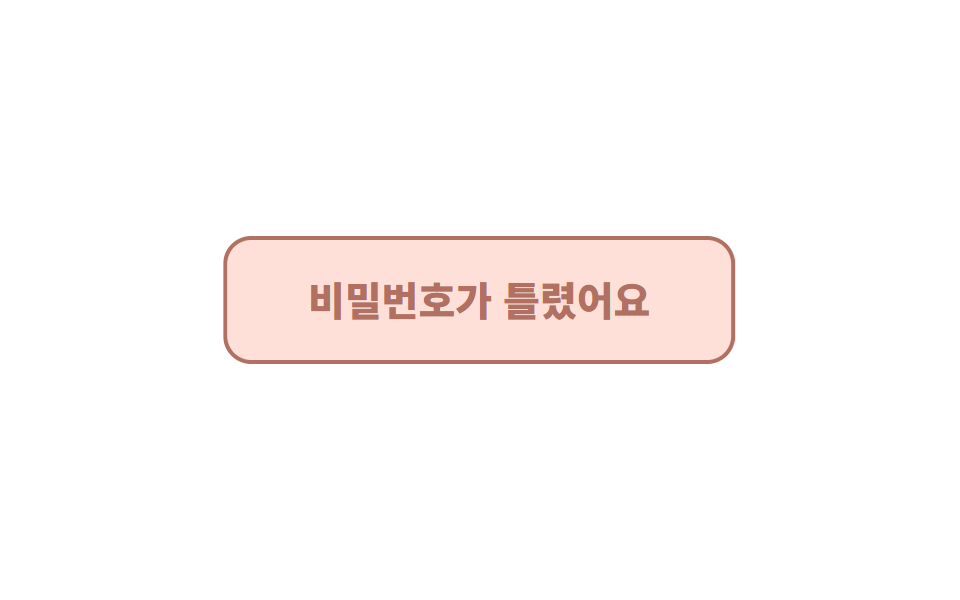 08 shake
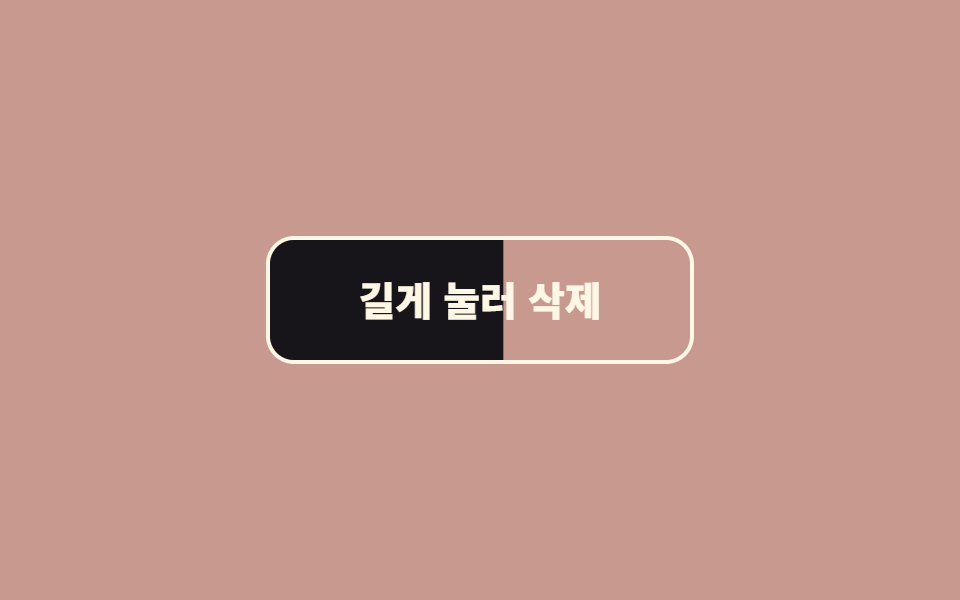 09 hold-to-confirm
自動再生 · タイルを押すとその項目へ · すべて1つのzip
並び順は「人気順」ではなく、ボタンが実際に通る順番です。まず目に留まり(01〜05)、押されたら応え(06〜07)、失敗したら伝え(08)、危ない操作はもう一度確かめる(09)。各項目には要点となるコードだけを載せ、完全なファイルは zip に入っています。 動きより先にボタンの見た目を決めたい場合はcss ボタン デザイン9選から開くのが早く、06 のローディング切替のように待ち時間が画面全体へ広がるときはスケルトン ローディング9選がその続きになります。
01リップル
何が起きるか
押した位置から円形の波が広がって消えます。
<main class="stage">
  <button class="btn is-demo" type="button">購入する</button>
</main>
// ── 변수 3개. 변형은 이것만 바꾼다 ──────────────────────────
$duration: 600ms; // 물결이 다 퍼지는 시간
$easing: cubic-bezier(.2, .8, .2, 1); // 처음 빠르고 끝은 부드럽게
$color: #93a4ca; // 버튼 색
$ripple: rgba(255, 255, 255, .6); // 물결 색 (밝은 버튼이면 어둡게)
// ── 데모 무대 (zip 에서 지워도 된다) ──────────────────────────
html, body { margin: 0; overflow: hidden; } // iframe 안에서 스크롤바가 생기지 않게 (실측 2026-09-09: body 여백 8px 이 100vh 를 넘겼다)
.stage {
min-height: 100vh;
display: grid;
place-items: center;
margin: 0;
background: #17141a; // 무대 색. zip 에서 지워도 된다
font-family: -apple-system, "Segoe UI", "Noto Sans KR", sans-serif;
}
// ── 버튼 ──────────────────────────────────────────────
.btn {
position: relative; // 물결의 기준
overflow: hidden; // 물결이 버튼 밖으로 안 나가게
isolation: isolate; // 물결이 버튼 배경 위에서만 섞이게
border: 0;
border-radius: 14px;
padding: 24px 64px;
font-weight: 600;
font-size: 22px;
line-height: 1;
font-family: inherit;
color: #fff;
background: $color;
cursor: pointer;
-webkit-tap-highlight-color: transparent; // 모바일 회색 깜빡임 제거
transition: filter 150ms;
&:hover { filter: brightness(1.06); }
&:active { filter: brightness(.96); }
&::after {
content: "";
position: absolute;
left: var(--x, 50%);
top: var(--y, 50%);
width: var(--d, 0);
height: var(--d, 0);
border-radius: 50%;
background: $ripple;
transform: translate(-50%, -50%) scale(0); // 크기는 transform 으로만 바꾼다
opacity: 0;
pointer-events: none;
}
&.is-rippling::after {
animation: ripple $duration $easing forwards;
}
// 데모 · 문서용: 가운데서 2초마다 자동 반복. 실제 클릭보다 느리게 퍼져서 원이 보인다
// (실측 2026-09-09: 320px 원이 134px 버튼 위에선 두 프레임 만에 다 덮여 "밝아짐" 으로만 보였다)
&.is-demo::after {
--d: 520px;
animation: ripple-loop 2s ease-out infinite;
}
}
@keyframes ripple {
from { transform: translate(-50%, -50%) scale(0); opacity: 1; }
to { transform: translate(-50%, -50%) scale(1); opacity: 0; }
}
@keyframes ripple-loop {
0% { transform: translate(-50%, -50%) scale(0); opacity: 1; }
40% { transform: translate(-50%, -50%) scale(.7); opacity: .85; }
60% { transform: translate(-50%, -50%) scale(1); opacity: 0; }
100% { transform: translate(-50%, -50%) scale(1); opacity: 0; }
}
// ── 접근성: 움직임 줄이기 설정이면 물결 대신 밝기만 ────────────
@media (prefers-reduced-motion: reduce) {
.btn::after { animation: none !important; opacity: 0; }
.btn:active { filter: brightness(.88); }
}html, body {
margin: 0;
overflow: hidden;
}
.stage {
min-height: 100vh;
display: grid;
place-items: center;
margin: 0;
background: #17141a;
font-family: -apple-system, "Segoe UI", "Noto Sans KR", sans-serif;
}
.btn {
position: relative;
overflow: hidden;
isolation: isolate;
border: 0;
border-radius: 14px;
padding: 24px 64px;
font-weight: 600;
font-size: 22px;
line-height: 1;
font-family: inherit;
color: #fff;
background: #93a4ca;
cursor: pointer;
-webkit-tap-highlight-color: transparent;
transition: filter 150ms;
}
.btn:hover {
filter: brightness(1.06);
}
.btn:active {
filter: brightness(0.96);
}
.btn::after {
content: "";
position: absolute;
left: var(--x, 50%);
top: var(--y, 50%);
width: var(--d, 0);
height: var(--d, 0);
border-radius: 50%;
background: rgba(255, 255, 255, 0.6);
transform: translate(-50%, -50%) scale(0);
opacity: 0;
pointer-events: none;
}
.btn.is-rippling::after {
animation: ripple 600ms cubic-bezier(0.2, 0.8, 0.2, 1) forwards;
}
.btn.is-demo::after {
--d: 520px;
animation: ripple-loop 2s ease-out infinite;
}
@keyframes ripple {
from {
transform: translate(-50%, -50%) scale(0);
opacity: 1;
}
to {
transform: translate(-50%, -50%) scale(1);
opacity: 0;
}
}
@keyframes ripple-loop {
0% {
transform: translate(-50%, -50%) scale(0);
opacity: 1;
}
40% {
transform: translate(-50%, -50%) scale(0.7);
opacity: 0.85;
}
60% {
transform: translate(-50%, -50%) scale(1);
opacity: 0;
}
100% {
transform: translate(-50%, -50%) scale(1);
opacity: 0;
}
}
@media (prefers-reduced-motion: reduce) {
.btn::after {
animation: none !important;
opacity: 0;
}
.btn:active {
filter: brightness(0.88);
}
}// 클릭한 자리에서 물결이 시작되게 좌표를 CSS 변수로 넘긴다. 데모(.is-demo)는 가운데서 자동 반복.
document.querySelectorAll('.btn').forEach(function (b) {
b.addEventListener('pointerdown', function (e) {
var r = b.getBoundingClientRect();
var d = Math.max(r.width, r.height) * 2;
b.style.setProperty('--x', (e.clientX - r.left) + 'px');
b.style.setProperty('--y', (e.clientY - r.top) + 'px');
b.style.setProperty('--d', d + 'px');
b.classList.remove('is-demo');
b.classList.remove('is-rippling');
void b.offsetWidth; // 애니메이션 재시작
b.classList.add('is-rippling');
});
b.addEventListener('animationend', function () { b.classList.remove('is-rippling'); });
});import { useCallback, useState } from "react";
import type { CSSProperties, MouseEvent, ReactNode } from "react";
import styles from "./RippleButton.module.scss";
export type RippleButtonProps = {
children: ReactNode;
/** 물결이 다 퍼지는 시간 (기본 600ms) */
duration?: number;
/** CSS easing (기본 cubic-bezier(.2,.8,.2,1)) */
easing?: string;
/** 버튼 색 */
color?: string;
/** 물결 색. 밝은 버튼이면 rgba(0,0,0,.18) */
ripple?: string;
onClick?: (e: MouseEvent<HTMLButtonElement>) => void;
type?: "button" | "submit";
className?: string;
};
type Vars = CSSProperties & {
"--duration"?: string;
"--easing"?: string;
"--color"?: string;
"--ripple"?: string;
"--x"?: string;
"--y"?: string;
"--d"?: string;
};
export default function RippleButton({
children,
duration = 600,
easing = "cubic-bezier(.2,.8,.2,1)",
color = "#2f6df6",
ripple = "rgba(255,255,255,.6)",
onClick,
type = "button",
className = "",
}: RippleButtonProps) {
const [pos, setPos] = useState<{ x: number; y: number; d: number; key: number } | null>(null);
const handle = useCallback(
(e: MouseEvent<HTMLButtonElement>) => {
const r = e.currentTarget.getBoundingClientRect();
const d = Math.max(r.width, r.height) * 2;
setPos({ x: e.clientX - r.left, y: e.clientY - r.top, d, key: Date.now() });
onClick?.(e);
},
[onClick]
);
const vars: Vars = {
"--duration": `${duration}ms`,
"--easing": easing,
"--color": color,
"--ripple": ripple,
...(pos ? { "--x": `${pos.x}px`, "--y": `${pos.y}px`, "--d": `${pos.d}px` } : {}),
};
return (
<button type={type} className={`${styles.btn} ${className}`} style={vars} onClick={handle}>
{children}
{pos && <span key={pos.key} className={styles.ripple} aria-hidden="true" />}
</button>
);
}01 · リップル — 計測 累積面積 9.62% · 動いたフレーム 6/23GODRICH オリジナル · SCSS と React は zip に同梱 · パスワードを見る
向いている場面
決済や確認のように「確かに押した」という手応えが必要なボタンに向いています。
.btn {
  position: relative; overflow: hidden; isolation: isolate;
  &::after {
    content: ""; position: absolute;
    left: var(--x, 50%); top: var(--y, 50%);
    width: var(--d, 0); height: var(--d, 0);
    border-radius: 50%; background: $ripple;
    transform: translate(-50%, -50%) scale(0); opacity: 0;
  }
  &.is-rippling::after { animation: ripple $duration $easing forwards; }
}
@keyframes ripple { to { transform: translate(-50%, -50%) scale(1); opacity: 0; } }
02浮き上がり
動きの内容
ホバーで 6px 浮き上がり、影が広がります。
<main class="stage"><button class="btn is-demo" type="button">カートに入れる</button></main>// ── 변수 3개 ──────────────────────────────────────────
$lift: 6px; // 얼마나 뜨나
$duration: 220ms;
$shadow: rgba(23, 20, 26, .32); // 그림자 색. 없애려면 transparent
html, body { margin: 0; overflow: hidden; } // iframe 안에서 스크롤바가 생기지 않게 (실측 2026-09-09: body 여백 8px 이 100vh 를 넘겼다)
.stage { min-height: 100vh; display: grid; place-items: center; margin: 0; background: #d2c7a4; font-family: -apple-system, "Segoe UI", "Noto Sans KR", sans-serif; }
.btn {
border: 0;
border-radius: 14px;
padding: 22px 56px;
font-weight: 800;
font-size: 20px;
line-height: 1;
font-family: inherit;
color: #fff7e6;
background: #17141a;
cursor: pointer;
will-change: transform;
transition: transform $duration cubic-bezier(.2, .8, .2, 1), box-shadow $duration;
&:hover, &:focus-visible { transform: translateY(-$lift); box-shadow: 0 14px 24px $shadow; }
&:active { transform: translateY(-2px); box-shadow: 0 6px 12px $shadow; }
// 데모 · 문서용 자동 반복
&.is-demo { animation: lift-loop 2s ease-in-out infinite; }
}
@keyframes lift-loop {
0%, 15% { transform: translateY(0); box-shadow: 0 0 0 rgba(23, 20, 26, 0); }
45%, 70% { transform: translateY(-$lift); box-shadow: 0 14px 24px $shadow; }
100% { transform: translateY(0); box-shadow: 0 0 0 rgba(23, 20, 26, 0); }
}
@media (prefers-reduced-motion: reduce) {
.btn, .btn.is-demo { transition: none; animation: none; }
.btn:hover { box-shadow: 0 14px 24px $shadow; } // 뜨지 않고 그림자만
}html, body {
margin: 0;
overflow: hidden;
}
.stage {
min-height: 100vh;
display: grid;
place-items: center;
margin: 0;
background: #d2c7a4;
font-family: -apple-system, "Segoe UI", "Noto Sans KR", sans-serif;
}
.btn {
border: 0;
border-radius: 14px;
padding: 22px 56px;
font-weight: 800;
font-size: 20px;
line-height: 1;
font-family: inherit;
color: #fff7e6;
background: #17141a;
cursor: pointer;
will-change: transform;
transition: transform 220ms cubic-bezier(0.2, 0.8, 0.2, 1), box-shadow 220ms;
}
.btn:hover, .btn:focus-visible {
transform: translateY(-6px);
box-shadow: 0 14px 24px rgba(23, 20, 26, 0.32);
}
.btn:active {
transform: translateY(-2px);
box-shadow: 0 6px 12px rgba(23, 20, 26, 0.32);
}
.btn.is-demo {
animation: lift-loop 2s ease-in-out infinite;
}
@keyframes lift-loop {
0%, 15% {
transform: translateY(0);
box-shadow: 0 0 0 rgba(23, 20, 26, 0);
}
45%, 70% {
transform: translateY(-6px);
box-shadow: 0 14px 24px rgba(23, 20, 26, 0.32);
}
100% {
transform: translateY(0);
box-shadow: 0 0 0 rgba(23, 20, 26, 0);
}
}
@media (prefers-reduced-motion: reduce) {
.btn, .btn.is-demo {
transition: none;
animation: none;
}
.btn:hover {
box-shadow: 0 14px 24px rgba(23, 20, 26, 0.32);
}
}// 데모(.is-demo)는 자동 반복. 사람이 올리면 진짜 호버로 넘어간다.
document.querySelectorAll('.btn').forEach(function (b) {
b.addEventListener('pointerenter', function () { b.classList.remove('is-demo'); });
});import type { CSSProperties, ReactNode } from "react";
import styles from "./LiftButton.module.scss";
export type LiftButtonProps = { children: ReactNode; lift?: number; duration?: number; shadow?: string; onClick?: () => void };
export default function LiftButton({ children, lift = 6, duration = 220, shadow = "rgba(23,20,26,.32)", onClick }: LiftButtonProps) {
const vars = { "--lift": `${lift}px`, "--duration": `${duration}ms`, "--shadow": shadow } as CSSProperties;
return (
<button type="button" className={styles.btn} style={vars} onClick={onClick}>
{children}
</button>
);
}02 · 浮き上がり — 計測 累積面積 6.583% · 動いたフレーム 13/23GODRICH オリジナル · SCSS と React は zip に同梱 · パスワードを見る
css ボタン ホバー アニメーションはどこで使うか
カード型ボタンや「カートに入れる」など、つかめそうな質感を出したいところに向いています。
$lift: 6px; $duration: 220ms; $shadow: rgba(23, 20, 26, .32);
.btn {
  will-change: transform;
  transition: transform $duration cubic-bezier(.2, .8, .2, 1), box-shadow $duration;
  &:hover, &:focus-visible { transform: translateY(-$lift); box-shadow: 0 14px 24px $shadow; }
  &:active { transform: translateY(-2px); box-shadow: 0 6px 12px $shadow; }
}
03下線スライド
どんな動きか
下線が左から引かれ、カーソルが離れると右へ抜けていきます。
<main class="stage"><a class="link is-demo" href="#">詳しく見る</a></main>// ── 변수 3개 ──────────────────────────────────────────
$thickness: 3px;
$duration: 260ms;
$color: #fff7e6;
html, body { margin: 0; overflow: hidden; } // iframe 안에서 스크롤바가 생기지 않게 (실측 2026-09-09: body 여백 8px 이 100vh 를 넘겼다)
.stage { min-height: 100vh; display: grid; place-items: center; margin: 0; background: #c89a8f; font-family: -apple-system, "Segoe UI", "Noto Sans KR", sans-serif; }
.link {
position: relative;
display: inline-block;
padding: 6px 2px;
font-weight: 800;
font-size: 30px;
line-height: 1.2;
font-family: inherit;
color: $color;
text-decoration: none;
&::after {
content: "";
position: absolute;
left: 0; right: 0; bottom: 0;
height: $thickness;
background: currentColor;
transform: scaleX(0);
transform-origin: right; // 떠날 때는 오른쪽으로 빠진다
transition: transform $duration cubic-bezier(.2, .8, .2, 1);
}
&:hover::after, &:focus-visible::after {
transform: scaleX(1);
transform-origin: left; // 들어올 때는 왼쪽에서 그어진다
}
&.is-demo::after { animation: underline-loop 2s cubic-bezier(.2, .8, .2, 1) infinite; }
}
@keyframes underline-loop {
0% { transform: scaleX(0); transform-origin: left; } // 규칙8: 언더라인 왼쪽 진입
35%, 55% { transform: scaleX(1); transform-origin: left; } // 규칙8: 언더라인 유지 좌기준
56% { transform: scaleX(1); transform-origin: right; } // 규칙8: 기준 오른쪽으로 전환
90%, 100% { transform: scaleX(0); transform-origin: right; } // 규칙8: 언더라인 오른쪽 소멸
}
@media (prefers-reduced-motion: reduce) {
.link::after, .link.is-demo::after { transition: none; animation: none; }
.link:hover::after { transform: scaleX(1); }
}html, body {
margin: 0;
overflow: hidden;
}
.stage {
min-height: 100vh;
display: grid;
place-items: center;
margin: 0;
background: #c89a8f;
font-family: -apple-system, "Segoe UI", "Noto Sans KR", sans-serif;
}
.link {
position: relative;
display: inline-block;
padding: 6px 2px;
font-weight: 800;
font-size: 30px;
line-height: 1.2;
font-family: inherit;
color: #fff7e6;
text-decoration: none;
}
.link::after {
content: "";
position: absolute;
left: 0;
right: 0;
bottom: 0;
height: 3px;
background: currentColor;
transform: scaleX(0);
transform-origin: right;
transition: transform 260ms cubic-bezier(0.2, 0.8, 0.2, 1);
}
.link:hover::after, .link:focus-visible::after {
transform: scaleX(1);
transform-origin: left;
}
.link.is-demo::after {
animation: underline-loop 2s cubic-bezier(0.2, 0.8, 0.2, 1) infinite;
}
@keyframes underline-loop {
0% {
transform: scaleX(0);
transform-origin: left;
}
35%, 55% {
transform: scaleX(1);
transform-origin: left;
}
56% {
transform: scaleX(1);
transform-origin: right;
}
90%, 100% {
transform: scaleX(0);
transform-origin: right;
}
}
@media (prefers-reduced-motion: reduce) {
.link::after, .link.is-demo::after {
transition: none;
animation: none;
}
.link:hover::after {
transform: scaleX(1);
}
}document.querySelectorAll('.link').forEach(function (b) {
b.addEventListener('pointerenter', function () { b.classList.remove('is-demo'); });
b.addEventListener('click', function (e) { e.preventDefault(); });
});import type { CSSProperties, ReactNode } from "react";
import styles from "./UnderlineLink.module.scss";
export type UnderlineLinkProps = { children: ReactNode; href: string; thickness?: number; duration?: number; color?: string };
export default function UnderlineLink({ children, href, thickness = 3, duration = 260, color = "currentColor" }: UnderlineLinkProps) {
const vars = { "--thickness": `${thickness}px`, "--duration": `${duration}ms`, "--color": color } as CSSProperties;
return (
<a className={styles.link} href={href} style={vars}>
{children}
</a>
);
}03 · 下線スライド — 計測 累積面積 0.339% · 動いたフレーム 16/23GODRICH オリジナル · SCSS と React は zip に同梱 · パスワードを見る
使いどころ
テキストリンクやナビゲーションに向いています。
.link::after {
  content: ""; position: absolute; left: 0; right: 0; bottom: 0;
  height: $thickness; background: currentColor;
  transform: scaleX(0); transform-origin: right;
  transition: transform $duration cubic-bezier(.2, .8, .2, 1);
}
.link:hover::after { transform: scaleX(1); transform-origin: left; }
04マグネット
何が起きるか
カーソルが半径内に入るとボタンがカーソルに引き寄せられます。
<main class="stage">
  <span class="cursor is-demo" aria-hidden="true"></span>
  <button class="btn is-demo" type="button">はじめる</button>
</main>
// ── 변수 3개 (JS 가 --radius --strength 를 읽는다) ─────────
$radius: 120px; // 이 안에 들어오면 끌린다
$strength: .35; // 1 이면 커서에 붙는다
$duration: 160ms;
html, body { margin: 0; overflow: hidden; } // iframe 안에서 스크롤바가 생기지 않게 (실측 2026-09-09: body 여백 8px 이 100vh 를 넘겼다)
.stage { min-height: 100vh; display: grid; place-items: center; margin: 0; background: #17141a; font-family: -apple-system, "Segoe UI", "Noto Sans KR", sans-serif; position: relative; }
.btn {
--radius: #{$radius};
--strength: #{$strength};
border: 0;
border-radius: 999px;
padding: 22px 56px;
font-weight: 800;
font-size: 20px;
line-height: 1;
font-family: inherit;
color: #17141a;
background: #fff7e6;
cursor: pointer;
will-change: transform;
transition: transform $duration ease-out; // 커서를 따라가는 부드러움
&.is-demo { animation: magnet-loop 2s ease-in-out infinite; }
}
// 데모용 가짜 커서. zip 에서는 지운다
.cursor {
position: absolute;
left: 50%; top: 50%;
width: 14px; height: 14px;
border-radius: 50%;
background: #d2c7a4;
pointer-events: none;
&.is-demo { animation: cursor-loop 2s ease-in-out infinite; }
}
@keyframes magnet-loop {
0% { transform: translate(0, 0); }
30% { transform: translate(18px, -10px); }
60% { transform: translate(-14px, 12px); }
100% { transform: translate(0, 0); }
}
@keyframes cursor-loop {
0% { transform: translate(-50%, -50%) translate(0, 0); }
30% { transform: translate(-50%, -50%) translate(52px, -28px); }
60% { transform: translate(-50%, -50%) translate(-40px, 34px); }
100% { transform: translate(-50%, -50%) translate(0, 0); }
}
@media (prefers-reduced-motion: reduce) {
.btn, .btn.is-demo, .cursor.is-demo { transition: none; animation: none; transform: none !important; }
}html, body {
margin: 0;
overflow: hidden;
}
.stage {
min-height: 100vh;
display: grid;
place-items: center;
margin: 0;
background: #17141a;
font-family: -apple-system, "Segoe UI", "Noto Sans KR", sans-serif;
position: relative;
}
.btn {
--radius: 120px;
--strength: 0.35;
border: 0;
border-radius: 999px;
padding: 22px 56px;
font-weight: 800;
font-size: 20px;
line-height: 1;
font-family: inherit;
color: #17141a;
background: #fff7e6;
cursor: pointer;
will-change: transform;
transition: transform 160ms ease-out;
}
.btn.is-demo {
animation: magnet-loop 2s ease-in-out infinite;
}
.cursor {
position: absolute;
left: 50%;
top: 50%;
width: 14px;
height: 14px;
border-radius: 50%;
background: #d2c7a4;
pointer-events: none;
}
.cursor.is-demo {
animation: cursor-loop 2s ease-in-out infinite;
}
@keyframes magnet-loop {
0% {
transform: translate(0, 0);
}
30% {
transform: translate(18px, -10px);
}
60% {
transform: translate(-14px, 12px);
}
100% {
transform: translate(0, 0);
}
}
@keyframes cursor-loop {
0% {
transform: translate(-50%, -50%) translate(0, 0);
}
30% {
transform: translate(-50%, -50%) translate(52px, -28px);
}
60% {
transform: translate(-50%, -50%) translate(-40px, 34px);
}
100% {
transform: translate(-50%, -50%) translate(0, 0);
}
}
@media (prefers-reduced-motion: reduce) {
.btn, .btn.is-demo, .cursor.is-demo {
transition: none;
animation: none;
transform: none !important;
}
}// 커서가 반경(radius) 안에 오면 버튼이 커서 쪽으로 strength 만큼 끌려온다. 값은 CSS 변수로 읽는다.
var btn = document.querySelector('.btn'), cur = document.querySelector('.cursor');
var cs = getComputedStyle(btn);
var radius = parseFloat(cs.getPropertyValue('--radius')) || 120;
var strength = parseFloat(cs.getPropertyValue('--strength')) || 0.35;
document.addEventListener('pointermove', function (e) {
btn.classList.remove('is-demo'); cur.classList.remove('is-demo'); cur.style.display = 'none';
var r = btn.getBoundingClientRect();
var dx = e.clientX - (r.left + r.width / 2), dy = e.clientY - (r.top + r.height / 2);
var d = Math.hypot(dx, dy);
if (d < radius) btn.style.transform = 'translate(' + dx * strength + 'px,' + dy * strength + 'px)';
else btn.style.transform = '';
});import { useEffect, useRef } from "react";
import type { CSSProperties, ReactNode } from "react";
import styles from "./MagneticButton.module.scss";
export type MagneticButtonProps = { children: ReactNode; radius?: number; strength?: number; duration?: number; onClick?: () => void };
export default function MagneticButton({ children, radius = 120, strength = 0.35, duration = 160, onClick }: MagneticButtonProps) {
const ref = useRef<HTMLButtonElement>(null);
useEffect(() => {
const el = ref.current;
if (!el) return;
const move = (e: PointerEvent) => {
const r = el.getBoundingClientRect();
const dx = e.clientX - (r.left + r.width / 2), dy = e.clientY - (r.top + r.height / 2);
el.style.transform = Math.hypot(dx, dy) < radius ? `translate(${dx * strength}px, ${dy * strength}px)` : "";
};
document.addEventListener("pointermove", move);
return () => document.removeEventListener("pointermove", move);
}, [radius, strength]);
const vars = { "--duration": `${duration}ms` } as CSSProperties;
return (
<button ref={ref} type="button" className={styles.btn} style={vars} onClick={onClick}>
{children}
</button>
);
}04 · マグネット — 計測 累積面積 9.387% · 動いたフレーム 23/23GODRICH オリジナル · SCSS と React は zip に同梱 · パスワードを見る
向いている場面
LP に1つだけ置く CTA 用で、同じ画面に2つ置くとおもちゃっぽく見えてしまいます。
document.addEventListener('pointermove', function (e) {
  var r = btn.getBoundingClientRect();
  var dx = e.clientX - (r.left + r.width / 2), dy = e.clientY - (r.top + r.height / 2);
  if (Math.hypot(dx, dy) < radius) btn.style.transform = 'translate(' + dx * strength + 'px,' + dy * strength + 'px)';
  else btn.style.transform = '';
});
05回転ボーダー
動きの内容
グラデーションの枠がボタンの周りを回り続けます。
<main class="stage"><button class="btn" type="button"><span class="btn__in">AIで作成</span></button></main>// ── 변수 3개 ──────────────────────────────────────────
$duration: 3s; // 한 바퀴
$border: 3px;
$colors: #c89a8f, #d2c7a4, #93a4ca, #c89a8f; // 처음과 끝이 같아야 이음새가 없다
html, body { margin: 0; overflow: hidden; } // iframe 안에서 스크롤바가 생기지 않게 (실측 2026-09-09: body 여백 8px 이 100vh 를 넘겼다)
.stage { min-height: 100vh; display: grid; place-items: center; margin: 0; background: #d2c7a4; font-family: -apple-system, "Segoe UI", "Noto Sans KR", sans-serif; }
.btn {
position: relative;
overflow: hidden; // 도는 그라데이션을 버튼 모양으로 자른다
isolation: isolate;
border: 0;
border-radius: 16px;
padding: $border; // 이 두께가 테두리다
background: transparent;
cursor: pointer;
&::before {
content: "";
position: absolute;
inset: -60%; // 회전해도 모서리가 비지 않게 크게
background: conic-gradient(from 0deg, $colors);
animation: spin $duration linear infinite;
z-index: -1;
}
}
.btn__in {
display: block;
border-radius: 13px;
padding: 20px 52px;
font-weight: 800;
font-size: 20px;
line-height: 1;
font-family: inherit;
color: #fff7e6;
background: #17141a; // 안쪽을 덮어서 테두리만 보이게
}
@keyframes spin { to { transform: rotate(360deg); } }
@media (prefers-reduced-motion: reduce) {
.btn::before { animation: none; } // 정지된 그라데이션 테두리로 남는다
}html, body {
margin: 0;
overflow: hidden;
}
.stage {
min-height: 100vh;
display: grid;
place-items: center;
margin: 0;
background: #d2c7a4;
font-family: -apple-system, "Segoe UI", "Noto Sans KR", sans-serif;
}
.btn {
position: relative;
overflow: hidden;
isolation: isolate;
border: 0;
border-radius: 16px;
padding: 3px;
background: transparent;
cursor: pointer;
}
.btn::before {
content: "";
position: absolute;
inset: -60%;
background: conic-gradient(from 0deg, #c89a8f, #d2c7a4, #93a4ca, #c89a8f);
animation: spin 3s linear infinite;
z-index: -1;
}
.btn__in {
display: block;
border-radius: 13px;
padding: 20px 52px;
font-weight: 800;
font-size: 20px;
line-height: 1;
font-family: inherit;
color: #fff7e6;
background: #17141a;
}
@keyframes spin {
to {
transform: rotate(360deg);
}
}
@media (prefers-reduced-motion: reduce) {
.btn::before {
animation: none;
}
}import type { CSSProperties, ReactNode } from "react";
import styles from "./GradientBorderButton.module.scss";
export type GradientBorderButtonProps = { children: ReactNode; duration?: number; border?: number; colors?: string[]; onClick?: () => void };
export default function GradientBorderButton({ children, duration = 3000, border = 3, colors = ["#ff4d1f", "#ffd23f", "#2f6df6", "#ff4d1f"], onClick }: GradientBorderButtonProps) {
const vars = { "--duration": `${duration}ms`, "--border": `${border}px`, "--colors": colors.join(", ") } as CSSProperties;
return (
<button type="button" className={styles.btn} style={vars} onClick={onClick}>
<span className={styles.inner}>{children}</span>
</button>
);
}05 · 回転ボーダー — 計測 累積面積 1.17% · 動いたフレーム 17/23GODRICH オリジナル · SCSS と React は zip に同梱 · パスワードを見る
使う場面
AI 機能やプレミアムなど「これは特別」と伝えたいボタン1つに絞って使ってください。
.btn {
  position: relative; overflow: hidden; isolation: isolate;
  padding: $border; border-radius: 16px;
  &::before {
    content: ""; position: absolute; inset: -60%;
    background: conic-gradient(from 0deg, $colors);
    animation: spin $duration linear infinite; z-index: -1;
  }
}
.btn__in { display: block; border-radius: 13px; background: #17141a; }
@keyframes spin { to { transform: rotate(360deg); } }
06ローディング切替
どんな動きか
押すと文字が消えてスピナーが現れます。
<main class="stage">
  <button class="btn is-demo" type="button"><span class="btn__label">保存</span><span class="btn__spin" aria-hidden="true"></span></button>
</main>
// ── 변수 3개 ──────────────────────────────────────────
$duration: 300ms; // 글자 ↔ 스피너 교체
$spin: 800ms; // 스피너 한 바퀴
$color: #93a4ca;
html, body { margin: 0; overflow: hidden; } // iframe 안에서 스크롤바가 생기지 않게 (실측 2026-09-09: body 여백 8px 이 100vh 를 넘겼다)
.stage { min-height: 100vh; display: grid; place-items: center; margin: 0; background: #ffffff; font-family: -apple-system, "Segoe UI", "Noto Sans KR", sans-serif; }
.btn {
position: relative;
display: grid;
place-items: center;
min-width: 200px; // 폭을 유지한다 — 줄어들면 옆 요소가 밀린다
border: 0;
border-radius: 14px;
padding: 22px 40px;
font-weight: 800;
font-size: 20px;
line-height: 1;
font-family: inherit;
color: #fff;
background: $color;
cursor: pointer;
&__label, &__spin { grid-area: 1 / 1; transition: opacity $duration, transform $duration; }
&__spin {
width: 22px; height: 22px;
border-radius: 50%;
border: 3px solid rgba(255, 255, 255, .35);
border-top-color: #fff;
opacity: 0;
transform: scale(.6);
animation: spin $spin linear infinite;
}
&.is-loading &__label { opacity: 0; transform: translateY(6px); }
&.is-loading &__spin { opacity: 1; transform: scale(1); }
&.is-demo &__label { animation: label-loop 2s ease infinite; }
&.is-demo &__spin { animation: spin $spin linear infinite, spin-loop 2s ease infinite; }
}
@keyframes spin { to { transform: rotate(360deg); } }
@keyframes label-loop { 0%, 30% { opacity: 1; transform: none; } 45%, 80% { opacity: 0; transform: translateY(6px); } 95%, 100% { opacity: 1; transform: none; } }
@keyframes spin-loop { 0%, 30% { opacity: 0; } 45%, 80% { opacity: 1; } 95%, 100% { opacity: 0; } }
@media (prefers-reduced-motion: reduce) {
.btn__label, .btn__spin { transition: none; animation: none !important; }
.btn.is-loading .btn__spin { opacity: 1; transform: none; border-top-color: rgba(255, 255, 255, .35); } // 돌지 않는 링
}html, body {
margin: 0;
overflow: hidden;
}
.stage {
min-height: 100vh;
display: grid;
place-items: center;
margin: 0;
background: #ffffff;
font-family: -apple-system, "Segoe UI", "Noto Sans KR", sans-serif;
}
.btn {
position: relative;
display: grid;
place-items: center;
min-width: 200px;
border: 0;
border-radius: 14px;
padding: 22px 40px;
font-weight: 800;
font-size: 20px;
line-height: 1;
font-family: inherit;
color: #fff;
background: #93a4ca;
cursor: pointer;
}
.btn__label, .btn__spin {
grid-area: 1/1;
transition: opacity 300ms, transform 300ms;
}
.btn__spin {
width: 22px;
height: 22px;
border-radius: 50%;
border: 3px solid rgba(255, 255, 255, 0.35);
border-top-color: #fff;
opacity: 0;
transform: scale(0.6);
animation: spin 800ms linear infinite;
}
.btn.is-loading .btn__label {
opacity: 0;
transform: translateY(6px);
}
.btn.is-loading .btn__spin {
opacity: 1;
transform: scale(1);
}
.btn.is-demo .btn__label {
animation: label-loop 2s ease infinite;
}
.btn.is-demo .btn__spin {
animation: spin 800ms linear infinite, spin-loop 2s ease infinite;
}
@keyframes spin {
to {
transform: rotate(360deg);
}
}
@keyframes label-loop {
0%, 30% {
opacity: 1;
transform: none;
}
45%, 80% {
opacity: 0;
transform: translateY(6px);
}
95%, 100% {
opacity: 1;
transform: none;
}
}
@keyframes spin-loop {
0%, 30% {
opacity: 0;
}
45%, 80% {
opacity: 1;
}
95%, 100% {
opacity: 0;
}
}
@media (prefers-reduced-motion: reduce) {
.btn__label, .btn__spin {
transition: none;
animation: none !important;
}
.btn.is-loading .btn__spin {
opacity: 1;
transform: none;
border-top-color: rgba(255, 255, 255, 0.35);
}
}// 누르면 로딩 → 1.5초 뒤 원래대로. 실제로는 fetch 가 끝났을 때 is-loading 을 뺀다.
var b = document.querySelector('.btn');
b.addEventListener('click', function () {
b.classList.remove('is-demo'); b.classList.add('is-loading'); b.disabled = true;
setTimeout(function () { b.classList.remove('is-loading'); b.disabled = false; }, 1500);
});import type { CSSProperties, ReactNode } from "react";
import styles from "./LoadingButton.module.scss";
export type LoadingButtonProps = { children: ReactNode; loading: boolean; duration?: number; spin?: number; color?: string; onClick?: () => void };
export default function LoadingButton({ children, loading, duration = 300, spin = 800, color = "#2f6df6", onClick }: LoadingButtonProps) {
const vars = { "--duration": `${duration}ms`, "--spin": `${spin}ms`, "--color": color } as CSSProperties;
return (
<button type="button" className={`${styles.btn} ${loading ? styles.loading : ""}`} style={vars} disabled={loading} aria-busy={loading} onClick={onClick}>
<span className={styles.label}>{children}</span>
<span className={styles.spinner} aria-hidden="true" />
</button>
);
}06 · ローディング切替 — 計測 累積面積 1.013% · 動いたフレーム 15/23GODRICH オリジナル · SCSS と React は zip に同梱 · パスワードを見る
使いどころ
保存や送信など待たせる操作に使い、幅は固定して隣の要素を動かさないのが要点です。
.btn { display: grid; place-items: center; min-width: 200px; }
.btn__label, .btn__spin { grid-area: 1 / 1; transition: opacity $duration, transform $duration; }
.btn__spin {
  width: 22px; height: 22px; border-radius: 50%;
  border: 3px solid rgba(255, 255, 255, .35); border-top-color: #fff;
  opacity: 0; transform: scale(.6); animation: spin $spin linear infinite;
}
.btn.is-loading .btn__label { opacity: 0; transform: translateY(6px); }
.btn.is-loading .btn__spin  { opacity: 1; transform: scale(1); }
07矢印プッシュ
何が起きるか
ホバーで矢印の線が伸び、先端が右へ押し出されます。
<main class="stage">
  <button class="btn is-demo" type="button">次へ<span class="arrow" aria-hidden="true"><i class="arrow__line"></i><i class="arrow__head"></i></span></button>
</main>
// ── 변수 3개 ──────────────────────────────────────────
$push: 8px; // 화살표가 얼마나 밀리나
$duration: 240ms;
$color: #17141a;
html, body { margin: 0; overflow: hidden; } // iframe 안에서 스크롤바가 생기지 않게 (실측 2026-09-09: body 여백 8px 이 100vh 를 넘겼다)
.stage { min-height: 100vh; display: grid; place-items: center; margin: 0; background: #17141a; font-family: -apple-system, "Segoe UI", "Noto Sans KR", sans-serif; }
.btn {
display: inline-flex;
align-items: center;
gap: 14px;
border: 0;
border-radius: 14px;
padding: 20px 26px 20px 40px;
font-weight: 800;
font-size: 20px;
line-height: 1;
font-family: inherit;
color: $color;
background: #fff7e6;
cursor: pointer;
}
// 화살표 = 선 + 머리. 선은 늘어나고(scaleX) 머리는 밀린다(translateX)
.arrow { position: relative; width: 26px; height: 16px; display: block; }
.arrow__line, .arrow__head { position: absolute; display: block; background: currentColor; }
.arrow__line { left: 0; top: 7px; width: 100%; height: 2.5px; transform-origin: left; transform: scaleX(.55); transition: transform $duration cubic-bezier(.2, .8, .2, 1); } // 규칙8: 화살표 선 왼쪽으로 늘어남
.arrow__head { right: 0; top: 2px; width: 12px; height: 12px; background: transparent; border-top: 2.5px solid currentColor; border-right: 2.5px solid currentColor; transform: rotate(45deg); transition: transform $duration cubic-bezier(.2, .8, .2, 1); }
.btn:hover .arrow__line, .btn:focus-visible .arrow__line { transform: scaleX(1); }
.btn:hover .arrow__head, .btn:focus-visible .arrow__head { transform: rotate(45deg) translate($push * .7, -$push * .7); }
.btn.is-demo .arrow__line { animation: line-loop 2s cubic-bezier(.2, .8, .2, 1) infinite; }
.btn.is-demo .arrow__head { animation: head-loop 2s cubic-bezier(.2, .8, .2, 1) infinite; }
@keyframes line-loop { 0%, 20% { transform: scaleX(.55); } 45%, 70% { transform: scaleX(1); } 100% { transform: scaleX(.55); } }
@keyframes head-loop { 0%, 20% { transform: rotate(45deg); } 45%, 70% { transform: rotate(45deg) translate($push * .7, -$push * .7); } 100% { transform: rotate(45deg); } }
@media (prefers-reduced-motion: reduce) {
.arrow__line, .arrow__head { transition: none; animation: none !important; }
}html, body {
margin: 0;
overflow: hidden;
}
.stage {
min-height: 100vh;
display: grid;
place-items: center;
margin: 0;
background: #17141a;
font-family: -apple-system, "Segoe UI", "Noto Sans KR", sans-serif;
}
.btn {
display: inline-flex;
align-items: center;
gap: 14px;
border: 0;
border-radius: 14px;
padding: 20px 26px 20px 40px;
font-weight: 800;
font-size: 20px;
line-height: 1;
font-family: inherit;
color: #17141a;
background: #fff7e6;
cursor: pointer;
}
.arrow {
position: relative;
width: 26px;
height: 16px;
display: block;
}
.arrow__line, .arrow__head {
position: absolute;
display: block;
background: currentColor;
}
.arrow__line {
left: 0;
top: 7px;
width: 100%;
height: 2.5px;
transform-origin: left;
transform: scaleX(0.55);
transition: transform 240ms cubic-bezier(0.2, 0.8, 0.2, 1);
}
.arrow__head {
right: 0;
top: 2px;
width: 12px;
height: 12px;
background: transparent;
border-top: 2.5px solid currentColor;
border-right: 2.5px solid currentColor;
transform: rotate(45deg);
transition: transform 240ms cubic-bezier(0.2, 0.8, 0.2, 1);
}
.btn:hover .arrow__line, .btn:focus-visible .arrow__line {
transform: scaleX(1);
}
.btn:hover .arrow__head, .btn:focus-visible .arrow__head {
transform: rotate(45deg) translate(5.6px, -5.6px);
}
.btn.is-demo .arrow__line {
animation: line-loop 2s cubic-bezier(0.2, 0.8, 0.2, 1) infinite;
}
.btn.is-demo .arrow__head {
animation: head-loop 2s cubic-bezier(0.2, 0.8, 0.2, 1) infinite;
}
@keyframes line-loop {
0%, 20% {
transform: scaleX(0.55);
}
45%, 70% {
transform: scaleX(1);
}
100% {
transform: scaleX(0.55);
}
}
@keyframes head-loop {
0%, 20% {
transform: rotate(45deg);
}
45%, 70% {
transform: rotate(45deg) translate(5.6px, -5.6px);
}
100% {
transform: rotate(45deg);
}
}
@media (prefers-reduced-motion: reduce) {
.arrow__line, .arrow__head {
transition: none;
animation: none !important;
}
}document.querySelectorAll('.btn').forEach(function (b) { b.addEventListener('pointerenter', function () { b.classList.remove('is-demo'); }); });import type { CSSProperties, ReactNode } from "react";
import styles from "./ArrowButton.module.scss";
export type ArrowButtonProps = { children: ReactNode; push?: number; duration?: number; onClick?: () => void };
export default function ArrowButton({ children, push = 8, duration = 240, onClick }: ArrowButtonProps) {
const vars = { "--push": `${push}px`, "--duration": `${duration}ms` } as CSSProperties;
return (
<button type="button" className={styles.btn} style={vars} onClick={onClick}>
{children}
<span className={styles.arrow} aria-hidden="true"><i className={styles.line} /><i className={styles.head} /></span>
</button>
);
}07 · 矢印プッシュ — 計測 累積面積 0.186% · 動いたフレーム 14/23GODRICH オリジナル · SCSS と React は zip に同梱 · パスワードを見る
向いている場面
「次へ」「もっと見る」「続ける」に使い、矢印は線1本と回転させた角1つだけで作るのでアイコンフォントは不要です。
.arrow__line { transform-origin: left; transform: scaleX(.55); transition: transform $duration; }
.arrow__head {
  width: 12px; height: 12px;
  border-top: 2.5px solid currentColor; border-right: 2.5px solid currentColor;
  transform: rotate(45deg); transition: transform $duration;
}
.btn:hover .arrow__line { transform: scaleX(1); }
.btn:hover .arrow__head { transform: rotate(45deg) translate($push * .7, -$push * .7); }
08シェイク
動きの内容
エラー時に左右へ3回揺れて止まります。
<main class="stage"><button class="btn is-demo" type="button">パスワードが違います。</button></main>// ── 변수 3개 ──────────────────────────────────────────
$amount: 6px; // 흔들리는 폭
$duration: 420ms;
$color: #b27062;
html, body { margin: 0; overflow: hidden; } // iframe 안에서 스크롤바가 생기지 않게 (실측 2026-09-09: body 여백 8px 이 100vh 를 넘겼다)
.stage { min-height: 100vh; display: grid; place-items: center; margin: 0; background: #ffffff; font-family: -apple-system, "Segoe UI", "Noto Sans KR", sans-serif; }
.btn {
border: 2.5px solid $color;
border-radius: 14px;
padding: 20px 40px;
font-weight: 800;
font-size: 20px;
line-height: 1;
font-family: inherit;
color: $color;
background: #ffe0d8;
cursor: pointer;
&.is-shaking { animation: shake $duration cubic-bezier(.36, .07, .19, .97) both; }
&.is-demo { animation: shake-loop 2s cubic-bezier(.36, .07, .19, .97) infinite; }
}
// 세 번 흔들고 멈춘다. 다섯 번 넘으면 화난 것처럼 보인다
@keyframes shake {
10%, 90% { transform: translateX(-$amount * .5); }
20%, 80% { transform: translateX($amount); }
30%, 70% { transform: translateX(-$amount); }
40%, 60% { transform: translateX($amount * .7); }
50% { transform: translateX(-$amount * .7); }
}
@keyframes shake-loop {
0%, 60% { transform: translateX(0); }
62%, 78% { transform: translateX(-$amount * .5); }
64%, 76% { transform: translateX($amount); }
66%, 74% { transform: translateX(-$amount); }
68%, 72% { transform: translateX($amount * .7); }
70% { transform: translateX(-$amount * .7); }
80%, 100% { transform: translateX(0); }
}
@media (prefers-reduced-motion: reduce) {
.btn.is-shaking, .btn.is-demo { animation: none; }
.btn.is-shaking { background: $color; color: #fff; } // 흔들림 대신 색으로 알린다
}html, body {
margin: 0;
overflow: hidden;
}
.stage {
min-height: 100vh;
display: grid;
place-items: center;
margin: 0;
background: #ffffff;
font-family: -apple-system, "Segoe UI", "Noto Sans KR", sans-serif;
}
.btn {
border: 2.5px solid #b27062;
border-radius: 14px;
padding: 20px 40px;
font-weight: 800;
font-size: 20px;
line-height: 1;
font-family: inherit;
color: #b27062;
background: #ffe0d8;
cursor: pointer;
}
.btn.is-shaking {
animation: shake 420ms cubic-bezier(0.36, 0.07, 0.19, 0.97) both;
}
.btn.is-demo {
animation: shake-loop 2s cubic-bezier(0.36, 0.07, 0.19, 0.97) infinite;
}
@keyframes shake {
10%, 90% {
transform: translateX(-3px);
}
20%, 80% {
transform: translateX(6px);
}
30%, 70% {
transform: translateX(-6px);
}
40%, 60% {
transform: translateX(4.2px);
}
50% {
transform: translateX(-4.2px);
}
}
@keyframes shake-loop {
0%, 60% {
transform: translateX(0);
}
62%, 78% {
transform: translateX(-3px);
}
64%, 76% {
transform: translateX(6px);
}
66%, 74% {
transform: translateX(-6px);
}
68%, 72% {
transform: translateX(4.2px);
}
70% {
transform: translateX(-4.2px);
}
80%, 100% {
transform: translateX(0);
}
}
@media (prefers-reduced-motion: reduce) {
.btn.is-shaking, .btn.is-demo {
animation: none;
}
.btn.is-shaking {
background: #b27062;
color: #fff;
}
}// 누를 때마다 다시 흔든다. 실제로는 검증 실패 시 is-shaking 을 켠다.
var b = document.querySelector('.btn');
b.addEventListener('click', function () {
b.classList.remove('is-demo'); b.classList.remove('is-shaking'); void b.offsetWidth; b.classList.add('is-shaking');
});
b.addEventListener('animationend', function () { b.classList.remove('is-shaking'); });import { useState } from "react";
import type { CSSProperties, ReactNode } from "react";
import styles from "./ShakeButton.module.scss";
export type ShakeButtonProps = { children: ReactNode; shakeKey: number; amount?: number; duration?: number; color?: string; onClick?: () => void };
/** shakeKey 를 바꾸면(예: 실패 횟수) 다시 흔든다. */
export default function ShakeButton({ children, shakeKey, amount = 6, duration = 420, color = "#c2361a", onClick }: ShakeButtonProps) {
const [last, setLast] = useState<number>(0);
const vars = { "--amount": `${amount}px`, "--duration": `${duration}ms`, "--color": color } as CSSProperties;
const shaking = shakeKey > 0 && shakeKey !== last;
return (
<button key={shakeKey} type="button" className={`${styles.btn} ${shaking ? styles.shaking : ""}`} style={vars} onClick={onClick} onAnimationEnd={() => setLast(shakeKey)}>
{children}
</button>
);
}08 · シェイク — 計測 累積面積 2.381% · 動いたフレーム 6/23GODRICH オリジナル · SCSS と React は zip に同梱 · パスワードを見る
使う場面
ログイン失敗や入力エラーに使い、5回以上揺らすと怒っているように見えます。
.btn.is-shaking { animation: shake $duration cubic-bezier(.36, .07, .19, .97) both; }
@keyframes shake {
  10%, 90% { transform: translateX(-$amount * .5); }
  20%, 80% { transform: translateX($amount); }
  30%, 70% { transform: translateX(-$amount); }
  40%, 60% { transform: translateX($amount * .7); }
  50%      { transform: translateX(-$amount * .7); }
}
09長押しで確定
どんな動きか
押している間に背景が塗りつぶされていき、塗り切ったら実行、途中で離すと戻ります。
<main class="stage"><button class="btn is-demo" type="button"><span class="btn__fill" aria-hidden="true"></span><span class="btn__label">長押しで削除</span></button></main>// ── 변수 3개 ──────────────────────────────────────────
$hold: 1.2s; // 이만큼 누르고 있어야 실행된다
$color: #fff7e6;
$fill: #17141a;
html, body { margin: 0; overflow: hidden; } // iframe 안에서 스크롤바가 생기지 않게 (실측 2026-09-09: body 여백 8px 이 100vh 를 넘겼다)
.stage { min-height: 100vh; display: grid; place-items: center; margin: 0; background: #c89a8f; font-family: -apple-system, "Segoe UI", "Noto Sans KR", sans-serif; }
.btn {
position: relative;
overflow: hidden;
isolation: isolate;
border: 2.5px solid $color;
border-radius: 14px;
padding: 20px 44px;
font-weight: 800;
font-size: 20px;
line-height: 1;
font-family: inherit;
color: $color;
background: transparent;
cursor: pointer;
user-select: none;
-webkit-user-select: none;
touch-action: none; // 모바일에서 길게 누를 때 스크롤·메뉴가 안 뜨게
&__fill {
position: absolute; inset: 0;
background: $fill;
transform: scaleX(0);
transform-origin: left; // 왼쪽에서 차오른다. 세로면 bottom + scaleY
z-index: -1;
transition: transform 200ms ease-out; // 떼면 되돌아가는 속도
}
&.is-holding &__fill { animation: fill $hold linear forwards; }
&.is-done &__fill { transform: scaleX(1); }
&.is-done { color: $color; }
&__label { position: relative; }
&.is-demo &__fill { animation: fill-loop 2s linear infinite; }
}
@keyframes fill { from { transform: scaleX(0); } to { transform: scaleX(1); } }
@keyframes fill-loop { 0%, 10% { transform: scaleX(0); } 70%, 85% { transform: scaleX(1); } 100% { transform: scaleX(0); } }
@media (prefers-reduced-motion: reduce) {
.btn__fill { transition: none; }
.btn.is-demo .btn__fill { animation: none; }
.btn.is-holding .btn__fill { animation-duration: $hold; } // 길게 누르기 자체는 유지 — 안전장치라 뺄 수 없다
}html, body {
margin: 0;
overflow: hidden;
}
.stage {
min-height: 100vh;
display: grid;
place-items: center;
margin: 0;
background: #c89a8f;
font-family: -apple-system, "Segoe UI", "Noto Sans KR", sans-serif;
}
.btn {
position: relative;
overflow: hidden;
isolation: isolate;
border: 2.5px solid #fff7e6;
border-radius: 14px;
padding: 20px 44px;
font-weight: 800;
font-size: 20px;
line-height: 1;
font-family: inherit;
color: #fff7e6;
background: transparent;
cursor: pointer;
user-select: none;
-webkit-user-select: none;
touch-action: none;
}
.btn__fill {
position: absolute;
inset: 0;
background: #17141a;
transform: scaleX(0);
transform-origin: left;
z-index: -1;
transition: transform 200ms ease-out;
}
.btn.is-holding .btn__fill {
animation: fill 1.2s linear forwards;
}
.btn.is-done .btn__fill {
transform: scaleX(1);
}
.btn.is-done {
color: #fff7e6;
}
.btn__label {
position: relative;
}
.btn.is-demo .btn__fill {
animation: fill-loop 2s linear infinite;
}
@keyframes fill {
from {
transform: scaleX(0);
}
to {
transform: scaleX(1);
}
}
@keyframes fill-loop {
0%, 10% {
transform: scaleX(0);
}
70%, 85% {
transform: scaleX(1);
}
100% {
transform: scaleX(0);
}
}
@media (prefers-reduced-motion: reduce) {
.btn__fill {
transition: none;
}
.btn.is-demo .btn__fill {
animation: none;
}
.btn.is-holding .btn__fill {
animation-duration: 1.2s;
}
}// 누르고 있는 동안 채워진다. 끝까지 차면 실행. 중간에 떼면 되돌아간다.
var b = document.querySelector('.btn'), label = b.querySelector('.btn__label'), done = false;
function start(e) { if (done) return; b.classList.remove('is-demo'); b.classList.add('is-holding'); }
function stop() { if (!done) b.classList.remove('is-holding'); }
b.addEventListener('pointerdown', start);
b.addEventListener('pointerup', stop); b.addEventListener('pointerleave', stop); b.addEventListener('pointercancel', stop);
b.querySelector('.btn__fill').addEventListener('animationend', function (e) {
if (e.animationName !== 'fill') return;
done = true; label.textContent = '削除しました'; b.classList.add('is-done');
setTimeout(function () { done = false; label.textContent = '長押しで削除'; b.classList.remove('is-done', 'is-holding'); }, 1400);
});import { useState } from "react";
import type { CSSProperties, ReactNode } from "react";
import styles from "./HoldButton.module.scss";
export type HoldButtonProps = { children: ReactNode; doneLabel?: ReactNode; hold?: number; color?: string; fill?: string; onConfirm: () => void };
/** 누르고 있는 동안 차오르고, 다 차면 onConfirm. 중간에 떼면 되돌아간다. */
export default function HoldButton({ children, doneLabel = "완료", hold = 1200, color = "#fff7e6", fill = "#17141a", onConfirm }: HoldButtonProps) {
const [holding, setHolding] = useState<boolean>(false);
const [done, setDone] = useState<boolean>(false);
const vars = { "--hold": `${hold}ms`, "--color": color, "--fill": fill } as CSSProperties;
const cls = `${styles.btn} ${holding ? styles.holding : ""} ${done ? styles.done : ""}`;
return (
<button type="button" className={cls} style={vars}
onPointerDown={() => !done && setHolding(true)} onPointerUp={() => setHolding(false)} onPointerLeave={() => setHolding(false)} onPointerCancel={() => setHolding(false)}>
<span className={styles.fill} aria-hidden="true" onAnimationEnd={() => { if (holding) { setDone(true); onConfirm(); } }} />
<span className={styles.label}>{done ? doneLabel : children}</span>
</button>
);
}09 · 長押しで確定 — 計測 累積面積 8.162% · 動いたフレーム 18/23GODRICH オリジナル · SCSS と React は zip に同梱 · パスワードを見る
使いどころ
削除や退会のように取り消せない操作で、確認モーダルの代わりに使います。JS 側では pointerdown で is-holding を付与し、pointerup で外して、塗りつぶしの animationend を実行の合図にします。
.btn__fill {
  position: absolute; inset: 0; background: $fill;
  transform: scaleX(0); transform-origin: left; z-index: -1;
  transition: transform 200ms ease-out;
}
.btn.is-holding .btn__fill { animation: fill $hold linear forwards; }
@keyframes fill { from { transform: scaleX(0); } to { transform: scaleX(1); } }
どこで壊れるか — 落とし穴3つ
transform と opacity だけの理由
css ボタン クリック アニメーションを含め、9つすべてが transform と opacity だけを動かすのには理由があります。width や top をアニメーションするとブラウザは毎フレームレイアウトを計算し直しますが、transform と opacity はコンポジット(合成)の段階だけで処理されます。MDN のアニメーション性能ガイドがこの2つを勧めるのはそのためです。やりがちなのが 06 で、読み込み中にボタンの幅を縮めたくなりますが、その瞬間にこの規則が崩れて隣の要素まで動きます。幅は保ち、中身だけを変えてください。 06 のリングのように「まだ待っている」とボタン自身が伝える場面が増えてきたら、待ち時間そのものを主役に据えたAIチャットのローディング アニメーションのほうが、レイアウトを触らずに長く持ちこたえます。
2つ目 — 大きさ
2つ目は大きさです。最初に 01 を作ったとき、小さなボタンに直径 320px の波を載せたら、2フレームでボタン全体を覆ってしまい、波ではなく「一瞬光った」ように見えました。波の直径はボタンの長辺の2倍で計算し、アニメーション時間は 600ms より短くしないでください。この値はすでに9つのファイルに反映済みで、解凍パスワードは xu8ewsq8 です。下のボタンからダウンロードしてください。
3つ目 — タッチ
3つ目はタッチです。02・03・07 はホバー前提で、スマホにはホバーがありません。zip のファイルでは同じ動きを :focus-visible にも付けてあり、タッチでは :active がホバーの代わりを務めます。
アクセシビリティ
動きを減らす設定のとき
9つすべてが prefers-reduced-motion: reduce に対応しています。動きは消してもフィードバックは残すのが原則で、02 は浮かずに影だけ、06 は回転しないリング、08 は揺れずに色が変わります。09 だけは例外で、長押し確定は装飾ではなく安全装置なので塗りつぶしを残しています。メディアクエリのブラウザ対応状況は MDN prefers-reduced-motion で確認できます。
@media (prefers-reduced-motion: reduce) {
  .btn.is-demo, .btn.is-shaking { animation: none; }
  .btn:hover { transform: none; }
}
ボタン以外のローディングやトランジションは CSS アニメーションのカテゴリに、このサイトについては紹介ページにまとめています。
FAQ
css ボタン アニメーション サンプルを9つ全部ひとつのプロジェクトに入れてもいいですか?
入れられますが、1画面に2種類までが目安です。04 マグネットと 05 回転ボーダーは「特別なボタン1つ」用なので、1ページに1つまでにしてください。残りは状況ごとに使い分けるものなので、かぶることはほとんどありません。 同じ画面にもう一つ目立つ操作を置きたいなら、ダークモード切り替えアニメーションのような状態が変わるスイッチは 04・05 と性格が重ならず、並べても喧嘩しません。
React ではクラスの切り替えの代わりに何を使いますか?
zip の react/ フォルダのコンポーネントは状態を props で受け取ります。06 は loading、08 は失敗回数の shakeKey、09 は onConfirm コールバックです。SCSS Module は var() しか読まないので、変数3つを props で渡すだけです。
アニメーションがカクつきます。
まず transform と opacity 以外のプロパティをアニメーションしていないか確認してください。次に will-change: transform を動く要素だけに付けてください。全部に付けると逆に遅くなります。
こんな記事もどうぞ
 ボタンcss ボタン 押したら変わる 9選 — 状態遷移の実装
 ボタンcss ボタン ホバー アニメーション 9選 — 受賞級の定番テク
 ボタンcss ボタン デザイン 9選 — キャンディグラデ・押し込み・ローディング
 ボタンCTA ボタン デザイン 9選 — 伸びる影から跳ねるバーまで
 ボタンボタン 押し込み UI 9選 — 押し込みの値が戻る計算の9通り
 ボタンcss 開閉 ボタン 9選 — ボタンの形が変わる9つの方式
 ボタンボタン グループ ui 9選 — 隣り合うボタンが一つに動く仕組み
 ボタンcss ボタン 立体感 9種 — クリックまで再現
 ボタン送信ボタン css 9種 — 紙飛行機に折れて飛ぶボタン
 トランジション【コピペOK】CSS モーダル アニメーション 9選(dialog 対応)