送信ボタン css 9種 — 紙飛行機に折れて飛ぶボタン
送信ボタンは押した後も「送った」を見せる必要があります — 01番は紙飛行機に折れて曲線に沿って傾きながら飛び、02番はばねで沈んで跳ね返り影の高さが追いかけ、08番は失敗すると次第に収まる揺れで知らせます。
九つの送信ボタンを押して、わざと失敗させてみる
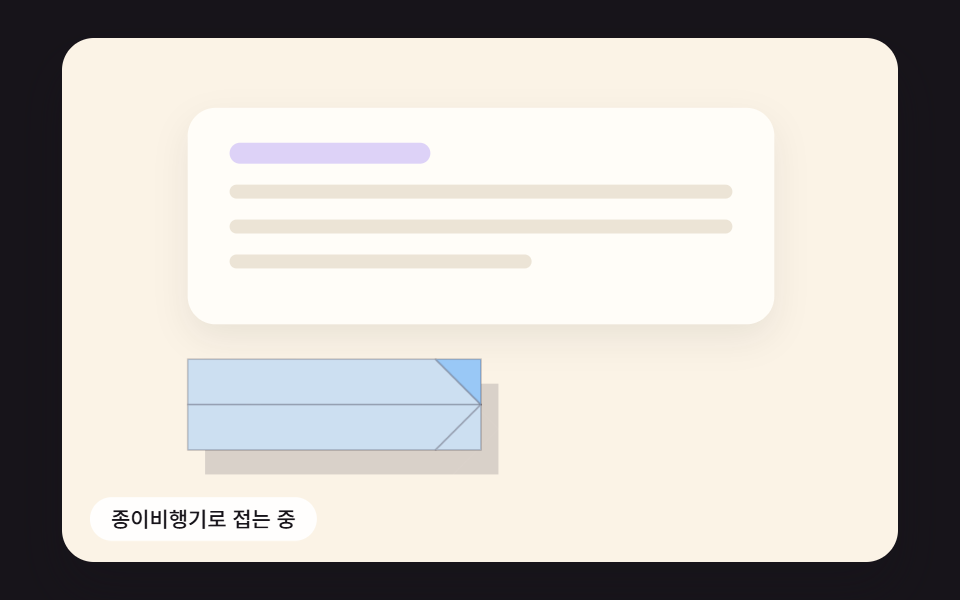 01 send-btn-paper-plane-fold-flight
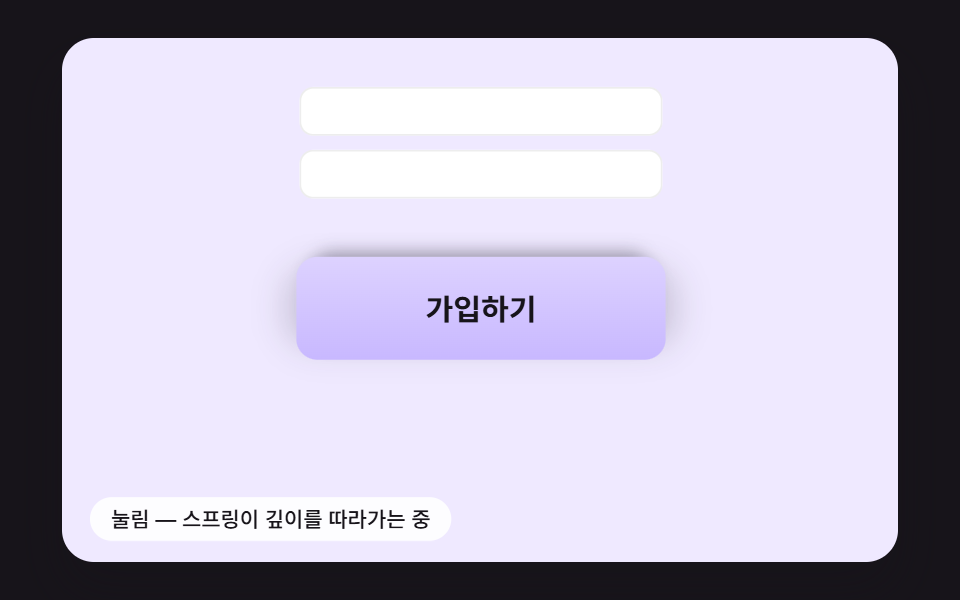 02 send-btn-spring-press-shadow
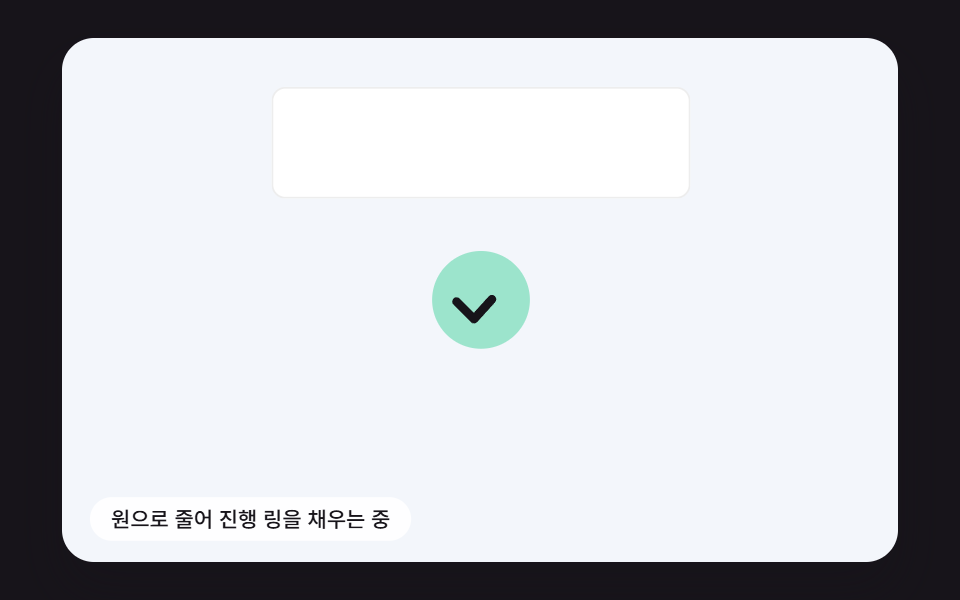 03 send-btn-ring-progress-check-draw
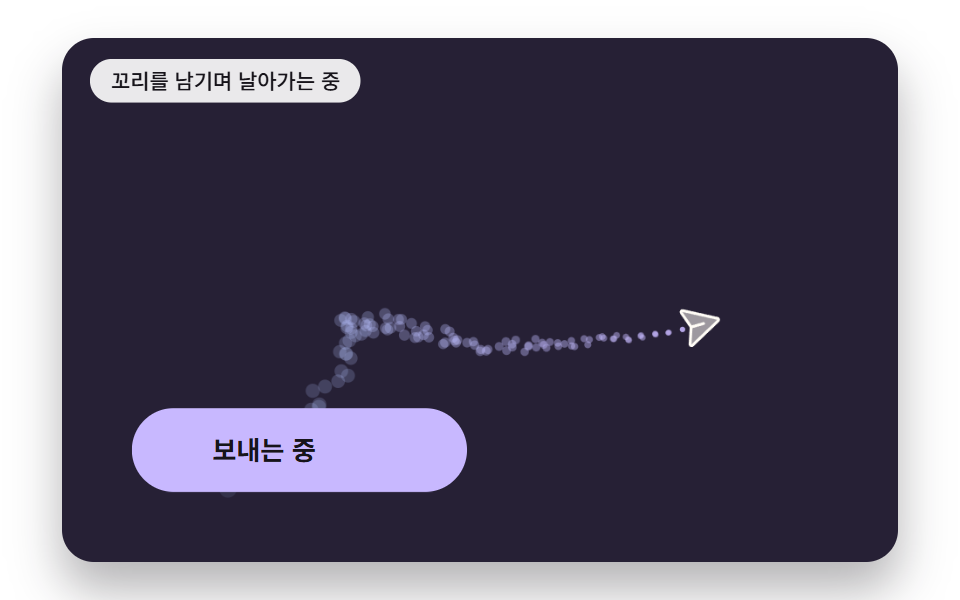 04 send-btn-trail-drag-noise
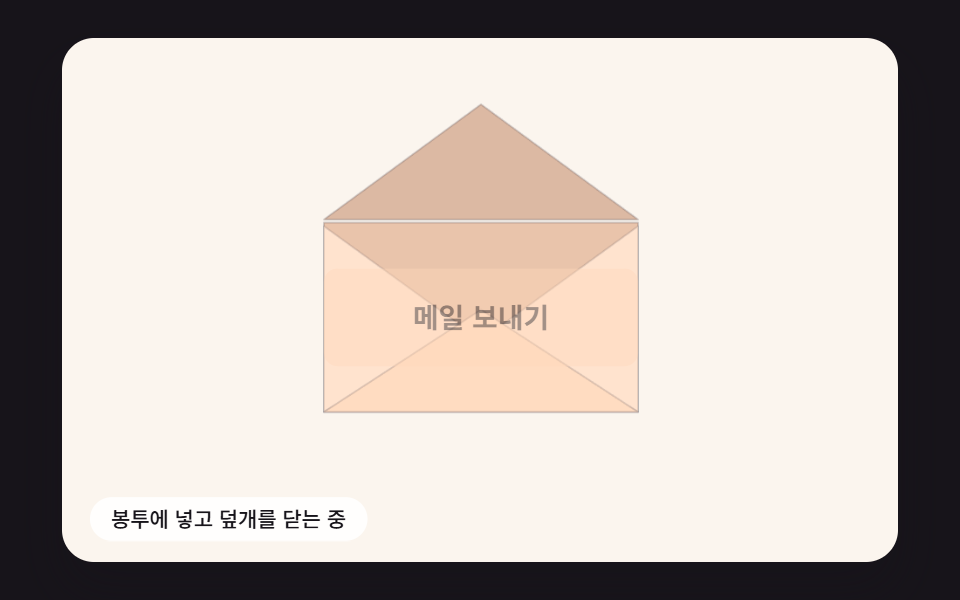 05 send-btn-envelope-flap-seal
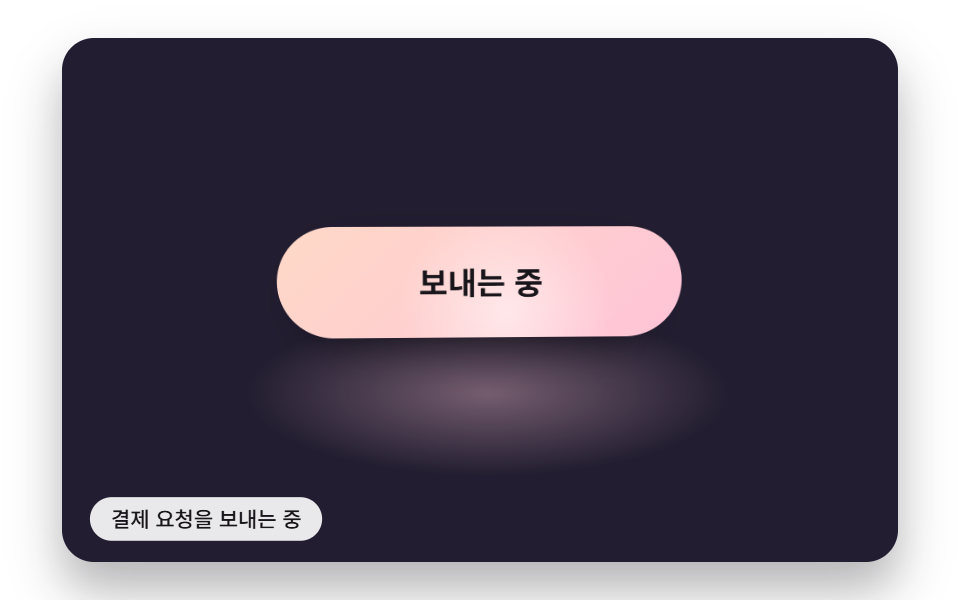 06 send-btn-gloss-sweep-pointer
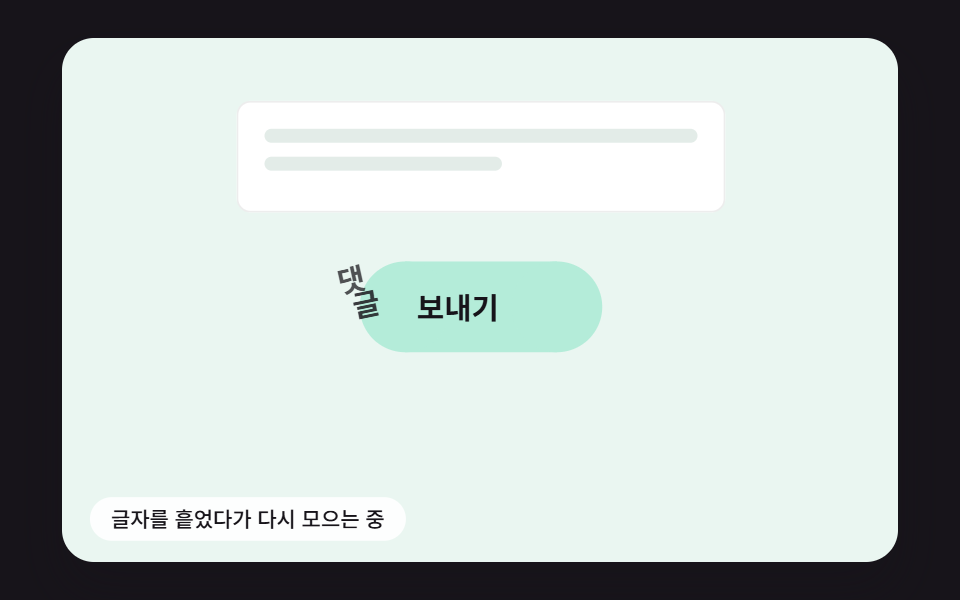 07 send-btn-label-letter-scatter
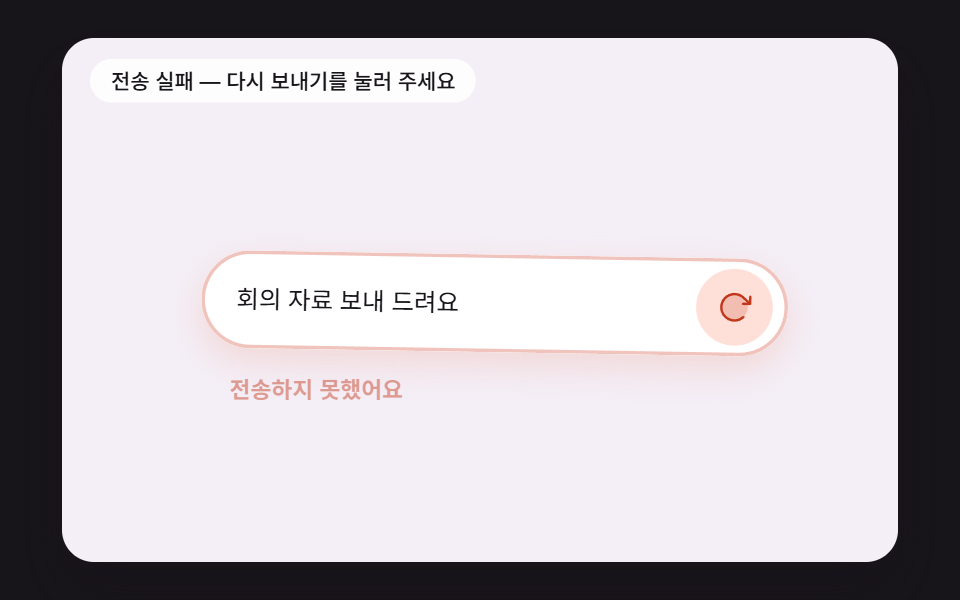 08 send-btn-fail-damped-shake
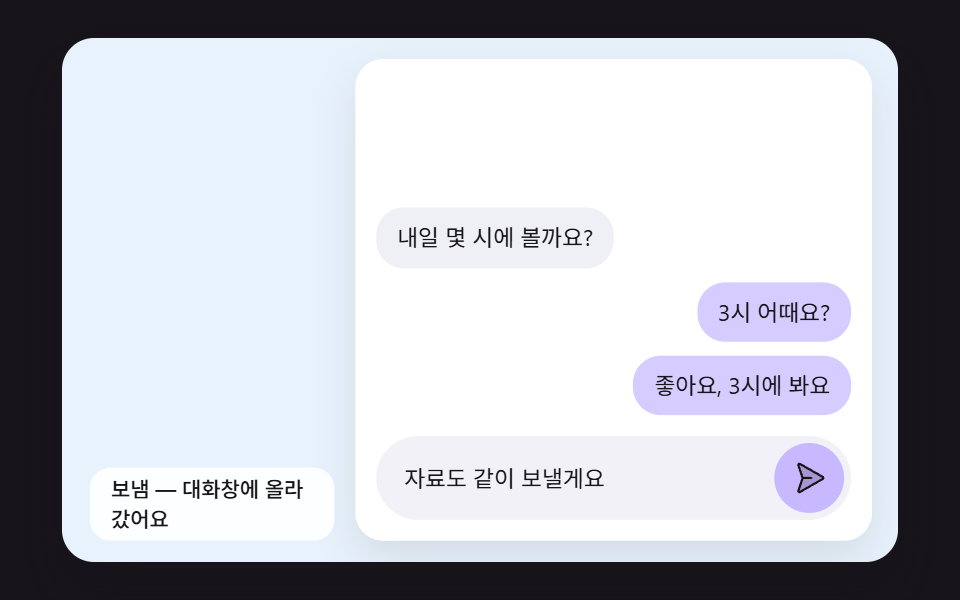 09 send-btn-bubble-arc-to-thread
自動再生 · タイルを押すとその項目へ · すべて1つのzip
- 01 押すと紙飛行機に折れて曲線に沿って傾きながら飛ぶ送信ボタン
- 02 沈んだ深さをばねで戻しながら影の高さも変わる送信ボタン
- 03 円に縮んだ周りを進行リングが回り、チェックで終わるボタン
- 04 飛んだ跡に空気抵抗とノイズで散っていく尾の粒子
- 05 封筒に変わってふたが折れ、封をされるメール送信ボタン
- 06 送信中に光沢の帯が通り、ポインターの傾きに沿って反射光が動くボタン
- 07 文字がひとつずつ散ってから「送信済み」に集まり直すボタンの文字
- 08 送信に失敗すると次第に収まる揺れで知らせ、再送信に変わるボタン
- 09 チャットの送信ボタンから吹き出しが放物線を描いて会話欄に着地する場面
板は人が触るまで、決まった間隔で自分から押されては最初の状態に戻ることをくり返します(02は1.3秒、01・05・06は3秒ごと)。板を一度押すか、板の上でキーを打つと(06は板の上でポインターを動かすだけでも)実演が止まり、ボタンは最初の状態で待つので、そこから先は自分が押したとおりにだけ動きます。08は一回目の送信をわざと失敗として扱ってあるので、一度押して揺れを見てから、もう一度押して再送信が成功するところまで追ってみてください。
送信ボタン css 9種 — 折り・ばね・進行リング・尾・封筒・光沢・文字・揺れ・吹き出し
並び順は、動きがボタンからどこまで広がるかで決めました。01〜03はボタンの体そのものが折れたり沈んだり円に縮んだりし、04・05はボタンから紙飛行機や封筒が離れていきます。06・07は表面の光と文字だけを整え、08・09は入力欄や会話欄まで一緒に動かします。
@keyframes を使わず、16msの刻みで積み上げる
九つのスタイルファイルには@keyframesがひとつもなく、transitionも動きを減らす設定のブロックにあるtransition: none !importantの一行だけです。動きはすべてスクリプトが受け持ちます。requestAnimationFrameが渡す時刻をためておき(一フレームで足す量は100msで打ち切ります)、16msの固定ステップFIXED_DTを一フレームに最大六回回してから一度だけ描きます。ばね・抵抗・慣性のような式は刻みの大きさが変わると結果も変わるので、リフレッシュレートの違う画面でも同じ数字になるよう刻みを固定しました。
480×300の座標で組んだ場面を、箱の幅に合わせて丸ごと縮める
ボタンとその周りの場面は480×300 pxの板の上に置かれ、fitScene()が箱の幅÷480をkとして板全体にscale(k)をかけます。480×300の窓で測ったkは0.8729でした。ポインターの座標や要素の位置を測るときは逆にkで割って場面の座標に戻し、キャンバスを使う01・02・04・05は画素の倍率を2で止めます。
2秒の撮影で見えた九つのボタンの動き
480×300の窓で2秒間に24枚を撮り、隣り合う二枚どうしを比べました。比べた回数は23回なので、動いたフレームは23を分母にしています。
| 項目 | 累積面積 | 動いたフレーム | 強度平均 |
|---|---|---|---|
| 01 紙飛行機の折りと飛行 | 12.5% | 21/23 | 38.3 |
| 02 ばねの沈みと影 | 9.2% | 13/23 | 50.7 |
| 03 円・進行リング・チェック | 10.9% | 20/23 | 50.4 |
| 04 抵抗とノイズの尾 | 14.1% | 22/23 | 68.3 |
| 05 封筒のふたと封 | 24.4% | 18/23 | 43.6 |
| 06 光沢の帯と傾きの反射光 | 17.1% | 23/23 | 43.7 |
| 07 文字の散りと集まり直し | 4.2% | 13/23 | 87.7 |
| 08 失敗の揺れ | 6.1% | 15/23 | 55.6 |
| 09 吹き出しの放物線 | 22.2% | 18/23 | 72.2 |
面積が10%に届かないのは02・07・08の三つです。三つともボタンの大きさの中だけで動く部品なので、面積が小さく出るのが正しい結果です。このサイトが基準にしている水滴とブラックホールを描くキャンバスの場面が画面全体を計算で埋めるのに対し、ボタンは小さな面の中の作り込みで測ります — 離した瞬間のばねの行き過ぎ、高さにつれて遠ざかりぼける影、一拍遅れて追う慣性の傾き、面を横切る光沢の帯、文字ごとに違って読まれるノイズの向きがその作り込みです。
送信ボタンはなぜ押された後も動く必要があるのか?
押したボタンがそのままだと、人はまず押せたかどうかを疑って、もう一度押します。お問い合わせフォームの送信、会員登録や決済の確認、コメントの投稿、チャットの入力欄の送信には、どれも押してから結果が届くまでに短いすき間があり、そのすき間に見せられる状態は、送信中・送信済み・送れなかった、の三つです。
この編の九つはその三つを分けて受け持ちます。03の進行リングと06の光沢の帯は送信中を、01・04・05の飛んでいく紙と封筒、07の入れ替わる文字、09の会話欄に着地する吹き出しは送信済みを見せ、08は送れなかったことを揺れで知らせてから再送信へつなぎます。02は結果より前の瞬間、指で押したという手ごたえそのものを受け持ちます。
付ける場所を選ぶときは画面の重さを見ます。決済のように一度だけ押すべき場所には、02の短い反動や03の進行表示のようにボタンの大きさからはみ出さないものが、お問い合わせの受付や招待状のように終わる瞬間そのものがごほうびになる場所には、01・04・05のように場面の大きいものが合います。お問い合わせ後の確認画面にメール 送信 アニメーションをひとつだけ置くなら、手紙が入ってふたが閉じる05が、何が起きたかをいちばん言葉なしで伝えます。
01押すと紙飛行機に折れて曲線に沿って傾きながら飛ぶ送信ボタン
押すと168×52のボタンの面が四枚に分かれて240・240・300msの三段階で折れ、二つの角を折り線のまわりに180°返したあと、上下の半分を真ん中の線のまわりに±64°立てて、52pxあった幅が22.8pxまで狭まったV字の紙飛行機になります。続いて1,100msのあいだ3次ベジェ曲線に沿って奥行き320まで飛びながら機首を曲線の微分の角度に合わせて向け、床の影は奥行きに比例して10pxから35.6pxまで右下へずれ、濃さは0.16から0.064へ薄くなります。お問い合わせフォームのように「送った」をひとつの場面で見せたい所に合い、飛んでいるあいだボタンの位置にはミント色の目印が半透明で敷かれるので、ぽっかり穴があくことはありません。
<main class="stage">
<div class="sb is-demo" id="sb">
  <div class="sb__scene" data-role="scene">
    <div class="pp__card" aria-hidden="true">
      <span class="pp__line pp__line--title"></span>
      <span class="pp__line"></span>
      <span class="pp__line"></span>
      <span class="pp__line pp__line--short"></span>
    </div>
    <canvas class="sb__canvas" data-role="canvas" width="480" height="300" aria-hidden="true"></canvas>
    <button class="pp__send" data-role="send" type="button"><svg xmlns="http://www.w3.org/2000/svg" class="pp__icon" aria-hidden="true" focusable="false" viewBox="0 0 256 256"><g fill="currentColor"><path d="m223.69 42.18l-58.22 192a8 8 0 0 1-14.92 1.25L108 148l-87.42-42.55a8 8 0 0 1 1.25-14.92l192-58.22a8 8 0 0 1 9.86 9.87" opacity=".2"/><path d="M227.32 28.68a16 16 0 0 0-15.66-4.08h-.15L19.57 82.84a16 16 0 0 0-2.49 29.8L102 154l41.3 84.87a15.86 15.86 0 0 0 14.44 9.13q.69 0 1.38-.06a15.88 15.88 0 0 0 14-11.51l58.2-191.94v-.15a16 16 0 0 0-4-15.66m-69.49 203.17l-.05.14v-.07l-40.06-82.3l48-48a8 8 0 0 0-11.31-11.31l-48 48l-82.33-40.06h-.07h.14L216 40Z"/></g></svg><span class="pp__label" data-role="label">送信</span></button>
    <p class="sb__status" data-role="status" aria-live="off">送信の準備ができました</p>
  </div>
</div>
</main>
@use "../../../../site/static/demo-tokens" as *;
@include stage($stage-ink);
.sb {
position: relative;
width: min(92vw, calc(160vh - 12.8vw));
aspect-ratio: 480 / 300;
margin: 0 auto;
border-radius: $r-card;
overflow: hidden;
box-shadow: $shadow-raised;
}
// 장면 판 — 480×300 좌표로 짜 두고 스크립트가 상자 폭에 맞춰 scale 한다.
// 기준점이 왼쪽 위 모서리인 이유: 판이 상자 왼쪽 위에 붙어 있어 모서리 기준으로 줄여야 줄인 판이 상자와 겹친다
.sb__scene {
position: absolute;
left: 0;
top: 0;
width: 480px;
height: 300px;
transform-origin: 0 0;
}
.sb__canvas {
position: absolute;
left: 0;
top: 0;
width: 480px;
height: 300px;
pointer-events: none;
}
.sb__status {
position: absolute;
left: $sp-4;
bottom: $sp-3;
box-sizing: border-box;
max-width: 260px;
margin: 0;
padding: $sp-1 $sp-3;
border-radius: $r-pill;
background: rgba(255, 255, 255, .9);
color: $subject-ink;
font-weight: 500;
font-size: 12px;
line-height: 1.4;
pointer-events: none;
}
.sb__status--top {
top: $sp-3;
bottom: auto;
}
.sb__status--side {
max-width: 140px;
border-radius: $r-control;
}
.sb { background: #fbf3e6; }
// 문의 카드 — 글자 대신 회색 줄로 내용 자리만 보인다
.pp__card {
position: absolute;
left: 72px;
top: 40px;
width: 336px;
height: 124px;
box-sizing: border-box;
padding: $sp-5 $sp-6;
border-radius: $r-card;
background: #fffdf8;
box-shadow: 0 8px 20px rgba(23, 20, 26, .08);
display: flex;
flex-direction: column;
gap: $sp-3;
}
.pp__line {
display: block;
height: 8px;
border-radius: $r-pill;
background: #ece4d6;
}
.pp__line--title {
width: 40%;
height: 12px;
background: #ddd2f7;
}
.pp__line--short { width: 60%; }
// 버튼 자리 = 스크립트의 BTN_CX 156 · BTN_CY 210 (왼쪽 72 + 너비 절반 84, 위 184 + 높이 절반 26)
.pp__send {
position: absolute;
left: 72px;
top: 184px;
width: 168px;
height: 52px;
margin: 0;
padding: 0 $sp-4;
border: 0;
border-radius: $r-sm;
background: #9ed0ff;
color: $subject-ink;
font: inherit;
font-weight: 700;
font-size: 16px;
line-height: 1;
display: flex;
align-items: center;
justify-content: center;
gap: $sp-2;
cursor: pointer;
}
.pp__send.is-sent { background: #b4ecd9; }
.pp__send:focus-visible {
outline: 3px solid $subject-ink;
outline-offset: 3px;
}
.pp__icon {
width: 20px;
height: 20px;
flex: none;
}
@media (max-width: 340px) {
// 이 폭에서는 장면이 0.6 배 남짓으로 줄어든다 — 상태 줄 글자를 키워 줄인 뒤에도 읽히게 한다
.sb__status { font-size: 16px; }
}
@media (prefers-reduced-motion: reduce) {
// 움직임은 전부 스크립트가 그리고, 스크립트는 reduce 에서 루프를 돌리지 않고 결과 상태만 둔다. CSS 쪽 전환도 막아 둔다
.sb__scene * {
transition: none !important;
animation: none !important;
}
}html, body {
margin: 0;
overflow: hidden;
}
.stage {
box-sizing: border-box;
min-height: 100vh;
display: grid;
place-items: center;
margin: 0;
background: #17141a;
font-family: -apple-system, "Segoe UI", "Noto Sans KR", sans-serif;
padding: clamp(8px, 4vw, 24px);
}
.sb {
position: relative;
width: min(92vw, 160vh - 12.8vw);
aspect-ratio: 480/300;
margin: 0 auto;
border-radius: 16px;
overflow: hidden;
box-shadow: 0 14px 24px rgba(23, 20, 26, 0.32);
}
.sb__scene {
position: absolute;
left: 0;
top: 0;
width: 480px;
height: 300px;
transform-origin: 0 0;
}
.sb__canvas {
position: absolute;
left: 0;
top: 0;
width: 480px;
height: 300px;
pointer-events: none;
}
.sb__status {
position: absolute;
left: 16px;
bottom: 12px;
box-sizing: border-box;
max-width: 260px;
margin: 0;
padding: 4px 12px;
border-radius: 999px;
background: rgba(255, 255, 255, 0.9);
color: #17141a;
font-weight: 500;
font-size: 12px;
line-height: 1.4;
pointer-events: none;
}
.sb__status--top {
top: 12px;
bottom: auto;
}
.sb__status--side {
max-width: 140px;
border-radius: 12px;
}
.sb {
background: #fbf3e6;
}
.pp__card {
position: absolute;
left: 72px;
top: 40px;
width: 336px;
height: 124px;
box-sizing: border-box;
padding: 20px 24px;
border-radius: 16px;
background: #fffdf8;
box-shadow: 0 8px 20px rgba(23, 20, 26, 0.08);
display: flex;
flex-direction: column;
gap: 12px;
}
.pp__line {
display: block;
height: 8px;
border-radius: 999px;
background: #ece4d6;
}
.pp__line--title {
width: 40%;
height: 12px;
background: #ddd2f7;
}
.pp__line--short {
width: 60%;
}
.pp__send {
position: absolute;
left: 72px;
top: 184px;
width: 168px;
height: 52px;
margin: 0;
padding: 0 16px;
border: 0;
border-radius: 8px;
background: #9ed0ff;
color: #17141a;
font: inherit;
font-weight: 700;
font-size: 16px;
line-height: 1;
display: flex;
align-items: center;
justify-content: center;
gap: 8px;
cursor: pointer;
}
.pp__send.is-sent {
background: #b4ecd9;
}
.pp__send:focus-visible {
outline: 3px solid #17141a;
outline-offset: 3px;
}
.pp__icon {
width: 20px;
height: 20px;
flex: none;
}
@media (max-width: 340px) {
.sb__status {
font-size: 16px;
}
}
@media (prefers-reduced-motion: reduce) {
.sb__scene * {
transition: none !important;
animation: none !important;
}
}(function () {
const root = document.getElementById("sb");
if (!root) return;
const W = 480;
const H = 300;
const FIXED_DT = 16;
// 파스텔 팔레트 — 캔버스와 스크립트가 칠하는 색은 여기서만 고른다 (scss 쪽 색은 demo-tokens)
const INK = [38, 33, 52];
const PAPER = [255, 252, 246];
const CREAM = [255, 243, 224];
const SKY = [158, 208, 255];
const LILAC = [200, 184, 255];
const MINT = [156, 228, 204];
const PINK = [255, 182, 204];
const PEACH = [255, 214, 184];
function clamp(v, lo, hi) { return v < lo ? lo : (v > hi ? hi : v); }
function lerp(a, b, t) { return a + (b - a) * t; }
function easeOut(x) { const c = clamp(x, 0, 1); return 1 - Math.pow(1 - c, 3); }
function easeInOut(x) {
const c = clamp(x, 0, 1);
return c < 0.5 ? 4 * c * c * c : 1 - Math.pow(-2 * c + 2, 3) / 2;
}
function rgba(c, a) {
return 'rgba(' + Math.round(c[0]) + ',' + Math.round(c[1]) + ',' + Math.round(c[2]) + ',' + clamp(a, 0, 1).toFixed(3) + ')';
}
function mix(a, b, t) { return [lerp(a[0], b[0], t), lerp(a[1], b[1], t), lerp(a[2], b[2], t)]; }
// 시드 고정 난수 — 같은 시드면 같은 값이 다시 나온다 (32비트 정수 섞기)
function makeRng(seed) {
let s = seed >>> 0;
return function () {
s = (s + 0x6d2b79f5) >>> 0;
let t = s;
t = Math.imul(t ^ (t >>> 15), t | 1);
t ^= t + Math.imul(t ^ (t >>> 7), t | 61);
return ((t ^ (t >>> 14)) >>> 0) / 4294967296;
};
}
const sceneEl = root.querySelector('[data-role="scene"]');
const statusEl = root.querySelector('[data-role="status"]');
if (!sceneEl || !statusEl) {
return;
}
const scene = sceneEl;
const status = statusEl;
const reduceQuery = window.matchMedia('(prefers-reduced-motion: reduce)');
const still = reduceQuery.matches;
const resizeHooks = [];
// 자동 시연 중인가 — 사람이 처음 만지는 순간 시연을 멈추고 처음 상태로 돌린 뒤 상태 줄을 읽어 주기 시작한다
let demo = root.classList.contains('is-demo');
function wake() {
if (!demo) {
return;
}
demo = false;
root.classList.remove('is-demo');
status.setAttribute('aria-live', 'polite');
resetIdle();
}
function say(text) {
if (status.textContent !== text) {
status.textContent = text;
}
}
// 장면 배율 — 480×300 좌표로 짠 판을 상자 폭에 맞춰 통째로 줄인다
let k = 1;
function fitScene() {
const w = root.clientWidth;
k = w > 0 ? w / W : 1;
scene.style.transform = 'scale(' + k.toFixed(4) + ')';
}
// 화면 좌표(CSS px) → 장면 좌표(480×300). 줄인 배율 k 로 나눠야 판 안의 위치가 된다
function toScene(clientX, clientY) {
const r = root.getBoundingClientRect();
return [(clientX - r.left) / k, (clientY - r.top) / k];
}
// 캡처 단계에서 듣는다 — 버튼 자신의 pointerdown 보다 먼저 시연을 끝내야 사람의 첫 누름이 처음 상태에서 시작한다
root.addEventListener('pointerdown', wake, true);
root.addEventListener('keydown', wake, true);
const canvasEl = root.querySelector('[data-role="canvas"]');
const ctxRaw = canvasEl ? canvasEl.getContext('2d') : null;
if (!canvasEl || !ctxRaw) {
return;
}
const cv = canvasEl;
const ctx = ctxRaw;
let dprNow = 1;
function fitCanvas() {
// 배율은 2 에서 자른다 — 배율 3 기기에서 화소가 2.25배로 늘어 프레임마다 일이 그만큼 커지지 않게
const dpr = Math.min(window.devicePixelRatio || 1, 2);
dprNow = dpr;
cv.width = Math.round(W * dpr);
cv.height = Math.round(H * dpr);
ctx.setTransform(dpr, 0, 0, dpr, 0, 0);
}
fitCanvas();
resizeHooks.push(fitCanvas);
// 버튼 자리(장면 px) — scss 의 .pp__send 위치·크기와 같은 값이어야 접기 시작 순간 종이가 버튼과 겹친다
const BTN_CX = 156;
const BTN_CY = 210;
// 종이 한 장 = 버튼 면 168×52. 가운데가 원점이고 u 는 기수 쪽(오른쪽), v 는 아래쪽, w 는 화면 안쪽(멀어지는 쪽)
// 면 네 장 — 0 위 모서리 삼각형 · 1 아래 모서리 삼각형 · 2 위 몸통 · 3 아래 몸통
const FACETS = [
[[84, 0], [84, -26], [58, -26]],
[[84, 0], [84, 26], [58, 26]],
[[-84, -26], [58, -26], [84, 0], [-84, 0]],
[[-84, 0], [84, 0], [58, 26], [-84, 26]],
];
// 접기 순서 — 접는 선(a 에서 b 로)을 축으로 그 선에 붙은 면의 꼭짓점을 deg 만큼 돌린다. 앞 단계가 끝난 자리 위에서 다음 단계가 돈다
const FOLD_STEPS = [
{ ms: 240, hinges: [{ a: [84, 0], b: [58, -26], deg: -180, facets: [0] }] },
{ ms: 240, hinges: [{ a: [84, 0], b: [58, 26], deg: 180, facets: [1] }] },
{ ms: 300, hinges: [{ a: [-84, 0], b: [84, 0], deg: 64, facets: [0, 2] }, { a: [-84, 0], b: [84, 0], deg: -64, facets: [1, 3] }] },
];
const FOLD_TOTAL = FOLD_STEPS.reduce(function (s, f) { return s + f.ms; }, 0);
// 3차 베지어 조종점 네 개 [x, y, 깊이] — 버튼 자리에서 출발해 오른쪽 아래로 처졌다가 위로 감아 올라 멀어진다
const FLIGHT_CTRL = [[156, 210, 0], [318, 268, 30], [352, 64, 150], [560, 26, 320]];
// 선회율(초당 기수가 도는 라디안)에 곱해 날개 기울기(라디안)를 만드는 계수
const BANK_GAIN = 0.3;
const BANK_MAX = 0.95;
const FLIGHT_MS = 1100;
const PRESS_MS = 110;
const BACK_MS = 320;
const FOCAL = 620;
const CAM_X = 240;
const CAM_Y = 150;
const DEMO_CYCLE = 3000;
const TXT_IDLE = '送信';
const TXT_SENT = '送信済み';
const TXT_READY = '送信の準備ができました';
const TXT_FOLD = '紙飛行機に折っています';
const TXT_FLY = '曲線に沿って飛んでいます';
const TXT_DONE = '送信しました — お問い合わせを受け付けました';
const sendEl = root.querySelector('[data-role="send"]');
const labelEl = root.querySelector('[data-role="label"]');
if (!sendEl || !labelEl) {
return;
}
const send = sendEl;
const label = labelEl;
let phase = 'idle';
let pt = 0;
let bank = 0;
let demoNext = 200;
// 꼭짓점 p 를 점 a 를 지나는 단위 축 d 둘레로 ang 라디안 돌린다 (로드리게스 회전)
function rotateAround(p, a, d, ang) {
const vx = p[0] - a[0];
const vy = p[1] - a[1];
const vz = p[2] - a[2];
const c = Math.cos(ang);
const s = Math.sin(ang);
const dot = d[0] * vx + d[1] * vy + d[2] * vz;
const cx = d[1] * vz - d[2] * vy;
const cy = d[2] * vx - d[0] * vz;
const cz = d[0] * vy - d[1] * vx;
return [
a[0] + vx * c + cx * s + d[0] * dot * (1 - c),
a[1] + vy * c + cy * s + d[1] * dot * (1 - c),
a[2] + vz * c + cz * s + d[2] * dot * (1 - c),
];
}
// 접기 시각 t(ms) 의 면 네 장 꼭짓점 — 단계마다 진행률을 easeInOut 으로 깎아 접는 선 둘레로 돌린다
    function foldedFacets(t) {
        const out = FACETS.map(function (f) {
            return f.map(function (q) { return [q[0], q[1], 0]; });
        });
        let start = 0;
        for (const st of FOLD_STEPS) {
            const p = easeInOut((t - start) / st.ms);
            start += st.ms;
            if (p <= 0) {
                continue;
            }
            for (const hg of st.hinges) {
                const a = [hg.a[0], hg.a[1], 0];
                const len = Math.hypot(hg.b[0] - hg.a[0], hg.b[1] - hg.a[1]);
                const d = [(hg.b[0] - hg.a[0]) / len, (hg.b[1] - hg.a[1]) / len, 0];
                const ang = hg.deg * p * Math.PI / 180;
                for (const fi of hg.facets) {
                    out[fi] = out[fi].map(function (q) { return rotateAround(q, a, d, ang); });
                }
            }
        }
        return out;
    }
function bezier(t) {
const u = 1 - t;
const b0 = u * u * u;
const b1 = 3 * u * u * t;
const b2 = 3 * u * t * t;
const b3 = t * t * t;
const c = FLIGHT_CTRL;
return [
b0 * c[0][0] + b1 * c[1][0] + b2 * c[2][0] + b3 * c[3][0],
b0 * c[0][1] + b1 * c[1][1] + b2 * c[2][1] + b3 * c[3][1],
b0 * c[0][2] + b1 * c[1][2] + b2 * c[2][2] + b3 * c[3][2],
];
}
// 접선 = 베지어를 t 로 미분한 것. 화면 평면 성분의 각도가 기수 방향이다
function headingAt(t) {
const u = 1 - t;
const c = FLIGHT_CTRL;
const dx = 3 * u * u * (c[1][0] - c[0][0]) + 6 * u * t * (c[2][0] - c[1][0]) + 3 * t * t * (c[3][0] - c[2][0]);
const dy = 3 * u * u * (c[1][1] - c[0][1]) + 6 * u * t * (c[2][1] - c[1][1]) + 3 * t * t * (c[3][1] - c[2][1]);
return Math.atan2(dy, dx);
}
// 비행 진행률 → 곡선 매개변수. 출발은 느리고 갈수록 빨라진다
function flightParam(p) { return Math.pow(clamp(p, 0, 1), 1.45); }
// 목표 기울기 = 선회율 × BANK_GAIN. 선회율은 앞뒤 1% 지점의 기수 각도 차를 그 사이 시간으로 나눈 값
function bankTarget(p) {
const p0 = clamp(p - 0.01, 0, 1);
const p1 = clamp(p + 0.01, 0, 1);
let dh = headingAt(flightParam(p1)) - headingAt(flightParam(p0));
if (dh > Math.PI) {
dh -= Math.PI * 2;
}
if (dh < -Math.PI) {
dh += Math.PI * 2;
}
const rate = dh / ((p1 - p0) * FLIGHT_MS / 1000);
return clamp(rate * BANK_GAIN, -BANK_MAX, BANK_MAX);
}
// 원근 투영 — 깊이 z 만큼 멀어지면 화면 가운데 쪽으로 FOCAL/(FOCAL+z) 배 당겨진다
function project(p) {
const s = FOCAL / (FOCAL + p[2]);
return [CAM_X + (p[0] - CAM_X) * s, CAM_Y + (p[1] - CAM_Y) * s];
}
// 접힌 면을 날개 기울기(u 축 둘레) → 기수 회전(화면 평면) → 자리 이동 순서로 옮긴다
function place(q, pos, heading, roll, scale) {
const u = q[0] * scale;
const v = q[1] * scale;
const w = q[2] * scale;
const v2 = v * Math.cos(roll) - w * Math.sin(roll);
const w2 = v * Math.sin(roll) + w * Math.cos(roll);
const ch = Math.cos(heading);
const sh = Math.sin(heading);
return [pos[0] + u * ch - v2 * sh, pos[1] + u * sh + v2 * ch, pos[2] + w2];
}
const LIGHT = [-0.35, -0.55, -0.76];
// 바닥 그림자 — 같은 면을 깊이 z 에 비례해 오른쪽 아래로 밀어(10 + 0.08z) 옅게 칠한다. 멀어질수록 그림자가 떨어지고 옅어진다
function drawShadow(facets, pos, heading, roll, scale) {
const off = 10 + pos[2] * 0.08;
ctx.fillStyle = rgba(INK, clamp(0.16 - pos[2] * 0.0003, 0.05, 0.16));
for (const f of facets) {
ctx.beginPath();
f.forEach(function (q, j) {
const s = project(place(q, pos, heading, roll, scale));
if (j === 0) {
ctx.moveTo(s[0] + off, s[1] + off * 1.4);
}
else {
ctx.lineTo(s[0] + off, s[1] + off * 1.4);
}
});
ctx.closePath();
ctx.fill();
}
}
function drawPlane(facets, pos, heading, roll, scale) {
drawShadow(facets, pos, heading, roll, scale);
const items = facets.map(function (f, i) {
const pts = f.map(function (q) { return place(q, pos, heading, roll, scale); });
let z = 0;
for (const p of pts) {
z += p[2];
}
// 접혀 올라온 모서리 두 장은 몸통과 같은 평면에 눕는다 — 0.8 만큼 앞으로 쳐서 늘 몸통 위에 그린다
return { pts: pts, key: z / pts.length - (i < 2 ? 0.8 : 0), i: i };
});
// 화가 알고리즘 — 먼 면부터 칠해 가까운 면이 덮게 한다
items.sort(function (a, b) { return b.key - a.key; });
for (const it of items) {
const p = it.pts;
const ax = p[1][0] - p[0][0], ay = p[1][1] - p[0][1], az = p[1][2] - p[0][2];
const bx = p[2][0] - p[0][0], by = p[2][1] - p[0][1], bz = p[2][2] - p[0][2];
let nx = ay * bz - az * by;
let ny = az * bx - ax * bz;
let nz = ax * by - ay * bx;
const nl = Math.hypot(nx, ny, nz) || 1;
nx /= nl;
ny /= nl;
nz /= nl;
const ll = Math.hypot(LIGHT[0], LIGHT[1], LIGHT[2]);
const lit = Math.abs(nx * LIGHT[0] + ny * LIGHT[1] + nz * LIGHT[2]) / ll;
const back = nz > 0;
const base = back ? mix(SKY, PAPER, 0.55) : SKY;
const shade = mix(mix(base, INK, 0.28), base, 0.35 + 0.65 * lit);
ctx.beginPath();
const s0 = project(p[0]);
ctx.moveTo(s0[0], s0[1]);
for (let j = 1; j < p.length; j += 1) {
const s = project(p[j]);
ctx.lineTo(s[0], s[1]);
}
ctx.closePath();
ctx.fillStyle = rgba(shade, 1);
ctx.fill();
ctx.strokeStyle = rgba(INK, 0.22);
ctx.lineWidth = 1;
ctx.lineJoin = 'round';
ctx.stroke();
}
}
function drawTrail(tNow) {
for (let t = 0; t < tNow; t += 0.018) {
const p = project(bezier(t));
const fade = 1 - (tNow - t) / Math.max(tNow, 0.001);
ctx.fillStyle = rgba(INK, 0.08 + 0.22 * fade);
ctx.beginPath();
ctx.arc(p[0], p[1], 1.6, 0, Math.PI * 2);
ctx.fill();
}
}
// 자리표시 — 버튼 자리(72, 184, 168×52)를 送信済み 색(scss 의 #b4ecd9)으로 옅게
const SENT = [180, 236, 217];
const GHOST_ALPHA = 0.5;
function drawGhost(a) {
if (a <= 0.01) {
return;
}
ctx.fillStyle = rgba(SENT, a);
ctx.beginPath();
ctx.roundRect(BTN_CX - 84, BTN_CY - 26, 168, 52, 8);
ctx.fill();
}
function setButton(scale, alpha, labelAlpha) {
send.style.transform = scale === 1 ? '' : 'scale(' + scale.toFixed(3) + ')';
send.style.opacity = alpha === 1 ? '' : alpha.toFixed(3);
label.style.opacity = labelAlpha === 1 ? '' : labelAlpha.toFixed(3);
}
function resetIdle() {
phase = 'idle';
pt = 0;
bank = 0;
label.textContent = TXT_IDLE;
send.classList.remove('is-sent');
setButton(1, 1, 1);
say(TXT_READY);
}
function finish() {
phase = 'done';
pt = 0;
label.textContent = TXT_SENT;
send.classList.add('is-sent');
setButton(1, 1, 1);
say(TXT_DONE);
}
function settle() { finish(); }
function press() {
if (phase !== 'idle' && phase !== 'done') {
return;
}
if (still) {
finish();
return;
}
if (phase === 'done') {
resetIdle();
}
phase = 'press';
pt = 0;
say(TXT_FOLD);
}
function step() {
if (phase === 'idle' || phase === 'done') {
return;
}
pt += FIXED_DT;
if (phase === 'press' && pt >= PRESS_MS) {
phase = 'fold';
pt = 0;
}
else if (phase === 'fold' && pt >= FOLD_TOTAL) {
phase = 'fly';
pt = 0;
say(TXT_FLY);
}
else if (phase === 'fly') {
const p = pt / FLIGHT_MS;
// 기울기는 목표로 곧장 꺾지 않고 프레임마다 25% 씩 다가간다 — 날개가 바람을 타듯 넘어간다
bank += (bankTarget(p) - bank) * 0.25;
if (pt >= FLIGHT_MS) {
phase = 'back';
pt = 0;
label.textContent = TXT_SENT;
send.classList.add('is-sent');
}
}
else if (phase === 'back' && pt >= BACK_MS) {
finish();
}
}
function demoTick(t) {
if (t < demoNext) {
return;
}
demoNext += DEMO_CYCLE;
resetIdle();
press();
}
function draw() {
ctx.clearRect(0, 0, W, H);
if (phase === 'press') {
const p = pt / PRESS_MS;
setButton(1 - 0.06 * Math.sin(p * Math.PI), 1, 1 - p);
}
else if (phase === 'fold') {
setButton(1, 0, 0);
const h0 = headingAt(0) * easeInOut(pt / FOLD_TOTAL);
drawPlane(foldedFacets(pt), [BTN_CX, BTN_CY, 0], h0, 0, 1);
}
else if (phase === 'fly') {
setButton(1, 0, 0);
const p = clamp(pt / FLIGHT_MS, 0, 1);
const t = flightParam(p);
// 비운 자리는 날기 시작과 함께 送信済み 색 자리표시로 채운다 — 어느 프레임에서도 버튼 자리가 빈 구멍이 아니다
drawGhost(GHOST_ALPHA * easeOut(p / 0.3));
drawTrail(t);
drawPlane(foldedFacets(FOLD_TOTAL), bezier(t), headingAt(t), bank, lerp(1, 0.62, easeOut(p / 0.4)));
}
else if (phase === 'back') {
const p = clamp(pt / BACK_MS, 0, 1);
drawGhost(GHOST_ALPHA * (1 - p));
// 되돌아오는 버튼은 0.9 에서 시작해 1 을 살짝 넘었다 돌아온다 (뒤로 당기는 이징)
const c = 1.7;
const e = 1 + (c + 1) * Math.pow(p - 1, 3) + c * Math.pow(p - 1, 2);
setButton(lerp(0.9, 1, e), lerp(GHOST_ALPHA, 1, p), 1);
}
}
send.addEventListener('click', function () { press(); });
resetIdle();
let rafId = 0;
let lastTs = -1;
let acc = 0;
let clock = 0;
function onResize() {
fitScene();
for (const f of resizeHooks) {
f();
}
draw();
}
fitScene();
window.addEventListener('resize', onResize);
function frame(ts) {
if (lastTs < 0) {
lastTs = ts;
}
// 탭이 숨었다 돌아와도 한 번에 100ms 까지만 따라잡는다 — 순간이동 대신 이어서 움직인다
acc += Math.min(ts - lastTs, 100);
lastTs = ts;
let n = 0;
while (acc >= FIXED_DT && n < 6) {
clock += FIXED_DT;
if (demo) {
demoTick(clock);
}
step();
acc -= FIXED_DT;
n += 1;
}
draw();
rafId = window.requestAnimationFrame(frame);
}
if (still) {
settle();
draw();
}
else {
rafId = window.requestAnimationFrame(frame);
}
return function () {
window.cancelAnimationFrame(rafId);
window.removeEventListener('resize', onResize);
};
})();// SendPaperPlaneFoldFlight - vanilla 판(01-send-btn-paper-plane-fold-flight) 의 React 포트. 같은 계산을 useEffect 안에서 돌린다.
import { useEffect, useRef } from "react";
import styles from "./SendPaperPlaneFoldFlight.module.scss";
const cx = (s: string): string => s.split(" ").map((n) => styles[n] ?? n).join(" ");
export default function SendPaperPlaneFoldFlight() {
const rootRef = useRef<HTMLDivElement | null>(null);
useEffect(() => {
const rootEl = rootRef.current;
if (!rootEl) return;
const root: HTMLElement = rootEl;
type RGB = [number, number, number];
const W = 480;
const H = 300;
const FIXED_DT = 16;
// 파스텔 팔레트 — 캔버스와 스크립트가 칠하는 색은 여기서만 고른다 (scss 쪽 색은 demo-tokens)
const INK: RGB = [38, 33, 52];
const PAPER: RGB = [255, 252, 246];
const CREAM: RGB = [255, 243, 224];
const SKY: RGB = [158, 208, 255];
const LILAC: RGB = [200, 184, 255];
const MINT: RGB = [156, 228, 204];
const PINK: RGB = [255, 182, 204];
const PEACH: RGB = [255, 214, 184];
function clamp(v: number, lo: number, hi: number): number { return v < lo ? lo : (v > hi ? hi : v); }
function lerp(a: number, b: number, t: number): number { return a + (b - a) * t; }
function easeOut(x: number): number { const c = clamp(x, 0, 1); return 1 - Math.pow(1 - c, 3); }
function easeInOut(x: number): number {
const c = clamp(x, 0, 1);
return c < 0.5 ? 4 * c * c * c : 1 - Math.pow(-2 * c + 2, 3) / 2;
}
function rgba(c: RGB, a: number): string {
return 'rgba(' + Math.round(c[0]) + ',' + Math.round(c[1]) + ',' + Math.round(c[2]) + ',' + clamp(a, 0, 1).toFixed(3) + ')';
}
function mix(a: RGB, b: RGB, t: number): RGB { return [lerp(a[0], b[0], t), lerp(a[1], b[1], t), lerp(a[2], b[2], t)]; }
// 시드 고정 난수 — 같은 시드면 같은 값이 다시 나온다 (32비트 정수 섞기)
function makeRng(seed: number): () => number {
let s = seed >>> 0;
return function (): number {
s = (s + 0x6d2b79f5) >>> 0;
let t = s;
t = Math.imul(t ^ (t >>> 15), t | 1);
t ^= t + Math.imul(t ^ (t >>> 7), t | 61);
return ((t ^ (t >>> 14)) >>> 0) / 4294967296;
};
}
const sceneEl = root.querySelector('[data-role="scene"]') as HTMLElement | null;
const statusEl = root.querySelector('[data-role="status"]') as HTMLElement | null;
if (!sceneEl || !statusEl) { return; }
const scene: HTMLElement = sceneEl;
const status: HTMLElement = statusEl;
const reduceQuery = window.matchMedia('(prefers-reduced-motion: reduce)');
const still = reduceQuery.matches;
const resizeHooks: Array<() => void> = [];
// 자동 시연 중인가 — 사람이 처음 만지는 순간 시연을 멈추고 처음 상태로 돌린 뒤 상태 줄을 읽어 주기 시작한다
let demo = root.classList.contains('is-demo');
function wake(): void {
if (!demo) { return; }
demo = false;
root.classList.remove('is-demo');
status.setAttribute('aria-live', 'polite');
resetIdle();
}
function say(text: string): void {
if (status.textContent !== text) { status.textContent = text; }
}
// 장면 배율 — 480×300 좌표로 짠 판을 상자 폭에 맞춰 통째로 줄인다
let k = 1;
function fitScene(): void {
const w = root.clientWidth;
k = w > 0 ? w / W : 1;
scene.style.transform = 'scale(' + k.toFixed(4) + ')';
}
// 화면 좌표(CSS px) → 장면 좌표(480×300). 줄인 배율 k 로 나눠야 판 안의 위치가 된다
function toScene(clientX: number, clientY: number): [number, number] {
const r = root.getBoundingClientRect();
return [(clientX - r.left) / k, (clientY - r.top) / k];
}
// 캡처 단계에서 듣는다 — 버튼 자신의 pointerdown 보다 먼저 시연을 끝내야 사람의 첫 누름이 처음 상태에서 시작한다
root.addEventListener('pointerdown', wake, true);
root.addEventListener('keydown', wake, true);
const canvasEl = root.querySelector('[data-role="canvas"]') as HTMLCanvasElement | null;
const ctxRaw = canvasEl ? canvasEl.getContext('2d') : null;
if (!canvasEl || !ctxRaw) { return; }
const cv: HTMLCanvasElement = canvasEl;
const ctx: CanvasRenderingContext2D = ctxRaw;
let dprNow = 1;
function fitCanvas(): void {
// 배율은 2 에서 자른다 — 배율 3 기기에서 화소가 2.25배로 늘어 프레임마다 일이 그만큼 커지지 않게
const dpr = Math.min(window.devicePixelRatio || 1, 2);
dprNow = dpr;
cv.width = Math.round(W * dpr);
cv.height = Math.round(H * dpr);
ctx.setTransform(dpr, 0, 0, dpr, 0, 0);
}
fitCanvas();
resizeHooks.push(fitCanvas);
type V3 = [number, number, number];
type Hinge = { a: [number, number]; b: [number, number]; deg: number; facets: number[] };
type FoldStep = { ms: number; hinges: Hinge[] };
type Phase = 'idle' | 'press' | 'fold' | 'fly' | 'back' | 'done';
// 버튼 자리(장면 px) — scss 의 .pp__send 위치·크기와 같은 값이어야 접기 시작 순간 종이가 버튼과 겹친다
const BTN_CX = 156;
const BTN_CY = 210;
// 종이 한 장 = 버튼 면 168×52. 가운데가 원점이고 u 는 기수 쪽(오른쪽), v 는 아래쪽, w 는 화면 안쪽(멀어지는 쪽)
// 면 네 장 — 0 위 모서리 삼각형 · 1 아래 모서리 삼각형 · 2 위 몸통 · 3 아래 몸통
const FACETS: Array<Array<[number, number]>> = [
[[84, 0], [84, -26], [58, -26]],
[[84, 0], [84, 26], [58, 26]],
[[-84, -26], [58, -26], [84, 0], [-84, 0]],
[[-84, 0], [84, 0], [58, 26], [-84, 26]],
];
// 접기 순서 — 접는 선(a 에서 b 로)을 축으로 그 선에 붙은 면의 꼭짓점을 deg 만큼 돌린다. 앞 단계가 끝난 자리 위에서 다음 단계가 돈다
const FOLD_STEPS: FoldStep[] = [
{ ms: 240, hinges: [{ a: [84, 0], b: [58, -26], deg: -180, facets: [0] }] },
{ ms: 240, hinges: [{ a: [84, 0], b: [58, 26], deg: 180, facets: [1] }] },
{ ms: 300, hinges: [{ a: [-84, 0], b: [84, 0], deg: 64, facets: [0, 2] }, { a: [-84, 0], b: [84, 0], deg: -64, facets: [1, 3] }] },
];
const FOLD_TOTAL = FOLD_STEPS.reduce(function (s: number, f: FoldStep): number { return s + f.ms; }, 0);
// 3차 베지어 조종점 네 개 [x, y, 깊이] — 버튼 자리에서 출발해 오른쪽 아래로 처졌다가 위로 감아 올라 멀어진다
const FLIGHT_CTRL: V3[] = [[156, 210, 0], [318, 268, 30], [352, 64, 150], [560, 26, 320]];
// 선회율(초당 기수가 도는 라디안)에 곱해 날개 기울기(라디안)를 만드는 계수
const BANK_GAIN = 0.3;
const BANK_MAX = 0.95;
const FLIGHT_MS = 1100;
const PRESS_MS = 110;
const BACK_MS = 320;
const FOCAL = 620;
const CAM_X = 240;
const CAM_Y = 150;
const DEMO_CYCLE = 3000;
const TXT_IDLE = '보내기';
const TXT_SENT = '보냈어요';
const TXT_READY = '보낼 준비 됨';
const TXT_FOLD = '종이비행기로 접는 중';
const TXT_FLY = '곡선을 따라 날아가는 중';
const TXT_DONE = '보냄 — 문의가 접수됐어요';
const sendEl = root.querySelector('[data-role="send"]') as HTMLButtonElement | null;
const labelEl = root.querySelector('[data-role="label"]') as HTMLElement | null;
if (!sendEl || !labelEl) { return; }
const send: HTMLButtonElement = sendEl;
const label: HTMLElement = labelEl;
let phase: Phase = 'idle';
let pt = 0;
let bank = 0;
let demoNext = 200;
// 꼭짓점 p 를 점 a 를 지나는 단위 축 d 둘레로 ang 라디안 돌린다 (로드리게스 회전)
function rotateAround(p: V3, a: V3, d: V3, ang: number): V3 {
const vx = p[0] - a[0];
const vy = p[1] - a[1];
const vz = p[2] - a[2];
const c = Math.cos(ang);
const s = Math.sin(ang);
const dot = d[0] * vx + d[1] * vy + d[2] * vz;
const cx = d[1] * vz - d[2] * vy;
const cy = d[2] * vx - d[0] * vz;
const cz = d[0] * vy - d[1] * vx;
return [
a[0] + vx * c + cx * s + d[0] * dot * (1 - c),
a[1] + vy * c + cy * s + d[1] * dot * (1 - c),
a[2] + vz * c + cz * s + d[2] * dot * (1 - c),
];
}
// 접기 시각 t(ms) 의 면 네 장 꼭짓점 — 단계마다 진행률을 easeInOut 으로 깎아 접는 선 둘레로 돌린다
function foldedFacets(t: number): V3[][] {
const out: V3[][] = FACETS.map(function (f: Array<[number, number]>): V3[] {
return f.map(function (q: [number, number]): V3 { return [q[0], q[1], 0]; });
});
let start = 0;
for (const st of FOLD_STEPS) {
const p = easeInOut((t - start) / st.ms);
start += st.ms;
if (p <= 0) { continue; }
for (const hg of st.hinges) {
const a: V3 = [hg.a[0], hg.a[1], 0];
const len = Math.hypot(hg.b[0] - hg.a[0], hg.b[1] - hg.a[1]);
const d: V3 = [(hg.b[0] - hg.a[0]) / len, (hg.b[1] - hg.a[1]) / len, 0];
const ang = hg.deg * p * Math.PI / 180;
for (const fi of hg.facets) {
out[fi] = out[fi].map(function (q: V3): V3 { return rotateAround(q, a, d, ang); });
}
}
}
return out;
}
function bezier(t: number): V3 {
const u = 1 - t;
const b0 = u * u * u;
const b1 = 3 * u * u * t;
const b2 = 3 * u * t * t;
const b3 = t * t * t;
const c = FLIGHT_CTRL;
return [
b0 * c[0][0] + b1 * c[1][0] + b2 * c[2][0] + b3 * c[3][0],
b0 * c[0][1] + b1 * c[1][1] + b2 * c[2][1] + b3 * c[3][1],
b0 * c[0][2] + b1 * c[1][2] + b2 * c[2][2] + b3 * c[3][2],
];
}
// 접선 = 베지어를 t 로 미분한 것. 화면 평면 성분의 각도가 기수 방향이다
function headingAt(t: number): number {
const u = 1 - t;
const c = FLIGHT_CTRL;
const dx = 3 * u * u * (c[1][0] - c[0][0]) + 6 * u * t * (c[2][0] - c[1][0]) + 3 * t * t * (c[3][0] - c[2][0]);
const dy = 3 * u * u * (c[1][1] - c[0][1]) + 6 * u * t * (c[2][1] - c[1][1]) + 3 * t * t * (c[3][1] - c[2][1]);
return Math.atan2(dy, dx);
}
// 비행 진행률 → 곡선 매개변수. 출발은 느리고 갈수록 빨라진다
function flightParam(p: number): number { return Math.pow(clamp(p, 0, 1), 1.45); }
// 목표 기울기 = 선회율 × BANK_GAIN. 선회율은 앞뒤 1% 지점의 기수 각도 차를 그 사이 시간으로 나눈 값
function bankTarget(p: number): number {
const p0 = clamp(p - 0.01, 0, 1);
const p1 = clamp(p + 0.01, 0, 1);
let dh = headingAt(flightParam(p1)) - headingAt(flightParam(p0));
if (dh > Math.PI) { dh -= Math.PI * 2; }
if (dh < -Math.PI) { dh += Math.PI * 2; }
const rate = dh / ((p1 - p0) * FLIGHT_MS / 1000);
return clamp(rate * BANK_GAIN, -BANK_MAX, BANK_MAX);
}
// 원근 투영 — 깊이 z 만큼 멀어지면 화면 가운데 쪽으로 FOCAL/(FOCAL+z) 배 당겨진다
function project(p: V3): [number, number] {
const s = FOCAL / (FOCAL + p[2]);
return [CAM_X + (p[0] - CAM_X) * s, CAM_Y + (p[1] - CAM_Y) * s];
}
// 접힌 면을 날개 기울기(u 축 둘레) → 기수 회전(화면 평면) → 자리 이동 순서로 옮긴다
function place(q: V3, pos: V3, heading: number, roll: number, scale: number): V3 {
const u = q[0] * scale;
const v = q[1] * scale;
const w = q[2] * scale;
const v2 = v * Math.cos(roll) - w * Math.sin(roll);
const w2 = v * Math.sin(roll) + w * Math.cos(roll);
const ch = Math.cos(heading);
const sh = Math.sin(heading);
return [pos[0] + u * ch - v2 * sh, pos[1] + u * sh + v2 * ch, pos[2] + w2];
}
const LIGHT: V3 = [-0.35, -0.55, -0.76];
// 바닥 그림자 — 같은 면을 깊이 z 에 비례해 오른쪽 아래로 밀어(10 + 0.08z) 옅게 칠한다. 멀어질수록 그림자가 떨어지고 옅어진다
function drawShadow(facets: V3[][], pos: V3, heading: number, roll: number, scale: number): void {
const off = 10 + pos[2] * 0.08;
ctx.fillStyle = rgba(INK, clamp(0.16 - pos[2] * 0.0003, 0.05, 0.16));
for (const f of facets) {
ctx.beginPath();
f.forEach(function (q: V3, j: number): void {
const s = project(place(q, pos, heading, roll, scale));
if (j === 0) { ctx.moveTo(s[0] + off, s[1] + off * 1.4); } else { ctx.lineTo(s[0] + off, s[1] + off * 1.4); }
});
ctx.closePath();
ctx.fill();
}
}
function drawPlane(facets: V3[][], pos: V3, heading: number, roll: number, scale: number): void {
drawShadow(facets, pos, heading, roll, scale);
const items = facets.map(function (f: V3[], i: number): { pts: V3[]; key: number; i: number } {
const pts = f.map(function (q: V3): V3 { return place(q, pos, heading, roll, scale); });
let z = 0;
for (const p of pts) { z += p[2]; }
// 접혀 올라온 모서리 두 장은 몸통과 같은 평면에 눕는다 — 0.8 만큼 앞으로 쳐서 늘 몸통 위에 그린다
return { pts: pts, key: z / pts.length - (i < 2 ? 0.8 : 0), i: i };
});
// 화가 알고리즘 — 먼 면부터 칠해 가까운 면이 덮게 한다
items.sort(function (a, b): number { return b.key - a.key; });
for (const it of items) {
const p = it.pts;
const ax = p[1][0] - p[0][0], ay = p[1][1] - p[0][1], az = p[1][2] - p[0][2];
const bx = p[2][0] - p[0][0], by = p[2][1] - p[0][1], bz = p[2][2] - p[0][2];
let nx = ay * bz - az * by;
let ny = az * bx - ax * bz;
let nz = ax * by - ay * bx;
const nl = Math.hypot(nx, ny, nz) || 1;
nx /= nl; ny /= nl; nz /= nl;
const ll = Math.hypot(LIGHT[0], LIGHT[1], LIGHT[2]);
const lit = Math.abs(nx * LIGHT[0] + ny * LIGHT[1] + nz * LIGHT[2]) / ll;
const back = nz > 0;
const base = back ? mix(SKY, PAPER, 0.55) : SKY;
const shade = mix(mix(base, INK, 0.28), base, 0.35 + 0.65 * lit);
ctx.beginPath();
const s0 = project(p[0]);
ctx.moveTo(s0[0], s0[1]);
for (let j = 1; j < p.length; j += 1) {
const s = project(p[j]);
ctx.lineTo(s[0], s[1]);
}
ctx.closePath();
ctx.fillStyle = rgba(shade, 1);
ctx.fill();
ctx.strokeStyle = rgba(INK, 0.22);
ctx.lineWidth = 1;
ctx.lineJoin = 'round';
ctx.stroke();
}
}
function drawTrail(tNow: number): void {
for (let t = 0; t < tNow; t += 0.018) {
const p = project(bezier(t));
const fade = 1 - (tNow - t) / Math.max(tNow, 0.001);
ctx.fillStyle = rgba(INK, 0.08 + 0.22 * fade);
ctx.beginPath();
ctx.arc(p[0], p[1], 1.6, 0, Math.PI * 2);
ctx.fill();
}
}
// 자리표시 — 버튼 자리(72, 184, 168×52)를 보냄 색(scss 의 #b4ecd9)으로 옅게
const SENT: RGB = [180, 236, 217];
const GHOST_ALPHA = 0.5;
function drawGhost(a: number): void {
if (a <= 0.01) { return; }
ctx.fillStyle = rgba(SENT, a);
ctx.beginPath();
ctx.roundRect(BTN_CX - 84, BTN_CY - 26, 168, 52, 8);
ctx.fill();
}
function setButton(scale: number, alpha: number, labelAlpha: number): void {
send.style.transform = scale === 1 ? '' : 'scale(' + scale.toFixed(3) + ')';
send.style.opacity = alpha === 1 ? '' : alpha.toFixed(3);
label.style.opacity = labelAlpha === 1 ? '' : labelAlpha.toFixed(3);
}
function resetIdle(): void {
phase = 'idle';
pt = 0;
bank = 0;
label.textContent = TXT_IDLE;
send.classList.remove('is-sent');
setButton(1, 1, 1);
say(TXT_READY);
}
function finish(): void {
phase = 'done';
pt = 0;
label.textContent = TXT_SENT;
send.classList.add('is-sent');
setButton(1, 1, 1);
say(TXT_DONE);
}
function settle(): void { finish(); }
function press(): void {
if (phase !== 'idle' && phase !== 'done') { return; }
if (still) { finish(); return; }
if (phase === 'done') { resetIdle(); }
phase = 'press';
pt = 0;
say(TXT_FOLD);
}
function step(): void {
if (phase === 'idle' || phase === 'done') { return; }
pt += FIXED_DT;
if (phase === 'press' && pt >= PRESS_MS) { phase = 'fold'; pt = 0; }
else if (phase === 'fold' && pt >= FOLD_TOTAL) { phase = 'fly'; pt = 0; say(TXT_FLY); }
else if (phase === 'fly') {
const p = pt / FLIGHT_MS;
// 기울기는 목표로 곧장 꺾지 않고 프레임마다 25% 씩 다가간다 — 날개가 바람을 타듯 넘어간다
bank += (bankTarget(p) - bank) * 0.25;
if (pt >= FLIGHT_MS) {
phase = 'back';
pt = 0;
label.textContent = TXT_SENT;
send.classList.add('is-sent');
}
} else if (phase === 'back' && pt >= BACK_MS) { finish(); }
}
function demoTick(t: number): void {
if (t < demoNext) { return; }
demoNext += DEMO_CYCLE;
resetIdle();
press();
}
function draw(): void {
ctx.clearRect(0, 0, W, H);
if (phase === 'press') {
const p = pt / PRESS_MS;
setButton(1 - 0.06 * Math.sin(p * Math.PI), 1, 1 - p);
} else if (phase === 'fold') {
setButton(1, 0, 0);
const h0 = headingAt(0) * easeInOut(pt / FOLD_TOTAL);
drawPlane(foldedFacets(pt), [BTN_CX, BTN_CY, 0], h0, 0, 1);
} else if (phase === 'fly') {
setButton(1, 0, 0);
const p = clamp(pt / FLIGHT_MS, 0, 1);
const t = flightParam(p);
// 비운 자리는 날기 시작과 함께 보냄 색 자리표시로 채운다 — 어느 프레임에서도 버튼 자리가 빈 구멍이 아니다
drawGhost(GHOST_ALPHA * easeOut(p / 0.3));
drawTrail(t);
drawPlane(foldedFacets(FOLD_TOTAL), bezier(t), headingAt(t), bank, lerp(1, 0.62, easeOut(p / 0.4)));
} else if (phase === 'back') {
const p = clamp(pt / BACK_MS, 0, 1);
drawGhost(GHOST_ALPHA * (1 - p));
// 되돌아오는 버튼은 0.9 에서 시작해 1 을 살짝 넘었다 돌아온다 (뒤로 당기는 이징)
const c = 1.7;
const e = 1 + (c + 1) * Math.pow(p - 1, 3) + c * Math.pow(p - 1, 2);
setButton(lerp(0.9, 1, e), lerp(GHOST_ALPHA, 1, p), 1);
}
}
send.addEventListener('click', function (): void { press(); });
resetIdle();
let rafId = 0;
let lastTs = -1;
let acc = 0;
let clock = 0;
function onResize(): void {
fitScene();
for (const f of resizeHooks) { f(); }
draw();
}
fitScene();
window.addEventListener('resize', onResize);
function frame(ts: number): void {
if (lastTs < 0) { lastTs = ts; }
// 탭이 숨었다 돌아와도 한 번에 100ms 까지만 따라잡는다 — 순간이동 대신 이어서 움직인다
acc += Math.min(ts - lastTs, 100);
lastTs = ts;
let n = 0;
while (acc >= FIXED_DT && n < 6) {
clock += FIXED_DT;
if (demo) { demoTick(clock); }
step();
acc -= FIXED_DT;
n += 1;
}
draw();
rafId = window.requestAnimationFrame(frame);
}
if (still) {
settle();
draw();
} else {
rafId = window.requestAnimationFrame(frame);
}
return function (): void {
window.cancelAnimationFrame(rafId);
window.removeEventListener('resize', onResize);
};
}, []);
return (
<div className={cx("sb") + " is-demo"} ref={rootRef}>
<div className={cx("sb__scene")} data-role="scene">
<div className={cx("pp__card")} aria-hidden="true">
<span className={cx("pp__line pp__line--title")}></span>
<span className={cx("pp__line")}></span>
<span className={cx("pp__line")}></span>
<span className={cx("pp__line pp__line--short")}></span>
</div>
<canvas className={cx("sb__canvas")} data-role="canvas" width={480} height={300} aria-hidden="true"></canvas>
<button className={cx("pp__send")} data-role="send" type="button"><svg xmlns="http://www.w3.org/2000/svg" className={cx("pp__icon")} aria-hidden="true" focusable="false" viewBox="0 0 256 256"><g fill="currentColor"><path d="m223.69 42.18l-58.22 192a8 8 0 0 1-14.92 1.25L108 148l-87.42-42.55a8 8 0 0 1 1.25-14.92l192-58.22a8 8 0 0 1 9.86 9.87" opacity=".2"/><path d="M227.32 28.68a16 16 0 0 0-15.66-4.08h-.15L19.57 82.84a16 16 0 0 0-2.49 29.8L102 154l41.3 84.87a15.86 15.86 0 0 0 14.44 9.13q.69 0 1.38-.06a15.88 15.88 0 0 0 14-11.51l58.2-191.94v-.15a16 16 0 0 0-4-15.66m-69.49 203.17l-.05.14v-.07l-40.06-82.3l48-48a8 8 0 0 0-11.31-11.31l-48 48l-82.33-40.06h-.07h.14L216 40Z"/></g></svg><span className={cx("pp__label")} data-role="label">보내기</span></button>
<p className={cx("sb__status")} data-role="status" aria-live="off">보낼 준비 됨</p>
</div>
</div>
);
}01 · 押すと紙飛行機に折れて曲線に沿って傾きながら飛ぶ送信ボタン — 計測 累積面積 12.511% · 動いたフレーム 21/23GODRICH オリジナル · SCSS と React は zip に同梱 · パスワードを見る
function foldedFacets(t) {
const out = FACETS.map(function (f) {
return f.map(function (q) { return [q[0], q[1], 0]; });
});
let start = 0;
for (const st of FOLD_STEPS) {
const p = easeInOut((t - start) / st.ms);
start += st.ms;
if (p <= 0) {
continue;
}
for (const hg of st.hinges) {
const a = [hg.a[0], hg.a[1], 0];
const len = Math.hypot(hg.b[0] - hg.a[0], hg.b[1] - hg.a[1]);
const d = [(hg.b[0] - hg.a[0]) / len, (hg.b[1] - hg.a[1]) / len, 0];
const ang = hg.deg * p * Math.PI / 180;
for (const fi of hg.facets) {
out[fi] = out[fi].map(function (q) { return rotateAround(q, a, d, ang); });
}
}
}
return out;
}
    // 床の影 — 同じ面を奥行き z に比例して右下へずらし(10 + 0.08z)薄く塗る。遠ざかるほど影は離れて薄くなる
    function drawShadow(facets, pos, heading, roll, scale) {
        const off = 10 + pos[2] * 0.08;
        ctx.fillStyle = rgba(INK, clamp(0.16 - pos[2] * 0.0003, 0.05, 0.16));
        for (const f of facets) {
            ctx.beginPath();
            f.forEach(function (q, j) {
                const s = project(place(q, pos, heading, roll, scale));
                if (j === 0) {
                    ctx.moveTo(s[0] + off, s[1] + off * 1.4);
                }
                else {
                    ctx.lineTo(s[0] + off, s[1] + off * 1.4);
                }
            });
            ctx.closePath();
            ctx.fill();
        }
    }
02沈んだ深さをばねで戻しながら影の高さも変わる送信ボタン
押しているあいだ目標の深さを12pxへ移し、剛性520・減衰比0.45のばねを16msごとに積分するので、指を離すと休む高さを2.04px(17.0%)行き過ぎてから、208msで±0.5pxの中に入って留まります。影は面の高さhひとつから距離2 + 0.85h・ぼかし4 + 1.6h・濃さを計算し直し、休んでいるときの15.6px・29.6pxが底まで押すと5.4px・10.4pxまで面に寄り添い、ボタンは速さに比例して縦に縮んだぶん横に広がって面積を保ちます。会員登録や決済確認のように「押せた」という手ごたえが大事な場所に合い、クリックが終わると色はそのままで文字だけが「申し込み完了」に変わります。
<main class="stage">
<div class="sb is-demo" id="sb">
  <div class="sb__scene" data-role="scene">
    <span class="sp__field sp__field--a" aria-hidden="true"></span>
    <span class="sp__field sp__field--b" aria-hidden="true"></span>
    <canvas class="sb__canvas" data-role="canvas" width="480" height="300" aria-hidden="true"></canvas>
    <button class="sp__send" data-role="send" type="button"><span class="sp__label" data-role="label">登録する</span></button>
    <p class="sb__status" data-role="status" aria-live="off">送信の準備ができました</p>
  </div>
</div>
</main>
@use "../../../../site/static/demo-tokens" as *;
@include stage($stage-ink);
.sb {
position: relative;
width: min(92vw, calc(160vh - 12.8vw));
aspect-ratio: 480 / 300;
margin: 0 auto;
border-radius: $r-card;
overflow: hidden;
box-shadow: $shadow-raised;
}
// 장면 판 — 480×300 좌표로 짜 두고 스크립트가 상자 폭에 맞춰 scale 한다.
// 기준점이 왼쪽 위 모서리인 이유: 판이 상자 왼쪽 위에 붙어 있어 모서리 기준으로 줄여야 줄인 판이 상자와 겹친다
.sb__scene {
position: absolute;
left: 0;
top: 0;
width: 480px;
height: 300px;
transform-origin: 0 0;
}
.sb__canvas {
position: absolute;
left: 0;
top: 0;
width: 480px;
height: 300px;
pointer-events: none;
}
.sb__status {
position: absolute;
left: $sp-4;
bottom: $sp-3;
box-sizing: border-box;
max-width: 260px;
margin: 0;
padding: $sp-1 $sp-3;
border-radius: $r-pill;
background: rgba(255, 255, 255, .9);
color: $subject-ink;
font-weight: 500;
font-size: 12px;
line-height: 1.4;
pointer-events: none;
}
.sb__status--top {
top: $sp-3;
bottom: auto;
}
.sb__status--side {
max-width: 140px;
border-radius: $r-control;
}
.sb { background: #efe9ff; }
.sp__field {
position: absolute;
left: 136px;
width: 208px;
height: 28px;
border-radius: $r-sm;
background: #ffffff;
box-shadow: inset 0 0 0 1px rgba(23, 20, 26, .08);
}
.sp__field--a { top: 28px; }
.sp__field--b { top: 64px; }
// 버튼 자리 = 스크립트의 BTN_CX 240 · BTN_CY 142 · 208×60. 그림자는 그 아래 캔버스가 그린다
.sp__send {
position: absolute;
left: 136px;
top: 112px;
width: 208px;
height: 60px;
margin: 0;
padding: 0;
border: 0;
border-radius: $r-control;
background: linear-gradient(180deg, #ddd2ff, #c8b8ff);
color: $subject-ink;
font: inherit;
font-weight: 700;
font-size: 17px;
line-height: 1;
cursor: pointer;
touch-action: manipulation;
}
.sp__send:focus-visible {
outline: 3px solid $subject-ink;
outline-offset: 3px;
}
@media (max-width: 340px) {
// 이 폭에서는 장면이 0.6 배 남짓으로 줄어든다 — 상태 줄 글자를 키워 줄인 뒤에도 읽히게 한다
.sb__status { font-size: 16px; }
}
@media (prefers-reduced-motion: reduce) {
// 움직임은 전부 스크립트가 그리고, 스크립트는 reduce 에서 루프를 돌리지 않고 결과 상태만 둔다. CSS 쪽 전환도 막아 둔다
.sb__scene * {
transition: none !important;
animation: none !important;
}
}html, body {
margin: 0;
overflow: hidden;
}
.stage {
box-sizing: border-box;
min-height: 100vh;
display: grid;
place-items: center;
margin: 0;
background: #17141a;
font-family: -apple-system, "Segoe UI", "Noto Sans KR", sans-serif;
padding: clamp(8px, 4vw, 24px);
}
.sb {
position: relative;
width: min(92vw, 160vh - 12.8vw);
aspect-ratio: 480/300;
margin: 0 auto;
border-radius: 16px;
overflow: hidden;
box-shadow: 0 14px 24px rgba(23, 20, 26, 0.32);
}
.sb__scene {
position: absolute;
left: 0;
top: 0;
width: 480px;
height: 300px;
transform-origin: 0 0;
}
.sb__canvas {
position: absolute;
left: 0;
top: 0;
width: 480px;
height: 300px;
pointer-events: none;
}
.sb__status {
position: absolute;
left: 16px;
bottom: 12px;
box-sizing: border-box;
max-width: 260px;
margin: 0;
padding: 4px 12px;
border-radius: 999px;
background: rgba(255, 255, 255, 0.9);
color: #17141a;
font-weight: 500;
font-size: 12px;
line-height: 1.4;
pointer-events: none;
}
.sb__status--top {
top: 12px;
bottom: auto;
}
.sb__status--side {
max-width: 140px;
border-radius: 12px;
}
.sb {
background: #efe9ff;
}
.sp__field {
position: absolute;
left: 136px;
width: 208px;
height: 28px;
border-radius: 8px;
background: #ffffff;
box-shadow: inset 0 0 0 1px rgba(23, 20, 26, 0.08);
}
.sp__field--a {
top: 28px;
}
.sp__field--b {
top: 64px;
}
.sp__send {
position: absolute;
left: 136px;
top: 112px;
width: 208px;
height: 60px;
margin: 0;
padding: 0;
border: 0;
border-radius: 12px;
background: linear-gradient(180deg, #ddd2ff, #c8b8ff);
color: #17141a;
font: inherit;
font-weight: 700;
font-size: 17px;
line-height: 1;
cursor: pointer;
touch-action: manipulation;
}
.sp__send:focus-visible {
outline: 3px solid #17141a;
outline-offset: 3px;
}
@media (max-width: 340px) {
.sb__status {
font-size: 16px;
}
}
@media (prefers-reduced-motion: reduce) {
.sb__scene * {
transition: none !important;
animation: none !important;
}
}(function () {
const root = document.getElementById("sb");
if (!root) return;
const W = 480;
const H = 300;
const FIXED_DT = 16;
// 파스텔 팔레트 — 캔버스와 스크립트가 칠하는 색은 여기서만 고른다 (scss 쪽 색은 demo-tokens)
const INK = [38, 33, 52];
const PAPER = [255, 252, 246];
const CREAM = [255, 243, 224];
const SKY = [158, 208, 255];
const LILAC = [200, 184, 255];
const MINT = [156, 228, 204];
const PINK = [255, 182, 204];
const PEACH = [255, 214, 184];
function clamp(v, lo, hi) { return v < lo ? lo : (v > hi ? hi : v); }
function lerp(a, b, t) { return a + (b - a) * t; }
function easeOut(x) { const c = clamp(x, 0, 1); return 1 - Math.pow(1 - c, 3); }
function easeInOut(x) {
const c = clamp(x, 0, 1);
return c < 0.5 ? 4 * c * c * c : 1 - Math.pow(-2 * c + 2, 3) / 2;
}
function rgba(c, a) {
return 'rgba(' + Math.round(c[0]) + ',' + Math.round(c[1]) + ',' + Math.round(c[2]) + ',' + clamp(a, 0, 1).toFixed(3) + ')';
}
function mix(a, b, t) { return [lerp(a[0], b[0], t), lerp(a[1], b[1], t), lerp(a[2], b[2], t)]; }
// 시드 고정 난수 — 같은 시드면 같은 값이 다시 나온다 (32비트 정수 섞기)
function makeRng(seed) {
let s = seed >>> 0;
return function () {
s = (s + 0x6d2b79f5) >>> 0;
let t = s;
t = Math.imul(t ^ (t >>> 15), t | 1);
t ^= t + Math.imul(t ^ (t >>> 7), t | 61);
return ((t ^ (t >>> 14)) >>> 0) / 4294967296;
};
}
const sceneEl = root.querySelector('[data-role="scene"]');
const statusEl = root.querySelector('[data-role="status"]');
if (!sceneEl || !statusEl) {
return;
}
const scene = sceneEl;
const status = statusEl;
const reduceQuery = window.matchMedia('(prefers-reduced-motion: reduce)');
const still = reduceQuery.matches;
const resizeHooks = [];
// 자동 시연 중인가 — 사람이 처음 만지는 순간 시연을 멈추고 처음 상태로 돌린 뒤 상태 줄을 읽어 주기 시작한다
let demo = root.classList.contains('is-demo');
function wake() {
if (!demo) {
return;
}
demo = false;
root.classList.remove('is-demo');
status.setAttribute('aria-live', 'polite');
resetIdle();
}
function say(text) {
if (status.textContent !== text) {
status.textContent = text;
}
}
// 장면 배율 — 480×300 좌표로 짠 판을 상자 폭에 맞춰 통째로 줄인다
let k = 1;
function fitScene() {
const w = root.clientWidth;
k = w > 0 ? w / W : 1;
scene.style.transform = 'scale(' + k.toFixed(4) + ')';
}
// 화면 좌표(CSS px) → 장면 좌표(480×300). 줄인 배율 k 로 나눠야 판 안의 위치가 된다
function toScene(clientX, clientY) {
const r = root.getBoundingClientRect();
return [(clientX - r.left) / k, (clientY - r.top) / k];
}
// 캡처 단계에서 듣는다 — 버튼 자신의 pointerdown 보다 먼저 시연을 끝내야 사람의 첫 누름이 처음 상태에서 시작한다
root.addEventListener('pointerdown', wake, true);
root.addEventListener('keydown', wake, true);
const canvasEl = root.querySelector('[data-role="canvas"]');
const ctxRaw = canvasEl ? canvasEl.getContext('2d') : null;
if (!canvasEl || !ctxRaw) {
return;
}
const cv = canvasEl;
const ctx = ctxRaw;
let dprNow = 1;
function fitCanvas() {
// 배율은 2 에서 자른다 — 배율 3 기기에서 화소가 2.25배로 늘어 프레임마다 일이 그만큼 커지지 않게
const dpr = Math.min(window.devicePixelRatio || 1, 2);
dprNow = dpr;
cv.width = Math.round(W * dpr);
cv.height = Math.round(H * dpr);
ctx.setTransform(dpr, 0, 0, dpr, 0, 0);
}
fitCanvas();
resizeHooks.push(fitCanvas);
// 감쇠 스프링 한 걸음 — 질량 1, 강성 stiff, 감쇠비 zeta. 속도를 먼저 바꾸고 그 속도로 위치를 옮긴다(반암시적 오일러)
function springStep(s, stiff, zeta, dtMs) {
const dt = dtMs / 1000;
const c = 2 * zeta * Math.sqrt(stiff);
const a = -stiff * (s.x - s.target) - c * s.v;
s.v += a * dt;
s.x += s.v * dt;
}
// 버튼 자리(장면 px) — scss 의 .sp__send 위치·크기와 같은 값
const BTN_CX = 240;
const BTN_CY = 142;
const BTN_W = 208;
const BTN_H = 60;
// 감쇠 스프링 강성(1/s²) — 고유 각진동수 √520 ≈ 22.8 rad/s
const SPRING_K = 520;
// 감쇠비 — 1 이면 넘치지 않고 멈추고, 낮출수록 더 넘치고 더 오래 출렁인다
const SPRING_DAMP = 0.45;
// 쉴 때 버튼 면이 바닥에서 떠 있는 높이(px). 그림자 거리·흐림·진하기가 이 높이에서 다시 계산된다
const SHADOW_LIFT_PX = 16;
// 누르면 목표 깊이가 이만큼(px) 내려간다
const PRESS_DEPTH = 12;
const HOLD_MS = 180;
const DEMO_CYCLE = 1300;
const TXT_IDLE = '登録する';
const TXT_SENT = '申し込み完了';
const TXT_READY = '送信の準備ができました';
const TXT_DOWN = '押下中 — ばねが深さを追っています';
const TXT_DONE = '送信しました — 登録を受け付けました';
const sendEl = root.querySelector('[data-role="send"]');
const labelEl = root.querySelector('[data-role="label"]');
if (!sendEl || !labelEl) {
return;
}
const send = sendEl;
const label = labelEl;
// x = 눌린 깊이(px, 아래가 +). 목표만 바꾸고 위치는 스프링이 프레임마다 따라간다
const depth = { x: 0, v: 0, target: 0 };
let down = false;
let demoNext = 200;
let releaseAt = -1;
// 그림자 세 값 — 면의 높이 h(px)에 비례한다. 높을수록 멀리·흐리게·옅게
function shadowOffset(h) { return 2 + h * 0.85; }
function shadowBlur(h) { return 4 + h * 1.6; }
function shadowAlpha(h) { return clamp(0.42 - h * 0.012, 0.12, 0.42); }
function pressDown() {
if (down) {
return;
}
down = true;
depth.target = PRESS_DEPTH;
if (still) {
depth.x = PRESS_DEPTH;
depth.v = 0;
}
say(TXT_DOWN);
}
function release() {
if (!down) {
return;
}
down = false;
depth.target = 0;
if (still) {
depth.x = 0;
depth.v = 0;
}
}
function submit() {
label.textContent = TXT_SENT;
say(TXT_DONE);
}
function resetIdle() {
down = false;
releaseAt = -1;
depth.x = 0;
depth.v = 0;
depth.target = 0;
label.textContent = TXT_IDLE;
say(TXT_READY);
}
function settle() {
resetIdle();
submit();
}
function step() {
if (still) {
return;
}
springStep(depth, SPRING_K, SPRING_DAMP, FIXED_DT);
}
function demoTick(t) {
if (releaseAt >= 0 && t >= releaseAt) {
releaseAt = -1;
release();
submit();
}
if (t < demoNext) {
return;
}
demoNext += DEMO_CYCLE;
resetIdle();
pressDown();
releaseAt = t + HOLD_MS;
}
function draw() {
const h = SHADOW_LIFT_PX - depth.x;
// 빠르게 움직이는 동안만 세로로 살짝 늘고 줄어든다 — 가로는 넓이를 지키게 역수
const sy = 1 - clamp(depth.v * 0.00018, -0.05, 0.05);
send.style.transform = 'translateY(' + depth.x.toFixed(2) + 'px) scale(' + (1 / sy).toFixed(4) + ',' + sy.toFixed(4) + ')';
ctx.clearRect(0, 0, W, H);
const off = 1000;
ctx.save();
// 그림자만 남기는 꼼수 — 판 밖(왼쪽 1000px)에 그린 사각형의 그림자를 제자리로 옮겨 온다. shadow 값은 기기 화소 단위라 배율을 곱한다
ctx.shadowColor = rgba(INK, shadowAlpha(h));
ctx.shadowBlur = shadowBlur(h) * dprNow;
ctx.shadowOffsetX = off * dprNow;
ctx.shadowOffsetY = shadowOffset(h) * dprNow;
ctx.fillStyle = rgba(INK, 1);
const w = BTN_W - 12 + h * 0.4;
const y = BTN_CY - BTN_H / 2 + 6;
ctx.beginPath();
ctx.roundRect(BTN_CX - w / 2 - off, y, w, BTN_H - 8, 14);
ctx.fill();
// 둘째 겹 = 넓게 퍼지는 주변 그림자. 같은 높이 h 에서 거리 4 + 1.4h · 흐림 8 + 3h 로 — 높이가 바뀌면 바닥 넓은 면의 톤이 함께 바뀐다
ctx.shadowColor = rgba(INK, 0.16);
ctx.shadowBlur = (8 + h * 3) * dprNow;
ctx.shadowOffsetY = (4 + h * 1.4) * dprNow;
ctx.beginPath();
ctx.roundRect(BTN_CX - (w + 30) / 2 - off, y + 4, w + 30, BTN_H - 12, 18);
ctx.fill();
ctx.restore();
}
send.addEventListener('pointerdown', function () { pressDown(); });
send.addEventListener('pointerup', function () { release(); });
send.addEventListener('pointerleave', function () { release(); });
send.addEventListener('pointercancel', function () { release(); });
send.addEventListener('keydown', function (ev) {
if ((ev.key === ' ' || ev.key === 'Enter') && !ev.repeat) {
pressDown();
}
});
send.addEventListener('keyup', function (ev) {
if (ev.key === ' ' || ev.key === 'Enter') {
release();
}
});
send.addEventListener('click', function () { submit(); });
resetIdle();
let rafId = 0;
let lastTs = -1;
let acc = 0;
let clock = 0;
function onResize() {
fitScene();
for (const f of resizeHooks) {
f();
}
draw();
}
fitScene();
window.addEventListener('resize', onResize);
function frame(ts) {
if (lastTs < 0) {
lastTs = ts;
}
// 탭이 숨었다 돌아와도 한 번에 100ms 까지만 따라잡는다 — 순간이동 대신 이어서 움직인다
acc += Math.min(ts - lastTs, 100);
lastTs = ts;
let n = 0;
while (acc >= FIXED_DT && n < 6) {
clock += FIXED_DT;
if (demo) {
demoTick(clock);
}
step();
acc -= FIXED_DT;
n += 1;
}
draw();
rafId = window.requestAnimationFrame(frame);
}
if (still) {
settle();
draw();
}
else {
rafId = window.requestAnimationFrame(frame);
}
return function () {
window.cancelAnimationFrame(rafId);
window.removeEventListener('resize', onResize);
};
})();// SendSpringPressShadow - vanilla 판(02-send-btn-spring-press-shadow) 의 React 포트. 같은 계산을 useEffect 안에서 돌린다.
import { useEffect, useRef } from "react";
import styles from "./SendSpringPressShadow.module.scss";
const cx = (s: string): string => s.split(" ").map((n) => styles[n] ?? n).join(" ");
export default function SendSpringPressShadow() {
const rootRef = useRef<HTMLDivElement | null>(null);
useEffect(() => {
const rootEl = rootRef.current;
if (!rootEl) return;
const root: HTMLElement = rootEl;
type RGB = [number, number, number];
const W = 480;
const H = 300;
const FIXED_DT = 16;
// 파스텔 팔레트 — 캔버스와 스크립트가 칠하는 색은 여기서만 고른다 (scss 쪽 색은 demo-tokens)
const INK: RGB = [38, 33, 52];
const PAPER: RGB = [255, 252, 246];
const CREAM: RGB = [255, 243, 224];
const SKY: RGB = [158, 208, 255];
const LILAC: RGB = [200, 184, 255];
const MINT: RGB = [156, 228, 204];
const PINK: RGB = [255, 182, 204];
const PEACH: RGB = [255, 214, 184];
function clamp(v: number, lo: number, hi: number): number { return v < lo ? lo : (v > hi ? hi : v); }
function lerp(a: number, b: number, t: number): number { return a + (b - a) * t; }
function easeOut(x: number): number { const c = clamp(x, 0, 1); return 1 - Math.pow(1 - c, 3); }
function easeInOut(x: number): number {
const c = clamp(x, 0, 1);
return c < 0.5 ? 4 * c * c * c : 1 - Math.pow(-2 * c + 2, 3) / 2;
}
function rgba(c: RGB, a: number): string {
return 'rgba(' + Math.round(c[0]) + ',' + Math.round(c[1]) + ',' + Math.round(c[2]) + ',' + clamp(a, 0, 1).toFixed(3) + ')';
}
function mix(a: RGB, b: RGB, t: number): RGB { return [lerp(a[0], b[0], t), lerp(a[1], b[1], t), lerp(a[2], b[2], t)]; }
// 시드 고정 난수 — 같은 시드면 같은 값이 다시 나온다 (32비트 정수 섞기)
function makeRng(seed: number): () => number {
let s = seed >>> 0;
return function (): number {
s = (s + 0x6d2b79f5) >>> 0;
let t = s;
t = Math.imul(t ^ (t >>> 15), t | 1);
t ^= t + Math.imul(t ^ (t >>> 7), t | 61);
return ((t ^ (t >>> 14)) >>> 0) / 4294967296;
};
}
const sceneEl = root.querySelector('[data-role="scene"]') as HTMLElement | null;
const statusEl = root.querySelector('[data-role="status"]') as HTMLElement | null;
if (!sceneEl || !statusEl) { return; }
const scene: HTMLElement = sceneEl;
const status: HTMLElement = statusEl;
const reduceQuery = window.matchMedia('(prefers-reduced-motion: reduce)');
const still = reduceQuery.matches;
const resizeHooks: Array<() => void> = [];
// 자동 시연 중인가 — 사람이 처음 만지는 순간 시연을 멈추고 처음 상태로 돌린 뒤 상태 줄을 읽어 주기 시작한다
let demo = root.classList.contains('is-demo');
function wake(): void {
if (!demo) { return; }
demo = false;
root.classList.remove('is-demo');
status.setAttribute('aria-live', 'polite');
resetIdle();
}
function say(text: string): void {
if (status.textContent !== text) { status.textContent = text; }
}
// 장면 배율 — 480×300 좌표로 짠 판을 상자 폭에 맞춰 통째로 줄인다
let k = 1;
function fitScene(): void {
const w = root.clientWidth;
k = w > 0 ? w / W : 1;
scene.style.transform = 'scale(' + k.toFixed(4) + ')';
}
// 화면 좌표(CSS px) → 장면 좌표(480×300). 줄인 배율 k 로 나눠야 판 안의 위치가 된다
function toScene(clientX: number, clientY: number): [number, number] {
const r = root.getBoundingClientRect();
return [(clientX - r.left) / k, (clientY - r.top) / k];
}
// 캡처 단계에서 듣는다 — 버튼 자신의 pointerdown 보다 먼저 시연을 끝내야 사람의 첫 누름이 처음 상태에서 시작한다
root.addEventListener('pointerdown', wake, true);
root.addEventListener('keydown', wake, true);
const canvasEl = root.querySelector('[data-role="canvas"]') as HTMLCanvasElement | null;
const ctxRaw = canvasEl ? canvasEl.getContext('2d') : null;
if (!canvasEl || !ctxRaw) { return; }
const cv: HTMLCanvasElement = canvasEl;
const ctx: CanvasRenderingContext2D = ctxRaw;
let dprNow = 1;
function fitCanvas(): void {
// 배율은 2 에서 자른다 — 배율 3 기기에서 화소가 2.25배로 늘어 프레임마다 일이 그만큼 커지지 않게
const dpr = Math.min(window.devicePixelRatio || 1, 2);
dprNow = dpr;
cv.width = Math.round(W * dpr);
cv.height = Math.round(H * dpr);
ctx.setTransform(dpr, 0, 0, dpr, 0, 0);
}
fitCanvas();
resizeHooks.push(fitCanvas);
type Spring = { x: number; v: number; target: number };
// 감쇠 스프링 한 걸음 — 질량 1, 강성 stiff, 감쇠비 zeta. 속도를 먼저 바꾸고 그 속도로 위치를 옮긴다(반암시적 오일러)
function springStep(s: Spring, stiff: number, zeta: number, dtMs: number): void {
const dt = dtMs / 1000;
const c = 2 * zeta * Math.sqrt(stiff);
const a = -stiff * (s.x - s.target) - c * s.v;
s.v += a * dt;
s.x += s.v * dt;
}
// 버튼 자리(장면 px) — scss 의 .sp__send 위치·크기와 같은 값
const BTN_CX = 240;
const BTN_CY = 142;
const BTN_W = 208;
const BTN_H = 60;
// 감쇠 스프링 강성(1/s²) — 고유 각진동수 √520 ≈ 22.8 rad/s
const SPRING_K = 520;
// 감쇠비 — 1 이면 넘치지 않고 멈추고, 낮출수록 더 넘치고 더 오래 출렁인다
const SPRING_DAMP = 0.45;
// 쉴 때 버튼 면이 바닥에서 떠 있는 높이(px). 그림자 거리·흐림·진하기가 이 높이에서 다시 계산된다
const SHADOW_LIFT_PX = 16;
// 누르면 목표 깊이가 이만큼(px) 내려간다
const PRESS_DEPTH = 12;
const HOLD_MS = 180;
const DEMO_CYCLE = 1300;
const TXT_IDLE = '가입하기';
const TXT_SENT = '신청 완료';
const TXT_READY = '보낼 준비 됨';
const TXT_DOWN = '눌림 — 스프링이 깊이를 따라가는 중';
const TXT_DONE = '보냄 — 가입 신청을 받았어요';
const sendEl = root.querySelector('[data-role="send"]') as HTMLButtonElement | null;
const labelEl = root.querySelector('[data-role="label"]') as HTMLElement | null;
if (!sendEl || !labelEl) { return; }
const send: HTMLButtonElement = sendEl;
const label: HTMLElement = labelEl;
// x = 눌린 깊이(px, 아래가 +). 목표만 바꾸고 위치는 스프링이 프레임마다 따라간다
const depth: Spring = { x: 0, v: 0, target: 0 };
let down = false;
let demoNext = 200;
let releaseAt = -1;
// 그림자 세 값 — 면의 높이 h(px)에 비례한다. 높을수록 멀리·흐리게·옅게
function shadowOffset(h: number): number { return 2 + h * 0.85; }
function shadowBlur(h: number): number { return 4 + h * 1.6; }
function shadowAlpha(h: number): number { return clamp(0.42 - h * 0.012, 0.12, 0.42); }
function pressDown(): void {
if (down) { return; }
down = true;
depth.target = PRESS_DEPTH;
if (still) { depth.x = PRESS_DEPTH; depth.v = 0; }
say(TXT_DOWN);
}
function release(): void {
if (!down) { return; }
down = false;
depth.target = 0;
if (still) { depth.x = 0; depth.v = 0; }
}
function submit(): void {
label.textContent = TXT_SENT;
say(TXT_DONE);
}
function resetIdle(): void {
down = false;
releaseAt = -1;
depth.x = 0;
depth.v = 0;
depth.target = 0;
label.textContent = TXT_IDLE;
say(TXT_READY);
}
function settle(): void {
resetIdle();
submit();
}
function step(): void {
if (still) { return; }
springStep(depth, SPRING_K, SPRING_DAMP, FIXED_DT);
}
function demoTick(t: number): void {
if (releaseAt >= 0 && t >= releaseAt) {
releaseAt = -1;
release();
submit();
}
if (t < demoNext) { return; }
demoNext += DEMO_CYCLE;
resetIdle();
pressDown();
releaseAt = t + HOLD_MS;
}
function draw(): void {
const h = SHADOW_LIFT_PX - depth.x;
// 빠르게 움직이는 동안만 세로로 살짝 늘고 줄어든다 — 가로는 넓이를 지키게 역수
const sy = 1 - clamp(depth.v * 0.00018, -0.05, 0.05);
send.style.transform = 'translateY(' + depth.x.toFixed(2) + 'px) scale(' + (1 / sy).toFixed(4) + ',' + sy.toFixed(4) + ')';
ctx.clearRect(0, 0, W, H);
const off = 1000;
ctx.save();
// 그림자만 남기는 꼼수 — 판 밖(왼쪽 1000px)에 그린 사각형의 그림자를 제자리로 옮겨 온다. shadow 값은 기기 화소 단위라 배율을 곱한다
ctx.shadowColor = rgba(INK, shadowAlpha(h));
ctx.shadowBlur = shadowBlur(h) * dprNow;
ctx.shadowOffsetX = off * dprNow;
ctx.shadowOffsetY = shadowOffset(h) * dprNow;
ctx.fillStyle = rgba(INK, 1);
const w = BTN_W - 12 + h * 0.4;
const y = BTN_CY - BTN_H / 2 + 6;
ctx.beginPath();
ctx.roundRect(BTN_CX - w / 2 - off, y, w, BTN_H - 8, 14);
ctx.fill();
// 둘째 겹 = 넓게 퍼지는 주변 그림자. 같은 높이 h 에서 거리 4 + 1.4h · 흐림 8 + 3h 로 — 높이가 바뀌면 바닥 넓은 면의 톤이 함께 바뀐다
ctx.shadowColor = rgba(INK, 0.16);
ctx.shadowBlur = (8 + h * 3) * dprNow;
ctx.shadowOffsetY = (4 + h * 1.4) * dprNow;
ctx.beginPath();
ctx.roundRect(BTN_CX - (w + 30) / 2 - off, y + 4, w + 30, BTN_H - 12, 18);
ctx.fill();
ctx.restore();
}
send.addEventListener('pointerdown', function (): void { pressDown(); });
send.addEventListener('pointerup', function (): void { release(); });
send.addEventListener('pointerleave', function (): void { release(); });
send.addEventListener('pointercancel', function (): void { release(); });
send.addEventListener('keydown', function (ev: KeyboardEvent): void {
if ((ev.key === ' ' || ev.key === 'Enter') && !ev.repeat) { pressDown(); }
});
send.addEventListener('keyup', function (ev: KeyboardEvent): void {
if (ev.key === ' ' || ev.key === 'Enter') { release(); }
});
send.addEventListener('click', function (): void { submit(); });
resetIdle();
let rafId = 0;
let lastTs = -1;
let acc = 0;
let clock = 0;
function onResize(): void {
fitScene();
for (const f of resizeHooks) { f(); }
draw();
}
fitScene();
window.addEventListener('resize', onResize);
function frame(ts: number): void {
if (lastTs < 0) { lastTs = ts; }
// 탭이 숨었다 돌아와도 한 번에 100ms 까지만 따라잡는다 — 순간이동 대신 이어서 움직인다
acc += Math.min(ts - lastTs, 100);
lastTs = ts;
let n = 0;
while (acc >= FIXED_DT && n < 6) {
clock += FIXED_DT;
if (demo) { demoTick(clock); }
step();
acc -= FIXED_DT;
n += 1;
}
draw();
rafId = window.requestAnimationFrame(frame);
}
if (still) {
settle();
draw();
} else {
rafId = window.requestAnimationFrame(frame);
}
return function (): void {
window.cancelAnimationFrame(rafId);
window.removeEventListener('resize', onResize);
};
}, []);
return (
<div className={cx("sb") + " is-demo"} ref={rootRef}>
<div className={cx("sb__scene")} data-role="scene">
<span className={cx("sp__field sp__field--a")} aria-hidden="true"></span>
<span className={cx("sp__field sp__field--b")} aria-hidden="true"></span>
<canvas className={cx("sb__canvas")} data-role="canvas" width={480} height={300} aria-hidden="true"></canvas>
<button className={cx("sp__send")} data-role="send" type="button"><span className={cx("sp__label")} data-role="label">가입하기</span></button>
<p className={cx("sb__status")} data-role="status" aria-live="off">보낼 준비 됨</p>
</div>
</div>
);
}02 · 沈んだ深さをばねで戻しながら影の高さも変わる送信ボタン — 計測 累積面積 9.168% · 動いたフレーム 13/23GODRICH オリジナル · SCSS と React は zip に同梱 · パスワードを見る
    // 減衰ばねの1ステップ — 質量1・剛性 stiff・減衰比 zeta。先に速度を変え、その速度で位置を動かす(半陰的オイラー法)
    function springStep(s, stiff, zeta, dtMs) {
        const dt = dtMs / 1000;
        const c = 2 * zeta * Math.sqrt(stiff);
        const a = -stiff * (s.x - s.target) - c * s.v;
        s.v += a * dt;
        s.x += s.v * dt;
    }
    // 影の三つの値 — 面の高さ h(px)に比例する。高いほど遠く・ぼかして・薄く
    function shadowOffset(h) { return 2 + h * 0.85; }
    function shadowBlur(h) { return 4 + h * 1.6; }
    function shadowAlpha(h) { return clamp(0.42 - h * 0.012, 0.12, 0.42); }
03円に縮んだ周りを進行リングが回り、チェックで終わるボタン
押すと192×56の錠剤形が360msかけて中心を保ったまま56×56の円に縮み、その周りに半径36・太さ4のリングを置いて、stroke-dashoffsetを円周226.19 ×(1 − 進み具合)まで減らしながら線を見せていきます。進み具合はシード466の乱数でかたまりごとに増え、リングは残りの差の30%ずつ追いかけ、満ちると160msで色を塗ってから長さ42.46のチェックを300msの等速で引き、折れ曲がる点に99.9msで届きます。保存やフォーム送信を待つ場所に合い、最初の一押しはリングを満たす1,120msを含めて1,952msで完了の状態になります。
<main class="stage">
<div class="sb is-demo" id="sb">
  <div class="sb__scene" data-role="scene">
    <span class="rg__area" aria-hidden="true"></span>
    <button class="rg__send" data-role="send" type="button">
      <svg class="rg__svg" viewBox="0 0 240 100" aria-hidden="true" focusable="false">
        <circle class="rg__halo" data-role="halo" cx="120" cy="50" r="40" fill="#e6dfff"/>
        <rect class="rg__body" data-role="body" x="24" y="22" width="192" height="56" rx="28" fill="#c8b8ff"/>
        <circle class="rg__track" data-role="track" cx="120" cy="50" r="36" fill="none" stroke-width="4"/>
        <circle class="rg__ring" data-role="ring" cx="120" cy="50" r="36" fill="none" stroke-width="4" stroke-linecap="round" transform="rotate(-90 120 50)"/>
        <polyline class="rg__check" data-role="check" points="106,51 116,61 135,40" fill="none" stroke-width="5" stroke-linecap="round" stroke-linejoin="round"/>
      </svg>
      <span class="rg__label" data-role="label">提出する</span>
    </button>
    <p class="sb__status" data-role="status" aria-live="off">提出の準備ができました</p>
  </div>
</div>
</main>
@use "../../../../site/static/demo-tokens" as *;
@include stage($stage-ink);
.sb {
position: relative;
width: min(92vw, calc(160vh - 12.8vw));
aspect-ratio: 480 / 300;
margin: 0 auto;
border-radius: $r-card;
overflow: hidden;
box-shadow: $shadow-raised;
}
// 장면 판 — 480×300 좌표로 짜 두고 스크립트가 상자 폭에 맞춰 scale 한다.
// 기준점이 왼쪽 위 모서리인 이유: 판이 상자 왼쪽 위에 붙어 있어 모서리 기준으로 줄여야 줄인 판이 상자와 겹친다
.sb__scene {
position: absolute;
left: 0;
top: 0;
width: 480px;
height: 300px;
transform-origin: 0 0;
}
.sb__canvas {
position: absolute;
left: 0;
top: 0;
width: 480px;
height: 300px;
pointer-events: none;
}
.sb__status {
position: absolute;
left: $sp-4;
bottom: $sp-3;
box-sizing: border-box;
max-width: 260px;
margin: 0;
padding: $sp-1 $sp-3;
border-radius: $r-pill;
background: rgba(255, 255, 255, .9);
color: $subject-ink;
font-weight: 500;
font-size: 12px;
line-height: 1.4;
pointer-events: none;
}
.sb__status--top {
top: $sp-3;
bottom: auto;
}
.sb__status--side {
max-width: 140px;
border-radius: $r-control;
}
.sb { background: #f3f6fb; }
.rg__area {
position: absolute;
left: 120px;
top: 28px;
width: 240px;
height: 64px;
border-radius: $r-sm;
background: #ffffff;
box-shadow: inset 0 0 0 1px rgba(23, 20, 26, .08);
}
// 버튼 = svg 판 240×100 (링이 알약보다 크게 돌아도 판 안에 든다)
.rg__send {
position: absolute;
left: 120px;
top: 100px;
width: 240px;
height: 100px;
margin: 0;
padding: 0;
border: 0;
background: none;
color: $subject-ink;
font: inherit;
cursor: pointer;
}
.rg__svg {
position: absolute;
left: 0;
top: 0;
width: 240px;
height: 100px;
overflow: visible;
}
.rg__track { stroke: rgba(23, 20, 26, .12); }
.rg__ring { stroke: #6f63b8; }
.rg__check { stroke: $subject-ink; }
.rg__send:focus-visible { outline: none; }
.rg__send:focus-visible .rg__body {
stroke: $subject-ink;
stroke-width: 3;
}
.rg__label {
position: absolute;
left: 0;
top: 0;
width: 100%;
height: 100%;
display: flex;
align-items: center;
justify-content: center;
font-weight: 700;
font-size: 17px;
line-height: 1;
pointer-events: none;
}
@media (max-width: 340px) {
// 이 폭에서는 장면이 0.6 배 남짓으로 줄어든다 — 상태 줄 글자를 키워 줄인 뒤에도 읽히게 한다
.sb__status { font-size: 16px; }
}
@media (prefers-reduced-motion: reduce) {
// 움직임은 전부 스크립트가 그리고, 스크립트는 reduce 에서 루프를 돌리지 않고 결과 상태만 둔다. CSS 쪽 전환도 막아 둔다
.sb__scene * {
transition: none !important;
animation: none !important;
}
}html, body {
margin: 0;
overflow: hidden;
}
.stage {
box-sizing: border-box;
min-height: 100vh;
display: grid;
place-items: center;
margin: 0;
background: #17141a;
font-family: -apple-system, "Segoe UI", "Noto Sans KR", sans-serif;
padding: clamp(8px, 4vw, 24px);
}
.sb {
position: relative;
width: min(92vw, 160vh - 12.8vw);
aspect-ratio: 480/300;
margin: 0 auto;
border-radius: 16px;
overflow: hidden;
box-shadow: 0 14px 24px rgba(23, 20, 26, 0.32);
}
.sb__scene {
position: absolute;
left: 0;
top: 0;
width: 480px;
height: 300px;
transform-origin: 0 0;
}
.sb__canvas {
position: absolute;
left: 0;
top: 0;
width: 480px;
height: 300px;
pointer-events: none;
}
.sb__status {
position: absolute;
left: 16px;
bottom: 12px;
box-sizing: border-box;
max-width: 260px;
margin: 0;
padding: 4px 12px;
border-radius: 999px;
background: rgba(255, 255, 255, 0.9);
color: #17141a;
font-weight: 500;
font-size: 12px;
line-height: 1.4;
pointer-events: none;
}
.sb__status--top {
top: 12px;
bottom: auto;
}
.sb__status--side {
max-width: 140px;
border-radius: 12px;
}
.sb {
background: #f3f6fb;
}
.rg__area {
position: absolute;
left: 120px;
top: 28px;
width: 240px;
height: 64px;
border-radius: 8px;
background: #ffffff;
box-shadow: inset 0 0 0 1px rgba(23, 20, 26, 0.08);
}
.rg__send {
position: absolute;
left: 120px;
top: 100px;
width: 240px;
height: 100px;
margin: 0;
padding: 0;
border: 0;
background: none;
color: #17141a;
font: inherit;
cursor: pointer;
}
.rg__svg {
position: absolute;
left: 0;
top: 0;
width: 240px;
height: 100px;
overflow: visible;
}
.rg__track {
stroke: rgba(23, 20, 26, 0.12);
}
.rg__ring {
stroke: #6f63b8;
}
.rg__check {
stroke: #17141a;
}
.rg__send:focus-visible {
outline: none;
}
.rg__send:focus-visible .rg__body {
stroke: #17141a;
stroke-width: 3;
}
.rg__label {
position: absolute;
left: 0;
top: 0;
width: 100%;
height: 100%;
display: flex;
align-items: center;
justify-content: center;
font-weight: 700;
font-size: 17px;
line-height: 1;
pointer-events: none;
}
@media (max-width: 340px) {
.sb__status {
font-size: 16px;
}
}
@media (prefers-reduced-motion: reduce) {
.sb__scene * {
transition: none !important;
animation: none !important;
}
}(function () {
const root = document.getElementById("sb");
if (!root) return;
const W = 480;
const H = 300;
const FIXED_DT = 16;
// 파스텔 팔레트 — 캔버스와 스크립트가 칠하는 색은 여기서만 고른다 (scss 쪽 색은 demo-tokens)
const INK = [38, 33, 52];
const PAPER = [255, 252, 246];
const CREAM = [255, 243, 224];
const SKY = [158, 208, 255];
const LILAC = [200, 184, 255];
const MINT = [156, 228, 204];
const PINK = [255, 182, 204];
const PEACH = [255, 214, 184];
function clamp(v, lo, hi) { return v < lo ? lo : (v > hi ? hi : v); }
function lerp(a, b, t) { return a + (b - a) * t; }
function easeOut(x) { const c = clamp(x, 0, 1); return 1 - Math.pow(1 - c, 3); }
function easeInOut(x) {
const c = clamp(x, 0, 1);
return c < 0.5 ? 4 * c * c * c : 1 - Math.pow(-2 * c + 2, 3) / 2;
}
function rgba(c, a) {
return 'rgba(' + Math.round(c[0]) + ',' + Math.round(c[1]) + ',' + Math.round(c[2]) + ',' + clamp(a, 0, 1).toFixed(3) + ')';
}
function mix(a, b, t) { return [lerp(a[0], b[0], t), lerp(a[1], b[1], t), lerp(a[2], b[2], t)]; }
// 시드 고정 난수 — 같은 시드면 같은 값이 다시 나온다 (32비트 정수 섞기)
function makeRng(seed) {
let s = seed >>> 0;
return function () {
s = (s + 0x6d2b79f5) >>> 0;
let t = s;
t = Math.imul(t ^ (t >>> 15), t | 1);
t ^= t + Math.imul(t ^ (t >>> 7), t | 61);
return ((t ^ (t >>> 14)) >>> 0) / 4294967296;
};
}
const sceneEl = root.querySelector('[data-role="scene"]');
const statusEl = root.querySelector('[data-role="status"]');
if (!sceneEl || !statusEl) {
return;
}
const scene = sceneEl;
const status = statusEl;
const reduceQuery = window.matchMedia('(prefers-reduced-motion: reduce)');
const still = reduceQuery.matches;
const resizeHooks = [];
// 자동 시연 중인가 — 사람이 처음 만지는 순간 시연을 멈추고 처음 상태로 돌린 뒤 상태 줄을 읽어 주기 시작한다
let demo = root.classList.contains('is-demo');
function wake() {
if (!demo) {
return;
}
demo = false;
root.classList.remove('is-demo');
status.setAttribute('aria-live', 'polite');
resetIdle();
}
function say(text) {
if (status.textContent !== text) {
status.textContent = text;
}
}
// 장면 배율 — 480×300 좌표로 짠 판을 상자 폭에 맞춰 통째로 줄인다
let k = 1;
function fitScene() {
const w = root.clientWidth;
k = w > 0 ? w / W : 1;
scene.style.transform = 'scale(' + k.toFixed(4) + ')';
}
// 화면 좌표(CSS px) → 장면 좌표(480×300). 줄인 배율 k 로 나눠야 판 안의 위치가 된다
function toScene(clientX, clientY) {
const r = root.getBoundingClientRect();
return [(clientX - r.left) / k, (clientY - r.top) / k];
}
// 캡처 단계에서 듣는다 — 버튼 자신의 pointerdown 보다 먼저 시연을 끝내야 사람의 첫 누름이 처음 상태에서 시작한다
root.addEventListener('pointerdown', wake, true);
root.addEventListener('keydown', wake, true);
// 알약 버튼 크기(px) — svg 안 좌표. 원으로 줄면 너비가 높이와 같아진다
const PILL_W = 192;
const PILL_H = 56;
const SVG_CX = 120;
const SVG_CY = 50;
// 알약 너비가 높이(원)까지 줄어드는 시간
const SHRINK_MS = 360;
// 진행 링 선 두께(px). 링 반지름 = 원 반지름 28 + 틈 6 + 두께의 절반
const RING_STROKE = 4;
const RING_R = PILL_H / 2 + 6 + RING_STROKE / 2;
// 둘레 길이 = 2πr. 진행률만큼만 선을 드러내려면 dasharray 를 둘레로, dashoffset 을 둘레 × (1 − 진행률)로 둔다
const RING_C = 2 * Math.PI * RING_R;
// 체크 표시를 다 긋는 시간 — 경로 길이에 정비례로 펜이 움직여 두 획의 길이 비율대로 시간이 나뉜다
const CHECK_DRAW_MS = 300;
const PROGRESS_MS = 1000;
const FILL_MS = 160;
const DEMO_CYCLE = 2400;
const TXT_IDLE = '提出する';
const TXT_DONE = '提出完了';
const TXT_READY = '提出の準備ができました';
const TXT_LOAD = '円に縮んで進行リングを満たしています';
const TXT_FINISH = '提出完了 — 受付番号をメールで送りました';
const sendEl = root.querySelector('[data-role="send"]');
const labelEl = root.querySelector('[data-role="label"]');
const bodyEl = root.querySelector('[data-role="body"]');
const trackEl = root.querySelector('[data-role="track"]');
const ringEl = root.querySelector('[data-role="ring"]');
const checkEl = root.querySelector('[data-role="check"]');
const haloEl = root.querySelector('[data-role="halo"]');
if (!sendEl || !labelEl || !bodyEl || !trackEl || !ringEl || !checkEl || !haloEl) {
return;
}
const halo = haloEl;
const send = sendEl;
const label = labelEl;
const body = bodyEl;
const track = trackEl;
const ring = ringEl;
const check = checkEl;
// 체크 경로 길이 — 브라우저가 재 준 값(getTotalLength)을 쓰고, 못 재면 두 획 길이의 합으로
const CHECK_PTS = [[106, 51], [116, 61], [135, 40]];
function pathLength(pts) {
let s = 0;
for (let i = 1; i < pts.length; i += 1) {
s += Math.hypot(pts[i][0] - pts[i - 1][0], pts[i][1] - pts[i - 1][1]);
}
return s;
}
const checkLen = typeof check.getTotalLength === 'function' ? check.getTotalLength() : pathLength(CHECK_PTS);
const rng = makeRng(466);
let phase = 'idle';
let pt = 0;
let progress = 0;
let shown = 0;
let demoNext = 200;
function setNum(el, name, v) { el.setAttribute(name, v.toFixed(2)); }
// 알약 너비 w 로 몸통을 다시 그린다 — 가운데를 지키려면 x 도 함께 옮긴다
function setPill(w) {
setNum(body, 'x', SVG_CX - w / 2);
setNum(body, 'width', w);
}
function setRing(p) { setNum(ring, 'stroke-dashoffset', RING_C * (1 - clamp(p, 0, 1))); }
function setCheck(p) {
setNum(check, 'stroke-dashoffset', checkLen * (1 - clamp(p, 0, 1)));
// 길이 0 인 대시에도 둥근 끝(round cap)이 점 하나로 찍힌다 — 긋기 전에는 아예 숨긴다
check.style.opacity = p <= 0 ? '0' : '';
}
function setFill(t) { body.setAttribute('fill', rgba(mix(LILAC, MINT, clamp(t, 0, 1)), 1)); }
function setRingAlpha(a) {
ring.style.opacity = a.toFixed(3);
track.style.opacity = a.toFixed(3);
}
// 후광 — 링이 보여 주는 진행률 하나로 반지름(RING_R + 4 → + 38)과 진하기를 같이 정한다. 진행이 원 밖 넓은 면까지 번진다
function setHalo(p, a) {
setNum(halo, 'r', RING_R + 4 + 34 * clamp(p, 0, 1));
halo.style.opacity = clamp(a, 0, 1).toFixed(3);
}
function resetIdle() {
phase = 'idle';
pt = 0;
progress = 0;
shown = 0;
setPill(PILL_W);
setFill(0);
setRing(0);
setRingAlpha(0);
setHalo(0, 0);
setCheck(0);
label.textContent = TXT_IDLE;
label.style.opacity = '';
say(TXT_READY);
}
function finish() {
phase = 'done';
pt = 0;
setPill(PILL_H);
setFill(1);
setRingAlpha(0);
setHalo(1, 0);
setCheck(1);
label.textContent = TXT_DONE;
label.style.opacity = '0';
say(TXT_FINISH);
}
function settle() { finish(); }
function press() {
if (phase !== 'idle' && phase !== 'done') {
return;
}
if (still) {
finish();
return;
}
resetIdle();
phase = 'shrink';
say(TXT_LOAD);
}
function step() {
if (phase === 'idle' || phase === 'done') {
return;
}
pt += FIXED_DT;
if (phase === 'shrink' && pt >= SHRINK_MS) {
phase = 'load';
pt = 0;
}
else if (phase === 'load') {
// 업로드는 고르게 차지 않는다 — 걸음마다 평균 속도의 0.35~1.65 배로 더해 덩어리지게 찬다
progress = Math.min(1, progress + (FIXED_DT / PROGRESS_MS) * (0.35 + 1.3 * rng()));
// 링은 진행률로 바로 튀지 않고 남은 차이의 30% 씩 다가간다
shown += (progress - shown) * 0.3;
if (progress >= 1 && shown > 0.995) {
shown = 1;
phase = 'fill';
pt = 0;
}
}
else if (phase === 'fill' && pt >= FILL_MS) {
phase = 'check';
pt = 0;
label.textContent = TXT_DONE;
}
else if (phase === 'check' && pt >= CHECK_DRAW_MS) {
finish();
}
}
function demoTick(t) {
if (t < demoNext) {
return;
}
demoNext += DEMO_CYCLE;
resetIdle();
press();
}
function draw() {
if (phase === 'shrink') {
const p = easeInOut(pt / SHRINK_MS);
setPill(lerp(PILL_W, PILL_H, p));
label.style.opacity = clamp(1 - p * 2, 0, 1).toFixed(3);
setRingAlpha(p);
setHalo(0, p * 0.9);
}
else if (phase === 'load') {
setRing(shown);
setHalo(shown, 0.9 - 0.3 * shown);
}
else if (phase === 'fill') {
const p = pt / FILL_MS;
setRing(1);
setFill(p);
setRingAlpha(1 - p);
setHalo(1, 0.6 * (1 - p));
}
else if (phase === 'check') {
setRingAlpha(0);
setHalo(1, 0);
setFill(1);
setCheck(pt / CHECK_DRAW_MS);
}
}
setNum(ring, 'r', RING_R);
setNum(track, 'r', RING_R);
setNum(ring, 'stroke-width', RING_STROKE);
setNum(track, 'stroke-width', RING_STROKE);
ring.setAttribute('stroke-dasharray', RING_C.toFixed(2));
check.setAttribute('stroke-dasharray', checkLen.toFixed(2));
send.addEventListener('click', function () { press(); });
resetIdle();
let rafId = 0;
let lastTs = -1;
let acc = 0;
let clock = 0;
function onResize() {
fitScene();
for (const f of resizeHooks) {
f();
}
draw();
}
fitScene();
window.addEventListener('resize', onResize);
function frame(ts) {
if (lastTs < 0) {
lastTs = ts;
}
// 탭이 숨었다 돌아와도 한 번에 100ms 까지만 따라잡는다 — 순간이동 대신 이어서 움직인다
acc += Math.min(ts - lastTs, 100);
lastTs = ts;
let n = 0;
while (acc >= FIXED_DT && n < 6) {
clock += FIXED_DT;
if (demo) {
demoTick(clock);
}
step();
acc -= FIXED_DT;
n += 1;
}
draw();
rafId = window.requestAnimationFrame(frame);
}
if (still) {
settle();
draw();
}
else {
rafId = window.requestAnimationFrame(frame);
}
return function () {
window.cancelAnimationFrame(rafId);
window.removeEventListener('resize', onResize);
};
})();// SendRingProgressCheckDraw - vanilla 판(03-send-btn-ring-progress-check-draw) 의 React 포트. 같은 계산을 useEffect 안에서 돌린다.
import { useEffect, useRef } from "react";
import styles from "./SendRingProgressCheckDraw.module.scss";
const cx = (s: string): string => s.split(" ").map((n) => styles[n] ?? n).join(" ");
export default function SendRingProgressCheckDraw() {
const rootRef = useRef<HTMLDivElement | null>(null);
useEffect(() => {
const rootEl = rootRef.current;
if (!rootEl) return;
const root: HTMLElement = rootEl;
type RGB = [number, number, number];
const W = 480;
const H = 300;
const FIXED_DT = 16;
// 파스텔 팔레트 — 캔버스와 스크립트가 칠하는 색은 여기서만 고른다 (scss 쪽 색은 demo-tokens)
const INK: RGB = [38, 33, 52];
const PAPER: RGB = [255, 252, 246];
const CREAM: RGB = [255, 243, 224];
const SKY: RGB = [158, 208, 255];
const LILAC: RGB = [200, 184, 255];
const MINT: RGB = [156, 228, 204];
const PINK: RGB = [255, 182, 204];
const PEACH: RGB = [255, 214, 184];
function clamp(v: number, lo: number, hi: number): number { return v < lo ? lo : (v > hi ? hi : v); }
function lerp(a: number, b: number, t: number): number { return a + (b - a) * t; }
function easeOut(x: number): number { const c = clamp(x, 0, 1); return 1 - Math.pow(1 - c, 3); }
function easeInOut(x: number): number {
const c = clamp(x, 0, 1);
return c < 0.5 ? 4 * c * c * c : 1 - Math.pow(-2 * c + 2, 3) / 2;
}
function rgba(c: RGB, a: number): string {
return 'rgba(' + Math.round(c[0]) + ',' + Math.round(c[1]) + ',' + Math.round(c[2]) + ',' + clamp(a, 0, 1).toFixed(3) + ')';
}
function mix(a: RGB, b: RGB, t: number): RGB { return [lerp(a[0], b[0], t), lerp(a[1], b[1], t), lerp(a[2], b[2], t)]; }
// 시드 고정 난수 — 같은 시드면 같은 값이 다시 나온다 (32비트 정수 섞기)
function makeRng(seed: number): () => number {
let s = seed >>> 0;
return function (): number {
s = (s + 0x6d2b79f5) >>> 0;
let t = s;
t = Math.imul(t ^ (t >>> 15), t | 1);
t ^= t + Math.imul(t ^ (t >>> 7), t | 61);
return ((t ^ (t >>> 14)) >>> 0) / 4294967296;
};
}
const sceneEl = root.querySelector('[data-role="scene"]') as HTMLElement | null;
const statusEl = root.querySelector('[data-role="status"]') as HTMLElement | null;
if (!sceneEl || !statusEl) { return; }
const scene: HTMLElement = sceneEl;
const status: HTMLElement = statusEl;
const reduceQuery = window.matchMedia('(prefers-reduced-motion: reduce)');
const still = reduceQuery.matches;
const resizeHooks: Array<() => void> = [];
// 자동 시연 중인가 — 사람이 처음 만지는 순간 시연을 멈추고 처음 상태로 돌린 뒤 상태 줄을 읽어 주기 시작한다
let demo = root.classList.contains('is-demo');
function wake(): void {
if (!demo) { return; }
demo = false;
root.classList.remove('is-demo');
status.setAttribute('aria-live', 'polite');
resetIdle();
}
function say(text: string): void {
if (status.textContent !== text) { status.textContent = text; }
}
// 장면 배율 — 480×300 좌표로 짠 판을 상자 폭에 맞춰 통째로 줄인다
let k = 1;
function fitScene(): void {
const w = root.clientWidth;
k = w > 0 ? w / W : 1;
scene.style.transform = 'scale(' + k.toFixed(4) + ')';
}
// 화면 좌표(CSS px) → 장면 좌표(480×300). 줄인 배율 k 로 나눠야 판 안의 위치가 된다
function toScene(clientX: number, clientY: number): [number, number] {
const r = root.getBoundingClientRect();
return [(clientX - r.left) / k, (clientY - r.top) / k];
}
// 캡처 단계에서 듣는다 — 버튼 자신의 pointerdown 보다 먼저 시연을 끝내야 사람의 첫 누름이 처음 상태에서 시작한다
root.addEventListener('pointerdown', wake, true);
root.addEventListener('keydown', wake, true);
type Phase = 'idle' | 'shrink' | 'load' | 'fill' | 'check' | 'done';
// 알약 버튼 크기(px) — svg 안 좌표. 원으로 줄면 너비가 높이와 같아진다
const PILL_W = 192;
const PILL_H = 56;
const SVG_CX = 120;
const SVG_CY = 50;
// 알약 너비가 높이(원)까지 줄어드는 시간
const SHRINK_MS = 360;
// 진행 링 선 두께(px). 링 반지름 = 원 반지름 28 + 틈 6 + 두께의 절반
const RING_STROKE = 4;
const RING_R = PILL_H / 2 + 6 + RING_STROKE / 2;
// 둘레 길이 = 2πr. 진행률만큼만 선을 드러내려면 dasharray 를 둘레로, dashoffset 을 둘레 × (1 − 진행률)로 둔다
const RING_C = 2 * Math.PI * RING_R;
// 체크 표시를 다 긋는 시간 — 경로 길이에 정비례로 펜이 움직여 두 획의 길이 비율대로 시간이 나뉜다
const CHECK_DRAW_MS = 300;
const PROGRESS_MS = 1000;
const FILL_MS = 160;
const DEMO_CYCLE = 2400;
const TXT_IDLE = '제출하기';
const TXT_DONE = '제출 완료';
const TXT_READY = '제출할 준비 됨';
const TXT_LOAD = '원으로 줄어 진행 링을 채우는 중';
const TXT_FINISH = '제출 완료 — 접수 번호를 메일로 보냈어요';
const sendEl = root.querySelector('[data-role="send"]') as HTMLButtonElement | null;
const labelEl = root.querySelector('[data-role="label"]') as HTMLElement | null;
const bodyEl = root.querySelector('[data-role="body"]') as SVGRectElement | null;
const trackEl = root.querySelector('[data-role="track"]') as SVGCircleElement | null;
const ringEl = root.querySelector('[data-role="ring"]') as SVGCircleElement | null;
const checkEl = root.querySelector('[data-role="check"]') as SVGPolylineElement | null;
const haloEl = root.querySelector('[data-role="halo"]') as SVGCircleElement | null;
if (!sendEl || !labelEl || !bodyEl || !trackEl || !ringEl || !checkEl || !haloEl) { return; }
const halo: SVGCircleElement = haloEl;
const send: HTMLButtonElement = sendEl;
const label: HTMLElement = labelEl;
const body: SVGRectElement = bodyEl;
const track: SVGCircleElement = trackEl;
const ring: SVGCircleElement = ringEl;
const check: SVGPolylineElement = checkEl;
// 체크 경로 길이 — 브라우저가 재 준 값(getTotalLength)을 쓰고, 못 재면 두 획 길이의 합으로
const CHECK_PTS: Array<[number, number]> = [[106, 51], [116, 61], [135, 40]];
function pathLength(pts: Array<[number, number]>): number {
let s = 0;
for (let i = 1; i < pts.length; i += 1) { s += Math.hypot(pts[i][0] - pts[i - 1][0], pts[i][1] - pts[i - 1][1]); }
return s;
}
const checkLen = typeof check.getTotalLength === 'function' ? check.getTotalLength() : pathLength(CHECK_PTS);
const rng = makeRng(466);
let phase: Phase = 'idle';
let pt = 0;
let progress = 0;
let shown = 0;
let demoNext = 200;
function setNum(el: Element, name: string, v: number): void { el.setAttribute(name, v.toFixed(2)); }
// 알약 너비 w 로 몸통을 다시 그린다 — 가운데를 지키려면 x 도 함께 옮긴다
function setPill(w: number): void {
setNum(body, 'x', SVG_CX - w / 2);
setNum(body, 'width', w);
}
function setRing(p: number): void { setNum(ring, 'stroke-dashoffset', RING_C * (1 - clamp(p, 0, 1))); }
function setCheck(p: number): void {
setNum(check, 'stroke-dashoffset', checkLen * (1 - clamp(p, 0, 1)));
// 길이 0 인 대시에도 둥근 끝(round cap)이 점 하나로 찍힌다 — 긋기 전에는 아예 숨긴다
check.style.opacity = p <= 0 ? '0' : '';
}
function setFill(t: number): void { body.setAttribute('fill', rgba(mix(LILAC, MINT, clamp(t, 0, 1)), 1)); }
function setRingAlpha(a: number): void {
ring.style.opacity = a.toFixed(3);
track.style.opacity = a.toFixed(3);
}
// 후광 — 링이 보여 주는 진행률 하나로 반지름(RING_R + 4 → + 38)과 진하기를 같이 정한다. 진행이 원 밖 넓은 면까지 번진다
function setHalo(p: number, a: number): void {
setNum(halo, 'r', RING_R + 4 + 34 * clamp(p, 0, 1));
halo.style.opacity = clamp(a, 0, 1).toFixed(3);
}
function resetIdle(): void {
phase = 'idle';
pt = 0;
progress = 0;
shown = 0;
setPill(PILL_W);
setFill(0);
setRing(0);
setRingAlpha(0);
setHalo(0, 0);
setCheck(0);
label.textContent = TXT_IDLE;
label.style.opacity = '';
say(TXT_READY);
}
function finish(): void {
phase = 'done';
pt = 0;
setPill(PILL_H);
setFill(1);
setRingAlpha(0);
setHalo(1, 0);
setCheck(1);
label.textContent = TXT_DONE;
label.style.opacity = '0';
say(TXT_FINISH);
}
function settle(): void { finish(); }
function press(): void {
if (phase !== 'idle' && phase !== 'done') { return; }
if (still) { finish(); return; }
resetIdle();
phase = 'shrink';
say(TXT_LOAD);
}
function step(): void {
if (phase === 'idle' || phase === 'done') { return; }
pt += FIXED_DT;
if (phase === 'shrink' && pt >= SHRINK_MS) { phase = 'load'; pt = 0; }
else if (phase === 'load') {
// 업로드는 고르게 차지 않는다 — 걸음마다 평균 속도의 0.35~1.65 배로 더해 덩어리지게 찬다
progress = Math.min(1, progress + (FIXED_DT / PROGRESS_MS) * (0.35 + 1.3 * rng()));
// 링은 진행률로 바로 튀지 않고 남은 차이의 30% 씩 다가간다
shown += (progress - shown) * 0.3;
if (progress >= 1 && shown > 0.995) { shown = 1; phase = 'fill'; pt = 0; }
} else if (phase === 'fill' && pt >= FILL_MS) { phase = 'check'; pt = 0; label.textContent = TXT_DONE; }
else if (phase === 'check' && pt >= CHECK_DRAW_MS) { finish(); }
}
function demoTick(t: number): void {
if (t < demoNext) { return; }
demoNext += DEMO_CYCLE;
resetIdle();
press();
}
function draw(): void {
if (phase === 'shrink') {
const p = easeInOut(pt / SHRINK_MS);
setPill(lerp(PILL_W, PILL_H, p));
label.style.opacity = clamp(1 - p * 2, 0, 1).toFixed(3);
setRingAlpha(p);
setHalo(0, p * 0.9);
} else if (phase === 'load') {
setRing(shown);
setHalo(shown, 0.9 - 0.3 * shown);
} else if (phase === 'fill') {
const p = pt / FILL_MS;
setRing(1);
setFill(p);
setRingAlpha(1 - p);
setHalo(1, 0.6 * (1 - p));
} else if (phase === 'check') {
setRingAlpha(0);
setHalo(1, 0);
setFill(1);
setCheck(pt / CHECK_DRAW_MS);
}
}
setNum(ring, 'r', RING_R);
setNum(track, 'r', RING_R);
setNum(ring, 'stroke-width', RING_STROKE);
setNum(track, 'stroke-width', RING_STROKE);
ring.setAttribute('stroke-dasharray', RING_C.toFixed(2));
check.setAttribute('stroke-dasharray', checkLen.toFixed(2));
send.addEventListener('click', function (): void { press(); });
resetIdle();
let rafId = 0;
let lastTs = -1;
let acc = 0;
let clock = 0;
function onResize(): void {
fitScene();
for (const f of resizeHooks) { f(); }
draw();
}
fitScene();
window.addEventListener('resize', onResize);
function frame(ts: number): void {
if (lastTs < 0) { lastTs = ts; }
// 탭이 숨었다 돌아와도 한 번에 100ms 까지만 따라잡는다 — 순간이동 대신 이어서 움직인다
acc += Math.min(ts - lastTs, 100);
lastTs = ts;
let n = 0;
while (acc >= FIXED_DT && n < 6) {
clock += FIXED_DT;
if (demo) { demoTick(clock); }
step();
acc -= FIXED_DT;
n += 1;
}
draw();
rafId = window.requestAnimationFrame(frame);
}
if (still) {
settle();
draw();
} else {
rafId = window.requestAnimationFrame(frame);
}
return function (): void {
window.cancelAnimationFrame(rafId);
window.removeEventListener('resize', onResize);
};
}, []);
return (
<div className={cx("sb") + " is-demo"} ref={rootRef}>
<div className={cx("sb__scene")} data-role="scene">
<span className={cx("rg__area")} aria-hidden="true"></span>
<button className={cx("rg__send")} data-role="send" type="button">
<svg className={cx("rg__svg")} viewBox="0 0 240 100" aria-hidden="true" focusable="false">
<circle className={cx("rg__halo")} data-role="halo" cx="120" cy="50" r="40" fill="#e6dfff"/>
<rect className={cx("rg__body")} data-role="body" x="24" y="22" width="192" height="56" rx="28" fill="#c8b8ff"/>
<circle className={cx("rg__track")} data-role="track" cx="120" cy="50" r="36" fill="none" strokeWidth="4"/>
<circle className={cx("rg__ring")} data-role="ring" cx="120" cy="50" r="36" fill="none" strokeWidth="4" strokeLinecap="round" transform="rotate(-90 120 50)"/>
<polyline className={cx("rg__check")} data-role="check" points="106,51 116,61 135,40" fill="none" strokeWidth="5" strokeLinecap="round" strokeLinejoin="round"/>
</svg>
<span className={cx("rg__label")} data-role="label">제출하기</span>
</button>
<p className={cx("sb__status")} data-role="status" aria-live="off">제출할 준비 됨</p>
</div>
</div>
);
}03 · 円に縮んだ周りを進行リングが回り、チェックで終わるボタン — 計測 累積面積 10.944% · 動いたフレーム 20/23GODRICH オリジナル · SCSS と React は zip に同梱 · パスワードを見る
    // 錠剤形の幅 w で胴体を描き直す — 中心を保つには x も一緒に動かす
    function setPill(w) {
        setNum(body, 'x', SVG_CX - w / 2);
        setNum(body, 'width', w);
    }
    function setRing(p) { setNum(ring, 'stroke-dashoffset', RING_C * (1 - clamp(p, 0, 1))); }
    function setCheck(p) {
        setNum(check, 'stroke-dashoffset', checkLen * (1 - clamp(p, 0, 1)));
        // 長さ0のダッシュにも丸い端(round cap)が点ひとつ打たれる — 引く前は丸ごと隠す
        check.style.opacity = p <= 0 ? '0' : '';
    }
    function setFill(t) { body.setAttribute('fill', rgba(mix(LILAC, MINT, clamp(t, 0, 1)), 1)); }
    function setRingAlpha(a) {
        ring.style.opacity = a.toFixed(3);
        track.style.opacity = a.toFixed(3);
    }
    // 後光 — リングが見せる進み具合ひとつで半径(RING_R + 4 → + 38)と濃さを一緒に決める。進行が円の外の広い面までにじむ
    function setHalo(p, a) {
        setNum(halo, 'r', RING_R + 4 + 34 * clamp(p, 0, 1));
        halo.style.opacity = clamp(a, 0, 1).toFixed(3);
    }
04飛んだ跡に空気抵抗とノイズで散っていく尾の粒子
ボタンを離れた紙飛行機が3次ベジェの経路を1,150msかけて通り、ステップごとに粒子を三つずつ進行と逆向きに落とし、粒子の速さはステップごとに0.955を掛けられて241msで半分になります。押す向きはその場所の2D値ノイズが決め、強さは0.06に固定してあるので、一点からまいた100個の粒子が寿命69ステップのあいだに平均62.6px流され、煙のように広がります。ニュースレター登録や招待状の送信に合い、飛行中に207個をまきますが入れ物が150個分しかないため、飛んでいる途中ですでにいっぱいになり、いちばん古い粒子の場所から上書きしていきます。
<main class="stage">
<div class="sb is-demo" id="sb">
  <div class="sb__scene" data-role="scene">
    <canvas class="sb__canvas" data-role="canvas" width="480" height="300" aria-hidden="true"></canvas>
    <button class="tr__send" data-role="send" type="button"><svg xmlns="http://www.w3.org/2000/svg" class="tr__icon" data-role="icon" aria-hidden="true" focusable="false" viewBox="0 0 256 256"><g fill="currentColor"><path d="m223.69 42.18l-58.22 192a8 8 0 0 1-14.92 1.25L108 148l-87.42-42.55a8 8 0 0 1 1.25-14.92l192-58.22a8 8 0 0 1 9.86 9.87" opacity=".2"/><path d="M227.32 28.68a16 16 0 0 0-15.66-4.08h-.15L19.57 82.84a16 16 0 0 0-2.49 29.8L102 154l41.3 84.87a15.86 15.86 0 0 0 14.44 9.13q.69 0 1.38-.06a15.88 15.88 0 0 0 14-11.51l58.2-191.94v-.15a16 16 0 0 0-4-15.66m-69.49 203.17l-.05.14v-.07l-40.06-82.3l48-48a8 8 0 0 0-11.31-11.31l-48 48l-82.33-40.06h-.07h.14L216 40Z"/></g></svg><span class="tr__label" data-role="label">招待状を送る</span></button>
    <p class="sb__status sb__status--top" data-role="status" aria-live="off">送信の準備ができました</p>
  </div>
</div>
</main>
@use "../../../../site/static/demo-tokens" as *;
@include stage($stage-paper);
.sb {
position: relative;
width: min(92vw, calc(160vh - 12.8vw));
aspect-ratio: 480 / 300;
margin: 0 auto;
border-radius: $r-card;
overflow: hidden;
box-shadow: $shadow-raised;
}
// 장면 판 — 480×300 좌표로 짜 두고 스크립트가 상자 폭에 맞춰 scale 한다.
// 기준점이 왼쪽 위 모서리인 이유: 판이 상자 왼쪽 위에 붙어 있어 모서리 기준으로 줄여야 줄인 판이 상자와 겹친다
.sb__scene {
position: absolute;
left: 0;
top: 0;
width: 480px;
height: 300px;
transform-origin: 0 0;
}
.sb__canvas {
position: absolute;
left: 0;
top: 0;
width: 480px;
height: 300px;
pointer-events: none;
}
.sb__status {
position: absolute;
left: $sp-4;
bottom: $sp-3;
box-sizing: border-box;
max-width: 260px;
margin: 0;
padding: $sp-1 $sp-3;
border-radius: $r-pill;
background: rgba(255, 255, 255, .9);
color: $subject-ink;
font-weight: 500;
font-size: 12px;
line-height: 1.4;
pointer-events: none;
}
.sb__status--top {
top: $sp-3;
bottom: auto;
}
.sb__status--side {
max-width: 140px;
border-radius: $r-control;
}
.sb { background: #262035; }
// 버튼 안 아이콘 가운데 = 스크립트 PATH 첫 점 (66, 236) — 왼쪽 40 + 안쪽 여백 16 + 아이콘 절반 11
.tr__send {
position: absolute;
left: 40px;
top: 212px;
width: 192px;
height: 48px;
margin: 0;
padding: 0 $sp-4;
border: 0;
border-radius: $r-pill;
background: #c8b8ff;
color: $subject-ink;
font: inherit;
font-weight: 700;
font-size: 15px;
line-height: 1;
display: flex;
align-items: center;
gap: $sp-2;
cursor: pointer;
}
.tr__send.is-sent { background: #b4ecd9; }
.tr__send:focus-visible {
outline: 3px solid #ffffff;
outline-offset: 3px;
}
.tr__icon {
width: 22px;
height: 22px;
flex: none;
}
@media (max-width: 340px) {
// 이 폭에서는 장면이 0.6 배 남짓으로 줄어든다 — 상태 줄 글자를 키워 줄인 뒤에도 읽히게 한다
.sb__status { font-size: 16px; }
}
@media (prefers-reduced-motion: reduce) {
// 움직임은 전부 스크립트가 그리고, 스크립트는 reduce 에서 루프를 돌리지 않고 결과 상태만 둔다. CSS 쪽 전환도 막아 둔다
.sb__scene * {
transition: none !important;
animation: none !important;
}
}html, body {
margin: 0;
overflow: hidden;
}
.stage {
box-sizing: border-box;
min-height: 100vh;
display: grid;
place-items: center;
margin: 0;
background: #ffffff;
font-family: -apple-system, "Segoe UI", "Noto Sans KR", sans-serif;
padding: clamp(8px, 4vw, 24px);
}
.sb {
position: relative;
width: min(92vw, 160vh - 12.8vw);
aspect-ratio: 480/300;
margin: 0 auto;
border-radius: 16px;
overflow: hidden;
box-shadow: 0 14px 24px rgba(23, 20, 26, 0.32);
}
.sb__scene {
position: absolute;
left: 0;
top: 0;
width: 480px;
height: 300px;
transform-origin: 0 0;
}
.sb__canvas {
position: absolute;
left: 0;
top: 0;
width: 480px;
height: 300px;
pointer-events: none;
}
.sb__status {
position: absolute;
left: 16px;
bottom: 12px;
box-sizing: border-box;
max-width: 260px;
margin: 0;
padding: 4px 12px;
border-radius: 999px;
background: rgba(255, 255, 255, 0.9);
color: #17141a;
font-weight: 500;
font-size: 12px;
line-height: 1.4;
pointer-events: none;
}
.sb__status--top {
top: 12px;
bottom: auto;
}
.sb__status--side {
max-width: 140px;
border-radius: 12px;
}
.sb {
background: #262035;
}
.tr__send {
position: absolute;
left: 40px;
top: 212px;
width: 192px;
height: 48px;
margin: 0;
padding: 0 16px;
border: 0;
border-radius: 999px;
background: #c8b8ff;
color: #17141a;
font: inherit;
font-weight: 700;
font-size: 15px;
line-height: 1;
display: flex;
align-items: center;
gap: 8px;
cursor: pointer;
}
.tr__send.is-sent {
background: #b4ecd9;
}
.tr__send:focus-visible {
outline: 3px solid #ffffff;
outline-offset: 3px;
}
.tr__icon {
width: 22px;
height: 22px;
flex: none;
}
@media (max-width: 340px) {
.sb__status {
font-size: 16px;
}
}
@media (prefers-reduced-motion: reduce) {
.sb__scene * {
transition: none !important;
animation: none !important;
}
}(function () {
const root = document.getElementById("sb");
if (!root) return;
const W = 480;
const H = 300;
const FIXED_DT = 16;
// 파스텔 팔레트 — 캔버스와 스크립트가 칠하는 색은 여기서만 고른다 (scss 쪽 색은 demo-tokens)
const INK = [38, 33, 52];
const PAPER = [255, 252, 246];
const CREAM = [255, 243, 224];
const SKY = [158, 208, 255];
const LILAC = [200, 184, 255];
const MINT = [156, 228, 204];
const PINK = [255, 182, 204];
const PEACH = [255, 214, 184];
function clamp(v, lo, hi) { return v < lo ? lo : (v > hi ? hi : v); }
function lerp(a, b, t) { return a + (b - a) * t; }
function easeOut(x) { const c = clamp(x, 0, 1); return 1 - Math.pow(1 - c, 3); }
function easeInOut(x) {
const c = clamp(x, 0, 1);
return c < 0.5 ? 4 * c * c * c : 1 - Math.pow(-2 * c + 2, 3) / 2;
}
function rgba(c, a) {
return 'rgba(' + Math.round(c[0]) + ',' + Math.round(c[1]) + ',' + Math.round(c[2]) + ',' + clamp(a, 0, 1).toFixed(3) + ')';
}
function mix(a, b, t) { return [lerp(a[0], b[0], t), lerp(a[1], b[1], t), lerp(a[2], b[2], t)]; }
// 시드 고정 난수 — 같은 시드면 같은 값이 다시 나온다 (32비트 정수 섞기)
function makeRng(seed) {
let s = seed >>> 0;
return function () {
s = (s + 0x6d2b79f5) >>> 0;
let t = s;
t = Math.imul(t ^ (t >>> 15), t | 1);
t ^= t + Math.imul(t ^ (t >>> 7), t | 61);
return ((t ^ (t >>> 14)) >>> 0) / 4294967296;
};
}
const sceneEl = root.querySelector('[data-role="scene"]');
const statusEl = root.querySelector('[data-role="status"]');
if (!sceneEl || !statusEl) {
return;
}
const scene = sceneEl;
const status = statusEl;
const reduceQuery = window.matchMedia('(prefers-reduced-motion: reduce)');
const still = reduceQuery.matches;
const resizeHooks = [];
// 자동 시연 중인가 — 사람이 처음 만지는 순간 시연을 멈추고 처음 상태로 돌린 뒤 상태 줄을 읽어 주기 시작한다
let demo = root.classList.contains('is-demo');
function wake() {
if (!demo) {
return;
}
demo = false;
root.classList.remove('is-demo');
status.setAttribute('aria-live', 'polite');
resetIdle();
}
function say(text) {
if (status.textContent !== text) {
status.textContent = text;
}
}
// 장면 배율 — 480×300 좌표로 짠 판을 상자 폭에 맞춰 통째로 줄인다
let k = 1;
function fitScene() {
const w = root.clientWidth;
k = w > 0 ? w / W : 1;
scene.style.transform = 'scale(' + k.toFixed(4) + ')';
}
// 화면 좌표(CSS px) → 장면 좌표(480×300). 줄인 배율 k 로 나눠야 판 안의 위치가 된다
function toScene(clientX, clientY) {
const r = root.getBoundingClientRect();
return [(clientX - r.left) / k, (clientY - r.top) / k];
}
// 캡처 단계에서 듣는다 — 버튼 자신의 pointerdown 보다 먼저 시연을 끝내야 사람의 첫 누름이 처음 상태에서 시작한다
root.addEventListener('pointerdown', wake, true);
root.addEventListener('keydown', wake, true);
const canvasEl = root.querySelector('[data-role="canvas"]');
const ctxRaw = canvasEl ? canvasEl.getContext('2d') : null;
if (!canvasEl || !ctxRaw) {
return;
}
const cv = canvasEl;
const ctx = ctxRaw;
let dprNow = 1;
function fitCanvas() {
// 배율은 2 에서 자른다 — 배율 3 기기에서 화소가 2.25배로 늘어 프레임마다 일이 그만큼 커지지 않게
const dpr = Math.min(window.devicePixelRatio || 1, 2);
dprNow = dpr;
cv.width = Math.round(W * dpr);
cv.height = Math.round(H * dpr);
ctx.setTransform(dpr, 0, 0, dpr, 0, 0);
}
fitCanvas();
resizeHooks.push(fitCanvas);
// 2D 값 노이즈 — 격자점마다 시드 난수 값을 두고 사이를 부드럽게 보간한다. 결과는 -1~1
function makeNoise(seed) {
const rng = makeRng(seed);
const perm = new Uint8Array(512);
const vals = new Float32Array(256);
for (let i = 0; i < 256; i += 1) {
vals[i] = rng() * 2 - 1;
perm[i] = i;
}
for (let i = 255; i > 0; i -= 1) {
const j = Math.floor(rng() * (i + 1));
const t = perm[i];
perm[i] = perm[j];
perm[j] = t;
}
for (let i = 0; i < 256; i += 1) {
perm[i + 256] = perm[i];
}
function at(xi, yi) { return vals[perm[(xi & 255) + perm[yi & 255]]]; }
return function (x, y) {
const xi = Math.floor(x);
const yi = Math.floor(y);
const fx = x - xi;
const fy = y - yi;
const u = fx * fx * (3 - 2 * fx);
const v = fy * fy * (3 - 2 * fy);
const a = lerp(at(xi, yi), at(xi + 1, yi), u);
const b = lerp(at(xi, yi + 1), at(xi + 1, yi + 1), u);
return lerp(a, b, v);
};
}
// 꼬리 입자 풀 크기 — 이 수를 넘으면 가장 오래된 입자 자리부터 다시 쓴다
const TRAIL_COUNT = 150;
// 공기 저항 — 16ms 한 걸음마다 속도에 곱한다. 1 에 가까울수록 멀리 미끄러진다
const AIR_DRAG = 0.955;
// 노이즈 장이 입자를 미는 세기(px/걸음²). 장의 값이 방향(0~2π)이 된다
const TRAIL_NOISE = 0.06;
const NOISE_SCALE = 0.011;
const NOISE_DRIFT = 0.00045;
const LIFE_MS = 1100;
const SPAWN_PER_STEP = 3;
const FLY_MS = 1150;
const DEMO_CYCLE = 2400;
// 비행 경로 — 버튼 안 아이콘 자리에서 출발하는 3차 베지어 S 곡선
const PATH = [[66, 236], [250, 96], [318, 270], [520, 58]];
// 날아가는 종이비행기 모양 = 버튼 아이콘과 같은 Phosphor paper-plane-tilt 경로(256 격자)
const PLANE_FILL = 'm223.69 42.18l-58.22 192a8 8 0 0 1-14.92 1.25L108 148l-87.42-42.55a8 8 0 0 1 1.25-14.92l192-58.22a8 8 0 0 1 9.86 9.87';
const PLANE_LINE = 'M227.32 28.68a16 16 0 0 0-15.66-4.08h-.15L19.57 82.84a16 16 0 0 0-2.49 29.8L102 154l41.3 84.87a15.86 15.86 0 0 0 14.44 9.13q.69 0 1.38-.06a15.88 15.88 0 0 0 14-11.51l58.2-191.94v-.15a16 16 0 0 0-4-15.66m-69.49 203.17l-.05.14v-.07l-40.06-82.3l48-48a8 8 0 0 0-11.31-11.31l-48 48l-82.33-40.06h-.07h.14L216 40Z';
const TXT_IDLE = '招待状を送る';
const TXT_SENDING = '送信中';
const TXT_SENT = '送信済み';
const TXT_READY = '送信の準備ができました';
const TXT_FLY = '尾を残して飛んでいます';
const TXT_DONE = '送信しました — 招待状が出発しました';
const sendEl = root.querySelector('[data-role="send"]');
const labelEl = root.querySelector('[data-role="label"]');
const iconEl = root.querySelector('[data-role="icon"]');
if (!sendEl || !labelEl || !iconEl) {
return;
}
const send = sendEl;
const label = labelEl;
const icon = iconEl;
const planeFill = new Path2D(PLANE_FILL);
const planeLine = new Path2D(PLANE_LINE);
const noise = makeNoise(466);
const rng = makeRng(4660);
const px = new Float32Array(TRAIL_COUNT);
const py = new Float32Array(TRAIL_COUNT);
const vx = new Float32Array(TRAIL_COUNT);
const vy = new Float32Array(TRAIL_COUNT);
const age = new Float32Array(TRAIL_COUNT);
const alive = new Uint8Array(TRAIL_COUNT);
let head = 0;
let phase = 'idle';
let pt = 0;
let fieldT = 0;
let demoNext = 200;
function pathAt(t) {
const u = 1 - t;
const a = u * u * u, b = 3 * u * u * t, c = 3 * u * t * t, d = t * t * t;
return [a * PATH[0][0] + b * PATH[1][0] + c * PATH[2][0] + d * PATH[3][0], a * PATH[0][1] + b * PATH[1][1] + c * PATH[2][1] + d * PATH[3][1]];
}
function pathDir(t) {
const u = 1 - t;
const dx = 3 * u * u * (PATH[1][0] - PATH[0][0]) + 6 * u * t * (PATH[2][0] - PATH[1][0]) + 3 * t * t * (PATH[3][0] - PATH[2][0]);
const dy = 3 * u * u * (PATH[1][1] - PATH[0][1]) + 6 * u * t * (PATH[2][1] - PATH[1][1]) + 3 * t * t * (PATH[3][1] - PATH[2][1]);
const l = Math.hypot(dx, dy) || 1;
return [dx / l, dy / l];
}
function flyParam(p) { return Math.pow(clamp(p, 0, 1), 1.3); }
// 입자 하나를 꼬리 자리에 떨어뜨린다 — 진행 반대쪽으로 조금, 옆으로 시드 난수만큼 흩뿌린다
function spawn(pos, dir) {
const i = head;
head = (head + 1) % TRAIL_COUNT;
const side = (rng() - 0.5) * 0.9;
const back = 0.6 + rng() * 0.8;
px[i] = pos[0] - dir[0] * 8;
py[i] = pos[1] - dir[1] * 8;
vx[i] = -dir[0] * back - dir[1] * side;
vy[i] = -dir[1] * back + dir[0] * side;
age[i] = 0;
alive[i] = 1;
}
// 한 걸음 — 속도에 저항을 곱해 줄이고, 그 자리 노이즈 값이 가리키는 방향으로 민 뒤 옮긴다
function advance(i) {
vx[i] *= AIR_DRAG;
vy[i] *= AIR_DRAG;
const ang = noise(px[i] * NOISE_SCALE, py[i] * NOISE_SCALE + fieldT * NOISE_DRIFT) * Math.PI * 2;
vx[i] += Math.cos(ang) * TRAIL_NOISE;
vy[i] += Math.sin(ang) * TRAIL_NOISE - 0.004;
px[i] += vx[i];
py[i] += vy[i];
age[i] += FIXED_DT;
if (age[i] >= LIFE_MS) {
alive[i] = 0;
}
}
function aliveCount() {
let n = 0;
for (let i = 0; i < TRAIL_COUNT; i += 1) {
n += alive[i];
}
return n;
}
function setIcon(a, s) {
icon.style.opacity = a === 1 ? '' : a.toFixed(3);
icon.style.transform = s === 1 ? '' : 'scale(' + s.toFixed(3) + ')';
}
function resetIdle() {
phase = 'idle';
pt = 0;
alive.fill(0);
label.textContent = TXT_IDLE;
send.classList.remove('is-sent');
setIcon(1, 1);
say(TXT_READY);
}
function finish() {
phase = 'done';
pt = 0;
alive.fill(0);
label.textContent = TXT_SENT;
send.classList.add('is-sent');
setIcon(1, 1);
say(TXT_DONE);
}
function settle() { finish(); }
function press() {
if (phase !== 'idle' && phase !== 'done') {
return;
}
if (still) {
finish();
return;
}
resetIdle();
phase = 'fly';
label.textContent = TXT_SENDING;
setIcon(0, 1);
say(TXT_FLY);
}
function step() {
fieldT += FIXED_DT;
for (let i = 0; i < TRAIL_COUNT; i += 1) {
if (alive[i] === 1) {
advance(i);
}
}
if (phase === 'idle' || phase === 'done') {
return;
}
pt += FIXED_DT;
if (phase === 'fly') {
const t = flyParam(pt / FLY_MS);
const pos = pathAt(t);
const dir = pathDir(t);
if (pos[0] < W + 10) {
for (let s = 0; s < SPAWN_PER_STEP; s += 1) {
spawn(pos, dir);
}
}
if (pt >= FLY_MS) {
phase = 'drift';
pt = 0;
label.textContent = TXT_SENT;
send.classList.add('is-sent');
}
}
else if (phase === 'drift' && aliveCount() === 0) {
finish();
}
}
function demoTick(t) {
if (t < demoNext) {
return;
}
demoNext += DEMO_CYCLE;
resetIdle();
press();
}
function draw() {
ctx.clearRect(0, 0, W, H);
for (let i = 0; i < TRAIL_COUNT; i += 1) {
if (alive[i] === 0) {
continue;
}
const f = age[i] / LIFE_MS;
ctx.fillStyle = rgba(mix(LILAC, SKY, f), 0.5 * Math.pow(1 - f, 1.3));
ctx.beginPath();
ctx.arc(px[i], py[i], 1.5 + 5 * f, 0, Math.PI * 2);
ctx.fill();
}
if (phase === 'fly') {
const t = flyParam(pt / FLY_MS);
const pos = pathAt(t);
const dir = pathDir(t);
ctx.save();
ctx.translate(pos[0], pos[1]);
// 아이콘 기수는 오른쪽 위(−45°)를 본다 — 진행 각도에 45° 를 더해 기수를 접선에 맞춘다
ctx.rotate(Math.atan2(dir[1], dir[0]) + Math.PI / 4);
ctx.scale(26 / 256, 26 / 256);
ctx.translate(-128, -128);
ctx.fillStyle = rgba(PAPER, 0.55);
ctx.fill(planeFill);
ctx.fillStyle = rgba(PAPER, 1);
ctx.fill(planeLine);
ctx.restore();
}
else if (phase === 'drift') {
const p = clamp(pt / 260, 0, 1);
setIcon(p, lerp(0.4, 1, easeOut(p)));
}
}
send.addEventListener('click', function () { press(); });
resetIdle();
let rafId = 0;
let lastTs = -1;
let acc = 0;
let clock = 0;
function onResize() {
fitScene();
for (const f of resizeHooks) {
f();
}
draw();
}
fitScene();
window.addEventListener('resize', onResize);
function frame(ts) {
if (lastTs < 0) {
lastTs = ts;
}
// 탭이 숨었다 돌아와도 한 번에 100ms 까지만 따라잡는다 — 순간이동 대신 이어서 움직인다
acc += Math.min(ts - lastTs, 100);
lastTs = ts;
let n = 0;
while (acc >= FIXED_DT && n < 6) {
clock += FIXED_DT;
if (demo) {
demoTick(clock);
}
step();
acc -= FIXED_DT;
n += 1;
}
draw();
rafId = window.requestAnimationFrame(frame);
}
if (still) {
settle();
draw();
}
else {
rafId = window.requestAnimationFrame(frame);
}
return function () {
window.cancelAnimationFrame(rafId);
window.removeEventListener('resize', onResize);
};
})();// SendTrailDragNoise - vanilla 판(04-send-btn-trail-drag-noise) 의 React 포트. 같은 계산을 useEffect 안에서 돌린다.
import { useEffect, useRef } from "react";
import styles from "./SendTrailDragNoise.module.scss";
const cx = (s: string): string => s.split(" ").map((n) => styles[n] ?? n).join(" ");
export default function SendTrailDragNoise() {
const rootRef = useRef<HTMLDivElement | null>(null);
useEffect(() => {
const rootEl = rootRef.current;
if (!rootEl) return;
const root: HTMLElement = rootEl;
type RGB = [number, number, number];
const W = 480;
const H = 300;
const FIXED_DT = 16;
// 파스텔 팔레트 — 캔버스와 스크립트가 칠하는 색은 여기서만 고른다 (scss 쪽 색은 demo-tokens)
const INK: RGB = [38, 33, 52];
const PAPER: RGB = [255, 252, 246];
const CREAM: RGB = [255, 243, 224];
const SKY: RGB = [158, 208, 255];
const LILAC: RGB = [200, 184, 255];
const MINT: RGB = [156, 228, 204];
const PINK: RGB = [255, 182, 204];
const PEACH: RGB = [255, 214, 184];
function clamp(v: number, lo: number, hi: number): number { return v < lo ? lo : (v > hi ? hi : v); }
function lerp(a: number, b: number, t: number): number { return a + (b - a) * t; }
function easeOut(x: number): number { const c = clamp(x, 0, 1); return 1 - Math.pow(1 - c, 3); }
function easeInOut(x: number): number {
const c = clamp(x, 0, 1);
return c < 0.5 ? 4 * c * c * c : 1 - Math.pow(-2 * c + 2, 3) / 2;
}
function rgba(c: RGB, a: number): string {
return 'rgba(' + Math.round(c[0]) + ',' + Math.round(c[1]) + ',' + Math.round(c[2]) + ',' + clamp(a, 0, 1).toFixed(3) + ')';
}
function mix(a: RGB, b: RGB, t: number): RGB { return [lerp(a[0], b[0], t), lerp(a[1], b[1], t), lerp(a[2], b[2], t)]; }
// 시드 고정 난수 — 같은 시드면 같은 값이 다시 나온다 (32비트 정수 섞기)
function makeRng(seed: number): () => number {
let s = seed >>> 0;
return function (): number {
s = (s + 0x6d2b79f5) >>> 0;
let t = s;
t = Math.imul(t ^ (t >>> 15), t | 1);
t ^= t + Math.imul(t ^ (t >>> 7), t | 61);
return ((t ^ (t >>> 14)) >>> 0) / 4294967296;
};
}
const sceneEl = root.querySelector('[data-role="scene"]') as HTMLElement | null;
const statusEl = root.querySelector('[data-role="status"]') as HTMLElement | null;
if (!sceneEl || !statusEl) { return; }
const scene: HTMLElement = sceneEl;
const status: HTMLElement = statusEl;
const reduceQuery = window.matchMedia('(prefers-reduced-motion: reduce)');
const still = reduceQuery.matches;
const resizeHooks: Array<() => void> = [];
// 자동 시연 중인가 — 사람이 처음 만지는 순간 시연을 멈추고 처음 상태로 돌린 뒤 상태 줄을 읽어 주기 시작한다
let demo = root.classList.contains('is-demo');
function wake(): void {
if (!demo) { return; }
demo = false;
root.classList.remove('is-demo');
status.setAttribute('aria-live', 'polite');
resetIdle();
}
function say(text: string): void {
if (status.textContent !== text) { status.textContent = text; }
}
// 장면 배율 — 480×300 좌표로 짠 판을 상자 폭에 맞춰 통째로 줄인다
let k = 1;
function fitScene(): void {
const w = root.clientWidth;
k = w > 0 ? w / W : 1;
scene.style.transform = 'scale(' + k.toFixed(4) + ')';
}
// 화면 좌표(CSS px) → 장면 좌표(480×300). 줄인 배율 k 로 나눠야 판 안의 위치가 된다
function toScene(clientX: number, clientY: number): [number, number] {
const r = root.getBoundingClientRect();
return [(clientX - r.left) / k, (clientY - r.top) / k];
}
// 캡처 단계에서 듣는다 — 버튼 자신의 pointerdown 보다 먼저 시연을 끝내야 사람의 첫 누름이 처음 상태에서 시작한다
root.addEventListener('pointerdown', wake, true);
root.addEventListener('keydown', wake, true);
const canvasEl = root.querySelector('[data-role="canvas"]') as HTMLCanvasElement | null;
const ctxRaw = canvasEl ? canvasEl.getContext('2d') : null;
if (!canvasEl || !ctxRaw) { return; }
const cv: HTMLCanvasElement = canvasEl;
const ctx: CanvasRenderingContext2D = ctxRaw;
let dprNow = 1;
function fitCanvas(): void {
// 배율은 2 에서 자른다 — 배율 3 기기에서 화소가 2.25배로 늘어 프레임마다 일이 그만큼 커지지 않게
const dpr = Math.min(window.devicePixelRatio || 1, 2);
dprNow = dpr;
cv.width = Math.round(W * dpr);
cv.height = Math.round(H * dpr);
ctx.setTransform(dpr, 0, 0, dpr, 0, 0);
}
fitCanvas();
resizeHooks.push(fitCanvas);
// 2D 값 노이즈 — 격자점마다 시드 난수 값을 두고 사이를 부드럽게 보간한다. 결과는 -1~1
function makeNoise(seed: number): (x: number, y: number) => number {
const rng = makeRng(seed);
const perm = new Uint8Array(512);
const vals = new Float32Array(256);
for (let i = 0; i < 256; i += 1) { vals[i] = rng() * 2 - 1; perm[i] = i; }
for (let i = 255; i > 0; i -= 1) {
const j = Math.floor(rng() * (i + 1));
const t = perm[i];
perm[i] = perm[j];
perm[j] = t;
}
for (let i = 0; i < 256; i += 1) { perm[i + 256] = perm[i]; }
function at(xi: number, yi: number): number { return vals[perm[(xi & 255) + perm[yi & 255]]]; }
return function (x: number, y: number): number {
const xi = Math.floor(x);
const yi = Math.floor(y);
const fx = x - xi;
const fy = y - yi;
const u = fx * fx * (3 - 2 * fx);
const v = fy * fy * (3 - 2 * fy);
const a = lerp(at(xi, yi), at(xi + 1, yi), u);
const b = lerp(at(xi, yi + 1), at(xi + 1, yi + 1), u);
return lerp(a, b, v);
};
}
type Phase = 'idle' | 'fly' | 'drift' | 'done';
type V2 = [number, number];
// 꼬리 입자 풀 크기 — 이 수를 넘으면 가장 오래된 입자 자리부터 다시 쓴다
const TRAIL_COUNT = 150;
// 공기 저항 — 16ms 한 걸음마다 속도에 곱한다. 1 에 가까울수록 멀리 미끄러진다
const AIR_DRAG = 0.955;
// 노이즈 장이 입자를 미는 세기(px/걸음²). 장의 값이 방향(0~2π)이 된다
const TRAIL_NOISE = 0.06;
const NOISE_SCALE = 0.011;
const NOISE_DRIFT = 0.00045;
const LIFE_MS = 1100;
const SPAWN_PER_STEP = 3;
const FLY_MS = 1150;
const DEMO_CYCLE = 2400;
// 비행 경로 — 버튼 안 아이콘 자리에서 출발하는 3차 베지어 S 곡선
const PATH: V2[] = [[66, 236], [250, 96], [318, 270], [520, 58]];
// 날아가는 종이비행기 모양 = 버튼 아이콘과 같은 Phosphor paper-plane-tilt 경로(256 격자)
const PLANE_FILL = 'm223.69 42.18l-58.22 192a8 8 0 0 1-14.92 1.25L108 148l-87.42-42.55a8 8 0 0 1 1.25-14.92l192-58.22a8 8 0 0 1 9.86 9.87';
const PLANE_LINE = 'M227.32 28.68a16 16 0 0 0-15.66-4.08h-.15L19.57 82.84a16 16 0 0 0-2.49 29.8L102 154l41.3 84.87a15.86 15.86 0 0 0 14.44 9.13q.69 0 1.38-.06a15.88 15.88 0 0 0 14-11.51l58.2-191.94v-.15a16 16 0 0 0-4-15.66m-69.49 203.17l-.05.14v-.07l-40.06-82.3l48-48a8 8 0 0 0-11.31-11.31l-48 48l-82.33-40.06h-.07h.14L216 40Z';
const TXT_IDLE = '초대장 보내기';
const TXT_SENDING = '보내는 중';
const TXT_SENT = '보냈어요';
const TXT_READY = '보낼 준비 됨';
const TXT_FLY = '꼬리를 남기며 날아가는 중';
const TXT_DONE = '보냄 — 초대장이 출발했어요';
const sendEl = root.querySelector('[data-role="send"]') as HTMLButtonElement | null;
const labelEl = root.querySelector('[data-role="label"]') as HTMLElement | null;
const iconEl = root.querySelector('[data-role="icon"]') as SVGElement | null;
if (!sendEl || !labelEl || !iconEl) { return; }
const send: HTMLButtonElement = sendEl;
const label: HTMLElement = labelEl;
const icon: SVGElement = iconEl;
const planeFill = new Path2D(PLANE_FILL);
const planeLine = new Path2D(PLANE_LINE);
const noise = makeNoise(466);
const rng = makeRng(4660);
const px = new Float32Array(TRAIL_COUNT);
const py = new Float32Array(TRAIL_COUNT);
const vx = new Float32Array(TRAIL_COUNT);
const vy = new Float32Array(TRAIL_COUNT);
const age = new Float32Array(TRAIL_COUNT);
const alive = new Uint8Array(TRAIL_COUNT);
let head = 0;
let phase: Phase = 'idle';
let pt = 0;
let fieldT = 0;
let demoNext = 200;
function pathAt(t: number): V2 {
const u = 1 - t;
const a = u * u * u, b = 3 * u * u * t, c = 3 * u * t * t, d = t * t * t;
return [a * PATH[0][0] + b * PATH[1][0] + c * PATH[2][0] + d * PATH[3][0], a * PATH[0][1] + b * PATH[1][1] + c * PATH[2][1] + d * PATH[3][1]];
}
function pathDir(t: number): V2 {
const u = 1 - t;
const dx = 3 * u * u * (PATH[1][0] - PATH[0][0]) + 6 * u * t * (PATH[2][0] - PATH[1][0]) + 3 * t * t * (PATH[3][0] - PATH[2][0]);
const dy = 3 * u * u * (PATH[1][1] - PATH[0][1]) + 6 * u * t * (PATH[2][1] - PATH[1][1]) + 3 * t * t * (PATH[3][1] - PATH[2][1]);
const l = Math.hypot(dx, dy) || 1;
return [dx / l, dy / l];
}
function flyParam(p: number): number { return Math.pow(clamp(p, 0, 1), 1.3); }
// 입자 하나를 꼬리 자리에 떨어뜨린다 — 진행 반대쪽으로 조금, 옆으로 시드 난수만큼 흩뿌린다
function spawn(pos: V2, dir: V2): void {
const i = head;
head = (head + 1) % TRAIL_COUNT;
const side = (rng() - 0.5) * 0.9;
const back = 0.6 + rng() * 0.8;
px[i] = pos[0] - dir[0] * 8;
py[i] = pos[1] - dir[1] * 8;
vx[i] = -dir[0] * back - dir[1] * side;
vy[i] = -dir[1] * back + dir[0] * side;
age[i] = 0;
alive[i] = 1;
}
// 한 걸음 — 속도에 저항을 곱해 줄이고, 그 자리 노이즈 값이 가리키는 방향으로 민 뒤 옮긴다
function advance(i: number): void {
vx[i] *= AIR_DRAG;
vy[i] *= AIR_DRAG;
const ang = noise(px[i] * NOISE_SCALE, py[i] * NOISE_SCALE + fieldT * NOISE_DRIFT) * Math.PI * 2;
vx[i] += Math.cos(ang) * TRAIL_NOISE;
vy[i] += Math.sin(ang) * TRAIL_NOISE - 0.004;
px[i] += vx[i];
py[i] += vy[i];
age[i] += FIXED_DT;
if (age[i] >= LIFE_MS) { alive[i] = 0; }
}
function aliveCount(): number {
let n = 0;
for (let i = 0; i < TRAIL_COUNT; i += 1) { n += alive[i]; }
return n;
}
function setIcon(a: number, s: number): void {
icon.style.opacity = a === 1 ? '' : a.toFixed(3);
icon.style.transform = s === 1 ? '' : 'scale(' + s.toFixed(3) + ')';
}
function resetIdle(): void {
phase = 'idle';
pt = 0;
alive.fill(0);
label.textContent = TXT_IDLE;
send.classList.remove('is-sent');
setIcon(1, 1);
say(TXT_READY);
}
function finish(): void {
phase = 'done';
pt = 0;
alive.fill(0);
label.textContent = TXT_SENT;
send.classList.add('is-sent');
setIcon(1, 1);
say(TXT_DONE);
}
function settle(): void { finish(); }
function press(): void {
if (phase !== 'idle' && phase !== 'done') { return; }
if (still) { finish(); return; }
resetIdle();
phase = 'fly';
label.textContent = TXT_SENDING;
setIcon(0, 1);
say(TXT_FLY);
}
function step(): void {
fieldT += FIXED_DT;
for (let i = 0; i < TRAIL_COUNT; i += 1) { if (alive[i] === 1) { advance(i); } }
if (phase === 'idle' || phase === 'done') { return; }
pt += FIXED_DT;
if (phase === 'fly') {
const t = flyParam(pt / FLY_MS);
const pos = pathAt(t);
const dir = pathDir(t);
if (pos[0] < W + 10) { for (let s = 0; s < SPAWN_PER_STEP; s += 1) { spawn(pos, dir); } }
if (pt >= FLY_MS) {
phase = 'drift';
pt = 0;
label.textContent = TXT_SENT;
send.classList.add('is-sent');
}
} else if (phase === 'drift' && aliveCount() === 0) {
finish();
}
}
function demoTick(t: number): void {
if (t < demoNext) { return; }
demoNext += DEMO_CYCLE;
resetIdle();
press();
}
function draw(): void {
ctx.clearRect(0, 0, W, H);
for (let i = 0; i < TRAIL_COUNT; i += 1) {
if (alive[i] === 0) { continue; }
const f = age[i] / LIFE_MS;
ctx.fillStyle = rgba(mix(LILAC, SKY, f), 0.5 * Math.pow(1 - f, 1.3));
ctx.beginPath();
ctx.arc(px[i], py[i], 1.5 + 5 * f, 0, Math.PI * 2);
ctx.fill();
}
if (phase === 'fly') {
const t = flyParam(pt / FLY_MS);
const pos = pathAt(t);
const dir = pathDir(t);
ctx.save();
ctx.translate(pos[0], pos[1]);
// 아이콘 기수는 오른쪽 위(−45°)를 본다 — 진행 각도에 45° 를 더해 기수를 접선에 맞춘다
ctx.rotate(Math.atan2(dir[1], dir[0]) + Math.PI / 4);
ctx.scale(26 / 256, 26 / 256);
ctx.translate(-128, -128);
ctx.fillStyle = rgba(PAPER, 0.55);
ctx.fill(planeFill);
ctx.fillStyle = rgba(PAPER, 1);
ctx.fill(planeLine);
ctx.restore();
} else if (phase === 'drift') {
const p = clamp(pt / 260, 0, 1);
setIcon(p, lerp(0.4, 1, easeOut(p)));
}
}
send.addEventListener('click', function (): void { press(); });
resetIdle();
let rafId = 0;
let lastTs = -1;
let acc = 0;
let clock = 0;
function onResize(): void {
fitScene();
for (const f of resizeHooks) { f(); }
draw();
}
fitScene();
window.addEventListener('resize', onResize);
function frame(ts: number): void {
if (lastTs < 0) { lastTs = ts; }
// 탭이 숨었다 돌아와도 한 번에 100ms 까지만 따라잡는다 — 순간이동 대신 이어서 움직인다
acc += Math.min(ts - lastTs, 100);
lastTs = ts;
let n = 0;
while (acc >= FIXED_DT && n < 6) {
clock += FIXED_DT;
if (demo) { demoTick(clock); }
step();
acc -= FIXED_DT;
n += 1;
}
draw();
rafId = window.requestAnimationFrame(frame);
}
if (still) {
settle();
draw();
} else {
rafId = window.requestAnimationFrame(frame);
}
return function (): void {
window.cancelAnimationFrame(rafId);
window.removeEventListener('resize', onResize);
};
}, []);
return (
<div className={cx("sb") + " is-demo"} ref={rootRef}>
<div className={cx("sb__scene")} data-role="scene">
<canvas className={cx("sb__canvas")} data-role="canvas" width={480} height={300} aria-hidden="true"></canvas>
<button className={cx("tr__send")} data-role="send" type="button"><svg xmlns="http://www.w3.org/2000/svg" className={cx("tr__icon")} data-role="icon" aria-hidden="true" focusable="false" viewBox="0 0 256 256"><g fill="currentColor"><path d="m223.69 42.18l-58.22 192a8 8 0 0 1-14.92 1.25L108 148l-87.42-42.55a8 8 0 0 1 1.25-14.92l192-58.22a8 8 0 0 1 9.86 9.87" opacity=".2"/><path d="M227.32 28.68a16 16 0 0 0-15.66-4.08h-.15L19.57 82.84a16 16 0 0 0-2.49 29.8L102 154l41.3 84.87a15.86 15.86 0 0 0 14.44 9.13q.69 0 1.38-.06a15.88 15.88 0 0 0 14-11.51l58.2-191.94v-.15a16 16 0 0 0-4-15.66m-69.49 203.17l-.05.14v-.07l-40.06-82.3l48-48a8 8 0 0 0-11.31-11.31l-48 48l-82.33-40.06h-.07h.14L216 40Z"/></g></svg><span className={cx("tr__label")} data-role="label">초대장 보내기</span></button>
<p className={cx("sb__status sb__status--top")} data-role="status" aria-live="off">보낼 준비 됨</p>
</div>
</div>
);
}04 · 飛んだ跡に空気抵抗とノイズで散っていく尾の粒子 — 計測 累積面積 14.133% · 動いたフレーム 22/23GODRICH オリジナル · SCSS と React は zip に同梱 · パスワードを見る
    // 1ステップ — 速度に抵抗を掛けて弱め、その場所のノイズの値が指す向きへ押してから動かす
    function advance(i) {
        vx[i] *= AIR_DRAG;
        vy[i] *= AIR_DRAG;
        const ang = noise(px[i] * NOISE_SCALE, py[i] * NOISE_SCALE + fieldT * NOISE_DRIFT) * Math.PI * 2;
        vx[i] += Math.cos(ang) * TRAIL_NOISE;
        vy[i] += Math.sin(ang) * TRAIL_NOISE - 0.004;
        px[i] += vx[i];
        py[i] += vy[i];
        age[i] += FIXED_DT;
        if (age[i] >= LIFE_MS) {
            alive[i] = 0;
        }
    }
05封筒に変わってふたが折れ、封をされるメール送信ボタン
ボタンが160msで180×112の封筒に広がって手紙を受け取ると、三角のふたが上辺を軸に180°から0°まで480msかけて閉じ、その先端は焦点500の透視で投影されて、90°のとき画面側へ66だけ飛び出します。ふたが動き始めて240msで90°を越える瞬間、内側の面の色で胴体の後ろに描いていたものを外側の面の色でいちばん上に描くよう切り替え、封のシールは初速12を受けたばねで1.41倍までふくらんでから1に落ち着いて貼りつきます。メール送信やお問い合わせ受付完了の画面に合い、一回送るのに2,060msかかります。
<main class="stage">
<div class="sb is-demo" id="sb">
  <div class="sb__scene" data-role="scene">
    <canvas class="sb__canvas" data-role="canvas" width="480" height="300" aria-hidden="true"></canvas>
    <button class="ev__send" data-role="send" type="button"><span class="ev__label" data-role="label">メールを送る</span></button>
    <p class="sb__status" data-role="status" aria-live="off">送信の準備ができました</p>
  </div>
</div>
</main>
@use "../../../../site/static/demo-tokens" as *;
@include stage($stage-ink);
.sb {
position: relative;
width: min(92vw, calc(160vh - 12.8vw));
aspect-ratio: 480 / 300;
margin: 0 auto;
border-radius: $r-card;
overflow: hidden;
box-shadow: $shadow-raised;
}
// 장면 판 — 480×300 좌표로 짜 두고 스크립트가 상자 폭에 맞춰 scale 한다.
// 기준점이 왼쪽 위 모서리인 이유: 판이 상자 왼쪽 위에 붙어 있어 모서리 기준으로 줄여야 줄인 판이 상자와 겹친다
.sb__scene {
position: absolute;
left: 0;
top: 0;
width: 480px;
height: 300px;
transform-origin: 0 0;
}
.sb__canvas {
position: absolute;
left: 0;
top: 0;
width: 480px;
height: 300px;
pointer-events: none;
}
.sb__status {
position: absolute;
left: $sp-4;
bottom: $sp-3;
box-sizing: border-box;
max-width: 260px;
margin: 0;
padding: $sp-1 $sp-3;
border-radius: $r-pill;
background: rgba(255, 255, 255, .9);
color: $subject-ink;
font-weight: 500;
font-size: 12px;
line-height: 1.4;
pointer-events: none;
}
.sb__status--top {
top: $sp-3;
bottom: auto;
}
.sb__status--side {
max-width: 140px;
border-radius: $r-control;
}
.sb { background: #fbf5ee; }
// 버튼 자리 = 봉투 가운데 (ECX 240, ECY 160) · 180×56 — 누르면 같은 너비의 봉투로 늘어난다
.ev__send {
position: absolute;
left: 150px;
top: 132px;
width: 180px;
height: 56px;
margin: 0;
padding: 0;
border: 0;
border-radius: $r-sm;
background: #ffd6b8;
color: $subject-ink;
font: inherit;
font-weight: 700;
font-size: 16px;
line-height: 1;
cursor: pointer;
}
.ev__send.is-sent { background: #b4ecd9; }
.ev__send:focus-visible {
outline: 3px solid $subject-ink;
outline-offset: 3px;
}
@media (max-width: 340px) {
// 이 폭에서는 장면이 0.6 배 남짓으로 줄어든다 — 상태 줄 글자를 키워 줄인 뒤에도 읽히게 한다
.sb__status { font-size: 16px; }
}
@media (prefers-reduced-motion: reduce) {
// 움직임은 전부 스크립트가 그리고, 스크립트는 reduce 에서 루프를 돌리지 않고 결과 상태만 둔다. CSS 쪽 전환도 막아 둔다
.sb__scene * {
transition: none !important;
animation: none !important;
}
}html, body {
margin: 0;
overflow: hidden;
}
.stage {
box-sizing: border-box;
min-height: 100vh;
display: grid;
place-items: center;
margin: 0;
background: #17141a;
font-family: -apple-system, "Segoe UI", "Noto Sans KR", sans-serif;
padding: clamp(8px, 4vw, 24px);
}
.sb {
position: relative;
width: min(92vw, 160vh - 12.8vw);
aspect-ratio: 480/300;
margin: 0 auto;
border-radius: 16px;
overflow: hidden;
box-shadow: 0 14px 24px rgba(23, 20, 26, 0.32);
}
.sb__scene {
position: absolute;
left: 0;
top: 0;
width: 480px;
height: 300px;
transform-origin: 0 0;
}
.sb__canvas {
position: absolute;
left: 0;
top: 0;
width: 480px;
height: 300px;
pointer-events: none;
}
.sb__status {
position: absolute;
left: 16px;
bottom: 12px;
box-sizing: border-box;
max-width: 260px;
margin: 0;
padding: 4px 12px;
border-radius: 999px;
background: rgba(255, 255, 255, 0.9);
color: #17141a;
font-weight: 500;
font-size: 12px;
line-height: 1.4;
pointer-events: none;
}
.sb__status--top {
top: 12px;
bottom: auto;
}
.sb__status--side {
max-width: 140px;
border-radius: 12px;
}
.sb {
background: #fbf5ee;
}
.ev__send {
position: absolute;
left: 150px;
top: 132px;
width: 180px;
height: 56px;
margin: 0;
padding: 0;
border: 0;
border-radius: 8px;
background: #ffd6b8;
color: #17141a;
font: inherit;
font-weight: 700;
font-size: 16px;
line-height: 1;
cursor: pointer;
}
.ev__send.is-sent {
background: #b4ecd9;
}
.ev__send:focus-visible {
outline: 3px solid #17141a;
outline-offset: 3px;
}
@media (max-width: 340px) {
.sb__status {
font-size: 16px;
}
}
@media (prefers-reduced-motion: reduce) {
.sb__scene * {
transition: none !important;
animation: none !important;
}
}(function () {
const root = document.getElementById("sb");
if (!root) return;
const W = 480;
const H = 300;
const FIXED_DT = 16;
// 파스텔 팔레트 — 캔버스와 스크립트가 칠하는 색은 여기서만 고른다 (scss 쪽 색은 demo-tokens)
const INK = [38, 33, 52];
const PAPER = [255, 252, 246];
const CREAM = [255, 243, 224];
const SKY = [158, 208, 255];
const LILAC = [200, 184, 255];
const MINT = [156, 228, 204];
const PINK = [255, 182, 204];
const PEACH = [255, 214, 184];
function clamp(v, lo, hi) { return v < lo ? lo : (v > hi ? hi : v); }
function lerp(a, b, t) { return a + (b - a) * t; }
function easeOut(x) { const c = clamp(x, 0, 1); return 1 - Math.pow(1 - c, 3); }
function easeInOut(x) {
const c = clamp(x, 0, 1);
return c < 0.5 ? 4 * c * c * c : 1 - Math.pow(-2 * c + 2, 3) / 2;
}
function rgba(c, a) {
return 'rgba(' + Math.round(c[0]) + ',' + Math.round(c[1]) + ',' + Math.round(c[2]) + ',' + clamp(a, 0, 1).toFixed(3) + ')';
}
function mix(a, b, t) { return [lerp(a[0], b[0], t), lerp(a[1], b[1], t), lerp(a[2], b[2], t)]; }
// 시드 고정 난수 — 같은 시드면 같은 값이 다시 나온다 (32비트 정수 섞기)
function makeRng(seed) {
let s = seed >>> 0;
return function () {
s = (s + 0x6d2b79f5) >>> 0;
let t = s;
t = Math.imul(t ^ (t >>> 15), t | 1);
t ^= t + Math.imul(t ^ (t >>> 7), t | 61);
return ((t ^ (t >>> 14)) >>> 0) / 4294967296;
};
}
const sceneEl = root.querySelector('[data-role="scene"]');
const statusEl = root.querySelector('[data-role="status"]');
if (!sceneEl || !statusEl) {
return;
}
const scene = sceneEl;
const status = statusEl;
const reduceQuery = window.matchMedia('(prefers-reduced-motion: reduce)');
const still = reduceQuery.matches;
const resizeHooks = [];
// 자동 시연 중인가 — 사람이 처음 만지는 순간 시연을 멈추고 처음 상태로 돌린 뒤 상태 줄을 읽어 주기 시작한다
let demo = root.classList.contains('is-demo');
function wake() {
if (!demo) {
return;
}
demo = false;
root.classList.remove('is-demo');
status.setAttribute('aria-live', 'polite');
resetIdle();
}
function say(text) {
if (status.textContent !== text) {
status.textContent = text;
}
}
// 장면 배율 — 480×300 좌표로 짠 판을 상자 폭에 맞춰 통째로 줄인다
let k = 1;
function fitScene() {
const w = root.clientWidth;
k = w > 0 ? w / W : 1;
scene.style.transform = 'scale(' + k.toFixed(4) + ')';
}
// 화면 좌표(CSS px) → 장면 좌표(480×300). 줄인 배율 k 로 나눠야 판 안의 위치가 된다
function toScene(clientX, clientY) {
const r = root.getBoundingClientRect();
return [(clientX - r.left) / k, (clientY - r.top) / k];
}
// 캡처 단계에서 듣는다 — 버튼 자신의 pointerdown 보다 먼저 시연을 끝내야 사람의 첫 누름이 처음 상태에서 시작한다
root.addEventListener('pointerdown', wake, true);
root.addEventListener('keydown', wake, true);
const canvasEl = root.querySelector('[data-role="canvas"]');
const ctxRaw = canvasEl ? canvasEl.getContext('2d') : null;
if (!canvasEl || !ctxRaw) {
return;
}
const cv = canvasEl;
const ctx = ctxRaw;
let dprNow = 1;
function fitCanvas() {
// 배율은 2 에서 자른다 — 배율 3 기기에서 화소가 2.25배로 늘어 프레임마다 일이 그만큼 커지지 않게
const dpr = Math.min(window.devicePixelRatio || 1, 2);
dprNow = dpr;
cv.width = Math.round(W * dpr);
cv.height = Math.round(H * dpr);
ctx.setTransform(dpr, 0, 0, dpr, 0, 0);
}
fitCanvas();
resizeHooks.push(fitCanvas);
// 감쇠 스프링 한 걸음 — 질량 1, 강성 stiff, 감쇠비 zeta. 속도를 먼저 바꾸고 그 속도로 위치를 옮긴다(반암시적 오일러)
function springStep(s, stiff, zeta, dtMs) {
const dt = dtMs / 1000;
const c = 2 * zeta * Math.sqrt(stiff);
const a = -stiff * (s.x - s.target) - c * s.v;
s.v += a * dt;
s.x += s.v * dt;
}
// 봉투(장면 px) — 버튼 180×56 이 같은 너비의 봉투 180×112 로 늘어난다
const EX = 150;
const EY = 104;
const EW = 180;
const EH = 112;
const BTN_H = 56;
const ECX = EX + EW / 2;
const ECY = EY + EH / 2;
// 덮개 회전 각 — 180° 는 위로 활짝 열린 자리, 0° 는 앞면에 닫힌 자리. 윗변이 회전축이다
const FLAP_DEG = 180;
// 덮개가 180° 에서 0° 까지 닫히는 시간
const FLAP_MS = 480;
// 봉인 스티커 스프링에 처음 주는 속도(1/s) — 클수록 크기 1 을 더 넘었다 돌아온다
const SEAL_POP = 12;
const SEAL_K = 420;
const SEAL_ZETA = 0.32;
const FLAP_H = 66;
const FOCAL = 500;
const MORPH_MS = 160;
const LETTER_MS = 360;
const SEAL_MS = 360;
const AWAY_MS = 420;
const BACK_MS = 280;
const DEMO_CYCLE = 3000;
const TXT_IDLE = 'メールを送る';
const TXT_SENT = '送信済み';
const TXT_READY = '送信の準備ができました';
const TXT_FOLD = '封筒に入れてふたを閉じています';
const TXT_DONE = '送信しました — メールを受け取りました';
const sendEl = root.querySelector('[data-role="send"]');
const labelEl = root.querySelector('[data-role="label"]');
if (!sendEl || !labelEl) {
return;
}
const send = sendEl;
const label = labelEl;
const seal = { x: 0, v: 0, target: 1 };
let phase = 'idle';
let pt = 0;
let demoNext = 200;
function project(p) {
const s = FOCAL / (FOCAL + p[2]);
return [ECX + (p[0] - ECX) * s, ECY + (p[1] - ECY) * s];
}
// 덮개 끝점 — 윗변(y = EY)을 축으로 deg 만큼 세운다. 90° 에서 화면 쪽(z 음수)으로 가장 튀어나온다
function flapTip(deg) {
const a = deg * Math.PI / 180;
return [ECX, EY + FLAP_H * Math.cos(a), -FLAP_H * Math.sin(a)];
}
// 90° 를 넘었는가 — 넘으면 덮개의 안쪽 면이 보이고 몸통 뒤에 그린다
function flapInsideVisible(deg) { return deg > 90; }
function flapDegAt(t) { return FLAP_DEG * (1 - easeInOut(t / FLAP_MS)); }
function poly(pts, fill, line) {
ctx.beginPath();
ctx.moveTo(pts[0][0], pts[0][1]);
for (let i = 1; i < pts.length; i += 1) {
ctx.lineTo(pts[i][0], pts[i][1]);
}
ctx.closePath();
ctx.fillStyle = fill;
ctx.fill();
ctx.strokeStyle = line;
ctx.lineWidth = 1;
ctx.lineJoin = 'round';
ctx.stroke();
}
function drawFlap(deg) {
const tip = project(flapTip(deg));
const shade = 0.78 + 0.22 * Math.abs(Math.cos(deg * Math.PI / 180));
const base = flapInsideVisible(deg) ? mix(PEACH, INK, 0.16) : PEACH;
poly([[EX, EY], [EX + EW, EY], tip], rgba(mix(mix(base, INK, 0.3), base, shade), 1), rgba(INK, 0.2));
}
function drawLetter(top) {
ctx.fillStyle = rgba(PAPER, 1);
ctx.fillRect(EX + 12, top, EW - 24, 92);
ctx.fillStyle = rgba(LILAC, 0.9);
ctx.fillRect(EX + 26, top + 16, 72, 6);
ctx.fillStyle = rgba(INK, 0.16);
ctx.fillRect(EX + 26, top + 30, 124, 4);
ctx.fillRect(EX + 26, top + 40, 104, 4);
}
function drawEnvelope(h, letterTop, deg, sealScale) {
const top = ECY - h / 2;
const bottom = ECY + h / 2;
if (flapInsideVisible(deg)) {
drawFlap(deg);
}
poly([[EX, top], [EX + EW, top], [EX + EW, bottom], [EX, bottom]], rgba(mix(PEACH, INK, 0.1), 1), rgba(INK, 0.2));
if (letterTop < 900) {
drawLetter(letterTop);
}
// 앞 주머니 — 양옆 삼각형 두 장 + 아래 삼각형 한 장
const mid = top + h * 0.58;
poly([[EX, top + 2], [ECX - 6, mid], [EX, bottom]], rgba(mix(PEACH, PAPER, 0.35), 1), rgba(INK, 0.14));
poly([[EX + EW, top + 2], [ECX + 6, mid], [EX + EW, bottom]], rgba(mix(PEACH, PAPER, 0.35), 1), rgba(INK, 0.14));
poly([[EX, bottom], [ECX, top + h * 0.46], [EX + EW, bottom]], rgba(mix(PEACH, PAPER, 0.15), 1), rgba(INK, 0.16));
if (!flapInsideVisible(deg)) {
drawFlap(deg);
}
if (sealScale > 0.01) {
const tip = flapTip(0);
ctx.save();
ctx.translate(tip[0], tip[1]);
ctx.scale(sealScale, sealScale);
ctx.fillStyle = rgba(PINK, 1);
ctx.beginPath();
ctx.arc(0, 0, 13, 0, Math.PI * 2);
ctx.fill();
ctx.strokeStyle = rgba(PAPER, 0.95);
ctx.lineWidth = 2;
ctx.beginPath();
ctx.arc(0, 0, 7.5, 0, Math.PI * 2);
ctx.stroke();
ctx.restore();
}
}
// 자리표시 — 버튼 자리(150, 132, 180×56)를 送信済み 색(scss 의 #b4ecd9)으로 옅게
const SENT = [180, 236, 217];
const GHOST_ALPHA = 0.5;
function drawGhost(a) {
if (a <= 0.01) {
return;
}
ctx.fillStyle = rgba(SENT, a);
ctx.beginPath();
ctx.roundRect(EX, ECY - BTN_H / 2, EW, BTN_H, 8);
ctx.fill();
}
function setButton(scale, alpha) {
send.style.transform = scale === 1 ? '' : 'scale(' + scale.toFixed(3) + ')';
send.style.opacity = alpha === 1 ? '' : alpha.toFixed(3);
}
function resetIdle() {
phase = 'idle';
pt = 0;
seal.x = 0;
seal.v = 0;
label.textContent = TXT_IDLE;
send.classList.remove('is-sent');
setButton(1, 1);
say(TXT_READY);
}
function finish() {
phase = 'done';
pt = 0;
label.textContent = TXT_SENT;
send.classList.add('is-sent');
setButton(1, 1);
say(TXT_DONE);
}
function settle() { finish(); }
function press() {
if (phase !== 'idle' && phase !== 'done') {
return;
}
if (still) {
finish();
return;
}
resetIdle();
phase = 'morph';
say(TXT_FOLD);
}
function step() {
if (phase === 'idle' || phase === 'done') {
return;
}
pt += FIXED_DT;
if (phase === 'morph' && pt >= MORPH_MS) {
phase = 'letter';
pt = 0;
}
else if (phase === 'letter' && pt >= LETTER_MS) {
phase = 'flap';
pt = 0;
}
else if (phase === 'flap' && pt >= FLAP_MS) {
phase = 'seal';
pt = 0;
seal.x = 0;
seal.v = SEAL_POP;
}
else if (phase === 'seal') {
springStep(seal, SEAL_K, SEAL_ZETA, FIXED_DT);
if (pt >= SEAL_MS) {
phase = 'away';
pt = 0;
}
}
else if (phase === 'away' && pt >= AWAY_MS) {
phase = 'back';
pt = 0;
label.textContent = TXT_SENT;
send.classList.add('is-sent');
}
else if (phase === 'back' && pt >= BACK_MS) {
finish();
}
}
function demoTick(t) {
if (t < demoNext) {
return;
}
demoNext += DEMO_CYCLE;
resetIdle();
press();
}
function draw() {
ctx.clearRect(0, 0, W, H);
if (phase === 'idle' || phase === 'done') {
return;
}
if (phase === 'back') {
const p = clamp(pt / BACK_MS, 0, 1);
drawGhost(GHOST_ALPHA * (1 - p));
setButton(lerp(0.94, 1, easeOut(p)), lerp(GHOST_ALPHA, 1, p));
return;
}
// 봉투가 떠나는 동안 버튼 자리를 送信済み 색 자리표시로 채운다 — 떠난 뒤 프레임이 빈 구멍이 아니다
if (phase === 'away') {
drawGhost(GHOST_ALPHA * easeOut(pt / AWAY_MS));
}
setButton(1, phase === 'morph' ? 1 - pt / MORPH_MS : 0);
let h = EH;
let letterTop = EY + 12;
let deg = 0;
let sealScale = 1;
if (phase === 'morph') {
h = lerp(BTN_H, EH, easeOut(pt / MORPH_MS));
letterTop = 1000;
deg = FLAP_DEG;
sealScale = 0;
}
else if (phase === 'letter') {
// 편지가 봉투 위 바깥에서 내려와 주머니 안으로 들어간다
letterTop = lerp(EY - 96, EY + 12, easeInOut(pt / LETTER_MS));
deg = FLAP_DEG;
sealScale = 0;
}
else if (phase === 'flap') {
deg = flapDegAt(pt);
sealScale = 0;
}
else if (phase === 'seal') {
sealScale = Math.max(0, seal.x);
}
if (phase === 'away') {
const p = pt / AWAY_MS;
const e = p * p;
ctx.save();
ctx.translate(ECX + 300 * e, ECY - 70 * e);
ctx.rotate(-0.16 * e);
ctx.scale(1 - 0.35 * e, 1 - 0.35 * e);
ctx.translate(-ECX, -ECY);
drawEnvelope(h, letterTop, deg, sealScale);
ctx.restore();
}
else {
drawEnvelope(h, letterTop, deg, sealScale);
}
}
send.addEventListener('click', function () { press(); });
resetIdle();
let rafId = 0;
let lastTs = -1;
let acc = 0;
let clock = 0;
function onResize() {
fitScene();
for (const f of resizeHooks) {
f();
}
draw();
}
fitScene();
window.addEventListener('resize', onResize);
function frame(ts) {
if (lastTs < 0) {
lastTs = ts;
}
// 탭이 숨었다 돌아와도 한 번에 100ms 까지만 따라잡는다 — 순간이동 대신 이어서 움직인다
acc += Math.min(ts - lastTs, 100);
lastTs = ts;
let n = 0;
while (acc >= FIXED_DT && n < 6) {
clock += FIXED_DT;
if (demo) {
demoTick(clock);
}
step();
acc -= FIXED_DT;
n += 1;
}
draw();
rafId = window.requestAnimationFrame(frame);
}
if (still) {
settle();
draw();
}
else {
rafId = window.requestAnimationFrame(frame);
}
return function () {
window.cancelAnimationFrame(rafId);
window.removeEventListener('resize', onResize);
};
})();// SendEnvelopeFlapSeal - vanilla 판(05-send-btn-envelope-flap-seal) 의 React 포트. 같은 계산을 useEffect 안에서 돌린다.
import { useEffect, useRef } from "react";
import styles from "./SendEnvelopeFlapSeal.module.scss";
const cx = (s: string): string => s.split(" ").map((n) => styles[n] ?? n).join(" ");
export default function SendEnvelopeFlapSeal() {
const rootRef = useRef<HTMLDivElement | null>(null);
useEffect(() => {
const rootEl = rootRef.current;
if (!rootEl) return;
const root: HTMLElement = rootEl;
type RGB = [number, number, number];
const W = 480;
const H = 300;
const FIXED_DT = 16;
// 파스텔 팔레트 — 캔버스와 스크립트가 칠하는 색은 여기서만 고른다 (scss 쪽 색은 demo-tokens)
const INK: RGB = [38, 33, 52];
const PAPER: RGB = [255, 252, 246];
const CREAM: RGB = [255, 243, 224];
const SKY: RGB = [158, 208, 255];
const LILAC: RGB = [200, 184, 255];
const MINT: RGB = [156, 228, 204];
const PINK: RGB = [255, 182, 204];
const PEACH: RGB = [255, 214, 184];
function clamp(v: number, lo: number, hi: number): number { return v < lo ? lo : (v > hi ? hi : v); }
function lerp(a: number, b: number, t: number): number { return a + (b - a) * t; }
function easeOut(x: number): number { const c = clamp(x, 0, 1); return 1 - Math.pow(1 - c, 3); }
function easeInOut(x: number): number {
const c = clamp(x, 0, 1);
return c < 0.5 ? 4 * c * c * c : 1 - Math.pow(-2 * c + 2, 3) / 2;
}
function rgba(c: RGB, a: number): string {
return 'rgba(' + Math.round(c[0]) + ',' + Math.round(c[1]) + ',' + Math.round(c[2]) + ',' + clamp(a, 0, 1).toFixed(3) + ')';
}
function mix(a: RGB, b: RGB, t: number): RGB { return [lerp(a[0], b[0], t), lerp(a[1], b[1], t), lerp(a[2], b[2], t)]; }
// 시드 고정 난수 — 같은 시드면 같은 값이 다시 나온다 (32비트 정수 섞기)
function makeRng(seed: number): () => number {
let s = seed >>> 0;
return function (): number {
s = (s + 0x6d2b79f5) >>> 0;
let t = s;
t = Math.imul(t ^ (t >>> 15), t | 1);
t ^= t + Math.imul(t ^ (t >>> 7), t | 61);
return ((t ^ (t >>> 14)) >>> 0) / 4294967296;
};
}
const sceneEl = root.querySelector('[data-role="scene"]') as HTMLElement | null;
const statusEl = root.querySelector('[data-role="status"]') as HTMLElement | null;
if (!sceneEl || !statusEl) { return; }
const scene: HTMLElement = sceneEl;
const status: HTMLElement = statusEl;
const reduceQuery = window.matchMedia('(prefers-reduced-motion: reduce)');
const still = reduceQuery.matches;
const resizeHooks: Array<() => void> = [];
// 자동 시연 중인가 — 사람이 처음 만지는 순간 시연을 멈추고 처음 상태로 돌린 뒤 상태 줄을 읽어 주기 시작한다
let demo = root.classList.contains('is-demo');
function wake(): void {
if (!demo) { return; }
demo = false;
root.classList.remove('is-demo');
status.setAttribute('aria-live', 'polite');
resetIdle();
}
function say(text: string): void {
if (status.textContent !== text) { status.textContent = text; }
}
// 장면 배율 — 480×300 좌표로 짠 판을 상자 폭에 맞춰 통째로 줄인다
let k = 1;
function fitScene(): void {
const w = root.clientWidth;
k = w > 0 ? w / W : 1;
scene.style.transform = 'scale(' + k.toFixed(4) + ')';
}
// 화면 좌표(CSS px) → 장면 좌표(480×300). 줄인 배율 k 로 나눠야 판 안의 위치가 된다
function toScene(clientX: number, clientY: number): [number, number] {
const r = root.getBoundingClientRect();
return [(clientX - r.left) / k, (clientY - r.top) / k];
}
// 캡처 단계에서 듣는다 — 버튼 자신의 pointerdown 보다 먼저 시연을 끝내야 사람의 첫 누름이 처음 상태에서 시작한다
root.addEventListener('pointerdown', wake, true);
root.addEventListener('keydown', wake, true);
const canvasEl = root.querySelector('[data-role="canvas"]') as HTMLCanvasElement | null;
const ctxRaw = canvasEl ? canvasEl.getContext('2d') : null;
if (!canvasEl || !ctxRaw) { return; }
const cv: HTMLCanvasElement = canvasEl;
const ctx: CanvasRenderingContext2D = ctxRaw;
let dprNow = 1;
function fitCanvas(): void {
// 배율은 2 에서 자른다 — 배율 3 기기에서 화소가 2.25배로 늘어 프레임마다 일이 그만큼 커지지 않게
const dpr = Math.min(window.devicePixelRatio || 1, 2);
dprNow = dpr;
cv.width = Math.round(W * dpr);
cv.height = Math.round(H * dpr);
ctx.setTransform(dpr, 0, 0, dpr, 0, 0);
}
fitCanvas();
resizeHooks.push(fitCanvas);
type Spring = { x: number; v: number; target: number };
// 감쇠 스프링 한 걸음 — 질량 1, 강성 stiff, 감쇠비 zeta. 속도를 먼저 바꾸고 그 속도로 위치를 옮긴다(반암시적 오일러)
function springStep(s: Spring, stiff: number, zeta: number, dtMs: number): void {
const dt = dtMs / 1000;
const c = 2 * zeta * Math.sqrt(stiff);
const a = -stiff * (s.x - s.target) - c * s.v;
s.v += a * dt;
s.x += s.v * dt;
}
type Phase = 'idle' | 'morph' | 'letter' | 'flap' | 'seal' | 'away' | 'back' | 'done';
type V3 = [number, number, number];
// 봉투(장면 px) — 버튼 180×56 이 같은 너비의 봉투 180×112 로 늘어난다
const EX = 150;
const EY = 104;
const EW = 180;
const EH = 112;
const BTN_H = 56;
const ECX = EX + EW / 2;
const ECY = EY + EH / 2;
// 덮개 회전 각 — 180° 는 위로 활짝 열린 자리, 0° 는 앞면에 닫힌 자리. 윗변이 회전축이다
const FLAP_DEG = 180;
// 덮개가 180° 에서 0° 까지 닫히는 시간
const FLAP_MS = 480;
// 봉인 스티커 스프링에 처음 주는 속도(1/s) — 클수록 크기 1 을 더 넘었다 돌아온다
const SEAL_POP = 12;
const SEAL_K = 420;
const SEAL_ZETA = 0.32;
const FLAP_H = 66;
const FOCAL = 500;
const MORPH_MS = 160;
const LETTER_MS = 360;
const SEAL_MS = 360;
const AWAY_MS = 420;
const BACK_MS = 280;
const DEMO_CYCLE = 3000;
const TXT_IDLE = '메일 보내기';
const TXT_SENT = '보냈어요';
const TXT_READY = '보낼 준비 됨';
const TXT_FOLD = '봉투에 넣고 덮개를 닫는 중';
const TXT_DONE = '보냄 — 문의 메일을 받았어요';
const sendEl = root.querySelector('[data-role="send"]') as HTMLButtonElement | null;
const labelEl = root.querySelector('[data-role="label"]') as HTMLElement | null;
if (!sendEl || !labelEl) { return; }
const send: HTMLButtonElement = sendEl;
const label: HTMLElement = labelEl;
const seal: Spring = { x: 0, v: 0, target: 1 };
let phase: Phase = 'idle';
let pt = 0;
let demoNext = 200;
function project(p: V3): [number, number] {
const s = FOCAL / (FOCAL + p[2]);
return [ECX + (p[0] - ECX) * s, ECY + (p[1] - ECY) * s];
}
// 덮개 끝점 — 윗변(y = EY)을 축으로 deg 만큼 세운다. 90° 에서 화면 쪽(z 음수)으로 가장 튀어나온다
function flapTip(deg: number): V3 {
const a = deg * Math.PI / 180;
return [ECX, EY + FLAP_H * Math.cos(a), -FLAP_H * Math.sin(a)];
}
// 90° 를 넘었는가 — 넘으면 덮개의 안쪽 면이 보이고 몸통 뒤에 그린다
function flapInsideVisible(deg: number): boolean { return deg > 90; }
function flapDegAt(t: number): number { return FLAP_DEG * (1 - easeInOut(t / FLAP_MS)); }
function poly(pts: Array<[number, number]>, fill: string, line: string): void {
ctx.beginPath();
ctx.moveTo(pts[0][0], pts[0][1]);
for (let i = 1; i < pts.length; i += 1) { ctx.lineTo(pts[i][0], pts[i][1]); }
ctx.closePath();
ctx.fillStyle = fill;
ctx.fill();
ctx.strokeStyle = line;
ctx.lineWidth = 1;
ctx.lineJoin = 'round';
ctx.stroke();
}
function drawFlap(deg: number): void {
const tip = project(flapTip(deg));
const shade = 0.78 + 0.22 * Math.abs(Math.cos(deg * Math.PI / 180));
const base = flapInsideVisible(deg) ? mix(PEACH, INK, 0.16) : PEACH;
poly([[EX, EY], [EX + EW, EY], tip], rgba(mix(mix(base, INK, 0.3), base, shade), 1), rgba(INK, 0.2));
}
function drawLetter(top: number): void {
ctx.fillStyle = rgba(PAPER, 1);
ctx.fillRect(EX + 12, top, EW - 24, 92);
ctx.fillStyle = rgba(LILAC, 0.9);
ctx.fillRect(EX + 26, top + 16, 72, 6);
ctx.fillStyle = rgba(INK, 0.16);
ctx.fillRect(EX + 26, top + 30, 124, 4);
ctx.fillRect(EX + 26, top + 40, 104, 4);
}
function drawEnvelope(h: number, letterTop: number, deg: number, sealScale: number): void {
const top = ECY - h / 2;
const bottom = ECY + h / 2;
if (flapInsideVisible(deg)) { drawFlap(deg); }
poly([[EX, top], [EX + EW, top], [EX + EW, bottom], [EX, bottom]], rgba(mix(PEACH, INK, 0.1), 1), rgba(INK, 0.2));
if (letterTop < 900) { drawLetter(letterTop); }
// 앞 주머니 — 양옆 삼각형 두 장 + 아래 삼각형 한 장
const mid = top + h * 0.58;
poly([[EX, top + 2], [ECX - 6, mid], [EX, bottom]], rgba(mix(PEACH, PAPER, 0.35), 1), rgba(INK, 0.14));
poly([[EX + EW, top + 2], [ECX + 6, mid], [EX + EW, bottom]], rgba(mix(PEACH, PAPER, 0.35), 1), rgba(INK, 0.14));
poly([[EX, bottom], [ECX, top + h * 0.46], [EX + EW, bottom]], rgba(mix(PEACH, PAPER, 0.15), 1), rgba(INK, 0.16));
if (!flapInsideVisible(deg)) { drawFlap(deg); }
if (sealScale > 0.01) {
const tip = flapTip(0);
ctx.save();
ctx.translate(tip[0], tip[1]);
ctx.scale(sealScale, sealScale);
ctx.fillStyle = rgba(PINK, 1);
ctx.beginPath();
ctx.arc(0, 0, 13, 0, Math.PI * 2);
ctx.fill();
ctx.strokeStyle = rgba(PAPER, 0.95);
ctx.lineWidth = 2;
ctx.beginPath();
ctx.arc(0, 0, 7.5, 0, Math.PI * 2);
ctx.stroke();
ctx.restore();
}
}
// 자리표시 — 버튼 자리(150, 132, 180×56)를 보냄 색(scss 의 #b4ecd9)으로 옅게
const SENT: RGB = [180, 236, 217];
const GHOST_ALPHA = 0.5;
function drawGhost(a: number): void {
if (a <= 0.01) { return; }
ctx.fillStyle = rgba(SENT, a);
ctx.beginPath();
ctx.roundRect(EX, ECY - BTN_H / 2, EW, BTN_H, 8);
ctx.fill();
}
function setButton(scale: number, alpha: number): void {
send.style.transform = scale === 1 ? '' : 'scale(' + scale.toFixed(3) + ')';
send.style.opacity = alpha === 1 ? '' : alpha.toFixed(3);
}
function resetIdle(): void {
phase = 'idle';
pt = 0;
seal.x = 0;
seal.v = 0;
label.textContent = TXT_IDLE;
send.classList.remove('is-sent');
setButton(1, 1);
say(TXT_READY);
}
function finish(): void {
phase = 'done';
pt = 0;
label.textContent = TXT_SENT;
send.classList.add('is-sent');
setButton(1, 1);
say(TXT_DONE);
}
function settle(): void { finish(); }
function press(): void {
if (phase !== 'idle' && phase !== 'done') { return; }
if (still) { finish(); return; }
resetIdle();
phase = 'morph';
say(TXT_FOLD);
}
function step(): void {
if (phase === 'idle' || phase === 'done') { return; }
pt += FIXED_DT;
if (phase === 'morph' && pt >= MORPH_MS) { phase = 'letter'; pt = 0; }
else if (phase === 'letter' && pt >= LETTER_MS) { phase = 'flap'; pt = 0; }
else if (phase === 'flap' && pt >= FLAP_MS) { phase = 'seal'; pt = 0; seal.x = 0; seal.v = SEAL_POP; }
else if (phase === 'seal') {
springStep(seal, SEAL_K, SEAL_ZETA, FIXED_DT);
if (pt >= SEAL_MS) { phase = 'away'; pt = 0; }
} else if (phase === 'away' && pt >= AWAY_MS) {
phase = 'back';
pt = 0;
label.textContent = TXT_SENT;
send.classList.add('is-sent');
} else if (phase === 'back' && pt >= BACK_MS) { finish(); }
}
function demoTick(t: number): void {
if (t < demoNext) { return; }
demoNext += DEMO_CYCLE;
resetIdle();
press();
}
function draw(): void {
ctx.clearRect(0, 0, W, H);
if (phase === 'idle' || phase === 'done') { return; }
if (phase === 'back') {
const p = clamp(pt / BACK_MS, 0, 1);
drawGhost(GHOST_ALPHA * (1 - p));
setButton(lerp(0.94, 1, easeOut(p)), lerp(GHOST_ALPHA, 1, p));
return;
}
// 봉투가 떠나는 동안 버튼 자리를 보냄 색 자리표시로 채운다 — 떠난 뒤 프레임이 빈 구멍이 아니다
if (phase === 'away') { drawGhost(GHOST_ALPHA * easeOut(pt / AWAY_MS)); }
setButton(1, phase === 'morph' ? 1 - pt / MORPH_MS : 0);
let h = EH;
let letterTop = EY + 12;
let deg = 0;
let sealScale = 1;
if (phase === 'morph') {
h = lerp(BTN_H, EH, easeOut(pt / MORPH_MS));
letterTop = 1000;
deg = FLAP_DEG;
sealScale = 0;
} else if (phase === 'letter') {
// 편지가 봉투 위 바깥에서 내려와 주머니 안으로 들어간다
letterTop = lerp(EY - 96, EY + 12, easeInOut(pt / LETTER_MS));
deg = FLAP_DEG;
sealScale = 0;
} else if (phase === 'flap') {
deg = flapDegAt(pt);
sealScale = 0;
} else if (phase === 'seal') {
sealScale = Math.max(0, seal.x);
}
if (phase === 'away') {
const p = pt / AWAY_MS;
const e = p * p;
ctx.save();
ctx.translate(ECX + 300 * e, ECY - 70 * e);
ctx.rotate(-0.16 * e);
ctx.scale(1 - 0.35 * e, 1 - 0.35 * e);
ctx.translate(-ECX, -ECY);
drawEnvelope(h, letterTop, deg, sealScale);
ctx.restore();
} else {
drawEnvelope(h, letterTop, deg, sealScale);
}
}
send.addEventListener('click', function (): void { press(); });
resetIdle();
let rafId = 0;
let lastTs = -1;
let acc = 0;
let clock = 0;
function onResize(): void {
fitScene();
for (const f of resizeHooks) { f(); }
draw();
}
fitScene();
window.addEventListener('resize', onResize);
function frame(ts: number): void {
if (lastTs < 0) { lastTs = ts; }
// 탭이 숨었다 돌아와도 한 번에 100ms 까지만 따라잡는다 — 순간이동 대신 이어서 움직인다
acc += Math.min(ts - lastTs, 100);
lastTs = ts;
let n = 0;
while (acc >= FIXED_DT && n < 6) {
clock += FIXED_DT;
if (demo) { demoTick(clock); }
step();
acc -= FIXED_DT;
n += 1;
}
draw();
rafId = window.requestAnimationFrame(frame);
}
if (still) {
settle();
draw();
} else {
rafId = window.requestAnimationFrame(frame);
}
return function (): void {
window.cancelAnimationFrame(rafId);
window.removeEventListener('resize', onResize);
};
}, []);
return (
<div className={cx("sb") + " is-demo"} ref={rootRef}>
<div className={cx("sb__scene")} data-role="scene">
<canvas className={cx("sb__canvas")} data-role="canvas" width={480} height={300} aria-hidden="true"></canvas>
<button className={cx("ev__send")} data-role="send" type="button"><span className={cx("ev__label")} data-role="label">메일 보내기</span></button>
<p className={cx("sb__status")} data-role="status" aria-live="off">보낼 준비 됨</p>
</div>
</div>
);
}05 · 封筒に変わってふたが折れ、封をされるメール送信ボタン — 計測 累積面積 24.408% · 動いたフレーム 18/23GODRICH オリジナル · SCSS と React は zip に同梱 · パスワードを見る
    // ふたの先端 — 上辺(y = EY)を軸に deg だけ立てる。90° で画面側(z が負)へいちばん飛び出す
    function flapTip(deg) {
        const a = deg * Math.PI / 180;
        return [ECX, EY + FLAP_H * Math.cos(a), -FLAP_H * Math.sin(a)];
    }
    // 90° を越えたか — 越えるとふたの内側の面が見え、胴体の後ろに描く
    function flapInsideVisible(deg) { return deg > 90; }
    function flapDegAt(t) { return FLAP_DEG * (1 - easeInOut(t / FLAP_MS)); }
06送信中に光沢の帯が通り、ポインターの傾きに沿って反射光が動くボタン
送信中の1,700msのあいだ、幅46の光沢の帯がskewX(-22deg)で傾いたまま820msごとに−92pxから278pxまでボタンを横切り、ボタンはポインターへ残りの距離の12%ずつ近づく傾きを受けて最大14°回ります。傾きの目標はボタンの中心から見たポインターの位置を(幅の半分 + 40、高さの半分 + 60)で割って正規化した値で、ポインターが離れると0に戻り、反射光の中心はポインターの座標ではなくこの遅れた傾きから計算し直すので、実演のポインターを追うとき傾きが最大2.8°遅れても光が同じだけ遅れて二つがずれません。購入やプレミアム申し込みのように目を引きたいボタンに合い、目標の傾きの90%まで近づくのに304msかかります。
<main class="stage">
<div class="sb is-demo" id="sb">
  <div class="sb__scene" data-role="scene">
    <span class="gl__glow" data-role="glow" aria-hidden="true"></span>
    <span class="gl__shadow" data-role="shadow" aria-hidden="true"></span>
    <button class="gl__send" data-role="send" type="button">
      <span class="gl__spot" data-role="spot" aria-hidden="true"></span>
      <span class="gl__gloss" data-role="gloss" aria-hidden="true"></span>
      <span class="gl__label" data-role="label">支払う</span>
    </button>
    <p class="sb__status" data-role="status" aria-live="off">支払いの準備ができました</p>
  </div>
</div>
</main>
@use "../../../../site/static/demo-tokens" as *;
@include stage($stage-paper);
.sb {
position: relative;
width: min(92vw, calc(160vh - 12.8vw));
aspect-ratio: 480 / 300;
margin: 0 auto;
border-radius: $r-card;
overflow: hidden;
box-shadow: $shadow-raised;
}
// 장면 판 — 480×300 좌표로 짜 두고 스크립트가 상자 폭에 맞춰 scale 한다.
// 기준점이 왼쪽 위 모서리인 이유: 판이 상자 왼쪽 위에 붙어 있어 모서리 기준으로 줄여야 줄인 판이 상자와 겹친다
.sb__scene {
position: absolute;
left: 0;
top: 0;
width: 480px;
height: 300px;
transform-origin: 0 0;
}
.sb__canvas {
position: absolute;
left: 0;
top: 0;
width: 480px;
height: 300px;
pointer-events: none;
}
.sb__status {
position: absolute;
left: $sp-4;
bottom: $sp-3;
box-sizing: border-box;
max-width: 260px;
margin: 0;
padding: $sp-1 $sp-3;
border-radius: $r-pill;
background: rgba(255, 255, 255, .9);
color: $subject-ink;
font-weight: 500;
font-size: 12px;
line-height: 1.4;
pointer-events: none;
}
.sb__status--top {
top: $sp-3;
bottom: auto;
}
.sb__status--side {
max-width: 140px;
border-radius: $r-control;
}
.sb { background: #221d30; }
// 바닥 반사 — 진하기·위치는 스크립트가 광택 띠 진행률과 기울기에서 정한다
.gl__glow {
position: absolute;
left: 100px;
top: 150px;
width: 280px;
height: 96px;
border-radius: 50%;
background: radial-gradient(ellipse at center, rgba(255, 200, 216, .55), rgba(255, 200, 216, 0) 70%);
opacity: .2;
}
.gl__shadow {
position: absolute;
left: 140px;
top: 116px;
width: 200px;
height: 52px;
border-radius: $r-pill;
background: rgba(0, 0, 0, .5);
filter: blur(12px);
}
// 버튼 자리 = 스크립트의 BTN_CX 240 · BTN_CY 140 · 232×64
.gl__send {
position: absolute;
left: 124px;
top: 108px;
width: 232px;
height: 64px;
margin: 0;
padding: 0;
border: 0;
border-radius: $r-pill;
overflow: hidden;
background: linear-gradient(135deg, #ffd9c7, #ffc4d8);
color: $subject-ink;
font: inherit;
font-weight: 700;
font-size: 18px;
line-height: 1;
cursor: pointer;
}
.gl__send:focus-visible {
outline: 3px solid #ffffff;
outline-offset: 4px;
}
// 반사광 — 위치는 스크립트가 기울기에서 계산한 translate 로만 옮긴다
.gl__spot {
position: absolute;
left: 0;
top: 0;
width: 140px;
height: 140px;
border-radius: 50%;
background: radial-gradient(circle, rgba(255, 255, 255, .8), rgba(255, 255, 255, 0) 62%);
pointer-events: none;
}
.gl__gloss {
position: absolute;
left: 0;
top: -12px;
width: 46px;
height: 88px;
background: linear-gradient(90deg, rgba(255, 255, 255, 0), rgba(255, 255, 255, .75), rgba(255, 255, 255, 0));
pointer-events: none;
}
.gl__label {
position: relative;
pointer-events: none;
}
@media (max-width: 340px) {
// 이 폭에서는 장면이 0.6 배 남짓으로 줄어든다 — 상태 줄 글자를 키워 줄인 뒤에도 읽히게 한다
.sb__status { font-size: 16px; }
}
@media (prefers-reduced-motion: reduce) {
// 움직임은 전부 스크립트가 그리고, 스크립트는 reduce 에서 루프를 돌리지 않고 결과 상태만 둔다. CSS 쪽 전환도 막아 둔다
.sb__scene * {
transition: none !important;
animation: none !important;
}
}html, body {
margin: 0;
overflow: hidden;
}
.stage {
box-sizing: border-box;
min-height: 100vh;
display: grid;
place-items: center;
margin: 0;
background: #ffffff;
font-family: -apple-system, "Segoe UI", "Noto Sans KR", sans-serif;
padding: clamp(8px, 4vw, 24px);
}
.sb {
position: relative;
width: min(92vw, 160vh - 12.8vw);
aspect-ratio: 480/300;
margin: 0 auto;
border-radius: 16px;
overflow: hidden;
box-shadow: 0 14px 24px rgba(23, 20, 26, 0.32);
}
.sb__scene {
position: absolute;
left: 0;
top: 0;
width: 480px;
height: 300px;
transform-origin: 0 0;
}
.sb__canvas {
position: absolute;
left: 0;
top: 0;
width: 480px;
height: 300px;
pointer-events: none;
}
.sb__status {
position: absolute;
left: 16px;
bottom: 12px;
box-sizing: border-box;
max-width: 260px;
margin: 0;
padding: 4px 12px;
border-radius: 999px;
background: rgba(255, 255, 255, 0.9);
color: #17141a;
font-weight: 500;
font-size: 12px;
line-height: 1.4;
pointer-events: none;
}
.sb__status--top {
top: 12px;
bottom: auto;
}
.sb__status--side {
max-width: 140px;
border-radius: 12px;
}
.sb {
background: #221d30;
}
.gl__glow {
position: absolute;
left: 100px;
top: 150px;
width: 280px;
height: 96px;
border-radius: 50%;
background: radial-gradient(ellipse at center, rgba(255, 200, 216, 0.55), rgba(255, 200, 216, 0) 70%);
opacity: 0.2;
}
.gl__shadow {
position: absolute;
left: 140px;
top: 116px;
width: 200px;
height: 52px;
border-radius: 999px;
background: rgba(0, 0, 0, 0.5);
filter: blur(12px);
}
.gl__send {
position: absolute;
left: 124px;
top: 108px;
width: 232px;
height: 64px;
margin: 0;
padding: 0;
border: 0;
border-radius: 999px;
overflow: hidden;
background: linear-gradient(135deg, #ffd9c7, #ffc4d8);
color: #17141a;
font: inherit;
font-weight: 700;
font-size: 18px;
line-height: 1;
cursor: pointer;
}
.gl__send:focus-visible {
outline: 3px solid #ffffff;
outline-offset: 4px;
}
.gl__spot {
position: absolute;
left: 0;
top: 0;
width: 140px;
height: 140px;
border-radius: 50%;
background: radial-gradient(circle, rgba(255, 255, 255, 0.8), rgba(255, 255, 255, 0) 62%);
pointer-events: none;
}
.gl__gloss {
position: absolute;
left: 0;
top: -12px;
width: 46px;
height: 88px;
background: linear-gradient(90deg, rgba(255, 255, 255, 0), rgba(255, 255, 255, 0.75), rgba(255, 255, 255, 0));
pointer-events: none;
}
.gl__label {
position: relative;
pointer-events: none;
}
@media (max-width: 340px) {
.sb__status {
font-size: 16px;
}
}
@media (prefers-reduced-motion: reduce) {
.sb__scene * {
transition: none !important;
animation: none !important;
}
}(function () {
const root = document.getElementById("sb");
if (!root) return;
const W = 480;
const H = 300;
const FIXED_DT = 16;
// 파스텔 팔레트 — 캔버스와 스크립트가 칠하는 색은 여기서만 고른다 (scss 쪽 색은 demo-tokens)
const INK = [38, 33, 52];
const PAPER = [255, 252, 246];
const CREAM = [255, 243, 224];
const SKY = [158, 208, 255];
const LILAC = [200, 184, 255];
const MINT = [156, 228, 204];
const PINK = [255, 182, 204];
const PEACH = [255, 214, 184];
function clamp(v, lo, hi) { return v < lo ? lo : (v > hi ? hi : v); }
function lerp(a, b, t) { return a + (b - a) * t; }
function easeOut(x) { const c = clamp(x, 0, 1); return 1 - Math.pow(1 - c, 3); }
function easeInOut(x) {
const c = clamp(x, 0, 1);
return c < 0.5 ? 4 * c * c * c : 1 - Math.pow(-2 * c + 2, 3) / 2;
}
function rgba(c, a) {
return 'rgba(' + Math.round(c[0]) + ',' + Math.round(c[1]) + ',' + Math.round(c[2]) + ',' + clamp(a, 0, 1).toFixed(3) + ')';
}
function mix(a, b, t) { return [lerp(a[0], b[0], t), lerp(a[1], b[1], t), lerp(a[2], b[2], t)]; }
// 시드 고정 난수 — 같은 시드면 같은 값이 다시 나온다 (32비트 정수 섞기)
function makeRng(seed) {
let s = seed >>> 0;
return function () {
s = (s + 0x6d2b79f5) >>> 0;
let t = s;
t = Math.imul(t ^ (t >>> 15), t | 1);
t ^= t + Math.imul(t ^ (t >>> 7), t | 61);
return ((t ^ (t >>> 14)) >>> 0) / 4294967296;
};
}
const sceneEl = root.querySelector('[data-role="scene"]');
const statusEl = root.querySelector('[data-role="status"]');
if (!sceneEl || !statusEl) {
return;
}
const scene = sceneEl;
const status = statusEl;
const reduceQuery = window.matchMedia('(prefers-reduced-motion: reduce)');
const still = reduceQuery.matches;
const resizeHooks = [];
// 자동 시연 중인가 — 사람이 처음 만지는 순간 시연을 멈추고 처음 상태로 돌린 뒤 상태 줄을 읽어 주기 시작한다
let demo = root.classList.contains('is-demo');
function wake() {
if (!demo) {
return;
}
demo = false;
root.classList.remove('is-demo');
status.setAttribute('aria-live', 'polite');
resetIdle();
}
function say(text) {
if (status.textContent !== text) {
status.textContent = text;
}
}
// 장면 배율 — 480×300 좌표로 짠 판을 상자 폭에 맞춰 통째로 줄인다
let k = 1;
function fitScene() {
const w = root.clientWidth;
k = w > 0 ? w / W : 1;
scene.style.transform = 'scale(' + k.toFixed(4) + ')';
}
// 화면 좌표(CSS px) → 장면 좌표(480×300). 줄인 배율 k 로 나눠야 판 안의 위치가 된다
function toScene(clientX, clientY) {
const r = root.getBoundingClientRect();
return [(clientX - r.left) / k, (clientY - r.top) / k];
}
// 캡처 단계에서 듣는다 — 버튼 자신의 pointerdown 보다 먼저 시연을 끝내야 사람의 첫 누름이 처음 상태에서 시작한다
root.addEventListener('pointerdown', wake, true);
root.addEventListener('keydown', wake, true);
// 버튼 자리(장면 px) — scss 의 .gl__send 위치·크기와 같은 값
const BTN_CX = 240;
const BTN_CY = 140;
const BTN_W = 232;
const BTN_H = 64;
// 광택 띠가 버튼을 한 번 가로지르는 시간
const SWEEP_MS = 820;
// 광택 띠 너비(px) — 대각으로 기울여(skewX −22°) 지나간다
const GLOSS_WIDTH = 46;
// 기울기가 포인터 쪽으로 다가가는 비율 — 16ms 한 걸음마다 남은 거리의 12% 만큼 간다(관성 lerp)
const TILT_LERP = 0.12;
const TILT_MAX_DEG = 14;
const SPOT = 140;
const SEND_MS = 1700;
const DEMO_CYCLE = 3000;
const TXT_IDLE = '支払う';
const TXT_SENDING = '送信中';
const TXT_SENT = '支払い完了';
const TXT_READY = '支払いの準備ができました';
const TXT_SEND = '支払いリクエストを送信中';
const TXT_DONE = '支払い完了 — 領収書をメールで送りました';
const sendEl = root.querySelector('[data-role="send"]');
const labelEl = root.querySelector('[data-role="label"]');
const glossEl = root.querySelector('[data-role="gloss"]');
const spotEl = root.querySelector('[data-role="spot"]');
const shadowEl = root.querySelector('[data-role="shadow"]');
const glowEl = root.querySelector('[data-role="glow"]');
if (!sendEl || !labelEl || !glossEl || !spotEl || !shadowEl || !glowEl) {
return;
}
const glow = glowEl;
const send = sendEl;
const label = labelEl;
const gloss = glossEl;
const spot = spotEl;
const shadow = shadowEl;
let phase = 'idle';
let pt = 0;
let tx = 0;
let ty = 0;
let gx = 0;
let gy = 0;
let demoNext = 200;
// 관성 lerp 한 걸음 — 목표로 곧장 가지 않고 남은 거리의 TILT_LERP 만큼만 간다
function follow(cur, goal) { return cur + (goal - cur) * TILT_LERP; }
// 광택 띠의 x — 한 번 지나가는 동안 왼쪽 밖(−2×너비)에서 오른쪽 밖(버튼 너비 + 너비)까지
function glossX(t) {
const p = (t % SWEEP_MS) / SWEEP_MS;
return lerp(-GLOSS_WIDTH * 2, BTN_W + GLOSS_WIDTH, easeInOut(p));
}
// 하이라이트 중심 — 포인터가 아니라 지금의 기울기(tx, ty)에서 다시 계산한다. 그래서 반사광도 늦게 따라온다
function spotCenter() { return [BTN_W / 2 + tx * BTN_W * 0.38, BTN_H / 2 + ty * BTN_H * 0.5]; }
function resetIdle() {
phase = 'idle';
pt = 0;
label.textContent = TXT_IDLE;
say(TXT_READY);
}
function finish() {
phase = 'done';
pt = 0;
label.textContent = TXT_SENT;
say(TXT_DONE);
}
function settle() { finish(); }
function press() {
if (phase === 'sending') {
return;
}
if (still) {
finish();
return;
}
phase = 'sending';
pt = 0;
label.textContent = TXT_SENDING;
say(TXT_SEND);
}
function aim(clientX, clientY) {
const p = toScene(clientX, clientY);
gx = clamp((p[0] - BTN_CX) / (BTN_W / 2 + 40), -1, 1);
gy = clamp((p[1] - BTN_CY) / (BTN_H / 2 + 60), -1, 1);
}
function step() {
if (still) {
tx = gx;
ty = gy;
return;
}
tx = follow(tx, gx);
ty = follow(ty, gy);
if (phase !== 'sending') {
return;
}
pt += FIXED_DT;
if (pt >= SEND_MS) {
finish();
}
}
function demoTick(t) {
// 시연 포인터 — 버튼 둘레를 리사주 곡선으로 돈다
gx = 0.85 * Math.cos(t * 0.0021);
gy = 0.7 * Math.sin(t * 0.0033);
if (t < demoNext) {
return;
}
demoNext += DEMO_CYCLE;
resetIdle();
press();
}
function draw() {
send.style.transform = 'perspective(520px) rotateX(' + (-ty * TILT_MAX_DEG).toFixed(2) + 'deg) rotateY(' + (tx * TILT_MAX_DEG).toFixed(2) + 'deg)';
const c = spotCenter();
spot.style.transform = 'translate(' + (c[0] - SPOT / 2).toFixed(1) + 'px,' + (c[1] - SPOT / 2).toFixed(1) + 'px)';
spot.style.opacity = (0.45 + 0.4 * Math.min(1, Math.hypot(tx, ty))).toFixed(3);
// 그림자는 기울기 반대쪽으로 크게(가로 22px·세로 14px) 밀린다 — 같은 tx·ty 가 버튼 밖 넓은 바닥까지 전파된다
shadow.style.transform = 'translate(' + (-tx * 22).toFixed(1) + 'px,' + (14 - ty * 14).toFixed(1) + 'px) scale(' + (1 - Math.hypot(tx, ty) * 0.05).toFixed(3) + ')';
// 바닥 반사 — 광택 띠가 버튼 가운데를 지날 때 가장 밝다(띠 진행률의 사인). 위치는 기울기 쪽으로
let band = 0;
if (phase === 'sending') {
band = Math.sin(Math.PI * ((pt % SWEEP_MS) / SWEEP_MS));
}
glow.style.transform = 'translate(' + (tx * 24).toFixed(1) + 'px,' + (ty * 10).toFixed(1) + 'px)';
glow.style.opacity = (0.2 + 0.6 * band).toFixed(3);
if (phase === 'sending') {
gloss.style.opacity = '';
gloss.style.transform = 'translateX(' + glossX(pt).toFixed(1) + 'px) skewX(-22deg)';
}
else {
gloss.style.opacity = '0';
}
}
gloss.style.width = GLOSS_WIDTH + 'px';
root.addEventListener('pointermove', function (ev) { wake(); aim(ev.clientX, ev.clientY); });
root.addEventListener('pointerleave', function () { gx = 0; gy = 0; });
send.addEventListener('click', function () { press(); });
resetIdle();
let rafId = 0;
let lastTs = -1;
let acc = 0;
let clock = 0;
function onResize() {
fitScene();
for (const f of resizeHooks) {
f();
}
draw();
}
fitScene();
window.addEventListener('resize', onResize);
function frame(ts) {
if (lastTs < 0) {
lastTs = ts;
}
// 탭이 숨었다 돌아와도 한 번에 100ms 까지만 따라잡는다 — 순간이동 대신 이어서 움직인다
acc += Math.min(ts - lastTs, 100);
lastTs = ts;
let n = 0;
while (acc >= FIXED_DT && n < 6) {
clock += FIXED_DT;
if (demo) {
demoTick(clock);
}
step();
acc -= FIXED_DT;
n += 1;
}
draw();
rafId = window.requestAnimationFrame(frame);
}
if (still) {
settle();
draw();
}
else {
rafId = window.requestAnimationFrame(frame);
}
return function () {
window.cancelAnimationFrame(rafId);
window.removeEventListener('resize', onResize);
};
})();// SendGlossSweepPointer - vanilla 판(06-send-btn-gloss-sweep-pointer) 의 React 포트. 같은 계산을 useEffect 안에서 돌린다.
import { useEffect, useRef } from "react";
import styles from "./SendGlossSweepPointer.module.scss";
const cx = (s: string): string => s.split(" ").map((n) => styles[n] ?? n).join(" ");
export default function SendGlossSweepPointer() {
const rootRef = useRef<HTMLDivElement | null>(null);
useEffect(() => {
const rootEl = rootRef.current;
if (!rootEl) return;
const root: HTMLElement = rootEl;
type RGB = [number, number, number];
const W = 480;
const H = 300;
const FIXED_DT = 16;
// 파스텔 팔레트 — 캔버스와 스크립트가 칠하는 색은 여기서만 고른다 (scss 쪽 색은 demo-tokens)
const INK: RGB = [38, 33, 52];
const PAPER: RGB = [255, 252, 246];
const CREAM: RGB = [255, 243, 224];
const SKY: RGB = [158, 208, 255];
const LILAC: RGB = [200, 184, 255];
const MINT: RGB = [156, 228, 204];
const PINK: RGB = [255, 182, 204];
const PEACH: RGB = [255, 214, 184];
function clamp(v: number, lo: number, hi: number): number { return v < lo ? lo : (v > hi ? hi : v); }
function lerp(a: number, b: number, t: number): number { return a + (b - a) * t; }
function easeOut(x: number): number { const c = clamp(x, 0, 1); return 1 - Math.pow(1 - c, 3); }
function easeInOut(x: number): number {
const c = clamp(x, 0, 1);
return c < 0.5 ? 4 * c * c * c : 1 - Math.pow(-2 * c + 2, 3) / 2;
}
function rgba(c: RGB, a: number): string {
return 'rgba(' + Math.round(c[0]) + ',' + Math.round(c[1]) + ',' + Math.round(c[2]) + ',' + clamp(a, 0, 1).toFixed(3) + ')';
}
function mix(a: RGB, b: RGB, t: number): RGB { return [lerp(a[0], b[0], t), lerp(a[1], b[1], t), lerp(a[2], b[2], t)]; }
// 시드 고정 난수 — 같은 시드면 같은 값이 다시 나온다 (32비트 정수 섞기)
function makeRng(seed: number): () => number {
let s = seed >>> 0;
return function (): number {
s = (s + 0x6d2b79f5) >>> 0;
let t = s;
t = Math.imul(t ^ (t >>> 15), t | 1);
t ^= t + Math.imul(t ^ (t >>> 7), t | 61);
return ((t ^ (t >>> 14)) >>> 0) / 4294967296;
};
}
const sceneEl = root.querySelector('[data-role="scene"]') as HTMLElement | null;
const statusEl = root.querySelector('[data-role="status"]') as HTMLElement | null;
if (!sceneEl || !statusEl) { return; }
const scene: HTMLElement = sceneEl;
const status: HTMLElement = statusEl;
const reduceQuery = window.matchMedia('(prefers-reduced-motion: reduce)');
const still = reduceQuery.matches;
const resizeHooks: Array<() => void> = [];
// 자동 시연 중인가 — 사람이 처음 만지는 순간 시연을 멈추고 처음 상태로 돌린 뒤 상태 줄을 읽어 주기 시작한다
let demo = root.classList.contains('is-demo');
function wake(): void {
if (!demo) { return; }
demo = false;
root.classList.remove('is-demo');
status.setAttribute('aria-live', 'polite');
resetIdle();
}
function say(text: string): void {
if (status.textContent !== text) { status.textContent = text; }
}
// 장면 배율 — 480×300 좌표로 짠 판을 상자 폭에 맞춰 통째로 줄인다
let k = 1;
function fitScene(): void {
const w = root.clientWidth;
k = w > 0 ? w / W : 1;
scene.style.transform = 'scale(' + k.toFixed(4) + ')';
}
// 화면 좌표(CSS px) → 장면 좌표(480×300). 줄인 배율 k 로 나눠야 판 안의 위치가 된다
function toScene(clientX: number, clientY: number): [number, number] {
const r = root.getBoundingClientRect();
return [(clientX - r.left) / k, (clientY - r.top) / k];
}
// 캡처 단계에서 듣는다 — 버튼 자신의 pointerdown 보다 먼저 시연을 끝내야 사람의 첫 누름이 처음 상태에서 시작한다
root.addEventListener('pointerdown', wake, true);
root.addEventListener('keydown', wake, true);
type Phase = 'idle' | 'sending' | 'done';
// 버튼 자리(장면 px) — scss 의 .gl__send 위치·크기와 같은 값
const BTN_CX = 240;
const BTN_CY = 140;
const BTN_W = 232;
const BTN_H = 64;
// 광택 띠가 버튼을 한 번 가로지르는 시간
const SWEEP_MS = 820;
// 광택 띠 너비(px) — 대각으로 기울여(skewX −22°) 지나간다
const GLOSS_WIDTH = 46;
// 기울기가 포인터 쪽으로 다가가는 비율 — 16ms 한 걸음마다 남은 거리의 12% 만큼 간다(관성 lerp)
const TILT_LERP = 0.12;
const TILT_MAX_DEG = 14;
const SPOT = 140;
const SEND_MS = 1700;
const DEMO_CYCLE = 3000;
const TXT_IDLE = '결제하기';
const TXT_SENDING = '보내는 중';
const TXT_SENT = '결제 완료';
const TXT_READY = '결제할 준비 됨';
const TXT_SEND = '결제 요청을 보내는 중';
const TXT_DONE = '결제 완료 — 영수증을 메일로 보냈어요';
const sendEl = root.querySelector('[data-role="send"]') as HTMLButtonElement | null;
const labelEl = root.querySelector('[data-role="label"]') as HTMLElement | null;
const glossEl = root.querySelector('[data-role="gloss"]') as HTMLElement | null;
const spotEl = root.querySelector('[data-role="spot"]') as HTMLElement | null;
const shadowEl = root.querySelector('[data-role="shadow"]') as HTMLElement | null;
const glowEl = root.querySelector('[data-role="glow"]') as HTMLElement | null;
if (!sendEl || !labelEl || !glossEl || !spotEl || !shadowEl || !glowEl) { return; }
const glow: HTMLElement = glowEl;
const send: HTMLButtonElement = sendEl;
const label: HTMLElement = labelEl;
const gloss: HTMLElement = glossEl;
const spot: HTMLElement = spotEl;
const shadow: HTMLElement = shadowEl;
let phase: Phase = 'idle';
let pt = 0;
let tx = 0;
let ty = 0;
let gx = 0;
let gy = 0;
let demoNext = 200;
// 관성 lerp 한 걸음 — 목표로 곧장 가지 않고 남은 거리의 TILT_LERP 만큼만 간다
function follow(cur: number, goal: number): number { return cur + (goal - cur) * TILT_LERP; }
// 광택 띠의 x — 한 번 지나가는 동안 왼쪽 밖(−2×너비)에서 오른쪽 밖(버튼 너비 + 너비)까지
function glossX(t: number): number {
const p = (t % SWEEP_MS) / SWEEP_MS;
return lerp(-GLOSS_WIDTH * 2, BTN_W + GLOSS_WIDTH, easeInOut(p));
}
// 하이라이트 중심 — 포인터가 아니라 지금의 기울기(tx, ty)에서 다시 계산한다. 그래서 반사광도 늦게 따라온다
function spotCenter(): [number, number] { return [BTN_W / 2 + tx * BTN_W * 0.38, BTN_H / 2 + ty * BTN_H * 0.5]; }
function resetIdle(): void {
phase = 'idle';
pt = 0;
label.textContent = TXT_IDLE;
say(TXT_READY);
}
function finish(): void {
phase = 'done';
pt = 0;
label.textContent = TXT_SENT;
say(TXT_DONE);
}
function settle(): void { finish(); }
function press(): void {
if (phase === 'sending') { return; }
if (still) { finish(); return; }
phase = 'sending';
pt = 0;
label.textContent = TXT_SENDING;
say(TXT_SEND);
}
function aim(clientX: number, clientY: number): void {
const p = toScene(clientX, clientY);
gx = clamp((p[0] - BTN_CX) / (BTN_W / 2 + 40), -1, 1);
gy = clamp((p[1] - BTN_CY) / (BTN_H / 2 + 60), -1, 1);
}
function step(): void {
if (still) { tx = gx; ty = gy; return; }
tx = follow(tx, gx);
ty = follow(ty, gy);
if (phase !== 'sending') { return; }
pt += FIXED_DT;
if (pt >= SEND_MS) { finish(); }
}
function demoTick(t: number): void {
// 시연 포인터 — 버튼 둘레를 리사주 곡선으로 돈다
gx = 0.85 * Math.cos(t * 0.0021);
gy = 0.7 * Math.sin(t * 0.0033);
if (t < demoNext) { return; }
demoNext += DEMO_CYCLE;
resetIdle();
press();
}
function draw(): void {
send.style.transform = 'perspective(520px) rotateX(' + (-ty * TILT_MAX_DEG).toFixed(2) + 'deg) rotateY(' + (tx * TILT_MAX_DEG).toFixed(2) + 'deg)';
const c = spotCenter();
spot.style.transform = 'translate(' + (c[0] - SPOT / 2).toFixed(1) + 'px,' + (c[1] - SPOT / 2).toFixed(1) + 'px)';
spot.style.opacity = (0.45 + 0.4 * Math.min(1, Math.hypot(tx, ty))).toFixed(3);
// 그림자는 기울기 반대쪽으로 크게(가로 22px·세로 14px) 밀린다 — 같은 tx·ty 가 버튼 밖 넓은 바닥까지 전파된다
shadow.style.transform = 'translate(' + (-tx * 22).toFixed(1) + 'px,' + (14 - ty * 14).toFixed(1) + 'px) scale(' + (1 - Math.hypot(tx, ty) * 0.05).toFixed(3) + ')';
// 바닥 반사 — 광택 띠가 버튼 가운데를 지날 때 가장 밝다(띠 진행률의 사인). 위치는 기울기 쪽으로
let band = 0;
if (phase === 'sending') { band = Math.sin(Math.PI * ((pt % SWEEP_MS) / SWEEP_MS)); }
glow.style.transform = 'translate(' + (tx * 24).toFixed(1) + 'px,' + (ty * 10).toFixed(1) + 'px)';
glow.style.opacity = (0.2 + 0.6 * band).toFixed(3);
if (phase === 'sending') {
gloss.style.opacity = '';
gloss.style.transform = 'translateX(' + glossX(pt).toFixed(1) + 'px) skewX(-22deg)';
} else {
gloss.style.opacity = '0';
}
}
gloss.style.width = GLOSS_WIDTH + 'px';
root.addEventListener('pointermove', function (ev: PointerEvent): void { wake(); aim(ev.clientX, ev.clientY); });
root.addEventListener('pointerleave', function (): void { gx = 0; gy = 0; });
send.addEventListener('click', function (): void { press(); });
resetIdle();
let rafId = 0;
let lastTs = -1;
let acc = 0;
let clock = 0;
function onResize(): void {
fitScene();
for (const f of resizeHooks) { f(); }
draw();
}
fitScene();
window.addEventListener('resize', onResize);
function frame(ts: number): void {
if (lastTs < 0) { lastTs = ts; }
// 탭이 숨었다 돌아와도 한 번에 100ms 까지만 따라잡는다 — 순간이동 대신 이어서 움직인다
acc += Math.min(ts - lastTs, 100);
lastTs = ts;
let n = 0;
while (acc >= FIXED_DT && n < 6) {
clock += FIXED_DT;
if (demo) { demoTick(clock); }
step();
acc -= FIXED_DT;
n += 1;
}
draw();
rafId = window.requestAnimationFrame(frame);
}
if (still) {
settle();
draw();
} else {
rafId = window.requestAnimationFrame(frame);
}
return function (): void {
window.cancelAnimationFrame(rafId);
window.removeEventListener('resize', onResize);
};
}, []);
return (
<div className={cx("sb") + " is-demo"} ref={rootRef}>
<div className={cx("sb__scene")} data-role="scene">
<span className={cx("gl__glow")} data-role="glow" aria-hidden="true"></span>
<span className={cx("gl__shadow")} data-role="shadow" aria-hidden="true"></span>
<button className={cx("gl__send")} data-role="send" type="button">
<span className={cx("gl__spot")} data-role="spot" aria-hidden="true"></span>
<span className={cx("gl__gloss")} data-role="gloss" aria-hidden="true"></span>
<span className={cx("gl__label")} data-role="label">결제하기</span>
</button>
<p className={cx("sb__status")} data-role="status" aria-live="off">결제할 준비 됨</p>
</div>
</div>
);
}06 · 送信中に光沢の帯が通り、ポインターの傾きに沿って反射光が動くボタン — 計測 累積面積 17.132% · 動いたフレーム 23/23GODRICH オリジナル · SCSS と React は zip に同梱 · パスワードを見る
    // 慣性 lerp の1ステップ — 目標へまっすぐ行かず、残りの距離の TILT_LERP 分だけ進む
    function follow(cur, goal) { return cur + (goal - cur) * TILT_LERP; }
    // 光沢の帯の x — 一回通るあいだに左の外(−2×幅)から右の外(ボタンの幅 + 幅)まで
    function glossX(t) {
        const p = (t % SWEEP_MS) / SWEEP_MS;
        return lerp(-GLOSS_WIDTH * 2, BTN_W + GLOSS_WIDTH, easeInOut(p));
    }
    // ハイライトの中心 — ポインターではなく今の傾き(tx, ty)から計算し直す。だから反射光も遅れて追ってくる
    function spotCenter() { return [BTN_W / 2 + tx * BTN_W * 0.38, BTN_H / 2 + ty * BTN_H * 0.5]; }
07文字がひとつずつ散ってから「送信済み」に集まり直すボタンの文字
スクリプトが文言を一文字ずつ分けて34ms間隔で散らし、向き・距離・回転を文字の番号に結びついたノイズから読むので、「コメントを送る」の各文字はSCATTER_AMP46の0.55倍から1倍まで、式の上では25.3〜46pxの範囲で、それぞれ違う方へ飛んでいきます。新しい文言「送信済み」は減衰コサインのspringLeftに沿って反対側から入り、186msで25.9%行き過ぎてから520msで0.9%だけを残し、錠剤形の幅も二つの文言の幅のあいだを同じ曲線で移りますが、両端の半円は別に動かすので楕円には伸びません。コメントの投稿やフィードバックの送信に合い、四文字の「送信済み」へ替わるのに796ms、七文字の「コメントを送る」へ戻るときは898msかかります(計算値、140 + 文字数×34 + 520)。
<main class="stage">
<div class="sb is-demo" id="sb">
  <div class="sb__scene" data-role="scene">
    <span class="lt__box" aria-hidden="true"><span class="lt__line"></span><span class="lt__line lt__line--short"></span></span>
    <button class="lt__send" data-role="send" type="button">
      <span class="lt__pill" aria-hidden="true">
        <span class="lt__mid" data-role="mid"></span>
        <span class="lt__cap" data-role="capl"></span>
        <span class="lt__cap" data-role="capr"></span>
      </span>
      <span class="lt__letters" data-role="letters" data-glyph="lt__glyph"></span>
    </button>
    <p class="sb__status" data-role="status" aria-live="off">コメントを送る準備ができました</p>
  </div>
</div>
</main>
@use "../../../../site/static/demo-tokens" as *;
@include stage($stage-ink);
.sb {
position: relative;
width: min(92vw, calc(160vh - 12.8vw));
aspect-ratio: 480 / 300;
margin: 0 auto;
border-radius: $r-card;
overflow: hidden;
box-shadow: $shadow-raised;
}
// 장면 판 — 480×300 좌표로 짜 두고 스크립트가 상자 폭에 맞춰 scale 한다.
// 기준점이 왼쪽 위 모서리인 이유: 판이 상자 왼쪽 위에 붙어 있어 모서리 기준으로 줄여야 줄인 판이 상자와 겹친다
.sb__scene {
position: absolute;
left: 0;
top: 0;
width: 480px;
height: 300px;
transform-origin: 0 0;
}
.sb__canvas {
position: absolute;
left: 0;
top: 0;
width: 480px;
height: 300px;
pointer-events: none;
}
.sb__status {
position: absolute;
left: $sp-4;
bottom: $sp-3;
box-sizing: border-box;
max-width: 260px;
margin: 0;
padding: $sp-1 $sp-3;
border-radius: $r-pill;
background: rgba(255, 255, 255, .9);
color: $subject-ink;
font-weight: 500;
font-size: 12px;
line-height: 1.4;
pointer-events: none;
}
.sb__status--top {
top: $sp-3;
bottom: auto;
}
.sb__status--side {
max-width: 140px;
border-radius: $r-control;
}
.sb { background: #eaf6f1; }
.lt__box {
position: absolute;
left: 100px;
top: 36px;
width: 280px;
height: 64px;
box-sizing: border-box;
padding: $sp-4;
border-radius: $r-sm;
background: #ffffff;
box-shadow: inset 0 0 0 1px rgba(23, 20, 26, .08);
display: flex;
flex-direction: column;
gap: $sp-2;
}
.lt__line {
display: block;
height: 8px;
border-radius: $r-pill;
background: #e3ece8;
}
.lt__line--short { width: 55%; }
// 버튼 판 = 가운데 x 240 기준. 너비는 스크립트가 두 문구 중 긴 쪽에 맞춰 한 번 정한다
.lt__send {
position: absolute;
left: 100px;
top: 128px;
width: 280px;
height: 52px;
margin: 0;
padding: 0;
border: 0;
border-radius: $r-pill;
background: none;
color: $subject-ink;
font: inherit;
cursor: pointer;
}
.lt__send:focus-visible {
outline: 3px solid $subject-ink;
outline-offset: 3px;
}
// 알약 = 가운데 몸통(scaleX) + 양끝 반원 두 개(translateX). 셋 다 판 가운데에 겹쳐 두고 스크립트가 벌린다
.lt__pill {
position: absolute;
left: 0;
top: 0;
width: 100%;
height: 100%;
pointer-events: none;
}
.lt__mid,
.lt__cap {
position: absolute;
top: 0;
height: 52px;
background: #b4ecd9;
}
.lt__mid {
left: calc(50% - 50px);
width: 100px;
}
.lt__cap {
left: calc(50% - 26px);
width: 52px;
border-radius: 50%;
}
.lt__letters {
position: absolute;
left: 0;
top: 0;
width: 100%;
height: 100%;
display: flex;
align-items: center;
justify-content: center;
pointer-events: none;
}
.lt__glyph {
display: inline-block;
font-weight: 700;
font-size: 17px;
line-height: 1;
white-space: pre;
}
@media (max-width: 340px) {
// 이 폭에서는 장면이 0.6 배 남짓으로 줄어든다 — 상태 줄 글자를 키워 줄인 뒤에도 읽히게 한다
.sb__status { font-size: 16px; }
}
@media (prefers-reduced-motion: reduce) {
// 움직임은 전부 스크립트가 그리고, 스크립트는 reduce 에서 루프를 돌리지 않고 결과 상태만 둔다. CSS 쪽 전환도 막아 둔다
.sb__scene * {
transition: none !important;
animation: none !important;
}
}html, body {
margin: 0;
overflow: hidden;
}
.stage {
box-sizing: border-box;
min-height: 100vh;
display: grid;
place-items: center;
margin: 0;
background: #17141a;
font-family: -apple-system, "Segoe UI", "Noto Sans KR", sans-serif;
padding: clamp(8px, 4vw, 24px);
}
.sb {
position: relative;
width: min(92vw, 160vh - 12.8vw);
aspect-ratio: 480/300;
margin: 0 auto;
border-radius: 16px;
overflow: hidden;
box-shadow: 0 14px 24px rgba(23, 20, 26, 0.32);
}
.sb__scene {
position: absolute;
left: 0;
top: 0;
width: 480px;
height: 300px;
transform-origin: 0 0;
}
.sb__canvas {
position: absolute;
left: 0;
top: 0;
width: 480px;
height: 300px;
pointer-events: none;
}
.sb__status {
position: absolute;
left: 16px;
bottom: 12px;
box-sizing: border-box;
max-width: 260px;
margin: 0;
padding: 4px 12px;
border-radius: 999px;
background: rgba(255, 255, 255, 0.9);
color: #17141a;
font-weight: 500;
font-size: 12px;
line-height: 1.4;
pointer-events: none;
}
.sb__status--top {
top: 12px;
bottom: auto;
}
.sb__status--side {
max-width: 140px;
border-radius: 12px;
}
.sb {
background: #eaf6f1;
}
.lt__box {
position: absolute;
left: 100px;
top: 36px;
width: 280px;
height: 64px;
box-sizing: border-box;
padding: 16px;
border-radius: 8px;
background: #ffffff;
box-shadow: inset 0 0 0 1px rgba(23, 20, 26, 0.08);
display: flex;
flex-direction: column;
gap: 8px;
}
.lt__line {
display: block;
height: 8px;
border-radius: 999px;
background: #e3ece8;
}
.lt__line--short {
width: 55%;
}
.lt__send {
position: absolute;
left: 100px;
top: 128px;
width: 280px;
height: 52px;
margin: 0;
padding: 0;
border: 0;
border-radius: 999px;
background: none;
color: #17141a;
font: inherit;
cursor: pointer;
}
.lt__send:focus-visible {
outline: 3px solid #17141a;
outline-offset: 3px;
}
.lt__pill {
position: absolute;
left: 0;
top: 0;
width: 100%;
height: 100%;
pointer-events: none;
}
.lt__mid,
.lt__cap {
position: absolute;
top: 0;
height: 52px;
background: #b4ecd9;
}
.lt__mid {
left: calc(50% - 50px);
width: 100px;
}
.lt__cap {
left: calc(50% - 26px);
width: 52px;
border-radius: 50%;
}
.lt__letters {
position: absolute;
left: 0;
top: 0;
width: 100%;
height: 100%;
display: flex;
align-items: center;
justify-content: center;
pointer-events: none;
}
.lt__glyph {
display: inline-block;
font-weight: 700;
font-size: 17px;
line-height: 1;
white-space: pre;
}
@media (max-width: 340px) {
.sb__status {
font-size: 16px;
}
}
@media (prefers-reduced-motion: reduce) {
.sb__scene * {
transition: none !important;
animation: none !important;
}
}(function () {
const root = document.getElementById("sb");
if (!root) return;
const W = 480;
const H = 300;
const FIXED_DT = 16;
// 파스텔 팔레트 — 캔버스와 스크립트가 칠하는 색은 여기서만 고른다 (scss 쪽 색은 demo-tokens)
const INK = [38, 33, 52];
const PAPER = [255, 252, 246];
const CREAM = [255, 243, 224];
const SKY = [158, 208, 255];
const LILAC = [200, 184, 255];
const MINT = [156, 228, 204];
const PINK = [255, 182, 204];
const PEACH = [255, 214, 184];
function clamp(v, lo, hi) { return v < lo ? lo : (v > hi ? hi : v); }
function lerp(a, b, t) { return a + (b - a) * t; }
function easeOut(x) { const c = clamp(x, 0, 1); return 1 - Math.pow(1 - c, 3); }
function easeInOut(x) {
const c = clamp(x, 0, 1);
return c < 0.5 ? 4 * c * c * c : 1 - Math.pow(-2 * c + 2, 3) / 2;
}
function rgba(c, a) {
return 'rgba(' + Math.round(c[0]) + ',' + Math.round(c[1]) + ',' + Math.round(c[2]) + ',' + clamp(a, 0, 1).toFixed(3) + ')';
}
function mix(a, b, t) { return [lerp(a[0], b[0], t), lerp(a[1], b[1], t), lerp(a[2], b[2], t)]; }
// 시드 고정 난수 — 같은 시드면 같은 값이 다시 나온다 (32비트 정수 섞기)
function makeRng(seed) {
let s = seed >>> 0;
return function () {
s = (s + 0x6d2b79f5) >>> 0;
let t = s;
t = Math.imul(t ^ (t >>> 15), t | 1);
t ^= t + Math.imul(t ^ (t >>> 7), t | 61);
return ((t ^ (t >>> 14)) >>> 0) / 4294967296;
};
}
const sceneEl = root.querySelector('[data-role="scene"]');
const statusEl = root.querySelector('[data-role="status"]');
if (!sceneEl || !statusEl) {
return;
}
const scene = sceneEl;
const status = statusEl;
const reduceQuery = window.matchMedia('(prefers-reduced-motion: reduce)');
const still = reduceQuery.matches;
const resizeHooks = [];
// 자동 시연 중인가 — 사람이 처음 만지는 순간 시연을 멈추고 처음 상태로 돌린 뒤 상태 줄을 읽어 주기 시작한다
let demo = root.classList.contains('is-demo');
function wake() {
if (!demo) {
return;
}
demo = false;
root.classList.remove('is-demo');
status.setAttribute('aria-live', 'polite');
resetIdle();
}
function say(text) {
if (status.textContent !== text) {
status.textContent = text;
}
}
// 장면 배율 — 480×300 좌표로 짠 판을 상자 폭에 맞춰 통째로 줄인다
let k = 1;
function fitScene() {
const w = root.clientWidth;
k = w > 0 ? w / W : 1;
scene.style.transform = 'scale(' + k.toFixed(4) + ')';
}
// 화면 좌표(CSS px) → 장면 좌표(480×300). 줄인 배율 k 로 나눠야 판 안의 위치가 된다
function toScene(clientX, clientY) {
const r = root.getBoundingClientRect();
return [(clientX - r.left) / k, (clientY - r.top) / k];
}
// 캡처 단계에서 듣는다 — 버튼 자신의 pointerdown 보다 먼저 시연을 끝내야 사람의 첫 누름이 처음 상태에서 시작한다
root.addEventListener('pointerdown', wake, true);
root.addEventListener('keydown', wake, true);
// 2D 값 노이즈 — 격자점마다 시드 난수 값을 두고 사이를 부드럽게 보간한다. 결과는 -1~1
function makeNoise(seed) {
const rng = makeRng(seed);
const perm = new Uint8Array(512);
const vals = new Float32Array(256);
for (let i = 0; i < 256; i += 1) {
vals[i] = rng() * 2 - 1;
perm[i] = i;
}
for (let i = 255; i > 0; i -= 1) {
const j = Math.floor(rng() * (i + 1));
const t = perm[i];
perm[i] = perm[j];
perm[j] = t;
}
for (let i = 0; i < 256; i += 1) {
perm[i + 256] = perm[i];
}
function at(xi, yi) { return vals[perm[(xi & 255) + perm[yi & 255]]]; }
return function (x, y) {
const xi = Math.floor(x);
const yi = Math.floor(y);
const fx = x - xi;
const fy = y - yi;
const u = fx * fx * (3 - 2 * fx);
const v = fy * fy * (3 - 2 * fy);
const a = lerp(at(xi, yi), at(xi + 1, yi), u);
const b = lerp(at(xi, yi + 1), at(xi + 1, yi + 1), u);
return lerp(a, b, v);
};
}
const BTN_H = 52;
// 알약 가운데 몸통의 기준 너비(px) — scaleX 로 늘이고 양끝 반원은 따로 옮긴다
const MID_BASE = 100;
const PAD_X = 28;
// 글자 사이 출발 시차
const LETTER_STAGGER_MS = 34;
// 흩어지는 거리(px) — 글자마다 노이즈로 0.55~1 배
const SCATTER_AMP = 46;
// 새 글자가 스프링으로 제자리에 드는 시간 — 흔들림 폭이 처음의 3% 밑으로 줄어드는 시각
const REGATHER_MS = 520;
const REGATHER_ZETA = 0.42;
const REGATHER_DELAY = 140;
const SCATTER_MS = 360;
const DEMO_CYCLE = 2000;
const TXT_IDLE = 'コメントを送る';
const TXT_SENT = '送信済み';
const TXT_READY = 'コメントを送る準備ができました';
const TXT_SWAP = '文字を散らして集め直しています';
const TXT_DONE = '送信しました — コメントが投稿されました';
const TXT_BACK = '新しいコメントの準備ができました';
const sendEl = root.querySelector('[data-role="send"]');
const lettersEl = root.querySelector('[data-role="letters"]');
const capLEl = root.querySelector('[data-role="capl"]');
const capREl = root.querySelector('[data-role="capr"]');
const midEl = root.querySelector('[data-role="mid"]');
if (!sendEl || !lettersEl || !capLEl || !capREl || !midEl) {
return;
}
const send = sendEl;
const letters = lettersEl;
const capL = capLEl;
const capR = capREl;
const mid = midEl;
const noise = makeNoise(466);
// 스프링 감쇠 곡선의 두 값 — REGATHER_MS 에 폭이 3% 가 되게 감쇠율을 정하고, 감쇠비로 진동수를 낸다
const decayRate = Math.log(1 / 0.03) / REGATHER_MS;
const omegaD = (decayRate / REGATHER_ZETA) * Math.sqrt(1 - REGATHER_ZETA * REGATHER_ZETA);
let phase = 'idle';
let pt = 0;
let sent = false;
let oldGlyphs = [];
let newGlyphs = [];
let w0 = 0;
let w1 = 0;
let demoNext = 200;
// 남은 변위 비율 — 1 에서 시작해 진동하며 0 으로. 감쇠 사인(코사인) 하나로 스프링 해를 그린다
function springLeft(t) {
if (t <= 0) {
return 1;
}
return Math.exp(-decayRate * t) * Math.cos(omegaD * t);
}
// 글자 i 의 흩어질 방향·거리·회전 — 같은 시드면 같은 글자는 같은 쪽으로 난다
function scatterOf(i, row) {
const a = -Math.PI / 2 + noise(i * 0.61, row) * Math.PI * 0.9;
const d = SCATTER_AMP * (0.55 + 0.45 * (noise(i * 0.61, row + 7.3) * 0.5 + 0.5));
return [Math.cos(a) * d, Math.sin(a) * d, noise(i * 0.61, row + 13.1) * 40];
}
function makeLayer(text, row) {
const out = [];
Array.from(text).forEach(function (ch, i) {
const s = document.createElement('span');
s.className = letters.getAttribute('data-glyph') || '';
s.textContent = ch === ' ' ? ' ' : ch;
letters.appendChild(s);
const v = scatterOf(i, row);
out.push({ el: s, ox: v[0], oy: v[1], rot: v[2] });
});
return out;
}
function layerWidth(gs) {
let w = 0;
for (const g of gs) {
w += g.el.getBoundingClientRect().width / k;
}
return w > 0 ? w : gs.length * 14;
}
// 알약 너비 w — 양끝 반원은 ±(w/2 − 높이/2) 로 옮기고 가운데만 scaleX 로 늘인다(모서리가 늘어나 찌그러지지 않는다)
function setPill(w) {
const half = Math.max(0, w / 2 - BTN_H / 2);
capL.style.transform = 'translateX(' + (-half).toFixed(2) + 'px)';
capR.style.transform = 'translateX(' + half.toFixed(2) + 'px)';
mid.style.transform = 'scaleX(' + ((half * 2) / MID_BASE).toFixed(4) + ')';
}
function clearLetters() {
while (letters.firstChild) {
letters.removeChild(letters.firstChild);
}
}
function showLabel(text) {
clearLetters();
oldGlyphs = makeLayer(text, 0.5);
w0 = layerWidth(oldGlyphs) + PAD_X * 2;
setPill(w0);
send.setAttribute('aria-label', text);
}
// 버튼 판 너비 — 두 문구 중 긴 쪽 알약에 맞춰 한 번 정한다(포커스 테두리가 알약을 감싸게). 가운데 x 240 은 그대로
function fitButton() {
const probe = makeLayer(TXT_SENT, 9.9);
const w = Math.ceil(Math.max(layerWidth(probe) + PAD_X * 2, w0));
for (const g of probe) {
letters.removeChild(g.el);
}
send.style.width = w + 'px';
send.style.left = (W / 2 - w / 2).toFixed(1) + 'px';
}
function resetIdle() {
phase = 'idle';
pt = 0;
sent = false;
newGlyphs = [];
showLabel(TXT_IDLE);
fitButton();
say(TXT_READY);
}
function finish() {
phase = 'done';
pt = 0;
showLabel(sent ? TXT_SENT : TXT_IDLE);
say(sent ? TXT_DONE : TXT_BACK);
}
function settle() {
sent = true;
finish();
}
function press() {
if (phase === 'swap') {
return;
}
sent = !sent;
if (still) {
finish();
return;
}
const next = sent ? TXT_SENT : TXT_IDLE;
for (const g of oldGlyphs) {
g.el.setAttribute('aria-hidden', 'true');
}
newGlyphs = makeLayer(next, 3.7);
w1 = layerWidth(newGlyphs) + PAD_X * 2;
send.setAttribute('aria-label', next);
phase = 'swap';
pt = 0;
say(TXT_SWAP);
}
function swapEnd() {
return REGATHER_DELAY + newGlyphs.length * LETTER_STAGGER_MS + REGATHER_MS;
}
function step() {
if (phase !== 'swap') {
return;
}
pt += FIXED_DT;
if (pt >= swapEnd()) {
finish();
}
}
function demoTick(t) {
if (t < demoNext) {
return;
}
demoNext += DEMO_CYCLE;
if (phase === 'swap') {
finish();
}
press();
}
function draw() {
if (phase !== 'swap') {
return;
}
oldGlyphs.forEach(function (g, i) {
const p = clamp((pt - i * LETTER_STAGGER_MS) / SCATTER_MS, 0, 1);
const e = easeOut(p);
g.el.style.transform = 'translate(' + (g.ox * e).toFixed(2) + 'px,' + (g.oy * e + 18 * p * p).toFixed(2) + 'px) rotate(' + (g.rot * e).toFixed(1) + 'deg)';
g.el.style.opacity = (1 - p).toFixed(3);
});
newGlyphs.forEach(function (g, j) {
const tau = pt - REGATHER_DELAY - j * LETTER_STAGGER_MS;
const f = springLeft(tau);
// 새 글자는 흩어질 방향의 반대편에서 들어온다
g.el.style.transform = 'translate(' + (-g.ox * f).toFixed(2) + 'px,' + (-g.oy * f).toFixed(2) + 'px) rotate(' + (-g.rot * f).toFixed(1) + 'deg)';
g.el.style.opacity = clamp(tau / 120, 0, 1).toFixed(3);
});
// 너비도 같은 스프링 곡선으로 — 새 너비를 살짝 지나쳤다가 돌아온다
setPill(w1 + (w0 - w1) * springLeft(pt - REGATHER_DELAY));
}
send.addEventListener('click', function () { press(); });
resetIdle();
let rafId = 0;
let lastTs = -1;
let acc = 0;
let clock = 0;
function onResize() {
fitScene();
for (const f of resizeHooks) {
f();
}
draw();
}
fitScene();
window.addEventListener('resize', onResize);
function frame(ts) {
if (lastTs < 0) {
lastTs = ts;
}
// 탭이 숨었다 돌아와도 한 번에 100ms 까지만 따라잡는다 — 순간이동 대신 이어서 움직인다
acc += Math.min(ts - lastTs, 100);
lastTs = ts;
let n = 0;
while (acc >= FIXED_DT && n < 6) {
clock += FIXED_DT;
if (demo) {
demoTick(clock);
}
step();
acc -= FIXED_DT;
n += 1;
}
draw();
rafId = window.requestAnimationFrame(frame);
}
if (still) {
settle();
draw();
}
else {
rafId = window.requestAnimationFrame(frame);
}
return function () {
window.cancelAnimationFrame(rafId);
window.removeEventListener('resize', onResize);
};
})();// SendLabelLetterScatter - vanilla 판(07-send-btn-label-letter-scatter) 의 React 포트. 같은 계산을 useEffect 안에서 돌린다.
import { useEffect, useRef } from "react";
import styles from "./SendLabelLetterScatter.module.scss";
const cx = (s: string): string => s.split(" ").map((n) => styles[n] ?? n).join(" ");
export default function SendLabelLetterScatter() {
const rootRef = useRef<HTMLDivElement | null>(null);
useEffect(() => {
const rootEl = rootRef.current;
if (!rootEl) return;
const root: HTMLElement = rootEl;
type RGB = [number, number, number];
const W = 480;
const H = 300;
const FIXED_DT = 16;
// 파스텔 팔레트 — 캔버스와 스크립트가 칠하는 색은 여기서만 고른다 (scss 쪽 색은 demo-tokens)
const INK: RGB = [38, 33, 52];
const PAPER: RGB = [255, 252, 246];
const CREAM: RGB = [255, 243, 224];
const SKY: RGB = [158, 208, 255];
const LILAC: RGB = [200, 184, 255];
const MINT: RGB = [156, 228, 204];
const PINK: RGB = [255, 182, 204];
const PEACH: RGB = [255, 214, 184];
function clamp(v: number, lo: number, hi: number): number { return v < lo ? lo : (v > hi ? hi : v); }
function lerp(a: number, b: number, t: number): number { return a + (b - a) * t; }
function easeOut(x: number): number { const c = clamp(x, 0, 1); return 1 - Math.pow(1 - c, 3); }
function easeInOut(x: number): number {
const c = clamp(x, 0, 1);
return c < 0.5 ? 4 * c * c * c : 1 - Math.pow(-2 * c + 2, 3) / 2;
}
function rgba(c: RGB, a: number): string {
return 'rgba(' + Math.round(c[0]) + ',' + Math.round(c[1]) + ',' + Math.round(c[2]) + ',' + clamp(a, 0, 1).toFixed(3) + ')';
}
function mix(a: RGB, b: RGB, t: number): RGB { return [lerp(a[0], b[0], t), lerp(a[1], b[1], t), lerp(a[2], b[2], t)]; }
// 시드 고정 난수 — 같은 시드면 같은 값이 다시 나온다 (32비트 정수 섞기)
function makeRng(seed: number): () => number {
let s = seed >>> 0;
return function (): number {
s = (s + 0x6d2b79f5) >>> 0;
let t = s;
t = Math.imul(t ^ (t >>> 15), t | 1);
t ^= t + Math.imul(t ^ (t >>> 7), t | 61);
return ((t ^ (t >>> 14)) >>> 0) / 4294967296;
};
}
const sceneEl = root.querySelector('[data-role="scene"]') as HTMLElement | null;
const statusEl = root.querySelector('[data-role="status"]') as HTMLElement | null;
if (!sceneEl || !statusEl) { return; }
const scene: HTMLElement = sceneEl;
const status: HTMLElement = statusEl;
const reduceQuery = window.matchMedia('(prefers-reduced-motion: reduce)');
const still = reduceQuery.matches;
const resizeHooks: Array<() => void> = [];
// 자동 시연 중인가 — 사람이 처음 만지는 순간 시연을 멈추고 처음 상태로 돌린 뒤 상태 줄을 읽어 주기 시작한다
let demo = root.classList.contains('is-demo');
function wake(): void {
if (!demo) { return; }
demo = false;
root.classList.remove('is-demo');
status.setAttribute('aria-live', 'polite');
resetIdle();
}
function say(text: string): void {
if (status.textContent !== text) { status.textContent = text; }
}
// 장면 배율 — 480×300 좌표로 짠 판을 상자 폭에 맞춰 통째로 줄인다
let k = 1;
function fitScene(): void {
const w = root.clientWidth;
k = w > 0 ? w / W : 1;
scene.style.transform = 'scale(' + k.toFixed(4) + ')';
}
// 화면 좌표(CSS px) → 장면 좌표(480×300). 줄인 배율 k 로 나눠야 판 안의 위치가 된다
function toScene(clientX: number, clientY: number): [number, number] {
const r = root.getBoundingClientRect();
return [(clientX - r.left) / k, (clientY - r.top) / k];
}
// 캡처 단계에서 듣는다 — 버튼 자신의 pointerdown 보다 먼저 시연을 끝내야 사람의 첫 누름이 처음 상태에서 시작한다
root.addEventListener('pointerdown', wake, true);
root.addEventListener('keydown', wake, true);
// 2D 값 노이즈 — 격자점마다 시드 난수 값을 두고 사이를 부드럽게 보간한다. 결과는 -1~1
function makeNoise(seed: number): (x: number, y: number) => number {
const rng = makeRng(seed);
const perm = new Uint8Array(512);
const vals = new Float32Array(256);
for (let i = 0; i < 256; i += 1) { vals[i] = rng() * 2 - 1; perm[i] = i; }
for (let i = 255; i > 0; i -= 1) {
const j = Math.floor(rng() * (i + 1));
const t = perm[i];
perm[i] = perm[j];
perm[j] = t;
}
for (let i = 0; i < 256; i += 1) { perm[i + 256] = perm[i]; }
function at(xi: number, yi: number): number { return vals[perm[(xi & 255) + perm[yi & 255]]]; }
return function (x: number, y: number): number {
const xi = Math.floor(x);
const yi = Math.floor(y);
const fx = x - xi;
const fy = y - yi;
const u = fx * fx * (3 - 2 * fx);
const v = fy * fy * (3 - 2 * fy);
const a = lerp(at(xi, yi), at(xi + 1, yi), u);
const b = lerp(at(xi, yi + 1), at(xi + 1, yi + 1), u);
return lerp(a, b, v);
};
}
type Glyph = { el: HTMLElement; ox: number; oy: number; rot: number };
type Phase = 'idle' | 'swap' | 'done';
const BTN_H = 52;
// 알약 가운데 몸통의 기준 너비(px) — scaleX 로 늘이고 양끝 반원은 따로 옮긴다
const MID_BASE = 100;
const PAD_X = 28;
// 글자 사이 출발 시차
const LETTER_STAGGER_MS = 34;
// 흩어지는 거리(px) — 글자마다 노이즈로 0.55~1 배
const SCATTER_AMP = 46;
// 새 글자가 스프링으로 제자리에 드는 시간 — 흔들림 폭이 처음의 3% 밑으로 줄어드는 시각
const REGATHER_MS = 520;
const REGATHER_ZETA = 0.42;
const REGATHER_DELAY = 140;
const SCATTER_MS = 360;
const DEMO_CYCLE = 2000;
const TXT_IDLE = '댓글 보내기';
const TXT_SENT = '보냈어요';
const TXT_READY = '댓글을 보낼 준비 됨';
const TXT_SWAP = '글자를 흩었다가 다시 모으는 중';
const TXT_DONE = '보냄 — 댓글이 올라갔어요';
const TXT_BACK = '새 댓글을 쓸 준비 됨';
const sendEl = root.querySelector('[data-role="send"]') as HTMLButtonElement | null;
const lettersEl = root.querySelector('[data-role="letters"]') as HTMLElement | null;
const capLEl = root.querySelector('[data-role="capl"]') as HTMLElement | null;
const capREl = root.querySelector('[data-role="capr"]') as HTMLElement | null;
const midEl = root.querySelector('[data-role="mid"]') as HTMLElement | null;
if (!sendEl || !lettersEl || !capLEl || !capREl || !midEl) { return; }
const send: HTMLButtonElement = sendEl;
const letters: HTMLElement = lettersEl;
const capL: HTMLElement = capLEl;
const capR: HTMLElement = capREl;
const mid: HTMLElement = midEl;
const noise = makeNoise(466);
// 스프링 감쇠 곡선의 두 값 — REGATHER_MS 에 폭이 3% 가 되게 감쇠율을 정하고, 감쇠비로 진동수를 낸다
const decayRate = Math.log(1 / 0.03) / REGATHER_MS;
const omegaD = (decayRate / REGATHER_ZETA) * Math.sqrt(1 - REGATHER_ZETA * REGATHER_ZETA);
let phase: Phase = 'idle';
let pt = 0;
let sent = false;
let oldGlyphs: Glyph[] = [];
let newGlyphs: Glyph[] = [];
let w0 = 0;
let w1 = 0;
let demoNext = 200;
// 남은 변위 비율 — 1 에서 시작해 진동하며 0 으로. 감쇠 사인(코사인) 하나로 스프링 해를 그린다
function springLeft(t: number): number {
if (t <= 0) { return 1; }
return Math.exp(-decayRate * t) * Math.cos(omegaD * t);
}
// 글자 i 의 흩어질 방향·거리·회전 — 같은 시드면 같은 글자는 같은 쪽으로 난다
function scatterOf(i: number, row: number): [number, number, number] {
const a = -Math.PI / 2 + noise(i * 0.61, row) * Math.PI * 0.9;
const d = SCATTER_AMP * (0.55 + 0.45 * (noise(i * 0.61, row + 7.3) * 0.5 + 0.5));
return [Math.cos(a) * d, Math.sin(a) * d, noise(i * 0.61, row + 13.1) * 40];
}
function makeLayer(text: string, row: number): Glyph[] {
const out: Glyph[] = [];
Array.from(text).forEach(function (ch: string, i: number): void {
const s = document.createElement('span');
s.className = letters.getAttribute('data-glyph') || '';
s.textContent = ch === ' ' ? ' ' : ch;
letters.appendChild(s);
const v = scatterOf(i, row);
out.push({ el: s, ox: v[0], oy: v[1], rot: v[2] });
});
return out;
}
function layerWidth(gs: Glyph[]): number {
let w = 0;
for (const g of gs) { w += g.el.getBoundingClientRect().width / k; }
return w > 0 ? w : gs.length * 14;
}
// 알약 너비 w — 양끝 반원은 ±(w/2 − 높이/2) 로 옮기고 가운데만 scaleX 로 늘인다(모서리가 늘어나 찌그러지지 않는다)
function setPill(w: number): void {
const half = Math.max(0, w / 2 - BTN_H / 2);
capL.style.transform = 'translateX(' + (-half).toFixed(2) + 'px)';
capR.style.transform = 'translateX(' + half.toFixed(2) + 'px)';
mid.style.transform = 'scaleX(' + ((half * 2) / MID_BASE).toFixed(4) + ')';
}
function clearLetters(): void {
while (letters.firstChild) { letters.removeChild(letters.firstChild); }
}
function showLabel(text: string): void {
clearLetters();
oldGlyphs = makeLayer(text, 0.5);
w0 = layerWidth(oldGlyphs) + PAD_X * 2;
setPill(w0);
send.setAttribute('aria-label', text);
}
// 버튼 판 너비 — 두 문구 중 긴 쪽 알약에 맞춰 한 번 정한다(포커스 테두리가 알약을 감싸게). 가운데 x 240 은 그대로
function fitButton(): void {
const probe = makeLayer(TXT_SENT, 9.9);
const w = Math.ceil(Math.max(layerWidth(probe) + PAD_X * 2, w0));
for (const g of probe) { letters.removeChild(g.el); }
send.style.width = w + 'px';
send.style.left = (W / 2 - w / 2).toFixed(1) + 'px';
}
function resetIdle(): void {
phase = 'idle';
pt = 0;
sent = false;
newGlyphs = [];
showLabel(TXT_IDLE);
fitButton();
say(TXT_READY);
}
function finish(): void {
phase = 'done';
pt = 0;
showLabel(sent ? TXT_SENT : TXT_IDLE);
say(sent ? TXT_DONE : TXT_BACK);
}
function settle(): void {
sent = true;
finish();
}
function press(): void {
if (phase === 'swap') { return; }
sent = !sent;
if (still) { finish(); return; }
const next = sent ? TXT_SENT : TXT_IDLE;
for (const g of oldGlyphs) { g.el.setAttribute('aria-hidden', 'true'); }
newGlyphs = makeLayer(next, 3.7);
w1 = layerWidth(newGlyphs) + PAD_X * 2;
send.setAttribute('aria-label', next);
phase = 'swap';
pt = 0;
say(TXT_SWAP);
}
function swapEnd(): number {
return REGATHER_DELAY + newGlyphs.length * LETTER_STAGGER_MS + REGATHER_MS;
}
function step(): void {
if (phase !== 'swap') { return; }
pt += FIXED_DT;
if (pt >= swapEnd()) { finish(); }
}
function demoTick(t: number): void {
if (t < demoNext) { return; }
demoNext += DEMO_CYCLE;
if (phase === 'swap') { finish(); }
press();
}
function draw(): void {
if (phase !== 'swap') { return; }
oldGlyphs.forEach(function (g: Glyph, i: number): void {
const p = clamp((pt - i * LETTER_STAGGER_MS) / SCATTER_MS, 0, 1);
const e = easeOut(p);
g.el.style.transform = 'translate(' + (g.ox * e).toFixed(2) + 'px,' + (g.oy * e + 18 * p * p).toFixed(2) + 'px) rotate(' + (g.rot * e).toFixed(1) + 'deg)';
g.el.style.opacity = (1 - p).toFixed(3);
});
newGlyphs.forEach(function (g: Glyph, j: number): void {
const tau = pt - REGATHER_DELAY - j * LETTER_STAGGER_MS;
const f = springLeft(tau);
// 새 글자는 흩어질 방향의 반대편에서 들어온다
g.el.style.transform = 'translate(' + (-g.ox * f).toFixed(2) + 'px,' + (-g.oy * f).toFixed(2) + 'px) rotate(' + (-g.rot * f).toFixed(1) + 'deg)';
g.el.style.opacity = clamp(tau / 120, 0, 1).toFixed(3);
});
// 너비도 같은 스프링 곡선으로 — 새 너비를 살짝 지나쳤다가 돌아온다
setPill(w1 + (w0 - w1) * springLeft(pt - REGATHER_DELAY));
}
send.addEventListener('click', function (): void { press(); });
resetIdle();
let rafId = 0;
let lastTs = -1;
let acc = 0;
let clock = 0;
function onResize(): void {
fitScene();
for (const f of resizeHooks) { f(); }
draw();
}
fitScene();
window.addEventListener('resize', onResize);
function frame(ts: number): void {
if (lastTs < 0) { lastTs = ts; }
// 탭이 숨었다 돌아와도 한 번에 100ms 까지만 따라잡는다 — 순간이동 대신 이어서 움직인다
acc += Math.min(ts - lastTs, 100);
lastTs = ts;
let n = 0;
while (acc >= FIXED_DT && n < 6) {
clock += FIXED_DT;
if (demo) { demoTick(clock); }
step();
acc -= FIXED_DT;
n += 1;
}
draw();
rafId = window.requestAnimationFrame(frame);
}
if (still) {
settle();
draw();
} else {
rafId = window.requestAnimationFrame(frame);
}
return function (): void {
window.cancelAnimationFrame(rafId);
window.removeEventListener('resize', onResize);
};
}, []);
return (
<div className={cx("sb") + " is-demo"} ref={rootRef}>
<div className={cx("sb__scene")} data-role="scene">
<span className={cx("lt__box")} aria-hidden="true"><span className={cx("lt__line")}></span><span className={cx("lt__line lt__line--short")}></span></span>
<button className={cx("lt__send")} data-role="send" type="button">
<span className={cx("lt__pill")} aria-hidden="true">
<span className={cx("lt__mid")} data-role="mid"></span>
<span className={cx("lt__cap")} data-role="capl"></span>
<span className={cx("lt__cap")} data-role="capr"></span>
</span>
<span className={cx("lt__letters")} data-role="letters" data-glyph={cx("lt__glyph")}></span>
</button>
<p className={cx("sb__status")} data-role="status" aria-live="off">댓글을 보낼 준비 됨</p>
</div>
</div>
);
}07 · 文字がひとつずつ散ってから「送信済み」に集まり直すボタンの文字 — 計測 累積面積 4.192% · 動いたフレーム 13/23GODRICH オリジナル · SCSS と React は zip に同梱 · パスワードを見る
    // 残りの変位の割合 — 1から始まり振動しながら0へ。減衰サイン(コサイン)ひとつでばねの解を描く
    function springLeft(t) {
        if (t <= 0) {
            return 1;
        }
        return Math.exp(-decayRate * t) * Math.cos(omegaD * t);
    }
    // 文字 i が散る向き・距離・回転 — 同じシードなら同じ文字は同じ方へ飛ぶ
    function scatterOf(i, row) {
        const a = -Math.PI / 2 + noise(i * 0.61, row) * Math.PI * 0.9;
        const d = SCATTER_AMP * (0.55 + 0.45 * (noise(i * 0.61, row + 7.3) * 0.5 + 0.5));
        return [Math.cos(a) * d, Math.sin(a) * d, noise(i * 0.61, row + 13.1) * 40];
    }
08送信に失敗すると次第に収まる揺れで知らせ、再送信に変わるボタン
一回目の送信は420msのあいだ送信中を見せてから失敗に変わり、336pxの入力欄全体が12·e^(−6τ)·sin(2π·8τ)で揺れて、最初の頂点10.0pxから始まり615msのあいだに4.9往復しながら収まっていきます。揺らすのをやめる時刻は、幅が0.3pxを下回る時点を減衰率から逆算して決め、送信ボタンはその揺れを剛性3600・減衰比0.5のばねで追うので、入力欄とのずれは最大0.62pxにとどまります。ネットワークエラーや入力漏れを知らせる場面に合い、もう一度押すと再送信が成功してミント色で終わります。
<main class="stage">
<div class="sb is-demo" id="sb">
  <div class="sb__scene" data-role="scene">
    <div class="sh__bar" data-role="bar">
      <span class="sh__text">会議資料を送ります</span>
      <button class="sh__send" data-role="send" type="button" aria-label="メッセージを送る"><svg xmlns="http://www.w3.org/2000/svg" class="sh__icon" data-role="icon-send" aria-hidden="true" focusable="false" viewBox="0 0 256 256"><g fill="currentColor"><path d="M227.91 134.86L59.93 231a8 8 0 0 1-11.44-9.67L80 128L48.49 34.72a8 8 0 0 1 11.44-9.67l168 95.85a8 8 0 0 1-.02 13.96" opacity=".2"/><path d="m231.87 114l-168-95.89a16 16 0 0 0-22.95 19.23L71.55 128l-30.63 90.67A16 16 0 0 0 56 240a16.15 16.15 0 0 0 7.93-2.1l167.92-96.05a16 16 0 0 0 .05-27.89ZM56 224a.6.6 0 0 0 0-.12L85.74 136H144a8 8 0 0 0 0-16H85.74L56.06 32.16A.5.5 0 0 0 56 32l168 95.83Z"/></g></svg><svg xmlns="http://www.w3.org/2000/svg" class="sh__icon" data-role="icon-retry" aria-hidden="true" focusable="false" viewBox="0 0 256 256"><g fill="currentColor"><path d="M216 128a88 88 0 1 1-88-88a88 88 0 0 1 88 88" opacity=".2"/><path d="M240 56v48a8 8 0 0 1-8 8h-48a8 8 0 0 1 0-16h27.4l-26.59-24.36l-.25-.24a80 80 0 1 0-1.67 114.78a8 8 0 0 1 11 11.63A95.44 95.44 0 0 1 128 224h-1.32a96 96 0 1 1 69.07-164L224 85.8V56a8 8 0 1 1 16 0"/></g></svg></button>
    </div>
    <p class="sh__note" data-role="note">送信できませんでした</p>
    <p class="sb__status sb__status--top" data-role="status" aria-live="off">送信の準備ができました</p>
  </div>
</div>
</main>
@use "../../../../site/static/demo-tokens" as *;
@include stage($stage-ink);
.sb {
position: relative;
width: min(92vw, calc(160vh - 12.8vw));
aspect-ratio: 480 / 300;
margin: 0 auto;
border-radius: $r-card;
overflow: hidden;
box-shadow: $shadow-raised;
}
// 장면 판 — 480×300 좌표로 짜 두고 스크립트가 상자 폭에 맞춰 scale 한다.
// 기준점이 왼쪽 위 모서리인 이유: 판이 상자 왼쪽 위에 붙어 있어 모서리 기준으로 줄여야 줄인 판이 상자와 겹친다
.sb__scene {
position: absolute;
left: 0;
top: 0;
width: 480px;
height: 300px;
transform-origin: 0 0;
}
.sb__canvas {
position: absolute;
left: 0;
top: 0;
width: 480px;
height: 300px;
pointer-events: none;
}
.sb__status {
position: absolute;
left: $sp-4;
bottom: $sp-3;
box-sizing: border-box;
max-width: 260px;
margin: 0;
padding: $sp-1 $sp-3;
border-radius: $r-pill;
background: rgba(255, 255, 255, .9);
color: $subject-ink;
font-weight: 500;
font-size: 12px;
line-height: 1.4;
pointer-events: none;
}
.sb__status--top {
top: $sp-3;
bottom: auto;
}
.sb__status--side {
max-width: 140px;
border-radius: $r-control;
}
.sb { background: #f4eef6; }
.sh__bar {
position: absolute;
left: 72px;
top: 124px;
width: 336px;
height: 56px;
box-sizing: border-box;
padding: 0 $sp-2 0 $sp-5;
border-radius: $r-pill;
background: #ffffff;
box-shadow: inset 0 0 0 2px rgba(23, 20, 26, .08), 0 8px 18px rgba(23, 20, 26, .08);
display: flex;
align-items: center;
gap: $sp-3;
}
.sh__bar.is-fail { box-shadow: inset 0 0 0 2px #f0c4bc, 0 8px 18px rgba(240, 196, 188, .5); }
.sh__bar.is-ok { box-shadow: inset 0 0 0 2px #a9e3cf, 0 8px 18px rgba(23, 20, 26, .08); }
.sh__text {
flex: 1 1 auto;
min-width: 0;
overflow: hidden;
color: $subject-ink;
font-size: 14px;
line-height: 1.3;
white-space: nowrap;
text-overflow: ellipsis;
}
.sh__send {
position: relative;
flex: none;
width: 44px;
height: 44px;
margin: 0;
padding: 0;
border: 0;
border-radius: 50%;
background: #c8b8ff;
color: $subject-ink;
cursor: pointer;
}
.sh__bar.is-fail .sh__send {
background: $error-soft;
color: $error;
}
.sh__bar.is-ok .sh__send { background: #b4ecd9; }
.sh__send:focus-visible {
outline: 3px solid $subject-ink;
outline-offset: 3px;
}
.sh__icon {
position: absolute;
left: 11px;
top: 11px;
width: 22px;
height: 22px;
}
.sh__note {
position: absolute;
left: 96px;
top: 192px;
margin: 0;
color: $error;
font-weight: 700;
font-size: 13px;
line-height: 1.4;
}
@media (max-width: 340px) {
// 이 폭에서는 장면이 0.6 배 남짓으로 줄어든다 — 상태 줄 글자를 키워 줄인 뒤에도 읽히게 한다
.sb__status { font-size: 16px; }
}
@media (prefers-reduced-motion: reduce) {
// 움직임은 전부 스크립트가 그리고, 스크립트는 reduce 에서 루프를 돌리지 않고 결과 상태만 둔다. CSS 쪽 전환도 막아 둔다
.sb__scene * {
transition: none !important;
animation: none !important;
}
}html, body {
margin: 0;
overflow: hidden;
}
.stage {
box-sizing: border-box;
min-height: 100vh;
display: grid;
place-items: center;
margin: 0;
background: #17141a;
font-family: -apple-system, "Segoe UI", "Noto Sans KR", sans-serif;
padding: clamp(8px, 4vw, 24px);
}
.sb {
position: relative;
width: min(92vw, 160vh - 12.8vw);
aspect-ratio: 480/300;
margin: 0 auto;
border-radius: 16px;
overflow: hidden;
box-shadow: 0 14px 24px rgba(23, 20, 26, 0.32);
}
.sb__scene {
position: absolute;
left: 0;
top: 0;
width: 480px;
height: 300px;
transform-origin: 0 0;
}
.sb__canvas {
position: absolute;
left: 0;
top: 0;
width: 480px;
height: 300px;
pointer-events: none;
}
.sb__status {
position: absolute;
left: 16px;
bottom: 12px;
box-sizing: border-box;
max-width: 260px;
margin: 0;
padding: 4px 12px;
border-radius: 999px;
background: rgba(255, 255, 255, 0.9);
color: #17141a;
font-weight: 500;
font-size: 12px;
line-height: 1.4;
pointer-events: none;
}
.sb__status--top {
top: 12px;
bottom: auto;
}
.sb__status--side {
max-width: 140px;
border-radius: 12px;
}
.sb {
background: #f4eef6;
}
.sh__bar {
position: absolute;
left: 72px;
top: 124px;
width: 336px;
height: 56px;
box-sizing: border-box;
padding: 0 8px 0 20px;
border-radius: 999px;
background: #ffffff;
box-shadow: inset 0 0 0 2px rgba(23, 20, 26, 0.08), 0 8px 18px rgba(23, 20, 26, 0.08);
display: flex;
align-items: center;
gap: 12px;
}
.sh__bar.is-fail {
box-shadow: inset 0 0 0 2px #f0c4bc, 0 8px 18px rgba(240, 196, 188, 0.5);
}
.sh__bar.is-ok {
box-shadow: inset 0 0 0 2px #a9e3cf, 0 8px 18px rgba(23, 20, 26, 0.08);
}
.sh__text {
flex: 1 1 auto;
min-width: 0;
overflow: hidden;
color: #17141a;
font-size: 14px;
line-height: 1.3;
white-space: nowrap;
text-overflow: ellipsis;
}
.sh__send {
position: relative;
flex: none;
width: 44px;
height: 44px;
margin: 0;
padding: 0;
border: 0;
border-radius: 50%;
background: #c8b8ff;
color: #17141a;
cursor: pointer;
}
.sh__bar.is-fail .sh__send {
background: #ffe0d8;
color: #c2361a;
}
.sh__bar.is-ok .sh__send {
background: #b4ecd9;
}
.sh__send:focus-visible {
outline: 3px solid #17141a;
outline-offset: 3px;
}
.sh__icon {
position: absolute;
left: 11px;
top: 11px;
width: 22px;
height: 22px;
}
.sh__note {
position: absolute;
left: 96px;
top: 192px;
margin: 0;
color: #c2361a;
font-weight: 700;
font-size: 13px;
line-height: 1.4;
}
@media (max-width: 340px) {
.sb__status {
font-size: 16px;
}
}
@media (prefers-reduced-motion: reduce) {
.sb__scene * {
transition: none !important;
animation: none !important;
}
}(function () {
const root = document.getElementById("sb");
if (!root) return;
const W = 480;
const H = 300;
const FIXED_DT = 16;
// 파스텔 팔레트 — 캔버스와 스크립트가 칠하는 색은 여기서만 고른다 (scss 쪽 색은 demo-tokens)
const INK = [38, 33, 52];
const PAPER = [255, 252, 246];
const CREAM = [255, 243, 224];
const SKY = [158, 208, 255];
const LILAC = [200, 184, 255];
const MINT = [156, 228, 204];
const PINK = [255, 182, 204];
const PEACH = [255, 214, 184];
function clamp(v, lo, hi) { return v < lo ? lo : (v > hi ? hi : v); }
function lerp(a, b, t) { return a + (b - a) * t; }
function easeOut(x) { const c = clamp(x, 0, 1); return 1 - Math.pow(1 - c, 3); }
function easeInOut(x) {
const c = clamp(x, 0, 1);
return c < 0.5 ? 4 * c * c * c : 1 - Math.pow(-2 * c + 2, 3) / 2;
}
function rgba(c, a) {
return 'rgba(' + Math.round(c[0]) + ',' + Math.round(c[1]) + ',' + Math.round(c[2]) + ',' + clamp(a, 0, 1).toFixed(3) + ')';
}
function mix(a, b, t) { return [lerp(a[0], b[0], t), lerp(a[1], b[1], t), lerp(a[2], b[2], t)]; }
// 시드 고정 난수 — 같은 시드면 같은 값이 다시 나온다 (32비트 정수 섞기)
function makeRng(seed) {
let s = seed >>> 0;
return function () {
s = (s + 0x6d2b79f5) >>> 0;
let t = s;
t = Math.imul(t ^ (t >>> 15), t | 1);
t ^= t + Math.imul(t ^ (t >>> 7), t | 61);
return ((t ^ (t >>> 14)) >>> 0) / 4294967296;
};
}
const sceneEl = root.querySelector('[data-role="scene"]');
const statusEl = root.querySelector('[data-role="status"]');
if (!sceneEl || !statusEl) {
return;
}
const scene = sceneEl;
const status = statusEl;
const reduceQuery = window.matchMedia('(prefers-reduced-motion: reduce)');
const still = reduceQuery.matches;
const resizeHooks = [];
// 자동 시연 중인가 — 사람이 처음 만지는 순간 시연을 멈추고 처음 상태로 돌린 뒤 상태 줄을 읽어 주기 시작한다
let demo = root.classList.contains('is-demo');
function wake() {
if (!demo) {
return;
}
demo = false;
root.classList.remove('is-demo');
status.setAttribute('aria-live', 'polite');
resetIdle();
}
function say(text) {
if (status.textContent !== text) {
status.textContent = text;
}
}
// 장면 배율 — 480×300 좌표로 짠 판을 상자 폭에 맞춰 통째로 줄인다
let k = 1;
function fitScene() {
const w = root.clientWidth;
k = w > 0 ? w / W : 1;
scene.style.transform = 'scale(' + k.toFixed(4) + ')';
}
// 화면 좌표(CSS px) → 장면 좌표(480×300). 줄인 배율 k 로 나눠야 판 안의 위치가 된다
function toScene(clientX, clientY) {
const r = root.getBoundingClientRect();
return [(clientX - r.left) / k, (clientY - r.top) / k];
}
// 캡처 단계에서 듣는다 — 버튼 자신의 pointerdown 보다 먼저 시연을 끝내야 사람의 첫 누름이 처음 상태에서 시작한다
root.addEventListener('pointerdown', wake, true);
root.addEventListener('keydown', wake, true);
// 감쇠 스프링 한 걸음 — 질량 1, 강성 stiff, 감쇠비 zeta. 속도를 먼저 바꾸고 그 속도로 위치를 옮긴다(반암시적 오일러)
function springStep(s, stiff, zeta, dtMs) {
const dt = dtMs / 1000;
const c = 2 * zeta * Math.sqrt(stiff);
const a = -stiff * (s.x - s.target) - c * s.v;
s.v += a * dt;
s.x += s.v * dt;
}
// 처음 흔들림 폭(px)
const SHAKE_AMP_PX = 12;
// 지수 감쇠율(1/s) — 폭이 반으로 줄어드는 시간 = ln2 / SHAKE_DECAY
const SHAKE_DECAY = 6;
// 초당 왕복 수
const SHAKE_HZ = 8;
// 흔들림이 끝났다고 보는 폭(px) — 이 밑으로 줄어드는 시각까지만 흔든다
const SHAKE_REST_PX = 0.3;
const SHAKE_MS = Math.ceil(Math.log(SHAKE_AMP_PX / SHAKE_REST_PX) / SHAKE_DECAY * 1000);
// 送信 버튼은 입력줄에 스프링으로 매달려 한 발 늦게 따라온다 — 강성을 낮추면 따라오지 못하고 제자리에 남는다
const LAG_K = 3600;
const LAG_ZETA = 0.5;
const SEND_MS = 420;
const DEMO_CYCLE = 3200;
const DEMO_RETRY_AT = 1400;
const TXT_READY = '送信の準備ができました';
const TXT_SENDING = '送信中';
const TXT_FAIL = '送信失敗 — 再送信を押してください';
const TXT_DONE = '送信しました — 再送信に成功しました';
const TXT_ARIA_SEND = 'メッセージを送る';
const TXT_ARIA_RETRY = '再送信';
const TXT_ARIA_SENT = '送信済み';
const barEl = root.querySelector('[data-role="bar"]');
const sendEl = root.querySelector('[data-role="send"]');
const noteEl = root.querySelector('[data-role="note"]');
const iconSendEl = root.querySelector('[data-role="icon-send"]');
const iconRetryEl = root.querySelector('[data-role="icon-retry"]');
if (!barEl || !sendEl || !noteEl || !iconSendEl || !iconRetryEl) {
return;
}
const bar = barEl;
const send = sendEl;
const note = noteEl;
const iconSend = iconSendEl;
const iconRetry = iconRetryEl;
const lag = { x: 0, v: 0, target: 0 };
let phase = 'idle';
let pt = 0;
let attempt = 0;
let demoStart = -1;
let retryDone = false;
// 흔들림 식 — 사인파를 지수로 줄어드는 봉투 안에 넣는다. tau 는 초
function shakeOffset(tau) {
return SHAKE_AMP_PX * Math.exp(-SHAKE_DECAY * tau) * Math.sin(2 * Math.PI * SHAKE_HZ * tau);
}
function shakeEnvelope(tau) { return Math.exp(-SHAKE_DECAY * tau); }
function setState(cls, aria) {
bar.classList.remove('is-fail', 'is-ok');
if (cls) {
bar.classList.add(cls);
}
send.setAttribute('aria-label', aria);
const retry = cls === 'is-fail';
iconSend.style.opacity = retry ? '0' : '';
iconRetry.style.opacity = retry ? '' : '0';
}
function resetIdle() {
phase = 'idle';
pt = 0;
attempt = 0;
lag.x = 0;
lag.v = 0;
lag.target = 0;
setState('', TXT_ARIA_SEND);
note.style.opacity = '0';
bar.style.transform = '';
send.style.transform = '';
say(TXT_READY);
}
function fail() {
setState('is-fail', TXT_ARIA_RETRY);
note.style.opacity = '';
say(TXT_FAIL);
}
function succeed() {
phase = 'done';
pt = 0;
setState('is-ok', TXT_ARIA_SENT);
note.style.opacity = '0';
say(TXT_DONE);
}
function settle() {
resetIdle();
attempt = 1;
phase = 'failed';
fail();
}
function press() {
if (phase === 'sending' || phase === 'shake') {
return;
}
if (phase === 'done') {
resetIdle();
return;
}
attempt += 1;
if (still) {
// 줄인 움직임 — 흔들지 않고 결과 상태로 바로 간다
if (attempt === 1) {
phase = 'failed';
fail();
}
else {
succeed();
}
return;
}
phase = 'sending';
pt = 0;
say(TXT_SENDING);
}
function step() {
if (phase === 'sending') {
pt += FIXED_DT;
if (pt >= SEND_MS) {
pt = 0;
// 첫 시도는 실패, 다시 보내기는 성공 — 실패 화면을 보여 주는 시연 순서
if (attempt === 1) {
phase = 'shake';
fail();
}
else {
succeed();
}
}
}
else if (phase === 'shake') {
pt += FIXED_DT;
if (pt >= SHAKE_MS) {
phase = 'failed';
pt = 0;
}
}
lag.target = phase === 'shake' ? shakeOffset(pt / 1000) : 0;
springStep(lag, LAG_K, LAG_ZETA, FIXED_DT);
}
function demoTick(t) {
// 첫 시연은 200ms 뒤에 — 렌더 하네스가 로드 직후를 따로 재는 구간을 비운다
if (t < 200) {
return;
}
if (demoStart < 0 || t - demoStart >= DEMO_CYCLE) {
demoStart = t;
retryDone = false;
resetIdle();
press();
}
else if (!retryDone && t - demoStart >= DEMO_RETRY_AT) {
retryDone = true;
press();
}
}
function draw() {
const x = phase === 'shake' ? shakeOffset(pt / 1000) : 0;
// 기울기도 같은 값에서 — 밀린 쪽으로 x × 0.12° 만큼 고개를 돌린다
bar.style.transform = x === 0 ? '' : 'translateX(' + x.toFixed(2) + 'px) rotate(' + (x * 0.12).toFixed(2) + 'deg)';
let nudge = 0;
if (phase === 'sending') {
nudge = Math.sin(Math.PI * pt / SEND_MS) * 6;
}
const rel = lag.x - x + nudge;
send.style.transform = Math.abs(rel) < 0.01 ? '' : 'translateX(' + rel.toFixed(2) + 'px)';
if (phase === 'shake') {
note.style.opacity = clamp(1 - shakeEnvelope(pt / 1000) * 0.6, 0, 1).toFixed(3);
}
}
send.addEventListener('click', function () { press(); });
resetIdle();
let rafId = 0;
let lastTs = -1;
let acc = 0;
let clock = 0;
function onResize() {
fitScene();
for (const f of resizeHooks) {
f();
}
draw();
}
fitScene();
window.addEventListener('resize', onResize);
function frame(ts) {
if (lastTs < 0) {
lastTs = ts;
}
// 탭이 숨었다 돌아와도 한 번에 100ms 까지만 따라잡는다 — 순간이동 대신 이어서 움직인다
acc += Math.min(ts - lastTs, 100);
lastTs = ts;
let n = 0;
while (acc >= FIXED_DT && n < 6) {
clock += FIXED_DT;
if (demo) {
demoTick(clock);
}
step();
acc -= FIXED_DT;
n += 1;
}
draw();
rafId = window.requestAnimationFrame(frame);
}
if (still) {
settle();
draw();
}
else {
rafId = window.requestAnimationFrame(frame);
}
return function () {
window.cancelAnimationFrame(rafId);
window.removeEventListener('resize', onResize);
};
})();// SendFailDampedShake - vanilla 판(08-send-btn-fail-damped-shake) 의 React 포트. 같은 계산을 useEffect 안에서 돌린다.
import { useEffect, useRef } from "react";
import styles from "./SendFailDampedShake.module.scss";
const cx = (s: string): string => s.split(" ").map((n) => styles[n] ?? n).join(" ");
export default function SendFailDampedShake() {
const rootRef = useRef<HTMLDivElement | null>(null);
useEffect(() => {
const rootEl = rootRef.current;
if (!rootEl) return;
const root: HTMLElement = rootEl;
type RGB = [number, number, number];
const W = 480;
const H = 300;
const FIXED_DT = 16;
// 파스텔 팔레트 — 캔버스와 스크립트가 칠하는 색은 여기서만 고른다 (scss 쪽 색은 demo-tokens)
const INK: RGB = [38, 33, 52];
const PAPER: RGB = [255, 252, 246];
const CREAM: RGB = [255, 243, 224];
const SKY: RGB = [158, 208, 255];
const LILAC: RGB = [200, 184, 255];
const MINT: RGB = [156, 228, 204];
const PINK: RGB = [255, 182, 204];
const PEACH: RGB = [255, 214, 184];
function clamp(v: number, lo: number, hi: number): number { return v < lo ? lo : (v > hi ? hi : v); }
function lerp(a: number, b: number, t: number): number { return a + (b - a) * t; }
function easeOut(x: number): number { const c = clamp(x, 0, 1); return 1 - Math.pow(1 - c, 3); }
function easeInOut(x: number): number {
const c = clamp(x, 0, 1);
return c < 0.5 ? 4 * c * c * c : 1 - Math.pow(-2 * c + 2, 3) / 2;
}
function rgba(c: RGB, a: number): string {
return 'rgba(' + Math.round(c[0]) + ',' + Math.round(c[1]) + ',' + Math.round(c[2]) + ',' + clamp(a, 0, 1).toFixed(3) + ')';
}
function mix(a: RGB, b: RGB, t: number): RGB { return [lerp(a[0], b[0], t), lerp(a[1], b[1], t), lerp(a[2], b[2], t)]; }
// 시드 고정 난수 — 같은 시드면 같은 값이 다시 나온다 (32비트 정수 섞기)
function makeRng(seed: number): () => number {
let s = seed >>> 0;
return function (): number {
s = (s + 0x6d2b79f5) >>> 0;
let t = s;
t = Math.imul(t ^ (t >>> 15), t | 1);
t ^= t + Math.imul(t ^ (t >>> 7), t | 61);
return ((t ^ (t >>> 14)) >>> 0) / 4294967296;
};
}
const sceneEl = root.querySelector('[data-role="scene"]') as HTMLElement | null;
const statusEl = root.querySelector('[data-role="status"]') as HTMLElement | null;
if (!sceneEl || !statusEl) { return; }
const scene: HTMLElement = sceneEl;
const status: HTMLElement = statusEl;
const reduceQuery = window.matchMedia('(prefers-reduced-motion: reduce)');
const still = reduceQuery.matches;
const resizeHooks: Array<() => void> = [];
// 자동 시연 중인가 — 사람이 처음 만지는 순간 시연을 멈추고 처음 상태로 돌린 뒤 상태 줄을 읽어 주기 시작한다
let demo = root.classList.contains('is-demo');
function wake(): void {
if (!demo) { return; }
demo = false;
root.classList.remove('is-demo');
status.setAttribute('aria-live', 'polite');
resetIdle();
}
function say(text: string): void {
if (status.textContent !== text) { status.textContent = text; }
}
// 장면 배율 — 480×300 좌표로 짠 판을 상자 폭에 맞춰 통째로 줄인다
let k = 1;
function fitScene(): void {
const w = root.clientWidth;
k = w > 0 ? w / W : 1;
scene.style.transform = 'scale(' + k.toFixed(4) + ')';
}
// 화면 좌표(CSS px) → 장면 좌표(480×300). 줄인 배율 k 로 나눠야 판 안의 위치가 된다
function toScene(clientX: number, clientY: number): [number, number] {
const r = root.getBoundingClientRect();
return [(clientX - r.left) / k, (clientY - r.top) / k];
}
// 캡처 단계에서 듣는다 — 버튼 자신의 pointerdown 보다 먼저 시연을 끝내야 사람의 첫 누름이 처음 상태에서 시작한다
root.addEventListener('pointerdown', wake, true);
root.addEventListener('keydown', wake, true);
type Spring = { x: number; v: number; target: number };
// 감쇠 스프링 한 걸음 — 질량 1, 강성 stiff, 감쇠비 zeta. 속도를 먼저 바꾸고 그 속도로 위치를 옮긴다(반암시적 오일러)
function springStep(s: Spring, stiff: number, zeta: number, dtMs: number): void {
const dt = dtMs / 1000;
const c = 2 * zeta * Math.sqrt(stiff);
const a = -stiff * (s.x - s.target) - c * s.v;
s.v += a * dt;
s.x += s.v * dt;
}
type Phase = 'idle' | 'sending' | 'shake' | 'failed' | 'done';
// 처음 흔들림 폭(px)
const SHAKE_AMP_PX = 12;
// 지수 감쇠율(1/s) — 폭이 반으로 줄어드는 시간 = ln2 / SHAKE_DECAY
const SHAKE_DECAY = 6;
// 초당 왕복 수
const SHAKE_HZ = 8;
// 흔들림이 끝났다고 보는 폭(px) — 이 밑으로 줄어드는 시각까지만 흔든다
const SHAKE_REST_PX = 0.3;
const SHAKE_MS = Math.ceil(Math.log(SHAKE_AMP_PX / SHAKE_REST_PX) / SHAKE_DECAY * 1000);
// 보내기 버튼은 입력줄에 스프링으로 매달려 한 발 늦게 따라온다 — 강성을 낮추면 따라오지 못하고 제자리에 남는다
const LAG_K = 3600;
const LAG_ZETA = 0.5;
const SEND_MS = 420;
const DEMO_CYCLE = 3200;
const DEMO_RETRY_AT = 1400;
const TXT_READY = '보낼 준비 됨';
const TXT_SENDING = '보내는 중';
const TXT_FAIL = '전송 실패 — 다시 보내기를 눌러 주세요';
const TXT_DONE = '보냄 — 다시 보내기에 성공했어요';
const TXT_ARIA_SEND = '메시지 보내기';
const TXT_ARIA_RETRY = '다시 보내기';
const TXT_ARIA_SENT = '보냄';
const barEl = root.querySelector('[data-role="bar"]') as HTMLElement | null;
const sendEl = root.querySelector('[data-role="send"]') as HTMLButtonElement | null;
const noteEl = root.querySelector('[data-role="note"]') as HTMLElement | null;
const iconSendEl = root.querySelector('[data-role="icon-send"]') as SVGElement | null;
const iconRetryEl = root.querySelector('[data-role="icon-retry"]') as SVGElement | null;
if (!barEl || !sendEl || !noteEl || !iconSendEl || !iconRetryEl) { return; }
const bar: HTMLElement = barEl;
const send: HTMLButtonElement = sendEl;
const note: HTMLElement = noteEl;
const iconSend: SVGElement = iconSendEl;
const iconRetry: SVGElement = iconRetryEl;
const lag: Spring = { x: 0, v: 0, target: 0 };
let phase: Phase = 'idle';
let pt = 0;
let attempt = 0;
let demoStart = -1;
let retryDone = false;
// 흔들림 식 — 사인파를 지수로 줄어드는 봉투 안에 넣는다. tau 는 초
function shakeOffset(tau: number): number {
return SHAKE_AMP_PX * Math.exp(-SHAKE_DECAY * tau) * Math.sin(2 * Math.PI * SHAKE_HZ * tau);
}
function shakeEnvelope(tau: number): number { return Math.exp(-SHAKE_DECAY * tau); }
function setState(cls: string, aria: string): void {
bar.classList.remove('is-fail', 'is-ok');
if (cls) { bar.classList.add(cls); }
send.setAttribute('aria-label', aria);
const retry = cls === 'is-fail';
iconSend.style.opacity = retry ? '0' : '';
iconRetry.style.opacity = retry ? '' : '0';
}
function resetIdle(): void {
phase = 'idle';
pt = 0;
attempt = 0;
lag.x = 0;
lag.v = 0;
lag.target = 0;
setState('', TXT_ARIA_SEND);
note.style.opacity = '0';
bar.style.transform = '';
send.style.transform = '';
say(TXT_READY);
}
function fail(): void {
setState('is-fail', TXT_ARIA_RETRY);
note.style.opacity = '';
say(TXT_FAIL);
}
function succeed(): void {
phase = 'done';
pt = 0;
setState('is-ok', TXT_ARIA_SENT);
note.style.opacity = '0';
say(TXT_DONE);
}
function settle(): void {
resetIdle();
attempt = 1;
phase = 'failed';
fail();
}
function press(): void {
if (phase === 'sending' || phase === 'shake') { return; }
if (phase === 'done') { resetIdle(); return; }
attempt += 1;
if (still) {
// 줄인 움직임 — 흔들지 않고 결과 상태로 바로 간다
if (attempt === 1) { phase = 'failed'; fail(); } else { succeed(); }
return;
}
phase = 'sending';
pt = 0;
say(TXT_SENDING);
}
function step(): void {
if (phase === 'sending') {
pt += FIXED_DT;
if (pt >= SEND_MS) {
pt = 0;
// 첫 시도는 실패, 다시 보내기는 성공 — 실패 화면을 보여 주는 시연 순서
if (attempt === 1) { phase = 'shake'; fail(); } else { succeed(); }
}
} else if (phase === 'shake') {
pt += FIXED_DT;
if (pt >= SHAKE_MS) { phase = 'failed'; pt = 0; }
}
lag.target = phase === 'shake' ? shakeOffset(pt / 1000) : 0;
springStep(lag, LAG_K, LAG_ZETA, FIXED_DT);
}
function demoTick(t: number): void {
// 첫 시연은 200ms 뒤에 — 렌더 하네스가 로드 직후를 따로 재는 구간을 비운다
if (t < 200) { return; }
if (demoStart < 0 || t - demoStart >= DEMO_CYCLE) {
demoStart = t;
retryDone = false;
resetIdle();
press();
} else if (!retryDone && t - demoStart >= DEMO_RETRY_AT) {
retryDone = true;
press();
}
}
function draw(): void {
const x = phase === 'shake' ? shakeOffset(pt / 1000) : 0;
// 기울기도 같은 값에서 — 밀린 쪽으로 x × 0.12° 만큼 고개를 돌린다
bar.style.transform = x === 0 ? '' : 'translateX(' + x.toFixed(2) + 'px) rotate(' + (x * 0.12).toFixed(2) + 'deg)';
let nudge = 0;
if (phase === 'sending') { nudge = Math.sin(Math.PI * pt / SEND_MS) * 6; }
const rel = lag.x - x + nudge;
send.style.transform = Math.abs(rel) < 0.01 ? '' : 'translateX(' + rel.toFixed(2) + 'px)';
if (phase === 'shake') {
note.style.opacity = clamp(1 - shakeEnvelope(pt / 1000) * 0.6, 0, 1).toFixed(3);
}
}
send.addEventListener('click', function (): void { press(); });
resetIdle();
let rafId = 0;
let lastTs = -1;
let acc = 0;
let clock = 0;
function onResize(): void {
fitScene();
for (const f of resizeHooks) { f(); }
draw();
}
fitScene();
window.addEventListener('resize', onResize);
function frame(ts: number): void {
if (lastTs < 0) { lastTs = ts; }
// 탭이 숨었다 돌아와도 한 번에 100ms 까지만 따라잡는다 — 순간이동 대신 이어서 움직인다
acc += Math.min(ts - lastTs, 100);
lastTs = ts;
let n = 0;
while (acc >= FIXED_DT && n < 6) {
clock += FIXED_DT;
if (demo) { demoTick(clock); }
step();
acc -= FIXED_DT;
n += 1;
}
draw();
rafId = window.requestAnimationFrame(frame);
}
if (still) {
settle();
draw();
} else {
rafId = window.requestAnimationFrame(frame);
}
return function (): void {
window.cancelAnimationFrame(rafId);
window.removeEventListener('resize', onResize);
};
}, []);
return (
<div className={cx("sb") + " is-demo"} ref={rootRef}>
<div className={cx("sb__scene")} data-role="scene">
<div className={cx("sh__bar")} data-role="bar">
<span className={cx("sh__text")}>회의 자료 보내 드려요</span>
<button className={cx("sh__send")} data-role="send" type="button" aria-label="메시지 보내기"><svg xmlns="http://www.w3.org/2000/svg" className={cx("sh__icon")} data-role="icon-send" aria-hidden="true" focusable="false" viewBox="0 0 256 256"><g fill="currentColor"><path d="M227.91 134.86L59.93 231a8 8 0 0 1-11.44-9.67L80 128L48.49 34.72a8 8 0 0 1 11.44-9.67l168 95.85a8 8 0 0 1-.02 13.96" opacity=".2"/><path d="m231.87 114l-168-95.89a16 16 0 0 0-22.95 19.23L71.55 128l-30.63 90.67A16 16 0 0 0 56 240a16.15 16.15 0 0 0 7.93-2.1l167.92-96.05a16 16 0 0 0 .05-27.89ZM56 224a.6.6 0 0 0 0-.12L85.74 136H144a8 8 0 0 0 0-16H85.74L56.06 32.16A.5.5 0 0 0 56 32l168 95.83Z"/></g></svg><svg xmlns="http://www.w3.org/2000/svg" className={cx("sh__icon")} data-role="icon-retry" aria-hidden="true" focusable="false" viewBox="0 0 256 256"><g fill="currentColor"><path d="M216 128a88 88 0 1 1-88-88a88 88 0 0 1 88 88" opacity=".2"/><path d="M240 56v48a8 8 0 0 1-8 8h-48a8 8 0 0 1 0-16h27.4l-26.59-24.36l-.25-.24a80 80 0 1 0-1.67 114.78a8 8 0 0 1 11 11.63A95.44 95.44 0 0 1 128 224h-1.32a96 96 0 1 1 69.07-164L224 85.8V56a8 8 0 1 1 16 0"/></g></svg></button>
</div>
<p className={cx("sh__note")} data-role="note">전송하지 못했어요</p>
<p className={cx("sb__status sb__status--top")} data-role="status" aria-live="off">보낼 준비 됨</p>
</div>
</div>
);
}08 · 送信に失敗すると次第に収まる揺れで知らせ、再送信に変わるボタン — 計測 累積面積 6.092% · 動いたフレーム 15/23GODRICH オリジナル · SCSS と React は zip に同梱 · パスワードを見る
    // 最初の揺れ幅(px)
    const SHAKE_AMP_PX = 12;
    // 指数の減衰率(1/s) — 幅が半分になる時間 = ln2 / SHAKE_DECAY
    const SHAKE_DECAY = 6;
    // 一秒あたりの往復数
    const SHAKE_HZ = 8;
    // 揺れが終わったとみなす幅(px) — これを下回る時刻までだけ揺らす
    const SHAKE_REST_PX = 0.3;
    const SHAKE_MS = Math.ceil(Math.log(SHAKE_AMP_PX / SHAKE_REST_PX) / SHAKE_DECAY * 1000);
    // 揺れの式 — サイン波を指数で小さくなる包絡線の中に入れる。tau は秒
    function shakeOffset(tau) {
        return SHAKE_AMP_PX * Math.exp(-SHAKE_DECAY * tau) * Math.sin(2 * Math.PI * SHAKE_HZ * tau);
    }
    function shakeEnvelope(tau) { return Math.exp(-SHAKE_DECAY * tau); }
09チャットの送信ボタンから吹き出しが放物線を描いて会話欄に着地する場面
押すと入力欄の文字の位置(First)を測り、吹き出しを会話欄に付けてから付いた位置(Last)を測り直し、その差だけ逆向きにずらしておいた吹き出しを560msかけて放物線でほどきながら着地させます。縦方向には直線の上に80·4p(1−p)を足すので進行の半分で直線よりちょうど80px高くなり、着地の瞬間は縦0.78・横1.282で面積を保ったまま平たくなってから、84msで少し縦長になり、300msで元の形に戻ります。チャットウィジェットやサポート窓に合い、先に来ていた吹き出しも同じ測り方で260msかけて押し上げられます。
<main class="stage">
<div class="sb is-demo" id="sb">
  <div class="sb__scene" data-role="scene">
    <div class="ch__panel">
      <div class="ch__thread" data-role="thread" data-bubble="ch__bubble ch__bubble--me">
        <p class="ch__bubble">明日は何時にしますか?</p>
        <p class="ch__bubble ch__bubble--me">3時はどうですか?</p>
      </div>
      <div class="ch__composer">
        <span class="ch__draft" data-role="draft">いいですね、3時に会いましょう</span>
        <button class="ch__send" data-role="send" type="button" aria-label="送信: いいですね、3時に会いましょう"><svg xmlns="http://www.w3.org/2000/svg" class="ch__icon" aria-hidden="true" focusable="false" viewBox="0 0 256 256"><g fill="currentColor"><path d="M227.91 134.86L59.93 231a8 8 0 0 1-11.44-9.67L80 128L48.49 34.72a8 8 0 0 1 11.44-9.67l168 95.85a8 8 0 0 1-.02 13.96" opacity=".2"/><path d="m231.87 114l-168-95.89a16 16 0 0 0-22.95 19.23L71.55 128l-30.63 90.67A16 16 0 0 0 56 240a16.15 16.15 0 0 0 7.93-2.1l167.92-96.05a16 16 0 0 0 .05-27.89ZM56 224a.6.6 0 0 0 0-.12L85.74 136H144a8 8 0 0 0 0-16H85.74L56.06 32.16A.5.5 0 0 0 56 32l168 95.83Z"/></g></svg></button>
      </div>
    </div>
    <p class="sb__status sb__status--side" data-role="status" aria-live="off">送信の準備ができました</p>
  </div>
</div>
</main>
@use "../../../../site/static/demo-tokens" as *;
@include stage($stage-ink);
.sb {
position: relative;
width: min(92vw, calc(160vh - 12.8vw));
aspect-ratio: 480 / 300;
margin: 0 auto;
border-radius: $r-card;
overflow: hidden;
box-shadow: $shadow-raised;
}
// 장면 판 — 480×300 좌표로 짜 두고 스크립트가 상자 폭에 맞춰 scale 한다.
// 기준점이 왼쪽 위 모서리인 이유: 판이 상자 왼쪽 위에 붙어 있어 모서리 기준으로 줄여야 줄인 판이 상자와 겹친다
.sb__scene {
position: absolute;
left: 0;
top: 0;
width: 480px;
height: 300px;
transform-origin: 0 0;
}
.sb__canvas {
position: absolute;
left: 0;
top: 0;
width: 480px;
height: 300px;
pointer-events: none;
}
.sb__status {
position: absolute;
left: $sp-4;
bottom: $sp-3;
box-sizing: border-box;
max-width: 260px;
margin: 0;
padding: $sp-1 $sp-3;
border-radius: $r-pill;
background: rgba(255, 255, 255, .9);
color: $subject-ink;
font-weight: 500;
font-size: 12px;
line-height: 1.4;
pointer-events: none;
}
.sb__status--top {
top: $sp-3;
bottom: auto;
}
.sb__status--side {
max-width: 140px;
border-radius: $r-control;
}
.sb { background: #e8f2fc; }
.ch__panel {
position: absolute;
left: 168px;
top: 12px;
width: 296px;
height: 276px;
border-radius: $r-card;
overflow: hidden;
background: #ffffff;
box-shadow: 0 10px 24px rgba(23, 20, 26, .1);
}
// 말풍선 줄 — 아래(최신)부터 쌓는다. 날아오는 말풍선이 판 밖에서 출발하므로 여기서는 자르지 않는다
.ch__thread {
position: absolute;
left: $sp-3;
right: $sp-3;
top: $sp-3;
bottom: 72px;
display: flex;
flex-direction: column;
justify-content: flex-end;
gap: $sp-2;
}
.ch__bubble {
align-self: flex-start;
max-width: 200px;
margin: 0;
padding: $sp-2 $sp-3;
border-radius: $r-card;
background: #eef0f5;
color: $subject-ink;
font-size: 13px;
line-height: 1.4;
}
// 내 말풍선은 아래 변으로 내려앉는다 — 납작해질 때 바닥에 붙은 채 눌려야 해서 기준점을 아래 가운데에 둔다
.ch__bubble--me {
align-self: flex-end;
background: #d6ccff;
transform-origin: 50% 100%;
}
.ch__composer {
position: absolute;
left: $sp-3;
right: $sp-3;
bottom: $sp-3;
height: 48px;
box-sizing: border-box;
padding: 0 $sp-1 0 $sp-4;
border-radius: $r-pill;
background: #f3f1f8;
display: flex;
align-items: center;
gap: $sp-2;
}
.ch__draft {
flex: 1 1 auto;
min-width: 0;
overflow: hidden;
color: $subject-ink;
font-size: 13px;
line-height: 1.3;
white-space: nowrap;
text-overflow: ellipsis;
}
.ch__send {
position: relative;
flex: none;
width: 40px;
height: 40px;
margin: 0;
padding: 0;
border: 0;
border-radius: 50%;
background: #c8b8ff;
color: $subject-ink;
cursor: pointer;
}
.ch__send:focus-visible {
outline: 3px solid $subject-ink;
outline-offset: 2px;
}
.ch__icon {
position: absolute;
left: 10px;
top: 10px;
width: 20px;
height: 20px;
}
@media (max-width: 340px) {
// 이 폭에서는 장면이 0.6 배 남짓으로 줄어든다 — 상태 줄 글자를 키워 줄인 뒤에도 읽히게 한다
.sb__status { font-size: 16px; }
}
@media (prefers-reduced-motion: reduce) {
// 움직임은 전부 스크립트가 그리고, 스크립트는 reduce 에서 루프를 돌리지 않고 결과 상태만 둔다. CSS 쪽 전환도 막아 둔다
.sb__scene * {
transition: none !important;
animation: none !important;
}
}html, body {
margin: 0;
overflow: hidden;
}
.stage {
box-sizing: border-box;
min-height: 100vh;
display: grid;
place-items: center;
margin: 0;
background: #17141a;
font-family: -apple-system, "Segoe UI", "Noto Sans KR", sans-serif;
padding: clamp(8px, 4vw, 24px);
}
.sb {
position: relative;
width: min(92vw, 160vh - 12.8vw);
aspect-ratio: 480/300;
margin: 0 auto;
border-radius: 16px;
overflow: hidden;
box-shadow: 0 14px 24px rgba(23, 20, 26, 0.32);
}
.sb__scene {
position: absolute;
left: 0;
top: 0;
width: 480px;
height: 300px;
transform-origin: 0 0;
}
.sb__canvas {
position: absolute;
left: 0;
top: 0;
width: 480px;
height: 300px;
pointer-events: none;
}
.sb__status {
position: absolute;
left: 16px;
bottom: 12px;
box-sizing: border-box;
max-width: 260px;
margin: 0;
padding: 4px 12px;
border-radius: 999px;
background: rgba(255, 255, 255, 0.9);
color: #17141a;
font-weight: 500;
font-size: 12px;
line-height: 1.4;
pointer-events: none;
}
.sb__status--top {
top: 12px;
bottom: auto;
}
.sb__status--side {
max-width: 140px;
border-radius: 12px;
}
.sb {
background: #e8f2fc;
}
.ch__panel {
position: absolute;
left: 168px;
top: 12px;
width: 296px;
height: 276px;
border-radius: 16px;
overflow: hidden;
background: #ffffff;
box-shadow: 0 10px 24px rgba(23, 20, 26, 0.1);
}
.ch__thread {
position: absolute;
left: 12px;
right: 12px;
top: 12px;
bottom: 72px;
display: flex;
flex-direction: column;
justify-content: flex-end;
gap: 8px;
}
.ch__bubble {
align-self: flex-start;
max-width: 200px;
margin: 0;
padding: 8px 12px;
border-radius: 16px;
background: #eef0f5;
color: #17141a;
font-size: 13px;
line-height: 1.4;
}
.ch__bubble--me {
align-self: flex-end;
background: #d6ccff;
transform-origin: 50% 100%;
}
.ch__composer {
position: absolute;
left: 12px;
right: 12px;
bottom: 12px;
height: 48px;
box-sizing: border-box;
padding: 0 4px 0 16px;
border-radius: 999px;
background: #f3f1f8;
display: flex;
align-items: center;
gap: 8px;
}
.ch__draft {
flex: 1 1 auto;
min-width: 0;
overflow: hidden;
color: #17141a;
font-size: 13px;
line-height: 1.3;
white-space: nowrap;
text-overflow: ellipsis;
}
.ch__send {
position: relative;
flex: none;
width: 40px;
height: 40px;
margin: 0;
padding: 0;
border: 0;
border-radius: 50%;
background: #c8b8ff;
color: #17141a;
cursor: pointer;
}
.ch__send:focus-visible {
outline: 3px solid #17141a;
outline-offset: 2px;
}
.ch__icon {
position: absolute;
left: 10px;
top: 10px;
width: 20px;
height: 20px;
}
@media (max-width: 340px) {
.sb__status {
font-size: 16px;
}
}
@media (prefers-reduced-motion: reduce) {
.sb__scene * {
transition: none !important;
animation: none !important;
}
}(function () {
const root = document.getElementById("sb");
if (!root) return;
const W = 480;
const H = 300;
const FIXED_DT = 16;
// 파스텔 팔레트 — 캔버스와 스크립트가 칠하는 색은 여기서만 고른다 (scss 쪽 색은 demo-tokens)
const INK = [38, 33, 52];
const PAPER = [255, 252, 246];
const CREAM = [255, 243, 224];
const SKY = [158, 208, 255];
const LILAC = [200, 184, 255];
const MINT = [156, 228, 204];
const PINK = [255, 182, 204];
const PEACH = [255, 214, 184];
function clamp(v, lo, hi) { return v < lo ? lo : (v > hi ? hi : v); }
function lerp(a, b, t) { return a + (b - a) * t; }
function easeOut(x) { const c = clamp(x, 0, 1); return 1 - Math.pow(1 - c, 3); }
function easeInOut(x) {
const c = clamp(x, 0, 1);
return c < 0.5 ? 4 * c * c * c : 1 - Math.pow(-2 * c + 2, 3) / 2;
}
function rgba(c, a) {
return 'rgba(' + Math.round(c[0]) + ',' + Math.round(c[1]) + ',' + Math.round(c[2]) + ',' + clamp(a, 0, 1).toFixed(3) + ')';
}
function mix(a, b, t) { return [lerp(a[0], b[0], t), lerp(a[1], b[1], t), lerp(a[2], b[2], t)]; }
// 시드 고정 난수 — 같은 시드면 같은 값이 다시 나온다 (32비트 정수 섞기)
function makeRng(seed) {
let s = seed >>> 0;
return function () {
s = (s + 0x6d2b79f5) >>> 0;
let t = s;
t = Math.imul(t ^ (t >>> 15), t | 1);
t ^= t + Math.imul(t ^ (t >>> 7), t | 61);
return ((t ^ (t >>> 14)) >>> 0) / 4294967296;
};
}
const sceneEl = root.querySelector('[data-role="scene"]');
const statusEl = root.querySelector('[data-role="status"]');
if (!sceneEl || !statusEl) {
return;
}
const scene = sceneEl;
const status = statusEl;
const reduceQuery = window.matchMedia('(prefers-reduced-motion: reduce)');
const still = reduceQuery.matches;
const resizeHooks = [];
// 자동 시연 중인가 — 사람이 처음 만지는 순간 시연을 멈추고 처음 상태로 돌린 뒤 상태 줄을 읽어 주기 시작한다
let demo = root.classList.contains('is-demo');
function wake() {
if (!demo) {
return;
}
demo = false;
root.classList.remove('is-demo');
status.setAttribute('aria-live', 'polite');
resetIdle();
}
function say(text) {
if (status.textContent !== text) {
status.textContent = text;
}
}
// 장면 배율 — 480×300 좌표로 짠 판을 상자 폭에 맞춰 통째로 줄인다
let k = 1;
function fitScene() {
const w = root.clientWidth;
k = w > 0 ? w / W : 1;
scene.style.transform = 'scale(' + k.toFixed(4) + ')';
}
// 화면 좌표(CSS px) → 장면 좌표(480×300). 줄인 배율 k 로 나눠야 판 안의 위치가 된다
function toScene(clientX, clientY) {
const r = root.getBoundingClientRect();
return [(clientX - r.left) / k, (clientY - r.top) / k];
}
// 캡처 단계에서 듣는다 — 버튼 자신의 pointerdown 보다 먼저 시연을 끝내야 사람의 첫 누름이 처음 상태에서 시작한다
root.addEventListener('pointerdown', wake, true);
root.addEventListener('keydown', wake, true);
// 포물선 꼭대기가 직선 경로보다 위로 솟는 높이(px)
const ARC_HEIGHT = 80;
// 입력창에서 대화창 도착 자리까지 날아가는 시간
const FLIP_MS = 560;
// 착지 납작함 — 내려앉는 순간 세로 비율이 1 − LAND_SQUASH, 가로는 넓이를 지키게 1/(1 − LAND_SQUASH)
const LAND_SQUASH = 0.22;
const SQUASH_MS = 300;
const SHIFT_MS = 260;
const MAX_MINE = 3;
const DEMO_CYCLE = 1250;
const MESSAGES = ['いいですね、3時に会いましょう', '資料も一緒に送ります', '着いたら連絡します'];
const TXT_READY = '送信の準備ができました';
const TXT_FLY = '吹き出しが会話欄へ飛んでいます';
const TXT_DONE = '送信しました — 会話欄に表示されました';
const threadEl = root.querySelector('[data-role="thread"]');
const draftEl = root.querySelector('[data-role="draft"]');
const sendEl = root.querySelector('[data-role="send"]');
if (!threadEl || !draftEl || !sendEl) {
return;
}
const thread = threadEl;
const draft = draftEl;
const send = sendEl;
const bubbleClass = thread.getAttribute('data-bubble') || '';
let flights = [];
let shifts = [];
let mine = [];
let msgIndex = 0;
let draftT = 9999;
let demoNext = 200;
// 날아가는 동안의 자리 — 가로는 시간에 정비례, 세로는 직선 위에 4h·p(1−p) 를 더해 포물선이 된다
function arcOffset(dx, dy, p) {
return [dx * (1 - p), dy * (1 - p) - ARC_HEIGHT * 4 * p * (1 - p)];
}
// 착지 뒤 tau(ms) 의 납작함 — 감쇠 코사인. 처음엔 납작, 1/3 지점에서 살짝 길쭉, 끝에 0
function squashAt(tau) {
if (tau < 0 || tau >= SQUASH_MS) {
return 0;
}
return LAND_SQUASH * Math.exp(-5 * tau / SQUASH_MS) * Math.cos(3 * Math.PI * tau / SQUASH_MS);
}
function centerOf(el) {
const r = el.getBoundingClientRect();
return [(r.left + r.width / 2) / k, (r.top + r.height / 2) / k];
}
function setDraft(text) {
draft.textContent = text;
send.setAttribute('aria-label', '送信: ' + text);
}
function sendNow() {
const text = draft.textContent || '';
if (!text) {
return;
}
// 오래된 내 말풍선은 측정 전에 뺀다 — 빼고 나서 재야 남은 말풍선의 위치 변화가 한 번에 잡힌다
if (mine.length >= MAX_MINE) {
const old = mine.shift();
if (old && old.parentNode) {
old.parentNode.removeChild(old);
}
flights = flights.filter(function (f) { return f.el !== old; });
shifts = shifts.filter(function (s) { return s.el !== old; });
}
// First — 입력창 글자 자리와 지금 말풍선들의 세로 위치
const first = centerOf(draft);
const before = [];
const kids = thread.children;
for (let i = 0; i < kids.length; i += 1) {
const el = kids[i];
before.push([el, centerOf(el)[1]]);
}
const b = document.createElement('p');
b.className = bubbleClass;
b.textContent = text;
thread.appendChild(b);
mine.push(b);
// Last — 대화창에 들어간 자리. Invert — 그 차이만큼 거꾸로 옮겨 두고, Play — 0 으로 풀어 준다
const last = centerOf(b);
for (const pair of before) {
const dy = pair[1] - centerOf(pair[0])[1];
if (Math.abs(dy) > 0.5) {
shifts = shifts.filter(function (s) { return s.el !== pair[0]; });
shifts.push({ el: pair[0], dy: dy, t: still ? SHIFT_MS : 0 });
}
}
flights.push({ el: b, dx: first[0] - last[0], dy: first[1] - last[1], t: still ? FLIP_MS + SQUASH_MS : 0 });
msgIndex = (msgIndex + 1) % MESSAGES.length;
setDraft(MESSAGES[msgIndex]);
draftT = still ? 9999 : 0;
say(still ? TXT_DONE : TXT_FLY);
}
function clearMine() {
for (const el of mine) {
if (el.parentNode) {
el.parentNode.removeChild(el);
}
}
mine = [];
flights = [];
shifts = [];
}
function resetIdle() {
clearMine();
msgIndex = 0;
draftT = 9999;
setDraft(MESSAGES[0]);
draft.style.opacity = '';
say(TXT_READY);
}
function settle() {
resetIdle();
sendNow();
draw();
}
function step() {
for (const f of flights) {
f.t += FIXED_DT;
}
for (const s of shifts) {
s.t += FIXED_DT;
}
draftT += FIXED_DT;
const before = flights.length;
flights = flights.filter(function (f) {
if (f.t < FLIP_MS + SQUASH_MS) {
return true;
}
f.el.style.transform = '';
return false;
});
shifts = shifts.filter(function (s) {
if (s.t < SHIFT_MS) {
return true;
}
s.el.style.transform = '';
return false;
});
if (before > 0 && flights.length === 0) {
say(TXT_DONE);
}
}
function demoTick(t) {
if (t < demoNext) {
return;
}
demoNext += DEMO_CYCLE;
if (mine.length >= MAX_MINE) {
resetIdle();
}
sendNow();
}
function draw() {
for (const s of shifts) {
const e = 1 - easeOut(s.t / SHIFT_MS);
s.el.style.transform = 'translateY(' + (s.dy * e).toFixed(2) + 'px)';
}
for (const f of flights) {
if (f.t < FLIP_MS) {
const p = f.t / FLIP_MS;
const o = arcOffset(f.dx, f.dy, p);
f.el.style.transform = 'translate(' + o[0].toFixed(2) + 'px,' + o[1].toFixed(2) + 'px) scale(' + lerp(0.86, 1, p).toFixed(3) + ')';
}
else {
const s = squashAt(f.t - FLIP_MS);
f.el.style.transform = 'scale(' + (1 / (1 - s)).toFixed(4) + ',' + (1 - s).toFixed(4) + ')';
}
}
if (draftT < 300) {
draft.style.opacity = clamp(draftT / 300, 0, 1).toFixed(3);
}
else if (draft.style.opacity !== '') {
draft.style.opacity = '';
}
}
send.addEventListener('click', function () { sendNow(); });
resetIdle();
let rafId = 0;
let lastTs = -1;
let acc = 0;
let clock = 0;
function onResize() {
fitScene();
for (const f of resizeHooks) {
f();
}
draw();
}
fitScene();
window.addEventListener('resize', onResize);
function frame(ts) {
if (lastTs < 0) {
lastTs = ts;
}
// 탭이 숨었다 돌아와도 한 번에 100ms 까지만 따라잡는다 — 순간이동 대신 이어서 움직인다
acc += Math.min(ts - lastTs, 100);
lastTs = ts;
let n = 0;
while (acc >= FIXED_DT && n < 6) {
clock += FIXED_DT;
if (demo) {
demoTick(clock);
}
step();
acc -= FIXED_DT;
n += 1;
}
draw();
rafId = window.requestAnimationFrame(frame);
}
if (still) {
settle();
draw();
}
else {
rafId = window.requestAnimationFrame(frame);
}
return function () {
window.cancelAnimationFrame(rafId);
window.removeEventListener('resize', onResize);
};
})();// SendBubbleArcToThread - vanilla 판(09-send-btn-bubble-arc-to-thread) 의 React 포트. 같은 계산을 useEffect 안에서 돌린다.
import { useEffect, useRef } from "react";
import styles from "./SendBubbleArcToThread.module.scss";
const cx = (s: string): string => s.split(" ").map((n) => styles[n] ?? n).join(" ");
export default function SendBubbleArcToThread() {
const rootRef = useRef<HTMLDivElement | null>(null);
useEffect(() => {
const rootEl = rootRef.current;
if (!rootEl) return;
const root: HTMLElement = rootEl;
type RGB = [number, number, number];
const W = 480;
const H = 300;
const FIXED_DT = 16;
// 파스텔 팔레트 — 캔버스와 스크립트가 칠하는 색은 여기서만 고른다 (scss 쪽 색은 demo-tokens)
const INK: RGB = [38, 33, 52];
const PAPER: RGB = [255, 252, 246];
const CREAM: RGB = [255, 243, 224];
const SKY: RGB = [158, 208, 255];
const LILAC: RGB = [200, 184, 255];
const MINT: RGB = [156, 228, 204];
const PINK: RGB = [255, 182, 204];
const PEACH: RGB = [255, 214, 184];
function clamp(v: number, lo: number, hi: number): number { return v < lo ? lo : (v > hi ? hi : v); }
function lerp(a: number, b: number, t: number): number { return a + (b - a) * t; }
function easeOut(x: number): number { const c = clamp(x, 0, 1); return 1 - Math.pow(1 - c, 3); }
function easeInOut(x: number): number {
const c = clamp(x, 0, 1);
return c < 0.5 ? 4 * c * c * c : 1 - Math.pow(-2 * c + 2, 3) / 2;
}
function rgba(c: RGB, a: number): string {
return 'rgba(' + Math.round(c[0]) + ',' + Math.round(c[1]) + ',' + Math.round(c[2]) + ',' + clamp(a, 0, 1).toFixed(3) + ')';
}
function mix(a: RGB, b: RGB, t: number): RGB { return [lerp(a[0], b[0], t), lerp(a[1], b[1], t), lerp(a[2], b[2], t)]; }
// 시드 고정 난수 — 같은 시드면 같은 값이 다시 나온다 (32비트 정수 섞기)
function makeRng(seed: number): () => number {
let s = seed >>> 0;
return function (): number {
s = (s + 0x6d2b79f5) >>> 0;
let t = s;
t = Math.imul(t ^ (t >>> 15), t | 1);
t ^= t + Math.imul(t ^ (t >>> 7), t | 61);
return ((t ^ (t >>> 14)) >>> 0) / 4294967296;
};
}
const sceneEl = root.querySelector('[data-role="scene"]') as HTMLElement | null;
const statusEl = root.querySelector('[data-role="status"]') as HTMLElement | null;
if (!sceneEl || !statusEl) { return; }
const scene: HTMLElement = sceneEl;
const status: HTMLElement = statusEl;
const reduceQuery = window.matchMedia('(prefers-reduced-motion: reduce)');
const still = reduceQuery.matches;
const resizeHooks: Array<() => void> = [];
// 자동 시연 중인가 — 사람이 처음 만지는 순간 시연을 멈추고 처음 상태로 돌린 뒤 상태 줄을 읽어 주기 시작한다
let demo = root.classList.contains('is-demo');
function wake(): void {
if (!demo) { return; }
demo = false;
root.classList.remove('is-demo');
status.setAttribute('aria-live', 'polite');
resetIdle();
}
function say(text: string): void {
if (status.textContent !== text) { status.textContent = text; }
}
// 장면 배율 — 480×300 좌표로 짠 판을 상자 폭에 맞춰 통째로 줄인다
let k = 1;
function fitScene(): void {
const w = root.clientWidth;
k = w > 0 ? w / W : 1;
scene.style.transform = 'scale(' + k.toFixed(4) + ')';
}
// 화면 좌표(CSS px) → 장면 좌표(480×300). 줄인 배율 k 로 나눠야 판 안의 위치가 된다
function toScene(clientX: number, clientY: number): [number, number] {
const r = root.getBoundingClientRect();
return [(clientX - r.left) / k, (clientY - r.top) / k];
}
// 캡처 단계에서 듣는다 — 버튼 자신의 pointerdown 보다 먼저 시연을 끝내야 사람의 첫 누름이 처음 상태에서 시작한다
root.addEventListener('pointerdown', wake, true);
root.addEventListener('keydown', wake, true);
type Flight = { el: HTMLElement; dx: number; dy: number; t: number };
type Shift = { el: HTMLElement; dy: number; t: number };
// 포물선 꼭대기가 직선 경로보다 위로 솟는 높이(px)
const ARC_HEIGHT = 80;
// 입력창에서 대화창 도착 자리까지 날아가는 시간
const FLIP_MS = 560;
// 착지 납작함 — 내려앉는 순간 세로 비율이 1 − LAND_SQUASH, 가로는 넓이를 지키게 1/(1 − LAND_SQUASH)
const LAND_SQUASH = 0.22;
const SQUASH_MS = 300;
const SHIFT_MS = 260;
const MAX_MINE = 3;
const DEMO_CYCLE = 1250;
const MESSAGES = ['좋아요, 3시에 봐요', '자료도 같이 보낼게요', '도착하면 연락할게요'];
const TXT_READY = '보낼 준비 됨';
const TXT_FLY = '말풍선이 대화창으로 날아가는 중';
const TXT_DONE = '보냄 — 대화창에 올라갔어요';
const threadEl = root.querySelector('[data-role="thread"]') as HTMLElement | null;
const draftEl = root.querySelector('[data-role="draft"]') as HTMLElement | null;
const sendEl = root.querySelector('[data-role="send"]') as HTMLButtonElement | null;
if (!threadEl || !draftEl || !sendEl) { return; }
const thread: HTMLElement = threadEl;
const draft: HTMLElement = draftEl;
const send: HTMLButtonElement = sendEl;
const bubbleClass = thread.getAttribute('data-bubble') || '';
let flights: Flight[] = [];
let shifts: Shift[] = [];
let mine: HTMLElement[] = [];
let msgIndex = 0;
let draftT = 9999;
let demoNext = 200;
// 날아가는 동안의 자리 — 가로는 시간에 정비례, 세로는 직선 위에 4h·p(1−p) 를 더해 포물선이 된다
function arcOffset(dx: number, dy: number, p: number): [number, number] {
return [dx * (1 - p), dy * (1 - p) - ARC_HEIGHT * 4 * p * (1 - p)];
}
// 착지 뒤 tau(ms) 의 납작함 — 감쇠 코사인. 처음엔 납작, 1/3 지점에서 살짝 길쭉, 끝에 0
function squashAt(tau: number): number {
if (tau < 0 || tau >= SQUASH_MS) { return 0; }
return LAND_SQUASH * Math.exp(-5 * tau / SQUASH_MS) * Math.cos(3 * Math.PI * tau / SQUASH_MS);
}
function centerOf(el: HTMLElement): [number, number] {
const r = el.getBoundingClientRect();
return [(r.left + r.width / 2) / k, (r.top + r.height / 2) / k];
}
function setDraft(text: string): void {
draft.textContent = text;
send.setAttribute('aria-label', '보내기: ' + text);
}
function sendNow(): void {
const text = draft.textContent || '';
if (!text) { return; }
// 오래된 내 말풍선은 측정 전에 뺀다 — 빼고 나서 재야 남은 말풍선의 위치 변화가 한 번에 잡힌다
if (mine.length >= MAX_MINE) {
const old = mine.shift();
if (old && old.parentNode) { old.parentNode.removeChild(old); }
flights = flights.filter(function (f: Flight): boolean { return f.el !== old; });
shifts = shifts.filter(function (s: Shift): boolean { return s.el !== old; });
}
// First — 입력창 글자 자리와 지금 말풍선들의 세로 위치
const first = centerOf(draft);
const before: Array<[HTMLElement, number]> = [];
const kids = thread.children;
for (let i = 0; i < kids.length; i += 1) {
const el = kids[i] as HTMLElement;
before.push([el, centerOf(el)[1]]);
}
const b = document.createElement('p');
b.className = bubbleClass;
b.textContent = text;
thread.appendChild(b);
mine.push(b);
// Last — 대화창에 들어간 자리. Invert — 그 차이만큼 거꾸로 옮겨 두고, Play — 0 으로 풀어 준다
const last = centerOf(b);
for (const pair of before) {
const dy = pair[1] - centerOf(pair[0])[1];
if (Math.abs(dy) > 0.5) {
shifts = shifts.filter(function (s: Shift): boolean { return s.el !== pair[0]; });
shifts.push({ el: pair[0], dy: dy, t: still ? SHIFT_MS : 0 });
}
}
flights.push({ el: b, dx: first[0] - last[0], dy: first[1] - last[1], t: still ? FLIP_MS + SQUASH_MS : 0 });
msgIndex = (msgIndex + 1) % MESSAGES.length;
setDraft(MESSAGES[msgIndex]);
draftT = still ? 9999 : 0;
say(still ? TXT_DONE : TXT_FLY);
}
function clearMine(): void {
for (const el of mine) { if (el.parentNode) { el.parentNode.removeChild(el); } }
mine = [];
flights = [];
shifts = [];
}
function resetIdle(): void {
clearMine();
msgIndex = 0;
draftT = 9999;
setDraft(MESSAGES[0]);
draft.style.opacity = '';
say(TXT_READY);
}
function settle(): void {
resetIdle();
sendNow();
draw();
}
function step(): void {
for (const f of flights) { f.t += FIXED_DT; }
for (const s of shifts) { s.t += FIXED_DT; }
draftT += FIXED_DT;
const before = flights.length;
flights = flights.filter(function (f: Flight): boolean {
if (f.t < FLIP_MS + SQUASH_MS) { return true; }
f.el.style.transform = '';
return false;
});
shifts = shifts.filter(function (s: Shift): boolean {
if (s.t < SHIFT_MS) { return true; }
s.el.style.transform = '';
return false;
});
if (before > 0 && flights.length === 0) { say(TXT_DONE); }
}
function demoTick(t: number): void {
if (t < demoNext) { return; }
demoNext += DEMO_CYCLE;
if (mine.length >= MAX_MINE) { resetIdle(); }
sendNow();
}
function draw(): void {
for (const s of shifts) {
const e = 1 - easeOut(s.t / SHIFT_MS);
s.el.style.transform = 'translateY(' + (s.dy * e).toFixed(2) + 'px)';
}
for (const f of flights) {
if (f.t < FLIP_MS) {
const p = f.t / FLIP_MS;
const o = arcOffset(f.dx, f.dy, p);
f.el.style.transform = 'translate(' + o[0].toFixed(2) + 'px,' + o[1].toFixed(2) + 'px) scale(' + lerp(0.86, 1, p).toFixed(3) + ')';
} else {
const s = squashAt(f.t - FLIP_MS);
f.el.style.transform = 'scale(' + (1 / (1 - s)).toFixed(4) + ',' + (1 - s).toFixed(4) + ')';
}
}
if (draftT < 300) {
draft.style.opacity = clamp(draftT / 300, 0, 1).toFixed(3);
} else if (draft.style.opacity !== '') {
draft.style.opacity = '';
}
}
send.addEventListener('click', function (): void { sendNow(); });
resetIdle();
let rafId = 0;
let lastTs = -1;
let acc = 0;
let clock = 0;
function onResize(): void {
fitScene();
for (const f of resizeHooks) { f(); }
draw();
}
fitScene();
window.addEventListener('resize', onResize);
function frame(ts: number): void {
if (lastTs < 0) { lastTs = ts; }
// 탭이 숨었다 돌아와도 한 번에 100ms 까지만 따라잡는다 — 순간이동 대신 이어서 움직인다
acc += Math.min(ts - lastTs, 100);
lastTs = ts;
let n = 0;
while (acc >= FIXED_DT && n < 6) {
clock += FIXED_DT;
if (demo) { demoTick(clock); }
step();
acc -= FIXED_DT;
n += 1;
}
draw();
rafId = window.requestAnimationFrame(frame);
}
if (still) {
settle();
draw();
} else {
rafId = window.requestAnimationFrame(frame);
}
return function (): void {
window.cancelAnimationFrame(rafId);
window.removeEventListener('resize', onResize);
};
}, []);
return (
<div className={cx("sb") + " is-demo"} ref={rootRef}>
<div className={cx("sb__scene")} data-role="scene">
<div className={cx("ch__panel")}>
<div className={cx("ch__thread")} data-role="thread" data-bubble={cx("ch__bubble ch__bubble--me")}>
<p className={cx("ch__bubble")}>내일 몇 시에 볼까요?</p>
<p className={cx("ch__bubble ch__bubble--me")}>3시 어때요?</p>
</div>
<div className={cx("ch__composer")}>
<span className={cx("ch__draft")} data-role="draft">좋아요, 3시에 봐요</span>
<button className={cx("ch__send")} data-role="send" type="button" aria-label="보내기: 좋아요, 3시에 봐요"><svg xmlns="http://www.w3.org/2000/svg" className={cx("ch__icon")} aria-hidden="true" focusable="false" viewBox="0 0 256 256"><g fill="currentColor"><path d="M227.91 134.86L59.93 231a8 8 0 0 1-11.44-9.67L80 128L48.49 34.72a8 8 0 0 1 11.44-9.67l168 95.85a8 8 0 0 1-.02 13.96" opacity=".2"/><path d="m231.87 114l-168-95.89a16 16 0 0 0-22.95 19.23L71.55 128l-30.63 90.67A16 16 0 0 0 56 240a16.15 16.15 0 0 0 7.93-2.1l167.92-96.05a16 16 0 0 0 .05-27.89ZM56 224a.6.6 0 0 0 0-.12L85.74 136H144a8 8 0 0 0 0-16H85.74L56.06 32.16A.5.5 0 0 0 56 32l168 95.83Z"/></g></svg></button>
</div>
</div>
<p className={cx("sb__status sb__status--side")} data-role="status" aria-live="off">보낼 준비 됨</p>
</div>
</div>
);
}09 · チャットの送信ボタンから吹き出しが放物線を描いて会話欄に着地する場面 — 計測 累積面積 22.231% · 動いたフレーム 18/23GODRICH オリジナル · SCSS と React は zip に同梱 · パスワードを見る
    // 飛んでいるあいだの位置 — 横は時間に正比例、縦は直線の上に 4h·p(1−p) を足して放物線になる
    function arcOffset(dx, dy, p) {
        return [dx * (1 - p), dy * (1 - p) - ARC_HEIGHT * 4 * p * (1 - p)];
    }
    // 着地後 tau(ms)の平たさ — 減衰コサイン。最初は平たく、1/3 の地点で少し縦長、最後に0
    function squashAt(tau) {
        if (tau < 0 || tau >= SQUASH_MS) {
            return 0;
        }
        return LAND_SQUASH * Math.exp(-5 * tau / SQUASH_MS) * Math.cos(3 * Math.PI * tau / SQUASH_MS);
    }
紙飛行機が曲線の上で機首を向ける角度はどう求めるのか
01の飛行は二つの角度で動きます。ひとつは機首が向く方向、もうひとつは翼が横に寝る傾きです。
機首の向きは、曲線を微分した接線から出ます
3次ベジェの位置の式を媒介変数で一度微分するとその地点の進む方向が出て、画面の平面にある二つの成分をMath.atan2に入れると角度になります。この経路で機首は出発時に+19.7°、媒介変数0.54で最も小さい−41.9°、終点で−10.4°です。出だしがゆっくりで後ほど速くなるよう、進み具合を1.45乗して媒介変数に使うため、同じ曲線でも前半では機首がゆっくり、後半では速く回ります。
    // 接線 = ベジェを t で微分したもの。画面の平面成分の角度が機首の向き
    function headingAt(t) {
        const u = 1 - t;
        const c = FLIGHT_CTRL;
        const dx = 3 * u * u * (c[1][0] - c[0][0]) + 6 * u * t * (c[2][0] - c[1][0]) + 3 * t * t * (c[3][0] - c[2][0]);
        const dy = 3 * u * u * (c[1][1] - c[0][1]) + 6 * u * t * (c[2][1] - c[1][1]) + 3 * t * t * (c[3][1] - c[2][1]);
        return Math.atan2(dy, dx);
    }
翼の傾きは、機首の回る速さに比例させます
曲線上で前後1%の地点の機首の角度差を、そのあいだの時間で割ると一秒あたりの旋回率になり、これにBANK_GAINの0.3を掛けた値が目標の傾きです。翼は目標へまっすぐ向かわず、16msのステップごとに残りの差の25%ずつだけ近づくので、曲線の曲がる向きが入れ替わる区間でも跳ねません。こうして追った後に画面に描かれた傾きは、飛行68ステップのあいだに400msで−39.4°、1088msで+38.7°まで行きました。
    // 目標の傾き = 旋回率 × BANK_GAIN。旋回率は前後1%の地点の機首の角度差をそのあいだの時間で割った値
    function bankTarget(p) {
        const p0 = clamp(p - 0.01, 0, 1);
        const p1 = clamp(p + 0.01, 0, 1);
        let dh = headingAt(flightParam(p1)) - headingAt(flightParam(p0));
        if (dh > Math.PI) {
            dh -= Math.PI * 2;
        }
        if (dh < -Math.PI) {
            dh += Math.PI * 2;
        }
        const rate = dh / ((p1 - p0) * FLIGHT_MS / 1000);
        return clamp(rate * BANK_GAIN, -BANK_MAX, BANK_MAX);
    }
BANK_MAXの0.95rad(54.4°)のクランプは、この経路では一ステップもかかりません。目標の傾きは左右どちらに振れたときも、いちばん大きくて41.6°だからです。画面に出た±39°前後の値は目標を25%ずつ追った後の傾きで、クランプが比べる目標の値とは別の量です。翼を寝かせすぎないようこの上限を50°に下げても画面は変わらず、41.6°より下にして初めてクランプが働きます。
遠いほど小さく、重なる順も奥行きで決める
面の頂点は焦点距離620の透視投影で画面に移され、奥行き320の終点では620/940 = 0.66倍に縮み、画面座標(451.1、68.2)に届きます。大きさはこれとは別に、飛行の最初の40%で1から0.62へ縮めます。四枚の面は平均の奥行きが遠いものから塗り、法線と光の向きの内積で明るさを決め、裏返って見える面は紙の内側の色で塗ります。
二度押し・遅い応答・狭い画面 — 送信ボタンの演出が壊れる瞬間
ここに書いた場面は、ソースの分岐を追って読み、関数を単独で呼んで数字で確かめ直したものです。
動いている途中でもう一度押したとき
01・03・04・05は最初の状態か完了の状態でなければ押されても受け付けず、06は送信中に、07は文字の入れ替え中に、08は送信中と揺れている最中に押されたことを捨てます。止めていないのは二つです。02は押し下げたまま続けて届くkeydownのくり返しだけを無視し、押すたびに同じ文字を書き直すだけなので困りませんが、09は押すたびに新しい吹き出しを飛ばし、自分の吹き出しがすでに三つ(MAX_MINE)あると、四つ目を付ける前にいちばん古いものを飛んでいる途中でも外してしまいます。本物のチャットに付けるなら、リクエストが終わる前の連打をどう扱うかを別に決める必要があります。
応答が演出より速いとき、遅いとき
九つの板のどこにもネットワークリクエストはありません。03のリングがかたまりごとに満ちる様子はシード付きの乱数でまねたもので、08の失敗は一回目だからという決まった結果です。01は一度押すと110 + 780 + 1100 + 320 = 2,310msを回りきらないとボタンが戻らないので、応答が0.3秒で返ってきても利用者は2.3秒の場面を見ることになります。付けるときは03の進み具合の場所に本当の進捗の割合を入れ、08は失敗の分岐をリクエストの結果につなぎ、01・05のような長い場面は応答を待つあいだくり返すか、最後まで見せるかを決めます。
16msの刻みが公式と違う値を出す
02を減衰比0.45の連続解の公式で計算すると行き過ぎは20.5%ですが、16msの固定ステップで積分すると17.0%になります。刻みが大きいほど行き過ぎを削るためです。減衰比0.2では公式52.7%・積分52.4%で、二つはほぼ同じです。剛性を大きく上げるほうがもっと危うく、08を作るときボタンのばねを剛性6400・減衰比0.6にすると積分が発散し、剛性900・減衰比0.3では毎秒8回揺れる入力欄に追いつけず、ボタンが10pxずれたまま取り残されました。
狭い画面で座標がk倍ずれる
場面をscale(k)で縮めているので、getBoundingClientRectが返す値は縮んだ後の画面座標です。09のcenterOfがこの値をkで割らないと、入力欄と着地位置の距離がk倍狂い、吹き出しが見当違いの場所から飛び立ちます。九つのスタイルにはそれぞれmax-width: 340pxのメディアクエリがひとつずつ入っています。
同じ平面の二枚がフレームごとにちらつく
01で折られる角の三角形は、折り終わると胴体と同じ平面(奥行き0)に寝ます。平均の奥行きだけで順番を決めると二枚の順がフレームごとに入れ替わってちらつくので、ソースは角の二枚に−0.8を足して胴体の上に来るようにしました。05のふたも同じ種類の問題で、90°を境に描く順番を直接入れ替えています。
長さ0の線にも丸い端が打たれる
03のチェックはstroke-linecap: roundで引くため、まだ長さ0のダッシュにも丸い端が点ひとつとして見えていました。引き始める前はopacityを0にして隠しています。リングの半径を変えるときは、円周RING_Cが半径の式から計算し直されているかを確かめないと、リングの端が閉じきらなかったり重なったりします。
ばねの減衰比や揺れの定数を書き換えて上の場面を自分で起こしてみるなら、ファイル一式の圧縮ファイルはパスワード 8vmkz6v4 で開けます。ボタンごとにindex.htmlとstyle.scssが一組ずつあり、変える定数はそれぞれのスクリプトの上のほうに名前を付けてまとめてあります。
ばねの減衰・揺れの収まる速さ・放物線の高さを動かす試しと、送信中の状態のアクセシビリティ
| 名前 | 値 | 変わり方 |
|---|---|---|
| ばねの減衰を下げる | 02 SPRING_DAMP 0.45 → 0.2 | 行き過ぎが17.0%(2.0px)から52.4%(6.3px)に大きくなり、休む高さより0.5px以上上がる頂点が1回から2回に増え、留まるまでの時間が0.21秒から0.58秒に延びます。 |
| 揺れの収まる速さを上げる | 08 SHAKE_DECAY 6 → 12 | 幅が半分になる時間が0.116秒から0.058秒に、0.3秒時点の幅が最初の17%から3%に、揺らす時間が615msから308msに縮みます。最初の頂点も10.0pxから8.5pxになります。 |
| 放物線の高さを上げる | 09 ARC_HEIGHT 80 → 160 | 直線より上がる高さがちょうど2倍になり、画面では吹き出しの頂点が着地位置の約56px上から約135px上へ、最初に上がる速さが0.67から1.24px/msへ約1.9倍になります。 |
Tabで届き、Enter・Spaceで押せる本物のボタン
九つとも本物の<button type="button">なので、Tabで届き、Enter・Spaceで押せます。02はその上でkeydown・keyupを別に受け取り、キーボードで押しても深さと影が手で押したときと同じように沈んで戻ります。フォーカスの枠は九つとも:focus-visibleで描き、円に縮む03はその枠をボタンの箱ではなくsvgの胴体に描きます。文字のないアイコンや入れ替わる文言だけが残る07・08・09はスクリプトがaria-labelも一緒に書き換え、08は「メッセージを送る」から「再送信」、「送信済み」へ、09は送信:の後に入力した文言を付けて読み上げられます。
実演のあいだは黙っている状態表示
板ごとの状態表示は実演が回っているあいだaria-live="off"なので、画面読み上げソフトが実演の変化を読むことはなく、人が初めて押すかキーを打つとpoliteに変わります。この最初の入力はルートがキャプチャ段階で受け取るので、ボタン自身の処理より先に実演を片付けます。
動きを減らす設定では、結果の状態を先に立てる
prefers-reduced-motionがオンの画面では、九つの板がフレームのループをそもそも始めず、settle()で結果の状態をそのまま立てます。この設定はページを開いたときにmatchMediaで一度読むだけでchangeを聞く仕組みはないので、開いたまま設定を切り替えた場合は再読み込みした後に反映されます。その状態でボタンを押すと、折れたり揺れたりする過程を飛ばして次の結果へ進み、08は最初から失敗と再送信の状態で立っていて、一度押すと成功の状態になります。送れたかどうかは、動きがなくても文字と色で残ります。
ボタン アニメーション サンプルの css だけで紙飛行機の送信効果はできるか?
この編のボタンはそういう作り方をしていません。スタイルファイルが受け持つのは配置、板を縮めるときの基準点、フォーカスの枠、動きを減らす設定のブロックで、動く値はすべてスクリプトがtransform・opacity・SVGの属性・キャンバスで変えています。キーフレームは始まる前に決めた時間割をそのまま再生しますが、02の行き過ぎは指を離した瞬間の深さと速さから、06の反射光はその時点の傾きから、01の面の順番はそのフレームの奥行きから決まります。前もって描いた時間割には、これらの値を受け取る場所がありません。
紙飛行機がまっすぐ飛びながら小さくなる程度なら、transformのキーフレームとperspectiveでもまねできます。ただ、紙が折れて面の表と裏が入れ替わり、曲線の曲がりに合わせて翼が寝る様子まで求めるなら、requestAnimationFrameのループの中で計算するほうが短く済みます。03のチェックの長さはgetTotalLengthで測り、この関数がない環境では線分の長さを自分で足します。
色や角丸をスタイルだけで決める css 送信ボタン デザインとは違い、キャンバスに塗る01・02・04・05とSVGの塗りを切り替える03では色もスクリプトの中の値なので、手持ちのボタンの見た目に合わせるときはスタイルファイルとスクリプトの両方を見ます。乱数を使う03・04・07はmakeRngをシード付きで呼ぶため、ページを開くたびに同じ並びで始まります。makeRngは九つのファイルすべてに定義が置いてありますが、残りの六つは呼んでいません。
ダウンロードボタンで同じばねと進行表示を扱ったダウンロードボタンの9種、押し下げた値の戻り方だけを集めたボタンの押し込み9種、スピナーから成功のチェックまで状態を切り替えるボタンのローディング9種、クリックした点からキャンバスで広がるボタンのクリック効果9種が近い編です。
紙飛行機 アニメーションをフォームにつなぐときによくある疑問
会員登録フォームの送信ボタンに02を付けると、フォームは本当に送られますか?
このままでは送られません。ボタンがtype="button"なのでフォームの中に入れても送信されず、clickの処理は文字を「申し込み完了」に変えて状態表示に知らせるだけです。typeをsubmitに変えるか、submit()関数の中でフォームを直接送ればよく、押し下げの深さと影はpointerdown・keydownで別に回っているのでそのまま残ります。
本物のリクエストが失敗したときだけ08を揺らすには、どこを変えますか?
step()の中で420msの送信中が終わるとき、attempt === 1ならfail()、そうでなければsucceed()へ進む二行が実演用の結果です。この条件をリクエストの結果に置き換え、結果が届くまではphaseをsendingにとどめておけば済みます。揺れの幅・減衰・振動数はSHAKE_AMP_PX・SHAKE_DECAY・SHAKE_HZの三つの定数を変えるだけで、揺らす時間はその値から自動で計算し直されます。
送信 中 アニメーションの文言を日本語に変えても、07の文字はばらばらに散りますか?
散ります。文言をhtmlの中で先に分けておかず、スクリプトがArray.fromで一文字ずつ分けるので、文字数が違ってもそのまま動き、空白は幅が0にならないように改行しないスペースに置き換えて入れます。このページの07が「コメントを送る」の七文字で動いているのもこの仕組みによるもので、ボタンの板の幅は二つの文言のうち長いほうに合わせて一度決めるため、文言を変えるとその長さに応じてフォーカスの枠の大きさも変わります。
こんな記事もどうぞ
 ボタン【コピペOK】CSS ボタン アニメーション 9選(SCSS + React)
 ボタンcss ボタン 押したら変わる 9選 — 状態遷移の実装
 ボタンcss ボタン ホバー アニメーション 9選 — 受賞級の定番テク
 ボタンCTA ボタン デザイン 9選 — 伸びる影から跳ねるバーまで
 ボタンボタン 押し込み UI 9選 — 押し込みの値が戻る計算の9通り
 ボタンcss 開閉 ボタン 9選 — ボタンの形が変わる9つの方式
 ボタンcss ボタン 立体感 9種 — クリックまで再現
 ボタンcss ボタン クリック アニメーション 9選 — キャンバス計算
 ボタンcss download button 9パターン — 沈み・満ち・ファイルが飛ぶボタン
 ボタンcss ボタン デザイン 9選 — キャンディグラデ・押し込み・ローディング