シャボン玉 アニメーション 9種 — 膜の虹色と割れる瞬間
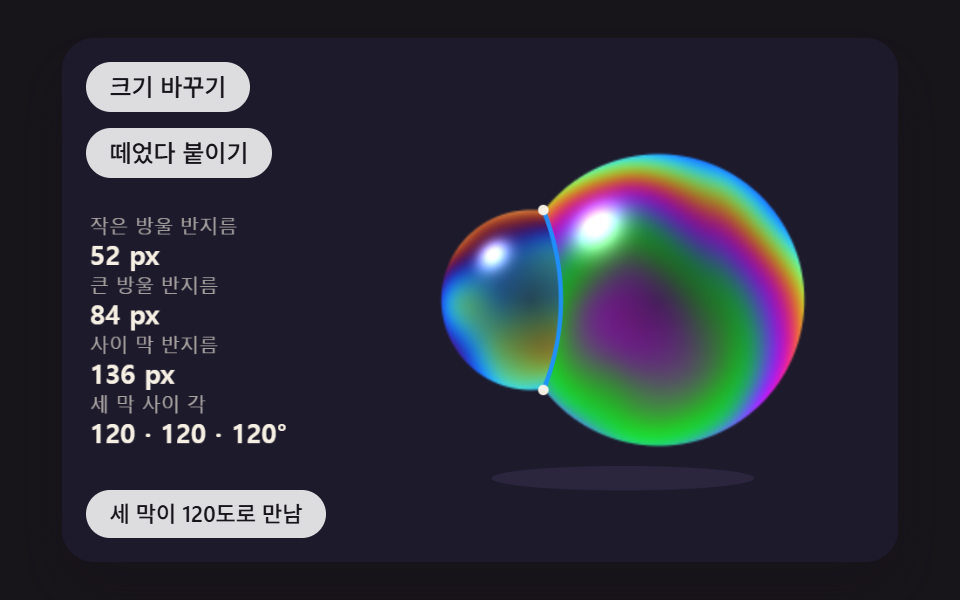
シャボン玉の虹色は塗った色ではなく、膜の厚さが生む光のずれです — 01番は厚さから色を計算し、04番は突いた所から縁がめくれて割れ、06番はくっついた二つの玉の間に曲がった膜ができます。
九つのシャボン玉を吹いて、突いて、くっつけてみる
 01 sb-film-thickness-interference-hue
 02 sb-gravity-drain-band-rise
 03 sb-buoyancy-wind-noise-drift
 04 sb-poke-pop-rim-retract
 05 sb-wobble-shape-mode-spring
 06 sb-twin-bubble-shared-wall
 07 sb-wand-blow-neck-pinch
 08 sb-sky-reflection-edge-glare
 09 sb-hero-bubble-meadow-scene
自動再生 · タイルを押すとその項目へ · すべて1つのzip
- 01 膜の厚さひとつから虹色を計算して塗るシャボン玉
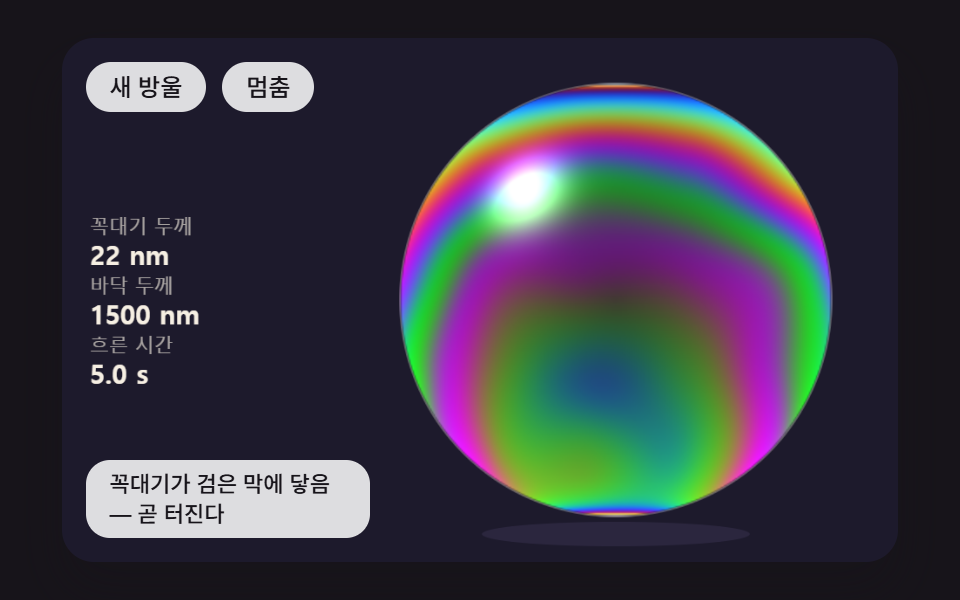
- 02 膜が下へ流れ落ち、てっぺんは黒い膜へ薄くなり、底の帯は上へせり上がる玉
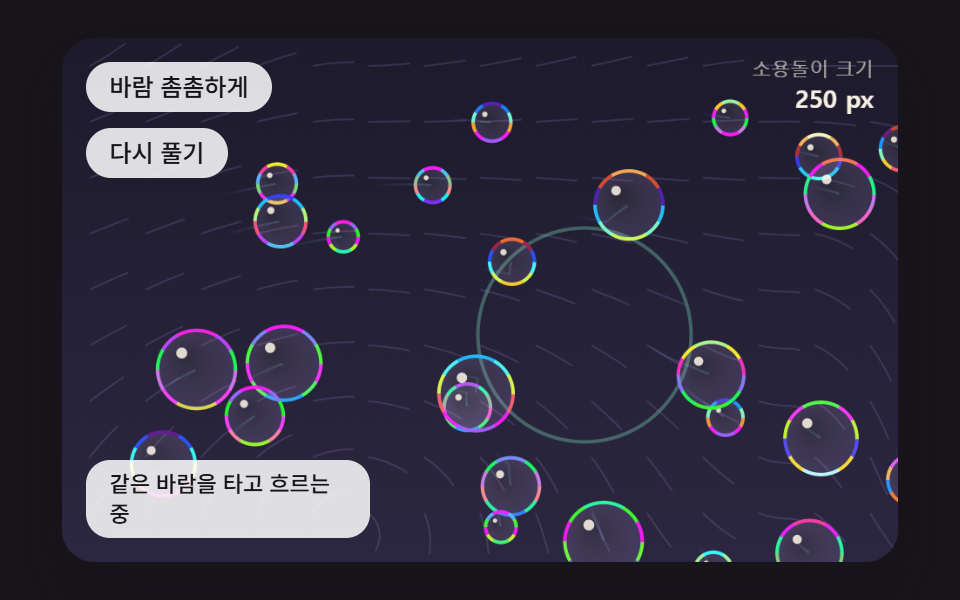
- 03 浮力と空気抵抗、ノイズの風の中を漂う玉の群れ
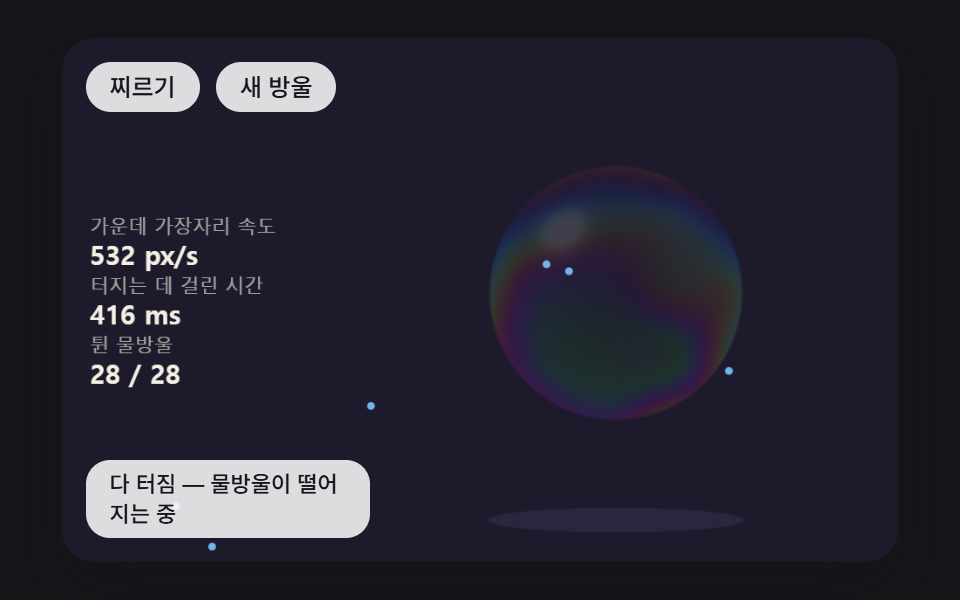
- 04 突いた所から穴の縁がめくれて広がり、しずくが飛ぶ割れ方
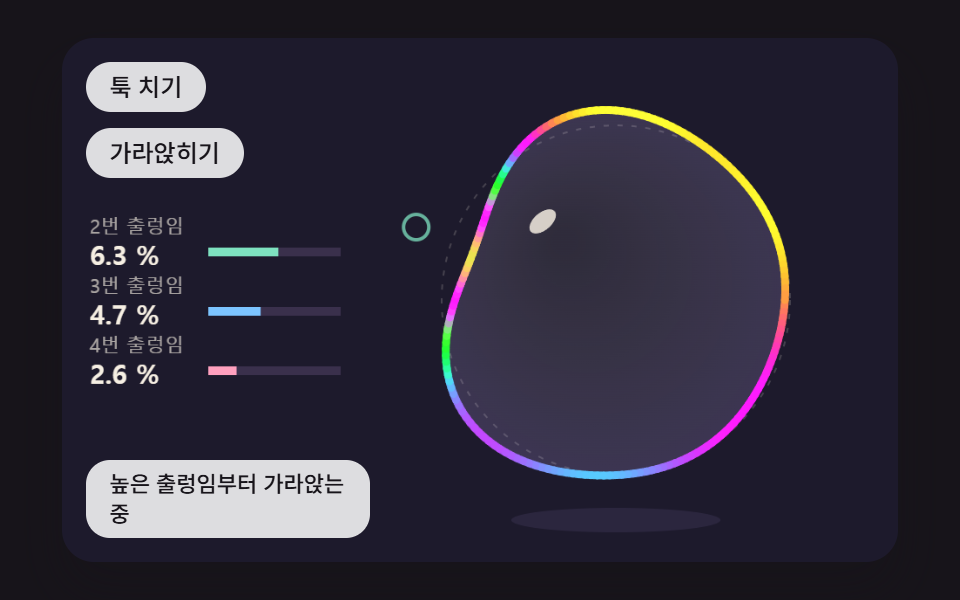
- 05 輪郭が何層ものゆれのばねで揺れて落ち着く玉
- 06 二つの玉がくっつき、間に曲がった膜を一枚分け合う双子の玉
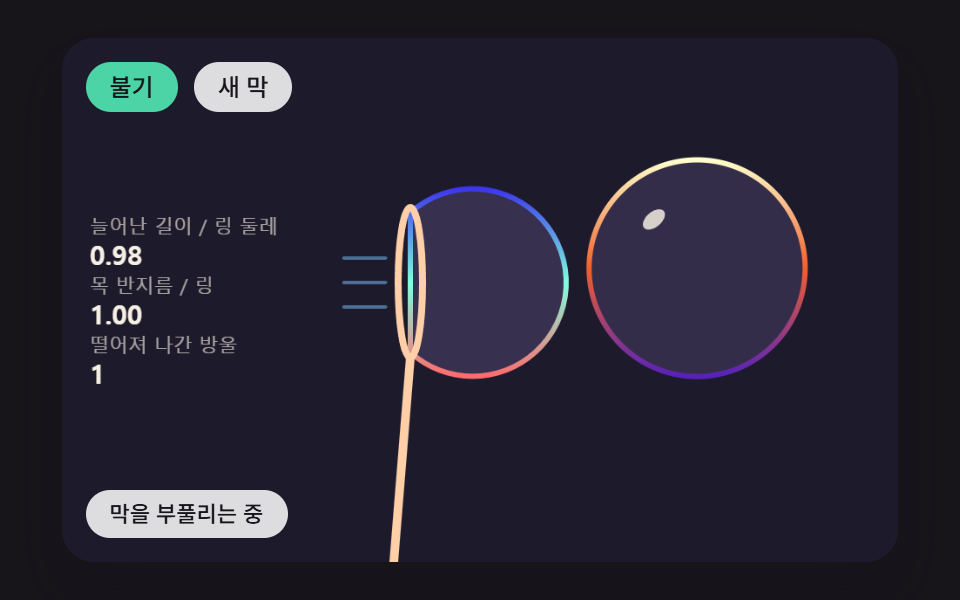
- 07 輪に張った膜を風でふくらませ、首がくびれて離れていく玉
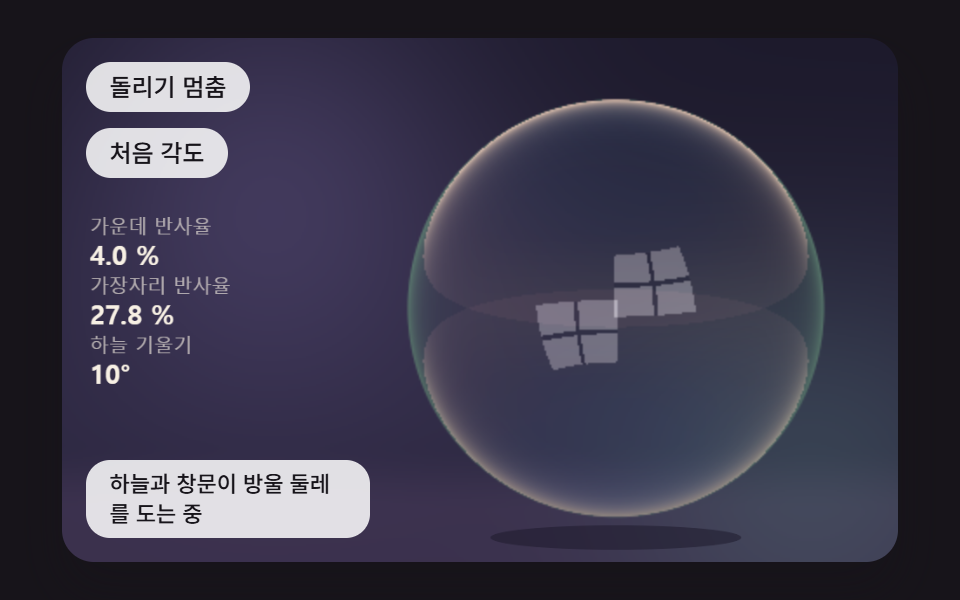
- 08 空と窓を映し、縁に近いほど反射が濃くなる玉
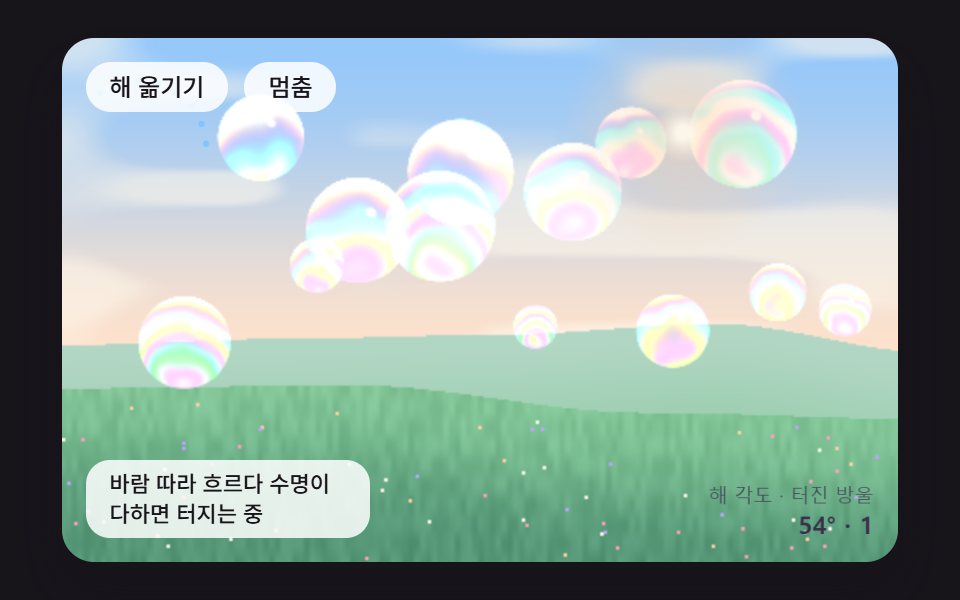
- 09 野原の上を風に乗って流れる十四個のシャボン玉が、それぞれ色と反射を計算する場面
九つの場面は、膜が一枚できてから消えるまでを順に追って並べてあります。01・02は膜の厚さとその厚さが生む色、03は吹き終えた玉が空気の中を漂う道筋、04・05は突いたりはじいたりしたときの反応です。06・07は玉どうしがくっつく形と輪から離れていく形、08は厚さの代わりに見る角度が決める反射で、09はそれまでの計算を十四個の玉にまとめて載せた野原です。
シャボン玉 アニメーション 9種 — 膜の厚さの色・流れ落ち・風・割れ方・二つの玉で作る場面
キャンバス一枚と、玉の大きさに合わせた計算板
どの場面も<canvas>が一枚で、内部座標は480×300に固定されています。01・02・04・06・08・09は別に用意した板に画素の値を直接書き込み、それをdrawImageで舞台に載せていて、板の大きさは01・02が250×250、04が238×238、06が340×172、08が242×254、09は舞台全体の480×300です。putImageDataはキャンバスにかけた変換を無視するので板を一度経由させています。板は場面の座標の大きさのまま計算し、drawImageが端末の画素倍率(2で打ち切り)の分だけ引き伸ばして描くので、倍率の高い画面でも計算する画素の数は増えません。03・05・07は画素を埋めず、線とグラデーションだけで描きます。
1nm刻みの表がsinの呼び出しを肩代わりします
reflectRGBは起動時に0〜1600nmを1nm間隔で一度ずつ呼ばれ、4,803マスのfilmLutを埋めます。塗るときはfilmAtがその表を1nmのあいだで線形補間して読むので、01は毎フレーム62,500画素を塗り直してもMath.sinを呼びません。画面の画素を読み出すgetImageDataは九つの場面のどこにもなく、計算した値を書き込むだけです。
16msの固定ステップで刻む時間
時間はrequestAnimationFrameが渡す時刻の差をためておき、16msの固定ステップ(FIXED_DT)に切り分けて使います。一フレームにためられる時間は100ms、ステップは最大6回で、画素の計算はステップ数に関係なく一フレームに一回です。スタイルシートに@keyframesはなく、CSSで動くのはボタンの背景色のtransitionひとつだけで、円を@keyframesで上へ流すだけのcss アニメーション シャボン玉とはここで道が分かれます。
撮影窓で数えた玉の動き
測定はシャボン玉の場面ごとに480×300の窓で2秒間に24枚を写し、前後の二枚を見比べる方式です。動いたフレームは、その23回の比較のうち画面に差が出た回数を数えています。
| 場面 | 画面が動いた累積面積 | 強度平均 | 動いたフレーム |
|---|---|---|---|
| 01 厚さから計算した虹色 | 27.3% | 32.6 | 23/23 |
| 02 流れ落ちと黒い膜 | 29.1% | 48.9 | 23/23 |
| 03 風に乗る玉の群れ | 42.6% | 88.4 | 23/23 |
| 04 突いた所からの割れ方 | 27.0% | 88.6 | 23/23 |
| 05 ゆれのばね | 13.5% | 125.0 | 23/23 |
| 06 双子の玉と間の膜 | 23.9% | 64.4 | 14/23 |
| 07 輪から吹く玉 | 20.7% | 96.6 | 23/23 |
| 08 空と窓の反射 | 11.6% | 41.7 | 23/23 |
| 09 野原の十四個の玉 | 33.7% | 32.7 | 23/23 |
05と08の面積が13.5%・11.6%にとどまるのは、変わる場所が狭いからです。05で揺れるのは輪郭の線一本だけで、08は空が11.4秒で一周するため2秒では約63°しか回らず、反射の濃い場所も縁の輪に集まっています。06の14/23は、二つの玉がくっつききったあと1.1秒(HOLD_MS)止まっている区間が2秒の撮影の後ろ側にかかるためで、03の42.6%は玉26個と32px間隔の流線が画面全体に広がっているためと見られます。
このシャボン玉を置く画面
夏のイベントLPや子ども向けサービスのトップのように、澄んだ軽い印象を最初に出したい場所なら、09をヒーローの背景に敷いて見出しを重ねる構成が出発点になります。ボタンやいいねのアイコンに泡 が 弾ける アニメーションを付けたいなら、画面全体を使う場面より04の割れ方や05の揺れを小さく切り出すほうが計算も軽く済みます。アップロードの進行バーの位置に07の輪を置けば処理が終わる瞬間が玉の離れていく形で見え、02は残り時間をてっぺんの色で知らせる待ち画面に合います。
シャボン玉の虹色はなぜ膜が薄くなるほど変わるのか?
シャボン玉の膜に当たった光は、一部が外側の面ですぐにはね返り、一部は膜の中へ入って内側の面ではね返ってから戻ってきます。戻ってきた光は膜を一往復した分、つまり屈折率1.33×厚さ×2だけ遅れて出てくるため、その遅れが波長の何倍にあたるかで二つの光は強め合ったり打ち消し合ったりします。この記事では赤・緑・青の波長を650・530・450nmに置いているので、同じ遅れでもチャンネルごとに残る割合が違い、その差が色として見えます。何も塗らなくても膜の厚さが変わるだけで色が移るのはこのためです。
表の面だけ位相が裏返ると見れば、薄い膜は黒くなります
reflectRGBは外側の面ではね返った光だけ位相が半周ずれると見なし、チャンネルごとにsin²(2π·1.33·d/λ)をそのチャンネルの割合にします。厚さdが0に近づくと二つの光がほぼ逆向きに重なって三つの値がそろって0へ落ち(30nmで0.14・0.21・0.28)、流れ落ちてごく薄くなったてっぺんは色ではなく暗く映ります。02が30nm(BLACK_FILM_NM)をもうすぐ割れる膜の目安にしているのもこのためです。
斜めから見ると、厚さが同じでも色がずれます
玉の縁のほうでは視線が膜を斜めに通るので、膜の中で曲がった光のずれが、曲がった角のコサイン倍に縮みます。insideCosがこの倍率を√(1 − (1 − cos²)/1.33²)として出し、01の380nmの膜は正面の赤紫から縁へ向かうほど橙を経て緑、さらに青へと移ります。厚さを均一にした玉でも縁に中央と違う色の輪ができるのは、この一行の働きです。
0〜1で出る値は反射率ではなく比率です
三つの値は0〜1にそろえた比率で、光が何%戻ってくるかを表すものではありません。実際の膜が返す光は数%程度ですが、08を除く八つの場面はこの比率に235(09は200)を掛けた明るさを背景の色の上に足すので、画面の玉は実際の膜よりずっと明るく濃く見えます。チャンネル一つを波長一つで代表させたのも近似で、波長の全範囲を足し合わせてできる実際の色より帯の境目がくっきり分かれます。
01膜の厚さひとつから虹色を計算して塗るシャボン玉
玉の中の250×250の板にある62,500画素それぞれで、thicknessAtがてっぺん0.68倍・底1.32倍の傾きと時間とともに流れるノイズのむらから厚さを決め、reflectRGBがその厚さで赤650・緑530・青450nmの三つの波長が残る割合を求めて色にします。厚さが同じ380nmでも法線の正面成分zが1→0.5→0.25と傾けばinsideCosがずれを縮め、0.97・0.08・0.49の赤紫が0.29・0.97・0.64の緑を経て0.04・0.68・0.98の青に変わります。ブランドのヒーロー背景や製品パッケージのモックアップのように模様より質感を先に見せたい場面に合い、指す点をドラッグすると左の欄にその場所の厚さと三つの値が数字で出ます。
<main class="stage">
<div class="hs is-demo" id="hs">
  <canvas class="hs__canvas" data-role="canvas" width="480" height="300" tabindex="0" aria-label="画素ごとに膜の厚さから赤・緑・青の三つの波長が残る割合を計算して塗るシャボン玉。押すかドラッグすると、その場所の厚さと三つの値を読みます"></canvas>
  <p class="hs__status" data-role="status" aria-live="off">厚さから色を計算しています</p>
  <div class="hs__tools">
    <button class="hs__btn" data-role="thin" type="button">薄く</button>
    <button class="hs__btn" data-role="thick" type="button">厚く</button>
  </div>
</div>
</main>
@use "../../../../site/static/demo-tokens" as *;
@include stage($stage-ink);
.hs {
position: relative;
width: min(92vw, calc(160vh - 12.8vw));
aspect-ratio: 480 / 300;
margin: 0 auto;
border-radius: $r-card;
overflow: hidden;
box-shadow: $shadow-raised;
background: $subject-ink;
}
.hs__canvas {
display: block;
width: 100%;
height: 100%;
cursor: crosshair;
}
.hs__canvas:focus-visible {
outline: 2px solid rgba(255, 255, 255, .85);
outline-offset: -6px;
}
.hs__status {
position: absolute;
left: $sp-3;
bottom: $sp-3;
box-sizing: border-box;
max-width: 34%;
margin: 0;
padding: $sp-1 $sp-3;
border-radius: $r-control;
background: rgba(255, 255, 255, .85);
color: $subject-ink;
font-weight: 500;
font-size: 11px;
line-height: 1.4;
pointer-events: none;
}
// 판은 오른쪽에 있다 — 버튼은 왼쪽 위 칸에 두고, 좁으면 줄을 바꿔 판을 덮지 않는다
.hs__tools {
position: absolute;
left: $sp-3;
top: $sp-3;
box-sizing: border-box;
max-width: 34%;
display: flex;
flex-wrap: wrap;
gap: $sp-2;
}
.hs__btn {
margin: 0;
padding: $sp-1 $sp-3;
border: 0;
border-radius: $r-pill;
background: rgba(255, 255, 255, .85);
color: $subject-ink;
font: inherit;
font-weight: 500;
font-size: 12px;
line-height: 1.4;
cursor: pointer;
transition: background-color $dur-quick ease-out;
}
.hs__btn:hover {
background: $subject-cream;
}
.hs__btn[aria-pressed="true"] {
background: $subject-mint;
}
.hs__btn:focus-visible {
outline: 2px solid rgba(255, 255, 255, .95);
outline-offset: 2px;
}
// 손가락 가로 끌기는 이 캔버스가 받고, 세로 쓸기는 브라우저에 남겨 페이지 스크롤이 막히지 않게 한다
.hs__canvas { touch-action: pan-y; }
@media (max-width: 340px) {
.hs__btn { font-size: 10px; padding: $sp-1 $sp-2; }
.hs__status { font-size: 10px; padding: $sp-1 $sp-2; }
}
@media (prefers-reduced-motion: reduce) {
.hs__btn { transition: none; }
}html, body {
margin: 0;
overflow: hidden;
}
.stage {
box-sizing: border-box;
min-height: 100vh;
display: grid;
place-items: center;
margin: 0;
background: #17141a;
font-family: -apple-system, "Segoe UI", "Noto Sans KR", sans-serif;
padding: clamp(8px, 4vw, 24px);
}
.hs {
position: relative;
width: min(92vw, 160vh - 12.8vw);
aspect-ratio: 480/300;
margin: 0 auto;
border-radius: 16px;
overflow: hidden;
box-shadow: 0 14px 24px rgba(23, 20, 26, 0.32);
background: #17141a;
}
.hs__canvas {
display: block;
width: 100%;
height: 100%;
cursor: crosshair;
}
.hs__canvas:focus-visible {
outline: 2px solid rgba(255, 255, 255, 0.85);
outline-offset: -6px;
}
.hs__status {
position: absolute;
left: 12px;
bottom: 12px;
box-sizing: border-box;
max-width: 34%;
margin: 0;
padding: 4px 12px;
border-radius: 12px;
background: rgba(255, 255, 255, 0.85);
color: #17141a;
font-weight: 500;
font-size: 11px;
line-height: 1.4;
pointer-events: none;
}
.hs__tools {
position: absolute;
left: 12px;
top: 12px;
box-sizing: border-box;
max-width: 34%;
display: flex;
flex-wrap: wrap;
gap: 8px;
}
.hs__btn {
margin: 0;
padding: 4px 12px;
border: 0;
border-radius: 999px;
background: rgba(255, 255, 255, 0.85);
color: #17141a;
font: inherit;
font-weight: 500;
font-size: 12px;
line-height: 1.4;
cursor: pointer;
transition: background-color 220ms ease-out;
}
.hs__btn:hover {
background: #fff7e6;
}
.hs__btn[aria-pressed=true] {
background: #4cd4a6;
}
.hs__btn:focus-visible {
outline: 2px solid rgba(255, 255, 255, 0.95);
outline-offset: 2px;
}
.hs__canvas {
touch-action: pan-y;
}
@media (max-width: 340px) {
.hs__btn {
font-size: 10px;
padding: 4px 8px;
}
.hs__status {
font-size: 10px;
padding: 4px 8px;
}
}
@media (prefers-reduced-motion: reduce) {
.hs__btn {
transition: none;
}
}(function () {
const root = document.getElementById("hs");
if (!root) return;
const W = 480;
const H = 300;
const FIXED_DT = 16;
// 파스텔 팔레트 — 어두운 무대 위에 밝은 막을 얹어 명도 차로 방울이 읽힌다 (막의 무지갯빛은 이 표가 아니라 두께 계산에서 나온다)
const BG = [29, 26, 44];
const DEEP = [44, 39, 64];
const PAPER = [255, 248, 234];
const INK = [58, 48, 76];
const MINT = [126, 226, 192];
const SKY = [124, 196, 255];
const LILAC = [190, 164, 255];
const PINK = [255, 160, 190];
const PEACH = [255, 208, 168];
function clamp(v, lo, hi) { return v < lo ? lo : (v > hi ? hi : v); }
function lerp(a, b, k) { return a + (b - a) * k; }
function smooth(x) { const c = clamp(x, 0, 1); return c * c * (3 - 2 * c); }
function rgba(c, a) {
return 'rgba(' + Math.round(c[0]) + ',' + Math.round(c[1]) + ',' + Math.round(c[2]) + ',' + clamp(a, 0, 1).toFixed(3) + ')';
}
function mix(a, b, k) { return [lerp(a[0], b[0], k), lerp(a[1], b[1], k), lerp(a[2], b[2], k)]; }
const canvasEl = root.querySelector('[data-role="canvas"]');
const statusEl = root.querySelector('[data-role="status"]');
const ctxRaw = canvasEl ? canvasEl.getContext('2d') : null;
if (!canvasEl || !ctxRaw || !statusEl) {
return;
}
const cv = canvasEl;
const ctx = ctxRaw;
const status = statusEl;
const reduceQuery = window.matchMedia('(prefers-reduced-motion: reduce)');
let still = reduceQuery.matches;
// 자동 시연 중인가 — 사람이 처음 만지는 순간 시연을 멈추고 상태 줄을 읽어 주기 시작한다
let demo = root.classList.contains('is-demo');
function wake() {
if (!demo) {
return;
}
demo = false;
root.classList.remove('is-demo');
status.setAttribute('aria-live', 'polite');
}
function say(text) {
if (status.textContent !== text) {
status.textContent = text;
}
}
function fitCanvas() {
// 배율은 2 에서 자른다 — 배율 3 기기에서 화소가 2.25배로 늘어 프레임마다 일이 그만큼 커지지 않게
const dpr = Math.min(window.devicePixelRatio || 1, 2);
cv.width = Math.round(W * dpr);
cv.height = Math.round(H * dpr);
ctx.setTransform(dpr, 0, 0, dpr, 0, 0);
}
function onResize() {
fitCanvas();
draw();
}
fitCanvas();
window.addEventListener('resize', onResize);
// 화면 좌표(CSS px) → 장면 좌표(480x300). 리사이즈 뒤에도 늘 현재 크기로 다시 잰다
function toScene(ev) {
const r = cv.getBoundingClientRect();
return [((ev.clientX - r.left) / r.width) * W, ((ev.clientY - r.top) / r.height) * H];
}
// 시드 고정 난수 — 같은 시드면 같은 장면이 다시 나온다 (32비트 정수 섞기)
function makeRng(seed) {
let s = seed >>> 0;
return function () {
s = (s + 0x6d2b79f5) >>> 0;
let t = s;
t = Math.imul(t ^ (t >>> 15), t | 1);
t ^= t + Math.imul(t ^ (t >>> 7), t | 61);
return ((t ^ (t >>> 14)) >>> 0) / 4294967296;
};
}
// 왼쪽 칸의 수치 — 이름표 한 줄 + 값 한 줄
function panelRow(row, label, value) {
const y = 112 + row * 34;
ctx.textAlign = 'left';
ctx.textBaseline = 'alphabetic';
ctx.fillStyle = rgba(PAPER, 0.62);
ctx.font = '500 11px sans-serif';
ctx.fillText(label, 16, y);
ctx.fillStyle = rgba(PAPER, 0.96);
ctx.font = '700 15px sans-serif';
ctx.fillText(value, 16, y + 18);
}
function clearStage() {
ctx.fillStyle = rgba(BG, 1);
ctx.fillRect(0, 0, W, H);
}
// 2D 값 노이즈 — 정수 격자 꼭짓점마다 시드 난수 값(−1~1)을 두고 그 사이를 부드러운 곡선으로 잇는다
const NOISE_SEED = 465;
const noisePerm = new Uint8Array(512);
const noiseVal = new Float32Array(256);
{
const nr = makeRng(NOISE_SEED);
for (let i = 0; i < 256; i += 1) {
noisePerm[i] = i;
noiseVal[i] = nr() * 2 - 1;
}
for (let i = 255; i > 0; i -= 1) {
const j = Math.floor(nr() * (i + 1));
const t = noisePerm[i];
noisePerm[i] = noisePerm[j];
noisePerm[j] = t;
}
for (let i = 0; i < 256; i += 1) {
noisePerm[i + 256] = noisePerm[i];
}
}
function noiseHash(ix, iy) {
return noiseVal[noisePerm[noisePerm[ix & 255] + (iy & 255)]];
}
function noise2(x, y) {
const xi = Math.floor(x);
const yi = Math.floor(y);
const fx = x - xi;
const fy = y - yi;
const u = fx * fx * (3 - 2 * fx);
const v = fy * fy * (3 - 2 * fy);
const a = noiseHash(xi, yi);
const b = noiseHash(xi + 1, yi);
const c = noiseHash(xi, yi + 1);
const d = noiseHash(xi + 1, yi + 1);
return lerp(lerp(a, b, u), lerp(c, d, u), v);
}
// 막의 굴절률 — 비눗물 막을 물과 같은 값으로 둔다
const FILM_N = 1.33;
// 세 파장(nm) — 화면의 빨강·초록·파랑 채널을 이 파장 하나씩으로 대신한다
const WAVE_RGB_NM = [650, 530, 450];
// 표를 만들 두께 범위(nm) — 1nm 눈금마다 세 채널 값을 미리 구해 둔다
const LUT_D_MAX = 1600;
const filmLut = new Float32Array((LUT_D_MAX + 1) * 3);
// 막 앞면과 뒷면에서 튕긴 두 빛이 두께만큼 어긋나 파장마다 남는 몫 — sin²(2π·n·d/λ).
// 앞면에서 튕긴 빛만 위상이 뒤집히므로 두께 0 이면 세 채널이 모두 0(검은 막). 값은 0~1 로 맞춘 비율이지 실제 반사율(몇 %)이 아니다
function reflectRGB(dNm) {
const out = [0, 0, 0];
for (let c = 0; c < 3; c += 1) {
const s = Math.sin(2 * Math.PI * FILM_N * dNm / WAVE_RGB_NM[c]);
out[c] = s * s;
}
return out;
}
for (let d = 0; d <= LUT_D_MAX; d += 1) {
const r = reflectRGB(d);
filmLut[d * 3] = r[0];
filmLut[d * 3 + 1] = r[1];
filmLut[d * 3 + 2] = r[2];
}
// 비스듬히 보면 빛이 막 안에서 꺾여 지나므로 어긋남이 cos(꺾인 각)배로 줄어든다 — cosView 는 시선과 법선 사이 각의 cos
function insideCos(cosView) {
const s2 = (1 - cosView * cosView) / (FILM_N * FILM_N);
return Math.sqrt(1 - s2);
}
// 두께 d(nm) 에서 채널 c 의 몫 — 표를 1nm 사이에서 선형 보간해 읽는다
function filmAt(dNm, c) {
const d = clamp(dNm, 0, LUT_D_MAX - 1);
const i = Math.floor(d);
const f = d - i;
return filmLut[i * 3 + c] * (1 - f) + filmLut[(i + 1) * 3 + c] * f;
}
// 캔버스 선·면에 쓸 막 색 — 어두운 무대 위에 세 채널 몫을 밝기로 얹는다
function filmColor(dNm, gain) {
return [BG[0] + filmAt(dNm, 0) * 235 * gain, BG[1] + filmAt(dNm, 1) * 235 * gain, BG[2] + filmAt(dNm, 2) * 235 * gain];
}
// 화소 하나를 막 색으로 — under 는 방울 뒤 바탕색, nx·ny·z 는 구면 위 법선(z 는 시선 쪽 성분)
function shadeFilm(px, o, dNm, nx, ny, z, under, alpha) {
const dEff = dNm * insideCos(z);
// 가장자리일수록 시선이 막을 비스듬히 지나 색이 진하다 — 가운데는 뒤 바탕이 비쳐 보이게 낮춘다
const amp = 0.22 + 0.78 * Math.pow(1 - z, 0.6);
// 왼쪽 위에서 오는 빛 하나의 반짝임
const hl = Math.pow(Math.max(0, nx * -0.42 + ny * -0.5 + z * 0.76), 60);
for (let c = 0; c < 3; c += 1) {
const v = under[c] + filmAt(dEff, c) * 235 * amp + hl * 220;
px[o + c] = under[c] + (v - under[c]) * alpha;
}
px[o + 3] = 255;
}
function makePix(w, h) {
const c = document.createElement('canvas');
c.width = w;
c.height = h;
const pc = c.getContext('2d');
if (!pc) {
return null;
}
const img = pc.createImageData(w, h);
return { cvs: c, pc: pc, img: img, px: img.data, w: w, h: h };
}
// putImageData 는 캔버스 변환(배율)을 무시한다 — 작은 캔버스에 올린 뒤 drawImage 로 장면 좌표에 그린다
function showPix(p, x, y) {
p.pc.putImageData(p.img, 0, 0);
ctx.drawImage(p.cvs, x, y, p.w, p.h);
}
// 01 — 膜の厚さ 하나에서 화소마다 무지갯빛을 계산한다
// 가운데 높이의 기준 膜の厚さ(nm) — 위로 갈수록 얇고 아래로 갈수록 厚く 기울인다
const FILM_D_NM = 380;
// 위아래 두께 기울기 — 꼭대기는 (1 − 0.32)배, 바닥은 (1 + 0.32)배
const TILT_K = 0.32;
// 노이즈 소용돌이가 두께를 흔드는 폭(배율)
const SWIRL_K = 0.22;
// 소용돌이 무늬가 흘러가는 빠르기(노이즈 칸/초)
const SWIRL_FLOW = 0.21;
// 방울 중심·반지름(장면 px)
const BCX = 318;
const BCY = 150;
const BR = 124;
// 버튼·키 한 번에 옮기는 基準の厚さ(nm)와 그 범위
const SHIFT_STEP = 40;
const SHIFT_MIN = -300;
const SHIFT_MAX = 600;
const TXT_RUN = '厚さから色を計算しています';
const TXT_SHIFT = '基準の厚さを動かしました';
const TXT_PROBE = '指した場所の厚さと三つの波長の値';
const thinBtn = root.querySelector('[data-role="thin"]');
const thickBtn = root.querySelector('[data-role="thick"]');
const BOX = BR * 2 + 2;
const PX0 = BCX - BR - 1;
const PY0 = BCY - BR - 1;
const pix = makePix(BOX, BOX);
const under = [BG[0], BG[1], BG[2]];
let shift = 0;
let filmT = 0;
let probeX = BCX - 34;
let probeY = BCY + 26;
let dragging = false;
let lastText = TXT_RUN;
// nx·ny 는 방울 중심 기준 −1~1, 아래가 +ny. 반환은 그 자리 膜の厚さ(nm)
function thicknessAt(nx, ny, t) {
const base = Math.max(FILM_D_NM + shift, 0);
const swirl = noise2(nx * 1.7 + t * SWIRL_FLOW, ny * 1.7 - t * SWIRL_FLOW * 0.8 + 9.3);
return Math.max(base * (1 + TILT_K * ny) * (1 + SWIRL_K * swirl), 0);
}
// 방울 안 화소마다 — 두께 → 비스듬한 만큼 줄인 어긋남 → 세 파장 몫 → 색
function paintFilm() {
if (!pix) {
return;
}
const px = pix.px;
for (let j = 0; j < BOX; j += 1) {
const ny = (PY0 + j + 0.5 - BCY) / BR;
for (let i = 0; i < BOX; i += 1) {
const nx = (PX0 + i + 0.5 - BCX) / BR;
const r2 = nx * nx + ny * ny;
const o = (j * BOX + i) * 4;
if (r2 >= 1) {
px[o + 3] = 0;
continue;
}
const z = Math.sqrt(1 - r2);
// 테두리 한 화소는 반쯤 비쳐 계단이 덜 보이게
const edge = clamp((1 - Math.sqrt(r2)) * BR, 0, 1);
shadeFilm(px, o, thicknessAt(nx, ny, filmT), nx, ny, z, under, 1);
px[o + 3] = 255 * edge;
}
}
showPix(pix, PX0, PY0);
}
function setProbe(x, y) {
const dx = x - BCX;
const dy = y - BCY;
const r = Math.hypot(dx, dy);
const lim = BR * 0.94;
if (r > lim) {
probeX = BCX + dx / r * lim;
probeY = BCY + dy / r * lim;
}
else {
probeX = x;
probeY = y;
}
}
function probeValues() {
const nx = (probeX - BCX) / BR;
const ny = (probeY - BCY) / BR;
const z = Math.sqrt(Math.max(1 - nx * nx - ny * ny, 0));
const d = thicknessAt(nx, ny, filmT);
return [d, reflectRGB(d * insideCos(z))];
}
const BAR_RGB = [[255, 140, 160], [140, 230, 170], [140, 180, 255]];
function draw() {
clearStage();
// 방울 뒤 그림자 — 무대 바닥에 옅게
ctx.fillStyle = rgba(DEEP, 0.9);
ctx.beginPath();
ctx.ellipse(BCX, BCY + BR + 10, BR * 0.62, 7, 0, 0, Math.PI * 2);
ctx.fill();
paintFilm();
ctx.strokeStyle = rgba(PAPER, 0.22);
ctx.lineWidth = 1;
ctx.beginPath();
ctx.arc(BCX, BCY, BR, 0, Math.PI * 2);
ctx.stroke();
const pv = probeValues();
ctx.strokeStyle = rgba(PAPER, 0.95);
ctx.lineWidth = 2;
ctx.beginPath();
ctx.arc(probeX, probeY, 7, 0, Math.PI * 2);
ctx.stroke();
ctx.beginPath();
ctx.moveTo(probeX - 12, probeY);
ctx.lineTo(probeX - 9, probeY);
ctx.moveTo(probeX + 9, probeY);
ctx.lineTo(probeX + 12, probeY);
ctx.stroke();
panelRow(0, '膜の厚さ', String(Math.round(pv[0])) + ' nm');
panelRow(1, '赤 · 緑 · 青', pv[1][0].toFixed(2) + ' · ' + pv[1][1].toFixed(2) + ' · ' + pv[1][2].toFixed(2));
panelRow(2, '基準の厚さ', String(Math.max(FILM_D_NM + shift, 0)) + ' nm');
for (let c = 0; c < 3; c += 1) {
ctx.fillStyle = rgba(INK, 1);
ctx.fillRect(16, 222 + c * 8, 132, 5);
ctx.fillStyle = rgba(BAR_RGB[c], 1);
ctx.fillRect(16, 222 + c * 8, 132 * pv[1][c], 5);
}
}
function step() {
filmT += FIXED_DT / 1000;
}
function settle() {
say(lastText);
}
function demoTick(t) {
const a = t / 1000;
// 찍는 자리를 방울 안에서 쉬지 않고 옮기고, 기준 두께를 0 → −90nm 로 천천히 오르내린다
setProbe(BCX + Math.cos(a * 1.3) * BR * 0.55, BCY + Math.sin(a * 2.1) * BR * 0.5);
shift = Math.round(-45 * (1 - Math.cos(a * 2.6)));
}
function after(text) {
lastText = text;
say(text);
draw();
}
function nudge(dir) {
shift = clamp(shift + dir * SHIFT_STEP, SHIFT_MIN, SHIFT_MAX);
after(TXT_SHIFT);
}
cv.addEventListener('pointerdown', function (ev) {
wake();
dragging = true;
cv.setPointerCapture(ev.pointerId);
const p = toScene(ev);
setProbe(p[0], p[1]);
after(TXT_PROBE);
});
cv.addEventListener('pointermove', function (ev) {
if (!dragging) {
return;
}
const p = toScene(ev);
setProbe(p[0], p[1]);
after(TXT_PROBE);
});
function endDrag() { dragging = false; }
cv.addEventListener('pointerup', endDrag);
cv.addEventListener('pointercancel', endDrag);
cv.addEventListener('keydown', function (ev) {
const k = ev.key;
if (k === 'ArrowLeft' || k === 'ArrowRight' || k === 'ArrowUp' || k === 'ArrowDown') {
ev.preventDefault();
wake();
const dx = k === 'ArrowLeft' ? -8 : (k === 'ArrowRight' ? 8 : 0);
const dy = k === 'ArrowUp' ? -8 : (k === 'ArrowDown' ? 8 : 0);
setProbe(probeX + dx, probeY + dy);
after(TXT_PROBE);
}
else if (k === '-' || k === 'PageDown') {
ev.preventDefault();
wake();
nudge(-1);
}
else if (k === '+' || k === '=' || k === 'PageUp') {
ev.preventDefault();
wake();
nudge(1);
}
else if (k === 'Home') {
ev.preventDefault();
wake();
shift = 0;
setProbe(BCX - 34, BCY + 26);
after(TXT_RUN);
}
});
if (thinBtn) {
thinBtn.addEventListener('click', function () { wake(); nudge(-1); });
}
if (thickBtn) {
thickBtn.addEventListener('click', function () { wake(); nudge(1); });
}
say(TXT_RUN);
let rafId = 0;
let lastTs = -1;
let acc = 0;
let clock = 0;
let looping = false;
function frame(ts) {
if (!looping) {
return;
}
if (lastTs < 0) {
lastTs = ts;
}
// 탭이 숨었다 돌아와도 한 번에 100ms 까지만 따라잡는다 — 순간이동 대신 이어서 움직인다
acc += Math.min(ts - lastTs, 100);
lastTs = ts;
let n = 0;
while (acc >= FIXED_DT && n < 6) {
clock += FIXED_DT;
if (demo) {
demoTick(clock);
}
step();
acc -= FIXED_DT;
n += 1;
}
draw();
rafId = window.requestAnimationFrame(frame);
}
function startLoop() {
if (looping) {
return;
}
looping = true;
lastTs = -1;
acc = 0;
rafId = window.requestAnimationFrame(frame);
}
function stopLoop() {
looping = false;
window.cancelAnimationFrame(rafId);
}
// 움직임 줄이기 설정을 페이지를 연 채로 바꿔도 바로 따른다 — 켜면 루프를 멈추고 끝난 장면 한 장, 끄면 다시 돈다
function applyMotion() {
still = reduceQuery.matches;
if (still) {
stopLoop();
settle();
draw();
}
else {
startLoop();
}
}
reduceQuery.addEventListener('change', applyMotion);
applyMotion();
return function () {
stopLoop();
reduceQuery.removeEventListener('change', applyMotion);
window.removeEventListener('resize', onResize);
};
})();// SbFilmThicknessInterferenceHue - vanilla 판(01-sb-film-thickness-interference-hue) 의 React 포트. 같은 계산을 useEffect 안에서 돌린다.
import { useEffect, useRef } from "react";
import styles from "./SbFilmThicknessInterferenceHue.module.scss";
const cx = (s: string): string => s.split(" ").map((n) => styles[n] ?? n).join(" ");
export default function SbFilmThicknessInterferenceHue() {
const rootRef = useRef<HTMLDivElement | null>(null);
useEffect(() => {
const rootEl = rootRef.current;
if (!rootEl) return;
const root: HTMLElement = rootEl;
type RGB = [number, number, number];
const W = 480;
const H = 300;
const FIXED_DT = 16;
// 파스텔 팔레트 — 어두운 무대 위에 밝은 막을 얹어 명도 차로 방울이 읽힌다 (막의 무지갯빛은 이 표가 아니라 두께 계산에서 나온다)
const BG: RGB = [29, 26, 44];
const DEEP: RGB = [44, 39, 64];
const PAPER: RGB = [255, 248, 234];
const INK: RGB = [58, 48, 76];
const MINT: RGB = [126, 226, 192];
const SKY: RGB = [124, 196, 255];
const LILAC: RGB = [190, 164, 255];
const PINK: RGB = [255, 160, 190];
const PEACH: RGB = [255, 208, 168];
function clamp(v: number, lo: number, hi: number): number { return v < lo ? lo : (v > hi ? hi : v); }
function lerp(a: number, b: number, k: number): number { return a + (b - a) * k; }
function smooth(x: number): number { const c = clamp(x, 0, 1); return c * c * (3 - 2 * c); }
function rgba(c: RGB, a: number): string {
return 'rgba(' + Math.round(c[0]) + ',' + Math.round(c[1]) + ',' + Math.round(c[2]) + ',' + clamp(a, 0, 1).toFixed(3) + ')';
}
function mix(a: RGB, b: RGB, k: number): RGB { return [lerp(a[0], b[0], k), lerp(a[1], b[1], k), lerp(a[2], b[2], k)]; }
const canvasEl = root.querySelector('[data-role="canvas"]') as HTMLCanvasElement | null;
const statusEl = root.querySelector('[data-role="status"]') as HTMLElement | null;
const ctxRaw = canvasEl ? canvasEl.getContext('2d') : null;
if (!canvasEl || !ctxRaw || !statusEl) { return; }
const cv: HTMLCanvasElement = canvasEl;
const ctx: CanvasRenderingContext2D = ctxRaw;
const status: HTMLElement = statusEl;
const reduceQuery = window.matchMedia('(prefers-reduced-motion: reduce)');
let still = reduceQuery.matches;
// 자동 시연 중인가 — 사람이 처음 만지는 순간 시연을 멈추고 상태 줄을 읽어 주기 시작한다
let demo = root.classList.contains('is-demo');
function wake(): void {
if (!demo) { return; }
demo = false;
root.classList.remove('is-demo');
status.setAttribute('aria-live', 'polite');
}
function say(text: string): void {
if (status.textContent !== text) { status.textContent = text; }
}
function fitCanvas(): void {
// 배율은 2 에서 자른다 — 배율 3 기기에서 화소가 2.25배로 늘어 프레임마다 일이 그만큼 커지지 않게
const dpr = Math.min(window.devicePixelRatio || 1, 2);
cv.width = Math.round(W * dpr);
cv.height = Math.round(H * dpr);
ctx.setTransform(dpr, 0, 0, dpr, 0, 0);
}
function onResize(): void {
fitCanvas();
draw();
}
fitCanvas();
window.addEventListener('resize', onResize);
// 화면 좌표(CSS px) → 장면 좌표(480x300). 리사이즈 뒤에도 늘 현재 크기로 다시 잰다
function toScene(ev: PointerEvent): [number, number] {
const r = cv.getBoundingClientRect();
return [((ev.clientX - r.left) / r.width) * W, ((ev.clientY - r.top) / r.height) * H];
}
// 시드 고정 난수 — 같은 시드면 같은 장면이 다시 나온다 (32비트 정수 섞기)
function makeRng(seed: number): () => number {
let s = seed >>> 0;
return function (): number {
s = (s + 0x6d2b79f5) >>> 0;
let t = s;
t = Math.imul(t ^ (t >>> 15), t | 1);
t ^= t + Math.imul(t ^ (t >>> 7), t | 61);
return ((t ^ (t >>> 14)) >>> 0) / 4294967296;
};
}
// 왼쪽 칸의 수치 — 이름표 한 줄 + 값 한 줄
function panelRow(row: number, label: string, value: string): void {
const y = 112 + row * 34;
ctx.textAlign = 'left';
ctx.textBaseline = 'alphabetic';
ctx.fillStyle = rgba(PAPER, 0.62);
ctx.font = '500 11px sans-serif';
ctx.fillText(label, 16, y);
ctx.fillStyle = rgba(PAPER, 0.96);
ctx.font = '700 15px sans-serif';
ctx.fillText(value, 16, y + 18);
}
function clearStage(): void {
ctx.fillStyle = rgba(BG, 1);
ctx.fillRect(0, 0, W, H);
}
// 2D 값 노이즈 — 정수 격자 꼭짓점마다 시드 난수 값(−1~1)을 두고 그 사이를 부드러운 곡선으로 잇는다
const NOISE_SEED = 465;
const noisePerm = new Uint8Array(512);
const noiseVal = new Float32Array(256);
{
const nr = makeRng(NOISE_SEED);
for (let i = 0; i < 256; i += 1) {
noisePerm[i] = i;
noiseVal[i] = nr() * 2 - 1;
}
for (let i = 255; i > 0; i -= 1) {
const j = Math.floor(nr() * (i + 1));
const t = noisePerm[i];
noisePerm[i] = noisePerm[j];
noisePerm[j] = t;
}
for (let i = 0; i < 256; i += 1) { noisePerm[i + 256] = noisePerm[i]; }
}
function noiseHash(ix: number, iy: number): number {
return noiseVal[noisePerm[noisePerm[ix & 255] + (iy & 255)]];
}
function noise2(x: number, y: number): number {
const xi = Math.floor(x);
const yi = Math.floor(y);
const fx = x - xi;
const fy = y - yi;
const u = fx * fx * (3 - 2 * fx);
const v = fy * fy * (3 - 2 * fy);
const a = noiseHash(xi, yi);
const b = noiseHash(xi + 1, yi);
const c = noiseHash(xi, yi + 1);
const d = noiseHash(xi + 1, yi + 1);
return lerp(lerp(a, b, u), lerp(c, d, u), v);
}
// 막의 굴절률 — 비눗물 막을 물과 같은 값으로 둔다
const FILM_N = 1.33;
// 세 파장(nm) — 화면의 빨강·초록·파랑 채널을 이 파장 하나씩으로 대신한다
const WAVE_RGB_NM: RGB = [650, 530, 450];
// 표를 만들 두께 범위(nm) — 1nm 눈금마다 세 채널 값을 미리 구해 둔다
const LUT_D_MAX = 1600;
const filmLut = new Float32Array((LUT_D_MAX + 1) * 3);
// 막 앞면과 뒷면에서 튕긴 두 빛이 두께만큼 어긋나 파장마다 남는 몫 — sin²(2π·n·d/λ).
// 앞면에서 튕긴 빛만 위상이 뒤집히므로 두께 0 이면 세 채널이 모두 0(검은 막). 값은 0~1 로 맞춘 비율이지 실제 반사율(몇 %)이 아니다
function reflectRGB(dNm: number): RGB {
const out: RGB = [0, 0, 0];
for (let c = 0; c < 3; c += 1) {
const s = Math.sin(2 * Math.PI * FILM_N * dNm / WAVE_RGB_NM[c]);
out[c] = s * s;
}
return out;
}
for (let d = 0; d <= LUT_D_MAX; d += 1) {
const r = reflectRGB(d);
filmLut[d * 3] = r[0];
filmLut[d * 3 + 1] = r[1];
filmLut[d * 3 + 2] = r[2];
}
// 비스듬히 보면 빛이 막 안에서 꺾여 지나므로 어긋남이 cos(꺾인 각)배로 줄어든다 — cosView 는 시선과 법선 사이 각의 cos
function insideCos(cosView: number): number {
const s2 = (1 - cosView * cosView) / (FILM_N * FILM_N);
return Math.sqrt(1 - s2);
}
// 두께 d(nm) 에서 채널 c 의 몫 — 표를 1nm 사이에서 선형 보간해 읽는다
function filmAt(dNm: number, c: number): number {
const d = clamp(dNm, 0, LUT_D_MAX - 1);
const i = Math.floor(d);
const f = d - i;
return filmLut[i * 3 + c] * (1 - f) + filmLut[(i + 1) * 3 + c] * f;
}
// 캔버스 선·면에 쓸 막 색 — 어두운 무대 위에 세 채널 몫을 밝기로 얹는다
function filmColor(dNm: number, gain: number): RGB {
return [BG[0] + filmAt(dNm, 0) * 235 * gain, BG[1] + filmAt(dNm, 1) * 235 * gain, BG[2] + filmAt(dNm, 2) * 235 * gain];
}
// 화소 하나를 막 색으로 — under 는 방울 뒤 바탕색, nx·ny·z 는 구면 위 법선(z 는 시선 쪽 성분)
function shadeFilm(px: Uint8ClampedArray, o: number, dNm: number, nx: number, ny: number, z: number, under: RGB, alpha: number): void {
const dEff = dNm * insideCos(z);
// 가장자리일수록 시선이 막을 비스듬히 지나 색이 진하다 — 가운데는 뒤 바탕이 비쳐 보이게 낮춘다
const amp = 0.22 + 0.78 * Math.pow(1 - z, 0.6);
// 왼쪽 위에서 오는 빛 하나의 반짝임
const hl = Math.pow(Math.max(0, nx * -0.42 + ny * -0.5 + z * 0.76), 60);
for (let c = 0; c < 3; c += 1) {
const v = under[c] + filmAt(dEff, c) * 235 * amp + hl * 220;
px[o + c] = under[c] + (v - under[c]) * alpha;
}
px[o + 3] = 255;
}
// 화소 계산판 — 작은 캔버스 하나에 ImageData 를 붙여 두고 화소를 직접 채운다
type Pix = { cvs: HTMLCanvasElement; pc: CanvasRenderingContext2D; img: ImageData; px: Uint8ClampedArray; w: number; h: number };
function makePix(w: number, h: number): Pix | null {
const c = document.createElement('canvas');
c.width = w;
c.height = h;
const pc = c.getContext('2d');
if (!pc) { return null; }
const img = pc.createImageData(w, h);
return { cvs: c, pc: pc, img: img, px: img.data, w: w, h: h };
}
// putImageData 는 캔버스 변환(배율)을 무시한다 — 작은 캔버스에 올린 뒤 drawImage 로 장면 좌표에 그린다
function showPix(p: Pix, x: number, y: number): void {
p.pc.putImageData(p.img, 0, 0);
ctx.drawImage(p.cvs, x, y, p.w, p.h);
}
// 01 — 막 두께 하나에서 화소마다 무지갯빛을 계산한다
// 가운데 높이의 기준 막 두께(nm) — 위로 갈수록 얇고 아래로 갈수록 두껍게 기울인다
const FILM_D_NM = 380;
// 위아래 두께 기울기 — 꼭대기는 (1 − 0.32)배, 바닥은 (1 + 0.32)배
const TILT_K = 0.32;
// 노이즈 소용돌이가 두께를 흔드는 폭(배율)
const SWIRL_K = 0.22;
// 소용돌이 무늬가 흘러가는 빠르기(노이즈 칸/초)
const SWIRL_FLOW = 0.21;
// 방울 중심·반지름(장면 px)
const BCX = 318;
const BCY = 150;
const BR = 124;
// 버튼·키 한 번에 옮기는 기준 두께(nm)와 그 범위
const SHIFT_STEP = 40;
const SHIFT_MIN = -300;
const SHIFT_MAX = 600;
const TXT_RUN = '두께에서 색을 계산하는 중';
const TXT_SHIFT = '기준 두께를 옮김';
const TXT_PROBE = '찍은 자리의 두께와 세 파장 값';
const thinBtn = root.querySelector('[data-role="thin"]') as HTMLButtonElement | null;
const thickBtn = root.querySelector('[data-role="thick"]') as HTMLButtonElement | null;
const BOX = BR * 2 + 2;
const PX0 = BCX - BR - 1;
const PY0 = BCY - BR - 1;
const pix = makePix(BOX, BOX);
const under: RGB = [BG[0], BG[1], BG[2]];
let shift = 0;
let filmT = 0;
let probeX = BCX - 34;
let probeY = BCY + 26;
let dragging = false;
let lastText = TXT_RUN;
// nx·ny 는 방울 중심 기준 −1~1, 아래가 +ny. 반환은 그 자리 막 두께(nm)
function thicknessAt(nx: number, ny: number, t: number): number {
const base = Math.max(FILM_D_NM + shift, 0);
const swirl = noise2(nx * 1.7 + t * SWIRL_FLOW, ny * 1.7 - t * SWIRL_FLOW * 0.8 + 9.3);
return Math.max(base * (1 + TILT_K * ny) * (1 + SWIRL_K * swirl), 0);
}
// 방울 안 화소마다 — 두께 → 비스듬한 만큼 줄인 어긋남 → 세 파장 몫 → 색
function paintFilm(): void {
if (!pix) { return; }
const px = pix.px;
for (let j = 0; j < BOX; j += 1) {
const ny = (PY0 + j + 0.5 - BCY) / BR;
for (let i = 0; i < BOX; i += 1) {
const nx = (PX0 + i + 0.5 - BCX) / BR;
const r2 = nx * nx + ny * ny;
const o = (j * BOX + i) * 4;
if (r2 >= 1) { px[o + 3] = 0; continue; }
const z = Math.sqrt(1 - r2);
// 테두리 한 화소는 반쯤 비쳐 계단이 덜 보이게
const edge = clamp((1 - Math.sqrt(r2)) * BR, 0, 1);
shadeFilm(px, o, thicknessAt(nx, ny, filmT), nx, ny, z, under, 1);
px[o + 3] = 255 * edge;
}
}
showPix(pix, PX0, PY0);
}
function setProbe(x: number, y: number): void {
const dx = x - BCX;
const dy = y - BCY;
const r = Math.hypot(dx, dy);
const lim = BR * 0.94;
if (r > lim) {
probeX = BCX + dx / r * lim;
probeY = BCY + dy / r * lim;
} else {
probeX = x;
probeY = y;
}
}
function probeValues(): [number, RGB] {
const nx = (probeX - BCX) / BR;
const ny = (probeY - BCY) / BR;
const z = Math.sqrt(Math.max(1 - nx * nx - ny * ny, 0));
const d = thicknessAt(nx, ny, filmT);
return [d, reflectRGB(d * insideCos(z))];
}
const BAR_RGB: RGB[] = [[255, 140, 160], [140, 230, 170], [140, 180, 255]];
function draw(): void {
clearStage();
// 방울 뒤 그림자 — 무대 바닥에 옅게
ctx.fillStyle = rgba(DEEP, 0.9);
ctx.beginPath();
ctx.ellipse(BCX, BCY + BR + 10, BR * 0.62, 7, 0, 0, Math.PI * 2);
ctx.fill();
paintFilm();
ctx.strokeStyle = rgba(PAPER, 0.22);
ctx.lineWidth = 1;
ctx.beginPath();
ctx.arc(BCX, BCY, BR, 0, Math.PI * 2);
ctx.stroke();
const pv = probeValues();
ctx.strokeStyle = rgba(PAPER, 0.95);
ctx.lineWidth = 2;
ctx.beginPath();
ctx.arc(probeX, probeY, 7, 0, Math.PI * 2);
ctx.stroke();
ctx.beginPath();
ctx.moveTo(probeX - 12, probeY);
ctx.lineTo(probeX - 9, probeY);
ctx.moveTo(probeX + 9, probeY);
ctx.lineTo(probeX + 12, probeY);
ctx.stroke();
panelRow(0, '막 두께', String(Math.round(pv[0])) + ' nm');
panelRow(1, '빨강 · 초록 · 파랑', pv[1][0].toFixed(2) + ' · ' + pv[1][1].toFixed(2) + ' · ' + pv[1][2].toFixed(2));
panelRow(2, '기준 두께', String(Math.max(FILM_D_NM + shift, 0)) + ' nm');
for (let c = 0; c < 3; c += 1) {
ctx.fillStyle = rgba(INK, 1);
ctx.fillRect(16, 222 + c * 8, 132, 5);
ctx.fillStyle = rgba(BAR_RGB[c], 1);
ctx.fillRect(16, 222 + c * 8, 132 * pv[1][c], 5);
}
}
function step(): void {
filmT += FIXED_DT / 1000;
}
function settle(): void {
say(lastText);
}
function demoTick(t: number): void {
const a = t / 1000;
// 찍는 자리를 방울 안에서 쉬지 않고 옮기고, 기준 두께를 0 → −90nm 로 천천히 오르내린다
setProbe(BCX + Math.cos(a * 1.3) * BR * 0.55, BCY + Math.sin(a * 2.1) * BR * 0.5);
shift = Math.round(-45 * (1 - Math.cos(a * 2.6)));
}
function after(text: string): void {
lastText = text;
say(text);
draw();
}
function nudge(dir: number): void {
shift = clamp(shift + dir * SHIFT_STEP, SHIFT_MIN, SHIFT_MAX);
after(TXT_SHIFT);
}
cv.addEventListener('pointerdown', function (ev: PointerEvent): void {
wake();
dragging = true;
cv.setPointerCapture(ev.pointerId);
const p = toScene(ev);
setProbe(p[0], p[1]);
after(TXT_PROBE);
});
cv.addEventListener('pointermove', function (ev: PointerEvent): void {
if (!dragging) { return; }
const p = toScene(ev);
setProbe(p[0], p[1]);
after(TXT_PROBE);
});
function endDrag(): void { dragging = false; }
cv.addEventListener('pointerup', endDrag);
cv.addEventListener('pointercancel', endDrag);
cv.addEventListener('keydown', function (ev: KeyboardEvent): void {
const k = ev.key;
if (k === 'ArrowLeft' || k === 'ArrowRight' || k === 'ArrowUp' || k === 'ArrowDown') {
ev.preventDefault();
wake();
const dx = k === 'ArrowLeft' ? -8 : (k === 'ArrowRight' ? 8 : 0);
const dy = k === 'ArrowUp' ? -8 : (k === 'ArrowDown' ? 8 : 0);
setProbe(probeX + dx, probeY + dy);
after(TXT_PROBE);
} else if (k === '-' || k === 'PageDown') {
ev.preventDefault();
wake();
nudge(-1);
} else if (k === '+' || k === '=' || k === 'PageUp') {
ev.preventDefault();
wake();
nudge(1);
} else if (k === 'Home') {
ev.preventDefault();
wake();
shift = 0;
setProbe(BCX - 34, BCY + 26);
after(TXT_RUN);
}
});
if (thinBtn) { thinBtn.addEventListener('click', function (): void { wake(); nudge(-1); }); }
if (thickBtn) { thickBtn.addEventListener('click', function (): void { wake(); nudge(1); }); }
say(TXT_RUN);
let rafId = 0;
let lastTs = -1;
let acc = 0;
let clock = 0;
let looping = false;
function frame(ts: number): void {
if (!looping) { return; }
if (lastTs < 0) { lastTs = ts; }
// 탭이 숨었다 돌아와도 한 번에 100ms 까지만 따라잡는다 — 순간이동 대신 이어서 움직인다
acc += Math.min(ts - lastTs, 100);
lastTs = ts;
let n = 0;
while (acc >= FIXED_DT && n < 6) {
clock += FIXED_DT;
if (demo) { demoTick(clock); }
step();
acc -= FIXED_DT;
n += 1;
}
draw();
rafId = window.requestAnimationFrame(frame);
}
function startLoop(): void {
if (looping) { return; }
looping = true;
lastTs = -1;
acc = 0;
rafId = window.requestAnimationFrame(frame);
}
function stopLoop(): void {
looping = false;
window.cancelAnimationFrame(rafId);
}
// 움직임 줄이기 설정을 페이지를 연 채로 바꿔도 바로 따른다 — 켜면 루프를 멈추고 끝난 장면 한 장, 끄면 다시 돈다
function applyMotion(): void {
still = reduceQuery.matches;
if (still) {
stopLoop();
settle();
draw();
} else {
startLoop();
}
}
reduceQuery.addEventListener('change', applyMotion);
applyMotion();
return function (): void {
stopLoop();
reduceQuery.removeEventListener('change', applyMotion);
window.removeEventListener('resize', onResize);
};
}, []);
return (
<div className={cx("hs") + " is-demo"} ref={rootRef}>
<canvas className={cx("hs__canvas")} data-role="canvas" width={480} height={300} tabIndex={0} aria-label="화소마다 막 두께에서 빨강·초록·파랑 세 파장의 남는 몫을 계산해 칠하는 비눗방울. 누르거나 끌면 그 자리의 두께와 세 값을 읽는다"></canvas>
<p className={cx("hs__status")} data-role="status" aria-live="off">두께에서 색을 계산하는 중</p>
<div className={cx("hs__tools")}>
<button className={cx("hs__btn")} data-role="thin" type="button">얇게</button>
<button className={cx("hs__btn")} data-role="thick" type="button">두껍게</button>
</div>
</div>
);
}01 · 膜の厚さひとつから虹色を計算して塗るシャボン玉 — 計測 累積面積 27.32% · 動いたフレーム 23/23GODRICH オリジナル · SCSS と React は zip に同梱 · パスワードを見る
    // 膜の表と裏ではね返った二つの光が厚さの分だけずれ、波長ごとに残る割合 — sin²(2π·n·d/λ)。
    // 表の面ではね返った光だけ位相が裏返るので、厚さ0なら三つのチャンネルがすべて0(黒い膜)。値は0〜1にそろえた比率で、実際の反射率(何%)ではない
    function reflectRGB(dNm) {
        const out = [0, 0, 0];
        for (let c = 0; c < 3; c += 1) {
            const s = Math.sin(2 * Math.PI * FILM_N * dNm / WAVE_RGB_NM[c]);
            out[c] = s * s;
        }
        return out;
    }
    for (let d = 0; d <= LUT_D_MAX; d += 1) {
        const r = reflectRGB(d);
        filmLut[d * 3] = r[0];
        filmLut[d * 3 + 1] = r[1];
        filmLut[d * 3 + 2] = r[2];
    }
    // 斜めから見ると光が膜の中で曲がって通るので、ずれが cos(曲がった角) 倍に縮む — cosView は視線と法線のあいだの角の cos
    function insideCos(cosView) {
        const s2 = (1 - cosView * cosView) / (FILM_N * FILM_N);
        return Math.sqrt(1 - s2);
    }
02膜が下へ流れ落ち、てっぺんは黒い膜へ薄くなり、底の帯は上へせり上がる玉
てっぺんから底までを72本の帯に分けた膜で、drainStepが境目ごとにDRAIN_K × sin(境目の角) × 上の帯の厚さに時間を掛けた量を下の帯へ渡し、厚さ×面積の合計は変えないので、上が薄くなった分だけ下が厚くなります。最初から流すとてっぺんは364nmから1秒で209、2秒で120、3秒で69nmと減って4.46秒で黒い膜の30nmに届き、そのあいだに500nmの帯はてっぺんから測った角で38.8°から51.3°へ下がり、900nmの帯は156°から141°へ上がってきます。ローディングの待ち画面や残り時間の表示のように終わりが近づくことを色で知らせる場所に合い、実演は3.9秒流しておいた玉から始まって0.56秒後にてっぺんが黒くなり、その0.7秒後に割れてから新しい玉を吹きます。
<main class="stage">
<div class="hs is-demo" id="hs">
  <canvas class="hs__canvas" data-role="canvas" width="480" height="300" tabindex="0" aria-label="膜が下へ流れ落ちててっぺんから薄くなり、てっぺんが黒い膜に届くとまもなく割れるシャボン玉。押すと流れ落ちを早送りします"></canvas>
  <p class="hs__status" data-role="status" aria-live="off">膜が下へ流れ落ちています</p>
  <div class="hs__tools">
    <button class="hs__btn" data-role="new" type="button">新しい玉</button>
    <button class="hs__btn" data-role="pause" type="button" aria-pressed="false">停止</button>
  </div>
</div>
</main>
@use "../../../../site/static/demo-tokens" as *;
@include stage($stage-ink);
.hs {
position: relative;
width: min(92vw, calc(160vh - 12.8vw));
aspect-ratio: 480 / 300;
margin: 0 auto;
border-radius: $r-card;
overflow: hidden;
box-shadow: $shadow-raised;
background: $subject-ink;
}
.hs__canvas {
display: block;
width: 100%;
height: 100%;
cursor: crosshair;
}
.hs__canvas:focus-visible {
outline: 2px solid rgba(255, 255, 255, .85);
outline-offset: -6px;
}
.hs__status {
position: absolute;
left: $sp-3;
bottom: $sp-3;
box-sizing: border-box;
max-width: 34%;
margin: 0;
padding: $sp-1 $sp-3;
border-radius: $r-control;
background: rgba(255, 255, 255, .85);
color: $subject-ink;
font-weight: 500;
font-size: 11px;
line-height: 1.4;
pointer-events: none;
}
// 판은 오른쪽에 있다 — 버튼은 왼쪽 위 칸에 두고, 좁으면 줄을 바꿔 판을 덮지 않는다
.hs__tools {
position: absolute;
left: $sp-3;
top: $sp-3;
box-sizing: border-box;
max-width: 34%;
display: flex;
flex-wrap: wrap;
gap: $sp-2;
}
.hs__btn {
margin: 0;
padding: $sp-1 $sp-3;
border: 0;
border-radius: $r-pill;
background: rgba(255, 255, 255, .85);
color: $subject-ink;
font: inherit;
font-weight: 500;
font-size: 12px;
line-height: 1.4;
cursor: pointer;
transition: background-color $dur-quick ease-out;
}
.hs__btn:hover {
background: $subject-cream;
}
.hs__btn[aria-pressed="true"] {
background: $subject-mint;
}
.hs__btn:focus-visible {
outline: 2px solid rgba(255, 255, 255, .95);
outline-offset: 2px;
}
// 손가락 가로 끌기는 이 캔버스가 받고, 세로 쓸기는 브라우저에 남겨 페이지 스크롤이 막히지 않게 한다
.hs__canvas { touch-action: pan-y; }
@media (max-width: 340px) {
.hs__btn { font-size: 10px; padding: $sp-1 $sp-2; }
.hs__status { font-size: 10px; padding: $sp-1 $sp-2; }
}
@media (prefers-reduced-motion: reduce) {
.hs__btn { transition: none; }
}html, body {
margin: 0;
overflow: hidden;
}
.stage {
box-sizing: border-box;
min-height: 100vh;
display: grid;
place-items: center;
margin: 0;
background: #17141a;
font-family: -apple-system, "Segoe UI", "Noto Sans KR", sans-serif;
padding: clamp(8px, 4vw, 24px);
}
.hs {
position: relative;
width: min(92vw, 160vh - 12.8vw);
aspect-ratio: 480/300;
margin: 0 auto;
border-radius: 16px;
overflow: hidden;
box-shadow: 0 14px 24px rgba(23, 20, 26, 0.32);
background: #17141a;
}
.hs__canvas {
display: block;
width: 100%;
height: 100%;
cursor: crosshair;
}
.hs__canvas:focus-visible {
outline: 2px solid rgba(255, 255, 255, 0.85);
outline-offset: -6px;
}
.hs__status {
position: absolute;
left: 12px;
bottom: 12px;
box-sizing: border-box;
max-width: 34%;
margin: 0;
padding: 4px 12px;
border-radius: 12px;
background: rgba(255, 255, 255, 0.85);
color: #17141a;
font-weight: 500;
font-size: 11px;
line-height: 1.4;
pointer-events: none;
}
.hs__tools {
position: absolute;
left: 12px;
top: 12px;
box-sizing: border-box;
max-width: 34%;
display: flex;
flex-wrap: wrap;
gap: 8px;
}
.hs__btn {
margin: 0;
padding: 4px 12px;
border: 0;
border-radius: 999px;
background: rgba(255, 255, 255, 0.85);
color: #17141a;
font: inherit;
font-weight: 500;
font-size: 12px;
line-height: 1.4;
cursor: pointer;
transition: background-color 220ms ease-out;
}
.hs__btn:hover {
background: #fff7e6;
}
.hs__btn[aria-pressed=true] {
background: #4cd4a6;
}
.hs__btn:focus-visible {
outline: 2px solid rgba(255, 255, 255, 0.95);
outline-offset: 2px;
}
.hs__canvas {
touch-action: pan-y;
}
@media (max-width: 340px) {
.hs__btn {
font-size: 10px;
padding: 4px 8px;
}
.hs__status {
font-size: 10px;
padding: 4px 8px;
}
}
@media (prefers-reduced-motion: reduce) {
.hs__btn {
transition: none;
}
}(function () {
const root = document.getElementById("hs");
if (!root) return;
const W = 480;
const H = 300;
const FIXED_DT = 16;
// 파스텔 팔레트 — 어두운 무대 위에 밝은 막을 얹어 명도 차로 방울이 읽힌다 (막의 무지갯빛은 이 표가 아니라 두께 계산에서 나온다)
const BG = [29, 26, 44];
const DEEP = [44, 39, 64];
const PAPER = [255, 248, 234];
const INK = [58, 48, 76];
const MINT = [126, 226, 192];
const SKY = [124, 196, 255];
const LILAC = [190, 164, 255];
const PINK = [255, 160, 190];
const PEACH = [255, 208, 168];
function clamp(v, lo, hi) { return v < lo ? lo : (v > hi ? hi : v); }
function lerp(a, b, k) { return a + (b - a) * k; }
function smooth(x) { const c = clamp(x, 0, 1); return c * c * (3 - 2 * c); }
function rgba(c, a) {
return 'rgba(' + Math.round(c[0]) + ',' + Math.round(c[1]) + ',' + Math.round(c[2]) + ',' + clamp(a, 0, 1).toFixed(3) + ')';
}
function mix(a, b, k) { return [lerp(a[0], b[0], k), lerp(a[1], b[1], k), lerp(a[2], b[2], k)]; }
const canvasEl = root.querySelector('[data-role="canvas"]');
const statusEl = root.querySelector('[data-role="status"]');
const ctxRaw = canvasEl ? canvasEl.getContext('2d') : null;
if (!canvasEl || !ctxRaw || !statusEl) {
return;
}
const cv = canvasEl;
const ctx = ctxRaw;
const status = statusEl;
const reduceQuery = window.matchMedia('(prefers-reduced-motion: reduce)');
let still = reduceQuery.matches;
// 자동 시연 중인가 — 사람이 처음 만지는 순간 시연을 멈추고 상태 줄을 읽어 주기 시작한다
let demo = root.classList.contains('is-demo');
function wake() {
if (!demo) {
return;
}
demo = false;
root.classList.remove('is-demo');
status.setAttribute('aria-live', 'polite');
}
function say(text) {
if (status.textContent !== text) {
status.textContent = text;
}
}
function fitCanvas() {
// 배율은 2 에서 자른다 — 배율 3 기기에서 화소가 2.25배로 늘어 프레임마다 일이 그만큼 커지지 않게
const dpr = Math.min(window.devicePixelRatio || 1, 2);
cv.width = Math.round(W * dpr);
cv.height = Math.round(H * dpr);
ctx.setTransform(dpr, 0, 0, dpr, 0, 0);
}
function onResize() {
fitCanvas();
draw();
}
fitCanvas();
window.addEventListener('resize', onResize);
// 화면 좌표(CSS px) → 장면 좌표(480x300). 리사이즈 뒤에도 늘 현재 크기로 다시 잰다
function toScene(ev) {
const r = cv.getBoundingClientRect();
return [((ev.clientX - r.left) / r.width) * W, ((ev.clientY - r.top) / r.height) * H];
}
// 시드 고정 난수 — 같은 시드면 같은 장면이 다시 나온다 (32비트 정수 섞기)
function makeRng(seed) {
let s = seed >>> 0;
return function () {
s = (s + 0x6d2b79f5) >>> 0;
let t = s;
t = Math.imul(t ^ (t >>> 15), t | 1);
t ^= t + Math.imul(t ^ (t >>> 7), t | 61);
return ((t ^ (t >>> 14)) >>> 0) / 4294967296;
};
}
// 왼쪽 칸의 수치 — 이름표 한 줄 + 값 한 줄
function panelRow(row, label, value) {
const y = 112 + row * 34;
ctx.textAlign = 'left';
ctx.textBaseline = 'alphabetic';
ctx.fillStyle = rgba(PAPER, 0.62);
ctx.font = '500 11px sans-serif';
ctx.fillText(label, 16, y);
ctx.fillStyle = rgba(PAPER, 0.96);
ctx.font = '700 15px sans-serif';
ctx.fillText(value, 16, y + 18);
}
function clearStage() {
ctx.fillStyle = rgba(BG, 1);
ctx.fillRect(0, 0, W, H);
}
// 2D 값 노이즈 — 정수 격자 꼭짓점마다 시드 난수 값(−1~1)을 두고 그 사이를 부드러운 곡선으로 잇는다
const NOISE_SEED = 465;
const noisePerm = new Uint8Array(512);
const noiseVal = new Float32Array(256);
{
const nr = makeRng(NOISE_SEED);
for (let i = 0; i < 256; i += 1) {
noisePerm[i] = i;
noiseVal[i] = nr() * 2 - 1;
}
for (let i = 255; i > 0; i -= 1) {
const j = Math.floor(nr() * (i + 1));
const t = noisePerm[i];
noisePerm[i] = noisePerm[j];
noisePerm[j] = t;
}
for (let i = 0; i < 256; i += 1) {
noisePerm[i + 256] = noisePerm[i];
}
}
function noiseHash(ix, iy) {
return noiseVal[noisePerm[noisePerm[ix & 255] + (iy & 255)]];
}
function noise2(x, y) {
const xi = Math.floor(x);
const yi = Math.floor(y);
const fx = x - xi;
const fy = y - yi;
const u = fx * fx * (3 - 2 * fx);
const v = fy * fy * (3 - 2 * fy);
const a = noiseHash(xi, yi);
const b = noiseHash(xi + 1, yi);
const c = noiseHash(xi, yi + 1);
const d = noiseHash(xi + 1, yi + 1);
return lerp(lerp(a, b, u), lerp(c, d, u), v);
}
// 막의 굴절률 — 비눗물 막을 물과 같은 값으로 둔다
const FILM_N = 1.33;
// 세 파장(nm) — 화면의 빨강·초록·파랑 채널을 이 파장 하나씩으로 대신한다
const WAVE_RGB_NM = [650, 530, 450];
// 표를 만들 두께 범위(nm) — 1nm 눈금마다 세 채널 값을 미리 구해 둔다
const LUT_D_MAX = 1600;
const filmLut = new Float32Array((LUT_D_MAX + 1) * 3);
// 막 앞면과 뒷면에서 튕긴 두 빛이 두께만큼 어긋나 파장마다 남는 몫 — sin²(2π·n·d/λ).
// 앞면에서 튕긴 빛만 위상이 뒤집히므로 두께 0 이면 세 채널이 모두 0(검은 막). 값은 0~1 로 맞춘 비율이지 실제 반사율(몇 %)이 아니다
function reflectRGB(dNm) {
const out = [0, 0, 0];
for (let c = 0; c < 3; c += 1) {
const s = Math.sin(2 * Math.PI * FILM_N * dNm / WAVE_RGB_NM[c]);
out[c] = s * s;
}
return out;
}
for (let d = 0; d <= LUT_D_MAX; d += 1) {
const r = reflectRGB(d);
filmLut[d * 3] = r[0];
filmLut[d * 3 + 1] = r[1];
filmLut[d * 3 + 2] = r[2];
}
// 비스듬히 보면 빛이 막 안에서 꺾여 지나므로 어긋남이 cos(꺾인 각)배로 줄어든다 — cosView 는 시선과 법선 사이 각의 cos
function insideCos(cosView) {
const s2 = (1 - cosView * cosView) / (FILM_N * FILM_N);
return Math.sqrt(1 - s2);
}
// 두께 d(nm) 에서 채널 c 의 몫 — 표를 1nm 사이에서 선형 보간해 읽는다
function filmAt(dNm, c) {
const d = clamp(dNm, 0, LUT_D_MAX - 1);
const i = Math.floor(d);
const f = d - i;
return filmLut[i * 3 + c] * (1 - f) + filmLut[(i + 1) * 3 + c] * f;
}
// 캔버스 선·면에 쓸 막 색 — 어두운 무대 위에 세 채널 몫을 밝기로 얹는다
function filmColor(dNm, gain) {
return [BG[0] + filmAt(dNm, 0) * 235 * gain, BG[1] + filmAt(dNm, 1) * 235 * gain, BG[2] + filmAt(dNm, 2) * 235 * gain];
}
// 화소 하나를 막 색으로 — under 는 방울 뒤 바탕색, nx·ny·z 는 구면 위 법선(z 는 시선 쪽 성분)
function shadeFilm(px, o, dNm, nx, ny, z, under, alpha) {
const dEff = dNm * insideCos(z);
// 가장자리일수록 시선이 막을 비스듬히 지나 색이 진하다 — 가운데는 뒤 바탕이 비쳐 보이게 낮춘다
const amp = 0.22 + 0.78 * Math.pow(1 - z, 0.6);
// 왼쪽 위에서 오는 빛 하나의 반짝임
const hl = Math.pow(Math.max(0, nx * -0.42 + ny * -0.5 + z * 0.76), 60);
for (let c = 0; c < 3; c += 1) {
const v = under[c] + filmAt(dEff, c) * 235 * amp + hl * 220;
px[o + c] = under[c] + (v - under[c]) * alpha;
}
px[o + 3] = 255;
}
function makePix(w, h) {
const c = document.createElement('canvas');
c.width = w;
c.height = h;
const pc = c.getContext('2d');
if (!pc) {
return null;
}
const img = pc.createImageData(w, h);
return { cvs: c, pc: pc, img: img, px: img.data, w: w, h: h };
}
// putImageData 는 캔버스 변환(배율)을 무시한다 — 작은 캔버스에 올린 뒤 drawImage 로 장면 좌표에 그린다
function showPix(p, x, y) {
p.pc.putImageData(p.img, 0, 0);
ctx.drawImage(p.cvs, x, y, p.w, p.h);
}
// 02 — 막이 아래로 흘러내려 꼭대기부터 얇아지고, 꼭대기가 검은 막에 닿으면 곧 터진다
// 흘러내림 빠르기(1/s) — 띠 경계로 내려가는 양 = DRAIN_K × 경계 둘레(sinθ) × 위 띠 두께. 두꺼운 막일수록 많이 흐른다
const DRAIN_K = 0.28;
// 바닥 띠에 모인 막이 이 두께(nm)를 넘으면 넘친 만큼 방울져 떨어진다
const D_DRIP = 1500;
// 이 두께(nm) 아래면 세 파장이 거의 남지 않는 검은 막 — 꼭대기가 여기 닿으면 터질 때가 가까웠다
const BLACK_FILM_NM = 30;
// 흐르는 막의 소용돌이 흔들림(nm) — 얇은 곳일수록 줄여 검은 막은 검은 채로 둔다
const SWIRL_AMP = 60;
// 꼭대기(0)에서 바닥(π)까지를 나눈 띠 수와 처음 두께(nm)
const BAND_N = 72;
const D_TOP0 = 360;
const D_BOT0 = 980;
// 검은 막이 닿은 뒤 터지기까지, 터지는 데 걸리는 시간(ms)
const POP_WAIT_MS = 700;
const POP_MS = 320;
// 시연은 이만큼(초) 미리 흘려 둔 방울에서 시작한다 — 2초 안에 검은 막과 터짐이 보이게
const DEMO_WARM_S = 3.9;
const BCX = 318;
const BCY = 150;
const BR = 124;
const TXT_DRAIN = '膜が下へ流れ落ちています';
const TXT_BLACK = 'てっぺんが黒い膜に到達 — まもなく割れます';
const TXT_POP = '割れました — 新しい玉';
const TXT_PAUSE = '停止';
const newBtn = root.querySelector('[data-role="new"]');
const pauseBtn = root.querySelector('[data-role="pause"]');
const thick = new Float64Array(BAND_N);
const bandArea = new Float64Array(BAND_N);
for (let i = 0; i < BAND_N; i += 1) {
bandArea[i] = Math.sin((i + 0.5) / BAND_N * Math.PI);
}
const BOX = BR * 2 + 2;
const PX0 = BCX - BR - 1;
const PY0 = BCY - BR - 1;
const pix = makePix(BOX, BOX);
const under = [BG[0], BG[1], BG[2]];
let age = 0;
let blackAt = -1;
let popAt = -1;
let paused = false;
let filmT = 0;
function resetFilm() {
for (let i = 0; i < BAND_N; i += 1) {
thick[i] = lerp(D_TOP0, D_BOT0, (i + 0.5) / BAND_N);
}
age = 0;
blackAt = -1;
popAt = -1;
}
// 띠 i 와 i+1 사이 경계로 내려가는 양 — 위 띠의 두께로 정한다. 두 띠의 (두께×넓이) 합은 그대로라 막의 양이 보존된다
function drainStep(dt) {
const h = dt / 4;
for (let s = 0; s < 4; s += 1) {
for (let i = 0; i < BAND_N - 1; i += 1) {
const e = Math.sin((i + 1) / BAND_N * Math.PI);
const q = DRAIN_K * e * thick[i] * h;
const moved = Math.min(q, thick[i] * bandArea[i] * 0.5);
thick[i] -= moved / bandArea[i];
thick[i + 1] += moved / bandArea[i + 1];
}
if (thick[BAND_N - 1] > D_DRIP) {
thick[BAND_N - 1] = D_DRIP;
}
}
age += dt;
}
function filmMass() {
let m = 0;
for (let i = 0; i < BAND_N; i += 1) {
m += thick[i] * bandArea[i];
}
return m;
}
// θ(꼭대기에서 잰 각, 0~π) 자리의 두께 — 띠 사이를 선형 보간
function bandThick(theta) {
const f = clamp(theta / Math.PI * BAND_N - 0.5, 0, BAND_N - 1);
const i = Math.floor(f);
const k = f - i;
return i >= BAND_N - 1 ? thick[BAND_N - 1] : thick[i] * (1 - k) + thick[i + 1] * k;
}
function paintFilm() {
if (!pix) {
return;
}
const px = pix.px;
const popR = popAt >= 0 ? (popAt / POP_MS) * BR * 2.1 : -1;
for (let j = 0; j < BOX; j += 1) {
const ny = (PY0 + j + 0.5 - BCY) / BR;
for (let i = 0; i < BOX; i += 1) {
const nx = (PX0 + i + 0.5 - BCX) / BR;
const r2 = nx * nx + ny * ny;
const o = (j * BOX + i) * 4;
if (r2 >= 1) {
px[o + 3] = 0;
continue;
}
if (popR >= 0) {
// 터짐 — 꼭대기 점에서 구멍이 번진다
const dd = Math.hypot(nx, ny + 1) * BR;
if (dd < popR) {
px[o + 3] = 0;
continue;
}
if (dd < popR + 3) {
px[o] = PAPER[0];
px[o + 1] = PAPER[1];
px[o + 2] = PAPER[2];
px[o + 3] = 230;
continue;
}
}
const z = Math.sqrt(1 - r2);
const base = bandThick(Math.acos(clamp(-ny, -1, 1)));
const sw = SWIRL_AMP * smooth(base / 150) * noise2(nx * 2.2 + filmT * 0.25, ny * 2.2 + filmT * 0.45);
shadeFilm(px, o, Math.max(base + sw, 0), nx, ny, z, under, 1);
px[o + 3] = 255 * clamp((1 - Math.sqrt(r2)) * BR, 0, 1);
}
}
showPix(pix, PX0, PY0);
}
function report() {
if (paused) {
say(TXT_PAUSE);
}
else if (popAt >= 0) {
say(TXT_POP);
}
else if (blackAt >= 0) {
say(TXT_BLACK);
}
else {
say(TXT_DRAIN);
}
}
function advance(dt) {
drainStep(dt);
filmT += dt;
if (blackAt < 0 && thick[0] <= BLACK_FILM_NM) {
blackAt = 0;
}
}
function step() {
if (paused) {
return;
}
const dt = FIXED_DT / 1000;
if (popAt >= 0) {
popAt += FIXED_DT;
if (popAt >= POP_MS) {
resetFilm();
}
report();
return;
}
advance(dt);
if (blackAt >= 0) {
blackAt += FIXED_DT;
if (blackAt >= POP_WAIT_MS) {
popAt = 0;
}
}
report();
}
// 움직임 줄이기 — 꼭대기가 검은 막에 닿은 순간까지 흘려 두고 멈춘 한 장
function settle() {
popAt = -1;
let n = 0;
while (blackAt < 0 && n < 4000) {
advance(FIXED_DT / 1000);
n += 1;
}
report();
}
function warm(sec) {
const n = Math.round(sec * 1000 / FIXED_DT);
for (let k = 0; k < n && blackAt < 0; k += 1) {
advance(FIXED_DT / 1000);
}
}
function demoTick(t) {
if (t < 0) {
resetFilm();
}
}
function draw() {
clearStage();
ctx.fillStyle = rgba(DEEP, 0.9);
ctx.beginPath();
ctx.ellipse(BCX, BCY + BR + 10, BR * 0.62, 7, 0, 0, Math.PI * 2);
ctx.fill();
paintFilm();
if (popAt < 0) {
ctx.strokeStyle = rgba(PAPER, 0.22);
ctx.lineWidth = 1;
ctx.beginPath();
ctx.arc(BCX, BCY, BR, 0, Math.PI * 2);
ctx.stroke();
}
panelRow(0, 'てっぺんの厚さ', String(Math.round(thick[0])) + ' nm');
panelRow(1, '底の厚さ', String(Math.round(thick[BAND_N - 1])) + ' nm');
panelRow(2, '経過時間', age.toFixed(1) + ' s');
}
function after() {
report();
draw();
}
function setPaused(v) {
paused = v;
if (pauseBtn) {
pauseBtn.setAttribute('aria-pressed', v ? 'true' : 'false');
}
after();
}
function fresh() {
resetFilm();
after();
}
// 흘러내림을 앞당긴다 — 움직임 줄이기에서도 두께가 바로 바뀐 한 장을 그린다
function hurry() {
if (popAt >= 0) {
return;
}
warm(0.6);
after();
}
cv.addEventListener('pointerdown', function (ev) {
ev.preventDefault();
wake();
hurry();
});
cv.addEventListener('keydown', function (ev) {
if (ev.key === ' ' || ev.key === 'Spacebar') {
ev.preventDefault();
wake();
setPaused(!paused);
}
else if (ev.key === 'ArrowRight') {
ev.preventDefault();
wake();
hurry();
}
else if (ev.key === 'Home' || ev.key === 'Enter') {
ev.preventDefault();
wake();
fresh();
}
});
if (newBtn) {
newBtn.addEventListener('click', function () { wake(); fresh(); });
}
if (pauseBtn) {
pauseBtn.addEventListener('click', function () { wake(); setPaused(!paused); });
}
resetFilm();
if (demo && !still) {
warm(DEMO_WARM_S);
}
report();
let rafId = 0;
let lastTs = -1;
let acc = 0;
let clock = 0;
let looping = false;
function frame(ts) {
if (!looping) {
return;
}
if (lastTs < 0) {
lastTs = ts;
}
// 탭이 숨었다 돌아와도 한 번에 100ms 까지만 따라잡는다 — 순간이동 대신 이어서 움직인다
acc += Math.min(ts - lastTs, 100);
lastTs = ts;
let n = 0;
while (acc >= FIXED_DT && n < 6) {
clock += FIXED_DT;
if (demo) {
demoTick(clock);
}
step();
acc -= FIXED_DT;
n += 1;
}
draw();
rafId = window.requestAnimationFrame(frame);
}
function startLoop() {
if (looping) {
return;
}
looping = true;
lastTs = -1;
acc = 0;
rafId = window.requestAnimationFrame(frame);
}
function stopLoop() {
looping = false;
window.cancelAnimationFrame(rafId);
}
// 움직임 줄이기 설정을 페이지를 연 채로 바꿔도 바로 따른다 — 켜면 루프를 멈추고 끝난 장면 한 장, 끄면 다시 돈다
function applyMotion() {
still = reduceQuery.matches;
if (still) {
stopLoop();
settle();
draw();
}
else {
startLoop();
}
}
reduceQuery.addEventListener('change', applyMotion);
applyMotion();
return function () {
stopLoop();
reduceQuery.removeEventListener('change', applyMotion);
window.removeEventListener('resize', onResize);
};
})();// SbGravityDrainBlackCap - vanilla 판(02-sb-gravity-drain-band-rise) 의 React 포트. 같은 계산을 useEffect 안에서 돌린다.
import { useEffect, useRef } from "react";
import styles from "./SbGravityDrainBlackCap.module.scss";
const cx = (s: string): string => s.split(" ").map((n) => styles[n] ?? n).join(" ");
export default function SbGravityDrainBlackCap() {
const rootRef = useRef<HTMLDivElement | null>(null);
useEffect(() => {
const rootEl = rootRef.current;
if (!rootEl) return;
const root: HTMLElement = rootEl;
type RGB = [number, number, number];
const W = 480;
const H = 300;
const FIXED_DT = 16;
// 파스텔 팔레트 — 어두운 무대 위에 밝은 막을 얹어 명도 차로 방울이 읽힌다 (막의 무지갯빛은 이 표가 아니라 두께 계산에서 나온다)
const BG: RGB = [29, 26, 44];
const DEEP: RGB = [44, 39, 64];
const PAPER: RGB = [255, 248, 234];
const INK: RGB = [58, 48, 76];
const MINT: RGB = [126, 226, 192];
const SKY: RGB = [124, 196, 255];
const LILAC: RGB = [190, 164, 255];
const PINK: RGB = [255, 160, 190];
const PEACH: RGB = [255, 208, 168];
function clamp(v: number, lo: number, hi: number): number { return v < lo ? lo : (v > hi ? hi : v); }
function lerp(a: number, b: number, k: number): number { return a + (b - a) * k; }
function smooth(x: number): number { const c = clamp(x, 0, 1); return c * c * (3 - 2 * c); }
function rgba(c: RGB, a: number): string {
return 'rgba(' + Math.round(c[0]) + ',' + Math.round(c[1]) + ',' + Math.round(c[2]) + ',' + clamp(a, 0, 1).toFixed(3) + ')';
}
function mix(a: RGB, b: RGB, k: number): RGB { return [lerp(a[0], b[0], k), lerp(a[1], b[1], k), lerp(a[2], b[2], k)]; }
const canvasEl = root.querySelector('[data-role="canvas"]') as HTMLCanvasElement | null;
const statusEl = root.querySelector('[data-role="status"]') as HTMLElement | null;
const ctxRaw = canvasEl ? canvasEl.getContext('2d') : null;
if (!canvasEl || !ctxRaw || !statusEl) { return; }
const cv: HTMLCanvasElement = canvasEl;
const ctx: CanvasRenderingContext2D = ctxRaw;
const status: HTMLElement = statusEl;
const reduceQuery = window.matchMedia('(prefers-reduced-motion: reduce)');
let still = reduceQuery.matches;
// 자동 시연 중인가 — 사람이 처음 만지는 순간 시연을 멈추고 상태 줄을 읽어 주기 시작한다
let demo = root.classList.contains('is-demo');
function wake(): void {
if (!demo) { return; }
demo = false;
root.classList.remove('is-demo');
status.setAttribute('aria-live', 'polite');
}
function say(text: string): void {
if (status.textContent !== text) { status.textContent = text; }
}
function fitCanvas(): void {
// 배율은 2 에서 자른다 — 배율 3 기기에서 화소가 2.25배로 늘어 프레임마다 일이 그만큼 커지지 않게
const dpr = Math.min(window.devicePixelRatio || 1, 2);
cv.width = Math.round(W * dpr);
cv.height = Math.round(H * dpr);
ctx.setTransform(dpr, 0, 0, dpr, 0, 0);
}
function onResize(): void {
fitCanvas();
draw();
}
fitCanvas();
window.addEventListener('resize', onResize);
// 화면 좌표(CSS px) → 장면 좌표(480x300). 리사이즈 뒤에도 늘 현재 크기로 다시 잰다
function toScene(ev: PointerEvent): [number, number] {
const r = cv.getBoundingClientRect();
return [((ev.clientX - r.left) / r.width) * W, ((ev.clientY - r.top) / r.height) * H];
}
// 시드 고정 난수 — 같은 시드면 같은 장면이 다시 나온다 (32비트 정수 섞기)
function makeRng(seed: number): () => number {
let s = seed >>> 0;
return function (): number {
s = (s + 0x6d2b79f5) >>> 0;
let t = s;
t = Math.imul(t ^ (t >>> 15), t | 1);
t ^= t + Math.imul(t ^ (t >>> 7), t | 61);
return ((t ^ (t >>> 14)) >>> 0) / 4294967296;
};
}
// 왼쪽 칸의 수치 — 이름표 한 줄 + 값 한 줄
function panelRow(row: number, label: string, value: string): void {
const y = 112 + row * 34;
ctx.textAlign = 'left';
ctx.textBaseline = 'alphabetic';
ctx.fillStyle = rgba(PAPER, 0.62);
ctx.font = '500 11px sans-serif';
ctx.fillText(label, 16, y);
ctx.fillStyle = rgba(PAPER, 0.96);
ctx.font = '700 15px sans-serif';
ctx.fillText(value, 16, y + 18);
}
function clearStage(): void {
ctx.fillStyle = rgba(BG, 1);
ctx.fillRect(0, 0, W, H);
}
// 2D 값 노이즈 — 정수 격자 꼭짓점마다 시드 난수 값(−1~1)을 두고 그 사이를 부드러운 곡선으로 잇는다
const NOISE_SEED = 465;
const noisePerm = new Uint8Array(512);
const noiseVal = new Float32Array(256);
{
const nr = makeRng(NOISE_SEED);
for (let i = 0; i < 256; i += 1) {
noisePerm[i] = i;
noiseVal[i] = nr() * 2 - 1;
}
for (let i = 255; i > 0; i -= 1) {
const j = Math.floor(nr() * (i + 1));
const t = noisePerm[i];
noisePerm[i] = noisePerm[j];
noisePerm[j] = t;
}
for (let i = 0; i < 256; i += 1) { noisePerm[i + 256] = noisePerm[i]; }
}
function noiseHash(ix: number, iy: number): number {
return noiseVal[noisePerm[noisePerm[ix & 255] + (iy & 255)]];
}
function noise2(x: number, y: number): number {
const xi = Math.floor(x);
const yi = Math.floor(y);
const fx = x - xi;
const fy = y - yi;
const u = fx * fx * (3 - 2 * fx);
const v = fy * fy * (3 - 2 * fy);
const a = noiseHash(xi, yi);
const b = noiseHash(xi + 1, yi);
const c = noiseHash(xi, yi + 1);
const d = noiseHash(xi + 1, yi + 1);
return lerp(lerp(a, b, u), lerp(c, d, u), v);
}
// 막의 굴절률 — 비눗물 막을 물과 같은 값으로 둔다
const FILM_N = 1.33;
// 세 파장(nm) — 화면의 빨강·초록·파랑 채널을 이 파장 하나씩으로 대신한다
const WAVE_RGB_NM: RGB = [650, 530, 450];
// 표를 만들 두께 범위(nm) — 1nm 눈금마다 세 채널 값을 미리 구해 둔다
const LUT_D_MAX = 1600;
const filmLut = new Float32Array((LUT_D_MAX + 1) * 3);
// 막 앞면과 뒷면에서 튕긴 두 빛이 두께만큼 어긋나 파장마다 남는 몫 — sin²(2π·n·d/λ).
// 앞면에서 튕긴 빛만 위상이 뒤집히므로 두께 0 이면 세 채널이 모두 0(검은 막). 값은 0~1 로 맞춘 비율이지 실제 반사율(몇 %)이 아니다
function reflectRGB(dNm: number): RGB {
const out: RGB = [0, 0, 0];
for (let c = 0; c < 3; c += 1) {
const s = Math.sin(2 * Math.PI * FILM_N * dNm / WAVE_RGB_NM[c]);
out[c] = s * s;
}
return out;
}
for (let d = 0; d <= LUT_D_MAX; d += 1) {
const r = reflectRGB(d);
filmLut[d * 3] = r[0];
filmLut[d * 3 + 1] = r[1];
filmLut[d * 3 + 2] = r[2];
}
// 비스듬히 보면 빛이 막 안에서 꺾여 지나므로 어긋남이 cos(꺾인 각)배로 줄어든다 — cosView 는 시선과 법선 사이 각의 cos
function insideCos(cosView: number): number {
const s2 = (1 - cosView * cosView) / (FILM_N * FILM_N);
return Math.sqrt(1 - s2);
}
// 두께 d(nm) 에서 채널 c 의 몫 — 표를 1nm 사이에서 선형 보간해 읽는다
function filmAt(dNm: number, c: number): number {
const d = clamp(dNm, 0, LUT_D_MAX - 1);
const i = Math.floor(d);
const f = d - i;
return filmLut[i * 3 + c] * (1 - f) + filmLut[(i + 1) * 3 + c] * f;
}
// 캔버스 선·면에 쓸 막 색 — 어두운 무대 위에 세 채널 몫을 밝기로 얹는다
function filmColor(dNm: number, gain: number): RGB {
return [BG[0] + filmAt(dNm, 0) * 235 * gain, BG[1] + filmAt(dNm, 1) * 235 * gain, BG[2] + filmAt(dNm, 2) * 235 * gain];
}
// 화소 하나를 막 색으로 — under 는 방울 뒤 바탕색, nx·ny·z 는 구면 위 법선(z 는 시선 쪽 성분)
function shadeFilm(px: Uint8ClampedArray, o: number, dNm: number, nx: number, ny: number, z: number, under: RGB, alpha: number): void {
const dEff = dNm * insideCos(z);
// 가장자리일수록 시선이 막을 비스듬히 지나 색이 진하다 — 가운데는 뒤 바탕이 비쳐 보이게 낮춘다
const amp = 0.22 + 0.78 * Math.pow(1 - z, 0.6);
// 왼쪽 위에서 오는 빛 하나의 반짝임
const hl = Math.pow(Math.max(0, nx * -0.42 + ny * -0.5 + z * 0.76), 60);
for (let c = 0; c < 3; c += 1) {
const v = under[c] + filmAt(dEff, c) * 235 * amp + hl * 220;
px[o + c] = under[c] + (v - under[c]) * alpha;
}
px[o + 3] = 255;
}
// 화소 계산판 — 작은 캔버스 하나에 ImageData 를 붙여 두고 화소를 직접 채운다
type Pix = { cvs: HTMLCanvasElement; pc: CanvasRenderingContext2D; img: ImageData; px: Uint8ClampedArray; w: number; h: number };
function makePix(w: number, h: number): Pix | null {
const c = document.createElement('canvas');
c.width = w;
c.height = h;
const pc = c.getContext('2d');
if (!pc) { return null; }
const img = pc.createImageData(w, h);
return { cvs: c, pc: pc, img: img, px: img.data, w: w, h: h };
}
// putImageData 는 캔버스 변환(배율)을 무시한다 — 작은 캔버스에 올린 뒤 drawImage 로 장면 좌표에 그린다
function showPix(p: Pix, x: number, y: number): void {
p.pc.putImageData(p.img, 0, 0);
ctx.drawImage(p.cvs, x, y, p.w, p.h);
}
// 02 — 막이 아래로 흘러내려 꼭대기부터 얇아지고, 꼭대기가 검은 막에 닿으면 곧 터진다
// 흘러내림 빠르기(1/s) — 띠 경계로 내려가는 양 = DRAIN_K × 경계 둘레(sinθ) × 위 띠 두께. 두꺼운 막일수록 많이 흐른다
const DRAIN_K = 0.28;
// 바닥 띠에 모인 막이 이 두께(nm)를 넘으면 넘친 만큼 방울져 떨어진다
const D_DRIP = 1500;
// 이 두께(nm) 아래면 세 파장이 거의 남지 않는 검은 막 — 꼭대기가 여기 닿으면 터질 때가 가까웠다
const BLACK_FILM_NM = 30;
// 흐르는 막의 소용돌이 흔들림(nm) — 얇은 곳일수록 줄여 검은 막은 검은 채로 둔다
const SWIRL_AMP = 60;
// 꼭대기(0)에서 바닥(π)까지를 나눈 띠 수와 처음 두께(nm)
const BAND_N = 72;
const D_TOP0 = 360;
const D_BOT0 = 980;
// 검은 막이 닿은 뒤 터지기까지, 터지는 데 걸리는 시간(ms)
const POP_WAIT_MS = 700;
const POP_MS = 320;
// 시연은 이만큼(초) 미리 흘려 둔 방울에서 시작한다 — 2초 안에 검은 막과 터짐이 보이게
const DEMO_WARM_S = 3.9;
const BCX = 318;
const BCY = 150;
const BR = 124;
const TXT_DRAIN = '막이 아래로 흘러내리는 중';
const TXT_BLACK = '꼭대기가 검은 막에 닿음 — 곧 터진다';
const TXT_POP = '터짐 — 새 방울';
const TXT_PAUSE = '멈춤';
const newBtn = root.querySelector('[data-role="new"]') as HTMLButtonElement | null;
const pauseBtn = root.querySelector('[data-role="pause"]') as HTMLButtonElement | null;
const thick = new Float64Array(BAND_N);
const bandArea = new Float64Array(BAND_N);
for (let i = 0; i < BAND_N; i += 1) { bandArea[i] = Math.sin((i + 0.5) / BAND_N * Math.PI); }
const BOX = BR * 2 + 2;
const PX0 = BCX - BR - 1;
const PY0 = BCY - BR - 1;
const pix = makePix(BOX, BOX);
const under: RGB = [BG[0], BG[1], BG[2]];
let age = 0;
let blackAt = -1;
let popAt = -1;
let paused = false;
let filmT = 0;
function resetFilm(): void {
for (let i = 0; i < BAND_N; i += 1) { thick[i] = lerp(D_TOP0, D_BOT0, (i + 0.5) / BAND_N); }
age = 0;
blackAt = -1;
popAt = -1;
}
// 띠 i 와 i+1 사이 경계로 내려가는 양 — 위 띠의 두께로 정한다. 두 띠의 (두께×넓이) 합은 그대로라 막의 양이 보존된다
function drainStep(dt: number): void {
const h = dt / 4;
for (let s = 0; s < 4; s += 1) {
for (let i = 0; i < BAND_N - 1; i += 1) {
const e = Math.sin((i + 1) / BAND_N * Math.PI);
const q = DRAIN_K * e * thick[i] * h;
const moved = Math.min(q, thick[i] * bandArea[i] * 0.5);
thick[i] -= moved / bandArea[i];
thick[i + 1] += moved / bandArea[i + 1];
}
if (thick[BAND_N - 1] > D_DRIP) { thick[BAND_N - 1] = D_DRIP; }
}
age += dt;
}
function filmMass(): number {
let m = 0;
for (let i = 0; i < BAND_N; i += 1) { m += thick[i] * bandArea[i]; }
return m;
}
// θ(꼭대기에서 잰 각, 0~π) 자리의 두께 — 띠 사이를 선형 보간
function bandThick(theta: number): number {
const f = clamp(theta / Math.PI * BAND_N - 0.5, 0, BAND_N - 1);
const i = Math.floor(f);
const k = f - i;
return i >= BAND_N - 1 ? thick[BAND_N - 1] : thick[i] * (1 - k) + thick[i + 1] * k;
}
function paintFilm(): void {
if (!pix) { return; }
const px = pix.px;
const popR = popAt >= 0 ? (popAt / POP_MS) * BR * 2.1 : -1;
for (let j = 0; j < BOX; j += 1) {
const ny = (PY0 + j + 0.5 - BCY) / BR;
for (let i = 0; i < BOX; i += 1) {
const nx = (PX0 + i + 0.5 - BCX) / BR;
const r2 = nx * nx + ny * ny;
const o = (j * BOX + i) * 4;
if (r2 >= 1) { px[o + 3] = 0; continue; }
if (popR >= 0) {
// 터짐 — 꼭대기 점에서 구멍이 번진다
const dd = Math.hypot(nx, ny + 1) * BR;
if (dd < popR) { px[o + 3] = 0; continue; }
if (dd < popR + 3) {
px[o] = PAPER[0]; px[o + 1] = PAPER[1]; px[o + 2] = PAPER[2]; px[o + 3] = 230;
continue;
}
}
const z = Math.sqrt(1 - r2);
const base = bandThick(Math.acos(clamp(-ny, -1, 1)));
const sw = SWIRL_AMP * smooth(base / 150) * noise2(nx * 2.2 + filmT * 0.25, ny * 2.2 + filmT * 0.45);
shadeFilm(px, o, Math.max(base + sw, 0), nx, ny, z, under, 1);
px[o + 3] = 255 * clamp((1 - Math.sqrt(r2)) * BR, 0, 1);
}
}
showPix(pix, PX0, PY0);
}
function report(): void {
if (paused) { say(TXT_PAUSE); }
else if (popAt >= 0) { say(TXT_POP); }
else if (blackAt >= 0) { say(TXT_BLACK); }
else { say(TXT_DRAIN); }
}
function advance(dt: number): void {
drainStep(dt);
filmT += dt;
if (blackAt < 0 && thick[0] <= BLACK_FILM_NM) { blackAt = 0; }
}
function step(): void {
if (paused) { return; }
const dt = FIXED_DT / 1000;
if (popAt >= 0) {
popAt += FIXED_DT;
if (popAt >= POP_MS) { resetFilm(); }
report();
return;
}
advance(dt);
if (blackAt >= 0) {
blackAt += FIXED_DT;
if (blackAt >= POP_WAIT_MS) { popAt = 0; }
}
report();
}
// 움직임 줄이기 — 꼭대기가 검은 막에 닿은 순간까지 흘려 두고 멈춘 한 장
function settle(): void {
popAt = -1;
let n = 0;
while (blackAt < 0 && n < 4000) { advance(FIXED_DT / 1000); n += 1; }
report();
}
function warm(sec: number): void {
const n = Math.round(sec * 1000 / FIXED_DT);
for (let k = 0; k < n && blackAt < 0; k += 1) { advance(FIXED_DT / 1000); }
}
function demoTick(t: number): void {
if (t < 0) { resetFilm(); }
}
function draw(): void {
clearStage();
ctx.fillStyle = rgba(DEEP, 0.9);
ctx.beginPath();
ctx.ellipse(BCX, BCY + BR + 10, BR * 0.62, 7, 0, 0, Math.PI * 2);
ctx.fill();
paintFilm();
if (popAt < 0) {
ctx.strokeStyle = rgba(PAPER, 0.22);
ctx.lineWidth = 1;
ctx.beginPath();
ctx.arc(BCX, BCY, BR, 0, Math.PI * 2);
ctx.stroke();
}
panelRow(0, '꼭대기 두께', String(Math.round(thick[0])) + ' nm');
panelRow(1, '바닥 두께', String(Math.round(thick[BAND_N - 1])) + ' nm');
panelRow(2, '흐른 시간', age.toFixed(1) + ' s');
}
function after(): void {
report();
draw();
}
function setPaused(v: boolean): void {
paused = v;
if (pauseBtn) { pauseBtn.setAttribute('aria-pressed', v ? 'true' : 'false'); }
after();
}
function fresh(): void {
resetFilm();
after();
}
// 흘러내림을 앞당긴다 — 움직임 줄이기에서도 두께가 바로 바뀐 한 장을 그린다
function hurry(): void {
if (popAt >= 0) { return; }
warm(0.6);
after();
}
cv.addEventListener('pointerdown', function (ev: PointerEvent): void {
ev.preventDefault();
wake();
hurry();
});
cv.addEventListener('keydown', function (ev: KeyboardEvent): void {
if (ev.key === ' ' || ev.key === 'Spacebar') { ev.preventDefault(); wake(); setPaused(!paused); }
else if (ev.key === 'ArrowRight') { ev.preventDefault(); wake(); hurry(); }
else if (ev.key === 'Home' || ev.key === 'Enter') { ev.preventDefault(); wake(); fresh(); }
});
if (newBtn) { newBtn.addEventListener('click', function (): void { wake(); fresh(); }); }
if (pauseBtn) { pauseBtn.addEventListener('click', function (): void { wake(); setPaused(!paused); }); }
resetFilm();
if (demo && !still) { warm(DEMO_WARM_S); }
report();
let rafId = 0;
let lastTs = -1;
let acc = 0;
let clock = 0;
let looping = false;
function frame(ts: number): void {
if (!looping) { return; }
if (lastTs < 0) { lastTs = ts; }
// 탭이 숨었다 돌아와도 한 번에 100ms 까지만 따라잡는다 — 순간이동 대신 이어서 움직인다
acc += Math.min(ts - lastTs, 100);
lastTs = ts;
let n = 0;
while (acc >= FIXED_DT && n < 6) {
clock += FIXED_DT;
if (demo) { demoTick(clock); }
step();
acc -= FIXED_DT;
n += 1;
}
draw();
rafId = window.requestAnimationFrame(frame);
}
function startLoop(): void {
if (looping) { return; }
looping = true;
lastTs = -1;
acc = 0;
rafId = window.requestAnimationFrame(frame);
}
function stopLoop(): void {
looping = false;
window.cancelAnimationFrame(rafId);
}
// 움직임 줄이기 설정을 페이지를 연 채로 바꿔도 바로 따른다 — 켜면 루프를 멈추고 끝난 장면 한 장, 끄면 다시 돈다
function applyMotion(): void {
still = reduceQuery.matches;
if (still) {
stopLoop();
settle();
draw();
} else {
startLoop();
}
}
reduceQuery.addEventListener('change', applyMotion);
applyMotion();
return function (): void {
stopLoop();
reduceQuery.removeEventListener('change', applyMotion);
window.removeEventListener('resize', onResize);
};
}, []);
return (
<div className={cx("hs") + " is-demo"} ref={rootRef}>
<canvas className={cx("hs__canvas")} data-role="canvas" width={480} height={300} tabIndex={0} aria-label="막이 아래로 흘러내려 꼭대기부터 얇아지고 꼭대기가 검은 막에 닿으면 곧 터지는 비눗방울. 누르면 흘러내림을 앞당긴다"></canvas>
<p className={cx("hs__status")} data-role="status" aria-live="off">막이 아래로 흘러내리는 중</p>
<div className={cx("hs__tools")}>
<button className={cx("hs__btn")} data-role="new" type="button">새 방울</button>
<button className={cx("hs__btn")} data-role="pause" type="button" aria-pressed="false">멈춤</button>
</div>
</div>
);
}02 · 膜が下へ流れ落ち、てっぺんは黒い膜へ薄くなり、底の帯は上へせり上がる玉 — 計測 累積面積 29.149% · 動いたフレーム 23/23GODRICH オリジナル · SCSS と React は zip に同梱 · パスワードを見る
    // 帯 i と i+1 の境目から下へ渡す量 — 上の帯の厚さで決める。二つの帯の(厚さ×面積)の合計は変わらないので膜の量が保たれる
    function drainStep(dt) {
        const h = dt / 4;
        for (let s = 0; s < 4; s += 1) {
            for (let i = 0; i < BAND_N - 1; i += 1) {
                const e = Math.sin((i + 1) / BAND_N * Math.PI);
                const q = DRAIN_K * e * thick[i] * h;
                const moved = Math.min(q, thick[i] * bandArea[i] * 0.5);
                thick[i] -= moved / bandArea[i];
                thick[i + 1] += moved / bandArea[i + 1];
            }
            if (thick[BAND_N - 1] > D_DRIP) {
                thick[BAND_N - 1] = D_DRIP;
            }
        }
        age += dt;
    }
03浮力と空気抵抗、ノイズの風の中を漂う玉の群れ
26個の玉はステップごとにdriftStepで、下へ引く9px/s²(NET_SINK)と、風との速さの差に1.6/s(DRAG_K)を掛けた抵抗を受け、風はwindAtが2Dノイズを流れ関数として、その傾きを90度回した渦の場に右向きの下地の風16px/sを足した値です。沈む終端速度は9÷1.6=5.63px/sとごく遅く、速さの差が半分に縮むまでがln2÷1.6=0.433秒なので、玉は自分の重さより風に従い、90px以内の隣どうしは速度の向きのコサイン平均が0.95でほぼ同じ方を向きます。ランディングの背景やイベントページの飾りで玉を群れで流したいときに使え、画面を押すと半径120pxの中の玉が中心140px/sの突風で外へ押し出されます。
<main class="stage">
<div class="hs is-demo" id="hs">
  <canvas class="hs__canvas" data-role="canvas" width="480" height="300" tabindex="0" aria-label="弱い沈み、空気抵抗、ノイズの渦の風を積分して一緒に流れる玉の群れ。押した場所から突風が吹きます"></canvas>
  <p class="hs__status" data-role="status" aria-live="off">同じ風に乗って流れています</p>
  <div class="hs__tools">
    <button class="hs__btn" data-role="fine" type="button" aria-pressed="false">風を細かく</button>
    <button class="hs__btn" data-role="scatter" type="button">放し直す</button>
  </div>
</div>
</main>
@use "../../../../site/static/demo-tokens" as *;
@include stage($stage-ink);
.hs {
position: relative;
width: min(92vw, calc(160vh - 12.8vw));
aspect-ratio: 480 / 300;
margin: 0 auto;
border-radius: $r-card;
overflow: hidden;
box-shadow: $shadow-raised;
background: $subject-ink;
}
.hs__canvas {
display: block;
width: 100%;
height: 100%;
cursor: crosshair;
}
.hs__canvas:focus-visible {
outline: 2px solid rgba(255, 255, 255, .85);
outline-offset: -6px;
}
.hs__status {
position: absolute;
left: $sp-3;
bottom: $sp-3;
box-sizing: border-box;
max-width: 34%;
margin: 0;
padding: $sp-1 $sp-3;
border-radius: $r-control;
background: rgba(255, 255, 255, .85);
color: $subject-ink;
font-weight: 500;
font-size: 11px;
line-height: 1.4;
pointer-events: none;
}
// 판은 오른쪽에 있다 — 버튼은 왼쪽 위 칸에 두고, 좁으면 줄을 바꿔 판을 덮지 않는다
.hs__tools {
position: absolute;
left: $sp-3;
top: $sp-3;
box-sizing: border-box;
max-width: 34%;
display: flex;
flex-wrap: wrap;
gap: $sp-2;
}
.hs__btn {
margin: 0;
padding: $sp-1 $sp-3;
border: 0;
border-radius: $r-pill;
background: rgba(255, 255, 255, .85);
color: $subject-ink;
font: inherit;
font-weight: 500;
font-size: 12px;
line-height: 1.4;
cursor: pointer;
transition: background-color $dur-quick ease-out;
}
.hs__btn:hover {
background: $subject-cream;
}
.hs__btn[aria-pressed="true"] {
background: $subject-mint;
}
.hs__btn:focus-visible {
outline: 2px solid rgba(255, 255, 255, .95);
outline-offset: 2px;
}
// 손가락 가로 끌기는 이 캔버스가 받고, 세로 쓸기는 브라우저에 남겨 페이지 스크롤이 막히지 않게 한다
.hs__canvas { touch-action: pan-y; }
@media (max-width: 340px) {
.hs__btn { font-size: 10px; padding: $sp-1 $sp-2; }
.hs__status { font-size: 10px; padding: $sp-1 $sp-2; }
}
@media (prefers-reduced-motion: reduce) {
.hs__btn { transition: none; }
}html, body {
margin: 0;
overflow: hidden;
}
.stage {
box-sizing: border-box;
min-height: 100vh;
display: grid;
place-items: center;
margin: 0;
background: #17141a;
font-family: -apple-system, "Segoe UI", "Noto Sans KR", sans-serif;
padding: clamp(8px, 4vw, 24px);
}
.hs {
position: relative;
width: min(92vw, 160vh - 12.8vw);
aspect-ratio: 480/300;
margin: 0 auto;
border-radius: 16px;
overflow: hidden;
box-shadow: 0 14px 24px rgba(23, 20, 26, 0.32);
background: #17141a;
}
.hs__canvas {
display: block;
width: 100%;
height: 100%;
cursor: crosshair;
}
.hs__canvas:focus-visible {
outline: 2px solid rgba(255, 255, 255, 0.85);
outline-offset: -6px;
}
.hs__status {
position: absolute;
left: 12px;
bottom: 12px;
box-sizing: border-box;
max-width: 34%;
margin: 0;
padding: 4px 12px;
border-radius: 12px;
background: rgba(255, 255, 255, 0.85);
color: #17141a;
font-weight: 500;
font-size: 11px;
line-height: 1.4;
pointer-events: none;
}
.hs__tools {
position: absolute;
left: 12px;
top: 12px;
box-sizing: border-box;
max-width: 34%;
display: flex;
flex-wrap: wrap;
gap: 8px;
}
.hs__btn {
margin: 0;
padding: 4px 12px;
border: 0;
border-radius: 999px;
background: rgba(255, 255, 255, 0.85);
color: #17141a;
font: inherit;
font-weight: 500;
font-size: 12px;
line-height: 1.4;
cursor: pointer;
transition: background-color 220ms ease-out;
}
.hs__btn:hover {
background: #fff7e6;
}
.hs__btn[aria-pressed=true] {
background: #4cd4a6;
}
.hs__btn:focus-visible {
outline: 2px solid rgba(255, 255, 255, 0.95);
outline-offset: 2px;
}
.hs__canvas {
touch-action: pan-y;
}
@media (max-width: 340px) {
.hs__btn {
font-size: 10px;
padding: 4px 8px;
}
.hs__status {
font-size: 10px;
padding: 4px 8px;
}
}
@media (prefers-reduced-motion: reduce) {
.hs__btn {
transition: none;
}
}(function () {
const root = document.getElementById("hs");
if (!root) return;
const W = 480;
const H = 300;
const FIXED_DT = 16;
// 파스텔 팔레트 — 어두운 무대 위에 밝은 막을 얹어 명도 차로 방울이 읽힌다 (막의 무지갯빛은 이 표가 아니라 두께 계산에서 나온다)
const BG = [29, 26, 44];
const DEEP = [44, 39, 64];
const PAPER = [255, 248, 234];
const INK = [58, 48, 76];
const MINT = [126, 226, 192];
const SKY = [124, 196, 255];
const LILAC = [190, 164, 255];
const PINK = [255, 160, 190];
const PEACH = [255, 208, 168];
function clamp(v, lo, hi) { return v < lo ? lo : (v > hi ? hi : v); }
function lerp(a, b, k) { return a + (b - a) * k; }
function smooth(x) { const c = clamp(x, 0, 1); return c * c * (3 - 2 * c); }
function rgba(c, a) {
return 'rgba(' + Math.round(c[0]) + ',' + Math.round(c[1]) + ',' + Math.round(c[2]) + ',' + clamp(a, 0, 1).toFixed(3) + ')';
}
function mix(a, b, k) { return [lerp(a[0], b[0], k), lerp(a[1], b[1], k), lerp(a[2], b[2], k)]; }
const canvasEl = root.querySelector('[data-role="canvas"]');
const statusEl = root.querySelector('[data-role="status"]');
const ctxRaw = canvasEl ? canvasEl.getContext('2d') : null;
if (!canvasEl || !ctxRaw || !statusEl) {
return;
}
const cv = canvasEl;
const ctx = ctxRaw;
const status = statusEl;
const reduceQuery = window.matchMedia('(prefers-reduced-motion: reduce)');
let still = reduceQuery.matches;
// 자동 시연 중인가 — 사람이 처음 만지는 순간 시연을 멈추고 상태 줄을 읽어 주기 시작한다
let demo = root.classList.contains('is-demo');
function wake() {
if (!demo) {
return;
}
demo = false;
root.classList.remove('is-demo');
status.setAttribute('aria-live', 'polite');
}
function say(text) {
if (status.textContent !== text) {
status.textContent = text;
}
}
function fitCanvas() {
// 배율은 2 에서 자른다 — 배율 3 기기에서 화소가 2.25배로 늘어 프레임마다 일이 그만큼 커지지 않게
const dpr = Math.min(window.devicePixelRatio || 1, 2);
cv.width = Math.round(W * dpr);
cv.height = Math.round(H * dpr);
ctx.setTransform(dpr, 0, 0, dpr, 0, 0);
}
function onResize() {
fitCanvas();
draw();
}
fitCanvas();
window.addEventListener('resize', onResize);
// 화면 좌표(CSS px) → 장면 좌표(480x300). 리사이즈 뒤에도 늘 현재 크기로 다시 잰다
function toScene(ev) {
const r = cv.getBoundingClientRect();
return [((ev.clientX - r.left) / r.width) * W, ((ev.clientY - r.top) / r.height) * H];
}
// 시드 고정 난수 — 같은 시드면 같은 장면이 다시 나온다 (32비트 정수 섞기)
function makeRng(seed) {
let s = seed >>> 0;
return function () {
s = (s + 0x6d2b79f5) >>> 0;
let t = s;
t = Math.imul(t ^ (t >>> 15), t | 1);
t ^= t + Math.imul(t ^ (t >>> 7), t | 61);
return ((t ^ (t >>> 14)) >>> 0) / 4294967296;
};
}
// 왼쪽 칸의 수치 — 이름표 한 줄 + 값 한 줄
function panelRow(row, label, value) {
const y = 112 + row * 34;
ctx.textAlign = 'left';
ctx.textBaseline = 'alphabetic';
ctx.fillStyle = rgba(PAPER, 0.62);
ctx.font = '500 11px sans-serif';
ctx.fillText(label, 16, y);
ctx.fillStyle = rgba(PAPER, 0.96);
ctx.font = '700 15px sans-serif';
ctx.fillText(value, 16, y + 18);
}
function clearStage() {
ctx.fillStyle = rgba(BG, 1);
ctx.fillRect(0, 0, W, H);
}
// 2D 값 노이즈 — 정수 격자 꼭짓점마다 시드 난수 값(−1~1)을 두고 그 사이를 부드러운 곡선으로 잇는다
const NOISE_SEED = 465;
const noisePerm = new Uint8Array(512);
const noiseVal = new Float32Array(256);
{
const nr = makeRng(NOISE_SEED);
for (let i = 0; i < 256; i += 1) {
noisePerm[i] = i;
noiseVal[i] = nr() * 2 - 1;
}
for (let i = 255; i > 0; i -= 1) {
const j = Math.floor(nr() * (i + 1));
const t = noisePerm[i];
noisePerm[i] = noisePerm[j];
noisePerm[j] = t;
}
for (let i = 0; i < 256; i += 1) {
noisePerm[i + 256] = noisePerm[i];
}
}
function noiseHash(ix, iy) {
return noiseVal[noisePerm[noisePerm[ix & 255] + (iy & 255)]];
}
function noise2(x, y) {
const xi = Math.floor(x);
const yi = Math.floor(y);
const fx = x - xi;
const fy = y - yi;
const u = fx * fx * (3 - 2 * fx);
const v = fy * fy * (3 - 2 * fy);
const a = noiseHash(xi, yi);
const b = noiseHash(xi + 1, yi);
const c = noiseHash(xi, yi + 1);
const d = noiseHash(xi + 1, yi + 1);
return lerp(lerp(a, b, u), lerp(c, d, u), v);
}
// 막의 굴절률 — 비눗물 막을 물과 같은 값으로 둔다
const FILM_N = 1.33;
// 세 파장(nm) — 화면의 빨강·초록·파랑 채널을 이 파장 하나씩으로 대신한다
const WAVE_RGB_NM = [650, 530, 450];
// 표를 만들 두께 범위(nm) — 1nm 눈금마다 세 채널 값을 미리 구해 둔다
const LUT_D_MAX = 1600;
const filmLut = new Float32Array((LUT_D_MAX + 1) * 3);
// 막 앞면과 뒷면에서 튕긴 두 빛이 두께만큼 어긋나 파장마다 남는 몫 — sin²(2π·n·d/λ).
// 앞면에서 튕긴 빛만 위상이 뒤집히므로 두께 0 이면 세 채널이 모두 0(검은 막). 값은 0~1 로 맞춘 비율이지 실제 반사율(몇 %)이 아니다
function reflectRGB(dNm) {
const out = [0, 0, 0];
for (let c = 0; c < 3; c += 1) {
const s = Math.sin(2 * Math.PI * FILM_N * dNm / WAVE_RGB_NM[c]);
out[c] = s * s;
}
return out;
}
for (let d = 0; d <= LUT_D_MAX; d += 1) {
const r = reflectRGB(d);
filmLut[d * 3] = r[0];
filmLut[d * 3 + 1] = r[1];
filmLut[d * 3 + 2] = r[2];
}
// 비스듬히 보면 빛이 막 안에서 꺾여 지나므로 어긋남이 cos(꺾인 각)배로 줄어든다 — cosView 는 시선과 법선 사이 각의 cos
function insideCos(cosView) {
const s2 = (1 - cosView * cosView) / (FILM_N * FILM_N);
return Math.sqrt(1 - s2);
}
// 두께 d(nm) 에서 채널 c 의 몫 — 표를 1nm 사이에서 선형 보간해 읽는다
function filmAt(dNm, c) {
const d = clamp(dNm, 0, LUT_D_MAX - 1);
const i = Math.floor(d);
const f = d - i;
return filmLut[i * 3 + c] * (1 - f) + filmLut[(i + 1) * 3 + c] * f;
}
// 캔버스 선·면에 쓸 막 색 — 어두운 무대 위에 세 채널 몫을 밝기로 얹는다
function filmColor(dNm, gain) {
return [BG[0] + filmAt(dNm, 0) * 235 * gain, BG[1] + filmAt(dNm, 1) * 235 * gain, BG[2] + filmAt(dNm, 2) * 235 * gain];
}
// 화소 하나를 막 색으로 — under 는 방울 뒤 바탕색, nx·ny·z 는 구면 위 법선(z 는 시선 쪽 성분)
function shadeFilm(px, o, dNm, nx, ny, z, under, alpha) {
const dEff = dNm * insideCos(z);
// 가장자리일수록 시선이 막을 비스듬히 지나 색이 진하다 — 가운데는 뒤 바탕이 비쳐 보이게 낮춘다
const amp = 0.22 + 0.78 * Math.pow(1 - z, 0.6);
// 왼쪽 위에서 오는 빛 하나의 반짝임
const hl = Math.pow(Math.max(0, nx * -0.42 + ny * -0.5 + z * 0.76), 60);
for (let c = 0; c < 3; c += 1) {
const v = under[c] + filmAt(dEff, c) * 235 * amp + hl * 220;
px[o + c] = under[c] + (v - under[c]) * alpha;
}
px[o + 3] = 255;
}
// 바람 — 노이즈 값을 흐름 함수로 보고 그 기울기를 90도 돌려 소용돌이 장을 만든다.
// 흘러드는 곳·빠져나가는 곳이 없는 장이라 방울이 한 점에 몰리지 않고 같은 소용돌이를 함께 탄다
// 노이즈 격자 한 칸 = 1/WIND_SCALE px — 소용돌이 하나의 크기가 이 칸만 하다
const WIND_SCALE = 0.004;
// 바람 세기(px/s) — 흐름 함수의 기울기(노이즈 격자 단위)에 곱한다. 격자 크기를 바꿔도 세기는 그대로다
const WIND_SPEED = 52;
// 장 전체가 오른쪽으로 밀려가는 바탕 바람(px/s)
const WIND_BASE_X = 16;
// 노이즈 장이 시간에 따라 흘러가는 빠르기(격자 칸/초)
const WIND_DRIFT = 0.16;
function windAt(x, y, tSec, scale) {
const z = tSec * WIND_DRIFT;
const gx = x * scale;
const gy = y * scale;
const e = 0.01;
// 흐름 함수 ψ 의 기울기를 격자 단위로 — (∂ψ/∂y, −∂ψ/∂x) 가 소용돌이 바람
const dy = (noise2(gx + z, gy + e) - noise2(gx + z, gy - e)) / (2 * e);
const dx = (noise2(gx + z + e, gy) - noise2(gx + z - e, gy)) / (2 * e);
return [WIND_BASE_X + dy * WIND_SPEED, -dx * WIND_SPEED];
}
// 무게에서 부력을 뺀 아주 약한 落ち着きました(px/s²) — 아래(+y)로 끈다
const NET_SINK = 9;
// 공기 저항(1/s) — 방울 속도와 바람 속도의 차에 비례해 그 차를 줄인다
const DRAG_K = 1.6;
// 한 스텝 적분 — 가속 = 落ち着きました + 저항×(바람 − 속도). 속도를 먼저 바꾸고 그 속도로 위치를 옮긴다
function driftStep(b, dt, tSec, scale) {
const w = windAt(b.x, b.y, tSec, scale);
b.vx += DRAG_K * (w[0] - b.vx) * dt;
b.vy += (NET_SINK + DRAG_K * (w[1] - b.vy)) * dt;
b.x += b.vx * dt;
b.y += b.vy * dt;
}
// 03 — 약한 落ち着きました·공기 저항·노이즈 소용돌이 바람을 매 스텝 적분해 방울 무리가 흐른다
const FLOCK_N = 26;
const FLOCK_SEED = 465;
// 자취로 남기는 지난 위치 수(3스텝마다 하나)
const TRAIL_N = 14;
// 누른 자리에서 부는 돌풍 — 닿는 반지름(px)과 가운데 세기(px/s)
const GUST_R = 120;
const GUST_V = 140;
// 버튼으로 바꾸는 촘촘한 바람 — 노이즈 격자를 이 배수만큼 잘게
const FINE_X = 3;
const TXT_FLOW = '同じ風に乗って流れています';
const TXT_GUST = '風を吹き込みました';
const TXT_FINE = '小さな渦ごとに分かれています';
const fineBtn = root.querySelector('[data-role="fine"]');
const scatterBtn = root.querySelector('[data-role="scatter"]');
const flock = [];
let tSec = 0;
let fine = false;
let tick = 0;
let gustAt = -1;
let gustX = 0;
let gustY = 0;
let lastText = TXT_FLOW;
function scale() { return fine ? WIND_SCALE * FINE_X : WIND_SCALE; }
function scatter(seed) {
const r = makeRng(seed);
flock.length = 0;
for (let i = 0; i < FLOCK_N; i += 1) {
const b = { x: 20 + r() * (W - 40), y: 30 + r() * (H - 60), vx: 0, vy: 0, r: 8 + r() * 15, d0: 260 + r() * 420, ph: r() * 6.28,
tx: new Float32Array(TRAIL_N), ty: new Float32Array(TRAIL_N), tn: 0 };
for (let k = 0; k < TRAIL_N; k += 1) {
b.tx[k] = b.x;
b.ty[k] = b.y;
}
flock.push(b);
}
}
function gust(x, y) {
gustAt = 0;
gustX = x;
gustY = y;
for (const b of flock) {
const dx = b.x - x;
const dy = b.y - y;
const d = Math.hypot(dx, dy);
if (d > GUST_R || d < 1e-3) {
continue;
}
const k = GUST_V * (1 - d / GUST_R);
b.vx += dx / d * k;
b.vy += dy / d * k;
}
}
function push(dx, dy) {
for (const b of flock) {
b.vx += dx;
b.vy += dy;
}
}
function wrap(b) {
let jumped = false;
if (b.x > W + b.r) {
b.x -= W + 2 * b.r;
jumped = true;
}
else if (b.x < -b.r) {
b.x += W + 2 * b.r;
jumped = true;
}
if (b.y > H + b.r) {
b.y -= H + 2 * b.r;
jumped = true;
}
else if (b.y < -b.r) {
b.y += H + 2 * b.r;
jumped = true;
}
if (jumped) {
for (let k = 0; k < TRAIL_N; k += 1) {
b.tx[k] = b.x;
b.ty[k] = b.y;
}
}
}
function step() {
const dt = FIXED_DT / 1000;
tSec += dt;
tick += 1;
const s = scale();
for (const b of flock) {
driftStep(b, dt, tSec, s);
wrap(b);
if (tick % 3 === 0) {
b.tn = (b.tn + 1) % TRAIL_N;
b.tx[b.tn] = b.x;
b.ty[b.tn] = b.y;
}
}
if (gustAt >= 0) {
gustAt += FIXED_DT;
if (gustAt > 600) {
gustAt = -1;
}
}
}
function settle() {
gustAt = -1;
say(lastText);
}
// 시연 — 1.6초마다 다른 자리에서 돌풍을 한 번
const DEMO_GUSTS = [[300, 170], [190, 110], [380, 210]];
let demoNext = 380;
let demoIdx = 0;
function demoTick(t) {
if (t >= demoNext) {
const g = DEMO_GUSTS[demoIdx % DEMO_GUSTS.length];
gust(g[0], g[1]);
demoIdx += 1;
demoNext = t + 1600;
}
}
// 바람 장을 짧은 흐름선으로 — 32px 격자 점마다 바람 방향으로 6번 따라간다
function drawField() {
const s = scale();
ctx.strokeStyle = rgba(LILAC, 0.16);
ctx.lineWidth = 1;
ctx.beginPath();
for (let gy = 16; gy < H; gy += 32) {
for (let gx = 16; gx < W; gx += 32) {
let x = gx;
let y = gy;
ctx.moveTo(x, y);
for (let k = 0; k < 6; k += 1) {
const w = windAt(x, y, tSec, s);
const m = Math.hypot(w[0], w[1]) || 1;
x += w[0] / m * 4;
y += w[1] / m * 4;
ctx.lineTo(x, y);
}
}
}
ctx.stroke();
}
function drawBubble(b) {
// 자취 — 오래된 위치일수록 옅게
ctx.lineWidth = 1.2;
for (let k = 1; k < TRAIL_N; k += 1) {
const a = (b.tn + k) % TRAIL_N;
const c = (b.tn + k + 1) % TRAIL_N;
ctx.strokeStyle = rgba(SKY, 0.22 * k / TRAIL_N);
ctx.beginPath();
ctx.moveTo(b.tx[a], b.ty[a]);
ctx.lineTo(b.tx[c], b.ty[c]);
ctx.stroke();
}
const g = ctx.createRadialGradient(b.x - b.r * 0.3, b.y - b.r * 0.3, b.r * 0.1, b.x, b.y, b.r);
g.addColorStop(0, rgba(PAPER, 0.05));
g.addColorStop(1, rgba(LILAC, 0.16));
ctx.fillStyle = g;
ctx.beginPath();
ctx.arc(b.x, b.y, b.r, 0, Math.PI * 2);
ctx.fill();
// 둘레 12조각 — 위쪽이 얇은 막 두께로 조각마다 색을 계산한다
ctx.lineWidth = 2;
for (let k = 0; k < 12; k += 1) {
const a0 = k / 12 * Math.PI * 2;
const a1 = (k + 1) / 12 * Math.PI * 2;
const d = b.d0 * (1 + 0.3 * Math.sin((a0 + a1) / 2)) + 60 * Math.sin(tSec * 0.8 + b.ph);
ctx.strokeStyle = rgba(filmColor(d, 1.25), 0.95);
ctx.beginPath();
ctx.arc(b.x, b.y, b.r, a0, a1 + 0.02);
ctx.stroke();
}
ctx.fillStyle = rgba(PAPER, 0.85);
ctx.beginPath();
ctx.arc(b.x - b.r * 0.38, b.y - b.r * 0.42, Math.max(b.r * 0.14, 1.2), 0, Math.PI * 2);
ctx.fill();
}
function draw() {
const g = ctx.createLinearGradient(0, 0, 0, H);
g.addColorStop(0, rgba(BG, 1));
g.addColorStop(1, rgba(DEEP, 1));
ctx.fillStyle = g;
ctx.fillRect(0, 0, W, H);
drawField();
if (gustAt >= 0) {
const k = gustAt / 600;
ctx.strokeStyle = rgba(MINT, 0.6 * (1 - k));
ctx.lineWidth = 2;
ctx.beginPath();
ctx.arc(gustX, gustY, 10 + k * GUST_R, 0, Math.PI * 2);
ctx.stroke();
}
for (const b of flock) {
drawBubble(b);
}
ctx.textAlign = 'right';
ctx.textBaseline = 'alphabetic';
ctx.fillStyle = rgba(PAPER, 0.62);
ctx.font = '500 11px sans-serif';
ctx.fillText('渦の大きさ', W - 14, 22);
ctx.fillStyle = rgba(PAPER, 0.96);
ctx.font = '700 14px sans-serif';
ctx.fillText(String(Math.round(1 / scale())) + ' px', W - 14, 40);
}
function after(text) {
lastText = text;
say(text);
draw();
}
function setFine(v) {
fine = v;
if (fineBtn) {
fineBtn.setAttribute('aria-pressed', v ? 'true' : 'false');
}
after(v ? TXT_FINE : TXT_FLOW);
}
// 움직임 줄이기에서는 돌풍 뒤 0.5초만큼을 한 번에 적분해 옮겨 놓은 한 장을 그린다
function settleMove() {
if (!still) {
return;
}
for (let k = 0; k < 31; k += 1) {
step();
}
gustAt = -1;
}
cv.addEventListener('pointerdown', function (ev) {
ev.preventDefault();
wake();
const p = toScene(ev);
gust(p[0], p[1]);
settleMove();
after(TXT_GUST);
});
cv.addEventListener('keydown', function (ev) {
const k = ev.key;
if (k === 'ArrowLeft' || k === 'ArrowRight' || k === 'ArrowUp' || k === 'ArrowDown') {
ev.preventDefault();
wake();
push(k === 'ArrowLeft' ? -60 : (k === 'ArrowRight' ? 60 : 0), k === 'ArrowUp' ? -60 : (k === 'ArrowDown' ? 60 : 0));
settleMove();
after(TXT_GUST);
}
else if (k === 'Enter') {
ev.preventDefault();
wake();
setFine(!fine);
}
else if (k === 'Home') {
ev.preventDefault();
wake();
scatter(FLOCK_SEED);
after(TXT_FLOW);
}
});
if (fineBtn) {
fineBtn.addEventListener('click', function () { wake(); setFine(!fine); });
}
if (scatterBtn) {
scatterBtn.addEventListener('click', function () { wake(); scatter(FLOCK_SEED + 1 + tick); after(TXT_FLOW); });
}
scatter(FLOCK_SEED);
// 처음부터 무리가 바람을 타고 있게 1.5초를 미리 흘려 둔다
for (let k = 0; k < 94; k += 1) {
step();
}
say(TXT_FLOW);
let rafId = 0;
let lastTs = -1;
let acc = 0;
let clock = 0;
let looping = false;
function frame(ts) {
if (!looping) {
return;
}
if (lastTs < 0) {
lastTs = ts;
}
// 탭이 숨었다 돌아와도 한 번에 100ms 까지만 따라잡는다 — 순간이동 대신 이어서 움직인다
acc += Math.min(ts - lastTs, 100);
lastTs = ts;
let n = 0;
while (acc >= FIXED_DT && n < 6) {
clock += FIXED_DT;
if (demo) {
demoTick(clock);
}
step();
acc -= FIXED_DT;
n += 1;
}
draw();
rafId = window.requestAnimationFrame(frame);
}
function startLoop() {
if (looping) {
return;
}
looping = true;
lastTs = -1;
acc = 0;
rafId = window.requestAnimationFrame(frame);
}
function stopLoop() {
looping = false;
window.cancelAnimationFrame(rafId);
}
// 움직임 줄이기 설정을 페이지를 연 채로 바꿔도 바로 따른다 — 켜면 루프를 멈추고 끝난 장면 한 장, 끄면 다시 돈다
function applyMotion() {
still = reduceQuery.matches;
if (still) {
stopLoop();
settle();
draw();
}
else {
startLoop();
}
}
reduceQuery.addEventListener('change', applyMotion);
applyMotion();
return function () {
stopLoop();
reduceQuery.removeEventListener('change', applyMotion);
window.removeEventListener('resize', onResize);
};
})();// SbBuoyancyWindNoiseDrift - vanilla 판(03-sb-buoyancy-wind-noise-drift) 의 React 포트. 같은 계산을 useEffect 안에서 돌린다.
import { useEffect, useRef } from "react";
import styles from "./SbBuoyancyWindNoiseDrift.module.scss";
const cx = (s: string): string => s.split(" ").map((n) => styles[n] ?? n).join(" ");
export default function SbBuoyancyWindNoiseDrift() {
const rootRef = useRef<HTMLDivElement | null>(null);
useEffect(() => {
const rootEl = rootRef.current;
if (!rootEl) return;
const root: HTMLElement = rootEl;
type RGB = [number, number, number];
const W = 480;
const H = 300;
const FIXED_DT = 16;
// 파스텔 팔레트 — 어두운 무대 위에 밝은 막을 얹어 명도 차로 방울이 읽힌다 (막의 무지갯빛은 이 표가 아니라 두께 계산에서 나온다)
const BG: RGB = [29, 26, 44];
const DEEP: RGB = [44, 39, 64];
const PAPER: RGB = [255, 248, 234];
const INK: RGB = [58, 48, 76];
const MINT: RGB = [126, 226, 192];
const SKY: RGB = [124, 196, 255];
const LILAC: RGB = [190, 164, 255];
const PINK: RGB = [255, 160, 190];
const PEACH: RGB = [255, 208, 168];
function clamp(v: number, lo: number, hi: number): number { return v < lo ? lo : (v > hi ? hi : v); }
function lerp(a: number, b: number, k: number): number { return a + (b - a) * k; }
function smooth(x: number): number { const c = clamp(x, 0, 1); return c * c * (3 - 2 * c); }
function rgba(c: RGB, a: number): string {
return 'rgba(' + Math.round(c[0]) + ',' + Math.round(c[1]) + ',' + Math.round(c[2]) + ',' + clamp(a, 0, 1).toFixed(3) + ')';
}
function mix(a: RGB, b: RGB, k: number): RGB { return [lerp(a[0], b[0], k), lerp(a[1], b[1], k), lerp(a[2], b[2], k)]; }
const canvasEl = root.querySelector('[data-role="canvas"]') as HTMLCanvasElement | null;
const statusEl = root.querySelector('[data-role="status"]') as HTMLElement | null;
const ctxRaw = canvasEl ? canvasEl.getContext('2d') : null;
if (!canvasEl || !ctxRaw || !statusEl) { return; }
const cv: HTMLCanvasElement = canvasEl;
const ctx: CanvasRenderingContext2D = ctxRaw;
const status: HTMLElement = statusEl;
const reduceQuery = window.matchMedia('(prefers-reduced-motion: reduce)');
let still = reduceQuery.matches;
// 자동 시연 중인가 — 사람이 처음 만지는 순간 시연을 멈추고 상태 줄을 읽어 주기 시작한다
let demo = root.classList.contains('is-demo');
function wake(): void {
if (!demo) { return; }
demo = false;
root.classList.remove('is-demo');
status.setAttribute('aria-live', 'polite');
}
function say(text: string): void {
if (status.textContent !== text) { status.textContent = text; }
}
function fitCanvas(): void {
// 배율은 2 에서 자른다 — 배율 3 기기에서 화소가 2.25배로 늘어 프레임마다 일이 그만큼 커지지 않게
const dpr = Math.min(window.devicePixelRatio || 1, 2);
cv.width = Math.round(W * dpr);
cv.height = Math.round(H * dpr);
ctx.setTransform(dpr, 0, 0, dpr, 0, 0);
}
function onResize(): void {
fitCanvas();
draw();
}
fitCanvas();
window.addEventListener('resize', onResize);
// 화면 좌표(CSS px) → 장면 좌표(480x300). 리사이즈 뒤에도 늘 현재 크기로 다시 잰다
function toScene(ev: PointerEvent): [number, number] {
const r = cv.getBoundingClientRect();
return [((ev.clientX - r.left) / r.width) * W, ((ev.clientY - r.top) / r.height) * H];
}
// 시드 고정 난수 — 같은 시드면 같은 장면이 다시 나온다 (32비트 정수 섞기)
function makeRng(seed: number): () => number {
let s = seed >>> 0;
return function (): number {
s = (s + 0x6d2b79f5) >>> 0;
let t = s;
t = Math.imul(t ^ (t >>> 15), t | 1);
t ^= t + Math.imul(t ^ (t >>> 7), t | 61);
return ((t ^ (t >>> 14)) >>> 0) / 4294967296;
};
}
// 왼쪽 칸의 수치 — 이름표 한 줄 + 값 한 줄
function panelRow(row: number, label: string, value: string): void {
const y = 112 + row * 34;
ctx.textAlign = 'left';
ctx.textBaseline = 'alphabetic';
ctx.fillStyle = rgba(PAPER, 0.62);
ctx.font = '500 11px sans-serif';
ctx.fillText(label, 16, y);
ctx.fillStyle = rgba(PAPER, 0.96);
ctx.font = '700 15px sans-serif';
ctx.fillText(value, 16, y + 18);
}
function clearStage(): void {
ctx.fillStyle = rgba(BG, 1);
ctx.fillRect(0, 0, W, H);
}
// 2D 값 노이즈 — 정수 격자 꼭짓점마다 시드 난수 값(−1~1)을 두고 그 사이를 부드러운 곡선으로 잇는다
const NOISE_SEED = 465;
const noisePerm = new Uint8Array(512);
const noiseVal = new Float32Array(256);
{
const nr = makeRng(NOISE_SEED);
for (let i = 0; i < 256; i += 1) {
noisePerm[i] = i;
noiseVal[i] = nr() * 2 - 1;
}
for (let i = 255; i > 0; i -= 1) {
const j = Math.floor(nr() * (i + 1));
const t = noisePerm[i];
noisePerm[i] = noisePerm[j];
noisePerm[j] = t;
}
for (let i = 0; i < 256; i += 1) { noisePerm[i + 256] = noisePerm[i]; }
}
function noiseHash(ix: number, iy: number): number {
return noiseVal[noisePerm[noisePerm[ix & 255] + (iy & 255)]];
}
function noise2(x: number, y: number): number {
const xi = Math.floor(x);
const yi = Math.floor(y);
const fx = x - xi;
const fy = y - yi;
const u = fx * fx * (3 - 2 * fx);
const v = fy * fy * (3 - 2 * fy);
const a = noiseHash(xi, yi);
const b = noiseHash(xi + 1, yi);
const c = noiseHash(xi, yi + 1);
const d = noiseHash(xi + 1, yi + 1);
return lerp(lerp(a, b, u), lerp(c, d, u), v);
}
// 막의 굴절률 — 비눗물 막을 물과 같은 값으로 둔다
const FILM_N = 1.33;
// 세 파장(nm) — 화면의 빨강·초록·파랑 채널을 이 파장 하나씩으로 대신한다
const WAVE_RGB_NM: RGB = [650, 530, 450];
// 표를 만들 두께 범위(nm) — 1nm 눈금마다 세 채널 값을 미리 구해 둔다
const LUT_D_MAX = 1600;
const filmLut = new Float32Array((LUT_D_MAX + 1) * 3);
// 막 앞면과 뒷면에서 튕긴 두 빛이 두께만큼 어긋나 파장마다 남는 몫 — sin²(2π·n·d/λ).
// 앞면에서 튕긴 빛만 위상이 뒤집히므로 두께 0 이면 세 채널이 모두 0(검은 막). 값은 0~1 로 맞춘 비율이지 실제 반사율(몇 %)이 아니다
function reflectRGB(dNm: number): RGB {
const out: RGB = [0, 0, 0];
for (let c = 0; c < 3; c += 1) {
const s = Math.sin(2 * Math.PI * FILM_N * dNm / WAVE_RGB_NM[c]);
out[c] = s * s;
}
return out;
}
for (let d = 0; d <= LUT_D_MAX; d += 1) {
const r = reflectRGB(d);
filmLut[d * 3] = r[0];
filmLut[d * 3 + 1] = r[1];
filmLut[d * 3 + 2] = r[2];
}
// 비스듬히 보면 빛이 막 안에서 꺾여 지나므로 어긋남이 cos(꺾인 각)배로 줄어든다 — cosView 는 시선과 법선 사이 각의 cos
function insideCos(cosView: number): number {
const s2 = (1 - cosView * cosView) / (FILM_N * FILM_N);
return Math.sqrt(1 - s2);
}
// 두께 d(nm) 에서 채널 c 의 몫 — 표를 1nm 사이에서 선형 보간해 읽는다
function filmAt(dNm: number, c: number): number {
const d = clamp(dNm, 0, LUT_D_MAX - 1);
const i = Math.floor(d);
const f = d - i;
return filmLut[i * 3 + c] * (1 - f) + filmLut[(i + 1) * 3 + c] * f;
}
// 캔버스 선·면에 쓸 막 색 — 어두운 무대 위에 세 채널 몫을 밝기로 얹는다
function filmColor(dNm: number, gain: number): RGB {
return [BG[0] + filmAt(dNm, 0) * 235 * gain, BG[1] + filmAt(dNm, 1) * 235 * gain, BG[2] + filmAt(dNm, 2) * 235 * gain];
}
// 화소 하나를 막 색으로 — under 는 방울 뒤 바탕색, nx·ny·z 는 구면 위 법선(z 는 시선 쪽 성분)
function shadeFilm(px: Uint8ClampedArray, o: number, dNm: number, nx: number, ny: number, z: number, under: RGB, alpha: number): void {
const dEff = dNm * insideCos(z);
// 가장자리일수록 시선이 막을 비스듬히 지나 색이 진하다 — 가운데는 뒤 바탕이 비쳐 보이게 낮춘다
const amp = 0.22 + 0.78 * Math.pow(1 - z, 0.6);
// 왼쪽 위에서 오는 빛 하나의 반짝임
const hl = Math.pow(Math.max(0, nx * -0.42 + ny * -0.5 + z * 0.76), 60);
for (let c = 0; c < 3; c += 1) {
const v = under[c] + filmAt(dEff, c) * 235 * amp + hl * 220;
px[o + c] = under[c] + (v - under[c]) * alpha;
}
px[o + 3] = 255;
}
// 바람 — 노이즈 값을 흐름 함수로 보고 그 기울기를 90도 돌려 소용돌이 장을 만든다.
// 흘러드는 곳·빠져나가는 곳이 없는 장이라 방울이 한 점에 몰리지 않고 같은 소용돌이를 함께 탄다
// 노이즈 격자 한 칸 = 1/WIND_SCALE px — 소용돌이 하나의 크기가 이 칸만 하다
const WIND_SCALE = 0.004;
// 바람 세기(px/s) — 흐름 함수의 기울기(노이즈 격자 단위)에 곱한다. 격자 크기를 바꿔도 세기는 그대로다
const WIND_SPEED = 52;
// 장 전체가 오른쪽으로 밀려가는 바탕 바람(px/s)
const WIND_BASE_X = 16;
// 노이즈 장이 시간에 따라 흘러가는 빠르기(격자 칸/초)
const WIND_DRIFT = 0.16;
function windAt(x: number, y: number, tSec: number, scale: number): [number, number] {
const z = tSec * WIND_DRIFT;
const gx = x * scale;
const gy = y * scale;
const e = 0.01;
// 흐름 함수 ψ 의 기울기를 격자 단위로 — (∂ψ/∂y, −∂ψ/∂x) 가 소용돌이 바람
const dy = (noise2(gx + z, gy + e) - noise2(gx + z, gy - e)) / (2 * e);
const dx = (noise2(gx + z + e, gy) - noise2(gx + z - e, gy)) / (2 * e);
return [WIND_BASE_X + dy * WIND_SPEED, -dx * WIND_SPEED];
}
// 떠다니는 방울 하나 — 위치·속도(px, px/s)
type Drifter = { x: number; y: number; vx: number; vy: number };
// 무게에서 부력을 뺀 아주 약한 가라앉음(px/s²) — 아래(+y)로 끈다
const NET_SINK = 9;
// 공기 저항(1/s) — 방울 속도와 바람 속도의 차에 비례해 그 차를 줄인다
const DRAG_K = 1.6;
// 한 스텝 적분 — 가속 = 가라앉음 + 저항×(바람 − 속도). 속도를 먼저 바꾸고 그 속도로 위치를 옮긴다
function driftStep(b: Drifter, dt: number, tSec: number, scale: number): void {
const w = windAt(b.x, b.y, tSec, scale);
b.vx += DRAG_K * (w[0] - b.vx) * dt;
b.vy += (NET_SINK + DRAG_K * (w[1] - b.vy)) * dt;
b.x += b.vx * dt;
b.y += b.vy * dt;
}
// 03 — 약한 가라앉음·공기 저항·노이즈 소용돌이 바람을 매 스텝 적분해 방울 무리가 흐른다
const FLOCK_N = 26;
const FLOCK_SEED = 465;
// 자취로 남기는 지난 위치 수(3스텝마다 하나)
const TRAIL_N = 14;
// 누른 자리에서 부는 돌풍 — 닿는 반지름(px)과 가운데 세기(px/s)
const GUST_R = 120;
const GUST_V = 140;
// 버튼으로 바꾸는 촘촘한 바람 — 노이즈 격자를 이 배수만큼 잘게
const FINE_X = 3;
const TXT_FLOW = '같은 바람을 타고 흐르는 중';
const TXT_GUST = '바람을 불어 넣음';
const TXT_FINE = '작은 소용돌이마다 갈라지는 중';
const fineBtn = root.querySelector('[data-role="fine"]') as HTMLButtonElement | null;
const scatterBtn = root.querySelector('[data-role="scatter"]') as HTMLButtonElement | null;
type FlockBubble = Drifter & { r: number; d0: number; ph: number; tx: Float32Array; ty: Float32Array; tn: number };
const flock: FlockBubble[] = [];
let tSec = 0;
let fine = false;
let tick = 0;
let gustAt = -1;
let gustX = 0;
let gustY = 0;
let lastText = TXT_FLOW;
function scale(): number { return fine ? WIND_SCALE * FINE_X : WIND_SCALE; }
function scatter(seed: number): void {
const r = makeRng(seed);
flock.length = 0;
for (let i = 0; i < FLOCK_N; i += 1) {
const b: FlockBubble = { x: 20 + r() * (W - 40), y: 30 + r() * (H - 60), vx: 0, vy: 0, r: 8 + r() * 15, d0: 260 + r() * 420, ph: r() * 6.28,
tx: new Float32Array(TRAIL_N), ty: new Float32Array(TRAIL_N), tn: 0 };
for (let k = 0; k < TRAIL_N; k += 1) { b.tx[k] = b.x; b.ty[k] = b.y; }
flock.push(b);
}
}
function gust(x: number, y: number): void {
gustAt = 0;
gustX = x;
gustY = y;
for (const b of flock) {
const dx = b.x - x;
const dy = b.y - y;
const d = Math.hypot(dx, dy);
if (d > GUST_R || d < 1e-3) { continue; }
const k = GUST_V * (1 - d / GUST_R);
b.vx += dx / d * k;
b.vy += dy / d * k;
}
}
function push(dx: number, dy: number): void {
for (const b of flock) {
b.vx += dx;
b.vy += dy;
}
}
function wrap(b: FlockBubble): void {
let jumped = false;
if (b.x > W + b.r) { b.x -= W + 2 * b.r; jumped = true; }
else if (b.x < -b.r) { b.x += W + 2 * b.r; jumped = true; }
if (b.y > H + b.r) { b.y -= H + 2 * b.r; jumped = true; }
else if (b.y < -b.r) { b.y += H + 2 * b.r; jumped = true; }
if (jumped) {
for (let k = 0; k < TRAIL_N; k += 1) { b.tx[k] = b.x; b.ty[k] = b.y; }
}
}
function step(): void {
const dt = FIXED_DT / 1000;
tSec += dt;
tick += 1;
const s = scale();
for (const b of flock) {
driftStep(b, dt, tSec, s);
wrap(b);
if (tick % 3 === 0) {
b.tn = (b.tn + 1) % TRAIL_N;
b.tx[b.tn] = b.x;
b.ty[b.tn] = b.y;
}
}
if (gustAt >= 0) {
gustAt += FIXED_DT;
if (gustAt > 600) { gustAt = -1; }
}
}
function settle(): void {
gustAt = -1;
say(lastText);
}
// 시연 — 1.6초마다 다른 자리에서 돌풍을 한 번
const DEMO_GUSTS: [number, number][] = [[300, 170], [190, 110], [380, 210]];
let demoNext = 380;
let demoIdx = 0;
function demoTick(t: number): void {
if (t >= demoNext) {
const g = DEMO_GUSTS[demoIdx % DEMO_GUSTS.length];
gust(g[0], g[1]);
demoIdx += 1;
demoNext = t + 1600;
}
}
// 바람 장을 짧은 흐름선으로 — 32px 격자 점마다 바람 방향으로 6번 따라간다
function drawField(): void {
const s = scale();
ctx.strokeStyle = rgba(LILAC, 0.16);
ctx.lineWidth = 1;
ctx.beginPath();
for (let gy = 16; gy < H; gy += 32) {
for (let gx = 16; gx < W; gx += 32) {
let x = gx;
let y = gy;
ctx.moveTo(x, y);
for (let k = 0; k < 6; k += 1) {
const w = windAt(x, y, tSec, s);
const m = Math.hypot(w[0], w[1]) || 1;
x += w[0] / m * 4;
y += w[1] / m * 4;
ctx.lineTo(x, y);
}
}
}
ctx.stroke();
}
function drawBubble(b: FlockBubble): void {
// 자취 — 오래된 위치일수록 옅게
ctx.lineWidth = 1.2;
for (let k = 1; k < TRAIL_N; k += 1) {
const a = (b.tn + k) % TRAIL_N;
const c = (b.tn + k + 1) % TRAIL_N;
ctx.strokeStyle = rgba(SKY, 0.22 * k / TRAIL_N);
ctx.beginPath();
ctx.moveTo(b.tx[a], b.ty[a]);
ctx.lineTo(b.tx[c], b.ty[c]);
ctx.stroke();
}
const g = ctx.createRadialGradient(b.x - b.r * 0.3, b.y - b.r * 0.3, b.r * 0.1, b.x, b.y, b.r);
g.addColorStop(0, rgba(PAPER, 0.05));
g.addColorStop(1, rgba(LILAC, 0.16));
ctx.fillStyle = g;
ctx.beginPath();
ctx.arc(b.x, b.y, b.r, 0, Math.PI * 2);
ctx.fill();
// 둘레 12조각 — 위쪽이 얇은 막 두께로 조각마다 색을 계산한다
ctx.lineWidth = 2;
for (let k = 0; k < 12; k += 1) {
const a0 = k / 12 * Math.PI * 2;
const a1 = (k + 1) / 12 * Math.PI * 2;
const d = b.d0 * (1 + 0.3 * Math.sin((a0 + a1) / 2)) + 60 * Math.sin(tSec * 0.8 + b.ph);
ctx.strokeStyle = rgba(filmColor(d, 1.25), 0.95);
ctx.beginPath();
ctx.arc(b.x, b.y, b.r, a0, a1 + 0.02);
ctx.stroke();
}
ctx.fillStyle = rgba(PAPER, 0.85);
ctx.beginPath();
ctx.arc(b.x - b.r * 0.38, b.y - b.r * 0.42, Math.max(b.r * 0.14, 1.2), 0, Math.PI * 2);
ctx.fill();
}
function draw(): void {
const g = ctx.createLinearGradient(0, 0, 0, H);
g.addColorStop(0, rgba(BG, 1));
g.addColorStop(1, rgba(DEEP, 1));
ctx.fillStyle = g;
ctx.fillRect(0, 0, W, H);
drawField();
if (gustAt >= 0) {
const k = gustAt / 600;
ctx.strokeStyle = rgba(MINT, 0.6 * (1 - k));
ctx.lineWidth = 2;
ctx.beginPath();
ctx.arc(gustX, gustY, 10 + k * GUST_R, 0, Math.PI * 2);
ctx.stroke();
}
for (const b of flock) { drawBubble(b); }
ctx.textAlign = 'right';
ctx.textBaseline = 'alphabetic';
ctx.fillStyle = rgba(PAPER, 0.62);
ctx.font = '500 11px sans-serif';
ctx.fillText('소용돌이 크기', W - 14, 22);
ctx.fillStyle = rgba(PAPER, 0.96);
ctx.font = '700 14px sans-serif';
ctx.fillText(String(Math.round(1 / scale())) + ' px', W - 14, 40);
}
function after(text: string): void {
lastText = text;
say(text);
draw();
}
function setFine(v: boolean): void {
fine = v;
if (fineBtn) { fineBtn.setAttribute('aria-pressed', v ? 'true' : 'false'); }
after(v ? TXT_FINE : TXT_FLOW);
}
// 움직임 줄이기에서는 돌풍 뒤 0.5초만큼을 한 번에 적분해 옮겨 놓은 한 장을 그린다
function settleMove(): void {
if (!still) { return; }
for (let k = 0; k < 31; k += 1) { step(); }
gustAt = -1;
}
cv.addEventListener('pointerdown', function (ev: PointerEvent): void {
ev.preventDefault();
wake();
const p = toScene(ev);
gust(p[0], p[1]);
settleMove();
after(TXT_GUST);
});
cv.addEventListener('keydown', function (ev: KeyboardEvent): void {
const k = ev.key;
if (k === 'ArrowLeft' || k === 'ArrowRight' || k === 'ArrowUp' || k === 'ArrowDown') {
ev.preventDefault();
wake();
push(k === 'ArrowLeft' ? -60 : (k === 'ArrowRight' ? 60 : 0), k === 'ArrowUp' ? -60 : (k === 'ArrowDown' ? 60 : 0));
settleMove();
after(TXT_GUST);
} else if (k === 'Enter') {
ev.preventDefault();
wake();
setFine(!fine);
} else if (k === 'Home') {
ev.preventDefault();
wake();
scatter(FLOCK_SEED);
after(TXT_FLOW);
}
});
if (fineBtn) { fineBtn.addEventListener('click', function (): void { wake(); setFine(!fine); }); }
if (scatterBtn) { scatterBtn.addEventListener('click', function (): void { wake(); scatter(FLOCK_SEED + 1 + tick); after(TXT_FLOW); }); }
scatter(FLOCK_SEED);
// 처음부터 무리가 바람을 타고 있게 1.5초를 미리 흘려 둔다
for (let k = 0; k < 94; k += 1) { step(); }
say(TXT_FLOW);
let rafId = 0;
let lastTs = -1;
let acc = 0;
let clock = 0;
let looping = false;
function frame(ts: number): void {
if (!looping) { return; }
if (lastTs < 0) { lastTs = ts; }
// 탭이 숨었다 돌아와도 한 번에 100ms 까지만 따라잡는다 — 순간이동 대신 이어서 움직인다
acc += Math.min(ts - lastTs, 100);
lastTs = ts;
let n = 0;
while (acc >= FIXED_DT && n < 6) {
clock += FIXED_DT;
if (demo) { demoTick(clock); }
step();
acc -= FIXED_DT;
n += 1;
}
draw();
rafId = window.requestAnimationFrame(frame);
}
function startLoop(): void {
if (looping) { return; }
looping = true;
lastTs = -1;
acc = 0;
rafId = window.requestAnimationFrame(frame);
}
function stopLoop(): void {
looping = false;
window.cancelAnimationFrame(rafId);
}
// 움직임 줄이기 설정을 페이지를 연 채로 바꿔도 바로 따른다 — 켜면 루프를 멈추고 끝난 장면 한 장, 끄면 다시 돈다
function applyMotion(): void {
still = reduceQuery.matches;
if (still) {
stopLoop();
settle();
draw();
} else {
startLoop();
}
}
reduceQuery.addEventListener('change', applyMotion);
applyMotion();
return function (): void {
stopLoop();
reduceQuery.removeEventListener('change', applyMotion);
window.removeEventListener('resize', onResize);
};
}, []);
return (
<div className={cx("hs") + " is-demo"} ref={rootRef}>
<canvas className={cx("hs__canvas")} data-role="canvas" width={480} height={300} tabIndex={0} aria-label="약한 가라앉음과 공기 저항, 노이즈 소용돌이 바람을 적분해 함께 흐르는 방울 무리. 누른 자리에서 돌풍이 분다"></canvas>
<p className={cx("hs__status")} data-role="status" aria-live="off">같은 바람을 타고 흐르는 중</p>
<div className={cx("hs__tools")}>
<button className={cx("hs__btn")} data-role="fine" type="button" aria-pressed="false">바람 촘촘하게</button>
<button className={cx("hs__btn")} data-role="scatter" type="button">다시 풀기</button>
</div>
</div>
);
}03 · 浮力と空気抵抗、ノイズの風の中を漂う玉の群れ — 計測 累積面積 42.649% · 動いたフレーム 23/23GODRICH オリジナル · SCSS と React は zip に同梱 · パスワードを見る
    function windAt(x, y, tSec, scale) {
        const z = tSec * WIND_DRIFT;
        const gx = x * scale;
        const gy = y * scale;
        const e = 0.01;
        // 流れ関数 ψ の傾きを格子単位で — (∂ψ/∂y, −∂ψ/∂x) が渦の風
        const dy = (noise2(gx + z, gy + e) - noise2(gx + z, gy - e)) / (2 * e);
        const dx = (noise2(gx + z + e, gy) - noise2(gx + z - e, gy)) / (2 * e);
        return [WIND_BASE_X + dy * WIND_SPEED, -dx * WIND_SPEED];
    }
    // 重さから浮力を引いたごく弱い沈み(px/s²)— 下(+y)へ引く
    const NET_SINK = 9;
    // 空気抵抗(1/s)— 玉の速さと風の速さの差に比例して、その差を縮める
    const DRAG_K = 1.6;
    // 1ステップの積分 — 加速 = 沈み + 抵抗×(風 − 速さ)。先に速さを変え、その速さで位置を動かす
    function driftStep(b, dt, tSec, scale) {
        const w = windAt(b.x, b.y, tSec, scale);
        b.vx += DRAG_K * (w[0] - b.vx) * dt;
        b.vy += (NET_SINK + DRAG_K * (w[1] - b.vy)) * dt;
        b.x += b.vx * dt;
        b.y += b.vy * dt;
    }
04突いた所から穴の縁がめくれて広がり、しずくが飛ぶ割れ方
押した場所に穴を開けるとstepPopが周り120方向ごとに縁をrimSpeedで押し広げ、その速さがRIM_V_K × 560 × √(400 ÷ その場所の厚さ)なので、膜の薄いてっぺん(264nm)では速く厚い底(622nm)では遅く、玉の中で447〜716px/sに分かれます。縁が28個のしずくの出発距離を過ぎると、しずくはその場所の速さの0.35倍で外へ向かい、上へ60px/s跳ねてから900px/s²(SPRAY_G)で落ち、真ん中を突くと割れきるまで247msかかります。クリックのフィードバックやいいねの反応のように押した所から割れが広がってほしい場面に合い、実演が順に突く四か所は334〜395msで割れきります。
<main class="stage">
<div class="hs is-demo" id="hs">
  <canvas class="hs__canvas" data-role="canvas" width="480" height="300" tabindex="0" aria-label="突いた所に穴が開き、縁が膜の厚さで決まる速さでめくれて広がり、しずくが落ちるシャボン玉。玉を押すとその場所から割れます"></canvas>
  <p class="hs__status" data-role="status" aria-live="off">突くとその場所から割れます</p>
  <div class="hs__tools">
    <button class="hs__btn" data-role="poke" type="button">突く</button>
    <button class="hs__btn" data-role="new" type="button">新しい玉</button>
  </div>
</div>
</main>
@use "../../../../site/static/demo-tokens" as *;
@include stage($stage-ink);
.hs {
position: relative;
width: min(92vw, calc(160vh - 12.8vw));
aspect-ratio: 480 / 300;
margin: 0 auto;
border-radius: $r-card;
overflow: hidden;
box-shadow: $shadow-raised;
background: $subject-ink;
}
.hs__canvas {
display: block;
width: 100%;
height: 100%;
cursor: crosshair;
}
.hs__canvas:focus-visible {
outline: 2px solid rgba(255, 255, 255, .85);
outline-offset: -6px;
}
.hs__status {
position: absolute;
left: $sp-3;
bottom: $sp-3;
box-sizing: border-box;
max-width: 34%;
margin: 0;
padding: $sp-1 $sp-3;
border-radius: $r-control;
background: rgba(255, 255, 255, .85);
color: $subject-ink;
font-weight: 500;
font-size: 11px;
line-height: 1.4;
pointer-events: none;
}
// 판은 오른쪽에 있다 — 버튼은 왼쪽 위 칸에 두고, 좁으면 줄을 바꿔 판을 덮지 않는다
.hs__tools {
position: absolute;
left: $sp-3;
top: $sp-3;
box-sizing: border-box;
max-width: 34%;
display: flex;
flex-wrap: wrap;
gap: $sp-2;
}
.hs__btn {
margin: 0;
padding: $sp-1 $sp-3;
border: 0;
border-radius: $r-pill;
background: rgba(255, 255, 255, .85);
color: $subject-ink;
font: inherit;
font-weight: 500;
font-size: 12px;
line-height: 1.4;
cursor: pointer;
transition: background-color $dur-quick ease-out;
}
.hs__btn:hover {
background: $subject-cream;
}
.hs__btn[aria-pressed="true"] {
background: $subject-mint;
}
.hs__btn:focus-visible {
outline: 2px solid rgba(255, 255, 255, .95);
outline-offset: 2px;
}
// 손가락 가로 끌기는 이 캔버스가 받고, 세로 쓸기는 브라우저에 남겨 페이지 스크롤이 막히지 않게 한다
.hs__canvas { touch-action: pan-y; }
@media (max-width: 340px) {
.hs__btn { font-size: 10px; padding: $sp-1 $sp-2; }
.hs__status { font-size: 10px; padding: $sp-1 $sp-2; }
}
@media (prefers-reduced-motion: reduce) {
.hs__btn { transition: none; }
}html, body {
margin: 0;
overflow: hidden;
}
.stage {
box-sizing: border-box;
min-height: 100vh;
display: grid;
place-items: center;
margin: 0;
background: #17141a;
font-family: -apple-system, "Segoe UI", "Noto Sans KR", sans-serif;
padding: clamp(8px, 4vw, 24px);
}
.hs {
position: relative;
width: min(92vw, 160vh - 12.8vw);
aspect-ratio: 480/300;
margin: 0 auto;
border-radius: 16px;
overflow: hidden;
box-shadow: 0 14px 24px rgba(23, 20, 26, 0.32);
background: #17141a;
}
.hs__canvas {
display: block;
width: 100%;
height: 100%;
cursor: crosshair;
}
.hs__canvas:focus-visible {
outline: 2px solid rgba(255, 255, 255, 0.85);
outline-offset: -6px;
}
.hs__status {
position: absolute;
left: 12px;
bottom: 12px;
box-sizing: border-box;
max-width: 34%;
margin: 0;
padding: 4px 12px;
border-radius: 12px;
background: rgba(255, 255, 255, 0.85);
color: #17141a;
font-weight: 500;
font-size: 11px;
line-height: 1.4;
pointer-events: none;
}
.hs__tools {
position: absolute;
left: 12px;
top: 12px;
box-sizing: border-box;
max-width: 34%;
display: flex;
flex-wrap: wrap;
gap: 8px;
}
.hs__btn {
margin: 0;
padding: 4px 12px;
border: 0;
border-radius: 999px;
background: rgba(255, 255, 255, 0.85);
color: #17141a;
font: inherit;
font-weight: 500;
font-size: 12px;
line-height: 1.4;
cursor: pointer;
transition: background-color 220ms ease-out;
}
.hs__btn:hover {
background: #fff7e6;
}
.hs__btn[aria-pressed=true] {
background: #4cd4a6;
}
.hs__btn:focus-visible {
outline: 2px solid rgba(255, 255, 255, 0.95);
outline-offset: 2px;
}
.hs__canvas {
touch-action: pan-y;
}
@media (max-width: 340px) {
.hs__btn {
font-size: 10px;
padding: 4px 8px;
}
.hs__status {
font-size: 10px;
padding: 4px 8px;
}
}
@media (prefers-reduced-motion: reduce) {
.hs__btn {
transition: none;
}
}(function () {
const root = document.getElementById("hs");
if (!root) return;
const W = 480;
const H = 300;
const FIXED_DT = 16;
// 파스텔 팔레트 — 어두운 무대 위에 밝은 막을 얹어 명도 차로 방울이 읽힌다 (막의 무지갯빛은 이 표가 아니라 두께 계산에서 나온다)
const BG = [29, 26, 44];
const DEEP = [44, 39, 64];
const PAPER = [255, 248, 234];
const INK = [58, 48, 76];
const MINT = [126, 226, 192];
const SKY = [124, 196, 255];
const LILAC = [190, 164, 255];
const PINK = [255, 160, 190];
const PEACH = [255, 208, 168];
function clamp(v, lo, hi) { return v < lo ? lo : (v > hi ? hi : v); }
function lerp(a, b, k) { return a + (b - a) * k; }
function smooth(x) { const c = clamp(x, 0, 1); return c * c * (3 - 2 * c); }
function rgba(c, a) {
return 'rgba(' + Math.round(c[0]) + ',' + Math.round(c[1]) + ',' + Math.round(c[2]) + ',' + clamp(a, 0, 1).toFixed(3) + ')';
}
function mix(a, b, k) { return [lerp(a[0], b[0], k), lerp(a[1], b[1], k), lerp(a[2], b[2], k)]; }
const canvasEl = root.querySelector('[data-role="canvas"]');
const statusEl = root.querySelector('[data-role="status"]');
const ctxRaw = canvasEl ? canvasEl.getContext('2d') : null;
if (!canvasEl || !ctxRaw || !statusEl) {
return;
}
const cv = canvasEl;
const ctx = ctxRaw;
const status = statusEl;
const reduceQuery = window.matchMedia('(prefers-reduced-motion: reduce)');
let still = reduceQuery.matches;
// 자동 시연 중인가 — 사람이 처음 만지는 순간 시연을 멈추고 상태 줄을 읽어 주기 시작한다
let demo = root.classList.contains('is-demo');
function wake() {
if (!demo) {
return;
}
demo = false;
root.classList.remove('is-demo');
status.setAttribute('aria-live', 'polite');
}
function say(text) {
if (status.textContent !== text) {
status.textContent = text;
}
}
function fitCanvas() {
// 배율은 2 에서 자른다 — 배율 3 기기에서 화소가 2.25배로 늘어 프레임마다 일이 그만큼 커지지 않게
const dpr = Math.min(window.devicePixelRatio || 1, 2);
cv.width = Math.round(W * dpr);
cv.height = Math.round(H * dpr);
ctx.setTransform(dpr, 0, 0, dpr, 0, 0);
}
function onResize() {
fitCanvas();
draw();
}
fitCanvas();
window.addEventListener('resize', onResize);
// 화면 좌표(CSS px) → 장면 좌표(480x300). 리사이즈 뒤에도 늘 현재 크기로 다시 잰다
function toScene(ev) {
const r = cv.getBoundingClientRect();
return [((ev.clientX - r.left) / r.width) * W, ((ev.clientY - r.top) / r.height) * H];
}
// 시드 고정 난수 — 같은 시드면 같은 장면이 다시 나온다 (32비트 정수 섞기)
function makeRng(seed) {
let s = seed >>> 0;
return function () {
s = (s + 0x6d2b79f5) >>> 0;
let t = s;
t = Math.imul(t ^ (t >>> 15), t | 1);
t ^= t + Math.imul(t ^ (t >>> 7), t | 61);
return ((t ^ (t >>> 14)) >>> 0) / 4294967296;
};
}
// 왼쪽 칸의 수치 — 이름표 한 줄 + 값 한 줄
function panelRow(row, label, value) {
const y = 112 + row * 34;
ctx.textAlign = 'left';
ctx.textBaseline = 'alphabetic';
ctx.fillStyle = rgba(PAPER, 0.62);
ctx.font = '500 11px sans-serif';
ctx.fillText(label, 16, y);
ctx.fillStyle = rgba(PAPER, 0.96);
ctx.font = '700 15px sans-serif';
ctx.fillText(value, 16, y + 18);
}
function clearStage() {
ctx.fillStyle = rgba(BG, 1);
ctx.fillRect(0, 0, W, H);
}
// 2D 값 노이즈 — 정수 격자 꼭짓점마다 시드 난수 값(−1~1)을 두고 그 사이를 부드러운 곡선으로 잇는다
const NOISE_SEED = 465;
const noisePerm = new Uint8Array(512);
const noiseVal = new Float32Array(256);
{
const nr = makeRng(NOISE_SEED);
for (let i = 0; i < 256; i += 1) {
noisePerm[i] = i;
noiseVal[i] = nr() * 2 - 1;
}
for (let i = 255; i > 0; i -= 1) {
const j = Math.floor(nr() * (i + 1));
const t = noisePerm[i];
noisePerm[i] = noisePerm[j];
noisePerm[j] = t;
}
for (let i = 0; i < 256; i += 1) {
noisePerm[i + 256] = noisePerm[i];
}
}
function noiseHash(ix, iy) {
return noiseVal[noisePerm[noisePerm[ix & 255] + (iy & 255)]];
}
function noise2(x, y) {
const xi = Math.floor(x);
const yi = Math.floor(y);
const fx = x - xi;
const fy = y - yi;
const u = fx * fx * (3 - 2 * fx);
const v = fy * fy * (3 - 2 * fy);
const a = noiseHash(xi, yi);
const b = noiseHash(xi + 1, yi);
const c = noiseHash(xi, yi + 1);
const d = noiseHash(xi + 1, yi + 1);
return lerp(lerp(a, b, u), lerp(c, d, u), v);
}
// 막의 굴절률 — 비눗물 막을 물과 같은 값으로 둔다
const FILM_N = 1.33;
// 세 파장(nm) — 화면의 빨강·초록·파랑 채널을 이 파장 하나씩으로 대신한다
const WAVE_RGB_NM = [650, 530, 450];
// 표를 만들 두께 범위(nm) — 1nm 눈금마다 세 채널 값을 미리 구해 둔다
const LUT_D_MAX = 1600;
const filmLut = new Float32Array((LUT_D_MAX + 1) * 3);
// 막 앞면과 뒷면에서 튕긴 두 빛이 두께만큼 어긋나 파장마다 남는 몫 — sin²(2π·n·d/λ).
// 앞면에서 튕긴 빛만 위상이 뒤집히므로 두께 0 이면 세 채널이 모두 0(검은 막). 값은 0~1 로 맞춘 비율이지 실제 반사율(몇 %)이 아니다
function reflectRGB(dNm) {
const out = [0, 0, 0];
for (let c = 0; c < 3; c += 1) {
const s = Math.sin(2 * Math.PI * FILM_N * dNm / WAVE_RGB_NM[c]);
out[c] = s * s;
}
return out;
}
for (let d = 0; d <= LUT_D_MAX; d += 1) {
const r = reflectRGB(d);
filmLut[d * 3] = r[0];
filmLut[d * 3 + 1] = r[1];
filmLut[d * 3 + 2] = r[2];
}
// 비스듬히 보면 빛이 막 안에서 꺾여 지나므로 어긋남이 cos(꺾인 각)배로 줄어든다 — cosView 는 시선과 법선 사이 각의 cos
function insideCos(cosView) {
const s2 = (1 - cosView * cosView) / (FILM_N * FILM_N);
return Math.sqrt(1 - s2);
}
// 두께 d(nm) 에서 채널 c 의 몫 — 표를 1nm 사이에서 선형 보간해 읽는다
function filmAt(dNm, c) {
const d = clamp(dNm, 0, LUT_D_MAX - 1);
const i = Math.floor(d);
const f = d - i;
return filmLut[i * 3 + c] * (1 - f) + filmLut[(i + 1) * 3 + c] * f;
}
// 캔버스 선·면에 쓸 막 색 — 어두운 무대 위에 세 채널 몫을 밝기로 얹는다
function filmColor(dNm, gain) {
return [BG[0] + filmAt(dNm, 0) * 235 * gain, BG[1] + filmAt(dNm, 1) * 235 * gain, BG[2] + filmAt(dNm, 2) * 235 * gain];
}
// 화소 하나를 막 색으로 — under 는 방울 뒤 바탕색, nx·ny·z 는 구면 위 법선(z 는 시선 쪽 성분)
function shadeFilm(px, o, dNm, nx, ny, z, under, alpha) {
const dEff = dNm * insideCos(z);
// 가장자리일수록 시선이 막을 비스듬히 지나 색이 진하다 — 가운데는 뒤 바탕이 비쳐 보이게 낮춘다
const amp = 0.22 + 0.78 * Math.pow(1 - z, 0.6);
// 왼쪽 위에서 오는 빛 하나의 반짝임
const hl = Math.pow(Math.max(0, nx * -0.42 + ny * -0.5 + z * 0.76), 60);
for (let c = 0; c < 3; c += 1) {
const v = under[c] + filmAt(dEff, c) * 235 * amp + hl * 220;
px[o + c] = under[c] + (v - under[c]) * alpha;
}
px[o + 3] = 255;
}
function makePix(w, h) {
const c = document.createElement('canvas');
c.width = w;
c.height = h;
const pc = c.getContext('2d');
if (!pc) {
return null;
}
const img = pc.createImageData(w, h);
return { cvs: c, pc: pc, img: img, px: img.data, w: w, h: h };
}
// putImageData 는 캔버스 변환(배율)을 무시한다 — 작은 캔버스에 올린 뒤 drawImage 로 장면 좌표에 그린다
function showPix(p, x, y) {
p.pc.putImageData(p.img, 0, 0);
ctx.drawImage(p.cvs, x, y, p.w, p.h);
}
// 04 — 찌른 자리에 구멍이 열리고, 가장자리가 막 두께로 정한 일정한 속도로 말려 나가며 물방울을 흩뿌린다
// 가장자리 속도 배율 — 속도 = RIM_V_K × RIM_V0 × √(D_RIM_REF / 그 자리 두께)
const RIM_V_K = 1.0;
// 기준 두께에서의 가장자리 속도(px/s)와 그 基準の厚さ(nm)
const RIM_V0 = 560;
const D_RIM_REF = 400;
// 말려 나간 가장자리가 끊어져 생기는 물방울 수
const DROPLET_N = 28;
// 물방울을 끌어내리는 중력(px/s²)
const SPRAY_G = 900;
// 구멍 둘레를 나눈 방향 수 — 방향마다 가장자리 거리를 따로 키운다
const RIM_N = 120;
// 말린 가장자리 띠의 굵기(px)
const RIM_W = 3.5;
// 터진 뒤 새 방울이 부풀어 오르는 시간과 그 전 쉼(ms)
const HOLD_MS = 380;
const REGROW_MS = 520;
const BCX = 318;
const BCY = 146;
const BR = 118;
const TXT_READY = '突くとその場所から割れます';
const TXT_POP = '縁がめくれて広がっています';
const TXT_GONE = '割れきりました — しずくが落ちています';
const pokeBtn = root.querySelector('[data-role="poke"]');
const newBtn = root.querySelector('[data-role="new"]');
const BOX = BR * 2 + 2;
const PX0 = BCX - BR - 1;
const PY0 = BCY - BR - 1;
const pix = makePix(BOX, BOX);
const under = [BG[0], BG[1], BG[2]];
const rimR = new Float32Array(RIM_N);
const rimMax = new Float32Array(RIM_N);
const drops = [];
// 0 멀쩡 · 1 터지는 중 · 2 다 터짐 · 3 다시 부푸는 중
let phase = 0;
let phaseMs = 0;
let hx = BCX;
let hy = BCY;
let aimX = BCX - 40;
let aimY = BCY - 50;
let popMs = 0;
let lastPopMs = 0;
let spawned = 0;
let pokeN = 0;
let filmT = 0;
let rnd = makeRng(465);
// 膜の厚さ(nm) — 위가 얇고 아래가 두껍고, 노이즈로 얼룩진다. nx·ny 는 방울 중심 기준 −1~1
function thicknessAt(nx, ny) {
return Math.max(420 * (1 + 0.45 * ny) * (1 + 0.18 * noise2(nx * 1.8 + filmT * 0.2, ny * 1.8 + 4.1)), 20);
}
function rimSpeed(x, y) {
const d = thicknessAt((x - BCX) / BR, (y - BCY) / BR);
return RIM_V_K * RIM_V0 * Math.sqrt(D_RIM_REF / d);
}
function poke(x, y) {
if (phase !== 0) {
return false;
}
let dx = x - BCX;
let dy = y - BCY;
const r = Math.hypot(dx, dy);
if (r > BR * 0.92) {
dx = dx / r * BR * 0.92;
dy = dy / r * BR * 0.92;
}
hx = BCX + dx;
hy = BCY + dy;
// 방향마다 구멍 중심에서 방울 테두리까지의 거리 — 가장자리는 여기서 멈춘다
for (let k = 0; k < RIM_N; k += 1) {
const a = k / RIM_N * Math.PI * 2;
const ux = Math.cos(a);
const uy = Math.sin(a);
const pu = dx * ux + dy * uy;
rimMax[k] = -pu + Math.sqrt(pu * pu - (dx * dx + dy * dy - BR * BR));
rimR[k] = 0;
}
drops.length = 0;
rnd = makeRng(465 + pokeN);
pokeN += 1;
for (let i = 0; i < DROPLET_N; i += 1) {
const k = Math.floor(rnd() * RIM_N);
drops.push({ x: 0, y: 0, vx: 0, vy: 0, at: rimMax[k] * (0.25 + rnd() * 0.7), k: k, live: false, done: false });
}
spawned = 0;
phase = 1;
phaseMs = 0;
popMs = 0;
return true;
}
function stepPop(dt) {
let open = 0;
for (let k = 0; k < RIM_N; k += 1) {
if (rimR[k] >= rimMax[k]) {
open += 1;
continue;
}
const a = k / RIM_N * Math.PI * 2;
const v = rimSpeed(hx + Math.cos(a) * rimR[k], hy + Math.sin(a) * rimR[k]);
rimR[k] = Math.min(rimR[k] + v * dt, rimMax[k]);
}
for (const d of drops) {
if (d.live || d.done || rimR[d.k] < d.at) {
continue;
}
const a = d.k / RIM_N * Math.PI * 2;
const v = rimSpeed(hx + Math.cos(a) * d.at, hy + Math.sin(a) * d.at);
d.x = hx + Math.cos(a) * d.at;
d.y = hy + Math.sin(a) * d.at;
d.vx = Math.cos(a) * v * 0.35;
d.vy = Math.sin(a) * v * 0.35 - 60;
d.live = true;
spawned += 1;
}
popMs += dt * 1000;
if (open === RIM_N) {
lastPopMs = popMs;
phase = 2;
phaseMs = 0;
}
}
function stepDrops(dt) {
for (const d of drops) {
if (!d.live) {
continue;
}
d.vy += SPRAY_G * dt;
d.x += d.vx * dt;
d.y += d.vy * dt;
if (d.y > H + 10) {
d.live = false;
d.done = true;
}
}
}
function step() {
const dt = FIXED_DT / 1000;
filmT += dt;
phaseMs += FIXED_DT;
if (phase === 1) {
stepPop(dt);
}
else if (phase === 2 && phaseMs >= HOLD_MS) {
phase = 3;
phaseMs = 0;
}
else if (phase === 3 && phaseMs >= REGROW_MS) {
phase = 0;
phaseMs = 0;
}
stepDrops(dt);
report();
}
// 움직임 줄이기 — 진행 중인 터짐을 끝까지 계산하고 물방울은 0.3초 떨어진 자리에 멈춘 한 장
function settle() {
let n = 0;
while (phase === 1 && n < 2000) {
stepPop(0.004);
n += 1;
}
if (phase === 1 || phase === 2) {
for (let k = 0; k < 19; k += 1) {
stepDrops(FIXED_DT / 1000);
}
}
if (phase === 3) {
phase = 0;
}
report();
}
function report() {
if (phase === 1) {
say(TXT_POP);
}
else if (phase === 2 || phase === 3) {
say(TXT_GONE);
}
else {
say(TXT_READY);
}
}
// 시연 — 멀쩡한 방울이 260ms 쉬면 다음 자리를 찌른다 (첫 찌르기는 200ms)
const DEMO_POKES = [[-0.45, -0.55], [0.5, -0.2], [-0.15, 0.55], [0.4, 0.45]];
let demoIdx = 0;
function demoTick(t) {
if (phase !== 0) {
return;
}
if ((demoIdx === 0 && t >= 200) || (demoIdx > 0 && phaseMs >= 260)) {
const p = DEMO_POKES[demoIdx % DEMO_POKES.length];
poke(BCX + p[0] * BR, BCY + p[1] * BR);
demoIdx += 1;
}
}
function paintFilm() {
if (!pix) {
return;
}
const px = pix.px;
const sc = phase === 3 ? 0.55 + 0.45 * smooth(phaseMs / REGROW_MS) : 1;
const fade = phase === 3 ? smooth(phaseMs / REGROW_MS) : 1;
const rr = BR * sc;
const holed = phase === 1;
for (let j = 0; j < BOX; j += 1) {
const y = PY0 + j + 0.5;
const ny = (y - BCY) / rr;
for (let i = 0; i < BOX; i += 1) {
const x = PX0 + i + 0.5;
const nx = (x - BCX) / rr;
const r2 = nx * nx + ny * ny;
const o = (j * BOX + i) * 4;
if (r2 >= 1 || phase === 2) {
px[o + 3] = 0;
continue;
}
if (holed) {
const dx = x - hx;
const dy = y - hy;
const dist = Math.hypot(dx, dy);
// 이 화소 방향의 가장자리 거리 — 이웃한 두 방향 사이를 보간
let f = Math.atan2(dy, dx) / (Math.PI * 2) * RIM_N;
if (f < 0) {
f += RIM_N;
}
const k0 = Math.floor(f) % RIM_N;
const k1 = (k0 + 1) % RIM_N;
const t = f - Math.floor(f);
const edge = rimR[k0] * (1 - t) + rimR[k1] * t;
if (dist < edge) {
px[o + 3] = 0;
continue;
}
if (dist < edge + RIM_W && edge > 0.5) {
// 말려 모인 가장자리 — 두꺼워 거의 흰빛
px[o] = 250;
px[o + 1] = 246;
px[o + 2] = 236;
px[o + 3] = 240;
continue;
}
}
const z = Math.sqrt(1 - r2);
shadeFilm(px, o, thicknessAt(nx, ny), nx, ny, z, under, 1);
px[o + 3] = 255 * clamp((1 - Math.sqrt(r2)) * rr, 0, 1) * fade;
}
}
showPix(pix, PX0, PY0);
}
function draw() {
clearStage();
ctx.fillStyle = rgba(DEEP, 0.9);
ctx.beginPath();
ctx.ellipse(BCX, BCY + BR + 12, BR * 0.62, 7, 0, 0, Math.PI * 2);
ctx.fill();
paintFilm();
ctx.fillStyle = rgba(SKY, 0.9);
for (const d of drops) {
if (!d.live && !(still && d.done)) {
continue;
}
ctx.beginPath();
ctx.arc(d.x, d.y, 2.2, 0, Math.PI * 2);
ctx.fill();
}
if (phase === 0) {
ctx.strokeStyle = rgba(PAPER, 0.55);
ctx.lineWidth = 1.5;
ctx.beginPath();
ctx.arc(aimX, aimY, 6, 0, Math.PI * 2);
ctx.stroke();
}
panelRow(0, '中心の縁の速さ', String(Math.round(rimSpeed(BCX, BCY))) + ' px/s');
panelRow(1, '割れるまでの時間', lastPopMs > 0 ? String(Math.round(lastPopMs)) + ' ms' : '-');
panelRow(2, '飛んだしずく', String(spawned) + ' / ' + String(DROPLET_N));
}
function after() {
if (still) {
settle();
}
report();
draw();
}
function fresh() {
phase = 0;
phaseMs = 0;
drops.length = 0;
spawned = 0;
after();
}
cv.addEventListener('pointerdown', function (ev) {
ev.preventDefault();
wake();
const p = toScene(ev);
aimX = p[0];
aimY = p[1];
if (Math.hypot(p[0] - BCX, p[1] - BCY) <= BR) {
poke(p[0], p[1]);
}
after();
});
cv.addEventListener('keydown', function (ev) {
const k = ev.key;
if (k === 'ArrowLeft' || k === 'ArrowRight' || k === 'ArrowUp' || k === 'ArrowDown') {
ev.preventDefault();
wake();
aimX = clamp(aimX + (k === 'ArrowLeft' ? -10 : (k === 'ArrowRight' ? 10 : 0)), BCX - BR, BCX + BR);
aimY = clamp(aimY + (k === 'ArrowUp' ? -10 : (k === 'ArrowDown' ? 10 : 0)), BCY - BR, BCY + BR);
after();
}
else if (k === 'Enter' || k === ' ' || k === 'Spacebar') {
ev.preventDefault();
wake();
poke(aimX, aimY);
after();
}
else if (k === 'Home') {
ev.preventDefault();
wake();
fresh();
}
});
if (pokeBtn) {
pokeBtn.addEventListener('click', function () { wake(); poke(aimX, aimY); after(); });
}
if (newBtn) {
newBtn.addEventListener('click', function () { wake(); fresh(); });
}
report();
let rafId = 0;
let lastTs = -1;
let acc = 0;
let clock = 0;
let looping = false;
function frame(ts) {
if (!looping) {
return;
}
if (lastTs < 0) {
lastTs = ts;
}
// 탭이 숨었다 돌아와도 한 번에 100ms 까지만 따라잡는다 — 순간이동 대신 이어서 움직인다
acc += Math.min(ts - lastTs, 100);
lastTs = ts;
let n = 0;
while (acc >= FIXED_DT && n < 6) {
clock += FIXED_DT;
if (demo) {
demoTick(clock);
}
step();
acc -= FIXED_DT;
n += 1;
}
draw();
rafId = window.requestAnimationFrame(frame);
}
function startLoop() {
if (looping) {
return;
}
looping = true;
lastTs = -1;
acc = 0;
rafId = window.requestAnimationFrame(frame);
}
function stopLoop() {
looping = false;
window.cancelAnimationFrame(rafId);
}
// 움직임 줄이기 설정을 페이지를 연 채로 바꿔도 바로 따른다 — 켜면 루프를 멈추고 끝난 장면 한 장, 끄면 다시 돈다
function applyMotion() {
still = reduceQuery.matches;
if (still) {
stopLoop();
settle();
draw();
}
else {
startLoop();
}
}
reduceQuery.addEventListener('change', applyMotion);
applyMotion();
return function () {
stopLoop();
reduceQuery.removeEventListener('change', applyMotion);
window.removeEventListener('resize', onResize);
};
})();// SbPokePopRimRetract - vanilla 판(04-sb-poke-pop-rim-retract) 의 React 포트. 같은 계산을 useEffect 안에서 돌린다.
import { useEffect, useRef } from "react";
import styles from "./SbPokePopRimRetract.module.scss";
const cx = (s: string): string => s.split(" ").map((n) => styles[n] ?? n).join(" ");
export default function SbPokePopRimRetract() {
const rootRef = useRef<HTMLDivElement | null>(null);
useEffect(() => {
const rootEl = rootRef.current;
if (!rootEl) return;
const root: HTMLElement = rootEl;
type RGB = [number, number, number];
const W = 480;
const H = 300;
const FIXED_DT = 16;
// 파스텔 팔레트 — 어두운 무대 위에 밝은 막을 얹어 명도 차로 방울이 읽힌다 (막의 무지갯빛은 이 표가 아니라 두께 계산에서 나온다)
const BG: RGB = [29, 26, 44];
const DEEP: RGB = [44, 39, 64];
const PAPER: RGB = [255, 248, 234];
const INK: RGB = [58, 48, 76];
const MINT: RGB = [126, 226, 192];
const SKY: RGB = [124, 196, 255];
const LILAC: RGB = [190, 164, 255];
const PINK: RGB = [255, 160, 190];
const PEACH: RGB = [255, 208, 168];
function clamp(v: number, lo: number, hi: number): number { return v < lo ? lo : (v > hi ? hi : v); }
function lerp(a: number, b: number, k: number): number { return a + (b - a) * k; }
function smooth(x: number): number { const c = clamp(x, 0, 1); return c * c * (3 - 2 * c); }
function rgba(c: RGB, a: number): string {
return 'rgba(' + Math.round(c[0]) + ',' + Math.round(c[1]) + ',' + Math.round(c[2]) + ',' + clamp(a, 0, 1).toFixed(3) + ')';
}
function mix(a: RGB, b: RGB, k: number): RGB { return [lerp(a[0], b[0], k), lerp(a[1], b[1], k), lerp(a[2], b[2], k)]; }
const canvasEl = root.querySelector('[data-role="canvas"]') as HTMLCanvasElement | null;
const statusEl = root.querySelector('[data-role="status"]') as HTMLElement | null;
const ctxRaw = canvasEl ? canvasEl.getContext('2d') : null;
if (!canvasEl || !ctxRaw || !statusEl) { return; }
const cv: HTMLCanvasElement = canvasEl;
const ctx: CanvasRenderingContext2D = ctxRaw;
const status: HTMLElement = statusEl;
const reduceQuery = window.matchMedia('(prefers-reduced-motion: reduce)');
let still = reduceQuery.matches;
// 자동 시연 중인가 — 사람이 처음 만지는 순간 시연을 멈추고 상태 줄을 읽어 주기 시작한다
let demo = root.classList.contains('is-demo');
function wake(): void {
if (!demo) { return; }
demo = false;
root.classList.remove('is-demo');
status.setAttribute('aria-live', 'polite');
}
function say(text: string): void {
if (status.textContent !== text) { status.textContent = text; }
}
function fitCanvas(): void {
// 배율은 2 에서 자른다 — 배율 3 기기에서 화소가 2.25배로 늘어 프레임마다 일이 그만큼 커지지 않게
const dpr = Math.min(window.devicePixelRatio || 1, 2);
cv.width = Math.round(W * dpr);
cv.height = Math.round(H * dpr);
ctx.setTransform(dpr, 0, 0, dpr, 0, 0);
}
function onResize(): void {
fitCanvas();
draw();
}
fitCanvas();
window.addEventListener('resize', onResize);
// 화면 좌표(CSS px) → 장면 좌표(480x300). 리사이즈 뒤에도 늘 현재 크기로 다시 잰다
function toScene(ev: PointerEvent): [number, number] {
const r = cv.getBoundingClientRect();
return [((ev.clientX - r.left) / r.width) * W, ((ev.clientY - r.top) / r.height) * H];
}
// 시드 고정 난수 — 같은 시드면 같은 장면이 다시 나온다 (32비트 정수 섞기)
function makeRng(seed: number): () => number {
let s = seed >>> 0;
return function (): number {
s = (s + 0x6d2b79f5) >>> 0;
let t = s;
t = Math.imul(t ^ (t >>> 15), t | 1);
t ^= t + Math.imul(t ^ (t >>> 7), t | 61);
return ((t ^ (t >>> 14)) >>> 0) / 4294967296;
};
}
// 왼쪽 칸의 수치 — 이름표 한 줄 + 값 한 줄
function panelRow(row: number, label: string, value: string): void {
const y = 112 + row * 34;
ctx.textAlign = 'left';
ctx.textBaseline = 'alphabetic';
ctx.fillStyle = rgba(PAPER, 0.62);
ctx.font = '500 11px sans-serif';
ctx.fillText(label, 16, y);
ctx.fillStyle = rgba(PAPER, 0.96);
ctx.font = '700 15px sans-serif';
ctx.fillText(value, 16, y + 18);
}
function clearStage(): void {
ctx.fillStyle = rgba(BG, 1);
ctx.fillRect(0, 0, W, H);
}
// 2D 값 노이즈 — 정수 격자 꼭짓점마다 시드 난수 값(−1~1)을 두고 그 사이를 부드러운 곡선으로 잇는다
const NOISE_SEED = 465;
const noisePerm = new Uint8Array(512);
const noiseVal = new Float32Array(256);
{
const nr = makeRng(NOISE_SEED);
for (let i = 0; i < 256; i += 1) {
noisePerm[i] = i;
noiseVal[i] = nr() * 2 - 1;
}
for (let i = 255; i > 0; i -= 1) {
const j = Math.floor(nr() * (i + 1));
const t = noisePerm[i];
noisePerm[i] = noisePerm[j];
noisePerm[j] = t;
}
for (let i = 0; i < 256; i += 1) { noisePerm[i + 256] = noisePerm[i]; }
}
function noiseHash(ix: number, iy: number): number {
return noiseVal[noisePerm[noisePerm[ix & 255] + (iy & 255)]];
}
function noise2(x: number, y: number): number {
const xi = Math.floor(x);
const yi = Math.floor(y);
const fx = x - xi;
const fy = y - yi;
const u = fx * fx * (3 - 2 * fx);
const v = fy * fy * (3 - 2 * fy);
const a = noiseHash(xi, yi);
const b = noiseHash(xi + 1, yi);
const c = noiseHash(xi, yi + 1);
const d = noiseHash(xi + 1, yi + 1);
return lerp(lerp(a, b, u), lerp(c, d, u), v);
}
// 막의 굴절률 — 비눗물 막을 물과 같은 값으로 둔다
const FILM_N = 1.33;
// 세 파장(nm) — 화면의 빨강·초록·파랑 채널을 이 파장 하나씩으로 대신한다
const WAVE_RGB_NM: RGB = [650, 530, 450];
// 표를 만들 두께 범위(nm) — 1nm 눈금마다 세 채널 값을 미리 구해 둔다
const LUT_D_MAX = 1600;
const filmLut = new Float32Array((LUT_D_MAX + 1) * 3);
// 막 앞면과 뒷면에서 튕긴 두 빛이 두께만큼 어긋나 파장마다 남는 몫 — sin²(2π·n·d/λ).
// 앞면에서 튕긴 빛만 위상이 뒤집히므로 두께 0 이면 세 채널이 모두 0(검은 막). 값은 0~1 로 맞춘 비율이지 실제 반사율(몇 %)이 아니다
function reflectRGB(dNm: number): RGB {
const out: RGB = [0, 0, 0];
for (let c = 0; c < 3; c += 1) {
const s = Math.sin(2 * Math.PI * FILM_N * dNm / WAVE_RGB_NM[c]);
out[c] = s * s;
}
return out;
}
for (let d = 0; d <= LUT_D_MAX; d += 1) {
const r = reflectRGB(d);
filmLut[d * 3] = r[0];
filmLut[d * 3 + 1] = r[1];
filmLut[d * 3 + 2] = r[2];
}
// 비스듬히 보면 빛이 막 안에서 꺾여 지나므로 어긋남이 cos(꺾인 각)배로 줄어든다 — cosView 는 시선과 법선 사이 각의 cos
function insideCos(cosView: number): number {
const s2 = (1 - cosView * cosView) / (FILM_N * FILM_N);
return Math.sqrt(1 - s2);
}
// 두께 d(nm) 에서 채널 c 의 몫 — 표를 1nm 사이에서 선형 보간해 읽는다
function filmAt(dNm: number, c: number): number {
const d = clamp(dNm, 0, LUT_D_MAX - 1);
const i = Math.floor(d);
const f = d - i;
return filmLut[i * 3 + c] * (1 - f) + filmLut[(i + 1) * 3 + c] * f;
}
// 캔버스 선·면에 쓸 막 색 — 어두운 무대 위에 세 채널 몫을 밝기로 얹는다
function filmColor(dNm: number, gain: number): RGB {
return [BG[0] + filmAt(dNm, 0) * 235 * gain, BG[1] + filmAt(dNm, 1) * 235 * gain, BG[2] + filmAt(dNm, 2) * 235 * gain];
}
// 화소 하나를 막 색으로 — under 는 방울 뒤 바탕색, nx·ny·z 는 구면 위 법선(z 는 시선 쪽 성분)
function shadeFilm(px: Uint8ClampedArray, o: number, dNm: number, nx: number, ny: number, z: number, under: RGB, alpha: number): void {
const dEff = dNm * insideCos(z);
// 가장자리일수록 시선이 막을 비스듬히 지나 색이 진하다 — 가운데는 뒤 바탕이 비쳐 보이게 낮춘다
const amp = 0.22 + 0.78 * Math.pow(1 - z, 0.6);
// 왼쪽 위에서 오는 빛 하나의 반짝임
const hl = Math.pow(Math.max(0, nx * -0.42 + ny * -0.5 + z * 0.76), 60);
for (let c = 0; c < 3; c += 1) {
const v = under[c] + filmAt(dEff, c) * 235 * amp + hl * 220;
px[o + c] = under[c] + (v - under[c]) * alpha;
}
px[o + 3] = 255;
}
// 화소 계산판 — 작은 캔버스 하나에 ImageData 를 붙여 두고 화소를 직접 채운다
type Pix = { cvs: HTMLCanvasElement; pc: CanvasRenderingContext2D; img: ImageData; px: Uint8ClampedArray; w: number; h: number };
function makePix(w: number, h: number): Pix | null {
const c = document.createElement('canvas');
c.width = w;
c.height = h;
const pc = c.getContext('2d');
if (!pc) { return null; }
const img = pc.createImageData(w, h);
return { cvs: c, pc: pc, img: img, px: img.data, w: w, h: h };
}
// putImageData 는 캔버스 변환(배율)을 무시한다 — 작은 캔버스에 올린 뒤 drawImage 로 장면 좌표에 그린다
function showPix(p: Pix, x: number, y: number): void {
p.pc.putImageData(p.img, 0, 0);
ctx.drawImage(p.cvs, x, y, p.w, p.h);
}
// 04 — 찌른 자리에 구멍이 열리고, 가장자리가 막 두께로 정한 일정한 속도로 말려 나가며 물방울을 흩뿌린다
// 가장자리 속도 배율 — 속도 = RIM_V_K × RIM_V0 × √(D_RIM_REF / 그 자리 두께)
const RIM_V_K = 1.0;
// 기준 두께에서의 가장자리 속도(px/s)와 그 기준 두께(nm)
const RIM_V0 = 560;
const D_RIM_REF = 400;
// 말려 나간 가장자리가 끊어져 생기는 물방울 수
const DROPLET_N = 28;
// 물방울을 끌어내리는 중력(px/s²)
const SPRAY_G = 900;
// 구멍 둘레를 나눈 방향 수 — 방향마다 가장자리 거리를 따로 키운다
const RIM_N = 120;
// 말린 가장자리 띠의 굵기(px)
const RIM_W = 3.5;
// 터진 뒤 새 방울이 부풀어 오르는 시간과 그 전 쉼(ms)
const HOLD_MS = 380;
const REGROW_MS = 520;
const BCX = 318;
const BCY = 146;
const BR = 118;
const TXT_READY = '찌르면 그 자리부터 터진다';
const TXT_POP = '가장자리가 말려 나가는 중';
const TXT_GONE = '다 터짐 — 물방울이 떨어지는 중';
const pokeBtn = root.querySelector('[data-role="poke"]') as HTMLButtonElement | null;
const newBtn = root.querySelector('[data-role="new"]') as HTMLButtonElement | null;
const BOX = BR * 2 + 2;
const PX0 = BCX - BR - 1;
const PY0 = BCY - BR - 1;
const pix = makePix(BOX, BOX);
const under: RGB = [BG[0], BG[1], BG[2]];
const rimR = new Float32Array(RIM_N);
const rimMax = new Float32Array(RIM_N);
type Drop = { x: number; y: number; vx: number; vy: number; at: number; k: number; live: boolean; done: boolean };
const drops: Drop[] = [];
// 0 멀쩡 · 1 터지는 중 · 2 다 터짐 · 3 다시 부푸는 중
let phase = 0;
let phaseMs = 0;
let hx = BCX;
let hy = BCY;
let aimX = BCX - 40;
let aimY = BCY - 50;
let popMs = 0;
let lastPopMs = 0;
let spawned = 0;
let pokeN = 0;
let filmT = 0;
let rnd = makeRng(465);
// 막 두께(nm) — 위가 얇고 아래가 두껍고, 노이즈로 얼룩진다. nx·ny 는 방울 중심 기준 −1~1
function thicknessAt(nx: number, ny: number): number {
return Math.max(420 * (1 + 0.45 * ny) * (1 + 0.18 * noise2(nx * 1.8 + filmT * 0.2, ny * 1.8 + 4.1)), 20);
}
function rimSpeed(x: number, y: number): number {
const d = thicknessAt((x - BCX) / BR, (y - BCY) / BR);
return RIM_V_K * RIM_V0 * Math.sqrt(D_RIM_REF / d);
}
function poke(x: number, y: number): boolean {
if (phase !== 0) { return false; }
let dx = x - BCX;
let dy = y - BCY;
const r = Math.hypot(dx, dy);
if (r > BR * 0.92) { dx = dx / r * BR * 0.92; dy = dy / r * BR * 0.92; }
hx = BCX + dx;
hy = BCY + dy;
// 방향마다 구멍 중심에서 방울 테두리까지의 거리 — 가장자리는 여기서 멈춘다
for (let k = 0; k < RIM_N; k += 1) {
const a = k / RIM_N * Math.PI * 2;
const ux = Math.cos(a);
const uy = Math.sin(a);
const pu = dx * ux + dy * uy;
rimMax[k] = -pu + Math.sqrt(pu * pu - (dx * dx + dy * dy - BR * BR));
rimR[k] = 0;
}
drops.length = 0;
rnd = makeRng(465 + pokeN);
pokeN += 1;
for (let i = 0; i < DROPLET_N; i += 1) {
const k = Math.floor(rnd() * RIM_N);
drops.push({ x: 0, y: 0, vx: 0, vy: 0, at: rimMax[k] * (0.25 + rnd() * 0.7), k: k, live: false, done: false });
}
spawned = 0;
phase = 1;
phaseMs = 0;
popMs = 0;
return true;
}
function stepPop(dt: number): void {
let open = 0;
for (let k = 0; k < RIM_N; k += 1) {
if (rimR[k] >= rimMax[k]) { open += 1; continue; }
const a = k / RIM_N * Math.PI * 2;
const v = rimSpeed(hx + Math.cos(a) * rimR[k], hy + Math.sin(a) * rimR[k]);
rimR[k] = Math.min(rimR[k] + v * dt, rimMax[k]);
}
for (const d of drops) {
if (d.live || d.done || rimR[d.k] < d.at) { continue; }
const a = d.k / RIM_N * Math.PI * 2;
const v = rimSpeed(hx + Math.cos(a) * d.at, hy + Math.sin(a) * d.at);
d.x = hx + Math.cos(a) * d.at;
d.y = hy + Math.sin(a) * d.at;
d.vx = Math.cos(a) * v * 0.35;
d.vy = Math.sin(a) * v * 0.35 - 60;
d.live = true;
spawned += 1;
}
popMs += dt * 1000;
if (open === RIM_N) {
lastPopMs = popMs;
phase = 2;
phaseMs = 0;
}
}
function stepDrops(dt: number): void {
for (const d of drops) {
if (!d.live) { continue; }
d.vy += SPRAY_G * dt;
d.x += d.vx * dt;
d.y += d.vy * dt;
if (d.y > H + 10) { d.live = false; d.done = true; }
}
}
function step(): void {
const dt = FIXED_DT / 1000;
filmT += dt;
phaseMs += FIXED_DT;
if (phase === 1) { stepPop(dt); }
else if (phase === 2 && phaseMs >= HOLD_MS) { phase = 3; phaseMs = 0; }
else if (phase === 3 && phaseMs >= REGROW_MS) { phase = 0; phaseMs = 0; }
stepDrops(dt);
report();
}
// 움직임 줄이기 — 진행 중인 터짐을 끝까지 계산하고 물방울은 0.3초 떨어진 자리에 멈춘 한 장
function settle(): void {
let n = 0;
while (phase === 1 && n < 2000) { stepPop(0.004); n += 1; }
if (phase === 1 || phase === 2) {
for (let k = 0; k < 19; k += 1) { stepDrops(FIXED_DT / 1000); }
}
if (phase === 3) { phase = 0; }
report();
}
function report(): void {
if (phase === 1) { say(TXT_POP); }
else if (phase === 2 || phase === 3) { say(TXT_GONE); }
else { say(TXT_READY); }
}
// 시연 — 멀쩡한 방울이 260ms 쉬면 다음 자리를 찌른다 (첫 찌르기는 200ms)
const DEMO_POKES: [number, number][] = [[-0.45, -0.55], [0.5, -0.2], [-0.15, 0.55], [0.4, 0.45]];
let demoIdx = 0;
function demoTick(t: number): void {
if (phase !== 0) { return; }
if ((demoIdx === 0 && t >= 200) || (demoIdx > 0 && phaseMs >= 260)) {
const p = DEMO_POKES[demoIdx % DEMO_POKES.length];
poke(BCX + p[0] * BR, BCY + p[1] * BR);
demoIdx += 1;
}
}
function paintFilm(): void {
if (!pix) { return; }
const px = pix.px;
const sc = phase === 3 ? 0.55 + 0.45 * smooth(phaseMs / REGROW_MS) : 1;
const fade = phase === 3 ? smooth(phaseMs / REGROW_MS) : 1;
const rr = BR * sc;
const holed = phase === 1;
for (let j = 0; j < BOX; j += 1) {
const y = PY0 + j + 0.5;
const ny = (y - BCY) / rr;
for (let i = 0; i < BOX; i += 1) {
const x = PX0 + i + 0.5;
const nx = (x - BCX) / rr;
const r2 = nx * nx + ny * ny;
const o = (j * BOX + i) * 4;
if (r2 >= 1 || phase === 2) { px[o + 3] = 0; continue; }
if (holed) {
const dx = x - hx;
const dy = y - hy;
const dist = Math.hypot(dx, dy);
// 이 화소 방향의 가장자리 거리 — 이웃한 두 방향 사이를 보간
let f = Math.atan2(dy, dx) / (Math.PI * 2) * RIM_N;
if (f < 0) { f += RIM_N; }
const k0 = Math.floor(f) % RIM_N;
const k1 = (k0 + 1) % RIM_N;
const t = f - Math.floor(f);
const edge = rimR[k0] * (1 - t) + rimR[k1] * t;
if (dist < edge) { px[o + 3] = 0; continue; }
if (dist < edge + RIM_W && edge > 0.5) {
// 말려 모인 가장자리 — 두꺼워 거의 흰빛
px[o] = 250; px[o + 1] = 246; px[o + 2] = 236; px[o + 3] = 240;
continue;
}
}
const z = Math.sqrt(1 - r2);
shadeFilm(px, o, thicknessAt(nx, ny), nx, ny, z, under, 1);
px[o + 3] = 255 * clamp((1 - Math.sqrt(r2)) * rr, 0, 1) * fade;
}
}
showPix(pix, PX0, PY0);
}
function draw(): void {
clearStage();
ctx.fillStyle = rgba(DEEP, 0.9);
ctx.beginPath();
ctx.ellipse(BCX, BCY + BR + 12, BR * 0.62, 7, 0, 0, Math.PI * 2);
ctx.fill();
paintFilm();
ctx.fillStyle = rgba(SKY, 0.9);
for (const d of drops) {
if (!d.live && !(still && d.done)) { continue; }
ctx.beginPath();
ctx.arc(d.x, d.y, 2.2, 0, Math.PI * 2);
ctx.fill();
}
if (phase === 0) {
ctx.strokeStyle = rgba(PAPER, 0.55);
ctx.lineWidth = 1.5;
ctx.beginPath();
ctx.arc(aimX, aimY, 6, 0, Math.PI * 2);
ctx.stroke();
}
panelRow(0, '가운데 가장자리 속도', String(Math.round(rimSpeed(BCX, BCY))) + ' px/s');
panelRow(1, '터지는 데 걸린 시간', lastPopMs > 0 ? String(Math.round(lastPopMs)) + ' ms' : '-');
panelRow(2, '튄 물방울', String(spawned) + ' / ' + String(DROPLET_N));
}
function after(): void {
if (still) { settle(); }
report();
draw();
}
function fresh(): void {
phase = 0;
phaseMs = 0;
drops.length = 0;
spawned = 0;
after();
}
cv.addEventListener('pointerdown', function (ev: PointerEvent): void {
ev.preventDefault();
wake();
const p = toScene(ev);
aimX = p[0];
aimY = p[1];
if (Math.hypot(p[0] - BCX, p[1] - BCY) <= BR) { poke(p[0], p[1]); }
after();
});
cv.addEventListener('keydown', function (ev: KeyboardEvent): void {
const k = ev.key;
if (k === 'ArrowLeft' || k === 'ArrowRight' || k === 'ArrowUp' || k === 'ArrowDown') {
ev.preventDefault();
wake();
aimX = clamp(aimX + (k === 'ArrowLeft' ? -10 : (k === 'ArrowRight' ? 10 : 0)), BCX - BR, BCX + BR);
aimY = clamp(aimY + (k === 'ArrowUp' ? -10 : (k === 'ArrowDown' ? 10 : 0)), BCY - BR, BCY + BR);
after();
} else if (k === 'Enter' || k === ' ' || k === 'Spacebar') {
ev.preventDefault();
wake();
poke(aimX, aimY);
after();
} else if (k === 'Home') {
ev.preventDefault();
wake();
fresh();
}
});
if (pokeBtn) { pokeBtn.addEventListener('click', function (): void { wake(); poke(aimX, aimY); after(); }); }
if (newBtn) { newBtn.addEventListener('click', function (): void { wake(); fresh(); }); }
report();
let rafId = 0;
let lastTs = -1;
let acc = 0;
let clock = 0;
let looping = false;
function frame(ts: number): void {
if (!looping) { return; }
if (lastTs < 0) { lastTs = ts; }
// 탭이 숨었다 돌아와도 한 번에 100ms 까지만 따라잡는다 — 순간이동 대신 이어서 움직인다
acc += Math.min(ts - lastTs, 100);
lastTs = ts;
let n = 0;
while (acc >= FIXED_DT && n < 6) {
clock += FIXED_DT;
if (demo) { demoTick(clock); }
step();
acc -= FIXED_DT;
n += 1;
}
draw();
rafId = window.requestAnimationFrame(frame);
}
function startLoop(): void {
if (looping) { return; }
looping = true;
lastTs = -1;
acc = 0;
rafId = window.requestAnimationFrame(frame);
}
function stopLoop(): void {
looping = false;
window.cancelAnimationFrame(rafId);
}
// 움직임 줄이기 설정을 페이지를 연 채로 바꿔도 바로 따른다 — 켜면 루프를 멈추고 끝난 장면 한 장, 끄면 다시 돈다
function applyMotion(): void {
still = reduceQuery.matches;
if (still) {
stopLoop();
settle();
draw();
} else {
startLoop();
}
}
reduceQuery.addEventListener('change', applyMotion);
applyMotion();
return function (): void {
stopLoop();
reduceQuery.removeEventListener('change', applyMotion);
window.removeEventListener('resize', onResize);
};
}, []);
return (
<div className={cx("hs") + " is-demo"} ref={rootRef}>
<canvas className={cx("hs__canvas")} data-role="canvas" width={480} height={300} tabIndex={0} aria-label="찌른 자리에 구멍이 열려 가장자리가 막 두께로 정한 속도로 말려 나가고 물방울이 떨어지는 비눗방울. 방울을 누르면 그 자리부터 터진다"></canvas>
<p className={cx("hs__status")} data-role="status" aria-live="off">찌르면 그 자리부터 터진다</p>
<div className={cx("hs__tools")}>
<button className={cx("hs__btn")} data-role="poke" type="button">찌르기</button>
<button className={cx("hs__btn")} data-role="new" type="button">새 방울</button>
</div>
</div>
);
}04 · 突いた所から穴の縁がめくれて広がり、しずくが飛ぶ割れ方 — 計測 累積面積 27.03% · 動いたフレーム 23/23GODRICH オリジナル · SCSS と React は zip に同梱 · パスワードを見る
    // 膜の厚さ(nm)— 上が薄く下が厚く、ノイズでむらが出る。nx・ny は玉の中心を基準に −1〜1
    function thicknessAt(nx, ny) {
        return Math.max(420 * (1 + 0.45 * ny) * (1 + 0.18 * noise2(nx * 1.8 + filmT * 0.2, ny * 1.8 + 4.1)), 20);
    }
    function rimSpeed(x, y) {
        const d = thicknessAt((x - BCX) / BR, (y - BCY) / BR);
        return RIM_V_K * RIM_V0 * Math.sqrt(D_RIM_REF / d);
    }
    function stepPop(dt) {
        let open = 0;
        for (let k = 0; k < RIM_N; k += 1) {
            if (rimR[k] >= rimMax[k]) {
                open += 1;
                continue;
            }
            const a = k / RIM_N * Math.PI * 2;
            const v = rimSpeed(hx + Math.cos(a) * rimR[k], hy + Math.sin(a) * rimR[k]);
            rimR[k] = Math.min(rimR[k] + v * dt, rimMax[k]);
        }
        for (const d of drops) {
            if (d.live || d.done || rimR[d.k] < d.at) {
                continue;
            }
            const a = d.k / RIM_N * Math.PI * 2;
            const v = rimSpeed(hx + Math.cos(a) * d.at, hy + Math.sin(a) * d.at);
            d.x = hx + Math.cos(a) * d.at;
            d.y = hy + Math.sin(a) * d.at;
            d.vx = Math.cos(a) * v * 0.35;
            d.vy = Math.sin(a) * v * 0.35 - 60;
            d.live = true;
            spawned += 1;
        }
05輪郭が何層ものゆれのばねで揺れて落ち着く玉
輪郭の半径を2・3・4番目のゆれの和とし、springStepがゆれごとに−ω²·振幅 − 2γ·速さで加速を決めます。ωはomegaの式でnが大きいほど大きく8.50・16.46・25.50rad/sになり、減衰γはn²に比例して0.55・1.24・2.20と増えるので、一度はじいたあと振幅0.004を最後に超えた時刻は4番目が928ms、3番目が2,016ms、2番目が5,760msと高いゆれから収まって遅い楕円の揺れが残り、伸びた輪郭は厚さが(R0/r)²倍に薄くなって線の色が変わります。ボタンのホバー反応やマスコットのインタラクションに合い、全体の振幅が初めて0.004を下回るのは1,856msですが、楕円がまた超えたり戻ったりするので最後まで落ち着いたままになるのは5,776msからです。
<main class="stage">
<div class="hs is-demo" id="hs">
  <canvas class="hs__canvas" data-role="canvas" width="480" height="300" tabindex="0" aria-label="輪郭が2・3・4番目のゆれの和で揺れ、ゆれごとに固有の速さと減衰で落ち着く玉。押した方向から軽くはじきます"></canvas>
  <p class="hs__status" data-role="status" aria-live="off">落ち着きました</p>
  <div class="hs__tools">
    <button class="hs__btn" data-role="poke" type="button">はじく</button>
    <button class="hs__btn" data-role="rest" type="button">静める</button>
  </div>
</div>
</main>
@use "../../../../site/static/demo-tokens" as *;
@include stage($stage-ink);
.hs {
position: relative;
width: min(92vw, calc(160vh - 12.8vw));
aspect-ratio: 480 / 300;
margin: 0 auto;
border-radius: $r-card;
overflow: hidden;
box-shadow: $shadow-raised;
background: $subject-ink;
}
.hs__canvas {
display: block;
width: 100%;
height: 100%;
cursor: crosshair;
}
.hs__canvas:focus-visible {
outline: 2px solid rgba(255, 255, 255, .85);
outline-offset: -6px;
}
.hs__status {
position: absolute;
left: $sp-3;
bottom: $sp-3;
box-sizing: border-box;
max-width: 34%;
margin: 0;
padding: $sp-1 $sp-3;
border-radius: $r-control;
background: rgba(255, 255, 255, .85);
color: $subject-ink;
font-weight: 500;
font-size: 11px;
line-height: 1.4;
pointer-events: none;
}
// 판은 오른쪽에 있다 — 버튼은 왼쪽 위 칸에 두고, 좁으면 줄을 바꿔 판을 덮지 않는다
.hs__tools {
position: absolute;
left: $sp-3;
top: $sp-3;
box-sizing: border-box;
max-width: 34%;
display: flex;
flex-wrap: wrap;
gap: $sp-2;
}
.hs__btn {
margin: 0;
padding: $sp-1 $sp-3;
border: 0;
border-radius: $r-pill;
background: rgba(255, 255, 255, .85);
color: $subject-ink;
font: inherit;
font-weight: 500;
font-size: 12px;
line-height: 1.4;
cursor: pointer;
transition: background-color $dur-quick ease-out;
}
.hs__btn:hover {
background: $subject-cream;
}
.hs__btn[aria-pressed="true"] {
background: $subject-mint;
}
.hs__btn:focus-visible {
outline: 2px solid rgba(255, 255, 255, .95);
outline-offset: 2px;
}
// 손가락 가로 끌기는 이 캔버스가 받고, 세로 쓸기는 브라우저에 남겨 페이지 스크롤이 막히지 않게 한다
.hs__canvas { touch-action: pan-y; }
@media (max-width: 340px) {
.hs__btn { font-size: 10px; padding: $sp-1 $sp-2; }
.hs__status { font-size: 10px; padding: $sp-1 $sp-2; }
}
@media (prefers-reduced-motion: reduce) {
.hs__btn { transition: none; }
}html, body {
margin: 0;
overflow: hidden;
}
.stage {
box-sizing: border-box;
min-height: 100vh;
display: grid;
place-items: center;
margin: 0;
background: #17141a;
font-family: -apple-system, "Segoe UI", "Noto Sans KR", sans-serif;
padding: clamp(8px, 4vw, 24px);
}
.hs {
position: relative;
width: min(92vw, 160vh - 12.8vw);
aspect-ratio: 480/300;
margin: 0 auto;
border-radius: 16px;
overflow: hidden;
box-shadow: 0 14px 24px rgba(23, 20, 26, 0.32);
background: #17141a;
}
.hs__canvas {
display: block;
width: 100%;
height: 100%;
cursor: crosshair;
}
.hs__canvas:focus-visible {
outline: 2px solid rgba(255, 255, 255, 0.85);
outline-offset: -6px;
}
.hs__status {
position: absolute;
left: 12px;
bottom: 12px;
box-sizing: border-box;
max-width: 34%;
margin: 0;
padding: 4px 12px;
border-radius: 12px;
background: rgba(255, 255, 255, 0.85);
color: #17141a;
font-weight: 500;
font-size: 11px;
line-height: 1.4;
pointer-events: none;
}
.hs__tools {
position: absolute;
left: 12px;
top: 12px;
box-sizing: border-box;
max-width: 34%;
display: flex;
flex-wrap: wrap;
gap: 8px;
}
.hs__btn {
margin: 0;
padding: 4px 12px;
border: 0;
border-radius: 999px;
background: rgba(255, 255, 255, 0.85);
color: #17141a;
font: inherit;
font-weight: 500;
font-size: 12px;
line-height: 1.4;
cursor: pointer;
transition: background-color 220ms ease-out;
}
.hs__btn:hover {
background: #fff7e6;
}
.hs__btn[aria-pressed=true] {
background: #4cd4a6;
}
.hs__btn:focus-visible {
outline: 2px solid rgba(255, 255, 255, 0.95);
outline-offset: 2px;
}
.hs__canvas {
touch-action: pan-y;
}
@media (max-width: 340px) {
.hs__btn {
font-size: 10px;
padding: 4px 8px;
}
.hs__status {
font-size: 10px;
padding: 4px 8px;
}
}
@media (prefers-reduced-motion: reduce) {
.hs__btn {
transition: none;
}
}(function () {
const root = document.getElementById("hs");
if (!root) return;
const W = 480;
const H = 300;
const FIXED_DT = 16;
// 파스텔 팔레트 — 어두운 무대 위에 밝은 막을 얹어 명도 차로 방울이 읽힌다 (막의 무지갯빛은 이 표가 아니라 두께 계산에서 나온다)
const BG = [29, 26, 44];
const DEEP = [44, 39, 64];
const PAPER = [255, 248, 234];
const INK = [58, 48, 76];
const MINT = [126, 226, 192];
const SKY = [124, 196, 255];
const LILAC = [190, 164, 255];
const PINK = [255, 160, 190];
const PEACH = [255, 208, 168];
function clamp(v, lo, hi) { return v < lo ? lo : (v > hi ? hi : v); }
function lerp(a, b, k) { return a + (b - a) * k; }
function smooth(x) { const c = clamp(x, 0, 1); return c * c * (3 - 2 * c); }
function rgba(c, a) {
return 'rgba(' + Math.round(c[0]) + ',' + Math.round(c[1]) + ',' + Math.round(c[2]) + ',' + clamp(a, 0, 1).toFixed(3) + ')';
}
function mix(a, b, k) { return [lerp(a[0], b[0], k), lerp(a[1], b[1], k), lerp(a[2], b[2], k)]; }
const canvasEl = root.querySelector('[data-role="canvas"]');
const statusEl = root.querySelector('[data-role="status"]');
const ctxRaw = canvasEl ? canvasEl.getContext('2d') : null;
if (!canvasEl || !ctxRaw || !statusEl) {
return;
}
const cv = canvasEl;
const ctx = ctxRaw;
const status = statusEl;
const reduceQuery = window.matchMedia('(prefers-reduced-motion: reduce)');
let still = reduceQuery.matches;
// 자동 시연 중인가 — 사람이 처음 만지는 순간 시연을 멈추고 상태 줄을 읽어 주기 시작한다
let demo = root.classList.contains('is-demo');
function wake() {
if (!demo) {
return;
}
demo = false;
root.classList.remove('is-demo');
status.setAttribute('aria-live', 'polite');
}
function say(text) {
if (status.textContent !== text) {
status.textContent = text;
}
}
function fitCanvas() {
// 배율은 2 에서 자른다 — 배율 3 기기에서 화소가 2.25배로 늘어 프레임마다 일이 그만큼 커지지 않게
const dpr = Math.min(window.devicePixelRatio || 1, 2);
cv.width = Math.round(W * dpr);
cv.height = Math.round(H * dpr);
ctx.setTransform(dpr, 0, 0, dpr, 0, 0);
}
function onResize() {
fitCanvas();
draw();
}
fitCanvas();
window.addEventListener('resize', onResize);
// 화면 좌표(CSS px) → 장면 좌표(480x300). 리사이즈 뒤에도 늘 현재 크기로 다시 잰다
function toScene(ev) {
const r = cv.getBoundingClientRect();
return [((ev.clientX - r.left) / r.width) * W, ((ev.clientY - r.top) / r.height) * H];
}
// 시드 고정 난수 — 같은 시드면 같은 장면이 다시 나온다 (32비트 정수 섞기)
function makeRng(seed) {
let s = seed >>> 0;
return function () {
s = (s + 0x6d2b79f5) >>> 0;
let t = s;
t = Math.imul(t ^ (t >>> 15), t | 1);
t ^= t + Math.imul(t ^ (t >>> 7), t | 61);
return ((t ^ (t >>> 14)) >>> 0) / 4294967296;
};
}
// 왼쪽 칸의 수치 — 이름표 한 줄 + 값 한 줄
function panelRow(row, label, value) {
const y = 112 + row * 34;
ctx.textAlign = 'left';
ctx.textBaseline = 'alphabetic';
ctx.fillStyle = rgba(PAPER, 0.62);
ctx.font = '500 11px sans-serif';
ctx.fillText(label, 16, y);
ctx.fillStyle = rgba(PAPER, 0.96);
ctx.font = '700 15px sans-serif';
ctx.fillText(value, 16, y + 18);
}
function clearStage() {
ctx.fillStyle = rgba(BG, 1);
ctx.fillRect(0, 0, W, H);
}
// 막의 굴절률 — 비눗물 막을 물과 같은 값으로 둔다
const FILM_N = 1.33;
// 세 파장(nm) — 화면의 빨강·초록·파랑 채널을 이 파장 하나씩으로 대신한다
const WAVE_RGB_NM = [650, 530, 450];
// 표를 만들 두께 범위(nm) — 1nm 눈금마다 세 채널 값을 미리 구해 둔다
const LUT_D_MAX = 1600;
const filmLut = new Float32Array((LUT_D_MAX + 1) * 3);
// 막 앞면과 뒷면에서 튕긴 두 빛이 두께만큼 어긋나 파장마다 남는 몫 — sin²(2π·n·d/λ).
// 앞면에서 튕긴 빛만 위상이 뒤집히므로 두께 0 이면 세 채널이 모두 0(검은 막). 값은 0~1 로 맞춘 비율이지 실제 반사율(몇 %)이 아니다
function reflectRGB(dNm) {
const out = [0, 0, 0];
for (let c = 0; c < 3; c += 1) {
const s = Math.sin(2 * Math.PI * FILM_N * dNm / WAVE_RGB_NM[c]);
out[c] = s * s;
}
return out;
}
for (let d = 0; d <= LUT_D_MAX; d += 1) {
const r = reflectRGB(d);
filmLut[d * 3] = r[0];
filmLut[d * 3 + 1] = r[1];
filmLut[d * 3 + 2] = r[2];
}
// 비스듬히 보면 빛이 막 안에서 꺾여 지나므로 어긋남이 cos(꺾인 각)배로 줄어든다 — cosView 는 시선과 법선 사이 각의 cos
function insideCos(cosView) {
const s2 = (1 - cosView * cosView) / (FILM_N * FILM_N);
return Math.sqrt(1 - s2);
}
// 두께 d(nm) 에서 채널 c 의 몫 — 표를 1nm 사이에서 선형 보간해 읽는다
function filmAt(dNm, c) {
const d = clamp(dNm, 0, LUT_D_MAX - 1);
const i = Math.floor(d);
const f = d - i;
return filmLut[i * 3 + c] * (1 - f) + filmLut[(i + 1) * 3 + c] * f;
}
// 캔버스 선·면에 쓸 막 색 — 어두운 무대 위에 세 채널 몫을 밝기로 얹는다
function filmColor(dNm, gain) {
return [BG[0] + filmAt(dNm, 0) * 235 * gain, BG[1] + filmAt(dNm, 1) * 235 * gain, BG[2] + filmAt(dNm, 2) * 235 * gain];
}
// 화소 하나를 막 색으로 — under 는 방울 뒤 바탕색, nx·ny·z 는 구면 위 법선(z 는 시선 쪽 성분)
function shadeFilm(px, o, dNm, nx, ny, z, under, alpha) {
const dEff = dNm * insideCos(z);
// 가장자리일수록 시선이 막을 비스듬히 지나 색이 진하다 — 가운데는 뒤 바탕이 비쳐 보이게 낮춘다
const amp = 0.22 + 0.78 * Math.pow(1 - z, 0.6);
// 왼쪽 위에서 오는 빛 하나의 반짝임
const hl = Math.pow(Math.max(0, nx * -0.42 + ny * -0.5 + z * 0.76), 60);
for (let c = 0; c < 3; c += 1) {
const v = under[c] + filmAt(dEff, c) * 235 * amp + hl * 220;
px[o + c] = under[c] + (v - under[c]) * alpha;
}
px[o + 3] = 255;
}
// 05 — 둘레 반지름을 2·3·4번째 출렁임의 합으로 두고, 출렁임마다 고유한 빠르기·감쇠의 스프링으로 진폭을 갱신한다
// 계산에 넣는 가장 높은 출렁임 번호(2번부터)
const MODE_MAX = 4;
const MODE_MIN = 2;
// 감쇠(1/s) — 번호의 제곱에 비례: γn = MODE_DAMP × n²/4. 높은 출렁임일수록 빨리 죽는다
const MODE_DAMP = 0.55;
// 툭 칠 때 출렁임마다 더하는 진폭 빠르기(반지름 비율/초)
const POKE_IMPULSE = 0.9;
// 2번 출렁임의 고유 빠르기(rad/s) — n번은 √((n−1)·n·(n+2)/8) 배 (막의 당기는 힘으로 떠는 방울 모양 진동의 근사)
const OMEGA_2 = 8.5;
// 한 출렁임의 진폭 상한(반지름 비율)
const AMP_CAP = 0.3;
// 늘어나지 않은 膜の厚さ(nm) — 둘레가 늘어난 곳은 넓이 비율의 제곱만큼 얇아진다
const D_FILM = 420;
const BCX = 318;
const BCY = 150;
const R0 = 100;
const SAMPLES = 180;
const TXT_WOBBLE = '高いゆれから収まっています';
const TXT_CALM = '落ち着きました';
const MODE_LABELS = ['2番のゆれ', '3番のゆれ', '4番のゆれ'];
const pokeBtn = root.querySelector('[data-role="poke"]');
const restBtn = root.querySelector('[data-role="rest"]');
const ampC = new Float64Array(MODE_MAX + 1);
const ampS = new Float64Array(MODE_MAX + 1);
const velC = new Float64Array(MODE_MAX + 1);
const velS = new Float64Array(MODE_MAX + 1);
let tSec = 0;
let lastPsi = -Math.PI / 2;
let flashMs = -1;
let btnPokes = 0;
function omega(n) { return OMEGA_2 * Math.sqrt((n - 1) * n * (n + 2) / 8); }
function gamma(n) { return MODE_DAMP * n * n / 4; }
// 감쇠 스프링 한 스텝 — 가속 = −ω²·진폭 − 2γ·빠르기. 빠르기를 먼저 바꾸고 그 빠르기로 진폭을 옮긴다
function springStep(dt) {
for (let n = MODE_MIN; n <= MODE_MAX; n += 1) {
const w = omega(n);
const g = gamma(n);
velC[n] += (-w * w * ampC[n] - 2 * g * velC[n]) * dt;
velS[n] += (-w * w * ampS[n] - 2 * g * velS[n]) * dt;
ampC[n] = clamp(ampC[n] + velC[n] * dt, -AMP_CAP, AMP_CAP);
ampS[n] = clamp(ampS[n] + velS[n] * dt, -AMP_CAP, AMP_CAP);
}
}
// ψ 방향을 안쪽으로 툭 — 그 방향에서 cos(n(φ−ψ)) 가 1 이 되도록 출렁임마다 빠르기를 뺀다
function poke(psi) {
lastPsi = psi;
flashMs = 0;
if (still) {
// 움직임 줄이기 — 흔들림 대신 그 자리가 들어간 모양 한 장
for (let n = MODE_MIN; n <= MODE_MAX; n += 1) {
ampC[n] = -0.05 * Math.cos(n * psi);
ampS[n] = -0.05 * Math.sin(n * psi);
velC[n] = 0;
velS[n] = 0;
}
return;
}
for (let n = MODE_MIN; n <= MODE_MAX; n += 1) {
velC[n] -= POKE_IMPULSE * Math.cos(n * psi);
velS[n] -= POKE_IMPULSE * Math.sin(n * psi);
}
}
function rest() {
ampC.fill(0);
ampS.fill(0);
velC.fill(0);
velS.fill(0);
}
function radiusAt(phi) {
let s = 1;
for (let n = MODE_MIN; n <= MODE_MAX; n += 1) {
s += ampC[n] * Math.cos(n * phi) + ampS[n] * Math.sin(n * phi);
}
return R0 * s;
}
function modeAmp(n) { return Math.hypot(ampC[n], ampS[n]); }
function maxAmp() {
let m = 0;
for (let n = MODE_MIN; n <= MODE_MAX; n += 1) {
m = Math.max(m, modeAmp(n));
}
return m;
}
function step() {
const dt = FIXED_DT / 1000;
tSec += dt;
springStep(dt / 2);
springStep(dt / 2);
if (flashMs >= 0) {
flashMs += FIXED_DT;
if (flashMs > 500) {
flashMs = -1;
}
}
report();
}
function settle() {
flashMs = -1;
report();
}
function report() {
say(maxAmp() > 0.004 ? TXT_WOBBLE : TXT_CALM);
}
// 시연 — 220ms 에 첫 툭, 그 뒤 780·700ms 간격으로 방향을 바꿔 가며
const DEMO_POKES = [200, 20, 110, 290];
let demoNext = 220;
let demoIdx = 0;
function demoTick(t) {
if (t >= demoNext) {
poke(DEMO_POKES[demoIdx % DEMO_POKES.length] * Math.PI / 180);
demoNext = t + (demoIdx % 2 === 0 ? 780 : 700);
demoIdx += 1;
}
}
const xs = new Float64Array(SAMPLES);
const ys = new Float64Array(SAMPLES);
const rs = new Float64Array(SAMPLES);
function draw() {
clearStage();
ctx.fillStyle = rgba(DEEP, 0.9);
ctx.beginPath();
ctx.ellipse(BCX, BCY + R0 + 26, R0 * 0.6, 7, 0, 0, Math.PI * 2);
ctx.fill();
ctx.setLineDash([3, 5]);
ctx.strokeStyle = rgba(PAPER, 0.18);
ctx.lineWidth = 1;
ctx.beginPath();
ctx.arc(BCX, BCY, R0, 0, Math.PI * 2);
ctx.stroke();
ctx.setLineDash([]);
for (let k = 0; k < SAMPLES; k += 1) {
const phi = k / SAMPLES * Math.PI * 2;
const r = radiusAt(phi);
rs[k] = r;
xs[k] = BCX + Math.cos(phi) * r;
ys[k] = BCY + Math.sin(phi) * r;
}
const g = ctx.createRadialGradient(BCX - 30, BCY - 34, 6, BCX, BCY, R0 * 1.2);
g.addColorStop(0, rgba(PAPER, 0.08));
g.addColorStop(1, rgba(LILAC, 0.2));
ctx.fillStyle = g;
ctx.beginPath();
ctx.moveTo(xs[0], ys[0]);
for (let k = 1; k < SAMPLES; k += 1) {
ctx.lineTo(xs[k], ys[k]);
}
ctx.closePath();
ctx.fill();
// 둘레 조각마다 膜の厚さ = D_FILM × (R0/r)² — 늘어난 곳은 얇아져 색이 바뀐다
ctx.lineWidth = 4.5;
ctx.lineCap = 'round';
for (let k = 0; k < SAMPLES; k += 1) {
const k2 = (k + 1) % SAMPLES;
const phi = (k + 0.5) / SAMPLES * Math.PI * 2;
const rr = (rs[k] + rs[k2]) / 2;
const d = D_FILM * (R0 / rr) * (R0 / rr) * (1 + 0.22 * Math.sin(phi - 1.2));
ctx.strokeStyle = rgba(filmColor(d, 1.3), 0.95);
ctx.beginPath();
ctx.moveTo(xs[k], ys[k]);
ctx.lineTo(xs[k2], ys[k2]);
ctx.stroke();
}
ctx.lineCap = 'butt';
ctx.fillStyle = rgba(PAPER, 0.8);
ctx.beginPath();
ctx.ellipse(BCX - R0 * 0.42, BCY - R0 * 0.45, 9, 5, -0.7, 0, Math.PI * 2);
ctx.fill();
if (flashMs >= 0) {
const k = flashMs / 500;
const px = BCX + Math.cos(lastPsi) * (R0 + 22);
const py = BCY + Math.sin(lastPsi) * (R0 + 22);
ctx.strokeStyle = rgba(MINT, 0.9 * (1 - k));
ctx.lineWidth = 2;
ctx.beginPath();
ctx.arc(px, py, 5 + k * 14, 0, Math.PI * 2);
ctx.stroke();
}
for (let n = MODE_MIN; n <= MODE_MAX; n += 1) {
const row = n - MODE_MIN;
const a = modeAmp(n);
panelRow(row, MODE_LABELS[row], (a * 100).toFixed(1) + ' %');
const y = 112 + row * 34 + 8;
ctx.fillStyle = rgba(INK, 1);
ctx.fillRect(84, y, 76, 5);
ctx.fillStyle = rgba(n === 2 ? MINT : (n === 3 ? SKY : PINK), 1);
ctx.fillRect(84, y, 76 * Math.min(a / 0.12, 1), 5);
}
}
function after() {
report();
draw();
}
cv.addEventListener('pointerdown', function (ev) {
ev.preventDefault();
wake();
const p = toScene(ev);
poke(Math.atan2(p[1] - BCY, p[0] - BCX));
after();
});
cv.addEventListener('keydown', function (ev) {
const k = ev.key;
let psi = NaN;
if (k === 'ArrowLeft') {
psi = Math.PI;
}
else if (k === 'ArrowRight') {
psi = 0;
}
else if (k === 'ArrowUp') {
psi = -Math.PI / 2;
}
else if (k === 'ArrowDown') {
psi = Math.PI / 2;
}
else if (k === 'Enter' || k === ' ' || k === 'Spacebar') {
psi = lastPsi + 2.4;
}
if (!isNaN(psi)) {
ev.preventDefault();
wake();
poke(psi);
after();
}
else if (k === 'Home') {
ev.preventDefault();
wake();
rest();
after();
}
});
if (pokeBtn) {
pokeBtn.addEventListener('click', function () {
wake();
btnPokes += 1;
poke(btnPokes * 2.4);
after();
});
}
if (restBtn) {
restBtn.addEventListener('click', function () { wake(); rest(); after(); });
}
report();
let rafId = 0;
let lastTs = -1;
let acc = 0;
let clock = 0;
let looping = false;
function frame(ts) {
if (!looping) {
return;
}
if (lastTs < 0) {
lastTs = ts;
}
// 탭이 숨었다 돌아와도 한 번에 100ms 까지만 따라잡는다 — 순간이동 대신 이어서 움직인다
acc += Math.min(ts - lastTs, 100);
lastTs = ts;
let n = 0;
while (acc >= FIXED_DT && n < 6) {
clock += FIXED_DT;
if (demo) {
demoTick(clock);
}
step();
acc -= FIXED_DT;
n += 1;
}
draw();
rafId = window.requestAnimationFrame(frame);
}
function startLoop() {
if (looping) {
return;
}
looping = true;
lastTs = -1;
acc = 0;
rafId = window.requestAnimationFrame(frame);
}
function stopLoop() {
looping = false;
window.cancelAnimationFrame(rafId);
}
// 움직임 줄이기 설정을 페이지를 연 채로 바꿔도 바로 따른다 — 켜면 루프를 멈추고 끝난 장면 한 장, 끄면 다시 돈다
function applyMotion() {
still = reduceQuery.matches;
if (still) {
stopLoop();
settle();
draw();
}
else {
startLoop();
}
}
reduceQuery.addEventListener('change', applyMotion);
applyMotion();
return function () {
stopLoop();
reduceQuery.removeEventListener('change', applyMotion);
window.removeEventListener('resize', onResize);
};
})();// SbWobbleShapeModeSpring - vanilla 판(05-sb-wobble-shape-mode-spring) 의 React 포트. 같은 계산을 useEffect 안에서 돌린다.
import { useEffect, useRef } from "react";
import styles from "./SbWobbleShapeModeSpring.module.scss";
const cx = (s: string): string => s.split(" ").map((n) => styles[n] ?? n).join(" ");
export default function SbWobbleShapeModeSpring() {
const rootRef = useRef<HTMLDivElement | null>(null);
useEffect(() => {
const rootEl = rootRef.current;
if (!rootEl) return;
const root: HTMLElement = rootEl;
type RGB = [number, number, number];
const W = 480;
const H = 300;
const FIXED_DT = 16;
// 파스텔 팔레트 — 어두운 무대 위에 밝은 막을 얹어 명도 차로 방울이 읽힌다 (막의 무지갯빛은 이 표가 아니라 두께 계산에서 나온다)
const BG: RGB = [29, 26, 44];
const DEEP: RGB = [44, 39, 64];
const PAPER: RGB = [255, 248, 234];
const INK: RGB = [58, 48, 76];
const MINT: RGB = [126, 226, 192];
const SKY: RGB = [124, 196, 255];
const LILAC: RGB = [190, 164, 255];
const PINK: RGB = [255, 160, 190];
const PEACH: RGB = [255, 208, 168];
function clamp(v: number, lo: number, hi: number): number { return v < lo ? lo : (v > hi ? hi : v); }
function lerp(a: number, b: number, k: number): number { return a + (b - a) * k; }
function smooth(x: number): number { const c = clamp(x, 0, 1); return c * c * (3 - 2 * c); }
function rgba(c: RGB, a: number): string {
return 'rgba(' + Math.round(c[0]) + ',' + Math.round(c[1]) + ',' + Math.round(c[2]) + ',' + clamp(a, 0, 1).toFixed(3) + ')';
}
function mix(a: RGB, b: RGB, k: number): RGB { return [lerp(a[0], b[0], k), lerp(a[1], b[1], k), lerp(a[2], b[2], k)]; }
const canvasEl = root.querySelector('[data-role="canvas"]') as HTMLCanvasElement | null;
const statusEl = root.querySelector('[data-role="status"]') as HTMLElement | null;
const ctxRaw = canvasEl ? canvasEl.getContext('2d') : null;
if (!canvasEl || !ctxRaw || !statusEl) { return; }
const cv: HTMLCanvasElement = canvasEl;
const ctx: CanvasRenderingContext2D = ctxRaw;
const status: HTMLElement = statusEl;
const reduceQuery = window.matchMedia('(prefers-reduced-motion: reduce)');
let still = reduceQuery.matches;
// 자동 시연 중인가 — 사람이 처음 만지는 순간 시연을 멈추고 상태 줄을 읽어 주기 시작한다
let demo = root.classList.contains('is-demo');
function wake(): void {
if (!demo) { return; }
demo = false;
root.classList.remove('is-demo');
status.setAttribute('aria-live', 'polite');
}
function say(text: string): void {
if (status.textContent !== text) { status.textContent = text; }
}
function fitCanvas(): void {
// 배율은 2 에서 자른다 — 배율 3 기기에서 화소가 2.25배로 늘어 프레임마다 일이 그만큼 커지지 않게
const dpr = Math.min(window.devicePixelRatio || 1, 2);
cv.width = Math.round(W * dpr);
cv.height = Math.round(H * dpr);
ctx.setTransform(dpr, 0, 0, dpr, 0, 0);
}
function onResize(): void {
fitCanvas();
draw();
}
fitCanvas();
window.addEventListener('resize', onResize);
// 화면 좌표(CSS px) → 장면 좌표(480x300). 리사이즈 뒤에도 늘 현재 크기로 다시 잰다
function toScene(ev: PointerEvent): [number, number] {
const r = cv.getBoundingClientRect();
return [((ev.clientX - r.left) / r.width) * W, ((ev.clientY - r.top) / r.height) * H];
}
// 시드 고정 난수 — 같은 시드면 같은 장면이 다시 나온다 (32비트 정수 섞기)
function makeRng(seed: number): () => number {
let s = seed >>> 0;
return function (): number {
s = (s + 0x6d2b79f5) >>> 0;
let t = s;
t = Math.imul(t ^ (t >>> 15), t | 1);
t ^= t + Math.imul(t ^ (t >>> 7), t | 61);
return ((t ^ (t >>> 14)) >>> 0) / 4294967296;
};
}
// 왼쪽 칸의 수치 — 이름표 한 줄 + 값 한 줄
function panelRow(row: number, label: string, value: string): void {
const y = 112 + row * 34;
ctx.textAlign = 'left';
ctx.textBaseline = 'alphabetic';
ctx.fillStyle = rgba(PAPER, 0.62);
ctx.font = '500 11px sans-serif';
ctx.fillText(label, 16, y);
ctx.fillStyle = rgba(PAPER, 0.96);
ctx.font = '700 15px sans-serif';
ctx.fillText(value, 16, y + 18);
}
function clearStage(): void {
ctx.fillStyle = rgba(BG, 1);
ctx.fillRect(0, 0, W, H);
}
// 막의 굴절률 — 비눗물 막을 물과 같은 값으로 둔다
const FILM_N = 1.33;
// 세 파장(nm) — 화면의 빨강·초록·파랑 채널을 이 파장 하나씩으로 대신한다
const WAVE_RGB_NM: RGB = [650, 530, 450];
// 표를 만들 두께 범위(nm) — 1nm 눈금마다 세 채널 값을 미리 구해 둔다
const LUT_D_MAX = 1600;
const filmLut = new Float32Array((LUT_D_MAX + 1) * 3);
// 막 앞면과 뒷면에서 튕긴 두 빛이 두께만큼 어긋나 파장마다 남는 몫 — sin²(2π·n·d/λ).
// 앞면에서 튕긴 빛만 위상이 뒤집히므로 두께 0 이면 세 채널이 모두 0(검은 막). 값은 0~1 로 맞춘 비율이지 실제 반사율(몇 %)이 아니다
function reflectRGB(dNm: number): RGB {
const out: RGB = [0, 0, 0];
for (let c = 0; c < 3; c += 1) {
const s = Math.sin(2 * Math.PI * FILM_N * dNm / WAVE_RGB_NM[c]);
out[c] = s * s;
}
return out;
}
for (let d = 0; d <= LUT_D_MAX; d += 1) {
const r = reflectRGB(d);
filmLut[d * 3] = r[0];
filmLut[d * 3 + 1] = r[1];
filmLut[d * 3 + 2] = r[2];
}
// 비스듬히 보면 빛이 막 안에서 꺾여 지나므로 어긋남이 cos(꺾인 각)배로 줄어든다 — cosView 는 시선과 법선 사이 각의 cos
function insideCos(cosView: number): number {
const s2 = (1 - cosView * cosView) / (FILM_N * FILM_N);
return Math.sqrt(1 - s2);
}
// 두께 d(nm) 에서 채널 c 의 몫 — 표를 1nm 사이에서 선형 보간해 읽는다
function filmAt(dNm: number, c: number): number {
const d = clamp(dNm, 0, LUT_D_MAX - 1);
const i = Math.floor(d);
const f = d - i;
return filmLut[i * 3 + c] * (1 - f) + filmLut[(i + 1) * 3 + c] * f;
}
// 캔버스 선·면에 쓸 막 색 — 어두운 무대 위에 세 채널 몫을 밝기로 얹는다
function filmColor(dNm: number, gain: number): RGB {
return [BG[0] + filmAt(dNm, 0) * 235 * gain, BG[1] + filmAt(dNm, 1) * 235 * gain, BG[2] + filmAt(dNm, 2) * 235 * gain];
}
// 화소 하나를 막 색으로 — under 는 방울 뒤 바탕색, nx·ny·z 는 구면 위 법선(z 는 시선 쪽 성분)
function shadeFilm(px: Uint8ClampedArray, o: number, dNm: number, nx: number, ny: number, z: number, under: RGB, alpha: number): void {
const dEff = dNm * insideCos(z);
// 가장자리일수록 시선이 막을 비스듬히 지나 색이 진하다 — 가운데는 뒤 바탕이 비쳐 보이게 낮춘다
const amp = 0.22 + 0.78 * Math.pow(1 - z, 0.6);
// 왼쪽 위에서 오는 빛 하나의 반짝임
const hl = Math.pow(Math.max(0, nx * -0.42 + ny * -0.5 + z * 0.76), 60);
for (let c = 0; c < 3; c += 1) {
const v = under[c] + filmAt(dEff, c) * 235 * amp + hl * 220;
px[o + c] = under[c] + (v - under[c]) * alpha;
}
px[o + 3] = 255;
}
// 05 — 둘레 반지름을 2·3·4번째 출렁임의 합으로 두고, 출렁임마다 고유한 빠르기·감쇠의 스프링으로 진폭을 갱신한다
// 계산에 넣는 가장 높은 출렁임 번호(2번부터)
const MODE_MAX = 4;
const MODE_MIN = 2;
// 감쇠(1/s) — 번호의 제곱에 비례: γn = MODE_DAMP × n²/4. 높은 출렁임일수록 빨리 죽는다
const MODE_DAMP = 0.55;
// 툭 칠 때 출렁임마다 더하는 진폭 빠르기(반지름 비율/초)
const POKE_IMPULSE = 0.9;
// 2번 출렁임의 고유 빠르기(rad/s) — n번은 √((n−1)·n·(n+2)/8) 배 (막의 당기는 힘으로 떠는 방울 모양 진동의 근사)
const OMEGA_2 = 8.5;
// 한 출렁임의 진폭 상한(반지름 비율)
const AMP_CAP = 0.3;
// 늘어나지 않은 막 두께(nm) — 둘레가 늘어난 곳은 넓이 비율의 제곱만큼 얇아진다
const D_FILM = 420;
const BCX = 318;
const BCY = 150;
const R0 = 100;
const SAMPLES = 180;
const TXT_WOBBLE = '높은 출렁임부터 가라앉는 중';
const TXT_CALM = '가라앉음';
const MODE_LABELS = ['2번 출렁임', '3번 출렁임', '4번 출렁임'];
const pokeBtn = root.querySelector('[data-role="poke"]') as HTMLButtonElement | null;
const restBtn = root.querySelector('[data-role="rest"]') as HTMLButtonElement | null;
const ampC = new Float64Array(MODE_MAX + 1);
const ampS = new Float64Array(MODE_MAX + 1);
const velC = new Float64Array(MODE_MAX + 1);
const velS = new Float64Array(MODE_MAX + 1);
let tSec = 0;
let lastPsi = -Math.PI / 2;
let flashMs = -1;
let btnPokes = 0;
function omega(n: number): number { return OMEGA_2 * Math.sqrt((n - 1) * n * (n + 2) / 8); }
function gamma(n: number): number { return MODE_DAMP * n * n / 4; }
// 감쇠 스프링 한 스텝 — 가속 = −ω²·진폭 − 2γ·빠르기. 빠르기를 먼저 바꾸고 그 빠르기로 진폭을 옮긴다
function springStep(dt: number): void {
for (let n = MODE_MIN; n <= MODE_MAX; n += 1) {
const w = omega(n);
const g = gamma(n);
velC[n] += (-w * w * ampC[n] - 2 * g * velC[n]) * dt;
velS[n] += (-w * w * ampS[n] - 2 * g * velS[n]) * dt;
ampC[n] = clamp(ampC[n] + velC[n] * dt, -AMP_CAP, AMP_CAP);
ampS[n] = clamp(ampS[n] + velS[n] * dt, -AMP_CAP, AMP_CAP);
}
}
// ψ 방향을 안쪽으로 툭 — 그 방향에서 cos(n(φ−ψ)) 가 1 이 되도록 출렁임마다 빠르기를 뺀다
function poke(psi: number): void {
lastPsi = psi;
flashMs = 0;
if (still) {
// 움직임 줄이기 — 흔들림 대신 그 자리가 들어간 모양 한 장
for (let n = MODE_MIN; n <= MODE_MAX; n += 1) {
ampC[n] = -0.05 * Math.cos(n * psi);
ampS[n] = -0.05 * Math.sin(n * psi);
velC[n] = 0;
velS[n] = 0;
}
return;
}
for (let n = MODE_MIN; n <= MODE_MAX; n += 1) {
velC[n] -= POKE_IMPULSE * Math.cos(n * psi);
velS[n] -= POKE_IMPULSE * Math.sin(n * psi);
}
}
function rest(): void {
ampC.fill(0);
ampS.fill(0);
velC.fill(0);
velS.fill(0);
}
function radiusAt(phi: number): number {
let s = 1;
for (let n = MODE_MIN; n <= MODE_MAX; n += 1) { s += ampC[n] * Math.cos(n * phi) + ampS[n] * Math.sin(n * phi); }
return R0 * s;
}
function modeAmp(n: number): number { return Math.hypot(ampC[n], ampS[n]); }
function maxAmp(): number {
let m = 0;
for (let n = MODE_MIN; n <= MODE_MAX; n += 1) { m = Math.max(m, modeAmp(n)); }
return m;
}
function step(): void {
const dt = FIXED_DT / 1000;
tSec += dt;
springStep(dt / 2);
springStep(dt / 2);
if (flashMs >= 0) { flashMs += FIXED_DT; if (flashMs > 500) { flashMs = -1; } }
report();
}
function settle(): void {
flashMs = -1;
report();
}
function report(): void {
say(maxAmp() > 0.004 ? TXT_WOBBLE : TXT_CALM);
}
// 시연 — 220ms 에 첫 툭, 그 뒤 780·700ms 간격으로 방향을 바꿔 가며
const DEMO_POKES = [200, 20, 110, 290];
let demoNext = 220;
let demoIdx = 0;
function demoTick(t: number): void {
if (t >= demoNext) {
poke(DEMO_POKES[demoIdx % DEMO_POKES.length] * Math.PI / 180);
demoNext = t + (demoIdx % 2 === 0 ? 780 : 700);
demoIdx += 1;
}
}
const xs = new Float64Array(SAMPLES);
const ys = new Float64Array(SAMPLES);
const rs = new Float64Array(SAMPLES);
function draw(): void {
clearStage();
ctx.fillStyle = rgba(DEEP, 0.9);
ctx.beginPath();
ctx.ellipse(BCX, BCY + R0 + 26, R0 * 0.6, 7, 0, 0, Math.PI * 2);
ctx.fill();
ctx.setLineDash([3, 5]);
ctx.strokeStyle = rgba(PAPER, 0.18);
ctx.lineWidth = 1;
ctx.beginPath();
ctx.arc(BCX, BCY, R0, 0, Math.PI * 2);
ctx.stroke();
ctx.setLineDash([]);
for (let k = 0; k < SAMPLES; k += 1) {
const phi = k / SAMPLES * Math.PI * 2;
const r = radiusAt(phi);
rs[k] = r;
xs[k] = BCX + Math.cos(phi) * r;
ys[k] = BCY + Math.sin(phi) * r;
}
const g = ctx.createRadialGradient(BCX - 30, BCY - 34, 6, BCX, BCY, R0 * 1.2);
g.addColorStop(0, rgba(PAPER, 0.08));
g.addColorStop(1, rgba(LILAC, 0.2));
ctx.fillStyle = g;
ctx.beginPath();
ctx.moveTo(xs[0], ys[0]);
for (let k = 1; k < SAMPLES; k += 1) { ctx.lineTo(xs[k], ys[k]); }
ctx.closePath();
ctx.fill();
// 둘레 조각마다 막 두께 = D_FILM × (R0/r)² — 늘어난 곳은 얇아져 색이 바뀐다
ctx.lineWidth = 4.5;
ctx.lineCap = 'round';
for (let k = 0; k < SAMPLES; k += 1) {
const k2 = (k + 1) % SAMPLES;
const phi = (k + 0.5) / SAMPLES * Math.PI * 2;
const rr = (rs[k] + rs[k2]) / 2;
const d = D_FILM * (R0 / rr) * (R0 / rr) * (1 + 0.22 * Math.sin(phi - 1.2));
ctx.strokeStyle = rgba(filmColor(d, 1.3), 0.95);
ctx.beginPath();
ctx.moveTo(xs[k], ys[k]);
ctx.lineTo(xs[k2], ys[k2]);
ctx.stroke();
}
ctx.lineCap = 'butt';
ctx.fillStyle = rgba(PAPER, 0.8);
ctx.beginPath();
ctx.ellipse(BCX - R0 * 0.42, BCY - R0 * 0.45, 9, 5, -0.7, 0, Math.PI * 2);
ctx.fill();
if (flashMs >= 0) {
const k = flashMs / 500;
const px = BCX + Math.cos(lastPsi) * (R0 + 22);
const py = BCY + Math.sin(lastPsi) * (R0 + 22);
ctx.strokeStyle = rgba(MINT, 0.9 * (1 - k));
ctx.lineWidth = 2;
ctx.beginPath();
ctx.arc(px, py, 5 + k * 14, 0, Math.PI * 2);
ctx.stroke();
}
for (let n = MODE_MIN; n <= MODE_MAX; n += 1) {
const row = n - MODE_MIN;
const a = modeAmp(n);
panelRow(row, MODE_LABELS[row], (a * 100).toFixed(1) + ' %');
const y = 112 + row * 34 + 8;
ctx.fillStyle = rgba(INK, 1);
ctx.fillRect(84, y, 76, 5);
ctx.fillStyle = rgba(n === 2 ? MINT : (n === 3 ? SKY : PINK), 1);
ctx.fillRect(84, y, 76 * Math.min(a / 0.12, 1), 5);
}
}
function after(): void {
report();
draw();
}
cv.addEventListener('pointerdown', function (ev: PointerEvent): void {
ev.preventDefault();
wake();
const p = toScene(ev);
poke(Math.atan2(p[1] - BCY, p[0] - BCX));
after();
});
cv.addEventListener('keydown', function (ev: KeyboardEvent): void {
const k = ev.key;
let psi = NaN;
if (k === 'ArrowLeft') { psi = Math.PI; }
else if (k === 'ArrowRight') { psi = 0; }
else if (k === 'ArrowUp') { psi = -Math.PI / 2; }
else if (k === 'ArrowDown') { psi = Math.PI / 2; }
else if (k === 'Enter' || k === ' ' || k === 'Spacebar') { psi = lastPsi + 2.4; }
if (!isNaN(psi)) {
ev.preventDefault();
wake();
poke(psi);
after();
} else if (k === 'Home') {
ev.preventDefault();
wake();
rest();
after();
}
});
if (pokeBtn) {
pokeBtn.addEventListener('click', function (): void {
wake();
btnPokes += 1;
poke(btnPokes * 2.4);
after();
});
}
if (restBtn) { restBtn.addEventListener('click', function (): void { wake(); rest(); after(); }); }
report();
let rafId = 0;
let lastTs = -1;
let acc = 0;
let clock = 0;
let looping = false;
function frame(ts: number): void {
if (!looping) { return; }
if (lastTs < 0) { lastTs = ts; }
// 탭이 숨었다 돌아와도 한 번에 100ms 까지만 따라잡는다 — 순간이동 대신 이어서 움직인다
acc += Math.min(ts - lastTs, 100);
lastTs = ts;
let n = 0;
while (acc >= FIXED_DT && n < 6) {
clock += FIXED_DT;
if (demo) { demoTick(clock); }
step();
acc -= FIXED_DT;
n += 1;
}
draw();
rafId = window.requestAnimationFrame(frame);
}
function startLoop(): void {
if (looping) { return; }
looping = true;
lastTs = -1;
acc = 0;
rafId = window.requestAnimationFrame(frame);
}
function stopLoop(): void {
looping = false;
window.cancelAnimationFrame(rafId);
}
// 움직임 줄이기 설정을 페이지를 연 채로 바꿔도 바로 따른다 — 켜면 루프를 멈추고 끝난 장면 한 장, 끄면 다시 돈다
function applyMotion(): void {
still = reduceQuery.matches;
if (still) {
stopLoop();
settle();
draw();
} else {
startLoop();
}
}
reduceQuery.addEventListener('change', applyMotion);
applyMotion();
return function (): void {
stopLoop();
reduceQuery.removeEventListener('change', applyMotion);
window.removeEventListener('resize', onResize);
};
}, []);
return (
<div className={cx("hs") + " is-demo"} ref={rootRef}>
<canvas className={cx("hs__canvas")} data-role="canvas" width={480} height={300} tabIndex={0} aria-label="둘레가 2·3·4번째 출렁임의 합으로 흔들리고 출렁임마다 고유한 빠르기와 감쇠로 가라앉는 방울. 누른 방향에서 툭 친다"></canvas>
<p className={cx("hs__status")} data-role="status" aria-live="off">가라앉음</p>
<div className={cx("hs__tools")}>
<button className={cx("hs__btn")} data-role="poke" type="button">툭 치기</button>
<button className={cx("hs__btn")} data-role="rest" type="button">가라앉히기</button>
</div>
</div>
);
}05 · 輪郭が何層ものゆれのばねで揺れて落ち着く玉 — 計測 累積面積 13.506% · 動いたフレーム 23/23GODRICH オリジナル · SCSS と React は zip に同梱 · パスワードを見る
    function omega(n) { return OMEGA_2 * Math.sqrt((n - 1) * n * (n + 2) / 8); }
    function gamma(n) { return MODE_DAMP * n * n / 4; }
    // 減衰ばねの1ステップ — 加速 = −ω²·振幅 − 2γ·速さ。先に速さを変え、その速さで振幅を動かす
    function springStep(dt) {
        for (let n = MODE_MIN; n <= MODE_MAX; n += 1) {
            const w = omega(n);
            const g = gamma(n);
            velC[n] += (-w * w * ampC[n] - 2 * g * velC[n]) * dt;
            velS[n] += (-w * w * ampS[n] - 2 * g * velS[n]) * dt;
            ampC[n] = clamp(ampC[n] + velC[n] * dt, -AMP_CAP, AMP_CAP);
            ampS[n] = clamp(ampS[n] + velS[n] * dt, -AMP_CAP, AMP_CAP);
        }
    }
06二つの玉がくっつき、間に曲がった膜を一枚分け合う双子の玉
二つの玉が触れるとgeometryが二つの円の交点を求めて間の膜の曲がりをp × (1/rs − 1/rl)で決め、くっつききった半径52・84pxなら間の膜は半径rs·rl/(rl − rs)の136.5pxの円弧になり、その中心が小さい玉の側にあるため膜は大きい玉の側へふくらみます。中心距離は二つの半径が60度に開いた三角形の第三辺√(rs² + rl² − rs·rl)として先に置き、junctionAnglesが上の交点で三枚の膜の接線どうしの角を測ると、くっつききったあとは実演の四つの大きさすべてで120.00°ですが、くっつく途中(p=0.5)では82°・142°・136°とまだ傾いています。比較カードや二つの要素をつなぐ場面に合い、同じ大きさ(84・84px)にすると曲がりが0になって間の膜はまっすぐな線で立ちます。
<main class="stage">
<div class="hs is-demo" id="hs">
  <canvas class="hs__canvas" data-role="canvas" width="480" height="300" tabindex="0" aria-label="小さい玉と大きい玉がくっつき、間に大きい玉の側へふくらむ膜ができ、三枚の膜が出会う角を測る双子の玉。押すと離してまたくっつけます"></canvas>
  <p class="hs__status" data-role="status" aria-live="off">二つの玉が近づいています</p>
  <div class="hs__tools">
    <button class="hs__btn" data-role="size" type="button">大きさを変える</button>
    <button class="hs__btn" data-role="join" type="button">離してくっつける</button>
  </div>
</div>
</main>
@use "../../../../site/static/demo-tokens" as *;
@include stage($stage-ink);
.hs {
position: relative;
width: min(92vw, calc(160vh - 12.8vw));
aspect-ratio: 480 / 300;
margin: 0 auto;
border-radius: $r-card;
overflow: hidden;
box-shadow: $shadow-raised;
background: $subject-ink;
}
.hs__canvas {
display: block;
width: 100%;
height: 100%;
cursor: crosshair;
}
.hs__canvas:focus-visible {
outline: 2px solid rgba(255, 255, 255, .85);
outline-offset: -6px;
}
.hs__status {
position: absolute;
left: $sp-3;
bottom: $sp-3;
box-sizing: border-box;
max-width: 34%;
margin: 0;
padding: $sp-1 $sp-3;
border-radius: $r-control;
background: rgba(255, 255, 255, .85);
color: $subject-ink;
font-weight: 500;
font-size: 11px;
line-height: 1.4;
pointer-events: none;
}
// 판은 오른쪽에 있다 — 버튼은 왼쪽 위 칸에 두고, 좁으면 줄을 바꿔 판을 덮지 않는다
.hs__tools {
position: absolute;
left: $sp-3;
top: $sp-3;
box-sizing: border-box;
max-width: 34%;
display: flex;
flex-wrap: wrap;
gap: $sp-2;
}
.hs__btn {
margin: 0;
padding: $sp-1 $sp-3;
border: 0;
border-radius: $r-pill;
background: rgba(255, 255, 255, .85);
color: $subject-ink;
font: inherit;
font-weight: 500;
font-size: 12px;
line-height: 1.4;
cursor: pointer;
transition: background-color $dur-quick ease-out;
}
.hs__btn:hover {
background: $subject-cream;
}
.hs__btn[aria-pressed="true"] {
background: $subject-mint;
}
.hs__btn:focus-visible {
outline: 2px solid rgba(255, 255, 255, .95);
outline-offset: 2px;
}
// 손가락 가로 끌기는 이 캔버스가 받고, 세로 쓸기는 브라우저에 남겨 페이지 스크롤이 막히지 않게 한다
.hs__canvas { touch-action: pan-y; }
@media (max-width: 340px) {
.hs__btn { font-size: 10px; padding: $sp-1 $sp-2; }
.hs__status { font-size: 10px; padding: $sp-1 $sp-2; }
}
@media (prefers-reduced-motion: reduce) {
.hs__btn { transition: none; }
}html, body {
margin: 0;
overflow: hidden;
}
.stage {
box-sizing: border-box;
min-height: 100vh;
display: grid;
place-items: center;
margin: 0;
background: #17141a;
font-family: -apple-system, "Segoe UI", "Noto Sans KR", sans-serif;
padding: clamp(8px, 4vw, 24px);
}
.hs {
position: relative;
width: min(92vw, 160vh - 12.8vw);
aspect-ratio: 480/300;
margin: 0 auto;
border-radius: 16px;
overflow: hidden;
box-shadow: 0 14px 24px rgba(23, 20, 26, 0.32);
background: #17141a;
}
.hs__canvas {
display: block;
width: 100%;
height: 100%;
cursor: crosshair;
}
.hs__canvas:focus-visible {
outline: 2px solid rgba(255, 255, 255, 0.85);
outline-offset: -6px;
}
.hs__status {
position: absolute;
left: 12px;
bottom: 12px;
box-sizing: border-box;
max-width: 34%;
margin: 0;
padding: 4px 12px;
border-radius: 12px;
background: rgba(255, 255, 255, 0.85);
color: #17141a;
font-weight: 500;
font-size: 11px;
line-height: 1.4;
pointer-events: none;
}
.hs__tools {
position: absolute;
left: 12px;
top: 12px;
box-sizing: border-box;
max-width: 34%;
display: flex;
flex-wrap: wrap;
gap: 8px;
}
.hs__btn {
margin: 0;
padding: 4px 12px;
border: 0;
border-radius: 999px;
background: rgba(255, 255, 255, 0.85);
color: #17141a;
font: inherit;
font-weight: 500;
font-size: 12px;
line-height: 1.4;
cursor: pointer;
transition: background-color 220ms ease-out;
}
.hs__btn:hover {
background: #fff7e6;
}
.hs__btn[aria-pressed=true] {
background: #4cd4a6;
}
.hs__btn:focus-visible {
outline: 2px solid rgba(255, 255, 255, 0.95);
outline-offset: 2px;
}
.hs__canvas {
touch-action: pan-y;
}
@media (max-width: 340px) {
.hs__btn {
font-size: 10px;
padding: 4px 8px;
}
.hs__status {
font-size: 10px;
padding: 4px 8px;
}
}
@media (prefers-reduced-motion: reduce) {
.hs__btn {
transition: none;
}
}(function () {
const root = document.getElementById("hs");
if (!root) return;
const W = 480;
const H = 300;
const FIXED_DT = 16;
// 파스텔 팔레트 — 어두운 무대 위에 밝은 막을 얹어 명도 차로 방울이 읽힌다 (막의 무지갯빛은 이 표가 아니라 두께 계산에서 나온다)
const BG = [29, 26, 44];
const DEEP = [44, 39, 64];
const PAPER = [255, 248, 234];
const INK = [58, 48, 76];
const MINT = [126, 226, 192];
const SKY = [124, 196, 255];
const LILAC = [190, 164, 255];
const PINK = [255, 160, 190];
const PEACH = [255, 208, 168];
function clamp(v, lo, hi) { return v < lo ? lo : (v > hi ? hi : v); }
function lerp(a, b, k) { return a + (b - a) * k; }
function smooth(x) { const c = clamp(x, 0, 1); return c * c * (3 - 2 * c); }
function rgba(c, a) {
return 'rgba(' + Math.round(c[0]) + ',' + Math.round(c[1]) + ',' + Math.round(c[2]) + ',' + clamp(a, 0, 1).toFixed(3) + ')';
}
function mix(a, b, k) { return [lerp(a[0], b[0], k), lerp(a[1], b[1], k), lerp(a[2], b[2], k)]; }
const canvasEl = root.querySelector('[data-role="canvas"]');
const statusEl = root.querySelector('[data-role="status"]');
const ctxRaw = canvasEl ? canvasEl.getContext('2d') : null;
if (!canvasEl || !ctxRaw || !statusEl) {
return;
}
const cv = canvasEl;
const ctx = ctxRaw;
const status = statusEl;
const reduceQuery = window.matchMedia('(prefers-reduced-motion: reduce)');
let still = reduceQuery.matches;
// 자동 시연 중인가 — 사람이 처음 만지는 순간 시연을 멈추고 상태 줄을 읽어 주기 시작한다
let demo = root.classList.contains('is-demo');
function wake() {
if (!demo) {
return;
}
demo = false;
root.classList.remove('is-demo');
status.setAttribute('aria-live', 'polite');
}
function say(text) {
if (status.textContent !== text) {
status.textContent = text;
}
}
function fitCanvas() {
// 배율은 2 에서 자른다 — 배율 3 기기에서 화소가 2.25배로 늘어 프레임마다 일이 그만큼 커지지 않게
const dpr = Math.min(window.devicePixelRatio || 1, 2);
cv.width = Math.round(W * dpr);
cv.height = Math.round(H * dpr);
ctx.setTransform(dpr, 0, 0, dpr, 0, 0);
}
function onResize() {
fitCanvas();
draw();
}
fitCanvas();
window.addEventListener('resize', onResize);
// 화면 좌표(CSS px) → 장면 좌표(480x300). 리사이즈 뒤에도 늘 현재 크기로 다시 잰다
function toScene(ev) {
const r = cv.getBoundingClientRect();
return [((ev.clientX - r.left) / r.width) * W, ((ev.clientY - r.top) / r.height) * H];
}
// 시드 고정 난수 — 같은 시드면 같은 장면이 다시 나온다 (32비트 정수 섞기)
function makeRng(seed) {
let s = seed >>> 0;
return function () {
s = (s + 0x6d2b79f5) >>> 0;
let t = s;
t = Math.imul(t ^ (t >>> 15), t | 1);
t ^= t + Math.imul(t ^ (t >>> 7), t | 61);
return ((t ^ (t >>> 14)) >>> 0) / 4294967296;
};
}
// 왼쪽 칸의 수치 — 이름표 한 줄 + 값 한 줄
function panelRow(row, label, value) {
const y = 112 + row * 34;
ctx.textAlign = 'left';
ctx.textBaseline = 'alphabetic';
ctx.fillStyle = rgba(PAPER, 0.62);
ctx.font = '500 11px sans-serif';
ctx.fillText(label, 16, y);
ctx.fillStyle = rgba(PAPER, 0.96);
ctx.font = '700 15px sans-serif';
ctx.fillText(value, 16, y + 18);
}
function clearStage() {
ctx.fillStyle = rgba(BG, 1);
ctx.fillRect(0, 0, W, H);
}
// 2D 값 노이즈 — 정수 격자 꼭짓점마다 시드 난수 값(−1~1)을 두고 그 사이를 부드러운 곡선으로 잇는다
const NOISE_SEED = 465;
const noisePerm = new Uint8Array(512);
const noiseVal = new Float32Array(256);
{
const nr = makeRng(NOISE_SEED);
for (let i = 0; i < 256; i += 1) {
noisePerm[i] = i;
noiseVal[i] = nr() * 2 - 1;
}
for (let i = 255; i > 0; i -= 1) {
const j = Math.floor(nr() * (i + 1));
const t = noisePerm[i];
noisePerm[i] = noisePerm[j];
noisePerm[j] = t;
}
for (let i = 0; i < 256; i += 1) {
noisePerm[i + 256] = noisePerm[i];
}
}
function noiseHash(ix, iy) {
return noiseVal[noisePerm[noisePerm[ix & 255] + (iy & 255)]];
}
function noise2(x, y) {
const xi = Math.floor(x);
const yi = Math.floor(y);
const fx = x - xi;
const fy = y - yi;
const u = fx * fx * (3 - 2 * fx);
const v = fy * fy * (3 - 2 * fy);
const a = noiseHash(xi, yi);
const b = noiseHash(xi + 1, yi);
const c = noiseHash(xi, yi + 1);
const d = noiseHash(xi + 1, yi + 1);
return lerp(lerp(a, b, u), lerp(c, d, u), v);
}
// 막의 굴절률 — 비눗물 막을 물과 같은 값으로 둔다
const FILM_N = 1.33;
// 세 파장(nm) — 화면의 빨강·초록·파랑 채널을 이 파장 하나씩으로 대신한다
const WAVE_RGB_NM = [650, 530, 450];
// 표를 만들 두께 범위(nm) — 1nm 눈금마다 세 채널 값을 미리 구해 둔다
const LUT_D_MAX = 1600;
const filmLut = new Float32Array((LUT_D_MAX + 1) * 3);
// 막 앞면과 뒷면에서 튕긴 두 빛이 두께만큼 어긋나 파장마다 남는 몫 — sin²(2π·n·d/λ).
// 앞면에서 튕긴 빛만 위상이 뒤집히므로 두께 0 이면 세 채널이 모두 0(검은 막). 값은 0~1 로 맞춘 비율이지 실제 반사율(몇 %)이 아니다
function reflectRGB(dNm) {
const out = [0, 0, 0];
for (let c = 0; c < 3; c += 1) {
const s = Math.sin(2 * Math.PI * FILM_N * dNm / WAVE_RGB_NM[c]);
out[c] = s * s;
}
return out;
}
for (let d = 0; d <= LUT_D_MAX; d += 1) {
const r = reflectRGB(d);
filmLut[d * 3] = r[0];
filmLut[d * 3 + 1] = r[1];
filmLut[d * 3 + 2] = r[2];
}
// 비스듬히 보면 빛이 막 안에서 꺾여 지나므로 어긋남이 cos(꺾인 각)배로 줄어든다 — cosView 는 시선과 법선 사이 각의 cos
function insideCos(cosView) {
const s2 = (1 - cosView * cosView) / (FILM_N * FILM_N);
return Math.sqrt(1 - s2);
}
// 두께 d(nm) 에서 채널 c 의 몫 — 표를 1nm 사이에서 선형 보간해 읽는다
function filmAt(dNm, c) {
const d = clamp(dNm, 0, LUT_D_MAX - 1);
const i = Math.floor(d);
const f = d - i;
return filmLut[i * 3 + c] * (1 - f) + filmLut[(i + 1) * 3 + c] * f;
}
// 캔버스 선·면에 쓸 막 색 — 어두운 무대 위에 세 채널 몫을 밝기로 얹는다
function filmColor(dNm, gain) {
return [BG[0] + filmAt(dNm, 0) * 235 * gain, BG[1] + filmAt(dNm, 1) * 235 * gain, BG[2] + filmAt(dNm, 2) * 235 * gain];
}
// 화소 하나를 막 색으로 — under 는 방울 뒤 바탕색, nx·ny·z 는 구면 위 법선(z 는 시선 쪽 성분)
function shadeFilm(px, o, dNm, nx, ny, z, under, alpha) {
const dEff = dNm * insideCos(z);
// 가장자리일수록 시선이 막을 비스듬히 지나 색이 진하다 — 가운데는 뒤 바탕이 비쳐 보이게 낮춘다
const amp = 0.22 + 0.78 * Math.pow(1 - z, 0.6);
// 왼쪽 위에서 오는 빛 하나의 반짝임
const hl = Math.pow(Math.max(0, nx * -0.42 + ny * -0.5 + z * 0.76), 60);
for (let c = 0; c < 3; c += 1) {
const v = under[c] + filmAt(dEff, c) * 235 * amp + hl * 220;
px[o + c] = under[c] + (v - under[c]) * alpha;
}
px[o + 3] = 255;
}
function makePix(w, h) {
const c = document.createElement('canvas');
c.width = w;
c.height = h;
const pc = c.getContext('2d');
if (!pc) {
return null;
}
const img = pc.createImageData(w, h);
return { cvs: c, pc: pc, img: img, px: img.data, w: w, h: h };
}
// putImageData 는 캔버스 변환(배율)을 무시한다 — 작은 캔버스에 올린 뒤 drawImage 로 장면 좌표에 그린다
function showPix(p, x, y) {
p.pc.putImageData(p.img, 0, 0);
ctx.drawImage(p.cvs, x, y, p.w, p.h);
}
// 06 — 작은 방울과 큰 방울이 붙으면 반지름 역수의 차로 사이 막의 휘어짐을 정하고, 세 막이 120도로 만나는 거리에 자리 잡는다
// 작은 방울·大きい玉の半径(px)
const R_SMALL = 52;
const R_LARGE = 84;
// 닿은 뒤 자리를 잡기까지(ms)
const JOIN_MS = 900;
// 떨어져 있을 때 두 막 사이 틈(px)과 다가가기·떨어지기 시간(ms)
const GAP = 20;
const APPROACH_MS = 520;
const PART_MS = 360;
// 시연에서 붙은 채 머무는 시간(ms)
const HOLD_MS = 1100;
// 大きさを変える 버튼이 차례로 고르는 小さい玉の半径
const SIZE_STEPS = [52, 38, 66, 84];
const MIDX = 322;
const MIDY = 150;
const X0 = 140;
const BW = 340;
const Y0 = 64;
const BH = 172;
const TXT_APPROACH = '二つの玉が近づいています';
const TXT_JOIN = '触れた所に間の膜ができています';
const TXT_JOINED = '三枚の膜が120度で出会いました';
const TXT_PART = '離れています';
const TXT_APART = '離れた状態';
const sizeBtn = root.querySelector('[data-role="size"]');
const joinBtn = root.querySelector('[data-role="join"]');
const pix = makePix(BW, BH);
const under = [BG[0], BG[1], BG[2]];
let rs = R_SMALL;
const rl = R_LARGE;
let sizeIdx = 0;
// 0 다가감 · 1 붙는 중 · 2 붙음 · 3 離れています · 4 떨어져 停止(움직임 줄이기)
let phase = 0;
let phaseMs = 0;
let tSec = 0;
// 세 막이 120도로 만나는 중심 거리 — 두 반지름이 60도로 벌어진 삼각형의 세 번째 변
function joinedDistance() { return Math.sqrt(rs * rs + rl * rl - rs * rl); }
function geometry() {
const deq = joinedDistance();
const touch = rs + rl;
const apart = touch + GAP;
let s = deq;
let p = 1;
if (phase === 0) {
s = lerp(apart, touch, smooth(phaseMs / APPROACH_MS));
p = 0;
}
else if (phase === 1) {
p = smooth(phaseMs / JOIN_MS);
s = lerp(touch, deq, p);
}
else if (phase === 3) {
p = 1 - smooth(phaseMs / PART_MS);
s = lerp(deq, apart, 1 - p);
}
else if (phase === 4) {
s = apart;
p = 0;
}
const x1 = MIDX + (rs - rl - s) / 2;
const g = { x1: x1, x2: x1 + s, s: s, touching: s < touch - 0.01, hj: 0, xc: 0, flat: true, rw: 0, xw: 0, p: p };
if (g.touching) {
// 두 원의 교점 — 작은 원 중심에서 공통 현까지 거리 a, 현의 반 길이 hj
const a = (s * s + rs * rs - rl * rl) / (2 * s);
g.hj = Math.sqrt(Math.max(rs * rs - a * a, 0));
g.xc = x1 + a;
// 사이 막의 휘어짐 = p × (1/작은 반지름 − 1/큰 반지름). 다 붙으면(p=1) 두 방울 압력 차와 맞는 값
const kappa = p * (1 / rs - 1 / rl);
if (kappa > 1e-6) {
g.flat = false;
g.rw = 1 / kappa;
// 사이 막 원의 중심은 작은 방울 쪽 — 그래서 막은 큰 방울 쪽으로 불룩하다
g.xw = g.xc - Math.sqrt(Math.max(g.rw * g.rw - g.hj * g.hj, 0));
}
}
return g;
}
// 위쪽 교점에서 세 막의 접선 사이 각(도) — 작은·큰 바깥 막, 큰 막·사이 막, 사이 막·작은 막
function tangentAway(cx, rx, ry, ox, orad) {
const len = Math.hypot(rx - cx, ry - MIDY);
let tx = -(ry - MIDY) / len;
let ty = (rx - cx) / len;
const qx = rx + tx * 2 - ox;
const qy = ry + ty * 2 - MIDY;
if (qx * qx + qy * qy < orad * orad) {
tx = -tx;
ty = -ty;
}
return [tx, ty];
}
function junctionAngles(g) {
const jx = g.xc;
const jy = MIDY - g.hj;
const t1 = tangentAway(g.x1, jx, jy, g.x2, rl);
const t2 = tangentAway(g.x2, jx, jy, g.x1, rs);
let t3 = [0, 1];
if (!g.flat) {
const len = Math.hypot(jx - g.xw, jy - MIDY);
t3 = [-(jy - MIDY) / len, (jx - g.xw) / len];
if (t3[1] < 0) {
t3 = [-t3[0], -t3[1]];
}
}
const ang = function (a, b) {
return Math.acos(clamp(a[0] * b[0] + a[1] * b[1], -1, 1)) * 180 / Math.PI;
};
return [ang(t1, t2), ang(t2, t3), ang(t3, t1)];
}
function paint(g) {
if (!pix) {
return;
}
const px = pix.px;
for (let j = 0; j < BH; j += 1) {
const y = Y0 + j + 0.5;
const dy = y - MIDY;
for (let i = 0; i < BW; i += 1) {
const x = X0 + i + 0.5;
const o = (j * BW + i) * 4;
const d1 = Math.hypot(x - g.x1, dy);
const d2 = Math.hypot(x - g.x2, dy);
const in1 = d1 < rs;
const in2 = d2 < rl;
if (!in1 && !in2) {
px[o + 3] = 0;
continue;
}
let small = in1;
if (g.touching) {
small = g.flat ? x < g.xc : Math.hypot(x - g.xw, dy) < g.rw;
}
const cx = small ? g.x1 : g.x2;
const rr = small ? rs : rl;
const nx = (x - cx) / rr;
const ny = dy / rr;
const z = Math.sqrt(Math.max(1 - nx * nx - ny * ny, 0));
const base = small ? 300 : 520;
const d = base * (1 + 0.3 * ny) + (small ? 70 : 90) * noise2(nx * 1.6 + tSec * 0.2 + (small ? 0 : 5), ny * 1.6);
shadeFilm(px, o, Math.max(d, 0), nx, ny, z, under, 1);
// 바깥 테두리 한 화소는 반쯤 비친다
px[o + 3] = 255 * clamp(Math.max(in1 ? rs - d1 : 0, in2 ? rl - d2 : 0), 0, 1);
}
}
showPix(pix, X0, Y0);
}
function report() {
if (phase === 0) {
say(TXT_APPROACH);
}
else if (phase === 1) {
say(TXT_JOIN);
}
else if (phase === 2) {
say(TXT_JOINED);
}
else if (phase === 3) {
say(TXT_PART);
}
else {
say(TXT_APART);
}
}
function step() {
tSec += FIXED_DT / 1000;
phaseMs += FIXED_DT;
if (phase === 0 && phaseMs >= APPROACH_MS) {
phase = 1;
phaseMs = 0;
}
else if (phase === 1 && phaseMs >= JOIN_MS) {
phase = 2;
phaseMs = 0;
}
else if (phase === 3 && phaseMs >= PART_MS) {
if (demo) {
sizeIdx = (sizeIdx + 1) % SIZE_STEPS.length;
rs = SIZE_STEPS[sizeIdx];
}
phase = 0;
phaseMs = 0;
}
report();
}
function settle() {
if (phase !== 4) {
phase = 2;
}
phaseMs = 0;
report();
}
function demoTick(t) {
if (t >= 0 && phase === 2 && phaseMs >= HOLD_MS) {
phase = 3;
phaseMs = 0;
}
}
function draw() {
clearStage();
const g = geometry();
ctx.fillStyle = rgba(DEEP, 0.9);
ctx.beginPath();
ctx.ellipse(MIDX, MIDY + rl + 18, (g.x2 + rl - g.x1 + rs) * 0.36, 7, 0, 0, Math.PI * 2);
ctx.fill();
paint(g);
if (g.touching) {
// 사이 막 — 옆에서 보이는 막이라 밝은 선
ctx.strokeStyle = rgba(filmColor(240, 1.4), 0.95);
ctx.lineWidth = 2.5;
ctx.beginPath();
if (g.flat) {
ctx.moveTo(g.xc, MIDY - g.hj);
ctx.lineTo(g.xc, MIDY + g.hj);
}
else {
const half = Math.asin(clamp(g.hj / g.rw, 0, 1));
ctx.arc(g.xw, MIDY, g.rw, -half, half);
}
ctx.stroke();
ctx.fillStyle = rgba(PAPER, 0.95);
for (const sgn of [-1, 1]) {
ctx.beginPath();
ctx.arc(g.xc, MIDY + sgn * g.hj, 3, 0, Math.PI * 2);
ctx.fill();
}
}
panelRow(0, '小さい玉の半径', String(rs) + ' px');
panelRow(1, '大きい玉の半径', String(rl) + ' px');
panelRow(2, '間の膜の半径', !g.touching ? '-' : (g.flat ? '平ら' : String(Math.round(g.rw)) + ' px'));
if (g.touching) {
const a = junctionAngles(g);
panelRow(3, '三枚の膜の間の角', a.map(function (v) { return String(Math.round(v)); }).join(' · ') + '°');
}
else {
panelRow(3, '三枚の膜の間の角', '-');
}
}
function after() {
if (still && phase !== 4) {
phase = 2;
phaseMs = 0;
}
report();
draw();
}
function setSmall(r) {
rs = clamp(Math.round(r), 30, R_LARGE);
after();
}
// 離してくっつける — 움직임 줄이기에서는 붙음과 떨어짐 두 장을 번갈아 보여 준다
function rejoin() {
if (still) {
phase = phase === 4 ? 2 : 4;
phaseMs = 0;
report();
draw();
return;
}
phase = 3;
phaseMs = 0;
after();
}
cv.addEventListener('pointerdown', function (ev) {
ev.preventDefault();
wake();
rejoin();
});
cv.addEventListener('keydown', function (ev) {
const k = ev.key;
if (k === 'ArrowUp' || k === 'ArrowRight') {
ev.preventDefault();
wake();
setSmall(rs + 4);
}
else if (k === 'ArrowDown' || k === 'ArrowLeft') {
ev.preventDefault();
wake();
setSmall(rs - 4);
}
else if (k === 'Enter' || k === ' ' || k === 'Spacebar') {
ev.preventDefault();
wake();
rejoin();
}
else if (k === 'Home') {
ev.preventDefault();
wake();
sizeIdx = 0;
rs = R_SMALL;
phase = 2;
phaseMs = 0;
after();
}
});
if (sizeBtn) {
sizeBtn.addEventListener('click', function () {
wake();
sizeIdx = (sizeIdx + 1) % SIZE_STEPS.length;
setSmall(SIZE_STEPS[sizeIdx]);
});
}
if (joinBtn) {
joinBtn.addEventListener('click', function () { wake(); rejoin(); });
}
// 시연은 다가가는 도중에서 시작한다 — 2초 안에 닿고 사이 막이 휘는 순간이 들어오게
if (demo) {
phaseMs = 200;
}
report();
let rafId = 0;
let lastTs = -1;
let acc = 0;
let clock = 0;
let looping = false;
function frame(ts) {
if (!looping) {
return;
}
if (lastTs < 0) {
lastTs = ts;
}
// 탭이 숨었다 돌아와도 한 번에 100ms 까지만 따라잡는다 — 순간이동 대신 이어서 움직인다
acc += Math.min(ts - lastTs, 100);
lastTs = ts;
let n = 0;
while (acc >= FIXED_DT && n < 6) {
clock += FIXED_DT;
if (demo) {
demoTick(clock);
}
step();
acc -= FIXED_DT;
n += 1;
}
draw();
rafId = window.requestAnimationFrame(frame);
}
function startLoop() {
if (looping) {
return;
}
looping = true;
lastTs = -1;
acc = 0;
rafId = window.requestAnimationFrame(frame);
}
function stopLoop() {
looping = false;
window.cancelAnimationFrame(rafId);
}
// 움직임 줄이기 설정을 페이지를 연 채로 바꿔도 바로 따른다 — 켜면 루프를 멈추고 끝난 장면 한 장, 끄면 다시 돈다
function applyMotion() {
still = reduceQuery.matches;
if (still) {
stopLoop();
settle();
draw();
}
else {
startLoop();
}
}
reduceQuery.addEventListener('change', applyMotion);
applyMotion();
return function () {
stopLoop();
reduceQuery.removeEventListener('change', applyMotion);
window.removeEventListener('resize', onResize);
};
})();// SbTwinBubbleSharedWall - vanilla 판(06-sb-twin-bubble-shared-wall) 의 React 포트. 같은 계산을 useEffect 안에서 돌린다.
import { useEffect, useRef } from "react";
import styles from "./SbTwinBubbleSharedWall.module.scss";
const cx = (s: string): string => s.split(" ").map((n) => styles[n] ?? n).join(" ");
export default function SbTwinBubbleSharedWall() {
const rootRef = useRef<HTMLDivElement | null>(null);
useEffect(() => {
const rootEl = rootRef.current;
if (!rootEl) return;
const root: HTMLElement = rootEl;
type RGB = [number, number, number];
const W = 480;
const H = 300;
const FIXED_DT = 16;
// 파스텔 팔레트 — 어두운 무대 위에 밝은 막을 얹어 명도 차로 방울이 읽힌다 (막의 무지갯빛은 이 표가 아니라 두께 계산에서 나온다)
const BG: RGB = [29, 26, 44];
const DEEP: RGB = [44, 39, 64];
const PAPER: RGB = [255, 248, 234];
const INK: RGB = [58, 48, 76];
const MINT: RGB = [126, 226, 192];
const SKY: RGB = [124, 196, 255];
const LILAC: RGB = [190, 164, 255];
const PINK: RGB = [255, 160, 190];
const PEACH: RGB = [255, 208, 168];
function clamp(v: number, lo: number, hi: number): number { return v < lo ? lo : (v > hi ? hi : v); }
function lerp(a: number, b: number, k: number): number { return a + (b - a) * k; }
function smooth(x: number): number { const c = clamp(x, 0, 1); return c * c * (3 - 2 * c); }
function rgba(c: RGB, a: number): string {
return 'rgba(' + Math.round(c[0]) + ',' + Math.round(c[1]) + ',' + Math.round(c[2]) + ',' + clamp(a, 0, 1).toFixed(3) + ')';
}
function mix(a: RGB, b: RGB, k: number): RGB { return [lerp(a[0], b[0], k), lerp(a[1], b[1], k), lerp(a[2], b[2], k)]; }
const canvasEl = root.querySelector('[data-role="canvas"]') as HTMLCanvasElement | null;
const statusEl = root.querySelector('[data-role="status"]') as HTMLElement | null;
const ctxRaw = canvasEl ? canvasEl.getContext('2d') : null;
if (!canvasEl || !ctxRaw || !statusEl) { return; }
const cv: HTMLCanvasElement = canvasEl;
const ctx: CanvasRenderingContext2D = ctxRaw;
const status: HTMLElement = statusEl;
const reduceQuery = window.matchMedia('(prefers-reduced-motion: reduce)');
let still = reduceQuery.matches;
// 자동 시연 중인가 — 사람이 처음 만지는 순간 시연을 멈추고 상태 줄을 읽어 주기 시작한다
let demo = root.classList.contains('is-demo');
function wake(): void {
if (!demo) { return; }
demo = false;
root.classList.remove('is-demo');
status.setAttribute('aria-live', 'polite');
}
function say(text: string): void {
if (status.textContent !== text) { status.textContent = text; }
}
function fitCanvas(): void {
// 배율은 2 에서 자른다 — 배율 3 기기에서 화소가 2.25배로 늘어 프레임마다 일이 그만큼 커지지 않게
const dpr = Math.min(window.devicePixelRatio || 1, 2);
cv.width = Math.round(W * dpr);
cv.height = Math.round(H * dpr);
ctx.setTransform(dpr, 0, 0, dpr, 0, 0);
}
function onResize(): void {
fitCanvas();
draw();
}
fitCanvas();
window.addEventListener('resize', onResize);
// 화면 좌표(CSS px) → 장면 좌표(480x300). 리사이즈 뒤에도 늘 현재 크기로 다시 잰다
function toScene(ev: PointerEvent): [number, number] {
const r = cv.getBoundingClientRect();
return [((ev.clientX - r.left) / r.width) * W, ((ev.clientY - r.top) / r.height) * H];
}
// 시드 고정 난수 — 같은 시드면 같은 장면이 다시 나온다 (32비트 정수 섞기)
function makeRng(seed: number): () => number {
let s = seed >>> 0;
return function (): number {
s = (s + 0x6d2b79f5) >>> 0;
let t = s;
t = Math.imul(t ^ (t >>> 15), t | 1);
t ^= t + Math.imul(t ^ (t >>> 7), t | 61);
return ((t ^ (t >>> 14)) >>> 0) / 4294967296;
};
}
// 왼쪽 칸의 수치 — 이름표 한 줄 + 값 한 줄
function panelRow(row: number, label: string, value: string): void {
const y = 112 + row * 34;
ctx.textAlign = 'left';
ctx.textBaseline = 'alphabetic';
ctx.fillStyle = rgba(PAPER, 0.62);
ctx.font = '500 11px sans-serif';
ctx.fillText(label, 16, y);
ctx.fillStyle = rgba(PAPER, 0.96);
ctx.font = '700 15px sans-serif';
ctx.fillText(value, 16, y + 18);
}
function clearStage(): void {
ctx.fillStyle = rgba(BG, 1);
ctx.fillRect(0, 0, W, H);
}
// 2D 값 노이즈 — 정수 격자 꼭짓점마다 시드 난수 값(−1~1)을 두고 그 사이를 부드러운 곡선으로 잇는다
const NOISE_SEED = 465;
const noisePerm = new Uint8Array(512);
const noiseVal = new Float32Array(256);
{
const nr = makeRng(NOISE_SEED);
for (let i = 0; i < 256; i += 1) {
noisePerm[i] = i;
noiseVal[i] = nr() * 2 - 1;
}
for (let i = 255; i > 0; i -= 1) {
const j = Math.floor(nr() * (i + 1));
const t = noisePerm[i];
noisePerm[i] = noisePerm[j];
noisePerm[j] = t;
}
for (let i = 0; i < 256; i += 1) { noisePerm[i + 256] = noisePerm[i]; }
}
function noiseHash(ix: number, iy: number): number {
return noiseVal[noisePerm[noisePerm[ix & 255] + (iy & 255)]];
}
function noise2(x: number, y: number): number {
const xi = Math.floor(x);
const yi = Math.floor(y);
const fx = x - xi;
const fy = y - yi;
const u = fx * fx * (3 - 2 * fx);
const v = fy * fy * (3 - 2 * fy);
const a = noiseHash(xi, yi);
const b = noiseHash(xi + 1, yi);
const c = noiseHash(xi, yi + 1);
const d = noiseHash(xi + 1, yi + 1);
return lerp(lerp(a, b, u), lerp(c, d, u), v);
}
// 막의 굴절률 — 비눗물 막을 물과 같은 값으로 둔다
const FILM_N = 1.33;
// 세 파장(nm) — 화면의 빨강·초록·파랑 채널을 이 파장 하나씩으로 대신한다
const WAVE_RGB_NM: RGB = [650, 530, 450];
// 표를 만들 두께 범위(nm) — 1nm 눈금마다 세 채널 값을 미리 구해 둔다
const LUT_D_MAX = 1600;
const filmLut = new Float32Array((LUT_D_MAX + 1) * 3);
// 막 앞면과 뒷면에서 튕긴 두 빛이 두께만큼 어긋나 파장마다 남는 몫 — sin²(2π·n·d/λ).
// 앞면에서 튕긴 빛만 위상이 뒤집히므로 두께 0 이면 세 채널이 모두 0(검은 막). 값은 0~1 로 맞춘 비율이지 실제 반사율(몇 %)이 아니다
function reflectRGB(dNm: number): RGB {
const out: RGB = [0, 0, 0];
for (let c = 0; c < 3; c += 1) {
const s = Math.sin(2 * Math.PI * FILM_N * dNm / WAVE_RGB_NM[c]);
out[c] = s * s;
}
return out;
}
for (let d = 0; d <= LUT_D_MAX; d += 1) {
const r = reflectRGB(d);
filmLut[d * 3] = r[0];
filmLut[d * 3 + 1] = r[1];
filmLut[d * 3 + 2] = r[2];
}
// 비스듬히 보면 빛이 막 안에서 꺾여 지나므로 어긋남이 cos(꺾인 각)배로 줄어든다 — cosView 는 시선과 법선 사이 각의 cos
function insideCos(cosView: number): number {
const s2 = (1 - cosView * cosView) / (FILM_N * FILM_N);
return Math.sqrt(1 - s2);
}
// 두께 d(nm) 에서 채널 c 의 몫 — 표를 1nm 사이에서 선형 보간해 읽는다
function filmAt(dNm: number, c: number): number {
const d = clamp(dNm, 0, LUT_D_MAX - 1);
const i = Math.floor(d);
const f = d - i;
return filmLut[i * 3 + c] * (1 - f) + filmLut[(i + 1) * 3 + c] * f;
}
// 캔버스 선·면에 쓸 막 색 — 어두운 무대 위에 세 채널 몫을 밝기로 얹는다
function filmColor(dNm: number, gain: number): RGB {
return [BG[0] + filmAt(dNm, 0) * 235 * gain, BG[1] + filmAt(dNm, 1) * 235 * gain, BG[2] + filmAt(dNm, 2) * 235 * gain];
}
// 화소 하나를 막 색으로 — under 는 방울 뒤 바탕색, nx·ny·z 는 구면 위 법선(z 는 시선 쪽 성분)
function shadeFilm(px: Uint8ClampedArray, o: number, dNm: number, nx: number, ny: number, z: number, under: RGB, alpha: number): void {
const dEff = dNm * insideCos(z);
// 가장자리일수록 시선이 막을 비스듬히 지나 색이 진하다 — 가운데는 뒤 바탕이 비쳐 보이게 낮춘다
const amp = 0.22 + 0.78 * Math.pow(1 - z, 0.6);
// 왼쪽 위에서 오는 빛 하나의 반짝임
const hl = Math.pow(Math.max(0, nx * -0.42 + ny * -0.5 + z * 0.76), 60);
for (let c = 0; c < 3; c += 1) {
const v = under[c] + filmAt(dEff, c) * 235 * amp + hl * 220;
px[o + c] = under[c] + (v - under[c]) * alpha;
}
px[o + 3] = 255;
}
// 화소 계산판 — 작은 캔버스 하나에 ImageData 를 붙여 두고 화소를 직접 채운다
type Pix = { cvs: HTMLCanvasElement; pc: CanvasRenderingContext2D; img: ImageData; px: Uint8ClampedArray; w: number; h: number };
function makePix(w: number, h: number): Pix | null {
const c = document.createElement('canvas');
c.width = w;
c.height = h;
const pc = c.getContext('2d');
if (!pc) { return null; }
const img = pc.createImageData(w, h);
return { cvs: c, pc: pc, img: img, px: img.data, w: w, h: h };
}
// putImageData 는 캔버스 변환(배율)을 무시한다 — 작은 캔버스에 올린 뒤 drawImage 로 장면 좌표에 그린다
function showPix(p: Pix, x: number, y: number): void {
p.pc.putImageData(p.img, 0, 0);
ctx.drawImage(p.cvs, x, y, p.w, p.h);
}
// 06 — 작은 방울과 큰 방울이 붙으면 반지름 역수의 차로 사이 막의 휘어짐을 정하고, 세 막이 120도로 만나는 거리에 자리 잡는다
// 작은 방울·큰 방울 반지름(px)
const R_SMALL = 52;
const R_LARGE = 84;
// 닿은 뒤 자리를 잡기까지(ms)
const JOIN_MS = 900;
// 떨어져 있을 때 두 막 사이 틈(px)과 다가가기·떨어지기 시간(ms)
const GAP = 20;
const APPROACH_MS = 520;
const PART_MS = 360;
// 시연에서 붙은 채 머무는 시간(ms)
const HOLD_MS = 1100;
// 크기 바꾸기 버튼이 차례로 고르는 작은 방울 반지름
const SIZE_STEPS = [52, 38, 66, 84];
const MIDX = 322;
const MIDY = 150;
const X0 = 140;
const BW = 340;
const Y0 = 64;
const BH = 172;
const TXT_APPROACH = '두 방울이 다가가는 중';
const TXT_JOIN = '닿은 자리에 사이 막이 생기는 중';
const TXT_JOINED = '세 막이 120도로 만남';
const TXT_PART = '떨어지는 중';
const TXT_APART = '떨어져 있음';
const sizeBtn = root.querySelector('[data-role="size"]') as HTMLButtonElement | null;
const joinBtn = root.querySelector('[data-role="join"]') as HTMLButtonElement | null;
const pix = makePix(BW, BH);
const under: RGB = [BG[0], BG[1], BG[2]];
let rs = R_SMALL;
const rl = R_LARGE;
let sizeIdx = 0;
// 0 다가감 · 1 붙는 중 · 2 붙음 · 3 떨어지는 중 · 4 떨어져 멈춤(움직임 줄이기)
let phase = 0;
let phaseMs = 0;
let tSec = 0;
type Twin = { x1: number; x2: number; s: number; touching: boolean; hj: number; xc: number; flat: boolean; rw: number; xw: number; p: number };
// 세 막이 120도로 만나는 중심 거리 — 두 반지름이 60도로 벌어진 삼각형의 세 번째 변
function joinedDistance(): number { return Math.sqrt(rs * rs + rl * rl - rs * rl); }
function geometry(): Twin {
const deq = joinedDistance();
const touch = rs + rl;
const apart = touch + GAP;
let s = deq;
let p = 1;
if (phase === 0) { s = lerp(apart, touch, smooth(phaseMs / APPROACH_MS)); p = 0; }
else if (phase === 1) { p = smooth(phaseMs / JOIN_MS); s = lerp(touch, deq, p); }
else if (phase === 3) { p = 1 - smooth(phaseMs / PART_MS); s = lerp(deq, apart, 1 - p); }
else if (phase === 4) { s = apart; p = 0; }
const x1 = MIDX + (rs - rl - s) / 2;
const g: Twin = { x1: x1, x2: x1 + s, s: s, touching: s < touch - 0.01, hj: 0, xc: 0, flat: true, rw: 0, xw: 0, p: p };
if (g.touching) {
// 두 원의 교점 — 작은 원 중심에서 공통 현까지 거리 a, 현의 반 길이 hj
const a = (s * s + rs * rs - rl * rl) / (2 * s);
g.hj = Math.sqrt(Math.max(rs * rs - a * a, 0));
g.xc = x1 + a;
// 사이 막의 휘어짐 = p × (1/작은 반지름 − 1/큰 반지름). 다 붙으면(p=1) 두 방울 압력 차와 맞는 값
const kappa = p * (1 / rs - 1 / rl);
if (kappa > 1e-6) {
g.flat = false;
g.rw = 1 / kappa;
// 사이 막 원의 중심은 작은 방울 쪽 — 그래서 막은 큰 방울 쪽으로 불룩하다
g.xw = g.xc - Math.sqrt(Math.max(g.rw * g.rw - g.hj * g.hj, 0));
}
}
return g;
}
// 위쪽 교점에서 세 막의 접선 사이 각(도) — 작은·큰 바깥 막, 큰 막·사이 막, 사이 막·작은 막
function tangentAway(cx: number, rx: number, ry: number, ox: number, orad: number): [number, number] {
const len = Math.hypot(rx - cx, ry - MIDY);
let tx = -(ry - MIDY) / len;
let ty = (rx - cx) / len;
const qx = rx + tx * 2 - ox;
const qy = ry + ty * 2 - MIDY;
if (qx * qx + qy * qy < orad * orad) { tx = -tx; ty = -ty; }
return [tx, ty];
}
function junctionAngles(g: Twin): [number, number, number] {
const jx = g.xc;
const jy = MIDY - g.hj;
const t1 = tangentAway(g.x1, jx, jy, g.x2, rl);
const t2 = tangentAway(g.x2, jx, jy, g.x1, rs);
let t3: [number, number] = [0, 1];
if (!g.flat) {
const len = Math.hypot(jx - g.xw, jy - MIDY);
t3 = [-(jy - MIDY) / len, (jx - g.xw) / len];
if (t3[1] < 0) { t3 = [-t3[0], -t3[1]]; }
}
const ang = function (a: [number, number], b: [number, number]): number {
return Math.acos(clamp(a[0] * b[0] + a[1] * b[1], -1, 1)) * 180 / Math.PI;
};
return [ang(t1, t2), ang(t2, t3), ang(t3, t1)];
}
function paint(g: Twin): void {
if (!pix) { return; }
const px = pix.px;
for (let j = 0; j < BH; j += 1) {
const y = Y0 + j + 0.5;
const dy = y - MIDY;
for (let i = 0; i < BW; i += 1) {
const x = X0 + i + 0.5;
const o = (j * BW + i) * 4;
const d1 = Math.hypot(x - g.x1, dy);
const d2 = Math.hypot(x - g.x2, dy);
const in1 = d1 < rs;
const in2 = d2 < rl;
if (!in1 && !in2) { px[o + 3] = 0; continue; }
let small = in1;
if (g.touching) {
small = g.flat ? x < g.xc : Math.hypot(x - g.xw, dy) < g.rw;
}
const cx = small ? g.x1 : g.x2;
const rr = small ? rs : rl;
const nx = (x - cx) / rr;
const ny = dy / rr;
const z = Math.sqrt(Math.max(1 - nx * nx - ny * ny, 0));
const base = small ? 300 : 520;
const d = base * (1 + 0.3 * ny) + (small ? 70 : 90) * noise2(nx * 1.6 + tSec * 0.2 + (small ? 0 : 5), ny * 1.6);
shadeFilm(px, o, Math.max(d, 0), nx, ny, z, under, 1);
// 바깥 테두리 한 화소는 반쯤 비친다
px[o + 3] = 255 * clamp(Math.max(in1 ? rs - d1 : 0, in2 ? rl - d2 : 0), 0, 1);
}
}
showPix(pix, X0, Y0);
}
function report(): void {
if (phase === 0) { say(TXT_APPROACH); }
else if (phase === 1) { say(TXT_JOIN); }
else if (phase === 2) { say(TXT_JOINED); }
else if (phase === 3) { say(TXT_PART); }
else { say(TXT_APART); }
}
function step(): void {
tSec += FIXED_DT / 1000;
phaseMs += FIXED_DT;
if (phase === 0 && phaseMs >= APPROACH_MS) { phase = 1; phaseMs = 0; }
else if (phase === 1 && phaseMs >= JOIN_MS) { phase = 2; phaseMs = 0; }
else if (phase === 3 && phaseMs >= PART_MS) {
if (demo) { sizeIdx = (sizeIdx + 1) % SIZE_STEPS.length; rs = SIZE_STEPS[sizeIdx]; }
phase = 0;
phaseMs = 0;
}
report();
}
function settle(): void {
if (phase !== 4) { phase = 2; }
phaseMs = 0;
report();
}
function demoTick(t: number): void {
if (t >= 0 && phase === 2 && phaseMs >= HOLD_MS) { phase = 3; phaseMs = 0; }
}
function draw(): void {
clearStage();
const g = geometry();
ctx.fillStyle = rgba(DEEP, 0.9);
ctx.beginPath();
ctx.ellipse(MIDX, MIDY + rl + 18, (g.x2 + rl - g.x1 + rs) * 0.36, 7, 0, 0, Math.PI * 2);
ctx.fill();
paint(g);
if (g.touching) {
// 사이 막 — 옆에서 보이는 막이라 밝은 선
ctx.strokeStyle = rgba(filmColor(240, 1.4), 0.95);
ctx.lineWidth = 2.5;
ctx.beginPath();
if (g.flat) {
ctx.moveTo(g.xc, MIDY - g.hj);
ctx.lineTo(g.xc, MIDY + g.hj);
} else {
const half = Math.asin(clamp(g.hj / g.rw, 0, 1));
ctx.arc(g.xw, MIDY, g.rw, -half, half);
}
ctx.stroke();
ctx.fillStyle = rgba(PAPER, 0.95);
for (const sgn of [-1, 1]) {
ctx.beginPath();
ctx.arc(g.xc, MIDY + sgn * g.hj, 3, 0, Math.PI * 2);
ctx.fill();
}
}
panelRow(0, '작은 방울 반지름', String(rs) + ' px');
panelRow(1, '큰 방울 반지름', String(rl) + ' px');
panelRow(2, '사이 막 반지름', !g.touching ? '-' : (g.flat ? '평평' : String(Math.round(g.rw)) + ' px'));
if (g.touching) {
const a = junctionAngles(g);
panelRow(3, '세 막 사이 각', a.map(function (v: number): string { return String(Math.round(v)); }).join(' · ') + '°');
} else {
panelRow(3, '세 막 사이 각', '-');
}
}
function after(): void {
if (still && phase !== 4) { phase = 2; phaseMs = 0; }
report();
draw();
}
function setSmall(r: number): void {
rs = clamp(Math.round(r), 30, R_LARGE);
after();
}
// 떼었다 붙이기 — 움직임 줄이기에서는 붙음과 떨어짐 두 장을 번갈아 보여 준다
function rejoin(): void {
if (still) {
phase = phase === 4 ? 2 : 4;
phaseMs = 0;
report();
draw();
return;
}
phase = 3;
phaseMs = 0;
after();
}
cv.addEventListener('pointerdown', function (ev: PointerEvent): void {
ev.preventDefault();
wake();
rejoin();
});
cv.addEventListener('keydown', function (ev: KeyboardEvent): void {
const k = ev.key;
if (k === 'ArrowUp' || k === 'ArrowRight') { ev.preventDefault(); wake(); setSmall(rs + 4); }
else if (k === 'ArrowDown' || k === 'ArrowLeft') { ev.preventDefault(); wake(); setSmall(rs - 4); }
else if (k === 'Enter' || k === ' ' || k === 'Spacebar') { ev.preventDefault(); wake(); rejoin(); }
else if (k === 'Home') { ev.preventDefault(); wake(); sizeIdx = 0; rs = R_SMALL; phase = 2; phaseMs = 0; after(); }
});
if (sizeBtn) {
sizeBtn.addEventListener('click', function (): void {
wake();
sizeIdx = (sizeIdx + 1) % SIZE_STEPS.length;
setSmall(SIZE_STEPS[sizeIdx]);
});
}
if (joinBtn) { joinBtn.addEventListener('click', function (): void { wake(); rejoin(); }); }
// 시연은 다가가는 도중에서 시작한다 — 2초 안에 닿고 사이 막이 휘는 순간이 들어오게
if (demo) { phaseMs = 200; }
report();
let rafId = 0;
let lastTs = -1;
let acc = 0;
let clock = 0;
let looping = false;
function frame(ts: number): void {
if (!looping) { return; }
if (lastTs < 0) { lastTs = ts; }
// 탭이 숨었다 돌아와도 한 번에 100ms 까지만 따라잡는다 — 순간이동 대신 이어서 움직인다
acc += Math.min(ts - lastTs, 100);
lastTs = ts;
let n = 0;
while (acc >= FIXED_DT && n < 6) {
clock += FIXED_DT;
if (demo) { demoTick(clock); }
step();
acc -= FIXED_DT;
n += 1;
}
draw();
rafId = window.requestAnimationFrame(frame);
}
function startLoop(): void {
if (looping) { return; }
looping = true;
lastTs = -1;
acc = 0;
rafId = window.requestAnimationFrame(frame);
}
function stopLoop(): void {
looping = false;
window.cancelAnimationFrame(rafId);
}
// 움직임 줄이기 설정을 페이지를 연 채로 바꿔도 바로 따른다 — 켜면 루프를 멈추고 끝난 장면 한 장, 끄면 다시 돈다
function applyMotion(): void {
still = reduceQuery.matches;
if (still) {
stopLoop();
settle();
draw();
} else {
startLoop();
}
}
reduceQuery.addEventListener('change', applyMotion);
applyMotion();
return function (): void {
stopLoop();
reduceQuery.removeEventListener('change', applyMotion);
window.removeEventListener('resize', onResize);
};
}, []);
return (
<div className={cx("hs") + " is-demo"} ref={rootRef}>
<canvas className={cx("hs__canvas")} data-role="canvas" width={480} height={300} tabIndex={0} aria-label="작은 방울과 큰 방울이 붙어 사이에 큰 방울 쪽으로 불룩한 막이 생기고 세 막이 만나는 각을 재는 쌍둥이 방울. 누르면 떼었다 다시 붙인다"></canvas>
<p className={cx("hs__status")} data-role="status" aria-live="off">두 방울이 다가가는 중</p>
<div className={cx("hs__tools")}>
<button className={cx("hs__btn")} data-role="size" type="button">크기 바꾸기</button>
<button className={cx("hs__btn")} data-role="join" type="button">떼었다 붙이기</button>
</div>
</div>
);
}06 · 二つの玉がくっつき、間に曲がった膜を一枚分け合う双子の玉 — 計測 累積面積 23.855% · 動いたフレーム 14/23GODRICH オリジナル · SCSS と React は zip に同梱 · パスワードを見る
        const x1 = MIDX + (rs - rl - s) / 2;
        const g = { x1: x1, x2: x1 + s, s: s, touching: s < touch - 0.01, hj: 0, xc: 0, flat: true, rw: 0, xw: 0, p: p };
        if (g.touching) {
            // 二つの円の交点 — 小さい円の中心から共通の弦までの距離 a、弦の半分の長さ hj
            const a = (s * s + rs * rs - rl * rl) / (2 * s);
            g.hj = Math.sqrt(Math.max(rs * rs - a * a, 0));
            g.xc = x1 + a;
            // 間の膜の曲がり = p × (1/小さい半径 − 1/大きい半径)。くっつききると(p=1)二つの玉の圧力差に合う値
            const kappa = p * (1 / rs - 1 / rl);
            if (kappa > 1e-6) {
                g.flat = false;
                g.rw = 1 / kappa;
                // 間の膜の円の中心は小さい玉の側 — だから膜は大きい玉の側へふくらむ
                g.xw = g.xc - Math.sqrt(Math.max(g.rw * g.rw - g.hj * g.hj, 0));
            }
        }
        return g;
    }
    function junctionAngles(g) {
        const jx = g.xc;
        const jy = MIDY - g.hj;
        const t1 = tangentAway(g.x1, jx, jy, g.x2, rl);
        const t2 = tangentAway(g.x2, jx, jy, g.x1, rs);
        let t3 = [0, 1];
        if (!g.flat) {
            const len = Math.hypot(jx - g.xw, jy - MIDY);
            t3 = [-(jy - MIDY) / len, (jx - g.xw) / len];
            if (t3[1] < 0) {
                t3 = [-t3[0], -t3[1]];
            }
        }
        const ang = function (a, b) {
            return Math.acos(clamp(a[0] * b[0] + a[1] * b[1], -1, 1)) * 180 / Math.PI;
        };
        return [ang(t1, t2), ang(t2, t3), ang(t3, t1)];
    }
07輪に張った膜を風でふくらませ、首がくびれて離れていく玉
吹いているあいだは膜の中の面積を毎秒7,200px²(BLOW_RATE)ずつ増やし、solveCがdomeAreaを50回半分ずつ絞り込んでその面積になる円を逆算し、膜の長さが輪の周251.3pxを超える面積8,295px²からsimulateが首の半径を縮め始めます。平らな膜から吹き続けると1.156秒で首がくびれ始め、首が輪の半径40pxの0.3倍より細くなる1.560秒に玉が離れ、膜の量を保つ近似(D_FLAT × 2R ÷ 長さ)なので離れた玉の膜は192nmまで薄くなっています。アップロードや送信の進行表示のように満ちてから一気に離れる瞬間が要る場所に合い、実演は7,600px²までふくらんだ膜から始めて0.504秒で最初の玉を送り出します。
<main class="stage">
<div class="hs is-demo" id="hs">
  <canvas class="hs__canvas" data-role="canvas" width="480" height="300" tabindex="0" aria-label="輪に張った膜を吹いてふくらませ、伸びた長さが輪の周を超えると首がくびれて玉が離れていく場面。押し続けるともっと吹きます"></canvas>
  <p class="hs__status" data-role="status" aria-live="off">膜をふくらませています</p>
  <div class="hs__tools">
    <button class="hs__btn" data-role="blow" type="button" aria-pressed="false">吹く</button>
    <button class="hs__btn" data-role="new" type="button">新しい膜</button>
  </div>
</div>
</main>
@use "../../../../site/static/demo-tokens" as *;
@include stage($stage-ink);
.hs {
position: relative;
width: min(92vw, calc(160vh - 12.8vw));
aspect-ratio: 480 / 300;
margin: 0 auto;
border-radius: $r-card;
overflow: hidden;
box-shadow: $shadow-raised;
background: $subject-ink;
}
.hs__canvas {
display: block;
width: 100%;
height: 100%;
cursor: crosshair;
}
.hs__canvas:focus-visible {
outline: 2px solid rgba(255, 255, 255, .85);
outline-offset: -6px;
}
.hs__status {
position: absolute;
left: $sp-3;
bottom: $sp-3;
box-sizing: border-box;
max-width: 34%;
margin: 0;
padding: $sp-1 $sp-3;
border-radius: $r-control;
background: rgba(255, 255, 255, .85);
color: $subject-ink;
font-weight: 500;
font-size: 11px;
line-height: 1.4;
pointer-events: none;
}
// 판은 오른쪽에 있다 — 버튼은 왼쪽 위 칸에 두고, 좁으면 줄을 바꿔 판을 덮지 않는다
.hs__tools {
position: absolute;
left: $sp-3;
top: $sp-3;
box-sizing: border-box;
max-width: 34%;
display: flex;
flex-wrap: wrap;
gap: $sp-2;
}
.hs__btn {
margin: 0;
padding: $sp-1 $sp-3;
border: 0;
border-radius: $r-pill;
background: rgba(255, 255, 255, .85);
color: $subject-ink;
font: inherit;
font-weight: 500;
font-size: 12px;
line-height: 1.4;
cursor: pointer;
transition: background-color $dur-quick ease-out;
}
.hs__btn:hover {
background: $subject-cream;
}
.hs__btn[aria-pressed="true"] {
background: $subject-mint;
}
.hs__btn:focus-visible {
outline: 2px solid rgba(255, 255, 255, .95);
outline-offset: 2px;
}
// 손가락 가로 끌기는 이 캔버스가 받고, 세로 쓸기는 브라우저에 남겨 페이지 스크롤이 막히지 않게 한다
.hs__canvas { touch-action: pan-y; }
@media (max-width: 340px) {
.hs__btn { font-size: 10px; padding: $sp-1 $sp-2; }
.hs__status { font-size: 10px; padding: $sp-1 $sp-2; }
}
@media (prefers-reduced-motion: reduce) {
.hs__btn { transition: none; }
}html, body {
margin: 0;
overflow: hidden;
}
.stage {
box-sizing: border-box;
min-height: 100vh;
display: grid;
place-items: center;
margin: 0;
background: #17141a;
font-family: -apple-system, "Segoe UI", "Noto Sans KR", sans-serif;
padding: clamp(8px, 4vw, 24px);
}
.hs {
position: relative;
width: min(92vw, 160vh - 12.8vw);
aspect-ratio: 480/300;
margin: 0 auto;
border-radius: 16px;
overflow: hidden;
box-shadow: 0 14px 24px rgba(23, 20, 26, 0.32);
background: #17141a;
}
.hs__canvas {
display: block;
width: 100%;
height: 100%;
cursor: crosshair;
}
.hs__canvas:focus-visible {
outline: 2px solid rgba(255, 255, 255, 0.85);
outline-offset: -6px;
}
.hs__status {
position: absolute;
left: 12px;
bottom: 12px;
box-sizing: border-box;
max-width: 34%;
margin: 0;
padding: 4px 12px;
border-radius: 12px;
background: rgba(255, 255, 255, 0.85);
color: #17141a;
font-weight: 500;
font-size: 11px;
line-height: 1.4;
pointer-events: none;
}
.hs__tools {
position: absolute;
left: 12px;
top: 12px;
box-sizing: border-box;
max-width: 34%;
display: flex;
flex-wrap: wrap;
gap: 8px;
}
.hs__btn {
margin: 0;
padding: 4px 12px;
border: 0;
border-radius: 999px;
background: rgba(255, 255, 255, 0.85);
color: #17141a;
font: inherit;
font-weight: 500;
font-size: 12px;
line-height: 1.4;
cursor: pointer;
transition: background-color 220ms ease-out;
}
.hs__btn:hover {
background: #fff7e6;
}
.hs__btn[aria-pressed=true] {
background: #4cd4a6;
}
.hs__btn:focus-visible {
outline: 2px solid rgba(255, 255, 255, 0.95);
outline-offset: 2px;
}
.hs__canvas {
touch-action: pan-y;
}
@media (max-width: 340px) {
.hs__btn {
font-size: 10px;
padding: 4px 8px;
}
.hs__status {
font-size: 10px;
padding: 4px 8px;
}
}
@media (prefers-reduced-motion: reduce) {
.hs__btn {
transition: none;
}
}(function () {
const root = document.getElementById("hs");
if (!root) return;
const W = 480;
const H = 300;
const FIXED_DT = 16;
// 파스텔 팔레트 — 어두운 무대 위에 밝은 막을 얹어 명도 차로 방울이 읽힌다 (막의 무지갯빛은 이 표가 아니라 두께 계산에서 나온다)
const BG = [29, 26, 44];
const DEEP = [44, 39, 64];
const PAPER = [255, 248, 234];
const INK = [58, 48, 76];
const MINT = [126, 226, 192];
const SKY = [124, 196, 255];
const LILAC = [190, 164, 255];
const PINK = [255, 160, 190];
const PEACH = [255, 208, 168];
function clamp(v, lo, hi) { return v < lo ? lo : (v > hi ? hi : v); }
function lerp(a, b, k) { return a + (b - a) * k; }
function smooth(x) { const c = clamp(x, 0, 1); return c * c * (3 - 2 * c); }
function rgba(c, a) {
return 'rgba(' + Math.round(c[0]) + ',' + Math.round(c[1]) + ',' + Math.round(c[2]) + ',' + clamp(a, 0, 1).toFixed(3) + ')';
}
function mix(a, b, k) { return [lerp(a[0], b[0], k), lerp(a[1], b[1], k), lerp(a[2], b[2], k)]; }
const canvasEl = root.querySelector('[data-role="canvas"]');
const statusEl = root.querySelector('[data-role="status"]');
const ctxRaw = canvasEl ? canvasEl.getContext('2d') : null;
if (!canvasEl || !ctxRaw || !statusEl) {
return;
}
const cv = canvasEl;
const ctx = ctxRaw;
const status = statusEl;
const reduceQuery = window.matchMedia('(prefers-reduced-motion: reduce)');
let still = reduceQuery.matches;
// 자동 시연 중인가 — 사람이 처음 만지는 순간 시연을 멈추고 상태 줄을 읽어 주기 시작한다
let demo = root.classList.contains('is-demo');
function wake() {
if (!demo) {
return;
}
demo = false;
root.classList.remove('is-demo');
status.setAttribute('aria-live', 'polite');
}
function say(text) {
if (status.textContent !== text) {
status.textContent = text;
}
}
function fitCanvas() {
// 배율은 2 에서 자른다 — 배율 3 기기에서 화소가 2.25배로 늘어 프레임마다 일이 그만큼 커지지 않게
const dpr = Math.min(window.devicePixelRatio || 1, 2);
cv.width = Math.round(W * dpr);
cv.height = Math.round(H * dpr);
ctx.setTransform(dpr, 0, 0, dpr, 0, 0);
}
function onResize() {
fitCanvas();
draw();
}
fitCanvas();
window.addEventListener('resize', onResize);
// 화면 좌표(CSS px) → 장면 좌표(480x300). 리사이즈 뒤에도 늘 현재 크기로 다시 잰다
function toScene(ev) {
const r = cv.getBoundingClientRect();
return [((ev.clientX - r.left) / r.width) * W, ((ev.clientY - r.top) / r.height) * H];
}
// 시드 고정 난수 — 같은 시드면 같은 장면이 다시 나온다 (32비트 정수 섞기)
function makeRng(seed) {
let s = seed >>> 0;
return function () {
s = (s + 0x6d2b79f5) >>> 0;
let t = s;
t = Math.imul(t ^ (t >>> 15), t | 1);
t ^= t + Math.imul(t ^ (t >>> 7), t | 61);
return ((t ^ (t >>> 14)) >>> 0) / 4294967296;
};
}
// 왼쪽 칸의 수치 — 이름표 한 줄 + 값 한 줄
function panelRow(row, label, value) {
const y = 112 + row * 34;
ctx.textAlign = 'left';
ctx.textBaseline = 'alphabetic';
ctx.fillStyle = rgba(PAPER, 0.62);
ctx.font = '500 11px sans-serif';
ctx.fillText(label, 16, y);
ctx.fillStyle = rgba(PAPER, 0.96);
ctx.font = '700 15px sans-serif';
ctx.fillText(value, 16, y + 18);
}
function clearStage() {
ctx.fillStyle = rgba(BG, 1);
ctx.fillRect(0, 0, W, H);
}
// 막의 굴절률 — 비눗물 막을 물과 같은 값으로 둔다
const FILM_N = 1.33;
// 세 파장(nm) — 화면의 빨강·초록·파랑 채널을 이 파장 하나씩으로 대신한다
const WAVE_RGB_NM = [650, 530, 450];
// 표를 만들 두께 범위(nm) — 1nm 눈금마다 세 채널 값을 미리 구해 둔다
const LUT_D_MAX = 1600;
const filmLut = new Float32Array((LUT_D_MAX + 1) * 3);
// 막 앞면과 뒷면에서 튕긴 두 빛이 두께만큼 어긋나 파장마다 남는 몫 — sin²(2π·n·d/λ).
// 앞면에서 튕긴 빛만 위상이 뒤집히므로 두께 0 이면 세 채널이 모두 0(검은 막). 값은 0~1 로 맞춘 비율이지 실제 반사율(몇 %)이 아니다
function reflectRGB(dNm) {
const out = [0, 0, 0];
for (let c = 0; c < 3; c += 1) {
const s = Math.sin(2 * Math.PI * FILM_N * dNm / WAVE_RGB_NM[c]);
out[c] = s * s;
}
return out;
}
for (let d = 0; d <= LUT_D_MAX; d += 1) {
const r = reflectRGB(d);
filmLut[d * 3] = r[0];
filmLut[d * 3 + 1] = r[1];
filmLut[d * 3 + 2] = r[2];
}
// 비스듬히 보면 빛이 막 안에서 꺾여 지나므로 어긋남이 cos(꺾인 각)배로 줄어든다 — cosView 는 시선과 법선 사이 각의 cos
function insideCos(cosView) {
const s2 = (1 - cosView * cosView) / (FILM_N * FILM_N);
return Math.sqrt(1 - s2);
}
// 두께 d(nm) 에서 채널 c 의 몫 — 표를 1nm 사이에서 선형 보간해 읽는다
function filmAt(dNm, c) {
const d = clamp(dNm, 0, LUT_D_MAX - 1);
const i = Math.floor(d);
const f = d - i;
return filmLut[i * 3 + c] * (1 - f) + filmLut[(i + 1) * 3 + c] * f;
}
// 캔버스 선·면에 쓸 막 색 — 어두운 무대 위에 세 채널 몫을 밝기로 얹는다
function filmColor(dNm, gain) {
return [BG[0] + filmAt(dNm, 0) * 235 * gain, BG[1] + filmAt(dNm, 1) * 235 * gain, BG[2] + filmAt(dNm, 2) * 235 * gain];
}
// 화소 하나를 막 색으로 — under 는 방울 뒤 바탕색, nx·ny·z 는 구면 위 법선(z 는 시선 쪽 성분)
function shadeFilm(px, o, dNm, nx, ny, z, under, alpha) {
const dEff = dNm * insideCos(z);
// 가장자리일수록 시선이 막을 비스듬히 지나 색이 진하다 — 가운데는 뒤 바탕이 비쳐 보이게 낮춘다
const amp = 0.22 + 0.78 * Math.pow(1 - z, 0.6);
// 왼쪽 위에서 오는 빛 하나의 반짝임
const hl = Math.pow(Math.max(0, nx * -0.42 + ny * -0.5 + z * 0.76), 60);
for (let c = 0; c < 3; c += 1) {
const v = under[c] + filmAt(dEff, c) * 235 * amp + hl * 220;
px[o + c] = under[c] + (v - under[c]) * alpha;
}
px[o + 3] = 255;
}
// 07 — 링에 맺힌 막에 부는 만큼 넓이를 더하고, 늘어난 막 길이가 링 둘레를 넘으면 목을 조여 떨어뜨린다
// 부는 빠르기 — 막 안 넓이(px²)가 초마다 이만큼 는다
const BLOW_RATE = 7200;
// 링 반지름(px)
const RING_R = 40;
// 首の半径 / 輪 반지름이 이 비율 아래로 조이면 방울이 떨어져 나간다
const PINCH_RATIO = 0.3;
// 목이 조이는 빠르기 — 초마다 링 반지름 × NECK_RATE × (넘친 길이 비율 + NECK_BASE)
const NECK_RATE = 3.0;
const NECK_BASE = 0.35;
// 링에 평평하게 맺힌 膜の厚さ(nm) — 막이 늘어난 길이에 반비례해 얇아진다
const D_FLAT = 900;
// 한 번 훅 불 때 더하는 넓이(px²)
const PUFF = 1500;
// 시연은 이만큼 부풀린 막에서 시작한다 — 2초 안에 목이 조여 떨어지는 순간이 들어오게
const DEMO_AREA = 7600;
const RX = 200;
const RY = 140;
const CIRC = 2 * Math.PI * RING_R;
const TXT_BLOW = '膜をふくらませています';
const TXT_NECK = '首がくびれています';
const TXT_FREE = '離れました — 輪に新しい膜';
const TXT_IDLE = '吹くのを止めました';
const blowBtn = root.querySelector('[data-role="blow"]');
const newBtn = root.querySelector('[data-role="new"]');
const free = [];
let area = 0;
let neck = RING_R;
// 0 둥근 막 · 1 목 조임
let stage = 0;
let released = 0;
let blowing = true;
let holdBlow = false;
let freeMs = -1;
let tSec = 0;
// 링 두 끝을 지나고 중심이 링에서 c 만큼 오른쪽인 원 — 링 오른쪽에 든 넓이
function domeArea(c) {
const rho = Math.hypot(RING_R, c);
return rho * rho * Math.acos(-c / rho) + c * RING_R;
}
// 넓이에서 c 를 거꾸로 — 넓이는 c 에 따라 늘기만 하므로 반씩 좁혀 찾는다
function solveC(a) {
let lo = -4000;
let hi = 800;
for (let k = 0; k < 50; k += 1) {
const mid = (lo + hi) / 2;
if (domeArea(mid) < a) {
lo = mid;
}
else {
hi = mid;
}
}
return (lo + hi) / 2;
}
function shape() {
if (area < 1) {
return { c: -1e6, rho: 1e6, arc: 2 * RING_R, neckLen: 0, len: 2 * RING_R };
}
const c = solveC(area);
const rho = Math.hypot(RING_R, c);
const arc = 2 * rho * Math.acos(-c / rho);
const neckLen = stage === 1 ? (1 - neck / RING_R) * RING_R * 1.3 : 0;
return { c: c, rho: rho, arc: arc, neckLen: neckLen, len: arc + 2 * neckLen };
}
function filmD(len) { return D_FLAT * (2 * RING_R) / len; }
function release(s) {
free.push({ x: RX + s.c + s.neckLen, y: RY, r: s.rho, vx: 70, vy: -18, d: filmD(s.len), age: 0 });
area = 0;
neck = RING_R;
stage = 0;
released += 1;
freeMs = 0;
}
function simulate(dt, blow) {
tSec += dt;
if (blow) {
area += BLOW_RATE * dt;
}
const s = shape();
if (stage === 0 && s.len >= CIRC) {
stage = 1;
}
if (stage === 1) {
neck -= NECK_RATE * RING_R * ((s.len - CIRC) / CIRC + NECK_BASE) * dt;
if (neck / RING_R < PINCH_RATIO) {
release(shape());
}
}
for (const b of free) {
b.age += dt;
b.x += b.vx * dt;
b.y += b.vy * dt + Math.sin(b.age * 3) * 0.3;
b.d = Math.max(b.d - 20 * dt, 60);
}
for (let i = free.length - 1; i >= 0; i -= 1) {
if (free[i].x - free[i].r > W + 4 || free[i].age > 8) {
free.splice(i, 1);
}
}
if (freeMs >= 0) {
freeMs += dt * 1000;
if (freeMs > 700) {
freeMs = -1;
}
}
}
function step() {
simulate(FIXED_DT / 1000, blowing || holdBlow);
report();
}
function settle() {
freeMs = -1;
report();
}
function report() {
if (freeMs >= 0) {
say(TXT_FREE);
}
else if (!(blowing || holdBlow)) {
say(TXT_IDLE);
}
else if (stage === 1) {
say(TXT_NECK);
}
else {
say(TXT_BLOW);
}
}
function demoTick(t) {
if (t < 0) {
area = 0;
}
}
function filmStroke(d, top, bottom) {
const g = ctx.createLinearGradient(0, top, 0, bottom);
g.addColorStop(0, rgba(filmColor(d * 0.75, 1.3), 1));
g.addColorStop(0.5, rgba(filmColor(d, 1.3), 1));
g.addColorStop(1, rgba(filmColor(d * 1.25, 1.3), 1));
return g;
}
function drawFree(b) {
ctx.fillStyle = rgba(LILAC, 0.14);
ctx.beginPath();
ctx.arc(b.x, b.y, b.r, 0, Math.PI * 2);
ctx.fill();
ctx.strokeStyle = filmStroke(b.d, b.y - b.r, b.y + b.r);
ctx.lineWidth = 3;
ctx.stroke();
ctx.fillStyle = rgba(PAPER, 0.8);
ctx.beginPath();
ctx.ellipse(b.x - b.r * 0.4, b.y - b.r * 0.45, b.r * 0.12, b.r * 0.07, -0.7, 0, Math.PI * 2);
ctx.fill();
}
function draw() {
clearStage();
const s = shape();
if (blowing || holdBlow) {
// 부는 바람 — 링 왼쪽에서 흘러드는 짧은 선
const off = (tSec * 120) % 40;
ctx.strokeStyle = rgba(SKY, 0.5);
ctx.lineWidth = 2;
ctx.lineCap = 'round';
ctx.beginPath();
for (const dy of [-14, 0, 14]) {
ctx.moveTo(RX - 74 + off, RY + dy);
ctx.lineTo(RX - 50 + off, RY + dy);
}
ctx.stroke();
ctx.lineCap = 'butt';
}
for (const b of free) {
drawFree(b);
}
const d = filmD(s.len);
ctx.beginPath();
if (area < 1) {
ctx.moveTo(RX, RY - RING_R);
ctx.lineTo(RX, RY + RING_R);
}
else {
const xb = RX + s.c + s.neckLen;
if (stage === 0) {
ctx.moveTo(RX, RY - RING_R);
ctx.arc(xb, RY, s.rho, Math.atan2(-RING_R, -s.c), Math.atan2(RING_R, -s.c));
ctx.closePath();
}
else {
// 목 조임 — 링 끝 → 조인 목 → 몸통 원에 닿는 점을 곡선으로 잇는다
const nx = RX + s.neckLen * 0.6;
const beta = Math.asin(Math.min(neck / s.rho, 0.98));
const bx = xb - s.rho * Math.cos(beta);
const by = s.rho * Math.sin(beta);
ctx.moveTo(RX, RY - RING_R);
ctx.bezierCurveTo(RX + 6, RY - RING_R, nx - 6, RY - neck, nx, RY - neck);
ctx.bezierCurveTo(nx + 8, RY - neck, bx - 8, RY - by, bx, RY - by);
ctx.arc(xb, RY, s.rho, -Math.PI + beta, Math.PI - beta);
ctx.bezierCurveTo(bx - 8, RY + by, nx + 8, RY + neck, nx, RY + neck);
ctx.bezierCurveTo(nx - 6, RY + neck, RX + 6, RY + RING_R, RX, RY + RING_R);
ctx.closePath();
}
ctx.fillStyle = rgba(LILAC, 0.16);
ctx.fill();
}
ctx.strokeStyle = filmStroke(d, RY - Math.max(s.rho, RING_R), RY + Math.max(s.rho, RING_R));
ctx.lineWidth = 3;
ctx.stroke();
// 링과 손잡이
ctx.strokeStyle = rgba(PEACH, 1);
ctx.lineWidth = 4;
ctx.beginPath();
ctx.ellipse(RX, RY, 7, RING_R + 3, 0, 0, Math.PI * 2);
ctx.stroke();
ctx.lineWidth = 5;
ctx.beginPath();
ctx.moveTo(RX, RY + RING_R + 3);
ctx.lineTo(RX - 10, H + 6);
ctx.stroke();
panelRow(0, '伸びた長さ / 輪の周', (s.len / CIRC).toFixed(2));
panelRow(1, '首の半径 / 輪', (neck / RING_R).toFixed(2));
panelRow(2, '離れた玉', String(released));
}
function after() {
report();
draw();
}
function setBlowing(v) {
blowing = v;
if (blowBtn) {
blowBtn.setAttribute('aria-pressed', v ? 'true' : 'false');
}
after();
}
// 훅 吹く — 움직임 줄이기에서는 0.4초만큼을 한 번에 계산해 부푼 모양 한 장을 그린다
function puff() {
if (still) {
for (let k = 0; k < 25; k += 1) {
simulate(FIXED_DT / 1000, true);
}
freeMs = -1;
}
else {
area += PUFF;
}
after();
}
function freshFilm() {
area = 0;
neck = RING_R;
stage = 0;
after();
}
cv.addEventListener('pointerdown', function (ev) {
ev.preventDefault();
wake();
holdBlow = true;
puff();
});
function endHold() { holdBlow = false; }
cv.addEventListener('pointerup', endHold);
cv.addEventListener('pointercancel', endHold);
cv.addEventListener('pointerleave', endHold);
cv.addEventListener('keydown', function (ev) {
if (ev.key === ' ' || ev.key === 'Spacebar') {
ev.preventDefault();
wake();
setBlowing(!blowing);
}
else if (ev.key === 'ArrowRight') {
ev.preventDefault();
wake();
puff();
}
else if (ev.key === 'Home' || ev.key === 'Enter') {
ev.preventDefault();
wake();
freshFilm();
}
});
if (blowBtn) {
blowBtn.setAttribute('aria-pressed', 'true');
blowBtn.addEventListener('click', function () { wake(); setBlowing(!blowing); });
}
if (newBtn) {
newBtn.addEventListener('click', function () { wake(); freshFilm(); });
}
if (demo && !still) {
area = DEMO_AREA;
}
report();
let rafId = 0;
let lastTs = -1;
let acc = 0;
let clock = 0;
let looping = false;
function frame(ts) {
if (!looping) {
return;
}
if (lastTs < 0) {
lastTs = ts;
}
// 탭이 숨었다 돌아와도 한 번에 100ms 까지만 따라잡는다 — 순간이동 대신 이어서 움직인다
acc += Math.min(ts - lastTs, 100);
lastTs = ts;
let n = 0;
while (acc >= FIXED_DT && n < 6) {
clock += FIXED_DT;
if (demo) {
demoTick(clock);
}
step();
acc -= FIXED_DT;
n += 1;
}
draw();
rafId = window.requestAnimationFrame(frame);
}
function startLoop() {
if (looping) {
return;
}
looping = true;
lastTs = -1;
acc = 0;
rafId = window.requestAnimationFrame(frame);
}
function stopLoop() {
looping = false;
window.cancelAnimationFrame(rafId);
}
// 움직임 줄이기 설정을 페이지를 연 채로 바꿔도 바로 따른다 — 켜면 루프를 멈추고 끝난 장면 한 장, 끄면 다시 돈다
function applyMotion() {
still = reduceQuery.matches;
if (still) {
stopLoop();
settle();
draw();
}
else {
startLoop();
}
}
reduceQuery.addEventListener('change', applyMotion);
applyMotion();
return function () {
stopLoop();
reduceQuery.removeEventListener('change', applyMotion);
window.removeEventListener('resize', onResize);
};
})();// SbWandBlowNeckPinch - vanilla 판(07-sb-wand-blow-neck-pinch) 의 React 포트. 같은 계산을 useEffect 안에서 돌린다.
import { useEffect, useRef } from "react";
import styles from "./SbWandBlowNeckPinch.module.scss";
const cx = (s: string): string => s.split(" ").map((n) => styles[n] ?? n).join(" ");
export default function SbWandBlowNeckPinch() {
const rootRef = useRef<HTMLDivElement | null>(null);
useEffect(() => {
const rootEl = rootRef.current;
if (!rootEl) return;
const root: HTMLElement = rootEl;
type RGB = [number, number, number];
const W = 480;
const H = 300;
const FIXED_DT = 16;
// 파스텔 팔레트 — 어두운 무대 위에 밝은 막을 얹어 명도 차로 방울이 읽힌다 (막의 무지갯빛은 이 표가 아니라 두께 계산에서 나온다)
const BG: RGB = [29, 26, 44];
const DEEP: RGB = [44, 39, 64];
const PAPER: RGB = [255, 248, 234];
const INK: RGB = [58, 48, 76];
const MINT: RGB = [126, 226, 192];
const SKY: RGB = [124, 196, 255];
const LILAC: RGB = [190, 164, 255];
const PINK: RGB = [255, 160, 190];
const PEACH: RGB = [255, 208, 168];
function clamp(v: number, lo: number, hi: number): number { return v < lo ? lo : (v > hi ? hi : v); }
function lerp(a: number, b: number, k: number): number { return a + (b - a) * k; }
function smooth(x: number): number { const c = clamp(x, 0, 1); return c * c * (3 - 2 * c); }
function rgba(c: RGB, a: number): string {
return 'rgba(' + Math.round(c[0]) + ',' + Math.round(c[1]) + ',' + Math.round(c[2]) + ',' + clamp(a, 0, 1).toFixed(3) + ')';
}
function mix(a: RGB, b: RGB, k: number): RGB { return [lerp(a[0], b[0], k), lerp(a[1], b[1], k), lerp(a[2], b[2], k)]; }
const canvasEl = root.querySelector('[data-role="canvas"]') as HTMLCanvasElement | null;
const statusEl = root.querySelector('[data-role="status"]') as HTMLElement | null;
const ctxRaw = canvasEl ? canvasEl.getContext('2d') : null;
if (!canvasEl || !ctxRaw || !statusEl) { return; }
const cv: HTMLCanvasElement = canvasEl;
const ctx: CanvasRenderingContext2D = ctxRaw;
const status: HTMLElement = statusEl;
const reduceQuery = window.matchMedia('(prefers-reduced-motion: reduce)');
let still = reduceQuery.matches;
// 자동 시연 중인가 — 사람이 처음 만지는 순간 시연을 멈추고 상태 줄을 읽어 주기 시작한다
let demo = root.classList.contains('is-demo');
function wake(): void {
if (!demo) { return; }
demo = false;
root.classList.remove('is-demo');
status.setAttribute('aria-live', 'polite');
}
function say(text: string): void {
if (status.textContent !== text) { status.textContent = text; }
}
function fitCanvas(): void {
// 배율은 2 에서 자른다 — 배율 3 기기에서 화소가 2.25배로 늘어 프레임마다 일이 그만큼 커지지 않게
const dpr = Math.min(window.devicePixelRatio || 1, 2);
cv.width = Math.round(W * dpr);
cv.height = Math.round(H * dpr);
ctx.setTransform(dpr, 0, 0, dpr, 0, 0);
}
function onResize(): void {
fitCanvas();
draw();
}
fitCanvas();
window.addEventListener('resize', onResize);
// 화면 좌표(CSS px) → 장면 좌표(480x300). 리사이즈 뒤에도 늘 현재 크기로 다시 잰다
function toScene(ev: PointerEvent): [number, number] {
const r = cv.getBoundingClientRect();
return [((ev.clientX - r.left) / r.width) * W, ((ev.clientY - r.top) / r.height) * H];
}
// 시드 고정 난수 — 같은 시드면 같은 장면이 다시 나온다 (32비트 정수 섞기)
function makeRng(seed: number): () => number {
let s = seed >>> 0;
return function (): number {
s = (s + 0x6d2b79f5) >>> 0;
let t = s;
t = Math.imul(t ^ (t >>> 15), t | 1);
t ^= t + Math.imul(t ^ (t >>> 7), t | 61);
return ((t ^ (t >>> 14)) >>> 0) / 4294967296;
};
}
// 왼쪽 칸의 수치 — 이름표 한 줄 + 값 한 줄
function panelRow(row: number, label: string, value: string): void {
const y = 112 + row * 34;
ctx.textAlign = 'left';
ctx.textBaseline = 'alphabetic';
ctx.fillStyle = rgba(PAPER, 0.62);
ctx.font = '500 11px sans-serif';
ctx.fillText(label, 16, y);
ctx.fillStyle = rgba(PAPER, 0.96);
ctx.font = '700 15px sans-serif';
ctx.fillText(value, 16, y + 18);
}
function clearStage(): void {
ctx.fillStyle = rgba(BG, 1);
ctx.fillRect(0, 0, W, H);
}
// 막의 굴절률 — 비눗물 막을 물과 같은 값으로 둔다
const FILM_N = 1.33;
// 세 파장(nm) — 화면의 빨강·초록·파랑 채널을 이 파장 하나씩으로 대신한다
const WAVE_RGB_NM: RGB = [650, 530, 450];
// 표를 만들 두께 범위(nm) — 1nm 눈금마다 세 채널 값을 미리 구해 둔다
const LUT_D_MAX = 1600;
const filmLut = new Float32Array((LUT_D_MAX + 1) * 3);
// 막 앞면과 뒷면에서 튕긴 두 빛이 두께만큼 어긋나 파장마다 남는 몫 — sin²(2π·n·d/λ).
// 앞면에서 튕긴 빛만 위상이 뒤집히므로 두께 0 이면 세 채널이 모두 0(검은 막). 값은 0~1 로 맞춘 비율이지 실제 반사율(몇 %)이 아니다
function reflectRGB(dNm: number): RGB {
const out: RGB = [0, 0, 0];
for (let c = 0; c < 3; c += 1) {
const s = Math.sin(2 * Math.PI * FILM_N * dNm / WAVE_RGB_NM[c]);
out[c] = s * s;
}
return out;
}
for (let d = 0; d <= LUT_D_MAX; d += 1) {
const r = reflectRGB(d);
filmLut[d * 3] = r[0];
filmLut[d * 3 + 1] = r[1];
filmLut[d * 3 + 2] = r[2];
}
// 비스듬히 보면 빛이 막 안에서 꺾여 지나므로 어긋남이 cos(꺾인 각)배로 줄어든다 — cosView 는 시선과 법선 사이 각의 cos
function insideCos(cosView: number): number {
const s2 = (1 - cosView * cosView) / (FILM_N * FILM_N);
return Math.sqrt(1 - s2);
}
// 두께 d(nm) 에서 채널 c 의 몫 — 표를 1nm 사이에서 선형 보간해 읽는다
function filmAt(dNm: number, c: number): number {
const d = clamp(dNm, 0, LUT_D_MAX - 1);
const i = Math.floor(d);
const f = d - i;
return filmLut[i * 3 + c] * (1 - f) + filmLut[(i + 1) * 3 + c] * f;
}
// 캔버스 선·면에 쓸 막 색 — 어두운 무대 위에 세 채널 몫을 밝기로 얹는다
function filmColor(dNm: number, gain: number): RGB {
return [BG[0] + filmAt(dNm, 0) * 235 * gain, BG[1] + filmAt(dNm, 1) * 235 * gain, BG[2] + filmAt(dNm, 2) * 235 * gain];
}
// 화소 하나를 막 색으로 — under 는 방울 뒤 바탕색, nx·ny·z 는 구면 위 법선(z 는 시선 쪽 성분)
function shadeFilm(px: Uint8ClampedArray, o: number, dNm: number, nx: number, ny: number, z: number, under: RGB, alpha: number): void {
const dEff = dNm * insideCos(z);
// 가장자리일수록 시선이 막을 비스듬히 지나 색이 진하다 — 가운데는 뒤 바탕이 비쳐 보이게 낮춘다
const amp = 0.22 + 0.78 * Math.pow(1 - z, 0.6);
// 왼쪽 위에서 오는 빛 하나의 반짝임
const hl = Math.pow(Math.max(0, nx * -0.42 + ny * -0.5 + z * 0.76), 60);
for (let c = 0; c < 3; c += 1) {
const v = under[c] + filmAt(dEff, c) * 235 * amp + hl * 220;
px[o + c] = under[c] + (v - under[c]) * alpha;
}
px[o + 3] = 255;
}
// 07 — 링에 맺힌 막에 부는 만큼 넓이를 더하고, 늘어난 막 길이가 링 둘레를 넘으면 목을 조여 떨어뜨린다
// 부는 빠르기 — 막 안 넓이(px²)가 초마다 이만큼 는다
const BLOW_RATE = 7200;
// 링 반지름(px)
const RING_R = 40;
// 목 반지름 / 링 반지름이 이 비율 아래로 조이면 방울이 떨어져 나간다
const PINCH_RATIO = 0.3;
// 목이 조이는 빠르기 — 초마다 링 반지름 × NECK_RATE × (넘친 길이 비율 + NECK_BASE)
const NECK_RATE = 3.0;
const NECK_BASE = 0.35;
// 링에 평평하게 맺힌 막 두께(nm) — 막이 늘어난 길이에 반비례해 얇아진다
const D_FLAT = 900;
// 한 번 훅 불 때 더하는 넓이(px²)
const PUFF = 1500;
// 시연은 이만큼 부풀린 막에서 시작한다 — 2초 안에 목이 조여 떨어지는 순간이 들어오게
const DEMO_AREA = 7600;
const RX = 200;
const RY = 140;
const CIRC = 2 * Math.PI * RING_R;
const TXT_BLOW = '막을 부풀리는 중';
const TXT_NECK = '목이 조이는 중';
const TXT_FREE = '떨어져 나감 — 링에 새 막';
const TXT_IDLE = '불기를 멈춤';
const blowBtn = root.querySelector('[data-role="blow"]') as HTMLButtonElement | null;
const newBtn = root.querySelector('[data-role="new"]') as HTMLButtonElement | null;
type FreeBubble = { x: number; y: number; r: number; vx: number; vy: number; d: number; age: number };
const free: FreeBubble[] = [];
let area = 0;
let neck = RING_R;
// 0 둥근 막 · 1 목 조임
let stage = 0;
let released = 0;
let blowing = true;
let holdBlow = false;
let freeMs = -1;
let tSec = 0;
// 링 두 끝을 지나고 중심이 링에서 c 만큼 오른쪽인 원 — 링 오른쪽에 든 넓이
function domeArea(c: number): number {
const rho = Math.hypot(RING_R, c);
return rho * rho * Math.acos(-c / rho) + c * RING_R;
}
// 넓이에서 c 를 거꾸로 — 넓이는 c 에 따라 늘기만 하므로 반씩 좁혀 찾는다
function solveC(a: number): number {
let lo = -4000;
let hi = 800;
for (let k = 0; k < 50; k += 1) {
const mid = (lo + hi) / 2;
if (domeArea(mid) < a) { lo = mid; } else { hi = mid; }
}
return (lo + hi) / 2;
}
type Shape = { c: number; rho: number; arc: number; neckLen: number; len: number };
function shape(): Shape {
if (area < 1) { return { c: -1e6, rho: 1e6, arc: 2 * RING_R, neckLen: 0, len: 2 * RING_R }; }
const c = solveC(area);
const rho = Math.hypot(RING_R, c);
const arc = 2 * rho * Math.acos(-c / rho);
const neckLen = stage === 1 ? (1 - neck / RING_R) * RING_R * 1.3 : 0;
return { c: c, rho: rho, arc: arc, neckLen: neckLen, len: arc + 2 * neckLen };
}
function filmD(len: number): number { return D_FLAT * (2 * RING_R) / len; }
function release(s: Shape): void {
free.push({ x: RX + s.c + s.neckLen, y: RY, r: s.rho, vx: 70, vy: -18, d: filmD(s.len), age: 0 });
area = 0;
neck = RING_R;
stage = 0;
released += 1;
freeMs = 0;
}
function simulate(dt: number, blow: boolean): void {
tSec += dt;
if (blow) { area += BLOW_RATE * dt; }
const s = shape();
if (stage === 0 && s.len >= CIRC) { stage = 1; }
if (stage === 1) {
neck -= NECK_RATE * RING_R * ((s.len - CIRC) / CIRC + NECK_BASE) * dt;
if (neck / RING_R < PINCH_RATIO) { release(shape()); }
}
for (const b of free) {
b.age += dt;
b.x += b.vx * dt;
b.y += b.vy * dt + Math.sin(b.age * 3) * 0.3;
b.d = Math.max(b.d - 20 * dt, 60);
}
for (let i = free.length - 1; i >= 0; i -= 1) {
if (free[i].x - free[i].r > W + 4 || free[i].age > 8) { free.splice(i, 1); }
}
if (freeMs >= 0) { freeMs += dt * 1000; if (freeMs > 700) { freeMs = -1; } }
}
function step(): void {
simulate(FIXED_DT / 1000, blowing || holdBlow);
report();
}
function settle(): void {
freeMs = -1;
report();
}
function report(): void {
if (freeMs >= 0) { say(TXT_FREE); }
else if (!(blowing || holdBlow)) { say(TXT_IDLE); }
else if (stage === 1) { say(TXT_NECK); }
else { say(TXT_BLOW); }
}
function demoTick(t: number): void {
if (t < 0) { area = 0; }
}
function filmStroke(d: number, top: number, bottom: number): CanvasGradient {
const g = ctx.createLinearGradient(0, top, 0, bottom);
g.addColorStop(0, rgba(filmColor(d * 0.75, 1.3), 1));
g.addColorStop(0.5, rgba(filmColor(d, 1.3), 1));
g.addColorStop(1, rgba(filmColor(d * 1.25, 1.3), 1));
return g;
}
function drawFree(b: FreeBubble): void {
ctx.fillStyle = rgba(LILAC, 0.14);
ctx.beginPath();
ctx.arc(b.x, b.y, b.r, 0, Math.PI * 2);
ctx.fill();
ctx.strokeStyle = filmStroke(b.d, b.y - b.r, b.y + b.r);
ctx.lineWidth = 3;
ctx.stroke();
ctx.fillStyle = rgba(PAPER, 0.8);
ctx.beginPath();
ctx.ellipse(b.x - b.r * 0.4, b.y - b.r * 0.45, b.r * 0.12, b.r * 0.07, -0.7, 0, Math.PI * 2);
ctx.fill();
}
function draw(): void {
clearStage();
const s = shape();
if (blowing || holdBlow) {
// 부는 바람 — 링 왼쪽에서 흘러드는 짧은 선
const off = (tSec * 120) % 40;
ctx.strokeStyle = rgba(SKY, 0.5);
ctx.lineWidth = 2;
ctx.lineCap = 'round';
ctx.beginPath();
for (const dy of [-14, 0, 14]) {
ctx.moveTo(RX - 74 + off, RY + dy);
ctx.lineTo(RX - 50 + off, RY + dy);
}
ctx.stroke();
ctx.lineCap = 'butt';
}
for (const b of free) { drawFree(b); }
const d = filmD(s.len);
ctx.beginPath();
if (area < 1) {
ctx.moveTo(RX, RY - RING_R);
ctx.lineTo(RX, RY + RING_R);
} else {
const xb = RX + s.c + s.neckLen;
if (stage === 0) {
ctx.moveTo(RX, RY - RING_R);
ctx.arc(xb, RY, s.rho, Math.atan2(-RING_R, -s.c), Math.atan2(RING_R, -s.c));
ctx.closePath();
} else {
// 목 조임 — 링 끝 → 조인 목 → 몸통 원에 닿는 점을 곡선으로 잇는다
const nx = RX + s.neckLen * 0.6;
const beta = Math.asin(Math.min(neck / s.rho, 0.98));
const bx = xb - s.rho * Math.cos(beta);
const by = s.rho * Math.sin(beta);
ctx.moveTo(RX, RY - RING_R);
ctx.bezierCurveTo(RX + 6, RY - RING_R, nx - 6, RY - neck, nx, RY - neck);
ctx.bezierCurveTo(nx + 8, RY - neck, bx - 8, RY - by, bx, RY - by);
ctx.arc(xb, RY, s.rho, -Math.PI + beta, Math.PI - beta);
ctx.bezierCurveTo(bx - 8, RY + by, nx + 8, RY + neck, nx, RY + neck);
ctx.bezierCurveTo(nx - 6, RY + neck, RX + 6, RY + RING_R, RX, RY + RING_R);
ctx.closePath();
}
ctx.fillStyle = rgba(LILAC, 0.16);
ctx.fill();
}
ctx.strokeStyle = filmStroke(d, RY - Math.max(s.rho, RING_R), RY + Math.max(s.rho, RING_R));
ctx.lineWidth = 3;
ctx.stroke();
// 링과 손잡이
ctx.strokeStyle = rgba(PEACH, 1);
ctx.lineWidth = 4;
ctx.beginPath();
ctx.ellipse(RX, RY, 7, RING_R + 3, 0, 0, Math.PI * 2);
ctx.stroke();
ctx.lineWidth = 5;
ctx.beginPath();
ctx.moveTo(RX, RY + RING_R + 3);
ctx.lineTo(RX - 10, H + 6);
ctx.stroke();
panelRow(0, '늘어난 길이 / 링 둘레', (s.len / CIRC).toFixed(2));
panelRow(1, '목 반지름 / 링', (neck / RING_R).toFixed(2));
panelRow(2, '떨어져 나간 방울', String(released));
}
function after(): void {
report();
draw();
}
function setBlowing(v: boolean): void {
blowing = v;
if (blowBtn) { blowBtn.setAttribute('aria-pressed', v ? 'true' : 'false'); }
after();
}
// 훅 불기 — 움직임 줄이기에서는 0.4초만큼을 한 번에 계산해 부푼 모양 한 장을 그린다
function puff(): void {
if (still) {
for (let k = 0; k < 25; k += 1) { simulate(FIXED_DT / 1000, true); }
freeMs = -1;
} else {
area += PUFF;
}
after();
}
function freshFilm(): void {
area = 0;
neck = RING_R;
stage = 0;
after();
}
cv.addEventListener('pointerdown', function (ev: PointerEvent): void {
ev.preventDefault();
wake();
holdBlow = true;
puff();
});
function endHold(): void { holdBlow = false; }
cv.addEventListener('pointerup', endHold);
cv.addEventListener('pointercancel', endHold);
cv.addEventListener('pointerleave', endHold);
cv.addEventListener('keydown', function (ev: KeyboardEvent): void {
if (ev.key === ' ' || ev.key === 'Spacebar') { ev.preventDefault(); wake(); setBlowing(!blowing); }
else if (ev.key === 'ArrowRight') { ev.preventDefault(); wake(); puff(); }
else if (ev.key === 'Home' || ev.key === 'Enter') { ev.preventDefault(); wake(); freshFilm(); }
});
if (blowBtn) {
blowBtn.setAttribute('aria-pressed', 'true');
blowBtn.addEventListener('click', function (): void { wake(); setBlowing(!blowing); });
}
if (newBtn) { newBtn.addEventListener('click', function (): void { wake(); freshFilm(); }); }
if (demo && !still) { area = DEMO_AREA; }
report();
let rafId = 0;
let lastTs = -1;
let acc = 0;
let clock = 0;
let looping = false;
function frame(ts: number): void {
if (!looping) { return; }
if (lastTs < 0) { lastTs = ts; }
// 탭이 숨었다 돌아와도 한 번에 100ms 까지만 따라잡는다 — 순간이동 대신 이어서 움직인다
acc += Math.min(ts - lastTs, 100);
lastTs = ts;
let n = 0;
while (acc >= FIXED_DT && n < 6) {
clock += FIXED_DT;
if (demo) { demoTick(clock); }
step();
acc -= FIXED_DT;
n += 1;
}
draw();
rafId = window.requestAnimationFrame(frame);
}
function startLoop(): void {
if (looping) { return; }
looping = true;
lastTs = -1;
acc = 0;
rafId = window.requestAnimationFrame(frame);
}
function stopLoop(): void {
looping = false;
window.cancelAnimationFrame(rafId);
}
// 움직임 줄이기 설정을 페이지를 연 채로 바꿔도 바로 따른다 — 켜면 루프를 멈추고 끝난 장면 한 장, 끄면 다시 돈다
function applyMotion(): void {
still = reduceQuery.matches;
if (still) {
stopLoop();
settle();
draw();
} else {
startLoop();
}
}
reduceQuery.addEventListener('change', applyMotion);
applyMotion();
return function (): void {
stopLoop();
reduceQuery.removeEventListener('change', applyMotion);
window.removeEventListener('resize', onResize);
};
}, []);
return (
<div className={cx("hs") + " is-demo"} ref={rootRef}>
<canvas className={cx("hs__canvas")} data-role="canvas" width={480} height={300} tabIndex={0} aria-label="링에 맺힌 막을 불어 부풀리다 늘어난 길이가 링 둘레를 넘으면 목이 조여 방울이 떨어져 나가는 장면. 누르고 있으면 더 분다"></canvas>
<p className={cx("hs__status")} data-role="status" aria-live="off">막을 부풀리는 중</p>
<div className={cx("hs__tools")}>
<button className={cx("hs__btn")} data-role="blow" type="button" aria-pressed="false">불기</button>
<button className={cx("hs__btn")} data-role="new" type="button">새 막</button>
</div>
</div>
);
}07 · 輪に張った膜を風でふくらませ、首がくびれて離れていく玉 — 計測 累積面積 20.721% · 動いたフレーム 23/23GODRICH オリジナル · SCSS と React は zip に同梱 · パスワードを見る
    // 輪の両端を通り、中心が輪から c だけ右にある円 — 輪の右側に入る面積
    function domeArea(c) {
        const rho = Math.hypot(RING_R, c);
        return rho * rho * Math.acos(-c / rho) + c * RING_R;
    }
    // 面積から c を逆算 — 面積は c とともに増える一方なので、半分ずつ絞り込んで探す
    function solveC(a) {
        let lo = -4000;
        let hi = 800;
        for (let k = 0; k < 50; k += 1) {
            const mid = (lo + hi) / 2;
            if (domeArea(mid) < a) {
                lo = mid;
            }
            else {
                hi = mid;
            }
        }
        return (lo + hi) / 2;
    }
    function simulate(dt, blow) {
        tSec += dt;
        if (blow) {
            area += BLOW_RATE * dt;
        }
        const s = shape();
        if (stage === 0 && s.len >= CIRC) {
            stage = 1;
        }
        if (stage === 1) {
            neck -= NECK_RATE * RING_R * ((s.len - CIRC) / CIRC + NECK_BASE) * dt;
            if (neck / RING_R < PINCH_RATIO) {
                release(shape());
            }
        }
08空と窓を映し、縁に近いほど反射が濃くなる玉
paintBubbleが画素ごとに球面の法線から反射の向き2z·n − (0,0,1)を求めて空のグラデーションと窓の四角形から色を読み、奥の膜の内側の面ではx・yを反転した向きでもう一度読んで、逆さに立つ二つ目の窓を足します。混ぜる割合reflectanceはEDGE_F0 + (1 − EDGE_F0)(1 − cosθ)⁵なので、中央は4%、半径0.9で9.5%、0.97で27.9%と縁の細い輪でだけ空が濃くなり、後ろの舞台は(1 − F)²倍でほぼそのまま透けます。ガラス質のアイコンやプレミアムカードのつやのように中央は透明で縁だけ光ってほしい質感に合い、ドラッグすると空が横に回り、回転がオンのあいだは11.4秒で一周ずつ自動で回ります。
<main class="stage">
<div class="hs is-demo" id="hs">
  <canvas class="hs__canvas" data-role="canvas" width="480" height="300" tabindex="0" aria-label="画素ごとに反射の向きで空のグラデーションと窓の四角形を読み、縁に近いほど反射が濃くなるシャボン玉。ドラッグすると空が回ります"></canvas>
  <p class="hs__status" data-role="status" aria-live="off">空と窓が玉のまわりを回っています</p>
  <div class="hs__tools">
    <button class="hs__btn" data-role="turn" type="button" aria-pressed="false">回転を止める</button>
    <button class="hs__btn" data-role="reset" type="button">最初の角度</button>
  </div>
</div>
</main>
@use "../../../../site/static/demo-tokens" as *;
@include stage($stage-ink);
.hs {
position: relative;
width: min(92vw, calc(160vh - 12.8vw));
aspect-ratio: 480 / 300;
margin: 0 auto;
border-radius: $r-card;
overflow: hidden;
box-shadow: $shadow-raised;
background: $subject-ink;
}
.hs__canvas {
display: block;
width: 100%;
height: 100%;
cursor: crosshair;
}
.hs__canvas:focus-visible {
outline: 2px solid rgba(255, 255, 255, .85);
outline-offset: -6px;
}
.hs__status {
position: absolute;
left: $sp-3;
bottom: $sp-3;
box-sizing: border-box;
max-width: 34%;
margin: 0;
padding: $sp-1 $sp-3;
border-radius: $r-control;
background: rgba(255, 255, 255, .85);
color: $subject-ink;
font-weight: 500;
font-size: 11px;
line-height: 1.4;
pointer-events: none;
}
// 판은 오른쪽에 있다 — 버튼은 왼쪽 위 칸에 두고, 좁으면 줄을 바꿔 판을 덮지 않는다
.hs__tools {
position: absolute;
left: $sp-3;
top: $sp-3;
box-sizing: border-box;
max-width: 34%;
display: flex;
flex-wrap: wrap;
gap: $sp-2;
}
.hs__btn {
margin: 0;
padding: $sp-1 $sp-3;
border: 0;
border-radius: $r-pill;
background: rgba(255, 255, 255, .85);
color: $subject-ink;
font: inherit;
font-weight: 500;
font-size: 12px;
line-height: 1.4;
cursor: pointer;
transition: background-color $dur-quick ease-out;
}
.hs__btn:hover {
background: $subject-cream;
}
.hs__btn[aria-pressed="true"] {
background: $subject-mint;
}
.hs__btn:focus-visible {
outline: 2px solid rgba(255, 255, 255, .95);
outline-offset: 2px;
}
// 손가락 가로 끌기는 이 캔버스가 받고, 세로 쓸기는 브라우저에 남겨 페이지 스크롤이 막히지 않게 한다
.hs__canvas { touch-action: pan-y; }
@media (max-width: 340px) {
.hs__btn { font-size: 10px; padding: $sp-1 $sp-2; }
.hs__status { font-size: 10px; padding: $sp-1 $sp-2; }
}
@media (prefers-reduced-motion: reduce) {
.hs__btn { transition: none; }
}html, body {
margin: 0;
overflow: hidden;
}
.stage {
box-sizing: border-box;
min-height: 100vh;
display: grid;
place-items: center;
margin: 0;
background: #17141a;
font-family: -apple-system, "Segoe UI", "Noto Sans KR", sans-serif;
padding: clamp(8px, 4vw, 24px);
}
.hs {
position: relative;
width: min(92vw, 160vh - 12.8vw);
aspect-ratio: 480/300;
margin: 0 auto;
border-radius: 16px;
overflow: hidden;
box-shadow: 0 14px 24px rgba(23, 20, 26, 0.32);
background: #17141a;
}
.hs__canvas {
display: block;
width: 100%;
height: 100%;
cursor: crosshair;
}
.hs__canvas:focus-visible {
outline: 2px solid rgba(255, 255, 255, 0.85);
outline-offset: -6px;
}
.hs__status {
position: absolute;
left: 12px;
bottom: 12px;
box-sizing: border-box;
max-width: 34%;
margin: 0;
padding: 4px 12px;
border-radius: 12px;
background: rgba(255, 255, 255, 0.85);
color: #17141a;
font-weight: 500;
font-size: 11px;
line-height: 1.4;
pointer-events: none;
}
.hs__tools {
position: absolute;
left: 12px;
top: 12px;
box-sizing: border-box;
max-width: 34%;
display: flex;
flex-wrap: wrap;
gap: 8px;
}
.hs__btn {
margin: 0;
padding: 4px 12px;
border: 0;
border-radius: 999px;
background: rgba(255, 255, 255, 0.85);
color: #17141a;
font: inherit;
font-weight: 500;
font-size: 12px;
line-height: 1.4;
cursor: pointer;
transition: background-color 220ms ease-out;
}
.hs__btn:hover {
background: #fff7e6;
}
.hs__btn[aria-pressed=true] {
background: #4cd4a6;
}
.hs__btn:focus-visible {
outline: 2px solid rgba(255, 255, 255, 0.95);
outline-offset: 2px;
}
.hs__canvas {
touch-action: pan-y;
}
@media (max-width: 340px) {
.hs__btn {
font-size: 10px;
padding: 4px 8px;
}
.hs__status {
font-size: 10px;
padding: 4px 8px;
}
}
@media (prefers-reduced-motion: reduce) {
.hs__btn {
transition: none;
}
}(function () {
const root = document.getElementById("hs");
if (!root) return;
const W = 480;
const H = 300;
const FIXED_DT = 16;
// 파스텔 팔레트 — 어두운 무대 위에 밝은 막을 얹어 명도 차로 방울이 읽힌다 (막의 무지갯빛은 이 표가 아니라 두께 계산에서 나온다)
const BG = [29, 26, 44];
const DEEP = [44, 39, 64];
const PAPER = [255, 248, 234];
const INK = [58, 48, 76];
const MINT = [126, 226, 192];
const SKY = [124, 196, 255];
const LILAC = [190, 164, 255];
const PINK = [255, 160, 190];
const PEACH = [255, 208, 168];
function clamp(v, lo, hi) { return v < lo ? lo : (v > hi ? hi : v); }
function lerp(a, b, k) { return a + (b - a) * k; }
function smooth(x) { const c = clamp(x, 0, 1); return c * c * (3 - 2 * c); }
function rgba(c, a) {
return 'rgba(' + Math.round(c[0]) + ',' + Math.round(c[1]) + ',' + Math.round(c[2]) + ',' + clamp(a, 0, 1).toFixed(3) + ')';
}
function mix(a, b, k) { return [lerp(a[0], b[0], k), lerp(a[1], b[1], k), lerp(a[2], b[2], k)]; }
const canvasEl = root.querySelector('[data-role="canvas"]');
const statusEl = root.querySelector('[data-role="status"]');
const ctxRaw = canvasEl ? canvasEl.getContext('2d') : null;
if (!canvasEl || !ctxRaw || !statusEl) {
return;
}
const cv = canvasEl;
const ctx = ctxRaw;
const status = statusEl;
const reduceQuery = window.matchMedia('(prefers-reduced-motion: reduce)');
let still = reduceQuery.matches;
// 자동 시연 중인가 — 사람이 처음 만지는 순간 시연을 멈추고 상태 줄을 읽어 주기 시작한다
let demo = root.classList.contains('is-demo');
function wake() {
if (!demo) {
return;
}
demo = false;
root.classList.remove('is-demo');
status.setAttribute('aria-live', 'polite');
}
function say(text) {
if (status.textContent !== text) {
status.textContent = text;
}
}
function fitCanvas() {
// 배율은 2 에서 자른다 — 배율 3 기기에서 화소가 2.25배로 늘어 프레임마다 일이 그만큼 커지지 않게
const dpr = Math.min(window.devicePixelRatio || 1, 2);
cv.width = Math.round(W * dpr);
cv.height = Math.round(H * dpr);
ctx.setTransform(dpr, 0, 0, dpr, 0, 0);
}
function onResize() {
fitCanvas();
draw();
}
fitCanvas();
window.addEventListener('resize', onResize);
// 화면 좌표(CSS px) → 장면 좌표(480x300). 리사이즈 뒤에도 늘 현재 크기로 다시 잰다
function toScene(ev) {
const r = cv.getBoundingClientRect();
return [((ev.clientX - r.left) / r.width) * W, ((ev.clientY - r.top) / r.height) * H];
}
// 시드 고정 난수 — 같은 시드면 같은 장면이 다시 나온다 (32비트 정수 섞기)
function makeRng(seed) {
let s = seed >>> 0;
return function () {
s = (s + 0x6d2b79f5) >>> 0;
let t = s;
t = Math.imul(t ^ (t >>> 15), t | 1);
t ^= t + Math.imul(t ^ (t >>> 7), t | 61);
return ((t ^ (t >>> 14)) >>> 0) / 4294967296;
};
}
// 왼쪽 칸의 수치 — 이름표 한 줄 + 값 한 줄
function panelRow(row, label, value) {
const y = 112 + row * 34;
ctx.textAlign = 'left';
ctx.textBaseline = 'alphabetic';
ctx.fillStyle = rgba(PAPER, 0.62);
ctx.font = '500 11px sans-serif';
ctx.fillText(label, 16, y);
ctx.fillStyle = rgba(PAPER, 0.96);
ctx.font = '700 15px sans-serif';
ctx.fillText(value, 16, y + 18);
}
function clearStage() {
ctx.fillStyle = rgba(BG, 1);
ctx.fillRect(0, 0, W, H);
}
function makePix(w, h) {
const c = document.createElement('canvas');
c.width = w;
c.height = h;
const pc = c.getContext('2d');
if (!pc) {
return null;
}
const img = pc.createImageData(w, h);
return { cvs: c, pc: pc, img: img, px: img.data, w: w, h: h };
}
// putImageData 는 캔버스 변환(배율)을 무시한다 — 작은 캔버스에 올린 뒤 drawImage 로 장면 좌표에 그린다
function showPix(p, x, y) {
p.pc.putImageData(p.img, 0, 0);
ctx.drawImage(p.cvs, x, y, p.w, p.h);
}
// 08 — 화소마다 구면 법선으로 반사 방향을 구해 하늘 그라디언트와 창문 사각형에서 색을 읽고, 비스듬할수록 커지는 반사율로 섞는다
// 정면(시선과 법선이 나란할 때)의 반사율 — 막은 비쳐 보이는 게 대부분이다
const EDGE_F0 = 0.04;
// 하늘을 앞뒤로 기울이는 각(rad) — 반사 방향을 x 축으로 이만큼 돌려 읽는다
const SKY_TILT = 0.18;
// 창문 밝기 배율 — 하늘보다 훨씬 밝은 빛이라 반사율이 낮은 가운데서도 비친다
const WINDOW_GLINT = 7;
// 하늘 밝기 배율 — 화면 색보다 밝은 빛으로 두어 반사율이 낮은 자리에서도 하늘빛이 얹힌다
const SKY_GAIN = 1.5;
// 하늘이 방울 둘레를 도는 빠르기(rad/s)
const TURN_SPEED = 0.55;
// 창문 — 가운데 방위각에서 좌우 반폭(rad), 아래·위 고도(rad), 창살 굵기(rad)
const WIN_AZ = 0;
const WIN_HALF = 0.4;
const WIN_EL0 = 0.1;
const WIN_EL1 = 0.7;
const WIN_BAR = 0.022;
const BCX = 318;
const BCY = 150;
const BR = 120;
const BOB = 6;
const HORIZON = [255, 214, 184];
const ZENITH = [120, 186, 255];
const GROUND_NEAR = [118, 170, 140];
const GROUND_FAR = [52, 64, 66];
const TXT_TURN = '空と窓が玉のまわりを回っています';
const TXT_HOLD = '回転を止める';
const TXT_DRAG = '空の向きを動かしました';
const turnBtn = root.querySelector('[data-role="turn"]');
const resetBtn = root.querySelector('[data-role="reset"]');
const back = makePix(W, H);
const BOX = BR * 2 + 2;
const pix = makePix(BOX, BOX + BOB * 2);
let yaw = -0.9;
let tilt = SKY_TILT;
let turning = true;
let tSec = 0;
let bob = 0;
let dragX = -1;
let dragY = -1;
let lastText = TXT_TURN;
// 비스듬할수록 반사율이 커지는 근사식 — F = F0 + (1 − F0)(1 − cosθ)⁵
function reflectance(cosView) {
const m = 1 - cosView;
return EDGE_F0 + (1 - EDGE_F0) * m * m * m * m * m;
}
// 방울 뒤 무대 — 한 번 화소로 구워 두고, 방울 화소는 같은 자리 값을 읽어 비쳐 보이게 한다
function backAt(x, y) {
let c = mix(BG, DEEP, smooth(y / 230));
if (y > 232) {
c = mix(DEEP, INK, smooth((y - 232) / 40));
}
const g1 = Math.exp(-((x - 120) * (x - 120) + (y - 80) * (y - 80)) / (2 * 90 * 90));
const g2 = Math.exp(-((x - 430) * (x - 430) + (y - 250) * (y - 250)) / (2 * 80 * 80));
c = mix(c, LILAC, g1 * 0.2);
return mix(c, MINT, g2 * 0.14);
}
function bakeBack() {
if (!back) {
return;
}
const px = back.px;
for (let y = 0; y < H; y += 1) {
for (let x = 0; x < W; x += 1) {
const c = backAt(x + 0.5, y + 0.5);
const o = (y * W + x) * 4;
px[o] = c[0];
px[o + 1] = c[1];
px[o + 2] = c[2];
px[o + 3] = 255;
}
}
back.pc.putImageData(back.img, 0, 0);
}
function wrapPi(a) {
let v = a % (Math.PI * 2);
if (v > Math.PI) {
v -= Math.PI * 2;
}
if (v < -Math.PI) {
v += Math.PI * 2;
}
return v;
}
const env = [0, 0, 0];
// 반사 방향(rx, ry, rz — 화면 아래가 +y, 보는 사람 쪽이 +z)에서 주변 색을 읽는다
function sampleEnv(rx, ry, rz) {
const cy = ry * Math.cos(tilt) - rz * Math.sin(tilt);
const cz = ry * Math.sin(tilt) + rz * Math.cos(tilt);
const el = Math.asin(clamp(-cy, -1, 1));
const az = Math.atan2(rx, cz) + yaw;
let c;
if (el < 0) {
c = mix(GROUND_NEAR, GROUND_FAR, Math.min(-el * 2, 1));
}
else {
const sky = mix(HORIZON, ZENITH, smooth(el / 1.2));
c = [sky[0] * SKY_GAIN, sky[1] * SKY_GAIN, sky[2] * SKY_GAIN];
const da = wrapPi(az - WIN_AZ);
if (Math.abs(da) < WIN_HALF && el > WIN_EL0 && el < WIN_EL1) {
const bar = Math.abs(da) < WIN_BAR || Math.abs(el - (WIN_EL0 + WIN_EL1) / 2) < WIN_BAR;
c = bar ? [INK[0], INK[1], INK[2]] : [PAPER[0] * WINDOW_GLINT, PAPER[1] * WINDOW_GLINT, PAPER[2] * WINDOW_GLINT];
}
}
env[0] = c[0];
env[1] = c[1];
env[2] = c[2];
}
function paintBubble() {
if (!pix || !back) {
return;
}
const px = pix.px;
const bg = back.px;
const top = BCY - BR - 1 - BOB;
const left = BCX - BR - 1;
const cy0 = BCY + bob;
for (let j = 0; j < pix.h; j += 1) {
const y = top + j + 0.5;
const ny = (y - cy0) / BR;
for (let i = 0; i < BOX; i += 1) {
const x = left + i + 0.5;
const nx = (x - BCX) / BR;
const r2 = nx * nx + ny * ny;
const o = (j * BOX + i) * 4;
if (r2 >= 1) {
px[o + 3] = 0;
continue;
}
const z = Math.sqrt(1 - r2);
// 들어온 시선 (0,0,−1) 을 법선에 비춰 돌린 방향 = 2z·n − (0,0,1)
sampleEnv(2 * z * nx, 2 * z * ny, 2 * z * z - 1);
const f0 = env[0];
const f1 = env[1];
const f2 = env[2];
// 뒤쪽 막 안쪽 면에서 한 번 더 — 법선이 안을 향해 반사 방향의 x·y 가 뒤집힌다(거꾸로 선 두 번째 창문)
sampleEnv(-2 * z * nx, -2 * z * ny, 2 * z * z - 1);
const f = reflectance(z);
const t = (1 - f) * (1 - f);
const bo = (clamp(Math.floor(y), 0, H - 1) * W + clamp(Math.floor(x), 0, W - 1)) * 4;
px[o] = bg[bo] * t + f0 * f + env[0] * f * (1 - f);
px[o + 1] = bg[bo + 1] * t + f1 * f + env[1] * f * (1 - f);
px[o + 2] = bg[bo + 2] * t + f2 * f + env[2] * f * (1 - f);
px[o + 3] = 255 * clamp((1 - Math.sqrt(r2)) * BR, 0, 1);
}
}
showPix(pix, left, top);
}
function step() {
const dt = FIXED_DT / 1000;
if (!turning) {
return;
}
tSec += dt;
yaw += TURN_SPEED * dt;
bob = Math.sin(tSec * 2.4) * BOB;
}
function settle() {
say(lastText);
}
function demoTick(t) {
if (t < 0) {
yaw = 0;
}
}
function draw() {
if (back) {
ctx.drawImage(back.cvs, 0, 0, W, H);
}
else {
clearStage();
}
ctx.fillStyle = rgba(BG, 0.55);
ctx.beginPath();
ctx.ellipse(BCX, BCY + BR + 16, BR * 0.6, 7, 0, 0, Math.PI * 2);
ctx.fill();
paintBubble();
panelRow(0, '中心の反射率', (reflectance(1) * 100).toFixed(1) + ' %');
panelRow(1, '縁の反射率', (reflectance(Math.sqrt(1 - 0.97 * 0.97)) * 100).toFixed(1) + ' %');
panelRow(2, '空の傾き', (tilt * 180 / Math.PI).toFixed(0) + '°');
}
function after(text) {
lastText = text;
say(text);
draw();
}
function setTurning(v) {
turning = v;
if (turnBtn) {
turnBtn.setAttribute('aria-pressed', v ? 'false' : 'true');
}
after(v ? TXT_TURN : TXT_HOLD);
}
function nudge(dYaw, dTilt) {
yaw += dYaw;
tilt = clamp(tilt + dTilt, -0.6, 0.6);
after(TXT_DRAG);
}
cv.addEventListener('pointerdown', function (ev) {
ev.preventDefault();
wake();
cv.setPointerCapture(ev.pointerId);
const p = toScene(ev);
dragX = p[0];
dragY = p[1];
after(TXT_DRAG);
});
cv.addEventListener('pointermove', function (ev) {
if (dragX < 0) {
return;
}
const p = toScene(ev);
nudge((p[0] - dragX) * 0.012, (p[1] - dragY) * 0.004);
dragX = p[0];
dragY = p[1];
});
function endDrag() { dragX = -1; dragY = -1; }
cv.addEventListener('pointerup', endDrag);
cv.addEventListener('pointercancel', endDrag);
cv.addEventListener('keydown', function (ev) {
const k = ev.key;
if (k === 'ArrowLeft') {
ev.preventDefault();
wake();
nudge(-0.15, 0);
}
else if (k === 'ArrowRight') {
ev.preventDefault();
wake();
nudge(0.15, 0);
}
else if (k === 'ArrowUp') {
ev.preventDefault();
wake();
nudge(0, -0.05);
}
else if (k === 'ArrowDown') {
ev.preventDefault();
wake();
nudge(0, 0.05);
}
else if (k === ' ' || k === 'Spacebar' || k === 'Enter') {
ev.preventDefault();
wake();
setTurning(!turning);
}
else if (k === 'Home') {
ev.preventDefault();
wake();
yaw = -0.9;
tilt = SKY_TILT;
after(TXT_TURN);
}
});
if (turnBtn) {
turnBtn.addEventListener('click', function () { wake(); setTurning(!turning); });
}
if (resetBtn) {
resetBtn.addEventListener('click', function () { wake(); yaw = -0.9; tilt = SKY_TILT; after(TXT_TURN); });
}
bakeBack();
say(TXT_TURN);
let rafId = 0;
let lastTs = -1;
let acc = 0;
let clock = 0;
let looping = false;
function frame(ts) {
if (!looping) {
return;
}
if (lastTs < 0) {
lastTs = ts;
}
// 탭이 숨었다 돌아와도 한 번에 100ms 까지만 따라잡는다 — 순간이동 대신 이어서 움직인다
acc += Math.min(ts - lastTs, 100);
lastTs = ts;
let n = 0;
while (acc >= FIXED_DT && n < 6) {
clock += FIXED_DT;
if (demo) {
demoTick(clock);
}
step();
acc -= FIXED_DT;
n += 1;
}
draw();
rafId = window.requestAnimationFrame(frame);
}
function startLoop() {
if (looping) {
return;
}
looping = true;
lastTs = -1;
acc = 0;
rafId = window.requestAnimationFrame(frame);
}
function stopLoop() {
looping = false;
window.cancelAnimationFrame(rafId);
}
// 움직임 줄이기 설정을 페이지를 연 채로 바꿔도 바로 따른다 — 켜면 루프를 멈추고 끝난 장면 한 장, 끄면 다시 돈다
function applyMotion() {
still = reduceQuery.matches;
if (still) {
stopLoop();
settle();
draw();
}
else {
startLoop();
}
}
reduceQuery.addEventListener('change', applyMotion);
applyMotion();
return function () {
stopLoop();
reduceQuery.removeEventListener('change', applyMotion);
window.removeEventListener('resize', onResize);
};
})();// SbSkyReflectionEdgeGlare - vanilla 판(08-sb-sky-reflection-edge-glare) 의 React 포트. 같은 계산을 useEffect 안에서 돌린다.
import { useEffect, useRef } from "react";
import styles from "./SbSkyReflectionEdgeGlare.module.scss";
const cx = (s: string): string => s.split(" ").map((n) => styles[n] ?? n).join(" ");
export default function SbSkyReflectionEdgeGlare() {
const rootRef = useRef<HTMLDivElement | null>(null);
useEffect(() => {
const rootEl = rootRef.current;
if (!rootEl) return;
const root: HTMLElement = rootEl;
type RGB = [number, number, number];
const W = 480;
const H = 300;
const FIXED_DT = 16;
// 파스텔 팔레트 — 어두운 무대 위에 밝은 막을 얹어 명도 차로 방울이 읽힌다 (막의 무지갯빛은 이 표가 아니라 두께 계산에서 나온다)
const BG: RGB = [29, 26, 44];
const DEEP: RGB = [44, 39, 64];
const PAPER: RGB = [255, 248, 234];
const INK: RGB = [58, 48, 76];
const MINT: RGB = [126, 226, 192];
const SKY: RGB = [124, 196, 255];
const LILAC: RGB = [190, 164, 255];
const PINK: RGB = [255, 160, 190];
const PEACH: RGB = [255, 208, 168];
function clamp(v: number, lo: number, hi: number): number { return v < lo ? lo : (v > hi ? hi : v); }
function lerp(a: number, b: number, k: number): number { return a + (b - a) * k; }
function smooth(x: number): number { const c = clamp(x, 0, 1); return c * c * (3 - 2 * c); }
function rgba(c: RGB, a: number): string {
return 'rgba(' + Math.round(c[0]) + ',' + Math.round(c[1]) + ',' + Math.round(c[2]) + ',' + clamp(a, 0, 1).toFixed(3) + ')';
}
function mix(a: RGB, b: RGB, k: number): RGB { return [lerp(a[0], b[0], k), lerp(a[1], b[1], k), lerp(a[2], b[2], k)]; }
const canvasEl = root.querySelector('[data-role="canvas"]') as HTMLCanvasElement | null;
const statusEl = root.querySelector('[data-role="status"]') as HTMLElement | null;
const ctxRaw = canvasEl ? canvasEl.getContext('2d') : null;
if (!canvasEl || !ctxRaw || !statusEl) { return; }
const cv: HTMLCanvasElement = canvasEl;
const ctx: CanvasRenderingContext2D = ctxRaw;
const status: HTMLElement = statusEl;
const reduceQuery = window.matchMedia('(prefers-reduced-motion: reduce)');
let still = reduceQuery.matches;
// 자동 시연 중인가 — 사람이 처음 만지는 순간 시연을 멈추고 상태 줄을 읽어 주기 시작한다
let demo = root.classList.contains('is-demo');
function wake(): void {
if (!demo) { return; }
demo = false;
root.classList.remove('is-demo');
status.setAttribute('aria-live', 'polite');
}
function say(text: string): void {
if (status.textContent !== text) { status.textContent = text; }
}
function fitCanvas(): void {
// 배율은 2 에서 자른다 — 배율 3 기기에서 화소가 2.25배로 늘어 프레임마다 일이 그만큼 커지지 않게
const dpr = Math.min(window.devicePixelRatio || 1, 2);
cv.width = Math.round(W * dpr);
cv.height = Math.round(H * dpr);
ctx.setTransform(dpr, 0, 0, dpr, 0, 0);
}
function onResize(): void {
fitCanvas();
draw();
}
fitCanvas();
window.addEventListener('resize', onResize);
// 화면 좌표(CSS px) → 장면 좌표(480x300). 리사이즈 뒤에도 늘 현재 크기로 다시 잰다
function toScene(ev: PointerEvent): [number, number] {
const r = cv.getBoundingClientRect();
return [((ev.clientX - r.left) / r.width) * W, ((ev.clientY - r.top) / r.height) * H];
}
// 시드 고정 난수 — 같은 시드면 같은 장면이 다시 나온다 (32비트 정수 섞기)
function makeRng(seed: number): () => number {
let s = seed >>> 0;
return function (): number {
s = (s + 0x6d2b79f5) >>> 0;
let t = s;
t = Math.imul(t ^ (t >>> 15), t | 1);
t ^= t + Math.imul(t ^ (t >>> 7), t | 61);
return ((t ^ (t >>> 14)) >>> 0) / 4294967296;
};
}
// 왼쪽 칸의 수치 — 이름표 한 줄 + 값 한 줄
function panelRow(row: number, label: string, value: string): void {
const y = 112 + row * 34;
ctx.textAlign = 'left';
ctx.textBaseline = 'alphabetic';
ctx.fillStyle = rgba(PAPER, 0.62);
ctx.font = '500 11px sans-serif';
ctx.fillText(label, 16, y);
ctx.fillStyle = rgba(PAPER, 0.96);
ctx.font = '700 15px sans-serif';
ctx.fillText(value, 16, y + 18);
}
function clearStage(): void {
ctx.fillStyle = rgba(BG, 1);
ctx.fillRect(0, 0, W, H);
}
// 화소 계산판 — 작은 캔버스 하나에 ImageData 를 붙여 두고 화소를 직접 채운다
type Pix = { cvs: HTMLCanvasElement; pc: CanvasRenderingContext2D; img: ImageData; px: Uint8ClampedArray; w: number; h: number };
function makePix(w: number, h: number): Pix | null {
const c = document.createElement('canvas');
c.width = w;
c.height = h;
const pc = c.getContext('2d');
if (!pc) { return null; }
const img = pc.createImageData(w, h);
return { cvs: c, pc: pc, img: img, px: img.data, w: w, h: h };
}
// putImageData 는 캔버스 변환(배율)을 무시한다 — 작은 캔버스에 올린 뒤 drawImage 로 장면 좌표에 그린다
function showPix(p: Pix, x: number, y: number): void {
p.pc.putImageData(p.img, 0, 0);
ctx.drawImage(p.cvs, x, y, p.w, p.h);
}
// 08 — 화소마다 구면 법선으로 반사 방향을 구해 하늘 그라디언트와 창문 사각형에서 색을 읽고, 비스듬할수록 커지는 반사율로 섞는다
// 정면(시선과 법선이 나란할 때)의 반사율 — 막은 비쳐 보이는 게 대부분이다
const EDGE_F0 = 0.04;
// 하늘을 앞뒤로 기울이는 각(rad) — 반사 방향을 x 축으로 이만큼 돌려 읽는다
const SKY_TILT = 0.18;
// 창문 밝기 배율 — 하늘보다 훨씬 밝은 빛이라 반사율이 낮은 가운데서도 비친다
const WINDOW_GLINT = 7;
// 하늘 밝기 배율 — 화면 색보다 밝은 빛으로 두어 반사율이 낮은 자리에서도 하늘빛이 얹힌다
const SKY_GAIN = 1.5;
// 하늘이 방울 둘레를 도는 빠르기(rad/s)
const TURN_SPEED = 0.55;
// 창문 — 가운데 방위각에서 좌우 반폭(rad), 아래·위 고도(rad), 창살 굵기(rad)
const WIN_AZ = 0;
const WIN_HALF = 0.4;
const WIN_EL0 = 0.1;
const WIN_EL1 = 0.7;
const WIN_BAR = 0.022;
const BCX = 318;
const BCY = 150;
const BR = 120;
const BOB = 6;
const HORIZON: RGB = [255, 214, 184];
const ZENITH: RGB = [120, 186, 255];
const GROUND_NEAR: RGB = [118, 170, 140];
const GROUND_FAR: RGB = [52, 64, 66];
const TXT_TURN = '하늘과 창문이 방울 둘레를 도는 중';
const TXT_HOLD = '돌리기 멈춤';
const TXT_DRAG = '하늘 방향을 옮김';
const turnBtn = root.querySelector('[data-role="turn"]') as HTMLButtonElement | null;
const resetBtn = root.querySelector('[data-role="reset"]') as HTMLButtonElement | null;
const back = makePix(W, H);
const BOX = BR * 2 + 2;
const pix = makePix(BOX, BOX + BOB * 2);
let yaw = -0.9;
let tilt = SKY_TILT;
let turning = true;
let tSec = 0;
let bob = 0;
let dragX = -1;
let dragY = -1;
let lastText = TXT_TURN;
// 비스듬할수록 반사율이 커지는 근사식 — F = F0 + (1 − F0)(1 − cosθ)⁵
function reflectance(cosView: number): number {
const m = 1 - cosView;
return EDGE_F0 + (1 - EDGE_F0) * m * m * m * m * m;
}
// 방울 뒤 무대 — 한 번 화소로 구워 두고, 방울 화소는 같은 자리 값을 읽어 비쳐 보이게 한다
function backAt(x: number, y: number): RGB {
let c: RGB = mix(BG, DEEP, smooth(y / 230));
if (y > 232) { c = mix(DEEP, INK, smooth((y - 232) / 40)); }
const g1 = Math.exp(-((x - 120) * (x - 120) + (y - 80) * (y - 80)) / (2 * 90 * 90));
const g2 = Math.exp(-((x - 430) * (x - 430) + (y - 250) * (y - 250)) / (2 * 80 * 80));
c = mix(c, LILAC, g1 * 0.2);
return mix(c, MINT, g2 * 0.14);
}
function bakeBack(): void {
if (!back) { return; }
const px = back.px;
for (let y = 0; y < H; y += 1) {
for (let x = 0; x < W; x += 1) {
const c = backAt(x + 0.5, y + 0.5);
const o = (y * W + x) * 4;
px[o] = c[0]; px[o + 1] = c[1]; px[o + 2] = c[2]; px[o + 3] = 255;
}
}
back.pc.putImageData(back.img, 0, 0);
}
function wrapPi(a: number): number {
let v = a % (Math.PI * 2);
if (v > Math.PI) { v -= Math.PI * 2; }
if (v < -Math.PI) { v += Math.PI * 2; }
return v;
}
const env: RGB = [0, 0, 0];
// 반사 방향(rx, ry, rz — 화면 아래가 +y, 보는 사람 쪽이 +z)에서 주변 색을 읽는다
function sampleEnv(rx: number, ry: number, rz: number): void {
const cy = ry * Math.cos(tilt) - rz * Math.sin(tilt);
const cz = ry * Math.sin(tilt) + rz * Math.cos(tilt);
const el = Math.asin(clamp(-cy, -1, 1));
const az = Math.atan2(rx, cz) + yaw;
let c: RGB;
if (el < 0) {
c = mix(GROUND_NEAR, GROUND_FAR, Math.min(-el * 2, 1));
} else {
const sky = mix(HORIZON, ZENITH, smooth(el / 1.2));
c = [sky[0] * SKY_GAIN, sky[1] * SKY_GAIN, sky[2] * SKY_GAIN];
const da = wrapPi(az - WIN_AZ);
if (Math.abs(da) < WIN_HALF && el > WIN_EL0 && el < WIN_EL1) {
const bar = Math.abs(da) < WIN_BAR || Math.abs(el - (WIN_EL0 + WIN_EL1) / 2) < WIN_BAR;
c = bar ? [INK[0], INK[1], INK[2]] : [PAPER[0] * WINDOW_GLINT, PAPER[1] * WINDOW_GLINT, PAPER[2] * WINDOW_GLINT];
}
}
env[0] = c[0]; env[1] = c[1]; env[2] = c[2];
}
function paintBubble(): void {
if (!pix || !back) { return; }
const px = pix.px;
const bg = back.px;
const top = BCY - BR - 1 - BOB;
const left = BCX - BR - 1;
const cy0 = BCY + bob;
for (let j = 0; j < pix.h; j += 1) {
const y = top + j + 0.5;
const ny = (y - cy0) / BR;
for (let i = 0; i < BOX; i += 1) {
const x = left + i + 0.5;
const nx = (x - BCX) / BR;
const r2 = nx * nx + ny * ny;
const o = (j * BOX + i) * 4;
if (r2 >= 1) { px[o + 3] = 0; continue; }
const z = Math.sqrt(1 - r2);
// 들어온 시선 (0,0,−1) 을 법선에 비춰 돌린 방향 = 2z·n − (0,0,1)
sampleEnv(2 * z * nx, 2 * z * ny, 2 * z * z - 1);
const f0 = env[0];
const f1 = env[1];
const f2 = env[2];
// 뒤쪽 막 안쪽 면에서 한 번 더 — 법선이 안을 향해 반사 방향의 x·y 가 뒤집힌다(거꾸로 선 두 번째 창문)
sampleEnv(-2 * z * nx, -2 * z * ny, 2 * z * z - 1);
const f = reflectance(z);
const t = (1 - f) * (1 - f);
const bo = (clamp(Math.floor(y), 0, H - 1) * W + clamp(Math.floor(x), 0, W - 1)) * 4;
px[o] = bg[bo] * t + f0 * f + env[0] * f * (1 - f);
px[o + 1] = bg[bo + 1] * t + f1 * f + env[1] * f * (1 - f);
px[o + 2] = bg[bo + 2] * t + f2 * f + env[2] * f * (1 - f);
px[o + 3] = 255 * clamp((1 - Math.sqrt(r2)) * BR, 0, 1);
}
}
showPix(pix, left, top);
}
function step(): void {
const dt = FIXED_DT / 1000;
if (!turning) { return; }
tSec += dt;
yaw += TURN_SPEED * dt;
bob = Math.sin(tSec * 2.4) * BOB;
}
function settle(): void {
say(lastText);
}
function demoTick(t: number): void {
if (t < 0) { yaw = 0; }
}
function draw(): void {
if (back) { ctx.drawImage(back.cvs, 0, 0, W, H); } else { clearStage(); }
ctx.fillStyle = rgba(BG, 0.55);
ctx.beginPath();
ctx.ellipse(BCX, BCY + BR + 16, BR * 0.6, 7, 0, 0, Math.PI * 2);
ctx.fill();
paintBubble();
panelRow(0, '가운데 반사율', (reflectance(1) * 100).toFixed(1) + ' %');
panelRow(1, '가장자리 반사율', (reflectance(Math.sqrt(1 - 0.97 * 0.97)) * 100).toFixed(1) + ' %');
panelRow(2, '하늘 기울기', (tilt * 180 / Math.PI).toFixed(0) + '°');
}
function after(text: string): void {
lastText = text;
say(text);
draw();
}
function setTurning(v: boolean): void {
turning = v;
if (turnBtn) { turnBtn.setAttribute('aria-pressed', v ? 'false' : 'true'); }
after(v ? TXT_TURN : TXT_HOLD);
}
function nudge(dYaw: number, dTilt: number): void {
yaw += dYaw;
tilt = clamp(tilt + dTilt, -0.6, 0.6);
after(TXT_DRAG);
}
cv.addEventListener('pointerdown', function (ev: PointerEvent): void {
ev.preventDefault();
wake();
cv.setPointerCapture(ev.pointerId);
const p = toScene(ev);
dragX = p[0];
dragY = p[1];
after(TXT_DRAG);
});
cv.addEventListener('pointermove', function (ev: PointerEvent): void {
if (dragX < 0) { return; }
const p = toScene(ev);
nudge((p[0] - dragX) * 0.012, (p[1] - dragY) * 0.004);
dragX = p[0];
dragY = p[1];
});
function endDrag(): void { dragX = -1; dragY = -1; }
cv.addEventListener('pointerup', endDrag);
cv.addEventListener('pointercancel', endDrag);
cv.addEventListener('keydown', function (ev: KeyboardEvent): void {
const k = ev.key;
if (k === 'ArrowLeft') { ev.preventDefault(); wake(); nudge(-0.15, 0); }
else if (k === 'ArrowRight') { ev.preventDefault(); wake(); nudge(0.15, 0); }
else if (k === 'ArrowUp') { ev.preventDefault(); wake(); nudge(0, -0.05); }
else if (k === 'ArrowDown') { ev.preventDefault(); wake(); nudge(0, 0.05); }
else if (k === ' ' || k === 'Spacebar' || k === 'Enter') { ev.preventDefault(); wake(); setTurning(!turning); }
else if (k === 'Home') { ev.preventDefault(); wake(); yaw = -0.9; tilt = SKY_TILT; after(TXT_TURN); }
});
if (turnBtn) { turnBtn.addEventListener('click', function (): void { wake(); setTurning(!turning); }); }
if (resetBtn) { resetBtn.addEventListener('click', function (): void { wake(); yaw = -0.9; tilt = SKY_TILT; after(TXT_TURN); }); }
bakeBack();
say(TXT_TURN);
let rafId = 0;
let lastTs = -1;
let acc = 0;
let clock = 0;
let looping = false;
function frame(ts: number): void {
if (!looping) { return; }
if (lastTs < 0) { lastTs = ts; }
// 탭이 숨었다 돌아와도 한 번에 100ms 까지만 따라잡는다 — 순간이동 대신 이어서 움직인다
acc += Math.min(ts - lastTs, 100);
lastTs = ts;
let n = 0;
while (acc >= FIXED_DT && n < 6) {
clock += FIXED_DT;
if (demo) { demoTick(clock); }
step();
acc -= FIXED_DT;
n += 1;
}
draw();
rafId = window.requestAnimationFrame(frame);
}
function startLoop(): void {
if (looping) { return; }
looping = true;
lastTs = -1;
acc = 0;
rafId = window.requestAnimationFrame(frame);
}
function stopLoop(): void {
looping = false;
window.cancelAnimationFrame(rafId);
}
// 움직임 줄이기 설정을 페이지를 연 채로 바꿔도 바로 따른다 — 켜면 루프를 멈추고 끝난 장면 한 장, 끄면 다시 돈다
function applyMotion(): void {
still = reduceQuery.matches;
if (still) {
stopLoop();
settle();
draw();
} else {
startLoop();
}
}
reduceQuery.addEventListener('change', applyMotion);
applyMotion();
return function (): void {
stopLoop();
reduceQuery.removeEventListener('change', applyMotion);
window.removeEventListener('resize', onResize);
};
}, []);
return (
<div className={cx("hs") + " is-demo"} ref={rootRef}>
<canvas className={cx("hs__canvas")} data-role="canvas" width={480} height={300} tabIndex={0} aria-label="화소마다 반사 방향으로 하늘 그라디언트와 창문 사각형을 읽어 가장자리로 갈수록 반사가 짙어지는 비눗방울. 끌면 하늘이 돈다"></canvas>
<p className={cx("hs__status")} data-role="status" aria-live="off">하늘과 창문이 방울 둘레를 도는 중</p>
<div className={cx("hs__tools")}>
<button className={cx("hs__btn")} data-role="turn" type="button" aria-pressed="false">돌리기 멈춤</button>
<button className={cx("hs__btn")} data-role="reset" type="button">처음 각도</button>
</div>
</div>
);
}08 · 空と窓を映し、縁に近いほど反射が濃くなる玉 — 計測 累積面積 11.57% · 動いたフレーム 23/23GODRICH オリジナル · SCSS と React は zip に同梱 · パスワードを見る
                const z = Math.sqrt(1 - r2);
                // 入ってきた視線 (0,0,−1) を法線で折り返した向き = 2z·n − (0,0,1)
                sampleEnv(2 * z * nx, 2 * z * ny, 2 * z * z - 1);
                const f0 = env[0];
                const f1 = env[1];
                const f2 = env[2];
                // 奥の膜の内側の面でもう一度 — 法線が内向きなので反射の向きの x・y が反転する(逆さに立つ二つ目の窓)
                sampleEnv(-2 * z * nx, -2 * z * ny, 2 * z * z - 1);
                const f = reflectance(z);
                const t = (1 - f) * (1 - f);
                const bo = (clamp(Math.floor(y), 0, H - 1) * W + clamp(Math.floor(x), 0, W - 1)) * 4;
                px[o] = bg[bo] * t + f0 * f + env[0] * f * (1 - f);
                px[o + 1] = bg[bo + 1] * t + f1 * f + env[1] * f * (1 - f);
                px[o + 2] = bg[bo + 2] * t + f2 * f + env[2] * f * (1 - f);
                px[o + 3] = 255 * clamp((1 - Math.sqrt(r2)) * BR, 0, 1);
09野原の上を風に乗って流れる十四個のシャボン玉が、それぞれ色と反射を計算する場面
空・雲・丘・草地・70個の花の点を最初に一度だけ480×300の画素に焼いておき、毎フレームその配列を写した上で14個の玉(BUBBLE_N)だけをpaintBubbleで計算し直し、膜の厚さは年をとるほど上から薄くなる式ひとつで02の流れ落ちを縮めて入れてあります。寿命は玉ごとに6.5秒の0.7〜1.3倍、つまり4.55〜8.45秒で、最初の場面では0.35・0.77・1.19秒のように0.42秒おきに順番をずらしてあり、寿命の来た玉は上の縁の一点から420px/sで穴が広がって50〜160msで割れ、左の外から新しい玉が入ってきます。サービスのヒーローや夏のイベントLPの最初の画面に合い、空いた所を押すと、画面の下中央から見たその方向へ太陽(SUN_DEGの初期値38°)が移ってハイライトの位置が変わります。
<main class="stage">
<div class="hs is-demo" id="hs">
  <canvas class="hs__canvas" data-role="canvas" width="480" height="300" tabindex="0" aria-label="野原の上を風に乗って流れる玉ごとに膜の色と反射、太陽のハイライトを計算し、寿命が来ると縁から割れる場面。玉を押すと割れ、空いた所を押すと太陽が移ります"></canvas>
  <p class="hs__status" data-role="status" aria-live="off">風に乗って流れ、寿命が来ると割れています</p>
  <div class="hs__tools">
    <button class="hs__btn" data-role="sun" type="button">太陽を動かす</button>
    <button class="hs__btn" data-role="pause" type="button" aria-pressed="false">停止</button>
  </div>
</div>
</main>
@use "../../../../site/static/demo-tokens" as *;
@include stage($stage-ink);
.hs {
position: relative;
width: min(92vw, calc(160vh - 12.8vw));
aspect-ratio: 480 / 300;
margin: 0 auto;
border-radius: $r-card;
overflow: hidden;
box-shadow: $shadow-raised;
background: $subject-ink;
}
.hs__canvas {
display: block;
width: 100%;
height: 100%;
cursor: crosshair;
}
.hs__canvas:focus-visible {
outline: 2px solid rgba(255, 255, 255, .85);
outline-offset: -6px;
}
.hs__status {
position: absolute;
left: $sp-3;
bottom: $sp-3;
box-sizing: border-box;
max-width: 34%;
margin: 0;
padding: $sp-1 $sp-3;
border-radius: $r-control;
background: rgba(255, 255, 255, .85);
color: $subject-ink;
font-weight: 500;
font-size: 11px;
line-height: 1.4;
pointer-events: none;
}
// 판은 오른쪽에 있다 — 버튼은 왼쪽 위 칸에 두고, 좁으면 줄을 바꿔 판을 덮지 않는다
.hs__tools {
position: absolute;
left: $sp-3;
top: $sp-3;
box-sizing: border-box;
max-width: 34%;
display: flex;
flex-wrap: wrap;
gap: $sp-2;
}
.hs__btn {
margin: 0;
padding: $sp-1 $sp-3;
border: 0;
border-radius: $r-pill;
background: rgba(255, 255, 255, .85);
color: $subject-ink;
font: inherit;
font-weight: 500;
font-size: 12px;
line-height: 1.4;
cursor: pointer;
transition: background-color $dur-quick ease-out;
}
.hs__btn:hover {
background: $subject-cream;
}
.hs__btn[aria-pressed="true"] {
background: $subject-mint;
}
.hs__btn:focus-visible {
outline: 2px solid rgba(255, 255, 255, .95);
outline-offset: 2px;
}
// 손가락 가로 끌기는 이 캔버스가 받고, 세로 쓸기는 브라우저에 남겨 페이지 스크롤이 막히지 않게 한다
.hs__canvas { touch-action: pan-y; }
@media (max-width: 340px) {
.hs__btn { font-size: 10px; padding: $sp-1 $sp-2; }
.hs__status { font-size: 10px; padding: $sp-1 $sp-2; }
}
@media (prefers-reduced-motion: reduce) {
.hs__btn { transition: none; }
}html, body {
margin: 0;
overflow: hidden;
}
.stage {
box-sizing: border-box;
min-height: 100vh;
display: grid;
place-items: center;
margin: 0;
background: #17141a;
font-family: -apple-system, "Segoe UI", "Noto Sans KR", sans-serif;
padding: clamp(8px, 4vw, 24px);
}
.hs {
position: relative;
width: min(92vw, 160vh - 12.8vw);
aspect-ratio: 480/300;
margin: 0 auto;
border-radius: 16px;
overflow: hidden;
box-shadow: 0 14px 24px rgba(23, 20, 26, 0.32);
background: #17141a;
}
.hs__canvas {
display: block;
width: 100%;
height: 100%;
cursor: crosshair;
}
.hs__canvas:focus-visible {
outline: 2px solid rgba(255, 255, 255, 0.85);
outline-offset: -6px;
}
.hs__status {
position: absolute;
left: 12px;
bottom: 12px;
box-sizing: border-box;
max-width: 34%;
margin: 0;
padding: 4px 12px;
border-radius: 12px;
background: rgba(255, 255, 255, 0.85);
color: #17141a;
font-weight: 500;
font-size: 11px;
line-height: 1.4;
pointer-events: none;
}
.hs__tools {
position: absolute;
left: 12px;
top: 12px;
box-sizing: border-box;
max-width: 34%;
display: flex;
flex-wrap: wrap;
gap: 8px;
}
.hs__btn {
margin: 0;
padding: 4px 12px;
border: 0;
border-radius: 999px;
background: rgba(255, 255, 255, 0.85);
color: #17141a;
font: inherit;
font-weight: 500;
font-size: 12px;
line-height: 1.4;
cursor: pointer;
transition: background-color 220ms ease-out;
}
.hs__btn:hover {
background: #fff7e6;
}
.hs__btn[aria-pressed=true] {
background: #4cd4a6;
}
.hs__btn:focus-visible {
outline: 2px solid rgba(255, 255, 255, 0.95);
outline-offset: 2px;
}
.hs__canvas {
touch-action: pan-y;
}
@media (max-width: 340px) {
.hs__btn {
font-size: 10px;
padding: 4px 8px;
}
.hs__status {
font-size: 10px;
padding: 4px 8px;
}
}
@media (prefers-reduced-motion: reduce) {
.hs__btn {
transition: none;
}
}(function () {
const root = document.getElementById("hs");
if (!root) return;
const W = 480;
const H = 300;
const FIXED_DT = 16;
// 파스텔 팔레트 — 어두운 무대 위에 밝은 막을 얹어 명도 차로 방울이 읽힌다 (막의 무지갯빛은 이 표가 아니라 두께 계산에서 나온다)
const BG = [29, 26, 44];
const DEEP = [44, 39, 64];
const PAPER = [255, 248, 234];
const INK = [58, 48, 76];
const MINT = [126, 226, 192];
const SKY = [124, 196, 255];
const LILAC = [190, 164, 255];
const PINK = [255, 160, 190];
const PEACH = [255, 208, 168];
function clamp(v, lo, hi) { return v < lo ? lo : (v > hi ? hi : v); }
function lerp(a, b, k) { return a + (b - a) * k; }
function smooth(x) { const c = clamp(x, 0, 1); return c * c * (3 - 2 * c); }
function rgba(c, a) {
return 'rgba(' + Math.round(c[0]) + ',' + Math.round(c[1]) + ',' + Math.round(c[2]) + ',' + clamp(a, 0, 1).toFixed(3) + ')';
}
function mix(a, b, k) { return [lerp(a[0], b[0], k), lerp(a[1], b[1], k), lerp(a[2], b[2], k)]; }
const canvasEl = root.querySelector('[data-role="canvas"]');
const statusEl = root.querySelector('[data-role="status"]');
const ctxRaw = canvasEl ? canvasEl.getContext('2d') : null;
if (!canvasEl || !ctxRaw || !statusEl) {
return;
}
const cv = canvasEl;
const ctx = ctxRaw;
const status = statusEl;
const reduceQuery = window.matchMedia('(prefers-reduced-motion: reduce)');
let still = reduceQuery.matches;
// 자동 시연 중인가 — 사람이 처음 만지는 순간 시연을 멈추고 상태 줄을 읽어 주기 시작한다
let demo = root.classList.contains('is-demo');
function wake() {
if (!demo) {
return;
}
demo = false;
root.classList.remove('is-demo');
status.setAttribute('aria-live', 'polite');
}
function say(text) {
if (status.textContent !== text) {
status.textContent = text;
}
}
function fitCanvas() {
// 배율은 2 에서 자른다 — 배율 3 기기에서 화소가 2.25배로 늘어 프레임마다 일이 그만큼 커지지 않게
const dpr = Math.min(window.devicePixelRatio || 1, 2);
cv.width = Math.round(W * dpr);
cv.height = Math.round(H * dpr);
ctx.setTransform(dpr, 0, 0, dpr, 0, 0);
}
function onResize() {
fitCanvas();
draw();
}
fitCanvas();
window.addEventListener('resize', onResize);
// 화면 좌표(CSS px) → 장면 좌표(480x300). 리사이즈 뒤에도 늘 현재 크기로 다시 잰다
function toScene(ev) {
const r = cv.getBoundingClientRect();
return [((ev.clientX - r.left) / r.width) * W, ((ev.clientY - r.top) / r.height) * H];
}
// 시드 고정 난수 — 같은 시드면 같은 장면이 다시 나온다 (32비트 정수 섞기)
function makeRng(seed) {
let s = seed >>> 0;
return function () {
s = (s + 0x6d2b79f5) >>> 0;
let t = s;
t = Math.imul(t ^ (t >>> 15), t | 1);
t ^= t + Math.imul(t ^ (t >>> 7), t | 61);
return ((t ^ (t >>> 14)) >>> 0) / 4294967296;
};
}
// 왼쪽 칸의 수치 — 이름표 한 줄 + 값 한 줄
function panelRow(row, label, value) {
const y = 112 + row * 34;
ctx.textAlign = 'left';
ctx.textBaseline = 'alphabetic';
ctx.fillStyle = rgba(PAPER, 0.62);
ctx.font = '500 11px sans-serif';
ctx.fillText(label, 16, y);
ctx.fillStyle = rgba(PAPER, 0.96);
ctx.font = '700 15px sans-serif';
ctx.fillText(value, 16, y + 18);
}
function clearStage() {
ctx.fillStyle = rgba(BG, 1);
ctx.fillRect(0, 0, W, H);
}
// 2D 값 노이즈 — 정수 격자 꼭짓점마다 시드 난수 값(−1~1)을 두고 그 사이를 부드러운 곡선으로 잇는다
const NOISE_SEED = 465;
const noisePerm = new Uint8Array(512);
const noiseVal = new Float32Array(256);
{
const nr = makeRng(NOISE_SEED);
for (let i = 0; i < 256; i += 1) {
noisePerm[i] = i;
noiseVal[i] = nr() * 2 - 1;
}
for (let i = 255; i > 0; i -= 1) {
const j = Math.floor(nr() * (i + 1));
const t = noisePerm[i];
noisePerm[i] = noisePerm[j];
noisePerm[j] = t;
}
for (let i = 0; i < 256; i += 1) {
noisePerm[i + 256] = noisePerm[i];
}
}
function noiseHash(ix, iy) {
return noiseVal[noisePerm[noisePerm[ix & 255] + (iy & 255)]];
}
function noise2(x, y) {
const xi = Math.floor(x);
const yi = Math.floor(y);
const fx = x - xi;
const fy = y - yi;
const u = fx * fx * (3 - 2 * fx);
const v = fy * fy * (3 - 2 * fy);
const a = noiseHash(xi, yi);
const b = noiseHash(xi + 1, yi);
const c = noiseHash(xi, yi + 1);
const d = noiseHash(xi + 1, yi + 1);
return lerp(lerp(a, b, u), lerp(c, d, u), v);
}
// 막의 굴절률 — 비눗물 막을 물과 같은 값으로 둔다
const FILM_N = 1.33;
// 세 파장(nm) — 화면의 빨강·초록·파랑 채널을 이 파장 하나씩으로 대신한다
const WAVE_RGB_NM = [650, 530, 450];
// 표를 만들 두께 범위(nm) — 1nm 눈금마다 세 채널 값을 미리 구해 둔다
const LUT_D_MAX = 1600;
const filmLut = new Float32Array((LUT_D_MAX + 1) * 3);
// 막 앞면과 뒷면에서 튕긴 두 빛이 두께만큼 어긋나 파장마다 남는 몫 — sin²(2π·n·d/λ).
// 앞면에서 튕긴 빛만 위상이 뒤집히므로 두께 0 이면 세 채널이 모두 0(검은 막). 값은 0~1 로 맞춘 비율이지 실제 반사율(몇 %)이 아니다
function reflectRGB(dNm) {
const out = [0, 0, 0];
for (let c = 0; c < 3; c += 1) {
const s = Math.sin(2 * Math.PI * FILM_N * dNm / WAVE_RGB_NM[c]);
out[c] = s * s;
}
return out;
}
for (let d = 0; d <= LUT_D_MAX; d += 1) {
const r = reflectRGB(d);
filmLut[d * 3] = r[0];
filmLut[d * 3 + 1] = r[1];
filmLut[d * 3 + 2] = r[2];
}
// 비스듬히 보면 빛이 막 안에서 꺾여 지나므로 어긋남이 cos(꺾인 각)배로 줄어든다 — cosView 는 시선과 법선 사이 각의 cos
function insideCos(cosView) {
const s2 = (1 - cosView * cosView) / (FILM_N * FILM_N);
return Math.sqrt(1 - s2);
}
// 두께 d(nm) 에서 채널 c 의 몫 — 표를 1nm 사이에서 선형 보간해 읽는다
function filmAt(dNm, c) {
const d = clamp(dNm, 0, LUT_D_MAX - 1);
const i = Math.floor(d);
const f = d - i;
return filmLut[i * 3 + c] * (1 - f) + filmLut[(i + 1) * 3 + c] * f;
}
// 캔버스 선·면에 쓸 막 색 — 어두운 무대 위에 세 채널 몫을 밝기로 얹는다
function filmColor(dNm, gain) {
return [BG[0] + filmAt(dNm, 0) * 235 * gain, BG[1] + filmAt(dNm, 1) * 235 * gain, BG[2] + filmAt(dNm, 2) * 235 * gain];
}
// 화소 하나를 막 색으로 — under 는 방울 뒤 바탕색, nx·ny·z 는 구면 위 법선(z 는 시선 쪽 성분)
function shadeFilm(px, o, dNm, nx, ny, z, under, alpha) {
const dEff = dNm * insideCos(z);
// 가장자리일수록 시선이 막을 비스듬히 지나 색이 진하다 — 가운데는 뒤 바탕이 비쳐 보이게 낮춘다
const amp = 0.22 + 0.78 * Math.pow(1 - z, 0.6);
// 왼쪽 위에서 오는 빛 하나의 반짝임
const hl = Math.pow(Math.max(0, nx * -0.42 + ny * -0.5 + z * 0.76), 60);
for (let c = 0; c < 3; c += 1) {
const v = under[c] + filmAt(dEff, c) * 235 * amp + hl * 220;
px[o + c] = under[c] + (v - under[c]) * alpha;
}
px[o + 3] = 255;
}
function makePix(w, h) {
const c = document.createElement('canvas');
c.width = w;
c.height = h;
const pc = c.getContext('2d');
if (!pc) {
return null;
}
const img = pc.createImageData(w, h);
return { cvs: c, pc: pc, img: img, px: img.data, w: w, h: h };
}
// putImageData 는 캔버스 변환(배율)을 무시한다 — 작은 캔버스에 올린 뒤 drawImage 로 장면 좌표에 그린다
function showPix(p, x, y) {
p.pc.putImageData(p.img, 0, 0);
ctx.drawImage(p.cvs, x, y, p.w, p.h);
}
// 바람 — 노이즈 값을 흐름 함수로 보고 그 기울기를 90도 돌려 소용돌이 장을 만든다.
// 흘러드는 곳·빠져나가는 곳이 없는 장이라 방울이 한 점에 몰리지 않고 같은 소용돌이를 함께 탄다
// 노이즈 격자 한 칸 = 1/WIND_SCALE px — 소용돌이 하나의 크기가 이 칸만 하다
const WIND_SCALE = 0.004;
// 바람 세기(px/s) — 흐름 함수의 기울기(노이즈 격자 단위)에 곱한다. 격자 크기를 바꿔도 세기는 그대로다
const WIND_SPEED = 52;
// 장 전체가 오른쪽으로 밀려가는 바탕 바람(px/s)
const WIND_BASE_X = 16;
// 노이즈 장이 시간에 따라 흘러가는 빠르기(격자 칸/초)
const WIND_DRIFT = 0.16;
function windAt(x, y, tSec, scale) {
const z = tSec * WIND_DRIFT;
const gx = x * scale;
const gy = y * scale;
const e = 0.01;
// 흐름 함수 ψ 의 기울기를 격자 단위로 — (∂ψ/∂y, −∂ψ/∂x) 가 소용돌이 바람
const dy = (noise2(gx + z, gy + e) - noise2(gx + z, gy - e)) / (2 * e);
const dx = (noise2(gx + z + e, gy) - noise2(gx + z - e, gy)) / (2 * e);
return [WIND_BASE_X + dy * WIND_SPEED, -dx * WIND_SPEED];
}
// 무게에서 부력을 뺀 아주 약한 落ち着きました(px/s²) — 아래(+y)로 끈다
const NET_SINK = 9;
// 공기 저항(1/s) — 방울 속도와 바람 속도의 차에 비례해 그 차를 줄인다
const DRAG_K = 1.6;
// 한 스텝 적분 — 가속 = 落ち着きました + 저항×(바람 − 속도). 속도를 먼저 바꾸고 그 속도로 위치를 옮긴다
function driftStep(b, dt, tSec, scale) {
const w = windAt(b.x, b.y, tSec, scale);
b.vx += DRAG_K * (w[0] - b.vx) * dt;
b.vy += (NET_SINK + DRAG_K * (w[1] - b.vy)) * dt;
b.x += b.vx * dt;
b.y += b.vy * dt;
}
// 09 — 들판 위 방울마다 膜の厚さ 색·흘러내림·노이즈 바람·가장자리 반사·해 하이라이트를 함께 계산하고, 수명이 다하면 가장자리부터 터뜨린다
// 장면의 방울 수
const BUBBLE_N = 14;
// 해의 방향(도) — 0 은 오른쪽, 90 은 바로 위. 하이라이트는 이 방향 빛의 반사로 계산한다
const SUN_DEG = 38;
// 방울 평균 수명(초) — 방울마다 0.7~1.3배로 흩는다
const LIFE_S = 6.5;
// 가장자리에서 열린 구멍이 넓어지는 빠르기(px/s)
const HOLE_V = 420;
// 터질 때 튀는 물방울 수와 중력(px/s²)
const SPRAY_N = 8;
const SPRAY_G = 700;
const SEED = 465;
const SKY_TOP = [150, 200, 250];
const SKY_LOW = [255, 226, 204];
const HILL_FAR = [178, 214, 196];
const GRASS = [128, 196, 150];
const GRASS_DEEP = [84, 150, 118];
const TXT_FLOW = '風に乗って流れ、寿命が来ると割れています';
const TXT_SUN = '太陽の向きを動かしました';
const TXT_POPPED = '玉をひとつ割りました';
const TXT_PAUSE = '停止';
const sunBtn = root.querySelector('[data-role="sun"]');
const pauseBtn = root.querySelector('[data-role="pause"]');
const bubbles = [];
const sprays = [];
const back = makePix(W, H);
const frameBuf = makePix(W, H);
let rnd = makeRng(SEED);
let tSec = 0;
let sunDeg = SUN_DEG;
let paused = false;
let popped = 0;
let lastText = TXT_FLOW;
function hillFar(x) { return 168 + 20 * noise2(x * 0.008, 3.3); }
function hillNear(x) { return 206 + 22 * noise2(x * 0.006 + 7, 1.1); }
// 들판 — 한 번 화소로 구워 둔다(하늘 그라디언트·먼 언덕·가까운 풀밭·구름·꽃점)
function bakeMeadow() {
if (!back) {
return;
}
const px = back.px;
for (let x = 0; x < W; x += 1) {
const yf = hillFar(x);
const yn = hillNear(x);
for (let y = 0; y < H; y += 1) {
let c;
if (y > yn) {
const k = smooth((y - yn) / 90);
c = mix(GRASS, GRASS_DEEP, k);
const t = noise2(x * 0.3, y * 0.09) * 10;
c = [c[0] + t, c[1] + t, c[2] + t];
}
else if (y > yf) {
c = mix(HILL_FAR, GRASS, smooth((y - yf) / 60) * 0.4);
}
else {
c = mix(SKY_TOP, SKY_LOW, smooth(y / 190));
const cl = smooth((noise2(x * 0.011, y * 0.035 + 2) - 0.15) * 2.2);
c = mix(c, PAPER, cl * 0.55);
}
const o = (y * W + x) * 4;
px[o] = c[0];
px[o + 1] = c[1];
px[o + 2] = c[2];
px[o + 3] = 255;
}
}
const fr = makeRng(SEED + 7);
const FLOWERS = [PINK, PAPER, PEACH, LILAC];
for (let i = 0; i < 70; i += 1) {
const x = Math.floor(fr() * W);
const y = Math.floor(hillNear(x) + 6 + fr() * (H - hillNear(x) - 8));
const c = FLOWERS[i % FLOWERS.length];
for (let dy = 0; dy < 2; dy += 1) {
for (let dx = 0; dx < 2; dx += 1) {
const o = ((Math.min(y + dy, H - 1)) * W + Math.min(x + dx, W - 1)) * 4;
px[o] = c[0];
px[o + 1] = c[1];
px[o + 2] = c[2];
}
}
}
}
function spawn(b, first, i) {
b.r = 10 + rnd() * 22;
b.d0 = 300 + rnd() * 400;
b.ph = rnd() * 10;
b.life = LIFE_S * (0.7 + 0.6 * rnd());
b.pop = -1;
b.vx = 0;
b.vy = 0;
if (first) {
b.x = 30 + (i + rnd() * 0.8) / BUBBLE_N * 420;
b.y = 40 + rnd() * 140;
// 처음 장면부터 0.35초 뒤·0.42초 간격으로 차례로 수명이 다하게 나이를 흩어 둔다
b.age = Math.max(b.life - (0.35 + i * 0.42), 0);
}
else {
b.x = -b.r - rnd() * 40;
b.y = 40 + rnd() * 140;
b.age = 0;
}
}
function reset() {
rnd = makeRng(SEED);
bubbles.length = 0;
sprays.length = 0;
for (let i = 0; i < BUBBLE_N; i += 1) {
const b = { x: 0, y: 0, vx: 0, vy: 0, r: 0, d0: 0, ph: 0, age: 0, life: 1, pop: -1, hx: 0, hy: 0 };
spawn(b, true, i);
bubbles.push(b);
}
popped = 0;
}
// 가장자리부터 터뜨리기 — 위쪽 테두리 한 점에 구멍을 열고 물방울을 흩뿌린다
function startPop(b) {
if (b.pop >= 0) {
return;
}
const a = -Math.PI / 2 + (rnd() - 0.5) * 1.6;
b.hx = Math.cos(a) * 0.92;
b.hy = Math.sin(a) * 0.92;
b.pop = 0;
for (let k = 0; k < SPRAY_N; k += 1) {
const s = a + (k / SPRAY_N - 0.5) * 2.4;
sprays.push({ x: b.x + Math.cos(s) * b.r, y: b.y + Math.sin(s) * b.r, vx: Math.cos(s) * 90, vy: Math.sin(s) * 90 - 40, life: 0.9 });
}
}
function finishPop(b) {
popped += 1;
spawn(b, false, 0);
}
function step() {
if (paused) {
return;
}
const dt = FIXED_DT / 1000;
tSec += dt;
for (const b of bubbles) {
driftStep(b, dt, tSec, WIND_SCALE);
b.age += dt;
if (b.x > W + b.r) {
b.x = -b.r;
}
if (b.y > H + b.r || b.y < -b.r - 60) {
finishPop(b);
continue;
}
if (b.pop < 0 && b.age >= b.life) {
startPop(b);
}
if (b.pop >= 0) {
b.pop += FIXED_DT;
if (HOLE_V * b.pop / 1000 > b.r * 2.1) {
finishPop(b);
}
}
}
for (let i = sprays.length - 1; i >= 0; i -= 1) {
const s = sprays[i];
s.vy += SPRAY_G * dt;
s.x += s.vx * dt;
s.y += s.vy * dt;
s.life -= dt;
if (s.life <= 0) {
sprays.splice(i, 1);
}
}
}
function settle() {
for (const b of bubbles) {
if (b.pop >= 0) {
finishPop(b);
}
}
sprays.length = 0;
say(lastText);
}
function demoTick(t) {
// 시연 — 해가 38° 를 가운데로 ±25° 오가며 하이라이트 자리를 옮긴다
sunDeg = SUN_DEG + 25 * Math.sin(t / 900);
}
function paintBubble(b, px, lx, ly, lz) {
const fade = b.pop < 0 ? smooth(b.age / 0.4) : 1;
const rr = b.r * (0.6 + 0.4 * fade);
const x0 = Math.max(Math.floor(b.x - rr), 0);
const x1 = Math.min(Math.ceil(b.x + rr), W - 1);
const y0 = Math.max(Math.floor(b.y - rr), 0);
const y1 = Math.min(Math.ceil(b.y + rr), H - 1);
const popR = b.pop >= 0 ? HOLE_V * b.pop / 1000 : -1;
const hx = b.x + b.hx * rr;
const hy = b.y + b.hy * rr;
const drain = b.age / b.life;
for (let y = y0; y <= y1; y += 1) {
const ny = (y + 0.5 - b.y) / rr;
for (let x = x0; x <= x1; x += 1) {
const nx = (x + 0.5 - b.x) / rr;
const r2 = nx * nx + ny * ny;
if (r2 >= 1) {
continue;
}
const o = (y * W + x) * 4;
if (popR >= 0) {
const dh = Math.hypot(x + 0.5 - hx, y + 0.5 - hy);
if (dh < popR) {
continue;
}
if (dh < popR + 2) {
px[o] = 252;
px[o + 1] = 250;
px[o + 2] = 244;
continue;
}
}
const z = Math.sqrt(1 - r2);
// 膜の厚さ — 아래가 두껍고, 나이가 들수록 위쪽부터 얇아진다(흘러내림), 노이즈로 얼룩
const d = Math.max(b.d0 * (1 + 0.3 * ny) * Math.exp(-1.1 * drain * (1 - ny) * 0.5) + 50 * noise2(nx * 2 + b.ph + tSec * 0.3, ny * 2), 0);
const dEff = d * insideCos(z);
// 가장자리 반사 — 반사 방향이 위를 보면 하늘, 아래를 보면 풀빛
const m = 1 - z;
const f = 0.04 + 0.96 * m * m * m * m * m;
const rx = 2 * z * nx;
const ry = 2 * z * ny;
const rz = 2 * z * z - 1;
const up = -ry;
const envC = up > 0 ? mix(SKY_LOW, SKY_TOP, Math.min(up, 1)) : GRASS;
const spec = Math.pow(Math.max(rx * lx + ry * ly + rz * lz, 0), 140);
const amp = 0.3 + 0.6 * Math.pow(m, 0.6);
const edge = clamp((1 - Math.sqrt(r2)) * rr, 0, 1) * fade;
for (let c = 0; c < 3; c += 1) {
const v = px[o + c] * (1 - f * 0.8) + envC[c] * f + filmAt(dEff, c) * 200 * amp + spec * 255;
px[o + c] = px[o + c] + (v - px[o + c]) * edge;
}
}
}
}
function draw() {
if (!back || !frameBuf) {
clearStage();
return;
}
frameBuf.px.set(back.px);
const s = sunDeg * Math.PI / 180;
// 해 쪽 방향(화면 아래가 +y, 보는 사람 쪽이 +z)
const lx = Math.cos(s) * 0.75;
const ly = -Math.sin(s) * 0.75;
const lz = 0.66;
for (const b of bubbles) {
paintBubble(b, frameBuf.px, lx, ly, lz);
}
showPix(frameBuf, 0, 0);
const sx = 240 + Math.cos(s) * 200;
const sy = 168 - Math.sin(s) * 140;
const g = ctx.createRadialGradient(sx, sy, 4, sx, sy, 70);
g.addColorStop(0, rgba(PAPER, 0.95));
g.addColorStop(0.2, rgba(PEACH, 0.45));
g.addColorStop(1, rgba(PEACH, 0));
ctx.fillStyle = g;
ctx.fillRect(sx - 70, sy - 70, 140, 140);
ctx.fillStyle = rgba(SKY, 0.95);
for (const sp of sprays) {
ctx.beginPath();
ctx.arc(sp.x, sp.y, 1.8, 0, Math.PI * 2);
ctx.fill();
}
ctx.textAlign = 'right';
ctx.textBaseline = 'alphabetic';
ctx.fillStyle = rgba(INK, 0.75);
ctx.font = '500 11px sans-serif';
ctx.fillText('太陽の角度 · 割れた玉', W - 14, H - 34);
ctx.fillStyle = rgba(INK, 1);
ctx.font = '700 14px sans-serif';
ctx.fillText(String(Math.round(sunDeg)) + '° · ' + String(popped), W - 14, H - 16);
}
function after(text) {
lastText = text;
say(text);
draw();
}
function setSun(deg) {
sunDeg = clamp(deg, 15, 165);
after(TXT_SUN);
}
function popNow(b) {
if (still) {
finishPop(b);
}
else {
startPop(b);
}
after(TXT_POPPED);
}
function setPaused(v) {
paused = v;
if (pauseBtn) {
pauseBtn.setAttribute('aria-pressed', v ? 'true' : 'false');
}
after(v ? TXT_PAUSE : TXT_FLOW);
}
cv.addEventListener('pointerdown', function (ev) {
ev.preventDefault();
wake();
const p = toScene(ev);
for (const b of bubbles) {
if (b.pop < 0 && Math.hypot(p[0] - b.x, p[1] - b.y) < b.r + 4) {
popNow(b);
return;
}
}
// 방울이 아닌 곳 — 화면 아래 가운데에서 본 그 자리 방향이 해의 방향이 된다
setSun(Math.atan2(300 - p[1], p[0] - 240) * 180 / Math.PI);
});
cv.addEventListener('keydown', function (ev) {
const k = ev.key;
if (k === 'ArrowLeft') {
ev.preventDefault();
wake();
setSun(sunDeg + 10);
}
else if (k === 'ArrowRight') {
ev.preventDefault();
wake();
setSun(sunDeg - 10);
}
else if (k === 'Enter') {
ev.preventDefault();
wake();
let best = null;
for (const b of bubbles) {
if (b.pop < 0 && (!best || b.age / b.life > best.age / best.life)) {
best = b;
}
}
if (best) {
popNow(best);
}
}
else if (k === ' ' || k === 'Spacebar') {
ev.preventDefault();
wake();
setPaused(!paused);
}
else if (k === 'Home') {
ev.preventDefault();
wake();
reset();
sunDeg = SUN_DEG;
after(TXT_FLOW);
}
});
if (sunBtn) {
sunBtn.addEventListener('click', function () { wake(); setSun(sunDeg + 30 > 160 ? 20 : sunDeg + 30); });
}
if (pauseBtn) {
pauseBtn.addEventListener('click', function () { wake(); setPaused(!paused); });
}
bakeMeadow();
reset();
say(TXT_FLOW);
let rafId = 0;
let lastTs = -1;
let acc = 0;
let clock = 0;
let looping = false;
function frame(ts) {
if (!looping) {
return;
}
if (lastTs < 0) {
lastTs = ts;
}
// 탭이 숨었다 돌아와도 한 번에 100ms 까지만 따라잡는다 — 순간이동 대신 이어서 움직인다
acc += Math.min(ts - lastTs, 100);
lastTs = ts;
let n = 0;
while (acc >= FIXED_DT && n < 6) {
clock += FIXED_DT;
if (demo) {
demoTick(clock);
}
step();
acc -= FIXED_DT;
n += 1;
}
draw();
rafId = window.requestAnimationFrame(frame);
}
function startLoop() {
if (looping) {
return;
}
looping = true;
lastTs = -1;
acc = 0;
rafId = window.requestAnimationFrame(frame);
}
function stopLoop() {
looping = false;
window.cancelAnimationFrame(rafId);
}
// 움직임 줄이기 설정을 페이지를 연 채로 바꿔도 바로 따른다 — 켜면 루프를 멈추고 끝난 장면 한 장, 끄면 다시 돈다
function applyMotion() {
still = reduceQuery.matches;
if (still) {
stopLoop();
settle();
draw();
}
else {
startLoop();
}
}
reduceQuery.addEventListener('change', applyMotion);
applyMotion();
return function () {
stopLoop();
reduceQuery.removeEventListener('change', applyMotion);
window.removeEventListener('resize', onResize);
};
})();// SbHeroBubbleMeadowScene - vanilla 판(09-sb-hero-bubble-meadow-scene) 의 React 포트. 같은 계산을 useEffect 안에서 돌린다.
import { useEffect, useRef } from "react";
import styles from "./SbHeroBubbleMeadowScene.module.scss";
const cx = (s: string): string => s.split(" ").map((n) => styles[n] ?? n).join(" ");
export default function SbHeroBubbleMeadowScene() {
const rootRef = useRef<HTMLDivElement | null>(null);
useEffect(() => {
const rootEl = rootRef.current;
if (!rootEl) return;
const root: HTMLElement = rootEl;
type RGB = [number, number, number];
const W = 480;
const H = 300;
const FIXED_DT = 16;
// 파스텔 팔레트 — 어두운 무대 위에 밝은 막을 얹어 명도 차로 방울이 읽힌다 (막의 무지갯빛은 이 표가 아니라 두께 계산에서 나온다)
const BG: RGB = [29, 26, 44];
const DEEP: RGB = [44, 39, 64];
const PAPER: RGB = [255, 248, 234];
const INK: RGB = [58, 48, 76];
const MINT: RGB = [126, 226, 192];
const SKY: RGB = [124, 196, 255];
const LILAC: RGB = [190, 164, 255];
const PINK: RGB = [255, 160, 190];
const PEACH: RGB = [255, 208, 168];
function clamp(v: number, lo: number, hi: number): number { return v < lo ? lo : (v > hi ? hi : v); }
function lerp(a: number, b: number, k: number): number { return a + (b - a) * k; }
function smooth(x: number): number { const c = clamp(x, 0, 1); return c * c * (3 - 2 * c); }
function rgba(c: RGB, a: number): string {
return 'rgba(' + Math.round(c[0]) + ',' + Math.round(c[1]) + ',' + Math.round(c[2]) + ',' + clamp(a, 0, 1).toFixed(3) + ')';
}
function mix(a: RGB, b: RGB, k: number): RGB { return [lerp(a[0], b[0], k), lerp(a[1], b[1], k), lerp(a[2], b[2], k)]; }
const canvasEl = root.querySelector('[data-role="canvas"]') as HTMLCanvasElement | null;
const statusEl = root.querySelector('[data-role="status"]') as HTMLElement | null;
const ctxRaw = canvasEl ? canvasEl.getContext('2d') : null;
if (!canvasEl || !ctxRaw || !statusEl) { return; }
const cv: HTMLCanvasElement = canvasEl;
const ctx: CanvasRenderingContext2D = ctxRaw;
const status: HTMLElement = statusEl;
const reduceQuery = window.matchMedia('(prefers-reduced-motion: reduce)');
let still = reduceQuery.matches;
// 자동 시연 중인가 — 사람이 처음 만지는 순간 시연을 멈추고 상태 줄을 읽어 주기 시작한다
let demo = root.classList.contains('is-demo');
function wake(): void {
if (!demo) { return; }
demo = false;
root.classList.remove('is-demo');
status.setAttribute('aria-live', 'polite');
}
function say(text: string): void {
if (status.textContent !== text) { status.textContent = text; }
}
function fitCanvas(): void {
// 배율은 2 에서 자른다 — 배율 3 기기에서 화소가 2.25배로 늘어 프레임마다 일이 그만큼 커지지 않게
const dpr = Math.min(window.devicePixelRatio || 1, 2);
cv.width = Math.round(W * dpr);
cv.height = Math.round(H * dpr);
ctx.setTransform(dpr, 0, 0, dpr, 0, 0);
}
function onResize(): void {
fitCanvas();
draw();
}
fitCanvas();
window.addEventListener('resize', onResize);
// 화면 좌표(CSS px) → 장면 좌표(480x300). 리사이즈 뒤에도 늘 현재 크기로 다시 잰다
function toScene(ev: PointerEvent): [number, number] {
const r = cv.getBoundingClientRect();
return [((ev.clientX - r.left) / r.width) * W, ((ev.clientY - r.top) / r.height) * H];
}
// 시드 고정 난수 — 같은 시드면 같은 장면이 다시 나온다 (32비트 정수 섞기)
function makeRng(seed: number): () => number {
let s = seed >>> 0;
return function (): number {
s = (s + 0x6d2b79f5) >>> 0;
let t = s;
t = Math.imul(t ^ (t >>> 15), t | 1);
t ^= t + Math.imul(t ^ (t >>> 7), t | 61);
return ((t ^ (t >>> 14)) >>> 0) / 4294967296;
};
}
// 왼쪽 칸의 수치 — 이름표 한 줄 + 값 한 줄
function panelRow(row: number, label: string, value: string): void {
const y = 112 + row * 34;
ctx.textAlign = 'left';
ctx.textBaseline = 'alphabetic';
ctx.fillStyle = rgba(PAPER, 0.62);
ctx.font = '500 11px sans-serif';
ctx.fillText(label, 16, y);
ctx.fillStyle = rgba(PAPER, 0.96);
ctx.font = '700 15px sans-serif';
ctx.fillText(value, 16, y + 18);
}
function clearStage(): void {
ctx.fillStyle = rgba(BG, 1);
ctx.fillRect(0, 0, W, H);
}
// 2D 값 노이즈 — 정수 격자 꼭짓점마다 시드 난수 값(−1~1)을 두고 그 사이를 부드러운 곡선으로 잇는다
const NOISE_SEED = 465;
const noisePerm = new Uint8Array(512);
const noiseVal = new Float32Array(256);
{
const nr = makeRng(NOISE_SEED);
for (let i = 0; i < 256; i += 1) {
noisePerm[i] = i;
noiseVal[i] = nr() * 2 - 1;
}
for (let i = 255; i > 0; i -= 1) {
const j = Math.floor(nr() * (i + 1));
const t = noisePerm[i];
noisePerm[i] = noisePerm[j];
noisePerm[j] = t;
}
for (let i = 0; i < 256; i += 1) { noisePerm[i + 256] = noisePerm[i]; }
}
function noiseHash(ix: number, iy: number): number {
return noiseVal[noisePerm[noisePerm[ix & 255] + (iy & 255)]];
}
function noise2(x: number, y: number): number {
const xi = Math.floor(x);
const yi = Math.floor(y);
const fx = x - xi;
const fy = y - yi;
const u = fx * fx * (3 - 2 * fx);
const v = fy * fy * (3 - 2 * fy);
const a = noiseHash(xi, yi);
const b = noiseHash(xi + 1, yi);
const c = noiseHash(xi, yi + 1);
const d = noiseHash(xi + 1, yi + 1);
return lerp(lerp(a, b, u), lerp(c, d, u), v);
}
// 막의 굴절률 — 비눗물 막을 물과 같은 값으로 둔다
const FILM_N = 1.33;
// 세 파장(nm) — 화면의 빨강·초록·파랑 채널을 이 파장 하나씩으로 대신한다
const WAVE_RGB_NM: RGB = [650, 530, 450];
// 표를 만들 두께 범위(nm) — 1nm 눈금마다 세 채널 값을 미리 구해 둔다
const LUT_D_MAX = 1600;
const filmLut = new Float32Array((LUT_D_MAX + 1) * 3);
// 막 앞면과 뒷면에서 튕긴 두 빛이 두께만큼 어긋나 파장마다 남는 몫 — sin²(2π·n·d/λ).
// 앞면에서 튕긴 빛만 위상이 뒤집히므로 두께 0 이면 세 채널이 모두 0(검은 막). 값은 0~1 로 맞춘 비율이지 실제 반사율(몇 %)이 아니다
function reflectRGB(dNm: number): RGB {
const out: RGB = [0, 0, 0];
for (let c = 0; c < 3; c += 1) {
const s = Math.sin(2 * Math.PI * FILM_N * dNm / WAVE_RGB_NM[c]);
out[c] = s * s;
}
return out;
}
for (let d = 0; d <= LUT_D_MAX; d += 1) {
const r = reflectRGB(d);
filmLut[d * 3] = r[0];
filmLut[d * 3 + 1] = r[1];
filmLut[d * 3 + 2] = r[2];
}
// 비스듬히 보면 빛이 막 안에서 꺾여 지나므로 어긋남이 cos(꺾인 각)배로 줄어든다 — cosView 는 시선과 법선 사이 각의 cos
function insideCos(cosView: number): number {
const s2 = (1 - cosView * cosView) / (FILM_N * FILM_N);
return Math.sqrt(1 - s2);
}
// 두께 d(nm) 에서 채널 c 의 몫 — 표를 1nm 사이에서 선형 보간해 읽는다
function filmAt(dNm: number, c: number): number {
const d = clamp(dNm, 0, LUT_D_MAX - 1);
const i = Math.floor(d);
const f = d - i;
return filmLut[i * 3 + c] * (1 - f) + filmLut[(i + 1) * 3 + c] * f;
}
// 캔버스 선·면에 쓸 막 색 — 어두운 무대 위에 세 채널 몫을 밝기로 얹는다
function filmColor(dNm: number, gain: number): RGB {
return [BG[0] + filmAt(dNm, 0) * 235 * gain, BG[1] + filmAt(dNm, 1) * 235 * gain, BG[2] + filmAt(dNm, 2) * 235 * gain];
}
// 화소 하나를 막 색으로 — under 는 방울 뒤 바탕색, nx·ny·z 는 구면 위 법선(z 는 시선 쪽 성분)
function shadeFilm(px: Uint8ClampedArray, o: number, dNm: number, nx: number, ny: number, z: number, under: RGB, alpha: number): void {
const dEff = dNm * insideCos(z);
// 가장자리일수록 시선이 막을 비스듬히 지나 색이 진하다 — 가운데는 뒤 바탕이 비쳐 보이게 낮춘다
const amp = 0.22 + 0.78 * Math.pow(1 - z, 0.6);
// 왼쪽 위에서 오는 빛 하나의 반짝임
const hl = Math.pow(Math.max(0, nx * -0.42 + ny * -0.5 + z * 0.76), 60);
for (let c = 0; c < 3; c += 1) {
const v = under[c] + filmAt(dEff, c) * 235 * amp + hl * 220;
px[o + c] = under[c] + (v - under[c]) * alpha;
}
px[o + 3] = 255;
}
// 화소 계산판 — 작은 캔버스 하나에 ImageData 를 붙여 두고 화소를 직접 채운다
type Pix = { cvs: HTMLCanvasElement; pc: CanvasRenderingContext2D; img: ImageData; px: Uint8ClampedArray; w: number; h: number };
function makePix(w: number, h: number): Pix | null {
const c = document.createElement('canvas');
c.width = w;
c.height = h;
const pc = c.getContext('2d');
if (!pc) { return null; }
const img = pc.createImageData(w, h);
return { cvs: c, pc: pc, img: img, px: img.data, w: w, h: h };
}
// putImageData 는 캔버스 변환(배율)을 무시한다 — 작은 캔버스에 올린 뒤 drawImage 로 장면 좌표에 그린다
function showPix(p: Pix, x: number, y: number): void {
p.pc.putImageData(p.img, 0, 0);
ctx.drawImage(p.cvs, x, y, p.w, p.h);
}
// 바람 — 노이즈 값을 흐름 함수로 보고 그 기울기를 90도 돌려 소용돌이 장을 만든다.
// 흘러드는 곳·빠져나가는 곳이 없는 장이라 방울이 한 점에 몰리지 않고 같은 소용돌이를 함께 탄다
// 노이즈 격자 한 칸 = 1/WIND_SCALE px — 소용돌이 하나의 크기가 이 칸만 하다
const WIND_SCALE = 0.004;
// 바람 세기(px/s) — 흐름 함수의 기울기(노이즈 격자 단위)에 곱한다. 격자 크기를 바꿔도 세기는 그대로다
const WIND_SPEED = 52;
// 장 전체가 오른쪽으로 밀려가는 바탕 바람(px/s)
const WIND_BASE_X = 16;
// 노이즈 장이 시간에 따라 흘러가는 빠르기(격자 칸/초)
const WIND_DRIFT = 0.16;
function windAt(x: number, y: number, tSec: number, scale: number): [number, number] {
const z = tSec * WIND_DRIFT;
const gx = x * scale;
const gy = y * scale;
const e = 0.01;
// 흐름 함수 ψ 의 기울기를 격자 단위로 — (∂ψ/∂y, −∂ψ/∂x) 가 소용돌이 바람
const dy = (noise2(gx + z, gy + e) - noise2(gx + z, gy - e)) / (2 * e);
const dx = (noise2(gx + z + e, gy) - noise2(gx + z - e, gy)) / (2 * e);
return [WIND_BASE_X + dy * WIND_SPEED, -dx * WIND_SPEED];
}
// 떠다니는 방울 하나 — 위치·속도(px, px/s)
type Drifter = { x: number; y: number; vx: number; vy: number };
// 무게에서 부력을 뺀 아주 약한 가라앉음(px/s²) — 아래(+y)로 끈다
const NET_SINK = 9;
// 공기 저항(1/s) — 방울 속도와 바람 속도의 차에 비례해 그 차를 줄인다
const DRAG_K = 1.6;
// 한 스텝 적분 — 가속 = 가라앉음 + 저항×(바람 − 속도). 속도를 먼저 바꾸고 그 속도로 위치를 옮긴다
function driftStep(b: Drifter, dt: number, tSec: number, scale: number): void {
const w = windAt(b.x, b.y, tSec, scale);
b.vx += DRAG_K * (w[0] - b.vx) * dt;
b.vy += (NET_SINK + DRAG_K * (w[1] - b.vy)) * dt;
b.x += b.vx * dt;
b.y += b.vy * dt;
}
// 09 — 들판 위 방울마다 막 두께 색·흘러내림·노이즈 바람·가장자리 반사·해 하이라이트를 함께 계산하고, 수명이 다하면 가장자리부터 터뜨린다
// 장면의 방울 수
const BUBBLE_N = 14;
// 해의 방향(도) — 0 은 오른쪽, 90 은 바로 위. 하이라이트는 이 방향 빛의 반사로 계산한다
const SUN_DEG = 38;
// 방울 평균 수명(초) — 방울마다 0.7~1.3배로 흩는다
const LIFE_S = 6.5;
// 가장자리에서 열린 구멍이 넓어지는 빠르기(px/s)
const HOLE_V = 420;
// 터질 때 튀는 물방울 수와 중력(px/s²)
const SPRAY_N = 8;
const SPRAY_G = 700;
const SEED = 465;
const SKY_TOP: RGB = [150, 200, 250];
const SKY_LOW: RGB = [255, 226, 204];
const HILL_FAR: RGB = [178, 214, 196];
const GRASS: RGB = [128, 196, 150];
const GRASS_DEEP: RGB = [84, 150, 118];
const TXT_FLOW = '바람 따라 흐르다 수명이 다하면 터지는 중';
const TXT_SUN = '해 방향을 옮김';
const TXT_POPPED = '방울 하나를 터뜨림';
const TXT_PAUSE = '멈춤';
const sunBtn = root.querySelector('[data-role="sun"]') as HTMLButtonElement | null;
const pauseBtn = root.querySelector('[data-role="pause"]') as HTMLButtonElement | null;
type Meadow = Drifter & { r: number; d0: number; ph: number; age: number; life: number; pop: number; hx: number; hy: number };
type Spray = { x: number; y: number; vx: number; vy: number; life: number };
const bubbles: Meadow[] = [];
const sprays: Spray[] = [];
const back = makePix(W, H);
const frameBuf = makePix(W, H);
let rnd = makeRng(SEED);
let tSec = 0;
let sunDeg = SUN_DEG;
let paused = false;
let popped = 0;
let lastText = TXT_FLOW;
function hillFar(x: number): number { return 168 + 20 * noise2(x * 0.008, 3.3); }
function hillNear(x: number): number { return 206 + 22 * noise2(x * 0.006 + 7, 1.1); }
// 들판 — 한 번 화소로 구워 둔다(하늘 그라디언트·먼 언덕·가까운 풀밭·구름·꽃점)
function bakeMeadow(): void {
if (!back) { return; }
const px = back.px;
for (let x = 0; x < W; x += 1) {
const yf = hillFar(x);
const yn = hillNear(x);
for (let y = 0; y < H; y += 1) {
let c: RGB;
if (y > yn) {
const k = smooth((y - yn) / 90);
c = mix(GRASS, GRASS_DEEP, k);
const t = noise2(x * 0.3, y * 0.09) * 10;
c = [c[0] + t, c[1] + t, c[2] + t];
} else if (y > yf) {
c = mix(HILL_FAR, GRASS, smooth((y - yf) / 60) * 0.4);
} else {
c = mix(SKY_TOP, SKY_LOW, smooth(y / 190));
const cl = smooth((noise2(x * 0.011, y * 0.035 + 2) - 0.15) * 2.2);
c = mix(c, PAPER, cl * 0.55);
}
const o = (y * W + x) * 4;
px[o] = c[0]; px[o + 1] = c[1]; px[o + 2] = c[2]; px[o + 3] = 255;
}
}
const fr = makeRng(SEED + 7);
const FLOWERS: RGB[] = [PINK, PAPER, PEACH, LILAC];
for (let i = 0; i < 70; i += 1) {
const x = Math.floor(fr() * W);
const y = Math.floor(hillNear(x) + 6 + fr() * (H - hillNear(x) - 8));
const c = FLOWERS[i % FLOWERS.length];
for (let dy = 0; dy < 2; dy += 1) {
for (let dx = 0; dx < 2; dx += 1) {
const o = ((Math.min(y + dy, H - 1)) * W + Math.min(x + dx, W - 1)) * 4;
px[o] = c[0]; px[o + 1] = c[1]; px[o + 2] = c[2];
}
}
}
}
function spawn(b: Meadow, first: boolean, i: number): void {
b.r = 10 + rnd() * 22;
b.d0 = 300 + rnd() * 400;
b.ph = rnd() * 10;
b.life = LIFE_S * (0.7 + 0.6 * rnd());
b.pop = -1;
b.vx = 0;
b.vy = 0;
if (first) {
b.x = 30 + (i + rnd() * 0.8) / BUBBLE_N * 420;
b.y = 40 + rnd() * 140;
// 처음 장면부터 0.35초 뒤·0.42초 간격으로 차례로 수명이 다하게 나이를 흩어 둔다
b.age = Math.max(b.life - (0.35 + i * 0.42), 0);
} else {
b.x = -b.r - rnd() * 40;
b.y = 40 + rnd() * 140;
b.age = 0;
}
}
function reset(): void {
rnd = makeRng(SEED);
bubbles.length = 0;
sprays.length = 0;
for (let i = 0; i < BUBBLE_N; i += 1) {
const b: Meadow = { x: 0, y: 0, vx: 0, vy: 0, r: 0, d0: 0, ph: 0, age: 0, life: 1, pop: -1, hx: 0, hy: 0 };
spawn(b, true, i);
bubbles.push(b);
}
popped = 0;
}
// 가장자리부터 터뜨리기 — 위쪽 테두리 한 점에 구멍을 열고 물방울을 흩뿌린다
function startPop(b: Meadow): void {
if (b.pop >= 0) { return; }
const a = -Math.PI / 2 + (rnd() - 0.5) * 1.6;
b.hx = Math.cos(a) * 0.92;
b.hy = Math.sin(a) * 0.92;
b.pop = 0;
for (let k = 0; k < SPRAY_N; k += 1) {
const s = a + (k / SPRAY_N - 0.5) * 2.4;
sprays.push({ x: b.x + Math.cos(s) * b.r, y: b.y + Math.sin(s) * b.r, vx: Math.cos(s) * 90, vy: Math.sin(s) * 90 - 40, life: 0.9 });
}
}
function finishPop(b: Meadow): void {
popped += 1;
spawn(b, false, 0);
}
function step(): void {
if (paused) { return; }
const dt = FIXED_DT / 1000;
tSec += dt;
for (const b of bubbles) {
driftStep(b, dt, tSec, WIND_SCALE);
b.age += dt;
if (b.x > W + b.r) { b.x = -b.r; }
if (b.y > H + b.r || b.y < -b.r - 60) { finishPop(b); continue; }
if (b.pop < 0 && b.age >= b.life) { startPop(b); }
if (b.pop >= 0) {
b.pop += FIXED_DT;
if (HOLE_V * b.pop / 1000 > b.r * 2.1) { finishPop(b); }
}
}
for (let i = sprays.length - 1; i >= 0; i -= 1) {
const s = sprays[i];
s.vy += SPRAY_G * dt;
s.x += s.vx * dt;
s.y += s.vy * dt;
s.life -= dt;
if (s.life <= 0) { sprays.splice(i, 1); }
}
}
function settle(): void {
for (const b of bubbles) { if (b.pop >= 0) { finishPop(b); } }
sprays.length = 0;
say(lastText);
}
function demoTick(t: number): void {
// 시연 — 해가 38° 를 가운데로 ±25° 오가며 하이라이트 자리를 옮긴다
sunDeg = SUN_DEG + 25 * Math.sin(t / 900);
}
function paintBubble(b: Meadow, px: Uint8ClampedArray, lx: number, ly: number, lz: number): void {
const fade = b.pop < 0 ? smooth(b.age / 0.4) : 1;
const rr = b.r * (0.6 + 0.4 * fade);
const x0 = Math.max(Math.floor(b.x - rr), 0);
const x1 = Math.min(Math.ceil(b.x + rr), W - 1);
const y0 = Math.max(Math.floor(b.y - rr), 0);
const y1 = Math.min(Math.ceil(b.y + rr), H - 1);
const popR = b.pop >= 0 ? HOLE_V * b.pop / 1000 : -1;
const hx = b.x + b.hx * rr;
const hy = b.y + b.hy * rr;
const drain = b.age / b.life;
for (let y = y0; y <= y1; y += 1) {
const ny = (y + 0.5 - b.y) / rr;
for (let x = x0; x <= x1; x += 1) {
const nx = (x + 0.5 - b.x) / rr;
const r2 = nx * nx + ny * ny;
if (r2 >= 1) { continue; }
const o = (y * W + x) * 4;
if (popR >= 0) {
const dh = Math.hypot(x + 0.5 - hx, y + 0.5 - hy);
if (dh < popR) { continue; }
if (dh < popR + 2) { px[o] = 252; px[o + 1] = 250; px[o + 2] = 244; continue; }
}
const z = Math.sqrt(1 - r2);
// 막 두께 — 아래가 두껍고, 나이가 들수록 위쪽부터 얇아진다(흘러내림), 노이즈로 얼룩
const d = Math.max(b.d0 * (1 + 0.3 * ny) * Math.exp(-1.1 * drain * (1 - ny) * 0.5) + 50 * noise2(nx * 2 + b.ph + tSec * 0.3, ny * 2), 0);
const dEff = d * insideCos(z);
// 가장자리 반사 — 반사 방향이 위를 보면 하늘, 아래를 보면 풀빛
const m = 1 - z;
const f = 0.04 + 0.96 * m * m * m * m * m;
const rx = 2 * z * nx;
const ry = 2 * z * ny;
const rz = 2 * z * z - 1;
const up = -ry;
const envC: RGB = up > 0 ? mix(SKY_LOW, SKY_TOP, Math.min(up, 1)) : GRASS;
const spec = Math.pow(Math.max(rx * lx + ry * ly + rz * lz, 0), 140);
const amp = 0.3 + 0.6 * Math.pow(m, 0.6);
const edge = clamp((1 - Math.sqrt(r2)) * rr, 0, 1) * fade;
for (let c = 0; c < 3; c += 1) {
const v = px[o + c] * (1 - f * 0.8) + envC[c] * f + filmAt(dEff, c) * 200 * amp + spec * 255;
px[o + c] = px[o + c] + (v - px[o + c]) * edge;
}
}
}
}
function draw(): void {
if (!back || !frameBuf) { clearStage(); return; }
frameBuf.px.set(back.px);
const s = sunDeg * Math.PI / 180;
// 해 쪽 방향(화면 아래가 +y, 보는 사람 쪽이 +z)
const lx = Math.cos(s) * 0.75;
const ly = -Math.sin(s) * 0.75;
const lz = 0.66;
for (const b of bubbles) { paintBubble(b, frameBuf.px, lx, ly, lz); }
showPix(frameBuf, 0, 0);
const sx = 240 + Math.cos(s) * 200;
const sy = 168 - Math.sin(s) * 140;
const g = ctx.createRadialGradient(sx, sy, 4, sx, sy, 70);
g.addColorStop(0, rgba(PAPER, 0.95));
g.addColorStop(0.2, rgba(PEACH, 0.45));
g.addColorStop(1, rgba(PEACH, 0));
ctx.fillStyle = g;
ctx.fillRect(sx - 70, sy - 70, 140, 140);
ctx.fillStyle = rgba(SKY, 0.95);
for (const sp of sprays) {
ctx.beginPath();
ctx.arc(sp.x, sp.y, 1.8, 0, Math.PI * 2);
ctx.fill();
}
ctx.textAlign = 'right';
ctx.textBaseline = 'alphabetic';
ctx.fillStyle = rgba(INK, 0.75);
ctx.font = '500 11px sans-serif';
ctx.fillText('해 각도 · 터진 방울', W - 14, H - 34);
ctx.fillStyle = rgba(INK, 1);
ctx.font = '700 14px sans-serif';
ctx.fillText(String(Math.round(sunDeg)) + '° · ' + String(popped), W - 14, H - 16);
}
function after(text: string): void {
lastText = text;
say(text);
draw();
}
function setSun(deg: number): void {
sunDeg = clamp(deg, 15, 165);
after(TXT_SUN);
}
function popNow(b: Meadow): void {
if (still) { finishPop(b); } else { startPop(b); }
after(TXT_POPPED);
}
function setPaused(v: boolean): void {
paused = v;
if (pauseBtn) { pauseBtn.setAttribute('aria-pressed', v ? 'true' : 'false'); }
after(v ? TXT_PAUSE : TXT_FLOW);
}
cv.addEventListener('pointerdown', function (ev: PointerEvent): void {
ev.preventDefault();
wake();
const p = toScene(ev);
for (const b of bubbles) {
if (b.pop < 0 && Math.hypot(p[0] - b.x, p[1] - b.y) < b.r + 4) { popNow(b); return; }
}
// 방울이 아닌 곳 — 화면 아래 가운데에서 본 그 자리 방향이 해의 방향이 된다
setSun(Math.atan2(300 - p[1], p[0] - 240) * 180 / Math.PI);
});
cv.addEventListener('keydown', function (ev: KeyboardEvent): void {
const k = ev.key;
if (k === 'ArrowLeft') { ev.preventDefault(); wake(); setSun(sunDeg + 10); }
else if (k === 'ArrowRight') { ev.preventDefault(); wake(); setSun(sunDeg - 10); }
else if (k === 'Enter') {
ev.preventDefault();
wake();
let best: Meadow | null = null;
for (const b of bubbles) { if (b.pop < 0 && (!best || b.age / b.life > best.age / best.life)) { best = b; } }
if (best) { popNow(best); }
} else if (k === ' ' || k === 'Spacebar') { ev.preventDefault(); wake(); setPaused(!paused); }
else if (k === 'Home') { ev.preventDefault(); wake(); reset(); sunDeg = SUN_DEG; after(TXT_FLOW); }
});
if (sunBtn) { sunBtn.addEventListener('click', function (): void { wake(); setSun(sunDeg + 30 > 160 ? 20 : sunDeg + 30); }); }
if (pauseBtn) { pauseBtn.addEventListener('click', function (): void { wake(); setPaused(!paused); }); }
bakeMeadow();
reset();
say(TXT_FLOW);
let rafId = 0;
let lastTs = -1;
let acc = 0;
let clock = 0;
let looping = false;
function frame(ts: number): void {
if (!looping) { return; }
if (lastTs < 0) { lastTs = ts; }
// 탭이 숨었다 돌아와도 한 번에 100ms 까지만 따라잡는다 — 순간이동 대신 이어서 움직인다
acc += Math.min(ts - lastTs, 100);
lastTs = ts;
let n = 0;
while (acc >= FIXED_DT && n < 6) {
clock += FIXED_DT;
if (demo) { demoTick(clock); }
step();
acc -= FIXED_DT;
n += 1;
}
draw();
rafId = window.requestAnimationFrame(frame);
}
function startLoop(): void {
if (looping) { return; }
looping = true;
lastTs = -1;
acc = 0;
rafId = window.requestAnimationFrame(frame);
}
function stopLoop(): void {
looping = false;
window.cancelAnimationFrame(rafId);
}
// 움직임 줄이기 설정을 페이지를 연 채로 바꿔도 바로 따른다 — 켜면 루프를 멈추고 끝난 장면 한 장, 끄면 다시 돈다
function applyMotion(): void {
still = reduceQuery.matches;
if (still) {
stopLoop();
settle();
draw();
} else {
startLoop();
}
}
reduceQuery.addEventListener('change', applyMotion);
applyMotion();
return function (): void {
stopLoop();
reduceQuery.removeEventListener('change', applyMotion);
window.removeEventListener('resize', onResize);
};
}, []);
return (
<div className={cx("hs") + " is-demo"} ref={rootRef}>
<canvas className={cx("hs__canvas")} data-role="canvas" width={480} height={300} tabIndex={0} aria-label="들판 위로 바람 따라 흐르는 방울마다 막 색과 반사, 해 하이라이트를 계산하고 수명이 다하면 가장자리부터 터지는 장면. 방울을 누르면 터지고 빈 곳을 누르면 해가 옮겨 간다"></canvas>
<p className={cx("hs__status")} data-role="status" aria-live="off">바람 따라 흐르다 수명이 다하면 터지는 중</p>
<div className={cx("hs__tools")}>
<button className={cx("hs__btn")} data-role="sun" type="button">해 옮기기</button>
<button className={cx("hs__btn")} data-role="pause" type="button" aria-pressed="false">멈춤</button>
</div>
</div>
);
}09 · 野原の上を風に乗って流れる十四個のシャボン玉が、それぞれ色と反射を計算する場面 — 計測 累積面積 33.719% · 動いたフレーム 23/23GODRICH オリジナル · SCSS と React は zip に同梱 · パスワードを見る
                const z = Math.sqrt(1 - r2);
                // 膜の厚さ — 下が厚く、年をとるほど上から薄くなる(流れ落ち)、ノイズでむら
                const d = Math.max(b.d0 * (1 + 0.3 * ny) * Math.exp(-1.1 * drain * (1 - ny) * 0.5) + 50 * noise2(nx * 2 + b.ph + tSec * 0.3, ny * 2), 0);
                const dEff = d * insideCos(z);
                // 縁の反射 — 反射の向きが上なら空、下なら草の色
                const m = 1 - z;
                const f = 0.04 + 0.96 * m * m * m * m * m;
                const rx = 2 * z * nx;
                const ry = 2 * z * ny;
                const rz = 2 * z * z - 1;
                const up = -ry;
                const envC = up > 0 ? mix(SKY_LOW, SKY_TOP, Math.min(up, 1)) : GRASS;
                const spec = Math.pow(Math.max(rx * lx + ry * ly + rz * lz, 0), 140);
                const amp = 0.3 + 0.6 * Math.pow(m, 0.6);
                const edge = clamp((1 - Math.sqrt(r2)) * rr, 0, 1) * fade;
                for (let c = 0; c < 3; c += 1) {
                    const v = px[o + c] * (1 - f * 0.8) + envC[c] * f + filmAt(dEff, c) * 200 * amp + spec * 255;
                    px[o + c] = px[o + c] + (v - px[o + c]) * edge;
                }
膜の表と裏で二度はね返った光から、どの色が残るのか
正面から見た厚さごとの三つの値をreflectRGBで直接呼んで測ると、次のようになります。膜が流れて薄くなると、玉のその場所の色は表を上から下へたどります。
| 厚さ | 赤 650nm | 緑 530nm | 青 450nm | 見える色 | この記事で現れる場所 |
|---|---|---|---|---|---|
| 500nm | 0.02 | 1.00 | 0.02 | 緑 | 01の玉の底のあたり |
| 380nm | 0.97 | 0.08 | 0.49 | 赤紫 | 01の基準の厚さ |
| 260nm | 0.04 | 0.67 | 0.99 | 青 | 04のてっぺん(264nm) |
| 120nm | 1.00 | 0.90 | 0.63 | 淡い黄みの白 | 01の厚さの変形、02の2秒ごろのてっぺん |
| 30nm | 0.14 | 0.21 | 0.28 | 暗い灰青 | 02の黒い膜の基準 |
| 0nm | 0 | 0 | 0 | 黒 | 割れる直前 |
02の上の帯と底の帯が逆向きに動くわけ
境目から渡す量が上の帯の厚さと境目の周(sin θ)の両方に比例するため、てっぺんは出した分を上から受け取れずに薄くなり、その薄さが下へ広がって500nmになる位置が38.8°から51.3°へ下がります。底の帯は受け取る一方であふれの上限1500nm(D_DRIP)に縛られているので、厚い領域が上へ広がって900nmの位置が156°から141°へ上がります。あふれて捨てた量は膜全体の0.25%(30,713→30,638)なので、玉が落とすしずくより上下に移る水のほうがずっと多いことになります。
04の縁は薄い所で急ぎます
速さが√(400 ÷ 厚さ)に比例するので、厚さが4分の1になると縁は2倍速くなります。04の膜はてっぺん264nm・真ん中455nm・底622nmと上が薄いため、下のほうを突くと穴は上へ先に駆け出し、底側の縁は遅れます。真ん中で測った速さは525px/sで、玉の中全体では447〜716px/sのあいだです。
08は厚さではなく角度で反射が決まります
08にはreflectRGBがなく、反射の強さを視線と法線の角度ひとつで決めます。反射率が10%を超えるのは半径0.905より外、50%を超えるのは0.991より外なので、空の色は縁の細い輪にだけ濃く集まります。窓は白い光に7倍(WINDOW_GLINT)を掛けてあるので、反射率4%の中央でも0.04×255×7≈71だけ明るく乗って見えます。09の縁の反射0.04 + 0.96·m⁵はこのreflectanceと同じ式を一行に書き写したもので、09はinsideCosも自分のpaintBubbleの中で直接呼んでいます。
数十個の画素計算・薄すぎる膜・止まったタブ — シャボン玉が壊れる三つの場所
崩れやすい場所は大きく三つで、ほかに近似や入力が持ちこたえられない境目が三つあります。
玉が数十個になると、画素の仕事が面積の分だけ増えます
01は半径124pxの玉ひとつのために250×250、62,500画素を毎フレーム塗ります。09が14個の玉を半径11.5〜32pxと小さくしているのはこのためで、十四個を合わせても玉の画素は約25,000と、01が毎フレーム塗る板62,500画素の半分に届きません。同じ大きさの玉を数十個浮かべたいならBUBBLE_Nを増やす前に半径から縮め、04のように画素ごとにatan2・hypotを呼ぶ割れ方は、いくつも同時に回さないほうがフレームを守れます。
膜が薄すぎると縁の速さが跳ね上がります
04のrimSpeedは厚さで割る式なので、厚さが0に近づくと速さは限りなく大きくなります。そこでthicknessAtが厚さを20nmより下げないように押さえていますが、その下限でも速さは560×√20≈2,504px/sと、真ん中の525px/sの5倍近くになります。実際の割れは数msで終わるところを、ここではRIM_V0を560px/sに抑えて数百msかけて見えるようにしてあり、この値を10倍にすると真ん中を突いたときの割れが247msの10分の1の約25ms(計算値)となり、16msのステップ2回のうちに終わって、縁がめくれていく形を見る間がほとんどありません。
タブが止まって戻っても、追いつくのは100ms分だけです
一フレームにためる時間を100msで打ち切るので、タブを隠して戻ってきても、たまった物理がまとめて計算されることはありません。その代わり09の寿命の時計もその分しか進まず、隠していたあいだに割れているはずだった玉が、戻った画面にそのまま浮いています。玉を実際の時刻で片付けたい画面なら、この上限とは別に経過時間を数える必要があります。
流れを厚さの3乗にすると、てっぺんが黒くなりません
02の流れる量は上の帯の厚さに比例させた近似で、重力が斜面に沿って引く成分も省いてあります。実際の膜は厚さの3乗に近い形で流れますが、このソースで3乗に変えて回すと4.7秒たってもてっぺんが約260nmにとどまり、数秒で黒い膜を見せる実演になりませんでした。斜面成分を入れた場合も、傾きのほとんどないてっぺんがほとんど流れなくなって同じ問題が起きるので、02の4.46秒は過程が画面で見えるように選んだ速さであり、実際の玉が薄くなる時間ではありません。底のあふれの上限を外すと底の帯の面積が0に近いため厚さが30万nmまで跳ね上がり、一度に帯の量の半分までしか移さない制限は、面積の小さいてっぺんの帯がマイナスに落ちるのを防いでいます。
120度は玉が二つのときの式です
06は三枚の膜が120度で出会う中心距離を式で置いているだけで、膜の引く力を解いてその距離を探しているわけではありません。そのため三つ以上くっついた泡のかたまりにはそのまま移せず、小さいほうが大きいほうより大きくなると曲がりの式の符号が反転するので、入力を30〜84px、大きい玉の半径以下に縛っています。圧力差も別に計算しておらず、曲がりの式がその関係を代わりに担っています。
指の縦ドラッグはページが持っていきます
九つのキャンバスはどれもtouch-action: pan-yなので、タッチ画面の縦のスワイプはページのスクロールに回ります。08の空の傾きはタッチの縦ドラッグでは変わらないため、その軸は↑・↓キーが受け持ちます。
膜の厚さや縁の速さを手元で書き換えて試すファイル一式は、パスワード xdxs3ayg で開きます。場面ごとのindex.htmlとstyle.scssに加えて、同じ式をReactへ移した版も入っています。
膜の厚さ・縁の速さ・風の大きさを動かす変形と、漂う玉のアクセシビリティ
| 名前 | 値 | 変わり方 |
|---|---|---|
| 膜の厚さを変える | 01 FILM_D_NM 380 → 120 | 正面の三つの値が0.97・0.08・0.49(赤紫)から1.00・0.90・0.63(淡い黄みの白)に変わり、てっぺんは0.68倍の約82nmまで薄くなって黒い膜に近づきます。 |
| 縁がめくれる速さを変える | 04 RIM_V_K 1.0 → 2.5 | 真ん中の速さが525から1,313px/sに上がり、真ん中を突いた割れは247から100ms、実演の四か所は334〜395から135〜159msに縮みます。しずく28個はそのままです。 |
| 風の細かさを変える | 03 WIND_SCALE 0.004 → 0.012 | 渦ひとつが250pxから約83pxに縮み、平均の速さは34.8から34.5px/sとほぼ同じですが、90px以内の隣どうしの向きのそろい方は0.95から0.07に落ちて群れがばらけます。 |
三つ目の変形は03の「風を細かく」ボタン(FINE_Xの3倍)がすでに持っているので、ソースを書き換える前にEnterやボタンで比べてみられます。
キーボードで吹いて、突く
キャンバスごとにtabindex="0"と、何をする場面かを書いたaria-labelが付き、マウスなしで押せる本物の<button>も場面ごとに二つずつ置いてあります。Homeは九つの場面すべてで最初の状態に戻し、01は-・+で膜を40nmずつ、02は→で流れ落ちを0.6秒ずつ早送りします。04は矢印で狙ってEnterで突き、06は↑・↓で小さい玉の大きさを、07はSpaceで吹くのを切り替え、08は←・→で空を回し、09は←・→で太陽を10°ずつ動かします。オンとオフを切り替えるボタンは02・03・07・08・09にあり、aria-pressedで状態を伝えます。
実演中は黙っている状態表示
場面の下の状態表示は自動の実演中はaria-live="off"のままで、人が初めてポインターやキー、ボタンを使った瞬間にpoliteへ変わり、実演も止まります。そのため玉が割れるたびに読み上げが重なって流れることはありません。
動きを減らす設定で残る一枚
prefers-reduced-motionがオンになるとループを止めて一枚を残し、九つの場面すべてがchangeイベントを聞いているので、ページを開いたまま設定を変えてもすぐに従います。01は時間の止まった膜、02はてっぺんが黒い膜に届いた瞬間、06はくっついた二つの玉の姿で止まります。入力はこのときも受け付け、03は0.5秒分を、07は0.4秒分を一度に積分した結果を、04は割れたあとしずくが0.3秒落ちた位置を、05ははじいた場所がへこんだ形をすぐに描き、09は割った玉をその場で新しい玉に替えます。
シャボン玉 割れる アニメーションは画像ファイルなしのコードだけでできるか?
できます。九つの場面には画像ファイル・ライブラリ・CDN・WebGLがひとつもなく、画素を埋める六つの場面はcreateImageDataで作った空の板に計算した値を入れてputImageDataで載せます。08・09のように玉の後ろに透ける舞台が要る場合も、その舞台を最初に一度画素で計算して焼き、その配列を読んでいて、動きはrequestAnimationFrameのループひとつが回します。乱数を使う01・02・03・04・06・09はシード465で固定したmakeRngを呼び、05・07・08は乱数を使わないので、ページを開くたびに同じ並びから始まります。
後ろの画面を屈折させて映す水滴の計算はキャンバス特殊効果の水滴とブラックホールで、打ち上げた花火が水面に映る場面は花火の場面9種で続けて見られます。ばねと減衰で反応するほかの画面なら、物理シミュレーションの9場面が近い題材です。
泡 アニメーション css を自分のページに置く前によくある質問
css アニメーション シャボン玉の色を自分のブランドの色に合わせられますか?
膜の虹色はパレットではなく厚さの計算値なので、舞台やボタンのパステル系トークンを変えても膜の色はついてきません。色の中心を動かすなら01のFILM_D_NMを変えるのがいちばん単純で、上の表のとおり500nmなら緑、380nmなら赤紫、260nmなら青が中心になります。一色に固定したいなら、この計算ではなく単色で塗るほうが向いています。
玉の数を増やすと、何から重くなりますか?
画素を埋める場面なら、玉の画素の合計がそのまま毎フレームの仕事になります。09はBUBBLE_Nが14でその合計が約25,000なので、半径を変えずに数を2倍にすれば仕事もほぼ2倍になります。03は輪郭を12切れの線で描く群れなので、FLOCK_Nの26を増やしても画素の計算は生まれません。
React版も同じ場面を描きますか?
同じTypeScriptの元から素のindex.htmlとReactのコンポーネントを一緒に生成しているので、計算の関数と定数の値は同じです。この記事のコード片と数値は素のindex.htmlを基準にしており、React版でFILM_D_NMのような定数名を探すと同じ値が出てきます。
こんな記事もどうぞ
 インタラクションアイソメトリック デザイン — 陰影計算で組む3Dジオラマシーン9種
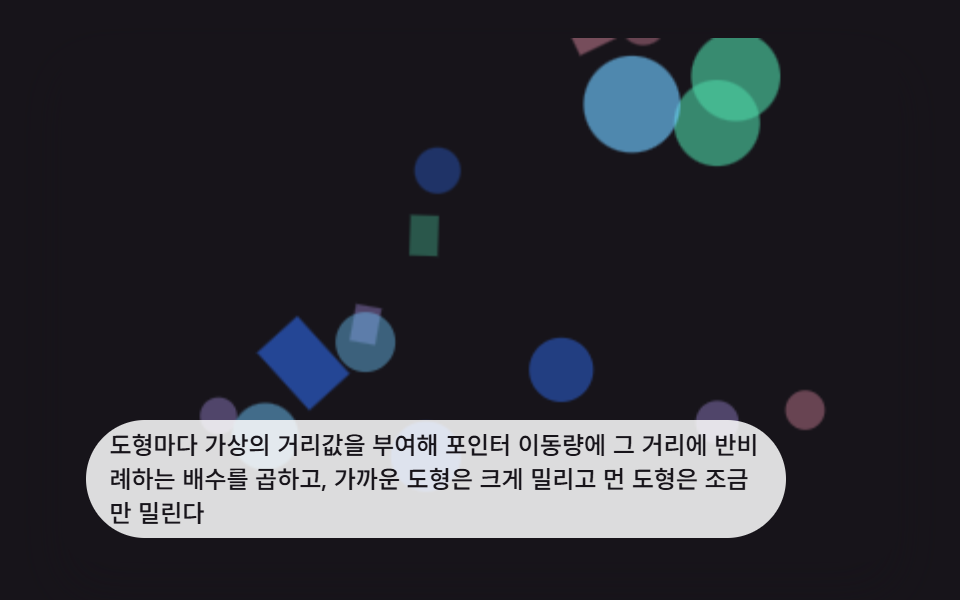 インタラクションcss パララックス 背景 9選 — 奥行き3Dシーン
 インタラクションjavascript 3dアニメーション 9種 — マウスに向く立体模型
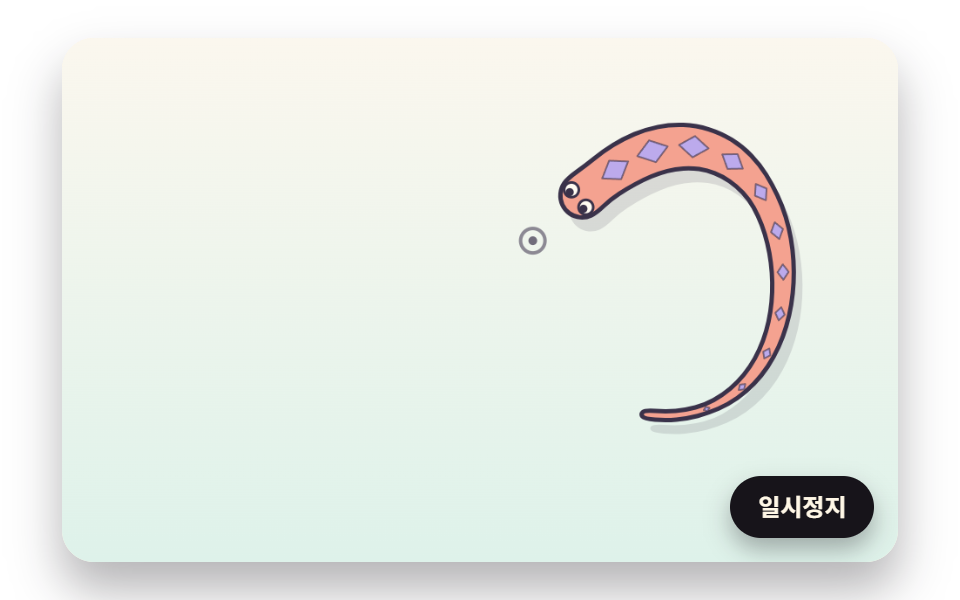 インタラクションマウス 追従 js で動く生き物 9種 — 蛇・鯉・トカゲ・タコを計算で
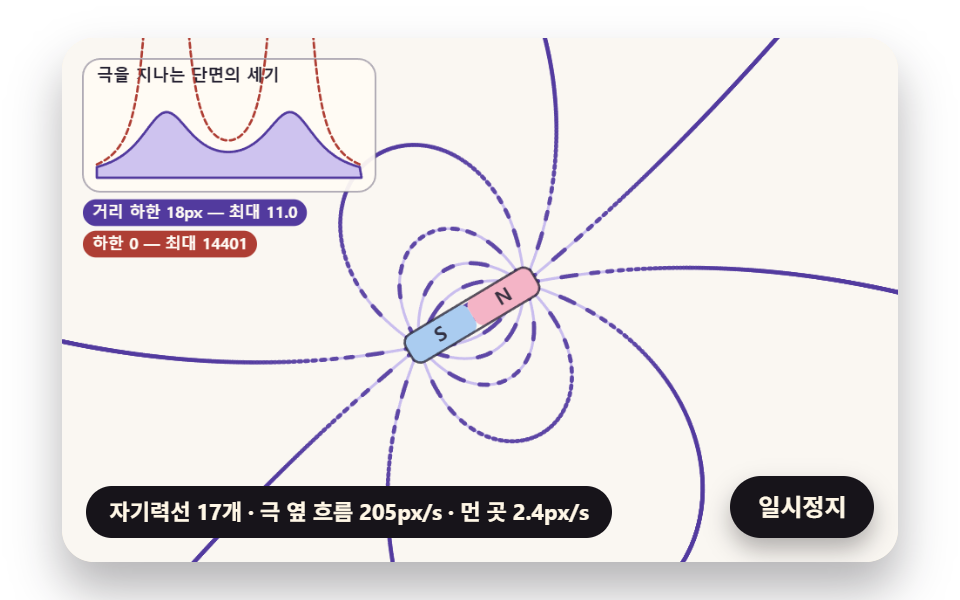 インタラクション磁性流体 シミュレーション 9種 — 立つトゲから時計まで
 インタラクションマウス 追従 アニメーション css で作る3D場面9選
 インタラクションマウス 追従 エフェクト 9選 — マウスストーカーの作り方
 インタラクションcss 3d アニメーション で作る マウス追従の立体シーン9選
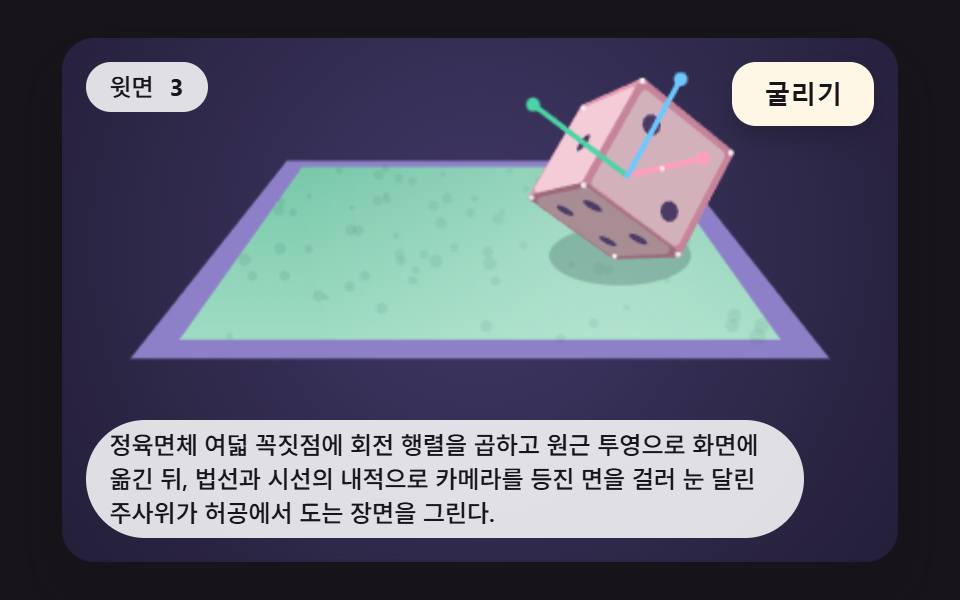 インタラクションサイコロ アニメーション 9パターン — 回転行列で上の目を読む3D場面
 インタラクションcss fireworks 9パターン — 打ち上がり・尾を引き・水面に映る花火の場面