マウス 追従 エフェクト 9選 — マウスストーカーの作り方
マウス 追従 エフェクトとは、カーソルの座標を毎フレーム読んで要素を一拍遅れで追わせるインタラクションです。核は lerp 一行で、canvas 不要、transform だけなので軽く動きます。文字・光・背景・パーティクル・カードまで9種を、追う対象が大きくなる順にまとめました。
 01 follow-lerp-basics
 02 follow-background-parallax
 03 follow-spotlight-light
 04 follow-text-train
 05 follow-particle-burst
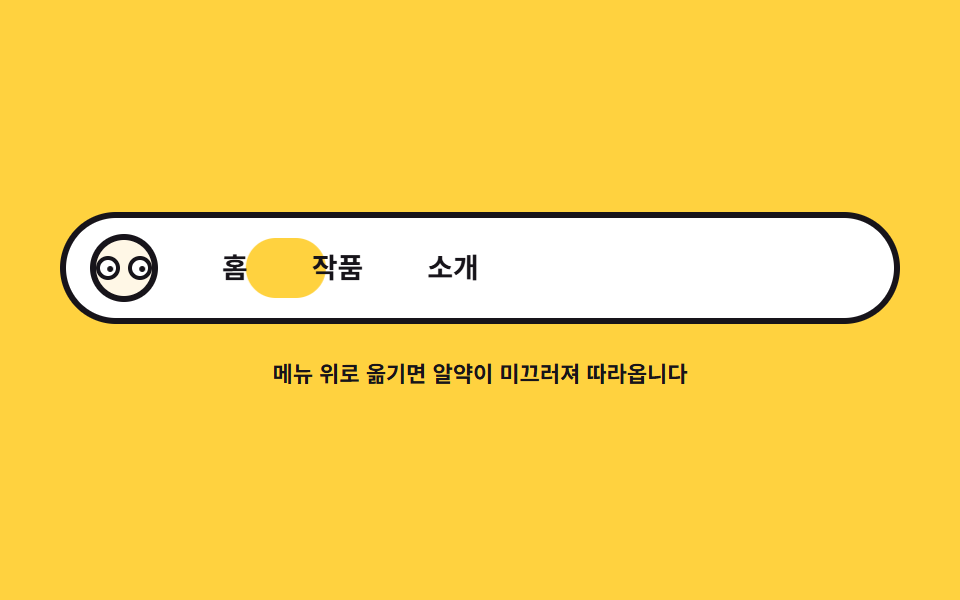 06 follow-nav-indicator
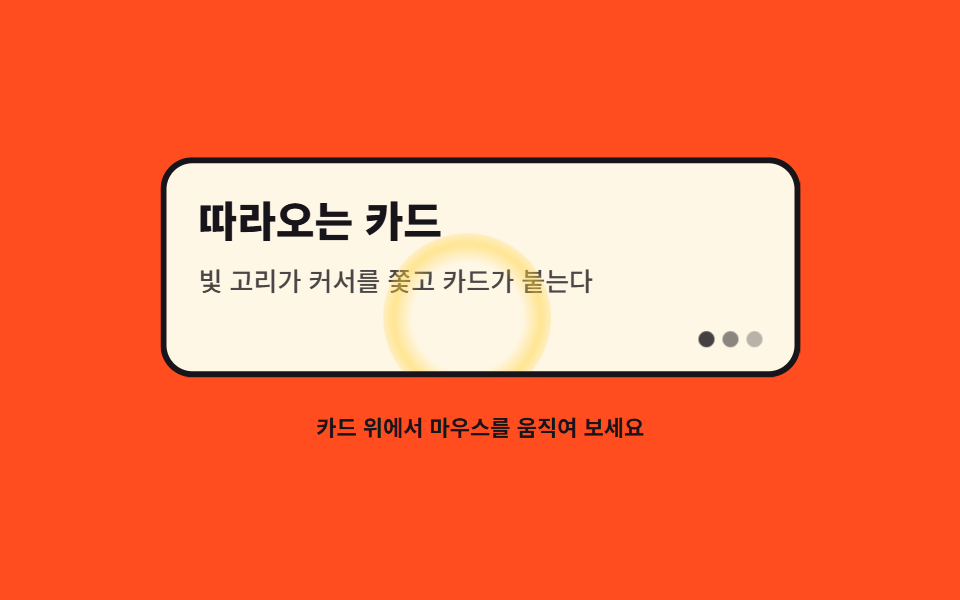 07 follow-card-glow-magnet
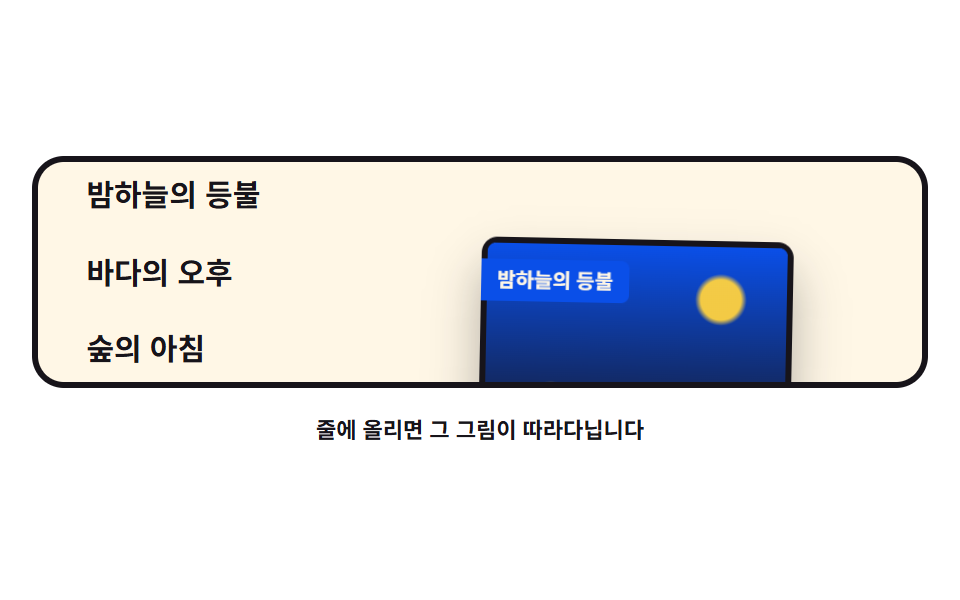 08 follow-image-preview
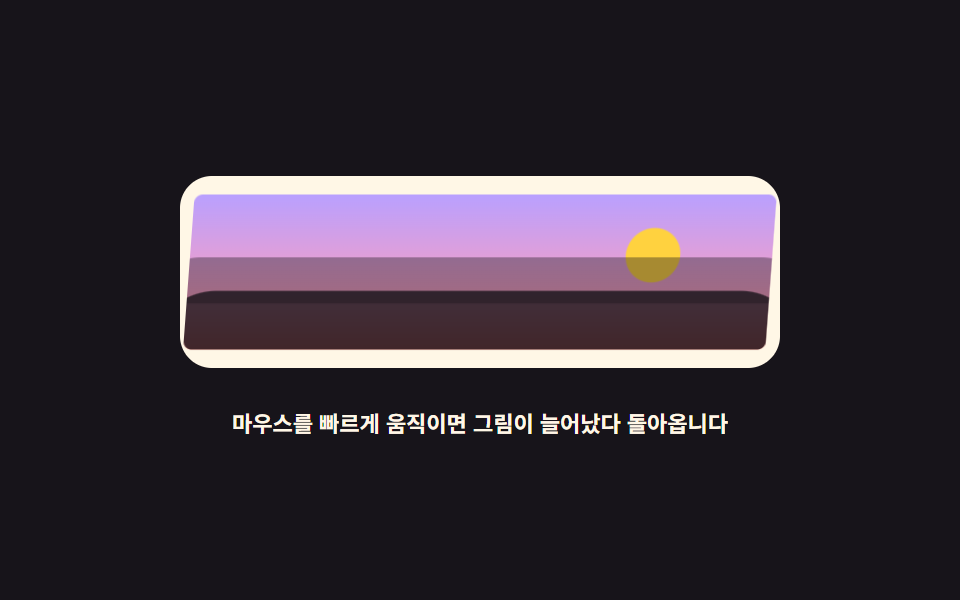 09 follow-image-warp
自動再生 · タイルを押すとその項目へ · すべて1つのzip
- 01 追従の基本 — 遅れて追う
- 02 追ってくる背景 — 3枚の視差
- 03 ついてくる光 — スポットライト
- 04 ついてくる文字 — 文字の列車
- 05 派手なパーティクルマウス — DOMの紙吹雪
- 06 ナビゲーションのカーソルエフェクト — 滑るピル
- 07 カードのオーバーエフェクト — グローリングと磁石
- 08 ホバー時の画像プレビュー — リボンの尾
- 09 画像の歪み追跡 — 速度で伸びる
この9つは人気順ではなく追う対象が大きくなる順です。01で点ひとつから遅れ追従の原理を学び、02・03で背景と光という舞台全体が反応する範囲に広がり、04・05は文字とパーティクルがカーソルの後ろに列をなす対象で、06から08はメニュー・カード・リストという実際の UI 部品が追う段階で、09は画像が速度に反応して伸びる結びです。原理はどれも同じ lerp なので、一度理解すれば9つすべてが同じコードの変奏になります。
01追従の基本 — 遅れて追う
すべての追従の土台で、残り距離の一部だけ毎フレーム進める lerp 一行により要素を一拍遅れで追わせ、残像3つがその遅れをフレーム差として見せます。
<main class="stage">
<div class="lb is-demo" id="lb">
  <div class="lb__field" role="img" aria-label="小さなカーソルリングを青い点と残像3つが一拍遅れて追う図">
    <span class="lb__ghost lb__ghost--3" aria-hidden="true"></span>
    <span class="lb__ghost lb__ghost--2" aria-hidden="true"></span>
    <span class="lb__ghost lb__ghost--1" aria-hidden="true"></span>
    <span class="lb__dot" id="lbDot" aria-hidden="true"></span>
    <span class="lb__cursor" id="lbCursor" aria-hidden="true"></span>
  </div>
  <p class="lb__hint">マウスを動かすと点が一拍遅れて追ってきます</p>
</div>
</main>
@use "../../../../site/static/demo-tokens" as *;
// 따라다니기 기본 — 실제 추적은 JS 가 남은 거리의 16% 만 매 프레임 더 가는 lerp 로 하고,
// 잔상 세 개는 점을 다시 쫓게 해 지연을 프레임 차이로 보여 준다.
// 격자 미리보기(.is-demo)는 커서 고리가 무대를 가로질렀다 되돌아오는 길을 @keyframes 로 움직이고,
// 점·잔상은 같은 길을 뒤처진 백분율로 따라간다.
$duration: $dur-loop;
$easing: $ease-spring;
$color: $subject-cream;
@include stage($stage-ink);
.lb { display: grid; justify-items: center; gap: $sp-4; width: 100%; }
.lb__field {
position: relative;
width: 100%; height: clamp(120px, 34vh, 180px);
}
// 커서를 뜻하는 고리 — 실제 포인터 자리를 표시한다
.lb__cursor {
position: absolute; left: 0; top: 0;
width: 18px; height: 18px; box-sizing: border-box;
border: 3px solid $color; border-radius: 50%;
will-change: transform;
}
.lb__dot {
position: absolute; left: 0; top: 0;
width: 14px; height: 14px;
background: $subject-blue-light; border-radius: 50%;
will-change: transform;
}
// 잔상 — 점이 지나온 자리를 알파로만 표시한다 (글자가 아니라 도형이라 알파를 쓴다)
.lb__ghost {
position: absolute; left: 0; top: 0;
width: 10px; height: 10px; border-radius: 50%;
background: $color;
will-change: transform;
}
.lb__ghost--1 { opacity: .55; }
.lb__ghost--2 { opacity: .38; }
.lb__ghost--3 { opacity: .24; }
.lb__hint { margin: 0; color: $color; font-weight: 700; font-size: clamp(9px, 2.4vw, 11px); }
// ── 미리보기 루프: 커서 고리가 오른쪽 끝까지 갔다가 아래 왼쪽으로 돌아온다.
// 점과 잔상은 같은 경로를 뒤처진 키프레임 위치로 따라가 지연이 그대로 보인다.
.lb.is-demo .lb__cursor,
.lb.is-demo .lb__dot,
.lb.is-demo .lb__ghost {
animation-duration: $duration;
animation-timing-function: $easing;
animation-iteration-count: infinite;
}
.lb.is-demo .lb__cursor { animation-name: lbCursor; }
.lb.is-demo .lb__dot { animation-name: lbDot; }
.lb.is-demo .lb__ghost--1 { animation-name: lbG1; }
.lb.is-demo .lb__ghost--2 { animation-name: lbG2; }
.lb.is-demo .lb__ghost--3 { animation-name: lbG3; }
@keyframes lbCursor {
0%, 4% { transform: translate3d(24px, 20px, 0); }
40%, 48% { transform: translate3d(240px, 26px, 0); }
58%, 64% { transform: translate3d(236px, 86px, 0); }
90%, 100% { transform: translate3d(24px, 20px, 0); }
}
@keyframes lbDot {
0%, 12% { transform: translate3d(24px, 20px, 0); }
46%, 54% { transform: translate3d(206px, 40px, 0); }
64%, 72% { transform: translate3d(192px, 72px, 0); }
94%, 100% { transform: translate3d(24px, 20px, 0); }
}
@keyframes lbG1 {
0%, 20% { transform: translate3d(24px, 20px, 0); }
52%, 60% { transform: translate3d(172px, 52px, 0); }
72%, 80% { transform: translate3d(156px, 60px, 0); }
96%, 100% { transform: translate3d(24px, 20px, 0); }
}
@keyframes lbG2 {
0%, 28% { transform: translate3d(24px, 20px, 0); }
58%, 66% { transform: translate3d(138px, 62px, 0); }
78%, 84% { transform: translate3d(126px, 46px, 0); }
98%, 100% { transform: translate3d(24px, 20px, 0); }
}
@keyframes lbG3 {
0%, 36% { transform: translate3d(24px, 20px, 0); }
64%, 72% { transform: translate3d(104px, 70px, 0); }
82%, 88% { transform: translate3d(96px, 34px, 0); }
98%, 100% { transform: translate3d(24px, 20px, 0); }
}
@media (max-width: 340px) {
.lb { gap: $sp-2; }
.lb__field { height: clamp(100px, 30vh, 140px); }
}
@media (prefers-reduced-motion: reduce) {
.lb.is-demo .lb__cursor,
.lb.is-demo .lb__dot,
.lb.is-demo .lb__ghost { animation: none !important; }
// reduce 에서는 네 요소가 가운데 한 줄로 늘어선 정지 상태를 보인다
.lb.is-demo .lb__cursor { transform: translate3d(60px, 20px, 0) !important; }
.lb.is-demo .lb__dot { transform: translate3d(96px, 24px, 0) !important; }
.lb.is-demo .lb__ghost--1 { transform: translate3d(132px, 28px, 0) !important; }
.lb.is-demo .lb__ghost--2 { transform: translate3d(168px, 32px, 0) !important; }
.lb.is-demo .lb__ghost--3 { transform: translate3d(204px, 36px, 0) !important; }
}html, body {
margin: 0;
overflow: hidden;
}
.stage {
box-sizing: border-box;
min-height: 100vh;
display: grid;
place-items: center;
margin: 0;
background: #17141a;
font-family: -apple-system, "Segoe UI", "Noto Sans KR", sans-serif;
padding: clamp(8px, 4vw, 24px);
}
.lb {
display: grid;
justify-items: center;
gap: 16px;
width: 100%;
}
.lb__field {
position: relative;
width: 100%;
height: clamp(120px, 34vh, 180px);
}
.lb__cursor {
position: absolute;
left: 0;
top: 0;
width: 18px;
height: 18px;
box-sizing: border-box;
border: 3px solid #fff7e6;
border-radius: 50%;
will-change: transform;
}
.lb__dot {
position: absolute;
left: 0;
top: 0;
width: 14px;
height: 14px;
background: #5b8cf8;
border-radius: 50%;
will-change: transform;
}
.lb__ghost {
position: absolute;
left: 0;
top: 0;
width: 10px;
height: 10px;
border-radius: 50%;
background: #fff7e6;
will-change: transform;
}
.lb__ghost--1 {
opacity: 0.55;
}
.lb__ghost--2 {
opacity: 0.38;
}
.lb__ghost--3 {
opacity: 0.24;
}
.lb__hint {
margin: 0;
color: #fff7e6;
font-weight: 700;
font-size: clamp(9px, 2.4vw, 11px);
}
.lb.is-demo .lb__cursor,
.lb.is-demo .lb__dot,
.lb.is-demo .lb__ghost {
animation-duration: 2s;
animation-timing-function: cubic-bezier(0.2, 0.8, 0.2, 1);
animation-iteration-count: infinite;
}
.lb.is-demo .lb__cursor {
animation-name: lbCursor;
}
.lb.is-demo .lb__dot {
animation-name: lbDot;
}
.lb.is-demo .lb__ghost--1 {
animation-name: lbG1;
}
.lb.is-demo .lb__ghost--2 {
animation-name: lbG2;
}
.lb.is-demo .lb__ghost--3 {
animation-name: lbG3;
}
@keyframes lbCursor {
0%, 4% {
transform: translate3d(24px, 20px, 0);
}
40%, 48% {
transform: translate3d(240px, 26px, 0);
}
58%, 64% {
transform: translate3d(236px, 86px, 0);
}
90%, 100% {
transform: translate3d(24px, 20px, 0);
}
}
@keyframes lbDot {
0%, 12% {
transform: translate3d(24px, 20px, 0);
}
46%, 54% {
transform: translate3d(206px, 40px, 0);
}
64%, 72% {
transform: translate3d(192px, 72px, 0);
}
94%, 100% {
transform: translate3d(24px, 20px, 0);
}
}
@keyframes lbG1 {
0%, 20% {
transform: translate3d(24px, 20px, 0);
}
52%, 60% {
transform: translate3d(172px, 52px, 0);
}
72%, 80% {
transform: translate3d(156px, 60px, 0);
}
96%, 100% {
transform: translate3d(24px, 20px, 0);
}
}
@keyframes lbG2 {
0%, 28% {
transform: translate3d(24px, 20px, 0);
}
58%, 66% {
transform: translate3d(138px, 62px, 0);
}
78%, 84% {
transform: translate3d(126px, 46px, 0);
}
98%, 100% {
transform: translate3d(24px, 20px, 0);
}
}
@keyframes lbG3 {
0%, 36% {
transform: translate3d(24px, 20px, 0);
}
64%, 72% {
transform: translate3d(104px, 70px, 0);
}
82%, 88% {
transform: translate3d(96px, 34px, 0);
}
98%, 100% {
transform: translate3d(24px, 20px, 0);
}
}
@media (max-width: 340px) {
.lb {
gap: 8px;
}
.lb__field {
height: clamp(100px, 30vh, 140px);
}
}
@media (prefers-reduced-motion: reduce) {
.lb.is-demo .lb__cursor,
.lb.is-demo .lb__dot,
.lb.is-demo .lb__ghost {
animation: none !important;
}
.lb.is-demo .lb__cursor {
transform: translate3d(60px, 20px, 0) !important;
}
.lb.is-demo .lb__dot {
transform: translate3d(96px, 24px, 0) !important;
}
.lb.is-demo .lb__ghost--1 {
transform: translate3d(132px, 28px, 0) !important;
}
.lb.is-demo .lb__ghost--2 {
transform: translate3d(168px, 32px, 0) !important;
}
.lb.is-demo .lb__ghost--3 {
transform: translate3d(204px, 36px, 0) !important;
}
}var root = document.getElementById('lb');
var field = root.querySelector('.lb__field');
var cursorEl = document.getElementById('lbCursor');
var dotEl = document.getElementById('lbDot');
var ghosts = Array.prototype.slice.call(root.querySelectorAll('.lb__ghost')).reverse();
// ghosts[0] 이 점 바로 뒤, ghosts[2] 가 가장 느리다 (DOM 역순으로 담았다)
var reduce = window.matchMedia('(prefers-reduced-motion: reduce)').matches;
// lerp: 매 프레임 남은 거리의 일부만 더 가는 선형 보간 — factor 가 작을수록 한 박자 늦게 따라온다
function lerp(a, b, k) { return a + (b - a) * k; }
var target = { x: 0, y: 0 };
var dot = { x: 0, y: 0 };
var trail = [{ x: 0, y: 0 }, { x: 0, y: 0 }, { x: 0, y: 0 }];
var factors = [0.10, 0.065, 0.04];
function center() {
var r = field.getBoundingClientRect();
return { x: r.width / 2, y: r.height / 2 };
}
function setTarget(cx, cy) {
var r = field.getBoundingClientRect();
target.x = cx - r.left;
target.y = cy - r.top;
}
function draw() {
cursorEl.style.transform = 'translate3d(' + (target.x - 9) + 'px,' + (target.y - 9) + 'px,0)';
dotEl.style.transform = 'translate3d(' + (dot.x - 7) + 'px,' + (dot.y - 7) + 'px,0)';
for (var i = 0; i < trail.length; i++) {
ghosts[i].style.transform = 'translate3d(' + (trail[i].x - 5) + 'px,' + (trail[i].y - 5) + 'px,0)';
}
}
function tick() {
dot.x = lerp(dot.x, target.x, 0.16);
dot.y = lerp(dot.y, target.y, 0.16);
var prev = dot;
for (var i = 0; i < trail.length; i++) {
trail[i].x = lerp(trail[i].x, prev.x, factors[i]);
trail[i].y = lerp(trail[i].y, prev.y, factors[i]);
prev = trail[i];
}
draw();
requestAnimationFrame(tick);
}
function start() {
var c = center();
target = { x: c.x, y: c.y };
dot = { x: c.x, y: c.y };
trail = [{ x: c.x, y: c.y }, { x: c.x, y: c.y }, { x: c.x, y: c.y }];
}
window.addEventListener('pointermove', function (e) {
root.classList.remove('is-demo');
setTarget(e.clientX, e.clientY);
});
// 터치 폴백: 손가락을 대면 그 지점을 쫓게 한다
window.addEventListener('pointerdown', function (e) {
root.classList.remove('is-demo');
setTarget(e.clientX, e.clientY);
});
start();
if (reduce) {
// 움직임을 줄이는 설정에서는 쫓기 없이 즉시 따라붙는다
window.addEventListener('pointermove', function (e) { setTarget(e.clientX, e.clientY); dot = { x: target.x, y: target.y }; draw(); });
} else {
requestAnimationFrame(tick);
}// LerpBasics — vanilla 판(run/079/demo/01-follow-lerp-basics/index.html) 의 React 포트.
// 점이 커서를 lerp(0.16)로 쫓고, 잔상 세 개는 다시 점을 쫓게 해 지연을 프레임 차이로 보여 준다.
// 계수(0.16 · 0.10/0.065/0.04)와 잔상 순서는 vanilla 와 같은 값이다 (다시 타이핑하지 않는다).
import { useEffect, useRef, useState } from "react";
import type { CSSProperties } from "react";
import styles from "./LerpBasics.module.scss";
export type LerpBasicsProps = {
duration?: number;
easing?: string;
color?: string;
};
type Vars = CSSProperties & { "--duration"?: string; "--easing"?: string; "--color"?: string };
// useRef 는 T | null 을 돌려준다. 처음부터 값이 있고 절대 비지 않는 상자는 이렇게 좁혀 쓴다
type Box<T> = { current: T };
// 전역 DOM 타입에 기대지 않는다 — 포인터 이벤트에서 실제로 읽는 것만 적는다
type PtrEvt = { clientX: number; clientY: number };
const FIELD_LABEL = "작은 커서 고리를 파란 점과 잔상 세 개가 한 박자 늦게 쫓는 그림";
const HINT = "마우스를 움직이면 점이 한 박자 늦게 따라옵니다";
// ghosts[0] 이 점 바로 뒤, ghosts[2] 가 가장 느리다 — 잔상 DOM 은 역순으로 섰다
const TRAIL_FACTORS = [0.10, 0.065, 0.04];
// lerp: 매 프레임 남은 거리의 일부만 더 가는 선형 보간 — factor 가 작을수록 한 박자 늦게 따라온다
function lerp(a: number, b: number, k: number): number {
return a + (b - a) * k;
}
export default function LerpBasics({
duration = 2000,
easing = "cubic-bezier(.2, .8, .2, 1)",
color = "#fff7e6",
}: LerpBasicsProps) {
const fieldRef = useRef<HTMLDivElement | null>(null) as Box<HTMLDivElement>;
const cursorRef = useRef<HTMLSpanElement | null>(null);
const dotRef = useRef<HTMLSpanElement | null>(null);
const ghostRef = useRef<(HTMLSpanElement | null)[]>(new Array(3).fill(null)) as Box<(HTMLSpanElement | null)[]>;
const [demo, setDemo] = useState(true);
const vars: Vars = { "--duration": `${duration}ms`, "--easing": easing, "--color": color };
function setGhost(index: number) {
return (el: HTMLSpanElement | null): void => {
ghostRef.current[index] = el;
};
}
useEffect(() => {
const field = fieldRef.current;
if (!field) return;
const reduce = window.matchMedia("(prefers-reduced-motion: reduce)").matches;
const target = { x: 0, y: 0 };
const dot = { x: 0, y: 0 };
const trail = [
{ x: 0, y: 0 },
{ x: 0, y: 0 },
{ x: 0, y: 0 },
];
function setTarget(cx: number, cy: number): void {
const r = field.getBoundingClientRect();
target.x = cx - r.left;
target.y = cy - r.top;
}
function draw(): void {
const cursor = cursorRef.current;
const dotEl = dotRef.current;
if (cursor) cursor.style.transform = "translate3d(" + (target.x - 9) + "px," + (target.y - 9) + "px,0)";
if (dotEl) dotEl.style.transform = "translate3d(" + (dot.x - 7) + "px," + (dot.y - 7) + "px,0)";
for (let i = 0; i < trail.length; i++) {
const ghost = ghostRef.current[i];
if (ghost) ghost.style.transform = "translate3d(" + (trail[i].x - 5) + "px," + (trail[i].y - 5) + "px,0)";
}
}
function tick(): void {
dot.x = lerp(dot.x, target.x, 0.16);
dot.y = lerp(dot.y, target.y, 0.16);
let prev = dot;
for (let i = 0; i < trail.length; i++) {
trail[i].x = lerp(trail[i].x, prev.x, TRAIL_FACTORS[i]);
trail[i].y = lerp(trail[i].y, prev.y, TRAIL_FACTORS[i]);
prev = trail[i];
}
draw();
raf = requestAnimationFrame(tick);
}
function start(): void {
const r = field.getBoundingClientRect();
const c = { x: r.width / 2, y: r.height / 2 };
target.x = c.x;
target.y = c.y;
dot.x = c.x;
dot.y = c.y;
for (let i = 0; i < trail.length; i++) {
trail[i].x = c.x;
trail[i].y = c.y;
}
}
function onMove(event: PtrEvt): void {
setDemo(false);
setTarget(event.clientX, event.clientY);
if (reduce) {
// 움직임을 줄이는 설정에서는 쫓기 없이 즉시 따라붙는다
dot.x = target.x;
dot.y = target.y;
draw();
}
}
// 터치 폴백: 손가락을 대면 그 지점을 쫓게 한다
function onDown(event: PtrEvt): void {
setDemo(false);
setTarget(event.clientX, event.clientY);
}
window.addEventListener("pointermove", onMove);
window.addEventListener("pointerdown", onDown);
let raf = 0;
start();
if (!reduce) raf = requestAnimationFrame(tick);
return () => {
window.removeEventListener("pointermove", onMove);
window.removeEventListener("pointerdown", onDown);
cancelAnimationFrame(raf);
};
}, []);
return (
<main className={styles.stage}>
<div className={styles.root + (demo ? " " + styles.isDemo : "")} style={vars}>
<div className={styles.field} ref={fieldRef} role="img" aria-label={FIELD_LABEL}>
<span className={styles.ghost + " " + styles.ghost3} aria-hidden="true" ref={setGhost(2)}></span>
<span className={styles.ghost + " " + styles.ghost2} aria-hidden="true" ref={setGhost(1)}></span>
<span className={styles.ghost + " " + styles.ghost1} aria-hidden="true" ref={setGhost(0)}></span>
<span className={styles.dot} aria-hidden="true" ref={dotRef}></span>
<span className={styles.cursor} aria-hidden="true" ref={cursorRef}></span>
</div>
<p className={styles.hint}>{HINT}</p>
</div>
</main>
);
}01 · 追従の基本 — 遅れて追う — 計測 累積面積 3.684% · 動いたフレーム 23/23GODRICH オリジナル · SCSS と React は zip に同梱 · パスワードを見る
lerp 一行が遅れを作る
function lerp(a, b, k) { return a + (b - a) * k; }

function tick() {
  dot.x = lerp(dot.x, target.x, 0.16);
  dot.y = lerp(dot.y, target.y, 0.16);
  draw();
  requestAnimationFrame(tick);
}
k が 0.16 なら毎フレーム残り距離の 16% しか進まないので、カーソルが止まると距離は 84%、71%、59% と縮んでなだらかに寄り、残像3つはこの点を係数 0.10、0.065、0.04 でさらに追い、遅れを目に見えるようにします。
どれだけ遅れるか測った
描画計測は変化面積 3.68%・強度 120.2・動いたフレーム 23/23 で、実際にマウスを動かしたプローブでは最後の移動から40フレーム後に点がカーソルと 2.2px 以内に収束しました。
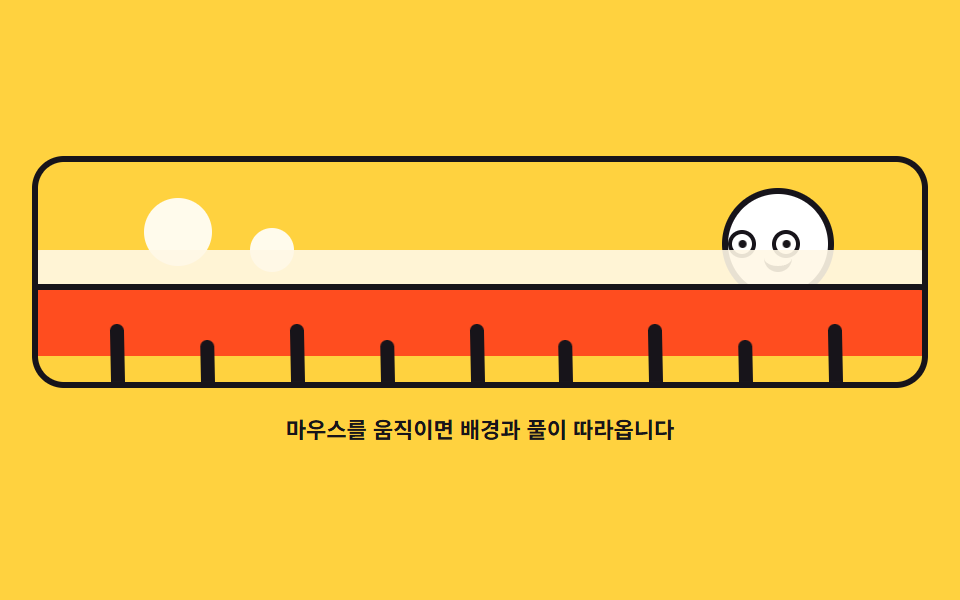
02追ってくる背景 — 3枚の視差
遠い丘・近い丘・草の3枚がカーソル x を異なる比率で追い、草はカーソル側へ skewX で倒れ、太陽の瞳もカーソルを追います。
<main class="stage">
<div class="bg is-demo" id="bg">
  <div class="bg__scene" role="img" aria-label="丘と草の上に太陽が昇り、その目がカーソルを見る図">
    <div class="bg__sky" aria-hidden="true"></div>
    <div class="bg__sun" aria-hidden="true">
      <span class="bg__eye"><span class="bg__pupil"></span></span>
      <span class="bg__eye"><span class="bg__pupil"></span></span>
      <span class="bg__mouth"></span>
    </div>
    <div class="bg__hill bg__hill--far" aria-hidden="true"></div>
    <div class="bg__hill bg__hill--mid" aria-hidden="true"></div>
    <div class="bg__grass" aria-hidden="true">
      <span class="bg__blade"></span><span class="bg__blade"></span><span class="bg__blade"></span>
      <span class="bg__blade"></span><span class="bg__blade"></span><span class="bg__blade"></span>
      <span class="bg__blade"></span><span class="bg__blade"></span><span class="bg__blade"></span>
    </div>
  </div>
  <p class="bg__hint">マウスを動かすと背景と草が追ってきます</p>
</div>
</main>
@use "../../../../site/static/demo-tokens" as *;
// 따라오는 배경 — 실제 시차는 JS 가 커서 가로 위치(--px, 0~1)를 lerp 로 부드럽게 만들어
// 멀리 언덕은 -10px, 가까운 언덕은 -22px, 풀은 -34px 씩 밀어 서로 다른 속도로 따라오게 한다.
// 풀잎 skewX 는 --px 하나를 공유해 커서 쪽으로 눕고, 해의 눈동자도 같은 값으로 커서를 본다.
// 격자 미리보기(.is-demo)는 커서가 좌우로 지나간 것과 같은 진폭을 @keyframes 로 왕복시킨다.
$duration: $dur-loop;
$easing: $ease-spring;
$color: $subject-ink;
@include stage($stage-yellow);
.bg { display: grid; justify-items: center; gap: $sp-3; width: 100%; }
.bg__scene {
--px: 0.5;
position: relative; overflow: hidden;
width: 100%; height: clamp(110px, 32vh, 160px);
border: 3px solid $color; border-radius: $r-card;
background: $stage-yellow;
}
// 하늘 장식 — 반달 모양 구름 두 개 (그라디언트가 아니라 흰 원으로)
.bg__sky::before, .bg__sky::after {
content: ""; position: absolute; border-radius: 50%;
background: $stage-paper; opacity: .9;
}
.bg__sky::before { width: 34px; height: 34px; left: 12%; top: 16%; }
.bg__sky::after { width: 22px; height: 22px; left: 24%; top: 30%; }
// 해 — 눈 두 개가 커서를 쫓는다
.bg__sun {
position: absolute; right: 10%; top: 12%;
display: flex; align-items: center; gap: $sp-2;
width: clamp(44px, 12vw, 56px); height: clamp(44px, 12vw, 56px);
box-sizing: border-box;
background: $stage-paper; border: 3px solid $color; border-radius: 50%;
}
.bg__eye {
position: relative; overflow: hidden;
width: 10px; height: 10px;
background: $stage-paper; border: 2px solid $color; border-radius: 50%;
}
.bg__pupil {
position: absolute; left: 50%; top: 50%;
width: 4px; height: 4px; margin: -2px 0 0 -2px;
background: $color; border-radius: 50%;
}
.bg__mouth {
position: absolute; left: 50%; bottom: 22%;
width: 14px; height: 6px; margin-left: -7px;
border-bottom: 3px solid $color; border-radius: 0 0 $r-pill $r-pill;
}
// 언덕 두 겹 — 멀수록 연하게, 밀리는 폭은 JS 가 정한다
.bg__hill { position: absolute; left: -8%; right: -8%; border-radius: $r-pill $r-pill 0 0; }
.bg__hill--far {
bottom: 26%; height: 34%;
background: $subject-cream; opacity: .9;
}
.bg__hill--mid {
bottom: 12%; height: 30%;
background: $stage-orange;
border: 3px solid $color; border-bottom: 0;
}
// 풀 — 잎마다 --px 를 공유해 skewX 로 눕는다. 원점은 뿌리(아래)다 (붙는 지점이 있는 요소)
.bg__grass {
position: absolute; left: 0; right: 0; bottom: 0;
display: flex; justify-content: space-evenly; align-items: flex-end;
height: 26%;
}
.bg__blade {
width: 7px; border-radius: $r-pill $r-pill 0 0;
background: $color;
transform-origin: 50% 100%;
transform: skewX(calc((0.5 - var(--px)) * 26deg));
}
.bg__blade:nth-child(odd) { height: 100%; }
.bg__blade:nth-child(even) { height: 74%; }
.bg__hint { margin: 0; color: $color; font-weight: 700; font-size: clamp(9px, 2.4vw, 11px); }
// ── 미리보기 루프: 커서가 왼쪽 끝 → 오른쪽 끝을 지나간 것과 같은 진폭을 겹마다 다르게 왕복한다
.bg.is-demo .bg__hill--far { animation: bgFar $duration $easing infinite; }
.bg.is-demo .bg__hill--mid { animation: bgMid $duration $easing infinite; }
.bg.is-demo .bg__grass { animation: bgNear $duration $easing infinite; }
.bg.is-demo .bg__blade { animation: bgLean $duration $easing infinite; }
.bg.is-demo .bg__pupil { animation: bgPeek $duration $easing infinite; }
@keyframes bgFar {
0%, 4% { transform: translate3d(5px, 0, 0); }
34% { transform: translate3d(-5px, 0, 0); }
44%, 50% { transform: translate3d(-5px, 0, 0); }
80% { transform: translate3d(5px, 0, 0); }
88%, 100% { transform: translate3d(5px, 0, 0); }
}
@keyframes bgMid {
0%, 4% { transform: translate3d(11px, 0, 0); }
34% { transform: translate3d(-11px, 0, 0); }
44%, 50% { transform: translate3d(-11px, 0, 0); }
80% { transform: translate3d(11px, 0, 0); }
88%, 100% { transform: translate3d(11px, 0, 0); }
}
@keyframes bgNear {
0%, 4% { transform: translate3d(17px, 0, 0); }
34% { transform: translate3d(-17px, 0, 0); }
44%, 50% { transform: translate3d(-17px, 0, 0); }
80% { transform: translate3d(17px, 0, 0); }
88%, 100% { transform: translate3d(17px, 0, 0); }
}
// 풀잎 눕음 — 커서가 오른쪽(0.5 → 1)에 있으면 왼쪽으로 눕는다
@keyframes bgLean {
0%, 4% { transform: skewX(-13deg); }
34% { transform: skewX(13deg); }
44%, 50% { transform: skewX(13deg); }
80% { transform: skewX(-13deg); }
88%, 100% { transform: skewX(-13deg); }
}
@keyframes bgPeek {
0%, 4% { transform: translate3d(-3.5px, 0, 0); }
34% { transform: translate3d(3.5px, 0, 0); }
44%, 50% { transform: translate3d(3.5px, 0, 0); }
80% { transform: translate3d(-3.5px, 0, 0); }
88%, 100% { transform: translate3d(-3.5px, 0, 0); }
}
@media (max-width: 340px) {
.bg { gap: $sp-2; }
.bg__scene { height: clamp(96px, 28vh, 130px); }
.bg__sun { right: 6%; }
}
@media (prefers-reduced-motion: reduce) {
.bg.is-demo .bg__hill--far,
.bg.is-demo .bg__hill--mid,
.bg.is-demo .bg__grass,
.bg.is-demo .bg__blade,
.bg.is-demo .bg__pupil { animation: none !important; }
// reduce 에서는 잎이 곧게 선 정경만 보인다
.bg.is-demo .bg__blade { transform: skewX(0deg) !important; }
}html, body {
margin: 0;
overflow: hidden;
}
.stage {
box-sizing: border-box;
min-height: 100vh;
display: grid;
place-items: center;
margin: 0;
background: #ffd23f;
font-family: -apple-system, "Segoe UI", "Noto Sans KR", sans-serif;
padding: clamp(8px, 4vw, 24px);
}
.bg {
display: grid;
justify-items: center;
gap: 12px;
width: 100%;
}
.bg__scene {
--px: 0.5;
position: relative;
overflow: hidden;
width: 100%;
height: clamp(110px, 32vh, 160px);
border: 3px solid #17141a;
border-radius: 16px;
background: #ffd23f;
}
.bg__sky::before, .bg__sky::after {
content: "";
position: absolute;
border-radius: 50%;
background: #ffffff;
opacity: 0.9;
}
.bg__sky::before {
width: 34px;
height: 34px;
left: 12%;
top: 16%;
}
.bg__sky::after {
width: 22px;
height: 22px;
left: 24%;
top: 30%;
}
.bg__sun {
position: absolute;
right: 10%;
top: 12%;
display: flex;
align-items: center;
gap: 8px;
width: clamp(44px, 12vw, 56px);
height: clamp(44px, 12vw, 56px);
box-sizing: border-box;
background: #ffffff;
border: 3px solid #17141a;
border-radius: 50%;
}
.bg__eye {
position: relative;
overflow: hidden;
width: 10px;
height: 10px;
background: #ffffff;
border: 2px solid #17141a;
border-radius: 50%;
}
.bg__pupil {
position: absolute;
left: 50%;
top: 50%;
width: 4px;
height: 4px;
margin: -2px 0 0 -2px;
background: #17141a;
border-radius: 50%;
}
.bg__mouth {
position: absolute;
left: 50%;
bottom: 22%;
width: 14px;
height: 6px;
margin-left: -7px;
border-bottom: 3px solid #17141a;
border-radius: 0 0 999px 999px;
}
.bg__hill {
position: absolute;
left: -8%;
right: -8%;
border-radius: 999px 999px 0 0;
}
.bg__hill--far {
bottom: 26%;
height: 34%;
background: #fff7e6;
opacity: 0.9;
}
.bg__hill--mid {
bottom: 12%;
height: 30%;
background: #ff4d1f;
border: 3px solid #17141a;
border-bottom: 0;
}
.bg__grass {
position: absolute;
left: 0;
right: 0;
bottom: 0;
display: flex;
justify-content: space-evenly;
align-items: flex-end;
height: 26%;
}
.bg__blade {
width: 7px;
border-radius: 999px 999px 0 0;
background: #17141a;
transform-origin: 50% 100%;
transform: skewX(calc((0.5 - var(--px)) * 26deg));
}
.bg__blade:nth-child(odd) {
height: 100%;
}
.bg__blade:nth-child(even) {
height: 74%;
}
.bg__hint {
margin: 0;
color: #17141a;
font-weight: 700;
font-size: clamp(9px, 2.4vw, 11px);
}
.bg.is-demo .bg__hill--far {
animation: bgFar 2s cubic-bezier(0.2, 0.8, 0.2, 1) infinite;
}
.bg.is-demo .bg__hill--mid {
animation: bgMid 2s cubic-bezier(0.2, 0.8, 0.2, 1) infinite;
}
.bg.is-demo .bg__grass {
animation: bgNear 2s cubic-bezier(0.2, 0.8, 0.2, 1) infinite;
}
.bg.is-demo .bg__blade {
animation: bgLean 2s cubic-bezier(0.2, 0.8, 0.2, 1) infinite;
}
.bg.is-demo .bg__pupil {
animation: bgPeek 2s cubic-bezier(0.2, 0.8, 0.2, 1) infinite;
}
@keyframes bgFar {
0%, 4% {
transform: translate3d(5px, 0, 0);
}
34% {
transform: translate3d(-5px, 0, 0);
}
44%, 50% {
transform: translate3d(-5px, 0, 0);
}
80% {
transform: translate3d(5px, 0, 0);
}
88%, 100% {
transform: translate3d(5px, 0, 0);
}
}
@keyframes bgMid {
0%, 4% {
transform: translate3d(11px, 0, 0);
}
34% {
transform: translate3d(-11px, 0, 0);
}
44%, 50% {
transform: translate3d(-11px, 0, 0);
}
80% {
transform: translate3d(11px, 0, 0);
}
88%, 100% {
transform: translate3d(11px, 0, 0);
}
}
@keyframes bgNear {
0%, 4% {
transform: translate3d(17px, 0, 0);
}
34% {
transform: translate3d(-17px, 0, 0);
}
44%, 50% {
transform: translate3d(-17px, 0, 0);
}
80% {
transform: translate3d(17px, 0, 0);
}
88%, 100% {
transform: translate3d(17px, 0, 0);
}
}
@keyframes bgLean {
0%, 4% {
transform: skewX(-13deg);
}
34% {
transform: skewX(13deg);
}
44%, 50% {
transform: skewX(13deg);
}
80% {
transform: skewX(-13deg);
}
88%, 100% {
transform: skewX(-13deg);
}
}
@keyframes bgPeek {
0%, 4% {
transform: translate3d(-3.5px, 0, 0);
}
34% {
transform: translate3d(3.5px, 0, 0);
}
44%, 50% {
transform: translate3d(3.5px, 0, 0);
}
80% {
transform: translate3d(-3.5px, 0, 0);
}
88%, 100% {
transform: translate3d(-3.5px, 0, 0);
}
}
@media (max-width: 340px) {
.bg {
gap: 8px;
}
.bg__scene {
height: clamp(96px, 28vh, 130px);
}
.bg__sun {
right: 6%;
}
}
@media (prefers-reduced-motion: reduce) {
.bg.is-demo .bg__hill--far,
.bg.is-demo .bg__hill--mid,
.bg.is-demo .bg__grass,
.bg.is-demo .bg__blade,
.bg.is-demo .bg__pupil {
animation: none !important;
}
.bg.is-demo .bg__blade {
transform: skewX(0deg) !important;
}
}var root = document.getElementById('bg');
var scene = root.querySelector('.bg__scene');
var far = root.querySelector('.bg__hill--far');
var mid = root.querySelector('.bg__hill--mid');
var grass = root.querySelector('.bg__grass');
var pupils = Array.prototype.slice.call(root.querySelectorAll('.bg__pupil'));
var reduce = window.matchMedia('(prefers-reduced-motion: reduce)').matches;
function lerp(a, b, k) { return a + (b - a) * k; }
// --px 는 0~1 사이 커서 가로 위치. 풀잎 skewX 가 이 값 하나를 공유해 같이 눕는다
var px = 0.5;
var pxNow = 0.5;
function tick() {
pxNow = lerp(pxNow, px, 0.08);
scene.style.setProperty('--px', pxNow.toFixed(4));
var dx = pxNow - 0.5;
// 멀수록 조금, 가까울수록 많이 밀린다 — 시차
far.style.transform = 'translate3d(' + (dx * -10).toFixed(1) + 'px,0,0)';
mid.style.transform = 'translate3d(' + (dx * -22).toFixed(1) + 'px,0,0)';
grass.style.transform = 'translate3d(' + (dx * -34).toFixed(1) + 'px,0,0)';
for (var i = 0; i < pupils.length; i++) {
pupils[i].style.transform = 'translate3d(' + (dx * 7).toFixed(1) + 'px,0,0)';
}
requestAnimationFrame(tick);
}
function setFromPointer(cx) {
var r = scene.getBoundingClientRect();
px = Math.min(1, Math.max(0, (cx - r.left) / r.width));
}
window.addEventListener('pointermove', function (e) {
root.classList.remove('is-demo');
setFromPointer(e.clientX);
});
window.addEventListener('pointerdown', function (e) {
root.classList.remove('is-demo');
setFromPointer(e.clientX);
});
if (reduce) {
// reduce 에서는 시차 이동 없이 풀잎 눕음만 즉시 값으로 반영한다
window.addEventListener('pointermove', function (e) {
setFromPointer(e.clientX);
scene.style.setProperty('--px', px.toFixed(4));
});
} else {
requestAnimationFrame(tick);
}// BackgroundParallax — vanilla 판(run/079/demo/02-follow-background-parallax/index.html) 의 React 포트.
// 커서 가로 위치(--px, 0~1)를 lerp(0.08)로 부드럽게 만들어 멀리 언덕은 -10px · 가까운 언덕은 -22px ·
// 풀은 -34px 씩 밀어 서로 다른 속도로 따라오게 한다. 풀잎 skewX 는 --px 하나를 공유해 커서 쪽으로 눕고
// 해의 눈동자도 같은 값으로 커서를 본다. 값·수치는 vanilla 와 같다.
import { useEffect, useRef, useState } from "react";
import type { CSSProperties } from "react";
import styles from "./BackgroundParallax.module.scss";
export type BackgroundParallaxProps = {
duration?: number;
easing?: string;
color?: string;
};
type Vars = CSSProperties & { "--duration"?: string; "--easing"?: string; "--color"?: string };
// useRef 는 T | null 을 돌려준다. 처음부터 값이 있고 절대 비지 않는 상자는 이렇게 좁혀 쓴다
type Box<T> = { current: T };
// 전역 DOM 타입에 기대지 않는다 — 포인터 이벤트에서 실제로 읽는 것만 적는다
type PtrEvt = { clientX: number };
const SCENE_LABEL = "언덕과 풀 위에 해가 뜨고 해의 눈이 커서를 바라보는 그림";
const HINT = "마우스를 움직이면 배경과 풀이 따라옵니다";
const BLADE_COUNT = 9;
// lerp: 매 프레임 남은 거리의 일부만 더 가는 선형 보간
function lerp(a: number, b: number, k: number): number {
return a + (b - a) * k;
}
export default function BackgroundParallax({
duration = 2000,
easing = "cubic-bezier(.2, .8, .2, 1)",
color = "#17141a",
}: BackgroundParallaxProps) {
const sceneRef = useRef<HTMLDivElement | null>(null) as Box<HTMLDivElement>;
const farRef = useRef<HTMLDivElement | null>(null);
const midRef = useRef<HTMLDivElement | null>(null);
const grassRef = useRef<HTMLDivElement | null>(null);
const pupilRef = useRef<(HTMLSpanElement | null)[]>(new Array(2).fill(null)) as Box<(HTMLSpanElement | null)[]>;
const [demo, setDemo] = useState(true);
const vars: Vars = { "--duration": `${duration}ms`, "--easing": easing, "--color": color };
function setPupil(index: number) {
return (el: HTMLSpanElement | null): void => {
pupilRef.current[index] = el;
};
}
useEffect(() => {
const scene = sceneRef.current;
if (!scene) return;
const reduce = window.matchMedia("(prefers-reduced-motion: reduce)").matches;
// --px 는 0~1 사이 커서 가로 위치. 풀잎 skewX 가 이 값 하나를 공유해 같이 눕는다
let px = 0.5;
let pxNow = 0.5;
function tick(): void {
pxNow = lerp(pxNow, px, 0.08);
scene.style.setProperty("--px", pxNow.toFixed(4));
const dx = pxNow - 0.5;
// 멀수록 조금, 가까울수록 많이 밀린다 — 시차
const far = farRef.current;
const mid = midRef.current;
const grass = grassRef.current;
if (far) far.style.transform = "translate3d(" + (dx * -10).toFixed(1) + "px,0,0)";
if (mid) mid.style.transform = "translate3d(" + (dx * -22).toFixed(1) + "px,0,0)";
if (grass) grass.style.transform = "translate3d(" + (dx * -34).toFixed(1) + "px,0,0)";
for (let i = 0; i < pupilRef.current.length; i++) {
const pupil = pupilRef.current[i];
if (pupil) pupil.style.transform = "translate3d(" + (dx * 7).toFixed(1) + "px,0,0)";
}
raf = requestAnimationFrame(tick);
}
function setFromPointer(cx: number): void {
const r = scene.getBoundingClientRect();
px = Math.min(1, Math.max(0, (cx - r.left) / r.width));
}
function onMove(event: PtrEvt): void {
setDemo(false);
setFromPointer(event.clientX);
if (reduce) {
// reduce 에서는 시차 이동 없이 풀잎 눕음만 즉시 값으로 반영한다
scene.style.setProperty("--px", px.toFixed(4));
}
}
function onDown(event: PtrEvt): void {
setDemo(false);
setFromPointer(event.clientX);
}
window.addEventListener("pointermove", onMove);
window.addEventListener("pointerdown", onDown);
let raf = 0;
if (!reduce) raf = requestAnimationFrame(tick);
return () => {
window.removeEventListener("pointermove", onMove);
window.removeEventListener("pointerdown", onDown);
cancelAnimationFrame(raf);
};
}, []);
return (
<main className={styles.stage}>
<div className={styles.root + (demo ? " " + styles.isDemo : "")} style={vars}>
<div className={styles.scene} ref={sceneRef} role="img" aria-label={SCENE_LABEL}>
<div className={styles.sky} aria-hidden="true"></div>
<div className={styles.sun} aria-hidden="true">
<span className={styles.eye}><span className={styles.pupil} ref={setPupil(0)}></span></span>
<span className={styles.eye}><span className={styles.pupil} ref={setPupil(1)}></span></span>
<span className={styles.mouth}></span>
</div>
<div className={styles.hill + " " + styles.hillFar} ref={farRef} aria-hidden="true"></div>
<div className={styles.hill + " " + styles.hillMid} ref={midRef} aria-hidden="true"></div>
<div className={styles.grass} ref={grassRef} aria-hidden="true">
{Array.from({ length: BLADE_COUNT }, (_, i) => (
<span className={styles.blade} key={i}></span>
))}
</div>
</div>
<p className={styles.hint}>{HINT}</p>
</div>
</main>
);
}02 · 追ってくる背景 — 3枚の視差 — 計測 累積面積 6.548% · 動いたフレーム 15/23GODRICH オリジナル · SCSS と React は zip に同梱 · パスワードを見る
枚ごとに押される幅が違う
pxNow = lerp(pxNow, px, 0.08);
scene.style.setProperty('--px', pxNow.toFixed(4));
var dx = pxNow - 0.5;
far.style.transform   = 'translate3d(' + (dx * -10).toFixed(1) + 'px,0,0)';
mid.style.transform   = 'translate3d(' + (dx * -22).toFixed(1) + 'px,0,0)';
grass.style.transform = 'translate3d(' + (dx * -34).toFixed(1) + 'px,0,0)';
--px は 0 から 1 の間のカーソル横位置を格納するカスタムプロパティで、草の傾きはこの値ひとつを9枚すべてが skewX(calc((0.5 - var(--px)) * 26deg)) の一行で共有し、丘は遠いほど -10px・近いほど -22px 押され、草は -34px と最も大きく押されて視差が生まれます。
視差が数字として写る瞬間
変化面積 6.55%・強度 123.7・動いたフレーム 15/23 で、カーソルを右端に置いた30フレーム後に --px は 0.913 まで近づき(目標 0.963)、手前の草が同じフレームで -13.9px 押されている様子が記録されました。
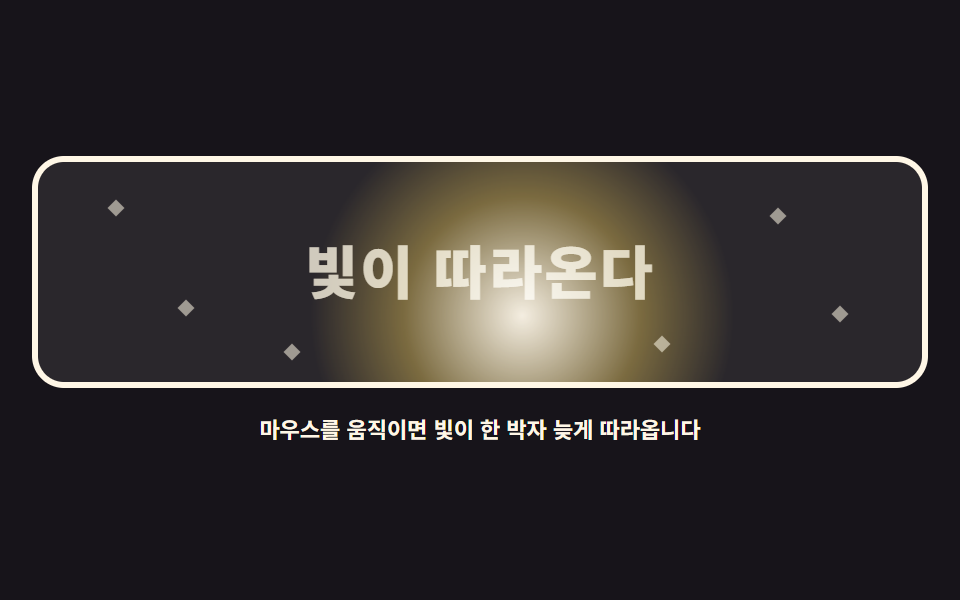
03ついてくる光 — スポットライト
radial-gradient の光の塊が暗い舞台をカーソルより遅れて横切り、通過した文字と星を照らします。
<main class="stage">
<div class="sl is-demo" id="sl">
  <div class="sl__scene" role="img" aria-label="光の塊が暗い舞台を遅れて動き回り、文字と星を照らす図">
    <p class="sl__word">光がついてくる</p>
    <span class="sl__star" style="left:8%; top:18%" aria-hidden="true"></span>
    <span class="sl__star" style="left:16%; top:64%" aria-hidden="true"></span>
    <span class="sl__star" style="left:83%; top:22%" aria-hidden="true"></span>
    <span class="sl__star" style="left:90%; top:66%" aria-hidden="true"></span>
    <span class="sl__star" style="left:70%; top:80%" aria-hidden="true"></span>
    <span class="sl__star" style="left:28%; top:84%" aria-hidden="true"></span>
    <span class="sl__light" id="slLight" aria-hidden="true"></span>
  </div>
  <p class="sl__hint">マウスを動かすと光が一拍遅れて追ってきます</p>
</div>
</main>
@use "../../../../site/static/demo-tokens" as *;
// 따라다니는 빛 — radial-gradient 빛 덩어리가 mix-blend-mode: screen 으로 어두운 무대를 덮으며
// 커서를 lerp(0.09)로 늦게 쫓는다. screen 은 밝은 쪽만 더 밝게 하므로 지나온 글자와 별이 드러난다.
// 격자 미리보기(.is-demo)는 빛이 문장을 왼쪽 끝에서 오른쪽 끝까지 훑고 돌아오는 길을 @keyframes 로 움직인다.
$duration: $dur-loop;
$easing: $ease-out;
$color: $subject-cream;
@include stage($stage-ink);
.sl { display: grid; justify-items: center; gap: $sp-3; width: 100%; }
.sl__scene {
position: relative; overflow: hidden;
width: 100%; height: clamp(110px, 32vh, 160px);
border: 3px solid $color; border-radius: $r-card;
background: #2a272c;
}
.sl__word {
position: absolute; left: 50%; top: 50%;
width: max-content; margin: 0;
transform: translate(-50%, -50%);
color: rgba($color, .78);
font-weight: 800; font-size: clamp(20px, 6vw, 30px); line-height: 1.1;
letter-spacing: .04em;
}
.sl__star {
position: absolute;
width: 6px; height: 6px;
background: rgba($color, .55);
transform: rotate(45deg);
}
// 빛 덩어리 — 크고 부드러운 원형 그라디언트. z 순서는 글자 위
.sl__light {
position: absolute; left: 0; top: 0;
width: 220px; height: 220px;
background: radial-gradient(circle, rgba($subject-cream, .95) 0%, rgba($stage-yellow, .38) 38%, rgba($stage-yellow, 0) 68%);
mix-blend-mode: screen;
border-radius: 50%;
will-change: transform;
}
.sl__hint { margin: 0; color: $color; font-weight: 700; font-size: clamp(9px, 2.4vw, 11px); }
// ── 미리보기 루프: 빛이 문장을 왼쪽에서 오른쪽으로 훑고 돌아온다
.sl.is-demo .sl__light { animation: slSweep $duration $easing infinite; }
@keyframes slSweep {
0%, 6% { transform: translate3d(-96px, -46px, 0); }
44%, 54% { transform: translate3d(190px, -30px, 0); }
88%, 100% { transform: translate3d(-96px, -46px, 0); }
}
@media (max-width: 340px) {
.sl { gap: $sp-2; }
.sl__scene { height: clamp(96px, 28vh, 130px); }
.sl__word { font-size: clamp(16px, 5vw, 22px); }
.sl.is-demo .sl__light { animation-name: slSweepNarrow; }
}
@keyframes slSweepNarrow {
0%, 6% { transform: translate3d(-100px, -44px, 0); }
44%, 54% { transform: translate3d(160px, -30px, 0); }
88%, 100% { transform: translate3d(-100px, -44px, 0); }
}
@media (prefers-reduced-motion: reduce) {
.sl.is-demo .sl__light { animation: none !important; }
// reduce 에서는 빛이 문장 가운데에 고정되어 한 번에 다 보인다
.sl.is-demo .sl__light { transform: translate3d(60px, -40px, 0) !important; }
}html, body {
margin: 0;
overflow: hidden;
}
.stage {
box-sizing: border-box;
min-height: 100vh;
display: grid;
place-items: center;
margin: 0;
background: #17141a;
font-family: -apple-system, "Segoe UI", "Noto Sans KR", sans-serif;
padding: clamp(8px, 4vw, 24px);
}
.sl {
display: grid;
justify-items: center;
gap: 12px;
width: 100%;
}
.sl__scene {
position: relative;
overflow: hidden;
width: 100%;
height: clamp(110px, 32vh, 160px);
border: 3px solid #fff7e6;
border-radius: 16px;
background: #2a272c;
}
.sl__word {
position: absolute;
left: 50%;
top: 50%;
width: max-content;
margin: 0;
transform: translate(-50%, -50%);
color: rgba(255, 247, 230, 0.78);
font-weight: 800;
font-size: clamp(20px, 6vw, 30px);
line-height: 1.1;
letter-spacing: 0.04em;
}
.sl__star {
position: absolute;
width: 6px;
height: 6px;
background: rgba(255, 247, 230, 0.55);
transform: rotate(45deg);
}
.sl__light {
position: absolute;
left: 0;
top: 0;
width: 220px;
height: 220px;
background: radial-gradient(circle, rgba(255, 247, 230, 0.95) 0%, rgba(255, 210, 63, 0.38) 38%, rgba(255, 210, 63, 0) 68%);
mix-blend-mode: screen;
border-radius: 50%;
will-change: transform;
}
.sl__hint {
margin: 0;
color: #fff7e6;
font-weight: 700;
font-size: clamp(9px, 2.4vw, 11px);
}
.sl.is-demo .sl__light {
animation: slSweep 2s ease-out infinite;
}
@keyframes slSweep {
0%, 6% {
transform: translate3d(-96px, -46px, 0);
}
44%, 54% {
transform: translate3d(190px, -30px, 0);
}
88%, 100% {
transform: translate3d(-96px, -46px, 0);
}
}
@media (max-width: 340px) {
.sl {
gap: 8px;
}
.sl__scene {
height: clamp(96px, 28vh, 130px);
}
.sl__word {
font-size: clamp(16px, 5vw, 22px);
}
.sl.is-demo .sl__light {
animation-name: slSweepNarrow;
}
}
@keyframes slSweepNarrow {
0%, 6% {
transform: translate3d(-100px, -44px, 0);
}
44%, 54% {
transform: translate3d(160px, -30px, 0);
}
88%, 100% {
transform: translate3d(-100px, -44px, 0);
}
}
@media (prefers-reduced-motion: reduce) {
.sl.is-demo .sl__light {
animation: none !important;
}
.sl.is-demo .sl__light {
transform: translate3d(60px, -40px, 0) !important;
}
}var root = document.getElementById('sl');
var scene = root.querySelector('.sl__scene');
var light = document.getElementById('slLight');
var reduce = window.matchMedia('(prefers-reduced-motion: reduce)').matches;
function lerp(a, b, k) { return a + (b - a) * k; }
var target = { x: 0, y: 0 };
var pos = { x: 0, y: 0 };
function setTarget(cx, cy) {
var r = scene.getBoundingClientRect();
target.x = cx - r.left;
target.y = cy - r.top;
}
function draw() {
// 빛 덩어리는 자기 중심이 좌표에 오도록 절반만큼 뺀다
light.style.transform = 'translate3d(' + (pos.x - 110) + 'px,' + (pos.y - 110) + 'px,0)';
}
function tick() {
pos.x = lerp(pos.x, target.x, 0.09);
pos.y = lerp(pos.y, target.y, 0.09);
draw();
requestAnimationFrame(tick);
}
function start() {
var r = scene.getBoundingClientRect();
target = { x: r.width / 2, y: r.height / 2 };
pos = { x: r.width / 2, y: r.height / 2 };
}
window.addEventListener('pointermove', function (e) {
root.classList.remove('is-demo');
setTarget(e.clientX, e.clientY);
});
window.addEventListener('pointerdown', function (e) {
root.classList.remove('is-demo');
setTarget(e.clientX, e.clientY);
});
start();
if (reduce) {
// reduce 에서는 빛이 한가운데에 머문다
window.addEventListener('pointermove', function (e) { setTarget(e.clientX, e.clientY); pos = { x: target.x, y: target.y }; draw(); });
} else {
requestAnimationFrame(tick);
}// SpotlightLight — vanilla 판(run/079/demo/03-follow-spotlight-light/index.html) 의 React 포트.
// radial-gradient 빛 덩어리가 mix-blend-mode: screen 으로 어두운 무대를 덮으며 커서를 lerp(0.09)로 늦게 쫓는다.
// screen 은 밝은 쪽만 더 밝게 하므로 지나온 글자와 별이 드러난다. 값·수치는 vanilla 와 같다.
import { useEffect, useRef, useState } from "react";
import type { CSSProperties } from "react";
import styles from "./SpotlightLight.module.scss";
export type SpotlightLightProps = {
duration?: number;
easing?: string;
color?: string;
};
type Vars = CSSProperties & { "--duration"?: string; "--easing"?: string; "--color"?: string };
// useRef 는 T | null 을 돌려준다. 처음부터 값이 있고 절대 비지 않는 상자는 이렇게 좁혀 쓴다
type Box<T> = { current: T };
// 전역 DOM 타입에 기대지 않는다 — 포인터 이벤트에서 실제로 읽는 것만 적는다
type PtrEvt = { clientX: number; clientY: number };
const SCENE_LABEL = "어두운 무대를 빛 덩어리가 늦게 따라다니며 글자와 별을 밝히는 그림";
const WORD = "빛이 따라온다";
const HINT = "마우스를 움직이면 빛이 한 박자 늦게 따라옵니다";
// 별 여섯 개의 자리 — vanilla index.html 의 인라인 스타일과 같은 값
const STARS: { left: string; top: string }[] = [
{ left: "8%", top: "18%" },
{ left: "16%", top: "64%" },
{ left: "83%", top: "22%" },
{ left: "90%", top: "66%" },
{ left: "70%", top: "80%" },
{ left: "28%", top: "84%" },
];
// lerp: 매 프레임 남은 거리의 일부만 더 가는 선형 보간
function lerp(a: number, b: number, k: number): number {
return a + (b - a) * k;
}
export default function SpotlightLight({
duration = 2000,
easing = "ease-out",
color = "#fff7e6",
}: SpotlightLightProps) {
const sceneRef = useRef<HTMLDivElement | null>(null) as Box<HTMLDivElement>;
const lightRef = useRef<HTMLSpanElement | null>(null);
const [demo, setDemo] = useState(true);
const vars: Vars = { "--duration": `${duration}ms`, "--easing": easing, "--color": color };
useEffect(() => {
const scene = sceneRef.current;
if (!scene) return;
const reduce = window.matchMedia("(prefers-reduced-motion: reduce)").matches;
const target = { x: 0, y: 0 };
const pos = { x: 0, y: 0 };
function setTarget(cx: number, cy: number): void {
const r = scene.getBoundingClientRect();
target.x = cx - r.left;
target.y = cy - r.top;
}
function draw(): void {
const light = lightRef.current;
// 빛 덩어리는 자기 중심이 좌표에 오도록 절반만큼 뺀다
if (light) light.style.transform = "translate3d(" + (pos.x - 110) + "px," + (pos.y - 110) + "px,0)";
}
function tick(): void {
pos.x = lerp(pos.x, target.x, 0.09);
pos.y = lerp(pos.y, target.y, 0.09);
draw();
raf = requestAnimationFrame(tick);
}
function start(): void {
const r = scene.getBoundingClientRect();
target.x = r.width / 2;
target.y = r.height / 2;
pos.x = r.width / 2;
pos.y = r.height / 2;
}
function onMove(event: PtrEvt): void {
setDemo(false);
setTarget(event.clientX, event.clientY);
if (reduce) {
// reduce 에서는 빛이 한가운데에 머문다
pos.x = target.x;
pos.y = target.y;
draw();
}
}
function onDown(event: PtrEvt): void {
setDemo(false);
setTarget(event.clientX, event.clientY);
}
window.addEventListener("pointermove", onMove);
window.addEventListener("pointerdown", onDown);
let raf = 0;
start();
if (!reduce) raf = requestAnimationFrame(tick);
return () => {
window.removeEventListener("pointermove", onMove);
window.removeEventListener("pointerdown", onDown);
cancelAnimationFrame(raf);
};
}, []);
return (
<main className={styles.stage}>
<div className={styles.root + (demo ? " " + styles.isDemo : "")} style={vars}>
<div className={styles.scene} ref={sceneRef} role="img" aria-label={SCENE_LABEL}>
<p className={styles.word}>{WORD}</p>
{STARS.map((star, i) => (
<span className={styles.star} style={{ left: star.left, top: star.top }} aria-hidden="true" key={i}></span>
))}
<span className={styles.light} ref={lightRef} aria-hidden="true"></span>
</div>
<p className={styles.hint}>{HINT}</p>
</div>
</main>
);
}03 · ついてくる光 — スポットライト — 計測 累積面積 29.695% · 動いたフレーム 17/23GODRICH オリジナル · SCSS と React は zip に同梱 · パスワードを見る
光の材料
.sl__light {
  width: 220px; height: 220px;
  background: radial-gradient(circle, rgba($subject-cream, .95) 0%,
              rgba($stage-yellow, .38) 38%, rgba($stage-yellow, 0) 68%);
  mix-blend-mode: screen;
  border-radius: 50%;
}
screen は暗い側だけ明るく持ち上げるため、光の下では文字が浮かび上がって通り過ぎれば沈み、追跡係数はゆっくり流れる 0.09 です。
遅い光の算数
変化面積 29.70% と最多で、強度 45.0・動いたフレーム 17/23 で、カーソルを固定して30フレーム数えても光の中心とカーソルの距離は最初の約 8% が残っており、一拍遅れの光がどれだけ長く目標を追うかが数字で示されました。
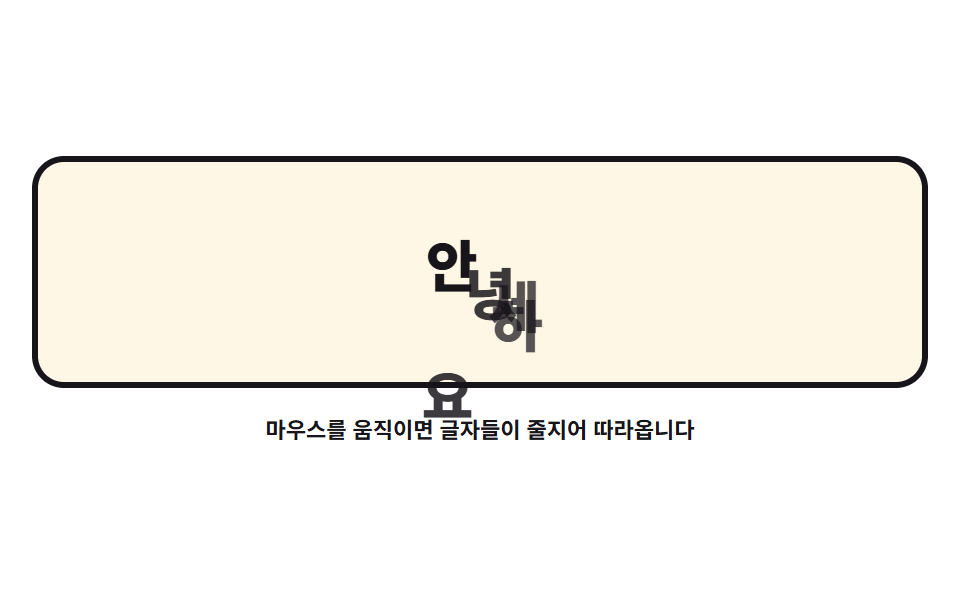
04ついてくる文字 — 文字の列車
単語を文字ごとに分け、最初の文字はカーソルを、後ろの文字は前の文字を追わせると、文字がカーソルの後ろに一拍ずつ続く列車になります。
<main class="stage">
<div class="tt is-demo" id="tt">
  <div class="tt__field" role="img" aria-label="「こんにちは」の文字がカーソルを追い、一拍ずつ押し寄せる図">
    <span class="tt__ch">こ</span>
    <span class="tt__ch">ん</span>
    <span class="tt__ch">に</span>
    <span class="tt__ch">ち</span>
    <span class="tt__ch">は</span>
  </div>
  <p class="tt__hint">マウスを動かすと文字が列をなして追ってきます</p>
</div>
</main>
@use "../../../../site/static/demo-tokens" as *;
// 따라 다니는 글씨들 — 첫 글자는 커서를, 뒤 글자는 앞 글자를 lerp 로 쫓게 한다(계수 0.22 → 0.07).
// 격자 미리보기(.is-demo)는 같은 물결 경로를 글자마다 animation-delay 로 한 박자씩 어긋나게 해
// 기차가 밀려오는 모양을 보여 준다.
$duration: $dur-loop;
$easing: $ease-spring;
$color: $subject-ink;
@include stage($stage-paper);
.tt { display: grid; justify-items: center; gap: $sp-3; width: 100%; }
.tt__field {
position: relative;
width: 100%; height: clamp(110px, 32vh, 160px);
border: 3px solid $color; border-radius: $r-card;
background: $subject-cream;
}
.tt__ch {
position: absolute; left: 0; top: 0;
width: 28px; height: 40px;
color: $color;
font-weight: 800; font-size: 28px; line-height: 40px;
text-align: center;
will-change: transform;
}
// 글자마다 색을 조금씩 달리해 줄이 얼마나 길어지는지 보기 쉽게 한다
.tt__ch:nth-child(1) { color: $color; }
.tt__ch:nth-child(2) { color: rgba($color, .84); }
.tt__ch:nth-child(3) { color: rgba($color, .72); }
.tt__ch:nth-child(4) { color: rgba($color, .72); }
.tt__ch:nth-child(5) { color: rgba($color, .84); }
.tt__hint { margin: 0; color: $color; font-weight: 700; font-size: clamp(9px, 2.4vw, 11px); }
// ── 미리보기 루프: 큰 물결을 글자가 차례로 지나간다. delay 로 한 박자씩 밀린다.
// 같은 경로를 쓰므로 글자마다 시작점(left/top)을 비틀어 덩리로 겹치지 않게 한다
.tt.is-demo .tt__ch {
animation-name: ttWave;
animation-duration: $duration;
animation-timing-function: $easing;
animation-iteration-count: infinite;
animation-fill-mode: backwards;
}
.tt.is-demo .tt__ch:nth-child(1) { animation-delay: 0ms; }
.tt.is-demo .tt__ch:nth-child(2) { animation-delay: 110ms; left: 24px; top: 12px; }
.tt.is-demo .tt__ch:nth-child(3) { animation-delay: 220ms; left: 48px; top: 24px; }
.tt.is-demo .tt__ch:nth-child(4) { animation-delay: 330ms; left: 72px; top: 4px; }
.tt.is-demo .tt__ch:nth-child(5) { animation-delay: 440ms; left: 104px; top: 22px; }
@keyframes ttWave {
0% { transform: translate3d(36px, 96px, 0); }
38%, 46% { transform: translate3d(196px, 30px, 0); }
60%, 68% { transform: translate3d(120px, 72px, 0); }
86%, 100% { transform: translate3d(36px, 96px, 0); }
}
@media (max-width: 340px) {
.tt { gap: $sp-2; }
.tt__field { height: clamp(96px, 28vh, 130px); }
.tt__ch { width: 22px; height: 32px; font-size: 22px; line-height: 32px; }
.tt.is-demo .tt__ch { animation-name: ttWaveNarrow; }
}
@keyframes ttWaveNarrow {
0% { transform: translate3d(18px, 76px, 0); }
38%, 46% { transform: translate3d(140px, 26px, 0); }
60%, 68% { transform: translate3d(88px, 58px, 0); }
86%, 100% { transform: translate3d(18px, 76px, 0); }
}
@media (prefers-reduced-motion: reduce) {
.tt.is-demo .tt__ch { animation: none !important; }
// reduce 에서는 글자 다섯 개가 가로로 늘어선 정지 상태를 보인다
.tt.is-demo .tt__ch:nth-child(1) { transform: translate3d(64px, 56px, 0) !important; }
.tt.is-demo .tt__ch:nth-child(2) { transform: translate3d(100px, 56px, 0) !important; }
.tt.is-demo .tt__ch:nth-child(3) { transform: translate3d(136px, 56px, 0) !important; }
.tt.is-demo .tt__ch:nth-child(4) { transform: translate3d(172px, 56px, 0) !important; }
.tt.is-demo .tt__ch:nth-child(5) { transform: translate3d(208px, 56px, 0) !important; }
}html, body {
margin: 0;
overflow: hidden;
}
.stage {
box-sizing: border-box;
min-height: 100vh;
display: grid;
place-items: center;
margin: 0;
background: #ffffff;
font-family: -apple-system, "Segoe UI", "Noto Sans KR", sans-serif;
padding: clamp(8px, 4vw, 24px);
}
.tt {
display: grid;
justify-items: center;
gap: 12px;
width: 100%;
}
.tt__field {
position: relative;
width: 100%;
height: clamp(110px, 32vh, 160px);
border: 3px solid #17141a;
border-radius: 16px;
background: #fff7e6;
}
.tt__ch {
position: absolute;
left: 0;
top: 0;
width: 28px;
height: 40px;
color: #17141a;
font-weight: 800;
font-size: 28px;
line-height: 40px;
text-align: center;
will-change: transform;
}
.tt__ch:nth-child(1) {
color: #17141a;
}
.tt__ch:nth-child(2) {
color: rgba(23, 20, 26, 0.84);
}
.tt__ch:nth-child(3) {
color: rgba(23, 20, 26, 0.72);
}
.tt__ch:nth-child(4) {
color: rgba(23, 20, 26, 0.72);
}
.tt__ch:nth-child(5) {
color: rgba(23, 20, 26, 0.84);
}
.tt__hint {
margin: 0;
color: #17141a;
font-weight: 700;
font-size: clamp(9px, 2.4vw, 11px);
}
.tt.is-demo .tt__ch {
animation-name: ttWave;
animation-duration: 2s;
animation-timing-function: cubic-bezier(0.2, 0.8, 0.2, 1);
animation-iteration-count: infinite;
animation-fill-mode: backwards;
}
.tt.is-demo .tt__ch:nth-child(1) {
animation-delay: 0ms;
}
.tt.is-demo .tt__ch:nth-child(2) {
animation-delay: 110ms;
left: 24px;
top: 12px;
}
.tt.is-demo .tt__ch:nth-child(3) {
animation-delay: 220ms;
left: 48px;
top: 24px;
}
.tt.is-demo .tt__ch:nth-child(4) {
animation-delay: 330ms;
left: 72px;
top: 4px;
}
.tt.is-demo .tt__ch:nth-child(5) {
animation-delay: 440ms;
left: 104px;
top: 22px;
}
@keyframes ttWave {
0% {
transform: translate3d(36px, 96px, 0);
}
38%, 46% {
transform: translate3d(196px, 30px, 0);
}
60%, 68% {
transform: translate3d(120px, 72px, 0);
}
86%, 100% {
transform: translate3d(36px, 96px, 0);
}
}
@media (max-width: 340px) {
.tt {
gap: 8px;
}
.tt__field {
height: clamp(96px, 28vh, 130px);
}
.tt__ch {
width: 22px;
height: 32px;
font-size: 22px;
line-height: 32px;
}
.tt.is-demo .tt__ch {
animation-name: ttWaveNarrow;
}
}
@keyframes ttWaveNarrow {
0% {
transform: translate3d(18px, 76px, 0);
}
38%, 46% {
transform: translate3d(140px, 26px, 0);
}
60%, 68% {
transform: translate3d(88px, 58px, 0);
}
86%, 100% {
transform: translate3d(18px, 76px, 0);
}
}
@media (prefers-reduced-motion: reduce) {
.tt.is-demo .tt__ch {
animation: none !important;
}
.tt.is-demo .tt__ch:nth-child(1) {
transform: translate3d(64px, 56px, 0) !important;
}
.tt.is-demo .tt__ch:nth-child(2) {
transform: translate3d(100px, 56px, 0) !important;
}
.tt.is-demo .tt__ch:nth-child(3) {
transform: translate3d(136px, 56px, 0) !important;
}
.tt.is-demo .tt__ch:nth-child(4) {
transform: translate3d(172px, 56px, 0) !important;
}
.tt.is-demo .tt__ch:nth-child(5) {
transform: translate3d(208px, 56px, 0) !important;
}
}var root = document.getElementById('tt');
var field = root.querySelector('.tt__field');
var chars = Array.prototype.slice.call(root.querySelectorAll('.tt__ch'));
var reduce = window.matchMedia('(prefers-reduced-motion: reduce)').matches;
function lerp(a, b, k) { return a + (b - a) * k; }
var target = { x: 0, y: 0 };
var spots = [];
function home() {
// 글자들은 처음에 가로로 늘어서 있다 — .is-demo 를 뗀 정적 상태의 모습
var r = field.getBoundingClientRect();
var gap = Math.min(44, (r.width - 60) / (chars.length - 1));
var startX = r.width / 2 - gap * (chars.length - 1) / 2;
target = { x: r.width / 2, y: r.height / 2 };
spots = [];
for (var i = 0; i < chars.length; i++) {
spots.push({ x: startX + gap * i, y: r.height / 2 + 26 });
}
}
function setTarget(cx, cy) {
var r = field.getBoundingClientRect();
target.x = cx - r.left;
target.y = cy - r.top;
}
function draw() {
for (var i = 0; i < chars.length; i++) {
chars[i].style.transform = 'translate3d(' + (spots[i].x - 14) + 'px,' + (spots[i].y - 20) + 'px,0)';
}
}
// 첫 글자는 커서를, 나머지는 앞 글자를 쫓는다 — 계수가 뒤로 갈수록 작아져 기차처럼 밀린다
var follow = [0.22, 0.16, 0.12, 0.09, 0.07];

function tick() {
  spots[0].x = lerp(spots[0].x, target.x, follow[0]);
  spots[0].y = lerp(spots[0].y, target.y - 34, follow[0]);
  for (var i = 1; i < spots.length; i++) {
    spots[i].x = lerp(spots[i].x, spots[i - 1].x, follow[i]);
    spots[i].y = lerp(spots[i].y, spots[i - 1].y + 8, follow[i]);
  }
  draw();
  requestAnimationFrame(tick);
}
window.addEventListener('pointermove', function (e) {
root.classList.remove('is-demo');
setTarget(e.clientX, e.clientY);
});
window.addEventListener('pointerdown', function (e) {
root.classList.remove('is-demo');
setTarget(e.clientX, e.clientY);
});
home();
draw();
if (!reduce) {
requestAnimationFrame(tick);
} else {
// reduce 에서는 글자가 늘어선 자리에 그대로 머문다
window.addEventListener('pointermove', function (e) {
setTarget(e.clientX, e.clientY);
for (var i = 0; i < spots.length; i++) {
spots[i].x = target.x - i * 34;
spots[i].y = target.y;
}
draw();
});
}// TextTrain — vanilla 판(run/079/demo/04-follow-text-train/index.html) 의 React 포트.
// 첫 글자는 커서를, 뒤 글자는 앞 글자를 lerp 로 쫓게 한다(계수 0.22 → 0.07) — 기차처럼 한 박자씩 밀려온다.
// 자리 계산·줄간격·reduce 동작은 vanilla 와 같은 값이다 (다시 타이핑하지 않는다).
import { useEffect, useRef, useState } from "react";
import type { CSSProperties } from "react";
import styles from "./TextTrain.module.scss";
export type TextTrainProps = {
duration?: number;
easing?: string;
color?: string;
};
type Vars = CSSProperties & { "--duration"?: string; "--easing"?: string; "--color"?: string };
// useRef 는 T | null 을 돌려준다. 처음부터 값이 있고 절대 비지 않는 상자는 이렇게 좁혀 쓴다
type Box<T> = { current: T };
// 전역 DOM 타입에 기대지 않는다 — 포인터 이벤트에서 실제로 읽는 것만 적는다
type PtrEvt = { clientX: number; clientY: number };
const FIELD_LABEL = "안녕하세요 글자가 커서를 쫓아 한 박자씩 밀려오는 그림";
const HINT = "마우스를 움직이면 글자들이 줄지어 따라옵니다";
const CHARS = ["안", "녕", "하", "세", "요"];
// 첫 글자는 커서를, 나머지는 앞 글자를 쫓는다 — 계수가 뒤로 갈수록 작아져 기차처럼 밀린다
const FOLLOW = [0.22, 0.16, 0.12, 0.09, 0.07];
// lerp: 매 프레임 남은 거리의 일부만 더 가는 선형 보간
function lerp(a: number, b: number, k: number): number {
return a + (b - a) * k;
}
export default function TextTrain({
duration = 2000,
easing = "cubic-bezier(.2, .8, .2, 1)",
color = "#17141a",
}: TextTrainProps) {
const fieldRef = useRef<HTMLDivElement | null>(null) as Box<HTMLDivElement>;
const charRef = useRef<(HTMLSpanElement | null)[]>(new Array(CHARS.length).fill(null)) as Box<(HTMLSpanElement | null)[]>;
const [demo, setDemo] = useState(true);
const vars: Vars = { "--duration": `${duration}ms`, "--easing": easing, "--color": color };
function setChar(index: number) {
return (el: HTMLSpanElement | null): void => {
charRef.current[index] = el;
};
}
useEffect(() => {
const field = fieldRef.current;
if (!field) return;
const reduce = window.matchMedia("(prefers-reduced-motion: reduce)").matches;
const target = { x: 0, y: 0 };
let spots = CHARS.map(() => ({ x: 0, y: 0 }));
function home(): void {
// 글자들은 처음에 가로로 늘어서 있다 — .is-demo 를 뗀 정적 상태의 모습
const r = field.getBoundingClientRect();
const gap = Math.min(44, (r.width - 60) / (CHARS.length - 1));
const startX = r.width / 2 - gap * (CHARS.length - 1) / 2;
target.x = r.width / 2;
target.y = r.height / 2;
spots = CHARS.map((_, i) => ({ x: startX + gap * i, y: r.height / 2 + 26 }));
}
function setTarget(cx: number, cy: number): void {
const r = field.getBoundingClientRect();
target.x = cx - r.left;
target.y = cy - r.top;
}
function draw(): void {
for (let i = 0; i < spots.length; i++) {
const ch = charRef.current[i];
if (ch) ch.style.transform = "translate3d(" + (spots[i].x - 14) + "px," + (spots[i].y - 20) + "px,0)";
}
}
function tick(): void {
spots[0].x = lerp(spots[0].x, target.x, FOLLOW[0]);
spots[0].y = lerp(spots[0].y, target.y - 34, FOLLOW[0]);
for (let i = 1; i < spots.length; i++) {
spots[i].x = lerp(spots[i].x, spots[i - 1].x, FOLLOW[i]);
spots[i].y = lerp(spots[i].y, spots[i - 1].y + 8, FOLLOW[i]);
}
draw();
raf = requestAnimationFrame(tick);
}
function onMove(event: PtrEvt): void {
setDemo(false);
setTarget(event.clientX, event.clientY);
if (reduce) {
// reduce 에서는 글자가 커서 뒤로 가로줄로 바로 붙는다
for (let i = 0; i < spots.length; i++) {
spots[i].x = target.x - i * 34;
spots[i].y = target.y;
}
draw();
}
}
function onDown(event: PtrEvt): void {
setDemo(false);
setTarget(event.clientX, event.clientY);
}
window.addEventListener("pointermove", onMove);
window.addEventListener("pointerdown", onDown);
let raf = 0;
home();
draw();
if (!reduce) raf = requestAnimationFrame(tick);
return () => {
window.removeEventListener("pointermove", onMove);
window.removeEventListener("pointerdown", onDown);
cancelAnimationFrame(raf);
};
}, []);
return (
<main className={styles.stage}>
<div className={styles.root + (demo ? " " + styles.isDemo : "")} style={vars}>
<div className={styles.field} ref={fieldRef} role="img" aria-label={FIELD_LABEL}>
{CHARS.map((ch, i) => (
<span className={styles.ch} key={i} ref={setChar(i)}>{ch}</span>
))}
</div>
<p className={styles.hint}>{HINT}</p>
</div>
</main>
);
}04 · ついてくる文字 — 文字の列車 — 計測 累積面積 10.345% · 動いたフレーム 23/23GODRICH オリジナル · SCSS と React は zip に同梱 · パスワードを見る
前の文字を追う鎖
var follow = [0.22, 0.16, 0.12, 0.09, 0.07];
function tick() {
spots[0].x = lerp(spots[0].x, target.x, follow[0]);
spots[0].y = lerp(spots[0].y, target.y - 34, follow[0]);
for (var i = 1; i < spots.length; i++) {
spots[i].x = lerp(spots[i].x, spots[i - 1].x, follow[i]);
spots[i].y = lerp(spots[i].y, spots[i - 1].y + 8, follow[i]);
}
draw();
requestAnimationFrame(tick);
}
後ろほど係数が小さいのが要点で、カーソルが急旋回すると後ろの文字が外側へ広がってしっぽのようになり、各文字には will-change: transform を与えて、ブラウザが前もって合成レイヤーを作れるようにします。
ポスターが掴んだ重なり
変化面積 10.35%・強度 120.3・動いたフレーム 23/23 ですが、最初の版は5文字すべてが同じ経路を遅延だけでずらして動き、抜き出したフレームの右端で2文字がひと塊に重なったため、文字ごとに開始位置を斜めに広げて対角線の列車に直しました。
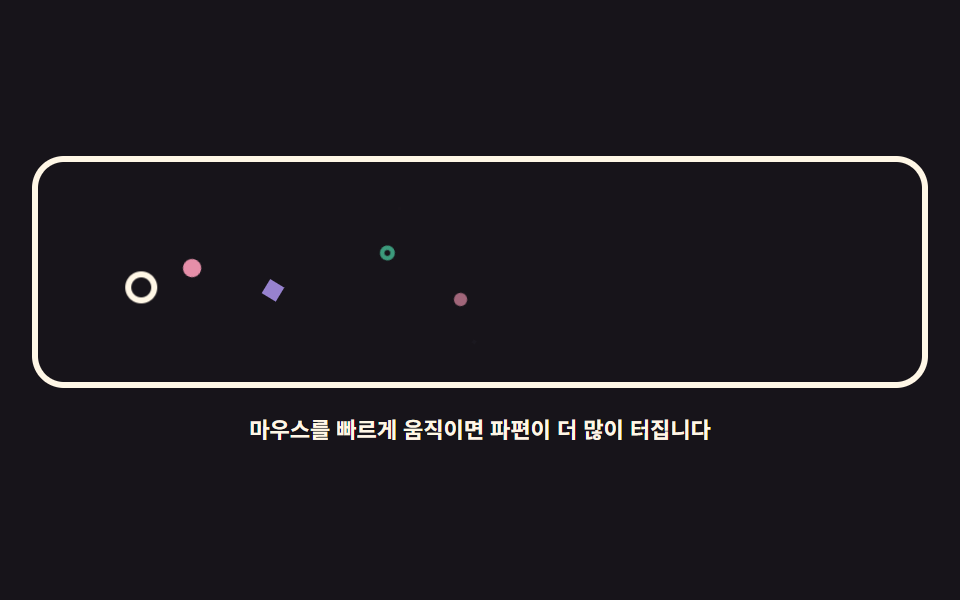
05派手なパーティクルマウス — DOMの紙吹雪
canvas なしで span の破片をカーソル速度に比例して弾き、element.animate() の呼び出しで飛ばして消します。
<main class="stage">
<div class="pb is-demo" id="pb">
  <div class="pb__field" role="img" aria-label="白いリングがカーソルを動かし、その後ろに色とりどりの破片が弾ける図">
    <span class="pb__cursor" id="pbCursor" aria-hidden="true"></span>
    <span class="pb__p pb__p--dot" aria-hidden="true"></span>
    <span class="pb__p pb__p--ring" aria-hidden="true"></span>
    <span class="pb__p pb__p--dot" aria-hidden="true"></span>
    <span class="pb__p pb__p--gem" aria-hidden="true"></span>
    <span class="pb__p pb__p--dot" aria-hidden="true"></span>
    <span class="pb__p pb__p--ring" aria-hidden="true"></span>
    <span class="pb__p pb__p--gem" aria-hidden="true"></span>
    <span class="pb__p pb__p--dot" aria-hidden="true"></span>
  </div>
  <p class="pb__hint">マウスを速く動かすと破片がもっと弾けます</p>
</div>
</main>
@use "../../../../site/static/demo-tokens" as *;
// 화려한 파티클 마우스 — 캔버스 없이 span 파편을 pool 로 돌려 쓴다.
// 실제 조작은 커서 이동 거리를 쌓아 26px마다 파편 하나를 Element.animate(WAAPI)로 터뜨린다.
// 격자 미리보기(.is-demo)는 커서 고리가 좌우로 지나가고 파편 여덟이 그 자리에서 흩어지는 루프다.
$duration: $dur-loop;
$easing: $ease-out;
$color: $subject-cream;
@include stage($stage-ink);
.pb { display: grid; justify-items: center; gap: $sp-3; width: 100%; }
.pb__field {
position: relative; overflow: hidden;
width: 100%; height: clamp(110px, 32vh, 160px);
border: 3px solid $color; border-radius: $r-card;
}
.pb__cursor {
position: absolute; left: 0; top: 0;
width: 16px; height: 16px; box-sizing: border-box;
border: 3px solid $color; border-radius: 50%;
will-change: transform;
}
// 파편 세 모양 — 점·고리·마름모 (아이콘이 아니라 기하 도형이다). 색은 --pc 로 받는다
.pb__p {
position: absolute; left: 0; top: 0;
width: 10px; height: 10px;
opacity: 0;
will-change: transform, opacity;
}
.pb__p--dot { background: var(--pc, $subject-pink); border-radius: 50%; }
.pb__p--ring {
box-sizing: border-box;
background: transparent; border: 3px solid var(--pc, $subject-mint); border-radius: 50%;
}
.pb__p--gem { background: var(--pc, $subject-lilac); transform: rotate(45deg); }
.pb__hint { margin: 0; color: $color; font-weight: 700; font-size: clamp(9px, 2.4vw, 11px); }
// ── 미리보기 루프: 커서 고리가 왼쪽 → 오른쪽으로 지나가고, 파편이 그 뒤에서 흩어진다
.pb.is-demo .pb__cursor { animation: pbCursor $duration $ease-spring infinite; }
.pb.is-demo .pb__p { animation: pbFly $duration $easing infinite; }
@keyframes pbCursor {
0%, 4% { transform: translate3d(24px, 56px, 0); }
46%, 52% { transform: translate3d(236px, 42px, 0); }
88%, 100% { transform: translate3d(24px, 56px, 0); }
}
// 파편마다 시작점(키프레임 안 px)과 delay 를 달리해 한 번에 쏟아지지 않게 한다
.pb.is-demo .pb__p:nth-child(2) { animation-delay: 0ms; animation-name: pbA; }
.pb.is-demo .pb__p:nth-child(3) { animation-delay: 90ms; animation-name: pbB; }
.pb.is-demo .pb__p:nth-child(4) { animation-delay: 180ms; animation-name: pbC; }
.pb.is-demo .pb__p:nth-child(5) { animation-delay: 250ms; animation-name: pbD; }
.pb.is-demo .pb__p:nth-child(6) { animation-delay: 1000ms; animation-name: pbE; }
.pb.is-demo .pb__p:nth-child(7) { animation-delay: 1090ms; animation-name: pbF; }
.pb.is-demo .pb__p:nth-child(8) { animation-delay: 1170ms; animation-name: pbG; }
.pb.is-demo .pb__p:nth-child(9) { animation-delay: 1250ms; animation-name: pbH; }
@keyframes pbA {
0% { transform: translate3d(60px, 56px, 0) rotate(0deg) scale(1); opacity: 1; }
62%, 100% { transform: translate3d(96px, 20px, 0) rotate(160deg) scale(.15); opacity: 0; }
}
@keyframes pbB {
0% { transform: translate3d(100px, 48px, 0) rotate(0deg) scale(1); opacity: 1; }
62%, 100% { transform: translate3d(140px, 92px, 0) rotate(200deg) scale(.15); opacity: 0; }
}
@keyframes pbC {
0% { transform: translate3d(140px, 54px, 0) rotate(0deg) scale(1); opacity: 1; }
62%, 100% { transform: translate3d(176px, 18px, 0) rotate(140deg) scale(.15); opacity: 0; }
}
@keyframes pbD {
0% { transform: translate3d(180px, 46px, 0) rotate(0deg) scale(1); opacity: 1; }
62%, 100% { transform: translate3d(214px, 86px, 0) rotate(220deg) scale(.15); opacity: 0; }
}
@keyframes pbE {
0% { transform: translate3d(220px, 46px, 0) rotate(0deg) scale(1); opacity: 1; }
62%, 100% { transform: translate3d(186px, 90px, 0) rotate(180deg) scale(.15); opacity: 0; }
}
@keyframes pbF {
0% { transform: translate3d(180px, 52px, 0) rotate(0deg) scale(1); opacity: 1; }
62%, 100% { transform: translate3d(146px, 14px, 0) rotate(210deg) scale(.15); opacity: 0; }
}
@keyframes pbG {
0% { transform: translate3d(120px, 50px, 0) rotate(0deg) scale(1); opacity: 1; }
62%, 100% { transform: translate3d(84px, 94px, 0) rotate(150deg) scale(.15); opacity: 0; }
}
@keyframes pbH {
0% { transform: translate3d(76px, 52px, 0) rotate(0deg) scale(1); opacity: 1; }
62%, 100% { transform: translate3d(40px, 16px, 0) rotate(190deg) scale(.15); opacity: 0; }
}
@media (max-width: 340px) {
.pb { gap: $sp-2; }
.pb__field { height: clamp(96px, 28vh, 130px); }
.pb__p { width: 8px; height: 8px; }
.pb__p--ring { border-width: 2px; }
}
@media (prefers-reduced-motion: reduce) {
.pb.is-demo .pb__cursor,
.pb.is-demo .pb__p { animation: none !important; }
// reduce 에서는 파편이 바닥에 흩어진 정물로 남고 커서 고리만 가운데 있다
.pb.is-demo .pb__cursor { transform: translate3d(120px, 48px, 0) !important; }
.pb.is-demo .pb__p:nth-child(2) { transform: translate3d(60px, 84px, 0) rotate(20deg) scale(1) !important; opacity: 1 !important; }
.pb.is-demo .pb__p:nth-child(4) { transform: translate3d(112px, 92px, 0) rotate(-14deg) scale(1) !important; opacity: 1 !important; }
.pb.is-demo .pb__p:nth-child(6) { transform: translate3d(164px, 88px, 0) rotate(30deg) scale(1) !important; opacity: 1 !important; }
.pb.is-demo .pb__p:nth-child(8) { transform: translate3d(206px, 84px, 0) rotate(-24deg) scale(1) !important; opacity: 1 !important; }
}html, body {
margin: 0;
overflow: hidden;
}
.stage {
box-sizing: border-box;
min-height: 100vh;
display: grid;
place-items: center;
margin: 0;
background: #17141a;
font-family: -apple-system, "Segoe UI", "Noto Sans KR", sans-serif;
padding: clamp(8px, 4vw, 24px);
}
.pb {
display: grid;
justify-items: center;
gap: 12px;
width: 100%;
}
.pb__field {
position: relative;
overflow: hidden;
width: 100%;
height: clamp(110px, 32vh, 160px);
border: 3px solid #fff7e6;
border-radius: 16px;
}
.pb__cursor {
position: absolute;
left: 0;
top: 0;
width: 16px;
height: 16px;
box-sizing: border-box;
border: 3px solid #fff7e6;
border-radius: 50%;
will-change: transform;
}
.pb__p {
position: absolute;
left: 0;
top: 0;
width: 10px;
height: 10px;
opacity: 0;
will-change: transform, opacity;
}
.pb__p--dot {
background: var(--pc, #ff9ebb);
border-radius: 50%;
}
.pb__p--ring {
box-sizing: border-box;
background: transparent;
border: 3px solid var(--pc, #4cd4a6);
border-radius: 50%;
}
.pb__p--gem {
background: var(--pc, #b9a0ff);
transform: rotate(45deg);
}
.pb__hint {
margin: 0;
color: #fff7e6;
font-weight: 700;
font-size: clamp(9px, 2.4vw, 11px);
}
.pb.is-demo .pb__cursor {
animation: pbCursor 2s cubic-bezier(0.2, 0.8, 0.2, 1) infinite;
}
.pb.is-demo .pb__p {
animation: pbFly 2s ease-out infinite;
}
@keyframes pbCursor {
0%, 4% {
transform: translate3d(24px, 56px, 0);
}
46%, 52% {
transform: translate3d(236px, 42px, 0);
}
88%, 100% {
transform: translate3d(24px, 56px, 0);
}
}
.pb.is-demo .pb__p:nth-child(2) {
animation-delay: 0ms;
animation-name: pbA;
}
.pb.is-demo .pb__p:nth-child(3) {
animation-delay: 90ms;
animation-name: pbB;
}
.pb.is-demo .pb__p:nth-child(4) {
animation-delay: 180ms;
animation-name: pbC;
}
.pb.is-demo .pb__p:nth-child(5) {
animation-delay: 250ms;
animation-name: pbD;
}
.pb.is-demo .pb__p:nth-child(6) {
animation-delay: 1000ms;
animation-name: pbE;
}
.pb.is-demo .pb__p:nth-child(7) {
animation-delay: 1090ms;
animation-name: pbF;
}
.pb.is-demo .pb__p:nth-child(8) {
animation-delay: 1170ms;
animation-name: pbG;
}
.pb.is-demo .pb__p:nth-child(9) {
animation-delay: 1250ms;
animation-name: pbH;
}
@keyframes pbA {
0% {
transform: translate3d(60px, 56px, 0) rotate(0deg) scale(1);
opacity: 1;
}
62%, 100% {
transform: translate3d(96px, 20px, 0) rotate(160deg) scale(0.15);
opacity: 0;
}
}
@keyframes pbB {
0% {
transform: translate3d(100px, 48px, 0) rotate(0deg) scale(1);
opacity: 1;
}
62%, 100% {
transform: translate3d(140px, 92px, 0) rotate(200deg) scale(0.15);
opacity: 0;
}
}
@keyframes pbC {
0% {
transform: translate3d(140px, 54px, 0) rotate(0deg) scale(1);
opacity: 1;
}
62%, 100% {
transform: translate3d(176px, 18px, 0) rotate(140deg) scale(0.15);
opacity: 0;
}
}
@keyframes pbD {
0% {
transform: translate3d(180px, 46px, 0) rotate(0deg) scale(1);
opacity: 1;
}
62%, 100% {
transform: translate3d(214px, 86px, 0) rotate(220deg) scale(0.15);
opacity: 0;
}
}
@keyframes pbE {
0% {
transform: translate3d(220px, 46px, 0) rotate(0deg) scale(1);
opacity: 1;
}
62%, 100% {
transform: translate3d(186px, 90px, 0) rotate(180deg) scale(0.15);
opacity: 0;
}
}
@keyframes pbF {
0% {
transform: translate3d(180px, 52px, 0) rotate(0deg) scale(1);
opacity: 1;
}
62%, 100% {
transform: translate3d(146px, 14px, 0) rotate(210deg) scale(0.15);
opacity: 0;
}
}
@keyframes pbG {
0% {
transform: translate3d(120px, 50px, 0) rotate(0deg) scale(1);
opacity: 1;
}
62%, 100% {
transform: translate3d(84px, 94px, 0) rotate(150deg) scale(0.15);
opacity: 0;
}
}
@keyframes pbH {
0% {
transform: translate3d(76px, 52px, 0) rotate(0deg) scale(1);
opacity: 1;
}
62%, 100% {
transform: translate3d(40px, 16px, 0) rotate(190deg) scale(0.15);
opacity: 0;
}
}
@media (max-width: 340px) {
.pb {
gap: 8px;
}
.pb__field {
height: clamp(96px, 28vh, 130px);
}
.pb__p {
width: 8px;
height: 8px;
}
.pb__p--ring {
border-width: 2px;
}
}
@media (prefers-reduced-motion: reduce) {
.pb.is-demo .pb__cursor,
.pb.is-demo .pb__p {
animation: none !important;
}
.pb.is-demo .pb__cursor {
transform: translate3d(120px, 48px, 0) !important;
}
.pb.is-demo .pb__p:nth-child(2) {
transform: translate3d(60px, 84px, 0) rotate(20deg) scale(1) !important;
opacity: 1 !important;
}
.pb.is-demo .pb__p:nth-child(4) {
transform: translate3d(112px, 92px, 0) rotate(-14deg) scale(1) !important;
opacity: 1 !important;
}
.pb.is-demo .pb__p:nth-child(6) {
transform: translate3d(164px, 88px, 0) rotate(30deg) scale(1) !important;
opacity: 1 !important;
}
.pb.is-demo .pb__p:nth-child(8) {
transform: translate3d(206px, 84px, 0) rotate(-24deg) scale(1) !important;
opacity: 1 !important;
}
}var root = document.getElementById('pb');
var field = root.querySelector('.pb__field');
var cursorEl = document.getElementById('pbCursor');
var pool = Array.prototype.slice.call(root.querySelectorAll('.pb__p'));
var reduce = window.matchMedia('(prefers-reduced-motion: reduce)').matches;
// 오래된 브라우저에서는 파편 없이 커서 고리만 움직이게 둔다 (animate 는 인스턴스 메서드다)
var canAnimate = typeof document.body.animate === 'function';
var colors = ['#ff9ebb', '#4cd4a6', '#b9a0ff', '#6ec8ff', '#ffd23f'];
var shapes = ['pb__p--dot', 'pb__p--ring', 'pb__p--gem'];
var last = null;
var travel = 0;
var next = 0;
// 커서가 이동한 거리를 쌓아 두었다가 26px마다 파편 하나를 터뜨린다 — 속도에 비례한다
function spawn(x, y, dx, dy) {
var element = pool[next];
next = (next + 1) % pool.length;
element.className = 'pb__p ' + shapes[(Math.random() * shapes.length) | 0];
// 모양마다 --pc 를 색으로 쓴다 (점은 배경, 고리는 테두리, 마름모는 배경)
element.style.setProperty('--pc', colors[(Math.random() * colors.length) | 0]);
var ang = Math.atan2(dy, dx) + (Math.random() - 0.5) * 2.4;
var dist = 34 + Math.random() * 46;
var tx = x + Math.cos(ang) * dist;
var ty = y + Math.sin(ang) * dist;
element.animate([
{ transform: 'translate3d(' + (x - 5) + 'px,' + (y - 5) + 'px,0) rotate(0deg) scale(1)', opacity: 1 },
{ transform: 'translate3d(' + (tx - 5) + 'px,' + (ty - 5) + 'px,0) rotate(200deg) scale(.15)', opacity: 0 }
], { duration: 620 + Math.random() * 320, easing: 'cubic-bezier(.2,.8,.2,1)' });
}
function place(cx, cy) {
var r = field.getBoundingClientRect();
var x = cx - r.left;
var y = cy - r.top;
cursorEl.style.transform = 'translate3d(' + (x - 8) + 'px,' + (y - 8) + 'px,0)';
if (last) {
var dx = x - last.x, dy = y - last.y;
travel += Math.sqrt(dx * dx + dy * dy);
while (travel > 26) {
travel -= 26;
if (!reduce && canAnimate) { spawn(x, y, dx, dy); }
}
}
last = { x: x, y: y };
}
window.addEventListener('pointermove', function (e) {
root.classList.remove('is-demo');
place(e.clientX, e.clientY);
});
window.addEventListener('pointerdown', function (e) {
root.classList.remove('is-demo');
last = null;
place(e.clientX, e.clientY);
});// ParticleBurst — vanilla 판(run/079/demo/05-follow-particle-burst/index.html) 의 React 포트.
// 캔버스 없이 span 파편을 pool 로 돌려 쓴다. 커서 이동 거리를 쌓아 26px마다 파편 하나를
// element.animate(WAAPI)로 터뜨린다 — 색 배열·모양·거리·시간은 vanilla 와 같은 값이다.
import { useEffect, useRef, useState } from "react";
import type { CSSProperties } from "react";
import styles from "./ParticleBurst.module.scss";
export type ParticleBurstProps = {
duration?: number;
easing?: string;
color?: string;
};
type Vars = CSSProperties & { "--duration"?: string; "--easing"?: string; "--color"?: string };
// useRef 는 T | null 을 돌려준다. 처음부터 값이 있고 절대 비지 않는 상자는 이렇게 좁혀 쓴다
type Box<T> = { current: T };
// 전역 DOM 타입에 기대지 않는다 — 포인터 이벤트에서 실제로 읽는 것만 적는다
type PtrEvt = { clientX: number; clientY: number };
const FIELD_LABEL = "커서를 흰 고리가 움직이고 그 뒤로 색색의 파편이 터지는 그림";
const HINT = "마우스를 빠르게 움직이면 파편이 더 많이 터집니다";
const POOL_SIZE = 8;
// 커서가 이동한 거리를 쌓아 두었다가 이만큼마다 파편 하나를 터뜨린다 — 속도에 비례한다
const SPAWN_EVERY = 26;
const COLORS = ["#ff9ebb", "#4cd4a6", "#b9a0ff", "#6ec8ff", "#ffd23f"];
// 파편 세 모양 — 점·고리·마름모. module.scss 의 로컬 클래스 이름과 짝이다
const SHAPES = [styles.pDot, styles.pRing, styles.pGem];
export default function ParticleBurst({
duration = 2000,
easing = "ease-out",
color = "#fff7e6",
}: ParticleBurstProps) {
const fieldRef = useRef<HTMLDivElement | null>(null) as Box<HTMLDivElement>;
const cursorRef = useRef<HTMLSpanElement | null>(null);
const poolRef = useRef<(HTMLSpanElement | null)[]>(new Array(POOL_SIZE).fill(null)) as Box<(HTMLSpanElement | null)[]>;
const [demo, setDemo] = useState(true);
const vars: Vars = { "--duration": `${duration}ms`, "--easing": easing, "--color": color };
function setPool(index: number) {
return (el: HTMLSpanElement | null): void => {
poolRef.current[index] = el;
};
}
useEffect(() => {
const field = fieldRef.current;
if (!field) return;
const reduce = window.matchMedia("(prefers-reduced-motion: reduce)").matches;
// 오래된 브라우저에서는 파편 없이 커서 고리만 움직이게 둔다 (animate 는 인스턴스 메서드다)
const canAnimate = typeof document.body.animate === "function";
let last: { x: number; y: number } | null = null;
let travel = 0;
let next = 0;
function spawn(x: number, y: number, dx: number, dy: number): void {
const element = poolRef.current[next];
next = (next + 1) % poolRef.current.length;
if (!element) return;
element.className = styles.p + " " + SHAPES[(Math.random() * SHAPES.length) | 0];
// 모양마다 --pc 를 색으로 쓴다 (점은 배경, 고리는 테두리, 마름모는 배경)
element.style.setProperty("--pc", COLORS[(Math.random() * COLORS.length) | 0]);
const ang = Math.atan2(dy, dx) + (Math.random() - 0.5) * 2.4;
const dist = 34 + Math.random() * 46;
const tx = x + Math.cos(ang) * dist;
const ty = y + Math.sin(ang) * dist;
element.animate(
[
{ transform: "translate3d(" + (x - 5) + "px," + (y - 5) + "px,0) rotate(0deg) scale(1)", opacity: 1 },
{ transform: "translate3d(" + (tx - 5) + "px," + (ty - 5) + "px,0) rotate(200deg) scale(.15)", opacity: 0 },
],
{ duration: 620 + Math.random() * 320, easing: "cubic-bezier(.2,.8,.2,1)" }
);
}
function place(cx: number, cy: number): void {
const r = field.getBoundingClientRect();
const x = cx - r.left;
const y = cy - r.top;
const cursor = cursorRef.current;
if (cursor) cursor.style.transform = "translate3d(" + (x - 8) + "px," + (y - 8) + "px,0)";
if (last) {
const dx = x - last.x;
const dy = y - last.y;
travel += Math.sqrt(dx * dx + dy * dy);
while (travel > SPAWN_EVERY) {
travel -= SPAWN_EVERY;
if (!reduce && canAnimate) {
spawn(x, y, dx, dy);
}
}
}
last = { x: x, y: y };
}
function onMove(event: PtrEvt): void {
setDemo(false);
place(event.clientX, event.clientY);
}
function onDown(event: PtrEvt): void {
setDemo(false);
last = null;
place(event.clientX, event.clientY);
}
window.addEventListener("pointermove", onMove);
window.addEventListener("pointerdown", onDown);
return () => {
window.removeEventListener("pointermove", onMove);
window.removeEventListener("pointerdown", onDown);
};
}, []);
return (
<main className={styles.stage}>
<div className={styles.root + (demo ? " " + styles.isDemo : "")} style={vars}>
<div className={styles.field} ref={fieldRef} role="img" aria-label={FIELD_LABEL}>
<span className={styles.cursor} aria-hidden="true" ref={cursorRef}></span>
<span className={styles.p + " " + styles.pDot} aria-hidden="true" ref={setPool(0)}></span>
<span className={styles.p + " " + styles.pRing} aria-hidden="true" ref={setPool(1)}></span>
<span className={styles.p + " " + styles.pDot} aria-hidden="true" ref={setPool(2)}></span>
<span className={styles.p + " " + styles.pGem} aria-hidden="true" ref={setPool(3)}></span>
<span className={styles.p + " " + styles.pDot} aria-hidden="true" ref={setPool(4)}></span>
<span className={styles.p + " " + styles.pRing} aria-hidden="true" ref={setPool(5)}></span>
<span className={styles.p + " " + styles.pGem} aria-hidden="true" ref={setPool(6)}></span>
<span className={styles.p + " " + styles.pDot} aria-hidden="true" ref={setPool(7)}></span>
</div>
<p className={styles.hint}>{HINT}</p>
</div>
</main>
);
}05 · 派手なパーティクルマウス — DOMの紙吹雪 — 計測 累積面積 2.71% · 動いたフレーム 23/23GODRICH オリジナル · SCSS と React は zip に同梱 · パスワードを見る
移動距離で弾く
function spawn(x, y, dx, dy) {
  var element = pool[next];
  next = (next + 1) % pool.length;
  element.className = 'pb__p ' + shapes[(Math.random() * shapes.length) | 0];
  element.style.setProperty('--pc', colors[(Math.random() * colors.length) | 0]);
  var ang = Math.atan2(dy, dx) + (Math.random() - 0.5) * 2.4;
  var dist = 34 + Math.random() * 46;
  var tx = x + Math.cos(ang) * dist;
  var ty = y + Math.sin(ang) * dist;
  element.animate([
    { transform: 'translate3d(' + (x - 5) + 'px,' + (y - 5) + 'px,0) rotate(0deg) scale(1)', opacity: 1 },
    { transform: 'translate3d(' + (tx - 5) + 'px,' + (ty - 5) + 'px,0) rotate(200deg) scale(.15)', opacity: 0 }
  ], { duration: 620 + Math.random() * 320, easing: 'cubic-bezier(.2,.8,.2,1)' });
}
カーソルが 26px 動くたびに破片がひとつ弾けるので、速く動くほどたくさん降り、点・リング・菱形の3図形の色は --pc プロパティひとつに畳まれ、canvas 側の軸はキャンバス パーティクル エンジンが引き継ぎます。
生きているアニメーションを数えた
ポインタを激しく動かすと生存アニメーションが41個まで上がり、止めてから1.2秒で0個に戻ります。再生終了した破片は fill を残さず最初の opacity: 0 に戻るので残骸が積もらず、計測は変化面積 2.71%・強度 112.1・動いたフレーム 23/23 でした。
06ナビゲーションのカーソルエフェクト — 滑るピル
メニュー項目の下のピル・ハイライトがカーソルの乗った項目の位置へ滑って移動し、ロゴの瞳はカーソル x を追います。
<main class="stage">
<div class="nv is-demo" id="nv">
  <nav class="nv__bar" aria-label="デモメニュー">
    <span class="nv__logo" aria-hidden="true">
      <span class="nv__eye"><span class="nv__pupil"></span></span>
      <span class="nv__eye"><span class="nv__pupil"></span></span>
    </span>
    <span class="nv__items" id="nvItems">
      <span class="nv__pill" id="nvPill" aria-hidden="true"></span>
      <button class="nv__item" type="button">ホーム</button>
      <button class="nv__item" type="button">作品</button>
      <button class="nv__item" type="button">紹介</button>
    </span>
  </nav>
  <p class="nv__hint">メニューに乗せるとピルが滑って追ってきます</p>
</div>
</main>
@use "../../../../site/static/demo-tokens" as *;
// 네비게이션 커서 이펙트 — 알약 하이라이트가 getBoundingClientRect 로 잰 항목 자리로
// lerp(0.16)로 미끄러져 옮겨 가고, 로고 눈동자는 커서 x 를 따라간다.
// 격자 미리보기(.is-demo)는 알약이 세 항목을 차례로 지나가는 루프를 @keyframes 로 돌린다.
// 루프의 자리·폭은 JS 가 로드 시 실측해 wrap 에 넣은 CSS 변수(--p0x/--p0w …)를 읽는다 (079-06 수리).
$duration: $dur-loop;
$easing: $ease-spring;
$color: $subject-ink;
@include stage($stage-yellow);
.nv { display: grid; justify-items: center; gap: $sp-4; width: 100%; }
.nv__bar {
display: flex; align-items: center; gap: $sp-5;
box-sizing: border-box;
width: min(100%, 420px);
padding: $sp-2 $sp-3;
background: $stage-paper;
border: 3px solid $color; border-radius: $r-pill;
}
// 로고 — 눈 두 개가 커서를 본다
.nv__logo {
display: flex; gap: $sp-1;
width: 34px; height: 34px; box-sizing: border-box;
align-items: center; justify-content: center;
background: $subject-cream; border: 3px solid $color; border-radius: 50%;
}
.nv__eye {
position: relative; overflow: hidden;
width: 8px; height: 8px;
background: $stage-paper; border: 2px solid $color; border-radius: 50%;
}
.nv__pupil {
position: absolute; left: 50%; top: 50%;
width: 3px; height: 3px; margin: -1.5px 0 0 -1.5px;
background: $color; border-radius: 50%;
}
.nv__items { position: relative; display: flex; gap: $sp-2; flex: 1; }
// 알약 — 항목 아래 깔리는 하이라이트. 자리와 폭은 JS 가 잡는다.
// 노랑으로 깔아 잉크 글자가 알약 위에서도 그대로 읽힌다 (파랑이면 4.03:1 로 미달)
.nv__pill {
position: absolute; left: 0; top: 50%;
height: 30px; margin-top: -15px;
background: $stage-yellow;
border-radius: $r-pill;
will-change: transform, width;
}
.nv__item {
position: relative; z-index: 1;
appearance: none; border: 0;
padding: $sp-1 $sp-3;
background: transparent;
color: $color;
font-family: inherit; font-weight: 700; font-size: clamp(12px, 3vw, 14px); line-height: 1.4;
border-radius: $r-pill;
cursor: pointer;
}
// 키보드 경로 — 알약이 곧 포커스 링이 된다
.nv__item:focus-visible { outline: 3px solid $subject-blue; outline-offset: 2px; }
.nv__hint { margin: 0; color: $color; font-weight: 700; font-size: clamp(9px, 2.4vw, 11px); }
// ── 미리보기 루프: 알약이 홈 → 작품 → 소개 → 홈으로 미끄러진다
.nv.is-demo .nv__pill { animation: nvSlide $duration $easing infinite; }
.nv.is-demo .nv__pupil { animation: nvPeek $duration $ease-out infinite; }
// 키프레임의 자리·폭은 index.html 이 로드 시 실측해 wrap 에 넣은 --p0x/--p0w … 변수를 쓴다
// (하드코딩 px 는 항목 폭이 글자·폰트·로케일에 따라 달라지면 알약이 글자를 넘어선다 — 079-06 수리)
@keyframes nvSlide {
0%, 10% { transform: translate3d(var(--p0x, 2px), 0, 0); width: var(--p0w, 44px); }
30%, 40% { transform: translate3d(var(--p1x, 70px), 0, 0); width: var(--p1w, 56px); }
60%, 70% { transform: translate3d(var(--p2x, 150px), 0, 0); width: var(--p2w, 56px); }
90%, 100% { transform: translate3d(var(--p0x, 2px), 0, 0); width: var(--p0w, 44px); }
}
@keyframes nvPeek {
0%, 10% { transform: translate3d(-2.5px, 0, 0); }
30%, 70% { transform: translate3d(2.5px, 0, 0); }
90%, 100% { transform: translate3d(-2.5px, 0, 0); }
}
@media (max-width: 340px) {
.nv { gap: $sp-2; }
.nv__bar { gap: $sp-3; padding: $sp-2; }
.nv__logo { width: 28px; height: 28px; }
.nv__item { padding: $sp-1 $sp-2; }
.nv.is-demo .nv__pill { animation-name: nvSlideNarrow; }
}
@keyframes nvSlideNarrow {
0%, 10% { transform: translate3d(var(--p0x, 2px), 0, 0); width: var(--p0w, 34px); }
30%, 40% { transform: translate3d(var(--p1x, 52px), 0, 0); width: var(--p1w, 44px); }
60%, 70% { transform: translate3d(var(--p2x, 112px), 0, 0); width: var(--p2w, 44px); }
90%, 100% { transform: translate3d(var(--p0x, 2px), 0, 0); width: var(--p0w, 34px); }
}
@media (prefers-reduced-motion: reduce) {
.nv.is-demo .nv__pill,
.nv.is-demo .nv__pupil { animation: none !important; }
// reduce 에서는 알약이 첫 항목에 붙어 있다 — 자리도 실측 변수를 쓴다 (079-06 수리)
.nv.is-demo .nv__pill { transform: translate3d(var(--p0x, 2px), 0, 0) !important; width: var(--p0w, 44px) !important; }
}html, body {
margin: 0;
overflow: hidden;
}
.stage {
box-sizing: border-box;
min-height: 100vh;
display: grid;
place-items: center;
margin: 0;
background: #ffd23f;
font-family: -apple-system, "Segoe UI", "Noto Sans KR", sans-serif;
padding: clamp(8px, 4vw, 24px);
}
.nv {
display: grid;
justify-items: center;
gap: 16px;
width: 100%;
}
.nv__bar {
display: flex;
align-items: center;
gap: 20px;
box-sizing: border-box;
width: min(100%, 420px);
padding: 8px 12px;
background: #ffffff;
border: 3px solid #17141a;
border-radius: 999px;
}
.nv__logo {
display: flex;
gap: 4px;
width: 34px;
height: 34px;
box-sizing: border-box;
align-items: center;
justify-content: center;
background: #fff7e6;
border: 3px solid #17141a;
border-radius: 50%;
}
.nv__eye {
position: relative;
overflow: hidden;
width: 8px;
height: 8px;
background: #ffffff;
border: 2px solid #17141a;
border-radius: 50%;
}
.nv__pupil {
position: absolute;
left: 50%;
top: 50%;
width: 3px;
height: 3px;
margin: -1.5px 0 0 -1.5px;
background: #17141a;
border-radius: 50%;
}
.nv__items {
position: relative;
display: flex;
gap: 8px;
flex: 1;
}
.nv__pill {
position: absolute;
left: 0;
top: 50%;
height: 30px;
margin-top: -15px;
background: #ffd23f;
border-radius: 999px;
will-change: transform, width;
}
.nv__item {
position: relative;
z-index: 1;
appearance: none;
border: 0;
padding: 4px 12px;
background: transparent;
color: #17141a;
font-family: inherit;
font-weight: 700;
font-size: clamp(12px, 3vw, 14px);
line-height: 1.4;
border-radius: 999px;
cursor: pointer;
}
.nv__item:focus-visible {
outline: 3px solid #2f6df6;
outline-offset: 2px;
}
.nv__hint {
margin: 0;
color: #17141a;
font-weight: 700;
font-size: clamp(9px, 2.4vw, 11px);
}
.nv.is-demo .nv__pill {
animation: nvSlide 2s cubic-bezier(0.2, 0.8, 0.2, 1) infinite;
}
.nv.is-demo .nv__pupil {
animation: nvPeek 2s ease-out infinite;
}
@keyframes nvSlide {
0%, 10% {
transform: translate3d(var(--p0x, 2px), 0, 0);
width: var(--p0w, 44px);
}
30%, 40% {
transform: translate3d(var(--p1x, 70px), 0, 0);
width: var(--p1w, 56px);
}
60%, 70% {
transform: translate3d(var(--p2x, 150px), 0, 0);
width: var(--p2w, 56px);
}
90%, 100% {
transform: translate3d(var(--p0x, 2px), 0, 0);
width: var(--p0w, 44px);
}
}
@keyframes nvPeek {
0%, 10% {
transform: translate3d(-2.5px, 0, 0);
}
30%, 70% {
transform: translate3d(2.5px, 0, 0);
}
90%, 100% {
transform: translate3d(-2.5px, 0, 0);
}
}
@media (max-width: 340px) {
.nv {
gap: 8px;
}
.nv__bar {
gap: 12px;
padding: 8px;
}
.nv__logo {
width: 28px;
height: 28px;
}
.nv__item {
padding: 4px 8px;
}
.nv.is-demo .nv__pill {
animation-name: nvSlideNarrow;
}
}
@keyframes nvSlideNarrow {
0%, 10% {
transform: translate3d(var(--p0x, 2px), 0, 0);
width: var(--p0w, 34px);
}
30%, 40% {
transform: translate3d(var(--p1x, 52px), 0, 0);
width: var(--p1w, 44px);
}
60%, 70% {
transform: translate3d(var(--p2x, 112px), 0, 0);
width: var(--p2w, 44px);
}
90%, 100% {
transform: translate3d(var(--p0x, 2px), 0, 0);
width: var(--p0w, 34px);
}
}
@media (prefers-reduced-motion: reduce) {
.nv.is-demo .nv__pill,
.nv.is-demo .nv__pupil {
animation: none !important;
}
.nv.is-demo .nv__pill {
transform: translate3d(var(--p0x, 2px), 0, 0) !important;
width: var(--p0w, 44px) !important;
}
}var root = document.getElementById('nv');
var items = Array.prototype.slice.call(document.querySelectorAll('.nv__item'));
var pill = document.getElementById('nvPill');
var pupils = Array.prototype.slice.call(document.querySelectorAll('.nv__pupil'));
var wrap = document.getElementById('nvItems');
var reduce = window.matchMedia('(prefers-reduced-motion: reduce)').matches;
function lerp(a, b, k) { return a + (b - a) * k; }
// 알약이 가야 할 자리 — 항목의 왼쪽 끝과 폭. getBoundingClientRect 로 잰다
var slot = { x: 0, w: 0 };
var now = { x: 0, w: 0 };
var px = 0.5;
var pxNow = 0.5;
function measure(el) {
var r = el.getBoundingClientRect();
var w = wrap.getBoundingClientRect();
return { x: r.left - w.left, w: r.width };
}
// 미리보기 루프의 알약 자리 — 항목 폭은 글자·폰트·로케일마다 달라지므로 로드 시 실측해
// wrap 에 CSS 변수로 박는다. @keyframes nvSlide 는 이 변수를 읽는다
// (하드코딩 px 는 폰트가 바뀌는 순간 알약이 글자를 넘어선다 — 079-06 수리)
function injectSlots() {
items.forEach(function (item, i) {
var s = measure(item);
wrap.style.setProperty('--p' + i + 'x', s.x.toFixed(1) + 'px');
wrap.style.setProperty('--p' + i + 'w', s.w.toFixed(1) + 'px');
});
}
function draw() {
pill.style.transform = 'translate3d(' + now.x.toFixed(1) + 'px,0,0)';
pill.style.width = now.w.toFixed(1) + 'px';
var d = pxNow - 0.5;
for (var i = 0; i < pupils.length; i++) {
pupils[i].style.transform = 'translate3d(' + (d * 5).toFixed(1) + 'px,0,0)';
}
}
function tick() {
now.x = lerp(now.x, slot.x, 0.16);
now.w = lerp(now.w, slot.w, 0.16);
pxNow = lerp(pxNow, px, 0.1);
draw();
requestAnimationFrame(tick);
}
items.forEach(function (item, i) {
item.addEventListener('pointerenter', function (e) {
root.classList.remove('is-demo');
slot = measure(item);
var w = wrap.getBoundingClientRect();
px = Math.min(1, Math.max(0, (e.clientX - w.left) / w.width));
});
item.addEventListener('focus', function () {
root.classList.remove('is-demo');
slot = measure(item);
});
});
// 무대 こ 어디서든 로고 눈동자는 커서 x 를 본다
root.addEventListener('pointermove', function (e) {
var w = wrap.getBoundingClientRect();
px = Math.min(1, Math.max(0, (e.clientX - w.left) / w.width));
});
function init() {
slot = measure(items[0]);
now = { x: slot.x, w: slot.w };
draw();
}
injectSlots();
init();
// 폰트가 늦게 들어오거나 창이 바뀌면 슬롯이 달라진다 — 재주입 (079-06 수리)
if ('ResizeObserver' in window) new ResizeObserver(injectSlots).observe(wrap);
document.fonts && document.fonts.ready.then(injectSlots);
if (reduce) {
// reduce 에서는 미끄러짐 없이 즉시 항목 자리에 붙는다
items.forEach(function (item) {
item.addEventListener('pointerenter', function () { slot = measure(item); now = { x: slot.x, w: slot.w }; draw(); });
item.addEventListener('focus', function () { slot = measure(item); now = { x: slot.x, w: slot.w }; draw(); });
});
} else {
requestAnimationFrame(tick);
}// NavIndicator — vanilla 판(run/079/demo/06-follow-nav-indicator/index.html) 의 React 포트.
// 알약 하이라이트가 getBoundingClientRect 로 잰 항목 자리로 lerp(0.16)로 미끄러져 옮겨 가고,
// 로고 눈동자는 커서 x 를 따라간다. 계수·자리 재는 법은 vanilla 와 같다.
// 미리보기 루프의 키프레임 자리는 로드 시 실측해 CSS 변수로 넣는다(vanilla 079-06 수리와 동일).
import { useEffect, useRef, useState } from "react";
import type { CSSProperties } from "react";
import styles from "./NavIndicator.module.scss";
export type NavIndicatorProps = {
duration?: number;
easing?: string;
color?: string;
};
type Vars = CSSProperties & { "--duration"?: string; "--easing"?: string; "--color"?: string };
// useRef 는 T | null 을 돌려준다. 처음부터 값이 있고 절대 비지 않는 상자는 이렇게 좁혀 쓴다
type Box<T> = { current: T };
// 전역 DOM 타입에 기대지 않는다 — 포인터 이벤트에서 실제로 읽는 것만 적는다
type PtrEvt = { clientX: number };
const NAV_LABEL = "데모 메뉴";
const ITEMS = ["홈", "작품", "소개"];
const HINT = "메뉴 위로 옮기면 알약이 미끄러져 따라옵니다";
// lerp: 매 프레임 남은 거리의 일부만 더 가는 선형 보간
function lerp(a: number, b: number, k: number): number {
return a + (b - a) * k;
}
export default function NavIndicator({
duration = 2000,
easing = "cubic-bezier(.2, .8, .2, 1)",
color = "#17141a",
}: NavIndicatorProps) {
const rootRef = useRef<HTMLDivElement | null>(null);
const wrapRef = useRef<HTMLSpanElement | null>(null) as Box<HTMLSpanElement>;
const pillRef = useRef<HTMLSpanElement | null>(null);
const itemRef = useRef<(HTMLButtonElement | null)[]>(new Array(ITEMS.length).fill(null)) as Box<(HTMLButtonElement | null)[]>;
const pupilRef = useRef<(HTMLSpanElement | null)[]>(new Array(2).fill(null)) as Box<(HTMLSpanElement | null)[]>;
const [demo, setDemo] = useState(true);
const vars: Vars = { "--duration": `${duration}ms`, "--easing": easing, "--color": color };
function setItem(index: number) {
return (el: HTMLButtonElement | null): void => {
itemRef.current[index] = el;
};
}
function setPupil(index: number) {
return (el: HTMLSpanElement | null): void => {
pupilRef.current[index] = el;
};
}
useEffect(() => {
const root = rootRef.current;
const wrap = wrapRef.current;
if (!root || !wrap) return;
const reduce = window.matchMedia("(prefers-reduced-motion: reduce)").matches;
// 알약이 가야 할 자리 — 항목의 왼쪽 끝과 폭. getBoundingClientRect 로 잰다
let slot = { x: 0, w: 0 };
let now = { x: 0, w: 0 };
let px = 0.5;
let pxNow = 0.5;
function measure(el: HTMLElement): { x: number; w: number } {
const r = el.getBoundingClientRect();
const w = wrap.getBoundingClientRect();
return { x: r.left - w.left, w: r.width };
}
// 미리보기 루프의 알약 자리 — 항목 폭은 글자·폰트·로케일마다 달라지므로 로드 시 실측해
// wrap 에 CSS 변수로 박는다. @keyframes nvSlide 는 이 변수를 읽는다
// (하드코딩 px 는 폰트가 바뀌는 순간 알약이 글자를 넘어선다 — 079-06 수리)
function injectSlots(): void {
itemRef.current.forEach((item, i) => {
if (!item) return;
const s = measure(item);
wrap.style.setProperty("--p" + i + "x", s.x.toFixed(1) + "px");
wrap.style.setProperty("--p" + i + "w", s.w.toFixed(1) + "px");
});
}
function draw(): void {
const pill = pillRef.current;
if (pill) {
pill.style.transform = "translate3d(" + now.x.toFixed(1) + "px,0,0)";
pill.style.width = now.w.toFixed(1) + "px";
}
const d = pxNow - 0.5;
for (let i = 0; i < pupilRef.current.length; i++) {
const pupil = pupilRef.current[i];
if (pupil) pupil.style.transform = "translate3d(" + (d * 5).toFixed(1) + "px,0,0)";
}
}
function tick(): void {
now.x = lerp(now.x, slot.x, 0.16);
now.w = lerp(now.w, slot.w, 0.16);
pxNow = lerp(pxNow, px, 0.1);
draw();
raf = requestAnimationFrame(tick);
}
const offs: (() => void)[] = [];
itemRef.current.forEach((item) => {
if (!item) return;
const onEnter = (event: PtrEvt): void => {
setDemo(false);
slot = measure(item);
const w = wrap.getBoundingClientRect();
px = Math.min(1, Math.max(0, (event.clientX - w.left) / w.width));
if (reduce) {
// reduce 에서는 미끄러짐 없이 즉시 항목 자리에 붙는다
now = { x: slot.x, w: slot.w };
draw();
}
};
const onFocus = (): void => {
setDemo(false);
slot = measure(item);
if (reduce) {
now = { x: slot.x, w: slot.w };
draw();
}
};
item.addEventListener("pointerenter", onEnter);
item.addEventListener("focus", onFocus);
offs.push(() => {
item.removeEventListener("pointerenter", onEnter);
item.removeEventListener("focus", onFocus);
});
});
// 무대 안 어디서든 로고 눈동자는 커서 x 를 본다
function onMove(event: PtrEvt): void {
const w = wrap.getBoundingClientRect();
px = Math.min(1, Math.max(0, (event.clientX - w.left) / w.width));
}
root.addEventListener("pointermove", onMove);
let raf = 0;
const first = itemRef.current[0];
if (first) slot = measure(first);
now = { x: slot.x, w: slot.w };
injectSlots();
draw();
// 폰트가 늦게 들어오거나 창이 바뀌면 슬롯이 달라진다 — 재주입 (079-06 수리)
const ro: ResizeObserver | null = "ResizeObserver" in window ? new ResizeObserver(injectSlots) : null;
ro?.observe(wrap);
const fonts = (document as { fonts?: { ready: Promise<unknown> } }).fonts;
const fontsDone: Promise<unknown> | null = fonts ? fonts.ready.then(() => injectSlots()) : null;
if (!reduce) raf = requestAnimationFrame(tick);
return () => {
offs.forEach((off) => off());
root.removeEventListener("pointermove", onMove);
cancelAnimationFrame(raf);
ro?.disconnect();
void fontsDone;
};
}, []);
return (
<main className={styles.stage}>
<div className={styles.root + (demo ? " " + styles.isDemo : "")} style={vars} ref={rootRef}>
<nav className={styles.bar} aria-label={NAV_LABEL}>
<span className={styles.logo} aria-hidden="true">
<span className={styles.eye}><span className={styles.pupil} ref={setPupil(0)}></span></span>
<span className={styles.eye}><span className={styles.pupil} ref={setPupil(1)}></span></span>
</span>
<span className={styles.items} ref={wrapRef}>
<span className={styles.pill} aria-hidden="true" ref={pillRef}></span>
{ITEMS.map((label, i) => (
<button className={styles.item} type="button" key={label} ref={setItem(i)}>{label}</button>
))}
</span>
</nav>
<p className={styles.hint}>{HINT}</p>
</div>
</main>
);
}06 · ナビゲーションのカーソルエフェクト — 滑るピル — 計測 累積面積 3.0% · 動いたフレーム 16/23GODRICH オリジナル · SCSS と React は zip に同梱 · パスワードを見る
項目の位置を測って lerp で向かう
function measure(el) {
  var r = el.getBoundingClientRect();
  var w = wrap.getBoundingClientRect();
  return { x: r.left - w.left, w: r.width };
}

function tick() {
  now.x = lerp(now.x, slot.x, 0.16);
  now.w = lerp(now.w, slot.w, 0.16);
  pill.style.transform = 'translate3d(' + now.x.toFixed(1) + 'px,0,0)';
  pill.style.width = now.w.toFixed(1) + 'px';
  requestAnimationFrame(tick);
}
pointerenter のタイミングで getBoundingClientRect により項目の左端と幅を測ると、ピルはその位置へ移動しながら幅まで伸び、項目が button なのでタブ移動でも focus で同じ測定が起こり、キーボードにも反応します。
ピクセル単位で寄る
計測は変化面積 3.00%・強度 129.2・動いたフレーム 16/23 で、2番目の項目に pointerenter を送ってから0.7秒後、ピルの x は 44.9px となり、項目の実際の x 44.9px とちょうど一致しました。プレビューのループも、ロード時に測った項目の位置を CSS 変数でキーフレームに渡して読ませているので、フォントや言語が変わって項目の幅が変わってもピルが文字を追い越すことはありません。
07カードのオーバーエフェクト — グローリングと磁石
カード内を巡る radial-gradient の光の輪がカーソルを追い、カード自体は 3D 傾きなしの移動だけでカーソル側へわずかに寄ります。
<main class="stage">
<div class="cg is-demo" id="cg">
  <div class="cg__wrap" role="img" aria-label="カード内でグローリングがカーソルを追い、カードがカーソル側へわずかに寄る図">
    <div class="cg__card" id="cgCard">
      <span class="cg__ring" id="cgRing" aria-hidden="true"></span>
      <p class="cg__title">ついてくるカード</p>
      <p class="cg__desc">グローリングがカーソルを追い、カードが寄る</p>
      <span class="cg__dots" aria-hidden="true"><i></i><i></i><i></i></span>
    </div>
  </div>
  <p class="cg__hint">カードの上でマウスを動かしてみてください</p>
</div>
</main>
@use "../../../../site/static/demo-tokens" as *;
// 카드 오버 이펙트 — radial-gradient 글로우 링이 var(--gx)/var(--gy) 로 커서를 쫓고
// 카드는 translate3d 만으로 커서 쪽에 최대 7px 붙는다 (3D 기울임 rotateX/rotateY 는 쓰지 않는다).
// 격자 미리보기(.is-demo)는 링이 카드 안을 타원으로 도는 루프를 @keyframes 로 돌린다.
$duration: $dur-loop;
$easing: $ease-out;
$color: $subject-ink;
@include stage($stage-orange);
.cg { display: grid; justify-items: center; gap: $sp-4; width: 100%; }
.cg__wrap { width: min(100%, 320px); }
.cg__card {
--gx: 50;
--gy: 50;
position: relative; overflow: hidden;
box-sizing: border-box;
width: 100%; height: clamp(110px, 32vh, 156px);
padding: $sp-4;
background: $subject-cream;
border: 3px solid $color; border-radius: $r-card;
will-change: transform;
}
// 글로우 링 — 커서를 쫓는 빛 고리. left/top 대신 translate 로만 움직인다
.cg__ring {
position: absolute; left: 0; top: 0;
width: 84px; height: 84px;
box-sizing: border-box;
background: radial-gradient(circle, rgba($stage-yellow, 0) 46%, rgba($stage-yellow, .5) 62%, rgba($stage-yellow, 0) 78%);
border-radius: 50%;
transform: translate3d(calc(var(--gx) * 1px - 42px), calc(var(--gy) * 1px - 42px), 0);
will-change: transform;
}
.cg__title {
margin: 0 0 $sp-2;
color: $color;
font-weight: 800; font-size: clamp(16px, 4.4vw, 21px); line-height: 1.2;
}
.cg__desc { margin: 0; color: rgba($color, .78); font-weight: 500; font-size: clamp(11px, 3vw, 13px); line-height: 1.5; }
// 장식 점 세 개 — 카드 밑단
.cg__dots { position: absolute; right: $sp-4; bottom: $sp-3; display: flex; gap: $sp-1; }
.cg__dots i { width: 8px; height: 8px; border-radius: 50%; background: $color; opacity: .8; }
.cg__dots i:nth-child(2) { opacity: .5; }
.cg__dots i:nth-child(3) { opacity: .3; }
.cg__hint { margin: 0; color: $color; font-weight: 700; font-size: clamp(9px, 2.4vw, 11px); }
// ── 미리보기 루프: 링이 카드 안을 타원으로 돌고 카드가 사탕발림으로 붙었다 놓아진다
.cg.is-demo .cg__ring { animation: cgOrbit $duration $easing infinite; }
.cg.is-demo .cg__card { animation: cgPull $duration $easing infinite; }
@keyframes cgOrbit {
0%, 6% { transform: translate3d(36px, 18px, 0); }
30%, 36% { transform: translate3d(214px, 60px, 0); }
56%, 62% { transform: translate3d(120px, 92px, 0); }
84%, 100% { transform: translate3d(36px, 18px, 0); }
}
@keyframes cgPull {
0%, 6% { transform: translate3d(-3px, -2px, 0); }
30%, 36% { transform: translate3d(5px, 2px, 0); }
56%, 62% { transform: translate3d(0px, 5px, 0); }
84%, 100% { transform: translate3d(-3px, -2px, 0); }
}
@media (max-width: 340px) {
.cg { gap: $sp-2; }
.cg__card { height: clamp(96px, 28vh, 126px); padding: $sp-3; }
.cg.is-demo .cg__ring { animation-name: cgOrbitNarrow; }
}
@keyframes cgOrbitNarrow {
0%, 6% { transform: translate3d(24px, 14px, 0); }
30%, 36% { transform: translate3d(150px, 44px, 0); }
56%, 62% { transform: translate3d(84px, 66px, 0); }
84%, 100% { transform: translate3d(24px, 14px, 0); }
}
@media (prefers-reduced-motion: reduce) {
.cg.is-demo .cg__ring,
.cg.is-demo .cg__card { animation: none !important; }
// reduce 에서는 고리가 카드 오른쪽 아래에 조용히 머문다
.cg.is-demo .cg__ring { transform: translate3d(170px, 60px, 0) !important; }
}html, body {
margin: 0;
overflow: hidden;
}
.stage {
box-sizing: border-box;
min-height: 100vh;
display: grid;
place-items: center;
margin: 0;
background: #ff4d1f;
font-family: -apple-system, "Segoe UI", "Noto Sans KR", sans-serif;
padding: clamp(8px, 4vw, 24px);
}
.cg {
display: grid;
justify-items: center;
gap: 16px;
width: 100%;
}
.cg__wrap {
width: min(100%, 320px);
}
.cg__card {
--gx: 50;
--gy: 50;
position: relative;
overflow: hidden;
box-sizing: border-box;
width: 100%;
height: clamp(110px, 32vh, 156px);
padding: 16px;
background: #fff7e6;
border: 3px solid #17141a;
border-radius: 16px;
will-change: transform;
}
.cg__ring {
position: absolute;
left: 0;
top: 0;
width: 84px;
height: 84px;
box-sizing: border-box;
background: radial-gradient(circle, rgba(255, 210, 63, 0) 46%, rgba(255, 210, 63, 0.5) 62%, rgba(255, 210, 63, 0) 78%);
border-radius: 50%;
transform: translate3d(calc(var(--gx) * 1px - 42px), calc(var(--gy) * 1px - 42px), 0);
will-change: transform;
}
.cg__title {
margin: 0 0 8px;
color: #17141a;
font-weight: 800;
font-size: clamp(16px, 4.4vw, 21px);
line-height: 1.2;
}
.cg__desc {
margin: 0;
color: rgba(23, 20, 26, 0.78);
font-weight: 500;
font-size: clamp(11px, 3vw, 13px);
line-height: 1.5;
}
.cg__dots {
position: absolute;
right: 16px;
bottom: 12px;
display: flex;
gap: 4px;
}
.cg__dots i {
width: 8px;
height: 8px;
border-radius: 50%;
background: #17141a;
opacity: 0.8;
}
.cg__dots i:nth-child(2) {
opacity: 0.5;
}
.cg__dots i:nth-child(3) {
opacity: 0.3;
}
.cg__hint {
margin: 0;
color: #17141a;
font-weight: 700;
font-size: clamp(9px, 2.4vw, 11px);
}
.cg.is-demo .cg__ring {
animation: cgOrbit 2s ease-out infinite;
}
.cg.is-demo .cg__card {
animation: cgPull 2s ease-out infinite;
}
@keyframes cgOrbit {
0%, 6% {
transform: translate3d(36px, 18px, 0);
}
30%, 36% {
transform: translate3d(214px, 60px, 0);
}
56%, 62% {
transform: translate3d(120px, 92px, 0);
}
84%, 100% {
transform: translate3d(36px, 18px, 0);
}
}
@keyframes cgPull {
0%, 6% {
transform: translate3d(-3px, -2px, 0);
}
30%, 36% {
transform: translate3d(5px, 2px, 0);
}
56%, 62% {
transform: translate3d(0px, 5px, 0);
}
84%, 100% {
transform: translate3d(-3px, -2px, 0);
}
}
@media (max-width: 340px) {
.cg {
gap: 8px;
}
.cg__card {
height: clamp(96px, 28vh, 126px);
padding: 12px;
}
.cg.is-demo .cg__ring {
animation-name: cgOrbitNarrow;
}
}
@keyframes cgOrbitNarrow {
0%, 6% {
transform: translate3d(24px, 14px, 0);
}
30%, 36% {
transform: translate3d(150px, 44px, 0);
}
56%, 62% {
transform: translate3d(84px, 66px, 0);
}
84%, 100% {
transform: translate3d(24px, 14px, 0);
}
}
@media (prefers-reduced-motion: reduce) {
.cg.is-demo .cg__ring,
.cg.is-demo .cg__card {
animation: none !important;
}
.cg.is-demo .cg__ring {
transform: translate3d(170px, 60px, 0) !important;
}
}var root = document.getElementById('cg');
var card = document.getElementById('cgCard');
var ring = document.getElementById('cgRing');
var reduce = window.matchMedia('(prefers-reduced-motion: reduce)').matches;
function lerp(a, b, k) { return a + (b - a) * k; }
// 링의 목표(카드 こ 좌표)와 지금 위치, 카드가 붙을 방향
var t = { x: 0, y: 0 };
var p = { x: 0, y: 0 };
var pull = { x: 0, y: 0 };
var pullNow = { x: 0, y: 0 };
function setTarget(cx, cy) {
var r = card.getBoundingClientRect();
t.x = Math.min(r.width, Math.max(0, cx - r.left));
t.y = Math.min(r.height, Math.max(0, cy - r.top));
// 카드 중심에서 커서 쪽으로 최대 7px 만 붙는다 (3D 기울임 없이 이동만)
pull.x = Math.max(-7, Math.min(7, (t.x - r.width / 2) * 0.09));
pull.y = Math.max(-7, Math.min(7, (t.y - r.height / 2) * 0.12));
}
function draw() {
// --gx/--gy 는 링 '자신'에게 설정한다 (부모에 두면 상속 규칙에 걸린다)
ring.style.setProperty('--gx', p.x.toFixed(1));
ring.style.setProperty('--gy', p.y.toFixed(1));
card.style.transform = 'translate3d(' + pullNow.x.toFixed(1) + 'px,' + pullNow.y.toFixed(1) + 'px,0)';
}
function tick() {
p.x = lerp(p.x, t.x, 0.14);
p.y = lerp(p.y, t.y, 0.14);
pullNow.x = lerp(pullNow.x, pull.x, 0.1);
pullNow.y = lerp(pullNow.y, pull.y, 0.1);
draw();
requestAnimationFrame(tick);
}
function home() {
var r = card.getBoundingClientRect();
t = { x: r.width * 0.5, y: r.height * 0.5 };
p = { x: r.width * 0.5, y: r.height * 0.5 };
pull = { x: 0, y: 0 };
pullNow = { x: 0, y: 0 };
}
window.addEventListener('pointermove', function (e) {
root.classList.remove('is-demo');
setTarget(e.clientX, e.clientY);
});
window.addEventListener('pointerdown', function (e) {
root.classList.remove('is-demo');
setTarget(e.clientX, e.clientY);
});
home();
draw();
if (reduce) {
// reduce 에서는 고리가 카드 한가운데에 머물고 카드는 움직이지 않는다
window.addEventListener('pointermove', function (e) { setTarget(e.clientX, e.clientY); p = { x: t.x, y: t.y }; pull = { x: 0, y: 0 }; pullNow = { x: 0, y: 0 }; draw(); });
} else {
requestAnimationFrame(tick);
}// CardGlowMagnet — vanilla 판(run/079/demo/07-follow-card-glow-magnet/index.html) 의 React 포트.
// radial-gradient 글로우 링이 var(--gx)/var(--gy) 로 커서를 쫓고(lerp 0.14),
// 카드는 translate3d 만으로 커서 쪽에 최대 7px 붙는다 (3D 기울임 rotateX/rotateY 는 쓰지 않는다).
// --gx/--gy 는 링 '자신'에게 설정한다 (부모에 두면 상속 규칙에 걸린다). 값은 vanilla 와 같다.
import { useEffect, useRef, useState } from "react";
import type { CSSProperties } from "react";
import styles from "./CardGlowMagnet.module.scss";
export type CardGlowMagnetProps = {
duration?: number;
easing?: string;
color?: string;
};
type Vars = CSSProperties & { "--duration"?: string; "--easing"?: string; "--color"?: string };
// useRef 는 T | null 을 돌려준다. 처음부터 값이 있고 절대 비지 않는 상자는 이렇게 좁혀 쓴다
type Box<T> = { current: T };
// 전역 DOM 타입에 기대지 않는다 — 포인터 이벤트에서 실제로 읽는 것만 적는다
type PtrEvt = { clientX: number; clientY: number };
const WRAP_LABEL = "카드 안에서 빛 고리가 커서를 쫓고 카드가 커서 쪽으로 살짝 붙는 그림";
const TITLE = "따라오는 카드";
const DESC = "빛 고리가 커서를 쫓고 카드가 붙는다";
const HINT = "카드 위에서 마우스를 움직여 보세요";
// lerp: 매 프레임 남은 거리의 일부만 더 가는 선형 보간
function lerp(a: number, b: number, k: number): number {
return a + (b - a) * k;
}
export default function CardGlowMagnet({
duration = 2000,
easing = "ease-out",
color = "#17141a",
}: CardGlowMagnetProps) {
const cardRef = useRef<HTMLDivElement | null>(null) as Box<HTMLDivElement>;
const ringRef = useRef<HTMLSpanElement | null>(null);
const [demo, setDemo] = useState(true);
const vars: Vars = { "--duration": `${duration}ms`, "--easing": easing, "--color": color };
useEffect(() => {
const card = cardRef.current;
if (!card) return;
const reduce = window.matchMedia("(prefers-reduced-motion: reduce)").matches;
// 링의 목표(카드 안 좌표)와 지금 위치, 카드가 붙을 방향
const t = { x: 0, y: 0 };
const p = { x: 0, y: 0 };
const pull = { x: 0, y: 0 };
const pullNow = { x: 0, y: 0 };
function setTarget(cx: number, cy: number): void {
const r = card.getBoundingClientRect();
t.x = Math.min(r.width, Math.max(0, cx - r.left));
t.y = Math.min(r.height, Math.max(0, cy - r.top));
// 카드 중심에서 커서 쪽으로 최대 7px 만 붙는다 (3D 기울임 없이 이동만)
pull.x = Math.max(-7, Math.min(7, (t.x - r.width / 2) * 0.09));
pull.y = Math.max(-7, Math.min(7, (t.y - r.height / 2) * 0.12));
}
function draw(): void {
const ring = ringRef.current;
if (ring) {
// --gx/--gy 는 링 '자신'에게 설정한다 (부모에 두면 상속 규칙에 걸린다)
ring.style.setProperty("--gx", p.x.toFixed(1));
ring.style.setProperty("--gy", p.y.toFixed(1));
}
card.style.transform = "translate3d(" + pullNow.x.toFixed(1) + "px," + pullNow.y.toFixed(1) + "px,0)";
}
function tick(): void {
p.x = lerp(p.x, t.x, 0.14);
p.y = lerp(p.y, t.y, 0.14);
pullNow.x = lerp(pullNow.x, pull.x, 0.1);
pullNow.y = lerp(pullNow.y, pull.y, 0.1);
draw();
raf = requestAnimationFrame(tick);
}
function home(): void {
const r = card.getBoundingClientRect();
t.x = r.width * 0.5;
t.y = r.height * 0.5;
p.x = r.width * 0.5;
p.y = r.height * 0.5;
pull.x = 0;
pull.y = 0;
pullNow.x = 0;
pullNow.y = 0;
}
function onMove(event: PtrEvt): void {
setDemo(false);
setTarget(event.clientX, event.clientY);
if (reduce) {
// reduce 에서는 고리가 카드 한가운데에 머물고 카드는 움직이지 않는다
p.x = t.x;
p.y = t.y;
pull.x = 0;
pull.y = 0;
pullNow.x = 0;
pullNow.y = 0;
draw();
}
}
function onDown(event: PtrEvt): void {
setDemo(false);
setTarget(event.clientX, event.clientY);
}
window.addEventListener("pointermove", onMove);
window.addEventListener("pointerdown", onDown);
let raf = 0;
home();
draw();
if (!reduce) raf = requestAnimationFrame(tick);
return () => {
window.removeEventListener("pointermove", onMove);
window.removeEventListener("pointerdown", onDown);
cancelAnimationFrame(raf);
};
}, []);
return (
<main className={styles.stage}>
<div className={styles.root + (demo ? " " + styles.isDemo : "")} style={vars}>
<div className={styles.wrap} role="img" aria-label={WRAP_LABEL}>
<div className={styles.card} ref={cardRef}>
<span className={styles.ring} aria-hidden="true" ref={ringRef}></span>
<p className={styles.title}>{TITLE}</p>
<p className={styles.desc}>{DESC}</p>
<span className={styles.dots} aria-hidden="true"><i></i><i></i><i></i></span>
</div>
</div>
<p className={styles.hint}>{HINT}</p>
</div>
</main>
);
}07 · カードのオーバーエフェクト — グローリングと磁石 — 計測 累積面積 17.272% · 動いたフレーム 19/23GODRICH オリジナル · SCSS と React は zip に同梱 · パスワードを見る
輪はカード内座標を追う
function setTarget(cx, cy) {
  var r = card.getBoundingClientRect();
  t.x = Math.min(r.width, Math.max(0, cx - r.left));
  t.y = Math.min(r.height, Math.max(0, cy - r.top));
  pull.x = Math.max(-7, Math.min(7, (t.x - r.width / 2) * 0.09));
  pull.y = Math.max(-7, Math.min(7, (t.y - r.height / 2) * 0.12));
}
輪の位置は --gx と --gy の2プロパティに格納され、SCSS の translate3d(calc(var(--gx) * 1px - 42px), calc(var(--gy) * 1px - 42px), 0) で動き、プロパティは輪の要素自身に設定しないと計算が束ねられず、カードの吸着はカーソルが中心から遠いほど最大 7px 引かれるクランプです。
カードの外へは出ない
マウス 追従 アニメーション css のような語で探す方にも、ここは出発点として適しています。種は8行の JS で、CSS は位置を保つだけなので、どのカードにも貼りやすく、計測は変化面積 17.27%・強度 71.5・動いたフレーム 19/23 で、カーソルを右下へ動かすと --gx 263.9・--gy 108.6 に達し、カーソルがカードの外へ出ると座標が縁にクランプされて輪はカードを出ませんでした。
08ホバー時の画像プレビュー — リボンの尾
行にカーソルを乗せると、その項目の絵が遅れてカーソルを追って浮かび、絵にはリボンの名札が付いて一緒に動きます。
<main class="stage">
<div class="iv is-demo" id="iv">
  <div class="iv__scene" role="img" aria-label="ホバーした行の絵が浮かび上がりカーソルを追う図">
    <ul class="iv__list">
      <li><button class="iv__row" type="button" data-scene="night">夜空の灯り</button></li>
      <li><button class="iv__row" type="button" data-scene="sea">海の午後</button></li>
      <li><button class="iv__row" type="button" data-scene="forest">森の朝</button></li>
    </ul>
    <div class="iv__preview" id="ivPreview" aria-hidden="true">
      <span class="iv__art iv__art--night"></span>
      <span class="iv__art iv__art--sea"></span>
      <span class="iv__art iv__art--forest"></span>
      <span class="iv__ribbon" id="ivRibbon">夜空の灯り</span>
    </div>
  </div>
  <p class="iv__hint">行に乗せるとその絵がついて回ります</p>
</div>
</main>
@use "../../../../site/static/demo-tokens" as *;
// 오버 시 이미지 프리뷰 — 줄에 올리면 그 항목의 그림(그라디언트 장면)이 커서를 lerp(0.13)로 쫓아
// 떠오르고, 이동 방향에 따라 rotate 로 살짝 기울며 리본 이름표가 붙어 따라온다.
// 격자 미리보기(.is-demo)는 그림이 세 줄을 차례로 찾아다니는 루프를 @keyframes 로 돌린다.
$duration: $dur-loop;
$easing: $ease-spring;
$color: $subject-ink;
@include stage($stage-paper);
.iv { display: grid; justify-items: center; gap: $sp-3; width: 100%; }
.iv__scene {
position: relative; overflow: hidden;
display: flex; align-items: center;
width: 100%; height: clamp(110px, 32vh, 160px);
border: 3px solid $color; border-radius: $r-card;
background: $subject-cream;
}
.iv__list { list-style: none; margin: 0; padding: 0 $sp-4; display: grid; gap: $sp-2; }
.iv__row {
appearance: none;
padding: $sp-1 $sp-2;
background: transparent; border: 0;
color: $color;
font-family: inherit; font-weight: 700; font-size: clamp(12px, 3.2vw, 15px); line-height: 1.5;
text-align: left; white-space: nowrap;
border-radius: $r-sm;
cursor: pointer;
}
.iv__row:hover { text-decoration: underline; text-decoration-thickness: 3px; text-underline-offset: 4px; }
.iv__row:focus-visible { outline: 3px solid $subject-blue; outline-offset: 2px; }
// 프리뷰 그림 — 커서를 쫓는 150x110 카드. 장면 세 개를 겹쳐 두고 opacity 로 갈아 낀다
.iv__preview {
position: absolute; left: 0; top: 0;
width: 150px; height: 110px;
border: 3px solid $color; border-radius: $r-sm;
background: $stage-paper;
box-shadow: $shadow-raised;
will-change: transform;
}
.iv__art {
position: absolute; inset: 0;
border-radius: $r-xs;
transition: opacity $dur-quick $ease-out;
}
// 세 장면 — 사진 대신 색면으로 밤하늘·바다·숲을 나타낸다 (외부 파일 0)
.iv__art--night {
background:
radial-gradient(circle at 78% 24%, rgba($stage-yellow, .95) 0 7%, rgba($stage-yellow, 0) 9%),
radial-gradient(circle at 22% 70%, rgba($stage-yellow, .8) 0 4%, rgba($stage-yellow, 0) 6%),
linear-gradient(180deg, $subject-blue-deep 0%, $subject-ink 100%);
}
.iv__art--sea {
background:
radial-gradient(circle at 72% 20%, rgba($stage-paper, .9) 0 9%, rgba($stage-paper, 0) 14%),
linear-gradient(180deg, $subject-sky 0%, $subject-sky 52%, $subject-mint 52%, $subject-mint 100%);
}
.iv__art--forest {
background:
radial-gradient(circle at 26% 26%, rgba($stage-yellow, .95) 0 10%, rgba($stage-yellow, 0) 16%),
linear-gradient(180deg, $subject-mint 0%, $chart-3 130%);
}
// 달·해는 그라디언트 원으로, 숲 능선은 반투명 삼각형 겹침으로
.iv__art--forest::before {
content: ""; position: absolute; left: 0; right: 0; bottom: 0;
height: 46%;
background: linear-gradient(135deg, transparent 0 18%, rgba($subject-ink, .8) 18% 32%, transparent 32% 48%, rgba($subject-ink, .8) 48% 66%, transparent 66%);
}
// 리본 이름표 — 그림 왼쪽 위에 붙는다 (붙는 지점이 있는 요소).
// 파란 면은 크림 글자가 5.98:1 이 되는 한 단계 진한 쪽을 쓴다
.iv__ribbon {
position: absolute; left: -3px; top: $sp-2;
padding: $sp-1 $sp-2;
background: $subject-blue-deep;
color: $subject-cream;
font-weight: 700; font-size: clamp(9px, 2.4vw, 10px); line-height: 1.3;
border-radius: 0 $r-xs $r-xs 0;
}
.iv__hint { margin: 0; color: $color; font-weight: 700; font-size: clamp(9px, 2.4vw, 11px); }
// ── 미리보기 루프: 그림이 세 줄을 차례로 찾아가며 살짝 기울었다 편다
.iv.is-demo .iv__preview { animation: ivTour $duration $easing infinite; }
@keyframes ivTour {
0%, 8% { transform: translate3d(196px, 18px, 0) rotate(-3deg); }
30%, 38% { transform: translate3d(232px, 48px, 0) rotate(3deg); }
58%, 66% { transform: translate3d(210px, 78px, 0) rotate(-2deg); }
88%, 100% { transform: translate3d(196px, 18px, 0) rotate(-3deg); }
}
@media (max-width: 340px) {
.iv { gap: $sp-2; }
.iv__scene { height: clamp(96px, 28vh, 130px); }
.iv__preview { width: 120px; height: 88px; }
.iv__list { padding: 0 $sp-2; }
.iv.is-demo .iv__preview { animation-name: ivTourNarrow; }
}
@keyframes ivTourNarrow {
0%, 8% { transform: translate3d(148px, 14px, 0) rotate(-3deg); }
30%, 38% { transform: translate3d(168px, 38px, 0) rotate(3deg); }
58%, 66% { transform: translate3d(152px, 62px, 0) rotate(-2deg); }
88%, 100% { transform: translate3d(148px, 14px, 0) rotate(-3deg); }
}
@media (prefers-reduced-motion: reduce) {
.iv.is-demo .iv__preview { animation: none !important; }
// reduce 에서는 그림이 오른쪽 고정 자리에 바로 서 있다
.iv.is-demo .iv__preview { transform: translate3d(196px, 40px, 0) rotate(0deg) !important; }
.iv__art { transition: none; }
}html, body {
margin: 0;
overflow: hidden;
}
.stage {
box-sizing: border-box;
min-height: 100vh;
display: grid;
place-items: center;
margin: 0;
background: #ffffff;
font-family: -apple-system, "Segoe UI", "Noto Sans KR", sans-serif;
padding: clamp(8px, 4vw, 24px);
}
.iv {
display: grid;
justify-items: center;
gap: 12px;
width: 100%;
}
.iv__scene {
position: relative;
overflow: hidden;
display: flex;
align-items: center;
width: 100%;
height: clamp(110px, 32vh, 160px);
border: 3px solid #17141a;
border-radius: 16px;
background: #fff7e6;
}
.iv__list {
list-style: none;
margin: 0;
padding: 0 16px;
display: grid;
gap: 8px;
}
.iv__row {
appearance: none;
padding: 4px 8px;
background: transparent;
border: 0;
color: #17141a;
font-family: inherit;
font-weight: 700;
font-size: clamp(12px, 3.2vw, 15px);
line-height: 1.5;
text-align: left;
white-space: nowrap;
border-radius: 8px;
cursor: pointer;
}
.iv__row:hover {
text-decoration: underline;
text-decoration-thickness: 3px;
text-underline-offset: 4px;
}
.iv__row:focus-visible {
outline: 3px solid #2f6df6;
outline-offset: 2px;
}
.iv__preview {
position: absolute;
left: 0;
top: 0;
width: 150px;
height: 110px;
border: 3px solid #17141a;
border-radius: 8px;
background: #ffffff;
box-shadow: 0 14px 24px rgba(23, 20, 26, 0.32);
will-change: transform;
}
.iv__art {
position: absolute;
inset: 0;
border-radius: 4px;
transition: opacity 220ms ease-out;
}
.iv__art--night {
background: radial-gradient(circle at 78% 24%, rgba(255, 210, 63, 0.95) 0 7%, rgba(255, 210, 63, 0) 9%), radial-gradient(circle at 22% 70%, rgba(255, 210, 63, 0.8) 0 4%, rgba(255, 210, 63, 0) 6%), linear-gradient(180deg, #0a4fe8 0%, #17141a 100%);
}
.iv__art--sea {
background: radial-gradient(circle at 72% 20%, rgba(255, 255, 255, 0.9) 0 9%, rgba(255, 255, 255, 0) 14%), linear-gradient(180deg, #6ec8ff 0%, #6ec8ff 52%, #4cd4a6 52%, #4cd4a6 100%);
}
.iv__art--forest {
background: radial-gradient(circle at 26% 26%, rgba(255, 210, 63, 0.95) 0 10%, rgba(255, 210, 63, 0) 16%), linear-gradient(180deg, #4cd4a6 0%, #2b9d74 130%);
}
.iv__art--forest::before {
content: "";
position: absolute;
left: 0;
right: 0;
bottom: 0;
height: 46%;
background: linear-gradient(135deg, transparent 0 18%, rgba(23, 20, 26, 0.8) 18% 32%, transparent 32% 48%, rgba(23, 20, 26, 0.8) 48% 66%, transparent 66%);
}
.iv__ribbon {
position: absolute;
left: -3px;
top: 8px;
padding: 4px 8px;
background: #0a4fe8;
color: #fff7e6;
font-weight: 700;
font-size: clamp(9px, 2.4vw, 10px);
line-height: 1.3;
border-radius: 0 4px 4px 0;
}
.iv__hint {
margin: 0;
color: #17141a;
font-weight: 700;
font-size: clamp(9px, 2.4vw, 11px);
}
.iv.is-demo .iv__preview {
animation: ivTour 2s cubic-bezier(0.2, 0.8, 0.2, 1) infinite;
}
@keyframes ivTour {
0%, 8% {
transform: translate3d(196px, 18px, 0) rotate(-3deg);
}
30%, 38% {
transform: translate3d(232px, 48px, 0) rotate(3deg);
}
58%, 66% {
transform: translate3d(210px, 78px, 0) rotate(-2deg);
}
88%, 100% {
transform: translate3d(196px, 18px, 0) rotate(-3deg);
}
}
@media (max-width: 340px) {
.iv {
gap: 8px;
}
.iv__scene {
height: clamp(96px, 28vh, 130px);
}
.iv__preview {
width: 120px;
height: 88px;
}
.iv__list {
padding: 0 8px;
}
.iv.is-demo .iv__preview {
animation-name: ivTourNarrow;
}
}
@keyframes ivTourNarrow {
0%, 8% {
transform: translate3d(148px, 14px, 0) rotate(-3deg);
}
30%, 38% {
transform: translate3d(168px, 38px, 0) rotate(3deg);
}
58%, 66% {
transform: translate3d(152px, 62px, 0) rotate(-2deg);
}
88%, 100% {
transform: translate3d(148px, 14px, 0) rotate(-3deg);
}
}
@media (prefers-reduced-motion: reduce) {
.iv.is-demo .iv__preview {
animation: none !important;
}
.iv.is-demo .iv__preview {
transform: translate3d(196px, 40px, 0) rotate(0deg) !important;
}
.iv__art {
transition: none;
}
}var root = document.getElementById('iv');
var preview = document.getElementById('ivPreview');
var ribbon = document.getElementById('ivRibbon');
var rows = Array.prototype.slice.call(document.querySelectorAll('.iv__row'));
var arts = { night: 0, sea: 1, forest: 2 };
var reduce = window.matchMedia('(prefers-reduced-motion: reduce)').matches;
function lerp(a, b, k) { return a + (b - a) * k; }
var t = { x: 0, y: 0 };
var p = { x: 0, y: 0 };
var rot = 0;
var rotNow = 0;
var lastX = null;
function sceneRect() { return root.querySelector('.iv__scene').getBoundingClientRect(); }
function show(idx, label) {
var cards = preview.querySelectorAll('.iv__art');
for (var i = 0; i < cards.length; i++) {
// 보여줄 장면만 opacity 1 — 나머지는 공간을 유지한 채 감춘다
cards[i].style.opacity = i === idx ? '1' : '0';
}
ribbon.textContent = label;
}
function place(cx, cy) {
var r = sceneRect();
t.x = Math.min(r.width - 90, Math.max(90, cx - r.left));
t.y = Math.min(r.height - 60, Math.max(60, cy - r.top));
if (lastX !== null) {
rot = Math.max(-7, Math.min(7, (cx - lastX) * 0.35));
}
lastX = cx;
}
function draw() {
preview.style.transform = 'translate3d(' + (p.x - 75).toFixed(1) + 'px,' + (p.y - 55).toFixed(1) + 'px,0) rotate(' + rotNow.toFixed(1) + 'deg)';
}
function tick() {
p.x = lerp(p.x, t.x, 0.13);
p.y = lerp(p.y, t.y, 0.13);
rotNow = lerp(rotNow, rot, 0.1);
rot = lerp(rot, 0, 0.06);
draw();
requestAnimationFrame(tick);
}
function home() {
var r = sceneRect();
t = { x: r.width - 100, y: r.height * 0.62 };
p = { x: t.x, y: t.y };
rot = 0; rotNow = 0;
}
rows.forEach(function (row) {
row.addEventListener('pointerenter', function (e) {
root.classList.remove('is-demo');
show(arts[row.dataset.scene], row.textContent);
place(e.clientX, e.clientY);
});
row.addEventListener('focus', function () {
root.classList.remove('is-demo');
show(arts[row.dataset.scene], row.textContent);
});
});
root.addEventListener('pointermove', function (e) {
root.classList.remove('is-demo');
place(e.clientX, e.clientY);
});
home();
show(0, rows[0].textContent);
draw();
if (reduce) {
// reduce 에서는 그림이 줄 옆 고정 자리에 붙어 돌아다니지 않는다
window.addEventListener('pointermove', function (e) {
place(e.clientX, e.clientY);
var r = sceneRect();
p = { x: r.width - 100, y: r.height * 0.62 };
rotNow = 0;
draw();
});
} else {
requestAnimationFrame(tick);
}// ImagePreview — vanilla 판(run/079/demo/08-follow-image-preview/index.html) 의 React 포트.
// 줄에 올리면 그 항목의 그림(그라디언트 장면)이 커서를 lerp(0.13)로 쫓아 떠오르고,
// 이동 방향에 따라 rotate 로 살짝 기울며 리본 이름표가 붙어 따라온다.
// 장면 전환은 vanilla 처럼 opacity 로 갈아 끼운다. 값·수치는 vanilla 와 같다.
import { useEffect, useRef, useState } from "react";
import type { CSSProperties } from "react";
import styles from "./ImagePreview.module.scss";
export type ImagePreviewProps = {
duration?: number;
easing?: string;
color?: string;
};
type Vars = CSSProperties & { "--duration"?: string; "--easing"?: string; "--color"?: string };
// useRef 는 T | null 을 돌려준다. 처음부터 값이 있고 절대 비지 않는 상자는 이렇게 좁혀 쓴다
type Box<T> = { current: T };
// 전역 DOM 타입에 기대지 않는다 — 포인터 이벤트에서 실제로 읽는 것만 적는다
type PtrEvt = { clientX: number; clientY: number };
const SCENE_LABEL = "목록 세 줄 중 커서가 있는 줄의 그림이 커서를 쫓아 떠오르는 그림";
const HINT = "줄에 올리면 그 그림이 따라다닙니다";
// 줄 세 개 — 장면 키와 화면 문구. vanilla index.html 의 순서와 같다
const ROWS = [
{ key: "night", label: "밤하늘의 등불" },
{ key: "sea", label: "바다의 오후" },
{ key: "forest", label: "숲의 아침" },
];
// lerp: 매 프레임 남은 거리의 일부만 더 가는 선형 보간
function lerp(a: number, b: number, k: number): number {
return a + (b - a) * k;
}
export default function ImagePreview({
duration = 2000,
easing = "cubic-bezier(.2, .8, .2, 1)",
color = "#17141a",
}: ImagePreviewProps) {
const rootRef = useRef<HTMLDivElement | null>(null);
const sceneRef = useRef<HTMLDivElement | null>(null) as Box<HTMLDivElement>;
const previewRef = useRef<HTMLDivElement | null>(null);
const rowRef = useRef<(HTMLButtonElement | null)[]>(new Array(ROWS.length).fill(null)) as Box<(HTMLButtonElement | null)[]>;
const [demo, setDemo] = useState(true);
const [scene, setScene] = useState(0);
const vars: Vars = { "--duration": `${duration}ms`, "--easing": easing, "--color": color };
function setRow(index: number) {
return (el: HTMLButtonElement | null): void => {
rowRef.current[index] = el;
};
}
useEffect(() => {
const root = rootRef.current;
const sceneBox = sceneRef.current;
if (!root || !sceneBox) return;
const reduce = window.matchMedia("(prefers-reduced-motion: reduce)").matches;
const t = { x: 0, y: 0 };
const p = { x: 0, y: 0 };
let rot = 0;
let rotNow = 0;
let lastX: number | null = null;
function place(cx: number, cy: number): void {
const r = sceneBox.getBoundingClientRect();
t.x = Math.min(r.width - 90, Math.max(90, cx - r.left));
t.y = Math.min(r.height - 60, Math.max(60, cy - r.top));
if (lastX !== null) {
rot = Math.max(-7, Math.min(7, (cx - lastX) * 0.35));
}
lastX = cx;
}
function draw(): void {
const preview = previewRef.current;
if (preview) {
preview.style.transform =
"translate3d(" + (p.x - 75).toFixed(1) + "px," + (p.y - 55).toFixed(1) + "px,0) rotate(" + rotNow.toFixed(1) + "deg)";
}
}
function tick(): void {
p.x = lerp(p.x, t.x, 0.13);
p.y = lerp(p.y, t.y, 0.13);
rotNow = lerp(rotNow, rot, 0.1);
rot = lerp(rot, 0, 0.06);
draw();
raf = requestAnimationFrame(tick);
}
function home(): void {
const r = sceneBox.getBoundingClientRect();
t.x = r.width - 100;
t.y = r.height * 0.62;
p.x = t.x;
p.y = t.y;
rot = 0;
rotNow = 0;
}
function onRowEnter(index: number, event: PtrEvt): void {
setDemo(false);
setScene(index);
place(event.clientX, event.clientY);
}
function onRowFocus(index: number): void {
setDemo(false);
setScene(index);
}
function onMove(event: PtrEvt): void {
setDemo(false);
place(event.clientX, event.clientY);
}
// reduce 에서는 그림이 줄 옆 고정 자리에 붙어 돌아다니지 않는다
function onReduceMove(event: PtrEvt): void {
place(event.clientX, event.clientY);
const r = sceneBox.getBoundingClientRect();
p.x = r.width - 100;
p.y = r.height * 0.62;
rotNow = 0;
draw();
}
const offs: (() => void)[] = [];
rowRef.current.forEach((row, i) => {
if (!row) return;
const enter = (event: PtrEvt): void => onRowEnter(i, event);
const focus = (): void => onRowFocus(i);
row.addEventListener("pointerenter", enter);
row.addEventListener("focus", focus);
offs.push(() => {
row.removeEventListener("pointerenter", enter);
row.removeEventListener("focus", focus);
});
});
root.addEventListener("pointermove", onMove);
if (reduce) window.addEventListener("pointermove", onReduceMove);
let raf = 0;
home();
setScene(0);
draw();
if (!reduce) raf = requestAnimationFrame(tick);
return () => {
offs.forEach((off) => off());
root.removeEventListener("pointermove", onMove);
if (reduce) window.removeEventListener("pointermove", onReduceMove);
cancelAnimationFrame(raf);
};
}, []);
return (
<main className={styles.stage}>
<div className={styles.root + (demo ? " " + styles.isDemo : "")} style={vars} ref={rootRef}>
<div className={styles.scene} ref={sceneRef} role="img" aria-label={SCENE_LABEL}>
<ul className={styles.list}>
{ROWS.map((row, i) => (
<li key={row.key}>
<button className={styles.row} type="button" ref={setRow(i)}>{row.label}</button>
</li>
))}
</ul>
<div className={styles.preview} ref={previewRef} aria-hidden="true">
<span className={styles.art + " " + styles.artNight} style={{ opacity: scene === 0 ? "1" : "0" }}></span>
<span className={styles.art + " " + styles.artSea} style={{ opacity: scene === 1 ? "1" : "0" }}></span>
<span className={styles.art + " " + styles.artForest} style={{ opacity: scene === 2 ? "1" : "0" }}></span>
<span className={styles.ribbon}>{ROWS[scene].label}</span>
</div>
</div>
<p className={styles.hint}>{HINT}</p>
</div>
</main>
);
}08 · ホバー時の画像プレビュー — リボンの尾 — 計測 累積面積 12.68% · 動いたフレーム 18/23GODRICH オリジナル · SCSS と React は zip に同梱 · パスワードを見る
場面を切り替え、傾けながら追う
function tick() {
  p.x = lerp(p.x, t.x, 0.13);
  p.y = lerp(p.y, t.y, 0.13);
  rotNow = lerp(rotNow, rot, 0.1);
  rot = lerp(rot, 0, 0.06);
  preview.style.transform = 'translate3d(' + (p.x - 75).toFixed(1) + 'px,'
    + (p.y - 55).toFixed(1) + 'px,0) rotate(' + rotNow.toFixed(1) + 'deg)';
  requestAnimationFrame(tick);
}
3つの場面は同じ大きさで重ねて opacity で切り替え、傾きはカーソルの横移動量に応じて最大7度立ち上がって戻り、この傾きがあると絵がカーソルに引かれていく感触が出ます。
行が変わればリボンも変わる
計測は変化面積 12.68%・強度 91.5・動いたフレーム 18/23 で、2番目の行に pointerenter を送ると見えている場面のインデックスが1に変わり、リボンの文言はその行の名前に書き換わり、絵の中の風景は写真ファイルなしのグラデーション3枚なので、zip はどこで開いても壊れません。
09画像の歪み追跡 — 速度で伸びる
カーソルの毎フレーム移動量を測って、絵をその方向へ歪めて伸ばし、カーソルが止まるとゆっくり戻します。
<main class="stage">
<div class="wp is-demo" id="wp">
  <div class="wp__field" role="img" aria-label="夜明けの風景がカーソル速度で伸びて戻る図">
    <div class="wp__frame">
      <div class="wp__art" id="wpArt">
        <span class="wp__sun" aria-hidden="true"></span>
        <span class="wp__ridge wp__ridge--far" aria-hidden="true"></span>
        <span class="wp__ridge wp__ridge--near" aria-hidden="true"></span>
      </div>
    </div>
  </div>
  <p class="wp__hint">マウスを速く動かすと絵が伸びて戻ります</p>
</div>
</main>
@use "../../../../site/static/demo-tokens" as *;
// 이미지 왜곡 추적 — 커서의 매 프레임 이동량을 재 skewX 로 방향별로 비틀고 scale 로 늘렸다가,
// 속도가 죽으면 lerp 로 0으로 되돌아간다. 왜곡은 그림 안쪽에만 두고 테두리는 그대로 둔다.
// 격자 미리보기(.is-demo)는 그림이 좌우로 늘어났다 되돌아오는 숨을 @keyframes 로 돌린다.
$duration: $dur-loop;
$easing: $ease-out;
$color: $subject-cream;
@include stage($stage-ink);
.wp { display: grid; justify-items: center; gap: $sp-3; width: 100%; }
.wp__field {
display: grid; place-items: center;
width: 100%; height: clamp(110px, 32vh, 160px);
}
.wp__frame {
box-sizing: border-box;
width: min(100%, 300px); height: clamp(96px, 28vh, 140px);
padding: $sp-2;
background: $subject-cream;
border: 3px solid $color; border-radius: $r-card;
}
// 그림 — 실제로 왜곡되는 주인공. 새벽 풍경(그라디언트 + 해 + 능선)
.wp__art {
position: relative; overflow: hidden;
width: 100%; height: 100%;
border-radius: $r-xs;
background: linear-gradient(180deg, $subject-lilac 0%, $subject-pink 74%, $stage-orange 130%);
will-change: transform;
}
.wp__sun {
position: absolute; right: 16%; top: 22%;
width: 26px; height: 26px;
background: $stage-yellow; border-radius: 50%;
}
.wp__ridge { position: absolute; left: -6%; right: -6%; border-radius: $r-pill $r-pill 0 0; }
.wp__ridge--far {
bottom: 30%; height: 30%;
background: rgba($subject-ink, .38);
}
.wp__ridge--near {
bottom: -4%; height: 42%;
background: rgba($subject-ink, .82);
}
.wp__hint { margin: 0; color: $color; font-weight: 700; font-size: clamp(9px, 2.4vw, 11px); }
// ── 미리보기 루프: 왼쪽으로 스치면 왼쪽으로 비틀려 늘고, 돌아와서 쉬었다가 오른쪽으로 간다
.wp.is-demo .wp__art { animation: wpStretch $duration $easing infinite; }
@keyframes wpStretch {
0%, 8% { transform: skewX(0deg) scale(1); }
22% { transform: skewX(-9deg) scale(1.1); }
36%, 48% { transform: skewX(0deg) scale(1); }
62% { transform: skewX(9deg) scale(1.1); }
76%, 100% { transform: skewX(0deg) scale(1); }
}
@media (max-width: 340px) {
.wp { gap: $sp-2; }
.wp__field { height: clamp(96px, 28vh, 130px); }
.wp__frame { height: clamp(84px, 24vh, 112px); }
}
@media (prefers-reduced-motion: reduce) {
.wp.is-demo .wp__art { animation: none !important; }
// reduce 에서는 왜곡 없이 원본 비율로 세운다
.wp.is-demo .wp__art { transform: skewX(0deg) scale(1) !important; }
}html, body {
margin: 0;
overflow: hidden;
}
.stage {
box-sizing: border-box;
min-height: 100vh;
display: grid;
place-items: center;
margin: 0;
background: #17141a;
font-family: -apple-system, "Segoe UI", "Noto Sans KR", sans-serif;
padding: clamp(8px, 4vw, 24px);
}
.wp {
display: grid;
justify-items: center;
gap: 12px;
width: 100%;
}
.wp__field {
display: grid;
place-items: center;
width: 100%;
height: clamp(110px, 32vh, 160px);
}
.wp__frame {
box-sizing: border-box;
width: min(100%, 300px);
height: clamp(96px, 28vh, 140px);
padding: 8px;
background: #fff7e6;
border: 3px solid #fff7e6;
border-radius: 16px;
}
.wp__art {
position: relative;
overflow: hidden;
width: 100%;
height: 100%;
border-radius: 4px;
background: linear-gradient(180deg, #b9a0ff 0%, #ff9ebb 74%, #ff4d1f 130%);
will-change: transform;
}
.wp__sun {
position: absolute;
right: 16%;
top: 22%;
width: 26px;
height: 26px;
background: #ffd23f;
border-radius: 50%;
}
.wp__ridge {
position: absolute;
left: -6%;
right: -6%;
border-radius: 999px 999px 0 0;
}
.wp__ridge--far {
bottom: 30%;
height: 30%;
background: rgba(23, 20, 26, 0.38);
}
.wp__ridge--near {
bottom: -4%;
height: 42%;
background: rgba(23, 20, 26, 0.82);
}
.wp__hint {
margin: 0;
color: #fff7e6;
font-weight: 700;
font-size: clamp(9px, 2.4vw, 11px);
}
.wp.is-demo .wp__art {
animation: wpStretch 2s ease-out infinite;
}
@keyframes wpStretch {
0%, 8% {
transform: skewX(0deg) scale(1);
}
22% {
transform: skewX(-9deg) scale(1.1);
}
36%, 48% {
transform: skewX(0deg) scale(1);
}
62% {
transform: skewX(9deg) scale(1.1);
}
76%, 100% {
transform: skewX(0deg) scale(1);
}
}
@media (max-width: 340px) {
.wp {
gap: 8px;
}
.wp__field {
height: clamp(96px, 28vh, 130px);
}
.wp__frame {
height: clamp(84px, 24vh, 112px);
}
}
@media (prefers-reduced-motion: reduce) {
.wp.is-demo .wp__art {
animation: none !important;
}
.wp.is-demo .wp__art {
transform: skewX(0deg) scale(1) !important;
}
}var root = document.getElementById('wp');
var art = document.getElementById('wpArt');
var reduce = window.matchMedia('(prefers-reduced-motion: reduce)').matches;
function lerp(a, b, k) { return a + (b - a) * k; }
// 커서의 매 프레임 이동량(속도)을 부드럽게 쌓는다 — 멈추면 0으로 꺼진다
var vx = 0, vy = 0;
var sx = 0, sy = 0;
var last = null;
function setFromPointer(cx, cy) {
if (last) {
vx = cx - last.x;
vy = cy - last.y;
}
last = { x: cx, y: cy };
}
function tick() {
// 속도를 매 프레임 12%씩만 남긴다 — 커서가 멈추면 왜곡이 스르르 풀린다
sx = lerp(sx, vx, 0.24);
sy = lerp(sy, vy, 0.24);
vx = lerp(vx, 0, 0.12);
vy = lerp(vy, 0, 0.12);
var skew = Math.max(-11, Math.min(11, sx * 0.32));
var stretch = 1 + Math.min(0.14, Math.abs(sx) * 0.011 + Math.abs(sy) * 0.009);
art.style.transform = 'skewX(' + skew.toFixed(2) + 'deg) scale(' + stretch.toFixed(3) + ')';
requestAnimationFrame(tick);
}
window.addEventListener('pointermove', function (e) {
root.classList.remove('is-demo');
setFromPointer(e.clientX, e.clientY);
});
window.addEventListener('pointerdown', function (e) {
root.classList.remove('is-demo');
last = null;
setFromPointer(e.clientX, e.clientY);
});
if (reduce) {
// reduce 에서는 왜곡 없이 원본 비율로 보인다
art.style.transform = 'skewX(0deg) scale(1)';
} else {
requestAnimationFrame(tick);
}// ImageWarp — vanilla 판(run/079/demo/09-follow-image-warp/index.html) 의 React 포트.
// 커서의 매 프레임 이동량을 재 skewX 로 방향별로 비틀고 scale 로 늘렸다가,
// 속도가 죽으면 lerp 로 0으로 되돌아간다. 왜곡은 그림 안쪽에만 두고 테두리는 그대로 둔다.
// 계수·상한(±11deg · 1.14)은 vanilla 와 같은 값이다.
import { useEffect, useRef, useState } from "react";
import type { CSSProperties } from "react";
import styles from "./ImageWarp.module.scss";
export type ImageWarpProps = {
duration?: number;
easing?: string;
color?: string;
};
type Vars = CSSProperties & { "--duration"?: string; "--easing"?: string; "--color"?: string };
// useRef 는 T | null 을 돌려준다. 처음부터 값이 있고 절대 비지 않는 상자는 이렇게 좁혀 쓴다
type Box<T> = { current: T };
// 전역 DOM 타입에 기대지 않는다 — 포인터 이벤트에서 실제로 읽는 것만 적는다
type PtrEvt = { clientX: number; clientY: number };
const FIELD_LABEL = "새벽 풍경 그림이 커서 속도에 따라 늘어났다 되돌아오는 그림";
const HINT = "마우스를 빠르게 움직이면 그림이 늘어났다 돌아옵니다";
// lerp: 매 프레임 남은 거리의 일부만 더 가는 선형 보간
function lerp(a: number, b: number, k: number): number {
return a + (b - a) * k;
}
export default function ImageWarp({
duration = 2000,
easing = "ease-out",
color = "#fff7e6",
}: ImageWarpProps) {
const artRef = useRef<HTMLDivElement | null>(null) as Box<HTMLDivElement>;
const [demo, setDemo] = useState(true);
const vars: Vars = { "--duration": `${duration}ms`, "--easing": easing, "--color": color };
useEffect(() => {
const art = artRef.current;
if (!art) return;
const reduce = window.matchMedia("(prefers-reduced-motion: reduce)").matches;
// 커서의 매 프레임 이동량(속도)을 부드럽게 쌓는다 — 멈추면 0으로 꺼진다
let vx = 0;
let vy = 0;
let sx = 0;
let sy = 0;
let last: { x: number; y: number } | null = null;
function setFromPointer(cx: number, cy: number): void {
if (last) {
vx = cx - last.x;
vy = cy - last.y;
}
last = { x: cx, y: cy };
}
function tick(): void {
// 속도를 매 프레임 12%씩만 남긴다 — 커서가 멈추면 왜곡이 스르르 풀린다
sx = lerp(sx, vx, 0.24);
sy = lerp(sy, vy, 0.24);
vx = lerp(vx, 0, 0.12);
vy = lerp(vy, 0, 0.12);
const skew = Math.max(-11, Math.min(11, sx * 0.32));
const stretch = 1 + Math.min(0.14, Math.abs(sx) * 0.011 + Math.abs(sy) * 0.009);
art.style.transform = "skewX(" + skew.toFixed(2) + "deg) scale(" + stretch.toFixed(3) + ")";
raf = requestAnimationFrame(tick);
}
function onMove(event: PtrEvt): void {
setDemo(false);
setFromPointer(event.clientX, event.clientY);
}
function onDown(event: PtrEvt): void {
setDemo(false);
last = null;
setFromPointer(event.clientX, event.clientY);
}
window.addEventListener("pointermove", onMove);
window.addEventListener("pointerdown", onDown);
let raf = 0;
if (reduce) {
// reduce 에서는 왜곡 없이 원본 비율로 보인다
art.style.transform = "skewX(0deg) scale(1)";
} else {
raf = requestAnimationFrame(tick);
}
return () => {
window.removeEventListener("pointermove", onMove);
window.removeEventListener("pointerdown", onDown);
cancelAnimationFrame(raf);
};
}, []);
return (
<main className={styles.stage}>
<div className={styles.root + (demo ? " " + styles.isDemo : "")} style={vars}>
<div className={styles.field} role="img" aria-label={FIELD_LABEL}>
<div className={styles.frame}>
<div className={styles.art} ref={artRef}>
<span className={styles.sun} aria-hidden="true"></span>
<span className={styles.ridge + " " + styles.ridgeFar} aria-hidden="true"></span>
<span className={styles.ridge + " " + styles.ridgeNear} aria-hidden="true"></span>
</div>
</div>
</div>
<p className={styles.hint}>{HINT}</p>
</div>
</main>
);
}09 · 画像の歪み追跡 — 速度で伸びる — 計測 累積面積 5.497% · 動いたフレーム 16/23GODRICH オリジナル · SCSS と React は zip に同梱 · パスワードを見る
速度を歪みに変える
function tick() {
  sx = lerp(sx, vx, 0.24);
  sy = lerp(sy, vy, 0.24);
  vx = lerp(vx, 0, 0.12);
  vy = lerp(vy, 0, 0.12);
  var skew = Math.max(-11, Math.min(11, sx * 0.32));
  var stretch = 1 + Math.min(0.14, Math.abs(sx) * 0.011 + Math.abs(sy) * 0.009);
  art.style.transform = 'skewX(' + skew.toFixed(2) + 'deg) scale(' + stretch.toFixed(3) + ')';
  requestAnimationFrame(tick);
}
速度 vx と vy は毎フレーム12%ずつ減衰するので、カーソルが止まっても値はすぐに0にならず、伸びが残像のように残って絵が跳ねて戻ります。
伸びて戻る幅
計測は変化面積 5.50%・強度 63.6・動いたフレーム 16/23 で、カーソルを往復でなぞる間に絵は skewX(-11deg) scale(1.14) まで伸び、1.5秒後に skewX(0deg) scale(1) へ戻りました。
マウスストーカー css だけでどこまで作れるか?
ここまで9つを貫く材料は4つだけです。pointermove で座標を受け取り、requestAnimationFrame で毎フレーム lerp 一行を回し、transform だけですべてを動かし、prefers-reduced-motion で遅れを止めます。マウスストーカー css にライブラリを足す記事は多くありますが、この4つで文字・光・背景・破片・メニュー・カード・画像まで賄えるのが上の9つで、同じ lerp ループの物理寄りの効果は物理インタラクションが引き継ぎます。
係数ひとつで性格が分かれる
| 係数 | 使う場所 | 性格 |
|---|---|---|
| 0.22 | 04の先頭文字 | カーソルに密着する |
| 0.16 | 01の点、06のピル | 一拍遅れの基本値 |
| 0.09 | 03の光 | ゆっくり流れる舞台照明 |
| 0.04 | 01の最後の残像 | ずいぶん後から届くしっぽ |
どの軸のマウス効果か決めておくと良い
この記事の軸は追ってくる対象です。カーソルの形自体を変える効果はマウス エフェクトが、カーソルを追って回る 3D シーンはポインタ 3D シーンがそれぞれ扱うので、カーソル飾りを探している方はそちらが近く、背景・文字・カードが反応する側が必要ならこの9つが答えです。
どこで壊れるか — CSSだけで回る部分と JS で回る部分
死んだ機能検査が静かに通過した
最初の版の 05 は typeof Element.animate === 'function' を検査してから破片を弾いていましたが、この式はどのブラウザでも常に偽です。animate はプロトタイプのメソッドなのでコンストラクタの Element には存在せず、ガードが常に失敗して破片がひとつも弾けないままプレビューのループは平然と回っていました。計測ゲートが見るのは .is-demo の CSS キーフレームなのでこの死んだ経路は掴めず、実際にマウスを動かしてアニメーション数を数えるプローブで0個と出て初めて発見できました。検査を document.body.animate に直した後は移動中41個に戻っています。プレビューは回るのに、実際にマウスを動かすと何も起きないコードはこういう形をしています。
translate のパーセントは要素自身の大きさ基準
01のプレビュー経路を最初 translate3d(78%, 22px, 0) のように書いたところ、カーソルリングが意図よりずっと短くしか動きませんでした。translate のパーセントは舞台ではなく要素自身の幅基準なので、18px のリングの 78% は 14px にしかならないためです。経路全体を px で書き直し、文字列車の最初のプレビューでも同じ原理で5文字がひと塊に重なって写ったため、開始位置を広げて直しました。抜いたフレームを人が見るまで通過ではない、という原則が2回とも当てはまった形です。
9つのデモと React 版をすべて収めた zip のパスワードは abmheerh で、タッチ画面では位置を追うデモが指を置く pointerdown で同じ追従を続けるようにしてあります。
3つのバリエーションとアクセシビリティ
| 名前 | 変える値 | 感じ |
|---|---|---|
| duration | $dur-enter 600ms → $dur-quick 220ms | 追いつきが速くなりカーソルに密着する |
| easing | $ease-out → $ease-pop | 到着時にひと跳ねする |
| color | $subject-blue → $stage-yellow | 追う要素が寒色から暖色へ移る |
アクセシビリティは2層です。CSS 側では prefers-reduced-motion ブロックがプレビューのループを止めて各デモの基本の姿を見せ、JS 側では同じ設定を読んで lerp 追跡の代わりにカーソル位置へ即座に寄せます。03の光は中央に留まり、09の絵は伸びません。06のピルはボタンの focus にも同じ移動をかけてキーボード操作に反応し、ポインタのない画面に備えて位置を追う7つは pointerdown も同じように受け付け、06・08のようなカーソルの乗った対象を切り替える部品は pointerenter と focus がその役を担います。
FAQ
マウス 追従 エフェクトはスマートフォンでも使えますか?
はい。位置を追う7つは pointerdown も同じように受け付けるので、指を置いたり動かした位置がそのまま追従先になります。ただしタッチにはカーソルがないので、後ろに列をなす文字の列車より、面全体が反応する02や07の方が伝わりやすいです。
lerp の代わりに transition だけではだめですか?
ポインタが動くたびに transition を掛け直す方法は、イベントが連続すると目的地同士がぶつかり合って震えが生じます。lerp のループは目標が何度変わっても残り距離に比例して一様に減衰するので、04や05のように複数の追従対象を並べる構成で特に安定します。
パーティクルを増やすと重くなりませんか?
この構造は8個の破片をプールで回すので、数を増やしても DOM ノード数は変わりません。生存アニメーションは実測で最大41個で、それぞれ1秒以内に自分で片付きます。数千個をまく構成ならキャンバス パーティクル エンジンの出番です。
出典
こんな記事もどうぞ
 インタラクションマウス 追従 アニメーション css で作る3D場面9選
 インタラクションcss 3d アニメーション で作る マウス追従の立体シーン9選
 インタラクションアイソメトリック デザイン — 陰影計算で組む3Dジオラマシーン9種
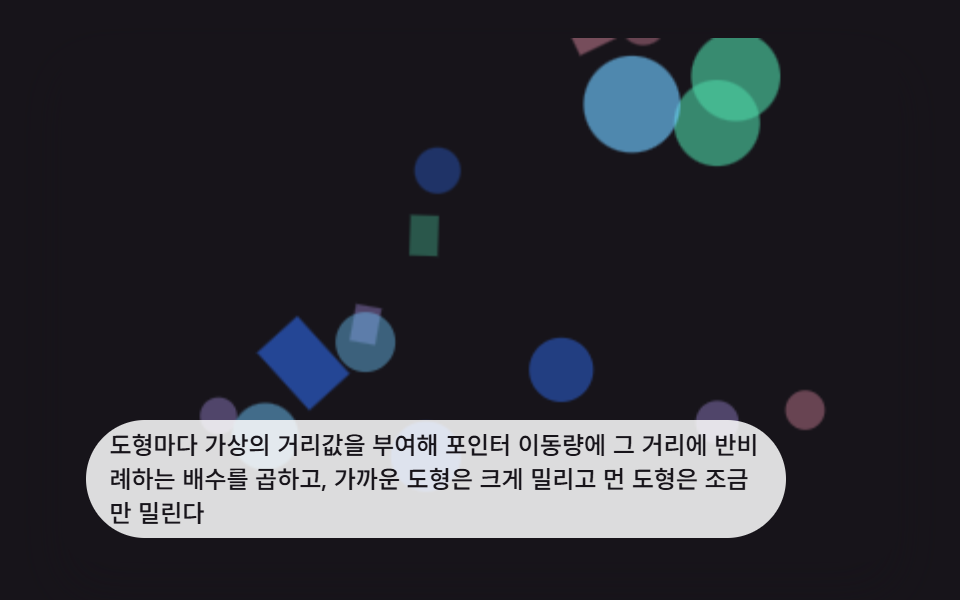 インタラクションcss パララックス 背景 9選 — 奥行き3Dシーン
 インタラクションシャボン玉 アニメーション 9種 — 膜の虹色と割れる瞬間
 インタラクションjavascript 3dアニメーション 9種 — マウスに向く立体模型
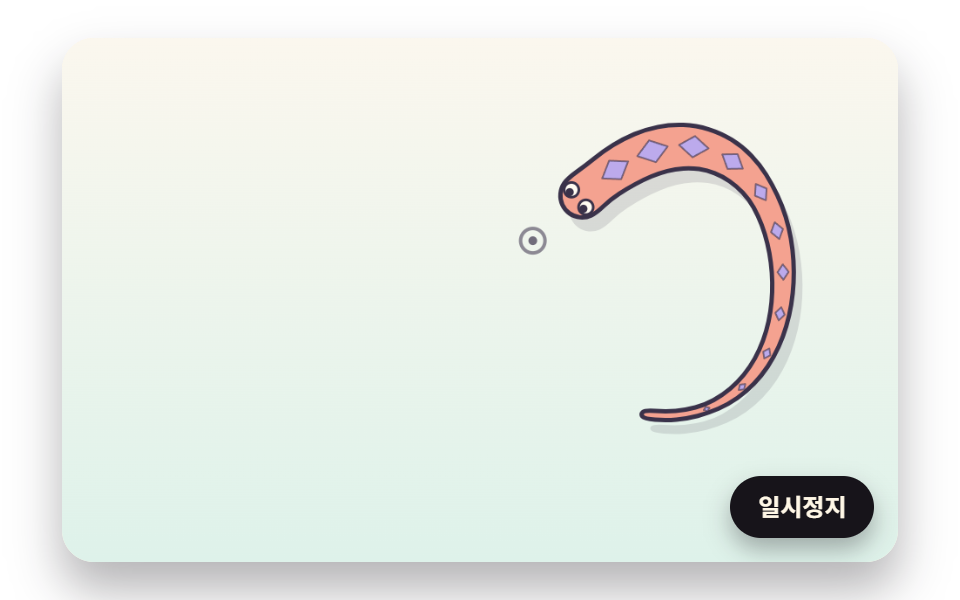 インタラクションマウス 追従 js で動く生き物 9種 — 蛇・鯉・トカゲ・タコを計算で
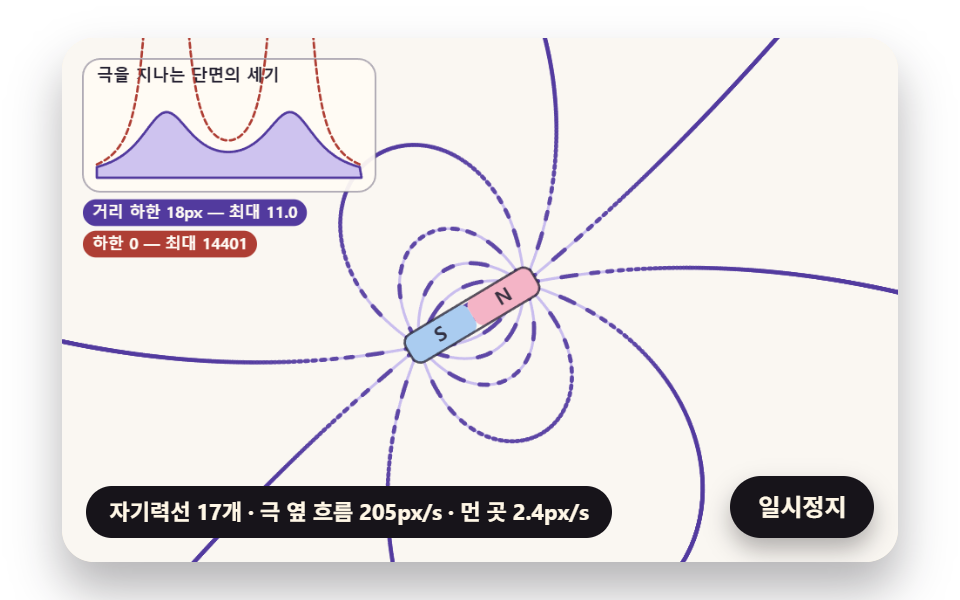 インタラクション磁性流体 シミュレーション 9種 — 立つトゲから時計まで
 インタラクションマウス カーソル エフェクト 9選 — コピペOK
 インタラクションシェアボタン デザイン パターン9選 — コピペで動く