CSS アニメーション サンプル 9選 — 洗濯機・家・車を図形で動かす
css アニメーション サンプルとして、洗濯機・家・車などの身の回りの物を、画像を一枚も使わずに色付きの箱いくつかで描いて動かす作り方を9つまとめました。どれも純粋な CSS の図形だけで、下のグリッドの中で今動いています。
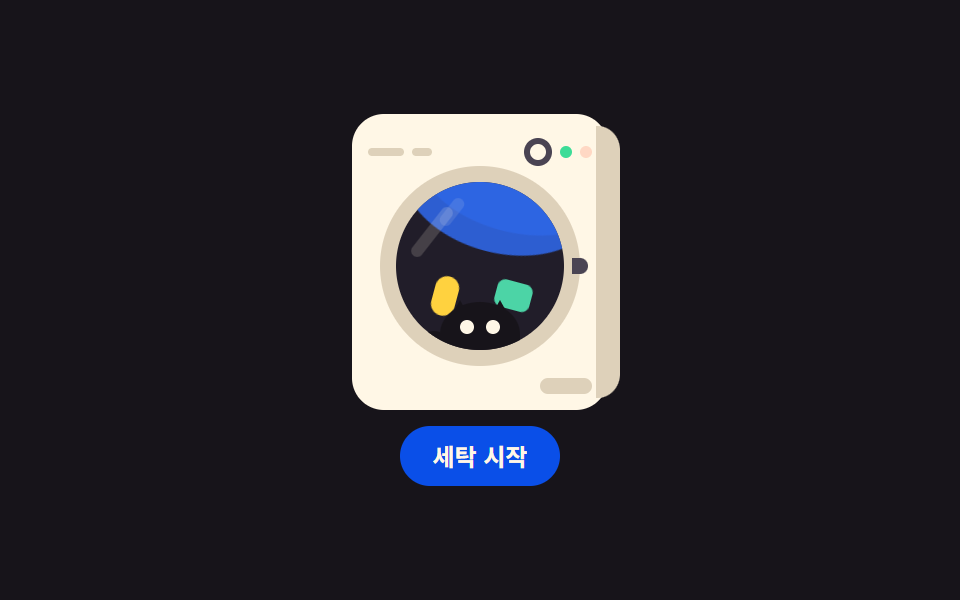 01 object-washer-drum
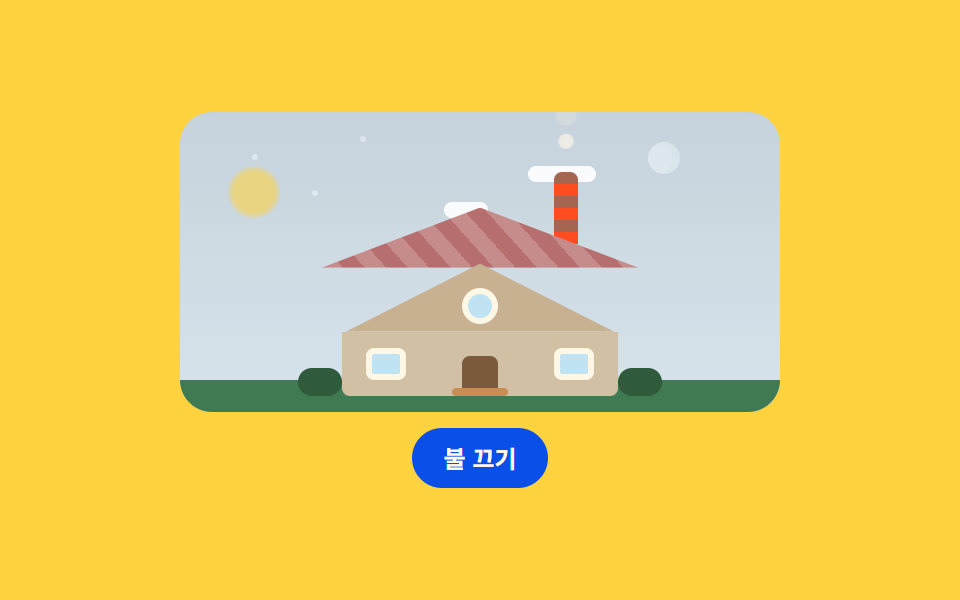 02 object-house-glow
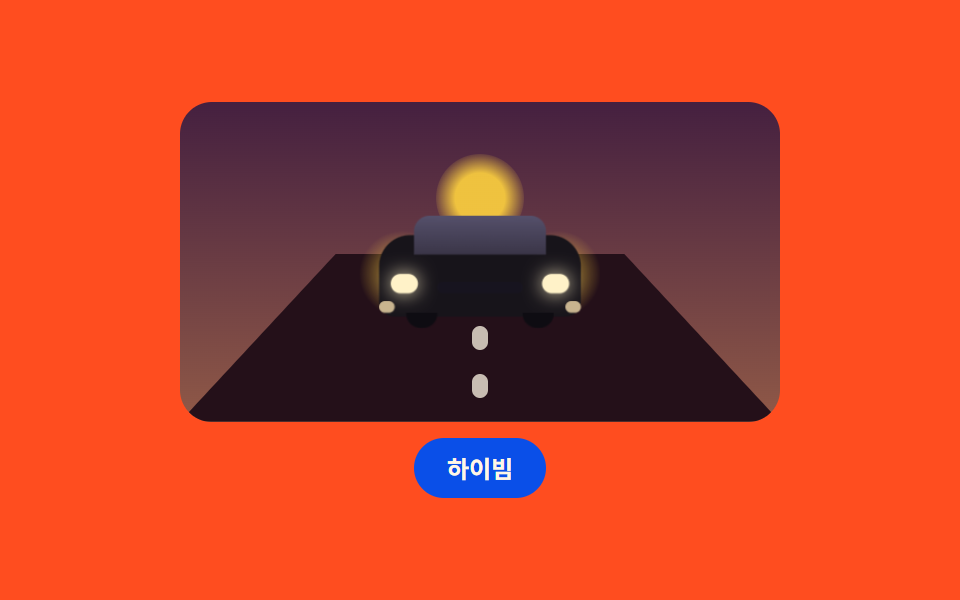 03 object-car-approach
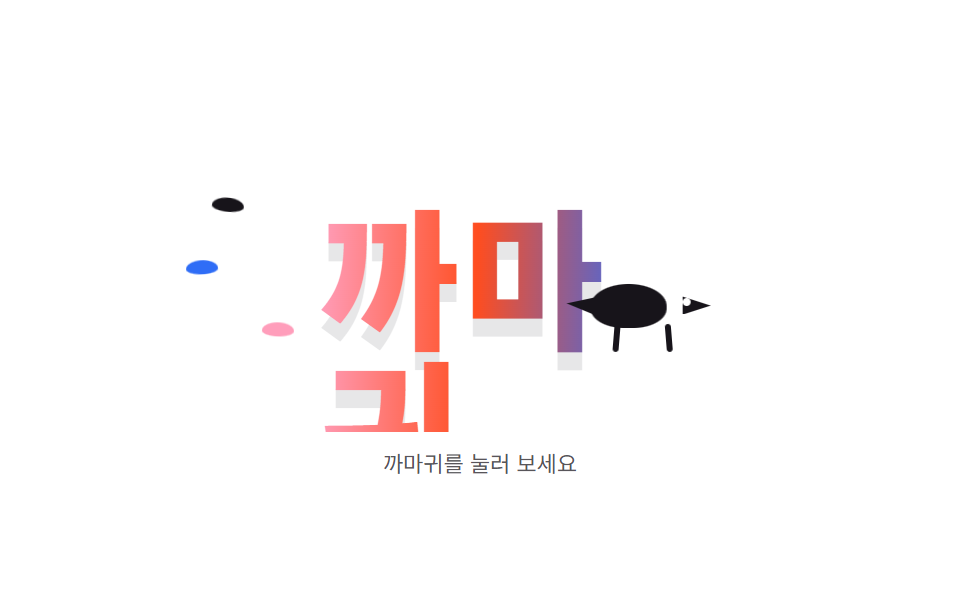 04 object-crow-wordmark
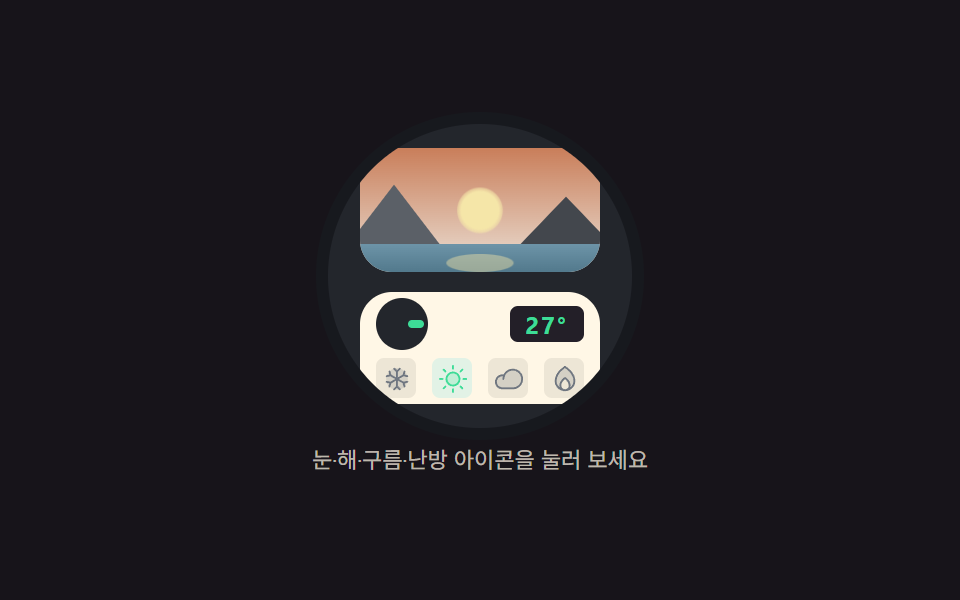 05 object-thermostat-scene
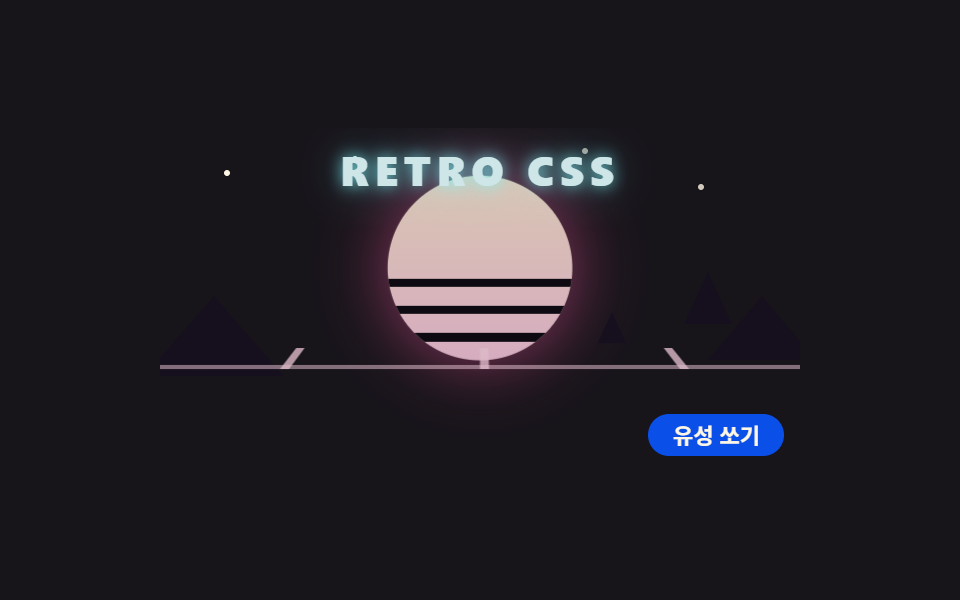 06 object-retro-sun-grid
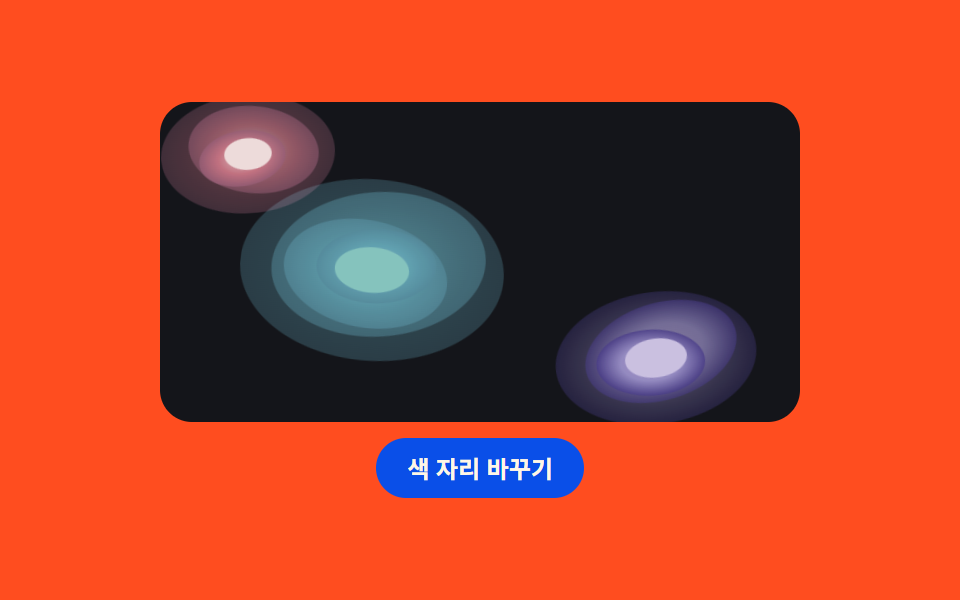 07 object-pool-gradient
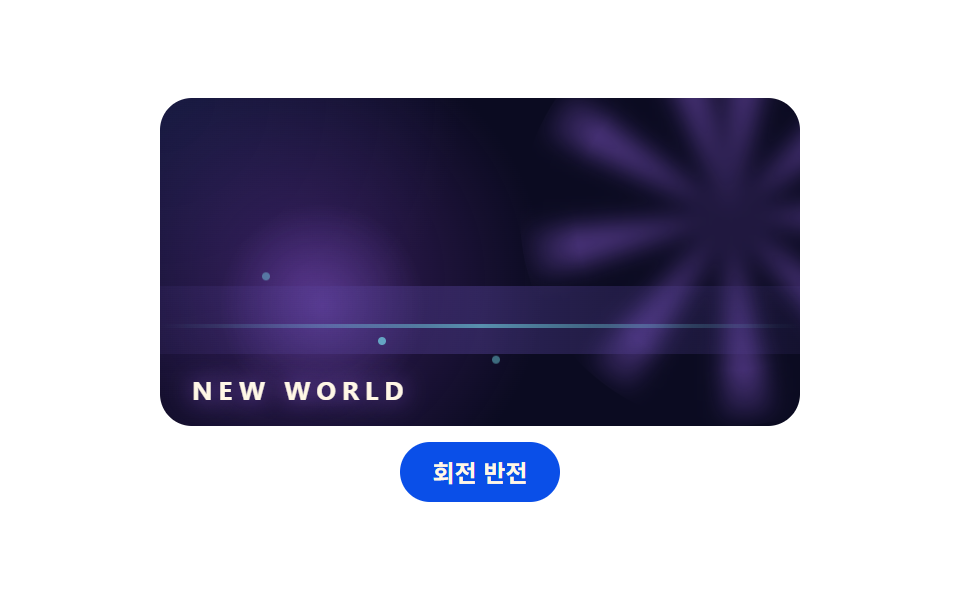 08 object-game-hero
 09 object-trunk-house
自動再生 · タイルを押すとその項目へ · すべて1つのzip
- 01 洗濯機 ドラム回転
- 02 家 — 窓の灯りと煙突の煙
- 03 近づく車と路面
- 04 カラスが横切るワードマーク
- 05 サーモスタットの風景窓
- 06 レトロの太陽と遠近グリッド
- 07 水たまりグラデーション背景
- 08 ゲーム会社風ヒーロー背景
- 09 トランク鞄の家
順番は人気順ではなく、物が1つ描けて動くまでに必要な材料の順です。まず丸い窓が機械の顔になり(01)、屋根と煙突で家が1軒立ち(02)、タイヤとライトで車が近づき(03)、文字の上を横切る影でキャラクターが生まれ(04)、機械の中の風景で画面に奥行きが出て(05)、太陽とグリッドで舞台が整い(06・07・08)、最後にトランク鞄1つがまるごと1つの世界になって締めます(09)。css イラスト アニメーションは専用ソフトなしで角丸と clip-path だけで成立し、9つとも舞台の中の四角・円・三角形の部品なので外部ファイルは0個です。同じ物を軸にした隣の記事として、窓の中の風景から始めた CSS シーン アニメーション と、キャンバスで似た舞台を描く キャンバス シーン エフェクト があります。
01洗濯機 ドラム回転
正面から見た洗濯機をクリーム色の本体・丸い扉・操作パネルで組み立て、扉の中の水と靴下がひとかたまりで回る、家電紹介画面向けの部品です。
<main class="stage">
<div class="ws is-demo" id="wsRoot">
  <div class="ws__machine">
    <span class="ws__side"></span>
    <div class="ws__top">
      <span class="ws__mark"></span>
      <span class="ws__mark ws__mark--short"></span>
      <span class="ws__dial"></span>
      <span class="ws__led ws__led--run"></span>
      <span class="ws__led ws__led--pause"></span>
    </div>
    <div class="ws__door">
      <span class="ws__ring"></span>
      <div class="ws__glass">
        <div class="ws__drum">
          <span class="ws__water ws__water--a"></span>
          <span class="ws__water ws__water--b"></span>
          <span class="ws__sock"></span>
          <span class="ws__shirt"></span>
        </div>
        <span class="ws__cat">
          <span class="ws__ear ws__ear--l"></span>
          <span class="ws__ear ws__ear--r"></span>
          <span class="ws__tail"></span>
          <span class="ws__head"></span>
          <span class="ws__eye ws__eye--l"></span>
          <span class="ws__eye ws__eye--r"></span>
        </span>
        <span class="ws__shine"></span>
        <span class="ws__shine ws__shine--b"></span>
      </div>
      <span class="ws__notch"></span>
    </div>
    <span class="ws__label"></span>
  </div>
  <button class="ws__btn" id="wsBtn" type="button" aria-pressed="false">洗濯開始</button>
</div>
</main>@use "../../../../site/static/demo-tokens" as *;
// 세탁기 드럼 회전 — 정면 세탁기를 도형으로만 그린다(이미지 파일 0).
// 드럼 안 물과 양말·셔츠는 하나의 그룹으로 묶어 2초에 한 바퀴 돌고,
// 고양이는 유리 앞쪽 바닥에 붙어 도는 물건을 지켜본다(눈만 깜빡).
// 시작/정지 버튼은 animation-play-state 하나로 드럼을 멈췄다 놓는다.
$duration: $dur-loop;
$easing: $ease-out;
$color: $subject-cream;
$side: #ded1ba;
$glass: #211d29;
$steel: #4a4453;
@include stage($stage-ink);
.ws {
display: flex; flex-direction: column; align-items: center; gap: $sp-2;
width: min(100%, 320px);
}
// ── 세탁기 몸체
.ws__machine {
position: relative; box-sizing: border-box;
width: 128px; height: 148px;
border-radius: $r-card;
background: $color;
padding: $sp-2 $sp-2 0;
}
.ws__side {
position: absolute; right: -6px; top: 6px; bottom: 6px; width: 12px;
border-radius: 0 $r-card $r-card 0;
background: $side;
}
// ── 상단 컨트롤 패널
.ws__top {
position: relative; height: 22px;
display: flex; align-items: center; gap: $sp-1;
}
.ws__mark {
width: 18px; height: 4px; border-radius: $r-pill; background: $side;
}
.ws__mark--short { width: 10px; }
.ws__dial {
width: 14px; height: 14px; border-radius: 50%;
border: 3px solid $steel; box-sizing: border-box;
margin-left: auto;
}
.ws__led {
width: 6px; height: 6px; border-radius: 50%;
transition: opacity $dur-quick $easing;
}
.ws__led--run { background: $tick-up; opacity: 1; }
.ws__led--pause { background: $tick-down; opacity: .25; }
.ws.is-pause .ws__led--run { opacity: .25; }
.ws.is-pause .ws__led--pause { opacity: 1; }
// ── 원형 도어. 유리 안은 드럼(회전 그룹)과 고양이(고정) 두 겹
.ws__door {
position: relative; width: 84px; height: 84px;
margin: $sp-1 auto 0;
}
.ws__ring {
position: absolute; inset: -8px; border-radius: 50%;
background: $side;
}
.ws__glass {
position: absolute; inset: 0; border-radius: 50%;
background: $glass; overflow: hidden;
}
.ws__notch {
position: absolute; right: -12px; top: 50%; width: 8px; height: 8px;
margin-top: -4px; border-radius: 0 $r-xs $r-xs 0;
background: $steel;
}
// 드럼: 물 두 겹 + 양말 + 셔츠가 한 덩어리로 돈다
.ws__drum {
position: absolute; inset: 0;
animation-name: wsSpin; animation-duration: $duration;
animation-timing-function: linear; animation-iteration-count: infinite;
}
.ws.is-pause .ws__drum { animation-play-state: paused; }
.ws__water {
position: absolute; left: -10%; bottom: -38%; width: 120%; height: 78%;
border-radius: 50%;
background: rgba($subject-blue, .82);
}
.ws__water--b {
bottom: -46%; height: 72%; left: -16%;
background: rgba($subject-blue, .45);
}
.ws__sock {
position: absolute; left: 58%; top: 16%; width: 12px; height: 20px;
border-radius: $r-pill;
background: $stage-yellow;
}
.ws__shirt {
position: absolute; left: 16%; top: 30%; width: 18px; height: 14px;
border-radius: $r-xs;
background: $subject-mint;
}
// 고양이: 유리 하단에 앉아 도는 세탁물을 본다. 몸은 고정, 눈만 깜빡
.ws__cat {
position: absolute; left: 50%; bottom: -2px; width: 40px; height: 26px;
margin-left: -20px;
}
.ws__head {
position: absolute; inset: 0; bottom: -6px;
border-radius: 50% 50% $r-xs $r-xs;
background: $subject-ink;
}
.ws__ear {
position: absolute; top: -1px; width: 0; height: 0;
border-left: 5px solid transparent; border-right: 5px solid transparent;
border-bottom: 9px solid $subject-ink;
}
.ws__ear--l { left: 5px; }
.ws__ear--r { right: 5px; }
.ws__tail {
position: absolute; left: -8px; bottom: 2px; width: 14px; height: 9px;
border-radius: 50%; background: $subject-ink;
transform: rotate(24deg);
}
.ws__eye {
position: absolute; top: 9px; width: 7px; height: 7px;
border-radius: 50%; background: $subject-cream;
animation-name: wsBlink; animation-duration: $duration;
animation-iteration-count: infinite;
}
.ws__eye--l { left: 10px; }
.ws__eye--r { right: 10px; }
// 유리 반사: 두 줄 사선
.ws__shine {
position: absolute; left: 18%; top: 12%; width: 6px; height: 30px;
border-radius: $r-pill;
background: rgba(255, 247, 230, .16);
transform: rotate(38deg);
}
.ws__shine--b { left: 30%; top: 8%; height: 16px; opacity: .7; }
.ws__label {
position: absolute; right: $sp-2; bottom: $sp-2;
width: 26px; height: 8px; border-radius: $r-xs; background: $side;
}
.ws__btn {
box-sizing: border-box; padding: $sp-2 $sp-4; border: 0;
border-radius: $r-pill; background: $subject-blue-deep; color: $subject-cream;
font-family: inherit; font-weight: 700; font-size: 12px; line-height: 1.2;
cursor: pointer;
}
@keyframes wsSpin {
from { transform: rotate(0deg); }
to { transform: rotate(360deg); }
}
@keyframes wsBlink {
0%, 42% { transform: scaleY(1); }
46%, 50% { transform: scaleY(.1); }
54%, 100% { transform: scaleY(1); }
}
@media (max-width: 340px) {
.ws__machine { width: 104px; height: 118px; }
.ws__top { height: 18px; }
.ws__mark { width: 12px; }
.ws__dial { width: 10px; height: 10px; }
.ws__door { width: 64px; height: 64px; }
.ws__cat { width: 32px; height: 20px; bottom: -1px; }
.ws__sock { width: 10px; height: 16px; }
.ws__shirt { width: 14px; height: 11px; }
.ws__btn { padding: $sp-1 $sp-3; font-size: 11px; }
}
@media (prefers-reduced-motion: reduce) {
.ws__drum, .ws__eye { animation-name: none !important; }
}html, body {
margin: 0;
overflow: hidden;
}
.stage {
box-sizing: border-box;
min-height: 100vh;
display: grid;
place-items: center;
margin: 0;
background: #17141a;
font-family: -apple-system, "Segoe UI", "Noto Sans KR", sans-serif;
padding: clamp(8px, 4vw, 24px);
}
.ws {
display: flex;
flex-direction: column;
align-items: center;
gap: 8px;
width: min(100%, 320px);
}
.ws__machine {
position: relative;
box-sizing: border-box;
width: 128px;
height: 148px;
border-radius: 16px;
background: #fff7e6;
padding: 8px 8px 0;
}
.ws__side {
position: absolute;
right: -6px;
top: 6px;
bottom: 6px;
width: 12px;
border-radius: 0 16px 16px 0;
background: #ded1ba;
}
.ws__top {
position: relative;
height: 22px;
display: flex;
align-items: center;
gap: 4px;
}
.ws__mark {
width: 18px;
height: 4px;
border-radius: 999px;
background: #ded1ba;
}
.ws__mark--short {
width: 10px;
}
.ws__dial {
width: 14px;
height: 14px;
border-radius: 50%;
border: 3px solid #4a4453;
box-sizing: border-box;
margin-left: auto;
}
.ws__led {
width: 6px;
height: 6px;
border-radius: 50%;
transition: opacity 220ms ease-out;
}
.ws__led--run {
background: #3ddc97;
opacity: 1;
}
.ws__led--pause {
background: #ff7a5e;
opacity: 0.25;
}
.ws.is-pause .ws__led--run {
opacity: 0.25;
}
.ws.is-pause .ws__led--pause {
opacity: 1;
}
.ws__door {
position: relative;
width: 84px;
height: 84px;
margin: 4px auto 0;
}
.ws__ring {
position: absolute;
inset: -8px;
border-radius: 50%;
background: #ded1ba;
}
.ws__glass {
position: absolute;
inset: 0;
border-radius: 50%;
background: #211d29;
overflow: hidden;
}
.ws__notch {
position: absolute;
right: -12px;
top: 50%;
width: 8px;
height: 8px;
margin-top: -4px;
border-radius: 0 4px 4px 0;
background: #4a4453;
}
.ws__drum {
position: absolute;
inset: 0;
animation-name: wsSpin;
animation-duration: 2s;
animation-timing-function: linear;
animation-iteration-count: infinite;
}
.ws.is-pause .ws__drum {
animation-play-state: paused;
}
.ws__water {
position: absolute;
left: -10%;
bottom: -38%;
width: 120%;
height: 78%;
border-radius: 50%;
background: rgba(47, 109, 246, 0.82);
}
.ws__water--b {
bottom: -46%;
height: 72%;
left: -16%;
background: rgba(47, 109, 246, 0.45);
}
.ws__sock {
position: absolute;
left: 58%;
top: 16%;
width: 12px;
height: 20px;
border-radius: 999px;
background: #ffd23f;
}
.ws__shirt {
position: absolute;
left: 16%;
top: 30%;
width: 18px;
height: 14px;
border-radius: 4px;
background: #4cd4a6;
}
.ws__cat {
position: absolute;
left: 50%;
bottom: -2px;
width: 40px;
height: 26px;
margin-left: -20px;
}
.ws__head {
position: absolute;
inset: 0;
bottom: -6px;
border-radius: 50% 50% 4px 4px;
background: #17141a;
}
.ws__ear {
position: absolute;
top: -1px;
width: 0;
height: 0;
border-left: 5px solid transparent;
border-right: 5px solid transparent;
border-bottom: 9px solid #17141a;
}
.ws__ear--l {
left: 5px;
}
.ws__ear--r {
right: 5px;
}
.ws__tail {
position: absolute;
left: -8px;
bottom: 2px;
width: 14px;
height: 9px;
border-radius: 50%;
background: #17141a;
transform: rotate(24deg);
}
.ws__eye {
position: absolute;
top: 9px;
width: 7px;
height: 7px;
border-radius: 50%;
background: #fff7e6;
animation-name: wsBlink;
animation-duration: 2s;
animation-iteration-count: infinite;
}
.ws__eye--l {
left: 10px;
}
.ws__eye--r {
right: 10px;
}
.ws__shine {
position: absolute;
left: 18%;
top: 12%;
width: 6px;
height: 30px;
border-radius: 999px;
background: rgba(255, 247, 230, 0.16);
transform: rotate(38deg);
}
.ws__shine--b {
left: 30%;
top: 8%;
height: 16px;
opacity: 0.7;
}
.ws__label {
position: absolute;
right: 8px;
bottom: 8px;
width: 26px;
height: 8px;
border-radius: 4px;
background: #ded1ba;
}
.ws__btn {
box-sizing: border-box;
padding: 8px 16px;
border: 0;
border-radius: 999px;
background: #0a4fe8;
color: #fff7e6;
font-family: inherit;
font-weight: 700;
font-size: 12px;
line-height: 1.2;
cursor: pointer;
}
@keyframes wsSpin {
from {
transform: rotate(0deg);
}
to {
transform: rotate(360deg);
}
}
@keyframes wsBlink {
0%, 42% {
transform: scaleY(1);
}
46%, 50% {
transform: scaleY(0.1);
}
54%, 100% {
transform: scaleY(1);
}
}
@media (max-width: 340px) {
.ws__machine {
width: 104px;
height: 118px;
}
.ws__top {
height: 18px;
}
.ws__mark {
width: 12px;
}
.ws__dial {
width: 10px;
height: 10px;
}
.ws__door {
width: 64px;
height: 64px;
}
.ws__cat {
width: 32px;
height: 20px;
bottom: -1px;
}
.ws__sock {
width: 10px;
height: 16px;
}
.ws__shirt {
width: 14px;
height: 11px;
}
.ws__btn {
padding: 4px 12px;
font-size: 11px;
}
}
@media (prefers-reduced-motion: reduce) {
.ws__drum, .ws__eye {
animation-name: none !important;
}
}// 시작/정지는 .is-pause 클래스 하나로 끝난다. 손이 닿는 순간 미리보기 루프(.is-demo)를 떼고
// 사람이 누른 상태를 그대로 유지한다. 드럼 회전 자체는 사용자 조작에서도 계속 돈다.
(function () {
var root = document.getElementById('wsRoot');
var btn = document.getElementById('wsBtn');
var runLabel = '洗濯開始';
var pauseLabel = '一時停止';
btn.addEventListener('click', function () {
root.classList.remove('is-demo');
var paused = root.classList.toggle('is-pause');
btn.textContent = paused ? pauseLabel : runLabel;
btn.setAttribute('aria-pressed', paused ? 'true' : 'false');
});
})();// WasherDrum — vanilla 판(run/078/demo/01-object-washer-drum/index.html) 의 React 포트.
// 시작/정지는 paused 하나로 갈리고, 첫 클릭에 미리보기 루프(is-demo)를 뗀다.
import { useState } from "react";
import type { CSSProperties } from "react";
import styles from "./WasherDrum.module.scss";
export type WasherDrumProps = {
duration?: number;
easing?: string;
color?: string;
initialPaused?: boolean;
};
type Vars = CSSProperties & { "--duration"?: string; "--easing"?: string; "--color"?: string };
export default function WasherDrum(props: WasherDrumProps) {
const duration = props.duration ?? 2000;
const easing = props.easing ?? "ease-out";
const color = props.color ?? "#fff7e6";
const [paused, setPaused] = useState<boolean>(props.initialPaused ?? false);
const [preview, setPreview] = useState<boolean>(true);
const vars: Vars = { "--duration": duration + "ms", "--easing": easing, "--color": color };
const rootClass = ["ws", preview ? "is-demo" : "", paused ? "is-pause" : ""]
.filter(Boolean).map((c) => (styles as { [k: string]: string })[c]).join(" ");
return (
<main className={styles.stage}>
<div className={rootClass} style={vars}>
<div className={styles["ws__machine"]}>
<span className={styles["ws__side"]}></span>
<div className={styles["ws__top"]}>
<span className={styles["ws__mark"]}></span>
<span className={styles["ws__mark"] + " " + styles["ws__mark--short"]}></span>
<span className={styles["ws__dial"]}></span>
<span className={styles["ws__led"] + " " + styles["ws__led--run"]}></span>
<span className={styles["ws__led"] + " " + styles["ws__led--pause"]}></span>
</div>
<div className={styles["ws__door"]}>
<span className={styles["ws__ring"]}></span>
<div className={styles["ws__glass"]}>
<div className={styles["ws__drum"]}>
<span className={styles["ws__water"] + " " + styles["ws__water--a"]}></span>
<span className={styles["ws__water"] + " " + styles["ws__water--b"]}></span>
<span className={styles["ws__sock"]}></span>
<span className={styles["ws__shirt"]}></span>
</div>
<span className={styles["ws__cat"]}>
<span className={styles["ws__ear"] + " " + styles["ws__ear--l"]}></span>
<span className={styles["ws__ear"] + " " + styles["ws__ear--r"]}></span>
<span className={styles["ws__tail"]}></span>
<span className={styles["ws__head"]}></span>
<span className={styles["ws__eye"] + " " + styles["ws__eye--l"]}></span>
<span className={styles["ws__eye"] + " " + styles["ws__eye--r"]}></span>
</span>
<span className={styles["ws__shine"]}></span>
<span className={styles["ws__shine"] + " " + styles["ws__shine--b"]}></span>
</div>
<span className={styles["ws__notch"]}></span>
</div>
<span className={styles["ws__label"]}></span>
</div>
<button
className={styles["ws__btn"]}
type="button"
aria-pressed={paused ? "true" : "false"}
onClick={() => { setPreview(false); setPaused((p) => !p); }}
>
{paused ? "일시정지" : "세탁 시작"}
</button>
</div>
</main>
);
}01 · 洗濯機 ドラム回転 — 計測 累積面積 3.349% · 動いたフレーム 23/23GODRICH オリジナル · SCSS と React は zip に同梱 · パスワードを見る
ドラムは1グループにまとめて1回転
.ws__drum {
  position: absolute; inset: 0;
  animation-name: wsSpin; animation-duration: $duration;
  animation-timing-function: linear; animation-iteration-count: infinite;
}
.ws.is-pause .ws__drum { animation-play-state: paused; }

@keyframes wsSpin {
  from { transform: rotate(0deg); }
  to { transform: rotate(360deg); }
}
@keyframes wsBlink {
  0%, 42% { transform: scaleY(1); }
  46%, 50% { transform: scaleY(.1); }
  54%, 100% { transform: scaleY(1); }
}
水2枚と靴下・シャツを .ws__drum の1グループに入れたので回転は宣言1つで済み、停止はアニメーションを消さず animation-play-state で一時停止させます。猫はグループの外に置いて2秒ループの46%地点で1回だけ瞬きし、ボタンを押すとドラムの計算値が running から paused へ、パネルのランプは1から0.25へ変わります。
02家 — 窓の灯りと煙突の煙
ストライプの屋根と煙突のある家がスイッチ1つで夕暮れに変わる、不動産・ホームサービスのオンボーディング向け部品です。
<main class="stage">
<div class="hs is-demo" id="hsRoot">
  <div class="hs__scene">
    <span class="hs__skyday"></span>
    <div class="hs__skynight">
      <span class="hs__star hs__star--a"></span>
      <span class="hs__star hs__star--b"></span>
      <span class="hs__star hs__star--c"></span>
      <span class="hs__moon"></span>
    </div>
    <span class="hs__sun"></span>
    <span class="hs__cloud hs__cloud--a"></span>
    <span class="hs__cloud hs__cloud--b"></span>
    <span class="hs__ground"></span>
    <div class="hs__house">
      <span class="hs__smoke hs__smoke--1"></span>
      <span class="hs__smoke hs__smoke--2"></span>
      <span class="hs__smoke hs__smoke--3"></span>
      <span class="hs__chimney"></span>
      <span class="hs__roof"></span>
      <span class="hs__gable"></span>
      <span class="hs__win hs__win--round"></span>
      <span class="hs__wall"></span>
      <span class="hs__win hs__win--l"></span>
      <span class="hs__win hs__win--r"></span>
      <span class="hs__door"></span>
      <span class="hs__step"></span>
      <span class="hs__bush hs__bush--l"></span>
      <span class="hs__bush hs__bush--r"></span>
    </div>
  </div>
  <button class="hs__btn" id="hsBtn" type="button" aria-pressed="false">ライトを消す</button>
</div>
</main>@use "../../../../site/static/demo-tokens" as *;
// 집 — 창문 불빛과 굴뚝 연기. 지붕 줄무늬는 repeating-linear-gradient,
// 연기 세 점은 animation-delay 로 시차를 두고, 낮/밤 전환은
// 밤 하늘 겹침막의 opacity transition 하나로 한다(하늘·창문·해·달이 같이 움직인다).
$duration: $dur-enter;
$easing: $ease-out;
$color: $stage-orange;
$roof: #c68c8c;
$roof-fold: #b76e6e;
$wall: #c8b190;
$wall-side: #d2c0a5;
$wood: #7c5a3e;
$leaf: #2f5a3c;
$leaf-light: #3f7a52;
$glass: #bfe3f2;
$sky-top: #d6e4eb;
$sky-bottom: #e8f6fb;
$night-top: #1d2340;
$night-bottom: #3a2f55;
@include stage($stage-yellow);
.hs {
display: flex; flex-direction: column; align-items: center; gap: $sp-2;
width: min(100%, 300px);
}
.hs__scene {
position: relative; box-sizing: border-box;
width: 100%; height: 150px;
border-radius: $r-card; overflow: hidden;
background: linear-gradient(180deg, $sky-top 0%, $sky-bottom 100%);
}
// 밤 하늘 겹침막 — 낮 위에 opacity 로 올라온다
.hs__skynight {
position: absolute; inset: 0; opacity: 0;
background: linear-gradient(180deg, $night-top 0%, $night-bottom 100%);
animation-name: hsCycle; animation-duration: $dur-loop;
animation-timing-function: ease-in-out; animation-iteration-count: infinite;
}
.hs__star {
position: absolute; width: 3px; height: 3px; border-radius: 50%;
background: $subject-cream;
}
.hs__star--a { left: 12%; top: 14%; }
.hs__star--b { left: 30%; top: 8%; }
.hs__star--c { left: 22%; top: 26%; }
.hs__moon {
position: absolute; left: 78%; top: 10%; width: 16px; height: 16px;
border-radius: 50%; background: $subject-cream;
box-shadow: inset -4px 0 0 rgba(23, 20, 26, .18);
}
.hs__sun {
position: absolute; left: 8%; top: 12%; width: 26px; height: 26px;
border-radius: 50%;
background: radial-gradient(circle, $stage-yellow 0 55%, rgba(255, 210, 63, 0) 78%);
animation-name: hsSun; animation-duration: $dur-loop;
animation-timing-function: ease-in-out; animation-iteration-count: infinite;
}
.hs__cloud {
position: absolute; height: 8px; border-radius: $r-pill;
background: rgba(255, 255, 255, .9);
}
.hs__cloud--a { left: 58%; top: 18%; width: 34px; }
.hs__cloud--b { left: 44%; top: 30%; width: 22px; }
.hs__ground {
position: absolute; left: 0; right: 0; bottom: 0; height: 16px;
background: $leaf-light;
}
// ── 집
.hs__house {
position: absolute; left: 50%; bottom: 8px; width: 150px; height: 112px;
margin-left: -75px;
}
.hs__roof {
position: absolute; left: -4px; right: -4px; top: 18px; height: 30px;
clip-path: polygon(50% 0, 100% 100%, 0 100%);
background: repeating-linear-gradient(48deg, $roof 0 8px, $roof-fold 8px 16px);
}
.hs__gable {
position: absolute; left: 8px; right: 8px; top: 46px; height: 34px;
clip-path: polygon(50% 0, 100% 100%, 0 100%);
background: $wall;
}
.hs__chimney {
position: absolute; right: 26px; top: 0; width: 12px; height: 36px;
border-radius: $r-xs $r-xs 0 0;
background: repeating-linear-gradient(0deg, $color 0 6px, #a46651 6px 12px);
}
.hs__smoke {
position: absolute; right: 28px; top: -8px; width: 8px; height: 8px;
border-radius: 50%; background: rgba(255, 247, 230, .8);
animation-name: hsSmoke; animation-duration: $dur-loop;
animation-timing-function: ease-out; animation-iteration-count: infinite;
animation-fill-mode: both;
}
.hs__smoke--2 { animation-delay: 660ms; }
.hs__smoke--3 { animation-delay: 1320ms; }
.hs__wall {
position: absolute; left: 6px; right: 6px; top: 80px; bottom: 0;
border-radius: 0 0 $r-xs $r-xs;
background: $wall-side;
}
// 창: 유리색이 밤에 노란 불빛으로 바뀐다(같은 transition)
.hs__win {
position: absolute; border: 3px solid $subject-cream; box-sizing: border-box;
border-radius: $r-xs; background: $glass;
transition: background $duration $easing, box-shadow $duration $easing;
}
.hs__win--round {
left: 50%; top: 58px; width: 18px; height: 18px; margin-left: -9px;
border-radius: 50%;
}
.hs__win--l { left: 18px; top: 88px; width: 20px; height: 16px; }
.hs__win--r { right: 18px; top: 88px; width: 20px; height: 16px; }
.hs.is-night .hs__win {
background: $stage-yellow;
box-shadow: 0 0 12px rgba(255, 210, 63, .8);
}
.hs__door {
position: absolute; left: 50%; top: 92px; width: 18px; height: 20px;
margin-left: -9px; border-radius: $r-xs $r-xs 0 0;
background: $wood;
}
.hs__step {
position: absolute; left: 50%; bottom: 0; width: 28px; height: 4px;
margin-left: -14px; border-radius: $r-xs; background: #c98d54;
}
.hs__bush {
position: absolute; bottom: 0; width: 22px; height: 14px;
border-radius: $r-pill; background: $leaf;
}
.hs__bush--l { left: -16px; }
.hs__bush--r { right: -16px; }
// 미리보기 루프: 밤 겹침막이 52~78% 구간에만 올라왔다가 90% 안에 물러난다
.hs__btn {
box-sizing: border-box; padding: $sp-2 $sp-4; border: 0;
border-radius: $r-pill; background: $subject-blue-deep; color: $subject-cream;
font-family: inherit; font-weight: 700; font-size: 12px; line-height: 1.2;
cursor: pointer;
}
@keyframes hsCycle {
0%, 30% { opacity: 0; }
52%, 78% { opacity: 1; }
90%, 100% { opacity: 0; }
}
@keyframes hsSun {
0%, 26% { transform: translateY(0); opacity: 1; }
40%, 82% { transform: translateY(22px); opacity: 0; }
92%, 100% { transform: translateY(0); opacity: 1; }
}
@keyframes hsSmoke {
0% { transform: translateY(0) scale(.6); opacity: 0; }
22% { opacity: .85; }
86%, 100% { transform: translateY(-30px) scale(1.5); opacity: 0; }
}
// 사람이 고른 상태: 루프를 끄고 transition 으로만 바뀐다(연기는 계속 상승)
.hs:not(.is-demo) .hs__skynight,
.hs:not(.is-demo) .hs__sun {
animation-name: none;
}
.hs:not(.is-demo) .hs__skynight { transition: opacity $duration $easing; }
.hs:not(.is-demo) .hs__sun { transition: transform $duration $easing, opacity $duration $easing; }
.hs.is-night .hs__skynight { opacity: 1; }
.hs:not(.is-demo).is-night .hs__sun { transform: translateY(22px); opacity: 0; }
@media (max-width: 340px) {
.hs__scene { height: 118px; }
.hs__house { transform-origin: bottom center; transform: scale(.82); }
.hs__btn { padding: $sp-1 $sp-3; font-size: 11px; }
}
@media (prefers-reduced-motion: reduce) {
.hs__skynight, .hs__sun, .hs__smoke { animation-name: none !important; }
.hs:not(.is-demo) .hs__skynight,
.hs:not(.is-demo) .hs__sun,
.hs__win { transition: none !important; }
}html, body {
margin: 0;
overflow: hidden;
}
.stage {
box-sizing: border-box;
min-height: 100vh;
display: grid;
place-items: center;
margin: 0;
background: #ffd23f;
font-family: -apple-system, "Segoe UI", "Noto Sans KR", sans-serif;
padding: clamp(8px, 4vw, 24px);
}
.hs {
display: flex;
flex-direction: column;
align-items: center;
gap: 8px;
width: min(100%, 300px);
}
.hs__scene {
position: relative;
box-sizing: border-box;
width: 100%;
height: 150px;
border-radius: 16px;
overflow: hidden;
background: linear-gradient(180deg, #d6e4eb 0%, #e8f6fb 100%);
}
.hs__skynight {
position: absolute;
inset: 0;
opacity: 0;
background: linear-gradient(180deg, #1d2340 0%, #3a2f55 100%);
animation-name: hsCycle;
animation-duration: 2s;
animation-timing-function: ease-in-out;
animation-iteration-count: infinite;
}
.hs__star {
position: absolute;
width: 3px;
height: 3px;
border-radius: 50%;
background: #fff7e6;
}
.hs__star--a {
left: 12%;
top: 14%;
}
.hs__star--b {
left: 30%;
top: 8%;
}
.hs__star--c {
left: 22%;
top: 26%;
}
.hs__moon {
position: absolute;
left: 78%;
top: 10%;
width: 16px;
height: 16px;
border-radius: 50%;
background: #fff7e6;
box-shadow: inset -4px 0 0 rgba(23, 20, 26, 0.18);
}
.hs__sun {
position: absolute;
left: 8%;
top: 12%;
width: 26px;
height: 26px;
border-radius: 50%;
background: radial-gradient(circle, #ffd23f 0 55%, rgba(255, 210, 63, 0) 78%);
animation-name: hsSun;
animation-duration: 2s;
animation-timing-function: ease-in-out;
animation-iteration-count: infinite;
}
.hs__cloud {
position: absolute;
height: 8px;
border-radius: 999px;
background: rgba(255, 255, 255, 0.9);
}
.hs__cloud--a {
left: 58%;
top: 18%;
width: 34px;
}
.hs__cloud--b {
left: 44%;
top: 30%;
width: 22px;
}
.hs__ground {
position: absolute;
left: 0;
right: 0;
bottom: 0;
height: 16px;
background: #3f7a52;
}
.hs__house {
position: absolute;
left: 50%;
bottom: 8px;
width: 150px;
height: 112px;
margin-left: -75px;
}
.hs__roof {
position: absolute;
left: -4px;
right: -4px;
top: 18px;
height: 30px;
clip-path: polygon(50% 0, 100% 100%, 0 100%);
background: repeating-linear-gradient(48deg, #c68c8c 0 8px, #b76e6e 8px 16px);
}
.hs__gable {
position: absolute;
left: 8px;
right: 8px;
top: 46px;
height: 34px;
clip-path: polygon(50% 0, 100% 100%, 0 100%);
background: #c8b190;
}
.hs__chimney {
position: absolute;
right: 26px;
top: 0;
width: 12px;
height: 36px;
border-radius: 4px 4px 0 0;
background: repeating-linear-gradient(0deg, #ff4d1f 0 6px, #a46651 6px 12px);
}
.hs__smoke {
position: absolute;
right: 28px;
top: -8px;
width: 8px;
height: 8px;
border-radius: 50%;
background: rgba(255, 247, 230, 0.8);
animation-name: hsSmoke;
animation-duration: 2s;
animation-timing-function: ease-out;
animation-iteration-count: infinite;
animation-fill-mode: both;
}
.hs__smoke--2 {
animation-delay: 660ms;
}
.hs__smoke--3 {
animation-delay: 1320ms;
}
.hs__wall {
position: absolute;
left: 6px;
right: 6px;
top: 80px;
bottom: 0;
border-radius: 0 0 4px 4px;
background: #d2c0a5;
}
.hs__win {
position: absolute;
border: 3px solid #fff7e6;
box-sizing: border-box;
border-radius: 4px;
background: #bfe3f2;
transition: background 600ms ease-out, box-shadow 600ms ease-out;
}
.hs__win--round {
left: 50%;
top: 58px;
width: 18px;
height: 18px;
margin-left: -9px;
border-radius: 50%;
}
.hs__win--l {
left: 18px;
top: 88px;
width: 20px;
height: 16px;
}
.hs__win--r {
right: 18px;
top: 88px;
width: 20px;
height: 16px;
}
.hs.is-night .hs__win {
background: #ffd23f;
box-shadow: 0 0 12px rgba(255, 210, 63, 0.8);
}
.hs__door {
position: absolute;
left: 50%;
top: 92px;
width: 18px;
height: 20px;
margin-left: -9px;
border-radius: 4px 4px 0 0;
background: #7c5a3e;
}
.hs__step {
position: absolute;
left: 50%;
bottom: 0;
width: 28px;
height: 4px;
margin-left: -14px;
border-radius: 4px;
background: #c98d54;
}
.hs__bush {
position: absolute;
bottom: 0;
width: 22px;
height: 14px;
border-radius: 999px;
background: #2f5a3c;
}
.hs__bush--l {
left: -16px;
}
.hs__bush--r {
right: -16px;
}
.hs__btn {
box-sizing: border-box;
padding: 8px 16px;
border: 0;
border-radius: 999px;
background: #0a4fe8;
color: #fff7e6;
font-family: inherit;
font-weight: 700;
font-size: 12px;
line-height: 1.2;
cursor: pointer;
}
@keyframes hsCycle {
0%, 30% {
opacity: 0;
}
52%, 78% {
opacity: 1;
}
90%, 100% {
opacity: 0;
}
}
@keyframes hsSun {
0%, 26% {
transform: translateY(0);
opacity: 1;
}
40%, 82% {
transform: translateY(22px);
opacity: 0;
}
92%, 100% {
transform: translateY(0);
opacity: 1;
}
}
@keyframes hsSmoke {
0% {
transform: translateY(0) scale(0.6);
opacity: 0;
}
22% {
opacity: 0.85;
}
86%, 100% {
transform: translateY(-30px) scale(1.5);
opacity: 0;
}
}
.hs:not(.is-demo) .hs__skynight,
.hs:not(.is-demo) .hs__sun {
animation-name: none;
}
.hs:not(.is-demo) .hs__skynight {
transition: opacity 600ms ease-out;
}
.hs:not(.is-demo) .hs__sun {
transition: transform 600ms ease-out, opacity 600ms ease-out;
}
.hs.is-night .hs__skynight {
opacity: 1;
}
.hs:not(.is-demo).is-night .hs__sun {
transform: translateY(22px);
opacity: 0;
}
@media (max-width: 340px) {
.hs__scene {
height: 118px;
}
.hs__house {
transform-origin: bottom center;
transform: scale(0.82);
}
.hs__btn {
padding: 4px 12px;
font-size: 11px;
}
}
@media (prefers-reduced-motion: reduce) {
.hs__skynight, .hs__sun, .hs__smoke {
animation-name: none !important;
}
.hs:not(.is-demo) .hs__skynight,
.hs:not(.is-demo) .hs__sun,
.hs__win {
transition: none !important;
}
}// ライトを消す/켜기는 .is-night 하나. 낮 하늘과 창문 불빛이 같이 바뀐다.
// 손이 닿는 순간 미리보기 루프(.is-demo)를 떼고 사람이 고른 상태를 유지한다.
(function () {
var root = document.getElementById('hsRoot');
var btn = document.getElementById('hsBtn');
var offLabel = 'ライトを消す';
var onLabel = 'ライトをつける';
btn.addEventListener('click', function () {
root.classList.remove('is-demo');
var night = root.classList.toggle('is-night');
btn.textContent = night ? onLabel : offLabel;
btn.setAttribute('aria-pressed', night ? 'true' : 'false');
});
})();// HouseGlow — vanilla 판(run/078/demo/02-object-house-glow/index.html) 의 React 포트.
// 불 끄기/켜기는 night 하나로 갈리고, 첫 클릭에 미리보기 루프(is-demo)를 뗀다.
import { useState } from "react";
import type { CSSProperties } from "react";
import styles from "./HouseGlow.module.scss";
export type HouseGlowProps = {
duration?: number;
easing?: string;
color?: string;
initialNight?: boolean;
};
type Vars = CSSProperties & { "--duration"?: string; "--easing"?: string; "--color"?: string };
export default function HouseGlow(props: HouseGlowProps) {
const duration = props.duration ?? 600;
const easing = props.easing ?? "ease-out";
const color = props.color ?? "#ff4d1f";
const [night, setNight] = useState<boolean>(props.initialNight ?? false);
const [preview, setPreview] = useState<boolean>(true);
const vars: Vars = { "--duration": duration + "ms", "--easing": easing, "--color": color };
const rootClass = ["hs", preview ? "is-demo" : "", night ? "is-night" : ""]
.filter(Boolean).map((c) => (styles as { [k: string]: string })[c]).join(" ");
return (
<main className={styles.stage}>
<div className={rootClass} style={vars}>
<div className={styles["hs__scene"]}>
<span className={styles["hs__skyday"]}></span>
<div className={styles["hs__skynight"]}>
<span className={styles["hs__star"] + " " + styles["hs__star--a"]}></span>
<span className={styles["hs__star"] + " " + styles["hs__star--b"]}></span>
<span className={styles["hs__star"] + " " + styles["hs__star--c"]}></span>
<span className={styles["hs__moon"]}></span>
</div>
<span className={styles["hs__sun"]}></span>
<span className={styles["hs__cloud"] + " " + styles["hs__cloud--a"]}></span>
<span className={styles["hs__cloud"] + " " + styles["hs__cloud--b"]}></span>
<span className={styles["hs__ground"]}></span>
<div className={styles["hs__house"]}>
<span className={styles["hs__smoke"] + " " + styles["hs__smoke--1"]}></span>
<span className={styles["hs__smoke"] + " " + styles["hs__smoke--2"]}></span>
<span className={styles["hs__smoke"] + " " + styles["hs__smoke--3"]}></span>
<span className={styles["hs__chimney"]}></span>
<span className={styles["hs__roof"]}></span>
<span className={styles["hs__gable"]}></span>
<span className={styles["hs__win"] + " " + styles["hs__win--round"]}></span>
<span className={styles["hs__wall"]}></span>
<span className={styles["hs__win"] + " " + styles["hs__win--l"]}></span>
<span className={styles["hs__win"] + " " + styles["hs__win--r"]}></span>
<span className={styles["hs__door"]}></span>
<span className={styles["hs__step"]}></span>
<span className={styles["hs__bush"] + " " + styles["hs__bush--l"]}></span>
<span className={styles["hs__bush"] + " " + styles["hs__bush--r"]}></span>
</div>
</div>
<button
className={styles["hs__btn"]}
type="button"
aria-pressed={night ? "true" : "false"}
onClick={() => { setPreview(false); setNight((n) => !n); }}
>
{night ? "불 켜기" : "불 끄기"}
</button>
</div>
</main>
);
}02 · 家 — 窓の灯りと煙突の煙 — 計測 累積面積 22.172% · 動いたフレーム 22/23GODRICH オリジナル · SCSS と React は zip に同梱 · パスワードを見る
昼と夜は1枚の重ねの opacity
.hs__skynight {
  position: absolute; inset: 0; opacity: 0;
  background: linear-gradient(180deg, $night-top 0%, $night-bottom 100%);
  animation-name: hsCycle; animation-duration: $dur-loop;
  animation-timing-function: ease-in-out; animation-iteration-count: infinite;
}
.hs.is-night .hs__win {
  background: $stage-yellow;
  box-shadow: 0 0 12px rgba(255, 210, 63, .8);
}
@keyframes hsCycle {
  0%, 30% { opacity: 0; }
  52%, 78% { opacity: 1; }
  90%, 100% { opacity: 0; }
}
夜空と星・月を .hs__skynight の重ね1枚にまとめ、opacity だけで載せたり下ろしたりするので、人がスイッチを押すときは transition で、グリッドのプレビューでは同じキーフレームで回ります。スイッチを切ると窓ガラスが rgb(255, 210, 63) に灯って12px の光がにじみ、煙の3粒は 660ms 間隔の animation-delay でずれて立ち上り、屋根のストライプは画像ではなく繰り返しグラデーションの線です。
03近づく車と路面
夕暮れの道に真正面から突っ込んでくる車を、ボディ・ヘッドライト・流れる路面標示で組み立てた、自動車・配達サービスのランディング向け部品です。
<main class="stage">
<div class="ca is-demo" id="caRoot">
  <div class="ca__scene">
    <span class="ca__lowsun"></span>
    <div class="ca__road">
      <div class="ca__marks">
        <span class="ca__dash"></span>
        <span class="ca__dash"></span>
        <span class="ca__dash"></span>
        <span class="ca__dash"></span>
        <span class="ca__dash"></span>
        <span class="ca__dash"></span>
      </div>
    </div>
    <div class="ca__car">
      <span class="ca__glow ca__glow--l"></span>
      <span class="ca__glow ca__glow--r"></span>
      <span class="ca__body"></span>
      <span class="ca__shield"></span>
      <span class="ca__grille"></span>
      <span class="ca__lamp ca__lamp--l"></span>
      <span class="ca__lamp ca__lamp--r"></span>
      <span class="ca__indi ca__indi--l"></span>
      <span class="ca__indi ca__indi--r"></span>
      <span class="ca__wheel ca__wheel--l"></span>
      <span class="ca__wheel ca__wheel--r"></span>
    </div>
  </div>
  <button class="ca__btn" id="caBtn" type="button" aria-pressed="false">ハイビーム</button>
</div>
</main>@use "../../../../site/static/demo-tokens" as *;
// 다가오는 자동차와 노면 — 정면 차를 도형으로만 그린다(이미지 파일 0).
// 다가옴은 차 몸체의 scale, 속도감은 노면 표시가 발밑으로 흐르는 세로 트랙(2세트 반복),
// 방향지시등은 steps(1, end) 컷으로 깜빡인다. 빛 덩어리는 헤드라이트 뒤 큰 원 두 개.
$duration: $dur-loop;
$easing: ease-in-out;
$color: $stage-yellow;
$dusk-top: #452040;
$dusk-bottom: #905947;
$asphalt: #241019;
$bodydark: $subject-ink;
$shield: #3a3547;
$lampcore: #fff2c8;
$amber: #c8b48f;
@include stage($stage-orange);
.ca {
display: flex; flex-direction: column; align-items: center; gap: $sp-2;
width: min(100%, 300px);
}
.ca__scene {
position: relative; box-sizing: border-box;
width: 100%; height: 160px;
border-radius: $r-card; overflow: hidden;
background: linear-gradient(180deg, $dusk-top 0%, $dusk-bottom 100%);
}
// 지평선에 걸린 해: 차 지붕 위로 반쯤 뜬 노을 해
.ca__lowsun {
position: absolute; left: 50%; top: 26px; width: 44px; height: 44px;
margin-left: -22px; border-radius: 50%;
background: radial-gradient(circle, rgba(255, 210, 63, .9) 0 40%, rgba(255, 210, 63, 0) 75%);
}
// ── 노면: 위가 좁고 아래가 넓은 사다리꼴. 표시가 발밑으로 흐른다
.ca__road {
position: absolute; left: 0; right: 0; bottom: 0; height: 84px;
clip-path: polygon(26% 0, 74% 0, 100% 100%, 0 100%);
background: $asphalt; overflow: hidden;
}
.ca__marks {
position: absolute; left: 50%; top: -72px; width: 8px; height: 144px;
margin-left: -4px;
animation-name: caFlow; animation-duration: $duration;
animation-timing-function: linear; animation-iteration-count: infinite;
}
// 간격은 margin-bottom(무한 트랙에는 gap 을 쓰지 않는다 — 2N 개 사이 gap 은 2N-1 개)
.ca__dash {
display: block; width: 8px; height: 12px; margin-bottom: 12px;
border-radius: $r-xs; background: rgba(255, 247, 230, .75);
}
// ── 차. 다가옴 = 그룹 scale
.ca__car {
position: absolute; left: 50%; bottom: 46px; width: 104px; height: 58px;
margin-left: -52px;
animation-name: caNear; animation-duration: $duration;
animation-timing-function: $easing; animation-iteration-count: infinite;
animation-direction: alternate;
}
.ca__body {
position: absolute; left: 0; right: 0; top: 10px; bottom: 6px;
border-radius: $r-card $r-card $r-sm $r-sm;
background: $bodydark;
}
.ca__shield {
position: absolute; left: 18px; right: 18px; top: 0; height: 20px;
border-radius: $r-sm $r-sm 0 0;
background: linear-gradient(180deg, #55506b 0%, $shield 100%);
}
.ca__grille {
position: absolute; left: 30px; right: 30px; top: 34px; height: 6px;
border-radius: $r-pill; background: #17141f;
}
.ca__lamp {
position: absolute; top: 30px; width: 14px; height: 10px;
border-radius: $r-pill; background: $lampcore;
box-shadow: 0 0 10px rgba(255, 242, 200, .9);
}
.ca__lamp--l { left: 6px; }
.ca__lamp--r { right: 6px; }
.ca__glow {
position: absolute; top: 8px; width: 44px; height: 44px; border-radius: 50%;
background: radial-gradient(circle, rgba(255, 210, 63, .55) 0 38%, rgba(255, 210, 63, 0) 72%);
animation-name: caGlow; animation-duration: $duration;
animation-timing-function: $easing; animation-iteration-count: infinite;
animation-direction: alternate;
transition: transform $dur-base $ease-out, opacity $dur-base $ease-out;
}
.ca__glow--l { left: -10px; }
.ca__glow--r { right: -10px; }
// 하이빔: 켜진 동안에는 맥동 애니메이션을 끄고 커진 빛을 유지한다
// (애니메이션의 transform 이 transition 보다 항상 이기므로, 겹치면 토글이 묻힌다 — 실측 2026-09-14)
.ca.is-beam .ca__glow {
animation-name: none;
transform: scale(1.7); opacity: 1;
}
.ca__indi {
position: absolute; top: 44px; width: 8px; height: 6px;
border-radius: $r-pill; background: $amber;
animation-name: caBlink; animation-duration: 500ms;
animation-timing-function: steps(1, end); animation-iteration-count: infinite;
}
.ca__indi--l { left: 0; }
.ca__indi--r { right: 0; }
.ca__wheel {
position: absolute; bottom: 0; width: 16px; height: 8px;
border-radius: 0 0 $r-pill $r-pill; background: #0e0c12;
}
.ca__wheel--l { left: 14px; }
.ca__wheel--r { right: 14px; }
.ca__btn {
box-sizing: border-box; padding: $sp-2 $sp-4; border: 0;
border-radius: $r-pill; background: $subject-blue-deep; color: $subject-cream;
font-family: inherit; font-weight: 700; font-size: 12px; line-height: 1.2;
cursor: pointer;
}
@keyframes caNear {
from { transform: scale(.84); }
to { transform: scale(1.1); }
}
@keyframes caGlow {
from { transform: scale(.92); opacity: .5; }
to { transform: scale(1.08); opacity: .8; }
}
@keyframes caFlow {
from { transform: translateY(0); }
to { transform: translateY(72px); }
}
@keyframes caBlink {
0% { opacity: 1; }
50% { opacity: .12; }
100% { opacity: 1; }
}
// 사람이 고른 상태: 다가옴 루프만 끊고(정지 사진), 깜빡임·유리·빛은 그대로
.ca:not(.is-demo) .ca__car { animation-name: none; }
@media (max-width: 340px) {
.ca__scene { height: 126px; }
.ca__road { height: 64px; }
.ca__car { bottom: 34px; width: 88px; margin-left: -44px; }
.ca__glow { width: 36px; height: 36px; }
.ca__btn { padding: $sp-1 $sp-3; font-size: 11px; }
}
@media (prefers-reduced-motion: reduce) {
.ca__car, .ca__glow, .ca__marks, .ca__indi { animation-name: none !important; }
.ca__glow { transition: none !important; }
}html, body {
margin: 0;
overflow: hidden;
}
.stage {
box-sizing: border-box;
min-height: 100vh;
display: grid;
place-items: center;
margin: 0;
background: #ff4d1f;
font-family: -apple-system, "Segoe UI", "Noto Sans KR", sans-serif;
padding: clamp(8px, 4vw, 24px);
}
.ca {
display: flex;
flex-direction: column;
align-items: center;
gap: 8px;
width: min(100%, 300px);
}
.ca__scene {
position: relative;
box-sizing: border-box;
width: 100%;
height: 160px;
border-radius: 16px;
overflow: hidden;
background: linear-gradient(180deg, #452040 0%, #905947 100%);
}
.ca__lowsun {
position: absolute;
left: 50%;
top: 26px;
width: 44px;
height: 44px;
margin-left: -22px;
border-radius: 50%;
background: radial-gradient(circle, rgba(255, 210, 63, 0.9) 0 40%, rgba(255, 210, 63, 0) 75%);
}
.ca__road {
position: absolute;
left: 0;
right: 0;
bottom: 0;
height: 84px;
clip-path: polygon(26% 0, 74% 0, 100% 100%, 0 100%);
background: #241019;
overflow: hidden;
}
.ca__marks {
position: absolute;
left: 50%;
top: -72px;
width: 8px;
height: 144px;
margin-left: -4px;
animation-name: caFlow;
animation-duration: 2s;
animation-timing-function: linear;
animation-iteration-count: infinite;
}
.ca__dash {
display: block;
width: 8px;
height: 12px;
margin-bottom: 12px;
border-radius: 4px;
background: rgba(255, 247, 230, 0.75);
}
.ca__car {
position: absolute;
left: 50%;
bottom: 46px;
width: 104px;
height: 58px;
margin-left: -52px;
animation-name: caNear;
animation-duration: 2s;
animation-timing-function: ease-in-out;
animation-iteration-count: infinite;
animation-direction: alternate;
}
.ca__body {
position: absolute;
left: 0;
right: 0;
top: 10px;
bottom: 6px;
border-radius: 16px 16px 8px 8px;
background: #17141a;
}
.ca__shield {
position: absolute;
left: 18px;
right: 18px;
top: 0;
height: 20px;
border-radius: 8px 8px 0 0;
background: linear-gradient(180deg, #55506b 0%, #3a3547 100%);
}
.ca__grille {
position: absolute;
left: 30px;
right: 30px;
top: 34px;
height: 6px;
border-radius: 999px;
background: #17141f;
}
.ca__lamp {
position: absolute;
top: 30px;
width: 14px;
height: 10px;
border-radius: 999px;
background: #fff2c8;
box-shadow: 0 0 10px rgba(255, 242, 200, 0.9);
}
.ca__lamp--l {
left: 6px;
}
.ca__lamp--r {
right: 6px;
}
.ca__glow {
position: absolute;
top: 8px;
width: 44px;
height: 44px;
border-radius: 50%;
background: radial-gradient(circle, rgba(255, 210, 63, 0.55) 0 38%, rgba(255, 210, 63, 0) 72%);
animation-name: caGlow;
animation-duration: 2s;
animation-timing-function: ease-in-out;
animation-iteration-count: infinite;
animation-direction: alternate;
transition: transform 300ms ease-out, opacity 300ms ease-out;
}
.ca__glow--l {
left: -10px;
}
.ca__glow--r {
right: -10px;
}
.ca.is-beam .ca__glow {
animation-name: none;
transform: scale(1.7);
opacity: 1;
}
.ca__indi {
position: absolute;
top: 44px;
width: 8px;
height: 6px;
border-radius: 999px;
background: #c8b48f;
animation-name: caBlink;
animation-duration: 500ms;
animation-timing-function: steps(1, end);
animation-iteration-count: infinite;
}
.ca__indi--l {
left: 0;
}
.ca__indi--r {
right: 0;
}
.ca__wheel {
position: absolute;
bottom: 0;
width: 16px;
height: 8px;
border-radius: 0 0 999px 999px;
background: #0e0c12;
}
.ca__wheel--l {
left: 14px;
}
.ca__wheel--r {
right: 14px;
}
.ca__btn {
box-sizing: border-box;
padding: 8px 16px;
border: 0;
border-radius: 999px;
background: #0a4fe8;
color: #fff7e6;
font-family: inherit;
font-weight: 700;
font-size: 12px;
line-height: 1.2;
cursor: pointer;
}
@keyframes caNear {
from {
transform: scale(0.84);
}
to {
transform: scale(1.1);
}
}
@keyframes caGlow {
from {
transform: scale(0.92);
opacity: 0.5;
}
to {
transform: scale(1.08);
opacity: 0.8;
}
}
@keyframes caFlow {
from {
transform: translateY(0);
}
to {
transform: translateY(72px);
}
}
@keyframes caBlink {
0% {
opacity: 1;
}
50% {
opacity: 0.12;
}
100% {
opacity: 1;
}
}
.ca:not(.is-demo) .ca__car {
animation-name: none;
}
@media (max-width: 340px) {
.ca__scene {
height: 126px;
}
.ca__road {
height: 64px;
}
.ca__car {
bottom: 34px;
width: 88px;
margin-left: -44px;
}
.ca__glow {
width: 36px;
height: 36px;
}
.ca__btn {
padding: 4px 12px;
font-size: 11px;
}
}
@media (prefers-reduced-motion: reduce) {
.ca__car, .ca__glow, .ca__marks, .ca__indi {
animation-name: none !important;
}
.ca__glow {
transition: none !important;
}
}// 하이빔은 .is-beam 하나. 빛 덩어리가 커지며 밝아진다.
// 손이 닿는 순간 미리보기 루프(.is-demo)를 떼고 사람이 고른 상태를 유지한다.
(function () {
var root = document.getElementById('caRoot');
var btn = document.getElementById('caBtn');
var label = 'ハイビーム';
btn.addEventListener('click', function () {
root.classList.remove('is-demo');
var beam = root.classList.toggle('is-beam');
btn.setAttribute('aria-pressed', beam ? 'true' : 'false');
});
})();// CarApproach — vanilla 판(run/078/demo/03-object-car-approach/index.html) 의 React 포트.
// 하이빔은 beam 하나로 갈리고, 첫 클릭에 미리보기 루프(is-demo)를 뗀다.
import { useState } from "react";
import type { CSSProperties } from "react";
import styles from "./CarApproach.module.scss";
export type CarApproachProps = {
duration?: number;
easing?: string;
color?: string;
initialBeam?: boolean;
};
type Vars = CSSProperties & { "--duration"?: string; "--easing"?: string; "--color"?: string };
export default function CarApproach(props: CarApproachProps) {
const duration = props.duration ?? 2000;
const easing = props.easing ?? "ease-in-out";
const color = props.color ?? "#ffd23f";
const [beam, setBeam] = useState<boolean>(props.initialBeam ?? false);
const [preview, setPreview] = useState<boolean>(true);
const vars: Vars = { "--duration": duration + "ms", "--easing": easing, "--color": color };
const rootClass = ["ca", preview ? "is-demo" : "", beam ? "is-beam" : ""]
.filter(Boolean).map((c) => (styles as { [k: string]: string })[c]).join(" ");
return (
<main className={styles.stage}>
<div className={rootClass} style={vars}>
<div className={styles["ca__scene"]}>
<span className={styles["ca__lowsun"]}></span>
<div className={styles["ca__road"]}>
<div className={styles["ca__marks"]}>
<span className={styles["ca__dash"]}></span>
<span className={styles["ca__dash"]}></span>
<span className={styles["ca__dash"]}></span>
<span className={styles["ca__dash"]}></span>
<span className={styles["ca__dash"]}></span>
<span className={styles["ca__dash"]}></span>
</div>
</div>
<div className={styles["ca__car"]}>
<span className={styles["ca__glow"] + " " + styles["ca__glow--l"]}></span>
<span className={styles["ca__glow"] + " " + styles["ca__glow--r"]}></span>
<span className={styles["ca__body"]}></span>
<span className={styles["ca__shield"]}></span>
<span className={styles["ca__grille"]}></span>
<span className={styles["ca__lamp"] + " " + styles["ca__lamp--l"]}></span>
<span className={styles["ca__lamp"] + " " + styles["ca__lamp--r"]}></span>
<span className={styles["ca__indi"] + " " + styles["ca__indi--l"]}></span>
<span className={styles["ca__indi"] + " " + styles["ca__indi--r"]}></span>
<span className={styles["ca__wheel"] + " " + styles["ca__wheel--l"]}></span>
<span className={styles["ca__wheel"] + " " + styles["ca__wheel--r"]}></span>
</div>
</div>
<button
className={styles["ca__btn"]}
type="button"
aria-pressed={beam ? "true" : "false"}
onClick={() => { setPreview(false); setBeam((b) => !b); }}
>
하이빔
</button>
</div>
</main>
);
}03 · 近づく車と路面 — 計測 累積面積 3.342% · 動いたフレーム 23/23GODRICH オリジナル · SCSS と React は zip に同梱 · パスワードを見る
路面標示は2組をつないで下へ流す
.ca__marks {
  position: absolute; left: 50%; top: -72px; width: 8px; height: 144px;
  margin-left: -4px;
  animation-name: caFlow; animation-duration: $duration;
  animation-timing-function: linear; animation-iteration-count: infinite;
}
// 間隔は margin-bottom — 無限トラックに gap は使わない
.ca__dash {
  display: block; width: 8px; height: 12px; margin-bottom: 12px;
  border-radius: $r-xs; background: rgba(255, 247, 230, .75);
}
@keyframes caFlow {
  from { transform: translateY(0); }
  to { transform: translateY(72px); }
}
車線の標示6つを 144px のトラックに 24px 間隔で植え、72px(周期3つ分)だけ下げると終わり姿勢が開始姿勢とぴったり重なって途切れません。近づいてくる感じは車グループの scale の往復が担い、ウインカーは steps(1, end) のカットで点滅し、ハイビームを点けると光の計算値が matrix(1.7, 0, 0, 1.7, 0, 0) まで膨らみます。この切替が最初は見えなかった理由は落とし穴の節で説明します。
04カラスが横切るワードマーク
カラフルなグラデーション文字の上を黒いカラスが歩いていく、ブランドワードマーク・404ページ向けの部品です。
<main class="stage">
<div class="cr is-demo" id="crRoot">
  <div class="cr__scene">
    <span class="cr__wordghost" aria-hidden="true">カラス</span>
    <span class="cr__word">カラス</span>
    <span class="cr__feather cr__feather--a"></span>
    <span class="cr__feather cr__feather--b"></span>
    <span class="cr__feather cr__feather--c"></span>
    <span class="cr__drop"><span class="cr__dropleaf"></span></span>
    <button class="cr__crow" id="crCrow" type="button" aria-label="カラス">
      <span class="cr__body"></span>
      <span class="cr__tail"></span>
      <span class="cr__beak"></span>
      <span class="cr__eye"></span>
      <span class="cr__leg cr__leg--l"></span>
      <span class="cr__leg cr__leg--r"></span>
    </button>
  </div>
  <p class="cr__hint">カラスを押してみて</p>
</div>
</main>
@use "../../../../site/static/demo-tokens" as *;
// 까마귀가 지나가는 워드마크 — 글자에 그라디언트를 입히고(background-clip: text)
// 까마귀 실루엣을 그 위에서 걷게 한다. 걸음은 translateX 횡단 + 다리 회전,
// 깃털 세 장은 animation-delay 로 시차를 둔다. 누르면 깃털이 한 장 떨어진다.
$duration: $dur-loop;
$easing: $ease-out;
$color: $subject-ink;
$grad-a: $subject-pink;
$grad-b: $stage-orange;
$grad-c: $subject-blue;
@include stage($stage-paper);
.cr {
display: flex; flex-direction: column; align-items: center; gap: $sp-2;
width: min(100%, 320px);
}
.cr__scene {
position: relative; box-sizing: border-box;
width: 100%; height: 156px; overflow: hidden;
border-radius: $r-card;
}
// 워드마크: 그라디언트 글자(본체)와 그 아래 고스트 그림자(text-shadow, 읽는 글자가 아니다)
.cr__word {
position: absolute; left: 50%; top: 40px; transform: translateX(-50%);
font-weight: 900; font-size: 76px; line-height: 1; letter-spacing: 2px;
background: linear-gradient(92deg, $grad-a 0%, $grad-b 48%, $grad-c 100%);
-webkit-background-clip: text; background-clip: text;
color: transparent;
text-shadow: none;
}
.cr__wordghost {
position: absolute; left: 50%; top: 44px; transform: translateX(-50%);
font-weight: 900; font-size: 76px; line-height: 1; letter-spacing: 2px;
color: transparent;
text-shadow: 0 5px 0 rgba(23, 20, 26, .1);
}
// 깃털 세 장: 왼쪽에서 떠다닌다
.cr__feather {
position: absolute; width: 16px; height: 7px;
border-radius: 50% 50% 50% 50% / 60% 60% 40% 40%;
background: $subject-ink;
animation-name: crFloat; animation-duration: $duration;
animation-timing-function: ease-in-out; animation-iteration-count: infinite;
animation-direction: alternate; animation-fill-mode: both;
}
.cr__feather--a { left: 8%; top: 22%; animation-delay: 0ms; }
.cr__feather--b { left: 16%; top: 64%; animation-delay: 300ms; background: $grad-a; }
.cr__feather--c { left: 4%; top: 46%; animation-delay: 600ms; background: $grad-c; }
// 눌렀을 때 떨어지는 깃털 한 장
.cr__drop {
position: absolute; left: 50%; top: 108px; width: 16px; height: 7px;
margin-left: -8px; opacity: 0;
}
.cr__dropleaf {
display: block; width: 16px; height: 7px;
border-radius: 50% 50% 50% 50% / 60% 60% 40% 40%;
background: $subject-ink;
}
.cr__drop {
transition: transform 900ms $ease-pop, opacity 200ms linear;
}
.cr.is-drop .cr__drop {
opacity: 1; transform: translateY(34px) rotate(140deg);
}
// ── 까마귀: 버튼(키보드·터치 가능). 글자 위층에서 성큼성큼 가로지른다
.cr__crow {
position: absolute; top: 76px; left: -80px;
width: 76px; height: 46px; padding: 0; border: 0; background: none;
cursor: pointer;
animation-name: crWalk; animation-duration: $duration;
animation-timing-function: linear; animation-iteration-count: infinite;
}
.cr__body {
position: absolute; left: 12px; top: 6px; width: 38px; height: 22px;
border-radius: 50% 50% 44% 44%;
background: $color;
}
.cr__tail {
position: absolute; left: 0; top: 12px; width: 16px; height: 10px;
clip-path: polygon(100% 0, 100% 100%, 0 34%);
background: $color;
}
.cr__beak {
position: absolute; right: 4px; top: 12px; width: 14px; height: 9px;
clip-path: polygon(100% 50%, 0 0, 0 100%);
background: $color;
}
.cr__eye {
position: absolute; right: 14px; top: 13px; width: 4px; height: 4px;
border-radius: 50%; background: $stage-paper;
}
.cr__leg {
position: absolute; top: 26px; width: 3px; height: 14px;
border-radius: $r-pill; background: $color;
transform-origin: top center;
animation-name: crStep; animation-duration: 250ms;
animation-timing-function: linear; animation-iteration-count: infinite;
}
.cr__leg--l { left: 24px; }
.cr__leg--r { right: 24px; animation-delay: 125ms; }
.cr__hint {
margin: 0; font-size: 11px; line-height: 1.4;
color: rgba(23, 20, 26, .72);
}
@keyframes crWalk {
from { transform: translateX(0); }
to { transform: translateX(400px); }
}
@keyframes crStep {
0%, 100% { transform: rotate(-14deg); }
50% { transform: rotate(14deg); }
}
@keyframes crFloat {
from { transform: translateY(-6px) rotate(-8deg); }
to { transform: translateY(6px) rotate(8deg); }
}
// 사람이 누른 상태: 걸음과 다리만 멈춘다(까마귀가 서서 깃털이 떨어지는 걸 본다)
.cr:not(.is-demo) .cr__crow,
.cr:not(.is-demo) .cr__leg { animation-name: none; }
@media (max-width: 340px) {
.cr__scene { height: 126px; }
.cr__word, .cr__wordshadow { font-size: 58px; top: 34px; }
.cr__crow { top: 62px; }
.cr__hint { font-size: 10px; }
}
@media (prefers-reduced-motion: reduce) {
.cr__crow, .cr__leg, .cr__feather { animation-name: none !important; }
.cr__drop { transition: none !important; }
}html, body {
margin: 0;
overflow: hidden;
}
.stage {
box-sizing: border-box;
min-height: 100vh;
display: grid;
place-items: center;
margin: 0;
background: #ffffff;
font-family: -apple-system, "Segoe UI", "Noto Sans KR", sans-serif;
padding: clamp(8px, 4vw, 24px);
}
.cr {
display: flex;
flex-direction: column;
align-items: center;
gap: 8px;
width: min(100%, 320px);
}
.cr__scene {
position: relative;
box-sizing: border-box;
width: 100%;
height: 156px;
overflow: hidden;
border-radius: 16px;
}
.cr__word {
position: absolute;
left: 50%;
top: 40px;
transform: translateX(-50%);
font-weight: 900;
font-size: 76px;
line-height: 1;
letter-spacing: 2px;
background: linear-gradient(92deg, #ff9ebb 0%, #ff4d1f 48%, #2f6df6 100%);
-webkit-background-clip: text;
background-clip: text;
color: transparent;
text-shadow: none;
}
.cr__wordghost {
position: absolute;
left: 50%;
top: 44px;
transform: translateX(-50%);
font-weight: 900;
font-size: 76px;
line-height: 1;
letter-spacing: 2px;
color: transparent;
text-shadow: 0 5px 0 rgba(23, 20, 26, 0.1);
}
.cr__feather {
position: absolute;
width: 16px;
height: 7px;
border-radius: 50% 50% 50% 50%/60% 60% 40% 40%;
background: #17141a;
animation-name: crFloat;
animation-duration: 2s;
animation-timing-function: ease-in-out;
animation-iteration-count: infinite;
animation-direction: alternate;
animation-fill-mode: both;
}
.cr__feather--a {
left: 8%;
top: 22%;
animation-delay: 0ms;
}
.cr__feather--b {
left: 16%;
top: 64%;
animation-delay: 300ms;
background: #ff9ebb;
}
.cr__feather--c {
left: 4%;
top: 46%;
animation-delay: 600ms;
background: #2f6df6;
}
.cr__drop {
position: absolute;
left: 50%;
top: 108px;
width: 16px;
height: 7px;
margin-left: -8px;
opacity: 0;
}
.cr__dropleaf {
display: block;
width: 16px;
height: 7px;
border-radius: 50% 50% 50% 50%/60% 60% 40% 40%;
background: #17141a;
}
.cr__drop {
transition: transform 900ms cubic-bezier(0.2, 1.4, 0.4, 1), opacity 200ms linear;
}
.cr.is-drop .cr__drop {
opacity: 1;
transform: translateY(34px) rotate(140deg);
}
.cr__crow {
position: absolute;
top: 76px;
left: -80px;
width: 76px;
height: 46px;
padding: 0;
border: 0;
background: none;
cursor: pointer;
animation-name: crWalk;
animation-duration: 2s;
animation-timing-function: linear;
animation-iteration-count: infinite;
}
.cr__body {
position: absolute;
left: 12px;
top: 6px;
width: 38px;
height: 22px;
border-radius: 50% 50% 44% 44%;
background: #17141a;
}
.cr__tail {
position: absolute;
left: 0;
top: 12px;
width: 16px;
height: 10px;
clip-path: polygon(100% 0, 100% 100%, 0 34%);
background: #17141a;
}
.cr__beak {
position: absolute;
right: 4px;
top: 12px;
width: 14px;
height: 9px;
clip-path: polygon(100% 50%, 0 0, 0 100%);
background: #17141a;
}
.cr__eye {
position: absolute;
right: 14px;
top: 13px;
width: 4px;
height: 4px;
border-radius: 50%;
background: #ffffff;
}
.cr__leg {
position: absolute;
top: 26px;
width: 3px;
height: 14px;
border-radius: 999px;
background: #17141a;
transform-origin: top center;
animation-name: crStep;
animation-duration: 250ms;
animation-timing-function: linear;
animation-iteration-count: infinite;
}
.cr__leg--l {
left: 24px;
}
.cr__leg--r {
right: 24px;
animation-delay: 125ms;
}
.cr__hint {
margin: 0;
font-size: 11px;
line-height: 1.4;
color: rgba(23, 20, 26, 0.72);
}
@keyframes crWalk {
from {
transform: translateX(0);
}
to {
transform: translateX(400px);
}
}
@keyframes crStep {
0%, 100% {
transform: rotate(-14deg);
}
50% {
transform: rotate(14deg);
}
}
@keyframes crFloat {
from {
transform: translateY(-6px) rotate(-8deg);
}
to {
transform: translateY(6px) rotate(8deg);
}
}
.cr:not(.is-demo) .cr__crow,
.cr:not(.is-demo) .cr__leg {
animation-name: none;
}
@media (max-width: 340px) {
.cr__scene {
height: 126px;
}
.cr__word, .cr__wordshadow {
font-size: 58px;
top: 34px;
}
.cr__crow {
top: 62px;
}
.cr__hint {
font-size: 10px;
}
}
@media (prefers-reduced-motion: reduce) {
.cr__crow, .cr__leg, .cr__feather {
animation-name: none !important;
}
.cr__drop {
transition: none !important;
}
}// 까마귀를 누르면 깃털이 한 장 떨어진다(.is-drop).
// 손이 닿는 순간 미리보기 루프(.is-demo)를 떼고 걸음을 멈춘 채 결과를 보여준다.
(function () {
var root = document.getElementById('crRoot');
var crow = document.getElementById('crCrow');
crow.addEventListener('click', function () {
root.classList.remove('is-demo');
root.classList.remove('is-drop');
// 같은 프레임에 지웠다 붙이면 transition 이 안 걸리므로 틀을 벌린다
window.requestAnimationFrame(function () {
root.classList.add('is-drop');
});
});
})();// CrowWordmark — vanilla 판(run/078/demo/04-object-crow-wordmark/index.html) 의 React 포트.
// 까마귀를 누르면 깃털이 한 장 떨어진다(drop). 첫 클릭에 미리보기 루프(is-demo)를 뗀다.
import { useState } from "react";
import type { CSSProperties } from "react";
import styles from "./CrowWordmark.module.scss";
export type CrowWordmarkProps = {
duration?: number;
easing?: string;
color?: string;
word?: string;
};
type Vars = CSSProperties & { "--duration"?: string; "--easing"?: string; "--color"?: string };
export default function CrowWordmark(props: CrowWordmarkProps) {
const duration = props.duration ?? 2000;
const easing = props.easing ?? "ease-out";
const color = props.color ?? "#17141a";
const word = props.word ?? "까마귀";
const [drop, setDrop] = useState<boolean>(false);
const [preview, setPreview] = useState<boolean>(true);
const vars: Vars = { "--duration": duration + "ms", "--easing": easing, "--color": color };
const rootClass = ["cr", preview ? "is-demo" : "", drop ? "is-drop" : ""]
.filter(Boolean).map((c) => (styles as { [k: string]: string })[c]).join(" ");
return (
<main className={styles.stage}>
<div className={rootClass} style={vars}>
<div className={styles["cr__scene"]}>
<span className={styles["cr__wordghost"]} aria-hidden="true">{word}</span>
<span className={styles["cr__word"]}>{word}</span>
<span className={styles["cr__feather"] + " " + styles["cr__feather--a"]}></span>
<span className={styles["cr__feather"] + " " + styles["cr__feather--b"]}></span>
<span className={styles["cr__feather"] + " " + styles["cr__feather--c"]}></span>
<span className={styles["cr__drop"]}><span className={styles["cr__dropleaf"]}></span></span>
<button
className={styles["cr__crow"]}
type="button"
aria-label="까마귀"
onClick={() => { setPreview(false); setDrop(false); requestAnimationFrame(() => setDrop(true)); }}
>
<span className={styles["cr__body"]}></span>
<span className={styles["cr__tail"]}></span>
<span className={styles["cr__beak"]}></span>
<span className={styles["cr__eye"]}></span>
<span className={styles["cr__leg"] + " " + styles["cr__leg--l"]}></span>
<span className={styles["cr__leg"] + " " + styles["cr__leg--r"]}></span>
</button>
</div>
<p className={styles["cr__hint"]}>까마귀를 눌러 보세요</p>
</div>
</main>
);
}04 · カラスが横切るワードマーク — 計測 累積面積 6.609% · 動いたフレーム 23/23GODRICH オリジナル · SCSS と React は zip に同梱 · パスワードを見る
文字は背景を切り抜き、歩みは脚の回転
.cr__word {
  font-weight: 900; font-size: 76px; line-height: 1; letter-spacing: 2px;
  background: linear-gradient(92deg, $grad-a 0%, $grad-b 48%, $grad-c 100%);
  -webkit-background-clip: text; background-clip: text;
  color: transparent;
}
.cr__leg {
  transform-origin: top center;
  animation-name: crStep; animation-duration: 250ms;
  animation-timing-function: linear; animation-iteration-count: infinite;
}
@keyframes crWalk {
  from { transform: translateX(0); }
  to { transform: translateX(400px); }
}
グラデーションは background-clip: text で文字の形だけを残し、カラスは胴体の楕円・くちばしの三角形・脚の棒の3部品です。横断は2秒で 400px、脚は 250ms 周期で ±14度ずつ逆位相に振れて歩みになり、カラスを押すと羽が1枚 rotate(140deg) で回りながら 34px 落ちてその場に残ります。左の羽3枚は 300ms 間隔の時差で揺れています。
05サーモスタットの風景窓
丸いスマートサーモスタットの上部窓に山から昇る太陽と、それが映る湖を入れ、モードアイコンが太陽の高さ・ダイヤル・温度を同時に変える、スマートホーム製品詳細向けの部品です。
<main class="stage">
<div class="th is-demo" id="thRoot" data-mode="sun">
<div class="th__device">
<div class="th__window">
<span class="th__sky"></span>
<span class="th__sunwrap"><span class="th__sun"></span></span>
<span class="th__mount th__mount--l"></span>
<span class="th__mount th__mount--r"></span>
<span class="th__lake"><span class="th__refl"></span></span>
</div>
<div class="th__panel">
<div class="th__rowtop">
<span class="th__dial"><span class="th__dialmark"></span></span>
<span class="th__temp" id="thTemp">27°</span>
</div>
<div class="th__modes">
<button class="th__mode" type="button" data-mode="snow" aria-pressed="false" aria-label="雪モード">
<svg viewBox="0 0 256 256" aria-hidden="true"><g fill="currentColor"><path d="M220 128a92 92 0 1 1-92-92a92.1 92.1 0 0 1 92 92" opacity=".2"/><path d="M223.77 150.09a8 8 0 0 1-5.86 9.68l-24.64 6l6.46 24.11a8 8 0 0 1-5.66 9.8a8.3 8.3 0 0 1-2.07.32a8 8 0 0 1-7.72-5.93l-7.72-28.8L136 141.86v46.83l21.66 21.65a8 8 0 0 1-11.32 11.32L128 203.31l-18.34 18.35a8 8 0 0 1-11.32-11.32L120 188.69v-46.83l-40.55 23.41l-7.72 28.8A8 8 0 0 1 64 200a8.3 8.3 0 0 1-2.08-.27a8 8 0 0 1-5.66-9.8l6.46-24.11l-24.64-6a8 8 0 0 1 3.82-15.54l29.45 7.23L112 128l-40.64-23.46l-29.45 7.23A8 8 0 0 1 40 112a8 8 0 0 1-1.91-15.77l24.64-6l-6.46-24.16a8 8 0 0 1 15.46-4.14l7.72 28.8L120 114.14V67.31L98.34 45.66a8 8 0 0 1 11.32-11.32L128 52.69l18.34-18.35a8 8 0 0 1 11.32 11.32L136 67.31v46.83l40.55-23.41l7.72-28.8a8 8 0 0 1 15.46 4.14l-6.46 24.11l24.64 6A8 8 0 0 1 216 112a8 8 0 0 1-1.91-.23l-29.45-7.23L144 128l40.64 23.46l29.45-7.23a8 8 0 0 1 9.68 5.86"/></g></svg>
</button>
<button class="th__mode" type="button" data-mode="sun" aria-pressed="true" aria-label="晴れモード">
<svg viewBox="0 0 256 256" aria-hidden="true"><g fill="currentColor"><path d="M184 128a56 56 0 1 1-56-56a56 56 0 0 1 56 56" opacity=".2"/><path d="M120 40V16a8 8 0 0 1 16 0v24a8 8 0 0 1-16 0m72 88a64 64 0 1 1-64-64a64.07 64.07 0 0 1 64 64m-16 0a48 48 0 1 0-48 48a48.05 48.05 0 0 0 48-48M58.34 69.66a8 8 0 0 0 11.32-11.32l-16-16a8 8 0 0 0-11.32 11.32Zm0 116.68l-16 16a8 8 0 0 0 11.32 11.32l16-16a8 8 0 0 0-11.32-11.32M192 72a8 8 0 0 0 5.66-2.34l16-16a8 8 0 0 0-11.32-11.32l-16 16A8 8 0 0 0 192 72m5.66 114.34a8 8 0 0 0-11.32 11.32l16 16a8 8 0 0 0 11.32-11.32ZM48 128a8 8 0 0 0-8-8H16a8 8 0 0 0 0 16h24a8 8 0 0 0 8-8m80 80a8 8 0 0 0-8 8v24a8 8 0 0 0 16 0v-24a8 8 0 0 0-8-8m112-88h-24a8 8 0 0 0 0 16h24a8 8 0 0 0 0-16"/></g></svg>
</button>
<button class="th__mode" type="button" data-mode="cloud" aria-pressed="false" aria-label="曇りモード">
<svg viewBox="0 0 256 256" aria-hidden="true"><g fill="currentColor"><path d="M240 128a80 80 0 0 1-80 80H72A56 56 0 1 1 85.92 97.74v.1A80 80 0 0 1 240 128" opacity=".2"/><path d="M160 40a88.09 88.09 0 0 0-78.71 48.67A64 64 0 1 0 72 216h88a88 88 0 0 0 0-176m0 160H72a48 48 0 0 1 0-96c1.1 0 2.2 0 3.29.11A88 88 0 0 0 72 128a8 8 0 0 0 16 0a72 72 0 1 1 72 72"/></g></svg>
</button>
<button class="th__mode" type="button" data-mode="flame" aria-pressed="false" aria-label="暖房モード">
<svg viewBox="0 0 256 256" aria-hidden="true"><g fill="currentColor"><path d="M208 144a80 80 0 0 1-77.94 80A40 40 0 0 0 168 184c0-40-40-64-40-64s-40 24-40 64a40 40 0 0 0 37.94 40A80 80 0 0 1 48 144c0-72 80-120 80-120s80 48 80 120" opacity=".2"/><path d="M173.79 51.48a221.3 221.3 0 0 0-41.67-34.34a8 8 0 0 0-8.24 0a221.3 221.3 0 0 0-41.67 34.34C54.59 80.48 40 112.47 40 144a88 88 0 0 0 176 0c0-31.53-14.59-63.52-42.21-92.52M96 184c0-27.67 22.53-47.28 32-54.3c9.48 7 32 26.63 32 54.3a32 32 0 0 1-64 0m77.27 15.93A47.8 47.8 0 0 0 176 184c0-44-42.09-69.79-43.88-70.86a8 8 0 0 0-8.24 0C122.09 114.21 80 140 80 184a47.8 47.8 0 0 0 2.73 15.93A71.88 71.88 0 0 1 56 144c0-34.41 20.4-63.15 37.52-81.19A216.2 216.2 0 0 1 128 33.54a215.8 215.8 0 0 1 34.48 29.27C193.49 95.5 200 125 200 144a71.88 71.88 0 0 1-26.73 55.93"/></g></svg>
</button>
</div>
</div>
</div>
<p class="th__hint">雪・晴れ・曇り・暖房アイコンを押してみて</p>
</div>
</main>@use "../../../../site/static/demo-tokens" as *;
// 온도조절기 풍경 창 — 둥근 기기 안에 산·호수·해가 뜨는 창을 넣는다.
// 해의 높이는 data-mode(snow/sun/cloud/flame)가 정하고 transition 으로 움직이며,
// 다이얼 눈금은 모드마다 rotate 로 돌아간다. 호수 반사는 느리게 일렁인다.
$duration: $dur-base;
$easing: $ease-spring;
$color: $tick-up;
$case: #23262c;
$case-edge: #17191e;
$panel: $subject-cream;
$sky-a: #c97e5a;
$sky-b: #ebe1d6;
$sunpale: #f5e6a8;
$peak: #5b6067;
$peak-deep: #43474d;
$water: #6d94a8;
@include stage($stage-ink);
.th {
display: flex; flex-direction: column; align-items: center; gap: $sp-2;
width: min(100%, 320px);
}
.th__device {
position: relative; width: 152px; height: 152px;
border-radius: 50%; overflow: hidden;
background: $case;
box-shadow: 0 0 0 6px $case-edge;
}
// ── 상단 풍경 창
.th__window {
position: absolute; left: 16px; right: 16px; top: 12px; height: 62px;
border-radius: $r-card; overflow: hidden;
background: linear-gradient(180deg, $sky-a 0%, $sky-b 100%);
}
.th__sunwrap {
position: absolute; left: 50%; top: 24px; width: 22px; height: 22px;
margin-left: -11px;
animation-name: thSunSway; animation-duration: $dur-loop;
animation-timing-function: ease-in-out; animation-iteration-count: infinite;
animation-direction: alternate;
}
.th__sun {
display: block; width: 22px; height: 22px; border-radius: 50%;
background: radial-gradient(circle, $sunpale 0 58%, rgba(245, 230, 168, 0) 82%);
transition: transform $duration $easing, opacity $duration $easing;
}
.th__mount {
position: absolute; bottom: 14px; width: 46px; height: 30px;
clip-path: polygon(50% 0, 100% 100%, 0 100%);
background: $peak;
}
.th__mount--l { left: -6px; }
.th__mount--r { right: -6px; height: 24px; background: $peak-deep; }
.th__lake {
position: absolute; left: 0; right: 0; bottom: 0; height: 14px;
background: linear-gradient(180deg, $water 0%, #52798c 100%);
}
.th__refl {
position: absolute; left: 50%; bottom: 0; width: 24px; height: 9px;
margin-left: -12px; border-radius: 50%;
background: rgba(245, 230, 168, .62);
animation-name: thShimmer; animation-duration: $dur-loop;
animation-timing-function: ease-in-out; animation-iteration-count: infinite;
animation-direction: alternate;
}
// 모드별 해 높이
.th[data-mode="snow"] .th__sun { transform: translateY(16px); opacity: .45; }
.th[data-mode="sun"] .th__sun { transform: translateY(-8px); opacity: 1; }
.th[data-mode="cloud"] .th__sun { transform: translateY(4px); opacity: .7; }
.th[data-mode="flame"] .th__sun { transform: translateY(0); opacity: .85; }
// ── 하단 조작 패널: 위 (다이얼+온도), 아래 (모드 아이콘 4) 의 두 줄
.th__panel {
position: absolute; left: 16px; right: 16px; bottom: 12px; height: 56px;
border-radius: $r-card;
background: $panel;
display: flex; flex-direction: column; justify-content: center; gap: $sp-1;
padding: 0 $sp-2; box-sizing: border-box;
}
.th__rowtop {
display: flex; align-items: center; gap: $sp-2;
}
.th__dial {
position: relative; width: 26px; height: 26px; flex: 0 0 auto;
border-radius: 50%; background: $case;
transition: transform $duration $easing;
}
.th[data-mode="snow"] .th__dial { transform: rotate(0deg); }
.th[data-mode="sun"] .th__dial { transform: rotate(90deg); }
.th[data-mode="cloud"] .th__dial { transform: rotate(180deg); }
.th[data-mode="flame"] .th__dial { transform: rotate(270deg); }
.th__dialmark {
position: absolute; left: 50%; top: 2px; width: 4px; height: 8px;
margin-left: -2px; border-radius: $r-pill; background: $color;
}
.th__temp {
margin-left: auto;
padding: 0 $sp-2; height: 18px; line-height: 18px;
border-radius: $r-xs; background: $tick-panel;
color: $color; font-weight: 700; font-size: 12px;
letter-spacing: 1px;
}
.th__modes {
display: flex; gap: $sp-1; justify-content: space-between;
}
.th__mode {
width: 20px; height: 20px; padding: 0; border: 0; border-radius: $r-xs;
background: rgba(23, 20, 26, .08); color: #6f7680;
display: inline-flex; align-items: center; justify-content: center;
cursor: pointer; transition: color $duration $easing, background $duration $easing;
}
.th__mode svg { width: 15px; height: 15px; display: block; }
.th__mode[aria-pressed="true"] { color: $color; background: rgba(77, 216, 230, .16); }
.th__hint {
margin: 0; font-size: 11px; line-height: 1.4;
color: rgba(255, 247, 230, .72);
}
@keyframes thSunSway {
from { transform: translateY(0) scale(1); }
to { transform: translateY(9px) scale(1.08); }
}
@keyframes thShimmer {
from { transform: scaleX(1); opacity: .4; }
to { transform: scaleX(1.8); opacity: 1; }
}
// 사람이 고른 상태: 미세 흔들림 루프만 끊고(고른 높이에 머문다), 반사는 계속 일렁
.th:not(.is-demo) .th__sunwrap { animation-name: none; }
@media (max-width: 340px) {
.th__device { width: 124px; height: 124px; box-shadow: 0 0 0 4px $case-edge; }
.th__window { top: 10px; height: 50px; }
.th__panel { height: 46px; }
.th__dial { width: 28px; height: 28px; }
.th__hint { font-size: 10px; }
}
@media (prefers-reduced-motion: reduce) {
.th__sunwrap, .th__refl { animation-name: none !important; }
.th__sun, .th__dial, .th__mode { transition: none !important; }
}html, body {
margin: 0;
overflow: hidden;
}
.stage {
box-sizing: border-box;
min-height: 100vh;
display: grid;
place-items: center;
margin: 0;
background: #17141a;
font-family: -apple-system, "Segoe UI", "Noto Sans KR", sans-serif;
padding: clamp(8px, 4vw, 24px);
}
.th {
display: flex;
flex-direction: column;
align-items: center;
gap: 8px;
width: min(100%, 320px);
}
.th__device {
position: relative;
width: 152px;
height: 152px;
border-radius: 50%;
overflow: hidden;
background: #23262c;
box-shadow: 0 0 0 6px #17191e;
}
.th__window {
position: absolute;
left: 16px;
right: 16px;
top: 12px;
height: 62px;
border-radius: 16px;
overflow: hidden;
background: linear-gradient(180deg, #c97e5a 0%, #ebe1d6 100%);
}
.th__sunwrap {
position: absolute;
left: 50%;
top: 24px;
width: 22px;
height: 22px;
margin-left: -11px;
animation-name: thSunSway;
animation-duration: 2s;
animation-timing-function: ease-in-out;
animation-iteration-count: infinite;
animation-direction: alternate;
}
.th__sun {
display: block;
width: 22px;
height: 22px;
border-radius: 50%;
background: radial-gradient(circle, #f5e6a8 0 58%, rgba(245, 230, 168, 0) 82%);
transition: transform 300ms cubic-bezier(0.2, 0.8, 0.2, 1), opacity 300ms cubic-bezier(0.2, 0.8, 0.2, 1);
}
.th__mount {
position: absolute;
bottom: 14px;
width: 46px;
height: 30px;
clip-path: polygon(50% 0, 100% 100%, 0 100%);
background: #5b6067;
}
.th__mount--l {
left: -6px;
}
.th__mount--r {
right: -6px;
height: 24px;
background: #43474d;
}
.th__lake {
position: absolute;
left: 0;
right: 0;
bottom: 0;
height: 14px;
background: linear-gradient(180deg, #6d94a8 0%, #52798c 100%);
}
.th__refl {
position: absolute;
left: 50%;
bottom: 0;
width: 24px;
height: 9px;
margin-left: -12px;
border-radius: 50%;
background: rgba(245, 230, 168, 0.62);
animation-name: thShimmer;
animation-duration: 2s;
animation-timing-function: ease-in-out;
animation-iteration-count: infinite;
animation-direction: alternate;
}
.th[data-mode=snow] .th__sun {
transform: translateY(16px);
opacity: 0.45;
}
.th[data-mode=sun] .th__sun {
transform: translateY(-8px);
opacity: 1;
}
.th[data-mode=cloud] .th__sun {
transform: translateY(4px);
opacity: 0.7;
}
.th[data-mode=flame] .th__sun {
transform: translateY(0);
opacity: 0.85;
}
.th__panel {
position: absolute;
left: 16px;
right: 16px;
bottom: 12px;
height: 56px;
border-radius: 16px;
background: #fff7e6;
display: flex;
flex-direction: column;
justify-content: center;
gap: 4px;
padding: 0 8px;
box-sizing: border-box;
}
.th__rowtop {
display: flex;
align-items: center;
gap: 8px;
}
.th__dial {
position: relative;
width: 26px;
height: 26px;
flex: 0 0 auto;
border-radius: 50%;
background: #23262c;
transition: transform 300ms cubic-bezier(0.2, 0.8, 0.2, 1);
}
.th[data-mode=snow] .th__dial {
transform: rotate(0deg);
}
.th[data-mode=sun] .th__dial {
transform: rotate(90deg);
}
.th[data-mode=cloud] .th__dial {
transform: rotate(180deg);
}
.th[data-mode=flame] .th__dial {
transform: rotate(270deg);
}
.th__dialmark {
position: absolute;
left: 50%;
top: 2px;
width: 4px;
height: 8px;
margin-left: -2px;
border-radius: 999px;
background: #3ddc97;
}
.th__temp {
margin-left: auto;
padding: 0 8px;
height: 18px;
line-height: 18px;
border-radius: 4px;
background: #231f28;
color: #3ddc97;
font-weight: 700;
font-size: 12px;
letter-spacing: 1px;
}
.th__modes {
display: flex;
gap: 4px;
justify-content: space-between;
}
.th__mode {
width: 20px;
height: 20px;
padding: 0;
border: 0;
border-radius: 4px;
background: rgba(23, 20, 26, 0.08);
color: #6f7680;
display: inline-flex;
align-items: center;
justify-content: center;
cursor: pointer;
transition: color 300ms cubic-bezier(0.2, 0.8, 0.2, 1), background 300ms cubic-bezier(0.2, 0.8, 0.2, 1);
}
.th__mode svg {
width: 15px;
height: 15px;
display: block;
}
.th__mode[aria-pressed=true] {
color: #3ddc97;
background: rgba(77, 216, 230, 0.16);
}
.th__hint {
margin: 0;
font-size: 11px;
line-height: 1.4;
color: rgba(255, 247, 230, 0.72);
}
@keyframes thSunSway {
from {
transform: translateY(0) scale(1);
}
to {
transform: translateY(9px) scale(1.08);
}
}
@keyframes thShimmer {
from {
transform: scaleX(1);
opacity: 0.4;
}
to {
transform: scaleX(1.8);
opacity: 1;
}
}
.th:not(.is-demo) .th__sunwrap {
animation-name: none;
}
@media (max-width: 340px) {
.th__device {
width: 124px;
height: 124px;
box-shadow: 0 0 0 4px #17191e;
}
.th__window {
top: 10px;
height: 50px;
}
.th__panel {
height: 46px;
}
.th__dial {
width: 28px;
height: 28px;
}
.th__hint {
font-size: 10px;
}
}
@media (prefers-reduced-motion: reduce) {
.th__sunwrap, .th__refl {
animation-name: none !important;
}
.th__sun, .th__dial, .th__mode {
transition: none !important;
}
}// 모드는 data-mode 하나. 해의 높이·다이얼 각도·온도 숫자가 같이 바뀐다.
// 손이 닿는 순간 미리보기 루프(.is-demo)를 떼고 고른 모드를 유지한다.
(function () {
var root = document.getElementById('thRoot');
var temp = document.getElementById('thTemp');
var buttons = Array.prototype.slice.call(document.querySelectorAll('.th__mode'));
var temps = { snow: '18°', sun: '27°', cloud: '21°', flame: '24°' };
buttons.forEach(function (b) {
b.addEventListener('click', function () {
root.classList.remove('is-demo');
var mode = b.getAttribute('data-mode');
root.setAttribute('data-mode', mode);
buttons.forEach(function (other) {
other.setAttribute('aria-pressed', other === b ? 'true' : 'false');
});
temp.textContent = temps[mode];
});
});
})();// ThermostatScene — vanilla 판(run/078/demo/05-object-thermostat-scene/index.html) 의 React 포트.
// 모드는 data-mode 하나. 해의 높이·다이얼 각도·온도 숫자가 같이 바뀐다.
import { useState } from "react";
import type { CSSProperties } from "react";
import styles from "./ThermostatScene.module.scss";
export type ThermostatSceneProps = {
duration?: number;
easing?: string;
color?: string;
initialMode?: string;
};
type Vars = CSSProperties & { "--duration"?: string; "--easing"?: string; "--color"?: string };
const MODE_TEMPS: Record<string, string> = { snow: "18°", sun: "27°", cloud: "21°", flame: "24°" };
const ICONS: Record<string, string> = {
snow: "M220 128a92 92 0 1 1-92-92a92.1 92.1 0 0 1 92 92M223.77 150.09a8 8 0 0 1-5.86 9.68l-24.64 6l6.46 24.11a8 8 0 0 1-5.66 9.8a8.3 8.3 0 0 1-2.07.32a8 8 0 0 1-7.72-5.93l-7.72-28.8L136 141.86v46.83l21.66 21.65a8 8 0 0 1-11.32 11.32L128 203.31l-18.34 18.35a8 8 0 0 1-11.32-11.32L120 188.69v-46.83l-40.55 23.41l-7.72 28.8A8 8 0 0 1 64 200a8.3 8.3 0 0 1-2.08-.27a8 8 0 0 1-5.66-9.8l6.46-24.11l-24.64-6a8 8 0 0 1 3.82-15.54l29.45 7.23L112 128l-40.64-23.46l-29.45 7.23A8 8 0 0 1 40 112a8 8 0 0 1-1.91-15.77l24.64-6l-6.46-24.16a8 8 0 0 1 15.46-4.14l7.72 28.8L120 114.14V67.31L98.34 45.66a8 8 0 0 1 11.32-11.32L128 52.69l18.34-18.35a8 8 0 0 1 11.32 11.32L136 67.31v46.83l40.55-23.41l7.72-28.8a8 8 0 0 1 15.46 4.14l-6.46 24.11l24.64 6A8 8 0 0 1 216 112a8 8 0 0 1-1.91-.23l-29.45-7.23L144 128l40.64 23.46l29.45-7.23a8 8 0 0 1 9.68 5.86",
sun: "M120 40V16a8 8 0 0 1 16 0v24a8 8 0 0 1-16 0m72 88a64 64 0 1 1-64-64a64.07 64.07 0 0 1 64 64m-16 0a48 48 0 1 0-48 48a48.05 48.05 0 0 0 48-48M58.34 69.66a8 8 0 0 0 11.32-11.32l-16-16a8 8 0 0 0-11.32 11.32Zm0 116.68l-16 16a8 8 0 0 0 11.32 11.32l16-16a8 8 0 0 0-11.32-11.32M192 72a8 8 0 0 0 5.66-2.34l16-16a8 8 0 0 0-11.32-11.32l-16 16A8 8 0 0 0 192 72m5.66 114.34a8 8 0 0 0-11.32 11.32l16 16a8 8 0 0 0 11.32-11.32ZM48 128a8 8 0 0 0-8-8H16a8 8 0 0 0 0 16h24a8 8 0 0 0 8-8m80 80a8 8 0 0 0-8 8v24a8 8 0 0 0 16 0v-24a8 8 0 0 0-8-8m112-88h-24a8 8 0 0 0 0 16h24a8 8 0 0 0 0-16",
cloud: "M240 128a80 80 0 0 1-80 80H72A56 56 0 1 1 85.92 97.74v.1A80 80 0 0 1 240 128M160 40a88.09 88.09 0 0 0-78.71 48.67A64 64 0 1 0 72 216h88a88 88 0 0 0 0-176m0 160H72a48 48 0 0 1 0-96c1.1 0 2.2 0 3.29.11A88 88 0 0 0 72 128a8 8 0 0 0 16 0a72 72 0 1 1 72 72",
flame: "M208 144a80 80 0 0 1-77.94 80A40 40 0 0 0 168 184c0-40-40-64-40-64s-40 24-40 64a40 40 0 0 0 37.94 40A80 80 0 0 1 48 144c0-72 80-120 80-120s80 48 80 120M173.79 51.48a221.3 221.3 0 0 0-41.67-34.34a8 8 0 0 0-8.24 0a221.3 221.3 0 0 0-41.67 34.34C54.59 80.48 40 112.47 40 144a88 88 0 0 0 176 0c0-31.53-14.59-63.52-42.21-92.52M96 184c0-27.67 22.53-47.28 32-54.3c9.48 7 32 26.63 32 54.3a32 32 0 0 1-64 0m77.27 15.93A47.8 47.8 0 0 0 176 184c0-44-42.09-69.79-43.88-70.86a8 8 0 0 0-8.24 0C122.09 114.21 80 140 80 184a47.8 47.8 0 0 0 2.73 15.93A71.88 71.88 0 0 1 56 144c0-34.41 20.4-63.15 37.52-81.19A216.2 216.2 0 0 1 128 33.54a215.8 215.8 0 0 1 34.48 29.27C193.49 95.5 200 125 200 144a71.88 71.88 0 0 1-26.73 55.93",
};
const DOTS: Record<string, string> = {
snow: "M220 128a92 92 0 1 1-92-92a92.1 92.1 0 0 1 92 92",
sun: "M184 128a56 56 0 1 1-56-56a56 56 0 0 1 56 56",
cloud: "M240 128a80 80 0 0 1-80 80H72A56 56 0 1 1 85.92 97.74v.1A80 80 0 0 1 240 128",
flame: "M208 144a80 80 0 0 1-77.94 80A40 40 0 0 0 168 184c0-40-40-64-40-64s-40 24-40 64a40 40 0 0 0 37.94 40A80 80 0 0 1 48 144c0-72 80-120 80-120s80 48 80 120",
};
const MODE_LABELS: Record<string, string> = { snow: "눈 모드", sun: "해 모드", cloud: "구름 모드", flame: "난방 모드" };
export default function ThermostatScene(props: ThermostatSceneProps) {
const duration = props.duration ?? 300;
const easing = props.easing ?? "cubic-bezier(.2, .8, .2, 1)";
const color = props.color ?? "#3ddc97";
const [mode, setMode] = useState<string>(props.initialMode ?? "sun");
const [preview, setPreview] = useState<boolean>(true);
const vars: Vars = { "--duration": duration + "ms", "--easing": easing, "--color": color };
const rootClass = ["th", preview ? "is-demo" : ""]
.filter(Boolean).map((c) => (styles as { [k: string]: string })[c]).join(" ");
return (
<main className={styles.stage}>
<div className={rootClass} style={vars} data-mode={mode}>
<div className={styles["th__device"]}>
<div className={styles["th__window"]}>
<span className={styles["th__sky"]}></span>
<span className={styles["th__sunwrap"]}><span className={styles["th__sun"]}></span></span>
<span className={styles["th__mount"] + " " + styles["th__mount--l"]}></span>
<span className={styles["th__mount"] + " " + styles["th__mount--r"]}></span>
<span className={styles["th__lake"]}><span className={styles["th__refl"]}></span></span>
</div>
<div className={styles["th__panel"]}>
<div className={styles["th__rowtop"]}>
<span className={styles["th__dial"]}><span className={styles["th__dialmark"]}></span></span>
<span className={styles["th__temp"]}>{MODE_TEMPS[mode]}</span>
</div>
<div className={styles["th__modes"]}>
{["snow", "sun", "cloud", "flame"].map((m) => (
<button
key={m}
className={styles["th__mode"]}
type="button"
aria-pressed={mode === m ? "true" : "false"}
aria-label={MODE_LABELS[m]}
onClick={() => { setPreview(false); setMode(m); }}
>
<svg viewBox="0 0 256 256" aria-hidden="true">
<g fill="currentColor">
<path d={DOTS[m]} opacity=".2"></path>
<path d={ICONS[m]}></path>
</g>
</svg>
</button>
))}
</div>
</div>
</div>
<p className={styles["th__hint"]}>눈·해·구름·난방 아이콘을 눌러 보세요</p>
</div>
</main>
);
}05 · サーモスタットの風景窓 — 計測 累積面積 0.536% · 動いたフレーム 19/23GODRICH オリジナル · SCSS と React は zip に同梱 · パスワードを見る
モード1つが太陽・ダイヤル・温度を一緒に動かす
.th[data-mode="snow"] .th__sun { transform: translateY(16px); opacity: .45; }
.th[data-mode="sun"] .th__sun { transform: translateY(-8px); opacity: 1; }
.th[data-mode="cloud"] .th__sun { transform: translateY(4px); opacity: .7; }
.th[data-mode="flame"] .th__sun { transform: translateY(0); opacity: .85; }
.th[data-mode="snow"] .th__dial { transform: rotate(0deg); }
.th[data-mode="sun"] .th__dial { transform: rotate(90deg); }
.th__sun { transition: transform $duration $easing, opacity $duration $easing; }
アイコンボタンは data-mode 属性1つだけを差し替え、絵はすべて属性セレクタが受け持つので、スクリプトは属性と温度の数字しか書き換えません。晴れモードのときに雪モードを押すと太陽が 24px 下がって薄くなり、ダイヤルは90度から0度へ戻り、表示温度は27°から18°へ入れ替わります。山は三角形2つ、湖の反射は scaleX の往復です。
06レトロの太陽と遠近グリッド
ストライプの太陽とヤシ、足元へ流れる遠近グリッドで組んだ、ゲーム・音楽イベントのランディング向けシーンです。
<main class="stage">
<div class="rt is-demo" id="rtRoot">
  <span class="rt__star rt__star--a"></span>
  <span class="rt__star rt__star--b"></span>
  <span class="rt__star rt__star--c"></span>
  <span class="rt__star rt__star--d"></span>
  <span class="rt__comet"></span>
  <span class="rt__shot"><span class="rt__streak"></span></span>
  <div class="rt__sun">
    <span class="rt__sunball"></span>
    <span class="rt__sunlines"></span>
  </div>
  <span class="rt__mount rt__mount--l"></span>
  <span class="rt__mount rt__mount--r"></span>
  <div class="rt__floor">
    <div class="rt__grid"></div>
  </div>
  <span class="rt__palm rt__palm--big"></span>
  <span class="rt__palm rt__palm--small"></span>
  <p class="rt__title">RETRO CSS</p>
  <button class="rt__fire" id="rtFire" type="button" aria-pressed="false">流星を撃つ</button>
</div>
</main>
@use "../../../../site/static/demo-tokens" as *;
// 레트로 해와 원근 그리드 — 줄무늬 해, 야자수, 원근 그리드 바닥을 도형으로 쌓는다.
// 그리드는 perspective + rotateX 로 눕혀 놓고 트랙을 세로로 흘려 다가오는 느낌을 낸다.
// 제목 글자는 text-shadow 네온. 유성은 루프(짧게 주기적으로) + 버튼(한 번 발사) 두 가지.
$duration: $dur-loop;
$easing: $ease-out;
$color: $subject-pink;
$sun-top: #d9c5b3;
$sun-bottom: #d6acbf;
$neon-cyan: #cee6e7;
$grid-pink: #ddb9c8;
$night: #0d0a12;
$ridge: #16101e;
@include stage($stage-ink);
.rt {
position: relative;
width: min(100%, 320px); height: 172px;
border-radius: $r-card; overflow: hidden;
display: block;
}
// 별
.rt__star {
position: absolute; width: 3px; height: 3px; border-radius: 50%;
background: $subject-cream;
animation-name: rtTwinkle; animation-duration: $duration;
animation-timing-function: ease-in-out; animation-iteration-count: infinite;
animation-direction: alternate; animation-fill-mode: both;
}
.rt__star--a { left: 10%; top: 12%; }
.rt__star--b { left: 30%; top: 8%; animation-delay: 320ms; }
.rt__star--c { left: 84%; top: 16%; animation-delay: 640ms; }
.rt__star--d { left: 66%; top: 6%; animation-delay: 960ms; }
// ── 해: 그라디언트 원 + 아랫절반 가로 줄눈
.rt__sun {
position: absolute; left: 50%; top: 26px; width: 88px; height: 88px;
margin-left: -44px; border-radius: 50%;
animation-name: rtSunPulse; animation-duration: $duration;
animation-timing-function: $easing; animation-iteration-count: infinite;
animation-direction: alternate;
}
.rt__sunball {
position: absolute; inset: 0; border-radius: 50%;
background: linear-gradient(180deg, $sun-top 0%, $sun-bottom 100%);
box-shadow: 0 0 32px rgba(244, 86, 157, .55);
}
.rt__sunlines {
position: absolute; left: 0; right: 0; bottom: 0; height: 52%;
border-radius: 0 0 $r-pill $r-pill; overflow: hidden;
background: repeating-linear-gradient(0deg, transparent 0 9px, $night 9px 13px);
}
// 산 실루엣
.rt__mount {
position: absolute; top: 84px; width: 70px; height: 40px;
clip-path: polygon(50% 0, 100% 100%, 0 100%);
background: $ridge;
}
.rt__mount--l { left: -8px; }
.rt__mount--r { right: -8px; width: 54px; height: 32px; }
// ── 원근 그리드 바닥: 눕힌 트랙이 세로로 흐른다
.rt__floor {
position: absolute; left: 0; right: 0; bottom: 0; height: 62px;
perspective: 240px; overflow: hidden;
}
.rt__grid {
position: absolute; left: -60%; top: -100%; width: 220%; height: 200%;
transform: rotateX(58deg); transform-origin: top center;
background:
repeating-linear-gradient(90deg, rgba($grid-pink, .8) 0 2px, transparent 2px 44px),
repeating-linear-gradient(0deg, rgba($grid-pink, .55) 0 2px, transparent 2px 36px);
animation-name: rtGridFlow; animation-duration: $duration;
animation-timing-function: linear; animation-iteration-count: infinite;
}
// 그리드 흐름: 눕힌 면 위를 세로로 한 칸(36px)만큼 이동 — transform 만 쓴다
// 야자수 실루엣
.rt__palm {
position: absolute;
width: 0; height: 0;
border-left: 12px solid transparent; border-right: 12px solid transparent;
border-bottom: 26px solid $ridge;
}
.rt__palm--big { right: 34px; top: 72px; }
.rt__palm--small { right: 82px; top: 92px; transform: scale(.6); transform-origin: top center; }
// 제목 네온
.rt__title {
position: absolute; left: 0; right: 0; top: 10px; margin: 0;
text-align: center; font-weight: 900; font-size: 21px; line-height: 1;
letter-spacing: 3px; color: $neon-cyan;
text-shadow: 0 0 8px rgba(126, 249, 255, .8), 0 0 22px rgba(126, 249, 255, .4);
}
// 루프 유성: 오른쪽 위에서 왼쪽 아래로 짧게 주기적으로
.rt__comet {
position: absolute; left: 74%; top: 20%; width: 34px; height: 3px;
border-radius: $r-pill;
background: linear-gradient(270deg, $subject-cream, rgba(255, 247, 230, 0));
transform: rotate(18deg);
animation-name: rtCometLoop; animation-duration: $duration;
animation-timing-function: $ease-out; animation-iteration-count: infinite;
animation-fill-mode: both;
}
// 버튼 유성: transition 한 번
.rt__shot {
position: absolute; left: 22%; top: 16%; width: 34px; height: 3px;
border-radius: $r-pill; opacity: 0;
transform: rotate(18deg);
transition: transform 700ms $ease-out, opacity 160ms linear;
}
.rt__streak {
display: block; width: 34px; height: 3px; border-radius: $r-pill;
background: linear-gradient(270deg, $neon-cyan, rgba(126, 249, 255, 0));
}
.rt.is-shot .rt__shot {
opacity: 1; transform: translateX(-96px) translateY(34px) rotate(18deg);
}
.rt__fire {
position: absolute; right: $sp-2; bottom: $sp-2;
padding: $sp-1 $sp-3; border: 0; border-radius: $r-pill;
background: $subject-blue-deep; color: $subject-cream;
font-family: inherit; font-weight: 700; font-size: 11px; line-height: 1.2;
cursor: pointer;
}
@keyframes rtSunPulse {
from { transform: scale(1); }
to { transform: scale(1.05); }
}
@keyframes rtGridFlow {
from { transform: rotateX(58deg) translateY(0); }
to { transform: rotateX(58deg) translateY(36px); }
}
@keyframes rtTwinkle {
from { opacity: .25; }
to { opacity: 1; }
}
@keyframes rtCometLoop {
0%, 44% { transform: translateX(0) translateY(0) rotate(18deg); opacity: 0; }
48% { opacity: 1; }
72%, 100% { transform: translateX(-88px) translateY(31px) rotate(18deg); opacity: 0; }
}
// 사람이 누른 상태: 루프 유성만 끊고(버튼 유성으로 본다) 나머지는 계속 흐른다
.rt:not(.is-demo) .rt__comet { animation-name: none; opacity: 0; }
@media (max-width: 340px) {
.rt { height: 136px; }
.rt__sun { top: 20px; width: 68px; height: 68px; margin-left: -34px; }
.rt__mount { top: 66px; }
.rt__palm--big { right: 22px; top: 58px; }
.rt__palm--small { right: 62px; top: 74px; }
.rt__floor { height: 48px; }
.rt__title { font-size: 16px; letter-spacing: 2px; }
}
@media (prefers-reduced-motion: reduce) {
.rt__star, .rt__sun, .rt__grid, .rt__comet { animation-name: none !important; }
.rt__shot { transition: none !important; }
}html, body {
margin: 0;
overflow: hidden;
}
.stage {
box-sizing: border-box;
min-height: 100vh;
display: grid;
place-items: center;
margin: 0;
background: #17141a;
font-family: -apple-system, "Segoe UI", "Noto Sans KR", sans-serif;
padding: clamp(8px, 4vw, 24px);
}
.rt {
position: relative;
width: min(100%, 320px);
height: 172px;
border-radius: 16px;
overflow: hidden;
display: block;
}
.rt__star {
position: absolute;
width: 3px;
height: 3px;
border-radius: 50%;
background: #fff7e6;
animation-name: rtTwinkle;
animation-duration: 2s;
animation-timing-function: ease-in-out;
animation-iteration-count: infinite;
animation-direction: alternate;
animation-fill-mode: both;
}
.rt__star--a {
left: 10%;
top: 12%;
}
.rt__star--b {
left: 30%;
top: 8%;
animation-delay: 320ms;
}
.rt__star--c {
left: 84%;
top: 16%;
animation-delay: 640ms;
}
.rt__star--d {
left: 66%;
top: 6%;
animation-delay: 960ms;
}
.rt__sun {
position: absolute;
left: 50%;
top: 26px;
width: 88px;
height: 88px;
margin-left: -44px;
border-radius: 50%;
animation-name: rtSunPulse;
animation-duration: 2s;
animation-timing-function: ease-out;
animation-iteration-count: infinite;
animation-direction: alternate;
}
.rt__sunball {
position: absolute;
inset: 0;
border-radius: 50%;
background: linear-gradient(180deg, #d9c5b3 0%, #d6acbf 100%);
box-shadow: 0 0 32px rgba(244, 86, 157, 0.55);
}
.rt__sunlines {
position: absolute;
left: 0;
right: 0;
bottom: 0;
height: 52%;
border-radius: 0 0 999px 999px;
overflow: hidden;
background: repeating-linear-gradient(0deg, transparent 0 9px, #0d0a12 9px 13px);
}
.rt__mount {
position: absolute;
top: 84px;
width: 70px;
height: 40px;
clip-path: polygon(50% 0, 100% 100%, 0 100%);
background: #16101e;
}
.rt__mount--l {
left: -8px;
}
.rt__mount--r {
right: -8px;
width: 54px;
height: 32px;
}
.rt__floor {
position: absolute;
left: 0;
right: 0;
bottom: 0;
height: 62px;
perspective: 240px;
overflow: hidden;
}
.rt__grid {
position: absolute;
left: -60%;
top: -100%;
width: 220%;
height: 200%;
transform: rotateX(58deg);
transform-origin: top center;
background: repeating-linear-gradient(90deg, rgba(221, 185, 200, 0.8) 0 2px, transparent 2px 44px), repeating-linear-gradient(0deg, rgba(221, 185, 200, 0.55) 0 2px, transparent 2px 36px);
animation-name: rtGridFlow;
animation-duration: 2s;
animation-timing-function: linear;
animation-iteration-count: infinite;
}
.rt__palm {
position: absolute;
width: 0;
height: 0;
border-left: 12px solid transparent;
border-right: 12px solid transparent;
border-bottom: 26px solid #16101e;
}
.rt__palm--big {
right: 34px;
top: 72px;
}
.rt__palm--small {
right: 82px;
top: 92px;
transform: scale(0.6);
transform-origin: top center;
}
.rt__title {
position: absolute;
left: 0;
right: 0;
top: 10px;
margin: 0;
text-align: center;
font-weight: 900;
font-size: 21px;
line-height: 1;
letter-spacing: 3px;
color: #cee6e7;
text-shadow: 0 0 8px rgba(126, 249, 255, 0.8), 0 0 22px rgba(126, 249, 255, 0.4);
}
.rt__comet {
position: absolute;
left: 74%;
top: 20%;
width: 34px;
height: 3px;
border-radius: 999px;
background: linear-gradient(270deg, #fff7e6, rgba(255, 247, 230, 0));
transform: rotate(18deg);
animation-name: rtCometLoop;
animation-duration: 2s;
animation-timing-function: ease-out;
animation-iteration-count: infinite;
animation-fill-mode: both;
}
.rt__shot {
position: absolute;
left: 22%;
top: 16%;
width: 34px;
height: 3px;
border-radius: 999px;
opacity: 0;
transform: rotate(18deg);
transition: transform 700ms ease-out, opacity 160ms linear;
}
.rt__streak {
display: block;
width: 34px;
height: 3px;
border-radius: 999px;
background: linear-gradient(270deg, #cee6e7, rgba(126, 249, 255, 0));
}
.rt.is-shot .rt__shot {
opacity: 1;
transform: translateX(-96px) translateY(34px) rotate(18deg);
}
.rt__fire {
position: absolute;
right: 8px;
bottom: 8px;
padding: 4px 12px;
border: 0;
border-radius: 999px;
background: #0a4fe8;
color: #fff7e6;
font-family: inherit;
font-weight: 700;
font-size: 11px;
line-height: 1.2;
cursor: pointer;
}
@keyframes rtSunPulse {
from {
transform: scale(1);
}
to {
transform: scale(1.05);
}
}
@keyframes rtGridFlow {
from {
transform: rotateX(58deg) translateY(0);
}
to {
transform: rotateX(58deg) translateY(36px);
}
}
@keyframes rtTwinkle {
from {
opacity: 0.25;
}
to {
opacity: 1;
}
}
@keyframes rtCometLoop {
0%, 44% {
transform: translateX(0) translateY(0) rotate(18deg);
opacity: 0;
}
48% {
opacity: 1;
}
72%, 100% {
transform: translateX(-88px) translateY(31px) rotate(18deg);
opacity: 0;
}
}
.rt:not(.is-demo) .rt__comet {
animation-name: none;
opacity: 0;
}
@media (max-width: 340px) {
.rt {
height: 136px;
}
.rt__sun {
top: 20px;
width: 68px;
height: 68px;
margin-left: -34px;
}
.rt__mount {
top: 66px;
}
.rt__palm--big {
right: 22px;
top: 58px;
}
.rt__palm--small {
right: 62px;
top: 74px;
}
.rt__floor {
height: 48px;
}
.rt__title {
font-size: 16px;
letter-spacing: 2px;
}
}
@media (prefers-reduced-motion: reduce) {
.rt__star, .rt__sun, .rt__grid, .rt__comet {
animation-name: none !important;
}
.rt__shot {
transition: none !important;
}
}// 유성: 미리보기 루프와 별개로, 누를 때마다 .is-shot 을 다시 걸어
// 대각선 스트릭을 transition 으로 한 번 가로지르게 한다.
(function () {
var root = document.getElementById('rtRoot');
var btn = document.getElementById('rtFire');
btn.addEventListener('click', function () {
root.classList.remove('is-demo');
root.classList.remove('is-shot');
window.requestAnimationFrame(function () {
root.classList.add('is-shot');
});
});
})();// RetroSunGrid — vanilla 판(run/078/demo/06-object-retro-sun-grid/index.html) 의 React 포트.
// 유성: 누를 때마다 한 번 대각선으로 가로지른다(is-shot). 첫 클릭에 미리보기 루프를 뗀다.
import { useState } from "react";
import type { CSSProperties } from "react";
import styles from "./RetroSunGrid.module.scss";
export type RetroSunGridProps = {
duration?: number;
easing?: string;
color?: string;
title?: string;
};
type Vars = CSSProperties & { "--duration"?: string; "--easing"?: string; "--color"?: string };
export default function RetroSunGrid(props: RetroSunGridProps) {
const duration = props.duration ?? 2000;
const easing = props.easing ?? "ease-out";
const color = props.color ?? "#ff9ebb";
const title = props.title ?? "RETRO CSS";
const [shot, setShot] = useState<boolean>(false);
const [preview, setPreview] = useState<boolean>(true);
const vars: Vars = { "--duration": duration + "ms", "--easing": easing, "--color": color };
const rootClass = ["rt", preview ? "is-demo" : "", shot ? "is-shot" : ""]
.filter(Boolean).map((c) => (styles as { [k: string]: string })[c]).join(" ");
return (
<main className={styles.stage}>
<div className={rootClass} style={vars}>
<span className={styles["rt__star"] + " " + styles["rt__star--a"]}></span>
<span className={styles["rt__star"] + " " + styles["rt__star--b"]}></span>
<span className={styles["rt__star"] + " " + styles["rt__star--c"]}></span>
<span className={styles["rt__star"] + " " + styles["rt__star--d"]}></span>
<span className={styles["rt__comet"]}></span>
<span className={styles["rt__shot"]}><span className={styles["rt__streak"]}></span></span>
<div className={styles["rt__sun"]}>
<span className={styles["rt__sunball"]}></span>
<span className={styles["rt__sunlines"]}></span>
</div>
<span className={styles["rt__mount"] + " " + styles["rt__mount--l"]}></span>
<span className={styles["rt__mount"] + " " + styles["rt__mount--r"]}></span>
<div className={styles["rt__floor"]}>
<div className={styles["rt__grid"]}></div>
</div>
<span className={styles["rt__palm"] + " " + styles["rt__palm--big"]}></span>
<span className={styles["rt__palm"] + " " + styles["rt__palm--small"]}></span>
<p className={styles["rt__title"]}>{title}</p>
<button
className={styles["rt__fire"]}
type="button"
aria-pressed={shot ? "true" : "false"}
onClick={() => { setPreview(false); setShot(false); requestAnimationFrame(() => setShot(true)); }}
>
유성 쏘기
</button>
</div>
</main>
);
}06 · レトロの太陽と遠近グリッド — 計測 累積面積 3.71% · 動いたフレーム 23/23GODRICH オリジナル · SCSS と React は zip に同梱 · パスワードを見る
グリッドは寝かせて、板ごと流す
.rt__floor {
  position: absolute; left: 0; right: 0; bottom: 0; height: 62px;
  perspective: 240px; overflow: hidden;
}
.rt__grid {
  position: absolute; left: -60%; top: -100%; width: 220%; height: 200%;
  transform: rotateX(58deg); transform-origin: top center;
  background:
    repeating-linear-gradient(90deg, rgba($grid-pink, .8) 0 2px, transparent 2px 44px),
    repeating-linear-gradient(0deg, rgba($grid-pink, .55) 0 2px, transparent 2px 36px);
  animation-name: rtGridFlow; animation-duration: $duration;
  animation-timing-function: linear; animation-iteration-count: infinite;
}
@keyframes rtGridFlow {
  from { transform: rotateX(58deg) translateY(0); }
  to { transform: rotateX(58deg) translateY(36px); }
}
床に perspective を置き、グリッド板を rotateX(58deg) で寝かせると横線が地平線に集まり、流れは background-position ではなく板そのものを1マス分(36px)ずらすので transform だけできれいにつながります。太陽の横の切れ目は下半分に舞台色の帯を重ねた膜で、タイトルは text-shadow 2枚のネオン、流星はループで短く走り、ボタンを押すと 96px を斜めに1回貫きます。
07水たまりグラデーション背景
絵の具がにじむように幾重にも広がる青緑・ピンク・紫の水たまりが暗い板の上でゆっくり揺れる、瞑想・旅行サービス向けの背景部品です。
<main class="stage">
<div class="pl is-demo" id="plRoot">
  <div class="pl__board">
    <svg class="pl__svg" viewBox="0 0 300 160" role="img" aria-label="水たまり背景">
      <defs>
        <radialGradient id="plTeal" cx="50%" cy="50%" r="50%">
          <stop offset="0%" stop-color="#86b3c3"/>
          <stop offset="55%" stop-color="#5399a8"/>
          <stop offset="100%" stop-color="#478090"/>
        </radialGradient>
        <radialGradient id="plPink" cx="50%" cy="50%" r="50%">
          <stop offset="0%" stop-color="#e3c7c6"/>
          <stop offset="55%" stop-color="#c96a78"/>
          <stop offset="100%" stop-color="#8d4f66"/>
        </radialGradient>
        <radialGradient id="plViolet" cx="50%" cy="50%" r="50%">
          <stop offset="0%" stop-color="#af9cce"/>
          <stop offset="55%" stop-color="#9387c4"/>
          <stop offset="100%" stop-color="#392a7a"/>
        </radialGradient>
      </defs>
      <g class="pl__blob pl__blob--teal" id="plTealGroup">
        <ellipse cx="96" cy="84" rx="64" ry="44" fill="url(#plTeal)" opacity=".34"/>
        <ellipse cx="99" cy="81" rx="52" ry="35" fill="url(#plTeal)" opacity=".5" transform="rotate(-8 99 81)"/>
        <ellipse cx="93" cy="86" rx="40" ry="26" fill="url(#plTeal)" opacity=".7" transform="rotate(7 93 86)"/>
        <ellipse cx="98" cy="82" rx="29" ry="18" fill="url(#plTeal)" opacity=".9" transform="rotate(-4 98 82)"/>
        <ellipse cx="96" cy="84" rx="18" ry="11" fill="#7bbeb5"/>
      </g>
      <g class="pl__blob pl__blob--pink" id="plPinkGroup">
        <ellipse cx="34" cy="26" rx="44" ry="30" fill="url(#plPink)" opacity=".34"/>
        <ellipse cx="37" cy="24" rx="33" ry="22" fill="url(#plPink)" opacity=".55" transform="rotate(10 37 24)"/>
        <ellipse cx="31" cy="28" rx="22" ry="14" fill="url(#plPink)" opacity=".8" transform="rotate(-6 31 28)"/>
        <ellipse cx="34" cy="26" rx="12" ry="8" fill="#ebd8d6"/>
      </g>
      <g class="pl__blob pl__blob--violet" id="plVioletGroup">
        <ellipse cx="238" cy="128" rx="52" ry="34" fill="url(#plViolet)" opacity=".34"/>
        <ellipse cx="241" cy="125" rx="40" ry="25" fill="url(#plViolet)" opacity=".55" transform="rotate(-9 241 125)"/>
        <ellipse cx="235" cy="130" rx="28" ry="17" fill="url(#plViolet)" opacity=".8" transform="rotate(5 235 130)"/>
        <ellipse cx="238" cy="128" rx="16" ry="10" fill="#c5badd"/>
      </g>
    </svg>
  </div>
  <button class="pl__btn" id="plBtn" type="button" aria-pressed="false">色の位置を入れ替える</button>
</div>
</main>@use "../../../../site/static/demo-tokens" as *;
// 물웅덩이 그라디언트 배경 — SVG radialGradient 로 물감이 번지는 웅덩이를 겹겹이 놓는다.
// 한 웅덩이는 같은 색의 동심 타원 4~5겹(안쪽일수록 밝고 진하게).
// 겹치는 부위는 mix-blend-mode: screen 으로 서로 밝게 섞이고,
// 각 웅덩이는 transform-box: fill-box 기준으로 제자리에서 느리게 흔들린다.
$duration: $dur-loop;
$easing: ease-in-out;
$color: #86b3c3;
$board: #14151a;
@include stage($stage-orange);
.pl {
display: flex; flex-direction: column; align-items: center; gap: $sp-2;
width: min(100%, 320px);
}
.pl__board {
box-sizing: border-box;
width: 100%; height: 160px;
border-radius: $r-card; overflow: hidden;
background: $board;
}
.pl__svg { display: block; width: 100%; height: 100%; }
.pl__blob {
transform-box: fill-box; transform-origin: center;
mix-blend-mode: screen;
animation-name: plSway; animation-duration: 1s;
animation-timing-function: $easing; animation-iteration-count: infinite;
animation-direction: alternate;
transition: transform $dur-enter $ease-spring;
}
.pl__blob--pink { animation-delay: 330ms; }
.pl__blob--violet { animation-delay: 660ms; }
// 색 자리 바꾸기: 청록은 좌상단으로, 분홍은 중앙으로 이동(거리만큼 translate)
.pl.is-swap .pl__blob--teal { transform: translate(-62px, -58px); }
.pl.is-swap .pl__blob--pink { transform: translate(62px, 58px); }
.pl__btn {
box-sizing: border-box; padding: $sp-2 $sp-4; border: 0;
border-radius: $r-pill; background: $subject-blue-deep; color: $subject-cream;
font-family: inherit; font-weight: 700; font-size: 12px; line-height: 1.2;
cursor: pointer;
}
@keyframes plSway {
from { transform: rotate(-8deg) scale(.97); }
to { transform: rotate(8deg) scale(1.05); }
}
// 사람이 누른 상태: 제자리 흔들림만 끊고(민 웅덩이가 멈춰 보인다) 자리 바꾸기를 본다
.pl:not(.is-demo) .pl__blob { animation-name: none; }
@media (max-width: 340px) {
.pl__board { height: 126px; }
.pl__btn { padding: $sp-1 $sp-3; font-size: 11px; }
}
@media (prefers-reduced-motion: reduce) {
.pl__blob { animation-name: none !important; transition: none !important; }
}html, body {
margin: 0;
overflow: hidden;
}
.stage {
box-sizing: border-box;
min-height: 100vh;
display: grid;
place-items: center;
margin: 0;
background: #ff4d1f;
font-family: -apple-system, "Segoe UI", "Noto Sans KR", sans-serif;
padding: clamp(8px, 4vw, 24px);
}
.pl {
display: flex;
flex-direction: column;
align-items: center;
gap: 8px;
width: min(100%, 320px);
}
.pl__board {
box-sizing: border-box;
width: 100%;
height: 160px;
border-radius: 16px;
overflow: hidden;
background: #14151a;
}
.pl__svg {
display: block;
width: 100%;
height: 100%;
}
.pl__blob {
transform-box: fill-box;
transform-origin: center;
mix-blend-mode: screen;
animation-name: plSway;
animation-duration: 1s;
animation-timing-function: ease-in-out;
animation-iteration-count: infinite;
animation-direction: alternate;
transition: transform 600ms cubic-bezier(0.2, 0.8, 0.2, 1);
}
.pl__blob--pink {
animation-delay: 330ms;
}
.pl__blob--violet {
animation-delay: 660ms;
}
.pl.is-swap .pl__blob--teal {
transform: translate(-62px, -58px);
}
.pl.is-swap .pl__blob--pink {
transform: translate(62px, 58px);
}
.pl__btn {
box-sizing: border-box;
padding: 8px 16px;
border: 0;
border-radius: 999px;
background: #0a4fe8;
color: #fff7e6;
font-family: inherit;
font-weight: 700;
font-size: 12px;
line-height: 1.2;
cursor: pointer;
}
@keyframes plSway {
from {
transform: rotate(-8deg) scale(0.97);
}
to {
transform: rotate(8deg) scale(1.05);
}
}
.pl:not(.is-demo) .pl__blob {
animation-name: none;
}
@media (max-width: 340px) {
.pl__board {
height: 126px;
}
.pl__btn {
padding: 4px 12px;
font-size: 11px;
}
}
@media (prefers-reduced-motion: reduce) {
.pl__blob {
animation-name: none !important;
transition: none !important;
}
}// 色の位置を入れ替える: .is-swap 하나로 청록 웅덩이와 분홍 웅덩이의 위치를 맞바꾼다.
// SVG g 도 CSS transform/transition 을 따르므로 (transform-box: fill-box)
// 도형을 다시 그리지 않고 위치만 옮긴다.
(function () {
var root = document.getElementById('plRoot');
var btn = document.getElementById('plBtn');
btn.addEventListener('click', function () {
root.classList.remove('is-demo');
var swapped = root.classList.toggle('is-swap');
btn.setAttribute('aria-pressed', swapped ? 'true' : 'false');
});
})();// PoolGradient — vanilla 판(run/078/demo/07-object-pool-gradient/index.html) 의 React 포트.
// 색 자리 바꾸기는 swapped 하나로 갈린다. 첫 클릭에 미리보기 루프(is-demo)를 뗀다.
import { useState } from "react";
import type { CSSProperties } from "react";
import styles from "./PoolGradient.module.scss";
export type PoolGradientProps = {
duration?: number;
easing?: string;
color?: string;
initialSwap?: boolean;
};
type Vars = CSSProperties & { "--duration"?: string; "--easing"?: string; "--color"?: string };
export default function PoolGradient(props: PoolGradientProps) {
const duration = props.duration ?? 1000;
const easing = props.easing ?? "ease-in-out";
const color = props.color ?? "#2bb3e6";
const [swap, setSwap] = useState<boolean>(props.initialSwap ?? false);
const [preview, setPreview] = useState<boolean>(true);
const vars: Vars = { "--duration": duration + "ms", "--easing": easing, "--color": color };
const rootClass = ["pl", preview ? "is-demo" : "", swap ? "is-swap" : ""]
.filter(Boolean).map((c) => (styles as { [k: string]: string })[c]).join(" ");
return (
<main className={styles.stage}>
<div className={rootClass} style={vars}>
<div className={styles["pl__board"]}>
<svg className={styles["pl__svg"]} viewBox="0 0 300 160" role="img" aria-label="물웅덩이 배경">
<defs>
<radialGradient id="plTeal" cx="50%" cy="50%" r="50%">
<stop offset="0%" stopColor="#2bb3e6"></stop>
<stop offset="55%" stopColor="#1a8fa8"></stop>
<stop offset="100%" stopColor="#14647a"></stop>
</radialGradient>
<radialGradient id="plPink" cx="50%" cy="50%" r="50%">
<stop offset="0%" stopColor="#f2827f"></stop>
<stop offset="55%" stopColor="#c96a78"></stop>
<stop offset="100%" stopColor="#8d4f66"></stop>
</radialGradient>
<radialGradient id="plViolet" cx="50%" cy="50%" r="50%">
<stop offset="0%" stopColor="#8a5cd6"></stop>
<stop offset="55%" stopColor="#5b3fd4"></stop>
<stop offset="100%" stopColor="#392a7a"></stop>
</radialGradient>
</defs>
<g className={styles["pl__blob"] + " " + styles["pl__blob--teal"]}>
<ellipse cx="96" cy="84" rx="64" ry="44" fill="url(#plTeal)" opacity=".34"></ellipse>
<ellipse cx="99" cy="81" rx="52" ry="35" fill="url(#plTeal)" opacity=".5" transform="rotate(-8 99 81)"></ellipse>
<ellipse cx="93" cy="86" rx="40" ry="26" fill="url(#plTeal)" opacity=".7" transform="rotate(7 93 86)"></ellipse>
<ellipse cx="98" cy="82" rx="29" ry="18" fill="url(#plTeal)" opacity=".9" transform="rotate(-4 98 82)"></ellipse>
<ellipse cx="96" cy="84" rx="18" ry="11" fill="#29d8c0"></ellipse>
</g>
<g className={styles["pl__blob"] + " " + styles["pl__blob--pink"]}>
<ellipse cx="34" cy="26" rx="44" ry="30" fill="url(#plPink)" opacity=".34"></ellipse>
<ellipse cx="37" cy="24" rx="33" ry="22" fill="url(#plPink)" opacity=".55" transform="rotate(10 37 24)"></ellipse>
<ellipse cx="31" cy="28" rx="22" ry="14" fill="url(#plPink)" opacity=".8" transform="rotate(-6 31 28)"></ellipse>
<ellipse cx="34" cy="26" rx="12" ry="8" fill="#f2a39b"></ellipse>
</g>
<g className={styles["pl__blob"] + " " + styles["pl__blob--violet"]}>
<ellipse cx="238" cy="128" rx="52" ry="34" fill="url(#plViolet)" opacity=".34"></ellipse>
<ellipse cx="241" cy="125" rx="40" ry="25" fill="url(#plViolet)" opacity=".55" transform="rotate(-9 241 125)"></ellipse>
<ellipse cx="235" cy="130" rx="28" ry="17" fill="url(#plViolet)" opacity=".8" transform="rotate(5 235 130)"></ellipse>
<ellipse cx="238" cy="128" rx="16" ry="10" fill="#9a77e8"></ellipse>
</g>
</svg>
</div>
<button
className={styles["pl__btn"]}
type="button"
aria-pressed={swap ? "true" : "false"}
onClick={() => { setPreview(false); setSwap((s) => !s); }}
>
색 자리 바꾸기
</button>
</div>
</main>
);
}07 · 水たまりグラデーション背景 — 計測 累積面積 5.185% · 動いたフレーム 22/23GODRICH オリジナル · SCSS と React は zip に同梱 · パスワードを見る
水たまり1つは同じ色の楕円4枚
<g class="pl__blob pl__blob--teal">
  <ellipse cx="96" cy="84" rx="64" ry="44" fill="url(#plTeal)" opacity=".34"/>
  <ellipse cx="99" cy="81" rx="52" ry="35" fill="url(#plTeal)" opacity=".5" transform="rotate(-8 99 81)"/>
  <ellipse cx="93" cy="86" rx="40" ry="26" fill="url(#plTeal)" opacity=".7" transform="rotate(7 93 86)"/>
  <ellipse cx="98" cy="82" rx="29" ry="18" fill="url(#plTeal)" opacity=".9" transform="rotate(-4 98 82)"/>
  <ellipse cx="96" cy="84" rx="18" ry="11" fill="#29d8c0"/>
</g>
水たまり1つは中心を2〜3px ずつずらした楕円4枚と明るい芯1つで、縁が手描きのように波打つ理由は枚ごとに回転角と中心が違うからです。SVG の <g> も CSS トランスフォームを受け付けるので transform-box: fill-box を与えて1秒ごとに ±8度ずつ揺らし、重なる部分は mix-blend-mode: screen で明るく混ざります。クリックすると青緑が translate(-62px, -58px) へ、ピンクがその逆へ動いて色の位置が入れ替わります。
08ゲーム会社風ヒーロー背景
紫の光が揺らぎ、渦の帯がゆっくり回る暗いヒーロー背景で、ゲーム会社の紹介ページ向けの部品です。
<main class="stage">
<div class="gh is-demo" id="ghRoot">
  <div class="gh__hero">
    <span class="gh__bloom"></span>
    <span class="gh__swirl"></span>
    <span class="gh__haze"></span>
    <span class="gh__horizon"></span>
    <span class="gh__dot gh__dot--a"></span>
    <span class="gh__dot gh__dot--b"></span>
    <span class="gh__dot gh__dot--c"></span>
    <span class="gh__dot gh__dot--d"></span>
    <span class="gh__dot gh__dot--e"></span>
    <p class="gh__tag">NEW WORLD</p>
  </div>
  <button class="gh__btn" id="ghBtn" type="button" aria-pressed="false">回転を反転</button>
</div>
</main>
@use "../../../../site/static/demo-tokens" as *;
// 게임 회사풍 히어로 배경 — 어두운 판 위에 보라 빛 블룸(radial-gradient),
// repeating-conic-gradient 소용돌이 띠(filter: blur 로 녹인다), 떠오르는 입자.
// 소용돌이는 2초 왕복 회전 — 버튼 하나로 animation-direction 을 뒤집는다.
$duration: $dur-loop;
$easing: ease-in-out;
$color: #af9cce;
$deep: #0b0b21;
$deep-2: #1a1035;
$violet: #af9cce;
$violet-soft: rgba(88, 44, 136, .55);
@include stage($stage-paper);
.gh {
display: flex; flex-direction: column; align-items: center; gap: $sp-2;
width: min(100%, 320px);
}
.gh__hero {
position: relative; box-sizing: border-box;
width: 100%; height: 164px;
border-radius: $r-card; overflow: hidden;
background:
radial-gradient(circle at 22% 55%, $violet-soft 0%, rgba(88, 44, 136, 0) 46%),
radial-gradient(circle at 0% 0%, rgba(30, 40, 90, .5) 0%, rgba(30, 40, 90, 0) 42%),
$deep;
}
// 좌측 보라 빛 블룸: 느리게 숨쉰다
.gh__bloom {
position: absolute; left: 8%; top: 30%; width: 110px; height: 110px;
border-radius: 50%;
background: radial-gradient(circle, rgba(138, 92, 214, .5) 0%, rgba(138, 92, 214, 0) 66%);
animation-name: ghBreathe; animation-duration: $duration;
animation-timing-function: $easing; animation-iteration-count: infinite;
animation-direction: alternate;
}
// 소용돌이 띠: 방사형 줄무늬를 blur 로 흐린 뒤 가장자리를 지운다
.gh__swirl {
position: absolute; right: -70px; top: -46px; width: 210px; height: 210px;
border-radius: 50%;
background: repeating-conic-gradient(rgba(138, 92, 214, .5) 0 14deg, rgba(138, 92, 214, 0) 14deg 42deg);
-webkit-mask-image: radial-gradient(circle, rgba(0, 0, 0, 1) 0 52%, rgba(0, 0, 0, 0) 74%);
mask-image: radial-gradient(circle, rgba(0, 0, 0, 1) 0 52%, rgba(0, 0, 0, 0) 74%);
filter: blur(6px);
animation-name: ghSwirl; animation-duration: $duration;
animation-timing-function: $easing; animation-iteration-count: infinite;
animation-direction: alternate;
}
.gh.is-rev .gh__swirl { animation-direction: alternate-reverse; }
// 옅은 안개 띠
.gh__haze {
position: absolute; left: -20%; right: -20%; bottom: 22%; height: 34px;
border-radius: $r-pill;
background: linear-gradient(90deg, rgba(30, 40, 90, 0), rgba(90, 70, 160, .4), rgba(30, 40, 90, 0));
animation-name: ghDrift; animation-duration: $duration;
animation-timing-function: $easing; animation-iteration-count: infinite;
animation-direction: alternate;
}
.gh__horizon {
position: absolute; left: 0; right: 0; bottom: 30%; height: 2px;
background: linear-gradient(90deg, rgba(126, 249, 255, 0), rgba(126, 249, 255, .5), rgba(126, 249, 255, 0));
}
// 떠오르는 입자
.gh__dot {
position: absolute; width: 4px; height: 4px; border-radius: 50%;
background: rgba(126, 249, 255, .8);
animation-name: ghRise; animation-duration: $duration;
animation-timing-function: linear; animation-iteration-count: infinite;
animation-fill-mode: both;
}
.gh__dot--a { left: 16%; bottom: 10%; }
.gh__dot--b { left: 34%; bottom: 4%; animation-delay: 400ms; }
.gh__dot--c { left: 52%; bottom: 12%; animation-delay: 800ms; }
.gh__dot--d { left: 68%; bottom: 6%; animation-delay: 1200ms; background: rgba(255, 210, 63, .8); }
.gh__dot--e { left: 84%; bottom: 16%; animation-delay: 1600ms; }
.gh__tag {
position: absolute; left: $sp-4; bottom: $sp-3; margin: 0;
font-weight: 700; font-size: 13px; line-height: 1; letter-spacing: 3px;
color: $subject-cream;
text-shadow: 0 0 12px rgba(138, 92, 214, .9);
}
.gh__btn {
box-sizing: border-box; padding: $sp-2 $sp-4; border: 0;
border-radius: $r-pill; background: $subject-blue-deep; color: $subject-cream;
font-family: inherit; font-weight: 700; font-size: 12px; line-height: 1.2;
cursor: pointer;
}
@keyframes ghBreathe {
from { transform: scale(.92); opacity: .7; }
to { transform: scale(1.08); opacity: 1; }
}
@keyframes ghSwirl {
from { rotate: -14deg; }
to { rotate: 14deg; }
}
@keyframes ghDrift {
from { transform: translateX(-14px); }
to { transform: translateX(14px); }
}
@keyframes ghRise {
0% { transform: translateY(0); opacity: 0; }
18% { opacity: .9; }
86%, 100% { transform: translateY(-96px); opacity: 0; }
}
// 사람이 고른 상태: 루프 애니메이션은 그대로 두고 direction 만 갈아 탄다(정지 사진이 아니게)
@media (max-width: 340px) {
.gh__hero { height: 128px; }
.gh__swirl { width: 170px; height: 170px; right: -56px; top: -38px; }
.gh__btn { padding: $sp-1 $sp-3; font-size: 11px; }
}
@media (prefers-reduced-motion: reduce) {
.gh__bloom, .gh__swirl, .gh__haze, .gh__dot { animation-name: none !important; }
}html, body {
margin: 0;
overflow: hidden;
}
.stage {
box-sizing: border-box;
min-height: 100vh;
display: grid;
place-items: center;
margin: 0;
background: #ffffff;
font-family: -apple-system, "Segoe UI", "Noto Sans KR", sans-serif;
padding: clamp(8px, 4vw, 24px);
}
.gh {
display: flex;
flex-direction: column;
align-items: center;
gap: 8px;
width: min(100%, 320px);
}
.gh__hero {
position: relative;
box-sizing: border-box;
width: 100%;
height: 164px;
border-radius: 16px;
overflow: hidden;
background: radial-gradient(circle at 22% 55%, rgba(88, 44, 136, 0.55) 0%, rgba(88, 44, 136, 0) 46%), radial-gradient(circle at 0% 0%, rgba(30, 40, 90, 0.5) 0%, rgba(30, 40, 90, 0) 42%), #0b0b21;
}
.gh__bloom {
position: absolute;
left: 8%;
top: 30%;
width: 110px;
height: 110px;
border-radius: 50%;
background: radial-gradient(circle, rgba(138, 92, 214, 0.5) 0%, rgba(138, 92, 214, 0) 66%);
animation-name: ghBreathe;
animation-duration: 2s;
animation-timing-function: ease-in-out;
animation-iteration-count: infinite;
animation-direction: alternate;
}
.gh__swirl {
position: absolute;
right: -70px;
top: -46px;
width: 210px;
height: 210px;
border-radius: 50%;
background: repeating-conic-gradient(rgba(138, 92, 214, 0.5) 0 14deg, rgba(138, 92, 214, 0) 14deg 42deg);
-webkit-mask-image: radial-gradient(circle, rgb(0, 0, 0) 0 52%, rgba(0, 0, 0, 0) 74%);
mask-image: radial-gradient(circle, rgb(0, 0, 0) 0 52%, rgba(0, 0, 0, 0) 74%);
filter: blur(6px);
animation-name: ghSwirl;
animation-duration: 2s;
animation-timing-function: ease-in-out;
animation-iteration-count: infinite;
animation-direction: alternate;
}
.gh.is-rev .gh__swirl {
animation-direction: alternate-reverse;
}
.gh__haze {
position: absolute;
left: -20%;
right: -20%;
bottom: 22%;
height: 34px;
border-radius: 999px;
background: linear-gradient(90deg, rgba(30, 40, 90, 0), rgba(90, 70, 160, 0.4), rgba(30, 40, 90, 0));
animation-name: ghDrift;
animation-duration: 2s;
animation-timing-function: ease-in-out;
animation-iteration-count: infinite;
animation-direction: alternate;
}
.gh__horizon {
position: absolute;
left: 0;
right: 0;
bottom: 30%;
height: 2px;
background: linear-gradient(90deg, rgba(126, 249, 255, 0), rgba(126, 249, 255, 0.5), rgba(126, 249, 255, 0));
}
.gh__dot {
position: absolute;
width: 4px;
height: 4px;
border-radius: 50%;
background: rgba(126, 249, 255, 0.8);
animation-name: ghRise;
animation-duration: 2s;
animation-timing-function: linear;
animation-iteration-count: infinite;
animation-fill-mode: both;
}
.gh__dot--a {
left: 16%;
bottom: 10%;
}
.gh__dot--b {
left: 34%;
bottom: 4%;
animation-delay: 400ms;
}
.gh__dot--c {
left: 52%;
bottom: 12%;
animation-delay: 800ms;
}
.gh__dot--d {
left: 68%;
bottom: 6%;
animation-delay: 1200ms;
background: rgba(255, 210, 63, 0.8);
}
.gh__dot--e {
left: 84%;
bottom: 16%;
animation-delay: 1600ms;
}
.gh__tag {
position: absolute;
left: 16px;
bottom: 12px;
margin: 0;
font-weight: 700;
font-size: 13px;
line-height: 1;
letter-spacing: 3px;
color: #fff7e6;
text-shadow: 0 0 12px rgba(138, 92, 214, 0.9);
}
.gh__btn {
box-sizing: border-box;
padding: 8px 16px;
border: 0;
border-radius: 999px;
background: #0a4fe8;
color: #fff7e6;
font-family: inherit;
font-weight: 700;
font-size: 12px;
line-height: 1.2;
cursor: pointer;
}
@keyframes ghBreathe {
from {
transform: scale(0.92);
opacity: 0.7;
}
to {
transform: scale(1.08);
opacity: 1;
}
}
@keyframes ghSwirl {
from {
rotate: -14deg;
}
to {
rotate: 14deg;
}
}
@keyframes ghDrift {
from {
transform: translateX(-14px);
}
to {
transform: translateX(14px);
}
}
@keyframes ghRise {
0% {
transform: translateY(0);
opacity: 0;
}
18% {
opacity: 0.9;
}
86%, 100% {
transform: translateY(-96px);
opacity: 0;
}
}
@media (max-width: 340px) {
.gh__hero {
height: 128px;
}
.gh__swirl {
width: 170px;
height: 170px;
right: -56px;
top: -38px;
}
.gh__btn {
padding: 4px 12px;
font-size: 11px;
}
}
@media (prefers-reduced-motion: reduce) {
.gh__bloom, .gh__swirl, .gh__haze, .gh__dot {
animation-name: none !important;
}
}// 回転を反転: .is-rev 하나로 소용돌이 띠의 animation-direction 을 뒤집는다.
// 손이 닿는 순간 미리보기 루프(.is-demo)를 떼고 고른 방향을 유지한다.
(function () {
var root = document.getElementById('ghRoot');
var btn = document.getElementById('ghBtn');
btn.addEventListener('click', function () {
root.classList.remove('is-demo');
var rev = root.classList.toggle('is-rev');
btn.setAttribute('aria-pressed', rev ? 'true' : 'false');
});
})();// GameHero — vanilla 판(run/078/demo/08-object-game-hero/index.html) 의 React 포트.
// 회전 반전은 rev 하나로 animation-direction 을 뒤집는다. 첫 클릭에 미리보기 루프를 뗀다.
import { useState } from "react";
import type { CSSProperties } from "react";
import styles from "./GameHero.module.scss";
export type GameHeroProps = {
duration?: number;
easing?: string;
color?: string;
tag?: string;
};
type Vars = CSSProperties & { "--duration"?: string; "--easing"?: string; "--color"?: string };
export default function GameHero(props: GameHeroProps) {
const duration = props.duration ?? 2000;
const easing = props.easing ?? "ease-in-out";
const color = props.color ?? "#8a5cd6";
const tag = props.tag ?? "NEW WORLD";
const [rev, setRev] = useState<boolean>(false);
const [preview, setPreview] = useState<boolean>(true);
const vars: Vars = { "--duration": duration + "ms", "--easing": easing, "--color": color };
const rootClass = ["gh", preview ? "is-demo" : "", rev ? "is-rev" : ""]
.filter(Boolean).map((c) => (styles as { [k: string]: string })[c]).join(" ");
return (
<main className={styles.stage}>
<div className={rootClass} style={vars}>
<div className={styles["gh__hero"]}>
<span className={styles["gh__bloom"]}></span>
<span className={styles["gh__swirl"]}></span>
<span className={styles["gh__haze"]}></span>
<span className={styles["gh__horizon"]}></span>
<span className={styles["gh__dot"] + " " + styles["gh__dot--a"]}></span>
<span className={styles["gh__dot"] + " " + styles["gh__dot--b"]}></span>
<span className={styles["gh__dot"] + " " + styles["gh__dot--c"]}></span>
<span className={styles["gh__dot"] + " " + styles["gh__dot--d"]}></span>
<span className={styles["gh__dot"] + " " + styles["gh__dot--e"]}></span>
<p className={styles["gh__tag"]}>{tag}</p>
</div>
<button
className={styles["gh__btn"]}
type="button"
aria-pressed={rev ? "true" : "false"}
onClick={() => { setPreview(false); setRev((r) => !r); }}
>
회전 반전
</button>
</div>
</main>
);
}08 · ゲーム会社風ヒーロー背景 — 計測 累積面積 13.677% · 動いたフレーム 23/23GODRICH オリジナル · SCSS と React は zip に同梱 · パスワードを見る
渦は放射状の縞をぼかして作る
.gh__swirl {
  position: absolute; right: -70px; top: -46px; width: 210px; height: 210px;
  border-radius: 50%;
  background: repeating-conic-gradient(rgba(138, 92, 214, .5) 0 14deg, rgba(138, 92, 214, 0) 14deg 42deg);
  -webkit-mask-image: radial-gradient(circle, rgba(0, 0, 0, 1) 0 52%, rgba(0, 0, 0, 0) 74%);
  mask-image: radial-gradient(circle, rgba(0, 0, 0, 1) 0 52%, rgba(0, 0, 0, 0) 74%);
  filter: blur(6px);
  animation-name: ghSwirl; animation-duration: $duration;
  animation-timing-function: ease-in-out; animation-iteration-count: infinite;
  animation-direction: alternate;
}
.gh.is-rev .gh__swirl { animation-direction: alternate-reverse; }
repeating-conic-gradient で扇形の縞を描き、blur(6px) で溶かし、放射状のマスクで縁を消すと、くるりと回る渦に見えます。向きの反転はクラス1つで animation-direction を alternate-reverse に変えるだけなので計算値もその場で変わり、紫の明滅は2秒周期、粒5つは時差で 96px ずつ浮かび上がります。
09トランク鞄の家
開いた古いトランク鞄の中に鏡・額・瞬く灯りの列・ソファ・ランプが入った、旅行・リビングブランドのストーリー画面向け部品です。
<main class="stage">
<div class="tk is-demo" id="tkRoot">
  <div class="tk__trunk">
    <div class="tk__lid">
      <span class="tk__paper"></span>
      <span class="tk__wire"></span>
      <span class="tk__bulb tk__bulb--a"></span>
      <span class="tk__bulb tk__bulb--b"></span>
      <span class="tk__bulb tk__bulb--c"></span>
      <span class="tk__bulb tk__bulb--d"></span>
      <span class="tk__bulb tk__bulb--e"></span>
      <span class="tk__bulb tk__bulb--f"></span>
      <span class="tk__mirror"><span class="tk__glass"></span><span class="tk__mshine"></span></span>
      <span class="tk__frame tk__frame--a"></span>
      <span class="tk__frame tk__frame--b"></span>
      <span class="tk__frame tk__frame--c"></span>
      <span class="tk__frame tk__frame--d"></span>
      <span class="tk__frame tk__frame--e"></span>
      <span class="tk__frame tk__frame--f"></span>
      <span class="tk__shelf tk__shelf--l"><span class="tk__book"></span><span class="tk__book tk__book--lean"></span></span>
      <span class="tk__shelf tk__shelf--r"><span class="tk__book"></span></span>
      <span class="tk__pendant"></span>
    </div>
    <div class="tk__base">
      <span class="tk__wood"></span>
      <span class="tk__sofa"><span class="tk__cushion tk__cushion--a"></span><span class="tk__cushion tk__cushion--b"></span></span>
      <span class="tk__pot"><span class="tk__leaf tk__leaf--l"></span><span class="tk__leaf tk__leaf--r"></span></span>
      <span class="tk__ladder"></span>
      <button class="tk__lamp" id="tkLamp" type="button" aria-pressed="false" aria-label="ランプ">
        <span class="tk__lstand"></span>
        <span class="tk__lshade"></span>
        <span class="tk__lglow"></span>
      </button>
      <span class="tk__warm"></span>
    </div>
    <span class="tk__hinge tk__hinge--l"></span>
    <span class="tk__hinge tk__hinge--r"></span>
    <span class="tk__handle"></span>
    <span class="tk__latch tk__latch--l"></span>
    <span class="tk__latch tk__latch--r"></span>
  </div>
  <p class="tk__hint">ランプを押してみて</p>
</div>
</main>@use "../../../../site/static/demo-tokens" as *;
// 트렁크 가방 하우스 — 열린 가방 뚜껑과 바닥에 아늑한 방을 넣는다(이미지 파일 0).
// 반짝이 전구 여섯 개는 animation-delay 시차로 하나씩 숨쉬고,
// 램프를 누르면 갓의 온기(box-shadow)와 방 전체의 온기 겹침막이 같이 밝아진다.
$duration: $dur-loop;
$easing: $ease-out;
$color: $subject-cream;
$sage: #9aab89;
$sage-edge: #7d8f6e;
$paper: #f3ead9;
$wood: #c89b6a;
$wood-deep: #a87e50;
$floor: #d9b98c;
@include stage($stage-ink);
.tk {
display: flex; flex-direction: column; align-items: center; gap: $sp-1;
width: min(100%, 320px);
}
.tk__trunk {
position: relative; box-sizing: border-box;
width: 236px; height: 164px;
border-radius: $r-card;
background: $sage;
box-shadow: inset 0 0 0 3px $sage-edge;
}
// ── 뚜껑: 갤러리 벽
.tk__lid {
position: absolute; left: 8px; right: 8px; top: 8px; height: 88px;
border-radius: $r-sm;
background: $sage;
overflow: hidden;
}
.tk__paper {
position: absolute; inset: 8px; border-radius: $r-xs;
background: $paper;
}
.tk__wire {
position: absolute; left: 2px; right: 2px; top: 18px; height: 2px;
border-radius: $r-pill; background: rgba(122, 102, 70, .8);
transform: rotate(1.2deg); transform-origin: left center;
}
.tk__bulb {
position: absolute; width: 5px; height: 5px; border-radius: 50%;
background: $stage-yellow;
box-shadow: 0 0 6px rgba(255, 210, 63, .9);
animation-name: tkTwinkle; animation-duration: $duration;
animation-timing-function: $ease-out; animation-iteration-count: infinite;
animation-fill-mode: both;
}
.tk__bulb--a { left: 8%; top: 16px; animation-delay: 0ms; }
.tk__bulb--b { left: 21%; top: 20px; animation-delay: 250ms; }
.tk__bulb--c { left: 34%; top: 22px; animation-delay: 500ms; }
.tk__bulb--d { left: 47%; top: 21px; animation-delay: 750ms; }
.tk__bulb--e { left: 60%; top: 18px; animation-delay: 1000ms; }
.tk__bulb--f { left: 86%; top: 15px; animation-delay: 1250ms; }
.tk__mirror {
position: absolute; left: 50%; top: 30px; width: 38px; height: 38px;
margin-left: -19px; border-radius: 50%;
border: 4px solid $wood; box-sizing: border-box;
background: $wood-deep;
}
.tk__glass {
position: absolute; inset: 0; border-radius: 50%;
background: linear-gradient(200deg, #dceef2 0%, #b9d7de 100%);
}
.tk__mshine {
position: absolute; left: 6px; top: 5px; width: 5px; height: 12px;
border-radius: $r-pill; background: rgba(255, 255, 255, .7);
transform: rotate(28deg);
}
.tk__frame {
position: absolute; border: 2px solid $wood; box-sizing: border-box;
border-radius: $r-xs; background: #fdf6e8;
}
.tk__frame--a { left: 12px; top: 34px; width: 14px; height: 17px; }
.tk__frame--b { left: 12px; top: 56px; width: 17px; height: 13px; }
.tk__frame--c { left: 33px; top: 58px; width: 13px; height: 16px; }
.tk__frame--d { right: 12px; top: 32px; width: 13px; height: 16px; }
.tk__frame--e { right: 31px; top: 58px; width: 16px; height: 13px; }
.tk__frame--f { right: 12px; top: 54px; width: 14px; height: 14px; }
.tk__shelf {
position: absolute; height: 4px; border-radius: $r-xs;
background: $wood;
}
.tk__shelf--l { left: 8px; top: 76px; width: 34px; }
.tk__shelf--r { right: 8px; top: 72px; width: 28px; }
.tk__book {
position: absolute; bottom: 4px; width: 7px; height: 12px;
border-radius: $r-xs $r-xs 0 0; background: $subject-blue;
}
.tk__shelf--l .tk__book { left: 4px; }
.tk__book--lean { left: 13px; background: $subject-pink; transform: rotate(9deg); transform-origin: bottom left; }
.tk__shelf--r .tk__book { left: 8px; background: $subject-mint; }
.tk__pendant {
position: absolute; left: 50%; top: 0; width: 3px; height: 18px;
margin-left: -1.5px; border-radius: $r-pill; background: $wood;
}
// ── 바닥: 거실
.tk__base {
position: absolute; left: 8px; right: 8px; bottom: 8px; height: 56px;
border-radius: $r-sm;
background: $sage; overflow: hidden;
}
.tk__wood {
position: absolute; inset: 0;
background: repeating-linear-gradient(90deg, $floor 0 22px, #cba671 22px 24px);
}
.tk__sofa {
position: absolute; left: 50%; bottom: 4px; width: 74px; height: 22px;
margin-left: -37px;
border-radius: $r-sm $r-sm $r-xs $r-xs;
background: #efe3cd;
box-shadow: inset 0 -4px 0 rgba(122, 102, 70, .25);
}
.tk__cushion {
position: absolute; bottom: 6px; width: 22px; height: 12px;
border-radius: $r-xs; background: #e2d2b6;
}
.tk__cushion--a { left: 8px; }
.tk__cushion--b { right: 8px; background: $subject-pink; }
.tk__pot {
position: absolute; left: 22px; bottom: 4px; width: 18px; height: 14px;
border-radius: 0 0 $r-xs $r-xs; background: $subject-orange-deep;
}
.tk__leaf {
position: absolute; bottom: 10px; width: 8px; height: 16px;
border-radius: 50% 50% 50% 50% / 70% 70% 30% 30%;
background: $subject-mint;
transform-origin: bottom center;
}
.tk__leaf--l { left: 3px; transform: rotate(-16deg); }
.tk__leaf--r { left: 9px; transform: rotate(16deg); }
.tk__ladder {
position: absolute; right: 24px; bottom: 4px; width: 18px; height: 30px;
border-left: 3px solid $wood; border-right: 3px solid $wood;
box-sizing: border-box;
background: repeating-linear-gradient(0deg, transparent 0 6px, $wood 6px 9px);
opacity: .85;
}
// 램프: 버튼. 누르면 갓 온기와 방 겹침막이 밝아진다
.tk__lamp {
position: absolute; right: 54px; bottom: 4px; width: 24px; height: 34px;
padding: 0; border: 0; background: none; cursor: pointer;
}
.tk__lstand {
position: absolute; left: 50%; bottom: 0; width: 3px; height: 12px;
margin-left: -1.5px; border-radius: $r-pill; background: $wood-deep;
}
.tk__lshade {
position: absolute; left: 50%; top: 0; width: 20px; height: 14px;
margin-left: -10px;
clip-path: polygon(26% 0, 74% 0, 100% 100%, 0 100%);
background: #fdf6e8;
transition: box-shadow $dur-base $easing;
}
.tk__lglow {
position: absolute; left: 50%; top: 2px; width: 38px; height: 30px;
margin-left: -19px; border-radius: 50%; opacity: 0;
background: radial-gradient(circle, rgba(255, 210, 63, .8) 0 34%, rgba(255, 210, 63, 0) 74%);
transition: opacity $dur-base $easing;
}
.tk.is-lamp .tk__lshade {
box-shadow: 0 6px 18px rgba(255, 210, 63, .55);
}
.tk.is-lamp .tk__lglow { opacity: 1; }
// 방 전체 온기 겹침막 (램프를 누를 수 있어야 하므로 포인터는 통과시킨다)
.tk__warm {
position: absolute; inset: 0; opacity: 0; pointer-events: none;
background: radial-gradient(circle at 72% 78%, rgba(255, 210, 63, .3) 0%, rgba(255, 210, 63, 0) 58%);
transition: opacity $dur-base $easing;
}
.tk.is-lamp .tk__warm { opacity: 1; }
// 앞면 마감: 경첩·손잡이·잠금쇠
.tk__hinge {
position: absolute; left: 26px; width: 14px; height: 5px;
border-radius: $r-xs; background: $wood-deep;
}
.tk__hinge--l { top: 96px; }
.tk__hinge--r { right: 26px; left: auto; top: 96px; }
.tk__handle {
position: absolute; left: 50%; top: 93px; width: 34px; height: 10px;
margin-left: -17px;
border: 3px solid #efe3cd; border-bottom: 0; box-sizing: border-box;
border-radius: $r-pill $r-pill 0 0;
}
.tk__latch {
position: absolute; top: 95px; width: 7px; height: 9px;
border-radius: $r-xs; background: $wood-deep;
}
.tk__latch--l { left: 48px; }
.tk__latch--r { right: 48px; }
.tk__hint {
margin: 0; font-size: 11px; line-height: 1.4;
color: rgba(255, 247, 230, .72);
}
@keyframes tkTwinkle {
0%, 100% { opacity: .35; }
18% { opacity: 1; }
46% { opacity: .5; }
}
// 사람이 고른 상태: 반짝임은 계속(사는 방) — 상태 전환은 transition 이 담당
@media (max-width: 340px) {
.tk__trunk { width: 208px; height: 146px; }
.tk__lid { height: 78px; }
.tk__base { height: 50px; }
.tk__sofa { width: 64px; }
.tk__lamp { right: 48px; }
.tk__hint { font-size: 10px; }
}
@media (prefers-reduced-motion: reduce) {
.tk__bulb { animation-name: none !important; }
.tk__lshade, .tk__lglow, .tk__warm { transition: none !important; }
}html, body {
margin: 0;
overflow: hidden;
}
.stage {
box-sizing: border-box;
min-height: 100vh;
display: grid;
place-items: center;
margin: 0;
background: #17141a;
font-family: -apple-system, "Segoe UI", "Noto Sans KR", sans-serif;
padding: clamp(8px, 4vw, 24px);
}
.tk {
display: flex;
flex-direction: column;
align-items: center;
gap: 4px;
width: min(100%, 320px);
}
.tk__trunk {
position: relative;
box-sizing: border-box;
width: 236px;
height: 164px;
border-radius: 16px;
background: #9aab89;
box-shadow: inset 0 0 0 3px #7d8f6e;
}
.tk__lid {
position: absolute;
left: 8px;
right: 8px;
top: 8px;
height: 88px;
border-radius: 8px;
background: #9aab89;
overflow: hidden;
}
.tk__paper {
position: absolute;
inset: 8px;
border-radius: 4px;
background: #f3ead9;
}
.tk__wire {
position: absolute;
left: 2px;
right: 2px;
top: 18px;
height: 2px;
border-radius: 999px;
background: rgba(122, 102, 70, 0.8);
transform: rotate(1.2deg);
transform-origin: left center;
}
.tk__bulb {
position: absolute;
width: 5px;
height: 5px;
border-radius: 50%;
background: #ffd23f;
box-shadow: 0 0 6px rgba(255, 210, 63, 0.9);
animation-name: tkTwinkle;
animation-duration: 2s;
animation-timing-function: ease-out;
animation-iteration-count: infinite;
animation-fill-mode: both;
}
.tk__bulb--a {
left: 8%;
top: 16px;
animation-delay: 0ms;
}
.tk__bulb--b {
left: 21%;
top: 20px;
animation-delay: 250ms;
}
.tk__bulb--c {
left: 34%;
top: 22px;
animation-delay: 500ms;
}
.tk__bulb--d {
left: 47%;
top: 21px;
animation-delay: 750ms;
}
.tk__bulb--e {
left: 60%;
top: 18px;
animation-delay: 1000ms;
}
.tk__bulb--f {
left: 86%;
top: 15px;
animation-delay: 1250ms;
}
.tk__mirror {
position: absolute;
left: 50%;
top: 30px;
width: 38px;
height: 38px;
margin-left: -19px;
border-radius: 50%;
border: 4px solid #c89b6a;
box-sizing: border-box;
background: #a87e50;
}
.tk__glass {
position: absolute;
inset: 0;
border-radius: 50%;
background: linear-gradient(200deg, #dceef2 0%, #b9d7de 100%);
}
.tk__mshine {
position: absolute;
left: 6px;
top: 5px;
width: 5px;
height: 12px;
border-radius: 999px;
background: rgba(255, 255, 255, 0.7);
transform: rotate(28deg);
}
.tk__frame {
position: absolute;
border: 2px solid #c89b6a;
box-sizing: border-box;
border-radius: 4px;
background: #fdf6e8;
}
.tk__frame--a {
left: 12px;
top: 34px;
width: 14px;
height: 17px;
}
.tk__frame--b {
left: 12px;
top: 56px;
width: 17px;
height: 13px;
}
.tk__frame--c {
left: 33px;
top: 58px;
width: 13px;
height: 16px;
}
.tk__frame--d {
right: 12px;
top: 32px;
width: 13px;
height: 16px;
}
.tk__frame--e {
right: 31px;
top: 58px;
width: 16px;
height: 13px;
}
.tk__frame--f {
right: 12px;
top: 54px;
width: 14px;
height: 14px;
}
.tk__shelf {
position: absolute;
height: 4px;
border-radius: 4px;
background: #c89b6a;
}
.tk__shelf--l {
left: 8px;
top: 76px;
width: 34px;
}
.tk__shelf--r {
right: 8px;
top: 72px;
width: 28px;
}
.tk__book {
position: absolute;
bottom: 4px;
width: 7px;
height: 12px;
border-radius: 4px 4px 0 0;
background: #2f6df6;
}
.tk__shelf--l .tk__book {
left: 4px;
}
.tk__book--lean {
left: 13px;
background: #ff9ebb;
transform: rotate(9deg);
transform-origin: bottom left;
}
.tk__shelf--r .tk__book {
left: 8px;
background: #4cd4a6;
}
.tk__pendant {
position: absolute;
left: 50%;
top: 0;
width: 3px;
height: 18px;
margin-left: -1.5px;
border-radius: 999px;
background: #c89b6a;
}
.tk__base {
position: absolute;
left: 8px;
right: 8px;
bottom: 8px;
height: 56px;
border-radius: 8px;
background: #9aab89;
overflow: hidden;
}
.tk__wood {
position: absolute;
inset: 0;
background: repeating-linear-gradient(90deg, #d9b98c 0 22px, #cba671 22px 24px);
}
.tk__sofa {
position: absolute;
left: 50%;
bottom: 4px;
width: 74px;
height: 22px;
margin-left: -37px;
border-radius: 8px 8px 4px 4px;
background: #efe3cd;
box-shadow: inset 0 -4px 0 rgba(122, 102, 70, 0.25);
}
.tk__cushion {
position: absolute;
bottom: 6px;
width: 22px;
height: 12px;
border-radius: 4px;
background: #e2d2b6;
}
.tk__cushion--a {
left: 8px;
}
.tk__cushion--b {
right: 8px;
background: #ff9ebb;
}
.tk__pot {
position: absolute;
left: 22px;
bottom: 4px;
width: 18px;
height: 14px;
border-radius: 0 0 4px 4px;
background: #c93000;
}
.tk__leaf {
position: absolute;
bottom: 10px;
width: 8px;
height: 16px;
border-radius: 50% 50% 50% 50%/70% 70% 30% 30%;
background: #4cd4a6;
transform-origin: bottom center;
}
.tk__leaf--l {
left: 3px;
transform: rotate(-16deg);
}
.tk__leaf--r {
left: 9px;
transform: rotate(16deg);
}
.tk__ladder {
position: absolute;
right: 24px;
bottom: 4px;
width: 18px;
height: 30px;
border-left: 3px solid #c89b6a;
border-right: 3px solid #c89b6a;
box-sizing: border-box;
background: repeating-linear-gradient(0deg, transparent 0 6px, #c89b6a 6px 9px);
opacity: 0.85;
}
.tk__lamp {
position: absolute;
right: 54px;
bottom: 4px;
width: 24px;
height: 34px;
padding: 0;
border: 0;
background: none;
cursor: pointer;
}
.tk__lstand {
position: absolute;
left: 50%;
bottom: 0;
width: 3px;
height: 12px;
margin-left: -1.5px;
border-radius: 999px;
background: #a87e50;
}
.tk__lshade {
position: absolute;
left: 50%;
top: 0;
width: 20px;
height: 14px;
margin-left: -10px;
clip-path: polygon(26% 0, 74% 0, 100% 100%, 0 100%);
background: #fdf6e8;
transition: box-shadow 300ms ease-out;
}
.tk__lglow {
position: absolute;
left: 50%;
top: 2px;
width: 38px;
height: 30px;
margin-left: -19px;
border-radius: 50%;
opacity: 0;
background: radial-gradient(circle, rgba(255, 210, 63, 0.8) 0 34%, rgba(255, 210, 63, 0) 74%);
transition: opacity 300ms ease-out;
}
.tk.is-lamp .tk__lshade {
box-shadow: 0 6px 18px rgba(255, 210, 63, 0.55);
}
.tk.is-lamp .tk__lglow {
opacity: 1;
}
.tk__warm {
position: absolute;
inset: 0;
opacity: 0;
pointer-events: none;
background: radial-gradient(circle at 72% 78%, rgba(255, 210, 63, 0.3) 0%, rgba(255, 210, 63, 0) 58%);
transition: opacity 300ms ease-out;
}
.tk.is-lamp .tk__warm {
opacity: 1;
}
.tk__hinge {
position: absolute;
left: 26px;
width: 14px;
height: 5px;
border-radius: 4px;
background: #a87e50;
}
.tk__hinge--l {
top: 96px;
}
.tk__hinge--r {
right: 26px;
left: auto;
top: 96px;
}
.tk__handle {
position: absolute;
left: 50%;
top: 93px;
width: 34px;
height: 10px;
margin-left: -17px;
border: 3px solid #efe3cd;
border-bottom: 0;
box-sizing: border-box;
border-radius: 999px 999px 0 0;
}
.tk__latch {
position: absolute;
top: 95px;
width: 7px;
height: 9px;
border-radius: 4px;
background: #a87e50;
}
.tk__latch--l {
left: 48px;
}
.tk__latch--r {
right: 48px;
}
.tk__hint {
margin: 0;
font-size: 11px;
line-height: 1.4;
color: rgba(255, 247, 230, 0.72);
}
@keyframes tkTwinkle {
0%, 100% {
opacity: 0.35;
}
18% {
opacity: 1;
}
46% {
opacity: 0.5;
}
}
@media (max-width: 340px) {
.tk__trunk {
width: 208px;
height: 146px;
}
.tk__lid {
height: 78px;
}
.tk__base {
height: 50px;
}
.tk__sofa {
width: 64px;
}
.tk__lamp {
right: 48px;
}
.tk__hint {
font-size: 10px;
}
}
@media (prefers-reduced-motion: reduce) {
.tk__bulb {
animation-name: none !important;
}
.tk__lshade, .tk__lglow, .tk__warm {
transition: none !important;
}
}// ランプ: .is-lamp 하나로 갓의 온기와 방의 밝기가 같이 바뀐다.
// 손이 닿는 순간 미리보기 루프(.is-demo)를 떼고 고른 상태를 유지한다.
(function () {
var root = document.getElementById('tkRoot');
var lamp = document.getElementById('tkLamp');
lamp.addEventListener('click', function () {
root.classList.remove('is-demo');
var lit = root.classList.toggle('is-lamp');
lamp.setAttribute('aria-pressed', lit ? 'true' : 'false');
});
})();// TrunkHouse — vanilla 판(run/078/demo/09-object-trunk-house/index.html) 의 React 포트.
// 램프는 lit 하나로 갓 온기와 방 밝기가 같이 바뀐다. 첫 클릭에 미리보기 루프를 뗀다.
import { useState } from "react";
import type { CSSProperties } from "react";
import styles from "./TrunkHouse.module.scss";
export type TrunkHouseProps = {
duration?: number;
easing?: string;
color?: string;
initialLamp?: boolean;
};
type Vars = CSSProperties & { "--duration"?: string; "--easing"?: string; "--color"?: string };
export default function TrunkHouse(props: TrunkHouseProps) {
const duration = props.duration ?? 2000;
const easing = props.easing ?? "ease-out";
const color = props.color ?? "#fff7e6";
const [lit, setLit] = useState<boolean>(props.initialLamp ?? false);
const [preview, setPreview] = useState<boolean>(true);
const vars: Vars = { "--duration": duration + "ms", "--easing": easing, "--color": color };
const rootClass = ["tk", preview ? "is-demo" : "", lit ? "is-lamp" : ""]
.filter(Boolean).map((c) => (styles as { [k: string]: string })[c]).join(" ");
return (
<main className={styles.stage}>
<div className={rootClass} style={vars}>
<div className={styles["tk__trunk"]}>
<div className={styles["tk__lid"]}>
<span className={styles["tk__paper"]}></span>
<span className={styles["tk__wire"]}></span>
<span className={styles["tk__bulb"] + " " + styles["tk__bulb--a"]}></span>
<span className={styles["tk__bulb"] + " " + styles["tk__bulb--b"]}></span>
<span className={styles["tk__bulb"] + " " + styles["tk__bulb--c"]}></span>
<span className={styles["tk__bulb"] + " " + styles["tk__bulb--d"]}></span>
<span className={styles["tk__bulb"] + " " + styles["tk__bulb--e"]}></span>
<span className={styles["tk__bulb"] + " " + styles["tk__bulb--f"]}></span>
<span className={styles["tk__mirror"]}>
<span className={styles["tk__glass"]}></span>
<span className={styles["tk__mshine"]}></span>
</span>
<span className={styles["tk__frame"] + " " + styles["tk__frame--a"]}></span>
<span className={styles["tk__frame"] + " " + styles["tk__frame--b"]}></span>
<span className={styles["tk__frame"] + " " + styles["tk__frame--c"]}></span>
<span className={styles["tk__frame"] + " " + styles["tk__frame--d"]}></span>
<span className={styles["tk__frame"] + " " + styles["tk__frame--e"]}></span>
<span className={styles["tk__frame"] + " " + styles["tk__frame--f"]}></span>
<span className={styles["tk__shelf"] + " " + styles["tk__shelf--l"]}>
<span className={styles["tk__book"]}></span>
<span className={styles["tk__book"] + " " + styles["tk__book--lean"]}></span>
</span>
<span className={styles["tk__shelf"] + " " + styles["tk__shelf--r"]}>
<span className={styles["tk__book"]}></span>
</span>
<span className={styles["tk__pendant"]}></span>
</div>
<div className={styles["tk__base"]}>
<span className={styles["tk__wood"]}></span>
<span className={styles["tk__sofa"]}>
<span className={styles["tk__cushion"] + " " + styles["tk__cushion--a"]}></span>
<span className={styles["tk__cushion"] + " " + styles["tk__cushion--b"]}></span>
</span>
<span className={styles["tk__pot"]}>
<span className={styles["tk__leaf"] + " " + styles["tk__leaf--l"]}></span>
<span className={styles["tk__leaf"] + " " + styles["tk__leaf--r"]}></span>
</span>
<span className={styles["tk__ladder"]}></span>
<button
className={styles["tk__lamp"]}
type="button"
aria-pressed={lit ? "true" : "false"}
aria-label="램프"
onClick={() => { setPreview(false); setLit((l) => !l); }}
>
<span className={styles["tk__lstand"]}></span>
<span className={styles["tk__lshade"]}></span>
<span className={styles["tk__lglow"]}></span>
</button>
<span className={styles["tk__warm"]}></span>
</div>
<span className={styles["tk__hinge"] + " " + styles["tk__hinge--l"]}></span>
<span className={styles["tk__hinge"] + " " + styles["tk__hinge--r"]}></span>
<span className={styles["tk__handle"]}></span>
<span className={styles["tk__latch"] + " " + styles["tk__latch--l"]}></span>
<span className={styles["tk__latch"] + " " + styles["tk__latch--r"]}></span>
</div>
<p className={styles["tk__hint"]}>램프를 눌러 보세요</p>
</div>
</main>
);
}09 · トランク鞄の家 — 計測 累積面積 0.165% · 動いたフレーム 23/23GODRICH オリジナル · SCSS と React は zip に同梱 · パスワードを見る
6個の電球の時差と、温かさの重ね
.tk__bulb {
  position: absolute; width: 5px; height: 5px; border-radius: 50%;
  background: $stage-yellow;
  box-shadow: 0 0 6px rgba(255, 210, 63, .9);
  animation-name: tkTwinkle; animation-duration: $dur-loop;
  animation-timing-function: $ease-out; animation-iteration-count: infinite;
  animation-fill-mode: both;
}
@keyframes tkTwinkle {
  0%, 100% { opacity: .35; }
  18% { opacity: 1; }
  46% { opacity: .5; }
}
.tk__warm {
  position: absolute; inset: 0; opacity: 0; pointer-events: none;
  background: radial-gradient(circle at 72% 78%, rgba(255, 210, 63, .3) 0%, rgba(255, 210, 63, 0) 58%);
}
電球6個が 250ms 間隔で順に明るくなり、灯りの列が生きて息します。ランプを押すと傘の光と部屋全体を覆う温かさの重ねの opacity がそろって1まで上がりますが、重ねは HTML 上ランプより後ろにあって画面全体を覆うので、pointer-events: none を入れないとランプが押せません。この1行は、部品を作っている途中で実際にクリックが効かなくなり、その場で足したものです。
css アニメーション 例を図形だけで作るとき、まず何を決める?
図形だけで物を動かす css アニメーション 例を作るとき、最初に決めるのは何が動くかです。物の一部(ドラム・脚)だけが動くのか、物全体(近づく車)が動くのか、背景(路面・グリッド)が流れるのかを先に決めるとマークアップが自動的に決まります。9つのうち5つは物の一部の回転・拡大、4つは状態の切り替えなので、キーフレームアニメーションと transition を分けて使えました。2番目の決定は舞台の色で、インクの舞台に置いたクリームの洗濯機本体(01)は計測では強度が117.7まで出ましたが、同じ図形を明るい舞台に置くと下がるので、主役と舞台はセットで選びます。何から描けばいいか迷うときは、この記事のように一番大きな塊(本体・屋根・車体)を先に置いて穴(窓・ドア・ヘッドライト)を開ける順番がいちばん速いです。
どこで壊れるか — アニメーションは transition に勝つ
03 のハイビームは最初、動きませんでした。光には脈動するアニメーション(2秒で scale が .92↔1.08 を往復)をかけ、ボタンには scale(1.7) の transition をかけたのに、押しても計算値は脈動の途中値 matrix(0.96283) のままでした。CSS のカスケードではアニメーションの値が transition より常に優先されるなので、両者が同じプロパティを狙うと、transition がどれだけ速くても見えなくなるためです。直し方は、状態が点いている間だけアニメーションを切ることです。
.ca.is-beam .ca__glow {
  animation-name: none;
  transform: scale(1.7); opacity: 1;
}
animation-name: none の1行で脈動が退いて scale(1.7) の transition が現れ、もう一度消すと脈動が続きます。9つ分のファイルをまとめたアーカイブのパスワードは <span class="pw-inline" id="pw">5ak22r6m</span> で、展開すると素の版と React 版が並んで入っています。
3つのバリエーションとアクセシビリティ
| 名前 | 変える値 | 感じ |
|---|---|---|
| duration | $dur-loop 2s → 4s |
ドラム・煙・グリッドの速度が半分になって、落ち着いた展示の場面になる |
| easing | $ease-out → $ease-pop |
カラスの歩みと流星に1度の跳ねが付き、場面が跳ね上がる |
| color | 舞台 ink → paper | 同じ図形が夜のショールームから白いギャラリーへ移り、雰囲気が分かれる |
どれも各 style.scss の先頭にある変数3行を書き換えるだけです。prefers-reduced-motion では9つすべてが回転・流れ・明滅を止めて、いちばん読みやすい静止ポーズを残します。ドラムは止まった水の上の靴下、家は昼の風景、カラスは文字の上に立った姿です。静止状態でも開始・停止・モード・ランプのボタンはそのまま押せます。
FAQ
html css アニメーション サンプルを物に使うとき、画像ファイルは必須ですか?
必須ではありません。この記事の9つはすべて角丸と clip-path・グラデーションの部品なので画像は0個で、ダウンロードする zip にも HTML と SCSS(または React 版2ファイル)しか入っていません。画像を使っていないので、色を変えるだけで別の物に生まれ変わります。
洗濯機のドラムのようにずっと回る物はバッテリーを食いませんか?
動かすのは transform と opacity に限っているので、レイアウトの再計算は起きず GPU が描きます。ただし1画面に複数を置くときは、animation-play-state で見えていない物を止めるのが安全で、このデモの開始・停止ボタンがまさにその役目です。
図形で描いた物が小さい画面でつぶれて見えるときは何を直せばいいですか?
ほとんどの場合、舞台の大きさと物の大きさのバランスです。デモは 480×300 を基準に、320px 幅でもはみ出さない狭い画面用の決まりを置いてあるので、物を大きくするときはまずこの決まりから見直してください。縦にはみ出すとグリッドのます目にスクロールバーが生えて、場面が切り取られます。
こんな記事もどうぞ
 クリエイティブUIcss キャラクター アニメーション 9選 — かわいいキャラを動かすCSS
 クリエイティブUIcss 背景 パターン ジェネレーター 自作9種
 クリエイティブUIリサージュ曲線 作り方9選 — 波の干渉で描くキャンバス
 クリエイティブUI物理エンジン 作り方 9選 — Verletロープからラグドールまで
 クリエイティブUI流体シミュレーション9種 — canvas の煙・インク格子計算 (WebGLなし)
 クリエイティブUIスピログラフ アート 9パターン — 歯車比で描く幾何模様
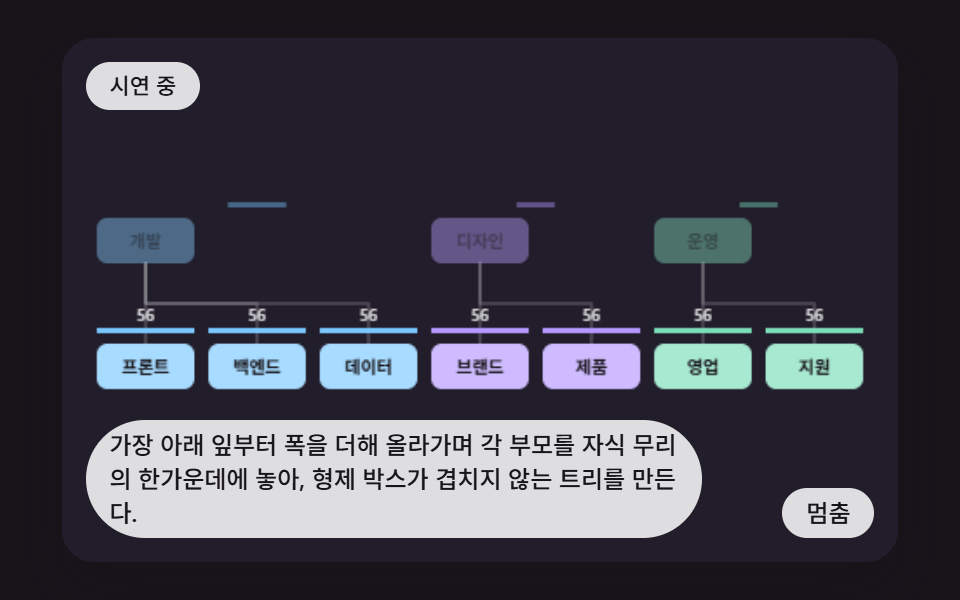 クリエイティブUIcss 組織図 9パターン — 枝の幅を計算して親を子の真ん中に置くツリーの場面
 クリエイティブUIオーディオビジュアライザー 作り方 9選 — 棒からマイクまで
 クリエイティブUI物理シミュレーション 作り方 9選 — バネから慣性スクラブまで
 クリエイティブUIパーティクル アニメーション canvas 9種 — ライブラリなしの作り方