物理エンジン 作り方 9選 — Verletロープからラグドールまで
『物理エンジン 作り方』の鍵は、速度を変数に持たず前フレームとの差だけで次の位置を決めるVerlet積分と、伸びた制約を繰り返し戻す反復解法の2つにあります。9つの実験盤はライブラリなしで動き、Canvas 2Dだけでロープ・布・ゼリー・ラグドールから液滴までを計算し、コードはそのまま貼って動きます。
 01 verlet-rope-chain
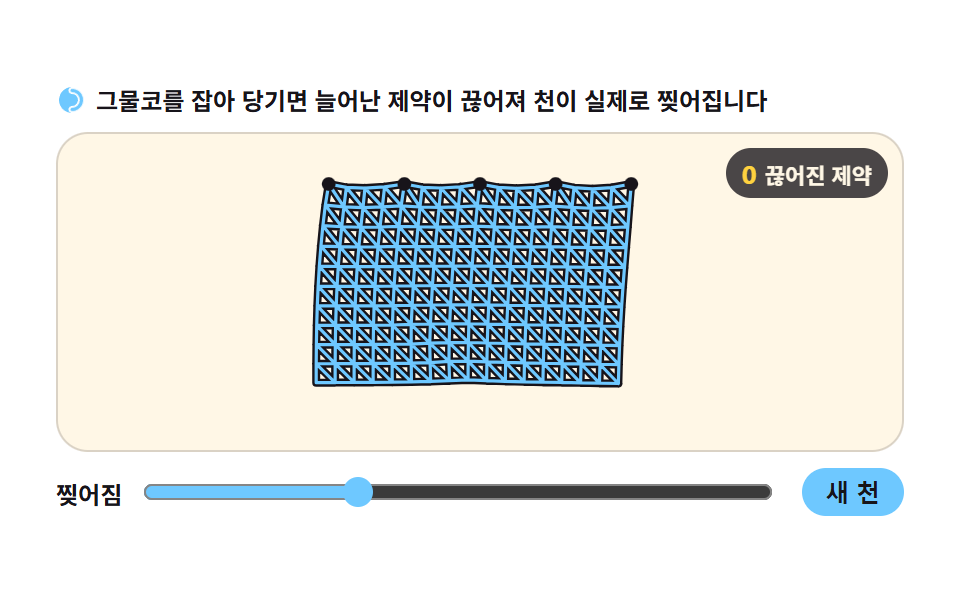 02 verlet-cloth-tear
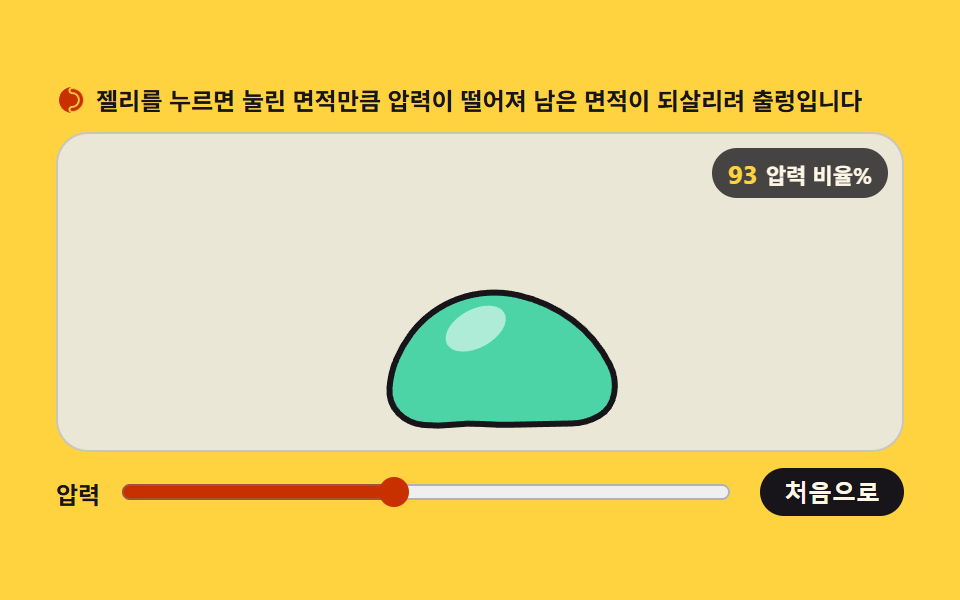 03 softbody-pressure-jelly
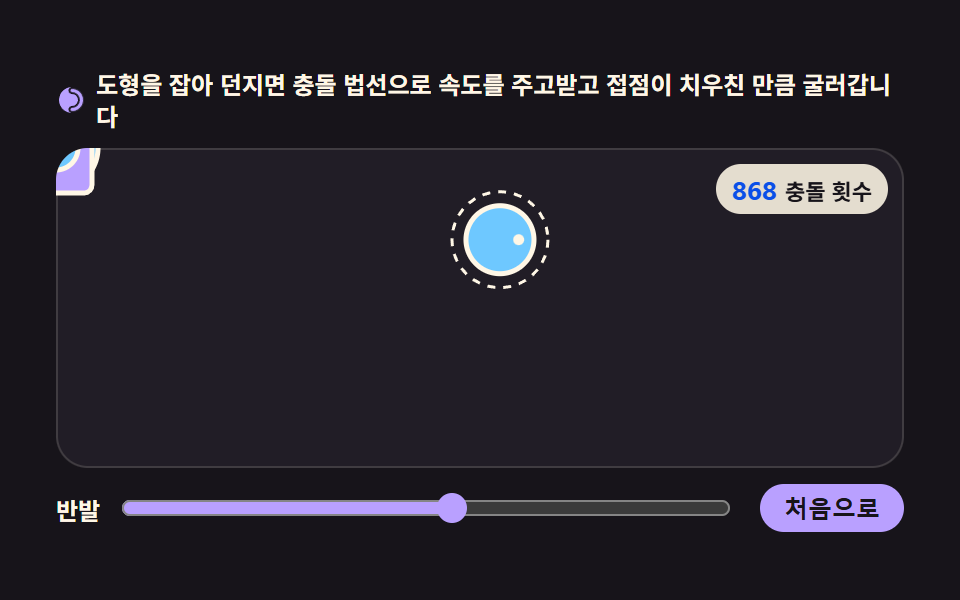 04 rigid-body-collide-rotate
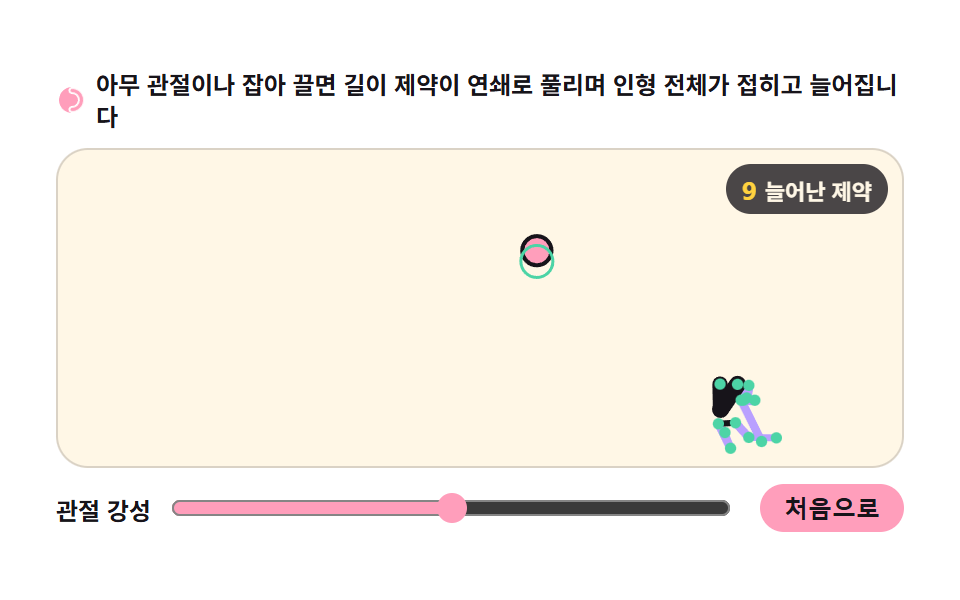 05 ragdoll-joint-chain
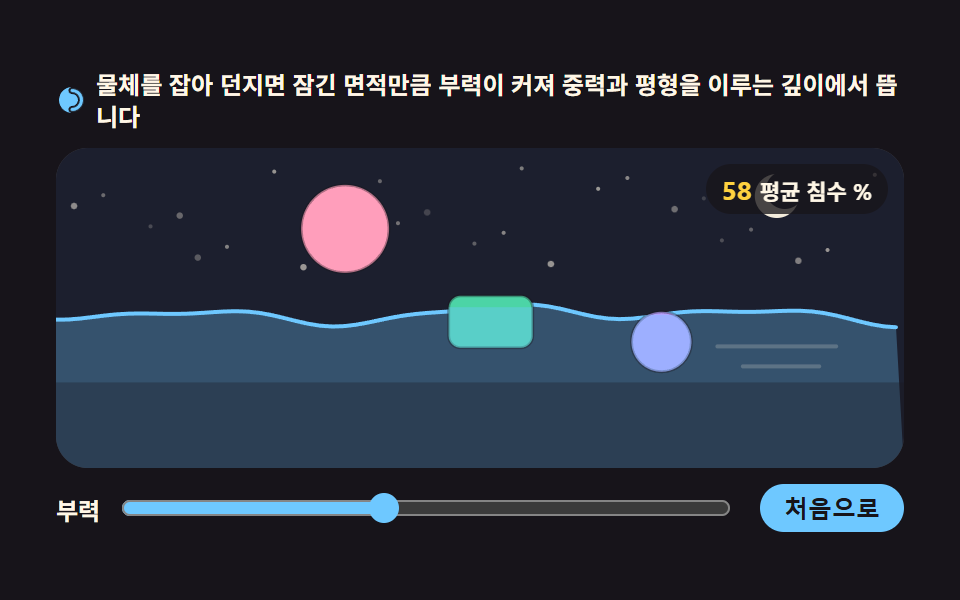 06 buoyancy-float-drag
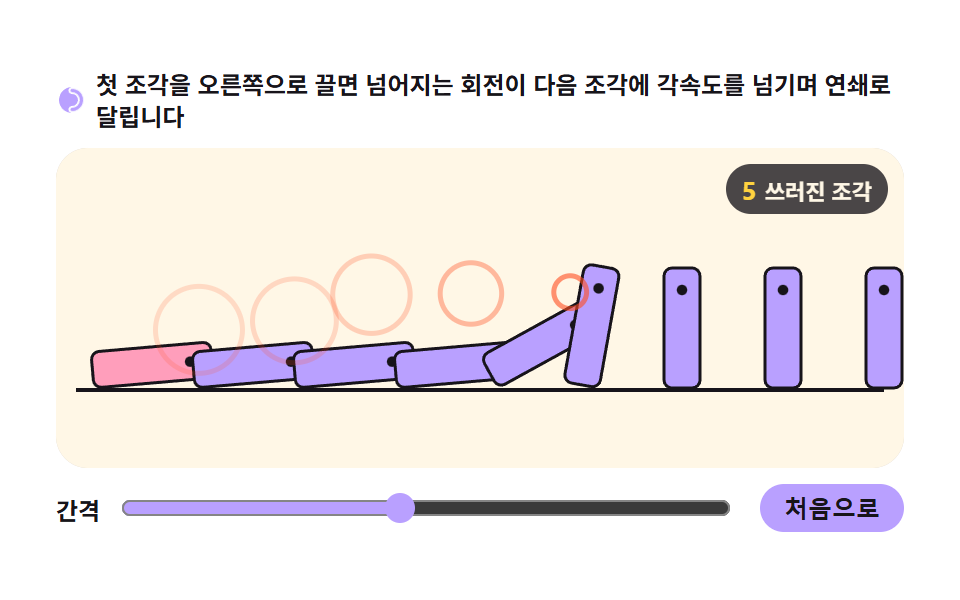 07 domino-chain-propagation
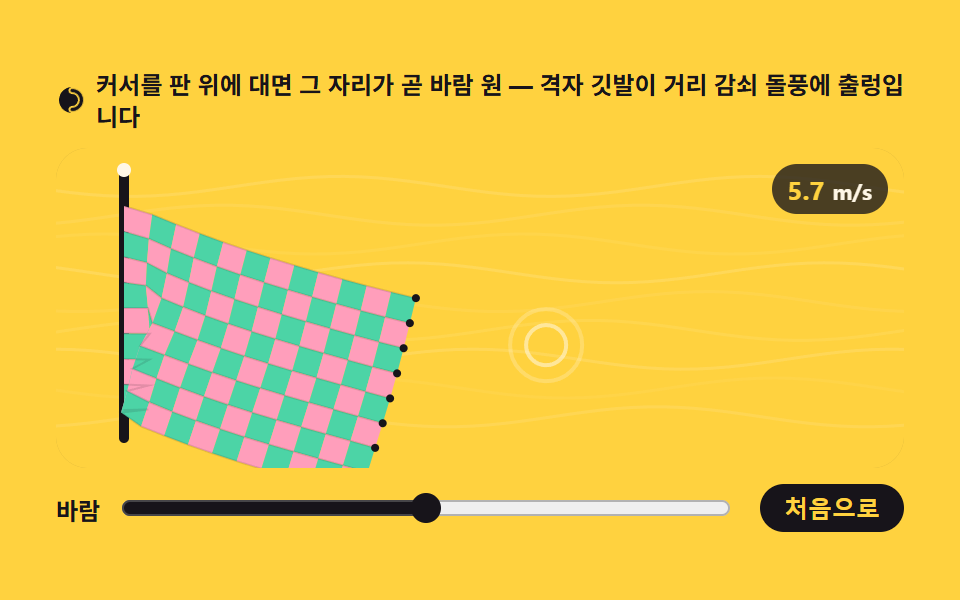 08 flag-wind-grid
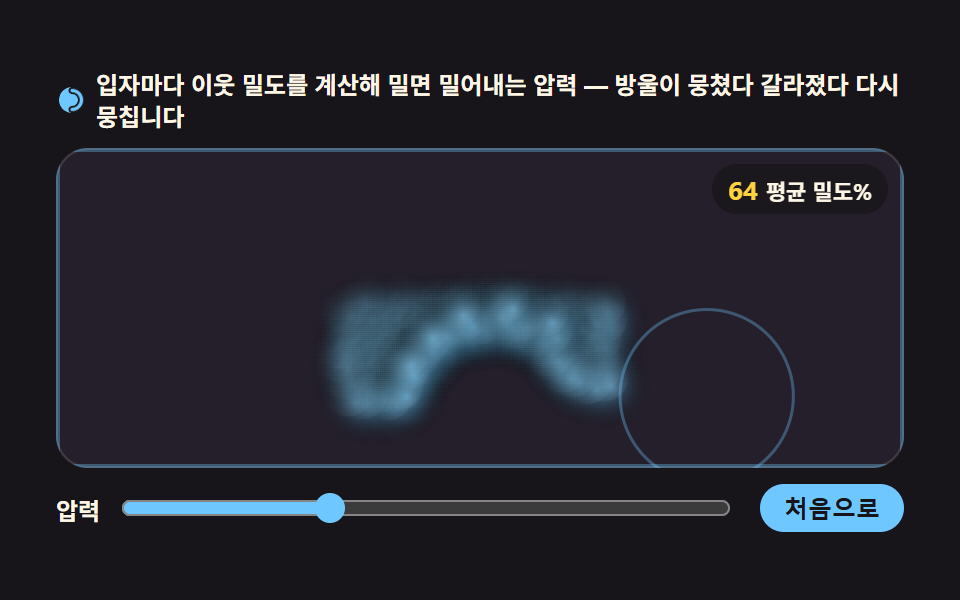 09 liquid-drop-sph
自動再生 · タイルを押すとその項目へ · すべて1つのzip
9つの並びは、材料が育つ順です。01のロープは14個の点を距離制約でつなぐ最小の物体、02の布は同じ制約を格子へ広げたもの、03のゼリーはその網を輪に巻いて内側に圧力を与えたものです。04と05は回転と関節が加わって剛体と人形になり、06の浮力と07のドミノは水と連鎖という条件をひとつずつ重ねます。08の旗は格子に時間とともに変わる風を送り、09の液体は網を捨てて点そのものを粒子として撒きます — 物理エンジン開発で最後にたどり着く材料です。盤はピクセルを計算するcanvasの特殊効果と同じキャンバスを持ちますが、絵を描く側ではなく物理が計算する側に立っています。
物理エンジン シミュレーションと何が違うか
物理エンジンとは、重力・衝突・ばねといった動きを数式にして、毎フレーム位置を計算する仕組みのことです。先に出た物理シミュレーション 作り方 9選は、速度に力を足して位置を押す道 — ばねの行き過ぎ、自由落下、単振り子、逆二乗の引力、壁の反射 — を選びました。今回の9つの盤は、速度を変数に持たないVerlet積分と、伸びた制約を何度も戻す反復解法で、同じ画面へ別の扉から入ります。どちらが優れているかではなく、計算の出発点が違い、その違いが柔らかい物体を保てるかどうかを分けます。
速度を保存しない積分
Verlet積分は次の位置を「今の位置 + (今の位置 − 前の位置)」だけから決めます。速度を保存しないため、衝突や制約で位置を強制的に戻しても、次のフレームの計算は自動でつじつまが合います。速度を持つ積分では位置を動かした瞬間に速度と食い違いますが、位置しかなければ食い違う相手がそもそもいません。
制約を繰り返し解く構造
距離制約ひとつがするのは、2点を目標の間隔へ戻すことだけです。ロープ・布・ゼリー・ラグドールはすべて、このひとつの操作を盤ごとに数回繰り返して全体を収束させています。01のスライダーで反復数を3から8へ上げると、ロープが目に見えて張ります。
回転まで載る剛体の衝突
04はここに、衝突法線に沿って速度を受け渡す衝撃量と、接触点が中心から外れたぶんだけ生じる回転のトルクを足します。点と一緒に角度も積分すると、図形は転がりながら跳ねていきます。物理エンジン サイト のまとめが挙げる汎用ライブラリの内部でも、この2つの計算が最も重い席を占めます。
01チェーンロープ揺れ
画面で見えるもの
端を掴んで引くと、14個の点を距離制約でつないだロープ全体が、制約を解き戻しながら追ってきます。引っ張って遊ぶヒーローバナーや、ドラッグで開く引き出しの取っ手にそのまま使えます。
<main class="stage">
<div class="rp" id="rp">
  <p class="rp__hint">
    <svg class="rp__ico" viewBox="0 0 256 256" aria-hidden="true"><g fill="currentColor"><path d="M224,128a96,96,0,0,1-96,96c-11.4,0-20-8.6-20-20s8.9-20,20-20a56,56,0,0,0,0-112c-11.1,0-20-8.9-20-20s8.6-20,20-20A96,96,0,0,1,224,128Z" opacity=".2"/><path d="M128,24A104,104,0,0,0,128,232c-15.8,0-28-12.3-28-28s12.4-28,28-28a48,48,0,0,0,0-96c-15.6,0-28-12.4-28-28S112.2,24,128,24Zm0,16c-6.9,0-12,5.2-12,12s5.3,12,12,12a64,64,0,0,1,0,128c-6.7,0-12,5.4-12,12s5.1,12,12,12a88,88,0,0,0,0-176Z"/></g></svg>
    <span>端をつかんで引っ張ると、距離制約を繰り返し解きながらロープ全体がついてきます</span>
  </p>
  <div class="rp__field" id="field" role="application" aria-label="ロープ実験盤" tabindex="0">
    <canvas class="rp__cv" id="cv"></canvas>
    <b class="rp__badge" aria-hidden="true"><span class="rp__badgeNum" id="iterVal">4</span><span class="rp__badgeUnit">制約反復</span></b>
  </div>
  <div class="rp__bar">
    <label class="rp__dial">反復
      <input type="range" id="iter" min="1" max="8" step="1" value="4" aria-label="制約反復数">
    </label>
    <button class="rp__reset" id="reset" type="button">最初から</button>
  </div>
</div>
</main>
@use "../../../../site/static/demo-tokens" as *;
// 체인 로프 — 움직임은 전부 캔버스 rAF 루프 안의 Verlet 적분·제약 반복에 있다.
// @keyframes 를 하나도 두지 않는다 — CSS 애니메이션이 0개여야 렌더러가 시계를 고정하지 않고
// 실시간으로 24장을 찍어 로프가 실제로 흔들리는 모습이 담긴다(도구/demo.py 렌더(), 077·012 선례 "애니메이션": 0).
// 캔버스가 쓰는 색은 여기서 커스텀 프로퍼티로 내려보낸다 — 값은 토큰 한 곳에만 둔다.
$duration: $dur-loop;
$easing: $ease-spring;
$color: $subject-pink;
@include stage($stage-paper);
.rp {
--bg: #{$subject-cream};
--ink: #{$subject-ink};
--knot: #{$color};
--hand: #{$subject-mint};
--pivot: #{$subject-ink};
display: flex; flex-direction: column; gap: $sp-2;
width: 100%; max-width: 424px;
}
.rp__hint {
display: flex; align-items: center; gap: $sp-1; margin: 0;
font-weight: 700; font-size: clamp(10px, 2.8vw, 12px); line-height: 1.35;
color: $subject-ink;
}
.rp__ico { width: 16px; height: 16px; flex: 0 0 auto; color: $color; }
.rp__field {
position: relative; height: 160px;
border-radius: $r-card; overflow: hidden;
background: var(--bg);
box-shadow: inset 0 0 0 1px rgba($subject-ink, .16);
cursor: grab; touch-action: none;
}
.rp__field:focus-visible { outline: 2px solid $color; outline-offset: 2px; }
.rp__field:active { cursor: grabbing; }
.rp__cv { display: block; width: 100%; height: 100%; }
// 제약 반복 수 — 슬라이더와 같은 값이 JS 배지에도 뜬다
.rp__badge {
position: absolute; right: $sp-2; top: $sp-2;
display: flex; align-items: baseline; gap: $sp-1;
padding: $sp-1 $sp-2; border-radius: $r-pill;
background: rgba($subject-ink, .78);
color: $subject-cream; font-weight: 700; font-size: 11px;
}
.rp__badgeNum { font-size: 13px; color: $stage-yellow; }
.rp__badgeUnit { font-weight: 700; }
.rp__bar {
display: flex; align-items: center; gap: $sp-3;
}
.rp__dial {
display: flex; align-items: center; gap: $sp-2; flex: 1 1 auto;
font-weight: 700; font-size: 12px; color: $subject-ink;
}
.rp__dial input[type="range"] { flex: 1 1 auto; accent-color: $color; }
.rp__reset {
flex: 0 0 auto; border: 0; border-radius: $r-pill;
padding: $sp-1 $sp-3; font-weight: 700; font-size: 12px;
background: $color; color: $subject-ink; cursor: pointer;
}
.rp__reset:active { transform: translateY(1px); }
@media (max-width: 340px) {
.rp { gap: $sp-1; }
.rp__field { height: 124px; }
.rp__badge { font-size: 10px; padding: 0 $sp-1; }
.rp__badgeNum { font-size: 11px; }
.rp__bar { gap: $sp-2; }
.rp__dial { font-size: 11px; }
.rp__reset { font-size: 11px; padding: $sp-1 $sp-2; }
}
// reduce — 잡아 당기는 조작은 살리고 자동 시연 루프는 JS 가 끈다.
// 잡은 점만 옮기고 나머지는 제약이 즉시 따라오므로 화면이 흔들리지 않는다.
@media (prefers-reduced-motion: reduce) {
.rp.is-still .rp__field { cursor: default !important; }
.rp.is-still .rp__badge { opacity: .92 !important; }
}html, body {
margin: 0;
overflow: hidden;
}
.stage {
box-sizing: border-box;
min-height: 100vh;
display: grid;
place-items: center;
margin: 0;
background: #ffffff;
font-family: -apple-system, "Segoe UI", "Noto Sans KR", sans-serif;
padding: clamp(8px, 4vw, 24px);
}
.rp {
--bg: #fff7e6;
--ink: #17141a;
--knot: #ff9ebb;
--hand: #4cd4a6;
--pivot: #17141a;
display: flex;
flex-direction: column;
gap: 8px;
width: 100%;
max-width: 424px;
}
.rp__hint {
display: flex;
align-items: center;
gap: 4px;
margin: 0;
font-weight: 700;
font-size: clamp(10px, 2.8vw, 12px);
line-height: 1.35;
color: #17141a;
}
.rp__ico {
width: 16px;
height: 16px;
flex: 0 0 auto;
color: #ff9ebb;
}
.rp__field {
position: relative;
height: 160px;
border-radius: 16px;
overflow: hidden;
background: var(--bg);
box-shadow: inset 0 0 0 1px rgba(23, 20, 26, 0.16);
cursor: grab;
touch-action: none;
}
.rp__field:focus-visible {
outline: 2px solid #ff9ebb;
outline-offset: 2px;
}
.rp__field:active {
cursor: grabbing;
}
.rp__cv {
display: block;
width: 100%;
height: 100%;
}
.rp__badge {
position: absolute;
right: 8px;
top: 8px;
display: flex;
align-items: baseline;
gap: 4px;
padding: 4px 8px;
border-radius: 999px;
background: rgba(23, 20, 26, 0.78);
color: #fff7e6;
font-weight: 700;
font-size: 11px;
}
.rp__badgeNum {
font-size: 13px;
color: #ffd23f;
}
.rp__badgeUnit {
font-weight: 700;
}
.rp__bar {
display: flex;
align-items: center;
gap: 12px;
}
.rp__dial {
display: flex;
align-items: center;
gap: 8px;
flex: 1 1 auto;
font-weight: 700;
font-size: 12px;
color: #17141a;
}
.rp__dial input[type=range] {
flex: 1 1 auto;
accent-color: #ff9ebb;
}
.rp__reset {
flex: 0 0 auto;
border: 0;
border-radius: 999px;
padding: 4px 12px;
font-weight: 700;
font-size: 12px;
background: #ff9ebb;
color: #17141a;
cursor: pointer;
}
.rp__reset:active {
transform: translateY(1px);
}
@media (max-width: 340px) {
.rp {
gap: 4px;
}
.rp__field {
height: 124px;
}
.rp__badge {
font-size: 10px;
padding: 0 4px;
}
.rp__badgeNum {
font-size: 11px;
}
.rp__bar {
gap: 8px;
}
.rp__dial {
font-size: 11px;
}
.rp__reset {
font-size: 11px;
padding: 4px 8px;
}
}
@media (prefers-reduced-motion: reduce) {
.rp.is-still .rp__field {
cursor: default !important;
}
.rp.is-still .rp__badge {
opacity: 0.92 !important;
}
}// 체인 로프 — 위치 기반 Verlet 적분. 속도 변수를 두지 않고 "이전 위치와의 차이"가 곧 속도다.
// next = pos + (pos - prev) * damping + gravity * dt^2
// 그 다음 거리 제약(N 개 점을 이웃끼리 목표 간격으로 못 박기)을 여러 번 반복해 푼다.
// 反復 수가 로프의 강도다 — 1번이면 축 늘어나고 8번이면 팽팽한 사슬이 된다.
var root = document.getElementById('rp');
var field = document.getElementById('field');
var cv = document.getElementById('cv');
var iterIn = document.getElementById('iter');
var iterVal = document.getElementById('iterVal');
var reduce = window.matchMedia('(prefers-reduced-motion: reduce)');
var ctx = cv.getContext('2d');
var css = getComputedStyle(root);
var INK = css.getPropertyValue('--ink').trim();
var BG = css.getPropertyValue('--bg').trim();
var KNOT = css.getPropertyValue('--knot').trim();
var HAND = css.getPropertyValue('--hand').trim();
var PIVOT = css.getPropertyValue('--pivot').trim();
var FONT = '-apple-system, "Segoe UI", "Noto Sans KR", sans-serif';
var N = 14; // 로프를 이루는 점의 수
var SEG = 0; // 마디 간 목표 거리(판 크기에 맞춰 초기화에서 정한다)
var GRAV = 1500; // 중력 가속도(px/s^2) — Verlet 은 위치에 dt^2 를 곱해 더한다
var DAMP = 0.995; // 속도 보존률(공기 저항)
var LOOP = 2; // 자동 시연 한 바퀴(초) — 캡처 창과 같아 gif 가 이어진다
var pts = []; // 점: {x, y, px, py, pinned}
var dragging = -1; // 잡고 있는 점 번호
var W = 0, H = 0, dpr = 1;
var t0 = performance.now();
function fit() {
var r = field.getBoundingClientRect();
dpr = window.devicePixelRatio || 1;
W = r.width; H = r.height;
cv.width = Math.round(W * dpr);
cv.height = Math.round(H * dpr);
ctx.setTransform(dpr, 0, 0, dpr, 0, 0);
build();
}
function build() {
pts = [];
SEG = Math.min(26, (H - 60) / (N - 1));
var x0 = W * 0.5, y0 = 30;
for (var i = 0; i < N; i++) {
pts.push({ x: x0, y: y0 + i * SEG, px: x0, py: y0 + i * SEG, pinned: i === 0 });
}
dragging = -1;
}
// 한 프레임 — 적분 → 制約反復
function step(now) {
var dt = Math.min((now - t0) / 1000, 0.033);
t0 = now;
var iters = Number(iterIn.value);
// (1) 관성: 이전 위치와의 차이가 곧 속도다
for (var i = 0; i < N; i++) {
var p = pts[i];
if (p.pinned || i === dragging) continue;
var vx = (p.x - p.px) * DAMP;
var vy = (p.y - p.py) * DAMP;
p.px = p.x; p.py = p.y;
p.x += vx;
p.y += vy + GRAV * dt * dt;
}
// (2) 제약: 이웃끼리 목표 간격으로 당긴다. 한 번으로는 안 풀린다 — 반복할수록 팽팽해진다
  for (var k = 0; k < iters; k++) {
    for (var j = 0; j < N - 1; j++) {
      var a = pts[j], b = pts[j + 1];
      var dx = b.x - a.x, dy = b.y - a.y;
      var d = Math.sqrt(dx * dx + dy * dy) || 0.0001;
      var off = (d - SEG) / d * 0.5;
      var ax = dx * off, ay = dy * off;
      if (!a.pinned && j !== dragging || k === 0 && j !== dragging && !a.pinned) { /* no-op */ }
      var aFree = !a.pinned && j !== dragging;
      var bFree = !b.pinned && j + 1 !== dragging;
      if (aFree && bFree) { a.x += ax; a.y += ay; b.x -= ax; b.y -= ay; }
      else if (aFree) { a.x += ax * 2; a.y += ay * 2; }
      else if (bFree) { b.x -= ax * 2; b.y -= ay * 2; }
    }
  }
  if (dragging >= 0) { pts[dragging].x = dragX; pts[dragging].y = dragY; }
}
function draw() {
ctx.clearRect(0, 0, W, H);
// 로프 — 마디마다 두 겹(굵은 밝은 + 가는 어두운)으로 사슬 결을 낸다
ctx.lineCap = 'round';
ctx.lineJoin = 'round';
ctx.strokeStyle = INK;
ctx.lineWidth = 7;
ctx.beginPath();
ctx.moveTo(pts[0].x, pts[0].y);
for (var i = 1; i < N; i++) ctx.lineTo(pts[i].x, pts[i].y);
ctx.stroke();
ctx.strokeStyle = HAND;
ctx.lineWidth = 3;
ctx.beginPath();
ctx.moveTo(pts[0].x, pts[0].y);
for (var i2 = 1; i2 < N; i2++) ctx.lineTo(pts[i2].x, pts[i2].y);
ctx.stroke();
// 고정점 핀
ctx.fillStyle = PIVOT;
ctx.beginPath();
ctx.arc(pts[0].x, pts[0].y, 6, 0, Math.PI * 2);
ctx.fill();
// 매듭 점 — 점의 개수만큼 사슬임을 눈으로 보여준다
for (var m = 1; m < N; m++) {
ctx.fillStyle = KNOT;
ctx.beginPath();
ctx.arc(pts[m].x, pts[m].y, 3.4, 0, Math.PI * 2);
ctx.fill();
}
// 끝 손잡이
var e = pts[N - 1];
ctx.fillStyle = HAND;
ctx.beginPath();
ctx.arc(e.x, e.y, 9, 0, Math.PI * 2);
ctx.fill();
ctx.fillStyle = INK;
ctx.beginPath();
ctx.arc(e.x, e.y, 3.5, 0, Math.PI * 2);
ctx.fill();
}
// 사람이 안 만졌을 때 도는 자동 시연 — 시드 고정 가상 포인터가 끝단을 8자로 끈다.
// 실제 손 조작(pointerdown)이 오면 이 루프를 끄고 진짜 포인터를 따라간다.
var manual = false;
function demoTarget(now) {
var ph = (now / 1000) / LOOP * Math.PI * 2;
return {
x: W * 0.5 + Math.sin(ph) * W * 0.3,
y: 70 + Math.sin(ph * 2) * 34
};
}
function frame(now) {
if (!manual) {
var t = demoTarget(now);
pts[N - 1].x = t.x; pts[N - 1].y = t.y;
}
step(now);
draw();
requestAnimationFrame(frame);
}
// 조작 — 끝단(또는 아무 매듭)을 잡아 끈다. 잡은 점은 제약에서 손으로 고정된 취급
var dragX = 0, dragY = 0;
function pick(x, y) {
var best = -1, bd = 26;
for (var i = 1; i < N; i++) {
var d = Math.hypot(pts[i].x - x, pts[i].y - y);
if (d < bd) { bd = d; best = i; }
}
return best;
}
field.addEventListener('pointerdown', function (e) {
var r = field.getBoundingClientRect();
var x = e.clientX - r.left, y = e.clientY - r.top;
dragging = pick(x, y);
if (dragging < 0) return;
manual = true;
dragX = x; dragY = y;
field.setPointerCapture(e.pointerId);
if (reduce.matches) {
// 줄인 모드에서는 관성 없이 잡은 점만 옮기고 나머지는 제약이 즉시 따라온다
pts[dragging].x = x; pts[dragging].y = y;
pts[dragging].px = x; pts[dragging].py = y;
}
});
field.addEventListener('pointermove', function (e) {
if (dragging < 0) return;
var r = field.getBoundingClientRect();
dragX = Math.max(4, Math.min(W - 4, e.clientX - r.left));
dragY = Math.max(4, Math.min(H - 4, e.clientY - r.top));
if (reduce.matches) { pts[dragging].x = dragX; pts[dragging].y = dragY; pts[dragging].px = dragX; pts[dragging].py = dragY; }
});
window.addEventListener('pointerup', function () { dragging = -1; });
document.getElementById('reset').addEventListener('click', function () { manual = false; build(); });
iterIn.addEventListener('input', function () { iterVal.textContent = iterIn.value; });
window.addEventListener('resize', fit);
fit();
requestAnimationFrame(frame);// RopeChain — vanilla 판(run/306/demo/01-verlet-rope-chain/index.html) 의 React 포트.
// 위치 기반 Verlet 적분: next = pos + (pos - prev) * damping + gravity * dt^2.
// 그 다음 거리 제약(이웃끼리 목표 간격)을 슬라이더 값만큼 반복해 푼다 — 반복 수가 로프의 강도다.
// 값·물리 상수·주석 의미는 vanilla 와 같다. 사람이 잡으면 미리보기를 끄고 진짜 포인터를 따라간다.
import { useEffect, useRef, useState } from "react";
import type { CSSProperties } from "react";
import type { PointerEvent as ReactPointerEvent } from "react";
import styles from "./RopeChain.module.scss";
export type RopeChainProps = {
duration?: number;
easing?: string;
color?: string;
};
type Vars = CSSProperties & { "--duration"?: string; "--easing"?: string; "--color"?: string };
// useRef 는 T | null 을 돌려준다. 처음부터 값이 있고 절대 비지 않는 상자는 이렇게 좁혀 쓴다 (292 선례)
type Box<T> = { current: T };
type InputEvt = { target: { value: string } };
type Pt = { x: number; y: number; px: number; py: number; pinned: boolean };
const N = 14; // 로프를 이루는 점의 수
const GRAV = 1500; // 중력 가속도(px/s^2) — Verlet 은 위치에 dt^2 를 곱해 더한다
const DAMP = 0.995; // 속도 보존률(공기 저항)
const LOOP = 2; // 자동 시연 한 바퀴(초) — 캡처 창과 같아 gif 가 이어진다
const FIELD_LABEL = "로프 실험판";
export default function RopeChain({
duration = 2000,
easing = "cubic-bezier(.2, .8, .2, 1)",
color = "#ff9ebb",
}: RopeChainProps) {
const rootRef = useRef<HTMLDivElement | null>(null);
const fieldRef = useRef<HTMLDivElement | null>(null);
const cvRef = useRef<HTMLCanvasElement | null>(null);
const iterValRef = useRef<HTMLSpanElement | null>(null);
const ptsRef = useRef<Pt[]>([]) as Box<Pt[]>;
const sizeRef = useRef({ W: 0, H: 0, seg: 0 }) as Box<{ W: number; H: number; seg: number }>;
const dragRef = useRef({ i: -1, x: 0, y: 0 }) as Box<{ i: number; x: number; y: number }>;
const manualRef = useRef(false) as Box<boolean>;
const rafRef = useRef(0) as Box<number>;
const t0Ref = useRef(0) as Box<number>;
const iterRef = useRef(4) as Box<number>;
const colorRef = useRef({ ink: "", bg: "", knot: "", hand: "", pivot: "" }) as Box<{ ink: string; bg: string; knot: string; hand: string; pivot: string }>;
const [iter, setIter] = useState(4);
const vars: Vars = { "--duration": `${duration}ms`, "--easing": easing, "--color": color };
function ctx2d(): CanvasRenderingContext2D | null {
const cv = cvRef.current;
if (!cv) return null;
return cv.getContext("2d");
}
function fit(): void {
const field = fieldRef.current;
const cv = cvRef.current;
const ctx = ctx2d();
if (!field || !cv || !ctx) return;
const r = field.getBoundingClientRect();
const dpr = window.devicePixelRatio || 1;
sizeRef.current.W = r.width;
sizeRef.current.H = r.height;
cv.width = Math.round(r.width * dpr);
cv.height = Math.round(r.height * dpr);
ctx.setTransform(dpr, 0, 0, dpr, 0, 0);
build();
}
function build(): void {
const { H } = sizeRef.current;
const pts: Pt[] = [];
const SEG = Math.min(26, (H - 60) / (N - 1));
sizeRef.current.seg = SEG;
const x0 = sizeRef.current.W * 0.5, y0 = 30;
for (let i = 0; i < N; i++) {
pts.push({ x: x0, y: y0 + i * SEG, px: x0, py: y0 + i * SEG, pinned: i === 0 });
}
ptsRef.current = pts;
dragRef.current.i = -1;
}
// 한 프레임 — 적분 → 제약 반복. vanilla step() 과 같은 순서·계수
function step(now: number): void {
const ctx = ctx2d();
if (!ctx) return;
const { W, H, seg } = sizeRef.current;
const pts = ptsRef.current;
const dt = Math.min((now - t0Ref.current) / 1000, 0.033);
t0Ref.current = now;
const iters = iterRef.current;
const dragging = dragRef.current.i;
// (1) 관성: 이전 위치와의 차이가 곧 속도다
for (let i = 0; i < N; i++) {
const p = pts[i];
if (p.pinned || i === dragging) continue;
const vx = (p.x - p.px) * DAMP;
const vy = (p.y - p.py) * DAMP;
p.px = p.x; p.py = p.y;
p.x += vx;
p.y += vy + GRAV * dt * dt;
}
// (2) 제약: 이웃끼리 목표 간격으로 당긴다. 한 번으로는 안 풀린다 — 반복할수록 팽팽해진다
for (let k = 0; k < iters; k++) {
for (let j = 0; j < N - 1; j++) {
const a = pts[j], b = pts[j + 1];
const dx = b.x - a.x, dy = b.y - a.y;
const d = Math.sqrt(dx * dx + dy * dy) || 0.0001;
const off = (d - seg) / d * 0.5;
const ax = dx * off, ay = dy * off;
const aFree = !a.pinned && j !== dragging;
const bFree = !b.pinned && j + 1 !== dragging;
if (aFree && bFree) { a.x += ax; a.y += ay; b.x -= ax; b.y -= ay; }
else if (aFree) { a.x += ax * 2; a.y += ay * 2; }
else if (bFree) { b.x -= ax * 2; b.y -= ay * 2; }
}
}
if (dragging >= 0) { pts[dragging].x = dragRef.current.x; pts[dragging].y = dragRef.current.y; }
draw(ctx, pts, W, H);
}
// 그리기 — 마디마다 두 겹(굵은 밝은 + 가는 어두운)으로 사슬 결을 낸다
function draw(ctx: CanvasRenderingContext2D, pts: Pt[], W: number, H: number): void {
const c = colorRef.current;
ctx.clearRect(0, 0, W, H);
ctx.lineCap = "round";
ctx.lineJoin = "round";
ctx.strokeStyle = c.ink;
ctx.lineWidth = 7;
ctx.beginPath();
ctx.moveTo(pts[0].x, pts[0].y);
for (let i = 1; i < N; i++) ctx.lineTo(pts[i].x, pts[i].y);
ctx.stroke();
ctx.strokeStyle = c.hand;
ctx.lineWidth = 3;
ctx.beginPath();
ctx.moveTo(pts[0].x, pts[0].y);
for (let i = 1; i < N; i++) ctx.lineTo(pts[i].x, pts[i].y);
ctx.stroke();
// 고정점 핀
ctx.fillStyle = c.pivot;
ctx.beginPath();
ctx.arc(pts[0].x, pts[0].y, 6, 0, Math.PI * 2);
ctx.fill();
// 매듭 점 — 점의 개수만큼 사슬임을 눈으로 보여준다
for (let m = 1; m < N; m++) {
ctx.fillStyle = c.knot;
ctx.beginPath();
ctx.arc(pts[m].x, pts[m].y, 3.4, 0, Math.PI * 2);
ctx.fill();
}
// 끝 손잡이
const e = pts[N - 1];
ctx.fillStyle = c.hand;
ctx.beginPath();
ctx.arc(e.x, e.y, 9, 0, Math.PI * 2);
ctx.fill();
ctx.fillStyle = c.ink;
ctx.beginPath();
ctx.arc(e.x, e.y, 3.5, 0, Math.PI * 2);
ctx.fill();
}
// 사람이 안 만졌을 때 도는 자동 시연 — 가상 포인터가 끝단을 8자로 끈다
function demoTarget(now: number): { x: number; y: number } {
const { W } = sizeRef.current;
const ph = (now / 1000) / LOOP * Math.PI * 2;
return {
x: W * 0.5 + Math.sin(ph) * W * 0.3,
y: 70 + Math.sin(ph * 2) * 34
};
}
function loop(now: number): void {
if (!manualRef.current) {
const pts = ptsRef.current;
const t = demoTarget(now);
pts[N - 1].x = t.x; pts[N - 1].y = t.y;
}
step(now);
rafRef.current = requestAnimationFrame(loop);
}
useEffect(() => {
fit();
// 캔버스가 쓰는 색은 module.scss 의 커스텀 프로퍼티에서 읽는다 — 값은 스타일 한 곳에만 둔다
const css = getComputedStyle(rootRef.current as Element);
colorRef.current = {
ink: css.getPropertyValue("--ink").trim(),
bg: css.getPropertyValue("--bg").trim(),
knot: css.getPropertyValue("--knot").trim(),
hand: css.getPropertyValue("--hand").trim(),
pivot: css.getPropertyValue("--pivot").trim()
};
const reduce = window.matchMedia("(prefers-reduced-motion: reduce)");
t0Ref.current = performance.now();
if (!reduce.matches) rafRef.current = requestAnimationFrame(loop);
else step(performance.now()); // 줄인 모드 — 처음 장면 한 장만 그린다
function onResize(): void { fit(); }
function onUp(): void { dragRef.current.i = -1; }
function onReduceChange(): void {
if (reduce.matches) {
manualRef.current = true;
cancelAnimationFrame(rafRef.current);
step(performance.now());
} else if (!manualRef.current) {
t0Ref.current = performance.now();
rafRef.current = requestAnimationFrame(loop);
}
}
window.addEventListener("resize", onResize);
window.addEventListener("pointerup", onUp);
reduce.addEventListener("change", onReduceChange);
return () => {
window.removeEventListener("resize", onResize);
window.removeEventListener("pointerup", onUp);
reduce.removeEventListener("change", onReduceChange);
cancelAnimationFrame(rafRef.current);
};
}, []);
// 조작 — 끝단(또는 아무 매듭)을 잡아 끈다. 잡은 점은 제약에서 손으로 고정된 취급
function pick(x: number, y: number): number {
const pts = ptsRef.current;
let best = -1, bd = 26;
for (let i = 1; i < N; i++) {
const d = Math.hypot(pts[i].x - x, pts[i].y - y);
if (d < bd) { bd = d; best = i; }
}
return best;
}
function onPointerDown(event: ReactPointerEvent<HTMLDivElement>): void {
const field = fieldRef.current;
if (!field) return;
const reduce = window.matchMedia("(prefers-reduced-motion: reduce)");
const r = field.getBoundingClientRect();
const x = event.clientX - r.left, y = event.clientY - r.top;
const i = pick(x, y);
if (i < 0) return;
manualRef.current = true;
dragRef.current = { i, x, y };
field.setPointerCapture(event.pointerId);
if (reduce.matches) {
// 줄인 모드에서는 관성 없이 잡은 점만 옮기고 나머지는 제약이 즉시 따라온다
const pts = ptsRef.current;
pts[i].x = x; pts[i].y = y;
pts[i].px = x; pts[i].py = y;
step(performance.now());
}
}
function onPointerMove(event: ReactPointerEvent<HTMLDivElement>): void {
const field = fieldRef.current;
const drag = dragRef.current;
if (drag.i < 0 || !field) return;
const reduce = window.matchMedia("(prefers-reduced-motion: reduce)");
const { W, H } = sizeRef.current;
const r = field.getBoundingClientRect();
drag.x = Math.max(4, Math.min(W - 4, event.clientX - r.left));
drag.y = Math.max(4, Math.min(H - 4, event.clientY - r.top));
if (reduce.matches) {
const pts = ptsRef.current;
pts[drag.i].x = drag.x; pts[drag.i].y = drag.y;
pts[drag.i].px = drag.x; pts[drag.i].py = drag.y;
step(performance.now());
}
}
function onReset(): void {
manualRef.current = false;
build();
const reduce = window.matchMedia("(prefers-reduced-motion: reduce)");
if (reduce.matches) { step(performance.now()); return; }
t0Ref.current = performance.now();
cancelAnimationFrame(rafRef.current);
rafRef.current = requestAnimationFrame(loop);
}
return (
<main className={styles.stage}>
<div className={styles.root} ref={rootRef} style={vars}>
<p className={styles.hint}>
<svg className={styles.ico} viewBox="0 0 256 256" aria-hidden="true"><g fill="currentColor"><path d="M224,128a96,96,0,0,1-96,96c-11.4,0-20-8.6-20-20s8.9-20,20-20a56,56,0,0,0,0-112c-11.1,0-20-8.9-20-20s8.6-20,20-20A96,96,0,0,1,224,128Z" opacity=".2"/><path d="M128,24A104,104,0,0,0,128,232c-15.8,0-28-12.3-28-28s12.4-28,28-28a48,48,0,0,0,0-96c-15.6,0-28-12.4-28-28S112.2,24,128,24Zm0,16c-6.9,0-12,5.2-12,12s5.3,12,12,12a64,64,0,0,1,0,128c-6.7,0-12,5.4-12,12s5.1,12,12,12a88,88,0,0,0,0-176Z"/></g></svg>
<span>끝을 잡아 끌면 로프 전체가 거리 제약을 반복해 풀며 따라옵니다</span>
</p>
<div
className={styles.field}
ref={fieldRef}
role="application"
aria-label={FIELD_LABEL}
tabIndex={0}
onPointerDown={onPointerDown}
onPointerMove={onPointerMove}
>
<canvas className={styles.cv} ref={cvRef}></canvas>
<b className={styles.badge} aria-hidden="true"><span className={styles.badgeNum} ref={iterValRef}>{iter}</span><span className={styles.badgeUnit}>제약 반복</span></b>
</div>
<div className={styles.bar}>
<label className={styles.dial}>반복
<input
type="range" min={1} max={8} step={1} value={iter} aria-label="제약 반복 수"
onChange={(event: InputEvt) => { const v = Number(event.target.value); iterRef.current = v; setIter(v); const el = iterValRef.current; if (el) el.textContent = String(v); }}
/>
</label>
<button className={styles.reset} type="button" onClick={onReset}>처음으로</button>
</div>
</div>
</main>
);
}01 · チェーンロープ揺れ — 計測 累積面積 10.067% · 動いたフレーム 23/23GODRICH オリジナル · SCSS と React は zip に同梱 · パスワードを見る
コードの見どころ
レンダーの実測は累積面積 10.067% ・強度(ピクセル変化量の平均) 135.4 ・動いたフレーム 23/23 です。
for (var k = 0; k < iters; k++) {
for (var j = 0; j < N - 1; j++) {
var a = pts[j], b = pts[j + 1];
var dx = b.x - a.x, dy = b.y - a.y;
var d = Math.sqrt(dx * dx + dy * dy) || 0.0001;
var off = (d - SEG) / d * 0.5;
var ax = dx * off, ay = dy * off;
if (!a.pinned && j !== dragging || k === 0 && j !== dragging && !a.pinned) { /* no-op */ }
var aFree = !a.pinned && j !== dragging;
var bFree = !b.pinned && j + 1 !== dragging;
if (aFree && bFree) { a.x += ax; a.y += ay; b.x -= ax; b.y -= ay; }
else if (aFree) { a.x += ax * 2; a.y += ay * 2; }
else if (bFree) { b.x -= ax * 2; b.y -= ay * 2; }
}
}
if (dragging >= 0) { pts[dragging].x = dragX; pts[dragging].y = dragY; }
02布の破れ
何が起きるか
網目をつかんで強く引くと、目標距離のtear倍まで伸びた制約だけが切れて、穴が残ります。切れた制約は二度とつながりません。
<main class="stage">
<div class="cl" id="cl">
  <p class="cl__hint">
    <svg class="cl__ico" viewBox="0 0 256 256" aria-hidden="true"><g fill="currentColor"><path d="M224,128a96,96,0,0,1-96,96c-11.4,0-20-8.6-20-20s8.9-20,20-20a56,56,0,0,0,0-112c-11.1,0-20-8.9-20-20s8.6-20,20-20A96,96,0,0,1,224,128Z" opacity=".2"/><path d="M128,24A104,104,0,0,0,128,232c-15.8,0-28-12.3-28-28s12.4-28,28-28a48,48,0,0,0,0-96c-15.6,0-28-12.4-28-28S112.2,24,128,24Zm0,16c-6.9,0-12,5.2-12,12s5.3,12,12,12a64,64,0,0,1,0,128c-6.7,0-12,5.4-12,12s5.1,12,12,12a88,88,0,0,0,0-176Z"/></g></svg>
    <span>網目をつかんで引くと伸びた制約が切れ、布が本当に破れます</span>
  </p>
  <div class="cl__field" id="field" role="application" aria-label="布裂き実験盤" tabindex="0">
    <canvas class="cl__cv" id="cv"></canvas>
    <b class="cl__badge" aria-hidden="true"><span class="cl__badgeNum" id="ripVal">0</span><span class="cl__badgeUnit">切れた制約</span></b>
  </div>
  <div class="cl__bar">
    <label class="cl__dial">破れ
      <input type="range" id="tear" min="1" max="10" step="1" value="4" aria-label="制約が切れる伸び倍率">
    </label>
    <button class="cl__reset" id="reset" type="button">新しい布</button>
  </div>
</div>
</main>
@use "../../../../site/static/demo-tokens" as *;
// 천 찢어짐 — 움직임은 전부 캔버스 rAF 루프 안의 Verlet 제약망에 있다. @keyframes 0개.
// 찢어진 자국(산 제약)은 RIP 색으로, 살아 있는 천은 INK/THREAD 두 겹으로 그린다.
// 색은 여기서 커스텀 프로퍼티로 내려보낸다 — 값은 토큰 한 곳에만 둔다.
$duration: $dur-loop;
$easing: $ease-spring;
$color: $subject-sky;
@include stage($stage-paper);
.cl {
--bg: #{$subject-cream};
--ink: #{$subject-ink};
--thread: #{$color};
--rip: #{$subject-pink};
--peg: #{$subject-ink};
display: flex; flex-direction: column; gap: $sp-2;
width: 100%; max-width: 424px;
}
.cl__hint {
display: flex; align-items: center; gap: $sp-1; margin: 0;
font-weight: 700; font-size: clamp(10px, 2.8vw, 12px); line-height: 1.35;
color: $subject-ink;
}
.cl__ico { width: 16px; height: 16px; flex: 0 0 auto; color: $color; }
.cl__field {
position: relative; height: 160px;
border-radius: $r-card; overflow: hidden;
background: var(--bg);
box-shadow: inset 0 0 0 1px rgba($subject-ink, .16);
cursor: grab; touch-action: none;
}
.cl__field:focus-visible { outline: 2px solid $color; outline-offset: 2px; }
.cl__field:active { cursor: grabbing; }
.cl__cv { display: block; width: 100%; height: 100%; }
// 끊어진 제약 수 — 찢어진 정도의 실측값
.cl__badge {
position: absolute; right: $sp-2; top: $sp-2;
display: flex; align-items: baseline; gap: $sp-1;
padding: $sp-1 $sp-2; border-radius: $r-pill;
background: rgba($subject-ink, .78);
color: $subject-cream; font-weight: 700; font-size: 11px;
}
.cl__badgeNum { font-size: 13px; color: $stage-yellow; }
.cl__badgeUnit { font-weight: 700; }
.cl__bar {
display: flex; align-items: center; gap: $sp-3;
}
.cl__dial {
display: flex; align-items: center; gap: $sp-2; flex: 1 1 auto;
font-weight: 700; font-size: 12px; color: $subject-ink;
}
.cl__dial input[type="range"] { flex: 1 1 auto; accent-color: $color; }
.cl__reset {
flex: 0 0 auto; border: 0; border-radius: $r-pill;
padding: $sp-1 $sp-3; font-weight: 700; font-size: 12px;
background: $color; color: $subject-ink; cursor: pointer;
}
.cl__reset:active { transform: translateY(1px); }
@media (max-width: 340px) {
.cl { gap: $sp-1; }
.cl__field { height: 114px; }
.cl__badge { font-size: 10px; padding: 0 $sp-1; }
.cl__badgeNum { font-size: 11px; }
.cl__bar { gap: $sp-2; }
.cl__dial { font-size: 11px; }
.cl__reset { font-size: 11px; padding: $sp-1 $sp-2; }
}
// reduce — 자동 시연 루프는 JS 가 끄고 잡아 당기는 조작만 살린다.
// 잡은 점만 옮기고 제약이 즉시 따라오므로 화면이 출렁이지 않는다.
@media (prefers-reduced-motion: reduce) {
.cl.is-still .cl__field { cursor: default !important; }
.cl.is-still .cl__badge { opacity: .92 !important; }
}html, body {
margin: 0;
overflow: hidden;
}
.stage {
box-sizing: border-box;
min-height: 100vh;
display: grid;
place-items: center;
margin: 0;
background: #ffffff;
font-family: -apple-system, "Segoe UI", "Noto Sans KR", sans-serif;
padding: clamp(8px, 4vw, 24px);
}
.cl {
--bg: #fff7e6;
--ink: #17141a;
--thread: #6ec8ff;
--rip: #ff9ebb;
--peg: #17141a;
display: flex;
flex-direction: column;
gap: 8px;
width: 100%;
max-width: 424px;
}
.cl__hint {
display: flex;
align-items: center;
gap: 4px;
margin: 0;
font-weight: 700;
font-size: clamp(10px, 2.8vw, 12px);
line-height: 1.35;
color: #17141a;
}
.cl__ico {
width: 16px;
height: 16px;
flex: 0 0 auto;
color: #6ec8ff;
}
.cl__field {
position: relative;
height: 160px;
border-radius: 16px;
overflow: hidden;
background: var(--bg);
box-shadow: inset 0 0 0 1px rgba(23, 20, 26, 0.16);
cursor: grab;
touch-action: none;
}
.cl__field:focus-visible {
outline: 2px solid #6ec8ff;
outline-offset: 2px;
}
.cl__field:active {
cursor: grabbing;
}
.cl__cv {
display: block;
width: 100%;
height: 100%;
}
.cl__badge {
position: absolute;
right: 8px;
top: 8px;
display: flex;
align-items: baseline;
gap: 4px;
padding: 4px 8px;
border-radius: 999px;
background: rgba(23, 20, 26, 0.78);
color: #fff7e6;
font-weight: 700;
font-size: 11px;
}
.cl__badgeNum {
font-size: 13px;
color: #ffd23f;
}
.cl__badgeUnit {
font-weight: 700;
}
.cl__bar {
display: flex;
align-items: center;
gap: 12px;
}
.cl__dial {
display: flex;
align-items: center;
gap: 8px;
flex: 1 1 auto;
font-weight: 700;
font-size: 12px;
color: #17141a;
}
.cl__dial input[type=range] {
flex: 1 1 auto;
accent-color: #6ec8ff;
}
.cl__reset {
flex: 0 0 auto;
border: 0;
border-radius: 999px;
padding: 4px 12px;
font-weight: 700;
font-size: 12px;
background: #6ec8ff;
color: #17141a;
cursor: pointer;
}
.cl__reset:active {
transform: translateY(1px);
}
@media (max-width: 340px) {
.cl {
gap: 4px;
}
.cl__field {
height: 114px;
}
.cl__badge {
font-size: 10px;
padding: 0 4px;
}
.cl__badgeNum {
font-size: 11px;
}
.cl__bar {
gap: 8px;
}
.cl__dial {
font-size: 11px;
}
.cl__reset {
font-size: 11px;
padding: 4px 8px;
}
}
@media (prefers-reduced-motion: reduce) {
.cl.is-still .cl__field {
cursor: default !important;
}
.cl.is-still .cl__badge {
opacity: 0.92 !important;
}
}// Verlet 천 — 로프를 가로·세로(+대각선 보강)로 엮은 제약망이다.
// 점은 위치 기반 Verlet 적분으로 중력을 받고, 이웃 점과의 거리 제약을 여러 번 반복해 푼다.
// 여기에 "임계 늘어남"을 둔다 — 제약이 목표 거리의 N 배(슬라이더)보다 늘어나면 그 제약을 영구히 지운다. 그것이 찢어짐이다.
var root = document.getElementById('cl');
var field = document.getElementById('field');
var cv = document.getElementById('cv');
var tearIn = document.getElementById('tear');
var ripVal = document.getElementById('ripVal');
var reduce = window.matchMedia('(prefers-reduced-motion: reduce)');
var ctx = cv.getContext('2d');
var css = getComputedStyle(root);
var INK = css.getPropertyValue('--ink').trim();
var BG = css.getPropertyValue('--bg').trim();
var THREAD = css.getPropertyValue('--thread').trim();
var RIP = css.getPropertyValue('--rip').trim();
var PEG = css.getPropertyValue('--peg').trim();
var COLS = 17, ROWS = 11; // 천 격자 — 점 187개
var GAP = 0; // 격자 間隔(판 크기에 맞춰 초기화에서 정한다)
var GRAV = 900; // 중력(px/s^2)
var DAMP = 0.99; // 속도 보존률 — 천은 로프보다 공기 저항이 크다
var LOOP = 2; // 자동 시연 한 바퀴(초)
var pts = []; // 점: {x,y,px,py,pin}
var links = []; // 제약: {a,b,len,dead}
var torn = 0; // 切れた制約 수
var dragging = -1;
var W = 0, H = 0, dpr = 1;
var t0 = performance.now();
function fit() {
var r = field.getBoundingClientRect();
dpr = window.devicePixelRatio || 1;
W = r.width; H = r.height;
cv.width = Math.round(W * dpr);
cv.height = Math.round(H * dpr);
ctx.setTransform(dpr, 0, 0, dpr, 0, 0);
build();
}
function build() {
pts = []; links = []; torn = 0; ripVal.textContent = '0';
GAP = Math.min(22, (W - 40) / (COLS - 1), (H - 56) / ROWS);
var x0 = (W - GAP * (COLS - 1)) / 2, y0 = 26;
for (var r = 0; r < ROWS; r++) {
for (var c = 0; c < COLS; c++) {
pts.push({
x: x0 + c * GAP, y: y0 + r * GAP,
px: x0 + c * GAP, py: y0 + r * GAP,
pin: r === 0 && (c % 4 === 0 || c === COLS - 1) // 윗변 매듭 몇 개를 못 박는다
});
}
}
var idx = function (r, c) { return r * COLS + c; };
for (var r2 = 0; r2 < ROWS; r2++) {
for (var c2 = 0; c2 < COLS; c2++) {
if (c2 < COLS - 1) links.push({ a: idx(r2, c2), b: idx(r2, c2 + 1), len: GAP, dead: false });
if (r2 < ROWS - 1) links.push({ a: idx(r2, c2), b: idx(r2 + 1, c2), len: GAP, dead: false });
// 대각선 보강 — 없으면 격자가 마음대로 접힌다
if (c2 < COLS - 1 && r2 < ROWS - 1) links.push({ a: idx(r2, c2), b: idx(r2 + 1, c2 + 1), len: GAP * Math.SQRT2, dead: false });
}
}
dragging = -1;
}
// 한 프레임 — 적분 → 制約反復(이때 늘어난 제약이 끊어진다)
function step(now) {
var dt = Math.min((now - t0) / 1000, 0.033);
t0 = now;
var tear = Number(tearIn.value);
for (var i = 0; i < pts.length; i++) {
var p = pts[i];
if (p.pin || i === dragging) continue;
var vx = (p.x - p.px) * DAMP;
var vy = (p.y - p.py) * DAMP;
p.px = p.x; p.py = p.y;
p.x += vx;
p.y += vy + GRAV * dt * dt;
}
for (var k = 0; k < 3; k++) {
for (var j = 0; j < links.length; j++) {
var L = links[j];
if (L.dead) continue;
var a = pts[L.a], b = pts[L.b];
var dx = b.x - a.x, dy = b.y - a.y;
var d = Math.sqrt(dx * dx + dy * dy) || 0.0001;
// 破れ 판정 — 목표 거리의 tear 배만큼 늘어난 제약은 영구히 끊는다
if (d > L.len * tear) {
L.dead = true; torn++;
ripVal.textContent = String(torn);
continue;
}
var off = (d - L.len) / d * 0.5;
var ax = dx * off, ay = dy * off;
var aFree = !a.pin && L.a !== dragging;
var bFree = !b.pin && L.b !== dragging;
if (aFree && bFree) { a.x += ax; a.y += ay; b.x -= ax; b.y -= ay; }
else if (aFree) { a.x += ax * 2; a.y += ay * 2; }
else if (bFree) { b.x -= ax * 2; b.y -= ay * 2; }
}
}
if (dragging >= 0) { pts[dragging].x = dragX; pts[dragging].y = dragY; }
}
function draw() {
ctx.clearRect(0, 0, W, H);
ctx.lineCap = 'round';
// 산 제약(끊긴 실)을 먼저 그린다 — 찢어진 자국이 된다
ctx.strokeStyle = RIP;
ctx.lineWidth = 1.4;
ctx.beginPath();
for (var j = 0; j < links.length; j++) {
var L = links[j];
if (!L.dead) continue;
ctx.moveTo(pts[L.a].x, pts[L.a].y);
ctx.lineTo(pts[L.b].x, pts[L.b].y);
}
ctx.stroke();
// 살아 있는 천 — 살아있는 제약을 두 겹으로 엮는다
ctx.strokeStyle = INK;
ctx.lineWidth = 4;
ctx.beginPath();
for (var j2 = 0; j2 < links.length; j2++) {
var L2 = links[j2];
if (L2.dead) continue;
ctx.moveTo(pts[L2.a].x, pts[L2.a].y);
ctx.lineTo(pts[L2.b].x, pts[L2.b].y);
}
ctx.stroke();
ctx.strokeStyle = THREAD;
ctx.lineWidth = 1.6;
ctx.beginPath();
for (var j3 = 0; j3 < links.length; j3++) {
var L3 = links[j3];
if (L3.dead) continue;
ctx.moveTo(pts[L3.a].x, pts[L3.a].y);
ctx.lineTo(pts[L3.b].x, pts[L3.b].y);
}
ctx.stroke();
// 못 박은 핀
ctx.fillStyle = PEG;
for (var i = 0; i < pts.length; i++) {
if (!pts[i].pin) continue;
ctx.beginPath();
ctx.arc(pts[i].x, pts[i].y, 3.4, 0, Math.PI * 2);
ctx.fill();
}
}
// 사람이 안 만졌을 때 도는 자동 시연 — 가상 포인터가 아랫변 한 점을 천천히 아래로 끈다가 놓는다.
// 당기는 힘이 제약을 임계까지 늘려 찢어짐이 저절로 일어나게 한다.
var manual = false;
function demoPull(now) {
var ph = ((now / 1000) % LOOP) / LOOP; // 0~1
var t = ph < 0.62 ? ph / 0.62 : 1; // 62% 까지 당기고 이후 놓는다
var idx = (ROWS - 1) * COLS + Math.floor(COLS * 0.5);
var ease = t * t; // 당기는 속도가 점점 붙는다
return { idx: idx, y: 26 + (ROWS - 1) * GAP + ease * (H - 56 - (ROWS - 1) * GAP), x: 0 };
}
function frame(now) {
if (!manual) {
var d = demoPull(now);
pts[d.idx].x = d.x || pts[d.idx].x;
pts[d.idx].y = d.y;
pts[d.idx].px = pts[d.idx].x;
pts[d.idx].py = pts[d.idx].y;
}
step(now);
draw();
requestAnimationFrame(frame);
}
// 조작 — 아무 점이나 잡아 당긴다. 잡은 점은 제약에서 손으로 고정된 취급
var dragX = 0, dragY = 0;
function pick(x, y) {
var best = -1, bd = 20;
for (var i = 0; i < pts.length; i++) {
var d = Math.hypot(pts[i].x - x, pts[i].y - y);
if (d < bd) { bd = d; best = i; }
}
return best;
}
field.addEventListener('pointerdown', function (e) {
var r = field.getBoundingClientRect();
var x = e.clientX - r.left, y = e.clientY - r.top;
dragging = pick(x, y);
if (dragging < 0) return;
manual = true;
dragX = x; dragY = y;
field.setPointerCapture(e.pointerId);
if (reduce.matches) {
pts[dragging].x = x; pts[dragging].y = y;
pts[dragging].px = x; pts[dragging].py = y;
}
});
field.addEventListener('pointermove', function (e) {
if (dragging < 0) return;
var r = field.getBoundingClientRect();
dragX = Math.max(2, Math.min(W - 2, e.clientX - r.left));
dragY = Math.max(2, Math.min(H - 2, e.clientY - r.top));
if (reduce.matches) { pts[dragging].x = dragX; pts[dragging].y = dragY; pts[dragging].px = dragX; pts[dragging].py = dragY; }
});
window.addEventListener('pointerup', function () { dragging = -1; });
document.getElementById('reset').addEventListener('click', function () { manual = false; build(); });
window.addEventListener('resize', fit);
fit();
requestAnimationFrame(frame);// ClothTear — vanilla 판(run/306/demo/02-verlet-cloth-tear/index.html) 의 React 포트.
// Verlet 천: 점은 위치 기반 적분으로 중력을 받고 이웃과의 거리 제약을 반복해 푼다.
// 제약이 목표 거리의 N 배(슬라이더)보다 늘어나면 영구히 지운다 — 그것이 찢어짐이다.
// 값·물리 상수·주석 의미는 vanilla 와 같다. 사람이 잡으면 미리보기를 끄고 진짜 포인터를 따라간다.
import { useEffect, useRef, useState } from "react";
import type { CSSProperties } from "react";
import type { PointerEvent as ReactPointerEvent } from "react";
import styles from "./ClothTear.module.scss";
export type ClothTearProps = {
duration?: number;
easing?: string;
color?: string;
};
type Vars = CSSProperties & { "--duration"?: string; "--easing"?: string; "--color"?: string };
// useRef 는 T | null 을 돌려준다. 처음부터 값이 있고 절대 비지 않는 상자는 이렇게 좁혀 쓴다 (292 선례)
type Box<T> = { current: T };
type InputEvt = { target: { value: string } };
type Pt = { x: number; y: number; px: number; py: number; pin: boolean };
type Link = { a: number; b: number; len: number; dead: boolean };
const COLS = 17, ROWS = 11; // 천 격자 — 점 187개
const GRAV = 900; // 중력(px/s^2)
const DAMP = 0.99; // 속도 보존률 — 천은 로프보다 공기 저항이 크다
const LOOP = 2; // 자동 시연 한 바퀴(초)
const FIELD_LABEL = "천 찢기 실험판";
export default function ClothTear({
duration = 2000,
easing = "cubic-bezier(.2, .8, .2, 1)",
color = "#6ec8ff",
}: ClothTearProps) {
const rootRef = useRef<HTMLDivElement | null>(null);
const fieldRef = useRef<HTMLDivElement | null>(null);
const cvRef = useRef<HTMLCanvasElement | null>(null);
const ripValRef = useRef<HTMLSpanElement | null>(null);
const ptsRef = useRef<Pt[]>([]) as Box<Pt[]>;
const linksRef = useRef<Link[]>([]) as Box<Link[]>;
const tornRef = useRef(0) as Box<number>;
const sizeRef = useRef({ W: 0, H: 0, gap: 0 }) as Box<{ W: number; H: number; gap: number }>;
const dragRef = useRef({ i: -1, x: 0, y: 0 }) as Box<{ i: number; x: number; y: number }>;
const manualRef = useRef(false) as Box<boolean>;
const rafRef = useRef(0) as Box<number>;
const t0Ref = useRef(0) as Box<number>;
const tearRef = useRef(4) as Box<number>;
const colorRef = useRef({ ink: "", bg: "", thread: "", rip: "", peg: "" }) as Box<{ ink: string; bg: string; thread: string; rip: string; peg: string }>;
const [tear, setTear] = useState(4);
const vars: Vars = { "--duration": `${duration}ms`, "--easing": easing, "--color": color };
function ctx2d(): CanvasRenderingContext2D | null {
const cv = cvRef.current;
if (!cv) return null;
return cv.getContext("2d");
}
function fit(): void {
const field = fieldRef.current;
const cv = cvRef.current;
const ctx = ctx2d();
if (!field || !cv || !ctx) return;
const r = field.getBoundingClientRect();
const dpr = window.devicePixelRatio || 1;
sizeRef.current.W = r.width;
sizeRef.current.H = r.height;
cv.width = Math.round(r.width * dpr);
cv.height = Math.round(r.height * dpr);
ctx.setTransform(dpr, 0, 0, dpr, 0, 0);
build();
}
function build(): void {
const { W, H } = sizeRef.current;
const pts: Pt[] = [], links: Link[] = [];
tornRef.current = 0;
const el = ripValRef.current;
if (el) el.textContent = "0";
const GAP = Math.min(22, (W - 40) / (COLS - 1), (H - 56) / ROWS);
sizeRef.current.gap = GAP;
const x0 = (W - GAP * (COLS - 1)) / 2, y0 = 26;
for (let r = 0; r < ROWS; r++) {
for (let c = 0; c < COLS; c++) {
pts.push({
x: x0 + c * GAP, y: y0 + r * GAP,
px: x0 + c * GAP, py: y0 + r * GAP,
pin: r === 0 && (c % 4 === 0 || c === COLS - 1) // 윗변 매듭 몇 개를 못 박는다
});
}
}
const idx = function (r: number, c: number): number { return r * COLS + c; };
for (let r = 0; r < ROWS; r++) {
for (let c = 0; c < COLS; c++) {
if (c < COLS - 1) links.push({ a: idx(r, c), b: idx(r, c + 1), len: GAP, dead: false });
if (r < ROWS - 1) links.push({ a: idx(r, c), b: idx(r + 1, c), len: GAP, dead: false });
// 대각선 보강 — 없으면 격자가 마음대로 접힌다
if (c < COLS - 1 && r < ROWS - 1) links.push({ a: idx(r, c), b: idx(r + 1, c + 1), len: GAP * Math.SQRT2, dead: false });
}
}
ptsRef.current = pts;
linksRef.current = links;
dragRef.current.i = -1;
}
// 한 프레임 — 적분 → 제약 반복(이때 늘어난 제약이 끊어진다). vanilla step() 과 같은 순서·계수
function step(now: number): void {
const ctx = ctx2d();
if (!ctx) return;
const { W, H } = sizeRef.current;
const pts = ptsRef.current, links = linksRef.current;
const dt = Math.min((now - t0Ref.current) / 1000, 0.033);
t0Ref.current = now;
const tear = tearRef.current;
const dragging = dragRef.current.i;
for (let i = 0; i < pts.length; i++) {
const p = pts[i];
if (p.pin || i === dragging) continue;
const vx = (p.x - p.px) * DAMP;
const vy = (p.y - p.py) * DAMP;
p.px = p.x; p.py = p.y;
p.x += vx;
p.y += vy + GRAV * dt * dt;
}
for (let k = 0; k < 3; k++) {
for (let j = 0; j < links.length; j++) {
const L = links[j];
if (L.dead) continue;
const a = pts[L.a], b = pts[L.b];
const dx = b.x - a.x, dy = b.y - a.y;
const d = Math.sqrt(dx * dx + dy * dy) || 0.0001;
// 찢어짐 판정 — 목표 거리의 tear 배만큼 늘어난 제약은 영구히 끊는다
if (d > L.len * tear) {
L.dead = true; tornRef.current++;
const el = ripValRef.current;
if (el) el.textContent = String(tornRef.current);
continue;
}
const off = (d - L.len) / d * 0.5;
const ax = dx * off, ay = dy * off;
const aFree = !a.pin && L.a !== dragging;
const bFree = !b.pin && L.b !== dragging;
if (aFree && bFree) { a.x += ax; a.y += ay; b.x -= ax; b.y -= ay; }
else if (aFree) { a.x += ax * 2; a.y += ay * 2; }
else if (bFree) { b.x -= ax * 2; b.y -= ay * 2; }
}
}
if (dragging >= 0) { pts[dragging].x = dragRef.current.x; pts[dragging].y = dragRef.current.y; }
draw(ctx, pts, links, W, H);
}
// 그리기 — 산 제약(끊긴 실)을 먼저 그리고 살아 있는 천을 두 겹으로 엮는다
function draw(ctx: CanvasRenderingContext2D, pts: Pt[], links: Link[], W: number, H: number): void {
const c = colorRef.current;
ctx.clearRect(0, 0, W, H);
ctx.lineCap = "round";
ctx.strokeStyle = c.rip;
ctx.lineWidth = 1.4;
ctx.beginPath();
for (let j = 0; j < links.length; j++) {
const L = links[j];
if (!L.dead) continue;
ctx.moveTo(pts[L.a].x, pts[L.a].y);
ctx.lineTo(pts[L.b].x, pts[L.b].y);
}
ctx.stroke();
ctx.strokeStyle = c.ink;
ctx.lineWidth = 4;
ctx.beginPath();
for (let j = 0; j < links.length; j++) {
const L = links[j];
if (L.dead) continue;
ctx.moveTo(pts[L.a].x, pts[L.a].y);
ctx.lineTo(pts[L.b].x, pts[L.b].y);
}
ctx.stroke();
ctx.strokeStyle = c.thread;
ctx.lineWidth = 1.6;
ctx.beginPath();
for (let j = 0; j < links.length; j++) {
const L = links[j];
if (L.dead) continue;
ctx.moveTo(pts[L.a].x, pts[L.a].y);
ctx.lineTo(pts[L.b].x, pts[L.b].y);
}
ctx.stroke();
// 못 박은 핀
ctx.fillStyle = c.peg;
for (let i = 0; i < pts.length; i++) {
if (!pts[i].pin) continue;
ctx.beginPath();
ctx.arc(pts[i].x, pts[i].y, 3.4, 0, Math.PI * 2);
ctx.fill();
}
}
// 사람이 안 만졌을 때 도는 자동 시연 — 가상 포인터가 아랫변 한 점을 천천히 아래로 끈다가 놓는다.
// 당기는 힘이 제약을 임계까지 늘려 찢어짐이 저절로 일어나게 한다.
function demoPull(now: number): { idx: number; y: number; x: number } {
const { H, gap } = sizeRef.current;
const ph = ((now / 1000) % LOOP) / LOOP; // 0~1
const t = ph < 0.62 ? ph / 0.62 : 1; // 62% 까지 당기고 이후 놓는다
const idx = (ROWS - 1) * COLS + Math.floor(COLS * 0.5);
const ease = t * t; // 당기는 속도가 점점 붙는다
return { idx: idx, y: 26 + (ROWS - 1) * gap + ease * (H - 56 - (ROWS - 1) * gap), x: 0 };
}
function loop(now: number): void {
if (!manualRef.current) {
const pts = ptsRef.current;
const d = demoPull(now);
pts[d.idx].x = d.x || pts[d.idx].x;
pts[d.idx].y = d.y;
pts[d.idx].px = pts[d.idx].x;
pts[d.idx].py = pts[d.idx].y;
}
step(now);
rafRef.current = requestAnimationFrame(loop);
}
useEffect(() => {
fit();
// 캔버스가 쓰는 색은 module.scss 의 커스텀 프로퍼티에서 읽는다 — 값은 스타일 한 곳에만 둔다
const css = getComputedStyle(rootRef.current as Element);
colorRef.current = {
ink: css.getPropertyValue("--ink").trim(),
bg: css.getPropertyValue("--bg").trim(),
thread: css.getPropertyValue("--thread").trim(),
rip: css.getPropertyValue("--rip").trim(),
peg: css.getPropertyValue("--peg").trim()
};
const reduce = window.matchMedia("(prefers-reduced-motion: reduce)");
t0Ref.current = performance.now();
if (!reduce.matches) rafRef.current = requestAnimationFrame(loop);
else step(performance.now()); // 줄인 모드 — 처음 장면 한 장만 그린다
function onResize(): void { fit(); }
function onUp(): void { dragRef.current.i = -1; }
function onReduceChange(): void {
if (reduce.matches) {
manualRef.current = true;
cancelAnimationFrame(rafRef.current);
step(performance.now());
} else if (!manualRef.current) {
t0Ref.current = performance.now();
rafRef.current = requestAnimationFrame(loop);
}
}
window.addEventListener("resize", onResize);
window.addEventListener("pointerup", onUp);
reduce.addEventListener("change", onReduceChange);
return () => {
window.removeEventListener("resize", onResize);
window.removeEventListener("pointerup", onUp);
reduce.removeEventListener("change", onReduceChange);
cancelAnimationFrame(rafRef.current);
};
}, []);
// 조작 — 아무 점이나 잡아 당긴다. 잡은 점은 제약에서 손으로 고정된 취급
function pick(x: number, y: number): number {
const pts = ptsRef.current;
let best = -1, bd = 20;
for (let i = 0; i < pts.length; i++) {
const d = Math.hypot(pts[i].x - x, pts[i].y - y);
if (d < bd) { bd = d; best = i; }
}
return best;
}
function onPointerDown(event: ReactPointerEvent<HTMLDivElement>): void {
const field = fieldRef.current;
if (!field) return;
const reduce = window.matchMedia("(prefers-reduced-motion: reduce)");
const r = field.getBoundingClientRect();
const x = event.clientX - r.left, y = event.clientY - r.top;
const i = pick(x, y);
if (i < 0) return;
manualRef.current = true;
dragRef.current = { i, x, y };
field.setPointerCapture(event.pointerId);
if (reduce.matches) {
const pts = ptsRef.current;
pts[i].x = x; pts[i].y = y;
pts[i].px = x; pts[i].py = y;
step(performance.now());
}
}
function onPointerMove(event: ReactPointerEvent<HTMLDivElement>): void {
const field = fieldRef.current;
const drag = dragRef.current;
if (drag.i < 0 || !field) return;
const reduce = window.matchMedia("(prefers-reduced-motion: reduce)");
const { W, H } = sizeRef.current;
const r = field.getBoundingClientRect();
drag.x = Math.max(2, Math.min(W - 2, event.clientX - r.left));
drag.y = Math.max(2, Math.min(H - 2, event.clientY - r.top));
if (reduce.matches) {
const pts = ptsRef.current;
pts[drag.i].x = drag.x; pts[drag.i].y = drag.y;
pts[drag.i].px = drag.x; pts[drag.i].py = drag.y;
step(performance.now());
}
}
function onReset(): void {
manualRef.current = false;
build();
const reduce = window.matchMedia("(prefers-reduced-motion: reduce)");
if (reduce.matches) { step(performance.now()); return; }
t0Ref.current = performance.now();
cancelAnimationFrame(rafRef.current);
rafRef.current = requestAnimationFrame(loop);
}
return (
<main className={styles.stage}>
<div className={styles.root} ref={rootRef} style={vars}>
<p className={styles.hint}>
<svg className={styles.ico} viewBox="0 0 256 256" aria-hidden="true"><g fill="currentColor"><path d="M224,128a96,96,0,0,1-96,96c-11.4,0-20-8.6-20-20s8.9-20,20-20a56,56,0,0,0,0-112c-11.1,0-20-8.9-20-20s8.6-20,20-20A96,96,0,0,1,224,128Z" opacity=".2"/><path d="M128,24A104,104,0,0,0,128,232c-15.8,0-28-12.3-28-28s12.4-28,28-28a48,48,0,0,0,0-96c-15.6,0-28-12.4-28-28S112.2,24,128,24Zm0,16c-6.9,0-12,5.2-12,12s5.3,12,12,12a64,64,0,0,1,0,128c-6.7,0-12,5.4-12,12s5.1,12,12,12a88,88,0,0,0,0-176Z"/></g></svg>
<span>그물코를 잡아 당기면 늘어난 제약이 끊어져 천이 실제로 찢어집니다</span>
</p>
<div
className={styles.field}
ref={fieldRef}
role="application"
aria-label={FIELD_LABEL}
tabIndex={0}
onPointerDown={onPointerDown}
onPointerMove={onPointerMove}
>
<canvas className={styles.cv} ref={cvRef}></canvas>
<b className={styles.badge} aria-hidden="true"><span className={styles.badgeNum} ref={ripValRef}>0</span><span className={styles.badgeUnit}>끊어진 제약</span></b>
</div>
<div className={styles.bar}>
<label className={styles.dial}>찢어짐
<input
type="range" min={1} max={10} step={1} value={tear} aria-label="제약이 끊기는 늘어남 배수"
onChange={(event: InputEvt) => { const v = Number(event.target.value); tearRef.current = v; setTear(v); }}
/>
</label>
<button className={styles.reset} type="button" onClick={onReset}>새 천</button>
</div>
</div>
</main>
);
}02 · 布の破れ — 計測 累積面積 11.325% · 動いたフレーム 23/23GODRICH オリジナル · SCSS と React は zip に同梱 · パスワードを見る
コードの読み方
実測記録は累積面積 11.325% ・強度 70.5 ・動いたフレーム 23/23 です。
  for (var k = 0; k < 3; k++) {
    for (var j = 0; j < links.length; j++) {
      var L = links[j];
      if (L.dead) continue;
      var a = pts[L.a], b = pts[L.b];
      var dx = b.x - a.x, dy = b.y - a.y;
      var d = Math.sqrt(dx * dx + dy * dy) || 0.0001;
      // 破れ判定 — 目標距離の tear 倍まで伸びた制約は永久に切る
      if (d > L.len * tear) {
        L.dead = true; torn++;
        ripVal.textContent = String(torn);
        continue;
      }
      var off = (d - L.len) / d * 0.5;
      var ax = dx * off, ay = dy * off;
      var aFree = !a.pin && L.a !== dragging;
      var bFree = !b.pin && L.b !== dragging;
      if (aFree && bFree) { a.x += ax; a.y += ay; b.x -= ax; b.y -= ay; }
      else if (aFree) { a.x += ax * 2; a.y += ay * 2; }
      else if (bFree) { b.x -= ax * 2; b.y -= ay * 2; }
    }
03ぷるぷるゼリー
どんな動きか
ゼリーを押すと、押して減った面積のぶんだけ外向きの圧力が強まり、手を離すと元の形へ波打ちながら戻ります。いいねボタンのぷにっとした反応に向いています。
<main class="stage">
<div class="jb" id="jb">
  <p class="jb__hint">
    <svg class="jb__ico" viewBox="0 0 256 256" aria-hidden="true"><g fill="currentColor"><path d="M224,128a96,96,0,0,1-96,96c-11.4,0-20-8.6-20-20s8.9-20,20-20a56,56,0,0,0,0-112c-11.1,0-20-8.9-20-20s8.6-20,20-20A96,96,0,0,1,224,128Z" opacity=".2"/><path d="M128,24A104,104,0,0,0,128,232c-15.8,0-28-12.3-28-28s12.4-28,28-28a48,48,0,0,0,0-96c-15.6,0-28-12.4-28-28S112.2,24,128,24Zm0,16c-6.9,0-12,5.2-12,12s5.3,12,12,12a64,64,0,0,1,0,128c-6.7,0-12,5.4-12,12s5.1,12,12,12a88,88,0,0,0,0-176Z"/></g></svg>
    <span>ゼリーを押すと押した面積ぶん圧力が下がり、残りの面積が戻ろうと揺れます</span>
  </p>
  <div class="jb__field" id="field" role="application" aria-label="ゼリー圧力実験盤" tabindex="0">
    <canvas class="jb__cv" id="cv"></canvas>
    <b class="jb__badge" aria-hidden="true"><span class="jb__badgeNum" id="prVal">100</span><span class="jb__badgeUnit">圧力比%</span></b>
  </div>
  <div class="jb__bar">
    <label class="jb__dial">圧力
      <input type="range" id="pr" min="1" max="10" step="1" value="5" aria-label="圧力の強さ">
    </label>
    <button class="jb__reset" id="reset" type="button">最初から</button>
  </div>
</div>
</main>
@use "../../../../site/static/demo-tokens" as *;
// 말랑 젤리 — 움직임은 전부 캔버스 rAF 루프 안의 Verlet 적분 + 압력 모델에 있다.
// @keyframes 를 하나도 두지 않는다 — CSS 애니메이션이 0개여야 렌더러가 실시간으로 24장을 찍어
// 젤리가 실제로 출렁이는 모습이 담긴다(도구/demo.py 렌더(), 01·077 선례 "애니메이션": 0).
// 캔버스가 쓰는 색은 여기서 커스텀 프로퍼티로 내려보낸다 — 값은 토큰 한 곳에만 둔다.
$duration: $dur-loop;
$easing: $ease-spring;
$color: $subject-mint;
@include stage($stage-yellow);
.jb {
--ink: #{$subject-ink};
--gloss: rgba(255, 255, 255, .55);
--pulp: #{$color};
--press: #{$subject-pink};
display: flex; flex-direction: column; gap: $sp-2;
width: 100%; max-width: 424px;
}
.jb__hint {
display: flex; align-items: center; gap: $sp-1; margin: 0;
font-weight: 700; font-size: clamp(10px, 2.8vw, 12px); line-height: 1.35;
color: $subject-ink;
}
.jb__ico { width: 16px; height: 16px; flex: 0 0 auto; color: $subject-orange-deep; }
.jb__field {
position: relative; height: 160px;
border-radius: $r-card; overflow: hidden;
background: #ebe7d6;
box-shadow: inset 0 0 0 1px rgba($subject-ink, .16);
cursor: pointer; touch-action: none;
}
.jb__field:focus-visible { outline: 2px solid $subject-orange-deep; outline-offset: 2px; }
.jb__cv { display: block; width: 100%; height: 100%; }
// 압력 비율 — 현재 면적 / 목표 면적(%). 슬라이더와 별개로 시뮬에서 갱신된다
.jb__badge {
position: absolute; right: $sp-2; top: $sp-2;
display: flex; align-items: baseline; gap: $sp-1;
padding: $sp-1 $sp-2; border-radius: $r-pill;
background: rgba($subject-ink, .78);
color: $subject-cream; font-weight: 700; font-size: 11px;
}
.jb__badgeNum { font-size: 13px; color: $stage-yellow; }
.jb__badgeUnit { font-weight: 700; }
.jb__bar {
display: flex; align-items: center; gap: $sp-3;
}
.jb__dial {
display: flex; align-items: center; gap: $sp-2; flex: 1 1 auto;
font-weight: 700; font-size: 12px; color: $subject-ink;
}
.jb__dial input[type="range"] { flex: 1 1 auto; accent-color: $subject-orange-deep; }
.jb__reset {
flex: 0 0 auto; border: 0; border-radius: $r-pill;
padding: $sp-1 $sp-3; font-weight: 700; font-size: 12px;
background: $subject-ink; color: $subject-cream; cursor: pointer;
}
.jb__reset:active { transform: translateY(1px); }
@media (max-width: 340px) {
.jb { gap: $sp-1; }
.jb__field { height: 114px; }
.jb__badge { font-size: 10px; padding: 0 $sp-1; }
.jb__badgeNum { font-size: 11px; }
.jb__bar { gap: $sp-2; }
.jb__dial { font-size: 11px; }
.jb__reset { font-size: 11px; padding: $sp-1 $sp-2; }
}
// reduce — 자동 시연 루프는 JS 가 끈다(가상 손가락이 멈춘다).
// 누르는 조작은 살아 있고 출렁임 없이 눌린 장면 한 장만 그린다.
@media (prefers-reduced-motion: reduce) {
.jb.is-still .jb__field { cursor: default !important; }
.jb.is-still .jb__badge { opacity: .92 !important; }
}html, body {
margin: 0;
overflow: hidden;
}
.stage {
box-sizing: border-box;
min-height: 100vh;
display: grid;
place-items: center;
margin: 0;
background: #ffd23f;
font-family: -apple-system, "Segoe UI", "Noto Sans KR", sans-serif;
padding: clamp(8px, 4vw, 24px);
}
.jb {
--ink: #17141a;
--gloss: rgba(255, 255, 255, .55);
--pulp: #4cd4a6;
--press: #ff9ebb;
display: flex;
flex-direction: column;
gap: 8px;
width: 100%;
max-width: 424px;
}
.jb__hint {
display: flex;
align-items: center;
gap: 4px;
margin: 0;
font-weight: 700;
font-size: clamp(10px, 2.8vw, 12px);
line-height: 1.35;
color: #17141a;
}
.jb__ico {
width: 16px;
height: 16px;
flex: 0 0 auto;
color: #c93000;
}
.jb__field {
position: relative;
height: 160px;
border-radius: 16px;
overflow: hidden;
background: #ebe7d6;
box-shadow: inset 0 0 0 1px rgba(23, 20, 26, 0.16);
cursor: pointer;
touch-action: none;
}
.jb__field:focus-visible {
outline: 2px solid #c93000;
outline-offset: 2px;
}
.jb__cv {
display: block;
width: 100%;
height: 100%;
}
.jb__badge {
position: absolute;
right: 8px;
top: 8px;
display: flex;
align-items: baseline;
gap: 4px;
padding: 4px 8px;
border-radius: 999px;
background: rgba(23, 20, 26, 0.78);
color: #fff7e6;
font-weight: 700;
font-size: 11px;
}
.jb__badgeNum {
font-size: 13px;
color: #ffd23f;
}
.jb__badgeUnit {
font-weight: 700;
}
.jb__bar {
display: flex;
align-items: center;
gap: 12px;
}
.jb__dial {
display: flex;
align-items: center;
gap: 8px;
flex: 1 1 auto;
font-weight: 700;
font-size: 12px;
color: #17141a;
}
.jb__dial input[type=range] {
flex: 1 1 auto;
accent-color: #c93000;
}
.jb__reset {
flex: 0 0 auto;
border: 0;
border-radius: 999px;
padding: 4px 12px;
font-weight: 700;
font-size: 12px;
background: #17141a;
color: #fff7e6;
cursor: pointer;
}
.jb__reset:active {
transform: translateY(1px);
}
@media (max-width: 340px) {
.jb {
gap: 4px;
}
.jb__field {
height: 114px;
}
.jb__badge {
font-size: 10px;
padding: 0 4px;
}
.jb__badgeNum {
font-size: 11px;
}
.jb__bar {
gap: 8px;
}
.jb__dial {
font-size: 11px;
}
.jb__reset {
font-size: 11px;
padding: 4px 8px;
}
}
@media (prefers-reduced-motion: reduce) {
.jb.is-still .jb__field {
cursor: default !important;
}
.jb.is-still .jb__badge {
opacity: 0.92 !important;
}
}// 말랑 젤리 — 소프트바디의 정석 "圧力 모델". 테두리 점 N 개를 이웃 거리 제약(+ 대각 보강)으로 묶고,
// 슈루스호크 공식으로 구한 현재 다각형 면적이 목표 면적에 못 미치는 만큼을 "圧力"으로 바꿔
// 각 테두리 점을 바깥 법선 방향으로 민다: F = (A0 - A) / A0 * k * edgeNormal
// 속도 변수는 없다 — 위치 기반 Verlet 적분 next = pos + (pos - prev) * damp + accel * dt^2 뿐.
// 누르면(pointer) 테두리가 안쪽으로 밀려 면적이 줄고, 떼면 압력이 면적을 다시 채우며 출렁인다.
var root = document.getElementById('jb');
var field = document.getElementById('field');
var cv = document.getElementById('cv');
var prIn = document.getElementById('pr');
var prVal = document.getElementById('prVal');
var reduce = window.matchMedia('(prefers-reduced-motion: reduce)');
var ctx = cv.getContext('2d');
var css = getComputedStyle(root);
var INK = css.getPropertyValue('--ink').trim();
var GLOSS = css.getPropertyValue('--gloss').trim();
var PULP = css.getPropertyValue('--pulp').trim();
var PRESS = css.getPropertyValue('--press').trim();
var FONT = '-apple-system, "Segoe UI", "Noto Sans KR", sans-serif';
var N = 20; // 테두리 점 수
var GRAV = 900; // 중력(px/s^2) — 젤리는 무거우니 낮게
var DAMP = 0.988; // 속도 보존률(젤리 특유의 출렁 거듭감쇠)
var LOOP = 2; // 자동 시연 한 바퀴(초)
var pts = []; // 점: {x, y, px, py, nx, ny(법선)}
var RAD = 0, AREA0 = 0; // 시작 반지름 · 목표 면적
var W = 0, H = 0, dpr = 1;
var t0 = performance.now();
function fit() {
var r = field.getBoundingClientRect();
dpr = window.devicePixelRatio || 1;
W = r.width; H = r.height;
cv.width = Math.round(W * dpr);
cv.height = Math.round(H * dpr);
ctx.setTransform(dpr, 0, 0, dpr, 0, 0);
build();
}
function build() {
pts = [];
RAD = Math.min(W, H) * 0.30;
var cx = W * 0.5, cy = H * 0.44;
for (var i = 0; i < N; i++) {
var a = i / N * Math.PI * 2 - Math.PI / 2;
var x = cx + Math.cos(a) * RAD, y = cy + Math.sin(a) * RAD;
pts.push({ x: x, y: y, px: x, py: y, nx: 0, ny: 0 });
}
AREA0 = area();
pressing = false;
}
// 슈루스호크 공식 — 다각형 면적. 시계 반대 순회면 양수가 나온다
function area() {
var s = 0;
for (var i = 0; i < N; i++) {
var a = pts[i], b = pts[(i + 1) % N];
s += a.x * b.y - b.x * a.y;
}
return Math.abs(s) * 0.5;
}
// 이웃 거리를 목표 간격으로 못 박는 제약 한 번. idx 원 주위로 민다
function solveDist(a, b, len, rigid) {
var dx = b.x - a.x, dy = b.y - a.y;
var d = Math.sqrt(dx * dx + dy * dy) || 0.0001;
var off = (d - len) / d * 0.5 * rigid;
var ox = dx * off, oy = dy * off;
a.x += ox; a.y += oy;
b.x -= ox; b.y -= oy;
}
// 한 프레임 — 적분 → 圧力 → 制約反復 → 누름·바닥
function step(now) {
var dt = Math.min((now - t0) / 1000, 0.033);
t0 = now;
var k = Number(prIn.value);
var rest = RAD * Math.PI * 2 / N; // 이웃 목표 間隔(시작 원 둘레 기준)
// (1) 관성 + 중력
for (var i = 0; i < N; i++) {
var p = pts[i];
var vx = (p.x - p.px) * DAMP;
var vy = (p.y - p.py) * DAMP;
p.px = p.x; p.py = p.y;
p.x += vx;
p.y += vy + GRAV * dt * dt;
}
// (2) 圧力 — 면적 부족분을 법선 방향 힘으로. 법선은 이웃 점의 차분으로 계산한다
var A = area();
var press = (AREA0 - A) / AREA0 * k * 7200 * dt * dt;
for (var v = 0; v < N; v++) {
var q = pts[v];
var pr = pts[(v + N - 1) % N], nx2 = pts[(v + 1) % N];
var tx = nx2.x - pr.x, ty = nx2.y - pr.y;
var tl = Math.hypot(tx, ty) || 0.0001;
// 점은 반시계로 배치했다(슈루스호크 양수). 이 순회에서 바깥 법선은 (ty, -tx) —
// 부호를 반대로 쓰면 부족한 면적을 안쪽으로 밀어 젤리가 스스로 접혀버린다
q.nx = ty / tl; q.ny = -tx / tl;
q.x += q.nx * press;
q.y += q.ny * press;
}
// (3) 制約反復 — 이웃 거리 + 한 칸 건너 대각 보강(찌그러짐 방지)
for (var it = 0; it < 5; it++) {
for (var c = 0; c < N; c++) solveDist(pts[c], pts[(c + 1) % N], rest, 1);
for (var g = 0; g < N; g++) solveDist(pts[g], pts[(g + 2) % N], rest * 2 * 0.92, 0.24);
}
// (4) 누름 — 누른 점 방향으로 가장 가까운 테두리 점 몇 개를 민다
if (pressing) {
for (var m = 0; m < N; m++) {
var s = pts[m];
var dxp = s.x - ptrX, dyp = s.y - ptrY;
var dp = Math.hypot(dxp, dyp);
if (dp < RAD * 0.7) {
var push = (1 - dp / (RAD * 0.7)) * 8;
s.x += dxp / (dp || 1) * push;
s.y += dyp / (dp || 1) * push;
}
}
}
// (5) 바닥 스프링 — 젤리가 바닥에 쿵 박지 않고 살짝 눌러 앉는다
var floorY = H - RAD * 0.36;
for (var f = 0; f < N; f++) {
var t = pts[f];
if (t.y > floorY) t.y = floorY + (t.y - floorY) * 0.70;
}
}
function draw() {
ctx.clearRect(0, 0, W, H);
// 몸통 — 테두리를 2차 곡선으로 이어 젤리의 동글동글한 결을 낸다
var cx = 0, cy = 0;
for (var q = 0; q < N; q++) { cx += pts[q].x; cy += pts[q].y; }
cx /= N; cy /= N;
ctx.beginPath();
ctx.moveTo((pts[0].x + pts[N - 1].x) * 0.5, (pts[0].y + pts[N - 1].y) * 0.5);
for (var i = 0; i < N; i++) {
var a = pts[i], b = pts[(i + 1) % N];
ctx.quadraticCurveTo(a.x, a.y, (a.x + b.x) * 0.5, (a.y + b.y) * 0.5);
}
ctx.closePath();
ctx.fillStyle = PULP;
ctx.fill();
// 윤곽선 — 몸통 경로 그대로. 광택을 그린 뒤에 stroke 하면
// '현재 경로'가 타원으로 바뀌어 있어 몸통이 아니라 타원에 줄이 쳐진다.
ctx.lineJoin = 'round';
ctx.lineWidth = 3;
ctx.strokeStyle = INK;
ctx.stroke();
// 광택 — 젤리 반사 하이라이트. 몸통 중심을 따라가게(화면 고정이면 가라앉은 젤리와 어긋난다)
ctx.save();
ctx.clip();
ctx.fillStyle = GLOSS;
ctx.beginPath();
ctx.ellipse(cx - RAD * 0.26, cy - RAD * 0.42, RAD * 0.34, RAD * 0.2, -0.5, 0, Math.PI * 2);
ctx.fill();
ctx.restore();
// 누르는 커서 표시
if (pressing) {
ctx.fillStyle = PRESS;
ctx.beginPath();
ctx.arc(ptrX, ptrY, 7, 0, Math.PI * 2);
ctx.fill();
}
}
// 사람이 안 만졌을 때 도는 자동 시연 — 가상 손가락이 8자로 젤리를 누른다.
// Math.random 금지 — 사인파로 완전 결정적이다. pointerdown 이 오면 manual 로 넘어간다.
var manual = false;
var pressing = false;
var ptrX = 0, ptrY = 0;
function demoTarget(now) {
var ph = (now / 1000) / LOOP * Math.PI * 2;
return {
x: W * 0.5 + Math.sin(ph) * W * 0.30,
y: H * 0.44 + Math.sin(ph * 2 + 1.2) * RAD * 0.75
};
}
var frameN = 0;
function frame(now) {
if (!manual) {
var t = demoTarget(now);
ptrX = t.x; ptrY = t.y;
// 8자 원점이 젤리 중심 근처로 지나갈 때만 누른 것으로 취급
pressing = Math.hypot(t.x - W * 0.5, t.y - H * 0.44) < RAD * 0.9;
}
step(now);
draw();
frameN++;
if (frameN % 12 === 0) prVal.textContent = Math.round(area() / AREA0 * 100);
requestAnimationFrame(frame);
}
// 조작 — 젤리를 눌러 민다. 젤리 내부(무게중심 기준)를 찍어도 눌린다
function inside(x, y) {
var cx = 0, cy = 0;
for (var i = 0; i < N; i++) { cx += pts[i].x; cy += pts[i].y; }
cx /= N; cy /= N;
return Math.hypot(x - cx, y - cy) < RAD * 1.25;
}
field.addEventListener('pointerdown', function (e) {
var r = field.getBoundingClientRect();
var x = e.clientX - r.left, y = e.clientY - r.top;
manual = true;
pressing = true;
ptrX = x; ptrY = y;
field.setPointerCapture(e.pointerId);
if (reduce.matches) {
// 줄인 모드에서는 출렁임 없이 눌린 장면만 그린다
step(performance.now());
draw();
}
});
field.addEventListener('pointermove', function (e) {
if (!pressing) return;
var r = field.getBoundingClientRect();
ptrX = e.clientX - r.left;
ptrY = e.clientY - r.top;
});
window.addEventListener('pointerup', function () { pressing = false; });
document.getElementById('reset').addEventListener('click', function () {
manual = false; build();
prVal.textContent = 100;
});
prIn.addEventListener('input', function () { prVal.textContent = Math.round(area() / AREA0 * 100); });
window.addEventListener('resize', fit);
fit();
requestAnimationFrame(frame);// SoftbodyJelly — vanilla 판(run/306/demo/03-softbody-pressure-jelly/index.html) 의 React 포트.
// 압력 모델 소프트바디: 테두리 점 20개를 이웃 거리 제약(+대각 보강)으로 묶고,
// 슈루스호크 공식으로 구한 다각형 면적의 목표 대비 부족분을 바깥 법선 방향 "압력"으로 바꿔 민다.
// 위치 기반 Verlet 적분(속도 변수 없음). 값·주석 의미는 vanilla 와 같다.
import { useEffect, useRef, useState } from "react";
import type { CSSProperties, PointerEvent as ReactPointerEvent } from "react";
import styles from "./SoftbodyJelly.module.scss";
export type SoftbodyJellyProps = {
duration?: number;
easing?: string;
color?: string;
};
type Vars = CSSProperties & { "--duration"?: string; "--easing"?: string; "--color"?: string };
// useRef 는 T | null 을 돌려준다. 처음부터 값이 있고 절대 비지 않는 상자는 이렇게 좁혀 쓴다 (292 선례)
type Box<T> = { current: T };
type InputEvt = { target: { value: string } };
type Pt = { x: number; y: number; px: number; py: number; nx: number; ny: number };
const N = 20; // 테두리 점 수
const GRAV = 900; // 중력(px/s^2)
const DAMP = 0.988; // 속도 보존률(출렁 거듭감쇠)
const LOOP = 2; // 자동 시연 한 바퀴(초)
const SPRING = 8; // 바닥 스프링 강도
const FIELD_LABEL = "젤리 압력 실험판";
export default function SoftbodyJelly({
duration = 2000,
easing = "cubic-bezier(.2, .8, .2, 1)",
color = "#4cd4a6",
}: SoftbodyJellyProps) {
const rootRef = useRef<HTMLDivElement | null>(null);
const fieldRef = useRef<HTMLDivElement | null>(null);
const cvRef = useRef<HTMLCanvasElement | null>(null);
const prValRef = useRef<HTMLSpanElement | null>(null);
const prInRef = useRef<HTMLInputElement | null>(null);
const ptsRef = useRef<Pt[]>([]) as Box<Pt[]>;
const geoRef = useRef({ W: 0, H: 0, RAD: 0, AREA0: 0 }) as Box<{ W: number; H: number; RAD: number; AREA0: number }>;
const ptrRef = useRef({ pressing: false, x: 0, y: 0 }) as Box<{ pressing: boolean; x: number; y: number }>;
const manualRef = useRef(false) as Box<boolean>;
const rafRef = useRef(0) as Box<number>;
const t0Ref = useRef(0) as Box<number>;
const frameRef = useRef(0) as Box<number>;
const [press, setPress] = useState(5);
const vars: Vars = { "--duration": `${duration}ms`, "--easing": easing, "--color": color };
function ctx2d(): CanvasRenderingContext2D | null {
const cv = cvRef.current;
if (!cv) return null;
return cv.getContext("2d");
}
// 슈루스호크 공식 — 다각형 면적. 시계 반대 순회면 양수가 나온다
function area(): number {
const pts = ptsRef.current;
let s = 0;
for (let i = 0; i < N; i++) {
const a = pts[i], b = pts[(i + 1) % N];
s += a.x * b.y - b.x * a.y;
}
return Math.abs(s) * 0.5;
}
function build(): void {
const g = geoRef.current;
const pts: Pt[] = [];
g.RAD = Math.min(g.W, g.H) * 0.30;
const cx = g.W * 0.5, cy = g.H * 0.44;
for (let i = 0; i < N; i++) {
const a = (i / N) * Math.PI * 2 - Math.PI / 2;
const x = cx + Math.cos(a) * g.RAD, y = cy + Math.sin(a) * g.RAD;
pts.push({ x, y, px: x, py: y, nx: 0, ny: 0 });
}
ptsRef.current = pts;
g.AREA0 = area();
ptrRef.current.pressing = false;
}
function fit(): void {
const field = fieldRef.current;
const cv = cvRef.current;
const ctx = ctx2d();
if (!field || !cv || !ctx) return;
const r = field.getBoundingClientRect();
const dpr = window.devicePixelRatio || 1;
geoRef.current.W = r.width;
geoRef.current.H = r.height;
cv.width = Math.round(r.width * dpr);
cv.height = Math.round(r.height * dpr);
ctx.setTransform(dpr, 0, 0, dpr, 0, 0);
build();
}
// 이웃 거리를 목표 간격으로 못 박는 제약 한 번
function solveDist(a: Pt, b: Pt, len: number, rigid: number): void {
const dx = b.x - a.x, dy = b.y - a.y;
const d = Math.sqrt(dx * dx + dy * dy) || 0.0001;
const off = ((d - len) / d) * 0.5 * rigid;
const ox = dx * off, oy = dy * off;
a.x += ox; a.y += oy;
b.x -= ox; b.y -= oy;
}
// 한 프레임 — 적분 → 압력 → 제약 반복 → 누름·바닥. vanilla step() 과 같은 순서·계수
function step(now: number): void {
const ctx = ctx2d();
if (!ctx) return;
const { W, H, RAD, AREA0 } = geoRef.current;
const pts = ptsRef.current;
const dt = Math.min((now - t0Ref.current) / 1000, 0.033);
t0Ref.current = now;
const k = prInRef.current ? Number(prInRef.current.value) : 5;
const rest = (RAD * Math.PI * 2) / N;
// (1) 관성 + 중력
for (let i = 0; i < N; i++) {
const p = pts[i];
const vx = (p.x - p.px) * DAMP;
const vy = (p.y - p.py) * DAMP;
p.px = p.x; p.py = p.y;
p.x += vx;
p.y += vy + GRAV * dt * dt;
}
// (2) 압력 — 면적 부족분을 법선 방향 힘으로
const A = area();
const pressF = ((AREA0 - A) / AREA0) * k * 30 * dt * dt;
for (let v = 0; v < N; v++) {
const q = pts[v];
const pr = pts[(v + N - 1) % N], nx2 = pts[(v + 1) % N];
const tx = nx2.x - pr.x, ty = nx2.y - pr.y;
const tl = Math.hypot(tx, ty) || 0.0001;
// 시계 반대 순회에서 접선의 왼쪽(-ty, tx)이 바깥 법선이다
q.nx = -ty / tl; q.ny = tx / tl;
q.x += q.nx * pressF;
q.y += q.ny * pressF;
}
// (3) 제약 반복 — 이웃 거리 + 대각 보강
for (let it = 0; it < 5; it++) {
for (let c = 0; c < N; c++) solveDist(pts[c], pts[(c + 1) % N], rest, 1);
for (let g = 0; g < N; g++) solveDist(pts[g], pts[(g + 2) % N], rest * 2 * 0.88, 0.24);
}
// (4) 누름 — 누른 점 방향으로 가장 가까운 테두리 점 몇 개를 민다
if (ptrRef.current.pressing) {
for (let m = 0; m < N; m++) {
const s = pts[m];
const dxp = s.x - ptrRef.current.x, dyp = s.y - ptrRef.current.y;
const dp = Math.hypot(dxp, dyp);
if (dp < RAD * 0.9) {
const push = (1 - dp / (RAD * 0.9)) * 26;
s.x += (dxp / (dp || 1)) * push;
s.y += (dyp / (dp || 1)) * push;
}
}
}
// (5) 바닥 스프링
const floorY = H - RAD * 0.36;
for (let f = 0; f < N; f++) {
const t = pts[f];
if (t.y > floorY) t.y = floorY - (t.y - floorY) * (1 - 1 / (1 + SPRING * 0.001));
}
}
function draw(ink: string, gloss: string, pulp: string, pressCol: string): void {
const ctx = ctx2d();
if (!ctx) return;
const { W, H, RAD } = geoRef.current;
const pts = ptsRef.current;
ctx.clearRect(0, 0, W, H);
// 몸통 — 테두리를 2차 곡선으로 이어 젤리의 동글동글한 결을 낸다
ctx.beginPath();
ctx.moveTo((pts[0].x + pts[N - 1].x) * 0.5, (pts[0].y + pts[N - 1].y) * 0.5);
for (let i = 0; i < N; i++) {
const a = pts[i], b = pts[(i + 1) % N];
ctx.quadraticCurveTo(a.x, a.y, (a.x + b.x) * 0.5, (a.y + b.y) * 0.5);
}
ctx.closePath();
ctx.fillStyle = pulp;
ctx.fill();
// 윤곽선 — 몸통 경로 그대로. 광택을 그린 뒤에 stroke 하면
// '현재 경로'가 타원으로 바뀌어 있어 몸통이 아니라 타원에 줄이 쳐진다.
ctx.lineJoin = "round";
ctx.lineWidth = 3;
ctx.strokeStyle = ink;
ctx.stroke();
// 광택 — 젤리 반사 하이라이트. 몸통 중심을 따라가게(화면 고정이면 가라앉은 젤리와 어긋난다)
let cx = 0, cy = 0;
for (let q = 0; q < N; q++) { cx += pts[q].x; cy += pts[q].y; }
cx /= N; cy /= N;
ctx.save();
ctx.clip();
ctx.fillStyle = gloss;
ctx.beginPath();
ctx.ellipse(cx - RAD * 0.26, cy - RAD * 0.42, RAD * 0.34, RAD * 0.2, -0.5, 0, Math.PI * 2);
ctx.fill();
ctx.restore();
if (ptrRef.current.pressing) {
ctx.fillStyle = pressCol;
ctx.beginPath();
ctx.arc(ptrRef.current.x, ptrRef.current.y, 7, 0, Math.PI * 2);
ctx.fill();
}
}
// 사람이 안 만졌을 때 도는 자동 시연 — 가상 손가락이 8자로 젤리를 누른다(사인파, 난수 없음)
function demoTarget(now: number): { x: number; y: number } {
const { W, H, RAD } = geoRef.current;
const ph = ((now / 1000) / LOOP) * Math.PI * 2;
return {
x: W * 0.5 + Math.sin(ph) * W * 0.30,
y: H * 0.44 + Math.sin(ph * 2 + 1.2) * RAD * 0.75
};
}
function stillFrame(c: { ink: string; gloss: string; pulp: string; press: string }): void {
// 줄인 모션 — 출렁임 없이 눌린 장면 한 장만 그린다
t0Ref.current = performance.now();
step(performance.now());
draw(c.ink, c.gloss, c.pulp, c.press);
}
useEffect(() => {
fit();
const reduce = window.matchMedia("(prefers-reduced-motion: reduce)");
// 캔버스가 쓰는 색은 module.scss 의 커스텀 프로퍼티에서 읽는다 — 값은 스타일 한 곳에만 둔다
const css = getComputedStyle(rootRef.current as Element);
const c = {
ink: css.getPropertyValue("--ink").trim() || "#17141a",
gloss: css.getPropertyValue("--gloss").trim() || "rgba(255,255,255,.55)",
pulp: css.getPropertyValue("--pulp").trim() || "#4cd4a6",
press: css.getPropertyValue("--press").trim() || "#ff9ebb"
};
t0Ref.current = performance.now();
function frame(now: number): void {
if (!manualRef.current) {
const t = demoTarget(now);
ptrRef.current.x = t.x; ptrRef.current.y = t.y;
const { W, H, RAD } = geoRef.current;
ptrRef.current.pressing = Math.hypot(t.x - W * 0.5, t.y - H * 0.44) < RAD * 0.9;
}
step(now);
draw(c.ink, c.gloss, c.pulp, c.press);
frameRef.current++;
if (frameRef.current % 12 === 0 && prValRef.current) {
prValRef.current.textContent = String(Math.round((area() / geoRef.current.AREA0) * 100));
}
rafRef.current = requestAnimationFrame(frame);
}
if (!reduce.matches) rafRef.current = requestAnimationFrame(frame);
else stillFrame(c);
function onResize(): void { fit(); }
function onReduceChange(): void {
if (reduce.matches) {
manualRef.current = true;
cancelAnimationFrame(rafRef.current);
stillFrame(c);
} else if (!manualRef.current) {
t0Ref.current = performance.now();
rafRef.current = requestAnimationFrame(frame);
}
}
window.addEventListener("resize", onResize);
reduce.addEventListener("change", onReduceChange);
return () => {
window.removeEventListener("resize", onResize);
reduce.removeEventListener("change", onReduceChange);
cancelAnimationFrame(rafRef.current);
};
}, []);
function onPointerDown(event: ReactPointerEvent<HTMLDivElement>): void {
const field = fieldRef.current;
if (!field) return;
manualRef.current = true;
ptrRef.current.pressing = true;
const r = field.getBoundingClientRect();
ptrRef.current.x = event.clientX - r.left;
ptrRef.current.y = event.clientY - r.top;
field.setPointerCapture(event.pointerId);
}
function onPointerMove(event: ReactPointerEvent<HTMLDivElement>): void {
if (!ptrRef.current.pressing) return;
const field = fieldRef.current;
if (!field) return;
const r = field.getBoundingClientRect();
ptrRef.current.x = event.clientX - r.left;
ptrRef.current.y = event.clientY - r.top;
}
function onPointerUp(): void {
ptrRef.current.pressing = false;
}
function onReset(): void {
manualRef.current = false;
build();
if (prValRef.current) prValRef.current.textContent = "100";
const reduce = window.matchMedia("(prefers-reduced-motion: reduce)");
if (reduce.matches) return; // 줄인 모드에서는 정지 장면만 둔다
t0Ref.current = performance.now();
cancelAnimationFrame(rafRef.current);
const css = getComputedStyle(rootRef.current as Element);
const c = {
ink: css.getPropertyValue("--ink").trim() || "#17141a",
gloss: css.getPropertyValue("--gloss").trim() || "rgba(255,255,255,.55)",
pulp: css.getPropertyValue("--pulp").trim() || "#4cd4a6",
press: css.getPropertyValue("--press").trim() || "#ff9ebb"
};
rafRef.current = requestAnimationFrame(function loop(now: number): void {
if (!manualRef.current) {
const t = demoTarget(now);
ptrRef.current.x = t.x; ptrRef.current.y = t.y;
const { W, H, RAD } = geoRef.current;
ptrRef.current.pressing = Math.hypot(t.x - W * 0.5, t.y - H * 0.44) < RAD * 0.9;
}
step(now);
draw(c.ink, c.gloss, c.pulp, c.press);
frameRef.current++;
if (frameRef.current % 12 === 0 && prValRef.current) {
prValRef.current.textContent = String(Math.round((area() / geoRef.current.AREA0) * 100));
}
rafRef.current = requestAnimationFrame(loop);
});
}
return (
<main className={styles.stage}>
<div className={styles.root} ref={rootRef} style={vars}>
<p className={styles.hint}>
<svg className={styles.ico} viewBox="0 0 256 256" aria-hidden="true"><g fill="currentColor"><path d="M224,128a96,96,0,0,1-96,96c-11.4,0-20-8.6-20-20s8.9-20,20-20a56,56,0,0,0,0-112c-11.1,0-20-8.9-20-20s8.6-20,20-20A96,96,0,0,1,224,128Z" opacity=".2"/><path d="M128,24A104,104,0,0,0,128,232c-15.8,0-28-12.3-28-28s12.4-28,28-28a48,48,0,0,0,0-96c-15.6,0-28-12.4-28-28S112.2,24,128,24Zm0,16c-6.9,0-12,5.2-12,12s5.3,12,12,12a64,64,0,0,1,0,128c-6.7,0-12,5.4-12,12s5.1,12,12,12a88,88,0,0,0,0-176Z"/></g></svg>
<span>젤리를 누르면 눌린 면적만큼 압력이 떨어져 남은 면적이 되살리려 출렁입니다</span>
</p>
<div
className={styles.field}
ref={fieldRef}
role="application"
aria-label={FIELD_LABEL}
tabIndex={0}
onPointerDown={onPointerDown}
onPointerMove={onPointerMove}
onPointerUp={onPointerUp}
onPointerCancel={onPointerUp}
>
<canvas className={styles.cv} ref={cvRef}></canvas>
<b className={styles.badge} aria-hidden="true"><span className={styles.badgeNum} ref={prValRef}>100</span><span className={styles.badgeUnit}>압력 비율%</span></b>
</div>
<div className={styles.bar}>
<label className={styles.dial}>압력
<input
ref={prInRef}
type="range" min={1} max={10} step={1} value={press} aria-label="압력 세기"
onChange={(event: InputEvt) => setPress(Number(event.target.value))}
/>
</label>
<button className={styles.reset} type="button" onClick={onReset}>처음으로</button>
</div>
</div>
</main>
);
}03 · ぷるぷるゼリー — 計測 累積面積 6.381% · 動いたフレーム 23/23GODRICH オリジナル · SCSS と React は zip に同梱 · パスワードを見る
実測の値
フレームの実測は累積面積 6.381% ・強度 136.5 ・動いたフレーム 23/23 です。
  // (2) 圧力 — 面積の不足分を法線方向の力へ。法線は隣接2点の差分から計算する
  var A = area();
  var press = (AREA0 - A) / AREA0 * k * 7200 * dt * dt;
  for (var v = 0; v < N; v++) {
    var q = pts[v];
    var pr = pts[(v + N - 1) % N], nx2 = pts[(v + 1) % N];
    var tx = nx2.x - pr.x, ty = nx2.y - pr.y;
    var tl = Math.hypot(tx, ty) || 0.0001;
    // 点は反時計回りに並べてある(靴ひも公式で正)。この走査では外向き法線は (ty, -tx) —
    // 符号を逆にすると不足した面積を内側へ押し、ゼリーは自ら折りたたまれる
    q.nx = ty / tl; q.ny = -tx / tl;
    q.x += q.nx * press;
    q.y += q.ny * press;
  }
04転がる衝突
画面で起きること
図形をつかんで投げると、衝突法線に沿って速度を受け渡し、当たり方が中心からずれたぶんだけ転がります。反発スライダーで跳ね返りの強さを変えられます。
<main class="stage">
<div class="rb" id="rb">
  <p class="rb__hint">
    <svg class="rb__ico" viewBox="0 0 256 256" aria-hidden="true"><g fill="currentColor"><path d="M224,128a96,96,0,0,1-96,96c-11.4,0-20-8.6-20-20s8.9-20,20-20a56,56,0,0,0,0-112c-11.1,0-20-8.9-20-20s8.6-20,20-20A96,96,0,0,1,224,128Z" opacity=".2"/><path d="M128,24A104,104,0,0,0,128,232c-15.8,0-28-12.3-28-28s12.4-28,28-28a48,48,0,0,0,0-96c-15.6,0-28-12.4-28-28S112.2,24,128,24Zm0,16c-6.9,0-12,5.2-12,12s5.3,12,12,12a64,64,0,0,1,0,128c-6.7,0-12,5.4-12,12s5.1,12,12,12a88,88,0,0,0,0-176Z"/></g></svg>
    <span>図形をつかんで投げると衝突法線で速度を交換し、当たり方がずれた分だけ転がります</span>
  </p>
  <div class="rb__field" id="field" role="application" aria-label="剛体衝突実験盤" tabindex="0">
    <canvas class="rb__cv" id="cv"></canvas>
    <b class="rb__badge" aria-hidden="true"><span class="rb__badgeNum" id="hitVal">0</span><span class="rb__badgeUnit">衝突回数</span></b>
  </div>
  <div class="rb__bar">
    <label class="rb__dial">反発
      <input type="range" id="e" min="30" max="85" step="5" value="60" aria-label="反発係数(%)">
    </label>
    <button class="rb__reset" id="reset" type="button">最初から</button>
  </div>
</div>
</main>
@use "../../../../site/static/demo-tokens" as *;
// 구르며 부딪히는 도형 — 움직임은 전부 캔버스 rAF 루프 안의 충격량·토크 계산에 있다.
// @keyframes 를 하나도 두지 않는다 — CSS 애니메이션이 0개여야 렌더러가 실시간으로 24장을 찍어
// 도형이 실제로 구르고 튕기는 모습이 담긴다(도구/demo.py 렌더(), 01·077 선례 "애니메이션": 0).
// 캔버스가 쓰는 색은 여기서 커스텀 프로퍼티로 내려보낸다 — 값은 토큰 한 곳에만 둔다.
$duration: $dur-loop;
$easing: $ease-spring;
$color: $subject-lilac;
@include stage($stage-ink);
.rb {
--circ: #{$subject-sky};
--boxf: #{$subject-lilac};
--ring: #{$subject-cream};
display: flex; flex-direction: column; gap: $sp-2;
width: 100%; max-width: 424px;
}
.rb__hint {
display: flex; align-items: center; gap: $sp-1; margin: 0;
font-weight: 700; font-size: clamp(10px, 2.8vw, 12px); line-height: 1.35;
color: $subject-cream;
}
.rb__ico { width: 16px; height: 16px; flex: 0 0 auto; color: $color; }
.rb__field {
position: relative; height: 160px;
border-radius: $r-card; overflow: hidden;
background: #211d26;
box-shadow: inset 0 0 0 1px rgba($subject-cream, .14);
cursor: grab; touch-action: none;
}
.rb__field:focus-visible { outline: 2px solid $color; outline-offset: 2px; }
.rb__field:active { cursor: grabbing; }
.rb__cv { display: block; width: 100%; height: 100%; }
// 충돌 횟수 — 시뮬에서 갱신된다
.rb__badge {
position: absolute; right: $sp-2; top: $sp-2;
display: flex; align-items: baseline; gap: $sp-1;
padding: $sp-1 $sp-2; border-radius: $r-pill;
background: rgba($subject-cream, .88);
color: $subject-ink; font-weight: 700; font-size: 11px;
}
.rb__badgeNum { font-size: 13px; color: $subject-blue-deep; }
.rb__badgeUnit { font-weight: 700; }
.rb__bar {
display: flex; align-items: center; gap: $sp-3;
}
.rb__dial {
display: flex; align-items: center; gap: $sp-2; flex: 1 1 auto;
font-weight: 700; font-size: 12px; color: $subject-cream;
}
.rb__dial input[type="range"] { flex: 1 1 auto; accent-color: $color; }
.rb__reset {
flex: 0 0 auto; border: 0; border-radius: $r-pill;
padding: $sp-1 $sp-3; font-weight: 700; font-size: 12px;
background: $color; color: $subject-ink; cursor: pointer;
}
.rb__reset:active { transform: translateY(1px); }
@media (max-width: 340px) {
.rb { gap: $sp-1; }
.rb__field { height: 114px; }
.rb__badge { font-size: 10px; padding: 0 $sp-1; }
.rb__badgeNum { font-size: 11px; }
.rb__bar { gap: $sp-2; }
.rb__dial { font-size: 11px; }
.rb__reset { font-size: 11px; padding: $sp-1 $sp-2; }
}
// reduce — 자동 시연 루프는 JS 가 끈다(가상 던지기가 멈춘다).
// 집어 던지는 조작은 살아 있고 정지 장면만 그린다.
@media (prefers-reduced-motion: reduce) {
.rb.is-still .rb__field { cursor: default !important; }
.rb.is-still .rb__badge { opacity: .92 !important; }
}html, body {
margin: 0;
overflow: hidden;
}
.stage {
box-sizing: border-box;
min-height: 100vh;
display: grid;
place-items: center;
margin: 0;
background: #17141a;
font-family: -apple-system, "Segoe UI", "Noto Sans KR", sans-serif;
padding: clamp(8px, 4vw, 24px);
}
.rb {
--circ: #6ec8ff;
--boxf: #b9a0ff;
--ring: #fff7e6;
display: flex;
flex-direction: column;
gap: 8px;
width: 100%;
max-width: 424px;
}
.rb__hint {
display: flex;
align-items: center;
gap: 4px;
margin: 0;
font-weight: 700;
font-size: clamp(10px, 2.8vw, 12px);
line-height: 1.35;
color: #fff7e6;
}
.rb__ico {
width: 16px;
height: 16px;
flex: 0 0 auto;
color: #b9a0ff;
}
.rb__field {
position: relative;
height: 160px;
border-radius: 16px;
overflow: hidden;
background: #211d26;
box-shadow: inset 0 0 0 1px rgba(255, 247, 230, 0.14);
cursor: grab;
touch-action: none;
}
.rb__field:focus-visible {
outline: 2px solid #b9a0ff;
outline-offset: 2px;
}
.rb__field:active {
cursor: grabbing;
}
.rb__cv {
display: block;
width: 100%;
height: 100%;
}
.rb__badge {
position: absolute;
right: 8px;
top: 8px;
display: flex;
align-items: baseline;
gap: 4px;
padding: 4px 8px;
border-radius: 999px;
background: rgba(255, 247, 230, 0.88);
color: #17141a;
font-weight: 700;
font-size: 11px;
}
.rb__badgeNum {
font-size: 13px;
color: #0a4fe8;
}
.rb__badgeUnit {
font-weight: 700;
}
.rb__bar {
display: flex;
align-items: center;
gap: 12px;
}
.rb__dial {
display: flex;
align-items: center;
gap: 8px;
flex: 1 1 auto;
font-weight: 700;
font-size: 12px;
color: #fff7e6;
}
.rb__dial input[type=range] {
flex: 1 1 auto;
accent-color: #b9a0ff;
}
.rb__reset {
flex: 0 0 auto;
border: 0;
border-radius: 999px;
padding: 4px 12px;
font-weight: 700;
font-size: 12px;
background: #b9a0ff;
color: #17141a;
cursor: pointer;
}
.rb__reset:active {
transform: translateY(1px);
}
@media (max-width: 340px) {
.rb {
gap: 4px;
}
.rb__field {
height: 114px;
}
.rb__badge {
font-size: 10px;
padding: 0 4px;
}
.rb__badgeNum {
font-size: 11px;
}
.rb__bar {
gap: 8px;
}
.rb__dial {
font-size: 11px;
}
.rb__reset {
font-size: 11px;
padding: 4px 8px;
}
}
@media (prefers-reduced-motion: reduce) {
.rb.is-still .rb__field {
cursor: default !important;
}
.rb.is-still .rb__badge {
opacity: 0.92 !important;
}
}// 구르며 부딪히는 도형 — 강체 충돌의 핵심 두 가지를 베어낸 미니 물리엔진.
// ① 충격량: 충돌 법선 방향 상대속도에 반발계수 e 를 곱해 운동량 보존(j = -(1+e)·vRel·n / (1/m1 + 1/m2))
// 으로 두 몸체에 나눠 준다. Verlet 에서는 "이전 위치를 충격량만큼 되돌리는 것"이 곧 속도 변화다.
// ② 토크: 충돌 접점이 중심에서 벗어난 팔(r × n)만큼 각속도를 얻는다 — 구르며 튕기는 이유.
// OBB(회전하는 사각형)와 원의 충돌은 원심을 사각 로컬 좌표로 옮겨 최근접점을 찍는 클램프 근사로 푼다.
var root = document.getElementById('rb');
var field = document.getElementById('field');
var cv = document.getElementById('cv');
var eIn = document.getElementById('e');
var hitVal = document.getElementById('hitVal');
var reduce = window.matchMedia('(prefers-reduced-motion: reduce)');
var ctx = cv.getContext('2d');
var css = getComputedStyle(root);
var CIRC = css.getPropertyValue('--circ').trim();
var BOXF = css.getPropertyValue('--boxf').trim();
var RING = css.getPropertyValue('--ring').trim();
var W = 0, H = 0, dpr = 1;
var t0 = performance.now();
var GRAV = 1400; // 중력(px/s^2)
var DAMP = 0.9985; // 속도 보존률(공기 저항 아주 작게 — 굴러다녀야 한다)
var WALL_E = 0.72; // 벽·바닥 反発(도형끼리 반발과 별개)
var FRICTION = 0.985; // 바닥 접점 접선 감쇠(미끄러짐)
var LOOP = 2; // 자동 시연 한 바퀴(초)
// 몸체: {kind:'c'|'b', x, y, px, py, r(반지름 또는 절반변), a(회전각), pa(이전 각), m(질량), im(역질량), col}
var bodies = [];
var hits = 0;
var hold = -1; // 잡고 있는 몸체 번호
var holdX = 0, holdY = 0, holdPX = 0, holdPY = 0; // 잡은 위치와 직전 위치(던지기 속도용)
function fit() {
var r = field.getBoundingClientRect();
dpr = window.devicePixelRatio || 1;
W = r.width; H = r.height;
cv.width = Math.round(W * dpr);
cv.height = Math.round(H * dpr);
ctx.setTransform(dpr, 0, 0, dpr, 0, 0);
build();
}
function build() {
bodies = []; hits = 0; hitVal.textContent = '0'; hold = -1;
var colIn = H * 0.34, gap = W / 6;
// 원 3 + 사각 2 + 원 1 — 질량은 반지름 세제곱 비례(면적 밀도 같은 셈)
var spec = [
{ k: 'c', r: 17, fx: 0.5, fy: 0.20, c: CIRC },
{ k: 'c', r: 13, fx: 0.30, fy: 0.46, c: CIRC },
{ k: 'c', r: 21, fx: 0.72, fy: 0.40, c: CIRC },
{ k: 'b', r: 15, fx: 0.42, fy: 0.62, c: BOXF, sq: 0.78 },
{ k: 'b', r: 18, fx: 0.62, fy: 0.30, c: BOXF, sq: 1.25 },
{ k: 'c', r: 11, fx: 0.86, fy: 0.66, c: CIRC }
];
for (var i = 0; i < spec.length; i++) {
var s = spec[i];
var m = s.k === 'c' ? s.r * s.r * s.r : s.r * s.r * s.r * (s.sq || 1) * 0.9;
var x = W * s.fx, y = H - colIn * (1 - s.fy) * 0.9;
bodies.push({
kind: s.k, x: x, y: y, px: x, py: y,
r: s.r, hw: s.r, hh: s.r * (s.sq || 1),
a: s.k === 'b' ? (i * 0.9 - 1.2) : 0, pa: s.k === 'b' ? (i * 0.9 - 1.2) : 0,
m: m, im: 1 / m, col: s.c
});
}
}
// 몸체 반지름(충돌 판정용 대략 크기)
function rad(b) { return b.kind === 'c' ? b.r : Math.max(b.hw, b.hh); }
// 원-원 충돌 → {nx, ny, pen, cx, cy}
function hitCC(a, b) {
var dx = b.x - a.x, dy = b.y - a.y;
var d = Math.hypot(dx, dy);
var rr = a.r + b.r;
if (d >= rr || d === 0) return null;
return { nx: dx / d, ny: dy / d, pen: rr - d, cx: a.x + dx / d * a.r, cy: a.y + dy / d * a.r };
}
// 점이 회전사각(OBB) 안/가장자리에서 사각 중심 기준 로컬 좌표로 변환
function toLocal(b, px2, py2) {
var c = Math.cos(b.a), s = Math.sin(b.a); // 월드→로컬은 역회전
var dx = px2 - b.x, dy = py2 - b.y;
return { x: dx * c + dy * s, y: -dx * s + dy * c };
}
// 원-OBB 충돌 — 원심을 로컬로 옮겨 클램프한 최근접점으로 판정
function hitCB(c, b) {
var l = toLocal(b, c.x, c.y);
var qx = Math.max(-b.hw, Math.min(b.hw, l.x));
var qy = Math.max(-b.hh, Math.min(b.hh, l.y));
var dx = l.x - qx, dy = l.y - qy;
var d = Math.hypot(dx, dy);
if (d >= c.r) return null;
var nx, ny, pen;
if (d > 0.0001) { nx = dx / d; ny = dy / d; pen = c.r - d; }
else {
// 원심이 사각 안 — 가장 얕은 축으로 밀어낸다
var ox = b.hw - Math.abs(l.x), oy = b.hh - Math.abs(l.y);
if (ox < oy) { nx = l.x >= 0 ? 1 : -1; ny = 0; pen = ox + c.r; }
else { nx = 0; ny = l.y >= 0 ? 1 : -1; pen = oy + c.r; }
}
var co = Math.cos(b.a), si = Math.sin(b.a); // 로컬 법선 → 월드로 회전
var wnx = nx * co - ny * si, wny = nx * si + ny * co;
return { nx: wnx, ny: wny, pen: pen, cx: qx, cy: qy };
}
function collide(a, b) {
if (a.kind === 'c' && b.kind === 'c') return hitCC(a, b);
if (a.kind === 'c' && b.kind === 'b') { var h = hitCB(a, b); if (h) { h.nx = -h.nx; h.ny = -h.ny; } return h; }
if (a.kind === 'b' && b.kind === 'c') return hitCB(b, a);
// 사각-사각은 원 근사(반지름 = 평균 반변)로만 밀어낸다 — 6개 몸체 미니엔진의 절충
var ra = (a.hw + a.hh) * 0.5, rb2 = (b.hw + b.hh) * 0.5;
var dx = b.x - a.x, dy = b.y - a.y;
var d = Math.hypot(dx, dy);
if (d >= (ra + rb2) * 0.9 || d === 0) return null;
return { nx: dx / d, ny: dy / d, pen: (ra + rb2) * 0.9 - d, cx: 0, cy: 0 };
}
// 충격량 적용 — Verlet 은 이전 위치를 되돌리는 것으로 속도를 바꾼다
function impulse(a, b, n, cx2, cy2, e) {
var avx = a.x - a.px, avy = a.y - a.py;
var bvx = b.x - b.px, bvy = b.y - b.py;
var vRel = (avx - bvx) * n.x + (avy - bvy) * n.y;
if (vRel > 0) return false; // 이미 떨어지는 중
var j = -(1 + e) * vRel / (a.im + b.im);
var jx = n.x * j, jy = n.y * j;
a.px -= jx * a.im; a.py -= jy * a.im; // 정방향 충격량 = 속도 증가
b.px += jx * b.im; b.py += jy * b.im;
// 토크 — 접점 팔이 중심에서 벗어났으면 각속도로 돌린다(사각만 받는다)
if (a.kind === 'b') {
var la = toLocal(a, cx2, cy2);
a.pa -= (la.x * n.y - la.y * n.x) * j * a.im * 0.00013;
}
if (b.kind === 'b') {
var lb = toLocal(b, cx2, cy2);
b.pa += (lb.x * n.y - lb.y * n.x) * j * b.im * 0.00013;
}
return true;
}
function step(now) {
var dt = Math.min((now - t0) / 1000, 0.033);
t0 = now;
var e = Number(eIn.value) / 100;
var i, j2, bd;
// (1) 관성 + 중력 + 회전 감쇠
for (i = 0; i < bodies.length; i++) {
bd = bodies[i];
if (i === hold) continue;
var vx = bd.x - bd.px;
var vy = bd.y - bd.py + GRAV * dt * dt;
bd.px = bd.x; bd.py = bd.y;
bd.x += vx * DAMP;
bd.y += vy * DAMP;
var na = bd.a + (bd.a - bd.pa) * 0.995;
bd.pa = bd.a; bd.a = na;
}
if (hold >= 0) {
var hb = bodies[hold];
hb.px = holdPX; hb.py = holdPY; // 직전 손 위치 → 이전 위치. 놓으면 이 차이가 던지기 속도
hb.x = holdX; hb.y = holdY;
hb.pa += (hb.a - hb.pa) * 0.8;
}
// (2) 짝 충돌 — 위치 보정(침투 밀어내기) + 충격량
for (i = 0; i < bodies.length; i++) {
for (j2 = i + 1; j2 < bodies.length; j2++) {
var A = bodies[i], B = bodies[j2];
if (i === hold && j2 === hold) continue;
var h = collide(A, B);
if (!h) continue;
var cxW, cyW;
if (A.kind === 'b' && B.kind === 'b') { cxW = (A.x + B.x) * 0.5; cyW = (A.y + B.y) * 0.5; }
else if (A.kind === 'b') {
var co = Math.cos(A.a), si = Math.sin(A.a);
cxW = A.x + h.cx * co - h.cy * si; cyW = A.y + h.cx * si + h.cy * co;
} else if (B.kind === 'b') {
var co2 = Math.cos(B.a), si2 = Math.sin(B.a);
cxW = B.x + h.cx * co2 - h.cy * si2; cyW = B.y + h.cx * si2 + h.cy * co2;
} else { cxW = h.cx; cyW = h.cy; }
// 침투 보정 — 질량 역수 비율로 나눠 밀어낸다(잡은 몸체는 움직이지 않는다)
var tot = (i === hold ? 0 : A.im) + (j2 === hold ? 0 : B.im);
if (tot > 0) {
var cor = Math.min(h.pen, 6) / tot * 0.55;
if (i !== hold) { A.x -= h.nx * cor * A.im; A.y -= h.ny * cor * A.im; }
if (j2 !== hold) { B.x += h.nx * cor * B.im; B.y += h.ny * cor * B.im; }
}
if (impulse(A, B, h, cxW, cyW, e)) { hits++; hitVal.textContent = hits; }
}
}
// (3) 벽·바닥 — 반사 + 바닥 접점 토크(구르기)
for (i = 0; i < bodies.length; i++) {
bd = bodies[i];
if (i === hold) continue;
var rr = rad(bd);
if (bd.x < rr) { bd.x = rr; bd.px = bd.x + (bd.x - bd.px) * WALL_E; bd.pa += (bd.py - bd.y) * 0.02; }
if (bd.x > W - rr) { bd.x = W - rr; bd.px = bd.x + (bd.x - bd.px) * WALL_E; bd.pa -= (bd.py - bd.y) * 0.02; }
if (bd.y > H - rr) {
var vy = bd.y - bd.py;
bd.y = H - rr;
bd.py = bd.y + vy * WALL_E; // 反発
var vx = bd.x - bd.px;
bd.px = bd.x - vx * FRICTION; // 마찰
bd.pa -= vx * 0.02 / bd.r; // 구르기 토크(접선 속도 → 회전)
}
if (bd.y < rr) { bd.y = rr; bd.py = bd.y + (bd.y - bd.py) * WALL_E; }
}
}
function draw() {
ctx.clearRect(0, 0, W, H);
for (var i = 0; i < bodies.length; i++) {
var b = bodies[i];
ctx.save();
ctx.translate(b.x, b.y);
ctx.rotate(b.a);
ctx.lineJoin = 'round';
ctx.lineWidth = 2.5;
ctx.strokeStyle = RING;
if (b.kind === 'c') {
ctx.fillStyle = b.col;
ctx.beginPath();
ctx.arc(0, 0, b.r, 0, Math.PI * 2);
ctx.fill();
ctx.stroke();
// 회전이 보이는 표시 — 바깥 점 하나
ctx.fillStyle = RING;
ctx.beginPath();
ctx.arc(b.r * 0.55, 0, Math.max(2.5, b.r * 0.16), 0, Math.PI * 2);
ctx.fill();
} else {
ctx.fillStyle = b.col;
ctx.beginPath();
ctx.roundRect(-b.hw, -b.hh, b.hw * 2, b.hh * 2, 4);
ctx.fill();
ctx.stroke();
// 비대칭 마킹 — 어디가 위인지(회전) 알려준다
ctx.fillStyle = RING;
ctx.beginPath();
ctx.arc(b.hw * 0.45, -b.hh * 0.45, Math.max(2.5, b.hw * 0.14), 0, Math.PI * 2);
ctx.fill();
}
ctx.restore();
}
if (hold >= 0) {
ctx.strokeStyle = RING;
ctx.lineWidth = 1.5;
ctx.setLineDash([4, 4]);
ctx.beginPath();
ctx.arc(bodies[hold].x, bodies[hold].y, rad(bodies[hold]) + 7, 0, Math.PI * 2);
ctx.stroke();
ctx.setLineDash([]);
}
}
// 사람이 안 만졌을 때 도는 자동 시연 — 결정적 가상 "던지기".
// 한 주기마다 도형 하나를 사인파 경로로 끌어 올려 놓는다. Math.random 금지.
var manual = false;
var demoPhase = 0;
function demoThrow(dtSec) {
demoPhase += dtSec / LOOP;
var idx = Math.floor(demoPhase) % bodies.length;
var frac = demoPhase - Math.floor(demoPhase);
var b = bodies[idx];
if (!b) return;
var ph = demoPhase * Math.PI * 2;
if (frac < 0.62) {
// 잡는 구간 — 목표(들어 올리는 경로)를 따라간다. 이전 프레임 손 위치가 곧 이전 위치
var tx = W * 0.5 + Math.sin(ph) * W * 0.28;
var ty = H * 0.30 + Math.sin(ph * 2) * H * 0.08;
hold = bodies.indexOf(b);
holdPX = holdX; holdPY = holdY;
holdX = tx; holdY = ty;
} else if (hold >= 0) {
// 놓기 — 마지막 두 프레임 이동을 살짝 증폭해 던지기 속도로 만든다
holdPX = holdX - (holdX - holdPX) * 1.6;
holdPY = holdY - (holdY - holdPY) * 1.6;
hold = -1;
}
}
function frame(now) {
var dt = Math.min((now - t0) / 1000, 0.033);
if (!manual) demoThrow(dt);
step(now);
draw();
requestAnimationFrame(frame);
}
// 조작 — 도형을 집어 던진다. 놓는 순간의 이동 속도가 그대로 던지기 속도
function pick(x, y) {
var best = -1, bd2 = 30;
for (var i = 0; i < bodies.length; i++) {
var b = bodies[i];
var d = Math.hypot(b.x - x, b.y - y);
if (d < rad(b) + 12 && d < bd2 + rad(b)) { bd2 = d; best = i; }
}
return best;
}
field.addEventListener('pointerdown', function (e) {
var r = field.getBoundingClientRect();
var x = e.clientX - r.left, y = e.clientY - r.top;
var idx = pick(x, y);
if (idx < 0) return;
manual = true;
hold = idx;
var b = bodies[idx];
holdX = b.x; holdY = b.y; holdPX = b.x; holdPY = b.y;
field.setPointerCapture(e.pointerId);
if (reduce.matches) { draw(); }
});
field.addEventListener('pointermove', function (e) {
if (hold < 0) return;
var r = field.getBoundingClientRect();
holdPX = holdX; holdPY = holdY;
holdX = Math.max(6, Math.min(W - 6, e.clientX - r.left));
holdY = Math.max(6, Math.min(H - 6, e.clientY - r.top));
});
window.addEventListener('pointerup', function () { hold = -1; });
document.getElementById('reset').addEventListener('click', function () {
manual = false; demoPhase = 0; build();
});
window.addEventListener('resize', fit);
fit();
requestAnimationFrame(frame);// RigidBodyCollide — vanilla 판(run/306/demo/04-rigid-body-collide-rotate/index.html) 의 React 포트.
// ① 충격량: 충돌 법선 방향 상대속도에 반발계수 e 를 곱한 운동량 보존으로 두 몸체에 나눠 준다.
// ② 토크: 충돌 접점이 중심에서 벗어난 팔만큼 각속도를 얻는다. OBB×원은 로컬 좌표 클램프 근사.
// Verlet 에서는 "이전 위치를 되돌리는 것"이 곧 속도 변화다. 값·주석 의미는 vanilla 와 같다.
import { useEffect, useRef, useState } from "react";
import type { CSSProperties, PointerEvent as ReactPointerEvent } from "react";
import styles from "./RigidBodyCollide.module.scss";
export type RigidBodyCollideProps = {
duration?: number;
easing?: string;
color?: string;
};
type Vars = CSSProperties & { "--duration"?: string; "--easing"?: string; "--color"?: string };
// useRef 는 T | null 을 돌려준다. 처음부터 값이 있고 절대 비지 않는 상자는 이렇게 좁혀 쓴다 (292 선례)
type Box<T> = { current: T };
type InputEvt = { target: { value: string } };
type Body = {
kind: "c" | "b";
x: number; y: number; px: number; py: number;
r: number; hw: number; hh: number;
a: number; pa: number;
m: number; im: number;
};
type Hit = { nx: number; ny: number; pen: number; cx: number; cy: number };
const GRAV = 1400; // 중력(px/s^2)
const DAMP = 0.9985; // 속도 보존률
const WALL_E = 0.72; // 벽·바닥 반발
const FRICTION = 0.985; // 바닥 접선 감쇠
const LOOP = 2; // 자동 시연 한 바퀴(초)
const FIELD_LABEL = "강체 충돌 실험판";
export default function RigidBodyCollide({
duration = 2000,
easing = "cubic-bezier(.2, .8, .2, 1)",
color = "#b9a0ff",
}: RigidBodyCollideProps) {
const rootRef = useRef<HTMLDivElement | null>(null);
const fieldRef = useRef<HTMLDivElement | null>(null);
const cvRef = useRef<HTMLCanvasElement | null>(null);
const hitValRef = useRef<HTMLSpanElement | null>(null);
const eInRef = useRef<HTMLInputElement | null>(null);
const bodiesRef = useRef<Body[]>([]) as Box<Body[]>;
const sizeRef = useRef({ W: 0, H: 0 }) as Box<{ W: number; H: number }>;
const holdRef = useRef(-1) as Box<number>;
const holdPtRef = useRef({ x: 0, y: 0, px: 0, py: 0 }) as Box<{ x: number; y: number; px: number; py: number }>;
const hitsRef = useRef(0) as Box<number>;
const manualRef = useRef(false) as Box<boolean>;
const demoPhaseRef = useRef(0) as Box<number>;
const rafRef = useRef(0) as Box<number>;
const t0Ref = useRef(0) as Box<number>;
const [rest, setRest] = useState(60);
const vars: Vars = { "--duration": `${duration}ms`, "--easing": easing, "--color": color };
function ctx2d(): CanvasRenderingContext2D | null {
const cv = cvRef.current;
if (!cv) return null;
return cv.getContext("2d");
}
function build(): void {
const { W, H } = sizeRef.current;
const bodies: Body[] = [];
const colIn = H * 0.34;
// 원 4 + 사각 2 — 질량은 반지름 세제곱 비례(면적 밀도 같은 셈)
const spec: { k: "c" | "b"; r: number; fx: number; fy: number; sq?: number }[] = [
{ k: "c", r: 17, fx: 0.5, fy: 0.2 },
{ k: "c", r: 13, fx: 0.3, fy: 0.46 },
{ k: "c", r: 21, fx: 0.72, fy: 0.4 },
{ k: "b", r: 15, fx: 0.42, fy: 0.62, sq: 0.78 },
{ k: "b", r: 18, fx: 0.62, fy: 0.3, sq: 1.25 },
{ k: "c", r: 11, fx: 0.86, fy: 0.66 }
];
for (let i = 0; i < spec.length; i++) {
const s = spec[i];
const m = s.k === "c" ? s.r * s.r * s.r : s.r * s.r * s.r * (s.sq || 1) * 0.9;
const x = W * s.fx, y = H - colIn * (1 - s.fy) * 0.9;
const a0 = s.k === "b" ? i * 0.9 - 1.2 : 0;
bodies.push({
kind: s.k, x, y, px: x, py: y,
r: s.r, hw: s.r, hh: s.r * (s.sq || 1),
a: a0, pa: a0, m, im: 1 / m
});
}
bodiesRef.current = bodies;
hitsRef.current = 0;
if (hitValRef.current) hitValRef.current.textContent = "0";
holdRef.current = -1;
demoPhaseRef.current = 0;
}
function fit(): void {
const field = fieldRef.current;
const cv = cvRef.current;
const ctx = ctx2d();
if (!field || !cv || !ctx) return;
const r = field.getBoundingClientRect();
const dpr = window.devicePixelRatio || 1;
sizeRef.current.W = r.width;
sizeRef.current.H = r.height;
cv.width = Math.round(r.width * dpr);
cv.height = Math.round(r.height * dpr);
ctx.setTransform(dpr, 0, 0, dpr, 0, 0);
build();
}
// 몸체 반지름(충돌 판정용 대략 크기)
function rad(b: Body): number {
return b.kind === "c" ? b.r : Math.max(b.hw, b.hh);
}
// 원-원 충돌 → {nx, ny, pen, cx, cy}
function hitCC(a: Body, b: Body): Hit | null {
const dx = b.x - a.x, dy = b.y - a.y;
const d = Math.hypot(dx, dy);
const rr = a.r + b.r;
if (d >= rr || d === 0) return null;
return { nx: dx / d, ny: dy / d, pen: rr - d, cx: a.x + (dx / d) * a.r, cy: a.y + (dy / d) * a.r };
}
// 점을 회전사각(OBB) 중심 기준 로컬 좌표로 변환(월드→로컬은 역회전)
function toLocal(b: Body, px2: number, py2: number): { x: number; y: number } {
const c = Math.cos(b.a), s = Math.sin(b.a);
const dx = px2 - b.x, dy = py2 - b.y;
return { x: dx * c + dy * s, y: -dx * s + dy * c };
}
// 원-OBB 충돌 — 원심을 로컬로 옮겨 클램프한 최근접점으로 판정
function hitCB(c: Body, b: Body): Hit | null {
const l = toLocal(b, c.x, c.y);
const qx = Math.max(-b.hw, Math.min(b.hw, l.x));
const qy = Math.max(-b.hh, Math.min(b.hh, l.y));
const dx = l.x - qx, dy = l.y - qy;
const d = Math.hypot(dx, dy);
if (d >= c.r) return null;
let nx: number, ny: number, pen: number;
if (d > 0.0001) { nx = dx / d; ny = dy / d; pen = c.r - d; }
else {
// 원심이 사각 안 — 가장 얕은 축으로 밀어낸다
const ox = b.hw - Math.abs(l.x), oy = b.hh - Math.abs(l.y);
if (ox < oy) { nx = l.x >= 0 ? 1 : -1; ny = 0; pen = ox + c.r; }
else { nx = 0; ny = l.y >= 0 ? 1 : -1; pen = oy + c.r; }
}
const co = Math.cos(b.a), si = Math.sin(b.a); // 로컬 법선 → 월드로 회전
return { nx: nx * co - ny * si, ny: nx * si + ny * co, pen, cx: qx, cy: qy };
}
function collide(a: Body, b: Body): Hit | null {
if (a.kind === "c" && b.kind === "c") return hitCC(a, b);
if (a.kind === "c" && b.kind === "b") {
const h = hitCB(a, b);
if (h) { h.nx = -h.nx; h.ny = -h.ny; }
return h;
}
if (a.kind === "b" && b.kind === "c") return hitCB(b, a);
// 사각-사각은 원 근사로만 밀어낸다 — 6개 몸체 미니엔진의 절충
const ra = (a.hw + a.hh) * 0.5, rb2 = (b.hw + b.hh) * 0.5;
const dx = b.x - a.x, dy = b.y - a.y;
const d = Math.hypot(dx, dy);
if (d >= (ra + rb2) * 0.9 || d === 0) return null;
return { nx: dx / d, ny: dy / d, pen: (ra + rb2) * 0.9 - d, cx: 0, cy: 0 };
}
// 충격량 적용 — Verlet 은 이전 위치를 되돌리는 것으로 속도를 바꾼다
function impulse(a: Body, b: Body, n: { x: number; y: number }, cx2: number, cy2: number, e: number): boolean {
const avx = a.x - a.px, avy = a.y - a.py;
const bvx = b.x - b.px, bvy = b.y - b.py;
const vRel = (avx - bvx) * n.x + (avy - bvy) * n.y;
if (vRel > 0) return false; // 이미 떨어지는 중
const j = (-(1 + e) * vRel) / (a.im + b.im);
const jx = n.x * j, jy = n.y * j;
a.px -= jx * a.im; a.py -= jy * a.im;
b.px += jx * b.im; b.py += jy * b.im;
// 토크 — 접점 팔이 중심에서 벗어났으면 각속도로 돌린다(사각만 받는다)
if (a.kind === "b") {
const la = toLocal(a, cx2, cy2);
a.pa -= (la.x * n.y - la.y * n.x) * j * a.im * 0.00013;
}
if (b.kind === "b") {
const lb = toLocal(b, cx2, cy2);
b.pa += (lb.x * n.y - lb.y * n.x) * j * b.im * 0.00013;
}
return true;
}
function step(now: number): void {
const { W, H } = sizeRef.current;
const bodies = bodiesRef.current;
const dt = Math.min((now - t0Ref.current) / 1000, 0.033);
t0Ref.current = now;
const e = eInRef.current ? Number(eInRef.current.value) / 100 : 0.6;
const hold = holdRef.current;
// (1) 관성 + 중력 + 회전 감쇠
for (let i = 0; i < bodies.length; i++) {
const bd = bodies[i];
if (i === hold) continue;
const vx = bd.x - bd.px;
const vy = bd.y - bd.py + GRAV * dt * dt;
bd.px = bd.x; bd.py = bd.y;
bd.x += vx * DAMP;
bd.y += vy * DAMP;
const na = bd.a + (bd.a - bd.pa) * 0.995;
bd.pa = bd.a; bd.a = na;
}
if (hold >= 0) {
const hb = bodies[hold];
hb.px = holdPtRef.current.px; hb.py = holdPtRef.current.py; // 직전 손 위치 → 놓으면 던지기 속도
hb.x = holdPtRef.current.x; hb.y = holdPtRef.current.y;
hb.pa += (hb.a - hb.pa) * 0.8;
}
// (2) 짝 충돌 — 위치 보정 + 충격량
for (let i = 0; i < bodies.length; i++) {
for (let j2 = i + 1; j2 < bodies.length; j2++) {
const A = bodies[i], B = bodies[j2];
const h = collide(A, B);
if (!h) continue;
let cxW: number, cyW: number;
if (A.kind === "b" && B.kind === "b") { cxW = (A.x + B.x) * 0.5; cyW = (A.y + B.y) * 0.5; }
else if (A.kind === "b") {
const co = Math.cos(A.a), si = Math.sin(A.a);
cxW = A.x + h.cx * co - h.cy * si; cyW = A.y + h.cx * si + h.cy * co;
} else if (B.kind === "b") {
const co2 = Math.cos(B.a), si2 = Math.sin(B.a);
cxW = B.x + h.cx * co2 - h.cy * si2; cyW = B.y + h.cx * si2 + h.cy * co2;
} else { cxW = h.cx; cyW = h.cy; }
// 침투 보정 — 질량 역수 비율로 나눠 밀어낸다(잡은 몸체는 안 움직인다)
const tot = (i === hold ? 0 : A.im) + (j2 === hold ? 0 : B.im);
if (tot > 0) {
const cor = (Math.min(h.pen, 6) / tot) * 0.55;
if (i !== hold) { A.x -= h.nx * cor * A.im; A.y -= h.ny * cor * A.im; }
if (j2 !== hold) { B.x += h.nx * cor * B.im; B.y += h.ny * cor * B.im; }
}
if (impulse(A, B, { x: h.nx, y: h.ny }, cxW, cyW, e)) {
hitsRef.current++;
if (hitValRef.current) hitValRef.current.textContent = String(hitsRef.current);
}
}
}
// (3) 벽·바닥 — 반사 + 바닥 접점 토크(구르기)
for (let i = 0; i < bodies.length; i++) {
const bd = bodies[i];
if (i === hold) continue;
const rr = rad(bd);
if (bd.x < rr) { bd.x = rr; bd.px = bd.x + (bd.x - bd.px) * WALL_E; bd.pa += (bd.py - bd.y) * 0.02; }
if (bd.x > W - rr) { bd.x = W - rr; bd.px = bd.x + (bd.x - bd.px) * WALL_E; bd.pa -= (bd.py - bd.y) * 0.02; }
if (bd.y > H - rr) {
const vy = bd.y - bd.py;
bd.y = H - rr;
bd.py = bd.y + vy * WALL_E; // 반발
const vx = bd.x - bd.px;
bd.px = bd.x - vx * FRICTION; // 마찰
bd.pa -= (vx * 0.02) / bd.r; // 구르기 토크(접선 속도 → 회전)
}
if (bd.y < rr) { bd.y = rr; bd.py = bd.y + (bd.y - bd.py) * WALL_E; }
}
}
function draw(circ: string, boxf: string, ring: string): void {
const ctx = ctx2d();
if (!ctx) return;
const bodies = bodiesRef.current;
ctx.clearRect(0, 0, sizeRef.current.W, sizeRef.current.H);
for (let i = 0; i < bodies.length; i++) {
const b = bodies[i];
ctx.save();
ctx.translate(b.x, b.y);
ctx.rotate(b.a);
ctx.lineJoin = "round";
ctx.lineWidth = 2.5;
ctx.strokeStyle = ring;
if (b.kind === "c") {
ctx.fillStyle = circ;
ctx.beginPath();
ctx.arc(0, 0, b.r, 0, Math.PI * 2);
ctx.fill();
ctx.stroke();
// 회전이 보이는 표시 — 바깥 점 하나
ctx.fillStyle = ring;
ctx.beginPath();
ctx.arc(b.r * 0.55, 0, Math.max(2.5, b.r * 0.16), 0, Math.PI * 2);
ctx.fill();
} else {
ctx.fillStyle = boxf;
ctx.beginPath();
ctx.roundRect(-b.hw, -b.hh, b.hw * 2, b.hh * 2, 4);
ctx.fill();
ctx.stroke();
// 비대칭 마킹 — 어디가 위인지(회전) 알려준다
ctx.fillStyle = ring;
ctx.beginPath();
ctx.arc(b.hw * 0.45, -b.hh * 0.45, Math.max(2.5, b.hw * 0.14), 0, Math.PI * 2);
ctx.fill();
}
ctx.restore();
}
if (holdRef.current >= 0) {
ctx.strokeStyle = ring;
ctx.lineWidth = 1.5;
ctx.setLineDash([4, 4]);
ctx.beginPath();
ctx.arc(bodies[holdRef.current].x, bodies[holdRef.current].y, rad(bodies[holdRef.current]) + 7, 0, Math.PI * 2);
ctx.stroke();
ctx.setLineDash([]);
}
}
// 사람이 안 만졌을 때 도는 자동 시연 — 결정적 가상 "던지기"(사인파, 난수 없음)
function demoThrow(dtSec: number): void {
const { W, H } = sizeRef.current;
const bodies = bodiesRef.current;
demoPhaseRef.current += dtSec / LOOP;
const idx = Math.floor(demoPhaseRef.current) % bodies.length;
const frac = demoPhaseRef.current - Math.floor(demoPhaseRef.current);
const b = bodies[idx];
if (!b) return;
const ph = demoPhaseRef.current * Math.PI * 2;
const hp = holdPtRef.current;
if (frac < 0.62) {
// 잡는 구간 — 목표(들어 올리는 경로)를 따라간다
hp.px = hp.x; hp.py = hp.y;
hp.x = W * 0.5 + Math.sin(ph) * W * 0.28;
hp.y = H * 0.3 + Math.sin(ph * 2) * H * 0.08;
holdRef.current = idx;
} else if (holdRef.current >= 0) {
// 놓기 — 마지막 두 프레임 이동을 증폭해 던지기 속도로
hp.px = hp.x - (hp.x - hp.px) * 1.6;
hp.py = hp.y - (hp.y - hp.py) * 1.6;
holdRef.current = -1;
}
}
useEffect(() => {
fit();
const reduce = window.matchMedia("(prefers-reduced-motion: reduce)");
// 캔버스가 쓰는 색은 module.scss 의 커스텀 프로퍼티에서 읽는다 — 값은 스타일 한 곳에만 둔다
const css = getComputedStyle(rootRef.current as Element);
const circ = css.getPropertyValue("--circ").trim() || "#6ec8ff";
const boxf = css.getPropertyValue("--boxf").trim() || "#b9a0ff";
const ring = css.getPropertyValue("--ring").trim() || "#fff7e6";
t0Ref.current = performance.now();
function frame(now: number): void {
const dt = Math.min((now - t0Ref.current) / 1000, 0.033);
if (!manualRef.current) demoThrow(dt);
step(now);
draw(circ, boxf, ring);
rafRef.current = requestAnimationFrame(frame);
}
if (!reduce.matches) rafRef.current = requestAnimationFrame(frame);
else { step(performance.now()); draw(circ, boxf, ring); }
function onResize(): void { fit(); }
function onReduceChange(): void {
if (reduce.matches) {
manualRef.current = true;
holdRef.current = -1;
cancelAnimationFrame(rafRef.current);
} else if (!manualRef.current) {
t0Ref.current = performance.now();
rafRef.current = requestAnimationFrame(frame);
}
}
window.addEventListener("resize", onResize);
reduce.addEventListener("change", onReduceChange);
return () => {
window.removeEventListener("resize", onResize);
reduce.removeEventListener("change", onReduceChange);
cancelAnimationFrame(rafRef.current);
};
}, []);
// 조작 — 도형을 집어 던진다. 놓는 순간의 이동 속도가 그대로 던지기 속도
function pick(x: number, y: number): number {
const bodies = bodiesRef.current;
let best = -1, bd2 = Infinity;
for (let i = 0; i < bodies.length; i++) {
const b = bodies[i];
const d = Math.hypot(b.x - x, b.y - y);
if (d < rad(b) + 12 && d - rad(b) < bd2) { bd2 = d - rad(b); best = i; }
}
return best;
}
function onPointerDown(event: ReactPointerEvent<HTMLDivElement>): void {
const field = fieldRef.current;
if (!field) return;
const r = field.getBoundingClientRect();
const x = event.clientX - r.left, y = event.clientY - r.top;
const idx = pick(x, y);
if (idx < 0) return;
manualRef.current = true;
holdRef.current = idx;
const b = bodiesRef.current[idx];
holdPtRef.current = { x: b.x, y: b.y, px: b.x, py: b.y };
field.setPointerCapture(event.pointerId);
}
function onPointerMove(event: ReactPointerEvent<HTMLDivElement>): void {
if (holdRef.current < 0) return;
const field = fieldRef.current;
if (!field) return;
const r = field.getBoundingClientRect();
const hp = holdPtRef.current;
hp.px = hp.x; hp.py = hp.y;
hp.x = Math.max(6, Math.min(sizeRef.current.W - 6, event.clientX - r.left));
hp.y = Math.max(6, Math.min(sizeRef.current.H - 6, event.clientY - r.top));
}
function onPointerUp(): void {
holdRef.current = -1;
}
function onReset(): void {
manualRef.current = false;
build();
const reduce = window.matchMedia("(prefers-reduced-motion: reduce)");
if (reduce.matches) return; // 줄인 모드에서는 정지 장면만 둔다
t0Ref.current = performance.now();
cancelAnimationFrame(rafRef.current);
const css = getComputedStyle(rootRef.current as Element);
const circ = css.getPropertyValue("--circ").trim() || "#6ec8ff";
const boxf = css.getPropertyValue("--boxf").trim() || "#b9a0ff";
const ring = css.getPropertyValue("--ring").trim() || "#fff7e6";
rafRef.current = requestAnimationFrame(function loop(now: number): void {
const dt = Math.min((now - t0Ref.current) / 1000, 0.033);
if (!manualRef.current) demoThrow(dt);
step(now);
draw(circ, boxf, ring);
rafRef.current = requestAnimationFrame(loop);
});
}
return (
<main className={styles.stage}>
<div className={styles.root} ref={rootRef} style={vars}>
<p className={styles.hint}>
<svg className={styles.ico} viewBox="0 0 256 256" aria-hidden="true"><g fill="currentColor"><path d="M224,128a96,96,0,0,1-96,96c-11.4,0-20-8.6-20-20s8.9-20,20-20a56,56,0,0,0,0-112c-11.1,0-20-8.9-20-20s8.6-20,20-20A96,96,0,0,1,224,128Z" opacity=".2"/><path d="M128,24A104,104,0,0,0,128,232c-15.8,0-28-12.3-28-28s12.4-28,28-28a48,48,0,0,0,0-96c-15.6,0-28-12.4-28-28S112.2,24,128,24Zm0,16c-6.9,0-12,5.2-12,12s5.3,12,12,12a64,64,0,0,1,0,128c-6.7,0-12,5.4-12,12s5.1,12,12,12a88,88,0,0,0,0-176Z"/></g></svg>
<span>도형을 잡아 던지면 충돌 법선으로 속도를 주고받고 접점이 치우친 만큼 굴러갑니다</span>
</p>
<div
className={styles.field}
ref={fieldRef}
role="application"
aria-label={FIELD_LABEL}
tabIndex={0}
onPointerDown={onPointerDown}
onPointerMove={onPointerMove}
onPointerUp={onPointerUp}
onPointerCancel={onPointerUp}
>
<canvas className={styles.cv} ref={cvRef}></canvas>
<b className={styles.badge} aria-hidden="true"><span className={styles.badgeNum} ref={hitValRef}>0</span><span className={styles.badgeUnit}>충돌 횟수</span></b>
</div>
<div className={styles.bar}>
<label className={styles.dial}>반발
<input
ref={eInRef}
type="range" min={30} max={85} step={5} value={rest} aria-label="반발계수(%)"
onChange={(event: InputEvt) => setRest(Number(event.target.value))}
/>
</label>
<button className={styles.reset} type="button" onClick={onReset}>처음으로</button>
</div>
</div>
</main>
);
}04 · 転がる衝突 — 計測 累積面積 6.933% · 動いたフレーム 23/23GODRICH オリジナル · SCSS と React は zip に同梱 · パスワードを見る
コードの急所
実測は累積面積 6.933% ・強度 157.5 ・動いたフレーム 23/23 — 9つの盤の中で最も強度が高いです。
function impulse(a, b, n, cx2, cy2, e) {
  var avx = a.x - a.px, avy = a.y - a.py;
  var bvx = b.x - b.px, bvy = b.y - b.py;
  var vRel = (avx - bvx) * n.x + (avy - bvy) * n.y;
  if (vRel > 0) return false;                 // すでに離れていく途中
  var j = -(1 + e) * vRel / (a.im + b.im);
  var jx = n.x * j, jy = n.y * j;
  a.px -= jx * a.im; a.py -= jy * a.im;       // 正方向の衝撃量 = 速度の増加
  b.px += jx * b.im; b.py += jy * b.im;
  // トルク — 接触点の腕が中心からずれていれば角速度へ回す(四角だけが受ける)
  if (a.kind === 'b') {
    var la = toLocal(a, cx2, cy2);
    a.pa -= (la.x * n.y - la.y * n.x) * j * a.im * 0.00013;
  }
  if (b.kind === 'b') {
    var lb = toLocal(b, cx2, cy2);
    b.pa += (lb.x * n.y - lb.y * n.x) * j * b.im * 0.00013;
  }
  return true;
}
05ラグドール関節
どんな動きか
どの関節でも引っ張ると、長さ制約が連鎖で解けて、人形全体が折れたり垂れたりします。クリックで脱力するキャラクターの隠し要素に合います。
<main class="stage">
<div class="rd" id="rd">
  <p class="rd__hint">
    <svg class="rd__ico" viewBox="0 0 256 256" aria-hidden="true"><g fill="currentColor"><path d="M224,128a96,96,0,0,1-96,96c-11.4,0-20-8.6-20-20s8.9-20,20-20a56,56,0,0,0,0-112c-11.1,0-20-8.9-20-20s8.6-20,20-20A96,96,0,0,1,224,128Z" opacity=".2"/><path d="M128,24A104,104,0,0,0,128,232c-15.8,0-28-12.3-28-28s12.4-28,28-28a48,48,0,0,0,0-96c-15.6,0-28-12.4-28-28S112.2,24,128,24Zm0,16c-6.9,0-12,5.2-12,12s5.3,12,12,12a64,64,0,0,1,0,128c-6.7,0-12,5.4-12,12s5.1,12,12,12a88,88,0,0,0,0-176Z"/></g></svg>
    <span>どの関節でも引っ張ると長さ制約が連鎖で解け、人形全体が折れてたれます</span>
  </p>
  <div class="rd__field" id="field" role="application" aria-label="ラグドール関節実験盤" tabindex="0">
    <canvas class="rd__cv" id="cv"></canvas>
    <b class="rd__badge" aria-hidden="true"><span class="rd__badgeNum" id="stVal">0</span><span class="rd__badgeUnit">伸びた制約</span></b>
  </div>
  <div class="rd__bar">
    <label class="rd__dial">関節の剛性
      <input type="range" id="st" min="2" max="10" step="1" value="6" aria-label="制約反復数">
    </label>
    <button class="rd__reset" id="reset" type="button">最初から</button>
  </div>
</div>
</main>
@use "../../../../site/static/demo-tokens" as *;
// 래그돌 관절 인형 — 움직임은 전부 캔버스 rAF 루프 안의 Verlet 적분 + 거리·각도 제약에 있다.
// @keyframes 를 하나도 두지 않는다 — CSS 애니메이션이 0개여야 렌더러가 실시간으로 24장을 찍어
// 인형이 실제로 접히고 늘어지는 모습이 담긴다(도구/demo.py 렌더(), 01·077 선례 "애니메이션": 0).
// 캔버스가 쓰는 색은 여기서 커스텀 프로퍼티로 내려보낸다 — 값은 토큰 한 곳에만 둔다.
$duration: $dur-loop;
$easing: $ease-spring;
$color: $subject-pink;
@include stage($stage-paper);
.rd {
--ink: #{$subject-ink};
--skin: #{$color};
--limb: #{$subject-lilac};
--grip: #{$subject-mint};
display: flex; flex-direction: column; gap: $sp-2;
width: 100%; max-width: 424px;
}
.rd__hint {
display: flex; align-items: center; gap: $sp-1; margin: 0;
font-weight: 700; font-size: clamp(10px, 2.8vw, 12px); line-height: 1.35;
color: $subject-ink;
}
.rd__ico { width: 16px; height: 16px; flex: 0 0 auto; color: $color; }
.rd__field {
position: relative; height: 160px;
border-radius: $r-card; overflow: hidden;
background: $subject-cream;
box-shadow: inset 0 0 0 1px rgba($subject-ink, .16);
cursor: grab; touch-action: none;
}
.rd__field:focus-visible { outline: 2px solid $color; outline-offset: 2px; }
.rd__field:active { cursor: grabbing; }
.rd__cv { display: block; width: 100%; height: 100%; }
// 늘어난 제약 수 — 시뮬에서 갱신된다
.rd__badge {
position: absolute; right: $sp-2; top: $sp-2;
display: flex; align-items: baseline; gap: $sp-1;
padding: $sp-1 $sp-2; border-radius: $r-pill;
background: rgba($subject-ink, .78);
color: $subject-cream; font-weight: 700; font-size: 11px;
}
.rd__badgeNum { font-size: 13px; color: $stage-yellow; }
.rd__badgeUnit { font-weight: 700; }
.rd__bar {
display: flex; align-items: center; gap: $sp-3;
}
.rd__dial {
display: flex; align-items: center; gap: $sp-2; flex: 1 1 auto;
font-weight: 700; font-size: 12px; color: $subject-ink;
}
.rd__dial input[type="range"] { flex: 1 1 auto; accent-color: $color; }
.rd__reset {
flex: 0 0 auto; border: 0; border-radius: $r-pill;
padding: $sp-1 $sp-3; font-weight: 700; font-size: 12px;
background: $color; color: $subject-ink; cursor: pointer;
}
.rd__reset:active { transform: translateY(1px); }
@media (max-width: 340px) {
.rd { gap: $sp-1; }
.rd__field { height: 114px; }
.rd__badge { font-size: 10px; padding: 0 $sp-1; }
.rd__badgeNum { font-size: 11px; }
.rd__bar { gap: $sp-2; }
.rd__dial { font-size: 11px; }
.rd__reset { font-size: 11px; padding: $sp-1 $sp-2; }
}
// reduce — 자동 시연 루프는 JS 가 끈다(가상 손이 멈춘다).
// 관절을 잡아 끄는 조작은 살아 있고 잡은 관절만 옮겨진 정지 장면을 그린다.
@media (prefers-reduced-motion: reduce) {
.rd.is-still .rd__field { cursor: default !important; }
.rd.is-still .rd__badge { opacity: .92 !important; }
}html, body {
margin: 0;
overflow: hidden;
}
.stage {
box-sizing: border-box;
min-height: 100vh;
display: grid;
place-items: center;
margin: 0;
background: #ffffff;
font-family: -apple-system, "Segoe UI", "Noto Sans KR", sans-serif;
padding: clamp(8px, 4vw, 24px);
}
.rd {
--ink: #17141a;
--skin: #ff9ebb;
--limb: #b9a0ff;
--grip: #4cd4a6;
display: flex;
flex-direction: column;
gap: 8px;
width: 100%;
max-width: 424px;
}
.rd__hint {
display: flex;
align-items: center;
gap: 4px;
margin: 0;
font-weight: 700;
font-size: clamp(10px, 2.8vw, 12px);
line-height: 1.35;
color: #17141a;
}
.rd__ico {
width: 16px;
height: 16px;
flex: 0 0 auto;
color: #ff9ebb;
}
.rd__field {
position: relative;
height: 160px;
border-radius: 16px;
overflow: hidden;
background: #fff7e6;
box-shadow: inset 0 0 0 1px rgba(23, 20, 26, 0.16);
cursor: grab;
touch-action: none;
}
.rd__field:focus-visible {
outline: 2px solid #ff9ebb;
outline-offset: 2px;
}
.rd__field:active {
cursor: grabbing;
}
.rd__cv {
display: block;
width: 100%;
height: 100%;
}
.rd__badge {
position: absolute;
right: 8px;
top: 8px;
display: flex;
align-items: baseline;
gap: 4px;
padding: 4px 8px;
border-radius: 999px;
background: rgba(23, 20, 26, 0.78);
color: #fff7e6;
font-weight: 700;
font-size: 11px;
}
.rd__badgeNum {
font-size: 13px;
color: #ffd23f;
}
.rd__badgeUnit {
font-weight: 700;
}
.rd__bar {
display: flex;
align-items: center;
gap: 12px;
}
.rd__dial {
display: flex;
align-items: center;
gap: 8px;
flex: 1 1 auto;
font-weight: 700;
font-size: 12px;
color: #17141a;
}
.rd__dial input[type=range] {
flex: 1 1 auto;
accent-color: #ff9ebb;
}
.rd__reset {
flex: 0 0 auto;
border: 0;
border-radius: 999px;
padding: 4px 12px;
font-weight: 700;
font-size: 12px;
background: #ff9ebb;
color: #17141a;
cursor: pointer;
}
.rd__reset:active {
transform: translateY(1px);
}
@media (max-width: 340px) {
.rd {
gap: 4px;
}
.rd__field {
height: 114px;
}
.rd__badge {
font-size: 10px;
padding: 0 4px;
}
.rd__badgeNum {
font-size: 11px;
}
.rd__bar {
gap: 8px;
}
.rd__dial {
font-size: 11px;
}
.rd__reset {
font-size: 11px;
padding: 4px 8px;
}
}
@media (prefers-reduced-motion: reduce) {
.rd.is-still .rd__field {
cursor: default !important;
}
.rd.is-still .rd__badge {
opacity: 0.92 !important;
}
}// 래그돌 관절 인형 — 관절 사슬의 길이 제약 물리.
// 머리-목-가슴-골반-허벅지-정강이(좌우)·어깨-상박-하박(좌우) 점들을 제약(거리·각도)으로 엮는다.
// ① 거리 제약: 두 관절 사이를 해부학 길이로 못 박는다(반복해 풀수록 팽팽).
// ② 각도 제한: 부모 세그먼트 방향 대비 자식이 꺾일 수 있는 각(무릎·팔꿈치는 한 방향으로만 접힘)을
// 넘으면 자식을 경계 각으로 되돌린다 — 이것이 인형을 "인체답게" 만든다.
// 속도 변수 없음 — 위치 기반 Verlet 적분 next = pos + (pos - prev) * damp + accel * dt^2.
var root = document.getElementById('rd');
var field = document.getElementById('field');
var cv = document.getElementById('cv');
var stIn = document.getElementById('st');
var stVal = document.getElementById('stVal');
var reduce = window.matchMedia('(prefers-reduced-motion: reduce)');
var ctx = cv.getContext('2d');
var css = getComputedStyle(root);
var INK = css.getPropertyValue('--ink').trim();
var SKIN = css.getPropertyValue('--skin').trim();
var LIMB = css.getPropertyValue('--limb').trim();
var GRIP = css.getPropertyValue('--grip').trim();
var W = 0, H = 0, dpr = 1;
var t0 = performance.now();
var GRAV = 1500; // 중력(px/s^2)
var DAMP = 0.99; // 속도 보존률(관절 마찰 — 인형이 무한히 흔들리지 않게)
var LOOP = 3; // 자동 시연 한 바퀴(초)
var pts = []; // 관절: {x, y, px, py}
var links = []; // 거리 제약: {a, b, len, min(최소 길이 — 접힘 허용)}
var limits = []; // 각도 제한: {a(부모), b(관절), c(자식), min, max(부모 방향 기준 라디안)}
var dragging = -1;
var dragX = 0, dragY = 0;
function fit() {
var r = field.getBoundingClientRect();
dpr = window.devicePixelRatio || 1;
W = r.width; H = r.height;
cv.width = Math.round(W * dpr);
cv.height = Math.round(H * dpr);
ctx.setTransform(dpr, 0, 0, dpr, 0, 0);
build();
}
function build() {
pts = []; links = []; limits = [];
// 좌표는 판 크기에 맞춘 비율 — 관절 이름은 해부학 순서
var S = Math.min(W, H) / 208; // 축척(208px 기준 설계)
function P(x, y) { pts.push({ x: W * 0.5 + x * S, y: 34 + y * S, px: W * 0.5 + x * S, py: 34 + y * S }); return pts.length - 1; }
var head = P(0, 0);
var neck = P(0, 16);
var chest = P(0, 30);
var pelv = P(0, 54);
var hipL = P(-3, 57), kneeL = P(-4, 78), footL = P(-5, 100);
var hipR = P(3, 57), kneeR = P(4, 78), footR = P(5, 100);
var shL = P(-10, 33), elbL = P(-16, 48), handL = P(-18, 66);
var shR = P(10, 33), elbR = P(16, 48), handR = P(18, 66);
function L(a, b, shrink) {
var len = Math.hypot(pts[a].x - pts[b].x, pts[a].y - pts[b].y);
links.push({ a: a, b: b, len: len, min: len * (shrink || 1) });
}
L(head, neck, 0.9); L(neck, chest, 0.95); L(chest, pelv, 0.97);
L(pelv, hipL); L(hipL, kneeL, 0.55); L(kneeL, footL, 0.55);
L(pelv, hipR); L(hipR, kneeR, 0.55); L(kneeR, footR, 0.55);
L(chest, shL); L(shL, elbL, 0.6); L(elbL, handL, 0.6);
L(chest, shR); L(shR, elbR, 0.6); L(elbR, handR, 0.6);
// 보강 — 어깨 좌우·골반 좌우를 묶어 몸통이 좌우로 찢어지지 않게
L(shL, shR, 0.9); L(hipL, hipR, 0.9); L(shL, pelv, 0.9); L(shR, pelv, 0.9);
// 각도 제한 {a: 부모 방향 기준점, b: 관절, c: 자식, min, max}
// 무릎은 뒤로만(사람 무릎), 팔꿈치는 앞으로만, 목·허리는 ±0.9 라디안
limits = [
{ a: chest, b: neck, c: head, min: -0.9, max: 0.9 },
{ a: neck, b: chest, c: pelv, min: -0.35, max: 0.35 },
{ a: hipL, b: kneeL, c: footL, min: 0.1, max: 2.4 },
{ a: hipR, b: kneeR, c: footR, min: 0.1, max: 2.4 },
{ a: pelv, b: hipL, c: kneeL, min: -2.2, max: 0.3 },
{ a: pelv, b: hipR, c: kneeR, min: -0.3, max: 2.2 },
{ a: shL, b: elbL, c: handL, min: -2.3, max: 0.1 },
{ a: shR, b: elbR, c: handR, min: -0.1, max: 2.3 }
];
dragging = -1;
}
// 거리 제약 한 번 — 목표 구간 [min, len] 안으로 못 박는다. min < len 이면 접힘이 허용된다
function solveLink(lk, strength) {
var a = pts[lk.a], b = pts[lk.b];
var dx = b.x - a.x, dy = b.y - a.y;
var d = Math.sqrt(dx * dx + dy * dy) || 0.0001;
var target = d;
if (d > lk.len) target = lk.len;
else if (d < lk.min) target = lk.min;
else return; // 구간 안 — 그대로
var off = (d - target) / d * 0.5 * strength;
var ox = dx * off, oy = dy * off;
var aFree = lk.a !== dragging, bFree = lk.b !== dragging;
if (aFree && bFree) { a.x += ox; a.y += oy; b.x -= ox; b.y -= oy; }
else if (aFree) { a.x += ox * 2; a.y += oy * 2; }
else if (bFree) { b.x -= ox * 2; b.y -= oy * 2; }
}
// 각도 제한 — 부모 세그먼트(b→a) 방향 대비 자식(b→c) 각도를 [min, max]로 되돌린다
function solveLimit(lm) {
if (lm.b === dragging) return;
var a = pts[lm.a], b = pts[lm.b], c = pts[lm.c];
var pbx = a.x - b.x, pby = a.y - b.y; // 부모 방향
var pl = Math.hypot(pbx, pby) || 0.0001;
var cbx = c.x - b.x, cby = c.y - b.y; // 자식 방향
var cl = Math.hypot(cbx, cby) || 0.0001;
var base = Math.atan2(pby, pbx);
var ang = Math.atan2(cby, cbx) - base;
// -π..π 로 정규화
while (ang > Math.PI) ang -= Math.PI * 2;
while (ang < -Math.PI) ang += Math.PI * 2;
var clamped = Math.max(lm.min, Math.min(lm.max, ang));
if (clamped === ang) return;
var target = base + clamped;
// 자식을 관절(b) 주위로 회전 — b 도 아주 조금 반대로 돌려 부드럽게
var co = Math.cos(target), si = Math.sin(target);
var nx = b.x + co * cl, ny = b.y + si * cl;
var mx = (nx - c.x) * 0.6, my = (ny - c.y) * 0.6;
c.x += mx; c.y += my;
b.x -= mx * 0.12; b.y -= my * 0.12;
}
var stretched = 0;
function step(now) {
var dt = Math.min((now - t0) / 1000, 0.033);
t0 = now;
var iters = Number(stIn.value);
// (1) 관성 + 중력
for (var i = 0; i < pts.length; i++) {
if (i === dragging) continue;
var p = pts[i];
var vx = (p.x - p.px) * DAMP;
var vy = (p.y - p.py) * DAMP;
p.px = p.x; p.py = p.y;
p.x += vx;
p.y += vy + GRAV * dt * dt;
}
// (2) 制約反復 — 거리 → 각도 순서로 iters 번. 반복이 곧 관절 강성이다
for (var k = 0; k < iters; k++) {
for (var l = 0; l < links.length; l++) solveLink(links[l], 1);
for (var m = 0; m < limits.length; m++) solveLimit(limits[m]);
// 바닥·벽 — 관절이 판 밖으로 못 나간다
for (var v = 0; v < pts.length; v++) {
var q = pts[v];
if (q.y > H - 4) { q.y = H - 4; q.py = q.y + (q.y - q.py) * 0.3; }
if (q.x < 4) { q.x = 4; }
if (q.x > W - 4) { q.x = W - 4; }
}
}
if (dragging >= 0) {
pts[dragging].x = dragX; pts[dragging].y = dragY;
}
// 배지 — 목표보다 伸びた制約 수
stretched = 0;
for (var s = 0; s < links.length; s++) {
var lk = links[s];
var d = Math.hypot(pts[lk.b].x - pts[lk.a].x, pts[lk.b].y - pts[lk.a].y);
if (d > lk.len + 0.75) stretched++;
}
}
function seg(a, b, w, col) {
ctx.strokeStyle = col;
ctx.lineWidth = w;
ctx.lineCap = 'round';
ctx.beginPath();
ctx.moveTo(pts[a].x, pts[a].y);
ctx.lineTo(pts[b].x, pts[b].y);
ctx.stroke();
}function draw() {
ctx.clearRect(0, 0, W, H);
var S = Math.min(W, H) / 208;
// 관절 번호: 0머리 1목 2가슴 3골반 4~6왼다리 7~9오른다리 10~12왼팔 13~15오른팔
// 다리(뒤) → 몸통 → 팔(앞) → 머리 순서로 겹친다
seg(4, 5, 7 * S * 0.9, LIMB); seg(5, 6, 6 * S * 0.9, LIMB); // 왼다리
seg(7, 8, 7 * S * 0.9, LIMB); seg(8, 9, 6 * S * 0.9, LIMB); // 오른다리
seg(1, 2, 10 * S, INK); seg(2, 3, 11 * S, INK); // 목+몸통
seg(10, 11, 5.5 * S, LIMB); seg(11, 12, 4.5 * S, LIMB); // 왼팔
seg(13, 14, 5.5 * S, LIMB); seg(14, 15, 4.5 * S, LIMB); // 오른팔
// 어깨끈·골반끈 — 몸통과 팔다리를 잇는 결
seg(10, 13, 4 * S, INK);
seg(4, 7, 4 * S, INK);
// 머리 — 목 위 동그라미
ctx.fillStyle = SKIN;
ctx.beginPath();
ctx.arc(pts[0].x, pts[0].y - 7 * S, 9.5 * S, 0, Math.PI * 2);
ctx.fill();
ctx.lineWidth = 2;
ctx.strokeStyle = INK;
ctx.stroke();
// 관절 점 — 잡을 곳을 알려준다
for (var m2 = 1; m2 < pts.length; m2++) {
if (m2 === 2) continue; // 가슴은 몸통에 파묻힌다
ctx.fillStyle = GRIP;
ctx.beginPath();
ctx.arc(pts[m2].x, pts[m2].y, 2.6 * S + 0.8, 0, Math.PI * 2);
ctx.fill();
}
// 잡은 관절 표시
if (dragging >= 0) {
ctx.strokeStyle = GRIP;
ctx.lineWidth = 1.5;
ctx.beginPath();
ctx.arc(pts[dragging].x, pts[dragging].y, 8, 0, Math.PI * 2);
ctx.stroke();
}
}
// 사람이 안 만졌을 때 도는 자동 시연 — 가상 손이 머리를 8자로 끌고 다닌다.
// Math.random 금지 — 사인파 경로. 놓는 순간이 있어 인형이 중력으로 늘어졌다 붙잡힌다.
var manual = false;
function demoTarget(now) {
var ph = (now / 1000) / LOOP * Math.PI * 2;
return {
x: W * 0.5 + Math.sin(ph) * W * 0.3,
y: 40 + Math.abs(Math.sin(ph * 2)) * H * 0.24,
hold: Math.sin(ph * 2) > -0.55 // 대부분 잡고 있고 잠깐 놓는다
};
}
var frameN = 0;
function frame(now) {
if (!manual) {
var t = demoTarget(now);
if (t.hold) { dragging = 0; dragX = t.x; dragY = t.y; }
else dragging = -1;
}
step(now);
draw();
frameN++;
if (frameN % 12 === 0) stVal.textContent = stretched;
requestAnimationFrame(frame);
}
// 조작 — 아무 관절을 잡아 끈다
function pick(x, y) {
var best = -1, bd = 20;
for (var i = 0; i < pts.length; i++) {
var d = Math.hypot(pts[i].x - x, pts[i].y - y);
if (d < bd) { bd = d; best = i; }
}
if (best < 0) {
// 머리 원 안쪽도 머리로 잡는다
var S = Math.min(W, H) / 208;
if (Math.hypot(pts[0].x - x, pts[0].y - 7 * S - y) < 11 * S) best = 0;
}
return best;
}
field.addEventListener('pointerdown', function (e) {
var r = field.getBoundingClientRect();
var x = e.clientX - r.left, y = e.clientY - r.top;
dragging = pick(x, y);
if (dragging < 0) return;
manual = true;
dragX = x; dragY = y;
field.setPointerCapture(e.pointerId);
if (reduce.matches) {
// 줄인 모드 — 잡은 관절만 즉시 옮기고 제약이 한 번에 따라오게 한다
for (var k = 0; k < 12; k++) {
for (var l = 0; l < links.length; l++) solveLink(links[l], 1);
for (var m = 0; m < limits.length; m++) solveLimit(limits[m]);
}
draw();
}
});
field.addEventListener('pointermove', function (e) {
if (dragging < 0) return;
var r = field.getBoundingClientRect();
dragX = Math.max(4, Math.min(W - 4, e.clientX - r.left));
dragY = Math.max(4, Math.min(H - 4, e.clientY - r.top));
if (reduce.matches) {
pts[dragging].x = dragX; pts[dragging].y = dragY;
pts[dragging].px = dragX; pts[dragging].py = dragY;
}
});
window.addEventListener('pointerup', function () { dragging = -1; });
document.getElementById('reset').addEventListener('click', function () {
manual = false; build(); stVal.textContent = 0;
});
stIn.addEventListener('input', function () { stVal.textContent = stretched; });
window.addEventListener('resize', fit);
fit();
requestAnimationFrame(frame);// RagdollJoint — vanilla 판(run/306/demo/05-ragdoll-joint-chain/index.html) 의 React 포트.
// 머리-목-가슴-골반-허벅지-정강이·상박-하박(좌우) 관절 사슬을 길이 제약(min≤d≤len, 접힘 허용)과
// 부모 세그먼트 방향 기준 각도 제한(±θ)으로 엮는다. 위치 기반 Verlet 적분(속도 변수 없음).
// 값·주석 의미는 vanilla 와 같다.
import { useEffect, useRef, useState } from "react";
import type { CSSProperties, PointerEvent as ReactPointerEvent } from "react";
import styles from "./RagdollJoint.module.scss";
export type RagdollJointProps = {
duration?: number;
easing?: string;
color?: string;
};
type Vars = CSSProperties & { "--duration"?: string; "--easing"?: string; "--color"?: string };
// useRef 는 T | null 을 돌려준다. 처음부터 값이 있고 절대 비지 않는 상자는 이렇게 좁혀 쓴다 (292 선례)
type Box<T> = { current: T };
type InputEvt = { target: { value: string } };
type Pt = { x: number; y: number; px: number; py: number };
type Link = { a: number; b: number; len: number; min: number };
type Limit = { a: number; b: number; c: number; min: number; max: number };
const GRAV = 1500; // 중력(px/s^2)
const DAMP = 0.99; // 속도 보존률(관절 마찰)
const LOOP = 3; // 자동 시연 한 바퀴(초)
const FIELD_LABEL = "래그돌 관절 실험판";
export default function RagdollJoint({
duration = 3000,
easing = "cubic-bezier(.2, .8, .2, 1)",
color = "#ff9ebb",
}: RagdollJointProps) {
const rootRef = useRef<HTMLDivElement | null>(null);
const fieldRef = useRef<HTMLDivElement | null>(null);
const cvRef = useRef<HTMLCanvasElement | null>(null);
const stValRef = useRef<HTMLSpanElement | null>(null);
const stInRef = useRef<HTMLInputElement | null>(null);
const ptsRef = useRef<Pt[]>([]) as Box<Pt[]>;
const linksRef = useRef<Link[]>([]) as Box<Link[]>;
const limitsRef = useRef<Limit[]>([]) as Box<Limit[]>;
const sizeRef = useRef({ W: 0, H: 0 }) as Box<{ W: number; H: number }>;
const dragRef = useRef(-1) as Box<number>;
const dragPtRef = useRef({ x: 0, y: 0 }) as Box<{ x: number; y: number }>;
const stretchedRef = useRef(0) as Box<number>;
const manualRef = useRef(false) as Box<boolean>;
const rafRef = useRef(0) as Box<number>;
const t0Ref = useRef(0) as Box<number>;
const frameRef = useRef(0) as Box<number>;
const [stiff, setStiff] = useState(6);
const vars: Vars = { "--duration": `${duration}ms`, "--easing": easing, "--color": color };
function ctx2d(): CanvasRenderingContext2D | null {
const cv = cvRef.current;
if (!cv) return null;
return cv.getContext("2d");
}
function build(): void {
const { W } = sizeRef.current;
const pts: Pt[] = [];
const links: Link[] = [];
// 좌표는 판 크기에 맞춘 비율 — 관절 이름은 해부학 순서
const S = Math.min(sizeRef.current.W, sizeRef.current.H) / 208; // 축척(208px 기준 설계)
const P = (x: number, y: number): number => {
pts.push({ x: W * 0.5 + x * S, y: 34 + y * S, px: W * 0.5 + x * S, py: 34 + y * S });
return pts.length - 1;
};
const head = P(0, 0);
const neck = P(0, 16);
const chest = P(0, 30);
const pelv = P(0, 54);
const hipL = P(-3, 57), kneeL = P(-4, 78), footL = P(-5, 100);
const hipR = P(3, 57), kneeR = P(4, 78), footR = P(5, 100);
const shL = P(-10, 33), elbL = P(-16, 48), handL = P(-18, 66);
const shR = P(10, 33), elbR = P(16, 48), handR = P(18, 66);
const L = (a: number, b: number, shrink?: number): void => {
const len = Math.hypot(pts[a].x - pts[b].x, pts[a].y - pts[b].y);
links.push({ a, b, len, min: len * (shrink === undefined ? 1 : shrink) });
};
L(head, neck, 0.9); L(neck, chest, 0.95); L(chest, pelv, 0.97);
L(pelv, hipL); L(hipL, kneeL, 0.55); L(kneeL, footL, 0.55);
L(pelv, hipR); L(hipR, kneeR, 0.55); L(kneeR, footR, 0.55);
L(chest, shL); L(shL, elbL, 0.6); L(elbL, handL, 0.6);
L(chest, shR); L(shR, elbR, 0.6); L(elbR, handR, 0.6);
// 보강 — 어깨 좌우·골반 좌우를 묶어 몸통이 좌우로 찢어지지 않게
L(shL, shR, 0.9); L(hipL, hipR, 0.9); L(shL, pelv, 0.9); L(shR, pelv, 0.9);
// 각도 제한 — 무릎은 뒤로만, 팔꿈치는 앞으로만, 목·허리는 ±0.9 라디안
limitsRef.current = [
{ a: chest, b: neck, c: head, min: -0.9, max: 0.9 },
{ a: neck, b: chest, c: pelv, min: -0.35, max: 0.35 },
{ a: hipL, b: kneeL, c: footL, min: 0.1, max: 2.4 },
{ a: hipR, b: kneeR, c: footR, min: 0.1, max: 2.4 },
{ a: pelv, b: hipL, c: kneeL, min: -2.2, max: 0.3 },
{ a: pelv, b: hipR, c: kneeR, min: -0.3, max: 2.2 },
{ a: shL, b: elbL, c: handL, min: -2.3, max: 0.1 },
{ a: shR, b: elbR, c: handR, min: -0.1, max: 2.3 }
];
ptsRef.current = pts;
linksRef.current = links;
dragRef.current = -1;
}
function fit(): void {
const field = fieldRef.current;
const cv = cvRef.current;
const ctx = ctx2d();
if (!field || !cv || !ctx) return;
const r = field.getBoundingClientRect();
const dpr = window.devicePixelRatio || 1;
sizeRef.current.W = r.width;
sizeRef.current.H = r.height;
cv.width = Math.round(r.width * dpr);
cv.height = Math.round(r.height * dpr);
ctx.setTransform(dpr, 0, 0, dpr, 0, 0);
build();
}
// 거리 제약 한 번 — 목표 구간 [min, len] 안으로 못 박는다. min < len 이면 접힘이 허용된다
function solveLink(lk: Link, strength: number): void {
const pts = ptsRef.current;
const a = pts[lk.a], b = pts[lk.b];
const dx = b.x - a.x, dy = b.y - a.y;
const d = Math.sqrt(dx * dx + dy * dy) || 0.0001;
let target = d;
if (d > lk.len) target = lk.len;
else if (d < lk.min) target = lk.min;
else return; // 구간 안 — 그대로
const off = ((d - target) / d) * 0.5 * strength;
const ox = dx * off, oy = dy * off;
const aFree = lk.a !== dragRef.current, bFree = lk.b !== dragRef.current;
if (aFree && bFree) { a.x += ox; a.y += oy; b.x -= ox; b.y -= oy; }
else if (aFree) { a.x += ox * 2; a.y += oy * 2; }
else if (bFree) { b.x -= ox * 2; b.y -= oy * 2; }
}
// 각도 제한 — 부모 세그먼트(b→a) 방향 대비 자식(b→c) 각도를 [min, max]로 되돌린다
function solveLimit(lm: Limit): void {
if (lm.b === dragRef.current) return;
const pts = ptsRef.current;
const a = pts[lm.a], b = pts[lm.b], c = pts[lm.c];
const pbx = a.x - b.x, pby = a.y - b.y; // 부모 방향
const cbx = c.x - b.x, cby = c.y - b.y; // 자식 방향
const cl = Math.hypot(cbx, cby) || 0.0001;
const base = Math.atan2(pby, pbx);
let ang = Math.atan2(cby, cbx) - base;
// -π..π 로 정규화
while (ang > Math.PI) ang -= Math.PI * 2;
while (ang < -Math.PI) ang += Math.PI * 2;
const clamped = Math.max(lm.min, Math.min(lm.max, ang));
if (clamped === ang) return;
const target = base + clamped;
// 자식을 관절(b) 주위로 회전 — b 도 아주 조금 반대로 돌려 부드럽게
const nx = b.x + Math.cos(target) * cl, ny = b.y + Math.sin(target) * cl;
const mx = (nx - c.x) * 0.6, my = (ny - c.y) * 0.6;
c.x += mx; c.y += my;
b.x -= mx * 0.12; b.y -= my * 0.12;
}
function step(now: number): void {
const { W, H } = sizeRef.current;
const pts = ptsRef.current;
const links = linksRef.current;
const limits = limitsRef.current;
const dt = Math.min((now - t0Ref.current) / 1000, 0.033);
t0Ref.current = now;
const iters = stInRef.current ? Number(stInRef.current.value) : 6;
// (1) 관성 + 중력
for (let i = 0; i < pts.length; i++) {
if (i === dragRef.current) continue;
const p = pts[i];
const vx = (p.x - p.px) * DAMP;
const vy = (p.y - p.py) * DAMP;
p.px = p.x; p.py = p.y;
p.x += vx;
p.y += vy + GRAV * dt * dt;
}
// (2) 제약 반복 — 거리 → 각도 순서로 iters 번. 반복이 곧 관절 강성이다
for (let k = 0; k < iters; k++) {
for (let l = 0; l < links.length; l++) solveLink(links[l], 1);
for (let m = 0; m < limits.length; m++) solveLimit(limits[m]);
// 바닥·벽 — 관절이 판 밖으로 못 나간다
for (let v = 0; v < pts.length; v++) {
const q = pts[v];
if (q.y > H - 4) { q.y = H - 4; q.py = q.y + (q.y - q.py) * 0.3; }
if (q.x < 4) { q.x = 4; }
if (q.x > W - 4) { q.x = W - 4; }
}
}
if (dragRef.current >= 0) {
const p = pts[dragRef.current];
p.x = dragPtRef.current.x; p.y = dragPtRef.current.y;
}
// 배지 — 목표보다 늘어난 제약 수
let stretched = 0;
for (let s = 0; s < links.length; s++) {
const lk = links[s];
const d = Math.hypot(pts[lk.b].x - pts[lk.a].x, pts[lk.b].y - pts[lk.a].y);
if (d > lk.len + 0.75) stretched++;
}
stretchedRef.current = stretched;
}
function seg(a: number, b: number, w: number, col: string): void {
const ctx = ctx2d();
if (!ctx) return;
const pts = ptsRef.current;
ctx.strokeStyle = col;
ctx.lineWidth = w;
ctx.lineCap = "round";
ctx.beginPath();
ctx.moveTo(pts[a].x, pts[a].y);
ctx.lineTo(pts[b].x, pts[b].y);
ctx.stroke();
}
function draw(ink: string, skin: string, limb: string, grip: string): void {
const ctx = ctx2d();
if (!ctx) return;
const { W, H } = sizeRef.current;
const pts = ptsRef.current;
const S = Math.min(W, H) / 208;
// 관절 번호: 0머리 1목 2가슴 3골반 4~6왼다리 7~9오른다리 10~12왼팔 13~15오른팔
ctx.clearRect(0, 0, W, H);
seg(4, 5, 7 * S * 0.9, limb); seg(5, 6, 6 * S * 0.9, limb); // 왼다리
seg(7, 8, 7 * S * 0.9, limb); seg(8, 9, 6 * S * 0.9, limb); // 오른다리
seg(1, 2, 10 * S, ink); seg(2, 3, 11 * S, ink); // 목+몸통
seg(10, 11, 5.5 * S, limb); seg(11, 12, 4.5 * S, limb); // 왼팔
seg(13, 14, 5.5 * S, limb); seg(14, 15, 4.5 * S, limb); // 오른팔
seg(10, 13, 4 * S, ink); // 어깨끈
seg(4, 7, 4 * S, ink); // 골반끈
// 머리 — 목 위 동그라미
ctx.fillStyle = skin;
ctx.beginPath();
ctx.arc(pts[0].x, pts[0].y - 7 * S, 9.5 * S, 0, Math.PI * 2);
ctx.fill();
ctx.lineWidth = 2;
ctx.strokeStyle = ink;
ctx.stroke();
// 관절 점 — 잡을 곳을 알려준다
for (let m2 = 1; m2 < pts.length; m2++) {
if (m2 === 2) continue; // 가슴은 몸통에 파묻힌다
ctx.fillStyle = grip;
ctx.beginPath();
ctx.arc(pts[m2].x, pts[m2].y, 2.6 * S + 0.8, 0, Math.PI * 2);
ctx.fill();
}
// 잡은 관절 표시
if (dragRef.current >= 0) {
ctx.strokeStyle = grip;
ctx.lineWidth = 1.5;
ctx.beginPath();
ctx.arc(pts[dragRef.current].x, pts[dragRef.current].y, 8, 0, Math.PI * 2);
ctx.stroke();
}
}
// 사람이 안 만졌을 때 도는 자동 시연 — 가상 손이 머리를 8자로 끌고 다닌다(사인파, 난수 없음)
function demoTarget(now: number): { x: number; y: number; hold: boolean } {
const { W, H } = sizeRef.current;
const ph = ((now / 1000) / LOOP) * Math.PI * 2;
return {
x: W * 0.5 + Math.sin(ph) * W * 0.3,
y: 40 + Math.abs(Math.sin(ph * 2)) * H * 0.24,
hold: Math.sin(ph * 2) > -0.55 // 대부분 잡고 있고 잠깐 놓는다
};
}
useEffect(() => {
fit();
const reduce = window.matchMedia("(prefers-reduced-motion: reduce)");
// 캔버스가 쓰는 색은 module.scss 의 커스텀 프로퍼티에서 읽는다 — 값은 스타일 한 곳에만 둔다
const css = getComputedStyle(rootRef.current as Element);
const ink = css.getPropertyValue("--ink").trim() || "#17141a";
const skin = css.getPropertyValue("--skin").trim() || "#ff9ebb";
const limb = css.getPropertyValue("--limb").trim() || "#b9a0ff";
const grip = css.getPropertyValue("--grip").trim() || "#4cd4a6";
t0Ref.current = performance.now();
function frame(now: number): void {
if (!manualRef.current) {
const t = demoTarget(now);
if (t.hold) { dragRef.current = 0; dragPtRef.current.x = t.x; dragPtRef.current.y = t.y; }
else dragRef.current = -1;
}
step(now);
draw(ink, skin, limb, grip);
frameRef.current++;
if (frameRef.current % 12 === 0 && stValRef.current) {
stValRef.current.textContent = String(stretchedRef.current);
}
rafRef.current = requestAnimationFrame(frame);
}
if (!reduce.matches) rafRef.current = requestAnimationFrame(frame);
else { step(performance.now()); draw(ink, skin, limb, grip); }
function onResize(): void { fit(); }
function onReduceChange(): void {
if (reduce.matches) {
manualRef.current = true;
dragRef.current = -1;
cancelAnimationFrame(rafRef.current);
} else if (!manualRef.current) {
t0Ref.current = performance.now();
rafRef.current = requestAnimationFrame(frame);
}
}
window.addEventListener("resize", onResize);
reduce.addEventListener("change", onReduceChange);
return () => {
window.removeEventListener("resize", onResize);
reduce.removeEventListener("change", onReduceChange);
cancelAnimationFrame(rafRef.current);
};
}, []);
// 조작 — 아무 관절을 잡아 끈다. 머리 원 안쪽도 머리로 잡는다
function pick(x: number, y: number): number {
const pts = ptsRef.current;
let best = -1, bd = 20;
for (let i = 0; i < pts.length; i++) {
const d = Math.hypot(pts[i].x - x, pts[i].y - y);
if (d < bd) { bd = d; best = i; }
}
if (best < 0) {
const S = Math.min(sizeRef.current.W, sizeRef.current.H) / 208;
if (Math.hypot(pts[0].x - x, pts[0].y - 7 * S - y) < 11 * S) best = 0;
}
return best;
}
function onPointerDown(event: ReactPointerEvent<HTMLDivElement>): void {
const field = fieldRef.current;
if (!field) return;
const r = field.getBoundingClientRect();
const x = event.clientX - r.left, y = event.clientY - r.top;
const idx = pick(x, y);
if (idx < 0) return;
manualRef.current = true;
dragRef.current = idx;
dragPtRef.current.x = x; dragPtRef.current.y = y;
field.setPointerCapture(event.pointerId);
}
function onPointerMove(event: ReactPointerEvent<HTMLDivElement>): void {
if (dragRef.current < 0) return;
const field = fieldRef.current;
if (!field) return;
const r = field.getBoundingClientRect();
dragPtRef.current.x = Math.max(4, Math.min(sizeRef.current.W - 4, event.clientX - r.left));
dragPtRef.current.y = Math.max(4, Math.min(sizeRef.current.H - 4, event.clientY - r.top));
// 줄인 모드 — 잡은 관절만 옮기고 제약이 즉시 따라오게 한다
if (window.matchMedia("(prefers-reduced-motion: reduce)").matches) {
const p = ptsRef.current[dragRef.current];
p.x = dragPtRef.current.x; p.y = dragPtRef.current.y;
p.px = p.x; p.py = p.y;
for (let k = 0; k < 12; k++) {
for (let l = 0; l < linksRef.current.length; l++) solveLink(linksRef.current[l], 1);
for (let m = 0; m < limitsRef.current.length; m++) solveLimit(limitsRef.current[m]);
}
}
}
function onPointerUp(): void {
dragRef.current = -1;
}
function onReset(): void {
manualRef.current = false;
build();
if (stValRef.current) stValRef.current.textContent = "0";
const reduce = window.matchMedia("(prefers-reduced-motion: reduce)");
if (reduce.matches) return; // 줄인 모드에서는 정지 장면만 둔다
t0Ref.current = performance.now();
cancelAnimationFrame(rafRef.current);
const css = getComputedStyle(rootRef.current as Element);
const ink = css.getPropertyValue("--ink").trim() || "#17141a";
const skin = css.getPropertyValue("--skin").trim() || "#ff9ebb";
const limb = css.getPropertyValue("--limb").trim() || "#b9a0ff";
const grip = css.getPropertyValue("--grip").trim() || "#4cd4a6";
rafRef.current = requestAnimationFrame(function loop(now: number): void {
if (!manualRef.current) {
const t = demoTarget(now);
if (t.hold) { dragRef.current = 0; dragPtRef.current.x = t.x; dragPtRef.current.y = t.y; }
else dragRef.current = -1;
}
step(now);
draw(ink, skin, limb, grip);
frameRef.current++;
if (frameRef.current % 12 === 0 && stValRef.current) {
stValRef.current.textContent = String(stretchedRef.current);
}
rafRef.current = requestAnimationFrame(loop);
});
}
return (
<main className={styles.stage}>
<div className={styles.root} ref={rootRef} style={vars}>
<p className={styles.hint}>
<svg className={styles.ico} viewBox="0 0 256 256" aria-hidden="true"><g fill="currentColor"><path d="M224,128a96,96,0,0,1-96,96c-11.4,0-20-8.6-20-20s8.9-20,20-20a56,56,0,0,0,0-112c-11.1,0-20-8.9-20-20s8.6-20,20-20A96,96,0,0,1,224,128Z" opacity=".2"/><path d="M128,24A104,104,0,0,0,128,232c-15.8,0-28-12.3-28-28s12.4-28,28-28a48,48,0,0,0,0-96c-15.6,0-28-12.4-28-28S112.2,24,128,24Zm0,16c-6.9,0-12,5.2-12,12s5.3,12,12,12a64,64,0,0,1,0,128c-6.7,0-12,5.4-12,12s5.1,12,12,12a88,88,0,0,0,0-176Z"/></g></svg>
<span>아무 관절이나 잡아 끌면 길이 제약이 연쇄로 풀리며 인형 전체가 접히고 늘어집니다</span>
</p>
<div
className={styles.field}
ref={fieldRef}
role="application"
aria-label={FIELD_LABEL}
tabIndex={0}
onPointerDown={onPointerDown}
onPointerMove={onPointerMove}
onPointerUp={onPointerUp}
onPointerCancel={onPointerUp}
>
<canvas className={styles.cv} ref={cvRef}></canvas>
<b className={styles.badge} aria-hidden="true"><span className={styles.badgeNum} ref={stValRef}>0</span><span className={styles.badgeUnit}>늘어난 제약</span></b>
</div>
<div className={styles.bar}>
<label className={styles.dial}>관절 강성
<input
ref={stInRef}
type="range" min={2} max={10} step={1} value={stiff} aria-label="제약 반복 수"
onChange={(event: InputEvt) => setStiff(Number(event.target.value))}
/>
</label>
<button className={styles.reset} type="button" onClick={onReset}>처음으로</button>
</div>
</div>
</main>
);
}05 · ラグドール関節 — 計測 累積面積 11.719% · 動いたフレーム 23/23GODRICH オリジナル · SCSS と React は zip に同梱 · パスワードを見る
どこを見るか
実測は累積面積 11.719% ・強度 138.7 ・動いたフレーム 23/23 です。
function solveLink(lk, strength) {
  var a = pts[lk.a], b = pts[lk.b];
  var dx = b.x - a.x, dy = b.y - a.y;
  var d = Math.sqrt(dx * dx + dy * dy) || 0.0001;
  var target = d;
  if (d > lk.len) target = lk.len;
  else if (d < lk.min) target = lk.min;
  else return;                               // 範囲内 — そのまま
  var off = (d - target) / d * 0.5 * strength;
  var ox = dx * off, oy = dy * off;
  var aFree = lk.a !== dragging, bFree = lk.b !== dragging;
  if (aFree && bFree) { a.x += ox; a.y += oy; b.x -= ox; b.y -= oy; }
  else if (aFree) { a.x += ox * 2; a.y += oy * 2; }
  else if (bFree) { b.x -= ox * 2; b.y -= oy * 2; }
}
06浮力フロート
画面で起きること
物体を投げ入れると、沈んだ面積のぶんだけ浮力が大きくなり、重力と釣り合う深さで浮かびます。水中では空気より重い流体抵抗が速度を削ります。
<main class="stage">
<div class="by" id="by">
  <p class="by__hint">
    <svg class="by__ico" viewBox="0 0 256 256" aria-hidden="true"><g fill="currentColor"><path d="M224,128a96,96,0,0,1-96,96c-11.4,0-20-8.6-20-20s8.9-20,20-20a56,56,0,0,0,0-112c-11.1,0-20-8.9-20-20s8.6-20,20-20A96,96,0,0,1,224,128Z" opacity=".2"/><path d="M128,24A104,104,0,0,0,128,232c-15.8,0-28-12.3-28-28s12.4-28,28-28a48,48,0,0,0,0-96c-15.6,0-28-12.4-28-28S112.2,24,128,24Zm0,16c-6.9,0-12,5.2-12,12s5.3,12,12,12a64,64,0,0,1,0,128c-6.7,0-12,5.4-12,12s5.1,12,12,12a88,88,0,0,0,0-176Z"/></g></svg>
    <span>物体を投げ入れると沈んだ面積ぶん浮力が大きくなり、重力と釣り合う深さで浮かびます</span>
  </p>
  <div class="by__field" id="field" role="application" aria-label="浮力実験盤" tabindex="0">
    <canvas class="by__cv" id="cv"></canvas>
    <b class="by__badge" aria-hidden="true"><span class="by__badgeNum" id="sinkVal">0</span><span class="by__badgeUnit">平均浸水%</span></b>
  </div>
  <div class="by__bar">
    <label class="by__dial">浮力
      <input type="range" id="dens" min="0.4" max="1.8" step="0.05" value="1" aria-label="浮力の強さ">
    </label>
    <button class="by__reset" id="reset" type="button">最初から</button>
  </div>
</div>
</main>
@use "../../../../site/static/demo-tokens" as *;
// 물에 뜨는 부력 — 움직임은 전부 캔버스 rAF 루프 안의 Verlet 적분 + 잠긴 면적 부력에 있다.
// @keyframes 를 하나도 두지 않는다 — CSS 애니메이션이 0개여야 렌더러가 실시간으로 24장을 찍는다(01 scss 주석).
// 캔버스가 쓰는 색은 여기서 커스텀 프로퍼티로 내려보낸다 — 값은 토큰 한 곳에만 둔다.
$duration: $dur-loop;
$easing: $ease-spring;
$color: $subject-sky;
@include stage($stage-ink);
.by {
--bg: #1c1f2e;
--sky: #{$subject-sky};
--cream: #{$subject-cream};
--ink: #{$subject-ink};
--p1: #{$subject-pink};
--p2: #{$subject-mint};
--p3: #{$subject-lilac};
display: flex; flex-direction: column; gap: $sp-2;
width: 100%; max-width: 424px;
}
.by__hint {
display: flex; align-items: center; gap: $sp-1; margin: 0;
font-weight: 700; font-size: clamp(10px, 2.8vw, 12px); line-height: 1.35;
color: $subject-cream;
}
.by__ico { width: 16px; height: 16px; flex: 0 0 auto; color: $color; }
.by__field {
position: relative; height: 160px;
border-radius: $r-card; overflow: hidden;
background: var(--bg);
box-shadow: inset 0 0 0 1px rgba($subject-cream, .16);
cursor: grab; touch-action: none;
}
.by__field:focus-visible { outline: 2px solid $color; outline-offset: 2px; }
.by__field:active { cursor: grabbing; }
.by__cv { display: block; width: 100%; height: 100%; }
// 평균 침수 — 물체 3개가 평형에서 잠기는 깊이의 실측값
.by__badge {
position: absolute; right: $sp-2; top: $sp-2;
display: flex; align-items: baseline; gap: $sp-1;
padding: $sp-1 $sp-2; border-radius: $r-pill;
background: rgba($subject-ink, .78);
color: $subject-cream; font-weight: 700; font-size: 11px;
}
.by__badgeNum { font-size: 13px; color: $stage-yellow; }
.by__badgeUnit { font-weight: 700; }
.by__bar {
display: flex; align-items: center; gap: $sp-3;
}
.by__dial {
display: flex; align-items: center; gap: $sp-2; flex: 1 1 auto;
font-weight: 700; font-size: 12px; color: $subject-cream;
}
.by__dial input[type="range"] { flex: 1 1 auto; accent-color: $color; }
.by__reset {
flex: 0 0 auto; border: 0; border-radius: $r-pill;
padding: $sp-1 $sp-3; font-weight: 700; font-size: 12px;
background: $color; color: $subject-ink; cursor: pointer;
}
.by__reset:active { transform: translateY(1px); }
@media (max-width: 340px) {
.by { gap: $sp-1; }
.by__field { height: 114px; }
.by__badge { font-size: 10px; padding: 0 $sp-1; }
.by__badgeNum { font-size: 11px; }
.by__bar { gap: $sp-2; }
.by__dial { font-size: 11px; }
.by__reset { font-size: 11px; padding: $sp-1 $sp-2; }
}
// reduce — 자동 시연 루프는 JS 가 끄고(matchMedia 로 판정), 물체를 집어 옮기는 조작은 살린다.
// 잡은 물체는 px 를 따라붙여 관성이 붙지 않으므로 화면이 흔들리지 않는다.
@media (prefers-reduced-motion: reduce) {
.by.is-still .by__field { cursor: default !important; }
.by.is-still .by__badge { opacity: .92 !important; }
}html, body {
margin: 0;
overflow: hidden;
}
.stage {
box-sizing: border-box;
min-height: 100vh;
display: grid;
place-items: center;
margin: 0;
background: #17141a;
font-family: -apple-system, "Segoe UI", "Noto Sans KR", sans-serif;
padding: clamp(8px, 4vw, 24px);
}
.by {
--bg: #1c1f2e;
--sky: #6ec8ff;
--cream: #fff7e6;
--ink: #17141a;
--p1: #ff9ebb;
--p2: #4cd4a6;
--p3: #b9a0ff;
display: flex;
flex-direction: column;
gap: 8px;
width: 100%;
max-width: 424px;
}
.by__hint {
display: flex;
align-items: center;
gap: 4px;
margin: 0;
font-weight: 700;
font-size: clamp(10px, 2.8vw, 12px);
line-height: 1.35;
color: #fff7e6;
}
.by__ico {
width: 16px;
height: 16px;
flex: 0 0 auto;
color: #6ec8ff;
}
.by__field {
position: relative;
height: 160px;
border-radius: 16px;
overflow: hidden;
background: var(--bg);
box-shadow: inset 0 0 0 1px rgba(255, 247, 230, 0.16);
cursor: grab;
touch-action: none;
}
.by__field:focus-visible {
outline: 2px solid #6ec8ff;
outline-offset: 2px;
}
.by__field:active {
cursor: grabbing;
}
.by__cv {
display: block;
width: 100%;
height: 100%;
}
.by__badge {
position: absolute;
right: 8px;
top: 8px;
display: flex;
align-items: baseline;
gap: 4px;
padding: 4px 8px;
border-radius: 999px;
background: rgba(23, 20, 26, 0.78);
color: #fff7e6;
font-weight: 700;
font-size: 11px;
}
.by__badgeNum {
font-size: 13px;
color: #ffd23f;
}
.by__badgeUnit {
font-weight: 700;
}
.by__bar {
display: flex;
align-items: center;
gap: 12px;
}
.by__dial {
display: flex;
align-items: center;
gap: 8px;
flex: 1 1 auto;
font-weight: 700;
font-size: 12px;
color: #fff7e6;
}
.by__dial input[type=range] {
flex: 1 1 auto;
accent-color: #6ec8ff;
}
.by__reset {
flex: 0 0 auto;
border: 0;
border-radius: 999px;
padding: 4px 12px;
font-weight: 700;
font-size: 12px;
background: #6ec8ff;
color: #17141a;
cursor: pointer;
}
.by__reset:active {
transform: translateY(1px);
}
@media (max-width: 340px) {
.by {
gap: 4px;
}
.by__field {
height: 114px;
}
.by__badge {
font-size: 10px;
padding: 0 4px;
}
.by__badgeNum {
font-size: 11px;
}
.by__bar {
gap: 8px;
}
.by__dial {
font-size: 11px;
}
.by__reset {
font-size: 11px;
padding: 4px 8px;
}
}
@media (prefers-reduced-motion: reduce) {
.by.is-still .by__field {
cursor: default !important;
}
.by.is-still .by__badge {
opacity: 0.92 !important;
}
}// 浮力 — 위치 기반 Verlet 적분(속도 변수 없음) 위에 "잠긴 면적 → 위로 밀리는 힘" 한 겹을 얹는다.
// 浮力 가속도 = g × (ρ물 × 부력계수 × 잠긴 면적) / (물체 밀도 × 전체 면적)
// 잠긴 면적이 커질수록 위로 밀리는 힘이 커져, 밀도 비율(=평형 침수 비율)에서 힘의 합이 0이 되어 뜬다.
// 수면은 정적 직선이 아니라 사인파 3개를 겹한 곡선 — 물체 위치 x 의 수면 높이를 곡선에서 읽고,
// 파도 기울기는 수평 방향 밀림으로, 수면 위/아래는 공기 저항(작은 damp)/유체 저항(큰 damp)으로 나뉜다.
var root = document.getElementById('by');
var field = document.getElementById('field');
var cv = document.getElementById('cv');
var densIn = document.getElementById('dens');
var sinkVal = document.getElementById('sinkVal');
var reduce = window.matchMedia('(prefers-reduced-motion: reduce)');
var ctx = cv.getContext('2d');
var css = getComputedStyle(root);
var BG = css.getPropertyValue('--bg').trim();
var SKY = css.getPropertyValue('--sky').trim();
var CREAM = css.getPropertyValue('--cream').trim();
var INK = css.getPropertyValue('--ink').trim();
var P1 = css.getPropertyValue('--p1').trim();
var P2 = css.getPropertyValue('--p2').trim();
var P3 = css.getPropertyValue('--p3').trim();
var G = 1500; // 중력 가속도(px/s^2)
var AIR = 0.997; // 수면 위 공기 저항(속도 보존률)
var FLUID = 0.90; // 물속 유체 저항 — 공기보다 훨씬 세게 깎는다
var RHO = 1.0; // 물 밀도(기준 1)
var LOOP = 2600; // 자동 시연이 한 물체를 잡았다 놓는 주기(ms)
var strength = 1.0; // 浮力の強さ(슬라이더)
var bodies = []; // { shape:'c'|'r', r|w·h, dens, col, x, y, px, py, wasIn }
var ripples = []; // 수면을 가르는 순간의 파문 { x, y, t }
var WL = 0, W = 0, H = 0, dpr = 1;
var dragging = -1, dragX = 0, dragY = 0, manual = false;
var t0 = performance.now();
// #rrggbb → rgba() 문자열. 토큰 색에서 반투명 변형을 만들 때만 쓴다.
function rgba(hex, a) {
var n = parseInt(hex.slice(1), 16);
return 'rgba(' + (n >> 16 & 255) + ',' + (n >> 8 & 255) + ',' + (n & 255) + ',' + a + ')';
}
// 수면 곡선 — 사인파 3개 중첩. 시간 t 로 흐른다
function surfaceY(x, t) {
return WL + 3.2 * Math.sin(x * 0.045 + t * 1.25) + 2.1 * Math.sin(x * 0.021 - t * 0.85) + 1.3 * Math.sin(x * 0.089 + t * 2.05);
}
// 원의 침수 깊이 d → 수면 아래 절단 면적(호와 현으로 닫힌 넓이)
function capArea(r, d) {
if (d <= 0) return 0;
if (d >= 2 * r) return Math.PI * r * r;
return r * r * Math.acos((r - d) / r) - (r - d) * Math.sqrt(Math.max(0, 2 * r * d - d * d));
}
function half(b) { return b.shape === 'c' ? b.r : b.h / 2; }
function fit() {
var r = field.getBoundingClientRect();
dpr = window.devicePixelRatio || 1;
W = r.width; H = r.height;
cv.width = Math.round(W * dpr);
cv.height = Math.round(H * dpr);
ctx.setTransform(dpr, 0, 0, dpr, 0, 0);
build();
}
function build() {
WL = H * 0.52;
// 밀도 = 평형 침수 비율. 0.45 는 절반쯤 뜨고 0.96 은 수면에 거의 잠긴다
bodies = [
{ shape: 'c', r: 22, w: 0, h: 0, dens: 0.45, col: P1, x: W * 0.30, y: WL - 9, px: 0, py: 0, wasIn: true },
{ shape: 'r', r: 0, w: 42, h: 26, dens: 0.78, col: P2, x: W * 0.52, y: WL + 4, px: 0, py: 0, wasIn: true },
{ shape: 'c', r: 15, w: 0, h: 0, dens: 0.96, col: P3, x: W * 0.72, y: WL + 13, px: 0, py: 0, wasIn: true }
];
for (var i = 0; i < bodies.length; i++) { bodies[i].px = bodies[i].x; bodies[i].py = bodies[i].y; }
ripples = [];
dragging = -1;
}
// 한 프레임 — 잠김 면적 浮力 적분
function step(now) {
var dt = Math.min((now - t0) / 1000, 0.033);
t0 = now;
var t = now / 1000;
var sinkSum = 0;
for (var i = 0; i < bodies.length; i++) {
var b = bodies[i];
if (i === dragging) { b.x = dragX; b.y = dragY; continue; } // 잡은 물체는 손이 든다(px 그대로 → 놓는 순간 관성)
var bh = b.shape === 'c' ? b.r * 2 : b.h;
var wl = surfaceY(b.x, t);
var d = Math.max(0, Math.min(bh, b.y + half(b) - wl)); // 침수 깊이
var full = b.shape === 'c' ? Math.PI * b.r * b.r : b.w * b.h;
var sub = b.shape === 'c' ? capArea(b.r, d) : b.w * d;
var ratio = strength * RHO * sub / (b.dens * full); // 浮力/중력 비 — 1 이면 평형
var inW = d > 0.5;
var damp = inW ? FLUID : AIR;
var slope = (surfaceY(b.x + 3, t) - surfaceY(b.x - 3, t)) / 6; // 파도 기울기 → 수평 밀림
var vx = (b.x - b.px) * damp, vy = (b.y - b.py) * damp;
b.px = b.x; b.py = b.y;
b.x += vx + G * Math.min(ratio, 1.4) * slope * 0.16 * dt * dt;
b.y += vy + G * (1 - ratio) * dt * dt;
// 벽·바닥 — 반사(다음 프레임 속도를 뒤집는다)
var m = half(b) + 2;
if (b.x < m) { b.x = m; b.px = b.x + vx * 0.4; }
if (b.x > W - m) { b.x = W - m; b.px = b.x + vx * 0.4; }
if (b.y > H - m) { b.y = H - m; b.py = b.y + vy * 0.35; }
// 수면을 가르는 순간 파문
if (b.wasIn !== inW && Math.abs(vy) > 2.2 && d > 0 && d < bh) ripples.push({ x: b.x, y: wl, t: now });
b.wasIn = inW;
sinkSum += d / bh;
}
for (var k = ripples.length - 1; k >= 0; k--) if (now - ripples[k].t > 900) ripples.splice(k, 1);
sinkVal.textContent = String(Math.round(sinkSum / bodies.length * 100));
}
function rr(x, y, w, h, r) {
ctx.beginPath();
ctx.moveTo(x + r, y);
ctx.arcTo(x + w, y, x + w, y + h, r);
ctx.arcTo(x + w, y + h, x, y + h, r);
ctx.arcTo(x, y + h, x, y, r);
ctx.arcTo(x, y, x + w, y, r);
ctx.closePath();
}
function draw(now) {
var t = now / 1000;
ctx.fillStyle = BG;
ctx.fillRect(0, 0, W, H);
// 별 — 황금각 공식으로 좌표를 정한다(난수 없음), 반짝임도 사인파
ctx.fillStyle = CREAM;
for (var s = 0; s < 26; s++) {
var sx = ((s * 137.508) % 360) / 360 * W;
var sy = (s * 61.8) % (WL - 30) + 8;
ctx.globalAlpha = 0.16 + 0.4 * Math.abs(Math.sin(s * 2.7 + t * 0.9));
ctx.beginPath(); ctx.arc(sx, sy, s % 3 ? 1 : 1.6, 0, Math.PI * 2); ctx.fill();
}
ctx.globalAlpha = 1;
// 달 — 만월 하나
ctx.fillStyle = rgba(CREAM, 0.95);
ctx.beginPath(); ctx.arc(W * 0.85, H * 0.15, 11, 0, Math.PI * 2); ctx.fill();
ctx.fillStyle = BG;
ctx.beginPath(); ctx.arc(W * 0.85 + 4, H * 0.15 - 3, 9.5, 0, Math.PI * 2); ctx.fill();
// 물 — 수면 곡선 아래를 두 겹으로 채운다
ctx.beginPath();
ctx.moveTo(0, surfaceY(0, t));
for (var x = 6; x <= W; x += 6) ctx.lineTo(x, surfaceY(x, t));
ctx.lineTo(W, H); ctx.lineTo(0, H); ctx.closePath();
ctx.fillStyle = rgba(SKY, 0.30); ctx.fill();
ctx.fillStyle = rgba(INK, 0.30);
ctx.fillRect(0, WL + 34, W, H - WL - 34);
ctx.strokeStyle = SKY; ctx.lineWidth = 2;
ctx.beginPath();
ctx.moveTo(0, surfaceY(0, t));
for (var x2 = 6; x2 <= W; x2 += 6) ctx.lineTo(x2, surfaceY(x2, t));
ctx.stroke();
// 달 무늬 — 물 위 두 획
ctx.strokeStyle = rgba(CREAM, 0.20); ctx.lineWidth = 2; ctx.lineCap = 'round';
ctx.beginPath(); ctx.moveTo(W * 0.78, WL + 16); ctx.lineTo(W * 0.92, WL + 16); ctx.stroke();
ctx.beginPath(); ctx.moveTo(W * 0.81, WL + 26); ctx.lineTo(W * 0.90, WL + 26); ctx.stroke();
// 파문
for (var r0 = 0; r0 < ripples.length; r0++) {
var age = (now - ripples[r0].t) / 1000;
ctx.strokeStyle = rgba(SKY, Math.max(0, 0.55 - age * 0.6));
ctx.lineWidth = 1.5;
ctx.beginPath(); ctx.ellipse(ripples[r0].x, ripples[r0].y, 6 + age * 46, 2 + age * 7, 0, 0, Math.PI * 2); ctx.stroke();
}
// 물체 — 잠긴 부분은 하늘색 물감을 덧입힌다
for (var i = 0; i < bodies.length; i++) {
var b = bodies[i];
var ys = surfaceY(b.x, t);
ctx.fillStyle = b.col;
if (b.shape === 'c') { ctx.beginPath(); ctx.arc(b.x, b.y, b.r, 0, Math.PI * 2); ctx.fill(); }
else rr(b.x - b.w / 2, b.y - b.h / 2, b.w, b.h, 6);
if (b.shape === 'r') ctx.fill();
ctx.strokeStyle = rgba(INK, 0.35); ctx.lineWidth = 1.5;
if (b.shape === 'c') { ctx.beginPath(); ctx.arc(b.x, b.y, b.r, 0, Math.PI * 2); ctx.stroke(); }
else { rr(b.x - b.w / 2, b.y - b.h / 2, b.w, b.h, 6); ctx.stroke(); }
ctx.save();
ctx.beginPath();
if (b.shape === 'c') ctx.arc(b.x, b.y, b.r, 0, Math.PI * 2);
else rr(b.x - b.w / 2, b.y - b.h / 2, b.w, b.h, 6);
ctx.clip();
ctx.fillStyle = rgba(SKY, 0.38);
ctx.fillRect(b.x - 80, ys, 160, 160);
ctx.restore();
if (i === dragging) {
ctx.strokeStyle = rgba(CREAM, 0.9); ctx.lineWidth = 1.5; ctx.setLineDash([4, 4]);
ctx.beginPath(); ctx.arc(b.x, b.y, half(b) + 9, 0, Math.PI * 2); ctx.stroke();
ctx.setLineDash([]);
}
}
}
// 자동 시연 — 2.6초마다 물체 하나를 골라 공중에서 흔들다 놓는다(시드 고정, 난수 없음).
// pointerdown 이 오면 manual=true 로 넘어가고 이 루프는 끝난다.
function demoHold(now) {
var idx = Math.floor(now / LOOP) % bodies.length;
var ph = (now % LOOP) / 1000;
if (ph >= 0.9) return; // 0.9초 잡고 1.7초 자유낙하+안착
var b = bodies[idx];
b.x = Math.max(30, Math.min(W - 30, W * (0.30 + 0.20 * idx) + Math.sin(ph * 7.5) * 16));
b.y = H * 0.20 + Math.sin(ph * 3.2) * 8;
}
function frame(now) {
if (!manual && !reduce.matches) demoHold(now);
step(now);
draw(now);
requestAnimationFrame(frame);
}
// 조작 — 물체를 집어 물에 던진다. 잡은 동안 px 를 묵혀 두었다 놓으면 그 차이가 던지는 속도가 된다
function pick(x, y) {
for (var i = 0; i < bodies.length; i++) {
var b = bodies[i];
var dx = x - b.x, dy = y - b.y;
if (b.shape === 'c' && Math.hypot(dx, dy) < b.r + 14) return i;
if (b.shape === 'r' && Math.abs(dx) < b.w / 2 + 12 && Math.abs(dy) < b.h / 2 + 12) return i;
}
return -1;
}
field.addEventListener('pointerdown', function (e) {
var r = field.getBoundingClientRect();
var x = e.clientX - r.left, y = e.clientY - r.top;
dragging = pick(x, y);
if (dragging < 0) return;
manual = true;
dragX = x; dragY = y;
field.setPointerCapture(e.pointerId);
});
field.addEventListener('pointermove', function (e) {
if (dragging < 0) return;
var r = field.getBoundingClientRect();
dragX = Math.max(6, Math.min(W - 6, e.clientX - r.left));
dragY = Math.max(6, Math.min(H - 6, e.clientY - r.top));
if (reduce.matches) { bodies[dragging].px = dragX; bodies[dragging].py = dragY; }
});
window.addEventListener('pointerup', function () {
if (dragging < 0) return;
var b = bodies[dragging];
var vx = b.x - b.px, vy = b.y - b.py;
var v = Math.hypot(vx, vy);
if (v > 26) { b.px = b.x - vx / v * 26; b.py = b.y - vy / v * 26; } // 던지기 속도 상한
dragging = -1;
});
document.getElementById('reset').addEventListener('click', function () { manual = false; build(); });
densIn.addEventListener('input', function () { strength = Number(densIn.value); });
window.addEventListener('resize', fit);
fit();
requestAnimationFrame(frame);// BuoyancyFloat — vanilla 판(run/306/demo/06-buoyancy-float-drag/index.html) 의 React 포트.
// 위치 기반 Verlet 적분 위에 "잠긴 면적 → 위로 밀리는 부력" 한 겹을 얹는다(수면은 사인파 3개 중첩).
// 값·수치는 vanilla 와 같다. 커서가 물체를 잡으면 미리보기 루프를 떼고 진짜 조작으로 넘어간다.
import { useEffect, useRef, useState } from "react";
import type { CSSProperties, PointerEvent as ReactPointerEvent } from "react";
import styles from "./BuoyancyFloat.module.scss";
export type BuoyancyFloatProps = {
duration?: number;
easing?: string;
color?: string;
};
type Vars = CSSProperties & { "--duration"?: string; "--easing"?: string; "--color"?: string };
// useRef 는 T | null 을 돌려준다. 처음부터 값이 있고 절대 비지 않는 상자는 이렇게 좁혀 쓴다 (292 관례)
type Box<T> = { current: T };
type InputEvt = { target: { value: string } };
type Body = {
shape: "c" | "r";
r: number;
w: number;
h: number;
dens: number;
col: string;
x: number; y: number;
px: number; py: number;
wasIn: boolean;
};
type Ripple = { x: number; y: number; t: number };
const G = 1500; // 중력 가속도(px/s^2)
const AIR = 0.997; // 수면 위 공기 저항(속도 보존률)
const FLUID = 0.90; // 물속 유체 저항
const RHO = 1.0; // 물 밀도(기준 1)
const LOOP = 2600; // 자동 시연이 한 물체를 잡았다 놓는 주기(ms)
const FIELD_LABEL = "부력 실험판";
const HINT_TEXT = "물체를 잡아 던지면 잠긴 면적만큼 부력이 커져 중력과 평형을 이루는 깊이에서 뜹니다";
// #rrggbb → rgba() 문자열. 토큰 색에서 반투명 변형을 만든다
function rgba(hex: string, a: number): string {
const n = parseInt(hex.slice(1), 16);
return `rgba(${(n >> 16) & 255},${(n >> 8) & 255},${n & 255},${a})`;
}
// 원의 침수 깊이 d → 수면 아래 절단 면적(호와 현으로 닫힌 넓이)
function capArea(r: number, d: number): number {
if (d <= 0) return 0;
if (d >= 2 * r) return Math.PI * r * r;
return r * r * Math.acos((r - d) / r) - (r - d) * Math.sqrt(Math.max(0, 2 * r * d - d * d));
}
export default function BuoyancyFloat({
duration = 2000,
easing = "cubic-bezier(.2, .8, .2, 1)",
color = "#6ec8ff",
}: BuoyancyFloatProps) {
const rootRef = useRef<HTMLDivElement | null>(null);
const fieldRef = useRef<HTMLDivElement | null>(null);
const cvRef = useRef<HTMLCanvasElement | null>(null);
const sinkRef = useRef<HTMLSpanElement | null>(null);
const bodiesRef = useRef<Body[]>([]) as Box<Body[]>;
const ripplesRef = useRef<Ripple[]>([]) as Box<Ripple[]>;
const sizeRef = useRef({ W: 0, H: 0, WL: 0 }) as Box<{ W: number; H: number; WL: number }>;
const draggingRef = useRef(-1) as Box<number>;
const dragRef = useRef({ x: 0, y: 0 }) as Box<{ x: number; y: number }>;
const manualRef = useRef(false) as Box<boolean>;
const strengthRef = useRef(1) as Box<number>;
const colorsRef = useRef({ bg: "", sky: "", cream: "", ink: "", p1: "", p2: "", p3: "" }) as Box<{
bg: string; sky: string; cream: string; ink: string; p1: string; p2: string; p3: string;
}>;
const rafRef = useRef(0) as Box<number>;
const [strength, setStrength] = useState(1);
const vars: Vars = { "--duration": `${duration}ms`, "--easing": easing, "--color": color };
function reduced(): boolean {
return window.matchMedia("(prefers-reduced-motion: reduce)").matches;
}
// 수면 곡선 — 사인파 3개 중첩. 시간 t 로 흐른다
function surfaceY(x: number, t: number): number {
const { WL } = sizeRef.current;
return WL + 3.2 * Math.sin(x * 0.045 + t * 1.25) + 2.1 * Math.sin(x * 0.021 - t * 0.85) + 1.3 * Math.sin(x * 0.089 + t * 2.05);
}
function half(b: Body): number {
return b.shape === "c" ? b.r : b.h / 2;
}
function fit(): void {
const field = fieldRef.current;
const cv = cvRef.current;
if (!field || !cv) return;
const r = field.getBoundingClientRect();
const dpr = window.devicePixelRatio || 1;
const s = sizeRef.current;
s.W = r.width; s.H = r.height; s.WL = r.height * 0.52;
cv.width = Math.round(r.width * dpr);
cv.height = Math.round(r.height * dpr);
cv.getContext("2d")?.setTransform(dpr, 0, 0, dpr, 0, 0);
}
function build(): void {
const { W, WL } = sizeRef.current;
const c = colorsRef.current;
// 밀도 = 평형 침수 비율. 0.45 는 절반쯤 뜨고 0.96 은 수면에 거의 잠긴다
bodiesRef.current = [
{ shape: "c", r: 22, w: 0, h: 0, dens: 0.45, col: c.p1, x: W * 0.3, y: WL - 9, px: W * 0.3, py: WL - 9, wasIn: true },
{ shape: "r", r: 0, w: 42, h: 26, dens: 0.78, col: c.p2, x: W * 0.52, y: WL + 4, px: W * 0.52, py: WL + 4, wasIn: true },
{ shape: "c", r: 15, w: 0, h: 0, dens: 0.96, col: c.p3, x: W * 0.72, y: WL + 13, px: W * 0.72, py: WL + 13, wasIn: true },
];
ripplesRef.current = [];
draggingRef.current = -1;
}
// 한 프레임 — 잠김 면적 부력 적분
function step(now: number, last: number): number {
const dt = Math.min((now - last) / 1000, 0.033);
const t = now / 1000;
const { W, H } = sizeRef.current;
const bodies = bodiesRef.current;
const ripples = ripplesRef.current;
let sinkSum = 0;
for (let i = 0; i < bodies.length; i++) {
const b = bodies[i];
if (i === draggingRef.current) { b.x = dragRef.current.x; b.y = dragRef.current.y; continue; } // 잡은 물체는 손이 든다
const bh = b.shape === "c" ? b.r * 2 : b.h;
const wl = surfaceY(b.x, t);
const d = Math.max(0, Math.min(bh, b.y + half(b) - wl)); // 침수 깊이
const full = b.shape === "c" ? Math.PI * b.r * b.r : b.w * b.h;
const sub = b.shape === "c" ? capArea(b.r, d) : b.w * d;
const ratio = strengthRef.current * RHO * sub / (b.dens * full); // 부력/중력 비 — 1 이면 평형
const inW = d > 0.5;
const damp = inW ? FLUID : AIR;
const slope = (surfaceY(b.x + 3, t) - surfaceY(b.x - 3, t)) / 6; // 파도 기울기 → 수평 밀림
const vx = (b.x - b.px) * damp;
const vy = (b.y - b.py) * damp;
b.px = b.x; b.py = b.y;
b.x += vx + G * Math.min(ratio, 1.4) * slope * 0.16 * dt * dt;
b.y += vy + G * (1 - ratio) * dt * dt;
// 벽·바닥 — 반사(다음 프레임 속도를 뒤집는다)
const m = half(b) + 2;
if (b.x < m) { b.x = m; b.px = b.x + vx * 0.4; }
if (b.x > W - m) { b.x = W - m; b.px = b.x + vx * 0.4; }
if (b.y > H - m) { b.y = H - m; b.py = b.y + vy * 0.35; }
// 수면을 가르는 순간 파문
if (b.wasIn !== inW && Math.abs(vy) > 2.2 && d > 0 && d < bh) ripples.push({ x: b.x, y: wl, t: now });
b.wasIn = inW;
sinkSum += d / bh;
}
for (let k = ripples.length - 1; k >= 0; k--) if (now - ripples[k].t > 900) ripples.splice(k, 1);
if (sinkRef.current) sinkRef.current.textContent = String(Math.round((sinkSum / bodies.length) * 100));
return dt;
}
function rr(ctx: CanvasRenderingContext2D, x: number, y: number, w: number, h: number, r: number): void {
ctx.beginPath();
ctx.moveTo(x + r, y);
ctx.arcTo(x + w, y, x + w, y + h, r);
ctx.arcTo(x + w, y + h, x, y + h, r);
ctx.arcTo(x, y + h, x, y, r);
ctx.arcTo(x, y, x + w, y, r);
ctx.closePath();
}
function draw(now: number): void {
const cv = cvRef.current;
const ctx = cv?.getContext("2d");
if (!cv || !ctx) return;
const t = now / 1000;
const { W, H, WL } = sizeRef.current;
const c = colorsRef.current;
ctx.fillStyle = c.bg;
ctx.fillRect(0, 0, W, H);
// 별 — 황금각 공식으로 좌표를 정한다(난수 없음), 반짝임도 사인파
ctx.fillStyle = c.cream;
for (let s = 0; s < 26; s++) {
const sx = ((s * 137.508) % 360) / 360 * W;
const sy = (s * 61.8) % Math.max(1, WL - 30) + 8;
ctx.globalAlpha = 0.16 + 0.4 * Math.abs(Math.sin(s * 2.7 + t * 0.9));
ctx.beginPath(); ctx.arc(sx, sy, s % 3 ? 1 : 1.6, 0, Math.PI * 2); ctx.fill();
}
ctx.globalAlpha = 1;
// 달 — 만월 하나
ctx.fillStyle = rgba(c.cream, 0.95);
ctx.beginPath(); ctx.arc(W * 0.85, H * 0.15, 11, 0, Math.PI * 2); ctx.fill();
ctx.fillStyle = c.bg;
ctx.beginPath(); ctx.arc(W * 0.85 + 4, H * 0.15 - 3, 9.5, 0, Math.PI * 2); ctx.fill();
// 물 — 수면 곡선 아래를 두 겹으로 채운다
ctx.beginPath();
ctx.moveTo(0, surfaceY(0, t));
for (let x = 6; x <= W; x += 6) ctx.lineTo(x, surfaceY(x, t));
ctx.lineTo(W, H); ctx.lineTo(0, H); ctx.closePath();
ctx.fillStyle = rgba(c.sky, 0.3); ctx.fill();
ctx.fillStyle = rgba(c.ink, 0.3);
ctx.fillRect(0, WL + 34, W, H - WL - 34);
ctx.strokeStyle = c.sky; ctx.lineWidth = 2;
ctx.beginPath();
ctx.moveTo(0, surfaceY(0, t));
for (let x2 = 6; x2 <= W; x2 += 6) ctx.lineTo(x2, surfaceY(x2, t));
ctx.stroke();
// 달 무늬 — 물 위 두 획
ctx.strokeStyle = rgba(c.cream, 0.2); ctx.lineWidth = 2; ctx.lineCap = "round";
ctx.beginPath(); ctx.moveTo(W * 0.78, WL + 16); ctx.lineTo(W * 0.92, WL + 16); ctx.stroke();
ctx.beginPath(); ctx.moveTo(W * 0.81, WL + 26); ctx.lineTo(W * 0.9, WL + 26); ctx.stroke();
// 파문
const ripples = ripplesRef.current;
for (let i = 0; i < ripples.length; i++) {
const age = (now - ripples[i].t) / 1000;
ctx.strokeStyle = rgba(c.sky, Math.max(0, 0.55 - age * 0.6));
ctx.lineWidth = 1.5;
ctx.beginPath(); ctx.ellipse(ripples[i].x, ripples[i].y, 6 + age * 46, 2 + age * 7, 0, 0, Math.PI * 2); ctx.stroke();
}
// 물체 — 잠긴 부분은 하늘색 물감을 덧입힌다
const bodies = bodiesRef.current;
for (let i = 0; i < bodies.length; i++) {
const b = bodies[i];
const ys = surfaceY(b.x, t);
ctx.fillStyle = b.col;
if (b.shape === "c") { ctx.beginPath(); ctx.arc(b.x, b.y, b.r, 0, Math.PI * 2); ctx.fill(); }
else { rr(ctx, b.x - b.w / 2, b.y - b.h / 2, b.w, b.h, 6); ctx.fill(); }
ctx.strokeStyle = rgba(c.ink, 0.35); ctx.lineWidth = 1.5;
if (b.shape === "c") { ctx.beginPath(); ctx.arc(b.x, b.y, b.r, 0, Math.PI * 2); ctx.stroke(); }
else { rr(ctx, b.x - b.w / 2, b.y - b.h / 2, b.w, b.h, 6); ctx.stroke(); }
ctx.save();
ctx.beginPath();
if (b.shape === "c") ctx.arc(b.x, b.y, b.r, 0, Math.PI * 2);
else rr(ctx, b.x - b.w / 2, b.y - b.h / 2, b.w, b.h, 6);
ctx.clip();
ctx.fillStyle = rgba(c.sky, 0.38);
ctx.fillRect(b.x - 80, ys, 160, 160);
ctx.restore();
if (i === draggingRef.current) {
ctx.strokeStyle = rgba(c.cream, 0.9); ctx.lineWidth = 1.5; ctx.setLineDash([4, 4]);
ctx.beginPath(); ctx.arc(b.x, b.y, half(b) + 9, 0, Math.PI * 2); ctx.stroke();
ctx.setLineDash([]);
}
}
}
// 자동 시연 — 2.6초마다 물체 하나를 골라 공중에서 흔들다 놓는다(시드 고정, 난수 없음)
function demoHold(now: number): void {
const { W, H } = sizeRef.current;
const bodies = bodiesRef.current;
const idx = Math.floor(now / LOOP) % bodies.length;
const ph = (now % LOOP) / 1000;
if (ph >= 0.9) return; // 0.9초 잡고 1.7초 자유낙하+안착
const b = bodies[idx];
b.x = Math.max(30, Math.min(W - 30, W * (0.3 + 0.2 * idx) + Math.sin(ph * 7.5) * 16));
b.y = H * 0.2 + Math.sin(ph * 3.2) * 8;
}
function pick(x: number, y: number): number {
const bodies = bodiesRef.current;
for (let i = 0; i < bodies.length; i++) {
const b = bodies[i];
const dx = x - b.x, dy = y - b.y;
if (b.shape === "c" && Math.hypot(dx, dy) < b.r + 14) return i;
if (b.shape === "r" && Math.abs(dx) < b.w / 2 + 12 && Math.abs(dy) < b.h / 2 + 12) return i;
}
return -1;
}
useEffect(() => {
const root = rootRef.current;
if (root) {
// 캔버스가 쓰는 색은 module.scss 의 커스텀 프로퍼티에서 읽는다 — 값은 토큰 한 곳에만 둔다
const css = getComputedStyle(root);
const c = colorsRef.current;
c.bg = css.getPropertyValue("--bg").trim();
c.sky = css.getPropertyValue("--sky").trim();
c.cream = css.getPropertyValue("--cream").trim();
c.ink = css.getPropertyValue("--ink").trim();
c.p1 = css.getPropertyValue("--p1").trim();
c.p2 = css.getPropertyValue("--p2").trim();
c.p3 = css.getPropertyValue("--p3").trim();
}
fit();
build();
let last = performance.now();
function frame(now: number): void {
if (!manualRef.current && !reduced()) demoHold(now);
step(now, last);
last = now;
draw(now);
rafRef.current = requestAnimationFrame(frame);
}
rafRef.current = requestAnimationFrame(frame);
function onResize(): void { fit(); build(); }
window.addEventListener("resize", onResize);
return () => {
window.removeEventListener("resize", onResize);
cancelAnimationFrame(rafRef.current);
};
}, []);
function onPointerDown(event: ReactPointerEvent<HTMLDivElement>): void {
const field = fieldRef.current;
if (!field) return;
const r = field.getBoundingClientRect();
const x = event.clientX - r.left, y = event.clientY - r.top;
const hit = pick(x, y);
if (hit < 0) return;
manualRef.current = true;
draggingRef.current = hit;
dragRef.current = { x, y };
field.setPointerCapture(event.pointerId);
}
function onPointerMove(event: ReactPointerEvent<HTMLDivElement>): void {
if (draggingRef.current < 0) return;
const field = fieldRef.current;
if (!field) return;
const { W, H } = sizeRef.current;
const r = field.getBoundingClientRect();
dragRef.current = {
x: Math.max(6, Math.min(W - 6, event.clientX - r.left)),
y: Math.max(6, Math.min(H - 6, event.clientY - r.top)),
};
if (reduced()) {
const b = bodiesRef.current[draggingRef.current];
b.px = dragRef.current.x; b.py = dragRef.current.y;
}
}
function onPointerUp(): void {
const i = draggingRef.current;
if (i < 0) return;
const b = bodiesRef.current[i];
const vx = b.x - b.px, vy = b.y - b.py;
const v = Math.hypot(vx, vy);
if (v > 26) { b.px = b.x - (vx / v) * 26; b.py = b.y - (vy / v) * 26; } // 던지기 속도 상한
draggingRef.current = -1;
}
function onReset(): void {
manualRef.current = false;
build();
}
return (
<main className={styles.stage}>
<div className={styles.root} ref={rootRef} style={vars}>
<p className={styles.hint}>
<svg className={styles.ico} viewBox="0 0 256 256" aria-hidden="true"><g fill="currentColor"><path d="M224,128a96,96,0,0,1-96,96c-11.4,0-20-8.6-20-20s8.9-20,20-20a56,56,0,0,0,0-112c-11.1,0-20-8.9-20-20s8.6-20,20-20A96,96,0,0,1,224,128Z" opacity=".2"/><path d="M128,24A104,104,0,0,0,128,232c-15.8,0-28-12.3-28-28s12.4-28,28-28a48,48,0,0,0,0-96c-15.6,0-28-12.4-28-28S112.2,24,128,24Zm0,16c-6.9,0-12,5.2-12,12s5.3,12,12,12a64,64,0,0,1,0,128c-6.7,0-12,5.4-12,12s5.1,12,12,12a88,88,0,0,0,0-176Z"/></g></svg>
<span>{HINT_TEXT}</span>
</p>
<div
className={styles.field}
ref={fieldRef}
role="application"
aria-label={FIELD_LABEL}
tabIndex={0}
onPointerDown={onPointerDown}
onPointerMove={onPointerMove}
onPointerUp={onPointerUp}
onPointerCancel={onPointerUp}
>
<canvas className={styles.cv} ref={cvRef}></canvas>
<b className={styles.badge} aria-hidden="true"><span className={styles.badgeNum} ref={sinkRef}>0</span><span className={styles.badgeUnit}>평균 침수 %</span></b>
</div>
<div className={styles.bar}>
<label className={styles.dial}>부력
<input
type="range" min={0.4} max={1.8} step={0.05} value={strength} aria-label="부력 세기"
onChange={(event: InputEvt) => { const v = Number(event.target.value); strengthRef.current = v; setStrength(v); }}
/>
</label>
<button className={styles.reset} type="button" onClick={onReset}>처음으로</button>
</div>
</div>
</main>
);
}06 · 浮力フロート — 計測 累積面積 9.128% · 動いたフレーム 23/23GODRICH オリジナル · SCSS と React は zip に同梱 · パスワードを見る
コードの読み方
実測は累積面積 9.128% ・強度 88.1 ・動いたフレーム 23/23 です。
  var sinkSum = 0;
  for (var i = 0; i < bodies.length; i++) {
    var b = bodies[i];
    if (i === dragging) { b.x = dragX; b.y = dragY; continue; } // つかんだ物体は手が持つ(px そのまま → 離した瞬間に慣性)
    var bh = b.shape === 'c' ? b.r * 2 : b.h;
    var wl = surfaceY(b.x, t);
    var d = Math.max(0, Math.min(bh, b.y + half(b) - wl)); // 浸水深度
    var full = b.shape === 'c' ? Math.PI * b.r * b.r : b.w * b.h;
    var sub = b.shape === 'c' ? capArea(b.r, d) : b.w * d;
    var ratio = strength * RHO * sub / (b.dens * full);     // 浮力/重力比 — 1 なら釣り合い
    var inW = d > 0.5;
    var damp = inW ? FLUID : AIR;
    var slope = (surfaceY(b.x + 3, t) - surfaceY(b.x - 3, t)) / 6; // 波の傾き → 水平への押し
    var vx = (b.x - b.px) * damp, vy = (b.y - b.py) * damp;
    b.px = b.x; b.py = b.y;
    b.x += vx + G * Math.min(ratio, 1.4) * slope * 0.16 * dt * dt;
    b.y += vy + G * (1 - ratio) * dt * dt;
07連鎖ドミノ
何が見えるか
最初のコマを右へ引くと、倒れる回転が次のコマへ角速度を渡して、連鎖が走ります。間隔スライダーでコマの間隔を広げられます。
<main class="stage">
<div class="dm" id="dm">
  <p class="dm__hint">
    <svg class="dm__ico" viewBox="0 0 256 256" aria-hidden="true"><g fill="currentColor"><path d="M224,128a96,96,0,0,1-96,96c-11.4,0-20-8.6-20-20s8.9-20,20-20a56,56,0,0,0,0-112c-11.1,0-20-8.9-20-20s8.6-20,20-20A96,96,0,0,1,224,128Z" opacity=".2"/><path d="M128,24A104,104,0,0,0,128,232c-15.8,0-28-12.3-28-28s12.4-28,28-28a48,48,0,0,0,0-96c-15.6,0-28-12.4-28-28S112.2,24,128,24Zm0,16c-6.9,0-12,5.2-12,12s5.3,12,12,12a64,64,0,0,1,0,128c-6.7,0-12,5.4-12,12s5.1,12,12,12a88,88,0,0,0,0-176Z"/></g></svg>
    <span>最初のコマを右へ引くと倒れる回転が次のコマへ角速度を渡し、連鎖で走ります</span>
  </p>
  <div class="dm__field" id="field" role="application" aria-label="ドミノ実験盤" tabindex="0">
    <canvas class="dm__cv" id="cv"></canvas>
    <b class="dm__badge" aria-hidden="true"><span class="dm__badgeNum" id="fellVal">0</span><span class="dm__badgeUnit">倒れたコマ</span></b>
  </div>
  <div class="dm__bar">
    <label class="dm__dial">間隔
      <input type="range" id="gap" min="0.5" max="1.6" step="0.05" value="1" aria-label="コマ間隔の倍率">
    </label>
    <button class="dm__reset" id="reset" type="button">最初から</button>
  </div>
</div>
</main>
@use "../../../../site/static/demo-tokens" as *;
// 연쇄 도미노 — 움직임은 전부 캔버스 rAF 루프 안의 각도 Verlet 회전 적분에 있다.
// @keyframes 를 하나도 두지 않는다 — CSS 애니메이션이 0개여야 렌더러가 실시간으로 24장을 찍는다(01 scss 주석).
// 캔버스가 쓰는 색은 여기서 커스텀 프로퍼티로 내려보낸다 — 값은 토큰 한 곳에만 둔다.
$duration: $dur-loop;
$easing: $ease-spring;
$color: $subject-lilac;
@include stage($stage-paper);
.dm {
--bg: #{$subject-cream};
--ink: #{$subject-ink};
--chip: #{$color};
--chip2: #{$subject-pink};
--warn: #{$stage-orange};
display: flex; flex-direction: column; gap: $sp-2;
width: 100%; max-width: 424px;
}
.dm__hint {
display: flex; align-items: center; gap: $sp-1; margin: 0;
font-weight: 700; font-size: clamp(10px, 2.8vw, 12px); line-height: 1.35;
color: $subject-ink;
}
.dm__ico { width: 16px; height: 16px; flex: 0 0 auto; color: $color; }
.dm__field {
position: relative; height: 160px;
border-radius: $r-card; overflow: hidden;
background: var(--bg);
box-shadow: inset 0 0 0 1px rgba($subject-ink, .16);
cursor: grab; touch-action: none;
}
.dm__field:focus-visible { outline: 2px solid $color; outline-offset: 2px; }
.dm__field:active { cursor: grabbing; }
.dm__cv { display: block; width: 100%; height: 100%; }
// 쓰러진 조각 수 — 연쇄가 번진 거리의 실측값
.dm__badge {
position: absolute; right: $sp-2; top: $sp-2;
display: flex; align-items: baseline; gap: $sp-1;
padding: $sp-1 $sp-2; border-radius: $r-pill;
background: rgba($subject-ink, .78);
color: $subject-cream; font-weight: 700; font-size: 11px;
}
.dm__badgeNum { font-size: 13px; color: $stage-yellow; }
.dm__badgeUnit { font-weight: 700; }
.dm__bar {
display: flex; align-items: center; gap: $sp-3;
}
.dm__dial {
display: flex; align-items: center; gap: $sp-2; flex: 1 1 auto;
font-weight: 700; font-size: 12px; color: $subject-ink;
}
.dm__dial input[type="range"] { flex: 1 1 auto; accent-color: $color; }
.dm__reset {
flex: 0 0 auto; border: 0; border-radius: $r-pill;
padding: $sp-1 $sp-3; font-weight: 700; font-size: 12px;
background: $color; color: $subject-ink; cursor: pointer;
}
.dm__reset:active { transform: translateY(1px); }
@media (max-width: 340px) {
.dm { gap: $sp-1; }
.dm__field { height: 114px; }
.dm__badge { font-size: 10px; padding: 0 $sp-1; }
.dm__badgeNum { font-size: 11px; }
.dm__bar { gap: $sp-2; }
.dm__dial { font-size: 11px; }
.dm__reset { font-size: 11px; padding: $sp-1 $sp-2; }
}
// reduce — 자동 시연 푸시는 JS 가 끄고(matchMedia 로 판정), 첫 조각을 끌어 넘기는 조작은 살린다.
// reduce 드래그는 임계각을 넘는 순간 즉시 연쇄 속도만 넣고 배속 관성을 생략한다.
@media (prefers-reduced-motion: reduce) {
.dm.is-still .dm__field { cursor: default !important; }
.dm.is-still .dm__badge { opacity: .92 !important; }
}html, body {
margin: 0;
overflow: hidden;
}
.stage {
box-sizing: border-box;
min-height: 100vh;
display: grid;
place-items: center;
margin: 0;
background: #ffffff;
font-family: -apple-system, "Segoe UI", "Noto Sans KR", sans-serif;
padding: clamp(8px, 4vw, 24px);
}
.dm {
--bg: #fff7e6;
--ink: #17141a;
--chip: #b9a0ff;
--chip2: #ff9ebb;
--warn: #ff4d1f;
display: flex;
flex-direction: column;
gap: 8px;
width: 100%;
max-width: 424px;
}
.dm__hint {
display: flex;
align-items: center;
gap: 4px;
margin: 0;
font-weight: 700;
font-size: clamp(10px, 2.8vw, 12px);
line-height: 1.35;
color: #17141a;
}
.dm__ico {
width: 16px;
height: 16px;
flex: 0 0 auto;
color: #b9a0ff;
}
.dm__field {
position: relative;
height: 160px;
border-radius: 16px;
overflow: hidden;
background: var(--bg);
box-shadow: inset 0 0 0 1px rgba(23, 20, 26, 0.16);
cursor: grab;
touch-action: none;
}
.dm__field:focus-visible {
outline: 2px solid #b9a0ff;
outline-offset: 2px;
}
.dm__field:active {
cursor: grabbing;
}
.dm__cv {
display: block;
width: 100%;
height: 100%;
}
.dm__badge {
position: absolute;
right: 8px;
top: 8px;
display: flex;
align-items: baseline;
gap: 4px;
padding: 4px 8px;
border-radius: 999px;
background: rgba(23, 20, 26, 0.78);
color: #fff7e6;
font-weight: 700;
font-size: 11px;
}
.dm__badgeNum {
font-size: 13px;
color: #ffd23f;
}
.dm__badgeUnit {
font-weight: 700;
}
.dm__bar {
display: flex;
align-items: center;
gap: 12px;
}
.dm__dial {
display: flex;
align-items: center;
gap: 8px;
flex: 1 1 auto;
font-weight: 700;
font-size: 12px;
color: #17141a;
}
.dm__dial input[type=range] {
flex: 1 1 auto;
accent-color: #b9a0ff;
}
.dm__reset {
flex: 0 0 auto;
border: 0;
border-radius: 999px;
padding: 4px 12px;
font-weight: 700;
font-size: 12px;
background: #b9a0ff;
color: #17141a;
cursor: pointer;
}
.dm__reset:active {
transform: translateY(1px);
}
@media (max-width: 340px) {
.dm {
gap: 4px;
}
.dm__field {
height: 114px;
}
.dm__badge {
font-size: 10px;
padding: 0 4px;
}
.dm__badgeNum {
font-size: 11px;
}
.dm__bar {
gap: 8px;
}
.dm__dial {
font-size: 11px;
}
.dm__reset {
font-size: 11px;
padding: 4px 8px;
}
}
@media (prefers-reduced-motion: reduce) {
.dm.is-still .dm__field {
cursor: default !important;
}
.dm.is-still .dm__badge {
opacity: 0.92 !important;
}
}// 연쇄 도미노 — 각도 Verlet(a += a - pa + angacc·dt², 각속도 변수 없음)로 조각의 기움을 적분한다.
// 각 조각은 받침점(쓰러지는 방향 앞 아래모서리) 기준으로 회전한다. 무게중심이 받침점 바로 위로 오는
// 임계각을 넘기 전엔 복원 모멘트가 각도를 0으로 되돌리고, 넘으면 모멘트가 방향을 바꿔 급가속한다.
// 쓰러지던 조각의 윗모서리가 다음 조각 몸통에 닿는 순간(윗모서리 위치를 계산하는 기하 근사) 그
// 순간 선속도를 다음 조각의 초기 각속도로 넘겨 연쇄가 번진다.
var root = document.getElementById('dm');
var field = document.getElementById('field');
var cv = document.getElementById('cv');
var gapIn = document.getElementById('gap');
var fellVal = document.getElementById('fellVal');
var reduce = window.matchMedia('(prefers-reduced-motion: reduce)');
var ctx = cv.getContext('2d');
var css = getComputedStyle(root);
var BG = css.getPropertyValue('--bg').trim();
var INK = css.getPropertyValue('--ink').trim();
var CHIP = css.getPropertyValue('--chip').trim();
var CHIP2 = css.getPropertyValue('--chip2').trim();
var WARN = css.getPropertyValue('--warn').trim();
var N = 9; // 조각 수
var HW = 9; // 조각 두께의 절반(px)
var H2 = 60; // 조각 높이(px)
var KICK = 0.46; // 접촉 선속도 → 다음 조각 각속도 전달률
var LOOP = 1900; // 전부 쓰러진 뒤 리셋 대기(ms)
var REDO = 4200; // 자동 시연: 밀기 주기(ms)
var gapScale = 1.0; // 間隔 슬라이더 배율
var tiles = []; // { x, a, pa, down, hit }
var flash = []; // 연쇄 전달 표시 { x, y, t }
var W = 0, H = 0, dpr = 1;
var manual = false;
var push = { on: false, t0: 0 }; // 자동 시연 푸시
var resetAt = 0;
var t0 = performance.now();
var startT = t0; // 자동 시연 주기 기준 — 첫 바퀴는 페이지가 뜬 직후 곧바로 시작해
// 짧은 캡처 창(2초)에도 연쇄가 반드시 담기게 한다. 이후부턴 REDO 주기.
function fit() {
var r = field.getBoundingClientRect();
dpr = window.devicePixelRatio || 1;
W = r.width; H = r.height;
cv.width = Math.round(W * dpr);
cv.height = Math.round(H * dpr);
ctx.setTransform(dpr, 0, 0, dpr, 0, 0);
build();
}
function build() {
tiles = [];
flash = [];
var usable = W - 20;
var pitch0 = usable / (N - 1); // 間隔 1.0일 때 중심 間隔
var gap0 = Math.max(10, pitch0 - HW * 2); // 기본 틈 = 남는 공간
var pitch = HW * 2 + gap0 * gapScale; // 슬라이더는 틈만 배율로 늘린다
var total = (N - 1) * pitch + HW * 2;
var x0 = (W - total) / 2 + HW;
for (var i = 0; i < N; i++) {
tiles.push({ x: x0 + i * pitch, a: 0, pa: 0, down: false, hit: false });
}
fellVal.textContent = '0';
}
function groundY() { return H - 40; }
// 받침점 — 쓰러지는 방향(오른쪽) 앞 아래모서리
function pivotX(i) { return tiles[i].x + HW; }
// 기울기 a 일 때 윗 앞모서리 위치(받침점 기준 회전)
function topOf(i, a) {
return { x: pivotX(i) + Math.sin(a) * H2, y: groundY() - Math.cos(a) * H2 };
}
function step(now) {
var dt = Math.min((now - t0) / 1000, 0.033);
t0 = now;
// 자동 시연 푸시 — 첫 조각에 0.26초 사인파 각가속도를 얹는다(사람이 안 만졌을 때만)
if (push.on) {
var ph = (now - push.t0) / 260;
if (ph < 1) tiles[0].pa -= 320 * Math.sin(ph * Math.PI) * dt; // pa 를 깎아 (a - pa) 속도를 얹는다
else push.on = false;
}
var crit = Math.atan2(HW, H2); // 무게중심이 받침점 위로 오는 임계각
var rest = 1.485; // 바닥에 거의 눕는 각도
var fell = 0;
for (var i = 0; i < N; i++) {
var t = tiles[i];
var angacc;
if (t.a >= crit) {
t.down = true;
angacc = 2200 / H2 * Math.sin(t.a + 0.18); // 넘어가는 모멘트 — 갈수록 커진다
} else {
angacc = -2600 / H2 * Math.sin(crit - t.a); // 복원 모멘트 — 다시 세워지려는 쪽
}
// 각도 Verlet: a += a - pa + angacc·dt²
var aa = t.a;
t.a = t.a + (t.a - t.pa) * 0.996 + angacc * dt * dt;
t.pa = aa;
if (t.a < 0) { t.a = 0; t.pa = t.a; } // 바닥 反発 흡수
if (t.a > rest) { t.a = rest; t.pa = t.a - (t.pa - t.a) * 0.1; } // 눕고 살짝 튀다 멈춘다
// 다음 조각에 닿았는가 — 윗 앞모서리가 이번 프레임에 다음 조각 몸통 창을 "지나쳤는가"로 본다.
// 순간 좌표만 재면 빠르게 쓰러지는 조각은 18px 창을 한 프레임에 건너뛰어 닿았는데도 못 본다
// (실측: 480px 판에서 첫 조각이 프레임당 60px 를 움직여 연쇄가 아예 안 일어났다).
// 직전 프레임 모서리는 각도로 되살린다: pa = 직전 a.
if (i < N - 1 && !tiles[i + 1].hit) {
var tp = topOf(i, t.a);
var tpPrev = topOf(i, t.pa);
var nx = tiles[i + 1].x;
var topY = groundY() - H2;
var crossed = tp.x >= nx - HW && tpPrev.x <= nx + HW; // 이번 프레임에 창을 통과했다
if (crossed && tp.y >= topY) {
var tipV = (t.a - t.pa) * H2; // 윗모서리의 순간 선속도(px/프레임)
if (tipV > 0.02) {
tiles[i + 1].pa -= tipV / H2 * KICK; // 초기 각속도 전달 — 연쇄 트리거
flash.push({ x: tp.x, y: Math.max(tp.y, topY), t: now });
}
tiles[i + 1].hit = true;
}
}
if (t.down) fell++;
}
for (var k = flash.length - 1; k >= 0; k--) if (now - flash[k].t > 460) flash.splice(k, 1);
fellVal.textContent = String(fell);
// 자동 시연: 전부 쓰러졌면 잠시 뒤 다시 세우고, 다시 밀기 주기가 돌아오면 민다
if (manual) return;
if (fell === N) {
if (!resetAt) resetAt = now + LOOP;
else if (now > resetAt) { build(); resetAt = 0; }
} else resetAt = 0;
if (!push.on && !tiles[0].down && tiles[0].a === 0 && (now - startT) % REDO < 40) {
push.on = true; push.t0 = now;
}
// 첫 바퀴 예외 — 로드 후 200ms 안에 무조건 한 번 민다(위 주기 판정은 페이지 로드 시각과 무관한
// performance.now() 원점을 쓰므로, 캡처가 시작되기 전에 창이 이미 지나가 버릴 수 있다)
if (!push.on && !tiles[0].down && !tiles[0].hit && tiles[0].a === 0 && now - startT < 200) {
push.on = true; push.t0 = now;
}
}
function draw(now) {
ctx.fillStyle = BG;
ctx.fillRect(0, 0, W, H);
// 바닥 받침대
ctx.fillStyle = INK;
ctx.fillRect(10, groundY(), W - 20, 2);
// 조각 — 받침점(앞 아래모서리)으로 translate 하고 a 만큼 회전해 두께×높이 사각형을 그린다
for (var i = 0; i < N; i++) {
var t = tiles[i];
ctx.save();
ctx.translate(pivotX(i), groundY());
ctx.rotate(t.a);
ctx.fillStyle = i === 0 ? CHIP2 : CHIP;
ctx.beginPath();
ctx.roundRect(-HW * 2, -H2, HW * 2, H2, 4);
ctx.fill();
ctx.strokeStyle = INK;
ctx.lineWidth = 1.5;
ctx.stroke();
// 몸통 점 하나 — 회전하는 물체임을 눈으로 보여주는 표지
ctx.fillStyle = INK;
ctx.beginPath(); ctx.arc(-HW, -H2 + 11, 2.6, 0, Math.PI * 2); ctx.fill();
ctx.restore();
}
// 연쇄 전달 하이라이트 — 닿은 자리에서 퍼지는 링
for (var f = 0; f < flash.length; f++) {
var age = (now - flash[f].t) / 460;
ctx.strokeStyle = 'rgba(255,77,31,' + (0.7 * (1 - age)).toFixed(2) + ')';
ctx.lineWidth = 2.5;
ctx.beginPath();
ctx.arc(flash[f].x, flash[f].y, 5 + age * 22, 0, Math.PI * 2);
ctx.stroke();
}
// 첫 조각 화살표 — 밀어야 할 방향(아직 안 넘어졌고 자동 시연 중일 때)
if (!tiles[0].down && !manual && tiles[0].a < 0.05) {
var pv = pivotX(0);
var b = Math.sin(now / 280) * 3.5;
ctx.fillStyle = WARN;
ctx.beginPath();
ctx.moveTo(pv - 14 + b, groundY() - H2 * 0.55);
ctx.lineTo(pv - 26 + b, groundY() - H2 * 0.55 - 7);
ctx.lineTo(pv - 26 + b, groundY() - H2 * 0.55 + 7);
ctx.closePath();
ctx.fill();
}
}
function frame(now) {
step(now);
draw(now);
requestAnimationFrame(frame);
}
// 조작 — 첫 조각을 pointerdown 드래그로 민다. 끈 만큼 꺾이고, 놓는 순간의 변화량이 초기 각속도가 된다
var dragging = false, dragX0 = 0, dragPrevA = 0, dragV = 0, dragT = 0;
field.addEventListener('pointerdown', function (e) {
var r = field.getBoundingClientRect();
var x = e.clientX - r.left, y = e.clientY - r.top;
if (Math.abs(x - pivotX(0)) < 70 && y > groundY() - H2 - 46) {
manual = true;
dragging = true; dragX0 = x; dragPrevA = tiles[0].a; dragV = 0; dragT = now2();
field.setPointerCapture(e.pointerId);
}
});
function now2() { return performance.now(); }
field.addEventListener('pointermove', function (e) {
if (!dragging) return;
var r = field.getBoundingClientRect();
var dx = (e.clientX - r.left) - dragX0;
var target = Math.max(0, Math.min(1.2, dx / 70));
var t = performance.now();
var dts = Math.max(0.008, (t - dragT) / 1000);
dragV = (target - dragPrevA) / dts; // 드래그 각속도(rad/s)
dragT = t;
dragPrevA = target;
tiles[0].a = target;
tiles[0].pa = target;
if (reduce.matches && target > 0.30) {
// reduce — 관성 연쇄 배속은 생략하고 임계를 넘는 순간 즉시 연쇄 시작 속도만 넣는다
tiles[0].pa -= 5;
dragging = false;
}
});
window.addEventListener('pointerup', function () {
if (!dragging) return;
dragging = false;
var kick = Math.max(0, dragV) * 0.30; // 놓는 순간 각속도 → Verlet 프레임 속도 환산
tiles[0].pa = tiles[0].a - Math.min(kick, 0.09);
});
document.getElementById('reset').addEventListener('click', function () {
manual = false; resetAt = 0; build();
push.on = true; push.t0 = performance.now();
});
gapIn.addEventListener('input', function () {
gapScale = Number(gapIn.value);
build();
});
window.addEventListener('resize', fit);
fit();
requestAnimationFrame(frame);// DominoChain — vanilla 판(run/306/demo/07-domino-chain-propagation/index.html) 의 React 포트.
// 각도 Verlet(a += a - pa + angacc·dt², 각속도 변수 없음)로 조각의 기움을 적분한다.
// 받침점(앞 아래모서리) 기준 회전, 무게중심 임계각, 윗모서리 접촉 → 다음 조각 초기 각속도 전달.
// 값·수치는 vanilla 와 같다. 첫 조각을 끌면 미리보기 푸시를 끄고 진짜 조작으로 넘어간다.
import { useEffect, useRef, useState } from "react";
import type { CSSProperties, PointerEvent as ReactPointerEvent } from "react";
import styles from "./DominoChain.module.scss";
export type DominoChainProps = {
duration?: number;
easing?: string;
color?: string;
};
type Vars = CSSProperties & { "--duration"?: string; "--easing"?: string; "--color"?: string };
type Box<T> = { current: T }; // 절대 비지 않는 ref 상자 (292 관례)
type InputEvt = { target: { value: string } };
type Tile = { x: number; a: number; pa: number; down: boolean; hit: boolean };
type Flash = { x: number; y: number; t: number };
const N = 9; // 조각 수
const HW = 9; // 조각 두께의 절반(px)
const H2 = 60; // 조각 높이(px)
const KICK = 0.46; // 접촉 선속도 → 다음 조각 각속도 전달률
const LOOP = 1900; // 전부 쓰러진 뒤 리셋 대기(ms)
const REDO = 4200; // 자동 시연: 밀기 주기(ms)
const FIELD_LABEL = "도미노 실험판";
const HINT_TEXT = "첫 조각을 오른쪽으로 끌면 넘어지는 회전이 다음 조각에 각속도를 넘기며 연쇄로 달립니다";
export default function DominoChain({
duration = 2000,
easing = "cubic-bezier(.2, .8, .2, 1)",
color = "#b9a0ff",
}: DominoChainProps) {
const rootRef = useRef<HTMLDivElement | null>(null);
const fieldRef = useRef<HTMLDivElement | null>(null);
const cvRef = useRef<HTMLCanvasElement | null>(null);
const fellRef = useRef<HTMLSpanElement | null>(null);
const tilesRef = useRef<Tile[]>([]) as Box<Tile[]>;
const flashRef = useRef<Flash[]>([]) as Box<Flash[]>;
const sizeRef = useRef({ W: 0, H: 0 }) as Box<{ W: number; H: number }>;
const gapRef = useRef(1) as Box<number>;
const manualRef = useRef(false) as Box<boolean>;
const pushRef = useRef({ on: false, t0: 0 }) as Box<{ on: boolean; t0: number }>;
const resetAtRef = useRef(0) as Box<number>;
const draggingRef = useRef(false) as Box<boolean>;
const dragRef = useRef({ x0: 0, prevA: 0, v: 0, t: 0 }) as Box<{ x0: number; prevA: number; v: number; t: number }>;
const rafRef = useRef(0) as Box<number>;
const [gap, setGap] = useState(1);
const vars: Vars = { "--duration": `${duration}ms`, "--easing": easing, "--color": color };
function reduced(): boolean {
return window.matchMedia("(prefers-reduced-motion: reduce)").matches;
}
function groundY(): number { return sizeRef.current.H - 40; }
// 받침점 — 쓰러지는 방향(오른쪽) 앞 아래모서리
function pivotX(i: number): number { return tilesRef.current[i].x + HW; }
// 기울기 a 일 때 윗 앞모서리 위치(받침점 기준 회전)
function topOf(i: number, a: number): { x: number; y: number } {
return { x: pivotX(i) + Math.sin(a) * H2, y: groundY() - Math.cos(a) * H2 };
}
function fit(): void {
const field = fieldRef.current;
const cv = cvRef.current;
if (!field || !cv) return;
const r = field.getBoundingClientRect();
const dpr = window.devicePixelRatio || 1;
sizeRef.current.W = r.width;
sizeRef.current.H = r.height;
cv.width = Math.round(r.width * dpr);
cv.height = Math.round(r.height * dpr);
cv.getContext("2d")?.setTransform(dpr, 0, 0, dpr, 0, 0);
}
function build(): void {
const { W } = sizeRef.current;
const tiles: Tile[] = [];
const usable = W - 20;
const pitch0 = usable / (N - 1); // 간격 1.0일 때 중심 간격
const gap0 = Math.max(10, pitch0 - HW * 2); // 기본 틈 = 남는 공간
const pitch = HW * 2 + gap0 * gapRef.current; // 슬라이더는 틈만 배율로 늘린다
const total = (N - 1) * pitch + HW * 2;
const x0 = (W - total) / 2 + HW;
for (let i = 0; i < N; i++) {
tiles.push({ x: x0 + i * pitch, a: 0, pa: 0, down: false, hit: false });
}
tilesRef.current = tiles;
flashRef.current = [];
if (fellRef.current) fellRef.current.textContent = "0";
}
function step(now: number, dt: number): void {
const tiles = tilesRef.current;
const flash = flashRef.current;
// 자동 시연 푸시 — 첫 조각에 0.26초 사인파 각가속도를 얹는다(사람이 안 만졌을 때만)
const push = pushRef.current;
if (push.on) {
const ph = (now - push.t0) / 260;
if (ph < 1) tiles[0].pa -= 320 * Math.sin(ph * Math.PI) * dt; // pa 를 깎아 (a - pa) 속도를 얹는다
else push.on = false;
}
const crit = Math.atan2(HW, H2); // 무게중심이 받침점 위로 오는 임계각
const rest = 1.485; // 바닥에 거의 눕는 각도
let fell = 0;
for (let i = 0; i < N; i++) {
const t = tiles[i];
let angacc: number;
if (t.a >= crit) {
t.down = true;
angacc = 2200 / H2 * Math.sin(t.a + 0.18); // 넘어가는 모멘트 — 갈수록 커진다
} else {
angacc = -2600 / H2 * Math.sin(crit - t.a); // 복원 모멘트 — 다시 세워지려는 쪽
}
// 각도 Verlet: a += a - pa + angacc·dt²
const aa = t.a;
t.a = t.a + (t.a - t.pa) * 0.996 + angacc * dt * dt;
t.pa = aa;
if (t.a < 0) { t.a = 0; t.pa = t.a; } // 바닥 반발 흡수
if (t.a > rest) { t.a = rest; t.pa = t.a - (t.pa - t.a) * 0.1; } // 눕고 살짝 튀다 멈춘다
// 다음 조각에 닿았는가 — 윗 앞모서리가 다음 조각 몸통 사각형에 들어오는 순간
if (i < N - 1 && t.a > 0.2 && !tiles[i + 1].hit) {
const tp = topOf(i, t.a);
const nx = tiles[i + 1].x;
const topY = groundY() - H2;
if (tp.x >= nx - HW && tp.x <= nx + HW && tp.y >= topY) {
const tipV = (t.a - t.pa) * H2; // 윗모서리의 순간 선속도(px/프레임)
if (tipV > 0.35) {
tiles[i + 1].pa -= (tipV / H2) * KICK; // 초기 각속도 전달 — 연쇄 트리거
flash.push({ x: tp.x, y: Math.max(tp.y, topY), t: now });
}
tiles[i + 1].hit = true;
}
}
if (t.down) fell++;
}
for (let k = flash.length - 1; k >= 0; k--) if (now - flash[k].t > 460) flash.splice(k, 1);
if (fellRef.current) fellRef.current.textContent = String(fell);
// 자동 시연: 전부 쓰러졌으면 잠시 뒤 다시 세우고, 다시 밀기 주기가 돌아오면 민다
if (manualRef.current) return;
if (fell === N) {
if (!resetAtRef.current) resetAtRef.current = now + LOOP;
else if (now > resetAtRef.current) { build(); resetAtRef.current = 0; }
} else resetAtRef.current = 0;
if (!push.on && !tiles[0].down && tiles[0].a === 0 && now % REDO < 40) {
push.on = true; push.t0 = now;
}
}
function draw(now: number): void {
const cv = cvRef.current;
const ctx = cv?.getContext("2d");
if (!cv || !ctx) return;
const { W } = sizeRef.current;
const c = colorsRef.current;
ctx.fillStyle = c.bg;
ctx.fillRect(0, 0, W, sizeRef.current.H);
// 바닥 받침대
ctx.fillStyle = c.ink;
ctx.fillRect(10, groundY(), W - 20, 2);
// 조각 — 받침점(앞 아래모서리)으로 translate 하고 a 만큼 회전해 두께×높이 사각형을 그린다
const tiles = tilesRef.current;
for (let i = 0; i < N; i++) {
const t = tiles[i];
ctx.save();
ctx.translate(pivotX(i), groundY());
ctx.rotate(t.a);
ctx.fillStyle = i === 0 ? c.chip2 : c.chip;
ctx.beginPath();
ctx.roundRect(-HW * 2, -H2, HW * 2, H2, 4);
ctx.fill();
ctx.strokeStyle = c.ink;
ctx.lineWidth = 1.5;
ctx.stroke();
// 몸통 점 하나 — 회전하는 물체임을 눈으로 보여주는 표지
ctx.fillStyle = c.ink;
ctx.beginPath(); ctx.arc(-HW, -H2 + 11, 2.6, 0, Math.PI * 2); ctx.fill();
ctx.restore();
}
// 연쇄 전달 하이라이트 — 닿은 자리에서 퍼지는 링
const flash = flashRef.current;
for (let f = 0; f < flash.length; f++) {
const age = (now - flash[f].t) / 460;
ctx.strokeStyle = `rgba(255,77,31,${(0.7 * (1 - age)).toFixed(2)})`;
ctx.lineWidth = 2.5;
ctx.beginPath();
ctx.arc(flash[f].x, flash[f].y, 5 + age * 22, 0, Math.PI * 2);
ctx.stroke();
}
// 첫 조각 화살표 — 밀어야 할 방향(아직 안 넘어졌고 자동 시연 중일 때)
if (!tiles[0].down && !manualRef.current && tiles[0].a < 0.05) {
const pv = pivotX(0);
const b = Math.sin(now / 280) * 3.5;
ctx.fillStyle = c.warn;
ctx.beginPath();
ctx.moveTo(pv - 14 + b, groundY() - H2 * 0.55);
ctx.lineTo(pv - 26 + b, groundY() - H2 * 0.55 - 7);
ctx.lineTo(pv - 26 + b, groundY() - H2 * 0.55 + 7);
ctx.closePath();
ctx.fill();
}
}
const colorsRef = useRef({ bg: "", ink: "", chip: "", chip2: "", warn: "" }) as Box<{
bg: string; ink: string; chip: string; chip2: string; warn: string;
}>;
useEffect(() => {
const root = rootRef.current;
if (root) {
// 캔버스가 쓰는 색은 module.scss 의 커스텀 프로퍼티에서 읽는다 — 값은 토큰 한 곳에만 둔다
const css = getComputedStyle(root);
const c = colorsRef.current;
c.bg = css.getPropertyValue("--bg").trim();
c.ink = css.getPropertyValue("--ink").trim();
c.chip = css.getPropertyValue("--chip").trim();
c.chip2 = css.getPropertyValue("--chip2").trim();
c.warn = css.getPropertyValue("--warn").trim();
}
fit();
build();
let last = performance.now();
function frame(now: number): void {
const dt = Math.min((now - last) / 1000, 0.033);
last = now;
step(now, dt);
draw(now);
rafRef.current = requestAnimationFrame(frame);
}
rafRef.current = requestAnimationFrame(frame);
function onResize(): void { fit(); build(); }
window.addEventListener("resize", onResize);
return () => {
window.removeEventListener("resize", onResize);
cancelAnimationFrame(rafRef.current);
};
}, []);
function onPointerDown(event: ReactPointerEvent<HTMLDivElement>): void {
const field = fieldRef.current;
if (!field) return;
const r = field.getBoundingClientRect();
const x = event.clientX - r.left, y = event.clientY - r.top;
if (Math.abs(x - pivotX(0)) < 70 && y > groundY() - H2 - 46) {
manualRef.current = true;
draggingRef.current = true;
dragRef.current = { x0: x, prevA: tilesRef.current[0].a, v: 0, t: performance.now() };
field.setPointerCapture(event.pointerId);
}
}
function onPointerMove(event: ReactPointerEvent<HTMLDivElement>): void {
if (!draggingRef.current) return;
const field = fieldRef.current;
if (!field) return;
const r = field.getBoundingClientRect();
const dx = event.clientX - r.left - dragRef.current.x0;
const target = Math.max(0, Math.min(1.2, dx / 70));
const t = performance.now();
const dts = Math.max(0.008, (t - dragRef.current.t) / 1000);
dragRef.current.v = (target - dragRef.current.prevA) / dts; // 드래그 각속도(rad/s)
dragRef.current.t = t;
dragRef.current.prevA = target;
const tile0 = tilesRef.current[0];
tile0.a = target;
tile0.pa = target;
if (reduced() && target > 0.3) {
// reduce — 관성 연쇄 배속은 생략하고 임계를 넘는 순간 즉시 연쇄 시작 속도만 넣는다
tile0.pa -= 5;
draggingRef.current = false;
}
}
function onPointerUp(): void {
if (!draggingRef.current) return;
draggingRef.current = false;
const kick = Math.max(0, dragRef.current.v) * 0.3; // 놓는 순간 각속도 → Verlet 프레임 속도 환산
const tile0 = tilesRef.current[0];
tile0.pa = tile0.a - Math.min(kick, 0.09);
}
function onReset(): void {
manualRef.current = false;
resetAtRef.current = 0;
build();
pushRef.current = { on: true, t0: performance.now() };
}
return (
<main className={styles.stage}>
<div className={styles.root} ref={rootRef} style={vars}>
<p className={styles.hint}>
<svg className={styles.ico} viewBox="0 0 256 256" aria-hidden="true"><g fill="currentColor"><path d="M224,128a96,96,0,0,1-96,96c-11.4,0-20-8.6-20-20s8.9-20,20-20a56,56,0,0,0,0-112c-11.1,0-20-8.9-20-20s8.6-20,20-20A96,96,0,0,1,224,128Z" opacity=".2"/><path d="M128,24A104,104,0,0,0,128,232c-15.8,0-28-12.3-28-28s12.4-28,28-28a48,48,0,0,0,0-96c-15.6,0-28-12.4-28-28S112.2,24,128,24Zm0,16c-6.9,0-12,5.2-12,12s5.3,12,12,12a64,64,0,0,1,0,128c-6.7,0-12,5.4-12,12s5.1,12,12,12a88,88,0,0,0,0-176Z"/></g></svg>
<span>{HINT_TEXT}</span>
</p>
<div
className={styles.field}
ref={fieldRef}
role="application"
aria-label={FIELD_LABEL}
tabIndex={0}
onPointerDown={onPointerDown}
onPointerMove={onPointerMove}
onPointerUp={onPointerUp}
onPointerCancel={onPointerUp}
>
<canvas className={styles.cv} ref={cvRef}></canvas>
<b className={styles.badge} aria-hidden="true"><span className={styles.badgeNum} ref={fellRef}>0</span><span className={styles.badgeUnit}>쓰러진 조각</span></b>
</div>
<div className={styles.bar}>
<label className={styles.dial}>간격
<input
type="range" min={0.5} max={1.6} step={0.05} value={gap} aria-label="조각 간격 배율"
onChange={(event: InputEvt) => { const v = Number(event.target.value); gapRef.current = v; setGap(v); build(); }}
/>
</label>
<button className={styles.reset} type="button" onClick={onReset}>처음으로</button>
</div>
</div>
</main>
);
}07 · 連鎖ドミノ — 計測 累積面積 12.262% · 動いたフレーム 11/23GODRICH オリジナル · SCSS と React は zip に同梱 · パスワードを見る
実測の値
実測は累積面積 12.262% ・強度 93.4 ・動いたフレーム 11/23 で、連鎖が早く終わると静止フレームがそのまま残ります。
  var crit = Math.atan2(HW, H2); // 重心が支点の上に来るしきい角
  var rest = 1.485;              // 床にほぼ寝る角度
  var fell = 0;
  for (var i = 0; i < N; i++) {
    var t = tiles[i];
    var angacc;
    if (t.a >= crit) {
      t.down = true;
      angacc = 2200 / H2 * Math.sin(t.a + 0.18); // 倒れるモーメント — 進むほど大きくなる
    } else {
      angacc = -2600 / H2 * Math.sin(crit - t.a); // 復元モーメント — 立ち戻ろうとする側
    }
    // 角度のVerlet: a += a - pa + angacc·dt²
    var aa = t.a;
    t.a = t.a + (t.a - t.pa) * 0.996 + angacc * dt * dt;
    t.pa = aa;
    if (t.a < 0) { t.a = 0; t.pa = t.a; }            // 床の反発を吸収
    if (t.a > rest) { t.a = rest; t.pa = t.a - (t.pa - t.a) * 0.1; } // 寝て少し跳ねて収まる
08風になびく旗
どんな動きか
旗竿側の1列だけを固定した点の格子が、位相のずれた正弦波の風になびきます。カーソルを盤に乗せると、その場所が距離減衰する突風の源になります。
<main class="stage">
<div class="fl" id="fl">
  <p class="fl__hint">
    <svg class="fl__ico" viewBox="0 0 256 256" aria-hidden="true"><g fill="currentColor"><path d="M224,128a96,96,0,0,1-96,96c-11.4,0-20-8.6-20-20s8.9-20,20-20a56,56,0,0,0,0-112c-11.1,0-20-8.9-20-20s8.6-20,20-20A96,96,0,0,1,224,128Z" opacity=".2"/><path d="M128,24A104,104,0,0,0,128,232c-15.8,0-28-12.3-28-28s12.4-28,28-28a48,48,0,0,0,0-96c-15.6,0-28-12.4-28-28S112.2,24,128,24Zm0,16c-6.9,0-12,5.2-12,12s5.3,12,12,12a64,64,0,0,1,0,128c-6.7,0-12,5.4-12,12s5.1,12,12,12a88,88,0,0,0,0-176Z"/></g></svg>
    <span>カーソルを盤に乗せるとその場所が風源になり、格子の旗が距離減衰の突風に揺れます</span>
  </p>
  <div class="fl__field" id="field" role="application" aria-label="旗風実験盤" tabindex="0">
    <canvas class="fl__cv" id="cv"></canvas>
    <b class="fl__badge" aria-hidden="true"><span class="fl__badgeNum" id="windVal">0</span><span class="fl__badgeUnit">m/s</span></b>
  </div>
  <div class="fl__bar">
    <label class="fl__dial">風
      <input type="range" id="wind" min="0" max="2" step="0.05" value="1" aria-label="風の強さ">
    </label>
    <button class="fl__reset" id="reset" type="button">最初から</button>
  </div>
</div>
</main>
@use "../../../../site/static/demo-tokens" as *;
// 바람에 흔들리는 깃발 — 움직임은 전부 캔버스 rAF 루프 안의 Verlet 격자 제약에 있다.
// @keyframes 를 하나도 두지 않는다 — CSS 애니메이션이 0개여야 렌더러가 실시간으로 24장을 찍는다(01 scss 주석).
// 캔버스가 쓰는 색은 여기서 커스텀 프로퍼티로 내려보낸다 — 값은 토큰 한 곳에만 둔다.
$duration: $dur-loop;
$easing: $ease-spring;
$color: $subject-mint;
@include stage($stage-yellow);
.fl {
--bg: #{$stage-yellow};
--ink: #{$subject-ink};
--cream: #{$subject-cream};
--cloth: #{$subject-mint};
--cloth2: #{$subject-pink};
--pole: #{$subject-ink};
display: flex; flex-direction: column; gap: $sp-2;
width: 100%; max-width: 424px;
}
.fl__hint {
display: flex; align-items: center; gap: $sp-1; margin: 0;
font-weight: 700; font-size: clamp(10px, 2.8vw, 12px); line-height: 1.35;
color: $subject-ink;
}
.fl__ico { width: 16px; height: 16px; flex: 0 0 auto; color: $subject-ink; }
.fl__field {
position: relative; height: 160px;
border-radius: $r-card; overflow: hidden;
background: var(--bg);
box-shadow: inset 0 0 0 1px rgba($subject-ink, .18);
cursor: crosshair; touch-action: none;
}
.fl__field:focus-visible { outline: 2px solid $subject-ink; outline-offset: 2px; }
.fl__cv { display: block; width: 100%; height: 100%; }
// 바람 세기 — 사인파+돌풍을 합친 순간값의 m/s 연출
.fl__badge {
position: absolute; right: $sp-2; top: $sp-2;
display: flex; align-items: baseline; gap: $sp-1;
padding: $sp-1 $sp-2; border-radius: $r-pill;
background: rgba($subject-ink, .78);
color: $subject-cream; font-weight: 700; font-size: 11px;
}
.fl__badgeNum { font-size: 13px; color: $stage-yellow; }
.fl__badgeUnit { font-weight: 700; }
.fl__bar {
display: flex; align-items: center; gap: $sp-3;
}
.fl__dial {
display: flex; align-items: center; gap: $sp-2; flex: 1 1 auto;
font-weight: 700; font-size: 12px; color: $subject-ink;
}
.fl__dial input[type="range"] { flex: 1 1 auto; accent-color: $subject-ink; }
.fl__reset {
flex: 0 0 auto; border: 0; border-radius: $r-pill;
padding: $sp-1 $sp-3; font-weight: 700; font-size: 12px;
background: $subject-ink; color: $stage-yellow; cursor: pointer;
}
.fl__reset:active { transform: translateY(1px); }
@media (max-width: 340px) {
.fl { gap: $sp-1; }
.fl__field { height: 114px; }
.fl__badge { font-size: 10px; padding: 0 $sp-1; }
.fl__badgeNum { font-size: 11px; }
.fl__bar { gap: $sp-2; }
.fl__dial { font-size: 11px; }
.fl__reset { font-size: 11px; padding: $sp-1 $sp-2; }
}
// reduce — 자동 시연 바람 원은 JS 가 끄고(matchMedia 로 판정), 커서가 닿은 곳의 돌풍 조작은 살린다.
// 바람 원이 없으면 사인파 바람이 기본값으로만 남아 출렁이지 않는다.
@media (prefers-reduced-motion: reduce) {
.fl.is-still .fl__field { cursor: default !important; }
.fl.is-still .fl__badge { opacity: .92 !important; }
}html, body {
margin: 0;
overflow: hidden;
}
.stage {
box-sizing: border-box;
min-height: 100vh;
display: grid;
place-items: center;
margin: 0;
background: #ffd23f;
font-family: -apple-system, "Segoe UI", "Noto Sans KR", sans-serif;
padding: clamp(8px, 4vw, 24px);
}
.fl {
--bg: #ffd23f;
--ink: #17141a;
--cream: #fff7e6;
--cloth: #4cd4a6;
--cloth2: #ff9ebb;
--pole: #17141a;
display: flex;
flex-direction: column;
gap: 8px;
width: 100%;
max-width: 424px;
}
.fl__hint {
display: flex;
align-items: center;
gap: 4px;
margin: 0;
font-weight: 700;
font-size: clamp(10px, 2.8vw, 12px);
line-height: 1.35;
color: #17141a;
}
.fl__ico {
width: 16px;
height: 16px;
flex: 0 0 auto;
color: #17141a;
}
.fl__field {
position: relative;
height: 160px;
border-radius: 16px;
overflow: hidden;
background: var(--bg);
box-shadow: inset 0 0 0 1px rgba(23, 20, 26, 0.18);
cursor: crosshair;
touch-action: none;
}
.fl__field:focus-visible {
outline: 2px solid #17141a;
outline-offset: 2px;
}
.fl__cv {
display: block;
width: 100%;
height: 100%;
}
.fl__badge {
position: absolute;
right: 8px;
top: 8px;
display: flex;
align-items: baseline;
gap: 4px;
padding: 4px 8px;
border-radius: 999px;
background: rgba(23, 20, 26, 0.78);
color: #fff7e6;
font-weight: 700;
font-size: 11px;
}
.fl__badgeNum {
font-size: 13px;
color: #ffd23f;
}
.fl__badgeUnit {
font-weight: 700;
}
.fl__bar {
display: flex;
align-items: center;
gap: 12px;
}
.fl__dial {
display: flex;
align-items: center;
gap: 8px;
flex: 1 1 auto;
font-weight: 700;
font-size: 12px;
color: #17141a;
}
.fl__dial input[type=range] {
flex: 1 1 auto;
accent-color: #17141a;
}
.fl__reset {
flex: 0 0 auto;
border: 0;
border-radius: 999px;
padding: 4px 12px;
font-weight: 700;
font-size: 12px;
background: #17141a;
color: #ffd23f;
cursor: pointer;
}
.fl__reset:active {
transform: translateY(1px);
}
@media (max-width: 340px) {
.fl {
gap: 4px;
}
.fl__field {
height: 114px;
}
.fl__badge {
font-size: 10px;
padding: 0 4px;
}
.fl__badgeNum {
font-size: 11px;
}
.fl__bar {
gap: 8px;
}
.fl__dial {
font-size: 11px;
}
.fl__reset {
font-size: 11px;
padding: 4px 8px;
}
}
@media (prefers-reduced-motion: reduce) {
.fl.is-still .fl__field {
cursor: default !important;
}
.fl.is-still .fl__badge {
opacity: 0.92 !important;
}
}// 바람에 흔들리는 깃발 — 13×9 점 격자를 위치 기반 Verlet(next = pos + (pos - prev)·damp + accel·dt²)로
// 적분하고, 이웃 거리 제약(가로·세로 + 대각 보강 1개)을 프레임마다 3회 반복해 천의 형태를 지킨다.
// 첫 열(깃대 쪽)만 고정. 바람은 각 점에 위상이 위치마다 다른 사인파 힘
// Fx = sin(t·f + y·0.9 + x·0.35) × 세기 × (0.35 + 0.65·x/cols)
// 을 주고 깃대에서 멀수록 진폭이 커지게 가중한다. 커서는 곧 風 원 — pointermove 로 좌표를 받아
// 거리 감쇠하는 돌풍 힘을 겹친다. 시드 고정(난수 없음)이라 자동 시연이 항상 같은 바람에 돈다.
var root = document.getElementById('fl');
var field = document.getElementById('field');
var cv = document.getElementById('cv');
var windIn = document.getElementById('wind');
var windVal = document.getElementById('windVal');
var reduce = window.matchMedia('(prefers-reduced-motion: reduce)');
var ctx = cv.getContext('2d');
var css = getComputedStyle(root);
var BG = css.getPropertyValue('--bg').trim();
var INK = css.getPropertyValue('--ink').trim();
var CREAM = css.getPropertyValue('--cream').trim();
var CLOTH = css.getPropertyValue('--cloth').trim();
var CLOTH2 = css.getPropertyValue('--cloth2').trim();
var POLE = css.getPropertyValue('--pole').trim();
var COLS = 13, ROWS = 9; // 점 격자
var GRID = 0; // 점 간 목표 間隔(fit 에서 정한다)
var GRAV = 360; // 중력(px/s²) — 깃발은 가벼워 바람에 쉽게 뜬다
var DAMP = 0.985; // 속도 보존률(천의 공기 저항)
var ITER = 3; // 制約反復数
var grid = []; // 점: { x, y, px, py, pin }
var gustX = -1, gustY = -1, gustOn = false; // 커서 風 원
var manual = false;
var W = 0, H = 0, dpr = 1;
var t0 = performance.now();
function fit() {
var r = field.getBoundingClientRect();
dpr = window.devicePixelRatio || 1;
W = r.width; H = r.height;
cv.width = Math.round(W * dpr);
cv.height = Math.round(H * dpr);
ctx.setTransform(dpr, 0, 0, dpr, 0, 0);
build();
}
function build() {
grid = [];
// 판 폭에서 깃대+깃발 폭을 계산해 격자 간격을 정한다 — 340px 미만에서도 옆으로 넘치지 않는다
var usableW = W - 84;
GRID = Math.min(21, usableW / (COLS - 1), (H - 58) / (ROWS - 1));
var x0 = 34, y0 = (H - GRID * (ROWS - 1)) / 2;
for (var r = 0; r < ROWS; r++) {
for (var c = 0; c < COLS; c++) {
grid.push({
x: x0 + c * GRID, y: y0 + r * GRID,
px: x0 + c * GRID, py: y0 + r * GRID,
pin: c === 0 // 깃대 쪽 첫 세로줄만 고정
});
}
}
gustOn = false;
}
function pt(r, c) { return grid[r * COLS + c]; }
function step(now) {
var dt = Math.min((now - t0) / 1000, 0.033);
t0 = now;
var t = now / 1000;
var base = Number(windIn.value); // 슬라이더 風の強さ(0~2)
// 배지 — 사인파+돌풍을 합친 순간 세기를 m/s 연출로 환산
var gustExtra = 0;
if (gustOn) {
var mid = pt(Math.floor(ROWS / 2), Math.floor(COLS / 2));
var gd = Math.hypot(mid.x - gustX, mid.y - gustY);
gustExtra = 2.6 * Math.exp(-gd / 90);
}
windVal.textContent = (base * 4.2 + gustExtra + Math.abs(Math.sin(t * 1.3)) * 1.1).toFixed(1);
// (1) 적분 — 사인파 風 + 커서 돌풍 + 중력
for (var r = 0; r < ROWS; r++) {
for (var c = 0; c < COLS; c++) {
var p = pt(r, c);
if (p.pin) continue;
var fall = 0.35 + 0.65 * (c / (COLS - 1)); // 깃대에서 멀수록 바람을 많이 받는다
var fx = Math.sin(t * 2.2 + r * 0.9 + c * 0.35) * 520 * base * fall + 90 * base; // 위상 변조 사인파 + 약한 정상시류
var fy = Math.sin(t * 1.6 + c * 0.5) * 140 * base * fall;
if (gustOn) {
var dx = p.x - gustX, dy = p.y - gustY;
var d2 = Math.hypot(dx, dy);
var g = 3200 * Math.exp(-d2 / 90); // 거리 감쇠 돌풍
if (d2 > 0.5) { fx += dx / d2 * g; fy += dy / d2 * g * 0.35; }
}
var vx = (p.x - p.px) * DAMP, vy = (p.y - p.py) * DAMP;
p.px = p.x; p.py = p.y;
p.x += vx + fx * dt * dt;
p.y += vy + (fy + GRAV) * dt * dt;
}
}
// (2) 制約反復 — 가로·세로 목표 間隔 + 대각(전행) 보강. 3회면 천 결이 살아남는다
for (var k = 0; k < ITER; k++) {
for (var rr = 0; rr < ROWS; rr++) {
for (var cc = 0; cc < COLS; cc++) {
var a = pt(rr, cc);
if (cc < COLS - 1) solve(a, pt(rr, cc + 1), GRID);
if (rr < ROWS - 1) solve(a, pt(rr + 1, cc), GRID);
if (cc < COLS - 1 && rr < ROWS - 1) solve(a, pt(rr + 1, cc + 1), GRID * Math.SQRT2);
}
}
}
}
function solve(a, b, rest) {
var dx = b.x - a.x, dy = b.y - a.y;
var d = Math.sqrt(dx * dx + dy * dy) || 0.0001;
var off = (d - rest) / d * 0.5;
var ax = dx * off, ay = dy * off;
if (a.pin && b.pin) return;
if (a.pin) { b.x -= ax * 2; b.y -= ay * 2; }
else if (b.pin) { a.x += ax * 2; a.y += ay * 2; }
else { a.x += ax; a.y += ay; b.x -= ax; b.y -= ay; }
}
function draw(now) {
var t = now / 1000;
ctx.fillStyle = BG;
ctx.fillRect(0, 0, W, H);
// 먼 風 궤적 — 황금각 배치의 가는 획이 사인파로 흐른다(시드 고정)
for (var s = 0; s < 9; s++) {
var wy = H * (0.12 + 0.09 * s);
var ph = t * (0.5 + 0.07 * s) + s * 1.7;
ctx.strokeStyle = CREAM;
ctx.globalAlpha = 0.10 + 0.05 * Math.sin(s * 2.3 + t);
ctx.lineWidth = 1.5;
ctx.beginPath();
for (var wx = 0; wx <= W; wx += 8) {
var yy = wy + Math.sin(wx * 0.03 + ph) * 5;
if (wx === 0) ctx.moveTo(wx, yy); else ctx.lineTo(wx, yy);
}
ctx.stroke();
}
ctx.globalAlpha = 1;
// 깃대
var topY = (H - GRID * (ROWS - 1)) / 2;
ctx.strokeStyle = POLE;
ctx.lineWidth = 5;
ctx.lineCap = 'round';
ctx.beginPath();
ctx.moveTo(34, topY - 16);
ctx.lineTo(34, topY + GRID * (ROWS - 1) + 14);
ctx.stroke();
ctx.fillStyle = CREAM;
ctx.beginPath(); ctx.arc(34, topY - 18, 3.5, 0, Math.PI * 2); ctx.fill();
// 천 — 4점 폴리곤 채우기(소프트바디 질감). 열 사이를 색 두 겹으로 그린다
for (var c = 0; c < COLS - 1; c++) {
for (var r2 = 0; r2 < ROWS - 1; r2++) {
var p00 = pt(r2, c), p10 = pt(r2, c + 1), p01 = pt(r2 + 1, c), p11 = pt(r2 + 1, c + 1);
ctx.beginPath();
ctx.moveTo(p00.x, p00.y); ctx.lineTo(p10.x, p10.y);
ctx.lineTo(p11.x, p11.y); ctx.lineTo(p01.x, p01.y);
ctx.closePath();
ctx.fillStyle = (r2 + c) % 2 ? CLOTH : CLOTH2; // 체커 두 색 — 격자의 뒤집힘이 눈에 보인다
ctx.fill();
}
}
// 결 — 가로 제약선을 얇게 얹는다
ctx.strokeStyle = INK;
ctx.globalAlpha = 0.12;
ctx.lineWidth = 1;
for (var r3 = 0; r3 < ROWS; r3++) {
ctx.beginPath();
ctx.moveTo(pt(r3, 0).x, pt(r3, 0).y);
for (var c3 = 1; c3 < COLS; c3++) ctx.lineTo(pt(r3, c3).x, pt(r3, c3).y);
ctx.stroke();
}
ctx.globalAlpha = 1;
// 자유단 꿰맨 점
for (var r4 = 0; r4 < ROWS; r4++) {
var pe = pt(r4, COLS - 1);
ctx.fillStyle = INK;
ctx.beginPath(); ctx.arc(pe.x, pe.y, 2, 0, Math.PI * 2); ctx.fill();
}
// 커서 風 원 — 반짝이는 링
if (gustOn) {
var pulse = 12 + Math.sin(t * 6) * 2.5;
ctx.strokeStyle = CREAM;
ctx.globalAlpha = 0.55;
ctx.lineWidth = 2;
ctx.beginPath(); ctx.arc(gustX, gustY, pulse, 0, Math.PI * 2); ctx.stroke();
ctx.globalAlpha = 0.25;
ctx.beginPath(); ctx.arc(gustX, gustY, pulse + 8, 0, Math.PI * 2); ctx.stroke();
ctx.globalAlpha = 1;
}
}
function frame(now) {
if (!manual && !reduce.matches) demoGust(now);
step(now);
draw(now);
requestAnimationFrame(frame);
}
// 자동 시연 — 커서가 없을 땐 가상 風 원이 판을 큰 원으로 한 바퀴 돈다(시드 고정).
// pointermove/down 이 오면 manual=true 로 넘어가 진짜 커서를 따라간다.
function demoGust(now) {
var ph = now / 4200 * Math.PI * 2;
gustX = W * 0.5 + Math.cos(ph) * W * 0.34;
gustY = H * 0.5 + Math.sin(ph * 2) * H * 0.26;
gustOn = true;
}
var hadPointer = false;
field.addEventListener('pointermove', function (e) {
var r = field.getBoundingClientRect();
gustX = e.clientX - r.left; gustY = e.clientY - r.top;
gustOn = true; manual = true;
});
field.addEventListener('pointerdown', function (e) {
var r = field.getBoundingClientRect();
gustX = e.clientX - r.left; gustY = e.clientY - r.top;
gustOn = true; manual = true;
});
field.addEventListener('pointerleave', function () { gustOn = false; });
document.getElementById('reset').addEventListener('click', function () { manual = false; build(); });
window.addEventListener('resize', fit);
fit();
requestAnimationFrame(frame);// WindFlag — vanilla 판(run/306/demo/08-flag-wind-grid/index.html) 의 React 포트.
// 13×9 점 격자를 위치 기반 Verlet(next = pos + (pos - prev)·damp + accel·dt²)로 적분하고
// 이웃 거리 제약(가로·세로 + 대각 보강)을 프레임마다 3회 반복한다. 첫 열(깃대 쪽)만 고정.
// 바람은 위치마다 위상이 다른 사인파 힘 + 커서 거리 감쇠 돌풍. 값·수치는 vanilla 와 같다.
import { useEffect, useRef, useState } from "react";
import type { CSSProperties, PointerEvent as ReactPointerEvent } from "react";
import styles from "./WindFlag.module.scss";
export type WindFlagProps = {
duration?: number;
easing?: string;
color?: string;
};
type Vars = CSSProperties & { "--duration"?: string; "--easing"?: string; "--color"?: string };
type Box<T> = { current: T }; // 절대 비지 않는 ref 상자 (292 관례)
type InputEvt = { target: { value: string } };
type P = { x: number; y: number; px: number; py: number; pin: boolean };
const COLS = 13, ROWS = 9; // 점 격자
const GRAV = 360; // 중력(px/s²) — 깃발은 가벼워 바람에 쉽게 뜬다
const DAMP = 0.985; // 속도 보존률(천의 공기 저항)
const ITER = 3; // 제약 반복 수
const FIELD_LABEL = "깃발 바람 실험판";
const HINT_TEXT = "커서를 판 위에 대면 그 자리가 곧 바람 원 — 격자 깃발이 거리 감쇠 돌풍에 출렁입니다";
export default function WindFlag({
duration = 2000,
easing = "cubic-bezier(.2, .8, .2, 1)",
color = "#4cd4a6",
}: WindFlagProps) {
const rootRef = useRef<HTMLDivElement | null>(null);
const fieldRef = useRef<HTMLDivElement | null>(null);
const cvRef = useRef<HTMLCanvasElement | null>(null);
const windValRef = useRef<HTMLSpanElement | null>(null);
const gridRef = useRef<P[]>([]) as Box<P[]>;
const sizeRef = useRef({ W: 0, H: 0, grid: 0 }) as Box<{ W: number; H: number; grid: number }>;
const gustRef = useRef({ x: -1, y: -1, on: false }) as Box<{ x: number; y: number; on: boolean }>;
const manualRef = useRef(false) as Box<boolean>;
const windRef = useRef(1) as Box<number>;
const rafRef = useRef(0) as Box<number>;
const [wind, setWind] = useState(1);
const vars: Vars = { "--duration": `${duration}ms`, "--easing": easing, "--color": color };
function reduced(): boolean {
return window.matchMedia("(prefers-reduced-motion: reduce)").matches;
}
function pt(r: number, c: number): P { return gridRef.current[r * COLS + c]; }
function fit(): void {
const field = fieldRef.current;
const cv = cvRef.current;
if (!field || !cv) return;
const r = field.getBoundingClientRect();
const dpr = window.devicePixelRatio || 1;
const s = sizeRef.current;
s.W = r.width; s.H = r.height;
cv.width = Math.round(r.width * dpr);
cv.height = Math.round(r.height * dpr);
cv.getContext("2d")?.setTransform(dpr, 0, 0, dpr, 0, 0);
}
function build(): void {
const { W, H } = sizeRef.current;
const grid: P[] = [];
// 판 폭에서 깃대+깃발 폭을 계산해 격자 간격을 정한다 — 340px 미만에서도 옆으로 넘치지 않는다
const usableW = W - 84;
const g = Math.min(21, usableW / (COLS - 1), (H - 58) / (ROWS - 1));
sizeRef.current.grid = g;
const x0 = 34;
const y0 = (H - g * (ROWS - 1)) / 2;
for (let r = 0; r < ROWS; r++) {
for (let c = 0; c < COLS; c++) {
grid.push({ x: x0 + c * g, y: y0 + r * g, px: x0 + c * g, py: y0 + r * g, pin: c === 0 }); // 첫 세로줄만 고정
}
}
gridRef.current = grid;
gustRef.current.on = false;
}
function step(now: number, dt: number): void {
const t = now / 1000;
const base = windRef.current; // 슬라이더 바람 세기(0~2)
const gust = gustRef.current;
// 배지 — 사인파+돌풍을 합친 순간 세기를 m/s 연출로 환산
let gustExtra = 0;
if (gust.on) {
const mid = pt(Math.floor(ROWS / 2), Math.floor(COLS / 2));
const gd = Math.hypot(mid.x - gust.x, mid.y - gust.y);
gustExtra = 2.6 * Math.exp(-gd / 90);
}
if (windValRef.current) {
windValRef.current.textContent = (base * 4.2 + gustExtra + Math.abs(Math.sin(t * 1.3)) * 1.1).toFixed(1);
}
// (1) 적분 — 사인파 바람 + 커서 돌풍 + 중력
for (let r = 0; r < ROWS; r++) {
for (let c = 0; c < COLS; c++) {
const p = pt(r, c);
if (p.pin) continue;
const fall = 0.35 + 0.65 * (c / (COLS - 1)); // 깃대에서 멀수록 바람을 많이 받는다
let fx = Math.sin(t * 2.2 + r * 0.9 + c * 0.35) * 520 * base * fall + 90 * base; // 위상 변조 사인파 + 약한 정상시류
let fy = Math.sin(t * 1.6 + c * 0.5) * 140 * base * fall;
if (gust.on) {
const dx = p.x - gust.x, dy = p.y - gust.y;
const d2 = Math.hypot(dx, dy);
const g = 3200 * Math.exp(-d2 / 90); // 거리 감쇠 돌풍
if (d2 > 0.5) { fx += (dx / d2) * g; fy += (dy / d2) * g * 0.35; }
}
const vx = (p.x - p.px) * DAMP;
const vy = (p.y - p.py) * DAMP;
p.px = p.x; p.py = p.y;
p.x += vx + fx * dt * dt;
p.y += vy + (fy + GRAV) * dt * dt;
}
}
// (2) 제약 반복 — 가로·세로 목표 간격 + 대각(전행) 보강. 3회면 천 결이 살아남는다
const G = sizeRef.current.grid;
for (let k = 0; k < ITER; k++) {
for (let r = 0; r < ROWS; r++) {
for (let c = 0; c < COLS; c++) {
const a = pt(r, c);
if (c < COLS - 1) solve(a, pt(r, c + 1), G);
if (r < ROWS - 1) solve(a, pt(r + 1, c), G);
if (c < COLS - 1 && r < ROWS - 1) solve(a, pt(r + 1, c + 1), G * Math.SQRT2);
}
}
}
}
function solve(a: P, b: P, rest: number): void {
const dx = b.x - a.x, dy = b.y - a.y;
const d = Math.sqrt(dx * dx + dy * dy) || 0.0001;
const off = ((d - rest) / d) * 0.5;
const ax = dx * off, ay = dy * off;
if (a.pin && b.pin) return;
if (a.pin) { b.x -= ax * 2; b.y -= ay * 2; }
else if (b.pin) { a.x += ax * 2; a.y += ay * 2; }
else { a.x += ax; a.y += ay; b.x -= ax; b.y -= ay; }
}
function draw(now: number): void {
const cv = cvRef.current;
const ctx = cv?.getContext("2d");
if (!cv || !ctx) return;
const t = now / 1000;
const { W, H, grid: G } = sizeRef.current;
const c = colorsRef.current;
ctx.fillStyle = c.bg;
ctx.fillRect(0, 0, W, H);
// 먼 바람 궤적 — 사인파로 흐르는 가는 획(시드 고정)
for (let s = 0; s < 9; s++) {
const wy = H * (0.12 + 0.09 * s);
const ph = t * (0.5 + 0.07 * s) + s * 1.7;
ctx.strokeStyle = c.cream;
ctx.globalAlpha = 0.1 + 0.05 * Math.sin(s * 2.3 + t);
ctx.lineWidth = 1.5;
ctx.beginPath();
for (let wx = 0; wx <= W; wx += 8) {
const yy = wy + Math.sin(wx * 0.03 + ph) * 5;
if (wx === 0) ctx.moveTo(wx, yy); else ctx.lineTo(wx, yy);
}
ctx.stroke();
}
ctx.globalAlpha = 1;
// 깃대
const topY = (H - G * (ROWS - 1)) / 2;
ctx.strokeStyle = c.pole;
ctx.lineWidth = 5;
ctx.lineCap = "round";
ctx.beginPath();
ctx.moveTo(34, topY - 16);
ctx.lineTo(34, topY + G * (ROWS - 1) + 14);
ctx.stroke();
ctx.fillStyle = c.cream;
ctx.beginPath(); ctx.arc(34, topY - 18, 3.5, 0, Math.PI * 2); ctx.fill();
// 천 — 4점 폴리곤 채우기(소프트바디 질감). 열 사이를 색 두 겹으로 그린다
for (let c2 = 0; c2 < COLS - 1; c2++) {
for (let r = 0; r < ROWS - 1; r++) {
const p00 = pt(r, c2), p10 = pt(r, c2 + 1), p01 = pt(r + 1, c2), p11 = pt(r + 1, c2 + 1);
ctx.beginPath();
ctx.moveTo(p00.x, p00.y); ctx.lineTo(p10.x, p10.y);
ctx.lineTo(p11.x, p11.y); ctx.lineTo(p01.x, p01.y);
ctx.closePath();
ctx.fillStyle = (r + c2) % 2 ? c.cloth : c.cloth2; // 체커 두 색 — 격자의 뒤집힘이 눈에 보인다
ctx.fill();
}
}
// 결 — 가로 제약선을 얇게 얹는다
ctx.strokeStyle = c.ink;
ctx.globalAlpha = 0.12;
ctx.lineWidth = 1;
for (let r = 0; r < ROWS; r++) {
ctx.beginPath();
ctx.moveTo(pt(r, 0).x, pt(r, 0).y);
for (let c3 = 1; c3 < COLS; c3++) ctx.lineTo(pt(r, c3).x, pt(r, c3).y);
ctx.stroke();
}
ctx.globalAlpha = 1;
// 자유단 꿰맨 점
for (let r = 0; r < ROWS; r++) {
const pe = pt(r, COLS - 1);
ctx.fillStyle = c.ink;
ctx.beginPath(); ctx.arc(pe.x, pe.y, 2, 0, Math.PI * 2); ctx.fill();
}
// 커서 바람 원 — 반짝이는 링
const gust = gustRef.current;
if (gust.on) {
const pulse = 12 + Math.sin(t * 6) * 2.5;
ctx.strokeStyle = c.cream;
ctx.globalAlpha = 0.55;
ctx.lineWidth = 2;
ctx.beginPath(); ctx.arc(gust.x, gust.y, pulse, 0, Math.PI * 2); ctx.stroke();
ctx.globalAlpha = 0.25;
ctx.beginPath(); ctx.arc(gust.x, gust.y, pulse + 8, 0, Math.PI * 2); ctx.stroke();
ctx.globalAlpha = 1;
}
}
const colorsRef = useRef({ bg: "", ink: "", cream: "", cloth: "", cloth2: "", pole: "" }) as Box<{
bg: string; ink: string; cream: string; cloth: string; cloth2: string; pole: string;
}>;
// 자동 시연 — 커서가 없을 땐 가상 바람 원이 판을 큰 원으로 한 바퀴 돈다(시드 고정)
function demoGust(now: number): void {
const { W, H } = sizeRef.current;
const ph = (now / 4200) * Math.PI * 2;
gustRef.current.x = W * 0.5 + Math.cos(ph) * W * 0.34;
gustRef.current.y = H * 0.5 + Math.sin(ph * 2) * H * 0.26;
gustRef.current.on = true;
}
useEffect(() => {
const root = rootRef.current;
if (root) {
// 캔버스가 쓰는 색은 module.scss 의 커스텀 프로퍼티에서 읽는다 — 값은 토큰 한 곳에만 둔다
const css = getComputedStyle(root);
const c = colorsRef.current;
c.bg = css.getPropertyValue("--bg").trim();
c.ink = css.getPropertyValue("--ink").trim();
c.cream = css.getPropertyValue("--cream").trim();
c.cloth = css.getPropertyValue("--cloth").trim();
c.cloth2 = css.getPropertyValue("--cloth2").trim();
c.pole = css.getPropertyValue("--pole").trim();
}
fit();
build();
let last = performance.now();
function frame(now: number): void {
if (!manualRef.current && !reduced()) demoGust(now);
const dt = Math.min((now - last) / 1000, 0.033);
last = now;
step(now, dt);
draw(now);
rafRef.current = requestAnimationFrame(frame);
}
rafRef.current = requestAnimationFrame(frame);
function onResize(): void { fit(); build(); }
window.addEventListener("resize", onResize);
return () => {
window.removeEventListener("resize", onResize);
cancelAnimationFrame(rafRef.current);
};
}, []);
function onPointerMove(event: ReactPointerEvent<HTMLDivElement>): void {
const field = fieldRef.current;
if (!field) return;
const r = field.getBoundingClientRect();
gustRef.current.x = event.clientX - r.left;
gustRef.current.y = event.clientY - r.top;
gustRef.current.on = true;
manualRef.current = true;
}
function onPointerDown(event: ReactPointerEvent<HTMLDivElement>): void {
onPointerMove(event);
}
function onPointerLeave(): void {
gustRef.current.on = false;
}
function onReset(): void {
manualRef.current = false;
build();
}
return (
<main className={styles.stage}>
<div className={styles.root} ref={rootRef} style={vars}>
<p className={styles.hint}>
<svg className={styles.ico} viewBox="0 0 256 256" aria-hidden="true"><g fill="currentColor"><path d="M224,128a96,96,0,0,1-96,96c-11.4,0-20-8.6-20-20s8.9-20,20-20a56,56,0,0,0,0-112c-11.1,0-20-8.9-20-20s8.6-20,20-20A96,96,0,0,1,224,128Z" opacity=".2"/><path d="M128,24A104,104,0,0,0,128,232c-15.8,0-28-12.3-28-28s12.4-28,28-28a48,48,0,0,0,0-96c-15.6,0-28-12.4-28-28S112.2,24,128,24Zm0,16c-6.9,0-12,5.2-12,12s5.3,12,12,12a64,64,0,0,1,0,128c-6.7,0-12,5.4-12,12s5.1,12,12,12a88,88,0,0,0,0-176Z"/></g></svg>
<span>{HINT_TEXT}</span>
</p>
<div
className={styles.field}
ref={fieldRef}
role="application"
aria-label={FIELD_LABEL}
tabIndex={0}
onPointerDown={onPointerDown}
onPointerMove={onPointerMove}
onPointerLeave={onPointerLeave}
>
<canvas className={styles.cv} ref={cvRef}></canvas>
<b className={styles.badge} aria-hidden="true"><span className={styles.badgeNum} ref={windValRef}>0</span><span className={styles.badgeUnit}>m/s</span></b>
</div>
<div className={styles.bar}>
<label className={styles.dial}>바람
<input
type="range" min={0} max={2} step={0.05} value={wind} aria-label="바람 세기"
onChange={(event: InputEvt) => { const v = Number(event.target.value); windRef.current = v; setWind(v); }}
/>
</label>
<button className={styles.reset} type="button" onClick={onReset}>처음으로</button>
</div>
</div>
</main>
);
}08 · 風になびく旗 — 計測 累積面積 25.599% · 動いたフレーム 23/23GODRICH オリジナル · SCSS と React は zip に同梱 · パスワードを見る
コードの見どころ
実測は累積面積 25.599% ・強度 109.2 ・動いたフレーム 23/23 — 9つの盤の中で画面が最もよく動きます。
  // (1) 積分 — 正弦波の風 + カーソルの突風 + 重力
  for (var r = 0; r < ROWS; r++) {
    for (var c = 0; c < COLS; c++) {
      var p = pt(r, c);
      if (p.pin) continue;
      var fall = 0.35 + 0.65 * (c / (COLS - 1)); // 旗竿から遠いほど風を多く受ける
      var fx = Math.sin(t * 2.2 + r * 0.9 + c * 0.35) * 520 * base * fall + 90 * base; // 位相変調の正弦波 + 弱い定常流
      var fy = Math.sin(t * 1.6 + c * 0.5) * 140 * base * fall;
      if (gustOn) {
        var dx = p.x - gustX, dy = p.y - gustY;
        var d2 = Math.hypot(dx, dy);
        var g = 3200 * Math.exp(-d2 / 90); // 距離減衰の突風
        if (d2 > 0.5) { fx += dx / d2 * g; fy += dy / d2 * g * 0.35; }
      }
      var vx = (p.x - p.px) * DAMP, vy = (p.y - p.py) * DAMP;
      p.px = p.x; p.py = p.y;
      p.x += vx + fx * dt * dt;
      p.y += vy + (fy + GRAV) * dt * dt;
    }
  }
09はねる液滴
何が起きるか
粒子ごとに近傍密度を計算し、密につまった粒子が押し返し合う圧力で、液滴がまとまったり割れたりします。再び丸くまとまる様子が表面張力に見えます。
<main class="stage">
<div class="lq" id="lq">
  <p class="lq__hint">
    <svg class="lq__ico" viewBox="0 0 256 256" aria-hidden="true"><g fill="currentColor"><path d="M224,128a96,96,0,0,1-96,96c-11.4,0-20-8.6-20-20s8.9-20,20-20a56,56,0,0,0,0-112c-11.1,0-20-8.9-20-20s8.6-20,20-20A96,96,0,0,1,224,128Z" opacity=".2"/><path d="M128,24A104,104,0,0,0,128,232c-15.8,0-28-12.3-28-28s12.4-28,28-28a48,48,0,0,0,0-96c-15.6,0-28-12.4-28-28S112.2,24,128,24Zm0,16c-6.9,0-12,5.2-12,12s5.3,12,12,12a64,64,0,0,1,0,128c-6.7,0-12,5.4-12,12s5.1,12,12,12a88,88,0,0,0,0-176Z"/></g></svg>
    <span>粒子ごとに近傍密度を計算し、密なら押し返す圧力が働き、液滴がまとまったり割れたり再びまとまります</span>
  </p>
  <div class="lq__field" id="field" role="application" aria-label="液滴実験盤" tabindex="0">
    <canvas class="lq__cv" id="cv"></canvas>
    <b class="lq__badge" aria-hidden="true"><span class="lq__badgeNum" id="denVal">100</span><span class="lq__badgeUnit">平均密度%</span></b>
  </div>
  <div class="lq__bar">
    <label class="lq__dial">圧力
      <input type="range" id="press" min="1" max="10" step="1" value="4" aria-label="圧力の強さ">
    </label>
    <button class="lq__reset" id="reset" type="button">最初から</button>
  </div>
</div>
</main>
@use "../../../../site/static/demo-tokens" as *;
// 액체 방울 — 움직임은 전부 캔버스 rAF 루프 안의 SPH 근사(밀도→압력·점성·표면장력)에 있다.
// @keyframes 를 하나도 두지 않는다 — CSS 애니메이션이 0개여야 렌더러가 실시간으로 24장을 찍어
// 방울이 실제로 출렁이는 모습이 담긴다(도구/demo.py 렌더(), 077·012·01·02 선례 "애니메이션": 0).
// 캔버스가 쓰는 색은 여기서 커스텀 프로퍼티로 내려보낸다 — 값은 토큰 한 곳에만 둔다.
$duration: $dur-loop;
$easing: $ease-spring;
$color: $subject-sky;
@include stage($stage-ink);
.lq {
--bg: #241f2b;
--glow: rgba(110, 200, 255, .34);
--sheen: rgba(196, 240, 255, .16);
--wall: rgba(110, 200, 255, .35);
display: flex; flex-direction: column; gap: $sp-2;
width: 100%; max-width: 424px;
}
.lq__hint {
display: flex; align-items: center; gap: $sp-1; margin: 0;
font-weight: 700; font-size: clamp(10px, 2.8vw, 12px); line-height: 1.35;
color: $subject-cream;
}
.lq__ico { width: 16px; height: 16px; flex: 0 0 auto; color: $color; }
.lq__field {
position: relative; height: 160px;
border-radius: $r-card; overflow: hidden;
background: var(--bg);
box-shadow: inset 0 0 0 1px rgba($subject-cream, .14);
cursor: grab; touch-action: none;
}
.lq__field:focus-visible { outline: 2px solid $color; outline-offset: 2px; }
.lq__field:active { cursor: grabbing; }
.lq__cv { display: block; width: 100%; height: 100%; }
// 평균 밀도 — 목표 밀도에 대한 %. 방울이 뭉치면 올라가고 갈라지면 내려간다
.lq__badge {
position: absolute; right: $sp-2; top: $sp-2;
display: flex; align-items: baseline; gap: $sp-1;
padding: $sp-1 $sp-2; border-radius: $r-pill;
background: rgba($subject-ink, .78);
color: $subject-cream; font-weight: 700; font-size: 11px;
}
.lq__badgeNum { font-size: 13px; color: $stage-yellow; }
.lq__badgeUnit { font-weight: 700; }
.lq__bar {
display: flex; align-items: center; gap: $sp-3;
}
.lq__dial {
display: flex; align-items: center; gap: $sp-2; flex: 1 1 auto;
font-weight: 700; font-size: 12px; color: $subject-cream;
}
.lq__dial input[type="range"] { flex: 1 1 auto; accent-color: $color; }
.lq__reset {
flex: 0 0 auto; border: 0; border-radius: $r-pill;
padding: $sp-1 $sp-3; font-weight: 700; font-size: 12px;
background: $color; color: $subject-ink; cursor: pointer;
}
.lq__reset:active { transform: translateY(1px); }
@media (max-width: 340px) {
.lq { gap: $sp-1; }
.lq__field { height: 114px; }
.lq__badge { font-size: 10px; padding: 0 $sp-1; }
.lq__badgeNum { font-size: 11px; }
.lq__bar { gap: $sp-2; }
.lq__dial { font-size: 11px; }
.lq__reset { font-size: 11px; padding: $sp-1 $sp-2; }
}
// reduce — 자동 시연 루프는 JS 가 끄고, 드래그 밀기 조작은 살린다.
// 저으면 구멍이 생기고 주변이 메우는 모습은 실시간 계산이므로 그대로 두되
// 프레임이 흐르지 않게 JS 가 정지 장면에서 다시 그린다.
@media (prefers-reduced-motion: reduce) {
.lq.is-still .lq__field { cursor: default !important; }
.lq.is-still .lq__badge { opacity: .92 !important; }
}html, body {
margin: 0;
overflow: hidden;
}
.stage {
box-sizing: border-box;
min-height: 100vh;
display: grid;
place-items: center;
margin: 0;
background: #17141a;
font-family: -apple-system, "Segoe UI", "Noto Sans KR", sans-serif;
padding: clamp(8px, 4vw, 24px);
}
.lq {
--bg: #241f2b;
--glow: rgba(110, 200, 255, .34);
--sheen: rgba(196, 240, 255, .16);
--wall: rgba(110, 200, 255, .35);
display: flex;
flex-direction: column;
gap: 8px;
width: 100%;
max-width: 424px;
}
.lq__hint {
display: flex;
align-items: center;
gap: 4px;
margin: 0;
font-weight: 700;
font-size: clamp(10px, 2.8vw, 12px);
line-height: 1.35;
color: #fff7e6;
}
.lq__ico {
width: 16px;
height: 16px;
flex: 0 0 auto;
color: #6ec8ff;
}
.lq__field {
position: relative;
height: 160px;
border-radius: 16px;
overflow: hidden;
background: var(--bg);
box-shadow: inset 0 0 0 1px rgba(255, 247, 230, 0.14);
cursor: grab;
touch-action: none;
}
.lq__field:focus-visible {
outline: 2px solid #6ec8ff;
outline-offset: 2px;
}
.lq__field:active {
cursor: grabbing;
}
.lq__cv {
display: block;
width: 100%;
height: 100%;
}
.lq__badge {
position: absolute;
right: 8px;
top: 8px;
display: flex;
align-items: baseline;
gap: 4px;
padding: 4px 8px;
border-radius: 999px;
background: rgba(23, 20, 26, 0.78);
color: #fff7e6;
font-weight: 700;
font-size: 11px;
}
.lq__badgeNum {
font-size: 13px;
color: #ffd23f;
}
.lq__badgeUnit {
font-weight: 700;
}
.lq__bar {
display: flex;
align-items: center;
gap: 12px;
}
.lq__dial {
display: flex;
align-items: center;
gap: 8px;
flex: 1 1 auto;
font-weight: 700;
font-size: 12px;
color: #fff7e6;
}
.lq__dial input[type=range] {
flex: 1 1 auto;
accent-color: #6ec8ff;
}
.lq__reset {
flex: 0 0 auto;
border: 0;
border-radius: 999px;
padding: 4px 12px;
font-weight: 700;
font-size: 12px;
background: #6ec8ff;
color: #17141a;
cursor: pointer;
}
.lq__reset:active {
transform: translateY(1px);
}
@media (max-width: 340px) {
.lq {
gap: 4px;
}
.lq__field {
height: 114px;
}
.lq__badge {
font-size: 10px;
padding: 0 4px;
}
.lq__badgeNum {
font-size: 11px;
}
.lq__bar {
gap: 8px;
}
.lq__dial {
font-size: 11px;
}
.lq__reset {
font-size: 11px;
padding: 4px 8px;
}
}
@media (prefers-reduced-motion: reduce) {
.lq.is-still .lq__field {
cursor: default !important;
}
.lq.is-still .lq__badge {
opacity: 0.92 !important;
}
}// 액체 방울 — SPH(평활입자동역학) 근사. 로프·천이 "거리 제약"으로 물성을 만들었다면
// 이쪽은 "밀도와 圧力"으로 만든다: 입자마다 이웃 반경 h 안의 입자로 지역 밀도를 계산하고(커널 w = 1 - r/h),
// 목표 밀도 ρ0 보다 높으면 이웃쌍에 밀어내는 圧力 힘을 준다. 점성(상대속도 감쇠)과 표면장력 근사(가장자리 입자를
// 이웃 무게중심으로 당김)를 얹으면 방울이 뭉쳤다 갈라졌다 다시 뭉치는 액체의 결이 나온다.
var root = document.getElementById('lq');
var field = document.getElementById('field');
var cv = document.getElementById('cv');
var pressIn = document.getElementById('press');
var denVal = document.getElementById('denVal');
var reduce = window.matchMedia('(prefers-reduced-motion: reduce)');
var ctx = cv.getContext('2d');
var css = getComputedStyle(root);
var BG = css.getPropertyValue('--bg').trim();
var GLOW = css.getPropertyValue('--glow').trim();
var SHEEN = css.getPropertyValue('--sheen').trim();
var WALL = css.getPropertyValue('--wall').trim();
var FONT = '-apple-system, "Segoe UI", "Noto Sans KR", sans-serif';
var N = 120; // 입자 수
var H = 0; // 이웃 반경(입자 간격의 ~1.8배, 초기화에서 정한다)
var GRAV = 1400; // 중력(px/s^2)
var DAMP = 0.992; // 속도 보존률(점성 저항)
var REST = 0.32; // 벽 反発 계수
var LOOP = 2; // 자동 시연 한 바퀴(초)
var ps = []; // 입자: {x,y,px,py}
var W = 0, Hh = 0, dpr = 1;
var t0 = performance.now();
var frameCount = 0;
function fit() {
var r = field.getBoundingClientRect();
dpr = window.devicePixelRatio || 1;
W = r.width; Hh = r.height;
cv.width = Math.round(W * dpr);
cv.height = Math.round(Hh * dpr);
ctx.setTransform(dpr, 0, 0, dpr, 0, 0);
build();
}
// 시작 장면 — 보울 중앙 위에 원반 모양 방울이 살짝 흩어져 떨어진다. 난수 없이 격자+지터로 결정적 배치
function build() {
ps = [];
var gap = Math.min(11, Math.sqrt((W * Hh * 0.10) / N)); // 부피 비중 ~10%
H = gap * 1.8;
var cols = Math.ceil(Math.sqrt(N * (W / Hh)));
var x0 = W * 0.5 - (cols - 1) * gap * 0.5;
var y0 = 18;
for (var i = 0; i < N; i++) {
var c = i % cols, r = Math.floor(i / cols);
var jx = Math.sin(i * 12.9898) * 0.30 * gap; // 결정적 지터 — Math.random 금지
var jy = Math.cos(i * 78.233) * 0.30 * gap;
var x = Math.max(6, Math.min(W - 6, x0 + c * gap + jx));
var y = y0 + r * gap + jy;
ps.push({ x: x, y: y, px: x, py: y });
}
}
// 메타볼 근사 그라디언트 — 매 프레임 만들면 느리니 두 개 미리 구워 translate 로 찍는다
var gradA = null, gradB = null;
function bakeGrads() {
var R = H * 1.5;
gradA = ctx.createRadialGradient(0, 0, 0, 0, 0, R);
gradA.addColorStop(0, GLOW);
gradA.addColorStop(1, 'rgba(0,0,0,0)');
gradB = ctx.createRadialGradient(0, 0, 0, 0, 0, R);
gradB.addColorStop(0, SHEEN);
gradB.addColorStop(1, 'rgba(0,0,0,0)');
}
// 한 프레임 — 적분 → 밀도 → 圧力·점성·표면장력 → 벽
function step(now) {
var dt = Math.min((now - t0) / 1000, 0.033);
t0 = now;
var k = Number(pressIn.value);
var h2 = H * H;
// (1) Verlet 관성 + 중력
for (var i = 0; i < N; i++) {
var p = ps[i];
var vx = (p.x - p.px) * DAMP;
var vy = (p.y - p.py) * DAMP;
p.px = p.x; p.py = p.y;
p.x += vx;
p.y += vy + GRAV * dt * dt;
}
// (2) 지역 밀도 — 이웃 반경 h 안 입자의 커널 w = 1 - r/h 합
// O(N²) 이지만 N=120 이라 프레임당 14,400 쌍 — 충분히 가볍다
var dens = new Float64Array(N);
var nbr = []; // 이웃 목록(圧力·점성·표면장력에서 다시 쓴다)
for (var a = 0; a < N; a++) nbr.push([]);
for (var a2 = 0; a2 < N; a2++) {
for (var b = a2 + 1; b < N; b++) {
var dx = ps[b].x - ps[a2].x, dy = ps[b].y - ps[a2].y;
var d2 = dx * dx + dy * dy;
if (d2 >= h2) continue;
var d = Math.sqrt(d2) || 0.0001;
var w = 1 - d / H;
dens[a2] += w; dens[b] += w;
nbr[a2].push(b); nbr[b].push(a2);
}
}
var RHO0 = 5.5; // 목표 밀도 — 이 커널에서 안정 방울이 갖는 밀도(실측 튜닝값)
// (3) 이웃쌍 힘 — 圧力(밀어내기)·점성(상대속도 감쇠)·표면장력(가장자리 당김)
// 짝수 분배: 쌍 한 번만 돌고 힘은 양쪽에 나눠 넣는다
for (var i2 = 0; i2 < N; i2++) {
var me = ps[i2];
var list = nbr[i2];
var cx = 0, cy = 0; // 이웃 무게중심(표면장력용)
for (var t = 0; t < list.length; t++) {
var j2 = list[t];
if (j2 < i2) continue; // 쌍은 한 번만
var o = ps[j2];
var ddx = o.x - me.x, ddy = o.y - me.y;
var dd = Math.hypot(ddx, ddy) || 0.0001;
var ux = ddx / dd, uy = ddy / dd;
var wj = 1 - dd / H;
// 圧力: 쌍 평균 밀도가 목표보다 높은 만큼 밀어낸다
var press = ((dens[i2] + dens[j2]) * 0.5 - RHO0) * wj * k * 0.0021;
if (press > 0) {
var fx = -ux * press, fy = -uy * press;
me.x += fx; me.y += fy; o.x -= fx; o.y -= fy;
}
// 점성: 상대속도를 조금씩 깎아 흐름을 무디게(물이 아닌 꿀 느낌 방지용 상한)
var rvx = (o.x - o.px) - (me.x - me.px);
var rvy = (o.y - o.py) - (me.y - me.py);
var visc = 0.028 * wj;
me.x += rvx * visc; me.y += rvy * visc;
o.x -= rvx * visc; o.y -= rvy * visc;
}
if (list.length > 0) {
for (var t2 = 0; t2 < list.length; t2++) {
cx += ps[list[t2]].x; cy += ps[list[t2]].y;
}
cx /= list.length; cy /= list.length;
// 표면장력 근사 — 이웃이 적은(=표면) 입자를 이웃 무게중심 방향으로 당긴다
if (list.length < 4) {
var tx = cx - me.x, ty = cy - me.y;
var tl = Math.hypot(tx, ty) || 0.0001;
var pull = (4 - list.length) * 0.010;
me.x += tx / tl * pull; me.y += ty / tl * pull;
}
}
}
// (4) 용기 — 바닥·양벽 반사(사각 보울). 커서 밀기는 (5)에서
for (var v = 0; v < N; v++) {
var q = ps[v];
if (q.y > Hh - 4) { q.y = Hh - 4; q.py = q.y + (q.y - q.py) * REST; }
if (q.x < 4) { q.x = 4; q.px = q.x + (q.x - q.px) * REST; }
if (q.x > W - 4) { q.x = W - 4; q.px = q.x + (q.x - q.px) * REST; }
}
// (5) 커서 밀기 — 드래그 중이면 커서 주변 입자를 거리 감쇠 힘으로 밀어낸다. 저으면 구멍이 생기고 주변이 메운다
if (ptrDown) {
for (var m = 0; m < N; m++) {
var s = ps[m];
var ox = s.x - ptrX, oy = s.y - ptrY;
var od = Math.hypot(ox, oy);
var RAD = H * 3.2;
if (od < RAD && od > 0.001) {
var f = (1 - od / RAD) * 7;
s.x += ox / od * f; s.y += oy / od * f;
}
}
}
// (6) 배지 — 평균 밀도를 목표 밀도에 대한 % 로
frameCount++;
if (frameCount % 12 === 0) {
var sum = 0;
for (var s2 = 0; s2 < N; s2++) sum += dens[s2];
denVal.textContent = String(Math.round(sum / N / RHO0 * 100));
}
}
function draw() {
ctx.clearRect(0, 0, W, Hh);
// 용기 벽 — 보울 테두리 선
ctx.strokeStyle = WALL;
ctx.lineWidth = 2;
ctx.strokeRect(1, 1, W - 2, Hh - 2);
// 입자 — 미리 구운 radialGradient 원을 translate 로 겹쳐 찍는다(메타볼 근사).
// 두 겹: 몸통(glow) + 하이라이트(sheen). 가벼운 입자를 깊게 얹어 덩어리 중심이 진해진다
if (!gradA) bakeGrads();
var R = H * 1.5;
for (var i = 0; i < N; i++) {
ctx.save();
ctx.translate(ps[i].x, ps[i].y);
ctx.fillStyle = gradA;
ctx.beginPath();
ctx.arc(0, 0, R, 0, Math.PI * 2);
ctx.fill();
ctx.fillStyle = gradB;
ctx.beginPath();
ctx.arc(-R * 0.22, -R * 0.28, R * 0.62, 0, Math.PI * 2);
ctx.fill();
ctx.restore();
}
// 커서 밀기 표시 — 드래그 중 반지름 원
if (ptrDown) {
ctx.strokeStyle = GLOW;
ctx.lineWidth = 1.5;
ctx.beginPath();
ctx.arc(ptrX, ptrY, H * 3.2, 0, Math.PI * 2);
ctx.stroke();
}
}
// 사람이 안 만졌을 때 도는 자동 시연 — 가상 포인터가 사인 팔자로 휘젓는다(01 demoTarget 관례).
// pointerdown 이 오면 manual=true 로 넘어가 진짜 포인터를 따라간다.
var manual = false;
function demoTarget(now) {
var ph = (now / 1000) / LOOP * Math.PI * 2;
return {
x: W * 0.5 + Math.sin(ph) * W * 0.32,
y: Hh * 0.5 + Math.sin(ph * 2) * Hh * 0.30
};
}
function frame(now) {
if (!manual) {
var t = demoTarget(now);
ptrX = t.x; ptrY = t.y; ptrDown = true;
}
step(now);
draw();
requestAnimationFrame(frame);
}
// 조작 — pointerdown 드래그로 커서 주변 입자를 밀어낸다
var ptrDown = false, ptrX = 0, ptrY = 0;
field.addEventListener('pointerdown', function (e) {
manual = true;
ptrDown = true;
var r = field.getBoundingClientRect();
ptrX = e.clientX - r.left; ptrY = e.clientY - r.top;
field.setPointerCapture(e.pointerId);
});
field.addEventListener('pointermove', function (e) {
if (!ptrDown) return;
var r = field.getBoundingClientRect();
ptrX = e.clientX - r.left; ptrY = e.clientY - r.top;
});
window.addEventListener('pointerup', function () { ptrDown = false; });
document.getElementById('reset').addEventListener('click', function () { manual = false; build(); });
window.addEventListener('resize', function () { fit(); gradA = null; });
// 줄인 모션 — 자동 시연을 끄고 한 장만 그린다(01 관례). 조작은 즉시 반영
reduce.addEventListener('change', function () { if (reduce.matches) { manual = true; ptrDown = false; draw(); } });
if (reduce.matches) { manual = true; ptrDown = false; }
fit();
requestAnimationFrame(frame);// LiquidDrop — vanilla 판(run/306/demo/09-liquid-drop-sph/index.html) 의 React 포트.
// SPH 근사: 이웃 반경 h 안 입자로 지역 밀도(커널 w = 1 - r/h)를 계산하고, 목표 밀도 ρ0 보다
// 높으면 이웃쌍에 밀어내는 압력 힘을 준다(+점성·표면장력 근사). 값·주석 의미는 vanilla 와 같다.
import { useEffect, useRef, useState } from "react";
import type { CSSProperties } from "react";
import type { PointerEvent as ReactPointerEvent } from "react";
import styles from "./LiquidDrop.module.scss";
export type LiquidDropProps = {
duration?: number;
easing?: string;
color?: string;
};
type Vars = CSSProperties & { "--duration"?: string; "--easing"?: string; "--color"?: string };
// useRef 는 T | null 을 돌려준다. 처음부터 값이 있고 절대 비지 않는 상자는 이렇게 좁혀 쓴다 (292 선례)
type Box<T> = { current: T };
type InputEvt = { target: { value: string } };
type Particle = { x: number; y: number; px: number; py: number };
const N = 120; // 입자 수
const GRAV = 1400; // 중력(px/s^2)
const DAMP = 0.992; // 속도 보존률(점성 저항)
const REST = 0.32; // 벽 반발 계수
const LOOP = 2; // 자동 시연 한 바퀴(초)
const RHO0 = 5.5; // 목표 밀도 — 이 커널에서 안정 방울이 갖는 밀도(실측 튜닝값)
const FIELD_LABEL = "액체 방울 실험판";
export default function LiquidDrop({
duration = 2000,
easing = "cubic-bezier(.2, .8, .2, 1)",
color = "#6ec8ff",
}: LiquidDropProps) {
const rootRef = useRef<HTMLDivElement | null>(null);
const fieldRef = useRef<HTMLDivElement | null>(null);
const cvRef = useRef<HTMLCanvasElement | null>(null);
const denValRef = useRef<HTMLSpanElement | null>(null);
const pressRef = useRef<HTMLInputElement | null>(null);
const psRef = useRef<Particle[]>([]) as Box<Particle[]>;
const sizeRef = useRef({ W: 0, Hh: 0, H: 0 }) as Box<{ W: number; Hh: number; H: number }>;
const gradRef = useRef({ a: null, b: null }) as Box<{ a: CanvasGradient | null; b: CanvasGradient | null }>;
const ptrRef = useRef({ down: false, x: 0, y: 0 }) as Box<{ down: boolean; x: number; y: number }>;
const manualRef = useRef(false) as Box<boolean>;
const rafRef = useRef(0) as Box<number>;
const t0Ref = useRef(0) as Box<number>;
const frameRef = useRef(0) as Box<number>;
const pressValRef = useRef(4) as Box<number>;
const colorRef = useRef({ glow: "", sheen: "", wall: "" }) as Box<{ glow: string; sheen: string; wall: string }>;
const [press, setPress] = useState(4);
const vars: Vars = { "--duration": `${duration}ms`, "--easing": easing, "--color": color };
function ctx2d(): CanvasRenderingContext2D | null {
const cv = cvRef.current;
if (!cv) return null;
return cv.getContext("2d");
}
// 시작 장면 — 보울 중앙 위에 원반 모양 방울이 살짝 흩어져 떨어진다. 난수 없이 격자+지터로 결정적 배치
function build(): void {
const { W, Hh } = sizeRef.current;
const ps: Particle[] = [];
const gap = Math.min(11, Math.sqrt((W * Hh * 0.10) / N)); // 부피 비중 ~10%
const h = gap * 1.8;
sizeRef.current.H = h;
const cols = Math.ceil(Math.sqrt(N * (W / Hh)));
const x0 = W * 0.5 - (cols - 1) * gap * 0.5;
const y0 = 18;
for (let i = 0; i < N; i++) {
const c = i % cols, r = Math.floor(i / cols);
const jx = Math.sin(i * 12.9898) * 0.30 * gap; // 결정적 지터 — Math.random 금지
const jy = Math.cos(i * 78.233) * 0.30 * gap;
const x = Math.max(6, Math.min(W - 6, x0 + c * gap + jx));
const y = y0 + r * gap + jy;
ps.push({ x, y, px: x, py: y });
}
psRef.current = ps;
}
function fit(): void {
const field = fieldRef.current;
const cv = cvRef.current;
const ctx = ctx2d();
if (!field || !cv || !ctx) return;
const r = field.getBoundingClientRect();
const dpr = window.devicePixelRatio || 1;
sizeRef.current.W = r.width;
sizeRef.current.Hh = r.height;
cv.width = Math.round(r.width * dpr);
cv.height = Math.round(r.height * dpr);
ctx.setTransform(dpr, 0, 0, dpr, 0, 0);
gradRef.current = { a: null, b: null };
build();
}
// 메타볼 근사 그라디언트 — 매 프레임 만들면 느리니 두 개 미리 구워 translate 로 찍는다
function bakeGrads(ctx: CanvasRenderingContext2D, glow: string, sheen: string): void {
const R = sizeRef.current.H * 1.5;
const a = ctx.createRadialGradient(0, 0, 0, 0, 0, R);
a.addColorStop(0, glow);
a.addColorStop(1, "rgba(0,0,0,0)");
const b = ctx.createRadialGradient(0, 0, 0, 0, 0, R);
b.addColorStop(0, sheen);
b.addColorStop(1, "rgba(0,0,0,0)");
gradRef.current = { a, b };
}
// 한 프레임 — 적분 → 밀도 → 압력·점성·표면장력 → 벽. vanilla step() 과 같은 순서·계수
function step(now: number, glow: string, sheen: string, wall: string): void {
const ctx = ctx2d();
if (!ctx) return;
const { W, Hh, H } = sizeRef.current;
const ps = psRef.current;
const dt = Math.min((now - t0Ref.current) / 1000, 0.033);
t0Ref.current = now;
const k = pressValRef.current;
const h2 = H * H;
// (1) Verlet 관성 + 중력
for (let i = 0; i < N; i++) {
const p = ps[i];
const vx = (p.x - p.px) * DAMP;
const vy = (p.y - p.py) * DAMP;
p.px = p.x; p.py = p.y;
p.x += vx;
p.y += vy + GRAV * dt * dt;
}
// (2) 지역 밀도 — 이웃 반경 h 안 입자의 커널 w = 1 - r/h 합
const dens = new Float64Array(N);
const nbr: number[][] = [];
for (let a = 0; a < N; a++) nbr.push([]);
for (let a = 0; a < N; a++) {
for (let b = a + 1; b < N; b++) {
const dx = ps[b].x - ps[a].x, dy = ps[b].y - ps[a].y;
const d2 = dx * dx + dy * dy;
if (d2 >= h2) continue;
const d = Math.sqrt(d2) || 0.0001;
const w = 1 - d / H;
dens[a] += w; dens[b] += w;
nbr[a].push(b); nbr[b].push(a);
}
}
// (3) 이웃쌍 힘 — 압력·점성, 그리고 표면장력(가장자리 당김)
for (let i = 0; i < N; i++) {
const me = ps[i];
const list = nbr[i];
let cx = 0, cy = 0;
for (let t = 0; t < list.length; t++) {
const j = list[t];
if (j < i) continue; // 쌍은 한 번만
const o = ps[j];
const ddx = o.x - me.x, ddy = o.y - me.y;
const dd = Math.hypot(ddx, ddy) || 0.0001;
const ux = ddx / dd, uy = ddy / dd;
const wj = 1 - dd / H;
// 압력: 쌍 평균 밀도가 목표보다 높은 만큼 밀어낸다
const press = ((dens[i] + dens[j]) * 0.5 - RHO0) * wj * k * 0.0021;
if (press > 0) {
const fx = -ux * press, fy = -uy * press;
me.x += fx; me.y += fy; o.x -= fx; o.y -= fy;
}
// 점성: 상대속도를 조금씩 깎아 흐름을 무디게
const rvx = (o.x - o.px) - (me.x - me.px);
const rvy = (o.y - o.py) - (me.y - me.py);
const visc = 0.028 * wj;
me.x += rvx * visc; me.y += rvy * visc;
o.x -= rvx * visc; o.y -= rvy * visc;
}
if (list.length > 0) {
for (let t = 0; t < list.length; t++) {
cx += ps[list[t]].x; cy += ps[list[t]].y;
}
cx /= list.length; cy /= list.length;
// 표면장력 근사 — 이웃이 적은(=표면) 입자를 이웃 무게중심 방향으로 당긴다
if (list.length < 4) {
const tx = cx - me.x, ty = cy - me.y;
const tl = Math.hypot(tx, ty) || 0.0001;
const pull = (4 - list.length) * 0.010;
me.x += tx / tl * pull; me.y += ty / tl * pull;
}
}
}
// (4) 용기 — 바닥·양벽 반사
for (let v = 0; v < N; v++) {
const q = ps[v];
if (q.y > Hh - 4) { q.y = Hh - 4; q.py = q.y + (q.y - q.py) * REST; }
if (q.x < 4) { q.x = 4; q.px = q.x + (q.x - q.px) * REST; }
if (q.x > W - 4) { q.x = W - 4; q.px = q.x + (q.x - q.px) * REST; }
}
// (5) 커서 밀기 — 드래그 중이면 커서 주변 입자를 거리 감쇠 힘으로 밀어낸다
if (ptrRef.current.down) {
for (let m = 0; m < N; m++) {
const s = ps[m];
const ox = s.x - ptrRef.current.x, oy = s.y - ptrRef.current.y;
const od = Math.hypot(ox, oy);
const RAD = H * 3.2;
if (od < RAD && od > 0.001) {
const f = (1 - od / RAD) * 7;
s.x += ox / od * f; s.y += oy / od * f;
}
}
}
// (6) 배지 — 평균 밀도를 목표 밀도에 대한 % 로
frameRef.current++;
if (frameRef.current % 12 === 0) {
let sum = 0;
for (let s = 0; s < N; s++) sum += dens[s];
const el = denValRef.current;
if (el) el.textContent = String(Math.round(sum / N / RHO0 * 100));
}
// 그리기 — 몸통(glow)+하이라이트(sheen) 두 겹, 용기 벽, 커서 원
ctx.clearRect(0, 0, W, Hh);
ctx.strokeStyle = wall;
ctx.lineWidth = 2;
ctx.strokeRect(1, 1, W - 2, Hh - 2);
if (!gradRef.current.a || !gradRef.current.b) bakeGrads(ctx, glow, sheen);
const R2 = H * 1.5;
for (let i = 0; i < N; i++) {
ctx.save();
ctx.translate(ps[i].x, ps[i].y);
ctx.fillStyle = gradRef.current.a as CanvasGradient;
ctx.beginPath();
ctx.arc(0, 0, R2, 0, Math.PI * 2);
ctx.fill();
ctx.fillStyle = gradRef.current.b as CanvasGradient;
ctx.beginPath();
ctx.arc(-R2 * 0.22, -R2 * 0.28, R2 * 0.62, 0, Math.PI * 2);
ctx.fill();
ctx.restore();
}
if (ptrRef.current.down) {
ctx.strokeStyle = glow;
ctx.lineWidth = 1.5;
ctx.beginPath();
ctx.arc(ptrRef.current.x, ptrRef.current.y, H * 3.2, 0, Math.PI * 2);
ctx.stroke();
}
}
// 사람이 안 만졌을 때 도는 자동 시연 — 가상 포인터가 사인 팔자로 휘젓는다
function demoTarget(now: number): { x: number; y: number } {
const { W, Hh } = sizeRef.current;
const ph = (now / 1000) / LOOP * Math.PI * 2;
return {
x: W * 0.5 + Math.sin(ph) * W * 0.32,
y: Hh * 0.5 + Math.sin(ph * 2) * Hh * 0.30
};
}
useEffect(() => {
fit();
const reduce = window.matchMedia("(prefers-reduced-motion: reduce)");
// 캔버스가 쓰는 색은 module.scss 의 커스텀 프로퍼티에서 읽는다 — 값은 스타일 한 곳에만 둔다
const css = getComputedStyle(rootRef.current as Element);
const glow = css.getPropertyValue("--glow").trim() || "rgba(110, 200, 255, .34)";
const sheen = css.getPropertyValue("--sheen").trim() || "rgba(196, 240, 255, .16)";
const wall = css.getPropertyValue("--wall").trim() || "rgba(110, 200, 255, .35)";
colorRef.current = { glow, sheen, wall };
t0Ref.current = performance.now();
function frame(now: number): void {
if (!manualRef.current) {
const t = demoTarget(now);
ptrRef.current.x = t.x; ptrRef.current.y = t.y; ptrRef.current.down = true;
}
step(now, glow, sheen, wall);
rafRef.current = requestAnimationFrame(frame);
}
if (!reduce.matches) rafRef.current = requestAnimationFrame(frame);
else step(performance.now(), glow, sheen, wall); // 줄인 모드 — 한 장만 그린다
function onResize(): void { fit(); }
function onReduceChange(): void {
if (reduce.matches) {
manualRef.current = true;
ptrRef.current.down = false;
cancelAnimationFrame(rafRef.current);
step(performance.now(), glow, sheen, wall);
} else if (!manualRef.current) {
t0Ref.current = performance.now();
rafRef.current = requestAnimationFrame(frame);
}
}
window.addEventListener("resize", onResize);
reduce.addEventListener("change", onReduceChange);
return () => {
window.removeEventListener("resize", onResize);
reduce.removeEventListener("change", onReduceChange);
cancelAnimationFrame(rafRef.current);
};
}, []);
function onPointerDown(event: ReactPointerEvent<HTMLDivElement>): void {
const field = fieldRef.current;
if (!field) return;
manualRef.current = true;
ptrRef.current.down = true;
const r = field.getBoundingClientRect();
ptrRef.current.x = event.clientX - r.left;
ptrRef.current.y = event.clientY - r.top;
field.setPointerCapture(event.pointerId);
}
function onPointerMove(event: ReactPointerEvent<HTMLDivElement>): void {
if (!ptrRef.current.down) return;
const field = fieldRef.current;
if (!field) return;
const r = field.getBoundingClientRect();
ptrRef.current.x = event.clientX - r.left;
ptrRef.current.y = event.clientY - r.top;
}
function onPointerUp(): void {
ptrRef.current.down = false;
}
function onReset(): void {
manualRef.current = false;
build();
const reduce = window.matchMedia("(prefers-reduced-motion: reduce)");
if (reduce.matches) {
// 줄인 모드 — 정지 장면 한 장만 다시 그린다
const c = colorRef.current;
step(performance.now(), c.glow, c.sheen, c.wall);
return;
}
t0Ref.current = performance.now();
// 루프가 서 있으면(줄임 해제 직후 등) 다시 켠다 — 켜져 있으면 그대로 이어진다
cancelAnimationFrame(rafRef.current);
const c = colorRef.current;
rafRef.current = requestAnimationFrame(function loop(now: number): void {
if (!manualRef.current) {
const t = demoTarget(now);
ptrRef.current.x = t.x; ptrRef.current.y = t.y; ptrRef.current.down = true;
}
step(now, c.glow, c.sheen, c.wall);
rafRef.current = requestAnimationFrame(loop);
});
}
return (
<main className={styles.stage}>
<div className={styles.root} ref={rootRef} style={vars}>
<p className={styles.hint}>
<svg className={styles.ico} viewBox="0 0 256 256" aria-hidden="true"><g fill="currentColor"><path d="M224,128a96,96,0,0,1-96,96c-11.4,0-20-8.6-20-20s8.9-20,20-20a56,56,0,0,0,0-112c-11.1,0-20-8.9-20-20s8.6-20,20-20A96,96,0,0,1,224,128Z" opacity=".2"/><path d="M128,24A104,104,0,0,0,128,232c-15.8,0-28-12.3-28-28s12.4-28,28-28a48,48,0,0,0,0-96c-15.6,0-28-12.4-28-28S112.2,24,128,24Zm0,16c-6.9,0-12,5.2-12,12s5.3,12,12,12a64,64,0,0,1,0,128c-6.7,0-12,5.4-12,12s5.1,12,12,12a88,88,0,0,0,0-176Z"/></g></svg>
<span>입자마다 이웃 밀도를 계산해 밀면 밀어내는 압력 — 방울이 뭉쳤다 갈라졌다 다시 뭉칩니다</span>
</p>
<div
className={styles.field}
ref={fieldRef}
role="application"
aria-label={FIELD_LABEL}
tabIndex={0}
onPointerDown={onPointerDown}
onPointerMove={onPointerMove}
onPointerUp={onPointerUp}
onPointerCancel={onPointerUp}
>
<canvas className={styles.cv} ref={cvRef}></canvas>
<b className={styles.badge} aria-hidden="true"><span className={styles.badgeNum} ref={denValRef}>100</span><span className={styles.badgeUnit}>평균 밀도%</span></b>
</div>
<div className={styles.bar}>
<label className={styles.dial}>압력
<input
type="range" min={1} max={10} step={1} value={press} aria-label="압력 세기"
onChange={(event: InputEvt) => { const v = Number(event.target.value); pressValRef.current = v; setPress(v); }}
/>
</label>
<button className={styles.reset} type="button" onClick={onReset}>처음으로</button>
</div>
</div>
</main>
);
}09 · はねる液滴 — 計測 累積面積 21.528% · 動いたフレーム 23/23GODRICH オリジナル · SCSS と React は zip に同梱 · パスワードを見る
実測の値
実測は累積面積 21.528% ・強度 44.5 ・動いたフレーム 23/23 で、粒子が均一に広がるぶん強度は低く出ています。
  // (2) 局所密度 — 近傍半径 h 内の粒子のカーネル w = 1 - r/h の和
  //     O(N²) だが N=120 なのでフレームあたり14,400組 — 十分に軽い
  var dens = new Float64Array(N);
  var nbr = [];               // 近傍リスト(圧力・粘性・表面張力で再度使う)
  for (var a = 0; a < N; a++) nbr.push([]);
  for (var a2 = 0; a2 < N; a2++) {
    for (var b = a2 + 1; b < N; b++) {
      var dx = ps[b].x - ps[a2].x, dy = ps[b].y - ps[a2].y;
      var d2 = dx * dx + dy * dy;
      if (d2 >= h2) continue;
      var d = Math.sqrt(d2) || 0.0001;
      var w = 1 - d / H;
      dens[a2] += w; dens[b] += w;
      nbr[a2].push(b); nbr[b].push(a2);
    }
  }
  var RHO0 = 5.5;             // 目標密度 — このカーネルで安定した液滴が持つ密度(実測のチューニング値)
バリエーション — 値を1つだけ変える
値を1つ変えるだけで盤の性格が変わります — 9つから3つを抜き出しました。
| 名前 | 変える値 | 感じ |
|---|---|---|
| 制約反復を増やす | 01 ソルバー回数 3 → 8 | ロープが伸びにくくなりピンと張る |
| 反発係数を上げる | 04 反発係数 0.5 → 0.85 | 当たった図形が長く転がり続ける |
| 風を強くする | 08 風係数 0.6 → 1.4 | 旗の端がより大きくなびく |
どこで壊れるか — 落とし穴
ゼリー法線の符号
03の圧力は面積の不足分を外向き法線で押し出しますが、点を反時計回りに並べたこの輪では、外向き法線は (ty, -tx) です。符号を逆に書くと不足分を内側へ押し、ゼリーは自分で折りたたまれてしまいます。描画でも同じ種類の不具合と戦いました — 光沢を画面固定の位置に描くと沈んだ本体とずれるので、今は光沢が本体の重心を追いかけてから縁を重ねています。同じ作り方で作るキャラクターの描き方と時間設計はcss キャラクター アニメーションにまとまっています。
ドミノは連鎖が終わると止まる
07の動いたフレームが11/23にとどまったのは計測の失敗ではなく、各コマは自分の傾きがしきい角を超えて初めて倒れるモーメントを受けるため、連鎖が終わると盤は物理的に静止するからです。間隔の倍率を広げると、渡される角速度が次のコマへ届く前に消えて、途中で止まります。記録された累積面積 12.262% と強度 93.4 も、この静止を含んだ値です。
トルク係数を上げると盤があばれる
04の回転は、接触点の腕が中心から外れた量を角速度へ変える項で、係数は 0.00013 と意図的に小さくあります。この値を大きくすると四角形は当たるたびにスピンが積もって、ビリヤードではなく床の体操になってしまいます。反発係数とトルク係数は必ず一緒に動かさないと手触りが崩れます。形ではなく場面全体を回す仕事は3D 地球儀サイト演出の担当です。
9つをまとめたアーカイブのパスワードは zxsbjc6j で、開くと各盤の index.html がそのまま入っています。
アクセシビリティ (reduced-motion)
9つの盤すべての操作面に role="application" と tabindex="0" を、説明の aria-label を添えています。prefers-reduced-motion: reduce の環境では、ドラッグで動く01・02・03・05は掴んだ点だけを動かし、制約が振動なしに一瞬で追従します。06と09は自動デモを始めず、09は設定が変わった瞬間(changeイベント)まで聞きます。08はカーソルがないときに吹いていた仮想の突風を止めます。04と07は自動デモが周期的に回る盤なので、reduceでも止まりません — ただし07では、ドラッグで最初のコマがしきい角を超えた瞬間、慣性を省略して連鎖の開始速度だけを与えます。人がどの盤に触れた瞬間にも自動デモは途切れ、本物のポインタに切り替わります。動きをどこまで減らすかの基準はWCAGのAnimation from Interactionsに従いました。
FAQ
物理エンジン サイト によく載るmatter.jsのようなライブラリと、この9つの実験盤は何が違うか
どの盤もCanvas 2DとrequestAnimationFrame、Verlet積分、制約の反復だけで動いており、CDNも物理エンジンライブラリも1行ないので、ファイルを開けばすぐ動きます(requestAnimationFrameのドキュメント)。
リフレッシュレートが違う画面でも同じ速さで動くか
力はすべて時間刻みdtの2乗で掛けており、dtは0.033秒で上限を決めています。60Hzでも120Hzでも、ロープと布は同じ時間で同じだけ伸びます。
タッチ画面でも引っ張って投げられるか
入力はPointer Eventsひとつで、マウス・ペン・指を同じイベントで受けます(対応表)。指でロープを掴んだり図形を投げたりする動作は、マウスと同じようにそのまま動きます。イベントの性質はPointer Eventsのドキュメントにまとまっています。
こんな記事もどうぞ
 クリエイティブUIcss 背景 パターン ジェネレーター 自作9種
 クリエイティブUIリサージュ曲線 作り方9選 — 波の干渉で描くキャンバス
 クリエイティブUI3D 地球儀サイト演出9選 — Three.jsなしのcanvas計算
 クリエイティブUI流体シミュレーション9種 — canvas の煙・インク格子計算 (WebGLなし)
 クリエイティブUIチューリングパターン シミュレーション9選 — ライブラリなし、2物質の反応グリッドだけで
 クリエイティブUIフォーリングサンド(falling sand simulator) 9種の作り方
 クリエイティブUIsnowflake generator 9種 — DLAで育つ雪結晶
 クリエイティブUI粘菌 迷路 9種 — 最短経路を自ら見つけるキャンバス
 クリエイティブUIフーリエ変換 アニメーション 9種 — 円の連鎖で星とハートを描き直す
 クリエイティブUI銀河 シミュレーション 9種 — ぶつかり合う星が渦巻腕と潮汐尾を作る