チューリングパターン シミュレーション9選 — ライブラリなし、2物質の反応グリッドだけで
チューリングパターン シミュレーションとは、反応し合う2つの物質を格子に敷いて毎フレーム計算すると、点・縞・迷路・サンゴのかたちが勝手に浮かび上がる現象を指します。この9枚は Gray-Scott 近似を Canvas 2D だけで回しています — シードと供給率スライダーを動かすと模様が生まれ直します。
 01 turing-spot-array
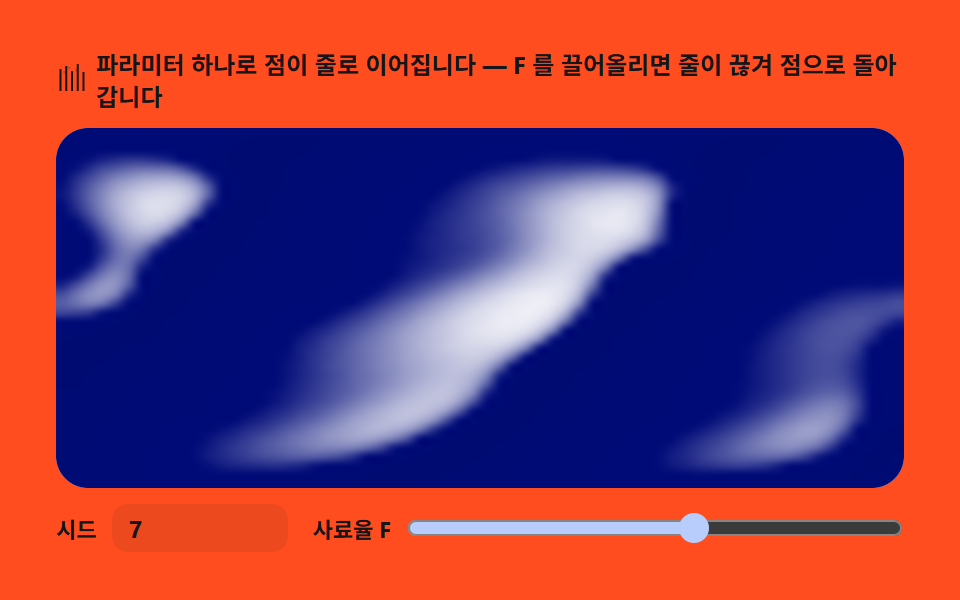 02 turing-stripe-bands
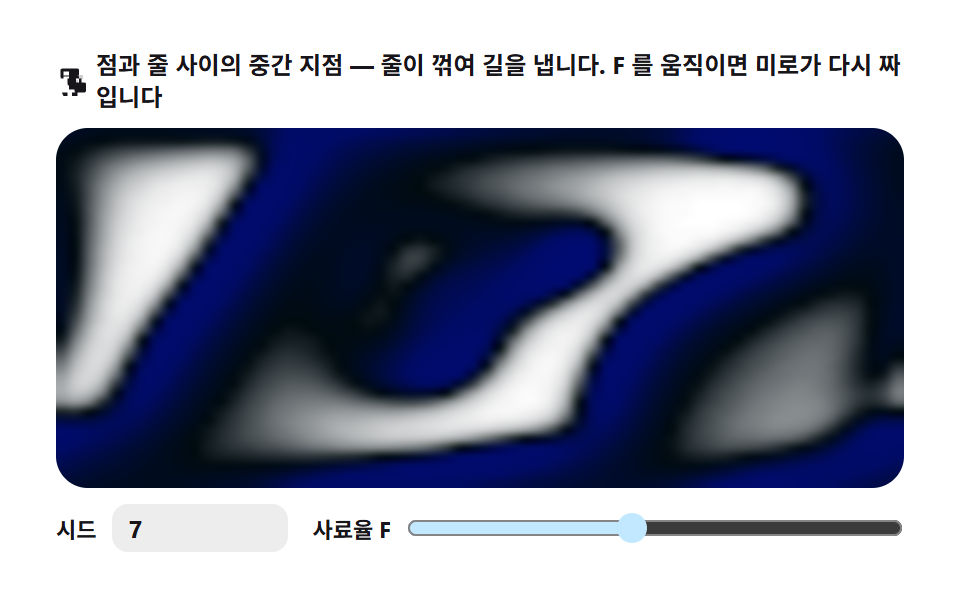 03 turing-maze-labyrinth
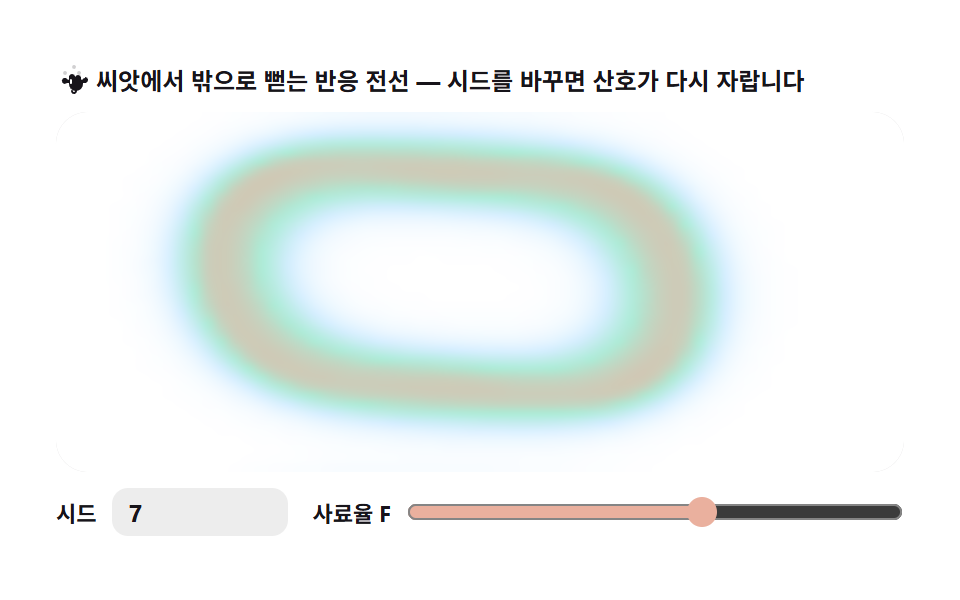 04 turing-coral-growth
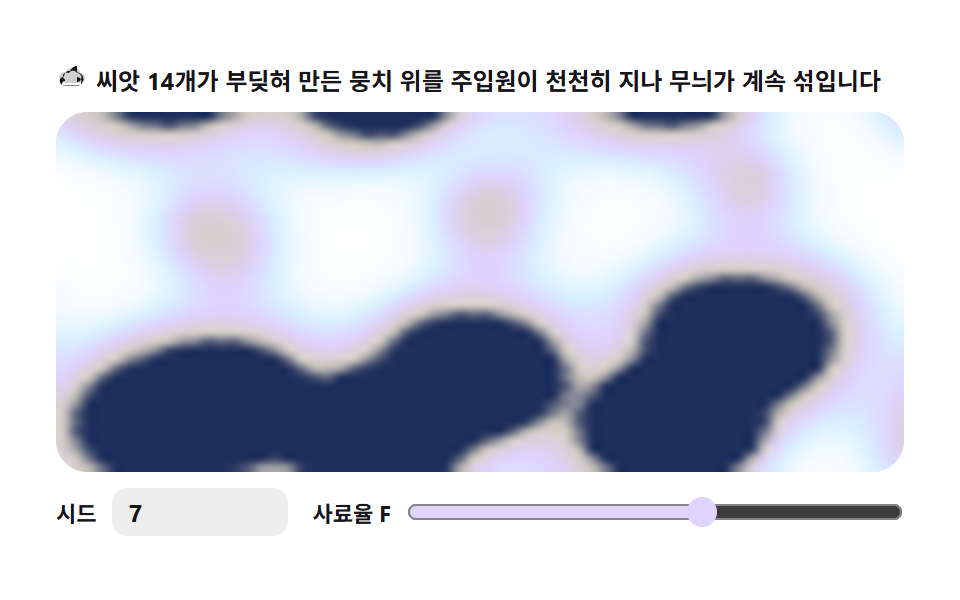 05 turing-sheep-fleece
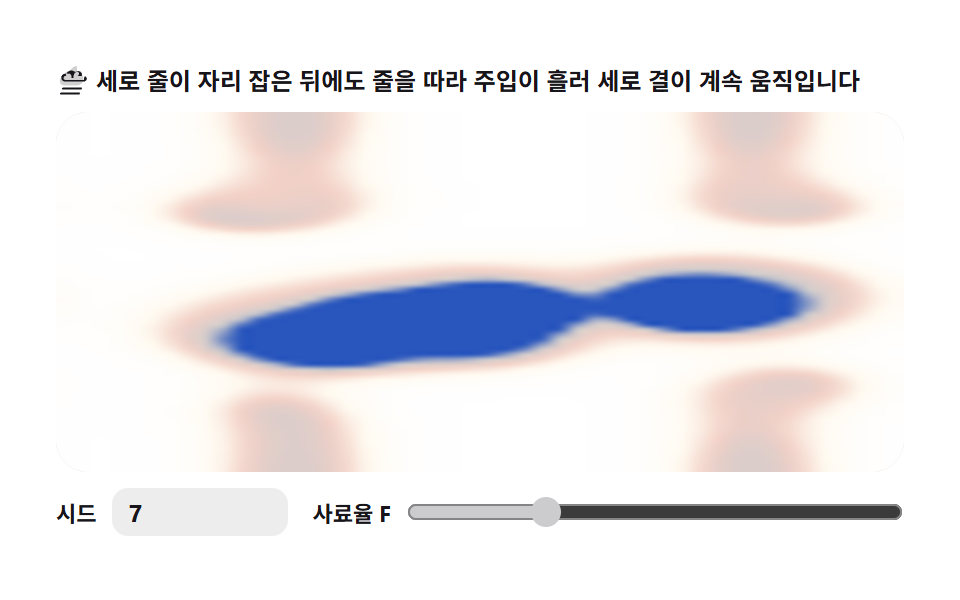 06 turing-zebra-stroke
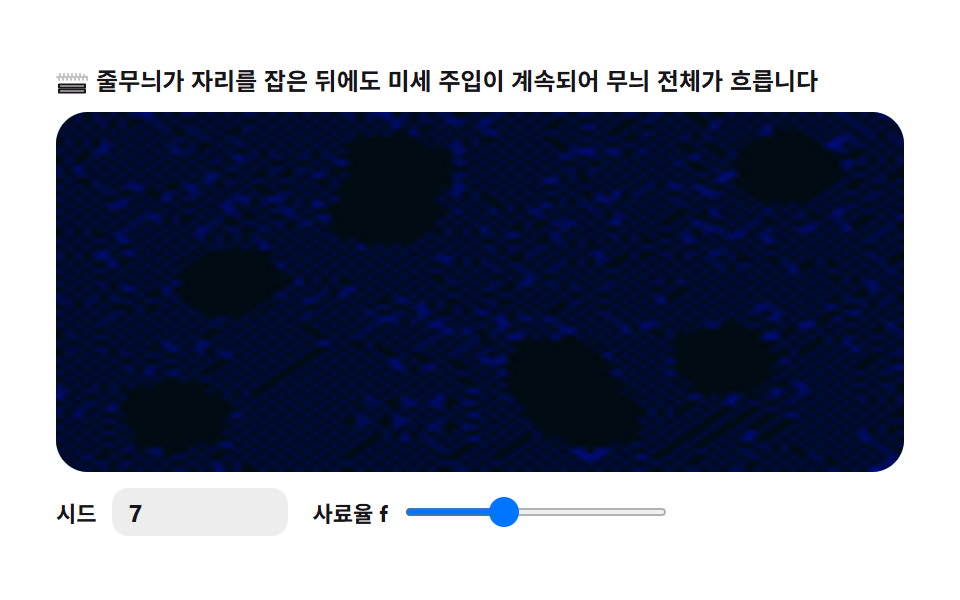 07 turing-wave-ripple
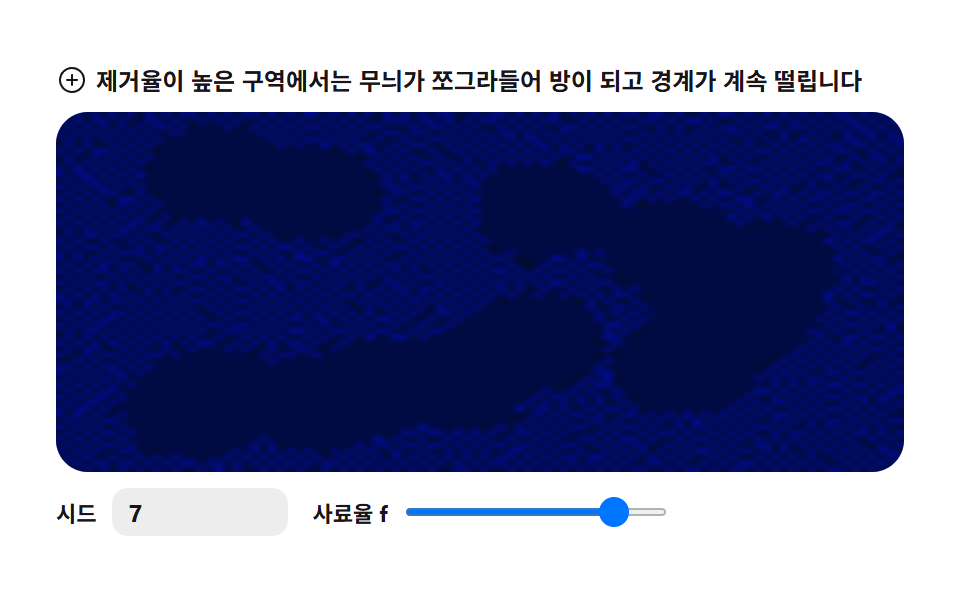 08 turing-cell-membrane
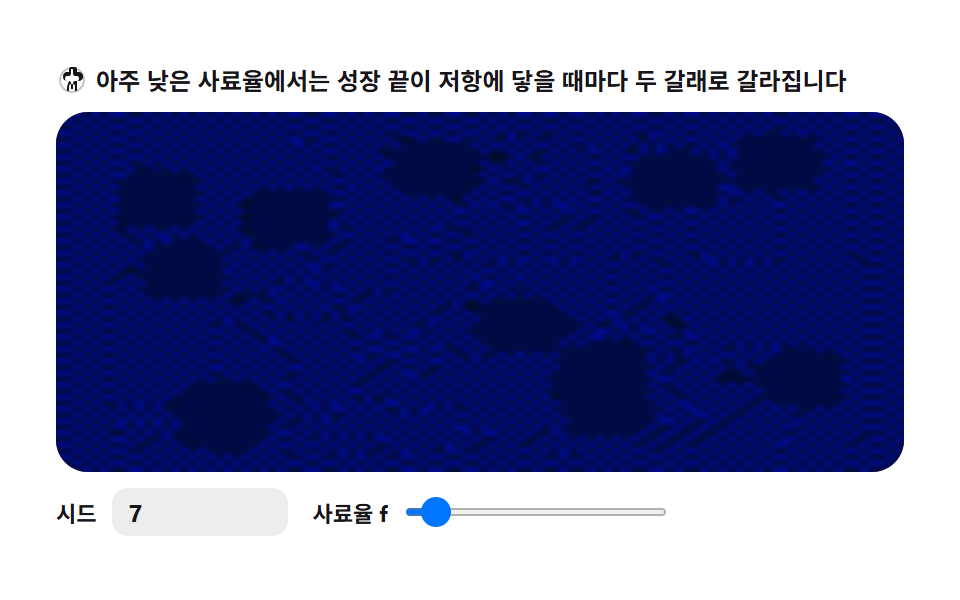 09 turing-split-fingers
自動再生 · タイルを押すとその項目へ · すべて1つのzip
- 01 斑点 — 反応が勝つ場所に点が浮かぶ
- 02 縞 — パラメータひとつで点が線につながる
- 03 迷路 — 縞が折れ曲がる中間地点
- 04 サンゴ成長 — 種から外へ伸びる反応の前線
- 05 羊の毛 — 複数の種がぶつかり混ざる
- 06 シマウマ縞 — 細長グリッドに縦方向の緩和バイアス
- 07 波 — 模様全体がゆっくり流れる
- 08 細胞膜 — 境界が厚くなり震えが残る
- 09 分岐 — 成長の先端が fork を続ける
並びは見た目の順ではありません。供給率 f が模様をどこへ押すかの順です。除去率が低いあいだは点が孤立して生き(01・04・05)、f を下げると点が線へ伸び(02・06)、その中間帯で線は折れ曲がって迷路になります(03・07)。除去率 k を上げると全体が丸い部屋へ縮み(08)、f が最も低い所では成長が fork するのをやめません(09)。累積面積で最も広く動いた盤は01 斑点(52.878パーセント)である一方、1フレームで最も広く塗り替えた瞬間最大面積は03 迷路(50.879パーセント)です。一度シードを決めてあとは計算に任せる描き方が好きなら、シードで模様を引き直す CSS背景パターン と fbmノイズで山を積む canvas地形 が隣にあります。
01斑点 — 反応が勝つ場所に点が浮かぶ
ヒーロー背景の生きた水玉模様、表紙イラストの種:一様な V 場に数点の U 種をまくと、反応が生き残る場所ごとに点が育ち、均等な間隔の並びに落ち着きます。
<main class="stage">
<div class="tsa" id="tsa">
  <p class="tsa__hint">
    <svg class="tsa__ico" viewBox="0 0 256 256" aria-hidden="true"><g fill="currentColor"><path d="M140 24a12 12 0 1 1 12 12a12 12 0 0 1-12-12M84 52a12 12 0 1 0 12 12a12 12 0 0 0-12-12m104 4a12 12 0 1 1 12 12a12 12 0 0 1-12-12M52 100a12 12 0 1 0 12 12a12 12 0 0 0-12-12m136 8a12 12 0 1 1 12 12a12 12 0 0 1-12-12" opacity=".2"/><path d="M192 112a16 16 0 1 1 16 16a16 16 0 0 1-16-16m-64-64a24 24 0 1 0 24 24a24 24 0 0 0-24-24M72 72a24 24 0 1 0 24 24a24 24 0 0 0-24-24m112 8a24 24 0 1 1 24 24a24 24 0 0 1-24-24M40 128a24 24 0 1 0 24 24a24 24 0 0 0-24-24m136 0a24 24 0 1 1 24 24a24 24 0 0 1-24-24"/></g></svg>
    <span>反応が勝つ場所に点が生えそろいます — シードを変えると配置が生まれ変わります</span>
  </p>
  <div class="tsa__field" id="field">
    <canvas class="tsa__cv" id="cv"></canvas>
  </div>
  <div class="tsa__bar">
    <label class="tsa__dial">シード
      <input type="number" id="seed" min="1" max="9999" step="1" value="7" aria-label="パターンシード">
    </label>
    <label class="tsa__dial tsa__grow">供給率 F
      <input type="range" id="fk" min="0.010" max="0.070" step="0.001" value="0.030" aria-label="供給率 F">
    </label>
  </div>
</div>
</main>
@use "../../../../site/static/demo-tokens" as *;
// 점 무늬 — Gray-Scott 반응-확산. 균일한 U 밭에 뿌린 V 씨앗 몇 점이
// 자라며 서로 밀어내 규칙적 점 배열로 정착하는 축 (01).
// 파스텔 — mix() 로 옅게 섞은 로컬 변수만 쓴다. 리터럴 hex 0개(BD26).
$tsa-field: mix($subject-sky, $stage-paper, 30%); // 밭 바탕 — 옅은 하늘색
$tsa-mint: mix($subject-mint, $stage-paper, 42%); // 점 주위 옅은 무늬
$tsa-lilac: $subject-lilac; // 점 본체 — 라일락 파스텔
$tsa-inkend: mix($subject-lilac, $subject-ink, 30%); // 가장 진한 끝단
$duration: $dur-loop;
$easing: $ease-out;
$color: $tsa-lilac;
@include stage($stage-yellow);
.tsa {
// V 농도 → 색 5단계 LUT (JS 가 getComputedStyle 로 읽는다)
--tsa-c0: #{$stage-paper};
--tsa-c1: #{$tsa-field};
--tsa-c2: #{$tsa-mint};
--tsa-c3: #{$tsa-lilac};
--tsa-c4: #{$tsa-inkend};
display: flex; flex-direction: column; gap: $sp-2;
width: 100%; max-width: 424px;
}
.tsa__hint {
display: flex; align-items: center; gap: $sp-1; margin: 0;
font-weight: 700; font-size: clamp(10px, 2.8vw, 12px); line-height: 1.35;
color: $subject-ink;
}
.tsa__ico { width: 16px; height: 16px; flex: 0 0 auto; color: $subject-ink; }
.tsa__field {
position: relative; height: 180px;
border-radius: $r-card; overflow: hidden;
background: $stage-paper;
box-shadow: inset 0 0 0 1px rgba($subject-ink, .16);
}
.tsa__cv { display: block; width: 100%; height: 100%; }
.tsa__bar { display: flex; align-items: center; gap: $sp-3; flex-wrap: wrap; }
.tsa__dial {
display: flex; align-items: center; gap: $sp-2;
font-weight: 700; font-size: 11px; color: $subject-ink;
}
.tsa__grow { flex: 1 1 auto; min-width: 120px; }
.tsa__grow input { flex: 1 1 auto; }
.tsa__dial input {
width: 72px; margin: 0;
padding: $sp-1 $sp-2; border: 0; border-radius: $r-sm;
background: rgba($subject-ink, .08); color: $subject-ink;
font-weight: 700; font-size: 12px; font-family: inherit;
}
.tsa__dial input[type="range"] {
width: auto; padding: 0; accent-color: $tsa-lilac;
}
.tsa__dial input:focus-visible { outline: 2px solid $subject-blue; outline-offset: 2px; }
@media (max-width: 340px) {
.tsa { gap: $sp-1; }
.tsa__field { height: 100px; }
.tsa__dial input { width: 56px; }
.tsa__hint { font-size: 10px; }
}
// reduce — 루프 없이 성숙 상태 한 장만 남긴다
@media (prefers-reduced-motion: reduce) {
.tsa.is-still .tsa__field { cursor: default; }
}html, body {
margin: 0;
overflow: hidden;
}
.stage {
box-sizing: border-box;
min-height: 100vh;
display: grid;
place-items: center;
margin: 0;
background: #ffd23f;
font-family: -apple-system, "Segoe UI", "Noto Sans KR", sans-serif;
padding: clamp(8px, 4vw, 24px);
}
.tsa {
--tsa-c0: #ffffff;
--tsa-c1: rgb(82.9411764706%, 93.5294117647%, 100%);
--tsa-c2: rgb(70.5176470588%, 92.9176470588%, 85.3411764706%);
--tsa-c3: #b9a0ff;
--tsa-c4: rgb(28.0784313725%, 24.3137254902%, 37.137254902%);
display: flex;
flex-direction: column;
gap: 8px;
width: 100%;
max-width: 424px;
}
.tsa__hint {
display: flex;
align-items: center;
gap: 4px;
margin: 0;
font-weight: 700;
font-size: clamp(10px, 2.8vw, 12px);
line-height: 1.35;
color: #17141a;
}
.tsa__ico {
width: 16px;
height: 16px;
flex: 0 0 auto;
color: #17141a;
}
.tsa__field {
position: relative;
height: 180px;
border-radius: 16px;
overflow: hidden;
background: #ffffff;
box-shadow: inset 0 0 0 1px rgba(23, 20, 26, 0.16);
}
.tsa__cv {
display: block;
width: 100%;
height: 100%;
}
.tsa__bar {
display: flex;
align-items: center;
gap: 12px;
flex-wrap: wrap;
}
.tsa__dial {
display: flex;
align-items: center;
gap: 8px;
font-weight: 700;
font-size: 11px;
color: #17141a;
}
.tsa__grow {
flex: 1 1 auto;
min-width: 120px;
}
.tsa__grow input {
flex: 1 1 auto;
}
.tsa__dial input {
width: 72px;
margin: 0;
padding: 4px 8px;
border: 0;
border-radius: 8px;
background: rgba(23, 20, 26, 0.08);
color: #17141a;
font-weight: 700;
font-size: 12px;
font-family: inherit;
}
.tsa__dial input[type=range] {
width: auto;
padding: 0;
accent-color: #b9a0ff;
}
.tsa__dial input:focus-visible {
outline: 2px solid #2f6df6;
outline-offset: 2px;
}
@media (max-width: 340px) {
.tsa {
gap: 4px;
}
.tsa__field {
height: 100px;
}
.tsa__dial input {
width: 56px;
}
.tsa__hint {
font-size: 10px;
}
}
@media (prefers-reduced-motion: reduce) {
.tsa.is-still .tsa__field {
cursor: default;
}
}// 점 무늬 — Gray-Scott 반응-확산. U(사료)·V(촉매) 두 격자를 64x40 셀에 두고
// 매 프레임 8스텝씩 라플라스 확산 + 반응항을 계산해 ImageData 로 화소를 박는다.
// F/K 를 점이 낱개로 남는 구간(솔리톤)으로 잡으면, 시드가 자라 서로 밀며
// 규칙적인 점 배열로 정착한다 — 표범·물고기 점 무늬의 규칙과 같은 축이다.
// 렌더: 셀 V 값을 파스텔 LUT 로 색을 정해 저해상 버퍼에 putImageData, 그 버퍼를
// drawImage 로 확대한다(imageSmoothingEnabled — 부드럽게).
var root = document.getElementById('tsa');
var field = document.getElementById('field');
var cv = document.getElementById('cv');
var ctx = cv.getContext('2d');
var seedIn = document.getElementById('seed');
var fkIn = document.getElementById('fk');
// 결정적 난수 — mulberry32. 같은 시드면 같은 수열을 돌려준다
function mulberry32(a) {
return function () {
a |= 0; a = (a + 0x6D2B79F5) | 0;
var t = Math.imul(a ^ (a >>> 15), 1 | a);
t = (t + Math.imul(t ^ (t >>> 7), 61 | t)) ^ t;
return ((t ^ (t >>> 14)) >>> 0) / 4294967296;
};
}
var GW = 64, GH = 40; // 격자 셀 수 (480x300 비율)
var DU = 0.16, DV = 0.08; // 확산 계수 (고정 — 5점 라플라스 dt=1 안정 스케일)
var F = 0.030, K = 0.0615; // 사료율·제거율 (fk 슬라이더가 F 를 움직인다)
var STEPS = 8; // 프레임당 시뮬레이션 스텝
var PRE = 1500; // 시작 시 미리 성숙시키는 스텝 — 점 배열이 정착한 직후
var WOBBLE = 0.005; // 성숙 뒤에도 계속 주는 미세 U 주입량 — 점이 살아 움직인다
var u = new Float32Array(GW * GH);
var v = new Float32Array(GW * GH);
var u2 = new Float32Array(GW * GH);
var v2 = new Float32Array(GW * GH);
var reduce = window.matchMedia('(prefers-reduced-motion: reduce)').matches;
var W = 0, H = 0, dpr = 1;
var raf = 0, phase = 0;
// ── 색 — scss 가 내려준 파스텔 사용자속성을 읽어 5단계 LUT 를 미리 편다 ──
var css = getComputedStyle(root);
var LUT = new Uint8Array(256 * 3);
function hex6(s) {
s = String(s).trim().replace('#', '');
if (s.length === 3) s = s.charAt(0) + s.charAt(0) + s.charAt(1) + s.charAt(1) + s.charAt(2) + s.charAt(2);
return [parseInt(s.slice(0, 2), 16) || 0, parseInt(s.slice(2, 4), 16) || 0, parseInt(s.slice(4, 6), 16) || 0];
}
function buildLut() {
var stops = [hex6(tok('--tsa-c0')), hex6(tok('--tsa-c1')), hex6(tok('--tsa-c2')), hex6(tok('--tsa-c3')), hex6(tok('--tsa-c4'))];
for (var q = 0; q < 256; q++) {
var t = q / 255 * (stops.length - 1);
var k = Math.min(stops.length - 2, Math.floor(t));
var f = t - k;
for (var c = 0; c < 3; c++) LUT[q * 3 + c] = stops[k][c] + (stops[k + 1][c] - stops[k][c]) * f;
}
}
function tok(name) { return css.getPropertyValue(name); }
// ── シード — U=1 밭에 V=0.5 원형 씨앗 6개. 좌표를 rng 로 뽑는다 ──
function seedField(sd) {
var rng = mulberry32(sd >>> 0);
u.fill(1); v.fill(0);
var n = 6;
for (var s = 0; s < n; s++) {
var cx = 6 + rng() * (GW - 12), cy = 4 + rng() * (GH - 8);
var rr = 2 + rng() * 1.5;
var x0 = Math.max(0, Math.floor(cx - rr - 1)), x1 = Math.min(GW - 1, Math.ceil(cx + rr + 1));
var y0 = Math.max(0, Math.floor(cy - rr - 1)), y1 = Math.min(GH - 1, Math.ceil(cy + rr + 1));
for (var y = y0; y <= y1; y++) {
for (var x = x0; x <= x1; x++) {
var dx = x - cx, dy = y - cy;
if (dx * dx + dy * dy <= rr * rr) { v[y * GW + x] = 0.5; u[y * GW + x] = 0.25; }
}
}
}
}
// ── 한 스텝 — 5점 라플라스(토러스 경계) + Gray-Scott 반응항 ──
function step() {
for (var y = 0; y < GH; y++) {
var yT = ((y - 1 + GH) % GH) * GW, yB = ((y + 1) % GH) * GW, yC = y * GW;
for (var x = 0; x < GW; x++) {
var xL = (x - 1 + GW) % GW, xR = (x + 1) % GW;
var i = yC + x;
var uc = u[i], vc = v[i];
var lapU = u[yC + xL] + u[yC + xR] + u[yT + x] + u[yB + x] - 4 * uc;
var lapV = v[yC + xL] + v[yC + xR] + v[yT + x] + v[yB + x] - 4 * vc;
var uvv = uc * vc * vc;
var nu = uc + DU * lapU - uvv + F * (1 - uc);
var nv = vc + DV * lapV + uvv - (F + K) * vc;
u2[i] = nu < 0 ? 0 : (nu > 1 ? 1 : nu);
v2[i] = nv < 0 ? 0 : (nv > 1 ? 1 : nv);
}
}
var tu = u; u = u2; u2 = tu;
var tv = v; v = v2; v2 = tv;
}
var buf = null, small = null, sctx = null;
function setupBuffers() {
small = document.createElement('canvas');
small.width = GW; small.height = GH;
sctx = small.getContext('2d');
buf = sctx.createImageData(GW, GH);
}
function paint() {
var px = buf.data, i4 = 0;
for (var p = 0; p < GW * GH; p++) {
// V 농도 0(종이) → 1(잉크끼 파스텔) — LUT 로 색 단계
var q = Math.max(0, Math.min(255, (v[p] * 340) | 0));
px[i4] = LUT[q * 3];
px[i4 + 1] = LUT[q * 3 + 1];
px[i4 + 2] = LUT[q * 3 + 2];
px[i4 + 3] = 255;
i4 += 4;
}
sctx.putImageData(buf, 0, 0);
ctx.imageSmoothingEnabled = true;
ctx.imageSmoothingQuality = 'high';
ctx.drawImage(small, 0, 0, GW, GH, 0, 0, W, H);
}
// 미세 U 주입 — 사인 리본이 시간에 흐르며 아주 조금씩 U 를 채운다.
// 정착한 점 배열이 이 흔들림에 반응해 느리게 재배치된다(살아 있는 무늬).
function wobble(tt) {
var ph = phase;
for (var y = 0; y < GH; y++) {
for (var x = 0; x < GW; x++) {
var wob = 0.5 + 0.5 * Math.sin(x * 0.18 + y * 0.12 + tt + ph);
var i = y * GW + x;
var nu = u[i] + wob * WOBBLE;
u[i] = nu > 1 ? 1 : nu;
}
}
}
function frame() {
for (var s = 0; s < STEPS; s++) { wobble(phase + s * 0.02); step(); }
phase += STEPS * 0.02;
paint();
raf = requestAnimationFrame(frame);
}
function fit() {
var r = field.getBoundingClientRect();
dpr = window.devicePixelRatio || 1;
W = r.width; H = r.height;
cv.width = Math.round(W * dpr);
cv.height = Math.round(H * dpr);
ctx.setTransform(dpr, 0, 0, dpr, 0, 0);
}
// シード 재생성 → 미리성숙(PRE 스텝 동기) → 즉시 다시 그리기 (reduce 경로에서도)
function regrow(sd) {
phase = sd * 0.7;
seedField(sd);
for (var s = 0; s < PRE; s++) step();
paint();
}
function onSeed() {
var val = Math.max(1, Math.min(9999, Math.floor(Number(seedIn.value)) || 1));
regrow(val);
}
function onFk() {
F = Number(fkIn.value);
// reduce 경로에서도 프레임이 즉시 반응하게 — 새 F 로 짧게 진행해 다시 그린다
if (reduce) { for (var s = 0; s < 60; s++) step(); paint(); }
}
seedIn.addEventListener('input', onSeed);
seedIn.addEventListener('change', onSeed);
fkIn.addEventListener('input', onFk);
fkIn.addEventListener('change', onFk);
window.addEventListener('resize', function () { fit(); paint(); });
buildLut();
setupBuffers();
fit();
regrow(Number(seedIn.value) || 7);
if (reduce) {
// reduce — 루프를 돌지 않고 성숙 상태 한 장만 그린다
root.classList.add('is-still');
} else {
raf = requestAnimationFrame(frame);
}// SpotArray — vanilla 판(run/311/demo/01-turing-spot-array/index.html) 의 React 포트.
// Gray-Scott 반응-확산을 64x40 격자에서 계산해 ImageData 로 화소를 박고
// imageSmoothingEnabled 를 켠 채 drawImage 로 늘려 화면을 채운다.
// 움직임은 캔버스 rAF 루프가 전부 그리므로 @keyframes 가 없다 — props 는 CSS 변수로 내려간다.
import { useEffect, useRef, useState } from "react";
import type { CSSProperties } from "react";
import styles from "./SpotArray.module.scss";
export type SpotArrayProps = {
duration?: string;
easing?: string;
color?: string;
};
type Vars = CSSProperties & { "--duration"?: string; "--easing"?: string; "--color"?: string };
type Box<T> = { current: T };
// React 이벤트 제네릭이 없는 환경이라 필요한 것만 로컬로 선언한다
type InputEvt = { target: { value: string } };
const GW = 64, GH = 40; // 격자 셀 수 — 화면이 커져도 이 값은 그대로다
const DU = 0.16, DV = 0.08; // 확산 계수 (5점 라플라스 dt=1 안정 스케일)
const STEPS = 8; // 프레임당 시뮬레이션 스텝
const PRE = 1500; // 시작 시 미리 성숙시키는 스텝 — 점 배열이 정착한 직후
const WOBBLE = 0.005; // 성숙 뒤에도 계속 주는 미세 U 주입량
const FIELD_LABEL = "점 무늬 반응 실험판";
// 결정적 난수 — mulberry32. 같은 시드면 같은 수열을 돌려준다
function mulberry32(a: number): () => number {
return function () {
a |= 0; a = (a + 0x6d2b79f5) | 0;
let t = Math.imul(a ^ (a >>> 15), 1 | a);
t = (t + Math.imul(t ^ (t >>> 7), 61 | t)) ^ t;
return ((t ^ (t >>> 14)) >>> 0) / 4294967296;
};
}
// 토큰 다섯 단계를 256칸 표로 편다 — 프레임마다 색을 다시 섞지 않게 하기 위해서다
function buildLut(stops: number[][]): Uint8Array {
const lut = new Uint8Array(256 * 3);
for (let q = 0; q < 256; q++) {
const t = (q / 255) * (stops.length - 1);
const k = Math.min(stops.length - 2, Math.floor(t));
const f = t - k;
for (let c = 0; c < 3; c++) lut[q * 3 + c] = stops[k][c] + (stops[k + 1][c] - stops[k][c]) * f;
}
return lut;
}
// Gray-Scott 상태 한 덩어리 — u·v 두 격자와 다음 프레임용 버퍼
type Grid = { u: Float32Array; v: Float32Array; u2: Float32Array; v2: Float32Array };
// U=1 밭에 V=0.5 원형 씨앗 6개 — 좌표를 rng 로 뽑아 시드가 배치를 결정한다
function seedField(sd: number): Grid {
const rng = mulberry32(sd >>> 0);
const g: Grid = {
u: new Float32Array(GW * GH).fill(1),
v: new Float32Array(GW * GH),
u2: new Float32Array(GW * GH),
v2: new Float32Array(GW * GH),
};
for (let s = 0; s < 6; s++) {
const cx = 6 + rng() * (GW - 12), cy = 4 + rng() * (GH - 8);
const rr = 2 + rng() * 1.5;
const x0 = Math.max(0, Math.floor(cx - rr - 1)), x1 = Math.min(GW - 1, Math.ceil(cx + rr + 1));
const y0 = Math.max(0, Math.floor(cy - rr - 1)), y1 = Math.min(GH - 1, Math.ceil(cy + rr + 1));
for (let y = y0; y <= y1; y++) {
for (let x = x0; x <= x1; x++) {
const dx = x - cx, dy = y - cy;
if (dx * dx + dy * dy <= rr * rr) { g.v[y * GW + x] = 0.5; g.u[y * GW + x] = 0.25; }
}
}
}
return g;
}
export default function SpotArray({
duration = "2s", // vanilla $duration: $dur-loop
easing = "ease-out", // vanilla $easing: $ease-out
color = "#b9a0ff", // vanilla $color: $tsa-lilac
}: SpotArrayProps) {
const rootRef = useRef<HTMLDivElement | null>(null);
const fieldRef = useRef<HTMLDivElement | null>(null);
const cvRef = useRef<HTMLCanvasElement | null>(null);
const ctxRef = useRef<CanvasRenderingContext2D | null>(null);
const smallRef = useRef<HTMLCanvasElement | null>(null);
const sctxRef = useRef<CanvasRenderingContext2D | null>(null);
const bufRef = useRef<ImageData | null>(null);
const lutRef = useRef<Uint8Array | null>(null);
const gridRef = useRef<Grid | null>(null);
const sizeRef = useRef({ w: 0, h: 0 }) as Box<{ w: number; h: number }>;
const fkRef = useRef(0.03) as Box<number>;
const phaseRef = useRef(0) as Box<number>;
const rafRef = useRef(0) as Box<number>;
const [seed, setSeed] = useState(7);
const [fk, setFk] = useState(0.03);
const [still, setStill] = useState(false);
const vars: Vars = { "--duration": duration, "--easing": easing, "--color": color };
function reduced(): boolean {
return window.matchMedia("(prefers-reduced-motion: reduce)").matches;
}
function hex3to6(v: string): string {
if (v.length === 3) return v.charAt(0) + v.charAt(0) + v.charAt(1) + v.charAt(1) + v.charAt(2) + v.charAt(2);
return v;
}
function stops(): number[][] {
const root = rootRef.current;
if (!root) return [[0, 0, 0], [255, 255, 255]];
const one = (n: string) => {
const v = hex3to6(getComputedStyle(root).getPropertyValue(n).trim().replace("#", ""));
return [parseInt(v.slice(0, 2), 16), parseInt(v.slice(2, 4), 16), parseInt(v.slice(4, 6), 16)];
};
return [one("--tsa-c0"), one("--tsa-c1"), one("--tsa-c2"), one("--tsa-c3"), one("--tsa-c4")];
}
// 고DPI 대응 — 배킹 스토어는 devicePixelRatio 배, 그리기 좌표계는 CSS 픽셀 그대로
function fit(): void {
const field = fieldRef.current;
const cv = cvRef.current;
if (!field || !cv) return;
const r = field.getBoundingClientRect();
const dpr = window.devicePixelRatio || 1;
sizeRef.current.w = r.width;
sizeRef.current.h = r.height;
cv.width = Math.round(r.width * dpr);
cv.height = Math.round(r.height * dpr);
const ctx = ctxRef.current;
if (ctx) ctx.setTransform(dpr, 0, 0, dpr, 0, 0);
}
// 한 스텝 — 5점 라플라스(토러스 경계) + Gray-Scott 반응항
function step(): void {
const g = gridRef.current;
if (!g) return;
const F = fkRef.current, K = 0.0615;
for (let y = 0; y < GH; y++) {
const yT = ((y - 1 + GH) % GH) * GW, yB = ((y + 1) % GH) * GW, yC = y * GW;
for (let x = 0; x < GW; x++) {
const xL = (x - 1 + GW) % GW, xR = (x + 1) % GW;
const i = yC + x;
const uc = g.u[i], vc = g.v[i];
const lapU = g.u[yC + xL] + g.u[yC + xR] + g.u[yT + x] + g.u[yB + x] - 4 * uc;
const lapV = g.v[yC + xL] + g.v[yC + xR] + g.v[yT + x] + g.v[yB + x] - 4 * vc;
const uvv = uc * vc * vc;
const nu = uc + DU * lapU - uvv + F * (1 - uc);
const nv = vc + DV * lapV + uvv - (F + K) * vc;
g.u2[i] = nu < 0 ? 0 : nu > 1 ? 1 : nu;
g.v2[i] = nv < 0 ? 0 : nv > 1 ? 1 : nv;
}
}
const tu = g.u; g.u = g.u2; g.u2 = tu;
const tv = g.v; g.v = g.v2; g.v2 = tv;
}
// 미세 U 주입 — 사인 리본이 시간에 흐르며 아주 조금씩 U 를 채운다
function wobble(tt: number): void {
const g = gridRef.current;
if (!g) return;
const ph = phaseRef.current;
for (let y = 0; y < GH; y++) {
for (let x = 0; x < GW; x++) {
const wob = 0.5 + 0.5 * Math.sin(x * 0.18 + y * 0.12 + tt + ph);
const i = y * GW + x;
const nu = g.u[i] + wob * WOBBLE;
g.u[i] = nu > 1 ? 1 : nu;
}
}
}
function paint(): void {
const ctx = ctxRef.current, sctx = sctxRef.current, g = gridRef.current;
const buf = bufRef.current, lut = lutRef.current;
if (!ctx || !sctx || !g || !buf || !lut) return;
const W = sizeRef.current.w, H = sizeRef.current.h;
const px = buf.data;
let i4 = 0;
for (let p = 0; p < GW * GH; p++) {
// V 농도 0(종이) → 1(잉크끼 파스텔) — LUT 로 색 단계
const q = Math.max(0, Math.min(255, (g.v[p] * 340) | 0));
px[i4] = lut[q * 3];
px[i4 + 1] = lut[q * 3 + 1];
px[i4 + 2] = lut[q * 3 + 2];
px[i4 + 3] = 255;
i4 += 4;
}
sctx.putImageData(buf, 0, 0);
// 확대 보간을 켜 둔 채로 늘린다 — 이 한 줄이 셀 덩어리를 부드러운 무늬로 바꾼다
ctx.imageSmoothingEnabled = true;
ctx.imageSmoothingQuality = "high";
ctx.drawImage(sctx.canvas, 0, 0, GW, GH, 0, 0, W, H);
}
function frame(): void {
for (let s = 0; s < STEPS; s++) { wobble(phaseRef.current + s * 0.02); step(); }
phaseRef.current += STEPS * 0.02;
paint();
rafRef.current = requestAnimationFrame(frame);
}
// 시드 재생성 → 미리성숙(PRE 스텝 동기) → 즉시 다시 그리기 (reduce 경로에서도)
function regrow(sd: number): void {
phaseRef.current = sd * 0.7;
gridRef.current = seedField(sd);
for (let s = 0; s < PRE; s++) step();
paint();
}
function onSeedInput(e: InputEvt): void {
const v = Math.max(1, Math.min(9999, Math.floor(Number(e.target.value)) || 1));
setSeed(v);
regrow(v);
}
function onFkInput(e: InputEvt): void {
const v = Number(e.target.value);
fkRef.current = v;
setFk(v);
// reduce 경로에서도 프레임이 즉시 반응하게 — 새 F 로 짧게 진행해 다시 그린다
if (reduced()) { for (let s = 0; s < 60; s++) step(); paint(); }
}
function onResize(): void {
fit();
paint();
}
useEffect(() => {
const cv = cvRef.current;
if (!cv) return;
ctxRef.current = cv.getContext("2d");
if (!ctxRef.current) return;
const small = document.createElement("canvas");
small.width = GW;
small.height = GH;
smallRef.current = small;
sctxRef.current = small.getContext("2d");
if (!sctxRef.current) return;
bufRef.current = sctxRef.current.createImageData(GW, NH0()); // 한 번만 만들어 두고 프레임마다 같은 배열을 덮어쓴다
lutRef.current = buildLut(stops());
fit();
regrow(seed);
window.addEventListener("resize", onResize);
if (reduced()) {
// reduce — 루프를 시작하지 않고 성숙 상태 한 장만 그린다
setStill(true);
} else {
rafRef.current = requestAnimationFrame(frame);
}
return () => {
window.removeEventListener("resize", onResize);
cancelAnimationFrame(rafRef.current);
};
}, []);
const cls = [styles.root, still ? styles.isStill : ""].filter(Boolean).join(" ");
return (
<main className={styles.stage}>
<div className={cls} ref={rootRef} style={vars}>
<p className={styles.hint}>
<svg className={styles.ico} viewBox="0 0 256 256" aria-hidden="true"><g fill="currentColor"><path d="M140 24a12 12 0 1 1 12 12a12 12 0 0 1-12-12M84 52a12 12 0 1 0 12 12a12 12 0 0 0-12-12m104 4a12 12 0 1 1 12 12a12 12 0 0 1-12-12M52 100a12 12 0 1 0 12 12a12 12 0 0 0-12-12m136 8a12 12 0 1 1 12 12a12 12 0 0 1-12-12" opacity=".2"/><path d="M192 112a16 16 0 1 1 16 16a16 16 0 0 1-16-16m-64-64a24 24 0 1 0 24 24a24 24 0 0 0-24-24M72 72a24 24 0 1 0 24 24a24 24 0 0 0-24-24m112 8a24 24 0 1 1 24 24a24 24 0 0 1-24-24M40 128a24 24 0 1 0 24 24a24 24 0 0 0-24-24m136 0a24 24 0 1 1 24 24a24 24 0 0 1-24-24"/></g></svg>
<span>반응이 이기는 자리마다 점이 돋아 서로 밉니다 — 시드를 바꾸면 배치가 다시 태어납니다</span>
</p>
<div
className={styles.field}
ref={fieldRef}
role="application"
aria-label={FIELD_LABEL}
>
<canvas className={styles.cv} ref={cvRef}></canvas>
<b className={styles.badge} aria-hidden="true">64 × 40</b>
</div>
<div className={styles.bar}>
<label className={styles.dial}>시드
<input
type="number"
min={1}
max={9999}
step={1}
value={seed}
aria-label="패턴 시드"
onChange={onSeedInput}
/>
</label>
<label className={styles.dial + " " + styles.grow}>사료율 F
<input
type="range"
min={0.01}
max={0.07}
step={0.001}
value={fk}
aria-label="사료율 F"
onChange={onFkInput}
/>
<b className={styles.val}>{fk.toFixed(3)}</b>
</label>
</div>
</div>
</main>
);
}
// ImageData 버퍼 높이 — GW·GH 상수와 같은 값 (한 줄 함수로 두면 타입 검사가 짧다)
function NH0(): number {
return GH;
}01 · 斑点 — 反応が勝つ場所に点が浮かぶ — 計測 累積面積 52.878% · 動いたフレーム 23/23GODRICH オリジナル · SCSS と React は zip に同梱 · パスワードを見る
点はなぜ均等な間隔に並ぶのか
// 1セルの更新 — 5点ラプラシアンの拡散 + Gray-Scott の反応項
var lapU = u[yC + xL] + u[yC + xR] + u[yT + x] + u[yB + x] - 4 * uc;
var lapV = v[yC + xL] + v[yC + xR] + v[yT + x] + v[yB + x] - 4 * vc;
var uvv = uc * vc * vc;
var nu = uc + DU * lapU - uvv + F * (1 - uc);
var nv = vc + DV * lapV + uvv - (F + K) * vc;
u2[i] = nu < 0 ? 0 : (nu > 1 ? 1 : nu);   // 飽和クランプ — これがないと格子が発散する
v2[i] = nv < 0 ? 0 : (nv > 1 ? 1 : nv);
U が V と出会うと両者が結合して V をさらに作り(uvv 項)、V は (F+K)*v の速さで自ら消えます。育った点は周囲の U を吸い上げるので隣の点は飢えて死に、生き残った点同士は影響圏の境界で釣り合って同じ間隔に並ぶ — この盤は最初の描画前に1,500ステップを先行して回し、成熟した点並びから始まります(実測: 累積面積52.88パーセント、強度99.3、23/23フレーム)。
02縞 — パラメータひとつで点が線につながる
動物模様のコンセプトアート、縞模様ジェネレーターの種:同じ格子で供給率だけを下げると点が伸びて互いにつながり、縞になります。
// 種まき — シードが決める位相と振幅の正弦波3本
function seedField(sd) {
  var rng = mulberry32(sd >>> 0);
  u.fill(1); v.fill(0);
  var n = 3;
  for (var s = 0; s < n; s++) {
    var cy = (s + 0.5) * GH / n;
    var ph = rng() * 6.28;
    var amp = 1 + rng() * 2;
    var th = 2 + rng();
    for (var y = 0; y < GH; y++) {
      for (var x = 0; x < GW; x++) {
        var line = cy + Math.sin(x * 0.22 + ph) * amp;
        if (Math.abs(y - line) <= th) { v[y * GW + x] = 0.5; u[y * GW + x] = 0.25; }
      }
    }
  }
}
<main class="stage">
<div class="tsb" id="tsb">
  <p class="tsb__hint">
    <svg class="tsb__ico" viewBox="0 0 256 256" aria-hidden="true"><g fill="currentColor"><path d="M92 30a12 12 0 1 1 12 12a12 12 0 0 1-12-12m72 8a12 12 0 1 0 12 12a12 12 0 0 0-12-12M56 66a12 12 0 1 1 12 12a12 12 0 0 1-12-12" opacity=".2"/><path d="M28 40h16v176H28zm46-24h16v200H74zm46 40h16v160h-16zm46-56h16v216h-16zm46 64h16v152h-16z"/></g></svg>
    <span>パラメータひとつで点が線につながります — F を上げると線が切れて点に戻ります</span>
  </p>
  <div class="tsb__field" id="field">
    <canvas class="tsb__cv" id="cv"></canvas>
  </div>
  <div class="tsb__bar">
    <label class="tsb__dial">シード
      <input type="number" id="seed" min="1" max="9999" step="1" value="7" aria-label="パターンシード">
    </label>
    <label class="tsb__dial tsb__grow">供給率 F
      <input type="range" id="fk" min="0.010" max="0.070" step="0.001" value="0.045" aria-label="供給率 F">
    </label>
  </div>
</div>
</main>
@use "../../../../site/static/demo-tokens" as *;
// 줄무늬 — Gray-Scott 반응-확산. 사료율 F 하나를 점 구간에서 줄 구간으로
// 옮기면 점이 길게 늘어나 이어져 줄이 된다 (02).
// 파스텔 — mix() 로 옅게 섞은 로컬 변수만 쓴다. 리터럴 hex 0개(BD26).
$tsb-field: mix($subject-mint, $stage-paper, 30%); // 밭 바탕 — 옅은 민트끼
$tsb-band: mix($subject-sky, $stage-paper, 46%); // 줄 테두리 옅은 단
$tsb-stripe: mix($subject-blue, $stage-paper, 34%); // 줄 본체 — 파스텔 블루
$tsb-inkend: mix($subject-blue, $subject-ink, 34%); // 가장 진한 끝단
$duration: $dur-loop;
$easing: $ease-out;
$color: $tsb-stripe;
@include stage($stage-orange);
.tsb {
// V 농도 → 색 5단계 LUT (JS 가 getComputedStyle 로 읽는다)
--tsb-c0: #{$stage-paper};
--tsb-c1: #{$tsb-field};
--tsb-c2: #{$tsb-band};
--tsb-c3: #{$tsb-stripe};
--tsb-c4: #{$tsb-inkend};
display: flex; flex-direction: column; gap: $sp-2;
width: 100%; max-width: 424px;
}
.tsb__hint {
display: flex; align-items: center; gap: $sp-1; margin: 0;
font-weight: 700; font-size: clamp(10px, 2.8vw, 12px); line-height: 1.35;
color: $subject-ink;
}
.tsb__ico { width: 16px; height: 16px; flex: 0 0 auto; color: $subject-ink; }
.tsb__field {
position: relative; height: 180px;
border-radius: $r-card; overflow: hidden;
background: $stage-paper;
box-shadow: inset 0 0 0 1px rgba($subject-ink, .16);
}
.tsb__cv { display: block; width: 100%; height: 100%; }
.tsb__bar { display: flex; align-items: center; gap: $sp-3; flex-wrap: wrap; }
.tsb__dial {
display: flex; align-items: center; gap: $sp-2;
font-weight: 700; font-size: 11px; color: $subject-ink;
}
.tsb__grow { flex: 1 1 auto; min-width: 120px; }
.tsb__grow input { flex: 1 1 auto; }
.tsb__dial input {
width: 72px; margin: 0;
padding: $sp-1 $sp-2; border: 0; border-radius: $r-sm;
background: rgba($subject-ink, .08); color: $subject-ink;
font-weight: 700; font-size: 12px; font-family: inherit;
}
.tsb__dial input[type="range"] {
width: auto; padding: 0; accent-color: $tsb-stripe;
}
.tsb__dial input:focus-visible { outline: 2px solid $subject-blue; outline-offset: 2px; }
@media (max-width: 340px) {
.tsb { gap: $sp-1; }
.tsb__field { height: 100px; }
.tsb__dial input { width: 56px; }
.tsb__hint { font-size: 10px; }
}
// reduce — 루프 없이 성숙 상태 한 장만 남긴다
@media (prefers-reduced-motion: reduce) {
.tsb.is-still .tsb__field { cursor: default; }
}html, body {
margin: 0;
overflow: hidden;
}
.stage {
box-sizing: border-box;
min-height: 100vh;
display: grid;
place-items: center;
margin: 0;
background: #ff4d1f;
font-family: -apple-system, "Segoe UI", "Noto Sans KR", sans-serif;
padding: clamp(8px, 4vw, 24px);
}
.tsb {
--tsb-c0: #ffffff;
--tsb-c1: rgb(78.9411764706%, 94.9411764706%, 89.5294117647%);
--tsb-c2: rgb(73.8431372549%, 90.0784313725%, 100%);
--tsb-c3: rgb(72.2666666667%, 80.5333333333%, 98.8%);
--tsb-c4: rgb(12.2196078431%, 19.7098039216%, 39.5294117647%);
display: flex;
flex-direction: column;
gap: 8px;
width: 100%;
max-width: 424px;
}
.tsb__hint {
display: flex;
align-items: center;
gap: 4px;
margin: 0;
font-weight: 700;
font-size: clamp(10px, 2.8vw, 12px);
line-height: 1.35;
color: #17141a;
}
.tsb__ico {
width: 16px;
height: 16px;
flex: 0 0 auto;
color: #17141a;
}
.tsb__field {
position: relative;
height: 180px;
border-radius: 16px;
overflow: hidden;
background: #ffffff;
box-shadow: inset 0 0 0 1px rgba(23, 20, 26, 0.16);
}
.tsb__cv {
display: block;
width: 100%;
height: 100%;
}
.tsb__bar {
display: flex;
align-items: center;
gap: 12px;
flex-wrap: wrap;
}
.tsb__dial {
display: flex;
align-items: center;
gap: 8px;
font-weight: 700;
font-size: 11px;
color: #17141a;
}
.tsb__grow {
flex: 1 1 auto;
min-width: 120px;
}
.tsb__grow input {
flex: 1 1 auto;
}
.tsb__dial input {
width: 72px;
margin: 0;
padding: 4px 8px;
border: 0;
border-radius: 8px;
background: rgba(23, 20, 26, 0.08);
color: #17141a;
font-weight: 700;
font-size: 12px;
font-family: inherit;
}
.tsb__dial input[type=range] {
width: auto;
padding: 0;
accent-color: rgb(72.2666666667%, 80.5333333333%, 98.8%);
}
.tsb__dial input:focus-visible {
outline: 2px solid #2f6df6;
outline-offset: 2px;
}
@media (max-width: 340px) {
.tsb {
gap: 4px;
}
.tsb__field {
height: 100px;
}
.tsb__dial input {
width: 56px;
}
.tsb__hint {
font-size: 10px;
}
}
@media (prefers-reduced-motion: reduce) {
.tsb.is-still .tsb__field {
cursor: default;
}
}// 줄무늬 — Gray-Scott 반응-확산. 같은 격자에서 供給率 F 만 점 구간보다 높게
// 잡고 가로 줄 시드로 시작하면 무늬가 줄로 정렬된다. F 를 더 올리면 줄이
// 끊겨 점으로 되돌아가는, 얼룩말 무늬 설명의 대표 축이다.
// 매 프레임 8스텝씩 라플라스 확산 + 반응항을 계산해 ImageData 로 화소를 박고
// 저해상 버퍼를 putImageData 로 그린 뒤 drawImage 로 확대한다.
var root = document.getElementById('tsb');
var field = document.getElementById('field');
var cv = document.getElementById('cv');
var ctx = cv.getContext('2d');
var seedIn = document.getElementById('seed');
var fkIn = document.getElementById('fk');
// 결정적 난수 — mulberry32. 같은 시드면 같은 수열을 돌려준다
function mulberry32(a) {
return function () {
a |= 0; a = (a + 0x6D2B79F5) | 0;
var t = Math.imul(a ^ (a >>> 15), 1 | a);
t = (t + Math.imul(t ^ (t >>> 7), 61 | t)) ^ t;
return ((t ^ (t >>> 14)) >>> 0) / 4294967296;
};
}
var GW = 64, GH = 40; // 격자 셀 수 (480x300 비율)
var DU = 0.16, DV = 0.08; // 확산 계수 (고정 — 5점 라플라스 dt=1 안정 스케일)
var F = 0.045, K = 0.0625; // 사료율·제거율 (fk 슬라이더가 F 를 움직인다)
var STEPS = 8; // 프레임당 시뮬레이션 스텝
var PRE = 1200; // 시작 시 미리 성숙시키는 스텝 — 줄 정렬이 자리잡은 뒤
var WOBBLE = 0.006; // 성숙 뒤에도 계속 주는 미세 U 주입량 — 줄이 천천히 흐른다
var u = new Float32Array(GW * GH);
var v = new Float32Array(GW * GH);
var u2 = new Float32Array(GW * GH);
var v2 = new Float32Array(GW * GH);
var reduce = window.matchMedia('(prefers-reduced-motion: reduce)').matches;
var W = 0, H = 0, dpr = 1;
var raf = 0, phase = 0;
// ── 색 — scss 가 내려준 파스텔 사용자속성을 읽어 5단계 LUT 를 미리 편다 ──
var css = getComputedStyle(root);
var LUT = new Uint8Array(256 * 3);
function hex6(s) {
s = String(s).trim().replace('#', '');
if (s.length === 3) s = s.charAt(0) + s.charAt(0) + s.charAt(1) + s.charAt(1) + s.charAt(2) + s.charAt(2);
return [parseInt(s.slice(0, 2), 16) || 0, parseInt(s.slice(2, 4), 16) || 0, parseInt(s.slice(4, 6), 16) || 0];
}
function buildLut() {
var stops = [hex6(tok('--tsb-c0')), hex6(tok('--tsb-c1')), hex6(tok('--tsb-c2')), hex6(tok('--tsb-c3')), hex6(tok('--tsb-c4'))];
for (var q = 0; q < 256; q++) {
var t = q / 255 * (stops.length - 1);
var k = Math.min(stops.length - 2, Math.floor(t));
var f = t - k;
for (var c = 0; c < 3; c++) LUT[q * 3 + c] = stops[k][c] + (stops[k + 1][c] - stops[k][c]) * f;
}
}
function tok(name) { return css.getPropertyValue(name); }
// ── シード — 가로 줄 3줄. 중심선이 사인파로 물결치고 위상·진폭을 rng 로 뽑는다 ──
function seedField(sd) {
var rng = mulberry32(sd >>> 0);
u.fill(1); v.fill(0);
var n = 3;
for (var s = 0; s < n; s++) {
var cy = (s + 0.5) * GH / n;
var ph = rng() * 6.28;
var amp = 1 + rng() * 2;
var th = 2 + rng();
for (var y = 0; y < GH; y++) {
for (var x = 0; x < GW; x++) {
var line = cy + Math.sin(x * 0.22 + ph) * amp;
if (Math.abs(y - line) <= th) { v[y * GW + x] = 0.5; u[y * GW + x] = 0.25; }
}
}
}
}
// ── 한 스텝 — 5점 라플라스(토러스 경계) + Gray-Scott 반응항 ──
function step() {
for (var y = 0; y < GH; y++) {
var yT = ((y - 1 + GH) % GH) * GW, yB = ((y + 1) % GH) * GW, yC = y * GW;
for (var x = 0; x < GW; x++) {
var xL = (x - 1 + GW) % GW, xR = (x + 1) % GW;
var i = yC + x;
var uc = u[i], vc = v[i];
var lapU = u[yC + xL] + u[yC + xR] + u[yT + x] + u[yB + x] - 4 * uc;
var lapV = v[yC + xL] + v[yC + xR] + v[yT + x] + v[yB + x] - 4 * vc;
var uvv = uc * vc * vc;
var nu = uc + DU * lapU - uvv + F * (1 - uc);
var nv = vc + DV * lapV + uvv - (F + K) * vc;
u2[i] = nu < 0 ? 0 : (nu > 1 ? 1 : nu);
v2[i] = nv < 0 ? 0 : (nv > 1 ? 1 : nv);
}
}
var tu = u; u = u2; u2 = tu;
var tv = v; v = v2; v2 = tv;
}
var buf = null, small = null, sctx = null;
function setupBuffers() {
small = document.createElement('canvas');
small.width = GW; small.height = GH;
sctx = small.getContext('2d');
buf = sctx.createImageData(GW, GH);
}
function paint() {
var px = buf.data, i4 = 0;
for (var p = 0; p < GW * GH; p++) {
// V 농도 0(종이) → 1(잉크끼 파스텔) — LUT 로 색 단계
var q = Math.max(0, Math.min(255, (v[p] * 340) | 0));
px[i4] = LUT[q * 3];
px[i4 + 1] = LUT[q * 3 + 1];
px[i4 + 2] = LUT[q * 3 + 2];
px[i4 + 3] = 255;
i4 += 4;
}
sctx.putImageData(buf, 0, 0);
ctx.imageSmoothingEnabled = true;
ctx.imageSmoothingQuality = 'high';
ctx.drawImage(small, 0, 0, GW, GH, 0, 0, W, H);
}
// 미세 U 주입 — 사인 리본이 시간에 흐르며 아주 조금씩 U 를 채운다.
// 정착한 줄무늬가 이 흔들림에 반응해 천천히 물결친다(살아 있는 무늬).
function wobble(tt) {
var ph = phase;
for (var y = 0; y < GH; y++) {
for (var x = 0; x < GW; x++) {
var wob = 0.5 + 0.5 * Math.sin(x * 0.18 + y * 0.12 + tt + ph);
var i = y * GW + x;
var nu = u[i] + wob * WOBBLE;
u[i] = nu > 1 ? 1 : nu;
}
}
}
function frame() {
for (var s = 0; s < STEPS; s++) { wobble(phase + s * 0.02); step(); }
phase += STEPS * 0.02;
paint();
raf = requestAnimationFrame(frame);
}
function fit() {
var r = field.getBoundingClientRect();
dpr = window.devicePixelRatio || 1;
W = r.width; H = r.height;
cv.width = Math.round(W * dpr);
cv.height = Math.round(H * dpr);
ctx.setTransform(dpr, 0, 0, dpr, 0, 0);
}
// シード 재생성 → 미리성숙(PRE 스텝 동기) → 즉시 다시 그리기 (reduce 경로에서도)
function regrow(sd) {
phase = sd * 0.7;
seedField(sd);
for (var s = 0; s < PRE; s++) step();
paint();
}
function onSeed() {
var val = Math.max(1, Math.min(9999, Math.floor(Number(seedIn.value)) || 1));
regrow(val);
}
function onFk() {
F = Number(fkIn.value);
// reduce 경로에서도 프레임이 즉시 반응하게 — 새 F 로 짧게 진행해 다시 그린다
if (reduce) { for (var s = 0; s < 60; s++) step(); paint(); }
}
seedIn.addEventListener('input', onSeed);
seedIn.addEventListener('change', onSeed);
fkIn.addEventListener('input', onFk);
fkIn.addEventListener('change', onFk);
window.addEventListener('resize', function () { fit(); paint(); });
buildLut();
setupBuffers();
fit();
regrow(Number(seedIn.value) || 7);
if (reduce) {
// reduce — 루프를 돌지 않고 성숙 상태 한 장만 그린다
root.classList.add('is-still');
} else {
raf = requestAnimationFrame(frame);
}// StripeBands — vanilla 판(run/311/demo/02-turing-stripe-bands/index.html) 의 React 포트.
// Gray-Scott 반응-확산을 64x40 격자에서 계산해 ImageData 로 화소를 박고
// imageSmoothingEnabled 를 켠 채 drawImage 로 늘려 화면을 채운다.
// 움직임은 캔버스 rAF 루프가 전부 그리므로 @keyframes 가 없다 — props 는 CSS 변수로 내려간다.
import { useEffect, useRef, useState } from "react";
import type { CSSProperties } from "react";
import styles from "./StripeBands.module.scss";
export type StripeBandsProps = {
duration?: string;
easing?: string;
color?: string;
};
type Vars = CSSProperties & { "--duration"?: string; "--easing"?: string; "--color"?: string };
type Box<T> = { current: T };
// React 이벤트 제네릭이 없는 환경이라 필요한 것만 로컬로 선언한다
type InputEvt = { target: { value: string } };
const GW = 64, GH = 40; // 격자 셀 수 — 화면이 커져도 이 값은 그대로다
const DU = 0.16, DV = 0.08; // 확산 계수 (5점 라플라스 dt=1 안정 스케일)
const K = 0.0625; // 제거율 (고정)
const STEPS = 8; // 프레임당 시뮬레이션 스텝
const PRE = 1200; // 시작 시 미리 성숙시키는 스텝 — 줄 정렬이 자리잡은 뒤
const WOBBLE = 0.006; // 성숙 뒤에도 계속 주는 미세 U 주입량
const FIELD_LABEL = "줄무늬 반응 실험판";
// 결정적 난수 — mulberry32. 같은 시드면 같은 수열을 돌려준다
function mulberry32(a: number): () => number {
return function () {
a |= 0; a = (a + 0x6d2b79f5) | 0;
let t = Math.imul(a ^ (a >>> 15), 1 | a);
t = (t + Math.imul(t ^ (t >>> 7), 61 | t)) ^ t;
return ((t ^ (t >>> 14)) >>> 0) / 4294967296;
};
}
// 토큰 다섯 단계를 256칸 표로 편다 — 프레임마다 색을 다시 섞지 않게 하기 위해서다
function buildLut(stops: number[][]): Uint8Array {
const lut = new Uint8Array(256 * 3);
for (let q = 0; q < 256; q++) {
const t = (q / 255) * (stops.length - 1);
const k = Math.min(stops.length - 2, Math.floor(t));
const f = t - k;
for (let c = 0; c < 3; c++) lut[q * 3 + c] = stops[k][c] + (stops[k + 1][c] - stops[k][c]) * f;
}
return lut;
}
// Gray-Scott 상태 한 덩어리 — u·v 두 격자와 다음 프레임용 버퍼
type Grid = { u: Float32Array; v: Float32Array; u2: Float32Array; v2: Float32Array };
// 가로 줄 3줄 시드 — 중심선이 사인파로 물결치고 위상·진폭을 rng 로 뽑는다
function seedField(sd: number): Grid {
const rng = mulberry32(sd >>> 0);
const g: Grid = {
u: new Float32Array(GW * GH).fill(1),
v: new Float32Array(GW * GH),
u2: new Float32Array(GW * GH),
v2: new Float32Array(GW * GH),
};
const n = 3;
for (let s = 0; s < n; s++) {
const cy = ((s + 0.5) * GH) / n;
const ph = rng() * 6.28;
const amp = 1 + rng() * 2;
const th = 2 + rng();
for (let y = 0; y < GH; y++) {
for (let x = 0; x < GW; x++) {
const line = cy + Math.sin(x * 0.22 + ph) * amp;
if (Math.abs(y - line) <= th) { g.v[y * GW + x] = 0.5; g.u[y * GW + x] = 0.25; }
}
}
}
return g;
}
export default function StripeBands({
duration = "2s", // vanilla $duration: $dur-loop
easing = "ease-out", // vanilla $easing: $ease-out
color = "#a9c8f6", // vanilla $color: $tsb-stripe
}: StripeBandsProps) {
const rootRef = useRef<HTMLDivElement | null>(null);
const fieldRef = useRef<HTMLDivElement | null>(null);
const cvRef = useRef<HTMLCanvasElement | null>(null);
const ctxRef = useRef<CanvasRenderingContext2D | null>(null);
const smallRef = useRef<HTMLCanvasElement | null>(null);
const sctxRef = useRef<CanvasRenderingContext2D | null>(null);
const bufRef = useRef<ImageData | null>(null);
const lutRef = useRef<Uint8Array | null>(null);
const gridRef = useRef<Grid | null>(null);
const sizeRef = useRef({ w: 0, h: 0 }) as Box<{ w: number; h: number }>;
const fkRef = useRef(0.045) as Box<number>;
const phaseRef = useRef(0) as Box<number>;
const rafRef = useRef(0) as Box<number>;
const [seed, setSeed] = useState(7);
const [fk, setFk] = useState(0.045);
const [still, setStill] = useState(false);
const vars: Vars = { "--duration": duration, "--easing": easing, "--color": color };
function reduced(): boolean {
return window.matchMedia("(prefers-reduced-motion: reduce)").matches;
}
function hex3to6(v: string): string {
if (v.length === 3) return v.charAt(0) + v.charAt(0) + v.charAt(1) + v.charAt(1) + v.charAt(2) + v.charAt(2);
return v;
}
function stops(): number[][] {
const root = rootRef.current;
if (!root) return [[0, 0, 0], [255, 255, 255]];
const one = (n: string) => {
const v = hex3to6(getComputedStyle(root).getPropertyValue(n).trim().replace("#", ""));
return [parseInt(v.slice(0, 2), 16), parseInt(v.slice(2, 4), 16), parseInt(v.slice(4, 6), 16)];
};
return [one("--tsb-c0"), one("--tsb-c1"), one("--tsb-c2"), one("--tsb-c3"), one("--tsb-c4")];
}
// 고DPI 대응 — 배킹 스토어는 devicePixelRatio 배, 그리기 좌표계는 CSS 픽셀 그대로
function fit(): void {
const field = fieldRef.current;
const cv = cvRef.current;
if (!field || !cv) return;
const r = field.getBoundingClientRect();
const dpr = window.devicePixelRatio || 1;
sizeRef.current.w = r.width;
sizeRef.current.h = r.height;
cv.width = Math.round(r.width * dpr);
cv.height = Math.round(r.height * dpr);
const ctx = ctxRef.current;
if (ctx) ctx.setTransform(dpr, 0, 0, dpr, 0, 0);
}
// 한 스텝 — 5점 라플라스(토러스 경계) + Gray-Scott 반응항
function step(): void {
const g = gridRef.current;
if (!g) return;
const F = fkRef.current;
for (let y = 0; y < GH; y++) {
const yT = ((y - 1 + GH) % GH) * GW, yB = ((y + 1) % GH) * GW, yC = y * GW;
for (let x = 0; x < GW; x++) {
const xL = (x - 1 + GW) % GW, xR = (x + 1) % GW;
const i = yC + x;
const uc = g.u[i], vc = g.v[i];
const lapU = g.u[yC + xL] + g.u[yC + xR] + g.u[yT + x] + g.u[yB + x] - 4 * uc;
const lapV = g.v[yC + xL] + g.v[yC + xR] + g.v[yT + x] + g.v[yB + x] - 4 * vc;
const uvv = uc * vc * vc;
const nu = uc + DU * lapU - uvv + F * (1 - uc);
const nv = vc + DV * lapV + uvv - (F + K) * vc;
g.u2[i] = nu < 0 ? 0 : nu > 1 ? 1 : nu;
g.v2[i] = nv < 0 ? 0 : nv > 1 ? 1 : nv;
}
}
const tu = g.u; g.u = g.u2; g.u2 = tu;
const tv = g.v; g.v = g.v2; g.v2 = tv;
}
// 미세 U 주입 — 사인 리본이 시간에 흐르며 아주 조금씩 U 를 채운다
function wobble(tt: number): void {
const g = gridRef.current;
if (!g) return;
const ph = phaseRef.current;
for (let y = 0; y < GH; y++) {
for (let x = 0; x < GW; x++) {
const wob = 0.5 + 0.5 * Math.sin(x * 0.18 + y * 0.12 + tt + ph);
const i = y * GW + x;
const nu = g.u[i] + wob * WOBBLE;
g.u[i] = nu > 1 ? 1 : nu;
}
}
}
function paint(): void {
const ctx = ctxRef.current, sctx = sctxRef.current, g = gridRef.current;
const buf = bufRef.current, lut = lutRef.current;
if (!ctx || !sctx || !g || !buf || !lut) return;
const W = sizeRef.current.w, H = sizeRef.current.h;
const px = buf.data;
let i4 = 0;
for (let p = 0; p < GW * GH; p++) {
// V 농도 0(종이) → 1(잉크끼 파스텔) — LUT 로 색 단계
const q = Math.max(0, Math.min(255, (g.v[p] * 340) | 0));
px[i4] = lut[q * 3];
px[i4 + 1] = lut[q * 3 + 1];
px[i4 + 2] = lut[q * 3 + 2];
px[i4 + 3] = 255;
i4 += 4;
}
sctx.putImageData(buf, 0, 0);
// 확대 보간을 켜 둔 채로 늘린다 — 이 한 줄이 셀 덩어리를 부드러운 무늬로 바꾼다
ctx.imageSmoothingEnabled = true;
ctx.imageSmoothingQuality = "high";
ctx.drawImage(sctx.canvas, 0, 0, GW, GH, 0, 0, W, H);
}
function frame(): void {
for (let s = 0; s < STEPS; s++) { wobble(phaseRef.current + s * 0.02); step(); }
phaseRef.current += STEPS * 0.02;
paint();
rafRef.current = requestAnimationFrame(frame);
}
// 시드 재생성 → 미리성숙(PRE 스텝 동기) → 즉시 다시 그리기 (reduce 경로에서도)
function regrow(sd: number): void {
phaseRef.current = sd * 0.7;
gridRef.current = seedField(sd);
for (let s = 0; s < PRE; s++) step();
paint();
}
function onSeedInput(e: InputEvt): void {
const v = Math.max(1, Math.min(9999, Math.floor(Number(e.target.value)) || 1));
setSeed(v);
regrow(v);
}
function onFkInput(e: InputEvt): void {
const v = Number(e.target.value);
fkRef.current = v;
setFk(v);
// reduce 경로에서도 프레임이 즉시 반응하게 — 새 F 로 짧게 진행해 다시 그린다
if (reduced()) { for (let s = 0; s < 60; s++) step(); paint(); }
}
function onResize(): void {
fit();
paint();
}
useEffect(() => {
const cv = cvRef.current;
if (!cv) return;
ctxRef.current = cv.getContext("2d");
if (!ctxRef.current) return;
const small = document.createElement("canvas");
small.width = GW;
small.height = GH;
smallRef.current = small;
sctxRef.current = small.getContext("2d");
if (!sctxRef.current) return;
bufRef.current = sctxRef.current.createImageData(GW, GH); // 한 번만 만들어 두고 프레임마다 같은 배열을 덮어쓴다
lutRef.current = buildLut(stops());
fit();
regrow(seed);
window.addEventListener("resize", onResize);
if (reduced()) {
// reduce — 루프를 시작하지 않고 성숙 상태 한 장만 그린다
setStill(true);
} else {
rafRef.current = requestAnimationFrame(frame);
}
return () => {
window.removeEventListener("resize", onResize);
cancelAnimationFrame(rafRef.current);
};
}, []);
const cls = [styles.root, still ? styles.isStill : ""].filter(Boolean).join(" ");
return (
<main className={styles.stage}>
<div className={cls} ref={rootRef} style={vars}>
<p className={styles.hint}>
<svg className={styles.ico} viewBox="0 0 256 256" aria-hidden="true"><g fill="currentColor"><path d="M92 30a12 12 0 1 1 12 12a12 12 0 0 1-12-12m72 8a12 12 0 1 0 12 12a12 12 0 0 0-12-12M56 66a12 12 0 1 1 12 12a12 12 0 0 1-12-12" opacity=".2"/><path d="M28 40h16v176H28zm46-24h16v200H74zm46 40h16v160h-16zm46-56h16v216h-16zm46 64h16v152h-16z"/></g></svg>
<span>파라미터 하나로 점이 줄로 이어집니다 — F 를 끌어올리면 줄이 끊겨 점으로 돌아갑니다</span>
</p>
<div
className={styles.field}
ref={fieldRef}
role="application"
aria-label={FIELD_LABEL}
>
<canvas className={styles.cv} ref={cvRef}></canvas>
<b className={styles.badge} aria-hidden="true">64 × 40</b>
</div>
<div className={styles.bar}>
<label className={styles.dial}>시드
<input
type="number"
min={1}
max={9999}
step={1}
value={seed}
aria-label="패턴 시드"
onChange={onSeedInput}
/>
</label>
<label className={styles.dial + " " + styles.grow}>사료율 F
<input
type="range"
min={0.01}
max={0.07}
step={0.001}
value={fk}
aria-label="사료율 F"
onChange={onFkInput}
/>
<b className={styles.val}>{fk.toFixed(3)}</b>
</label>
</div>
</div>
</main>
);
}02 · 縞 — パラメータひとつで点が線につながる — 計測 累積面積 49.959% · 動いたフレーム 23/23GODRICH オリジナル · SCSS と React は zip に同梱 · パスワードを見る
U が十分にあるうちは各点が自領を守りますが、供給率が下がると点は片側の縁から飢えてそちらへ伸び、隣とつながって縞になります。この盤でスライダーを左へ動かすと01の点並びがその場で縞へ変わります(実測: 累積面積49.96パーセント、強度102.3 — 9枚で最もくっきりした値、23/23フレーム)。
03迷路 — 縞が折れ曲がる中間地点
ゲームマップのテクスチャ、静的な背景パターン:点と縞のあいだのパラメータ帯では、線は折れて枝分かれしながら迷路を刻みます。
// 種まき — シードの乱数で散らす20個の小さな U の断片
function seedField(sd) {
  var rng = mulberry32(sd >>> 0);
  u.fill(1); v.fill(0);
  var n = 20;
  for (var s = 0; s < n; s++) {
    var cx = 2 + Math.floor(rng() * (GW - 6));
    var cy = 1 + Math.floor(rng() * (GH - 4));
    var w = 1 + Math.floor(rng() * 4);
    var h = 1 + Math.floor(rng() * 3);
    for (var y = cy; y < Math.min(GH, cy + h); y++) {
      for (var x = cx; x < Math.min(GW, cx + w); x++) {
        v[y * GW + x] = 0.5; u[y * GW + x] = 0.25;
      }
    }
  }
}
<main class="stage">
<div class="tml" id="tml">
  <p class="tml__hint">
    <svg class="tml__ico" viewBox="0 0 256 256" aria-hidden="true"><g fill="currentColor"><path d="M144 48h32v32h-32zm40 40h32v32h-32zm-40 40h32v32h-32zm-40 40h32v32h-32z" opacity=".2"/><path d="M228 92h-44V48a12 12 0 0 0-12-12H48a12 12 0 0 0-12 12v56a12 12 0 0 0 12 12h44v44a12 12 0 0 0 12 12h44v44a12 12 0 0 0 12 12h68a12 12 0 0 0 12-12v-56a12 12 0 0 0-12-12h-44v-44a12 12 0 0 0-12-12m-12 24h44v32h-44zm-56 56h44v32h-44zm-56 56h44v32H60zm124 32h-44v-32h44zM60 92V60h44v32zm44 24H60v-16h44z"/></g></svg>
    <span>点と線の中間 — 線が折れて道をつくります。F を動かすと迷路が組み直されます</span>
  </p>
  <div class="tml__field" id="field">
    <canvas class="tml__cv" id="cv"></canvas>
  </div>
  <div class="tml__bar">
    <label class="tml__dial">シード
      <input type="number" id="seed" min="1" max="9999" step="1" value="7" aria-label="パターンシード">
    </label>
    <label class="tml__dial tml__grow">供給率 F
      <input type="range" id="fk" min="0.010" max="0.070" step="0.001" value="0.037" aria-label="供給率 F">
    </label>
  </div>
</div>
</main>
@use "../../../../site/static/demo-tokens" as *;
// 미로 — Gray-Scott 반응-확산. 점과 줄 사이 파라미터 구간에서 줄이
// 꺾이고 갈라져 미로 같은 무늬가 되는 축 (03).
// 파스텔 — mix() 로 옅게 섞은 로컬 변수만 쓴다. 리터럴 hex 0개(BD26).
$tml-field: mix($subject-pink, $stage-paper, 26%); // 밭 바탕 — 옅은 핑크끼
$tml-wall: mix($subject-mint, $stage-paper, 46%); // 통로 테두리 옅은 단
$tml-maze: mix($subject-sky, $stage-paper, 42%); // 미로 벽 본체 — 파스텔 스카이
$tml-inkend: mix($subject-sky, $subject-ink, 34%); // 가장 진한 끝단
$duration: $dur-loop;
$easing: $ease-out;
$color: $tml-maze;
@include stage($stage-paper);
.tml {
// V 농도 → 색 5단계 LUT (JS 가 getComputedStyle 로 읽는다)
--tml-c0: #{$stage-paper};
--tml-c1: #{$tml-field};
--tml-c2: #{$tml-wall};
--tml-c3: #{$tml-maze};
--tml-c4: #{$tml-inkend};
display: flex; flex-direction: column; gap: $sp-2;
width: 100%; max-width: 424px;
}
.tml__hint {
display: flex; align-items: center; gap: $sp-1; margin: 0;
font-weight: 700; font-size: clamp(10px, 2.8vw, 12px); line-height: 1.35;
color: $subject-ink;
}
.tml__ico { width: 16px; height: 16px; flex: 0 0 auto; color: $subject-ink; }
.tml__field {
position: relative; height: 180px;
border-radius: $r-card; overflow: hidden;
background: $stage-paper;
box-shadow: inset 0 0 0 1px rgba($subject-ink, .16);
}
.tml__cv { display: block; width: 100%; height: 100%; }
.tml__bar { display: flex; align-items: center; gap: $sp-3; flex-wrap: wrap; }
.tml__dial {
display: flex; align-items: center; gap: $sp-2;
font-weight: 700; font-size: 11px; color: $subject-ink;
}
.tml__grow { flex: 1 1 auto; min-width: 120px; }
.tml__grow input { flex: 1 1 auto; }
.tml__dial input {
width: 72px; margin: 0;
padding: $sp-1 $sp-2; border: 0; border-radius: $r-sm;
background: rgba($subject-ink, .08); color: $subject-ink;
font-weight: 700; font-size: 12px; font-family: inherit;
}
.tml__dial input[type="range"] {
width: auto; padding: 0; accent-color: $tml-maze;
}
.tml__dial input:focus-visible { outline: 2px solid $subject-blue; outline-offset: 2px; }
@media (max-width: 340px) {
.tml { gap: $sp-1; }
.tml__field { height: 100px; }
.tml__dial input { width: 56px; }
.tml__hint { font-size: 10px; }
}
// reduce — 루프 없이 성숙 상태 한 장만 남긴다
@media (prefers-reduced-motion: reduce) {
.tml.is-still .tml__field { cursor: default; }
}html, body {
margin: 0;
overflow: hidden;
}
.stage {
box-sizing: border-box;
min-height: 100vh;
display: grid;
place-items: center;
margin: 0;
background: #ffffff;
font-family: -apple-system, "Segoe UI", "Noto Sans KR", sans-serif;
padding: clamp(8px, 4vw, 24px);
}
.tml {
--tml-c0: #ffffff;
--tml-c1: rgb(100%, 90.1098039216%, 93.0666666667%);
--tml-c2: rgb(67.7098039216%, 92.2431372549%, 83.9450980392%);
--tml-c3: rgb(76.1176470588%, 90.9411764706%, 100%);
--tml-c4: rgb(20.6196078431%, 31.8431372549%, 40.7294117647%);
display: flex;
flex-direction: column;
gap: 8px;
width: 100%;
max-width: 424px;
}
.tml__hint {
display: flex;
align-items: center;
gap: 4px;
margin: 0;
font-weight: 700;
font-size: clamp(10px, 2.8vw, 12px);
line-height: 1.35;
color: #17141a;
}
.tml__ico {
width: 16px;
height: 16px;
flex: 0 0 auto;
color: #17141a;
}
.tml__field {
position: relative;
height: 180px;
border-radius: 16px;
overflow: hidden;
background: #ffffff;
box-shadow: inset 0 0 0 1px rgba(23, 20, 26, 0.16);
}
.tml__cv {
display: block;
width: 100%;
height: 100%;
}
.tml__bar {
display: flex;
align-items: center;
gap: 12px;
flex-wrap: wrap;
}
.tml__dial {
display: flex;
align-items: center;
gap: 8px;
font-weight: 700;
font-size: 11px;
color: #17141a;
}
.tml__grow {
flex: 1 1 auto;
min-width: 120px;
}
.tml__grow input {
flex: 1 1 auto;
}
.tml__dial input {
width: 72px;
margin: 0;
padding: 4px 8px;
border: 0;
border-radius: 8px;
background: rgba(23, 20, 26, 0.08);
color: #17141a;
font-weight: 700;
font-size: 12px;
font-family: inherit;
}
.tml__dial input[type=range] {
width: auto;
padding: 0;
accent-color: rgb(76.1176470588%, 90.9411764706%, 100%);
}
.tml__dial input:focus-visible {
outline: 2px solid #2f6df6;
outline-offset: 2px;
}
@media (max-width: 340px) {
.tml {
gap: 4px;
}
.tml__field {
height: 100px;
}
.tml__dial input {
width: 56px;
}
.tml__hint {
font-size: 10px;
}
}
@media (prefers-reduced-motion: reduce) {
.tml.is-still .tml__field {
cursor: default;
}
}// 미로 — Gray-Scott 반응-확산. 점(높은 F)과 줄(낮은 F) 사이 구간에서는
// 줄이 마구 꺾이고 갈라져 미로 같은 통로 무늬가 된다. 격자가 낮은 해상도라
// 곡선에 계단이 살짝 보이는 것도 이 계열의 특징이다.
// 매 프레임 8스텝씩 라플라스 확산 + 반응항을 계산해 ImageData 로 화소를 박고
// 저해상 버퍼를 putImageData 로 그린 뒤 drawImage 로 확대한다.
var root = document.getElementById('tml');
var field = document.getElementById('field');
var cv = document.getElementById('cv');
var ctx = cv.getContext('2d');
var seedIn = document.getElementById('seed');
var fkIn = document.getElementById('fk');
// 결정적 난수 — mulberry32. 같은 시드면 같은 수열을 돌려준다
function mulberry32(a) {
return function () {
a |= 0; a = (a + 0x6D2B79F5) | 0;
var t = Math.imul(a ^ (a >>> 15), 1 | a);
t = (t + Math.imul(t ^ (t >>> 7), 61 | t)) ^ t;
return ((t ^ (t >>> 14)) >>> 0) / 4294967296;
};
}
var GW = 64, GH = 40; // 격자 셀 수 (480x300 비율)
var DU = 0.16, DV = 0.08; // 확산 계수 (고정 — 5점 라플라스 dt=1 안정 스케일)
var F = 0.037, K = 0.060; // 사료율·제거율 (fk 슬라이더가 F 를 움직인다)
var STEPS = 8; // 프레임당 시뮬레이션 스텝
var PRE = 900; // 시작 시 미리 성숙시키는 스텝 — 통로가 짜인 직후
var WOBBLE = 0.006; // 성숙 뒤에도 계속 주는 미세 U 주입량 — 미로가 살아 흐른다
var u = new Float32Array(GW * GH);
var v = new Float32Array(GW * GH);
var u2 = new Float32Array(GW * GH);
var v2 = new Float32Array(GW * GH);
var reduce = window.matchMedia('(prefers-reduced-motion: reduce)').matches;
var W = 0, H = 0, dpr = 1;
var raf = 0, phase = 0;
// ── 색 — scss 가 내려준 파스텔 사용자속성을 읽어 5단계 LUT 를 미리 편다 ──
var css = getComputedStyle(root);
var LUT = new Uint8Array(256 * 3);
function hex6(s) {
s = String(s).trim().replace('#', '');
if (s.length === 3) s = s.charAt(0) + s.charAt(0) + s.charAt(1) + s.charAt(1) + s.charAt(2) + s.charAt(2);
return [parseInt(s.slice(0, 2), 16) || 0, parseInt(s.slice(2, 4), 16) || 0, parseInt(s.slice(4, 6), 16) || 0];
}
function buildLut() {
var stops = [hex6(tok('--tml-c0')), hex6(tok('--tml-c1')), hex6(tok('--tml-c2')), hex6(tok('--tml-c3')), hex6(tok('--tml-c4'))];
for (var q = 0; q < 256; q++) {
var t = q / 255 * (stops.length - 1);
var k = Math.min(stops.length - 2, Math.floor(t));
var f = t - k;
for (var c = 0; c < 3; c++) LUT[q * 3 + c] = stops[k][c] + (stops[k + 1][c] - stops[k][c]) * f;
}
}
function tok(name) { return css.getPropertyValue(name); }
// ── シード — 작은 V 조각 20개를 널브러뜨린다. 자라 만나며 통로가 생긴다 ──
function seedField(sd) {
var rng = mulberry32(sd >>> 0);
u.fill(1); v.fill(0);
var n = 20;
for (var s = 0; s < n; s++) {
var cx = 2 + Math.floor(rng() * (GW - 6));
var cy = 1 + Math.floor(rng() * (GH - 4));
var w = 1 + Math.floor(rng() * 4);
var h = 1 + Math.floor(rng() * 3);
for (var y = cy; y < Math.min(GH, cy + h); y++) {
for (var x = cx; x < Math.min(GW, cx + w); x++) {
v[y * GW + x] = 0.5; u[y * GW + x] = 0.25;
}
}
}
}
// ── 한 스텝 — 5점 라플라스(토러스 경계) + Gray-Scott 반응항 ──
function step() {
for (var y = 0; y < GH; y++) {
var yT = ((y - 1 + GH) % GH) * GW, yB = ((y + 1) % GH) * GW, yC = y * GW;
for (var x = 0; x < GW; x++) {
var xL = (x - 1 + GW) % GW, xR = (x + 1) % GW;
var i = yC + x;
var uc = u[i], vc = v[i];
var lapU = u[yC + xL] + u[yC + xR] + u[yT + x] + u[yB + x] - 4 * uc;
var lapV = v[yC + xL] + v[yC + xR] + v[yT + x] + v[yB + x] - 4 * vc;
var uvv = uc * vc * vc;
var nu = uc + DU * lapU - uvv + F * (1 - uc);
var nv = vc + DV * lapV + uvv - (F + K) * vc;
u2[i] = nu < 0 ? 0 : (nu > 1 ? 1 : nu);
v2[i] = nv < 0 ? 0 : (nv > 1 ? 1 : nv);
}
}
var tu = u; u = u2; u2 = tu;
var tv = v; v = v2; v2 = tv;
}
var buf = null, small = null, sctx = null;
function setupBuffers() {
small = document.createElement('canvas');
small.width = GW; small.height = GH;
sctx = small.getContext('2d');
buf = sctx.createImageData(GW, GH);
}
function paint() {
var px = buf.data, i4 = 0;
for (var p = 0; p < GW * GH; p++) {
// V 농도 0(종이) → 1(잉크끼 파스텔) — LUT 로 색 단계
var q = Math.max(0, Math.min(255, (v[p] * 340) | 0));
px[i4] = LUT[q * 3];
px[i4 + 1] = LUT[q * 3 + 1];
px[i4 + 2] = LUT[q * 3 + 2];
px[i4 + 3] = 255;
i4 += 4;
}
sctx.putImageData(buf, 0, 0);
ctx.imageSmoothingEnabled = true;
ctx.imageSmoothingQuality = 'high';
ctx.drawImage(small, 0, 0, GW, GH, 0, 0, W, H);
}
// 미세 U 주입 — 사인 리본이 시간에 흐르며 아주 조금씩 U 를 채운다.
// 짜인 미로가 이 흔들림에 반응해 통로를 계속 다시 낸다(살아 있는 무늬).
function wobble(tt) {
var ph = phase;
for (var y = 0; y < GH; y++) {
for (var x = 0; x < GW; x++) {
var wob = 0.5 + 0.5 * Math.sin(x * 0.18 + y * 0.12 + tt + ph);
var i = y * GW + x;
var nu = u[i] + wob * WOBBLE;
u[i] = nu > 1 ? 1 : nu;
}
}
}
function frame() {
for (var s = 0; s < STEPS; s++) { wobble(phase + s * 0.02); step(); }
phase += STEPS * 0.02;
paint();
raf = requestAnimationFrame(frame);
}
function fit() {
var r = field.getBoundingClientRect();
dpr = window.devicePixelRatio || 1;
W = r.width; H = r.height;
cv.width = Math.round(W * dpr);
cv.height = Math.round(H * dpr);
ctx.setTransform(dpr, 0, 0, dpr, 0, 0);
}
// シード 재생성 → 미리성숙(PRE 스텝 동기) → 즉시 다시 그리기 (reduce 경로에서도)
function regrow(sd) {
phase = sd * 0.7;
seedField(sd);
for (var s = 0; s < PRE; s++) step();
paint();
}
function onSeed() {
var val = Math.max(1, Math.min(9999, Math.floor(Number(seedIn.value)) || 1));
regrow(val);
}
function onFk() {
F = Number(fkIn.value);
// reduce 경로에서도 프레임이 즉시 반응하게 — 새 F 로 짧게 진행해 다시 그린다
if (reduce) { for (var s = 0; s < 60; s++) step(); paint(); }
}
seedIn.addEventListener('input', onSeed);
seedIn.addEventListener('change', onSeed);
fkIn.addEventListener('input', onFk);
fkIn.addEventListener('change', onFk);
window.addEventListener('resize', function () { fit(); paint(); });
buildLut();
setupBuffers();
fit();
regrow(Number(seedIn.value) || 7);
if (reduce) {
// reduce — 루프를 돌지 않고 성숙 상태 한 장만 그린다
root.classList.add('is-still');
} else {
raf = requestAnimationFrame(frame);
}// MazeLabyrinth — vanilla 판(run/311/demo/03-turing-maze-labyrinth/index.html) 의 React 포트.
// Gray-Scott 반응-확산을 64x40 격자에서 계산해 ImageData 로 화소를 박고
// imageSmoothingEnabled 를 켠 채 drawImage 로 늘려 화면을 채운다.
// 움직임은 캔버스 rAF 루프가 전부 그리므로 @keyframes 가 없다 — props 는 CSS 변수로 내려간다.
import { useEffect, useRef, useState } from "react";
import type { CSSProperties } from "react";
import styles from "./MazeLabyrinth.module.scss";
export type MazeLabyrinthProps = {
duration?: string;
easing?: string;
color?: string;
};
type Vars = CSSProperties & { "--duration"?: string; "--easing"?: string; "--color"?: string };
type Box<T> = { current: T };
// React 이벤트 제네릭이 없는 환경이라 필요한 것만 로컬로 선언한다
type InputEvt = { target: { value: string } };
const GW = 64, GH = 40; // 격자 셀 수 — 화면이 커져도 이 값은 그대로다
const DU = 0.16, DV = 0.08; // 확산 계수 (5점 라플라스 dt=1 안정 스케일)
const K = 0.060; // 제거율 (고정)
const STEPS = 8; // 프레임당 시뮬레이션 스텝
const PRE = 900; // 시작 시 미리 성숙시키는 스텝 — 통로가 짜인 직후
const WOBBLE = 0.006; // 성숙 뒤에도 계속 주는 미세 U 주입량
const FIELD_LABEL = "미로 무늬 반응 실험판";
// 결정적 난수 — mulberry32. 같은 시드면 같은 수열을 돌려준다
function mulberry32(a: number): () => number {
return function () {
a |= 0; a = (a + 0x6d2b79f5) | 0;
let t = Math.imul(a ^ (a >>> 15), 1 | a);
t = (t + Math.imul(t ^ (t >>> 7), 61 | t)) ^ t;
return ((t ^ (t >>> 14)) >>> 0) / 4294967296;
};
}
// 토큰 다섯 단계를 256칸 표로 편다 — 프레임마다 색을 다시 섞지 않게 하기 위해서다
function buildLut(stops: number[][]): Uint8Array {
const lut = new Uint8Array(256 * 3);
for (let q = 0; q < 256; q++) {
const t = (q / 255) * (stops.length - 1);
const k = Math.min(stops.length - 2, Math.floor(t));
const f = t - k;
for (let c = 0; c < 3; c++) lut[q * 3 + c] = stops[k][c] + (stops[k + 1][c] - stops[k][c]) * f;
}
return lut;
}
// Gray-Scott 상태 한 덩어리 — u·v 두 격자와 다음 프레임용 버퍼
type Grid = { u: Float32Array; v: Float32Array; u2: Float32Array; v2: Float32Array };
// 작은 V 조각 20개를 널브러뜨린 시드 — 자라 만나며 통로가 생긴다
function seedField(sd: number): Grid {
const rng = mulberry32(sd >>> 0);
const g: Grid = {
u: new Float32Array(GW * GH).fill(1),
v: new Float32Array(GW * GH),
u2: new Float32Array(GW * GH),
v2: new Float32Array(GW * GH),
};
for (let s = 0; s < 20; s++) {
const cx = 2 + Math.floor(rng() * (GW - 6));
const cy = 1 + Math.floor(rng() * (GH - 4));
const w = 1 + Math.floor(rng() * 4);
const h = 1 + Math.floor(rng() * 3);
for (let y = cy; y < Math.min(GH, cy + h); y++) {
for (let x = cx; x < Math.min(GW, cx + w); x++) {
g.v[y * GW + x] = 0.5; g.u[y * GW + x] = 0.25;
}
}
}
return g;
}
export default function MazeLabyrinth({
duration = "2s", // vanilla $duration: $dur-loop
easing = "ease-out", // vanilla $easing: $ease-out
color = "#a5d4f0", // vanilla $color: $tml-maze
}: MazeLabyrinthProps) {
const rootRef = useRef<HTMLDivElement | null>(null);
const fieldRef = useRef<HTMLDivElement | null>(null);
const cvRef = useRef<HTMLCanvasElement | null>(null);
const ctxRef = useRef<CanvasRenderingContext2D | null>(null);
const smallRef = useRef<HTMLCanvasElement | null>(null);
const sctxRef = useRef<CanvasRenderingContext2D | null>(null);
const bufRef = useRef<ImageData | null>(null);
const lutRef = useRef<Uint8Array | null>(null);
const gridRef = useRef<Grid | null>(null);
const sizeRef = useRef({ w: 0, h: 0 }) as Box<{ w: number; h: number }>;
const fkRef = useRef(0.037) as Box<number>;
const phaseRef = useRef(0) as Box<number>;
const rafRef = useRef(0) as Box<number>;
const [seed, setSeed] = useState(7);
const [fk, setFk] = useState(0.037);
const [still, setStill] = useState(false);
const vars: Vars = { "--duration": duration, "--easing": easing, "--color": color };
function reduced(): boolean {
return window.matchMedia("(prefers-reduced-motion: reduce)").matches;
}
function hex3to6(v: string): string {
if (v.length === 3) return v.charAt(0) + v.charAt(0) + v.charAt(1) + v.charAt(1) + v.charAt(2) + v.charAt(2);
return v;
}
function stops(): number[][] {
const root = rootRef.current;
if (!root) return [[0, 0, 0], [255, 255, 255]];
const one = (n: string) => {
const v = hex3to6(getComputedStyle(root).getPropertyValue(n).trim().replace("#", ""));
return [parseInt(v.slice(0, 2), 16), parseInt(v.slice(2, 4), 16), parseInt(v.slice(4, 6), 16)];
};
return [one("--tml-c0"), one("--tml-c1"), one("--tml-c2"), one("--tml-c3"), one("--tml-c4")];
}
// 고DPI 대응 — 배킹 스토어는 devicePixelRatio 배, 그리기 좌표계는 CSS 픽셀 그대로
function fit(): void {
const field = fieldRef.current;
const cv = cvRef.current;
if (!field || !cv) return;
const r = field.getBoundingClientRect();
const dpr = window.devicePixelRatio || 1;
sizeRef.current.w = r.width;
sizeRef.current.h = r.height;
cv.width = Math.round(r.width * dpr);
cv.height = Math.round(r.height * dpr);
const ctx = ctxRef.current;
if (ctx) ctx.setTransform(dpr, 0, 0, dpr, 0, 0);
}
// 한 스텝 — 5점 라플라스(토러스 경계) + Gray-Scott 반응항
function step(): void {
const g = gridRef.current;
if (!g) return;
const F = fkRef.current;
for (let y = 0; y < GH; y++) {
const yT = ((y - 1 + GH) % GH) * GW, yB = ((y + 1) % GH) * GW, yC = y * GW;
for (let x = 0; x < GW; x++) {
const xL = (x - 1 + GW) % GW, xR = (x + 1) % GW;
const i = yC + x;
const uc = g.u[i], vc = g.v[i];
const lapU = g.u[yC + xL] + g.u[yC + xR] + g.u[yT + x] + g.u[yB + x] - 4 * uc;
const lapV = g.v[yC + xL] + g.v[yC + xR] + g.v[yT + x] + g.v[yB + x] - 4 * vc;
const uvv = uc * vc * vc;
const nu = uc + DU * lapU - uvv + F * (1 - uc);
const nv = vc + DV * lapV + uvv - (F + K) * vc;
g.u2[i] = nu < 0 ? 0 : nu > 1 ? 1 : nu;
g.v2[i] = nv < 0 ? 0 : nv > 1 ? 1 : nv;
}
}
const tu = g.u; g.u = g.u2; g.u2 = tu;
const tv = g.v; g.v = g.v2; g.v2 = tv;
}
// 미세 U 주입 — 사인 리본이 시간에 흐르며 아주 조금씩 U 를 채운다
function wobble(tt: number): void {
const g = gridRef.current;
if (!g) return;
const ph = phaseRef.current;
for (let y = 0; y < GH; y++) {
for (let x = 0; x < GW; x++) {
const wob = 0.5 + 0.5 * Math.sin(x * 0.18 + y * 0.12 + tt + ph);
const i = y * GW + x;
const nu = g.u[i] + wob * WOBBLE;
g.u[i] = nu > 1 ? 1 : nu;
}
}
}
function paint(): void {
const ctx = ctxRef.current, sctx = sctxRef.current, g = gridRef.current;
const buf = bufRef.current, lut = lutRef.current;
if (!ctx || !sctx || !g || !buf || !lut) return;
const W = sizeRef.current.w, H = sizeRef.current.h;
const px = buf.data;
let i4 = 0;
for (let p = 0; p < GW * GH; p++) {
// V 농도 0(종이) → 1(잉크끼 파스텔) — LUT 로 색 단계
const q = Math.max(0, Math.min(255, (g.v[p] * 340) | 0));
px[i4] = lut[q * 3];
px[i4 + 1] = lut[q * 3 + 1];
px[i4 + 2] = lut[q * 3 + 2];
px[i4 + 3] = 255;
i4 += 4;
}
sctx.putImageData(buf, 0, 0);
// 확대 보간을 켜 둔 채로 늘린다 — 이 한 줄이 셀 덩어리를 부드러운 무늬로 바꾼다
ctx.imageSmoothingEnabled = true;
ctx.imageSmoothingQuality = "high";
ctx.drawImage(sctx.canvas, 0, 0, GW, GH, 0, 0, W, H);
}
function frame(): void {
for (let s = 0; s < STEPS; s++) { wobble(phaseRef.current + s * 0.02); step(); }
phaseRef.current += STEPS * 0.02;
paint();
rafRef.current = requestAnimationFrame(frame);
}
// 시드 재생성 → 미리성숙(PRE 스텝 동기) → 즉시 다시 그리기 (reduce 경로에서도)
function regrow(sd: number): void {
phaseRef.current = sd * 0.7;
gridRef.current = seedField(sd);
for (let s = 0; s < PRE; s++) step();
paint();
}
function onSeedInput(e: InputEvt): void {
const v = Math.max(1, Math.min(9999, Math.floor(Number(e.target.value)) || 1));
setSeed(v);
regrow(v);
}
function onFkInput(e: InputEvt): void {
const v = Number(e.target.value);
fkRef.current = v;
setFk(v);
// reduce 경로에서도 프레임이 즉시 반응하게 — 새 F 로 짧게 진행해 다시 그린다
if (reduced()) { for (let s = 0; s < 60; s++) step(); paint(); }
}
function onResize(): void {
fit();
paint();
}
useEffect(() => {
const cv = cvRef.current;
if (!cv) return;
ctxRef.current = cv.getContext("2d");
if (!ctxRef.current) return;
const small = document.createElement("canvas");
small.width = GW;
small.height = GH;
smallRef.current = small;
sctxRef.current = small.getContext("2d");
if (!sctxRef.current) return;
bufRef.current = sctxRef.current.createImageData(GW, GH); // 한 번만 만들어 두고 프레임마다 같은 배열을 덮어쓴다
lutRef.current = buildLut(stops());
fit();
regrow(seed);
window.addEventListener("resize", onResize);
if (reduced()) {
// reduce — 루프를 시작하지 않고 성숙 상태 한 장만 그린다
setStill(true);
} else {
rafRef.current = requestAnimationFrame(frame);
}
return () => {
window.removeEventListener("resize", onResize);
cancelAnimationFrame(rafRef.current);
};
}, []);
const cls = [styles.root, still ? styles.isStill : ""].filter(Boolean).join(" ");
return (
<main className={styles.stage}>
<div className={cls} ref={rootRef} style={vars}>
<p className={styles.hint}>
<svg className={styles.ico} viewBox="0 0 256 256" aria-hidden="true"><g fill="currentColor"><path d="M144 48h32v32h-32zm40 40h32v32h-32zm-40 40h32v32h-32zm-40 40h32v32h-32z" opacity=".2"/><path d="M228 92h-44V48a12 12 0 0 0-12-12H48a12 12 0 0 0-12 12v56a12 12 0 0 0 12 12h44v44a12 12 0 0 0 12 12h44v44a12 12 0 0 0 12 12h68a12 12 0 0 0 12-12v-56a12 12 0 0 0-12-12h-44v-44a12 12 0 0 0-12-12m-12 24h44v32h-44zm-56 56h44v32h-44zm-56 56h44v32H60zm124 32h-44v-32h44zM60 92V60h44v32zm44 24H60v-16h44z"/></g></svg>
<span>점과 줄 사이의 중간 지점 — 줄이 꺾여 길을 냅니다. F 를 움직이면 미로가 다시 짜입니다</span>
</p>
<div
className={styles.field}
ref={fieldRef}
role="application"
aria-label={FIELD_LABEL}
>
<canvas className={styles.cv} ref={cvRef}></canvas>
<b className={styles.badge} aria-hidden="true">64 × 40</b>
</div>
<div className={styles.bar}>
<label className={styles.dial}>시드
<input
type="number"
min={1}
max={9999}
step={1}
value={seed}
aria-label="패턴 시드"
onChange={onSeedInput}
/>
</label>
<label className={styles.dial + " " + styles.grow}>사료율 F
<input
type="range"
min={0.01}
max={0.07}
step={0.001}
value={fk}
aria-label="사료율 F"
onChange={onFkInput}
/>
<b className={styles.val}>{fk.toFixed(3)}</b>
</label>
</div>
</div>
</main>
);
}03 · 迷路 — 縞が折れ曲がる中間地点 — 計測 累積面積 52.86% · 動いたフレーム 23/23GODRICH オリジナル · SCSS と React は zip に同梱 · パスワードを見る
点の体制と縞の体制のあいだの供給率では、線の成長端が閉じません — 隣の線に出会うまで走り続け、折れて、また枝分かれして、後ろに通路を残します(実測: 累積面積52.86パーセント — 01に僅差で次ぐ2位、瞬間最大面積50.879パーセントでは9枚最高、23/23フレーム)。
04サンゴ成長 — 種から外へ伸びる反応の前線
ローディング演出、有機的な成長イントロ:U を中央にひと固まり注ぐと、反応の前線がサンゴや苔のように外へ這います。
// 種まき — ノイズで縁をギザギザにした中央の玉
function seedField(sd) {
  var rng = mulberry32(sd >>> 0);
  u.fill(1); v.fill(0);
  var cx = GW / 2 + (rng() - 0.5) * 6, cy = GH / 2 + (rng() - 0.5) * 4;
  var rr = 5.5 + rng() * 2;
  for (var y = 0; y < GH; y++) {
    for (var x = 0; x < GW; x++) {
      var dx = x - cx, dy = (y - cy) * 1.15;
      var d = Math.sqrt(dx * dx + dy * dy);
      var wob = rr * (0.7 + 0.5 * rng());
      if (d < wob) { v[y * GW + x] = 0.5; u[y * GW + x] = 0.25; }
    }
  }
}
<main class="stage">
<div class="tcg" id="tcg">
  <p class="tcg__hint">
    <svg class="tcg__ico" viewBox="0 0 256 256" aria-hidden="true"><g fill="currentColor"><path d="M128 24a16 16 0 1 1 16 16a16 16 0 0 1-16-16m56 32a16 16 0 1 0 16 16a16 16 0 0 0-16-16m-112 0a16 16 0 1 0 16 16a16 16 0 0 0-16-16" opacity=".2"/><path d="M232 112a24 24 0 0 0-20.42 12.73A39.87 39.87 0 0 1 200 126.6V112a24 24 0 0 0-48 0v-8a24 24 0 0 0-48 0v22.6a39.87 39.87 0 0 1-11.58-1.87A24 24 0 1 0 88 152h16v8a56.06 56.06 0 0 0 48 55.42V216a8 8 0 0 1-16 0a8 8 0 0 0-16 0a24 24 0 0 0 48 0v-.58A56.06 56.06 0 0 0 216 160v-8h16a24 24 0 0 0 0-48m-104 48a8 8 0 0 1-16 0v-24a8 8 0 0 1 16 0Z"/></g></svg>
    <span>種から外へ伸びる反応前線 — シードを変えるとサンゴが育ち直します</span>
  </p>
  <div class="tcg__field" id="field">
    <canvas class="tcg__cv" id="cv"></canvas>
  </div>
  <div class="tcg__bar">
    <label class="tcg__dial">シード
      <input type="number" id="seed" min="1" max="9999" step="1" value="7" aria-label="パターンシード">
    </label>
    <label class="tcg__dial tcg__grow">供給率 F
      <input type="range" id="fk" min="0.010" max="0.070" step="0.001" value="0.046" aria-label="供給率 F">
    </label>
  </div>
</div>
</main>
@use "../../../../site/static/demo-tokens" as *;
// 산호 성장 — Gray-Scott 반응-확산. 중앙 큰 U 덩어리 하나에서 반응 전선이
// 밖으로 뻗으며 산호·이끼처럼 자라는 축 (04).
// 파스텔 — mix() 로 옅게 섞은 로컬 변수만 쓴다. 리터럴 hex 0개(BD26).
$tcg-coral: mix($subject-orange-deep, $stage-paper, 38%); // 산호 본체 — 따뜻한 복숭아끼
$tcg-wake: mix($subject-mint, $stage-paper, 46%); // 전선 뒤 V 흔적 — 민트끼
$tcg-depth: mix($subject-sky, $stage-paper, 30%); // 밭 바탕 — 옅은 하늘색
$tcg-inkend: mix($subject-orange-deep, $subject-ink, 34%); // 가장 진한 끝단
$duration: $dur-loop;
$easing: $ease-out;
$color: $tcg-coral;
@include stage($stage-paper);
.tcg {
// V 농도 → 색 5단계 LUT (JS 가 getComputedStyle 로 읽는다)
--tcg-c0: #{$stage-paper};
--tcg-c1: #{$tcg-depth};
--tcg-c2: #{$tcg-wake};
--tcg-c3: #{$tcg-coral};
--tcg-c4: #{$tcg-inkend};
display: flex; flex-direction: column; gap: $sp-2;
width: 100%; max-width: 424px;
}
.tcg__hint {
display: flex; align-items: center; gap: $sp-1; margin: 0;
font-weight: 700; font-size: clamp(10px, 2.8vw, 12px); line-height: 1.35;
color: $subject-ink;
}
.tcg__ico { width: 16px; height: 16px; flex: 0 0 auto; color: $subject-ink; }
.tcg__field {
position: relative; height: 180px;
border-radius: $r-card; overflow: hidden;
background: $stage-paper;
box-shadow: inset 0 0 0 1px rgba($subject-ink, .16);
}
.tcg__cv { display: block; width: 100%; height: 100%; }
.tcg__bar { display: flex; align-items: center; gap: $sp-3; flex-wrap: wrap; }
.tcg__dial {
display: flex; align-items: center; gap: $sp-2;
font-weight: 700; font-size: 11px; color: $subject-ink;
}
.tcg__grow { flex: 1 1 auto; min-width: 120px; }
.tcg__grow input { flex: 1 1 auto; }
.tcg__dial input {
width: 72px; margin: 0;
padding: $sp-1 $sp-2; border: 0; border-radius: $r-sm;
background: rgba($subject-ink, .08); color: $subject-ink;
font-weight: 700; font-size: 12px; font-family: inherit;
}
.tcg__dial input[type="range"] {
width: auto; padding: 0; accent-color: $tcg-coral;
}
.tcg__dial input:focus-visible { outline: 2px solid $subject-blue; outline-offset: 2px; }
@media (max-width: 340px) {
.tcg { gap: $sp-1; }
.tcg__field { height: 100px; }
.tcg__dial input { width: 56px; }
.tcg__hint { font-size: 10px; }
}
// reduce — 루프 없이 성숙 상태 한 장만 남긴다
@media (prefers-reduced-motion: reduce) {
.tcg.is-still .tcg__field { cursor: default; }
}html, body {
margin: 0;
overflow: hidden;
}
.stage {
box-sizing: border-box;
min-height: 100vh;
display: grid;
place-items: center;
margin: 0;
background: #ffffff;
font-family: -apple-system, "Segoe UI", "Noto Sans KR", sans-serif;
padding: clamp(8px, 4vw, 24px);
}
.tcg {
--tcg-c0: #ffffff;
--tcg-c1: rgb(82.9411764706%, 93.5294117647%, 100%);
--tcg-c2: rgb(67.7098039216%, 92.2431372549%, 83.9450980392%);
--tcg-c3: rgb(91.9529411765%, 69.1529411765%, 62%);
--tcg-c4: rgb(32.7529411765%, 11.5764705882%, 6.7294117647%);
display: flex;
flex-direction: column;
gap: 8px;
width: 100%;
max-width: 424px;
}
.tcg__hint {
display: flex;
align-items: center;
gap: 4px;
margin: 0;
font-weight: 700;
font-size: clamp(10px, 2.8vw, 12px);
line-height: 1.35;
color: #17141a;
}
.tcg__ico {
width: 16px;
height: 16px;
flex: 0 0 auto;
color: #17141a;
}
.tcg__field {
position: relative;
height: 180px;
border-radius: 16px;
overflow: hidden;
background: #ffffff;
box-shadow: inset 0 0 0 1px rgba(23, 20, 26, 0.16);
}
.tcg__cv {
display: block;
width: 100%;
height: 100%;
}
.tcg__bar {
display: flex;
align-items: center;
gap: 12px;
flex-wrap: wrap;
}
.tcg__dial {
display: flex;
align-items: center;
gap: 8px;
font-weight: 700;
font-size: 11px;
color: #17141a;
}
.tcg__grow {
flex: 1 1 auto;
min-width: 120px;
}
.tcg__grow input {
flex: 1 1 auto;
}
.tcg__dial input {
width: 72px;
margin: 0;
padding: 4px 8px;
border: 0;
border-radius: 8px;
background: rgba(23, 20, 26, 0.08);
color: #17141a;
font-weight: 700;
font-size: 12px;
font-family: inherit;
}
.tcg__dial input[type=range] {
width: auto;
padding: 0;
accent-color: rgb(91.9529411765%, 69.1529411765%, 62%);
}
.tcg__dial input:focus-visible {
outline: 2px solid #2f6df6;
outline-offset: 2px;
}
@media (max-width: 340px) {
.tcg {
gap: 4px;
}
.tcg__field {
height: 100px;
}
.tcg__dial input {
width: 56px;
}
.tcg__hint {
font-size: 10px;
}
}
@media (prefers-reduced-motion: reduce) {
.tcg.is-still .tcg__field {
cursor: default;
}
}// 산호 성장 — Gray-Scott 반응-확산. U(사료)·V(촉매) 두 격자를 64x40 셀에 두고
// 매 프레임 12스텝씩 확산 + 반응항을 계산해 ImageData 로 화소를 박는다.
// 시드는 중앙의 큰 덩어리 하나 — 반응 전선이 밖으로 뻗으며 산호처럼 자란다.
// 라플라스는 간선 0.2·대각 0.05 가중(9점) — 5점 대비 이방성 노이즈가 적어
// 성장 무늬가 부드럽다. DU=1.0 DV=0.5 dt=1.0 (브리프 규격).
// 렌더: 셀 V 값을 파스텔 LUT 로 색을 정해 저해상 버퍼에 putImageData, 그 버퍼를
// drawImage 로 확대한다(imageSmoothingEnabled — 부드럽게).
var root = document.getElementById('tcg');
var field = document.getElementById('field');
var cv = document.getElementById('cv');
var ctx = cv.getContext('2d');
var seedIn = document.getElementById('seed');
var fkIn = document.getElementById('fk');
// 결정적 난수 — mulberry32. 같은 시드면 같은 수열을 돌려준다
function mulberry32(a) {
return function () {
a |= 0; a = (a + 0x6D2B79F5) | 0;
var t = Math.imul(a ^ (a >>> 15), 1 | a);
t = (t + Math.imul(t ^ (t >>> 7), 61 | t)) ^ t;
return ((t ^ (t >>> 14)) >>> 0) / 4294967296;
};
}
var GW = 64, GH = 40; // 격자 셀 수 (480x300 비율)
var DU = 1.0, DV = 0.5; // 확산 계수 (고정)
var F = 0.046, K = 0.063; // 사료율·제거율 (fk 슬라이더가 F 를 움직인다)
var STEPS = 14; // 프레임당 시뮬레이션 스텝
var PRE = 780; // 시작 시 미리 성숙시키는 스텝 — 성장 중간 상태에서 출발
var u = new Float32Array(GW * GH);
var v = new Float32Array(GW * GH);
var u2 = new Float32Array(GW * GH);
var v2 = new Float32Array(GW * GH);
var reduce = window.matchMedia('(prefers-reduced-motion: reduce)').matches;
var W = 0, H = 0, dpr = 1;
var raf = 0;
// ── 색 — scss 가 내려준 파스텔 사용자속성을 읽어 5단계 LUT 를 미리 편다 ──
var css = getComputedStyle(root);
var LUT = new Uint8Array(256 * 3);
function tok(name) { return css.getPropertyValue(name); }
function col2rgb(s) {
// sass 가 rgb(...) 함수꼴로 내려보내는 값과 hex 를 둘 다 받는다
s = String(s).trim();
var m = s.match(/^rgba?\(([^)]+)\)$/);
if (m) {
var parts = m[1].split(',');
var out = [];
for (var i = 0; i < 3; i++) {
var p = parseFloat(parts[i]);
out.push(parts[i].indexOf('%') >= 0 ? Math.round(p * 2.55) : Math.round(p));
}
return out;
}
s = s.replace('#', '');
if (s.length === 3) s = s.charAt(0) + s.charAt(0) + s.charAt(1) + s.charAt(1) + s.charAt(2) + s.charAt(2);
return [parseInt(s.slice(0, 2), 16) || 0, parseInt(s.slice(2, 4), 16) || 0, parseInt(s.slice(4, 6), 16) || 0];
}
function buildLut() {
var stops = [col2rgb(tok('--tcg-c0')), col2rgb(tok('--tcg-c1')), col2rgb(tok('--tcg-c2')), col2rgb(tok('--tcg-c3')), col2rgb(tok('--tcg-c4'))];
for (var q = 0; q < 256; q++) {
var t = q / 255 * (stops.length - 1);
var k = Math.min(stops.length - 2, Math.floor(t));
var f = t - k;
for (var c = 0; c < 3; c++) LUT[q * 3 + c] = stops[k][c] + (stops[k + 1][c] - stops[k][c]) * f;
}
}
// ── シード — 중앙에 큰 덩어리 하나(가장자리는 rng 로 약간 물결). 시드가 좌표를 결정 ──
function seedField(sd) {
var rng = mulberry32(sd >>> 0);
u.fill(1); v.fill(0);
var cx = GW / 2 + (rng() - 0.5) * 6, cy = GH / 2 + (rng() - 0.5) * 4;
var rr = 5.5 + rng() * 2;
for (var y = 0; y < GH; y++) {
for (var x = 0; x < GW; x++) {
var dx = x - cx, dy = (y - cy) * 1.15;
var d = Math.sqrt(dx * dx + dy * dy);
// 가장자리를 노이즈로 울퉁불퉁하게 — 산호 씨앗다운 불규칙 시작
var wob = rr * (0.7 + 0.5 * rng());
if (d < wob) { v[y * GW + x] = 0.5; u[y * GW + x] = 0.25; }
}
}
}
// ── 한 스텝 — 9점 가중 라플라스(토러스 경계) + Gray-Scott 반응항 ──
function step() {
for (var y = 0; y < GH; y++) {
var yT = ((y - 1 + GH) % GH) * GW, yB = ((y + 1) % GH) * GW, yC = y * GW;
for (var x = 0; x < GW; x++) {
var xL = (x - 1 + GW) % GW, xR = (x + 1) % GW;
var i = yC + x;
var uc = u[i], vc = v[i];
var lapU = 0.2 * (u[yC + xL] + u[yC + xR] + u[yT + x] + u[yB + x])
+ 0.05 * (u[yT + xL] + u[yT + xR] + u[yB + xL] + u[yB + xR]) - uc;
var lapV = 0.2 * (v[yC + xL] + v[yC + xR] + v[yT + x] + v[yB + x])
+ 0.05 * (v[yT + xL] + v[yT + xR] + v[yB + xL] + v[yB + xR]) - vc;
var uvv = uc * vc * vc;
u2[i] = uc + DU * lapU - uvv + F * (1 - uc);
v2[i] = vc + DV * lapV + uvv - (F + K) * vc;
}
}
var tu = u; u = u2; u2 = tu;
var tv = v; v = v2; v2 = tv;
}
var buf = null, small = null, sctx = null;
function setupBuffers() {
small = document.createElement('canvas');
small.width = GW; small.height = GH;
sctx = small.getContext('2d');
buf = sctx.createImageData(GW, GH);
}
function paint() {
var px = buf.data, i4 = 0;
for (var p = 0; p < GW * GH; p++) {
// V 농도 0(종이) → 1(잉크끼 파스텔) — LUT 로 색 단계
var q = Math.max(0, Math.min(255, (v[p] * 460) | 0));
px[i4] = LUT[q * 3];
px[i4 + 1] = LUT[q * 3 + 1];
px[i4 + 2] = LUT[q * 3 + 2];
px[i4 + 3] = 255;
i4 += 4;
}
sctx.putImageData(buf, 0, 0);
ctx.imageSmoothingEnabled = true;
ctx.imageSmoothingQuality = 'high';
ctx.drawImage(small, 0, 0, GW, GH, 0, 0, W, H);
}
function frame() {
for (var s = 0; s < STEPS; s++) step();
paint();
raf = requestAnimationFrame(frame);
}
function fit() {
var r = field.getBoundingClientRect();
dpr = window.devicePixelRatio || 1;
W = r.width; H = r.height;
cv.width = Math.round(W * dpr);
cv.height = Math.round(H * dpr);
ctx.setTransform(dpr, 0, 0, dpr, 0, 0);
}
// シード 재생성 → 미리성숙(PRE 스텝 동기) → 즉시 다시 그리기 (reduce 경로에서도)
function regrow(sd) {
seedField(sd);
for (var s = 0; s < PRE; s++) step();
paint();
}
function onSeed() {
var val = Math.max(1, Math.min(9999, Math.floor(Number(seedIn.value)) || 1));
regrow(val);
}
function onFk() {
F = Number(fkIn.value);
// reduce 경로에서도 프레임이 변해야 한다 — シード 유지 상태로 새 F 로 다시 성숙시켜 그린다
if (reduce) regrow(Math.max(1, Math.min(9999, Math.floor(Number(seedIn.value)) || 1)));
}
seedIn.addEventListener('input', onSeed);
seedIn.addEventListener('change', onSeed);
fkIn.addEventListener('input', onFk);
fkIn.addEventListener('change', onFk);
window.addEventListener('resize', function () { fit(); paint(); });
buildLut();
setupBuffers();
fit();
regrow(Number(seedIn.value) || 7);
if (reduce) {
// reduce — 루프를 돌지 않고 성숙 상태 한 장만 그린다
root.classList.add('is-still');
} else {
raf = requestAnimationFrame(frame);
}// CoralGrowth — vanilla 판(run/311/demo/04-turing-coral-growth/index.html) 의 React 포트.
// Gray-Scott 반응-확산을 64x40 격자에서 계산해 ImageData 로 화소를 박고
// imageSmoothingEnabled 를 켠 채 drawImage 로 늘려 화면을 채운다.
// 시드는 중앙의 큰 덩어리 하나 — 반응 전선이 밖으로 뻗으며 산호처럼 자란다.
// 움직임은 캔버스 rAF 루프가 전부 그리므로 @keyframes 가 없다 — props 는 CSS 변수로 내려간다.
import { useEffect, useRef, useState } from "react";
import type { CSSProperties } from "react";
import styles from "./CoralGrowth.module.scss";
export type CoralGrowthProps = {
duration?: string;
easing?: string;
color?: string;
};
type Vars = CSSProperties & { "--duration"?: string; "--easing"?: string; "--color"?: string };
type Box<T> = { current: T };
// React 이벤트 제네릭이 없는 환경이라 필요한 것만 로컬로 선언한다
type InputEvt = { target: { value: string } };
const GW = 64, GH = 40; // 격자 셀 수 (480x300 비율)
const DU = 1.0, DV = 0.5; // 확산 계수 (고정)
const K = 0.063; // 제거율 (고정) — fk 슬라이더는 F 만 움직인다
const F0 = 0.046; // 사료율 초기값
const STEPS = 14; // 프레임당 시뮬레이션 스텝
const PRE = 780; // 시작 시 미리 성숙시키는 스텝 — 성장 중간 상태에서 출발
const LUT_SCALE = 460; // V 농도 → LUT 인덱스 배율 (파스텔 대비)
const FIELD_LABEL = "산호 성장 실험판";
// 결정적 난수 — mulberry32. 같은 시드면 같은 수열을 돌려준다
function mulberry32(a: number): () => number {
return function () {
a |= 0; a = (a + 0x6d2b79f5) | 0;
const t = Math.imul(a ^ (a >>> 15), 1 | a);
const u = (t + Math.imul(t ^ (t >>> 7), 61 | t)) ^ t;
return ((u ^ (u >>> 14)) >>> 0) / 4294967296;
};
}
// 토큰 다섯 단계를 256칸 표로 편다 — 프레임마다 색을 다시 섞지 않게 하기 위해서다
function buildLut(stops: number[][]): Uint8Array {
const lut = new Uint8Array(256 * 3);
for (let q = 0; q < 256; q++) {
const t = q / 255 * (stops.length - 1);
const k = Math.min(stops.length - 2, Math.floor(t));
const f = t - k;
for (let c = 0; c < 3; c++) lut[q * 3 + c] = stops[k][c] + (stops[k + 1][c] - stops[k][c]) * f;
}
return lut;
}
// sass 가 내려보내는 rgb(%,%,%) 꼴과 hex 를 둘 다 받는다
function col2rgb(s: string): number[] {
const t = String(s).trim();
const m = t.match(/^rgba?\(([^)]+)\)$/);
if (m) {
const parts = m[1].split(",");
const out: number[] = [];
for (let i = 0; i < 3; i++) {
const p = parseFloat(parts[i]);
out.push(parts[i].indexOf("%") >= 0 ? Math.round(p * 2.55) : Math.round(p));
}
return out;
}
let h = t.replace("#", "");
if (h.length === 3) h = h.charAt(0) + h.charAt(0) + h.charAt(1) + h.charAt(1) + h.charAt(2) + h.charAt(2);
return [parseInt(h.slice(0, 2), 16) || 0, parseInt(h.slice(2, 4), 16) || 0, parseInt(h.slice(4, 6), 16) || 0];
}
export default function CoralGrowth({
duration = "2s", // vanilla $duration: $dur-loop
easing = "ease-out", // vanilla $easing: $ease-out
color = "#eab09e", // vanilla $color: $tcg-coral
}: CoralGrowthProps) {
const rootRef = useRef<HTMLDivElement | null>(null);
const fieldRef = useRef<HTMLDivElement | null>(null);
const cvRef = useRef<HTMLCanvasElement | null>(null);
const ctxRef = useRef<CanvasRenderingContext2D | null>(null);
const smallRef = useRef<HTMLCanvasElement | null>(null);
const sctxRef = useRef<CanvasRenderingContext2D | null>(null);
const imgRef = useRef<ImageData | null>(null);
const uRef = useRef<Float32Array | null>(null);
const vRef = useRef<Float32Array | null>(null);
const u2Ref = useRef<Float32Array | null>(null);
const v2Ref = useRef<Float32Array | null>(null);
const lutRef = useRef<Uint8Array | null>(null);
const fRef = useRef(F0) as Box<number>;
const sizeRef = useRef({ w: 0, h: 0 }) as Box<{ w: number; h: number }>;
const rafRef = useRef(0) as Box<number>;
const [seed, setSeed] = useState(7);
const [fk, setFk] = useState(F0);
const [still, setStill] = useState(false);
const vars: Vars = { "--duration": duration, "--easing": easing, "--color": color };
function reduced(): boolean {
return window.matchMedia("(prefers-reduced-motion: reduce)").matches;
}
function stops(): number[][] {
const root = rootRef.current;
if (!root) return [[0, 0, 0], [255, 255, 255]];
const css = getComputedStyle(root);
const one = (n: string) => col2rgb(css.getPropertyValue(n));
return [one("--tcg-c0"), one("--tcg-c1"), one("--tcg-c2"), one("--tcg-c3"), one("--tcg-c4")];
}
// 고DPI 대응 — 배킹 스토어는 devicePixelRatio 배, 그리기 좌표계는 CSS 픽셀 그대로
function fit(): void {
const field = fieldRef.current;
const cv = cvRef.current;
if (!field || !cv) return;
const r = field.getBoundingClientRect();
const dpr = window.devicePixelRatio || 1;
sizeRef.current.w = r.width;
sizeRef.current.h = r.height;
cv.width = Math.round(r.width * dpr);
cv.height = Math.round(r.height * dpr);
const ctx = ctxRef.current;
if (ctx) ctx.setTransform(dpr, 0, 0, dpr, 0, 0);
}
// ── 한 스텝 — 9점 가중 라플라스(토러스 경계) + Gray-Scott 반응항 ──────────────
function step(): void {
const U = uRef.current, V = vRef.current, U2 = u2Ref.current, V2 = v2Ref.current;
if (!U || !V || !U2 || !V2) return;
const F = fRef.current;
for (let y = 0; y < GH; y++) {
const yT = ((y - 1 + GH) % GH) * GW, yB = ((y + 1) % GH) * GW, yC = y * GW;
for (let x = 0; x < GW; x++) {
const xL = (x - 1 + GW) % GW, xR = (x + 1) % GW;
const i = yC + x;
const uc = U[i], vc = V[i];
const lapU = 0.2 * (U[yC + xL] + U[yC + xR] + U[yT + x] + U[yB + x])
+ 0.05 * (U[yT + xL] + U[yT + xR] + U[yB + xL] + U[yB + xR]) - uc;
const lapV = 0.2 * (V[yC + xL] + V[yC + xR] + V[yT + x] + V[yB + x])
+ 0.05 * (V[yT + xL] + V[yT + xR] + V[yB + xL] + V[yB + xR]) - vc;
const uvv = uc * vc * vc;
U2[i] = uc + DU * lapU - uvv + F * (1 - uc);
V2[i] = vc + DV * lapV + uvv - (F + K) * vc;
}
}
uRef.current = U2; u2Ref.current = U;
vRef.current = V2; v2Ref.current = V;
}
// ── 시드 — 중앙에 큰 덩어리 하나(가장자리는 rng 로 약간 물결). 시드가 좌표를 결정 ──
function seedField(sd: number): void {
const U = uRef.current, V = vRef.current;
if (!U || !V) return;
const rng = mulberry32(sd >>> 0);
U.fill(1); V.fill(0);
const cx = GW / 2 + (rng() - 0.5) * 6, cy = GH / 2 + (rng() - 0.5) * 4;
const rr = 5.5 + rng() * 2;
for (let y = 0; y < GH; y++) {
for (let x = 0; x < GW; x++) {
const dx = x - cx, dy = (y - cy) * 1.15;
const d = Math.sqrt(dx * dx + dy * dy);
// 가장자리를 노이즈로 울퉁불퉁하게 — 산호 씨앗다운 불규칙 시작
const wob = rr * (0.7 + 0.5 * rng());
if (d < wob) { V[y * GW + x] = 0.5; U[y * GW + x] = 0.25; }
}
}
}
// 시드 재생성 → 미리성숙(PRE 스텝 동기) → 즉시 다시 그리기 (reduce 경로에서도)
function build(sd: number): void {
seedField(sd);
for (let s = 0; s < PRE; s++) step();
paint();
}
// 렌더 — 격자 V 를 ImageData 화소에 LUT 로 매핑해 putImageData 로 버퍼에 그리고 drawImage 로 확대한다
function paint(): void {
const ctx = ctxRef.current, sctx = sctxRef.current, img = imgRef.current;
const V = vRef.current, lut = lutRef.current;
if (!ctx || !sctx || !img || !V || !lut) return;
const W = sizeRef.current.w, H = sizeRef.current.h;
const px = img.data;
let i = 0;
for (let c = 0; c < GW * GH; c++) {
const q = Math.max(0, Math.min(255, (V[c] * LUT_SCALE) | 0));
px[i] = lut[q * 3]; px[i + 1] = lut[q * 3 + 1]; px[i + 2] = lut[q * 3 + 2]; px[i + 3] = 255;
i += 4;
}
sctx.putImageData(img, 0, 0);
// 확대 보간을 켜 둔 채로 늘린다 — 낮은 격자를 부드러운 산호 면으로 바꾸는 한 줄
ctx.imageSmoothingEnabled = true;
ctx.imageSmoothingQuality = "high";
ctx.drawImage(sctx.canvas, 0, 0, GW, GH, 0, 0, W, H);
}
function frame(): void {
for (let s = 0; s < STEPS; s++) step();
paint();
rafRef.current = requestAnimationFrame(frame);
}
function onSeed(e: InputEvt): void {
const v = Math.max(1, Math.min(9999, Math.floor(Number(e.target.value)) || 1));
setSeed(v);
build(v);
}
function onFk(e: InputEvt): void {
const v = Number(e.target.value);
fRef.current = v;
setFk(v);
// reduce 경로에서도 프레임이 변해야 한다 — 시드 유지 상태로 새 F 로 다시 성숙시켜 그린다
if (reduced()) { seedField(seed); for (let s = 0; s < PRE; s++) step(); paint(); }
}
function onResize(): void {
fit();
paint();
}
useEffect(() => {
const cv = cvRef.current;
if (!cv) return;
ctxRef.current = cv.getContext("2d");
if (!ctxRef.current) return;
const small = document.createElement("canvas");
small.width = GW;
small.height = GH;
smallRef.current = small;
sctxRef.current = small.getContext("2d");
if (!sctxRef.current) return;
imgRef.current = sctxRef.current.createImageData(GW, GH); // 한 번만 만들어 두고 프레임마다 같은 배열을 덮어쓴다
uRef.current = new Float32Array(GW * GH);
vRef.current = new Float32Array(GW * GH);
u2Ref.current = new Float32Array(GW * GH);
v2Ref.current = new Float32Array(GW * GH);
lutRef.current = buildLut(stops());
fit();
window.addEventListener("resize", onResize);
build(7);
if (reduced()) {
// reduce — 루프를 시작하지 않고 성숙 상태 한 장만 그린다
setStill(true);
paint();
} else {
rafRef.current = requestAnimationFrame(frame);
}
return () => {
window.removeEventListener("resize", onResize);
cancelAnimationFrame(rafRef.current);
};
}, []);
const cls = [styles.root, still ? styles.isStill : ""].filter(Boolean).join(" ");
return (
<main className={styles.stage}>
<div className={cls} ref={rootRef} style={vars}>
<p className={styles.hint}>
<svg className={styles.ico} viewBox="0 0 256 256" aria-hidden="true"><g fill="currentColor"><path d="M128 24a16 16 0 1 1 16 16a16 16 0 0 1-16-16m56 32a16 16 0 1 0 16 16a16 16 0 0 0-16-16m-112 0a16 16 0 1 0 16 16a16 16 0 0 0-16-16" opacity=".2"/><path d="M232 112a24 24 0 0 0-20.42 12.73A39.87 39.87 0 0 1 200 126.6V112a24 24 0 0 0-48 0v-8a24 24 0 0 0-48 0v22.6a39.87 39.87 0 0 1-11.58-1.87A24 24 0 1 0 88 152h16v8a56.06 56.06 0 0 0 48 55.42V216a8 8 0 0 1-16 0a8 8 0 0 0-16 0a24 24 0 0 0 48 0v-.58A56.06 56.06 0 0 0 216 160v-8h16a24 24 0 0 0 0-48m-104 48a8 8 0 0 1-16 0v-24a8 8 0 0 1 16 0Z"/></g></svg>
<span>씨앗에서 밖으로 뻗는 반응 전선 — 시드를 바꾸면 산호가 다시 자랍니다</span>
</p>
<div
className={styles.field}
ref={fieldRef}
role="application"
aria-label={FIELD_LABEL}
>
<canvas className={styles.cv} ref={cvRef} id="cv"></canvas>
</div>
<div className={styles.bar}>
<label className={styles.dial}>시드
<input type="number" min={1} max={9999} step={1} value={seed} aria-label="패턴 시드" onChange={onSeed} />
</label>
<label className={styles.dial + " " + styles.grow}>사료율 f
<input type="range" min={0.010} max={0.070} step={0.001} value={fk} aria-label="사료율 f" onChange={onFk} />
</label>
</div>
</div>
</main>
);
}04 · サンゴ成長 — 種から外へ伸びる反応の前線 — 計測 累積面積 41.844% · 動いたフレーム 17/23GODRICH オリジナル · SCSS と React は zip に同梱 · パスワードを見る
玉の外縁でしか U が生きられないため、前線は手つかずの U 場へ外向きに育つしかなく、後ろに残る V の航跡がサンゴや苔の本体に見えます(実測: 累積面積41.84パーセント、17/23フレーム — 成長が一定の速さで進むぶん、フレーム間の変化は前線の帯に集中します)。
05羊の毛 — 複数の種がぶつかり混ざる
テクスチャ背景、イラストの塗り模様:画面全体に散らした十四の種がそれぞれ育ってぶつかり、塊の入った質感に混ざります。
// 種まき — シードが決める座標に広く散らす十四の点
function seedField(sd) {
  var rng = mulberry32(sd >>> 0);
  u.fill(1); v.fill(0);
  for (var n = 0; n < 14; n++) {
    var cx = 5 + rng() * (GW - 10), cy = 4 + rng() * (GH - 8);
    var rr = 2 + rng() * 1.6;
    for (var y = Math.max(0, cy - rr | 0); y <= Math.min(GH - 1, cy + rr + 1); y++) {
      for (var x = Math.max(0, cx - rr | 0); x <= Math.min(GW - 1, cx + rr + 1); x++) {
        var dx = x - cx, dy = y - cy;
        if (dx * dx + dy * dy < rr * rr) { v[y * GW + x] = 0.5; u[y * GW + x] = 0.25; }
      }
    }
  }
}
<main class="stage">
<div class="tsf" id="tsf">
  <p class="tsf__hint">
    <svg class="tsf__ico" viewBox="0 0 256 256" aria-hidden="true"><g fill="currentColor"><path d="M124.9 32a52 52 0 0 0-49.55 36.11A40 40 0 0 0 24 107.33c0 25 21.75 44.67 46.75 44.67h119c23.5 0 42.25-17.75 42.25-40a40 40 0 0 0-36.71-39.81A52 52 0 0 0 124.9 32" opacity=".2"/><path d="M168 16a56 56 0 0 0-53.16 38.47A44 44 0 0 0 64 97.34c0 .83 0 1.66.08 2.49A36 36 0 0 0 68 172h100a52 52 0 0 0 0-104Zm0 88a36 36 0 0 1 0 72H68a20 20 0 0 1-6.7-38.92l10.83-3.73-2.51-11.22A28 28 0 0 1 97.34 72h4.22l3.76-2.6A36 36 0 0 1 168 72a36 36 0 0 1 0 72Z"/></g></svg>
    <span>14 個の種がぶつかる房の上を注入源がゆっくり通り、模様が混ざり続けます</span>
  </p>
  <div class="tsf__field" id="field">
    <canvas class="tsf__cv" id="cv"></canvas>
  </div>
  <div class="tsf__bar">
    <label class="tsf__dial">シード
      <input type="number" id="seed" min="1" max="9999" step="1" value="7" aria-label="パターンシード">
    </label>
    <label class="tsf__dial tsf__grow">供給率 F
      <input type="range" id="fk" min="0.010" max="0.070" step="0.001" value="0.046" aria-label="供給率 F">
    </label>
  </div>
</div>
</main>
@use "../../../../site/static/demo-tokens" as *;
// 양 털 — Gray-Scott 반응-확산. 화면 곳곳의 시드 점이 각자 자라 서로 부딪혀
// 경계를 이루는 덩어리 질감 축 (05).
// 파스텔 — mix() 로 옅게 섞은 로컬 변수만 쓴다. 리터럴 hex 0개(BD26).
$tsf-fleece: mix($subject-cream, $subject-ink, 82%); // 뭉치 본체 — 크림끼 잉크
$tsf-edge: mix($subject-lilac, $stage-paper, 46%); // 뭉치 경계 — 라일락끼
$tsf-field: mix($subject-sky, $stage-paper, 26%); // 밭 바탕 — 옅은 하늘색
$tsf-inkend: mix($subject-blue, $subject-ink, 30%); // 가장 진한 끝단
$duration: $dur-loop;
$easing: $ease-out;
$color: $tsf-edge;
@include stage($stage-paper);
.tsf {
// V 농도 → 색 5단계 LUT (JS 가 getComputedStyle 로 읽는다)
--tsf-c0: #{$stage-paper};
--tsf-c1: #{$tsf-field};
--tsf-c2: #{$tsf-edge};
--tsf-c3: #{$tsf-fleece};
--tsf-c4: #{$tsf-inkend};
display: flex; flex-direction: column; gap: $sp-2;
width: 100%; max-width: 424px;
}
.tsf__hint {
display: flex; align-items: center; gap: $sp-1; margin: 0;
font-weight: 700; font-size: clamp(10px, 2.8vw, 12px); line-height: 1.35;
color: $subject-ink;
}
.tsf__ico { width: 16px; height: 16px; flex: 0 0 auto; color: $subject-ink; }
.tsf__field {
position: relative; height: 180px;
border-radius: $r-card; overflow: hidden;
background: $stage-paper;
box-shadow: inset 0 0 0 1px rgba($subject-ink, .16);
}
.tsf__cv { display: block; width: 100%; height: 100%; }
.tsf__bar { display: flex; align-items: center; gap: $sp-3; flex-wrap: wrap; }
.tsf__dial {
display: flex; align-items: center; gap: $sp-2;
font-weight: 700; font-size: 11px; color: $subject-ink;
}
.tsf__grow { flex: 1 1 auto; min-width: 120px; }
.tsf__grow input { flex: 1 1 auto; }
.tsf__dial input {
width: 72px; margin: 0;
padding: $sp-1 $sp-2; border: 0; border-radius: $r-sm;
background: rgba($subject-ink, .08); color: $subject-ink;
font-weight: 700; font-size: 12px; font-family: inherit;
}
.tsf__dial input[type="range"] {
width: auto; padding: 0; accent-color: $tsf-edge;
}
.tsf__dial input:focus-visible { outline: 2px solid $subject-blue; outline-offset: 2px; }
@media (max-width: 340px) {
.tsf { gap: $sp-1; }
.tsf__field { height: 100px; }
.tsf__dial input { width: 56px; }
.tsf__hint { font-size: 10px; }
}
// reduce — 루프 없이 성숙 상태 한 장만 남긴다
@media (prefers-reduced-motion: reduce) {
.tsf.is-still .tsf__field { cursor: default; }
}html, body {
margin: 0;
overflow: hidden;
}
.stage {
box-sizing: border-box;
min-height: 100vh;
display: grid;
place-items: center;
margin: 0;
background: #ffffff;
font-family: -apple-system, "Segoe UI", "Noto Sans KR", sans-serif;
padding: clamp(8px, 4vw, 24px);
}
.tsf {
--tsf-c0: #ffffff;
--tsf-c1: rgb(85.2156862745%, 94.3921568627%, 100%);
--tsf-c2: rgb(87.3725490196%, 82.862745098%, 100%);
--tsf-c3: rgb(83.6235294118%, 80.8392156863%, 75.7960784314%);
--tsf-c4: rgb(11.8431372549%, 18.3137254902%, 36.0784313725%);
display: flex;
flex-direction: column;
gap: 8px;
width: 100%;
max-width: 424px;
}
.tsf__hint {
display: flex;
align-items: center;
gap: 4px;
margin: 0;
font-weight: 700;
font-size: clamp(10px, 2.8vw, 12px);
line-height: 1.35;
color: #17141a;
}
.tsf__ico {
width: 16px;
height: 16px;
flex: 0 0 auto;
color: #17141a;
}
.tsf__field {
position: relative;
height: 180px;
border-radius: 16px;
overflow: hidden;
background: #ffffff;
box-shadow: inset 0 0 0 1px rgba(23, 20, 26, 0.16);
}
.tsf__cv {
display: block;
width: 100%;
height: 100%;
}
.tsf__bar {
display: flex;
align-items: center;
gap: 12px;
flex-wrap: wrap;
}
.tsf__dial {
display: flex;
align-items: center;
gap: 8px;
font-weight: 700;
font-size: 11px;
color: #17141a;
}
.tsf__grow {
flex: 1 1 auto;
min-width: 120px;
}
.tsf__grow input {
flex: 1 1 auto;
}
.tsf__dial input {
width: 72px;
margin: 0;
padding: 4px 8px;
border: 0;
border-radius: 8px;
background: rgba(23, 20, 26, 0.08);
color: #17141a;
font-weight: 700;
font-size: 12px;
font-family: inherit;
}
.tsf__dial input[type=range] {
width: auto;
padding: 0;
accent-color: rgb(87.3725490196%, 82.862745098%, 100%);
}
.tsf__dial input:focus-visible {
outline: 2px solid #2f6df6;
outline-offset: 2px;
}
@media (max-width: 340px) {
.tsf {
gap: 4px;
}
.tsf__field {
height: 100px;
}
.tsf__dial input {
width: 56px;
}
.tsf__hint {
font-size: 10px;
}
}
@media (prefers-reduced-motion: reduce) {
.tsf.is-still .tsf__field {
cursor: default;
}
}// 양 털 — Gray-Scott 반응-확산. U(사료)·V(촉매) 두 격자를 64x40 셀에 두고
// 매 프레임 16스텝씩 확산 + 반응항을 계산해 ImageData 로 화소를 박는다.
// 시드는 화면 곳곳의 점 14개 — 각자 자란 덩어리가 서로 부딪혀 경계를 이뤄
// 양 털·구름 뭉치 같은 질감이 된다.
// 다만 완전 성숙한 뭉치는 수학적 정지 상태라 변화가 사라진다 — 그래서 성숙 뒤에도
// 위상이 다른 주입원 6개가 리사주 곤적으로 화면을 천천히 순회하며 U 를 부어
// 뭉치가 계속 부딪히며 섞이게 한다 (07 파생). 주제는 '씨앗 여러 개가 섞인다'.
// 라플라스는 간선 0.2·대각 0.05 가중(9점) — 5점 대비 이방성 노이즈가 적어
// 성장 무늬가 부드럽다. DU=1.0 DV=0.5 dt=1.0 (브리프 규격).
// 렌더: 셀 V 값을 파스텔 LUT 로 색을 정해 저해상 버퍼에 putImageData, 그 버퍼를
// drawImage 로 확대한다(imageSmoothingEnabled — 부드럽게).
var root = document.getElementById('tsf');
var field = document.getElementById('field');
var cv = document.getElementById('cv');
var ctx = cv.getContext('2d');
var seedIn = document.getElementById('seed');
var fkIn = document.getElementById('fk');
// 결정적 난수 — mulberry32. 같은 시드면 같은 수열을 돌려준다
function mulberry32(a) {
return function () {
a |= 0; a = (a + 0x6D2B79F5) | 0;
var t = Math.imul(a ^ (a >>> 15), 1 | a);
t = (t + Math.imul(t ^ (t >>> 7), 61 | t)) ^ t;
return ((t ^ (t >>> 14)) >>> 0) / 4294967296;
};
}
var GW = 64, GH = 40; // 격자 셀 수 (480x300 비율)
var DU = 1.0, DV = 0.5; // 확산 계수 (고정)
var F = 0.046, K = 0.062; // 사료율·제거율 (fk 슬라이더가 F 를 움직인다)
var STEPS = 16; // 프레임당 시뮬레이션 스텝
var PRE = 240; // 시작 시 미리 성숙시키는 스텝 — 뭉치가 막 자라기 시작한 시점
var t = 0; // 주입 위상 — 주입원이 이 시간을 따라 화면을 천천히 순회한다
var SRC_N = 6; // 주입원 개수 — 각자 위상이 달라 뭉치를 여러 방향에서 흔든다
var SRC_RAD = 4; // 주입 반경(셀)
var SRC_BOOST = 0.45; // 주입량 — 성숙한 뭉치를 밀어 섞임이 계속 되게 하는 힘
var SRC_DT = 0.003; // 주입원 순회 속도 — 양털은 천천히 (07 물결보다 느리게)
var u = new Float32Array(GW * GH);
var v = new Float32Array(GW * GH);
var u2 = new Float32Array(GW * GH);
var v2 = new Float32Array(GW * GH);
var reduce = window.matchMedia('(prefers-reduced-motion: reduce)').matches;
var W = 0, H = 0, dpr = 1;
var raf = 0;
// ── 색 — scss 가 내려준 파스텔 사용자속성을 읽어 5단계 LUT 를 미리 편다 ──
var css = getComputedStyle(root);
var LUT = new Uint8Array(256 * 3);
function tok(name) { return css.getPropertyValue(name); }
function col2rgb(s) {
// sass 가 rgb(...) 함수꼴로 내려보내는 값과 hex 를 둘 다 받는다
s = String(s).trim();
var m = s.match(/^rgba?\(([^)]+)\)$/);
if (m) {
var parts = m[1].split(',');
var out = [];
for (var i = 0; i < 3; i++) {
var p = parseFloat(parts[i]);
out.push(parts[i].indexOf('%') >= 0 ? Math.round(p * 2.55) : Math.round(p));
}
return out;
}
s = s.replace('#', '');
if (s.length === 3) s = s.charAt(0) + s.charAt(0) + s.charAt(1) + s.charAt(1) + s.charAt(2) + s.charAt(2);
return [parseInt(s.slice(0, 2), 16) || 0, parseInt(s.slice(2, 4), 16) || 0, parseInt(s.slice(4, 6), 16) || 0];
}
function buildLut() {
var stops = [col2rgb(tok('--tsf-c0')), col2rgb(tok('--tsf-c1')), col2rgb(tok('--tsf-c2')), col2rgb(tok('--tsf-c3')), col2rgb(tok('--tsf-c4'))];
for (var q = 0; q < 256; q++) {
var t = q / 255 * (stops.length - 1);
var k = Math.min(stops.length - 2, Math.floor(t));
var f = t - k;
for (var c = 0; c < 3; c++) LUT[q * 3 + c] = stops[k][c] + (stops[k + 1][c] - stops[k][c]) * f;
}
}
// ── シード — 화면 곳곳에 점 14개를 넓게. 시드가 좌표를 결정 ──
function seedField(sd) {
var rng = mulberry32(sd >>> 0);
u.fill(1); v.fill(0);
for (var n = 0; n < 14; n++) {
var cx = 5 + rng() * (GW - 10), cy = 4 + rng() * (GH - 8);
var rr = 2 + rng() * 1.6;
var y0 = Math.max(0, Math.floor(cy - rr)), y1 = Math.min(GH - 1, Math.ceil(cy + rr));
var x0 = Math.max(0, Math.floor(cx - rr)), x1 = Math.min(GW - 1, Math.ceil(cx + rr));
for (var y = y0; y <= y1; y++) {
for (var x = x0; x <= x1; x++) {
var dx = x - cx, dy = y - cy;
if (dx * dx + dy * dy < rr * rr) { v[y * GW + x] = 0.5; u[y * GW + x] = 0.25; }
}
}
}
}
// ── 한 스텝 — 9점 가중 라플라스(토러스 경계) + Gray-Scott 반응항 ──
function step() {
for (var y = 0; y < GH; y++) {
var yT = ((y - 1 + GH) % GH) * GW, yB = ((y + 1) % GH) * GW, yC = y * GW;
for (var x = 0; x < GW; x++) {
var xL = (x - 1 + GW) % GW, xR = (x + 1) % GW;
var i = yC + x;
var uc = u[i], vc = v[i];
var lapU = 0.2 * (u[yC + xL] + u[yC + xR] + u[yT + x] + u[yB + x])
+ 0.05 * (u[yT + xL] + u[yT + xR] + u[yB + xL] + u[yB + xR]) - uc;
var lapV = 0.2 * (v[yC + xL] + v[yC + xR] + v[yT + x] + v[yB + x])
+ 0.05 * (v[yT + xL] + v[yT + xR] + v[yB + xL] + v[yB + xR]) - vc;
var uvv = uc * vc * vc;
u2[i] = uc + DU * lapU - uvv + F * (1 - uc);
v2[i] = vc + DV * lapV + uvv - (F + K) * vc;
// 포화 클램프 — 주입(v=1) 이웃에서 9점 라플라스가 오버슈트해 음수 U 를 만들면
// uvv 가 음수가 되며 발산한다(실측: 주입 약 100스텝 만에 NaN). 07 과 같이 [0,1] 로 자른다
var cu = u2[i], cv2 = v2[i];
u2[i] = cu < 0 ? 0 : (cu > 1 ? 1 : cu);
v2[i] = cv2 < 0 ? 0 : (cv2 > 1 ? 1 : cv2);
}
}
var tu = u; u = u2; u2 = tu;
var tv = v; v = v2; v2 = tv;
}
var buf = null, small = null, sctx = null;
function setupBuffers() {
small = document.createElement('canvas');
small.width = GW; small.height = GH;
sctx = small.getContext('2d');
buf = sctx.createImageData(GW, GH);
}
// 미세 U 주입 — 위상이 제각각인 주입원 6개가 리사주 궤적으로 화면을 천천히 순회하며
// 성숙한 뭉치를 계속 밀어 섞인다. 주입원끼리 위상이 다르면 밀림 방향도 제각각 —
// 뭉치 전체가 계속 부딪히며 움직이게 보인다 (07 다중 주입원 방식)
function graze() {
for (var j = 0; j < SRC_N; j++) {
var ph = 1.7 + j * 2.4;
var cx = (GW / 2 + Math.cos(t * ph) * GW * 0.38) | 0;
var cy = (GH / 2 + Math.sin(t * (0.9 + j * 0.8)) * GH * 0.38) | 0;
for (var dy = -SRC_RAD; dy <= SRC_RAD; dy++) {
for (var dx = -SRC_RAD; dx <= SRC_RAD; dx++) {
if (dx * dx + dy * dy > SRC_RAD * SRC_RAD) continue;
var i = ((cy + dy + GH) % GH) * GW + ((cx + dx + GW) % GW);
u[i] = 1;
var nv = v[i] + SRC_BOOST;
v[i] = nv > 1 ? 1 : nv;
}
}
}
}
function paint() {
var px = buf.data, i4 = 0;
for (var p = 0; p < GW * GH; p++) {
// V 농도 0(종이) → 1(잉크끼 파스텔) — LUT 로 색 단계
var q = Math.max(0, Math.min(255, (v[p] * 460) | 0));
px[i4] = LUT[q * 3];
px[i4 + 1] = LUT[q * 3 + 1];
px[i4 + 2] = LUT[q * 3 + 2];
px[i4 + 3] = 255;
i4 += 4;
}
sctx.putImageData(buf, 0, 0);
ctx.imageSmoothingEnabled = true;
ctx.imageSmoothingQuality = 'high';
ctx.drawImage(small, 0, 0, GW, GH, 0, 0, W, H);
}
function frame() {
for (var s = 0; s < STEPS; s++) { graze(); step(); }
t += SRC_DT;
paint();
raf = requestAnimationFrame(frame);
}
function fit() {
var r = field.getBoundingClientRect();
dpr = window.devicePixelRatio || 1;
W = r.width; H = r.height;
cv.width = Math.round(W * dpr);
cv.height = Math.round(H * dpr);
ctx.setTransform(dpr, 0, 0, dpr, 0, 0);
}
// シード 재생성 → 미리성숙(PRE 스텝 동기) → 즉시 다시 그리기 (reduce 경로에서도)
function regrow(sd) {
seedField(sd);
for (var s = 0; s < PRE; s++) step();
t = 0;
paint();
}
function onSeed() {
var val = Math.max(1, Math.min(9999, Math.floor(Number(seedIn.value)) || 1));
regrow(val);
}
function onFk() {
F = Number(fkIn.value);
// reduce 경로에서도 프레임이 변해야 한다 — シード 유지 상태로 새 F 로 다시 성숙시켜 그린다
if (reduce) regrow(Math.max(1, Math.min(9999, Math.floor(Number(seedIn.value)) || 1)));
}
seedIn.addEventListener('input', onSeed);
seedIn.addEventListener('change', onSeed);
fkIn.addEventListener('input', onFk);
fkIn.addEventListener('change', onFk);
window.addEventListener('resize', function () { fit(); paint(); });
buildLut();
setupBuffers();
fit();
regrow(Number(seedIn.value) || 7);
if (reduce) {
// reduce — 루프를 돌지 않고 성숙 상태 한 장만 그린다
root.classList.add('is-still');
} else {
raf = requestAnimationFrame(frame);
}// SheepFleece — vanilla 판(run/311/demo/05-turing-sheep-fleece/index.html) 의 React 포트.
// Gray-Scott 반응-확산을 64x40 격자에서 계산해 ImageData 로 화소를 박고
// imageSmoothingEnabled 를 켠 채 drawImage 로 늘려 화면을 채운다.
// 시드는 화면 곳곳의 점 14개 — 각자 자라 서로 부딪혀 경계를 이루는 뭉치 질감.
// 성숙 뒤에도 위상이 다른 주입원 6개가 리사주 궤적으로 천천히 순회하며 U 를 부어
// 뭉치가 계속 부딪히며 섞이게 한다 (07 다중 주입원 방식).
// 움직임은 캔버스 rAF 루프가 전부 그리므로 @keyframes 가 없다 — props 는 CSS 변수로 내려간다.
import { useEffect, useRef, useState } from "react";
import type { CSSProperties } from "react";
import styles from "./SheepFleece.module.scss";
export type SheepFleeceProps = {
duration?: string;
easing?: string;
color?: string;
};
type Vars = CSSProperties & { "--duration"?: string; "--easing"?: string; "--color"?: string };
type Box<T> = { current: T };
// React 이벤트 제네릭이 없는 환경이라 필요한 것만 로컬로 선언한다
type InputEvt = { target: { value: string } };
const GW = 64, GH = 40; // 격자 셀 수 (480x300 비율)
const DU = 1.0, DV = 0.5; // 확산 계수 (고정)
const K = 0.062; // 제거율 (고정) — fk 슬라이더는 F 만 움직인다
const F0 = 0.046; // 사료율 초기값
const STEPS = 16; // 프레임당 시뮬레이션 스텝
const PRE = 240; // 시작 시 미리 성숙시키는 스텝 — 뭉치가 막 자라기 시작한 시점
const LUT_SCALE = 460; // V 농도 → LUT 인덱스 배율 (파스텔 대비)
const DOTS = 14; // 시드 점 개수 — 화면에 넓게 뿌린다
const SRC_N = 6; // 주입원 개수 — 각자 위상이 달라 뭉치를 여러 방향에서 흔든다
const SRC_RAD = 4; // 주입 반경(셀)
const SRC_BOOST = 0.45; // 주입량 — 성숙한 뭉치를 밀어 섞임이 계속 되게 하는 힘
const SRC_DT = 0.003; // 주입원 순회 속도 — 양털은 천천히 (07 물결보다 느리게)
const FIELD_LABEL = "양 털 뭉치 실험판";
// 결정적 난수 — mulberry32. 같은 시드면 같은 수열을 돌려준다
function mulberry32(a: number): () => number {
return function () {
a |= 0; a = (a + 0x6d2b79f5) | 0;
const t = Math.imul(a ^ (a >>> 15), 1 | a);
const u = (t + Math.imul(t ^ (t >>> 7), 61 | t)) ^ t;
return ((u ^ (u >>> 14)) >>> 0) / 4294967296;
};
}
// 토큰 다섯 단계를 256칸 표로 편다 — 프레임마다 색을 다시 섞지 않게 하기 위해서다
function buildLut(stops: number[][]): Uint8Array {
const lut = new Uint8Array(256 * 3);
for (let q = 0; q < 256; q++) {
const t = q / 255 * (stops.length - 1);
const k = Math.min(stops.length - 2, Math.floor(t));
const f = t - k;
for (let c = 0; c < 3; c++) lut[q * 3 + c] = stops[k][c] + (stops[k + 1][c] - stops[k][c]) * f;
}
return lut;
}
// sass 가 내려보내는 rgb(%,%,%) 꼴과 hex 를 둘 다 받는다
function col2rgb(s: string): number[] {
const t = String(s).trim();
const m = t.match(/^rgba?\(([^)]+)\)$/);
if (m) {
const parts = m[1].split(",");
const out: number[] = [];
for (let i = 0; i < 3; i++) {
const p = parseFloat(parts[i]);
out.push(parts[i].indexOf("%") >= 0 ? Math.round(p * 2.55) : Math.round(p));
}
return out;
}
let h = t.replace("#", "");
if (h.length === 3) h = h.charAt(0) + h.charAt(0) + h.charAt(1) + h.charAt(1) + h.charAt(2) + h.charAt(2);
return [parseInt(h.slice(0, 2), 16) || 0, parseInt(h.slice(2, 4), 16) || 0, parseInt(h.slice(4, 6), 16) || 0];
}
export default function SheepFleece({
duration = "2s", // vanilla $duration: $dur-loop
easing = "ease-out", // vanilla $easing: $ease-out
color = "#dfd3ff", // vanilla $color: $tsf-edge
}: SheepFleeceProps) {
const rootRef = useRef<HTMLDivElement | null>(null);
const fieldRef = useRef<HTMLDivElement | null>(null);
const cvRef = useRef<HTMLCanvasElement | null>(null);
const ctxRef = useRef<CanvasRenderingContext2D | null>(null);
const smallRef = useRef<HTMLCanvasElement | null>(null);
const sctxRef = useRef<CanvasRenderingContext2D | null>(null);
const imgRef = useRef<ImageData | null>(null);
const uRef = useRef<Float32Array | null>(null);
const vRef = useRef<Float32Array | null>(null);
const u2Ref = useRef<Float32Array | null>(null);
const v2Ref = useRef<Float32Array | null>(null);
const lutRef = useRef<Uint8Array | null>(null);
const fRef = useRef(F0) as Box<number>;
const tRef = useRef(0) as Box<number>;
const sizeRef = useRef({ w: 0, h: 0 }) as Box<{ w: number; h: number }>;
const rafRef = useRef(0) as Box<number>;
const [seed, setSeed] = useState(7);
const [fk, setFk] = useState(F0);
const [still, setStill] = useState(false);
const vars: Vars = { "--duration": duration, "--easing": easing, "--color": color };
function reduced(): boolean {
return window.matchMedia("(prefers-reduced-motion: reduce)").matches;
}
function stops(): number[][] {
const root = rootRef.current;
if (!root) return [[0, 0, 0], [255, 255, 255]];
const css = getComputedStyle(root);
const one = (n: string) => col2rgb(css.getPropertyValue(n));
return [one("--tsf-c0"), one("--tsf-c1"), one("--tsf-c2"), one("--tsf-c3"), one("--tsf-c4")];
}
// 고DPI 대응 — 배킹 스토어는 devicePixelRatio 배, 그리기 좌표계는 CSS 픽셀 그대로
function fit(): void {
const field = fieldRef.current;
const cv = cvRef.current;
if (!field || !cv) return;
const r = field.getBoundingClientRect();
const dpr = window.devicePixelRatio || 1;
sizeRef.current.w = r.width;
sizeRef.current.h = r.height;
cv.width = Math.round(r.width * dpr);
cv.height = Math.round(r.height * dpr);
const ctx = ctxRef.current;
if (ctx) ctx.setTransform(dpr, 0, 0, dpr, 0, 0);
}
// ── 한 스텝 — 9점 가중 라플라스(토러스 경계) + Gray-Scott 반응항 ──────────────
function step(): void {
const U = uRef.current, V = vRef.current, U2 = u2Ref.current, V2 = v2Ref.current;
if (!U || !V || !U2 || !V2) return;
const F = fRef.current;
for (let y = 0; y < GH; y++) {
const yT = ((y - 1 + GH) % GH) * GW, yB = ((y + 1) % GH) * GW, yC = y * GW;
for (let x = 0; x < GW; x++) {
const xL = (x - 1 + GW) % GW, xR = (x + 1) % GW;
const i = yC + x;
const uc = U[i], vc = V[i];
const lapU = 0.2 * (U[yC + xL] + U[yC + xR] + U[yT + x] + U[yB + x])
+ 0.05 * (U[yT + xL] + U[yT + xR] + U[yB + xL] + U[yB + xR]) - uc;
const lapV = 0.2 * (V[yC + xL] + V[yC + xR] + V[yT + x] + V[yB + x])
+ 0.05 * (V[yT + xL] + V[yT + xR] + V[yB + xL] + V[yB + xR]) - vc;
const uvv = uc * vc * vc;
U2[i] = uc + DU * lapU - uvv + F * (1 - uc);
V2[i] = vc + DV * lapV + uvv - (F + K) * vc;
// 포화 클램프 — 주입(v=1) 이웃에서 9점 라플라스가 오버슈트해 음수 U 를 만들면
// uvv 가 음수가 되며 발산한다(실측: 주입 약 100스텝 만에 NaN). 07 과 같이 [0,1] 로 자른다
const cu = U2[i], cv2 = V2[i];
U2[i] = cu < 0 ? 0 : cu > 1 ? 1 : cu;
V2[i] = cv2 < 0 ? 0 : cv2 > 1 ? 1 : cv2;
}
}
uRef.current = U2; u2Ref.current = U;
vRef.current = V2; v2Ref.current = V;
}
// ── 시드 — 화면 곳곳에 점 14개를 넓게. 시드가 좌표를 결정 ──
function seedField(sd: number): void {
const U = uRef.current, V = vRef.current;
if (!U || !V) return;
const rng = mulberry32(sd >>> 0);
U.fill(1); V.fill(0);
for (let n = 0; n < DOTS; n++) {
const cx = 5 + rng() * (GW - 10), cy = 4 + rng() * (GH - 8);
const rr = 2 + rng() * 1.6;
const y0 = Math.max(0, Math.floor(cy - rr)), y1 = Math.min(GH - 1, Math.ceil(cy + rr));
const x0 = Math.max(0, Math.floor(cx - rr)), x1 = Math.min(GW - 1, Math.ceil(cx + rr));
for (let y = y0; y <= y1; y++) {
for (let x = x0; x <= x1; x++) {
const dx = x - cx, dy = y - cy;
if (dx * dx + dy * dy < rr * rr) { V[y * GW + x] = 0.5; U[y * GW + x] = 0.25; }
}
}
}
}
// 시드 재생성 → 미리성숙(PRE 스텝 동기) → 즉시 다시 그리기 (reduce 경로에서도)
function build(sd: number): void {
seedField(sd);
for (let s = 0; s < PRE; s++) step();
tRef.current = 0;
paint();
}
// 미세 U 주입 — 위상이 제각각인 주입원 6개가 리사주 궤적으로 화면을 천천히 순회하며
// 성숙한 뭉치를 계속 밀어 섞인다 (07 다중 주입원 방식)
function graze(): void {
const U = uRef.current, V = vRef.current;
if (!U || !V) return;
const t = tRef.current;
for (let j = 0; j < SRC_N; j++) {
const ph = 1.7 + j * 2.4;
const cx = (GW / 2 + Math.cos(t * ph) * GW * 0.38) | 0;
const cy = (GH / 2 + Math.sin(t * (0.9 + j * 0.8)) * GH * 0.38) | 0;
for (let dy = -SRC_RAD; dy <= SRC_RAD; dy++) {
for (let dx = -SRC_RAD; dx <= SRC_RAD; dx++) {
if (dx * dx + dy * dy > SRC_RAD * SRC_RAD) continue;
const i = ((cy + dy + GH) % GH) * GW + ((cx + dx + GW) % GW);
U[i] = 1;
const nv = V[i] + SRC_BOOST;
V[i] = nv > 1 ? 1 : nv;
}
}
}
}
// 렌더 — 격자 V 를 ImageData 화소에 LUT 로 매핑해 putImageData 로 버퍼에 그리고 drawImage 로 확대한다
function paint(): void {
const ctx = ctxRef.current, sctx = sctxRef.current, img = imgRef.current;
const V = vRef.current, lut = lutRef.current;
if (!ctx || !sctx || !img || !V || !lut) return;
const W = sizeRef.current.w, H = sizeRef.current.h;
const px = img.data;
let i = 0;
for (let c = 0; c < GW * GH; c++) {
const q = Math.max(0, Math.min(255, (V[c] * LUT_SCALE) | 0));
px[i] = lut[q * 3]; px[i + 1] = lut[q * 3 + 1]; px[i + 2] = lut[q * 3 + 2]; px[i + 3] = 255;
i += 4;
}
sctx.putImageData(img, 0, 0);
// 확대 보간을 켜 둔 채로 늘린다 — 낮은 격자를 부드러운 털 면으로 바꾸는 한 줄
ctx.imageSmoothingEnabled = true;
ctx.imageSmoothingQuality = "high";
ctx.drawImage(sctx.canvas, 0, 0, GW, GH, 0, 0, W, H);
}
function frame(): void {
for (let s = 0; s < STEPS; s++) { graze(); step(); }
tRef.current += SRC_DT;
paint();
rafRef.current = requestAnimationFrame(frame);
}
function onSeed(e: InputEvt): void {
const v = Math.max(1, Math.min(9999, Math.floor(Number(e.target.value)) || 1));
setSeed(v);
build(v);
}
function onFk(e: InputEvt): void {
const v = Number(e.target.value);
fRef.current = v;
setFk(v);
// reduce 경로에서도 프레임이 변해야 한다 — 시드 유지 상태로 새 F 로 다시 성숙시켜 그린다
if (reduced()) { seedField(seed); for (let s = 0; s < PRE; s++) step(); paint(); }
}
function onResize(): void {
fit();
paint();
}
useEffect(() => {
const cv = cvRef.current;
if (!cv) return;
ctxRef.current = cv.getContext("2d");
if (!ctxRef.current) return;
const small = document.createElement("canvas");
small.width = GW;
small.height = GH;
smallRef.current = small;
sctxRef.current = small.getContext("2d");
if (!sctxRef.current) return;
imgRef.current = sctxRef.current.createImageData(GW, GH); // 한 번만 만들어 두고 프레임마다 같은 배열을 덮어쓴다
uRef.current = new Float32Array(GW * GH);
vRef.current = new Float32Array(GW * GH);
u2Ref.current = new Float32Array(GW * GH);
v2Ref.current = new Float32Array(GW * GH);
lutRef.current = buildLut(stops());
fit();
window.addEventListener("resize", onResize);
build(7);
if (reduced()) {
// reduce — 루프를 시작하지 않고 성숙 상태 한 장만 그린다
setStill(true);
paint();
} else {
rafRef.current = requestAnimationFrame(frame);
}
return () => {
window.removeEventListener("resize", onResize);
cancelAnimationFrame(rafRef.current);
};
}, []);
const cls = [styles.root, still ? styles.isStill : ""].filter(Boolean).join(" ");
return (
<main className={styles.stage}>
<div className={cls} ref={rootRef} style={vars}>
<p className={styles.hint}>
<svg className={styles.ico} viewBox="0 0 256 256" aria-hidden="true"><g fill="currentColor"><path d="M124.9 32a52 52 0 0 0-49.55 36.11A40 40 0 0 0 24 107.33c0 25 21.75 44.67 46.75 44.67h119c23.5 0 42.25-17.75 42.25-40a40 40 0 0 0-36.71-39.81A52 52 0 0 0 124.9 32" opacity=".2"/><path d="M168 16a56 56 0 0 0-53.16 38.47A44 44 0 0 0 64 97.34c0 .83 0 1.66.08 2.49A36 36 0 0 0 68 172h100a52 52 0 0 0 0-104Zm0 88a36 36 0 0 1 0 72H68a20 20 0 0 1-6.7-38.92l10.83-3.73-2.51-11.22A28 28 0 0 1 97.34 72h4.22l3.76-2.6A36 36 0 0 1 168 72a36 36 0 0 1 0 72Z"/></g></svg>
<span>씨앗 14개가 부딪혀 만든 뭉치 위를 주입원이 천천히 지나 무늬가 계속 섞입니다</span>
</p>
<div
className={styles.field}
ref={fieldRef}
role="application"
aria-label={FIELD_LABEL}
>
<canvas className={styles.cv} ref={cvRef} id="cv"></canvas>
</div>
<div className={styles.bar}>
<label className={styles.dial}>시드
<input type="number" min={1} max={9999} step={1} value={seed} aria-label="패턴 시드" onChange={onSeed} />
</label>
<label className={styles.dial + " " + styles.grow}>사료율 f
<input type="range" min={0.010} max={0.070} step={0.001} value={fk} aria-label="사료율 f" onChange={onFk} />
</label>
</div>
</div>
</main>
);
}05 · 羊の毛 — 複数の種がぶつかり混ざる — 計測 累積面積 50.932% · 動いたフレーム 23/23GODRICH オリジナル · SCSS と React は zip に同梱 · パスワードを見る
種を多く散らすほど、育つ各 patch が隣と押し合って境界を作り、その境界の網が羊の毛や雲の塊のようなごつごつした質感として読めます(実測: 累積面積50.93パーセント、23/23フレーム)。
06シマウマ縞 — 細長グリッドに縦方向の緩和バイアス
ブランドの縦ストライプ、キャラクターの模様:縦に細長い格子で横の拡散を強めると、縞がシマウマの脇腹のように密に詰まります。
// 種まき — シードが引く x 座標に4〜6本の縦帯
function seedField(sd) {
  var rng = mulberry32(sd >>> 0);
  u.fill(0); v.fill(0);
  for (var p = 0; p < GW * GH; p++) u[p] = 0.98 + rng() * 0.04;
  var nbars = 4 + Math.floor(rng() * 3);
  for (var n = 0; n < nbars; n++) {
    var cx = 6 + rng() * (GW - 12);
    var rr = 2.5 + rng() * 1.5;
    for (var x = Math.max(0, cx - rr | 0); x <= Math.min(GW - 1, cx + rr + 1); x++) {
      var dx = x - cx;
      if (dx * dx < rr * rr) {
        for (var y = 0; y < GH; y++) v[y * GW + x] = 0.4;
      }
    }
  }
}
<main class="stage">
<div class="tzs" id="tzs">
  <p class="tzs__hint">
    <svg class="tzs__ico" viewBox="0 0 256 256" aria-hidden="true"><g fill="currentColor"><path d="M168 16a56 56 0 0 0-53.16 38.47A44 44 0 0 0 64 97.34c0 .83 0 1.66.08 2.49A36 36 0 0 0 68 172h100a52 52 0 0 0 0-104" opacity=".2"/><path d="M224 96h-16.6a36 36 0 0 0-8.4-32.4A39.94 39.94 0 0 0 152 65.13A40 40 0 0 0 84.4 78.9A32 32 0 0 0 64 140h160a22 22 0 0 0 0-44m0 32H75.19a16 16 0 0 1-4.18-31.5l10.82-3.7-3.46-10.9A24 24 0 0 1 101 78.4l4.22-3.13 5 2a24 24 0 0 1 13.76 22.06V112h16V99.29a40 40 0 0 1 23.19-36.26l4.14-1.88 4.37 1.29a24 24 0 0 1 13 9.45A23.9 23.9 0 0 1 172.37 96H224a6 6 0 0 1 0 12ZM56 188h144a8 8 0 0 1 0 16H56a8 8 0 0 1 0-16m-16 40h144a8 8 0 0 1 0 16H40a8 8 0 0 1 0-16"/></g></svg>
    <span>縞が落ち着いた後も縞に沿って注入が流れ、縦の筋が動き続けます</span>
  </p>
  <div class="tzs__field" id="field">
    <canvas class="tzs__cv" id="cv"></canvas>
  </div>
  <div class="tzs__bar">
    <label class="tzs__dial">シード
      <input type="number" id="seed" min="1" max="9999" step="1" value="7" aria-label="パターンシード">
    </label>
    <label class="tzs__dial tzs__grow">供給率 F
      <input type="range" id="fk" min="0.010" max="0.070" step="0.001" value="0.026" aria-label="供給率 F">
    </label>
  </div>
</div>
</main>
@use "../../../../site/static/demo-tokens" as *;
// 얼룩말 세로 줄 — Gray-Scott 반응-확산. 세로로 긴 격자(48x72)에 세로 줄 시드를
// 뿌리고 라플라스 가로 편향으로 줄이 촘촘히 정렬되는 축 (06).
// 파스텔 — mix() 로 옅게 섞은 로컬 변수만 쓴다. 리터럴 hex 0개(BD26).
$tzs-stripe: mix($subject-ink, $stage-paper, 22%); // 줄 본체 — 옅은 잉크 회갈
$tzs-flank: mix($subject-cream, $stage-paper, 60%); // 줄 사이 — 크림 바탕
$tzs-warm: mix($subject-orange-deep, $stage-paper, 22%); // 온기 포인트 — 흙끼
$tzs-inkend: mix($subject-ink, $subject-blue, 26%); // 가장 진한 끝단
$duration: $dur-loop;
$easing: $ease-out;
$color: $tzs-stripe;
@include stage($stage-paper);
.tzs {
// V 농도 → 색 5단계 LUT (JS 가 getComputedStyle 로 읽는다)
--tzs-c0: #{$stage-paper};
--tzs-c1: #{$tzs-flank};
--tzs-c2: #{$tzs-warm};
--tzs-c3: #{$tzs-stripe};
--tzs-c4: #{$tzs-inkend};
display: flex; flex-direction: column; gap: $sp-2;
width: 100%; max-width: 424px;
}
.tzs__hint {
display: flex; align-items: center; gap: $sp-1; margin: 0;
font-weight: 700; font-size: clamp(10px, 2.8vw, 12px); line-height: 1.35;
color: $subject-ink;
}
.tzs__ico { width: 16px; height: 16px; flex: 0 0 auto; color: $subject-ink; }
.tzs__field {
position: relative; height: 180px;
border-radius: $r-card; overflow: hidden;
background: $stage-paper;
box-shadow: inset 0 0 0 1px rgba($subject-ink, .16);
}
.tzs__cv { display: block; width: 100%; height: 100%; }
.tzs__bar { display: flex; align-items: center; gap: $sp-3; flex-wrap: wrap; }
.tzs__dial {
display: flex; align-items: center; gap: $sp-2;
font-weight: 700; font-size: 11px; color: $subject-ink;
}
.tzs__grow { flex: 1 1 auto; min-width: 120px; }
.tzs__grow input { flex: 1 1 auto; }
.tzs__dial input {
width: 72px; margin: 0;
padding: $sp-1 $sp-2; border: 0; border-radius: $r-sm;
background: rgba($subject-ink, .08); color: $subject-ink;
font-weight: 700; font-size: 12px; font-family: inherit;
}
.tzs__dial input[type="range"] {
width: auto; padding: 0; accent-color: $tzs-stripe;
}
.tzs__dial input:focus-visible { outline: 2px solid $subject-blue; outline-offset: 2px; }
@media (max-width: 340px) {
.tzs { gap: $sp-1; }
.tzs__field { height: 100px; }
.tzs__dial input { width: 56px; }
.tzs__hint { font-size: 10px; }
}
// reduce — 루프 없이 성숙 상태 한 장만 남긴다
@media (prefers-reduced-motion: reduce) {
.tzs.is-still .tzs__field { cursor: default; }
}html, body {
margin: 0;
overflow: hidden;
}
.stage {
box-sizing: border-box;
min-height: 100vh;
display: grid;
place-items: center;
margin: 0;
background: #ffffff;
font-family: -apple-system, "Segoe UI", "Noto Sans KR", sans-serif;
padding: clamp(8px, 4vw, 24px);
}
.tzs {
--tzs-c0: #ffffff;
--tzs-c1: rgb(100%, 98.1176470588%, 94.1176470588%);
--tzs-c2: rgb(95.3411764706%, 82.1411764706%, 78%);
--tzs-c3: rgb(79.9843137255%, 79.7254901961%, 80.2431372549%);
--tzs-c4: rgb(15.9843137255%, 33.6705882353%, 74.0392156863%);
display: flex;
flex-direction: column;
gap: 8px;
width: 100%;
max-width: 424px;
}
.tzs__hint {
display: flex;
align-items: center;
gap: 4px;
margin: 0;
font-weight: 700;
font-size: clamp(10px, 2.8vw, 12px);
line-height: 1.35;
color: #17141a;
}
.tzs__ico {
width: 16px;
height: 16px;
flex: 0 0 auto;
color: #17141a;
}
.tzs__field {
position: relative;
height: 180px;
border-radius: 16px;
overflow: hidden;
background: #ffffff;
box-shadow: inset 0 0 0 1px rgba(23, 20, 26, 0.16);
}
.tzs__cv {
display: block;
width: 100%;
height: 100%;
}
.tzs__bar {
display: flex;
align-items: center;
gap: 12px;
flex-wrap: wrap;
}
.tzs__dial {
display: flex;
align-items: center;
gap: 8px;
font-weight: 700;
font-size: 11px;
color: #17141a;
}
.tzs__grow {
flex: 1 1 auto;
min-width: 120px;
}
.tzs__grow input {
flex: 1 1 auto;
}
.tzs__dial input {
width: 72px;
margin: 0;
padding: 4px 8px;
border: 0;
border-radius: 8px;
background: rgba(23, 20, 26, 0.08);
color: #17141a;
font-weight: 700;
font-size: 12px;
font-family: inherit;
}
.tzs__dial input[type=range] {
width: auto;
padding: 0;
accent-color: rgb(79.9843137255%, 79.7254901961%, 80.2431372549%);
}
.tzs__dial input:focus-visible {
outline: 2px solid #2f6df6;
outline-offset: 2px;
}
@media (max-width: 340px) {
.tzs {
gap: 4px;
}
.tzs__field {
height: 100px;
}
.tzs__dial input {
width: 56px;
}
.tzs__hint {
font-size: 10px;
}
}
@media (prefers-reduced-motion: reduce) {
.tzs.is-still .tzs__field {
cursor: default;
}
}// 얼룩말 세로 줄 — Gray-Scott 반응-확산. 격자를 세로로 길게(48x72) 잡고
// 시드를 세로 줄 몇 개로 뿌린다. 라플라스의 가로 항에 편향(WX=1.15)을 줘
// 줄이 가로 방향으로 밀며 세로 정렬을 유지하게 한다 — 얼룩말 옆구리 줄무늬 축.
// U(사료)·V(촉매) 두 격자, 매 프레임 14스텝. DU·DV 는 WX 편향 보정세트(실측 안정값).
// 시드는 '균일 U 밭(미세 노이즈) + 세로 V 주입줄' — 노이즈가 대칭을 깨야
// 줄이 살아남아 성장한다(노이즈 없는 균일 밭은 반응이 그냥 잠든다).
// 완전 정렬된 줄은 수학적 정지 상태라 변화가 사라진다 — 그래서 성숙 뒤에도
// 주입원 5개가 세로 줄을 따라 위·아래로 천천히 오가며 U 를 부어 (07 다중 주입원의
// 세로 밴드 변형) 줄 결이 계시 살아 움직이게 한다. 주제는 '세로 줄이 촘촘히'.
// 렌더: 셀 V 값을 파스텔 LUT 로 저해상 버퍼에 putImageData, drawImage 로 확대.
var root = document.getElementById('tzs');
var field = document.getElementById('field');
var cv = document.getElementById('cv');
var ctx = cv.getContext('2d');
var seedIn = document.getElementById('seed');
var fkIn = document.getElementById('fk');
// 결정적 난수 — mulberry32. 같은 시드면 같은 수열을 돌려준다
function mulberry32(a) {
return function () {
a |= 0; a = (a + 0x6D2B79F5) | 0;
var t = Math.imul(a ^ (a >>> 15), 1 | a);
t = (t + Math.imul(t ^ (t >>> 7), 61 | t)) ^ t;
return ((t ^ (t >>> 14)) >>> 0) / 4294967296;
};
}
var GW = 48, GH = 72; // 격자 셀 수 — 세로로 길게 (얼룩말 옆구리 비율)
var WX = 1.2; // 라플라스 가로 편향 — 세로 줄 정렬을 돕는다
var DU = 0.85, DV = 0.425; // 확산 계수 — WX 편향 보정세트(DU 대비 DV=0.5 비율 유지)
var F = 0.026, K = 0.058; // 사료율·제거율 (fk 슬라이더가 F 를 움직인다)
var STEPS = 14; // 프레임당 시뮬레이션 스텝
var PRE = 260; // 시작 시 미리 성숙시키는 스텝 — 줄이 막 정렬되는 중간
var t = 0; // 주입 위상 — 주입원이 이 시간을 따라 줄을 따라 오간다
var SRC_N = 5; // 주입원 개수 — 세로 밴드 위주, 각자 위상이 다르다
var SRC_RAD = 3; // 주입 반경(셀)
var SRC_BOOST = 0.40; // 주입량 — 정렬된 줄을 밀어 결이 계속 움직이게 하는 힘
var SRC_DT = 0.004; // 주입원 이동 속도 — 세로 줄을 따라 천천히
var u = new Float32Array(GW * GH);
var v = new Float32Array(GW * GH);
var u2 = new Float32Array(GW * GH);
var v2 = new Float32Array(GW * GH);
var reduce = window.matchMedia('(prefers-reduced-motion: reduce)').matches;
var W = 0, H = 0, dpr = 1;
var raf = 0;
// ── 색 — scss 가 내려준 파스텔 사용자속성을 읽어 5단계 LUT 를 미리 편다 ──
var css = getComputedStyle(root);
var LUT = new Uint8Array(256 * 3);
function tok(name) { return css.getPropertyValue(name); }
function col2rgb(s) {
// sass 가 rgb(...) 함수꼴로 내려보내는 값과 hex 를 둘 다 받는다
s = String(s).trim();
var m = s.match(/^rgba?\(([^)]+)\)$/);
if (m) {
var parts = m[1].split(',');
var out = [];
for (var i = 0; i < 3; i++) {
var p = parseFloat(parts[i]);
out.push(parts[i].indexOf('%') >= 0 ? Math.round(p * 2.55) : Math.round(p));
}
return out;
}
s = s.replace('#', '');
if (s.length === 3) s = s.charAt(0) + s.charAt(0) + s.charAt(1) + s.charAt(1) + s.charAt(2) + s.charAt(2);
return [parseInt(s.slice(0, 2), 16) || 0, parseInt(s.slice(2, 4), 16) || 0, parseInt(s.slice(4, 6), 16) || 0];
}
function buildLut() {
var stops = [col2rgb(tok('--tzs-c0')), col2rgb(tok('--tzs-c1')), col2rgb(tok('--tzs-c2')), col2rgb(tok('--tzs-c3')), col2rgb(tok('--tzs-c4'))];
for (var q = 0; q < 256; q++) {
var t = q / 255 * (stops.length - 1);
var k = Math.min(stops.length - 2, Math.floor(t));
var f = t - k;
for (var c = 0; c < 3; c++) LUT[q * 3 + c] = stops[k][c] + (stops[k + 1][c] - stops[k][c]) * f;
}
}
// ── シード — 균일 U 밭(0.98~1.02 노이즈) + 세로 V 주입줄 4~6개. 시드가 좌표를 결정 ──
function seedField(sd) {
var rng = mulberry32(sd >>> 0);
u.fill(0); v.fill(0);
for (var p = 0; p < GW * GH; p++) u[p] = 0.98 + rng() * 0.04;
var nbars = 4 + Math.floor(rng() * 3);
srcX = [];
for (var n = 0; n < nbars; n++) {
var cx = 6 + rng() * (GW - 12);
srcX.push(cx);
var rr = 2.5 + rng() * 1.5;
var x0 = Math.max(0, Math.floor(cx - rr)), x1 = Math.min(GW - 1, Math.ceil(cx + rr));
for (var x = x0; x <= x1; x++) {
var dx = x - cx;
if (dx * dx < rr * rr) {
for (var y = 0; y < GH; y++) v[y * GW + x] = 0.4;
}
}
}
}
// ── 한 스텝 — 9점 가중 라플라스(토러스 경계, 가로 편향 WX) + Gray-Scott 반응항 ──
function step() {
for (var y = 0; y < GH; y++) {
var yT = ((y - 1 + GH) % GH) * GW, yB = ((y + 1) % GH) * GW, yC = y * GW;
for (var x = 0; x < GW; x++) {
var xL = (x - 1 + GW) % GW, xR = (x + 1) % GW;
var i = yC + x;
var uc = u[i], vc = v[i];
var lapU = 0.2 * WX * (u[yC + xL] + u[yC + xR]) + 0.2 * (u[yT + x] + u[yB + x])
+ 0.05 * (u[yT + xL] + u[yT + xR] + u[yB + xL] + u[yB + xR])
- (0.4 * (1 + WX) + 0.2) * uc;
var lapV = 0.2 * WX * (v[yC + xL] + v[yC + xR]) + 0.2 * (v[yT + x] + v[yB + x])
+ 0.05 * (v[yT + xL] + v[yT + xR] + v[yB + xL] + v[yB + xR])
- (0.4 * (1 + WX) + 0.2) * vc;
var uvv = uc * vc * vc;
u2[i] = uc + DU * lapU - uvv + F * (1 - uc);
v2[i] = vc + DV * lapV + uvv - (F + K) * vc;
// 포화 클램프 — 주입(v=1) 이웃에서 WX 편향 라플라스가 오버슈트해 음수 U 를 만들면
// uvv 가 음수가 되며 발산한다. 07 과 같이 [0,1] 로 자른다
var cu = u2[i], cv2 = v2[i];
u2[i] = cu < 0 ? 0 : (cu > 1 ? 1 : cu);
v2[i] = cv2 < 0 ? 0 : (cv2 > 1 ? 1 : cv2);
}
}
var tu = u; u = u2; u2 = tu;
var tv = v; v = v2; v2 = tv;
}
var buf = null, small = null, sctx = null;
function setupBuffers() {
small = document.createElement('canvas');
small.width = GW; small.height = GH;
sctx = small.getContext('2d');
buf = sctx.createImageData(GW, GH);
}
// 미세 U 주입 — 주입원 5개가 세로줄 위를 위·아래로 천천히 오가며 정렬된 줄을 계속
// 밀어 결이 움직이게 한다 (07 다중 주입원의 세로 밴드 변형). x 위치는 シード 시드가 뽑은
// 줄 위치를 재사용해 주입이 늘 '줄 위'에 떨어지게 한다
var srcX = [];
function graze() {
for (var j = 0; j < SRC_N; j++) {
var cx = srcX[j % srcX.length] | 0;
var cy = (GH / 2 + Math.sin(t * (0.8 + j * 0.7)) * GH * 0.42) | 0;
for (var dy = -SRC_RAD; dy <= SRC_RAD; dy++) {
for (var dx = -SRC_RAD; dx <= SRC_RAD; dx++) {
if (dx * dx + dy * dy > SRC_RAD * SRC_RAD) continue;
var i = ((cy + dy + GH) % GH) * GW + ((cx + dx + GW) % GW);
u[i] = 1;
var nv = v[i] + SRC_BOOST;
v[i] = nv > 1 ? 1 : nv;
}
}
}
}
function paint() {
var px = buf.data, i4 = 0;
for (var p = 0; p < GW * GH; p++) {
// V 농도 0(종이) → 1(잉크끼 파스텔) — LUT 로 색 단계
var q = Math.max(0, Math.min(255, (v[p] * 460) | 0));
px[i4] = LUT[q * 3];
px[i4 + 1] = LUT[q * 3 + 1];
px[i4 + 2] = LUT[q * 3 + 2];
px[i4 + 3] = 255;
i4 += 4;
}
sctx.putImageData(buf, 0, 0);
ctx.imageSmoothingEnabled = true;
ctx.imageSmoothingQuality = 'high';
ctx.drawImage(small, 0, 0, GW, GH, 0, 0, W, H);
}
function frame() {
for (var s = 0; s < STEPS; s++) { graze(); step(); }
t += SRC_DT;
paint();
raf = requestAnimationFrame(frame);
}
function fit() {
var r = field.getBoundingClientRect();
dpr = window.devicePixelRatio || 1;
W = r.width; H = r.height;
cv.width = Math.round(W * dpr);
cv.height = Math.round(H * dpr);
ctx.setTransform(dpr, 0, 0, dpr, 0, 0);
}
// シード 재생성 → 미리성숙(PRE 스텝 동기) → 즉시 다시 그리기 (reduce 경로에서도)
function regrow(sd) {
seedField(sd);
for (var s = 0; s < PRE; s++) step();
t = 0;
paint();
}
function onSeed() {
var val = Math.max(1, Math.min(9999, Math.floor(Number(seedIn.value)) || 1));
regrow(val);
}
function onFk() {
F = Number(fkIn.value);
// reduce 경로에서도 프레임이 변해야 한다 — シード 유지 상태로 새 F 로 다시 성숙시켜 그린다
if (reduce) regrow(Math.max(1, Math.min(9999, Math.floor(Number(seedIn.value)) || 1)));
}
seedIn.addEventListener('input', onSeed);
seedIn.addEventListener('change', onSeed);
fkIn.addEventListener('input', onFk);
fkIn.addEventListener('change', onFk);
window.addEventListener('resize', function () { fit(); paint(); });
buildLut();
setupBuffers();
fit();
regrow(Number(seedIn.value) || 7);
if (reduce) {
// reduce — 루프를 돌지 않고 성숙 상태 한 장만 그린다
root.classList.add('is-still');
} else {
raf = requestAnimationFrame(frame);
}// ZebraStroke — vanilla 판(run/311/demo/06-turing-zebra-stroke/index.html) 의 React 포트.
// Gray-Scott 반응-확산을 세로로 긴 격자(48x72)에서 계산해 ImageData 로 화소를 박고
// imageSmoothingEnabled 를 켠 채 drawImage 로 늘려 화면을 채운다.
// 라플라스의 가로 항에 편향(WX=1.2)을 줘 줄이 가로 방향으로 밀며 세로 정렬을 유지한다 —
// 얼룩말 옆구리 줄무늬 축. DU·DV 는 WX 편향 보정세트(실측 안정값).
// 성숙 뒤에도 주입원 5개가 세로 줄을 따라 위·아래로 천천히 오가며 U 를 부어
// (07 다중 주입원의 세로 밴드 변형) 줄 결이 계속 살아 움직이게 한다.
// 움직임은 캔버스 rAF 루프가 전부 그리므로 @keyframes 가 없다 — props 는 CSS 변수로 내려간다.
import { useEffect, useRef, useState } from "react";
import type { CSSProperties } from "react";
import styles from "./ZebraStroke.module.scss";
export type ZebraStrokeProps = {
duration?: string;
easing?: string;
color?: string;
};
type Vars = CSSProperties & { "--duration"?: string; "--easing"?: string; "--color"?: string };
type Box<T> = { current: T };
// React 이벤트 제네릭이 없는 환경이라 필요한 것만 로컬로 선언한다
type InputEvt = { target: { value: string } };
const GW = 48, GH = 72; // 격자 셀 수 — 세로로 길게 (얼룩말 옆구리 비율)
const WX = 1.2; // 라플라스 가로 편향 — 세로 줄 정렬을 돕는다
const DU = 0.85, DV = 0.425; // 확산 계수 — WX 편향 보정세트(DU 대비 DV=0.5 비율 유지)
const K = 0.058; // 제거율 (고정) — fk 슬라이더는 F 만 움직인다
const F0 = 0.026; // 사료율 초기값
const STEPS = 14; // 프레임당 시뮬레이션 스텝
const PRE = 260; // 시작 시 미리 성숙시키는 스텝 — 줄이 막 정렬되는 중간
const LUT_SCALE = 460; // V 농도 → LUT 인덱스 배율 (파스텔 대비)
const SRC_N = 5; // 주입원 개수 — 세로 밴드 위주, 각자 위상이 다르다
const SRC_RAD = 3; // 주입 반경(셀)
const SRC_BOOST = 0.40; // 주입량 — 정렬된 줄을 밀어 결이 계속 움직이게 하는 힘
const SRC_DT = 0.004; // 주입원 이동 속도 — 세로 줄을 따라 천천히
const FIELD_LABEL = "얼룩말 세로 줄 실험판";
// 결정적 난수 — mulberry32. 같은 시드면 같은 수열을 돌려준다
function mulberry32(a: number): () => number {
return function () {
a |= 0; a = (a + 0x6d2b79f5) | 0;
const t = Math.imul(a ^ (a >>> 15), 1 | a);
const u = (t + Math.imul(t ^ (t >>> 7), 61 | t)) ^ t;
return ((u ^ (u >>> 14)) >>> 0) / 4294967296;
};
}
// 토큰 다섯 단계를 256칸 표로 편다 — 프레임마다 색을 다시 섞지 않게 하기 위해서다
function buildLut(stops: number[][]): Uint8Array {
const lut = new Uint8Array(256 * 3);
for (let q = 0; q < 256; q++) {
const t = q / 255 * (stops.length - 1);
const k = Math.min(stops.length - 2, Math.floor(t));
const f = t - k;
for (let c = 0; c < 3; c++) lut[q * 3 + c] = stops[k][c] + (stops[k + 1][c] - stops[k][c]) * f;
}
return lut;
}
// sass 가 내려보내는 rgb(%,%,%) 꼴과 hex 를 둘 다 받는다
function col2rgb(s: string): number[] {
const t = String(s).trim();
const m = t.match(/^rgba?\(([^)]+)\)$/);
if (m) {
const parts = m[1].split(",");
const out: number[] = [];
for (let i = 0; i < 3; i++) {
const p = parseFloat(parts[i]);
out.push(parts[i].indexOf("%") >= 0 ? Math.round(p * 2.55) : Math.round(p));
}
return out;
}
let h = t.replace("#", "");
if (h.length === 3) h = h.charAt(0) + h.charAt(0) + h.charAt(1) + h.charAt(1) + h.charAt(2) + h.charAt(2);
return [parseInt(h.slice(0, 2), 16) || 0, parseInt(h.slice(2, 4), 16) || 0, parseInt(h.slice(4, 6), 16) || 0];
}
export default function ZebraStroke({
duration = "2s", // vanilla $duration: $dur-loop
easing = "ease-out", // vanilla $easing: $ease-out
color = "#cccbcd", // vanilla $color: $tzs-stripe
}: ZebraStrokeProps) {
const rootRef = useRef<HTMLDivElement | null>(null);
const fieldRef = useRef<HTMLDivElement | null>(null);
const cvRef = useRef<HTMLCanvasElement | null>(null);
const ctxRef = useRef<CanvasRenderingContext2D | null>(null);
const smallRef = useRef<HTMLCanvasElement | null>(null);
const sctxRef = useRef<CanvasRenderingContext2D | null>(null);
const imgRef = useRef<ImageData | null>(null);
const uRef = useRef<Float32Array | null>(null);
const vRef = useRef<Float32Array | null>(null);
const u2Ref = useRef<Float32Array | null>(null);
const v2Ref = useRef<Float32Array | null>(null);
const lutRef = useRef<Uint8Array | null>(null);
const fRef = useRef(F0) as Box<number>;
const tRef = useRef(0) as Box<number>;
const srcXRef = useRef<number[]>([]) as Box<number[]>;
const sizeRef = useRef({ w: 0, h: 0 }) as Box<{ w: number; h: number }>;
const rafRef = useRef(0) as Box<number>;
const [seed, setSeed] = useState(7);
const [fk, setFk] = useState(F0);
const [still, setStill] = useState(false);
const vars: Vars = { "--duration": duration, "--easing": easing, "--color": color };
function reduced(): boolean {
return window.matchMedia("(prefers-reduced-motion: reduce)").matches;
}
function stops(): number[][] {
const root = rootRef.current;
if (!root) return [[0, 0, 0], [255, 255, 255]];
const css = getComputedStyle(root);
const one = (n: string) => col2rgb(css.getPropertyValue(n));
return [one("--tzs-c0"), one("--tzs-c1"), one("--tzs-c2"), one("--tzs-c3"), one("--tzs-c4")];
}
// 고DPI 대응 — 배킹 스토어는 devicePixelRatio 배, 그리기 좌표계는 CSS 픽셀 그대로
function fit(): void {
const field = fieldRef.current;
const cv = cvRef.current;
if (!field || !cv) return;
const r = field.getBoundingClientRect();
const dpr = window.devicePixelRatio || 1;
sizeRef.current.w = r.width;
sizeRef.current.h = r.height;
cv.width = Math.round(r.width * dpr);
cv.height = Math.round(r.height * dpr);
const ctx = ctxRef.current;
if (ctx) ctx.setTransform(dpr, 0, 0, dpr, 0, 0);
}
// ── 한 스텝 — 9점 가중 라플라스(토러스 경계, 가로 편향 WX) + Gray-Scott 반응항 ──────────────
function step(): void {
const U = uRef.current, V = vRef.current, U2 = u2Ref.current, V2 = v2Ref.current;
if (!U || !V || !U2 || !V2) return;
const F = fRef.current;
for (let y = 0; y < GH; y++) {
const yT = ((y - 1 + GH) % GH) * GW, yB = ((y + 1) % GH) * GW, yC = y * GW;
for (let x = 0; x < GW; x++) {
const xL = (x - 1 + GW) % GW, xR = (x + 1) % GW;
const i = yC + x;
const uc = U[i], vc = V[i];
const lapU = 0.2 * WX * (U[yC + xL] + U[yC + xR]) + 0.2 * (U[yT + x] + U[yB + x])
+ 0.05 * (U[yT + xL] + U[yT + xR] + U[yB + xL] + U[yB + xR])
- (0.4 * (1 + WX) + 0.2) * uc;
const lapV = 0.2 * WX * (V[yC + xL] + V[yC + xR]) + 0.2 * (V[yT + x] + V[yB + x])
+ 0.05 * (V[yT + xL] + V[yT + xR] + V[yB + xL] + V[yB + xR])
- (0.4 * (1 + WX) + 0.2) * vc;
const uvv = uc * vc * vc;
U2[i] = uc + DU * lapU - uvv + F * (1 - uc);
V2[i] = vc + DV * lapV + uvv - (F + K) * vc;
// 포화 클램프 — 주입(v=1) 이웃에서 WX 편향 라플라스가 오버슈트해 음수 U 를 만들면
// uvv 가 음수가 되며 발산한다. 07 과 같이 [0,1] 로 자른다
const cu = U2[i], cv2 = V2[i];
U2[i] = cu < 0 ? 0 : cu > 1 ? 1 : cu;
V2[i] = cv2 < 0 ? 0 : cv2 > 1 ? 1 : cv2;
}
}
uRef.current = U2; u2Ref.current = U;
vRef.current = V2; v2Ref.current = V;
}
// ── 시드 — 균일 U 밭(0.98~1.02 노이즈) + 세로 V 주입줄 4~6개. 시드가 좌표를 결정 ──
function seedField(sd: number): void {
const U = uRef.current, V = vRef.current;
if (!U || !V) return;
const rng = mulberry32(sd >>> 0);
U.fill(0); V.fill(0);
for (let p = 0; p < GW * GH; p++) U[p] = 0.98 + rng() * 0.04;
const nbars = 4 + Math.floor(rng() * 3);
srcXRef.current = [];
for (let n = 0; n < nbars; n++) {
const cx = 6 + rng() * (GW - 12);
srcXRef.current.push(cx);
const rr = 2.5 + rng() * 1.5;
const x0 = Math.max(0, Math.floor(cx - rr)), x1 = Math.min(GW - 1, Math.ceil(cx + rr));
for (let x = x0; x <= x1; x++) {
const dx = x - cx;
if (dx * dx < rr * rr) {
for (let y = 0; y < GH; y++) V[y * GW + x] = 0.4;
}
}
}
}
// 시드 재생성 → 미리성숙(PRE 스텝 동기) → 즉시 다시 그리기 (reduce 경로에서도)
function build(sd: number): void {
seedField(sd);
for (let s = 0; s < PRE; s++) step();
tRef.current = 0;
paint();
}
// 미세 U 주입 — 주입원 5개가 세로줄 위를 위·아래로 천천히 오가며 정렬된 줄을 계속
// 밀어 결이 움직이게 한다 (07 다중 주입원의 세로 밴드 변형). x 위치는 시드가 뽑은
// 줄 위치를 재사용해 주입이 늘 '줄 위'에 떨어지게 한다
function graze(): void {
const U = uRef.current, V = vRef.current;
if (!U || !V) return;
const t = tRef.current;
const srcX = srcXRef.current;
if (!srcX.length) return;
for (let j = 0; j < SRC_N; j++) {
const cx = srcX[j % srcX.length] | 0;
const cy = (GH / 2 + Math.sin(t * (0.8 + j * 0.7)) * GH * 0.42) | 0;
for (let dy = -SRC_RAD; dy <= SRC_RAD; dy++) {
for (let dx = -SRC_RAD; dx <= SRC_RAD; dx++) {
if (dx * dx + dy * dy > SRC_RAD * SRC_RAD) continue;
const i = ((cy + dy + GH) % GH) * GW + ((cx + dx + GW) % GW);
U[i] = 1;
const nv = V[i] + SRC_BOOST;
V[i] = nv > 1 ? 1 : nv;
}
}
}
}
// 렌더 — 격자 V 를 ImageData 화소에 LUT 로 매핑해 putImageData 로 버퍼에 그리고 drawImage 로 확대한다
function paint(): void {
const ctx = ctxRef.current, sctx = sctxRef.current, img = imgRef.current;
const V = vRef.current, lut = lutRef.current;
if (!ctx || !sctx || !img || !V || !lut) return;
const W = sizeRef.current.w, H = sizeRef.current.h;
const px = img.data;
let i = 0;
for (let c = 0; c < GW * GH; c++) {
const q = Math.max(0, Math.min(255, (V[c] * LUT_SCALE) | 0));
px[i] = lut[q * 3]; px[i + 1] = lut[q * 3 + 1]; px[i + 2] = lut[q * 3 + 2]; px[i + 3] = 255;
i += 4;
}
sctx.putImageData(img, 0, 0);
// 확대 보간을 켜 둔 채로 늘린다 — 낮은 격자를 부드러운 줄무늬 면으로 바꾸는 한 줄
ctx.imageSmoothingEnabled = true;
ctx.imageSmoothingQuality = "high";
ctx.drawImage(sctx.canvas, 0, 0, GW, GH, 0, 0, W, H);
}
function frame(): void {
for (let s = 0; s < STEPS; s++) { graze(); step(); }
tRef.current += SRC_DT;
paint();
rafRef.current = requestAnimationFrame(frame);
}
function onSeed(e: InputEvt): void {
const v = Math.max(1, Math.min(9999, Math.floor(Number(e.target.value)) || 1));
setSeed(v);
build(v);
}
function onFk(e: InputEvt): void {
const v = Number(e.target.value);
fRef.current = v;
setFk(v);
// reduce 경로에서도 프레임이 변해야 한다 — 시드 유지 상태로 새 F 로 다시 성숙시켜 그린다
if (reduced()) { seedField(seed); for (let s = 0; s < PRE; s++) step(); paint(); }
}
function onResize(): void {
fit();
paint();
}
useEffect(() => {
const cv = cvRef.current;
if (!cv) return;
ctxRef.current = cv.getContext("2d");
if (!ctxRef.current) return;
const small = document.createElement("canvas");
small.width = GW;
small.height = GH;
smallRef.current = small;
sctxRef.current = small.getContext("2d");
if (!sctxRef.current) return;
imgRef.current = sctxRef.current.createImageData(GW, GH); // 한 번만 만들어 두고 프레임마다 같은 배열을 덮어쓴다
uRef.current = new Float32Array(GW * GH);
vRef.current = new Float32Array(GW * GH);
u2Ref.current = new Float32Array(GW * GH);
v2Ref.current = new Float32Array(GW * GH);
lutRef.current = buildLut(stops());
fit();
window.addEventListener("resize", onResize);
build(7);
if (reduced()) {
// reduce — 루프를 시작하지 않고 성숙 상태 한 장만 그린다
setStill(true);
paint();
} else {
rafRef.current = requestAnimationFrame(frame);
}
return () => {
window.removeEventListener("resize", onResize);
cancelAnimationFrame(rafRef.current);
};
}, []);
const cls = [styles.root, still ? styles.isStill : ""].filter(Boolean).join(" ");
return (
<main className={styles.stage}>
<div className={cls} ref={rootRef} style={vars}>
<p className={styles.hint}>
<svg className={styles.ico} viewBox="0 0 256 256" aria-hidden="true"><g fill="currentColor"><path d="M168 16a56 56 0 0 0-53.16 38.47A44 44 0 0 0 64 97.34c0 .83 0 1.66.08 2.49A36 36 0 0 0 68 172h100a52 52 0 0 0 0-104" opacity=".2"/><path d="M224 96h-16.6a36 36 0 0 0-8.4-32.4A39.94 39.94 0 0 0 152 65.13A40 40 0 0 0 84.4 78.9A32 32 0 0 0 64 140h160a22 22 0 0 0 0-44m0 32H75.19a16 16 0 0 1-4.18-31.5l10.82-3.7-3.46-10.9A24 24 0 0 1 101 78.4l4.22-3.13 5 2a24 24 0 0 1 13.76 22.06V112h16V99.29a40 40 0 0 1 23.19-36.26l4.14-1.88 4.37 1.29a24 24 0 0 1 13 9.45A23.9 23.9 0 0 1 172.37 96H224a6 6 0 0 1 0 12ZM56 188h144a8 8 0 0 1 0 16H56a8 8 0 0 1 0-16m-16 40h144a8 8 0 0 1 0 16H40a8 8 0 0 1 0-16"/></g></svg>
<span>세로 줄이 자리 잡은 뒤에도 줄을 따라 주입이 흘러 세로 결이 계속 움직입니다</span>
</p>
<div
className={styles.field}
ref={fieldRef}
role="application"
aria-label={FIELD_LABEL}
>
<canvas className={styles.cv} ref={cvRef} id="cv"></canvas>
</div>
<div className={styles.bar}>
<label className={styles.dial}>시드
<input type="number" min={1} max={9999} step={1} value={seed} aria-label="패턴 시드" onChange={onSeed} />
</label>
<label className={styles.dial + " " + styles.grow}>사료율 f
<input type="range" min={0.010} max={0.070} step={0.001} value={fk} aria-label="사료율 f" onChange={onFk} />
</label>
</div>
</div>
</main>
);
}06 · シマウマ縞 — 細長グリッドに縦方向の緩和バイアス — 計測 累積面積 45.926% · 動いたフレーム 23/23GODRICH オリジナル · SCSS と React は zip に同梱 · パスワードを見る
縞の向きは拡散の速い方向に従います。この盤は格子を縦に引き、ラプラシアンの横項に1.2倍の重みを与えて、縦帯をシマウマの脇腹ほど密に詰めます(実測: 累積面積45.93パーセント、23/23フレーム)。
07波 — 模様全体がゆっくり流れる
瞑想・音楽サービスの背景:落ち着いた縞模様に絶え間なく小さな揺さぶりを注ぎ続けると、模様全体がゆっくり波のように流れます。
// 微量注入 — 8つのソースがリサージュ軌道をなぞって U を注ぐ
function ripple() {
  for (var j = 0; j < SRC_N; j++) {
    var ph = 1.7 + j * 2.4;                       // ソースごとに固有の位相
    var cx = (GW / 2 + Math.cos(t * ph) * GW * 0.36) | 0;
    var cy = (GH / 2 + Math.sin(t * (0.9 + j * 0.8)) * GH * 0.36) | 0;
    for (var dy = -SRC_RAD; dy <= SRC_RAD; dy++) {
      for (var dx = -SRC_RAD; dx <= SRC_RAD; dx++) {
        if (dx * dx + dy * dy > SRC_RAD * SRC_RAD) continue;
        var i = ((cy + dy + GH) % GH) * GW + ((cx + dx + GW) % GW);
        U[i] = 1;
        var nv = V[i] + SRC_BOOST;
        V[i] = nv > 1 ? 1 : nv;                   // クランプが吹き出しを受け止める
      }
    }
  }
}
<main class="stage">
<div class="twr" id="twr">
  <p class="twr__hint">
    <svg class="twr__ico" viewBox="0 0 256 256" aria-hidden="true"><g fill="currentColor"><path d="M240 96h-8v-8a8 8 0 0 0-16 0v8h-16V80a8 8 0 0 0-16 0v16h-16V80a8 8 0 0 0-16 0v16h-16V80a8 8 0 0 0-16 0v16h-16V80a8 8 0 0 0-16 0v16h-16V80a8 8 0 0 0-16 0v16h-16V80a8 8 0 0 0-16 0v16H8a8 8 0 0 0 0 16h8v16a8 8 0 0 0 16 0v-16h16v16a8 8 0 0 0 16 0v-16h16v16a8 8 0 0 0 16 0v-16h16v16a8 8 0 0 0 16 0v-16h16v16a8 8 0 0 0 16 0v-16h16v16a8 8 0 0 0 16 0v-16h16v16a8 8 0 0 0 16 0v-16h16v16a8 8 0 0 0 16 0v-16h8a8 8 0 0 0 0-16" opacity=".25"/><path d="M24 136h208a8 8 0 0 0 8-8v-24a8 8 0 0 0-8-8H24a8 8 0 0 0-8 8v24a8 8 0 0 0 8 8m8-24h192v8H32Z" transform="translate(0 60)"/><path d="M24 176h208a8 8 0 0 0 8-8v-24a8 8 0 0 0-8-8H24a8 8 0 0 0-8 8v24a8 8 0 0 0 8 8m8-24h192v8H32Z" transform="translate(0 60)"/></g></svg>
    <span>縞が落ち着いた後も微小注入が続き、模様全体が流れ続けます</span>
  </p>
  <div class="twr__field" id="field">
    <canvas class="twr__cv" id="cv"></canvas>
  </div>
  <div class="twr__bar">
    <label class="twr__dial">シード
      <input type="number" id="seed" min="1" max="9999" step="1" value="7" aria-label="パターンシード">
    </label>
    <label class="twr__dial">供給率 f
      <input type="range" id="fk" min="0.010" max="0.070" step="0.001" value="0.032" aria-label="供給率 f">
    </label>
  </div>
</div>
</main>
@use "../../../../site/static/demo-tokens" as *;
// 물결 흐름 — Gray-Scott 줄무늬를 미세 U 주입으로 계속 흘러가게 하는 항목.
// 파스텔 — mix() 로 옅게 섞은 로컬 변수만 쓴다. 리터럴 hex 0개(BD26).
$wave-paper: mix($stage-paper, $subject-sky, 8%); // 밑그림 종이 — 하늘빛이 살짝 섞인 페이퍼
$wave-mist: mix($subject-sky, $stage-paper, 24%); // 아주 옅은 안개 단계
$wave-sky: mix($subject-sky, $stage-paper, 42%); // 파도의 기본 하늘색 파스텔
$wave-blue: mix($subject-blue, $stage-paper, 34%); // 중간 농도 — 파도의 몸통
$wave-ink: mix($subject-blue, $subject-ink, 52%); // 가장 진한 잉크끼 — 줄의 중심
$duration: $dur-loop;
$easing: $ease-out;
$color: $wave-sky;
@include stage($stage-paper);
.twr {
// V 농도 → 색 5단계 LUT (밑그림 종이 → 잉크끼). JS 가 getComputedStyle 로 읽어 쓴다
--p0: #{$wave-paper};
--p1: #{$wave-mist};
--p2: #{$wave-sky};
--p3: #{$wave-blue};
--p4: #{$wave-ink};
display: flex; flex-direction: column; gap: $sp-2;
width: 100%; max-width: 424px;
}
.twr__hint {
display: flex; align-items: center; gap: $sp-1; margin: 0;
font-weight: 700; font-size: clamp(10px, 2.8vw, 12px); line-height: 1.35;
color: $subject-ink;
}
.twr__ico { width: 16px; height: 16px; flex: 0 0 auto; color: $subject-ink; }
.twr__field {
position: relative; height: 180px;
border-radius: $r-card; overflow: hidden;
background: $wave-paper;
box-shadow: inset 0 0 0 1px rgba($subject-ink, .16);
}
.twr__cv { display: block; width: 100%; height: 100%; }
.twr__bar { display: flex; align-items: center; gap: $sp-3; flex-wrap: wrap; }
.twr__dial {
display: flex; align-items: center; gap: $sp-2;
font-weight: 700; font-size: 11px; color: $subject-ink;
}
.twr__dial input {
margin: 0;
padding: $sp-1 $sp-2; border: 0; border-radius: $r-sm;
background: rgba($subject-ink, .08); color: $subject-ink;
font-weight: 700; font-size: 12px; font-family: inherit;
}
.twr__dial input[type="number"] { width: 72px; }
.twr__dial input[type="range"] { width: 132px; height: 4px; padding: 0; border-radius: $r-pill; }
.twr__dial input:focus-visible { outline: 2px solid $subject-blue; outline-offset: 2px; }
@media (max-width: 340px) {
.twr { gap: $sp-1; }
.twr__field { height: 100px; }
.twr__dial input[type="number"] { width: 56px; }
.twr__dial input[type="range"] { width: 104px; }
.twr__hint { font-size: 10px; }
}
// reduce — 루프 없이 시드의 정적 한 장만 남는다(주입·시뮬레이션은 멈춘 상태)
@media (prefers-reduced-motion: reduce) {
.twr.is-still .twr__field { cursor: default; }
}html, body {
margin: 0;
overflow: hidden;
}
.stage {
box-sizing: border-box;
min-height: 100vh;
display: grid;
place-items: center;
margin: 0;
background: #ffffff;
font-family: -apple-system, "Segoe UI", "Noto Sans KR", sans-serif;
padding: clamp(8px, 4vw, 24px);
}
.twr {
--p0: rgb(47.6862745098%, 80.1568627451%, 100%);
--p1: rgb(86.3529411765%, 94.8235294118%, 100%);
--p2: rgb(76.1176470588%, 90.9411764706%, 100%);
--p3: rgb(72.2666666667%, 80.5333333333%, 98.8%);
--p4: rgb(13.9137254902%, 25.9921568627%, 55.0588235294%);
display: flex;
flex-direction: column;
gap: 8px;
width: 100%;
max-width: 424px;
}
.twr__hint {
display: flex;
align-items: center;
gap: 4px;
margin: 0;
font-weight: 700;
font-size: clamp(10px, 2.8vw, 12px);
line-height: 1.35;
color: #17141a;
}
.twr__ico {
width: 16px;
height: 16px;
flex: 0 0 auto;
color: #17141a;
}
.twr__field {
position: relative;
height: 180px;
border-radius: 16px;
overflow: hidden;
background: rgb(47.6862745098%, 80.1568627451%, 100%);
box-shadow: inset 0 0 0 1px rgba(23, 20, 26, 0.16);
}
.twr__cv {
display: block;
width: 100%;
height: 100%;
}
.twr__bar {
display: flex;
align-items: center;
gap: 12px;
flex-wrap: wrap;
}
.twr__dial {
display: flex;
align-items: center;
gap: 8px;
font-weight: 700;
font-size: 11px;
color: #17141a;
}
.twr__dial input {
margin: 0;
padding: 4px 8px;
border: 0;
border-radius: 8px;
background: rgba(23, 20, 26, 0.08);
color: #17141a;
font-weight: 700;
font-size: 12px;
font-family: inherit;
}
.twr__dial input[type=number] {
width: 72px;
}
.twr__dial input[type=range] {
width: 132px;
height: 4px;
padding: 0;
border-radius: 999px;
}
.twr__dial input:focus-visible {
outline: 2px solid #2f6df6;
outline-offset: 2px;
}
@media (max-width: 340px) {
.twr {
gap: 4px;
}
.twr__field {
height: 100px;
}
.twr__dial input[type=number] {
width: 56px;
}
.twr__dial input[type=range] {
width: 104px;
}
.twr__hint {
font-size: 10px;
}
}
@media (prefers-reduced-motion: reduce) {
.twr.is-still .twr__field {
cursor: default;
}
}// 물결 흐름 — Gray-Scott 반응-확산 격자를 줄무늬 영역(f 낮음)에서 성숙시킨 뒤,
// 매 프레임 시간 위상이 다른 위치에 미세한 U 를 조금씩 주입해 무늬 전체가 천천히 흐르게 한다.
// 라이브러리 0 — 두 물질 U(사료)·V(촉매)의 라플라스 확산 + 반응항만으로 계산한다.
var root = document.getElementById('twr');
var field = document.getElementById('field');
var cv = document.getElementById('cv');
var ctx = cv.getContext('2d');
var seedIn = document.getElementById('seed');
var fkIn = document.getElementById('fk');
// 결정적 난수 — mulberry32. 같은 시드면 같은 수열을 돌려준다
function mulberry32(a) {
return function () {
a |= 0; a = (a + 0x6D2B79F5) | 0;
var t = Math.imul(a ^ (a >>> 15), 1 | a);
t = (t + Math.imul(t ^ (t >>> 7), 61 | t)) ^ t;
return ((t ^ (t >>> 14)) >>> 0) / 4294967296;
};
}
var GW = 96, GH = 60; // 반응 격자 해상도 — 화면이 커져도 이 값은 그대로다
var DU = 1.0, DV = 0.5; // 확산 계수(고정)
var F = 0.032, K = 0.058; // 사료율·제거율 — fk 슬라이더가 F 를 움직인다
var STEPS = 12; // 한 프레임에 도는 시뮬레이션 스텝 수
var RIP_STEPS = 4000; // 시작할 때 동기로 돌려 두는 미리성숙 스텝 — 줄무늬가 완전히 자리 잡은 상태
var SRC_N = 8; // 주입원 개수 — 각자 위상이 달라 무늬를 여러 방향에서 흔든다
var SRC_RAD = 6; // 주입 반경(셀)
var SRC_BOOST = 0.40; // 주입량 — 성숙한 줄을 밀어내 성장이 계속 되게 하는 힘
var U = new Float32Array(GW * GH);
var V = new Float32Array(GW * GH);
var U2 = new Float32Array(GW * GH);
var V2 = new Float32Array(GW * GH);
var t = 0; // 흐름 위상 — 주입 위치가 이 시간을 따라 회전한다
// 밑그림 종이 → 청록 잉크끼 파스텔 5단계 LUT — V 농도를 색 단계로 편다
var css = getComputedStyle(root);
function tok(name) { return css.getPropertyValue(name).trim().replace('#', ''); }
function rgbOf(hex) {
var h = hex.length === 3 ? hex.charAt(0) + hex.charAt(0) + hex.charAt(1) + hex.charAt(1) + hex.charAt(2) + hex.charAt(2) : hex;
return [parseInt(h.slice(0, 2), 16), parseInt(h.slice(2, 4), 16), parseInt(h.slice(4, 6), 16)];
}
var STOPS = [rgbOf(tok('--p0')), rgbOf(tok('--p1')), rgbOf(tok('--p2')), rgbOf(tok('--p3')), rgbOf(tok('--p4'))];
var LUT = new Uint8Array(256 * 3);
(function () {
for (var q = 0; q < 256; q++) {
var s = q / 255 * (STOPS.length - 1);
var k = Math.min(STOPS.length - 2, Math.floor(s));
var f = s - k;
for (var c = 0; c < 3; c++) LUT[q * 3 + c] = Math.round(STOPS[k][c] + (STOPS[k + 1][c] - STOPS[k][c]) * f);
}
})();
var small = document.createElement('canvas');
small.width = GW; small.height = GH;
var sctx = small.getContext('2d');
var img = sctx.createImageData(GW, GH);
var reduce = window.matchMedia('(prefers-reduced-motion: reduce)').matches;
var W = 0, H = 0, dpr = 1;
var raf = 0;
function fit() {
var r = field.getBoundingClientRect();
dpr = window.devicePixelRatio || 1;
W = r.width; H = r.height;
cv.width = Math.round(W * dpr);
cv.height = Math.round(H * dpr);
ctx.setTransform(dpr, 0, 0, dpr, 0, 0);
}
// ── Gray-Scott 한 스텝 — 5점 라플라스 + 반응항. 경계는 토러스(wrap)다 ──────────────
function step() {
for (var y = 0; y < GH; y++) {
var ym = ((y - 1 + GH) % GH) * GW, y0 = y * GW, yp = ((y + 1) % GH) * GW;
for (var x = 0; x < GW; x++) {
var xl = (x - 1 + GW) % GW, xr = (x + 1) % GW;
var i = y0 + x;
var u = U[i], v = V[i];
var lapU = U[y0 + xl] + U[y0 + xr] + U[ym + x] + U[yp + x] - 4 * u;
var lapV = V[y0 + xl] + V[y0 + xr] + V[ym + x] + V[yp + x] - 4 * v;
var uvv = u * v * v;
var nu = u + DU * lapU - uvv + F * (1 - u);
var nv = v + DV * lapV + uvv - (F + K) * v;
U2[i] = nu < 0 ? 0 : (nu > 1 ? 1 : nu);
V2[i] = nv < 0 ? 0 : (nv > 1 ? 1 : nv);
}
}
var tu = U; U = U2; U2 = tu;
var tv = V; V = V2; V2 = tv;
}
// 미세 U 주입 — 위상이 제각각인 주입원 여럿이 시간 t 로 자리를 옮기며 성숙한 줄무늬를 계속
// 흔들어 새 성장을 만든다. 주입원끼리 위상이 다르면 밀림 방향도 제각각 — 무늬 전체가 흐르게 보인다
function ripple() {
for (var j = 0; j < SRC_N; j++) {
var ph = 1.7 + j * 2.4;
var cx = (GW / 2 + Math.cos(t * ph) * GW * 0.36) | 0;
var cy = (GH / 2 + Math.sin(t * (0.9 + j * 0.8)) * GH * 0.36) | 0;
for (var dy = -SRC_RAD; dy <= SRC_RAD; dy++) {
for (var dx = -SRC_RAD; dx <= SRC_RAD; dx++) {
if (dx * dx + dy * dy > SRC_RAD * SRC_RAD) continue;
var i = ((cy + dy + GH) % GH) * GW + ((cx + dx + GW) % GW);
U[i] = 1;
var nv = V[i] + SRC_BOOST;
V[i] = nv > 1 ? 1 : nv;
}
}
}
}
// シード 재생성 — 균일 V 밭에 mulberry32 로 뽑은 점들에 U 를 부어 둔다. 미리성숙 스텝으로 줄무늬를 만들어 둔다
function build(seed) {
var rng = mulberry32(seed >>> 0);
for (var i = 0; i < GW * GH; i++) { U[i] = 1; V[i] = 0.5 + (rng() - 0.5) * 0.06; }
var n = 10 + ((rng() * 5) | 0);
for (var s = 0; s < n; s++) {
var cx = (2 + rng() * (GW - 4)) | 0, cy = (2 + rng() * (GH - 4)) | 0;
for (var dy = -3; dy <= 3; dy++) for (var dx = -3; dx <= 3; dx++) {
if (dx * dx + dy * dy > 9) continue;
V[((cy + dy + GH) % GH) * GW + ((cx + dx + GW) % GW)] = 1;
}
}
for (var m = 0; m < RIP_STEPS; m++) step();
t = 0;
}
// 렌더 — 격자 V 를 ImageData 화소에 LUT 로 매핑해 putImageData 로 버퍼에 그리고 drawImage 로 확대한다
function paint() {
var px = img.data, i = 0;
for (var c = 0; c < GW * GH; c++) {
var q = (V[c] * 255) | 0;
px[i] = LUT[q * 3]; px[i + 1] = LUT[q * 3 + 1]; px[i + 2] = LUT[q * 3 + 2]; px[i + 3] = 255;
i += 4;
}
sctx.putImageData(img, 0, 0);
ctx.imageSmoothingEnabled = true;
ctx.imageSmoothingQuality = 'high';
ctx.drawImage(small, 0, 0, GW, GH, 0, 0, W, H);
}
function frame() {
for (var s = 0; s < STEPS; s++) { ripple(); step(); }
t += 0.006;
paint();
raf = requestAnimationFrame(frame);
}function onSeed() {
var v = Math.max(1, Math.min(9999, Math.floor(Number(seedIn.value)) || 1));
build(v);
if (reduce) paint();
}
function onFk() {
F = Number(fkIn.value);
if (reduce) { build(Number(seedIn.value) || 7); paint(); }
}
seedIn.addEventListener('input', onSeed);
seedIn.addEventListener('change', onSeed);
fkIn.addEventListener('input', onFk);
fkIn.addEventListener('change', onFk);
window.addEventListener('resize', function () { fit(); if (reduce) paint(); });
build(Number(seedIn.value) || 7);
fit();
if (reduce) {
// reduce — 루프를 시작하지 않고 성숙 상태 한 장만 그린다(빈 화면이 아니다)
root.classList.add('is-still');
paint();
} else {
raf = requestAnimationFrame(frame);
}// WaveRipple — vanilla 판(run/311/demo/07-turing-wave-ripple/index.html) 의 React 포트.
// Gray-Scott 반응-확산 격자(96x60)를 줄무늬 영역까지 미리 성숙시킨 뒤,
// 위상이 제각각인 주입원 여럿이 매 프레임 미세 U 를 보태 무늬 전체가 흐르게 한다.
// 움직임은 캔버스 rAF 루프가 전부 그리므로 @keyframes 가 없다 — props 는 CSS 변수로 내려간다.
import { useEffect, useRef, useState } from "react";
import type { CSSProperties } from "react";
import styles from "./WaveRipple.module.scss";
export type WaveRippleProps = {
duration?: string;
easing?: string;
color?: string;
};
type Vars = CSSProperties & { "--duration"?: string; "--easing"?: string; "--color"?: string };
type Box<T> = { current: T };
// React 이벤트 제네릭이 없는 환경이라 필요한 것만 로컬로 선언한다
type InputEvt = { target: { value: string } };
const GW = 96, GH = 60; // 반응 격자 해상도 — 화면이 커져도 이 값은 그대로다
const DU = 1.0, DV = 0.5; // 확산 계수(고정)
const STEPS = 12; // 한 프레임에 도는 시뮬레이션 스텝 수
const RIP_STEPS = 4000; // 시작할 때 동기로 돌려 두는 미리성숙 스텝 — 줄무늬가 자리 잡은 상태
const SRC_N = 8; // 주입원 개수 — 각자 위상이 달라 무늬를 여러 방향에서 흔든다
const SRC_RAD = 6; // 주입 반경(셀)
const SRC_BOOST = 0.40; // 주입량 — 성숙한 줄을 밀어내 성장이 계속 되게 하는 힘
const FIELD_LABEL = "물결 흐름 실험판";
// 결정적 난수 — mulberry32. 같은 시드면 같은 수열을 돌려준다
function mulberry32(a: number): () => number {
return function () {
a |= 0; a = (a + 0x6D2B79F5) | 0;
const t = Math.imul(a ^ (a >>> 15), 1 | a);
const u = (t + Math.imul(t ^ (t >>> 7), 61 | t)) ^ t;
return ((u ^ (u >>> 14)) >>> 0) / 4294967296;
};
}
// 토큰 다섯 단계를 256칸 표로 편다 — 프레임마다 색을 다시 섞지 않게 하기 위해서다
function buildLut(stops: number[][]): Uint8Array {
const lut = new Uint8Array(256 * 3);
for (let q = 0; q < 256; q++) {
const t = q / 255 * (stops.length - 1);
const k = Math.min(stops.length - 2, Math.floor(t));
const f = t - k;
for (let c = 0; c < 3; c++) lut[q * 3 + c] = stops[k][c] + (stops[k + 1][c] - stops[k][c]) * f;
}
return lut;
}
export default function WaveRipple({
duration = "2s", // vanilla $duration: $dur-loop
easing = "ease-out", // vanilla $easing: $ease-out
color = "#a3d9f2", // vanilla $color: $wave-sky
}: WaveRippleProps) {
const rootRef = useRef<HTMLDivElement | null>(null);
const fieldRef = useRef<HTMLDivElement | null>(null);
const cvRef = useRef<HTMLCanvasElement | null>(null);
const ctxRef = useRef<CanvasRenderingContext2D | null>(null);
const smallRef = useRef<HTMLCanvasElement | null>(null);
const sctxRef = useRef<CanvasRenderingContext2D | null>(null);
const imgRef = useRef<ImageData | null>(null);
const uRef = useRef<Float32Array | null>(null);
const vRef = useRef<Float32Array | null>(null);
const u2Ref = useRef<Float32Array | null>(null);
const v2Ref = useRef<Float32Array | null>(null);
const lutRef = useRef<Uint8Array | null>(null);
const fRef = useRef(0.032) as Box<number>;
const tRef = useRef(0) as Box<number>;
const sizeRef = useRef({ w: 0, h: 0 }) as Box<{ w: number; h: number }>;
const rafRef = useRef(0) as Box<number>;
const [seed, setSeed] = useState(7);
const [fk, setFk] = useState(0.032);
const [still, setStill] = useState(false);
const vars: Vars = { "--duration": duration, "--easing": easing, "--color": color };
function reduced(): boolean {
return window.matchMedia("(prefers-reduced-motion: reduce)").matches;
}
function hex3to6(v: string): string {
if (v.length === 3) return v.charAt(0) + v.charAt(0) + v.charAt(1) + v.charAt(1) + v.charAt(2) + v.charAt(2);
return v;
}
function stops(): number[][] {
const root = rootRef.current;
if (!root) return [[0, 0, 0], [255, 255, 255]];
const one = (n: string) => {
const v = hex3to6(getComputedStyle(root).getPropertyValue(n).trim().replace("#", ""));
return [parseInt(v.slice(0, 2), 16), parseInt(v.slice(2, 4), 16), parseInt(v.slice(4, 6), 16)];
};
return [one("--p0"), one("--p1"), one("--p2"), one("--p3"), one("--p4")];
}
// 고DPI 대응 — 배킹 스토어는 devicePixelRatio 배, 그리기 좌표계는 CSS 픽셀 그대로
function fit(): void {
const field = fieldRef.current;
const cv = cvRef.current;
if (!field || !cv) return;
const r = field.getBoundingClientRect();
const dpr = window.devicePixelRatio || 1;
sizeRef.current.w = r.width;
sizeRef.current.h = r.height;
cv.width = Math.round(r.width * dpr);
cv.height = Math.round(r.height * dpr);
const ctx = ctxRef.current;
if (ctx) ctx.setTransform(dpr, 0, 0, dpr, 0, 0);
}
// ── Gray-Scott 한 스텝 — 5점 라플라스 + 반응항. 경계는 토러스(wrap)다 ──────────────
function step(): void {
const U = uRef.current, V = vRef.current, U2 = u2Ref.current, V2 = v2Ref.current;
if (!U || !V || !U2 || !V2) return;
const F = fRef.current, K = 0.058;
for (let y = 0; y < GH; y++) {
const ym = ((y - 1 + GH) % GH) * GW, y0 = y * GW, yp = ((y + 1) % GH) * GW;
for (let x = 0; x < GW; x++) {
const xl = (x - 1 + GW) % GW, xr = (x + 1) % GW;
const i = y0 + x;
const u = U[i], v = V[i];
const lapU = U[y0 + xl] + U[y0 + xr] + U[ym + x] + U[yp + x] - 4 * u;
const lapV = V[y0 + xl] + V[y0 + xr] + V[ym + x] + V[yp + x] - 4 * v;
const uvv = u * v * v;
let nu = u + DU * lapU - uvv + F * (1 - u);
let nv = v + DV * lapV + uvv - (F + K) * v;
U2[i] = nu < 0 ? 0 : (nu > 1 ? 1 : nu);
V2[i] = nv < 0 ? 0 : (nv > 1 ? 1 : nv);
}
}
uRef.current = U2; u2Ref.current = U;
vRef.current = V2; v2Ref.current = V;
}
// 미세 U 주입 — 위상이 제각각인 주입원 여럿이 시간 t 로 자리를 옮기며 성숙한 줄무늬를 계속 흔든다
function ripple(): void {
const U = uRef.current, V = vRef.current;
if (!U || !V) return;
const t = tRef.current;
for (let j = 0; j < SRC_N; j++) {
const ph = 1.7 + j * 2.4;
const cx = (GW / 2 + Math.cos(t * ph) * GW * 0.36) | 0;
const cy = (GH / 2 + Math.sin(t * (0.9 + j * 0.8)) * GH * 0.36) | 0;
for (let dy = -SRC_RAD; dy <= SRC_RAD; dy++) {
for (let dx = -SRC_RAD; dx <= SRC_RAD; dx++) {
if (dx * dx + dy * dy > SRC_RAD * SRC_RAD) continue;
const i = ((cy + dy + GH) % GH) * GW + ((cx + dx + GW) % GW);
U[i] = 1;
const nv = V[i] + SRC_BOOST;
V[i] = nv > 1 ? 1 : nv;
}
}
}
}
// 시드 재생성 — 균일 V 밭에 mulberry32 로 뽑은 점들에 U 를 부어 두고 미리성숙 스텝으로 줄무늬를 만든다
function build(seed: number): void {
const U = uRef.current, V = vRef.current;
if (!U || !V) return;
const rng = mulberry32(seed >>> 0);
for (let i = 0; i < GW * GH; i++) { U[i] = 1; V[i] = 0.5 + (rng() - 0.5) * 0.06; }
const n = 10 + ((rng() * 5) | 0);
for (let s = 0; s < n; s++) {
const cx = (2 + rng() * (GW - 4)) | 0, cy = (2 + rng() * (GH - 4)) | 0;
for (let dy = -3; dy <= 3; dy++) for (let dx = -3; dx <= 3; dx++) {
if (dx * dx + dy * dy > 9) continue;
V[((cy + dy + GH) % GH) * GW + ((cx + dx + GW) % GW)] = 1;
}
}
for (let m = 0; m < RIP_STEPS; m++) step();
tRef.current = 0;
}
// 렌더 — 격자 V 를 ImageData 화소에 LUT 로 매핑해 putImageData 로 버퍼에 그리고 drawImage 로 확대한다
function paint(): void {
const ctx = ctxRef.current, sctx = sctxRef.current, img = imgRef.current;
const V = vRef.current, lut = lutRef.current;
if (!ctx || !sctx || !img || !V || !lut) return;
const W = sizeRef.current.w, H = sizeRef.current.h;
const px = img.data;
let i = 0;
for (let c = 0; c < GW * GH; c++) {
const q = (V[c] * 255) | 0;
px[i] = lut[q * 3]; px[i + 1] = lut[q * 3 + 1]; px[i + 2] = lut[q * 3 + 2]; px[i + 3] = 255;
i += 4;
}
sctx.putImageData(img, 0, 0);
// 확대 보간을 켜 둔 채로 늘린다 — 낮은 격자를 부드러운 파도면으로 바꾸는 한 줄
ctx.imageSmoothingEnabled = true;
ctx.imageSmoothingQuality = "high";
ctx.drawImage(sctx.canvas, 0, 0, GW, GH, 0, 0, W, H);
}
function frame(): void {
for (let s = 0; s < STEPS; s++) { ripple(); step(); }
tRef.current += 0.006;
paint();
rafRef.current = requestAnimationFrame(frame);
}
function onSeed(e: InputEvt): void {
const v = Math.max(1, Math.min(9999, Math.floor(Number(e.target.value)) || 1));
setSeed(v);
build(v);
if (reduced()) paint();
}
function onFk(e: InputEvt): void {
const v = Number(e.target.value);
fRef.current = v;
setFk(v);
if (reduced()) { build(seed); paint(); }
}
function onResize(): void {
fit();
if (reduced()) paint();
}
useEffect(() => {
const cv = cvRef.current;
if (!cv) return;
ctxRef.current = cv.getContext("2d");
if (!ctxRef.current) return;
const small = document.createElement("canvas");
small.width = GW;
small.height = GH;
smallRef.current = small;
sctxRef.current = small.getContext("2d");
if (!sctxRef.current) return;
imgRef.current = sctxRef.current.createImageData(GW, GH); // 한 번만 만들어 두고 프레임마다 같은 배열을 덮어쓴다
uRef.current = new Float32Array(GW * GH);
vRef.current = new Float32Array(GW * GH);
u2Ref.current = new Float32Array(GW * GH);
v2Ref.current = new Float32Array(GW * GH);
lutRef.current = buildLut(stops());
fit();
window.addEventListener("resize", onResize);
build(7);
if (reduced()) {
// reduce — 루프를 시작하지 않고 성숙 상태 한 장만 그린다
setStill(true);
paint();
} else {
rafRef.current = requestAnimationFrame(frame);
}
return () => {
window.removeEventListener("resize", onResize);
cancelAnimationFrame(rafRef.current);
};
}, []);
const cls = [styles.root, still ? styles.isStill : ""].filter(Boolean).join(" ");
return (
<main className={styles.stage}>
<div className={cls} ref={rootRef} style={vars}>
<p className={styles.hint}>
<svg className={styles.ico} viewBox="0 0 256 256" aria-hidden="true"><g fill="currentColor"><path d="M240 96h-8v-8a8 8 0 0 0-16 0v8h-16V80a8 8 0 0 0-16 0v16h-16V80a8 8 0 0 0-16 0v16h-16V80a8 8 0 0 0-16 0v16h-16V80a8 8 0 0 0-16 0v16h-16V80a8 8 0 0 0-16 0v16h-16V80a8 8 0 0 0-16 0v16H8a8 8 0 0 0 0 16h8v16a8 8 0 0 0 16 0v-16h16v16a8 8 0 0 0 16 0v-16h16v16a8 8 0 0 0 16 0v-16h16v16a8 8 0 0 0 16 0v-16h16v16a8 8 0 0 0 16 0v-16h16v16a8 8 0 0 0 16 0v-16h16v16a8 8 0 0 0 16 0v-16h8a8 8 0 0 0 0-16" opacity=".25"/><path d="M24 136h208a8 8 0 0 0 8-8v-24a8 8 0 0 0-8-8H24a8 8 0 0 0-8 8v24a8 8 0 0 0 8 8m8-24h192v8H32Z" transform="translate(0 60)"/><path d="M24 176h208a8 8 0 0 0 8-8v-24a8 8 0 0 0-8-8H24a8 8 0 0 0-8 8v24a8 8 0 0 0 8 8m8-24h192v8H32Z" transform="translate(0 60)"/></g></svg>
<span>줄무늬가 자리를 잡은 뒤에도 미세 주입이 계속되어 무늬 전체가 흐릅니다</span>
</p>
<div
className={styles.field}
ref={fieldRef}
role="application"
aria-label={FIELD_LABEL}
>
<canvas className={styles.cv} ref={cvRef} id="cv"></canvas>
</div>
<div className={styles.bar}>
<label className={styles.dial}>시드
<input type="number" min={1} max={9999} step={1} value={seed} aria-label="패턴 시드" onChange={onSeed} />
</label>
<label className={styles.dial}>사료율 f
<input type="range" min={0.010} max={0.070} step={0.001} value={fk} aria-label="사료율 f" onChange={onFk} />
</label>
</div>
</div>
</main>
);
}07 · 波 — 模様全体がゆっくり流れる — 計測 累積面積 36.247% · 動いたフレーム 23/23GODRICH オリジナル · SCSS と React は zip に同梱 · パスワードを見る
放置された落ち着いた縞模様は何もしません — 方程式の不動点だからです。8つのソースが注入点の線を押し、その押しが線づたいに伝わって全体がゆっくり流れます(実測: 累積面積36.25パーセント、強度30.4、23/23フレーム)。
08細胞膜 — 境界が厚くなり震えが残る
科学コンテンツのイラスト、細胞コンセプトUI:除去率を上げると模様が縮んで、丸い細胞のような部屋になります。
// 揺さぶり — 14のソースが膜の周囲を巡って縁を刺激する
function quiver() {
  for (var j = 0; j < SRC_N; j++) {
    var ph = 2.3 + j * 1.9;
    var cx = (GW / 2 + Math.cos(t * ph) * GW * 0.34) | 0;
    var cy = (GH / 2 + Math.sin(t * (1.3 + j * 0.9)) * GH * 0.32) | 0;
    for (var dy = -SRC_RAD; dy <= SRC_RAD; dy++) {
      for (var dx = -SRC_RAD; dx <= SRC_RAD; dx++) {
        if (dx * dx + dy * dy > SRC_RAD * SRC_RAD) continue;
        var i = ((cy + dy + GH) % GH) * GW + ((cx + dx + GW) % GW);
        U[i] = 1;
        var nv = V[i] + SRC_BOOST;
        V[i] = nv > 1 ? 1 : nv;
      }
    }
  }
}
<main class="stage">
<div class="tcm" id="tcm">
  <p class="tcm__hint">
    <svg class="tcm__ico" viewBox="0 0 256 256" aria-hidden="true"><g fill="currentColor"><path d="M128 24a104 104 0 1 0 104 104A104.11 104.11 0 0 0 128 24m0 192a88 88 0 1 1 88-88a88.1 88.1 0 0 1-88 88" opacity=".25"/><path d="M128 24a104 104 0 1 0 104 104A104.11 104.11 0 0 0 128 24m0 192a88 88 0 1 1 88-88a88.1 88.1 0 0 1-88 88m48-88a8 8 0 0 1-8 8h-32v32a8 8 0 0 1-16 0v-32H88a8 8 0 0 1 0-16h32V88a8 8 0 0 1 16 0v32h32a8 8 0 0 1 8 8"/></g></svg>
    <span>除去率が高い領域では模様が縮んで部屋になり、境界が震え続けます</span>
  </p>
  <div class="tcm__field" id="field">
    <canvas class="tcm__cv" id="cv"></canvas>
  </div>
  <div class="tcm__bar">
    <label class="tcm__dial">シード
      <input type="number" id="seed" min="1" max="9999" step="1" value="7" aria-label="パターンシード">
    </label>
    <label class="tcm__dial">供給率 f
      <input type="range" id="fk" min="0.010" max="0.070" step="0.001" value="0.060" aria-label="供給率 f">
    </label>
  </div>
</div>
</main>
@use "../../../../site/static/demo-tokens" as *;
// 세포 방 — Gray-Scott 를 제거율 높은 구간에서 굴려 세포막 같은 방 무늬를 만드는 항목.
// 파스텔 — mix() 로 옅게 섞은 로컬 변수만 쓴다. 리터럴 hex 0개(BD26).
$cell-paper: mix($stage-paper, $subject-lilac, 8%); // 밑그림 종이 — 라일락이 살짝 섞인 페이퍼
$cell-mist: mix($subject-lilac, $stage-paper, 24%); // 아주 옅은 안개 단계
$cell-lilac: mix($subject-lilac, $stage-paper, 42%); // 방의 기본 라일락 파스텔
$cell-plum: mix($subject-lilac, $subject-ink, 30%); // 중간 농도 — 막의 몸통
$cell-ink: mix($subject-lilac, $subject-ink, 56%); // 가장 진한 잉크끼 — 방의 중심
$duration: $dur-loop;
$easing: $ease-out;
$color: $cell-lilac;
@include stage($stage-paper);
.tcm {
// V 농도 → 색 5단계 LUT (밑그림 종이 → 잉크끼). JS 가 getComputedStyle 로 읽어 쓴다
--p0: #{$cell-paper};
--p1: #{$cell-mist};
--p2: #{$cell-lilac};
--p3: #{$cell-plum};
--p4: #{$cell-ink};
display: flex; flex-direction: column; gap: $sp-2;
width: 100%; max-width: 424px;
}
.tcm__hint {
display: flex; align-items: center; gap: $sp-1; margin: 0;
font-weight: 700; font-size: clamp(10px, 2.8vw, 12px); line-height: 1.35;
color: $subject-ink;
}
.tcm__ico { width: 16px; height: 16px; flex: 0 0 auto; color: $subject-ink; }
.tcm__field {
position: relative; height: 180px;
border-radius: $r-card; overflow: hidden;
background: $cell-paper;
box-shadow: inset 0 0 0 1px rgba($subject-ink, .16);
}
.tcm__cv { display: block; width: 100%; height: 100%; }
.tcm__bar { display: flex; align-items: center; gap: $sp-3; flex-wrap: wrap; }
.tcm__dial {
display: flex; align-items: center; gap: $sp-2;
font-weight: 700; font-size: 11px; color: $subject-ink;
}
.tcm__dial input {
margin: 0;
padding: $sp-1 $sp-2; border: 0; border-radius: $r-sm;
background: rgba($subject-ink, .08); color: $subject-ink;
font-weight: 700; font-size: 12px; font-family: inherit;
}
.tcm__dial input[type="number"] { width: 72px; }
.tcm__dial input[type="range"] { width: 132px; height: 4px; padding: 0; border-radius: $r-pill; }
.tcm__dial input:focus-visible { outline: 2px solid $subject-blue; outline-offset: 2px; }
@media (max-width: 340px) {
.tcm { gap: $sp-1; }
.tcm__field { height: 100px; }
.tcm__dial input[type="number"] { width: 56px; }
.tcm__dial input[type="range"] { width: 104px; }
.tcm__hint { font-size: 10px; }
}
// reduce — 루프 없이 시드의 정적 한 장만 남는다(떨림 주입·시뮬레이션은 멈춘 상태)
@media (prefers-reduced-motion: reduce) {
.tcm.is-still .tcm__field { cursor: default; }
}html, body {
margin: 0;
overflow: hidden;
}
.stage {
box-sizing: border-box;
min-height: 100vh;
display: grid;
place-items: center;
margin: 0;
background: #ffffff;
font-family: -apple-system, "Segoe UI", "Noto Sans KR", sans-serif;
padding: clamp(8px, 4vw, 24px);
}
.tcm {
--p0: rgb(74.7450980392%, 65.7254901961%, 100%);
--p1: rgb(93.4117647059%, 91.0588235294%, 100%);
--p2: rgb(88.4705882353%, 84.3529411765%, 100%);
--p3: rgb(28.0784313725%, 24.3137254902%, 37.137254902%);
--p4: rgb(44.5960784314%, 38.5882352941%, 60.4862745098%);
display: flex;
flex-direction: column;
gap: 8px;
width: 100%;
max-width: 424px;
}
.tcm__hint {
display: flex;
align-items: center;
gap: 4px;
margin: 0;
font-weight: 700;
font-size: clamp(10px, 2.8vw, 12px);
line-height: 1.35;
color: #17141a;
}
.tcm__ico {
width: 16px;
height: 16px;
flex: 0 0 auto;
color: #17141a;
}
.tcm__field {
position: relative;
height: 180px;
border-radius: 16px;
overflow: hidden;
background: rgb(74.7450980392%, 65.7254901961%, 100%);
box-shadow: inset 0 0 0 1px rgba(23, 20, 26, 0.16);
}
.tcm__cv {
display: block;
width: 100%;
height: 100%;
}
.tcm__bar {
display: flex;
align-items: center;
gap: 12px;
flex-wrap: wrap;
}
.tcm__dial {
display: flex;
align-items: center;
gap: 8px;
font-weight: 700;
font-size: 11px;
color: #17141a;
}
.tcm__dial input {
margin: 0;
padding: 4px 8px;
border: 0;
border-radius: 8px;
background: rgba(23, 20, 26, 0.08);
color: #17141a;
font-weight: 700;
font-size: 12px;
font-family: inherit;
}
.tcm__dial input[type=number] {
width: 72px;
}
.tcm__dial input[type=range] {
width: 132px;
height: 4px;
padding: 0;
border-radius: 999px;
}
.tcm__dial input:focus-visible {
outline: 2px solid #2f6df6;
outline-offset: 2px;
}
@media (max-width: 340px) {
.tcm {
gap: 4px;
}
.tcm__field {
height: 100px;
}
.tcm__dial input[type=number] {
width: 56px;
}
.tcm__dial input[type=range] {
width: 104px;
}
.tcm__hint {
font-size: 10px;
}
}
@media (prefers-reduced-motion: reduce) {
.tcm.is-still .tcm__field {
cursor: default;
}
}// 세포 방 — Gray-Scott 반응-확산 격자를 제거율 k 높은 구간(f·k 둘 다 높음)에서 돌려
// 무늬가 쪼그라든 동그란 방 상태로 만든 뒤, 경계가 미세하게 떨리는 주입을 계속 준다.
// 라이브러리 0 — 두 물질 U(사료)·V(촉매)의 라플라스 확산 + 반응항만으로 계산한다.
var root = document.getElementById('tcm');
var field = document.getElementById('field');
var cv = document.getElementById('cv');
var ctx = cv.getContext('2d');
var seedIn = document.getElementById('seed');
var fkIn = document.getElementById('fk');
// 결정적 난수 — mulberry32. 같은 시드면 같은 수열을 돌려준다
function mulberry32(a) {
return function () {
a |= 0; a = (a + 0x6D2B79F5) | 0;
var t = Math.imul(a ^ (a >>> 15), 1 | a);
t = (t + Math.imul(t ^ (t >>> 7), 61 | t)) ^ t;
return ((t ^ (t >>> 14)) >>> 0) / 4294967296;
};
}
var GW = 96, GH = 60; // 반응 격자 해상도 — 화면이 커져도 이 값은 그대로다
var DU = 1.0, DV = 0.5; // 확산 계수(고정)
var F = 0.060, K = 0.066; // 사료율·제거율 — fk 슬라이더가 F 를 움직인다
var STEPS = 12; // 한 프레임에 도는 시뮬레이션 스텝 수
var RIP_STEPS = 3000; // 미리성숙 스텝 — 방 무늬가 자리 잡은 상태로 시작
var SRC_N = 14; // 떨림 주입원 개수 — 방 경계를 자극해 미세 진동을 유지한다
var SRC_RAD = 8; // 주입 반경(셀)
var SRC_BOOST = 0.55; // 주입량 — 방 형태를 유지하면서 떨림이 커지게 맞춘 값
var U = new Float32Array(GW * GH);
var V = new Float32Array(GW * GH);
var U2 = new Float32Array(GW * GH);
var V2 = new Float32Array(GW * GH);
var t = 0; // 떨림 위상 — 주입원이 이 시간을 따라 천천히 돈다
// 밑그림 종이 → 라일락 잉크끼 파스텔 5단계 LUT — V 농도를 색 단계로 편다
var css = getComputedStyle(root);
function tok(name) { return css.getPropertyValue(name).trim().replace('#', ''); }
function rgbOf(hex) {
var h = hex.length === 3 ? hex.charAt(0) + hex.charAt(0) + hex.charAt(1) + hex.charAt(1) + hex.charAt(2) + hex.charAt(2) : hex;
return [parseInt(h.slice(0, 2), 16), parseInt(h.slice(2, 4), 16), parseInt(h.slice(4, 6), 16)];
}
var STOPS = [rgbOf(tok('--p0')), rgbOf(tok('--p1')), rgbOf(tok('--p2')), rgbOf(tok('--p3')), rgbOf(tok('--p4'))];
var LUT = new Uint8Array(256 * 3);
(function () {
for (var q = 0; q < 256; q++) {
var s = q / 255 * (STOPS.length - 1);
var k = Math.min(STOPS.length - 2, Math.floor(s));
var f = s - k;
for (var c = 0; c < 3; c++) LUT[q * 3 + c] = Math.round(STOPS[k][c] + (STOPS[k + 1][c] - STOPS[k][c]) * f);
}
})();
var small = document.createElement('canvas');
small.width = GW; small.height = GH;
var sctx = small.getContext('2d');
var img = sctx.createImageData(GW, GH);
var reduce = window.matchMedia('(prefers-reduced-motion: reduce)').matches;
var W = 0, H = 0, dpr = 1;
var raf = 0;
function fit() {
var r = field.getBoundingClientRect();
dpr = window.devicePixelRatio || 1;
W = r.width; H = r.height;
cv.width = Math.round(W * dpr);
cv.height = Math.round(H * dpr);
ctx.setTransform(dpr, 0, 0, dpr, 0, 0);
}
// ── Gray-Scott 한 스텝 — 5점 라플라스 + 반응항. 경계는 토러스(wrap)다 ──────────────
function step() {
for (var y = 0; y < GH; y++) {
var ym = ((y - 1 + GH) % GH) * GW, y0 = y * GW, yp = ((y + 1) % GH) * GW;
for (var x = 0; x < GW; x++) {
var xl = (x - 1 + GW) % GW, xr = (x + 1) % GW;
var i = y0 + x;
var u = U[i], v = V[i];
var lapU = U[y0 + xl] + U[y0 + xr] + U[ym + x] + U[yp + x] - 4 * u;
var lapV = V[y0 + xl] + V[y0 + xr] + V[ym + x] + V[yp + x] - 4 * v;
var uvv = u * v * v;
var nu = u + DU * lapU - uvv + F * (1 - u);
var nv = v + DV * lapV + uvv - (F + K) * v;
U2[i] = nu < 0 ? 0 : (nu > 1 ? 1 : nu);
V2[i] = nv < 0 ? 0 : (nv > 1 ? 1 : nv);
}
}
var tu = U; U = U2; U2 = tu;
var tv = V; V = V2; V2 = tv;
}
// 떨림 주입 — 위상이 제각각인 주입원이 방 경계 부근을 살짝 자극한다.
// 세포 방은 정착형이라 주입량을 낮게 잡아 형태는 유지하고 경계만 떨리게 한다
function quiver() {
for (var j = 0; j < SRC_N; j++) {
var ph = 2.3 + j * 1.9;
var cx = (GW / 2 + Math.cos(t * ph) * GW * 0.34) | 0;
var cy = (GH / 2 + Math.sin(t * (1.3 + j * 0.9)) * GH * 0.32) | 0;
for (var dy = -SRC_RAD; dy <= SRC_RAD; dy++) {
for (var dx = -SRC_RAD; dx <= SRC_RAD; dx++) {
if (dx * dx + dy * dy > SRC_RAD * SRC_RAD) continue;
var i = ((cy + dy + GH) % GH) * GW + ((cx + dx + GW) % GW);
U[i] = 1;
var nv = V[i] + SRC_BOOST;
V[i] = nv > 1 ? 1 : nv;
}
}
}
}
// シード 재생성 — 중앙 덩어리 하나 + 주변 점 몇 개. 미리성숙 스텝으로 방 무늬를 만들어 둔다
function build(seed) {
var rng = mulberry32(seed >>> 0);
for (var i = 0; i < GW * GH; i++) { U[i] = 1; V[i] = 0.5 + (rng() - 0.5) * 0.04; }
var cx = (GW / 2) | 0, cy = (GH / 2) | 0;
for (var dy = -5; dy <= 5; dy++) for (var dx = -5; dx <= 5; dx++) {
if (dx * dx + dy * dy > 25) continue;
V[((cy + dy + GH) % GH) * GW + ((cx + dx + GW) % GW)] = 1;
}
var n = 5 + ((rng() * 4) | 0);
for (var s = 0; s < n; s++) {
var px = (3 + rng() * (GW - 6)) | 0, py = (3 + rng() * (GH - 6)) | 0;
for (var qy = -2; qy <= 2; qy++) for (var qx = -2; qx <= 2; qx++) {
if (qx * qx + qy * qy > 4) continue;
V[((py + qy + GH) % GH) * GW + ((px + qx + GW) % GW)] = 1;
}
}
for (var m = 0; m < RIP_STEPS; m++) step();
t = 0;
}
// 렌더 — 격자 V 를 ImageData 화소에 LUT 로 매핑해 putImageData 로 버퍼에 그리고 drawImage 로 확대한다
function paint() {
var px = img.data, i = 0;
for (var c = 0; c < GW * GH; c++) {
var q = (V[c] * 255) | 0;
px[i] = LUT[q * 3]; px[i + 1] = LUT[q * 3 + 1]; px[i + 2] = LUT[q * 3 + 2]; px[i + 3] = 255;
i += 4;
}
sctx.putImageData(img, 0, 0);
ctx.imageSmoothingEnabled = true;
ctx.imageSmoothingQuality = 'high';
ctx.drawImage(small, 0, 0, GW, GH, 0, 0, W, H);
}
function frame() {
for (var s = 0; s < STEPS; s++) { quiver(); step(); }
t += 0.006;
paint();
raf = requestAnimationFrame(frame);
}
function onSeed() {
var v = Math.max(1, Math.min(9999, Math.floor(Number(seedIn.value)) || 1));
build(v);
if (reduce) paint();
}
function onFk() {
F = Number(fkIn.value);
if (reduce) { build(Number(seedIn.value) || 7); paint(); }
}
seedIn.addEventListener('input', onSeed);
seedIn.addEventListener('change', onSeed);
fkIn.addEventListener('input', onFk);
fkIn.addEventListener('change', onFk);
window.addEventListener('resize', function () { fit(); if (reduce) paint(); });
build(Number(seedIn.value) || 7);
fit();
if (reduce) {
// reduce — 루프를 시작하지 않고 성숙 상태 한 장만 그린다(빈 화면이 아니다)
root.classList.add('is-still');
paint();
} else {
raf = requestAnimationFrame(frame);
}// CellMembrane — vanilla 판(run/311/demo/08-turing-cell-membrane/index.html) 의 React 포트.
// Gray-Scott 를 제거율 높은 구간에서 방 무늬로 성숙시킨 뒤, 주입원이 경계를 자극해
// 세포막처럼 미세하게 떨리는 상태를 유지한다.
// 움직임은 캔버스 rAF 루프가 전부 그리므로 @keyframes 가 없다 — props 는 CSS 변수로 내려간다.
import { useEffect, useRef, useState } from "react";
import type { CSSProperties } from "react";
import styles from "./CellMembrane.module.scss";
export type CellMembraneProps = {
duration?: string;
easing?: string;
color?: string;
};
type Vars = CSSProperties & { "--duration"?: string; "--easing"?: string; "--color"?: string };
type Box<T> = { current: T };
// React 이벤트 제네릭이 없는 환경이라 필요한 것만 로컬로 선언한다
type InputEvt = { target: { value: string } };
const GW = 96, GH = 60; // 반응 격자 해상도 — 화면이 커져도 이 값은 그대로다
const DU = 1.0, DV = 0.5; // 확산 계수(고정)
const STEPS = 12; // 한 프레임에 도는 시뮬레이션 스텝 수
const RIP_STEPS = 3000; // 미리성숙 스텝 — 방 무늬가 자리 잡은 상태로 시작
const SRC_N = 14; // 떨림 주입원 개수 — 방 경계를 자극해 미세 진동을 유지한다
const SRC_RAD = 8; // 주입 반경(셀)
const SRC_BOOST = 0.55; // 주입량 — 방 형태를 유지하면서 떨림이 커지게 맞춘 값
const FIELD_LABEL = "세포 방 실험판";
// 결정적 난수 — mulberry32. 같은 시드면 같은 수열을 돌려준다
function mulberry32(a: number): () => number {
return function () {
a |= 0; a = (a + 0x6D2B79F5) | 0;
const t = Math.imul(a ^ (a >>> 15), 1 | a);
const u = (t + Math.imul(t ^ (t >>> 7), 61 | t)) ^ t;
return ((u ^ (u >>> 14)) >>> 0) / 4294967296;
};
}
// 토큰 다섯 단계를 256칸 표로 편다 — 프레임마다 색을 다시 섞지 않게 하기 위해서다
function buildLut(stops: number[][]): Uint8Array {
const lut = new Uint8Array(256 * 3);
for (let q = 0; q < 256; q++) {
const t = q / 255 * (stops.length - 1);
const k = Math.min(stops.length - 2, Math.floor(t));
const f = t - k;
for (let c = 0; c < 3; c++) lut[q * 3 + c] = stops[k][c] + (stops[k + 1][c] - stops[k][c]) * f;
}
return lut;
}
export default function CellMembrane({
duration = "2s", // vanilla $duration: $dur-loop
easing = "ease-out", // vanilla $easing: $ease-out
color = "#d6c8fe", // vanilla $color: $cell-lilac
}: CellMembraneProps) {
const rootRef = useRef<HTMLDivElement | null>(null);
const fieldRef = useRef<HTMLDivElement | null>(null);
const cvRef = useRef<HTMLCanvasElement | null>(null);
const ctxRef = useRef<CanvasRenderingContext2D | null>(null);
const smallRef = useRef<HTMLCanvasElement | null>(null);
const sctxRef = useRef<CanvasRenderingContext2D | null>(null);
const imgRef = useRef<ImageData | null>(null);
const uRef = useRef<Float32Array | null>(null);
const vRef = useRef<Float32Array | null>(null);
const u2Ref = useRef<Float32Array | null>(null);
const v2Ref = useRef<Float32Array | null>(null);
const lutRef = useRef<Uint8Array | null>(null);
const fRef = useRef(0.060) as Box<number>;
const tRef = useRef(0) as Box<number>;
const sizeRef = useRef({ w: 0, h: 0 }) as Box<{ w: number; h: number }>;
const rafRef = useRef(0) as Box<number>;
const [seed, setSeed] = useState(7);
const [fk, setFk] = useState(0.060);
const [still, setStill] = useState(false);
const vars: Vars = { "--duration": duration, "--easing": easing, "--color": color };
function reduced(): boolean {
return window.matchMedia("(prefers-reduced-motion: reduce)").matches;
}
function hex3to6(v: string): string {
if (v.length === 3) return v.charAt(0) + v.charAt(0) + v.charAt(1) + v.charAt(1) + v.charAt(2) + v.charAt(2);
return v;
}
function stops(): number[][] {
const root = rootRef.current;
if (!root) return [[0, 0, 0], [255, 255, 255]];
const one = (n: string) => {
const v = hex3to6(getComputedStyle(root).getPropertyValue(n).trim().replace("#", ""));
return [parseInt(v.slice(0, 2), 16), parseInt(v.slice(2, 4), 16), parseInt(v.slice(4, 6), 16)];
};
return [one("--p0"), one("--p1"), one("--p2"), one("--p3"), one("--p4")];
}
// 고DPI 대응 — 배킹 스토어는 devicePixelRatio 배, 그리기 좌표계는 CSS 픽셀 그대로
function fit(): void {
const field = fieldRef.current;
const cv = cvRef.current;
if (!field || !cv) return;
const r = field.getBoundingClientRect();
const dpr = window.devicePixelRatio || 1;
sizeRef.current.w = r.width;
sizeRef.current.h = r.height;
cv.width = Math.round(r.width * dpr);
cv.height = Math.round(r.height * dpr);
const ctx = ctxRef.current;
if (ctx) ctx.setTransform(dpr, 0, 0, dpr, 0, 0);
}
// ── Gray-Scott 한 스텝 — 5점 라플라스 + 반응항. 경계는 토러스(wrap)다 ──────────────
function step(): void {
const U = uRef.current, V = vRef.current, U2 = u2Ref.current, V2 = v2Ref.current;
if (!U || !V || !U2 || !V2) return;
const F = fRef.current, K = 0.066;
for (let y = 0; y < GH; y++) {
const ym = ((y - 1 + GH) % GH) * GW, y0 = y * GW, yp = ((y + 1) % GH) * GW;
for (let x = 0; x < GW; x++) {
const xl = (x - 1 + GW) % GW, xr = (x + 1) % GW;
const i = y0 + x;
const u = U[i], v = V[i];
const lapU = U[y0 + xl] + U[y0 + xr] + U[ym + x] + U[yp + x] - 4 * u;
const lapV = V[y0 + xl] + V[y0 + xr] + V[ym + x] + V[yp + x] - 4 * v;
const uvv = u * v * v;
let nu = u + DU * lapU - uvv + F * (1 - u);
let nv = v + DV * lapV + uvv - (F + K) * v;
U2[i] = nu < 0 ? 0 : (nu > 1 ? 1 : nu);
V2[i] = nv < 0 ? 0 : (nv > 1 ? 1 : nv);
}
}
uRef.current = U2; u2Ref.current = U;
vRef.current = V2; v2Ref.current = V;
}
// 떨림 주입 — 위상이 제각각인 주입원이 방 경계 부근을 살짝 자극한다
function quiver(): void {
const U = uRef.current, V = vRef.current;
if (!U || !V) return;
const t = tRef.current;
for (let j = 0; j < SRC_N; j++) {
const ph = 2.3 + j * 1.9;
const cx = (GW / 2 + Math.cos(t * ph) * GW * 0.34) | 0;
const cy = (GH / 2 + Math.sin(t * (1.3 + j * 0.9)) * GH * 0.32) | 0;
for (let dy = -SRC_RAD; dy <= SRC_RAD; dy++) {
for (let dx = -SRC_RAD; dx <= SRC_RAD; dx++) {
if (dx * dx + dy * dy > SRC_RAD * SRC_RAD) continue;
const i = ((cy + dy + GH) % GH) * GW + ((cx + dx + GW) % GW);
U[i] = 1;
const nv = V[i] + SRC_BOOST;
V[i] = nv > 1 ? 1 : nv;
}
}
}
}
// 시드 재생성 — 중앙 덩어리 하나 + 주변 점 몇 개. 미리성숙 스텝으로 방 무늬를 만들어 둔다
function build(seed: number): void {
const U = uRef.current, V = vRef.current;
if (!U || !V) return;
const rng = mulberry32(seed >>> 0);
for (let i = 0; i < GW * GH; i++) { U[i] = 1; V[i] = 0.5 + (rng() - 0.5) * 0.04; }
const cx = (GW / 2) | 0, cy = (GH / 2) | 0;
for (let dy = -5; dy <= 5; dy++) for (let dx = -5; dx <= 5; dx++) {
if (dx * dx + dy * dy > 25) continue;
V[((cy + dy + GH) % GH) * GW + ((cx + dx + GW) % GW)] = 1;
}
const n = 5 + ((rng() * 4) | 0);
for (let s = 0; s < n; s++) {
const px = (3 + rng() * (GW - 6)) | 0, py = (3 + rng() * (GH - 6)) | 0;
for (let qy = -2; qy <= 2; qy++) for (let qx = -2; qx <= 2; qx++) {
if (qx * qx + qy * qy > 4) continue;
V[((py + qy + GH) % GH) * GW + ((px + qx + GW) % GW)] = 1;
}
}
for (let m = 0; m < RIP_STEPS; m++) step();
tRef.current = 0;
}
// 렌더 — 격자 V 를 ImageData 화소에 LUT 로 매핑해 putImageData 로 버퍼에 그리고 drawImage 로 확대한다
function paint(): void {
const ctx = ctxRef.current, sctx = sctxRef.current, img = imgRef.current;
const V = vRef.current, lut = lutRef.current;
if (!ctx || !sctx || !img || !V || !lut) return;
const W = sizeRef.current.w, H = sizeRef.current.h;
const px = img.data;
let i = 0;
for (let c = 0; c < GW * GH; c++) {
const q = (V[c] * 255) | 0;
px[i] = lut[q * 3]; px[i + 1] = lut[q * 3 + 1]; px[i + 2] = lut[q * 3 + 2]; px[i + 3] = 255;
i += 4;
}
sctx.putImageData(img, 0, 0);
// 확대 보간을 켜 둔 채로 늘린다 — 낮은 격자를 부드러운 막면으로 바꾸는 한 줄
ctx.imageSmoothingEnabled = true;
ctx.imageSmoothingQuality = "high";
ctx.drawImage(sctx.canvas, 0, 0, GW, GH, 0, 0, W, H);
}
function frame(): void {
for (let s = 0; s < STEPS; s++) { quiver(); step(); }
tRef.current += 0.006;
paint();
rafRef.current = requestAnimationFrame(frame);
}
function onSeed(e: InputEvt): void {
const v = Math.max(1, Math.min(9999, Math.floor(Number(e.target.value)) || 1));
setSeed(v);
build(v);
if (reduced()) paint();
}
function onFk(e: InputEvt): void {
const v = Number(e.target.value);
fRef.current = v;
setFk(v);
if (reduced()) { build(seed); paint(); }
}
function onResize(): void {
fit();
if (reduced()) paint();
}
useEffect(() => {
const cv = cvRef.current;
if (!cv) return;
ctxRef.current = cv.getContext("2d");
if (!ctxRef.current) return;
const small = document.createElement("canvas");
small.width = GW;
small.height = GH;
smallRef.current = small;
sctxRef.current = small.getContext("2d");
if (!sctxRef.current) return;
imgRef.current = sctxRef.current.createImageData(GW, GH); // 한 번만 만들어 두고 프레임마다 같은 배열을 덮어쓴다
uRef.current = new Float32Array(GW * GH);
vRef.current = new Float32Array(GW * GH);
u2Ref.current = new Float32Array(GW * GH);
v2Ref.current = new Float32Array(GW * GH);
lutRef.current = buildLut(stops());
fit();
window.addEventListener("resize", onResize);
build(7);
if (reduced()) {
// reduce — 루프를 시작하지 않고 성숙 상태 한 장만 그린다
setStill(true);
paint();
} else {
rafRef.current = requestAnimationFrame(frame);
}
return () => {
window.removeEventListener("resize", onResize);
cancelAnimationFrame(rafRef.current);
};
}, []);
const cls = [styles.root, still ? styles.isStill : ""].filter(Boolean).join(" ");
return (
<main className={styles.stage}>
<div className={cls} ref={rootRef} style={vars}>
<p className={styles.hint}>
<svg className={styles.ico} viewBox="0 0 256 256" aria-hidden="true"><g fill="currentColor"><path d="M128 24a104 104 0 1 0 104 104A104.11 104.11 0 0 0 128 24m0 192a88 88 0 1 1 88-88a88.1 88.1 0 0 1-88 88" opacity=".25"/><path d="M128 24a104 104 0 1 0 104 104A104.11 104.11 0 0 0 128 24m0 192a88 88 0 1 1 88-88a88.1 88.1 0 0 1-88 88m48-88a8 8 0 0 1-8 8h-32v32a8 8 0 0 1-16 0v-32H88a8 8 0 0 1 0-16h32V88a8 8 0 0 1 16 0v32h32a8 8 0 0 1 8 8"/></g></svg>
<span>제거율이 높은 구역에서는 무늬가 쪼그라들어 방이 되고 경계가 계속 떨립니다</span>
</p>
<div
className={styles.field}
ref={fieldRef}
role="application"
aria-label={FIELD_LABEL}
>
<canvas className={styles.cv} ref={cvRef} id="cv"></canvas>
</div>
<div className={styles.bar}>
<label className={styles.dial}>시드
<input type="number" min={1} max={9999} step={1} value={seed} aria-label="패턴 시드" onChange={onSeed} />
</label>
<label className={styles.dial}>사료율 f
<input type="range" min={0.010} max={0.070} step={0.001} value={fk} aria-label="사료율 f" onChange={onFk} />
</label>
</div>
</div>
</main>
);
}08 · 細胞膜 — 境界が厚くなり震えが残る — 計測 累積面積 31.474% · 動いたフレーム 23/23GODRICH オリジナル · SCSS と React は zip に同梱 · パスワードを見る
除去率 k が高いほど V は速く燃え尽きるので、模様は式が許すかぎり小さい丸い部屋へ縮みます。部屋の境界は完全には止まりません — 反応と除去が釣り合う境界で震え続け、静的な描画との見分けがつく点です(実測: 累積面積31.47パーセント、23/23フレーム)。
09分岐 — 成長の先端が fork を続ける
インフォグラフィック背景、成長コンセプト演出:供給率が非常に低い所では、伸びる先端が抵抗に出会うたびに二つに fork します。
// 種まき — 下端にギザギザの横線を敷き、RIP_STEPS だけ先行成長させる
function build(seed) {
  var rng = mulberry32(seed >>> 0);
  for (var i = 0; i < GW * GH; i++) { U[i] = 1; V[i] = 0; }
  var y0 = GH - 6;
  for (var x = 2; x < GW - 2; x++) {
    var gap = rng() < 0.30;                       // 隙間が seed ごとの分岐点を変える
    if (gap) continue;
    V[y0 * GW + x] = 1;
    if (rng() < 0.6) V[(y0 + 1) * GW + x] = 1;
    if (rng() < 0.3) V[(y0 - 1) * GW + x] = 1;
  }
  for (var m = 0; m < RIP_STEPS; m++) step();
}
<main class="stage">
<div class="tsf" id="tsf">
  <p class="tsf__hint">
    <svg class="tsf__ico" viewBox="0 0 256 256" aria-hidden="true"><g fill="currentColor"><path d="M128 24a104 104 0 1 0 104 104A104.11 104.11 0 0 0 128 24m0 192a88 88 0 1 1 88-88a88.1 88.1 0 0 1-88 88" opacity=".25"/><path d="M136 40h-16v40a16 16 0 0 1-16 16H88a16 16 0 0 0-16 16v8a16 16 0 0 0 16 16h16a16 16 0 0 1 16 16v48h16v-48a16 16 0 0 1 16-16h16a16 16 0 0 0 16-16v-8a16 16 0 0 0-16-16h-16a16 16 0 0 1-16-16Zm-32 96h-16a32 32 0 0 1-32-32v-8a32 32 0 0 1 32-32h16V40a16 16 0 0 1 16-16h32a16 16 0 0 1 16 16v24h16a32 32 0 0 1 32 32v8a32 32 0 0 1-32 32h-16v80h-16v-40a16 16 0 0 0-16-16h-16a16 16 0 0 0-16 16v40H88v-32Z"/></g></svg>
    <span>とても低い供給率では、伸びる先端が抵抗に会うたび2つに分かれます</span>
  </p>
  <div class="tsf__field" id="field">
    <canvas class="tsf__cv" id="cv"></canvas>
  </div>
  <div class="tsf__bar">
    <label class="tsf__dial">シード
      <input type="number" id="seed" min="1" max="9999" step="1" value="7" aria-label="パターンシード">
    </label>
    <label class="tsf__dial">供給率 f
      <input type="range" id="fk" min="0.010" max="0.070" step="0.001" value="0.014" aria-label="供給率 f">
    </label>
  </div>
</div>
</main>
@use "../../../../site/static/demo-tokens" as *;
// 갈라지는 성장 — Gray-Scott 를 사료율 아주 낮은 구간에서 하단 줄 시드로 굴려
// 끝이 계속 두 갈래로 갈라지는 성장 무늬를 만드는 항목.
// 파스텔 — mix() 로 옅게 섞은 로컬 변수만 쓴다. 리터럴 hex 0개(BD26).
$split-paper: mix($stage-paper, $subject-orange-deep, 6%); // 밑그림 종이 — 따뜻한 페이퍼
$split-blush: mix($subject-orange-deep, $stage-paper, 18%); // 아주 옅은 홍조 단계
$split-peach: mix($subject-orange-deep, $stage-paper, 30%); // 성장의 기본 복숭아 파스텔
$split-rose: mix($subject-orange-deep, $subject-ink, 26%); // 중간 농도 — 가지의 몸통
$split-ink: mix($subject-orange-deep, $subject-ink, 52%); // 가장 진한 잉크끼 — 팁
$duration: $dur-loop;
$easing: $ease-out;
$color: $split-peach;
@include stage($stage-paper);
.tsf {
// V 농도 → 색 5단계 LUT (밑그림 종이 → 잉크끼). JS 가 getComputedStyle 로 읽어 쓴다
--p0: #{$split-paper};
--p1: #{$split-blush};
--p2: #{$split-peach};
--p3: #{$split-rose};
--p4: #{$split-ink};
display: flex; flex-direction: column; gap: $sp-2;
width: 100%; max-width: 424px;
}
.tsf__hint {
display: flex; align-items: center; gap: $sp-1; margin: 0;
font-weight: 700; font-size: clamp(10px, 2.8vw, 12px); line-height: 1.35;
color: $subject-ink;
}
.tsf__ico { width: 16px; height: 16px; flex: 0 0 auto; color: $subject-ink; }
.tsf__field {
position: relative; height: 180px;
border-radius: $r-card; overflow: hidden;
background: $split-paper;
box-shadow: inset 0 0 0 1px rgba($subject-ink, .16);
}
.tsf__cv { display: block; width: 100%; height: 100%; }
.tsf__bar { display: flex; align-items: center; gap: $sp-3; flex-wrap: wrap; }
.tsf__dial {
display: flex; align-items: center; gap: $sp-2;
font-weight: 700; font-size: 11px; color: $subject-ink;
}
.tsf__dial input {
margin: 0;
padding: $sp-1 $sp-2; border: 0; border-radius: $r-sm;
background: rgba($subject-ink, .08); color: $subject-ink;
font-weight: 700; font-size: 12px; font-family: inherit;
}
.tsf__dial input[type="number"] { width: 72px; }
.tsf__dial input[type="range"] { width: 132px; height: 4px; padding: 0; border-radius: $r-pill; }
.tsf__dial input:focus-visible { outline: 2px solid $subject-blue; outline-offset: 2px; }
@media (max-width: 340px) {
.tsf { gap: $sp-1; }
.tsf__field { height: 100px; }
.tsf__dial input[type="number"] { width: 56px; }
.tsf__dial input[type="range"] { width: 104px; }
.tsf__hint { font-size: 10px; }
}
// reduce — 루프 없이 시드의 정적 한 장만 남는다(팁 자극·시뮬레이션은 멈춘 상태)
@media (prefers-reduced-motion: reduce) {
.tsf.is-still .tsf__field { cursor: default; }
}html, body {
margin: 0;
overflow: hidden;
}
.stage {
box-sizing: border-box;
min-height: 100vh;
display: grid;
place-items: center;
margin: 0;
background: #ffffff;
font-family: -apple-system, "Segoe UI", "Noto Sans KR", sans-serif;
padding: clamp(8px, 4vw, 24px);
}
.tsf {
--p0: rgb(80.0941176471%, 23.6941176471%, 6%);
--p1: rgb(96.1882352941%, 85.3882352941%, 82%);
--p2: rgb(93.6470588235%, 75.6470588235%, 70%);
--p3: rgb(27.168627451%, 10.6980392157%, 7.5450980392%);
--p4: rgb(45.3176470588%, 13.5529411765%, 4.8941176471%);
display: flex;
flex-direction: column;
gap: 8px;
width: 100%;
max-width: 424px;
}
.tsf__hint {
display: flex;
align-items: center;
gap: 4px;
margin: 0;
font-weight: 700;
font-size: clamp(10px, 2.8vw, 12px);
line-height: 1.35;
color: #17141a;
}
.tsf__ico {
width: 16px;
height: 16px;
flex: 0 0 auto;
color: #17141a;
}
.tsf__field {
position: relative;
height: 180px;
border-radius: 16px;
overflow: hidden;
background: rgb(80.0941176471%, 23.6941176471%, 6%);
box-shadow: inset 0 0 0 1px rgba(23, 20, 26, 0.16);
}
.tsf__cv {
display: block;
width: 100%;
height: 100%;
}
.tsf__bar {
display: flex;
align-items: center;
gap: 12px;
flex-wrap: wrap;
}
.tsf__dial {
display: flex;
align-items: center;
gap: 8px;
font-weight: 700;
font-size: 11px;
color: #17141a;
}
.tsf__dial input {
margin: 0;
padding: 4px 8px;
border: 0;
border-radius: 8px;
background: rgba(23, 20, 26, 0.08);
color: #17141a;
font-weight: 700;
font-size: 12px;
font-family: inherit;
}
.tsf__dial input[type=number] {
width: 72px;
}
.tsf__dial input[type=range] {
width: 132px;
height: 4px;
padding: 0;
border-radius: 999px;
}
.tsf__dial input:focus-visible {
outline: 2px solid #2f6df6;
outline-offset: 2px;
}
@media (max-width: 340px) {
.tsf {
gap: 4px;
}
.tsf__field {
height: 100px;
}
.tsf__dial input[type=number] {
width: 56px;
}
.tsf__dial input[type=range] {
width: 104px;
}
.tsf__hint {
font-size: 10px;
}
}
@media (prefers-reduced-motion: reduce) {
.tsf.is-still .tsf__field {
cursor: default;
}
}// 갈라지는 성장 — Gray-Scott 을 供給率 f 아주 낮은 구간에서 돌리면 성장 끝(팁)이
// 저항에 닿을 때마다 두 갈래로 갈라진다. 하단 가로 줄 시드에서 위로 뻗게 하고,
// 시작을 절반쯤 성숙시킨 상태로 띄워 화면이 채워지는 과정이 보이게 한다.
// 라이브러리 0 — 두 물질 U(사료)·V(촉매)의 라플라스 확산 + 반응항만으로 계산한다.
var root = document.getElementById('tsf');
var field = document.getElementById('field');
var cv = document.getElementById('cv');
var ctx = cv.getContext('2d');
var seedIn = document.getElementById('seed');
var fkIn = document.getElementById('fk');
// 결정적 난수 — mulberry32. 같은 시드면 같은 수열을 돌려준다
function mulberry32(a) {
return function () {
a |= 0; a = (a + 0x6D2B79F5) | 0;
var t = Math.imul(a ^ (a >>> 15), 1 | a);
t = (t + Math.imul(t ^ (t >>> 7), 61 | t)) ^ t;
return ((t ^ (t >>> 14)) >>> 0) / 4294967296;
};
}
var GW = 96, GH = 60; // 반응 격자 해상도 — 화면이 커져도 이 값은 그대로다
var DU = 1.0, DV = 0.5; // 확산 계수(고정)
var F = 0.014, K = 0.052; // 사료율·제거율 — fk 슬라이더가 F 를 움직인다
var STEPS = 12; // 한 프레임에 도는 시뮬레이션 스텝 수
var RIP_STEPS = 400; // 미리성숙 스텝 — 성장이 왕성한 구간에 진입한 상태로 시작
var TIP_N = 12; // 팁 자극 주입원 — 성장 끝이 죽지 않고 계속 뻗게 한다
var TIP_RAD = 5; // 팁 주입 반경(셀)
var TIP_BOOST = 0.50; // 팁 주입량
var U = new Float32Array(GW * GH);
var V = new Float32Array(GW * GH);
var U2 = new Float32Array(GW * GH);
var V2 = new Float32Array(GW * GH);
var t = 0; // 자극 위상
// 밑그림 종이 → 복숭아 잉크끼 파스텔 5단계 LUT — V 농도를 색 단계로 편다
var css = getComputedStyle(root);
function tok(name) { return css.getPropertyValue(name).trim().replace('#', ''); }
function rgbOf(hex) {
var h = hex.length === 3 ? hex.charAt(0) + hex.charAt(0) + hex.charAt(1) + hex.charAt(1) + hex.charAt(2) + hex.charAt(2) : hex;
return [parseInt(h.slice(0, 2), 16), parseInt(h.slice(2, 4), 16), parseInt(h.slice(4, 6), 16)];
}
var STOPS = [rgbOf(tok('--p0')), rgbOf(tok('--p1')), rgbOf(tok('--p2')), rgbOf(tok('--p3')), rgbOf(tok('--p4'))];
var LUT = new Uint8Array(256 * 3);
(function () {
for (var q = 0; q < 256; q++) {
var s = q / 255 * (STOPS.length - 1);
var k = Math.min(STOPS.length - 2, Math.floor(s));
var f = s - k;
for (var c = 0; c < 3; c++) LUT[q * 3 + c] = Math.round(STOPS[k][c] + (STOPS[k + 1][c] - STOPS[k][c]) * f);
}
})();
var small = document.createElement('canvas');
small.width = GW; small.height = GH;
var sctx = small.getContext('2d');
var img = sctx.createImageData(GW, GH);
var reduce = window.matchMedia('(prefers-reduced-motion: reduce)').matches;
var W = 0, H = 0, dpr = 1;
var raf = 0;
function fit() {
var r = field.getBoundingClientRect();
dpr = window.devicePixelRatio || 1;
W = r.width; H = r.height;
cv.width = Math.round(W * dpr);
cv.height = Math.round(H * dpr);
ctx.setTransform(dpr, 0, 0, dpr, 0, 0);
}
// ── Gray-Scott 한 스텝 — 5점 라플라스 + 반응항. 경계는 토러스(wrap)다 ──────────────
function step() {
for (var y = 0; y < GH; y++) {
var ym = ((y - 1 + GH) % GH) * GW, y0 = y * GW, yp = ((y + 1) % GH) * GW;
for (var x = 0; x < GW; x++) {
var xl = (x - 1 + GW) % GW, xr = (x + 1) % GW;
var i = y0 + x;
var u = U[i], v = V[i];
var lapU = U[y0 + xl] + U[y0 + xr] + U[ym + x] + U[yp + x] - 4 * u;
var lapV = V[y0 + xl] + V[y0 + xr] + V[ym + x] + V[yp + x] - 4 * v;
var uvv = u * v * v;
var nu = u + DU * lapU - uvv + F * (1 - u);
var nv = v + DV * lapV + uvv - (F + K) * v;
U2[i] = nu < 0 ? 0 : (nu > 1 ? 1 : nu);
V2[i] = nv < 0 ? 0 : (nv > 1 ? 1 : nv);
}
}
var tu = U; U = U2; U2 = tu;
var tv = V; V = V2; V2 = tv;
}
// 팁 자극 — 위상이 다른 주입원 여럿이 화면을 돌며 성장 끝에 U 를 보탠다.
// 산호(04)와 달리 팁이 죽지 않게 하는 역할 — 갈라짐이 계속 일어난다
function feed() {
for (var j = 0; j < TIP_N; j++) {
var ph = 1.9 + j * 2.1;
var cx = (GW / 2 + Math.cos(t * ph) * GW * 0.38) | 0;
var cy = (GH / 2 + Math.sin(t * (1.1 + j * 0.7)) * GH * 0.36) | 0;
for (var dy = -TIP_RAD; dy <= TIP_RAD; dy++) {
for (var dx = -TIP_RAD; dx <= TIP_RAD; dx++) {
if (dx * dx + dy * dy > TIP_RAD * TIP_RAD) continue;
var i = ((cy + dy + GH) % GH) * GW + ((cx + dx + GW) % GW);
U[i] = 1;
var nv = V[i] + TIP_BOOST;
V[i] = nv > 1 ? 1 : nv;
}
}
}
}
// シード 재생성 — 하단 가로 줄(틈새 있는 마디 줄)에 V 를 심는다. 위로 뻗는 성장의 씨앗
function build(seed) {
var rng = mulberry32(seed >>> 0);
for (var i = 0; i < GW * GH; i++) { U[i] = 1; V[i] = 0; }
var y0 = GH - 6;
for (var x = 2; x < GW - 2; x++) {
// 마디 줄 — 이어진 부분과 끊긴 부분이 섞여 갈라짐의 시작점이 시드마다 달라진다
var gap = rng() < 0.30;
if (gap) continue;
V[y0 * GW + x] = 1;
if (rng() < 0.6) V[(y0 + 1) * GW + x] = 1;
if (rng() < 0.3) V[(y0 - 1) * GW + x] = 1;
}
for (var m = 0; m < RIP_STEPS; m++) step();
t = 0;
}
// 렌더 — 격자 V 를 ImageData 화소에 LUT 로 매핑해 putImageData 로 버퍼에 그리고 drawImage 로 확대한다
function paint() {
var px = img.data, i = 0;
for (var c = 0; c < GW * GH; c++) {
var q = (V[c] * 255) | 0;
px[i] = LUT[q * 3]; px[i + 1] = LUT[q * 3 + 1]; px[i + 2] = LUT[q * 3 + 2]; px[i + 3] = 255;
i += 4;
}
sctx.putImageData(img, 0, 0);
ctx.imageSmoothingEnabled = true;
ctx.imageSmoothingQuality = 'high';
ctx.drawImage(small, 0, 0, GW, GH, 0, 0, W, H);
}
function frame() {
for (var s = 0; s < STEPS; s++) { feed(); step(); }
t += 0.006;
paint();
raf = requestAnimationFrame(frame);
}
function onSeed() {
var v = Math.max(1, Math.min(9999, Math.floor(Number(seedIn.value)) || 1));
build(v);
if (reduce) paint();
}
function onFk() {
F = Number(fkIn.value);
if (reduce) { build(Number(seedIn.value) || 7); paint(); }
}
seedIn.addEventListener('input', onSeed);
seedIn.addEventListener('change', onSeed);
fkIn.addEventListener('input', onFk);
fkIn.addEventListener('change', onFk);
window.addEventListener('resize', function () { fit(); if (reduce) paint(); });
build(Number(seedIn.value) || 7);
fit();
if (reduce) {
// reduce — 루프를 시작하지 않고 절반 성숙 상태 한 장만 그린다(빈 화면이 아니다)
root.classList.add('is-still');
paint();
} else {
raf = requestAnimationFrame(frame);
}// SplitFingers — vanilla 판(run/311/demo/09-turing-split-fingers/index.html) 의 React 포트.
// Gray-Scott 를 사료율 아주 낮은 구간에서 하단 가로 줄 시드로 굴린다 — 성장 끝이
// 저항에 닿을 때마다 두 갈래로 갈라지며 화면을 채운다. 팁 자극이 끝이 죽지 않게 한다.
// 움직임은 캔버스 rAF 루프가 전부 그리므로 @keyframes 가 없다 — props 는 CSS 변수로 내려간다.
import { useEffect, useRef, useState } from "react";
import type { CSSProperties } from "react";
import styles from "./SplitFingers.module.scss";
export type SplitFingersProps = {
duration?: string;
easing?: string;
color?: string;
};
type Vars = CSSProperties & { "--duration"?: string; "--easing"?: string; "--color"?: string };
type Box<T> = { current: T };
// React 이벤트 제네릭이 없는 환경이라 필요한 것만 로컬로 선언한다
type InputEvt = { target: { value: string } };
const GW = 96, GH = 60; // 반응 격자 해상도 — 화면이 커져도 이 값은 그대로다
const DU = 1.0, DV = 0.5; // 확산 계수(고정)
const STEPS = 12; // 한 프레임에 도는 시뮬레이션 스텝 수
const RIP_STEPS = 400; // 미리성숙 스텝 — 성장이 왕성한 구간에 진입한 상태로 시작
const TIP_N = 12; // 팁 자극 주입원 — 성장 끝이 죽지 않고 계속 뻗게 한다
const TIP_RAD = 5; // 팁 주입 반경(셀)
const TIP_BOOST = 0.50; // 팁 주입량
const FIELD_LABEL = "갈라지는 성장 실험판";
// 결정적 난수 — mulberry32. 같은 시드면 같은 수열을 돌려준다
function mulberry32(a: number): () => number {
return function () {
a |= 0; a = (a + 0x6D2B79F5) | 0;
const t = Math.imul(a ^ (a >>> 15), 1 | a);
const u = (t + Math.imul(t ^ (t >>> 7), 61 | t)) ^ t;
return ((u ^ (u >>> 14)) >>> 0) / 4294967296;
};
}
// 토큰 다섯 단계를 256칸 표로 편다 — 프레임마다 색을 다시 섞지 않게 하기 위해서다
function buildLut(stops: number[][]): Uint8Array {
const lut = new Uint8Array(256 * 3);
for (let q = 0; q < 256; q++) {
const t = q / 255 * (stops.length - 1);
const k = Math.min(stops.length - 2, Math.floor(t));
const f = t - k;
for (let c = 0; c < 3; c++) lut[q * 3 + c] = stops[k][c] + (stops[k + 1][c] - stops[k][c]) * f;
}
return lut;
}
export default function SplitFingers({
duration = "2s", // vanilla $duration: $dur-loop
easing = "ease-out", // vanilla $easing: $ease-out
color = "#eec2ac", // vanilla $color: $split-peach
}: SplitFingersProps) {
const rootRef = useRef<HTMLDivElement | null>(null);
const fieldRef = useRef<HTMLDivElement | null>(null);
const cvRef = useRef<HTMLCanvasElement | null>(null);
const ctxRef = useRef<CanvasRenderingContext2D | null>(null);
const smallRef = useRef<HTMLCanvasElement | null>(null);
const sctxRef = useRef<CanvasRenderingContext2D | null>(null);
const imgRef = useRef<ImageData | null>(null);
const uRef = useRef<Float32Array | null>(null);
const vRef = useRef<Float32Array | null>(null);
const u2Ref = useRef<Float32Array | null>(null);
const v2Ref = useRef<Float32Array | null>(null);
const lutRef = useRef<Uint8Array | null>(null);
const fRef = useRef(0.014) as Box<number>;
const tRef = useRef(0) as Box<number>;
const sizeRef = useRef({ w: 0, h: 0 }) as Box<{ w: number; h: number }>;
const rafRef = useRef(0) as Box<number>;
const [seed, setSeed] = useState(7);
const [fk, setFk] = useState(0.014);
const [still, setStill] = useState(false);
const vars: Vars = { "--duration": duration, "--easing": easing, "--color": color };
function reduced(): boolean {
return window.matchMedia("(prefers-reduced-motion: reduce)").matches;
}
function hex3to6(v: string): string {
if (v.length === 3) return v.charAt(0) + v.charAt(0) + v.charAt(1) + v.charAt(1) + v.charAt(2) + v.charAt(2);
return v;
}
function stops(): number[][] {
const root = rootRef.current;
if (!root) return [[0, 0, 0], [255, 255, 255]];
const one = (n: string) => {
const v = hex3to6(getComputedStyle(root).getPropertyValue(n).trim().replace("#", ""));
return [parseInt(v.slice(0, 2), 16), parseInt(v.slice(2, 4), 16), parseInt(v.slice(4, 6), 16)];
};
return [one("--p0"), one("--p1"), one("--p2"), one("--p3"), one("--p4")];
}
// 고DPI 대응 — 배킹 스토어는 devicePixelRatio 배, 그리기 좌표계는 CSS 픽셀 그대로
function fit(): void {
const field = fieldRef.current;
const cv = cvRef.current;
if (!field || !cv) return;
const r = field.getBoundingClientRect();
const dpr = window.devicePixelRatio || 1;
sizeRef.current.w = r.width;
sizeRef.current.h = r.height;
cv.width = Math.round(r.width * dpr);
cv.height = Math.round(r.height * dpr);
const ctx = ctxRef.current;
if (ctx) ctx.setTransform(dpr, 0, 0, dpr, 0, 0);
}
// ── Gray-Scott 한 스텝 — 5점 라플라스 + 반응항. 경계는 토러스(wrap)다 ──────────────
function step(): void {
const U = uRef.current, V = vRef.current, U2 = u2Ref.current, V2 = v2Ref.current;
if (!U || !V || !U2 || !V2) return;
const F = fRef.current, K = 0.052;
for (let y = 0; y < GH; y++) {
const ym = ((y - 1 + GH) % GH) * GW, y0 = y * GW, yp = ((y + 1) % GH) * GW;
for (let x = 0; x < GW; x++) {
const xl = (x - 1 + GW) % GW, xr = (x + 1) % GW;
const i = y0 + x;
const u = U[i], v = V[i];
const lapU = U[y0 + xl] + U[y0 + xr] + U[ym + x] + U[yp + x] - 4 * u;
const lapV = V[y0 + xl] + V[y0 + xr] + V[ym + x] + V[yp + x] - 4 * v;
const uvv = u * v * v;
let nu = u + DU * lapU - uvv + F * (1 - u);
let nv = v + DV * lapV + uvv - (F + K) * v;
U2[i] = nu < 0 ? 0 : (nu > 1 ? 1 : nu);
V2[i] = nv < 0 ? 0 : (nv > 1 ? 1 : nv);
}
}
uRef.current = U2; u2Ref.current = U;
vRef.current = V2; v2Ref.current = V;
}
// 팁 자극 — 위상이 다른 주입원 여럿이 화면을 돌며 성장 끝에 U 를 보탠다
function feed(): void {
const U = uRef.current, V = vRef.current;
if (!U || !V) return;
const t = tRef.current;
for (let j = 0; j < TIP_N; j++) {
const ph = 1.9 + j * 2.1;
const cx = (GW / 2 + Math.cos(t * ph) * GW * 0.38) | 0;
const cy = (GH / 2 + Math.sin(t * (1.1 + j * 0.7)) * GH * 0.36) | 0;
for (let dy = -TIP_RAD; dy <= TIP_RAD; dy++) {
for (let dx = -TIP_RAD; dx <= TIP_RAD; dx++) {
if (dx * dx + dy * dy > TIP_RAD * TIP_RAD) continue;
const i = ((cy + dy + GH) % GH) * GW + ((cx + dx + GW) % GW);
U[i] = 1;
const nv = V[i] + TIP_BOOST;
V[i] = nv > 1 ? 1 : nv;
}
}
}
}
// 시드 재생성 — 하단 가로 줄(틈새 있는 마디 줄)에 V 를 심는다. 위로 뻗는 성장의 씨앗
function build(seed: number): void {
const U = uRef.current, V = vRef.current;
if (!U || !V) return;
const rng = mulberry32(seed >>> 0);
for (let i = 0; i < GW * GH; i++) { U[i] = 1; V[i] = 0; }
const y0 = GH - 6;
for (let x = 2; x < GW - 2; x++) {
// 마디 줄 — 이어진 부분과 끊긴 부분이 섞여 갈라짐의 시작점이 시드마다 달라진다
if (rng() < 0.30) continue;
V[y0 * GW + x] = 1;
if (rng() < 0.6) V[(y0 + 1) * GW + x] = 1;
if (rng() < 0.3) V[(y0 - 1) * GW + x] = 1;
}
for (let m = 0; m < RIP_STEPS; m++) step();
tRef.current = 0;
}
// 렌더 — 격자 V 를 ImageData 화소에 LUT 로 매핑해 putImageData 로 버퍼에 그리고 drawImage 로 확대한다
function paint(): void {
const ctx = ctxRef.current, sctx = sctxRef.current, img = imgRef.current;
const V = vRef.current, lut = lutRef.current;
if (!ctx || !sctx || !img || !V || !lut) return;
const W = sizeRef.current.w, H = sizeRef.current.h;
const px = img.data;
let i = 0;
for (let c = 0; c < GW * GH; c++) {
const q = (V[c] * 255) | 0;
px[i] = lut[q * 3]; px[i + 1] = lut[q * 3 + 1]; px[i + 2] = lut[q * 3 + 2]; px[i + 3] = 255;
i += 4;
}
sctx.putImageData(img, 0, 0);
// 확대 보간을 켜 둔 채로 늘린다 — 낮은 격자를 부드러운 성장면으로 바꾸는 한 줄
ctx.imageSmoothingEnabled = true;
ctx.imageSmoothingQuality = "high";
ctx.drawImage(sctx.canvas, 0, 0, GW, GH, 0, 0, W, H);
}
function frame(): void {
for (let s = 0; s < STEPS; s++) { feed(); step(); }
tRef.current += 0.006;
paint();
rafRef.current = requestAnimationFrame(frame);
}
function onSeed(e: InputEvt): void {
const v = Math.max(1, Math.min(9999, Math.floor(Number(e.target.value)) || 1));
setSeed(v);
build(v);
if (reduced()) paint();
}
function onFk(e: InputEvt): void {
const v = Number(e.target.value);
fRef.current = v;
setFk(v);
if (reduced()) { build(seed); paint(); }
}
function onResize(): void {
fit();
if (reduced()) paint();
}
useEffect(() => {
const cv = cvRef.current;
if (!cv) return;
ctxRef.current = cv.getContext("2d");
if (!ctxRef.current) return;
const small = document.createElement("canvas");
small.width = GW;
small.height = GH;
smallRef.current = small;
sctxRef.current = small.getContext("2d");
if (!sctxRef.current) return;
imgRef.current = sctxRef.current.createImageData(GW, GH); // 한 번만 만들어 두고 프레임마다 같은 배열을 덮어쓴다
uRef.current = new Float32Array(GW * GH);
vRef.current = new Float32Array(GW * GH);
u2Ref.current = new Float32Array(GW * GH);
v2Ref.current = new Float32Array(GW * GH);
lutRef.current = buildLut(stops());
fit();
window.addEventListener("resize", onResize);
build(7);
if (reduced()) {
// reduce — 루프를 시작하지 않고 절반 성숙 상태 한 장만 그린다
setStill(true);
paint();
} else {
rafRef.current = requestAnimationFrame(frame);
}
return () => {
window.removeEventListener("resize", onResize);
cancelAnimationFrame(rafRef.current);
};
}, []);
const cls = [styles.root, still ? styles.isStill : ""].filter(Boolean).join(" ");
return (
<main className={styles.stage}>
<div className={cls} ref={rootRef} style={vars}>
<p className={styles.hint}>
<svg className={styles.ico} viewBox="0 0 256 256" aria-hidden="true"><g fill="currentColor"><path d="M128 24a104 104 0 1 0 104 104A104.11 104.11 0 0 0 128 24m0 192a88 88 0 1 1 88-88a88.1 88.1 0 0 1-88 88" opacity=".25"/><path d="M136 40h-16v40a16 16 0 0 1-16 16H88a16 16 0 0 0-16 16v8a16 16 0 0 0 16 16h16a16 16 0 0 1 16 16v48h16v-48a16 16 0 0 1 16-16h16a16 16 0 0 0 16-16v-8a16 16 0 0 0-16-16h-16a16 16 0 0 1-16-16Zm-32 96h-16a32 32 0 0 1-32-32v-8a32 32 0 0 1 32-32h16V40a16 16 0 0 1 16-16h32a16 16 0 0 1 16 16v24h16a32 32 0 0 1 32 32v8a32 32 0 0 1-32 32h-16v80h-16v-40a16 16 0 0 0-16-16h-16a16 16 0 0 0-16 16v40H88v-32Z"/></g></svg>
<span>아주 낮은 사료율에서는 성장 끝이 저항에 닿을 때마다 두 갈래로 갈라집니다</span>
</p>
<div
className={styles.field}
ref={fieldRef}
role="application"
aria-label={FIELD_LABEL}
>
<canvas className={styles.cv} ref={cvRef} id="cv"></canvas>
</div>
<div className={styles.bar}>
<label className={styles.dial}>시드
<input type="number" min={1} max={9999} step={1} value={seed} aria-label="패턴 시드" onChange={onSeed} />
</label>
<label className={styles.dial}>사료율 f
<input type="range" min={0.010} max={0.070} step={0.001} value={fk} aria-label="사료율 f" onChange={onFk} />
</label>
</div>
</div>
</main>
);
}09 · 分岐 — 成長の先端が fork を続ける — 計測 累積面積 34.187% · 動いたフレーム 23/23GODRICH オリジナル · SCSS と React は zip に同梱 · パスワードを見る
供給率が非常に低いと、伸びる先端は隣の線の領域へ入れず、回り込むために二つに fork し、その fork がまた抵抗で fork を重ねます。04 のサンゴと違って先端は死なないので、分岐は画面が埋まるまで続きます(実測: 累積面積34.19パーセント、23/23フレーム)。
反応拡散モデルはどう模様になるのか — Gray-Scott の2物質
この9枚はすべて同じひとつの考えで動いています。Gray-Scott の反応拡散モデルは、餌 U と触媒 V の2物質を格子に敷き、拡散(隣への広がり)と反応(U+2V→3V)、供給と除去(率 f と k)を毎ステップ計算します。チューリングパターンとは実はこれのことです — どちらの物質も単独では模様を作らないのに、2つが違う速さで拡散するだけで平らな初期場は不安定になり、小さな揺らぎが育って周期的な模様に落ち着きます。供給率 f をひとつ動かして点・縞・迷路・部屋・分岐成長を歩けるのは、この不安定のかたち自体がパラメータで変わるからで、動物の皮膚に模様が載る理由の教科書的な説明も同じ式です。格子は 64×40(縦長盤は 48×72、07・08・09 は 96×60)で固定し、表示寸法はすべてアップスケールで賄うので計算コストはウィンドウ幅に依存しません — そして シードは毎回同じ乱数列を導くので、同じシードは必ず同じ模様を、違うシードは違う模様を返します。全9枚のシード入力と供給率スライダーは、まさにそれを確かめるためにあります。
どこで壊れるか — 成熟した格子が画面を殺した最初の盤
最初に壊れたのは05 羊の毛でした。きれいに育っていた模様がそのまま止まり、2秒のキャプチャで動いていたのは7フレームだけ。原因は構造的なもので、Gray-Scott はパラメータを固定すると必ず数学的に静止した状態へ収束するため、先行成熟を大きく取るほど最初のフレームがすでに死んでいる — 累積面積25パーセントという測定は「1〜2フレーム育って固まった」模様の記録でした。直そうとして事態はいったん悪化します。模様を生かすために U を注入すると注入点の V が1へ張り付き、隣のセルのラプラシアンが U を負に引っ張り、uvv 項の符号が反転して百余りステップで格子全体が NaN に沈み — 画面は真っ黒でした。2つのバグは同じひとつの修正で消えます。毎ステップの後、更新値を [0, 1] へクランプし直すこと(01のコードブロック末尾2行)と、ひとつの大きな注入ではなく複数の動くソースからの穏やかな注入に切り替えること。この修正のあと、9枚すべてがサンプル23フレーム中23フレームで動いています。完成した反応格子9枚と React 版は記事の下のパスワード付き zip にあり、開けるパスワードは 54nx2m3f です。
3つのバリエーションとアクセシビリティ
| 名前 | 変更 | 一言で言うと |
|---|---|---|
| 供給率 f | 02 縞 f 0.045 → 0.030 | 縞がほぐれて点に戻る |
| シード | 01 斑点 seed 7 → 91 | 同じ規則で、まったく違う点並び |
| 色 | $turing-mint → $turing-peach | 冷たい青緑の反応場が暖かい桃色へ |
アクセシビリティの扱いは9枚で一貫しています。prefers-reduced-motion が reduce の利用者には rAF ループを起動せず、シードから引いた静止1枚だけを描きます — 01は完成した点並び、02は落ち着いた縞、04は半分ほど外へ出たサンゴの前線です。シード入力と供給率スライダーはこの静止経路でも生きていて、シードを変えれば別の1枚が引き直され、スライダーを動かせば別の模様体制の静止フレームに切り替わります。アニメーションを止めても、模様を計算が作ったという事実までは止まりません。
FAQ
ライブラリなしの チューリングパターン シミュレーション は性能が出る?
出ます。格子は 64×40(2,560セル)に固定で、1フレーム8〜14ステップでも毎フレームの計算は数百回の加算と乗算にとどまり、60fps の予算に余裕で収まります — 表示は低解像度バッファの拡大なので、ウィンドウを広げても計算は増えません。9枚すべてが23/23フレームで動くことを確認済みで、再生は rAF が渡す時間に従うため、遅い端末では溜めずにゆっくり再生されるだけです。
チューリングパターンとは 何のこと? 生物の模様とどうつながる?
2つの物質が違う速さで広がりながら反応すると、平らな状態が不安定になって自発的に周期模様が浮かぶ — これがチューリングパターンです。1952年にアラン・チューリングが生物の形態形成を説明する数理として提唱した機構で、シマウマの縞・熱帯魚の斑点・ヒョウの豹紋など、生物の皮膚模様の多くがこの式で説明されます。この記事の01・02・09は、その生物で見られる模様のそれぞれ点・縞・成長の体制を同じ Gray-Scott 格子で再現したものです。
ソースコードはそのままコピーしていい?
いいです。記事の下のパスワード付き zip を展開すると、バニラ9枚と React 版がまるごと出てきて、貼り付ければすぐ動きます。色は各盤の scss 冒頭のパステルトークン変数で差し替え、シード欄に数字を打ち込めば同じ模様が毎回再現されます。
さらに読む
こんな記事もどうぞ
 クリエイティブUIcss 背景 パターン ジェネレーター 自作9種
 クリエイティブUI物理エンジン 作り方 9選 — Verletロープからラグドールまで
 クリエイティブUIリサージュ曲線 作り方9選 — 波の干渉で描くキャンバス
 クリエイティブUI3D 地球儀サイト演出9選 — Three.jsなしのcanvas計算
 クリエイティブUI流体シミュレーション9種 — canvas の煙・インク格子計算 (WebGLなし)
 クリエイティブUIテキスト アニメーション css 9選 — 文字をキャンバスのピクセルから作り直す
 クリエイティブUIレイマーチング9選 — WebGLなし、キャンバスのピクセル計算で描く3Dシーン
 クリエイティブUIキャンバス メタボール アニメーション9種 — マーチングスクエアで融合する液体の塊
 クリエイティブUIフォーリングサンド(falling sand simulator) 9種の作り方
 クリエイティブUIsnowflake generator 9種 — DLAで育つ雪結晶