パーリンノイズ地形9選 — ライブラリなし、計算だけで
パーリンノイズとは、隣り合う値がなめらかにつながる乱数のことで、山・雲・海・星空といった自然の形を数式だけで描き出す元になる素材です。この9種をノイズ用ライブラリを一切使わずCanvas 2Dに直接実装しました。
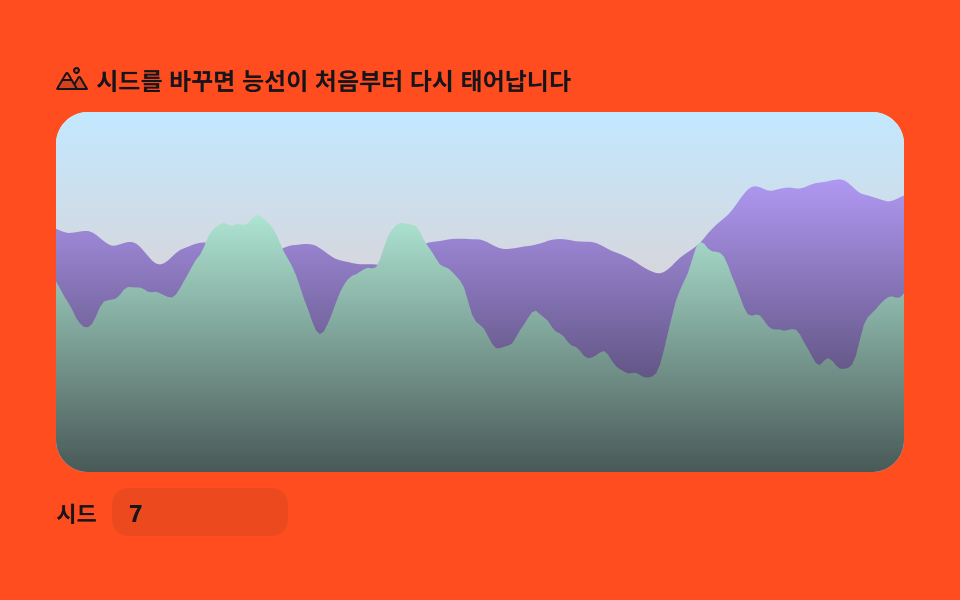 01 terrain-elevation-profile
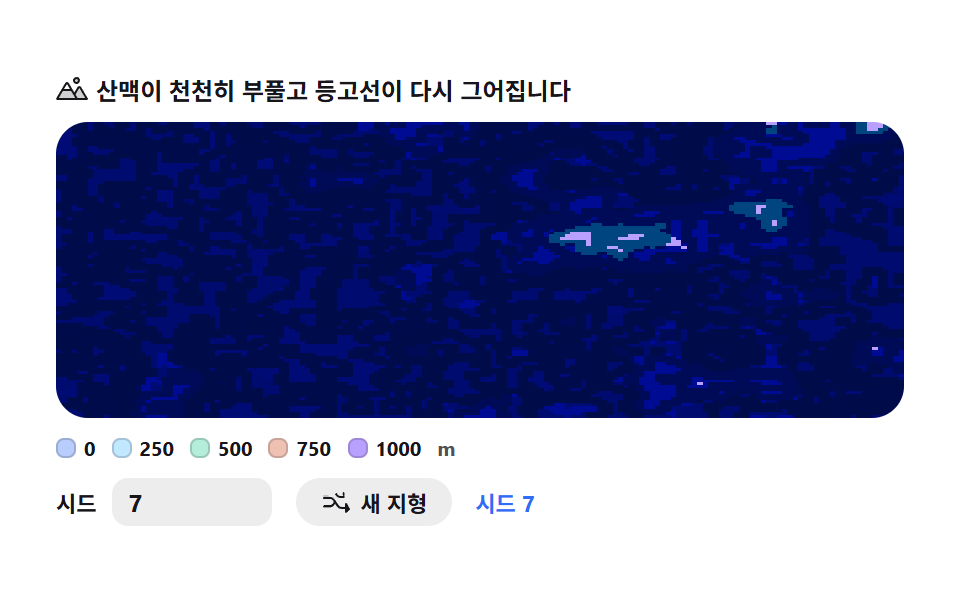 02 terrain-contour-map
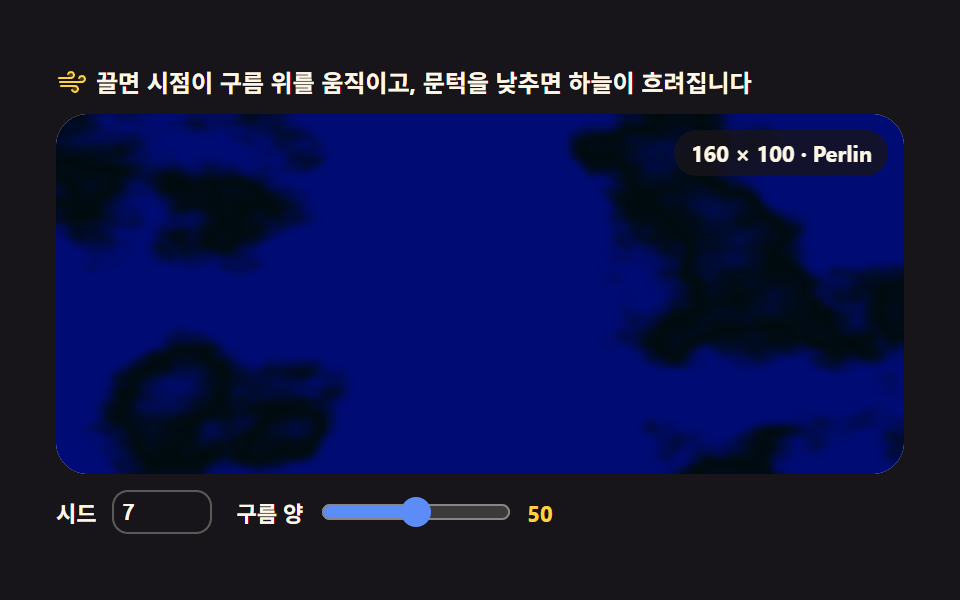 03 terrain-cloud-field
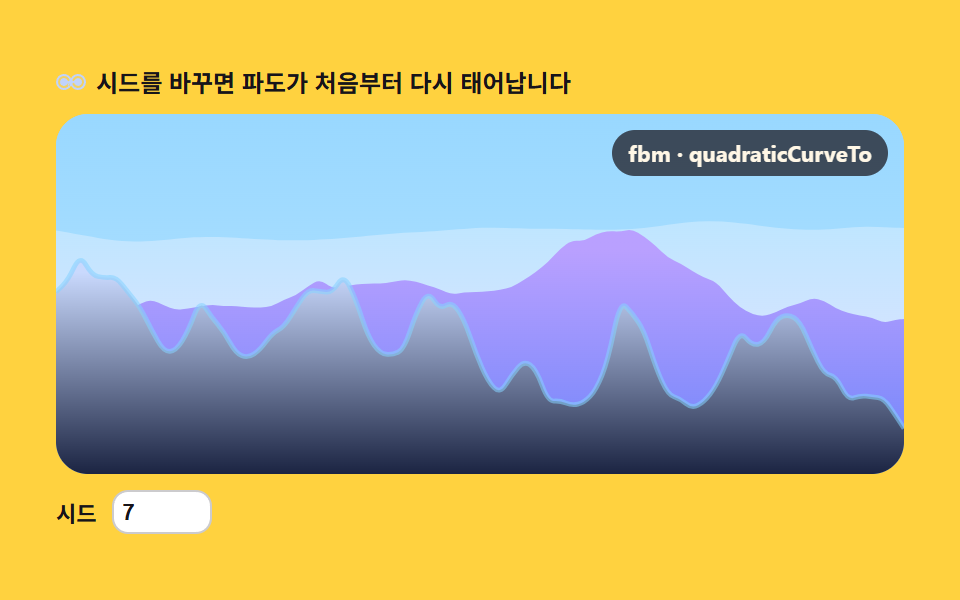 04 terrain-sea-swell
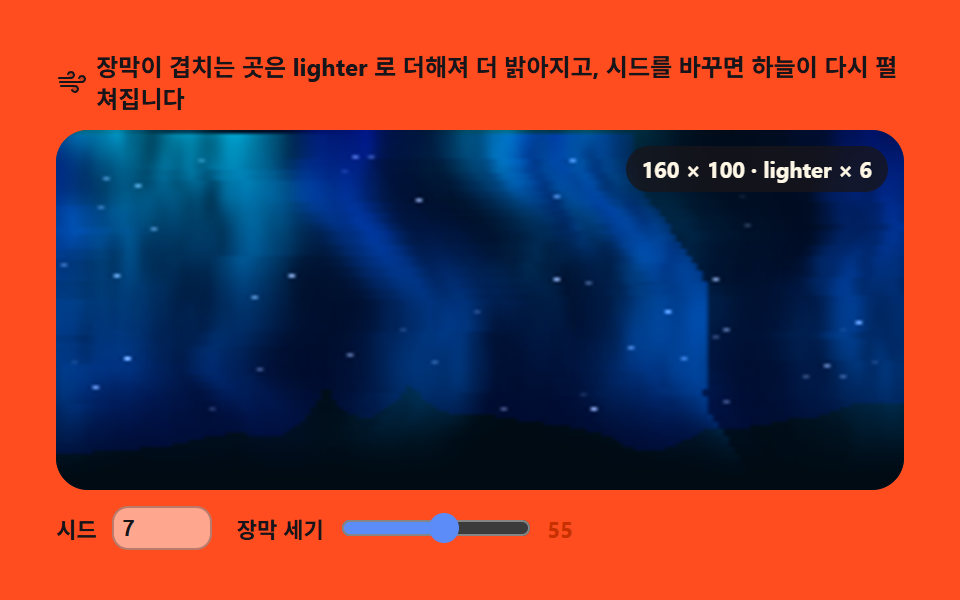 05 terrain-aurora-curtain
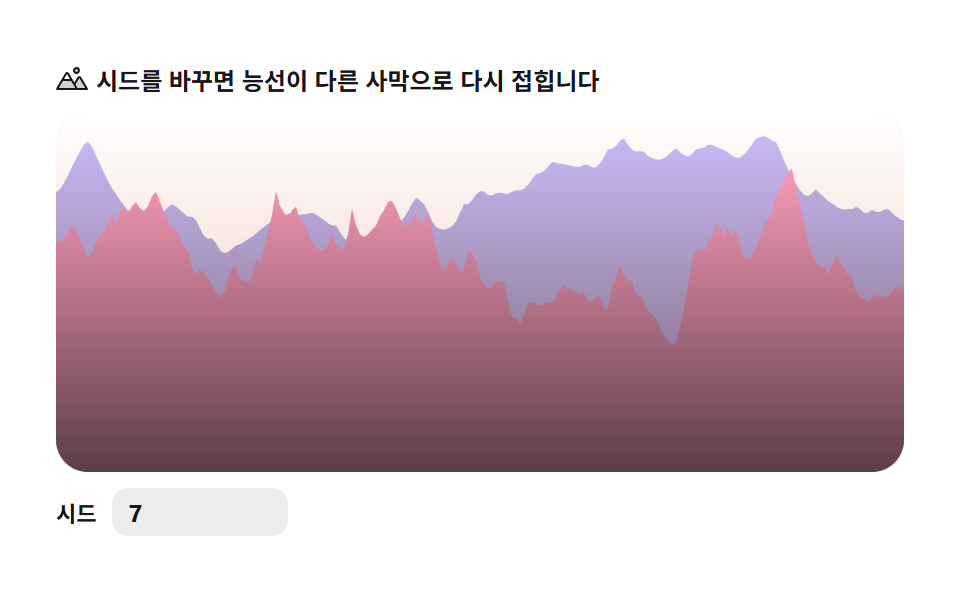 06 terrain-dune-ridge
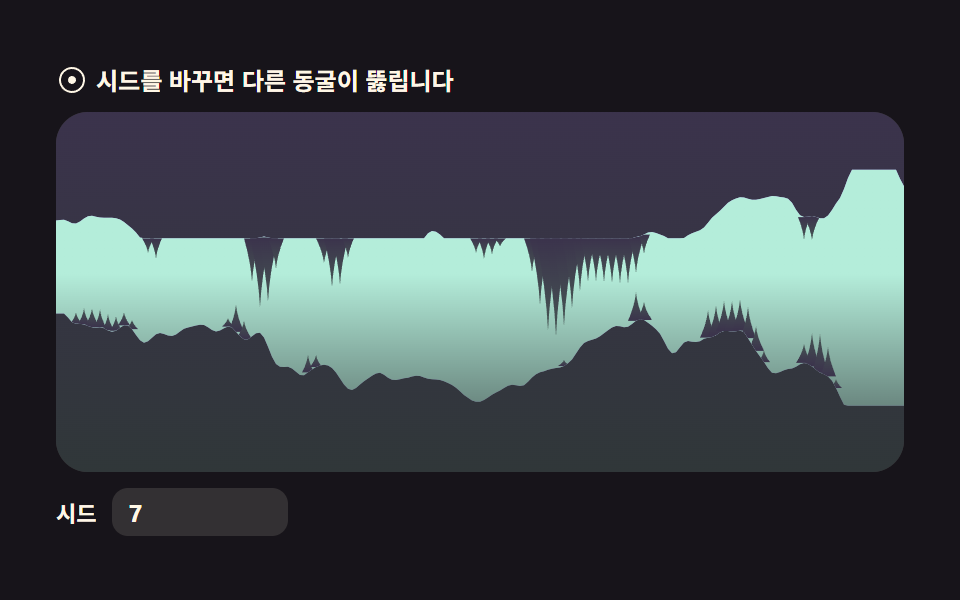 07 terrain-cave-cross-section
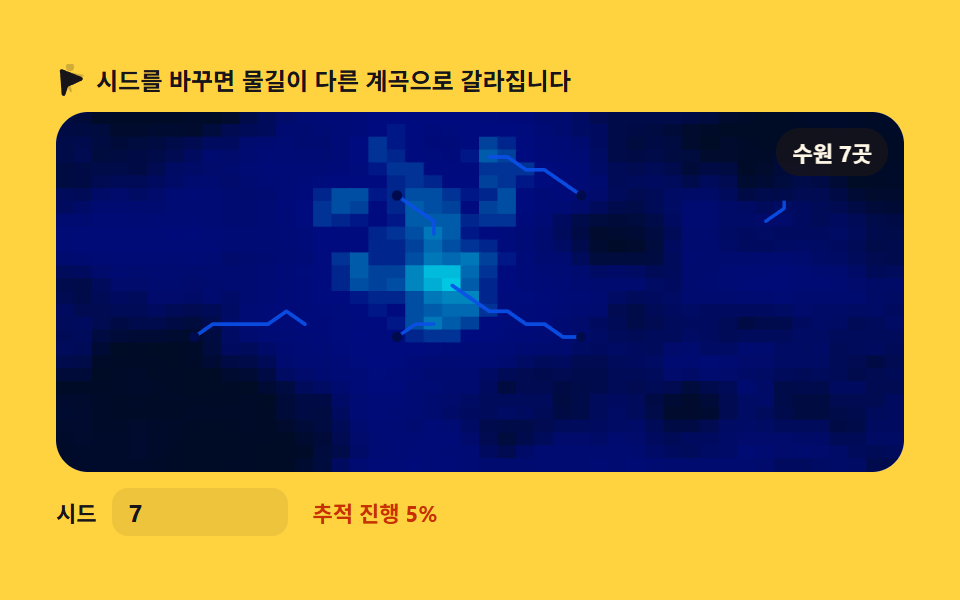 08 terrain-river-erosion
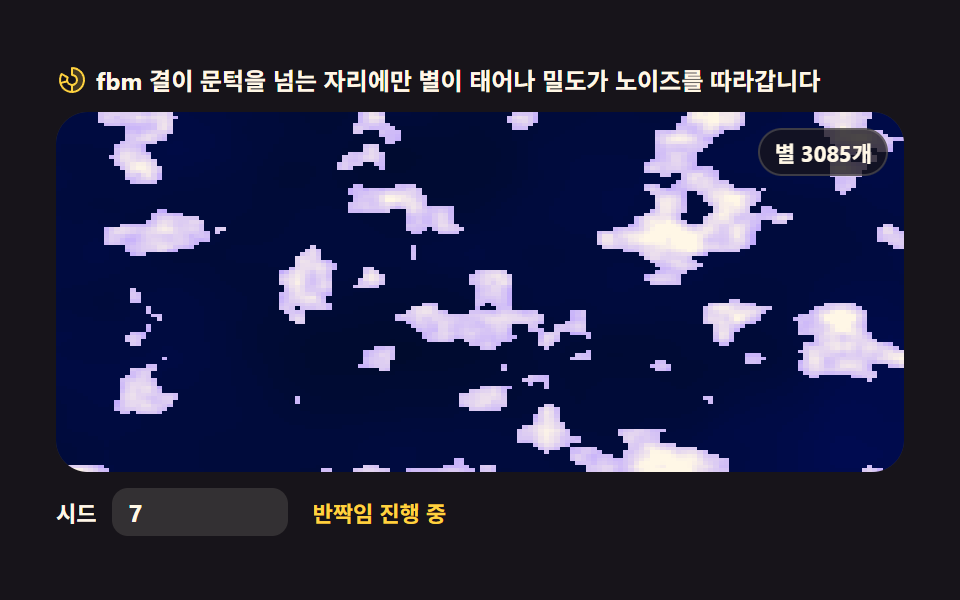 09 terrain-starfield-drift
自動再生 · タイルを押すとその項目へ · すべて1つのzip
- 01 地形断面 — fbmの稜線シルエット
- 02 等高線マップ — 標高帯付きキャンバス
- 03 雲フィールド — 流れるfbm雲の層
- 04 海のうねり — ノイズ波高断面
- 05 オーロラカーテン — 縦方向ノイズの光幕
- 06 砂丘の稜線 — リッジドノイズの砂丘
- 07 洞窟断面 — ノイズで掘られた空洞
- 08 河川侵食 — 最急降下の流線
- 09 星空 — ノイズ密度の星野
なぜこの順番か
並びは見栄えの順ではありません。ノイズが地形へ積み上がっていく順です。まずノイズを1本の高さとして読む断面が生まれ(01・04)、同じ場を2次元に広げると地図になり(02・08)、空に掛けると流れる現象になります(03・05・09)。最後に鋭い変形と掘られた空間で地形そのものに起伏がつきます(06・07)。近所の記事では、シード1つで模様を引き直すCSS背景パターンと、ピクセルを直接計算するキャンバス特殊効果がこの記事の隣人です。
項目別コード
01地形断面 — fbmの稜線シルエット
アウトドア・登山LPのヒーロー背景に使う、オクターブ4重のfbmで描いた稜線のシルエット1本です。
<main class="stage">
<div class="tep" id="tep">
  <p class="tep__hint">
    <svg class="tep__ico" viewBox="0 0 256 256" aria-hidden="true"><g fill="currentColor"><path d="M144 52a20 20 0 1 1 20 20a20 20 0 0 1-20-20m49.44 55.92a8 8 0 0 0-13.77 0l-33 55.75l-21-35.67H50.35L8 200h240Z" opacity=".2"/><path d="M164 80a28 28 0 1 0-28-28a28 28 0 0 0 28 28m0-40a12 12 0 1 1-12 12a12 12 0 0 1 12-12m90.88 155.92l-54.56-92.08A15.87 15.87 0 0 0 186.55 96a15.85 15.85 0 0 0-13.76 7.84L146.63 148l-44.84-76.1a16 16 0 0 0-27.58 0L1.11 195.94A8 8 0 0 0 8 208h240a8 8 0 0 0 6.88-12.08M88 80l23.57 40H64.43ZM22 192l33-56h66l33 56Zm150.57 0l-16.66-28.28L186.55 112L234 192Z"/></g></svg>
    <span>シードを変えると尾根が最初から刻み直されます</span>
  </p>
  <div class="tep__field" id="field">
    <canvas class="tep__cv" id="cv"></canvas>
  </div>
  <div class="tep__bar">
    <label class="tep__dial">シード
      <input type="number" id="seed" min="1" max="9999" step="1" value="7" aria-label="地形シード">
    </label>
  </div>
</div>
</main>
@use "../../../../site/static/demo-tokens" as *;
// 지형 단면 — 1차원 값 노이즈를 옥타브 4겹(fbm)으로 겹쳐 산 능선 실루엣 한 줄을 lineTo 로 그린다.
// 3D 회전·원근 투영은 쓰지 않는다(307-02 heightfield-terrain 과 다른 축) — 순수 2D 단면.
// 옥타브마다 독립된 위상(phase)을 시간에 흘려 능선이 조금씩 다시 깎이는 것처럼 보이게 한다.
// 파스텔 — mix() 로 옅게 섞은 로컬 변수만 쓴다. 리터럴 hex 0개(BD26).
$terrain-sky: mix($subject-sky, $stage-paper, 42%);
$terrain-peach: mix($subject-orange-deep, $stage-paper, 30%);
$terrain-lilac: $subject-lilac;
$terrain-mint: mix($subject-mint, $stage-paper, 42%);
$duration: $dur-loop;
$easing: $ease-out;
$color: $terrain-mint;
@include stage($stage-orange);
.tep {
// 하늘 그라디언트(위→지평선) + 원경·근경 능선 각각의 그라디언트(위→아래로 한 단계 진하게)
--sky-top: #{$terrain-sky};
--sky-bottom: #{$terrain-peach};
--far-top: #{$terrain-lilac};
--far-bottom: #{mix($terrain-lilac, $subject-ink, 24%)};
--near-top: #{$terrain-mint};
--near-bottom: #{mix($terrain-mint, $subject-ink, 32%)};
display: flex; flex-direction: column; gap: $sp-2;
width: 100%; max-width: 424px;
}
.tep__hint {
display: flex; align-items: center; gap: $sp-1; margin: 0;
font-weight: 700; font-size: clamp(10px, 2.8vw, 12px); line-height: 1.35;
color: $subject-ink;
}
.tep__ico { width: 16px; height: 16px; flex: 0 0 auto; color: $subject-ink; }
.tep__field {
position: relative; height: 180px;
border-radius: $r-card; overflow: hidden;
background: $stage-paper;
box-shadow: inset 0 0 0 1px rgba($subject-ink, .16);
}
.tep__cv { display: block; width: 100%; height: 100%; }
.tep__bar { display: flex; align-items: center; gap: $sp-3; }
.tep__dial {
display: flex; align-items: center; gap: $sp-2;
font-weight: 700; font-size: 11px; color: $subject-ink;
}
.tep__dial input {
width: 72px; margin: 0;
padding: $sp-1 $sp-2; border: 0; border-radius: $r-sm;
background: rgba($subject-ink, .08); color: $subject-ink;
font-weight: 700; font-size: 12px; font-family: inherit;
}
.tep__dial input:focus-visible { outline: 2px solid $subject-blue; outline-offset: 2px; }
@media (max-width: 340px) {
.tep { gap: $sp-1; }
.tep__field { height: 100px; }
.tep__dial input { width: 56px; }
.tep__hint { font-size: 10px; }
}
// reduce — 루프 없이 시드의 정적 한 장만 남는다. 커서 신호가 없으므로 클래스만 걸어 둔다(다른 항목과 형식 일치)
@media (prefers-reduced-motion: reduce) {
.tep.is-still .tep__field { cursor: default; }
}html, body {
margin: 0;
overflow: hidden;
}
.stage {
box-sizing: border-box;
min-height: 100vh;
display: grid;
place-items: center;
margin: 0;
background: #ff4d1f;
font-family: -apple-system, "Segoe UI", "Noto Sans KR", sans-serif;
padding: clamp(8px, 4vw, 24px);
}
.tep {
--sky-top: rgb(76.1176470588%, 90.9411764706%, 100%);
--sky-bottom: rgb(93.6470588235%, 75.6470588235%, 70%);
--far-top: #b9a0ff;
--far-bottom: rgb(24.2666666667%, 21.0196078431%, 31.7490196078%);
--near-top: rgb(70.5176470588%, 92.9176470588%, 85.3411764706%);
--near-bottom: rgb(28.6989803922%, 35.0669803922%, 34.2425098039%);
display: flex;
flex-direction: column;
gap: 8px;
width: 100%;
max-width: 424px;
}
.tep__hint {
display: flex;
align-items: center;
gap: 4px;
margin: 0;
font-weight: 700;
font-size: clamp(10px, 2.8vw, 12px);
line-height: 1.35;
color: #17141a;
}
.tep__ico {
width: 16px;
height: 16px;
flex: 0 0 auto;
color: #17141a;
}
.tep__field {
position: relative;
height: 180px;
border-radius: 16px;
overflow: hidden;
background: #ffffff;
box-shadow: inset 0 0 0 1px rgba(23, 20, 26, 0.16);
}
.tep__cv {
display: block;
width: 100%;
height: 100%;
}
.tep__bar {
display: flex;
align-items: center;
gap: 12px;
}
.tep__dial {
display: flex;
align-items: center;
gap: 8px;
font-weight: 700;
font-size: 11px;
color: #17141a;
}
.tep__dial input {
width: 72px;
margin: 0;
padding: 4px 8px;
border: 0;
border-radius: 8px;
background: rgba(23, 20, 26, 0.08);
color: #17141a;
font-weight: 700;
font-size: 12px;
font-family: inherit;
}
.tep__dial input:focus-visible {
outline: 2px solid #2f6df6;
outline-offset: 2px;
}
@media (max-width: 340px) {
.tep {
gap: 4px;
}
.tep__field {
height: 100px;
}
.tep__dial input {
width: 56px;
}
.tep__hint {
font-size: 10px;
}
}
@media (prefers-reduced-motion: reduce) {
.tep.is-still .tep__field {
cursor: default;
}
}// 地形の断面 — 1차원 값 노이즈를 옥타브 4겹(fbm)으로 겹쳐 산 능선 실루엣 한 줄을 lineTo 로 그린다.
// 3D 회전·원근 투영은 안 쓴다 — 가로 위치마다 fbm(x) 값을 높이로 읽는 순수 2D 단면이다.
// 옥타브마다 독립된 위상(phase)을 시간에 흘려보내 능선이 조금씩 다시 깎이는 것처럼 보이게 한다.
// 원경·근경 두 겹을 겹쳐 그려 입체감을 준다(파라미터만 다른 같은 계열).
var root = document.getElementById('tep');
var field = document.getElementById('field');
var cv = document.getElementById('cv');
var ctx = cv.getContext('2d');
var seedIn = document.getElementById('seed');
// 결정적 난수 — mulberry32. 같은 시드면 같은 수열을 돌려준다
function mulberry32(a) {
return function () {
a |= 0; a = (a + 0x6D2B79F5) | 0;
var t = Math.imul(a ^ (a >>> 15), 1 | a);
t = (t + Math.imul(t ^ (t >>> 7), 61 | t)) ^ t;
return ((t ^ (t >>> 14)) >>> 0) / 4294967296;
};
}
var PERM = new Uint8Array(512);
var VAL = new Float32Array(256);
// シード → PERM(순서표)·VAL(격자점 난수값) 재생성 — シード UI 가 이걸 다시 부른다
function buildTables(seed) {
var rng = mulberry32(seed >>> 0);
var p = [], i, j, t;
for (i = 0; i < 256; i++) p[i] = i;
for (i = 255; i > 0; i--) { j = (rng() * (i + 1)) | 0; t = p[i]; p[i] = p[j]; p[j] = t; }
for (i = 0; i < 512; i++) PERM[i] = p[i & 255];
for (i = 0; i < 256; i++) VAL[i] = rng();
}
function fade(t) { return t * t * (3 - 2 * t); } // 스무스스텝 — 격자 경계에서 각이 안 지게
// 1차원 값 노이즈 — 격자점마다 난수를 하나 두고 그 사이를 fade 로 부드럽게 잇는다
function vnoise1(x) {
var xi = Math.floor(x);
var xf = x - xi;
var a = VAL[PERM[xi & 255]], b = VAL[PERM[(xi + 1) & 255]];
return a + (b - a) * fade(xf);
}
var OCT = 4; // 옥타브 4겹
// fbm — 주파수 2배·진폭 절반으로 4겹 쌓는다. 옥타브마다 자기 위상을 따로 흘려보내
// (i+1) 배로 밀기 때문에 고주파 옥타브일수록 더 빨리 밀리고 — 능선이 부위별로 다시 깎인다
function fbm1(x, sec, flow) {
var sum = 0, amp = 0.5, norm = 0, f = 1;
for (var i = 0; i < OCT; i++) {
var phase = sec * flow * (i + 1);
sum += vnoise1(x * f + phase) * amp;
norm += amp;
amp *= 0.5;
f *= 2;
}
return sum / norm;
}
// 원경(far)·근경(near) — 같은 fbm1 을 스케일·흐름·오프셋만 다르게 줘서 두 겹을 겹친다
var FAR_SCALE = 0.011, FAR_FLOW = 8.5, FAR_OFFSET = 13.7;
var NEAR_SCALE = 0.021, NEAR_FLOW = 12.0, NEAR_OFFSET = 241.3;
var reduce = window.matchMedia('(prefers-reduced-motion: reduce)').matches;
var W = 0, H = 0, dpr = 1;
var raf = 0;
var css = getComputedStyle(root);
function tok(name) { return css.getPropertyValue(name).trim(); }
var C_SKY_TOP = tok('--sky-top'), C_SKY_BOTTOM = tok('--sky-bottom');
var C_FAR_TOP = tok('--far-top'), C_FAR_BOTTOM = tok('--far-bottom');
var C_NEAR_TOP = tok('--near-top'), C_NEAR_BOTTOM = tok('--near-bottom');
function fit() {
var r = field.getBoundingClientRect();
dpr = window.devicePixelRatio || 1;
W = r.width; H = r.height;
cv.width = Math.round(W * dpr);
cv.height = Math.round(H * dpr);
ctx.setTransform(dpr, 0, 0, dpr, 0, 0);
}
function ridgeY(x, scale, offset, base, amp, sec, flow) {
var n = fbm1(x * scale + offset, sec, flow);
n = n * 1.6 - 0.3; // 값 노이즈는 가운데로 몰린다 — 대비를 한 번 펴 준다
if (n < 0) n = 0; else if (n > 1) n = 1;
return base - n * amp;
}
// 능선 실루엣 하나 — 닫힌 다각형(아래는 캔버스 바닥까지)으로 lineTo, 그라디언트 파스텔로 채운다
function drawRidge(sec, scale, offset, base, amp, flow, topColor, bottomColor) {
var step = 2;
ctx.beginPath();
ctx.moveTo(0, H);
for (var x = 0; x <= W; x += step) {
var xx = x > W ? W : x;
ctx.lineTo(xx, ridgeY(xx, scale, offset, base, amp, sec, flow));
}
ctx.lineTo(W, H);
ctx.closePath();
var g = ctx.createLinearGradient(0, base - amp, 0, H);
g.addColorStop(0, topColor);
g.addColorStop(1, bottomColor);
ctx.fillStyle = g;
ctx.fill();
}
function paint(sec) {
ctx.clearRect(0, 0, W, H);
var sky = ctx.createLinearGradient(0, 0, 0, H);
sky.addColorStop(0, C_SKY_TOP);
sky.addColorStop(1, C_SKY_BOTTOM);
ctx.fillStyle = sky;
ctx.fillRect(0, 0, W, H);
drawRidge(sec, FAR_SCALE, FAR_OFFSET, H * 0.50, H * 0.38, FAR_FLOW, C_FAR_TOP, C_FAR_BOTTOM);
drawRidge(sec, NEAR_SCALE, NEAR_OFFSET, H * 0.80, H * 0.56, NEAR_FLOW, C_NEAR_TOP, C_NEAR_BOTTOM);
}
function frame(now) {
paint(now / 1000);
raf = requestAnimationFrame(frame);
}
function onSeed() {
var v = Math.max(1, Math.min(9999, Math.floor(Number(seedIn.value)) || 1));
buildTables(v);
if (reduce) paint(0);
}
seedIn.addEventListener('input', onSeed);
seedIn.addEventListener('change', onSeed);
window.addEventListener('resize', function () { fit(); if (reduce) paint(0); });
buildTables(Number(seedIn.value) || 7);
fit();
if (reduce) {
// reduce — 루프를 시작하지 않고 시드가 정한 능선 한 장만 그린다(빈 화면이 아니다)
root.classList.add('is-still');
paint(0);
} else {
raf = requestAnimationFrame(frame);
}// ElevationProfile — vanilla 판(run/309/demo/01-terrain-elevation-profile/index.html) 의 React 포트.
// 1차원 값 노이즈를 옥타브 4겹(fbm) 으로 겹쳐 산 능선 실루엣 한 줄을 lineTo 로 그린다.
// 3D 회전·원근 투영은 안 쓴다 — 가로 위치마다 fbm(x) 값을 높이로 읽는 순수 2D 단면이다.
// 옥타브마다 독립된 위상을 시간에 흘려 능선이 조금씩 다시 깎이는 것처럼 보이게 한다.
// 원경·근경 두 겹을 겹쳐 그려 입체감을 준다. 움직임은 캔버스 rAF 루프가 전부 그리므로 @keyframes 는 없다.
import { useEffect, useRef } from "react";
import type { CSSProperties } from "react";
import styles from "./ElevationProfile.module.scss";
export type ElevationProfileProps = {
duration?: string;
easing?: string;
color?: string;
};
type Vars = CSSProperties & { "--duration"?: string; "--easing"?: string; "--color"?: string };
type Box<T> = { current: T };
type InputEvt = { target: { value: string } };
const OCT = 4; // 옥타브 4겹
const FAR_SCALE = 0.011, FAR_FLOW = 8.5, FAR_OFFSET = 13.7;
const NEAR_SCALE = 0.021, NEAR_FLOW = 12.0, NEAR_OFFSET = 241.3;
// 결정적 난수 — mulberry32. 같은 시드면 같은 수열을 돌려준다
function mulberry32(a: number): () => number {
return function () {
a |= 0; a = (a + 0x6D2B79F5) | 0;
const t = Math.imul(a ^ (a >>> 15), 1 | a);
const u = (t + Math.imul(t ^ (t >>> 7), 61 | t)) ^ t;
return ((u ^ (u >>> 14)) >>> 0) / 4294967296;
};
}
function fade(t: number): number {
return t * t * (3 - 2 * t); // 스무스스텝 — 격자 경계에서 각이 안 지게
}
// 1차원 값 노이즈 테이블 — 시드가 바뀌면 다시 짠다
class ValueNoise1 {
perm: Uint8Array;
val: Float32Array;
constructor(seed: number) {
const rng = mulberry32(seed >>> 0);
const p: number[] = [];
for (let i = 0; i < 256; i++) p[i] = i;
for (let i = 255; i > 0; i--) {
const j = (rng() * (i + 1)) | 0;
const t = p[i]; p[i] = p[j]; p[j] = t;
}
this.perm = new Uint8Array(512);
for (let i = 0; i < 512; i++) this.perm[i] = p[i & 255];
this.val = new Float32Array(256);
for (let i = 0; i < 256; i++) this.val[i] = rng();
}
at(x: number): number {
const xi = Math.floor(x);
const xf = x - xi;
const a = this.val[this.perm[xi & 255]], b = this.val[this.perm[(xi + 1) & 255]];
return a + (b - a) * fade(xf);
}
}
// fbm — 주파수 2배·진폭 절반으로 4겹. 옥타브마다 자기 위상을 따로 흘려보내
// (i+1) 배로 밀기 때문에 고주파 옥타브일수록 더 빨리 밀리고 — 능선이 부위별로 다시 깎인다
function fbm1(n: ValueNoise1, x: number, sec: number, flow: number): number {
let sum = 0, amp = 0.5, norm = 0, f = 1;
for (let i = 0; i < OCT; i++) {
const phase = sec * flow * (i + 1);
sum += n.at(x * f + phase) * amp;
norm += amp;
amp *= 0.5;
f *= 2;
}
return sum / norm;
}
export default function ElevationProfile({
duration = "2s", // vanilla $duration: $dur-loop
easing = "ease-out", // vanilla $easing: $ease-out
color = "#8fdac2", // vanilla $color: $terrain-mint (근사값)
}: ElevationProfileProps) {
const rootRef = useRef<HTMLDivElement | null>(null);
const fieldRef = useRef<HTMLDivElement | null>(null);
const cvRef = useRef<HTMLCanvasElement | null>(null);
const ctxRef = useRef<CanvasRenderingContext2D | null>(null);
const seedRef = useRef<HTMLInputElement | null>(null);
const noiseRef = useRef<ValueNoise1 | null>(null);
const sizeRef = useRef({ w: 0, h: 0 }) as Box<{ w: number; h: number }>;
const rafRef = useRef(0) as Box<number>;
const stillRef = useRef(false) as Box<boolean>;
const vars: Vars = { "--duration": duration, "--easing": easing, "--color": color };
function reduced(): boolean {
return window.matchMedia("(prefers-reduced-motion: reduce)").matches;
}
function buildTables(seed: number): void {
noiseRef.current = new ValueNoise1(seed);
}
function fit(): void {
const field = fieldRef.current, cv = cvRef.current;
if (!field || !cv) return;
const r = field.getBoundingClientRect();
const dpr = window.devicePixelRatio || 1;
sizeRef.current.w = r.width;
sizeRef.current.h = r.height;
cv.width = Math.round(r.width * dpr);
cv.height = Math.round(r.height * dpr);
const ctx = ctxRef.current;
if (ctx) ctx.setTransform(dpr, 0, 0, dpr, 0, 0);
}
function ridgeY(x: number, scale: number, offset: number, base: number, amp: number, sec: number, flow: number): number {
const n = noiseRef.current;
if (!n) return base;
let v = fbm1(n, x * scale + offset, sec, flow);
v = v * 1.6 - 0.3; // 값 노이즈는 가운데로 몰린다 — 대비를 한 번 펴 준다
if (v < 0) v = 0; else if (v > 1) v = 1;
return base - v * amp;
}
// 능선 실루엣 하나 — 닫힌 다각형(아래는 캔버스 바닥까지)으로 lineTo, 그라디언트 파스텔로 채운다
function drawRidge(
ctx: CanvasRenderingContext2D, H: number, W: number,
sec: number, scale: number, offset: number, base: number, amp: number, flow: number,
topColor: string, bottomColor: string,
): void {
const step = 2;
ctx.beginPath();
ctx.moveTo(0, H);
for (let x = 0; x <= W; x += step) {
const xx = x > W ? W : x;
ctx.lineTo(xx, ridgeY(xx, scale, offset, base, amp, sec, flow));
}
ctx.lineTo(W, H);
ctx.closePath();
const g = ctx.createLinearGradient(0, base - amp, 0, H);
g.addColorStop(0, topColor);
g.addColorStop(1, bottomColor);
ctx.fillStyle = g;
ctx.fill();
}
function paint(sec: number): void {
const ctx = ctxRef.current, root = rootRef.current;
if (!ctx || !root) return;
const W = sizeRef.current.w, H = sizeRef.current.h;
ctx.clearRect(0, 0, W, H);
const cs = getComputedStyle(root);
const tok = (name: string) => cs.getPropertyValue(name).trim();
const sky = ctx.createLinearGradient(0, 0, 0, H);
sky.addColorStop(0, tok("--sky-top"));
sky.addColorStop(1, tok("--sky-bottom"));
ctx.fillStyle = sky;
ctx.fillRect(0, 0, W, H);
drawRidge(ctx, H, W, sec, FAR_SCALE, FAR_OFFSET, H * 0.50, H * 0.38, FAR_FLOW, tok("--far-top"), tok("--far-bottom"));
drawRidge(ctx, H, W, sec, NEAR_SCALE, NEAR_OFFSET, H * 0.80, H * 0.56, NEAR_FLOW, tok("--near-top"), tok("--near-bottom"));
}
function frame(now: number): void {
paint(now / 1000);
rafRef.current = requestAnimationFrame(frame);
}
function onSeedInput(event: InputEvt): void {
const v = Math.max(1, Math.min(9999, Math.floor(Number(event.target.value)) || 1));
buildTables(v);
if (reduced()) paint(0);
}
function onResize(): void {
fit();
if (reduced()) paint(0);
}
useEffect(() => {
const cv = cvRef.current;
if (!cv) return;
ctxRef.current = cv.getContext("2d");
if (!ctxRef.current) return;
buildTables(Number(seedRef.current?.value) || 7);
fit();
window.addEventListener("resize", onResize);
if (reduced()) {
// reduce — 루프를 시작하지 않고 시드가 정한 능선 한 장만 그린다
stillRef.current = true;
paint(0);
} else {
rafRef.current = requestAnimationFrame(frame);
}
return () => {
window.removeEventListener("resize", onResize);
cancelAnimationFrame(rafRef.current);
};
}, []);
const cls = [styles.root, stillRef.current ? styles.isStill : ""].filter(Boolean).join(" ");
return (
<main className={styles.stage}>
<div className={cls} ref={rootRef} style={vars}>
<p className={styles.hint}>
<svg className={styles.ico} viewBox="0 0 256 256" aria-hidden="true"><g fill="currentColor"><path d="M144 52a20 20 0 1 1 20 20a20 20 0 0 1-20-20m49.44 55.92a8 8 0 0 0-13.77 0l-33 55.75l-21-35.67H50.35L8 200h240Z" opacity=".2"/><path d="M164 80a28 28 0 1 0-28-28a28 28 0 0 0 28 28m0-40a12 12 0 1 1-12 12a12 12 0 0 1 12-12m90.88 155.92l-54.56-92.08A15.87 15.87 0 0 0 186.55 96a15.85 15.85 0 0 0-13.76 7.84L146.63 148l-44.84-76.1a16 16 0 0 0-27.58 0L1.11 195.94A8 8 0 0 0 8 208h240a8 8 0 0 0 6.88-12.08M88 80l23.57 40H64.43ZM22 192l33-56h66l33 56Zm150.57 0l-16.66-28.28L186.55 112L234 192Z"/></g></svg>
<span>시드를 바꾸면 능선이 처음부터 다시 태어납니다</span>
</p>
<div className={styles.field} ref={fieldRef}>
<canvas className={styles.cv} ref={cvRef}></canvas>
</div>
<div className={styles.bar}>
<label className={styles.dial}>시드
<input type="number" ref={seedRef} min={1} max={9999} step={1} defaultValue={7} aria-label="지형 시드" onChange={onSeedInput} />
</label>
</div>
</div>
</main>
);
}01 · 地形断面 — fbmの稜線シルエット — 計測 累積面積 31.644% · 動いたフレーム 23/23GODRICH オリジナル · SCSS と React は zip に同梱 · パスワードを見る
稜線はなぜ重ねて作るのか
var OCT = 4;   // オクターブ4重

// fbm — 周波数2倍・振幅半分で4重に積む。オクターブごとに自分の位相を別々に流す
// (i+1) 倍で押すため高周波のオクターブほど速く流れ、稜線が部位ごとに削り直される
function fbm1(x, sec, flow) {
  var sum = 0, amp = 0.5, norm = 0, f = 1;
  for (var i = 0; i < OCT; i++) {
    var phase = sec * flow * (i + 1);
    sum += vnoise1(x * f + phase) * amp;
    norm += amp;
    amp *= 0.5;
    f *= 2;
  }
  return sum / norm;
}
遠景と近景の2枚
ノイズ1枚だけでは太い丘1つにしかならず稜線になりませんが、周波数を2倍に上げ振幅を半分に下げた層を4回積むと、大きな山脈の上に細かい起伏が乗ります。各オクターブの位相は時間の (i+1) 倍の速さで流れるので、稜線は部位ごとに少しずつ彫り直されます。遠景・近景の2つのシルエットは、同じ fbm1 にスケールと流れだけ変えた重ねです(実測: 累積面積31.64パーセント、23/23フレームで動き)。
02等高線マップ — 標高帯付きキャンバス
旅行・不動産・気象ダッシュボードの地図カードに合う、標高帯5段と細い等高線を重ねた地図です。
<main class="stage">
<div class="cm" id="cm">
  <p class="cm__hint">
    <svg class="cm__ico" viewBox="0 0 256 256" aria-hidden="true"><g fill="currentColor"><path d="M144 52a20 20 0 1 1 20 20a20 20 0 0 1-20-20m49.44 55.92a8 8 0 0 0-13.77 0l-33 55.75l-21-35.67H50.35L8 200h240Z" opacity=".2"/><path d="M164 80a28 28 0 1 0-28-28a28 28 0 0 0 28 28m0-40a12 12 0 1 1-12 12a12 12 0 0 1 12-12m90.88 155.92l-54.56-92.08A15.87 15.87 0 0 0 186.55 96a15.85 15.85 0 0 0-13.76 7.84L146.63 148l-44.84-76.1a16 16 0 0 0-27.58 0L1.11 195.94A8 8 0 0 0 8 208h240a8 8 0 0 0 6.88-12.08M88 80l23.57 40H64.43ZM22 192l33-56h66l33 56Zm150.57 0l-16.66-28.28L186.55 112L234 192Z"/></g></svg>
    <span>山脈がゆっくり膨らみ、等高線が引き直されます</span>
  </p>
  <div class="cm__field" id="field" role="img" aria-label="5段の標高帯と等高線で描いた地形図">
    <canvas class="cm__cv" id="cv"></canvas>
  </div>
  <div class="cm__legend" aria-hidden="true">
    <div class="cm__lg"><i class="cm__sw" style="background:var(--c0)"></i>0</div>
    <div class="cm__lg"><i class="cm__sw" style="background:var(--c1)"></i>250</div>
    <div class="cm__lg"><i class="cm__sw" style="background:var(--c2)"></i>500</div>
    <div class="cm__lg"><i class="cm__sw" style="background:var(--c3)"></i>750</div>
    <div class="cm__lg"><i class="cm__sw" style="background:var(--c4)"></i>1000</div>
    <span class="cm__unit">m</span>
  </div>
  <div class="cm__bar">
    <label class="cm__dial">シード
      <input type="number" id="seed" min="1" max="9999" step="1" value="7" aria-label="シード番号">
    </label>
    <button class="cm__shuffle" id="shuffle" type="button">
      <svg class="cm__ico" viewBox="0 0 256 256" aria-hidden="true"><g fill="currentColor"><path d="M32 72h32l16 24-13 9-11-17H32a8 8 0 0 1 0-16" opacity=".2"/><path d="M237.66 178.34a8 8 0 0 1 0 11.32l-24 24A8 8 0 0 1 200 208V184h-29.41a40 40 0 0 1-33.94-18.75L102.71 115.5A24 24 0 0 0 82.75 104H32a8 8 0 0 1 0-16h50.75a40 40 0 0 1 33.94 18.75l33.94 49.75a24 24 0 0 0 19.96 11.5H200v-24a8 8 0 0 1 13.66-5.66ZM32 152h50.75a24 24 0 0 0 19.96-11.5l8.11-11.87 9.51 13.93-6.9 10.11a40 40 0 0 1-33.94 18.72H32a8 8 0 0 1 0-16m150.34-82.34a8 8 0 0 0 13.66 5.66V96h-34.46a40 40 0 0 1-33.94-18.75l-6.9-10.11 9.51-13.93 8.11 11.87A24 24 0 0 0 158.29 80H196V56a8 8 0 0 0-13.66-5.66" fill-rule="evenodd"/></g></svg>
      <span>新しい地形</span>
    </button>
    <b class="cm__val" id="seedOut">シード <span id="seedNum">7</span></b>
  </div>
</div>
</main>@use "../../../../site/static/demo-tokens" as *;
// 등고선 지도 — 움직임은 전부 캔버스 rAF 루프(2D fbm 높이맵을 createImageData 로 픽셀마다 채색).
// CSS 는 무대·판·범례·시드 컨트롤만. @keyframes 를 두지 않는다 — 렌더러가 시계를 고정하지 않고
// 실시간 프레임을 찍어야 지형이 부푸는 게 측정된다. 색은 파스텔 5단(hypsometric) — vivid 리터럴 0(BD26).
// 파스텔 — 토큰 그대로 쓰면 vivid(채도≥.55·명도.2~.8)라 BD26 이 잡는다. mix() 로 옅게 섞는다(브리프 실측 조합)
$terrain-blue: mix($subject-blue, $stage-paper, 34%);
$terrain-sky: mix($subject-sky, $stage-paper, 42%);
$terrain-mint: mix($subject-mint, $stage-paper, 42%);
$terrain-peach: mix($subject-orange-deep, $stage-paper, 30%);
$terrain-lilac: $subject-lilac; // 이미 명도 .81 이라 그대로 써도 통과
$duration: $dur-loop;
$easing: $ease-out;
$color: $terrain-blue;
@include stage($stage-paper);
.cm {
// 고도띠 5단 — 낮은 곳(물가)에서 높은 곳(봉우리)으로. JS 가 --c0~--c4 를 읽어 LUT 를 만든다
--c0: #{$terrain-blue};
--c1: #{$terrain-sky};
--c2: #{$terrain-mint};
--c3: #{$terrain-peach};
--c4: #{$terrain-lilac};
// 등고선 선 색 — 잉크를 종이 쪽으로 섞어 은은하게(순수 검정 리터럴 대신 토큰 mix)
--c-line: #{mix($subject-ink, $stage-paper, 74%)};
display: flex; flex-direction: column; gap: $sp-2;
width: 100%; max-width: 424px;
}
.cm__hint {
display: flex; align-items: center; gap: $sp-1; margin: 0;
font-weight: 700; font-size: clamp(10px, 2.8vw, 12px); line-height: 1.35;
color: $subject-ink;
}
.cm__ico { width: 16px; height: 16px; flex: 0 0 auto; color: $subject-ink; }
.cm__field {
position: relative; height: 148px;
border-radius: $r-card; overflow: hidden;
background: $stage-paper;
box-shadow: inset 0 0 0 1px rgba($subject-ink, .16);
}
.cm__cv { display: block; width: 100%; height: 100%; }
.cm__legend {
display: flex; align-items: center; gap: $sp-2;
font-weight: 700; font-size: 10px; color: $subject-ink;
}
.cm__lg { display: flex; align-items: center; gap: $sp-1; }
.cm__sw { width: 10px; height: 10px; border-radius: $r-xs; flex: 0 0 auto; box-shadow: inset 0 0 0 1px rgba($subject-ink, .18); }
.cm__unit { color: rgba($subject-ink, .74); font-weight: 700; }
.cm__bar { display: flex; align-items: center; gap: $sp-3; flex-wrap: wrap; }
.cm__dial {
display: flex; align-items: center; gap: $sp-2;
font-weight: 700; font-size: 11px; color: $subject-ink;
}
.cm__dial input {
width: 64px; margin: 0;
padding: $sp-1 $sp-2; border: 0; border-radius: $r-sm;
background: rgba($subject-ink, .08); color: $subject-ink;
font-weight: 700; font-size: 12px; font-family: inherit;
}
.cm__dial input:focus-visible { outline: 2px solid $subject-blue; outline-offset: 2px; }
.cm__shuffle {
display: flex; align-items: center; gap: $sp-1;
padding: $sp-1 $sp-3; border: 0; border-radius: $r-pill;
background: rgba($subject-ink, .08); color: $subject-ink;
font-weight: 700; font-size: 11px; font-family: inherit; cursor: pointer;
}
.cm__shuffle:hover { background: rgba($subject-ink, .16); }
.cm__shuffle:focus-visible { outline: 2px solid $subject-blue; outline-offset: 2px; }
.cm__val { color: $subject-blue; font-size: 11px; font-weight: 700; }
@media (max-width: 340px) {
.cm { gap: $sp-1; }
.cm__field { height: 92px; }
.cm__hint { font-size: 10px; }
.cm__legend { gap: $sp-1; font-size: 9px; }
.cm__bar { gap: $sp-2; }
.cm__dial input { width: 52px; }
}
// reduce — 루프가 안 돈다. 시드 입력은 여전히 결정적으로 한 장을 다시 그린다(is-still 만 표시)
@media (prefers-reduced-motion: reduce) {
.cm.is-still .cm__field { cursor: default !important; }
}html, body {
margin: 0;
overflow: hidden;
}
.stage {
box-sizing: border-box;
min-height: 100vh;
display: grid;
place-items: center;
margin: 0;
background: #ffffff;
font-family: -apple-system, "Segoe UI", "Noto Sans KR", sans-serif;
padding: clamp(8px, 4vw, 24px);
}
.cm {
--c0: rgb(72.2666666667%, 80.5333333333%, 98.8%);
--c1: rgb(76.1176470588%, 90.9411764706%, 100%);
--c2: rgb(70.5176470588%, 92.9176470588%, 85.3411764706%);
--c3: rgb(93.6470588235%, 75.6470588235%, 70%);
--c4: #b9a0ff;
--c-line: rgb(32.6745098039%, 31.8039215686%, 33.5450980392%);
display: flex;
flex-direction: column;
gap: 8px;
width: 100%;
max-width: 424px;
}
.cm__hint {
display: flex;
align-items: center;
gap: 4px;
margin: 0;
font-weight: 700;
font-size: clamp(10px, 2.8vw, 12px);
line-height: 1.35;
color: #17141a;
}
.cm__ico {
width: 16px;
height: 16px;
flex: 0 0 auto;
color: #17141a;
}
.cm__field {
position: relative;
height: 148px;
border-radius: 16px;
overflow: hidden;
background: #ffffff;
box-shadow: inset 0 0 0 1px rgba(23, 20, 26, 0.16);
}
.cm__cv {
display: block;
width: 100%;
height: 100%;
}
.cm__legend {
display: flex;
align-items: center;
gap: 8px;
font-weight: 700;
font-size: 10px;
color: #17141a;
}
.cm__lg {
display: flex;
align-items: center;
gap: 4px;
}
.cm__sw {
width: 10px;
height: 10px;
border-radius: 4px;
flex: 0 0 auto;
box-shadow: inset 0 0 0 1px rgba(23, 20, 26, 0.18);
}
.cm__unit {
color: rgba(23, 20, 26, 0.74);
font-weight: 700;
}
.cm__bar {
display: flex;
align-items: center;
gap: 12px;
flex-wrap: wrap;
}
.cm__dial {
display: flex;
align-items: center;
gap: 8px;
font-weight: 700;
font-size: 11px;
color: #17141a;
}
.cm__dial input {
width: 64px;
margin: 0;
padding: 4px 8px;
border: 0;
border-radius: 8px;
background: rgba(23, 20, 26, 0.08);
color: #17141a;
font-weight: 700;
font-size: 12px;
font-family: inherit;
}
.cm__dial input:focus-visible {
outline: 2px solid #2f6df6;
outline-offset: 2px;
}
.cm__shuffle {
display: flex;
align-items: center;
gap: 4px;
padding: 4px 12px;
border: 0;
border-radius: 999px;
background: rgba(23, 20, 26, 0.08);
color: #17141a;
font-weight: 700;
font-size: 11px;
font-family: inherit;
cursor: pointer;
}
.cm__shuffle:hover {
background: rgba(23, 20, 26, 0.16);
}
.cm__shuffle:focus-visible {
outline: 2px solid #2f6df6;
outline-offset: 2px;
}
.cm__val {
color: #2f6df6;
font-size: 11px;
font-weight: 700;
}
@media (max-width: 340px) {
.cm {
gap: 4px;
}
.cm__field {
height: 92px;
}
.cm__hint {
font-size: 10px;
}
.cm__legend {
gap: 4px;
font-size: 9px;
}
.cm__bar {
gap: 8px;
}
.cm__dial input {
width: 52px;
}
}
@media (prefers-reduced-motion: reduce) {
.cm.is-still .cm__field {
cursor: default !important;
}
}// 등고선 지도 — 2D fbm 높이맵을 createImageData 로 픽셀마다 채색한다.
// 1) 높이(0~1)를 5단으로 나눠 고도띠 색을 칠하고(hypsometric bands)
// 2) 같은 높이맵을 더 촘촘한 10단으로 다시 나눠, 인접 8칸과 등급이 다른 경계 픽셀만 진하게 찍어 등고선을 겹친다.
// 시간이 흐르면 fbm 의 z(셋째 인자)가 흘러 산맥이 서서히 부풀고 줄어든다 — 등고선도 같이 다시 그어진다.
var root = document.getElementById('cm');
var field = document.getElementById('field');
var cv = document.getElementById('cv');
var ctx = cv.getContext('2d');
var seedIn = document.getElementById('seed');
var shuffleBtn = document.getElementById('shuffle');
var seedNum = document.getElementById('seedNum');
var MW = 160, MH = 100; // 높이맵 버퍼 해상도 — 화면이 커져도 이 값은 그대로다
var small = document.createElement('canvas');
small.width = MW; small.height = MH;
var sctx = small.getContext('2d');
var buf = sctx.createImageData(MW, MH); // 한 번만 만들어 두고 프레임마다 같은 배열을 덮어쓴다
var px = buf.data;
var heights = new Float32Array(MW * MH); // 문턱선 검사에 다시 쓰려고 높이를 한 프레임만큼 남겨 둔다
// ── 결정적 난수 — mulberry32. シード 하나 → 같은 테이블 ────────────────────────────
function mulberry32(a) {
return function () {
a |= 0; a = (a + 0x6D2B79F5) | 0;
var t = Math.imul(a ^ (a >>> 15), 1 | a);
t = (t + Math.imul(t ^ (t >>> 7), 61 | t)) ^ t;
return ((t ^ (t >>> 14)) >>> 0) / 4294967296;
};
}
var PERM = new Uint8Array(512);
var VAL = new Float32Array(256);
function buildTables(seed) {
var rng = mulberry32(seed >>> 0);
var p = [], i, j, t;
for (i = 0; i < 256; i++) p[i] = i;
for (i = 255; i > 0; i--) { j = (rng() * (i + 1)) | 0; t = p[i]; p[i] = p[j]; p[j] = t; }
for (i = 0; i < 512; i++) PERM[i] = p[i & 255];
for (i = 0; i < 256; i++) VAL[i] = rng();
}
function fade(t) { return t * t * (3 - 2 * t); } // 스무스스텝 — 격자 경계에서 각이 안 지게
function vnoise(x, y, z) {
var xi = Math.floor(x), yi = Math.floor(y), zi = Math.floor(z);
var xf = x - xi, yf = y - yi, zf = z - zi;
xi &= 255; yi &= 255; zi &= 255;
var u = fade(xf), v = fade(yf), w = fade(zf);
var a = PERM[xi] + yi, b = PERM[xi + 1] + yi;
var aa = PERM[a] + zi, ab = PERM[a + 1] + zi;
var ba = PERM[b] + zi, bb = PERM[b + 1] + zi;
var c000 = VAL[PERM[aa]], c100 = VAL[PERM[ba]];
var c010 = VAL[PERM[ab]], c110 = VAL[PERM[bb]];
var c001 = VAL[PERM[aa + 1]], c101 = VAL[PERM[ba + 1]];
var c011 = VAL[PERM[ab + 1]], c111 = VAL[PERM[bb + 1]];
var x00 = c000 + (c100 - c000) * u, x10 = c010 + (c110 - c010) * u;
var x01 = c001 + (c101 - c001) * u, x11 = c011 + (c111 - c011) * u;
var y0 = x00 + (x10 - x00) * v, y1 = x01 + (x11 - x01) * v;
return y0 + (y1 - y0) * w;
}
// fbm — 옥타브를 겹쳐 산맥·골짜기 굴곡을 만든다. z 가 흐르면 지형 전체가 서서히 다시 태어난다
function fbm(x, y, z, oct) {
var sum = 0, amp = 0.5, norm = 0, f = 1;
for (var i = 0; i < oct; i++) {
sum += vnoise(x * f, y * f, z * f) * amp;
norm += amp;
amp *= 0.5;
f *= 2;
}
return sum / norm;
}
// ── 색 — 고도띠 5단을 CSS 커스텀 프로퍼티(파스텔 토큰)에서 읽어 온다 ────────────────
var css = getComputedStyle(root);
function rgbOf(name) {
var v = css.getPropertyValue(name).trim().replace('#', '');
if (v.length === 3) v = v.charAt(0) + v.charAt(0) + v.charAt(1) + v.charAt(1) + v.charAt(2) + v.charAt(2);
return [parseInt(v.slice(0, 2), 16), parseInt(v.slice(2, 4), 16), parseInt(v.slice(4, 6), 16)];
}
var BANDS = [rgbOf('--c0'), rgbOf('--c1'), rgbOf('--c2'), rgbOf('--c3'), rgbOf('--c4')];
var LINE = rgbOf('--c-line');
var SCALE = 0.052; // 격자 간격 — 작을수록 산과 골짜기가 굵어진다(실측 튜닝)
var FLOW = 0.5; // 시간축이 흐르는 속도 — 산맥이 부푸는 빠르기
var OCT = 5; // fbm 옥타브 수 — 많을수록 등고선이 촘촘해진다
var LINE_LEVELS = 11; // 등고선 문턱 칸 수(색 밴드 5단과 별개 — 더 촘촘해야 지도처럼 보인다)
var reduce = window.matchMedia('(prefers-reduced-motion: reduce)').matches;
var W = 0, H = 0, dpr = 1;
var raf = 0;
function fit() {
var r = field.getBoundingClientRect();
dpr = window.devicePixelRatio || 1;
W = r.width; H = r.height;
cv.width = Math.round(W * dpr);
cv.height = Math.round(H * dpr);
ctx.setTransform(dpr, 0, 0, dpr, 0, 0);
}
function paint(sec) {
var z = sec * FLOW;
var i = 0, hi = 0;
// 1차 — 높이를 구하고 고도띠 5단 색을 채운다
for (var y = 0; y < MH; y++) {
var ny = y * SCALE;
for (var x = 0; x < MW; x++) {
var n = fbm(x * SCALE, ny, z, OCT);
n = n * 1.5 - 0.25; // 값 노이즈는 가운데로 몰린다 — 대비를 펴 준다
if (n < 0) n = 0; else if (n > 1) n = 1;
heights[hi++] = n;
var band = (n * 5) | 0; if (band > 4) band = 4;
var c = BANDS[band];
px[i] = c[0]; px[i + 1] = c[1]; px[i + 2] = c[2]; px[i + 3] = 255;
i += 4;
}
}
// 2차 — 같은 높이맵을 더 촘촘한 문턱(LINE_LEVELS)으로 다시 나눠, 8-이웃과 등급이
// 다른 경계 픽셀만 등고선 색으로 덮는다(marching squares 없이 간단하게)
for (var yy = 0; yy < MH; yy++) {
for (var xx = 0; xx < MW; xx++) {
var idx = yy * MW + xx;
var li = (heights[idx] * LINE_LEVELS) | 0;
var edge = false;
for (var dy = -1; dy <= 1 && !edge; dy++) {
var ny2 = yy + dy; if (ny2 < 0 || ny2 >= MH) continue;
for (var dx = -1; dx <= 1; dx++) {
if (dx === 0 && dy === 0) continue;
var nx2 = xx + dx; if (nx2 < 0 || nx2 >= MW) continue;
var nli = (heights[ny2 * MW + nx2] * LINE_LEVELS) | 0;
if (nli !== li) { edge = true; break; }
}
}
if (edge) {
var p2 = idx * 4;
var k = 0.62; // 등고선 진하기 — 채움색 위에 얇게 얹는 정도
px[p2] = px[p2] * (1 - k) + LINE[0] * k;
px[p2 + 1] = px[p2 + 1] * (1 - k) + LINE[1] * k;
px[p2 + 2] = px[p2 + 2] * (1 - k) + LINE[2] * k;
}
}
}
sctx.putImageData(buf, 0, 0);
ctx.imageSmoothingEnabled = false; // 고도띠 경계를 또렷하게 — 지도다운 각진 결
ctx.drawImage(small, 0, 0, MW, MH, 0, 0, W, H);
}
function frame(now) {
paint(now / 1000);
raf = requestAnimationFrame(frame);
}
function applySeed(v) {
var s = Math.max(1, Math.min(9999, Math.floor(v) || 1));
seedIn.value = String(s);
seedNum.textContent = String(s);
buildTables(s);
if (reduce) paint(0);
}
seedIn.addEventListener('input', function () { applySeed(Number(seedIn.value)); });
seedIn.addEventListener('change', function () { applySeed(Number(seedIn.value)); });
shuffleBtn.addEventListener('click', function () {
applySeed(1 + Math.floor(Math.random() * 9999));
});
window.addEventListener('resize', function () { fit(); if (reduce) paint(0); });
fit();
buildTables(Number(seedIn.value));
if (reduce) {
// reduce — 루프를 시작하지 않고 지형이 멈춰 선 한 장만 그린다(빈 화면이 아니다)
root.classList.add('is-still');
paint(0);
} else {
raf = requestAnimationFrame(frame);
}// ContourMap — vanilla 판(run/309/demo/02-terrain-contour-map/index.html) 의 React 포트.
// 2D fbm 높이맵을 160x100 ImageData 에 픽셀 단위로 채색해 고도띠 5단(hypsometric bands)을 칠하고,
// 같은 높이맵을 더 촘촘한 문턱(LINE_LEVELS)으로 다시 나눠 8-이웃과 등급이 다른 경계 픽셀만
// 등고선 색으로 덮는다(marching squares 없이 간단하게). z(시간축)가 흐르면 산맥이 서서히 부푼다.
import { useEffect, useRef, useState } from "react";
import type { CSSProperties } from "react";
import styles from "./ContourMap.module.scss";
export type ContourMapProps = {
duration?: string;
easing?: string;
color?: string;
};
type Vars = CSSProperties & { "--duration"?: string; "--easing"?: string; "--color"?: string };
type Box<T> = { current: T };
type InputEvt = { target: { value: string } };
const MW = 160, MH = 100; // 높이맵 버퍼 해상도 — 화면이 커져도 이 값은 그대로다
const SCALE = 0.052; // 격자 간격 — 작을수록 산과 골짜기가 굵어진다(실측 튜닝)
const FLOW = 0.5; // 시간축이 흐르는 속도 — 산맥이 부푸는 빠르기
const OCT = 5; // fbm 옥타브 수 — 많을수록 등고선이 촘촘해진다
const LINE_LEVELS = 11; // 등고선 문턱 칸 수(색 밴드 5단과 별개 — 더 촘촘해야 지도처럼 보인다)
const FIELD_LABEL = "고도띠 5단과 등고선으로 그린 지형 지도";
function fade(t: number): number {
return t * t * (3 - 2 * t); // 스무스스텝 — 격자 경계에서 각이 안 지게
}
// ── 결정적 난수 — mulberry32. 시드 하나 → 같은 테이블 ────────────────────────────
class ValueNoise {
perm: Uint8Array;
val: Float32Array;
constructor(seed: number) {
const a0 = seed >>> 0;
let a = a0;
const rng = () => {
a = (a + 0x6d2b79f5) | 0;
let t = Math.imul(a ^ (a >>> 15), 1 | a);
t = (t + Math.imul(t ^ (t >>> 7), 61 | t)) ^ t;
return ((t ^ (t >>> 14)) >>> 0) / 4294967296;
};
const p: number[] = [];
for (let i = 0; i < 256; i++) p[i] = i;
for (let i = 255; i > 0; i--) {
const j = (rng() * (i + 1)) | 0;
const t = p[i]; p[i] = p[j]; p[j] = t;
}
this.perm = new Uint8Array(512);
for (let i = 0; i < 512; i++) this.perm[i] = p[i & 255];
this.val = new Float32Array(256);
for (let i = 0; i < 256; i++) this.val[i] = rng();
}
at(x: number, y: number, z: number): number {
const xi = Math.floor(x), yi = Math.floor(y), zi = Math.floor(z);
const xf = x - xi, yf = y - yi, zf = z - zi;
const X = xi & 255, Y = yi & 255, Z = zi & 255;
const u = fade(xf), v = fade(yf), w = fade(zf);
const a = this.perm[X] + Y, b = this.perm[X + 1] + Y;
const aa = this.perm[a] + Z, ab = this.perm[a + 1] + Z;
const ba = this.perm[b] + Z, bb = this.perm[b + 1] + Z;
const c000 = this.val[this.perm[aa]], c100 = this.val[this.perm[ba]];
const c010 = this.val[this.perm[ab]], c110 = this.val[this.perm[bb]];
const c001 = this.val[this.perm[aa + 1]], c101 = this.val[this.perm[ba + 1]];
const c011 = this.val[this.perm[ab + 1]], c111 = this.val[this.perm[bb + 1]];
const x00 = c000 + (c100 - c000) * u, x10 = c010 + (c110 - c010) * u;
const x01 = c001 + (c101 - c001) * u, x11 = c011 + (c111 - c011) * u;
const y0 = x00 + (x10 - x00) * v, y1 = x01 + (x11 - x01) * v;
return y0 + (y1 - y0) * w;
}
}
// fbm — 옥타브를 겹쳐 산맥·골짜기 굴곡을 만든다. z 가 흐르면 지형 전체가 서서히 다시 태어난다
function fbm(n: ValueNoise, x: number, y: number, z: number, oct: number): number {
let sum = 0, amp = 0.5, norm = 0, f = 1;
for (let i = 0; i < oct; i++) {
sum += n.at(x * f, y * f, z * f) * amp;
norm += amp;
amp *= 0.5;
f *= 2;
}
return sum / norm;
}
function hex3to6(v: string): string {
if (v.length === 3) return v.charAt(0) + v.charAt(0) + v.charAt(1) + v.charAt(1) + v.charAt(2) + v.charAt(2);
return v;
}
function rgbOf(root: HTMLElement, name: string): number[] {
const v = hex3to6(getComputedStyle(root).getPropertyValue(name).trim().replace("#", ""));
return [parseInt(v.slice(0, 2), 16), parseInt(v.slice(2, 4), 16), parseInt(v.slice(4, 6), 16)];
}
export default function ContourMap({
duration = "2s", // vanilla $duration: $dur-loop
easing = "ease-out", // vanilla $easing: $ease-out
color = "#82a9f8", // vanilla $color: $terrain-blue (mix($subject-blue,$stage-paper,34%) 근사값)
}: ContourMapProps) {
const rootRef = useRef<HTMLDivElement | null>(null);
const fieldRef = useRef<HTMLDivElement | null>(null);
const cvRef = useRef<HTMLCanvasElement | null>(null);
const ctxRef = useRef<CanvasRenderingContext2D | null>(null);
const smallRef = useRef<HTMLCanvasElement | null>(null);
const sctxRef = useRef<CanvasRenderingContext2D | null>(null);
const bufRef = useRef<ImageData | null>(null);
const heightsRef = useRef<Float32Array | null>(null);
const noiseRef = useRef<ValueNoise | null>(null);
const bandsRef = useRef<number[][] | null>(null);
const lineRef = useRef<number[] | null>(null);
const sizeRef = useRef({ w: 0, h: 0 }) as Box<{ w: number; h: number }>;
const rafRef = useRef(0) as Box<number>;
const [seed, setSeed] = useState(7);
const [still, setStill] = useState(false);
const vars: Vars = { "--duration": duration, "--easing": easing, "--color": color };
function reduced(): boolean {
return window.matchMedia("(prefers-reduced-motion: reduce)").matches;
}
// 고DPI 대응 — 배킹 스토어는 devicePixelRatio 배, 그리기 좌표계는 CSS 픽셀 그대로
function fit(): void {
const field = fieldRef.current;
const cv = cvRef.current;
if (!field || !cv) return;
const r = field.getBoundingClientRect();
const dpr = window.devicePixelRatio || 1;
sizeRef.current.w = r.width;
sizeRef.current.h = r.height;
cv.width = Math.round(r.width * dpr);
cv.height = Math.round(r.height * dpr);
const ctx = ctxRef.current;
if (ctx) ctx.setTransform(dpr, 0, 0, dpr, 0, 0);
}
function paint(sec: number): void {
const ctx = ctxRef.current, sctx = sctxRef.current, n = noiseRef.current;
const buf = bufRef.current, bands = bandsRef.current, line = lineRef.current;
const heights = heightsRef.current;
if (!ctx || !sctx || !n || !buf || !bands || !line || !heights) return;
const W = sizeRef.current.w, H = sizeRef.current.h;
const z = sec * FLOW;
const px = buf.data;
let i = 0, hi = 0;
// 1차 — 높이를 구하고 고도띠 5단 색을 채운다
for (let y = 0; y < MH; y++) {
const ny = y * SCALE;
for (let x = 0; x < MW; x++) {
let v = fbm(n, x * SCALE, ny, z, OCT);
v = v * 1.5 - 0.25; // 값 노이즈는 가운데로 몰린다 — 대비를 펴 준다
if (v < 0) v = 0; else if (v > 1) v = 1;
heights[hi++] = v;
let band = (v * 5) | 0; if (band > 4) band = 4;
const c = bands[band];
px[i] = c[0]; px[i + 1] = c[1]; px[i + 2] = c[2]; px[i + 3] = 255;
i += 4;
}
}
// 2차 — 같은 높이맵을 더 촘촘한 문턱으로 다시 나눠, 8-이웃과 등급이 다른
// 경계 픽셀만 등고선 색으로 덮는다(marching squares 없이 간단하게)
for (let yy = 0; yy < MH; yy++) {
for (let xx = 0; xx < MW; xx++) {
const idx = yy * MW + xx;
const li = (heights[idx] * LINE_LEVELS) | 0;
let edge = false;
for (let dy = -1; dy <= 1 && !edge; dy++) {
const ny2 = yy + dy; if (ny2 < 0 || ny2 >= MH) continue;
for (let dx = -1; dx <= 1; dx++) {
if (dx === 0 && dy === 0) continue;
const nx2 = xx + dx; if (nx2 < 0 || nx2 >= MW) continue;
const nli = (heights[ny2 * MW + nx2] * LINE_LEVELS) | 0;
if (nli !== li) { edge = true; break; }
}
}
if (edge) {
const p2 = idx * 4;
const k = 0.62; // 등고선 진하기 — 채움색 위에 얇게 얹는 정도
px[p2] = px[p2] * (1 - k) + line[0] * k;
px[p2 + 1] = px[p2 + 1] * (1 - k) + line[1] * k;
px[p2 + 2] = px[p2 + 2] * (1 - k) + line[2] * k;
}
}
}
sctx.putImageData(buf, 0, 0);
ctx.imageSmoothingEnabled = false; // 고도띠 경계를 또렷하게 — 지도다운 각진 결
ctx.drawImage(sctx.canvas, 0, 0, MW, MH, 0, 0, W, H);
}
function frame(now: number): void {
paint(now / 1000);
rafRef.current = requestAnimationFrame(frame);
}
function applySeed(v: number): void {
const s = Math.max(1, Math.min(9999, Math.floor(v) || 1));
setSeed(s);
noiseRef.current = new ValueNoise(s);
if (reduced()) paint(0);
}
function onInput(e: InputEvt): void {
applySeed(Number(e.target.value));
}
function onShuffle(): void {
applySeed(1 + Math.floor(Math.random() * 9999));
}
function onResize(): void {
fit();
if (reduced()) paint(0);
}
useEffect(() => {
const cv = cvRef.current;
const root = rootRef.current;
if (!cv || !root) return;
ctxRef.current = cv.getContext("2d");
if (!ctxRef.current) return;
const small = document.createElement("canvas");
small.width = MW;
small.height = MH;
smallRef.current = small;
sctxRef.current = small.getContext("2d");
if (!sctxRef.current) return;
bufRef.current = sctxRef.current.createImageData(MW, MH); // 한 번만 만들어 두고 프레임마다 같은 배열을 덮어쓴다
heightsRef.current = new Float32Array(MW * MH);
noiseRef.current = new ValueNoise(seed);
bandsRef.current = [
rgbOf(root, "--c0"), rgbOf(root, "--c1"), rgbOf(root, "--c2"), rgbOf(root, "--c3"), rgbOf(root, "--c4"),
];
lineRef.current = rgbOf(root, "--c-line");
fit();
window.addEventListener("resize", onResize);
if (reduced()) {
// reduce — 루프를 시작하지 않고 지형이 멈춰 선 한 장만 그린다(빈 화면이 아니다)
setStill(true);
paint(0);
} else {
rafRef.current = requestAnimationFrame(frame);
}
return () => {
window.removeEventListener("resize", onResize);
cancelAnimationFrame(rafRef.current);
};
// eslint-disable-next-line react-hooks/exhaustive-deps
}, []);
const cls = [styles.cm, still ? styles.isStill : ""].filter(Boolean).join(" ");
return (
<main className={styles.stage}>
<div className={cls} ref={rootRef} style={vars}>
<p className={styles.hint}>
<svg className={styles.ico} viewBox="0 0 256 256" aria-hidden="true"><g fill="currentColor"><path d="M144 52a20 20 0 1 1 20 20a20 20 0 0 1-20-20m49.44 55.92a8 8 0 0 0-13.77 0l-33 55.75l-21-35.67H50.35L8 200h240Z" opacity=".2"/><path d="M164 80a28 28 0 1 0-28-28a28 28 0 0 0 28 28m0-40a12 12 0 1 1-12 12a12 12 0 0 1 12-12m90.88 155.92l-54.56-92.08A15.87 15.87 0 0 0 186.55 96a15.85 15.85 0 0 0-13.76 7.84L146.63 148l-44.84-76.1a16 16 0 0 0-27.58 0L1.11 195.94A8 8 0 0 0 8 208h240a8 8 0 0 0 6.88-12.08M88 80l23.57 40H64.43ZM22 192l33-56h66l33 56Zm150.57 0l-16.66-28.28L186.55 112L234 192Z"/></g></svg>
<span>산맥이 천천히 부풀고 등고선이 다시 그어집니다</span>
</p>
<div className={styles.field} ref={fieldRef} role="img" aria-label={FIELD_LABEL}>
<canvas className={styles.cv} ref={cvRef}></canvas>
</div>
<div className={styles.legend} aria-hidden="true">
<div className={styles.lg}><i className={styles.sw} style={{ background: "var(--c0)" }} />0</div>
<div className={styles.lg}><i className={styles.sw} style={{ background: "var(--c1)" }} />250</div>
<div className={styles.lg}><i className={styles.sw} style={{ background: "var(--c2)" }} />500</div>
<div className={styles.lg}><i className={styles.sw} style={{ background: "var(--c3)" }} />750</div>
<div className={styles.lg}><i className={styles.sw} style={{ background: "var(--c4)" }} />1000</div>
<span className={styles.unit}>m</span>
</div>
<div className={styles.bar}>
<label className={styles.dial}>시드
<input type="number" min={1} max={9999} step={1} value={seed} aria-label="시드 번호" onChange={onInput} />
</label>
<button className={styles.shuffle} type="button" onClick={onShuffle}>
<svg className={styles.ico} viewBox="0 0 256 256" aria-hidden="true"><g fill="currentColor"><path d="M32 72h32l16 24-13 9-11-17H32a8 8 0 0 1 0-16" opacity=".2"/><path d="M237.66 178.34a8 8 0 0 1 0 11.32l-24 24A8 8 0 0 1 200 208V184h-29.41a40 40 0 0 1-33.94-18.75L102.71 115.5A24 24 0 0 0 82.75 104H32a8 8 0 0 1 0-16h50.75a40 40 0 0 1 33.94 18.75l33.94 49.75a24 24 0 0 0 19.96 11.5H200v-24a8 8 0 0 1 13.66-5.66ZM32 152h50.75a24 24 0 0 0 19.96-11.5l8.11-11.87 9.51 13.93-6.9 10.11a40 40 0 0 1-33.94 18.72H32a8 8 0 0 1 0-16m150.34-82.34a8 8 0 0 0 13.66 5.66V96h-34.46a40 40 0 0 1-33.94-18.75l-6.9-10.11 9.51-13.93 8.11 11.87A24 24 0 0 0 158.29 80H196V56a8 8 0 0 0-13.66-5.66" fillRule="evenodd"/></g></svg>
<span>새 지형</span>
</button>
<b className={styles.val}>시드 <span>{seed}</span></b>
</div>
</div>
</main>
);
}02 · 等高線マップ — 標高帯付きキャンバス — 計測 累積面積 42.324% · 動いたフレーム 23/23GODRICH オリジナル · SCSS と React は zip に同梱 · パスワードを見る
等高線はどうやってピクセルから出るのか
var MW = 160, MH = 100;                 // 高さマップのバッファ解像度 — 画面が大きくなってもこの値は変わらない
var buf = sctx.createImageData(MW, MH); // 1回だけ作って毎フレーム同じ配列を上書きする
var px = buf.data;
var heights = new Float32Array(MW * MH); // 閾値線の検査に使い回すため高さを1フレーム分残しておく

var SCALE = 0.052;          // 格子間隔 — 小さいほど山と谷が太くなる(実測チューニング)
var FLOW = 0.5;             // 時間軸が流れる速さ — 山脈が膨らむ速さ
var OCT = 5;                // fbmのオクターブ数 — 多いほど等高線が細かくなる
var LINE_LEVELS = 11;       // 等高線の閾値区分(色帯5段とは別 — 地図に見せるには細かくする)
marching squares を使わない境界検出
2次元fbmの高さマップを160×100ピクセルのバッファにピクセルごと計算し、標高帯5段の色を塗ります。同じ高さマップを11段の閾値で割り直し、隣接8マスと等級が違う境界ピクセルだけ濃く上書きすると、marching squares なしでも等高線が現れます。時間はノイズの第3軸として流れるので山脈がゆっくり膨らみ、等高線も一緒に引き直されます。バッファは16,000ピクセルに固定し、画面の大きさは拡大補間に任せるので、ウィンドウを広げても計算量は変わりません(実測: 累積面積42.32パーセント)。
03雲フィールド — 流れるfbm雲の層
天気アプリ・旅行サイトの背景装飾に使う、ゆっくり流れていく雲の層です。
<main class="stage">
<div class="cf" id="cf">
<p class="cf__hint">
<svg class="cf__ico" viewBox="0 0 256 256" aria-hidden="true"><g fill="currentColor"><path d="M120 96a24 24 0 1 1 24-24a24 24 0 0 1-24 24m88-16a24 24 0 1 0 24 24a24 24 0 0 0-24-24m-56 80a24 24 0 1 0 24 24a24 24 0 0 0-24-24" opacity=".2"/><path d="M184 184a32 32 0 0 1-32 32c-13.7 0-26.95-8.93-31.5-21.22a8 8 0 0 1 15-5.56C137.74 195.27 145 200 152 200a16 16 0 0 0 0-32H40a8 8 0 0 1 0-16h112a32 32 0 0 1 32 32m-64-80a32 32 0 0 0 0-64c-13.7 0-26.95 8.93-31.5 21.22a8 8 0 0 0 15 5.56C105.74 60.73 113 56 120 56a16 16 0 0 1 0 32H24a8 8 0 0 0 0 16Zm88-32c-13.7 0-26.95 8.93-31.5 21.22a8 8 0 0 0 15 5.56C193.74 92.73 201 88 208 88a16 16 0 0 1 0 32H32a8 8 0 0 0 0 16h176a32 32 0 0 0 0-64"/></g></svg>
<span>ドラッグすると視点が雲の上を動き、閾値を下げると空が曇ります</span>
</p>
<div class="cf__field" id="field" role="application" aria-label="雲フィールド実験盤" tabindex="0">
<canvas class="cf__cv" id="cv"></canvas>
<b class="cf__badge" aria-hidden="true">160 × 100 · Perlin</b>
</div>
<div class="cf__bar">
<label class="cf__dial">シード
<input type="number" id="seed" min="1" max="9999" step="1" value="7">
</label>
<label class="cf__dial">雲の量
<input type="range" id="thr" min="0" max="100" step="1" value="50">
<b class="cf__val" id="thrVal">50</b>
</label>
</div>
</div>
</main>@use "../../../../site/static/demo-tokens" as *;
// 구름 필드 — 흐르는 fbm 구름 층. 움직임은 전부 캔버스 rAF 루프 안에 있다. CSS 는 무대·판·다이얼만 맡는다.
// @keyframes 를 두지 않는다 — CSS 애니메이션이 0개라야 렌더러가 시계를 고정하지 않고 실시간 24장을 찍는다.
// 하늘·안개층·구름 두 단계를 커스텀 프로퍼티로 내려보내고, JS 가 그 색을 픽셀에 직접 섞는다
// (077-03 처럼 LUT 로 펴지 않는다 — 이 항목은 문턱값 경계에서 스텝으로 갈라 구름 vs 빈 하늘을 만든다).
$duration: $dur-loop;
$easing: $ease-out;
$color: mix($subject-sky, $stage-paper, 46%);
@include stage($stage-ink);
.cf {
--sky: #{mix($subject-sky, $stage-paper, 46%)}; // 옅은 하늘색 — 문턱 아래(빈 하늘)
--haze: #{mix($subject-lilac, $stage-paper, 24%)}; // 얇은 권운 — 하늘보다 한 단계 흰
--cloud1: #{mix($subject-pink, $stage-paper, 8%)}; // 구름 볕든 능선 — 거의 흰색
--cloud2: #{mix($subject-blue, $stage-paper, 40%)}; // 구름 그늘진 배 — 차가운 파스텔
display: flex; flex-direction: column; gap: $sp-2;
width: 100%; max-width: 424px;
}
.cf__hint {
display: flex; align-items: center; gap: $sp-1; margin: 0;
font-weight: 700; font-size: clamp(10px, 2.8vw, 12px); line-height: 1.35;
color: $subject-cream;
}
.cf__ico { width: 16px; height: 16px; flex: 0 0 auto; color: $stage-yellow; }
.cf__field {
position: relative; height: 180px;
border-radius: $r-card; overflow: hidden;
background: mix($subject-sky, $stage-paper, 46%);
box-shadow: inset 0 0 0 1px rgba($subject-cream, .14);
cursor: grab; touch-action: none;
}
.cf__field:active { cursor: grabbing; }
.cf__field:focus-visible { outline: 2px solid $stage-yellow; outline-offset: 2px; }
.cf__cv { display: block; width: 100%; height: 100%; }
// 버퍼 해상도 + 알고리즘 이름을 화면에 적어 둔다 — 077-03(값 노이즈)과 다른 길임을 바로 알 수 있게
.cf__badge {
position: absolute; right: $sp-2; top: $sp-2;
padding: $sp-1 $sp-2; border-radius: $r-pill;
background: rgba($subject-ink, .78);
color: $subject-cream; font-weight: 700; font-size: 11px;
}
.cf__bar { display: flex; align-items: center; gap: $sp-3; flex-wrap: wrap; }
.cf__dial {
display: flex; align-items: center; gap: $sp-2;
font-weight: 700; font-size: 11px; color: $subject-cream;
}
.cf__dial input[type="range"] { width: 96px; margin: 0; accent-color: $subject-blue-light; }
.cf__dial input[type="number"] {
width: $sp-10; margin: 0; padding: $sp-1;
border-radius: $r-sm; border: 1px solid rgba($subject-cream, .3);
background: rgba($subject-ink, .4); color: $subject-cream; font-weight: 700; font-size: 11px;
}
.cf__val { color: $stage-yellow; font-size: 11px; font-weight: 700; }
@media (max-width: 340px) {
.cf { gap: $sp-1; }
.cf__field { height: 100px; }
.cf__badge { font-size: 10px; padding: 0 $sp-1; }
.cf__bar { gap: $sp-2; }
.cf__dial { gap: $sp-1; }
.cf__dial input[type="range"] { width: 60px; }
.cf__dial input[type="number"] { width: $sp-8; }
.cf__hint { font-size: 10px; }
}
// reduce — 루프가 아예 안 돌므로 끄고 말고 할 애니메이션이 없다.
// 구름이 멈춰 선 한 장이 그대로 남으므로 끌 수 있다는 커서 신호만 거둔다.
@media (prefers-reduced-motion: reduce) {
.cf.is-still .cf__field { cursor: default !important; }
.cf.is-still .cf__field:active { cursor: default !important; }
}html, body {
margin: 0;
overflow: hidden;
}
.stage {
box-sizing: border-box;
min-height: 100vh;
display: grid;
place-items: center;
margin: 0;
background: #17141a;
font-family: -apple-system, "Segoe UI", "Noto Sans KR", sans-serif;
padding: clamp(8px, 4vw, 24px);
}
.cf {
--sky: rgb(73.8431372549%, 90.0784313725%, 100%);
--haze: rgb(93.4117647059%, 91.0588235294%, 100%);
--cloud1: rgb(100%, 96.9568627451%, 97.8666666667%);
--cloud2: rgb(67.3725490196%, 77.0980392157%, 98.5882352941%);
display: flex;
flex-direction: column;
gap: 8px;
width: 100%;
max-width: 424px;
}
.cf__hint {
display: flex;
align-items: center;
gap: 4px;
margin: 0;
font-weight: 700;
font-size: clamp(10px, 2.8vw, 12px);
line-height: 1.35;
color: #fff7e6;
}
.cf__ico {
width: 16px;
height: 16px;
flex: 0 0 auto;
color: #ffd23f;
}
.cf__field {
position: relative;
height: 180px;
border-radius: 16px;
overflow: hidden;
background: rgb(73.8431372549%, 90.0784313725%, 100%);
box-shadow: inset 0 0 0 1px rgba(255, 247, 230, 0.14);
cursor: grab;
touch-action: none;
}
.cf__field:active {
cursor: grabbing;
}
.cf__field:focus-visible {
outline: 2px solid #ffd23f;
outline-offset: 2px;
}
.cf__cv {
display: block;
width: 100%;
height: 100%;
}
.cf__badge {
position: absolute;
right: 8px;
top: 8px;
padding: 4px 8px;
border-radius: 999px;
background: rgba(23, 20, 26, 0.78);
color: #fff7e6;
font-weight: 700;
font-size: 11px;
}
.cf__bar {
display: flex;
align-items: center;
gap: 12px;
flex-wrap: wrap;
}
.cf__dial {
display: flex;
align-items: center;
gap: 8px;
font-weight: 700;
font-size: 11px;
color: #fff7e6;
}
.cf__dial input[type=range] {
width: 96px;
margin: 0;
accent-color: #5b8cf8;
}
.cf__dial input[type=number] {
width: 40px;
margin: 0;
padding: 4px;
border-radius: 8px;
border: 1px solid rgba(255, 247, 230, 0.3);
background: rgba(23, 20, 26, 0.4);
color: #fff7e6;
font-weight: 700;
font-size: 11px;
}
.cf__val {
color: #ffd23f;
font-size: 11px;
font-weight: 700;
}
@media (max-width: 340px) {
.cf {
gap: 4px;
}
.cf__field {
height: 100px;
}
.cf__badge {
font-size: 10px;
padding: 0 4px;
}
.cf__bar {
gap: 8px;
}
.cf__dial {
gap: 4px;
}
.cf__dial input[type=range] {
width: 60px;
}
.cf__dial input[type=number] {
width: 32px;
}
.cf__hint {
font-size: 10px;
}
}
@media (prefers-reduced-motion: reduce) {
.cf.is-still .cf__field {
cursor: default !important;
}
.cf.is-still .cf__field:active {
cursor: default !important;
}
}// 구름 필드 — 흐르는 fbm 구름 층.
// 펄린(그라디언트) 노이즈를 직접 구현한다: 격자점마다 유닛 그라디언트 벡터를 두고
// 샘플점-격자점 거리벡터와의 내적을 모서리마다 구해 fade 로 보간한다.
// 값 노이즈(격자 꼭짓점 난수를 보간)와는 수학적으로 다른 길이라 결에 흐름이 생긴다.
// 노이즈의 셋째 축은 시간이다 — 매 프레임 createImageData 버퍼를 다시 쓰고,
// 문턱값 위쪽만 불투명하게 남겨 구름 덩어리가 천천히 흘러가게 한다.
var root = document.getElementById('cf');
var field = document.getElementById('field');
var cv = document.getElementById('cv');
var ctx = cv.getContext('2d');
var seedIn = document.getElementById('seed');
var thrIn = document.getElementById('thr');
var thrOut = document.getElementById('thrVal');
var NW = 160, NH = 100; // 노이즈 버퍼 해상도 — 16,000 픽셀만 계산하고
var small = document.createElement('canvas'); // 나머지는 브라우저 확대 보간이 채운다
small.width = NW; small.height = NH;
var sctx = small.getContext('2d');
var buf = sctx.createImageData(NW, NH); // 한 번만 만들어 두고 프레임마다 같은 배열을 덮어쓴다
var px = buf.data;
// ── mulberry32 — 시드를 고정한다. Math.random() 을 쓰면 같은 시드가 같은 구름을 내지 않는다
function mulberry32(a) {
return function () {
a |= 0; a = (a + 0x6D2B79F5) | 0;
var t = Math.imul(a ^ (a >>> 15), 1 | a);
t = (t + Math.imul(t ^ (t >>> 7), 61 | t)) ^ t;
return ((t ^ (t >>> 14)) >>> 0) / 4294967296;
};
}
// ── 펄린 테이블 — PERM 은 격자 좌표를 흩는 해시, GRAD 은 격자점마다의 유닛 그라디언트 벡터
var PERM = new Uint8Array(512);
var GRAD = new Float32Array(256 * 3);
function buildTables(seed) {
var rng = mulberry32(seed >>> 0);
var p = [], i, j, t;
for (i = 0; i < 256; i++) p[i] = i;
for (i = 255; i > 0; i--) { j = (rng() * (i + 1)) | 0; t = p[i]; p[i] = p[j]; p[j] = t; }
for (i = 0; i < 512; i++) PERM[i] = p[i & 255];
for (i = 0; i < 256; i++) { // 구 위의 균일한 단위 벡터 — 방위각 + 높이로 뽑는다
var th = rng() * Math.PI * 2, cz = rng() * 2 - 1, r = Math.sqrt(1 - cz * cz);
GRAD[i * 3] = r * Math.cos(th); GRAD[i * 3 + 1] = r * Math.sin(th); GRAD[i * 3 + 2] = cz;
}
}
// ── 3D 펄린 — 셋째 축(z) 이 시간이다. fade 는 5차(경계에서 2계도항까지 0)
function fade(t) { return t * t * t * (t * (t * 6 - 15) + 10); }
function lp(a, b, t) { return a + (b - a) * t; }
function gdot(h, x, y, z) { var i = (h & 255) * 3; return GRAD[i] * x + GRAD[i + 1] * y + GRAD[i + 2] * z; }

function noise3(x, y, z) {
  var xf0 = Math.floor(x), yf0 = Math.floor(y), zf0 = Math.floor(z);
  var xf = x - xf0, yf = y - yf0, zf = z - zf0;
  var X = xf0 & 255, Y = yf0 & 255, Z = zf0 & 255;
  var u = fade(xf), v = fade(yf), w = fade(zf);
  var A = PERM[X] + Y, AA = PERM[A] + Z, AB = PERM[A + 1] + Z;
  var B = PERM[X + 1] + Y, BA = PERM[B] + Z, BB = PERM[B + 1] + Z;
  return lp(
    lp(lp(gdot(PERM[AA], xf, yf, zf),             gdot(PERM[BA], xf - 1, yf, zf), u),
       lp(gdot(PERM[AB], xf, yf - 1, zf),         gdot(PERM[BB], xf - 1, yf - 1, zf), u), v),
    lp(lp(gdot(PERM[AA + 1], xf, yf, zf - 1),     gdot(PERM[BA + 1], xf - 1, yf, zf - 1), u),
       lp(gdot(PERM[AB + 1], xf, yf - 1, zf - 1), gdot(PERM[BB + 1], xf - 1, yf - 1, zf - 1), u), v),
    w);
}
// fbm — 주파수 2배·진폭 절반으로 쌓는다. 겹 수가 곧 구름 결의 고움이다
function fbm(x, y, z, oct) {
var sum = 0, amp = 1, norm = 0, f = 1;
for (var i = 0; i < oct; i++) {
sum += noise3(x * f, y * f, z * f) * amp;
norm += amp; amp *= 0.5; f *= 2;
}
return sum / norm;
}
// 문턱 경계에서 부드럽게 페이드 — 구름 덩어리와 빈 하늘의 경계를 물러놓는다
function sstep(a, b, t) {
t = (t - a) / (b - a);
if (t < 0) t = 0; else if (t > 1) t = 1;
return t * t * (3 - 2 * t);
}
// ── 색 — scss 가 내린 파스텔 변수를 읽어 픽셀에 섞는다 (하늘·권운·구름 두 단계)
var css = getComputedStyle(root);
function rgbOf(name) {
var v = css.getPropertyValue(name).trim().replace('#', '');
if (v.length === 3) v = v.charAt(0) + v.charAt(0) + v.charAt(1) + v.charAt(1) + v.charAt(2) + v.charAt(2);
return [parseInt(v.slice(0, 2), 16), parseInt(v.slice(2, 4), 16), parseInt(v.slice(4, 6), 16)];
}
var SKY = rgbOf('--sky'), HAZE = rgbOf('--haze'), C1 = rgbOf('--cloud1'), C2 = rgbOf('--cloud2');
var SCALE = 0.022; // 격자 간격 — 작을수록 구름 덩어리가 커진다
var FLOW = 0.30; // 시간축이 흐르는 속도. 시간은 노이즈의 셋째 차원이다
var WIND = 5.5; // 수평 바람 — 구름 덩어리가 화면을 가로질러 흘러간다
var OCT = 5; // fbm 겹 수
var BAND = 0.16; // 문턱 위 페이드 폭 — 좁힐수록 구름 가장자리가 또렷해진다
var reduce = window.matchMedia('(prefers-reduced-motion: reduce)').matches;
var W = 0, H = 0, dpr = 1;
var panX = 0, panY = 0, aimX = 0, aimY = 0;
var raf = 0;
var thrVal = 50;
function thNow() { return 0.74 - thrVal * 0.004; } // 雲の量 다이얼 → 문턱값 (높을수록 과운)
function fit() {
var r = field.getBoundingClientRect();
dpr = window.devicePixelRatio || 1;
W = r.width; H = r.height;
cv.width = Math.round(W * dpr);
cv.height = Math.round(H * dpr);
ctx.setTransform(dpr, 0, 0, dpr, 0, 0);
}
function paint(sec) {
panX += (aimX - panX) * 0.14;
panY += (aimY - panY) * 0.14;
var z = sec * FLOW; // 셋째 축 = 시간
var drift = sec * WIND; // 바람 — 같은 방향으로 밀린다
var th = thNow();
var skyR = SKY[0], skyG = SKY[1], skyB = SKY[2];
var hzR = HAZE[0], hzG = HAZE[1], hzB = HAZE[2];
var c1R = C1[0], c1G = C1[1], c1B = C1[2];
var c2R = C2[0], c2G = C2[1], c2B = C2[2];
var i = 0;
for (var y = 0; y < NH; y++) {
var ny = (y + panY) * SCALE;
var nyh = (y + panY) * SCALE * 0.62 + 11.3; // 높은 층은 더 넓은 격자 — 천천히 흐르는 권운
for (var x = 0; x < NW; x++) {
var t = fbm((x + panX + drift) * SCALE, ny, z, OCT) * 1.24 + 0.5;
if (t < 0) t = 0; else if (t > 1) t = 1;
var hz = fbm((x + panX * 0.5 - drift * 0.55) * SCALE * 0.62 + 47.2, nyh, z * 0.55, 3) * 1.24 + 0.5;
var ah = sstep(th + 0.10, th + 0.38, hz) * 0.5; // 얇은 권운은 반투명
var r = skyR + (hzR - skyR) * ah;
var g = skyG + (hzG - skyG) * ah;
var b = skyB + (hzB - skyB) * ah;
var a = sstep(th, th + BAND, t); // 문턱 위쪽만 불투명하게 남는다
var d = sstep(th + BAND, 0.94, t); // 밀도 — 짙은 구름 핵으로 진해진다
px[i] = r + (c1R + (c2R - c1R) * d - r) * a;
px[i + 1] = g + (c1G + (c2G - c1G) * d - g) * a;
px[i + 2] = b + (c1B + (c2B - c1B) * d - b) * a;
px[i + 3] = 255;
i += 4;
}
}
sctx.putImageData(buf, 0, 0);
// 확대 보간을 켜 둔 채로 늘린다 — 낮은 해상도 버퍼가 구름으로 읽히는 지점이다
ctx.imageSmoothingEnabled = true;
ctx.imageSmoothingQuality = 'high';
ctx.drawImage(small, 0, 0, NW, NH, 0, 0, W, H);
}
function frame(now) {
paint(now / 1000);
raf = requestAnimationFrame(frame);
}
function applySeed() {
var s = Number(seedIn.value);
if (!isFinite(s) || s < 1) s = 1;
buildTables(s);
if (reduce) paint(0); // 정적 경로에서도 시드를 바꾸면 즉시 다시 그린다
}
function setThr(v) {
thrVal = v;
thrOut.textContent = String(v);
if (reduce) paint(0);
}
seedIn.addEventListener('input', applySeed);
seedIn.addEventListener('change', applySeed);
thrIn.addEventListener('input', function () { setThr(Number(thrIn.value)); });
field.addEventListener('pointermove', function (e) {
var r = field.getBoundingClientRect();
aimX = ((e.clientX - r.left) / r.width - 0.5) * 190;
aimY = ((e.clientY - r.top) / r.height - 0.5) * 120;
if (reduce) paint(0);
});
field.addEventListener('pointerleave', function () { aimX = 0; aimY = 0; });
field.addEventListener('keydown', function (e) {
var d = { ArrowLeft: [-24, 0], ArrowRight: [24, 0], ArrowUp: [0, -24], ArrowDown: [0, 24] }[e.key];
if (!d) return;
e.preventDefault();
aimX = Math.max(-190, Math.min(190, aimX + d[0]));
aimY = Math.max(-120, Math.min(120, aimY + d[1]));
if (reduce) paint(0);
});
window.addEventListener('resize', function () { fit(); if (reduce) paint(0); });
buildTables(Number(seedIn.value) || 7);
fit();
setThr(Number(thrIn.value));
if (reduce) {
// reduce — 루프를 시작하지 않고 구름이 멈춰 선 한 장만 그린다(빈 화면이 아니다)
root.classList.add('is-still');
panX = 0; panY = 0;
paint(0);
} else {
raf = requestAnimationFrame(frame);
}// CloudField — vanilla 판(run/309/demo/03-terrain-cloud-field/index.html) 의 React 포트.
// 펄린(그라디언트) 노이즈를 직접 구현해 셋째 축(시간)을 흘리고, 매 프레임 createImageData 버퍼를
// 다시 써서 문턱값 위쪽만 불투명하게 남긴다 — 구름 덩어리 vs 빈 하늘의 경계가 smoothstep 으로 페이드된다.
// 값 노이즈(격자 꼭짓점 난수 보간)가 아니라 격자점 그라디언트 벡터의 내적으로 계산하는 표준 2D/3D 펄린 방식이다.
import { useEffect, useRef, useState } from "react";
import type { CSSProperties } from "react";
import styles from "./CloudField.module.scss";
export type CloudFieldProps = {
duration?: string;
easing?: string;
color?: string;
};
type Vars = CSSProperties & { "--duration"?: string; "--easing"?: string; "--color"?: string };
type Box<T> = { current: T };
type KeyEvt = { key: string; preventDefault(): void };
type PtrEvt = { clientX: number; clientY: number };
type InputEvt = { target: { value: string } };
const NW = 160, NH = 100; // 노이즈 버퍼 해상도 — 16,000 픽셀만 계산하고 나머지는 확대 보간이 채운다
const SCALE = 0.022; // 격자 간격 — 작을수록 구름 덩어리가 커진다
const FLOW = 0.30; // 시간축이 흐르는 속도. 시간은 노이즈의 셋째 차원이다
const WIND = 5.5; // 수평 바람 — 구름 덩어리가 화면을 가로질러 흘러간다
const OCT = 5; // fbm 겹 수
const BAND = 0.16; // 문턱 위 페이드 폭 — 좁힐수록 구름 가장자리가 또렷해진다
const FIELD_LABEL = "구름 필드 실험판";
// ── mulberry32 — 시드를 고정한다. Math.random() 을 쓰면 같은 시드가 같은 구름을 내지 않는다
function mulberry32(seed: number): () => number {
let a = seed | 0;
return function () {
a = (a + 0x6d2b79f5) | 0;
let t = Math.imul(a ^ (a >>> 15), 1 | a);
t = (t + Math.imul(t ^ (t >>> 7), 61 | t)) ^ t;
return ((t ^ (t >>> 14)) >>> 0) / 4294967296;
};
}
function fade(t: number): number {
return t * t * t * (t * (t * 6 - 15) + 10); // 5차 — 경계에서 2계도항까지 0
}
function lp(a: number, b: number, t: number): number {
return a + (b - a) * t;
}
// ── 펄린 테이블 — PERM 은 격자 좌표를 흩는 해시, GRAD 은 격자점마다의 유닛 그라디언트 벡터(구 위 균일 샘플)
class PerlinNoise {
perm: Uint8Array;
grad: Float32Array;
constructor(seed: number) {
const rng = mulberry32(seed);
const p: number[] = [];
for (let i = 0; i < 256; i++) p[i] = i;
for (let i = 255; i > 0; i--) {
const j = (rng() * (i + 1)) | 0;
const t = p[i]; p[i] = p[j]; p[j] = t;
}
this.perm = new Uint8Array(512);
for (let i = 0; i < 512; i++) this.perm[i] = p[i & 255];
this.grad = new Float32Array(256 * 3);
for (let i = 0; i < 256; i++) {
const th = rng() * Math.PI * 2, cz = rng() * 2 - 1, r = Math.sqrt(1 - cz * cz);
this.grad[i * 3] = r * Math.cos(th);
this.grad[i * 3 + 1] = r * Math.sin(th);
this.grad[i * 3 + 2] = cz;
}
}
private gdot(h: number, x: number, y: number, z: number): number {
const i = (h & 255) * 3;
return this.grad[i] * x + this.grad[i + 1] * y + this.grad[i + 2] * z;
}
at(x: number, y: number, z: number): number {
const xf0 = Math.floor(x), yf0 = Math.floor(y), zf0 = Math.floor(z);
const xf = x - xf0, yf = y - yf0, zf = z - zf0;
const X = xf0 & 255, Y = yf0 & 255, Z = zf0 & 255;
const u = fade(xf), v = fade(yf), w = fade(zf);
const P = this.perm;
const A = P[X] + Y, AA = P[A] + Z, AB = P[A + 1] + Z;
const B = P[X + 1] + Y, BA = P[B] + Z, BB = P[B + 1] + Z;
return lp(
lp(lp(this.gdot(P[AA], xf, yf, zf), this.gdot(P[BA], xf - 1, yf, zf), u),
lp(this.gdot(P[AB], xf, yf - 1, zf), this.gdot(P[BB], xf - 1, yf - 1, zf), u), v),
lp(lp(this.gdot(P[AA + 1], xf, yf, zf - 1), this.gdot(P[BA + 1], xf - 1, yf, zf - 1), u),
lp(this.gdot(P[AB + 1], xf, yf - 1, zf - 1), this.gdot(P[BB + 1], xf - 1, yf - 1, zf - 1), u), v),
w);
}
}
// fbm — 주파수 2배·진폭 절반으로 쌓는다. 겹 수가 곧 구름 결의 고움이다
function fbm(n: PerlinNoise, x: number, y: number, z: number, oct: number): number {
let sum = 0, amp = 1, norm = 0, f = 1;
for (let i = 0; i < oct; i++) {
sum += n.at(x * f, y * f, z * f) * amp;
norm += amp; amp *= 0.5; f *= 2;
}
return sum / norm;
}
// 문턱 경계에서 부드럽게 페이드 — 구름 덩어리와 빈 하늘의 경계를 물러놓는다
function sstep(a: number, b: number, t: number): number {
let x = (t - a) / (b - a);
if (x < 0) x = 0; else if (x > 1) x = 1;
return x * x * (3 - 2 * x);
}
export default function CloudField({
duration = "2s", // vanilla $duration: $dur-loop
easing = "ease-out", // vanilla $easing: $ease-out
color = "#c9e6fb", // vanilla $color: mix($subject-sky, $stage-paper, 46%)
}: CloudFieldProps) {
const rootRef = useRef<HTMLDivElement | null>(null);
const fieldRef = useRef<HTMLDivElement | null>(null);
const cvRef = useRef<HTMLCanvasElement | null>(null);
const ctxRef = useRef<CanvasRenderingContext2D | null>(null);
const smallRef = useRef<HTMLCanvasElement | null>(null);
const sctxRef = useRef<CanvasRenderingContext2D | null>(null);
const bufRef = useRef<ImageData | null>(null);
const noiseRef = useRef<PerlinNoise | null>(null);
const colorsRef = useRef<{ sky: number[]; haze: number[]; cloud1: number[]; cloud2: number[] } | null>(null);
const sizeRef = useRef({ w: 0, h: 0 }) as Box<{ w: number; h: number }>;
const panRef = useRef({ x: 0, y: 0, ax: 0, ay: 0 }) as Box<{ x: number; y: number; ax: number; ay: number }>;
const thrRef = useRef(50) as Box<number>;
const rafRef = useRef(0) as Box<number>;
const [seed, setSeedState] = useState(7);
const [thr, setThr] = useState(50);
const [still, setStill] = useState(false);
const vars: Vars = { "--duration": duration, "--easing": easing, "--color": color };
function reduced(): boolean {
return window.matchMedia("(prefers-reduced-motion: reduce)").matches;
}
function hex3to6(v: string): string {
if (v.length === 3) return v.charAt(0) + v.charAt(0) + v.charAt(1) + v.charAt(1) + v.charAt(2) + v.charAt(2);
return v;
}
function rgbOf(name: string): number[] {
const root = rootRef.current;
if (!root) return [255, 255, 255];
const v = hex3to6(getComputedStyle(root).getPropertyValue(name).trim().replace("#", ""));
return [parseInt(v.slice(0, 2), 16), parseInt(v.slice(2, 4), 16), parseInt(v.slice(4, 6), 16)];
}
function readColors(): void {
colorsRef.current = {
sky: rgbOf("--sky"), haze: rgbOf("--haze"), cloud1: rgbOf("--cloud1"), cloud2: rgbOf("--cloud2"),
};
}
function thNow(): number {
return 0.74 - thrRef.current * 0.004; // 구름 양 다이얼 → 문턱값 (높을수록 과운)
}
// 고DPI 대응 — 배킹 스토어는 devicePixelRatio 배, 그리기 좌표계는 CSS 픽셀 그대로
function fit(): void {
const field = fieldRef.current;
const cv = cvRef.current;
if (!field || !cv) return;
const r = field.getBoundingClientRect();
const dpr = window.devicePixelRatio || 1;
sizeRef.current.w = r.width;
sizeRef.current.h = r.height;
cv.width = Math.round(r.width * dpr);
cv.height = Math.round(r.height * dpr);
const ctx = ctxRef.current;
if (ctx) ctx.setTransform(dpr, 0, 0, dpr, 0, 0);
}
function paint(sec: number): void {
const ctx = ctxRef.current, sctx = sctxRef.current, n = noiseRef.current;
const buf = bufRef.current, colors = colorsRef.current;
if (!ctx || !sctx || !n || !buf || !colors) return;
const W = sizeRef.current.w, H = sizeRef.current.h;
const pan = panRef.current;
pan.x += (pan.ax - pan.x) * 0.14;
pan.y += (pan.ay - pan.y) * 0.14;
const z = sec * FLOW; // 셋째 축 = 시간
const drift = sec * WIND; // 바람 — 같은 방향으로 밀린다
const th = thNow();
const [skyR, skyG, skyB] = colors.sky;
const [hzR, hzG, hzB] = colors.haze;
const [c1R, c1G, c1B] = colors.cloud1;
const [c2R, c2G, c2B] = colors.cloud2;
const px = buf.data;
let i = 0;
for (let y = 0; y < NH; y++) {
const ny = (y + pan.y) * SCALE;
const nyh = (y + pan.y) * SCALE * 0.62 + 11.3; // 높은 층은 더 넓은 격자 — 천천히 흐르는 권운
for (let x = 0; x < NW; x++) {
let t = fbm(n, (x + pan.x + drift) * SCALE, ny, z, OCT) * 1.24 + 0.5;
if (t < 0) t = 0; else if (t > 1) t = 1;
const hz = fbm(n, (x + pan.x * 0.5 - drift * 0.55) * SCALE * 0.62 + 47.2, nyh, z * 0.55, 3) * 1.24 + 0.5;
const ah = sstep(th + 0.10, th + 0.38, hz) * 0.5; // 얇은 권운은 반투명
const r = skyR + (hzR - skyR) * ah;
const g = skyG + (hzG - skyG) * ah;
const b = skyB + (hzB - skyB) * ah;
const a = sstep(th, th + BAND, t); // 문턱 위쪽만 불투명하게 남는다
const d = sstep(th + BAND, 0.94, t); // 밀도 — 짙은 구름 핵으로 진해진다
px[i] = r + (c1R + (c2R - c1R) * d - r) * a;
px[i + 1] = g + (c1G + (c2G - c1G) * d - g) * a;
px[i + 2] = b + (c1B + (c2B - c1B) * d - b) * a;
px[i + 3] = 255;
i += 4;
}
}
sctx.putImageData(buf, 0, 0);
// 확대 보간을 켜 둔 채로 늘린다 — 낮은 해상도 버퍼가 구름으로 읽히는 지점이다
ctx.imageSmoothingEnabled = true;
ctx.imageSmoothingQuality = "high";
ctx.drawImage(sctx.canvas, 0, 0, NW, NH, 0, 0, W, H);
}
function frame(now: number): void {
paint(now / 1000);
rafRef.current = requestAnimationFrame(frame);
}
function applySeed(v: number): void {
let s = v;
if (!isFinite(s) || s < 1) s = 1;
setSeedState(s);
noiseRef.current = new PerlinNoise(s);
if (reduced()) paint(0); // 정적 경로에서도 시드를 바꾸면 즉시 다시 그린다
}
function onSeedInput(e: InputEvt): void {
applySeed(Number(e.target.value));
}
function setThrValue(v: number): void {
thrRef.current = v;
setThr(v);
if (reduced()) paint(0);
}
function onThrInput(e: InputEvt): void {
setThrValue(Number(e.target.value));
}
function onMove(e: PtrEvt): void {
const field = fieldRef.current;
if (!field) return;
const r = field.getBoundingClientRect();
const pan = panRef.current;
pan.ax = ((e.clientX - r.left) / r.width - 0.5) * 190;
pan.ay = ((e.clientY - r.top) / r.height - 0.5) * 120;
if (reduced()) paint(0);
}
function onLeave(): void {
panRef.current.ax = 0;
panRef.current.ay = 0;
}
function onKey(e: KeyEvt): void {
const pan = panRef.current;
const map: Record<string, number[]> = {
ArrowLeft: [-24, 0], ArrowRight: [24, 0], ArrowUp: [0, -24], ArrowDown: [0, 24],
};
const d = map[e.key];
if (!d) return;
e.preventDefault();
pan.ax = Math.max(-190, Math.min(190, pan.ax + d[0]));
pan.ay = Math.max(-120, Math.min(120, pan.ay + d[1]));
if (reduced()) paint(0);
}
function onResize(): void {
fit();
if (reduced()) paint(0);
}
useEffect(() => {
const cv = cvRef.current;
if (!cv) return;
ctxRef.current = cv.getContext("2d");
if (!ctxRef.current) return;
const small = document.createElement("canvas");
small.width = NW;
small.height = NH;
smallRef.current = small;
sctxRef.current = small.getContext("2d");
if (!sctxRef.current) return;
bufRef.current = sctxRef.current.createImageData(NW, NH); // 한 번만 만들어 두고 프레임마다 같은 배열을 덮어쓴다
readColors();
noiseRef.current = new PerlinNoise(seed);
thrRef.current = thr;
fit();
window.addEventListener("resize", onResize);
if (reduced()) {
// reduce — 루프를 시작하지 않고 구름이 멈춰 선 한 장만 그린다
setStill(true);
panRef.current.x = 0;
panRef.current.y = 0;
paint(0);
} else {
rafRef.current = requestAnimationFrame(frame);
}
return () => {
window.removeEventListener("resize", onResize);
cancelAnimationFrame(rafRef.current);
};
// eslint-disable-next-line react-hooks/exhaustive-deps
}, []);
const cls = [styles.root, still ? styles.isStill : ""].filter(Boolean).join(" ");
return (
<main className={styles.stage}>
<div className={cls} ref={rootRef} style={vars}>
<p className={styles.hint}>
<svg className={styles.ico} viewBox="0 0 256 256" aria-hidden="true"><g fill="currentColor"><path d="M120 96a24 24 0 1 1 24-24a24 24 0 0 1-24 24m88-16a24 24 0 1 0 24 24a24 24 0 0 0-24-24m-56 80a24 24 0 1 0 24 24a24 24 0 0 0-24-24" opacity=".2"/><path d="M184 184a32 32 0 0 1-32 32c-13.7 0-26.95-8.93-31.5-21.22a8 8 0 0 1 15-5.56C137.74 195.27 145 200 152 200a16 16 0 0 0 0-32H40a8 8 0 0 1 0-16h112a32 32 0 0 1 32 32m-64-80a32 32 0 0 0 0-64c-13.7 0-26.95 8.93-31.5 21.22a8 8 0 0 0 15 5.56C105.74 60.73 113 56 120 56a16 16 0 0 1 0 32H24a8 8 0 0 0 0 16Zm88-32c-13.7 0-26.95 8.93-31.5 21.22a8 8 0 0 0 15 5.56C193.74 92.73 201 88 208 88a16 16 0 0 1 0 32H32a8 8 0 0 0 0 16h176a32 32 0 0 0 0-64"/></g></svg>
<span>끌면 시점이 구름 위를 움직이고, 문턱을 낮추면 하늘이 흐려집니다</span>
</p>
<div
className={styles.field}
ref={fieldRef}
role="application"
aria-label={FIELD_LABEL}
tabIndex={0}
onPointerMove={onMove}
onPointerLeave={onLeave}
onKeyDown={onKey}
>
<canvas className={styles.cv} ref={cvRef}></canvas>
<b className={styles.badge} aria-hidden="true">160 × 100 · Perlin</b>
</div>
<div className={styles.bar}>
<label className={styles.dial}>시드
<input type="number" min={1} max={9999} step={1} value={seed} onChange={onSeedInput} />
</label>
<label className={styles.dial}>구름 양
<input type="range" min={0} max={100} step={1} value={thr} aria-label="구름 양" onChange={onThrInput} />
<b className={styles.val}>{thr}</b>
</label>
</div>
</div>
</main>
);
}03 · 雲フィールド — 流れるfbm雲の層 — 計測 累積面積 35.34% · 動いたフレーム 23/23GODRICH オリジナル · SCSS と React は zip に同梱 · パスワードを見る
値ノイズとパーリンノイズは何が違うのか
function lp(a, b, t) { return a + (b - a) * t; }
function gdot(h, x, y, z) { var i = (h & 255) * 3; return GRAD[i] * x + GRAD[i + 1] * y + GRAD[i + 2] * z; }
function noise3(x, y, z) {
var xf0 = Math.floor(x), yf0 = Math.floor(y), zf0 = Math.floor(z);
var xf = x - xf0, yf = y - yf0, zf = z - zf0;
var X = xf0 & 255, Y = yf0 & 255, Z = zf0 & 255;
var u = fade(xf), v = fade(yf), w = fade(zf);
var A = PERM[X] + Y, AA = PERM[A] + Z, AB = PERM[A + 1] + Z;
var B = PERM[X + 1] + Y, BA = PERM[B] + Z, BB = PERM[B + 1] + Z;
return lp(
lp(lp(gdot(PERM[AA], xf, yf, zf), gdot(PERM[BA], xf - 1, yf, zf), u),
lp(gdot(PERM[AB], xf, yf - 1, zf), gdot(PERM[BB], xf - 1, yf - 1, zf), u), v),
lp(lp(gdot(PERM[AA + 1], xf, yf, zf - 1), gdot(PERM[BA + 1], xf - 1, yf, zf - 1), u),
lp(gdot(PERM[AB + 1], xf, yf - 1, zf - 1), gdot(PERM[BB + 1], xf - 1, yf - 1, zf - 1), u), v),
w);
}
格子点に置くのは乱数ではなく方向
値ノイズは格子の頂点ごとに乱数を1つ置いてその間を補間しますが、パーリンノイズは格子点ごとに方向ベクトル(グラディエント)を置き、サンプル点までの距離ベクトルとの内積を取ります。格子の中心で値がちょうど0になる性質のおかげで模様に流れが生まれ、雲のようにゆらぐ表現には値ノイズより向いています。雲量のダイヤルを回すと空は快晴から曇天へ切り替わり、雲の縁が濡れたように滲みます(実測: 累積面積35.34パーセント)。
04海のうねり — ノイズ波高断面
海洋・サーフィン・リゾートLPの背景に使う、規則なく上下する海の断面です。
<main class="stage">
<div class="ssw" id="ssw">
<p class="ssw__hint">
<svg class="ssw__ico" viewBox="0 0 256 256" aria-hidden="true"><g fill="currentColor"><path d="M232 128a56.06 56.06 0 0 1-56 56c-25.94 0-46.89-16.61-53.81-40h-.38C114.89 167.39 94 184 68 184a56 56 0 0 1 0-112c25.94 0 46.89 16.61 53.81 40h.38C129.11 88.61 150 72 176 72a56.06 56.06 0 0 1 56 56" opacity=".2"/><path d="M176 64c-24.68 0-45.6 13.7-56 34.71C109.6 77.7 88.68 64 64 64a64 64 0 0 0 0 128c24.68 0 45.6-13.7 56-34.71c10.4 21 31.32 34.71 56 34.71a64 64 0 0 0 0-128m-71.16 96.4a8 8 0 0 1-9.24-6.53a47.65 47.65 0 0 0-1.6-6.66a8 8 0 1 1 15.24-4.9a63.6 63.6 0 0 1 2.14 8.86a8 8 0 0 1-6.54 9.23M64 176a48 48 0 0 1 0-96a47.75 47.75 0 0 1 44.53 30.63a8 8 0 0 1-14.93 5.75A31.75 31.75 0 0 0 64 96a32 32 0 0 0 0 64a31.75 31.75 0 0 0 29.6-19.38a8 8 0 1 1 14.93 5.75A47.75 47.75 0 0 1 64 176m112 0a47.75 47.75 0 0 1-44.53-30.63a8 8 0 0 1 14.93-5.75A31.75 31.75 0 0 0 176 160a32 32 0 0 0 0-64a31.75 31.75 0 0 0-29.6 19.38a8 8 0 1 1-14.93-5.75A47.75 47.75 0 0 1 176 80a48 48 0 0 1 0 96"/></g></svg>
<span>シードを変えると波が最初から生まれ直されます</span>
</p>
<div class="ssw__field" id="field">
<canvas class="ssw__cv" id="cv"></canvas>
<b class="ssw__badge" aria-hidden="true">fbm · quadraticCurveTo</b>
</div>
<div class="ssw__bar">
<label class="ssw__dial">シード
<input type="number" id="seed" min="1" max="9999" step="1" value="7" aria-label="波高シード">
</label>
</div>
</div>
</main>@use "../../../../site/static/demo-tokens" as *;
// 바다 파고 — 움직임은 전부 캔버스 rAF 루프 안에 있다. CSS 는 무대·판·다이얼만 맡는다.
// @keyframes 를 두지 않는다 — CSS 애니메이션이 0개라야 렌더러가 시계를 고정하지 않고 실시간 24장을 찍는다.
// 하늘·수평선(far)·중경(mid)·근경(near)·포말 다섯 단계를 커스텀 프로퍼티로 내려보내고,
// JS 가 그 색으로 그라디언트를 만들어 파도 겹을 채운다.
$terrain-sky: mix($subject-sky, $stage-paper, 42%);
$terrain-lilac: $subject-lilac;
$terrain-blue: mix($subject-blue, $stage-paper, 30%);
$duration: $dur-loop;
$easing: $ease-out;
$color: $terrain-blue;
@include stage($stage-yellow);
.ssw {
--sky-top: #{mix($subject-sky, $stage-paper, 70%)}; // 하늘 위 — 거의 흰 파스텔
--sky-bottom: #{mix($subject-sky, $stage-paper, 50%)}; // 하늘 아래(수평선 근처) — 옅은 하늘색
--far-top: #{mix($subject-sky, $stage-paper, 46%)}; // 수평선 겹 — 가장 밝고 옅다
--far-bottom: #{mix($terrain-lilac, $stage-paper, 30%)};
--mid-top: #{$terrain-lilac}; // 중경 겹 — 라일락, 한 단계 진하다
--mid-bottom: #{mix($subject-lilac, $subject-blue, 45%)};
--near-top: #{mix($subject-blue, $stage-paper, 26%)}; // 근경 겹 — 가장 진하고 채도 높다
--near-bottom:#{mix($subject-blue, $subject-ink, 18%)};
--foam: #{mix($subject-sky, $stage-paper, 84%)}; // 근경 마루 위 포말 하이라이트
display: flex; flex-direction: column; gap: $sp-2;
width: 100%; max-width: 424px;
}
.ssw__hint {
display: flex; align-items: center; gap: $sp-1; margin: 0;
font-weight: 700; font-size: clamp(10px, 2.8vw, 12px); line-height: 1.35;
color: $subject-ink;
}
.ssw__ico { width: 16px; height: 16px; flex: 0 0 auto; color: $terrain-blue; }
.ssw__field {
position: relative; height: 180px;
border-radius: $r-card; overflow: hidden;
background: $terrain-sky;
box-shadow: inset 0 0 0 1px rgba($subject-ink, .1);
}
.ssw__cv { display: block; width: 100%; height: 100%; }
// 알고리즘 이름을 화면에 적어 둔다 — 01(값 노이즈 라인)과 같은 계열이지만
// quadraticCurveTo 로 곡선을 잇는 길임을 바로 알 수 있게
.ssw__badge {
position: absolute; right: $sp-2; top: $sp-2;
padding: $sp-1 $sp-2; border-radius: $r-pill;
background: rgba($subject-ink, .72);
color: $subject-cream; font-weight: 700; font-size: 11px;
}
.ssw__bar { display: flex; align-items: center; gap: $sp-3; flex-wrap: wrap; }
.ssw__dial {
display: flex; align-items: center; gap: $sp-2;
font-weight: 700; font-size: 11px; color: $subject-ink;
}
.ssw__dial input[type="number"] {
width: $sp-10; margin: 0; padding: $sp-1;
border-radius: $r-sm; border: 1px solid rgba($subject-ink, .22);
background: $stage-paper; color: $subject-ink; font-weight: 700; font-size: 11px;
}
@media (max-width: 340px) {
.ssw { gap: $sp-1; }
.ssw__field { height: 100px; }
.ssw__badge { font-size: 10px; padding: 0 $sp-1; }
.ssw__bar { gap: $sp-2; }
.ssw__dial { gap: $sp-1; }
.ssw__dial input[type="number"] { width: $sp-8; }
.ssw__hint { font-size: 10px; }
}
// reduce — 루프가 아예 안 돌므로 끄고 말고 할 애니메이션이 없다.
@media (prefers-reduced-motion: reduce) {
.ssw.is-still .ssw__field { cursor: default !important; }
}html, body {
margin: 0;
overflow: hidden;
}
.stage {
box-sizing: border-box;
min-height: 100vh;
display: grid;
place-items: center;
margin: 0;
background: #ffd23f;
font-family: -apple-system, "Segoe UI", "Noto Sans KR", sans-serif;
padding: clamp(8px, 4vw, 24px);
}
.ssw {
--sky-top: rgb(60.1960784314%, 84.9019607843%, 100%);
--sky-bottom: rgb(71.568627451%, 89.2156862745%, 100%);
--far-top: rgb(73.8431372549%, 90.0784313725%, 100%);
--far-bottom: rgb(91.7647058824%, 88.8235294118%, 100%);
--mid-top: #b9a0ff;
--mid-bottom: rgb(42.7843137255%, 51.7450980392%, 98.0588235294%);
--near-top: rgb(78.7921568627%, 85.1137254902%, 99.0823529412%);
--near-bottom:rgb(10.7137254902%, 14.1254901961%, 25.7254901961%);
--foam: rgb(52.2352941176%, 81.8823529412%, 100%);
display: flex;
flex-direction: column;
gap: 8px;
width: 100%;
max-width: 424px;
}
.ssw__hint {
display: flex;
align-items: center;
gap: 4px;
margin: 0;
font-weight: 700;
font-size: clamp(10px, 2.8vw, 12px);
line-height: 1.35;
color: #17141a;
}
.ssw__ico {
width: 16px;
height: 16px;
flex: 0 0 auto;
color: rgb(75.5294117647%, 82.8235294118%, 98.9411764706%);
}
.ssw__field {
position: relative;
height: 180px;
border-radius: 16px;
overflow: hidden;
background: rgb(76.1176470588%, 90.9411764706%, 100%);
box-shadow: inset 0 0 0 1px rgba(23, 20, 26, 0.1);
}
.ssw__cv {
display: block;
width: 100%;
height: 100%;
}
.ssw__badge {
position: absolute;
right: 8px;
top: 8px;
padding: 4px 8px;
border-radius: 999px;
background: rgba(23, 20, 26, 0.72);
color: #fff7e6;
font-weight: 700;
font-size: 11px;
}
.ssw__bar {
display: flex;
align-items: center;
gap: 12px;
flex-wrap: wrap;
}
.ssw__dial {
display: flex;
align-items: center;
gap: 8px;
font-weight: 700;
font-size: 11px;
color: #17141a;
}
.ssw__dial input[type=number] {
width: 40px;
margin: 0;
padding: 4px;
border-radius: 8px;
border: 1px solid rgba(23, 20, 26, 0.22);
background: #ffffff;
color: #17141a;
font-weight: 700;
font-size: 11px;
}
@media (max-width: 340px) {
.ssw {
gap: 4px;
}
.ssw__field {
height: 100px;
}
.ssw__badge {
font-size: 10px;
padding: 0 4px;
}
.ssw__bar {
gap: 8px;
}
.ssw__dial {
gap: 4px;
}
.ssw__dial input[type=number] {
width: 32px;
}
.ssw__hint {
font-size: 10px;
}
}
@media (prefers-reduced-motion: reduce) {
.ssw.is-still .ssw__field {
cursor: default !important;
}
}// 바다 파고 — 1차원 값 노이즈를 옥타브(fbm)로 겹쳐 가로 위치마다 파고(높이)를 읽고,
// 그 높이 점들을 quadraticCurveTo(각 점 사이 중점을 앵커로) 로 이어 부드러운 파도 단면 곡선을 그린다.
// 라인 기반 항목이라 매 프레임 fbm 을 새 노이즈로 다시 뽑지 않는다 — 옥타브마다 자기 위상(phase)을
// 시간에 흘려 "노이즈 샘플링 창"을 옆으로 팬(pan)한다. 겹마다 스케일·흐름 속도를 달리해
// 수평선 쪽(원경)은 느리고 잔잔하게, 앞쪽(근경)은 빠르고 거칠게 출렁이도록 만든다.
var root = document.getElementById('ssw');
var field = document.getElementById('field');
var cv = document.getElementById('cv');
var ctx = cv.getContext('2d');
var seedIn = document.getElementById('seed');
// 결정적 난수 — mulberry32. 같은 시드면 같은 수열을 돌려준다
function mulberry32(a) {
return function () {
a |= 0; a = (a + 0x6D2B79F5) | 0;
var t = Math.imul(a ^ (a >>> 15), 1 | a);
t = (t + Math.imul(t ^ (t >>> 7), 61 | t)) ^ t;
return ((t ^ (t >>> 14)) >>> 0) / 4294967296;
};
}
var PERM = new Uint8Array(512);
var VAL = new Float32Array(256);
// シード → PERM(순서표)·VAL(격자점 난수값) 재생성 — シード UI 가 이걸 다시 부른다
function buildTables(seed) {
var rng = mulberry32(seed >>> 0);
var p = [], i, j, t;
for (i = 0; i < 256; i++) p[i] = i;
for (i = 255; i > 0; i--) { j = (rng() * (i + 1)) | 0; t = p[i]; p[i] = p[j]; p[j] = t; }
for (i = 0; i < 512; i++) PERM[i] = p[i & 255];
for (i = 0; i < 256; i++) VAL[i] = rng();
}
function fade(t) { return t * t * (3 - 2 * t); } // 스무스스텝 — 격자 경계에서 각이 안 지게
// 1차원 값 노이즈 — 격자점마다 난수를 하나 두고 그 사이를 fade 로 부드럽게 잇는다
function vnoise1(x) {
var xi = Math.floor(x);
var xf = x - xi;
var a = VAL[PERM[xi & 255]], b = VAL[PERM[(xi + 1) & 255]];
return a + (b - a) * fade(xf);
}
// fbm — 옥타브마다 주파수 2배·진폭 절반. 옥타브마다 위상을 따로 흘려보내
// (i+1) 배로 밀기 때문에 고주파 옥타브일수록 더 빨리 밀린다 — 파도 결이 부위별로 다시 인다
function fbm1(x, sec, flow, oct) {
var sum = 0, amp = 0.5, norm = 0, f = 1;
for (var i = 0; i < oct; i++) {
var phase = sec * flow * (i + 1);
sum += vnoise1(x * f + phase) * amp;
norm += amp;
amp *= 0.5;
f *= 2;
}
return sum / norm;
}
// 파고 세 겹 — 수평선(far)·중경(mid)·근경(near). 스케일이 클수록 잔물결이 잘고, flow 가 클수록 빨리 출렁인다
var FAR = { scale: 0.006, flow: 2.6, offset: 5.3, oct: 3, baseR: 0.38, ampR: 0.12 };
var MID = { scale: 0.015, flow: 5.2, offset: 97.1, oct: 4, baseR: 0.60, ampR: 0.22 };
var NEAR = { scale: 0.033, flow: 8.4, offset: 241.7, oct: 5, baseR: 0.86, ampR: 0.42 };
var reduce = window.matchMedia('(prefers-reduced-motion: reduce)').matches;
var W = 0, H = 0, dpr = 1;
var raf = 0;
var css = getComputedStyle(root);
function tok(name) { return css.getPropertyValue(name).trim(); }
var C_SKY_TOP = tok('--sky-top'), C_SKY_BOTTOM = tok('--sky-bottom');
var C_FAR_TOP = tok('--far-top'), C_FAR_BOTTOM = tok('--far-bottom');
var C_MID_TOP = tok('--mid-top'), C_MID_BOTTOM = tok('--mid-bottom');
var C_NEAR_TOP = tok('--near-top'), C_NEAR_BOTTOM = tok('--near-bottom');
var C_FOAM = tok('--foam');
function fit() {
var r = field.getBoundingClientRect();
dpr = window.devicePixelRatio || 1;
W = r.width; H = r.height;
cv.width = Math.round(W * dpr);
cv.height = Math.round(H * dpr);
ctx.setTransform(dpr, 0, 0, dpr, 0, 0);
}
// 겹 하나의 파고 y 좌표 — fbm 값(0~1 로 대략 몰림)을 대비를 편 뒤 base 위아래로 흔든다
function swellY(x, sec, cfg) {
var n = fbm1(x * cfg.scale + cfg.offset, sec, cfg.flow, cfg.oct);
n = n * 2 - 0.5; // 값 노이즈는 가운데로 몰린다 — 대비를 한 번 펴 준다
return cfg.base - n * cfg.amp;
}
// 점들을 노이즈 샘플링 창을 팬(pan)해 가며 뽑고 quadraticCurveTo(중점을 앵커로) 로 이어
// 부드러운 파도 단면을 그린 뒤 캔버스 바닥까지 채운다. 근경 위에는 옅은 포말 하이라이트를 덧긋는다.
function drawSwell(sec, cfg, topColor, bottomColor, foam) {
var step = 6;
var pts = [];
for (var x = 0; x <= W; x += step) pts.push([x, swellY(x, sec, cfg)]);
var lastX = pts[pts.length - 1][0];
if (lastX < W) pts.push([W, swellY(W, sec, cfg)]);
ctx.beginPath();
ctx.moveTo(0, H);
ctx.lineTo(pts[0][0], pts[0][1]);
var i;
for (i = 0; i < pts.length - 1; i++) {
var xc = (pts[i][0] + pts[i + 1][0]) / 2;
var yc = (pts[i][1] + pts[i + 1][1]) / 2;
ctx.quadraticCurveTo(pts[i][0], pts[i][1], xc, yc);
}
var last = pts[pts.length - 1];
ctx.quadraticCurveTo(last[0], last[1], last[0], last[1]);
ctx.lineTo(W, H);
ctx.closePath();
var g = ctx.createLinearGradient(0, cfg.base - cfg.amp, 0, H);
g.addColorStop(0, topColor);
g.addColorStop(1, bottomColor);
ctx.fillStyle = g;
ctx.fill();
if (foam) {
// 마루가 빛을 받는 자리 — 같은 곡선을 다시 그려 얇게 밝히는데, 골(n 이 낮은 자리)은 옅어지게 한다
ctx.beginPath();
ctx.moveTo(pts[0][0], pts[0][1]);
for (i = 0; i < pts.length - 1; i++) {
var fxc = (pts[i][0] + pts[i + 1][0]) / 2;
var fyc = (pts[i][1] + pts[i + 1][1]) / 2;
ctx.quadraticCurveTo(pts[i][0], pts[i][1], fxc, fyc);
}
ctx.quadraticCurveTo(last[0], last[1], last[0], last[1]);
ctx.lineWidth = 2.4;
ctx.strokeStyle = foam;
ctx.globalAlpha = 0.55;
ctx.stroke();
ctx.globalAlpha = 1;
}
}
function paint(sec) {
ctx.clearRect(0, 0, W, H);
var sky = ctx.createLinearGradient(0, 0, 0, H);
sky.addColorStop(0, C_SKY_TOP);
sky.addColorStop(1, C_SKY_BOTTOM);
ctx.fillStyle = sky;
ctx.fillRect(0, 0, W, H);
FAR.base = H * FAR.baseR; FAR.amp = H * FAR.ampR;
MID.base = H * MID.baseR; MID.amp = H * MID.ampR;
NEAR.base = H * NEAR.baseR; NEAR.amp = H * NEAR.ampR;
drawSwell(sec, FAR, C_FAR_TOP, C_FAR_BOTTOM, null);
drawSwell(sec, MID, C_MID_TOP, C_MID_BOTTOM, null);
drawSwell(sec, NEAR, C_NEAR_TOP, C_NEAR_BOTTOM, C_FOAM);
}
function frame(now) {
paint(now / 1000);
raf = requestAnimationFrame(frame);
}
function onSeed() {
var v = Math.max(1, Math.min(9999, Math.floor(Number(seedIn.value)) || 1));
buildTables(v);
if (reduce) paint(0);
}
seedIn.addEventListener('input', onSeed);
seedIn.addEventListener('change', onSeed);
window.addEventListener('resize', function () { fit(); if (reduce) paint(0); });
buildTables(Number(seedIn.value) || 7);
fit();
if (reduce) {
// reduce — 루프를 시작하지 않고 시드가 정한 파도 한 장만 그린다(빈 화면이 아니다)
root.classList.add('is-still');
paint(0);
} else {
raf = requestAnimationFrame(frame);
}// SeaSwell — vanilla 판(run/309/demo/04-terrain-sea-swell/index.html) 의 React 포트.
// 가로 위치마다 1차원 값 노이즈 fbm 값을 파고(높이)로 읽고, 그 점들을
// quadraticCurveTo(각 점 사이 중점을 앵커로) 로 이어 세 겹의 파도 단면 곡선을 그린다.
// 옥타브마다 자기 위상(phase)을 시간에 흘려 "노이즈 샘플링 창"을 옆으로 팬(pan)한다.
// 움직임은 캔버스 rAF 루프가 전부 그리므로 @keyframes 가 없다 — props 는 CSS 변수로 내려간다.
import { useEffect, useRef, useState } from "react";
import type { CSSProperties } from "react";
import styles from "./SeaSwell.module.scss";
export type SeaSwellProps = {
duration?: string;
easing?: string;
color?: string;
};
type Vars = CSSProperties & { "--duration"?: string; "--easing"?: string; "--color"?: string };
type Box<T> = { current: T };
// React 이벤트 제네릭이 없는 환경이라 필요한 것만 로컬로 선언한다
type InputEvt = { target: { value: string } };
// 파도 세 겹 — 수평선(far)·중경(mid)·근경(near). 스케일이 클수록 잔물결이 잘고, flow 가 클수록 빨리 출렁인다
type Layer = { scale: number; flow: number; offset: number; oct: number; baseR: number; ampR: number };
const LAYERS: Layer[] = [
{ scale: 0.006, flow: 2.6, offset: 5.3, oct: 3, baseR: 0.38, ampR: 0.12 },
{ scale: 0.015, flow: 5.2, offset: 97.1, oct: 4, baseR: 0.60, ampR: 0.22 },
{ scale: 0.033, flow: 8.4, offset: 241.7, oct: 5, baseR: 0.86, ampR: 0.42 },
];
const FIELD_LABEL = "바다 파고 실험판";
// 결정적 난수 — mulberry32. 같은 시드면 같은 수열을 돌려준다
function mulberry32(a: number): () => number {
return function () {
a |= 0; a = (a + 0x6D2B79F5) | 0;
let t = Math.imul(a ^ (a >>> 15), 1 | a);
t = (t + Math.imul(t ^ (t >>> 7), 61 | t)) ^ t;
return ((t ^ (t >>> 14)) >>> 0) / 4294967296;
};
}
function fade(t: number): number {
return t * t * (3 - 2 * t); // 스무스스텝 — 격자 경계에서 각이 안 지게
}
// ── 1차원 값 노이즈 — 격자점마다 난수를 하나 두고 그 사이를 fade 로 부드럽게 잇는다 ───────────
class SeaNoise {
perm: Uint8Array;
val: Float32Array;
constructor(seed: number) {
const rng = mulberry32(seed >>> 0);
const p: number[] = [];
for (let i = 0; i < 256; i++) p[i] = i;
for (let i = 255; i > 0; i--) {
const j = (rng() * (i + 1)) | 0;
const t = p[i]; p[i] = p[j]; p[j] = t;
}
this.perm = new Uint8Array(512);
for (let i = 0; i < 512; i++) this.perm[i] = p[i & 255];
this.val = new Float32Array(256);
for (let i = 0; i < 256; i++) this.val[i] = rng();
}
at(x: number): number {
const xi = Math.floor(x);
const xf = x - xi;
const a = this.val[this.perm[xi & 255]];
const b = this.val[this.perm[(xi + 1) & 255]];
return a + (b - a) * fade(xf);
}
}
// fbm — 같은 노이즈를 주파수 2배·진폭 절반으로 겹쳐 쌓는다. 옥타브마다 위상을 따로 흘려보낸다
function fbm1(n: SeaNoise, x: number, sec: number, flow: number, oct: number): number {
let sum = 0, amp = 0.5, norm = 0, f = 1;
for (let i = 0; i < oct; i++) {
const phase = sec * flow * (i + 1);
sum += n.at(x * f + phase) * amp;
norm += amp;
amp *= 0.5;
f *= 2;
}
return sum / norm;
}
// 겹 하나의 파고 y 좌표 — fbm 값(0~1 로 대략 몰림)을 대비를 편 뒤 base 위아래로 흔든다
function swellY(n: SeaNoise, x: number, sec: number, cfg: Layer, H: number): number {
let v = fbm1(n, x * cfg.scale + cfg.offset, sec, cfg.flow, cfg.oct);
v = v * 2 - 0.5;
return cfg.baseR * H - v * cfg.ampR * H;
}
export default function SeaSwell({
duration = "2s", // vanilla $duration: $dur-loop
easing = "ease-out", // vanilla $easing: $ease-out
color = "#8fb7fb", // vanilla $color: $terrain-blue
}: SeaSwellProps) {
const rootRef = useRef<HTMLDivElement | null>(null);
const fieldRef = useRef<HTMLDivElement | null>(null);
const cvRef = useRef<HTMLCanvasElement | null>(null);
const ctxRef = useRef<CanvasRenderingContext2D | null>(null);
const noiseRef = useRef<SeaNoise | null>(null);
const colorsRef = useRef({}) as Box<{ [k: string]: string }>;
const sizeRef = useRef({ w: 0, h: 0 }) as Box<{ w: number; h: number }>;
const rafRef = useRef(0) as Box<number>;
const [seed, setSeed] = useState(7);
const [still, setStill] = useState(false);
const vars: Vars = { "--duration": duration, "--easing": easing, "--color": color };
function reduced(): boolean {
return window.matchMedia("(prefers-reduced-motion: reduce)").matches;
}
// 토큰 색을 한 번만 읽어 둔다 — 프레임마다 getComputedStyle 를 부르지 않게
function readColors(): void {
const root = rootRef.current;
if (!root) return;
const css = getComputedStyle(root);
const keys = [
"sky-top", "sky-bottom",
"far-top", "far-bottom",
"mid-top", "mid-bottom",
"near-top", "near-bottom",
"foam",
];
const out: { [k: string]: string } = {};
for (const k of keys) out[k] = css.getPropertyValue("--" + k).trim();
colorsRef.current = out;
}
// 고DPI 대응 — 배킹 스토어는 devicePixelRatio 배, 그리기 좌표계는 CSS 픽셀 그대로
function fit(): void {
const field = fieldRef.current;
const cv = cvRef.current;
if (!field || !cv) return;
const r = field.getBoundingClientRect();
const dpr = window.devicePixelRatio || 1;
sizeRef.current.w = r.width;
sizeRef.current.h = r.height;
cv.width = Math.round(r.width * dpr);
cv.height = Math.round(r.height * dpr);
const ctx = ctxRef.current;
if (ctx) ctx.setTransform(dpr, 0, 0, dpr, 0, 0);
}
// 점들을 노이즈 샘플링 창을 팬(pan)해 가며 뽑고 quadraticCurveTo(중점을 앵커로) 로 이어
// 부드러운 파도 단면을 그린 뒤 캔버스 바닥까지 채운다. 근경 위에는 옅은 포말 하이라이트를 덧긋는다.
function drawSwell(sec: number, cfg: Layer, W: number, H: number, top: string, bottom: string, foam: string | null): void {
const ctx = ctxRef.current, n = noiseRef.current;
if (!ctx || !n) return;
const step = 6;
const pts: number[][] = [];
for (let x = 0; x <= W; x += step) pts.push([x, swellY(n, x, sec, cfg, H)]);
if (pts[pts.length - 1][0] < W) pts.push([W, swellY(n, W, sec, cfg, H)]);
const last = pts[pts.length - 1];
ctx.beginPath();
ctx.moveTo(0, H);
ctx.lineTo(pts[0][0], pts[0][1]);
let i: number;
for (i = 0; i < pts.length - 1; i++) {
const xc = (pts[i][0] + pts[i + 1][0]) / 2;
const yc = (pts[i][1] + pts[i + 1][1]) / 2;
ctx.quadraticCurveTo(pts[i][0], pts[i][1], xc, yc);
}
ctx.lineTo(W, H);
ctx.closePath();
const g = ctx.createLinearGradient(0, (cfg.baseR - cfg.ampR) * H, 0, H);
g.addColorStop(0, top);
g.addColorStop(1, bottom);
ctx.fillStyle = g;
ctx.fill();
if (foam) {
// 마루가 빛을 받는 자리 — 같은 곡선을 다시 그려 얇게 밝힌다
ctx.beginPath();
ctx.moveTo(pts[0][0], pts[0][1]);
for (i = 0; i < pts.length - 1; i++) {
const fxc = (pts[i][0] + pts[i + 1][0]) / 2;
const fyc = (pts[i][1] + pts[i + 1][1]) / 2;
ctx.quadraticCurveTo(pts[i][0], pts[i][1], fxc, fyc);
}
ctx.lineWidth = 2.4;
ctx.strokeStyle = foam;
ctx.globalAlpha = 0.55;
ctx.stroke();
ctx.globalAlpha = 1;
}
}
function paint(sec: number): void {
const ctx = ctxRef.current;
if (!ctx) return;
const W = sizeRef.current.w, H = sizeRef.current.h;
const c = colorsRef.current;
ctx.clearRect(0, 0, W, H);
const sky = ctx.createLinearGradient(0, 0, 0, H);
sky.addColorStop(0, c["sky-top"]);
sky.addColorStop(1, c["sky-bottom"]);
ctx.fillStyle = sky;
ctx.fillRect(0, 0, W, H);
drawSwell(sec, LAYERS[0], W, H, c["far-top"], c["far-bottom"], null);
drawSwell(sec, LAYERS[1], W, H, c["mid-top"], c["mid-bottom"], null);
drawSwell(sec, LAYERS[2], W, H, c["near-top"], c["near-bottom"], c["foam"]);
}
function frame(now: number): void {
paint(now / 1000);
rafRef.current = requestAnimationFrame(frame);
}
function onSeedInput(e: InputEvt): void {
const v = Math.max(1, Math.min(9999, Math.floor(Number(e.target.value)) || 1));
noiseRef.current = new SeaNoise(v); // 시드 → 테이블 갈아끼우기
setSeed(v);
if (reduced()) paint(0); // 정적 경로에서도 시드를 바꾸면 즉시 다시 그린다
}
function onResize(): void {
fit();
if (reduced()) paint(0);
}
useEffect(() => {
const cv = cvRef.current;
if (!cv) return;
ctxRef.current = cv.getContext("2d");
if (!ctxRef.current) return;
noiseRef.current = new SeaNoise(seed);
readColors();
fit();
window.addEventListener("resize", onResize);
if (reduced()) {
// reduce — 루프를 시작하지 않고 시드가 정한 파도 한 장만 그린다
setStill(true);
paint(0);
} else {
rafRef.current = requestAnimationFrame(frame);
}
return () => {
window.removeEventListener("resize", onResize);
cancelAnimationFrame(rafRef.current);
};
// eslint-disable-next-line react-hooks/exhaustive-deps
}, []);
const cls = [styles.root, still ? styles.isStill : ""].filter(Boolean).join(" ");
return (
<main className={styles.stage}>
<div className={cls} ref={rootRef} style={vars}>
<p className={styles.hint}>
<svg className={styles.ico} viewBox="0 0 256 256" aria-hidden="true"><g fill="currentColor"><path d="M232 128a56.06 56.06 0 0 1-56 56c-25.94 0-46.89-16.61-53.81-40h-.38C114.89 167.39 94 184 68 184a56 56 0 0 1 0-112c25.94 0 46.89 16.61 53.81 40h.38C129.11 88.61 150 72 176 72a56.06 56.06 0 0 1 56 56" opacity=".2"/><path d="M176 64c-24.68 0-45.6 13.7-56 34.71C109.6 77.7 88.68 64 64 64a64 64 0 0 0 0 128c24.68 0 45.6-13.7 56-34.71c10.4 21 31.32 34.71 56 34.71a64 64 0 0 0 0-128m-71.16 96.4a8 8 0 0 1-9.24-6.53a47.65 47.65 0 0 0-1.6-6.66a8 8 0 1 1 15.24-4.9a63.6 63.6 0 0 1 2.14 8.86a8 8 0 0 1-6.54 9.23M64 176a48 48 0 0 1 0-96a47.75 47.75 0 0 1 44.53 30.63a8 8 0 0 1-14.93 5.75A31.75 31.75 0 0 0 64 96a32 32 0 0 0 0 64a31.75 31.75 0 0 0 29.6-19.38a8 8 0 1 1 14.93 5.75A47.75 47.75 0 0 1 64 176m112 0a47.75 47.75 0 0 1-44.53-30.63a8 8 0 0 1 14.93-5.75A31.75 31.75 0 0 0 176 160a32 32 0 0 0 0-64a31.75 31.75 0 0 0-29.6 19.38a8 8 0 1 1-14.93-5.75A47.75 47.75 0 0 1 176 80a48 48 0 0 1 0 96"/></g></svg>
<span>시드를 바꾸면 파도가 처음부터 다시 태어납니다</span>
</p>
<div className={styles.field} ref={fieldRef} role="application" aria-label={FIELD_LABEL}>
<canvas className={styles.cv} ref={cvRef}></canvas>
<b className={styles.badge} aria-hidden="true">fbm · quadraticCurveTo</b>
</div>
<div className={styles.bar}>
<label className={styles.dial}>시드
<input type="number" min={1} max={9999} step={1} value={seed} aria-label="파고 시드" onChange={onSeedInput} />
</label>
</div>
</div>
</main>
);
}04 · 海のうねり — ノイズ波高断面 — 計測 累積面積 29.956% · 動いたフレーム 23/23GODRICH オリジナル · SCSS と React は zip に同梱 · パスワードを見る
波はなぜサイン波ではなくノイズなのか
// 層1つの波高 y 座標 — fbm値(0~1におおよそ寄る)のコントラストを広げて base の上下に揺らす
function swellY(x, sec, cfg) {
  var n = fbm1(x * cfg.scale + cfg.offset, sec, cfg.flow, cfg.oct);
  n = n * 2 - 0.5;                    // 値ノイズは中央に寄る — コントラストを一度広げる
  return cfg.base - n * cfg.amp;
}

// 点をノイズのサンプリング窓をパンしながら取り出し、quadraticCurveTo(中点をアンカーに)で
// つないで柔らかい波の断面を描き、キャンバスの底まで塗る。手前には薄い飛沫のハイライトを重ねる。
function drawSwell(sec, cfg, topColor, bottomColor, foam) {
  var step = 6;
  var pts = [];
  for (var x = 0; x <= W; x += step) pts.push([x, swellY(x, sec, cfg)]);
水平線・中景・近景の3枚
サイン波で波を描くと峰と谷が同じ間隔で戻ってくるのでプールの水面になります。横位置ごとのfbm値を波高として読むと、次の峰がどこでどれだけ立ち上がるか予測がつかなくなり、海らしくなります。点と点の中点をアンカーに quadraticCurveTo でつなぐと、ノイズの階段が滑らかな水面へほどけます。水平線・中景・近景の3層にスケールと流れの速さを変えて、遠いほどゆっくり穏やかに、近いほど速く荒れます(実測: 累積面積29.96パーセント、近景の最大面積12.54パーセント)。
05オーロラカーテン — 縦方向ノイズの光幕
夜景・イベント・冬キャンペーンのヒーローに使う、幕が揺れながら交わるオーロラです。
<main class="stage">
<div class="ac" id="ac">
<p class="ac__hint">
<svg class="ac__ico" viewBox="0 0 256 256" aria-hidden="true"><g fill="currentColor"><path d="M120 96a24 24 0 1 1 24-24a24 24 0 0 1-24 24m88-16a24 24 0 1 0 24 24a24 24 0 0 0-24-24m-56 80a24 24 0 1 0 24 24a24 24 0 0 0-24-24" opacity=".2"/><path d="M184 184a32 32 0 0 1-32 32c-13.7 0-26.95-8.93-31.5-21.22a8 8 0 0 1 15-5.56C137.74 195.27 145 200 152 200a16 16 0 0 0 0-32H40a8 8 0 0 1 0-16h112a32 32 0 0 1 32 32m-64-80a32 32 0 0 0 0-64c-13.7 0-26.95 8.93-31.5 21.22a8 8 0 0 0 15 5.56C105.74 60.73 113 56 120 56a16 16 0 0 1 0 32H24a8 8 0 0 0 0 16Zm88-32c-13.7 0-26.95 8.93-31.5 21.22a8 8 0 0 0 15 5.56C193.74 92.73 201 88 208 88a16 16 0 0 1 0 32H32a8 8 0 0 0 0 16h176a32 32 0 0 0 0-64"/></g></svg>
<span>カーテンが重なる場所は lighter で加算されてより明るくなり、シードを変えると空が再び広がります</span>
</p>
<div class="ac__field" id="field" role="application" aria-label="オーロラカーテン実験盤" tabindex="0">
<canvas class="ac__cv" id="cv"></canvas>
<b class="ac__badge" aria-hidden="true">160 × 100 · lighter × 6</b>
</div>
<div class="ac__bar">
<label class="ac__dial">シード
<input type="number" id="seed" min="1" max="9999" step="1" value="7">
</label>
<label class="ac__dial">カーテンの強さ
<input type="range" id="glow" min="0" max="100" step="1" value="55">
<b class="ac__val" id="glowVal">55</b>
</label>
</div>
</div>
</main>@use "../../../../site/static/demo-tokens" as *;
// 오로라 커튼 — 세로 노이즈 광막. 움직임은 전부 캔버스 rAF 루프 안에 있다(lighter 가산 합성).
// CSS 는 무대·판·다이얼만 맡는다 — @keyframes 를 두지 않는다(시계 고정 방지).
// 밤하늘·산·장막 색쌍 두 개를 커스텀 프로퍼티로 내려보내고 JS 가 픽셀에서 직접 더한다.
// 무대는 주황 — 어두운 밤 씬이 주황 바탕 위 파스텔 광막으로 읽히게(편 309 무대 기조).
$duration: $dur-loop;
$easing: $ease-out;
$color: mix($subject-mint, $stage-paper, 42%);
$terrain-mint: mix($subject-mint, $stage-paper, 42%);
$terrain-pink: $subject-pink; // 이미 명도 .81 이라 그대로 써도 통과
$terrain-lilac: $subject-lilac; // 이미 명도 .81 이라 그대로 써도 통과
@include stage($stage-orange);
.ac {
--night: #{mix($subject-ink, $stage-orange, 88%)}; // 밤하늘 꼭대기 — 무대색을 아주 조금 섞은 잉크
--night-hi: #{mix($subject-ink, $stage-orange, 72%)}; // 지평선 쪽 하늘 — 한 단계 따뜻하게
--ridge: #{mix($subject-ink, $stage-orange, 94%)}; // 산 실루엣 — 하늘보다 더 어둡다
--aur-a1: #{$terrain-mint}; // 장막 A 하단
--aur-a2: #{$terrain-pink}; // 장막 A 상단
--aur-b1: #{$terrain-lilac}; // 장막 B 하단
--aur-b2: #{$terrain-mint}; // 장막 B 상단
display: flex; flex-direction: column; gap: $sp-2;
width: 100%; max-width: 424px;
}
.ac__hint {
display: flex; align-items: center; gap: $sp-1; margin: 0;
font-weight: 700; font-size: clamp(10px, 2.8vw, 12px); line-height: 1.35;
color: $subject-ink; // 주황 무대 위 글자 — 잉크로 5.50:1
}
.ac__ico { width: 16px; height: 16px; flex: 0 0 auto; color: $subject-ink; }
.ac__field {
position: relative; height: 180px;
border-radius: $r-card; overflow: hidden;
background: mix($subject-ink, $stage-orange, 88%);
box-shadow: inset 0 0 0 1px rgba($subject-cream, .18);
cursor: grab; touch-action: none;
}
.ac__field:active { cursor: grabbing; }
.ac__field:focus-visible { outline: 2px solid $stage-yellow; outline-offset: 2px; }
.ac__cv { display: block; width: 100%; height: 100%; }
// 버퍼 해상도 + 합성 방식을 화면에 적어 둔다 — 이 데모의 요점이 lighter 라는 것
.ac__badge {
position: absolute; right: $sp-2; top: $sp-2;
padding: $sp-1 $sp-2; border-radius: $r-pill;
background: rgba($subject-ink, .78);
color: $subject-cream; font-weight: 700; font-size: 11px;
}
.ac__bar { display: flex; align-items: center; gap: $sp-3; flex-wrap: wrap; }
.ac__dial {
display: flex; align-items: center; gap: $sp-2;
font-weight: 700; font-size: 11px; color: $subject-ink;
}
.ac__dial input[type="range"] { width: 96px; margin: 0; accent-color: $subject-blue-light; }
.ac__dial input[type="number"] {
width: $sp-10; margin: 0; padding: $sp-1;
border-radius: $r-sm; border: 1px solid rgba($subject-ink, .3);
background: rgba($stage-paper, .5); color: $subject-ink; font-weight: 700; font-size: 11px;
}
.ac__val { color: $subject-orange-deep; font-size: 11px; font-weight: 700; }
@media (max-width: 340px) {
.ac { gap: $sp-1; }
.ac__field { height: 100px; }
.ac__badge { font-size: 10px; padding: 0 $sp-1; }
.ac__bar { gap: $sp-2; }
.ac__dial { gap: $sp-1; }
.ac__dial input[type="range"] { width: 60px; }
.ac__dial input[type="number"] { width: $sp-8; }
.ac__hint { font-size: 10px; }
}
// reduce — 루프가 아예 안 돌므로 끄고 말고 할 애니메이션이 없다.
// 장막이 멈춰 선 한 장이 그대로 남으므로 끌 수 있다는 커서 신호만 거둔다.
@media (prefers-reduced-motion: reduce) {
.ac.is-still .ac__field { cursor: default !important; }
.ac.is-still .ac__field:active { cursor: default !important; }
}html, body {
margin: 0;
overflow: hidden;
}
.stage {
box-sizing: border-box;
min-height: 100vh;
display: grid;
place-items: center;
margin: 0;
background: #ff4d1f;
font-family: -apple-system, "Segoe UI", "Noto Sans KR", sans-serif;
padding: clamp(8px, 4vw, 24px);
}
.ac {
--night: rgb(19.937254902%, 10.5254901961%, 10.431372549%);
--night-hi: rgb(34.4941176471%, 14.1019607843%, 10.7450980392%);
--ridge: rgb(14.4784313725%, 9.1843137255%, 10.3137254902%);
--aur-a1: rgb(70.5176470588%, 92.9176470588%, 85.3411764706%);
--aur-a2: #ff9ebb;
--aur-b1: #b9a0ff;
--aur-b2: rgb(70.5176470588%, 92.9176470588%, 85.3411764706%);
display: flex;
flex-direction: column;
gap: 8px;
width: 100%;
max-width: 424px;
}
.ac__hint {
display: flex;
align-items: center;
gap: 4px;
margin: 0;
font-weight: 700;
font-size: clamp(10px, 2.8vw, 12px);
line-height: 1.35;
color: #17141a;
}
.ac__ico {
width: 16px;
height: 16px;
flex: 0 0 auto;
color: #17141a;
}
.ac__field {
position: relative;
height: 180px;
border-radius: 16px;
overflow: hidden;
background: rgb(19.937254902%, 10.5254901961%, 10.431372549%);
box-shadow: inset 0 0 0 1px rgba(255, 247, 230, 0.18);
cursor: grab;
touch-action: none;
}
.ac__field:active {
cursor: grabbing;
}
.ac__field:focus-visible {
outline: 2px solid #ffd23f;
outline-offset: 2px;
}
.ac__cv {
display: block;
width: 100%;
height: 100%;
}
.ac__badge {
position: absolute;
right: 8px;
top: 8px;
padding: 4px 8px;
border-radius: 999px;
background: rgba(23, 20, 26, 0.78);
color: #fff7e6;
font-weight: 700;
font-size: 11px;
}
.ac__bar {
display: flex;
align-items: center;
gap: 12px;
flex-wrap: wrap;
}
.ac__dial {
display: flex;
align-items: center;
gap: 8px;
font-weight: 700;
font-size: 11px;
color: #17141a;
}
.ac__dial input[type=range] {
width: 96px;
margin: 0;
accent-color: #5b8cf8;
}
.ac__dial input[type=number] {
width: 40px;
margin: 0;
padding: 4px;
border-radius: 8px;
border: 1px solid rgba(23, 20, 26, 0.3);
background: rgba(255, 255, 255, 0.5);
color: #17141a;
font-weight: 700;
font-size: 11px;
}
.ac__val {
color: #c93000;
font-size: 11px;
font-weight: 700;
}
@media (max-width: 340px) {
.ac {
gap: 4px;
}
.ac__field {
height: 100px;
}
.ac__badge {
font-size: 10px;
padding: 0 4px;
}
.ac__bar {
gap: 8px;
}
.ac__dial {
gap: 4px;
}
.ac__dial input[type=range] {
width: 60px;
}
.ac__dial input[type=number] {
width: 32px;
}
.ac__hint {
font-size: 10px;
}
}
@media (prefers-reduced-motion: reduce) {
.ac.is-still .ac__field {
cursor: default !important;
}
.ac.is-still .ac__field:active {
cursor: default !important;
}
}// 오로라 커튼 — 세로 노이즈 광막 여러 장을 가산(lighter) 으로 포개 놓는 밤하늘.
// 화면은 세 겹으로 쌓는다: ① 값 노이즈 ridged 능선으로 산 실루엣이 깔린 밤하늘(배경),
// ② 세로로 긴 fbm 장막 여섯 장 — 각 장막의 중심선이 노이즈로 좌우로 흔들리고(hem),
// 세로 주름(strap) 이 시간축을 타고 흘러내리며, ③ 전부 globalCompositeOperation 'lighter'
// 로 더해진다. 겹치는 만큼 밝아지는 것이 lighter 합성의 본질이고, 오로라가 이렇게 빛난다.
// 노이즈의 셋째 축 z 는 시간(sec*FLOW) 이다 — 24프레임 내내 장막이 다시 짜여진다.
var root = document.getElementById('ac');
var field = document.getElementById('field');
var cv = document.getElementById('cv');
var ctx = cv.getContext('2d');
var seedIn = document.getElementById('seed');
var glowIn = document.getElementById('glow');
var glowOut = document.getElementById('glowVal');
var NW = 160, NH = 100; // 노이즈 버퍼 해상도 — 장막 여섯 장을 이 크기로 계산하고
var bg = document.createElement('canvas'); // 나머지는 브라우저 확대 보간이 채운다
bg.width = NW; bg.height = NH;
var bctx = bg.getContext('2d');
var bbuf = bctx.createImageData(NW, NH); // 배경(밤하늘+산) 버퍼 — 매 프레임 덮어쓴다
var bpx = bbuf.data;
var curt = document.createElement('canvas'); // 장막 한 장을 담는 재사용 버퍼
curt.width = NW; curt.height = NH;
var cctx = curt.getContext('2d');
var cbuf = cctx.createImageData(NW, NH);
var cpx = cbuf.data;
// ── mulberry32 — 시드를 고정한다. Math.random() 을 쓰면 같은 시드가 같은 하늘을 내지 않는다
function mulberry32(a) {
return function () {
a |= 0; a = (a + 0x6D2B79F5) | 0;
var t = Math.imul(a ^ (a >>> 15), 1 | a);
t = (t + Math.imul(t ^ (t >>> 7), 61 | t)) ^ t;
return ((t ^ (t >>> 14)) >>> 0) / 4294967296;
};
}
// ── 노이즈 테이블 — PERM 은 격자 좌표를 흩는 해시, VAL 은 격자 꼭짓점마다의 값.
// 같은 rng 로 星 위치와 장막 파라메터까지 뽑는다 — シード 하나가 하늘 전체를 결정한다.
var PERM = new Uint8Array(512);
var VAL = new Float32Array(256);
var STARS = new Float32Array(46 * 4); // x · y · 밝기 · 반짝임 속도
var NB = 6; // 장막 수
var BP = []; // 장막 파라메터 — bx · sig · amp · spd · ph
function buildTables(seed) {
var rng = mulberry32(seed >>> 0);
var p = [], i, j, t;
for (i = 0; i < 256; i++) p[i] = i;
for (i = 255; i > 0; i--) { j = (rng() * (i + 1)) | 0; t = p[i]; p[i] = p[j]; p[j] = t; }
for (i = 0; i < 512; i++) PERM[i] = p[i & 255];
for (i = 0; i < 256; i++) VAL[i] = rng();
for (i = 0; i < 46; i++) { // 星 — 산 위 하늘에만 뜬다(그리는 쪽에서 걸러 낸다)
STARS[i * 4] = (rng() * NW) | 0;
STARS[i * 4 + 1] = (rng() * NH * 0.82) | 0;
STARS[i * 4 + 2] = 0.3 + rng() * 0.7;
STARS[i * 4 + 3] = 0.4 + rng() * 1.6;
}
BP.length = 0;
for (var b = 0; b < NB; b++) {
BP.push({
bx: (b + 0.5) / NB * NW + (rng() - 0.5) * 14, // 기둥 위치 — 고르게 깔고 시드로 흔든다
sig: 6.5 + rng() * 5.5, // 장막 두께(가우스 시그마)
amp: 13 + rng() * 11, // 중심선이 좌우로 치우치는 폭
spd: 0.7 + rng() * 0.7, // 이 장막만의 시간 흐름 속도(위상차)
ph: rng() * 64 // 노이즈 공간에서의 출발점
});
}
}
// ── 3D 값 노이즈 — 격자 꼭짓점마다 난수를 두고 fade 로 삼중선형 보간한다.
// 셋째 축(z) 이 시간이다. fade 는 5차(격자 경계에서 2계도항까지 0).
function fade(t) { return t * t * t * (t * (t * 6 - 15) + 10); }
function lp(a, b, t) { return a + (b - a) * t; }
function vnoise3(x, y, z) {
var xi = Math.floor(x), yi = Math.floor(y), zi = Math.floor(z);
var xf = x - xi, yf = y - yi, zf = z - zi;
var X = xi & 255, Y = yi & 255, Z = zi & 255;
var u = fade(xf), v = fade(yf), w = fade(zf);
var a = PERM[X] + Y, b = PERM[X + 1] + Y;
var aa = PERM[a] + Z, ab = PERM[a + 1] + Z, ba = PERM[b] + Z, bb = PERM[b + 1] + Z;
var c000 = VAL[PERM[aa]], c100 = VAL[PERM[ba]], c010 = VAL[PERM[ab]], c110 = VAL[PERM[bb]];
var c001 = VAL[PERM[aa + 1]], c101 = VAL[PERM[ba + 1]], c011 = VAL[PERM[ab + 1]], c111 = VAL[PERM[bb + 1]];
var x00 = c000 + (c100 - c000) * u, x10 = c010 + (c110 - c010) * u;
var x01 = c001 + (c101 - c001) * u, x11 = c011 + (c111 - c011) * u;
var y0 = x00 + (x10 - x00) * v, y1 = x01 + (x11 - x01) * v;
return y0 + (y1 - y0) * w;
}
// fbm — 주파수 2배·진폭 절반으로 쌓는다. 겹 수가 곧 장막 결의 고움이다
function fbm(x, y, z, oct) {
var sum = 0, amp = 0.5, norm = 0, f = 1;
for (var i = 0; i < oct; i++) {
sum += vnoise3(x * f, y * f, z * f) * amp;
norm += amp; amp *= 0.5; f *= 2;
}
return sum / norm;
}
// ridged — fbm 을 0.5 기준으로 접어 능선만 세운다. 산 실루엣의 뼈대
function ridged(x, z) {
var r = 1 - Math.abs(2 * fbm(x, 7.7, z, 3) - 1);
return r * r;
}
function sstep(a, b, t) {
t = (t - a) / (b - a);
if (t < 0) t = 0; else if (t > 1) t = 1;
return t * t * (3 - 2 * t);
}
function clamp01(t) { return t < 0 ? 0 : (t > 1 ? 1 : t); }
// ── 색 — scss 가 내린 파스텔 변수를 읽어 온다 (밤하늘·산·장막 두 단계)
var css = getComputedStyle(root);
function rgbOf(name) {
var v = css.getPropertyValue(name).trim().replace('#', '');
if (v.length === 3) v = v.charAt(0) + v.charAt(0) + v.charAt(1) + v.charAt(1) + v.charAt(2) + v.charAt(2);
return [parseInt(v.slice(0, 2), 16), parseInt(v.slice(2, 4), 16), parseInt(v.slice(4, 6), 16)];
}
var NIGHT = rgbOf('--night'), NHI = rgbOf('--night-hi'), RIDGEC = rgbOf('--ridge');
var CA1 = rgbOf('--aur-a1'), CA2 = rgbOf('--aur-a2'); // 장막 하단→상단 색 쌍 A (mint→pink)
var CB1 = rgbOf('--aur-b1'), CB2 = rgbOf('--aur-b2'); // 쌍 B (lilac→mint)
var SCALE = 0.022; // 배경 격자 간격 — 산 능선의 굵기
var FLOW = 0.26; // 시간축이 흐르는 속도. 시간은 노이즈의 셋째 차원이다
var DRIFT = 1.6; // 산이 아주 느리게 옆으로 미끄러지는 속도(px/s)
var reduce = window.matchMedia('(prefers-reduced-motion: reduce)').matches;
var W = 0, H = 0, dpr = 1;
var raf = 0;
var glowVal = 55;
function glowNow() { return 0.45 + glowVal * 0.011; } // カーテンの強さ 다이얼 → 가산 계수
function fit() {
var r = field.getBoundingClientRect();
dpr = window.devicePixelRatio || 1;
W = r.width; H = r.height;
cv.width = Math.round(W * dpr);
cv.height = Math.round(H * dpr);
ctx.setTransform(dpr, 0, 0, dpr, 0, 0);
}
// ① 밤하늘 + 산 — ridged fbm 능선 아래를 어두운 자색으로 깔고 별을 찍는다
function paintBack(z) {
var i = 0, x, y;
var hcol = new Float32Array(NW); // 컬럼마다 산 높이 — 컬럼당 한 번만 샘플링한다
for (x = 0; x < NW; x++) {
hcol[x] = NH * (0.09 + 0.21 * Math.pow(ridged((x + z * DRIFT * 30) * SCALE, z * 0.05), 1.3));
}
for (y = 0; y < NH; y++) {
var t = y / NH; // 하늘 세로 그라디언트 — 지평선 쪽이 한 단계 밝다
var r = NIGHT[0] + (NHI[0] - NIGHT[0]) * t;
var g = NIGHT[1] + (NHI[1] - NIGHT[1]) * t;
var b = NIGHT[2] + (NHI[2] - NIGHT[2]) * t;
for (x = 0; x < NW; x++) {
if (y >= NH - hcol[x]) { // 산 아래 — 실루엣은 하늘보다 더 어둡다
bpx[i] = RIDGEC[0]; bpx[i + 1] = RIDGEC[1]; bpx[i + 2] = RIDGEC[2];
} else {
bpx[i] = r; bpx[i + 1] = g; bpx[i + 2] = b;
}
bpx[i + 3] = 255;
i += 4;
}
}
for (var s = 0; s < 46; s++) { // 星 — 반짝임은 z 의 사인, 산에 가린 별은 찍지 않는다
var sx = STARS[s * 4] | 0, sy = STARS[s * 4 + 1] | 0;
if (sy >= NH - hcol[sx]) continue;
var tw = STARS[s * 4 + 2] * (0.62 + 0.38 * Math.sin(z * STARS[s * 4 + 3] * 5 + sx));
var k = (sy * NW + sx) * 4;
bpx[k] = Math.min(255, bpx[k] + 165 * tw);
bpx[k + 1] = Math.min(255, bpx[k + 1] + 175 * tw);
bpx[k + 2] = Math.min(255, bpx[k + 2] + 205 * tw);
}
bctx.putImageData(bbuf, 0, 0);
}
// ② 장막 한 장 — 세로 프로파일(위가 짙고 아래로 흐려진다) × 가우스 두께 × 세로 주름.
// 색은 하단(cLow) 에서 상단(cHigh) 로 섞인다 — 오로라의 색 변화를 세로축에 얹는다.
function paintBand(b, z, cLow, cHigh) {
var P = BP[b];
var sig = P.sig, inv2 = 1 / (2 * sig * sig);
var cut = 3.5 * sig;
cpx.fill(0);
var sway = new Float32Array(NH); // 중심선의 좌우 치우침 — 행마다 한 번 샘플링한다
for (var yy = 0; yy < NH; yy++) {
var sv = fbm(P.ph * 0.13, yy * 0.02, z * P.spd, 3);
sway[yy] = (sv - 0.5) * 2 * P.amp;
}
var i = 0;
for (var y = 0; y < NH; y++) {
var vy = 1 - y / NH; // 위=1 · 아래=0
var vert = sstep(0.02, 0.36, vy) * (0.28 + 0.72 * vy); // 상단 짙게, 최하단은 산에 녹는다
if (vert < 0.01) { i += NW * 4; continue; }
var xc = P.bx + sway[y];
var x0 = Math.max(0, Math.floor(xc - cut));
var x1 = Math.min(NW - 1, Math.ceil(xc + cut));
i = (y * NW + x0) * 4;
for (var x = 0; x < NW; x++) {
if (x < x0 || x > x1) { i += 4; continue; }
var d = x - xc;
var gse = Math.exp(-d * d * inv2); // 가우스 — 장막의 단면
var st = fbm(x * 0.085 + P.ph, y * 0.02 - z * P.spd * 1.7, z * P.spd, 3);
st = clamp01((st - 0.5) * 1.9 + 0.5); // 대비를 펴 주름을 또렷하게
var a = gse * vert * (0.15 + 0.85 * st) * glowNow();
if (a > 0.004) {
cpx[i] = cLow[0] + (cHigh[0] - cLow[0]) * vy;
cpx[i + 1] = cLow[1] + (cHigh[1] - cLow[1]) * vy;
cpx[i + 2] = cLow[2] + (cHigh[2] - cLow[2]) * vy;
cpx[i + 3] = a * 255; // 알파만 조절 — rgb 는 순색 그대로
}
i += 4;
}
}
cctx.putImageData(cbuf, 0, 0);
}
function paint(sec) {
var z = sec * FLOW; // 셋째 축 = 시간
ctx.imageSmoothingEnabled = true;
ctx.imageSmoothingQuality = 'high';
paintBack(z);
ctx.globalCompositeOperation = 'source-over';
ctx.drawImage(bg, 0, 0, NW, NH, 0, 0, W, H);
// ③ 포개기 — lighter 는 src+dst 를 더한다. 장막이 겹치는 곳이 절로 밝아진다
ctx.globalCompositeOperation = 'lighter';
for (var b = 0; b < NB; b++) {
paintBand(b, z, b % 2 ? CB1 : CA1, b % 2 ? CB2 : CA2);
ctx.drawImage(curt, 0, 0, NW, NH, 0, 0, W, H);
}
ctx.globalCompositeOperation = 'source-over';
}
function frame(now) {
paint(now / 1000);
raf = requestAnimationFrame(frame);
}
function applySeed() {
var s = Number(seedIn.value);
if (!isFinite(s) || s < 1) s = 1;
buildTables(s);
if (reduce) paint(0); // 정적 경로에서도 시드를 바꾸면 즉시 다시 그린다
}
function setGlow(v) {
glowVal = v;
glowOut.textContent = String(v);
if (reduce) paint(0);
}
seedIn.addEventListener('input', applySeed);
seedIn.addEventListener('change', applySeed);
glowIn.addEventListener('input', function () { setGlow(Number(glowIn.value)); });
window.addEventListener('resize', function () { fit(); if (reduce) paint(0); });
buildTables(Number(seedIn.value) || 7);
fit();
setGlow(Number(glowIn.value));
if (reduce) {
// reduce — 루프를 시작하지 않고 장막이 멈춰 선 한 장만 그린다(빈 화면이 아니다)
root.classList.add('is-still');
paint(0);
} else {
raf = requestAnimationFrame(frame);
}// AuroraCurtain — vanilla 판(run/309/demo/05-terrain-aurora-curtain/index.html) 의 React 포트.
// 세로 노이즈 광막 여섯 장을 globalCompositeOperation 'lighter' 로 가산 합성해 겹치는 곳이
// 더 밝아지는 오로라를 만든다. 노이즈 셋째 축(z) 은 시간이라 24프레임 내내 장막이 다시 짜인다.
import { useEffect, useRef, useState } from "react";
import type { CSSProperties } from "react";
import styles from "./AuroraCurtain.module.scss";
export type AuroraCurtainProps = {
duration?: string;
easing?: string;
color?: string;
};
type Vars = CSSProperties & { "--duration"?: string; "--easing"?: string; "--color"?: string };
type Box<T> = { current: T };
// React 이벤트 제네릭이 없는 환경이라 필요한 것만 로컬로 선언한다
type InputEvt = { target: { value: string } };
type Band = { bx: number; sig: number; amp: number; spd: number; ph: number };
const NW = 160, NH = 100; // 노이즈 버퍼 해상도 — 화면이 커져도 이 값은 그대로다
const NB = 6; // 장막 수
const SCALE = 0.022; // 배경 격자 간격 — 산 능선의 굵기
const FLOW = 0.26; // 시간축이 흐르는 속도. 시간은 노이즈의 셋째 차원이다
const DRIFT = 1.6; // 산이 아주 느리게 옆으로 미끄러지는 속도(px/s)
const FIELD_LABEL = "오로라 커튼 실험판";
function mulberry32(a: number): () => number {
return function () {
a |= 0; a = (a + 0x6D2B79F5) | 0;
let t = Math.imul(a ^ (a >>> 15), 1 | a);
t = (t + Math.imul(t ^ (t >>> 7), 61 | t)) ^ t;
return ((t ^ (t >>> 14)) >>> 0) / 4294967296;
};
}
function fade(t: number): number {
return t * t * t * (t * (t * 6 - 15) + 10);
}
function lp(a: number, b: number, t: number): number {
return a + (b - a) * t;
}
// ── 3D 값 노이즈 테이블 — 시드 하나가 별·장막 파라메터·노이즈 전부를 결정한다
class NoiseSky {
perm: Uint8Array;
val: Float32Array;
stars: Float32Array;
bands: Band[];
constructor(seed: number) {
const rng = mulberry32(seed >>> 0);
const p: number[] = [];
for (let i = 0; i < 256; i++) p[i] = i;
for (let i = 255; i > 0; i--) {
const j = (rng() * (i + 1)) | 0;
const t = p[i]; p[i] = p[j]; p[j] = t;
}
this.perm = new Uint8Array(512);
for (let i = 0; i < 512; i++) this.perm[i] = p[i & 255];
this.val = new Float32Array(256);
for (let i = 0; i < 256; i++) this.val[i] = rng();
this.stars = new Float32Array(46 * 4);
for (let i = 0; i < 46; i++) {
this.stars[i * 4] = (rng() * NW) | 0;
this.stars[i * 4 + 1] = (rng() * NH * 0.82) | 0;
this.stars[i * 4 + 2] = 0.3 + rng() * 0.7;
this.stars[i * 4 + 3] = 0.4 + rng() * 1.6;
}
this.bands = [];
for (let b = 0; b < NB; b++) {
this.bands.push({
bx: (b + 0.5) / NB * NW + (rng() - 0.5) * 14,
sig: 6.5 + rng() * 5.5,
amp: 13 + rng() * 11,
spd: 0.7 + rng() * 0.7,
ph: rng() * 64,
});
}
}
vnoise3(x: number, y: number, z: number): number {
const xi = Math.floor(x), yi = Math.floor(y), zi = Math.floor(z);
const xf = x - xi, yf = y - yi, zf = z - zi;
const X = xi & 255, Y = yi & 255, Z = zi & 255;
const u = fade(xf), v = fade(yf), w = fade(zf);
const a = this.perm[X] + Y, b = this.perm[X + 1] + Y;
const aa = this.perm[a] + Z, ab = this.perm[a + 1] + Z, ba = this.perm[b] + Z, bb = this.perm[b + 1] + Z;
const c000 = this.val[this.perm[aa]], c100 = this.val[this.perm[ba]];
const c010 = this.val[this.perm[ab]], c110 = this.val[this.perm[bb]];
const c001 = this.val[this.perm[aa + 1]], c101 = this.val[this.perm[ba + 1]];
const c011 = this.val[this.perm[ab + 1]], c111 = this.val[this.perm[bb + 1]];
const x00 = c000 + (c100 - c000) * u, x10 = c010 + (c110 - c010) * u;
const x01 = c001 + (c101 - c001) * u, x11 = c011 + (c111 - c011) * u;
const y0 = x00 + (x10 - x00) * v, y1 = x01 + (x11 - x01) * v;
return y0 + (y1 - y0) * w;
}
fbm(x: number, y: number, z: number, oct: number): number {
let sum = 0, amp = 0.5, norm = 0, f = 1;
for (let i = 0; i < oct; i++) {
sum += this.vnoise3(x * f, y * f, z * f) * amp;
norm += amp; amp *= 0.5; f *= 2;
}
return sum / norm;
}
ridged(x: number, z: number): number {
const r = 1 - Math.abs(2 * this.fbm(x, 7.7, z, 3) - 1);
return r * r;
}
}
function sstep(a: number, b: number, t: number): number {
t = (t - a) / (b - a);
if (t < 0) t = 0; else if (t > 1) t = 1;
return t * t * (3 - 2 * t);
}
function clamp01(t: number): number {
return t < 0 ? 0 : (t > 1 ? 1 : t);
}
export default function AuroraCurtain({
duration = "2s", // vanilla $duration: $dur-loop
easing = "ease-out", // vanilla $easing: $ease-out
color = "#4cd4a6", // vanilla $color: mix($subject-mint, $stage-paper, 42%)
}: AuroraCurtainProps) {
const rootRef = useRef<HTMLDivElement | null>(null);
const fieldRef = useRef<HTMLDivElement | null>(null);
const cvRef = useRef<HTMLCanvasElement | null>(null);
const ctxRef = useRef<CanvasRenderingContext2D | null>(null);
const bgRef = useRef<HTMLCanvasElement | null>(null);
const bctxRef = useRef<CanvasRenderingContext2D | null>(null);
const bbufRef = useRef<ImageData | null>(null);
const curtRef = useRef<HTMLCanvasElement | null>(null);
const cctxRef = useRef<CanvasRenderingContext2D | null>(null);
const cbufRef = useRef<ImageData | null>(null);
const skyRef = useRef<NoiseSky | null>(null);
const sizeRef = useRef({ w: 0, h: 0 }) as Box<{ w: number; h: number }>;
const glowRef = useRef(55) as Box<number>;
const rafRef = useRef(0) as Box<number>;
const [seed, setSeed] = useState(7);
const [glow, setGlow] = useState(55);
const [still, setStill] = useState(false);
const vars: Vars = { "--duration": duration, "--easing": easing, "--color": color };
function reduced(): boolean {
return window.matchMedia("(prefers-reduced-motion: reduce)").matches;
}
function hex3to6(v: string): string {
if (v.length === 3) return v.charAt(0) + v.charAt(0) + v.charAt(1) + v.charAt(1) + v.charAt(2) + v.charAt(2);
return v;
}
function rgbOf(name: string): number[] {
const root = rootRef.current;
if (!root) return [0, 0, 0];
const v = hex3to6(getComputedStyle(root).getPropertyValue(name).trim().replace("#", ""));
return [parseInt(v.slice(0, 2), 16), parseInt(v.slice(2, 4), 16), parseInt(v.slice(4, 6), 16)];
}
function glowNow(): number {
return 0.45 + glowRef.current * 0.011;
}
function fit(): void {
const field = fieldRef.current, cv = cvRef.current;
if (!field || !cv) return;
const r = field.getBoundingClientRect();
const dpr = window.devicePixelRatio || 1;
sizeRef.current.w = r.width;
sizeRef.current.h = r.height;
cv.width = Math.round(r.width * dpr);
cv.height = Math.round(r.height * dpr);
const ctx = ctxRef.current;
if (ctx) ctx.setTransform(dpr, 0, 0, dpr, 0, 0);
}
// ① 밤하늘 + 산 — ridged fbm 능선 아래를 어두운 자색으로 깔고 별을 찍는다
function paintBack(z: number): void {
const bctx = bctxRef.current, buf = bbufRef.current, sky = skyRef.current;
if (!bctx || !buf || !sky) return;
const px = buf.data;
const NIGHT = rgbOf("--night"), NHI = rgbOf("--night-hi"), RIDGE = rgbOf("--ridge");
const hcol = new Float32Array(NW);
for (let x = 0; x < NW; x++) {
hcol[x] = NH * (0.09 + 0.21 * Math.pow(sky.ridged((x + z * DRIFT * 30) * SCALE, z * 0.05), 1.3));
}
let i = 0;
for (let y = 0; y < NH; y++) {
const t = y / NH;
const r = NIGHT[0] + (NHI[0] - NIGHT[0]) * t;
const g = NIGHT[1] + (NHI[1] - NIGHT[1]) * t;
const b = NIGHT[2] + (NHI[2] - NIGHT[2]) * t;
for (let x = 0; x < NW; x++) {
if (y >= NH - hcol[x]) {
px[i] = RIDGE[0]; px[i + 1] = RIDGE[1]; px[i + 2] = RIDGE[2];
} else {
px[i] = r; px[i + 1] = g; px[i + 2] = b;
}
px[i + 3] = 255;
i += 4;
}
}
for (let s = 0; s < 46; s++) {
const sx = sky.stars[s * 4] | 0, sy = sky.stars[s * 4 + 1] | 0;
if (sy >= NH - hcol[sx]) continue;
const tw = sky.stars[s * 4 + 2] * (0.62 + 0.38 * Math.sin(z * sky.stars[s * 4 + 3] * 5 + sx));
const k = (sy * NW + sx) * 4;
px[k] = Math.min(255, px[k] + 165 * tw);
px[k + 1] = Math.min(255, px[k + 1] + 175 * tw);
px[k + 2] = Math.min(255, px[k + 2] + 205 * tw);
}
bctx.putImageData(buf, 0, 0);
}
// ② 장막 한 장 — 세로 프로파일 × 가우스 두께 × 세로 주름. 색은 하단→상단으로 섞인다
function paintBand(b: number, z: number, cLow: number[], cHigh: number[]): void {
const cctx = cctxRef.current, buf = cbufRef.current, sky = skyRef.current;
if (!cctx || !buf || !sky) return;
const px = buf.data;
px.fill(0);
const P = sky.bands[b];
const sig = P.sig, inv2 = 1 / (2 * sig * sig), cut = 3.5 * sig;
const sway = new Float32Array(NH);
for (let yy = 0; yy < NH; yy++) {
const sv = sky.fbm(P.ph * 0.13, yy * 0.02, z * P.spd, 3);
sway[yy] = (sv - 0.5) * 2 * P.amp;
}
for (let y = 0; y < NH; y++) {
const vy = 1 - y / NH;
const vert = sstep(0.02, 0.36, vy) * (0.28 + 0.72 * vy);
if (vert < 0.01) continue;
const xc = P.bx + sway[y];
const x0 = Math.max(0, Math.floor(xc - cut));
const x1 = Math.min(NW - 1, Math.ceil(xc + cut));
for (let x = x0; x <= x1; x++) {
const d = x - xc;
const gse = Math.exp(-d * d * inv2);
let st = sky.fbm(x * 0.085 + P.ph, y * 0.02 - z * P.spd * 1.7, z * P.spd, 3);
st = clamp01((st - 0.5) * 1.9 + 0.5);
const a = gse * vert * (0.15 + 0.85 * st) * glowNow();
if (a > 0.004) {
const i = (y * NW + x) * 4;
px[i] = cLow[0] + (cHigh[0] - cLow[0]) * vy;
px[i + 1] = cLow[1] + (cHigh[1] - cLow[1]) * vy;
px[i + 2] = cLow[2] + (cHigh[2] - cLow[2]) * vy;
px[i + 3] = a * 255;
}
}
}
cctx.putImageData(buf, 0, 0);
}
function paint(sec: number): void {
const ctx = ctxRef.current, bg = bgRef.current, curt = curtRef.current, sky = skyRef.current;
if (!ctx || !bg || !curt || !sky) return;
const W = sizeRef.current.w, H = sizeRef.current.h;
const z = sec * FLOW;
ctx.imageSmoothingEnabled = true;
ctx.imageSmoothingQuality = "high";
paintBack(z);
ctx.globalCompositeOperation = "source-over";
ctx.drawImage(bg, 0, 0, NW, NH, 0, 0, W, H);
const CA1 = rgbOf("--aur-a1"), CA2 = rgbOf("--aur-a2");
const CB1 = rgbOf("--aur-b1"), CB2 = rgbOf("--aur-b2");
ctx.globalCompositeOperation = "lighter";
for (let b = 0; b < NB; b++) {
paintBand(b, z, b % 2 ? CB1 : CA1, b % 2 ? CB2 : CA2);
ctx.drawImage(curt, 0, 0, NW, NH, 0, 0, W, H);
}
ctx.globalCompositeOperation = "source-over";
}
function frame(now: number): void {
paint(now / 1000);
rafRef.current = requestAnimationFrame(frame);
}
function applySeed(v: number): void {
setSeed(v);
skyRef.current = new NoiseSky(v);
if (reduced()) paint(0);
}
function onSeedInput(e: InputEvt): void {
let s = Number(e.target.value);
if (!isFinite(s) || s < 1) s = 1;
applySeed(s);
}
function onGlowInput(e: InputEvt): void {
const v = Number(e.target.value);
glowRef.current = v;
setGlow(v);
if (reduced()) paint(0);
}
function onResize(): void {
fit();
if (reduced()) paint(0);
}
useEffect(() => {
const cv = cvRef.current;
if (!cv) return;
ctxRef.current = cv.getContext("2d");
if (!ctxRef.current) return;
const bg = document.createElement("canvas");
bg.width = NW; bg.height = NH;
bgRef.current = bg;
bctxRef.current = bg.getContext("2d");
const curt = document.createElement("canvas");
curt.width = NW; curt.height = NH;
curtRef.current = curt;
cctxRef.current = curt.getContext("2d");
if (!bctxRef.current || !cctxRef.current) return;
bbufRef.current = bctxRef.current.createImageData(NW, NH);
cbufRef.current = cctxRef.current.createImageData(NW, NH);
skyRef.current = new NoiseSky(seed);
fit();
window.addEventListener("resize", onResize);
if (reduced()) {
// reduce — 루프를 시작하지 않고 장막이 멈춰 선 한 장만 그린다
setStill(true);
paint(0);
} else {
rafRef.current = requestAnimationFrame(frame);
}
return () => {
window.removeEventListener("resize", onResize);
cancelAnimationFrame(rafRef.current);
};
// eslint-disable-next-line react-hooks/exhaustive-deps
}, []);
const cls = [styles.ac, still ? styles.isStill : ""].filter(Boolean).join(" ");
return (
<main className={styles.stage}>
<div className={cls} ref={rootRef} style={vars}>
<p className={styles.hint}>
<svg className={styles.ico} viewBox="0 0 256 256" aria-hidden="true"><g fill="currentColor"><path d="M120 96a24 24 0 1 1 24-24a24 24 0 0 1-24 24m88-16a24 24 0 1 0 24 24a24 24 0 0 0-24-24m-56 80a24 24 0 1 0 24 24a24 24 0 0 0-24-24" opacity=".2"/><path d="M184 184a32 32 0 0 1-32 32c-13.7 0-26.95-8.93-31.5-21.22a8 8 0 0 1 15-5.56C137.74 195.27 145 200 152 200a16 16 0 0 0 0-32H40a8 8 0 0 1 0-16h112a32 32 0 0 1 32 32m-64-80a32 32 0 0 0 0-64c-13.7 0-26.95 8.93-31.5 21.22a8 8 0 0 0 15 5.56C105.74 60.73 113 56 120 56a16 16 0 0 1 0 32H24a8 8 0 0 0 0 16Zm88-32c-13.7 0-26.95 8.93-31.5 21.22a8 8 0 0 0 15 5.56C193.74 92.73 201 88 208 88a16 16 0 0 1 0 32H32a8 8 0 0 0 0 16h176a32 32 0 0 0 0-64"/></g></svg>
<span>장막이 겹치는 곳은 lighter 로 더해져 더 밝아지고, 시드를 바꾸면 하늘이 다시 펼쳐집니다</span>
</p>
<div className={styles.field} ref={fieldRef} role="application" aria-label={FIELD_LABEL} tabIndex={0}>
<canvas className={styles.cv} ref={cvRef}></canvas>
<b className={styles.badge} aria-hidden="true">160 × 100 · lighter × 6</b>
</div>
<div className={styles.bar}>
<label className={styles.dial}>시드
<input type="number" min={1} max={9999} step={1} value={seed} aria-label="시드" onChange={onSeedInput} />
</label>
<label className={styles.dial}>장막 세기
<input type="range" min={0} max={100} step={1} value={glow} aria-label="장막 세기" onChange={onGlowInput} />
<b className={styles.val}>{glow}</b>
</label>
</div>
</div>
</main>
);
}05 · オーロラカーテン — 縦方向ノイズの光幕 — 計測 累積面積 42.083% · 動いたフレーム 23/23GODRICH オリジナル · SCSS と React は zip に同梱 · パスワードを見る
重なるほど明るくなる lighter 合成
function paintBand(b, z, cLow, cHigh) {
  var P = BP[b];
  var sig = P.sig, inv2 = 1 / (2 * sig * sig);
  var cut = 3.5 * sig;
  cpx.fill(0);
  var sway = new Float32Array(NH);      // 中心線の左右の寄り — 行ごとに1回サンプリングする
  for (var yy = 0; yy < NH; yy++) {
    var sv = fbm(P.ph * 0.13, yy * 0.02, z * P.spd, 3);
    sway[yy] = (sv - 0.5) * 2 * P.amp;
  }
光の足し算
function paint(sec) {
  var z = sec * FLOW;                 // 第3軸 = 時間
  ctx.imageSmoothingEnabled = true;
  ctx.imageSmoothingQuality = 'high';
  paintBack(z);
  ctx.globalCompositeOperation = 'source-over';
  ctx.drawImage(bg, 0, 0, NW, NH, 0, 0, W, H);
  // ③ 重ね — lighter は src+dst を足す。幕が重なる場所が自然に明るくなる
  ctx.globalCompositeOperation = 'lighter';
  for (var b = 0; b < NB; b++) {
    paintBand(b, z, b % 2 ? CB1 : CA1, b % 2 ? CB2 : CA2);
    ctx.drawImage(curt, 0, 0, NW, NH, 0, 0, W, H);
  }
  ctx.globalCompositeOperation = 'source-over';
}
6枚の幕はそれぞれ縦プロファイル(上が濃く下へ薄まる)にガウス断面を掛け、中心線をfbmで左右に揺すりながら縦のたわみを時間軸へ流します。重なる場所が自然に明るくなるのは光の足し算だからで、オーロラの物理と同じ方向です。フレームごとの最大面積は4.05パーセントと狭いものの、累積面積は42.08パーセント — 幕全体が常に編み直されているということです。
06砂丘の稜線 — リッジドノイズの砂丘
旅行・砂漠ツアー・ミニマルブランドの背景に使う、奥へ重なって引っ込む砂丘です。
<main class="stage">
<div class="tdr" id="tdr">
  <p class="tdr__hint">
    <svg class="tdr__ico" viewBox="0 0 256 256" aria-hidden="true"><g fill="currentColor"><path d="M144 52a20 20 0 1 1 20 20a20 20 0 0 1-20-20m49.44 55.92a8 8 0 0 0-13.77 0l-33 55.75l-21-35.67H50.35L8 200h240Z" opacity=".2"/><path d="M164 80a28 28 0 1 0-28-28a28 28 0 0 0 28 28m0-40a12 12 0 1 1-12 12a12 12 0 0 1 12-12m90.88 155.92l-54.56-92.08A15.87 15.87 0 0 0 186.55 96a15.85 15.85 0 0 0-13.76 7.84L146.63 148l-44.84-76.1a16 16 0 0 0-27.58 0L1.11 195.94A8 8 0 0 0 8 208h240a8 8 0 0 0 6.88-12.08M88 80l23.57 40H64.43ZM22 192l33-56h66l33 56Zm150.57 0l-16.66-28.28L186.55 112L234 192Z"/></g></svg>
    <span>シードを変えると尾根が別の砂漠へ折り直されます</span>
  </p>
  <div class="tdr__field" id="field">
    <canvas class="tdr__cv" id="cv"></canvas>
  </div>
  <div class="tdr__bar">
    <label class="tdr__dial">シード
      <input type="number" id="seed" min="1" max="9999" step="1" value="7" aria-label="砂丘シード">
    </label>
  </div>
</div>
</main>
@use "../../../../site/static/demo-tokens" as *;
// 사구 능선 — 값 노이즈 fbm 을 리지드(1-|n|) 변형해 능선을 뾰족하게 세우고, 앞뒤 두 겹을
// globalAlpha 로 다르게 칠해 사막이 겹겹이 물러나는 원근을 만든다. 3D 투영은 쓰지 않는다(2D 단면).
// 파스텔 — mix() 로 옅게 섞은 로컬 변수만 쓴다. 리터럴 hex 0개(BD26).
$terrain-peach: mix($subject-orange-deep, $stage-paper, 30%);
$terrain-lilac: $subject-lilac;
$terrain-pink: $subject-pink;
$duration: $dur-loop;
$easing: $ease-out;
$color: $terrain-peach;
@include stage($stage-paper);
.tdr {
// 하늘(위→지평선) + 원경(far)·근경(near) 능선 각각의 그라디언트(위→아래로 한 단계 진하게)
--sky-top: #{$stage-paper};
--sky-bottom: #{$terrain-peach};
--far-top: #{$terrain-lilac};
--far-bottom: #{mix($terrain-lilac, $subject-ink, 20%)};
--near-top: #{$terrain-pink};
--near-bottom: #{mix($terrain-pink, $subject-ink, 30%)};
display: flex; flex-direction: column; gap: $sp-2;
width: 100%; max-width: 424px;
}
.tdr__hint {
display: flex; align-items: center; gap: $sp-1; margin: 0;
font-weight: 700; font-size: clamp(10px, 2.8vw, 12px); line-height: 1.35;
color: $subject-ink;
}
.tdr__ico { width: 16px; height: 16px; flex: 0 0 auto; color: $subject-ink; }
.tdr__field {
position: relative; height: 180px;
border-radius: $r-card; overflow: hidden;
background: $stage-paper;
box-shadow: inset 0 0 0 1px rgba($subject-ink, .16);
}
.tdr__cv { display: block; width: 100%; height: 100%; }
.tdr__bar { display: flex; align-items: center; gap: $sp-3; }
.tdr__dial {
display: flex; align-items: center; gap: $sp-2;
font-weight: 700; font-size: 11px; color: $subject-ink;
}
.tdr__dial input {
width: 72px; margin: 0;
padding: $sp-1 $sp-2; border: 0; border-radius: $r-sm;
background: rgba($subject-ink, .08); color: $subject-ink;
font-weight: 700; font-size: 12px; font-family: inherit;
}
.tdr__dial input:focus-visible { outline: 2px solid $subject-blue; outline-offset: 2px; }
@media (max-width: 340px) {
.tdr { gap: $sp-1; }
.tdr__field { height: 100px; }
.tdr__dial input { width: 56px; }
.tdr__hint { font-size: 10px; }
}
// reduce — 루프 없이 시드의 정적 한 장만 남는다. 커서 신호가 없으므로 클래스만 걸어 둔다(다른 항목과 형식 일치)
@media (prefers-reduced-motion: reduce) {
.tdr.is-still .tdr__field { cursor: default; }
}html, body {
margin: 0;
overflow: hidden;
}
.stage {
box-sizing: border-box;
min-height: 100vh;
display: grid;
place-items: center;
margin: 0;
background: #ffffff;
font-family: -apple-system, "Segoe UI", "Noto Sans KR", sans-serif;
padding: clamp(8px, 4vw, 24px);
}
.tdr {
--sky-top: #ffffff;
--sky-bottom: rgb(93.6470588235%, 75.6470588235%, 70%);
--far-top: #b9a0ff;
--far-bottom: rgb(21.7254901961%, 18.8235294118%, 28.1568627451%);
--near-top: #ff9ebb;
--near-bottom: rgb(36.3137254902%, 24.0784313725%, 29.137254902%);
display: flex;
flex-direction: column;
gap: 8px;
width: 100%;
max-width: 424px;
}
.tdr__hint {
display: flex;
align-items: center;
gap: 4px;
margin: 0;
font-weight: 700;
font-size: clamp(10px, 2.8vw, 12px);
line-height: 1.35;
color: #17141a;
}
.tdr__ico {
width: 16px;
height: 16px;
flex: 0 0 auto;
color: #17141a;
}
.tdr__field {
position: relative;
height: 180px;
border-radius: 16px;
overflow: hidden;
background: #ffffff;
box-shadow: inset 0 0 0 1px rgba(23, 20, 26, 0.16);
}
.tdr__cv {
display: block;
width: 100%;
height: 100%;
}
.tdr__bar {
display: flex;
align-items: center;
gap: 12px;
}
.tdr__dial {
display: flex;
align-items: center;
gap: 8px;
font-weight: 700;
font-size: 11px;
color: #17141a;
}
.tdr__dial input {
width: 72px;
margin: 0;
padding: 4px 8px;
border: 0;
border-radius: 8px;
background: rgba(23, 20, 26, 0.08);
color: #17141a;
font-weight: 700;
font-size: 12px;
font-family: inherit;
}
.tdr__dial input:focus-visible {
outline: 2px solid #2f6df6;
outline-offset: 2px;
}
@media (max-width: 340px) {
.tdr {
gap: 4px;
}
.tdr__field {
height: 100px;
}
.tdr__dial input {
width: 56px;
}
.tdr__hint {
font-size: 10px;
}
}
@media (prefers-reduced-motion: reduce) {
.tdr.is-still .tdr__field {
cursor: default;
}
}// 사구 능선 — 1차원 값 노이즈 fbm 을 리지드(ridged) 변형해 능선을 날카롭게 세운다.
// 리지드 변형: 값 노이즈를 -1..1 로 편 뒤 절댓값을 씌워 뒤집는다(1-|n|) — 0 근처(경계)에서 값이
// 1 에 가까워지므로 옥타브를 쌓으면 봉우리가 뾰족하게 솟는 능선이 된다(일반 fbm 은 완만하게 뭉갠다).
// 앞뒤 두 겹을 서로 다른 globalAlpha 로 칠해 뒤쪽 사구는 아지랑이처럼 흐릿하게, 앞쪽은 또렷하게 —
// 사막 원경이 겹겹이 물러나는 원근감을 globalAlpha 만으로 만든다.
var root = document.getElementById('tdr');
var field = document.getElementById('field');
var cv = document.getElementById('cv');
var ctx = cv.getContext('2d');
var seedIn = document.getElementById('seed');
// 결정적 난수 — mulberry32. 같은 시드면 같은 수열을 돌려준다
function mulberry32(a) {
return function () {
a |= 0; a = (a + 0x6D2B79F5) | 0;
var t = Math.imul(a ^ (a >>> 15), 1 | a);
t = (t + Math.imul(t ^ (t >>> 7), 61 | t)) ^ t;
return ((t ^ (t >>> 14)) >>> 0) / 4294967296;
};
}
var PERM = new Uint8Array(512);
var VAL = new Float32Array(256);
// シード → PERM(순서표)·VAL(격자점 난수값) 재생성 — シード UI 가 이걸 다시 부른다
function buildTables(seed) {
var rng = mulberry32(seed >>> 0);
var p = [], i, j, t;
for (i = 0; i < 256; i++) p[i] = i;
for (i = 255; i > 0; i--) { j = (rng() * (i + 1)) | 0; t = p[i]; p[i] = p[j]; p[j] = t; }
for (i = 0; i < 512; i++) PERM[i] = p[i & 255];
for (i = 0; i < 256; i++) VAL[i] = rng();
}
function fade(t) { return t * t * (3 - 2 * t); } // 스무스스텝 — 격자 경계에서 각이 안 지게
// 1차원 값 노이즈 — 격자점마다 난수를 하나 두고 그 사이를 fade 로 부드럽게 잇는다
function vnoise1(x) {
var xi = Math.floor(x);
var xf = x - xi;
var a = VAL[PERM[xi & 255]], b = VAL[PERM[(xi + 1) & 255]];
return a + (b - a) * fade(xf);
}
var OCT = 4; // 옥타브 4겹
// 리지드 fbm — vnoise1(0..1) 을 -1..1 로 펴고 절댓값 반전(1-|n|) 한 뒤 제곱해 능선을 더 뾰족하게 만든다.
// 옥타브마다 자기 위상을 따로 흘려보내 능선이 시간에 따라 부위별로 다시 깎인다(01 과 같은 패턴).
function ridgedFbm1(x, sec, flow) {
var sum = 0, amp = 0.55, norm = 0, f = 1;
for (var i = 0; i < OCT; i++) {
var phase = sec * flow * (i + 1);
var n = vnoise1(x * f + phase);
var s = n * 2 - 1; // -1..1
var r = 1 - Math.abs(s); // 리지드 — 경계(n=0.5)에서 1, 골에서 0
sum += r * amp;
norm += amp;
amp *= 0.5;
f *= 2;
}
return sum / norm; // 0..1
}
// 원경(far)·근경(near) — 같은 ridgedFbm1 을 스케일·흐름·오프셋만 다르게 줘서 두 겹을 겹친다
var FAR_SCALE = 0.014, FAR_FLOW = 17.0, FAR_OFFSET = 31.4;
var NEAR_SCALE = 0.026, NEAR_FLOW = 23.0, NEAR_OFFSET = 157.2;
var reduce = window.matchMedia('(prefers-reduced-motion: reduce)').matches;
var W = 0, H = 0, dpr = 1;
var raf = 0;
var css = getComputedStyle(root);
function tok(name) { return css.getPropertyValue(name).trim(); }
var C_SKY_TOP = tok('--sky-top'), C_SKY_BOTTOM = tok('--sky-bottom');
var C_FAR_TOP = tok('--far-top'), C_FAR_BOTTOM = tok('--far-bottom');
var C_NEAR_TOP = tok('--near-top'), C_NEAR_BOTTOM = tok('--near-bottom');
function fit() {
var r = field.getBoundingClientRect();
dpr = window.devicePixelRatio || 1;
W = r.width; H = r.height;
cv.width = Math.round(W * dpr);
cv.height = Math.round(H * dpr);
ctx.setTransform(dpr, 0, 0, dpr, 0, 0);
}
function duneY(x, scale, offset, base, amp, sec, flow) {
var n = ridgedFbm1(x * scale + offset, sec, flow);
return base - n * amp;
}
// 사구 능선 하나 — 닫힌 다각형(아래는 캔버스 바닥까지)으로 lineTo, globalAlpha 로 앞뒤 깊이를 나눈다
function drawDune(sec, scale, offset, base, amp, flow, topColor, bottomColor, alpha) {
var step = 2;
ctx.save();
ctx.globalAlpha = alpha;
ctx.beginPath();
ctx.moveTo(0, H);
for (var x = 0; x <= W; x += step) {
var xx = x > W ? W : x;
ctx.lineTo(xx, duneY(xx, scale, offset, base, amp, sec, flow));
}
ctx.lineTo(W, H);
ctx.closePath();
var g = ctx.createLinearGradient(0, base - amp, 0, H);
g.addColorStop(0, topColor);
g.addColorStop(1, bottomColor);
ctx.fillStyle = g;
ctx.fill();
ctx.restore();
}
function paint(sec) {
ctx.clearRect(0, 0, W, H);
var sky = ctx.createLinearGradient(0, 0, 0, H);
sky.addColorStop(0, C_SKY_TOP);
sky.addColorStop(1, C_SKY_BOTTOM);
ctx.fillStyle = sky;
ctx.fillRect(0, 0, W, H);
// 원경 — 낮은 globalAlpha 로 아지랑이처럼 흐리게
drawDune(sec, FAR_SCALE, FAR_OFFSET, H * 0.46, H * 0.46, FAR_FLOW, C_FAR_TOP, C_FAR_BOTTOM, 0.68);
// 근경 — globalAlpha 1 로 또렷하게
drawDune(sec, NEAR_SCALE, NEAR_OFFSET, H * 0.84, H * 0.72, NEAR_FLOW, C_NEAR_TOP, C_NEAR_BOTTOM, 1.0);
}
function frame(now) {
paint(now / 1000);
raf = requestAnimationFrame(frame);
}
function onSeed() {
var v = Math.max(1, Math.min(9999, Math.floor(Number(seedIn.value)) || 1));
buildTables(v);
if (reduce) paint(0);
}
seedIn.addEventListener('input', onSeed);
seedIn.addEventListener('change', onSeed);
window.addEventListener('resize', function () { fit(); if (reduce) paint(0); });
buildTables(Number(seedIn.value) || 7);
fit();
if (reduce) {
// reduce — 루프를 시작하지 않고 시드가 정한 능선 한 장만 그린다(빈 화면이 아니다)
root.classList.add('is-still');
paint(0);
} else {
raf = requestAnimationFrame(frame);
}// DuneRidge — vanilla 판(run/309/demo/06-terrain-dune-ridge/index.html) 의 React 포트.
// 1차원 값 노이즈 fbm 을 리지드(1-|2n-1|) 변형해 능선을 뾰족하게 세우고, 앞뒤 두 겹을
// 서로 다른 globalAlpha 로 칠해 사막이 겹겹이 물러나는 원근을 만든다.
import { useEffect, useRef, useState } from "react";
import type { CSSProperties } from "react";
import styles from "./DuneRidge.module.scss";
export type DuneRidgeProps = {
duration?: string;
easing?: string;
color?: string;
};
type Vars = CSSProperties & { "--duration"?: string; "--easing"?: string; "--color"?: string };
type Box<T> = { current: T };
type InputEvt = { target: { value: string } };
const OCT = 4;
const FAR_SCALE = 0.014, FAR_FLOW = 17.0, FAR_OFFSET = 31.4;
const NEAR_SCALE = 0.026, NEAR_FLOW = 23.0, NEAR_OFFSET = 157.2;
// 결정적 난수 — mulberry32. 같은 시드면 같은 수열을 돌려준다
function mulberry32(a: number): () => number {
return function () {
a |= 0; a = (a + 0x6D2B79F5) | 0;
let t = Math.imul(a ^ (a >>> 15), 1 | a);
t = (t + Math.imul(t ^ (t >>> 7), 61 | t)) ^ t;
return ((t ^ (t >>> 14)) >>> 0) / 4294967296;
};
}
function fade(t: number): number {
return t * t * (3 - 2 * t);
}
export default function DuneRidge({
duration = "2s",
easing = "ease-out",
color = "#c93000",
}: DuneRidgeProps) {
const rootRef = useRef<HTMLDivElement | null>(null);
const fieldRef = useRef<HTMLDivElement | null>(null);
const cvRef = useRef<HTMLCanvasElement | null>(null);
const ctxRef = useRef<CanvasRenderingContext2D | null>(null);
const permRef = useRef(new Uint8Array(512)) as Box<Uint8Array>;
const valRef = useRef(new Float32Array(256)) as Box<Float32Array>;
const sizeRef = useRef({ w: 0, h: 0 }) as Box<{ w: number; h: number }>;
const rafRef = useRef(0) as Box<number>;
const [seed, setSeed] = useState(7);
const [still, setStill] = useState(false);
const vars: Vars = { "--duration": duration, "--easing": easing, "--color": color };
function reduced(): boolean {
return window.matchMedia("(prefers-reduced-motion: reduce)").matches;
}
// 시드 → PERM(순서표)·VAL(격자점 난수값) 재생성 — 시드 UI 가 이걸 다시 부른다
function buildTables(sd: number): void {
const rng = mulberry32(sd >>> 0);
const p: number[] = [];
for (let i = 0; i < 256; i++) p[i] = i;
for (let i = 255; i > 0; i--) {
const j = (rng() * (i + 1)) | 0;
const t = p[i]; p[i] = p[j]; p[j] = t;
}
const perm = permRef.current, val = valRef.current;
for (let i = 0; i < 512; i++) perm[i] = p[i & 255];
for (let i = 0; i < 256; i++) val[i] = rng();
}
// 1차원 값 노이즈 — 격자점마다 난수를 하나 두고 그 사이를 fade 로 부드럽게 잇는다
function vnoise1(x: number): number {
const perm = permRef.current, val = valRef.current;
const xi = Math.floor(x);
const xf = x - xi;
const a = val[perm[xi & 255]], b = val[perm[(xi + 1) & 255]];
return a + (b - a) * fade(xf);
}
// 리지드 fbm — vnoise1(0..1) 을 -1..1 로 펴고 절댓값 반전(1-|n|) 해 능선을 뾰족하게 만든다.
// 옥타브마다 자기 위상을 따로 흘려보내 능선이 시간에 따라 부위별로 다시 깎인다.
function ridgedFbm1(x: number, sec: number, flow: number): number {
let sum = 0, amp = 0.55, norm = 0, f = 1;
for (let i = 0; i < OCT; i++) {
const phase = sec * flow * (i + 1);
const n = vnoise1(x * f + phase);
const s = n * 2 - 1;
const r = 1 - Math.abs(s);
sum += r * amp;
norm += amp;
amp *= 0.5;
f *= 2;
}
return sum / norm;
}
function fit(): void {
const field = fieldRef.current, cv = cvRef.current;
if (!field || !cv) return;
const r = field.getBoundingClientRect();
const dpr = window.devicePixelRatio || 1;
sizeRef.current.w = r.width;
sizeRef.current.h = r.height;
cv.width = Math.round(r.width * dpr);
cv.height = Math.round(r.height * dpr);
const ctx = ctxRef.current;
if (ctx) ctx.setTransform(dpr, 0, 0, dpr, 0, 0);
}
function duneY(x: number, scale: number, offset: number, base: number, amp: number, sec: number, flow: number): number {
const n = ridgedFbm1(x * scale + offset, sec, flow);
return base - n * amp;
}
function drawDune(
ctx: CanvasRenderingContext2D, sec: number, scale: number, offset: number,
base: number, amp: number, flow: number, topColor: string, bottomColor: string, alpha: number,
): void {
const W = sizeRef.current.w, H = sizeRef.current.h;
const step = 2;
ctx.save();
ctx.globalAlpha = alpha;
ctx.beginPath();
ctx.moveTo(0, H);
for (let x = 0; x <= W; x += step) {
const xx = x > W ? W : x;
ctx.lineTo(xx, duneY(xx, scale, offset, base, amp, sec, flow));
}
ctx.lineTo(W, H);
ctx.closePath();
const g = ctx.createLinearGradient(0, base - amp, 0, H);
g.addColorStop(0, topColor);
g.addColorStop(1, bottomColor);
ctx.fillStyle = g;
ctx.fill();
ctx.restore();
}
function tok(name: string): string {
const root = rootRef.current;
if (!root) return "#000";
return getComputedStyle(root).getPropertyValue(name).trim();
}
function paint(sec: number): void {
const ctx = ctxRef.current;
const root = rootRef.current;
if (!ctx || !root) return;
const W = sizeRef.current.w, H = sizeRef.current.h;
ctx.clearRect(0, 0, W, H);
const sky = ctx.createLinearGradient(0, 0, 0, H);
sky.addColorStop(0, tok("--sky-top"));
sky.addColorStop(1, tok("--sky-bottom"));
ctx.fillStyle = sky;
ctx.fillRect(0, 0, W, H);
drawDune(ctx, sec, FAR_SCALE, FAR_OFFSET, H * 0.46, H * 0.46, FAR_FLOW, tok("--far-top"), tok("--far-bottom"), 0.68);
drawDune(ctx, sec, NEAR_SCALE, NEAR_OFFSET, H * 0.84, H * 0.72, NEAR_FLOW, tok("--near-top"), tok("--near-bottom"), 1.0);
}
function frame(now: number): void {
paint(now / 1000);
rafRef.current = requestAnimationFrame(frame);
}
function onSeed(e: InputEvt): void {
const v = Math.max(1, Math.min(9999, Math.floor(Number(e.target.value)) || 1));
setSeed(v);
buildTables(v);
if (reduced()) paint(0);
}
function onResize(): void {
fit();
if (reduced()) paint(0);
}
useEffect(() => {
const cv = cvRef.current;
if (!cv) return;
ctxRef.current = cv.getContext("2d");
buildTables(seed);
fit();
window.addEventListener("resize", onResize);
if (reduced()) {
setStill(true);
paint(0);
} else {
rafRef.current = requestAnimationFrame(frame);
}
return () => {
window.removeEventListener("resize", onResize);
cancelAnimationFrame(rafRef.current);
};
// eslint-disable-next-line react-hooks/exhaustive-deps
}, []);
const cls = [styles.root, still ? styles.isStill : ""].filter(Boolean).join(" ");
return (
<main className={styles.stage}>
<div className={cls} ref={rootRef} style={vars}>
<p className={styles.hint}>
<svg className={styles.ico} viewBox="0 0 256 256" aria-hidden="true"><g fill="currentColor"><path d="M144 52a20 20 0 1 1 20 20a20 20 0 0 1-20-20m49.44 55.92a8 8 0 0 0-13.77 0l-33 55.75l-21-35.67H50.35L8 200h240Z" opacity=".2"/><path d="M164 80a28 28 0 1 0-28-28a28 28 0 0 0 28 28m0-40a12 12 0 1 1-12 12a12 12 0 0 1 12-12m90.88 155.92l-54.56-92.08A15.87 15.87 0 0 0 186.55 96a15.85 15.85 0 0 0-13.76 7.84L146.63 148l-44.84-76.1a16 16 0 0 0-27.58 0L1.11 195.94A8 8 0 0 0 8 208h240a8 8 0 0 0 6.88-12.08M88 80l23.57 40H64.43ZM22 192l33-56h66l33 56Zm150.57 0l-16.66-28.28L186.55 112L234 192Z"/></g></svg>
<span>시드를 바꾸면 능선이 다른 사막으로 다시 접힙니다</span>
</p>
<div className={styles.field} ref={fieldRef}>
<canvas className={styles.cv} ref={cvRef}></canvas>
</div>
<div className={styles.bar}>
<label className={styles.dial}>시드
<input type="number" min={1} max={9999} step={1} value={seed} aria-label="사구 시드" onChange={onSeed} />
</label>
</div>
</div>
</main>
);
}06 · 砂丘の稜線 — リッジドノイズの砂丘 — 計測 累積面積 30.374% · 動いたフレーム 23/23GODRICH オリジナル · SCSS と React は zip に同梱 · パスワードを見る
絶対値を反転させると稜線が立つ
// リッジドfbm — vnoise1(0..1) を -1..1 に広げ、絶対値を反転(1-|n|) して稜線を尖らせる。
// オクターブごとに自分の位相を流し、稜線が時間とともに部位ごとに削り直される(01と同じパターン)。
function ridgedFbm1(x, sec, flow) {
  var sum = 0, amp = 0.55, norm = 0, f = 1;
  for (var i = 0; i < OCT; i++) {
    var phase = sec * flow * (i + 1);
    var n = vnoise1(x * f + phase);
    var s = n * 2 - 1;              // -1..1
    var r = 1 - Math.abs(s);        // リッジド — 境界(n=0.5)で1、谷で0
    sum += r * amp;
    norm += amp;
    amp *= 0.5;
    f *= 2;
  }
  return sum / norm; // 0..1
}
手前と奥で分ける globalAlpha
fbmをそのまま使うと峰が緩やかに丸まり丘になりますが、値を-1から1に広げて絶対値を反転させる (1-|n|) リッジド変形は、ノイズが符号を変える境界で1になるので、オクターブを積むほどその境界に沿って鋭い稜線が立ちます。前後2層を違う globalAlpha で塗り、奥の砂丘を陽炎のようにぼかして引っ込ませるのも遠近の計算です(実測: 累積面積30.37パーセント、強度52.6)。
07洞窟断面 — ノイズで掘られた空洞
探検・ゲーム・ダークファンタジーLPに使う、鍾乳石と石筍が下がる洞窟の断面です。
<main class="stage">
<div class="tcc" id="tcc">
  <p class="tcc__hint">
    <svg class="tcc__ico" viewBox="0 0 256 256" aria-hidden="true"><g fill="currentColor"><path d="M128 24a104 104 0 1 0 104 104A104.11 104.11 0 0 0 128 24m0 192a88 88 0 1 1 88-88a88.1 88.1 0 0 1-88 88m32-88a32 32 0 1 0-32 32a32 32 0 0 0 32-32"/></g></svg>
    <span>シードを変えると別の洞窟が掘られます</span>
  </p>
  <div class="tcc__field" id="field">
    <canvas class="tcc__cv" id="cv"></canvas>
  </div>
  <div class="tcc__bar">
    <label class="tcc__dial">シード
      <input type="number" id="seed" min="1" max="9999" step="1" value="7" aria-label="洞窟シード">
    </label>
  </div>
</div>
</main>
@use "../../../../site/static/demo-tokens" as *;
// 동굴 단면 — 위아래 두 fbm 곡선으로 천장·바닥을 그리고 clip 으로 공동만 남긴 뒤
// 종유석·석순을 노이즈 값이 높은 지점에 배치한다. 무대는 잉크(어두운 바위).
// 파스텔 — mix() 로 옅게 섞은 로컬 변수만 쓴다. 리터럴 hex 0개(BD26).
$terrain-lilac: $subject-lilac;
$terrain-mint: mix($subject-mint, $stage-paper, 42%);
$duration: $dur-loop;
$easing: $ease-out;
$color: $terrain-lilac;
@include stage($stage-ink);
.tcc {
// 바위 몸통(위→아래) · 공동 채움 · 공동 안쪽 아래 채광(위→아래)
--rock-top: #{mix($subject-ink, $terrain-lilac, 78%)};
--rock-bottom: #{mix($subject-ink, $terrain-mint, 84%)};
--cav-top: #{$terrain-lilac};
--cav-bottom: #{mix($terrain-lilac, $subject-ink, 38%)};
--glow-top: #{$terrain-mint};
--glow-bottom: #{mix($terrain-mint, $subject-ink, 30%)};
display: flex; flex-direction: column; gap: $sp-2;
width: 100%; max-width: 424px;
}
.tcc__hint {
display: flex; align-items: center; gap: $sp-1; margin: 0;
font-weight: 700; font-size: clamp(10px, 2.8vw, 12px); line-height: 1.35;
color: $subject-cream;
}
.tcc__ico { width: 16px; height: 16px; flex: 0 0 auto; color: $subject-cream; }
.tcc__field {
position: relative; height: 180px;
border-radius: $r-card; overflow: hidden;
background: $stage-ink;
box-shadow: inset 0 0 0 1px rgba($subject-cream, .16);
}
.tcc__cv { display: block; width: 100%; height: 100%; }
.tcc__bar { display: flex; align-items: center; gap: $sp-3; }
.tcc__dial {
display: flex; align-items: center; gap: $sp-2;
font-weight: 700; font-size: 11px; color: $subject-cream;
}
.tcc__dial input {
width: 72px; margin: 0;
padding: $sp-1 $sp-2; border: 0; border-radius: $r-sm;
background: rgba($subject-cream, .12); color: $subject-cream;
font-weight: 700; font-size: 12px; font-family: inherit;
}
.tcc__dial input:focus-visible { outline: 2px solid $subject-blue-light; outline-offset: 2px; }
@media (max-width: 340px) {
.tcc { gap: $sp-1; }
.tcc__field { height: 100px; }
.tcc__dial input { width: 56px; }
.tcc__hint { font-size: 10px; }
}
// reduce — 루프 없이 시드의 정적 한 장만 남는다. 커서 신호가 없으므로 클래스만 걸어 둔다(다른 항목과 형식 일치)
@media (prefers-reduced-motion: reduce) {
.tcc.is-still .tcc__field { cursor: default; }
}html, body {
margin: 0;
overflow: hidden;
}
.stage {
box-sizing: border-box;
min-height: 100vh;
display: grid;
place-items: center;
margin: 0;
background: #17141a;
font-family: -apple-system, "Segoe UI", "Noto Sans KR", sans-serif;
padding: clamp(8px, 4vw, 24px);
}
.tcc {
--rock-top: rgb(22.9960784314%, 19.9215686275%, 29.9529411765%);
--rock-bottom: rgb(18.8592941176%, 21.4550588235%, 22.2192941176%);
--cav-top: #b9a0ff;
--cav-bottom: rgb(33.1607843137%, 28.7058823529%, 44.3215686275%);
--glow-top: rgb(70.5176470588%, 92.9176470588%, 85.3411764706%);
--glow-bottom: rgb(27.4690196078%, 33.3654901961%, 32.7396078431%);
display: flex;
flex-direction: column;
gap: 8px;
width: 100%;
max-width: 424px;
}
.tcc__hint {
display: flex;
align-items: center;
gap: 4px;
margin: 0;
font-weight: 700;
font-size: clamp(10px, 2.8vw, 12px);
line-height: 1.35;
color: #fff7e6;
}
.tcc__ico {
width: 16px;
height: 16px;
flex: 0 0 auto;
color: #fff7e6;
}
.tcc__field {
position: relative;
height: 180px;
border-radius: 16px;
overflow: hidden;
background: #17141a;
box-shadow: inset 0 0 0 1px rgba(255, 247, 230, 0.16);
}
.tcc__cv {
display: block;
width: 100%;
height: 100%;
}
.tcc__bar {
display: flex;
align-items: center;
gap: 12px;
}
.tcc__dial {
display: flex;
align-items: center;
gap: 8px;
font-weight: 700;
font-size: 11px;
color: #fff7e6;
}
.tcc__dial input {
width: 72px;
margin: 0;
padding: 4px 8px;
border: 0;
border-radius: 8px;
background: rgba(255, 247, 230, 0.12);
color: #fff7e6;
font-weight: 700;
font-size: 12px;
font-family: inherit;
}
.tcc__dial input:focus-visible {
outline: 2px solid #5b8cf8;
outline-offset: 2px;
}
@media (max-width: 340px) {
.tcc {
gap: 4px;
}
.tcc__field {
height: 100px;
}
.tcc__dial input {
width: 56px;
}
.tcc__hint {
font-size: 10px;
}
}
@media (prefers-reduced-motion: reduce) {
.tcc.is-still .tcc__field {
cursor: default;
}
}// 동굴 단면 — 위아래 두 fbm 곡선으로 천장과 바닥을 그리고 clip 으로 그 사이 공동만 남긴다.
// 천장 곡선은 fbm, 바닥 곡선도 fbm(다른 오프셋) — 두 곡선 사이가 노이즈로 파낸 공동(cavity)이 된다.
// 종유석(천장에서 아래로)·석순(바닥에서 위로)은 노이즈 값이 높은 지점에 골라 배치한다:
// x 칸마다 vnoise 를 하나 더 읽어 문턱을 넘으면 그 길이로 밑뿌리를 내리는 식이다(좌표는 격자로 양자화).
// 천장·바닥 곡선 둘 다 옥타브 위상을 시간에 흘려 동굴이 살아 움직이게 한다(브리프 명시).
var root = document.getElementById('tcc');
var field = document.getElementById('field');
var cv = document.getElementById('cv');
var ctx = cv.getContext('2d');
var seedIn = document.getElementById('seed');
// 결정적 난수 — mulberry32. 같은 시드면 같은 수열을 돌려준다
function mulberry32(a) {
return function () {
a |= 0; a = (a + 0x6D2B79F5) | 0;
var t = Math.imul(a ^ (a >>> 15), 1 | a);
t = (t + Math.imul(t ^ (t >>> 7), 61 | t)) ^ t;
return ((t ^ (t >>> 14)) >>> 0) / 4294967296;
};
}
var PERM = new Uint8Array(512);
var VAL = new Float32Array(256);
// シード → PERM(순서표)·VAL(격자점 난수값) 재생성 — シード UI 가 이걸 다시 부른다
function buildTables(seed) {
var rng = mulberry32(seed >>> 0);
var p = [], i, j, t;
for (i = 0; i < 256; i++) p[i] = i;
for (i = 255; i > 0; i--) { j = (rng() * (i + 1)) | 0; t = p[i]; p[i] = p[j]; p[j] = t; }
for (i = 0; i < 512; i++) PERM[i] = p[i & 255];
for (i = 0; i < 256; i++) VAL[i] = rng();
}
function fade(t) { return t * t * (3 - 2 * t); } // 스무스스텝 — 격자 경계에서 각이 안 지게
// 1차원 값 노이즈 — 격자점마다 난수를 하나 두고 그 사이를 fade 로 부드럽게 잇는다
function vnoise1(x) {
var xi = Math.floor(x);
var xf = x - xi;
var a = VAL[PERM[xi & 255]], b = VAL[PERM[(xi + 1) & 255]];
return a + (b - a) * fade(xf);
}
var OCT = 4;
// fbm — 주파수 2배·진폭 절반으로 4겹. 옥타브마다 자기 위상을 따로 흘려보낸다
function fbm1(x, sec, flow) {
var sum = 0, amp = 0.5, norm = 0, f = 1;
for (var i = 0; i < OCT; i++) {
var phase = sec * flow * (i + 1);
sum += vnoise1(x * f + phase) * amp;
norm += amp;
amp *= 0.5;
f *= 2;
}
return sum / norm;
}
var CEIL_SCALE = 0.020, CEIL_FLOW = 9.0, CEIL_OFFSET = 17.3;
var FLOOR_SCALE = 0.017, FLOOR_FLOW = 7.5, FLOOR_OFFSET = 203.8;
var STAL_FLOW = 6.0;
var reduce = window.matchMedia('(prefers-reduced-motion: reduce)').matches;
var W = 0, H = 0, dpr = 1;
var raf = 0;
var css = getComputedStyle(root);
function tok(name) { return css.getPropertyValue(name).trim(); }
var C_ROCK_TOP = tok('--rock-top'), C_ROCK_BOTTOM = tok('--rock-bottom');
var C_CAV_TOP = tok('--cav-top'), C_CAV_BOTTOM = tok('--cav-bottom');
var C_GLOW_TOP = tok('--glow-top'), C_GLOW_BOTTOM = tok('--glow-bottom');
function fit() {
var r = field.getBoundingClientRect();
dpr = window.devicePixelRatio || 1;
W = r.width; H = r.height;
cv.width = Math.round(W * dpr);
cv.height = Math.round(H * dpr);
ctx.setTransform(dpr, 0, 0, dpr, 0, 0);
}
function ceilY(x, sec) {
var n = fbm1(x * CEIL_SCALE + CEIL_OFFSET, sec, CEIL_FLOW);
n = n * 1.7 - 0.35; // 값 노이즈는 가운데로 몰린다 — 대비를 한 번 펴 준다
if (n < 0.06) n = 0.06; else if (n > 0.62) n = 0.62;
return H * (0.14 + n * 0.34);
}
function floorY(x, sec) {
var n = fbm1(x * FLOOR_SCALE + FLOOR_OFFSET, sec, FLOOR_FLOW);
n = n * 1.7 - 0.35;
if (n < 0.30) n = 0.30; else if (n > 0.94) n = 0.94;
return H * (0.44 + n * 0.40);
}
// 종유석 — x 칸마다 노이즈를 하나 더 읽어 문턱 위일 때만 내린다(좌표는 4px 격자로 양자화).
// 옆면은 quadraticCurveTo 로 안으로 휘게(밑뿌리가 좁아지는 물방울 곡선) — 진짜 종유석 단면처럼
function drawStalactites(sec) {
ctx.fillStyle = C_ROCK_BOTTOM;
var cell = 4;
for (var gx = 2; gx < W; gx += cell) {
var s = vnoise1(gx * 0.055 + 71.7 + sec * STAL_FLOW * 0.35);
if (s > 0.62) {
var len = (s - 0.62) / 0.38; // 0..1 — 문턱을 얼마나 넘었나
var top = ceilY(gx, sec);
var h = 4 + len * H * 0.26;
var w = 3 + Math.round(len * 3);
var g = ctx.createLinearGradient(0, top, 0, top + h);
g.addColorStop(0, C_ROCK_TOP);
g.addColorStop(1, C_GLOW_BOTTOM);
ctx.fillStyle = g;
ctx.beginPath();
ctx.moveTo(gx - w, top);
ctx.quadraticCurveTo(gx - w * 0.15, top + h * 0.55, gx, top + h);
ctx.quadraticCurveTo(gx + w * 0.15, top + h * 0.55, gx + w, top);
ctx.closePath();
ctx.fill();
}
}
// 석순(stalagmite) — 바닥에서 위로, 다른 노이즈 창으로 자리를 골라 대칭을 피한다
ctx.fillStyle = C_ROCK_TOP;
for (var fx = 6; fx < W; fx += cell) {
var s2 = vnoise1(fx * 0.055 + 141.9 + sec * STAL_FLOW * 0.3);
if (s2 > 0.66) {
var len2 = (s2 - 0.66) / 0.34;
var fy = floorY(fx, sec);
var h2 = 3 + len2 * H * 0.20;
var w2 = 3 + Math.round(len2 * 3);
var g2 = ctx.createLinearGradient(0, fy, 0, fy - h2);
g2.addColorStop(0, C_ROCK_TOP);
g2.addColorStop(1, C_GLOW_BOTTOM);
ctx.fillStyle = g2;
ctx.beginPath();
ctx.moveTo(fx - w2, fy);
ctx.quadraticCurveTo(fx - w2 * 0.15, fy - h2 * 0.55, fx, fy - h2);
ctx.quadraticCurveTo(fx + w2 * 0.15, fy - h2 * 0.55, fx + w2, fy);
ctx.closePath();
ctx.fill();
}
}
}
function paint(sec) {
ctx.clearRect(0, 0, W, H);
// 1) 바위 몸통 — 화면 전체를 어두운 암석 톤으로 깐다
var rock = ctx.createLinearGradient(0, 0, 0, H);
rock.addColorStop(0, C_ROCK_TOP);
rock.addColorStop(1, C_ROCK_BOTTOM);
ctx.fillStyle = rock;
ctx.fillRect(0, 0, W, H);
// 2) 공동 — 천장·바닥 두 fbm 곡선 사이만 clip 으로 남긴다
ctx.save();
ctx.beginPath();
ctx.moveTo(0, ceilY(0, sec));
for (var x = 2; x <= W; x += 2) ctx.lineTo(x, ceilY(x, sec));
for (var x2 = W; x2 >= 0; x2 -= 2) ctx.lineTo(x2, floorY(x2, sec));
ctx.closePath();
ctx.clip();
var cav = ctx.createLinearGradient(0, 0, 0, H);
cav.addColorStop(0, C_CAV_TOP);
cav.addColorStop(1, C_CAV_BOTTOM);
ctx.fillStyle = cav;
ctx.fillRect(0, 0, W, H);
// 공동 안쪽 빛 — 아래에서 올라오는 민트 채광
var glow = ctx.createLinearGradient(0, H * 0.45, 0, H);
glow.addColorStop(0, C_GLOW_TOP);
glow.addColorStop(1, C_GLOW_BOTTOM);
ctx.fillStyle = glow;
ctx.fillRect(0, 0, W, H);
// 3) 종유석·석순 — 공동 안에서만 그린다(clip 이 걸린 상태)
drawStalactites(sec);
ctx.restore();
}
function frame(now) {
paint(now / 1000);
raf = requestAnimationFrame(frame);
}
function onSeed() {
var v = Math.max(1, Math.min(9999, Math.floor(Number(seedIn.value)) || 1));
buildTables(v);
if (reduce) paint(0);
}
seedIn.addEventListener('input', onSeed);
seedIn.addEventListener('change', onSeed);
window.addEventListener('resize', function () { fit(); if (reduce) paint(0); });
buildTables(Number(seedIn.value) || 7);
fit();
if (reduce) {
// reduce — 루프를 시작하지 않고 시드가 정한 동굴 한 장만 그린다(빈 화면이 아니다)
root.classList.add('is-still');
paint(0);
} else {
raf = requestAnimationFrame(frame);
}// CaveCrossSection — vanilla 판(run/309/demo/07-terrain-cave-cross-section/index.html) 의 React 포트.
// 위아래 두 fbm 곡선으로 천장·바닥을 그리고 clip 으로 공동만 남긴 뒤,
// 종유석·석순을 노이즈 값이 높은 지점에 배치한다. 천장·바닥 둘 다 옥타브 위상을 시간에 흘린다.
import { useEffect, useRef, useState } from "react";
import type { CSSProperties } from "react";
import styles from "./CaveCrossSection.module.scss";
export type CaveCrossSectionProps = {
duration?: string;
easing?: string;
color?: string;
};
type Vars = CSSProperties & { "--duration"?: string; "--easing"?: string; "--color"?: string };
type Box<T> = { current: T };
type InputEvt = { target: { value: string } };
const OCT = 4;
const CEIL_SCALE = 0.020, CEIL_FLOW = 9.0, CEIL_OFFSET = 17.3;
const FLOOR_SCALE = 0.017, FLOOR_FLOW = 7.5, FLOOR_OFFSET = 203.8;
const STAL_FLOW = 6.0;
// 결정적 난수 — mulberry32. 같은 시드면 같은 수열을 돌려준다
function mulberry32(a: number): () => number {
return function () {
a |= 0; a = (a + 0x6D2B79F5) | 0;
let t = Math.imul(a ^ (a >>> 15), 1 | a);
t = (t + Math.imul(t ^ (t >>> 7), 61 | t)) ^ t;
return ((t ^ (t >>> 14)) >>> 0) / 4294967296;
};
}
function fade(t: number): number {
return t * t * (3 - 2 * t);
}
export default function CaveCrossSection({
duration = "2s",
easing = "ease-out",
color = "#b9a0ff",
}: CaveCrossSectionProps) {
const rootRef = useRef<HTMLDivElement | null>(null);
const fieldRef = useRef<HTMLDivElement | null>(null);
const cvRef = useRef<HTMLCanvasElement | null>(null);
const ctxRef = useRef<CanvasRenderingContext2D | null>(null);
const permRef = useRef(new Uint8Array(512)) as Box<Uint8Array>;
const valRef = useRef(new Float32Array(256)) as Box<Float32Array>;
const sizeRef = useRef({ w: 0, h: 0 }) as Box<{ w: number; h: number }>;
const rafRef = useRef(0) as Box<number>;
const [seed, setSeed] = useState(7);
const [still, setStill] = useState(false);
const vars: Vars = { "--duration": duration, "--easing": easing, "--color": color };
function reduced(): boolean {
return window.matchMedia("(prefers-reduced-motion: reduce)").matches;
}
// 시드 → PERM(순서표)·VAL(격자점 난수값) 재생성 — 시드 UI 가 이걸 다시 부른다
function buildTables(sd: number): void {
const rng = mulberry32(sd >>> 0);
const p: number[] = [];
for (let i = 0; i < 256; i++) p[i] = i;
for (let i = 255; i > 0; i--) {
const j = (rng() * (i + 1)) | 0;
const t = p[i]; p[i] = p[j]; p[j] = t;
}
const perm = permRef.current, val = valRef.current;
for (let i = 0; i < 512; i++) perm[i] = p[i & 255];
for (let i = 0; i < 256; i++) val[i] = rng();
}
// 1차원 값 노이즈 — 격자점마다 난수를 하나 두고 그 사이를 fade 로 부드럽게 잇는다
function vnoise1(x: number): number {
const perm = permRef.current, val = valRef.current;
const xi = Math.floor(x);
const xf = x - xi;
const a = val[perm[xi & 255]], b = val[perm[(xi + 1) & 255]];
return a + (b - a) * fade(xf);
}
// fbm — 주파수 2배·진폭 절반으로 4겹. 옥타브마다 자기 위상을 따로 흘려보낸다
function fbm1(x: number, sec: number, flow: number): number {
let sum = 0, amp = 0.5, norm = 0, f = 1;
for (let i = 0; i < OCT; i++) {
const phase = sec * flow * (i + 1);
sum += vnoise1(x * f + phase) * amp;
norm += amp;
amp *= 0.5;
f *= 2;
}
return sum / norm;
}
function fit(): void {
const field = fieldRef.current, cv = cvRef.current;
if (!field || !cv) return;
const r = field.getBoundingClientRect();
const dpr = window.devicePixelRatio || 1;
sizeRef.current.w = r.width;
sizeRef.current.h = r.height;
cv.width = Math.round(r.width * dpr);
cv.height = Math.round(r.height * dpr);
const ctx = ctxRef.current;
if (ctx) ctx.setTransform(dpr, 0, 0, dpr, 0, 0);
}
function ceilY(x: number, sec: number): number {
const H = sizeRef.current.h;
let n = fbm1(x * CEIL_SCALE + CEIL_OFFSET, sec, CEIL_FLOW);
n = n * 1.7 - 0.35;
if (n < 0.06) n = 0.06; else if (n > 0.62) n = 0.62;
return H * (0.14 + n * 0.34);
}
function floorY(x: number, sec: number): number {
const H = sizeRef.current.h;
let n = fbm1(x * FLOOR_SCALE + FLOOR_OFFSET, sec, FLOOR_FLOW);
n = n * 1.7 - 0.35;
if (n < 0.30) n = 0.30; else if (n > 0.94) n = 0.94;
return H * (0.44 + n * 0.40);
}
function tok(name: string): string {
const root = rootRef.current;
if (!root) return "#000";
return getComputedStyle(root).getPropertyValue(name).trim();
}
// 종유석 — x 칸마다 노이즈를 하나 더 읽어 문턱 위일 때만 내린다(좌표는 4px 격자로 양자화).
// 옆면은 quadraticCurveTo 로 안으로 휘게(밑뿌리가 좁아지는 물방울 곡선) — 진짜 종유석 단면처럼
function drawStalactites(ctx: CanvasRenderingContext2D, sec: number): void {
const W = sizeRef.current.w, H = sizeRef.current.h;
const cell = 4;
const rockTop = tok("--rock-top"), glowBottom = tok("--glow-bottom");
for (let gx = 2; gx < W; gx += cell) {
const s = vnoise1(gx * 0.055 + 71.7 + sec * STAL_FLOW * 0.35);
if (s > 0.62) {
const len = (s - 0.62) / 0.38;
const top = ceilY(gx, sec);
const h = 4 + len * H * 0.26;
const w = 3 + Math.round(len * 3);
const g = ctx.createLinearGradient(0, top, 0, top + h);
g.addColorStop(0, rockTop);
g.addColorStop(1, glowBottom);
ctx.fillStyle = g;
ctx.beginPath();
ctx.moveTo(gx - w, top);
ctx.quadraticCurveTo(gx - w * 0.15, top + h * 0.55, gx, top + h);
ctx.quadraticCurveTo(gx + w * 0.15, top + h * 0.55, gx + w, top);
ctx.closePath();
ctx.fill();
}
}
// 석순(stalagmite) — 바닥에서 위로, 다른 노이즈 창으로 자리를 골라 대칭을 피한다
for (let fx = 6; fx < W; fx += cell) {
const s2 = vnoise1(fx * 0.055 + 141.9 + sec * STAL_FLOW * 0.3);
if (s2 > 0.66) {
const len2 = (s2 - 0.66) / 0.34;
const fy = floorY(fx, sec);
const h2 = 3 + len2 * H * 0.20;
const w2 = 3 + Math.round(len2 * 3);
const g2 = ctx.createLinearGradient(0, fy, 0, fy - h2);
g2.addColorStop(0, rockTop);
g2.addColorStop(1, glowBottom);
ctx.fillStyle = g2;
ctx.beginPath();
ctx.moveTo(fx - w2, fy);
ctx.quadraticCurveTo(fx - w2 * 0.15, fy - h2 * 0.55, fx, fy - h2);
ctx.quadraticCurveTo(fx + w2 * 0.15, fy - h2 * 0.55, fx + w2, fy);
ctx.closePath();
ctx.fill();
}
}
}
function paint(sec: number): void {
const ctx = ctxRef.current;
if (!ctx) return;
const W = sizeRef.current.w, H = sizeRef.current.h;
ctx.clearRect(0, 0, W, H);
// 1) 바위 몸통 — 화면 전체를 어두운 암석 톤으로 깐다
const rock = ctx.createLinearGradient(0, 0, 0, H);
rock.addColorStop(0, tok("--rock-top"));
rock.addColorStop(1, tok("--rock-bottom"));
ctx.fillStyle = rock;
ctx.fillRect(0, 0, W, H);
// 2) 공동 — 천장·바닥 두 fbm 곡선 사이만 clip 으로 남긴다
ctx.save();
ctx.beginPath();
ctx.moveTo(0, ceilY(0, sec));
for (let x = 2; x <= W; x += 2) ctx.lineTo(x, ceilY(x, sec));
for (let x2 = W; x2 >= 0; x2 -= 2) ctx.lineTo(x2, floorY(x2, sec));
ctx.closePath();
ctx.clip();
const cav = ctx.createLinearGradient(0, 0, 0, H);
cav.addColorStop(0, tok("--cav-top"));
cav.addColorStop(1, tok("--cav-bottom"));
ctx.fillStyle = cav;
ctx.fillRect(0, 0, W, H);
// 공동 안쪽 빛 — 아래에서 올라오는 민트 채광
const glow = ctx.createLinearGradient(0, H * 0.45, 0, H);
glow.addColorStop(0, tok("--glow-top"));
glow.addColorStop(1, tok("--glow-bottom"));
ctx.fillStyle = glow;
ctx.fillRect(0, 0, W, H);
// 3) 종유석·석순 — 공동 안에서만 그린다(clip 이 걸린 상태)
drawStalactites(ctx, sec);
ctx.restore();
}
function frame(now: number): void {
paint(now / 1000);
rafRef.current = requestAnimationFrame(frame);
}
function onSeed(e: InputEvt): void {
const v = Math.max(1, Math.min(9999, Math.floor(Number(e.target.value)) || 1));
setSeed(v);
buildTables(v);
if (reduced()) paint(0);
}
function onResize(): void {
fit();
if (reduced()) paint(0);
}
useEffect(() => {
const cv = cvRef.current;
if (!cv) return;
ctxRef.current = cv.getContext("2d");
buildTables(seed);
fit();
window.addEventListener("resize", onResize);
if (reduced()) {
setStill(true);
paint(0);
} else {
rafRef.current = requestAnimationFrame(frame);
}
return () => {
window.removeEventListener("resize", onResize);
cancelAnimationFrame(rafRef.current);
};
// eslint-disable-next-line react-hooks/exhaustive-deps
}, []);
const cls = [styles.root, still ? styles.isStill : ""].filter(Boolean).join(" ");
return (
<main className={styles.stage}>
<div className={cls} ref={rootRef} style={vars}>
<p className={styles.hint}>
<svg className={styles.ico} viewBox="0 0 256 256" aria-hidden="true"><g fill="currentColor"><path d="M128 24a104 104 0 1 0 104 104A104.11 104.11 0 0 0 128 24m0 192a88 88 0 1 1 88-88a88.1 88.1 0 0 1-88 88m32-88a32 32 0 1 0-32 32a32 32 0 0 0 32-32"/></g></svg>
<span>시드를 바꾸면 다른 동굴이 뚫립니다</span>
</p>
<div className={styles.field} ref={fieldRef}>
<canvas className={styles.cv} ref={cvRef}></canvas>
</div>
<div className={styles.bar}>
<label className={styles.dial}>시드
<input type="number" min={1} max={9999} step={1} value={seed} aria-label="동굴 시드" onChange={onSeed} />
</label>
</div>
</div>
</main>
);
}07 · 洞窟断面 — ノイズで掘られた空洞 — 計測 累積面積 31.048% · 動いたフレーム 23/23GODRICH オリジナル · SCSS と React は zip に同梱 · パスワードを見る
天井と床の間だけ残す clip
function paint(sec) {
  ctx.clearRect(0, 0, W, H);
  // 1) 岩の土台 — 画面全体を暗い岩のトーンで敷く
  var rock = ctx.createLinearGradient(0, 0, 0, H);
  rock.addColorStop(0, C_ROCK_TOP);
  rock.addColorStop(1, C_ROCK_BOTTOM);
  ctx.fillStyle = rock;
  ctx.fillRect(0, 0, W, H);

  // 2) 空洞 — 天井・床の2本のfbm曲線の間だけ clip で残す
  ctx.save();
  ctx.beginPath();
  ctx.moveTo(0, ceilY(0, sec));
  for (var x = 2; x <= W; x += 2) ctx.lineTo(x, ceilY(x, sec));
  for (var x2 = W; x2 >= 0; x2 -= 2) ctx.lineTo(x2, floorY(x2, sec));
  ctx.closePath();
  ctx.clip();
鍾乳石が育つ場所もノイズが決める
天井の曲線はfbm、床の曲線も別オフセットのfbmなので、2本の間はノイズで掘られた空洞になります。clip が掛かった内側にだけ空洞の色と下から昇る採光・鍾乳石を描き、岩がまた覆います。鍾乳石と石筍はxマスごとにノイズをもう1つ読み、閾値を超える場所にだけその値で長さを決めて垂らすので、大きい物の横に小さい物が群れる本物の洞窟の模様になります。シードを変えると別の洞窟が掘られます(実測: 強度平均120.2 — 09の星空の179.8に次いで濃く変化)。
08河川侵食 — 最急降下の流線
地理・環境・データストーリーテリングの挿絵に使う、谷に沿って蛇行する川筋です。
<main class="stage">
<div class="tre" id="tre">
  <p class="tre__hint">
    <svg class="tre__ico" viewBox="0 0 256 256" aria-hidden="true"><g fill="currentColor"><path d="M112 56a32 32 0 1 1 32-32a32 32 0 0 1-32 32" opacity=".2"/><path d="M105.46,210.4l-67-144.87a8,8,0,0,1,8.93-11.25L215.75,86A8,8,0,0,1,219,99.62l-107.52,47.12,15.4,67.6a8,8,0,0,1-15.53,4.6Z" opacity=".2"/><path d="M30.93,48.81a16,16,0,0,1,19.4-6.36l154.72,61.76a16,16,0,0,1-.77,29.84l-107.5,47.12L74.4,248.16a16,16,0,0,1-29.51-5.95Z"/></g></svg>
    <span>シードを変えると水路が別の谷へ分かれます</span>
  </p>
  <div class="tre__field" id="field" role="img" aria-label="高度帯の地形を川が流れ下る浸食マップ">
    <canvas class="tre__cv" id="cv"></canvas>
    <b class="tre__badge" id="badge">水源 7か所</b>
  </div>
  <div class="tre__bar">
    <label class="tre__dial">シード
      <input type="number" id="seed" min="1" max="9999" step="1" value="7" aria-label="浸食シード">
    </label>
    <b class="tre__val" id="flowOut">追跡 0%</b>
  </div>
</div>
</main>
@use "../../../../site/static/demo-tokens" as *;
// 강줄기 침식 — 2D fbm 높이맵 위 최급경사 추적(steepest descent). 각 시작점에서 이웃 8칸 중
// 값이 가장 낮은 칸으로 한 칸씩 내려가며 lineTo 로 강줄기를 긋는다. 시드마다 계곡의 모양이
// 달라져 물길이 다른 골짜기로 갈라진다. CSS 는 무대·판·다이얼만 — 움직임은 rAF 루프에 있다.
// 파스텔 — mix() 로 옅게 섞은 로컬 변수만 쓴다. 리터럴 hex 0개(BD26).
$terrain-sky: mix($subject-sky, $stage-paper, 34%);
$terrain-mint: mix($subject-mint, $stage-paper, 42%);
$terrain-blue: mix($subject-blue, $stage-paper, 34%);
$terrain-peach: mix($subject-orange-deep, $stage-paper, 30%);
$duration: $dur-loop;
$easing: $ease-out;
$color: $terrain-blue;
@include stage($stage-yellow);
.tre {
// 저지(밝은) → 고지(짙은) 순의 고도띠 6단 + 강줄기·시작점 색 — JS 가 커스텀 프로퍼티에서 읽는다
--c0: #{$stage-paper};
--c1: #{$terrain-sky};
--c2: #{$terrain-mint};
--c3: #{mix($terrain-mint, $subject-ink, 26%)};
--c4: #{mix($terrain-blue, $subject-ink, 38%)};
--c5: #{mix($subject-ink, $terrain-blue, 52%)};
--river: #{$subject-blue-deep};
--spring: #{$terrain-peach};
display: flex; flex-direction: column; gap: $sp-2;
width: 100%; max-width: 424px;
}
.tre__hint {
display: flex; align-items: center; gap: $sp-1; margin: 0;
font-weight: 700; font-size: clamp(10px, 2.8vw, 12px); line-height: 1.35;
color: $subject-ink;
}
.tre__ico { width: 16px; height: 16px; flex: 0 0 auto; color: $subject-ink; }
.tre__field {
position: relative; height: 180px;
border-radius: $r-card; overflow: hidden;
background: $stage-paper;
box-shadow: inset 0 0 0 1px rgba($subject-ink, .16);
}
.tre__cv { display: block; width: 100%; height: 100%; }
.tre__badge {
position: absolute; right: $sp-2; top: $sp-2;
padding: $sp-1 $sp-2; border-radius: $r-pill;
background: rgba($subject-ink, .78);
color: $subject-cream; font-weight: 700; font-size: 11px;
}
.tre__bar { display: flex; align-items: center; gap: $sp-3; flex-wrap: wrap; }
.tre__dial {
display: flex; align-items: center; gap: $sp-2;
font-weight: 700; font-size: 11px; color: $subject-ink;
}
.tre__dial input {
width: 72px; margin: 0;
padding: $sp-1 $sp-2; border: 0; border-radius: $r-sm;
background: rgba($subject-ink, .08); color: $subject-ink;
font-weight: 700; font-size: 12px; font-family: inherit;
}
.tre__dial input:focus-visible { outline: 2px solid $subject-blue; outline-offset: 2px; }
.tre__val { color: $subject-orange-deep; font-size: 11px; font-weight: 700; }
@media (max-width: 340px) {
.tre { gap: $sp-1; }
.tre__field { height: 100px; }
.tre__dial input { width: 56px; }
.tre__hint { font-size: 10px; }
.tre__badge { font-size: 10px; padding: 0 $sp-1; }
}
// reduce — 루프 없이 시드의 정적 한 장만 남는다(probe 가 이 프레임으로 시드 판정)
@media (prefers-reduced-motion: reduce) {
.tre.is-still .tre__field { cursor: default !important; }
}html, body {
margin: 0;
overflow: hidden;
}
.stage {
box-sizing: border-box;
min-height: 100vh;
display: grid;
place-items: center;
margin: 0;
background: #ffd23f;
font-family: -apple-system, "Segoe UI", "Noto Sans KR", sans-serif;
padding: clamp(8px, 4vw, 24px);
}
.tre {
--c0: #ffffff;
--c1: rgb(80.6666666667%, 92.6666666667%, 100%);
--c2: rgb(70.5176470588%, 92.9176470588%, 85.3411764706%);
--c3: rgb(25.0090980392%, 29.9625098039%, 29.7338039216%);
--c4: rgb(33.0534901961%, 35.4654117647%, 43.8655686275%);
--c5: rgb(39.3781960784%, 42.7344313725%, 52.7259607843%);
--river: #0a4fe8;
--spring: rgb(93.6470588235%, 75.6470588235%, 70%);
display: flex;
flex-direction: column;
gap: 8px;
width: 100%;
max-width: 424px;
}
.tre__hint {
display: flex;
align-items: center;
gap: 4px;
margin: 0;
font-weight: 700;
font-size: clamp(10px, 2.8vw, 12px);
line-height: 1.35;
color: #17141a;
}
.tre__ico {
width: 16px;
height: 16px;
flex: 0 0 auto;
color: #17141a;
}
.tre__field {
position: relative;
height: 180px;
border-radius: 16px;
overflow: hidden;
background: #ffffff;
box-shadow: inset 0 0 0 1px rgba(23, 20, 26, 0.16);
}
.tre__cv {
display: block;
width: 100%;
height: 100%;
}
.tre__badge {
position: absolute;
right: 8px;
top: 8px;
padding: 4px 8px;
border-radius: 999px;
background: rgba(23, 20, 26, 0.78);
color: #fff7e6;
font-weight: 700;
font-size: 11px;
}
.tre__bar {
display: flex;
align-items: center;
gap: 12px;
flex-wrap: wrap;
}
.tre__dial {
display: flex;
align-items: center;
gap: 8px;
font-weight: 700;
font-size: 11px;
color: #17141a;
}
.tre__dial input {
width: 72px;
margin: 0;
padding: 4px 8px;
border: 0;
border-radius: 8px;
background: rgba(23, 20, 26, 0.08);
color: #17141a;
font-weight: 700;
font-size: 12px;
font-family: inherit;
}
.tre__dial input:focus-visible {
outline: 2px solid #2f6df6;
outline-offset: 2px;
}
.tre__val {
color: #c93000;
font-size: 11px;
font-weight: 700;
}
@media (max-width: 340px) {
.tre {
gap: 4px;
}
.tre__field {
height: 100px;
}
.tre__dial input {
width: 56px;
}
.tre__hint {
font-size: 10px;
}
.tre__badge {
font-size: 10px;
padding: 0 4px;
}
}
@media (prefers-reduced-motion: reduce) {
.tre.is-still .tre__field {
cursor: default !important;
}
}// 강줄기 침식 — 2D fbm 높이맵 위 최급경사(steepest descent) 추적.
// ① 격자(46×28)마다 fbm 높이를 구해 고도띠 6단으로 지형을 칠한다.
// ② 시작점(水源)마다 이웃 8칸 중 값이 가장 낮은 칸으로 한 칸씩 내려가는 추적을 반복해
// 그 경로를 lineTo 로 이어 강줄기를 긋는다 — 계곡을 따라 굽이치는 건 노이즈가 아니라
// "어디가 더 낮은가"라는 계산의 결과다(077 기준선: 계산 한 겹).
// ③ 시간에는 노이즈 샘플링 창(z)을 천천히 흘려 산이 다시 태어나면 물길도 같이 다시 판다.
// 물길은 매 프레임 처음부터 다시 추적한다 — 캐시 없이, 침식이 살아 움직이는 모습을 그대로.
var root = document.getElementById('tre');
var field = document.getElementById('field');
var cv = document.getElementById('cv');
var ctx = cv.getContext('2d');
var seedIn = document.getElementById('seed');
var badge = document.getElementById('badge');
var flowOut = document.getElementById('flowOut');
var GW = 46, GH = 28; // 높이맵 격자 — 추적은 이 칸 단위로 일어난다
var heights = new Float32Array(GW * GH); // 한 프레임 동안 쓰는 높이 버퍼(추적·채색 함께)
// ── 결정적 난수 — mulberry32. シード 하나 → 같은 테이블 ────────────────────────────
function mulberry32(a) {
return function () {
a |= 0; a = (a + 0x6D2B79F5) | 0;
var t = Math.imul(a ^ (a >>> 15), 1 | a);
t = (t + Math.imul(t ^ (t >>> 7), 61 | t)) ^ t;
return ((t ^ (t >>> 14)) >>> 0) / 4294967296;
};
}
var PERM = new Uint8Array(512);
var VAL = new Float32Array(256);
function buildTables(seed) {
var rng = mulberry32(seed >>> 0);
var p = [], i, j, t;
for (i = 0; i < 256; i++) p[i] = i;
for (i = 255; i > 0; i--) { j = (rng() * (i + 1)) | 0; t = p[i]; p[i] = p[j]; p[j] = t; }
for (i = 0; i < 512; i++) PERM[i] = p[i & 255];
for (i = 0; i < 256; i++) VAL[i] = rng();
}
function fade(t) { return t * t * (3 - 2 * t); } // 스무스스텝 — 격자 경계에서 각이 안 지게
// 3차원 값 노이즈(x·y·z — z 가 시간축). 트리플린어 보간
function vnoise(x, y, z) {
var xi = Math.floor(x), yi = Math.floor(y), zi = Math.floor(z);
var xf = x - xi, yf = y - yi, zf = z - zi;
xi &= 255; yi &= 255; zi &= 255;
var u = fade(xf), v = fade(yf), w = fade(zf);
var a = PERM[xi] + yi, b = PERM[xi + 1] + yi;
var aa = PERM[a] + zi, ab = PERM[a + 1] + zi;
var ba = PERM[b] + zi, bb = PERM[b + 1] + zi;
var c000 = VAL[PERM[aa]], c100 = VAL[PERM[ba]];
var c010 = VAL[PERM[ab]], c110 = VAL[PERM[bb]];
var c001 = VAL[PERM[aa + 1]], c101 = VAL[PERM[ba + 1]];
var c011 = VAL[PERM[ab + 1]], c111 = VAL[PERM[bb + 1]];
var x00 = c000 + (c100 - c000) * u, x10 = c010 + (c110 - c010) * u;
var x01 = c001 + (c101 - c001) * u, x11 = c011 + (c111 - c011) * u;
var y0 = x00 + (x10 - x00) * v, y1 = x01 + (x11 - x01) * v;
return y0 + (y1 - y0) * w;
}
// fbm — 옥타브 적층. z 가 흐르면 산·골짜기가 통째로 천천히 다시 태어난다
function fbm(x, y, z) {
var sum = 0, amp = 0.5, norm = 0, f = 1;
for (var i = 0; i < 5; i++) {
sum += vnoise(x * f, y * f, z * f) * amp;
norm += amp;
amp *= 0.5;
f *= 2;
}
return sum / norm;
}
// ── 색 — 고도띠 6단을 CSS 커스텀 프로퍼티(파스텔 토큰)에서 읽어 온다 ────────────────
var css = getComputedStyle(root);
function rgbOf(name) {
var v = css.getPropertyValue(name).trim().replace('#', '');
if (v.length === 3) v = v.charAt(0) + v.charAt(0) + v.charAt(1) + v.charAt(1) + v.charAt(2) + v.charAt(2);
return [parseInt(v.slice(0, 2), 16), parseInt(v.slice(2, 4), 16), parseInt(v.slice(4, 6), 16)];
}
var BANDS = [rgbOf('--c0'), rgbOf('--c1'), rgbOf('--c2'), rgbOf('--c3'), rgbOf('--c4'), rgbOf('--c5')];
var RIVER = rgbOf('--river');
var SPRING = rgbOf('--spring');
var SCALE = 0.075; // 격자 간격(노이즈 공간) — 산·골짜기의 굵기
var FLOW = 0.7; // z(시간축) 흐름 — 산이 다시 태어나는 빠르기(고도띠가 눈에 띄게 넘실댄다)
var SPRINGS = 7; // 水源(시작점) 수
var MAX_STEP = 90; // 추적 최대 걸음 — 무한 루프 방지(분지 사이클·평지에서 멈춘다)
var reduce = window.matchMedia('(prefers-reduced-motion: reduce)').matches;
var W = 0, H = 0, dpr = 1;
var raf = 0;
function fit() {
var r = field.getBoundingClientRect();
dpr = window.devicePixelRatio || 1;
W = r.width; H = r.height;
cv.width = Math.round(W * dpr);
cv.height = Math.round(H * dpr);
ctx.setTransform(dpr, 0, 0, dpr, 0, 0);
}
// 水源 배치 — 격자 위 균등한 칸에 오프셋을 줘 시작점이 겹치지 않게. 시드가 바뀌면
// 지형 자체가 달라지므로 같은 배치로도 완전히 다른 골짜기로 흘러간다
function springCell(k) {
var cols = Math.ceil(SPRINGS / 2);
var col = k % cols, row = (k / cols) | 0;
var cx = Math.round(((col + 0.55) / cols) * (GW - 3)) + 1;
var cy = Math.round((row === 0 ? 0.18 : 0.62) * (GH - 3)) + 1;
if (cx < 1) cx = 1; if (cx > GW - 2) cx = GW - 2;
if (cy < 1) cy = 1; if (cy > GH - 2) cy = GH - 2;
return cx + cy * GW;
}
// 최급경사 추적 — (x,y) 에서 이웃 8칸 중 가장 낮은 칸으로 한 칸. 더 낮은 이웃이 없으면
// (호수·분지) 추적을 멈춘다. 경로를 배열로 돌려준다
function trace(ix) {
var path = [ix];
var x = ix % GW, y = (ix / GW) | 0;
for (var s = 0; s < MAX_STEP; s++) {
var best = -1, bestH = heights[y * GW + x];
for (var dy = -1; dy <= 1; dy++) {
var ny = y + dy; if (ny < 0 || ny >= GH) continue;
for (var dx = -1; dx <= 1; dx++) {
if (dx === 0 && dy === 0) continue;
var nx = x + dx; if (nx < 0 || nx >= GW) continue;
var h = heights[ny * GW + nx];
if (h < bestH) { bestH = h; best = ny * GW + nx; }
}
}
if (best < 0) break; // 분지 도달 — 강이 호수로 닫는다
x = best % GW; y = (best / GW) | 0;
path.push(best);
if (y === GH - 1 || y === 0) break; // 지도 밖(바다)으로 나갔다
}
return path;
}
function paint(sec) {
var z = sec * FLOW;
// ① 높이맵 + 고도띠 채색 — 격자 칸을 화면 크기의 직사각형으로 넉넉히 그린다
var cw = W / GW + 1, ch = H / GH + 1;
var hi = 0, maxSteps = 0, stepSum = 0;
for (var gy = 0; gy < GH; gy++) {
for (var gx = 0; gx < GW; gx++) {
var n = fbm(gx * SCALE + 13.7, gy * SCALE + 71.3, z);
n = n * 1.5 - 0.25; // 값 노이즈는 가운데로 몰린다 — 대비를 펴 준다
if (n < 0) n = 0; else if (n > 1) n = 1;
heights[hi++] = n;
// 표시 색은 굵은 6단 고도띠로 고르되(BANDS), 색 사이 위치를 FINE(18) 단계로 잘게
// 쪼개 경계를 자주 넘나들게 한다 — 같은 색 팔레트를 그대로 두고 화면이 살아 움직이게
// 만드는 계산(파스텔 톤은 그대로, 경계만 촘촘해진다)
var bandF = n * 5;
var lo = bandF | 0; if (lo > 4) lo = 4;
var hi2 = lo + 1; if (hi2 > 5) hi2 = 5;
var frac = bandF - lo;
var FINE = 18;
var step = (frac * FINE) | 0;
var mixT = step / FINE;
var cl = BANDS[lo], ch2 = BANDS[hi2];
var r = cl[0] + (ch2[0] - cl[0]) * mixT;
var g = cl[1] + (ch2[1] - cl[1]) * mixT;
var bch = cl[2] + (ch2[2] - cl[2]) * mixT;
ctx.fillStyle = 'rgb(' + (r | 0) + ',' + (g | 0) + ',' + (bch | 0) + ')';
ctx.fillRect(gx * W / GW - 0.5, gy * H / GH - 0.5, cw, ch);
}
}
// ② 최급경사 추적 — 수원마다 경로를 구해 lineTo 로 강줄기를 긋는다.
// 하류로 갈수록 선이 굵어진다(유량이 모인다) — 발원지는 가늘게, 하류는 굵게
for (var k = 0; k < SPRINGS; k++) {
var path = trace(springCell(k));
if (path.length < 2) continue;
if (path.length > maxSteps) maxSteps = path.length;
stepSum += path.length;
var jx = (path[0] % GW) + 0.5, jy = ((path[0] / GW) | 0) + 0.5;
ctx.beginPath();
ctx.moveTo(jx * (W / GW), jy * (H / GH));
for (var p = 1; p < path.length; p++) {
var px = (path[p] % GW) + 0.5, py = ((path[p] / GW) | 0) + 0.5;
ctx.lineTo(px * (W / GW), py * (H / GH));
}
var wOut = 1.6 + path.length / MAX_STEP * 3.4; // 1.6px → 5px
ctx.lineWidth = wOut;
ctx.lineCap = 'round'; ctx.lineJoin = 'round';
ctx.strokeStyle = 'rgba(' + RIVER[0] + ',' + RIVER[1] + ',' + RIVER[2] + ',0.92)';
ctx.stroke();
// 발원지 표식 — 水源(샘) 점
ctx.beginPath();
ctx.arc(jx * (W / GW), jy * (H / GH), 2.6, 0, Math.PI * 2);
ctx.fillStyle = 'rgb(' + SPRING[0] + ',' + SPRING[1] + ',' + SPRING[2] + ')';
ctx.fill();
}
// 상태 라벨 — 추적이 얼마나 내려갔는지(침식 진행)
var avg = stepSum / SPRINGS;
flowOut.textContent = '追跡 ' + Math.round(avg / MAX_STEP * 100) + '%';
}
function frame(now) {
paint(now / 1000);
raf = requestAnimationFrame(frame);
}
function applySeed(v) {
var s = Math.max(1, Math.min(9999, Math.floor(v) || 1));
seedIn.value = String(s);
badge.textContent = '水源 ' + SPRINGS + 'か所';
buildTables(s);
if (reduce) paint(0);
}
seedIn.addEventListener('input', function () { applySeed(Number(seedIn.value)); });
seedIn.addEventListener('change', function () { applySeed(Number(seedIn.value)); });
window.addEventListener('resize', function () { fit(); if (reduce) paint(0); });
fit();
applySeed(Number(seedIn.value));
if (reduce) {
// reduce — 루프를 시작하지 않고 시드가 정한 물길 한 장만 그린다(빈 화면이 아니다)
root.classList.add('is-still');
paint(0);
} else {
raf = requestAnimationFrame(frame);
}// RiverErosion — vanilla 판(run/309/demo/08-terrain-river-erosion/index.html) 의 React 포트.
// 2D fbm 높이맵 위에서 시작점(수원)마다 이웃 8칸 중 가장 낮은 칸으로 한 칸씩 내려가는
// 최급경사(steepest descent) 추적을 반복해 lineTo 로 강줄기를 긋는다. 시드가 바뀌면
// 지형이 달라져 물길이 다른 계곡으로 갈라진다.
import { useEffect, useRef, useState } from "react";
import type { CSSProperties } from "react";
import styles from "./RiverErosion.module.scss";
export type RiverErosionProps = {
duration?: string;
easing?: string;
color?: string;
};
type Vars = CSSProperties & { "--duration"?: string; "--easing"?: string; "--color"?: string };
type Box<T> = { current: T };
type InputEvt = { target: { value: string } };
const GW = 46, GH = 28;
const SCALE = 0.075, FLOW = 0.7, SPRINGS = 7, MAX_STEP = 90;
// 결정적 난수 — mulberry32. 같은 시드면 같은 수열을 돌려준다
function mulberry32(a: number): () => number {
return function () {
a |= 0; a = (a + 0x6D2B79F5) | 0;
let t = Math.imul(a ^ (a >>> 15), 1 | a);
t = (t + Math.imul(t ^ (t >>> 7), 61 | t)) ^ t;
return ((t ^ (t >>> 14)) >>> 0) / 4294967296;
};
}
function fade(t: number): number {
return t * t * (3 - 2 * t);
}
function rgbOf(v: string): [number, number, number] {
let s = v.trim().replace("#", "");
if (s.length === 3) s = s[0] + s[0] + s[1] + s[1] + s[2] + s[2];
return [parseInt(s.slice(0, 2), 16), parseInt(s.slice(2, 4), 16), parseInt(s.slice(4, 6), 16)];
}
export default function RiverErosion({
duration = "2s",
easing = "ease-out",
color = "#0a4fe8",
}: RiverErosionProps) {
const rootRef = useRef<HTMLDivElement | null>(null);
const fieldRef = useRef<HTMLDivElement | null>(null);
const cvRef = useRef<HTMLCanvasElement | null>(null);
const ctxRef = useRef<CanvasRenderingContext2D | null>(null);
const permRef = useRef(new Uint8Array(512)) as Box<Uint8Array>;
const valRef = useRef(new Float32Array(256)) as Box<Float32Array>;
const heightsRef = useRef(new Float32Array(GW * GH)) as Box<Float32Array>;
const sizeRef = useRef({ w: 0, h: 0 }) as Box<{ w: number; h: number }>;
const rafRef = useRef(0) as Box<number>;
const [seed, setSeed] = useState(7);
const [still, setStill] = useState(false);
const [flowPct, setFlowPct] = useState(0);
const vars: Vars = { "--duration": duration, "--easing": easing, "--color": color };
function reduced(): boolean {
return window.matchMedia("(prefers-reduced-motion: reduce)").matches;
}
function buildTables(sd: number): void {
const rng = mulberry32(sd >>> 0);
const p: number[] = [];
for (let i = 0; i < 256; i++) p[i] = i;
for (let i = 255; i > 0; i--) {
const j = (rng() * (i + 1)) | 0;
const t = p[i]; p[i] = p[j]; p[j] = t;
}
const perm = permRef.current, val = valRef.current;
for (let i = 0; i < 512; i++) perm[i] = p[i & 255];
for (let i = 0; i < 256; i++) val[i] = rng();
}
function vnoise(x: number, y: number, z: number): number {
const perm = permRef.current, val = valRef.current;
let xi = Math.floor(x), yi = Math.floor(y), zi = Math.floor(z);
const xf = x - xi, yf = y - yi, zf = z - zi;
xi &= 255; yi &= 255; zi &= 255;
const u = fade(xf), v = fade(yf), w = fade(zf);
const a = perm[xi] + yi, b = perm[xi + 1] + yi;
const aa = perm[a] + zi, ab = perm[a + 1] + zi;
const ba = perm[b] + zi, bb = perm[b + 1] + zi;
const c000 = val[perm[aa]], c100 = val[perm[ba]];
const c010 = val[perm[ab]], c110 = val[perm[bb]];
const c001 = val[perm[aa + 1]], c101 = val[perm[ba + 1]];
const c011 = val[perm[ab + 1]], c111 = val[perm[bb + 1]];
const x00 = c000 + (c100 - c000) * u, x10 = c010 + (c110 - c010) * u;
const x01 = c001 + (c101 - c001) * u, x11 = c011 + (c111 - c011) * u;
const y0 = x00 + (x10 - x00) * v, y1 = x01 + (x11 - x01) * v;
return y0 + (y1 - y0) * w;
}
function fbm(x: number, y: number, z: number): number {
let sum = 0, amp = 0.5, norm = 0, f = 1;
for (let i = 0; i < 5; i++) {
sum += vnoise(x * f, y * f, z * f) * amp;
norm += amp;
amp *= 0.5;
f *= 2;
}
return sum / norm;
}
function fit(): void {
const field = fieldRef.current, cv = cvRef.current;
if (!field || !cv) return;
const r = field.getBoundingClientRect();
const dpr = window.devicePixelRatio || 1;
sizeRef.current.w = r.width;
sizeRef.current.h = r.height;
cv.width = Math.round(r.width * dpr);
cv.height = Math.round(r.height * dpr);
const ctx = ctxRef.current;
if (ctx) ctx.setTransform(dpr, 0, 0, dpr, 0, 0);
}
function springCell(k: number): number {
const cols = Math.ceil(SPRINGS / 2);
const col = k % cols, row = (k / cols) | 0;
let cx = Math.round(((col + 0.55) / cols) * (GW - 3)) + 1;
let cy = Math.round((row === 0 ? 0.18 : 0.62) * (GH - 3)) + 1;
if (cx < 1) cx = 1; if (cx > GW - 2) cx = GW - 2;
if (cy < 1) cy = 1; if (cy > GH - 2) cy = GH - 2;
return cx + cy * GW;
}
function trace(ix: number): number[] {
const heights = heightsRef.current;
const path = [ix];
let x = ix % GW, y = (ix / GW) | 0;
for (let s = 0; s < MAX_STEP; s++) {
let best = -1, bestH = heights[y * GW + x];
for (let dy = -1; dy <= 1; dy++) {
const ny = y + dy; if (ny < 0 || ny >= GH) continue;
for (let dx = -1; dx <= 1; dx++) {
if (dx === 0 && dy === 0) continue;
const nx = x + dx; if (nx < 0 || nx >= GW) continue;
const h = heights[ny * GW + nx];
if (h < bestH) { bestH = h; best = ny * GW + nx; }
}
}
if (best < 0) break;
x = best % GW; y = (best / GW) | 0;
path.push(best);
if (y === GH - 1 || y === 0) break;
}
return path;
}
function tok(name: string): string {
const root = rootRef.current;
if (!root) return "#000";
return getComputedStyle(root).getPropertyValue(name).trim();
}
function paint(sec: number): void {
const ctx = ctxRef.current;
if (!ctx) return;
const W = sizeRef.current.w, H = sizeRef.current.h;
const heights = heightsRef.current;
const BANDS = ["--c0", "--c1", "--c2", "--c3", "--c4", "--c5"].map((n) => rgbOf(tok(n)));
const RIVER = rgbOf(tok("--river"));
const SPRING = rgbOf(tok("--spring"));
const z = sec * FLOW;
const cw = W / GW + 1, ch = H / GH + 1;
let hi = 0, stepSum = 0;
for (let gy = 0; gy < GH; gy++) {
for (let gx = 0; gx < GW; gx++) {
let n = fbm(gx * SCALE + 13.7, gy * SCALE + 71.3, z);
n = n * 1.5 - 0.25;
if (n < 0) n = 0; else if (n > 1) n = 1;
heights[hi++] = n;
const bandF = n * 5;
let lo = bandF | 0; if (lo > 4) lo = 4;
let hi2 = lo + 1; if (hi2 > 5) hi2 = 5;
const frac = bandF - lo;
const FINE = 18;
const step = (frac * FINE) | 0;
const mixT = step / FINE;
const cl = BANDS[lo], ch2 = BANDS[hi2];
const r = cl[0] + (ch2[0] - cl[0]) * mixT;
const g = cl[1] + (ch2[1] - cl[1]) * mixT;
const bch = cl[2] + (ch2[2] - cl[2]) * mixT;
ctx.fillStyle = "rgb(" + (r | 0) + "," + (g | 0) + "," + (bch | 0) + ")";
ctx.fillRect(gx * W / GW - 0.5, gy * H / GH - 0.5, cw, ch);
}
}
for (let k = 0; k < SPRINGS; k++) {
const path = trace(springCell(k));
if (path.length < 2) continue;
stepSum += path.length;
const jx = (path[0] % GW) + 0.5, jy = ((path[0] / GW) | 0) + 0.5;
ctx.beginPath();
ctx.moveTo(jx * (W / GW), jy * (H / GH));
for (let p = 1; p < path.length; p++) {
const px = (path[p] % GW) + 0.5, py = ((path[p] / GW) | 0) + 0.5;
ctx.lineTo(px * (W / GW), py * (H / GH));
}
const wOut = 1.6 + (path.length / MAX_STEP) * 3.4;
ctx.lineWidth = wOut;
ctx.lineCap = "round"; ctx.lineJoin = "round";
ctx.strokeStyle = "rgba(" + RIVER[0] + "," + RIVER[1] + "," + RIVER[2] + ",0.92)";
ctx.stroke();
ctx.beginPath();
ctx.arc(jx * (W / GW), jy * (H / GH), 2.6, 0, Math.PI * 2);
ctx.fillStyle = "rgb(" + SPRING[0] + "," + SPRING[1] + "," + SPRING[2] + ")";
ctx.fill();
}
setFlowPct(Math.round((stepSum / SPRINGS / MAX_STEP) * 100));
}
function frame(now: number): void {
paint(now / 1000);
rafRef.current = requestAnimationFrame(frame);
}
function onSeed(e: InputEvt): void {
const v = Math.max(1, Math.min(9999, Math.floor(Number(e.target.value)) || 1));
setSeed(v);
buildTables(v);
if (reduced()) paint(0);
}
function onResize(): void {
fit();
if (reduced()) paint(0);
}
useEffect(() => {
const cv = cvRef.current;
if (!cv) return;
ctxRef.current = cv.getContext("2d");
buildTables(seed);
fit();
window.addEventListener("resize", onResize);
if (reduced()) {
setStill(true);
paint(0);
} else {
rafRef.current = requestAnimationFrame(frame);
}
return () => {
window.removeEventListener("resize", onResize);
cancelAnimationFrame(rafRef.current);
};
// eslint-disable-next-line react-hooks/exhaustive-deps
}, []);
const cls = [styles.root, still ? styles.isStill : ""].filter(Boolean).join(" ");
return (
<main className={styles.stage}>
<div className={cls} ref={rootRef} style={vars}>
<p className={styles.hint}>
<svg className={styles.ico} viewBox="0 0 256 256" aria-hidden="true"><g fill="currentColor"><path d="M112 56a32 32 0 1 1 32-32a32 32 0 0 1-32 32" opacity=".2"/><path d="M105.46,210.4l-67-144.87a8,8,0,0,1,8.93-11.25L215.75,86A8,8,0,0,1,219,99.62l-107.52,47.12,15.4,67.6a8,8,0,0,1-15.53,4.6Z" opacity=".2"/><path d="M30.93,48.81a16,16,0,0,1,19.4-6.36l154.72,61.76a16,16,0,0,1-.77,29.84l-107.5,47.12L74.4,248.16a16,16,0,0,1-29.51-5.95Z"/></g></svg>
<span>시드를 바꾸면 물길이 다른 계곡으로 갈라집니다</span>
</p>
<div className={styles.field} ref={fieldRef} role="img" aria-label="고도띠 지형 위로 강줄기가 흘러 내려가는 침식 지도">
<canvas className={styles.cv} ref={cvRef}></canvas>
<b className={styles.badge}>수원 {SPRINGS}곳</b>
</div>
<div className={styles.bar}>
<label className={styles.dial}>시드
<input type="number" min={1} max={9999} step={1} value={seed} aria-label="침식 시드" onChange={onSeed} />
</label>
<b className={styles.val}>추적 진행 {flowPct}%</b>
</div>
</div>
</main>
);
}08 · 河川侵食 — 最急降下の流線 — 計測 累積面積 51.864% · 動いたフレーム 23/23GODRICH オリジナル · SCSS と React は zip に同梱 · パスワードを見る
川筋はノイズではなく計算が描く
function trace(ix) {
  var path = [ix];
  var x = ix % GW, y = (ix / GW) | 0;
  for (var s = 0; s < MAX_STEP; s++) {
    var best = -1, bestH = heights[y * GW + x];
    for (var dy = -1; dy <= 1; dy++) {
      var ny = y + dy; if (ny < 0 || ny >= GH) continue;
      for (var dx = -1; dx <= 1; dx++) {
        if (dx === 0 && dy === 0) continue;
        var nx = x + dx; if (nx < 0 || nx >= GW) continue;
        var h = heights[ny * GW + nx];
        if (h < bestH) { bestH = h; best = ny * GW + nx; }
      }
    }
    if (best < 0) break;                 // 盆地に到達 — 川が湖で閉じる
    x = best % GW; y = (best / GW) | 0;
    path.push(best);
    if (y === GH - 1 || y === 0) break;  // 地図の外(海)へ出た
  }
  return path;
}
46×28の格子を下る水
46×28の格子ごとにfbmの高さを取って地形を塗り、水源7か所から始めて隣接8マスのうちもっとも低いマスへ1マスずつ下る最急降下の追跡を繰り返します。水路が谷に沿って蛇行するのはノイズの形ではなく、どこがより低いかという計算の結果です。水路は毎フレームキャッシュなしに最初から追跡し直され、ノイズの時間軸が流れて山が生まれ直すと水路も一緒に張り直ります(実測: 累積面積51.86パーセントでこの記事で最も広く動く)。
09星空 — ノイズ密度の星野
夜テーマ・ポートフォリオ・イベントカウントダウンの背景に使う、星の密度がノイズの模様に従う星空です。
<main class="stage">
<div class="tsf" id="tsf">
  <p class="tsf__hint">
    <svg class="tsf__ico" viewBox="0 0 256 256" aria-hidden="true"><g fill="currentColor"><path d="M224 128a96 96 0 0 1-96 96v-56a40 40 0 0 0 0-80V32a96 96 0 0 1 96 96" opacity=".2"/><path d="M128 24a8 8 0 0 0-8 8v56a8 8 0 0 0 8 8a32 32 0 1 1-27.72 16a8 8 0 0 0-2.93-10.93l-48.5-28A8 8 0 0 0 37.92 76A104 104 0 1 0 128 24M48.09 91.1L83 111.26A48.1 48.1 0 0 0 80 128c0 1.53.08 3 .22 4.52L41.28 143a88.16 88.16 0 0 1 6.81-51.9m-2.67 67.31l39-10.44A48.1 48.1 0 0 0 120 175.32v40.31a88.2 88.2 0 0 1-74.58-57.22M136 215.63v-40.31a48 48 0 0 0 0-94.65V40.36a88 88 0 0 1 0 175.27"/></g></svg>
    <span>fbm の模様がしきい値を超える場所にだけ星が生まれ、密度がノイズに従います</span>
  </p>
  <div class="tsf__field" id="field" role="img" aria-label="ノイズ密度で撒かれた星がまたたく夜空">
    <canvas class="tsf__cv" id="cv"></canvas>
    <b class="tsf__badge" id="badge">星 0個</b>
  </div>
  <div class="tsf__bar">
    <label class="tsf__dial">シード
      <input type="number" id="seed" min="1" max="9999" step="1" value="7" aria-label="星野シード">
    </label>
    <b class="tsf__val" id="twinkleOut">またたき進行中</b>
  </div>
</div>
</main>
@use "../../../../site/static/demo-tokens" as *;
// 별 하늘 — 2D fbm 이 문턱을 넘는 자리에만 createImageData 픽셀로 별을 놓는다(밀도가 노이즈
// 결을 따른다). 별의 밝기는 다른 위상의 노이즈로 흔들어 반짝이게 한다. 시간에는 밀도 노이즈의
// z 도 천천히 흘려 별자리 결 자체가 은하수처럼 서서히 다시 태어난다. CSS 는 무대·판·다이얼만.
// 파스텔 — mix() 로 옅게 섞은 로컬 변수만 쓴다. 리터럴 hex 0개(BD26). 밤 무대(잉크) 위 별은
// $subject-cream(명도 .96)·$subject-lilac 을 그대로 쓴다 — 어두운 면 위 밝은 점은 규칙 예외
// 없이 톤 자체가 이미 파스텔(채도 낮음)이라 문제 없다(파스텔.py FUNC 제외 대상 아님, vivid 아님).
$terrain-lilac: $subject-lilac;
$terrain-sky: mix($subject-sky, $stage-ink, 55%);
$duration: $dur-loop;
$easing: $ease-out;
$color: $terrain-lilac;
@include stage($stage-ink);
.tsf {
--nebula-a: #{mix($subject-lilac, $stage-ink, 78%)};
--nebula-b: #{mix($terrain-sky, $stage-ink, 62%)};
--star: #{$subject-cream};
--star-dim: #{$terrain-lilac};
display: flex; flex-direction: column; gap: $sp-2;
width: 100%; max-width: 424px;
}
.tsf__hint {
display: flex; align-items: center; gap: $sp-1; margin: 0;
font-weight: 700; font-size: clamp(10px, 2.8vw, 12px); line-height: 1.35;
color: $subject-cream;
}
.tsf__ico { width: 16px; height: 16px; flex: 0 0 auto; color: $stage-yellow; }
.tsf__field {
position: relative; height: 180px;
border-radius: $r-card; overflow: hidden;
background: $stage-ink;
box-shadow: inset 0 0 0 1px rgba($subject-cream, .14);
}
.tsf__cv { display: block; width: 100%; height: 100%; image-rendering: pixelated; }
.tsf__badge {
position: absolute; right: $sp-2; top: $sp-2;
padding: $sp-1 $sp-2; border-radius: $r-pill;
background: rgba($subject-ink, .78);
color: $subject-cream; font-weight: 700; font-size: 11px;
box-shadow: inset 0 0 0 1px rgba($subject-cream, .18);
}
.tsf__bar { display: flex; align-items: center; gap: $sp-3; flex-wrap: wrap; }
.tsf__dial {
display: flex; align-items: center; gap: $sp-2;
font-weight: 700; font-size: 11px; color: $subject-cream;
}
.tsf__dial input {
width: 72px; margin: 0;
padding: $sp-1 $sp-2; border: 0; border-radius: $r-sm;
background: rgba($subject-cream, .12); color: $subject-cream;
font-weight: 700; font-size: 12px; font-family: inherit;
}
.tsf__dial input:focus-visible { outline: 2px solid $stage-yellow; outline-offset: 2px; }
.tsf__val { color: $stage-yellow; font-size: 11px; font-weight: 700; }
@media (max-width: 340px) {
.tsf { gap: $sp-1; }
.tsf__field { height: 100px; }
.tsf__dial input { width: 56px; }
.tsf__hint { font-size: 10px; }
.tsf__badge { font-size: 10px; padding: 0 $sp-1; }
}
// reduce — 루프 없이 시드의 정적 한 장만 남는다(probe 가 이 프레임으로 시드 판정)
@media (prefers-reduced-motion: reduce) {
.tsf.is-still .tsf__field { cursor: default !important; }
}html, body {
margin: 0;
overflow: hidden;
}
.stage {
box-sizing: border-box;
min-height: 100vh;
display: grid;
place-items: center;
margin: 0;
background: #17141a;
font-family: -apple-system, "Segoe UI", "Noto Sans KR", sans-serif;
padding: clamp(8px, 4vw, 24px);
}
.tsf {
--nebula-a: rgb(58.5725490196%, 50.6666666667%, 80.2431372549%);
--nebula-b: rgb(20.6537254902%, 31.9137254902%, 40.8192156863%);
--star: #fff7e6;
--star-dim: #b9a0ff;
display: flex;
flex-direction: column;
gap: 8px;
width: 100%;
max-width: 424px;
}
.tsf__hint {
display: flex;
align-items: center;
gap: 4px;
margin: 0;
font-weight: 700;
font-size: clamp(10px, 2.8vw, 12px);
line-height: 1.35;
color: #fff7e6;
}
.tsf__ico {
width: 16px;
height: 16px;
flex: 0 0 auto;
color: #ffd23f;
}
.tsf__field {
position: relative;
height: 180px;
border-radius: 16px;
overflow: hidden;
background: #17141a;
box-shadow: inset 0 0 0 1px rgba(255, 247, 230, 0.14);
}
.tsf__cv {
display: block;
width: 100%;
height: 100%;
image-rendering: pixelated;
}
.tsf__badge {
position: absolute;
right: 8px;
top: 8px;
padding: 4px 8px;
border-radius: 999px;
background: rgba(23, 20, 26, 0.78);
color: #fff7e6;
font-weight: 700;
font-size: 11px;
box-shadow: inset 0 0 0 1px rgba(255, 247, 230, 0.18);
}
.tsf__bar {
display: flex;
align-items: center;
gap: 12px;
flex-wrap: wrap;
}
.tsf__dial {
display: flex;
align-items: center;
gap: 8px;
font-weight: 700;
font-size: 11px;
color: #fff7e6;
}
.tsf__dial input {
width: 72px;
margin: 0;
padding: 4px 8px;
border: 0;
border-radius: 8px;
background: rgba(255, 247, 230, 0.12);
color: #fff7e6;
font-weight: 700;
font-size: 12px;
font-family: inherit;
}
.tsf__dial input:focus-visible {
outline: 2px solid #ffd23f;
outline-offset: 2px;
}
.tsf__val {
color: #ffd23f;
font-size: 11px;
font-weight: 700;
}
@media (max-width: 340px) {
.tsf {
gap: 4px;
}
.tsf__field {
height: 100px;
}
.tsf__dial input {
width: 56px;
}
.tsf__hint {
font-size: 10px;
}
.tsf__badge {
font-size: 10px;
padding: 0 4px;
}
}
@media (prefers-reduced-motion: reduce) {
.tsf.is-still .tsf__field {
cursor: default !important;
}
}// 星 하늘 — 2D fbm 값이 문턱을 넘는 자리에만 createImageData 픽셀로 별을 놓는다(밀도가
// 노이즈 결을 따른다). 별의 밝기는 다른 위상(다른 오프셋 + 다른 시간 흐름)의 fbm 으로
// 흔들어 반짝이게 한다. 배경(성운)도 같은 방식의 저주파 fbm 을 밴드로 나눠 칠해, 화면
// 전체가 계산으로 살아 움직인다(077 기준선 — 속성 트윈이 아니라 노이즈 계산 한 겹).
// 시간에는 밀도·성운 노이즈의 z 를 함께 흘려 별자리 결 자체가 은하수처럼 서서히 다시 태어난다.
var root = document.getElementById('tsf');
var field = document.getElementById('field');
var cv = document.getElementById('cv');
var ctx = cv.getContext('2d');
var seedIn = document.getElementById('seed');
var badge = document.getElementById('badge');
var twinkleOut = document.getElementById('twinkleOut');
var MW = 160, MH = 100; // 星 버퍼 해상도 — 화면이 커져도 이 값은 그대로다
var small = document.createElement('canvas');
small.width = MW; small.height = MH;
var sctx = small.getContext('2d');
var buf = sctx.createImageData(MW, MH); // 한 번만 만들어 두고 프레임마다 같은 배열을 덮어쓴다
var px = buf.data;
// ── 결정적 난수 — mulberry32. シード 하나 → 같은 테이블 ────────────────────────────
function mulberry32(a) {
return function () {
a |= 0; a = (a + 0x6D2B79F5) | 0;
var t = Math.imul(a ^ (a >>> 15), 1 | a);
t = (t + Math.imul(t ^ (t >>> 7), 61 | t)) ^ t;
return ((t ^ (t >>> 14)) >>> 0) / 4294967296;
};
}
var PERM = new Uint8Array(512);
var VAL = new Float32Array(256);
function buildTables(seed) {
var rng = mulberry32(seed >>> 0);
var p = [], i, j, t;
for (i = 0; i < 256; i++) p[i] = i;
for (i = 255; i > 0; i--) { j = (rng() * (i + 1)) | 0; t = p[i]; p[i] = p[j]; p[j] = t; }
for (i = 0; i < 512; i++) PERM[i] = p[i & 255];
for (i = 0; i < 256; i++) VAL[i] = rng();
}
function fade(t) { return t * t * (3 - 2 * t); } // 스무스스텝 — 격자 경계에서 각이 안 지게
// 3차원 값 노이즈(x·y·z — z 가 시간축). 트리플린어 보간
function vnoise(x, y, z) {
var xi = Math.floor(x), yi = Math.floor(y), zi = Math.floor(z);
var xf = x - xi, yf = y - yi, zf = z - zi;
xi &= 255; yi &= 255; zi &= 255;
var u = fade(xf), v = fade(yf), w = fade(zf);
var a = PERM[xi] + yi, b = PERM[xi + 1] + yi;
var aa = PERM[a] + zi, ab = PERM[a + 1] + zi;
var ba = PERM[b] + zi, bb = PERM[b + 1] + zi;
var c000 = VAL[PERM[aa]], c100 = VAL[PERM[ba]];
var c010 = VAL[PERM[ab]], c110 = VAL[PERM[bb]];
var c001 = VAL[PERM[aa + 1]], c101 = VAL[PERM[ba + 1]];
var c011 = VAL[PERM[ab + 1]], c111 = VAL[PERM[bb + 1]];
var x00 = c000 + (c100 - c000) * u, x10 = c010 + (c110 - c010) * u;
var x01 = c001 + (c101 - c001) * u, x11 = c011 + (c111 - c011) * u;
var y0 = x00 + (x10 - x00) * v, y1 = x01 + (x11 - x01) * v;
return y0 + (y1 - y0) * w;
}
// fbm — 옥타브 적층. z 가 흐르면 결 전체가 서서히 다시 태어난다
function fbm(x, y, z, oct) {
var sum = 0, amp = 0.5, norm = 0, f = 1;
for (var i = 0; i < oct; i++) {
sum += vnoise(x * f, y * f, z * f) * amp;
norm += amp;
amp *= 0.5;
f *= 2;
}
return sum / norm;
}
// ── 색 — 성운 밴드·星 색을 CSS 커스텀 프로퍼티(파스텔 토큰)에서 읽어 온다 ────────────
var css = getComputedStyle(root);
function rgbOf(name) {
var v = css.getPropertyValue(name).trim().replace('#', '');
if (v.length === 3) v = v.charAt(0) + v.charAt(0) + v.charAt(1) + v.charAt(1) + v.charAt(2) + v.charAt(2);
return [parseInt(v.slice(0, 2), 16), parseInt(v.slice(2, 4), 16), parseInt(v.slice(4, 6), 16)];
}
var NEB_A = rgbOf('--nebula-a'), NEB_B = rgbOf('--nebula-b');
var STAR = rgbOf('--star'), STAR_DIM = rgbOf('--star-dim');
var NEB_BANDS = 22; // 성운 밴드 수 — 촘촘할수록 경계가 자주 넘나들어 화면 전체가 계산으로 넘실댄다
var D_SCALE = 0.09, D_FLOW = 0.32, D_THRESH = 0.60; // 밀도 노이즈 — 별이 태어나는 문턱
var N_SCALE = 0.018, N_FLOW = 0.5; // 성운 노이즈 — 저주파(굵은 결), 밴드 경계가 넘실댄다
var T_SCALE = 0.35, T_FLOW = 1.7; // 반짝임 노이즈 — 별마다 다른 위상으로 흔들림
var reduce = window.matchMedia('(prefers-reduced-motion: reduce)').matches;
var W = 0, H = 0, dpr = 1;
var raf = 0;
function fit() {
var r = field.getBoundingClientRect();
dpr = window.devicePixelRatio || 1;
W = r.width; H = r.height;
cv.width = Math.round(W * dpr);
cv.height = Math.round(H * dpr);
ctx.setTransform(dpr, 0, 0, dpr, 0, 0);
}
function paint(sec) {
var zd = sec * D_FLOW, zn = sec * N_FLOW;
var i = 0, hi = 0, stars = 0;
for (var y = 0; y < MH; y++) {
var ny = y * N_SCALE, dy = y * D_SCALE;
for (var x = 0; x < MW; x++) {
// 성운 — 저주파 fbm 을 밴드로 나눠 두 색 사이를 계단식으로 칠한다(경계가 매 프레임 옮겨간다)
var neb = fbm(x * N_SCALE + 4.1, ny + 91.3, zn, 4);
var band = (neb * NEB_BANDS) | 0; if (band >= NEB_BANDS) band = NEB_BANDS - 1;
var t = band / (NEB_BANDS - 1);
var r = NEB_A[0] + (NEB_B[0] - NEB_A[0]) * t;
var g = NEB_A[1] + (NEB_B[1] - NEB_A[1]) * t;
var b = NEB_A[2] + (NEB_B[2] - NEB_A[2]) * t;
// 밀도 — 문턱을 넘는 칸에만 별을 얹는다(별의 자리 자체가 fbm 결을 따른다)
var d = fbm(x * D_SCALE + 500.7, dy + 233.9, zd, 3);
if (d > D_THRESH) {
// 반짝임 — 별마다 자기 좌표를 오프셋으로 쓰는 다른 위상 노이즈로 밝기를 흔든다
var tw = fbm(x * T_SCALE + 811.2, y * T_SCALE + 47.6, sec * T_FLOW, 2);
var edge = (d - D_THRESH) / (1 - D_THRESH); // 문턱 위로 얼마나 솟았나(0..1)
var glow = Math.min(1, edge * 1.6 + tw * 0.6);
r = STAR_DIM[0] + (STAR[0] - STAR_DIM[0]) * glow;
g = STAR_DIM[1] + (STAR[1] - STAR_DIM[1]) * glow;
b = STAR_DIM[2] + (STAR[2] - STAR_DIM[2]) * glow;
stars++;
}
px[i] = r; px[i + 1] = g; px[i + 2] = b; px[i + 3] = 255;
i += 4;
}
}
sctx.putImageData(buf, 0, 0);
ctx.imageSmoothingEnabled = false; // 별을 또렷한 점으로 — 흐린 보간 없이
ctx.drawImage(small, 0, 0, MW, MH, 0, 0, W, H);
badge.textContent = '星 ' + stars + '個';
}
function frame(now) {
paint(now / 1000);
raf = requestAnimationFrame(frame);
}
function applySeed(v) {
var s = Math.max(1, Math.min(9999, Math.floor(v) || 1));
seedIn.value = String(s);
buildTables(s);
if (reduce) paint(0);
}
seedIn.addEventListener('input', function () { applySeed(Number(seedIn.value)); });
seedIn.addEventListener('change', function () { applySeed(Number(seedIn.value)); });
window.addEventListener('resize', function () { fit(); if (reduce) paint(0); });
fit();
applySeed(Number(seedIn.value));
if (reduce) {
// reduce — 루프를 시작하지 않고 시드가 정한 별자리 한 장만 그린다(빈 화면이 아니다)
root.classList.add('is-still');
paint(0);
} else {
raf = requestAnimationFrame(frame);
}// StarfieldDrift — vanilla 판(run/309/demo/09-terrain-starfield-drift/index.html) 의 React 포트.
// 2D fbm 값이 문턱을 넘는 자리에만 createImageData 픽셀로 별을 놓아 밀도가 노이즈 결을
// 따르게 하고, 별의 밝기를 다른 위상 노이즈로 흔들어 반짝이게 한다. 성운도 저주파 fbm 을
// 촘촘한 밴드로 나눠 칠해 화면 전체가 계산으로 넘실댄다.
import { useEffect, useRef, useState } from "react";
import type { CSSProperties } from "react";
import styles from "./StarfieldDrift.module.scss";
export type StarfieldDriftProps = {
duration?: string;
easing?: string;
color?: string;
};
type Vars = CSSProperties & { "--duration"?: string; "--easing"?: string; "--color"?: string };
type Box<T> = { current: T };
type InputEvt = { target: { value: string } };
const MW = 160, MH = 100;
const NEB_BANDS = 22;
const D_SCALE = 0.09, D_FLOW = 0.32, D_THRESH = 0.60;
const N_SCALE = 0.018, N_FLOW = 0.5;
const T_SCALE = 0.35, T_FLOW = 1.7;
// 결정적 난수 — mulberry32. 같은 시드면 같은 수열을 돌려준다
function mulberry32(a: number): () => number {
return function () {
a |= 0; a = (a + 0x6D2B79F5) | 0;
let t = Math.imul(a ^ (a >>> 15), 1 | a);
t = (t + Math.imul(t ^ (t >>> 7), 61 | t)) ^ t;
return ((t ^ (t >>> 14)) >>> 0) / 4294967296;
};
}
function fade(t: number): number {
return t * t * (3 - 2 * t);
}
function rgbOf(v: string): [number, number, number] {
let s = v.trim().replace("#", "");
if (s.length === 3) s = s[0] + s[0] + s[1] + s[1] + s[2] + s[2];
return [parseInt(s.slice(0, 2), 16), parseInt(s.slice(2, 4), 16), parseInt(s.slice(4, 6), 16)];
}
export default function StarfieldDrift({
duration = "2s",
easing = "ease-out",
color = "#b9a0ff",
}: StarfieldDriftProps) {
const rootRef = useRef<HTMLDivElement | null>(null);
const fieldRef = useRef<HTMLDivElement | null>(null);
const cvRef = useRef<HTMLCanvasElement | null>(null);
const ctxRef = useRef<CanvasRenderingContext2D | null>(null);
const smallRef = useRef<HTMLCanvasElement | null>(null);
const sctxRef = useRef<CanvasRenderingContext2D | null>(null);
const bufRef = useRef<ImageData | null>(null) as Box<ImageData | null>;
const permRef = useRef(new Uint8Array(512)) as Box<Uint8Array>;
const valRef = useRef(new Float32Array(256)) as Box<Float32Array>;
const sizeRef = useRef({ w: 0, h: 0 }) as Box<{ w: number; h: number }>;
const rafRef = useRef(0) as Box<number>;
const [seed, setSeed] = useState(7);
const [still, setStill] = useState(false);
const [starCount, setStarCount] = useState(0);
const vars: Vars = { "--duration": duration, "--easing": easing, "--color": color };
function reduced(): boolean {
return window.matchMedia("(prefers-reduced-motion: reduce)").matches;
}
function buildTables(sd: number): void {
const rng = mulberry32(sd >>> 0);
const p: number[] = [];
for (let i = 0; i < 256; i++) p[i] = i;
for (let i = 255; i > 0; i--) {
const j = (rng() * (i + 1)) | 0;
const t = p[i]; p[i] = p[j]; p[j] = t;
}
const perm = permRef.current, val = valRef.current;
for (let i = 0; i < 512; i++) perm[i] = p[i & 255];
for (let i = 0; i < 256; i++) val[i] = rng();
}
function vnoise(x: number, y: number, z: number): number {
const perm = permRef.current, val = valRef.current;
let xi = Math.floor(x), yi = Math.floor(y), zi = Math.floor(z);
const xf = x - xi, yf = y - yi, zf = z - zi;
xi &= 255; yi &= 255; zi &= 255;
const u = fade(xf), v = fade(yf), w = fade(zf);
const a = perm[xi] + yi, b = perm[xi + 1] + yi;
const aa = perm[a] + zi, ab = perm[a + 1] + zi;
const ba = perm[b] + zi, bb = perm[b + 1] + zi;
const c000 = val[perm[aa]], c100 = val[perm[ba]];
const c010 = val[perm[ab]], c110 = val[perm[bb]];
const c001 = val[perm[aa + 1]], c101 = val[perm[ba + 1]];
const c011 = val[perm[ab + 1]], c111 = val[perm[bb + 1]];
const x00 = c000 + (c100 - c000) * u, x10 = c010 + (c110 - c010) * u;
const x01 = c001 + (c101 - c001) * u, x11 = c011 + (c111 - c011) * u;
const y0 = x00 + (x10 - x00) * v, y1 = x01 + (x11 - x01) * v;
return y0 + (y1 - y0) * w;
}
function fbm(x: number, y: number, z: number, oct: number): number {
let sum = 0, amp = 0.5, norm = 0, f = 1;
for (let i = 0; i < oct; i++) {
sum += vnoise(x * f, y * f, z * f) * amp;
norm += amp;
amp *= 0.5;
f *= 2;
}
return sum / norm;
}
function tok(name: string): string {
const root = rootRef.current;
if (!root) return "#000";
return getComputedStyle(root).getPropertyValue(name).trim();
}
function fit(): void {
const field = fieldRef.current, cv = cvRef.current;
if (!field || !cv) return;
const r = field.getBoundingClientRect();
const dpr = window.devicePixelRatio || 1;
sizeRef.current.w = r.width;
sizeRef.current.h = r.height;
cv.width = Math.round(r.width * dpr);
cv.height = Math.round(r.height * dpr);
const ctx = ctxRef.current;
if (ctx) ctx.setTransform(dpr, 0, 0, dpr, 0, 0);
}
function paint(sec: number): void {
const ctx = ctxRef.current, sctx = sctxRef.current, small = smallRef.current, buf = bufRef.current;
if (!ctx || !sctx || !small || !buf) return;
const px = buf.data;
const NEB_A = rgbOf(tok("--nebula-a")), NEB_B = rgbOf(tok("--nebula-b"));
const STAR = rgbOf(tok("--star")), STAR_DIM = rgbOf(tok("--star-dim"));
const zd = sec * D_FLOW, zn = sec * N_FLOW;
let i = 0, stars = 0;
for (let y = 0; y < MH; y++) {
const ny = y * N_SCALE, dy = y * D_SCALE;
for (let x = 0; x < MW; x++) {
const neb = fbm(x * N_SCALE + 4.1, ny + 91.3, zn, 4);
let band = (neb * NEB_BANDS) | 0; if (band >= NEB_BANDS) band = NEB_BANDS - 1;
const t = band / (NEB_BANDS - 1);
let r = NEB_A[0] + (NEB_B[0] - NEB_A[0]) * t;
let g = NEB_A[1] + (NEB_B[1] - NEB_A[1]) * t;
let b = NEB_A[2] + (NEB_B[2] - NEB_A[2]) * t;
const d = fbm(x * D_SCALE + 500.7, dy + 233.9, zd, 3);
if (d > D_THRESH) {
const tw = fbm(x * T_SCALE + 811.2, y * T_SCALE + 47.6, sec * T_FLOW, 2);
const edge = (d - D_THRESH) / (1 - D_THRESH);
const glow = Math.min(1, edge * 1.6 + tw * 0.6);
r = STAR_DIM[0] + (STAR[0] - STAR_DIM[0]) * glow;
g = STAR_DIM[1] + (STAR[1] - STAR_DIM[1]) * glow;
b = STAR_DIM[2] + (STAR[2] - STAR_DIM[2]) * glow;
stars++;
}
px[i] = r; px[i + 1] = g; px[i + 2] = b; px[i + 3] = 255;
i += 4;
}
}
sctx.putImageData(buf, 0, 0);
ctx.imageSmoothingEnabled = false;
ctx.drawImage(small, 0, 0, MW, MH, 0, 0, sizeRef.current.w, sizeRef.current.h);
setStarCount(stars);
}
function frame(now: number): void {
paint(now / 1000);
rafRef.current = requestAnimationFrame(frame);
}
function onSeed(e: InputEvt): void {
const v = Math.max(1, Math.min(9999, Math.floor(Number(e.target.value)) || 1));
setSeed(v);
buildTables(v);
if (reduced()) paint(0);
}
function onResize(): void {
fit();
if (reduced()) paint(0);
}
useEffect(() => {
const cv = cvRef.current;
if (!cv) return;
ctxRef.current = cv.getContext("2d");
const small = document.createElement("canvas");
small.width = MW; small.height = MH;
smallRef.current = small;
const sctx = small.getContext("2d");
sctxRef.current = sctx;
if (sctx) bufRef.current = sctx.createImageData(MW, MH);
buildTables(seed);
fit();
window.addEventListener("resize", onResize);
if (reduced()) {
setStill(true);
paint(0);
} else {
rafRef.current = requestAnimationFrame(frame);
}
return () => {
window.removeEventListener("resize", onResize);
cancelAnimationFrame(rafRef.current);
};
// eslint-disable-next-line react-hooks/exhaustive-deps
}, []);
const cls = [styles.root, still ? styles.isStill : ""].filter(Boolean).join(" ");
return (
<main className={styles.stage}>
<div className={cls} ref={rootRef} style={vars}>
<p className={styles.hint}>
<svg className={styles.ico} viewBox="0 0 256 256" aria-hidden="true"><g fill="currentColor"><path d="M224 128a96 96 0 0 1-96 96v-56a40 40 0 0 0 0-80V32a96 96 0 0 1 96 96" opacity=".2"/><path d="M128 24a8 8 0 0 0-8 8v56a8 8 0 0 0 8 8a32 32 0 1 1-27.72 16a8 8 0 0 0-2.93-10.93l-48.5-28A8 8 0 0 0 37.92 76A104 104 0 1 0 128 24M48.09 91.1L83 111.26A48.1 48.1 0 0 0 80 128c0 1.53.08 3 .22 4.52L41.28 143a88.16 88.16 0 0 1 6.81-51.9m-2.67 67.31l39-10.44A48.1 48.1 0 0 0 120 175.32v40.31a88.2 88.2 0 0 1-74.58-57.22M136 215.63v-40.31a48 48 0 0 0 0-94.65V40.36a88 88 0 0 1 0 175.27"/></g></svg>
<span>fbm 결이 문턱을 넘는 자리에만 별이 태어나 밀도가 노이즈를 따라갑니다</span>
</p>
<div className={styles.field} ref={fieldRef} role="img" aria-label="노이즈 밀도로 흩뿌린 별이 반짝이는 밤하늘">
<canvas className={styles.cv} ref={cvRef}></canvas>
<b className={styles.badge}>별 {starCount}개</b>
</div>
<div className={styles.bar}>
<label className={styles.dial}>시드
<input type="number" min={1} max={9999} step={1} value={seed} aria-label="별자리 시드" onChange={onSeed} />
</label>
<b className={styles.val}>반짝임 진행 중</b>
</div>
</div>
</main>
);
}09 · 星空 — ノイズ密度の星野 — 計測 累積面積 34.494% · 動いたフレーム 23/23GODRICH オリジナル · SCSS と React は zip に同梱 · パスワードを見る
星が生まれる場所も瞬きもノイズ
var D_SCALE = 0.09, D_FLOW = 0.32, D_THRESH = 0.60;    // 密度ノイズ — 星が生まれる閾値
var N_SCALE = 0.018, N_FLOW = 0.5;                     // 星雲ノイズ — 低周波(太い模様)、帯の境界がゆらぐ
var T_SCALE = 0.35, T_FLOW = 1.7;                      // 瞬きノイズ — 星ごとに違う位相で揺れる
均一乱数だと塩を撒いた紙になる
      // 密度 — 閾値を超えるマスにだけ星を乗せる(星の場所そのものがfbmの模様に従う)
      var d = fbm(x * D_SCALE + 500.7, dy + 233.9, zd, 3);
      if (d > D_THRESH) {
        // 瞬き — 星ごとに自分の座標をオフセットに使う別位相のノイズで明るさを揺らす
        var tw = fbm(x * T_SCALE + 811.2, y * T_SCALE + 47.6, sec * T_FLOW, 2);
        var edge = (d - D_THRESH) / (1 - D_THRESH);          // 閾値をどれだけ超えたか(0..1)
        var glow = Math.min(1, edge * 1.6 + tw * 0.6);
        r = STAR_DIM[0] + (STAR[0] - STAR_DIM[0]) * glow;
        g = STAR_DIM[1] + (STAR[1] - STAR_DIM[1]) * glow;
        b = STAR_DIM[2] + (STAR[2] - STAR_DIM[2]) * glow;
        stars++;
      }
均一乱数で星を撒くと宇宙ではなく塩を振った紙になります。密度ノイズが閾値を超えるマスにだけ星を置くと、星が群れと空白を作り天の川の模様が生まれ、各星の明るさは自分の座標をオフセットに使う別のノイズで揺れて瞬きます。背景の星雲も同じ方法の低周波fbmを22段の帯に分けて塗るので、画面全体が計算でゆらめきます(実測: 強度平均179.8 — 9種の中でもっとも濃く変化、フレームごとの面積は2.06パーセントと狭いが累積34.49パーセント)。
パーリンノイズ アルゴリズムはどうやって地形になるのか?
1つの関数、3つの読み方
記事全体を通して原理は1つです。ノイズは格子上の乱数を隣と滑らかにつなぐ関数にすぎません。その値を高さとして読むと稜線・砂丘・海になり、閾値で切ると等高線・雲・星の密度になり、もっとも低い隣をたどると川筋になります。
順序表と内積、それだけ
パーリンノイズ アルゴリズムの実体は、シードを混ぜた順序表1つと格子点ごとの内積計算数行で、外部ライブラリは要りません。同じシードを入れると同じ表が再生され、同じ地形が戻ります。すべての盤に付いたシード入力がこの再生の証明です。フレームごとに変わるのはノイズの第3軸(時間)だけで、計算は決定的なまま画面は生きています。
どこで壊れるか — 落とし穴
稜線が左右同じ形で繰り返された最初の盤
最初の盤の01稜線は、それらしい山を描いたあと、画面の外に出た位置で最初とまったく同じ山を描き直していました。順序表を256マスにして座標を & 255 で切り取ると、ノイズのサンプリング位置が256格子を1周すると値が最初に戻る周期性がそのまま現れたのです。オクターブごとにスケールを変えたので周期はずれて見た目は誤魔化せましたが、遠景と近景のオフセットが偶然にも周期の倍数の近くに来ると、2つのシルエットが同じ間隔で回るのが目につきました。根本の修正はオクターブ・層ごとに独立したオフセット(13.7、241.3のような無理数に近い値)を与えることでした。
等高線が標高帯の境界に貼り付く
等高線マップでも、塗り分けの閾値(5段)と線の閾値(11段)がずれないと等高線が標高帯の境界にそのまま張り付き、地図ではなく輪郭の図案になったことがあります。閾値の密度を色より細かく取り、8近傍検査で境界だけ拾う今の構造は、この修正の結果です。9枚の完成したソースとReact版は記事の下のパスワード付きzipに入っていて、開くパスワードはp2v2mgjzです。
3つのバリエーションとアクセシビリティ
| 名前 | 変える値 | 一言の感想 |
|---|---|---|
| オクターブ数 | 02 等高線 5オクターブ → 8オクターブ | 粗かった地形が細かく裂ける |
| シード | 09 星空 シード 7 → 91 | 同じ規則で、まったく別の星座配置 |
| 色 | $terrain-mint → $terrain-peach | 冷たい地形のトーンから暖かい砂漠のトーンへ |
reduced-motion でも地形は残る
アクセシビリティでは9枚が同じ道をたどります。prefers-reduced-motion: reduce を設定した利用者には rAF ループを開始せず、シードが決めた静的な1枚だけを描きます。01は稜線の完成したシルエット、02は等高線の引かれた地図、08は水路の張り終わった川筋で、この静的フレームでもシード入力は生きており、数値を変えると即座に別の地形1枚に描き直されます。ノイズ アニメーション が止まっても地形という結果が残るのが、この構造の要点です。
FAQ
パーリンノイズの実装をライブラリなしで直接書いても性能は足りますか?
足ります。ピクセルごとに計算する02・03・09もバッファを160×100(16,000ピクセル)に固定し、画面の大きさは拡大補間に任せるので、計算量はウィンドウの大きさと無関係です。9枚すべてで23コマのフレームが動いたことが実測で確認できており、rAF が渡す時刻でフレームを進めるため、遅い端末では同じ計算がゆっくり再生されるだけで積み上がりません。
ノイズ アニメーション 作り方を他の波形にも応用できますか?
できます。この記事の構造は、1次元の断面(01・04)→ 2次元の地図(02・08)→ 時間を第3軸にした流れ(03・05・09)という積み方なので、煙・霧・水流・炎のような流れる現象にも同じ3段階で取りかかれます。まず1本の曲線で外形を決め、次に面に広げ、最後に時間軸を足す、という順序です。
ソースコードをそのままコピーしても良いですか?
良いです。記事の下のパスワード付きzipに9枚のバニラ版とReact版がまるごと入っていて、貼り付ければすぐ動きます。色は各盤のscss冒頭にあるパステルトークン変数で入れ替えられ、シード入力に同じ数値を入れると同じ地形を毎回引き直します。
さらに読む
こんな記事もどうぞ
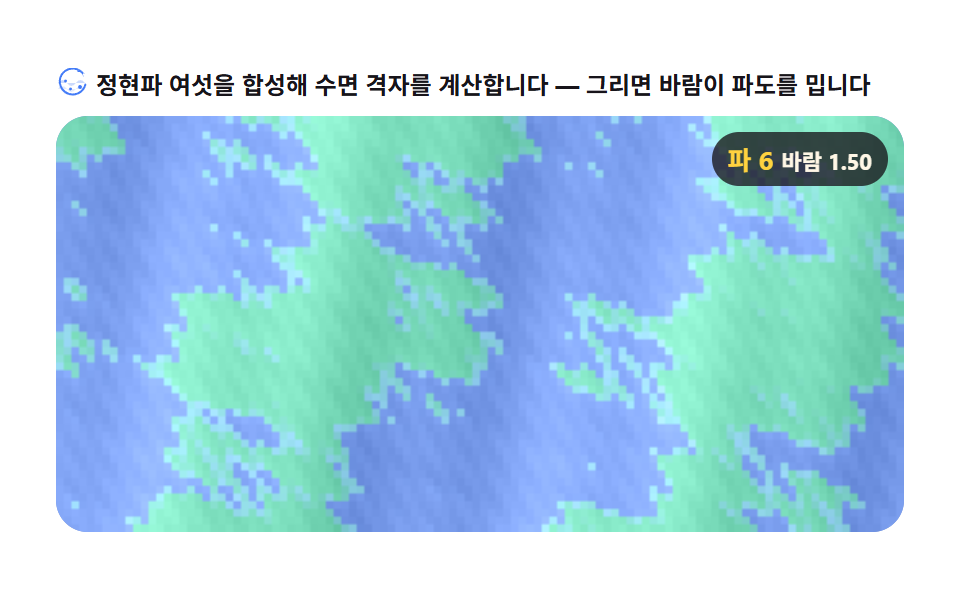 クリエイティブUIキャンバス 海 アニメーション シーン9選 — 重ねた正弦波で波の場を計算する
 クリエイティブUIオーディオビジュアライザー 作り方 9選 — 棒からマイクまで
 クリエイティブUIcss 背景 パターン ジェネレーター 自作9種
 クリエイティブUIリサージュ曲線 作り方9選 — 波の干渉で描くキャンバス
 クリエイティブUI3D 地球儀サイト演出9選 — Three.jsなしのcanvas計算
 クリエイティブUI物理エンジン 作り方 9選 — Verletロープからラグドールまで
 クリエイティブUIテキスト アニメーション css 9選 — 文字をキャンバスのピクセルから作り直す
 クリエイティブUIチューリングパターン シミュレーション9選 — ライブラリなし、2物質の反応グリッドだけで
 クリエイティブUIレイマーチング9選 — WebGLなし、キャンバスのピクセル計算で描く3Dシーン
 クリエイティブUIキャンバス メタボール アニメーション9種 — マーチングスクエアで融合する液体の塊