レイマーチング9選 — WebGLなし、キャンバスのピクセル計算で描く3Dシーン
レイマーチングとは、画面のピクセルごとに視線を1本ずつ前へ進め、数式で定義した距離関数に初めて触れる点の色を決める3Dレンダリングの手法です。WebGLなし、キャンバスのピクセル計算だけで、球からフラクタル、雲まで9つの場面をこのページで動かしています。
 01 rm-sphere-soft-shadow
 02 rm-box-round-room
 03 rm-torus-glow-ring
 04 rm-fractal-mandelbulb
 05 rm-menger-sponge-city
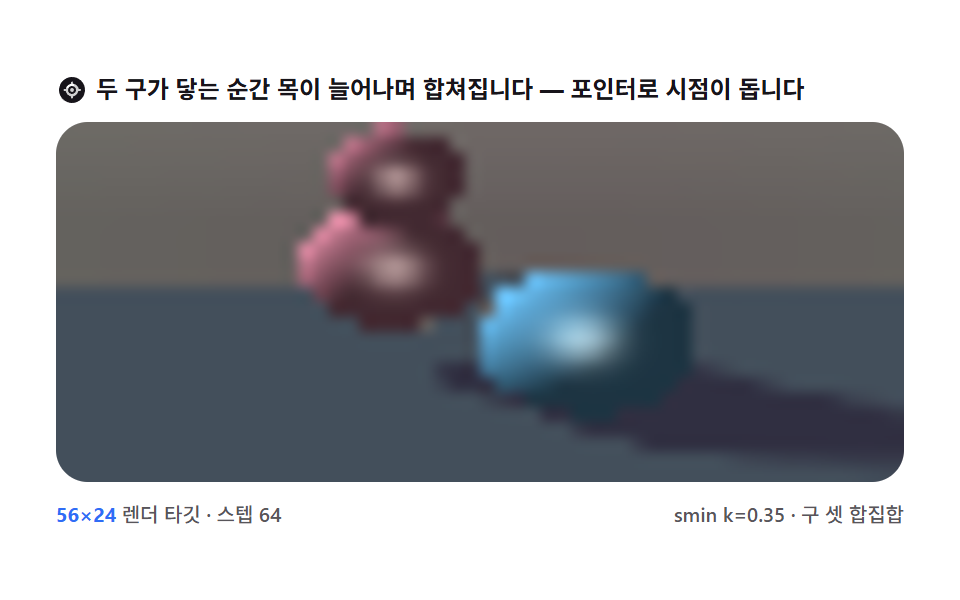 06 rm-blend-metaball-merge
 07 rm-gyroid-lattice-shell
 08 rm-fbm-cloud-volume
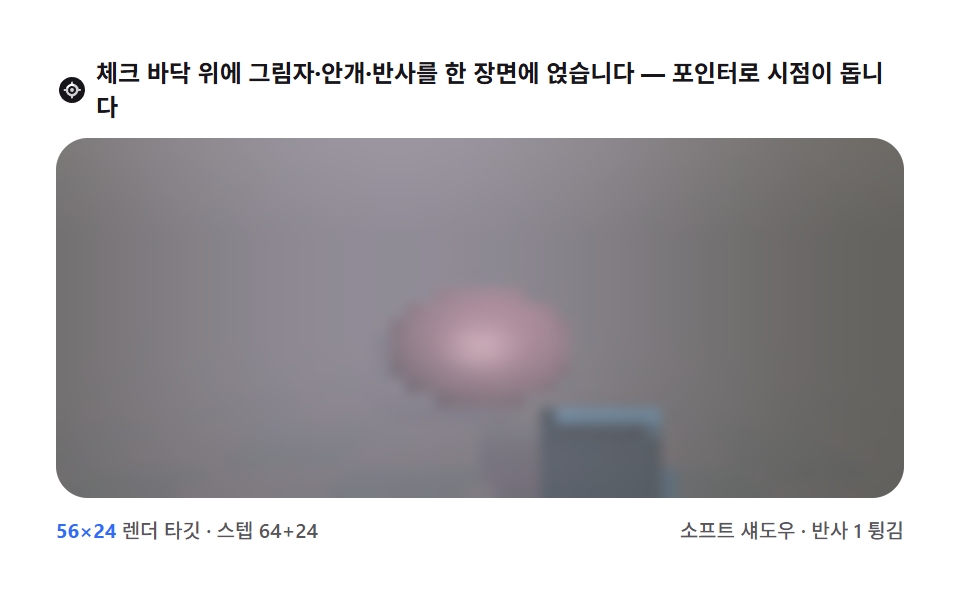 09 rm-chess-relief-reflect
自動再生 · タイルを押すとその項目へ · すべて1つのzip
- 01 球ひとつ — 最小マーチャーが作る最初の3D
- 02 角丸箱の部屋 — 内側から見る交差シーン
- 03 トーラスリング — ドーナツの距離式と縁の光
- 04 マンデルバルブ — 距離推定が開くフラクタル
- 05 メンガーのスポンジ都市 — 規則的な穴の再帰
- 06 メタボール融合 — 滑らかな和集合
- 07 ジャイロイド殻 — 三角関数で書く無限構造
- 08 雲の体積 — 面ではなく積もる霧
- 09 チェッカーボード — 影・霧・反射をひとつのシーンに
なぜこの順番か
並びは見栄えの順ではありません。距離関数が複雑になっていく順です。まず球1つの距離式で前進の規則そのものを覚え(01)、同じ規則を部屋の内側とドーナツに適用します(02・03)。次は距離を正確に知っているのではなく推定する段階で、マンデルバルブとメンガーのスポンジがフラクタルの近似距離へ進みます(04・05)。06からは距離同士を混ぜる方法(06)、三角関数で書く無限構造(07)、表面を捨てて密度を積む方法(08)へと場面の定義自体が広がり、最後に影・霧・反射をひとつの舞台に載せて部品を完成品にまとめます(09)。9枚すべてで、全23回のフレーム遷移に動きがありました(実測)。ピクセルを直接焼く隣人としては、fbmノイズのキャンバス地形と反応拡散で模様を育てる盤が同じ系譜です。
項目コード
01球ひとつ — 最小マーチャーが作る最初の3D
ヒーロー背景に置かれる照らされた球体や、3D紹介画面の最初の場面に使う、床へ柔らかい影が落ちる最小のマーチャーです。
<main class="stage">
<div class="sm is-demo" id="smRoot">
  <p class="sm__hint">
    <svg class="sm__ico" viewBox="0 0 256 256" aria-hidden="true"><g fill="currentColor"><path d="M128 24a16 16 0 0 1 16 16v8a80.06 80.06 0 0 1 63.94 63.94h8a16 16 0 0 1 0 32h-8A80.06 80.06 0 0 1 144 207.94v8a16 16 0 0 1-32 0v-8A80.06 80.06 0 0 1 48.06 144h-8a16 16 0 0 1 0-32h8A80.06 80.06 0 0 1 112 48.06v-8A16 16 0 0 1 128 24m-16 57.35V96a16 16 0 0 0 32 0V81.35A48.09 48.09 0 0 0 81.35 112H96a16 16 0 0 0 0-32h14.65M174.65 144H160a16 16 0 0 0 0 32h14.65A48.09 48.09 0 0 0 144 174.65V160a16 16 0 0 0-32 0v14.65A48.09 48.09 0 0 0 81.35 144" opacity=".2"/><path d="M232 128a104 104 0 1 1-104-104a104 104 0 0 1 104 104m-32 0a8 8 0 0 0-8-8h-9.34A56.1 56.1 0 0 0 136 77.34V68a8 8 0 0 0-16 0v9.34A56.1 56.1 0 0 0 77.34 120H68a8 8 0 0 0 0 16h9.34A56.1 56.1 0 0 0 120 179.66V188a8 8 0 0 0 16 0v-8.34A56.1 56.1 0 0 0 178.66 136H192a8 8 0 0 0 8-8m-40 0a32 32 0 1 1-32-32a32 32 0 0 1 32 32m-16 0a16 16 0 1 0-16 16a16 16 0 0 0 16-16"/></g></svg>
    <span>各ピクセルのレイが距離場を歩いて球まで進みます — ポインターで視点が回ります</span>
  </p>
  <div class="sm__field" id="smField" role="application" aria-label="球レイマーチング実験盤" tabindex="0">
    <canvas class="sm__cv" id="smCv"></canvas>
  </div>
  <div class="sm__bar">
    <span class="sm__meta"><b class="sm__val" id="smRes">64×27</b> レンダーターゲット・64ステップ</span>
    <span class="sm__meta sm__meta--dim">影レイ・ランバート照明</span>
  </div>
</div>
</main>
@use "../../../../site/static/demo-tokens" as *;
// 구 하나 — 최소 레이 마처(01). CSS 애니메이션·@keyframes 를 아예 두지 않는다 —
// 움직임은 전부 캔버스 rAF 루프가 만들므로 렌더러가 실시간 24장을 찍는다.
// 무대는 크림/페이퍼 쪽 밝은 톤(파스텔 라인). 그림자는 라일락 진한 톤, 하이라이트는 크림.
$duration: $dur-loop;
$easing: $ease-spring;
$color: $subject-lilac;
@include stage($stage-paper);
.sm {
// 렌더러가 읽는 색 — JS 는 getComputedStyle 로 --rm-* 를 받아 쓴다
--rm-sphere: #{$subject-lilac}; // 구 본체 — 라일락 파스텔
--rm-hilite: #{$subject-cream}; // 하이라이트·하늘 밝은 끝 — 크림
--rm-floor: #{mix($subject-sky, $stage-paper, 46%)}; // 바닥 — 옅은 하늘색
--rm-shade: #{mix($subject-lilac, $subject-ink, 52%)}; // 그림자 — 라일락 진한 톤
--rm-sky: #{mix($subject-cream, $stage-paper, 62%)}; // 하늘 — 크림에 가까운 페이퍼
display: flex; flex-direction: column; gap: $sp-2;
width: 100%; max-width: 424px;
}
.sm__hint {
display: flex; align-items: center; gap: $sp-1; margin: 0;
font-weight: 700; font-size: clamp(10px, 2.8vw, 12px); line-height: 1.35;
color: $subject-ink;
}
.sm__ico { width: 16px; height: 16px; flex: 0 0 auto; color: $subject-ink; }
.sm__field {
position: relative; height: 180px;
border-radius: $r-card; overflow: hidden;
background: $stage-paper;
box-shadow: inset 0 0 0 1px rgba($subject-ink, .16);
cursor: crosshair; touch-action: none;
}
.sm__field:focus-visible { outline: 2px solid $subject-blue; outline-offset: 2px; }
.sm__cv { display: block; width: 100%; height: 100%; image-rendering: auto; }
.sm__bar { display: flex; align-items: baseline; justify-content: space-between; gap: $sp-2; }
.sm__meta { font-size: 10px; font-weight: 500; color: rgba($subject-ink, .72); }
.sm__val { color: $subject-blue; font-weight: 700; }
.sm__meta--dim { font-size: 10px; }
@media (max-width: 340px) {
.sm { gap: $sp-1; }
.sm__field { height: 100px; }
.sm__meta--dim { display: none; }
}
// reduce — rAF 를 돌리지 않고 한 장만 남는다. 커서 신호만 거둔다.
@media (prefers-reduced-motion: reduce) {
.sm.is-still .sm__field { cursor: default !important; }
}html, body {
margin: 0;
overflow: hidden;
}
.stage {
box-sizing: border-box;
min-height: 100vh;
display: grid;
place-items: center;
margin: 0;
background: #ffffff;
font-family: -apple-system, "Segoe UI", "Noto Sans KR", sans-serif;
padding: clamp(8px, 4vw, 24px);
}
.sm {
--rm-sphere: #b9a0ff;
--rm-hilite: #fff7e6;
--rm-floor: rgb(73.8431372549%, 90.0784313725%, 100%);
--rm-shade: rgb(42.0549019608%, 36.3921568627%, 56.8941176471%);
--rm-sky: rgb(100%, 98.0549019608%, 93.9215686275%);
display: flex;
flex-direction: column;
gap: 8px;
width: 100%;
max-width: 424px;
}
.sm__hint {
display: flex;
align-items: center;
gap: 4px;
margin: 0;
font-weight: 700;
font-size: clamp(10px, 2.8vw, 12px);
line-height: 1.35;
color: #17141a;
}
.sm__ico {
width: 16px;
height: 16px;
flex: 0 0 auto;
color: #17141a;
}
.sm__field {
position: relative;
height: 180px;
border-radius: 16px;
overflow: hidden;
background: #ffffff;
box-shadow: inset 0 0 0 1px rgba(23, 20, 26, 0.16);
cursor: crosshair;
touch-action: none;
}
.sm__field:focus-visible {
outline: 2px solid #2f6df6;
outline-offset: 2px;
}
.sm__cv {
display: block;
width: 100%;
height: 100%;
image-rendering: auto;
}
.sm__bar {
display: flex;
align-items: baseline;
justify-content: space-between;
gap: 8px;
}
.sm__meta {
font-size: 10px;
font-weight: 500;
color: rgba(23, 20, 26, 0.72);
}
.sm__val {
color: #2f6df6;
font-weight: 700;
}
.sm__meta--dim {
font-size: 10px;
}
@media (max-width: 340px) {
.sm {
gap: 4px;
}
.sm__field {
height: 100px;
}
.sm__meta--dim {
display: none;
}
}
@media (prefers-reduced-motion: reduce) {
.sm.is-still .sm__field {
cursor: default !important;
}
}// 구 하나 — 최소 레이 마처(01). 이 march 루프가 아홉 항목의 원형이다.
// 화면 픽셀마다 눈에서 레이를 쏘고, 구의 부호 거리 함수(sdSphere) 가 알려주는
// "그 방향으로 그만큼은 절대 안 부딪힌다" 만큼씩 전진한다. 닿으면 법선으로 조명을 계산.
// WebGL 없이 ImageData 픽셀 계산만으로 3D 가 나온다.
(function () {
// ── 변형 상수 블록 — 아래 값 하나만 바꿔 변형 3종을 만든다 ──
var RT_W = 64; // レンダーターゲット 폭(버퍼 픽셀). 구 씬은 가벼워 64px 도 60fps 가 나온다
var STEPS = 64; // 최대 전진 스텝 수 — 변형 "스텝 수" 축(48 → 96)
var HIT_EPS = 0.005; // 표면 도달 판정 거리(월드 단위)
var LOOP_MS = 2000; // 미리보기 가상 포인터 주기
// ────────────────────────────────────────────────────
var root = document.getElementById('smRoot');
var field = document.getElementById('smField');
var cv = document.getElementById('smCv');
var ctx = cv.getContext('2d');
var resOut = document.getElementById('smRes');
// 색은 CSS 커스텀 프로퍼티(--rm-*)에서 getComputedStyle 로 읽는다 — 파스텔 토큰이 scss 한 곳에
var css = getComputedStyle(root);
function tokRGB(name) {
var s = css.getPropertyValue(name).trim();
if (s.charAt(0) === '#') {
var hx = s.length === 4
? s.charAt(1) + s.charAt(1) + s.charAt(2) + s.charAt(2) + s.charAt(3) + s.charAt(3)
: s.slice(1);
return [parseInt(hx.slice(0, 2), 16), parseInt(hx.slice(2, 4), 16), parseInt(hx.slice(4, 6), 16)];
}
var p = s.replace(/[^\d,.]/g, '').split(',');
return [Number(p[0]) || 0, Number(p[1]) || 0, Number(p[2]) || 0];
}
var C_SPHERE = tokRGB('--rm-sphere');
var C_HILITE = tokRGB('--rm-hilite');
var C_FLOOR = tokRGB('--rm-floor');
var C_SHADE = tokRGB('--rm-shade');
var C_SKY = tokRGB('--rm-sky');
var TAU = Math.PI * 2;
var reduce = window.matchMedia('(prefers-reduced-motion: reduce)').matches;
var W = 0, H = 0;
var buf, bctx, img; // 저해상 レンダーターゲット 버퍼(캔버스와 별개)
var heading = 0.55; // 편요(라디안) — 포인터 좌우
var pitch = 0.27; // 상하각(라디안) — 포인터 상하
var px01 = 0.5, py01 = 0.5;
var manual = false;
var raf = 0, t0 = -1;
// 구 하나의 부호 거리 — p 에서 구 표면까지, 안이면 음수
// 중심 (0,1,0) · 반지름 1
function sdSphere(px, py, pz) {
var dx = px, dy = py - 1.0, dz = pz;
return Math.sqrt(dx * dx + dy * dy + dz * dz) - 1.0;
}
// 바닥 평면 y=0 의 거리
function sdFloor(py) { return py; }
// 장면 거리 = 두 물체 거리의 최소(합집합)
function map(px, py, pz) {
var dS = sdSphere(px, py, pz);
var dF = sdFloor(py);
return dS < dF ? dS : dF;
}
// 거리장의 기울기(전방 차분) = 표면 법선
function normalAt(px, py, pz) {
var e = 0.001;
var nx = map(px + e, py, pz) - map(px - e, py, pz);
var ny = map(px, py + e, pz) - map(px, py - e, pz);
var nz = map(px, py, pz + e) - map(px, py, pz - e);
var l = Math.sqrt(nx * nx + ny * ny + nz * nz) || 1;
return [nx / l, ny / l, nz / l];
}
// 부드러운 그림자 — 바닥 점에서 광원 방향으로 다시 마칭한다.
// 경로가 구 안을 지나면 0, 스치듯 가까우면 클램프 완화로 반그림자가 된다
function softShadow(px, py, pz) {
var lx = -0.5, ly = 0.78, lz = 0.38; // 광원 방향(정규화 상수) — 왼쪽 위
var t = 0.02, res = 1.0;
for (var i = 0; i < 24; i++) {
var d = sdSphere(px + lx * t, py + ly * t, pz + lz * t);
if (d < -0.001) return 0.0;
res = Math.min(res, 10.0 * d / t); // 가장자리가 어금니 곡선처럼 부드럽게 — 계수 10 이 완화 폭
if (res < 0.005 || t > 7.0) break;
t += Math.max(d, 0.02);
}
return res < 0 ? 0 : (res > 1 ? 1 : res);
}
function mix3(c1, c2, t) {
return [c1[0] + (c2[0] - c1[0]) * t, c1[1] + (c2[1] - c1[1]) * t, c1[2] + (c2[2] - c1[2]) * t];
}
function clamp255(v) { return v > 255 ? 255 : (v < 0 ? 0 : v); }
function draw(tSec) {
if (!img) return;
var data = img.data;
var bw = buf.width, bh = buf.height;
// 카메라 — 구 중심(0,1,0) 을 도는 궤도. heading/pitch 를 눈 위치로
var ch = Math.cos(heading), sh = Math.sin(heading);
var cp = Math.cos(pitch), sp = Math.sin(pitch);
var D = 4.2; // 눈-구 거리
var ex = sh * cp * D, ey = 1.0 + sp * D, ez = ch * cp * D;
// 전방(눈→구 중심) · 오른쪽 · 위 — 오른손 기저
var fx = -sh * cp, fy = -sp, fz = -ch * cp;
var rx = -fz, rz = fx; // right = normalize(f × worldUp)
var rl = Math.sqrt(rx * rx + rz * rz) || 1;
rx /= rl; rz /= rl;
var ux = -rz * fy, uy = rz * fx - rx * fz, uz = rx * fy; // up = right × forward
var lx = -0.5, ly = 0.78, lz = 0.38; // 광원 방향
var i = 0;
for (var y = 0; y < bh; y++) {
var vy = (1 - 2 * (y + 0.5) / bh) * 0.5; // -0.5..+0.5 (화면 위가 +)
for (var x = 0; x < bw; x++) {
var vx = (2 * (x + 0.5) / bw - 1) * 0.8; // -0.8..+0.8
// 레이 방향 = 전방 + 화면 오프셋, 정규화
var dx = fx + rx * vx + ux * vy;
var dy = fy + uy * vy;
var dz = fz + rz * vx + uz * vy;
var dl = Math.sqrt(dx * dx + dy * dy + dz * dz);
dx /= dl; dy /= dl; dz /= dl;
// ── march 루프 — 아홉 항목의 원형. 거리만큼 안전하게 전진 ──
var t = 0.0, hit = 0, px = ex, py = ey, pz = ez;
for (var s = 0; s < STEPS; s++) {
var d = map(px, py, pz);
if (d < HIT_EPS) { hit = 1; break; } // 표면 도달
if (t > 12.0) break; // 멀어지면 하늘로 놓아준다
t += d;
px = ex + dx * t; py = ey + dy * t; pz = ez + dz * t;
}
var r, g, b;
if (hit) {
var isFloor = py < 0.5; // 낮게 맞았으면 바닥
var n = normalAt(px, py, pz);
var lam = Math.max(0, n[0] * lx + n[1] * ly + n[2] * lz);
if (isFloor) {
// 바닥 — 그림자 레이로 접시 모양 부드러운 음영
var shd = softShadow(px, py, pz);
var lit = (0.4 + 0.6 * lam) * (0.25 + 0.75 * shd);
r = C_FLOOR[0] * lit + C_SHADE[0] * (1 - lit);
g = C_FLOOR[1] * lit + C_SHADE[1] * (1 - lit);
b = C_FLOOR[2] * lit + C_SHADE[2] * (1 - lit);
} else {
// 구 — 램버트 + 시선-법선 각 하이라이트 근사(가장자리가 살짝 어둡다)
var dif = 0.26 + 0.74 * lam;
var rim = Math.max(0, n[0] * -dx + n[1] * -dy + n[2] * -dz);
var spec = Math.pow(rim, 16) * 0.45;
r = C_SPHERE[0] * dif + C_HILITE[0] * spec;
g = C_SPHERE[1] * dif + C_HILITE[1] * spec;
b = C_SPHERE[2] * dif + C_HILITE[2] * spec;
}
} else {
// 하늘 — 위로 갈수록 살짝 밝아지는 크림
var sky = dy > 0 ? dy : 0;
r = C_SKY[0] + (C_HILITE[0] - C_SKY[0]) * sky * 0.3;
g = C_SKY[1] + (C_HILITE[1] - C_SKY[1]) * sky * 0.3;
b = C_SKY[2] + (C_HILITE[2] - C_SKY[2]) * sky * 0.3;
}
data[i] = clamp255(r);
data[i + 1] = clamp255(g);
data[i + 2] = clamp255(b);
data[i + 3] = 255;
i += 4;
}
}
bctx.putImageData(img, 0, 0);
// 저해상 버퍼를 캔버스 CSS 크기로 부드럽게 확대 — dpr 을 곱하지 않는다(버퍼가 저해상)
ctx.imageSmoothingEnabled = true;
ctx.imageSmoothingQuality = 'high';
ctx.clearRect(0, 0, W, H);
ctx.drawImage(buf, 0, 0, W, H);
}
function fit() {
var r = field.getBoundingClientRect();
W = r.width; H = r.height;
cv.width = Math.round(W); cv.height = Math.round(H);
var bh = Math.max(12, Math.round(RT_W * H / W));
buf = document.createElement('canvas');
buf.width = RT_W; buf.height = bh;
bctx = buf.getContext('2d');
img = bctx.createImageData(RT_W, bh);
resOut.textContent = RT_W + '×' + bh;
}
function aim() {
// 포인터/키 입력 → 목표 각도. heading ±0.95 · pitch 0.13..0.47
return [(px01 - 0.5) * 1.9, 0.3 + (py01 - 0.5) * 0.34];
}
function frame(now) {
if (t0 < 0) t0 = now;
var t = (now - t0) / 1000;
if (!manual) {
// 미리보기 가상 포인터 — 시드 고정 Lissajous(표 밖 자연 경로)
var ph = ((now - t0) % LOOP_MS) / LOOP_MS * TAU;
px01 = 0.5 + 0.4 * Math.sin(ph);
py01 = 0.5 + 0.34 * Math.sin(2 * ph + 0.7);
}
var a = aim();
heading += (a[0] - heading) * 0.1;
pitch += (a[1] - pitch) * 0.1;
draw(t);
raf = requestAnimationFrame(frame);
}
field.addEventListener('pointermove', function (e) {
var r = field.getBoundingClientRect();
px01 = Math.min(1, Math.max(0, (e.clientX - r.left) / r.width));
py01 = Math.min(1, Math.max(0, (e.clientY - r.top) / r.height));
if (!manual) { manual = true; root.classList.remove('is-demo'); }
if (reduce) { var a1 = aim(); heading = a1[0]; pitch = a1[1]; draw(0.6); }
});
field.addEventListener('pointerleave', function () {
if (manual) { px01 = 0.5; py01 = 0.5; }
});
field.addEventListener('keydown', function (e) {
var d = { ArrowLeft: [-0.07, 0], ArrowRight: [0.07, 0], ArrowUp: [0, -0.06], ArrowDown: [0, 0.06] }[e.key];
if (!d) return;
e.preventDefault();
if (!manual) { manual = true; root.classList.remove('is-demo'); }
px01 = Math.max(0, Math.min(1, px01 + d[0]));
py01 = Math.max(0, Math.min(1, py01 + d[1]));
if (reduce) { var a2 = aim(); heading = a2[0]; pitch = a2[1]; draw(0.6); }
});
window.addEventListener('resize', function () { fit(); if (reduce) draw(0.6); });
fit();
if (reduce) {
// reduce — rAF 를 돌리지 않고 그림자가 읽히는 각도의 한 장만 그린다
heading = 0.55; pitch = 0.3;
draw(0.6);
root.classList.add('is-still');
} else {
raf = requestAnimationFrame(frame);
}
})();// SphereSoftShadow — vanilla 판(run/312/demo/01-rm-sphere-soft-shadow/index.html) 의 React 포트.
// 화면 픽셀마다 눈에서 레이를 쏘고, 구의 부호 거리 함수(sdSphere) 가 알려주는
// "그 방향으로 그만큼은 절대 안 부딪힌다" 만큼씩 전진한다. 닿으면 법선으로 조명을 계산.
// WebGL 없이 ImageData 픽셀 계산만으로 3D 가 나온다. 미리보기는 시드 고정 Lissajous 자동 재생.
import { useEffect, useRef, useState } from "react";
import type { CSSProperties } from "react";
import styles from "./SphereSoftShadow.module.scss";
export type SphereSoftShadowProps = {
duration?: string;
easing?: string;
color?: string;
renderWidth?: number; // 렌더 타깃 폭(버퍼 픽셀) — 변형 "해상도" 축
steps?: number; // 최대 전진 스텝 수 — 변형 "스텝 수" 축
};
type Vars = CSSProperties & { "--duration"?: string; "--easing"?: string; "--color"?: string };
// useRef 는 T | null 을 돌려준다. 처음부터 값이 있고 절대 비지 않는 상자는 이렇게 좁혀 쓴다
type Box<T> = { current: T };
// React 의 이벤트 제네릭이 없는 환경이라 필요한 것만 로컬로 선언한다
type PointerEvt = { clientX: number; clientY: number };
type KeyEvt = { key: string; preventDefault(): void };
type RGB = [number, number, number];
type Size = { w: number; h: number };
const TAU = Math.PI * 2;
const FIELD_LABEL = "구 레이 마칭 실험판";
const STILL_T = 0.6; // reduce 에서 그리는 파동 시각 — 그림자가 읽히는 각도의 한 장
// 구 하나의 부호 거리 — p 에서 구 표면까지, 안이면 음수. 중심 (0,1,0) · 반지름 1
function sdSphere(px: number, py: number, pz: number): number {
const dx = px, dy = py - 1.0, dz = pz;
return Math.sqrt(dx * dx + dy * dy + dz * dz) - 1.0;
}
// 바닥 평면 y=0 의 거리
function sdFloor(py: number): number { return py; }
// 장면 거리 = 두 물체 거리의 최소(합집합)
function map(px: number, py: number, pz: number): number {
const dS = sdSphere(px, py, pz);
const dF = sdFloor(py);
return dS < dF ? dS : dF;
}
// 거리장의 기울기(전방 차분) = 표면 법선
function normalAt(px: number, py: number, pz: number): RGB {
const e = 0.001;
const nx = map(px + e, py, pz) - map(px - e, py, pz);
const ny = map(px, py + e, pz) - map(px, py - e, pz);
const nz = map(px, py, pz + e) - map(px, py, pz - e);
const l = Math.sqrt(nx * nx + ny * ny + nz * nz) || 1;
return [nx / l, ny / l, nz / l];
}
// 부드러운 그림자 — 바닥 점에서 광원 방향으로 다시 마칭한다
function softShadow(px: number, py: number, pz: number): number {
const lx = -0.5, ly = 0.78, lz = 0.38; // 광원 방향(정규화 상수) — 왼쪽 위
let t = 0.02, res = 1.0;
for (let i = 0; i < 24; i++) {
const d = sdSphere(px + lx * t, py + ly * t, pz + lz * t);
if (d < -0.001) return 0.0;
res = Math.min(res, 10.0 * d / t); // 계수 10 이 완화 폭 — 가장자리가 부드럽게
if (res < 0.005 || t > 7.0) break;
t += Math.max(d, 0.02);
}
return res < 0 ? 0 : (res > 1 ? 1 : res);
}
function clamp255(v: number): number { return v > 255 ? 255 : (v < 0 ? 0 : v); }
export default function SphereSoftShadow({
duration = "2s",
easing = "cubic-bezier(.2, .8, .2, 1)",
color = "#b9a0ff",
renderWidth = 64,
steps = 64,
}: SphereSoftShadowProps) {
const rootRef = useRef<HTMLDivElement | null>(null);
const fieldRef = useRef<HTMLDivElement | null>(null);
const cvRef = useRef<HTMLCanvasElement | null>(null);
const ctxRef = useRef<CanvasRenderingContext2D | null>(null);
const bufRef = useRef<HTMLCanvasElement | null>(null);
const bctxRef = useRef<CanvasRenderingContext2D | null>(null);
const imgRef = useRef<ImageData | null>(null);
const sizeRef = useRef({ w: 0, h: 0 }) as Box<Size>;
const colRef = useRef<{ sphere: RGB; hilite: RGB; floor: RGB; shade: RGB; sky: RGB } | null>(null);
const rtRef = useRef(renderWidth) as Box<number>; // 렌더 타깃 폭
const stepRef = useRef(steps) as Box<number>; // 최대 스텝 수
const headingRef = useRef(0.55) as Box<number>; // 편요(라디안)
const pitchRef = useRef(0.27) as Box<number>; // 상하각(라디안)
const pxRef = useRef(0.5) as Box<number>;
const pyRef = useRef(0.5) as Box<number>;
const manualRef = useRef(false) as Box<boolean>;
const rafRef = useRef(0) as Box<number>;
const t0Ref = useRef(-1) as Box<number>;
const [res, setRes] = useState("64×27");
const [still, setStill] = useState(false);
const vars: Vars = { "--duration": duration, "--easing": easing, "--color": color };
function reduced(): boolean {
return window.matchMedia("(prefers-reduced-motion: reduce)").matches;
}
// 색은 CSS 커스텀 프로퍼티(--rm-*)에서 getComputedStyle 로 읽는다 — 파스텔 토큰이 scss 한 곳에
function tokRGB(root: HTMLDivElement, name: string): RGB {
const s = getComputedStyle(root).getPropertyValue(name).trim();
if (s.charAt(0) === "#") {
const hx = s.length === 4
? s.charAt(1) + s.charAt(1) + s.charAt(2) + s.charAt(2) + s.charAt(3) + s.charAt(3)
: s.slice(1);
return [parseInt(hx.slice(0, 2), 16), parseInt(hx.slice(2, 4), 16), parseInt(hx.slice(4, 6), 16)];
}
const p = s.replace(/[^\d,.]/g, "").split(",");
return [Number(p[0]) || 0, Number(p[1]) || 0, Number(p[2]) || 0];
}
function fit(): void {
const field = fieldRef.current;
const cv = cvRef.current;
if (!field || !cv) return;
const ctx = cv.getContext("2d");
if (!ctx) return;
const size = sizeRef.current;
const r = field.getBoundingClientRect();
size.w = r.width; size.h = r.height;
// 캔버스는 dpr 을 곱하지 않는다 — 버퍼가 저해상이라 확대가 곧 표시 해상도다
cv.width = Math.round(size.w); cv.height = Math.round(size.h);
ctxRef.current = ctx;
const bh = Math.max(12, Math.round(rtRef.current * size.h / size.w));
const buf = document.createElement("canvas");
buf.width = rtRef.current; buf.height = bh;
const bctx = buf.getContext("2d");
if (!bctx) return;
bufRef.current = buf; bctxRef.current = bctx;
imgRef.current = bctx.createImageData(rtRef.current, bh);
setRes(rtRef.current + "×" + bh);
}
function draw(tSec: number): void {
const img = imgRef.current, bctx = bctxRef.current, buf = bufRef.current, ctx = ctxRef.current;
const col = colRef.current;
if (!img || !bctx || !buf || !ctx || !col) return;
const data = img.data;
const size = sizeRef.current;
const bw = buf.width, bh = buf.height;
const STEPS = stepRef.current, HIT_EPS = 0.005;
// 카메라 — 구 중심(0,1,0) 을 도는 궤도. heading/pitch 를 눈 위치로
const heading = headingRef.current, pitch = pitchRef.current;
const ch = Math.cos(heading), sh = Math.sin(heading);
const cp = Math.cos(pitch), sp = Math.sin(pitch);
const D = 4.2;
const ex = sh * cp * D, ey = 1.0 + sp * D, ez = ch * cp * D;
// 전방(눈→구 중심) · 오른쪽 · 위 — 오른손 기저
const fx = -sh * cp, fy = -sp, fz = -ch * cp;
let rx = -fz, rz = fx; // right = f × worldUp 방향
const rl = Math.sqrt(rx * rx + rz * rz) || 1;
rx /= rl; rz /= rl;
const ux = -rz * fy, uy = rz * fx - rx * fz, uz = rx * fy; // up = right × forward
const lx = -0.5, ly = 0.78, lz = 0.38; // 광원 방향
let i = 0;
for (let y = 0; y < bh; y++) {
const vy = (1 - 2 * (y + 0.5) / bh) * 0.5; // -0.5..+0.5 (화면 위가 +)
for (let x = 0; x < bw; x++) {
const vx = (2 * (x + 0.5) / bw - 1) * 0.8; // -0.8..+0.8
// 레이 방향 = 전방 + 화면 오프셋, 정규화
let dx = fx + rx * vx + ux * vy;
let dy = fy + uy * vy;
let dz = fz + rz * vx + uz * vy;
const dl = Math.sqrt(dx * dx + dy * dy + dz * dz);
dx /= dl; dy /= dl; dz /= dl;
// ── march 루프 — 아홉 항목의 원형. 거리만큼 안전하게 전진 ──
let t = 0.0, hit = 0, px = ex, py = ey, pz = ez;
for (let s = 0; s < STEPS; s++) {
const d = map(px, py, pz);
if (d < HIT_EPS) { hit = 1; break; } // 표면 도달
if (t > 12.0) break; // 멀어지면 하늘로 놓아준다
t += d;
px = ex + dx * t; py = ey + dy * t; pz = ez + dz * t;
}
let r: number, g: number, b: number;
if (hit) {
const isFloor = py < 0.5; // 낮게 맞았으면 바닥
const n = normalAt(px, py, pz);
const lam = Math.max(0, n[0] * lx + n[1] * ly + n[2] * lz);
if (isFloor) {
// 바닥 — 그림자 레이로 접시 모양 부드러운 음영
const shd = softShadow(px, py, pz);
const lit = (0.4 + 0.6 * lam) * (0.25 + 0.75 * shd);
r = col.floor[0] * lit + col.shade[0] * (1 - lit);
g = col.floor[1] * lit + col.shade[1] * (1 - lit);
b = col.floor[2] * lit + col.shade[2] * (1 - lit);
} else {
// 구 — 램버트 + 시선-법선 각 하이라이트 근사(가장자리가 살짝 어둡다)
const dif = 0.26 + 0.74 * lam;
const rim = Math.max(0, n[0] * -dx + n[1] * -dy + n[2] * -dz);
const spec = Math.pow(rim, 16) * 0.45;
r = col.sphere[0] * dif + col.hilite[0] * spec;
g = col.sphere[1] * dif + col.hilite[1] * spec;
b = col.sphere[2] * dif + col.hilite[2] * spec;
}
} else {
// 하늘 — 위로 갈수록 살짝 밝아지는 크림
const sky = dy > 0 ? dy : 0;
r = col.sky[0] + (col.hilite[0] - col.sky[0]) * sky * 0.3;
g = col.sky[1] + (col.hilite[1] - col.sky[1]) * sky * 0.3;
b = col.sky[2] + (col.hilite[2] - col.sky[2]) * sky * 0.3;
}
data[i] = clamp255(r);
data[i + 1] = clamp255(g);
data[i + 2] = clamp255(b);
data[i + 3] = 255;
i += 4;
}
}
bctx.putImageData(img, 0, 0);
// 저해상 버퍼를 캔버스 CSS 크기로 부드럽게 확대
ctx.imageSmoothingEnabled = true;
ctx.imageSmoothingQuality = "high";
ctx.clearRect(0, 0, size.w, size.h);
ctx.drawImage(buf, 0, 0, size.w, size.h);
}
function aim(): [number, number] {
return [(pxRef.current - 0.5) * 1.9, 0.3 + (pyRef.current - 0.5) * 0.34];
}
function frame(now: number): void {
if (t0Ref.current < 0) t0Ref.current = now;
const t = (now - t0Ref.current) / 1000;
if (!manualRef.current) {
// 미리보기 가상 포인터 — 시드 고정 Lissajous(표 밖 자연 경로)
const ph = (((now - t0Ref.current) % 2000) / 2000) * TAU;
pxRef.current = 0.5 + 0.4 * Math.sin(ph);
pyRef.current = 0.5 + 0.34 * Math.sin(2 * ph + 0.7);
}
const a = aim();
headingRef.current += (a[0] - headingRef.current) * 0.1;
pitchRef.current += (a[1] - pitchRef.current) * 0.1;
draw(t);
rafRef.current = requestAnimationFrame(frame);
}
function onPoint(e: PointerEvt): void {
const field = fieldRef.current;
if (!field) return;
const r = field.getBoundingClientRect();
pxRef.current = Math.min(1, Math.max(0, (e.clientX - r.left) / r.width));
pyRef.current = Math.min(1, Math.max(0, (e.clientY - r.top) / r.height));
if (!manualRef.current) manualRef.current = true;
if (reduced()) {
const a = aim();
headingRef.current = a[0]; pitchRef.current = a[1];
draw(STILL_T);
}
}
function onLeave(): void {
if (manualRef.current) { pxRef.current = 0.5; pyRef.current = 0.5; }
}
function onKeyDown(e: KeyEvt): void {
const deltas: Record<string, [number, number]> = {
ArrowLeft: [-0.07, 0], ArrowRight: [0.07, 0], ArrowUp: [0, -0.06], ArrowDown: [0, 0.06],
};
const d = deltas[e.key];
if (!d) return;
e.preventDefault();
if (!manualRef.current) manualRef.current = true;
pxRef.current = Math.max(0, Math.min(1, pxRef.current + d[0]));
pyRef.current = Math.max(0, Math.min(1, pyRef.current + d[1]));
if (reduced()) {
const a = aim();
headingRef.current = a[0]; pitchRef.current = a[1];
draw(STILL_T);
}
}
useEffect(() => {
const root = rootRef.current;
if (!root) return;
rtRef.current = renderWidth;
stepRef.current = steps;
colRef.current = {
sphere: tokRGB(root, "--rm-sphere"),
hilite: tokRGB(root, "--rm-hilite"),
floor: tokRGB(root, "--rm-floor"),
shade: tokRGB(root, "--rm-shade"),
sky: tokRGB(root, "--rm-sky"),
};
fit();
function onResize(): void {
fit();
if (reduced()) draw(STILL_T);
}
window.addEventListener("resize", onResize);
if (reduced()) {
// reduce — rAF 를 돌리지 않고 그림자가 읽히는 각도의 한 장만 그린다
headingRef.current = 0.55; pitchRef.current = 0.3;
draw(STILL_T);
setStill(true);
} else {
rafRef.current = requestAnimationFrame(frame);
}
return () => {
window.removeEventListener("resize", onResize);
cancelAnimationFrame(rafRef.current);
};
// eslint-disable-next-line react-hooks/exhaustive-deps
}, [renderWidth, steps]);
const rootCls = still ? `${styles.root} ${styles.isStill}` : styles.root;
return (
<main className={styles.stage}>
<div className={rootCls} ref={rootRef} style={vars}>
<p className={styles.hint}>
<svg className={styles.ico} viewBox="0 0 256 256" aria-hidden="true"><g fill="currentColor"><path d="M128 24a16 16 0 0 1 16 16v8a80.06 80.06 0 0 1 63.94 63.94h8a16 16 0 0 1 0 32h-8A80.06 80.06 0 0 1 144 207.94v8a16 16 0 0 1-32 0v-8A80.06 80.06 0 0 1 48.06 144h-8a16 16 0 0 1 0-32h8A80.06 80.06 0 0 1 112 48.06v-8A16 16 0 0 1 128 24m-16 57.35V96a16 16 0 0 0 32 0V81.35A48.09 48.09 0 0 0 81.35 112H96a16 16 0 0 0 0-32h14.65M174.65 144H160a16 16 0 0 0 0 32h14.65A48.09 48.09 0 0 0 144 174.65V160a16 16 0 0 0-32 0v14.65A48.09 48.09 0 0 0 81.35 144" opacity=".2"/><path d="M232 128a104 104 0 1 1-104-104a104 104 0 0 1 104 104m-32 0a8 8 0 0 0-8-8h-9.34A56.1 56.1 0 0 0 136 77.34V68a8 8 0 0 0-16 0v9.34A56.1 56.1 0 0 0 77.34 120H68a8 8 0 0 0 0 16h9.34A56.1 56.1 0 0 0 120 179.66V188a8 8 0 0 0 16 0v-8.34A56.1 56.1 0 0 0 178.66 136H192a8 8 0 0 0 8-8m-40 0a32 32 0 1 1-32-32a32 32 0 0 1 32 32m-16 0a16 16 0 1 0-16 16a16 16 0 0 0 16-16"/></g></svg>
<span>픽셀마다 레이가 거리장을 따라 구까지 걸어갑니다 — 포인터로 시점이 돕니다</span>
</p>
<div
className={styles.field}
ref={fieldRef}
role="application"
aria-label={FIELD_LABEL}
tabIndex={0}
onPointerMove={onPoint}
onPointerLeave={onLeave}
onKeyDown={onKeyDown}
>
<canvas className={styles.cv} ref={cvRef}></canvas>
</div>
<div className={styles.bar}>
<span className={styles.meta}><b className={styles.val}>{res}</b> 렌더 타깃 · 스텝 {steps}</span>
<span className={styles.metaDim}>그림자 레이 · 램버트 조명</span>
</div>
</div>
</main>
);
}01 · 球ひとつ — 最小マーチャーが作る最初の3D — 計測 累積面積 13.794% · 動いたフレーム 23/23GODRICH オリジナル · SCSS と React は zip に同梱 · パスワードを見る
距離の分だけ安全に前進するループ
// ── march ループ — 9項目の原型。距離の分だけ安全に前進する ──
var t = 0.0, hit = 0, px = ex, py = ey, pz = ez;
for (var s = 0; s < STEPS; s++) {
  var d = map(px, py, pz);
  if (d < HIT_EPS) { hit = 1; break; }      // 表面に到達
  if (t > 12.0) break;                      // 遠くなれば空へ放す
  t += d;
  px = ex + dx * t; py = ey + dy * t; pz = ez + dz * t;
}
場面は2つの距離の最小値
// 場面の距離 = 2つの物体距離の最小値(和集合)
function map(px, py, pz) {
  var dS = sdSphere(px, py, pz);
  var dF = sdFloor(py);
  return dS < dF ? dS : dF;
}
map が返す値 d はその点から最も近い表面までの距離なので、その長さだけ前に進んでもどの物体にも触れないことが保証されます。一歩進んで測り直し、d が判定値 HIT_EPS を下回れば、そこがそのピクセルの色になります(実測: 累積面積13.794パーセント、強度平均19.1、RT_W 64px・STEPS 64)。
02角丸箱の部屋 — 内側から見る交差シーン
内装のプレビューや製品の見え方ガイドに使う、カメラが箱の中に入って壁を見る室内レンダリングです。
<main class="stage">
<div class="br is-demo" id="brRoot">
  <p class="br__hint">
    <svg class="br__ico" viewBox="0 0 256 256" aria-hidden="true"><g fill="currentColor"><path d="M228.92 49.69a8 8 0 0 0-6.86-3.69H136a8 8 0 0 0 0 16h67.89l-83.6 95.47l-45-39.06a8 8 0 0 0-11.19.77l-56 64a8 8 0 1 0 11.9 10.62l50.59-57.87l45.11 39.15a8 8 0 0 0 11-.42l96-109.63a8 8 0 0 0 1.19-8.37Z" opacity=".2"/><path d="M224 104a8 8 0 0 0-8 8v78H40V40h136a8 8 0 0 0 0-16H40a16 16 0 0 0-16 16v152a16 16 0 0 0 16 16h176a16 16 0 0 0 16-16v-80a8 8 0 0 0-8-8m-24-72a24 24 0 1 0 24 24a24 24 0 0 0-24-24m0 32a8 8 0 1 1 8-8a8 8 0 0 1-8 8"/></g></svg>
    <span>カメラは部屋の中にいます — 法線の向きで壁の色が分かれます</span>
  </p>
  <div class="br__field" id="brField" role="application" aria-label="箱部屋の内装レンダー実験盤" tabindex="0">
    <canvas class="br__cv" id="brCv"></canvas>
  </div>
  <div class="br__bar">
    <span class="br__meta"><b class="br__val" id="brRes">56×24</b> レンダーターゲット・56ステップ</span>
    <span class="br__meta br__meta--dim">角丸 r=0.5</span>
  </div>
</div>
</main>
@use "../../../../site/static/demo-tokens" as *;
// 둥근 박스 방(02) — @keyframes 를 아예 두지 않는다(움직임은 rAF 캔버스 루프).
// 무대는 밝은 페이퍼. 실내 벽은 파스텔 민트·하늘·크림 — 어두운 실내 톤 금지(파스텔 라인).
$duration: $dur-loop;
$easing: $ease-spring;
$color: $subject-mint;
@include stage($stage-paper);
.br {
--br-wallA: #{mix($subject-mint, $stage-paper, 52%)}; // 앞뒤 벽 — 민트 파스텔
--br-wallB: #{mix($subject-sky, $stage-paper, 52%)}; // 좌우 옆벽 — 하늘색
--br-floor: #{mix($subject-pink, $stage-paper, 42%)}; // 바닥 — 옅은 핑크
--br-ceil: #{mix($subject-cream, $stage-paper, 82%)}; // 천장 — 크림
--br-hilite: #{$subject-cream}; // 램프 하이라이트
--br-shade: #{mix($subject-lilac, $subject-ink, 58%)}; // 코너 음영 — 라일락 진한 톤
display: flex; flex-direction: column; gap: $sp-2;
width: 100%; max-width: 424px;
}
.br__hint {
display: flex; align-items: center; gap: $sp-1; margin: 0;
font-weight: 700; font-size: clamp(10px, 2.8vw, 12px); line-height: 1.35;
color: $subject-ink;
}
.br__ico { width: 16px; height: 16px; flex: 0 0 auto; color: $subject-ink; }
.br__field {
position: relative; height: 180px;
border-radius: $r-card; overflow: hidden;
background: $stage-paper;
box-shadow: inset 0 0 0 1px rgba($subject-ink, .16);
cursor: crosshair; touch-action: none;
}
.br__field:focus-visible { outline: 2px solid $subject-blue; outline-offset: 2px; }
.br__cv { display: block; width: 100%; height: 100%; }
.br__bar { display: flex; align-items: baseline; justify-content: space-between; gap: $sp-2; }
.br__meta { font-size: 10px; font-weight: 500; color: rgba($subject-ink, .72); }
.br__val { color: $subject-blue; font-weight: 700; }
@media (max-width: 340px) {
.br { gap: $sp-1; }
.br__field { height: 100px; }
.br__meta--dim { display: none; }
}
// reduce — rAF 없이 한 장. 커서 신호만 거둔다.
@media (prefers-reduced-motion: reduce) {
.br.is-still .br__field { cursor: default !important; }
}html, body {
margin: 0;
overflow: hidden;
}
.stage {
box-sizing: border-box;
min-height: 100vh;
display: grid;
place-items: center;
margin: 0;
background: #ffffff;
font-family: -apple-system, "Segoe UI", "Noto Sans KR", sans-serif;
padding: clamp(8px, 4vw, 24px);
}
.br {
--br-wallA: rgb(63.4980392157%, 91.231372549%, 81.8509803922%);
--br-wallB: rgb(70.431372549%, 88.7843137255%, 100%);
--br-floor: rgb(100%, 84.0235294118%, 88.8%);
--br-ceil: rgb(100%, 97.4274509804%, 91.9607843137%);
--br-hilite: #fff7e6;
--br-shade: rgb(45.8666666667%, 39.6862745098%, 62.2823529412%);
display: flex;
flex-direction: column;
gap: 8px;
width: 100%;
max-width: 424px;
}
.br__hint {
display: flex;
align-items: center;
gap: 4px;
margin: 0;
font-weight: 700;
font-size: clamp(10px, 2.8vw, 12px);
line-height: 1.35;
color: #17141a;
}
.br__ico {
width: 16px;
height: 16px;
flex: 0 0 auto;
color: #17141a;
}
.br__field {
position: relative;
height: 180px;
border-radius: 16px;
overflow: hidden;
background: #ffffff;
box-shadow: inset 0 0 0 1px rgba(23, 20, 26, 0.16);
cursor: crosshair;
touch-action: none;
}
.br__field:focus-visible {
outline: 2px solid #2f6df6;
outline-offset: 2px;
}
.br__cv {
display: block;
width: 100%;
height: 100%;
}
.br__bar {
display: flex;
align-items: baseline;
justify-content: space-between;
gap: 8px;
}
.br__meta {
font-size: 10px;
font-weight: 500;
color: rgba(23, 20, 26, 0.72);
}
.br__val {
color: #2f6df6;
font-weight: 700;
}
@media (max-width: 340px) {
.br {
gap: 4px;
}
.br__field {
height: 100px;
}
.br__meta--dim {
display: none;
}
}
@media (prefers-reduced-motion: reduce) {
.br.is-still .br__field {
cursor: default !important;
}
}// 둥근 박스 방(02) — 박스 SDF 에 모서리 둥글기를 더하고, 카메라를 박스 **안쪽**에 둔다.
// 물체를 바라보던 marcher 를 뒤집으면 실내 렌더가 된다: 안쪽에서는 -map() 을 전진하고
// (경계를 향해), 닿은 벽의 법선으로 네 벽의 색을 나눈다. 법선이 카메라를 향하는 축이 곧 벽의 방향.
(function () {
// ── 변형 상수 블록 — 아래 값 하나만 바꿔 변형 3종을 만든다 ──
var RT_W = 56; // レンダーターゲット 폭 — 내부 씬은 면이 커 스텝당 이동이 길어 가볍다
var STEPS = 56; // 최대 전진 스텝 수
var HIT_EPS = 0.01; // 벽 도달 판정 거리(월드 단위)
var ROUND = 0.5; // 모서리 둥글기(sdRoundBox 의 r)
var LOOP_MS = 2000; // 미리보기 가상 포인터 주기
// ────────────────────────────────────────────────────
var root = document.getElementById('brRoot');
var field = document.getElementById('brField');
var cv = document.getElementById('brCv');
var ctx = cv.getContext('2d');
var resOut = document.getElementById('brRes');
var css = getComputedStyle(root);
function tokRGB(name) {
var s = css.getPropertyValue(name).trim();
if (s.charAt(0) === '#') {
var hx = s.length === 4
? s.charAt(1) + s.charAt(1) + s.charAt(2) + s.charAt(2) + s.charAt(3) + s.charAt(3)
: s.slice(1);
return [parseInt(hx.slice(0, 2), 16), parseInt(hx.slice(2, 4), 16), parseInt(hx.slice(4, 6), 16)];
}
var p = s.replace(/[^\d,.]/g, '').split(',');
return [Number(p[0]) || 0, Number(p[1]) || 0, Number(p[2]) || 0];
}
var C_WALL_A = tokRGB('--br-wallA'); // 앞벽(카메라 뒤쪽 축)
var C_WALL_B = tokRGB('--br-wallB'); // 옆벽
var C_FLOOR = tokRGB('--br-floor');
var C_CEIL = tokRGB('--br-ceil');
var C_HILITE = tokRGB('--br-hilite');
var C_SHADE = tokRGB('--br-shade');
var TAU = Math.PI * 2;
var reduce = window.matchMedia('(prefers-reduced-motion: reduce)').matches;
var W = 0, H = 0;
var buf, bctx, img;
var heading = 0.4; // 편요(라디안) — 방 안에서 돌아보는 각
var pitch = 0.08; // 상하각(라디안)
var px01 = 0.5, py01 = 0.5;
var manual = false;
var raf = 0, t0 = -1;
// 실내 거리 — 카메라가 박스 안에 있을 때 둥근 벽까지의 거리.
// 코어(반폭 - 둥글기)의 면까지 여유 거리가 곧 안전 이동 거리다
function distToWall(px, py, pz) {
var hx = 3.0 - ROUND, hy = 1.5 - ROUND, hz = 3.0 - ROUND; // 둥글기를 뺀 코어 반폭
var dx = hx - Math.abs(px), dy = hy - Math.abs(py), dz = hz - Math.abs(pz);
return Math.min(dx, Math.min(dy, dz));
}
// 법선(전방 차분) — 경계 함수의 기울기. 내부에서 바깥을 향한다
function normalAt(px, py, pz) {
var e = 0.002;
var nx = distToWall(px + e, py, pz) - distToWall(px - e, py, pz);
var ny = distToWall(px, py + e, pz) - distToWall(px, py - e, pz);
var nz = distToWall(px, py, pz + e) - distToWall(px, py, pz - e);
var l = Math.sqrt(nx * nx + ny * ny + nz * nz) || 1;
return [nx / l, ny / l, nz / l];
}
function clamp255(v) { return v > 255 ? 255 : (v < 0 ? 0 : v); }
function draw(tSec) {
if (!img) return;
var data = img.data;
var bw = buf.width, bh = buf.height;
// 카메라 — 방 중심 (0, 0.88, 0) 근처에서 제자리 돌기.
// 눈 높이는 코어 반높이(1.5-0.5=1.0) 안쪽이어야 첫 스텝부터 벽에 즉시 닿지 않는다
var EYE_Y = 0.88;
var ch = Math.cos(heading), sh = Math.sin(heading);
var cp = Math.cos(pitch), sp = Math.sin(pitch);
var ex = -sh * 1.1, ey = EYE_Y, ez = -ch * 1.1; // 중심에서 1.1 떨어져 선다
// 시선 전방·오른쪽·위
var fx = sh * cp, fy = sp, fz = ch * cp;
var rx = -fz, rz = fx;
var rl = Math.sqrt(rx * rx + rz * rz) || 1;
rx /= rl; rz /= rl;
var ux = -rz * fy, uy = rz * fx - rx * fz, uz = rx * fy;
// 천장 램프 — 도는 빛 위치. 원운동 반경을 크게 해 벽 밝기 변화가 측정 문턱을 넘게 한다
var lampR = 0.85;
var lampX = Math.cos(tSec * 0.9) * lampR;
var lampZ = Math.sin(tSec * 0.9) * lampR;
var lampY = 1.28;
var i = 0;
for (var y = 0; y < bh; y++) {
var vy = (1 - 2 * (y + 0.5) / bh) * 0.52;
for (var x = 0; x < bw; x++) {
var vx = (2 * (x + 0.5) / bw - 1) * 0.82;
var dx = fx + rx * vx + ux * vy;
var dy = fy + uy * vy;
var dz = fz + rz * vx + uz * vy;
var dl = Math.sqrt(dx * dx + dy * dy + dz * dz);
dx /= dl; dy /= dl; dz /= dl;
// ── march 루프(실내판) — 경계까지의 거리만큼 안쪽에서 전진 ──
var t = 0.06, hit = 0, px = ex, py = ey, pz = ez;
for (var s = 0; s < STEPS; s++) {
px = ex + dx * t; py = ey + dy * t; pz = ez + dz * t;
var d = distToWall(px, py, pz);
if (d < HIT_EPS) { hit = 1; break; } // 벽에 도달
t += d;
if (t > 9.0) break;
}
var r, g, b;
if (hit) {
var n = normalAt(px, py, pz);
// 벽 색 나눔 — 법선의 주축이 어느 벽인지 말해준다
var ax = Math.abs(n[0]), ay = Math.abs(n[1]), az = Math.abs(n[2]);
var base;
if (ay >= ax && ay >= az) {
base = n[1] > 0 ? C_CEIL : C_FLOOR; // 위·아래
} else if (ax >= az) {
base = C_WALL_B; // 좌우 옆벽
} else {
base = C_WALL_A; // 앞뒤 벽
}
// 램프 거리 조명 — 램프에 가까운 벽이 밝다
var ldx = px - lampX, ldy = py - lampY, ldz = pz - lampZ;
var ld = Math.sqrt(ldx * ldx + ldy * ldy + ldz * ldz);
var atten = 2.6 / (0.4 + ld * ld * 0.42);
// 램프를 향하는 법선 성분(란버트 근사) — 전방 차분이라 부호는 벽 바깥쪽
var toLx = -ldx / ld, toLy = -ldy / ld, toLz = -ldz / ld;
var lam = Math.max(0, -(n[0] * toLx + n[1] * toLy + n[2] * toLz));
var lit = 0.3 + Math.min(1.05, atten * (0.35 + 0.65 * lam));
r = base[0] * lit + C_SHADE[0] * 0.14;
g = base[1] * lit + C_SHADE[1] * 0.14;
b = base[2] * lit + C_SHADE[2] * 0.14;
} else {
// 벽을 못 찾은 픽셀은 없어야 하지만, 안전하게 그림자색으로
r = C_SHADE[0]; g = C_SHADE[1]; b = C_SHADE[2];
}
data[i] = clamp255(r);
data[i + 1] = clamp255(g);
data[i + 2] = clamp255(b);
data[i + 3] = 255;
i += 4;
}
}
bctx.putImageData(img, 0, 0);
ctx.imageSmoothingEnabled = true;
ctx.imageSmoothingQuality = 'high';
ctx.clearRect(0, 0, W, H);
ctx.drawImage(buf, 0, 0, W, H);
}
function fit() {
var r = field.getBoundingClientRect();
W = r.width; H = r.height;
cv.width = Math.round(W); cv.height = Math.round(H);
var bh = Math.max(12, Math.round(RT_W * H / W));
buf = document.createElement('canvas');
buf.width = RT_W; buf.height = bh;
bctx = buf.getContext('2d');
img = bctx.createImageData(RT_W, bh);
resOut.textContent = RT_W + '×' + bh;
}
function aim() {
return [(px01 - 0.5) * 2.6, 0.08 + (py01 - 0.5) * 0.5]; // heading ±1.3 · pitch -0.17..0.33
}
function frame(now) {
if (t0 < 0) t0 = now;
var t = (now - t0) / 1000;
if (!manual) {
var ph = ((now - t0) % LOOP_MS) / LOOP_MS * TAU;
px01 = 0.5 + 0.4 * Math.sin(ph);
py01 = 0.5 + 0.34 * Math.sin(2 * ph + 0.7);
}
var a = aim();
heading += (a[0] - heading) * 0.1;
pitch += (a[1] - pitch) * 0.1;
draw(t);
raf = requestAnimationFrame(frame);
}
field.addEventListener('pointermove', function (e) {
var r = field.getBoundingClientRect();
px01 = Math.min(1, Math.max(0, (e.clientX - r.left) / r.width));
py01 = Math.min(1, Math.max(0, (e.clientY - r.top) / r.height));
if (!manual) { manual = true; root.classList.remove('is-demo'); }
if (reduce) { var a1 = aim(); heading = a1[0]; pitch = a1[1]; draw(0.6); }
});
field.addEventListener('pointerleave', function () {
if (manual) { px01 = 0.5; py01 = 0.5; }
});
field.addEventListener('keydown', function (e) {
var d = { ArrowLeft: [-0.07, 0], ArrowRight: [0.07, 0], ArrowUp: [0, -0.06], ArrowDown: [0, 0.06] }[e.key];
if (!d) return;
e.preventDefault();
if (!manual) { manual = true; root.classList.remove('is-demo'); }
px01 = Math.max(0, Math.min(1, px01 + d[0]));
py01 = Math.max(0, Math.min(1, py01 + d[1]));
if (reduce) { var a2 = aim(); heading = a2[0]; pitch = a2[1]; draw(0.6); }
});
window.addEventListener('resize', function () { fit(); if (reduce) draw(0.6); });
fit();
if (reduce) {
// reduce — 코너가 읽히는 각도의 한 장만
heading = 0.78; pitch = 0.1;
draw(0.6);
root.classList.add('is-still');
} else {
raf = requestAnimationFrame(frame);
}
})();// BoxRoundRoom — vanilla 판(run/312/demo/02-rm-box-round-room/index.html) 의 React 포트.
// 박스 SDF 에 모서리 둥글기를 더하고, 카메라를 박스 안쪽에 둔다. 안쪽에서는 경계까지의
// 거리를 전진하고, 닿은 벽의 법선으로 네 벽의 색을 나눈다. 천장 램프가 원운동하며 벽 밝기가 흐른다.
import { useEffect, useRef, useState } from "react";
import type { CSSProperties } from "react";
import styles from "./BoxRoundRoom.module.scss";
export type BoxRoundRoomProps = {
duration?: string;
easing?: string;
color?: string;
renderWidth?: number; // 렌더 타깃 폭(버퍼 픽셀)
};
type Vars = CSSProperties & { "--duration"?: string; "--easing"?: string; "--color"?: string };
type Box<T> = { current: T };
type PointerEvt = { clientX: number; clientY: number };
type KeyEvt = { key: string; preventDefault(): void };
type RGB = [number, number, number];
type Size = { w: number; h: number };
const TAU = Math.PI * 2;
const FIELD_LABEL = "박스 방 실내 렌더 실험판";
const STILL_T = 0.6;
const ROUND = 0.5; // 모서리 둥글기(sdRoundBox 의 r)
const ROOM_HX = 3.0, ROOM_HY = 1.5, ROOM_HZ = 3.0; // 방 반폭
// 실내 거리 — 카메라가 박스 안에 있을 때 둥근 벽까지의 거리.
// 코어(반폭 - 둥글기)의 면까지 여유 거리가 곧 안전 이동 거리다
function distToWall(px: number, py: number, pz: number): number {
const hx = ROOM_HX - ROUND, hy = ROOM_HY - ROUND, hz = ROOM_HZ - ROUND;
const dx = hx - Math.abs(px), dy = hy - Math.abs(py), dz = hz - Math.abs(pz);
return Math.min(dx, Math.min(dy, dz));
}
// 법선(전방 차분) — 경계 함수의 기울기. 내부에서 바깥을 향한다
function normalAt(px: number, py: number, pz: number): RGB {
const e = 0.002;
const nx = distToWall(px + e, py, pz) - distToWall(px - e, py, pz);
const ny = distToWall(px, py + e, pz) - distToWall(px, py - e, pz);
const nz = distToWall(px, py, pz + e) - distToWall(px, py, pz - e);
const l = Math.sqrt(nx * nx + ny * ny + nz * nz) || 1;
return [nx / l, ny / l, nz / l];
}
function clamp255(v: number): number { return v > 255 ? 255 : (v < 0 ? 0 : v); }
export default function BoxRoundRoom({
duration = "2s",
easing = "cubic-bezier(.2, .8, .2, 1)",
color = "#4cd4a6",
renderWidth = 56,
}: BoxRoundRoomProps) {
const rootRef = useRef<HTMLDivElement | null>(null);
const fieldRef = useRef<HTMLDivElement | null>(null);
const cvRef = useRef<HTMLCanvasElement | null>(null);
const ctxRef = useRef<CanvasRenderingContext2D | null>(null);
const bufRef = useRef<HTMLCanvasElement | null>(null);
const bctxRef = useRef<CanvasRenderingContext2D | null>(null);
const imgRef = useRef<ImageData | null>(null);
const sizeRef = useRef({ w: 0, h: 0 }) as Box<Size>;
const colRef = useRef<{ wallA: RGB; wallB: RGB; floor: RGB; ceil: RGB; shade: RGB } | null>(null);
const rtRef = useRef(renderWidth) as Box<number>;
const headingRef = useRef(0.4) as Box<number>;
const pitchRef = useRef(0.08) as Box<number>;
const pxRef = useRef(0.5) as Box<number>;
const pyRef = useRef(0.5) as Box<number>;
const manualRef = useRef(false) as Box<boolean>;
const rafRef = useRef(0) as Box<number>;
const t0Ref = useRef(-1) as Box<number>;
const [res, setRes] = useState("56×24");
const [still, setStill] = useState(false);
const vars: Vars = { "--duration": duration, "--easing": easing, "--color": color };
function reduced(): boolean {
return window.matchMedia("(prefers-reduced-motion: reduce)").matches;
}
function tokRGB(root: HTMLDivElement, name: string): RGB {
const s = getComputedStyle(root).getPropertyValue(name).trim();
if (s.charAt(0) === "#") {
const hx = s.length === 4
? s.charAt(1) + s.charAt(1) + s.charAt(2) + s.charAt(2) + s.charAt(3) + s.charAt(3)
: s.slice(1);
return [parseInt(hx.slice(0, 2), 16), parseInt(hx.slice(2, 4), 16), parseInt(hx.slice(4, 6), 16)];
}
const p = s.replace(/[^\d,.]/g, "").split(",");
return [Number(p[0]) || 0, Number(p[1]) || 0, Number(p[2]) || 0];
}
function fit(): void {
const field = fieldRef.current;
const cv = cvRef.current;
if (!field || !cv) return;
const ctx = cv.getContext("2d");
if (!ctx) return;
const size = sizeRef.current;
const r = field.getBoundingClientRect();
size.w = r.width; size.h = r.height;
cv.width = Math.round(size.w); cv.height = Math.round(size.h);
ctxRef.current = ctx;
const bh = Math.max(12, Math.round(rtRef.current * size.h / size.w));
const buf = document.createElement("canvas");
buf.width = rtRef.current; buf.height = bh;
const bctx = buf.getContext("2d");
if (!bctx) return;
bufRef.current = buf; bctxRef.current = bctx;
imgRef.current = bctx.createImageData(rtRef.current, bh);
setRes(rtRef.current + "×" + bh);
}
function draw(tSec: number): void {
const img = imgRef.current, bctx = bctxRef.current, buf = bufRef.current, ctx = ctxRef.current;
const col = colRef.current;
if (!img || !bctx || !buf || !ctx || !col) return;
const data = img.data;
const size = sizeRef.current;
const bw = buf.width, bh = buf.height;
const STEPS = 56, HIT_EPS = 0.01;
// 카메라 — 방 중심 (0, 0.88, 0) 근처에서 제자리 돌기.
// 눈 높이는 코어 반높이(1.5-0.5=1.0) 안쪽이어야 첫 스텝부터 벽에 즉시 닿지 않는다
const EYE_Y = 0.88;
const heading = headingRef.current, pitch = pitchRef.current;
const ch = Math.cos(heading), sh = Math.sin(heading);
const cp = Math.cos(pitch), sp = Math.sin(pitch);
const ex = -sh * 1.1, ey = EYE_Y, ez = -ch * 1.1;
const fx = sh * cp, fy = sp, fz = ch * cp;
let rx = -fz, rz = fx;
const rl = Math.sqrt(rx * rx + rz * rz) || 1;
rx /= rl; rz /= rl;
const ux = -rz * fy, uy = rz * fx - rx * fz, uz = rx * fy;
// 천장 램프 — 도는 빛 위치. 원운동 반경이 커야 벽 밝기 변화가 눈에 보인다
const lampR = 0.85;
const lampX = Math.cos(tSec * 0.9) * lampR;
const lampZ = Math.sin(tSec * 0.9) * lampR;
const lampY = 1.28;
let i = 0;
for (let y = 0; y < bh; y++) {
const vy = (1 - 2 * (y + 0.5) / bh) * 0.52;
for (let x = 0; x < bw; x++) {
const vx = (2 * (x + 0.5) / bw - 1) * 0.82;
let dx = fx + rx * vx + ux * vy;
let dy = fy + uy * vy;
let dz = fz + rz * vx + uz * vy;
const dl = Math.sqrt(dx * dx + dy * dy + dz * dz);
dx /= dl; dy /= dl; dz /= dl;
// ── march 루프(실내판) — 경계까지의 거리만큼 안쪽에서 전진 ──
let t = 0.06, hit = 0, px = ex, py = ey, pz = ez;
for (let s = 0; s < STEPS; s++) {
px = ex + dx * t; py = ey + dy * t; pz = ez + dz * t;
const d = distToWall(px, py, pz);
if (d < HIT_EPS) { hit = 1; break; } // 벽에 도달
t += d;
if (t > 9.0) break;
}
let r: number, g: number, b: number;
if (hit) {
const n = normalAt(px, py, pz);
// 벽 색 나눔 — 법선의 주축이 어느 벽인지 말해준다
const ax = Math.abs(n[0]), ay = Math.abs(n[1]), az = Math.abs(n[2]);
let base: RGB;
if (ay >= ax && ay >= az) {
base = n[1] > 0 ? col.ceil : col.floor; // 위·아래
} else if (ax >= az) {
base = col.wallB; // 좌우 옆벽
} else {
base = col.wallA; // 앞뒤 벽
}
// 램프 거리 조명 — 램프에 가까운 벽이 밝다
const ldx = px - lampX, ldy = py - lampY, ldz = pz - lampZ;
const ld = Math.sqrt(ldx * ldx + ldy * ldy + ldz * ldz);
const atten = 2.6 / (0.4 + ld * ld * 0.42);
const toLx = -ldx / ld, toLy = -ldy / ld, toLz = -ldz / ld;
const lam = Math.max(0, -(n[0] * toLx + n[1] * toLy + n[2] * toLz));
const lit = 0.3 + Math.min(1.05, atten * (0.35 + 0.65 * lam));
r = base[0] * lit + col.shade[0] * 0.14;
g = base[1] * lit + col.shade[1] * 0.14;
b = base[2] * lit + col.shade[2] * 0.14;
} else {
r = col.shade[0]; g = col.shade[1]; b = col.shade[2];
}
data[i] = clamp255(r);
data[i + 1] = clamp255(g);
data[i + 2] = clamp255(b);
data[i + 3] = 255;
i += 4;
}
}
bctx.putImageData(img, 0, 0);
ctx.imageSmoothingEnabled = true;
ctx.imageSmoothingQuality = "high";
ctx.clearRect(0, 0, size.w, size.h);
ctx.drawImage(buf, 0, 0, size.w, size.h);
}
function aim(): [number, number] {
return [(pxRef.current - 0.5) * 2.6, 0.08 + (pyRef.current - 0.5) * 0.5];
}
function frame(now: number): void {
if (t0Ref.current < 0) t0Ref.current = now;
const t = (now - t0Ref.current) / 1000;
if (!manualRef.current) {
const ph = (((now - t0Ref.current) % 2000) / 2000) * TAU;
pxRef.current = 0.5 + 0.4 * Math.sin(ph);
pyRef.current = 0.5 + 0.34 * Math.sin(2 * ph + 0.7);
}
const a = aim();
headingRef.current += (a[0] - headingRef.current) * 0.1;
pitchRef.current += (a[1] - pitchRef.current) * 0.1;
draw(t);
rafRef.current = requestAnimationFrame(frame);
}
function onPoint(e: PointerEvt): void {
const field = fieldRef.current;
if (!field) return;
const r = field.getBoundingClientRect();
pxRef.current = Math.min(1, Math.max(0, (e.clientX - r.left) / r.width));
pyRef.current = Math.min(1, Math.max(0, (e.clientY - r.top) / r.height));
if (!manualRef.current) manualRef.current = true;
if (reduced()) {
const a = aim();
headingRef.current = a[0]; pitchRef.current = a[1];
draw(STILL_T);
}
}
function onLeave(): void {
if (manualRef.current) { pxRef.current = 0.5; pyRef.current = 0.5; }
}
function onKeyDown(e: KeyEvt): void {
const deltas: Record<string, [number, number]> = {
ArrowLeft: [-0.07, 0], ArrowRight: [0.07, 0], ArrowUp: [0, -0.06], ArrowDown: [0, 0.06],
};
const d = deltas[e.key];
if (!d) return;
e.preventDefault();
if (!manualRef.current) manualRef.current = true;
pxRef.current = Math.max(0, Math.min(1, pxRef.current + d[0]));
pyRef.current = Math.max(0, Math.min(1, pyRef.current + d[1]));
if (reduced()) {
const a = aim();
headingRef.current = a[0]; pitchRef.current = a[1];
draw(STILL_T);
}
}
useEffect(() => {
const root = rootRef.current;
if (!root) return;
rtRef.current = renderWidth;
colRef.current = {
wallA: tokRGB(root, "--br-wallA"),
wallB: tokRGB(root, "--br-wallB"),
floor: tokRGB(root, "--br-floor"),
ceil: tokRGB(root, "--br-ceil"),
shade: tokRGB(root, "--br-shade"),
};
fit();
function onResize(): void {
fit();
if (reduced()) draw(STILL_T);
}
window.addEventListener("resize", onResize);
if (reduced()) {
// reduce — 코너가 읽히는 각도의 한 장만
headingRef.current = 0.78; pitchRef.current = 0.1;
draw(STILL_T);
setStill(true);
} else {
rafRef.current = requestAnimationFrame(frame);
}
return () => {
window.removeEventListener("resize", onResize);
cancelAnimationFrame(rafRef.current);
};
// eslint-disable-next-line react-hooks/exhaustive-deps
}, [renderWidth]);
const rootCls = still ? `${styles.root} ${styles.isStill}` : styles.root;
return (
<main className={styles.stage}>
<div className={rootCls} ref={rootRef} style={vars}>
<p className={styles.hint}>
<svg className={styles.ico} viewBox="0 0 256 256" aria-hidden="true"><g fill="currentColor"><path d="M228.92 49.69a8 8 0 0 0-6.86-3.69H136a8 8 0 0 0 0 16h67.89l-83.6 95.47l-45-39.06a8 8 0 0 0-11.19.77l-56 64a8 8 0 1 0 11.9 10.62l50.59-57.87l45.11 39.15a8 8 0 0 0 11-.42l96-109.63a8 8 0 0 0 1.19-8.37Z" opacity=".2"/><path d="M224 104a8 8 0 0 0-8 8v78H40V40h136a8 8 0 0 0 0-16H40a16 16 0 0 0-16 16v152a16 16 0 0 0 16 16h176a16 16 0 0 0 16-16v-80a8 8 0 0 0-8-8m-24-72a24 24 0 1 0 24 24a24 24 0 0 0-24-24m0 32a8 8 0 1 1 8-8a8 8 0 0 1-8 8"/></g></svg>
<span>카메라가 방 안에 들어가 있습니다 — 법선이 바라보는 방향으로 벽 색이 나뉩니다</span>
</p>
<div
className={styles.field}
ref={fieldRef}
role="application"
aria-label={FIELD_LABEL}
tabIndex={0}
onPointerMove={onPoint}
onPointerLeave={onLeave}
onKeyDown={onKeyDown}
>
<canvas className={styles.cv} ref={cvRef}></canvas>
</div>
<div className={styles.bar}>
<span className={styles.meta}><b className={styles.val}>{res}</b> 렌더 타깃 · 스텝 56</span>
<span className={styles.metaDim}>모서리 둥글기 r=0.5</span>
</div>
</div>
</main>
);
}02 · 角丸箱の部屋 — 内側から見る交差シーン — 計測 累積面積 52.589% · 動いたフレーム 23/23GODRICH オリジナル · SCSS と React は zip に同梱 · パスワードを見る
内側から外を測る交差の距離
// 室内距離 — カメラが箱の中にいるときの丸い壁までの距離。
// コア(半幅 - 丸み)の面までの余裕がそのまま安全な移動距離になる
function distToWall(px, py, pz) {
  var hx = 3.0 - ROUND, hy = 1.5 - ROUND, hz = 3.0 - ROUND;
  var dx = hx - Math.abs(px), dy = hy - Math.abs(py), dz = hz - Math.abs(pz);
  return Math.min(dx, Math.min(dy, dz));
}

// ── march ループ(室内版) — 境界までの距離の分だけ内側から前進する ──
var t = 0.06, hit = 0, px = ex, py = ey, pz = ez;
for (var s = 0; s < STEPS; s++) {
  px = ex + dx * t; py = ey + dy * t; pz = ez + dz * t;
  var d = distToWall(px, py, pz);
  if (d < HIT_EPS) { hit = 1; break; }      // 壁に到達
  t += d;
  if (t > 9.0) break;
}
大きな面は歩数が少なくて済む
外から見る物体の距離が min なのに対し、室内では3つの面までの余裕のうち最も小さい値が安全な移動距離になる点だけが違い、ループは同じ形です。天井のランプが半径0.85の円を描いて回って壁の明るさが流れ、面が大きくて1ステップの移動距離が長いため、56ステップ・56pxの予算でも累積面積52.589パーセント・強度平均37.1を記録しました(実測)。
03トーラスリング — ドーナツの距離式と縁の光
ロゴリングやローディング場面の回転ドーナツに使う、2つの半径の差だけで定義される立体です。
<main class="stage">
<div class="tg is-demo" id="tgRoot">
  <p class="tg__hint">
    <svg class="tg__ico" viewBox="0 0 256 256" aria-hidden="true"><g fill="currentColor"><path d="M128 24a104 104 0 0 0-38.6 201.3a8 8 0 0 0 11-6.9a8 8 0 0 1 5.8-6.9c1.7-.5 3.4-.9 5.1-1.4a8 8 0 0 0 5.4-10.2c-.2-.7-.5-1.5-.7-2.2a8 8 0 0 0-9.3-5.1c-1.3.3-2.7.6-4 .8a8 8 0 0 1-8.9-5.2a76.9 76.9 0 0 1-4.5-25.5c0-31.4 21.4-53.7 46.7-53.7s46.7 22.3 46.7 53.7a76.9 76.9 0 0 1-4.5 25.5a8 8 0 0 1-8.9 5.2c-1.3-.2-2.7-.5-4-.8a8 8 0 0 0-9.3 5.1c-.2.7-.5 1.5-.7 2.2a8 8 0 0 0 5.4 10.2c1.7.5 3.4.9 5.1 1.4a8 8 0 0 1 5.8 6.9a8 8 0 0 0 11 6.9A104 104 0 0 0 128 24" opacity=".2"/><path d="M176 156c0 15.5-12.4 23.7-24.4 23.7c-13.4 0-25.9-10.9-25.9-25.3s11.9-23.5 24.5-23.5c16.9 0 25.8 13.6 25.8 25.1m56-28a104 104 0 1 1-104 104a104 104 0 0 1 104-104m0 16a88 88 0 1 0 88 88a88 88 0 0 0-88-88m-56 12c0-17.2-13.5-33.1-33.4-33.1C120.9 106.9 104 124 104 146s15.5 37.7 36.9 37.7c21.4 0 35.1-19.7 35.1-37.7"/></g></svg>
    <span>ドーナツの距離式は2つの半径の差 — 縁に光が付き、カメラが周回します</span>
  </p>
  <div class="tg__field" id="tgField" role="application" aria-label="トーラスリング実験盤" tabindex="0">
    <canvas class="tg__cv" id="tgCv"></canvas>
  </div>
  <div class="tg__bar">
    <span class="tg__meta">レンダーターゲット
      <button class="tg__res" id="tgRes48" type="button" aria-pressed="false">48px</button>
      <button class="tg__res is-on" id="tgRes96" type="button" aria-pressed="true">96px</button>
    </span>
    <span class="tg__meta">72ステップ・リムライト</span>
  </div>
</div>
</main>
@use "../../../../site/static/demo-tokens" as *;
// 토러스 링(03) — @keyframes 를 아예 두지 않는다(움직임은 rAF 캔버스 루프).
// 무대는 밝은 크림 톤. 링은 라일락 파스텔 + rim 빛 핑크 — 어두운 우주 톤 금지(파스텔 라인).
$duration: $dur-loop;
$easing: $ease-spring;
$color: $subject-lilac;
@include stage($stage-paper);
.tg {
--tg-ring: #{mix($subject-lilac, $stage-paper, 72%)}; // 링 본체 — 라일락 진한 파스텔
--tg-rim: #{$subject-pink}; // 가장자리 rim 빛 — 핑크
--tg-hilite: #{$subject-cream}; // 하이라이트·스펙큘 — 크림
--tg-sky: #{mix($subject-sky, $stage-paper, 30%)}; // 하늘 — 옅은 하늘색
display: flex; flex-direction: column; gap: $sp-2;
width: 100%; max-width: 424px;
}
.tg__hint {
display: flex; align-items: center; gap: $sp-1; margin: 0;
font-weight: 700; font-size: clamp(10px, 2.8vw, 12px); line-height: 1.35;
color: $subject-ink;
}
.tg__ico { width: 16px; height: 16px; flex: 0 0 auto; color: $subject-ink; }
.tg__field {
position: relative; height: 180px;
border-radius: $r-card; overflow: hidden;
background: $stage-paper;
box-shadow: inset 0 0 0 1px rgba($subject-ink, .16);
cursor: crosshair; touch-action: none;
}
.tg__field:focus-visible { outline: 2px solid $subject-blue; outline-offset: 2px; }
.tg__cv { display: block; width: 100%; height: 100%; }
.tg__bar { display: flex; align-items: center; justify-content: space-between; gap: $sp-2; }
.tg__meta { font-size: 10px; font-weight: 500; color: rgba($subject-ink, .72); }
.tg__res {
margin: 0 0 0 $sp-1; padding: 0 $sp-2;
border: 0; border-radius: $r-pill;
font-family: inherit; font-weight: 700; font-size: 10px; line-height: 1.6;
color: $subject-ink; background: rgba($subject-ink, .08);
cursor: pointer;
}
.tg__res + .tg__res { margin-left: $sp-1; }
.tg__res.is-on { color: $subject-cream; background: $subject-blue-deep; }
.tg__res:focus-visible { outline: 2px solid $subject-blue; outline-offset: 2px; }
@media (max-width: 340px) {
.tg { gap: $sp-1; }
.tg__field { height: 100px; }
}
// reduce — rAF 없이 한 장. 커서 신호만 거둔다.
@media (prefers-reduced-motion: reduce) {
.tg.is-still .tg__field { cursor: default !important; }
}html, body {
margin: 0;
overflow: hidden;
}
.stage {
box-sizing: border-box;
min-height: 100vh;
display: grid;
place-items: center;
margin: 0;
background: #ffffff;
font-family: -apple-system, "Segoe UI", "Noto Sans KR", sans-serif;
padding: clamp(8px, 4vw, 24px);
}
.tg {
--tg-ring: rgb(80.2352941176%, 73.1764705882%, 100%);
--tg-rim: #ff9ebb;
--tg-hilite: #fff7e6;
--tg-sky: rgb(82.9411764706%, 93.5294117647%, 100%);
display: flex;
flex-direction: column;
gap: 8px;
width: 100%;
max-width: 424px;
}
.tg__hint {
display: flex;
align-items: center;
gap: 4px;
margin: 0;
font-weight: 700;
font-size: clamp(10px, 2.8vw, 12px);
line-height: 1.35;
color: #17141a;
}
.tg__ico {
width: 16px;
height: 16px;
flex: 0 0 auto;
color: #17141a;
}
.tg__field {
position: relative;
height: 180px;
border-radius: 16px;
overflow: hidden;
background: #ffffff;
box-shadow: inset 0 0 0 1px rgba(23, 20, 26, 0.16);
cursor: crosshair;
touch-action: none;
}
.tg__field:focus-visible {
outline: 2px solid #2f6df6;
outline-offset: 2px;
}
.tg__cv {
display: block;
width: 100%;
height: 100%;
}
.tg__bar {
display: flex;
align-items: center;
justify-content: space-between;
gap: 8px;
}
.tg__meta {
font-size: 10px;
font-weight: 500;
color: rgba(23, 20, 26, 0.72);
}
.tg__res {
margin: 0 0 0 4px;
padding: 0 8px;
border: 0;
border-radius: 999px;
font-family: inherit;
font-weight: 700;
font-size: 10px;
line-height: 1.6;
color: #17141a;
background: rgba(23, 20, 26, 0.08);
cursor: pointer;
}
.tg__res + .tg__res {
margin-left: 4px;
}
.tg__res.is-on {
color: #fff7e6;
background: #0a4fe8;
}
.tg__res:focus-visible {
outline: 2px solid #2f6df6;
outline-offset: 2px;
}
@media (max-width: 340px) {
.tg {
gap: 4px;
}
.tg__field {
height: 100px;
}
}
@media (prefers-reduced-motion: reduce) {
.tg.is-still .tg__field {
cursor: default !important;
}
}// 토러스 링(03) — 도넛의 부호 거리는 두 반지름(큰 R·작은 r) 의 길이 차 공식 하나다.
// 가운데 축을 도는 점까지의 거리를 재고 r 을 빼면 구멍이 뚫린 입체가 나온다.
// rim light 근사: 법선과 시선의 내적이 0 에 가까운(가장자리를 스치는) 픽셀에 빛을 얹는다.
// レンダーターゲット 48/96 전환 — 변형 "해상도" 축. 같은 장면의 계산량 차이를 눈으로 본다.
(function () {
// ── 변형 상수 블록 — 아래 값 하나만 바꿔 변형 3종을 만든다 ──
var RT_W = 48; // レンダーターゲット 폭(기본) — 컨트롤로 48/96 전환된다
var STEPS = 72; // 최대 전진 스텝 수 — 구멍 안쪽 골을 파고들 때 스텝이 더 든다
var HIT_EPS = 0.004; // 표면 도달 판정 거리(월드 단위)
var LOOP_MS = 2000; // 미리보기 가상 포인터 주기
// ────────────────────────────────────────────────────
var root = document.getElementById('tgRoot');
var field = document.getElementById('tgField');
var cv = document.getElementById('tgCv');
var ctx = cv.getContext('2d');
var res48 = document.getElementById('tgRes48');
var res96 = document.getElementById('tgRes96');
var css = getComputedStyle(root);
function tokRGB(name) {
var s = css.getPropertyValue(name).trim();
if (s.charAt(0) === '#') {
var hx = s.length === 4
? s.charAt(1) + s.charAt(1) + s.charAt(2) + s.charAt(2) + s.charAt(3) + s.charAt(3)
: s.slice(1);
return [parseInt(hx.slice(0, 2), 16), parseInt(hx.slice(2, 4), 16), parseInt(hx.slice(4, 6), 16)];
}
var p = s.replace(/[^\d,.]/g, '').split(',');
return [Number(p[0]) || 0, Number(p[1]) || 0, Number(p[2]) || 0];
}
var C_RING = tokRGB('--tg-ring');
var C_RIM = tokRGB('--tg-rim');
var C_HILITE = tokRGB('--tg-hilite');
var C_SKY = tokRGB('--tg-sky');
var TAU = Math.PI * 2;
var TOR_R = 1.05, TOR_r = 0.42; // 큰 반지름 R · 튜브 반지름 r
var reduce = window.matchMedia('(prefers-reduced-motion: reduce)').matches;
var W = 0, H = 0;
var rtW = RT_W; // 현재 レンダーターゲット 폭
var buf, bctx, img;
var heading = 0.55;
var pitch = 0.27;
var px01 = 0.5, py01 = 0.5;
var manual = false;
var raf = 0, t0 = -1;
// 도넛(토러스) 거리 — XY 평면에 눕혔다. 두 반지름의 차가 전부다
function sdTorus(px, py, pz) {
var q = Math.sqrt(px * px + pz * pz) - TOR_R; // 가운데 축까지 거리 - R
return Math.sqrt(q * q + py * py) - TOR_r; // 튜브 중심에서 r 만큼 안쪽
}
function map(px, py, pz) { return sdTorus(px, py, pz); }
// 법선(전방 차분)
function normalAt(px, py, pz) {
var e = 0.0015;
var nx = map(px + e, py, pz) - map(px - e, py, pz);
var ny = map(px, py + e, pz) - map(px, py - e, pz);
var nz = map(px, py, pz + e) - map(px, py, pz - e);
var l = Math.sqrt(nx * nx + ny * ny + nz * nz) || 1;
return [nx / l, ny / l, nz / l];
}
function clamp255(v) { return v > 255 ? 255 : (v < 0 ? 0 : v); }
function draw(tSec) {
if (!img) return;
var data = img.data;
var bw = buf.width, bh = buf.height;
// 카메라 공전 — 자동 모드에서 토러스를 돈다
var ch = Math.cos(heading), sh = Math.sin(heading);
var cp = Math.cos(pitch), sp = Math.sin(pitch);
var D = 3.6;
var ex = sh * cp * D, ey = sp * D, ez = ch * cp * D;
var fx = -sh * cp, fy = -sp, fz = -ch * cp;
var rx = -fz, rz = fx;
var rl = Math.sqrt(rx * rx + rz * rz) || 1;
rx /= rl; rz /= rl;
var ux = -rz * fy, uy = rz * fx - rx * fz, uz = rx * fy;
// 광원 방향 — 위·왼쪽 앞
var lx = -0.44, ly = 0.72, lz = 0.54;
// rim 빛 방향 — 뒤·오른쪽 위(가장자리를 스치는 빛)
var rbx = 0.6, rby = 0.28, rbz = -0.75;
var i = 0;
for (var y = 0; y < bh; y++) {
var vy = (1 - 2 * (y + 0.5) / bh) * 0.5;
for (var x = 0; x < bw; x++) {
var vx = (2 * (x + 0.5) / bw - 1) * 0.8;
var dx = fx + rx * vx + ux * vy;
var dy = fy + uy * vy;
var dz = fz + rz * vx + uz * vy;
var dl = Math.sqrt(dx * dx + dy * dy + dz * dz);
dx /= dl; dy /= dl; dz /= dl;
// ── march 루프 — 토러스 표면까지 전진 ──
var t = 0.0, hit = 0, px = ex, py = ey, pz = ez;
for (var s = 0; s < STEPS; s++) {
var d = map(px, py, pz);
if (d < HIT_EPS) { hit = 1; break; }
if (t > 9.0) break;
t += d;
px = ex + dx * t; py = ey + dy * t; pz = ez + dz * t;
}
var r, g, b;
if (hit) {
var n = normalAt(px, py, pz);
var lam = Math.max(0, n[0] * lx + n[1] * ly + n[2] * lz);
// rim — 법선이 시선과 수직에 가까울수록(가장자리) 1 에 가까워진다
var facing = Math.max(0, n[0] * -dx + n[1] * -dy + n[2] * -dz);
var rimK = Math.pow(1 - facing, 2.2);
var rimLit = Math.max(0, n[0] * rbx + n[1] * rby + n[2] * rbz);
var rim = rimK * (0.35 + 0.65 * rimLit);
// 시간 위상 — 링 표면을 도는 옅은 광점(살아 있음 한 겹)
var ang = Math.atan2(pz, px) - tSec * 1.1;
var sweep = 0.5 + 0.5 * Math.cos(ang * 2);
var dif = 0.3 + 0.62 * lam + 0.08 * sweep;
r = C_RING[0] * dif + C_RIM[0] * rim * 0.85 + C_HILITE[0] * Math.pow(lam, 9) * 0.28;
g = C_RING[1] * dif + C_RIM[1] * rim * 0.85 + C_HILITE[1] * Math.pow(lam, 9) * 0.28;
b = C_RING[2] * dif + C_RIM[2] * rim * 0.85 + C_HILITE[2] * Math.pow(lam, 9) * 0.28;
} else {
var sky = dy > 0 ? dy : 0;
r = C_SKY[0] + (C_HILITE[0] - C_SKY[0]) * sky * 0.3;
g = C_SKY[1] + (C_HILITE[1] - C_SKY[1]) * sky * 0.3;
b = C_SKY[2] + (C_HILITE[2] - C_SKY[2]) * sky * 0.3;
}
data[i] = clamp255(r);
data[i + 1] = clamp255(g);
data[i + 2] = clamp255(b);
data[i + 3] = 255;
i += 4;
}
}
bctx.putImageData(img, 0, 0);
ctx.imageSmoothingEnabled = true;
ctx.imageSmoothingQuality = 'high';
ctx.clearRect(0, 0, W, H);
ctx.drawImage(buf, 0, 0, W, H);
}
function fit() {
var r = field.getBoundingClientRect();
W = r.width; H = r.height;
cv.width = Math.round(W); cv.height = Math.round(H);
var bh = Math.max(12, Math.round(rtW * H / W));
buf = document.createElement('canvas');
buf.width = rtW; buf.height = bh;
bctx = buf.getContext('2d');
img = bctx.createImageData(rtW, bh);
}
function setRes(w) {
rtW = w;
var is96 = w >= 96;
res48.classList.toggle('is-on', !is96);
res96.classList.toggle('is-on', is96);
res48.setAttribute('aria-pressed', is96 ? 'false' : 'true');
res96.setAttribute('aria-pressed', is96 ? 'true' : 'false');
fit();
if (reduce) draw(0.6);
}
res48.addEventListener('click', function () { setRes(48); });
res96.addEventListener('click', function () { setRes(96); });
function aim() {
return [(px01 - 0.5) * 2.2, 0.24 + (py01 - 0.5) * 0.42];
}
function frame(now) {
if (t0 < 0) t0 = now;
var t = (now - t0) / 1000;
if (!manual) {
var ph = ((now - t0) % LOOP_MS) / LOOP_MS * TAU;
px01 = 0.5 + 0.4 * Math.sin(ph);
py01 = 0.5 + 0.34 * Math.sin(2 * ph + 0.7);
}
var a = aim();
heading += (a[0] - heading) * 0.1;
pitch += (a[1] - pitch) * 0.1;
draw(t);
raf = requestAnimationFrame(frame);
}
field.addEventListener('pointermove', function (e) {
var r = field.getBoundingClientRect();
px01 = Math.min(1, Math.max(0, (e.clientX - r.left) / r.width));
py01 = Math.min(1, Math.max(0, (e.clientY - r.top) / r.height));
if (!manual) { manual = true; root.classList.remove('is-demo'); }
if (reduce) { var a1 = aim(); heading = a1[0]; pitch = a1[1]; draw(0.6); }
});
field.addEventListener('pointerleave', function () {
if (manual) { px01 = 0.5; py01 = 0.5; }
});
field.addEventListener('keydown', function (e) {
var d = { ArrowLeft: [-0.07, 0], ArrowRight: [0.07, 0], ArrowUp: [0, -0.06], ArrowDown: [0, 0.06] }[e.key];
if (!d) return;
e.preventDefault();
if (!manual) { manual = true; root.classList.remove('is-demo'); }
px01 = Math.max(0, Math.min(1, px01 + d[0]));
py01 = Math.max(0, Math.min(1, py01 + d[1]));
if (reduce) { var a2 = aim(); heading = a2[0]; pitch = a2[1]; draw(0.6); }
});
window.addEventListener('resize', function () { fit(); if (reduce) draw(0.6); });
fit();
// 초기 타깃은 48px — 스펙 기본값. 버튼 표시를 맞춘다
setRes(48);
if (reduce) {
// reduce — rim 이 읽히는 각도의 한 장만
heading = 0.62; pitch = 0.28;
draw(0.6);
root.classList.add('is-still');
} else {
raf = requestAnimationFrame(frame);
}
})();// TorusGlowRing — vanilla 판(run/312/demo/03-rm-torus-glow-ring/index.html) 의 React 포트.
// 도넛의 부호 거리는 두 반지름(큰 R·작은 r) 의 길이 차 공식 하나다. rim light 근사:
// 법선과 시선의 내적이 0 에 가까운(가장자리를 스치는) 픽셀에 빛을 얹는다.
// 렌더 타깃 48/96 전환 — 변형 "해상도" 축. 같은 장면의 계산량 차이를 눈으로 본다.
import { useEffect, useRef, useState } from "react";
import type { CSSProperties } from "react";
import styles from "./TorusGlowRing.module.scss";
export type TorusGlowRingProps = {
duration?: string;
easing?: string;
color?: string;
renderWidth?: number; // 렌더 타깃 폭(버퍼 픽셀) — 48/96 변형 축
};
type Vars = CSSProperties & { "--duration"?: string; "--easing"?: string; "--color"?: string };
type Box<T> = { current: T };
type PointerEvt = { clientX: number; clientY: number };
type KeyEvt = { key: string; preventDefault(): void };
type MouseEvt = { currentTarget: HTMLButtonElement };
type RGB = [number, number, number];
type Size = { w: number; h: number };
const TAU = Math.PI * 2;
const FIELD_LABEL = "토러스 링 렌더 실험판";
const STILL_T = 0.6;
const TOR_R = 1.05, TOR_r = 0.42; // 큰 반지름 R · 튜브 반지름 r
// 도넛(토러스) 거리 — XY 평면에 눕혔다. 두 반지름의 차가 전부다
function sdTorus(px: number, py: number, pz: number): number {
const q = Math.sqrt(px * px + pz * pz) - TOR_R; // 가운데 축까지 거리 - R
return Math.sqrt(q * q + py * py) - TOR_r; // 튜브 중심에서 r 만큼 안쪽
}
function map(px: number, py: number, pz: number): number { return sdTorus(px, py, pz); }
// 법선(전방 차분)
function normalAt(px: number, py: number, pz: number): RGB {
const e = 0.0015;
const nx = map(px + e, py, pz) - map(px - e, py, pz);
const ny = map(px, py + e, pz) - map(px, py - e, pz);
const nz = map(px, py, pz + e) - map(px, py, pz - e);
const l = Math.sqrt(nx * nx + ny * ny + nz * nz) || 1;
return [nx / l, ny / l, nz / l];
}
function clamp255(v: number): number { return v > 255 ? 255 : (v < 0 ? 0 : v); }
export default function TorusGlowRing({
duration = "2s",
easing = "cubic-bezier(.2, .8, .2, 1)",
color = "#b9a0ff",
renderWidth = 48,
}: TorusGlowRingProps) {
const rootRef = useRef<HTMLDivElement | null>(null);
const fieldRef = useRef<HTMLDivElement | null>(null);
const cvRef = useRef<HTMLCanvasElement | null>(null);
const ctxRef = useRef<CanvasRenderingContext2D | null>(null);
const bufRef = useRef<HTMLCanvasElement | null>(null);
const bctxRef = useRef<CanvasRenderingContext2D | null>(null);
const imgRef = useRef<ImageData | null>(null);
const sizeRef = useRef({ w: 0, h: 0 }) as Box<Size>;
const colRef = useRef<{ ring: RGB; rim: RGB; hilite: RGB; sky: RGB } | null>(null);
const rtRef = useRef(renderWidth) as Box<number>;
const headingRef = useRef(0.55) as Box<number>;
const pitchRef = useRef(0.27) as Box<number>;
const pxRef = useRef(0.5) as Box<number>;
const pyRef = useRef(0.5) as Box<number>;
const manualRef = useRef(false) as Box<boolean>;
const rafRef = useRef(0) as Box<number>;
const t0Ref = useRef(-1) as Box<number>;
const [hiRes, setHiRes] = useState(false);
const [still, setStill] = useState(false);
const vars: Vars = { "--duration": duration, "--easing": easing, "--color": color };
function reduced(): boolean {
return window.matchMedia("(prefers-reduced-motion: reduce)").matches;
}
function tokRGB(root: HTMLDivElement, name: string): RGB {
const s = getComputedStyle(root).getPropertyValue(name).trim();
if (s.charAt(0) === "#") {
const hx = s.length === 4
? s.charAt(1) + s.charAt(1) + s.charAt(2) + s.charAt(2) + s.charAt(3) + s.charAt(3)
: s.slice(1);
return [parseInt(hx.slice(0, 2), 16), parseInt(hx.slice(2, 4), 16), parseInt(hx.slice(4, 6), 16)];
}
const p = s.replace(/[^\d,.]/g, "").split(",");
return [Number(p[0]) || 0, Number(p[1]) || 0, Number(p[2]) || 0];
}
function fit(): void {
const field = fieldRef.current;
const cv = cvRef.current;
if (!field || !cv) return;
const ctx = cv.getContext("2d");
if (!ctx) return;
const size = sizeRef.current;
const r = field.getBoundingClientRect();
size.w = r.width; size.h = r.height;
cv.width = Math.round(size.w); cv.height = Math.round(size.h);
ctxRef.current = ctx;
const bh = Math.max(12, Math.round(rtRef.current * size.h / size.w));
const buf = document.createElement("canvas");
buf.width = rtRef.current; buf.height = bh;
const bctx = buf.getContext("2d");
if (!bctx) return;
bufRef.current = buf; bctxRef.current = bctx;
imgRef.current = bctx.createImageData(rtRef.current, bh);
}
function draw(tSec: number): void {
const img = imgRef.current, bctx = bctxRef.current, buf = bufRef.current, ctx = ctxRef.current;
const col = colRef.current;
if (!img || !bctx || !buf || !ctx || !col) return;
const data = img.data;
const size = sizeRef.current;
const bw = buf.width, bh = buf.height;
const STEPS = 72, HIT_EPS = 0.004;
// 카메라 공전 — 자동 모드에서 토러스를 돈다
const heading = headingRef.current, pitch = pitchRef.current;
const ch = Math.cos(heading), sh = Math.sin(heading);
const cp = Math.cos(pitch), sp = Math.sin(pitch);
const D = 3.6;
const ex = sh * cp * D, ey = sp * D, ez = ch * cp * D;
const fx = -sh * cp, fy = -sp, fz = -ch * cp;
let rx = -fz, rz = fx;
const rl = Math.sqrt(rx * rx + rz * rz) || 1;
rx /= rl; rz /= rl;
const ux = -rz * fy, uy = rz * fx - rx * fz, uz = rx * fy;
// 광원 방향 — 위·왼쪽 앞. rim 빛은 뒤·오른쪽 위
const lx = -0.44, ly = 0.72, lz = 0.54;
const rbx = 0.6, rby = 0.28, rbz = -0.75;
let i = 0;
for (let y = 0; y < bh; y++) {
const vy = (1 - 2 * (y + 0.5) / bh) * 0.5;
for (let x = 0; x < bw; x++) {
const vx = (2 * (x + 0.5) / bw - 1) * 0.8;
let dx = fx + rx * vx + ux * vy;
let dy = fy + uy * vy;
let dz = fz + rz * vx + uz * vy;
const dl = Math.sqrt(dx * dx + dy * dy + dz * dz);
dx /= dl; dy /= dl; dz /= dl;
// ── march 루프 — 토러스 표면까지 전진 ──
let t = 0.0, hit = 0, px = ex, py = ey, pz = ez;
for (let s = 0; s < STEPS; s++) {
const d = map(px, py, pz);
if (d < HIT_EPS) { hit = 1; break; }
if (t > 9.0) break;
t += d;
px = ex + dx * t; py = ey + dy * t; pz = ez + dz * t;
}
let r: number, g: number, b: number;
if (hit) {
const n = normalAt(px, py, pz);
const lam = Math.max(0, n[0] * lx + n[1] * ly + n[2] * lz);
// rim — 법선이 시선과 수직에 가까울수록(가장자리) 1 에 가까워진다
const facing = Math.max(0, n[0] * -dx + n[1] * -dy + n[2] * -dz);
const rimK = Math.pow(1 - facing, 2.2);
const rimLit = Math.max(0, n[0] * rbx + n[1] * rby + n[2] * rbz);
const rim = rimK * (0.35 + 0.65 * rimLit);
// 시간 위상 — 링 표면을 도는 옅은 광점(살아 있음 한 겹)
const ang = Math.atan2(pz, px) - tSec * 1.1;
const sweep = 0.5 + 0.5 * Math.cos(ang * 2);
const dif = 0.3 + 0.62 * lam + 0.08 * sweep;
const spec = Math.pow(lam, 9) * 0.28;
r = col.ring[0] * dif + col.rim[0] * rim * 0.85 + col.hilite[0] * spec;
g = col.ring[1] * dif + col.rim[1] * rim * 0.85 + col.hilite[1] * spec;
b = col.ring[2] * dif + col.rim[2] * rim * 0.85 + col.hilite[2] * spec;
} else {
const sky = dy > 0 ? dy : 0;
r = col.sky[0] + (col.hilite[0] - col.sky[0]) * sky * 0.3;
g = col.sky[1] + (col.hilite[1] - col.sky[1]) * sky * 0.3;
b = col.sky[2] + (col.hilite[2] - col.sky[2]) * sky * 0.3;
}
data[i] = clamp255(r);
data[i + 1] = clamp255(g);
data[i + 2] = clamp255(b);
data[i + 3] = 255;
i += 4;
}
}
bctx.putImageData(img, 0, 0);
ctx.imageSmoothingEnabled = true;
ctx.imageSmoothingQuality = "high";
ctx.clearRect(0, 0, size.w, size.h);
ctx.drawImage(buf, 0, 0, size.w, size.h);
}
function aim(): [number, number] {
return [(pxRef.current - 0.5) * 2.2, 0.24 + (pyRef.current - 0.5) * 0.42];
}
function frame(now: number): void {
if (t0Ref.current < 0) t0Ref.current = now;
const t = (now - t0Ref.current) / 1000;
if (!manualRef.current) {
const ph = (((now - t0Ref.current) % 2000) / 2000) * TAU;
pxRef.current = 0.5 + 0.4 * Math.sin(ph);
pyRef.current = 0.5 + 0.34 * Math.sin(2 * ph + 0.7);
}
const a = aim();
headingRef.current += (a[0] - headingRef.current) * 0.1;
pitchRef.current += (a[1] - pitchRef.current) * 0.1;
draw(t);
rafRef.current = requestAnimationFrame(frame);
}
function onPoint(e: PointerEvt): void {
const field = fieldRef.current;
if (!field) return;
const r = field.getBoundingClientRect();
pxRef.current = Math.min(1, Math.max(0, (e.clientX - r.left) / r.width));
pyRef.current = Math.min(1, Math.max(0, (e.clientY - r.top) / r.height));
if (!manualRef.current) manualRef.current = true;
if (reduced()) {
const a = aim();
headingRef.current = a[0]; pitchRef.current = a[1];
draw(STILL_T);
}
}
function onLeave(): void {
if (manualRef.current) { pxRef.current = 0.5; pyRef.current = 0.5; }
}
function onKeyDown(e: KeyEvt): void {
const deltas: Record<string, [number, number]> = {
ArrowLeft: [-0.07, 0], ArrowRight: [0.07, 0], ArrowUp: [0, -0.06], ArrowDown: [0, 0.06],
};
const d = deltas[e.key];
if (!d) return;
e.preventDefault();
if (!manualRef.current) manualRef.current = true;
pxRef.current = Math.max(0, Math.min(1, pxRef.current + d[0]));
pyRef.current = Math.max(0, Math.min(1, pyRef.current + d[1]));
if (reduced()) {
const a = aim();
headingRef.current = a[0]; pitchRef.current = a[1];
draw(STILL_T);
}
}
function onRes(e: MouseEvt): void {
const hi = e.currentTarget.getAttribute("data-hi") === "1";
rtRef.current = hi ? 96 : 48;
setHiRes(hi);
fit();
if (reduced()) draw(STILL_T);
}
useEffect(() => {
const root = rootRef.current;
if (!root) return;
colRef.current = {
ring: tokRGB(root, "--tg-ring"),
rim: tokRGB(root, "--tg-rim"),
hilite: tokRGB(root, "--tg-hilite"),
sky: tokRGB(root, "--tg-sky"),
};
fit();
function onResize(): void {
fit();
if (reduced()) draw(STILL_T);
}
window.addEventListener("resize", onResize);
if (reduced()) {
// reduce — rim 이 읽히는 각도의 한 장만
headingRef.current = 0.62; pitchRef.current = 0.28;
draw(STILL_T);
setStill(true);
} else {
rafRef.current = requestAnimationFrame(frame);
}
return () => {
window.removeEventListener("resize", onResize);
cancelAnimationFrame(rafRef.current);
};
// eslint-disable-next-line react-hooks/exhaustive-deps
}, []);
const rootCls = still ? `${styles.root} ${styles.isStill}` : styles.root;
return (
<main className={styles.stage}>
<div className={rootCls} ref={rootRef} style={vars}>
<p className={styles.hint}>
<svg className={styles.ico} viewBox="0 0 256 256" aria-hidden="true"><g fill="currentColor"><path d="M128 24a104 104 0 0 0-38.6 201.3a8 8 0 0 0 11-6.9a8 8 0 0 1 5.8-6.9c1.7-.5 3.4-.9 5.1-1.4a8 8 0 0 0 5.4-10.2c-.2-.7-.5-1.5-.7-2.2a8 8 0 0 0-9.3-5.1c-1.3.3-2.7.6-4 .8a8 8 0 0 1-8.9-5.2a76.9 76.9 0 0 1-4.5-25.5c0-31.4 21.4-53.7 46.7-53.7s46.7 22.3 46.7 53.7a76.9 76.9 0 0 1-4.5 25.5a8 8 0 0 1-8.9 5.2c-1.3-.2-2.7-.5-4-.8a8 8 0 0 0-9.3 5.1c-.2.7-.5 1.5-.7 2.2a8 8 0 0 0 5.4 10.2c1.7.5 3.4.9 5.1 1.4a8 8 0 0 1 5.8 6.9a8 8 0 0 0 11 6.9A104 104 0 0 0 128 24" opacity=".2"/><path d="M176 156c0 15.5-12.4 23.7-24.4 23.7c-13.4 0-25.9-10.9-25.9-25.3s11.9-23.5 24.5-23.5c16.9 0 25.8 13.6 25.8 25.1m56-28a104 104 0 1 1-104 104a104 104 0 0 1 104-104m0 16a88 88 0 1 0 88 88a88 88 0 0 0-88-88m-56 12c0-17.2-13.5-33.1-33.4-33.1C120.9 106.9 104 124 104 146s15.5 37.7 36.9 37.7c21.4 0 35.1-19.7 35.1-37.7"/></g></svg>
<span>도넛의 거리식은 두 반지름의 차 — 가장자리에 빛이 붙고 카메라가 공전합니다</span>
</p>
<div
className={styles.field}
ref={fieldRef}
role="application"
aria-label={FIELD_LABEL}
tabIndex={0}
onPointerMove={onPoint}
onPointerLeave={onLeave}
onKeyDown={onKeyDown}
>
<canvas className={styles.cv} ref={cvRef}></canvas>
</div>
<div className={styles.bar}>
<span className={styles.meta}>렌더 타깃
<button className={hiRes ? styles.res : styles.resOn} type="button" aria-pressed={!hiRes} data-hi="0" onClick={onRes}>48px</button>
<button className={hiRes ? styles.resOn : styles.res} type="button" aria-pressed={hiRes} data-hi="1" onClick={onRes}>96px</button>
</span>
<span className={styles.meta2}>스텝 72 · rim light</span>
</div>
</div>
</main>
);
}03 · トーラスリング — ドーナツの距離式と縁の光 — 計測 累積面積 11.927% · 動いたフレーム 23/23GODRICH オリジナル · SCSS と React は zip に同梱 · パスワードを見る
2つの半径の差が作る立体
// ドーナツ(トーラス)距離 — XY平面に寝かせた。2つの半径の差がすべて
function sdTorus(px, py, pz) {
  var q = Math.sqrt(px * px + pz * pz) - TOR_R;   // 中心軸までの距離 - R
  return Math.sqrt(q * q + py * py) - TOR_r;      // チューブ中心から r だけ内側
}

// rim — 法線が視線と垂直に近いほど(縁)1 に近づく
var facing = Math.max(0, n[0] * -dx + n[1] * -dy + n[2] * -dz);
var rimK = Math.pow(1 - facing, 2.2);
var rimLit = Math.max(0, n[0] * rbx + n[1] * rby + n[2] * rbz);
var rim = rimK * (0.35 + 0.65 * rimLit);
穴の内側はステップを増やす
中央の軸までの距離から大きな半径 TOR_R(1.05) を引き、改めて縦成分と束ねてチューブ半径 TOR_r(0.42) を引くと、ドーナツ全体がわずか2行になります。穴の内側の谷に踏み込むピクセルが多いためステップは72まで上げており、画面を占める面積は11.927パーセントと狭くても、rim 光が縁を掠め続けて強度平均22.9を保ちました(実測: RT_W 48px)。
04マンデルバルブ — 距離推定が開くフラクタル
ヒーロー背景のフラクタル造形や表紙アートの種に使う、複素平面のマンデルブロを3次元に持ち上げた冪乗反復です。
<main class="stage">
<div class="mb is-demo" id="mbRoot">
  <p class="mb__hint">
    <svg class="mb__ico" viewBox="0 0 256 256" aria-hidden="true"><g fill="currentColor"><path d="M128 24a16 16 0 0 1 16 16v8a80.06 80.06 0 0 1 63.94 63.94h8a16 16 0 0 1 0 32h-8A80.06 80.06 0 0 1 144 207.94v8a16 16 0 0 1-32 0v-8A80.06 80.06 0 0 1 48.06 144h-8a16 16 0 0 1 0-32h8A80.06 80.06 0 0 1 112 48.06v-8A16 16 0 0 1 128 24m-16 57.35V96a16 16 0 0 0 32 0V81.35A48.09 48.09 0 0 0 81.35 112H96a16 16 0 0 0 0-32h14.65M174.65 144H160a16 16 0 0 0 0 32h14.65A48.09 48.09 0 0 0 144 174.65V160a16 16 0 0 0-32 0v14.65A48.09 48.09 0 0 0 81.35 144" opacity=".2"/><path d="M232 128a104 104 0 1 1-104-104a104 104 0 0 1 104 104m-32 0a8 8 0 0 0-8-8h-9.34A56.1 56.1 0 0 0 136 77.34V68a8 8 0 0 0-16 0v9.34A56.1 56.1 0 0 0 77.34 120H68a8 8 0 0 0 0 16h9.34A56.1 56.1 0 0 0 120 179.66V188a8 8 0 0 0 16 0v-8.34A56.1 56.1 0 0 0 178.66 136H192a8 8 0 0 0 8-8m-40 0a32 32 0 1 1-32-32a32 32 0 0 1 32 32m-16 0a16 16 0 1 0-16 16a16 16 0 0 0 16-16"/></g></svg>
    <span>各ピクセルがフラクタルの距離を推定して進みます — ポインターで視点が回ります</span>
  </p>
  <div class="mb__field" id="mbField" role="application" aria-label="マンデルバルブのレイマーチング実験盤" tabindex="0">
    <canvas class="mb__cv" id="mbCv"></canvas>
  </div>
  <div class="mb__bar">
    <span class="mb__meta"><b class="mb__val" id="mbRes">48×30</b> レンダーターゲット・80ステップ</span>
    <span class="mb__meta mb__meta--dim">距離推定DE・8乗反復</span>
  </div>
</div>
</main>
@use "../../../../site/static/demo-tokens" as *;
// 만델벌브(04) — CSS 애니메이션·@keyframes 를 아예 두지 않는다 —
// 움직임은 전부 캔버스 rAF 루프가 만들므로 렌더러가 실시간 24장을 찍는다.
// 무대는 페이퍼 밝은 톤(파스텔 라인). 벌브 몸통은 민트↔라일락 orbit trap 변조,
// 하이라이트는 크림, 크레바스 음영은 라일락 진한 톤.
$duration: $dur-loop;
$easing: $ease-spring;
$color: $subject-mint;
@include stage($stage-paper);
.mb {
// 렌더러가 읽는 색 — JS 는 getComputedStyle 로 --rm-* 를 받아 쓴다
--rm-bulk-a: #{$subject-mint}; // 벌브 밖골 — 상큼 민트
--rm-bulk-b: #{$subject-lilac}; // 벌브 안골(주름 깊은 곳) — 라일락
--rm-hilite: #{$subject-cream}; // 하이라이트·하늘 밝은 끝 — 크림
--rm-shade: #{mix($subject-lilac, $subject-ink, 52%)}; // 크레바스 음영 — 라일락 진한 톤
--rm-sky: #{mix($subject-cream, $stage-paper, 62%)}; // 하늘 — 크림에 가까운 페이퍼
--rm-sky2: #{mix($subject-mint, $stage-paper, 40%)}; // 하늘 파동 — 옅은 민트 (그라데이션이 흐른다)
display: flex; flex-direction: column; gap: $sp-2;
width: 100%; max-width: 424px;
}
.mb__hint {
display: flex; align-items: center; gap: $sp-1; margin: 0;
font-weight: 700; font-size: clamp(10px, 2.8vw, 12px); line-height: 1.35;
color: $subject-ink;
}
.mb__ico { width: 16px; height: 16px; flex: 0 0 auto; color: $subject-ink; }
.mb__field {
position: relative; height: 180px;
border-radius: $r-card; overflow: hidden;
background: $stage-paper;
box-shadow: inset 0 0 0 1px rgba($subject-ink, .16);
cursor: crosshair; touch-action: none;
}
.mb__field:focus-visible { outline: 2px solid $subject-blue; outline-offset: 2px; }
.mb__cv { display: block; width: 100%; height: 100%; image-rendering: auto; }
.mb__bar { display: flex; align-items: baseline; justify-content: space-between; gap: $sp-2; }
.mb__meta { font-size: 10px; font-weight: 500; color: rgba($subject-ink, .72); }
.mb__val { color: $subject-blue; font-weight: 700; }
.mb__meta--dim { font-size: 10px; }
@media (max-width: 340px) {
.mb { gap: $sp-1; }
.mb__field { height: 100px; }
.mb__meta--dim { display: none; }
}
// reduce — rAF 를 돌리지 않고 한 장만 남는다. 커서 신호만 거둔다.
@media (prefers-reduced-motion: reduce) {
.mb.is-still .mb__field { cursor: default !important; }
}html, body {
margin: 0;
overflow: hidden;
}
.stage {
box-sizing: border-box;
min-height: 100vh;
display: grid;
place-items: center;
margin: 0;
background: #ffffff;
font-family: -apple-system, "Segoe UI", "Noto Sans KR", sans-serif;
padding: clamp(8px, 4vw, 24px);
}
.mb {
--rm-bulk-a: #4cd4a6;
--rm-bulk-b: #b9a0ff;
--rm-hilite: #fff7e6;
--rm-shade: rgb(42.0549019608%, 36.3921568627%, 56.8941176471%);
--rm-sky: rgb(100%, 98.0549019608%, 93.9215686275%);
--rm-sky2: rgb(71.9215686275%, 93.2549019608%, 86.0392156863%);
display: flex;
flex-direction: column;
gap: 8px;
width: 100%;
max-width: 424px;
}
.mb__hint {
display: flex;
align-items: center;
gap: 4px;
margin: 0;
font-weight: 700;
font-size: clamp(10px, 2.8vw, 12px);
line-height: 1.35;
color: #17141a;
}
.mb__ico {
width: 16px;
height: 16px;
flex: 0 0 auto;
color: #17141a;
}
.mb__field {
position: relative;
height: 180px;
border-radius: 16px;
overflow: hidden;
background: #ffffff;
box-shadow: inset 0 0 0 1px rgba(23, 20, 26, 0.16);
cursor: crosshair;
touch-action: none;
}
.mb__field:focus-visible {
outline: 2px solid #2f6df6;
outline-offset: 2px;
}
.mb__cv {
display: block;
width: 100%;
height: 100%;
image-rendering: auto;
}
.mb__bar {
display: flex;
align-items: baseline;
justify-content: space-between;
gap: 8px;
}
.mb__meta {
font-size: 10px;
font-weight: 500;
color: rgba(23, 20, 26, 0.72);
}
.mb__val {
color: #2f6df6;
font-weight: 700;
}
.mb__meta--dim {
font-size: 10px;
}
@media (max-width: 340px) {
.mb {
gap: 4px;
}
.mb__field {
height: 100px;
}
.mb__meta--dim {
display: none;
}
}
@media (prefers-reduced-motion: reduce) {
.mb.is-still .mb__field {
cursor: default !important;
}
}// 만델벌브(04) — 만델브로 반복을 3차원으로 올리고 거리 추정식을 붙인 프랙탈.
// 부호 거리 함수를 닫힌 식으로 쓸 수 없는 형태는 "거리 추정치(DE)" 로 대신한다:
// z = z^8 + c 반복을 구면 좌표(pow) 로 돌리고, DE = 0.5·r·log(r)/|dr| 를 돌려받는다.
// 추정치는 실제 거리를 가끔 과대 평가하므로(Lipschitz 위반) 스텝에 0.9 안전 계수가 필수다.
// WebGL 없이 ImageData 픽셀 계산만으로 나온다.
(function () {
// ── 변형 상수 블록 — 아래 값 하나만 바꿔 변형 3종을 만든다 ──
var RT_W = 48; // レンダーターゲット 폭(버퍼 픽셀). 프랙탈은 반복이 무거워 48px 로 예산
var STEPS = 80; // 최대 전진 스텝 수 — 변형 "스텝 수" 축(56 → 96)
var HIT_EPS = 0.004; // 표면 도달 판정 거리(월드 단위)
var LOOP_MS = 2000; // 미리보기 가상 포인터 주기
var POWER = 8; // 만델벌브 거듭제곱(8 이 표준) — 변형 "지수" 축(3·4·8)
var ITER = 6; // 프랙탈 내부 반복 수 — 늘리면 주름이 더 잘다
var SAFETY = 0.9; // DE 안전 계수 — 과대 평가를 눌러 터널링을 막는다
// ────────────────────────────────────────────────────
var root = document.getElementById('mbRoot');
var field = document.getElementById('mbField');
var cv = document.getElementById('mbCv');
var ctx = cv.getContext('2d');
var resOut = document.getElementById('mbRes');
// 색은 CSS 커스텀 프로퍼티(--rm-*)에서 getComputedStyle 로 읽는다 — 파스텔 토큰이 scss 한 곳에
var css = getComputedStyle(root);
function tokRGB(name) {
var s = css.getPropertyValue(name).trim();
if (s.charAt(0) === '#') {
var hx = s.length === 4
? s.charAt(1) + s.charAt(1) + s.charAt(2) + s.charAt(2) + s.charAt(3) + s.charAt(3)
: s.slice(1);
return [parseInt(hx.slice(0, 2), 16), parseInt(hx.slice(2, 4), 16), parseInt(hx.slice(4, 6), 16)];
}
var p = s.replace(/[^\d,.]/g, '').split(',');
return [Number(p[0]) || 0, Number(p[1]) || 0, Number(p[2]) || 0];
}
var C_BULK_A = tokRGB('--rm-bulk-a');
var C_BULK_B = tokRGB('--rm-bulk-b');
var C_HILITE = tokRGB('--rm-hilite');
var C_SHADE = tokRGB('--rm-shade');
var C_SKY = tokRGB('--rm-sky');
var C_SKY2 = tokRGB('--rm-sky2');
var TAU = Math.PI * 2;
var reduce = window.matchMedia('(prefers-reduced-motion: reduce)').matches;
var W = 0, H = 0;
var buf, bctx, img; // 저해상 レンダーターゲット 버퍼(캔버스와 별개)
var heading = 0.55; // 편요(라디안) — 포인터 좌우
var pitch = 0.27; // 상하각(라디안) — 포인터 상하
var px01 = 0.5, py01 = 0.5;
var manual = false;
var raf = 0, t0 = -1;
// 만델벌브 거리 추정 — p 에서 프랙탈 표면까지의 근사 거리.
// 바운딩 구 밖은 싼 구 거리로 대신한다(프랙탈 전체가 반경 ~1.2 안에 든다).
var lastTrap = 0.5; // 직전 map 호출의 orbit trap(최소 r) — 색 변조용
function map(px, py, pz) {
var dx = px, dy = py - 1.15, dz = pz; // 벌브 중심 (0,1.15,0)
var bc = Math.sqrt(dx * dx + dy * dy + dz * dz);
if (bc > 1.5) return bc - 1.25; // 바운딩 — 안쪽은 절대 건드리지 않는다
var zx = dx, zy = dy, zz = dz; // z = c 에서 출발
var dr = 1.0, r = bc, trap = 2.0;
for (var i = 0; i < ITER; i++) {
r = Math.sqrt(zx * zx + zy * zy + zz * zz);
if (r < trap) trap = r;
if (r > 1.6) break; // 탈출 — 이 시점의 추정치를 쓴다
// 구면 좌표로 8제곱 — 세 축이 함께 비틀린다
var theta = Math.acos(zy / r);
var phi = Math.atan2(zx, zz);
var zr = Math.pow(r, POWER);
var drn = Math.pow(r, POWER - 1) * POWER * dr + 1.0;
var t8 = theta * POWER, p8 = phi * POWER;
var st = Math.sin(t8);
zx = zr * st * Math.sin(p8) + dx;
zy = zr * Math.cos(t8) + dy;
zz = zr * st * Math.cos(p8) + dz;
dr = drn;
if (r < 0.01) break; // 원점 근처 수렴 — 이론상 무한 깊이
}
lastTrap = trap;
return 0.5 * Math.log(Math.max(r, 1.0001)) * r / dr; // DE = 0.5·r·log(r)/|dr|
}
// 거리장의 기울기(전방 차분) = 표면 법선
function normalAt(px, py, pz) {
var e = 0.002;
var nx = map(px + e, py, pz) - map(px - e, py, pz);
var ny = map(px, py + e, pz) - map(px, py - e, pz);
var nz = map(px, py, pz + e) - map(px, py, pz - e);
var l = Math.sqrt(nx * nx + ny * ny + nz * nz) || 1;
return [nx / l, ny / l, nz / l];
}
function mix3(c1, c2, t) {
return [c1[0] + (c2[0] - c1[0]) * t, c1[1] + (c2[1] - c1[1]) * t, c1[2] + (c2[2] - c1[2]) * t];
}
function clamp255(v) { return v > 255 ? 255 : (v < 0 ? 0 : v); }
function draw(tSec) {
if (!img) return;
var data = img.data;
var bw = buf.width, bh = buf.height;
// 카메라 — 벌브 중심(0,1.15,0) 을 도는 궤도. heading/pitch 를 눈 위치로
var ch = Math.cos(heading), sh = Math.sin(heading);
var cp = Math.cos(pitch), sp = Math.sin(pitch);
var D = 2.95; // 눈-벌브 거리 — 벌브가 화면을 가득 채운다
var ex = sh * cp * D, ey = 1.15 + sp * D, ez = ch * cp * D;
// 전방(눈→벌브 중심) · 오른쪽 · 위 — 오른손 기저
var fx = -sh * cp, fy = -sp, fz = -ch * cp;
var rx = -fz, rz = fx; // right = normalize(f × worldUp)
var rl = Math.sqrt(rx * rx + rz * rz) || 1;
rx /= rl; rz /= rl;
var ux = -rz * fy, uy = rz * fx - rx * fz, uz = rx * fy; // up = right × forward
// 광원 궤도 — 왼쪽 위를 도는 파스텔 키 라이트. 표면 조명이 프레임마다 흘러간다
var lph = tSec * 0.9 + 2.1;
var lx = -0.44 + 0.3 * Math.cos(lph), ly = 0.72, lz = 0.42 + 0.3 * Math.sin(lph);
var ll = Math.sqrt(lx * lx + ly * ly + lz * lz);
lx /= ll; ly /= ll; lz /= ll;
var i = 0;
for (var y = 0; y < bh; y++) {
var vy = (1 - 2 * (y + 0.5) / bh) * 0.5; // -0.5..+0.5 (화면 위가 +)
for (var x = 0; x < bw; x++) {
var vx = (2 * (x + 0.5) / bw - 1) * 0.92; // -0.92..+0.92 — 넓은 화각, 벌브가 프레임을 채운다
// 레이 방향 = 전방 + 화면 오프셋, 정규화
var dx = fx + rx * vx + ux * vy;
var dy = fy + uy * vy;
var dz = fz + rz * vx + uz * vy;
var dl = Math.sqrt(dx * dx + dy * dy + dz * dz);
dx /= dl; dy /= dl; dz /= dl;
// ── march 루프 — 거리 "추정"이므로 SAFETY 를 곱해 전진한다 ──
var t = 0.0, hit = 0, px = ex, py = ey, pz = ez, steps = 0;
for (var s = 0; s < STEPS; s++) {
var d = map(px, py, pz);
if (d < HIT_EPS) { hit = 1; break; } // 표면 도달
if (t > 8.0) break; // 멀어지면 하늘로 놓아준다
t += d * SAFETY; // 과대 평정분을 깎는 안전 전진
steps = s;
px = ex + dx * t; py = ey + dy * t; pz = ez + dz * t;
}
var r, g, b;
if (hit) {
// orbit trap — 주름 깊이마다 색이 민트↔라일락 로 나뉜다. trap 위상이 천천히 돈다
var trap01 = Math.min(1, Math.max(0, (lastTrap - 0.18 + 0.12 * Math.sin(tSec * 0.6 + px * 2 + pz)) / 1.1));
var base = mix3(C_BULK_A, C_BULK_B, trap01);
var n = normalAt(px, py, pz);
var lam = Math.max(0, n[0] * lx + n[1] * ly + n[2] * lz);
// AO 근사 — 스텝을 많이 쓴 픽셀은 크레바스 안쪽이다
var ao = 1 - (steps / STEPS) * 0.55;
var dif = (0.22 + 0.78 * lam) * ao;
var rim = Math.max(0, n[0] * -dx + n[1] * -dy + n[2] * -dz);
var spec = Math.pow(rim, 14) * 0.4;
r = base[0] * dif + C_HILITE[0] * spec;
g = base[1] * dif + C_HILITE[1] * spec;
b = base[2] * dif + C_HILITE[2] * spec;
} else {
// 하늘 — 벌브 실루엣 뒤 크림↔민트 이중 그라데이션이 프레임마다 흐른다
var sky = dy > 0 ? dy : 0;
var wave = 0.5 + 0.5 * Math.sin(tSec * 1.7 + vx * 4.0);
var gr = 0.5 * wave;
r = C_SKY[0] + (C_HILITE[0] - C_SKY[0]) * sky * 0.3 + (C_SKY2[0] - C_SKY[0]) * gr;
g = C_SKY[1] + (C_HILITE[1] - C_SKY[1]) * sky * 0.3 + (C_SKY2[1] - C_SKY[1]) * gr;
b = C_SKY[2] + (C_HILITE[2] - C_SKY[2]) * sky * 0.3 + (C_SKY2[2] - C_SKY[2]) * gr;
}
data[i] = clamp255(r);
data[i + 1] = clamp255(g);
data[i + 2] = clamp255(b);
data[i + 3] = 255;
i += 4;
}
}
bctx.putImageData(img, 0, 0);
// 저해상 버퍼를 캔버스 CSS 크기로 부드럽게 확대 — dpr 을 곱하지 않는다(버퍼가 저해상)
ctx.imageSmoothingEnabled = true;
ctx.imageSmoothingQuality = 'high';
ctx.clearRect(0, 0, W, H);
ctx.drawImage(buf, 0, 0, W, H);
}
function fit() {
var r = field.getBoundingClientRect();
W = r.width; H = r.height;
cv.width = Math.round(W); cv.height = Math.round(H);
var bh = Math.max(12, Math.round(RT_W * H / W));
buf = document.createElement('canvas');
buf.width = RT_W; buf.height = bh;
bctx = buf.getContext('2d');
img = bctx.createImageData(RT_W, bh);
resOut.textContent = RT_W + '×' + bh;
}
function aim() {
// 포인터/키 입력 → 목표 각도. 프랙탈 뒷면까지 보여주는 넓은 heading ±1.8 · pitch 0.02..0.58
return [(px01 - 0.5) * 3.6, 0.3 + (py01 - 0.5) * 0.56];
}
function frame(now) {
if (t0 < 0) t0 = now;
var t = (now - t0) / 1000;
if (!manual) {
// 미리보기 가상 포인터 — 시드 고정 Lissajous(표 밖 자연 경로). 진폭을 끝까지 쓴다
var ph = ((now - t0) % LOOP_MS) / LOOP_MS * TAU;
px01 = 0.5 + 0.48 * Math.sin(ph);
py01 = 0.5 + 0.42 * Math.sin(2 * ph + 0.7);
}
var a = aim();
heading += (a[0] - heading) * 0.14;
pitch += (a[1] - pitch) * 0.14;
draw(t);
raf = requestAnimationFrame(frame);
}
field.addEventListener('pointermove', function (e) {
var r = field.getBoundingClientRect();
px01 = Math.min(1, Math.max(0, (e.clientX - r.left) / r.width));
py01 = Math.min(1, Math.max(0, (e.clientY - r.top) / r.height));
if (!manual) { manual = true; root.classList.remove('is-demo'); }
if (reduce) { var a1 = aim(); heading = a1[0]; pitch = a1[1]; draw(0.6); }
});
field.addEventListener('pointerleave', function () {
if (manual) { px01 = 0.5; py01 = 0.5; }
});
field.addEventListener('keydown', function (e) {
var d = { ArrowLeft: [-0.07, 0], ArrowRight: [0.07, 0], ArrowUp: [0, -0.06], ArrowDown: [0, 0.06] }[e.key];
if (!d) return;
e.preventDefault();
if (!manual) { manual = true; root.classList.remove('is-demo'); }
px01 = Math.max(0, Math.min(1, px01 + d[0]));
py01 = Math.max(0, Math.min(1, py01 + d[1]));
if (reduce) { var a2 = aim(); heading = a2[0]; pitch = a2[1]; draw(0.6); }
});
window.addEventListener('resize', function () { fit(); if (reduce) draw(0.6); });
fit();
if (reduce) {
// reduce — rAF 를 돌리지 않고 주름이 읽히는 각도의 한 장만 그린다
heading = 0.55; pitch = 0.3;
draw(0.6);
root.classList.add('is-still');
} else {
raf = requestAnimationFrame(frame);
}
})();// FractalMandelbulb — vanilla 판(run/312/demo/04-rm-fractal-mandelbulb/index.html) 의 React 포트.
// 만델브로 반복을 3차원으로 올리고 거리 추정식(DE = 0.5·r·log(r)/|dr|) 을 붙인 프랙탈.
// 추정치는 실제 거리를 가끔 과대 평가하므로(Lipschitz 위반) 스텝에 0.9 안전 계수가 필수다.
// WebGL 없이 ImageData 픽셀 계산만으로 3D 가 나온다. 미리보기는 시드 고정 Lissajous 자동 재생.
import { useEffect, useRef, useState } from "react";
import type { CSSProperties } from "react";
import styles from "./FractalMandelbulb.module.scss";
export type FractalMandelbulbProps = {
duration?: string;
easing?: string;
color?: string;
renderWidth?: number; // 렌더 타깃 폭(버퍼 픽셀) — 변형 "해상도" 축
steps?: number; // 최대 전진 스텝 수 — 변형 "스텝 수" 축
power?: number; // 만델벌브 거듭제곱 — 변형 "지수" 축(3·4·8)
};
type Vars = CSSProperties & { "--duration"?: string; "--easing"?: string; "--color"?: string };
// useRef 는 T | null 을 돌려준다. 처음부터 값이 있고 절대 비지 않는 상자는 이렇게 좁혀 쓴다
type Box<T> = { current: T };
// React 의 이벤트 제네릭이 없는 환경이라 필요한 것만 로컬로 선언한다
type PointerEvt = { clientX: number; clientY: number };
type KeyEvt = { key: string; preventDefault(): void };
type RGB = [number, number, number];
type Size = { w: number; h: number };
const TAU = Math.PI * 2;
const FIELD_LABEL = "만델벌브 레이 마칭 실험판";
const STILL_T = 0.6; // reduce 에서 그리는 시각 — 주름이 읽히는 각도의 한 장
const ITER = 6; // 프랙탈 내부 반복 수 — 늘리면 주름이 더 잘다
const SAFETY = 0.9; // DE 안전 계수 — 과대 평가를 눌러 터널링을 막는다
// 만델벌브 거리 추정 — p 에서 프랙탈 표면까지의 근사 거리.
// 바운딩 구 밖은 싼 구 거리로 대신한다(프랙탈 전체가 반경 ~1.2 안에 든다).
let lastTrap = 0.5; // 직전 map 호출의 orbit trap(최소 r) — 색 변조용
let gPower = 8; // 거듭제곱 — props 로 교체된다
function map(px: number, py: number, pz: number): number {
const dx = px, dy = py - 1.15, dz = pz; // 벌브 중심 (0,1.15,0)
const bc = Math.sqrt(dx * dx + dy * dy + dz * dz);
if (bc > 1.5) return bc - 1.25; // 바운딩 — 안쪽은 절대 건드리지 않는다
let zx = dx, zy = dy, zz = dz; // z = c 에서 출발
let dr = 1.0, r = bc, trap = 2.0;
for (let i = 0; i < ITER; i++) {
r = Math.sqrt(zx * zx + zy * zy + zz * zz);
if (r < trap) trap = r;
if (r > 1.6) break; // 탈출 — 이 시점의 추정치를 쓴다
// 구면 좌표로 거듭제곱 — 세 축이 함께 비틀린다
const theta = Math.acos(zy / r);
const phi = Math.atan2(zx, zz);
const zr = Math.pow(r, gPower);
const drn = Math.pow(r, gPower - 1) * gPower * dr + 1.0;
const t8 = theta * gPower, p8 = phi * gPower;
const st = Math.sin(t8);
zx = zr * st * Math.sin(p8) + dx;
zy = zr * Math.cos(t8) + dy;
zz = zr * st * Math.cos(p8) + dz;
dr = drn;
if (r < 0.01) break; // 원점 근처 수렴 — 이론상 무한 깊이
}
lastTrap = trap;
return 0.5 * Math.log(Math.max(r, 1.0001)) * r / dr; // DE = 0.5·r·log(r)/|dr|
}
// 거리장의 기울기(전방 차분) = 표면 법선
function normalAt(px: number, py: number, pz: number): RGB {
const e = 0.002;
const nx = map(px + e, py, pz) - map(px - e, py, pz);
const ny = map(px, py + e, pz) - map(px, py - e, pz);
const nz = map(px, py, pz + e) - map(px, py, pz - e);
const l = Math.sqrt(nx * nx + ny * ny + nz * nz) || 1;
return [nx / l, ny / l, nz / l];
}
function clamp255(v: number): number { return v > 255 ? 255 : (v < 0 ? 0 : v); }
export default function FractalMandelbulb({
duration = "2s",
easing = "cubic-bezier(.2, .8, .2, 1)",
color = "#4cd4a6",
renderWidth = 48,
steps = 80,
power = 8,
}: FractalMandelbulbProps) {
const rootRef = useRef<HTMLDivElement | null>(null);
const fieldRef = useRef<HTMLDivElement | null>(null);
const cvRef = useRef<HTMLCanvasElement | null>(null);
const ctxRef = useRef<CanvasRenderingContext2D | null>(null);
const bufRef = useRef<HTMLCanvasElement | null>(null);
const bctxRef = useRef<CanvasRenderingContext2D | null>(null);
const imgRef = useRef<ImageData | null>(null);
const sizeRef = useRef({ w: 0, h: 0 }) as Box<Size>;
const colRef = useRef<{ bulkA: RGB; bulkB: RGB; hilite: RGB; shade: RGB; sky: RGB; sky2: RGB } | null>(null);
const rtRef = useRef(renderWidth) as Box<number>; // 렌더 타깃 폭
const stepRef = useRef(steps) as Box<number>; // 최대 스텝 수
const headingRef = useRef(0.55) as Box<number>; // 편요(라디안)
const pitchRef = useRef(0.27) as Box<number>; // 상하각(라디안)
const pxRef = useRef(0.5) as Box<number>;
const pyRef = useRef(0.5) as Box<number>;
const manualRef = useRef(false) as Box<boolean>;
const rafRef = useRef(0) as Box<number>;
const t0Ref = useRef(-1) as Box<number>;
const [res, setRes] = useState("48×30");
const [still, setStill] = useState(false);
const vars: Vars = { "--duration": duration, "--easing": easing, "--color": color };
function reduced(): boolean {
return window.matchMedia("(prefers-reduced-motion: reduce)").matches;
}
// 색은 CSS 커스텀 프로퍼티(--rm-*)에서 getComputedStyle 로 읽는다 — 파스텔 토큰이 scss 한 곳에
function tokRGB(root: HTMLDivElement, name: string): RGB {
const s = getComputedStyle(root).getPropertyValue(name).trim();
if (s.charAt(0) === "#") {
const hx = s.length === 4
? s.charAt(1) + s.charAt(1) + s.charAt(2) + s.charAt(2) + s.charAt(3) + s.charAt(3)
: s.slice(1);
return [parseInt(hx.slice(0, 2), 16), parseInt(hx.slice(2, 4), 16), parseInt(hx.slice(4, 6), 16)];
}
const p = s.replace(/[^\d,.]/g, "").split(",");
return [Number(p[0]) || 0, Number(p[1]) || 0, Number(p[2]) || 0];
}
function fit(): void {
const field = fieldRef.current;
const cv = cvRef.current;
if (!field || !cv) return;
const ctx = cv.getContext("2d");
if (!ctx) return;
const size = sizeRef.current;
const r = field.getBoundingClientRect();
size.w = r.width; size.h = r.height;
// 캔버스는 dpr 을 곱하지 않는다 — 버퍼가 저해상이라 확대가 곧 표시 해상도다
cv.width = Math.round(size.w); cv.height = Math.round(size.h);
ctxRef.current = ctx;
const bh = Math.max(12, Math.round(rtRef.current * size.h / size.w));
const buf = document.createElement("canvas");
buf.width = rtRef.current; buf.height = bh;
const bctx = buf.getContext("2d");
if (!bctx) return;
bufRef.current = buf; bctxRef.current = bctx;
imgRef.current = bctx.createImageData(rtRef.current, bh);
setRes(rtRef.current + "×" + bh);
}
function draw(tSec: number): void {
const img = imgRef.current, bctx = bctxRef.current, buf = bufRef.current, ctx = ctxRef.current;
const col = colRef.current;
if (!img || !bctx || !buf || !ctx || !col) return;
const data = img.data;
const size = sizeRef.current;
const bw = buf.width, bh = buf.height;
const STEPS = stepRef.current, HIT_EPS = 0.004;
// 카메라 — 벌브 중심(0,1.15,0) 을 도는 궤도. heading/pitch 를 눈 위치로
const heading = headingRef.current, pitch = pitchRef.current;
const ch = Math.cos(heading), sh = Math.sin(heading);
const cp = Math.cos(pitch), sp = Math.sin(pitch);
const D = 2.95;
const ex = sh * cp * D, ey = 1.15 + sp * D, ez = ch * cp * D;
// 전방(눈→벌브 중심) · 오른쪽 · 위 — 오른손 기저
const fx = -sh * cp, fy = -sp, fz = -ch * cp;
let rx = -fz, rz = fx; // right = f × worldUp 방향
const rl = Math.sqrt(rx * rx + rz * rz) || 1;
rx /= rl; rz /= rl;
const ux = -rz * fy, uy = rz * fx - rx * fz, uz = rx * fy; // up = right × forward
// 광원 궤도 — 왼쪽 위를 도는 파스텔 키 라이트. 표면 조명이 프레임마다 흘러간다
const lph = tSec * 0.9 + 2.1;
let lx = -0.44 + 0.3 * Math.cos(lph), ly = 0.72, lz = 0.42 + 0.3 * Math.sin(lph);
const ll = Math.sqrt(lx * lx + ly * ly + lz * lz);
lx /= ll; ly /= ll; lz /= ll;
let i = 0;
for (let y = 0; y < bh; y++) {
const vy = (1 - 2 * (y + 0.5) / bh) * 0.5; // -0.5..+0.5 (화면 위가 +)
for (let x = 0; x < bw; x++) {
const vx = (2 * (x + 0.5) / bw - 1) * 0.92; // -0.92..+0.92 — 넓은 화각, 벌브가 프레임을 채운다
// 레이 방향 = 전방 + 화면 오프셋, 정규화
let dx = fx + rx * vx + ux * vy;
let dy = fy + uy * vy;
let dz = fz + rz * vx + uz * vy;
const dl = Math.sqrt(dx * dx + dy * dy + dz * dz);
dx /= dl; dy /= dl; dz /= dl;
// ── march 루프 — 거리 "추정"이므로 SAFETY 를 곱해 전진한다 ──
let t = 0.0, hit = 0, px = ex, py = ey, pz = ez, steps = 0;
for (let s = 0; s < STEPS; s++) {
const d = map(px, py, pz);
if (d < HIT_EPS) { hit = 1; break; } // 표면 도달
if (t > 8.0) break; // 멀어지면 하늘로 놓아준다
t += d * SAFETY; // 과대 평정분을 깎는 안전 전진
steps = s;
px = ex + dx * t; py = ey + dy * t; pz = ez + dz * t;
}
let r: number, g: number, b: number;
if (hit) {
// orbit trap — 주름 깊이마다 색이 민트↔라일락 로 나뉜다. trap 위상이 천천히 돈다
const trap01 = Math.min(1, Math.max(0, (lastTrap - 0.18 + 0.12 * Math.sin(tSec * 0.6 + px * 2 + pz)) / 1.1));
const base0 = col.bulkA[0] + (col.bulkB[0] - col.bulkA[0]) * trap01;
const base1 = col.bulkA[1] + (col.bulkB[1] - col.bulkA[1]) * trap01;
const base2 = col.bulkA[2] + (col.bulkB[2] - col.bulkA[2]) * trap01;
const n = normalAt(px, py, pz);
const lam = Math.max(0, n[0] * lx + n[1] * ly + n[2] * lz);
// AO 근사 — 스텝을 많이 쓴 픽셀은 크레바스 안쪽이다
const ao = 1 - (steps / STEPS) * 0.55;
const dif = (0.22 + 0.78 * lam) * ao;
const rim = Math.max(0, n[0] * -dx + n[1] * -dy + n[2] * -dz);
const spec = Math.pow(rim, 14) * 0.4;
r = base0 * dif + col.hilite[0] * spec;
g = base1 * dif + col.hilite[1] * spec;
b = base2 * dif + col.hilite[2] * spec;
} else {
// 하늘 — 벌브 실루엣 뒤 크림↔민트 이중 그라데이션이 프레임마다 흐른다
const sky = dy > 0 ? dy : 0;
const wave = 0.5 + 0.5 * Math.sin(tSec * 1.7 + vx * 4.0);
const gr = 0.5 * wave;
r = col.sky[0] + (col.hilite[0] - col.sky[0]) * sky * 0.3 + (col.sky2[0] - col.sky[0]) * gr;
g = col.sky[1] + (col.hilite[1] - col.sky[1]) * sky * 0.3 + (col.sky2[1] - col.sky[1]) * gr;
b = col.sky[2] + (col.hilite[2] - col.sky[2]) * sky * 0.3 + (col.sky2[2] - col.sky[2]) * gr;
}
data[i] = clamp255(r);
data[i + 1] = clamp255(g);
data[i + 2] = clamp255(b);
data[i + 3] = 255;
i += 4;
}
}
bctx.putImageData(img, 0, 0);
// 저해상 버퍼를 캔버스 CSS 크기로 부드럽게 확대
ctx.imageSmoothingEnabled = true;
ctx.imageSmoothingQuality = "high";
ctx.clearRect(0, 0, size.w, size.h);
ctx.drawImage(buf, 0, 0, size.w, size.h);
}
function aim(): [number, number] {
return [(pxRef.current - 0.5) * 3.6, 0.3 + (pyRef.current - 0.5) * 0.56];
}
function frame(now: number): void {
if (t0Ref.current < 0) t0Ref.current = now;
const t = (now - t0Ref.current) / 1000;
if (!manualRef.current) {
// 미리보기 가상 포인터 — 시드 고정 Lissajous(표 밖 자연 경로). 진폭을 끝까지 쓴다
const ph = (((now - t0Ref.current) % 2000) / 2000) * TAU;
pxRef.current = 0.5 + 0.48 * Math.sin(ph);
pyRef.current = 0.5 + 0.42 * Math.sin(2 * ph + 0.7);
}
const a = aim();
headingRef.current += (a[0] - headingRef.current) * 0.14;
pitchRef.current += (a[1] - pitchRef.current) * 0.14;
draw(t);
rafRef.current = requestAnimationFrame(frame);
}
function onPoint(e: PointerEvt): void {
const field = fieldRef.current;
if (!field) return;
const r = field.getBoundingClientRect();
pxRef.current = Math.min(1, Math.max(0, (e.clientX - r.left) / r.width));
pyRef.current = Math.min(1, Math.max(0, (e.clientY - r.top) / r.height));
if (!manualRef.current) manualRef.current = true;
if (reduced()) {
const a = aim();
headingRef.current = a[0]; pitchRef.current = a[1];
draw(STILL_T);
}
}
function onLeave(): void {
if (manualRef.current) { pxRef.current = 0.5; pyRef.current = 0.5; }
}
function onKeyDown(e: KeyEvt): void {
const deltas: Record<string, [number, number]> = {
ArrowLeft: [-0.07, 0], ArrowRight: [0.07, 0], ArrowUp: [0, -0.06], ArrowDown: [0, 0.06],
};
const d = deltas[e.key];
if (!d) return;
e.preventDefault();
if (!manualRef.current) manualRef.current = true;
pxRef.current = Math.max(0, Math.min(1, pxRef.current + d[0]));
pyRef.current = Math.max(0, Math.min(1, pyRef.current + d[1]));
if (reduced()) {
const a = aim();
headingRef.current = a[0]; pitchRef.current = a[1];
draw(STILL_T);
}
}
useEffect(() => {
const root = rootRef.current;
if (!root) return;
rtRef.current = renderWidth;
stepRef.current = steps;
gPower = power;
colRef.current = {
bulkA: tokRGB(root, "--rm-bulk-a"),
bulkB: tokRGB(root, "--rm-bulk-b"),
hilite: tokRGB(root, "--rm-hilite"),
shade: tokRGB(root, "--rm-shade"),
sky: tokRGB(root, "--rm-sky"),
sky2: tokRGB(root, "--rm-sky2"),
};
fit();
function onResize(): void {
fit();
if (reduced()) draw(STILL_T);
}
window.addEventListener("resize", onResize);
if (reduced()) {
// reduce — rAF 를 돌리지 않고 주름이 읽히는 각도의 한 장만 그린다
headingRef.current = 0.55; pitchRef.current = 0.3;
draw(STILL_T);
setStill(true);
} else {
rafRef.current = requestAnimationFrame(frame);
}
return () => {
window.removeEventListener("resize", onResize);
cancelAnimationFrame(rafRef.current);
};
// eslint-disable-next-line react-hooks/exhaustive-deps
}, [renderWidth, steps, power]);
const rootCls = still ? `${styles.root} ${styles.isStill}` : styles.root;
return (
<main className={styles.stage}>
<div className={rootCls} ref={rootRef} style={vars}>
<p className={styles.hint}>
<svg className={styles.ico} viewBox="0 0 256 256" aria-hidden="true"><g fill="currentColor"><path d="M128 24a16 16 0 0 1 16 16v8a80.06 80.06 0 0 1 63.94 63.94h8a16 16 0 0 1 0 32h-8A80.06 80.06 0 0 1 144 207.94v8a16 16 0 0 1-32 0v-8A80.06 80.06 0 0 1 48.06 144h-8a16 16 0 0 1 0-32h8A80.06 80.06 0 0 1 112 48.06v-8A16 16 0 0 1 128 24m-16 57.35V96a16 16 0 0 0 32 0V81.35A48.09 48.09 0 0 0 81.35 112H96a16 16 0 0 0 0-32h14.65M174.65 144H160a16 16 0 0 0 0 32h14.65A48.09 48.09 0 0 0 144 174.65V160a16 16 0 0 0-32 0v14.65A48.09 48.09 0 0 0 81.35 144" opacity=".2"/><path d="M232 128a104 104 0 1 1-104-104a104 104 0 0 1 104 104m-32 0a8 8 0 0 0-8-8h-9.34A56.1 56.1 0 0 0 136 77.34V68a8 8 0 0 0-16 0v9.34A56.1 56.1 0 0 0 77.34 120H68a8 8 0 0 0 0 16h9.34A56.1 56.1 0 0 0 120 179.66V188a8 8 0 0 0 16 0v-8.34A56.1 56.1 0 0 0 178.66 136H192a8 8 0 0 0 8-8m-40 0a32 32 0 1 1-32-32a32 32 0 0 1 32 32m-16 0a16 16 0 1 0-16 16a16 16 0 0 0 16-16"/></g></svg>
<span>픽셀마다 프랙탈의 거리를 추정해 전진합니다 — 포인터로 시점이 돕니다</span>
</p>
<div
className={styles.field}
ref={fieldRef}
role="application"
aria-label={FIELD_LABEL}
tabIndex={0}
onPointerMove={onPoint}
onPointerLeave={onLeave}
onKeyDown={onKeyDown}
>
<canvas className={styles.cv} ref={cvRef}></canvas>
</div>
<div className={styles.bar}>
<span className={styles.meta}><b className={styles.val}>{res}</b> 렌더 타깃 · 스텝 {steps}</span>
<span className={styles.metaDim}>거리 추정 DE · {power}제곱 반복</span>
</div>
</div>
</main>
);
}04 · マンデルバルブ — 距離推定が開くフラクタル — 計測 累積面積 33.917% · 動いたフレーム 23/23GODRICH オリジナル · SCSS と React は zip に同梱 · パスワードを見る
冪乗反復と距離推定式
var zx = dx, zy = dy, zz = dz;                 // z = c から出発
var dr = 1.0, r = bc, trap = 2.0;
for (var i = 0; i < ITER; i++) {
  r = Math.sqrt(zx * zx + zy * zy + zz * zz);
  if (r < trap) trap = r;
  if (r > 1.6) break;                          // 脱出 — この時点の推定値を使う
  // 球面座標で8乗 — 3つの軸が一緒にねじれる
  var theta = Math.acos(zy / r);
  var phi = Math.atan2(zx, zz);
  var zr = Math.pow(r, POWER);
  var drn = Math.pow(r, POWER - 1) * POWER * dr + 1.0;
  var t8 = theta * POWER, p8 = phi * POWER;
  var st = Math.sin(t8);
  zx = zr * st * Math.sin(p8) + dx;
  zy = zr * Math.cos(t8) + dy;
  zz = zr * st * Math.cos(p8) + dz;
  dr = drn;
  if (r < 0.01) break;                         // 原点付近の収束 — 理論上無限の深さ
}
return 0.5 * Math.log(Math.max(r, 1.0001)) * r / dr;   // DE = 0.5·r·log(r)/|dr|
推定距離には安全係数を掛ける
反復ごとに点を球面座標へ移して8乗でねじり、元の点を足し直しますが、ここでは距離を知るのではなく微分値 dr で推定します — 最終行の 0.5·r·log(r)/|dr| がその推定式です。推定は過大に出がちなので SAFETY 0.9 を掛けて前進させ、48px・80ステップの予算で累積面積33.917パーセント・強度平均44.6でした(実測)。
05メンガーのスポンジ都市 — 規則的な穴の再帰
ゲーム背景のブロック都市や幾何パターン背景に使う、立方体を9分割して中央を貫く規則の反復です。
<main class="stage">
<div class="mg is-demo" id="mgRoot">
  <p class="mg__hint">
    <svg class="mg__ico" viewBox="0 0 256 256" aria-hidden="true"><g fill="currentColor"><path d="M128 24a16 16 0 0 1 16 16v8a80.06 80.06 0 0 1 63.94 63.94h8a16 16 0 0 1 0 32h-8A80.06 80.06 0 0 1 144 207.94v8a16 16 0 0 1-32 0v-8A80.06 80.06 0 0 1 48.06 144h-8a16 16 0 0 1 0-32h8A80.06 80.06 0 0 1 112 48.06v-8A16 16 0 0 1 128 24m-16 57.35V96a16 16 0 0 0 32 0V81.35A48.09 48.09 0 0 0 81.35 112H96a16 16 0 0 0 0-32h14.65M174.65 144H160a16 16 0 0 0 0 32h14.65A48.09 48.09 0 0 0 144 174.65V160a16 16 0 0 0-32 0v14.65A48.09 48.09 0 0 0 81.35 144" opacity=".2"/><path d="M232 128a104 104 0 1 1-104-104a104 104 0 0 1 104 104m-32 0a8 8 0 0 0-8-8h-9.34A56.1 56.1 0 0 0 136 77.34V68a8 8 0 0 0-16 0v9.34A56.1 56.1 0 0 0 77.34 120H68a8 8 0 0 0 0 16h9.34A56.1 56.1 0 0 0 120 179.66V188a8 8 0 0 0 16 0v-8.34A56.1 56.1 0 0 0 178.66 136H192a8 8 0 0 0 8-8m-40 0a32 32 0 1 1-32-32a32 32 0 0 1 32 32m-16 0a16 16 0 1 0-16 16a16 16 0 0 0 16-16"/></g></svg>
    <span>穴を開ける規則を距離関数の中で繰り返します — ポインターで視点が回ります</span>
  </p>
  <div class="mg__field" id="mgField" role="application" aria-label="メンガーのスポンジのレイマーチング実験盤" tabindex="0">
    <canvas class="mg__cv" id="mgCv"></canvas>
  </div>
  <div class="mg__bar">
    <span class="mg__meta"><b class="mg__val" id="mgRes">48×30</b> レンダーターゲット・72ステップ</span>
    <span class="mg__meta mg__meta--dim">3分割再帰・4段階</span>
  </div>
</div>
</main>
@use "../../../../site/static/demo-tokens" as *;
// 멩거 스펀지 도시(05) — CSS 애니메이션·@keyframes 를 아예 두지 않는다 —
// 움직임은 전부 캔버스 rAF 루프가 만들므로 렌더러가 실시간 24장을 찍는다.
// 무대는 페이퍼 밝은 톤(파스텔 라인). 블록은 하늘색↔라일락 셀 변조,
// 하이라이트는 크림, 구멍 음영은 라일락 진한 톤.
$duration: $dur-loop;
$easing: $ease-spring;
$color: $subject-sky;
@include stage($stage-paper);
.mg {
// 렌더러가 읽는 색 — JS 는 getComputedStyle 로 --rm-* 를 받아 쓴다
--rm-block: #{$subject-sky}; // 코너 블록 — 하늘색 파스텔
--rm-tower: #{$subject-lilac}; // 안쪽 타워 — 라일락 파스텔
--rm-hilite: #{$subject-cream}; // 하이라이트·하늘 밝은 끝 — 크림
--rm-floor: #{mix($subject-sky, $stage-paper, 46%)}; // 바닥 — 옅은 하늘색
--rm-shade: #{mix($subject-lilac, $subject-ink, 52%)}; // 구멍 음영 — 라일락 진한 톤
--rm-sky: #{mix($subject-cream, $stage-paper, 62%)}; // 하늘 — 크림에 가까운 페이퍼
--rm-sky2: #{mix($subject-lilac, $stage-paper, 40%)}; // 하늘 파동 — 옅은 라일락 (그라데이션이 흐른다)
display: flex; flex-direction: column; gap: $sp-2;
width: 100%; max-width: 424px;
}
.mg__hint {
display: flex; align-items: center; gap: $sp-1; margin: 0;
font-weight: 700; font-size: clamp(10px, 2.8vw, 12px); line-height: 1.35;
color: $subject-ink;
}
.mg__ico { width: 16px; height: 16px; flex: 0 0 auto; color: $subject-ink; }
.mg__field {
position: relative; height: 180px;
border-radius: $r-card; overflow: hidden;
background: $stage-paper;
box-shadow: inset 0 0 0 1px rgba($subject-ink, .16);
cursor: crosshair; touch-action: none;
}
.mg__field:focus-visible { outline: 2px solid $subject-blue; outline-offset: 2px; }
.mg__cv { display: block; width: 100%; height: 100%; image-rendering: auto; }
.mg__bar { display: flex; align-items: baseline; justify-content: space-between; gap: $sp-2; }
.mg__meta { font-size: 10px; font-weight: 500; color: rgba($subject-ink, .72); }
.mg__val { color: $subject-blue; font-weight: 700; }
.mg__meta--dim { font-size: 10px; }
@media (max-width: 340px) {
.mg { gap: $sp-1; }
.mg__field { height: 100px; }
.mg__meta--dim { display: none; }
}
// reduce — rAF 를 돌리지 않고 한 장만 남는다. 커서 신호만 거둔다.
@media (prefers-reduced-motion: reduce) {
.mg.is-still .mg__field { cursor: default !important; }
}html, body {
margin: 0;
overflow: hidden;
}
.stage {
box-sizing: border-box;
min-height: 100vh;
display: grid;
place-items: center;
margin: 0;
background: #ffffff;
font-family: -apple-system, "Segoe UI", "Noto Sans KR", sans-serif;
padding: clamp(8px, 4vw, 24px);
}
.mg {
--rm-block: #6ec8ff;
--rm-tower: #b9a0ff;
--rm-hilite: #fff7e6;
--rm-floor: rgb(73.8431372549%, 90.0784313725%, 100%);
--rm-shade: rgb(42.0549019608%, 36.3921568627%, 56.8941176471%);
--rm-sky: rgb(100%, 98.0549019608%, 93.9215686275%);
--rm-sky2: #e3d9ff;
display: flex;
flex-direction: column;
gap: 8px;
width: 100%;
max-width: 424px;
}
.mg__hint {
display: flex;
align-items: center;
gap: 4px;
margin: 0;
font-weight: 700;
font-size: clamp(10px, 2.8vw, 12px);
line-height: 1.35;
color: #17141a;
}
.mg__ico {
width: 16px;
height: 16px;
flex: 0 0 auto;
color: #17141a;
}
.mg__field {
position: relative;
height: 180px;
border-radius: 16px;
overflow: hidden;
background: #ffffff;
box-shadow: inset 0 0 0 1px rgba(23, 20, 26, 0.16);
cursor: crosshair;
touch-action: none;
}
.mg__field:focus-visible {
outline: 2px solid #2f6df6;
outline-offset: 2px;
}
.mg__cv {
display: block;
width: 100%;
height: 100%;
image-rendering: auto;
}
.mg__bar {
display: flex;
align-items: baseline;
justify-content: space-between;
gap: 8px;
}
.mg__meta {
font-size: 10px;
font-weight: 500;
color: rgba(23, 20, 26, 0.72);
}
.mg__val {
color: #2f6df6;
font-weight: 700;
}
.mg__meta--dim {
font-size: 10px;
}
@media (max-width: 340px) {
.mg {
gap: 4px;
}
.mg__field {
height: 100px;
}
.mg__meta--dim {
display: none;
}
}
@media (prefers-reduced-motion: reduce) {
.mg.is-still .mg__field {
cursor: default !important;
}
}// 멩거 스펀지 도시(05) — 정육면체를 3×3×3 으로 나눠 십자 가운데를 뚫는 규칙의 반복.
// 반복문 안에서 p 를 3배 늘리고(스케일 s=3^n) 박스 거리와 구멍 거리를 max 로 쌓는다 —
// subtraction(파기)는 max(박스, -구멍) 로 표현된다. 내적 SDF 는 아니지만 각 단계가
// conservative(실제보다 짧게만 재므로 안전)라 시각적으로 정확한 형태가 나온다.
// WebGL 없이 ImageData 픽셀 계산만으로 나온다.
(function () {
// ── 변형 상수 블록 — 아래 값 하나만 바꿔 변형 3종을 만든다 ──
var RT_W = 48; // レンダーターゲット 폭(버퍼 픽셀). 재귀 map 이 무거워 48px 로 예산
var STEPS = 72; // 최대 전진 스텝 수 — 변형 "스텝 수" 축(56 → 96)
var HIT_EPS = 0.005; // 표면 도달 판정 거리(월드 단위)
var LOOP_MS = 2000; // 미리보기 가상 포인터 주기
var LEVELS = 4; // 재귀 단계 수 — 변형 "단계" 축(2·3·4) — 늘수록 구멍이 잘다
var SAFETY = 0.85; // 근사 SDF 안전 계수 — conservative 라 여유를 둔다
// ────────────────────────────────────────────────────
var root = document.getElementById('mgRoot');
var field = document.getElementById('mgField');
var cv = document.getElementById('mgCv');
var ctx = cv.getContext('2d');
var resOut = document.getElementById('mgRes');
// 색은 CSS 커스텀 프로퍼티(--rm-*)에서 getComputedStyle 로 읽는다 — 파스텔 토큰이 scss 한 곳에
var css = getComputedStyle(root);
function tokRGB(name) {
var s = css.getPropertyValue(name).trim();
if (s.charAt(0) === '#') {
var hx = s.length === 4
? s.charAt(1) + s.charAt(1) + s.charAt(2) + s.charAt(2) + s.charAt(3) + s.charAt(3)
: s.slice(1);
return [parseInt(hx.slice(0, 2), 16), parseInt(hx.slice(2, 4), 16), parseInt(hx.slice(4, 6), 16)];
}
var p = s.replace(/[^\d,.]/g, '').split(',');
return [Number(p[0]) || 0, Number(p[1]) || 0, Number(p[2]) || 0];
}
var C_BLOCK = tokRGB('--rm-block');
var C_TOWER = tokRGB('--rm-tower');
var C_HILITE = tokRGB('--rm-hilite');
var C_FLOOR = tokRGB('--rm-floor');
var C_SHADE = tokRGB('--rm-shade');
var C_SKY = tokRGB('--rm-sky');
var C_SKY2 = tokRGB('--rm-sky2');
var TAU = Math.PI * 2;
var reduce = window.matchMedia('(prefers-reduced-motion: reduce)').matches;
var W = 0, H = 0;
var buf, bctx, img; // 저해상 レンダーターゲット 버퍼(캔버스와 별개)
var heading = 0.55; // 편요(라디안) — 포인터 좌우
var pitch = 0.27; // 상하각(라디안) — 포인터 상하
var px01 = 0.5, py01 = 0.5;
var manual = false;
var raf = 0, t0 = -1;
// 축 정렬 박스 거리 — 중심 원점, 반폭 b. 클램프 방식(안쪽도 대략 거리)
function sdBox(px, py, pz, b) {
var qx = Math.abs(px) - b, qy = Math.abs(py) - b, qz = Math.abs(pz) - b;
var ox = qx > 0 ? qx : 0, oy = qy > 0 ? qy : 0, oz = qz > 0 ? qz : 0;
return Math.sqrt(ox * ox + oy * oy + oz * oz) + Math.max(qx, qy, qz, 0);
}
// 부호 없는 나머지 — JS % 는 음수에 음수를 돌려주므로 직접 만든다
function mod2(v) { var m = v % 2.0; return m < 0 ? m + 2.0 : m; }
var lastCell = 0.5; // 직전 map 호출의 셀 인덱스(3×3 위치 코드) — 색 변조용
// 멩거 스펀지 — 각 단계에서 좌표를 mod 2 로 접고 십자 관의 거리를 max 로 얹는다.
// 반환값은 conservative 근사(실제 거리보다 작거나 같음) — 안전 계수만 있으면 형태가 정확하다
function map(px, py, pz) {
var cy = py - 1.0; // 스펀지 중심 (0,1,0) · 반폭 1
var d = sdBox(px, cy, pz, 1.0);
var s = 1.0;
var cell = 0;
for (var n = 0; n < LEVELS; n++) {
var ax = mod2(px * s) - 1.0;
var ay = mod2(cy * s) - 1.0;
var az = mod2(pz * s) - 1.0;
s *= 3.0;
var rx = Math.abs(1.0 - 3.0 * Math.abs(ax));
var ry = Math.abs(1.0 - 3.0 * Math.abs(ay));
var rz = Math.abs(1.0 - 3.0 * Math.abs(az));
var da = Math.max(rx, ry); // 십자 관의 세 방향 성분
var db = Math.max(ry, rz);
var dc = Math.max(rz, rx);
var c = (Math.min(da, Math.min(db, dc)) - 1.0) / s;
d = Math.max(d, c);
cell = (ax + 1) * 4 + (ay + 1) * 2 + (az + 1); // 0..8 셀 코드 — 색 변조용
}
lastCell = cell;
return d;
}
// 거리장의 기울기(전방 차분) = 표면 법선
function normalAt(px, py, pz) {
var e = 0.002;
var nx = map(px + e, py, pz) - map(px - e, py, pz);
var ny = map(px, py + e, pz) - map(px, py - e, pz);
var nz = map(px, py, pz + e) - map(px, py, pz - e);
var l = Math.sqrt(nx * nx + ny * ny + nz * nz) || 1;
return [nx / l, ny / l, nz / l];
}
function mix3(c1, c2, t) {
return [c1[0] + (c2[0] - c1[0]) * t, c1[1] + (c2[1] - c1[1]) * t, c1[2] + (c2[2] - c1[2]) * t];
}
function clamp255(v) { return v > 255 ? 255 : (v < 0 ? 0 : v); }
function draw(tSec) {
if (!img) return;
var data = img.data;
var bw = buf.width, bh = buf.height;
// 카메라 — 스펀지 중심(0,1,0) 을 도는 궤도. heading/pitch 를 눈 위치로
var ch = Math.cos(heading), sh = Math.sin(heading);
var cp = Math.cos(pitch), sp = Math.sin(pitch);
var D = 4.4; // 눈-스펀지 거리
var ex = sh * cp * D, ey = 1.0 + sp * D, ez = ch * cp * D;
// 전방(눈→스펀지 중심) · 오른쪽 · 위 — 오른손 기저
var fx = -sh * cp, fy = -sp, fz = -ch * cp;
var rx = -fz, rz = fx; // right = normalize(f × worldUp)
var rl = Math.sqrt(rx * rx + rz * rz) || 1;
rx /= rl; rz /= rl;
var ux = -rz * fy, uy = rz * fx - rx * fz, uz = rx * fy; // up = right × forward
// 광원 궤도 — 왼쪽 위를 도는 파스텔 키 라이트. 구멍 속 명암이 프레임마다 흘러간다
var lph = tSec * 0.9 + 2.1;
var lx = -0.44 + 0.3 * Math.cos(lph), ly = 0.72, lz = 0.42 + 0.3 * Math.sin(lph);
var ll = Math.sqrt(lx * lx + ly * ly + lz * lz);
lx /= ll; ly /= ll; lz /= ll;
var i = 0;
for (var y = 0; y < bh; y++) {
var vy = (1 - 2 * (y + 0.5) / bh) * 0.5; // -0.5..+0.5 (화면 위가 +)
for (var x = 0; x < bw; x++) {
var vx = (2 * (x + 0.5) / bw - 1) * 0.8; // -0.8..+0.8
// 레이 방향 = 전방 + 화면 오프셋, 정규화
var dx = fx + rx * vx + ux * vy;
var dy = fy + uy * vy;
var dz = fz + rz * vx + uz * vy;
var dl = Math.sqrt(dx * dx + dy * dy + dz * dz);
dx /= dl; dy /= dl; dz /= dl;
// ── march 루프 — conservative 근사라 SAFETY 를 곱해 전진한다 ──
var t = 0.0, hit = 0, px = ex, py = ey, pz = ez, steps = 0;
for (var s = 0; s < STEPS; s++) {
var d = map(px, py, pz);
if (d < HIT_EPS) { hit = 1; break; } // 표면 도달
if (t > 10.0) break; // 멀어지면 하늘로 놓아준다
t += d * SAFETY;
steps = s;
px = ex + dx * t; py = ey + dy * t; pz = ez + dz * t;
}
var r, g, b;
if (hit) {
var n = normalAt(px, py, pz);
var lam = Math.max(0, n[0] * lx + n[1] * ly + n[2] * lz);
// AO 근사 — 구멍 깊은 픽셀은 스텝을 더 쓴다
var ao = 1 - (steps / STEPS) * 0.5;
// 셀 위치 코드로 두 파스텔 사이를 점프 — 블록마다 색이 나뉜 "도시" 느낌.
// 위상이 천천히 돌아 블록 색 배정이 흘러간다
var cellMix = ((lastCell * 7) % 13 + 1.5 * Math.sin(tSec * 0.8)) / 12;
cellMix = cellMix - Math.floor(cellMix);
var base = mix3(C_BLOCK, C_TOWER, cellMix);
if (py < 0.008) {
// 바닥 평면 히트 — 옅은 하늘색 바닥에 스펀지 접촉 음영
var lit0 = (0.42 + 0.58 * lam) * ao;
r = C_FLOOR[0] * lit0 + C_SHADE[0] * (1 - lit0);
g = C_FLOOR[1] * lit0 + C_SHADE[1] * (1 - lit0);
b = C_FLOOR[2] * lit0 + C_SHADE[2] * (1 - lit0);
} else {
var dif = (0.24 + 0.76 * lam) * ao;
var rim = Math.max(0, n[0] * -dx + n[1] * -dy + n[2] * -dz);
var spec = Math.pow(rim, 12) * 0.35;
r = base[0] * dif + C_HILITE[0] * spec;
g = base[1] * dif + C_HILITE[1] * spec;
b = base[2] * dif + C_HILITE[2] * spec;
}
} else {
// 하늘 — 하늘색↔라일락 파동 그라데이션이 프레임마다 흐른다
var sky = dy > 0 ? dy : 0;
var wave = 0.5 + 0.5 * Math.sin(tSec * 1.4 + vx * 3.0);
var gr = 0.35 * wave;
r = C_SKY[0] + (C_HILITE[0] - C_SKY[0]) * sky * 0.3 + (C_SKY2[0] - C_SKY[0]) * gr;
g = C_SKY[1] + (C_HILITE[1] - C_SKY[1]) * sky * 0.3 + (C_SKY2[1] - C_SKY[1]) * gr;
b = C_SKY[2] + (C_HILITE[2] - C_SKY[2]) * sky * 0.3 + (C_SKY2[2] - C_SKY[2]) * gr;
}
data[i] = clamp255(r);
data[i + 1] = clamp255(g);
data[i + 2] = clamp255(b);
data[i + 3] = 255;
i += 4;
}
}
bctx.putImageData(img, 0, 0);
// 저해상 버퍼를 캔버스 CSS 크기로 부드럽게 확대 — dpr 을 곱하지 않는다(버퍼가 저해상)
ctx.imageSmoothingEnabled = true;
ctx.imageSmoothingQuality = 'high';
ctx.clearRect(0, 0, W, H);
ctx.drawImage(buf, 0, 0, W, H);
}
function fit() {
var r = field.getBoundingClientRect();
W = r.width; H = r.height;
cv.width = Math.round(W); cv.height = Math.round(H);
var bh = Math.max(12, Math.round(RT_W * H / W));
buf = document.createElement('canvas');
buf.width = RT_W; buf.height = bh;
bctx = buf.getContext('2d');
img = bctx.createImageData(RT_W, bh);
resOut.textContent = RT_W + '×' + bh;
}
function aim() {
// 포인터/키 입력 → 목표 각도. 구멍 속까지 들여다보는 heading ±1.8 · pitch 0.05..0.6
return [(px01 - 0.5) * 3.6, 0.32 + (py01 - 0.5) * 0.55];
}
function frame(now) {
if (t0 < 0) t0 = now;
var t = (now - t0) / 1000;
if (!manual) {
// 미리보기 가상 포인터 — 시드 고정 Lissajous(표 밖 자연 경로). 진폭을 끝까지 쓴다
var ph = ((now - t0) % LOOP_MS) / LOOP_MS * TAU;
px01 = 0.5 + 0.48 * Math.sin(ph);
py01 = 0.5 + 0.42 * Math.sin(2 * ph + 0.7);
}
var a = aim();
heading += (a[0] - heading) * 0.14;
pitch += (a[1] - pitch) * 0.14;
draw(t);
raf = requestAnimationFrame(frame);
}
field.addEventListener('pointermove', function (e) {
var r = field.getBoundingClientRect();
px01 = Math.min(1, Math.max(0, (e.clientX - r.left) / r.width));
py01 = Math.min(1, Math.max(0, (e.clientY - r.top) / r.height));
if (!manual) { manual = true; root.classList.remove('is-demo'); }
if (reduce) { var a1 = aim(); heading = a1[0]; pitch = a1[1]; draw(0.6); }
});
field.addEventListener('pointerleave', function () {
if (manual) { px01 = 0.5; py01 = 0.5; }
});
field.addEventListener('keydown', function (e) {
var d = { ArrowLeft: [-0.07, 0], ArrowRight: [0.07, 0], ArrowUp: [0, -0.06], ArrowDown: [0, 0.06] }[e.key];
if (!d) return;
e.preventDefault();
if (!manual) { manual = true; root.classList.remove('is-demo'); }
px01 = Math.max(0, Math.min(1, px01 + d[0]));
py01 = Math.max(0, Math.min(1, py01 + d[1]));
if (reduce) { var a2 = aim(); heading = a2[0]; pitch = a2[1]; draw(0.6); }
});
window.addEventListener('resize', function () { fit(); if (reduce) draw(0.6); });
fit();
if (reduce) {
// reduce — rAF 를 돌리지 않고 구멍이 읽히는 각도의 한 장만 그린다
heading = 0.55; pitch = 0.32;
draw(0.6);
root.classList.add('is-still');
} else {
raf = requestAnimationFrame(frame);
}
})();// MengerSpongeCity — vanilla 판(run/312/demo/05-rm-menger-sponge-city/index.html) 의 React 포트.
// 정육면체를 3×3×3 으로 나눠 십자 가운데를 뚫는 규칙을 거리 함수 안에서 되풀이한다.
// 반환값은 conservative 근사(실제 거리보다 작거나 같음) — 안전 계수만 있으면 형태가 정확하다.
// WebGL 없이 ImageData 픽셀 계산만으로 3D 가 나온다. 미리보기는 시드 고정 Lissajous 자동 재생.
import { useEffect, useRef, useState } from "react";
import type { CSSProperties } from "react";
import styles from "./MengerSpongeCity.module.scss";
export type MengerSpongeCityProps = {
duration?: string;
easing?: string;
color?: string;
renderWidth?: number; // 렌더 타깃 폭(버퍼 픽셀) — 변형 "해상도" 축
steps?: number; // 최대 전진 스텝 수 — 변형 "스텝 수" 축
levels?: number; // 재귀 단계 수 — 변형 "단계" 축(2·3·4)
};
type Vars = CSSProperties & { "--duration"?: string; "--easing"?: string; "--color"?: string };
// useRef 는 T | null 을 돌려준다. 처음부터 값이 있고 절대 비지 않는 상자는 이렇게 좁혀 쓴다
type Box<T> = { current: T };
// React 의 이벤트 제네릭이 없는 환경이라 필요한 것만 로컬로 선언한다
type PointerEvt = { clientX: number; clientY: number };
type KeyEvt = { key: string; preventDefault(): void };
type RGB = [number, number, number];
type Size = { w: number; h: number };
const TAU = Math.PI * 2;
const FIELD_LABEL = "멩거 스펀지 레이 마칭 실험판";
const STILL_T = 0.6; // reduce 에서 그리는 시각 — 구멍이 읽히는 각도의 한 장
const SAFETY = 0.85; // 근사 SDF 안전 계수 — conservative 라 여유를 둔다
let gLevels = 4; // 재귀 단계 수 — props 로 교체된다
// 축 정렬 박스 거리 — 중심 원점, 반폭 b. 클램프 방식(안쪽도 대략 거리)
function sdBox(px: number, py: number, pz: number, b: number): number {
const qx = Math.abs(px) - b, qy = Math.abs(py) - b, qz = Math.abs(pz) - b;
const ox = qx > 0 ? qx : 0, oy = qy > 0 ? qy : 0, oz = qz > 0 ? qz : 0;
return Math.sqrt(ox * ox + oy * oy + oz * oz) + Math.max(qx, qy, qz, 0);
}
// 부호 없는 나머지 — JS % 는 음수에 음수를 돌려주므로 직접 만든다
function mod2(v: number): number { const m = v % 2.0; return m < 0 ? m + 2.0 : m; }
let lastCell = 0.5; // 직전 map 호출의 셀 인덱스 — 색 변조용
// 멩거 스펀지 — 각 단계에서 좌표를 mod 2 로 접고 십자 관의 거리를 max 로 얹는다
function map(px: number, py: number, pz: number): number {
const cy = py - 1.0; // 스펀지 중심 (0,1,0) · 반폭 1
let d = sdBox(px, cy, pz, 1.0);
let s = 1.0;
let cell = 0;
for (let n = 0; n < gLevels; n++) {
const ax = mod2(px * s) - 1.0;
const ay = mod2(cy * s) - 1.0;
const az = mod2(pz * s) - 1.0;
s *= 3.0;
const rx = Math.abs(1.0 - 3.0 * Math.abs(ax));
const ry = Math.abs(1.0 - 3.0 * Math.abs(ay));
const rz = Math.abs(1.0 - 3.0 * Math.abs(az));
const da = Math.max(rx, ry); // 십자 관의 세 방향 성분
const db = Math.max(ry, rz);
const dc = Math.max(rz, rx);
const c = (Math.min(da, Math.min(db, dc)) - 1.0) / s;
d = Math.max(d, c);
cell = (ax + 1) * 4 + (ay + 1) * 2 + (az + 1); // 0..8 셀 코드 — 색 변조용
}
lastCell = cell;
return d;
}
// 거리장의 기울기(전방 차분) = 표면 법선
function normalAt(px: number, py: number, pz: number): RGB {
const e = 0.002;
const nx = map(px + e, py, pz) - map(px - e, py, pz);
const ny = map(px, py + e, pz) - map(px, py - e, pz);
const nz = map(px, py, pz + e) - map(px, py, pz - e);
const l = Math.sqrt(nx * nx + ny * ny + nz * nz) || 1;
return [nx / l, ny / l, nz / l];
}
function clamp255(v: number): number { return v > 255 ? 255 : (v < 0 ? 0 : v); }
export default function MengerSpongeCity({
duration = "2s",
easing = "cubic-bezier(.2, .8, .2, 1)",
color = "#6ec8ff",
renderWidth = 48,
steps = 72,
levels = 4,
}: MengerSpongeCityProps) {
const rootRef = useRef<HTMLDivElement | null>(null);
const fieldRef = useRef<HTMLDivElement | null>(null);
const cvRef = useRef<HTMLCanvasElement | null>(null);
const ctxRef = useRef<CanvasRenderingContext2D | null>(null);
const bufRef = useRef<HTMLCanvasElement | null>(null);
const bctxRef = useRef<CanvasRenderingContext2D | null>(null);
const imgRef = useRef<ImageData | null>(null);
const sizeRef = useRef({ w: 0, h: 0 }) as Box<Size>;
const colRef = useRef<{ block: RGB; tower: RGB; hilite: RGB; floor: RGB; shade: RGB; sky: RGB; sky2: RGB } | null>(null);
const rtRef = useRef(renderWidth) as Box<number>; // 렌더 타깃 폭
const stepRef = useRef(steps) as Box<number>; // 최대 스텝 수
const headingRef = useRef(0.55) as Box<number>; // 편요(라디안)
const pitchRef = useRef(0.27) as Box<number>; // 상하각(라디안)
const pxRef = useRef(0.5) as Box<number>;
const pyRef = useRef(0.5) as Box<number>;
const manualRef = useRef(false) as Box<boolean>;
const rafRef = useRef(0) as Box<number>;
const t0Ref = useRef(-1) as Box<number>;
const [res, setRes] = useState("48×30");
const [still, setStill] = useState(false);
const vars: Vars = { "--duration": duration, "--easing": easing, "--color": color };
function reduced(): boolean {
return window.matchMedia("(prefers-reduced-motion: reduce)").matches;
}
// 색은 CSS 커스텀 프로퍼티(--rm-*)에서 getComputedStyle 로 읽는다 — 파스텔 토큰이 scss 한 곳에
function tokRGB(root: HTMLDivElement, name: string): RGB {
const s = getComputedStyle(root).getPropertyValue(name).trim();
if (s.charAt(0) === "#") {
const hx = s.length === 4
? s.charAt(1) + s.charAt(1) + s.charAt(2) + s.charAt(2) + s.charAt(3) + s.charAt(3)
: s.slice(1);
return [parseInt(hx.slice(0, 2), 16), parseInt(hx.slice(2, 4), 16), parseInt(hx.slice(4, 6), 16)];
}
const p = s.replace(/[^\d,.]/g, "").split(",");
return [Number(p[0]) || 0, Number(p[1]) || 0, Number(p[2]) || 0];
}
function fit(): void {
const field = fieldRef.current;
const cv = cvRef.current;
if (!field || !cv) return;
const ctx = cv.getContext("2d");
if (!ctx) return;
const size = sizeRef.current;
const r = field.getBoundingClientRect();
size.w = r.width; size.h = r.height;
// 캔버스는 dpr 을 곱하지 않는다 — 버퍼가 저해상이라 확대가 곧 표시 해상도다
cv.width = Math.round(size.w); cv.height = Math.round(size.h);
ctxRef.current = ctx;
const bh = Math.max(12, Math.round(rtRef.current * size.h / size.w));
const buf = document.createElement("canvas");
buf.width = rtRef.current; buf.height = bh;
const bctx = buf.getContext("2d");
if (!bctx) return;
bufRef.current = buf; bctxRef.current = bctx;
imgRef.current = bctx.createImageData(rtRef.current, bh);
setRes(rtRef.current + "×" + bh);
}
function draw(tSec: number): void {
const img = imgRef.current, bctx = bctxRef.current, buf = bufRef.current, ctx = ctxRef.current;
const col = colRef.current;
if (!img || !bctx || !buf || !ctx || !col) return;
const data = img.data;
const size = sizeRef.current;
const bw = buf.width, bh = buf.height;
const STEPS = stepRef.current, HIT_EPS = 0.005;
// 카메라 — 스펀지 중심(0,1,0) 을 도는 궤도. heading/pitch 를 눈 위치로
const heading = headingRef.current, pitch = pitchRef.current;
const ch = Math.cos(heading), sh = Math.sin(heading);
const cp = Math.cos(pitch), sp = Math.sin(pitch);
const D = 4.4;
const ex = sh * cp * D, ey = 1.0 + sp * D, ez = ch * cp * D;
// 전방(눈→스펀지 중심) · 오른쪽 · 위 — 오른손 기저
const fx = -sh * cp, fy = -sp, fz = -ch * cp;
let rx = -fz, rz = fx; // right = f × worldUp 방향
const rl = Math.sqrt(rx * rx + rz * rz) || 1;
rx /= rl; rz /= rl;
const ux = -rz * fy, uy = rz * fx - rx * fz, uz = rx * fy; // up = right × forward
// 광원 궤도 — 왼쪽 위를 도는 파스텔 키 라이트. 구멍 속 명암이 프레임마다 흘러간다
const lph = tSec * 0.9 + 2.1;
let lx = -0.44 + 0.3 * Math.cos(lph), ly = 0.72, lz = 0.42 + 0.3 * Math.sin(lph);
const ll = Math.sqrt(lx * lx + ly * ly + lz * lz);
lx /= ll; ly /= ll; lz /= ll;
let i = 0;
for (let y = 0; y < bh; y++) {
const vy = (1 - 2 * (y + 0.5) / bh) * 0.5; // -0.5..+0.5 (화면 위가 +)
for (let x = 0; x < bw; x++) {
const vx = (2 * (x + 0.5) / bw - 1) * 0.8; // -0.8..+0.8
// 레이 방향 = 전방 + 화면 오프셋, 정규화
let dx = fx + rx * vx + ux * vy;
let dy = fy + uy * vy;
let dz = fz + rz * vx + uz * vy;
const dl = Math.sqrt(dx * dx + dy * dy + dz * dz);
dx /= dl; dy /= dl; dz /= dl;
// ── march 루프 — conservative 근사라 SAFETY 를 곱해 전진한다 ──
let t = 0.0, hit = 0, px = ex, py = ey, pz = ez, steps = 0;
for (let s = 0; s < STEPS; s++) {
const d = map(px, py, pz);
if (d < HIT_EPS) { hit = 1; break; } // 표면 도달
if (t > 10.0) break; // 멀어지면 하늘로 놓아준다
t += d * SAFETY;
steps = s;
px = ex + dx * t; py = ey + dy * t; pz = ez + dz * t;
}
let r: number, g: number, b: number;
if (hit) {
const n = normalAt(px, py, pz);
const lam = Math.max(0, n[0] * lx + n[1] * ly + n[2] * lz);
// AO 근사 — 구멍 깊은 픽셀은 스텝을 더 쓴다
const ao = 1 - (steps / STEPS) * 0.5;
// 셀 위치 코드로 두 파스텔 사이를 점프 — 블록마다 색이 나뉜 "도시" 느낌
let cellMix = ((lastCell * 7) % 13 + 1.5 * Math.sin(tSec * 0.8)) / 12;
cellMix = cellMix - Math.floor(cellMix);
const base0 = col.block[0] + (col.tower[0] - col.block[0]) * cellMix;
const base1 = col.block[1] + (col.tower[1] - col.block[1]) * cellMix;
const base2 = col.block[2] + (col.tower[2] - col.block[2]) * cellMix;
if (py < 0.008) {
// 바닥 평면 히트 — 옅은 하늘색 바닥에 스펀지 접촉 음영
const lit0 = (0.42 + 0.58 * lam) * ao;
r = col.floor[0] * lit0 + col.shade[0] * (1 - lit0);
g = col.floor[1] * lit0 + col.shade[1] * (1 - lit0);
b = col.floor[2] * lit0 + col.shade[2] * (1 - lit0);
} else {
const dif = (0.24 + 0.76 * lam) * ao;
const rim = Math.max(0, n[0] * -dx + n[1] * -dy + n[2] * -dz);
const spec = Math.pow(rim, 12) * 0.35;
r = base0 * dif + col.hilite[0] * spec;
g = base1 * dif + col.hilite[1] * spec;
b = base2 * dif + col.hilite[2] * spec;
}
} else {
// 하늘 — 하늘색↔라일락 파동 그라데이션이 프레임마다 흐른다
const sky = dy > 0 ? dy : 0;
const wave = 0.5 + 0.5 * Math.sin(tSec * 1.4 + vx * 3.0);
const gr = 0.35 * wave;
r = col.sky[0] + (col.hilite[0] - col.sky[0]) * sky * 0.3 + (col.sky2[0] - col.sky[0]) * gr;
g = col.sky[1] + (col.hilite[1] - col.sky[1]) * sky * 0.3 + (col.sky2[1] - col.sky[1]) * gr;
b = col.sky[2] + (col.hilite[2] - col.sky[2]) * sky * 0.3 + (col.sky2[2] - col.sky[2]) * gr;
}
data[i] = clamp255(r);
data[i + 1] = clamp255(g);
data[i + 2] = clamp255(b);
data[i + 3] = 255;
i += 4;
}
}
bctx.putImageData(img, 0, 0);
// 저해상 버퍼를 캔버스 CSS 크기로 부드럽게 확대
ctx.imageSmoothingEnabled = true;
ctx.imageSmoothingQuality = "high";
ctx.clearRect(0, 0, size.w, size.h);
ctx.drawImage(buf, 0, 0, size.w, size.h);
}
function aim(): [number, number] {
return [(pxRef.current - 0.5) * 3.6, 0.32 + (pyRef.current - 0.5) * 0.55];
}
function frame(now: number): void {
if (t0Ref.current < 0) t0Ref.current = now;
const t = (now - t0Ref.current) / 1000;
if (!manualRef.current) {
// 미리보기 가상 포인터 — 시드 고정 Lissajous(표 밖 자연 경로). 진폭을 끝까지 쓴다
const ph = (((now - t0Ref.current) % 2000) / 2000) * TAU;
pxRef.current = 0.5 + 0.48 * Math.sin(ph);
pyRef.current = 0.5 + 0.42 * Math.sin(2 * ph + 0.7);
}
const a = aim();
headingRef.current += (a[0] - headingRef.current) * 0.14;
pitchRef.current += (a[1] - pitchRef.current) * 0.14;
draw(t);
rafRef.current = requestAnimationFrame(frame);
}
function onPoint(e: PointerEvt): void {
const field = fieldRef.current;
if (!field) return;
const r = field.getBoundingClientRect();
pxRef.current = Math.min(1, Math.max(0, (e.clientX - r.left) / r.width));
pyRef.current = Math.min(1, Math.max(0, (e.clientY - r.top) / r.height));
if (!manualRef.current) manualRef.current = true;
if (reduced()) {
const a = aim();
headingRef.current = a[0]; pitchRef.current = a[1];
draw(STILL_T);
}
}
function onLeave(): void {
if (manualRef.current) { pxRef.current = 0.5; pyRef.current = 0.5; }
}
function onKeyDown(e: KeyEvt): void {
const deltas: Record<string, [number, number]> = {
ArrowLeft: [-0.07, 0], ArrowRight: [0.07, 0], ArrowUp: [0, -0.06], ArrowDown: [0, 0.06],
};
const d = deltas[e.key];
if (!d) return;
e.preventDefault();
if (!manualRef.current) manualRef.current = true;
pxRef.current = Math.max(0, Math.min(1, pxRef.current + d[0]));
pyRef.current = Math.max(0, Math.min(1, pyRef.current + d[1]));
if (reduced()) {
const a = aim();
headingRef.current = a[0]; pitchRef.current = a[1];
draw(STILL_T);
}
}
useEffect(() => {
const root = rootRef.current;
if (!root) return;
rtRef.current = renderWidth;
stepRef.current = steps;
gLevels = levels;
colRef.current = {
block: tokRGB(root, "--rm-block"),
tower: tokRGB(root, "--rm-tower"),
hilite: tokRGB(root, "--rm-hilite"),
floor: tokRGB(root, "--rm-floor"),
shade: tokRGB(root, "--rm-shade"),
sky: tokRGB(root, "--rm-sky"),
sky2: tokRGB(root, "--rm-sky2"),
};
fit();
function onResize(): void {
fit();
if (reduced()) draw(STILL_T);
}
window.addEventListener("resize", onResize);
if (reduced()) {
// reduce — rAF 를 돌리지 않고 구멍이 읽히는 각도의 한 장만 그린다
headingRef.current = 0.55; pitchRef.current = 0.32;
draw(STILL_T);
setStill(true);
} else {
rafRef.current = requestAnimationFrame(frame);
}
return () => {
window.removeEventListener("resize", onResize);
cancelAnimationFrame(rafRef.current);
};
// eslint-disable-next-line react-hooks/exhaustive-deps
}, [renderWidth, steps, levels]);
const rootCls = still ? `${styles.root} ${styles.isStill}` : styles.root;
return (
<main className={styles.stage}>
<div className={rootCls} ref={rootRef} style={vars}>
<p className={styles.hint}>
<svg className={styles.ico} viewBox="0 0 256 256" aria-hidden="true"><g fill="currentColor"><path d="M128 24a16 16 0 0 1 16 16v8a80.06 80.06 0 0 1 63.94 63.94h8a16 16 0 0 1 0 32h-8A80.06 80.06 0 0 1 144 207.94v8a16 16 0 0 1-32 0v-8A80.06 80.06 0 0 1 48.06 144h-8a16 16 0 0 1 0-32h8A80.06 80.06 0 0 1 112 48.06v-8A16 16 0 0 1 128 24m-16 57.35V96a16 16 0 0 0 32 0V81.35A48.09 48.09 0 0 0 81.35 112H96a16 16 0 0 0 0-32h14.65M174.65 144H160a16 16 0 0 0 0 32h14.65A48.09 48.09 0 0 0 144 174.65V160a16 16 0 0 0-32 0v14.65A48.09 48.09 0 0 0 81.35 144" opacity=".2"/><path d="M232 128a104 104 0 1 1-104-104a104 104 0 0 1 104 104m-32 0a8 8 0 0 0-8-8h-9.34A56.1 56.1 0 0 0 136 77.34V68a8 8 0 0 0-16 0v9.34A56.1 56.1 0 0 0 77.34 120H68a8 8 0 0 0 0 16h9.34A56.1 56.1 0 0 0 120 179.66V188a8 8 0 0 0 16 0v-8.34A56.1 56.1 0 0 0 178.66 136H192a8 8 0 0 0 8-8m-40 0a32 32 0 1 1-32-32a32 32 0 0 1 32 32m-16 0a16 16 0 1 0-16 16a16 16 0 0 0 16-16"/></g></svg>
<span>구멍 뚫기 규칙을 거리 함수 안에서 되풀이합니다 — 포인터로 시점이 돕니다</span>
</p>
<div
className={styles.field}
ref={fieldRef}
role="application"
aria-label={FIELD_LABEL}
tabIndex={0}
onPointerMove={onPoint}
onPointerLeave={onLeave}
onKeyDown={onKeyDown}
>
<canvas className={styles.cv} ref={cvRef}></canvas>
</div>
<div className={styles.bar}>
<span className={styles.meta}><b className={styles.val}>{res}</b> 렌더 타깃 · 스텝 {steps}</span>
<span className={styles.metaDim}>3분할 재귀 · {levels} 단계</span>
</div>
</div>
</main>
);
}05 · メンガーのスポンジ都市 — 規則的な穴の再帰 — 計測 累積面積 52.859% · 動いたフレーム 23/23GODRICH オリジナル · SCSS と React は zip に同梱 · パスワードを見る
座標を折り畳んで管を重ねる再帰
function map(px, py, pz) {
  var cy = py - 1.0;            // スポンジの中心 (0,1,0)・半幅 1
  var d = sdBox(px, cy, pz, 1.0);
  var s = 1.0;
  var cell = 0;
  for (var n = 0; n < LEVELS; n++) {
    var ax = mod2(px * s) - 1.0;
    var ay = mod2(cy * s) - 1.0;
    var az = mod2(pz * s) - 1.0;
    s *= 3.0;
    var rx = Math.abs(1.0 - 3.0 * Math.abs(ax));
    var ry = Math.abs(1.0 - 3.0 * Math.abs(ay));
    var rz = Math.abs(1.0 - 3.0 * Math.abs(az));
    var da = Math.max(rx, ry);              // 十字の管の3方向成分
    var db = Math.max(ry, rz);
    var dc = Math.max(rz, rx);
    var c = (Math.min(da, Math.min(db, dc)) - 1.0) / s;
    d = Math.max(d, c);
    cell = (ax + 1) * 4 + (ay + 1) * 2 + (az + 1);   // 0..8 セルコード — 色変調用
  }
  lastCell = cell;
  return d;
}
近似でも保守的なら形は正確
各段階で座標を mod 2 で折り、十字の管の距離を max で重ねますが、この値は実際の距離より小さいか等しい保守的な近似なので、安全に使う限り形は正確です。セルコードでブロックごとに色が分かれて団地のようになり、48pxの低解像度でも穴が鮮明で、累積面積52.859パーセント・強度平均51.6と9枚の中で最も明るく生きています(実測: STEPS 72・SAFETY 0.85)。
06メタボール融合 — 滑らかな和集合
ロゴアニメーションや有機的な形のバッジに使う、2つの塊が触れる瞬間に首が伸びて混ざる場面です。
<main class="stage">
<div class="mt is-demo" id="mtRoot">
  <p class="mt__hint">
    <svg class="mt__ico" viewBox="0 0 256 256" aria-hidden="true"><g fill="currentColor"><path d="M128 24a16 16 0 0 1 16 16v8a80.06 80.06 0 0 1 63.94 63.94h8a16 16 0 0 1 0 32h-8A80.06 80.06 0 0 1 144 207.94v8a16 16 0 0 1-32 0v-8A80.06 80.06 0 0 1 48.06 144h-8a16 16 0 0 1 0-32h8A80.06 80.06 0 0 1 112 48.06v-8A16 16 0 0 1 128 24m-16 57.35V96a16 16 0 0 0 32 0V81.35A48.09 48.09 0 0 0 81.35 112H96a16 16 0 0 0 0-32h14.65M174.65 144H160a16 16 0 0 0 0 32h14.65A48.09 48.09 0 0 0 144 174.65V160a16 16 0 0 0-32 0v14.65A48.09 48.09 0 0 0 81.35 144" opacity=".2"/><path d="M232 128a104 104 0 1 1-104-104a104 104 0 0 1 104 104m-32 0a8 8 0 0 0-8-8h-9.34A56.1 56.1 0 0 0 136 77.34V68a8 8 0 0 0-16 0v9.34A56.1 56.1 0 0 0 77.34 120H68a8 8 0 0 0 0 16h9.34A56.1 56.1 0 0 0 120 179.66V188a8 8 0 0 0 16 0v-8.34A56.1 56.1 0 0 0 178.66 136H192a8 8 0 0 0 8-8m-40 0a32 32 0 1 1-32-32a32 32 0 0 1 32 32m-16 0a16 16 0 1 0-16 16a16 16 0 0 0 16-16"/></g></svg>
    <span>2つの球が触れた瞬間、首が伸びて融合します — ポインターで視点が回ります</span>
  </p>
  <div class="mt__field" id="mtField" role="application" aria-label="メタボールのレイマーチング実験盤" tabindex="0">
    <canvas class="mt__cv" id="mtCv"></canvas>
  </div>
  <div class="mt__bar">
    <span class="mt__meta"><b class="mt__val" id="mtRes">56×35</b> レンダーターゲット・64ステップ</span>
    <span class="mt__meta mt__meta--dim">smin k=0.35・3球の和集合</span>
  </div>
</div>
</main>
@use "../../../../site/static/demo-tokens" as *;
// 메타볼 합체(06) — CSS 애니메이션·@keyframes 를 아예 두지 않는다 —
// 움직임은 전부 캔버스 rAF 루프가 만들므로 렌더러가 실시간 24장을 찍는다.
// 무대는 페이퍼 밝은 톤(파스텔 라인). 왼쪽 구는 캔디 핑크·오른쪽 구는 하늘색,
// 목 지점에서 두 색이 자연스럽게 섞인다. 그림자는 라일락 진한 톤.
$duration: $dur-loop;
$easing: $ease-spring;
$color: $subject-pink;
@include stage($stage-paper);
.mt {
// 렌더러가 읽는 색 — JS 는 getComputedStyle 로 --rm-* 를 받아 쓴다
--rm-blob-a: #{$subject-pink}; // 왼쪽 구 — 캔디 핑크 파스텔
--rm-blob-b: #{$subject-sky}; // 오른쪽 구 — 하늘색 파스텔
--rm-hilite: #{$subject-cream}; // 하이라이트·하늘 밝은 끝 — 크림
--rm-floor: #{mix($subject-sky, $stage-paper, 46%)}; // 바닥 — 옅은 하늘색
--rm-shade: #{mix($subject-lilac, $subject-ink, 52%)}; // 그림자 — 라일락 진한 톤
--rm-sky: #{mix($subject-cream, $stage-paper, 62%)}; // 하늘 — 크림에 가까운 페이퍼
--rm-sky2: #{mix($subject-pink, $stage-paper, 40%)}; // 하늘 파동 — 옅은 핑크 (그라데이션이 흐른다)
display: flex; flex-direction: column; gap: $sp-2;
width: 100%; max-width: 424px;
}
.mt__hint {
display: flex; align-items: center; gap: $sp-1; margin: 0;
font-weight: 700; font-size: clamp(10px, 2.8vw, 12px); line-height: 1.35;
color: $subject-ink;
}
.mt__ico { width: 16px; height: 16px; flex: 0 0 auto; color: $subject-ink; }
.mt__field {
position: relative; height: 180px;
border-radius: $r-card; overflow: hidden;
background: $stage-paper;
box-shadow: inset 0 0 0 1px rgba($subject-ink, .16);
cursor: crosshair; touch-action: none;
}
.mt__field:focus-visible { outline: 2px solid $subject-blue; outline-offset: 2px; }
.mt__cv { display: block; width: 100%; height: 100%; image-rendering: auto; }
.mt__bar { display: flex; align-items: baseline; justify-content: space-between; gap: $sp-2; }
.mt__meta { font-size: 10px; font-weight: 500; color: rgba($subject-ink, .72); }
.mt__val { color: $subject-blue; font-weight: 700; }
.mt__meta--dim { font-size: 10px; }
@media (max-width: 340px) {
.mt { gap: $sp-1; }
.mt__field { height: 100px; }
.mt__meta--dim { display: none; }
}
// reduce — rAF 를 돌리지 않고 한 장만 남는다. 커서 신호만 거둔다.
@media (prefers-reduced-motion: reduce) {
.mt.is-still .mt__field { cursor: default !important; }
}html, body {
margin: 0;
overflow: hidden;
}
.stage {
box-sizing: border-box;
min-height: 100vh;
display: grid;
place-items: center;
margin: 0;
background: #ffffff;
font-family: -apple-system, "Segoe UI", "Noto Sans KR", sans-serif;
padding: clamp(8px, 4vw, 24px);
}
.mt {
--rm-blob-a: #ff9ebb;
--rm-blob-b: #6ec8ff;
--rm-hilite: #fff7e6;
--rm-floor: rgb(73.8431372549%, 90.0784313725%, 100%);
--rm-shade: rgb(42.0549019608%, 36.3921568627%, 56.8941176471%);
--rm-sky: rgb(100%, 98.0549019608%, 93.9215686275%);
--rm-sky2: rgb(100%, 84.7843137255%, 89.3333333333%);
display: flex;
flex-direction: column;
gap: 8px;
width: 100%;
max-width: 424px;
}
.mt__hint {
display: flex;
align-items: center;
gap: 4px;
margin: 0;
font-weight: 700;
font-size: clamp(10px, 2.8vw, 12px);
line-height: 1.35;
color: #17141a;
}
.mt__ico {
width: 16px;
height: 16px;
flex: 0 0 auto;
color: #17141a;
}
.mt__field {
position: relative;
height: 180px;
border-radius: 16px;
overflow: hidden;
background: #ffffff;
box-shadow: inset 0 0 0 1px rgba(23, 20, 26, 0.16);
cursor: crosshair;
touch-action: none;
}
.mt__field:focus-visible {
outline: 2px solid #2f6df6;
outline-offset: 2px;
}
.mt__cv {
display: block;
width: 100%;
height: 100%;
image-rendering: auto;
}
.mt__bar {
display: flex;
align-items: baseline;
justify-content: space-between;
gap: 8px;
}
.mt__meta {
font-size: 10px;
font-weight: 500;
color: rgba(23, 20, 26, 0.72);
}
.mt__val {
color: #2f6df6;
font-weight: 700;
}
.mt__meta--dim {
font-size: 10px;
}
@media (max-width: 340px) {
.mt {
gap: 4px;
}
.mt__field {
height: 100px;
}
.mt__meta--dim {
display: none;
}
}
@media (prefers-reduced-motion: reduce) {
.mt.is-still .mt__field {
cursor: default !important;
}
}// 메타볼 합체(06) — smooth min(smin) 으로 구 셋을 하나의 매끈한 덩어리로 합친다.
// 다항식 smin 은 두 거리를 k 반경 안에서 이어 붙인다:
// h = clamp(0.5 + 0.5(d1-d2)/k, 0, 1), mix(d2, d1, h) - k·h(1-h)
// 중심이 시간에 따라 궤도를 돌아 가까워지는 순간 목이 늘어나는 "합체" 가 보인다.
// WebGL 없이 ImageData 픽셀 계산만으로 나온다.
(function () {
// ── 변형 상수 블록 — 아래 값 하나만 바꿔 변형 3종을 만든다 ──
var RT_W = 56; // レンダーターゲット 폭(버퍼 픽셀). smin 장면은 가볍다
var STEPS = 64; // 최대 전진 스텝 수 — 변형 "스텝 수" 축(48 → 96)
var HIT_EPS = 0.005; // 표면 도달 판정 거리(월드 단위)
var LOOP_MS = 2000; // 미리보기 가상 포인터 주기
var K = 0.35; // smin 혼합 반경 — 변형 "목 두께" 축(0.15 · 0.35 · 0.6)
var PERIOD = 3.2; // 메타볼 궤도 주기(초) — 합체-분리 리듬
// ────────────────────────────────────────────────────
var root = document.getElementById('mtRoot');
var field = document.getElementById('mtField');
var cv = document.getElementById('mtCv');
var ctx = cv.getContext('2d');
var resOut = document.getElementById('mtRes');
// 색은 CSS 커스텀 프로퍼티(--rm-*)에서 getComputedStyle 로 읽는다 — 파스텔 토큰이 scss 한 곳에
var css = getComputedStyle(root);
function tokRGB(name) {
var s = css.getPropertyValue(name).trim();
if (s.charAt(0) === '#') {
var hx = s.length === 4
? s.charAt(1) + s.charAt(1) + s.charAt(2) + s.charAt(2) + s.charAt(3) + s.charAt(3)
: s.slice(1);
return [parseInt(hx.slice(0, 2), 16), parseInt(hx.slice(2, 4), 16), parseInt(hx.slice(4, 6), 16)];
}
var p = s.replace(/[^\d,.]/g, '').split(',');
return [Number(p[0]) || 0, Number(p[1]) || 0, Number(p[2]) || 0];
}
var C_BLOB_A = tokRGB('--rm-blob-a');
var C_BLOB_B = tokRGB('--rm-blob-b');
var C_HILITE = tokRGB('--rm-hilite');
var C_FLOOR = tokRGB('--rm-floor');
var C_SHADE = tokRGB('--rm-shade');
var C_SKY = tokRGB('--rm-sky');
var C_SKY2 = tokRGB('--rm-sky2');
var TAU = Math.PI * 2;
var reduce = window.matchMedia('(prefers-reduced-motion: reduce)').matches;
var W = 0, H = 0;
var buf, bctx, img; // 저해상 レンダーターゲット 버퍼(캔버스와 별개)
var heading = 0.55; // 편요(라디안) — 포인터 좌우
var pitch = 0.27; // 상하각(라디안) — 포인터 상하
var px01 = 0.5, py01 = 0.5;
var manual = false;
var raf = 0, t0 = -1;
// 구 하나의 부호 거리 — p 에서 구 표면까지, 안이면 음수
function sdSphere(px, py, pz, cx, cy, cz, rad) {
var dx = px - cx, dy = py - cy, dz = pz - cz;
return Math.sqrt(dx * dx + dy * dy + dz * dz) - rad;
}
// 다항식 smooth min — k 반경 안에서 두 거리를 이어 붙인다(목이 만들어진다)
function smin(a, b, k) {
var h = 0.5 + 0.5 * (b - a) / k;
if (h < 0) h = 0; else if (h > 1) h = 1;
return b + (a - b) * h - k * h * (1 - h);
}
// 이 프레임의 메타볼 중심 셋 — 시간에 따라 모였다 벌어진다
var centers = [0, 0, 0, 0, 0, 0, 0, 0, 0];
function updateBlobs(tSec) {
var ph = tSec / PERIOD * TAU;
var sway = 0.34 + 0.5 * Math.sin(ph); // 0.34..0.84 — 가장 가까울 때 목이 잇는다
var orbit = Math.sin(ph * 0.5);
centers[0] = -sway; // A — 좌우로 모였다 벌어진다
centers[1] = 1.0 + 0.42 * Math.sin(ph * 0.7 + 1.1);
centers[2] = 0.1 * orbit;
centers[3] = sway; // B — A 의 거울
centers[4] = 1.0 - 0.4 * Math.sin(ph * 0.7 + 1.1);
centers[5] = -0.1 * orbit;
centers[6] = 0.15 * Math.sin(ph * 1.3 + 2.0); // C — 작은 구가 위에서 맴돈다
centers[7] = 1.95 + 0.3 * Math.sin(ph * 0.9);
centers[8] = 0.42 + 0.3 * Math.sin(ph * 0.6);
}
var lastMix = 0.5; // 직전 map 호출의 A/B 가중치 — 색 변조용
// 장면 거리 = 구 셋의 smin 합집합(바닥 포함)
function map(px, py, pz) {
var dA = sdSphere(px, py, pz, centers[0], centers[1], centers[2], 0.72);
var dB = sdSphere(px, py, pz, centers[3], centers[4], centers[5], 0.72);
var dC = sdSphere(px, py, pz, centers[6], centers[7], centers[8], 0.42);
lastMix = dA < dB ? 0 : 1; // 어떤 구 쪽 표면인지
var dAB = smin(dA, dB, K);
var dS = smin(dAB, dC, K * 0.8); // 작은 구는 더 가는 목으로 붙는다
var dF = py; // 바닥 평면 y=0
return dS < dF ? dS : dF;
}
// 거리장의 기울기(전방 차분) = 표면 법선
function normalAt(px, py, pz) {
var e = 0.002;
var nx = map(px + e, py, pz) - map(px - e, py, pz);
var ny = map(px, py + e, pz) - map(px, py - e, pz);
var nz = map(px, py, pz + e) - map(px, py, pz - e);
var l = Math.sqrt(nx * nx + ny * ny + nz * nz) || 1;
return [nx / l, ny / l, nz / l];
}
// 부드러운 그림자 — 바닥 점에서 광원 방향으로 다시 마칭한다. 광원은 draw 의 궤도와 같은 위상
function softShadow(px, py, pz, lph) {
var lx = -0.5 + 0.3 * Math.cos(lph), ly = 0.78, lz = 0.38 + 0.3 * Math.sin(lph);
var ll = Math.sqrt(lx * lx + ly * ly + lz * lz);
lx /= ll; ly /= ll; lz /= ll;
var t = 0.02, res = 1.0;
for (var i = 0; i < 24; i++) {
var qx = px + lx * t, qy = py + ly * t, qz = pz + lz * t;
var dA = sdSphere(qx, qy, qz, centers[0], centers[1], centers[2], 0.72);
var dB = sdSphere(qx, qy, qz, centers[3], centers[4], centers[5], 0.72);
var dC = sdSphere(qx, qy, qz, centers[6], centers[7], centers[8], 0.42);
var d = Math.min(dA, Math.min(dB, dC)); // 그림자 레이는 smin 없이 최소만
if (d < -0.001) return 0.0;
res = Math.min(res, 10.0 * d / t);
if (res < 0.005 || t > 7.0) break;
t += Math.max(d, 0.02);
}
return res < 0 ? 0 : (res > 1 ? 1 : res);
}
function mix3(c1, c2, t) {
return [c1[0] + (c2[0] - c1[0]) * t, c1[1] + (c2[1] - c1[1]) * t, c1[2] + (c2[2] - c1[2]) * t];
}
function clamp255(v) { return v > 255 ? 255 : (v < 0 ? 0 : v); }
function draw(tSec) {
if (!img) return;
updateBlobs(tSec);
var data = img.data;
var bw = buf.width, bh = buf.height;
// 카메라 — 장면 중심(0,1,0) 을 도는 궤도. heading/pitch 를 눈 위치로
var ch = Math.cos(heading), sh = Math.sin(heading);
var cp = Math.cos(pitch), sp = Math.sin(pitch);
var D = 4.0; // 눈-중심 거리
var ex = sh * cp * D, ey = 1.0 + sp * D, ez = ch * cp * D;
// 전방(눈→중심) · 오른쪽 · 위 — 오른손 기저
var fx = -sh * cp, fy = -sp, fz = -ch * cp;
var rx = -fz, rz = fx; // right = normalize(f × worldUp)
var rl = Math.sqrt(rx * rx + rz * rz) || 1;
rx /= rl; rz /= rl;
var ux = -rz * fy, uy = rz * fx - rx * fz, uz = rx * fy; // up = right × forward
// 광원 궤도 — 왼쪽 위를 도는 파스텔 키 라이트. 목 하이라이트가 프레임마다 흐른다
var lph = tSec * 0.9 + 2.1;
var lx = -0.5 + 0.3 * Math.cos(lph), ly = 0.78, lz = 0.38 + 0.3 * Math.sin(lph);
var ll = Math.sqrt(lx * lx + ly * ly + lz * lz);
lx /= ll; ly /= ll; lz /= ll;
var i = 0;
for (var y = 0; y < bh; y++) {
var vy = (1 - 2 * (y + 0.5) / bh) * 0.5; // -0.5..+0.5 (화면 위가 +)
for (var x = 0; x < bw; x++) {
var vx = (2 * (x + 0.5) / bw - 1) * 0.8; // -0.8..+0.8
// 레이 방향 = 전방 + 화면 오프셋, 정규화
var dx = fx + rx * vx + ux * vy;
var dy = fy + uy * vy;
var dz = fz + rz * vx + uz * vy;
var dl = Math.sqrt(dx * dx + dy * dy + dz * dz);
dx /= dl; dy /= dl; dz /= dl;
// ── march 루프 — smin 거리도 정확한 SDF 니 그대로 전진한다 ──
var t = 0.0, hit = 0, px = ex, py = ey, pz = ez;
for (var s = 0; s < STEPS; s++) {
var d = map(px, py, pz);
if (d < HIT_EPS) { hit = 1; break; } // 표면 도달
if (t > 12.0) break; // 멀어지면 하늘로 놓아준다
t += d;
px = ex + dx * t; py = ey + dy * t; pz = ez + dz * t;
}
var r, g, b;
if (hit) {
var isFloor = py < 0.02; // 낮게 맞았으면 바닥
var n = normalAt(px, py, pz);
var lam = Math.max(0, n[0] * lx + n[1] * ly + n[2] * lz);
if (isFloor) {
// 바닥 — 그림자 레이로 두 덩어리의 부드러운 접시 음영
var shd = softShadow(px, py, pz, lph);
var lit = (0.4 + 0.6 * lam) * (0.25 + 0.75 * shd);
r = C_FLOOR[0] * lit + C_SHADE[0] * (1 - lit);
g = C_FLOOR[1] * lit + C_SHADE[1] * (1 - lit);
b = C_FLOOR[2] * lit + C_SHADE[2] * (1 - lit);
} else {
// 메타볼 — 왼쪽 핑크·오른쪽 하늘색, 목 지점에서 자연스럽게 섞인다
var base = mix3(C_BLOB_A, C_BLOB_B, lastMix);
var dif = 0.26 + 0.74 * lam;
var rim = Math.max(0, n[0] * -dx + n[1] * -dy + n[2] * -dz);
var spec = Math.pow(rim, 16) * 0.45;
r = base[0] * dif + C_HILITE[0] * spec;
g = base[1] * dif + C_HILITE[1] * spec;
b = base[2] * dif + C_HILITE[2] * spec;
}
} else {
// 하늘 — 핑크↔크림 파동 그라데이션이 프레임마다 흐른다
var sky = dy > 0 ? dy : 0;
var wave = 0.5 + 0.5 * Math.sin(tSec * 1.4 + vx * 3.0);
var gr = 0.35 * wave;
r = C_SKY[0] + (C_HILITE[0] - C_SKY[0]) * sky * 0.3 + (C_SKY2[0] - C_SKY[0]) * gr;
g = C_SKY[1] + (C_HILITE[1] - C_SKY[1]) * sky * 0.3 + (C_SKY2[1] - C_SKY[1]) * gr;
b = C_SKY[2] + (C_HILITE[2] - C_SKY[2]) * sky * 0.3 + (C_SKY2[2] - C_SKY[2]) * gr;
}
data[i] = clamp255(r);
data[i + 1] = clamp255(g);
data[i + 2] = clamp255(b);
data[i + 3] = 255;
i += 4;
}
}
bctx.putImageData(img, 0, 0);
// 저해상 버퍼를 캔버스 CSS 크기로 부드럽게 확대 — dpr 을 곱하지 않는다(버퍼가 저해상)
ctx.imageSmoothingEnabled = true;
ctx.imageSmoothingQuality = 'high';
ctx.clearRect(0, 0, W, H);
ctx.drawImage(buf, 0, 0, W, H);
}
function fit() {
var r = field.getBoundingClientRect();
W = r.width; H = r.height;
cv.width = Math.round(W); cv.height = Math.round(H);
var bh = Math.max(12, Math.round(RT_W * H / W));
buf = document.createElement('canvas');
buf.width = RT_W; buf.height = bh;
bctx = buf.getContext('2d');
img = bctx.createImageData(RT_W, bh);
resOut.textContent = RT_W + '×' + bh;
}
function aim() {
// 포인터/키 입력 → 목표 각도. heading ±1.15 · pitch 0.1..0.5 — 목 순간이 번갈아 보인다
return [(px01 - 0.5) * 2.3, 0.3 + (py01 - 0.5) * 0.4];
}
function frame(now) {
if (t0 < 0) t0 = now;
var t = (now - t0) / 1000;
if (!manual) {
// 미리보기 가상 포인터 — 시드 고정 Lissajous(표 밖 자연 경로). 진폭을 끝까지 쓴다
var ph = ((now - t0) % LOOP_MS) / LOOP_MS * TAU;
px01 = 0.5 + 0.48 * Math.sin(ph);
py01 = 0.5 + 0.42 * Math.sin(2 * ph + 0.7);
}
var a = aim();
heading += (a[0] - heading) * 0.14;
pitch += (a[1] - pitch) * 0.14;
draw(t);
raf = requestAnimationFrame(frame);
}
field.addEventListener('pointermove', function (e) {
var r = field.getBoundingClientRect();
px01 = Math.min(1, Math.max(0, (e.clientX - r.left) / r.width));
py01 = Math.min(1, Math.max(0, (e.clientY - r.top) / r.height));
if (!manual) { manual = true; root.classList.remove('is-demo'); }
if (reduce) { var a1 = aim(); heading = a1[0]; pitch = a1[1]; draw(1.6); }
});
field.addEventListener('pointerleave', function () {
if (manual) { px01 = 0.5; py01 = 0.5; }
});
field.addEventListener('keydown', function (e) {
var d = { ArrowLeft: [-0.07, 0], ArrowRight: [0.07, 0], ArrowUp: [0, -0.06], ArrowDown: [0, 0.06] }[e.key];
if (!d) return;
e.preventDefault();
if (!manual) { manual = true; root.classList.remove('is-demo'); }
px01 = Math.max(0, Math.min(1, px01 + d[0]));
py01 = Math.max(0, Math.min(1, py01 + d[1]));
if (reduce) { var a2 = aim(); heading = a2[0]; pitch = a2[1]; draw(1.6); }
});
window.addEventListener('resize', function () { fit(); if (reduce) draw(1.6); });
fit();
if (reduce) {
// reduce — rAF 를 돌리지 않고 목이 잇는 순간의 한 장만 그린다
heading = 0.55; pitch = 0.3;
draw(1.6);
root.classList.add('is-still');
} else {
raf = requestAnimationFrame(frame);
}
})();// BlendMetaballMerge — vanilla 판(run/312/demo/06-rm-blend-metaball-merge/index.html) 의 React 포트.
// smooth min(smin, 다항식 k) 으로 구 셋을 하나의 매끈한 덩어리로 합친다.
// 중심이 시간에 따라 궤도를 돌아 가까워지는 순간 목이 늘어나는 "합체" 가 보인다.
// WebGL 없이 ImageData 픽셀 계산만으로 3D 가 나온다. 미리보기는 시드 고정 Lissajous 자동 재생.
import { useEffect, useRef, useState } from "react";
import type { CSSProperties } from "react";
import styles from "./BlendMetaballMerge.module.scss";
export type BlendMetaballMergeProps = {
duration?: string;
easing?: string;
color?: string;
renderWidth?: number; // 렌더 타깃 폭(버퍼 픽셀) — 변형 "해상도" 축
steps?: number; // 최대 전진 스텝 수 — 변형 "스텝 수" 축
neck?: number; // smin 혼합 반경 — 변형 "목 두께" 축(0.15 · 0.35 · 0.6)
};
type Vars = CSSProperties & { "--duration"?: string; "--easing"?: string; "--color"?: string };
// useRef 는 T | null 을 돌려준다. 처음부터 값이 있고 절대 비지 않는 상자는 이렇게 좁혀 쓴다
type Box<T> = { current: T };
// React 의 이벤트 제네릭이 없는 환경이라 필요한 것만 로컬로 선언한다
type PointerEvt = { clientX: number; clientY: number };
type KeyEvt = { key: string; preventDefault(): void };
type RGB = [number, number, number];
type Size = { w: number; h: number };
const TAU = Math.PI * 2;
const FIELD_LABEL = "메타볼 레이 마칭 실험판";
const STILL_T = 1.6; // reduce 에서 그리는 시각 — 목이 잇는 순간의 한 장
const PERIOD = 3.2; // 메타볼 궤도 주기(초) — 합체-분리 리듬
let gK = 0.35; // smin 혼합 반경 — props 로 교체된다
// 구 하나의 부호 거리 — p 에서 구 표면까지, 안이면 음수
function sdSphere(px: number, py: number, pz: number, cx: number, cy: number, cz: number, rad: number): number {
const dx = px - cx, dy = py - cy, dz = pz - cz;
return Math.sqrt(dx * dx + dy * dy + dz * dz) - rad;
}
// 다항식 smooth min — k 반경 안에서 두 거리를 이어 붙인다(목이 만들어진다)
function smin(a: number, b: number, k: number): number {
let h = 0.5 + 0.5 * (b - a) / k;
if (h < 0) h = 0; else if (h > 1) h = 1;
return b + (a - b) * h - k * h * (1 - h);
}
// 이 프레임의 메타볼 중심 셋 — 시간에 따라 모였다 벌어진다
const centers = [0, 0, 0, 0, 0, 0, 0, 0, 0];
function updateBlobs(tSec: number): void {
const ph = tSec / PERIOD * TAU;
const sway = 0.34 + 0.5 * Math.sin(ph); // 0.34..0.84 — 가장 가까울 때 목이 잇는다
const orbit = Math.sin(ph * 0.5);
centers[0] = -sway; // A — 좌우로 모였다 벌어진다
centers[1] = 1.0 + 0.42 * Math.sin(ph * 0.7 + 1.1);
centers[2] = 0.1 * orbit;
centers[3] = sway; // B — A 의 거울
centers[4] = 1.0 - 0.4 * Math.sin(ph * 0.7 + 1.1);
centers[5] = -0.1 * orbit;
centers[6] = 0.15 * Math.sin(ph * 1.3 + 2.0); // C — 작은 구가 위에서 맴돈다
centers[7] = 1.95 + 0.3 * Math.sin(ph * 0.9);
centers[8] = 0.42 + 0.3 * Math.sin(ph * 0.6);
}
let lastMix = 0.5; // 직전 map 호출의 A/B 가중치 — 색 변조용
// 장면 거리 = 구 셋의 smin 합집합(바닥 포함)
function map(px: number, py: number, pz: number): number {
const dA = sdSphere(px, py, pz, centers[0], centers[1], centers[2], 0.72);
const dB = sdSphere(px, py, pz, centers[3], centers[4], centers[5], 0.72);
const dC = sdSphere(px, py, pz, centers[6], centers[7], centers[8], 0.42);
lastMix = dA < dB ? 0 : 1; // 어떤 구 쪽 표면인지
const dAB = smin(dA, dB, gK);
const dS = smin(dAB, dC, gK * 0.8); // 작은 구는 더 가는 목으로 붙는다
const dF = py; // 바닥 평면 y=0
return dS < dF ? dS : dF;
}
// 거리장의 기울기(전방 차분) = 표면 법선
function normalAt(px: number, py: number, pz: number): RGB {
const e = 0.002;
const nx = map(px + e, py, pz) - map(px - e, py, pz);
const ny = map(px, py + e, pz) - map(px, py - e, pz);
const nz = map(px, py, pz + e) - map(px, py, pz - e);
const l = Math.sqrt(nx * nx + ny * ny + nz * nz) || 1;
return [nx / l, ny / l, nz / l];
}
// 부드러운 그림자 — 바닥 점에서 광원 방향으로 다시 마칭한다. 광원은 draw 의 궤도와 같은 위상
function softShadow(px: number, py: number, pz: number, lph: number): number {
let lx = -0.5 + 0.3 * Math.cos(lph), ly = 0.78, lz = 0.38 + 0.3 * Math.sin(lph);
const ll = Math.sqrt(lx * lx + ly * ly + lz * lz);
lx /= ll; ly /= ll; lz /= ll;
let t = 0.02, res = 1.0;
for (let i = 0; i < 24; i++) {
const qx = px + lx * t, qy = py + ly * t, qz = pz + lz * t;
const dA = sdSphere(qx, qy, qz, centers[0], centers[1], centers[2], 0.72);
const dB = sdSphere(qx, qy, qz, centers[3], centers[4], centers[5], 0.72);
const dC = sdSphere(qx, qy, qz, centers[6], centers[7], centers[8], 0.42);
const d = Math.min(dA, Math.min(dB, dC)); // 그림자 레이는 smin 없이 최소만
if (d < -0.001) return 0.0;
res = Math.min(res, 10.0 * d / t);
if (res < 0.005 || t > 7.0) break;
t += Math.max(d, 0.02);
}
return res < 0 ? 0 : (res > 1 ? 1 : res);
}
function clamp255(v: number): number { return v > 255 ? 255 : (v < 0 ? 0 : v); }
export default function BlendMetaballMerge({
duration = "2s",
easing = "cubic-bezier(.2, .8, .2, 1)",
color = "#ff9ebb",
renderWidth = 56,
steps = 64,
neck = 0.35,
}: BlendMetaballMergeProps) {
const rootRef = useRef<HTMLDivElement | null>(null);
const fieldRef = useRef<HTMLDivElement | null>(null);
const cvRef = useRef<HTMLCanvasElement | null>(null);
const ctxRef = useRef<CanvasRenderingContext2D | null>(null);
const bufRef = useRef<HTMLCanvasElement | null>(null);
const bctxRef = useRef<CanvasRenderingContext2D | null>(null);
const imgRef = useRef<ImageData | null>(null);
const sizeRef = useRef({ w: 0, h: 0 }) as Box<Size>;
const colRef = useRef<{ blobA: RGB; blobB: RGB; hilite: RGB; floor: RGB; shade: RGB; sky: RGB; sky2: RGB } | null>(null);
const rtRef = useRef(renderWidth) as Box<number>; // 렌더 타깃 폭
const stepRef = useRef(steps) as Box<number>; // 최대 스텝 수
const headingRef = useRef(0.55) as Box<number>; // 편요(라디안)
const pitchRef = useRef(0.27) as Box<number>; // 상하각(라디안)
const pxRef = useRef(0.5) as Box<number>;
const pyRef = useRef(0.5) as Box<number>;
const manualRef = useRef(false) as Box<boolean>;
const rafRef = useRef(0) as Box<number>;
const t0Ref = useRef(-1) as Box<number>;
const [res, setRes] = useState("56×35");
const [still, setStill] = useState(false);
const vars: Vars = { "--duration": duration, "--easing": easing, "--color": color };
function reduced(): boolean {
return window.matchMedia("(prefers-reduced-motion: reduce)").matches;
}
// 색은 CSS 커스텀 프로퍼티(--rm-*)에서 getComputedStyle 로 읽는다 — 파스텔 토큰이 scss 한 곳에
function tokRGB(root: HTMLDivElement, name: string): RGB {
const s = getComputedStyle(root).getPropertyValue(name).trim();
if (s.charAt(0) === "#") {
const hx = s.length === 4
? s.charAt(1) + s.charAt(1) + s.charAt(2) + s.charAt(2) + s.charAt(3) + s.charAt(3)
: s.slice(1);
return [parseInt(hx.slice(0, 2), 16), parseInt(hx.slice(2, 4), 16), parseInt(hx.slice(4, 6), 16)];
}
const p = s.replace(/[^\d,.]/g, "").split(",");
return [Number(p[0]) || 0, Number(p[1]) || 0, Number(p[2]) || 0];
}
function fit(): void {
const field = fieldRef.current;
const cv = cvRef.current;
if (!field || !cv) return;
const ctx = cv.getContext("2d");
if (!ctx) return;
const size = sizeRef.current;
const r = field.getBoundingClientRect();
size.w = r.width; size.h = r.height;
// 캔버스는 dpr 을 곱하지 않는다 — 버퍼가 저해상이라 확대가 곧 표시 해상도다
cv.width = Math.round(size.w); cv.height = Math.round(size.h);
ctxRef.current = ctx;
const bh = Math.max(12, Math.round(rtRef.current * size.h / size.w));
const buf = document.createElement("canvas");
buf.width = rtRef.current; buf.height = bh;
const bctx = buf.getContext("2d");
if (!bctx) return;
bufRef.current = buf; bctxRef.current = bctx;
imgRef.current = bctx.createImageData(rtRef.current, bh);
setRes(rtRef.current + "×" + bh);
}
function draw(tSec: number): void {
const img = imgRef.current, bctx = bctxRef.current, buf = bufRef.current, ctx = ctxRef.current;
const col = colRef.current;
if (!img || !bctx || !buf || !ctx || !col) return;
updateBlobs(tSec);
const data = img.data;
const size = sizeRef.current;
const bw = buf.width, bh = buf.height;
const STEPS = stepRef.current, HIT_EPS = 0.005;
// 카메라 — 장면 중심(0,1,0) 을 도는 궤도. heading/pitch 를 눈 위치로
const heading = headingRef.current, pitch = pitchRef.current;
const ch = Math.cos(heading), sh = Math.sin(heading);
const cp = Math.cos(pitch), sp = Math.sin(pitch);
const D = 4.0;
const ex = sh * cp * D, ey = 1.0 + sp * D, ez = ch * cp * D;
// 전방(눈→중심) · 오른쪽 · 위 — 오른손 기저
const fx = -sh * cp, fy = -sp, fz = -ch * cp;
let rx = -fz, rz = fx; // right = f × worldUp 방향
const rl = Math.sqrt(rx * rx + rz * rz) || 1;
rx /= rl; rz /= rl;
const ux = -rz * fy, uy = rz * fx - rx * fz, uz = rx * fy; // up = right × forward
// 광원 궤도 — 왼쪽 위를 도는 파스텔 키 라이트. 목 하이라이트가 프레임마다 흐른다
const lph = tSec * 0.9 + 2.1;
let lx = -0.5 + 0.3 * Math.cos(lph), ly = 0.78, lz = 0.38 + 0.3 * Math.sin(lph);
const ll = Math.sqrt(lx * lx + ly * ly + lz * lz);
lx /= ll; ly /= ll; lz /= ll;
let i = 0;
for (let y = 0; y < bh; y++) {
const vy = (1 - 2 * (y + 0.5) / bh) * 0.5; // -0.5..+0.5 (화면 위가 +)
for (let x = 0; x < bw; x++) {
const vx = (2 * (x + 0.5) / bw - 1) * 0.8; // -0.8..+0.8
// 레이 방향 = 전방 + 화면 오프셋, 정규화
let dx = fx + rx * vx + ux * vy;
let dy = fy + uy * vy;
let dz = fz + rz * vx + uz * vy;
const dl = Math.sqrt(dx * dx + dy * dy + dz * dz);
dx /= dl; dy /= dl; dz /= dl;
// ── march 루프 — smin 거리도 정확한 SDF 니 그대로 전진한다 ──
let t = 0.0, hit = 0, px = ex, py = ey, pz = ez;
for (let s = 0; s < STEPS; s++) {
const d = map(px, py, pz);
if (d < HIT_EPS) { hit = 1; break; } // 표면 도달
if (t > 12.0) break; // 멀어지면 하늘로 놓아준다
t += d;
px = ex + dx * t; py = ey + dy * t; pz = ez + dz * t;
}
let r: number, g: number, b: number;
if (hit) {
const isFloor = py < 0.02; // 낮게 맞았으면 바닥
const n = normalAt(px, py, pz);
const lam = Math.max(0, n[0] * lx + n[1] * ly + n[2] * lz);
if (isFloor) {
// 바닥 — 그림자 레이로 두 덩어리의 부드러운 접시 음영
const shd = softShadow(px, py, pz, lph);
const lit = (0.4 + 0.6 * lam) * (0.25 + 0.75 * shd);
r = col.floor[0] * lit + col.shade[0] * (1 - lit);
g = col.floor[1] * lit + col.shade[1] * (1 - lit);
b = col.floor[2] * lit + col.shade[2] * (1 - lit);
} else {
// 메타볼 — 왼쪽 핑크·오른쪽 하늘색, 목 지점에서 자연스럽게 섞인다
const base0 = col.blobA[0] + (col.blobB[0] - col.blobA[0]) * lastMix;
const base1 = col.blobA[1] + (col.blobB[1] - col.blobA[1]) * lastMix;
const base2 = col.blobA[2] + (col.blobB[2] - col.blobA[2]) * lastMix;
const dif = 0.26 + 0.74 * lam;
const rim = Math.max(0, n[0] * -dx + n[1] * -dy + n[2] * -dz);
const spec = Math.pow(rim, 16) * 0.45;
r = base0 * dif + col.hilite[0] * spec;
g = base1 * dif + col.hilite[1] * spec;
b = base2 * dif + col.hilite[2] * spec;
}
} else {
// 하늘 — 핑크↔크림 파동 그라데이션이 프레임마다 흐른다
const sky = dy > 0 ? dy : 0;
const wave = 0.5 + 0.5 * Math.sin(tSec * 1.4 + vx * 3.0);
const gr = 0.35 * wave;
r = col.sky[0] + (col.hilite[0] - col.sky[0]) * sky * 0.3 + (col.sky2[0] - col.sky[0]) * gr;
g = col.sky[1] + (col.hilite[1] - col.sky[1]) * sky * 0.3 + (col.sky2[1] - col.sky[1]) * gr;
b = col.sky[2] + (col.hilite[2] - col.sky[2]) * sky * 0.3 + (col.sky2[2] - col.sky[2]) * gr;
}
data[i] = clamp255(r);
data[i + 1] = clamp255(g);
data[i + 2] = clamp255(b);
data[i + 3] = 255;
i += 4;
}
}
bctx.putImageData(img, 0, 0);
// 저해상 버퍼를 캔버스 CSS 크기로 부드럽게 확대
ctx.imageSmoothingEnabled = true;
ctx.imageSmoothingQuality = "high";
ctx.clearRect(0, 0, size.w, size.h);
ctx.drawImage(buf, 0, 0, size.w, size.h);
}
function aim(): [number, number] {
return [(pxRef.current - 0.5) * 2.3, 0.3 + (pyRef.current - 0.5) * 0.4];
}
function frame(now: number): void {
if (t0Ref.current < 0) t0Ref.current = now;
const t = (now - t0Ref.current) / 1000;
if (!manualRef.current) {
// 미리보기 가상 포인터 — 시드 고정 Lissajous(표 밖 자연 경로). 진폭을 끝까지 쓴다
const ph = (((now - t0Ref.current) % 2000) / 2000) * TAU;
pxRef.current = 0.5 + 0.48 * Math.sin(ph);
pyRef.current = 0.5 + 0.42 * Math.sin(2 * ph + 0.7);
}
const a = aim();
headingRef.current += (a[0] - headingRef.current) * 0.14;
pitchRef.current += (a[1] - pitchRef.current) * 0.14;
draw(t);
rafRef.current = requestAnimationFrame(frame);
}
function onPoint(e: PointerEvt): void {
const field = fieldRef.current;
if (!field) return;
const r = field.getBoundingClientRect();
pxRef.current = Math.min(1, Math.max(0, (e.clientX - r.left) / r.width));
pyRef.current = Math.min(1, Math.max(0, (e.clientY - r.top) / r.height));
if (!manualRef.current) manualRef.current = true;
if (reduced()) {
const a = aim();
headingRef.current = a[0]; pitchRef.current = a[1];
draw(STILL_T);
}
}
function onLeave(): void {
if (manualRef.current) { pxRef.current = 0.5; pyRef.current = 0.5; }
}
function onKeyDown(e: KeyEvt): void {
const deltas: Record<string, [number, number]> = {
ArrowLeft: [-0.07, 0], ArrowRight: [0.07, 0], ArrowUp: [0, -0.06], ArrowDown: [0, 0.06],
};
const d = deltas[e.key];
if (!d) return;
e.preventDefault();
if (!manualRef.current) manualRef.current = true;
pxRef.current = Math.max(0, Math.min(1, pxRef.current + d[0]));
pyRef.current = Math.max(0, Math.min(1, pyRef.current + d[1]));
if (reduced()) {
const a = aim();
headingRef.current = a[0]; pitchRef.current = a[1];
draw(STILL_T);
}
}
useEffect(() => {
const root = rootRef.current;
if (!root) return;
rtRef.current = renderWidth;
stepRef.current = steps;
gK = neck;
colRef.current = {
blobA: tokRGB(root, "--rm-blob-a"),
blobB: tokRGB(root, "--rm-blob-b"),
hilite: tokRGB(root, "--rm-hilite"),
floor: tokRGB(root, "--rm-floor"),
shade: tokRGB(root, "--rm-shade"),
sky: tokRGB(root, "--rm-sky"),
sky2: tokRGB(root, "--rm-sky2"),
};
fit();
function onResize(): void {
fit();
if (reduced()) draw(STILL_T);
}
window.addEventListener("resize", onResize);
if (reduced()) {
// reduce — rAF 를 돌리지 않고 목이 잇는 순간의 한 장만 그린다
headingRef.current = 0.55; pitchRef.current = 0.3;
draw(STILL_T);
setStill(true);
} else {
rafRef.current = requestAnimationFrame(frame);
}
return () => {
window.removeEventListener("resize", onResize);
cancelAnimationFrame(rafRef.current);
};
// eslint-disable-next-line react-hooks/exhaustive-deps
}, [renderWidth, steps, neck]);
const rootCls = still ? `${styles.root} ${styles.isStill}` : styles.root;
return (
<main className={styles.stage}>
<div className={rootCls} ref={rootRef} style={vars}>
<p className={styles.hint}>
<svg className={styles.ico} viewBox="0 0 256 256" aria-hidden="true"><g fill="currentColor"><path d="M128 24a16 16 0 0 1 16 16v8a80.06 80.06 0 0 1 63.94 63.94h8a16 16 0 0 1 0 32h-8A80.06 80.06 0 0 1 144 207.94v8a16 16 0 0 1-32 0v-8A80.06 80.06 0 0 1 48.06 144h-8a16 16 0 0 1 0-32h8A80.06 80.06 0 0 1 112 48.06v-8A16 16 0 0 1 128 24m-16 57.35V96a16 16 0 0 0 32 0V81.35A48.09 48.09 0 0 0 81.35 112H96a16 16 0 0 0 0-32h14.65M174.65 144H160a16 16 0 0 0 0 32h14.65A48.09 48.09 0 0 0 144 174.65V160a16 16 0 0 0-32 0v14.65A48.09 48.09 0 0 0 81.35 144" opacity=".2"/><path d="M232 128a104 104 0 1 1-104-104a104 104 0 0 1 104 104m-32 0a8 8 0 0 0-8-8h-9.34A56.1 56.1 0 0 0 136 77.34V68a8 8 0 0 0-16 0v9.34A56.1 56.1 0 0 0 77.34 120H68a8 8 0 0 0 0 16h9.34A56.1 56.1 0 0 0 120 179.66V188a8 8 0 0 0 16 0v-8.34A56.1 56.1 0 0 0 178.66 136H192a8 8 0 0 0 8-8m-40 0a32 32 0 1 1-32-32a32 32 0 0 1 32 32m-16 0a16 16 0 1 0-16 16a16 16 0 0 0 16-16"/></g></svg>
<span>두 구가 닿는 순간 목이 늘어나며 합쳐집니다 — 포인터로 시점이 돕니다</span>
</p>
<div
className={styles.field}
ref={fieldRef}
role="application"
aria-label={FIELD_LABEL}
tabIndex={0}
onPointerMove={onPoint}
onPointerLeave={onLeave}
onKeyDown={onKeyDown}
>
<canvas className={styles.cv} ref={cvRef}></canvas>
</div>
<div className={styles.bar}>
<span className={styles.meta}><b className={styles.val}>{res}</b> 렌더 타깃 · 스텝 {steps}</span>
<span className={styles.metaDim}>smin k={neck} · 구 셋 합집합</span>
</div>
</div>
</main>
);
}06 · メタボール融合 — 滑らかな和集合 — 計測 累積面積 32.783% · 動いたフレーム 23/23GODRICH オリジナル · SCSS と React は zip に同梱 · パスワードを見る
滑らかな最小値が首を作る
// 多項式 smooth min — 半径 k の中で2つの距離をつなぐ(首が作られる)
function smin(a, b, k) {
  var h = 0.5 + 0.5 * (b - a) / k;
  if (h < 0) h = 0; else if (h > 1) h = 1;
  return b + (a - b) * h - k * h * (1 - h);
}

// 場面の距離 = 3つの球の smin 和集合(床を含む)
function map(px, py, pz) {
  var dA = sdSphere(px, py, pz, centers[0], centers[1], centers[2], 0.72);
  var dB = sdSphere(px, py, pz, centers[3], centers[4], centers[5], 0.72);
  var dC = sdSphere(px, py, pz, centers[6], centers[7], centers[8], 0.42);
  lastMix = dA < dB ? 0 : 1;
  var dAB = smin(dA, dB, K);
  var dS = smin(dAB, dC, K * 0.8);           // 小さい球はより細い首で繋がる
  var dF = py;                               // 床平面 y=0
  return dS < dF ? dS : dF;
}
smin の距離も正確な距離
smin は2つの距離の最小値を半径 K(0.35) の中で多項式につなぎ、物体が触れる前に首を生やさせる1行の技法です。2つの大きな球が3.2秒周期で寄ったり離れたりする間に首が繋がったり切れたりし、smin の距離も正確なSDFなので安全係数なしでそのまま前進できます — 累積面積32.783パーセント・強度平均35.6(実測: RT_W 56px・STEPS 64)。
07ジャイロイド殻 — 三角関数で書く無限構造
テクスチャ背景や造形アートシーンに使う、サインとコサインの積が作る襞の殻です。
<main class="stage">
<div class="gy is-demo" id="gyRoot">
  <p class="gy__hint">
    <svg class="gy__ico" viewBox="0 0 256 256" aria-hidden="true"><g fill="currentColor"><path d="M128 24a16 16 0 0 1 16 16v8a80.06 80.06 0 0 1 63.94 63.94h8a16 16 0 0 1 0 32h-8A80.06 80.06 0 0 1 144 207.94v8a16 16 0 0 1-32 0v-8A80.06 80.06 0 0 1 48.06 144h-8a16 16 0 0 1 0-32h8A80.06 80.06 0 0 1 112 48.06v-8A16 16 0 0 1 128 24m-16 57.35V96a16 16 0 0 0 32 0V81.35A48.09 48.09 0 0 0 81.35 112H96a16 16 0 0 0 0-32h14.65M174.65 144H160a16 16 0 0 0 0 32h14.65A48.09 48.09 0 0 0 144 174.65V160a16 16 0 0 0-32 0v14.65A48.09 48.09 0 0 0 81.35 144" opacity=".2"/><path d="M232 128a104 104 0 1 1-104-104a104 104 0 0 1 104 104m-32 0a8 8 0 0 0-8-8h-9.34A56.1 56.1 0 0 0 136 77.34V68a8 8 0 0 0-16 0v9.34A56.1 56.1 0 0 0 77.34 120H68a8 8 0 0 0 0 16h9.34A56.1 56.1 0 0 0 120 179.66V188a8 8 0 0 0 16 0v-8.34A56.1 56.1 0 0 0 178.66 136H192a8 8 0 0 0 8-8m-40 0a32 32 0 1 1-32-32a32 32 0 0 1 32 32m-16 0a16 16 0 1 0-16 16a16 16 0 0 0 16-16"/></g></svg>
    <span>サインとコサインの等値面を2枚で挟んで殻を作ります — ポインターで視点が回ります</span>
  </p>
  <div class="gy__field" id="gyField" role="application" aria-label="ジャイロイドのレイマーチング実験盤" tabindex="0">
    <canvas class="gy__cv" id="gyCv"></canvas>
  </div>
  <div class="gy__bar">
    <span class="gy__meta"><b class="gy__val" id="gyRes">56×35</b> レンダーターゲット・68ステップ</span>
    <span class="gy__meta gy__meta--dim">等値面の殻・霧の奥行き</span>
  </div>
</div>
</main>
@use "../../../../site/static/demo-tokens" as *;
// 자이로이드 껍질(07) — CSS 애니메이션·@keyframes 를 아예 두지 않는다 —
// 움직임은 전부 캔버스 rAF 루프가 만들므로 렌더러가 실시간 24장을 찍는다.
// 무대는 페이퍼 밝은 톤(파스텔 라인). 껍질은 민트↔하늘색 주름 색띠,
// 하이라이트는 크림, 주름 음영은 민트 진한 톤, 안개는 하늘색 계열.
$duration: $dur-loop;
$easing: $ease-spring;
$color: $subject-mint;
@include stage($stage-paper);
.gy {
// 렌더러가 읽는 색 — JS 는 getComputedStyle 로 --rm-* 를 받아 쓴다
--rm-shell: #{$subject-mint}; // 주름 껍질 밝은 면 — 민트 파스텔
--rm-shell2: #{$subject-sky}; // 주름 색띠 반대 끝 — 하늘색 파스텔
--rm-hilite: #{$subject-cream}; // 하이라이트·하늘 밝은 끝 — 크림
--rm-shade: #{mix($subject-mint, $subject-ink, 52%)}; // 주름 음영 — 민트 진한 톤
--rm-sky: #{mix($subject-sky, $stage-paper, 56%)}; // 안개 바탕 — 옅은 하늘색
--rm-sky2: #{mix($subject-mint, $stage-paper, 40%)}; // 하늘 파동 — 옅은 민트 (그라데이션이 흐른다)
display: flex; flex-direction: column; gap: $sp-2;
width: 100%; max-width: 424px;
}
.gy__hint {
display: flex; align-items: center; gap: $sp-1; margin: 0;
font-weight: 700; font-size: clamp(10px, 2.8vw, 12px); line-height: 1.35;
color: $subject-ink;
}
.gy__ico { width: 16px; height: 16px; flex: 0 0 auto; color: $subject-ink; }
.gy__field {
position: relative; height: 180px;
border-radius: $r-card; overflow: hidden;
background: $stage-paper;
box-shadow: inset 0 0 0 1px rgba($subject-ink, .16);
cursor: crosshair; touch-action: none;
}
.gy__field:focus-visible { outline: 2px solid $subject-blue; outline-offset: 2px; }
.gy__cv { display: block; width: 100%; height: 100%; image-rendering: auto; }
.gy__bar { display: flex; align-items: baseline; justify-content: space-between; gap: $sp-2; }
.gy__meta { font-size: 10px; font-weight: 500; color: rgba($subject-ink, .72); }
.gy__val { color: $subject-blue; font-weight: 700; }
.gy__meta--dim { font-size: 10px; }
@media (max-width: 340px) {
.gy { gap: $sp-1; }
.gy__field { height: 100px; }
.gy__meta--dim { display: none; }
}
// reduce — rAF 를 돌리지 않고 한 장만 남는다. 커서 신호만 거둔다.
@media (prefers-reduced-motion: reduce) {
.gy.is-still .gy__field { cursor: default !important; }
}html, body {
margin: 0;
overflow: hidden;
}
.stage {
box-sizing: border-box;
min-height: 100vh;
display: grid;
place-items: center;
margin: 0;
background: #ffffff;
font-family: -apple-system, "Segoe UI", "Noto Sans KR", sans-serif;
padding: clamp(8px, 4vw, 24px);
}
.gy {
--rm-shell: #4cd4a6;
--rm-shell2: #6ec8ff;
--rm-hilite: #fff7e6;
--rm-shade: rgb(19.8274509804%, 46.9960784314%, 38.7450980392%);
--rm-sky: rgb(68.1568627451%, 87.9215686275%, 100%);
--rm-sky2: rgb(71.9215686275%, 93.2549019608%, 86.0392156863%);
display: flex;
flex-direction: column;
gap: 8px;
width: 100%;
max-width: 424px;
}
.gy__hint {
display: flex;
align-items: center;
gap: 4px;
margin: 0;
font-weight: 700;
font-size: clamp(10px, 2.8vw, 12px);
line-height: 1.35;
color: #17141a;
}
.gy__ico {
width: 16px;
height: 16px;
flex: 0 0 auto;
color: #17141a;
}
.gy__field {
position: relative;
height: 180px;
border-radius: 16px;
overflow: hidden;
background: #ffffff;
box-shadow: inset 0 0 0 1px rgba(23, 20, 26, 0.16);
cursor: crosshair;
touch-action: none;
}
.gy__field:focus-visible {
outline: 2px solid #2f6df6;
outline-offset: 2px;
}
.gy__cv {
display: block;
width: 100%;
height: 100%;
image-rendering: auto;
}
.gy__bar {
display: flex;
align-items: baseline;
justify-content: space-between;
gap: 8px;
}
.gy__meta {
font-size: 10px;
font-weight: 500;
color: rgba(23, 20, 26, 0.72);
}
.gy__val {
color: #2f6df6;
font-weight: 700;
}
.gy__meta--dim {
font-size: 10px;
}
@media (max-width: 340px) {
.gy {
gap: 4px;
}
.gy__field {
height: 100px;
}
.gy__meta--dim {
display: none;
}
}
@media (prefers-reduced-motion: reduce) {
.gy.is-still .gy__field {
cursor: default !important;
}
}// 자이로이드 껍질(07) — 정확한 거리 함수가 아니라 밀도 함수로 장면을 적는 방법.
// g = sin(px)cos(py) + sin(py)cos(pz) + sin(pz)cos(px) 는 무한히 주름진 등가면의 가족인데,
// |g| ≈ w 인 두 면 사이를 껍질(SHELL_W)로 자르고 경계 구로 잘라내면 프린트 공판 같은
// 주름 껍질이 나온다. g 는 거리가 아니므로 1/GRAD 로 눌러 conservative 하게 전진하고
// (실제보다 짧게만 재니 형태는 안전), 깊이는 지수 안개로 녹인다.
// WebGL 없이 ImageData 픽셀 계산만으로 나온다.
(function () {
// ── 변형 상수 블록 — 아래 값 하나만 바꿔 변형 3종을 만든다 ──
var RT_W = 56; // レンダーターゲット 폭(버퍼 픽셀). 삼각함수 6개/스텝이라 56px 로 예산
var STEPS = 68; // 최대 전진 스텝 수 — 변형 "스텝 수" 축(48 → 96)
var HIT_EPS = 0.006; // 표면 도달 판정 거리(월드 단위)
var LOOP_MS = 2000; // 미리보기 가상 포인터 주기
var SHELL_W = 0.34; // 등가면 껍질 두께 — 변형 "껍질 두께" 축(0.12 · 0.24 · 0.4)
var SAFETY = 0.5; // 근사 거리 안전 계수 — 그래디언트 크기(~1.8) 역수보다 작게
var DRIFT = 0.16; // 등가면이 흐르는 속도(주파수 공간 이동) — 구름처럼 기어간다
// ────────────────────────────────────────────────────
var root = document.getElementById('gyRoot');
var field = document.getElementById('gyField');
var cv = document.getElementById('gyCv');
var ctx = cv.getContext('2d');
var resOut = document.getElementById('gyRes');
// 색은 CSS 커스텀 프로퍼티(--rm-*)에서 getComputedStyle 로 읽는다 — 파스텔 토큰이 scss 한 곳에
var css = getComputedStyle(root);
function tokRGB(name) {
var s = css.getPropertyValue(name).trim();
if (s.charAt(0) === '#') {
var hx = s.length === 4
? s.charAt(1) + s.charAt(1) + s.charAt(2) + s.charAt(2) + s.charAt(3) + s.charAt(3)
: s.slice(1);
return [parseInt(hx.slice(0, 2), 16), parseInt(hx.slice(2, 4), 16), parseInt(hx.slice(4, 6), 16)];
}
var p = s.replace(/[^\d,.]/g, '').split(',');
return [Number(p[0]) || 0, Number(p[1]) || 0, Number(p[2]) || 0];
}
var C_SHELL = tokRGB('--rm-shell');
var C_SHELL2 = tokRGB('--rm-shell2');
var C_HILITE = tokRGB('--rm-hilite');
var C_SHADE = tokRGB('--rm-shade');
var C_SKY = tokRGB('--rm-sky');
var C_SKY2 = tokRGB('--rm-sky2');
var TAU = Math.PI * 2;
var reduce = window.matchMedia('(prefers-reduced-motion: reduce)').matches;
var W = 0, H = 0;
var buf, bctx, img; // 저해상 レンダーターゲット 버퍼(캔버스와 별개)
var heading = 0.55; // 편요(라디안) — 포인터 좌우
var pitch = 0.27; // 상하각(라디안) — 포인터 상하
var px01 = 0.5, py01 = 0.5;
var manual = false;
var raf = 0, t0 = -1;
// 자이로이드 밀도 — 세 축의 sin·cos 곱의 합. 값이 0 인 면이 무한 주름 등가면
function gyroid(px, py, pz) {
return Math.sin(px) * Math.cos(py) + Math.sin(py) * Math.cos(pz) + Math.sin(pz) * Math.cos(px);
}
var phase = 0.0; // 이 프레임의 등가면 위상 — 시간에 따라 흐른다
var lastBand = 0.5; // 직전 map 호출의 껍질 안쪽 위치(-1..1) — 색 변조용
// 장면 거리 — |g| < w 껍질 ∩ 경계 구(반지름 1.78, 중심 (0,1,0)).
// g 의 그래디언트 크기는 최대 √2 이상이라 1/GRAD 로 눌러 conservative 근사를 만든다
function map(px, py, pz) {
var cy = py - 1.0;
// 등가면 위상 이동 — 좌표를 통째로 흐르게 하면 주름이 기어간다
var g = gyroid(px + phase, cy * 1.0, pz - phase * 0.6);
lastBand = g / 0.5;
var lip = (Math.abs(g) - SHELL_W) / 1.8; // 껍질 두껍게 자르기 — 근사 거리
var dR = Math.sqrt(px * px + cy * cy + pz * pz) - 1.78;
return lip > dR ? lip : dR; // max = 교집합(껍질을 구 안으로 자른다)
}
// 거리장의 기울기(전방 차분) = 표면 법선
function normalAt(px, py, pz) {
var e = 0.002;
var nx = map(px + e, py, pz) - map(px - e, py, pz);
var ny = map(px, py + e, pz) - map(px, py - e, pz);
var nz = map(px, py, pz + e) - map(px, py, pz - e);
var l = Math.sqrt(nx * nx + ny * ny + nz * nz) || 1;
return [nx / l, ny / l, nz / l];
}
function mix3(c1, c2, t) {
return [c1[0] + (c2[0] - c1[0]) * t, c1[1] + (c2[1] - c1[1]) * t, c1[2] + (c2[2] - c1[2]) * t];
}
function clamp255(v) { return v > 255 ? 255 : (v < 0 ? 0 : v); }
function sat01(v) { return v > 1 ? 1 : (v < 0 ? 0 : v); }
function draw(tSec) {
if (!img) return;
phase = tSec * DRIFT;
var data = img.data;
var bw = buf.width, bh = buf.height;
// 카메라 — 껍질 중심(0,1,0) 을 도는 궤도. heading/pitch 를 눈 위치로
var ch = Math.cos(heading), sh = Math.sin(heading);
var cp = Math.cos(pitch), sp = Math.sin(pitch);
var D = 3.7; // 눈-껍질 거리
var ex = sh * cp * D, ey = 1.0 + sp * D, ez = ch * cp * D;
// 전방(눈→중심) · 오른쪽 · 위 — 오른손 기준
var fx = -sh * cp, fy = -sp, fz = -ch * cp;
var rx = -fz, rz = fx; // right = normalize(f × worldUp)
var rl = Math.sqrt(rx * rx + rz * rz) || 1;
rx /= rl; rz /= rl;
var ux = -rz * fy, uy = rz * fx - rx * fz, uz = rx * fy; // up = right × forward
// 광원 궤도 — 왼쪽 위를 도는 파스텔 키 라이트. 주름 사이 명암이 프레임마다 흘러간다
var lph = tSec * 0.9 + 2.1;
var lx = -0.44 + 0.3 * Math.cos(lph), ly = 0.72, lz = 0.42 + 0.3 * Math.sin(lph);
var ll = Math.sqrt(lx * lx + ly * ly + lz * lz);
lx /= ll; ly /= ll; lz /= ll;
var i = 0;
for (var y = 0; y < bh; y++) {
var vy = (1 - 2 * (y + 0.5) / bh) * 0.5; // -0.5..+0.5 (화면 위가 +)
for (var x = 0; x < bw; x++) {
var vx = (2 * (x + 0.5) / bw - 1) * 0.8; // -0.8..+0.8
// 레이 방향 = 전방 + 화면 오프셋, 정규화
var dx = fx + rx * vx + ux * vy;
var dy = fy + uy * vy;
var dz = fz + rz * vx + uz * vy;
var dl = Math.sqrt(dx * dx + dy * dy + dz * dz);
dx /= dl; dy /= dl; dz /= dl;
// ── march 루프 — 근사 거리라 SAFETY 를 곱해 conservative 하게 전진한다 ──
var t = 0.0, hit = 0, px = ex, py = ey, pz = ez, steps = 0;
for (var s = 0; s < STEPS; s++) {
var d = map(px, py, pz);
if (d < HIT_EPS) { hit = 1; break; } // 표면 도달
if (t > 9.0) break; // 멀어지면 안개로 놓아준다
t += d * SAFETY;
steps = s;
px = ex + dx * t; py = ey + dy * t; pz = ez + dz * t;
}
// 하늘 — 하늘색↔민트 파동 그라데이션이 프레임마다 흐른다 (안개색의 바탕)
var sky = dy > 0 ? dy : 0;
var wave = 0.5 + 0.5 * Math.sin(tSec * 1.4 + vx * 3.0);
var gr = 0.35 * wave;
var hr = C_SKY[0] + (C_HILITE[0] - C_SKY[0]) * sky * 0.3 + (C_SKY2[0] - C_SKY[0]) * gr;
var hg = C_SKY[1] + (C_HILITE[1] - C_SKY[1]) * sky * 0.3 + (C_SKY2[1] - C_SKY[1]) * gr;
var hb = C_SKY[2] + (C_HILITE[2] - C_SKY[2]) * sky * 0.3 + (C_SKY2[2] - C_SKY[2]) * gr;
var r, g, b;
if (hit) {
var n = normalAt(px, py, pz);
var lam = Math.max(0, n[0] * lx + n[1] * ly + n[2] * lz);
// AO 근사 — 주름 깊은 픽셀은 스텝을 더 쓴다
var ao = 1 - (steps / STEPS) * 0.5;
// 껍질 안쪽 위치(-1..1)로 두 파스텔 사이를 흐르게 — 주름마다 색띠가 돈다
var bandMix = sat01(0.5 + 0.5 * Math.sin(lastBand * 2.6 + tSec * 0.7));
var base = mix3(C_SHELL, C_SHELL2, bandMix);
var dif = (0.22 + 0.78 * lam) * ao;
var rim = Math.max(0, n[0] * -dx + n[1] * -dy + n[2] * -dz);
var spec = Math.pow(rim, 14) * 0.4;
r = base[0] * dif + C_HILITE[0] * spec;
g = base[1] * dif + C_HILITE[1] * spec;
b = base[2] * dif + C_HILITE[2] * spec;
// 지수 안개 — 멀수록 하늘색에 녹아 깊이를 읽게 한다
var fog = 1.0 - Math.exp(-0.045 * t * t);
r = r + (hr - r) * fog;
g = g + (hg - g) * fog;
b = b + (hb - b) * fog;
} else {
r = hr; g = hg; b = hb;
}
data[i] = clamp255(r);
data[i + 1] = clamp255(g);
data[i + 2] = clamp255(b);
data[i + 3] = 255;
i += 4;
}
}
bctx.putImageData(img, 0, 0);
// 저해상 버퍼를 캔버스 CSS 크기로 부드럽게 확대 — dpr 을 곱하지 않는다(버퍼가 저해상)
ctx.imageSmoothingEnabled = true;
ctx.imageSmoothingQuality = 'high';
ctx.clearRect(0, 0, W, H);
ctx.drawImage(buf, 0, 0, W, H);
}
function fit() {
var r = field.getBoundingClientRect();
W = r.width; H = r.height;
cv.width = Math.round(W); cv.height = Math.round(H);
var bh = Math.max(12, Math.round(RT_W * H / W));
buf = document.createElement('canvas');
buf.width = RT_W; buf.height = bh;
bctx = buf.getContext('2d');
img = bctx.createImageData(RT_W, bh);
resOut.textContent = RT_W + '×' + bh;
}
function aim() {
// 포인터/키 입력 → 목표 각도. 주름 속까지 들여다보는 heading ±1.8 · pitch 0.08..0.56
return [(px01 - 0.5) * 3.6, 0.32 + (py01 - 0.5) * 0.48];
}
function frame(now) {
if (t0 < 0) t0 = now;
var t = (now - t0) / 1000;
if (!manual) {
// 미리보기 가상 포인터 — 시드 고정 Lissajous(표 밖 자연 경로). 진폭을 끝까지 쓴다
var ph = ((now - t0) % LOOP_MS) / LOOP_MS * TAU;
px01 = 0.5 + 0.48 * Math.sin(ph);
py01 = 0.5 + 0.42 * Math.sin(2 * ph + 0.7);
}
var a = aim();
heading += (a[0] - heading) * 0.14;
pitch += (a[1] - pitch) * 0.14;
draw(t);
raf = requestAnimationFrame(frame);
}
field.addEventListener('pointermove', function (e) {
var r = field.getBoundingClientRect();
px01 = Math.min(1, Math.max(0, (e.clientX - r.left) / r.width));
py01 = Math.min(1, Math.max(0, (e.clientY - r.top) / r.height));
if (!manual) { manual = true; root.classList.remove('is-demo'); }
if (reduce) { var a1 = aim(); heading = a1[0]; pitch = a1[1]; draw(0.6); }
});
field.addEventListener('pointerleave', function () {
if (manual) { px01 = 0.5; py01 = 0.5; }
});
field.addEventListener('keydown', function (e) {
var d = { ArrowLeft: [-0.07, 0], ArrowRight: [0.07, 0], ArrowUp: [0, -0.06], ArrowDown: [0, 0.06] }[e.key];
if (!d) return;
e.preventDefault();
if (!manual) { manual = true; root.classList.remove('is-demo'); }
px01 = Math.max(0, Math.min(1, px01 + d[0]));
py01 = Math.max(0, Math.min(1, py01 + d[1]));
if (reduce) { var a2 = aim(); heading = a2[0]; pitch = a2[1]; draw(0.6); }
});
window.addEventListener('resize', function () { fit(); if (reduce) draw(0.6); });
fit();
if (reduce) {
// reduce — rAF 를 돌리지 않고 주름이 읽히는 각도의 한 장만 그린다
heading = 0.55; pitch = 0.32;
draw(0.6);
root.classList.add('is-still');
} else {
raf = requestAnimationFrame(frame);
}
})();// GyroidLatticeShell — vanilla 판(run/312/demo/07-rm-gyroid-lattice-shell/index.html) 의 React 포트.
// g = sin(px)cos(py) + sin(py)cos(pz) + sin(pz)cos(px) 등가면 두 겹 사이를 껍질로 자른다.
// g 는 거리가 아니므로 그래디언트 상한으로 눌러 conservative 하게 전진한다(형태는 안전).
// WebGL 없이 ImageData 픽셀 계산만으로 3D 가 나온다. 미리보기는 시드 고정 Lissajous 자동 재생.
import { useEffect, useRef, useState } from "react";
import type { CSSProperties } from "react";
import styles from "./GyroidLatticeShell.module.scss";
export type GyroidLatticeShellProps = {
duration?: string;
easing?: string;
color?: string;
renderWidth?: number; // 렌더 타깃 폭(버퍼 픽셀) — 변형 "해상도" 축
steps?: number; // 최대 전진 스텝 수 — 변형 "스텝 수" 축
shellWidth?: number; // 등가면 껍질 두께 — 변형 "껍질 두께" 축(0.12 · 0.34 · 0.4)
};
type Vars = CSSProperties & { "--duration"?: string; "--easing"?: string; "--color"?: string };
// useRef 는 T | null 을 돌려준다. 처음부터 값이 있고 절대 비지 않는 상자는 이렇게 좁혀 쓴다
type Box<T> = { current: T };
// React 의 이벤트 제네릭이 없는 환경이라 필요한 것만 로컬로 선언한다
type PointerEvt = { clientX: number; clientY: number };
type KeyEvt = { key: string; preventDefault(): void };
type RGB = [number, number, number];
type Size = { w: number; h: number };
const TAU = Math.PI * 2;
const FIELD_LABEL = "자이로이드 레이 마칭 실험판";
const STILL_T = 0.6; // reduce 에서 그리는 시각 — 주름이 읽히는 각도의 한 장
const SAFETY = 0.5; // 근사 거리 안전 계수 — 그래디언트 크기(~1.8) 역수보다 작게
const GRAD = 1.8; // 자이로이드 그래디언트 크기 상한 — 근사 거리로 누르는 제수
const BOUND_R = 1.78; // 경계 구 반지름 — 껍질을 이 안으로 자른다
const DRIFT = 0.16; // 등가면이 흐르는 속도(주파수 공간 이동)
let gShellW = 0.34; // 껍질 두께 — props 로 교체된다
// 자이로이드 밀도 — 세 축의 sin·cos 곱의 합. 값이 0 인 면이 무한 주름 등가면
function gyroid(px: number, py: number, pz: number): number {
return Math.sin(px) * Math.cos(py) + Math.sin(py) * Math.cos(pz) + Math.sin(pz) * Math.cos(px);
}
let phase = 0.0; // 이 프레임의 등가면 위상 — 시간에 따라 흐른다
let lastBand = 0.5; // 직전 map 호출의 껍질 안쪽 위치(-1..1) — 색 변조용
// 장면 거리 — |g| < w 껍질 ∩ 경계 구(BOUND_R, 중심 (0,1,0)). max = 교집합
function map(px: number, py: number, pz: number): number {
const cy = py - 1.0;
const g = gyroid(px + phase, cy, pz - phase * 0.6);
lastBand = g / 0.5;
const lip = (Math.abs(g) - gShellW) / GRAD;
const dR = Math.sqrt(px * px + cy * cy + pz * pz) - BOUND_R;
return lip > dR ? lip : dR;
}
// 거리장의 기울기(전방 차분) = 표면 법선
function normalAt(px: number, py: number, pz: number): RGB {
const e = 0.002;
const nx = map(px + e, py, pz) - map(px - e, py, pz);
const ny = map(px, py + e, pz) - map(px, py - e, pz);
const nz = map(px, py, pz + e) - map(px, py, pz - e);
const l = Math.sqrt(nx * nx + ny * ny + nz * nz) || 1;
return [nx / l, ny / l, nz / l];
}
function clamp255(v: number): number { return v > 255 ? 255 : (v < 0 ? 0 : v); }
function sat01(v: number): number { return v > 1 ? 1 : (v < 0 ? 0 : v); }
export default function GyroidLatticeShell({
duration = "2s",
easing = "cubic-bezier(.2, .8, .2, 1)",
color = "#4cd4a6",
renderWidth = 56,
steps = 68,
shellWidth = 0.34,
}: GyroidLatticeShellProps) {
const rootRef = useRef<HTMLDivElement | null>(null);
const fieldRef = useRef<HTMLDivElement | null>(null);
const cvRef = useRef<HTMLCanvasElement | null>(null);
const ctxRef = useRef<CanvasRenderingContext2D | null>(null);
const bufRef = useRef<HTMLCanvasElement | null>(null);
const bctxRef = useRef<CanvasRenderingContext2D | null>(null);
const imgRef = useRef<ImageData | null>(null);
const sizeRef = useRef({ w: 0, h: 0 }) as Box<Size>;
const colRef = useRef<{ shell: RGB; shell2: RGB; hilite: RGB; shade: RGB; sky: RGB; sky2: RGB } | null>(null);
const rtRef = useRef(renderWidth) as Box<number>; // 렌더 타깃 폭
const stepRef = useRef(steps) as Box<number>; // 최대 스텝 수
const headingRef = useRef(0.55) as Box<number>; // 편요(라디안)
const pitchRef = useRef(0.27) as Box<number>; // 상하각(라디안)
const pxRef = useRef(0.5) as Box<number>;
const pyRef = useRef(0.5) as Box<number>;
const manualRef = useRef(false) as Box<boolean>;
const rafRef = useRef(0) as Box<number>;
const t0Ref = useRef(-1) as Box<number>;
const [res, setRes] = useState("56×35");
const [still, setStill] = useState(false);
const vars: Vars = { "--duration": duration, "--easing": easing, "--color": color };
function reduced(): boolean {
return window.matchMedia("(prefers-reduced-motion: reduce)").matches;
}
// 색은 CSS 커스텀 프로퍼티(--rm-*)에서 getComputedStyle 로 읽는다 — 파스텔 토큰이 scss 한 곳에
function tokRGB(root: HTMLDivElement, name: string): RGB {
const s = getComputedStyle(root).getPropertyValue(name).trim();
if (s.charAt(0) === "#") {
const hx = s.length === 4
? s.charAt(1) + s.charAt(1) + s.charAt(2) + s.charAt(2) + s.charAt(3) + s.charAt(3)
: s.slice(1);
return [parseInt(hx.slice(0, 2), 16), parseInt(hx.slice(2, 4), 16), parseInt(hx.slice(4, 6), 16)];
}
const p = s.replace(/[^\d,.]/g, "").split(",");
return [Number(p[0]) || 0, Number(p[1]) || 0, Number(p[2]) || 0];
}
function fit(): void {
const field = fieldRef.current;
const cv = cvRef.current;
if (!field || !cv) return;
const ctx = cv.getContext("2d");
if (!ctx) return;
const size = sizeRef.current;
const r = field.getBoundingClientRect();
size.w = r.width; size.h = r.height;
// 캔버스는 dpr 을 곱하지 않는다 — 버퍼가 저해상이라 확대가 곧 표시 해상도다
cv.width = Math.round(size.w); cv.height = Math.round(size.h);
ctxRef.current = ctx;
const bh = Math.max(12, Math.round(rtRef.current * size.h / size.w));
const buf = document.createElement("canvas");
buf.width = rtRef.current; buf.height = bh;
const bctx = buf.getContext("2d");
if (!bctx) return;
bufRef.current = buf; bctxRef.current = bctx;
imgRef.current = bctx.createImageData(rtRef.current, bh);
setRes(rtRef.current + "×" + bh);
}
function draw(tSec: number): void {
const img = imgRef.current, bctx = bctxRef.current, buf = bufRef.current, ctx = ctxRef.current;
const col = colRef.current;
if (!img || !bctx || !buf || !ctx || !col) return;
phase = tSec * DRIFT;
const data = img.data;
const size = sizeRef.current;
const bw = buf.width, bh = buf.height;
const STEPS = stepRef.current, HIT_EPS = 0.006;
// 카메라 — 껍질 중심(0,1,0) 을 도는 궤도. heading/pitch 를 눈 위치로
const heading = headingRef.current, pitch = pitchRef.current;
const ch = Math.cos(heading), sh = Math.sin(heading);
const cp = Math.cos(pitch), sp = Math.sin(pitch);
const D = 3.7;
const ex = sh * cp * D, ey = 1.0 + sp * D, ez = ch * cp * D;
// 전방(눈→껍질 중심) · 오른쪽 · 위 — 오른손 기저
const fx = -sh * cp, fy = -sp, fz = -ch * cp;
let rx = -fz, rz = fx; // right = f × worldUp 방향
const rl = Math.sqrt(rx * rx + rz * rz) || 1;
rx /= rl; rz /= rl;
const ux = -rz * fy, uy = rz * fx - rx * fz, uz = rx * fy; // up = right × forward
// 광원 궤도 — 왼쪽 위를 도는 파스텔 키 라이트. 주름 사이 명암이 프레임마다 흘러간다
const lph = tSec * 0.9 + 2.1;
let lx = -0.44 + 0.3 * Math.cos(lph), ly = 0.72, lz = 0.42 + 0.3 * Math.sin(lph);
const ll = Math.sqrt(lx * lx + ly * ly + lz * lz);
lx /= ll; ly /= ll; lz /= ll;
let i = 0;
for (let y = 0; y < bh; y++) {
const vy = (1 - 2 * (y + 0.5) / bh) * 0.5; // -0.5..+0.5 (화면 위가 +)
for (let x = 0; x < bw; x++) {
const vx = (2 * (x + 0.5) / bw - 1) * 0.8; // -0.8..+0.8
// 레이 방향 = 전방 + 화면 오프셋, 정규화
let dx = fx + rx * vx + ux * vy;
let dy = fy + uy * vy;
let dz = fz + rz * vx + uz * vy;
const dl = Math.sqrt(dx * dx + dy * dy + dz * dz);
dx /= dl; dy /= dl; dz /= dl;
// ── march 루프 — 근사 거리라 SAFETY 를 곱해 conservative 하게 전진한다 ──
let t = 0.0, hit = 0, px = ex, py = ey, pz = ez, steps = 0;
for (let s = 0; s < STEPS; s++) {
const d = map(px, py, pz);
if (d < HIT_EPS) { hit = 1; break; } // 표면 도달
if (t > 9.0) break; // 멀어지면 안개로 놓아준다
t += d * SAFETY;
steps = s;
px = ex + dx * t; py = ey + dy * t; pz = ez + dz * t;
}
// 하늘 — 하늘색↔민트 파동 그라디언셔이 프레임마다 흐른다 (안개색의 바탕)
const sky = dy > 0 ? dy : 0;
const wave = 0.5 + 0.5 * Math.sin(tSec * 1.4 + vx * 3.0);
const gr = 0.35 * wave;
const hr = col.sky[0] + (col.hilite[0] - col.sky[0]) * sky * 0.3 + (col.sky2[0] - col.sky[0]) * gr;
const hg = col.sky[1] + (col.hilite[1] - col.sky[1]) * sky * 0.3 + (col.sky2[1] - col.sky[1]) * gr;
const hb = col.sky[2] + (col.hilite[2] - col.sky[2]) * sky * 0.3 + (col.sky2[2] - col.sky[2]) * gr;
let r: number, g: number, b: number;
if (hit) {
const n = normalAt(px, py, pz);
const lam = Math.max(0, n[0] * lx + n[1] * ly + n[2] * lz);
// AO 근사 — 주름 깊은 픽셀은 스텝을 더 쓴다
const ao = 1 - (steps / STEPS) * 0.5;
// 껍질 안쪽 위치(-1..1)로 두 파스텔 사이를 흐르게 — 주름마다 색띠가 돈다
const bandMix = sat01(0.5 + 0.5 * Math.sin(lastBand * 2.6 + tSec * 0.7));
const b0 = col.shell[0] + (col.shell2[0] - col.shell[0]) * bandMix;
const b1 = col.shell[1] + (col.shell2[1] - col.shell[1]) * bandMix;
const b2 = col.shell[2] + (col.shell2[2] - col.shell[2]) * bandMix;
const dif = (0.22 + 0.78 * lam) * ao;
const rim = Math.max(0, n[0] * -dx + n[1] * -dy + n[2] * -dz);
const spec = Math.pow(rim, 14) * 0.4;
r = b0 * dif + col.hilite[0] * spec;
g = b1 * dif + col.hilite[1] * spec;
b = b2 * dif + col.hilite[2] * spec;
// 지수 안개 — 멀수록 하늘색에 녹아 깊이를 읽게 한다
const fog = 1.0 - Math.exp(-0.045 * t * t);
r = r + (hr - r) * fog;
g = g + (hg - g) * fog;
b = b + (hb - b) * fog;
} else {
r = hr; g = hg; b = hb;
}
data[i] = clamp255(r);
data[i + 1] = clamp255(g);
data[i + 2] = clamp255(b);
data[i + 3] = 255;
i += 4;
}
}
bctx.putImageData(img, 0, 0);
// 저해상 버퍼를 캔버스 CSS 크기로 부드럽게 확대
ctx.imageSmoothingEnabled = true;
ctx.imageSmoothingQuality = "high";
ctx.clearRect(0, 0, size.w, size.h);
ctx.drawImage(buf, 0, 0, size.w, size.h);
}
function aim(): [number, number] {
// 포인터/키 입력 → 목표 각도. 주름 속까지 들여다보는 heading ±1.8 · pitch 0.08..0.56
return [(pxRef.current - 0.5) * 3.6, 0.32 + (pyRef.current - 0.5) * 0.48];
}
function frame(now: number): void {
if (t0Ref.current < 0) t0Ref.current = now;
const t = (now - t0Ref.current) / 1000;
if (!manualRef.current) {
// 미리보기 가상 포인터 — 시드 고정 Lissajous(표 밖 자연 경로). 진폭을 끝까지 쓴다
const ph = (((now - t0Ref.current) % 2000) / 2000) * TAU;
pxRef.current = 0.5 + 0.48 * Math.sin(ph);
pyRef.current = 0.5 + 0.42 * Math.sin(2 * ph + 0.7);
}
const a = aim();
headingRef.current += (a[0] - headingRef.current) * 0.14;
pitchRef.current += (a[1] - pitchRef.current) * 0.14;
draw(t);
rafRef.current = requestAnimationFrame(frame);
}
function onPoint(e: PointerEvt): void {
const field = fieldRef.current;
if (!field) return;
const r = field.getBoundingClientRect();
pxRef.current = Math.min(1, Math.max(0, (e.clientX - r.left) / r.width));
pyRef.current = Math.min(1, Math.max(0, (e.clientY - r.top) / r.height));
if (!manualRef.current) manualRef.current = true;
if (reduced()) {
const a = aim();
headingRef.current = a[0]; pitchRef.current = a[1];
draw(STILL_T);
}
}
function onLeave(): void {
if (manualRef.current) { pxRef.current = 0.5; pyRef.current = 0.5; }
}
function onKeyDown(e: KeyEvt): void {
const deltas: Record<string, [number, number]> = {
ArrowLeft: [-0.07, 0], ArrowRight: [0.07, 0], ArrowUp: [0, -0.06], ArrowDown: [0, 0.06],
};
const d = deltas[e.key];
if (!d) return;
e.preventDefault();
if (!manualRef.current) manualRef.current = true;
pxRef.current = Math.max(0, Math.min(1, pxRef.current + d[0]));
pyRef.current = Math.max(0, Math.min(1, pyRef.current + d[1]));
if (reduced()) {
const a = aim();
headingRef.current = a[0]; pitchRef.current = a[1];
draw(STILL_T);
}
}
useEffect(() => {
const root = rootRef.current;
if (!root) return;
rtRef.current = renderWidth;
stepRef.current = steps;
gShellW = shellWidth;
colRef.current = {
shell: tokRGB(root, "--rm-shell"),
shell2: tokRGB(root, "--rm-shell2"),
hilite: tokRGB(root, "--rm-hilite"),
shade: tokRGB(root, "--rm-shade"),
sky: tokRGB(root, "--rm-sky"),
sky2: tokRGB(root, "--rm-sky2"),
};
fit();
function onResize(): void {
fit();
if (reduced()) draw(STILL_T);
}
window.addEventListener("resize", onResize);
if (reduced()) {
// reduce — rAF 를 돌리지 않고 주름이 읽히는 각도의 한 장만 그린다
headingRef.current = 0.55; pitchRef.current = 0.32;
draw(STILL_T);
setStill(true);
} else {
rafRef.current = requestAnimationFrame(frame);
}
return () => {
window.removeEventListener("resize", onResize);
cancelAnimationFrame(rafRef.current);
};
// eslint-disable-next-line react-hooks/exhaustive-deps
}, [renderWidth, steps, shellWidth]);
const rootCls = still ? `${styles.root} ${styles.isStill}` : styles.root;
return (
<main className={styles.stage}>
<div className={rootCls} ref={rootRef} style={vars}>
<p className={styles.hint}>
<svg className={styles.ico} viewBox="0 0 256 256" aria-hidden="true"><g fill="currentColor"><path d="M128 24a16 16 0 0 1 16 16v8a80.06 80.06 0 0 1 63.94 63.94h8a16 16 0 0 1 0 32h-8A80.06 80.06 0 0 1 144 207.94v8a16 16 0 0 1-32 0v-8A80.06 80.06 0 0 1 48.06 144h-8a16 16 0 0 1 0-32h8A80.06 80.06 0 0 1 112 48.06v-8A16 16 0 0 1 128 24m-16 57.35V96a16 16 0 0 0 32 0V81.35A48.09 48.09 0 0 0 81.35 112H96a16 16 0 0 0 0-32h14.65M174.65 144H160a16 16 0 0 0 0 32h14.65A48.09 48.09 0 0 0 144 174.65V160a16 16 0 0 0-32 0v14.65A48.09 48.09 0 0 0 81.35 144" opacity=".2"/><path d="M232 128a104 104 0 1 1-104-104a104 104 0 0 1 104 104m-32 0a8 8 0 0 0-8-8h-9.34A56.1 56.1 0 0 0 136 77.34V68a8 8 0 0 0-16 0v9.34A56.1 56.1 0 0 0 77.34 120H68a8 8 0 0 0 0 16h9.34A56.1 56.1 0 0 0 120 179.66V188a8 8 0 0 0 16 0v-8.34A56.1 56.1 0 0 0 178.66 136H192a8 8 0 0 0 8-8m-40 0a32 32 0 1 1-32-32a32 32 0 0 1 32 32m-16 0a16 16 0 1 0-16 16a16 16 0 0 0 16-16"/></g></svg>
<span>사인과 코사인의 등가면을 두 겹으로 잘라 껍질을 만듭니다 — 포인터로 시점이 돕니다</span>
</p>
<div
className={styles.field}
ref={fieldRef}
role="application"
aria-label={FIELD_LABEL}
tabIndex={0}
onPointerMove={onPoint}
onPointerLeave={onLeave}
onKeyDown={onKeyDown}
>
<canvas className={styles.cv} ref={cvRef}></canvas>
</div>
<div className={styles.bar}>
<span className={styles.meta}><b className={styles.val}>{res}</b> 렌더 타깃 · 스텝 {steps}</span>
<span className={styles.metaDim}>등가면 껍질 · 안개 깊이</span>
</div>
</div>
</main>
);
}07 · ジャイロイド殻 — 三角関数で書く無限構造 — 計測 累積面積 33.915% · 動いたフレーム 23/23GODRICH オリジナル · SCSS と React は zip に同梱 · パスワードを見る
等値面を2枚で挟んで切る殻
// ジャイロイド密度 — 3軸の sin·cos 積の和。値が 0 の面が無限の襞の等値面
function gyroid(px, py, pz) {
  return Math.sin(px) * Math.cos(py) + Math.sin(py) * Math.cos(pz) + Math.sin(pz) * Math.cos(px);
}

function map(px, py, pz) {
  var cy = py - 1.0;
  // 等値面の位相移動 — 座標を丸ごと流すと襞が這っていく
  var g = gyroid(px + phase, cy * 1.0, pz - phase * 0.6);
  lastBand = g / 0.5;
  var lip = (Math.abs(g) - SHELL_W) / 1.8;   // 殻の厚さで切る — 近似距離
  var dR = Math.sqrt(px * px + cy * cy + pz * pz) - 1.78;
  return lip > dR ? lip : dR;                // max = 交差(殻を球の中へ切り抜く)
}
勾配が急な面は前進を半分に
3つの積の和が0になる面が無限に襞れた等値面で、絶対値から殻の厚さ SHELL_W(0.34) を引いて1.8で割ったものを近似距離にし、半径1.78の球で切り抜きます。等値面の勾配の大きさは最大で約1.8に達するため真の距離へ換算するにはその逆数より小さくする必要があり、この盤は SAFETY を0.5まで押し下げて前進速度を半分にしています — 累積面積33.915パーセント・最大面積22.628パーセントで、画面のあちこちが動き続けます(実測: RT_W 56px・STEPS 68)。
08雲の体積 — 面ではなく積もる霧
空の背景や幻想的なヒーロー場面に使う、境界なく綿のように重なる雲です。
<main class="stage">
<div class="cl is-demo" id="clRoot">
  <p class="cl__hint">
    <svg class="cl__ico" viewBox="0 0 256 256" aria-hidden="true"><g fill="currentColor"><path d="M128 24a16 16 0 0 1 16 16v8a80.06 80.06 0 0 1 63.94 63.94h8a16 16 0 0 1 0 32h-8A80.06 80.06 0 0 1 144 207.94v8a16 16 0 0 1-32 0v-8A80.06 80.06 0 0 1 48.06 144h-8a16 16 0 0 1 0-32h8A80.06 80.06 0 0 1 112 48.06v-8A16 16 0 0 1 128 24m-16 57.35V96a16 16 0 0 0 32 0V81.35A48.09 48.09 0 0 0 81.35 112H96a16 16 0 0 0 0-32h14.65M174.65 144H160a16 16 0 0 0 0 32h14.65A48.09 48.09 0 0 0 144 174.65V160a16 16 0 0 0-32 0v14.65A48.09 48.09 0 0 0 81.35 144" opacity=".2"/><path d="M232 128a104 104 0 1 1-104-104a104 104 0 0 1 104 104m-32 0a8 8 0 0 0-8-8h-9.34A56.1 56.1 0 0 0 136 77.34V68a8 8 0 0 0-16 0v9.34A56.1 56.1 0 0 0 77.34 120H68a8 8 0 0 0 0 16h9.34A56.1 56.1 0 0 0 120 179.66V188a8 8 0 0 0 16 0v-8.34A56.1 56.1 0 0 0 178.66 136H192a8 8 0 0 0 8-8m-40 0a32 32 0 1 1-32-32a32 32 0 0 1 32 32m-16 0a16 16 0 1 0-16 16a16 16 0 0 0 16-16"/></g></svg>
    <span>面を探さずレイの通る密度を積み上げます — ポインターで視点が回ります</span>
  </p>
  <div class="cl__field" id="clField" role="application" aria-label="雲の体積レイマーチング実験盤" tabindex="0">
    <canvas class="cl__cv" id="clCv"></canvas>
  </div>
  <div class="cl__bar">
    <span class="cl__meta"><b class="cl__val" id="clRes">52×33</b> レンダーターゲット・40ステップ</span>
    <span class="cl__meta cl__meta--dim">fbm 3オクターブ・体積の積算</span>
  </div>
</div>
</main>
@use "../../../../site/static/demo-tokens" as *;
// 구름 부피(08) — CSS 애니메이션·@keyframes 를 아예 두지 않는다 —
// 움직임은 전부 캔버스 rAF 루프가 만들므로 렌더러가 실시간 24장을 찍는다.
// 무대는 페이퍼 밝은 톤(파스텔 라인). 구름은 크림 밝은 면·하이라이트는 크림,
// 그늘진 속은 라일락 진한 톤, 하늘은 옅은 크림↔라일락 파동.
$duration: $dur-loop;
$easing: $ease-spring;
$color: $subject-cream;
@include stage($stage-paper);
.cl {
// 렌더러가 읽는 색 — JS 는 getComputedStyle 로 --rm-* 를 받아 쓴다
--rm-cloud: #{$subject-cream}; // 구름 바탕 — 크림 파스텔
--rm-lit: #{mix($subject-cream, $stage-paper, 74%)}; // 빛 받은 가장자리 — 밝은 크림
--rm-shade: #{mix($subject-lilac, $subject-ink, 48%)}; // 그늘진 속 — 라일락 진한 톤
--rm-sky: #{mix($subject-lilac, $stage-paper, 30%)}; // 하늘 — 옅은 라일락
--rm-sky2: #{mix($subject-sky, $stage-paper, 44%)}; // 하늘 파동 — 옅은 하늘색 (그라데이션이 흐른다)
display: flex; flex-direction: column; gap: $sp-2;
width: 100%; max-width: 424px;
}
.cl__hint {
display: flex; align-items: center; gap: $sp-1; margin: 0;
font-weight: 700; font-size: clamp(10px, 2.8vw, 12px); line-height: 1.35;
color: $subject-ink;
}
.cl__ico { width: 16px; height: 16px; flex: 0 0 auto; color: $subject-ink; }
.cl__field {
position: relative; height: 180px;
border-radius: $r-card; overflow: hidden;
background: $stage-paper;
box-shadow: inset 0 0 0 1px rgba($subject-ink, .16);
cursor: crosshair; touch-action: none;
}
.cl__field:focus-visible { outline: 2px solid $subject-blue; outline-offset: 2px; }
.cl__cv { display: block; width: 100%; height: 100%; image-rendering: auto; }
.cl__bar { display: flex; align-items: baseline; justify-content: space-between; gap: $sp-2; }
.cl__meta { font-size: 10px; font-weight: 500; color: rgba($subject-ink, .72); }
.cl__val { color: $subject-blue; font-weight: 700; }
.cl__meta--dim { font-size: 10px; }
@media (max-width: 340px) {
.cl { gap: $sp-1; }
.cl__field { height: 100px; }
.cl__meta--dim { display: none; }
}
// reduce — rAF 를 돌리지 않고 한 장만 남는다. 커서 신호만 거둔다.
@media (prefers-reduced-motion: reduce) {
.cl.is-still .cl__field { cursor: default !important; }
}html, body {
margin: 0;
overflow: hidden;
}
.stage {
box-sizing: border-box;
min-height: 100vh;
display: grid;
place-items: center;
margin: 0;
background: #ffffff;
font-family: -apple-system, "Segoe UI", "Noto Sans KR", sans-serif;
padding: clamp(8px, 4vw, 24px);
}
.cl {
--rm-cloud: #fff7e6;
--rm-lit: rgb(100%, 97.6784313725%, 92.7450980392%);
--rm-shade: rgb(39.5137254902%, 34.1960784314%, 53.3019607843%);
--rm-sky: rgb(91.7647058824%, 88.8235294118%, 100%);
--rm-sky2: rgb(74.9803921569%, 90.5098039216%, 100%);
display: flex;
flex-direction: column;
gap: 8px;
width: 100%;
max-width: 424px;
}
.cl__hint {
display: flex;
align-items: center;
gap: 4px;
margin: 0;
font-weight: 700;
font-size: clamp(10px, 2.8vw, 12px);
line-height: 1.35;
color: #17141a;
}
.cl__ico {
width: 16px;
height: 16px;
flex: 0 0 auto;
color: #17141a;
}
.cl__field {
position: relative;
height: 180px;
border-radius: 16px;
overflow: hidden;
background: #ffffff;
box-shadow: inset 0 0 0 1px rgba(23, 20, 26, 0.16);
cursor: crosshair;
touch-action: none;
}
.cl__field:focus-visible {
outline: 2px solid #2f6df6;
outline-offset: 2px;
}
.cl__cv {
display: block;
width: 100%;
height: 100%;
image-rendering: auto;
}
.cl__bar {
display: flex;
align-items: baseline;
justify-content: space-between;
gap: 8px;
}
.cl__meta {
font-size: 10px;
font-weight: 500;
color: rgba(23, 20, 26, 0.72);
}
.cl__val {
color: #2f6df6;
font-weight: 700;
}
.cl__meta--dim {
font-size: 10px;
}
@media (max-width: 340px) {
.cl {
gap: 4px;
}
.cl__field {
height: 100px;
}
.cl__meta--dim {
display: none;
}
}
@media (prefers-reduced-motion: reduce) {
.cl.is-still .cl__field {
cursor: default !important;
}
}// 구름 부피(08) — 닫힌 표면을 찾지 않는 레이 마칭(volume ray marching).
// 스텝마다 fbm 노이즈 밀도를 샘플해 알파로 누적하고, 앞이 꽉 차면(alpha ≥ 1)
// 걸음을 멈춘다. 밀도가 시간에 흐르므로 구름 형태 자체가 살아 움직인다.
// 값노이즈는 격자 해시 → 부드럽 보간(forner 짝 곡선) 2옥타브 + 위 1옥타브 = 3옥타브.
// WebGL 없이 ImageData 픽셀 계산만으로 나온다.
(function () {
// ── 변형 상수 블록 — 아래 값 하나만 바꿔 변형 3종을 만든다 ──
var RT_W = 52; // レンダーターゲット 폭(버퍼 픽셀). 스텝당 fbm 3옥타브라 52px 로 예산
var STEPS = 40; // 레이 경로 분할 수 — 변형 "스텝 수" 축(28 → 64). 부피는 고정 스텝
var LOOP_MS = 2000; // 미리보기 가상 포인터 주기
var STEP_LEN = 0.16; // 한 스텝이 나아가는 길이(월드 단위) — 두께×해상도를 정한다
var DENSITY = 2.1; // 밀도 배율 — 변형 "구름 농도" 축(1.2 · 2.1 · 3.4)
var DRIFT = 0.09; // 구름이 흐르는 속도 — 형태가 천천히 변한다
// ────────────────────────────────────────────────────
var root = document.getElementById('clRoot');
var field = document.getElementById('clField');
var cv = document.getElementById('clCv');
var ctx = cv.getContext('2d');
var resOut = document.getElementById('clRes');
// 색은 CSS 커스텀 프로퍼티(--rm-*)에서 getComputedStyle 로 읽는다 — 파스텔 토큰이 scss 한 곳에
var css = getComputedStyle(root);
function tokRGB(name) {
var s = css.getPropertyValue(name).trim();
if (s.charAt(0) === '#') {
var hx = s.length === 4
? s.charAt(1) + s.charAt(1) + s.charAt(2) + s.charAt(2) + s.charAt(3) + s.charAt(3)
: s.slice(1);
return [parseInt(hx.slice(0, 2), 16), parseInt(hx.slice(2, 4), 16), parseInt(hx.slice(4, 6), 16)];
}
var p = s.replace(/[^\d,.]/g, '').split(',');
return [Number(p[0]) || 0, Number(p[1]) || 0, Number(p[2]) || 0];
}
var C_CLOUD = tokRGB('--rm-cloud');
var C_LIT = tokRGB('--rm-lit');
var C_SHADE = tokRGB('--rm-shade');
var C_SKY = tokRGB('--rm-sky');
var C_SKY2 = tokRGB('--rm-sky2');
var TAU = Math.PI * 2;
var reduce = window.matchMedia('(prefers-reduced-motion: reduce)').matches;
var W = 0, H = 0;
var buf, bctx, img; // 저해상 レンダーターゲット 버퍼(캔버스와 별개)
var heading = 0.55; // 편요(라디안) — 포인터 좌우
var pitch = 0.27; // 상하각(라디안) — 포인터 상하
var px01 = 0.5, py01 = 0.5;
var manual = false;
var raf = 0, t0 = -1;
// ── 값노이즈(value noise) — 3D 격자 해시 + smoothstep 보간 ──
function hash3(ix, iy, iz) {
var h = ix * 127.1 + iy * 311.7 + iz * 74.7;
h = Math.sin(h) * 43758.5453;
return h - Math.floor(h);
}
function smootherstep(t) { return t * t * t * (t * (t * 6 - 15) + 10); }
function vnoise(px, py, pz) {
var ix = Math.floor(px), iy = Math.floor(py), iz = Math.floor(pz);
var fx = smootherstep(px - ix), fy = smootherstep(py - iy), fz = smootherstep(pz - iz);
var v = 0;
for (var dz = 0; dz <= 1; dz++) {
var wz = dz ? fz : 1 - fz;
for (var dy = 0; dy <= 1; dy++) {
var wy = dy ? fy : 1 - fy;
for (var dx = 0; dx <= 1; dx++) {
var wx = dx ? fx : 1 - fx;
v += hash3(ix + dx, iy + dy, iz + dz) * wx * wy * wz;
}
}
}
return v; // 0..1
}
// fbm 3옥타브 — 굵은 덩어리 + 잔물결. 시간축 drift 로 구름이 기어간다
function fbm(px, py, pz) {
var v = vnoise(px, py, pz) * 0.55;
v += vnoise(px * 2.02 + 5.2, py * 2.02 + 1.3, pz * 2.02 + 9.1) * 0.3;
v += vnoise(px * 4.08 + 1.7, py * 4.08 + 8.4, pz * 4.08 + 3.3) * 0.15;
return v; // 0..1 근처
}
// 구름 밀도 — 높이로 다듬고(위 아래로 흐려진다) fbm 과 곱한다. 구름 밑은 비어 있다
function density(px, py, pz, tSec) {
var cy = py - 1.55; // 구름 층 중심 높이
var hFade = 1.0 - (cy * cy) / 0.85; // 높이 잎(0 이하는 구름 없음)
if (hFade <= 0) return 0;
var n = fbm(px * 0.9 + tSec * DRIFT, cy * 1.5, pz * 0.9 - tSec * DRIFT * 0.7);
var d = (n - 0.44) * hFade * DENSITY; // 문턱 0.44 로 솜뭉치만 남긴다
return d > 0 ? d : 0;
}
function clamp255(v) { return v > 255 ? 255 : (v < 0 ? 0 : v); }
function draw(tSec) {
if (!img) return;
var data = img.data;
var bw = buf.width, bh = buf.height;
// 카메라 — 구름 층 중심(0,1.55,0) 을 도는 궤도. heading/pitch 를 눈 위치로
var ch = Math.cos(heading), sh = Math.sin(heading);
var cp = Math.cos(pitch), sp = Math.sin(pitch);
var D = 4.6; // 눈-구름층 거리
var ex = sh * cp * D, ey = 1.55 + sp * D, ez = ch * cp * D;
// 전방(눈→중심) · 오른쪽 · 위 — 오른손 기준
var fx = -sh * cp, fy = -sp, fz = -ch * cp;
var rx = -fz, rz = fx; // right = normalize(f × worldUp)
var rl = Math.sqrt(rx * rx + rz * rz) || 1;
rx /= rl; rz /= rl;
var ux = -rz * fy, uy = rz * fx - rx * fz, uz = rx * fy; // up = right × forward
// 광원 — 오른쪽 위 파스텔 태양. 구름 가장자리를 두르게 둔다
var lx = 0.42, ly = 0.8, lz = 0.4;
var i = 0;
for (var y = 0; y < bh; y++) {
var vy = (1 - 2 * (y + 0.5) / bh) * 0.5; // -0.5..+0.5 (화면 위가 +)
for (var x = 0; x < bw; x++) {
var vx = (2 * (x + 0.5) / bw - 1) * 0.8; // -0.8..+0.8
// 레이 방향 = 전방 + 화면 오프셋, 정규화
var dx = fx + rx * vx + ux * vy;
var dy = fy + uy * vy;
var dz = fz + rz * vx + uz * vy;
var dl = Math.sqrt(dx * dx + dy * dy + dz * dz);
dx /= dl; dy /= dl; dz /= dl;
// ── 부피 march — 표면 판정 없이 고정 스텝으로 밀도를 누적한다 ──
// front-to-back 합성: col += (1-alpha)·a·src, alpha += (1-alpha)·a
var alpha = 0, cr = 0, cg = 0, cb = 0;
var px = ex, py = ey, pz = ez;
for (var s = 0; s < STEPS; s++) {
var d = density(px, py, pz, tSec);
if (d > 0) {
// 레이 진행 방향이 광원쪽이면 밝게, 반대면 그늘진 속 — 가장자리 빛 근사
var lit = 0.5 + 0.5 * (dx * lx + dy * ly + dz * lz);
lit = 0.3 + 0.7 * lit; // 너무 어두운 속을 막는다
var a = 1 - Math.exp(-d * STEP_LEN); // 이 구간의 불투명도
var wa = a * (1 - alpha); // 앞이 열린 만큼만 기여
cr += wa * (C_LIT[0] + (C_CLOUD[0] - C_LIT[0]) * lit);
cg += wa * (C_LIT[1] + (C_CLOUD[1] - C_LIT[1]) * lit);
cb += wa * (C_LIT[2] + (C_CLOUD[2] - C_LIT[2]) * lit);
// 그늴린 속은 음영 파스텔로 당긴다
var sh = 1 - lit;
cr += wa * (C_SHADE[0] - C_CLOUD[0]) * sh * 0.5;
cg += wa * (C_SHADE[1] - C_CLOUD[1]) * sh * 0.5;
cb += wa * (C_SHADE[2] - C_CLOUD[2]) * sh * 0.5;
alpha += wa;
if (alpha > 0.98) break; // 앞이 꽉 찼다 — 뒤는 안 본다
}
px += dx * STEP_LEN; py += dy * STEP_LEN; pz += dz * STEP_LEN;
}
// 하늘 — 하늘색↔라일락 파동 그라데이션이 프레임마다 흐른다
var sky = dy > 0 ? dy : 0;
var wave = 0.5 + 0.5 * Math.sin(tSec * 1.4 + vx * 3.0);
var gr = 0.35 * wave;
var hr = C_SKY[0] + (C_LIT[0] - C_SKY[0]) * sky * 0.3 + (C_SKY2[0] - C_SKY[0]) * gr;
var hg = C_SKY[1] + (C_LIT[1] - C_SKY[1]) * sky * 0.3 + (C_SKY2[1] - C_SKY[1]) * gr;
var hb = C_SKY[2] + (C_LIT[2] - C_SKY[2]) * sky * 0.3 + (C_SKY2[2] - C_SKY[2]) * gr;
// 구름(누적색) 을 하늘 위에 얹는다 — alpha 가 이미 가중치다
data[i] = clamp255(cr + hr * (1 - alpha));
data[i + 1] = clamp255(cg + hg * (1 - alpha));
data[i + 2] = clamp255(cb + hb * (1 - alpha));
data[i + 3] = 255;
i += 4;
}
}
bctx.putImageData(img, 0, 0);
// 저해상 버퍼를 캔버스 CSS 크기로 부드럽게 확대 — dpr 을 곱하지 않는다(버퍼가 저해상)
ctx.imageSmoothingEnabled = true;
ctx.imageSmoothingQuality = 'high';
ctx.clearRect(0, 0, W, H);
ctx.drawImage(buf, 0, 0, W, H);
}
function fit() {
var r = field.getBoundingClientRect();
W = r.width; H = r.height;
cv.width = Math.round(W); cv.height = Math.round(H);
var bh = Math.max(12, Math.round(RT_W * H / W));
buf = document.createElement('canvas');
buf.width = RT_W; buf.height = bh;
bctx = buf.getContext('2d');
img = bctx.createImageData(RT_W, bh);
resOut.textContent = RT_W + '×' + bh;
}
function aim() {
// 포인터/키 입력 → 목표 각도. 구름층을 굽어보는 heading ±1.8 · pitch 0.06..0.52
return [(px01 - 0.5) * 3.6, 0.3 + (py01 - 0.5) * 0.46];
}
function frame(now) {
if (t0 < 0) t0 = now;
var t = (now - t0) / 1000;
if (!manual) {
// 미리보기 가상 포인터 — 시드 고정 Lissajous(표 밖 자연 경로). 진폭을 끝까지 쓴다
var ph = ((now - t0) % LOOP_MS) / LOOP_MS * TAU;
px01 = 0.5 + 0.48 * Math.sin(ph);
py01 = 0.5 + 0.42 * Math.sin(2 * ph + 0.7);
}
var a = aim();
heading += (a[0] - heading) * 0.14;
pitch += (a[1] - pitch) * 0.14;
draw(t);
raf = requestAnimationFrame(frame);
}
field.addEventListener('pointermove', function (e) {
var r = field.getBoundingClientRect();
px01 = Math.min(1, Math.max(0, (e.clientX - r.left) / r.width));
py01 = Math.min(1, Math.max(0, (e.clientY - r.top) / r.height));
if (!manual) { manual = true; root.classList.remove('is-demo'); }
if (reduce) { var a1 = aim(); heading = a1[0]; pitch = a1[1]; draw(0.6); }
});
field.addEventListener('pointerleave', function () {
if (manual) { px01 = 0.5; py01 = 0.5; }
});
field.addEventListener('keydown', function (e) {
var d = { ArrowLeft: [-0.07, 0], ArrowRight: [0.07, 0], ArrowUp: [0, -0.06], ArrowDown: [0, 0.06] }[e.key];
if (!d) return;
e.preventDefault();
if (!manual) { manual = true; root.classList.remove('is-demo'); }
px01 = Math.max(0, Math.min(1, px01 + d[0]));
py01 = Math.max(0, Math.min(1, py01 + d[1]));
if (reduce) { var a2 = aim(); heading = a2[0]; pitch = a2[1]; draw(0.6); }
});
window.addEventListener('resize', function () { fit(); if (reduce) draw(0.6); });
fit();
if (reduce) {
// reduce — rAF 를 돌리지 않고 구름 층이 읽히는 각도의 한 장만 그린다
heading = 0.55; pitch = 0.3;
draw(0.6);
root.classList.add('is-still');
} else {
raf = requestAnimationFrame(frame);
}
})();// FbmCloudVolume — vanilla 판(run/312/demo/08-rm-fbm-cloud-volume/index.html) 의 React 포트.
// 닫힌 표면을 찾지 않는 부피 레이 마칭 — 스텝마다 fbm 노이즈 밀도를 샘플해 알파로 누적한다.
// 값노이즈는 격자 해시 → smootherstep 보간, 3옥타브. 밀도가 시간에 흐르므로 구름 형태가 살아 움직인다.
// WebGL 없이 ImageData 픽셀 계산만으로 나온다. 미리보기는 시드 고정 Lissajous 자동 재생.
import { useEffect, useRef, useState } from "react";
import type { CSSProperties } from "react";
import styles from "./FbmCloudVolume.module.scss";
export type FbmCloudVolumeProps = {
duration?: string;
easing?: string;
color?: string;
renderWidth?: number; // 렌더 타깃 폭(버퍼 픽셀) — 변형 "해상도" 축
steps?: number; // 레이 경로 분할 수 — 변형 "스텝 수" 축(28 → 64). 부피는 고정 스텝
densityMul?: number; // 구름 농도 배율 — 변형 "구름 농도" 축(1.2 · 2.1 · 3.4)
};
type Vars = CSSProperties & { "--duration"?: string; "--easing"?: string; "--color"?: string };
// useRef 는 T | null 을 돌려준다. 처음부터 값이 있고 절대 비지 않는 상자는 이렇게 좁혀 쓴다
type Box<T> = { current: T };
// React 의 이벤트 제네릭이 없는 환경이라 필요한 것만 로컬로 선언한다
type PointerEvt = { clientX: number; clientY: number };
type KeyEvt = { key: string; preventDefault(): void };
type RGB = [number, number, number];
type Size = { w: number; h: number };
const TAU = Math.PI * 2;
const FIELD_LABEL = "구름 부피 레이 마칭 실험판";
const STILL_T = 0.6; // reduce 에서 그리는 시각 — 구름 층이 읽히는 한 장
const STEP_LEN = 0.16; // 한 스텝이 나아가는 길이(월드 단위) — 두께×해상도를 정한다
const DRIFT = 0.09; // 구름이 흐르는 속도 — 형태가 천천히 변한다
let gDensity = 2.1; // 밀도 배율 — props 로 교체된다
// ── 값노이즈(value noise) — 3D 격자 해시 + smootherstep 보간 ──
function hash3(ix: number, iy: number, iz: number): number {
let h = ix * 127.1 + iy * 311.7 + iz * 74.7;
h = Math.sin(h) * 43758.5453;
return h - Math.floor(h);
}
function smootherstep(t: number): number { return t * t * t * (t * (t * 6 - 15) + 10); }
function vnoise(px: number, py: number, pz: number): number {
const ix = Math.floor(px), iy = Math.floor(py), iz = Math.floor(pz);
const fx = smootherstep(px - ix), fy = smootherstep(py - iy), fz = smootherstep(pz - iz);
let v = 0;
for (let dz = 0; dz <= 1; dz++) {
const wz = dz ? fz : 1 - fz;
for (let dy = 0; dy <= 1; dy++) {
const wy = dy ? fy : 1 - fy;
for (let dx = 0; dx <= 1; dx++) {
const wx = dx ? fx : 1 - fx;
v += hash3(ix + dx, iy + dy, iz + dz) * wx * wy * wz;
}
}
}
return v; // 0..1
}
// fbm 3옥타브 — 굵은 덩어리 + 잔물결. 시간축 drift 로 구름이 기어간다
function fbm(px: number, py: number, pz: number): number {
let v = vnoise(px, py, pz) * 0.55;
v += vnoise(px * 2.02 + 5.2, py * 2.02 + 1.3, pz * 2.02 + 9.1) * 0.3;
v += vnoise(px * 4.08 + 1.7, py * 4.08 + 8.4, pz * 4.08 + 3.3) * 0.15;
return v; // 0..1 근처
}
// 구름 밀도 — 높이로 다듬고(위 아래로 흐려진다) fbm 과 곱한다. 구름 밑은 비어 있다
function density(px: number, py: number, pz: number, tSec: number): number {
const cy = py - 1.55; // 구름 층 중심 높이
const hFade = 1.0 - (cy * cy) / 0.85; // 높이 잎(0 이하는 구름 없음)
if (hFade <= 0) return 0;
const n = fbm(px * 0.9 + tSec * DRIFT, cy * 1.5, pz * 0.9 - tSec * DRIFT * 0.7);
const d = (n - 0.44) * hFade * gDensity; // 문턱 0.44 로 솜뭉치만 남긴다
return d > 0 ? d : 0;
}
function clamp255(v: number): number { return v > 255 ? 255 : (v < 0 ? 0 : v); }
export default function FbmCloudVolume({
duration = "2s",
easing = "cubic-bezier(.2, .8, .2, 1)",
color = "#fff7e6",
renderWidth = 52,
steps = 40,
densityMul = 2.1,
}: FbmCloudVolumeProps) {
const rootRef = useRef<HTMLDivElement | null>(null);
const fieldRef = useRef<HTMLDivElement | null>(null);
const cvRef = useRef<HTMLCanvasElement | null>(null);
const ctxRef = useRef<CanvasRenderingContext2D | null>(null);
const bufRef = useRef<HTMLCanvasElement | null>(null);
const bctxRef = useRef<CanvasRenderingContext2D | null>(null);
const imgRef = useRef<ImageData | null>(null);
const sizeRef = useRef({ w: 0, h: 0 }) as Box<Size>;
const colRef = useRef<{ cloud: RGB; lit: RGB; shade: RGB; sky: RGB; sky2: RGB } | null>(null);
const rtRef = useRef(renderWidth) as Box<number>; // 렌더 타깃 폭
const stepRef = useRef(steps) as Box<number>; // 레이 경로 분할 수
const headingRef = useRef(0.55) as Box<number>; // 편요(라디안)
const pitchRef = useRef(0.27) as Box<number>; // 상하각(라디안)
const pxRef = useRef(0.5) as Box<number>;
const pyRef = useRef(0.5) as Box<number>;
const manualRef = useRef(false) as Box<boolean>;
const rafRef = useRef(0) as Box<number>;
const t0Ref = useRef(-1) as Box<number>;
const [res, setRes] = useState("52×33");
const [still, setStill] = useState(false);
const vars: Vars = { "--duration": duration, "--easing": easing, "--color": color };
function reduced(): boolean {
return window.matchMedia("(prefers-reduced-motion: reduce)").matches;
}
// 색은 CSS 커스텀 프로퍼티(--rm-*)에서 getComputedStyle 로 읽는다 — 파스텔 토큰이 scss 한 곳에
function tokRGB(root: HTMLDivElement, name: string): RGB {
const s = getComputedStyle(root).getPropertyValue(name).trim();
if (s.charAt(0) === "#") {
const hx = s.length === 4
? s.charAt(1) + s.charAt(1) + s.charAt(2) + s.charAt(2) + s.charAt(3) + s.charAt(3)
: s.slice(1);
return [parseInt(hx.slice(0, 2), 16), parseInt(hx.slice(2, 4), 16), parseInt(hx.slice(4, 6), 16)];
}
const p = s.replace(/[^\d,.]/g, "").split(",");
return [Number(p[0]) || 0, Number(p[1]) || 0, Number(p[2]) || 0];
}
function fit(): void {
const field = fieldRef.current;
const cv = cvRef.current;
if (!field || !cv) return;
const ctx = cv.getContext("2d");
if (!ctx) return;
const size = sizeRef.current;
const r = field.getBoundingClientRect();
size.w = r.width; size.h = r.height;
// 캔버스는 dpr 을 곱하지 않는다 — 버퍼가 저해상이라 확대가 곧 표시 해상도다
cv.width = Math.round(size.w); cv.height = Math.round(size.h);
ctxRef.current = ctx;
const bh = Math.max(12, Math.round(rtRef.current * size.h / size.w));
const buf = document.createElement("canvas");
buf.width = rtRef.current; buf.height = bh;
const bctx = buf.getContext("2d");
if (!bctx) return;
bufRef.current = buf; bctxRef.current = bctx;
imgRef.current = bctx.createImageData(rtRef.current, bh);
setRes(rtRef.current + "×" + bh);
}
function draw(tSec: number): void {
const img = imgRef.current, bctx = bctxRef.current, buf = bufRef.current, ctx = ctxRef.current;
const col = colRef.current;
if (!img || !bctx || !buf || !ctx || !col) return;
const data = img.data;
const size = sizeRef.current;
const bw = buf.width, bh = buf.height;
const STEPS = stepRef.current;
// 카메라 — 구름 층 중심(0,1.55,0) 을 도는 궤도. heading/pitch 를 눈 위치로
const heading = headingRef.current, pitch = pitchRef.current;
const ch = Math.cos(heading), sh = Math.sin(heading);
const cp = Math.cos(pitch), sp = Math.sin(pitch);
const D = 4.6; // 눈-구름층 거리
const ex = sh * cp * D, ey = 1.55 + sp * D, ez = ch * cp * D;
// 전방(눈→중심) · 오른쪽 · 위 — 오른손 기저
const fx = -sh * cp, fy = -sp, fz = -ch * cp;
let rx = -fz, rz = fx; // right = f × worldUp 방향
const rl = Math.sqrt(rx * rx + rz * rz) || 1;
rx /= rl; rz /= rl;
const ux = -rz * fy, uy = rz * fx - rx * fz, uz = rx * fy; // up = right × forward
// 광원 — 오른쪽 위 파스텔 태양. 구름 가장자리를 두르게 둔다
const lx = 0.42, ly = 0.8, lz = 0.4;
let i = 0;
for (let y = 0; y < bh; y++) {
const vy = (1 - 2 * (y + 0.5) / bh) * 0.5; // -0.5..+0.5 (화면 위가 +)
for (let x = 0; x < bw; x++) {
const vx = (2 * (x + 0.5) / bw - 1) * 0.8; // -0.8..+0.8
// 레이 방향 = 전방 + 화면 오프셋, 정규화
let dx = fx + rx * vx + ux * vy;
let dy = fy + uy * vy;
let dz = fz + rz * vx + uz * vy;
const dl = Math.sqrt(dx * dx + dy * dy + dz * dz);
dx /= dl; dy /= dl; dz /= dl;
// ── 부피 march — 표면 판정 없이 고정 스텝으로 밀도를 누적한다 ──
// front-to-back 합성: col += (1-alpha)·a·src, alpha += (1-alpha)·a
let alpha = 0, cr = 0, cg = 0, cb = 0;
let px = ex, py = ey, pz = ez;
for (let s = 0; s < STEPS; s++) {
const d = density(px, py, pz, tSec);
if (d > 0) {
// 레이 진행 방향이 광원쪽이면 밝게, 반대면 그늘진 속 — 가장자리 빛 근사
let lit = 0.5 + 0.5 * (dx * lx + dy * ly + dz * lz);
lit = 0.3 + 0.7 * lit; // 너무 어두운 속을 막는다
const a = 1 - Math.exp(-d * STEP_LEN); // 이 구간의 불투명도
const wa = a * (1 - alpha); // 앞이 열린 만큼만 기여
cr += wa * (col.lit[0] + (col.cloud[0] - col.lit[0]) * lit);
cg += wa * (col.lit[1] + (col.cloud[1] - col.lit[1]) * lit);
cb += wa * (col.lit[2] + (col.cloud[2] - col.lit[2]) * lit);
// 그늴린 속은 음영 파스텔로 당긴다
const shd = 1 - lit;
cr += wa * (col.shade[0] - col.cloud[0]) * shd * 0.5;
cg += wa * (col.shade[1] - col.cloud[1]) * shd * 0.5;
cb += wa * (col.shade[2] - col.cloud[2]) * shd * 0.5;
alpha += wa;
if (alpha > 0.98) break; // 앞이 꽉 찼다 — 뒤는 안 본다
}
px += dx * STEP_LEN; py += dy * STEP_LEN; pz += dz * STEP_LEN;
}
// 하늘 — 하늘색↔라일락 파동 그라데이션이 프레임마다 흐른다
const sky = dy > 0 ? dy : 0;
const wave = 0.5 + 0.5 * Math.sin(tSec * 1.4 + vx * 3.0);
const gr = 0.35 * wave;
const hr = col.sky[0] + (col.lit[0] - col.sky[0]) * sky * 0.3 + (col.sky2[0] - col.sky[0]) * gr;
const hg = col.sky[1] + (col.lit[1] - col.sky[1]) * sky * 0.3 + (col.sky2[1] - col.sky[1]) * gr;
const hb = col.sky[2] + (col.lit[2] - col.sky[2]) * sky * 0.3 + (col.sky2[2] - col.sky[2]) * gr;
// 구름(누적색) 을 하늘 위에 얹는다 — alpha 가 이미 가중치다
data[i] = clamp255(cr + hr * (1 - alpha));
data[i + 1] = clamp255(cg + hg * (1 - alpha));
data[i + 2] = clamp255(cb + hb * (1 - alpha));
data[i + 3] = 255;
i += 4;
}
}
bctx.putImageData(img, 0, 0);
// 저해상 버퍼를 캔버스 CSS 크기로 부드럽게 확대
ctx.imageSmoothingEnabled = true;
ctx.imageSmoothingQuality = "high";
ctx.clearRect(0, 0, size.w, size.h);
ctx.drawImage(buf, 0, 0, size.w, size.h);
}
function aim(): [number, number] {
// 포인터/키 입력 → 목표 각도. 구름층을 굽어보는 heading ±1.8 · pitch 0.06..0.52
return [(pxRef.current - 0.5) * 3.6, 0.3 + (pyRef.current - 0.5) * 0.46];
}
function frame(now: number): void {
if (t0Ref.current < 0) t0Ref.current = now;
const t = (now - t0Ref.current) / 1000;
if (!manualRef.current) {
// 미리보기 가상 포인터 — 시드 고정 Lissajous(표 밖 자연 경로). 진폭을 끝까지 쓴다
const ph = (((now - t0Ref.current) % 2000) / 2000) * TAU;
pxRef.current = 0.5 + 0.48 * Math.sin(ph);
pyRef.current = 0.5 + 0.42 * Math.sin(2 * ph + 0.7);
}
const a = aim();
headingRef.current += (a[0] - headingRef.current) * 0.14;
pitchRef.current += (a[1] - pitchRef.current) * 0.14;
draw(t);
rafRef.current = requestAnimationFrame(frame);
}
function onPoint(e: PointerEvt): void {
const field = fieldRef.current;
if (!field) return;
const r = field.getBoundingClientRect();
pxRef.current = Math.min(1, Math.max(0, (e.clientX - r.left) / r.width));
pyRef.current = Math.min(1, Math.max(0, (e.clientY - r.top) / r.height));
if (!manualRef.current) manualRef.current = true;
if (reduced()) {
const a = aim();
headingRef.current = a[0]; pitchRef.current = a[1];
draw(STILL_T);
}
}
function onLeave(): void {
if (manualRef.current) { pxRef.current = 0.5; pyRef.current = 0.5; }
}
function onKeyDown(e: KeyEvt): void {
const deltas: Record<string, [number, number]> = {
ArrowLeft: [-0.07, 0], ArrowRight: [0.07, 0], ArrowUp: [0, -0.06], ArrowDown: [0, 0.06],
};
const d = deltas[e.key];
if (!d) return;
e.preventDefault();
if (!manualRef.current) manualRef.current = true;
pxRef.current = Math.max(0, Math.min(1, pxRef.current + d[0]));
pyRef.current = Math.max(0, Math.min(1, pyRef.current + d[1]));
if (reduced()) {
const a = aim();
headingRef.current = a[0]; pitchRef.current = a[1];
draw(STILL_T);
}
}
useEffect(() => {
const root = rootRef.current;
if (!root) return;
rtRef.current = renderWidth;
stepRef.current = steps;
gDensity = densityMul;
colRef.current = {
cloud: tokRGB(root, "--rm-cloud"),
lit: tokRGB(root, "--rm-lit"),
shade: tokRGB(root, "--rm-shade"),
sky: tokRGB(root, "--rm-sky"),
sky2: tokRGB(root, "--rm-sky2"),
};
fit();
function onResize(): void {
fit();
if (reduced()) draw(STILL_T);
}
window.addEventListener("resize", onResize);
if (reduced()) {
// reduce — rAF 를 돌리지 않고 구름 층이 읽히는 각도의 한 장만 그린다
headingRef.current = 0.55; pitchRef.current = 0.3;
draw(STILL_T);
setStill(true);
} else {
rafRef.current = requestAnimationFrame(frame);
}
return () => {
window.removeEventListener("resize", onResize);
cancelAnimationFrame(rafRef.current);
};
// eslint-disable-next-line react-hooks/exhaustive-deps
}, [renderWidth, steps, densityMul]);
const rootCls = still ? `${styles.root} ${styles.isStill}` : styles.root;
return (
<main className={styles.stage}>
<div className={rootCls} ref={rootRef} style={vars}>
<p className={styles.hint}>
<svg className={styles.ico} viewBox="0 0 256 256" aria-hidden="true"><g fill="currentColor"><path d="M128 24a16 16 0 0 1 16 16v8a80.06 80.06 0 0 1 63.94 63.94h8a16 16 0 0 1 0 32h-8A80.06 80.06 0 0 1 144 207.94v8a16 16 0 0 1-32 0v-8A80.06 80.06 0 0 1 48.06 144h-8a16 16 0 0 1 0-32h8A80.06 80.06 0 0 1 112 48.06v-8A16 16 0 0 1 128 24m-16 57.35V96a16 16 0 0 0 32 0V81.35A48.09 48.09 0 0 0 81.35 112H96a16 16 0 0 0 0-32h14.65M174.65 144H160a16 16 0 0 0 0 32h14.65A48.09 48.09 0 0 0 144 174.65V160a16 16 0 0 0-32 0v14.65A48.09 48.09 0 0 0 81.35 144" opacity=".2"/><path d="M232 128a104 104 0 1 1-104-104a104 104 0 0 1 104 104m-32 0a8 8 0 0 0-8-8h-9.34A56.1 56.1 0 0 1 136 77.34V68a8 8 0 0 0-16 0v9.34A56.1 56.1 0 0 1 77.34 120H68a8 8 0 0 0 0 16h9.34A56.1 56.1 0 0 0 120 179.66V188a8 8 0 0 0 16 0v-8.34A56.1 56.1 0 0 0 178.66 136H192a8 8 0 0 0 8-8m-40 0a32 32 0 1 1-32-32a32 32 0 0 1 32 32m-16 0a16 16 0 1 0-16 16a16 16 0 0 0 16-16"/></g></svg>
<span>표면을 찾지 않고 레이가 지나는 밀도를 쌓습니다 — 포인터로 시점이 돕니다</span>
</p>
<div
className={styles.field}
ref={fieldRef}
role="application"
aria-label={FIELD_LABEL}
tabIndex={0}
onPointerMove={onPoint}
onPointerLeave={onLeave}
onKeyDown={onKeyDown}
>
<canvas className={styles.cv} ref={cvRef}></canvas>
</div>
<div className={styles.bar}>
<span className={styles.meta}><b className={styles.val}>{res}</b> 렌더 타깃 · 스텝 {steps}</span>
<span className={styles.metaDim}>fbm 3옥타브 · 부피 누적</span>
</div>
</div>
</main>
);
}08 · 雲の体積 — 面ではなく積もる霧 — 計測 累積面積 45.965% · 動いたフレーム 23/23GODRICH オリジナル · SCSS と React は zip に同梱 · パスワードを見る
固定ステップで積む密度の累積
// 雲の密度 — 高さで整え(上下へ滲む)fbm と掛ける。雲の下は空いている
function density(px, py, pz, tSec) {
  var cy = py - 1.55;                       // 雲の層の中心の高さ
  var hFade = 1.0 - (cy * cy) / 0.85;       // 高さの耳(0 以下は雲なし)
  if (hFade <= 0) return 0;
  var n = fbm(px * 0.9 + tSec * DRIFT, cy * 1.5, pz * 0.9 - tSec * DRIFT * 0.7);
  var d = (n - 0.44) * hFade * DENSITY;     // 閾値 0.44 で綿のかたまりだけ残す
  return d > 0 ? d : 0;
}
当たり判定を捨てた体積マーチ
表面を探さず、レイが通る道筋ごとに密度を量ります。40個の固定区間で経路を分け、各区間の不透明度 1 - Math.exp(-d * STEP_LEN) を前が開いている分だけ足すfront-to-back合成で、前が0.98以上埋まったピクセルは奥を計算しません — 最も柔らかく動くため強度平均は17.3と低いものの、累積面積45.965パーセントを維持しました(実測: RT_W 52px・固定40ステップ)。
09チェッカーボード — 影・霧・反射をひとつのシーンに
製品のステージやインタラクティブアートシーンに使う、これまでの部品を全部載せた完成形の舞台です。
<main class="stage">
<div class="ck is-demo" id="ckRoot">
  <p class="ck__hint">
    <svg class="ck__ico" viewBox="0 0 256 256" aria-hidden="true"><g fill="currentColor"><path d="M128 24a16 16 0 0 1 16 16v8a80.06 80.06 0 0 1 63.94 63.94h8a16 16 0 0 1 0 32h-8A80.06 80.06 0 0 1 144 207.94v8a16 16 0 0 1-32 0v-8A80.06 80.06 0 0 1 48.06 144h-8a16 16 0 0 1 0-32h8A80.06 80.06 0 0 1 112 48.06v-8A16 16 0 0 1 128 24m-16 57.35V96a16 16 0 0 0 32 0V81.35A48.09 48.09 0 0 0 81.35 112H96a16 16 0 0 0 0-32h14.65M174.65 144H160a16 16 0 0 0 0 32h14.65A48.09 48.09 0 0 0 144 174.65V160a16 16 0 0 0-32 0v14.65A48.09 48.09 0 0 0 81.35 144" opacity=".2"/><path d="M232 128a104 104 0 1 1-104-104a104 104 0 0 1 104 104m-32 0a8 8 0 0 0-8-8h-9.34A56.1 56.1 0 0 0 136 77.34V68a8 8 0 0 0-16 0v9.34A56.1 56.1 0 0 0 77.34 120H68a8 8 0 0 0 0 16h9.34A56.1 56.1 0 0 0 120 179.66V188a8 8 0 0 0 16 0v-8.34A56.1 56.1 0 0 0 178.66 136H192a8 8 0 0 0 8-8m-40 0a32 32 0 1 1-32-32a32 32 0 0 1 32 32m-16 0a16 16 0 1 0-16 16a16 16 0 0 0 16-16"/></g></svg>
    <span>チェックの床に影・霧・反射をひとつのシーンに重ねます — ポインターで視点が回ります</span>
  </p>
  <div class="ck__field" id="ckField" role="application" aria-label="チェッカーボード照明のレイマーチング実験盤" tabindex="0">
    <canvas class="ck__cv" id="ckCv"></canvas>
  </div>
  <div class="ck__bar">
    <span class="ck__meta"><b class="ck__val" id="ckRes">56×35</b> レンダーターゲット・64+24ステップ</span>
    <span class="ck__meta ck__meta--dim">ソフトシャドウ・反射1バウンド</span>
  </div>
</div>
</main>
@use "../../../../site/static/demo-tokens" as *;
// 체스판 조명(09) — CSS 애니메이션·@keyframes 를 아예 두지 않는다 —
// 움직임은 전부 캔버스 rAF 루프가 만들므로 렌더러가 실시간 24장을 찍는다.
// 무대는 페이퍼 밝은 톤(파스텔 라인). 타일은 크림↔민트 체크, 구는 핑크,
// 박스는 하늘색, 하이라이트는 크림, 음영은 라일락 진한 톤.
$duration: $dur-loop;
$easing: $ease-spring;
$color: $subject-pink;
@include stage($stage-paper);
.ck {
// 렌더러가 읽는 색 — JS 는 getComputedStyle 로 --rm-* 를 받아 쓴다
--rm-sphere: #{$subject-pink}; // 가운데 구 — 핑크 파스텔
--rm-box: #{$subject-sky}; // 양옆 둥근 박스 — 하늘색 파스텔
--rm-hilite: #{$subject-cream}; // 하이라이트·하늘 밝은 끝 — 크림
--rm-tile-a: #{mix($subject-cream, $stage-paper, 72%)}; // 체크 타일 밝은 칸 — 크림
--rm-tile-b: #{mix($subject-mint, $stage-paper, 44%)}; // 체크 타일 어두운 칸 — 옅은 민트
--rm-shade: #{mix($subject-lilac, $subject-ink, 52%)}; // 그림자 음영 — 라일락 진한 톤
--rm-sky: #{mix($subject-cream, $stage-paper, 62%)}; // 하늘 — 크림에 가까운 페이퍼
--rm-sky2: #{mix($subject-lilac, $stage-paper, 40%)}; // 하늘 파동 — 옅은 라일락 (그라데이션이 흐른다)
display: flex; flex-direction: column; gap: $sp-2;
width: 100%; max-width: 424px;
}
.ck__hint {
display: flex; align-items: center; gap: $sp-1; margin: 0;
font-weight: 700; font-size: clamp(10px, 2.8vw, 12px); line-height: 1.35;
color: $subject-ink;
}
.ck__ico { width: 16px; height: 16px; flex: 0 0 auto; color: $subject-ink; }
.ck__field {
position: relative; height: 180px;
border-radius: $r-card; overflow: hidden;
background: $stage-paper;
box-shadow: inset 0 0 0 1px rgba($subject-ink, .16);
cursor: crosshair; touch-action: none;
}
.ck__field:focus-visible { outline: 2px solid $subject-blue; outline-offset: 2px; }
.ck__cv { display: block; width: 100%; height: 100%; image-rendering: auto; }
.ck__bar { display: flex; align-items: baseline; justify-content: space-between; gap: $sp-2; }
.ck__meta { font-size: 10px; font-weight: 500; color: rgba($subject-ink, .72); }
.ck__val { color: $subject-blue; font-weight: 700; }
.ck__meta--dim { font-size: 10px; }
@media (max-width: 340px) {
.ck { gap: $sp-1; }
.ck__field { height: 100px; }
.ck__meta--dim { display: none; }
}
// reduce — rAF 를 돌리지 않고 한 장만 남는다. 커서 신호만 거둔다.
@media (prefers-reduced-motion: reduce) {
.ck.is-still .ck__field { cursor: default !important; }
}html, body {
margin: 0;
overflow: hidden;
}
.stage {
box-sizing: border-box;
min-height: 100vh;
display: grid;
place-items: center;
margin: 0;
background: #ffffff;
font-family: -apple-system, "Segoe UI", "Noto Sans KR", sans-serif;
padding: clamp(8px, 4vw, 24px);
}
.ck {
--rm-sphere: #ff9ebb;
--rm-box: #6ec8ff;
--rm-hilite: #fff7e6;
--rm-tile-a: rgb(100%, 97.7411764706%, 92.9411764706%);
--rm-tile-b: rgb(69.1137254902%, 92.5803921569%, 84.6431372549%);
--rm-shade: rgb(42.0549019608%, 36.3921568627%, 56.8941176471%);
--rm-sky: rgb(100%, 98.0549019608%, 93.9215686275%);
--rm-sky2: #e3d9ff;
display: flex;
flex-direction: column;
gap: 8px;
width: 100%;
max-width: 424px;
}
.ck__hint {
display: flex;
align-items: center;
gap: 4px;
margin: 0;
font-weight: 700;
font-size: clamp(10px, 2.8vw, 12px);
line-height: 1.35;
color: #17141a;
}
.ck__ico {
width: 16px;
height: 16px;
flex: 0 0 auto;
color: #17141a;
}
.ck__field {
position: relative;
height: 180px;
border-radius: 16px;
overflow: hidden;
background: #ffffff;
box-shadow: inset 0 0 0 1px rgba(23, 20, 26, 0.16);
cursor: crosshair;
touch-action: none;
}
.ck__field:focus-visible {
outline: 2px solid #2f6df6;
outline-offset: 2px;
}
.ck__cv {
display: block;
width: 100%;
height: 100%;
image-rendering: auto;
}
.ck__bar {
display: flex;
align-items: baseline;
justify-content: space-between;
gap: 8px;
}
.ck__meta {
font-size: 10px;
font-weight: 500;
color: rgba(23, 20, 26, 0.72);
}
.ck__val {
color: #2f6df6;
font-weight: 700;
}
.ck__meta--dim {
font-size: 10px;
}
@media (max-width: 340px) {
.ck {
gap: 4px;
}
.ck__field {
height: 100px;
}
.ck__meta--dim {
display: none;
}
}
@media (prefers-reduced-motion: reduce) {
.ck.is-still .ck__field {
cursor: default !important;
}
}// 체스판 조명(09) — 완성형 종합 장면. 지금까지의 부품이 한 화면에서 만난다:
// ① sdFloor(y 평면) + 체크 무늬 색 ② 소프트 섀도우 레이(01 의 softShadow)
// ③ 지평선 지수 안개 ④ 젖은 바닥 반사 근사 — 히트 지점에서 반사 레이 한 번 더
// 짧게(스텝 절반) 마칭해 원색과 섞는다. 두 번째 마칭은 예산 때문에 절반만.
// 오브제 — 가운데 구, 양옆 둥근 박스가 시간에 따라 살짝 떠오른다.
// WebGL 없이 ImageData 픽셀 계산만으로 나온다.
(function () {
// ── 변형 상수 블록 — 아래 값 하나만 바꿔 변형 3종을 만든다 ──
var RT_W = 56; // レンダーターゲット 폭(버퍼 픽셀). 섀도+반사 마칭이 겹쳐 56px 로 예산
var STEPS = 64; // 최대 전진 스텝 수 — 변형 "스텝 수" 축(48 → 96)
var HIT_EPS = 0.005; // 표면 도달 판정 거리(월드 단위)
var LOOP_MS = 2000; // 미리보기 가상 포인터 주기
var SHADOW_STEPS = 24; // 그림자 레이 스텝 — 01 과 같은 값
var REFLECT_STEPS = 32; // 반사 레이 스텝 — 본 마칭의 절반(60fps 예산)
var REFLECT_MIX = 0.38; // 바닥이 반사를 받아들이는 비율 — 변형 "젖음" 축(0 · 0.38 · 0.7)
var FOG_K = 0.075; // 지평선 안개 세기 — exp2 감쇠
// ────────────────────────────────────────────────────
var root = document.getElementById('ckRoot');
var field = document.getElementById('ckField');
var cv = document.getElementById('ckCv');
var ctx = cv.getContext('2d');
var resOut = document.getElementById('ckRes');
// 색은 CSS 커스텀 프로퍼티(--rm-*)에서 getComputedStyle 로 읽는다 — 파스텔 토큰이 scss 한 곳에
var css = getComputedStyle(root);
function tokRGB(name) {
var s = css.getPropertyValue(name).trim();
if (s.charAt(0) === '#') {
var hx = s.length === 4
? s.charAt(1) + s.charAt(1) + s.charAt(2) + s.charAt(2) + s.charAt(3) + s.charAt(3)
: s.slice(1);
return [parseInt(hx.slice(0, 2), 16), parseInt(hx.slice(2, 4), 16), parseInt(hx.slice(4, 6), 16)];
}
var p = s.replace(/[^\d,.]/g, '').split(',');
return [Number(p[0]) || 0, Number(p[1]) || 0, Number(p[2]) || 0];
}
var C_SPHERE = tokRGB('--rm-sphere');
var C_BOX = tokRGB('--rm-box');
var C_HILITE = tokRGB('--rm-hilite');
var C_TILE_A = tokRGB('--rm-tile-a');
var C_TILE_B = tokRGB('--rm-tile-b');
var C_SHADE = tokRGB('--rm-shade');
var C_SKY = tokRGB('--rm-sky');
var C_SKY2 = tokRGB('--rm-sky2');
var TAU = Math.PI * 2;
var reduce = window.matchMedia('(prefers-reduced-motion: reduce)').matches;
var W = 0, H = 0;
var buf, bctx, img; // 저해상 レンダーターゲット 버퍼(캔버스와 별개)
var heading = 0.55; // 편요(라디안) — 포인터 좌우
var pitch = 0.27; // 상하각(라디안) — 포인터 상하
var px01 = 0.5, py01 = 0.5;
var manual = false;
var raf = 0, t0 = -1;
// 구 하나의 부호 거리
function sdSphere(px, py, pz, cx, cy, cz, rad) {
var dx = px - cx, dy = py - cy, dz = pz - cz;
return Math.sqrt(dx * dx + dy * dy + dz * dz) - rad;
}
// 축 정렬 둥근 박스 거리 — 클램프 방식 + 모서리 둥글기 r
function sdRoundBox(px, py, pz, cx, cy, cz, b, r) {
var qx = Math.abs(px - cx) - b, qy = Math.abs(py - cy) - b, qz = Math.abs(pz - cz) - b;
var ox = qx > 0 ? qx : 0, oy = qy > 0 ? qy : 0, oz = qz > 0 ? qz : 0;
return Math.sqrt(ox * ox + oy * oy + oz * oz) + Math.max(qx, qy, qz, 0) - r;
}
var orbY = 0.0; // 이 프레임의 오브제 떠오름 높이 — 시간에 흐른다
var lastObj = 0; // 직전 map 호출 히트 물체(0 바닥 · 1 구 · 2 박스) — 색 선택용
// 장면 거리 = 바닥 평면 + 구 + 둥근 박스의 합집합
function map(px, py, pz) {
var dF = py; // 바닥 y=0
var dS = sdSphere(px, py, pz, 0, 0.86 + orbY, 0, 0.8); // 가운데 구
var dB = sdRoundBox(px, py, pz, -1.5, 0.34 + orbY * 0.7, 0.85, 0.32, 0.14);
var dC = sdRoundBox(px, py, pz, 1.5, 0.34 + orbY * 0.7, -0.85, 0.32, 0.14);
var dObj = dS < dB ? dS : dB;
if (dC < dObj) dObj = dC;
if (dObj < dF) { lastObj = dObj === dS ? 1 : 2; return dObj; }
lastObj = 0;
return dF;
}
// 거리장의 기울기(전방 차분) = 표면 법선
function normalAt(px, py, pz) {
var e = 0.002;
var nx = map(px + e, py, pz) - map(px - e, py, pz);
var ny = map(px, py + e, pz) - map(px, py - e, pz);
var nz = map(px, py, pz + e) - map(px, py, pz - e);
var l = Math.sqrt(nx * nx + ny * ny + nz * nz) || 1;
return [nx / l, ny / l, nz / l];
}
// 부드러운 그림자 — 표면 점에서 광원 방향으로 다시 마칭한다(01 과 같은 구조).
// 스치듯 가까우면 클램프 완화로 반그림자가 된다
function softShadow(px, py, pz, lx, ly, lz) {
var t = 0.02, res = 1.0;
for (var i = 0; i < SHADOW_STEPS; i++) {
var d = map(px + lx * t, py + ly * t, pz + lz * t);
if (d < -0.001) return 0.0;
res = Math.min(res, 10.0 * d / t); // 가장자리가 부드럽게 — 계수 10 이 완화 폭
if (res < 0.005 || t > 7.0) break;
t += Math.max(d, 0.02);
}
return res < 0 ? 0 : (res > 1 ? 1 : res);
}
function mix3(c1, c2, t) {
return [c1[0] + (c2[0] - c1[0]) * t, c1[1] + (c2[1] - c1[1]) * t, c1[2] + (c2[2] - c1[2]) * t];
}
function clamp255(v) { return v > 255 ? 255 : (v < 0 ? 0 : v); }
function mod2(v) { var m = v % 2.0; return m < 0 ? m + 2.0 : m; }
// 표면점 하나의 색 — 본 렌더와 반사 레이가 같은 함수를 쓴다(재귀 대신 1단계)
function shade(px, py, pz, dx, dy, dz, tSec, lx, ly, lz, allowReflect, skyR, skyG, skyB) {
var n = normalAt(px, py, pz);
var lam = Math.max(0, n[0] * lx + n[1] * ly + n[2] * lz);
var r, g, b;
if (lastObj === 0) {
// 체크 바닥 — mod(floor(x)+floor(z), 2) 로 두 타일 색을 나눈다
var tile = mod2(Math.floor(px) + Math.floor(pz));
var baseTile = tile < 1 ? C_TILE_A : C_TILE_B;
var shd = softShadow(px, py, pz, lx, ly, lz);
var lit = (0.42 + 0.58 * lam) * (0.3 + 0.7 * shd);
r = baseTile[0] * lit + C_SHADE[0] * (1 - lit);
g = baseTile[1] * lit + C_SHADE[1] * (1 - lit);
b = baseTile[2] * lit + C_SHADE[2] * (1 - lit);
// 젖은 바닥 반사 — 법선으로 되튕긴 레이를 한 번 더 짧게 마칭해 섞는다
if (allowReflect && n[1] > 0.5) {
var dot = dx * n[0] + dy * n[1] + dz * n[2];
var rx2 = dx - 2 * dot * n[0], ry2 = dy - 2 * dot * n[1], rz2 = dz - 2 * dot * n[2];
var rr = r, rg = g, rb = b;
var t2 = 0.02, hit2 = 0, qx = px, qy = py, qz = pz;
for (var s2 = 0; s2 < REFLECT_STEPS; s2++) {
var d2 = map(qx, qy, qz);
if (d2 < HIT_EPS) { hit2 = 1; break; }
if (t2 > 7.0) break;
t2 += d2;
qx = px + rx2 * t2; qy = py + ry2 * t2; qz = pz + rz2 * t2;
}
if (hit2) {
var rc = shade(qx, qy, qz, rx2, ry2, rz2, tSec, lx, ly, lz, false, skyR, skyG, skyB);
rr = r + (rc[0] - r) * REFLECT_MIX;
rg = g + (rc[1] - g) * REFLECT_MIX;
rb = b + (rc[2] - b) * REFLECT_MIX;
} else {
// 반사 레이가 하늘로 나가면 하늘색을 받아들인다
rr = r + (skyR - r) * REFLECT_MIX * 0.8;
rg = g + (skyG - g) * REFLECT_MIX * 0.8;
rb = b + (skyB - b) * REFLECT_MIX * 0.8;
}
r = rr; g = rg; b = rb;
}
} else {
// 오브제 — 구는 핑크, 박스는 하늘색. rim 하이라이트가 가장자리에 앉는다
var baseObj = lastObj === 1 ? C_SPHERE : C_BOX;
var dif = 0.24 + 0.76 * lam;
var rim = Math.max(0, n[0] * -dx + n[1] * -dy + n[2] * -dz);
var spec = Math.pow(rim, 14) * 0.4;
r = baseObj[0] * dif + C_HILITE[0] * spec;
g = baseObj[1] * dif + C_HILITE[1] * spec;
b = baseObj[2] * dif + C_HILITE[2] * spec;
}
return [r, g, b];
}
function draw(tSec) {
if (!img) return;
orbY = 0.12 + 0.12 * Math.sin(tSec * 1.1); // 오브제가 천천히 떠오른다
var data = img.data;
var bw = buf.width, bh = buf.height;
// 카메라 — 장면 중심(0,0.6,0) 을 도는 궤도. heading/pitch 를 눈 위치로
var ch = Math.cos(heading), sh = Math.sin(heading);
var cp = Math.cos(pitch), sp = Math.sin(pitch);
var D = 4.8; // 눈-장면 거리
var ex = sh * cp * D, ey = 0.9 + sp * D, ez = ch * cp * D;
// 전방(눈→중심) · 오른쪽 · 위 — 오른손 기준
var fx = -sh * cp, fy = -(sp * D - 0.6) / D, fz = -ch * cp;
var fl = Math.sqrt(fx * fx + fy * fy + fz * fz);
fx /= fl; fy /= fl; fz /= fl;
var rx = -fz, rz = fx; // right = normalize(f × worldUp)
var rl = Math.sqrt(rx * rx + rz * rz) || 1;
rx /= rl; rz /= rl;
var ux = -rz * fy, uy = rz * fx - rx * fz, uz = rx * fy; // up = right × forward
// 광원 궤도 — 왼쪽 위를 도는 파스텔 키 라이트. 그림자가 체크 위를 흘러간다
var lph = tSec * 0.8 + 2.1;
var lx = -0.5 + 0.3 * Math.cos(lph), ly = 0.76, lz = 0.4 + 0.3 * Math.sin(lph);
var ll = Math.sqrt(lx * lx + ly * ly + lz * lz);
lx /= ll; ly /= ll; lz /= ll;
var i = 0;
for (var y = 0; y < bh; y++) {
var vy = (1 - 2 * (y + 0.5) / bh) * 0.5; // -0.5..+0.5 (화면 위가 +)
for (var x = 0; x < bw; x++) {
var vx = (2 * (x + 0.5) / bw - 1) * 0.8; // -0.8..+0.8
// 레이 방향 = 전방 + 화면 오프셋, 정규화
var dx = fx + rx * vx + ux * vy;
var dy = fy + uy * vy;
var dz = fz + rz * vx + uz * vy;
var dl = Math.sqrt(dx * dx + dy * dy + dz * dz);
dx /= dl; dy /= dl; dz /= dl;
// ── march 루프 — 거리만큼 안전하게 전진 ──
var t = 0.0, hit = 0, px = ex, py = ey, pz = ez;
for (var s = 0; s < STEPS; s++) {
var d = map(px, py, pz);
if (d < HIT_EPS) { hit = 1; break; } // 표면 도달
if (t > 14.0) break; // 멀어지면 하늘로 놓아준다
t += d;
px = ex + dx * t; py = ey + dy * t; pz = ez + dz * t;
}
// 하늘 — 하늘색↔라일락 파동 그라데이션이 프레임마다 흐른다
var sky = dy > 0 ? dy : 0;
var wave = 0.5 + 0.5 * Math.sin(tSec * 1.4 + vx * 3.0);
var gr = 0.35 * wave;
var hr = C_SKY[0] + (C_HILITE[0] - C_SKY[0]) * sky * 0.3 + (C_SKY2[0] - C_SKY[0]) * gr;
var hg = C_SKY[1] + (C_HILITE[1] - C_SKY[1]) * sky * 0.3 + (C_SKY2[1] - C_SKY[1]) * gr;
var hb = C_SKY[2] + (C_HILITE[2] - C_SKY[2]) * sky * 0.3 + (C_SKY2[2] - C_SKY[2]) * gr;
var r, g, b;
if (hit) {
var c = shade(px, py, pz, dx, dy, dz, tSec, lx, ly, lz, true, hr, hg, hb);
r = c[0]; g = c[1]; b = c[2];
// 지수 안개 — 지평선으로 갈수록 하늘에 녹아든다 (exp2 감쇠)
var fog = 1.0 - Math.exp(-FOG_K * t * t);
r = r + (hr - r) * fog;
g = g + (hg - g) * fog;
b = b + (hb - b) * fog;
} else {
r = hr; g = hg; b = hb;
}
data[i] = clamp255(r);
data[i + 1] = clamp255(g);
data[i + 2] = clamp255(b);
data[i + 3] = 255;
i += 4;
}
}
bctx.putImageData(img, 0, 0);
// 저해상 버퍼를 캔버스 CSS 크기로 부드럽게 확대 — dpr 을 곱하지 않는다(버퍼가 저해상)
ctx.imageSmoothingEnabled = true;
ctx.imageSmoothingQuality = 'high';
ctx.clearRect(0, 0, W, H);
ctx.drawImage(buf, 0, 0, W, H);
}
function fit() {
var r = field.getBoundingClientRect();
W = r.width; H = r.height;
cv.width = Math.round(W); cv.height = Math.round(H);
var bh = Math.max(12, Math.round(RT_W * H / W));
buf = document.createElement('canvas');
buf.width = RT_W; buf.height = bh;
bctx = buf.getContext('2d');
img = bctx.createImageData(RT_W, bh);
resOut.textContent = RT_W + '×' + bh;
}
function aim() {
// 포인터/키 입력 → 목표 각도. 바닥 반사가 보이는 heading ±1.8 · pitch 0.14..0.6
return [(px01 - 0.5) * 3.6, 0.36 + (py01 - 0.5) * 0.46];
}
function frame(now) {
if (t0 < 0) t0 = now;
var t = (now - t0) / 1000;
if (!manual) {
// 미리보기 가상 포인터 — 시드 고정 Lissajous(표 밖 자연 경로). 진폭을 끝까지 쓴다
var ph = ((now - t0) % LOOP_MS) / LOOP_MS * TAU;
px01 = 0.5 + 0.48 * Math.sin(ph);
py01 = 0.5 + 0.42 * Math.sin(2 * ph + 0.7);
}
var a = aim();
heading += (a[0] - heading) * 0.14;
pitch += (a[1] - pitch) * 0.14;
draw(t);
raf = requestAnimationFrame(frame);
}
field.addEventListener('pointermove', function (e) {
var r = field.getBoundingClientRect();
px01 = Math.min(1, Math.max(0, (e.clientX - r.left) / r.width));
py01 = Math.min(1, Math.max(0, (e.clientY - r.top) / r.height));
if (!manual) { manual = true; root.classList.remove('is-demo'); }
if (reduce) { var a1 = aim(); heading = a1[0]; pitch = a1[1]; draw(0.6); }
});
field.addEventListener('pointerleave', function () {
if (manual) { px01 = 0.5; py01 = 0.5; }
});
field.addEventListener('keydown', function (e) {
var d = { ArrowLeft: [-0.07, 0], ArrowRight: [0.07, 0], ArrowUp: [0, -0.06], ArrowDown: [0, 0.06] }[e.key];
if (!d) return;
e.preventDefault();
if (!manual) { manual = true; root.classList.remove('is-demo'); }
px01 = Math.max(0, Math.min(1, px01 + d[0]));
py01 = Math.max(0, Math.min(1, py01 + d[1]));
if (reduce) { var a2 = aim(); heading = a2[0]; pitch = a2[1]; draw(0.6); }
});
window.addEventListener('resize', function () { fit(); if (reduce) draw(0.6); });
fit();
if (reduce) {
// reduce — rAF 를 돌리지 않고 그림자와 반사가 읽히는 각도의 한 장만 그린다
heading = 0.55; pitch = 0.36;
draw(0.6);
root.classList.add('is-still');
} else {
raf = requestAnimationFrame(frame);
}
})();// ChessReliefReflect — vanilla 판(run/312/demo/09-rm-chess-relief-reflect/index.html) 의 React 포트.
// 완성형 종합 장면 — 체크 바닥 + 소프트 섀도우 + 지평선 지수 안개 + 젖은 바닥 반사(1 튕김).
// 오브제(가운데 구·양옆 둥근 박스)가 시간에 따라 살짝 떠오른다.
// WebGL 없이 ImageData 픽셀 계산만으로 나온다. 미리보기는 시드 고정 Lissajous 자동 재생.
import { useEffect, useRef, useState } from "react";
import type { CSSProperties } from "react";
import styles from "./ChessReliefReflect.module.scss";
export type ChessReliefReflectProps = {
duration?: string;
easing?: string;
color?: string;
renderWidth?: number; // 렌더 타깃 폭(버퍼 픽셀) — 변형 "해상도" 축
steps?: number; // 최대 전진 스텝 수 — 변형 "스텝 수" 축(48 → 96)
wetness?: number; // 바닥 반사 비율 — 변형 "젖음" 축(0 · 0.38 · 0.7)
};
type Vars = CSSProperties & { "--duration"?: string; "--easing"?: string; "--color"?: string };
// useRef 는 T | null 을 돌려준다. 처음부터 값이 있고 절대 비지 않는 상자는 이렇게 좁혀 쓴다
type Box<T> = { current: T };
// React 의 이벤트 제네릭이 없는 환경이라 필요한 것만 로컬로 선언한다
type PointerEvt = { clientX: number; clientY: number };
type KeyEvt = { key: string; preventDefault(): void };
type RGB = [number, number, number];
type Size = { w: number; h: number };
const TAU = Math.PI * 2;
const FIELD_LABEL = "체스판 조명 레이 마칭 실험판";
const STILL_T = 0.6; // reduce 에서 그리는 시각 — 그림자와 반사가 읽히는 한 장
const HIT_EPS = 0.005; // 표면 도달 판정 거리(월드 단위)
const SHADOW_STEPS = 24; // 그림자 레이 스텝 — 01 과 같은 값
const REFLECT_STEPS = 32; // 반사 레이 스텝 — 본 마칭의 절반(60fps 예산)
const FOG_K = 0.075; // 지평선 안개 세기 — exp2 감쇠
let gReflectMix = 0.38; // 바닥이 반사를 받아들이는 비율 — props 로 교체된다
// 구 하나의 부호 거리
function sdSphere(px: number, py: number, pz: number, cx: number, cy: number, cz: number, rad: number): number {
const dx = px - cx, dy = py - cy, dz = pz - cz;
return Math.sqrt(dx * dx + dy * dy + dz * dz) - rad;
}
// 축 정렬 둥근 박스 거리 — 클램프 방식 + 모서리 둥글기 r
function sdRoundBox(px: number, py: number, pz: number, cx: number, cy: number, cz: number, b: number, r: number): number {
const qx = Math.abs(px - cx) - b, qy = Math.abs(py - cy) - b, qz = Math.abs(pz - cz) - b;
const ox = qx > 0 ? qx : 0, oy = qy > 0 ? qy : 0, oz = qz > 0 ? qz : 0;
return Math.sqrt(ox * ox + oy * oy + oz * oz) + Math.max(qx, qy, qz, 0) - r;
}
let orbY = 0.0; // 이 프레임의 오브제 떠오름 높이 — 시간에 흐른다
let lastObj = 0; // 직전 map 호출 히트 물체(0 바닥 · 1 구 · 2 박스) — 색 선택용
// 장면 거리 = 바닥 평면 + 구 + 둥근 박스의 합집합
function map(px: number, py: number, pz: number): number {
const dF = py; // 바닥 y=0
const dS = sdSphere(px, py, pz, 0, 0.86 + orbY, 0, 0.8); // 가운데 구
const dB = sdRoundBox(px, py, pz, -1.5, 0.34 + orbY * 0.7, 0.85, 0.32, 0.14);
const dC = sdRoundBox(px, py, pz, 1.5, 0.34 + orbY * 0.7, -0.85, 0.32, 0.14);
let dObj = dS < dB ? dS : dB;
if (dC < dObj) dObj = dC;
if (dObj < dF) { lastObj = dObj === dS ? 1 : 2; return dObj; }
lastObj = 0;
return dF;
}
// 거리장의 기울기(전방 차분) = 표면 법선
function normalAt(px: number, py: number, pz: number): RGB {
const e = 0.002;
const nx = map(px + e, py, pz) - map(px - e, py, pz);
const ny = map(px, py + e, pz) - map(px, py - e, pz);
const nz = map(px, py, pz + e) - map(px, py, pz - e);
const l = Math.sqrt(nx * nx + ny * ny + nz * nz) || 1;
return [nx / l, ny / l, nz / l];
}
// 부드러운 그림자 — 표면 점에서 광원 방향으로 다시 마칭한다(01 과 같은 구조).
// 스치듯 가까우면 클램프 완화로 반그림자가 된다
function softShadow(px: number, py: number, pz: number, lx: number, ly: number, lz: number): number {
let t = 0.02, res = 1.0;
for (let i = 0; i < SHADOW_STEPS; i++) {
const d = map(px + lx * t, py + ly * t, pz + lz * t);
if (d < -0.001) return 0.0;
res = Math.min(res, 10.0 * d / t); // 가장자리가 부드럽게 — 계수 10 이 완화 폭
if (res < 0.005 || t > 7.0) break;
t += Math.max(d, 0.02);
}
return res < 0 ? 0 : (res > 1 ? 1 : res);
}
function clamp255(v: number): number { return v > 255 ? 255 : (v < 0 ? 0 : v); }
function mod2(v: number): number { const m = v % 2.0; return m < 0 ? m + 2.0 : m; }
type Col9 = { sphere: RGB; box: RGB; hilite: RGB; tileA: RGB; tileB: RGB; shade: RGB; sky: RGB; sky2: RGB };
// 표면점 하나의 색 — 본 렌더와 반사 레이가 같은 함수를 쓴다(재귀 대신 1단계)
function shade(col: Col9, px: number, py: number, pz: number, dx: number, dy: number, dz: number, tSec: number, lx: number, ly: number, lz: number, allowReflect: boolean, skyR: number, skyG: number, skyB: number): RGB {
const n = normalAt(px, py, pz);
const lam = Math.max(0, n[0] * lx + n[1] * ly + n[2] * lz);
let r: number, g: number, b: number;
if (lastObj === 0) {
// 체크 바닥 — mod(floor(x)+floor(z), 2) 로 두 타일 색을 나눈다
const tile = mod2(Math.floor(px) + Math.floor(pz));
const baseTile = tile < 1 ? col.tileA : col.tileB;
const shd = softShadow(px, py, pz, lx, ly, lz);
const lit = (0.42 + 0.58 * lam) * (0.3 + 0.7 * shd);
r = baseTile[0] * lit + col.shade[0] * (1 - lit);
g = baseTile[1] * lit + col.shade[1] * (1 - lit);
b = baseTile[2] * lit + col.shade[2] * (1 - lit);
// 젖은 바닥 반사 — 법선으로 되튕긴 레이를 한 번 더 짧게 마칭해 섞는다
if (allowReflect && n[1] > 0.5) {
const dot = dx * n[0] + dy * n[1] + dz * n[2];
const rx2 = dx - 2 * dot * n[0], ry2 = dy - 2 * dot * n[1], rz2 = dz - 2 * dot * n[2];
let rr = r, rg = g, rb = b;
let t2 = 0.02, hit2 = 0, qx = px, qy = py, qz = pz;
for (let s2 = 0; s2 < REFLECT_STEPS; s2++) {
const d2 = map(qx, qy, qz);
if (d2 < HIT_EPS) { hit2 = 1; break; }
if (t2 > 7.0) break;
t2 += d2;
qx = px + rx2 * t2; qy = py + ry2 * t2; qz = pz + rz2 * t2;
}
if (hit2) {
const rc = shade(col, qx, qy, qz, rx2, ry2, rz2, tSec, lx, ly, lz, false, skyR, skyG, skyB);
rr = r + (rc[0] - r) * gReflectMix;
rg = g + (rc[1] - g) * gReflectMix;
rb = b + (rc[2] - b) * gReflectMix;
} else {
// 반사 레이가 하늘로 나가면 하늘색을 받아들인다
rr = r + (skyR - r) * gReflectMix * 0.8;
rg = g + (skyG - g) * gReflectMix * 0.8;
rb = b + (skyB - b) * gReflectMix * 0.8;
}
r = rr; g = rg; b = rb;
}
} else {
// 오브제 — 구는 핑크, 박스는 하늘색. rim 하이라이트가 가장자리에 앉는다
const baseObj = lastObj === 1 ? col.sphere : col.box;
const dif = 0.24 + 0.76 * lam;
const rim = Math.max(0, n[0] * -dx + n[1] * -dy + n[2] * -dz);
const spec = Math.pow(rim, 14) * 0.4;
r = baseObj[0] * dif + col.hilite[0] * spec;
g = baseObj[1] * dif + col.hilite[1] * spec;
b = baseObj[2] * dif + col.hilite[2] * spec;
}
return [r, g, b];
}
export default function ChessReliefReflect({
duration = "2s",
easing = "cubic-bezier(.2, .8, .2, 1)",
color = "#ff9ebb",
renderWidth = 56,
steps = 64,
wetness = 0.38,
}: ChessReliefReflectProps) {
const rootRef = useRef<HTMLDivElement | null>(null);
const fieldRef = useRef<HTMLDivElement | null>(null);
const cvRef = useRef<HTMLCanvasElement | null>(null);
const ctxRef = useRef<CanvasRenderingContext2D | null>(null);
const bufRef = useRef<HTMLCanvasElement | null>(null);
const bctxRef = useRef<CanvasRenderingContext2D | null>(null);
const imgRef = useRef<ImageData | null>(null);
const sizeRef = useRef({ w: 0, h: 0 }) as Box<Size>;
const colRef = useRef<Col9 | null>(null);
const rtRef = useRef(renderWidth) as Box<number>; // 렌더 타깃 폭
const stepRef = useRef(steps) as Box<number>; // 최대 전진 스텝 수
const headingRef = useRef(0.55) as Box<number>; // 편요(라디안)
const pitchRef = useRef(0.27) as Box<number>; // 상하각(라디안)
const pxRef = useRef(0.5) as Box<number>;
const pyRef = useRef(0.5) as Box<number>;
const manualRef = useRef(false) as Box<boolean>;
const rafRef = useRef(0) as Box<number>;
const t0Ref = useRef(-1) as Box<number>;
const [res, setRes] = useState("56×35");
const [still, setStill] = useState(false);
const vars: Vars = { "--duration": duration, "--easing": easing, "--color": color };
function reduced(): boolean {
return window.matchMedia("(prefers-reduced-motion: reduce)").matches;
}
// 색은 CSS 커스텀 프로퍼티(--rm-*)에서 getComputedStyle 로 읽는다 — 파스텔 토큰이 scss 한 곳에
function tokRGB(root: HTMLDivElement, name: string): RGB {
const s = getComputedStyle(root).getPropertyValue(name).trim();
if (s.charAt(0) === "#") {
const hx = s.length === 4
? s.charAt(1) + s.charAt(1) + s.charAt(2) + s.charAt(2) + s.charAt(3) + s.charAt(3)
: s.slice(1);
return [parseInt(hx.slice(0, 2), 16), parseInt(hx.slice(2, 4), 16), parseInt(hx.slice(4, 6), 16)];
}
const p = s.replace(/[^\d,.]/g, "").split(",");
return [Number(p[0]) || 0, Number(p[1]) || 0, Number(p[2]) || 0];
}
function fit(): void {
const field = fieldRef.current;
const cv = cvRef.current;
if (!field || !cv) return;
const ctx = cv.getContext("2d");
if (!ctx) return;
const size = sizeRef.current;
const r = field.getBoundingClientRect();
size.w = r.width; size.h = r.height;
// 캔버스는 dpr 을 곱하지 않는다 — 버퍼가 저해상이라 확대가 곧 표시 해상도다
cv.width = Math.round(size.w); cv.height = Math.round(size.h);
ctxRef.current = ctx;
const bh = Math.max(12, Math.round(rtRef.current * size.h / size.w));
const buf = document.createElement("canvas");
buf.width = rtRef.current; buf.height = bh;
const bctx = buf.getContext("2d");
if (!bctx) return;
bufRef.current = buf; bctxRef.current = bctx;
imgRef.current = bctx.createImageData(rtRef.current, bh);
setRes(rtRef.current + "×" + bh);
}
function draw(tSec: number): void {
const img = imgRef.current, bctx = bctxRef.current, buf = bufRef.current, ctx = ctxRef.current;
const col = colRef.current;
if (!img || !bctx || !buf || !ctx || !col) return;
orbY = 0.12 + 0.12 * Math.sin(tSec * 1.1); // 오브제가 천천히 떠오른다
const data = img.data;
const size = sizeRef.current;
const bw = buf.width, bh = buf.height;
const STEPS = stepRef.current;
// 카메라 — 장면 중심(0,0.6,0) 을 도는 궤도. heading/pitch 를 눈 위치로
const heading = headingRef.current, pitch = pitchRef.current;
const ch = Math.cos(heading), sh = Math.sin(heading);
const cp = Math.cos(pitch), sp = Math.sin(pitch);
const D = 4.8; // 눈-장면 거리
const ex = sh * cp * D, ey = 0.9 + sp * D, ez = ch * cp * D;
// 전방(눈→중심) · 오른쪽 · 위 — 오른손 기저
let fx = -sh * cp, fy = -(sp * D - 0.6) / D, fz = -ch * cp;
const fl = Math.sqrt(fx * fx + fy * fy + fz * fz);
fx /= fl; fy /= fl; fz /= fl;
let rx = -fz, rz = fx; // right = f × worldUp 방향
const rl = Math.sqrt(rx * rx + rz * rz) || 1;
rx /= rl; rz /= rl;
const ux = -rz * fy, uy = rz * fx - rx * fz, uz = rx * fy; // up = right × forward
// 광원 궤도 — 왼쪽 위를 도는 파스텔 키 라이트. 그림자가 체크 위를 흘러간다
const lph = tSec * 0.8 + 2.1;
let lx = -0.5 + 0.3 * Math.cos(lph), ly = 0.76, lz = 0.4 + 0.3 * Math.sin(lph);
const ll = Math.sqrt(lx * lx + ly * ly + lz * lz);
lx /= ll; ly /= ll; lz /= ll;
let i = 0;
for (let y = 0; y < bh; y++) {
const vy = (1 - 2 * (y + 0.5) / bh) * 0.5; // -0.5..+0.5 (화면 위가 +)
for (let x = 0; x < bw; x++) {
const vx = (2 * (x + 0.5) / bw - 1) * 0.8; // -0.8..+0.8
// 레이 방향 = 전방 + 화면 오프셋, 정규화
let dx = fx + rx * vx + ux * vy;
let dy = fy + uy * vy;
let dz = fz + rz * vx + uz * vy;
const dl = Math.sqrt(dx * dx + dy * dy + dz * dz);
dx /= dl; dy /= dl; dz /= dl;
// ── march 루프 — 거리만큼 안전하게 전진 ──
let t = 0.0, hit = 0, px = ex, py = ey, pz = ez;
for (let s = 0; s < STEPS; s++) {
const d = map(px, py, pz);
if (d < HIT_EPS) { hit = 1; break; } // 표면 도달
if (t > 14.0) break; // 멀어지면 하늘로 놓아준다
t += d;
px = ex + dx * t; py = ey + dy * t; pz = ez + dz * t;
}
// 하늘 — 하늘색↔라일락 파동 그라데이션이 프레임마다 흐른다
const sky = dy > 0 ? dy : 0;
const wave = 0.5 + 0.5 * Math.sin(tSec * 1.4 + vx * 3.0);
const gr = 0.35 * wave;
const hr = col.sky[0] + (col.hilite[0] - col.sky[0]) * sky * 0.3 + (col.sky2[0] - col.sky[0]) * gr;
const hg = col.sky[1] + (col.hilite[1] - col.sky[1]) * sky * 0.3 + (col.sky2[1] - col.sky[1]) * gr;
const hb = col.sky[2] + (col.hilite[2] - col.sky[2]) * sky * 0.3 + (col.sky2[2] - col.sky[2]) * gr;
let r: number, g: number, b: number;
if (hit) {
const c = shade(col, px, py, pz, dx, dy, dz, tSec, lx, ly, lz, true, hr, hg, hb);
r = c[0]; g = c[1]; b = c[2];
// 지수 안개 — 지평선으로 갈수록 하늘에 녹아든다 (exp2 감쇠)
const fog = 1.0 - Math.exp(-FOG_K * t * t);
r = r + (hr - r) * fog;
g = g + (hg - g) * fog;
b = b + (hb - b) * fog;
} else {
r = hr; g = hg; b = hb;
}
data[i] = clamp255(r);
data[i + 1] = clamp255(g);
data[i + 2] = clamp255(b);
data[i + 3] = 255;
i += 4;
}
}
bctx.putImageData(img, 0, 0);
// 저해상 버퍼를 캔버스 CSS 크기로 부드럽게 확대
ctx.imageSmoothingEnabled = true;
ctx.imageSmoothingQuality = "high";
ctx.clearRect(0, 0, size.w, size.h);
ctx.drawImage(buf, 0, 0, size.w, size.h);
}
function aim(): [number, number] {
// 포인터/키 입력 → 목표 각도. 바닥 반사가 보이는 heading ±1.8 · pitch 0.14..0.6
return [(pxRef.current - 0.5) * 3.6, 0.36 + (pyRef.current - 0.5) * 0.46];
}
function frame(now: number): void {
if (t0Ref.current < 0) t0Ref.current = now;
const t = (now - t0Ref.current) / 1000;
if (!manualRef.current) {
// 미리보기 가상 포인터 — 시드 고정 Lissajous(표 밖 자연 경로). 진폭을 끝까지 쓴다
const ph = (((now - t0Ref.current) % 2000) / 2000) * TAU;
pxRef.current = 0.5 + 0.48 * Math.sin(ph);
pyRef.current = 0.5 + 0.42 * Math.sin(2 * ph + 0.7);
}
const a = aim();
headingRef.current += (a[0] - headingRef.current) * 0.14;
pitchRef.current += (a[1] - pitchRef.current) * 0.14;
draw(t);
rafRef.current = requestAnimationFrame(frame);
}
function onPoint(e: PointerEvt): void {
const field = fieldRef.current;
if (!field) return;
const r = field.getBoundingClientRect();
pxRef.current = Math.min(1, Math.max(0, (e.clientX - r.left) / r.width));
pyRef.current = Math.min(1, Math.max(0, (e.clientY - r.top) / r.height));
if (!manualRef.current) manualRef.current = true;
if (reduced()) {
const a = aim();
headingRef.current = a[0]; pitchRef.current = a[1];
draw(STILL_T);
}
}
function onLeave(): void {
if (manualRef.current) { pxRef.current = 0.5; pyRef.current = 0.5; }
}
function onKeyDown(e: KeyEvt): void {
const deltas: Record<string, [number, number]> = {
ArrowLeft: [-0.07, 0], ArrowRight: [0.07, 0], ArrowUp: [0, -0.06], ArrowDown: [0, 0.06],
};
const d = deltas[e.key];
if (!d) return;
e.preventDefault();
if (!manualRef.current) manualRef.current = true;
pxRef.current = Math.max(0, Math.min(1, pxRef.current + d[0]));
pyRef.current = Math.max(0, Math.min(1, pyRef.current + d[1]));
if (reduced()) {
const a = aim();
headingRef.current = a[0]; pitchRef.current = a[1];
draw(STILL_T);
}
}
useEffect(() => {
const root = rootRef.current;
if (!root) return;
rtRef.current = renderWidth;
stepRef.current = steps;
gReflectMix = wetness;
colRef.current = {
sphere: tokRGB(root, "--rm-sphere"),
box: tokRGB(root, "--rm-box"),
hilite: tokRGB(root, "--rm-hilite"),
tileA: tokRGB(root, "--rm-tile-a"),
tileB: tokRGB(root, "--rm-tile-b"),
shade: tokRGB(root, "--rm-shade"),
sky: tokRGB(root, "--rm-sky"),
sky2: tokRGB(root, "--rm-sky2"),
};
fit();
function onResize(): void {
fit();
if (reduced()) draw(STILL_T);
}
window.addEventListener("resize", onResize);
if (reduced()) {
// reduce — rAF 를 돌리지 않고 그림자와 반사가 읽히는 각도의 한 장만 그린다
headingRef.current = 0.55; pitchRef.current = 0.36;
draw(STILL_T);
setStill(true);
} else {
rafRef.current = requestAnimationFrame(frame);
}
return () => {
window.removeEventListener("resize", onResize);
cancelAnimationFrame(rafRef.current);
};
// eslint-disable-next-line react-hooks/exhaustive-deps
}, [renderWidth, steps, wetness]);
const rootCls = still ? `${styles.root} ${styles.isStill}` : styles.root;
return (
<main className={styles.stage}>
<div className={rootCls} ref={rootRef} style={vars}>
<p className={styles.hint}>
<svg className={styles.ico} viewBox="0 0 256 256" aria-hidden="true"><g fill="currentColor"><path d="M128 24a16 16 0 0 1 16 16v8a80.06 80.06 0 0 1 63.94 63.94h8a16 16 0 0 1 0 32h-8A80.06 80.06 0 0 1 144 207.94v8a16 16 0 0 1-32 0v-8A80.06 80.06 0 0 1 48.06 144h-8a16 16 0 0 1 0-32h8A80.06 80.06 0 0 1 112 48.06v-8A16 16 0 0 1 128 24m-16 57.35V96a16 16 0 0 0 32 0V81.35A48.09 48.09 0 0 0 81.35 112H96a16 16 0 0 0 0-32h14.65M174.65 144H160a16 16 0 0 0 0 32h14.65A48.09 48.09 0 0 0 144 174.65V160a16 16 0 0 0-32 0v14.65A48.09 48.09 0 0 0 81.35 144" opacity=".2"/><path d="M232 128a104 104 0 1 1-104-104a104 104 0 0 1 104 104m-32 0a8 8 0 0 0-8-8h-9.34A56.1 56.1 0 0 0 136 77.34V68a8 8 0 0 0-16 0v9.34A56.1 56.1 0 0 0 77.34 120H68a8 8 0 0 0 0 16h9.34A56.1 56.1 0 0 0 120 179.66V188a8 8 0 0 0 16 0v-8.34A56.1 56.1 0 0 0 178.66 136H192a8 8 0 0 0 8-8m-40 0a32 32 0 1 1-32-32a32 32 0 0 1 32 32m-16 0a16 16 0 1 0-16 16a16 16 0 0 0 16-16"/></g></svg>
<span>체크 바닥 위에 그림자·안개·반사를 한 장면에 얹습니다 — 포인터로 시점이 돕니다</span>
</p>
<div
className={styles.field}
ref={fieldRef}
role="application"
aria-label={FIELD_LABEL}
tabIndex={0}
onPointerMove={onPoint}
onPointerLeave={onLeave}
onKeyDown={onKeyDown}
>
<canvas className={styles.cv} ref={cvRef}></canvas>
</div>
<div className={styles.bar}>
<span className={styles.meta}><b className={styles.val}>{res}</b> 렌더 타깃 · 스텝 {steps}+24</span>
<span className={styles.metaDim}>소프트 섀도우 · 반사 1 튕김</span>
</div>
</div>
</main>
);
}09 · チェッカーボード — 影・霧・反射をひとつのシーンに — 計測 累積面積 52.859% · 動いたフレーム 23/23GODRICH オリジナル · SCSS と React は zip に同梱 · パスワードを見る
影レイは同じループの再利用
// 柔らかい影 — 表面の点から光源方向へもう一度マーチする(01 と同じ構造)。
// 掠めるように近いときはクランプ緩和で半影になる
function softShadow(px, py, pz, lx, ly, lz) {
  var t = 0.02, res = 1.0;
  for (var i = 0; i < SHADOW_STEPS; i++) {
    var d = map(px + lx * t, py + ly * t, pz + lz * t);
    if (d < -0.001) return 0.0;
    res = Math.min(res, 10.0 * d / t);      // 縁が滑らかに — 係数 10 が緩和の幅
    if (res < 0.005 || t > 7.0) break;
    t += Math.max(d, 0.02);
  }
  return res < 0 ? 0 : (res > 1 ? 1 : res);
}
反射も霧も同じ距離関数から
床の点から光源へ向かって同じマーチループをもう一周すると影になり、掠める距離は 10.0 * d / t で緩和されて半影になります。濡れた床の反射も法線で跳ね返したレイを32ステップだけ追加マーチして0.38の割合で混ぜ、地平線は exp2 減衰の霧で溶かし、画面全体が均等に動いて累積面積52.859パーセントです(実測: RT_W 56px・STEPS 64・最大面積5.162パーセント)。
レイマーチングはどう3Dになるのか — 距離場を歩く視点
符号距離関数が場面を定義する
場面は多角形のリストではなく関数1つです。点 (x, y, z) を渡すとその点から最も近い表面までの距離が戻り、物体の内側では負の値になるものが符号距離関数(SDF)です。球は length(p - c) - r のみで、2物体の和集合は距離の min、交差は max で組み上がります — 02の部屋が min の室内版、07の殻が max で切り抜いた交差です。距離関数の目録がこの組み立て方の辞書の役割を果たします。
前進規則の数値反復
目から画面のピクセル1つへ向かう線に沿って、この規則だけを反復します: その場で距離を測り、測った分だけ前に進む — t += d。01の球の場面で画面中央のピクセルを追うと、目は球の中心から4.2離れた軌道にいて半径が1なので最初の測定は d が3.2、一歩で t が3.2まで進み、その場所はすでに表面の上なので次の測定が判定値0.005を下回り、2、3歩で色が決まります。角を斜めに掠めるピクセルは d が小さな正の値しか返さず数十歩歩いた末にステップ上限で空へ放たれ、遠いピクセルほど歩数が増えるこの性質が、解像度とステップ数を予算として扱う理由です。
法線は距離場の勾配
距離が0の場所が表面なので、距離場の勾配は表面で外を向く矢印、すなわち法線になります。9枚すべてが同じ前進差分で軸ごとに2回 map を呼んで勾配を測り、正規化して使います。照明も rim も反射もすべてこの法線1つから出てくるので、場面を新しく作ることは map を1つ新しく書くことと同じです。
低解像度バッファと拡大補間
ピクセルごとにステップを踏む計算は高くつくため、9枚は48~64px幅の小さなバッファに ImageData でピクセルを焼き、putImageData で移してから画面サイズへ滑らかに拡大します。計算量がウィンドウの大きさから切り離されて、このcanvas レンダリングの予算が固定される構造で、フレームは requestAnimationFrame が渡す時刻だけで流れます。ここが、マウス追従のポリゴン3Dシーンとは技法の軸が違うところです — あちらは頂点を遠近投影して多角形を重ねるのに対し、こちらは多角形なしで距離1つに場面全体を定義し、目からシーンへ入っていく深さを持ちます。
どこで壊れるか — 落とし穴
近似距離が実際より大きいと起きるトンネリング
map が返す値が真の距律より大きくなった瞬間、レイは表面を突き抜けます。t += d は d が真であるときだけ安全だという保証なので、正確な距離を知らない場面では安全係数を掛けて前進しなければなりません — マンデルバルブは推定式なので0.9を、メンガーのスポンジは保守的な近似なので余裕を見た0.85を掛けます。ジャイロイドが最も極端で、等値面の勾配の大きさは最大約1.8のため真の距離へ換算するにはその逆数より小さくする必要があり、07は SAFETY を0.5まで押し下げます。係数を1に近づけると襞や穴の中へレイが瞬間移動して、表面に穴が開いた絵になるので、フラクタルの盤を直すたびにこの値から見直しました。
表面のない場面の固定ステップ
08の雲には触れる表面がないため、t += d の規則自体が成立しません。密度が0より大きい領域は境界ではなく霧のように広がっているので、この盤は測定を諦めて STEP_LEN 0.16 の固定区間40個で経路を切ります。同じ理由で、他の盤の技巧である判定値を締めることやステップ上限の調整はここでは何の役にも立たず、区間の長さと密度の倍率だけが画面を変えます。9つの場面のバニラ版とReact版は記事の下のパスワード付きzipにまるごと入っていて、開くパスワードはx8z9uagaです。
3つのバリエーションとアクセシビリティ
値1つを変えた3つの変種
| 名前 | 変える値 | 一言の感想 |
|---|---|---|
| ステップ数 | 01 球の場面の最大ステップ 48 → 96 | 縁のシルエットが厚くなりフレームが重くなる |
| 解像度 | 03 トーラスのレンダーターゲット 48px → 96px | 同じ場面が鮮明になる代わりに計算量は4倍 |
| 色 | $rm-lilac → $rm-peach | 冷たいライラックの照明が暖かいピーチのトーンへ |
3つともソース先頭の変化定数ブロックで値1つだけを変える軸です。03は画面内のボタンで48/96をその場で切り替えられて、計算量の違いを目で確かめられます。
動きを減らした利用者に残る1枚
prefers-reduced-motion: reduce を設定した利用者には requestAnimationFrame のループを始めず、各場面の構造が最も読める角度の静的な1枚だけを描きます — 01は影が読める heading 0.55・pitch 0.3、06は首が繋がる瞬間、09は影と反射が同時に見える角度です。動きを最小化するメディアクエリがオフのときと同じ計算で描いた1枚なので品質は変わりません。canvas アニメーション 作り方を探している方には、この静止フレームをそのまま背景画像として使う道もあります。
キーボードの矢印で回すカメラ
9枚すべてが role="application" と tabindex="0" を持つ実験盤で、ポインタと矢印キーを一緒に受け付けます。画面をタブで移して焦点を与えると矢印キーで heading と pitch を動かせ、reduced-motion の利用者はキーを押すたびにその角度の1枚だけを描き直して、カメラを回しながら構造を調べられます。
FAQ
レイマーチングとはレイトレーシングと何が違うのですか?
レイトレーシングが鏡面やガラスの反射・屈折を物理式で追うのに対し、レイマーチングは距離関数で定義した場面へ向かって視線を距離の分だけずつ進めて、最初に触れる表面を探す手法です。多角形のモデルを用意しなくてもフラクタル・無限構造・霧の体積が数行で現れる代わりに、正確なSDFでなければトンネリングという固有の落とし穴を管理する必要があります。
html5 canvas でもこの計算量は持ちこたえますか?
持ちこたえます。9枚はバッファの幅を48~64pxに固定して、計算するピクセル数をウィンドウの大きさと無関係な定数にまとめ、拡大は補間に任せます。実測では9枚すべてで23回のフレーム遷移に動きが確認できており、フレームは時刻の値で再生されるため、遅い端末ではゆっくり再生されるだけで計算が積み上がることはありません。
canvas アニメーション サンプルとして自分のページに貼っても良いですか?
良いです。記事の下のパスワード付きzipに9つの場面のバニラ版とReact版が入っていて、貼り付ければすぐ動きます。色は各盤のscss先頭にあるパステルトークン変数で入れ替えられ、変化定数ブロックの値を1つ変えるだけで、解像度・ステップ数・雲の濃さなどの個性も変えられます。
さらに読む
こんな記事もどうぞ
 クリエイティブUI3D 地球儀サイト演出9選 — Three.jsなしのcanvas計算
 クリエイティブUIキャンバス メタボール アニメーション9種 — マーチングスクエアで融合する液体の塊
 クリエイティブUIcss 背景 パターン ジェネレーター 自作9種
 クリエイティブUIパーティクル アニメーション canvas 9種 — ライブラリなしの作り方
 クリエイティブUIhtml5 canvas アニメーション9種 — 水滴とブラックホール
 クリエイティブUI物理エンジン 作り方 9選 — Verletロープからラグドールまで
 クリエイティブUIテキスト アニメーション css 9選 — 文字をキャンバスのピクセルから作り直す
 クリエイティブUIチューリングパターン シミュレーション9選 — ライブラリなし、2物質の反応グリッドだけで
 クリエイティブUIキャンバス 炎 アニメーション9選 — シード固定パーティクルで描く火のシーン
 クリエイティブUIボイド シミュレーション9選 — キャンバスで描く鳥の群れ